
LAPTOPS BY USE CASE HUB

Explore Our Best Laptops by Use Case

This guide to Best Gaming Laptops Under $1,500 in 2026: 8 Top Picks for Performance, Display & Value is part of our curated laptop recommendations for gaming and specialized buying needs. Explore more expert comparisons and buying guides designed to help you choose the right laptop for gaming, performance, display quality, value, productivity, and other demanding workloads.
2026 Gaming Laptop Guide • 8 Picks Under $1,500 for AAA Gaming, Esports, Performance & Value
Expert Reviewed • GPU Performance, CPU Power, Gaming Displays, RAM, Storage, Thermals, Portability & Long-Term Value

Best Gaming Laptops Under $1,500 in 2026: 8 Top Picks for Performance, Display & Value

The best gaming laptop under $1,500 in 2026 is not necessarily the one with the highest GPU specification. At this price, the right choice depends on how the processor, graphics card, display, memory, storage, cooling system, and overall design work together to deliver a strong gaming experience.From demanding AAA games and high-refresh-rate competitive gaming to everyday productivity, streaming, school, and content creation, today's sub-$1,500 gaming laptops offer significantly different approaches to performance and value. Some prioritize a more powerful GPU, while others put more emphasis on display quality, memory capacity, storage, portability, or overall versatility.

In this guide, we've selected the best gaming laptops under $1,500 in 2026 based on real-world configuration value, processor performance, GPU capability, display quality, RAM capacity, storage, cooling potential, connectivity, portability, and long-term usability. We also considered an important factor that is often overlooked in gaming laptop comparisons: the specific configuration matters. The same laptop family can be sold with different processors, graphics cards, displays, memory, and storage, so our recommendations are based on the configurations selected for this guide rather than on a product family in general.The Acer Nitro V ANV16-72-70F4 provides a balanced entry into current RTX 5060 gaming, while the MSI Katana 15 HX B14WGK-293US brings RTX 5070-class graphics and a high-resolution 165Hz display to the list as a renewed option. The Lenovo Legion 5i 83LY000LUS stands out with its OLED gaming display, while the Acer Nitro V 16S AI focuses on a capable RTX 5060 platform with 16GB of memory and 1TB of storage. The HP OMEN 16-AP000 targets buyers who want a more versatile gaming and productivity machine, while the GIGABYTE A16 emphasizes storage value. The Lenovo LOQ 15 combines RTX 5060 graphics with a 144Hz display and G-SYNC, while the ASUS TUF Gaming A16 provides a more affordable RTX 4050 option for buyers who want to stay well below the $1,500 ceiling.

Best Overall Balance
Best RTX 5070 Performance
Best OLED Gaming Laptop
Best RTX 5060 Value
Best for Productivity
Best Storage Value
Best G-SYNC Option
Best Lower-Cost Option
Editor's Verdict:For most buyers looking for a strong balance of gaming performance and overall hardware value, the Acer Nitro V ANV16-72-70F4 provides a compelling RTX 5060 configuration without requiring the full $1,500 budget. It offers a modern 16-inch WUXGA 180Hz display, 16GB of DDR5 memory, and a 512GB Gen 4 SSD, making it a practical platform for current gaming and everyday use.For buyers who prioritize graphics performance, the MSI Katana 15 HX B14WGK-293US brings an RTX 5070 with 8GB of GDDR7 memory, a 15.6-inch WQHD 165Hz display, 16GB of RAM, and a 1TB SSD. Because this specific unit is a Renewed configuration, buyers should evaluate its condition, warranty, and seller terms alongside the hardware specifications.The Lenovo Legion 5i 83LY000LUS takes a different approach by pairing RTX 5060 graphics with an OLED display. It is particularly relevant for gamers who consider image quality and display technology as important as raw GPU performance. Like the MSI configuration, this specific Legion 5i is a Renewed unit, so availability and condition should be checked before purchase.For buyers who want a more balanced RTX 5060 platform, the Acer Nitro V 16S AI combines 16GB of DDR5 memory, a 1TB Gen 4 SSD, and a 16-inch WUXGA 180Hz display. The HP OMEN 16-AP000 takes a more productivity-oriented approach with its 16-inch 144Hz display and high-end Ryzen 9 processor, making it suitable for users who expect their gaming laptop to handle demanding work as well.The GIGABYTE A16 is particularly notable for its storage-focused configuration, while the Lenovo LOQ 15 adds features such as a 144Hz IPS display and G-SYNC to an RTX 5060 gaming platform. For buyers who do not need RTX 5060-level performance and want to spend less, the ASUS TUF Gaming A16 provides an RTX 4050 configuration with 16GB of RAM and a 1TB SSD, giving this list a genuine lower-cost alternative rather than eight similarly priced machines.
Scroll Down to Compare the 8 Best Gaming Laptops Under $1,500 in 2026
Best Lower-Cost Gaming Laptop Under $1,500 (2026)

ASUS TUF Gaming A16

Best Affordable Gaming Laptop for 1080p Gaming, Esports & Everyday Performance
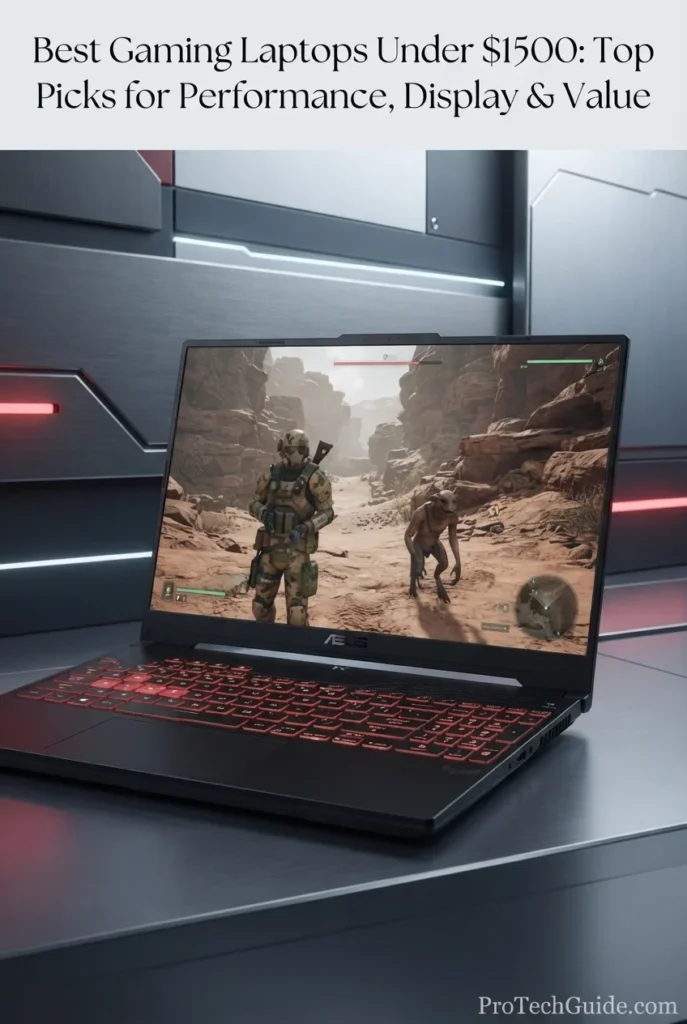
The ASUS TUF Gaming A16 with the AMD Ryzen 7 7445HS, GeForce RTX 4050 6GB, 16GB of RAM, and 1TB SSD is our Best Lower-Cost Gaming Laptop Under $1,500 in 2026 for buyers who want a capable dedicated-GPU gaming system without spending anywhere near the full budget ceiling. Its 6-core Ryzen 7 processor, RTX 4050 graphics, 16-inch WUXGA 144Hz display, 16GB memory, and 1TB SSD create a balanced configuration for everyday gaming, esports, school, productivity, streaming, and general PC use. The 16GB RAM and 1TB storage configuration is particularly practical at this price level, giving the system enough capacity for a substantial game library and multiple applications without immediately requiring storage or memory upgrades.

• Ideal for gamers who want a dedicated NVIDIA GeForce RTX 4050 laptop while spending substantially less than the $1,500 budget ceiling
• Well suited to 1080p-class gaming, esports, everyday gaming, streaming, school, productivity, and general Windows use
• Particularly attractive to buyers who value a 16-inch 16:10 display, 16GB of RAM, 1TB SSD storage, and a broad selection of modern connectivity options in one affordable gaming configuration
• The AMD Ryzen 7 7445HS provides a 6-core, 12-thread processor platform capable of handling gaming, everyday productivity, web applications, multitasking, and demanding general-purpose workloads
• The NVIDIA GeForce RTX 4050 Laptop GPU with 6GB of GDDR6 provides dedicated graphics capability for modern PC gaming while supporting NVIDIA's current RTX feature set and hardware-accelerated gaming technologies
• The 16-inch WUXGA 1920 × 1200 IPS display with a 144Hz refresh rate provides a practical combination of screen space, 16:10 workspace, and high-refresh gaming for competitive and everyday play
• 16GB of RAM provides a solid memory configuration for gaming alongside browsers, communication software, launchers, streaming applications, and everyday productivity tools
• The 1TB SSD provides substantially more local storage flexibility than the smaller drives found in many entry-level gaming configurations, giving users room for games, applications, documents, and media
• Windows 11 Pro, USB4, HDMI 2.1 FRL, USB-A and USB-C connectivity, Wi-Fi 6, an RGB backlit keyboard, and two-way AI noise cancellation give the configuration useful features beyond gaming alone

The ASUS TUF Gaming A16 earns our Best Lower-Cost Gaming Laptop Under $1,500 designation because it provides a complete dedicated-GPU gaming platform while keeping the configuration focused on practical value. The combination of the Ryzen 7 7445HS, RTX 4050 6GB, 16GB RAM, 1TB SSD, and 144Hz WUXGA display gives buyers a capable starting point for PC gaming without requiring them to spend the entire $1,500 budget.

Compared with the RTX 5060 and RTX 5070 systems elsewhere in this guide, the ASUS TUF Gaming A16 is positioned around lower purchase cost rather than maximum graphics performance. Its RTX 4050 6GB GPU places it below those higher-tier configurations for demanding gaming workloads, but the 16GB RAM, 1TB SSD, 16-inch 144Hz display, and modern connectivity make it a more complete alternative than simply choosing a lower-end general-purpose laptop without dedicated graphics. For buyers who want to maximize gaming capability while remaining well below the $1,500 ceiling, its configuration is particularly relevant.

• AMD Ryzen 7 7445HS processor• 6 CPU cores• 12 CPU threads• Up to 4.7GHz maximum boost clock• NVIDIA GeForce RTX 4050 Laptop GPU• 6GB GDDR6 graphics memory• Up to 194 AI TOPs listed for the RTX 4050 configuration• Dedicated NVIDIA graphicsThe Ryzen 7 7445HS and GeForce RTX 4050 create the core of this ASUS TUF Gaming A16 configuration. The 6-core, 12-thread processor provides a capable foundation for gaming, multitasking, productivity, and everyday computing, while the dedicated RTX 4050 GPU supplies substantially more graphics capability than integrated graphics solutions. This combination makes the A16 particularly relevant for buyers who want a dedicated gaming laptop without moving into the higher-cost RTX 5060 and RTX 5070 configurations elsewhere in this guide.
• 16GB RAM• DDR5 memory• Dual-channel memory support on the platform• Suitable for modern gaming• Strong everyday multitasking capacity• Gaming plus browser and communication applications• Practical configuration for Windows 11 ProThe 16GB memory configuration gives the ASUS TUF Gaming A16 a practical starting point for modern gaming and everyday multitasking. Users can run games alongside browsers, launchers, voice-chat applications, productivity software, and other background tasks without relying on a minimal entry-level memory configuration. For this particular configuration, 16GB also keeps the system appropriately balanced with the Ryzen 7 processor and RTX 4050 GPU.
• NVIDIA GeForce RTX 4050 Laptop GPU• 6GB GDDR6• Dedicated graphics processing• NVIDIA RTX features• High-refresh gaming support• Well suited to esports and mainstream PC gaming• 144Hz displayThe RTX 4050 gives this TUF Gaming A16 a dedicated graphics platform designed for modern PC gaming. It is particularly appropriate for buyers focused on 1080p-class gaming and high-refresh esports rather than demanding the highest graphics settings from every AAA title. The 144Hz display complements this positioning by providing a high-refresh panel for compatible games where the GPU can produce sufficiently high frame rates.
• 16-inch display• 1920 × 1200 WUXGA resolution• 16:10 aspect ratio• IPS-level panel• Anti-glare finish• 144Hz refresh rate• Suitable for gaming and productivityThe 16-inch WUXGA display gives the ASUS TUF Gaming A16 more vertical workspace than a traditional 16:9 1080p panel while maintaining a resolution that is appropriate for the RTX 4050's performance class. Its 144Hz refresh rate is especially useful for competitive games and other titles where smoother motion and responsive gameplay are priorities. The anti-glare treatment also makes the panel more practical for everyday use beyond gaming.
• 1TB SSD• Solid-state storage• Fast application launches• Responsive file access• Substantial space for games• Suitable for applications and personal files• Practical capacity for a gaming laptopThe 1TB SSD is one of this configuration's practical advantages. Modern PC games can consume significant amounts of storage, so a 1TB drive provides considerably more flexibility than smaller entry-level capacities. It also gives users room for Windows, applications, documents, media, and multiple games without immediately making external storage necessary for normal use.
• USB4 Type-C• USB-C 3.2• 2 × USB-A 3.2• HDMI 2.1 FRL• RJ45 Ethernet• Wi-Fi 6• Bluetooth connectivityThe ASUS TUF Gaming A16 provides a strong selection of physical and wireless connectivity for a gaming laptop in this price category. USB4 expands the capabilities of the system's USB-C connectivity, while HDMI 2.1 FRL supports external-display connectivity. The combination of USB-A, USB-C, Ethernet, Wi-Fi, and Bluetooth also makes it straightforward to connect gaming peripherals, displays, networking equipment, storage devices, and other accessories.
• Windows 11 Pro• 1-zone RGB backlit keyboard• Two-way AI Noise Cancelation• Hi-Res audio support• HD webcam• Dolby audio features listed by the configuration• USB-C connectivityWindows 11 Pro gives this particular configuration a more business-oriented operating system than the Windows 11 Home versions commonly found on gaming laptops. The RGB backlit keyboard adds gaming-focused customization, while two-way AI Noise Cancelation is designed to help manage unwanted background noise during compatible communication scenarios. Together with the HD webcam and audio features, these additions make the TUF Gaming A16 practical for gaming, online classes, meetings, streaming, and everyday communication.
Ideal for:• Budget-conscious gamers• 1080p-class gaming• Esports gaming• Students who also game• Everyday Windows users• Streaming and entertainment• General productivity• Buyers who want RTX graphics below the $1,500 ceiling• Users who need 1TB of storage• Buyers who prefer a 16-inch gaming laptopThe ASUS TUF Gaming A16 with the Ryzen 7 7445HS, RTX 4050 6GB, 16GB RAM, and 1TB SSD is best suited to buyers who want a genuine dedicated-GPU gaming laptop while keeping spending well below the $1,500 limit. Its 16-inch WUXGA 144Hz display, 1TB storage, Windows 11 Pro, USB4, and practical connectivity give it a well-rounded feature set for gaming and everyday computing, while the RTX 4050 clearly positions it as the lower-cost performance option within this particular guide.
Best RTX 5070 Gaming Laptop Under $1,500 (2026)

MSI Katana 15 HX B14WGK-293US

Best High-Performance Value for QHD Gaming & AAA Performance

The MSI Katana 15 HX B14WGK-293US with the Intel Core i7-14650HX, NVIDIA GeForce RTX 5070 8GB GDDR7, 16GB DDR5 memory, and 1TB NVMe SSD is our Best RTX 5070 Gaming Laptop Under $1,500 in 2026 for buyers prioritizing graphics performance and a high-resolution gaming display. Its 16-core Intel HX processor, Blackwell-based RTX 5070 Laptop GPU, QHD 165Hz panel with 100% DCI-P3 coverage, and fast PCIe Gen4 storage create a powerful platform for demanding PC gaming, competitive titles, and general high-performance computing. The 15.6-inch 2560 × 1440 display is particularly well matched to this configuration, providing significantly more pixel density than a conventional Full HD gaming panel while retaining a 165Hz refresh rate for high-frame-rate gaming.

• Ideal for gamers who prioritize GPU performance, QHD gaming, and high-refresh gameplay and want an RTX 5070 Laptop GPU within the $1,500 budget category
• Well suited to demanding AAA games, competitive gaming, high-resolution gaming, streaming, content creation, and processor-intensive multitasking
• Particularly attractive to buyers who value a QHD 165Hz display with 100% DCI-P3 coverage alongside 16GB DDR5 memory and 1TB Gen4 NVMe storage
• The Intel Core i7-14650HX provides a 16-core, 24-thread processor configuration with a maximum turbo frequency of up to 5.2GHz, giving the laptop substantial CPU headroom for gaming, multitasking, and demanding applications
• The GeForce RTX 5070 Laptop GPU provides 8GB of GDDR7 memory and Blackwell architecture features including DLSS 4, advanced ray tracing, and NVIDIA's current AI-accelerated graphics technologies
• The 15.6-inch QHD 2560 × 1440 IPS-level display runs at 165Hz and offers 100% DCI-P3 coverage, making it one of the configuration's most important advantages for both gaming and visual content
• The 16GB DDR5-5600 configuration provides a solid foundation for modern gaming, browsers, communication applications, launchers, streaming tools, and productivity software running alongside demanding games
• The 1TB NVMe Gen4x4 SSD provides fast application and game loading while offering practical capacity for a modern gaming library, applications, projects, and personal files
• MSI's Cooler Boost 5 thermal system, MUX design, four-zone RGB keyboard, Wi-Fi 6E, Gigabit Ethernet, and broad USB connectivity give this configuration a feature set designed around sustained gaming use

The MSI Katana 15 HX earns our Best RTX 5070 Gaming Laptop Under $1,500 designation because it concentrates a high-performance GPU, HX-series Intel processor, QHD 165Hz display, 16GB DDR5 memory, and 1TB Gen4 storage into a gaming configuration built around performance rather than entry-level compromises. The combination is particularly compelling for buyers who want to move beyond RTX 5060-class gaming while keeping their purchase within the $1,500 category.

Compared with the RTX 5060 laptops elsewhere in this guide, the MSI Katana 15 HX B14WGK-293US is positioned around a higher graphics-performance tier and pairs that GPU with a sharper QHD 165Hz display. Its main distinction within this guide is the combination of RTX 5070 graphics and a high-resolution 100% DCI-P3 panel. However, this particular listing is Amazon Renewed and carries a 90-day limited warranty according to the supplied listing, so buyers should evaluate condition, seller terms, return coverage, and warranty protection separately from the underlying hardware configuration.

• Intel Core i7-14650HX• 16 CPU cores• 24 CPU threads• Up to 5.2GHz maximum turbo frequency• NVIDIA GeForce RTX 5070 Laptop GPU• 8GB GDDR7 graphics memory• 4,608 CUDA cores• Up to 798 AI TOPS• Blackwell architectureThe Intel Core i7-14650HX and GeForce RTX 5070 form the performance foundation of this Katana 15 HX configuration. The 16-core, 24-thread processor provides substantial CPU resources for modern gaming, multitasking, content creation, and demanding applications, while the RTX 5070 Laptop GPU moves the system into a higher graphics-performance tier than the RTX 5060 configurations elsewhere in this guide. NVIDIA specifies 4,608 CUDA cores, 8GB of GDDR7 memory, and up to 798 AI TOPS for the RTX 5070 Laptop GPU.
• NVIDIA GeForce RTX 5070 Laptop GPU• 8GB GDDR7• 4,608 CUDA cores• Blackwell architecture• 5th-generation Tensor Cores• 4th-generation Ray Tracing Cores• DLSS 4 support• Advanced AI-powered graphics featuresThe RTX 5070 Laptop GPU is the defining performance feature of this MSI configuration. Its Blackwell architecture brings support for current NVIDIA technologies including DLSS 4, ray tracing, and AI-accelerated graphics features. The 8GB GDDR7 memory configuration is important to note because the RTX 5070 Laptop GPU is distinct from the RTX 5070 Ti Laptop GPU, which uses a larger 12GB memory configuration.
• 16GB DDR5 memory• 5600MHz memory speed• 8GB × 2 configuration• Modern gaming-ready capacity• Strong multitasking capability• Suitable for gaming and productivity• Expandable platform according to MSI specificationThe 16GB DDR5-5600 configuration provides a balanced amount of system memory for modern gaming and everyday high-performance computing. It allows users to combine demanding games with browsers, launchers, communication applications, productivity software, and other background workloads. MSI's official specification identifies this configuration as 8GB × 2 DDR5-5600 memory.
• 15.6-inch display• 2560 × 1440 QHD resolution• 16:9 aspect ratio• IPS-level panel• 165Hz refresh rate• 2.5ms response time• 100% DCI-P3 color coverage• Anti-glare coatingThe QHD 165Hz display is one of the strongest aspects of this specific Katana 15 HX configuration. Its 2560 × 1440 resolution provides a substantially sharper image than standard 1920 × 1080 gaming panels, while the 165Hz refresh rate supports smooth motion in compatible games. The 100% DCI-P3 specification also gives the display broader color coverage for gaming and visual content. MSI lists a 2.5ms response time for this configuration.
• 1TB NVMe SSD• PCIe Gen4x4 interface• Fast game loading• Responsive application launches• Rapid file access• Practical capacity for modern games• Suitable for gaming and productivity filesThe 1TB NVMe Gen4x4 SSD provides a practical storage foundation for a performance-focused gaming laptop. It gives users enough local capacity for Windows, applications, games, projects, and personal files while providing the responsiveness expected from modern PCIe Gen4 solid-state storage. MSI's specification specifically identifies the drive as a 1TB NVMe SSD with a Gen4x4 interface.
• MSI Cooler Boost 5• Discrete Graphics Mode• MUX design• Dedicated NVIDIA graphics• 240W power adapter• 75Wh battery• Performance-focused thermal designMSI equips the Katana 15 HX platform with Cooler Boost 5 and a MUX design intended to provide a performance-oriented gaming configuration. The official specification for this exact B14WGK-293US model lists a 240W AC adapter and a 75Wh four-cell Li-Polymer battery. Because laptop GPU power limits can vary by model and configuration, the RTX 5070 should be evaluated according to the specific MSI specification rather than assuming that every RTX 5070 laptop operates at the same power level.
• Intel Wi-Fi 6E AX211• Bluetooth 5.3• Gigabit Ethernet• 3 × USB 3.2 Gen 2• USB-C 3.2 Gen 2 with DisplayPort• USB-C Power Delivery support• HDMI 2.1• 3.5mm audio combo jackThe Katana 15 HX provides a broad connectivity package for gaming peripherals, external displays, wired networking, and everyday accessories. The exact B14WGK-293US specification lists Intel Wi-Fi 6E AX211, Bluetooth 5.3, Gigabit Ethernet, three USB 3.2 Gen 2 ports, a USB-C Gen 2 port with DisplayPort and Power Delivery, HDMI 2.1, and a combined audio jack.
• 4-zone RGB keyboard• Anti-Ghost key technology• 99-key layout• Backlit keyboard• High-resolution audio ready• 720p HD webcam• MSI AI Engine• Cooler Boost 5The 4-zone RGB keyboard gives the Katana 15 HX a clearly gaming-oriented input system, while Anti-Ghost key technology is designed to improve input recognition during simultaneous key presses. MSI also lists a 720p HD webcam, high-resolution audio support, and its AI Engine among the platform features.
Ideal for:• AAA gaming• QHD gaming• Competitive gaming• High-refresh gaming• Gamers prioritizing GPU performance• Streaming and entertainment• Content creation• Demanding multitasking• Users who want RTX 5070 graphics• Buyers who value a 100% DCI-P3 displayThe MSI Katana 15 HX B14WGK-293US is best suited to buyers who want to prioritize graphics performance and QHD gaming within the $1,500 category. Its RTX 5070 Laptop GPU, 16-core Intel HX processor, 15.6-inch QHD 165Hz display, 16GB DDR5 memory, and 1TB Gen4 NVMe SSD create a performance-focused configuration with a particularly strong display and GPU combination. Because this specific unit is sold as Amazon Renewed, buyers should also review the unit's condition, return policy, seller information, and warranty coverage before purchasing.
Best RTX 5060 Gaming Laptop (2026)

Acer Nitro V Gaming Laptop ANV16-72-70F4

Best Balanced RTX 5060 Gaming Laptop for 1080p & 1200p Gaming
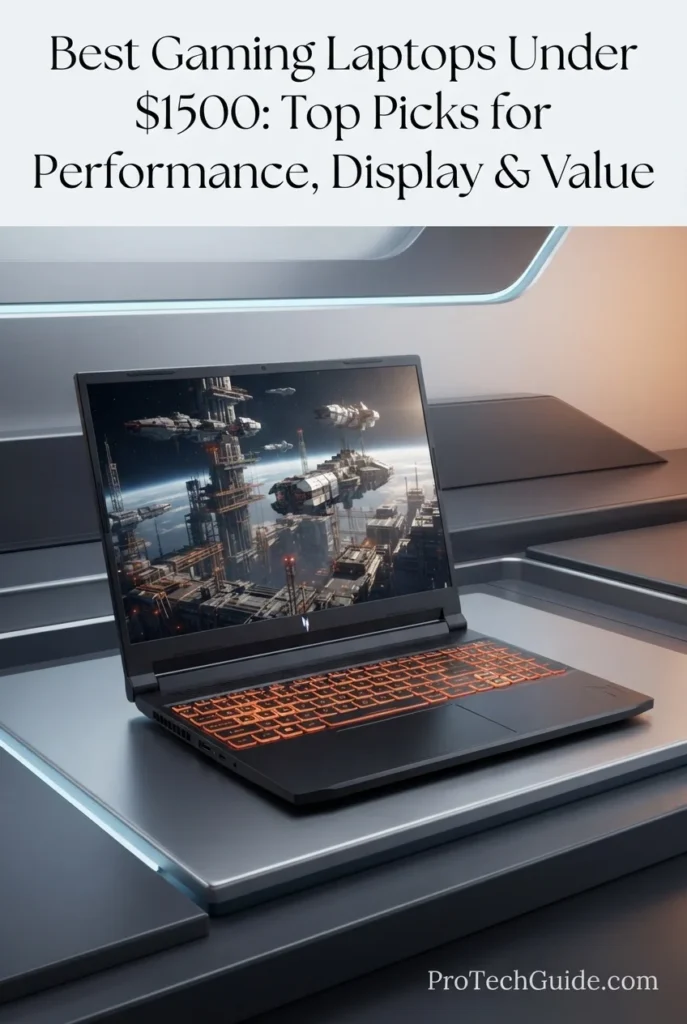
The Acer Nitro V Gaming Laptop ANV16-72-70F4 with an Intel Core 7 240H processor, GeForce RTX 5060 Laptop GPU, 16GB DDR5 memory, 512GB PCIe Gen 4 SSD, and 16-inch WUXGA 180Hz IPS display is our Best Balanced RTX 5060 Gaming Laptop under $1,500 in 2026. Its 10-core Intel processor, Blackwell-based RTX 5060 graphics, fast 180Hz display, 100% sRGB coverage, and dual-fan cooling system create a well-rounded platform for modern AAA gaming, competitive titles, streaming, multitasking, and everyday productivity. The 16GB DDR5 configuration provides a practical baseline for current gaming, while the two DDR5 memory slots support up to 32GB according to Acer's specification, giving the platform additional memory flexibility over time.

• Ideal for gamers who want RTX 5060 graphics, a high-refresh-rate 16-inch display, and modern gaming hardware without moving to a more expensive RTX 5070 configuration
• Well suited to AAA gaming, competitive gaming, streaming, multitasking, school, productivity, and general-purpose Windows 11 use
• Particularly attractive to buyers who want a balanced combination of GPU performance, display quality, 16GB DDR5 memory, fast Gen 4 storage, and useful connectivity rather than focusing on a single specification
• The Intel Core 7 240H combines 10 cores and 16 threads with a maximum turbo frequency of 5.2GHz, providing a capable CPU foundation for gaming, streaming, multitasking, and demanding everyday workloads
• The GeForce RTX 5060 Laptop GPU provides 8GB of graphics memory in this configuration and supports the current Blackwell platform, DLSS 4, ray tracing, and AI-accelerated rendering technologies for modern PC gaming
• The 16-inch WUXGA 1920 × 1200 IPS display runs at 180Hz and offers 100% sRGB coverage, 400-nit brightness, a 16:10 aspect ratio, and a listed 3ms Overdrive response time for a strong combination of gaming responsiveness and everyday visual quality
• 16GB of DDR5 memory and a 512GB PCIe Gen 4 SSD provide a practical configuration for current gaming libraries, applications, Windows workloads, and everyday multitasking, while the two DDR5 slots allow expansion up to 32GB according to Acer
• Acer's dual-fan, quad-intake, and quad-exhaust cooling architecture is designed to move heat efficiently during extended gaming and demanding workloads, with NitroSense providing controls for monitoring performance and adjusting fan behavior
• Thunderbolt 4 through USB-C, multiple USB ports, HDMI 2.1, Gigabit Ethernet, Wi-Fi 6, and a microSD card reader provide a versatile connectivity platform for gaming peripherals, external displays, networking, storage, and everyday accessories

The Acer Nitro V ANV16-72-70F4 earns our Best Balanced RTX 5060 Gaming Laptop distinction because it combines a current RTX 5060 graphics platform with a capable 10-core Intel processor, a 180Hz 16-inch WUXGA display, 16GB DDR5 memory, fast Gen 4 storage, and a substantial selection of modern connectivity options. Rather than concentrating the budget on one component, this configuration creates a balanced gaming system that can serve as both a dedicated gaming machine and an everyday productivity laptop.

Compared with other RTX 5060 laptops in this guide, the Acer Nitro V ANV16-72-70F4 stands out for its combination of a 16-inch 180Hz 16:10 display, 100% sRGB coverage, 16GB DDR5 memory, Gen 4 SSD storage, Thunderbolt 4 connectivity, and a cooling system built around dual fans and multiple intake and exhaust channels. Buyers who prioritize a larger 1TB internal SSD or a higher-end processor may find other configurations more suitable, but this model offers a particularly balanced hardware mix for gaming and general-purpose use.

• Intel Core 7 processor 240H• 10 CPU cores• 16 CPU threads• Up to 5.2GHz maximum turbo frequency• NVIDIA GeForce RTX 5060 Laptop GPU• 8GB graphics memory• Blackwell architecture• 572 AI TOPS• Fourth-generation RT Cores• Fifth-generation Tensor CoresThe Acer Nitro V ANV16-72-70F4 combines the Intel Core 7 240H with the GeForce RTX 5060 Laptop GPU to create a modern performance platform for gaming and multitasking. The 240H provides 10 cores and 16 threads with up to 5.2GHz turbo frequency, while the RTX 5060 brings Blackwell architecture, dedicated ray-tracing hardware, fifth-generation Tensor Cores, and 8GB of graphics memory. NVIDIA lists the RTX 5060 Laptop GPU at up to 572 AI TOPS, although actual performance and power behavior depend on the laptop implementation and workload.
• NVIDIA GeForce RTX 5060 Laptop GPU• 8GB dedicated graphics memory• Blackwell architecture• 3,328 CUDA cores• 572 AI TOPS• Fourth-generation RT Cores• Fifth-generation Tensor Cores• Ray tracing support• DLSS 4• AI-powered neural renderingThe RTX 5060 Laptop GPU gives this Nitro V access to NVIDIA's current Blackwell gaming platform and its AI-assisted rendering technologies. NVIDIA specifies 3,328 CUDA cores, 572 AI TOPS, and 8GB of graphics memory for the RTX 5060 Laptop GPU family. DLSS 4 can use Super Resolution, Ray Reconstruction, and Multi Frame Generation where supported by compatible games, helping modern titles balance image quality and performance.
• 16GB DDR5 memory• Two DDR5 memory slots• Up to 32GB maximum according to Acer• Fast DDR5 memory architecture• Suitable for modern gaming• Strong everyday multitasking capability• Useful for gaming and streamingThe 16GB DDR5 configuration provides a practical amount of system memory for current gaming, Windows applications, browsers, streaming tools, and everyday multitasking. Acer specifies two DDR5 memory slots and a maximum supported capacity of 32GB for this ANV16-72 configuration, giving users a clear upgrade path if their workload eventually demands additional memory.
• 16-inch IPS display• 1920 × 1200 WUXGA resolution• 180Hz refresh rate• 16:10 aspect ratio• 100% sRGB color coverage• Up to 400 nits brightness• 3ms Overdrive response time• 16:10 productivity-friendly workspaceThe 16-inch WUXGA display is one of this configuration's strongest features. Its 1920 × 1200 resolution provides a 16:10 workspace that offers more vertical screen area than a conventional 16:9 Full HD panel, while the 180Hz refresh rate is well suited to fast-paced gaming. Acer also specifies 100% sRGB coverage, up to 400 nits brightness, and a listed 3ms Overdrive response time, giving the panel a useful combination of responsiveness, color coverage, and everyday usability.
• 512GB PCIe Gen 4 NVMe SSD• Fast solid-state storage• Quick application loading• Responsive Windows operation• Faster game installation and file access• Suitable for everyday gaming libraries• microSD card readerThe 512GB PCIe Gen 4 SSD provides fast local storage for Windows, applications, games, documents, and everyday files. It is a sensible starting capacity for a gaming laptop, although users with large modern game libraries may eventually need additional storage or external storage. The integrated microSD card reader also provides another convenient option for transferring compatible media and files.
• Dual-fan cooling system• Quad-intake architecture• Quad-exhaust architecture• Designed for sustained gaming workloads• NitroSense performance monitoring• Customizable fan controls• Efficient heat evacuationThe Nitro V uses a dual-fan cooling architecture with four intake and four exhaust channels to move air through the system during demanding workloads. Acer also includes NitroSense, which allows users to monitor system performance and customize fan behavior. This combination is particularly useful for gaming sessions that place sustained demands on the CPU and GPU rather than short bursts of activity.
• Thunderbolt 4 USB-C• USB 3.2 Gen 2 Type-C• DisplayPort over USB-C• USB charging up to 65W• USB 3.2 Gen 2 ports• USB 3.2 Gen 1 port• HDMI 2.1• Gigabit Ethernet• Intel Killer Wi-Fi 6 AX1650• microSD card readerThe connectivity package is unusually versatile for a gaming laptop in this class. The system includes Thunderbolt 4 through USB-C, DisplayPort over USB-C, multiple USB ports, HDMI 2.1, Gigabit Ethernet, Wi-Fi 6, and a microSD card reader. This gives gamers multiple options for external displays, wired networking, gaming peripherals, storage devices, and other accessories.
• 76Wh lithium-ion battery• 16-inch gaming chassis• 5.29-pound listed weight• 14.17-inch width• 10.81-inch depth• 0.63–0.96-inch listed height• 135W AC adapter• One-Year International Travelers Limited WarrantyWith a listed weight of 5.29 pounds and a 76Wh battery, the Nitro V provides a reasonably portable format for a 16-inch gaming laptop while retaining the hardware required for dedicated GPU gaming. Its dimensions and weight make it more suitable for moving between home, school, work, or gaming locations than a much larger desktop-replacement design, although it remains a full-size gaming machine rather than an ultraportable laptop.
Ideal for:• AAA PC gaming• Competitive gaming• RTX 5060 gaming• High-refresh-rate gaming• 1080p and 1200p gaming• Gaming and streaming• Students who also game• Everyday productivity• Multitasking• External-display setups• Users who want Thunderbolt 4The Acer Nitro V Gaming Laptop ANV16-72-70F4 is best suited to gamers who want a balanced RTX 5060 platform rather than a laptop designed around only one premium component. Its combination of the Intel Core 7 240H, RTX 5060, 16GB DDR5 memory, 512GB Gen 4 SSD, 16-inch 180Hz WUXGA display, and comprehensive connectivity makes it a versatile choice for gaming, streaming, school, productivity, and everyday Windows use.
Best OLED Gaming Laptop (2026)

Lenovo Legion 5i 83LY000LUS

Best OLED Display for RTX 5060 Gaming
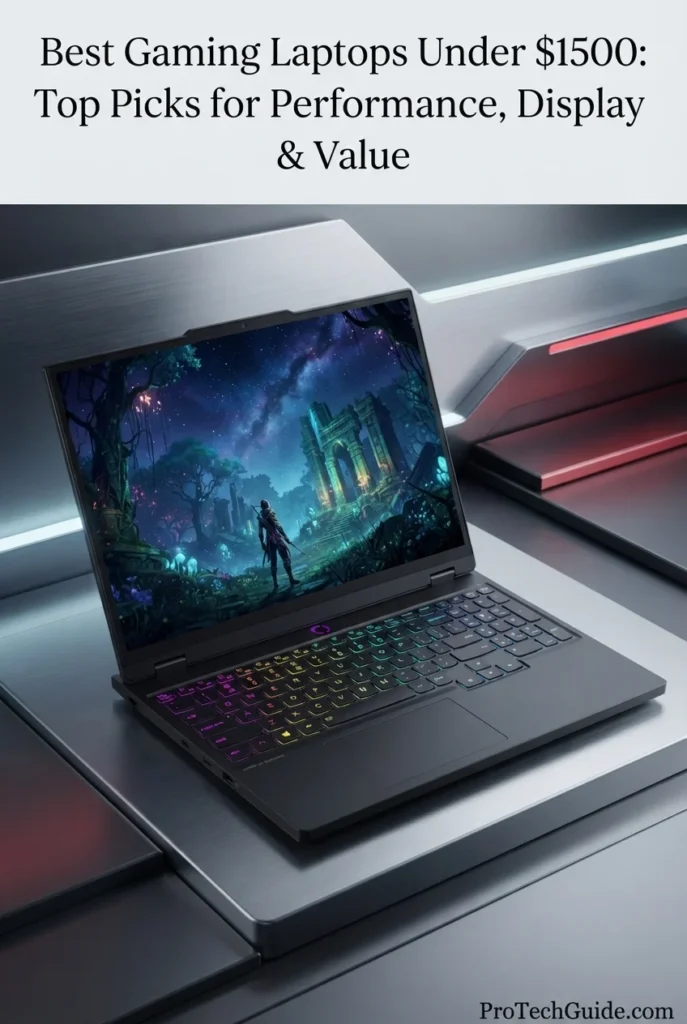
The Lenovo Legion 5i 83LY000LUS with an Intel Core i7-14700HX processor, GeForce RTX 5060 Laptop GPU, 16GB DDR5-5600 memory, 512GB PCIe 4.0 SSD, and 15.1-inch WQXGA OLED display is our Best OLED Gaming Laptop under $1,500 in 2026. Its combination of a high-core-count HX processor, 115W RTX 5060 implementation, 165Hz OLED panel, 100% DCI-P3 color coverage, DisplayHDR True Black 600, and Legion's Coldfront Hyper cooling architecture gives this configuration a distinctly display-focused approach to gaming. The OLED panel is the defining feature, delivering a much more premium visual experience than conventional IPS gaming displays while the RTX 5060 provides the dedicated graphics performance required for modern PC gaming.

• Ideal for gamers who place display quality, OLED contrast, color coverage, and high refresh rates alongside GPU performance when choosing a gaming laptop
• Well suited to AAA gaming, competitive gaming, content consumption, creative applications, heavy multitasking, and demanding Windows 11 workloads
• Particularly attractive to buyers who want an RTX 5060 gaming platform paired with a premium 15.1-inch OLED display rather than a conventional IPS panel
• The Intel Core i7-14700HX provides 20 cores and 28 threads with a maximum turbo frequency of 5.5GHz, giving the Legion 5i substantial CPU resources for gaming, multitasking, streaming, and demanding applications
• The GeForce RTX 5060 Laptop GPU is configured with 8GB of GDDR7 memory and a 115W TGP in this Lenovo model, providing a stronger implementation of the RTX 5060 platform than should be assumed from the GPU name alone
• The 15.1-inch WQXGA 2560 × 1600 OLED display runs at 165Hz, covers 100% of the DCI-P3 color space, reaches up to 1,000 nits peak brightness, and supports DisplayHDR True Black 600 and Dolby Vision
• The 16GB DDR5-5600 configuration uses one of the laptop's two SODIMM slots, while Lenovo specifies support for up to 32GB, providing a practical upgrade path for users who need additional memory
• The 512GB PCIe 4.0x4 NVMe SSD provides fast local storage, while Lenovo specifies two M.2 SSD slots for this platform, allowing additional internal storage to be added when required
• Legion Coldfront Hyper cooling, the 24-zone RGB keyboard, Wi-Fi 7, HDMI 2.1, USB-C DisplayPort connectivity, and a 80Wh battery create a feature-rich gaming platform that extends beyond raw GPU performance

The Lenovo Legion 5i 83LY000LUS earns our Best OLED Gaming Laptop distinction because its strongest differentiator is the combination of an RTX 5060 gaming platform with a genuinely premium 15.1-inch OLED panel. The 2560 × 1600 resolution, 165Hz refresh rate, 100% DCI-P3 coverage, high peak brightness, and DisplayHDR True Black 600 support give this configuration a display advantage that conventional IPS gaming laptops in the same class cannot replicate.

Compared with other RTX 5060 laptops in this guide, the Lenovo Legion 5i 83LY000LUS places greater emphasis on display technology and premium system design. Its OLED panel, 20-core Core i7-14700HX processor, 115W RTX 5060 implementation, Wi-Fi 7, 80Wh battery, and dual-M.2 storage platform make it particularly compelling for users who value the complete experience rather than focusing only on GPU specifications. However, this specific listing is Renewed and carries a 90-day limited warranty according to the supplied Amazon listing, so buyers should evaluate the condition, seller terms, and warranty coverage before purchase.

• Intel Core i7-14700HX processor• 20 CPU cores• 8 Performance-cores + 12 Efficient-cores• 28 threads• Up to 5.5GHz maximum turbo frequency• 33MB Intel Smart Cache• NVIDIA GeForce RTX 5060 Laptop GPU• 8GB GDDR7 graphics memory• 115W TGP• 572 AI TOPSThe Legion 5i combines Intel's Core i7-14700HX with an RTX 5060 Laptop GPU configured at 115W TGP. The processor provides 20 cores and 28 threads with up to 5.5GHz turbo frequency, giving this system substantial CPU resources for demanding gaming, streaming, multitasking, and productivity workloads. NVIDIA's RTX 5060 Laptop GPU adds Blackwell architecture, 8GB of GDDR7 memory, fourth-generation RT Cores, and fifth-generation Tensor Cores for modern gaming and AI-accelerated graphics technologies.
• GeForce RTX 5060 Laptop GPU• 8GB GDDR7• 128-bit memory interface• 3,328 CUDA cores• 572 AI TOPS• Blackwell architecture• Fourth-generation RT Cores• Fifth-generation Tensor Cores• 115W TGP in this Lenovo configuration• DLSS 4 supportThe RTX 5060 in this Legion 5i is a particularly important part of the configuration because Lenovo specifies a 115W TGP for this model. NVIDIA lists the RTX 5060 Laptop GPU with 3,328 CUDA cores, 8GB of GDDR7 memory, 572 AI TOPS, and a 45W–100W reference subsystem power range across laptop implementations; Lenovo's specific 83LY000LUS specification lists a 115W TGP for this configuration. This illustrates why the exact laptop implementation matters when comparing RTX 5060 systems.
• 15.1-inch OLED display• 2560 × 1600 WQXGA resolution• 16:10 aspect ratio• 165Hz refresh rate• 100% DCI-P3• 1,000 nits peak brightness• 500 nits typical brightness• DisplayHDR True Black 600• Dolby Vision• Factory color calibration• Glossy OLED panelThe 15.1-inch OLED display is the defining feature of this Legion 5i configuration. Its 2560 × 1600 resolution provides a high-density 16:10 workspace, while the 165Hz refresh rate keeps motion fluid during gaming. Lenovo also specifies 100% DCI-P3 coverage, factory color calibration, up to 1,000 nits peak brightness, Dolby Vision, and DisplayHDR True Black 600 certification. For users who value contrast, color depth, HDR capability, and overall image quality, this panel gives the Legion 5i a clear display-focused identity.
• 16GB DDR5-5600 memory• 1 × 16GB SODIMM configuration• Two DDR5 SODIMM slots• Dual-channel capable• Up to 32GB according to Lenovo• Designed for gaming and multitasking• Upgrade potential for demanding workloadsThe supplied configuration includes 16GB of DDR5-5600 memory installed in one SODIMM slot. Lenovo specifies two DDR5 SODIMM slots and support for up to 32GB, giving users the option to expand memory if their workloads require more capacity. The configuration is therefore well suited to current gaming and multitasking while retaining a practical upgrade path for heavier applications.
• 512GB M.2 2242 PCIe 4.0x4 NVMe SSD• Fast PCIe Gen 4 storage• Two M.2 SSD slots• Up to two internal SSDs according to Lenovo• Fast game and application loading• Responsive Windows 11 storage• No optical driveThe 512GB PCIe 4.0x4 NVMe SSD provides fast primary storage for Windows, games, applications, and personal files. Although 512GB is adequate as a starting configuration, modern gaming libraries can consume substantial space, making Lenovo's dual-M.2 storage design particularly useful. The platform supports up to two internal M.2 SSDs according to Lenovo's specification, allowing storage capacity to be expanded without relying exclusively on external drives.
• Legion Coldfront Hyper cooling• Lenovo AI Engine+• Legion AI Chip LA1• Designed for sustained gaming workloads• Dynamic system optimization• Gaming performance management• Legion Space software ecosystemThe Legion 5i uses Lenovo's Coldfront Hyper cooling system alongside Legion AI Engine+ and the dedicated LA1 AI chip. These technologies are designed to help manage system behavior during gaming and demanding workloads. Lenovo positions AI Engine+ as part of the system's gaming optimization platform, while Coldfront Hyper is designed to maintain thermal performance during sustained use.
• Wi-Fi 7• Bluetooth 5.4• Gigabit Ethernet• 2 × USB-C 10Gbps• DisplayPort 2.1 via USB-C• DisplayPort 1.4 via second USB-C• USB-C Power Delivery• 3 × USB-A 5Gbps• HDMI 2.1• 8K/60Hz HDMI output support• 3.5mm headphone/microphone combo jackThe Legion 5i provides a strong connectivity package for a modern gaming laptop. Lenovo specifies Wi-Fi 7 with Bluetooth 5.4, Gigabit Ethernet, two USB-C 10Gbps ports with DisplayPort support, three USB-A ports, and HDMI 2.1 capable of supporting up to 8K at 60Hz. This makes the system well suited to gaming peripherals, external displays, wired networking, docks, and other high-bandwidth accessories.
• 80Wh battery• 245W power adapter• Starting at 4.19 pounds• 15.1-inch chassis• Eclipse Black finish• Aluminum top cover• 24-zone RGB backlit keyboard• Legion TrueStrike keyboard• Lenovo Spectrum lighting• 5MP webcam with E-shutter• Nahimic AudioThe Legion 5i combines a relatively portable 15.1-inch gaming chassis with an 80Wh battery and a starting weight of 4.19 pounds according to Lenovo's specification. Its aluminum top cover, 24-zone RGB Legion TrueStrike keyboard, 5MP webcam with E-shutter, and Nahimic-optimized stereo audio add premium-oriented features beyond the core gaming hardware.
Ideal for:• OLED gaming• RTX 5060 gaming• AAA gaming• Competitive gaming• High-refresh-rate gaming• HDR gaming• Content consumption• Creative applications• Heavy multitasking• External-display setups• Gamers who prioritize display qualityThe Lenovo Legion 5i 83LY000LUS is best suited to gamers who want the RTX 5060 platform paired with a premium OLED experience. Its 15.1-inch 2560 × 1600 165Hz panel, 100% DCI-P3 coverage, DisplayHDR True Black 600, Core i7-14700HX processor, 115W RTX 5060 implementation, and robust connectivity make it a particularly display-focused gaming configuration. Because the specific Amazon unit is sold as Renewed, buyers should also verify condition, seller information, and the applicable warranty before purchasing.
Best RTX 5060 Gaming Laptop for Multitasking (2026)

Acer Nitro V 16S AI Gaming Laptop

Strong All-Around Choice for Gaming, Multitasking & Everyday Performance
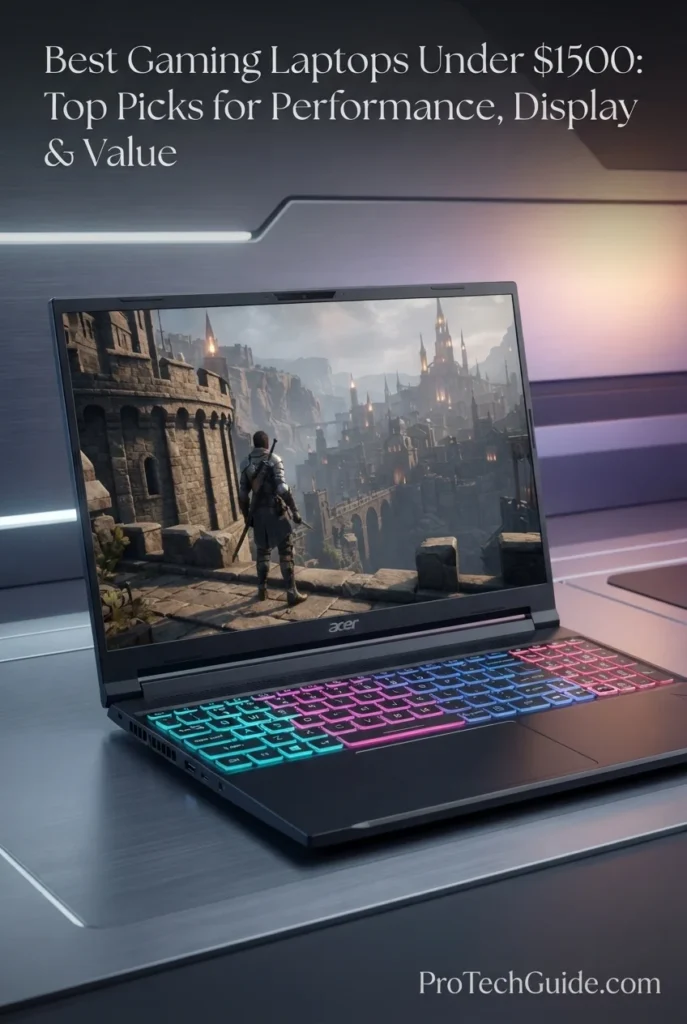
The Acer Nitro V 16S AI Gaming Laptop with AMD Ryzen 7 260, GeForce RTX 5060 8GB GDDR7, 16GB DDR5 memory, and a 1TB PCIe Gen 4 NVMe SSD is a strong all-around gaming platform for buyers who want modern RTX 5060 graphics without sacrificing storage or everyday multitasking capability. Its 8-core, 16-thread Ryzen 7 260 processor, dedicated RTX 5060 GPU, 16-inch WUXGA 180Hz IPS display, 16GB DDR5 memory, and 1TB Gen 4 SSD create a well-balanced configuration for AAA gaming, competitive titles, streaming, productivity, content creation, and demanding everyday workloads. The combination of 16GB RAM and 1TB storage is particularly practical at this price level, giving users enough memory for gaming alongside browsers, communication apps, launchers, and productivity software while providing substantially more local storage for a growing game library. Acer also integrates Ryzen AI capabilities, NitroSense controls, dual-fan cooling, and a 4-zone RGB keyboard into the platform, making this configuration more versatile than a gaming laptop designed solely around raw graphics performance.

• Ideal for gamers who want RTX 5060 graphics, a high-refresh-rate 16-inch display, 16GB RAM, and 1TB storage in a balanced configuration
• Well suited to users who regularly combine gaming with streaming, web browsing, communication apps, schoolwork, productivity software, and everyday multitasking
• Particularly attractive for buyers who want more storage than typical 512GB gaming configurations while retaining a modern Ryzen processor and dedicated RTX 5060 graphics
• The AMD Ryzen 7 260 provides 8 cores and 16 threads with boost speeds up to 5.1GHz, giving the system a strong CPU foundation for gaming, multitasking, productivity, and demanding everyday workloads
• The GeForce RTX 5060 Laptop GPU with 8GB of GDDR7 dedicated graphics memory provides modern NVIDIA gaming features including hardware-accelerated ray tracing and DLSS 4 support
• The 16-inch WUXGA 1920 × 1200 IPS display with a 180Hz refresh rate and 16:10 aspect ratio provides a responsive gaming experience while offering additional vertical workspace for multitasking
• 16GB of DDR5 memory provides a practical capacity for current gaming, productivity, streaming, browsers, and simultaneous applications without making the configuration dependent on a minimal memory setup
• The 1TB PCIe Gen 4 NVMe SSD provides substantially more local game and application storage than common 512GB configurations while maintaining fast storage performance for booting, loading games, and accessing large files
• Dual-fan cooling, quad-intake and quad-exhaust ventilation, NitroSense controls, Wi-Fi 6, Gigabit Ethernet, HDMI 2.1, USB connectivity, and a 4-zone RGB backlit keyboard give the Nitro V 16S AI a complete gaming-oriented feature set

The Acer Nitro V 16S AI earns its Best RTX 5060 Gaming Laptop for Multitasking distinction because its configuration avoids a common compromise at this price: choosing stronger graphics while limiting memory or storage. The combination of Ryzen 7 260 processing, RTX 5060 graphics with 8GB GDDR7, 16GB DDR5 RAM, a 1TB Gen 4 SSD, and a 180Hz 16-inch display creates a balanced platform for gaming and the broader workloads that often surround it.

Compared with other RTX 5060 laptops in this guide, the Acer Nitro V 16S AI focuses on configuration balance rather than a premium OLED display or an unusually powerful processor. Its combination of 16GB memory and 1TB SSD storage gives it a practical advantage for users who install numerous games and applications or routinely keep multiple programs open. Buyers prioritizing a higher-end display may prefer the OLED-equipped Lenovo Legion 5i, while those focused primarily on RTX 5070-class graphics may want to consider the MSI Katana 15 HX instead.

• AMD Ryzen 7 260 processor• 8 CPU cores• 16 CPU threads• Up to 5.1GHz boost clock• NVIDIA GeForce RTX 5060 Laptop GPU• 8GB GDDR7 dedicated graphics memory• NVIDIA Blackwell architecture• Hardware-accelerated ray tracingThe Ryzen 7 260 and GeForce RTX 5060 provide a balanced performance foundation for modern gaming and demanding everyday use. The 8-core, 16-thread processor can handle gaming alongside browsers, communication applications, streaming tools, productivity software, and other background workloads, while the RTX 5060 provides dedicated graphics processing for modern games and GPU-accelerated applications.
• GeForce RTX 5060 Laptop GPU• 8GB GDDR7 dedicated VRAM• NVIDIA Blackwell architecture• Hardware-accelerated ray tracing• DLSS 4 support• AI-powered frame generation technologies• NVIDIA Studio supportThe RTX 5060 gives the Nitro V 16S AI a modern dedicated graphics platform for current gaming workloads. Its 8GB of GDDR7 memory provides dedicated VRAM for games and GPU-intensive applications, while NVIDIA's current Blackwell platform brings support for technologies such as DLSS 4 and hardware-accelerated ray tracing. This makes the laptop relevant not only for traditional rasterized gaming but also for titles that take advantage of NVIDIA's latest AI-assisted rendering features.
• 16GB DDR5 RAM• Modern DDR5 memory technology• Suitable for gaming and productivity• Strong multitasking capacity• Effective for browsers and communication apps• Suitable for streaming and everyday workloadsThe 16GB DDR5 configuration gives the Nitro V 16S AI a practical memory baseline for modern gaming and multitasking. It allows users to keep a game running alongside browsers, launchers, voice or messaging applications, streaming utilities, and productivity software without relying on the very limited memory capacities found in entry-level gaming configurations.
• 16-inch IPS display• 1920 × 1200 WUXGA resolution• 180Hz refresh rate• 16:10 aspect ratio• Matte anti-glare design• Responsive high-refresh-rate gaming• Additional vertical workspaceThe 16-inch WUXGA display combines a 1920 × 1200 resolution with a 180Hz refresh rate and 16:10 aspect ratio. The high refresh rate is particularly useful for fast-paced games and competitive titles, while the 16:10 format provides more vertical screen space than a traditional 16:9 panel. The anti-glare IPS design also makes the display practical for longer gaming, productivity, and everyday computing sessions.
• 1TB PCIe Gen 4 NVMe SSD• M.2 solid-state storage• Fast system boot times• Responsive application loading• Faster game loading• Substantially more capacity than 512GB configurations• Secondary M.2 storage expansion on supported configurationsThe 1TB PCIe Gen 4 NVMe SSD is one of this configuration's most practical advantages. Modern games can consume substantial amounts of storage, so starting with 1TB gives users considerably more room for games, applications, documents, media, and projects before an immediate storage upgrade becomes necessary. Acer also lists a secondary M.2 slot on corresponding Nitro V 16S AI configurations, providing additional storage flexibility where supported by the exact model.
• Dual-fan cooling system• Quad-intake ventilation• Quad-exhaust ventilation• NitroSense performance controls• Gaming-focused thermal design• Designed for sustained gaming workloadsThe Nitro V 16S AI uses a dual-fan cooling design with multiple intake and exhaust openings to manage heat during gaming and other demanding workloads. NitroSense provides software-based control and monitoring tools, allowing users to adjust performance-oriented settings and monitor system behavior. The cooling platform is designed to support sustained gaming sessions rather than short bursts of peak performance alone.
• Wi-Fi 6 connectivity• 802.11ax wireless networking• Gigabit Ethernet• HDMI 2.1• USB-C connectivity• Multiple USB-A ports• Bluetooth• External display supportThe connectivity platform is designed for both gaming and everyday workstation use. Wi-Fi 6 provides modern wireless networking, while Gigabit Ethernet offers a wired option for users who prioritize a stable network connection for online gaming. HDMI 2.1 and the available USB connectivity also make it practical to connect external displays, peripherals, storage devices, controllers, and other gaming accessories.
• AMD Ryzen AI NPU• Up to 16 TOPS NPU performance• 4-zone RGB backlit keyboard• NitroSense controls• Backlit gaming keyboard• Windows 11 Home• Anti-glare display• Gaming-oriented chassis designThe Nitro V 16S AI adds AI-capable hardware through the Ryzen AI NPU alongside its gaming-focused design. The processor's NPU is rated for up to 16 TOPS in corresponding Ryzen 7 260 configurations, while the 4-zone RGB keyboard adds customizable lighting for a more gaming-oriented setup. Windows 11 Home provides the software platform for gaming, productivity, communication, and everyday applications.
Ideal for:• RTX 5060 gaming• AAA gaming• Competitive gaming• Gaming and multitasking• Streaming and content consumption• Students who also game• Productivity alongside gaming• Users who want 1TB storage• Users who want a 16-inch 180Hz display• Buyers seeking a balanced RTX 5060 configurationThe Acer Nitro V 16S AI Gaming Laptop with Ryzen 7 260, RTX 5060 8GB GDDR7, 16GB DDR5, 1TB Gen 4 SSD, and a 16-inch WUXGA 180Hz display is particularly well suited to buyers who want one machine for gaming and broader everyday workloads. Its configuration emphasizes balance: dedicated RTX 5060 graphics for modern games, 16GB memory for multitasking, 1TB storage for a larger game library, and a high-refresh-rate 16-inch display for both gaming and productivity.
Best Gaming & Productivity Laptop (2026)

HP OMEN 16-AP000

Best for Gaming, Productivity & High-Core CPU Performance
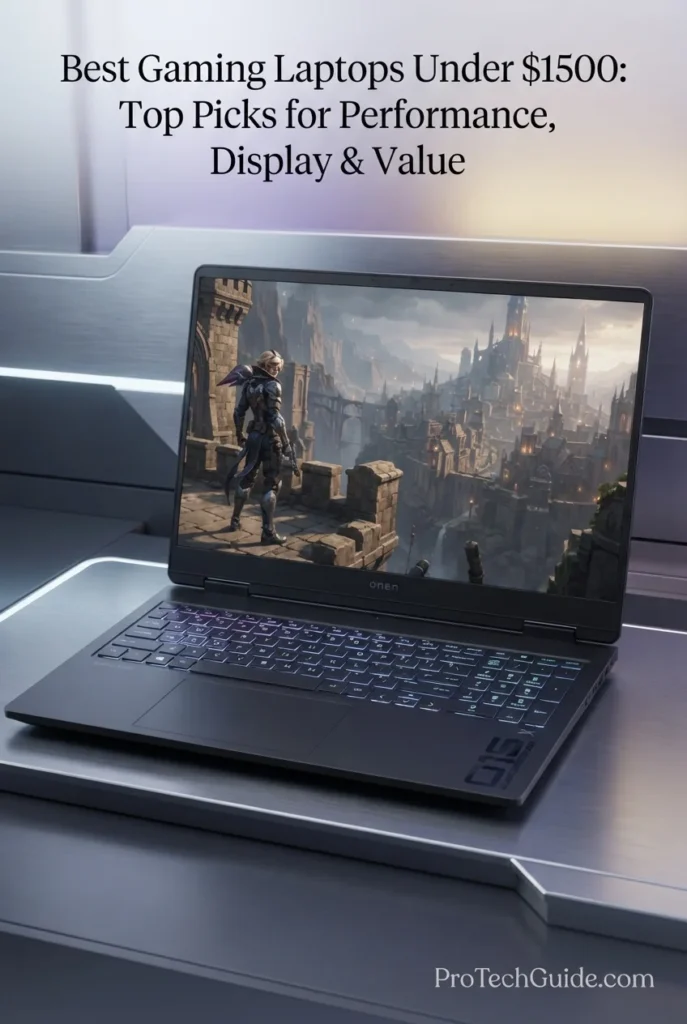
The HP OMEN 16-AP000 with AMD Ryzen 9 8940HX, GeForce RTX 5060 8GB GDDR7, 16GB DDR5-5200 memory, and a 512GB PCIe Gen 4 NVMe SSD is a performance-focused gaming laptop designed for buyers who want substantial CPU capability alongside modern RTX 5060 graphics. Its 16-core, 32-thread Ryzen 9 processor provides considerable processing capacity for gaming, productivity, multitasking, compiling, content creation, and other CPU-intensive workloads, while the RTX 5060 supplies dedicated graphics performance for modern games and GPU-accelerated applications. The 16-inch WUXGA 1920 × 1200 IPS display runs at up to 144Hz and uses an anti-glare finish, providing a responsive gaming experience while maintaining the additional vertical workspace of a 16:10 panel. With 16GB of DDR5-5200 memory, a 512GB PCIe Gen 4 SSD, Wi-Fi 6, HDMI 2.1, a full-size backlit keyboard with numeric keypad, and an 83Wh battery, this OMEN configuration is particularly well suited to users who expect their gaming laptop to handle serious productivity work as well as gaming.

• Ideal for gamers who also need substantial CPU performance for productivity, multitasking, development, content creation, and demanding everyday workloads
• Well suited to users who want a 16-core Ryzen 9 processor paired with RTX 5060 graphics rather than a laptop designed exclusively around entry-level gaming performance
• Particularly relevant for buyers who want a large 16-inch 144Hz display, full-size keyboard with numeric keypad, strong connectivity, and a substantial battery alongside dedicated gaming graphics
• The AMD Ryzen 9 8940HX provides 16 cores and 32 threads with boost speeds up to 5.3GHz, creating a powerful CPU foundation for gaming, multitasking, productivity, development, and other processor-intensive workloads
• The GeForce RTX 5060 Laptop GPU with 8GB of GDDR7 dedicated graphics memory brings modern NVIDIA graphics capabilities, hardware-accelerated ray tracing, and DLSS 4 support to the OMEN platform
• The 16-inch WUXGA 1920 × 1200 IPS display with a 144Hz refresh rate provides smooth motion for gaming while the 16:10 aspect ratio gives additional vertical space for productivity applications and multitasking
• 16GB of DDR5-5200 memory provides a practical baseline for gaming, browsers, productivity applications, communication tools, and other simultaneous workloads
• The 512GB PCIe Gen 4 NVMe SSD provides fast storage performance for Windows, games, applications, projects, and everyday files, while keeping the system responsive during normal use
• Wi-Fi 6, Bluetooth 5.3, HDMI 2.1, USB-C with Power Delivery and DisplayPort support, multiple USB-A ports, Gigabit Ethernet, an 83Wh battery, and a full-size backlit keyboard with numeric keypad create a versatile platform for both gaming and productivity

The HP OMEN 16-AP000 earns its Best for Gaming & Productivity distinction because its configuration places unusual emphasis on CPU capability within an RTX 5060 gaming platform. The combination of a 16-core Ryzen 9 8940HX, RTX 5060 8GB GDDR7, 16GB DDR5-5200, 144Hz 16-inch WUXGA display, and broad connectivity makes it particularly compelling for users who want one machine to cover gaming and demanding work rather than treating those as separate use cases.

Compared with other RTX 5060 laptops in this guide, the HP OMEN 16-AP000 places greater emphasis on processor capacity and productivity versatility. Its Ryzen 9 8940HX offers 16 cores and 32 threads, while the 16-inch 144Hz display, full-size keyboard with numeric keypad, 83Wh battery, and extensive connectivity reinforce its role as an all-purpose performance laptop. However, the specific 1920 × 1200 panel in this configuration is more focused on responsive gaming and everyday productivity than premium color reproduction, while models such as the Lenovo Legion 5i offer a substantially more display-focused OLED experience.

• AMD Ryzen 9 8940HX processor• 16 CPU cores• 32 CPU threads• Up to 5.3GHz boost clock• 64MB L3 cache• NVIDIA GeForce RTX 5060 Laptop GPU• 8GB GDDR7 dedicated graphics memory• Hardware-accelerated ray tracingThe Ryzen 9 8940HX gives the OMEN 16-AP000 an unusually strong CPU foundation for an RTX 5060 gaming laptop. Its 16 cores and 32 threads provide substantial processing capacity for demanding multitasking, productivity, development, content creation, and CPU-intensive applications, while the RTX 5060 handles dedicated graphics workloads for modern gaming and GPU-accelerated software.
• NVIDIA GeForce RTX 5060 Laptop GPU• 8GB GDDR7 dedicated VRAM• NVIDIA Blackwell architecture• Hardware-accelerated ray tracing• DLSS 4 support• AI-assisted rendering technologies• NVIDIA graphics featuresThe GeForce RTX 5060 gives the OMEN 16-AP000 a current dedicated gaming GPU with 8GB of GDDR7 memory. NVIDIA's Blackwell-based laptop GPU platform supports modern rendering technologies including hardware-accelerated ray tracing and DLSS 4, allowing compatible games to use AI-assisted rendering and frame-generation features in addition to conventional GPU rendering.
• 16GB DDR5-5200 memory• Dual-channel memory support on supported configurations• Two SODIMM memory slots• Practical gaming capacity• Strong multitasking baseline• Suitable for productivity applications• Memory expansion supported by the platformThe supplied configuration includes 16GB of DDR5-5200 memory, providing a solid baseline for modern gaming and multitasking. HP's specifications for the OMEN 16-ap0000 family identify two accessible SODIMM slots and support configurations up to 32GB with the Ryzen 9 8940HX, providing an upgrade path for users who eventually need additional memory for heavier workloads.
• 16-inch IPS display• 1920 × 1200 WUXGA resolution• Up to 144Hz refresh rate• 16:10 aspect ratio• 300 nits brightness• 62.5% sRGB color coverage• Anti-glare finish• Micro-edge designThe 16-inch WUXGA panel in this specific configuration is designed around responsive gaming and everyday productivity. Its 1920 × 1200 resolution provides the additional vertical space of a 16:10 display, while the 144Hz refresh rate enables smoother motion in fast-paced games. The 300-nit anti-glare IPS panel is practical for indoor gaming, productivity, browsing, and general use, although its 62.5% sRGB coverage makes it less focused on wide-gamut color work than higher-end OMEN display configurations.
• 512GB PCIe Gen 4 NVMe SSD• M.2 solid-state storage• PCIe 4.0 interface• Fast Windows boot times• Responsive application loading• Fast game loading• Suitable for everyday projects and filesThe 512GB PCIe Gen 4 NVMe SSD provides fast system and application responsiveness for Windows 11 Home, games, productivity software, and everyday files. It is a practical starting capacity, although users with a large modern game library may eventually want additional storage. HP lists multiple storage configurations for the OMEN 16-ap0000 family, so this article refers specifically to the 512GB configuration supplied for this guide.
• OMEN gaming thermal design• High-efficiency cooling fans• Designed for sustained workloads• Gaming-focused thermal management• Performance-oriented chassis• OMEN AI features on supported configurationsThe OMEN 16 platform uses a dedicated cooling system designed to manage sustained gaming workloads while balancing performance and acoustic behavior. HP describes the current OMEN 16 family as using high-efficiency fans and performance-oriented thermal management. This is particularly important for the Ryzen 9 8940HX configuration, where sustained CPU and GPU workloads can place considerably more thermal demand on the system than lighter everyday applications.
• Realtek Wi-Fi 6• 802.11ax wireless networking• Bluetooth 5.3• Gigabit Ethernet• HDMI 2.1• USB-C 10Gbps• USB-C Power Delivery• USB-C DisplayPort support• Multiple USB-A portsThe OMEN 16-AP000 provides a comprehensive connectivity platform for a gaming and productivity system. Wi-Fi 6 and Gigabit Ethernet support modern wireless and wired networking, while HDMI 2.1 and USB-C DisplayPort support make the laptop suitable for external monitors. The USB-C port also supports Power Delivery and power-off charging, while multiple USB-A ports accommodate gaming mice, keyboards, controllers, storage devices, and other peripherals.
• 83Wh battery• 4-cell lithium-ion battery• Full-size backlit keyboard• Numeric keypad• 1080p FHD webcam• Privacy shutter• Shadow Black finish• Approximately 5.4 lb listed weight for this configurationThe OMEN 16-AP000 combines its performance hardware with features designed for longer gaming and productivity sessions. The supplied configuration includes an 83Wh battery, a full-size backlit keyboard with numeric keypad, and a 1080p FHD webcam with privacy shutter. The Shadow Black chassis and 16-inch form factor give it a more substantial desktop-replacement character than compact gaming laptops, which suits users who value keyboard space and connectivity alongside performance.
Ideal for:• Gaming and productivity• AAA gaming• Competitive gaming• CPU-intensive workloads• Multitasking• Software development• Content creation• Students and professionals• Users who prefer a full-size keyboard• Buyers who want strong CPU performance with RTX 5060 graphicsThe HP OMEN 16-AP000 with Ryzen 9 8940HX, RTX 5060 8GB GDDR7, 16GB DDR5-5200, and 512GB PCIe Gen 4 storage is particularly well suited to users who need more than a gaming-only machine. Its 16-core processor gives it substantial headroom for CPU-intensive productivity and multitasking, while the RTX 5060 provides the dedicated graphics capability required for modern gaming. The 144Hz WUXGA display, full-size keyboard, 83Wh battery, and extensive connectivity reinforce its role as a versatile gaming and productivity system.
Best Storage Value Gaming Laptop (2026)

GIGABYTE A16

Best Gaming Laptop for Storage Value & Everyday Versatility
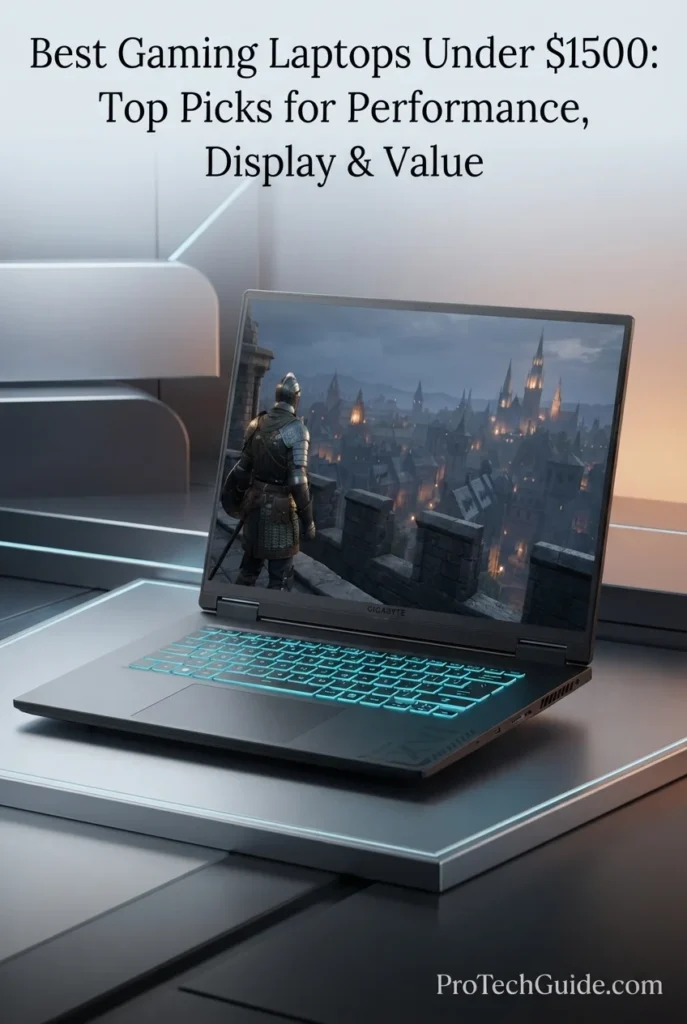
The GIGABYTE A16 with an Intel Core i7-13620H processor, GeForce RTX 5060 8GB GDDR7 graphics, 16GB DDR5 memory, and 1TB internal SSD is our Best Storage Value gaming laptop under $1,500 in 2026. Its combination of dedicated RTX 5060 graphics, a 16-inch WUXGA 165Hz display, fast PCIe Gen 4 storage, Wi-Fi 6E, and a useful bundled storage expansion setup makes it particularly attractive to gamers who want a practical balance between gaming performance and storage flexibility. The supplied configuration includes a 1TB SSD docking station set in addition to the laptop's internal 1TB SSD, giving buyers substantially more usable storage capability without incorrectly treating the bundled docking station as internal laptop storage.

• Ideal for gamers who want RTX 5060 performance while placing a higher priority on storage capacity, game libraries, applications, and everyday versatility
• Well suited to AAA gaming, competitive gaming, streaming, productivity, content creation, and users who regularly manage large collections of games and files
• Particularly attractive to buyers who can make practical use of the included 1TB SSD docking station while keeping the laptop's internal 1TB SSD dedicated to games, applications, and the operating system
• The Intel Core i7-13620H provides 10 cores and 16 threads with boost speeds up to 4.9GHz, giving the A16 a capable foundation for gaming, multitasking, productivity, and demanding everyday workloads
• The GeForce RTX 5060 Laptop GPU with 8GB of GDDR7 provides a modern dedicated graphics platform for current gaming, hardware-accelerated ray tracing, and NVIDIA AI-enhanced features
• The 16-inch WUXGA 1920 × 1200 display runs at 165Hz and uses a 16:10 aspect ratio, providing a spacious gaming and productivity workspace with smooth high-refresh-rate motion
• The 1TB PCIe Gen 4 SSD provides fast internal storage for Windows, games, applications, documents, and frequently used files, while the included 1TB SSD docking station adds a separate storage option
• Wi-Fi 6E, Gigabit Ethernet, HDMI 2.1, USB-C with DisplayPort support, and multiple USB-A ports give the A16 a practical connectivity platform for gaming peripherals, external displays, storage, and accessories
• The RGB backlit keyboard, 76Wh battery, Black Steel chassis, and approximately 4.85-pound supplied listing weight give the A16 a balanced gaming-laptop design without making storage the only consideration

The GIGABYTE A16 earns our Best Storage Value award because its configuration combines RTX 5060 gaming capability with 1TB of internal SSD storage and an additional 1TB SSD docking station set. Rather than treating the bundled storage as part of the laptop's internal capacity, this setup gives buyers a more flexible two-part storage solution: fast internal storage for the core system and games, plus separate SSD-based storage for additional files, applications, media, backups, or less frequently accessed game libraries.

Compared with other RTX 5060 laptops in this guide, the GIGABYTE A16 distinguishes itself primarily through its storage-oriented configuration rather than through a premium OLED panel or a higher-end processor. The internal 1TB SSD provides a strong starting point for a gaming laptop, while the included 1TB SSD docking station adds useful external capacity. Buyers should therefore evaluate the A16 as a 1TB internal SSD laptop with an additional 1TB SSD docking solution, not as a conventional 2TB internal-storage configuration.

• Intel Core i7-13620H processor• 10 cores• 16 threads• Up to 4.9GHz turbo frequency• 24MB Intel Smart Cache• NVIDIA GeForce RTX 5060 Laptop GPU• 8GB GDDR7 graphics memory• Dedicated GPU architectureThe GIGABYTE A16 combines the 10-core, 16-thread Intel Core i7-13620H with the GeForce RTX 5060 Laptop GPU to create a capable gaming platform for current AAA titles, competitive games, streaming, productivity, and demanding multitasking. The processor reaches up to 4.9GHz and provides a strong CPU foundation, while the dedicated RTX 5060 supplies the graphics acceleration required for modern gaming workloads.
• NVIDIA GeForce RTX 5060 Laptop GPU• 8GB GDDR7 VRAM• NVIDIA Blackwell architecture• Hardware-accelerated ray tracing• AI-enhanced graphics features• DLSS support• Dedicated graphics processing• MUX Switch platformThe RTX 5060 gives the GIGABYTE A16 a modern dedicated graphics platform for gaming at the laptop's 1920 × 1200 native resolution. Its 8GB of GDDR7 memory provides dedicated VRAM for graphics workloads, while NVIDIA's current-generation architecture supports hardware-accelerated ray tracing and AI-enhanced rendering technologies. GIGABYTE also specifies a MUX Switch on this A16 platform, allowing the discrete GPU to be used more directly for gaming workloads.
• 16GB DDR5 memory in the supplied configuration• DDR5 memory architecture• Two SO-DIMM slots on the platform• Up to 64GB DDR5 supported by GIGABYTE• Suitable for gaming and multitasking• Expansion potential for future workloadsThe supplied configuration includes 16GB of DDR5 memory, providing a practical capacity for modern gaming, productivity, browser-heavy workflows, and everyday multitasking. GIGABYTE's A16 platform provides two SO-DIMM slots and supports configurations of up to 64GB DDR5, giving the system a meaningful upgrade path for users whose memory requirements increase over time.
• 16-inch display• 1920 × 1200 WUXGA resolution• 16:10 aspect ratio• 165Hz refresh rate• IPS display technology• 300-nit typical brightness on the WUXGA configuration• Anti-glare surface• MUX SwitchThe 16-inch WUXGA display gives the GIGABYTE A16 a practical balance between resolution and gaming performance. Its 1920 × 1200 resolution matches the 16:10 aspect ratio, while the 165Hz refresh rate provides smooth motion for competitive gaming and fast-paced titles. The supplied configuration is the WUXGA 165Hz panel, so it should not be confused with other A16 configurations that use the higher-resolution 2560 × 1600 display.
• 1TB internal PCIe Gen 4 SSD• PCIe Gen 4x4 M.2 storage platform• Additional 1TB SSD docking station included• 7-in-1 docking station• Separate external storage capability• Fast game and application loading• Flexible storage for large files and librariesStorage is one of the GIGABYTE A16's defining advantages in this specific configuration. The laptop itself includes a 1TB internal SSD, while the supplied bundle adds a separate 1TB SSD docking station. This distinction is important: the configuration should be understood as 1TB of internal laptop storage plus an additional external SSD-based docking solution, rather than as a laptop with 2TB of internal storage. GIGABYTE's A16 platform also provides two PCIe Gen 4x4 M.2 slots for supported configurations, creating additional internal expansion potential.
• Gaming-oriented thermal design• Dedicated NVIDIA graphics• MUX Switch• Performance-focused chassis• 76Wh battery• 150W AC adapter on the GIGABYTE platform• Designed for sustained gaming workloadsThe GIGABYTE A16 is designed around the thermal and power requirements of a dedicated RTX gaming laptop. The MUX Switch helps the discrete GPU operate more directly in supported gaming scenarios, while the platform's dedicated graphics architecture is designed for sustained performance rather than integrated-graphics workloads. The 76Wh battery provides a substantial capacity for a gaming notebook, although demanding gaming should still be performed with the AC adapter connected for maximum performance.
• Wi-Fi 6E• Gigabit Ethernet• Bluetooth 5.2• USB-C with DisplayPort 1.4• USB-C Power Delivery support• USB-A ports• HDMI 2.1• RJ-45 Ethernet• 3.5mm audio combo jackThe A16 provides a strong selection of connections for a gaming setup. Wi-Fi 6E and Gigabit Ethernet support fast network connections, while HDMI 2.1 and USB-C with DisplayPort 1.4 provide options for external displays. Multiple USB-A ports accommodate gaming mice, keyboards, controllers, storage devices, and other peripherals, while the RJ-45 port provides a wired networking option for users who prioritize a direct connection.
• RGB backlit keyboard• Up to 1.7mm key travel on the GIGABYTE platform• Black Steel finish• Dolby Atmos audio support• 2 × 2W speakers• FHD webcam on the platform• Approximately 4.85 lb supplied listing weight• 16-inch gaming form factorThe GIGABYTE A16 combines a practical gaming-focused design with an RGB backlit keyboard and a Black Steel finish. GIGABYTE's platform specifications include up to 1.7mm of key travel, Dolby Atmos support, stereo speakers, and an FHD webcam on the corresponding A16 configuration. The supplied Amazon listing identifies the specific configuration at approximately 4.85 pounds, making it a relatively conventional 16-inch gaming laptop rather than an ultra-light system.
Ideal for:• Gamers who prioritize storage flexibility• RTX 5060 gaming• AAA gaming• Competitive gaming• Users with large game libraries• Gaming and productivity• External SSD workflows• Content and media storage• Users who want a 16-inch 165Hz display• Buyers who value upgrade potentialThe GIGABYTE A16 is particularly well suited to buyers who want an RTX 5060 gaming laptop with a strong storage proposition. Its 1TB internal SSD provides a solid foundation for games and applications, while the included 1TB SSD docking station adds separate storage capacity for larger libraries, media, projects, and other files. Combined with the Core i7-13620H, 16GB DDR5, 165Hz WUXGA display, Wi-Fi 6E, and broad connectivity, it creates a versatile gaming platform with storage flexibility as its defining advantage.
Best Affordable RTX 5060 Gaming Laptop (2026)

Lenovo LOQ 15

Best RTX 5060 Gaming Laptop with G-SYNC & Upgrade Potential
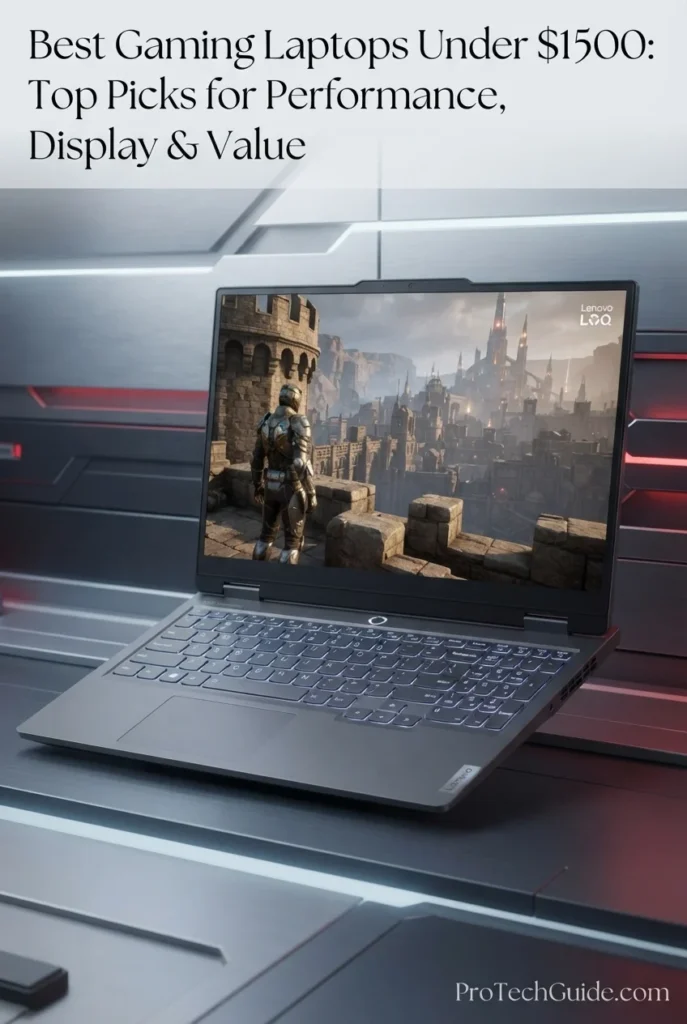
The Lenovo LOQ 15 with an Intel Core i7-13650HX processor, GeForce RTX 5060 8GB GDDR7 graphics, 16GB DDR5 memory, and a 512GB PCIe NVMe SSD is our Best Affordable RTX 5060 Gaming Laptop under $1,500 in 2026. Its combination of a 14-core HX-series processor, dedicated RTX 5060 graphics, 15.6-inch FHD 144Hz IPS display, 100% sRGB coverage, NVIDIA G-SYNC, and expandable memory and storage creates a practical gaming platform for buyers who want current-generation graphics without moving into a more premium OLED or high-resolution configuration. The supplied package also includes a 1TB portable hard disk drive, giving users additional external storage without confusing it with the laptop's 512GB internal SSD.

• Ideal for gamers who want RTX 5060 graphics, a high-refresh-rate display, and strong CPU performance while keeping the configuration focused on practical gaming value
• Well suited to AAA gaming, competitive gaming, esports, streaming, productivity, and everyday workloads that benefit from a high-core-count Intel HX processor
• Particularly attractive to buyers who value NVIDIA G-SYNC, 100% sRGB coverage, upgradeable memory and storage, and the flexibility of an included 1TB portable HDD
• The Intel Core i7-13650HX provides 14 cores and 20 threads, with P-cores reaching up to 4.9GHz, giving the LOQ 15 substantial CPU capability for gaming, multitasking, and demanding applications
• The GeForce RTX 5060 Laptop GPU with 8GB of GDDR7 provides dedicated graphics performance with support for modern NVIDIA features including hardware-accelerated ray tracing and DLSS 4
• The 15.6-inch FHD IPS display combines 1920 × 1080 resolution, a 144Hz refresh rate, 300-nit brightness, and 100% sRGB coverage for smooth gaming and accurate everyday color reproduction
• NVIDIA G-SYNC and Advanced Optimus help the display and graphics system work together for smoother gaming and improved switching between integrated and discrete graphics modes
• The 16GB DDR5 configuration provides a practical starting point for gaming and multitasking, while the platform includes two SODIMM slots for memory expansion on supported configurations
• The 512GB PCIe 4.0 NVMe SSD provides fast system and game loading, while the additional 1TB portable HDD included with the supplied package provides separate external storage for larger files and libraries

The Lenovo LOQ 15 earns our Best Affordable RTX 5060 Gaming Laptop award because it focuses its hardware budget on the components that matter most for practical gaming: an HX-class Core i7 processor, RTX 5060 graphics, a 144Hz IPS display, G-SYNC, and a straightforward upgrade path. It does not attempt to compete with the premium OLED display of the Legion 5i or the higher-end presentation of more expensive gaming systems; instead, its appeal comes from delivering a capable RTX 5060 platform with useful gaming features and expansion potential.

Compared with other RTX 5060 laptops in this guide, the Lenovo LOQ 15 places greater emphasis on practical gaming value, G-SYNC support, and future upgrade flexibility. Its 15.6-inch 144Hz FHD panel is less resolution-focused than the WUXGA, WQXGA, or OLED displays found elsewhere in the lineup, but its 100% sRGB coverage, 300-nit brightness, and G-SYNC support create a focused gaming-oriented configuration. The included 1TB portable HDD is also an external accessory rather than additional internal SSD capacity, so buyers should consider the laptop's 512GB internal SSD separately from the bundled storage.

• Intel Core i7-13650HX processor• 14 cores• 20 threads• 6 P-cores + 8 E-cores• P-core boost up to 4.9GHz• E-core boost up to 3.6GHz• 24MB Intel Smart Cache• NVIDIA GeForce RTX 5060 Laptop GPU• 8GB GDDR7 graphics memoryThe Lenovo LOQ 15 combines the Intel Core i7-13650HX with the GeForce RTX 5060 to create a performance-focused gaming platform. The processor uses 14 cores and 20 threads, providing substantial CPU resources for gaming, multitasking, streaming, and demanding applications, while the RTX 5060 supplies dedicated graphics acceleration for modern games and GPU-intensive workloads.
• NVIDIA GeForce RTX 5060 Laptop GPU• 8GB GDDR7• NVIDIA Blackwell architecture• Hardware-accelerated ray tracing• DLSS 4 support• AI-enhanced graphics• Dedicated GPU• Advanced OptimusThe RTX 5060 provides the LOQ 15 with a current-generation NVIDIA graphics platform designed for modern gaming. Its 8GB of GDDR7 memory provides dedicated VRAM for graphics workloads, while NVIDIA's Blackwell architecture enables hardware-accelerated ray tracing and AI-powered technologies such as DLSS 4. The supplied configuration is particularly well matched to the laptop's native 1920 × 1080 display resolution and 144Hz refresh rate.
• 15.6-inch IPS display• 1920 × 1080 FHD resolution• 144Hz refresh rate• 300 nits brightness• 100% sRGB color gamut• Anti-glare surface• NVIDIA G-SYNC• Advanced OptimusThe 15.6-inch FHD IPS display is designed around smooth gaming rather than maximum resolution. Its 144Hz refresh rate provides high-refresh-rate motion for competitive and fast-paced games, while 100% sRGB coverage gives the panel a more complete color range than basic gaming displays. NVIDIA G-SYNC helps synchronize the display refresh with compatible GPU output to reduce tearing during gameplay. Lenovo's platform specifications identify the panel as 300 nits, anti-glare, 100% sRGB, 144Hz, and G-SYNC.
• 16GB DDR5 memory• DDR5-4800 platform configuration• Two SODIMM slots• Dual-channel capable• Upgrade potential on supported configurations• Designed for gaming and multitaskingThe supplied Lenovo LOQ 15 configuration includes 16GB of DDR5 memory, providing a practical capacity for modern gaming, productivity, browser-heavy workflows, and multitasking. The LOQ 15 83SC platform uses two DDR5 SODIMM slots and supports dual-channel operation. Lenovo's platform documentation identifies DDR5-4800 memory for this configuration family.
• 512GB internal SSD• PCIe 4.0 x4 NVMe storage• M.2 2242 SSD format• Additional M.2 storage slot• 1TB portable HDD included with the supplied package• Fast system and game loading• Separate external storage for larger filesThe Lenovo LOQ 15 includes a 512GB PCIe NVMe SSD as its internal storage configuration. The supplied Amazon package also includes a separate 1TB portable hard disk drive. This distinction is important: the laptop does not have 1.5TB of internal storage. The 512GB SSD is the internal drive, while the 1TB HDD is an external storage accessory included with the package. Lenovo's 83SC platform provides two M.2 2242 PCIe 4.0 x4 storage slots, allowing supported configurations to add or replace internal SSD storage.
• Super Falcon fan design• Gaming-focused thermal system• Quiet mode• Balance mode• Performance mode• Fn + Q mode switching• AI-powered gaming features• Designed for sustained gaming workloadsThe LOQ 15 uses Lenovo's Super Falcon cooling design to manage heat during gaming and demanding workloads. The supplied configuration supports Quiet, Balance, and Performance operating modes, allowing users to adjust the system's behavior according to the workload. Performance mode is intended for demanding gaming while connected to AC power, whereas quieter modes are better suited to lighter everyday use.
• Wi-Fi 6• Bluetooth 5.2• Gigabit Ethernet• USB-C with DisplayPort 1.4• USB-C Power Delivery• USB-A ports• HDMI• RJ-45 Ethernet• 3.5mm headphone/microphone comboThe LOQ 15 provides the connections expected from a dedicated gaming laptop, including Wi-Fi 6, wired Ethernet, HDMI, USB-C, multiple USB-A ports, and a 3.5mm audio connection. The USB-C port supports DisplayPort and Power Delivery, while the RJ-45 connection provides a wired networking option for users who want a stable connection for competitive gaming or large downloads.
• Backlit gaming keyboard• Eclipse Black finish• 15.6-inch chassis• Approximately 5.07-pound supplied listing weight• MIL-STD 810H testing claim• Stereo speakers• Nahimic Audio• 720p HD camera with e-shutter on the platform• 60Wh battery on the 83SC platformThe LOQ 15 uses a practical gaming-oriented chassis with an Eclipse Black finish and backlit keyboard. The supplied listing identifies the specific system at approximately 5.07 pounds, while Lenovo's platform documentation lists a 60Wh battery and stereo speakers optimized with Nahimic Audio. The chassis is also marketed with MIL-STD 810H testing, giving the system a more rugged design emphasis than a typical thin-and-light laptop.
Ideal for:• RTX 5060 gaming• AAA gaming• Competitive gaming• Esports• G-SYNC gaming• 1080p high-refresh-rate gaming• Gaming and productivity• Users who want upgrade potential• Buyers who need external storage• Users who prefer a practical gaming-focused configurationThe Lenovo LOQ 15 is particularly well suited to gamers who want a straightforward RTX 5060 platform centered on 1080p high-refresh-rate gaming. Its combination of the Core i7-13650HX, RTX 5060 8GB GDDR7, 144Hz 100% sRGB display, G-SYNC, 16GB DDR5, and expandable storage creates a practical foundation for current gaming and everyday productivity. The included 1TB portable HDD further expands the package's storage flexibility, while remaining separate from the laptop's 512GB internal SSD.
At a Glance

Best Gaming Laptops Under $1,500 in 2026

Compared by GPU Performance, CPU Power, Gaming Display, RAM, Storage, Cooling, Features & Overall Gaming Value

Choosing among the best gaming laptops under $1,500 in 2026 requires more than comparing RTX graphics cards. Gaming performance also depends on the CPU, display refresh rate and resolution, memory, storage capacity, cooling design, connectivity, and the specific configuration of each laptop. We evaluated these eight models across AAA gaming, esports, high-refresh gaming, ray tracing, multitasking, content creation, productivity, display quality, upgrade potential, and overall value to help you identify the configuration that best matches your gaming priorities.

LaptopCPU & Key SpecsBest ForWhy It WinsEditor's Verdict
Best Lower-Cost OptionASUS TUF Gaming A16Check Price
AMD Ryzen 7 7445HS
RTX 4050 6GB
16GB DDR5
1TB SSD
16" WUXGA 144Hz IPS
Windows 11 Pro
1080p Gaming
Esports
Everyday Gaming
Budget-Conscious Gamers
The ASUS TUF Gaming A16 provides a lower-cost entry into this lineup with an RTX 4050, 16GB of DDR5 memory, 1TB of SSD storage, and a 16-inch 144Hz WUXGA display. Its combination of gaming-focused hardware, durable TUF design, USB4 connectivity, and Windows 11 Pro makes it a practical choice for gamers who want to stay well below the top of the $1,500 budget.Best Lower-Cost Gaming Laptop Under $1,500
Best RTX 5070 PerformanceMSI Katana 15 HXCheck Price
Intel Core i7-14650HX
RTX 5070 8GB GDDR7
16GB DDR5-5600
1TB NVMe Gen4 SSD
15.6" QHD 165Hz
100% DCI-P3
AAA Gaming
Ray Tracing
High-Refresh QHD Gaming
Performance-Focused Gamers
The MSI Katana 15 HX pairs an Intel Core i7-14650HX with an RTX 5070 8GB GDDR7 GPU, 16GB DDR5-5600 memory, and a fast 1TB Gen4 NVMe SSD. Its 15.6-inch QHD 165Hz panel with 100% DCI-P3 coverage gives this configuration a strong combination of graphics performance and display quality for demanding PC gaming.Best RTX 5070 Gaming Laptop for Performance
Best RTX 5060 BalanceAcer Nitro V ANV16-72Check Price
Intel Core 7 240H
RTX 5060 8GB GDDR7
16GB DDR5
512GB PCIe Gen4 SSD
16" WUXGA 180Hz IPS
100% sRGB
AAA Gaming
Esports
Balanced Performance
Competitive Gaming
The Acer Nitro V ANV16-72 combines an RTX 5060 8GB GDDR7 GPU with a Core 7 240H processor, 16GB DDR5 memory, and a 16-inch 180Hz WUXGA display with 100% sRGB coverage. Its 400-nit panel, fast refresh rate, Thunderbolt 4 connectivity, and dedicated gaming cooling make this configuration a well-rounded choice for users who want strong gaming performance without moving to the more expensive RTX 5070 tier.Best Balanced RTX 5060 Gaming Laptop
Best OLED Gaming LaptopLenovo Legion 5iCheck Price
Intel Core i7-14700HX
RTX 5060 8GB GDDR7
16GB DDR5-5600
512GB PCIe 4.0 NVMe
15.1" WQXGA OLED 165Hz
100% DCI-P3
OLED Gaming
AAA Gaming
HDR Gaming
Gaming & Content Creation
The Lenovo Legion 5i stands out with a 15.1-inch WQXGA OLED display featuring a 165Hz refresh rate, 100% DCI-P3 coverage, Dolby Vision, and DisplayHDR True Black 600. Combined with the Core i7-14700HX, RTX 5060, 16GB DDR5 memory, and a 115W GPU configuration, it offers a display-focused gaming experience with substantial CPU performance.Best OLED Gaming Laptop Under $1,500
Best for MultitaskingAcer Nitro V 16S AICheck Price
AMD Ryzen 7 260
RTX 5060 8GB GDDR7
16GB DDR5
1TB PCIe Gen4 NVMe SSD
16" WUXGA 180Hz IPS
Ryzen AI NPU
Gaming & Multitasking
AAA Gaming
Productivity
Everyday Performance
The Acer Nitro V 16S AI combines an 8-core Ryzen 7 260 processor with RTX 5060 graphics, 16GB DDR5 memory, and a 1TB PCIe Gen4 NVMe SSD. Its 16-inch 180Hz 16:10 display and Ryzen AI NPU add versatility beyond gaming, making this configuration well suited to users who move between demanding games, productivity applications, streaming, and everyday multitasking.Best RTX 5060 Laptop for Gaming & Multitasking
Best Gaming & ProductivityHP OMEN 16Check Price
AMD Ryzen 9 8940HX
RTX 5060 8GB GDDR7
16GB DDR5-5200
512GB PCIe Gen4 NVMe
16" WUXGA 144Hz IPS
83Wh Battery
Gaming & Productivity
CPU-Heavy Workloads
Multitasking
Desktop Replacement Use
The HP OMEN 16 combines a high-core-count Ryzen 9 8940HX processor with RTX 5060 graphics, 16GB DDR5-5200 memory, and a 16-inch 144Hz IPS display. Its 16-core CPU, full-size backlit keyboard with number pad, 83Wh battery, 1080p camera, and productivity-oriented design make it particularly versatile for users who need a gaming laptop that can also handle demanding everyday workloads.Best Gaming Laptop for Gaming & Productivity
Best Storage ValueGIGABYTE A16Check Price
Intel Core i7-13620H
RTX 5060 8GB GDDR7
16GB DDR5
1TB Internal SSD
16" WUXGA 165Hz
1TB Portable SSD Dock
Gaming Libraries
Large Game Collections
Everyday Gaming
Storage-Focused Buyers
The GIGABYTE A16 combines RTX 5060 graphics, 16GB DDR5 memory, and a 1TB internal SSD with an included 1TB external SSD docking station. That distinction gives buyers additional storage flexibility without confusing the bundled external drive with the laptop's internal storage, while the 16-inch 165Hz display and broad connectivity make it a practical gaming platform.Best Storage Value Gaming Laptop
Best G-SYNC OptionLenovo LOQ 15Check Price
Intel Core i7-13650HX
RTX 5060 8GB GDDR7
16GB DDR5-4800
512GB Internal SSD
15.6" FHD 144Hz IPS
100% sRGB + G-SYNC
Competitive Gaming
Esports
High-Refresh Gaming
Value-Focused Gamers
The Lenovo LOQ 15 combines an Intel Core i7-13650HX with RTX 5060 graphics and a 15.6-inch FHD 144Hz display featuring 100% sRGB, G-SYNC, and Advanced Optimus. Its 512GB internal SSD is complemented by an included 1TB portable HDD, while the platform also provides two SODIMM slots and additional M.2 storage capability for users planning future expansion.Best Affordable RTX 5060 Gaming Laptop with G-SYNC
Keep Exploring

Recommended Next Reads

Finished comparing the best gaming laptops under $1,500? Explore our related gaming laptop guides for lower and higher budgets, RTX GPU comparisons, OLED displays, and gaming hardware upgrades.

Whether you're looking for a more affordable gaming laptop, considering a higher-performance RTX configuration, comparing NVIDIA laptop GPUs, prioritizing an OLED gaming display, or upgrading the storage behind your gaming setup, these guides can help you evaluate the next step based on your budget, performance requirements, and gaming priorities.

01

EDITOR'S FINAL RECOMMENDATIONS

Our Final Gaming Laptop Recommendations Under $1,500 for 2026

After comparing these gaming laptops across GPU performance, CPU power, gaming displays, refresh rates, RAM, storage, cooling, connectivity, portability, upgrade potential, productivity capability, and overall value, these are our final recommendations for 2026. Whether you prioritize maximum graphics performance, an OLED gaming display, balanced RTX 5060 performance, multitasking, storage flexibility, G-SYNC, or simply want to spend less, each recommendation serves a distinct gaming priority.

BEST RTX 5070 PERFORMANCE

MSI Katana 15 HX B14WGK-293US

The performance-focused choice for gamers who want to step up to NVIDIA's RTX 5070 within the $1,500 category. Its Intel Core i7-14650HX, RTX 5070 8GB GDDR7, 16GB DDR5-5600 memory, and 1TB Gen4 NVMe SSD are paired with a 15.6-inch QHD 165Hz display covering 100% of the DCI-P3 color gamut. This configuration is particularly compelling for demanding AAA gaming and high-refresh QHD play.

  • ✓ Intel Core i7-14650HX
  • ✓ NVIDIA RTX 5070 8GB GDDR7
  • ✓ 16GB DDR5-5600 + 1TB NVMe SSD
  • ✓ 15.6-inch QHD 165Hz Display
Best choice for prioritizing RTX 5070 gaming performance
BEST OLED GAMING LAPTOP

Lenovo Legion 5i

The display-focused choice for gamers who want a premium OLED experience without giving up strong gaming hardware. The Legion 5i pairs an Intel Core i7-14700HX with RTX 5060 graphics and a 15.1-inch WQXGA OLED panel running at 165Hz with 100% DCI-P3 coverage. Dolby Vision, DisplayHDR True Black 600, and high peak brightness make the display a defining part of this configuration for gaming, media, and visual work.

  • ✓ Intel Core i7-14700HX
  • ✓ NVIDIA RTX 5060 8GB GDDR7
  • ✓ 16GB DDR5-5600 + 512GB PCIe 4.0 NVMe
  • ✓ 15.1-inch WQXGA OLED 165Hz Display
Best OLED gaming laptop for premium visual quality
BEST FOR MULTITASKING

Acer Nitro V 16S AI

The versatile choice for gamers who regularly move between gaming, productivity, streaming, and demanding multitasking. Its Ryzen 7 260 processor, RTX 5060 8GB GDDR7 graphics, 16GB DDR5 memory, and 1TB PCIe Gen4 NVMe SSD provide a strong foundation for both gaming and everyday performance. The 16-inch 180Hz 16:10 display and Ryzen AI NPU further distinguish this configuration from more gaming-only designs.

  • ✓ AMD Ryzen 7 260
  • ✓ NVIDIA RTX 5060 8GB GDDR7
  • ✓ 16GB DDR5 + 1TB PCIe Gen4 NVMe SSD
  • ✓ 16-inch WUXGA 180Hz 16:10 Display
Best RTX 5060 laptop for gaming and multitasking
BEST GAMING & PRODUCTIVITY

HP OMEN 16

The productivity-oriented gaming option for users who need a powerful laptop beyond gaming. Its Ryzen 9 8940HX provides 16 cores and 32 threads, while the RTX 5060, 16GB DDR5-5200 memory, and 512GB PCIe Gen4 NVMe SSD provide a capable gaming foundation. The full-size backlit keyboard with number pad, 1080p camera, 83Wh battery, and 16-inch 144Hz display make it particularly practical for users who split their time between gaming and demanding everyday work.

  • ✓ AMD Ryzen 9 8940HX
  • ✓ NVIDIA RTX 5060 8GB GDDR7
  • ✓ 16GB DDR5-5200 + 512GB PCIe Gen4 NVMe
  • ✓ 16-inch WUXGA 144Hz IPS Display
Best gaming laptop for combining gaming and productivity
BEST STORAGE VALUE

GIGABYTE A16

The storage-focused choice for gamers who maintain large game libraries or want additional external storage flexibility. The GIGABYTE A16 includes a 1TB internal SSD and a separate 1TB SSD docking station, alongside RTX 5060 graphics, 16GB DDR5 memory, and a 16-inch 165Hz WUXGA display. The additional storage accessory is external rather than a second internal drive, but it adds useful capacity for games, media, backups, and other large files.

  • ✓ Intel Core i7-13620H
  • ✓ NVIDIA RTX 5060 8GB GDDR7
  • ✓ 16GB DDR5 + 1TB Internal SSD
  • ✓ Separate 1TB SSD Docking Station Included
Best storage-focused gaming package under $1,500
BEST G-SYNC OPTION

Lenovo LOQ 15

The G-SYNC-focused option for gamers who prioritize smooth high-refresh gameplay and display synchronization. The Lenovo LOQ 15 combines an Intel Core i7-13650HX with RTX 5060 8GB GDDR7 graphics and a 15.6-inch FHD 144Hz IPS display featuring 100% sRGB, G-SYNC, and Advanced Optimus. Its 512GB internal SSD is complemented by a separate 1TB portable HDD, while two SODIMM slots and additional M.2 storage capability provide room for configuration expansion.

  • ✓ Intel Core i7-13650HX
  • ✓ NVIDIA RTX 5060 8GB GDDR7
  • ✓ 16GB DDR5-4800 + 512GB Internal SSD
  • ✓ 15.6-inch FHD 144Hz + G-SYNC
Best affordable RTX 5060 option with G-SYNC
BEST LOWER-COST OPTION

ASUS TUF Gaming A16

The lower-cost entry point for gamers who do not need to spend close to the $1,500 ceiling. Its Ryzen 7 7445HS processor, RTX 4050 6GB graphics, 16GB DDR5 memory, and 1TB SSD provide a capable foundation for 1080p and everyday gaming, while the 16-inch WUXGA 144Hz IPS display delivers the high-refresh experience expected from a modern gaming laptop. USB4, Wi-Fi 6, Windows 11 Pro, and TUF Gaming features add practical versatility.

  • ✓ AMD Ryzen 7 7445HS
  • ✓ NVIDIA RTX 4050 6GB
  • ✓ 16GB DDR5 + 1TB SSD
  • ✓ 16-inch WUXGA 144Hz IPS Display
Best lower-cost option for entering 16-inch PC gaming
QUICK DECISION

Which gaming laptop under $1,500 should you choose?

Best Overall Balance

Acer Nitro V ANV16-72

Best RTX 5070

MSI Katana 15 HX

Best OLED

Lenovo Legion 5i

Best Multitasking

Acer Nitro V 16S AI

Best Gaming & Productivity

HP OMEN 16

Best Storage Value

GIGABYTE A16

Best G-SYNC

Lenovo LOQ 15

Best Lower-Cost

ASUS TUF Gaming A16

Gaming laptop prices, configurations, and availability can change frequently. Before purchasing, check Amazon for the latest price, exact configuration, warranty coverage, and current promotions. Because RTX GPU performance can vary by laptop power limits and thermal design, always verify the specific configuration rather than comparing GPU names alone.

EDITOR'S FINAL VERDICT

Final Verdict: Best Gaming Laptops Under $1,500 in 2026

After comparing GPU performance, CPU power, gaming displays, refresh rates, RAM capacity, SSD storage, cooling systems, thermals, connectivity, portability, upgrade potential, productivity capability, and overall value, one conclusion stands out:The best gaming laptop under $1,500 is not necessarily the model with the most powerful GPU. It is the laptop that delivers the right balance of graphics performance, processor capability, display quality, memory, storage, cooling, features, and long-term usability for the games and workloads you actually plan to run.

Modern gaming laptops in this price range can deliver strong 1080p and 1200p gaming performance, high-refresh-rate displays, capable multitasking, and enough processing power for demanding everyday workloads. The RTX 5060 and RTX 5070 configurations in this guide provide particularly strong gaming potential, but real-world results also depend on GPU power limits, cooling, CPU performance, memory configuration, display resolution, and the specific implementation used by each manufacturer.

For most buyers, 16GB of RAM remains the practical baseline for a modern gaming laptop, while 32GB becomes increasingly valuable for heavier multitasking, content creation, development, and longer-term use. A fast NVMe SSD, a high-refresh-rate display, effective cooling, and a well-balanced CPU/GPU combination are equally important when the laptop will be used for several hours of gaming and productivity every day.
Best Gaming Laptop OverallAcer Nitro V ANV16-72-70F4
Best RTX 5070 PerformanceMSI Katana 15 HX B14WGK-293US
Best OLED Gaming LaptopLenovo Legion 5i 83LY000LUS
Best G-SYNC OptionLenovo LOQ 15
The simple answer:
  • Choose the Acer Nitro V ANV16-72-70F4 if you want the strongest overall balance of RTX 5060 graphics, Core 7 processing, a 180Hz 16-inch display, 16GB DDR5 memory, fast PCIe Gen4 storage, and gaming-focused cooling without pushing toward the top of the budget.
  • Choose the MSI Katana 15 HX B14WGK-293US if maximizing GPU performance is your priority. Its RTX 5070 8GB GDDR7, Core i7-14650HX, QHD 165Hz display, and 16GB DDR5-5600 configuration make it the performance-focused option in this lineup.
  • Choose the Lenovo Legion 5i 83LY000LUS if display quality is a major priority. Its 15.1-inch WQXGA OLED panel with a 165Hz refresh rate, 100% DCI-P3 coverage, Dolby Vision, and DisplayHDR True Black 600 makes it particularly compelling for gamers who also care about premium image quality.
  • Choose the Lenovo LOQ 15 if you want an RTX 5060 gaming laptop with a 144Hz display, 100% sRGB coverage, G-SYNC, Advanced Optimus, and a more affordable overall positioning, while also receiving a separate 1TB portable HDD in the supplied configuration.

Top Gaming Laptop Recommendations Under $1,500 (2026)

BEST OVERALL BALANCE

Acer Nitro V ANV16-72-70F4

Our top balance-focused recommendation for gamers who want RTX 5060 performance without sacrificing display quality, CPU capability, cooling, or everyday versatility. The combination of Core 7 240H, RTX 5060 8GB GDDR7, 16GB DDR5, fast PCIe Gen4 storage, and a 180Hz WUXGA display creates a well-rounded gaming platform for modern AAA titles, esports, and productivity.

  • ✓ Intel Core 7 240H
  • ✓ NVIDIA GeForce RTX 5060 8GB GDDR7
  • ✓ 16GB DDR5 + 512GB PCIe Gen4 SSD
  • ✓ 16-inch WUXGA IPS 180Hz Display
BEST RTX 5070 PERFORMANCE

MSI Katana 15 HX B14WGK-293US

The performance-focused choice for buyers who want the highest-tier GPU in this guide. Its RTX 5070 8GB GDDR7 is paired with a Core i7-14650HX, 16GB DDR5-5600 memory, a 1TB NVMe Gen4 SSD, and a QHD 165Hz display with 100% DCI-P3 coverage, making it especially attractive for demanding gaming at higher settings and resolutions.

  • ✓ Intel Core i7-14650HX
  • ✓ NVIDIA GeForce RTX 5070 8GB GDDR7
  • ✓ 16GB DDR5-5600 + 1TB NVMe Gen4 SSD
  • ✓ 15.6-inch QHD 165Hz Display
BEST OLED GAMING LAPTOP

Lenovo Legion 5i 83LY000LUS

The premium-display option for gamers who want more than raw frame rates. Its 15.1-inch WQXGA OLED panel combines 165Hz refresh, 100% DCI-P3 coverage, Dolby Vision, DisplayHDR True Black 600, and factory calibration with a Core i7-14700HX and RTX 5060. It is particularly well suited to gaming, media, and visually demanding creative work.

  • ✓ Intel Core i7-14700HX
  • ✓ NVIDIA GeForce RTX 5060 8GB GDDR7
  • ✓ 16GB DDR5-5600 + 512GB PCIe 4.0 NVMe SSD
  • ✓ 15.1-inch WQXGA OLED 165Hz Display
Choose the Acer Nitro V ANV16-72 if:
  • ✓ You want the strongest overall balance of gaming performance, display quality, and value
  • ✓ You want an RTX 5060 with a high-refresh-rate 16-inch display
  • ✓ You want 16GB DDR5 memory and fast PCIe Gen4 storage
  • ✓ You want a gaming-focused cooling system with dual fans and multiple intake/exhaust channels
Choose the MSI Katana 15 HX if:
  • ✓ GPU performance is your primary priority
  • ✓ You want the RTX 5070 8GB GDDR7 available in this lineup
  • ✓ You want a QHD 165Hz display with 100% DCI-P3 coverage
  • ✓ You want a powerful Core i7-14650HX CPU, 16GB DDR5-5600, and 1TB NVMe Gen4 storage
Before Buying Any Gaming Laptop Under $1,500:
  • ✓ Look beyond the GPU name and check the complete CPU, GPU power, cooling, display, and memory configuration
  • ✓ Prefer 16GB RAM as the practical baseline and consider higher capacity when heavy multitasking or long-term use is important
  • ✓ Prioritize a fast NVMe SSD with enough capacity for modern games, which can consume substantial storage
  • ✓ Match the display resolution to the GPU rather than automatically choosing the highest resolution available
  • ✓ Check cooling design, thermals, connectivity, and upgrade options because these can materially affect the long-term gaming experience
Editor's Final Recommendation:

A gaming laptop under $1,500 should be evaluated as a complete system rather than by GPU model alone. Graphics performance matters, but CPU capability, GPU power limits, cooling, memory, storage, display resolution, refresh rate, color coverage, connectivity, portability, and upgrade potential all influence how the machine performs in real gaming and everyday use.

Among the models evaluated in this guide, the Acer Nitro V ANV16-72-70F4 delivers the strongest overall balance of RTX 5060 graphics, Core 7 processing, 16GB DDR5 memory, PCIe Gen4 storage, a 180Hz WUXGA display, and gaming-focused thermal design, making it our Editor's Choice for the best overall gaming laptop under $1,500 in 2026.The MSI Katana 15 HX B14WGK-293US is the performance-focused option for buyers who want an RTX 5070 and QHD 165Hz display, while the Lenovo Legion 5i 83LY000LUS stands out for its premium OLED gaming display and powerful Core i7-14700HX platform. The Acer Nitro V 16S AI adds another strong RTX 5060 configuration with 1TB storage and Ryzen processing, while the HP OMEN 16 is particularly suited to buyers combining gaming with heavier productivity workloads.For buyers focused on storage flexibility, the GIGABYTE A16 pairs a 1TB internal SSD with a separate 1TB SSD docking station. The Lenovo LOQ 15 adds G-SYNC, Advanced Optimus, and an RTX 5060 at a more affordable positioning, while the ASUS TUF Gaming A16 provides a lower-cost path into modern gaming with an RTX 4050, 16GB memory, and a 144Hz WUXGA display.

Editor's ChoiceSee Today's Best Gaming Laptop Deals Under $1,500

Compare current prices, exact configurations, GPU power limits, display specifications, memory, storage, warranty coverage, and availability before choosing the gaming laptop that best matches your performance and budget requirements.

Check Latest Deal

EDITOR'S FAQ

Frequently Asked Questions About the Best Gaming Laptops Under $1,500 in 2026

Choosing the best gaming laptop under $1,500 requires more than comparing RTX GPU model numbers. Gamers also need to consider CPU performance, GPU power limits, RAM capacity, SSD storage, display resolution, refresh rate, color coverage, cooling, thermals, connectivity, portability, upgrade potential, and the types of games and workloads they expect to run.These frequently asked questions address the most important buying decisions for gaming laptops in this price range, including whether an RTX 5060 or RTX 5070 is worth prioritizing, how much RAM and storage you need, whether an OLED display is worth the premium, what refresh rate is appropriate, and which configurations make the most sense for AAA gaming, esports, productivity, and long-term use.

The Acer Nitro V ANV16-72-70F4 is our top overall recommendation for the best gaming laptop under $1,500 in 2026.

It provides one of the most balanced configurations in this guide, combining an Intel Core 7 240H processor, NVIDIA GeForce RTX 5060 8GB GDDR7 graphics, 16GB DDR5 memory, a 512GB PCIe Gen4 SSD, and a 16-inch WUXGA IPS display with a 180Hz refresh rate.

  • Intel Core 7 240H processor with 10 cores.
  • RTX 5060 8GB GDDR7 graphics.
  • 16GB DDR5 memory with two memory slots.
  • 16-inch 1920x1200 IPS display with 180Hz refresh rate.
  • 100% sRGB coverage and 400-nit brightness.
  • Gaming-focused cooling with dual fans and multiple intake/exhaust channels.

The MSI Katana 15 HX moves to the RTX 5070 for buyers who prioritize GPU performance, while the Lenovo Legion 5i is the premium-display option thanks to its WQXGA OLED panel. The Acer Nitro V 16S AI, HP OMEN 16, GIGABYTE A16, Lenovo LOQ 15, and ASUS TUF Gaming A16 each target different priorities within the same broader price category.

Check Price
The RTX 5070 is the higher-performance GPU, but whether it is worth prioritizing depends on your target resolution, game settings, and how much you value additional graphics headroom.

In this guide, the MSI Katana 15 HX pairs an RTX 5070 8GB GDDR7 with an Intel Core i7-14650HX, 16GB DDR5-5600 memory, 1TB NVMe Gen4 storage, and a 15.6-inch QHD 165Hz display. The Acer Nitro V, Lenovo Legion 5i, Acer Nitro V 16S AI, HP OMEN 16, GIGABYTE A16, and Lenovo LOQ 15 use RTX 5060 configurations.

  • RTX 5070 → Better suited to buyers prioritizing higher graphics performance and additional GPU headroom.
  • RTX 5060 → Provides a strong balance for 1080p and 1200p gaming while leaving more room in the budget for other system features.
  • QHD gaming → A higher-performance GPU becomes more relevant as resolution and graphics settings increase.
  • Esports → CPU performance, high refresh rates, and system responsiveness can be just as important as moving to a higher GPU tier.

The key point is that the GPU model alone does not determine gaming performance. Power limits, cooling, CPU capability, memory configuration, and the laptop's specific implementation can also influence real-world results.

Check RTX 5070 Option
Yes. 16GB remains a practical baseline for modern gaming laptops, although 32GB can provide more headroom for demanding multitasking and long-term use.

Gaming itself does not automatically require 32GB of memory. A properly configured 16GB gaming laptop can handle modern games while also supporting everyday productivity, browsing, streaming, and typical background applications.

  • 16GB → Suitable for gaming, esports, everyday productivity, browsing, streaming, and moderate multitasking.
  • 32GB → More appropriate for heavy multitasking, content creation, development, large projects, and buyers who want additional long-term headroom.
  • Upgradeability → Particularly important when deciding whether a 16GB configuration can be expanded later.

Several laptops in this guide use 16GB as their supplied configuration, including the Acer Nitro V ANV16-72, MSI Katana 15 HX, Lenovo Legion 5i, Acer Nitro V 16S AI, HP OMEN 16, GIGABYTE A16, Lenovo LOQ 15, and ASUS TUF Gaming A16. The exact memory architecture and upgrade options vary by model, so buyers should check the configuration before purchasing.

1TB of SSD storage is the more comfortable target for a gaming laptop in 2026, while 512GB can work if you manage your game library carefully.

Modern AAA games can occupy substantial amounts of storage, and the operating system, applications, launchers, updates, recordings, and personal files also consume space. For this reason, storage capacity can become a limitation faster than many buyers expect.

  • 512GB → Acceptable for buyers with a smaller game library or those comfortable uninstalling and reinstalling games.
  • 1TB → Recommended for most gamers who want a more comfortable local game library.
  • 2TB or more → Useful for large game collections, content creation, local media, and storage-intensive workflows.

The MSI Katana 15 HX and Acer Nitro V 16S AI include 1TB internal NVMe SSD storage, while several other models use 512GB internal SSDs. The GIGABYTE A16 is unusual because the supplied configuration combines a 1TB internal SSD with a separate 1TB SSD docking station rather than providing 2TB of internal storage.

Both 144Hz and 165Hz provide a high-refresh-rate gaming experience, and the difference is relatively small compared with the jump from a standard 60Hz display.

A high-refresh-rate panel can make motion appear smoother and can improve perceived responsiveness, particularly in fast-paced games. However, the benefit depends on the game, frame rate, GPU capability, and player's sensitivity to motion fluidity.

  • 144Hz → Already provides a strong high-refresh-rate experience for gaming and esports.
  • 165Hz → Offers a modest additional refresh-rate advantage and is particularly attractive when the hardware can consistently produce high frame rates.
  • 180Hz → Provides another step up for competitive and fast-paced gaming.
  • Display quality → Resolution, response time, brightness, color coverage, adaptive sync, and panel technology can matter as much as the refresh-rate number.

The Acer Nitro V ANV16-72 and Acer Nitro V 16S AI use 180Hz displays, the MSI Katana 15 HX and Lenovo Legion 5i use 165Hz panels, while the Lenovo LOQ 15 and ASUS TUF Gaming A16 use 144Hz displays in the configurations evaluated here.

An OLED gaming laptop can be worth considering if display quality is a major priority, especially for buyers who also use their laptop for movies, creative work, and visually demanding applications.

The Lenovo Legion 5i 83LY000LUS is the OLED-focused model in this guide. Its 15.1-inch WQXGA 2560x1600 OLED panel runs at 165Hz, covers 100% of the DCI-P3 color space, supports Dolby Vision and DisplayHDR True Black 600, and is factory calibrated.

  • 15.1-inch WQXGA 2560x1600 OLED display.
  • 165Hz refresh rate for high-refresh-rate gaming.
  • 100% DCI-P3 color coverage.
  • DisplayHDR True Black 600 and Dolby Vision support.
  • Factory-calibrated display for more consistent color.

The trade-off is that display technology should be evaluated alongside GPU capability. A higher-resolution OLED panel can demand more graphics performance than a lower-resolution display, so buyers should consider the complete CPU, GPU, and display combination rather than selecting a panel in isolation.

Check Legion 5i
G-SYNC can be valuable because it synchronizes the display refresh behavior with GPU frame delivery to reduce visible tearing and improve perceived smoothness.

The Lenovo LOQ 15 in this guide includes G-SYNC and Advanced Optimus alongside its RTX 5060 GPU and 15.6-inch 144Hz display. These features can be particularly relevant for gamers who value consistent motion and adaptive display behavior.

  • G-SYNC → Helps synchronize display refresh with compatible NVIDIA GPU output.
  • Advanced Optimus → Provides a dynamic way to manage the integrated and discrete graphics paths depending on the workload.
  • 144Hz → Provides a high-refresh-rate foundation for smooth gaming.

G-SYNC is not a substitute for a capable GPU. Frame rate, GPU power, CPU performance, display response characteristics, and game settings still determine the overall experience.

Check LOQ 15
A 16-inch display is an excellent middle ground for gaming laptops because it provides more screen area without requiring the footprint of a much larger desktop-replacement system.

Screen size affects more than visual immersion. It also influences workspace, portability, keyboard layout, cooling design, and the overall size of the laptop.

  • 15.6-inch → A strong balance of portability, gaming space, and compatibility with conventional laptop bags and desks.
  • 16-inch → Provides additional screen area and is particularly attractive for 16:10 gaming and productivity displays.
  • 16:10 → Adds vertical workspace compared with traditional 16:9 panels, which can benefit browsing, productivity, and certain games.

The Acer Nitro V ANV16-72, Acer Nitro V 16S AI, HP OMEN 16, GIGABYTE A16, and ASUS TUF Gaming A16 use 16-inch-class displays, while the MSI Katana 15 HX, Lenovo Legion 5i, and Lenovo LOQ 15 use more compact 15-inch-class panels.

For demanding AAA gaming, the MSI Katana 15 HX is the performance-focused option in this guide because it combines an RTX 5070 8GB GDDR7 with a Core i7-14650HX and a QHD 165Hz display.

The RTX 5070 configuration gives the MSI Katana 15 HX a higher GPU tier than the RTX 5060 systems included in this comparison. Its QHD 2560x1440 display also provides a higher-resolution gaming target, making the complete system particularly relevant to buyers who want to push beyond conventional 1080p-class gaming.

  • RTX 5070 8GB GDDR7 graphics.
  • Intel Core i7-14650HX processor.
  • 16GB DDR5-5600 memory.
  • 1TB NVMe Gen4 SSD.
  • 15.6-inch QHD 165Hz display with 100% DCI-P3 coverage.

The Acer Nitro V ANV16-72, Lenovo Legion 5i, Acer Nitro V 16S AI, HP OMEN 16, GIGABYTE A16, and Lenovo LOQ 15 use RTX 5060 configurations and remain relevant alternatives for buyers who prioritize a different balance of graphics performance, display characteristics, storage, productivity, or value.

Check Katana 15 HX
The right gaming laptop under $1,500 depends on whether your priority is overall balance, maximum GPU performance, OLED display quality, multitasking, storage, G-SYNC, productivity, or a lower entry price.

There is no single configuration that is ideal for every gamer. The eight laptops in this guide are positioned around different combinations of hardware and use cases.

  • Best Overall Balance → Acer Nitro V ANV16-72-70F4
  • Best RTX 5070 Performance → MSI Katana 15 HX B14WGK-293US
  • Best OLED Gaming Laptop → Lenovo Legion 5i 83LY000LUS
  • Best Multitasking → Acer Nitro V 16S AI
  • Best Gaming & Productivity → HP OMEN 16
  • Best Storage Value → GIGABYTE A16
  • Best G-SYNC Option → Lenovo LOQ 15
  • Best Lower-Cost Option → ASUS TUF Gaming A16

If your priority is a balanced RTX 5060 system with a 180Hz display, the Acer Nitro V ANV16-72 is a strong match. If GPU performance is the deciding factor, the MSI Katana 15 HX moves to RTX 5070. If display quality is more important, the Lenovo Legion 5i offers the premium OLED configuration. Buyers focused on multitasking, productivity, storage, adaptive sync, or a lower-cost entry point can choose among the remaining configurations according to their specific requirements.

Check Best Overall Deal

GAMING LAPTOP BUYING GUIDE

Common Mistakes When Choosing a Gaming Laptop Under $1,500 in 2026

Choosing a gaming laptop under $1,500 is not simply about finding the laptop with the highest RTX model or the fastest processor. A strong gaming system needs a balanced combination of GPU performance, CPU capability, cooling, display quality, memory, storage, power limits, connectivity, and long-term usability.The wrong configuration can become a daily limitation through insufficient storage, inadequate cooling, an underpowered display, excessive thermal constraints, limited memory, or a CPU/GPU combination that does not match the games you actually play. Avoid these common mistakes before choosing your next gaming laptop under $1,500.

Editor's Insight

The best gaming laptop under $1,500 is rarely the one with the most impressive specification sheet. GPU performance is important, but the complete implementation matters just as much. Power limits, cooling, CPU performance, RAM configuration, SSD capacity, display resolution, refresh rate, and panel quality can significantly influence the experience.For most gamers in 2026, 16GB of RAM is a practical baseline, while 32GB provides additional headroom for heavy multitasking, content creation, development, and longer-term use. A fast NVMe SSD, high-refresh-rate display, and effective thermal design are also important. Do not pay for hardware that does not meaningfully improve the games and applications you actually use.

Choosing a Gaming Laptop Based Only on the GPU Name

  • Two laptops with the same RTX GPU can deliver different real-world results because of differences in power limits, cooling, CPU performance, memory, and chassis design.
  • An RTX 5060 or RTX 5070 label does not tell you everything about how that GPU is implemented inside the laptop.
  • Ignoring the CPU and thermal system can create an unbalanced configuration, particularly in CPU-intensive games.

Better decision:Evaluate the complete platform: GPU, GPU power configuration, CPU, cooling system, RAM, display, storage, and chassis design. The Acer Nitro V ANV16-72, MSI Katana 15 HX, and Lenovo Legion 5i illustrate why the complete configuration matters rather than simply comparing GPU names.

Buying the Highest Resolution Display Without Considering the GPU

  • A higher-resolution display requires the GPU to render more pixels, particularly when gaming at native resolution.
  • A QHD or WQXGA panel can look sharper than a 1080p-class display, but it also changes the performance demands placed on the graphics processor.
  • The highest resolution is not automatically the best choice for competitive gaming or maximum frame rates.

Better decision:Match display resolution to GPU capability and gaming priorities. The MSI Katana 15 HX combines its RTX 5070 with a QHD 165Hz panel, while RTX 5060 systems such as the Acer Nitro V ANV16-72 use a 1920x1200 180Hz display. Consider whether you prioritize resolution, frame rate, or a balance of both.

Ignoring Cooling and Thermal Design

  • Gaming laptops operate under sustained CPU and GPU loads that can generate substantial heat.
  • Thermal performance affects how consistently a laptop can maintain its intended performance during longer gaming sessions.
  • A specification sheet cannot fully communicate how a laptop's cooling system behaves under sustained load.

Better decision:Look for a gaming-focused thermal design with dedicated fans, multiple intake and exhaust paths, and manufacturer control software. The Acer Nitro V ANV16-72, Acer Nitro V 16S AI, MSI Katana 15 HX, and other gaming-focused models in this guide use dedicated cooling systems designed for sustained performance.

Choosing Only 8GB or Treating 16GB as the Maximum You Will Ever Need

  • Modern games can consume significant memory, particularly when combined with browsers, launchers, streaming software, Discord, recording tools, or other applications.
  • 16GB remains a practical baseline, but heavier multitasking can benefit from additional memory.
  • Memory capacity becomes increasingly relevant when a gaming laptop is also used for content creation, development, or professional applications.

Better decision:Target 16GB as the practical starting point for a modern gaming laptop under $1,500. Consider 32GB when heavy multitasking, content creation, development, or long-term headroom matters. Also check whether the specific laptop provides accessible memory slots before assuming future upgrades are possible.

Underestimating SSD Storage Requirements

  • Modern AAA games can require substantial storage, and a 512GB SSD can become crowded quickly after installing several large titles.
  • The operating system, applications, launchers, updates, recordings, and personal files also consume available capacity.
  • Running out of internal storage can be more frustrating than expected, particularly when the laptop has limited expansion options.

Better decision:Target 1TB of internal SSD storage when possible. The MSI Katana 15 HX and Acer Nitro V 16S AI provide 1TB internal NVMe storage, while several other models in this guide use 512GB. The GIGABYTE A16 is particularly interesting because it combines a 1TB internal SSD with a separate 1TB SSD docking station, rather than providing 2TB of internal storage.

Confusing External or Bundled Storage With Internal Storage

  • A laptop advertised with additional storage accessories does not necessarily have that capacity installed internally.
  • External drives can be useful, but they do not provide the same convenience as internal storage for a permanent game library.
  • External storage can also introduce additional cables, adapters, or accessories that need to be carried separately.

Better decision:Check the exact internal SSD capacity before purchasing. The GIGABYTE A16 has 1TB of internal SSD storage plus a separate 1TB SSD docking station, while the Lenovo LOQ 15 has a 512GB internal SSD plus a separate 1TB portable HDD in the supplied configuration. Neither should be described as having 2TB of internal storage.

Ignoring the Display Beyond Refresh Rate

  • A high refresh rate is important, but it is only one part of gaming display quality.
  • Resolution, response characteristics, brightness, color coverage, panel technology, HDR capabilities, and adaptive-sync support can materially change the experience.
  • A 165Hz display with stronger color coverage or an OLED panel may be more attractive for some users than simply choosing the highest refresh-rate number.

Better decision:Evaluate the complete display specification. The Lenovo Legion 5i combines a 165Hz WQXGA OLED panel with 100% DCI-P3 coverage, Dolby Vision, and DisplayHDR True Black 600, while the Acer Nitro V ANV16-72 provides a 180Hz WUXGA IPS panel with 100% sRGB coverage. The right choice depends on whether gaming speed, resolution, color, HDR, or overall versatility matters most.

Paying for RTX 5070 Performance When RTX 5060 Fits Your Gaming Needs

  • The RTX 5070 provides a higher GPU tier, but not every gamer needs the additional graphics headroom.
  • Competitive gamers targeting high frame rates at 1080p or 1200p may value CPU performance, refresh rate, and responsiveness alongside GPU capability.
  • A balanced RTX 5060 laptop can leave more of the budget available for storage, display quality, cooling, or other features.

Better decision:Choose the RTX 5070 MSI Katana 15 HX when additional GPU performance and QHD gaming are priorities. Choose an RTX 5060 system such as the Acer Nitro V ANV16-72, Lenovo Legion 5i, Acer Nitro V 16S AI, HP OMEN 16, GIGABYTE A16, or Lenovo LOQ 15 when the overall configuration better matches your games and budget priorities.

Smart Buying Advice for Gaming Laptop Buyers

Choose an RTX 5070 laptop if:

You prioritize graphics performance, want additional GPU headroom for demanding games, or specifically want to pair a higher-tier GPU with a higher-resolution display. The MSI Katana 15 HX combines the RTX 5070 with a Core i7-14650HX, 16GB DDR5-5600, 1TB NVMe Gen4 storage, and a QHD 165Hz display.

Choose an RTX 5060 laptop if:

You want a strong balance of modern gaming performance, display quality, CPU capability, storage, and overall system value. The Acer Nitro V ANV16-72, Lenovo Legion 5i, Acer Nitro V 16S AI, HP OMEN 16, GIGABYTE A16, and Lenovo LOQ 15 demonstrate how different RTX 5060 configurations can target different gaming and productivity priorities.

Key takeaway:The best gaming laptop under $1,500 is not necessarily the machine with the fastest GPU or the highest refresh-rate number. It is the system that provides the right balance of GPU performance, CPU power, cooling, memory, storage, display quality, connectivity, portability, and features for the games and applications you actually use.

After evaluating the eight laptops featured in this guide, these are our Editor's key recommendations for different gaming priorities in 2026:

  • Best Overall Balance:Acer Nitro V ANV16-72-70F4 — combines an RTX 5060, Core 7 240H, 16GB DDR5, PCIe Gen4 storage, and a 16-inch 180Hz WUXGA display in a well-rounded gaming configuration.
  • Best RTX 5070 Performance:MSI Katana 15 HX B14WGK-293US — pairs an RTX 5070 8GB GDDR7 with a Core i7-14650HX, 16GB DDR5-5600, 1TB NVMe Gen4 storage, and a QHD 165Hz display.
  • Best OLED Gaming Laptop:Lenovo Legion 5i 83LY000LUS — combines an RTX 5060 and Core i7-14700HX with a premium 15.1-inch WQXGA OLED display featuring 165Hz refresh, 100% DCI-P3, Dolby Vision, and DisplayHDR True Black 600.
  • Best for Multitasking:Acer Nitro V 16S AI — combines a Ryzen 7 260 processor, RTX 5060, 16GB DDR5, 1TB PCIe Gen4 NVMe storage, and a 16-inch 180Hz display, with additional AI acceleration through the Ryzen AI NPU.
  • Best Gaming & Productivity:HP OMEN 16 — combines a Ryzen 9 8940HX, RTX 5060, 16GB DDR5-5200, 512GB PCIe Gen4 NVMe storage, and a 16-inch 144Hz IPS display for buyers who want gaming and heavier productivity capability in the same system.
  • Best Storage Value:GIGABYTE A16 — provides 1TB of internal SSD storage plus a separate 1TB SSD docking station in the supplied configuration, giving buyers additional storage flexibility without describing the setup as 2TB of internal storage.
  • Best G-SYNC Option:Lenovo LOQ 15 — combines an RTX 5060 with a 15.6-inch 144Hz 100% sRGB display, G-SYNC, and Advanced Optimus, plus a separate 1TB portable HDD in the supplied configuration.
  • Best Lower-Cost Option:ASUS TUF Gaming A16 — provides an RTX 4050, Ryzen 7 7445HS, 16GB DDR5, 1TB SSD, and a 16-inch 144Hz WUXGA IPS display for buyers who want a capable gaming platform without moving toward the higher-end configurations in this guide.

Need help choosing your laptop?

Not sure which option fits your workflow? Get a personalized recommendation based on your budget, performance needs, and usage.

Get personalized recommendation

⚡ Usually responds within 24 hours