
Best MacBooks in 2026 — Top Picks for Students, Professionals & Creators
Whether you’re a student, professional, content creator, programmer, or everyday user, we’ve researched and compared the best MacBooks in 2026 to help you find the right balance of performance, battery life, portability, display quality, and long-term value within Apple’s ecosystem.
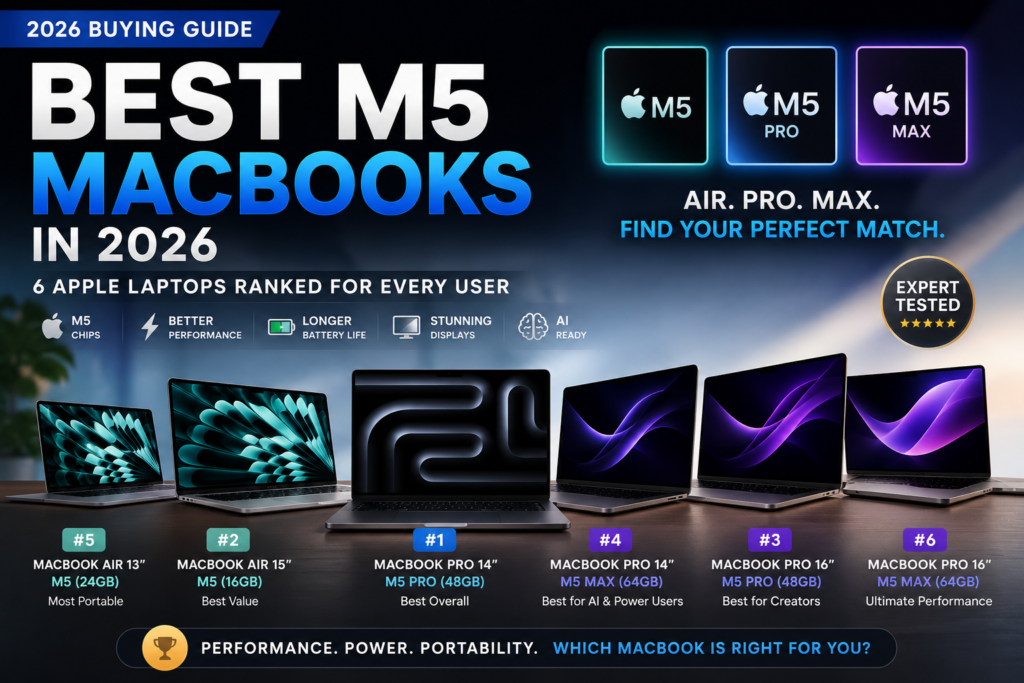
Which MacBook Should You Actually Buy in 2026?
Apple’s MacBook lineup has never been stronger than it is in 2026. Whether you’re a student, business professional, programmer, content creator, or everyday user, choosing the right MacBook can dramatically improve productivity, battery life, portability, and long-term value.
After analyzing Apple’s latest MacBooks, we selected these recommendations based on real-world performance, battery life, display quality, portability, software experience, and overall value rather than specifications alone.Best MacBooks in 2026
Explore our complete MacBook buying guide covering the best options for students, professionals, creators, and everyday users.MacBook Air M4 Review
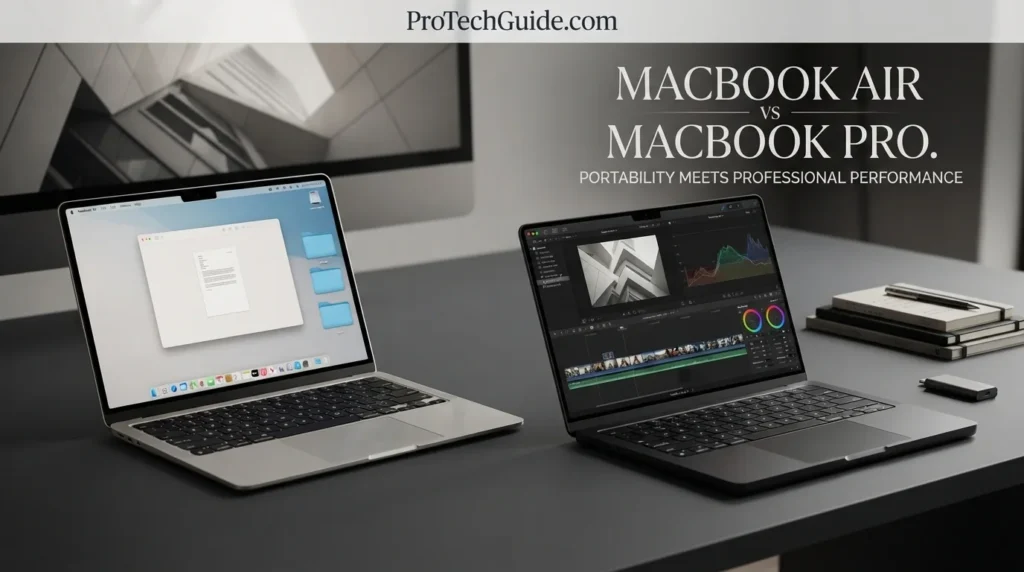
Discover whether Apple’s most popular laptop still delivers the best balance of portability, battery life, and value.MacBook Pro M5 vs MacBook Air M4
Compare Apple’s most popular laptops to determine which model fits your workflow and budget.Best MacBooks for Students
Find the best MacBooks for college, university, note-taking, research, and academic productivity.Best MacBooks for Business
MacBooks that excel in productivity, remote work, multitasking, and professional workflows.Best MacBooks for Programming
Recommended MacBooks for software development, coding, computer science, and technical workloads.Best MacBooks for Video Editing
Powerful MacBooks designed for creators working with video, photography, design, and content production.Quick Recommendation
⚡ Apple updates its lineup regularly — always compare the latest configurations before buying.
How We Evaluate MacBook Recommendations
Choosing the right MacBook goes far beyond selecting the newest Apple chip. At ProTechGuide, we evaluate every MacBook based on real-world performance, battery life, display quality, portability, thermal efficiency, software optimization, and long-term value. Whether you're a student, professional, creator, developer, or everyday user, our recommendations are designed to help you invest in the MacBook that best fits your workflow and budget.
Focused on the Apple Ecosystem
We compare every MacBook generation—from MacBook Air to MacBook Pro—while considering Apple Silicon performance, macOS optimization, ecosystem integration, battery efficiency, and long-term software support.
Independent Buying Recommendations
Our MacBook buying guides remain completely independent. Every recommendation is based on real performance, portability, reliability, battery life, display quality, and overall value—not sponsorships, affiliate pressure, or marketing claims.
Updated Throughout 2026
Apple regularly introduces new MacBook models, chip generations, and pricing updates. We continuously review our recommendations to reflect the latest hardware, software improvements, and the best buying opportunities available throughout the year.
Built Around Real Workflows
Whether you edit videos in Final Cut Pro, design in Adobe Creative Cloud, write code in Xcode, produce music in Logic Pro, manage business tasks, or simply need an everyday laptop, our recommendations focus on how MacBooks perform in real-world use—not synthetic benchmarks alone.
Our Editorial Philosophy
The best MacBook isn't simply the newest or most expensive model—it's the one that delivers the ideal balance of performance, battery life, portability, display quality, and long-term value for the way you actually work, create, and study.
💡 Expert Final Verdict — Best MacBooks in 2026
Choosing the wrong MacBook can affect your productivity, workflow, and overall experience every day. Limited memory, insufficient storage, choosing the wrong screen size, or buying more power than you actually need can lead to unnecessary costs or frustration over time.
The goal isn’t buying the most expensive MacBook available. It’s choosing the model that delivers the right balance of performance, battery life, portability, display quality, and long-term value for your specific needs.⚠️ Many buyers either overspend on professional-grade hardware they rarely use or purchase entry-level models that may struggle with future workloads and multitasking demands.
The best MacBook is the one that fits your workflow, budget, and daily tasks—not simply the one with the most powerful chip.After reviewing the best MacBooks in 2026, one thing becomes clear:
there is no single perfect MacBook for every user.Some buyers need a lightweight laptop for school and everyday productivity, while others require additional performance for programming, business workloads, video editing, design projects, or professional content creation. The right MacBook depends entirely on how you plan to use it.- ✔ 16GB RAM is increasingly recommended for long-term performance and multitasking
- ✔ Apple Silicon delivers exceptional efficiency and battery life compared to most competitors
- ✔ SSD storage cannot be upgraded later, so choosing the right capacity matters
- ✔ MacBook Air models provide the best balance of value, portability, and battery life
- ✔ MacBook Pro models are better suited for creators, developers, and demanding workloads
- ✔ Display quality remains one of the biggest advantages of the MacBook lineup
- ✔ Battery life often impacts daily usability more than benchmark numbers
- ✔ Buying for your actual workflow is more important than buying the most powerful configuration
🏆 Top MacBook Categories in 2026
👉 🥇 Best Overall: Best MacBooks in 2026👉 🥈 Best for Students: MacBook Air Series👉 🥉 Best for Professionals & Creators: MacBook Pro Series- ✔ You are a student or everyday user
- ✔ Battery life and portability are your top priorities
- ✔ You want excellent value within the Apple ecosystem
- ✔ Your workload focuses on productivity, research, web browsing, and multitasking
- ✔ You spend most of your day using productivity applications
- ✔ You attend frequent meetings and work remotely
- ✔ You value reliability and battery life
- ✔ You want a premium professional laptop with minimal maintenance
- ✔ You work with video editing, photography, or design
- ✔ You develop software or run demanding applications
- ✔ You frequently multitask with professional workloads
- ✔ You need maximum performance and future-proofing