
Explore Our Complete MacBook Buying Guides
Continue exploring our expert MacBook recommendations, comparisons, and buying guides. Discover the best Apple laptops for students, professionals, creators, developers, productivity, and everyday use with detailed reviews designed to help you choose the right MacBook for your needs.
Apple MacBook Air M4 (2026) Review — Best Lightweight Laptop or Overpriced Hype?
Is the MacBook Air M4 really the smartest premium laptop purchase in 2026, or are buyers paying more simply for the Apple logo?We tested its performance, battery life, display quality, portability, and everyday usability to find out if Apple's lightweight laptop is truly worth your money.
The MacBook Air M4 has become one of the most popular premium laptops of 2026, offering Apple's latest M4 chip, silent fanless design, exceptional battery life, and a lightweight build.But choosing the right laptop is not only about brand reputation. In this review, we analyze whether the MacBook Air M4 delivers enough performance for students, professionals, creators, developers, and everyday users — or if another laptop offers better value for your budget.
Choose the MacBook Air M4 if you want a premium laptop with exceptional battery life, silent operation, fast performance, and excellent portability for studying, working, browsing, coding, productivity, and creative projects.
Apple MacBook Air M4 15
Best MacBook for Students, Professionals, Remote Work & Everyday Productivity
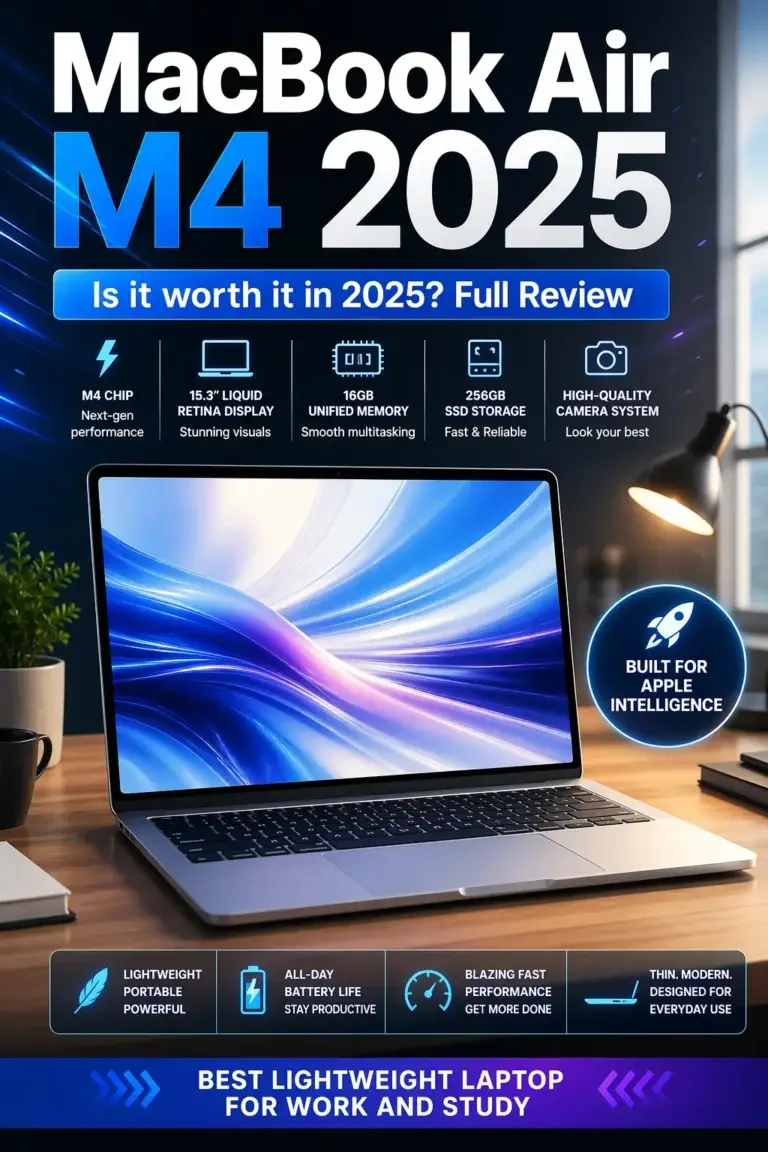
The Apple MacBook Air M4 (15-inch) is one of the best lightweight premium laptops available in 2026, combining Apple's powerful M4 chip, excellent battery life, silent fanless design, and premium build quality into an incredibly portable machine. It delivers more than enough performance for students, professionals, remote workers, creators, and everyday users who need a fast and reliable laptop for productivity, browsing, office applications, coding projects, content creation, and multitasking. For buyers who want a premium MacBook experience without paying MacBook Pro prices, the MacBook Air M4 offers one of the strongest combinations of portability, efficiency, and value in the premium laptop market.
The MacBook Air M4 earns our Best Lightweight Premium Laptop recommendation because it delivers the features most users actually need: fast performance, outstanding battery life, premium design, silent operation, and excellent portability. It is a perfect choice for students, professionals, remote workers, and creators who want a premium laptop without unnecessary bulk or complexity.
Compared with premium Windows alternatives like the Dell XPS 13, ASUS Zenbook, and even Apple's own MacBook Pro lineup, the MacBook Air M4 stands out for its incredible efficiency, silent design, and effortless everyday experience. However, users who require heavy video editing, advanced 3D rendering, large AI workloads, professional virtualization, or intensive development environments may benefit from upgrading to a MacBook Pro.
Key Features
Apple MacBook Air M4 (2026): Pros, Cons & Buying Decision
Honest Review Based on Performance, Battery Life, Portability, Developer Experience & Real-World Usage
The Apple MacBook Air M4 is one of the most popular premium laptops of 2026, but the right buying decision depends on your workflow. We evaluated its performance, battery life, silent design, display quality, portability, macOS experience, development capabilities, limitations, and long-term value to determine whether it is truly worth buying.
| Category | Strengths | Limitations | Real-World Impact | Editor's Verdict |
|---|---|---|---|---|
Performance
Apple M4 Chip
Check Price
| Apple M4 Processor 10-core CPU Integrated GPU Excellent efficiency | Not designed for extreme workstation workloads | Handles everyday productivity, programming, creative work, multitasking, and modern applications with excellent responsiveness. | Outstanding performance for most users |
Battery Champion
Battery Life
| Up to 18 hours battery life Excellent efficiency Low power consumption | Heavy sustained workloads may prefer MacBook Pro models | Perfect for students, professionals, travelers, and remote workers who need all-day reliability. | One of the best battery experiences in 2026 |
Premium Experience
Silent Fanless Design
| Zero fan noise Lightweight aluminum body Premium keyboard and trackpad | Passive cooling limits maximum sustained performance | Excellent for offices, classrooms, meetings, coffee shops, and focused productivity environments. | Best silent premium laptop experience |
Developer Friendly
macOS Development Environment
| Unix-based system Terminal tools Git support Homebrew ecosystem | Some Windows-only software may require alternatives | Excellent for HTML, CSS, JavaScript, React, Next.js, Node.js, Git workflows, and front-end development. | Excellent choice for modern web developers |
Premium Display
15.3-inch Liquid Retina
| 2880 × 1864 resolution P3 wide color True Tone technology | No ProMotion 120Hz display | Large workspace improves coding, browsing, design, and multimedia productivity. | Excellent display for everyday professionals |
Buying Consideration
Configuration Choice
| 16GB+ memory recommended 512GB SSD ideal | RAM and storage cannot be upgraded later | Choosing the correct configuration is important for long-term use. | Buy the right model from the beginning |
Recommended MacBook & Premium Laptop Guides
Continue exploring our expert laptop recommendations, MacBook comparisons, and premium laptop buying guides.
Whether you're choosing between MacBook Air and MacBook Pro, looking for the best laptop for college, remote work, productivity, or premium everyday use, these guides will help you find the right device for your needs.
Best M5 MacBooks in 2026: 6 Apple Laptops Ranked for Every User
Compare the best Apple laptops for students, professionals, creators, developers, and everyday users to find the right MacBook for your workflow.
Explore MacBook guides →MacBook Pro M5 vs MacBook Air M4: Which One Should You Buy in 2026?
Find out whether upgrading to the MacBook Pro M5 is worth it or if the MacBook Air M4 offers the better balance of price, portability, and performance.
Compare MacBook Air vs Pro → StudentsBest MacBook for College Students in 2026
Discover the best Apple laptops for university, studying, programming, creative work, and everyday student productivity.
Explore student MacBooks → Student LaptopsBest Laptops for Students in 2026
Compare MacBooks and Windows laptops for students who need battery life, portability, reliability, and long-term value.
Explore student laptops → Remote WorkBest Laptops for Remote Work in 2026
Find lightweight laptops with excellent battery life, webcams, keyboards, and productivity features for modern remote professionals.
Explore remote work laptops → Premium ValueBest Laptops Under $1500 in 2026
Compare premium laptops that deliver the best combination of performance, design, battery life, and value.
Explore premium laptops →Upgrade Your Setup
Most people ignore this — but these upgrades can dramatically improve your laptop performance and daily workflow.
EDITOR'S FINAL VERDICT
After testing performance, battery life, display quality, portability, silent operation, and everyday usability, the MacBook Air M4 remains one of the safest premium laptop choices in 2026. It is not designed to replace a workstation — it is designed to deliver a fast, reliable, and effortless experience for most users.
Apple MacBook Air M4 (15-inch, 2026)
The perfect premium laptop for students, professionals, remote workers, business users, and creators who want exceptional battery life, silent performance, premium design, and a smooth everyday experience without unnecessary complexity.
- ✓ Apple M4 Chip Performance
- ✓ Up to 18 Hours Battery Life
- ✓ 15.3-inch Liquid Retina Display
- ✓ Completely Silent Fanless Design
MacBook Air M4 for Daily Productivity
An excellent choice for college students, office professionals, writers, developers, and remote workers who need a lightweight laptop that lasts all day and handles everyday workloads effortlessly.
- ✓ Lightweight Aluminum Design
- ✓ Excellent Keyboard & Trackpad
- ✓ Long Battery Life
- ✓ Premium macOS Experience
MacBook Air M4 for Content Creation
Great for photo editing, video editing, design work, social media content, and creative projects. The M4 chip provides impressive performance while maintaining excellent battery efficiency.
- ✓ M4 Graphics Performance
- ✓ Accurate Liquid Retina Display
- ✓ Silent Operation
- ✓ Portable Creative Workflow
Consider MacBook Pro or Windows Alternatives
If you need professional video editing, 3D rendering, gaming performance, GPU acceleration, or maximum upgrade flexibility, a MacBook Pro or powerful Windows workstation may be a better investment.
- ✓ More Powerful Cooling Systems
- ✓ Better GPU Options
- ✓ Higher Performance Ceiling
- ✓ More Hardware Flexibility
Who should buy the MacBook Air M4?
MacBook Air M4 15-inch
MacBook Air M4
MacBook Air M4
MacBook Air M4
MacBook Pro M5
Dell XPS / ThinkPad
- Choose the MacBook Air M4 if you want the best combination of battery life, portability, silence, premium design, and everyday performance in 2026.
- Choose a MacBook Pro if your workflow includes professional editing, advanced development, 3D rendering, or demanding creative workloads.
- Choose a Windows premium laptop if you need gaming performance, hardware flexibility, more ports, or specialized software compatibility.
EDITOR'S FINAL VERDICT
After evaluating performance, battery life, display quality, portability, keyboard comfort, silent operation, everyday productivity, creative workloads, and long-term value, one conclusion is clear:The MacBook Air M4 is one of the safest premium laptop choices in 2026. It is not designed to replace a professional workstation — it is designed to provide a fast, reliable, silent, and effortless experience for the majority of users.
Most laptop buyers do not need extreme benchmark numbers. They need a computer that starts instantly, lasts all day, stays quiet, feels premium, and handles everyday work without frustration.
For most students, professionals, remote workers, and creators, the ideal premium laptop should deliver excellent performance, exceptional battery life, a comfortable keyboard, a beautiful display, and enough power to remain useful for years.- Choose the MacBook Air M4 if you want the best combination of speed, battery life, portability, silent operation, and premium design for everyday computing.
- Choose the MacBook Pro if you need sustained professional performance for advanced video editing, 3D rendering, heavy development workloads, or demanding creative applications.
- Choose a Windows premium laptop if you need specific Windows software, gaming performance, more hardware flexibility, or additional ports without adapters.
- Choose the MacBook Air M4 15-inch if you want a larger display experience while keeping the lightweight design and excellent battery efficiency.
Top MacBook Air M4 Buying Recommendations (2026)
Apple MacBook Air M4 (15-inch)
Our Editor's Choice for most users because it delivers premium performance, exceptional battery life, silent operation, and a lightweight design that works perfectly for school, business, productivity, and everyday creative tasks.
- ✓ Apple M4 Chip
- ✓ 15.3-inch Liquid Retina Display
- ✓ Up to 18 Hours Battery Life
- ✓ Fanless Silent Design
MacBook Pro Alternative
Users with demanding professional workloads should consider the MacBook Pro because it offers higher sustained performance, better cooling, and additional power for intensive applications.
- ✓ Higher Performance Ceiling
- ✓ Better Sustained Workloads
- ✓ Professional Creative Tools
- ✓ Advanced Development Workflows
MacBook Air M4 16GB RAM
The smartest configuration for most buyers. Enough memory for years of smooth performance while maintaining the excellent efficiency and portability that make the MacBook Air popular.
- ✓ Apple M4 Performance
- ✓ 16GB Unified Memory
- ✓ Fast SSD Storage
- ✓ Long-Term Reliability
- ✓ You want a premium everyday laptop
- ✓ Battery life is important
- ✓ You prefer silent operation
- ✓ You need excellent portability
- ✓ You need Windows-only applications
- ✓ You require dedicated GPU power
- ✓ You need maximum hardware flexibility
- ✓ You perform professional workstation tasks
- ✓ Choose enough RAM for your workflow
- ✓ Consider 512GB storage or higher
- ✓ Think about your future workload
- ✓ Compare current Amazon pricing
The MacBook Air M4 succeeds because it focuses on the things most users actually experience every day: instant responsiveness, excellent battery life, premium construction, silent performance, and a simple user experience that remains reliable for years.
For the majority of students, professionals, remote workers, and everyday creators, the Apple MacBook Air M4 represents one of the best premium laptop purchases available in 2026.
Compare current prices, RAM configurations, SSD options, warranty coverage, and available promotions before choosing the MacBook Air M4 configuration that fits your needs.
Check Latest DealsEDITOR'S FAQ
Before buying the MacBook Air M4 (2026), many users wonder if it is powerful enough, whether it is worth the price, and how it compares with other premium laptops.This FAQ answers the most important questions about performance, battery life, storage, gaming, professional workloads, students, developers, creators, and long-term value to help you decide if the MacBook Air M4 is the right laptop for you.
It delivers an excellent combination of performance, battery life, portability, silent operation, and premium build quality. For students, professionals, remote workers, and everyday users, it provides a smooth experience without the complexity of traditional high-performance laptops.
The MacBook Air M4 is especially attractive for users who want a reliable laptop that stays fast for years while offering excellent efficiency and battery endurance.
The MacBook Air M4 easily handles:
- Office applications and productivity tasks
- Multiple browser tabs and multitasking
- Programming and software development
- Photo editing and creative applications
- Video calls and remote work
For extremely demanding workloads like heavy 3D rendering, professional video production, or advanced AI development, a MacBook Pro may be the better choice.
Students benefit from its lightweight design, excellent battery life, silent operation, premium display, and long software support.
- ✓ University assignments
- ✓ Research and online classes
- ✓ Programming courses
- ✓ Creative projects
- ✓ Daily productivity
Its portability makes it ideal for carrying between classes, libraries, and home.
It performs very well with:
- Visual Studio Code
- Python development
- JavaScript and React projects
- Web development workflows
- Software engineering courses
Developers working with extremely large projects, multiple Docker containers, virtual machines, or advanced AI workloads may prefer the additional memory and performance of the MacBook Pro M4 Pro.
256GB is enough for:
- Students
- Office work
- Cloud-based workflows
- Basic productivity
However, storage can become limited if you work with:
- Large video files
- Professional creative projects
- Multiple applications
- Large development environments
For a laptop you plan to keep for several years, 512GB provides much more comfort.
Thanks to Apple's efficient M4 architecture, it can comfortably last through a full workday depending on workload.
- ✓ Long productivity sessions
- ✓ Excellent standby efficiency
- ✓ Great for travel and remote work
- ✓ Less dependence on chargers
The MacBook Air M4 offers advantages such as:
- ✓ Better battery efficiency
- ✓ Silent fanless operation
- ✓ Premium aluminum design
- ✓ Excellent ecosystem integration
Windows laptops may be better if you need:
- Gaming performance
- More hardware customization
- Specific Windows-only software
- Dedicated NVIDIA graphics
- Choose MacBook Air M4 → Students, professionals, everyday users, programmers, and creators who value portability.
- Choose MacBook Pro M4 Pro → Developers, engineers, creators, and professionals needing maximum performance.
For most users, the MacBook Air M4 provides the better balance of price, performance, and portability.
Apple Silicon laptops benefit from excellent hardware optimization, efficient processors, and long-term macOS support.
Choosing enough RAM and storage at purchase time is important because components cannot be upgraded later.
Consider alternatives if you need:
- High-end gaming performance
- Professional 3D rendering
- Heavy GPU workloads
- Large internal storage by default
- Many built-in ports
For these users, a MacBook Pro or powerful Windows workstation may be a better investment.
MACBOOK AIR M4 BUYING GUIDE
The MacBook Air M4 (2026) is one of the most attractive premium laptops available today, but many buyers make mistakes before purchasing.The problem is not the laptop itself — the problem is choosing the wrong configuration, expecting performance it was not designed for, or ignoring important limitations that affect long-term satisfaction.Before buying the MacBook Air M4, avoid these common mistakes and make sure this laptop actually matches your workflow, performance needs, and future expectations.
The MacBook Air M4 is not designed to compete with workstation laptops. Its strength comes from efficiency, silent operation, portability, battery life, and excellent everyday performance.The smartest buyers focus on choosing the right RAM and storage configuration while understanding whether they need a lightweight productivity machine or a higher-performance MacBook Pro.
Buying the 256GB model without thinking long-term
- Modern applications, updates, photos, and projects consume storage faster than many users expect.
- Development tools, creative applications, and large files can quickly reduce available space.
- External storage becomes necessary sooner than expected.
Better decision: Choose 512GB if you plan to keep the MacBook Air M4 for several years and want a more comfortable experience.
Choosing the MacBook Air M4 expecting gaming performance
- The MacBook Air M4 does not include a dedicated gaming GPU.
- AAA gaming performance is limited compared with Windows gaming laptops.
- Many competitive gaming titles are better optimized on Windows.
Better decision: Buy the MacBook Air M4 for productivity, study, programming, creative work, and everyday performance — not as a gaming machine.
Ignoring RAM requirements before buying
- RAM cannot be upgraded after purchase.
- Heavy multitasking, creative applications, and development tools benefit from more memory.
- Lower memory configurations may become limiting after several years.
Better decision: 16GB RAM is the recommended minimum in 2026, while higher memory configurations provide better long-term value.
Buying it for extreme professional workloads
- Heavy 3D rendering and advanced video production require more sustained performance.
- Professional AI workloads often benefit from stronger GPU solutions.
- Large-scale projects may require MacBook Pro-level hardware.
Better decision: Choose MacBook Pro M4 Pro if your workflow depends on maximum sustained performance.
Ignoring the limited port selection
- The MacBook Air focuses on portability with a minimal design.
- USB-A, HDMI, and SD card users may need adapters.
- Professional desk setups often require a USB-C hub.
Better decision: Add a quality USB-C hub if you regularly connect external monitors, accessories, or storage devices.
Buying only because it is an Apple product
- Not every user needs macOS or the Apple ecosystem.
- Windows laptops may offer better gaming, customization, or hardware variety.
- The best laptop depends on your actual workflow.
Better decision: Choose the MacBook Air M4 because it matches your needs, not only because of the brand.
💡 Smart Buying Advice Before Purchasing MacBook Air M4
You want a lightweight premium laptop with excellent battery life, silent operation, reliable performance, programming capability, productivity power, and years of software support.
You need maximum performance for professional workloads, advanced development, video production, AI tools, virtualization, or demanding creative applications.
Key takeaway: The MacBook Air M4 is not about having the highest benchmark numbers. It is about delivering the perfect balance of performance, efficiency, portability, battery life, and premium everyday experience.
After analyzing performance, design, battery life, limitations, and real-world usage, our final recommendations are:
- Best Overall Lightweight Premium Laptop: Apple MacBook Air M4 — outstanding battery life, silent operation, excellent performance, and the ideal choice for most users.
- Best Upgrade Choice: MacBook Pro M4 Pro — better for professionals who need additional power and sustained performance.
- Best Alternative for Windows Users: Premium Windows ultrabooks — better compatibility with Windows-only software, gaming, and hardware customization.
Need help choosing your laptop?
Not sure which option fits your workflow? Get a personalized recommendation based on your budget, performance needs, and usage.
Get personalized recommendation⚡ Usually responds within 24 hours