
Explore Related Laptop Collections
This guide is part of our curated laptop collections. Explore more expert MacBook recommendations, student laptop buying guides, and detailed reviews designed to help you find the best laptop for college, productivity, and everyday academic success.Best MacBook for College Students in 2026: 6 Expert Picks for Every Budget & Major
The best MacBook for college students in 2026 is not necessarily the most powerful or expensive model. The right choice depends on your major, budget, workload, portability needs, and how demanding your academic and personal projects will become over the next several years.From writing papers and attending online classes to programming, engineering projects, creative work, research, video editing, and AI-assisted applications, today's MacBooks offer excellent performance, battery life, and portability across a wide range of student needs.
In this guide, we've selected the best MacBooks for college students based on real-world student workloads, performance, battery life, portability, display quality, multitasking capability, memory capacity, and long-term value. Whether you're a business student who wants an easy-to-carry laptop, a STEM major running demanding applications, or a creative student working with professional software, there is a MacBook in this lineup designed for your needs.The MacBook Air 13-inch M4 stands out as the best overall choice for most students, while the MacBook Air 13-inch M3 provides the most affordable entry into Apple's laptop ecosystem. Students who prioritize screen space can choose the MacBook Air 15-inch M4, while advanced users can step up to the MacBook Pro 14-inch M5 Pro, MacBook Pro 16-inch M4 Pro, or MacBook Pro 16-inch M4 Max for demanding academic and professional workloads.
Apple MacBook Air 13-inch (M4, 16GB RAM)
Best MacBook for College, Productivity & Everyday Use

The Apple MacBook Air 13-inch (M4, 16GB RAM, 256GB SSD) is our top recommendation for the best MacBook for college students in 2026. It delivers the ideal combination of performance, portability, battery life, and long-term value for students across a wide range of majors. Whether you're writing research papers, attending online classes, managing presentations, browsing academic resources, using Microsoft Office and Google Workspace, coding, or working on creative projects, the MacBook Air M4 provides more than enough performance for everyday college workloads while remaining exceptionally thin, light, and easy to carry across campus.
The MacBook Air M4 earns our Best Overall MacBook for College Students award because it delivers the strongest balance of portability, performance, battery life, and value for the majority of students. It is powerful enough for demanding academic workloads while remaining thin and light enough to carry every day. From taking notes and writing assignments to attending lectures, conducting research, creating presentations, and managing multiple applications, it provides an excellent student experience without the added weight or cost of a MacBook Pro.
Compared with the older MacBook Air M3, the M4 model provides a newer generation of performance and makes the most sense for students who want a laptop they can keep throughout several years of college. The 16GB memory configuration also provides better multitasking headroom for modern applications and future academic workloads. For most students, the MacBook Air 13-inch M4 is the safest overall choice because it delivers premium hardware, excellent battery efficiency, outstanding portability, and enough performance to handle everything from everyday coursework to more demanding academic projects.
Key Features
Apple MacBook Air 13-inch (M3, 8GB RAM)
Best Budget MacBook for Students & Everyday College Use
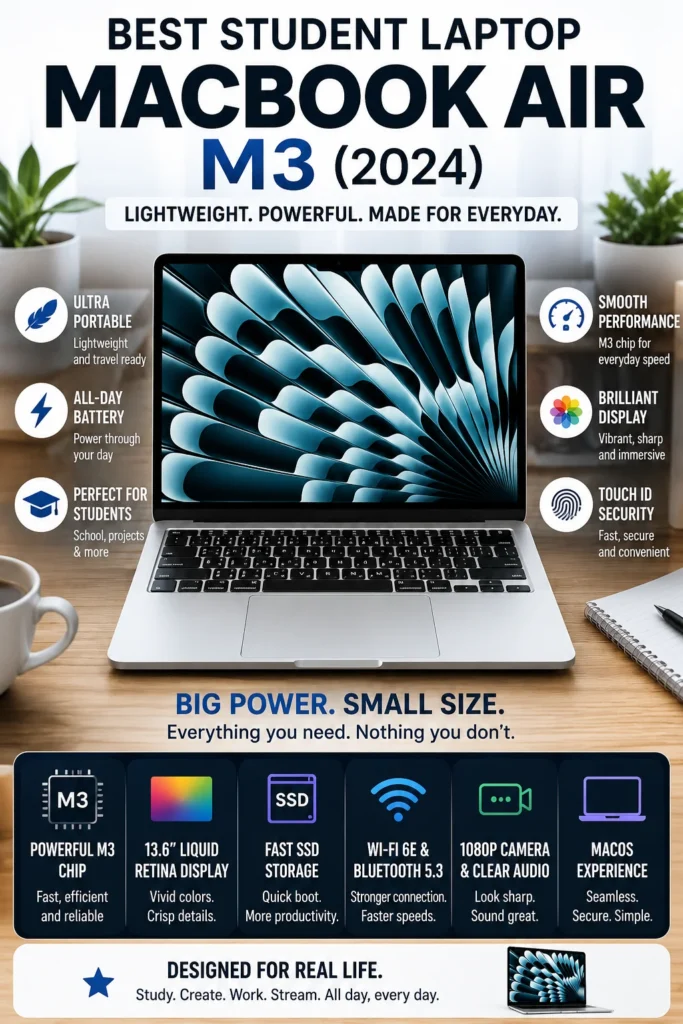
The Apple MacBook Air 13-inch (M3) is our recommendation for the best budget MacBook for college students in 2026. Equipped with Apple's efficient M3 chip, 8GB of unified memory, and a 256GB SSD, it delivers a responsive macOS experience for everyday academic workloads while keeping the entry price lower than newer MacBook configurations. For students who primarily browse the web, write papers, attend online classes, use productivity applications, and manage everyday college tasks, the MacBook Air M3 provides an excellent combination of portability, battery efficiency, reliability, and access to the Apple ecosystem.
The MacBook Air M3 earns our Best Value MacBook for College Students recommendation because it provides a complete Apple laptop experience at a lower entry price. It is particularly well suited to students whose daily workloads involve research, writing, presentations, web browsing, online classes, spreadsheets, communication, and general productivity rather than demanding professional applications.
The biggest consideration is the 8GB of unified memory. While it is adequate for everyday academic use, students planning to run programming environments, large creative applications, virtual machines, extensive multitasking, or demanding professional workloads should consider the MacBook Air M4 with 16GB RAM instead. For students who prioritize affordability and mainly need a reliable MacBook for college essentials, however, the M3 remains a smart way to enter the Apple ecosystem in 2026.
Key Features
Apple MacBook Air 15-inch (M4, 16GB RAM)
Best Large-Screen MacBook for Students, Multitasking & Productivity
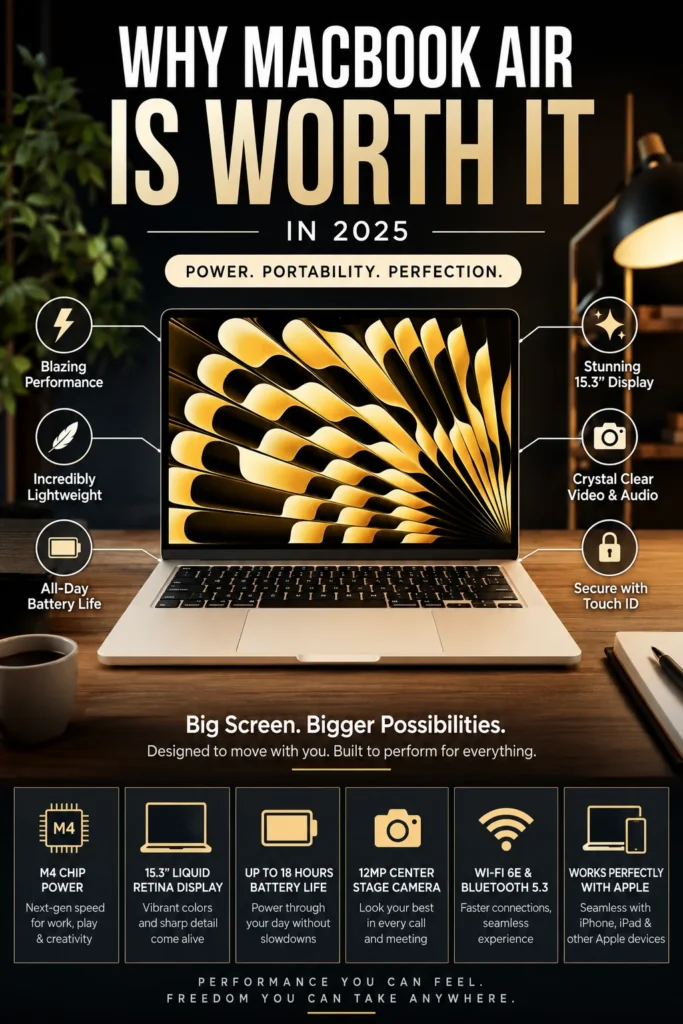
The Apple MacBook Air 15-inch with the M4 chip is our top recommendation for students who want more screen space without moving to a heavier MacBook Pro. Its combination of a large 15.3-inch Liquid Retina display, 16GB of unified memory, efficient M4 performance, and excellent battery life makes it particularly well suited for research, multitasking, writing, spreadsheets, presentations, and everyday college productivity.
The MacBook Air 15-inch M4 earns our Best Large Display MacBook for College Students recommendation because it delivers a desktop-like workspace while remaining considerably thinner and lighter than a traditional large professional laptop. Students can comfortably work with research documents, spreadsheets, presentations, browser windows, lecture materials, and communication tools side by side.
This configuration is particularly well suited to students in business, marketing, finance, law, education, communications, and other majors that involve extensive research and document-based work. The main trade-off is portability: the 15-inch chassis takes up more space in a backpack than the 13-inch Air. Students who prioritize the smallest and lightest possible MacBook should choose the 13-inch M4 instead, while those who value workspace will appreciate the larger display.
Key Features
Apple MacBook Pro 14-inch (M5 Pro, 48GB RAM)
Best MacBook for Engineering, AI & Advanced Student Workloads
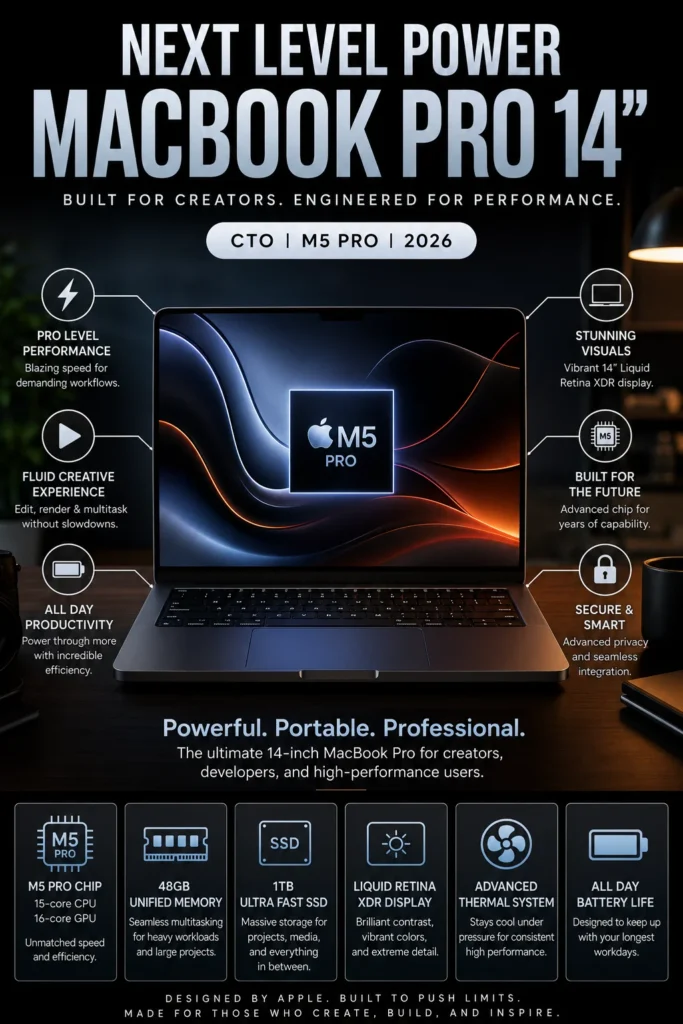
The Apple MacBook Pro 14-inch (M5 Pro) is our top performance recommendation for STEM, engineering, programming, AI, and advanced academic workloads in 2026. Equipped with Apple's powerful M5 Pro chip, 48GB of unified memory, and a fast 1TB SSD, it provides workstation-class performance in a relatively compact professional laptop. Whether you're compiling large software projects, working with data science environments, running virtual machines, analyzing datasets, developing AI applications, or using demanding engineering software, this configuration provides the performance and memory headroom needed for advanced student workflows.
The MacBook Pro 14 M5 Pro earns our Best High-Performance MacBook for STEM & Engineering Students award because it is designed for workloads that go well beyond everyday college productivity. From software engineering and data science to machine learning development, simulations, virtual machines, and advanced programming projects, its combination of processing power, 48GB memory, fast storage, and professional cooling provides substantial performance headroom for demanding academic work.
Compared with the MacBook Air models in this guide, the M5 Pro configuration is considerably more powerful and better suited to sustained professional workloads, but it is also more expensive than most students need. For students who primarily write papers, browse the web, attend online classes, and use standard productivity applications, the MacBook Air M4 offers better value. However, for engineering, computer science, AI, data science, and other demanding STEM programs, the additional performance and memory of this MacBook Pro can make a meaningful difference throughout a multi-year academic workflow.
Key Features
Apple MacBook Pro 16-inch (M4 Pro, 24GB RAM)
Best Large-Screen Pro MacBook for Creative Work, Business & Multitasking
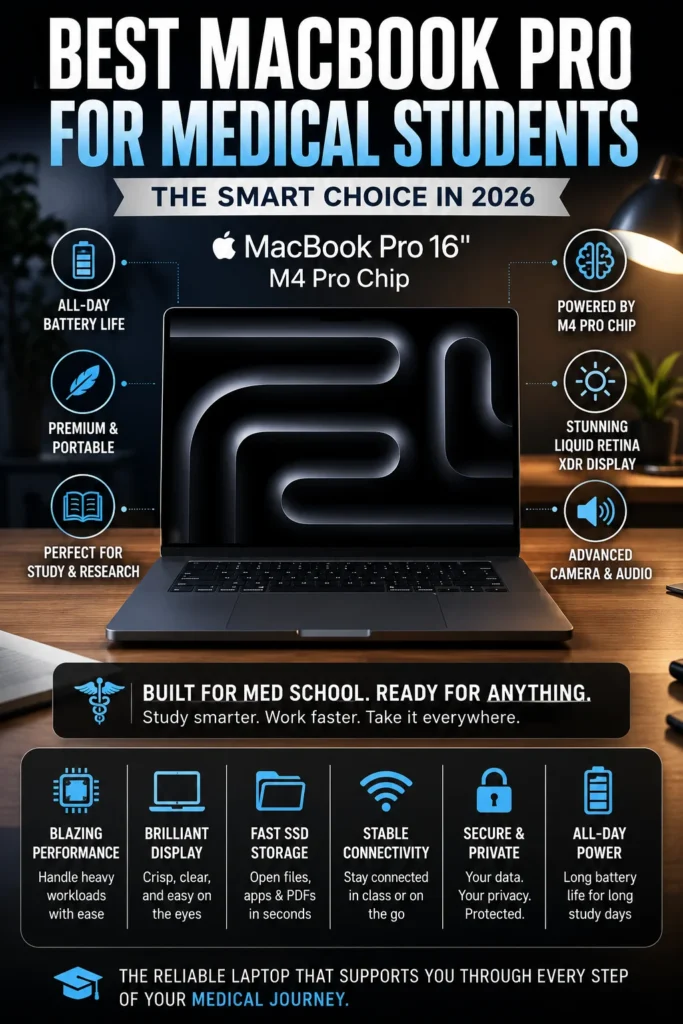
The Apple MacBook Pro 16-inch (M4 Pro) is our top recommendation for students, creators, and professionals who want professional performance combined with a large, immersive display. Equipped with Apple's powerful M4 Pro chip, 24GB of unified memory, and a 512GB SSD, it provides the performance needed for demanding multitasking, creative applications, software development, business workflows, and advanced academic projects. The large 16.2-inch Liquid Retina XDR display also provides significantly more workspace for editing, designing, coding, researching, and managing multiple applications simultaneously.
The MacBook Pro 16 M4 Pro earns our Best MacBook Pro for Creators, Students & Professionals award because it delivers an excellent combination of performance, screen size, memory, battery efficiency, and professional usability. It is particularly compelling for users who regularly work with demanding applications and want a large display without moving to the more expensive M4 Max configuration.
Compared with the MacBook Pro 14 M5 Pro, this 16-inch M4 Pro model prioritizes screen real estate and comfortable multitasking over maximum performance and compact portability. Compared with the MacBook Pro 16 M4 Max, it provides a more balanced configuration for users who need professional performance but do not require the maximum GPU power available. For creators, professionals, and advanced students, it represents one of the strongest all-round MacBook Pro configurations in this guide.
Key Features
Apple MacBook Pro 16-inch (M4 Max, 36GB RAM, 1TB SSD)
Ultimate Performance Laptop for Creators, Developers & Power Users
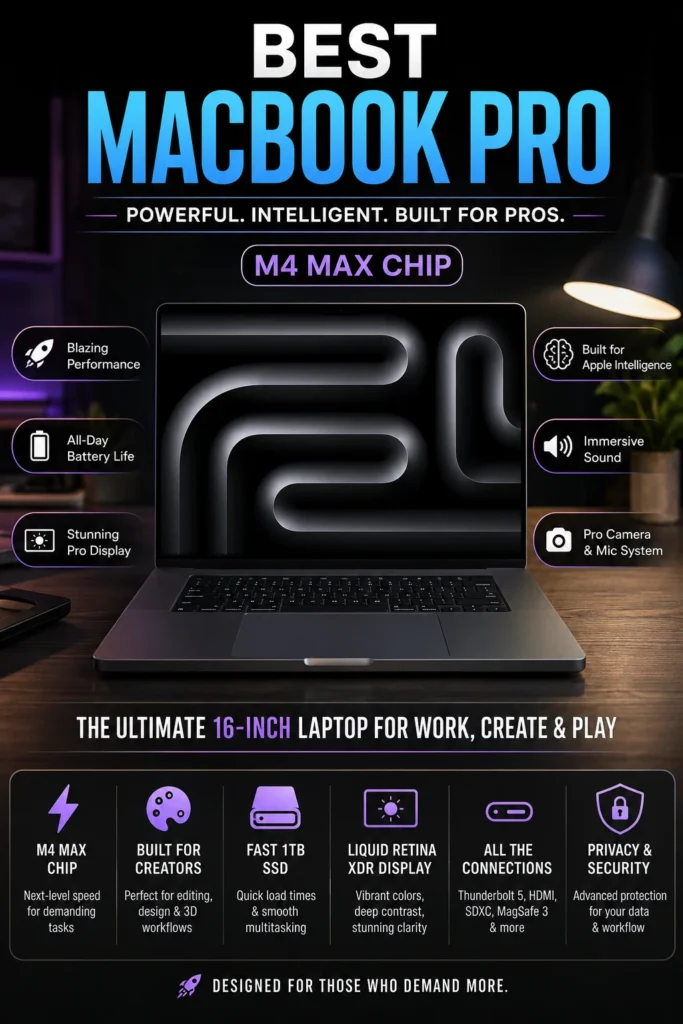
The Apple MacBook Pro 16-inch (M4 Max) is our top recommendation for the ultimate high-performance MacBook in 2026. Equipped with Apple's extremely powerful M4 Max chip, 36GB of unified memory, and a fast 1TB SSD, it is designed for professionals who demand workstation-level performance in a premium portable system. Whether you're working with 4K and 8K video editing, 3D rendering, professional software development, AI-assisted workflows, large datasets, advanced simulations, or demanding creative applications, the MacBook Pro M4 Max delivers exceptional processing power and sustained performance. For creators, developers, engineers, and power users who want maximum capability without moving to a traditional desktop workstation, it represents the highest-performance MacBook experience in this lineup.
The MacBook Pro 16-inch M4 Max earns our Ultimate Performance MacBook recommendation because it pushes Apple Silicon performance into workstation-class territory while maintaining the portability, battery efficiency, display quality, and refined design expected from a professional MacBook. It is particularly well suited for demanding creative production, advanced development, AI workflows, 3D rendering, and other workloads where maximum performance can significantly reduce project completion times.
Compared with premium Windows mobile workstations, the MacBook Pro M4 Max combines exceptional sustained performance with outstanding power efficiency, a class-leading display, premium build quality, and a highly optimized professional software environment. For users who genuinely need maximum portable performance and are willing to pay for it, the 16-inch MacBook Pro M4 Max remains one of the most capable professional laptops available in 2026.
Key Features
Best MacBooks for College Students in 2026
Ranked by Performance, Battery Life, Portability, Display Quality, Multitasking, Software Compatibility & Overall Student Value
Choosing the best MacBook for college in 2026 requires more than comparing Apple silicon generations. Students have different needs, from everyday coursework and research to programming, engineering, creative applications, AI development, and professional-level multitasking. We evaluated these MacBooks across real-world academic workloads, memory capacity, display quality, battery life, portability, software compatibility, storage, and long-term value to help students choose the right MacBook for their major, workload, and daily campus life.
| MacBook | CPU & Key Specs | Best For | Why It Wins | Editor's Verdict | Buy |
|---|---|---|---|---|---|
Best OverallApple MacBook Air 13-inch with M5Check Price | Apple M5 10-core CPU 16GB Unified Memory 512GB SSD 13.6" Liquid Retina Up to 18-Hour Battery | Most Students Research & Writing Everyday Productivity Campus Life | The 13-inch MacBook Air with M5 delivers a strong balance of performance, portability, battery life, and everyday usability. Its 16GB unified memory and 512GB SSD provide a more practical starting point for modern college workloads, while the compact 13.6-inch design makes it easy to carry between classes, libraries, study spaces, and home. Apple rates the M5 MacBook Air for up to 18 hours of video streaming battery life. | Best Overall MacBook for College Students | Check Price |
Best ValueApple MacBook Air 13-inch (M4)Check Price | Apple M4 16GB Unified Memory 256GB SSD 13.6" Liquid Retina Up to 18-Hour Battery | Budget-Conscious Students Research & Coursework Everyday Productivity General College Use | The M4 MacBook Air remains a capable option for students who can find it at a substantially lower price than newer M5 models. Its 16GB unified memory, efficient Apple silicon, compact design, and strong battery life make it well suited to writing, research, presentations, web applications, video calls, and general academic workloads. | Best Value MacBook for College Students | Check Price |
Best Large DisplayApple MacBook Air 15-inch (M4)Check Price | Apple M4 16GB Unified Memory 256GB SSD 15.3" Liquid Retina Up to 18-Hour Battery | Multitasking Students Research & Writing Business & Marketing Large-Screen Productivity | The 15.3-inch MacBook Air provides substantially more workspace than the 13-inch model while retaining the thin and portable Air design. Its larger Liquid Retina display is particularly useful for split-screen research, spreadsheets, presentations, documents, coding environments, and multitasking across multiple applications. | Best Large-Screen MacBook for Students | Check Price |
Best for STEMApple MacBook Pro 14-inch with M5 ProCheck Price | Apple M5 Pro 15-core CPU 16-core GPU 24GB Unified Memory 1TB SSD 14.2" Liquid Retina XDR | Engineering Students Computer Science AI & Data Science Advanced Programming | The 14-inch MacBook Pro with M5 Pro is designed for students whose workloads extend well beyond conventional coursework. Its 15-core CPU, 16-core GPU, 24GB unified memory, and 1TB SSD provide substantially more headroom for programming, data analysis, virtual machines, simulations, development environments, and demanding creative workloads. The Liquid Retina XDR display also provides a higher-end visual experience for professional applications. | Best MacBook for Engineering & Advanced Students | Check Price |
Best Large ProApple MacBook Pro 16-inch with M5 ProCheck Price | Apple M5 Pro 18-core CPU 20-core GPU 24GB Unified Memory 1TB SSD 16.2" Liquid Retina XDR | Advanced Students Professional Development Creative Work Multitasking | The 16-inch MacBook Pro with M5 Pro combines workstation-class Apple silicon performance with a large 16.2-inch Liquid Retina XDR display. Its expanded screen is particularly useful for coding, research, timelines, design applications, spreadsheets, development environments, and complex multitasking where additional workspace matters. | Best Large MacBook Pro for Students & Professionals | Check Price |
Ultimate PerformanceApple MacBook Pro 16-inch with M4 MaxCheck Price | Apple M4 Max 16-core CPU 40-core GPU 36GB Unified Memory 1TB SSD 16.2" Liquid Retina XDR | AI & Machine Learning 3D & Creative Work Professional Development High-End Computing | The 16-inch MacBook Pro with M4 Max remains a high-performance option for demanding workloads when available at an attractive price. Its powerful CPU and GPU configuration, 36GB unified memory, 1TB SSD, and large Liquid Retina XDR display make it suitable for intensive software development, professional creative applications, 3D workloads, AI development, and other compute-heavy tasks. | Best MacBook for Professional-Level Workloads | Check Price |
Recommended Next Reads
Still deciding which MacBook is right for you? Explore our expert comparisons and buying guides for students, professionals, developers, and demanding Apple workloads.
Whether you're choosing between a MacBook Air and MacBook Pro, looking for the latest M5 models, preparing for engineering or programming coursework, or building a complete productivity setup, these guides can help you make a more confident purchase decision.
MacBook Pro M5 vs MacBook Air M4: Which One Should You Buy in 2026?
Compare the MacBook Pro M5 and MacBook Air M4 for college, productivity, battery life, performance, portability, and demanding workloads before deciding which MacBook is worth your money.
Compare MacBook Pro vs Air →Best M5 MacBooks in 2026
Compare the latest M5 MacBook models and find the right combination of performance, memory, display size, portability, and value for your workload.
Explore M5 MacBooks → Programming StudentsBest Programming Laptops for Students in 2026
Find laptops capable of handling coding, AI development, multiple IDEs, multitasking, databases, and demanding computer science coursework.
Explore programming laptops → Engineering StudentsBest Laptops for Engineering Students in 2026
Compare powerful laptops for CAD, SolidWorks, programming, simulations, engineering software, and demanding university workloads.
Explore engineering laptops → Creative WorkflowsBest Laptops for Video Editing in 2026
Explore powerful laptops for video editing, content creation, professional media workflows, and demanding creative applications.
Explore video editing laptops → Productivity SetupBest Tech Accessories for Productivity in 2026
Build a better college and work setup with productivity accessories designed to complement your laptop, improve organization, and enhance your daily workflow.
Explore productivity accessories →EDITOR'S FINAL RECOMMENDATIONS
After comparing performance, battery life, portability, display quality, memory, storage, multitasking capability, and overall value, these are our top MacBook recommendations for college students in 2026. Whether you need an affordable laptop for everyday classes or a powerful MacBook for engineering, programming, creative work, and advanced multitasking, there is an option for every type of student.
Apple MacBook Air M4 13-inch
The best overall MacBook for most college students. The M4 chip delivers excellent everyday performance while the lightweight design, outstanding battery life, and 16GB of unified memory make it ideal for classes, research, writing, browsing, productivity, and everyday academic workloads.
- ✓ Apple M4 Chip
- ✓ 16GB Unified Memory
- ✓ Lightweight 13-inch Design
- ✓ Outstanding Battery Life
Apple MacBook Air M3 13-inch
The most affordable way to enter the MacBook ecosystem. It is an excellent choice for students who primarily need a lightweight laptop for lectures, research, documents, web browsing, streaming, and everyday productivity while keeping the purchase price as low as possible.
- ✓ Apple M3 Chip
- ✓ 8GB Unified Memory
- ✓ Lightweight Design
- ✓ Efficient Battery Life
Apple MacBook Air M4 15-inch
The best choice for students who want more screen space without moving to a MacBook Pro. Its 15.3-inch display makes split-screen research, spreadsheets, writing, presentations, coding, and multitasking significantly more comfortable.
- ✓ Apple M4 Chip
- ✓ 16GB Unified Memory
- ✓ 15.3-inch Liquid Retina Display
- ✓ Excellent Battery Life
MacBook Pro 14-inch M5 Pro
A high-performance option for engineering, computer science, programming, AI, and other demanding academic workloads. With a powerful M5 Pro chip and 48GB of memory, it is designed for students who regularly work with intensive applications and large development projects.
- ✓ Apple M5 Pro Chip
- ✓ 48GB Unified Memory
- ✓ Professional Performance
- ✓ Designed for Demanding Workloads
MacBook Pro 16-inch M4 Pro
The ideal upgrade for students who need professional-level performance and a much larger display. The M4 Pro, 24GB of unified memory, and 16-inch Liquid Retina XDR display make it especially well suited for creative work, programming, engineering applications, business workloads, and advanced multitasking.
- ✓ Apple M4 Pro Chip
- ✓ 24GB Unified Memory
- ✓ 16.2-inch Liquid Retina XDR
- ✓ Professional Performance
MacBook Pro 16-inch M4 Max
The ultimate MacBook for students with genuinely workstation-level workloads. The M4 Max and 36GB of unified memory are designed for advanced video editing, 3D rendering, AI workloads, software development, engineering simulations, and other extremely demanding applications.
- ✓ Apple M4 Max Chip
- ✓ 36GB Unified Memory
- ✓ 1TB SSD Storage
- ✓ 16.2-inch Liquid Retina XDR
Which MacBook should a college student buy?
MacBook Air M4 13-inch
MacBook Air M3 13-inch
MacBook Air M4 15-inch
MacBook Pro 14-inch M5 Pro
MacBook Pro 16-inch M4 Pro
MacBook Pro 16-inch M4 Max
- Choose the MacBook Air M4 13-inch if you want the best overall combination of performance, portability, battery life, and value for college.
- Choose the MacBook Air M3 13-inch if keeping the purchase price low is your priority and your workload is primarily focused on classes, research, documents, and everyday productivity.
- Choose the MacBook Air M4 15-inch if you prefer a larger workspace for multitasking, research, coding, spreadsheets, and productivity without paying MacBook Pro prices.
- Choose the MacBook Pro 14-inch M5 Pro if you are studying engineering, computer science, AI, programming, or another field where demanding applications and heavy multitasking are part of your daily workflow.
- Choose the MacBook Pro 16-inch M4 Pro if you want professional performance, a large Liquid Retina XDR display, and enough power for advanced academic and creative workloads.
- Choose the MacBook Pro 16-inch M4 Max only if your studies or professional projects genuinely require workstation-level performance for video production, 3D, AI, engineering, or advanced development workloads.
EDITOR'S FINAL VERDICT
After comparing performance, battery life, portability, display quality, memory, storage, price, and long-term usability, one conclusion stands out:The best MacBook for college students is not necessarily the most powerful model. It is the MacBook that provides the right balance of performance, portability, battery life, comfort, and value for the student's academic workload.
College students today use their laptops for much more than taking notes. Modern academic workloads can include research, dozens of browser tabs, Microsoft Office, Google Workspace, Zoom, programming, engineering applications, creative software, presentations, and large academic projects.
For most students, the ideal MacBook should provide at least 16GB of unified memory, fast SSD storage, excellent battery life, a lightweight design, and enough performance to remain useful throughout several years of college.- Choose the Apple MacBook Air M4 if you want the best overall balance of performance, portability, battery life, and long-term value for college.
- Choose the Apple MacBook Air M3 if your student budget is tighter and your workload mainly consists of web browsing, documents, research, streaming, presentations, and everyday productivity.
- Choose the Apple MacBook Air M4 15-inch if you want more screen space for split-screen research, multitasking, spreadsheets, presentations, and productivity without moving to a MacBook Pro.
- Choose the MacBook Pro M4 Pro if your degree requires demanding workloads such as software development, engineering, professional video editing, 3D work, or advanced creative applications.
Top MacBook Recommendations for College Students (2026)
Apple MacBook Air M4
Our Editor's Choice for most college students because it delivers excellent performance, outstanding battery life, a lightweight design, and enough power for demanding academic workloads without the unnecessary cost and weight of a MacBook Pro.
- ✓ Apple M4 Chip
- ✓ 16GB Unified Memory
- ✓ Excellent Battery Life
- ✓ Lightweight Fanless Design
Apple MacBook Air M3
A strong option for students who want to enter the MacBook ecosystem at a lower price. It provides enough performance for everyday academic work while remaining lightweight and efficient.
- ✓ Apple M3 Chip
- ✓ Lightweight Design
- ✓ Excellent Battery Efficiency
- ✓ Strong Everyday Performance
Apple MacBook Air M4 15-inch
The best choice for students who value a larger workspace. The 15-inch display makes research, split-screen workflows, spreadsheets, presentations, and multitasking more comfortable without requiring a MacBook Pro.
- ✓ Apple M4 Chip
- ✓ 15.3-inch Display
- ✓ 16GB Unified Memory
- ✓ Excellent Battery Life
- ✓ You want the best overall MacBook for college
- ✓ You need all-day battery life
- ✓ You value portability and silent operation
- ✓ You want a laptop that can last through several years of college
- ✓ You have a tighter student budget
- ✓ Your workload is mainly academic and web-based
- ✓ You prioritize affordability and portability
- ✓ You want a reliable entry-level MacBook
- ✓ Prefer 16GB unified memory for long-term use
- ✓ Choose 512GB SSD if you store many files locally
- ✓ Consider the 15-inch Air for larger-screen productivity
- ✓ Only buy a MacBook Pro if your workload actually requires it
A college laptop is something students use every day for years. Performance matters, but portability, battery life, keyboard comfort, reliability, and long-term value are equally important when choosing a MacBook for university.
Among the models evaluated in this guide, the Apple MacBook Air M4 delivers the strongest overall combination of performance, battery life, portability, and value, making it our Editor's Choice for the best MacBook for college students in 2026.
Compare current prices, RAM configurations, SSD options, warranty coverage, and availability before choosing the MacBook that will support your academic workload throughout college.
Check Latest DealsEDITOR'S FAQ
Choosing the best MacBook for college in 2026 requires more than looking at processor performance. Students need a laptop that can handle research, documents, presentations, browser multitasking, video calls, programming, creative applications, and everyday academic workloads while remaining portable and reliable throughout the school year.Below are the most common questions students ask when choosing a MacBook for college, including RAM, storage, battery life, screen size, and whether a MacBook Pro is actually necessary.
It offers an excellent combination of performance, portability, battery life, silent operation, and long-term value. The M4 chip provides more than enough performance for research, writing, presentations, browser multitasking, streaming, video calls, and most academic applications.
- Lightweight and easy to carry around campus.
- Excellent battery life for full days of classes.
- Strong performance for everyday academic workloads.
- 16GB unified memory is ideal for long-term multitasking.
- Excellent balance between price and performance.
While 8GB can handle basic browsing and documents, modern students often keep multiple browser tabs, Microsoft Office, Google Workspace, Zoom, research tools, messaging applications, and other programs open simultaneously.
- 8GB → Basic academic work and light browsing.
- 16GB → Recommended for most students and multitasking.
- 24GB+ → Better for engineering, programming, creative work, and demanding workloads.
Because a MacBook may be used throughout an entire college career, choosing 16GB or more provides better long-term flexibility.
- 13-inch MacBook Air → Best for students who walk between classes frequently and want maximum portability.
- 15-inch MacBook Air → Better for students who spend more time at a desk and want additional screen space for multitasking.
The 13-inch model is easier to carry around campus, while the 15-inch model provides a more comfortable workspace for research, spreadsheets, presentations, split-screen applications, and multitasking.
Compare MacBook Air OptionsIt provides more than enough performance for everyday academic workloads such as research, documents, presentations, browsing, streaming, video calls, and web-based applications.
- Good everyday performance.
- Lightweight and portable design.
- Excellent battery efficiency.
- Lower cost than newer MacBook models.
However, students planning to keep their MacBook for several years should prioritize configurations with more memory whenever possible.
Check DealStudents studying engineering, computer science, software development, video production, 3D design, architecture, or other demanding disciplines may benefit from the additional performance and cooling available in MacBook Pro models.
- Engineering and technical workloads.
- Professional software development.
- Video editing and creative applications.
- 3D modeling and rendering.
- Advanced multitasking and professional workloads.
For general academic work, the MacBook Air provides a better combination of portability, battery life, and value.
View MacBook Pro ModelsStorage requirements vary depending on your major and how much content you keep locally.
- 256GB → Suitable for basic academic work when using cloud storage.
- 512GB → Recommended for most college students.
- 1TB → Better for engineering, programming, video editing, design, and large project files.
Students who store lecture recordings, videos, large software projects, creative files, or engineering applications locally should strongly consider 512GB or more.
Apple Silicon MacBooks are particularly well suited to college environments because they combine strong performance with excellent power efficiency.
- MacBook Air M4 → Best overall combination of battery life and portability.
- MacBook Air M3 → Excellent battery efficiency at a lower potential cost.
- MacBook Pro M4 Pro → Excellent battery life with substantially more performance.
For students moving between classrooms, libraries, study areas, and home, battery efficiency can be more valuable than maximum processing power.
MacBooks are excellent for programming, web development, computer science coursework, data analysis, and many engineering workflows. However, some specialized engineering applications are designed primarily for Windows.
- Computer Science → MacBook Air or MacBook Pro depending on workload.
- Programming → MacBook Air M4 is sufficient for many students.
- Software Development → MacBook Pro becomes attractive for heavier workloads.
- Engineering CAD → Check application compatibility before buying a MacBook.
Students using specialized Windows-only engineering software should verify compatibility with their university's required applications before choosing macOS.
- Best Overall → Apple MacBook Air M4
- Best Budget Choice → Apple MacBook Air M3
- Best Large Display → Apple MacBook Air M4 15-inch
- Best for Demanding Majors → MacBook Pro M4 Pro
- Best for Extreme Professional Workloads → MacBook Pro M4 Max
For most college students, the MacBook Air M4 offers the strongest combination of performance, battery life, portability, and long-term value.
Check Best Student DealWEB DEVELOPMENT BUYING GUIDE
Choosing a laptop for web development is not simply about buying the fastest processor available. Front-end and full-stack developers need a reliable machine capable of handling code editors, multiple browser tabs, frameworks, databases, local servers, Docker containers, AI coding assistants, and professional development environments.The wrong laptop can limit productivity through insufficient memory, weak multitasking performance, poor battery life, an uncomfortable keyboard, or inadequate storage. Before investing in a developer laptop, avoid these common mistakes and choose hardware that can support your workflow for years.
Many developers focus too heavily on CPU performance, but the best web development laptops combine processing power, RAM capacity, battery life, portability, keyboard comfort, display quality, storage, and long-term reliability.For most web developers in 2026, we recommend at least 16GB of RAM, with 32GB preferred for professional full-stack workflows. A modern Apple M-series, Intel Core Ultra, or AMD Ryzen AI processor, fast SSD storage, and a comfortable keyboard can make a much greater difference to everyday productivity than raw benchmark numbers alone.
Buying a laptop only for basic coding
- Simple HTML, CSS, and JavaScript projects require less power than professional development workflows.
- Modern developers often work with React, Next.js, Node.js, databases, Docker, and multiple development tools simultaneously.
- A basic laptop can quickly become limiting as projects become more complex.
Better decision: Choose a laptop that can handle both your current projects and your expected development needs over the next several years.
Choosing too little RAM for development
- VS Code, browsers, local servers, databases, Docker containers, and development tools can consume significant memory.
- Full-stack developers frequently multitask between several applications and development environments.
- AI coding assistants and modern frameworks can further increase memory requirements.
Better decision: Choose 16GB as the minimum for modern development and 32GB if you want a more comfortable professional workflow with better long-term headroom.
Ignoring keyboard quality and comfort
- Developers spend thousands of hours typing code, documentation, commands, and technical notes.
- Poor keyboards can make long programming sessions uncomfortable and reduce productivity.
- Keyboard quality can have a greater daily impact than small differences in processor performance.
Better decision: Prioritize laptops with comfortable keyboards, accurate trackpads, good palm rests, and a solid build designed for extended daily use.
Buying a powerful GPU you don't need
- Most web development workloads do not require a dedicated graphics processor.
- React, JavaScript, backend development, databases, APIs, and most coding environments run efficiently on integrated graphics.
- Dedicated GPUs can increase the laptop's price, weight, heat, and power consumption.
Better decision: Choose dedicated RTX graphics only if your workflow also includes AI development, local LLMs, machine learning, video editing, 3D applications, or other GPU-accelerated workloads.
Ignoring storage requirements
- Development projects, dependencies, databases, virtual environments, SDKs, and development tools can consume storage quickly.
- Modern JavaScript projects can generate large dependency folders and build files.
- Small SSDs can become frustrating when working on multiple professional projects.
Better decision: Choose at least 512GB of SSD storage, while 1TB is a better long-term choice for professional developers managing multiple projects and development environments.
Choosing the wrong operating system
- Different development environments can benefit from different operating systems depending on your career path.
- macOS provides an excellent Unix-based environment with powerful terminal and development tools.
- Windows offers broad compatibility with Microsoft technologies, enterprise software, and a wider range of hardware.
Better decision: Choose the operating system that best matches your preferred frameworks, tools, programming languages, and professional development goals.
Smart Buying Advice for Web Developers
You want premium performance, excellent battery life, a reliable Unix-based development environment, and a laptop designed for professional coding, full-stack development, Docker workflows, and long-term use.
You need compatibility with Microsoft technologies, enterprise development tools, broader hardware choices, specialized applications, or a development environment that benefits from Windows-specific software.
Key takeaway: The best laptop for web development is not necessarily the most expensive model. It is the machine that provides the right balance of performance, RAM, portability, battery life, keyboard comfort, storage, and reliability for your daily coding workflow.
After evaluating the laptops featured in this guide, these are our Editor's top recommendations for web developers in 2026:
- Best Overall Web Development Laptop: Apple MacBook Pro M4 Pro — exceptional processing performance, outstanding efficiency, premium construction, and an excellent environment for front-end and full-stack development.
- Best Windows Developer Laptop: Lenovo ThinkPad X1 Carbon Gen 13 — professional reliability, an excellent keyboard, lightweight construction, and outstanding productivity for developers.
- Best Premium Windows Laptop: Dell XPS 14 — premium design, an excellent display, strong performance, and excellent portability for professional developers.
- Best Value Developer Laptop: Apple MacBook Air M4 — excellent performance, outstanding battery life, silent operation, portability, and an excellent choice for students, junior developers, and freelance professionals.
Need help choosing your laptop?
Not sure which option fits your workflow? Get a personalized recommendation based on your budget, performance needs, and usage.
Get personalized recommendation⚡ Usually responds within 24 hours