
Explore More MacBook Buying Guides
Looking for more Apple laptop recommendations? Visit our complete MacBook hub to explore expert buying guides, detailed reviews, side-by-side comparisons, and the top MacBook picks for every type of user.Best M5 MacBooks in 2026: 6 Apple Laptops Ranked for Every User
Choosing the best MacBook in 2026 is not only about buying the newest Apple silicon. The right M5 MacBook depends on your workflow, performance requirements, budget, and how you plan to use your laptop. Whether you are a student, developer, creative professional, business user, or power user, selecting the correct model can make a significant difference in productivity and long-term value.
Apple's M5, M5 Pro, and M5 Max chips bring improved performance, efficiency, AI capabilities, graphics power, and battery optimization across the MacBook lineup. From the lightweight MacBook Air designed for everyday productivity to the professional MacBook Pro models built for demanding workloads, each laptop targets a different type of user.
In this guide, we compare the best M5 MacBooks available in 2026 based on real-world performance, display quality, battery life, portability, thermal management, professional workflows, and overall value. Whether you need a laptop for programming, video editing, AI development, design, university, or professional productivity, these are the Apple laptops worth considering in 2026.
Apple MacBook Pro 14 M5 Pro
Best MacBook for Professionals, Developers & Power Users
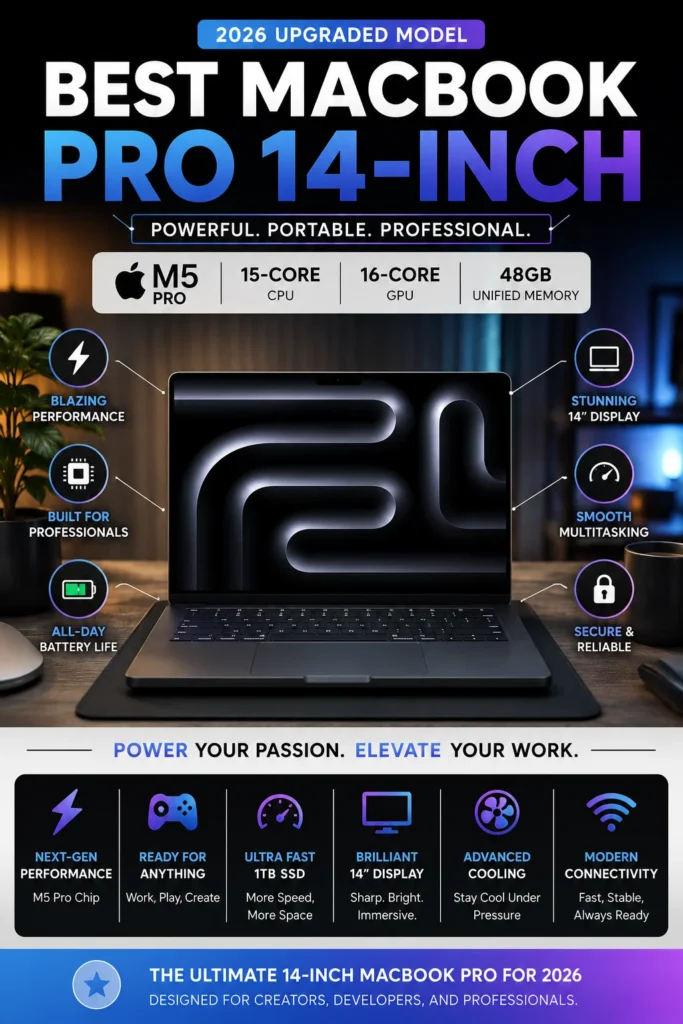
The Apple MacBook Pro 14-inch with the M5 Pro chip delivers the best combination of performance, portability, battery life, and professional features for users who need a powerful laptop without moving to a larger workstation-class machine. With 48GB unified memory and a fast 1TB SSD, this configuration provides excellent headroom for demanding workflows including software development, content creation, AI-assisted applications, and professional multitasking.
Unlike many high-performance laptops that sacrifice portability, the MacBook Pro 14-inch M5 Pro offers a rare balance between desktop-level capability and everyday mobility. Its combination of processing power, efficient architecture, premium display quality, and generous memory makes it the strongest overall choice for most professionals in 2026.
Compared with the MacBook Air M5, the MacBook Pro provides better sustained performance, improved thermal management, a more advanced display, and greater capability for demanding workloads. While the MacBook Pro M5 Max models are designed for users who need maximum graphics performance, this M5 Pro configuration offers the best balance of power, portability, and value.
Key Features
Apple MacBook Air 15 M5
Best MacBook for Most Users, Students & Everyday Productivity
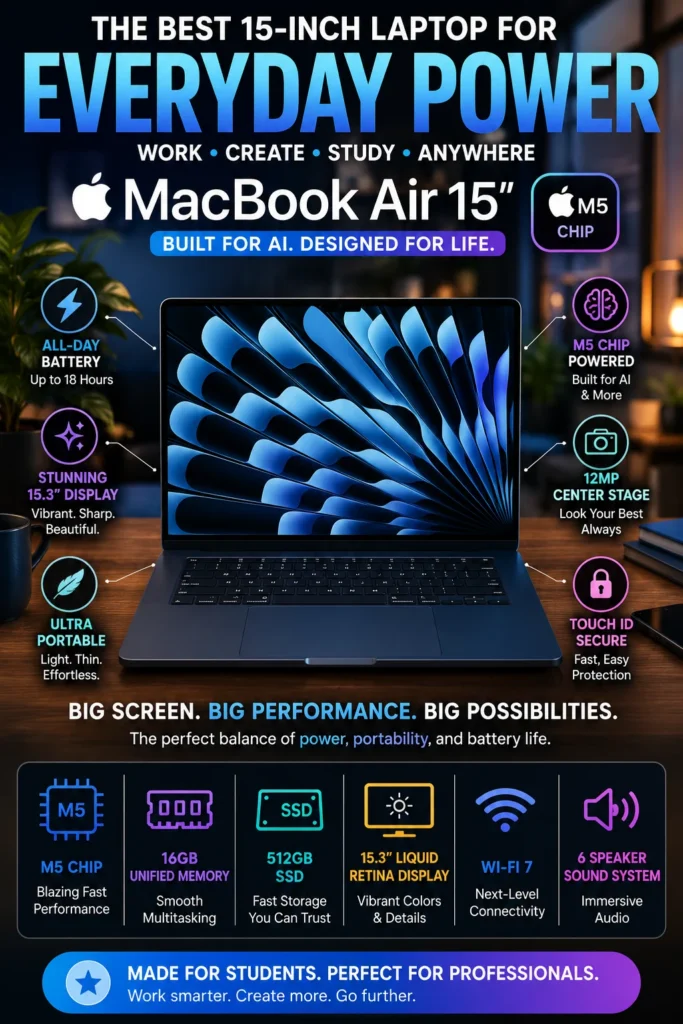
The Apple MacBook Air 15-inch with the M5 chip delivers the ideal balance of performance, portability, battery life, and affordability for the majority of users. With a spacious 15.3-inch Liquid Retina display, 16GB unified memory, and Apple's latest M5 architecture, it provides excellent performance for students, professionals, developers, and everyday users who want a premium MacBook experience without moving to the higher-priced Pro lineup.
The MacBook Air 15-inch M5 stands out because it delivers the features most users actually need: strong everyday performance, excellent battery life, a premium design, and a large display experience at a lower price than the MacBook Pro lineup.
Compared with the MacBook Pro M5 Pro, the MacBook Air is lighter, quieter, and more affordable, making it a better choice for students, remote workers, and users focused on productivity. Professionals handling demanding video editing, advanced AI workflows, or intensive 3D applications will benefit from the additional performance offered by the Pro models.
Key Features
Apple MacBook Pro 16 M5 Pro
Best MacBook for Video Editors, Designers & Creative Professionals
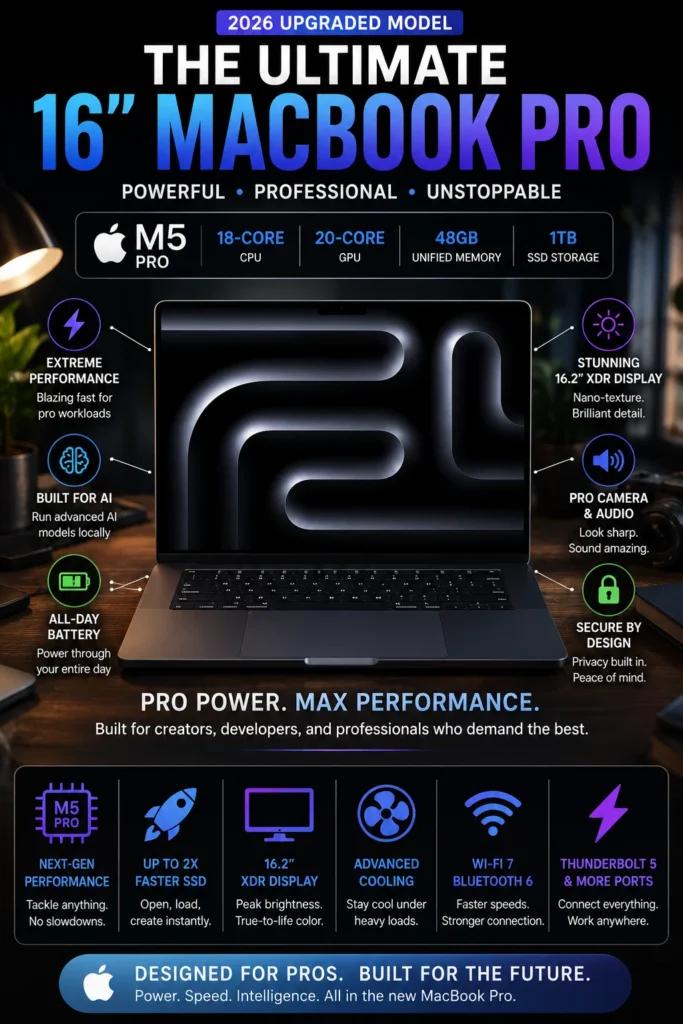
The Apple MacBook Pro 16-inch with the M5 Pro chip is designed for creative professionals who need maximum screen space, sustained performance, and reliable power for demanding workflows. With a large 16.2-inch Liquid Retina XDR display, powerful M5 Pro architecture, 48GB unified memory, and a fast 1TB SSD, it provides the performance and workspace needed for video editing, design, photography, music production, and advanced creative applications.
The MacBook Pro 16-inch M5 Pro stands out because it combines a larger professional display with powerful sustained performance. For creators who spend hours editing video, designing, producing content, or working with demanding software, the additional screen space and thermal capacity make a meaningful difference.
Compared with the MacBook Pro 14-inch M5 Pro, this model provides a larger workspace, better comfort for extended creative sessions, and a more immersive editing experience. Users who need the highest possible graphics performance for advanced AI workloads, 3D rendering, or extreme production tasks should consider the M5 Max models, but this configuration offers an excellent balance of capability and value.
Key Features
Apple MacBook Pro 14 M5 Max
Best MacBook for AI Workloads, Developers & Extreme Performance
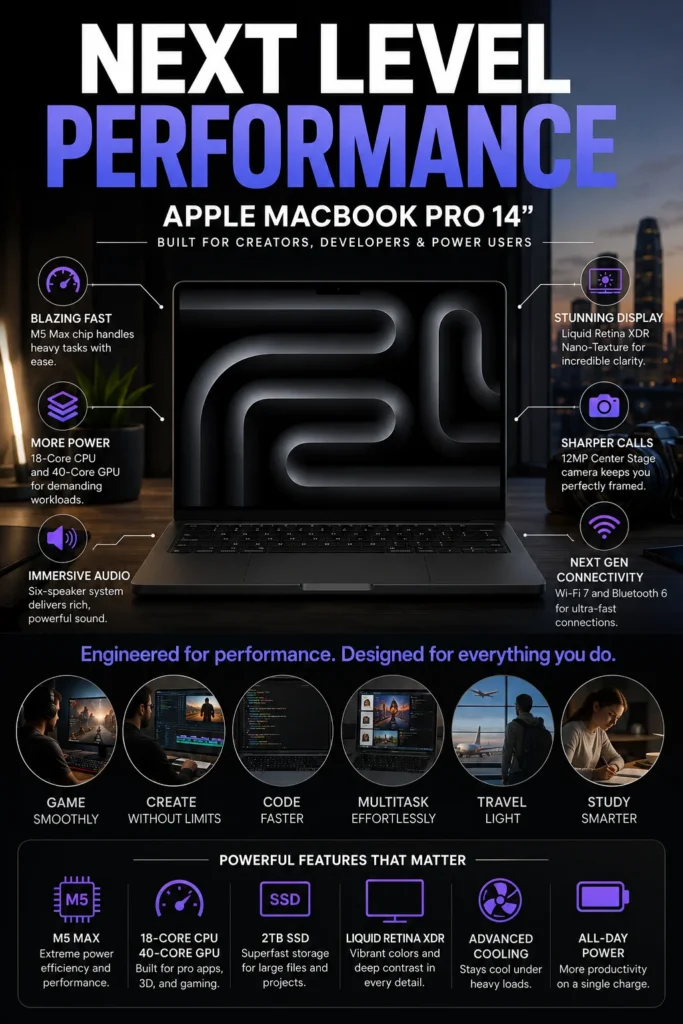
The Apple MacBook Pro 14-inch with the M5 Max chip is designed for professionals who require maximum computing power in a portable format. With 64GB unified memory, a large 2TB SSD, and advanced M5 Max processing capabilities, it delivers the performance needed for AI development, machine learning workflows, software engineering, advanced content creation, and demanding professional applications.
For professionals working with AI tools, advanced software development, large creative projects, and GPU-intensive applications, the MacBook Pro 14-inch M5 Max delivers workstation-level capability while maintaining the portability and efficiency expected from Apple's professional laptops.
Compared with the M5 Pro models, the M5 Max configuration provides significantly higher graphics performance and additional headroom for specialized workloads. It is the right choice for users whose daily workflow depends on maximum GPU power, advanced AI processing, or professional creative performance.
Key Features
Apple MacBook Air 13 M5
Best Lightweight MacBook for Travel, Students & Mobile Professionals
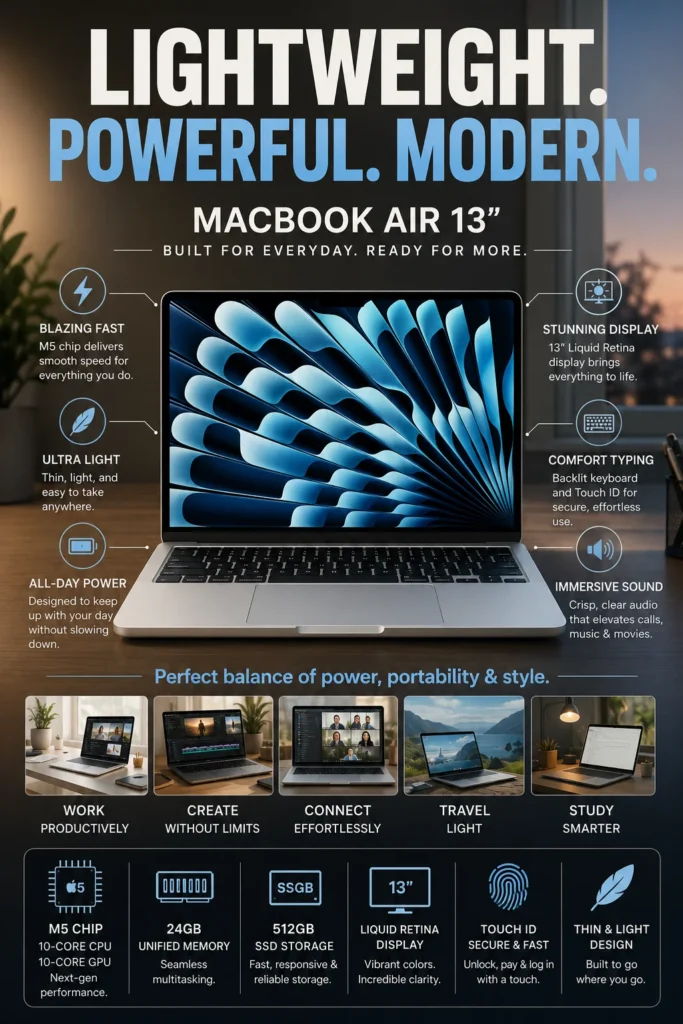
The Apple MacBook Air 13-inch with the M5 chip is designed for users who prioritize portability while still needing strong everyday performance. With 24GB unified memory, a fast 512GB SSD, excellent battery life, and an ultra-light design, it delivers a premium mobile experience for professionals, students, developers, and remote workers who need a laptop that travels easily.
The MacBook Air 13-inch M5 stands out because it combines increased memory capacity with Apple's most portable laptop design. It is an excellent choice for users who move frequently and want premium performance without carrying a larger professional machine.
Compared with the MacBook Air 15-inch M5, this model sacrifices screen size in exchange for superior portability and easier travel. Compared with the MacBook Pro lineup, it offers a quieter and lighter experience while giving up some sustained performance for demanding professional workloads.
Key Features
Apple MacBook Pro 16 M5 Max
Ultimate MacBook for Professional Workflows, AI, 3D Rendering & Maximum Performance
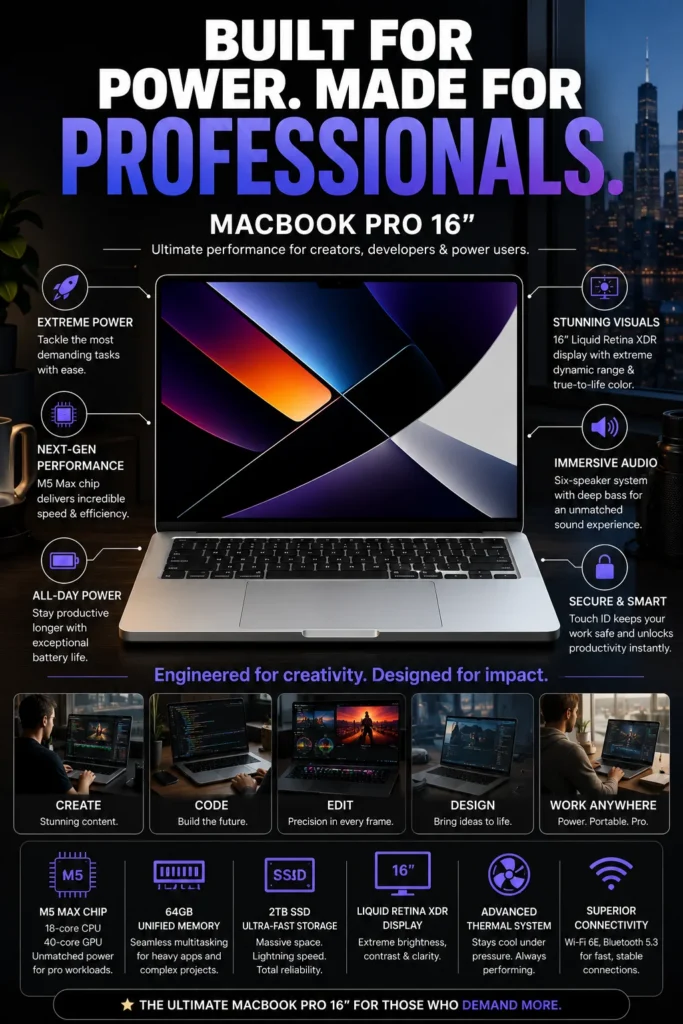
The Apple MacBook Pro 16-inch with the M5 Max chip represents the highest level of performance available in Apple's laptop lineup. Designed for professionals who need maximum computing power, it combines 64GB unified memory, 2TB SSD storage, advanced M5 Max processing capabilities, and a large professional display to handle the most demanding AI workflows, creative projects, software development environments, and technical applications.
The MacBook Pro 16-inch M5 Max is designed for professionals who cannot compromise on performance. Its combination of maximum processing power, larger display, thermal capacity, and advanced hardware makes it one of the closest laptop experiences to a professional workstation.
Compared with the M5 Pro models, the M5 Max provides significantly higher graphics performance and additional capability for specialized workloads. Compared with the MacBook Pro 14-inch M5 Max, the 16-inch model offers a larger workspace and better sustained performance for users who spend long hours on demanding projects.
Key Features
Best M5 MacBooks in 2026
Expert-ranked Apple laptops based on Performance, Battery Life, Portability, AI Capability & Professional Workflows
Choosing the right MacBook in 2026 depends on your workload, budget, and performance needs. Apple's M5 lineup includes options ranging from lightweight MacBook Air models for students and professionals to powerful MacBook Pro systems designed for AI development, creative production, and demanding professional workflows. We evaluated each MacBook based on real-world performance, processing power, memory capacity, display quality, battery life, portability, and overall value to help you choose the best model for your needs.
| MacBook | Key Specs | Best For | Why It Wins | Editor's Verdict |
|---|---|---|---|---|
Best Overall
Apple MacBook Pro 14-inch M5 Pro
Check Price
| M5 Pro Processor 48GB Unified Memory 1TB SSD 14-inch Liquid Retina XDR Display | Professionals Developers Creators | The strongest balance of performance, portability, battery efficiency, and professional features without moving into the higher cost of M5 Max configurations. | Best Overall M5 MacBook |
Best Value
Apple MacBook Air 15-inch M5
Check Price
| Apple M5 Chip 16GB Unified Memory 512GB SSD 15.3-inch Liquid Retina Display | Students Office Users Everyday Productivity | Premium design, excellent battery life, and strong everyday performance at a lower price than MacBook Pro models. | Best Value MacBook for Most Users |
Best for Creators
Apple MacBook Pro 16-inch M5 Pro
Check Price
| M5 Pro Processor 48GB Unified Memory 1TB SSD 16-inch Liquid Retina XDR Display | Video Editors Designers Creative Professionals | Large professional display combined with sustained performance makes it ideal for demanding creative workflows. | Best MacBook for Creative Professionals |
Best for AI Performance
Apple MacBook Pro 14-inch M5 Max
Check Price
| M5 Max Processor 64GB Unified Memory 2TB SSD 40-core GPU | AI Engineers Machine Learning Power Users | Exceptional GPU performance and memory capacity designed for AI workloads, advanced development, and intensive professional applications. | Best M5 MacBook for AI Workloads |
Most Portable
Apple MacBook Air 13-inch M5
Check Price
| Apple M5 Chip 24GB Unified Memory 512GB SSD 13-inch Liquid Retina Display | Travelers Students Remote Workers | Ultra-portable design combined with higher memory capacity makes it the best choice for users who prioritize mobility. | Best Portable M5 MacBook |
Ultimate Performance
Apple MacBook Pro 16-inch M5 Max
Check Price
| M5 Max Processor 64GB Unified Memory 2TB SSD 40-core GPU | AI Research Film Production Professional Workstations | Maximum MacBook performance with workstation-level capabilities for users who need the highest possible computing power. | Most Powerful M5 MacBook Available |
Recommended Next Reads
Continue exploring our expert laptop guides covering Apple MacBooks, professional workflows, programming, AI development, creative production, and student computing.
Whether you are choosing between MacBook Air and MacBook Pro, building a professional development setup, studying at college, creating content, or running advanced AI workloads, these guides will help you find the right laptop for your needs.
MacBook Pro M5 vs MacBook Air M4: Which One Should You Buy in 2026?
Compare Apple's most popular laptops based on performance, battery life, portability, display quality, and real-world everyday use.
Compare MacBook models →Apple MacBook Air M4 Review (2026)
Discover whether Apple's lightweight MacBook Air delivers the performance, battery life, and value users expect.
Read MacBook Air review → StudentsBest MacBook for College Students in 2026
Find the best Apple laptops for students across engineering, computer science, business, and everyday college workloads.
Explore student MacBooks → ProgrammingBest Laptops for Programming in 2026
Explore developer-focused laptops for coding, IDEs, Docker, Git, Python, JavaScript, and modern software workflows.
Explore programming laptops → Artificial IntelligenceBest Laptops for AI & Machine Learning in 2026
Discover powerful laptops designed for Python, machine learning, local AI models, and advanced computing workloads.
Explore AI laptops → Creative ProfessionalsBest Laptops for Video Editing in 2026
Compare professional laptops for creators working with 4K video, editing software, color accuracy, and demanding creative projects.
Explore creator laptops →EDITOR'S FINAL RECOMMENDATIONS
After comparing Apple's latest M5 lineup across performance, AI capabilities, battery life, portability, display quality, memory configurations, and real-world productivity, these are the MacBooks we recommend for students, developers, creators, and professionals in 2026.
Apple MacBook Pro 14-inch M5 Pro (48GB)
The best overall M5 MacBook for most professionals. It delivers the perfect balance between power, portability, battery life, and long-term performance for developers, creators, engineers, and business users.
- ✓ Apple M5 Pro Chip
- ✓ 48GB Unified Memory
- ✓ 1TB SSD Storage
- ✓ Professional Performance Without M5 Max Pricing
Apple MacBook Air 15-inch M5
The smartest choice for most buyers. The larger 15-inch display, efficient M5 chip, silent design, and excellent battery life make it ideal for students, professionals, and everyday productivity.
- ✓ Apple M5 Chip
- ✓ 16GB Unified Memory
- ✓ 512GB SSD Storage
- ✓ Large 15.3-inch Liquid Retina Display
MacBook Pro 16-inch M5 Pro
Designed for creative professionals who need a larger workspace and sustained performance for video editing, photography, music production, design, and demanding professional applications.
- ✓ M5 Pro 18-core CPU
- ✓ 20-core GPU
- ✓ 48GB Unified Memory
- ✓ 16.2-inch Liquid Retina XDR Display
MacBook Pro 14-inch M5 Max
The ultimate compact powerhouse for AI developers, machine learning engineers, 3D artists, and professionals who need extreme GPU performance without moving to a desktop workstation.
- ✓ M5 Max 40-core GPU
- ✓ 64GB Unified Memory
- ✓ 2TB SSD Storage
- ✓ Advanced AI & GPU Acceleration
MacBook Air 13-inch M5 (24GB)
The perfect MacBook for travelers, students, and professionals who prioritize portability while still needing strong performance and plenty of memory for modern workloads.
- ✓ Apple M5 Chip
- ✓ 24GB Unified Memory
- ✓ 512GB SSD Storage
- ✓ Ultra-Light Portable Design
MacBook Pro 16-inch M5 Max (64GB / 2TB)
The most powerful MacBook available. Built for professionals working with AI research, advanced video production, 3D rendering, simulations, and extreme workloads.
- ✓ M5 Max 40-core GPU
- ✓ 64GB Unified Memory
- ✓ 2TB SSD Storage
- ✓ Desktop-Class Performance
Which M5 MacBook should you buy?
MacBook Pro 14 M5 Pro
MacBook Air 15 M5
MacBook Pro 16 M5 Pro
MacBook Pro 14 M5 Max
MacBook Air 13 M5
MacBook Pro 16 M5 Max
- Choose the MacBook Pro 14 M5 Pro if you want the best balance of professional performance, portability, and value.
- Choose the MacBook Air 15 M5 if you want the smartest purchase for everyday productivity and premium Apple experience.
- Choose the MacBook Pro M5 Max models only if your workflow requires extreme GPU power, AI workloads, or professional production.
- Choose the MacBook Air 13 M5 if portability and battery life are your highest priorities.
EDITOR'S FINAL VERDICT
After comparing Apple's latest M5 MacBook lineup across performance, AI capabilities, battery life, portability, display quality, memory configurations, storage, productivity, and long-term value, one conclusion is clear:The best MacBook is not automatically the most expensive model. It is the one that provides the right combination of performance, efficiency, portability, and features for your specific workflow.
The M5 MacBook lineup covers almost every type of user in 2026 — from students and everyday professionals to software developers, creative professionals, AI engineers, and power users running demanding workloads.
For most buyers, the ideal MacBook should offer enough memory, excellent battery life, fast SSD storage, a high-quality display, and enough performance headroom to remain useful for years without paying for unnecessary power.- Choose the MacBook Pro 14-inch M5 Pro if you want the best overall MacBook in 2026, combining professional performance, portability, battery efficiency, and excellent long-term value for developers, creators, and professionals.
- Choose the MacBook Air 15-inch M5 if you want the smartest choice for everyday use, offering premium design, excellent battery life, a large display, and enough power for most students and professionals.
- Choose the MacBook Pro M5 Max models if your workflow includes AI development, machine learning, 3D rendering, professional video production, or other GPU-intensive workloads that require maximum performance.
- Choose the MacBook Air 13-inch M5 if portability is your priority and you need a lightweight laptop with strong performance for travel, school, remote work, and productivity.
Top M5 MacBook Recommendations (2026)
MacBook Pro 14-inch M5 Pro
Our Editor's Choice because it delivers the strongest balance of professional performance, portability, efficiency, and value. It handles demanding workloads without requiring the extreme cost of M5 Max configurations.
- ✓ M5 Pro Performance
- ✓ 48GB Unified Memory
- ✓ Professional Workflows
- ✓ Outstanding Battery Efficiency
MacBook Pro 14-inch M5 Max
The ideal choice for professionals who need maximum GPU performance for AI workloads, local models, 3D applications, advanced development, and demanding creative projects.
- ✓ 40-core GPU
- ✓ 64GB Unified Memory
- ✓ 2TB SSD Storage
- ✓ Extreme Professional Performance
MacBook Air 15-inch M5
The best choice for the majority of buyers. It combines premium Apple design, excellent battery life, a large display, and strong everyday performance at a lower cost than MacBook Pro models.
- ✓ Apple M5 Chip
- ✓ 16GB Unified Memory
- ✓ 512GB SSD Storage
- ✓ Up to 18 Hours Battery Life
- ✓ You are a developer, creator, or professional user
- ✓ You need strong performance without extreme pricing
- ✓ You want the best balance of power and portability
- ✓ You need a laptop that remains fast for years
- ✓ You are a student or everyday professional
- ✓ You prioritize battery life and portability
- ✓ You don't need heavy GPU workloads
- ✓ You want the best value MacBook experience
- ✓ You work with AI, 3D, or professional video
- ✓ You need maximum GPU performance
- ✓ Your workload requires large memory capacity
- ✓ Budget is not your main limitation
A MacBook is a long-term productivity tool. The right choice depends on how you actually work every day — not simply on buying the highest specifications available.
Among all six M5 MacBooks reviewed in this guide, the MacBook Pro 14-inch M5 Pro with 48GB unified memory offers the best combination of performance, portability, efficiency, and value, making it our Editor's Choice for the best MacBook of 2026.
Compare current prices, available RAM and storage configurations, warranty options, and today's offers before choosing the MacBook that best matches your workflow.
Check Latest DealsEDITOR'S FAQ
Choosing the right MacBook in 2026 depends on understanding the difference between portability, performance, battery life, memory capacity, and professional workloads.The latest M5 MacBook lineup includes powerful MacBook Pro models for developers, creators, AI professionals, and demanding users, as well as MacBook Air models designed for students, professionals, and everyday productivity.Below are the most common questions buyers ask before choosing the best MacBook for their workflow.
It delivers the best balance between professional performance, portability, battery life, and long-term value. The M5 Pro configuration provides enough power for developers, creators, business professionals, and advanced users without the unnecessary cost of M5 Max models.
- M5 Pro 15-core CPU and 16-core GPU
- 48GB unified memory for demanding multitasking
- Excellent battery efficiency
- Premium Liquid Retina XDR display
For most professionals, this is the MacBook that offers the best combination of power and practicality.
Designed for users who need maximum performance, the M5 Max delivers workstation-level power for AI workloads, advanced video production, 3D rendering, simulations, and professional creative projects.
- M5 Max 18-core CPU
- 40-core GPU performance
- 64GB unified memory
- 16-inch Liquid Retina XDR display
This model is designed for professionals who cannot compromise on performance and need the highest available MacBook configuration.
It provides an excellent balance between performance, portability, screen size, and price, making it ideal for students, professionals, remote workers, and everyday users.
- M5 chip performance
- 15.3-inch Liquid Retina display
- Excellent battery life
- Silent fanless operation
For users who do not need professional GPU power, the MacBook Air delivers an outstanding everyday experience.
The M5 Max is designed for demanding users working with AI development, machine learning, 3D applications, advanced video editing, and large professional projects.
It is not necessary for users who mainly browse the web, study, write documents, or perform everyday productivity tasks.
- Best for AI workloads
- Best for 3D rendering
- Best for professional video production
- Overkill for basic everyday use
Choose MacBook Air if you need a lightweight, silent laptop with excellent battery life for studying, office work, coding, and everyday productivity.
Choose MacBook Pro if your workflow includes professional software development, video editing, AI tools, large projects, or sustained heavy workloads.
- MacBook Air → Students, travelers, everyday users
- MacBook Pro → Developers, creators, professionals
- M5 Max → Extreme professional workloads
- 16GB → Students, office users, everyday productivity
- 24GB → Advanced MacBook Air users and multitasking
- 48GB → Developers, creators, professional workloads
- 64GB → AI, 3D, and extreme performance users
For long-term use, investing in additional memory is often more valuable than choosing the fastest processor configuration.
- Best Overall → MacBook Pro 14-inch M5 Pro
- Best Value → MacBook Air 15-inch M5
- Best Creators → MacBook Pro 16-inch M5 Pro
- Best AI Performance → MacBook Pro 14-inch M5 Max
- Best Portable → MacBook Air 13-inch M5
- Ultimate Performance → MacBook Pro 16-inch M5 Max
For most users, the MacBook Air 15-inch M5 and MacBook Pro 14-inch M5 Pro provide the strongest combination of performance, battery life, portability, and long-term value.
MACBOOK BUYING GUIDE
Choosing the right MacBook is not only about buying the most powerful configuration available. Many buyers spend too much money on performance they never use, or choose a model that cannot handle their real workload.The M5 MacBook lineup includes different models designed for students, professionals, creators, developers, AI users, and power users. Understanding your workflow before buying can help you avoid expensive mistakes and choose the MacBook that delivers the best long-term value.
The biggest mistake MacBook buyers make is focusing only on processor specifications. The best MacBook is the one that matches your daily workflow, including memory requirements, portability needs, display preferences, battery expectations, and professional workload demands.For most users in 2026, MacBook Air models provide excellent performance and efficiency, while MacBook Pro M5 Pro configurations represent the ideal balance for professionals. M5 Max models are designed specifically for users who can take advantage of extreme GPU and memory performance.
Buying the most expensive MacBook without needing it
- M5 Max models are designed for extreme professional workloads.
- Most students and everyday users will not notice meaningful improvements in basic tasks.
- The additional cost only makes sense for AI, 3D, and advanced creative workflows.
Better decision: Choose the MacBook Pro M5 Pro or MacBook Air M5 depending on your actual workload instead of automatically buying the highest configuration.
Choosing MacBook Air for heavy professional workloads
- MacBook Air models prioritize portability and efficiency.
- Long rendering sessions, AI workloads, and intensive professional tasks benefit from MacBook Pro hardware.
- Sustained performance is stronger on Pro models with active cooling.
Better decision: Choose MacBook Pro 14-inch or 16-inch models for demanding creative, development, and professional workloads.
Ignoring unified memory requirements
- RAM cannot be upgraded later on modern MacBooks.
- Professional applications and multitasking require more memory over time.
- AI tools and creative workflows benefit from higher memory configurations.
Better decision: Choose enough unified memory from the beginning. 24GB is excellent for advanced users, while professionals should consider 48GB or more.
Overpaying for storage you don't need
- Many users never fully use 2TB SSD configurations.
- Cloud storage and external drives reduce local storage requirements.
- Higher storage options can significantly increase the final price.
Better decision: 512GB to 1TB SSD is enough for most users, while 2TB is recommended for large professional projects.
Choosing the wrong MacBook size
- 13-inch models maximize portability but offer less workspace.
- 16-inch models provide a larger professional display but reduce mobility.
- Screen size directly affects productivity comfort.
Better decision: Choose MacBook Air 13-inch for mobility, MacBook Air 15-inch for balance, MacBook Pro 14-inch for professionals, and MacBook Pro 16-inch for maximum productivity.
Buying based only on benchmark numbers
- Real-world workflow matters more than synthetic performance scores.
- Battery life, keyboard comfort, display quality, and reliability affect daily productivity.
- The fastest MacBook is not always the best choice.
Better decision: Choose the MacBook that improves your daily workflow and provides the best balance between performance and usability.
💡 Smart Buying Advice for MacBook Buyers in 2026
You need excellent battery life, portability, silent operation, and enough performance for studying, office work, coding, and everyday productivity.
You work with professional software, development environments, AI tools, creative applications, video production, or demanding workloads that require sustained performance.
Key takeaway: The best MacBook is not the most expensive model. It is the one that provides the right combination of performance, memory, portability, battery life, and reliability for your personal workflow.
After evaluating the complete M5 MacBook lineup, these are our Editor's recommendations:
- Best Overall MacBook: MacBook Pro 14-inch M5 Pro (48GB) — the best balance of professional performance, portability, efficiency, and long-term value.
- Best Value MacBook: MacBook Air 15-inch M5 — excellent performance, large display, outstanding battery life, and the best choice for most everyday users.
- Best AI & Professional Performance: MacBook Pro 14-inch M5 Max — designed for AI workloads, GPU-intensive applications, and advanced professional workflows.
- Ultimate Performance MacBook: MacBook Pro 16-inch M5 Max — the maximum-performance option for users who need desktop-class power.
Need help choosing your laptop?
Not sure which option fits your workflow? Get a personalized recommendation based on your budget, performance needs, and usage.
Get personalized recommendation⚡ Usually responds within 24 hours