
Best SSDs in 2026 — Top NVMe & SATA Drives for Gaming, Workstations & Every Budget
Looking for the best SSDs in 2026? Explore expert buying guides, SSD comparisons, and top NVMe and SATA recommendations for every type of PC. Whether you're building a high-performance gaming rig, upgrading your laptop, editing 4K videos, creating content, or improving everyday responsiveness, find the perfect solid-state drive for your needs, performance goals, and budget.
Find the Right SSD for Your Next Upgrade
Whether you're building a gaming PC, upgrading a workstation, or simply replacing an aging hard drive, choosing the right SSD can dramatically improve boot times, application responsiveness, file transfers, and overall system performance.
Explore our most trusted SSD buying guides together with carefully selected PC component recommendations designed to help you build a faster, balanced, and future-ready computer.
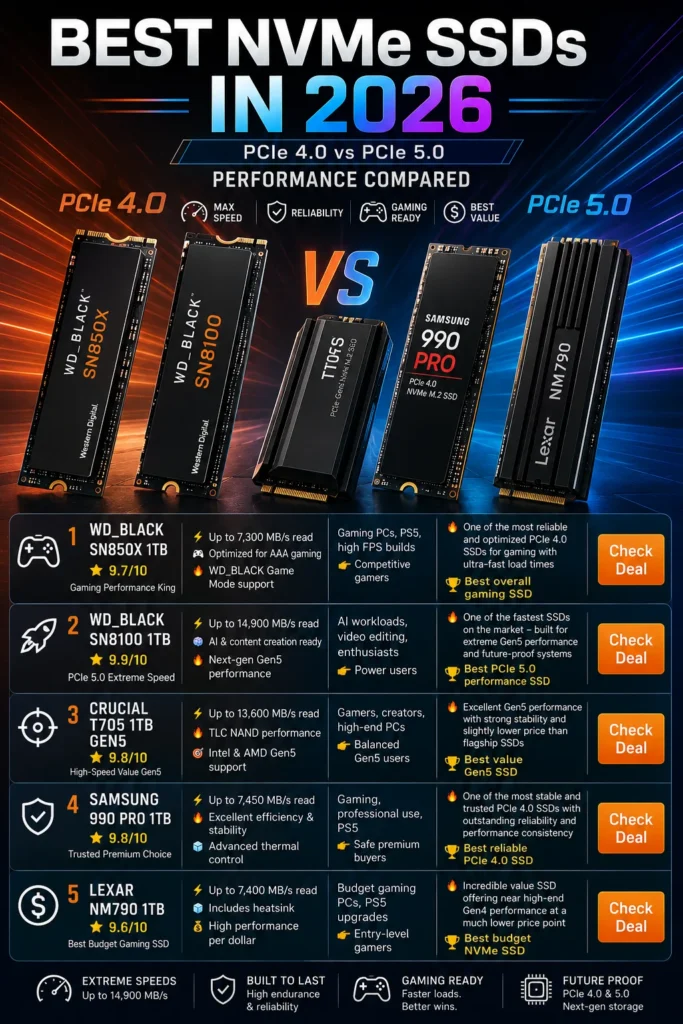
Best NVMe SSDs for Gaming
Compare the fastest PCIe Gen 4 and PCIe Gen 5 SSDs tested for gaming, content creation, professional workloads, and everyday performance.
- Fastest game loading times
- Excellent price-to-performance value
- Ideal for gaming and creative work
Best RAM
Pair your SSD with the best DDR5 and DDR4 memory kits for gaming, productivity, and multitasking.
Read Guide→Best Graphics Cards
Discover the best GPUs for gaming, AI workloads, creators, and high-performance PC builds.
Read Guide→DDR4 vs DDR5 RAM
Understand the differences between today's two memory standards before building your next PC.
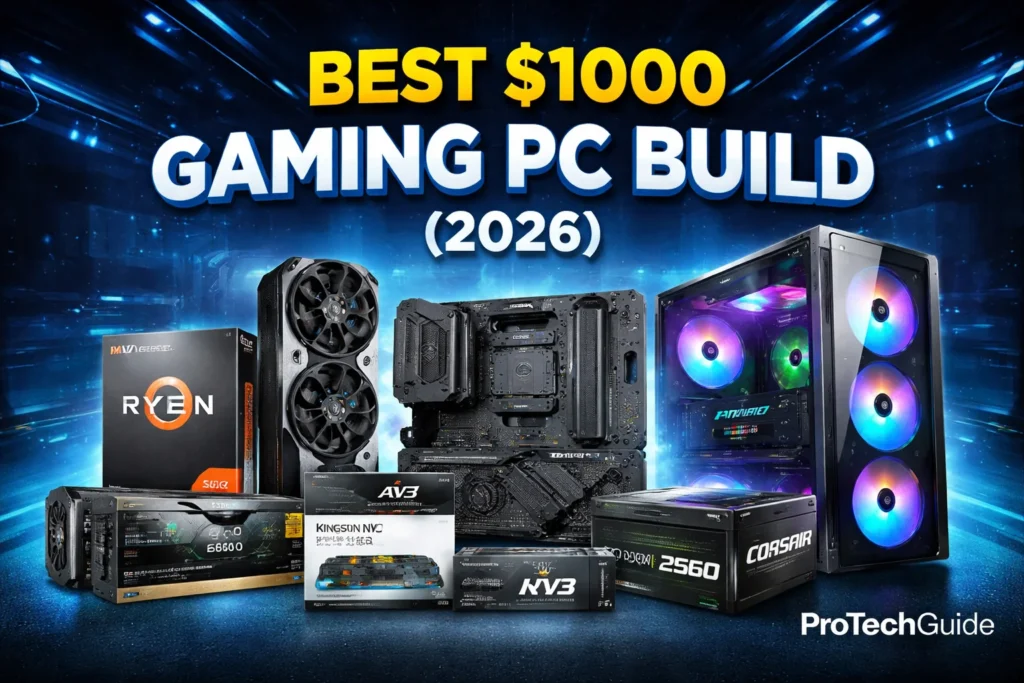
Read Guide→Best PC Build Under $1000
Build a perfectly balanced gaming PC with carefully selected components offering excellent long-term value.
Read Guide→Recommended Next Reads
Capacity
Choose 1TB or larger for modern gaming libraries and professional workflows.
Performance
PCIe Gen 4 SSDs provide the best balance of speed, compatibility, and value for most users.
Future-Proofing
PCIe Gen 5 drives deliver maximum performance for enthusiasts with compatible hardware.
Storage prices change frequently throughout the year. We recommend comparing current prices before making your final purchase to ensure you're getting the best overall value.
How We Evaluate SSDs
Every recommendation published on ProTechGuide follows a consistent editorial process focused on real-world performance, reliability, endurance, compatibility, and long-term value. Rather than relying solely on benchmark results, we evaluate how each SSD performs across gaming, content creation, professional workloads, and everyday computing.
Real-World Performance
We prioritize sustained speeds, application responsiveness, game loading times, thermal performance, controller quality, NAND technology, and overall user experience instead of focusing only on peak benchmark numbers.
Reliability & Endurance
Our evaluations consider endurance ratings (TBW), warranty coverage, controller reliability, firmware maturity, and long-term stability to recommend SSDs that remain dependable for years of everyday use.
Independent Rankings
Every buying guide is created independently. Products earn their ranking through performance, reliability, features, and value—not through sponsorships, advertising, or manufacturer influence.
Continuously Updated
The SSD market evolves quickly with new PCIe generations, firmware updates, pricing changes, and product launches. We regularly review and update our recommendations to keep every guide accurate and relevant.
The best SSD isn't always the fastest one.
The right SSD is the one that delivers the ideal balance of speed, reliability, endurance, compatibility, and overall value for your system, workload, and budget. Our goal is to help you choose storage that performs consistently today and remains a smart investment for years to come.
Expert Verdict — Best SSDs in 2026
Choosing the right SSD isn't about buying the fastest drive on the market—it's about selecting the storage solution that offers the ideal balance of performance, capacity, reliability, compatibility, and long-term value for your specific system.
Whether you're upgrading an older laptop, building a gaming PC, editing 4K video, or improving everyday responsiveness, the right SSD can dramatically enhance your overall computing experience.
Many buyers either pay for performance they will never fully use or underestimate how quickly modern applications and games consume storage space.
The best SSD is the one that fits your workload, hardware, and budget—not necessarily the one with the highest benchmark numbers.After reviewing today's SSD market, one conclusion becomes clear:
There is no single SSD that's perfect for everyone. Casual users may only require a dependable SATA drive, while gamers, creators, and professionals benefit from faster NVMe storage with greater capacity and endurance. The right choice depends on your motherboard, workloads, storage needs, and future upgrade plans.
- Choose the right capacity before prioritizing maximum speed.
- Confirm your motherboard supports SATA, PCIe Gen 4, or PCIe Gen 5 drives.
- NVMe SSDs deliver the best experience for gaming and demanding workloads.
- Compare endurance ratings (TBW), warranty coverage, and reliability.
- PCIe Gen 4 remains the best overall value for most users.
- Choose 2TB if you regularly work with large files or modern AAA games.
- Balance your SSD upgrade with sufficient RAM and a capable processor.
Continue Exploring
Best NVMe SSDs for GamingBest RAM
Best Graphics Cards
Best PC Build Under $1000
- Ideal for most users.
- Excellent gaming performance.
- Fast everyday responsiveness.
- Outstanding long-term value.
- Perfect for video editing.
- Handles large projects with ease.
- More room for future growth.
- Great for professional workloads.
- Excellent for older PCs.
- Huge upgrade over HDDs.
- Reliable everyday performance.
- Ideal for cost-conscious buyers.