
Discover More PC Component Buying Guides
Continue exploring our expert PC component recommendations for building and upgrading a high-performance gaming PC. From memory and storage to performance-critical hardware, our buying guides help you choose the right components for maximum FPS, faster load times, and long-term system performance.
Best PC Build Under $1000 (2026): The Smartest Gaming Build for Maximum FPS
Building a gaming PC under $1,000 in 2026 is all about putting your money where it matters most: the graphics card, processor, fast memory, and high-speed storage. Instead of overspending on unnecessary components, this build focuses on maximizing gaming performance while maintaining strong everyday responsiveness and a clear upgrade path. The result is a balanced gaming PC designed for high FPS gaming without wasting your budget.
This $1,000 gaming PC build is designed for gamers who want excellent 1080p Ultra performance and strong 1440p High gaming without paying for premium components that provide little real-world benefit. Every component is selected to work together as a balanced system, giving you strong GPU performance, fast loading times, smooth multitasking, and enough upgrade flexibility to keep the system relevant for years.
AMD Ryzen 5 5600
Best Budget Gaming CPU for Balanced Performance & Maximum FPS
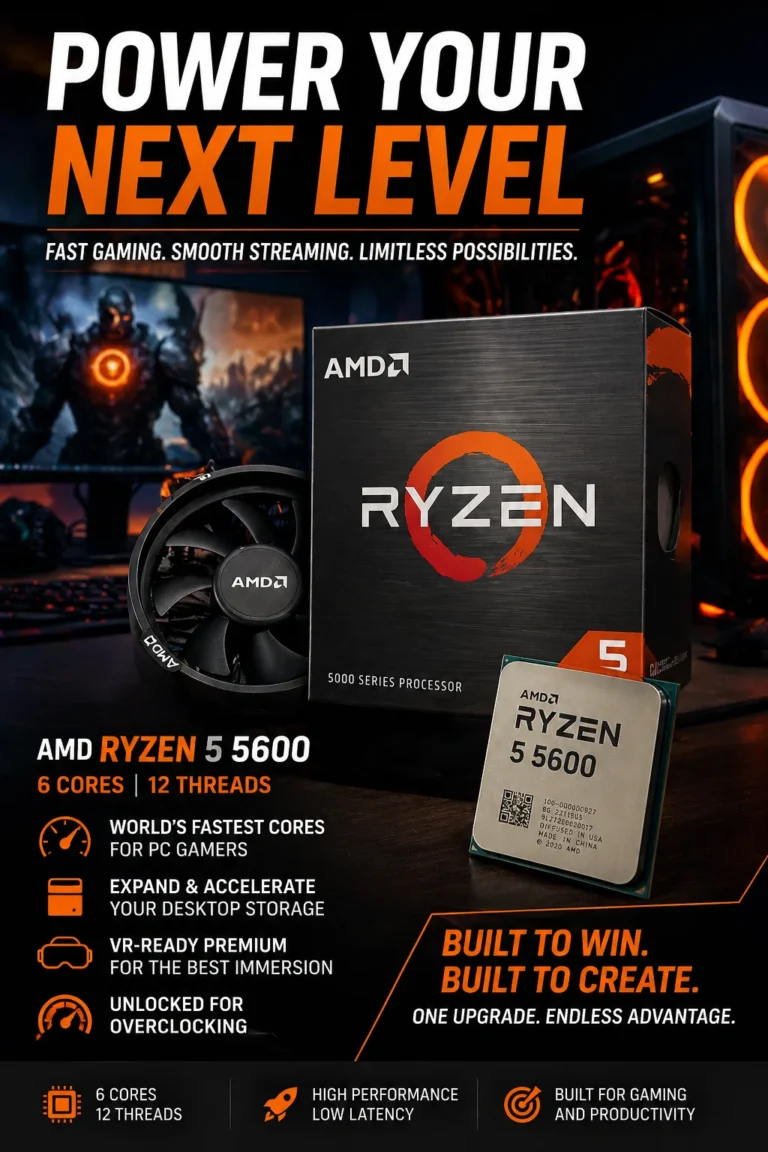
The AMD Ryzen 5 5600 is our top CPU recommendation for this $1,000 gaming PC build in 2026. With 6 cores, 12 threads, strong gaming performance, and an affordable AM4 platform, it delivers an excellent balance between CPU performance and overall build cost. Instead of spending too much of the budget on the processor, the Ryzen 5 5600 leaves more room for a stronger graphics card — the component that matters most for maximizing gaming FPS.
The Ryzen 5 5600 earns our Best Budget Gaming CPU recommendation because it delivers the performance needed for a strong gaming experience without consuming too much of the overall build budget. For a $1,000 gaming PC, that balance is critical: spending less on the CPU can allow you to invest more heavily in the GPU, which typically has a greater impact on gaming performance at 1080p and especially 1440p.
Paired with the ASRock Radeon RX 7600, 16GB of DDR4 memory, and a fast NVMe SSD, the Ryzen 5 5600 creates a balanced foundation for this budget gaming build. If your priority is maximizing FPS per dollar rather than buying the newest or most powerful processor available, this is one of the smartest ways to allocate your $1,000 budget in 2026.
Key Features
ASRock Radeon RX 7600
Best Budget GPU for High-FPS 1080p Gaming
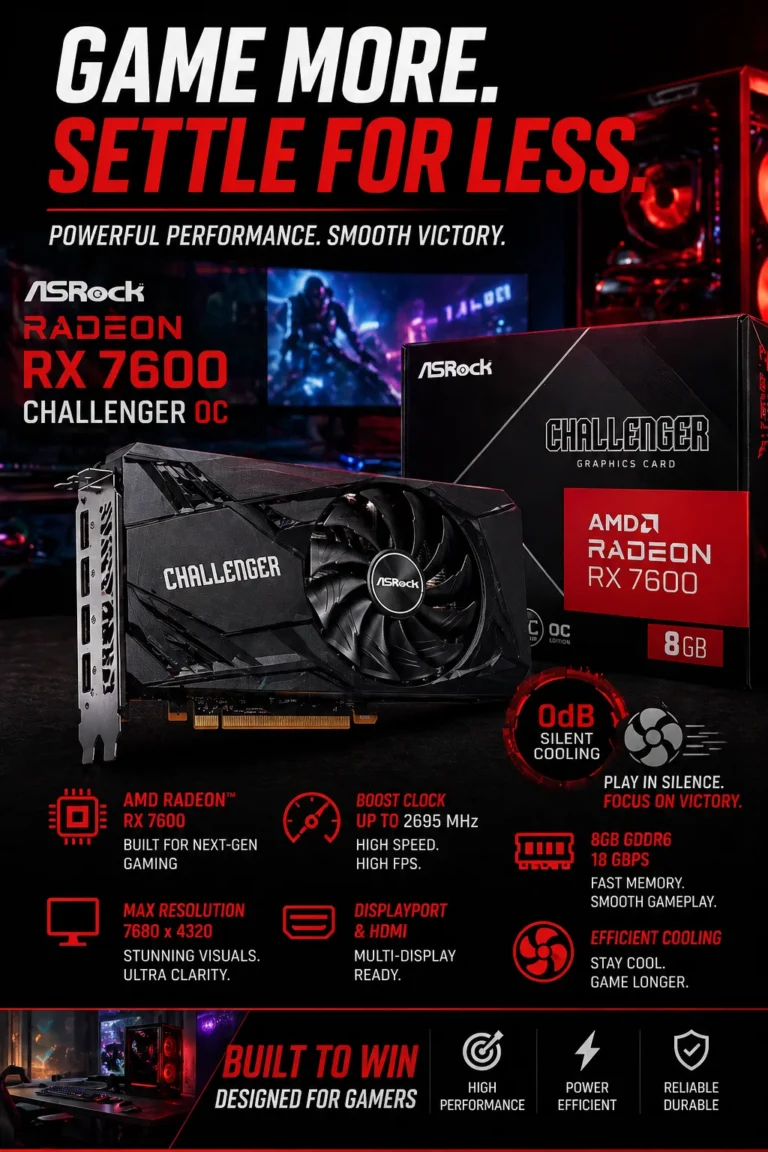
The ASRock Radeon RX 7600 is the most important performance component in this $1000 gaming PC build and our recommended GPU for high-FPS 1080p gaming in 2026. With strong rasterization performance, 8GB of GDDR6 memory, and excellent efficiency for its price class, the RX 7600 allows this build to deliver the high frame rates gamers actually notice without consuming too much of the total budget. Paired with the AMD Ryzen 5 5600, it creates a well-balanced system designed primarily for 1080p Ultra gaming while remaining capable of 1440p gaming with optimized settings.
The Radeon RX 7600 earns our Best Budget GPU recommendation because it puts the majority of this PC's graphics budget where it matters most: gaming performance. For a system targeting 1080p Ultra and high-refresh-rate gaming, spending more on a substantially more expensive GPU would force compromises elsewhere in the build. The RX 7600 provides the right performance level for this particular $1000 configuration without turning the rest of the system into a bottleneck of value.
When paired with the Ryzen 5 5600, 16GB of DDR4 memory, and a fast NVMe SSD, the RX 7600 forms the core of a balanced gaming platform for competitive games, modern AAA titles, esports, and everyday PC use. It is especially compelling for builders who prioritize 1080p performance, high frame rates, and maximum value per dollar rather than paying extra for features they may not use.
Key Features
16GB DDR4 3200MHz (2x8GB)
Best Value Memory for Gaming, Multitasking & Balanced Performance
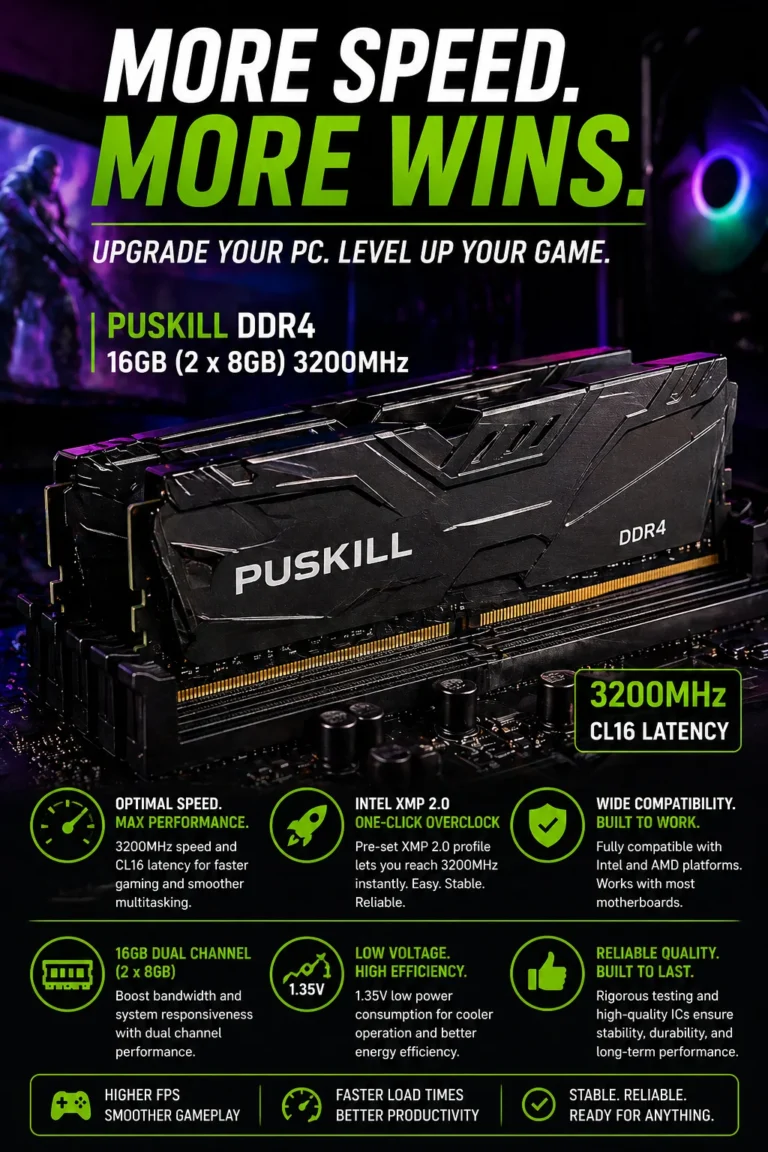
The 16GB DDR4-3200MHz (2x8GB) kit is the right memory configuration for this $1000 gaming PC because it provides enough capacity for modern gaming while keeping the AM4 platform affordable. Running two 8GB modules in dual-channel mode gives the Ryzen 5 5600 the memory bandwidth it needs for strong gaming performance, while leaving enough of the budget available for the Radeon RX 7600 — the component that has a much larger impact on gaming FPS.
The 16GB DDR4-3200 kit earns our Best Budget RAM recommendation because it provides the capacity and bandwidth this gaming PC actually needs without taking money away from more important components. In a $1000 gaming build, spending significantly more on premium RAM generally makes less sense than directing those dollars toward the GPU, SSD, power supply, or overall system quality.
Paired with the Ryzen 5 5600 and Radeon RX 7600, 16GB of dual-channel DDR4-3200 creates a balanced memory configuration for high-FPS 1080p gaming and everyday multitasking. It also keeps two memory slots available on the B550 motherboard, giving builders a straightforward upgrade path to 32GB if future games and applications demand more memory.
Key Features
Kingston NV3 1TB NVMe SSD
Best Value SSD for Fast Boot Times, Game Loading & Everyday Performance
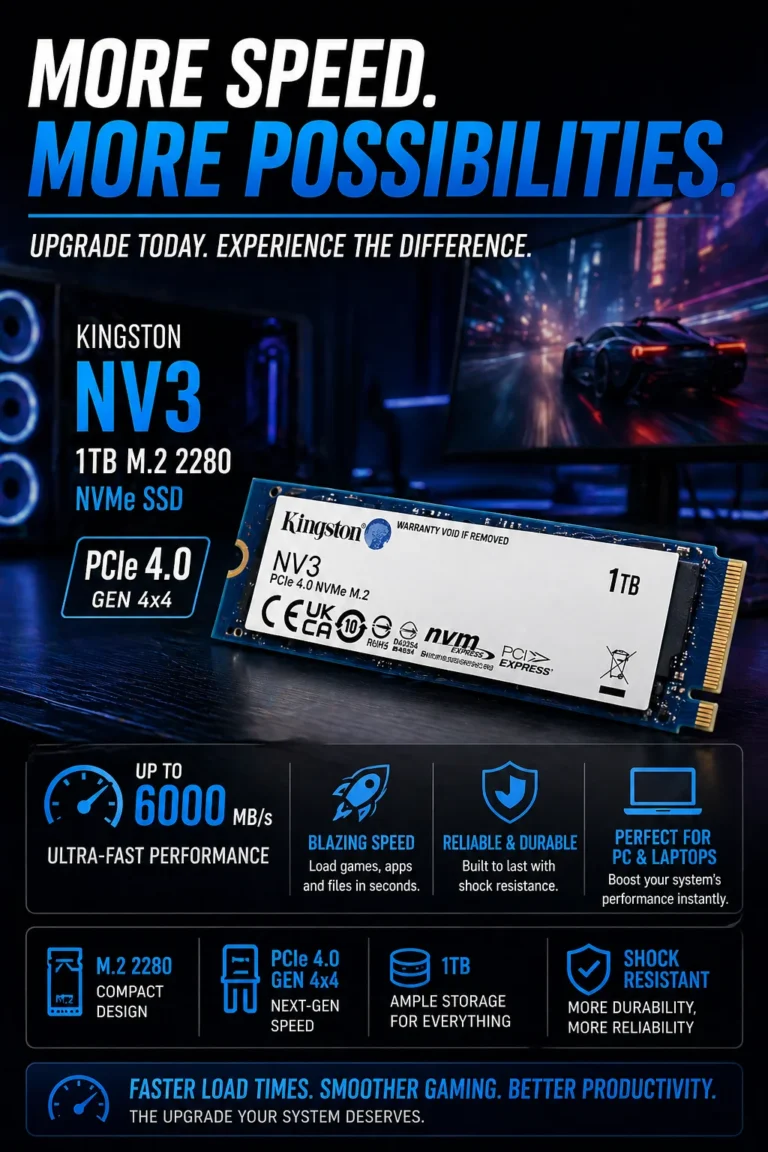
The Kingston NV3 1TB NVMe SSD is our top storage recommendation for this $1000 gaming PC build in 2026. It provides fast PCIe NVMe performance, a generous 1TB capacity, and excellent value for a budget-focused gaming system. From booting Windows and launching applications to loading large games and transferring files, the NV3 helps keep the entire PC feeling fast and responsive without taking money away from the components that matter most for gaming performance.
The Kingston NV3 1TB earns its place in this build because it provides the speed, capacity, and value a modern gaming PC needs without unnecessarily increasing the storage budget. While an SSD does not directly increase average FPS, faster storage can dramatically reduce loading times and make Windows, applications, game launchers, and large games feel much more responsive.
For this $1000 configuration, the Kingston NV3 1TB is a smart balance between performance and cost. Combined with the Ryzen 5 5600, Radeon RX 7600, 16GB DDR4 memory, and B550 motherboard, it creates a well-balanced system where the majority of the budget remains focused on gaming performance while still providing fast and practical storage for everyday use.
Key Features
MSI PRO B550M-VC WiFi
Best Value Motherboard for Gaming, Wi-Fi & Future Upgrades
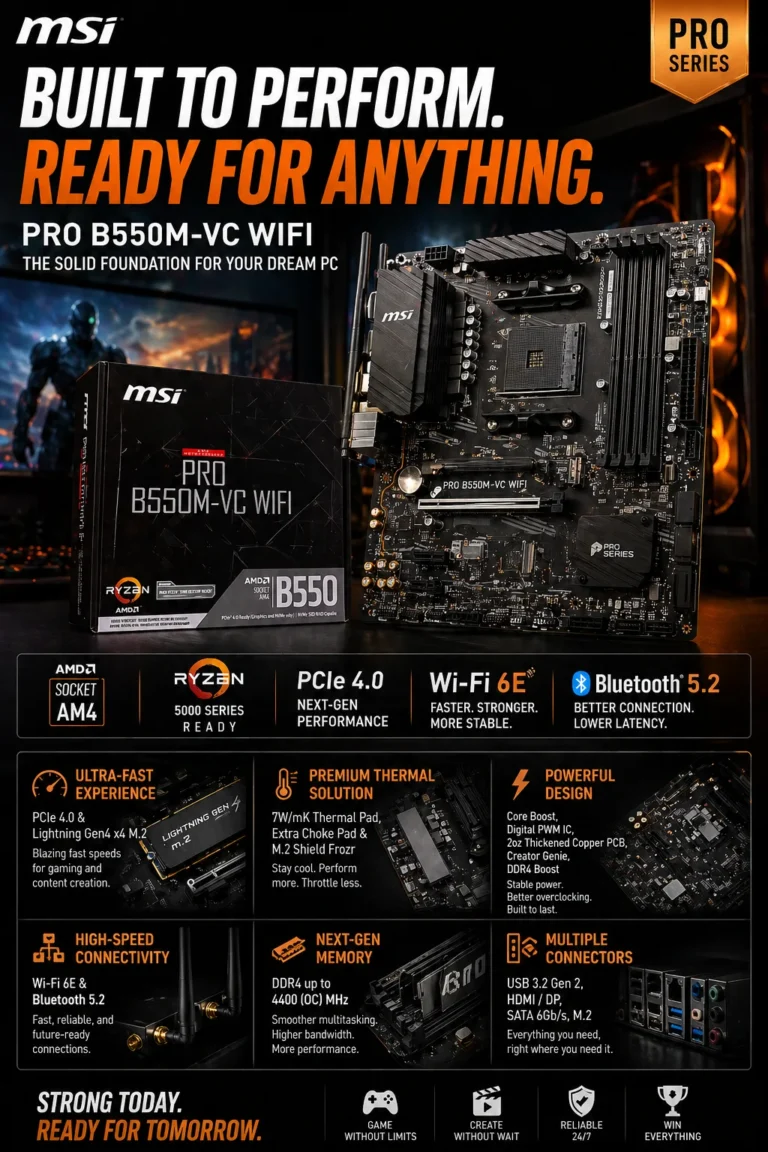
The MSI PRO B550M-VC WiFi provides the foundation for this $1000 gaming PC build in 2026. With support for AMD Ryzen processors, DDR4 memory, PCIe 4.0, fast NVMe storage, Wi-Fi connectivity, and multiple expansion options, it gives the Ryzen 5 5600, Radeon RX 7600, 16GB DDR4 memory, and Kingston NV3 SSD a reliable platform without pushing the motherboard budget unnecessarily high.
The MSI PRO B550M-VC WiFi earns its place in this build because it provides the compatibility, connectivity, and expansion options needed without diverting too much of the budget away from the CPU and GPU. For a Ryzen 5 5600 and Radeon RX 7600 gaming system, a well-equipped B550 motherboard is more important than paying extra for unnecessary premium features.
Combined with the Ryzen 5 5600, Radeon RX 7600, 16GB DDR4-3200 memory, and Kingston NV3 1TB, the MSI PRO B550M-VC WiFi creates a balanced AM4 foundation for 1080p and 1440p gaming. It is particularly attractive for builders who want integrated wireless connectivity, PCIe 4.0 support, straightforward expansion, and a practical motherboard platform without overspending.
Key Features
Corsair CX550 550W 80+ Bronze
Reliable Low-Noise PSU for Efficient Gaming & Everyday Performance
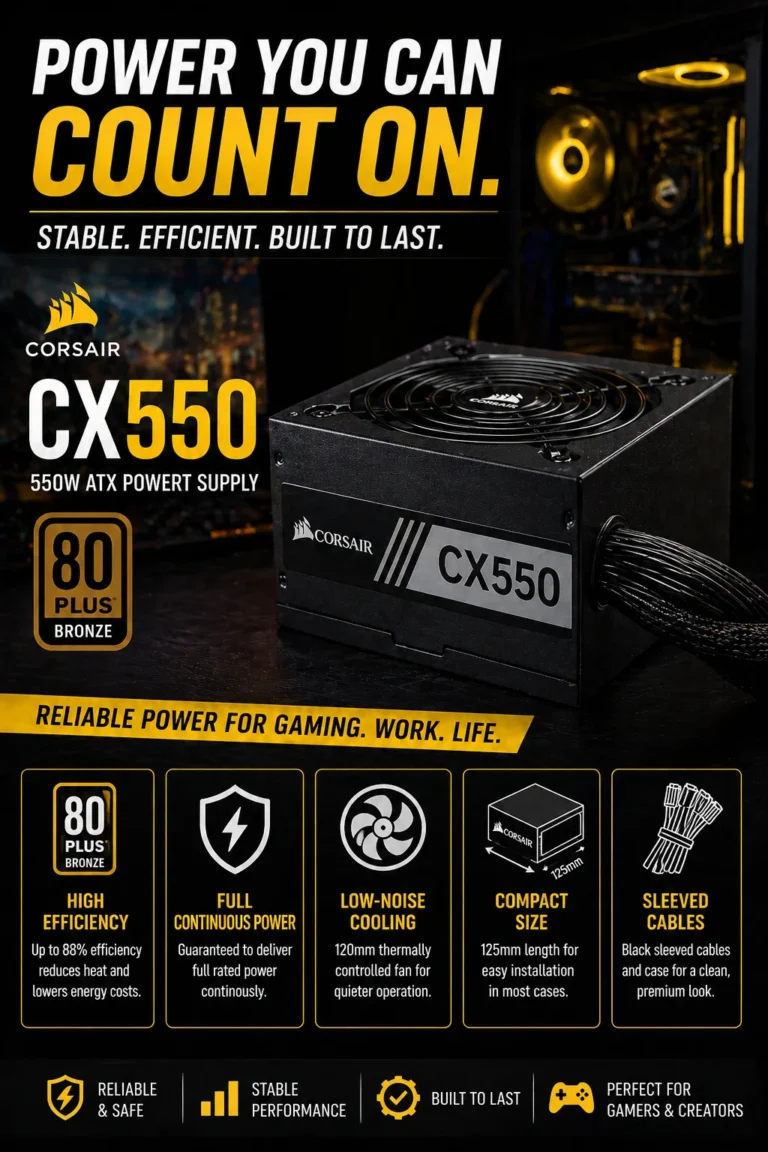
The Corsair CX550 550W 80+ Bronze provides the reliable power foundation this $1000 gaming PC build needs in 2026. With 550W of continuous power, 80 PLUS Bronze efficiency, a thermally controlled fan, and essential electrical protections, it is a practical match for the Ryzen 5 5600 and Radeon RX 7600 without unnecessarily increasing the system's power-supply budget.
The Corsair CX550 earns its place in this build because a gaming PC needs more than fast components — it needs a reliable power foundation. The CX550 provides the capacity and protection this configuration requires while avoiding unnecessary spending on a much larger PSU that this system does not need.
Paired with the Ryzen 5 5600, Radeon RX 7600, 16GB DDR4 memory, Kingston NV3 1TB, and MSI PRO B550M-VC WiFi, the CX550 completes a balanced budget gaming platform designed for dependable 1080p and 1440p gaming. If you plan to upgrade to a substantially more power-hungry GPU later, choosing a higher-capacity PSU at that point would be the better approach.
Key Features
Antec C2M ARGB Micro-ATX Case
Panoramic Glass Gaming Case with High Airflow & ARGB Design
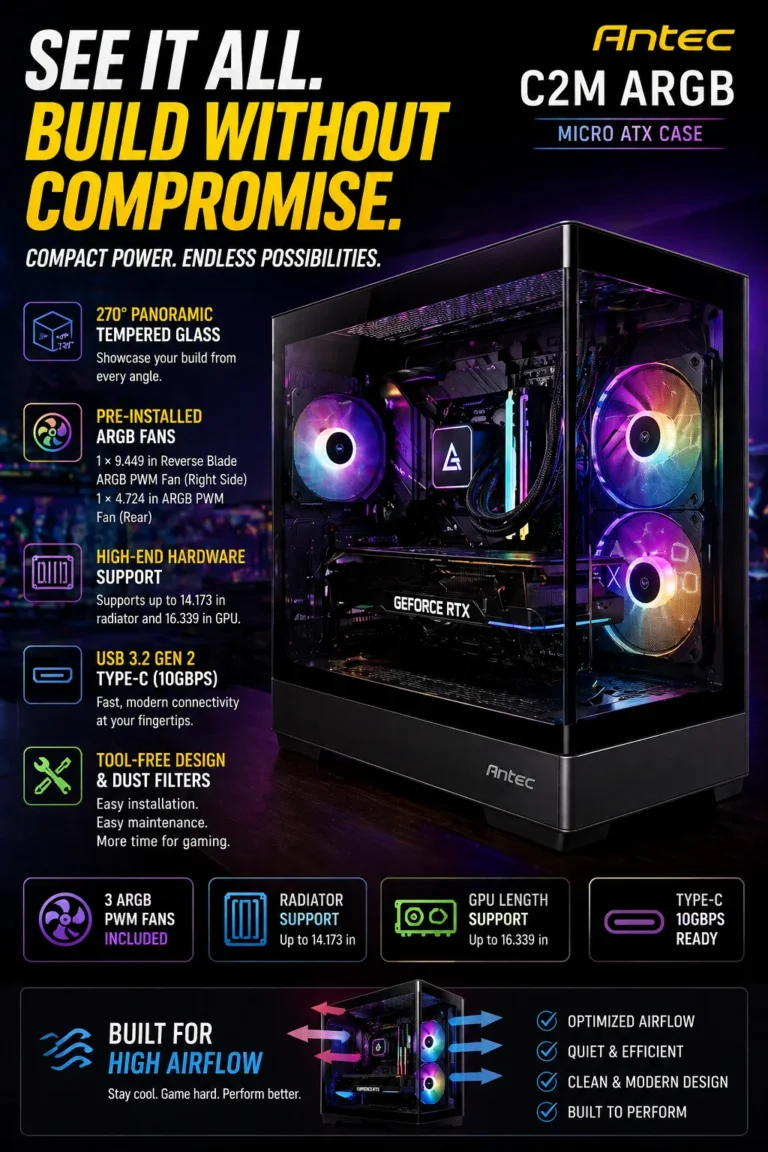
The Antec C2M ARGB Micro-ATX case completes this $1000 gaming build with a combination of high airflow, panoramic tempered glass, modern connectivity, and practical component support. It gives the Ryzen 5 5600 and Radeon RX 7600 enough room for a clean, well-ventilated setup while adding the visual appeal expected from a modern gaming PC.
The Antec C2M earns its place in this build because it balances airflow, aesthetics, component compatibility, and value. Instead of spending a large portion of the budget on an oversized premium case, this enclosure puts the money where it matters: keeping the Ryzen 5 5600 and RX 7600 properly ventilated while giving the finished PC a clean and modern gaming appearance.
Paired with the MSI PRO B550M-VC WiFi motherboard, Radeon RX 7600, Kingston NV3 1TB SSD, 16GB DDR4 memory, and Corsair CX550 PSU, the C2M provides the final piece needed to turn the individual components into a cohesive gaming system. For a sub-$1000 build, it delivers the right combination of cooling potential, practicality, and visual appeal without unnecessarily inflating the total cost.
Key Features
Best PC Build Under $1000 (2026)
Balanced for 1080p Ultra Gaming, 1440p Performance, Upgradability & Long-Term Value
Building a gaming PC under $1000 is not simply about choosing the most expensive CPU or GPU you can afford. Every component needs to work together as a balanced system. We evaluated this build based on real-world gaming performance, CPU and GPU balance, memory capacity, storage speed, motherboard compatibility, power delivery, cooling, upgrade potential, and overall value. The result is a carefully balanced configuration designed to deliver excellent 1080p gaming performance while remaining capable of handling 1440p gaming and everyday productivity without wasting the budget on unnecessary hardware.
| Component | Selected Part & Key Specs | Best For | Why It Wins | Editor's Verdict |
|---|---|---|---|---|
Best Budget CPU
AMD Ryzen 5 5600
Check Price
| 6 Cores / 12 Threads Up to 4.4GHz Boost AM4 Platform 65W TDP | 1080p Gaming Budget Builds Gaming + Multitasking | Excellent gaming performance for the price, 6 cores and 12 threads for modern workloads, and an affordable AM4 platform that leaves more of the budget available for the GPU. | Best Value CPU for This $1000 Gaming Build |
Best 1080p GPU
ASRock Radeon RX 7600
Check Price
| 8GB GDDR6 AMD RDNA 3 PCIe 4.0 1080p / 1440p Gaming | 1080p Ultra Gaming 1440p Gaming High-FPS Gaming | The most important performance component in the build, delivering strong 1080p gaming performance while providing enough graphics power for higher-resolution gaming when settings are adjusted appropriately. | Best GPU for Maximum Gaming Performance Under $1000 |
Best Budget RAM
16GB DDR4 3200MHz (2x8GB)
Check Price
| 16GB Total 2 × 8GB Dual Channel DDR4-3200 Desktop DIMM | 1080p Gaming Multitasking Gaming + Discord | Dual-channel 16GB memory provides the capacity and bandwidth needed for modern gaming while keeping the total build cost under control. | Best RAM Configuration for This Budget Build |
Best Value Storage
Kingston NV3 1TB NVMe SSD
Check Price
| 1TB Capacity PCIe 4.0 NVMe M.2 2280 Up to 6000MB/s Read | Gaming Storage Fast Boot Times Everyday Performance | Fast NVMe storage makes Windows, applications, games, and everyday tasks feel significantly more responsive while providing enough capacity for a modern gaming library and software collection. | Best 1TB SSD for This Budget Gaming Build |
Best AM4 Motherboard
MSI PRO B550M-VC WiFi
Check Price
| AMD B550 Chipset AM4 Socket DDR4 Support WiFi + Bluetooth | Ryzen Gaming Builds Micro-ATX Systems Future Upgrades | Provides the connectivity, expansion, memory support, and platform compatibility required by the Ryzen 5 5600 and the rest of the build without consuming too much of the budget. | Best Foundation for This Ryzen 5 5600 Build |
Reliable Budget PSU
Corsair CX550 550W 80+ Bronze
Check Price
| 550W Continuous Power 80 PLUS Bronze 120mm Thermally Controlled Fan ATX Form Factor | RX 7600 Gaming PCs Budget Gaming Builds Mainstream Systems | Provides appropriate power capacity for the Ryzen 5 5600 and RX 7600 configuration while maintaining a practical balance between efficiency, reliability, and cost. | Best-Fit PSU for This Configuration |
Best Value Gaming Case
Antec C2M ARGB Micro-ATX
Check Price
| Micro-ATX Support Panoramic Glass 3 ARGB PWM Fans Front USB Type-C | Gaming Setups Micro-ATX Builds High-Airflow Systems | Combines airflow, component compatibility, modern connectivity, and panoramic glass aesthetics while providing a practical enclosure for the entire $1000 gaming configuration. | Best Case for Completing This Gaming Build |
Recommended Next Reads
Explore more expert PC component buying guides for gaming, performance, upgrades, and smarter hardware decisions.
Whether you're building a gaming PC from scratch, upgrading your GPU, choosing the right RAM, or looking for faster NVMe storage, these expert hardware guides will help you make better component decisions and get more performance from your budget.
Best GPUs Under $400 in 2026
Compare the best NVIDIA and AMD graphics cards under $400 for high-FPS 1080p and 1440p gaming, including performance, VRAM, value, and upgrade considerations.
Explore GPUs under $400 →Best RAM for Gaming in 2026
Compare the best DDR4 and DDR5 RAM kits for gaming, including capacity, memory speed, latency, dual-channel performance, and upgrade potential.
Explore gaming RAM → Storage GuideBest NVMe SSDs for Gaming in 2026
Find the fastest and best-value NVMe SSDs for gaming, from affordable PCIe 4.0 drives to high-performance PCIe 5.0 storage.
Explore gaming SSDs → RAM ComparisonDDR4 vs DDR5 RAM in 2026
Understand the real-world differences between DDR4 and DDR5 for gaming, FPS, performance, compatibility, upgrade paths, and overall value.
Compare DDR4 vs DDR5 → Memory Upgrade GuideBest RAM for Gaming: Maximum FPS & Stability
Discover which RAM capacity, speed, and memory configuration delivers the best gaming performance and value for modern gaming PCs.
Find the right gaming RAM →EDITOR'S FINAL RECOMMENDATIONS
After balancing gaming performance, component compatibility, upgrade potential, thermals, power efficiency, storage speed, and overall price-to-performance, these are the components we recommend for building a powerful gaming PC around the $1000 budget in 2026.
AMD Ryzen 5 5600
The ideal value CPU for this gaming build. With 6 cores and 12 threads, the Ryzen 5 5600 delivers excellent 1080p gaming performance while providing enough processing power for multitasking, streaming, and everyday productivity.
- ✓ 6 Cores / 12 Threads
- ✓ Excellent 1080p Gaming Performance
- ✓ AM4 Platform
- ✓ Outstanding Price-to-Performance
ASRock Radeon RX 7600 8GB
The performance centerpiece of this build. The RX 7600 delivers excellent 1080p gaming performance with high frame rates and enough VRAM for modern games while maintaining a strong balance between performance and cost.
- ✓ AMD RDNA 3 Architecture
- ✓ 8GB GDDR6 VRAM
- ✓ Excellent 1080p Gaming
- ✓ Strong 1440p Performance
16GB DDR4 3200MHz
A 2x8GB dual-channel memory kit gives this system the capacity and bandwidth needed for modern gaming, Discord, browsers, background applications, and everyday multitasking without wasting the budget on unnecessary memory.
- ✓ 16GB Total Capacity
- ✓ 3200MHz DDR4 Speed
- ✓ 2x8GB Dual-Channel Configuration
- ✓ Excellent Ryzen 5 5600 Pairing
Balanced $1000 Gaming PC
The complete configuration combines the Ryzen 5 5600, RX 7600, 16GB DDR4, Kingston NV3 1TB SSD, MSI B550M-VC WiFi motherboard, Corsair CX550 PSU, and Antec C2M ARGB case for a balanced gaming system built around real-world performance.
- ✓ Ryzen 5 5600 + RX 7600
- ✓ 16GB DDR4 + 1TB NVMe SSD
- ✓ B550M WiFi Motherboard
- ✓ 550W Bronze PSU + High-Airflow Case
Which component should you prioritize?
Ryzen 5 5600
Radeon RX 7600 8GB
16GB DDR4 3200MHz
Kingston NV3 1TB
MSI B550M-VC WiFi
Corsair CX550 Bronze
- Choose the AMD Ryzen 5 5600 if you want the best-value processor for this build and an excellent foundation for 1080p gaming, multitasking, and everyday performance.
- Choose the ASRock Radeon RX 7600 8GB if gaming performance is your priority. It is the most important component for delivering high FPS and strong 1080p Ultra gaming performance.
- Choose 16GB DDR4 3200MHz in a 2x8GB configuration to keep the system balanced, maintain dual-channel performance, and handle gaming alongside Discord, browsers, and other applications.
- Choose the Kingston NV3 1TB for fast boot times, quick application launches, faster game loading, and enough storage for a modern gaming library and everyday software.
- Choose the MSI PRO B550M-VC WiFi as the foundation of the system if you want built-in WiFi, AM4 compatibility, PCIe 4.0 support, and a straightforward upgrade path.
- Choose the Corsair CX550 550W to provide reliable power for the Ryzen 5 5600 and RX 7600 while keeping the system efficient and stable.
EDITOR'S FINAL VERDICT
After evaluating gaming performance, CPU and GPU balance, RAM capacity, storage speed, motherboard compatibility, power delivery, cooling, upgrade potential, and overall price-to-performance, one conclusion stands out:The best gaming PC under $1000 is not simply the machine with the most powerful individual component. It is the system where every part works together efficiently to deliver high FPS, fast everyday performance, stable thermals, reliable power, and a practical upgrade path.
Modern gaming PCs need more than a powerful graphics card. A well-balanced system must combine a capable CPU, sufficient memory, fast NVMe storage, a reliable motherboard, stable power delivery, and effective airflow to provide consistent performance across gaming and everyday workloads.
For most gamers, the ideal $1000 build should prioritize the GPU for gaming performance while maintaining a balanced CPU, dual-channel RAM, fast SSD storage, reliable power delivery, and enough motherboard and case flexibility for future upgrades.- Choose the AMD Ryzen 5 5600 if you want an excellent value CPU that provides enough gaming performance to keep the RX 7600 performing efficiently while also handling multitasking, streaming, and everyday workloads.
- Choose the ASRock Radeon RX 7600 8GB if gaming performance is your highest priority. It is the centerpiece of this build and delivers excellent 1080p gaming performance with strong results in modern AAA titles.
- Choose 16GB DDR4 3200MHz in a 2x8GB configuration if you want the right memory balance for a modern budget gaming PC. Dual-channel memory helps maintain smooth gameplay while leaving enough capacity for Discord, browsers, and background applications.
- Choose the Kingston NV3 1TB NVMe SSD if you want your entire system to feel faster. It dramatically improves Windows startup, application launches, game loading, file transfers, and everyday responsiveness compared with traditional hard drives.
- Choose the MSI PRO B550M-VC WiFi if you want a reliable AM4 foundation with PCIe 4.0 support, built-in wireless connectivity, and room for future storage and memory upgrades.
Top Components for This $1000 Gaming PC Build (2026)
ASRock Radeon RX 7600 8GB
The most important component for gaming performance in this build. The RX 7600 provides the graphics horsepower required for high-FPS 1080p gaming while maintaining excellent value for a sub-$1000 configuration.
- ✓ AMD RDNA 3 Architecture
- ✓ 8GB GDDR6 VRAM
- ✓ Excellent 1080p Performance
- ✓ Strong Price-to-Performance
AMD Ryzen 5 5600 + MSI B550M-VC WiFi
This CPU and motherboard combination provides the foundation for a balanced gaming system, combining strong gaming performance with PCIe 4.0 support, AM4 compatibility, WiFi connectivity, and practical upgrade flexibility.
- ✓ Ryzen 5 5600 6-Core CPU
- ✓ B550 PCIe 4.0 Platform
- ✓ Built-in WiFi
- ✓ Excellent Component Compatibility
16GB DDR4 + 1TB NVMe SSD
The memory and storage combination keeps the entire system responsive without consuming too much of the build budget. Dual-channel DDR4 and fast NVMe storage provide the speed modern gaming PCs need for everyday use.
- ✓ 16GB Dual-Channel DDR4
- ✓ 3200MHz Memory Speed
- ✓ 1TB NVMe Storage
- ✓ Fast Boot & Game Loading
- ✓ Gaming performance is your priority
- ✓ You primarily play at 1080p
- ✓ You want high FPS without overspending
- ✓ You want a modern 8GB GPU
- ✓ You want a balanced gaming platform
- ✓ You need PCIe 4.0 support
- ✓ You want built-in WiFi
- ✓ You want future upgrade flexibility
- ✓ Prioritize GPU performance for gaming
- ✓ Use dual-channel RAM
- ✓ Choose at least 1TB of SSD storage
- ✓ Never compromise on PSU quality
A gaming PC is a system, not a collection of individual parts. Spending too much on one component while cutting costs on the motherboard, power supply, memory, storage, or cooling can create an unbalanced machine that performs worse than expected.
Among the components selected for this build, the AMD Ryzen 5 5600 and ASRock Radeon RX 7600 8GB provide the core gaming performance, while the 16GB DDR4 memory, Kingston NV3 1TB SSD, MSI B550M-VC WiFi motherboard, Corsair CX550 PSU, and Antec C2M ARGB case complete the system with the stability, responsiveness, connectivity, and airflow required for a modern gaming PC.
For gamers looking for the best balance between performance and budget in 2026, this configuration is our recommended starting point for a high-performance $1000 gaming PC.
Component prices and availability change frequently. Compare the latest Amazon prices for the CPU, GPU, RAM, SSD, motherboard, power supply, and case before purchasing to make sure the complete build still delivers the best price-to-performance value.
Check Latest GPU DealEDITOR'S FAQ
Building a gaming PC in 2026 is not simply about choosing the most powerful CPU or GPU. A well-balanced system needs the right combination of processor performance, graphics power, memory, storage, motherboard compatibility, power delivery, and airflow.Below are the most common questions gamers ask before building or buying a balanced $1000 gaming PC designed for modern 1080p and 1440p gaming.
The AMD Ryzen 5 5600 uses the AM4 socket, while the MSI PRO B550M-VC WiFi motherboard supports Ryzen 5000 processors and DDR4 memory. The RX 7600 uses the motherboard's PCIe interface, while the Kingston NV3 provides fast NVMe storage for the operating system and games.
The Antec C2M ARGB Micro-ATX case is also designed around Micro-ATX systems and provides the component clearance and airflow needed for this configuration.
The combination of the Ryzen 5 5600 and Radeon RX 7600 8GB is particularly well suited to modern 1080p gaming, including demanding AAA titles and competitive games.
- 1080p → Excellent target resolution for High and Ultra settings.
- 1440p → Strong performance with settings adjusted according to the game.
- Competitive gaming → High frame rates with the right graphics settings.
Actual FPS will vary depending on the game, graphics settings, resolution, drivers, and whether technologies such as FSR are enabled.
Its 6 cores and 12 threads provide enough processing power for modern gaming, everyday multitasking, and common gaming workloads without pushing the total system cost unnecessarily high.
- 6 cores / 12 threads → Strong gaming and multitasking capability.
- AM4 platform → Mature and widely supported ecosystem.
- Excellent value → Leaves more of the budget available for the GPU.
For a $1000-focused gaming build, allocating the budget intelligently between the CPU and GPU is more important than simply choosing the newest processor available.
Its 8GB of VRAM provides a solid foundation for modern gaming, particularly at 1080p. The GPU is also a good match for the Ryzen 5 5600, helping maintain a balanced overall system.
- 1080p → Excellent target for high-FPS gaming.
- 1440p → Capable with optimized graphics settings.
- 8GB VRAM → Suitable for a wide range of modern games.
If your priority is maximum ray-tracing performance or high-end 4K gaming, a more powerful GPU would be a better choice. However, that would also require a larger overall budget.
The selected 2x8GB configuration also enables dual-channel memory operation, which is preferable to using a single 16GB stick.
- 16GB → Gaming, everyday use, and normal multitasking.
- 32GB → Better for streaming, heavy multitasking, and future-proofing.
- 2x8GB → Dual-channel configuration for this build.
If your workload expands beyond gaming into content creation, heavy applications, or extensive multitasking, upgrading to 32GB later is a straightforward improvement.
NVMe storage provides substantially higher sequential bandwidth than traditional SATA hard drives and is well suited to modern operating systems, applications, and game installations.
- 1TB capacity → Comfortable starting point for games and applications.
- NVMe interface → Fast boot and application loading.
- PCIe 4.0 platform → High-speed storage support through the B550 motherboard.
SSD performance can vary by workload and drive capacity, so real-world game loading times will not always scale directly with advertised sequential speeds.
The system is designed around relatively efficient mainstream gaming components, making a 550W PSU a sensible capacity for the selected hardware rather than unnecessarily oversizing the power supply.
- 550W capacity → Appropriate for the selected configuration.
- 80 PLUS Bronze → Designed for efficient everyday operation.
- Reliable power delivery → Important for system stability.
If you later upgrade to a substantially more power-hungry graphics card, reassessing the PSU capacity would be recommended before making the upgrade.
The B550 platform provides a practical foundation for future upgrades, while the Micro-ATX case can accommodate additional hardware depending on the specific component dimensions and cooling configuration.
- RAM → Upgrade from 16GB to a larger capacity when needed.
- GPU → Replace the RX 7600 with a more powerful graphics card.
- Storage → Add or replace SSD storage as your game library grows.
- CPU → Consider a compatible higher-end AM4 processor if supported by the motherboard and BIOS.
This makes the build more flexible than a closed system because you can improve individual components instead of replacing the entire PC.
Building the system yourself allows you to select each component instead of accepting the compromises that can sometimes appear in lower-cost prebuilts, such as limited RAM, slower storage, weaker power supplies, or restricted upgrade options.
- DIY Build → Greater control over component quality and configuration.
- Prebuilt PC → Easier setup and usually includes assembled hardware and warranty support.
- Custom Build → Better opportunity to optimize performance for your specific budget.
If you are comfortable following a PC-building guide and installing Windows, assembling this type of system can be a rewarding way to maximize gaming performance for the money.
- 1080p Gamers → Excellent fit for high-refresh-rate gaming.
- 1440p Gamers → Strong option with optimized graphics settings.
- Budget-Conscious Builders → Excellent price-to-performance focus.
- First-Time PC Builders → Straightforward mainstream component platform.
- Future Upgraders → Flexible platform for future RAM, storage, GPU, or CPU upgrades.
For most gamers looking to build a balanced gaming PC around the $1000 range in 2026, the Ryzen 5 5600, RX 7600, 16GB DDR4, 1TB NVMe SSD, B550 motherboard, Corsair CX550 PSU, and Antec C2M ARGB case create a practical performance-focused foundation.
GAMING PC BUYING GUIDE
Building a gaming PC around a $1000 budget requires more than choosing the most powerful processor or graphics card you can afford. A great gaming system depends on how well the CPU, GPU, RAM, storage, motherboard, power supply, and case work together.The biggest mistakes usually come from poor budget allocation, incompatible components, weak power supplies, limited airflow, or spending money on features that provide little real-world gaming benefit. Avoid these common mistakes to build a faster, more balanced, and more upgrade-friendly gaming PC in 2026.
For a $1000 gaming build, the graphics card should receive a significant portion of the budget because it has the greatest impact on gaming performance. However, the GPU should never be selected in isolation.The Ryzen 5 5600, RX 7600 8GB, 16GB DDR4, 1TB NVMe SSD, B550 motherboard, Corsair CX550 PSU, and Antec C2M ARGB case create a balanced system because each component has been selected to support the overall gaming experience rather than maximize one specification.
Spending Too Much on the CPU
- Gaming performance is often more dependent on the GPU than the CPU at higher graphics settings.
- Overspending on a high-end processor can reduce the budget available for the graphics card.
- A balanced mid-range CPU can provide excellent gaming performance when paired with the right GPU.
Better decision: Prioritize a balanced CPU and GPU combination. The Ryzen 5 5600 paired with the RX 7600 is a strong example of allocating the budget toward real gaming performance.
Buying the Cheapest Graphics Card
- The GPU has one of the biggest impacts on gaming performance.
- Choosing a graphics card only because it is inexpensive can result in lower FPS and reduced longevity.
- Older GPUs may offer poor value compared with newer mainstream alternatives.
Better decision: Choose a modern GPU that matches your target resolution and games. For this build, the RX 7600 8GB is selected primarily around strong 1080p gaming performance and solid 1440p capability.
Choosing Incompatible Components
- CPU socket compatibility must match the motherboard platform.
- Memory type must match the motherboard.
- GPU, CPU cooler, motherboard, PSU, and case dimensions all need to be considered.
Better decision: Build around a compatible platform first. The Ryzen 5 5600, MSI PRO B550M-VC WiFi, DDR4 memory, PCIe 4.0 SSD, and Micro-ATX case are selected as a coherent configuration.
Buying a Cheap or Unknown Power Supply
- The PSU provides power to every component in the system.
- Low-quality power supplies can create stability and reliability concerns.
- Future GPU upgrades may also require additional power capacity.
Better decision: Choose a reputable PSU with appropriate wattage and efficiency. The Corsair CX550 550W 80 PLUS Bronze is a sensible match for this particular configuration.
Ignoring Case Airflow
- Poor airflow can increase component temperatures during extended gaming sessions.
- Restricted airflow can reduce cooling efficiency and increase fan noise.
- A powerful GPU still needs adequate ventilation to maintain consistent performance.
Better decision: Choose a case designed around airflow and install an appropriate intake and exhaust fan configuration. The Antec C2M ARGB adds airflow-focused design while also providing panoramic glass and pre-installed ARGB fans.
Buying Too Little Storage
- Modern games can consume a significant amount of storage.
- The operating system, applications, updates, and game libraries quickly add up.
- A small SSD can force you to constantly uninstall and reinstall games.
Better decision: Start with at least 1TB of NVMe storage for a gaming-focused system. The Kingston NV3 1TB provides a practical balance between capacity and fast storage performance.
💡 Smart Buying Advice for a $1000 Gaming PC
Allocate the budget toward the GPU while maintaining a capable CPU, sufficient RAM, fast storage, and reliable power delivery. Avoid spending heavily on components that provide little additional FPS.
Choose a motherboard, case, PSU, and storage configuration that gives you room to upgrade later. A good gaming PC should allow individual components to be replaced instead of requiring a complete rebuild.
Key takeaway: The best $1000 gaming PC is not the system with the most expensive individual component. It is the configuration that delivers the strongest balance of FPS performance, component quality, thermal performance, storage speed, power stability, and upgrade potential.
For this build, the combination of the Ryzen 5 5600, RX 7600 8GB, 16GB DDR4, 1TB NVMe SSD, MSI B550M-VC WiFi motherboard, Corsair CX550 PSU, and Antec C2M ARGB case provides a practical performance-focused foundation for gamers in 2026.
- Best Gaming Performance Focus: AMD Ryzen 5 5600 + Radeon RX 7600 8GB — a balanced combination designed around strong 1080p gaming and solid 1440p capability.
- Best Balanced Configuration: 16GB DDR4 + 1TB NVMe SSD + MSI B550M-VC WiFi — enough memory, fast storage, and a modern AM4 platform for a responsive gaming system.
- Best Power & Cooling Foundation: Corsair CX550 + Antec C2M ARGB — reliable power delivery combined with an airflow-focused Micro-ATX case and pre-installed ARGB fans.
Need help choosing your laptop?
Not sure which option fits your workflow? Get a personalized recommendation based on your budget, performance needs, and usage.
Get personalized recommendation⚡ Usually responds within 24 hours