
Explore More Graphics Card Buying Guides
Looking for more graphics card recommendations? Visit our complete Graphics Cards Hub to compare expert reviews, GPU benchmarks, detailed buying guides, performance comparisons, and the best graphics cards for gaming, AI, content creation, 4K editing, and every budget.Best GPUs Under $400 (2026): RTX 3060 Ti vs RTX 4060 vs RX 7600
Choosing a GPU under $400 is not simply about buying the newest model. The right graphics card depends on real gaming performance, 1080p and 1440p FPS, VRAM, ray tracing, upscaling support, power efficiency, and—most importantly—how much performance you get for your money.
In this guide, we compare three GPUs that remain relevant for budget and mid-range gaming builds: the EVGA RTX 3060 Ti FTW Ultra, GIGABYTE RTX 4060 WINDFORCE OC, and ASRock RX 7600 Challenger. We evaluate their gaming performance, features, efficiency, and overall value to help you decide which GPU makes the most sense for your build. Whether you prioritize maximum FPS, modern NVIDIA features, or the best value for 1080p gaming, this comparison breaks down the strengths and weaknesses of each card before you buy.
EVGA GeForce RTX 3060 Ti FTW Ultra Gaming 8GB
Best GPU for Maximum 1080p & 1440p Gaming Performance
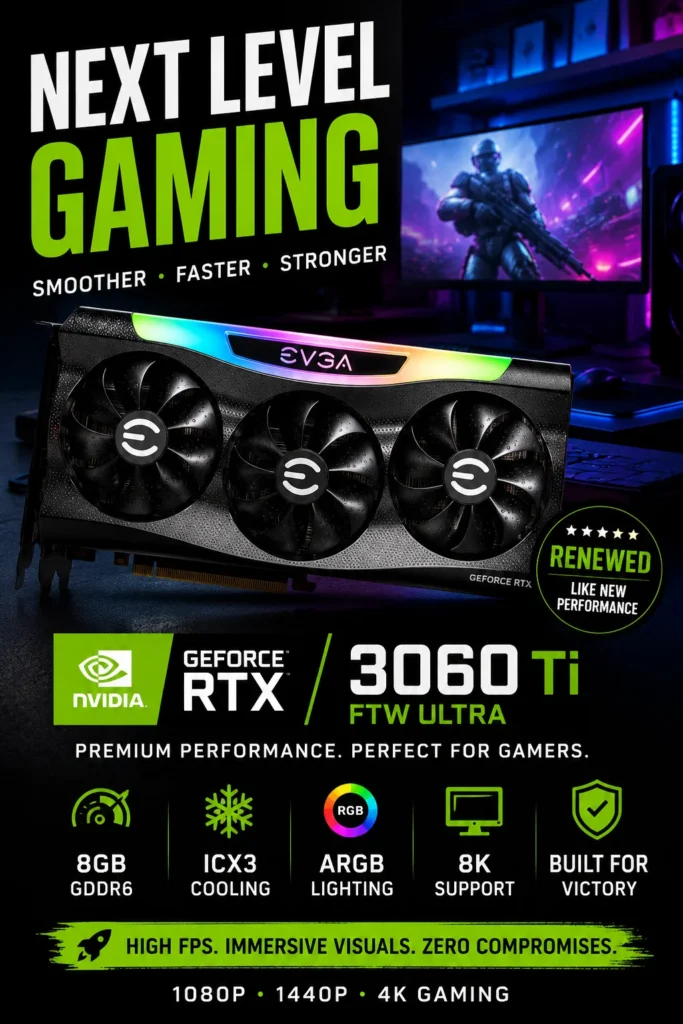
The EVGA GeForce RTX 3060 Ti FTW3 Ultra Gaming 8GB is our Best Raw Gaming Performance pick among the GPUs featured in this guide. Built on NVIDIA's Ampere architecture, this card delivers strong rasterized gaming performance for 1080p Ultra and 1440p gaming, making it an especially interesting option for gamers who prioritize frame rates over having the newest GPU generation. Its 8GB of GDDR6 memory, 256-bit memory bus, 448 GB/s memory bandwidth, and high-performance FTW3 cooling design give it the hardware foundation needed for demanding gaming workloads.
The EVGA RTX 3060 Ti FTW3 Ultra earns our Best Raw Gaming Performance award because it focuses on delivering strong gaming performance rather than competing primarily on efficiency or newer-generation features. The combination of Ampere architecture, 4,864 CUDA cores, 8GB of GDDR6 memory, a 256-bit memory interface, and EVGA's substantial FTW3 cooling design makes it a powerful choice when maximum FPS is the priority.
Compared with the GIGABYTE RTX 4060 WINDFORCE OC, the RTX 3060 Ti is the more performance-focused choice, while the RTX 4060 offers advantages in power efficiency and newer-generation features. Compared with the ASRock RX 7600 Challenger, the RTX 3060 Ti remains attractive for buyers who find it at a competitive price and prioritize higher-end rasterized gaming performance. The key in 2026 is simple: buy the RTX 3060 Ti only when its price makes its performance advantage worthwhile.
Key Features
GIGABYTE GeForce RTX 4060 WINDFORCE OC 8GB
Best Balanced GPU for 1080p Gaming, DLSS & Power Efficiency
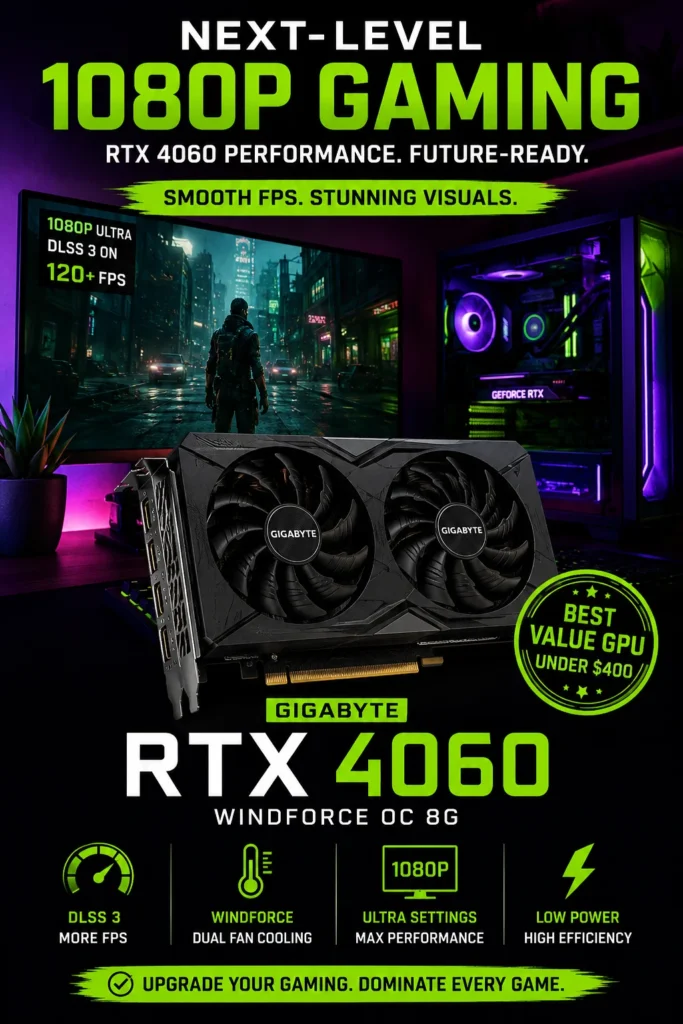
The GIGABYTE GeForce RTX 4060 WINDFORCE OC 8GB is our Best Overall GPU among the models featured in this guide, combining strong 1080p gaming performance, excellent power efficiency, NVIDIA DLSS 3 with Frame Generation, and modern Ada Lovelace features. For gamers who want a balanced graphics card that delivers high frame rates without demanding a large power supply or generating excessive heat, the RTX 4060 is one of the most practical choices in this price range.
The GIGABYTE RTX 4060 WINDFORCE OC earns our Best Overall GPU award because it offers the most balanced combination of gaming performance, efficiency, modern NVIDIA features, and system compatibility among the three GPUs featured in this guide. It is not necessarily the fastest card in raw FPS, but it provides a particularly attractive overall experience for gamers who want strong 1080p performance without the higher power requirements of more performance-focused GPUs.
Compared with the EVGA RTX 3060 Ti FTW3 Ultra, the RTX 4060 offers a newer Ada Lovelace architecture, substantially lower power consumption, and access to newer technologies such as DLSS 3 with Frame Generation. The RTX 3060 Ti can still deliver stronger raw rasterized performance in some workloads, making price an important factor. Against the ASRock RX 7600 Challenger, the RTX 4060 stands out through its efficiency, ray tracing capabilities, DLSS ecosystem, and NVIDIA-specific features.
Key Features
ASRock Radeon RX 7600 Challenger 8GB OC
Best Value GPU for High-FPS 1080p Gaming
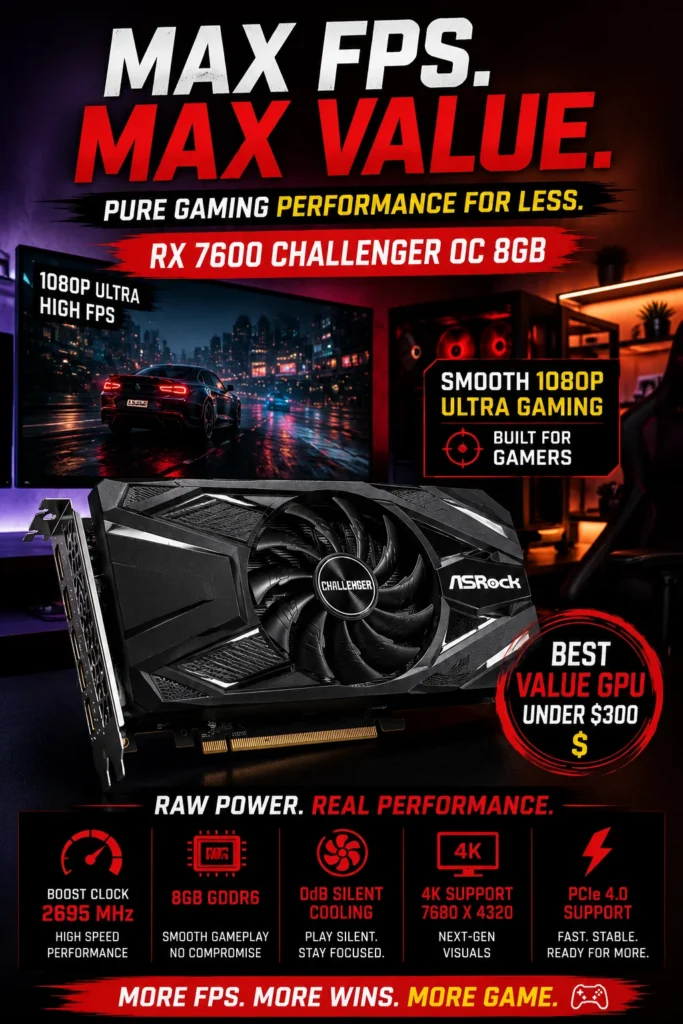
The ASRock Radeon RX 7600 Challenger 8GB OC is our Best Value GPU among the graphics cards featured in this guide. Built around AMD's RDNA 3 architecture, it delivers strong 1080p gaming performance, efficient rasterized rendering, 8GB of GDDR6 memory, and modern display connectivity at a price point designed for budget-conscious gamers. If your priority is getting high frame rates in 1080p games without paying extra for features you may not use, the RX 7600 is one of the most compelling options in this comparison.
The ASRock Radeon RX 7600 Challenger 8GB OC earns our Best Value GPU award because it focuses on the part of the gaming experience that matters most to budget buyers: strong real-world 1080p performance at an accessible price. It does not offer the same NVIDIA feature ecosystem as the RTX 4060, but its combination of rasterized gaming performance, modern RDNA 3 technology, reasonable power requirements, and affordable positioning makes it an excellent choice for value-focused gaming builds.
Compared with the EVGA RTX 3060 Ti FTW3 Ultra, the RX 7600 is a newer architecture designed around efficient 1080p gaming, although the older RTX 3060 Ti can still be faster in raw rasterized workloads depending on the game. Compared with the GIGABYTE RTX 4060 WINDFORCE OC, the RX 7600 competes primarily through price and rasterized performance, while NVIDIA's card offers advantages in power efficiency, ray tracing, DLSS, and Frame Generation. For buyers focused primarily on 1080p FPS per dollar, the RX 7600 remains the value-focused choice of the three.
Key Features
Best GPUs Under $400 in 2026
Ranked by Gaming Performance, 1080p & 1440p Capability, Efficiency, Features & Overall Value
Choosing the best GPU under $400 is not simply about picking the card with the newest architecture or the highest specification on paper. We evaluated these graphics cards based on their real-world gaming performance, 1080p and 1440p capability, power efficiency, VRAM, modern features, upgrade value, and price-to-performance potential. Whether you prioritize maximum FPS, efficient gaming, or the best value for a budget PC, this comparison makes it easier to choose the right GPU for your build.
| GPU | Key Specs & Strength | Best For | Why It Wins | Editor's Verdict |
|---|---|---|---|---|
Best Raw Gaming Performance
EVGA GeForce RTX 3060 Ti FTW Ultra
Check Price
| 8GB GDDR6 256-bit Memory Bus Ampere Architecture DLSS + Ray Tracing | 1080p Ultra Gaming 1440p Gaming High-FPS Builds | Excellent raw rasterized performance makes the RTX 3060 Ti particularly attractive for gamers who prioritize high FPS over newer efficiency-focused features. | Best Pure Gaming Performance |
Best Overall
GIGABYTE GeForce RTX 4060 WINDFORCE OC
Check Price
| 8GB GDDR6 128-bit Memory Bus Ada Lovelace Architecture DLSS 3 + Frame Generation | 1080p Gaming High-Refresh-Rate Gaming Efficient Builds | Excellent balance of 1080p performance, low power consumption, modern NVIDIA technologies, ray tracing support, and practical system requirements. | Best Overall GPU Under $400 |
Best Value
ASRock Radeon RX 7600 Challenger 8GB OC
Check Price
| 8GB GDDR6 128-bit Memory Bus RDNA 3 Architecture FSR + HYPR-RX | Budget Gaming PCs 1080p High-FPS Gaming Value Builds | Strong 1080p rasterized performance, modern RDNA 3 features, reasonable power requirements, and an attractive value proposition for budget-focused gamers. | Best Value GPU Under $400 |
Recommended Next Reads
Build a faster gaming PC with our expert guides covering GPUs, RAM, SSDs, monitors, and complete PC builds.
Choosing the right graphics card is only one part of building a high-performance gaming PC. Explore our related hardware guides to choose the right components for your budget, maximize FPS, improve system responsiveness, and build a balanced gaming setup without wasting money on unnecessary upgrades.
Best PC Build Under $1000 in 2026
Building a gaming PC around the right GPU? See our complete $1000 gaming build with the best combination of graphics card, processor, RAM, storage, and supporting components for maximum FPS.
Explore the $1000 gaming build →Best RAM for Gaming in 2026
Compare the best DDR4 and DDR5 gaming memory kits for higher FPS, smoother multitasking, and stable performance with modern GPUs.
Explore gaming RAM → Gaming StorageBest NVMe SSDs for Gaming in 2026
Discover the fastest PCIe 4.0 and PCIe 5.0 NVMe SSDs for faster game loading, responsive systems, and next-generation gaming PCs.
Explore gaming SSDs → Hardware ComparisonDDR4 vs DDR5 RAM in 2026
Find out whether DDR4 or DDR5 makes more sense for your gaming build and how memory choice affects FPS, performance, compatibility, and upgrade value.
Compare DDR4 vs DDR5 → Gaming DisplaysBest 4K Monitors in 2026
Pair your new GPU with the right gaming monitor. Compare 4K, high-refresh-rate, OLED, and productivity displays for modern gaming setups.
Explore 4K gaming monitors →EDITOR'S FINAL RECOMMENDATIONS
After comparing real-world gaming performance, 1080p and 1440p capability, VRAM, power efficiency, modern features, ray tracing, upscaling technologies, and overall price-to-performance value, these are our three final GPU recommendations for gamers building or upgrading a gaming PC in 2026.
GIGABYTE GeForce RTX 4060 WINDFORCE OC 8GB
The best overall GPU under $400 for most gamers. The RTX 4060 combines excellent 1080p performance with outstanding power efficiency, DLSS 3, Frame Generation, ray tracing, and a modern Ada Lovelace architecture. It is the strongest all-around choice for gamers who want performance without excessive power consumption.
- ✓ NVIDIA Ada Lovelace Architecture
- ✓ 8GB GDDR6 VRAM
- ✓ DLSS 3 + Frame Generation
- ✓ Excellent Power Efficiency
EVGA GeForce RTX 3060 Ti FTW Ultra 8GB
Choose the RTX 3060 Ti if your priority is maximum traditional gaming performance for the money. Its strong rasterization performance and 256-bit memory interface make it particularly attractive for high-FPS 1080p gaming and capable 1440p gaming, especially when available as a renewed or discounted unit.
- ✓ 8GB GDDR6 VRAM
- ✓ 256-bit Memory Interface
- ✓ Strong 1080p & 1440p Performance
- ✓ DLSS + Ray Tracing
ASRock Radeon RX 7600 Challenger 8GB OC
The RX 7600 is our value-focused recommendation for gamers who primarily play at 1080p and want strong rasterized performance without paying extra for features they may not use. It offers excellent FPS-per-dollar potential and is particularly well suited to budget gaming builds.
- ✓ AMD RDNA 3 Architecture
- ✓ 8GB GDDR6 VRAM
- ✓ Strong 1080p Raster Performance
- ✓ FSR + HYPR-RX Support
Which GPU should you buy?
RTX 4060
RTX 3060 Ti
RX 7600
RTX 4060
RTX 3060 Ti
RX 7600
- Choose the GIGABYTE RTX 4060 if you want the best overall combination of 1080p gaming performance, efficiency, DLSS 3, Frame Generation, and modern NVIDIA features.
- Choose the EVGA RTX 3060 Ti FTW Ultra if your priority is strong raw gaming performance and high FPS, particularly if you find a competitively priced renewed unit.
- Choose the ASRock RX 7600 Challenger if you're building a budget-focused gaming PC and want strong 1080p rasterized performance with an attractive price-to-performance ratio.
EDITOR'S FINAL VERDICT
After evaluating real-world gaming performance, 1080p and 1440p capability, rasterization performance, upscaling technologies, ray tracing, VRAM, power efficiency, cooling, compatibility, and overall value, one conclusion stands out:The best GPU under $400 is not simply the graphics card with the highest specifications. It is the GPU that provides the right balance of gaming performance, efficiency, features, reliability, and price for the way you actually play.
Modern gaming PCs need a graphics card capable of delivering high frame rates, consistent performance, modern rendering technologies, and enough memory for today's games. For most buyers in this price range, 1080p remains the primary target, while stronger models can also provide a solid entry into 1440p gaming with optimized settings and upscaling technologies.
For most gamers, the ideal GPU should deliver strong 1080p performance, efficient power consumption, modern driver and feature support, reliable cooling, and enough performance headroom to remain useful as games become more demanding.- Choose the GIGABYTE RTX 4060 if you want the best overall combination of 1080p gaming performance, DLSS 3, Frame Generation, ray tracing support, and excellent power efficiency. It is the strongest all-around choice for gamers who want modern NVIDIA features without moving into a higher price category.
- Choose the ASRock RX 7600 if your priority is traditional rasterized gaming performance and maximum FPS per dollar. It is particularly attractive for 1080p gamers who care more about raw performance than NVIDIA's broader feature ecosystem.
- Choose the EVGA RTX 3060 Ti if you find a well-priced renewed or used unit from a reputable seller. Its strong raster performance and wider memory interface allow it to remain competitive, although buyers should carefully verify condition, warranty coverage, and return policies.
- For most buyers, 1080p high-refresh-rate gaming is the sweet spot for these GPUs. 1440p is also possible, particularly when settings are optimized and technologies such as DLSS or FSR are used in supported games.
Top GPU Recommendations Under $400 (2026)
GIGABYTE GeForce RTX 4060 WINDFORCE OC
Our Editor's Choice for most gamers because it combines excellent 1080p performance, modern Ada Lovelace architecture, DLSS 3 with Frame Generation, ray tracing support, and exceptionally efficient power consumption.
- ✓ NVIDIA Ada Lovelace Architecture
- ✓ 8GB GDDR6 VRAM
- ✓ DLSS 3 + Frame Generation
- ✓ Excellent Power Efficiency
ASRock Radeon RX 7600 Challenger
The best choice for budget-focused gamers who prioritize traditional rasterized gaming performance and strong FPS per dollar. It is particularly well suited to high-refresh-rate 1080p gaming.
- ✓ AMD RDNA 3 Architecture
- ✓ 8GB GDDR6 VRAM
- ✓ 288 GB/s Memory Bandwidth
- ✓ Excellent 1080p Raster Performance
EVGA GeForce RTX 3060 Ti FTW Ultra
A strong option when available at an attractive renewed price. The RTX 3060 Ti still delivers impressive gaming performance, making it worth considering for buyers who prioritize raw GPU power over newer features.
- ✓ Strong 1080p Performance
- ✓ Excellent 1440p Capability
- ✓ 8GB GDDR6 VRAM
- ✓ Strong Rasterization Performance
- ✓ You want the best overall package
- ✓ You want DLSS 3 and Frame Generation
- ✓ Power efficiency matters to you
- ✓ You want modern NVIDIA features
- ✓ You want strong FPS per dollar
- ✓ You mainly play at 1080p
- ✓ You prioritize rasterized performance
- ✓ You are building a value-focused gaming PC
- ✓ Verify the exact model and cooler
- ✓ Check PSU requirements and connectors
- ✓ Consider VRAM requirements for your games
- ✓ Verify warranty, seller, and return policy
A graphics card is one of the most important components in a gaming PC, and the right choice can dramatically affect frame rates, image quality, responsiveness, and the useful lifespan of your build. Raw specifications matter, but features, efficiency, cooling, driver support, and price are equally important when comparing GPUs in this category.
Among the three GPUs featured in this guide, the GIGABYTE GeForce RTX 4060 WINDFORCE OC delivers the strongest overall combination of gaming performance, modern features, efficiency, and long-term usability, making it our Editor's Choice for the best GPU under $400 in 2026.For gamers focused primarily on raw 1080p FPS per dollar, the ASRock Radeon RX 7600 remains an excellent value alternative. Meanwhile, the EVGA RTX 3060 Ti can still be a compelling purchase when available at a genuinely attractive renewed price.
Check the latest price, availability, exact graphics card configuration, warranty coverage, and current deal before purchasing. GPU pricing can change frequently, especially for older and renewed models.
Check Latest DealEDITOR'S FAQ
Choosing the best GPU under $400 in 2026 requires more than comparing core counts, clock speeds, or VRAM numbers. Gamers need to consider real-world FPS, 1080p and 1440p performance, ray tracing, upscaling technologies, power efficiency, cooling, and long-term value.Below are the most common questions buyers ask when choosing an affordable graphics card for modern gaming builds.
The RTX 4060 provides an excellent combination of 1080p gaming performance, power efficiency, DLSS 3, Frame Generation, and ray-tracing capabilities. Its efficient Ada Lovelace architecture also makes it an attractive choice for gamers who want modern features without requiring a high-wattage power supply.
The RX 7600 is a strong alternative for buyers focused primarily on raw rasterization performance and price-to-FPS value, while the RTX 3060 Ti remains attractive when available at a heavily discounted or renewed price.
The RTX 4060 benefits from DLSS 3, Frame Generation, stronger ray-tracing performance, and excellent power efficiency. These features can make a noticeable difference in supported modern games.
- RTX 4060 → Better features, ray tracing, efficiency, and long-term flexibility.
- RX 7600 → Strong raw 1080p performance and excellent price-to-performance value.
- RTX 4060 → Better choice for gamers who want NVIDIA's modern AI-powered features.
- RX 7600 → Better choice when maximizing traditional rasterized FPS is the priority.
For most buyers, we would choose the RTX 4060. However, a significantly cheaper RX 7600 can offer excellent value for a budget-focused gaming build.
Although it is based on an older generation, the RTX 3060 Ti continues to deliver strong gaming performance and remains capable of handling demanding 1080p gaming and entry-level 1440p workloads.
- Strong raw gaming performance.
- Excellent 1080p and capable 1440p performance.
- Proven NVIDIA gaming platform.
- Strong value when purchased at the right price.
The main disadvantages are higher power consumption compared with the RTX 4060 and the lack of newer DLSS 3 Frame Generation capabilities. For that reason, the RTX 3060 Ti makes the most sense when the price is significantly lower than newer alternatives.
For most 1080p gaming, 8GB can still provide a solid experience when game settings are configured appropriately. It is particularly suitable for esports titles, mainstream AAA games, and many high-quality 1080p workloads.
- 1080p High/Ultra → Generally suitable.
- Esports gaming → More than sufficient for most titles.
- Entry-level 1440p → Possible with appropriate settings and upscaling.
- 1440p Ultra with heavy textures → More likely to benefit from additional VRAM.
If you plan to keep your GPU for many years and regularly play demanding AAA games at 1440p, a graphics card with more VRAM may provide greater long-term flexibility.
The RTX 3060 Ti remains a capable 1440p performer, while the RTX 4060 can benefit significantly from DLSS in supported games. The RX 7600 can also deliver good 1440p results when settings are optimized appropriately.
- RTX 4060 → Strong 1440p experience with DLSS support.
- RX 7600 → Capable 1440p performance with optimized settings.
- RTX 3060 Ti → Strong traditional raster performance for 1440p gaming.
For buyers primarily targeting 1440p Ultra gaming at very high frame rates, stepping up to a more powerful GPU may be worthwhile. For mixed 1080p/1440p gaming, these cards remain viable options.
Its Ada Lovelace architecture provides strong gaming performance while keeping power consumption relatively low. This can be particularly useful for compact gaming PCs, systems with modest power supplies, and users who want lower heat output during long gaming sessions.
- RTX 4060 → Excellent performance-per-watt.
- RX 7600 → Competitive performance with higher power requirements.
- RTX 3060 Ti → Strong performance but noticeably less efficient than the newer RTX 4060.
Lower power consumption can also contribute to easier cooling and quieter system operation, making efficiency an important consideration beyond the electricity bill.
The RTX 4060 is particularly easy to pair with a modest power supply because of its low power consumption. The RX 7600 requires somewhat more power, while the RTX 3060 Ti has higher power requirements and benefits from additional PSU headroom.
- RTX 4060 → 450W minimum class; 550W is a comfortable target for many builds.
- RX 7600 → 500W-class PSU recommended for a typical gaming system.
- RTX 3060 Ti → 600W-class PSU is a safer target depending on the rest of the system.
Rather than choosing a PSU based only on wattage, prioritize a reputable model with appropriate efficiency, protections, and sufficient PCIe power connectors for your complete system.
Future-proofing is not simply about raw FPS. Modern gaming increasingly relies on technologies such as AI upscaling, frame generation, ray tracing, and efficient GPU architectures.
- Modern Ada Lovelace architecture.
- DLSS 3 and Frame Generation support.
- Strong ray-tracing capabilities.
- Excellent performance-per-watt.
- Good compatibility with modern gaming features.
The RX 7600 remains a strong value choice for traditional rasterized gaming, while the RTX 3060 Ti can still deliver excellent performance at the right price. However, for a buyer planning to keep the GPU for several years, the RTX 4060 offers the strongest overall feature set of the three.
- Best Overall → GIGABYTE RTX 4060
- Best Raw FPS Value → ASRock RX 7600
- Best Discounted Performance → EVGA RTX 3060 Ti
- Best Efficiency → RTX 4060
- Best Modern Features → RTX 4060
If you want the safest all-around recommendation, choose the RTX 4060. If your budget is extremely focused on traditional 1080p FPS, compare the RX 7600's current price before buying. If you find an RTX 3060 Ti at a substantially lower price, it can still be a compelling performance bargain.
GPU BUYING GUIDE
Choosing a graphics card under $400 is not simply about buying the GPU with the highest clock speed, most cores, or biggest specification sheet. Gaming performance depends on resolution, graphics settings, VRAM, power requirements, cooling, driver features, and the technologies supported by modern games.The wrong GPU can result in wasted money, disappointing FPS, excessive power consumption, poor upgrade value, or a graphics card that does not match the rest of your gaming PC. Before buying, avoid these common mistakes and choose a GPU that fits your actual gaming goals.
The smartest GPU purchase is not always the card with the highest benchmark score. For most gamers in 2026, the right graphics card should provide a strong balance of real-world FPS, power efficiency, modern features, VRAM capacity, cooling performance, and long-term value.For a gaming PC under $400, we recommend paying particular attention to your target resolution, the games you play, your power supply, and whether features such as DLSS, Frame Generation, or FSR are important to your gaming experience.
Choosing a GPU Only by Brand
- Buying NVIDIA or AMD automatically can prevent you from getting the best performance for your budget.
- Different GPUs excel at different workloads, resolutions, and gaming technologies.
- Brand loyalty can lead to paying more for features you may never use.
Better decision: Compare real-world gaming performance, current pricing, efficiency, features, and your preferred games before choosing between NVIDIA and AMD.
Buying the Wrong GPU for Your Resolution
- A GPU that is excellent for 1080p may struggle with demanding 1440p gaming.
- Buying excessive GPU power for a basic 1080p monitor can waste part of your budget.
- Your monitor's refresh rate also determines how much GPU performance you can actually use.
Better decision: Match the GPU to your target resolution and refresh rate. The RTX 4060 and RX 7600 are especially well suited to 1080p gaming, while 1440p workloads require more careful settings optimization.
Ignoring VRAM Requirements
- Modern games can consume significant VRAM at higher resolutions and texture settings.
- 8GB remains usable for many 1080p gaming workloads, but demanding games can push memory limits.
- VRAM requirements can increase as games become more visually demanding.
Better decision: Consider 8GB the practical baseline for this price range, but pay attention to your target resolution, texture quality, and how long you plan to keep the GPU.
Forgetting to Check Your Power Supply
- Different GPUs have different power requirements.
- An inadequate or poor-quality PSU can cause instability and unexpected shutdowns.
- Replacing a PSU can increase the total cost of a GPU upgrade.
Better decision: Check the GPU manufacturer's recommended PSU requirements and make sure your power supply has enough capacity, appropriate connectors, and sufficient headroom for the complete system.
Ignoring Cooling and Case Compatibility
- Two versions of the same GPU can have very different cooler designs and physical dimensions.
- Poor airflow can increase temperatures and fan noise during long gaming sessions.
- Large triple-fan graphics cards may not fit smaller PC cases.
Better decision: Check GPU length, thickness, cooling design, and your case airflow before purchasing. A well-cooled dual-fan model can be a better choice than an oversized card for a compact build.
Choosing Raw FPS Without Considering Modern Features
- Traditional rasterized FPS is only one part of modern gaming performance.
- DLSS, FSR, Frame Generation, and ray tracing can significantly change the gaming experience.
- Two GPUs with similar traditional FPS can deliver different results when modern rendering technologies are enabled.
Better decision: Consider both hardware performance and software features. The RTX 4060 is particularly attractive for gamers who value DLSS, Frame Generation, ray tracing, and efficiency.
💡 Smart Buying Advice for Gamers
You want the strongest overall combination of 1080p performance, efficiency, DLSS 3, Frame Generation, ray tracing, and modern NVIDIA features for long-term gaming.
You prioritize traditional rasterized gaming performance and want strong FPS-per-dollar value for a primarily 1080p gaming PC.
Key takeaway: The best GPU under $400 is not necessarily the card with the highest specifications. It is the graphics card that delivers the right combination of FPS, features, efficiency, VRAM, cooling, and value for your specific gaming setup.
After evaluating the GPUs in this guide, these are our Editor's top recommendations for gamers in 2026:
- Best Overall GPU: GIGABYTE RTX 4060 — excellent 1080p gaming performance, outstanding efficiency, DLSS 3, Frame Generation, and a strong combination of modern features and long-term value.
- Best Raw FPS Value: ASRock RX 7600 — excellent traditional 1080p performance and a strong price-to-performance ratio for budget-focused gamers.
- Best Discounted Performance: EVGA RTX 3060 Ti — still a powerful gaming GPU when available at an attractive renewed or discounted price, particularly for buyers focused on raw performance.
Need help choosing your laptop?
Not sure which option fits your workflow? Get a personalized recommendation based on your budget, performance needs, and usage.
Get personalized recommendation⚡ Usually responds within 24 hours