
RELATED MONITOR HUB

Explore the Best Monitors Hub

This guide is part of our broader coverage of the monitor market. Explore the Best Monitors Hub for in-depth buying guides, display comparisons, expert evaluations, and focused recommendations covering 4K, OLED, gaming, ultrawide, portable, USB-C, Thunderbolt, and professional monitors.

2026 4K Monitor Guide • Expert Picks for Gaming, OLED, Productivity & Content Creation
Expert Reviewed • 4K Resolution, Panel Technology, OLED, HDR, Refresh Rate, Color Accuracy, Connectivity & Everyday Usability

7 Best 4K Monitors in 2026 (Gaming, OLED & Productivity Ranked)

Choosing a 4K monitor in 2026 involves more than comparing resolution or refresh rate. Panel technology, HDR performance, motion handling, color accuracy, connectivity, ergonomics, and the type of work or gaming you do can make a significant difference in the overall experience.A high refresh rate may be essential for competitive gaming, while OLED can provide exceptional contrast and response times. For professional work, color accuracy, connectivity, screen size, and long-term usability may matter more than raw gaming performance.

In this guide, we've selected the best 4K monitors in 2026 based on display quality, panel technology, HDR capability, refresh rate, response performance, color reproduction, connectivity, ergonomics, gaming features, productivity potential, and overall value. Rather than ranking monitors by specifications alone, we evaluated how each display fits different real-world use cases, from high-refresh-rate gaming and OLED entertainment to professional content creation and everyday productivity.The Dell UltraSharp U3225QE leads our selection for professionals who prioritize image quality, connectivity, productivity, and a large 4K workspace. The MSI MPG 321URX QD-OLED stands out for gamers looking for the combination of 4K resolution, OLED contrast, and high refresh-rate performance, while the Samsung Odyssey Neo G8 remains a compelling option for demanding gaming environments. For creators who require advanced color and HDR capabilities, the ASUS ProArt PA32UCG-K offers a more specialized professional display platform, while the ASUS ROG Swift PG32UCDM represents a premium option for enthusiasts who want high-end OLED gaming performance.

Best Overall
Best OLED Gaming Monitor
Best 240Hz Gaming Monitor
Best Monitor for Creators
Best Premium Gaming Monitor
Best for Productivity
Best for HDR
Editor's Verdict:For most professionals and demanding everyday users, the Dell UltraSharp U3225QE is our strongest overall recommendation. Its combination of 4K resolution, large-screen productivity, advanced display technology, connectivity, and professional-oriented features makes it particularly well suited to office work, creative workflows, multitasking, and long hours in front of the screen.For gaming, the MSI MPG 321URX QD-OLED is one of the most compelling choices for users who want the visual advantages of OLED together with 4K resolution and high refresh-rate performance. The Samsung Odyssey Neo G8 is a strong alternative for gamers who prioritize very high refresh rates and responsive gaming performance.Content creators and color-critical professionals should look more closely at the ASUS ProArt PA32UCG-K, which is designed around advanced image quality, color management, and professional production requirements rather than gaming performance alone.At the premium end of the gaming category, the ASUS ROG Swift PG32UCDM combines 4K resolution, OLED technology, and high refresh-rate performance for enthusiasts who want an uncompromising gaming display.Ultimately, there is no single 4K monitor that is ideal for every user. The best choice depends on whether your priorities are gaming performance, OLED image quality, professional color work, productivity, HDR, connectivity, or a balanced combination of these characteristics.
Compare the 7 Best 4K Monitors in 2026 and Find the Right Display for Your Work or Gaming Setup
Best Overall 4K Productivity Monitor (2026)

Dell UltraSharp U3225QE

Best 4K Monitor for Professional Productivity, Multitasking & Office Work
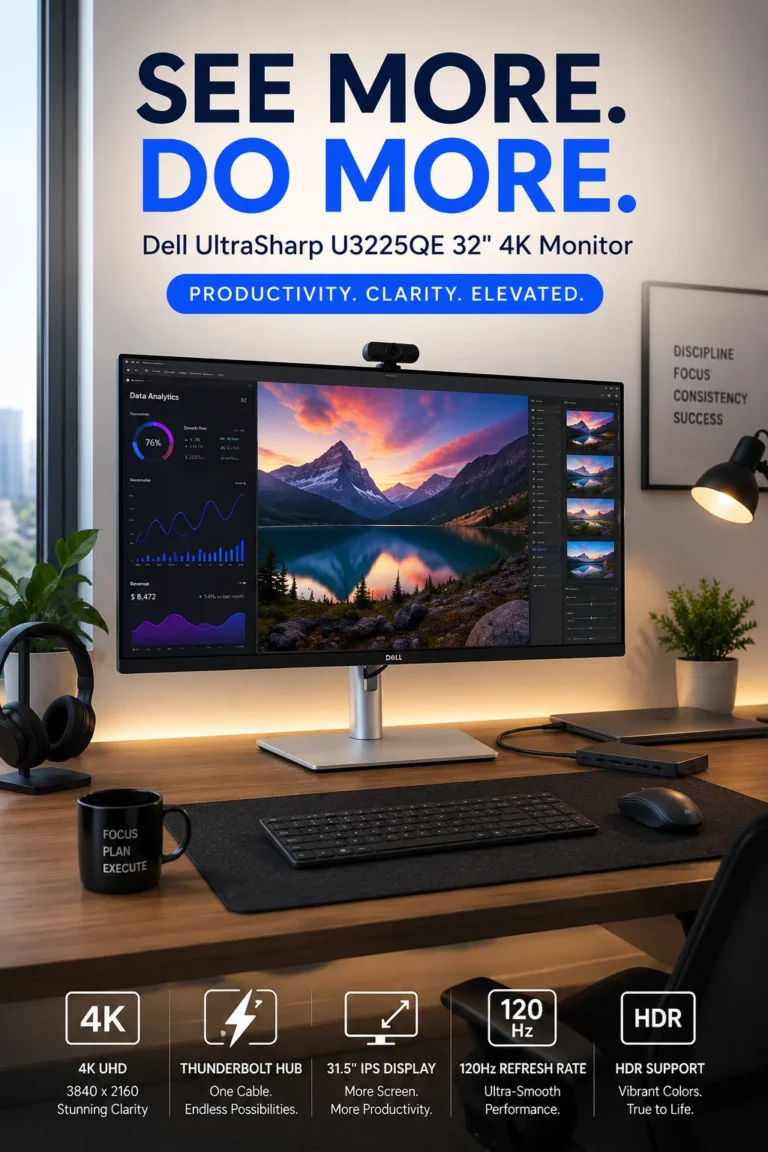
The Dell UltraSharp U3225QE is our Best Overall 4K Productivity Monitor for 2026, combining a large 31.5-inch 4K display, IPS Black panel technology, 120Hz refresh rate, Thunderbolt 4 connectivity, and a professional-oriented feature set. Rather than focusing primarily on gaming performance, the U3225QE is designed around the demands of modern professional work, where screen space, text clarity, connectivity, multitasking, and long-session usability are central to the experience.

• Ideal for professionals, developers, analysts, content creators, remote workers, and users building a premium desktop workstation around a laptop or desktop PC
• Particularly well suited to productivity-heavy workflows involving spreadsheets, documents, coding, browser-based applications, dashboards, creative software, and extensive multitasking
• A strong choice for users who want a large 4K display with higher refresh-rate fluidity and integrated Thunderbolt connectivity rather than a monitor focused primarily on competitive gaming
• The 31.5-inch 4K UHD resolution provides a large and highly detailed workspace for documents, spreadsheets, code, dashboards, creative applications, and side-by-side multitasking
• IPS Black panel technology provides stronger native contrast than conventional IPS displays while retaining the viewing characteristics and professional usability associated with IPS technology
• The 120Hz refresh rate provides noticeably smoother desktop interaction than traditional 60Hz monitors, particularly when scrolling through documents, moving windows, navigating large spreadsheets, and switching between applications
• Thunderbolt 4 connectivity makes the monitor particularly useful as the center of a modern laptop-based workstation, reducing cable clutter while supporting a streamlined connection between the computer, display, and peripherals
• The monitor's professional design and large 4K workspace make it particularly effective for users who spend extended periods working across multiple applications rather than focusing exclusively on entertainment or gaming
• Its combination of image quality, connectivity, screen size, and productivity-oriented features gives the U3225QE a broader professional use case than many high-refresh gaming monitors

The U3225QE earns our Best Overall 4K Productivity Monitor award because it balances several characteristics that are difficult to combine in a single professional display: a large 4K workspace, IPS Black contrast, 120Hz fluidity, Thunderbolt 4 connectivity, and a design built around professional productivity. It is particularly compelling for users who want one premium monitor to serve as the central display in a modern workstation.

Compared with conventional 4K office monitors that remain limited to 60Hz, the U3225QE provides a smoother desktop experience and a more advanced connectivity platform. Compared with gaming-oriented 4K displays, its emphasis is different: the Dell prioritizes productivity, professional connectivity, ergonomics, and everyday usability rather than maximum gaming refresh rates or OLED contrast. This makes it a particularly strong choice for professionals who need their monitor to function as part of the entire workstation rather than simply as a gaming display.

• 31.5-inch display• 4K UHD resolution• IPS Black panel technology• High pixel density• Large desktop workspace• Strong contrast for an IPS-based display• Well suited to text, documents, spreadsheets, dashboards, and creative applicationsThe 31.5-inch 4K display is one of the U3225QE's defining strengths. The combination of physical screen size and 3840 × 2160 resolution provides a detailed workspace that is particularly useful for professional applications, spreadsheets, development environments, dashboards, documents, and multitasking.IPS Black technology also gives the display stronger native contrast than traditional IPS panels, helping dark interface elements and images appear more defined while preserving the wide viewing characteristics associated with IPS technology.For productivity users, the combination of screen size, resolution, and contrast makes the U3225QE particularly well suited to long sessions involving text, graphics, browser windows, and multiple applications.
• 120Hz refresh rate• Smoother scrolling• More fluid window movement• Improved desktop responsiveness• Better motion clarity than conventional 60Hz displays• Useful for productivity and general desktop interactionThe 120Hz refresh rate gives the U3225QE a smoother desktop experience than the 60Hz refresh rates still common among conventional office monitors. The difference is most noticeable when scrolling through long documents and webpages, moving windows, navigating large spreadsheets, and interacting with applications throughout the day.This higher refresh rate is not intended to turn the U3225QE into a competitive gaming monitor. Instead, it adds a more fluid and responsive feel to everyday professional computing while complementing the monitor's productivity-focused design.
• Thunderbolt 4 connectivity• Integrated professional connectivity• Laptop-focused workstation support• Single-cable workstation potential• Peripheral connectivity• Reduced cable clutterThunderbolt 4 is particularly valuable for professionals who use a laptop as the primary computer. The monitor can become a central component of the workstation, allowing the computer, display, and compatible peripherals to be integrated into a cleaner desktop setup.This makes the U3225QE especially attractive for hybrid workers and professionals who regularly move between mobile and desktop environments. Instead of treating the monitor simply as an image output, the display can serve as part of the workstation's connectivity infrastructure.
• Large 31.5-inch workspace• 4K resolution• Side-by-side applications• Spreadsheet and document workflows• Coding and development• Browser-heavy workflows• Dashboards and data visualization• Creative applicationsThe U3225QE is particularly effective for workflows that require several applications to remain visible simultaneously. The combination of 31.5 inches and 4K resolution provides enough desktop space for side-by-side documents, browser windows, development environments, spreadsheets, dashboards, and creative tools.For professionals who routinely move between multiple applications, a large high-resolution display can reduce the need to constantly resize windows or switch between virtual workspaces.
• IPS Black technology• High-resolution 4K image• Strong contrast for an IPS display• Wide viewing characteristics• Professional-oriented display design• Suitable for general content creationThe U3225QE is designed primarily as a professional productivity display, but its image quality also makes it suitable for general creative work. The 4K resolution provides precise detail, while IPS Black technology improves contrast compared with conventional IPS panels.For professional creators, however, the monitor should be evaluated against the specific requirements of the workflow. Users whose work depends on highly specialized color management or advanced HDR production may benefit from a dedicated professional creator monitor such as the ASUS ProArt PA32UCG-K elsewhere in this ranking.
• Thunderbolt connectivity• USB connectivity• Display connectivity• Peripheral integration• Laptop workstation support• Cleaner desktop organizationThe U3225QE is designed to function as more than a standalone display. Its connectivity options allow it to play a central role in a professional workstation, particularly when paired with a modern laptop.For users who regularly connect and disconnect a laptop from a desktop setup, this type of monitor can simplify the transition between mobile and stationary work while reducing the number of individual connections required at the desk.
• Large professional display• 4K text clarity• 120Hz desktop fluidity• Productivity-focused design• Suitable for extended work sessions• Designed for office and workstation environmentsThe U3225QE is particularly well suited to professionals who spend many hours each day working at a desktop. Its large 4K workspace provides detailed text and interface elements, while the 120Hz refresh rate makes everyday navigation and scrolling more fluid.The overall design is oriented toward sustained productivity rather than short gaming sessions, making it a strong fit for offices, home workspaces, development environments, financial analysis, content production, and other desk-based professional workflows.
Ideal for:• Professional productivity• Software development• Data analysis• Financial and business workflows• Remote work• Multitasking• Office applications• Content creation• Large spreadsheets and dashboards• Laptop-based workstationsThe Dell UltraSharp U3225QE is best suited to professionals who want a large, high-resolution display capable of handling demanding productivity workflows while also serving as a central component of a modern workstation.Its combination of 4K resolution, IPS Black technology, 120Hz refresh rate, and Thunderbolt connectivity makes it one of the most balanced choices in this ranking for users whose priorities extend beyond gaming.
Best OLED Gaming Monitor (2026)

MSI MPG 321URX QD-OLED

Best 4K OLED Monitor for High-Refresh-Rate Gaming & Immersive Visuals
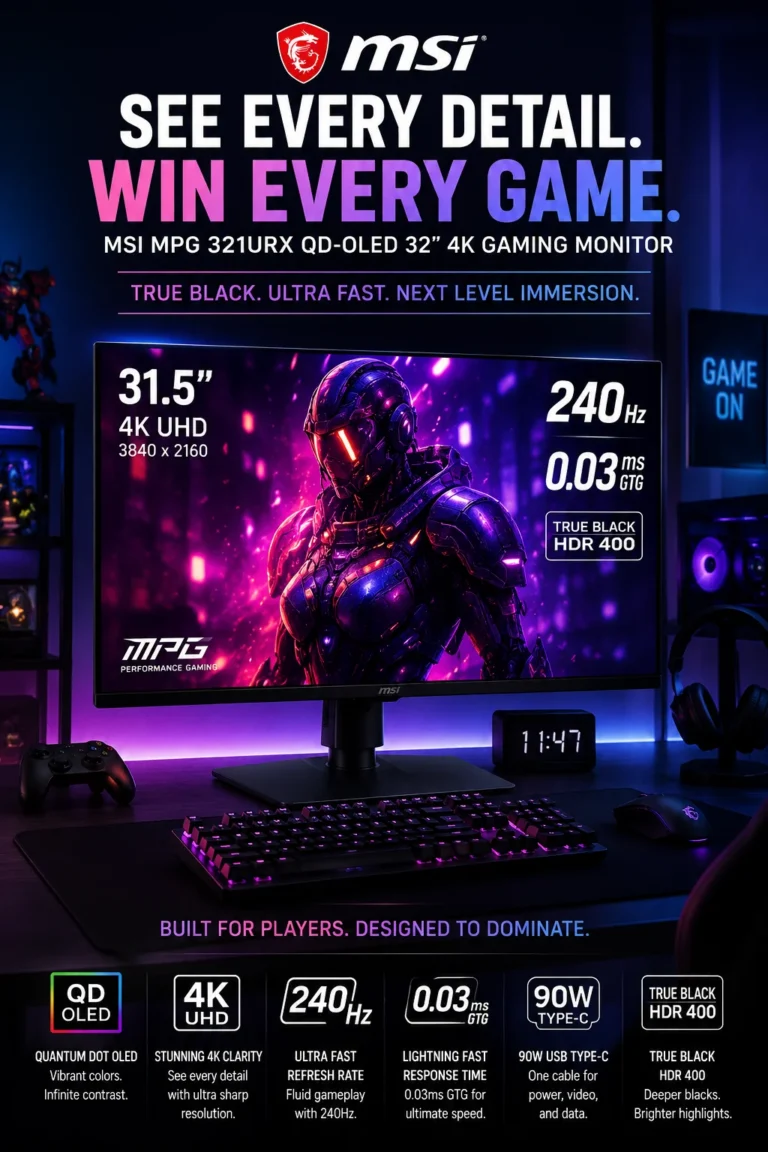
The MSI MPG 321URX QD-OLED is our Best OLED Gaming Monitor for 2026, combining a 32-inch 4K UHD resolution, QD-OLED panel technology, 240Hz refresh rate, and extremely fast pixel response. Its strengths are particularly relevant to PC gamers who want both the image quality advantages of OLED and the responsiveness required for high-refresh-rate gaming.

• Ideal for PC gamers, OLED enthusiasts, competitive players, and users building high-end gaming systems around modern GPUs
• Particularly well suited to fast-paced games where motion clarity and response performance matter, while also providing excellent image quality for single-player games, movies, and HDR content
• A strong choice for users who want a large 4K gaming display without choosing between high refresh-rate performance and the contrast advantages of OLED technology
• The 32-inch 4K UHD QD-OLED panel combines high pixel density with OLED's ability to produce very deep blacks and high contrast, creating a detailed and immersive image
• The 240Hz refresh rate provides substantially smoother motion than conventional 60Hz and 120Hz displays, making it particularly useful for fast-paced gaming
• The extremely fast pixel response of the OLED panel minimizes pixel transition times and helps reduce visible ghosting during rapid on-screen movement
• QD-OLED technology provides wide color reproduction and strong contrast, making the monitor suitable for both competitive gaming and visually demanding single-player titles
• Its 4K resolution provides considerably more image detail than 1440p displays, which is particularly valuable on a 32-inch screen and with modern high-end graphics hardware
• USB-C connectivity and high-power charging support also make the monitor useful in mixed gaming and productivity environments where a laptop may be part of the setup

The MSI MPG 321URX QD-OLED earns our Best OLED Gaming Monitor award because it brings together the characteristics that matter most to high-end 4K gaming: QD-OLED image quality, 240Hz refresh-rate capability, extremely fast pixel response, and a large 32-inch 4K workspace. It is particularly compelling for users who want a monitor that performs equally well in competitive games and visually demanding cinematic titles.

Compared with conventional 4K IPS gaming monitors, the 321URX offers the fundamental contrast and pixel-response advantages of OLED technology, while its 240Hz refresh rate provides a higher level of motion fluidity than many productivity-oriented 4K displays. The trade-off is that OLED monitors require more consideration around long-term static-content usage and panel care, making the 321URX most appropriate for users who understand the characteristics of OLED technology and want its benefits for gaming.

• 32-inch display• 4K UHD resolution• QD-OLED panel technology• Per-pixel OLED illumination• Very deep black levels• High native contrast• Wide color reproduction• High pixel densityThe 32-inch 4K QD-OLED panel is the foundation of the MPG 321URX's appeal. The 3840 × 2160 resolution provides a highly detailed image at this screen size, while OLED technology allows individual pixels to control their own illumination.This enables the display to produce very deep blacks and extremely high contrast, particularly in dark gaming environments. QD-OLED technology also supports a wide and vibrant color presentation, making the monitor suitable for games where image quality is as important as responsiveness.
• 240Hz refresh rate• High frame-rate gaming support• Smooth motion• Reduced perceived motion blur• Fast pixel transitions• Suitable for competitive gamingThe 240Hz refresh rate is one of the MPG 321URX's primary gaming advantages. When the system can produce sufficiently high frame rates, the higher refresh rate allows the display to update the image more frequently than conventional 60Hz or 120Hz monitors.The benefit is most apparent in fast-paced games, where smoother motion can make rapidly moving objects easier to follow. The monitor's very fast OLED pixel response further complements the high refresh rate by minimizing the persistence and transition behavior associated with slower LCD panels.
• Extremely fast pixel response• Minimal pixel transition delay• Reduced ghosting• Clearer fast movement• Well suited to high-refresh-rate gamingOLED's pixel response characteristics are particularly valuable when paired with a 240Hz refresh rate. Pixels can transition between brightness levels extremely quickly, reducing the trailing and ghosting that can be visible on slower LCD panels.This does not eliminate every source of motion blur because perceived motion clarity also depends on frame rate, refresh behavior, game settings, and the way the display is driven. Nevertheless, the combination of OLED response performance and 240Hz refresh capability makes the 321URX particularly well suited to fast gaming.
• OLED contrast• Very deep blacks• HDR support• High contrast between bright and dark areas• Wide color reproduction• Suitable for HDR gaming and mediaOLED technology gives the MPG 321URX a major advantage in scenes containing both bright highlights and dark areas. Because each pixel can be controlled independently, the display can produce extremely dark regions without relying on a conventional LCD backlight.This can make HDR games and compatible media appear more dimensional, particularly in dark environments. The quality of the HDR experience still depends on the content, mastering, brightness characteristics, and game implementation, so HDR performance should be considered alongside the monitor's overall display characteristics rather than as an isolated specification.
• 3840 × 2160 resolution• 32-inch screen size• High pixel density• Detailed game environments• Sharp text and interface elements• Suitable for modern high-end GPUs4K resolution provides a significant increase in image detail compared with 1440p, particularly when viewing fine textures, distant objects, text, and interface elements.On a 32-inch display, the combination of 4K resolution and high pixel density produces a sharp image that works well for both gaming and general desktop use. The main consideration is graphics performance: driving modern games at 4K and 240Hz can require substantial GPU performance, particularly in demanding titles.
• USB-C connectivity• Up to 90W power delivery• Laptop connectivity• Peripheral integration• Gaming and productivity useUSB-C connectivity makes the MPG 321URX more versatile in mixed-use environments. Compatible laptops can connect through a single USB-C connection while receiving power, helping reduce cable clutter and making it easier to use the display as part of a hybrid workstation.This is particularly useful for users who switch between a desktop gaming PC and a laptop for work or study. The monitor can therefore serve as both a high-performance gaming display and a large desktop workspace.
• OLED panel technology• Excellent contrast• Very fast pixel response• Static-content considerations• Panel-care features• Suitable for mixed gaming and desktop useOLED provides significant advantages for gaming, but it also has different long-term characteristics from traditional LCD technology. Users who keep static interface elements visible for very long periods should pay attention to the monitor's panel-care features and recommended usage practices.For gaming-focused users, where the displayed content changes frequently, OLED's strengths are particularly compelling. For users whose monitor spends most of the day displaying static spreadsheets, browser interfaces, or desktop applications, a professional IPS display such as the Dell UltraSharp U3225QE may be a more appropriate choice.
Ideal for:• High-end PC gaming• Competitive gaming• 4K gaming• OLED enthusiasts• High-refresh-rate gaming• Single-player cinematic games• HDR gaming and media• Users with powerful GPUs• Hybrid gaming and productivity setupsThe MSI MPG 321URX QD-OLED is best suited to users who want a high-end 4K gaming monitor where image quality and motion performance are equally important. Its combination of QD-OLED technology, 240Hz refresh rate, fast pixel response, and 32-inch 4K resolution makes it one of the strongest choices in this ranking for demanding PC gaming.
Best 240Hz 4K Curved Gaming Monitor (2026)

Samsung Odyssey Neo G8

Best 4K Monitor for High-Refresh-Rate Gaming, Motion Clarity & Immersion
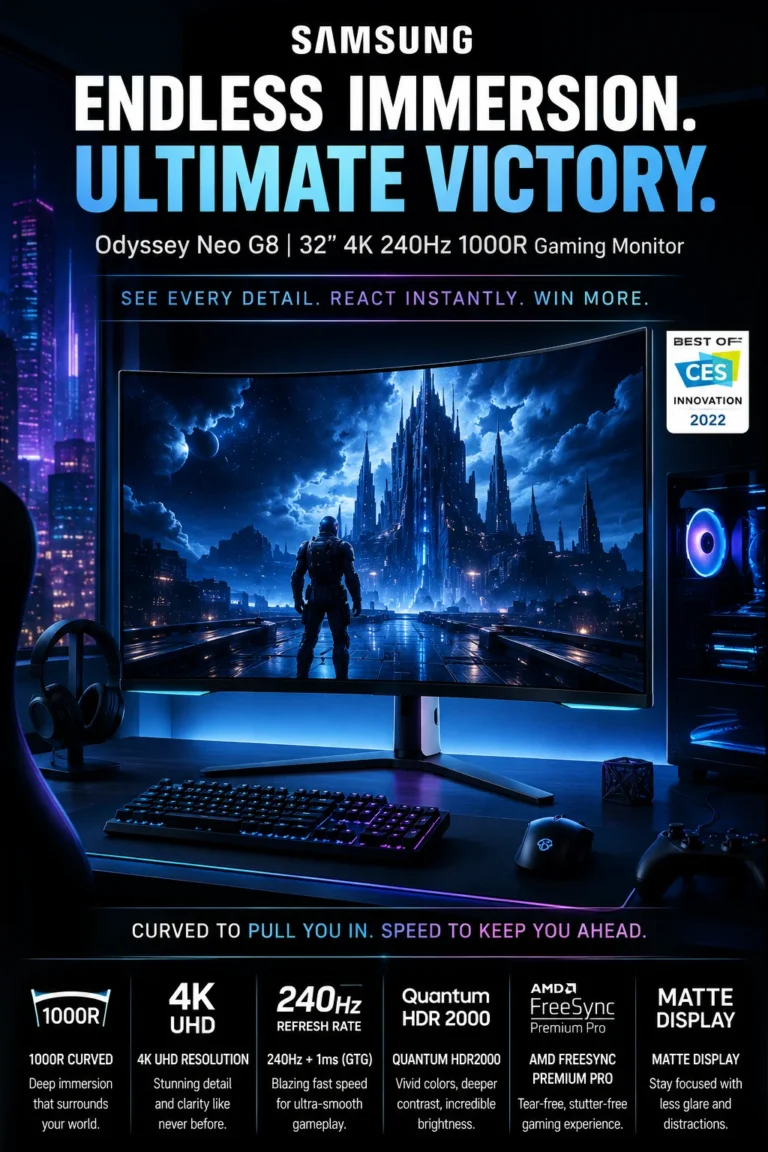
The Samsung Odyssey Neo G8 is our Best 240Hz 4K Curved Gaming Monitor for 2026, combining a 4K UHD resolution, 240Hz refresh rate, 1000R curvature, and Mini-LED backlighting. Its design is focused on users who want high-refresh-rate gaming performance together with strong HDR capability and a highly immersive curved display.

• Ideal for competitive gamers, simulation players, and PC users who prioritize high refresh rates, responsive gameplay, and immersive screen geometry
• Particularly well suited to fast-paced games, racing and simulation titles, cinematic games, and gaming environments where HDR contrast and screen immersion are important
• A strong choice for users who prefer an aggressive curved display and want 4K resolution without moving to a conventional flat gaming monitor
• The 4K UHD resolution provides high image detail while allowing the large curved display to deliver a sharp and immersive gaming experience
• The 240Hz refresh rate provides very smooth motion when the connected system can produce sufficiently high frame rates, making it particularly valuable for fast-paced gaming
• The 1000R curvature creates a more enveloping viewing geometry that can increase immersion, particularly in racing, simulation, and first-person gaming environments
• Mini-LED backlighting and local dimming provide stronger contrast and more controlled illumination than conventional edge-lit LCD gaming monitors, supporting a more capable HDR experience
• Quantum HDR2000 support is designed to provide a wide HDR range with bright highlights and strong contrast, although the perceived HDR experience will still depend on content and display conditions
• AMD FreeSync Premium Pro helps synchronize the display refresh cycle with compatible graphics hardware, reducing tearing and stuttering during gameplay

The Neo G8 earns our Best 240Hz 4K Curved Gaming Monitor award because it combines several characteristics that are difficult to find together: 4K resolution, a 240Hz refresh rate, aggressive 1000R curvature, and Mini-LED backlighting. It is particularly compelling for gamers who want both high-speed motion performance and a more immersive HDR-oriented display.

Compared with conventional 144Hz flat 4K gaming monitors, the Neo G8 offers a higher refresh rate and a more pronounced curved viewing experience, while its Mini-LED backlighting provides a more advanced approach to contrast and HDR performance. The trade-off is that the 1000R curvature is more specialized than a traditional flat display and may not be equally comfortable or practical for every productivity workflow.

• 1000R curved display • Aggressive curved viewing geometry • Greater peripheral immersion • Well suited to gaming environments • Particularly effective for racing and simulation • Designed around immersive gameplay The 1000R curvature is one of the defining characteristics of the Odyssey Neo G8. Rather than using the relatively subtle curves found on many conventional monitors, the display uses a much more pronounced curvature designed to keep more of the screen within the user's natural viewing area. This can enhance immersion in games, particularly racing, simulation, and first-person titles where the wider visual field contributes to the overall experience. However, the aggressive curvature is also a matter of preference and may be less suitable for users who regularly work with straight lines, technical layouts, or applications where a flat display is preferable.
• 240Hz refresh rate • 4K UHD resolution • Smooth high-frame-rate gaming • Reduced perceived motion blur • More fluid movement • Suitable for fast-paced titles The 240Hz refresh rate is one of the Neo G8's primary performance advantages. When a compatible gaming system can produce sufficiently high frame rates, the display can update the image substantially more frequently than conventional 60Hz, 120Hz, or 144Hz monitors. The benefit is most apparent in fast-moving games, where smoother motion can make rapidly changing scenes easier to follow. At the same time, 4K resolution places significantly greater demands on the GPU, meaning that achieving very high frame rates at native resolution can require powerful modern graphics hardware.
• Mini-LED backlighting • Local dimming • Quantum HDR2000 support • High contrast • Bright HDR highlights • Stronger dark-scene performance Mini-LED backlighting gives the Neo G8 a more advanced approach to contrast than conventional edge-lit LCD gaming monitors. By using a larger number of smaller backlight zones, the display can control illumination more precisely across different areas of the screen. This is particularly valuable for HDR content containing both bright highlights and darker regions. The resulting contrast performance can make cinematic games and dark scenes more visually convincing, although local-dimming behavior can still vary depending on the content and scene.
• AMD FreeSync Premium Pro • Adaptive synchronization • Reduced screen tearing • Reduced stuttering • Smoother variable-frame-rate gaming • Compatible PC gaming workflows Adaptive synchronization helps the monitor adjust its refresh behavior to the frame rate being produced by compatible graphics hardware. This reduces the mismatch that can produce visible tearing and helps maintain smoother motion when frame rates fluctuate. FreeSync Premium Pro is particularly useful in demanding games where maintaining a perfectly fixed frame rate is difficult. Combined with the Neo G8's 240Hz capability, adaptive synchronization helps the display take better advantage of variable high-frame-rate gaming performance.
• Fast response performance • High-refresh-rate gaming • Reduced visible trailing • Clearer fast movement • Suitable for competitive titles • Designed for responsive gameplay The Neo G8 is designed around responsive gaming, where high refresh rates and fast pixel transitions work together to improve the perception of motion. This is particularly relevant in competitive shooters, racing games, and other titles where objects can move rapidly across the screen. As with any gaming monitor, real-world motion clarity depends on more than the advertised response figure. Frame rate, refresh behavior, overdrive settings, and the characteristics of the game itself all influence the final result.
• Matte anti-glare surface • Reduced reflections • Better visibility in bright environments • More consistent image visibility • Suitable for extended gaming sessions The matte display surface helps reduce distracting reflections from windows, lamps, and other light sources. This can be particularly useful in gaming rooms where ambient lighting cannot always be controlled. Reducing reflections does not eliminate every source of glare, but it can make the screen easier to view in brighter environments and help maintain a more consistent experience during longer gaming sessions.
• 3840 × 2160 resolution • High pixel density • Detailed game environments • Sharp interface elements • Strong visual detail • Suitable for modern gaming systems The Neo G8 combines its curved form factor with 4K UHD resolution, providing a high level of image detail across the display. Fine textures, distant objects, game interfaces, and environmental details can benefit from the additional pixel density compared with lower-resolution gaming displays. The main consideration is GPU demand. Rendering modern games at native 4K while targeting very high refresh rates can require substantial graphics performance, particularly in demanding AAA titles.
Ideal for: • High-refresh-rate PC gaming • Competitive gaming • Racing and simulation games • Immersive gaming setups • 4K gaming • HDR gaming • Users with powerful GPUs • Gamers who prefer curved displays • Fast-paced gaming The Samsung Odyssey Neo G8 is best suited to gamers who want a highly immersive 4K display without giving up high-refresh-rate performance. Its combination of 240Hz capability, 1000R curvature, Mini-LED backlighting, and HDR support makes it particularly strong for users who prioritize both motion performance and visual immersion.
Best Dual-Mode OLED Gaming Monitor (2026)

LG UltraGear 32GX850A-B

Best OLED Monitor for Flexible Gaming Modes, 4K Detail & High Refresh Rates
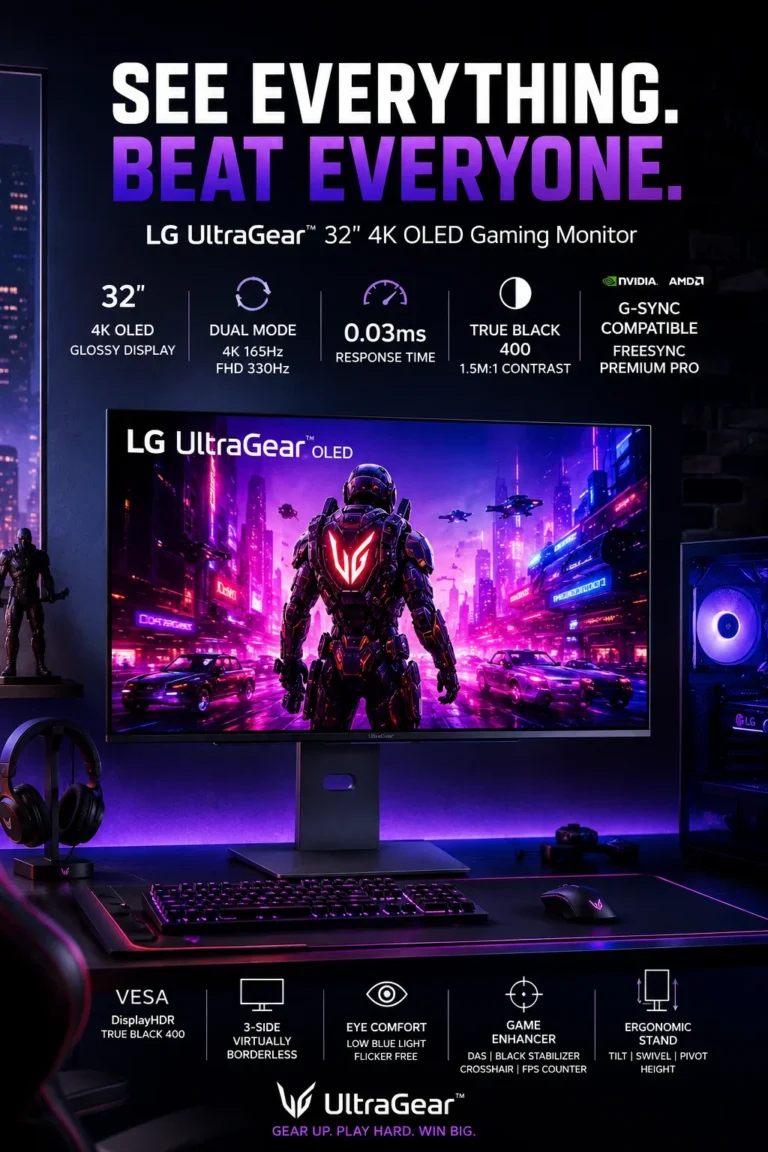
The LG UltraGear 32GX850A-B is our Best Dual-Mode OLED Gaming Monitor for 2026, designed for gamers who want the flexibility to prioritize high-detail 4K gaming or extremely high refresh-rate competitive play from the same display. Its OLED panel, dual-mode operation, fast response characteristics, HDR capability, and adaptive synchronization make it particularly versatile for users who move between cinematic gaming and competitive esports.

• Ideal for competitive gamers, esports players, and OLED enthusiasts who want a display capable of adapting to different gaming priorities
• Particularly well suited to users who alternate between visually demanding 4K games and competitive titles where very high refresh rates and motion responsiveness are more important
• A strong choice for high-end PC gaming setups where flexibility between image detail and competitive performance is more valuable than optimizing the monitor for only one type of game
• The OLED panel provides individually controlled pixels, enabling very deep blacks, high contrast, and strong image separation in both dark gaming environments and HDR content
• The dual-mode design allows the display to prioritize 4K resolution at a high refresh rate or a substantially higher refresh rate for competitive gaming, depending on the selected mode
• OLED's extremely fast pixel response characteristics help minimize visible trailing during rapid movement and complement the monitor's high-refresh-rate capabilities
• DisplayHDR True Black 400 support takes advantage of OLED's ability to produce deep black levels, improving contrast in compatible HDR games and media
• Adaptive synchronization support helps reduce tearing and stuttering when frame rates fluctuate, making the display more versatile across different gaming workloads
• The combination of OLED image quality, 4K detail, and high-refresh-rate flexibility gives the monitor a broader gaming role than displays optimized exclusively for cinematic image quality or esports performance

The 32GX850A-B earns our Best Dual-Mode OLED Gaming Monitor award because its defining advantage is flexibility. Instead of forcing users to choose between high-resolution gaming and extremely high refresh rates, its dual-mode approach allows the display to adapt to different types of games. This makes it particularly compelling for enthusiasts whose gaming library includes both cinematic AAA titles and competitive esports.

Compared with conventional IPS gaming monitors, the 32GX850A-B offers the contrast and response characteristics associated with OLED technology together with a more flexible high-refresh-rate design. Compared with OLED monitors optimized around a single resolution and refresh-rate combination, its dual-mode approach provides greater flexibility, although users should recognize that the highest refresh-rate mode and the highest-resolution mode serve different gaming priorities.

• OLED panel technology • Individually controlled pixels • Very deep black levels • High native contrast • Strong color reproduction • Detailed dark scenes • Immersive gaming image The OLED panel is one of the 32GX850A-B's defining characteristics. Because individual pixels can control their own illumination, the display can produce very deep blacks without relying on a conventional LCD backlight. This gives games a strong contrast advantage, particularly in dark environments and scenes containing a mixture of bright and shadowed areas. OLED's image characteristics also make the monitor well suited to cinematic games and HDR content where contrast and visual depth contribute significantly to the experience.
• 4K high-refresh-rate gaming mode • Ultra-high-refresh-rate competitive mode • Flexible gaming priorities • Resolution and refresh-rate trade-off • Suitable for different game genres • Designed for both esports and cinematic gaming The dual-mode design is the central feature of the 32GX850A-B. It allows users to choose between a mode focused on high-resolution gaming and another designed around substantially higher refresh-rate performance. This distinction is important because different games place different demands on a display. Cinematic AAA titles can benefit more from resolution and image detail, while competitive esports titles often prioritize refresh rate and motion responsiveness. The dual-mode system gives users the ability to adjust the display according to the game rather than using the same configuration for every workload.
• Extremely fast pixel response • Reduced visible trailing • Low perceived motion persistence • Clearer fast movement • Suitable for competitive gaming • Complements high refresh rates OLED technology is particularly effective for high-refresh-rate gaming because its pixels can transition between brightness levels extremely quickly. This reduces the trailing behavior that can be visible on slower LCD panels during rapid movement. The practical benefit is most noticeable in fast-paced games, where quick camera movement and rapidly changing objects can expose limitations in slower displays. Response performance still depends on refresh rate, frame rate, settings, and game conditions, but OLED provides a strong foundation for responsive gaming.
• DisplayHDR True Black 400 • OLED black levels • Strong contrast • Bright and dark scene separation • HDR gaming support • Cinematic visual presentation DisplayHDR True Black 400 complements the OLED panel's ability to produce deep blacks. Rather than relying only on peak brightness, the HDR experience also benefits from the display's ability to maintain strong separation between dark areas and brighter elements. This can be particularly effective in games with nighttime environments, shadow-heavy scenes, and cinematic lighting. As with other HDR displays, the final experience depends on the content, game implementation, mastering, and overall brightness characteristics of the display.
• Adaptive synchronization support • G-SYNC compatibility • FreeSync support • Reduced screen tearing • Reduced stuttering • Smoother variable-frame-rate gaming Adaptive synchronization helps coordinate the display's refresh behavior with the frame rate produced by compatible graphics hardware. This reduces visible tearing and can make gameplay smoother when frame rates fluctuate. The feature is particularly useful in demanding games where maintaining a fixed frame rate is difficult. Combined with the monitor's high refresh-rate capabilities, adaptive synchronization allows the display to respond more effectively to changing gaming workloads.
• 4K UHD resolution • High pixel density • Detailed game environments • Sharp textures and interfaces • Suitable for cinematic gaming • Strong visual detail The 4K mode provides the level of image detail expected from a modern high-end gaming display. Higher pixel density can make fine textures, distant objects, environmental details, and interface elements appear more defined. This mode is particularly relevant to single-player AAA games and visually demanding titles where image quality and immersion take priority over maximizing competitive refresh rates. The higher resolution also increases GPU requirements, especially when targeting high frame rates.
• OLED panel technology • Excellent contrast • Very fast response • Static-content considerations • Panel-care features • Gaming-focused usage OLED provides major advantages for gaming, but it also has different long-term characteristics from conventional LCD technology. Users who display static desktop elements, application interfaces, or other fixed content for extended periods should follow the manufacturer's recommended panel-care practices. For gaming-focused environments where the displayed content changes frequently, OLED's advantages are particularly compelling. Users who spend most of the day working with static productivity applications may prefer a professional IPS display designed more specifically around extended desktop workloads.
Ideal for: • Competitive gaming • Esports • 4K gaming • OLED gaming • AAA gaming • High-refresh-rate gaming • Users who switch between gaming modes • High-end PC gaming • Immersive gaming setups The LG UltraGear 32GX850A-B is best suited to gamers who do not want to optimize their display around only one type of game. Its combination of OLED image quality and dual-mode operation makes it particularly useful for users who alternate between high-detail cinematic gaming and competitive titles where refresh rate and responsiveness take priority.
Best Compact 4K OLED Gaming Monitor (2026)

GIGABYTE MO27U2

Best Compact 4K OLED Monitor for Gaming, Sharp Detail & Responsive Performance
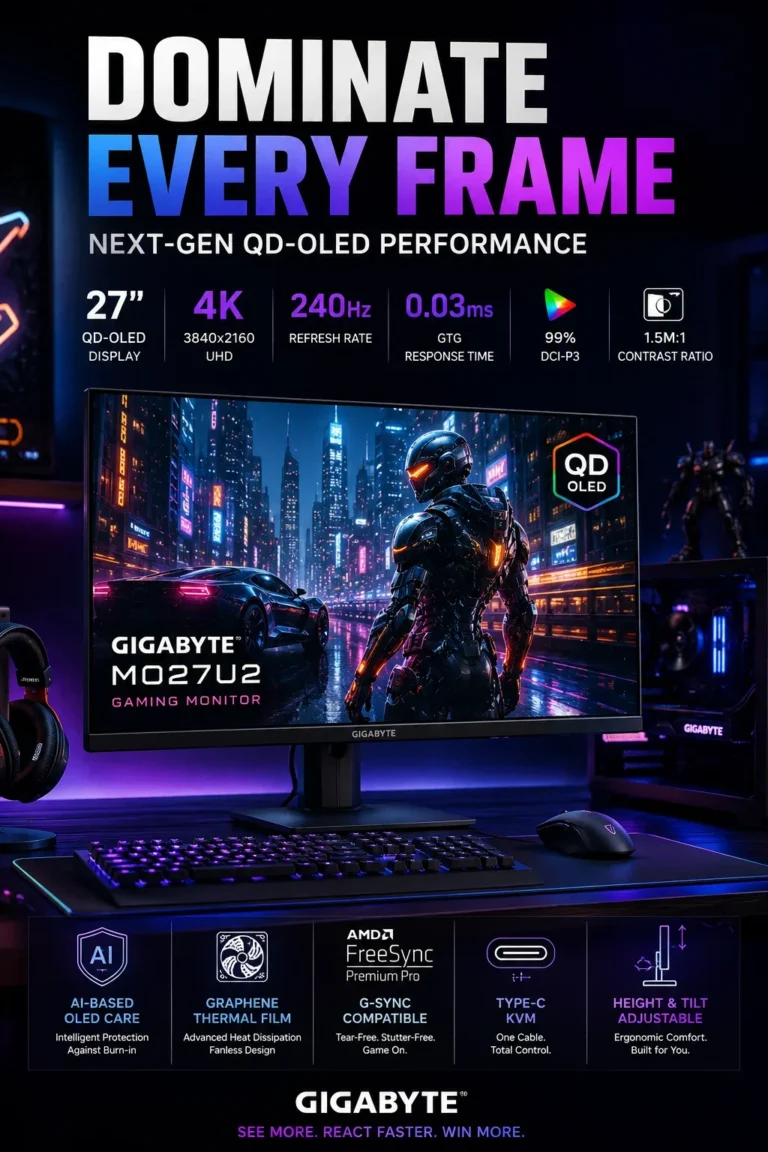
The GIGABYTE MO27U2 is our Best Compact 4K OLED Gaming Monitor for 2026, combining a 27-inch 4K display, QD-OLED technology, 240Hz refresh rate, and extremely fast pixel response in a more compact form factor. Its smaller footprint makes it particularly attractive to gamers who want high-end OLED performance without moving to the larger 32-inch displays common in this category.

• Ideal for competitive gamers, esports players, OLED enthusiasts, and users working with limited or carefully optimized desk space
• Particularly well suited to gamers who prioritize high pixel density, fast motion performance, and a focused viewing area rather than maximizing physical screen size
• A strong choice for users who want a monitor that can serve both a high-performance gaming setup and a compact workstation through USB-C and KVM functionality
• The 27-inch 4K panel provides very high pixel density, producing sharp image detail and crisp interface elements while keeping the physical footprint relatively compact
• QD-OLED technology provides very deep blacks, high contrast, and wide color reproduction, giving games a visually rich presentation compared with conventional LCD gaming displays
• The 240Hz refresh rate provides smooth motion and is particularly useful for competitive gaming when the connected system can produce sufficiently high frame rates
• Extremely fast OLED pixel response complements the high refresh rate by minimizing visible trailing during rapid movement
• USB-C connectivity and KVM functionality add practical value for users who switch between multiple computers or combine gaming and productivity devices on the same desk
• The compact 27-inch format can provide a more focused viewing experience while requiring less physical desk space than many larger 32-inch 4K OLED monitors

The MO27U2 earns our Best Compact 4K OLED Gaming Monitor award because it delivers a combination of high pixel density, OLED contrast, 240Hz gaming performance, and compact dimensions that is difficult to match with larger displays. It is particularly compelling for gamers who value a focused screen size without giving up high-end display technology.

Compared with larger 32-inch OLED gaming monitors, the MO27U2 occupies less physical desk space and provides higher pixel density at 4K, which can result in a particularly sharp image at a closer viewing distance. The trade-off is a smaller overall viewing area, making larger OLED displays potentially more suitable for users who prioritize immersion and expansive screen real estate over compactness.

• QD-OLED panel technology • Very deep black levels • High native contrast • Wide color reproduction • Strong image separation • Suitable for gaming and media • Detailed dark scenes QD-OLED technology is central to the MO27U2's image quality. Individual pixels can control their own illumination, allowing the display to produce very deep blacks without relying on a conventional LCD backlight. The result is strong contrast and clear separation between bright and dark areas. This is particularly noticeable in games with dark environments, cinematic lighting, and high-contrast scenes, while the wide color reproduction of QD-OLED also supports visually demanding gaming content.
• 240Hz refresh rate • High-frame-rate gaming • Smooth motion • Reduced perceived motion blur • Competitive gaming support • Fast OLED response The 240Hz refresh rate gives the MO27U2 the responsiveness expected from a high-end competitive gaming monitor. When the system can generate sufficiently high frame rates, the display updates the image more frequently than conventional 60Hz, 120Hz, or 144Hz monitors. This can make fast movement easier to follow and provide a more fluid visual experience in competitive titles. The monitor's OLED response characteristics complement the high refresh rate by reducing the trailing behavior associated with slower pixel transitions.
• Extremely fast pixel response • Reduced visible ghosting • Clearer rapid movement • Low response latency • Suitable for esports • Complements 240Hz operation OLED technology provides very fast pixel transitions, which is particularly valuable when combined with a 240Hz refresh rate. Rapid changes between brightness levels can occur with minimal transition delay, helping reduce visible trailing during fast camera movement. Actual motion clarity still depends on frame rate, refresh behavior, game settings, and display configuration. Nevertheless, the combination of OLED response performance and 240Hz refresh capability makes the MO27U2 particularly well suited to competitive gaming.
• 27-inch display • 4K UHD resolution • Very high pixel density • Sharp image detail • Crisp text and interface elements • Compact physical footprint The 27-inch 4K format is one of the MO27U2's defining characteristics. The combination of a relatively compact screen size and 3840 × 2160 resolution produces a very high pixel density, resulting in a highly detailed image. This can be particularly useful for users who sit relatively close to the display or prefer a focused gaming field of view. The smaller physical footprint can also make the monitor easier to integrate into compact desks, although users who prioritize cinematic immersion may prefer the larger viewing area of a 32-inch display.
• USB-C connectivity • KVM functionality • Multi-device workflows • Gaming and productivity integration • Cleaner desk organization • Convenient device switching USB-C and KVM functionality give the MO27U2 a role beyond gaming. Users who operate more than one computer can use the display as part of a shared workstation environment, simplifying the process of switching between devices and peripherals. This is particularly useful in compact setups where minimizing cables and reducing the number of dedicated peripherals can make the workspace easier to manage. The monitor can therefore serve as a bridge between a gaming PC and a secondary laptop or productivity system.
• HDR support • OLED black levels • Strong contrast • Deep shadow reproduction • Wide color presentation • Suitable for HDR gaming and media The MO27U2's OLED characteristics provide a strong foundation for HDR gaming. Deep blacks allow darker parts of an image to remain distinct while bright elements stand out against them, creating greater contrast in compatible content. HDR performance still depends on the content, mastering, brightness characteristics, and game implementation. For that reason, the monitor's HDR capabilities should be considered as part of the broader OLED image-quality experience rather than as an isolated specification.
• OLED panel technology • Excellent contrast • Fast pixel response • Static-content considerations • Panel-care features • Gaming-focused usage As with other OLED gaming monitors, the MO27U2 has characteristics that differ from traditional LCD displays. Users who leave static desktop interfaces, taskbars, or application elements visible for extended periods should follow the manufacturer's recommended panel-care practices. For gaming-focused use, where the displayed content changes frequently, OLED's contrast and response advantages are particularly valuable. Users whose primary workload consists of static office applications throughout the day may want to consider a professional LCD display instead.
Ideal for: • Competitive gaming • Esports • 4K gaming • OLED gaming • High-refresh-rate gaming • Compact desk setups • Small gaming workstations • OLED enthusiasts • Hybrid gaming and productivity setups The GIGABYTE MO27U2 is best suited to users who want high-end OLED gaming performance in a more compact format. Its combination of 27-inch 4K resolution, QD-OLED technology, 240Hz refresh rate, fast pixel response, USB-C, and KVM functionality makes it particularly versatile for focused gaming setups where desk space and pixel density are important considerations.
Best Professional Creator Monitor (2026)

ASUS ProArt PA32UCG-K

Best 4K Monitor for Professional Color, HDR & Content Creation Workflows
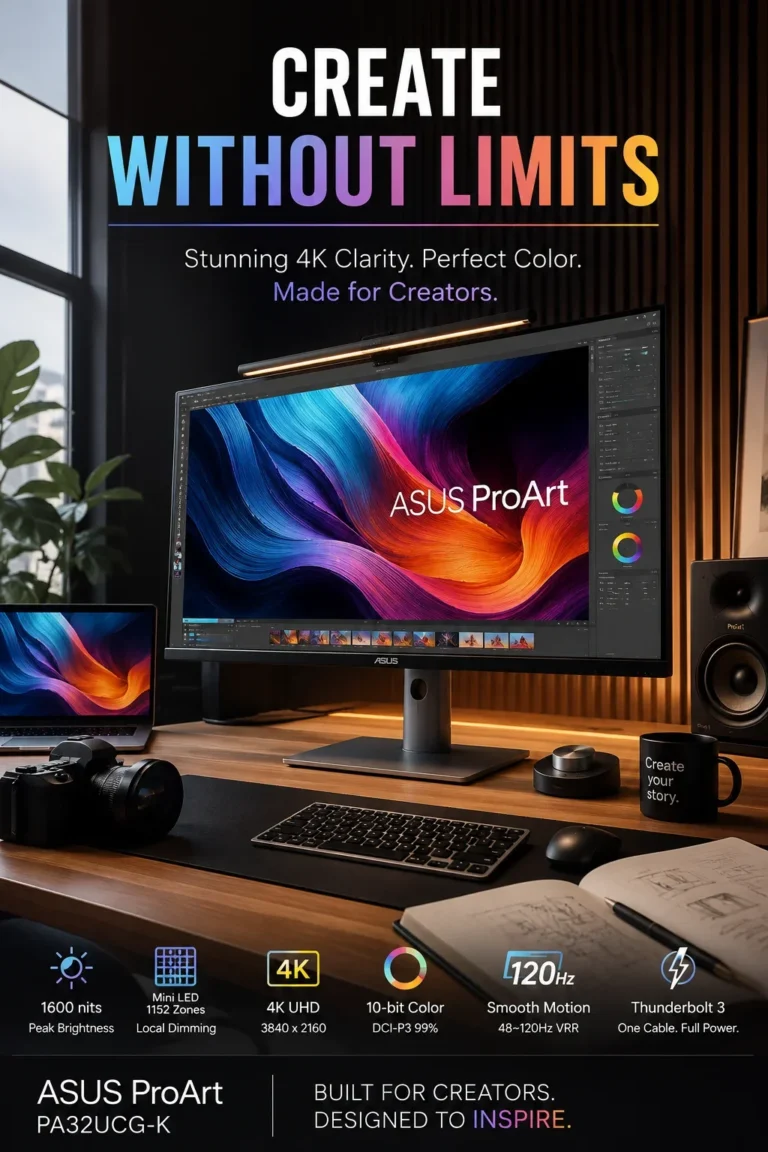
The ASUS ProArt PA32UCG-K is our Best Professional Creator Monitor for 2026, designed for color-critical workflows that require accurate image reproduction, advanced HDR performance, high-resolution detail, and professional connectivity. Rather than prioritizing gaming specifications, the PA32UCG-K is built around the requirements of video production, photography, design, color grading, and other demanding creative workflows.

• Ideal for professional video editors, colorists, photographers, designers, visual artists, and creators working with color-critical content
• Particularly well suited to HDR production, professional video workflows, image editing, color grading, and applications where consistent image reproduction is more important than gaming performance
• A strong choice for creators who need a large 4K professional display with advanced HDR capabilities and connectivity suited to modern desktop and Mac-based production environments
• The 4K UHD display provides a detailed workspace for professional editing, color grading, photography, design, and high-resolution creative applications
• Professional-oriented color reproduction is designed to support workflows where accurate and consistent color representation is more important than the broader visual tuning found on gaming displays
• Mini-LED backlighting and advanced local dimming provide more precise control of brightness across the display, supporting stronger contrast and more capable HDR presentation
• High peak brightness capability is particularly relevant to HDR production, where creators need to evaluate bright highlights and dynamic-range behavior more accurately
• The 120Hz refresh rate provides smoother timeline navigation, interface movement, and video playback than traditional 60Hz professional monitors, adding fluidity without changing the monitor's primary creator-focused purpose
• Thunderbolt connectivity makes the display well suited to modern creator workstations, particularly setups built around compatible laptops and professional peripherals

The PA32UCG-K earns our Best Professional Creator Monitor award because its priorities are fundamentally different from those of the gaming displays elsewhere in this ranking. Its combination of 4K resolution, professional color capabilities, Mini-LED backlighting, advanced HDR performance, and creator-oriented connectivity makes it particularly appropriate for workflows where image accuracy and HDR control are central to the job.

Compared with conventional 4K IPS monitors, the PA32UCG-K provides a more specialized platform for professional color and HDR work, particularly through its Mini-LED backlighting and high-brightness HDR capabilities. Compared with high-refresh OLED gaming monitors, it places considerably more emphasis on professional image production and HDR control than on competitive gaming performance, making the two categories better suited to different priorities.

• Professional color reproduction • Color-critical workflows • Photo editing • Video production • Graphic design • Color grading • Creative applications The ProArt PA32UCG-K is designed around the needs of professional creators rather than general-purpose display use. Its image characteristics are intended to support workflows where color consistency and accurate representation are important throughout the editing and production process. This makes the monitor particularly relevant to photographers, video editors, designers, and colorists who need a display capable of serving as a reference point during creative work. The exact requirements still depend on the workflow, software, color-management environment, and calibration process used by the professional.
• Mini-LED backlighting • Local dimming • Improved contrast control • Stronger separation between bright and dark areas • HDR production support • Professional image evaluation Mini-LED backlighting allows the display to control illumination across a larger number of smaller zones than conventional backlighting systems. This provides greater control over different areas of the image and can improve contrast in HDR content. For professional creators, this is particularly relevant when evaluating scenes that contain bright highlights alongside darker areas. Local dimming behavior can still vary according to the content and scene, but the technology provides a more capable foundation for HDR work than many conventional IPS displays.
• High peak HDR brightness capability • Bright highlight reproduction • HDR mastering workflows • Greater dynamic range evaluation • Suitable for professional HDR content • Advanced image monitoring High peak brightness is particularly important when working with HDR content because it allows creators to evaluate brighter portions of an image with greater headroom than conventional SDR-oriented displays. For video professionals, the benefit is not simply producing a brighter picture. It is having a display capable of representing a broader range of luminance levels during editing, grading, and HDR evaluation. The final result still depends on the mastering standard, content, calibration, and production environment.
• 4K UHD resolution • High image detail • Large professional workspace • Video editing • Photography • Graphic design • Detailed timelines and interfaces The 4K resolution provides a detailed workspace for professional creative applications. Video editors can work with high-resolution timelines and preview content with substantial image detail, while photographers and designers benefit from the additional pixel density available for examining images and graphical elements. The large display area also provides practical workspace for tool panels, timelines, previews, and editing interfaces without requiring the same degree of window compression found on smaller displays.
• 120Hz refresh rate • Smoother interface movement • More fluid timeline navigation • Improved desktop responsiveness • Smoother video playback • More fluid than traditional 60Hz displays The 120Hz refresh rate adds a level of fluidity that is useful even outside gaming. Scrolling through long timelines, moving windows, navigating creative software, and interacting with the desktop can feel smoother than on traditional 60Hz professional displays. For creators, the purpose of the higher refresh rate is therefore primarily workflow fluidity rather than competitive gaming. The monitor remains focused on professional image production while providing a more responsive desktop experience.
• Thunderbolt 3 connectivity • High-speed data connectivity • Display connectivity • Compatible laptop workflows • Professional workstation integration • Cleaner desktop setup Thunderbolt connectivity makes the PA32UCG-K particularly useful in modern creator workstations where laptops and external peripherals are part of the workflow. A compatible system can use the display as a central component of the workstation rather than treating it only as an external image output. This is especially relevant to professionals who move between mobile and desktop environments or who need to integrate a laptop with a larger professional display and connected peripherals.
• Video editing • Color grading • HDR production • Photography • Graphic design • Professional content creation • Color-critical applications The PA32UCG-K is most effective when the monitor itself forms part of a professional image-production workflow. Video editors can use the large 4K workspace for timelines and previews, while photographers and designers can take advantage of the display's detailed image reproduction. For colorists and HDR professionals, the monitor's advanced HDR capabilities are particularly relevant because the display is designed around evaluating luminance, contrast, and color rather than simply maximizing gaming responsiveness.
Ideal for: • Professional video editing • Color grading • HDR production • Photography • Graphic design • Visual content creation • Professional post-production • Color-critical workflows • Creator workstations • Mac-based creative setups The ASUS ProArt PA32UCG-K is best suited to professional creators who need a display designed around image production rather than gaming. Its combination of 4K resolution, professional color capabilities, Mini-LED backlighting, high-brightness HDR performance, 120Hz refresh rate, and Thunderbolt connectivity makes it one of the most specialized monitors in this ranking.
Best Premium OLED Gaming Monitor (2026)

ASUS ROG Swift PG32UCDM

Best 4K OLED Monitor for High-End Gaming, Contrast & Motion Performance
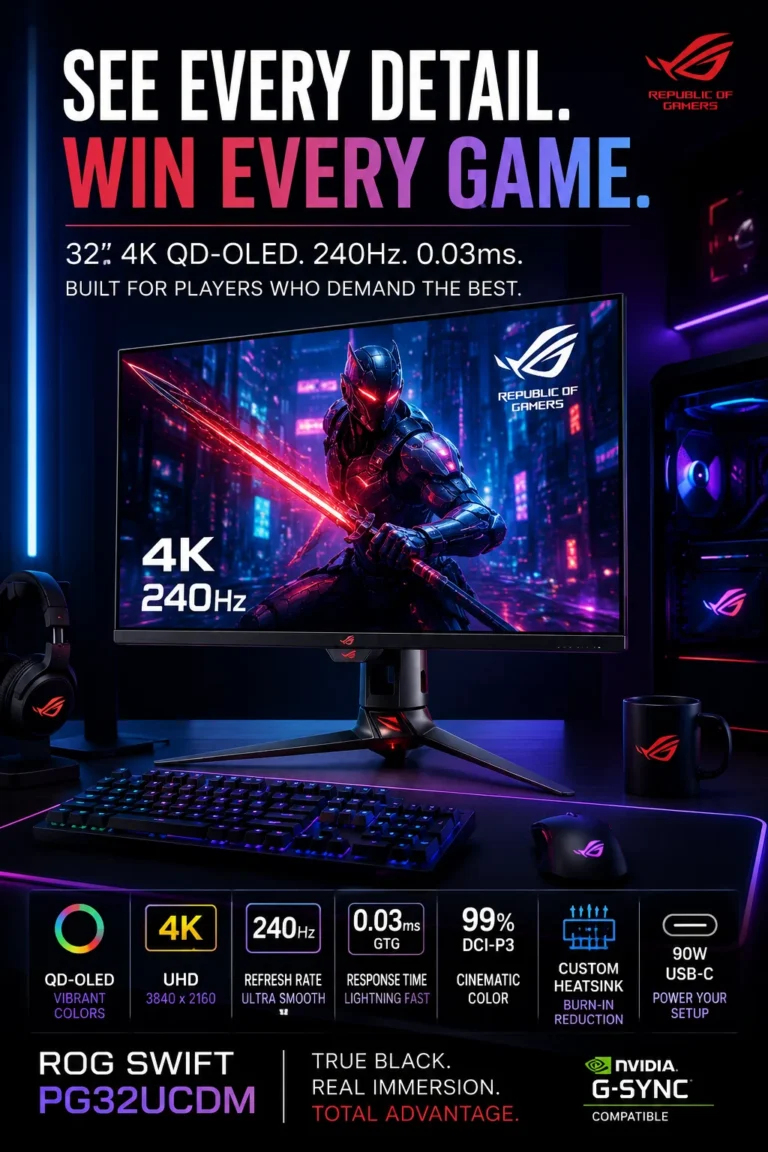
The ASUS ROG Swift PG32UCDM is our Best Premium OLED Gaming Monitor for 2026, combining a 32-inch 4K QD-OLED panel, 240Hz refresh rate, extremely fast pixel response, wide color reproduction, and a thermal design developed specifically for OLED operation. It is aimed at enthusiasts who want a high-end gaming display that places equal importance on image quality, motion performance, HDR presentation, and overall display refinement.

• Ideal for enthusiast gamers, high-end PC users, OLED enthusiasts, and players who want a premium 4K gaming display for both competitive and cinematic titles
• Particularly well suited to users who have the graphics hardware required to take advantage of high-refresh-rate 4K gaming and want OLED contrast together with fast motion performance
• A strong choice for users who want a premium display that can also serve as a high-quality screen for streaming, media consumption, and general desktop use
• The 32-inch 4K QD-OLED panel combines high pixel density with OLED's ability to produce very deep blacks and extremely high contrast
• The 240Hz refresh rate provides smooth motion for high-frame-rate gaming, particularly in competitive titles when paired with sufficiently powerful graphics hardware
• Extremely fast OLED pixel response minimizes visible trailing and complements the high refresh rate for responsive gameplay
• Wide color reproduction and 10-bit color support provide smooth gradients and a rich image presentation for HDR gaming, streaming, and general media
• The integrated thermal management system is designed to help control panel temperatures during extended gaming and HDR workloads, an important consideration for high-performance OLED operation
• USB-C connectivity with power delivery adds flexibility for laptop-based setups, allowing the monitor to function as part of a premium gaming and productivity workstation

The PG32UCDM earns our Best Premium OLED Gaming Monitor award because it combines the characteristics expected from a high-end enthusiast display: 4K QD-OLED image quality, 240Hz gaming performance, extremely fast response, broad color reproduction, and dedicated thermal management. It is particularly compelling for users who want a premium OLED display without specializing exclusively in competitive gaming or cinematic gaming.

Compared with conventional IPS gaming monitors, the PG32UCDM provides the deeper contrast and faster pixel response associated with OLED technology, together with a 240Hz 4K gaming platform. Compared with other 32-inch 4K OLED gaming monitors, its appeal is more closely tied to its premium implementation, thermal management, connectivity, and overall feature balance rather than simply the headline refresh-rate specification.

• 32-inch QD-OLED panel • 4K UHD resolution • Very deep black levels • Extremely high contrast • Wide color reproduction • High pixel density • Suitable for HDR gaming The PG32UCDM's QD-OLED panel is central to its premium positioning. Individual pixels can control their own illumination, allowing the display to produce very deep blacks without the backlight behavior associated with conventional LCD technology. Combined with 4K resolution on a 32-inch screen, this produces a detailed image with strong contrast and excellent separation between bright and dark elements. The result is particularly effective in cinematic games, HDR content, and dark gaming environments.
• 240Hz refresh rate • 4K UHD resolution • High-frame-rate gaming • Smooth motion • Reduced perceived motion blur • Competitive gaming support • High-end GPU requirements The 240Hz refresh rate allows the PG32UCDM to deliver very smooth motion when the connected system can generate sufficiently high frame rates. This is particularly useful in competitive games where rapid camera movement and fast-changing scenes can benefit from higher refresh rates. Running modern games at 4K and very high frame rates can place substantial demands on the GPU, so the monitor is best paired with hardware capable of taking advantage of its performance potential.
• Extremely fast OLED response • Very low pixel transition time • Reduced visible trailing • Clearer rapid movement • Responsive gaming experience • Well suited to competitive titles OLED's extremely fast pixel response characteristics complement the PG32UCDM's 240Hz refresh rate. Rapid transitions between brightness levels can occur with very little delay, helping reduce visible ghosting and trailing during fast movement. The advertised response figure should not be interpreted as the complete measurement of gaming latency. Actual perceived responsiveness also depends on frame rate, input latency, refresh behavior, game settings, and the complete system chain. Nevertheless, OLED response performance is a major strength for high-refresh-rate gaming.
• 10-bit color support • Wide color gamut • Smooth tonal gradients • Rich color reproduction • HDR gaming • Streaming and media The PG32UCDM's wide color reproduction and 10-bit color support allow the display to represent a broad range of colors and smoother tonal transitions. This can reduce visible banding in compatible content and contribute to a more refined image presentation. Although the monitor is primarily designed for gaming, these characteristics also make it well suited to streaming, photography, general content consumption, and creative applications where a wide and consistent color presentation is valuable.
• Dedicated OLED thermal management • Heatsink-based cooling • Graphene-based thermal solution • Temperature control • Extended gaming workloads • OLED panel stability considerations High-performance OLED panels generate heat during sustained operation, particularly when running high brightness levels and demanding HDR content. The PG32UCDM incorporates a dedicated thermal design intended to manage panel temperatures during extended use. Thermal management is relevant not because it transforms the monitor into a different class of display, but because maintaining controlled operating conditions is an important part of designing a high-performance OLED monitor for sustained gaming workloads.
• USB-C connectivity • Power delivery • Laptop support • Display connectivity • Peripheral integration • Gaming and productivity workflows USB-C connectivity adds flexibility to the PG32UCDM, particularly for users who combine a desktop gaming PC with a laptop. A compatible laptop can connect to the monitor through a simplified cable setup while also benefiting from power delivery. This makes the display useful beyond a dedicated gaming environment and allows it to function as part of a more integrated workstation where gaming and productivity devices share the same desk.
• OLED panel technology • Excellent contrast • Very fast response • Static-content considerations • Panel-care features • Gaming-focused design OLED technology provides significant advantages for gaming, but it also requires a different approach to long-term usage than traditional LCD displays. Users who leave static desktop elements visible for extended periods should follow the manufacturer's recommended panel-care procedures. For gaming-focused use, where the image changes frequently, the advantages of OLED are particularly compelling. Users whose primary workload consists of static office applications throughout the day may find a professional LCD display more appropriate for their particular environment.
Ideal for: • Enthusiast PC gaming • 4K gaming • Competitive gaming • OLED gaming • HDR gaming • High-refresh-rate gaming • Cinematic AAA games • High-end gaming systems • Streaming and media • Premium gaming workstations The ASUS ROG Swift PG32UCDM is best suited to enthusiasts who want a premium 4K OLED display capable of handling a broad range of gaming workloads. Its combination of QD-OLED image quality, 240Hz refresh rate, extremely fast response, wide color reproduction, thermal management, and USB-C connectivity makes it one of the most complete high-end gaming displays in this ranking.
At a Glance

Best 4K Monitors in 2026

Ranked by Display Quality, OLED Technology, Refresh Rate, HDR, Color Accuracy, Connectivity, Productivity & Gaming Performance

Choosing the best 4K monitor in 2026 requires more than comparing resolution and refresh rate. Different users have very different priorities: competitive gamers may value 240Hz performance and fast response times, while professionals may place greater importance on color accuracy, connectivity, screen size, ergonomics, and long-session usability. OLED displays offer exceptional contrast and response performance, while Mini-LED monitors can provide strong HDR brightness and local dimming without the same characteristics as OLED. We evaluated these monitors across real-world gaming, productivity, content creation, HDR, motion performance, connectivity, panel technology, and overall usability to help you identify the display that best fits your particular workflow or gaming setup.

MonitorKey StrengthBest ForWhy It WinsEditor's Verdict
Best Overall Dell UltraSharp U3225QE Check Price
31.5" 4K IPS Black
120Hz refresh rate
Thunderbolt 4 connectivity
Professional productivity
Multitasking
Office & workstation use
The U3225QE combines a large 4K workspace, IPS Black technology, 120Hz fluidity, and Thunderbolt 4 connectivity in a display designed primarily around professional productivity. Best Overall 4K Productivity Monitor
Best OLED Gaming MSI MPG 321URX QD-OLED Check Price
32" 4K QD-OLED
240Hz refresh rate
Extremely fast OLED response
Competitive gaming
HDR gaming
High-end PC setups
The 321URX combines 4K resolution, QD-OLED contrast, 240Hz performance, and extremely fast pixel response for users who want both image quality and high-refresh-rate gaming. Best OLED Gaming Monitor
Best Curved Gaming Samsung Odyssey Neo G8 Check Price
4K 240Hz gaming
Mini-LED backlighting
1000R curved display
Immersive gaming
FPS & racing
Simulation environments
The Neo G8 combines a 240Hz refresh rate, aggressive 1000R curvature, 4K resolution, and Mini-LED local dimming for a display focused on motion performance and immersion. Best 240Hz Curved 4K Gaming Monitor
Best Dual-Mode OLED LG UltraGear 32GX850A-B Check Price
Dual-mode gaming
OLED panel technology
Extremely fast response
Esports gaming
AAA gaming
Mixed gaming workloads
The 32GX850A-B is designed around flexibility, allowing users to prioritize high-resolution gaming or substantially higher refresh-rate performance depending on the type of game. Best Dual-Mode OLED Gaming Monitor
Best Compact OLED GIGABYTE MO27U2 Check Price
27" 4K QD-OLED
240Hz refresh rate
USB-C + KVM
Compact gaming setups
Esports
Limited desk space
The MO27U2 delivers high pixel density, QD-OLED contrast, 240Hz gaming performance, and useful USB-C and KVM features in a compact 27-inch format. Best Compact 4K OLED Gaming Monitor
Best for Creators ASUS ProArt PA32UCG-K Check Price
Professional 4K display
Mini-LED HDR
High-brightness performance
Video editing
Color grading
Professional content creation
The PA32UCG-K is built around professional image production, combining 4K resolution, advanced color capabilities, Mini-LED local dimming, and high-brightness HDR performance. Best Professional Creator Monitor
Best Premium OLED ASUS ROG Swift PG32UCDM Check Price
32" 4K QD-OLED
240Hz refresh rate
Advanced OLED thermal management
Enthusiast gaming
High-end PC setups
HDR & cinematic gaming
The PG32UCDM combines 4K QD-OLED image quality, 240Hz gaming performance, extremely fast response, wide color reproduction, and dedicated thermal management in a premium enthusiast-oriented display. Best Premium OLED Gaming Monitor
Keep Exploring

Recommended Next Reads

Your monitor is only one part of a modern workstation or gaming setup. Explore our related guides covering portable displays, connectivity, PC hardware, productivity accessories, and complete desktop environments.

Whether you're building a professional workstation, upgrading a gaming PC, adding a second display, or improving your desk setup, these guides can help you choose the hardware that works best alongside your 4K monitor.

01

EDITOR'S FINAL RECOMMENDATIONS

Our Final 4K Monitor Recommendations for 2026

After comparing these monitors across panel technology, 4K image quality, refresh rate, HDR performance, response characteristics, color reproduction, connectivity, productivity features, gaming performance, and real-world usability, these are our final recommendations for 2026. Each monitor serves a different priority, so the strongest choice depends on whether your setup is built primarily around professional productivity, competitive gaming, immersive gaming, content creation, or a combination of these workloads.

BEST OLED GAMING

MSI MPG 321URX QD-OLED

Our preferred choice for high-end 4K OLED gaming, combining a 32-inch QD-OLED panel with a 240Hz refresh rate and extremely fast pixel response. It is particularly strong for competitive gaming while also delivering the contrast and color characteristics that make OLED well suited to cinematic games and HDR content.

  • ✓ 32-inch 4K QD-OLED Display
  • ✓ 240Hz Refresh Rate
  • ✓ Extremely Fast OLED Response
  • ✓ Wide Color Reproduction
Best 4K OLED monitor for high-refresh-rate gaming
BEST CURVED GAMING

Samsung Odyssey Neo G8

The strongest choice in this lineup for users who want a highly immersive curved gaming display. Its 1000R curvature, 240Hz refresh rate, 4K resolution, and Mini-LED backlighting create a combination focused on motion performance, immersion, and HDR-oriented gaming.

  • ✓ 4K UHD Resolution
  • ✓ 240Hz Refresh Rate
  • ✓ 1000R Curved Display
  • ✓ Mini-LED Local Dimming
Best 240Hz curved 4K monitor for immersive gaming
BEST DUAL-MODE OLED

LG UltraGear 32GX850A-B

The most flexible gaming option for users who move between cinematic games and competitive titles. Its dual-mode approach allows the display to prioritize high-resolution gaming or substantially higher refresh-rate performance depending on the workload.

  • ✓ OLED Panel Technology
  • ✓ Dual-Mode Gaming
  • ✓ 4K High-Refresh-Rate Mode
  • ✓ Extremely Fast OLED Response
Best dual-mode OLED monitor for mixed gaming workloads
BEST COMPACT OLED

GIGABYTE MO27U2

The best fit for users who want high-end 4K OLED performance in a more compact 27-inch format. Its high pixel density, 240Hz refresh rate, QD-OLED technology, USB-C connectivity, and KVM functionality make it particularly attractive for focused gaming and hybrid desktop setups.

  • ✓ 27-inch 4K QD-OLED Display
  • ✓ 240Hz Refresh Rate
  • ✓ High Pixel Density
  • ✓ USB-C + KVM
Best compact 4K OLED monitor for focused gaming setups
BEST CREATOR MONITOR

ASUS ProArt PA32UCG-K

Our recommendation for professional creators whose priorities extend beyond general display quality. The PA32UCG-K is designed around color-critical workflows, advanced HDR production, Mini-LED local dimming, high brightness, 4K detail, and professional workstation connectivity.

  • ✓ 4K UHD Professional Display
  • ✓ Mini-LED Backlighting
  • ✓ Advanced HDR Performance
  • ✓ Professional Color Workflows
Best 4K monitor for professional content creation and HDR
BEST PREMIUM OLED

ASUS ROG Swift PG32UCDM

Our premium OLED recommendation for enthusiasts who want a highly refined 4K gaming display. It combines QD-OLED image quality, 240Hz performance, extremely fast response, wide color reproduction, USB-C connectivity, and dedicated thermal management.

  • ✓ 32-inch 4K QD-OLED Display
  • ✓ 240Hz Refresh Rate
  • ✓ 10-bit Color Support
  • ✓ Dedicated OLED Thermal Management
Best premium 4K OLED monitor for enthusiast gaming
QUICK DECISION

Which 4K monitor should you choose?

Best Overall

Dell UltraSharp U3225QE

Best OLED Gaming

MSI MPG 321URX QD-OLED

Best Curved Gaming

Samsung Odyssey Neo G8

Best Dual-Mode OLED

LG UltraGear 32GX850A-B

Best Compact OLED

GIGABYTE MO27U2

Best Creator Monitor

ASUS ProArt PA32UCG-K

Best Premium OLED

ASUS ROG Swift PG32UCDM

Monitor prices, configurations, availability, and promotions can change frequently. Before purchasing, check Amazon for the latest price, available specifications, warranty information, and current offers.

EDITOR'S FINAL VERDICT

Final Verdict: Best 4K Monitors in 2026

After comparing panel technology, 4K image quality, refresh rates, HDR performance, response characteristics, color reproduction, connectivity, ergonomics, productivity features, gaming performance, and real-world usability, one conclusion stands out:The best 4K monitor is not necessarily the fastest, brightest, or most expensive display. The right choice depends on how you use your monitor every day and which characteristics matter most to your workflow, gaming setup, or creative environment.

A modern 4K monitor can serve very different purposes. Competitive gamers may prioritize 240Hz refresh rates and extremely fast response, while users focused on immersive gaming may prefer OLED contrast, Mini-LED HDR, or a curved display. Professionals can benefit more from a large 4K workspace, accurate color, USB-C or Thunderbolt connectivity, and comfortable long-session usability.

For most professional users, the Dell UltraSharp U3225QE is the strongest overall choice because it combines a large 4K workspace, IPS Black technology, 120Hz refresh performance, Thunderbolt 4 connectivity, and a productivity-focused design. For high-end gaming, OLED models such as the MSI MPG 321URX QD-OLED and ASUS ROG Swift PG32UCDM offer a different set of advantages centered around contrast, response performance, and high refresh rates.
Best Overall 4K Monitor Dell UltraSharp U3225QE
Best OLED Gaming Monitor MSI MPG 321URX QD-OLED
Best Curved Gaming Monitor Samsung Odyssey Neo G8
Best Professional Creator Monitor ASUS ProArt PA32UCG-K
The simple answer:
  • Choose the Dell UltraSharp U3225QE if productivity, multitasking, connectivity, and a large 4K workspace are your main priorities.
  • Choose the MSI MPG 321URX QD-OLED if you want a 32-inch 4K OLED gaming display with 240Hz performance, very fast response, and the high contrast associated with QD-OLED technology.
  • Choose the Samsung Odyssey Neo G8 if you prioritize immersive curved gaming, 240Hz performance, 4K resolution, and Mini-LED HDR capabilities.
  • Choose the LG UltraGear 32GX850A-B if you want a flexible OLED gaming monitor that can adapt between high-resolution gaming and substantially higher-refresh-rate gaming modes.
  • Choose the GIGABYTE MO27U2 if you prefer a more compact 27-inch 4K OLED format with 240Hz performance, high pixel density, USB-C connectivity, and KVM functionality.
  • Choose the ASUS ProArt PA32UCG-K if professional color work, HDR production, video editing, photography, or other creator-focused workflows are more important than gaming features.
  • Choose the ASUS ROG Swift PG32UCDM if you want a premium 32-inch 4K QD-OLED gaming monitor with 240Hz performance, wide color reproduction, and dedicated OLED thermal management.

Top 3 Best 4K Monitors Overall (2026)

BEST OVERALL

Dell UltraSharp U3225QE

Our Editor's Choice for most professional users because it combines a large 31.5-inch 4K workspace, IPS Black technology, 120Hz refresh performance, Thunderbolt 4 connectivity, and a design focused on sustained productivity. It is particularly well suited to development, business workflows, data analysis, multitasking, and workstation environments.

  • ✓ 31.5-inch 4K UHD Display
  • ✓ IPS Black Panel Technology
  • ✓ 120Hz Refresh Rate
  • ✓ Thunderbolt 4 Connectivity
BEST OLED GAMING

MSI MPG 321URX QD-OLED

Our strongest OLED gaming recommendation for users who want 4K resolution, QD-OLED contrast, 240Hz refresh performance, and extremely fast pixel response. It is particularly well suited to competitive gaming while also providing the visual characteristics that make OLED attractive for cinematic games and HDR content.

  • ✓ 32-inch 4K QD-OLED Display
  • ✓ 240Hz Refresh Rate
  • ✓ Extremely Fast OLED Response
  • ✓ High-Contrast HDR Gaming
BEST PREMIUM OLED

ASUS ROG Swift PG32UCDM

A premium choice for enthusiasts who want a highly capable 4K OLED gaming display. Its QD-OLED panel, 240Hz refresh rate, fast response characteristics, wide color reproduction, USB-C connectivity, and dedicated thermal management make it a strong option for high-end gaming systems.

  • ✓ 32-inch 4K QD-OLED Display
  • ✓ 240Hz Refresh Rate
  • ✓ 10-bit Color Support
  • ✓ Dedicated OLED Thermal Management
Choose the Dell UltraSharp U3225QE if:
  • ✓ Professional productivity and multitasking are your main priorities
  • ✓ You want a large 4K workspace for multiple applications
  • ✓ USB-C and Thunderbolt connectivity are important to your setup
  • ✓ You prefer a productivity-focused display rather than a gaming-first monitor
Choose an OLED Gaming Monitor if:
  • ✓ You prioritize high-refresh-rate gaming and fast response performance
  • ✓ High contrast and OLED image quality are important to you
  • ✓ You play competitive or cinematic PC games
  • ✓ You want a display that combines 4K resolution with modern OLED technology
Choose the ASUS ProArt PA32UCG-K if:
  • ✓ You work with professional video or photography workflows
  • ✓ Color accuracy and HDR production are important requirements
  • ✓ You need a display designed around professional content creation
  • ✓ Creator-oriented image quality matters more than maximum gaming refresh rates
Editor's Final Recommendation:

A 4K monitor is a long-term part of a workstation or gaming setup, so the most useful specification is not always the most impressive one on a product page. Resolution, refresh rate, panel technology, HDR, connectivity, color performance, screen size, ergonomics, and the type of content you work with all influence the experience over time.

Among the monitors evaluated in this guide, the Dell UltraSharp U3225QE is our Editor's Choice for the best overall 4K monitor in 2026 because it offers the strongest combination of large-screen 4K productivity, IPS Black image quality, 120Hz performance, Thunderbolt 4 connectivity, and professional usability.For gaming, the MSI MPG 321URX QD-OLED is our preferred OLED recommendation for users who want 4K resolution, 240Hz performance, extremely fast response, and QD-OLED contrast. The Samsung Odyssey Neo G8 remains particularly compelling for gamers who prefer a highly curved display and Mini-LED HDR characteristics, while the LG UltraGear 32GX850A-B offers greater flexibility through its dual-mode gaming approach.For compact OLED gaming setups, the GIGABYTE MO27U2 provides a strong combination of 27-inch 4K resolution, 240Hz performance, USB-C, and KVM functionality. For professional creators, the ASUS ProArt PA32UCG-K is the most specialized option in this selection, while the ASUS ROG Swift PG32UCDM is the premium choice for enthusiasts seeking a high-end 4K QD-OLED gaming experience.

Editor's Choice Compare the Best 4K Monitors in 2026

Check current prices, configurations, availability, warranty information, and specifications before choosing the monitor that best matches your gaming, productivity, or content-creation requirements.

Check Latest Prices

EDITOR'S FAQ

Frequently Asked Questions About the Best 4K Monitors in 2026

Choosing the best 4K monitor requires more than comparing resolution and refresh rate. Panel technology, HDR performance, response characteristics, color accuracy, screen size, connectivity, ergonomics, gaming requirements, and the type of work you perform can all change which display makes the most sense.These frequently asked questions address the most important decisions when choosing a 4K monitor in 2026, including OLED versus Mini-LED, 240Hz gaming, productivity, professional content creation, 27-inch versus 32-inch displays, USB-C and Thunderbolt connectivity, and which monitor is the safest choice for different types of users.

The Dell UltraSharp U3225QE is our best overall 4K monitor recommendation for 2026, particularly for professional productivity and general workstation use.

Its combination of a large 31.5-inch 4K display, IPS Black technology, 120Hz refresh rate, Thunderbolt 4 connectivity, and productivity-focused design makes it especially well suited to professionals who spend many hours working with multiple applications, documents, spreadsheets, development tools, and browser windows.

  • Large 31.5-inch 4K UHD workspace.
  • IPS Black panel technology for strong contrast within an IPS-oriented design.
  • 120Hz refresh rate for smoother desktop interaction.
  • Thunderbolt 4 connectivity for modern workstation setups.
  • Strong fit for productivity, multitasking, development, and office environments.

However, it is not automatically the best choice for every user. Gamers may prefer a 240Hz OLED display, while professional creators may benefit more from the specialized capabilities of the ASUS ProArt PA32UCG-K.

Check Dell U3225QE Price
The MSI MPG 321URX QD-OLED is our preferred 4K OLED gaming monitor, while the ASUS ROG Swift PG32UCDM is our premium alternative for enthusiasts.

The MSI MPG 321URX combines a 32-inch 4K QD-OLED panel with a 240Hz refresh rate and extremely fast pixel response. This makes it particularly attractive for gamers who want both high-resolution image quality and high-refresh-rate gaming performance.

  • 32-inch 4K QD-OLED display.
  • 240Hz refresh rate.
  • Extremely fast OLED response characteristics.
  • Strong contrast and color performance.
  • Well suited to competitive and cinematic gaming.

The ASUS ROG Swift PG32UCDM is another premium option with a similar 32-inch 4K QD-OLED and 240Hz approach. The Samsung Odyssey Neo G8 is a better fit for users who specifically want a strongly curved 1000R Mini-LED display.

Check MSI 321URX Price
OLED can be an excellent choice for gaming if you prioritize contrast, HDR impact, and extremely fast response performance.

OLED and QD-OLED displays can produce very deep blacks because individual pixels can be controlled without the conventional backlight structure used by LCD monitors. This can provide a particularly strong visual experience in dark games and HDR content.

  • Very deep blacks and high perceived contrast.
  • Extremely fast pixel response.
  • Strong HDR image impact in suitable content.
  • Excellent motion performance for high-refresh-rate gaming.
  • Strong color performance on QD-OLED models.

The main consideration is that OLED is not automatically preferable for every environment. Users who display static desktop elements for many hours may prefer an LCD-based monitor, while others may simply prioritize higher sustained brightness. OLED buyers should also consider the panel-care and image-retention characteristics associated with the technology.

For gaming, the MSI MPG 321URX QD-OLED and ASUS ROG Swift PG32UCDM are two of the strongest OLED choices in this guide.

240Hz is most valuable for competitive gamers and users with a PC capable of consistently producing high frame rates at 4K.

A 240Hz display can provide smoother motion and lower display-side latency than a 120Hz or 144Hz monitor when the system is actually delivering sufficiently high frame rates. The difference is most meaningful in fast-paced competitive games where motion clarity and responsiveness matter.

  • Competitive FPS gaming → 240Hz can be highly valuable.
  • Racing and fast-action games → Higher refresh rates can improve motion presentation.
  • Cinematic single-player gaming → Image quality and HDR may matter more than 240Hz.
  • Productivity → 120Hz is already a significant improvement over conventional 60Hz displays for many users.

A 240Hz monitor therefore makes the most sense when your hardware and gaming habits can take advantage of it. There is little reason to pay a substantial premium for 240Hz if your typical workloads rarely exceed lower frame rates.

The Dell UltraSharp U3225QE is our top productivity recommendation in this guide.

Productivity users often benefit more from screen space, connectivity, text clarity, ergonomics, and comfortable long-session use than from extreme gaming specifications. The U3225QE is designed around those priorities.

  • Large 31.5-inch 4K workspace.
  • 120Hz refresh rate for smoother everyday interaction.
  • IPS Black technology.
  • Thunderbolt 4 connectivity.
  • Well suited to multitasking and professional workstation environments.

It is particularly appropriate for developers, analysts, business users, remote professionals, researchers, and anyone who regularly works with multiple windows simultaneously.

Check Productivity Monitor
The ASUS ProArt PA32UCG-K is our most specialized recommendation for professional content creation and HDR-oriented workflows.

Professional creators often have different requirements from gamers. Color management, HDR capability, brightness, local dimming, calibration, and consistent image reproduction can be more important than achieving the highest possible refresh rate.

  • Professional-oriented 4K display platform.
  • Mini-LED backlighting.
  • Advanced HDR capabilities.
  • High-brightness performance.
  • Designed for demanding image-production workflows.

It is particularly relevant to video editors, colorists, photographers, designers, and creators working with HDR or other color-sensitive production environments.

Check ProArt PA32UCG-K
Neither size is universally better. A 27-inch 4K monitor prioritizes pixel density and a compact footprint, while a 32-inch model provides more physical workspace and a more immersive viewing experience.

Both sizes can work extremely well at 4K, but they suit different desk environments and workloads.

  • 27-inch → Higher pixel density, compact desk footprint, and an excellent fit for focused gaming setups.
  • 32-inch → More physical screen area, easier multitasking, and a more immersive experience for gaming and media.
  • 27-inch → Particularly attractive when desk space is limited.
  • 32-inch → Particularly attractive for productivity and users who frequently work with multiple windows.

The GIGABYTE MO27U2 is a strong example of a compact 27-inch 4K OLED gaming display, while the Dell U3225QE, MSI 321URX, and ASUS ROG Swift PG32UCDM demonstrate why 32-inch 4K monitors are popular for larger gaming and workstation environments.

USB-C and Thunderbolt can simplify a workstation by allowing compatible laptops to connect to the monitor while also handling additional functions through a single cable.

For modern laptop-based workstations, connectivity can be just as important as display specifications. A suitable USB-C or Thunderbolt monitor can reduce cable clutter and make it easier to move between mobile and desktop workflows.

  • Single-cable connection for compatible laptops.
  • Power delivery on supported monitors and devices.
  • USB hub functionality.
  • Display and data connectivity through a modern interface.
  • Cleaner desk setups with fewer cables.

The Dell UltraSharp U3225QE is particularly well suited to this type of professional workflow because Thunderbolt 4 connectivity is a central part of its workstation-oriented design.

Neither technology is universally better. OLED and Mini-LED make different trade-offs, so the better choice depends on your priorities.

OLED can provide exceptional black levels, contrast, and response performance because the pixels themselves produce the image. Mini-LED remains attractive for users who prioritize high brightness, strong HDR capability, and an LCD-based display architecture.

  • OLED → Excellent blacks, contrast, response performance, and gaming immersion.
  • QD-OLED → Adds the OLED advantages with strong color performance.
  • Mini-LED → Strong brightness and local-dimming HDR performance.
  • Professional work → Mini-LED can be particularly attractive for certain HDR production environments.
  • Gaming → OLED is particularly compelling for users who prioritize contrast and extremely fast response.

The MSI MPG 321URX and ASUS ROG Swift PG32UCDM represent the OLED approach in this guide, while the Samsung Odyssey Neo G8 and ASUS ProArt PA32UCG-K demonstrate the advantages of Mini-LED technology in different use cases.

The best choice depends on which activity dominates your setup, but a high-quality 32-inch 4K display can provide a strong balance between gaming, productivity, and media.

Users who divide their time between work and gaming should consider more than refresh rate alone. Screen size, connectivity, panel technology, HDR, desktop usability, and the type of games played can all influence the decision.

  • Productivity first → Dell UltraSharp U3225QE.
  • Gaming first → MSI MPG 321URX QD-OLED.
  • Curved immersive gaming → Samsung Odyssey Neo G8.
  • Flexible gaming modes → LG UltraGear 32GX850A-B.
  • Premium OLED gaming → ASUS ROG Swift PG32UCDM.

If your monitor spends most of the day displaying static desktop applications and only part of the day gaming, the Dell's productivity-oriented design may be the more practical choice. If gaming is the primary activity, one of the 240Hz OLED models may provide a more compelling overall experience.

The GIGABYTE MO27U2 is our preferred compact 4K OLED option in this guide.

Its 27-inch format makes it particularly attractive for users who want high pixel density and 4K OLED image quality without moving to a larger 32-inch display.

  • 27-inch 4K QD-OLED display.
  • 240Hz refresh rate.
  • High pixel density.
  • USB-C connectivity.
  • KVM functionality for compatible multi-device setups.

It is especially well suited to compact gaming desks, focused gaming environments, and users who want a high-end display without the physical footprint of a larger 32-inch monitor.

Check GIGABYTE MO27U2
Start with your primary use case rather than choosing the monitor with the longest specification list.

The seven monitors in this guide cover very different priorities, so the safest choice depends on what you spend the most time doing.

  • Professional productivity → Dell UltraSharp U3225QE.
  • 4K OLED gaming → MSI MPG 321URX QD-OLED.
  • Curved 240Hz gaming → Samsung Odyssey Neo G8.
  • Dual-mode OLED gaming → LG UltraGear 32GX850A-B.
  • Compact 4K OLED gaming → GIGABYTE MO27U2.
  • Professional content creation → ASUS ProArt PA32UCG-K.
  • Premium OLED gaming → ASUS ROG Swift PG32UCDM.

For a general professional workstation, the Dell UltraSharp U3225QE is our overall recommendation. For high-end gaming, the MSI MPG 321URX and ASUS ROG Swift PG32UCDM are the strongest OLED-focused choices. For professional creator workflows, the ASUS ProArt PA32UCG-K is the most specialized option.

4K MONITOR BUYING GUIDE

Common Mistakes When Choosing a 4K Monitor in 2026

Choosing a 4K monitor is not simply about finding the highest refresh rate, the most advanced panel, or the largest display available. A monitor can have impressive specifications and still be a poor fit if its panel technology, size, connectivity, HDR performance, or refresh rate does not match the way you actually use it.The most common buying mistakes happen when users prioritize specifications in isolation rather than considering the complete display experience. Avoid these mistakes before choosing your next 4K monitor for gaming, productivity, content creation, or a mixed setup.

Editor's Insight

The best 4K monitor is rarely the one with the longest specification list. Gaming-focused users may benefit from high refresh rates and OLED response performance, while professionals may gain more from screen size, connectivity, ergonomics, color accuracy, and comfortable long-session use.For 2026, we recommend starting with your primary workload and then selecting the panel technology, refresh rate, size, HDR capability, and connectivity features that actually support it. There is no single specification that determines whether a monitor is right for everyone.

Choosing 4K Resolution Without Considering Refresh Rate

  • A 4K 60Hz monitor can be excellent for office work, but it may not provide the motion performance some gamers expect.
  • Competitive gaming can benefit substantially from higher refresh rates when the GPU can produce sufficiently high frame rates.
  • Paying for a very high refresh rate makes less sense if your system or workload rarely takes advantage of it.

Better decision: Choose 60Hz for basic productivity if price and image quality are the priorities, 120Hz or 144Hz for a smoother general-purpose experience, and 240Hz when competitive gaming and high frame rates are central to your setup.

Choosing a Monitor Based Only on HDR Branding

  • Not every monitor marketed with HDR delivers the same brightness, contrast, or local-dimming performance.
  • HDR quality depends on more than certification or compatibility with an HDR signal.
  • Weak contrast or insufficient brightness can limit the visual impact of HDR content.

Better decision: Look beyond the HDR label and consider the monitor's panel technology, brightness capability, local dimming implementation, contrast characteristics, and real-world HDR performance. OLED, QD-OLED, and Mini-LED displays can offer substantially different HDR experiences.

Choosing the Wrong Panel Technology

  • OLED and QD-OLED can provide exceptional contrast and very fast response, but they are not automatically ideal for every workstation.
  • Mini-LED can provide high brightness and strong HDR performance while retaining an LCD-based display architecture.
  • IPS-oriented displays can be particularly attractive for productivity, color work, and long desktop sessions depending on the model.

Better decision: Choose OLED or QD-OLED when gaming contrast and response performance are priorities, consider Mini-LED for high-brightness HDR and specialized creator workflows, and consider IPS or IPS Black when productivity, connectivity, and long-session desktop use are more important.

Ignoring USB-C, Thunderbolt, and Connectivity

  • A monitor with excellent image quality can still be inconvenient if it does not integrate well with your computer and peripherals.
  • Laptop users can benefit substantially from USB-C or Thunderbolt connectivity.
  • Insufficient ports can lead to additional adapters, cables, and desktop clutter.

Better decision: If you use a modern laptop as your primary computer, prioritize the connectivity features that match your workflow. USB-C can simplify display, data, and charging on compatible systems, while Thunderbolt can provide a more capable connection for supported workstation configurations.

Choosing Screen Size Without Considering Desk Space and Viewing Distance

  • A larger monitor is not automatically more comfortable on every desk.
  • A 32-inch display requires more physical space than a 27-inch monitor.
  • Viewing distance, desk depth, scaling preferences, and multitasking requirements all affect the ideal size.

Better decision: Choose 27 inches when you want a compact, high-density 4K display, 32 inches when additional workspace and immersion are priorities, and consider larger or ultrawide formats when your workflow genuinely benefits from substantially more horizontal workspace.

Paying for 240Hz Without Hardware That Can Use It

  • A 240Hz panel does not automatically improve every gaming setup.
  • The benefit becomes more relevant when the GPU and game can produce high frame rates.
  • For productivity and slower-paced gaming, image quality and ergonomics may provide greater practical value.

Better decision: Match refresh rate to your GPU performance and gaming habits. Choose 240Hz when competitive gaming and high frame rates justify it, but do not treat 240Hz as a requirement for every 4K gaming or productivity setup.

Buying OLED Without Considering Your Desktop Usage

  • OLED can deliver excellent contrast and extremely fast response performance.
  • Users who display static desktop elements for many hours should consider OLED's long-term panel-care characteristics.
  • Productivity-heavy environments may have different priorities from gaming-focused setups.

Better decision: Choose OLED when its contrast, response, and gaming characteristics match your priorities, but consider your daily desktop usage and the panel-care features provided by the specific monitor. If your monitor will display static applications continuously for long periods, an LCD-based alternative may be worth considering.

Buying the Most Expensive Monitor Instead of the Right Monitor

  • Premium specifications can provide little practical benefit if they do not match your workload.
  • A professional productivity user may gain more from Thunderbolt connectivity and screen space than from 240Hz gaming performance.
  • A competitive gamer may benefit more from refresh rate and response performance than from specialized creator features.

Better decision: Start with your primary use case and then prioritize the features that directly improve it. The Dell UltraSharp U3225QE, MSI MPG 321URX QD-OLED, Samsung Odyssey Neo G8, and ASUS ProArt PA32UCG-K serve very different priorities despite all being 4K displays.

Smart Buying Advice for 4K Monitor Buyers

Choose a productivity-focused 4K monitor if:

You spend most of your time working with documents, spreadsheets, code, dashboards, browser windows, and professional applications. The Dell UltraSharp U3225QE is particularly attractive when large-screen productivity, 120Hz desktop fluidity, IPS Black technology, and Thunderbolt 4 connectivity are more important than gaming-focused specifications.

Choose an OLED gaming monitor if:

Gaming is your primary workload and you want high refresh rates, extremely fast response, strong contrast, and an immersive HDR-oriented image. The MSI MPG 321URX QD-OLED and ASUS ROG Swift PG32UCDM are particularly strong choices for this type of setup.

Choose a Mini-LED professional monitor if:

Your work involves professional video production, color-sensitive workflows, HDR content, photography, or other creator applications where brightness, local dimming, and professional image characteristics are important. The ASUS ProArt PA32UCG-K is the most specialized option in this guide.

Choose a compact 4K monitor if:

Desk space is limited or you prefer a higher pixel-density 27-inch display. The GIGABYTE MO27U2 provides 4K QD-OLED technology, 240Hz performance, USB-C, and KVM functionality in a more compact format.

Key takeaway: The best 4K monitor is not necessarily the fastest, brightest, largest, or most expensive display. It is the monitor whose panel technology, refresh rate, size, HDR capability, connectivity, and ergonomics align with the way you actually work, play, and use your computer.

After evaluating the monitors featured throughout this guide, these are our Editor's primary recommendations for different 4K display priorities in 2026:

  • Best Overall 4K Productivity Monitor: Dell UltraSharp U3225QE — the strongest overall choice for professional productivity, multitasking, connectivity, and a large 4K workspace.
  • Best OLED Gaming Monitor: MSI MPG 321URX QD-OLED — our preferred choice for 4K OLED gaming with 240Hz performance, extremely fast response, and QD-OLED contrast.
  • Best Curved 4K Gaming Monitor: Samsung Odyssey Neo G8 — a strong choice for gamers who prioritize 240Hz performance, 1000R curvature, 4K resolution, and Mini-LED HDR characteristics.
  • Best Dual-Mode OLED Gaming Monitor: LG UltraGear 32GX850A-B — particularly attractive for gamers who want flexibility between high-resolution gaming and substantially higher-refresh-rate modes.
  • Best Compact 4K OLED Gaming Monitor: GIGABYTE MO27U2 — a strong fit for compact gaming setups that benefit from 27-inch 4K QD-OLED, 240Hz performance, USB-C, and KVM functionality.
  • Best Professional Creator Monitor: ASUS ProArt PA32UCG-K — the most specialized option for professional color workflows, HDR production, video editing, photography, and content creation.
  • Best Premium OLED Gaming Monitor: ASUS ROG Swift PG32UCDM — our premium recommendation for enthusiasts who want 32-inch 4K QD-OLED, 240Hz performance, wide color reproduction, and dedicated OLED thermal management.

Need help choosing your laptop?

Not sure which option fits your workflow? Get a personalized recommendation based on your budget, performance needs, and usage.

Get personalized recommendation

⚡ Usually responds within 24 hours