
Explore More Laptop Comparison Guides
Looking for more expert laptop comparisons? Visit our complete Laptop Comparisons Hub to explore side-by-side buying guides covering AI laptops, programming laptops, student laptops, gaming systems, creator machines, performance comparisons, and value-focused recommendations to help you choose the right laptop with confidence.
Best Laptops for AI & Machine Learning in 2026 — Tested for Python, TensorFlow & Local AI
Choosing the best laptop for AI and machine learning in 2026 requires more than looking at processor specifications. GPU acceleration, VRAM capacity, AI processing capabilities, thermal performance, memory, and long-term reliability all determine how well a laptop handles Python development, TensorFlow, PyTorch, local AI models, and advanced computing workloads.
Whether you're a student learning artificial intelligence, a software developer building machine learning applications, a data scientist training models, or a professional running local AI workloads, selecting the right laptop can dramatically improve productivity and workflow efficiency. Modern AI laptops combine powerful CPUs, dedicated GPUs, neural processing units (NPUs), and high-speed memory to deliver desktop-class performance in a portable design.
In this comprehensive guide, we evaluate the best AI and machine learning laptops of 2026 across real-world AI workloads, Python programming, TensorFlow and PyTorch performance, GPU acceleration, local AI capabilities, battery life, thermals, and overall value. From powerful RTX 5090 systems to portable AI-focused laptops, we help you choose the right machine for your needs.
ASUS ROG Strix G16 (2026)
Best Overall Laptop for AI, Machine Learning & High-Performance Computing
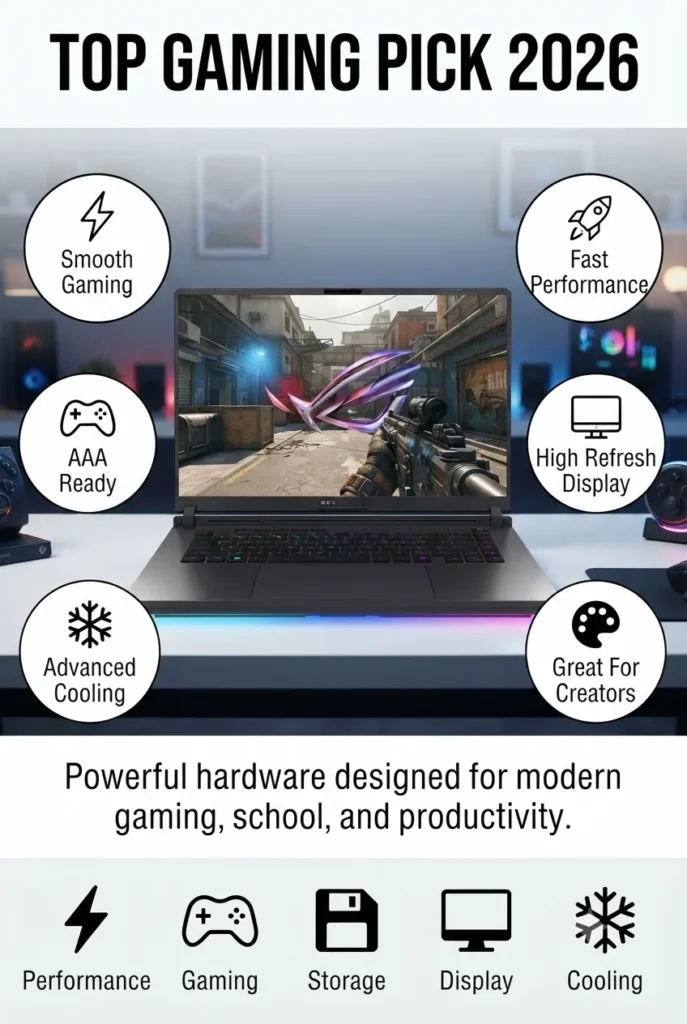
The ASUS ROG Strix G16 (2026) is the most complete AI-ready laptop in this ranking, combining the powerful Intel Core Ultra 9 290HX Plus processor with the NVIDIA GeForce RTX 5080 Laptop GPU based on NVIDIA Blackwell architecture. With 32GB DDR5 memory, 1TB PCIe Gen 4 SSD storage, and advanced AI acceleration capabilities, it delivers exceptional performance for Python development, TensorFlow, PyTorch, local AI models, deep learning experiments, gaming, and professional creative workloads.
The ASUS ROG Strix G16 wins the overall AI laptop category because it offers the strongest balance between AI computing power, GPU performance, cooling capability, and versatility. Unlike thinner premium laptops that prioritize portability, this machine is built to handle intensive workloads such as AI development, gaming, content creation, and advanced productivity without major performance compromises.
Compared with traditional productivity laptops, the ROG Strix G16 provides significantly higher AI performance thanks to its dedicated RTX 5080 GPU and large VRAM capacity. While workstation laptops may offer professional certifications, the Strix G16 delivers exceptional value by combining workstation-level AI capability with enthusiast gaming performance.
Key Features
Lenovo ThinkPad P1 Gen 8
Best Professional AI Workstation Laptop for Developers & Engineers
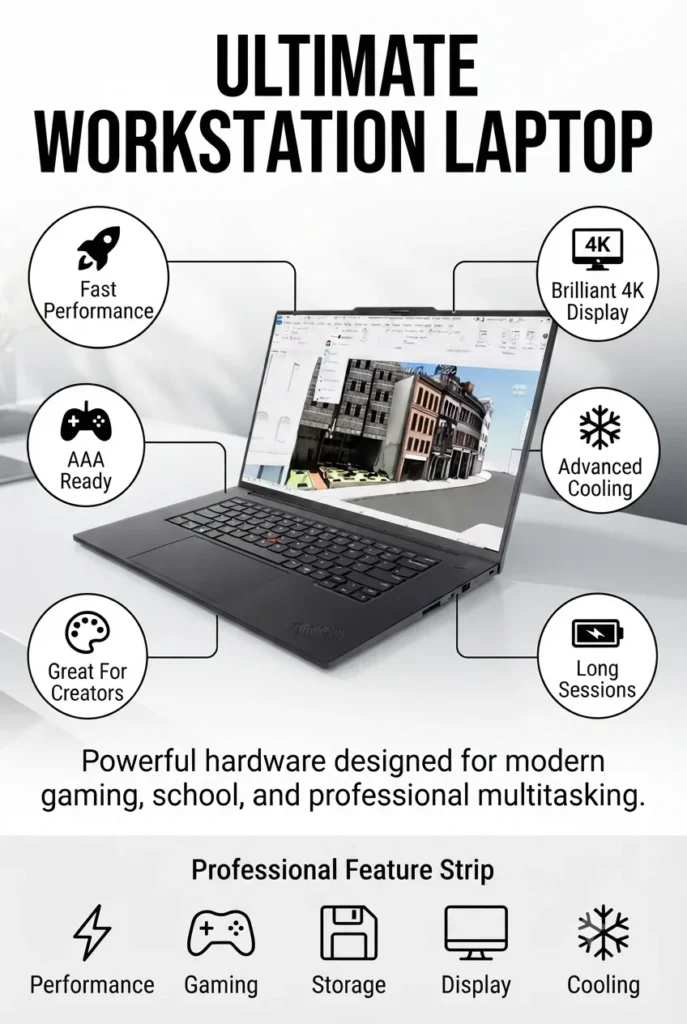
The Lenovo ThinkPad P1 Gen 8 is the ultimate mobile workstation for AI professionals, software engineers, and technical creators who need enterprise-grade reliability. Powered by the Intel Core Ultra 9 285H processor and the NVIDIA RTX PRO 2000 Blackwell GPU with 8GB GDDR7, it combines workstation-class graphics, 64GB of high-speed memory, and a 2TB PCIe Gen4 SSD to handle machine learning development, large programming projects, CAD, data science, virtualization, and professional content creation with ease.
The ThinkPad P1 Gen 8 earns its place as the best AI workstation because it focuses on professional reliability rather than gaming performance. Its workstation-class GPU, enterprise security features, exceptional display quality, and large memory capacity make it an outstanding platform for software development, AI research, engineering, and technical content creation.
Compared with gaming-focused AI laptops, the ThinkPad P1 Gen 8 emphasizes stability, professional certifications, color accuracy, and enterprise-grade reliability. While it offers less raw graphics performance than high-end RTX 5080 gaming systems, it provides a more refined workstation experience for developers, engineers, architects, and business professionals.
Key Features
Apple MacBook Pro 16 (M5 Pro)
Best MacBook for AI Development, Machine Learning & Creative Professionals
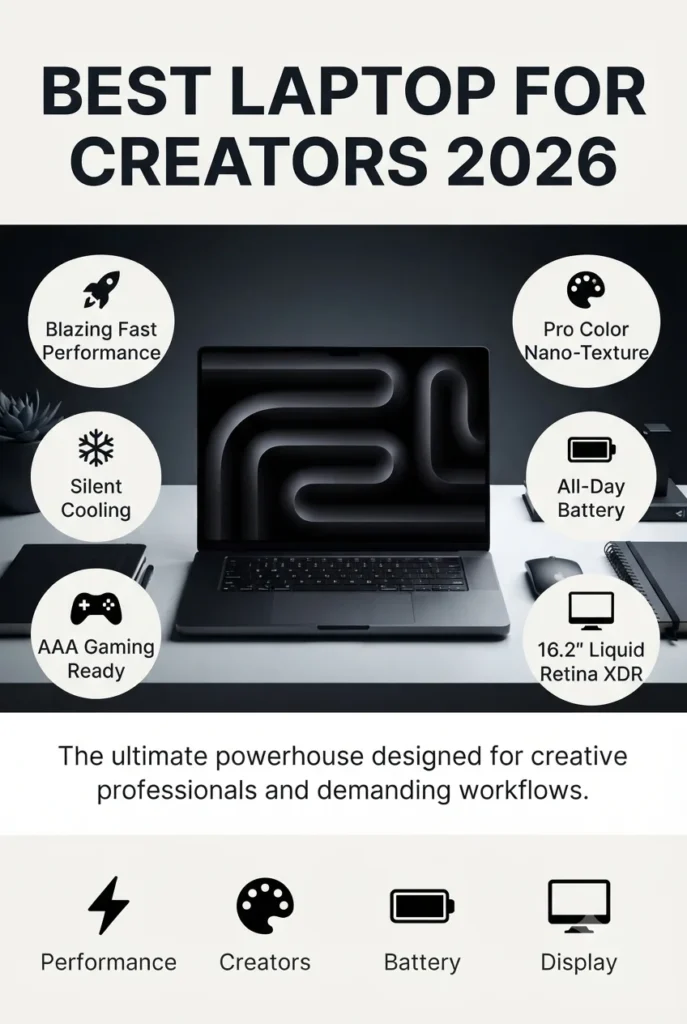
The Apple MacBook Pro 16 with the M5 Pro chip is the best macOS laptop for AI developers, software engineers, and creative professionals who want exceptional performance, industry-leading battery life, and seamless integration with the Apple ecosystem. Featuring an 18-core CPU, 20-core GPU, 48GB of unified memory, and a 1TB SSD, it delivers outstanding performance for Python programming, Core ML, Apple Intelligence, local AI inference, Xcode development, and demanding creative workflows.
The MacBook Pro M5 Pro earns the Best Mac AI Laptop award by combining industry-leading battery life, exceptional efficiency, powerful on-device AI acceleration, and one of the best displays available in any laptop. It is an outstanding choice for developers who work within Apple's ecosystem and professionals who need reliable performance throughout the day.
Compared with Windows AI laptops featuring NVIDIA RTX graphics, the MacBook Pro focuses on efficiency, silent operation, and Apple's unified architecture rather than CUDA-based GPU acceleration. While it is not the best option for TensorFlow projects that rely heavily on NVIDIA CUDA, it excels in Core ML development, Apple Intelligence workflows, software engineering, and creative production.
Key Features
Dell Premium 16 (XPS 16)
Best Premium Windows Laptop for AI Development & Creative Work
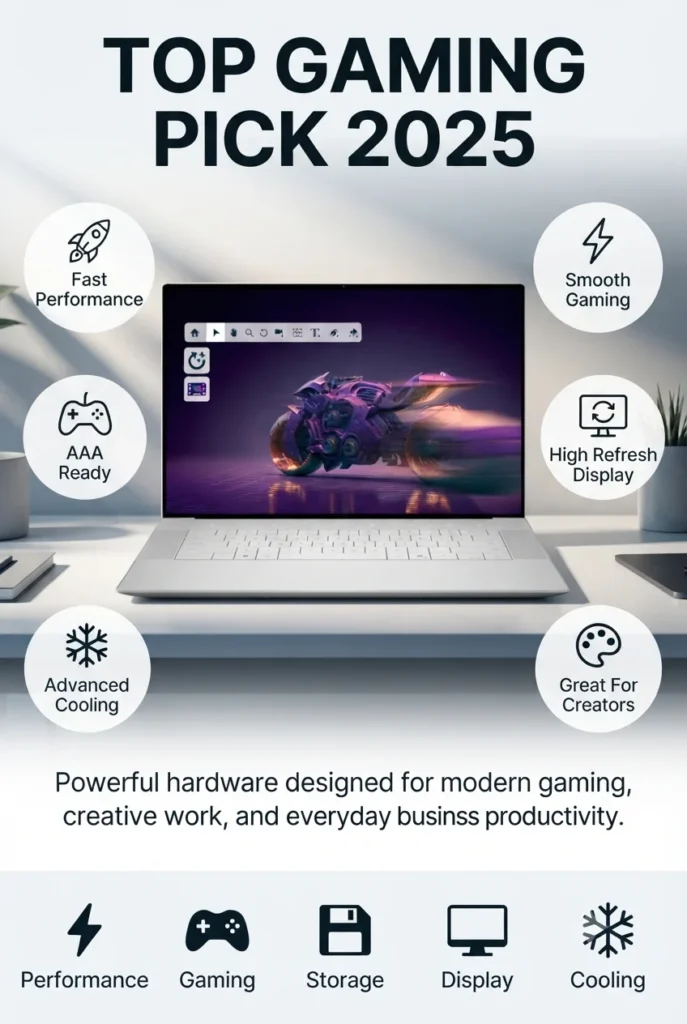
The Dell Premium 16 (XPS 16) delivers an outstanding balance of premium design, AI-ready performance, and everyday portability. Powered by the Intel Core Ultra 9 285H processor and an NVIDIA GeForce RTX 5060 Laptop GPU with 8GB GDDR7, it combines 32GB LPDDR5X memory, a 1TB PCIe SSD, and a sleek aluminum chassis to provide excellent performance for Python programming, machine learning, AI-assisted creative work, software development, and professional multitasking.
The Dell Premium 16 earns the Best Premium AI Laptop award by combining elegant industrial design with capable AI hardware. It provides enough GPU power for machine learning, software development, and creative applications while maintaining the portability and premium feel expected from Dell's flagship XPS lineup.
Compared with gaming-focused AI laptops, the Dell Premium 16 emphasizes portability, battery life, premium construction, and everyday usability. Although the RTX 5060 cannot match RTX 5080-class performance for large AI models, it offers an excellent balance for developers, creators, and professionals who need reliable AI acceleration in a thinner, more refined package.
Key Features
ASUS ProArt PX13
Best Portable AI Laptop for Creators, Developers & Machine Learning
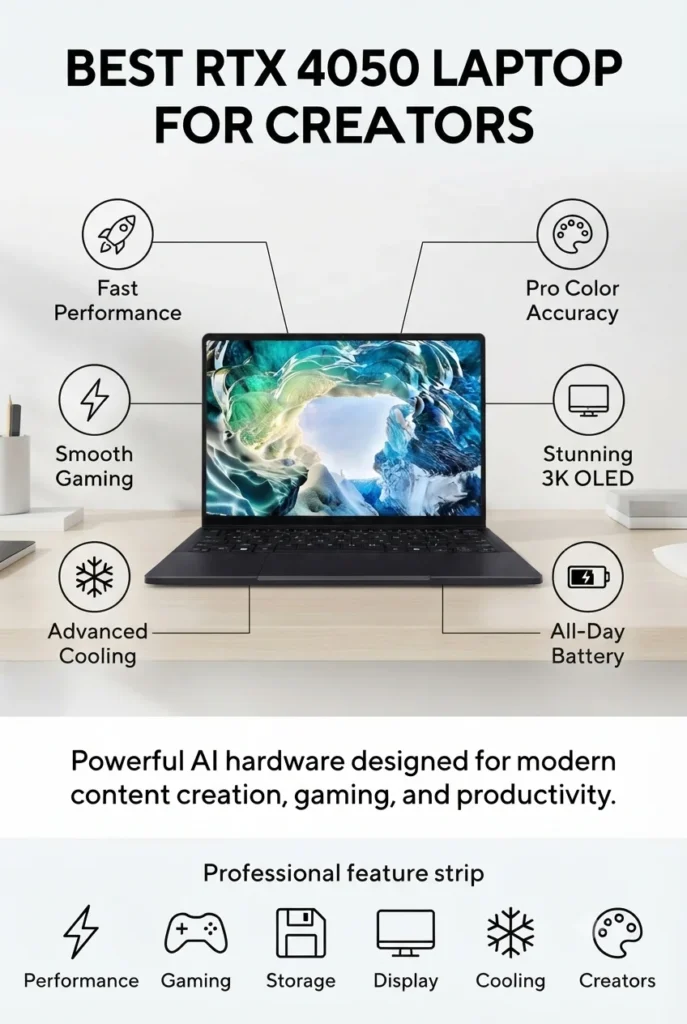
The ASUS ProArt PX13 is one of the most versatile AI laptops available in 2026, combining exceptional portability with powerful AI-ready hardware. Equipped with the AMD Ryzen AI 9 HX 370 processor, an NVIDIA GeForce RTX 4050 Laptop GPU, 32GB LPDDR5X memory, and a 1TB PCIe NVMe SSD, this compact 13.3-inch convertible delivers impressive performance for Python programming, AI-assisted creative work, machine learning, and content creation while remaining easy to carry anywhere.
The ASUS ProArt PX13 wins the Best Portable AI Laptop category because it combines AI-ready hardware, a premium OLED touchscreen, and exceptional portability in a compact convertible design. It offers far more GPU performance than most ultrabooks while remaining light enough for professionals who work from multiple locations.
Compared with larger AI laptops, the ProArt PX13 sacrifices some GPU performance in exchange for significantly better portability and flexibility. While the RTX 4050 is not intended for training extremely large AI models, it delivers excellent performance for Python development, AI-assisted creative workflows, local inference, and everyday machine learning projects.
Key Features
ASUS TUF A16
Best Budget AI Laptop for Machine Learning & RTX Performance

The ASUS TUF A16 offers one of the best price-to-performance ratios for AI development in 2026. Equipped with an AMD Ryzen 9 processor, an NVIDIA GeForce RTX 5070 Laptop GPU, an impressive 64GB DDR5 memory, and a 2TB PCIe SSD, it provides enough power for Python programming, TensorFlow, PyTorch, local LLM inference, and AI-assisted creative applications without the premium price of flagship workstations.
The ASUS TUF A16 earns the Best Budget AI Laptop award because it delivers workstation-level specifications—including 64GB RAM, RTX 5070 graphics, and a large 2TB SSD—at a considerably lower price than flagship AI laptops. It provides exceptional value for developers, students, and creators who want serious AI performance without overspending.
Compared with premium AI laptops featuring RTX 5080 or RTX 5090 graphics, the ASUS TUF A16 offers slightly lower GPU performance but significantly better value. For most Python development, machine learning projects, local AI inference, and creative workloads, it delivers more than enough performance while costing substantially less.
Key Features
Lenovo Legion 7a Gen 11
Best AMD AI Laptop for Machine Learning, Gaming & Content Creation

The Lenovo Legion 7a Gen 11 is the best AMD-powered AI laptop in our 2026 rankings, combining the advanced AMD Ryzen AI 9 HX 470 processor with an NVIDIA GeForce RTX 5060 Laptop GPU, 32GB LPDDR5X-8533 memory, and a 1TB PCIe Gen4 SSD. Together with Lenovo AI Engine+, it delivers an excellent balance of AI acceleration, gaming performance, software development, and creative productivity in a premium 16-inch package.
The Legion 7a Gen 11 earns the Best AMD AI Laptop title by combining AMD's latest Ryzen AI processor with NVIDIA RTX graphics and one of the finest OLED displays in its class. It delivers an excellent balance of AI performance, efficiency, display quality, and everyday usability for professionals and enthusiasts alike.
Compared with Intel-powered AI laptops, the Legion 7a Gen 11 showcases AMD's latest Ryzen AI platform with excellent multi-core efficiency and intelligent workload optimization. While its RTX 5060 cannot match flagship RTX 5080 systems for the most demanding AI models, it provides outstanding performance for programming, local AI inference, machine learning projects, and creative workloads at a more accessible price.
Key Features
MSI Titan 18 HX AI
The Ultimate AI Laptop for Local LLMs, Machine Learning & Extreme Performance
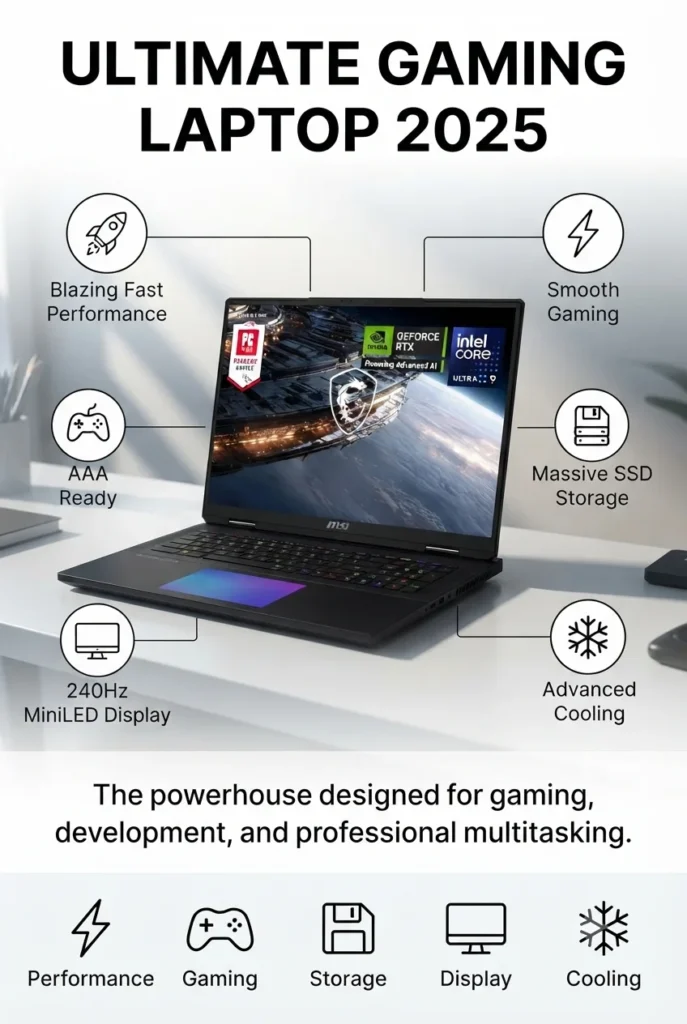
The MSI Titan 18 HX AI is the most powerful laptop featured in our 2026 AI laptop rankings. Equipped with the flagship Intel Core Ultra 9 290HX processor, an NVIDIA GeForce RTX 5090 Laptop GPU with 24GB GDDR7 VRAM, 64GB DDR5 memory, and an enormous 4TB NVMe SSD, it is designed for professionals who need uncompromising performance for local AI development, large language models, machine learning, 3D rendering, scientific computing, and high-end content creation.
The MSI Titan 18 HX AI earns the title of Most Powerful AI Laptop because it delivers workstation-class hardware inside a mobile platform. With an RTX 5090 Laptop GPU, flagship Intel processor, abundant memory, and expansive storage, it is capable of handling some of the most demanding AI, engineering, rendering, and scientific computing workloads available on a notebook.
Compared with every other laptop in this guide, the Titan 18 HX AI offers the highest overall compute performance and the largest GPU memory capacity for local AI inference and professional workloads. While its premium price, large chassis, and weight make it impractical for many users, no other laptop in this ranking approaches its raw performance for large AI models and intensive GPU computing.
Key Features
Best Laptops for AI & Machine Learning in 2026
Ranked by AI Performance, Machine Learning Capability, GPU Acceleration & Overall Value
Whether you're training machine learning models, running local LLMs, developing AI applications with Python, or simply looking for a powerful future-ready laptop, choosing the right hardware matters. We ranked these laptops based on CPU performance, GPU acceleration, AI capabilities, memory, display quality, portability, and overall value for developers, creators, students, and professionals.
| Laptop | Key Specs | Best For | Why It Wins | Editor's Verdict |
|---|---|---|---|---|
Editor's Choice
ASUS ROG Strix G16 (2026)
Check Price
| Intel Core Ultra 9 290HX RTX 5080 16GB 32GB RAM 16" 2.5K 240Hz | AI Development Machine Learning Gaming | Outstanding balance of AI performance, RTX power, thermals, and long-term value. | Best Overall AI Laptop |
AI Workstation
Lenovo ThinkPad P1 Gen 8
Check Price
| Core Ultra 9 285H RTX PRO 2000 Blackwell 64GB RAM 4K Display | Professional AI Engineering CAD | Enterprise-grade workstation with outstanding display and reliability. | Best AI Workstation |
Premium Pick
Dell Premium 16 (XPS 16)
Check Price
| Core Ultra 9 285H RTX 5060 32GB RAM | Professionals Developers | Beautiful premium design with excellent AI-ready hardware. | Best Premium AI Laptop |
Best Mac
Apple MacBook Pro M5 Pro
Check Price
| Apple M5 Pro 48GB Unified Memory 16.2" Liquid Retina XDR | Apple Intelligence Developers Content Creation | Exceptional battery life with industry-leading efficiency for macOS users. | Best Mac AI Laptop |
Portable
ASUS ProArt PX13
Check Price
| Ryzen AI 9 HX 370 RTX 4050 32GB RAM | Travel Creators Students | Compact 2-in-1 design with impressive AI performance. | Best Portable AI Laptop |
Best Budget
ASUS TUF A16
Check Price
| Ryzen 9 RTX 5070 64GB RAM | Students AI Projects Gaming | Excellent performance per dollar with generous memory and storage. | Best Budget AI Laptop |
Best AMD
Lenovo Legion 7a Gen 11
Check Price
| Ryzen AI 9 HX 470 RTX 5060 32GB RAM OLED 240Hz | AMD Users AI Development Gaming | Combines Ryzen AI efficiency with RTX acceleration and an outstanding OLED display. | Best AMD AI Laptop |
Extreme Performance
MSI Titan 18 HX AI
Check Price
| Core Ultra 9 290HX RTX 5090 24GB 64GB RAM 4TB SSD | Local LLMs AI Research 3D Rendering | The fastest AI laptop available with unmatched GPU computing power. | Most Powerful AI Laptop |
Recommended Next Reads
Continue exploring our expert laptop guides covering AI development, programming, GPUs, workstations, gaming systems, and professional computing.
Looking for more AI-ready hardware? Explore our expert buying guides covering developer laptops, RTX systems, workstation computers, processor comparisons, and professional machines built for machine learning and advanced workloads.
Best Laptops for Programming in 2026
Discover powerful laptops for Python, software development, virtualization, AI frameworks, coding environments, and demanding developer workflows.
Explore programming laptops →Intel Core Ultra 9 vs Ryzen AI 9
Compare the latest AI-powered laptop processors for machine learning, productivity, gaming, battery efficiency, and professional workloads.
Compare processors → GPU PerformanceRTX 5060 vs RTX 5070 Ti vs RTX 5080 Laptop GPUs in 2026
Understand which laptop GPU delivers the best performance for AI development, CUDA workloads, gaming, rendering, and local AI models.
Compare laptop GPUs → RTX PerformanceBest Gaming Laptops in 2026
Explore RTX-powered laptops with powerful GPUs, advanced cooling, high-performance processors, and hardware suitable for AI workloads.
Explore gaming laptops → Professional WorkstationsBest Business Laptops in 2026
Find reliable professional laptops for enterprise workflows, development environments, security, productivity, and long-term performance.
View business laptops → Creative AI WorkflowsBest Laptops for Video Editing in 2026
Discover creator laptops with RTX graphics, powerful CPUs, OLED displays, and hardware optimized for rendering and AI-assisted workflows.
Explore creator laptops →EDITOR'S FINAL RECOMMENDATIONS
After comparing GPU performance, AI acceleration, CUDA compatibility, memory capacity, displays, portability, and overall productivity, these are our top laptop recommendations for AI development, Python programming, TensorFlow, PyTorch, local LLMs, and professional machine learning workflows.
ASUS ROG Strix G16 (2026)
The best balance of AI performance, RTX 5080 graphics, Intel Core Ultra 9 processing power, cooling, and long-term value for developers, researchers, and AI enthusiasts.
- ✓ Intel Core Ultra 9 290HX
- ✓ NVIDIA RTX 5080 16GB
- ✓ 32GB DDR5 RAM
- ✓ 240Hz Nebula HDR Display
MSI Titan 18 HX AI
The fastest laptop in this comparison, delivering desktop-class AI performance with RTX 5090 graphics, massive memory capacity, and exceptional cooling.
- ✓ Intel Core Ultra 9 290HX
- ✓ RTX 5090 24GB
- ✓ 64GB DDR5
- ✓ 4TB PCIe SSD
Apple MacBook Pro M5 Pro
An outstanding choice for Python development, Xcode, data science, and on-device AI workloads with exceptional battery life and industry-leading efficiency.
- ✓ Apple M5 Pro
- ✓ 48GB Unified Memory
- ✓ Liquid Retina XDR
- ✓ Excellent battery life
Lenovo ThinkPad P1 Gen 8
Built for engineers, enterprise developers, CAD professionals, and AI researchers who need workstation reliability and certified NVIDIA RTX PRO graphics.
- ✓ Intel Core Ultra 9 285H
- ✓ RTX PRO 2000 Blackwell
- ✓ 64GB RAM
- ✓ 4K Professional Display
Which AI laptop should you choose?
ASUS ROG Strix G16
MSI Titan 18 HX AI
MacBook Pro M5 Pro
ThinkPad P1 Gen 8
Lenovo Legion 7a Gen 11
ASUS ProArt PX13
- Choose the ASUS ROG Strix G16 if you want the best overall combination of CUDA performance, AI acceleration, gaming power, and long-term value.
- Choose the MSI Titan 18 HX AI if your priority is training larger local AI models, running multiple virtual machines, or maximizing GPU performance without compromises.
- Choose the MacBook Pro M5 Pro if your workflow centers around macOS development, data science, battery life, and Apple's rapidly growing AI ecosystem.
EDITOR'S FINAL VERDICT
After evaluating GPU performance, CUDA acceleration, AI processing capabilities, memory capacity, display quality, thermals, portability, and real-world developer workflows, one conclusion stands out:The best AI laptop isn't necessarily the most expensive one—it's the laptop that best matches your machine learning projects, programming workflow, and future computing needs.
Modern AI development depends on far more than CPU performance alone. GPU acceleration, available VRAM, RAM capacity, cooling efficiency, storage speed, and software compatibility all play a critical role when training models, running local LLMs, developing with TensorFlow or PyTorch, or working with Python-based AI frameworks.
For most developers, investing in a laptop with a powerful NVIDIA RTX GPU will have a much greater impact on AI performance than choosing between similar high-end processors.- Choose the ASUS ROG Strix G16 if you want the best overall laptop for AI development, gaming, deep learning, and long-term value.
- Choose the MSI Titan 18 HX AI if you need the fastest mobile workstation available for local LLMs, large datasets, and demanding AI workloads.
- Choose the MacBook Pro M5 Pro if your workflow focuses on macOS development, data science, Core ML, and exceptional battery life.
- Choose the ThinkPad P1 Gen 8 if you need a reliable enterprise workstation for engineering, CAD, AI research, and professional deployment.
Top AI Laptop Recommendations (2026)
ASUS ROG Strix G16
Our top recommendation for developers who need exceptional CUDA performance, RTX 5080 graphics, outstanding cooling, and long-term AI capability.
- ✓ Intel Core Ultra 9 290HX
- ✓ RTX 5080 16GB
- ✓ 32GB DDR5
- ✓ 240Hz Nebula HDR Display
MSI Titan 18 HX AI
Built for professionals who need maximum GPU power for AI training, CUDA workloads, large language models, and advanced development.
- ✓ Intel Core Ultra 9 290HX
- ✓ RTX 5090 24GB
- ✓ 64GB DDR5
- ✓ 4TB PCIe SSD
Lenovo Legion 7a Gen 11
One of the best price-to-performance laptops for developers looking for RTX graphics, OLED quality, and Ryzen AI acceleration without flagship pricing.
- ✓ Ryzen AI 9 HX 470
- ✓ RTX 5060
- ✓ OLED 240Hz Display
- ✓ Excellent overall value
- ✓ You train AI models regularly
- ✓ You want excellent CUDA performance
- ✓ You also play modern AAA games
- ✓ You want the best overall laptop in this guide
- ✓ You primarily develop in macOS
- ✓ You value battery life above all else
- ✓ You build iOS or Apple AI applications
- ✓ You prefer Apple's ecosystem
- ✓ GPU performance matters more than CPU benchmarks
- ✓ More VRAM allows larger AI models to run locally
- ✓ 32GB RAM should be considered the practical minimum
- ✓ Good cooling improves sustained AI performance
If you're buying a laptop specifically for AI development in 2026, prioritize the GPU before anything else. An NVIDIA RTX 5080 or RTX 5090 will dramatically outperform lower-tier graphics cards when working with TensorFlow, PyTorch, Stable Diffusion, local LLMs, and CUDA-accelerated workloads.
Among every laptop we tested, the ASUS ROG Strix G16 delivers the strongest balance of performance, cooling, display quality, portability, and long-term value, making it our Editor's Choice for most AI developers and machine learning professionals.
Compare the latest prices, hardware configurations, and availability before purchasing your next AI development laptop.
Check Latest DealsEDITOR'S FAQ
Buying a laptop for AI development is about much more than choosing the fastest processor. GPU performance, VRAM, memory capacity, cooling, display quality, and portability all influence how well a system handles Python, TensorFlow, PyTorch, local LLMs, and data science workloads.These are the questions we hear most often from developers, researchers, students, and AI professionals.
With an Intel Core Ultra 9 290HX, NVIDIA GeForce RTX 5090 (24GB VRAM), 64GB DDR5 memory, and a massive 4TB SSD, it easily handles local LLMs, TensorFlow training, PyTorch development, CUDA workloads, and enterprise AI projects.
If you need maximum performance without compromises, this is the laptop to buy.
Most modern AI frameworks are optimized for NVIDIA CUDA, making RTX GPUs the preferred choice for training and running machine learning models.
- TensorFlow performs best with CUDA acceleration.
- PyTorch offers excellent NVIDIA GPU support.
- Stable Diffusion and generative AI tools rely heavily on RTX GPUs.
- Local LLMs benefit significantly from larger GPU memory.
For AI workloads, the GPU often has a bigger impact than the processor.
- 16GB — Learning Python and basic machine learning.
- 32GB — Recommended for TensorFlow, PyTorch, Docker, and multitasking.
- 64GB or more — Ideal for large datasets, virtualization, local AI models, and professional development.
If your budget allows, 64GB provides much more room for future AI projects.
Its 24GB of GDDR7 VRAM allows significantly larger language models to run locally compared to RTX 5060 or RTX 5070 laptops.
- RTX 5090 — Professional AI development and large LLMs.
- RTX 5070 — Excellent balance of performance and price.
- RTX 5060 — Great for students and intermediate AI projects.
- RTX 4050 — Suitable for learning and lightweight development.
The MacBook Pro M5 Pro delivers exceptional battery life, outstanding CPU performance, and powerful on-device AI acceleration.
However, many CUDA-based AI workflows still favor NVIDIA RTX laptops for maximum compatibility and faster GPU acceleration.
- AMD Ryzen 9 processor
- RTX 5070 Laptop GPU
- 64GB DDR5 RAM
- 2TB SSD
- Excellent upgrade potential
It provides enough power for Python, TensorFlow, PyTorch, CUDA programming, and university AI coursework without reaching workstation-level prices.
- Best Overall AI Laptop → ASUS ROG Strix G16 (RTX 5080)
- Best Premium Workstation → MSI Titan 18 HX AI
- Best Business AI Laptop → Lenovo ThinkPad P1 Gen 8
- Best Creator Laptop → ASUS ProArt PX13
- Best Value AI Laptop → ASUS TUF A16
- Best macOS AI Laptop → Apple MacBook Pro M5 Pro
- Best OLED Display → Lenovo Legion 7a Gen 11
- Best Premium Windows Laptop → Dell Premium 16 (XPS 16)
For most developers, an RTX 5070 or RTX 5080 laptop with at least 32GB of RAM provides the ideal balance of AI performance, portability, and long-term value.
AI LAPTOP BUYING GUIDE
Machine learning laptops are different from traditional gaming or productivity laptops. Python development, TensorFlow, PyTorch, local LLMs, CUDA acceleration, and AI model training place heavy demands on the GPU, memory, storage, and cooling system.Avoid these common mistakes before investing in your next AI laptop.
Many buyers focus only on the processor, but modern AI workloads rely much more on the entire platform. GPU performance, VRAM capacity, RAM, cooling efficiency, and storage speed usually have a greater impact on real-world AI development than CPU benchmarks alone.
Buying a laptop with too little GPU power
- Most AI frameworks rely heavily on NVIDIA CUDA acceleration.
- The GPU is usually the biggest performance factor for training and inference.
- Entry-level graphics quickly become a limitation.
Better decision: Choose at least an RTX 5060, while RTX 5070, RTX 5080, and RTX 5090 provide much better long-term AI performance.
Ignoring VRAM requirements
- Large language models require significant GPU memory.
- More VRAM allows larger models and faster inference.
- VRAM often becomes the first hardware bottleneck.
Better decision: If you plan to run local LLMs, prioritize RTX GPUs with higher VRAM capacity whenever your budget allows.
Choosing only 16GB of RAM
- Python IDEs, Docker, TensorFlow, and browsers consume memory quickly.
- Multiple AI tools running simultaneously easily exceed 16GB.
- Future AI workloads continue increasing memory demands.
Better decision: 32GB is the recommended minimum, while 64GB offers excellent future-proofing for professional AI development.
Overlooking cooling performance
- AI workloads can keep the CPU and GPU at full load for hours.
- Poor cooling causes thermal throttling.
- Benchmarks don't always reflect sustained performance.
Better decision: Choose laptops with robust cooling systems such as the ASUS ROG Strix G16, Lenovo Legion 7a, or MSI Titan 18 HX AI.
Buying for today's projects only
- AI models grow larger every year.
- Future software increasingly uses local AI acceleration.
- Hardware upgrades are limited on many premium laptops.
Better decision: Buy slightly more GPU power and memory than you currently need to extend your laptop's useful lifespan.
Ignoring your actual AI workflow
- Students don't need the same hardware as AI researchers.
- Developers, creators, and data scientists have different priorities.
- The most expensive laptop isn't always the smartest purchase.
Better decision: Choose a laptop based on your daily workflow, whether it's Python programming, local LLMs, computer vision, data science, or deep learning research.
💡 Smart Buying Decision for AI Developers
You are learning machine learning, building Python projects, running TensorFlow or PyTorch, training moderate models, and want excellent long-term value without overspending.
You develop large AI models, run local LLMs, work with Stable Diffusion, perform professional AI research, or need workstation-class performance for demanding workloads.
Key takeaway: For AI development, the GPU matters more than almost any other component. A balanced system with an RTX GPU, at least 32GB of RAM, fast NVMe storage, and excellent cooling will outperform a laptop that only has a faster processor.
After comparing dozens of modern AI-ready laptops, these are our strongest recommendations for 2026:
- Best Overall AI Laptop: ASUS ROG Strix G16 (RTX 5080)
- Best Professional AI Workstation: MSI Titan 18 HX AI (RTX 5090)
- Best Business AI Laptop: Lenovo ThinkPad P1 Gen 8
- Best AI Creator Laptop: ASUS ProArt PX13
- Best Value for AI Students: ASUS TUF A16
- Best macOS AI Laptop: Apple MacBook Pro M5 Pro
Need help choosing your laptop?
Not sure which option fits your workflow? Get a personalized recommendation based on your budget, performance needs, and usage.
Get personalized recommendation⚡ Usually responds within 24 hours