
BUSINESS LAPTOPS HUB

Explore Our Business Laptop Collection

Discover our curated collection of business laptop recommendations, expert comparisons, and professional buying guides designed to help you find the right laptop for productivity, performance, and everyday work.
2026 Business Laptop Guide • Expert Picks for Work, Productivity, Travel & Professional Use
Expert Reviewed • Performance, Battery Life, Portability, Security, Displays & Business Value

Best Business Laptops in 2026: Top 7 Picks for Work, Productivity & Professionals

The best business laptop in 2026 is not necessarily the most powerful or most expensive model. The right choice depends on how you work, how often you travel, which applications you use, and how much you value performance, battery life, security, portability, and long-term reliability.From corporate productivity and demanding multitasking to remote work, business travel, presentations, and everyday professional use, today's business laptops offer a wide range of options for different workflows and budgets.

In this guide, we've selected the best business laptops in 2026 based on performance, battery life, build quality, keyboard comfort, portability, display quality, connectivity, security features, productivity, and overall business value.The Lenovo ThinkPad X1 Carbon Gen 13 leads the lineup as our best overall choice for most professionals, combining strong performance, portability, battery efficiency, and business-focused features. The Dell Latitude 7450 is a stronger fit for enterprise environments and IT-managed fleets, while the MacBook Air M4 stands out for remote professionals who prioritize battery life, portability, and the macOS experience.Security-focused organizations should consider the HP EliteBook 840 G11, frequent travelers can benefit from the exceptionally lightweight ASUS ExpertBook B9, and professionals interested in Windows AI PCs can look to the Microsoft Surface Laptop with Snapdragon X Elite. For buyers focused on value, the Acer Swift Go 14 offers a compelling combination of modern performance and features at a more accessible price.

Best Overall
Best Enterprise Laptop
Best for Remote Work
Best for Business Security
Best for Business Travel
Best AI Laptop
Best Budget Business Laptop
Editor's Verdict:For most professionals, the Lenovo ThinkPad X1 Carbon Gen 13 is the strongest overall business laptop in this lineup. Its combination of performance, portability, premium build quality, long-term usability, and business-focused features makes it the most balanced choice for professionals who need one dependable laptop for work, productivity, travel, and everyday business use.For larger organizations and IT-managed environments, the Dell Latitude 7450 is the better enterprise-oriented option thanks to its business-class connectivity, manageability, security features, and flexible configuration options. The HP EliteBook 840 G11 is particularly compelling for organizations that place greater emphasis on security and protected business workflows.Remote professionals and Apple users should consider the MacBook Air M4, which combines excellent battery life, strong performance, a lightweight design, and a premium build. Apple rates the MacBook Air for up to 18 hours of video streaming, making battery endurance one of its strongest advantages for mobile work.Frequent travelers should look closely at the ASUS ExpertBook B9. Its magnesium-lithium construction, OLED display, business-focused security features, and approximately 990 g starting weight make portability its defining advantage.Meanwhile, the Microsoft Surface Laptop is the standout choice for professionals who want a modern Copilot+ Windows PC and the benefits of the Snapdragon X Elite platform. Finally, the Acer Swift Go 14 provides the strongest value proposition in this seven-laptop lineup for professionals who want modern specifications without moving into premium business-laptop pricing.
Scroll Down to Compare the 7 Best Business Laptops in 2026
#1 Best Overall Business Laptop (2026 Editor's Choice)

Lenovo ThinkPad X1 Carbon Gen 13

Best Business Laptop for Most Professionals, Work & Productivity
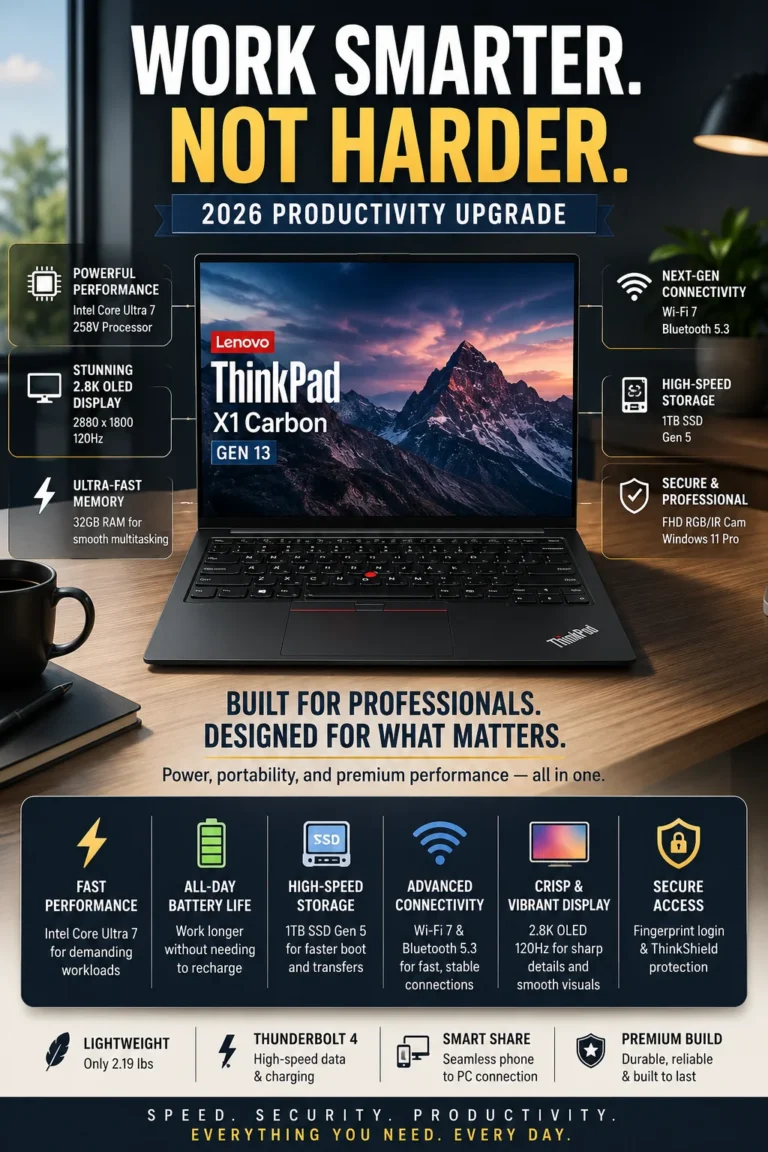
The Lenovo ThinkPad X1 Carbon Gen 13 is our top recommendation for the best overall business laptop in 2026. It combines strong Intel Core Ultra 7 performance, a lightweight premium design, business-focused security, excellent keyboard quality, a high-resolution OLED display, and the portability professionals need for demanding workdays and frequent travel. For users who want one premium business laptop capable of handling productivity, multitasking, meetings, presentations, analytics, and mobile work, the X1 Carbon Gen 13 offers one of the most complete overall packages in this lineup.

• Excellent choice for executives, consultants, managers, analysts, remote professionals, business travelers, and power users who need a premium laptop for demanding professional workflows
• The legendary ThinkPad keyboard provides precise, comfortable typing for long work sessions involving documents, spreadsheets, email, coding, research, and professional communication
• Business-focused security and management features provide the protection, authentication, and enterprise-oriented functionality expected from a premium professional laptop
• The lightweight ThinkPad X1 Carbon design makes it particularly well suited to professionals who regularly move between offices, meetings, airports, and remote work environments
• The Intel Core Ultra 7 platform provides strong performance for demanding multitasking, productivity applications, large spreadsheets, browser-heavy workflows, video meetings, analytics, and other professional workloads
• 32GB of memory provides substantial headroom for professionals who regularly work with multiple applications, large numbers of browser tabs, documents, communication tools, and demanding productivity workflows simultaneously
• The 1TB SSD provides fast system and application loading while offering generous local storage for business documents, projects, media, and professional files
• The 14-inch 2.8K OLED 120Hz display delivers sharp text, excellent contrast, smooth motion, and a premium viewing experience that benefits both everyday productivity and presentations

The ThinkPad X1 Carbon Gen 13 earns our Best Overall Business Laptop award because it achieves an unusually strong balance between performance, portability, build quality, display quality, keyboard comfort, security, and professional usability. Rather than optimizing for just one category, it is designed to perform well across the wide range of tasks that modern professionals handle every day.

Compared with heavier business laptops, the X1 Carbon Gen 13 is easier to carry without sacrificing the features expected from a premium business machine. Its combination of a powerful Core Ultra 7 processor, 32GB of memory, 1TB of storage, high-resolution OLED display, and lightweight design makes it especially compelling for professionals who want a long-term primary work laptop rather than a device optimized for only one specific workflow.

• Intel Core Ultra 7 processor• Strong multi-core performance for professional applications• Intel integrated graphics• Efficient performance for mobile productivity• Suitable for demanding multitasking• Designed for modern Windows business workloadsThe Intel Core Ultra 7 platform gives the ThinkPad X1 Carbon Gen 13 the performance headroom needed for demanding professional workflows. It is well suited to Microsoft Office, large spreadsheets, browser-heavy multitasking, video conferencing, presentations, research, analytics, and other productivity applications.For professionals who regularly move between multiple applications, browser tabs, communication platforms, documents, and cloud services, the combination of modern CPU performance and efficient mobile design provides a strong balance between responsiveness and portability.
• 32GB memory configuration• Designed for demanding multitasking• Excellent headroom for professional applications• Suitable for large numbers of browser tabs• Comfortable capacity for productivity and communication tools• Strong configuration for long-term professional useThe 32GB memory configuration gives the X1 Carbon Gen 13 substantial headroom for professionals who regularly keep multiple applications running simultaneously. Large spreadsheets, browser tabs, documents, video meetings, communication platforms, cloud applications, and productivity software can coexist without the limitations commonly associated with lower-memory configurations.For power users, analysts, executives, developers, consultants, and other professionals who expect to keep a premium business laptop for several years, 32GB provides a particularly comfortable configuration for demanding everyday workloads.
• 14-inch 2.8K OLED display• 2880 × 1800 resolution• Up to 120Hz refresh rate• High contrast and deep blacks• Sharp text and detailed visuals• Premium display experience for work and presentationsThe 2.8K OLED display is one of the X1 Carbon Gen 13's most noticeable advantages over more conventional business laptop panels. Its high resolution provides sharp text and detailed graphics, while OLED technology delivers excellent contrast and deep blacks.The 120Hz refresh rate also makes scrolling and interface movement feel smoother during everyday use. For professionals who spend long hours reading documents, reviewing presentations, working with visual content, or switching between applications, the display provides a noticeably more premium experience than a standard office-oriented panel.
• 1TB SSD storage• Fast system startup• Quick application launches• Responsive file access• Generous capacity for business documents and projects• Suitable for demanding everyday professional useThe 1TB SSD provides a strong combination of speed and capacity for professionals who need more local storage than a typical entry-level business configuration. It provides room for documents, presentations, spreadsheets, applications, project files, photos, and other professional data without immediately requiring external storage.Fast solid-state storage also contributes to responsive system startup, application loading, file access, and general day-to-day performance. Professionals working with exceptionally large media libraries, virtual machines, or large datasets may still benefit from external or cloud storage, but 1TB is a well-balanced capacity for a premium business laptop.
• Lightweight 14-inch premium business design• Designed for frequent travel and commuting• Compact footprint for mobile professionals• USB-C charging support• Premium materials and durable construction• Strong balance between portability and performancePortability is one of the defining characteristics of the ThinkPad X1 Carbon family. The Gen 13 is designed for professionals who regularly move between offices, meetings, airports, client locations, home offices, and other work environments.Its lightweight design makes it significantly easier to carry throughout a busy workday than many larger business laptops. Combined with an efficient Intel Core Ultra platform and USB-C charging, the X1 Carbon is particularly well suited to professionals who prioritize mobility without wanting to compromise on performance or business functionality.
• ThinkShield security ecosystem• Business-focused security features• Fingerprint authentication• Optional IR camera and biometric authentication depending on configuration• TPM-based security• Enterprise-oriented manageability and protectionThe ThinkPad X1 Carbon Gen 13 is designed around the security and manageability requirements of professional users. Lenovo's ThinkShield ecosystem combines hardware and software security technologies designed to help protect devices, credentials, data, and business workflows.Depending on configuration, features can include biometric authentication, fingerprint login, an IR camera for Windows Hello, and hardware-based security technologies. These capabilities make the X1 Carbon particularly appropriate for professionals and organizations where device security is an important part of the purchasing decision.
Ideal for:• Executives and managers• Consultants and analysts• Remote and hybrid professionals• Business travelers• Enterprise professionals• Developers and technical users• Professionals working with demanding multitasking workloads• Buyers seeking a premium primary business laptopThe Lenovo ThinkPad X1 Carbon Gen 13 is our Best Overall Business Laptop in 2026 because it does not rely on a single standout feature to justify its position. Instead, it combines performance, portability, display quality, keyboard comfort, security, storage, and professional usability into one highly balanced package.It is particularly well suited to buyers who want a premium business laptop that can handle demanding productivity work during the day while remaining lightweight and practical enough for frequent travel. If you need one primary laptop for professional work and do not want to compromise heavily in any major category, the X1 Carbon Gen 13 is the strongest overall choice in this lineup.
#2 Best Enterprise Business Laptop (2026 Editor's Choice)

Dell Latitude 7450

Best Business Laptop for Enterprise Teams, IT Management & Corporate Work
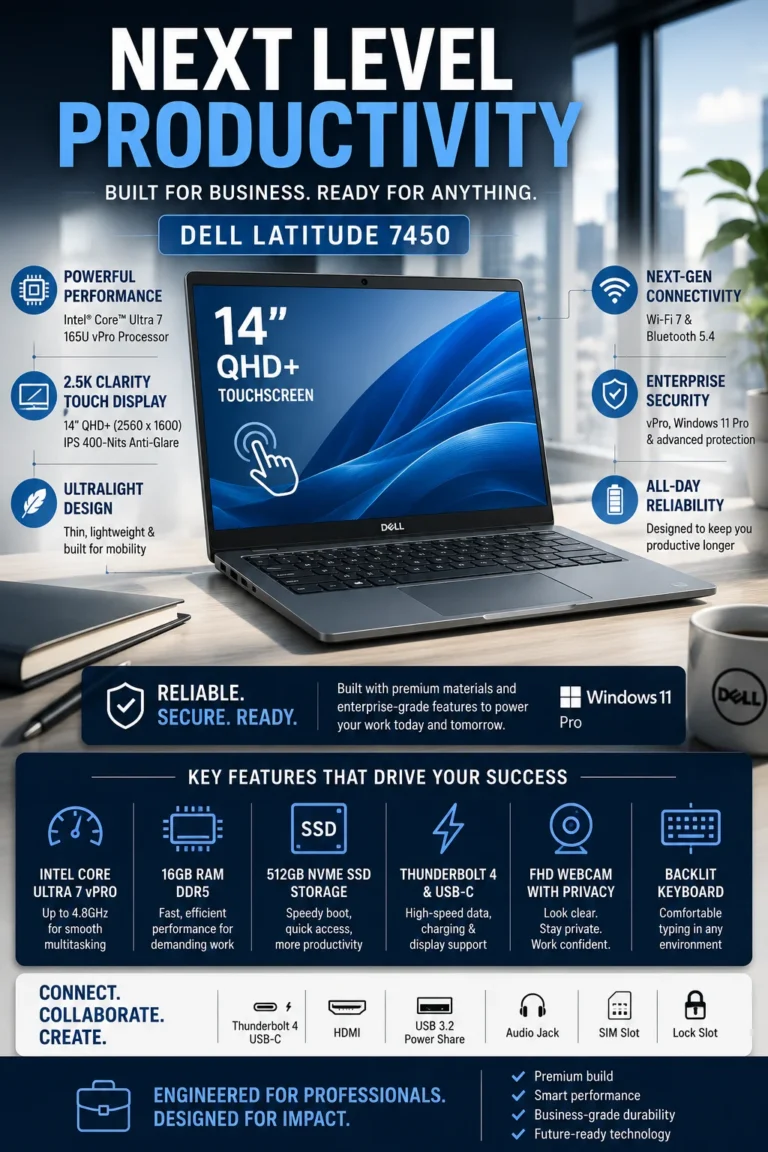
The Dell Latitude 7450 is our top recommendation for the best enterprise business laptop in 2026. It is designed around the needs of corporate teams, IT departments, and organizations that require dependable performance, enterprise-oriented security, centralized management, professional connectivity, and a business-focused support ecosystem. Rather than competing primarily on consumer-style features, the Latitude 7450 focuses on the infrastructure and reliability that matter when multiple laptops need to be deployed, managed, secured, and maintained across an organization.

• Excellent choice for enterprise teams, corporate employees, IT-managed fleets, consultants, managers, and organizations that prioritize security, manageability, and dependable business operation
• Intel vPro Enterprise capabilities provide a stronger foundation for organizations that need remote management, hardware-level security features, and centralized administration across business devices
• The 14-inch business-oriented design provides a practical balance between screen workspace and portability for professionals moving between offices, meetings, and remote work environments
• Dell's enterprise support and management ecosystem makes the Latitude 7450 particularly well suited to organizations that need more than a conventional consumer laptop can provide
• The Intel Core Ultra 7 vPro platform provides responsive performance for spreadsheets, office applications, browser-heavy workflows, video conferencing, business software, and professional multitasking
• 16GB of LPDDR5x memory provides a practical configuration for everyday enterprise productivity, including documents, spreadsheets, communication applications, cloud services, and multiple browser tabs
• The 512GB PCIe Gen 4 NVMe SSD provides fast system startup, application loading, and responsive access to business documents and professional files
• The available QHD+ touchscreen configuration delivers 2560 × 1600 resolution, 400-nit brightness, and 100% sRGB coverage, providing a sharper and more premium display experience for professionals who prioritize screen quality and touch interaction

The Dell Latitude 7450 earns our Best Enterprise Business Laptop award because its greatest strength is not a single specification but the way its hardware, security, management, connectivity, and business support features fit into a corporate environment. For an individual buyer, some of these advantages may be less important; for an IT department managing multiple systems, they can make a significant difference in deployment and day-to-day administration.

Compared with consumer laptops at similar performance levels, the Latitude 7450 places greater emphasis on enterprise deployment, security, manageability, and professional connectivity. Its configuration options also allow organizations to tailor the system to different workflows and budgets. For companies that need a dependable Windows business platform that can integrate into an existing IT environment rather than simply serve as a personal productivity device, the Latitude 7450 is one of the strongest choices in this lineup.

• Intel Core Ultra 7 vPro processor• Intel vPro Enterprise capabilities• Efficient performance for professional workloads• Suitable for Microsoft Office and business applications• Strong multitasking capability• Integrated Intel graphicsThe Intel Core Ultra 7 vPro platform provides the Latitude 7450 with the performance required for modern enterprise productivity. It handles spreadsheets, presentations, browser-heavy workflows, video conferencing, cloud applications, business software, and everyday multitasking with the responsiveness expected from a premium corporate laptop.The vPro platform adds another important dimension for organizations: hardware-based management and security capabilities designed for professionally managed environments. This makes the Latitude 7450 particularly relevant when the laptop is part of a larger corporate fleet rather than an individually purchased personal computer.
• 16GB LPDDR5x memory• Suitable for everyday professional multitasking• Multiple browser tabs and productivity applications• Comfortable capacity for office workloads• Designed for modern enterprise softwareThe 16GB memory configuration provides a practical balance for most corporate productivity workflows. Employees can work with spreadsheets, documents, browser tabs, email, collaboration platforms, video meetings, and cloud applications simultaneously without the limitations associated with entry-level memory configurations.For standard enterprise workloads, 16GB is a sensible configuration that keeps the Latitude 7450 responsive while allowing organizations to deploy a consistent specification across a large number of professional users.
• 14-inch QHD+ touchscreen configuration• 2560 × 1600 resolution• 16:10 aspect ratio• Up to 400 nits brightness• 100% sRGB coverage• Touch functionality for presentations and mobile workflowsThe QHD+ touchscreen configuration gives the Latitude 7450 a sharper and more premium display than many conventional business laptops. The 2560 × 1600 resolution and 16:10 aspect ratio provide additional vertical workspace for documents, spreadsheets, web applications, and professional software.The touchscreen can also be useful for presentations, navigation, and hybrid workflows where direct interaction with the display provides an advantage. Because Dell offers multiple display configurations for the Latitude 7450, buyers should verify the exact panel included with the configuration they are purchasing.
• 512GB PCIe Gen 4 NVMe SSD• Fast system startup• Quick application launches• Responsive file access• Practical capacity for professional documents• Suitable for standard enterprise workloadsThe 512GB SSD provides a practical balance between storage capacity and responsiveness for most corporate users. It offers enough space for business documents, presentations, spreadsheets, applications, PDFs, and locally stored professional files while maintaining fast system performance.Organizations working with large datasets, extensive media libraries, virtual machines, or specialized engineering and creative applications may require higher-capacity storage or centralized cloud and network storage. For conventional office and enterprise productivity workloads, however, 512GB is a sensible configuration.
• Intel vPro Enterprise capabilities• Hardware-assisted management and security features• Business-focused Dell ecosystem• Designed for centrally managed deployments• Suitable for corporate fleet administration• Enterprise-oriented Windows configurationsThe Latitude 7450's strongest differentiator is its focus on enterprise deployment. Intel vPro Enterprise provides capabilities that can help IT departments remotely manage compatible systems, monitor hardware, apply maintenance procedures, and support devices across a larger organizational fleet.This makes the Latitude 7450 particularly valuable for companies that need consistent hardware across multiple employees and want greater control over device administration, security, and lifecycle management. These benefits become increasingly important as the number of deployed laptops grows.
• Business-oriented connectivity• USB-C and Thunderbolt connectivity depending on configuration• HDMI output• Wi-Fi connectivity for modern office environments• Business-focused security features• Designed for office, remote, and hybrid workflowsThe Latitude 7450 is designed to connect easily with the peripherals and infrastructure commonly found in professional environments. Its combination of modern USB-C connectivity, display support, wireless networking, and business-oriented expansion options makes it suitable for docking stations, external monitors, presentations, office peripherals, and hybrid work setups.Security is equally important in an enterprise environment. Combined with the available vPro platform and Dell's business ecosystem, the Latitude 7450 provides a stronger foundation for organizations that need managed and protected Windows devices rather than conventional consumer hardware.
Ideal for:• Enterprise organizations• IT-managed laptop fleets• Corporate employees• Financial and professional services• Consultants and business managers• Hybrid and remote corporate teams• Organizations requiring centralized device management• Businesses prioritizing security and long-term supportThe Dell Latitude 7450 is our Best Enterprise Business Laptop because its greatest advantage is the way its performance, security, manageability, connectivity, and business-focused design work together in a corporate environment.It is especially well suited to organizations where IT teams need to deploy and manage multiple laptops consistently. Individual professionals may find other models in this lineup more attractive for travel, battery life, or premium design, but companies that prioritize fleet management, enterprise security, and dependable corporate deployment should put the Latitude 7450 near the top of their shortlist.
#3 Best Business Laptop for Remote Work (2026 Editor's Choice)

Apple MacBook Air 15″ M4

Best Business Laptop for Remote Work, Battery Life & Mobile Productivity
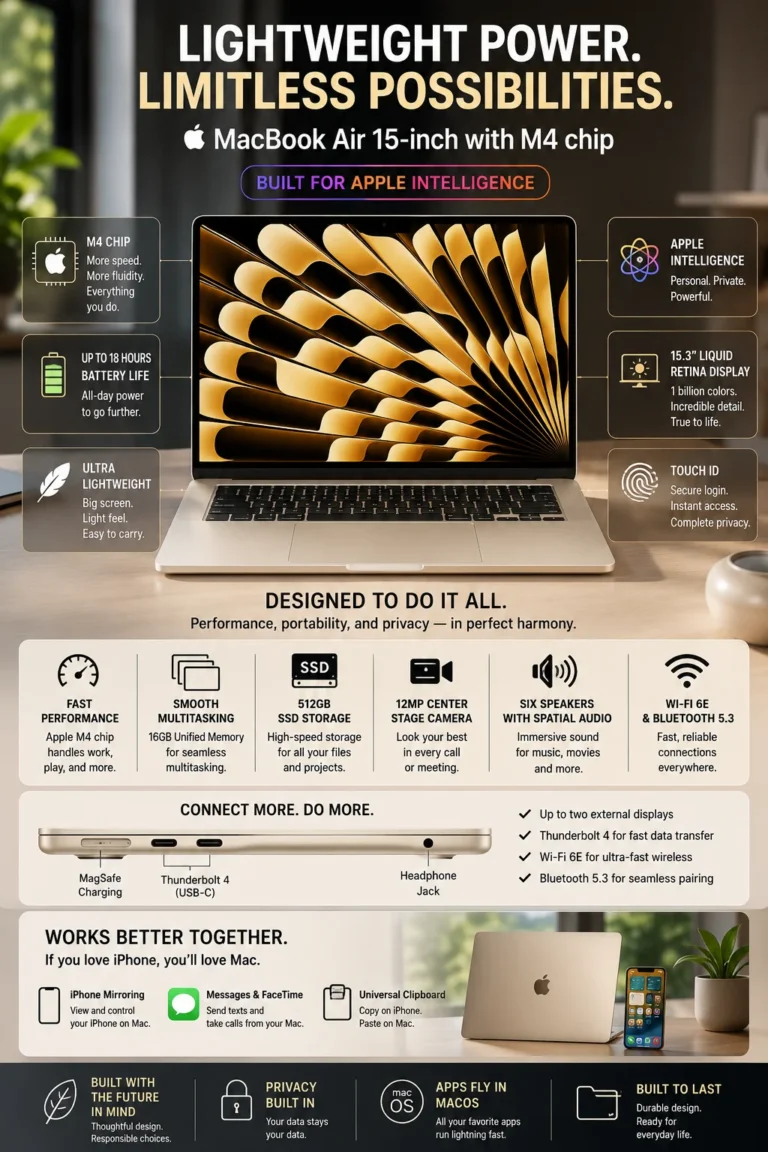
The Apple MacBook Air 15-inch M4 is our top recommendation for the best business laptop for remote work in 2026. It combines the performance and efficiency of Apple's M4 chip with a large 15.3-inch Liquid Retina display, a thin and lightweight design, silent operation, long battery life, and seamless integration with the Apple ecosystem. For professionals who work from home, coworking spaces, client locations, or while traveling, it offers an exceptionally polished combination of mobility and everyday productivity.

• Excellent choice for remote professionals, consultants, entrepreneurs, freelancers, executives, creators, and Apple ecosystem users who prioritize mobility and a premium everyday work experience
• The Apple M4 chip delivers strong performance for office applications, multitasking, video conferencing, browser-heavy workflows, content creation, and other demanding professional tasks
• The 15.3-inch Liquid Retina display provides substantially more workspace than the smaller MacBook Air, making spreadsheets, documents, presentations, research, and side-by-side applications easier to manage
• Fanless operation keeps the MacBook Air remarkably quiet during everyday productivity, making it particularly well suited to home offices, meetings, libraries, coworking spaces, and other quiet environments
• 16GB of unified memory provides a solid configuration for professional multitasking across browser tabs, documents, communication applications, video meetings, and productivity software
• The 512GB SSD provides fast application loading and responsive file access while offering practical local storage for documents, projects, applications, and professional files
• Apple rates the 15-inch MacBook Air for up to 18 hours of video streaming and up to 15 hours of wireless web use, giving mobile professionals substantial battery endurance for long work sessions
• MagSafe 3 and two Thunderbolt 4 ports provide convenient charging and connectivity for external displays, docks, storage, and professional peripherals

The MacBook Air 15-inch M4 earns our Best Business Laptop for Remote Work award because it focuses on the conditions that define modern mobile work. Its large high-resolution display, quiet operation, excellent battery endurance, lightweight design, and efficient M4 processor make it particularly comfortable for professionals who spend much of their working week outside a traditional office.

Compared with many Windows business laptops, the MacBook Air 15-inch M4 takes a different approach to professional productivity. It does not offer the same enterprise management ecosystem as the Dell Latitude 7450 or the same business-oriented security and fleet-management focus as traditional corporate laptops. However, for individuals and small teams working primarily from home, remote locations, coworking spaces, and while traveling, its combination of performance, battery life, silence, portability, display quality, and macOS integration makes it one of the strongest remote-work choices in this lineup.

• Apple M4 chip• High-performance CPU and GPU• 16-core Neural Engine• Efficient performance for mobile workloads• Strong multitasking capability• Excellent performance for office and creative applicationsThe Apple M4 chip gives the MacBook Air 15-inch enough performance for demanding everyday professional workflows. Microsoft Office, browser-heavy multitasking, video conferencing, presentations, research, communication applications, photo editing, and many creative workloads run smoothly without requiring a thicker workstation-style laptop.Its combination of performance and efficiency is particularly valuable for remote professionals who want a responsive system that remains thin, lightweight, and completely silent during normal use.
• Up to 18 hours of Apple-rated video streaming• Up to 15 hours of wireless web use• Efficient Apple M4 architecture• Designed for long mobile work sessions• MagSafe 3 chargingApple rates the 15-inch MacBook Air M4 for up to 18 hours of video streaming and up to 15 hours of wireless web use. That level of rated endurance makes it particularly well suited to professionals who move between home offices, coworking spaces, client locations, meetings, and travel.Real-world battery life varies depending on applications, display brightness, connectivity, and workload, but the combination of Apple's efficient M4 chip and large battery gives the MacBook Air one of the strongest mobility profiles in this lineup.
• 15.3-inch Liquid Retina display• 2880 × 1864 resolution• 500 nits typical brightness• Wide P3 color gamut• True Tone technology• 16:10-class workspaceThe 15.3-inch Liquid Retina display is one of the biggest advantages of choosing the larger MacBook Air. The additional screen area provides more comfortable workspace for spreadsheets, documents, presentations, research, and side-by-side applications.The 2880 × 1864 resolution also provides sharp text and detailed visuals, while the wide color gamut and True Tone technology make the display well suited to both professional productivity and creative work.
• Completely fanless design• Silent operation during normal workloads• Thin and lightweight construction• Comfortable for quiet environments• Excellent fit for meetings and shared workspacesThe MacBook Air's fanless design is a major advantage for professionals working remotely. Without an active cooling fan, the laptop operates silently during normal productivity tasks, making it particularly comfortable for video meetings, calls, libraries, coworking spaces, and quiet home offices.This design also contributes to the MacBook Air's thin and portable profile. Professionals can carry a powerful everyday work machine without the bulk or constant fan noise associated with some higher-performance laptops.
• AirDrop• Handoff• Universal Clipboard• iPhone Mirroring• iCloud integration• Seamless device continuityProfessionals already using Apple devices can benefit from a highly integrated workflow across Mac, iPhone, and iPad. Features such as AirDrop, Handoff, Universal Clipboard, and iPhone Mirroring can reduce friction when moving between devices during a typical workday.For remote professionals, this can be particularly useful when transferring documents, responding to messages, accessing information from an iPhone, or continuing tasks across multiple Apple devices.
• 512GB SSD storage• MagSafe 3 charging port• Two Thunderbolt 4 ports• 3.5mm headphone jack• Support for external displays• Fast wireless connectivityThe 512GB SSD provides practical local storage for professional documents, applications, presentations, projects, and everyday files while maintaining fast system responsiveness.The two Thunderbolt 4 ports allow the MacBook Air to connect to compatible docks, external storage, displays, and professional peripherals. MagSafe 3 also provides a dedicated charging connection, leaving the Thunderbolt ports available for accessories while the laptop is charging.Professionals who routinely work with large media libraries, multiple external displays, specialized peripherals, or unusually demanding storage requirements should evaluate the exact configuration before purchasing.
Ideal for:• Remote professionals• Consultants and freelancers• Entrepreneurs• Executives and managers• Creative professionals• Apple ecosystem users• Professionals who travel frequently• Home-office and hybrid workersThe Apple MacBook Air 15-inch M4 is our Best Business Laptop for Remote Work because it combines the qualities that matter most when your office can be anywhere: excellent battery endurance, silent operation, strong performance, a large high-resolution display, lightweight mobility, and seamless Apple ecosystem integration.It is not the best choice for every corporate environment. Organizations that require centralized Windows management, extensive enterprise deployment controls, or specialized Windows-only software may be better served by the Dell Latitude 7450 or another Windows business platform. For individual professionals and teams already comfortable with macOS, however, the MacBook Air 15-inch M4 is one of the most complete remote-work laptops in this lineup.
#4 Best Business Laptop for Security (2026 Editor's Choice)

HP EliteBook 840 G11

Best Business Laptop for Security-Focused Teams & Corporate Work
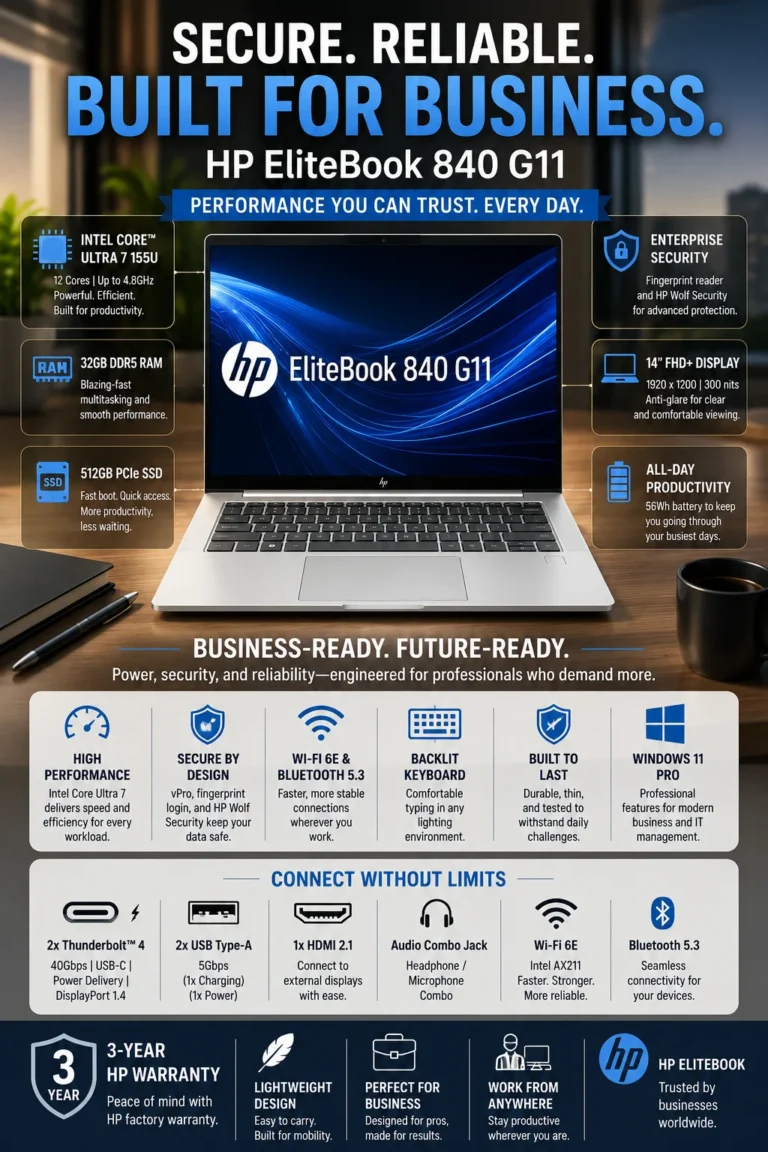
The HP EliteBook 840 G11 is our top recommendation for the best business laptop for security-focused professionals in 2026. It combines HP's business security ecosystem with strong Intel Core Ultra 7 performance, 32GB of memory, a professional 14-inch design, and the management and authentication features expected from a modern enterprise laptop. For organizations and professionals who handle sensitive information and place security high on their purchasing priorities, the EliteBook 840 G11 offers one of the most security-focused configurations in this lineup.

• Excellent choice for security-conscious businesses, corporate professionals, finance teams, legal organizations, executives, consultants, and users handling sensitive business information
• HP Wolf Security provides a multi-layered approach to protecting the device, credentials, applications, and data across different stages of the computing environment
• Business-focused authentication options, including fingerprint and supported IR camera features depending on configuration, provide convenient and stronger access protection for professional users
• The EliteBook's enterprise-oriented design and management capabilities make it better suited to professionally managed environments than conventional consumer laptops
• The Intel Core Ultra 7 platform provides responsive performance for office applications, spreadsheets, video conferencing, browser-heavy multitasking, business software, and demanding professional workloads
• 32GB of memory provides substantial multitasking headroom for professionals working with large spreadsheets, multiple applications, browser tabs, communication platforms, and demanding productivity workflows
• The 512GB SSD provides fast system startup, responsive application loading, and practical local storage for business documents, applications, projects, and professional files
• The 14-inch business-oriented display provides a practical workspace for documents, spreadsheets, presentations, meetings, and everyday professional productivity, with the exact panel characteristics depending on configuration

The HP EliteBook 840 G11 earns our Best Business Laptop for Security award because security is integrated throughout the platform rather than treated as a single feature. HP's Wolf Security ecosystem, hardware-assisted protections, authentication options, and enterprise-oriented management capabilities make it particularly compelling for organizations where protecting devices and business information is a major purchasing priority.

Compared with conventional consumer laptops, the EliteBook 840 G11 places considerably more emphasis on enterprise security, manageability, authentication, and professional support. It is not necessarily the best choice for every user in this lineup, but for professionals who work with sensitive corporate information or organizations that want a security-focused Windows business platform, its combination of protection, performance, and business functionality makes it one of the strongest options available in this guide.

• HP Wolf Security ecosystem• Hardware-enforced security capabilities• BIOS and firmware protection• Secure authentication options• Protection designed for enterprise environmentsThe HP EliteBook 840 G11 is designed around a multi-layered security approach rather than relying on a single security feature. HP Wolf Security combines hardware, firmware, software, and operating-system protections to help defend business devices against different types of threats.For organizations handling sensitive business information, this approach provides an important advantage over conventional consumer laptops. The exact security capabilities available can vary by configuration, but the EliteBook platform is designed with professionally managed environments in mind.
• Intel Core Ultra 7 processor• Modern hybrid CPU architecture• Integrated Intel graphics• Intel AI acceleration capabilities• Responsive multitasking performance• Efficient performance for professional workloadsThe Intel Core Ultra 7 platform provides the performance required for demanding everyday business workloads, including spreadsheets, presentations, browser-heavy multitasking, video conferencing, dashboards, document management, and professional applications.It also provides additional headroom for professionals who regularly keep multiple applications and browser sessions open simultaneously. This makes the EliteBook 840 G11 a strong match for users who need business-class performance without moving into a larger workstation platform.
• 32GB memory configuration• Excellent multitasking capacity• Suitable for large spreadsheets and datasets• Multiple browser tabs and applications• Comfortable long-term configurationThe 32GB memory configuration is one of this EliteBook's strongest advantages for demanding professional users. It provides substantial headroom when working simultaneously with spreadsheets, browser tabs, communication platforms, documents, databases, and other business applications.For professionals who expect to keep the laptop for several years, 32GB also provides considerably more breathing room than entry-level memory configurations and reduces the likelihood of memory becoming a limiting factor as workloads become more demanding.
• 14-inch professional form factor• Business-oriented display options• Comfortable workspace for documents and spreadsheets• Suitable for meetings and presentations• Configuration-dependent panel specificationsThe 14-inch format provides a practical balance between screen workspace and portability. It is large enough for documents, spreadsheets, presentations, dashboards, and everyday business applications while remaining easy to carry between offices, meetings, and travel.The EliteBook 840 G11 is available with different display configurations, so brightness, resolution, touch capability, refresh rate, and anti-glare characteristics can vary depending on the exact model. Buyers should verify the specifications of the configuration they are purchasing.
• Enterprise-oriented Windows platform• Fingerprint authentication on supported configurations• IR camera and facial authentication on supported configurations• Modern wireless connectivity• USB-C connectivity• USB-A connectivity• HDMI connectivityThe EliteBook 840 G11 is designed to fit naturally into professional IT environments. Depending on configuration, biometric authentication can provide faster and more convenient access while adding another layer of protection to business accounts.Its modern connectivity options also make it practical for office environments where professionals regularly connect external displays, docks, storage devices, keyboards, mice, and other peripherals.Organizations should verify the exact configuration and management features before deployment because available hardware and security options can vary between models.
• Enterprise-focused EliteBook design• Designed for professional environments• Durable business-oriented construction• Manageability-focused platform• Suitable for corporate and hybrid workThe EliteBook 840 G11 is built around the requirements of professional computing rather than consumer entertainment. Its combination of security features, enterprise-oriented management capabilities, professional connectivity, and compact 14-inch design makes it suitable for employees who move between office, home, meetings, and business travel.This is particularly valuable for organizations that want standardized business hardware instead of relying on consumer laptops with fewer enterprise-focused capabilities.
Ideal for:• Finance professionals• Legal teams• Corporate executives• Security-conscious businesses• IT-managed organizations• Consultants handling sensitive information• Professionals working with confidential documents• Corporate and hybrid workersThe HP EliteBook 840 G11 is our Best Business Laptop for Security because it combines HP's security-focused business ecosystem with strong processing performance, 32GB of memory, professional hardware, and enterprise-oriented management capabilities.It does not automatically make an organization compliant with a particular regulation or security standard. Instead, it provides hardware and software capabilities that can support an organization's broader security policies and IT controls.For professionals who consider device protection, authentication, manageability, and business reliability more important than having the most consumer-oriented features, the EliteBook 840 G11 is one of the strongest security-focused choices in this lineup.
#5 Best Business Laptop for Travel (2026 Editor's Choice)

ASUS ExpertBook B9 OLED

Best Business Laptop for Frequent Travel, Portability & Professional Mobility
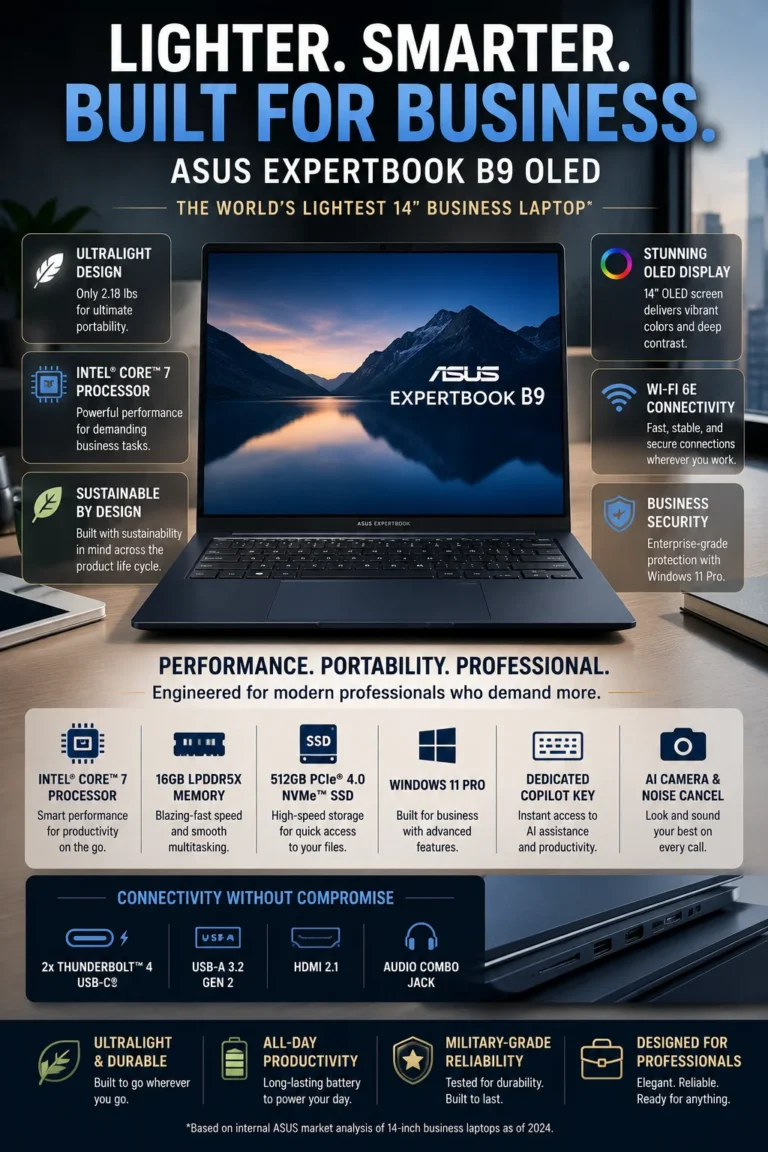
The ASUS ExpertBook B9 OLED is our top recommendation for the best business laptop for travel in 2026. Its standout advantage is portability: the B9 starts at just 2.18 pounds while combining a 14-inch OLED display, Intel Core 7 performance, 16GB of memory, 512GB of SSD storage, and a business-focused feature set. For executives, consultants, frequent flyers, and professionals who carry their laptop every day, it delivers an unusually strong balance between minimal weight, productivity, and premium usability. :contentReference[oaicite:1]{index=1}

• Exceptional travel-focused design starting at approximately 2.18 pounds, making it significantly easier to carry through airports, offices, meetings, and daily commutes than most 14-inch business laptops
• The Intel Core 7 150U processor provides responsive performance for Microsoft Office, spreadsheets, presentations, browser-based applications, video meetings, communication tools, and everyday professional multitasking
• The 14-inch WQXGA+ OLED display delivers a 2880 × 1800 resolution, 16:10 aspect ratio, 400-nit brightness, and 100% DCI-P3 coverage for a sharper and more premium viewing experience. :contentReference[oaicite:2]{index=2}
• The magnesium-lithium construction, MIL-STD 810H testing, spill-resistant keyboard, and compact design provide a practical combination of portability and durability for frequent business travel. :contentReference[oaicite:3]{index=3}
16GB LPDDR5X memory provides enough capacity for everyday professional multitasking across documents, spreadsheets, browser tabs, communication applications, and cloud services
• The 512GB PCIe 4.0 NVMe SSD provides fast system startup, responsive application loading, and practical local storage for professional documents, presentations, projects, and everyday business files. :contentReference[oaicite:4]{index=4}
• A 63Wh battery and USB-C 65W charging are designed for mobile productivity, while the exact real-world endurance depends on workload, display brightness, connectivity, and configuration. :contentReference[oaicite:5]{index=5}
• Business-focused features include Windows 11 Pro, TPM 2.0, fingerprint authentication, an IR camera with Windows Hello support, Wi-Fi 6E, Thunderbolt 4, HDMI 2.1, and a micro-HDMI Ethernet adapter connection. :contentReference[oaicite:6]{index=6}

The ASUS ExpertBook B9 OLED earns our Best Business Laptop for Travel award because it prioritizes something that frequent travelers notice every single day: weight. At approximately 2.18 pounds, it is exceptionally easy to carry while still providing a full-size 14-inch OLED workspace and the connectivity required for modern professional environments. :contentReference[oaicite:7]{index=7}

Compared with the other business laptops in this lineup, the ExpertBook B9 OLED makes the strongest trade-off in favor of mobility. The 14-inch OLED display is more visually impressive than the practical panels found on many traditional business laptops, while the lightweight magnesium-lithium chassis makes it particularly attractive to professionals who spend significant time traveling. The 16GB configuration is well suited to normal professional workloads, although users working with unusually demanding applications or very large datasets may benefit from a higher-memory configuration where available.

• Starting weight of approximately 2.18 pounds• 14-inch business laptop• Magnesium-lithium construction• Designed for frequent commuting and travel• Compact footprint for airports, offices, and meetingsAt approximately 2.18 pounds, the ASUS ExpertBook B9 OLED is one of the easiest laptops in this lineup to carry throughout a full day of travel. The low weight becomes especially valuable for professionals who regularly move between airports, hotels, offices, client meetings, and coworking spaces.Instead of choosing between a genuinely portable laptop and a full-size professional workspace, the B9 provides a 14-inch display while keeping the overall travel burden exceptionally low.
• 14-inch OLED display• 2880 × 1800 resolution• 16:10 aspect ratio• Up to 400 nits brightness• 100% DCI-P3 color coverage• High-contrast OLED technologyThe 14-inch WQXGA+ OLED display is one of the ExpertBook B9's biggest advantages. Its 2880 × 1800 resolution provides sharp text and detailed visuals, while the 16:10 aspect ratio offers useful vertical workspace for documents, spreadsheets, web applications, and presentations.The OLED panel also provides deeper contrast and richer colors than conventional business displays, making the B9 particularly appealing to professionals who want a more premium viewing experience without moving to a larger laptop.
• Intel Core 7 150U processor• Efficient mobile performance• Responsive office applications• Suitable for multitasking• Integrated Intel graphicsThe Intel Core 7 150U provides the performance needed for typical professional workloads such as Microsoft Office, spreadsheets, presentations, browser-based applications, email, video conferencing, cloud services, and everyday multitasking.It is not designed to replace a workstation for specialized rendering or extremely demanding compute workloads, but its performance level is well matched to the B9's role as an ultra-portable business laptop.
• 63Wh battery• USB-C 65W charging• Efficient Intel mobile platform• Designed for mobile productivity• Suitable for travel days and meetingsThe B9's 63Wh battery and efficient platform are designed around professionals who spend significant time away from a desk. It is well suited to airport days, meetings, commuting, client visits, and mobile work where access to power may be limited.Actual battery life depends heavily on workload, screen brightness, wireless connectivity, applications, and configuration, so the ExpertBook should be viewed as a highly portable productivity system rather than assuming a fixed number of hours in every real-world scenario.
• Windows 11 Pro• TPM 2.0• Fingerprint authentication• IR camera with Windows Hello support• MIL-STD 810H-tested durability• Thunderbolt 4 connectivity• HDMI 2.1• Wi-Fi 6E• USB connectivityThe ExpertBook B9 is more than an ultra-light consumer laptop. ASUS equips the platform with business-oriented security, authentication, durability, and connectivity features designed for professional environments.The combination of fingerprint authentication, supported Windows Hello facial recognition, TPM 2.0, modern wireless connectivity, Thunderbolt 4, and HDMI makes the B9 practical for professionals who frequently connect to external displays, docks, peripherals, and office equipment.
• Ultra-light chassis• 14-inch workspace• Premium OLED display• Full professional connectivity• Durable business-oriented constructionThe ExpertBook B9's main achievement is balancing portability with everyday usability. Some ultra-light laptops achieve their low weight by making significant compromises in screen size, connectivity, or professional features.The B9 instead provides a 14-inch OLED workspace, modern connectivity, business-focused security features, and a durable chassis while keeping its starting weight around 2.18 pounds.That combination makes it particularly compelling for professionals who carry their laptop every day and consider weight one of the most important purchasing factors.
Ideal for:• Frequent business travelers• Executives• Consultants• Sales professionals• Digital nomads• Professionals commuting between offices• Remote workers who travel regularly• Anyone prioritizing minimum carry weightThe ASUS ExpertBook B9 OLED is our Best Business Laptop for Travel because it delivers an unusually strong combination of low weight, premium display quality, professional connectivity, durability, and everyday business performance.Its biggest advantage is simple: professionals who carry their laptop every day will notice the difference between a roughly 2.18-pound system and a heavier 14- or 15-inch business laptop.For buyers who prioritize maximum portability above everything else, the ExpertBook B9 OLED is one of the strongest choices in this lineup.
#6 Best AI Business Laptop (2026 Editor's Choice)

Microsoft Surface Laptop 13.8″

Best Business Laptop for AI Workflows, Copilot+ & Modern Productivity
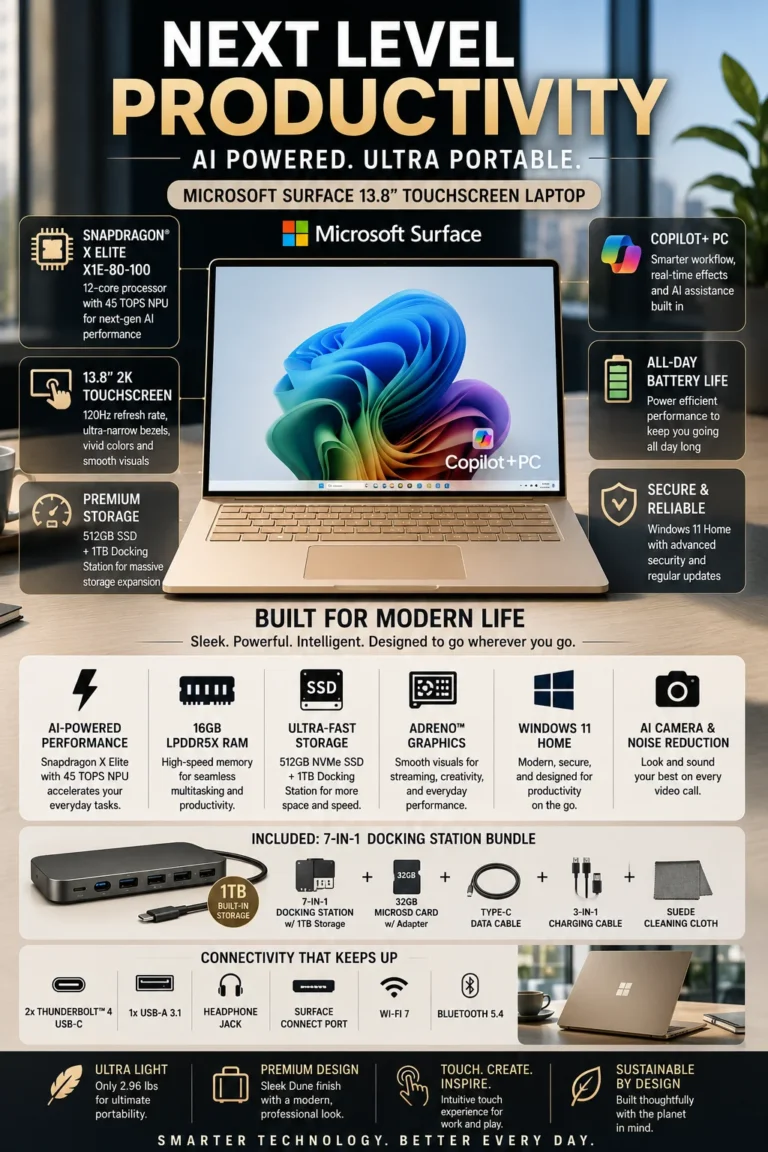
The Microsoft Surface Laptop 13.8-inch with Snapdragon X Elite is our top recommendation for the best AI business laptop in 2026. As a Copilot+ PC, it combines a Snapdragon X Elite processor with a dedicated 45 TOPS NPU, efficient ARM performance, a premium touchscreen, and a long-lasting mobile design. For professionals who want to incorporate Windows AI features into everyday productivity while maintaining excellent portability and battery efficiency, the Surface Laptop offers one of the most forward-looking Windows experiences in this lineup.

• Excellent choice for AI-focused professionals, consultants, executives, remote workers, entrepreneurs, and productivity users who want a modern Copilot+ PC experience
• The Snapdragon X Elite combines high-performance CPU cores with a dedicated NPU capable of up to 45 TOPS, providing hardware acceleration for compatible on-device AI workloads and Copilot+ experiences
16GB LPDDR5X memory provides a strong foundation for professional multitasking across Office applications, browser tabs, video meetings, cloud services, communication platforms, and AI-assisted workflows
• The 13.8-inch PixelSense Flow touchscreen combines a high-resolution 3:2 workspace with up to a 120Hz refresh rate, making documents, web applications, presentations, and touch interactions feel particularly fluid
• The 1.5TB SSD configuration provides substantially more local storage than the typical 512GB business laptop, making it useful for professionals managing large document collections, projects, media files, applications, and local work data
• The ARM-based Snapdragon platform is designed for high efficiency, helping the Surface Laptop deliver strong battery endurance while maintaining a thin and portable form factor
• Windows 11 and the Copilot+ PC platform provide access to Microsoft's growing collection of AI-powered features, while the dedicated NPU enables compatible AI processing directly on the device
• Premium construction, a responsive keyboard, high-quality touchscreen, modern wireless connectivity, and USB-C connectivity make the Surface Laptop suitable for professional work both at a desk and on the move

The Microsoft Surface Laptop 13.8-inch earns our Best AI Business Laptop award because it combines dedicated on-device AI acceleration with the efficiency and portability of a modern ARM-based Windows platform. The 45 TOPS NPU is particularly important for Copilot+ features and other compatible AI workloads, while the Snapdragon X Elite provides enough conventional processing performance for demanding everyday productivity.

Compared with traditional Windows laptops based on Intel or AMD processors, the Surface Laptop takes a more AI-focused approach to mobile productivity. Its biggest advantages are the dedicated NPU, Copilot+ capabilities, efficient Snapdragon platform, premium touchscreen, and strong mobility. However, professionals should verify application compatibility before purchasing because some specialized Windows software, drivers, peripherals, or legacy applications may behave differently on ARM-based Windows systems. For users whose workflow is compatible with Windows on ARM, the Surface Laptop is one of the most compelling AI-focused business laptops in this lineup.

• Qualcomm Snapdragon X Elite processor• Dedicated NPU capable of up to 45 TOPS• Hardware acceleration for compatible AI workloads• Microsoft Copilot+ PC platform• On-device AI processing for supported features• Strong efficiency for mobile productivityThe Snapdragon X Elite is the defining feature of the Surface Laptop's AI-focused design. Its dedicated NPU can deliver up to 45 TOPS of AI processing performance, allowing compatible Windows AI features to use specialized hardware rather than relying entirely on the CPU or GPU.For professionals, this architecture is particularly relevant to Copilot+ features, AI-assisted productivity, live captions, image-related workflows, and other supported on-device AI experiences. The actual benefits depend on the applications and features being used, but the dedicated NPU gives the Surface Laptop a strong foundation for Microsoft's evolving AI ecosystem.
• 12-core Snapdragon X Elite CPU• High-performance ARM architecture• Fast application responsiveness• Strong multitasking capability• Integrated Qualcomm Adreno GPU• Designed for efficient mobile performanceThe Snapdragon X Elite provides enough processing capability for demanding everyday professional workloads, including Microsoft 365 applications, large numbers of browser tabs, spreadsheets, presentations, video conferencing, cloud applications, and general multitasking.Its ARM-based architecture also emphasizes efficiency, allowing Microsoft to combine strong performance with the thin and portable design of the Surface Laptop.However, professionals who rely on specialized legacy Windows applications, uncommon peripherals, or software that has not been optimized for Windows on ARM should verify compatibility before purchasing.
• 13.8-inch PixelSense Flow display• 2304 × 1536 resolution• 3:2 aspect ratio• Up to 120Hz refresh rate• Touchscreen support• High-resolution productivity workspaceThe 3:2 aspect ratio provides more vertical workspace than a traditional 16:9 laptop display, which is particularly useful when working with documents, web pages, spreadsheets, and professional applications.The display can also reach a 120Hz refresh rate, making scrolling, window movement, and touch interaction feel smoother. Combined with its high resolution and premium construction, the panel gives the Surface Laptop a more polished experience than many conventional business notebooks.
• Snapdragon X Elite efficiency• Large integrated battery• Designed for mobile productivity• Low-power ARM architecture• USB-C charging support• Excellent fit for travel and remote workOne of the Surface Laptop's strongest advantages is efficiency. The Snapdragon X Elite platform was designed specifically for thin and mobile Windows PCs, allowing the system to deliver strong performance without requiring the power consumption of a traditional high-performance laptop platform.For professionals, that efficiency is particularly valuable during travel, meetings, remote work, and long periods away from a desk. Actual battery life will vary depending on brightness, applications, wireless connectivity, workload, and configuration, but the platform is designed around long-duration mobile productivity.
• Premium aluminum construction• Comfortable full-size keyboard• Large precision haptic touchpad• USB-C connectivity• USB-A connectivity• Wi-Fi 7 support depending on configuration• 3.5mm headphone jackThe Surface Laptop combines its AI-focused hardware with a premium physical design. Its aluminum chassis, comfortable keyboard, responsive haptic touchpad, and compact 13.8-inch form factor make it particularly well suited to professionals who move frequently between meetings, offices, and remote work locations.Its modern port selection also provides practical connectivity for external displays, peripherals, charging, and everyday business accessories.
• Windows 11• Copilot+ PC platform• Dedicated AI NPU• Windows Hello authentication• Built-in microphone and camera system• AI-enhanced Windows featuresThe Surface Laptop is designed around Microsoft's Copilot+ PC platform, making AI functionality a central part of its Windows experience rather than an optional software feature.Compatible Copilot+ capabilities can use the Snapdragon X Elite's NPU for supported AI workloads, while Windows 11 provides the broader productivity environment professionals already use for Microsoft 365, Teams, cloud applications, communication, and business workflows.Because Copilot+ capabilities continue to evolve, the available features can depend on Windows updates, region, language, and Microsoft's supported hardware and software requirements.
Ideal for:• AI-focused professionals• Microsoft 365 users• Consultants and executives• Remote workers• Entrepreneurs• Professionals interested in Copilot+• Frequent travelers• Users who prioritize battery efficiency• Professionals with ARM-compatible software workflowsThe Microsoft Surface Laptop 13.8-inch earns our Best AI Business Laptop award because it combines a dedicated 45 TOPS NPU, Snapdragon X Elite performance, Copilot+ capabilities, premium design, and excellent mobile efficiency in one Windows laptop.It is particularly compelling for professionals who want to adopt Microsoft's evolving AI ecosystem without sacrificing portability or everyday productivity.The main consideration is Windows on ARM compatibility. Buyers who depend on specialized legacy applications, drivers, or peripherals should verify that their complete workflow is supported before choosing the Surface Laptop.
#7 Best Budget Business Laptop (2026 Editor's Choice)

Acer Swift Go 14

Best Business Laptop for Budget-Conscious Professionals & Everyday Productivity
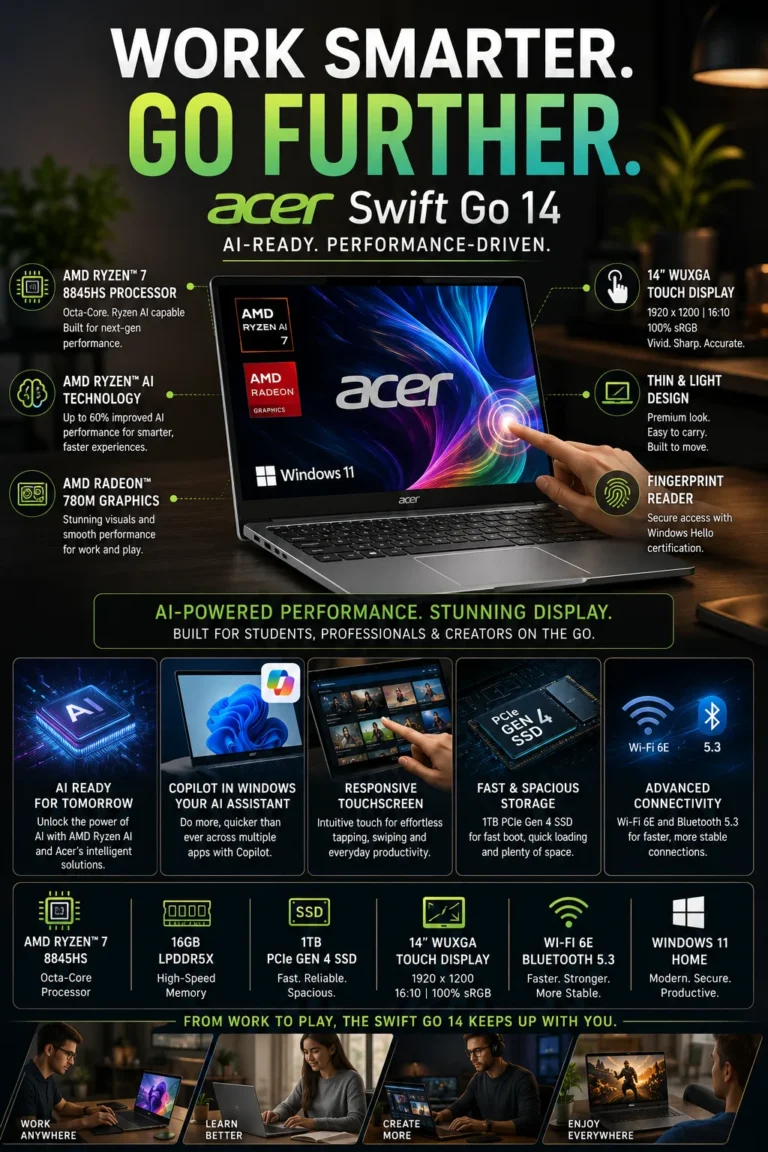
The Acer Swift Go 14 is our top recommendation for the best budget business laptop in 2026 because it delivers an unusually strong combination of processing performance, memory, storage, display quality, AI-capable hardware, and portability without requiring a premium business-laptop budget. For entrepreneurs, startups, remote workers, students, and professionals who care about getting the most capable laptop possible for their money, the Swift Go 14 offers exceptional overall value.

• Excellent choice for entrepreneurs, startups, remote workers, students, freelancers, and professionals who need strong performance without spending on premium enterprise hardware
• The AMD Ryzen 7 8845HS provides substantial processing performance for spreadsheets, Microsoft Office, browser-heavy workflows, video conferencing, multitasking, programming, content creation, and other demanding productivity workloads
16GB of memory provides comfortable multitasking capacity for multiple browser tabs, documents, spreadsheets, communication applications, cloud services, and professional software
• The 1TB SSD provides significantly more local storage than many entry-level business configurations, giving professionals plenty of room for applications, documents, projects, presentations, and everyday work files
• The integrated Ryzen AI NPU provides hardware acceleration for supported AI workloads and gives the laptop additional headroom for modern Windows AI experiences
• The 14-inch WUXGA touchscreen provides a practical 16:10 workspace for documents, spreadsheets, web applications, presentations, and everyday productivity
• Its compact design makes it easier to carry between home, office, classroom, meetings, and travel while still providing considerably more processing capability than many basic budget laptops
• The combination of Ryzen 7 performance, 16GB memory, 1TB storage, touchscreen functionality, and AI-capable hardware gives the Swift Go 14 an unusually strong specifications-to-price ratio

The Acer Swift Go 14 earns our Best Budget Business Laptop award because it focuses on maximizing useful hardware rather than charging a premium for enterprise branding. Its Ryzen 7 processor, 16GB memory, 1TB SSD, touchscreen display, and AI-capable platform provide enough performance for substantially more than basic office work, making it a particularly attractive option for professionals whose workloads extend into heavier multitasking, programming, content creation, or other demanding productivity tasks.

Compared with traditional entry-level business laptops, the Swift Go 14 offers a more performance-oriented configuration for the money. It does not provide the same enterprise-focused ecosystem, fleet-management capabilities, or business-class support positioning as models such as the Dell Latitude, HP EliteBook, or Lenovo ThinkPad X1 Carbon. However, for individuals and small businesses that do not require those enterprise features, the Swift Go 14 can deliver considerably more computing capability per dollar.

• AMD Ryzen 7 8845HS processor• 8 cores and 16 threads• High-performance Zen 4 architecture• Integrated Radeon 780M graphics• Strong multitasking performance• Suitable for demanding productivity workloadsThe Ryzen 7 8845HS gives the Swift Go 14 considerably more processing capability than typical entry-level business laptops. It is well suited to Microsoft Office, large spreadsheets, browser-heavy workflows, video conferencing, programming, content creation, and demanding multitasking.For professionals who occasionally move beyond basic office applications, this level of performance provides useful additional headroom without requiring a workstation-class laptop.
• Integrated Ryzen AI technology• Dedicated NPU for supported AI workloads• Up to 16 TOPS NPU performance• AI-capable AMD Ryzen platform• Support for compatible Windows AI experiencesThe Ryzen 7 8845HS platform includes a dedicated AI processing engine designed to accelerate supported AI workloads more efficiently than relying exclusively on the CPU.This gives the Swift Go 14 a useful advantage as AI-assisted productivity becomes more common. However, AI capabilities depend on the specific application, Windows version, and supported hardware features, so the NPU should be viewed as additional capability rather than a guarantee that every AI application will run locally.
• 14-inch WUXGA display• 1920 × 1200 resolution• 16:10 aspect ratio• Touchscreen support• Additional vertical workspace• Practical productivity-focused formatThe 16:10 display provides more vertical workspace than traditional 16:9 panels, making it useful for documents, spreadsheets, web pages, and business applications.Touchscreen functionality adds another layer of flexibility for presentations, navigation, note-taking, and interacting with compatible Windows applications. The display is designed primarily around productivity rather than premium OLED-level image quality, but it provides a practical balance for a value-focused laptop.
• 16GB system memory• 1TB PCIe SSD• Fast application loading• Responsive file access• Large local storage capacity• Strong configuration for professional workloadsThe combination of 16GB memory and a 1TB SSD is one of the Swift Go 14's strongest value propositions.16GB provides comfortable multitasking across browser tabs, documents, spreadsheets, communication platforms, cloud applications, and professional software, while the 1TB SSD provides substantially more room for applications, business files, projects, presentations, and local media than many entry-level configurations.For professionals who expect their storage needs to grow over several years, the 1TB configuration also reduces the need to immediately rely on external or cloud storage.
• Compact 14-inch design• Lightweight chassis• Designed for mobile productivity• Suitable for commuting and travel• USB-C connectivity• Practical everyday portabilityThe Swift Go 14 is compact enough to move easily between home, office, meetings, classrooms, coworking spaces, and travel.Its combination of a 14-inch display and relatively lightweight design makes it a practical alternative to larger 15- or 16-inch productivity laptops while maintaining enough screen space for everyday professional work.It is particularly appealing to users who want a capable laptop that can serve both as a primary work machine and as a portable system for travel or study.
• Ryzen 7 performance• 16GB memory• 1TB SSD• Touchscreen display• Ryzen AI capabilities• Strong specifications-to-price ratioThe Swift Go 14's biggest advantage is the amount of useful hardware included for the money. Instead of prioritizing enterprise fleet-management features or premium business branding, Acer focuses on delivering strong consumer-grade hardware that can handle demanding productivity workloads.That makes it particularly attractive to individuals, entrepreneurs, freelancers, startups, and small businesses that do not need the enterprise management ecosystem offered by models such as the Dell Latitude or HP EliteBook.
Ideal for:• Entrepreneurs• Freelancers• Startups and small businesses• Remote workers• Students• Consultants• Content creators• Programming and productivity users• Professionals who prioritize performance per dollarThe Acer Swift Go 14 earns our Best Budget Business Laptop award because it delivers an unusually capable hardware configuration without requiring a premium business-laptop budget.Its Ryzen 7 processor, 16GB memory, 1TB SSD, touchscreen display, and AI-capable platform make it substantially more versatile than a basic entry-level office laptop.The main compromise is its positioning: it does not offer the same enterprise-focused security ecosystem, fleet management, corporate support, or business-class positioning as the ThinkPad, Latitude, or EliteBook models in this lineup.For individuals and small businesses that do not require those enterprise features, however, the Swift Go 14 offers one of the strongest combinations of performance, storage, portability, and value in this 2026 ranking.
At a Glance

Best Business Laptops in 2026

Ranked by Business Performance, Productivity, Security, Battery Life, Portability, AI Capability & Overall Value

Choosing the best business laptop in 2026 requires more than comparing processor specifications. Professionals need the right balance of performance, multitasking capability, security, battery efficiency, display quality, portability, connectivity, and long-term reliability. We evaluated these laptops according to the workloads that matter most in professional environments, including office applications, spreadsheets, research, video conferencing, remote work, business software, multitasking, travel, and AI-assisted productivity.

LaptopCPU & Key SpecsBest ForWhy It WinsEditor's Verdict
Best Overall Lenovo ThinkPad X1 Carbon Gen 13 Check Price
Intel Core Ultra 7
32GB RAM
512GB SSD
2.8K OLED
Business Professionals
Executives
Power Users
The ThinkPad X1 Carbon Gen 13 combines premium business performance, excellent portability, a high-quality OLED display, strong battery efficiency, and Lenovo's mature ThinkPad business platform. It is particularly well suited to professionals who want a premium business laptop without sacrificing mobility or productivity. Best Premium Business Laptop Overall
Best Enterprise Pick Dell Latitude 7450 Check Price
Intel Core Ultra 7 vPro
16GB RAM
512GB SSD
QHD+ Touch Display
Enterprise Teams
Corporate Users
IT-Managed Fleets
The Latitude 7450 is designed for professional environments where security, manageability, reliability, and deployment flexibility matter. Intel vPro support and Dell's enterprise ecosystem make it particularly attractive to organizations managing laptops across larger corporate fleets. Best Business Laptop for Enterprise Teams
Best for Remote Work Apple MacBook Air 15-inch M4 Check Price
Apple M4
16GB Unified Memory
512GB SSD
15.3" Liquid Retina
Remote Professionals
Entrepreneurs
Consultants
Apple Users
The MacBook Air M4 combines excellent performance, exceptional battery efficiency, silent operation, premium construction, and a spacious 15.3-inch display. It is especially compelling for professionals who work remotely and already use Apple's ecosystem across their devices. Best Business Laptop for Remote Work
Best for Security HP EliteBook 840 G11 Check Price
Intel Core Ultra 7
32GB RAM
512GB SSD
Windows 11 Pro
Security-Focused Teams
Executives
Professional Organizations
The EliteBook 840 G11 places a strong emphasis on business security, professional reliability, and manageability. Its biometric security features, Windows 11 Pro, and HP's business security ecosystem make it a strong choice for organizations handling sensitive professional information. Best Business Laptop for Security-Focused Users
Best for Travel ASUS ExpertBook B9 OLED Check Price
Intel Core 7
16GB LPDDR5X
512GB SSD
14" OLED
Business Travelers
Consultants
Executives
The ExpertBook B9 OLED focuses on mobility without giving up premium features. Its exceptionally light 2.18-pound design, OLED display, business-oriented hardware, and long battery capability make it particularly attractive to professionals who spend significant time traveling. Best Lightweight Business Laptop for Travel
Best AI Laptop Microsoft Surface Laptop 13.8" Check Price
Snapdragon X Elite
16GB LPDDR5X
1.5TB Storage
13.8" 120Hz Touch
AI Professionals
Remote Workers
Future-Focused Users
The Surface Laptop is built around Microsoft's Copilot+ PC platform, combining Snapdragon X Elite performance with a dedicated 45 TOPS NPU, strong battery efficiency, and a premium touchscreen design. It is a compelling option for professionals interested in AI-assisted productivity and the evolving Windows ecosystem. Best Windows Laptop for AI Productivity
Best Value Acer Swift Go 14 Check Price
AMD Ryzen 7 8845HS
16GB RAM
1TB SSD
14" WUXGA Touch
Entrepreneurs
Startups
Students
Budget Professionals
The Swift Go 14 delivers unusually strong hardware for its price category, combining Ryzen 7 performance, Ryzen AI capability, 16GB memory, 1TB storage, and a touchscreen display. It is particularly attractive to buyers who want strong productivity performance without moving into premium business-laptop pricing. Best Value Business Laptop
Keep Exploring

Recommended Next Reads

Choosing the right business laptop is only the first step. Explore our related buying guides to compare business laptops by company size, budget, work style, platform, and productivity needs.

Whether you're buying laptops for a growing company, working remotely, managing an IT environment, choosing an AI-ready system, or building a complete professional workstation, these guides can help you make a more informed decision.

01

EDITOR'S FINAL RECOMMENDATIONS

Our Final Business Laptop Recommendations for 2026

After comparing business laptops across productivity performance, multitasking, battery life, portability, display quality, security, AI capabilities, connectivity, and long-term value, these are our final recommendations for professionals in 2026. Each laptop is designed around a different type of business user, making the best choice dependent on your workflow, priorities, and budget.

BEST ENTERPRISE

Dell Latitude 7450

The Dell Latitude 7450 is designed for organizations and professionals who prioritize enterprise security, manageability, connectivity, and dependable business performance. Its business-oriented platform makes it particularly attractive for corporate environments and IT-managed fleets.

  • ✓ Intel vPro Platform
  • ✓ Enterprise Security Features
  • ✓ QHD+ Touch Display
  • ✓ Thunderbolt 4 Connectivity
Best business laptop for enterprise environments
BEST FOR REMOTE WORK

Apple MacBook Air M4

The MacBook Air M4 is the standout choice for remote professionals who value exceptional battery efficiency, silent operation, premium portability, and seamless integration with the Apple ecosystem. It is especially compelling for consultants, entrepreneurs, freelancers, and professionals who frequently work away from a traditional office.

  • ✓ Apple M4 Chip
  • ✓ 16GB Unified Memory
  • ✓ Up to 18 Hours Battery Life
  • ✓ Silent Fanless Design
Best business laptop for remote work
BEST FOR SECURITY

HP EliteBook 840 G11

The HP EliteBook 840 G11 is the strongest choice for security-conscious professionals and organizations handling sensitive information. Its enterprise-oriented security ecosystem, biometric authentication options, Windows 11 Pro, and business-focused design make it particularly appropriate for finance, legal, healthcare, executive, and corporate environments.

  • ✓ Intel Core Ultra 7
  • ✓ 32GB Memory
  • ✓ Enterprise Security Features
  • ✓ Windows 11 Pro
Best business laptop for security-focused users
BEST FOR TRAVEL

ASUS ExpertBook B9 OLED

The ExpertBook B9 OLED is built around portability. Its extremely lightweight design makes it particularly attractive for executives, consultants, frequent flyers, and professionals who carry their laptop throughout the day while still wanting a premium display and capable business performance.

  • ✓ Intel Core 7
  • ✓ 16GB LPDDR5X Memory
  • ✓ 14-inch OLED Display
  • ✓ Ultra-Light 2.18-Pound Design
Best lightweight business laptop for travel
BEST AI BUSINESS LAPTOP

Microsoft Surface Laptop

The Microsoft Surface Laptop is the most AI-focused option in this lineup. Its Snapdragon X Elite platform, dedicated NPU, Copilot+ capabilities, high-refresh touchscreen, and strong power efficiency make it particularly attractive to professionals building AI-assisted workflows around the modern Windows ecosystem.

  • ✓ Snapdragon X Elite
  • ✓ 45 TOPS NPU
  • ✓ 16GB LPDDR5X Memory
  • ✓ 13.8-inch 120Hz Touch Display
Best business laptop for AI-focused workflows
BEST BUDGET

Acer Swift Go 14

The Acer Swift Go 14 delivers an unusually strong combination of performance, memory, storage, touchscreen productivity, and AI-ready hardware for buyers who want to control costs. It is particularly well suited to entrepreneurs, startups, students, remote workers, and professionals who want strong specifications without moving into premium pricing.

  • ✓ AMD Ryzen 7 8845HS
  • ✓ 16GB Memory
  • ✓ 1TB SSD
  • ✓ 14-inch WUXGA Touchscreen
Best value business laptop for budget-conscious buyers
QUICK DECISION

Which business laptop should you buy in 2026?

Best Overall

ThinkPad X1 Carbon Gen 13

Best Enterprise

Dell Latitude 7450

Best Remote Work

MacBook Air M4

Best Security

HP EliteBook 840 G11

Best Travel

ASUS ExpertBook B9 OLED

Best AI

Microsoft Surface Laptop

Best Budget

Acer Swift Go 14

Business laptop prices, configurations, and availability can change frequently. Before purchasing, check Amazon for the latest price, available memory and storage configurations, warranty coverage, and current promotions.

EDITOR'S FINAL VERDICT

Final Verdict: Best Business Laptops Under $1000 in 2026

After comparing the best business laptops under $1000 across real-world productivity performance, multitasking, battery life, portability, keyboard quality, display quality, security, connectivity, AI capabilities, and long-term value, one conclusion stands out:The best business laptop under $1000 is not necessarily the laptop with the fastest processor or the most impressive specifications. It is the model that delivers the right balance of performance, reliability, usability, portability, and value for the way you actually work.

A business laptop may be used for thousands of hours over several years. Everyday workloads can include Microsoft Office, spreadsheets, research, dozens of browser tabs, video conferencing, accounting applications, cloud software, presentations, remote work, and demanding multitasking.That makes factors such as keyboard comfort, memory capacity, SSD performance, battery life, connectivity, durability, and long-term reliability just as important as processor specifications.

For most professionals in 2026, 16GB of memory, fast SSD storage, a comfortable keyboard, reliable connectivity, strong battery life, and sufficient processing performance should be considered the baseline for a serious business laptop.
Best Business Laptop Overall Lenovo ThinkPad E14 Gen 6
Best MacBook for Business Apple MacBook Air M4
Best Enterprise Laptop Dell Latitude 3550
Best Battery & Mobility ASUS Zenbook A14
The simple answer:
  • Choose the Lenovo ThinkPad E14 Gen 6 if you want the strongest overall combination of business performance, durability, keyboard quality, security, Windows 11 Pro, and long-term value.
  • Choose the Dell Latitude 3550 if your priority is enterprise-oriented productivity, reliable connectivity, Windows compatibility, and a traditional business laptop platform.
  • Choose the Apple MacBook Air M4 if you prefer macOS and prioritize battery efficiency, portability, silent operation, premium construction, and the Apple ecosystem.
  • Choose the ASUS Zenbook A14 if you travel frequently and want exceptional battery life combined with an extremely lightweight design.
  • Choose the Lenovo ThinkBook 16 Gen 7 if your workflow revolves around Excel, spreadsheets, financial analysis, reports, and heavy multitasking on a large display.

Top Business Laptop Recommendations Under $1000 (2026)

BEST OVERALL

Lenovo ThinkPad E14 Gen 6

Our Editor's Choice for most professionals. The ThinkPad E14 Gen 6 combines strong Ryzen performance, 16GB DDR5 memory, Windows 11 Pro, business-oriented security features, excellent keyboard quality, and durable construction in a practical 14-inch design.

  • ✓ AMD Ryzen 5 7535U
  • ✓ 16GB DDR5 Memory
  • ✓ 512GB SSD
  • ✓ Windows 11 Pro
BEST MACBOOK FOR BUSINESS

Apple MacBook Air M4

The best choice for professionals who prefer macOS. The M4 chip delivers excellent everyday performance while the fanless design, efficient battery usage, premium construction, and lightweight form factor make it particularly attractive for entrepreneurs, consultants, and mobile professionals.

  • ✓ Apple M4 Chip
  • ✓ 16GB Unified Memory
  • ✓ 13.6-inch Liquid Retina Display
  • ✓ Silent Fanless Design
BEST ENTERPRISE CHOICE

Dell Latitude 3550

The strongest choice for traditional corporate and enterprise environments. Its business-focused platform, extensive connectivity, Windows compatibility, and practical design make it well suited to office professionals, IT-managed environments, and organizations that prioritize dependable business hardware.

  • ✓ Enterprise-Oriented Platform
  • ✓ 16GB DDR5 Memory
  • ✓ Wi-Fi 6E
  • ✓ Ethernet Connectivity
Choose the ThinkPad E14 Gen 6 if:
  • ✓ You want the best overall business laptop under $1000
  • ✓ You spend hours typing, multitasking, and attending meetings
  • ✓ Keyboard quality, durability, and security matter
  • ✓ You want a reliable Windows laptop for several years
Choose the MacBook Air M4 if:
  • ✓ You prefer macOS and the Apple ecosystem
  • ✓ Battery life and portability are top priorities
  • ✓ You frequently travel or work remotely
  • ✓ You want silent and highly efficient performance
Before Buying Any Business Laptop Under $1000:
  • ✓ Prefer 16GB memory for modern multitasking
  • ✓ Look for fast SSD storage with enough capacity for your workload
  • ✓ Prioritize keyboard comfort if you type for hours every day
  • ✓ Consider business security and Windows 11 Pro for professional environments
Editor's Final Recommendation:

A business laptop should be evaluated as a long-term productivity tool rather than simply as a collection of specifications. Processor performance matters, but keyboard quality, reliability, battery life, connectivity, security, portability, and overall usability can have a greater impact on your productivity over several years.

Among the laptops evaluated in this guide, the Lenovo ThinkPad E14 Gen 6 delivers the strongest overall combination of business performance, durability, keyboard quality, security, Windows 11 Pro, and value. For most professionals looking for a dependable business laptop under $1000, it is our Editor's Choice for 2026.

Editor's Choice See Today's Best Business Laptop Deal

Compare the latest price, memory, storage configuration, warranty coverage, and availability before purchasing. Prices and configurations can change, so verify the current offer before making your final decision.

Check Latest Deal

EDITOR'S FAQ

Frequently Asked Questions About the Best Business Laptops in 2026

Choosing the best business laptop requires more than comparing processor specifications. Professionals need to consider performance, battery life, portability, keyboard quality, security, connectivity, display quality, operating system, AI capabilities, and long-term reliability.These frequently asked questions address the most important buying decisions for professionals, executives, remote workers, entrepreneurs, small business owners, and corporate users looking for the best business laptop in 2026.

The Lenovo ThinkPad X1 Carbon Gen 13 is our top overall business laptop recommendation for 2026.

It combines premium portability, strong performance, excellent keyboard quality, business-oriented reliability, security features, and a high-quality display in an exceptionally lightweight design.

  • Premium ThinkPad business design.
  • Strong Intel Core Ultra performance.
  • Excellent portability for professionals.
  • Business-focused security and reliability.
  • High-quality display options.

For executives, consultants, managers, professionals, and frequent travelers who want a premium Windows business laptop without making major compromises, the ThinkPad X1 Carbon Gen 13 is our safest overall recommendation.

Check Best Price
The Dell Latitude 7450 is our preferred enterprise business laptop for corporate professionals and managed business environments.

The Latitude 7450 is designed around the requirements of professional and enterprise users who prioritize security, manageability, connectivity, reliability, and compatibility with traditional corporate workflows.

  • Enterprise-oriented business features.
  • Intel vPro support on supported configurations.
  • Strong connectivity options.
  • Premium and portable business design.
  • Well suited to corporate IT environments.

It is particularly attractive for companies deploying laptops across teams, IT-managed environments, corporate employees, and professionals who need a traditional Windows business platform.

View Dell Latitude Deal
The Apple MacBook Air M4 is our top recommendation for professionals who work remotely or frequently move between different locations.

Its combination of excellent battery efficiency, silent operation, lightweight design, strong everyday performance, and premium construction makes it particularly well suited to remote professionals.

  • Apple M4 performance.
  • Excellent battery efficiency.
  • Silent fanless operation.
  • Lightweight and highly portable design.
  • Strong performance for productivity and multitasking.

The MacBook Air M4 is especially attractive for freelancers, consultants, entrepreneurs, remote employees, and professionals who do not require specialized Windows-only business software.

Check MacBook Air Price
The HP EliteBook 840 G11 is one of the strongest choices for professionals who prioritize business security and enterprise-oriented protection.

The EliteBook 840 G11 is designed for professional environments where security, manageability, privacy, and business reliability are important considerations.

  • Enterprise-oriented security features.
  • Windows 11 Pro configurations.
  • Fingerprint authentication on supported configurations.
  • Business-focused hardware and management capabilities.
  • Designed for professional and corporate environments.

It is particularly suitable for security-conscious professionals working with sensitive business information, including finance, legal, healthcare, corporate administration, and other professional environments.

View HP EliteBook Deal
The ASUS ExpertBook B9 OLED is our top travel-oriented business laptop recommendation for professionals who prioritize portability.

Frequent travelers need a laptop that is easy to carry without sacrificing the features required for professional productivity. The ExpertBook B9 is designed specifically around that balance.

  • Extremely lightweight business design.
  • Premium OLED display.
  • Strong battery efficiency.
  • Business-oriented durability.
  • Designed for frequent travel and mobile professionals.

It is particularly well suited to executives, consultants, sales professionals, business travelers, and anyone who spends significant time working away from a traditional office.

View ASUS ExpertBook Deal
The Microsoft Surface Laptop is our preferred choice for professionals who want a modern AI-focused Windows laptop.

The Surface Laptop combines Copilot+ PC capabilities with strong everyday performance, efficient hardware, a high-quality touchscreen, and a premium design.

  • Copilot+ PC capabilities.
  • Dedicated NPU for AI workloads on supported configurations.
  • Touchscreen productivity.
  • Excellent power efficiency.
  • Premium portable design.

It is a particularly interesting choice for professionals who want to integrate Microsoft's latest AI features into their daily productivity workflow while retaining the Windows ecosystem.

Check Surface Laptop Price
The Acer Swift Go 14 is our budget recommendation for professionals who want strong productivity performance without moving into premium business-laptop pricing.

It offers an attractive combination of performance, portability, memory, storage, and modern hardware for professionals and small businesses working with a tighter budget.

  • Strong Ryzen performance.
  • 16GB memory configurations.
  • Fast SSD storage.
  • AI-ready platform on supported configurations.
  • Strong price-to-performance balance.

It is particularly suitable for freelancers, startups, small businesses, students transitioning into professional work, and budget-conscious buyers who still want a capable modern laptop.

Check Acer Swift Go Price
Yes. 16GB of RAM is the recommended sweet spot for most business professionals in 2026.

Modern professional workflows can involve Microsoft Office, large numbers of browser tabs, video meetings, cloud applications, communication tools, CRM systems, accounting software, and multiple applications running simultaneously.

  • 8GB → Suitable for basic office work, but increasingly restrictive for long-term professional use.
  • 16GB → Recommended for most business users and professional multitasking.
  • 32GB → Better for demanding multitasking, development, virtual machines, data analysis, content creation, and advanced professional workloads.

If you expect to keep your business laptop for several years, 16GB is the safer minimum configuration for most professionals, while power users should consider 32GB when available.

The most important factors are performance, memory, battery life, keyboard quality, portability, security, connectivity, display quality, and long-term reliability.

Instead of choosing a laptop based solely on processor specifications, consider how the machine will actually be used throughout the workday.

  • 16GB RAM or more → Recommended for modern professional multitasking.
  • Fast SSD storage → Important for responsive everyday performance.
  • Battery life → Especially important for remote work and travel.
  • Keyboard quality → Critical for professionals who type for hours every day.
  • Security → Important when handling sensitive company or customer information.
  • Connectivity → Consider USB, HDMI, networking, docking, and external-display requirements.
  • Portability → Important if you regularly move between offices, meetings, or travel locations.

The best business laptop is ultimately the one that matches your real workflow rather than the one with the highest specification sheet.

If you are unsure, the Lenovo ThinkPad X1 Carbon Gen 13 is our safest overall recommendation for most professionals.

It provides an excellent balance of performance, portability, keyboard quality, business reliability, security, and premium design.

  • Best Overall → Lenovo ThinkPad X1 Carbon Gen 13
  • Best Enterprise → Dell Latitude 7450
  • Best Remote Work → Apple MacBook Air M4
  • Best Security → HP EliteBook 840 G11
  • Best Travel → ASUS ExpertBook B9 OLED
  • Best AI Business Laptop → Microsoft Surface Laptop
  • Best Budget → Acer Swift Go 14

If you want one premium Windows business laptop that works exceptionally well across office productivity, meetings, travel, multitasking, and professional workloads, the ThinkPad X1 Carbon Gen 13 is our Editor's Choice.

Check Best Business Laptop Deal

BUSINESS LAPTOP BUYING GUIDE

Common Mistakes Professionals Make When Choosing a Business Laptop in 2026

Choosing a business laptop in 2026 is not simply about finding the fastest processor or the lowest price. Professionals need a reliable machine that can handle multitasking, meetings, productivity applications, communication tools, research, cloud services, and everyday work while remaining comfortable and dependable over several years.The wrong laptop can become a daily source of frustration through insufficient memory, poor battery life, an uncomfortable keyboard, weak connectivity, inadequate security, excessive weight, or a display that does not match your workflow. Avoid these common mistakes before making your purchase.

Editor's Insight

The best business laptop is rarely the one with the most impressive specification sheet. Professional users should evaluate the complete experience: performance, memory, battery efficiency, keyboard quality, display, portability, connectivity, security, build quality, and long-term value.For most professionals in 2026, 16GB of memory should be considered the practical starting point. Users who regularly work with large spreadsheets, demanding applications, virtual machines, development environments, AI workloads, or heavy multitasking should consider 32GB when available and appropriate for their budget.

Choosing Only 8GB of RAM

  • Modern browsers and productivity applications can consume substantial memory during everyday multitasking.
  • Professionals frequently run Microsoft Office, email, browser tabs, Teams, Zoom, cloud applications, and other tools simultaneously.
  • Limited memory can reduce multitasking headroom and make a laptop feel less responsive as workloads become more demanding.

Better decision: Choose at least 16GB of memory for a modern business laptop. Consider 32GB if your workflow involves heavy multitasking, large datasets, virtual machines, AI applications, programming, or demanding professional software.

Ignoring Battery Life

  • Frequent charging can interrupt meetings, travel, and productive work sessions.
  • Hybrid workers and mobile professionals often move between offices, homes, meetings, airports, and client locations.
  • Battery efficiency can be more valuable than a small performance advantage for many professional workloads.

Better decision: Prioritize efficient processors and strong real-world battery endurance if you regularly work away from a desk. For frequent travelers, weight and battery life should be considered together.

Ignoring Keyboard Comfort and Build Quality

  • Professionals may spend several hours every day writing emails, documents, reports, spreadsheets, and messages.
  • A poor keyboard can make long work sessions uncomfortable.
  • Weak construction can become a reliability concern when a laptop is transported frequently.

Better decision: Prioritize a comfortable keyboard, accurate trackpad, solid chassis, and professional build quality. These characteristics can have a greater impact on daily productivity than small benchmark differences.

Buying More Performance Than You Actually Need

  • Many office and productivity workloads do not require a high-end processor or dedicated graphics.
  • Paying for unnecessary performance can increase cost, weight, heat, and power consumption.
  • A balanced laptop can provide a better professional experience than a specification-heavy machine.

Better decision: Match processor and graphics performance to your actual workload. Invest the remaining budget in memory, storage, display quality, battery life, build quality, and business-oriented features.

Overlooking Business Security Features

  • Professional laptops can provide security and management features that are less common on basic consumer machines.
  • Biometric authentication can make secure login faster and more convenient.
  • Business-oriented platforms may offer additional management and security capabilities for professional environments.

Better decision: Look for features such as TPM security, biometric authentication, Windows 11 Pro where appropriate, and hardware designed for professional and enterprise environments.

Overlooking Display Quality and Workspace

  • Professionals can spend most of their working day looking at their laptop display.
  • Low brightness, poor viewing angles, or limited workspace can make extended sessions less comfortable.
  • Large spreadsheets, financial analysis, documents, and multitasking workflows can benefit significantly from additional screen space.

Better decision: Choose a quality display appropriate for your environment. If spreadsheets and multitasking dominate your workflow, consider a larger screen or plan for an external monitor.

Choosing a Laptop That Is Too Heavy for Your Lifestyle

  • A laptop that feels manageable on a desk can become uncomfortable when carried throughout the day.
  • Frequent travelers benefit significantly from lighter systems.
  • Weight becomes particularly important for consultants, executives, students, remote workers, and professionals who move between locations.

Better decision: If mobility is important, prioritize a lightweight business laptop without sacrificing the memory, battery life, keyboard quality, and connectivity you actually need.

Smart Buying Advice for Business Professionals

Choose the Lenovo ThinkPad X1 Carbon Gen 13 if:

You want a premium Windows business laptop with excellent portability, strong performance, business-oriented features, and a refined professional design. It is the strongest choice for professionals who want an uncompromising premium business experience.

Choose the Dell Latitude 7450 if:

You work in a corporate or enterprise environment where business connectivity, security, management capabilities, Windows compatibility, and fleet deployment are important considerations.

Choose the Apple MacBook Air M4 if:

You work within the Apple ecosystem and prioritize excellent battery efficiency, silent operation, portability, premium construction, and efficient everyday performance.

Choose the ASUS ExpertBook B9 if:

You travel frequently and want an exceptionally lightweight professional laptop designed around mobility without giving up the features expected from a business-class system.

Key takeaway: The best business laptop in 2026 is not necessarily the fastest or most expensive machine. It is the laptop that provides the right balance of performance, memory, battery life, security, keyboard comfort, display quality, portability, connectivity, and reliability for your actual workflow.

After evaluating the seven laptops featured in this guide, these are our Editor's top recommendations for business professionals in 2026:

  • Best Overall Business Laptop: Lenovo ThinkPad X1 Carbon Gen 13 — our premium all-around recommendation for professionals who want the strongest combination of performance, portability, build quality, and business-focused usability.
  • Best Enterprise Business Laptop: Dell Latitude 7450 — a strong choice for corporate professionals and organizations that prioritize enterprise-oriented security, management, connectivity, and Windows compatibility.
  • Best Remote Work Laptop: Apple MacBook Air M4 — an excellent option for professionals who prioritize battery efficiency, silent operation, portability, and a premium everyday work experience.
  • Best Security-Focused Business Laptop: HP EliteBook 840 G11 — designed for professionals who place greater importance on business security, manageability, authentication, and enterprise-oriented features.
  • Best Travel Business Laptop: ASUS ExpertBook B9 — an excellent choice for executives and frequent travelers who value an exceptionally lightweight design and professional mobility.
  • Best AI Business Laptop: Microsoft Surface Laptop — a compelling choice for professionals interested in Copilot+ PC capabilities, efficient AI workloads, and a modern Windows productivity experience.
  • Best Budget Business Laptop: Acer Swift Go 14 — the value-oriented choice for professionals who want strong everyday performance and modern hardware without moving into premium business-laptop pricing.

Need help choosing your laptop?

Not sure which option fits your workflow? Get a personalized recommendation based on your budget, performance needs, and usage.

Get personalized recommendation

⚡ Usually responds within 24 hours