
Explore Our Business Laptop Collections
This guide is part of our curated business laptop collections. Explore more expert recommendations, productivity-focused comparisons, and professional buying guides designed to help you choose the right laptop for work, business, and everyday productivity.Best Laptops for Remote Work in 2026: 7 Expert Picks for Productivity, Business & Mobility
The best laptop for remote work in 2026 is not necessarily the most powerful or expensive model. The right choice depends on your workload, communication needs, battery expectations, portability requirements, business environment, and the applications you use every day.From video meetings and cloud applications to multitasking, content creation, business software, programming, research, and long work sessions away from the office, today's laptops offer significantly better performance, battery efficiency, webcams, connectivity, and portability than previous generations.
In this guide, we've selected the best laptops for remote work based on real-world productivity performance, battery life, webcam quality, portability, multitasking capability, display quality, business features, security, and long-term value.The MacBook Air M5 stands out as the best overall choice for most remote professionals, combining exceptional efficiency, battery life, portability, and everyday performance. Business users who need enterprise features can turn to the Lenovo ThinkPad X1 Carbon Gen 13 or Dell Latitude 7450, while creative professionals can benefit from the dedicated graphics performance of the Acer Swift X 14.For frequent travelers and digital nomads, the Dell XPS 13 with Snapdragon X Plus offers exceptional battery endurance and portability. Meanwhile, the ASUS Zenbook 14 OLED and HP EliteBook 840 G11 provide strong alternatives for professionals looking for premium features, business capabilities, and overall value.
Apple MacBook Air M5
Best for Remote Work, Productivity & Video Calls
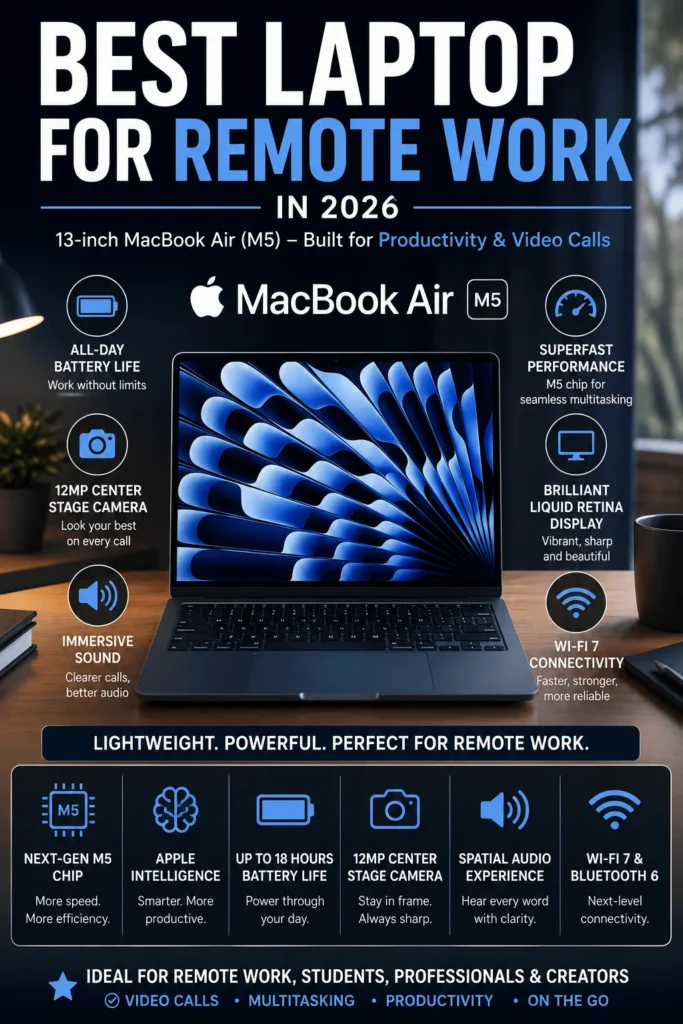
The Apple MacBook Air M5 (24GB RAM, 512GB SSD) is our top recommendation for the best laptop for remote work in 2026. It delivers an exceptional combination of performance, battery life, portability, video conferencing quality, and long-term value for professionals working from home, hybrid offices, coffee shops, coworking spaces, or while traveling. Whether you're managing video meetings, browser-heavy workflows, spreadsheets, cloud applications, documents, communication platforms, or demanding professional tasks, the MacBook Air M5 provides more than enough performance for most remote workloads while remaining thin, light, quiet, and highly efficient.
The MacBook Air M5 earns our Best Overall Laptop for Remote Work award because it delivers one of the strongest combinations of portability, efficiency, performance, battery life, and everyday usability available to remote professionals in 2026. It is powerful enough for demanding multitasking while remaining exceptionally quiet and easy to carry. From managing video conferences and business applications to researching, writing, communicating, and working across multiple applications throughout the day, it provides an excellent remote work experience without the added weight or complexity of a larger professional laptop.
The 24GB RAM and 512GB SSD configuration also makes this model particularly attractive for professionals who expect to keep their laptop for several years. The additional memory provides more headroom for increasingly demanding applications and heavy multitasking, while the larger SSD offers more practical storage for professional files and projects. For most remote workers, the MacBook Air M5 represents the safest overall choice because it combines premium hardware, excellent battery efficiency, outstanding portability, strong communication capabilities, and enough performance to handle everything from everyday office work to more demanding professional workflows.
Key Features
Dell Latitude 7450 (Core Ultra 7 vPro, 32GB RAM)
Best for Business, Enterprise & Remote Professionals
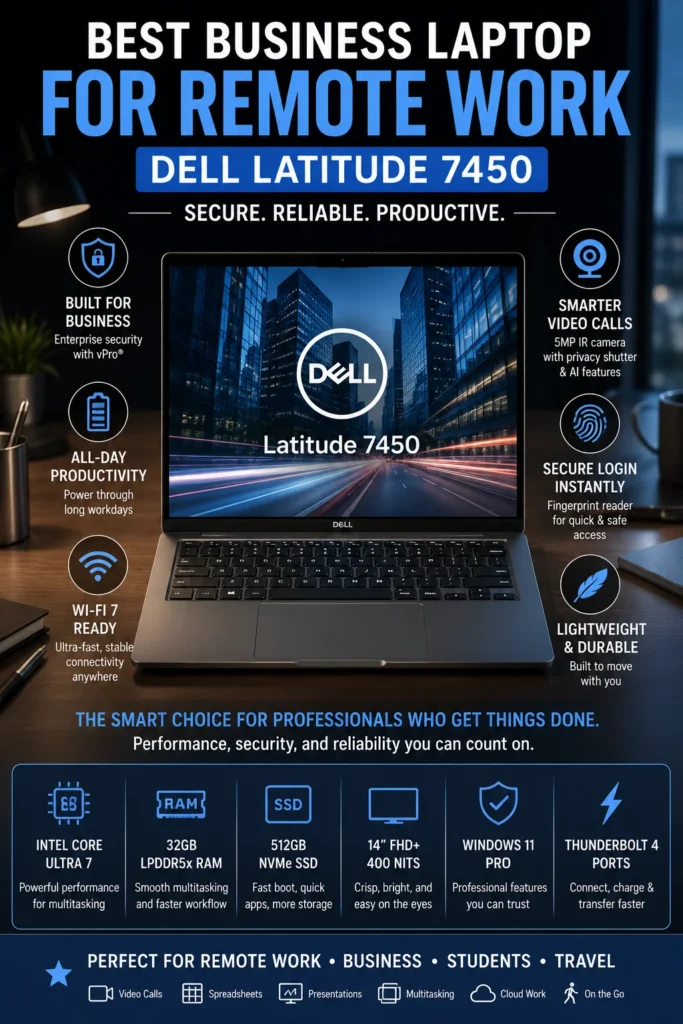
The Dell Latitude 7450 (Core Ultra 7 vPro, 32GB RAM) is our top recommendation for the best business laptop for remote work in 2026. It is designed for professionals and organizations that place a higher priority on security, reliability, manageability, business features, and long-term productivity than on consumer-oriented extras. From video meetings and Microsoft 365 to large spreadsheets, cloud applications, enterprise software, research, and demanding multitasking, the Latitude 7450 provides the performance and professional features needed for modern remote work.
The Dell Latitude 7450 earns our Best Business Laptop for Remote Work award because it prioritizes the characteristics that matter most in professional and enterprise environments: security, manageability, reliability, productivity, and long-term usability. It may not have the most visually impressive display in this lineup, but its business-focused design makes it a stronger choice for companies and professionals who depend on Windows applications, enterprise infrastructure, and IT-managed workflows.
Compared with premium consumer laptops, the Latitude 7450 makes a different set of priorities. Instead of focusing primarily on aesthetics or entertainment features, it provides a platform designed around professional productivity and organizational requirements. The combination of Core Ultra 7 vPro, 32GB memory, business-class security, and a 512GB SSD gives remote professionals substantial performance headroom while maintaining the reliability and manageability expected from a modern corporate laptop. For companies, consultants, executives, and remote employees working within Windows-based environments, it is one of the safest business-focused choices in this 2026 lineup.
Key Features
Lenovo ThinkPad X1 Carbon Gen 13 Aura Edition
Best Premium Productivity Laptop for Remote Professionals
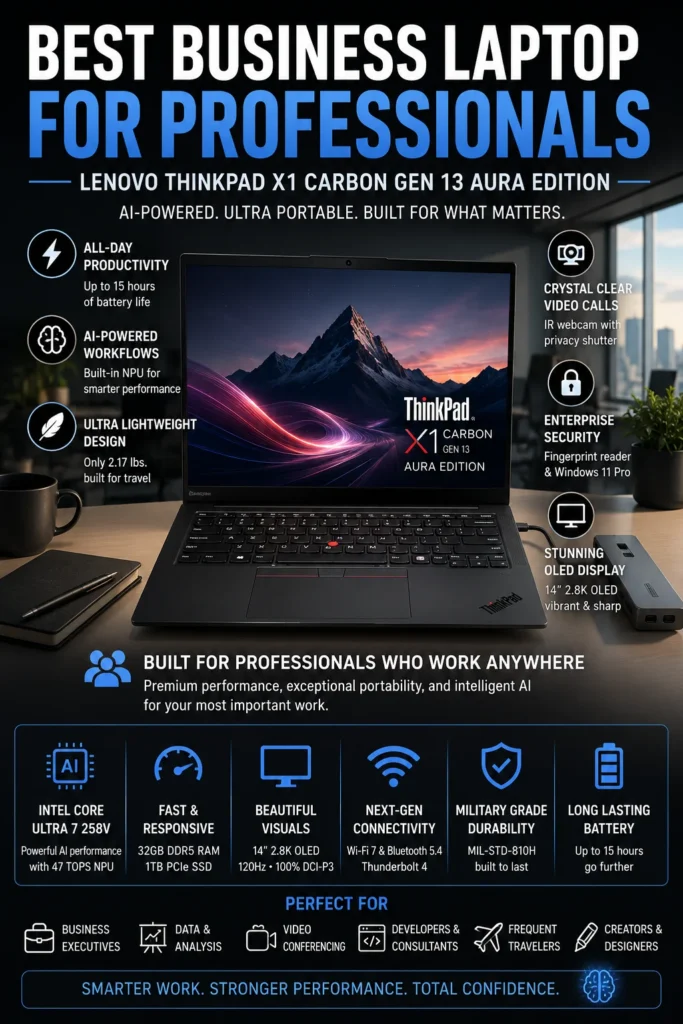
The Lenovo ThinkPad X1 Carbon Gen 13 Aura Edition is our top recommendation for the best premium productivity laptop for remote work in 2026. It combines exceptional portability, a renowned ThinkPad keyboard, strong business-oriented features, high-end display quality, efficient performance, and substantial multitasking headroom. For professionals who spend much of their day writing, analyzing information, attending meetings, managing documents, programming, researching, and working across multiple applications, the X1 Carbon delivers a refined work experience built around productivity.
The ThinkPad X1 Carbon Gen 13 Aura Edition earns our Best Premium Productivity Laptop for Remote Work award because it delivers an unusually strong balance of portability, typing comfort, display quality, performance, and professional usability. The legendary ThinkPad keyboard is a major advantage for users who spend much of their day writing, coding, analyzing documents, or communicating, while the lightweight Carbon chassis makes the laptop exceptionally easy to carry between home offices, meetings, airports, and coworking spaces.
Compared with the Dell Latitude 7450, the X1 Carbon takes a more premium approach to the remote work experience. The Latitude is better suited to organizations that prioritize enterprise deployment and IT management, while the ThinkPad places greater emphasis on premium mobility, keyboard quality, display experience, and everyday productivity. For professionals who want a refined Windows laptop that feels equally comfortable in a home office, corporate meeting room, or business trip, the X1 Carbon Gen 13 is one of the strongest choices in this lineup.
Key Features
ASUS Zenbook 14 OLED
Best Value Premium Laptop for Remote Work & Hybrid Professionals
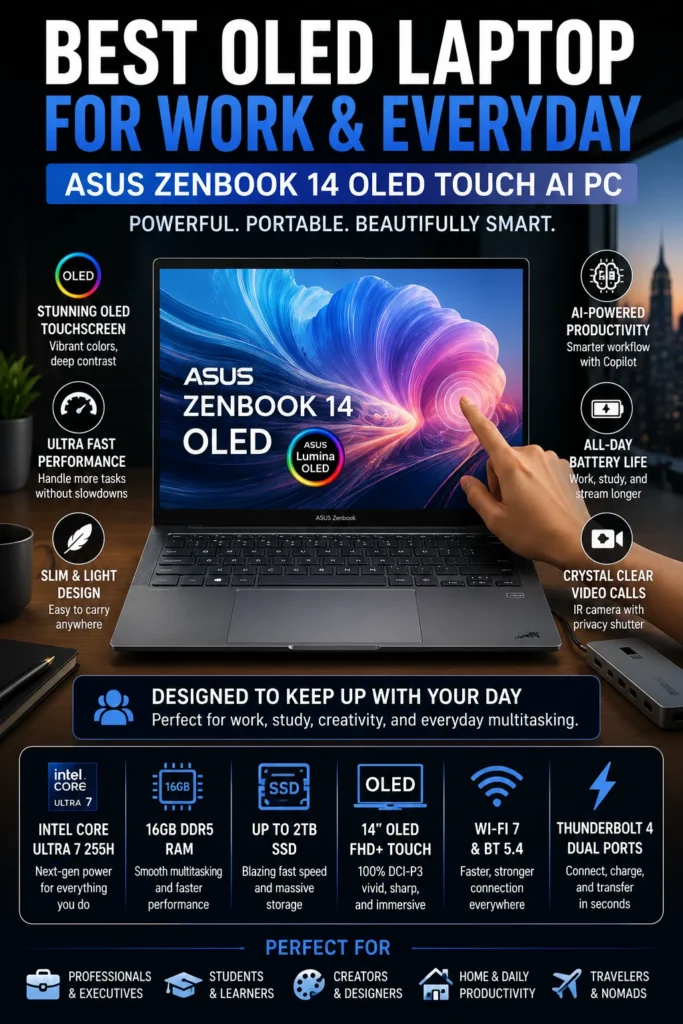
The ASUS Zenbook 14 OLED is our top recommendation for the best value premium laptop for remote work in 2026. It combines a premium OLED touchscreen, strong Intel Core Ultra performance, generous 1TB storage, excellent portability, and modern connectivity in a package that costs less than many flagship business laptops. For remote professionals and hybrid workers who want a refined everyday experience without paying primarily for enterprise features, the Zenbook 14 OLED offers an excellent balance of performance, design, display quality, and value.
The ASUS Zenbook 14 OLED earns our Best Value Premium Laptop for Remote Work award because it delivers many of the features professionals normally associate with more expensive premium laptops without requiring the same level of investment. Its OLED display, strong performance, generous storage, portable design, and modern connectivity make it an especially attractive choice for professionals who want their laptop to feel premium both at work and during everyday personal use.
Compared with the Lenovo ThinkPad X1 Carbon Gen 13, the Zenbook 14 OLED places greater emphasis on display quality, specifications, and overall value rather than business-focused ergonomics and enterprise-oriented features. It is therefore a better fit for professionals who want a premium everyday laptop at a more accessible price, while the ThinkPad remains the stronger choice for users who prioritize its exceptional keyboard, extreme portability, and business-focused design. For remote workers who want a modern premium experience without overpaying for features they may never use, the Zenbook 14 OLED is one of the most compelling options in this lineup.
Key Features
HP EliteBook 840 G11
Best Corporate Laptop for Secure Remote Work & Business Productivity
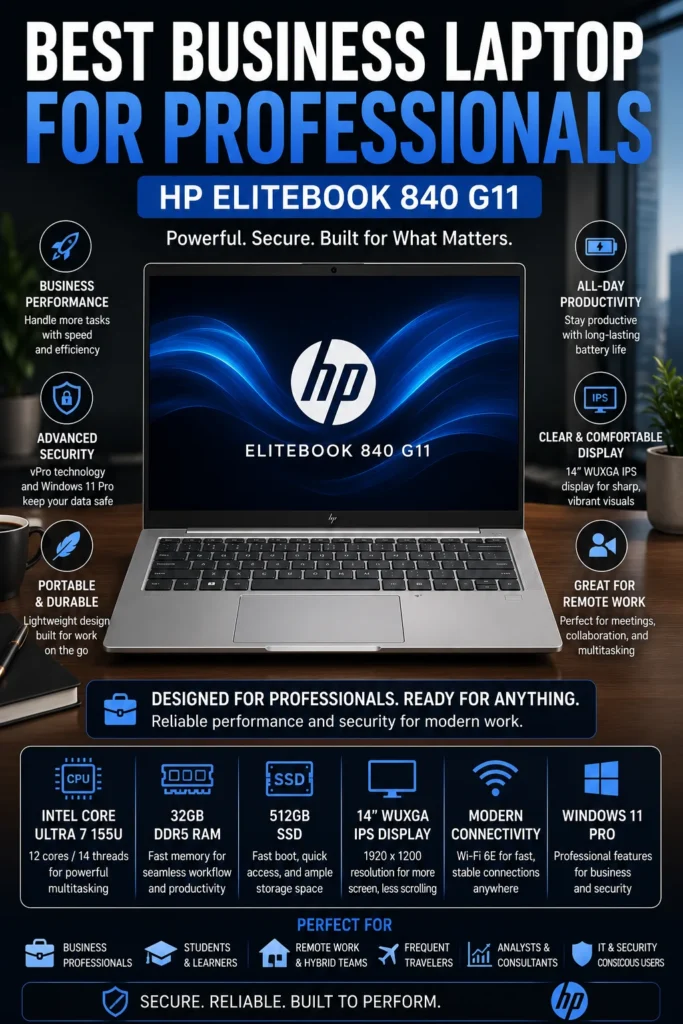
The HP EliteBook 840 G11 is our recommendation for the best corporate laptop for secure remote work in 2026. It combines business-class security, enterprise management capabilities, strong multitasking performance, professional connectivity, and a durable design in a practical 14-inch platform. For remote employees, corporate professionals, managers, and organizations that need a dependable Windows laptop for everyday business operations, the EliteBook 840 G11 provides a strong balance between security, productivity, and long-term business value.
The HP EliteBook 840 G11 earns our Best Corporate Laptop for Remote Work award because it focuses on the features that matter most in professional environments: security, reliability, manageability, and consistent productivity. Its 32GB memory configuration provides excellent multitasking capability, while the efficient Intel Core Ultra platform is well suited to the Microsoft 365, collaboration, communication, and cloud-based workflows that define modern corporate work.
Compared with the Dell Latitude 7450, the EliteBook 840 G11 occupies a similar business-focused category but provides an alternative for organizations that prefer HP's EliteBook platform, support ecosystem, and security approach. The Lenovo ThinkPad X1 Carbon Gen 13, meanwhile, is better suited to professionals who place greater emphasis on premium mobility, keyboard quality, and display experience. For companies and remote employees looking for a dependable corporate Windows laptop rather than a consumer ultrabook, the EliteBook 840 G11 remains a strong and practical choice.
Key Features
Dell XPS 13 9345 (Snapdragon X Plus)
Best Battery Life Laptop for Remote Workers in 2026
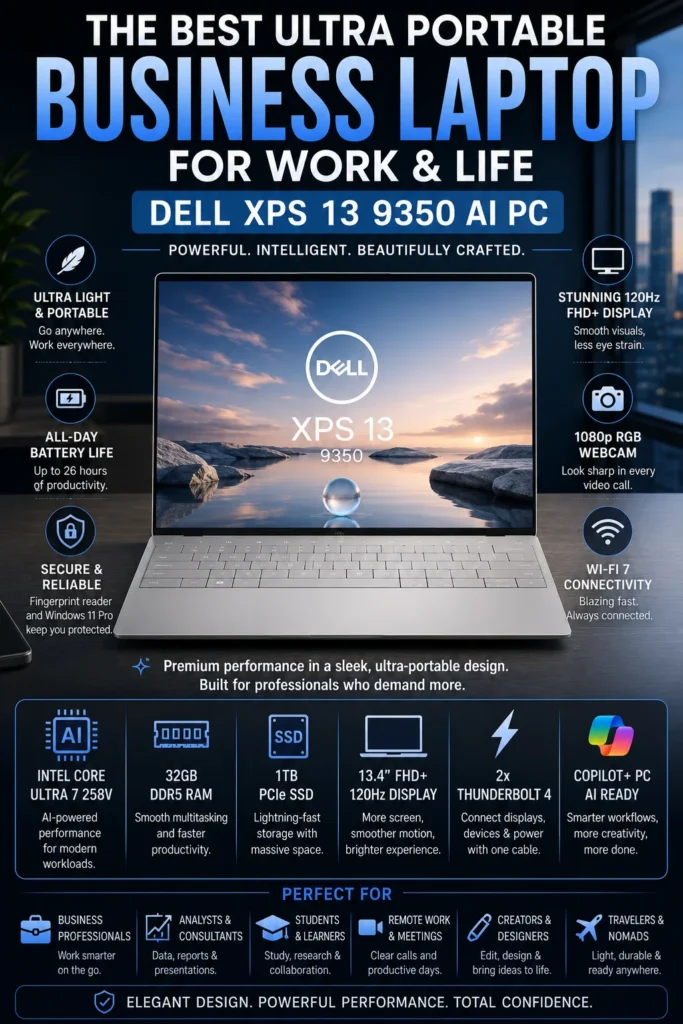
The Dell XPS 13 9345 with Snapdragon X Plus is our recommendation for the best battery life laptop for remote work in 2026. It is designed for professionals who spend long periods working away from a power outlet and prioritize mobility, efficiency, quiet operation, and dependable everyday productivity. Its Snapdragon X Plus platform delivers excellent power efficiency in an exceptionally compact chassis, making the XPS 13 particularly attractive for frequent travelers, digital nomads, consultants, and remote professionals who work from multiple locations.
The Dell XPS 13 9345 earns our Best Battery Life Laptop for Remote Work award because its greatest strength is efficiency. Rather than competing primarily on maximum processing power, the XPS 13 focuses on delivering a highly mobile Windows experience that can remain productive for extended periods without a charger. Its compact design, efficient Snapdragon X Plus platform, generous 16GB memory configuration, and fast SSD make it particularly attractive to professionals who value freedom from the power outlet.
Compared with the Lenovo ThinkPad X1 Carbon Gen 13, the XPS 13 places greater emphasis on battery efficiency and compact mobility, while the ThinkPad offers a more traditional business-oriented experience with its renowned keyboard and broader professional positioning. The XPS 13 is therefore the better choice for users whose first priority is unplugged productivity and portability. However, professionals who rely on specialized Windows applications should verify ARM compatibility before choosing the Snapdragon-powered model. For compatible workflows, the XPS 13 9345 is one of the most compelling ultra-mobile remote work laptops in this lineup.
Key Features
Acer Swift X 14 (RTX 4060)
Best for Remote Creators, Designers & Power Users
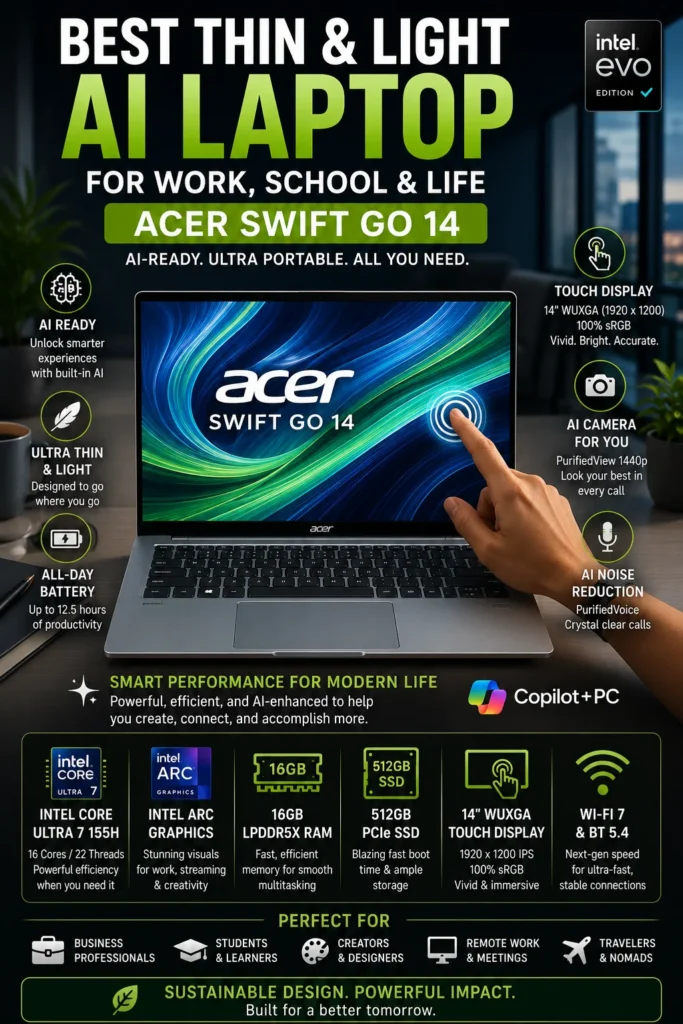
The Acer Swift X 14 with NVIDIA GeForce RTX 4060 is our recommendation for the best laptop for remote creators and power users in 2026. It is designed for professionals whose remote workflows extend beyond traditional office productivity and include video editing, graphic design, 3D applications, AI-assisted creation, photo editing, and other GPU-intensive workloads. Instead of prioritizing maximum battery endurance, the Swift X 14 focuses on delivering significantly more graphics performance while maintaining a relatively portable design.
The Acer Swift X 14 earns our Best Laptop for Remote Creators & Power Users award because it fills a role that the other laptops in this lineup cannot. While models such as the MacBook Air M5, Dell XPS 13, and ThinkPad X1 Carbon prioritize portability, efficiency, and everyday productivity, the Swift X 14 adds a dedicated RTX 4060 GPU capable of accelerating demanding creative workloads. This makes it a much stronger choice for professionals who regularly edit video, work with 3D content, use AI tools, or depend on GPU-accelerated applications.
The main trade-off is battery efficiency. A dedicated RTX 4060 provides substantially more graphics performance than integrated graphics, but demanding creative workloads can consume considerably more power than traditional office applications. For professionals who spend most of their day writing documents and attending meetings, a more efficiency-focused laptop may be a better choice. For creators who need serious graphics performance in a relatively portable machine, however, the Acer Swift X 14 offers one of the strongest combinations of performance, display quality, and mobility in this remote-work lineup.
Key Features
Best Laptops for Remote Work (2026)
Ranked by Productivity, Battery Life, Portability, Video Conferencing, Security & Overall Value
Choosing the best laptop for remote work depends on much more than processor speed. Remote professionals have different priorities, from long battery life and portability to enterprise security, video conferencing, creative performance, and demanding multitasking. We evaluated these laptops based on real-world productivity, battery endurance, portability, display quality, webcam and collaboration capabilities, connectivity, workload performance, and overall value to help professionals choose the right laptop for remote work in 2026.
| Laptop | CPU & Key Specs | Best For | Why It Wins | Editor's Verdict |
|---|---|---|---|---|
Best Overall
Apple MacBook Air M5
Check Price | Apple M5 24GB Unified Memory 512GB SSD 13-inch MacBook Air | Remote Professionals Entrepreneurs Freelancers Apple Users | The strongest overall combination of performance, battery efficiency, portability, video conferencing quality, and long-term usability. The M5 platform provides excellent productivity performance while maintaining the lightweight and quiet MacBook Air experience. | Best Laptop for Most Remote Workers |
Best Business Laptop
Dell Latitude 7450
Check Price | Intel Core Ultra 7 165U vPro 32GB LPDDR5x 512GB SSD 14" FHD+ | Corporate Professionals Enterprise Users IT-Managed Environments | Enterprise-grade security, Intel vPro management capabilities, strong multitasking performance, excellent connectivity, and business-focused reliability make the Latitude 7450 particularly well suited to corporate remote work. | Best Business Laptop for Remote Professionals |
Best Premium Productivity
Lenovo ThinkPad X1 Carbon Gen 13 Aura Edition
Check Price | Intel Core Ultra 7 258V 32GB LPDDR5x 1TB SSD 14" 2.8K OLED | Executives Consultants Developers Business Travelers | Combines an exceptionally lightweight design with a legendary ThinkPad keyboard, premium OLED display, strong AI-enabled performance, business-class durability, and excellent multitasking capability. | Best Premium Windows Laptop for Productivity |
Best Value Premium
ASUS Zenbook 14 OLED
Check Price | Intel Core Ultra 7 255H 16GB LPDDR5X 1TB SSD 14" OLED Touchscreen | Remote Workers Hybrid Professionals Freelancers Home Office Users | Offers an excellent premium experience at a more accessible price, combining an OLED touchscreen, strong Intel Core Ultra performance, generous SSD storage, excellent portability, and long battery life. | Best Value Premium Laptop for Remote Work |
Best Corporate
HP EliteBook 840 G11
Check Price | Intel Core Ultra 7 155U 32GB DDR5 512GB SSD 14" WUXGA | Corporate Employees Financial Analysts Project Managers Enterprise Environments | Designed around enterprise productivity, security, manageability, and long-term reliability. The 32GB memory configuration provides excellent multitasking headroom for demanding business workflows. | Best Corporate Laptop for Secure Remote Work |
Best Battery Life
Dell XPS 13 9345
Check Price | Snapdragon X Plus 16GB LPDDR5X 512GB SSD 13.4" FHD+ | Digital Nomads Frequent Travelers Mobile Professionals | Exceptional battery endurance, lightweight construction, efficient ARM architecture, and modern AI capabilities make it one of the strongest choices for professionals who spend long periods away from a power outlet. | Best Laptop for Battery Life & Portability |
Best for Creators
Acer Swift X 14
Check Price | Intel Core Ultra 7 155H NVIDIA GeForce RTX 4060 1TB PCIe Gen 4 SSD 14.5" 2.8K OLED 120Hz | Content Creators Graphic Designers Video Editors AI & Creative Professionals | The dedicated RTX 4060 provides significantly more graphical performance than traditional productivity laptops, while the high-resolution OLED display makes the Swift X 14 particularly strong for creative applications, video editing, design, and AI workloads. | Best Remote Work Laptop for Creators & Power Users |
Recommended Next Reads
Still deciding which laptop is right for your remote work setup? Explore our expert laptop guides for business professionals, entrepreneurs, home offices, developers, and demanding productivity workflows.
Whether you're comparing business laptops, building a complete home office, looking for a laptop for programming and development, or choosing the right machine for a growing business, these guides can help you make a more informed purchase decision.
Best Business Laptops in 2026: Top Picks for Work, Productivity & Professionals
Compare the best business laptops for professionals, corporate employees, entrepreneurs, and demanding productivity workloads, including security, performance, portability, and long-term value.
Explore Business Laptops →Best Business Laptops for Small Business Owners in 2026
Find reliable laptops for accounting, productivity, communication, management, multitasking, and the everyday demands of running a small business.
Explore Small Business Laptops → Home OfficeBest Ergonomic Office Setup in 2026
Build a more productive and comfortable remote workspace with the right combination of laptop positioning, office equipment, ergonomics, and daily workflow improvements.
Explore Home Office Setup → Professional DevelopmentBest Laptops for Software Developers in 2026
Explore powerful laptops for coding, software development, multitasking, virtual machines, development environments, and demanding professional workloads.
Explore Developer Laptops → Creative WorkflowsBest Laptops for Video Editing in 2026
Discover powerful laptops for video editing, content creation, professional media production, and demanding creative workflows that go beyond traditional office productivity.
Explore Video Editing Laptops → Productivity SetupBest Tech Accessories for Productivity in 2026
Complete your remote workspace with productivity accessories designed to improve organization, connectivity, comfort, and efficiency throughout the workday.
Explore Productivity Accessories →EDITOR'S FINAL RECOMMENDATIONS
After comparing performance, battery life, portability, display quality, webcams, connectivity, multitasking capability, security, and overall value, these are our final laptop recommendations for remote professionals in 2026. Whether you work from a home office, travel frequently, manage a business, attend constant video meetings, or need serious creative performance, the right laptop depends on your specific workflow.
Apple MacBook Air M5
The best overall choice for most remote professionals. The M5 platform combines excellent performance, exceptional efficiency, long battery life, premium build quality, and outstanding portability into one of the most balanced remote-work laptops available in 2026.
- ✓ Apple M5 Chip
- ✓ 24GB Unified Memory
- ✓ Premium Lightweight Design
- ✓ Outstanding Battery Life
Lenovo ThinkPad X1 Carbon Gen 13
The premium Windows choice for executives, consultants, developers, and professionals who spend their days typing, traveling, attending meetings, and working across multiple locations. Its exceptional keyboard, lightweight chassis, OLED display, durability, and business-focused features make it a standout professional machine.
- ✓ Intel Core Ultra 7 258V
- ✓ 32GB LPDDR5x Memory
- ✓ 2.8K OLED 120Hz Display
- ✓ Ultra-Lightweight Design
Dell XPS 13 9345
The strongest choice for professionals who prioritize battery endurance and mobility. Its Snapdragon X Plus platform delivers exceptional efficiency, quiet operation, AI acceleration, and some of the longest unplugged productivity sessions available in a premium ultraportable.
- ✓ Snapdragon X Plus
- ✓ Up to 27 Hours Battery
- ✓ Approximately 2.6-Pound Design
- ✓ Wi-Fi 7 Connectivity
Acer Swift X 14
The best option for remote professionals whose workloads go beyond traditional office applications. Its RTX 4060 GPU provides dedicated graphics power for video editing, design, AI applications, rendering, and demanding creative workflows while maintaining a relatively portable form factor.
- ✓ NVIDIA RTX 4060 GPU
- ✓ Intel Core Ultra 7 155H
- ✓ 2.8K OLED 120Hz Display
- ✓ NVIDIA Studio Support
ASUS Zenbook 14 OLED
An excellent choice for professionals who want a premium experience without moving into the highest price tiers. The Zenbook combines a beautiful OLED touchscreen, strong Core Ultra performance, excellent portability, and long battery life into a highly competitive remote-work package.
- ✓ Intel Core Ultra 7 255H
- ✓ 16GB LPDDR5X Memory
- ✓ OLED Touchscreen
- ✓ Up to 18 Hours Battery
Dell Latitude 7450
The strongest choice for organizations and IT-managed environments. Intel vPro, enterprise security, business-focused support, and a professional design make the Latitude 7450 particularly well suited to corporate remote-work deployments where manageability and reliability matter as much as performance.
- ✓ Intel vPro Technology
- ✓ 32GB LPDDR5X Memory
- ✓ 5MP AI Webcam
- ✓ Enterprise Management Features
HP EliteBook 840 G11
A dependable business laptop for professionals who prioritize security, reliability, and long-term corporate productivity. The EliteBook combines 32GB of memory, Intel vPro capabilities, business-class construction, and strong connectivity into a practical remote-work platform.
- ✓ Intel Core Ultra 7 155U
- ✓ 32GB DDR5 Memory
- ✓ Intel vPro Technology
- ✓ Windows 11 Pro
Which laptop should a remote professional buy?
Apple MacBook Air M5
ThinkPad X1 Carbon Gen 13
Dell XPS 13 9345
Acer Swift X 14
ASUS Zenbook 14 OLED
Dell Latitude 7450
HP EliteBook 840 G11
- Choose the MacBook Air M5 if you want the best overall combination of performance, battery life, portability, efficiency, and long-term value for remote work.
- Choose the ThinkPad X1 Carbon Gen 13 if your workflow revolves around business productivity, extensive typing, travel, professional meetings, and Windows-based applications.
- Choose the Dell XPS 13 9345 if battery endurance and portability are your highest priorities and your workflow is well suited to the Snapdragon Windows platform.
- Choose the Acer Swift X 14 if remote work also includes video editing, graphic design, AI workloads, rendering, or other GPU-intensive applications.
- Choose the ASUS Zenbook 14 OLED if you want a premium OLED experience and strong productivity performance without paying flagship business-laptop prices.
- Choose the Dell Latitude 7450 if your organization requires enterprise security, manageability, business support, and a laptop designed for corporate deployment.
- Choose the HP EliteBook 840 G11 if you want a dependable corporate laptop focused on security, reliability, multitasking, and long-term business productivity.
EDITOR'S FINAL VERDICT
After comparing productivity performance, battery life, portability, display quality, webcam capabilities, connectivity, multitasking, security, and long-term value, one conclusion stands out:The best laptop for remote work is not necessarily the most powerful or most expensive model. It is the laptop that provides the right combination of performance, communication quality, battery endurance, portability, comfort, and reliability for the way you actually work.
Remote professionals can have completely different workflows. Some spend most of the day in Zoom and Microsoft Teams meetings, while others manage spreadsheets, CRM platforms, cloud applications, programming environments, creative software, or demanding business workloads. Frequent travelers and digital nomads have different priorities again.
For most remote professionals, the ideal laptop should provide at least 16GB of memory, fast SSD storage, excellent battery life, a comfortable keyboard, reliable wireless connectivity, a quality webcam, and enough performance to remain responsive throughout a full workday.- Choose the Apple MacBook Air M5 if you want the strongest overall combination of performance, battery life, portability, efficiency, and long-term value for remote work.
- Choose the Lenovo ThinkPad X1 Carbon Gen 13 if your workflow is heavily business-focused and you value an exceptional keyboard, Windows compatibility, portability, security, and professional durability.
- Choose the Dell XPS 13 9345 if battery life and mobility are your highest priorities and your work depends primarily on Microsoft 365, cloud applications, browser-based workflows, communication tools, and other compatible Windows applications.
- Choose the Acer Swift X 14 if your remote work includes video editing, graphic design, AI applications, rendering, or other GPU-intensive workloads that benefit from dedicated RTX graphics.
- Choose the ASUS Zenbook 14 OLED if you want a premium OLED experience and strong productivity performance while keeping the price below many flagship business laptops.
Top Remote Work Laptop Recommendations for 2026
Apple MacBook Air M5
Our Editor's Choice for most remote professionals because it delivers an exceptional balance of performance, battery life, portability, efficiency, and premium build quality without requiring the size or cost of a professional workstation.
- ✓ Apple M5 Chip
- ✓ 24GB Unified Memory
- ✓ Excellent Battery Life
- ✓ Lightweight Premium Design
Lenovo ThinkPad X1 Carbon Gen 13
The strongest Windows choice for executives, consultants, developers, and professionals who need excellent typing comfort, enterprise-focused features, lightweight portability, and reliable performance for demanding business workflows.
- ✓ Intel Core Ultra 7 258V
- ✓ 32GB LPDDR5x Memory
- ✓ 2.8K OLED Display
- ✓ Ultra-Lightweight Design
Dell XPS 13 9345
The best choice for professionals who spend significant amounts of time away from a power outlet. Its Snapdragon X Plus platform prioritizes efficiency, mobility, quiet operation, and exceptionally long battery endurance.
- ✓ Snapdragon X Plus
- ✓ Up to 27 Hours Battery
- ✓ Approximately 2.6-Pound Design
- ✓ Wi-Fi 7 Connectivity
- ✓ You want the best overall remote-work laptop
- ✓ You value battery life and portability
- ✓ You work across multiple locations
- ✓ You want excellent long-term performance and efficiency
- ✓ You are an executive, consultant, developer, or business professional
- ✓ You spend hours typing and working with documents
- ✓ Enterprise features and Windows compatibility matter
- ✓ You want an exceptionally lightweight professional laptop
- ✓ Prioritize 16GB or more memory for serious multitasking
- ✓ Check webcam and microphone quality before buying
- ✓ Choose battery endurance based on how often you work away from outlets
- ✓ Consider dedicated graphics only if your workload actually needs them
Remote work rewards balance more than extreme specifications. A laptop can have a powerful processor, but if its battery is weak, webcam is poor, keyboard is uncomfortable, or design is too heavy to carry, it may become frustrating to use every day.
Among the laptops evaluated in this guide, the Apple MacBook Air M5 delivers the strongest overall combination of performance, efficiency, battery life, portability, and long-term usability. For most remote professionals, it is the laptop we would recommend first.
However, professionals who depend on Windows business applications, enterprise management, extensive typing, or specialized corporate workflows should look closely at the Lenovo ThinkPad X1 Carbon Gen 13. Travelers and digital nomads who prioritize maximum battery endurance should consider the Dell XPS 13 9345, while creators should move directly toward the Acer Swift X 14 for its dedicated RTX graphics.
Compare the current price, memory configuration, storage options, warranty coverage, and availability before choosing the laptop that will support your remote-work setup for years to come.
Check Latest DealEDITOR'S FAQ
Choosing the best laptop for remote work in 2026 requires more than comparing processor specifications. Remote professionals need a combination of reliable performance, excellent video conferencing, long battery life, comfortable keyboards, quality displays, dependable connectivity, and enough memory for modern multitasking.Below are the most important questions to consider when choosing a laptop for working from home, hybrid work, business travel, digital nomad workflows, and professional productivity.
It provides an excellent combination of performance, battery efficiency, portability, display quality, and long-term usability. For professionals who spend their days working with browsers, Microsoft 365, Google Workspace, video conferencing, cloud applications, documents, communication tools, and multitasking, the MacBook Air M5 offers one of the strongest overall experiences.
- Excellent battery efficiency for working away from a desk.
- Lightweight design for commuting and travel.
- Strong performance for everyday professional workloads.
- Excellent platform efficiency and quiet operation.
- Strong long-term value for most remote professionals.
It is particularly well suited to executives, consultants, managers, corporate employees, and frequent business travelers who prioritize keyboard quality, portability, durability, security, and professional communication features.
- Excellent ThinkPad keyboard experience.
- Lightweight premium business design.
- Enterprise-oriented security and management features.
- Strong video conferencing capabilities.
- Designed for professional and business environments.
Its higher price makes it less attractive for casual users, but professionals who spend most of their working day on a laptop may benefit from its business-focused design.
View DealBattery life becomes especially important when working from coffee shops, coworking spaces, airports, hotels, client locations, or other environments where a power outlet may not be immediately available.
- MacBook Air M5 → Best overall combination of battery efficiency, performance, and portability.
- Dell XPS 13 Snapdragon X Plus → Excellent choice for users who prioritize maximum unplugged productivity.
- Lenovo ThinkPad X1 Carbon Gen 13 → Strong business-focused option for professionals who travel frequently.
For remote professionals, sustained battery endurance can have a greater impact on everyday productivity than small differences in benchmark performance.
Check XPS 13 PriceModern remote workflows often involve multiple browser tabs, Microsoft Teams or Zoom, email, spreadsheets, cloud applications, messaging platforms, documents, project management software, and other applications running simultaneously.
- 8GB → Suitable mainly for light productivity and basic workloads.
- 16GB → Recommended for most remote workers and professional multitasking.
- 32GB → Better for developers, analysts, power users, virtual machines, and demanding professional workflows.
If you expect to keep your laptop for several years, choosing 16GB or more provides substantially more flexibility for future software and multitasking requirements.
Video meetings are now a core part of many remote jobs. A good remote-work laptop should provide a quality webcam, clear microphones, reliable wireless connectivity, and enough processing capability to maintain smooth performance while other applications remain open.
- High-quality webcam experience.
- Professional video conferencing features.
- Strong microphone and collaboration capabilities.
- Reliable performance while multitasking during meetings.
- Excellent keyboard and business-oriented design.
The Dell Latitude 7450 and HP EliteBook 840 G11 are also strong options for corporate users who prioritize business communication and enterprise features.
View ThinkPad DealIts ARM-based Snapdragon platform is designed around efficiency, making the XPS 13 particularly attractive for professionals who spend long periods working away from a power outlet.
- Excellent battery efficiency.
- Extremely portable 13-inch design.
- Dedicated NPU for Copilot+ AI experiences.
- Modern Wi-Fi connectivity.
- Strong performance for cloud-based productivity workflows.
The main consideration is software compatibility. Professionals who depend on specialized legacy Windows applications should verify compatibility before choosing an ARM-based Windows laptop.
Check PriceA typical remote-work setup may include a browser with many tabs, Microsoft Office or Google Workspace, Zoom or Teams, Slack, email, spreadsheets, cloud storage, project management platforms, and other applications simultaneously.
- Microsoft Office and Google Workspace.
- Zoom, Microsoft Teams, and Google Meet.
- Large numbers of browser tabs.
- Slack and workplace communication tools.
- CRM and cloud-based business applications.
Users working with software development environments, virtual machines, large datasets, professional creative applications, or particularly heavy multitasking should consider 32GB when available.
A MacBook is particularly attractive for professionals who prioritize battery efficiency, portability, quiet operation, and Apple's ecosystem.
- Choose MacBook → Excellent battery life, portability, efficiency, and Apple ecosystem integration.
- Choose Windows → Broader software compatibility, enterprise management options, and greater hardware variety.
Windows laptops such as the ThinkPad X1 Carbon, Dell Latitude 7450, HP EliteBook 840 G11, and ASUS Zenbook 14 OLED provide excellent choices for professionals who work primarily within Microsoft's ecosystem.
Before choosing a platform, verify that any specialized software required by your employer works correctly on your preferred operating system.
- High-quality webcam for professional video meetings.
- Clear microphones and effective audio processing.
- 16GB or more memory for multitasking.
- Long battery life for working away from an outlet.
- Comfortable keyboard for extended typing sessions.
- Fast SSD storage for responsive applications.
- Reliable Wi-Fi connectivity.
- Good display quality for extended screen time.
- Portable design for hybrid work and travel.
- Useful ports or docking support for external displays and peripherals.
For most remote professionals, these factors have a greater effect on everyday productivity than chasing the highest possible processor benchmark.
- Best Overall → Apple MacBook Air M5
- Best Premium Business Laptop → Lenovo ThinkPad X1 Carbon Gen 13
- Best Enterprise Laptop → Dell Latitude 7450
- Best Battery Life → Dell XPS 13 Snapdragon X Plus
- Best Creator Laptop → Acer Swift X 14
- Best Premium Value → ASUS Zenbook 14 OLED
- Best Business Value → HP EliteBook 840 G11
For most remote professionals, the MacBook Air M5 remains the strongest overall recommendation because it combines excellent performance, battery efficiency, portability, and long-term usability.However, professionals working in enterprise environments, Windows-specific workflows, demanding creative applications, or highly specialized software may be better served by one of the Windows alternatives in this guide.
Check Best Remote Work Laptop DealREMOTE WORK BUYING GUIDE
Choosing a laptop for remote work is not simply about buying the fastest processor available. Remote professionals need a reliable machine that can handle video meetings, browser multitasking, productivity applications, communication tools, cloud services, documents, presentations, and long work sessions without becoming a daily source of frustration.The wrong laptop can reduce productivity through insufficient memory, poor battery life, weak webcam and microphone quality, an uncomfortable keyboard, inadequate portability, or a display that is difficult to use for extended periods. Before investing in a remote work laptop, avoid these common mistakes and choose hardware that matches the way you actually work.
Many remote workers focus too heavily on processor performance, but the best work-from-home laptops combine productivity performance, battery life, webcam and microphone quality, keyboard comfort, display quality, portability, connectivity, and long-term reliability.For most remote professionals in 2026, 16GB of RAM is the recommended starting point, while 32GB provides additional headroom for heavy multitasking, development environments, virtual machines, large projects, and demanding professional workflows. A modern Apple Silicon, Intel Core Ultra, or AMD Ryzen AI processor can provide excellent everyday performance when paired with sufficient memory and fast SSD storage.
Buying a laptop with too little RAM
- Remote workers frequently keep browsers, Microsoft Teams, Zoom, Slack, Outlook, documents, spreadsheets, and other applications open simultaneously.
- Video conferencing and browser-heavy workflows can consume significantly more memory than simple office tasks.
- Low-memory configurations can become frustrating as multitasking requirements increase over time.
Better decision: Choose 16GB of RAM as the minimum for a modern remote work laptop, while 32GB is preferable for professionals who regularly perform heavy multitasking or demanding workloads.
Prioritizing raw performance over battery life
- Many remote workers move between home offices, coworking spaces, meetings, airports, and other locations.
- A powerful processor is less useful if the laptop constantly needs to remain connected to a power outlet.
- Frequent charging can reduce flexibility during long workdays and business travel.
Better decision: Prioritize efficient processors and laptops capable of comfortably supporting a full workday when mobility and flexibility are important to your workflow.
Ignoring webcam and microphone quality
- Video meetings are a fundamental part of modern remote work.
- A poor webcam can negatively affect professional meetings, interviews, presentations, and client communication.
- Weak microphones or poor noise handling can make communication difficult in busy environments.
Better decision: Look for laptops with high-quality webcams, strong microphones, effective noise reduction, and reliable video conferencing capabilities.
Choosing a laptop that is too heavy for hybrid work
- Remote professionals increasingly work from multiple locations throughout the week.
- Heavy laptops become uncomfortable when carried between home, offices, meetings, and travel destinations.
- Large power adapters can add significant weight to an already bulky setup.
Better decision: If you frequently travel or work from multiple locations, prioritize a lightweight laptop with strong battery efficiency and a compact charger.
Overlooking display quality
- Remote professionals can spend many hours every day reading documents, spreadsheets, websites, emails, and dashboards.
- Low brightness and poor viewing angles can make long work sessions less comfortable.
- A high-quality display improves readability, workspace comfort, and everyday productivity.
Better decision: Choose a bright, high-quality IPS or OLED display with comfortable viewing characteristics and enough resolution for your daily workload.
Buying based only on processor specifications
- Benchmark scores do not measure the complete remote work experience.
- Keyboard comfort, trackpad quality, webcam performance, battery life, and build quality affect productivity every day.
- A laptop with slightly lower benchmark performance can still provide a significantly better professional experience.
Better decision: Evaluate the entire laptop experience rather than choosing a model based solely on CPU specifications or benchmark numbers.
Smart Buying Advice for Remote Professionals
You want an excellent combination of battery life, portability, silent operation, everyday productivity performance, and long-term reliability for general remote work.
You prioritize business productivity, keyboard quality, enterprise security, video conferencing, portability, and professional Windows compatibility.
Key takeaway: The best laptop for remote work is not necessarily the fastest or most expensive model. It is the machine that provides the right balance of performance, battery life, communication quality, portability, keyboard comfort, display quality, connectivity, and reliability for your daily workflow.
After evaluating the laptops featured throughout this guide, these are our Editor's top recommendations for remote professionals in 2026:
- Best Overall Remote Work Laptop: Apple MacBook Air M5 — exceptional battery efficiency, portability, silent operation, reliable everyday performance, and an excellent balance for the majority of remote professionals.
- Best Business Remote Work Laptop: Lenovo ThinkPad X1 Carbon Gen 13 — excellent keyboard quality, professional build, enterprise-oriented features, strong portability, and a productivity-focused Windows environment.
- Best Enterprise Remote Work Laptop: Dell Latitude 7450 — designed around business productivity, enterprise security, manageability, and reliable Windows performance for corporate environments.
- Best Premium Value Remote Work Laptop: ASUS Zenbook 14 OLED — an excellent combination of premium design, OLED display quality, portability, productivity performance, and overall value.
Need help choosing your laptop?
Not sure which option fits your workflow? Get a personalized recommendation based on your budget, performance needs, and usage.
Get personalized recommendation⚡ Usually responds within 24 hours