
GAMING LAPTOPS HUB

Explore Our Gaming Laptop Guides

Discover our complete collection of gaming laptop recommendations, performance comparisons, and expert buying guides designed to help you find the best laptop for competitive gaming, AAA titles, and high-performance experiences.
2026 Gaming Laptop Guide • RTX 4050 Performance, Gaming, Thermals & Value
Editor Reviewed • Gaming Performance, Cooling, Displays, Upgradeability & Long-Term Value

Best RTX 4050 Gaming Laptops Under $1000 in 2026: Ranked for Gaming & Value

An RTX 4050 can turn a sub-$1000 laptop into a capable gaming machine, but the graphics card alone does not determine whether a laptop is actually worth buying. Cooling performance, GPU power limits, display quality, processor performance, memory configuration, upgradeability, build quality, and long-term usability can make a significant difference between otherwise similar models.

In this guide, we evaluated the strongest RTX 4050 gaming laptops under $1000 across the factors that matter most to buyers: gaming performance, thermal management, display quality, processor capability, upgrade potential, portability, build quality, and overall value. We also considered how well each model fits different types of users, from competitive gamers and AAA players to students, creators, and everyday productivity users.The ASUS TUF Gaming A16 earns our top overall position for its balance of performance, cooling, durability, display quality, and long-term value. The Lenovo LOQ 15 is the stronger choice for buyers who prioritize gaming performance and upgradeability, while the HP Victus 15 offers one of the best combinations of gaming and everyday productivity.

For buyers focused primarily on value, the Acer Nitro V 15 delivers an especially compelling RTX 4050 configuration at a lower entry price. The MSI Thin A15 is worth considering when portability matters, while the MSI Thin GF63 remains a practical entry point for students and first-time gaming laptop buyers.

Best Overall RTX 4050 Laptop
Best Gaming Performance
Best Gaming & Productivity Balance
Best Budget RTX 4050 Laptop
Best Portable RTX 4050 Laptop
Best for Students & Beginners
Best Performance per Dollar
Best Upgrade Potential
Editor's Verdict:For most buyers, the ASUS TUF Gaming A16 is the strongest overall RTX 4050 gaming laptop under $1000 in this lineup. Its combination of gaming capability, thermal performance, durable construction, 16-inch display, and overall usability makes it the most balanced choice for buyers who want one laptop that can handle gaming, school, productivity, and occasional creative workloads.Gamers who prioritize performance and upgradeability should look closely at the Lenovo LOQ 15, while the HP Victus 15 is a better fit for users who want a balanced machine for gaming, school, and everyday productivity.The Acer Nitro V 15 stands out for buyers who want the most gaming performance possible for the money, although its base 8GB memory configuration makes a RAM upgrade an important consideration for long-term use. The MSI Thin A15 is the more portable option, while the MSI Thin GF63 provides an accessible entry point for students and first-time gaming laptop buyers.
Scroll Down to Compare the 6 Best RTX 4050 Gaming Laptops Under $1000 in 2026
#1 Best Overall RTX 4050 Gaming Laptop Under $1000 (Editor's Choice 2026)
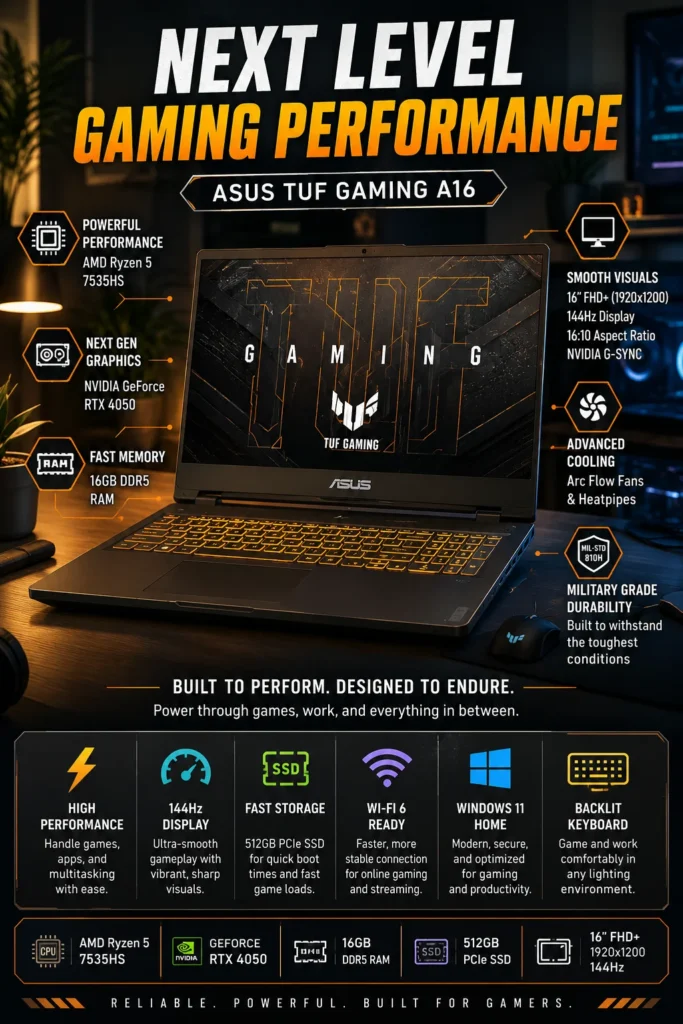
ASUS TUF Gaming A16

Best Overall RTX 4050 Gaming Laptop Under $1000

The ASUS TUF Gaming A16 is our top recommendation for the best RTX 4050 gaming laptop under $1000 in 2026. It delivers one of the most balanced combinations of gaming performance, cooling capability, display quality, durability, upgrade potential, and everyday usability in this price range. Rather than focusing exclusively on raw gaming performance, the TUF Gaming A16 provides a more complete experience for buyers who want one laptop that can handle modern games, schoolwork, productivity, content consumption, and occasional creative workloads without making major compromises.

• Excellent choice for gamers, students, creators, and everyday users who want strong gaming capability without sacrificing general-purpose usability
• The 16-inch 1920x1200 display provides a more spacious 16:10 workspace than traditional 15.6-inch gaming laptops, making it useful for gaming, multitasking, studying, and productivity
• Durable MIL-STD-810H-tested construction provides a stronger foundation for daily use and makes the chassis better suited to the demands of a gaming laptop that may also be used for school or work
• Its overall design places a strong emphasis on long-term usability, combining a capable gaming platform with a chassis, cooling system, and display designed for extended daily use
• The AMD Ryzen 5 7535HS provides strong gaming and multitasking performance and pairs well with the RTX 4050 for the workloads this laptop is designed to handle
• The NVIDIA GeForce RTX 4050 Laptop GPU provides the graphics capability needed for modern AAA gaming, competitive titles, and GPU-accelerated applications, with NVIDIA Advanced Optimus and G-SYNC support adding useful display and performance features
• 16GB of DDR5 memory provides a strong starting configuration for modern gaming, multitasking, schoolwork, and everyday productivity without requiring an immediate memory upgrade
• The 512GB PCIe SSD provides fast system startup, application loading, and game installation performance, while the laptop's upgrade-friendly design improves its long-term flexibility

The ASUS TUF Gaming A16 earns our Best Overall RTX 4050 Gaming Laptop Under $1000 award because it does more than deliver acceptable gaming performance. Its combination of thermal design, durable construction, large 16-inch display, capable hardware, and everyday usability makes it one of the most complete packages available to buyers shopping in this price range. For someone who wants a gaming laptop that can also serve as a primary computer for school, productivity, entertainment, and general use, that balance is particularly valuable.

Compared with more aggressively gaming-focused alternatives such as the Lenovo LOQ 15, the TUF Gaming A16 is not necessarily the choice for buyers who care only about extracting the highest possible gaming performance. Its strength is the overall package. The Ryzen 5 7535HS is capable rather than class-leading, but the combination of the RTX 4050, 16-inch 16:10 display, cooling system, durable chassis, and practical memory configuration makes the TUF Gaming A16 one of the safest all-around choices for buyers who want strong gaming performance without giving up everyday versatility.

• AMD Ryzen 5 7535HS processor• NVIDIA GeForce RTX 4050 Laptop GPU• 6GB GDDR6 dedicated graphics memory• NVIDIA Advanced Optimus• NVIDIA G-SYNC support• Strong 1080p gaming capabilityThe combination of the Ryzen 5 7535HS and GeForce RTX 4050 gives the TUF Gaming A16 the performance foundation needed for modern 1080p gaming. The RTX 4050 is particularly well suited to competitive games and mainstream AAA titles, while NVIDIA technologies such as DLSS can help improve performance in supported games.The A16 is not designed to compete with higher-end RTX 4060 or RTX 4070 gaming laptops, but within the sub-$1000 RTX 4050 category, its overall gaming performance is strong enough to make it a compelling choice for buyers who want a dedicated gaming machine without moving into a higher price tier.
• 16GB DDR5 memory• Suitable configuration for modern gaming• Smooth multitasking across everyday applications• Strong capacity for school and productivity workloads• Better long-term headroom than 8GB configurationsThe 16GB memory configuration gives the TUF Gaming A16 a significant advantage over entry-level gaming laptops that still ship with only 8GB of RAM. It provides enough capacity for modern games while also leaving room for browser tabs, Discord, productivity applications, schoolwork, and background services.For buyers planning to keep the laptop for several years, starting with 16GB is also a more practical configuration. It reduces the need for an immediate memory upgrade and provides a stronger foundation for increasingly demanding software and games.
• 16-inch IPS-class display• 1920 × 1200 resolution• 16:10 aspect ratio• 144Hz refresh rate• Anti-glare surface• Additional vertical workspace compared with 16:9 panelsThe 16-inch 1920 × 1200 display is one of the TUF Gaming A16's strongest advantages for mixed use. Its 16:10 aspect ratio provides additional vertical workspace compared with conventional 16:9 gaming laptops, which can be useful for documents, web pages, schoolwork, programming, and multitasking.The 144Hz refresh rate also makes fast-moving games feel considerably smoother than standard 60Hz displays. While display quality can vary between specific configurations, the combination of screen size, resolution, aspect ratio, and refresh rate makes the A16 particularly versatile for both gaming and everyday use.
• 512GB PCIe NVMe SSD• Fast system startup• Quick application launches• Responsive game loading• Suitable capacity for everyday applications and files• Upgrade-friendly storage platformThe 512GB SSD provides the fast storage performance expected from a modern gaming laptop. Windows, applications, and games load quickly, while general system responsiveness remains strong during everyday use.Capacity is the main limitation. Modern AAA games can require well over 100GB each, so users with a large game library may eventually need additional storage. The upgrade-friendly design of the TUF Gaming A16 makes expanding storage a practical way to extend the laptop's useful life.
• Dual Arc Flow Fans• 84-blade fan design• Multiple heat pipes• Dedicated exhaust vents• Optimized internal airflow• Designed for sustained workloadsThermal management is an important reason the TUF Gaming A16 ranks above many entry-level RTX 4050 laptops. Its cooling architecture is designed to move heat away from the CPU and GPU efficiently during gaming and other sustained workloads.Good cooling does not mean the laptop will remain completely cool or silent under heavy gaming loads. Gaming laptops are expected to generate heat and fan noise when the CPU and GPU are working hard. The important advantage is maintaining consistent performance while managing temperatures effectively over longer sessions.
• 16-inch gaming laptop design• Larger chassis provides additional internal cooling space• Suitable for school, home, and everyday productivity• Designed for gaming and plugged-in performance• Portable enough for occasional travel• Stronger versatility than a gaming-only desktop replacementThe TUF Gaming A16 offers a useful compromise between gaming performance and everyday usability. Its 16-inch chassis is larger than ultraportable laptops, but that additional size allows room for a more capable cooling system and a larger display.Battery life will vary significantly depending on workload, display settings, power mode, and whether the dedicated GPU is being used. Like most RTX gaming laptops, the A16 is best viewed as a system designed for maximum performance while plugged in, with battery operation better suited to lighter productivity and everyday tasks.
• MIL-STD-810H-tested durability• Reinforced TUF Gaming chassis• Durable design for everyday use• Upgrade-friendly internal platform• 16GB RAM configuration• Strong long-term value for the categoryThe TUF Gaming A16 is designed to offer more than short-term gaming performance. Its MIL-STD-810H testing, durable chassis design, capable cooling system, and practical hardware configuration give it a stronger foundation for long-term ownership than many entry-level gaming laptops.Its upgrade potential is also important when evaluating value over several years. Storage and memory expansion can help the laptop remain useful as games and applications become more demanding.This combination of performance, durability, cooling, display quality, and upgradeability is why the ASUS TUF Gaming A16 earns our Best Overall RTX 4050 Gaming Laptop Under $1000 designation rather than simply being another budget gaming laptop with an RTX 4050 badge.
Ideal for:• AAA gaming• Competitive esports• College students• Engineering and technical students• Everyday productivity• Programming and multitasking• Content consumption• First-time gaming laptop buyers• Buyers prioritizing long-term valueThe ASUS TUF Gaming A16 is our Best Overall RTX 4050 Gaming Laptop Under $1000 because it provides a particularly strong balance between gaming performance and general-purpose usability.It is the right choice for buyers who want one computer that can handle gaming after class or work, productivity during the day, entertainment in the evening, and occasional demanding workloads without requiring a separate desktop or secondary laptop.Buyers who care exclusively about maximizing gaming performance may prefer the Lenovo LOQ 15, while those looking for the lowest possible entry price may prefer the Acer Nitro V 15. The TUF Gaming A16 earns the overall award because its strengths are distributed across the entire ownership experience rather than concentrated in only one category.
#2 Best Gaming Performance RTX 4050 Laptop (Editor's Pick 2026)

Lenovo LOQ 15

Best RTX 4050 Gaming Performance Under $1000
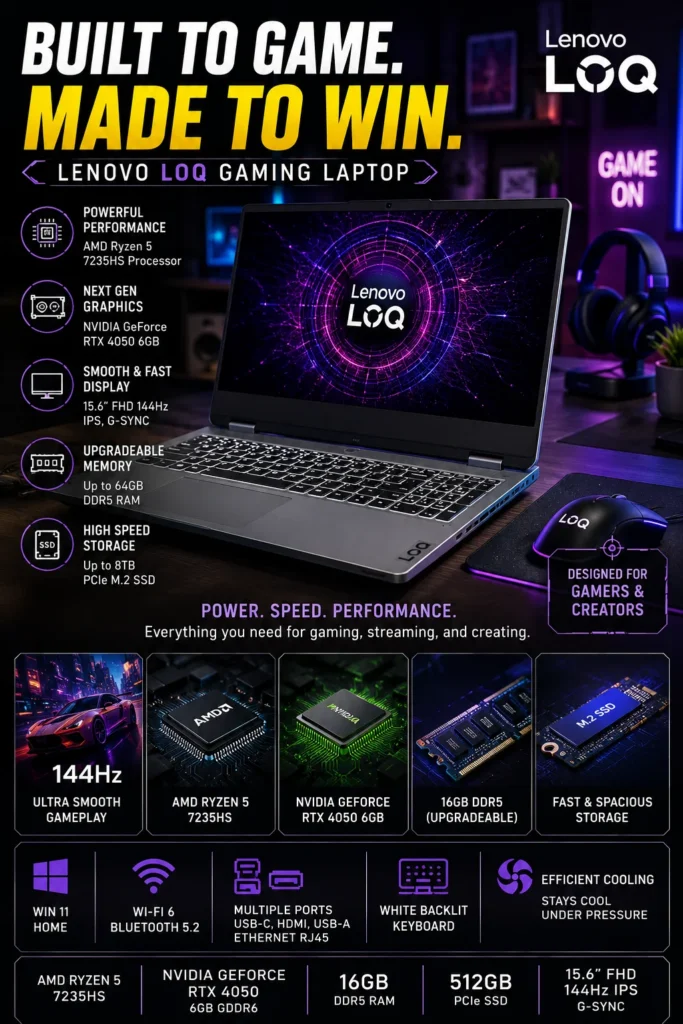
The Lenovo LOQ 15 is our #2 pick for the best RTX 4050 gaming laptop under $1000 in 2026 and the strongest choice in this lineup for buyers who prioritize gaming performance, cooling, and upgradeability. Its gaming-focused design, dedicated RTX 4050 graphics, high-refresh-rate display, and practical hardware configuration make it particularly well suited to competitive gaming and demanding 1080p titles.

• Excellent choice for competitive gamers and performance-focused buyers who prioritize gaming over portability or battery life
• Gaming-oriented chassis and thermal design are built to support sustained CPU and GPU workloads during longer gaming sessions
• High-refresh-rate display provides a smoother experience in fast-paced competitive games and everyday desktop use
• Strong upgrade potential gives the LOQ 15 a practical advantage for buyers planning to keep the laptop for several years
• NVIDIA GeForce RTX 4050 Laptop GPU provides dedicated graphics performance for modern 1080p gaming, with DLSS and ray-tracing support in compatible titles
• The AMD Ryzen 5 7235HS provides capable gaming performance, although its lower core and thread count makes it less versatile for heavily multi-threaded workloads than some competing processors
• 16GB DDR5 memory provides a strong starting configuration for gaming, multitasking, schoolwork, and everyday applications
• 512GB PCIe SSD provides fast system responsiveness and quick application and game loading, with additional storage expansion providing a practical path for long-term use

The Lenovo LOQ 15 earns our Best Gaming Performance RTX 4050 Laptop designation because Lenovo places the priorities of a gaming laptop ahead of secondary features. The thermal design, dedicated graphics platform, high-refresh-rate display, and upgrade-friendly approach create a system that is particularly well suited to buyers who spend most of their time gaming rather than using the laptop primarily as a general-purpose computer.

Its main limitation is the Ryzen 5 7235HS, which uses fewer cores and threads than some competing processors in this category. That matters more for heavily multi-threaded productivity, content creation, and other CPU-intensive workloads than it does for many gaming scenarios. For buyers focused primarily on gaming, however, the LOQ 15 remains a compelling choice. Compared with the ASUS TUF Gaming A16, it gives up some of the broader all-around balance that earned the A16 our overall award, but its gaming-focused design and upgrade potential make it the stronger choice for performance-first buyers.

• AMD Ryzen 5 7235HS processor• NVIDIA GeForce RTX 4050 Laptop GPU• 6GB GDDR6 dedicated graphics memory• NVIDIA DLSS support• Hardware-accelerated ray tracing• Designed primarily for 1080p gamingThe GeForce RTX 4050 gives the Lenovo LOQ 15 the dedicated graphics performance needed for modern 1080p gaming. It also supports NVIDIA technologies such as DLSS and hardware-accelerated ray tracing, allowing supported games to balance image quality and performance more effectively.The LOQ 15 is particularly well suited to competitive games and mainstream AAA titles where a high-refresh-rate display and consistent GPU performance are more important than having a premium ultrathin design.The Ryzen 5 7235HS is capable for gaming workloads, although its lower core and thread count is worth considering for buyers who also expect to perform heavily multi-threaded CPU-intensive tasks.
• 15.6-inch display• 1920 × 1080 Full HD resolution• 144Hz refresh rate• Anti-glare surface• NVIDIA G-SYNC support• Designed for fast-paced gamingThe 144Hz display is a particularly useful feature for competitive gaming. Compared with a conventional 60Hz panel, the higher refresh rate allows supported games to display motion more smoothly and can make fast camera movements and gameplay feel more responsive.NVIDIA G-SYNC support can also help synchronize the display's refresh behavior with compatible GPU output, reducing visible screen tearing when gaming.The Full HD resolution is a sensible match for the RTX 4050 because it allows the GPU to focus its resources on maintaining strong gaming performance rather than driving a significantly higher-resolution panel.
• Gaming-focused thermal architecture• Dedicated CPU and GPU cooling• Multiple heat pipes• Rear and side ventilation• Designed for sustained workloads• Performance-focused chassis designThermal management is one of the reasons the Lenovo LOQ series has become a strong option in the budget gaming laptop category. The chassis is designed around sustained CPU and GPU workloads rather than the extremely thin form factor found on many mainstream laptops.During extended gaming sessions, the cooling system works to move heat away from the processor and graphics hardware so the system can maintain its intended performance within its thermal and power limits.As with any gaming laptop, temperatures and fan noise can increase substantially under heavy load. The important advantage is that the LOQ is designed specifically to handle these sustained workloads rather than treating gaming as an occasional secondary task.
• 16GB DDR5 memory• Strong configuration for modern gaming• Suitable for multitasking and productivity• Upgrade-friendly platform• Practical long-term flexibilityThe 16GB memory configuration provides a strong starting point for modern gaming and everyday multitasking. It leaves enough capacity for games, browser tabs, Discord, streaming tools, school applications, and other background software without immediately requiring an upgrade.Upgradeability is another important advantage of the LOQ 15. Buyers who plan to keep the laptop for several years can benefit from the ability to expand memory or storage as their requirements increase.This makes the LOQ particularly attractive to performance-focused buyers who view a gaming laptop as a platform they may improve over time rather than a fixed configuration.
• 512GB PCIe SSD• Fast system startup• Quick game and application loading• USB-C connectivity• HDMI output• RJ-45 Ethernet• Wi-Fi 6 wireless connectivityThe 512GB SSD provides the responsiveness expected from a modern gaming laptop, with fast Windows startup, application launches, and game loading.Storage capacity is more limited than storage speed. Modern AAA games can occupy substantial amounts of space, so users with a large game library may eventually want additional storage.The combination of Ethernet, Wi-Fi, USB-C, HDMI, and other connectivity options also makes the LOQ well suited to desktop gaming setups with external displays, wired networking, keyboards, mice, and other peripherals.
• 15.6-inch gaming-oriented chassis• Designed around sustained performance• Suitable for external gaming setups• Practical keyboard and desktop replacement potential• Capable of handling school and productivity workloadsThe LOQ 15 is primarily designed as a gaming laptop, but it is versatile enough for everyday computing. Students can use it for documents, research, programming, web applications, and other productivity workloads when they are not gaming.Its larger and performance-oriented chassis makes it less portable than thinner mainstream laptops, and battery life is not its primary strength. Those trade-offs are reasonable for buyers who prioritize gaming performance and sustained workloads over mobility.
Ideal for:• Competitive gamers• AAA gaming• FPS players• Esports enthusiasts• Gamers who prioritize high-refresh-rate displays• Students who also want strong gaming performance• First-time gaming laptop buyers• Buyers who value upgradeability• Performance-focused buyersThe Lenovo LOQ 15 earns our Best Gaming Performance RTX 4050 Laptop designation because its priorities are closely aligned with what gaming-focused buyers actually need: dedicated graphics performance, effective cooling, a high-refresh-rate display, and a platform that can be upgraded over time.It is not the best choice for every buyer. Those who want a larger 16:10 display, broader everyday versatility, or a more balanced overall package may prefer the ASUS TUF Gaming A16. But for buyers whose primary question is simply "Which one should I choose for gaming?", the LOQ 15 deserves serious consideration.
The Lenovo LOQ 15 ranks #2 because it is one of the most gaming-focused options in this lineup, but the ASUS TUF Gaming A16 offers a more complete balance for a wider range of users.The LOQ's strengths are concentrated in gaming performance, thermal design, high-refresh-rate gaming, and upgradeability. Its main compromise is the Ryzen 5 7235HS, whose lower core and thread count makes the laptop less attractive for buyers who regularly perform heavily multi-threaded productivity or content-creation workloads.For a dedicated gaming buyer, that trade-off may be easy to accept. For a buyer who wants one laptop for gaming, school, productivity, entertainment, and long-term everyday use, the TUF Gaming A16 remains the stronger overall recommendation.
#3 Best for Gaming & Productivity (Editor's Pick 2026)

HP Victus 15

Best RTX 4050 Laptop for Gaming, School & Everyday Productivity
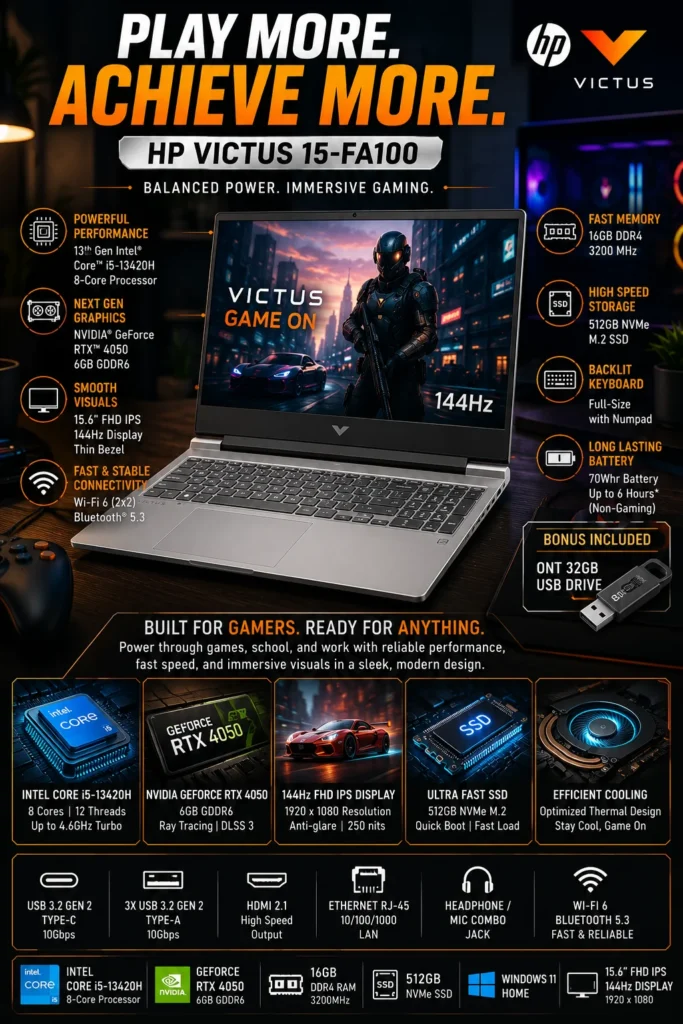
The HP Victus 15 is our #3 pick for the best RTX 4050 laptop under $1000 and one of the strongest options for buyers who need a balance between gaming, school, productivity, and everyday computing. Its Intel Core i5-13420H processor, dedicated RTX 4050 graphics, 16GB memory, and practical 15.6-inch design give it enough performance for modern gaming while remaining comfortable for documents, web applications, multitasking, entertainment, and light creative workloads.

• Excellent choice for students, remote workers, multitaskers, and gamers who want one laptop for both productivity and entertainment
• Intel Core i5-13420H provides strong everyday and multi-threaded performance for gaming, office applications, multitasking, and demanding productivity workloads
• RTX 4050 dedicated graphics provide the gaming capability needed for modern 1080p titles while also supporting GPU-accelerated applications
• More understated design makes the Victus 15 easier to use in classrooms, offices, libraries, and other environments where an aggressively styled gaming laptop may feel out of place
• 16GB memory provides a strong starting configuration for gaming, multitasking, schoolwork, browser-heavy workflows, and everyday applications
• 512GB PCIe SSD provides fast system responsiveness, application launches, and game loading for everyday use
• 15.6-inch form factor provides a practical compromise between screen size, desk space, and portability
• Capable platform for light photo editing, video editing, programming, and other creative or technical workloads alongside gaming

The HP Victus 15 earns our Best for Gaming & Productivity designation because it avoids becoming overly specialized in either direction. The RTX 4050 provides dedicated gaming performance, while the Core i5-13420H gives the system enough CPU capability for multitasking, school applications, office software, programming, and other demanding everyday workloads.

Compared with the Lenovo LOQ 15, the Victus 15 is less focused on the enthusiast gaming experience and is better suited to buyers who divide their time between gaming and general computing. Its display is also more functional than premium, so users who place a high priority on display quality may find stronger alternatives elsewhere in the lineup. However, for students and everyday users who want a capable gaming laptop without making gaming the sole focus, the Victus 15 remains one of the most practical choices under $1000.

• Intel Core i5-13420H processor• NVIDIA GeForce RTX 4050 Laptop GPU• 6GB GDDR6 dedicated graphics memory• NVIDIA DLSS support• Hardware-accelerated ray tracing• Strong 1080p gaming capabilityThe GeForce RTX 4050 gives the HP Victus 15 the dedicated graphics performance needed for modern 1080p gaming. Supported titles can also take advantage of NVIDIA technologies such as DLSS and hardware-accelerated ray tracing.The Victus 15 is well suited to a broad range of games, from competitive esports titles to demanding AAA releases. Actual frame rates will vary depending on the game, graphics settings, resolution, power mode, and other system conditions, but the RTX 4050 provides a solid performance foundation for a laptop in this price category.
• Intel Core i5-13420H processor• 8 CPU cores• 12 processing threads• Hybrid performance and efficiency core architecture• Strong everyday and multi-threaded performanceThe Core i5-13420H gives the Victus 15 a useful advantage for buyers who use their gaming laptop for more than gaming. Its combination of performance and efficiency cores provides enough processing capability for office applications, browser-heavy workflows, programming, video conferencing, schoolwork, and general multitasking.This makes the Victus particularly attractive to students and professionals who may spend several hours working before switching to gaming. It is not a workstation-class processor, but it provides a strong performance level for a versatile gaming and productivity laptop.
• 16GB system memory• 512GB PCIe NVMe SSD• Fast application launches• Responsive system performance• Suitable configuration for modern gaming and productivityThe 16GB memory configuration provides enough capacity for gaming alongside browser tabs, communication applications, documents, spreadsheets, school software, and other everyday workloads.The 512GB SSD keeps Windows, applications, and games responsive while providing practical starting capacity for everyday use. However, modern AAA games can consume substantial storage, so users with a large game library may eventually want additional storage.For long-term ownership, the Victus platform's upgrade potential can also help extend its useful life as storage or memory requirements increase.
• 15.6-inch display• 1920 × 1080 Full HD resolution• 144Hz refresh rate• Anti-glare surface• Thin-bezel design• Suitable for gaming and everyday productivityThe 144Hz refresh rate makes fast-moving games appear smoother than on traditional 60Hz displays and is particularly useful for competitive gaming.The Full HD resolution is also a sensible match for an RTX 4050 gaming laptop because it allows the GPU to focus on delivering strong gaming performance without the additional rendering demands of a higher-resolution panel.The display is practical rather than a major premium feature. Buyers who place a high priority on color accuracy, HDR, or OLED-level image quality should consider higher-end display options elsewhere in the market.
• USB-C connectivity• HDMI output• Gigabit Ethernet• Wi-Fi 6 wireless connectivity• Bluetooth connectivity• Backlit keyboard• Full-size keyboard with numeric keypad on supported configurationsThe Victus 15 provides a practical selection of ports for both gaming and productivity. External monitors, wired networking, gaming peripherals, storage devices, and common office accessories can be connected without requiring an overly complicated adapter setup.Its relatively understated gaming design also makes the Victus easier to integrate into classrooms, offices, libraries, and home workspaces than some more aggressively styled gaming laptops.
• Gaming-oriented thermal design• Dedicated CPU and GPU cooling• Rear and side ventilation• Designed for sustained workloads• Performance-focused internal layoutThe Victus 15 uses a gaming-oriented thermal design intended to manage the heat generated by its CPU and dedicated RTX 4050 graphics under sustained workloads.Gaming laptops naturally produce more heat and fan noise when the processor and GPU are under heavy load. The important consideration is whether the cooling system can maintain the hardware within its intended operating limits while delivering consistent performance over longer sessions.For users who alternate between productivity and gaming, the Victus provides a practical balance between sustained performance and everyday usability.
Ideal for:• College students• High school students• Remote workers• Office productivity• Programming and technical coursework• Everyday multitasking• Casual content creation• AAA gaming• Competitive gaming• Buyers looking for one laptop for multiple purposesThe HP Victus 15 earns our Best for Gaming & Productivity designation because it does not force buyers to choose between a capable gaming machine and a practical everyday computer.It is particularly well suited to users who need a laptop for school or work during the day and gaming in their free time. Its capable processor, RTX 4050 graphics, 16GB memory, and practical design provide enough flexibility for a wide variety of workloads.
The HP Victus 15 ranks #3 because it offers one of the strongest combinations of gaming and productivity performance in this lineup, but it does not specialize as strongly as the two laptops above it.The ASUS TUF Gaming A16 earns the overall award because it provides a more complete combination of display size, durability, cooling, gaming capability, and long-term versatility. The Lenovo LOQ 15 is the stronger choice for buyers who prioritize gaming performance and upgradeability above general-purpose flexibility.The Victus 15 instead occupies the middle ground. Its Core i5-13420H, RTX 4050, 16GB memory, practical display, and understated design make it particularly attractive to students, remote workers, and everyday users who also want serious gaming capability.That balance is exactly why it earns the Best for Gaming & Productivity position in this guide.
#4 Best Budget RTX 4050 Gaming Laptop (Best Value Pick 2026)

Acer Nitro V 15

Best Budget RTX 4050 Gaming Laptop Under $800
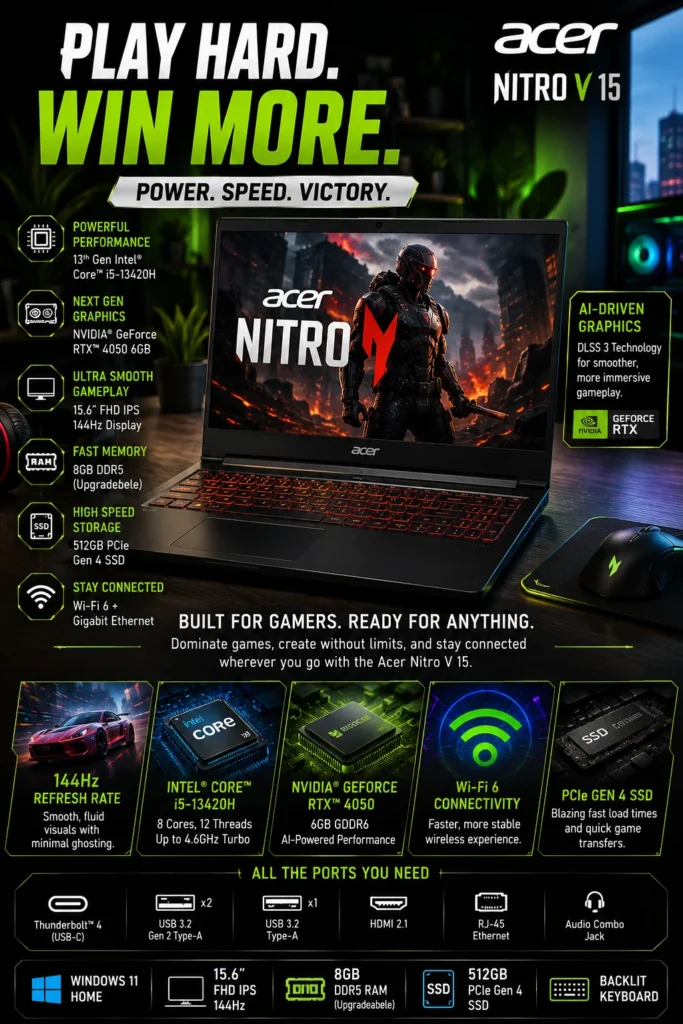
The Acer Nitro V 15 is our #4 pick and Best Budget RTX 4050 Gaming Laptop under $800 in 2026. Its main advantage is straightforward: it brings dedicated RTX 4050 graphics and a gaming-focused hardware platform to a lower price point than many competing models. For budget-conscious gamers who want to maximize gaming performance per dollar, the Nitro V 15 is one of the most compelling entry points into RTX 4050 gaming.

• Excellent choice for budget-conscious gamers who want dedicated RTX 4050 graphics without approaching a $1,000 budget
• Strong 1080p gaming capability for its price class, with support for NVIDIA DLSS and ray tracing in compatible games
• 144Hz display provides a smoother experience for competitive games and fast-moving titles
• Upgrade-friendly design gives buyers a practical path to improve memory and storage over time
• Intel Core i5-13420H provides capable performance for gaming, schoolwork, everyday productivity, and multitasking
• NVIDIA GeForce RTX 4050 Laptop GPU provides dedicated graphics performance normally associated with more expensive gaming laptops
• 512GB PCIe SSD provides fast system responsiveness and quick application and game loading
• The included 8GB memory configuration is the main compromise, but upgrading to 16GB can significantly improve the laptop's suitability for modern gaming and multitasking

The Acer Nitro V 15 earns our Best Budget RTX 4050 Gaming Laptop award because it prioritizes the component that matters most to gaming performance at this price: the dedicated GPU. Rather than spending more on premium materials or secondary features, Acer keeps the platform focused on delivering RTX 4050 gaming capability at a lower entry price.

The biggest compromise is the 8GB RAM configuration found on the version considered for this guide. While it is usable for everyday computing and many games, 8GB is increasingly restrictive for a modern gaming laptop, particularly when gaming alongside browsers, launchers, communication applications, or other background software. The Nitro V 15 therefore makes the most sense for buyers who are comfortable upgrading the memory. With additional RAM, its value proposition becomes considerably stronger and helps explain why it remains one of the smartest performance-per-dollar options in this lineup.

• Intel Core i5-13420H processor• NVIDIA GeForce RTX 4050 Laptop GPU• 6GB GDDR6 dedicated graphics memory• NVIDIA DLSS support• Hardware-accelerated ray tracing• Designed primarily for 1080p gamingThe GeForce RTX 4050 is the main reason the Nitro V 15 stands out in this price range. It provides dedicated graphics performance for modern 1080p gaming while supporting NVIDIA technologies such as DLSS and hardware-accelerated ray tracing in compatible titles.The Nitro V 15 is particularly attractive to buyers who would rather allocate their budget toward GPU performance than premium materials or higher-end secondary features. Actual gaming performance will vary by title, graphics settings, power mode, and system configuration, but the RTX 4050 gives the Nitro V a strong foundation for budget gaming.
• 15.6-inch Full HD display• 1920 × 1080 resolution• 144Hz refresh rate• Anti-glare surface• Designed for fast-moving gamesThe 144Hz refresh rate is an important feature for a budget gaming laptop because it provides a noticeably smoother experience than a traditional 60Hz panel when the system can produce sufficiently high frame rates.The Full HD resolution also makes sense for the RTX 4050 platform. Rendering games at 1920 × 1080 places a more manageable workload on the GPU than higher-resolution gaming, allowing the system to focus its performance on frame rates and responsiveness.The display is best viewed as a practical gaming panel rather than a premium creator-focused screen. Buyers who prioritize color accuracy or professional visual work should consider those requirements separately.
• 8GB DDR5 memory in the reviewed configuration• Upgradeable memory platform• Better multitasking potential after upgrading• More comfortable long-term configuration with 16GB or more• Important consideration before purchasingThe included 8GB of memory is the biggest weakness of this configuration. While it can handle everyday computing and gaming, modern games increasingly benefit from having more memory available, particularly when browsers, launchers, voice-chat applications, and other background processes are running simultaneously.For that reason, we recommend that buyers consider upgrading the Nitro V 15 to 16GB of RAM when possible. The upgrade can improve multitasking headroom and make the system better suited to modern gaming and longer-term ownership.This limitation does not eliminate the Nitro V's value. Instead, it is an important part of the buying decision: the laptop's low entry price becomes more attractive when the buyer understands that a memory upgrade may be worthwhile.
• 512GB PCIe NVMe SSD• Fast system startup• Quick application launches• Responsive game loading• M.2 storage expansion depending on configuration• Upgrade-friendly platformThe 512GB SSD provides fast everyday responsiveness and reasonable starting capacity for Windows, applications, and a selection of games.However, modern AAA games can consume a significant amount of storage, so users with a large game library may eventually need additional capacity.The Nitro V 15's upgrade-friendly design is therefore an important part of its long-term value. Buyers should verify the exact configuration before purchasing because available memory slots, storage expansion, and other hardware details can vary between regional models.
• USB-C connectivity• HDMI output• Gigabit Ethernet• Wi-Fi connectivity• Multiple USB ports• Support for external displays and peripheralsThe Nitro V 15 provides the connectivity needed for a conventional gaming setup, including wired networking, external displays, gaming peripherals, and additional storage.Ethernet is particularly useful for competitive gaming because a wired connection can provide a more consistent network experience than wireless connectivity in suitable home or desktop environments.USB-C and the additional USB ports also make it easy to connect mice, keyboards, controllers, storage devices, and other accessories.
• Gaming-oriented thermal design• Dedicated CPU and GPU cooling• Multiple ventilation areas• Designed for sustained workloads• Performance-focused chassisThe Nitro V 15 uses a gaming-focused thermal design intended to manage the heat generated by the Core i5 processor and RTX 4050 graphics under sustained workloads.As with other gaming laptops, temperatures and fan noise can increase when the CPU and GPU are operating at high loads. The system is designed around this type of workload rather than the low-power behavior of a thin productivity laptop.For buyers focused on value, the important consideration is that Acer has allocated the Nitro V's hardware budget toward gaming performance while retaining a practical cooling and upgrade platform.
Ideal for:• Budget gamers• First-time gaming laptop buyers• Students• Esports players• Casual AAA gamers• Buyers looking for RTX 4050 gaming under $800• Users who are comfortable upgrading RAM• Buyers focused on performance per dollarThe Acer Nitro V 15 is best suited to buyers who want access to RTX 4050 gaming performance without spending close to the $1,000 ceiling of this guide.It makes the most sense for users who are willing to accept a more functional overall package and potentially add a memory upgrade in exchange for a lower purchase price.
The Acer Nitro V 15 ranks #4 because it delivers an unusually strong combination of RTX 4050 graphics performance and affordability, but it makes more compromises than the three laptops above it.The ASUS TUF Gaming A16 provides a stronger overall package, the Lenovo LOQ 15 is better suited to performance-focused gaming buyers, and the HP Victus 15 offers a more balanced experience for users who divide their time between gaming and productivity.The Nitro V takes a different approach: maximize gaming hardware for the money.Its 8GB memory configuration is the most important compromise and should be considered part of the total ownership cost if an upgrade becomes necessary. Buyers willing to make that upgrade can turn the Nitro V into an especially compelling budget gaming platform.That combination of low entry price, RTX 4050 graphics, and upgrade potential is why it earns our Best Budget RTX 4050 Gaming Laptop designation.
#5 Best Portable RTX 4050 Gaming Laptop (Travel-Friendly Pick 2026)

MSI Thin A15

Best Portable RTX 4050 Gaming Laptop for Students & Travelers
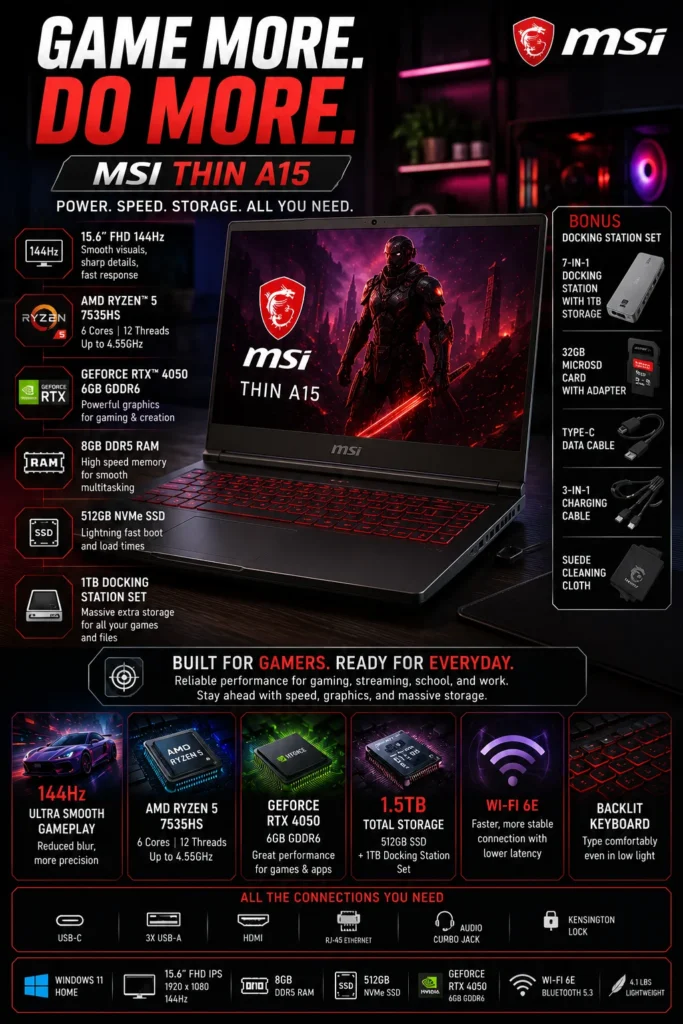
The MSI Thin A15 is our #5 pick and Best Portable RTX 4050 Gaming Laptop for Students & Travelers in 2026. It is designed for buyers who want dedicated RTX 4050 gaming performance without carrying one of the larger and heavier gaming laptops typically found in this price category. Its relatively slim design, Ryzen 5 processor, and dedicated NVIDIA graphics make it a practical option for users who regularly move between home, school, work, and travel.

• Strong choice for students, travelers, and mobile gamers who prioritize portability alongside gaming performance
• RTX 4050 Laptop GPU provides capable 1080p gaming performance while also supporting GPU-accelerated creative applications
• AMD Ryzen 5 7535HS provides a practical balance of gaming performance, everyday responsiveness, and power efficiency
• Slimmer and lighter design makes the laptop easier to transport than many traditional performance-oriented gaming machines
• Wi-Fi 6E provides modern wireless connectivity for compatible networks and environments
• 15.6-inch gaming-oriented form factor provides a larger workspace than compact ultraportable laptops
• 8GB DDR5 memory provides a usable starting point but is a configuration worth upgrading for heavier gaming and multitasking
• Gaming capability combined with everyday portability makes it particularly attractive to students who need one machine for both coursework and entertainment

The MSI Thin A15 earns our Best Portable RTX 4050 Gaming Laptop designation because portability is its defining advantage. Traditional gaming laptops often use larger chassis and heavier cooling systems to maximize sustained performance, while the Thin A15 takes a more mobility-oriented approach. That makes it easier to carry between classes, offices, home, and travel destinations while still providing dedicated RTX 4050 graphics.

The trade-off is important: the Thin A15 should not be viewed as a replacement for the more performance-focused Lenovo LOQ 15 or ASUS TUF Gaming A16. Those larger platforms are better suited to buyers who prioritize sustained gaming performance, cooling, and overall system headroom. The Thin A15 instead makes the most sense when portability is a meaningful part of the buying decision. Buyers should also account for its 8GB memory configuration and consider an upgrade if they plan to run modern games alongside demanding multitasking workloads.

• AMD Ryzen 5 7535HS processor• NVIDIA GeForce RTX 4050 Laptop GPU• 6GB GDDR6 dedicated graphics memory• NVIDIA DLSS support• Hardware-accelerated ray tracing• Designed primarily for 1080p gamingThe GeForce RTX 4050 gives the MSI Thin A15 dedicated graphics capability for modern 1080p gaming while supporting NVIDIA technologies such as DLSS and hardware-accelerated ray tracing in compatible titles.It is capable of handling a wide range of games, including competitive esports titles and demanding AAA releases, while also providing GPU acceleration for supported creative applications.The Thin A15's main advantage is not maximum gaming performance. Its appeal comes from combining this level of dedicated graphics capability with a more portable chassis than many traditional gaming laptops.
• Slim gaming-oriented chassis• Easier to carry than many larger gaming laptops• Suitable for commuting and travel• Practical for classrooms and shared workspaces• Designed for mobile usersPortability is the defining characteristic of the MSI Thin A15. Traditional gaming laptops often use larger and heavier chassis to accommodate more substantial cooling systems and higher-power hardware.The Thin A15 takes a more mobility-focused approach, making it easier to transport between home, school, work, and travel destinations.This makes it particularly attractive to students and users who need to carry their gaming laptop frequently rather than leaving it primarily on a desk.The trade-off is that buyers who prioritize maximum sustained gaming performance should consider larger gaming platforms such as the ASUS TUF Gaming A16 or Lenovo LOQ 15.
• 15.6-inch display• Full HD resolution• 144Hz refresh rate• Anti-glare surface• Gaming-oriented refresh rateThe 144Hz refresh rate provides smoother motion than a conventional 60Hz display when the system is able to produce sufficiently high frame rates.This is particularly useful for competitive games where fast camera movement and responsiveness are important.The 15.6-inch format also provides considerably more screen space than compact ultraportable laptops, giving students and mobile users a practical workspace for documents, browsing, applications, and entertainment when they are not gaming.The display should be considered a practical gaming panel rather than the primary reason to purchase the laptop. Buyers seeking premium color accuracy or creator-focused display performance should evaluate higher-end alternatives.
• 8GB DDR5 memory in the considered configuration• Upgrade potential depending on configuration• Suitable starting point for basic workloads• More memory recommended for heavier multitasking• Important consideration for long-term gamingThe 8GB memory configuration is one of the Thin A15's main limitations. It can handle everyday computing and gaming, but modern games and multitasking workloads can benefit substantially from additional memory.Buyers who plan to use the laptop for gaming alongside browsers, communication applications, launchers, streaming software, or creative tools should consider moving to 16GB of RAM when the specific configuration allows it.Because memory specifications can vary between Thin A15 configurations, buyers should verify the exact model and upgrade options before purchasing.
• Wi-Fi 6E wireless connectivity• USB-C connectivity• HDMI output• Ethernet connectivity• Multiple USB ports• 512GB PCIe SSD storageThe Thin A15 provides the connectivity expected from a modern gaming laptop while maintaining its mobility-focused design.Wi-Fi 6E can provide access to additional wireless spectrum when paired with a compatible network, while Ethernet remains useful for users who prefer a wired connection for gaming or larger file transfers.The 512GB SSD provides fast system responsiveness and reasonable starting capacity for applications and games, although users with large game libraries may eventually require additional storage.
Ideal for:• College students• Frequent travelers• Commuters• Mobile gamers• Remote workers• Everyday productivity• Casual content creation• Esports gaming• Buyers who regularly carry their laptopThe MSI Thin A15 is particularly well suited to users who need one machine for multiple environments.A student can carry it between classes, use it for coursework and research, and then return home and use the RTX 4050 for gaming. Similarly, a frequent traveler can benefit from its more portable form factor compared with larger gaming machines.Its strongest use case is therefore not maximum performance at any cost, but gaming capability combined with everyday mobility.
The MSI Thin A15 ranks #5 because it solves a specific problem better than most of the laptops above it: how to get dedicated RTX 4050 gaming capability without carrying a large traditional gaming laptop every day.The ASUS TUF Gaming A16 and Lenovo LOQ 15 are stronger choices for buyers who prioritize sustained gaming performance, cooling, and overall system headroom. The HP Victus 15 offers a stronger all-around balance for gaming and productivity, while the Acer Nitro V 15 provides a more compelling value proposition for buyers focused primarily on price.The Thin A15 instead earns its place through portability. Its slimmer design makes it particularly appealing to students, commuters, travelers, and mobile gamers who consider daily transport an important part of the buying decision.Its 8GB memory configuration and more mobility-focused design are meaningful compromises, but for the right buyer, the portability advantage can outweigh those limitations.
#6 Best RTX 4050 Laptop for Students & Beginners (Most Popular MSI Pick)

MSI Thin GF63

Best RTX 4050 Gaming Laptop for Students and First-Time Buyers
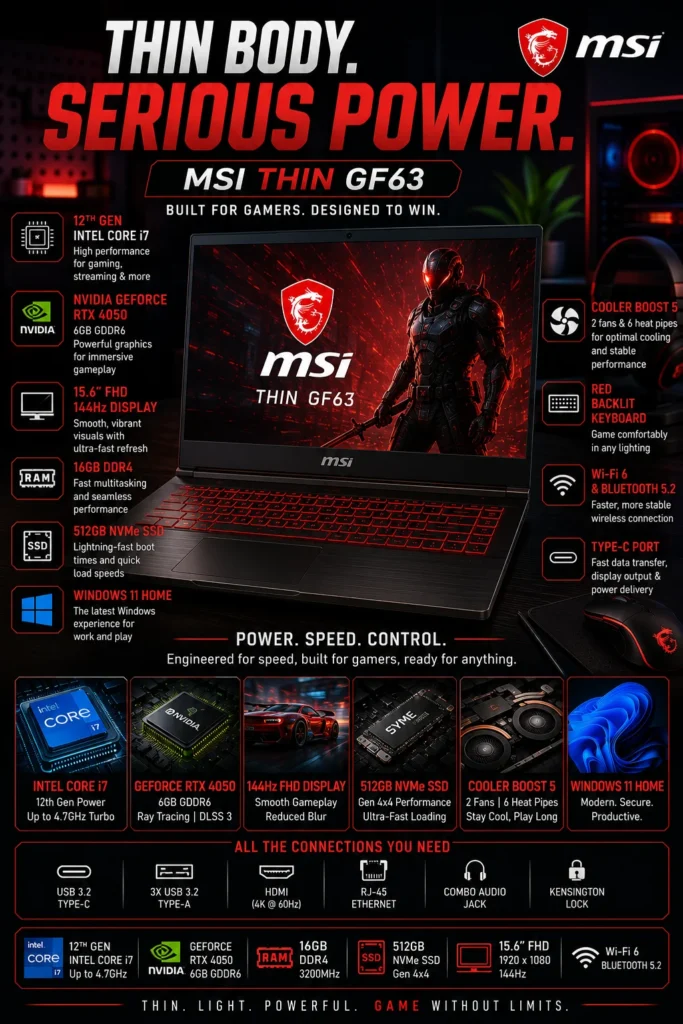
The MSI Thin GF63 is our #6 pick and Best RTX 4050 Laptop for Students & Beginners in 2026. It provides a straightforward way to enter RTX gaming without requiring buyers to move into a more expensive or more specialized gaming platform. Its Intel Core i7-12650H processor, dedicated RTX 4050 graphics, and relatively portable design make it capable of handling gaming, schoolwork, everyday productivity, and light creative workloads.

• Practical choice for students and first-time gaming laptop buyers who want dedicated RTX 4050 graphics
• Intel Core i7-12650H provides capable multi-core performance for gaming, multitasking, schoolwork, and everyday applications
• NVIDIA GeForce RTX 4050 provides dedicated graphics capability for modern 1080p gaming and supported GPU-accelerated applications
• Relatively portable gaming-laptop design makes it easier to carry between home, school, and other everyday environments
• 16GB memory provides a more comfortable starting configuration for gaming and multitasking than many entry-level 8GB systems
• PCIe SSD storage provides fast Windows startup, application launches, and everyday system responsiveness
• Suitable for students who need one computer for coursework, entertainment, programming, and gaming
• Straightforward hardware configuration can make it easier for first-time gaming laptop buyers to understand and use

The MSI Thin GF63 earns our Best RTX 4050 Laptop for Students & Beginners designation because it offers a relatively uncomplicated combination of gaming capability and everyday usability. A student can use it for research, documents, programming, online classes, and productivity during the day while still having access to dedicated RTX 4050 graphics for gaming and entertainment.

However, its position at #6 is intentional. The newer and more performance-focused options higher in this guide offer stronger overall combinations of cooling, display quality, upgrade potential, efficiency, or long-term value. The GF63 therefore makes the most sense when its price, portability, and straightforward configuration are more important than having the most modern platform available. Buyers comparing it with the MSI Thin A15 should also consider the A15 when portability and newer hardware characteristics are higher priorities.

• Intel Core i7-12650H processor• NVIDIA GeForce RTX 4050 Laptop GPU• 6GB GDDR6 dedicated graphics memory• NVIDIA DLSS support• Hardware-accelerated ray tracing• Designed primarily for 1080p gamingThe GeForce RTX 4050 provides the GF63 with dedicated graphics performance for modern 1080p gaming. It also supports NVIDIA technologies such as DLSS and hardware-accelerated ray tracing in compatible games.The GPU gives the laptop enough performance for a broad range of modern games, while also providing useful acceleration for supported creative and productivity applications.For buyers entering RTX gaming for the first time, the GF63 offers a straightforward combination of dedicated graphics performance and everyday computing capability.
• Intel Core i7-12650H processor• Hybrid performance architecture• 10 cores and 16 threads• Strong multitasking capability• Suitable for school and everyday productivityThe Core i7-12650H gives the GF63 considerably more processing capability than basic entry-level laptops. Its hybrid architecture combines performance and efficiency cores to handle demanding applications alongside everyday tasks.This makes the laptop suitable for students working with documents, browser tabs, programming environments, presentations, communication applications, and other productivity software.The processor is also useful for users who want to combine gaming with everyday workloads, although newer platforms higher in this ranking can provide a better overall balance of performance, efficiency, and platform longevity.
• 15.6-inch display• Full HD resolution• 144Hz refresh rate• Anti-glare surface• Gaming-oriented refresh rateThe 144Hz refresh rate provides smoother motion than a traditional 60Hz display and is particularly useful in competitive games where responsiveness and motion clarity matter.The 15.6-inch screen also provides a practical workspace for schoolwork, browsing, documents, streaming, and everyday applications.The display is best viewed as a functional gaming panel rather than a premium visual experience. Buyers who prioritize color accuracy, high brightness, or OLED-level image quality should consider higher-ranked alternatives in this guide.
• Relatively lightweight gaming-laptop design• Practical 15.6-inch form factor• Easier to transport than many larger gaming laptops• Suitable for classrooms and commuting• Designed for mixed gaming and everyday useThe GF63 is more practical to carry than many larger gaming laptops, making it a reasonable choice for students who regularly move between home, school, and other locations.Its relatively compact footprint also makes it easier to integrate into smaller desks and shared workspaces.However, portability should be considered a supporting advantage rather than the main reason to choose the GF63. Buyers who place the highest priority on mobility should also compare it with the MSI Thin A15, which is positioned higher in this guide specifically because of its portability-focused design.
• 16GB memory configuration• PCIe SSD storage• Fast system startup and application loading• Suitable capacity for everyday gaming and productivity• Upgrade potential depending on configurationThe 16GB memory configuration provides a much more comfortable starting point than many entry-level gaming laptops equipped with only 8GB. It is suitable for gaming, browser-heavy workflows, school applications, communication software, and everyday multitasking.PCIe SSD storage also keeps Windows startup, application launches, and general system responsiveness fast.Because hardware configurations can vary between GF63 models, buyers should verify the exact memory and storage configuration before purchasing and confirm which components are upgradeable.
Ideal for:• College students• First-time gaming laptop buyers• Casual gamers• Students who also need a productivity machine• Everyday office and school work• Programming and general computing• Streaming and media consumption• Buyers looking for an accessible RTX gaming platformThe GF63 is particularly well suited to buyers who want one computer for school, everyday productivity, entertainment, and gaming without moving into a more expensive performance-focused system.Its straightforward configuration can also make it appealing to first-time gaming laptop buyers who may not need the highest-end display, cooling system, or gaming performance available.
The MSI Thin GF63 ranks #6 because it remains a capable entry point into RTX 4050 gaming, but the laptops above it provide stronger combinations of performance, cooling, display quality, portability, upgrade potential, or overall value.The ASUS TUF Gaming A16 is the better overall choice, while the Lenovo LOQ 15 is more compelling for buyers focused primarily on gaming performance. The HP Victus 15 provides a stronger gaming-and-productivity balance, and the Acer Nitro V 15 offers a more aggressive value proposition for budget-conscious buyers.The MSI Thin A15 is also a stronger alternative when portability is the primary consideration.The GF63 therefore makes the most sense when buyers find it at a competitive price and value its combination of RTX 4050 graphics, Core i7 processing, 16GB memory, and relatively portable design more than having the newest platform or strongest overall gaming system.
At a Glance

Best RTX 4050 Gaming Laptops Under $1000 in 2026

Ranked by Gaming Performance, Thermals, Display Quality, Portability, Upgradeability & Overall Value

Choosing the best RTX 4050 gaming laptop under $1000 requires more than simply comparing graphics cards. Different laptops use the same RTX 4050 GPU in very different ways, with meaningful differences in cooling, processor performance, display quality, memory configuration, portability, upgrade potential, and long-term value.We evaluated these six laptops based on their intended use cases and overall ownership experience. The ranking considers gaming performance, sustained thermal performance, display characteristics, productivity capability, portability, upgradeability, connectivity, configuration, and price positioning to help you identify the RTX 4050 laptop that best matches your priorities in 2026.

LaptopCPU & Key SpecsBest ForWhy It WinsEditor's VerdictBuy
Best Overall ASUS TUF Gaming A16 Check Price
AMD Ryzen 5 7535HS
RTX 4050 6GB
16GB DDR5
512GB SSD
16" 1920 × 1200 144Hz
Most Gamers
Students
Creators
Everyday Users
The TUF Gaming A16 delivers the strongest overall balance in this ranking, combining RTX 4050 gaming performance with a larger 16:10 display, robust construction, capable cooling, and a practical memory and storage configuration. Its Ryzen 5 processor is not the fastest CPU in the group, but the complete system is exceptionally well balanced for long-term everyday use. Best Overall RTX 4050 Gaming Laptop Under $1000 Check Price
Best Gaming Performance Lenovo LOQ 15 Check Price
AMD Ryzen 5 7235HS
RTX 4050 6GB
16GB DDR5
512GB SSD
15.6" 144Hz G-SYNC
Competitive Gamers
AAA Gaming
Performance-Focused Buyers
The LOQ 15 is built around gaming fundamentals, with strong thermal behavior, a fast gaming display, RTX 4050 graphics, and useful upgrade potential. Its Ryzen 5 7235HS has fewer cores than some competing processors, but the platform remains highly capable for buyers whose primary priority is gaming performance. Best RTX 4050 Laptop for Gaming Performance Check Price
Best Gaming & Productivity HP Victus 15 Check Price
Intel Core i5-13420H
RTX 4050 6GB
16GB Memory
512GB SSD
15.6" 144Hz
Students
Office Users
Multitaskers
Everyday Gamers
The Victus 15 provides one of the most versatile combinations of gaming and productivity performance in this price range. Its Core i5-13420H processor handles multitasking well, while the RTX 4050 provides strong gaming capability. The main compromise is its more basic display compared with higher-end alternatives. Best RTX 4050 Laptop for Gaming & Productivity Check Price
Best Budget Pick Acer Nitro V 15 Check Price
Intel Core i5-13420H
RTX 4050 6GB
8GB DDR5
512GB SSD
15.6" 144Hz
Budget Gamers
First-Time Buyers
Esports Players
The Nitro V 15 offers one of the most aggressive value propositions in the RTX 4050 category. It provides dedicated RTX graphics and a fast 144Hz display at a lower entry price than many competitors. The included 8GB of memory is its main weakness, making a RAM upgrade an important consideration for long-term use. Best RTX 4050 Gaming Laptop for Performance per Dollar Check Price
Best Portable Pick MSI Thin A15 Check Price
AMD Ryzen 5 7535HS
RTX 4050 6GB
8GB DDR5
512GB SSD
15.6" 144Hz
Students
Travelers
Mobile Gamers
Commuters
The Thin A15 focuses on portability while retaining the dedicated RTX 4050 graphics capability expected from a gaming laptop. Its slimmer design makes it easier to carry than many larger gaming systems. The 8GB memory configuration and more mobility-focused thermal design are meaningful compromises for buyers seeking maximum sustained gaming performance. Best Portable RTX 4050 Gaming Laptop Check Price
Best for Students & Beginners MSI Thin GF63 Check Price
Intel Core i7-12650H
RTX 4050 6GB
16GB Memory
PCIe SSD
15.6" 144Hz
Students
First-Time Buyers
Casual Gamers
Everyday Users
The GF63 remains a straightforward entry point into RTX 4050 gaming, combining a capable Core i7 processor, dedicated RTX graphics, 16GB memory, and a relatively portable design. It ranks below the newer and more balanced alternatives because its platform, cooling characteristics, and overall feature set are less compelling than the higher-ranked models. Best RTX 4050 Laptop for Students & First-Time Buyers Check Price
```
Keep Exploring

Recommended Next Reads

Still deciding which gaming laptop is right for you? Explore our expert buying guides for different budgets, gaming performance levels, students, and users who need a laptop for both gaming and everyday work.

Whether you want to spend less than $800, move up to a more powerful gaming laptop, balance gaming with productivity, or understand which GPU level makes sense for your budget, these guides can help you make a more confident purchase decision.

01

EDITOR'S FINAL RECOMMENDATIONS

Our Final RTX 4050 Gaming Laptop Recommendations Under $1000 in 2026

After comparing RTX 4050 gaming laptops across gaming performance, cooling, display quality, upgradeability, portability, processor performance, connectivity, and long-term value, these are our final recommendations for 2026. Whether you prioritize maximum gaming performance, productivity, portability, value, or an easy entry into PC gaming, there is a strong option here for your needs and budget.

BEST GAMING PERFORMANCE

Lenovo LOQ 15

The performance-focused choice for gamers who want strong RTX 4050 gaming capability, a fast 144Hz display with G-SYNC support, effective cooling, and excellent upgrade potential. The LOQ 15 is particularly attractive to competitive gamers and buyers who prioritize gaming performance over portability.

  • ✓ NVIDIA GeForce RTX 4050
  • ✓ 144Hz G-SYNC Display
  • ✓ Strong Cooling Performance
  • ✓ Excellent Upgradeability
Best RTX 4050 laptop for gaming performance
BEST FOR GAMING & PRODUCTIVITY

HP Victus 15

The most balanced option for users who need a laptop for more than gaming. The HP Victus 15 combines the RTX 4050 with an Intel Core i5-13420H processor, 16GB memory, and a practical design that works well for gaming, school, office applications, multitasking, and everyday productivity.

  • ✓ Intel Core i5-13420H
  • ✓ NVIDIA GeForce RTX 4050
  • ✓ 16GB Memory
  • ✓ 144Hz Full HD Display
Best RTX 4050 laptop for gaming and productivity
BEST BUDGET

Acer Nitro V 15

The value-focused RTX 4050 gaming laptop in this ranking. The Acer Nitro V 15 delivers strong 1080p gaming performance, a fast 144Hz display, modern connectivity, and excellent upgrade potential at a lower price than many competing RTX 4050 machines. Its included 8GB memory is the main limitation, but the upgrade-friendly platform improves its long-term value.

  • ✓ NVIDIA GeForce RTX 4050
  • ✓ 144Hz Full HD Display
  • ✓ Upgradeable DDR5 Memory
  • ✓ Strong Performance-per-Dollar
Best budget RTX 4050 gaming laptop
BEST PORTABLE

MSI Thin A15

The best choice for buyers who want RTX 4050 gaming performance in a more portable design. The MSI Thin A15 combines a Ryzen 5 7535HS processor, RTX 4050 graphics, a 144Hz display, and Wi-Fi 6E connectivity in a slimmer form factor that is easier to carry between school, work, home, and travel.

  • ✓ AMD Ryzen 5 7535HS
  • ✓ NVIDIA GeForce RTX 4050
  • ✓ 144Hz Full HD Display
  • ✓ Wi-Fi 6E Connectivity
Best portable RTX 4050 gaming laptop
BEST FOR STUDENTS & BEGINNERS

MSI Thin GF63

A practical entry point for students and first-time gaming laptop buyers. The MSI Thin GF63 combines an Intel Core i7-12650H processor with RTX 4050 graphics, 16GB memory, and a relatively portable design, making it suitable for gaming, schoolwork, streaming, productivity, and everyday computing.

  • ✓ Intel Core i7-12650H
  • ✓ NVIDIA GeForce RTX 4050
  • ✓ 16GB Memory
  • ✓ 144Hz Full HD Display
Best beginner-friendly RTX 4050 laptop
QUICK DECISION

Which RTX 4050 gaming laptop under $1000 should you buy?

Best Overall

ASUS TUF Gaming A16

Best Gaming Performance

Lenovo LOQ 15

Best Gaming & Productivity

HP Victus 15

Best Budget

Acer Nitro V 15

Best Portable

MSI Thin A15

Best for Students & Beginners

MSI Thin GF63

RTX 4050 gaming laptop prices, configurations, and availability can change frequently. Before purchasing, check Amazon for the latest price, available memory and storage configurations, warranty coverage, and current promotions.

EDITOR'S FINAL VERDICT

Final Verdict: Best RTX 4050 Gaming Laptops Under $1000 in 2026

After comparing RTX 4050 gaming laptops across gaming performance, cooling, display quality, processor performance, upgradeability, portability, connectivity, and long-term value, one conclusion stands out:The best RTX 4050 gaming laptop under $1000 is not necessarily the model with the most impressive specifications. It is the laptop that delivers the right combination of sustained gaming performance, cooling, display quality, reliability, upgrade potential, and value for the way you actually plan to use it.

Modern gaming laptops are expected to handle much more than gaming. Buyers increasingly use the same machine for AAA games, competitive esports, school, work, streaming, content creation, research, video calls, and everyday multitasking. That makes cooling, memory, display quality, processor performance, and overall usability just as important as the RTX 4050 GPU itself.

For most gamers in 2026, a strong RTX 4050 laptop should provide at least 16GB of memory, fast SSD storage, a high-refresh-rate display, effective cooling, and enough upgrade potential to remain useful for several years.
Best RTX 4050 Laptop Overall ASUS TUF Gaming A16
Best Gaming Performance Lenovo LOQ 15
Best Gaming & Productivity HP Victus 15
Best Budget RTX 4050 Acer Nitro V 15
The simple answer:
  • Choose the ASUS TUF Gaming A16 if you want the strongest overall combination of gaming performance, cooling, durability, display quality, and long-term value.
  • Choose the Lenovo LOQ 15 if gaming performance, strong thermals, G-SYNC support, and upgradeability are your highest priorities.
  • Choose the HP Victus 15 if you need a versatile laptop that can handle gaming, school, office work, multitasking, and everyday productivity.
  • Choose the Acer Nitro V 15 if your priority is getting RTX 4050 gaming performance at a lower price while retaining useful upgrade options.

Top RTX 4050 Gaming Laptop Recommendations Under $1000 (2026)

BEST OVERALL

ASUS TUF Gaming A16

Our Editor's Choice for most gamers because it provides the strongest overall balance of RTX 4050 gaming performance, cooling, durability, display quality, and long-term usability. It is the safest recommendation for buyers who want one machine that can handle gaming and everyday workloads.

  • ✓ NVIDIA GeForce RTX 4050
  • ✓ 16-inch 144Hz Display
  • ✓ Strong Cooling System
  • ✓ Durable TUF Gaming Platform
BEST GAMING PERFORMANCE

Lenovo LOQ 15

The performance-focused choice for gamers who want strong RTX 4050 gaming capability, a fast 144Hz display with G-SYNC support, effective cooling, and excellent upgrade potential. It is particularly well suited to performance-focused and competitive gamers.

  • ✓ NVIDIA GeForce RTX 4050
  • ✓ 144Hz G-SYNC Display
  • ✓ Strong Thermal Performance
  • ✓ Excellent Upgradeability
BEST GAMING & PRODUCTIVITY

HP Victus 15

The strongest mixed-use recommendation in the ranking. The Victus combines RTX 4050 graphics with an Intel Core i5-13420H processor, 16GB memory, and a practical design that works equally well for gaming, school, office applications, multitasking, and everyday use.

  • ✓ Intel Core i5-13420H
  • ✓ NVIDIA GeForce RTX 4050
  • ✓ 16GB Memory
  • ✓ 144Hz Full HD Display
Choose the ASUS TUF Gaming A16 if:
  • ✓ You want the best overall RTX 4050 gaming laptop under $1000
  • ✓ Cooling and sustained gaming performance are important
  • ✓ You prefer a larger 16-inch high-refresh-rate display
  • ✓ You want strong durability and long-term value
Choose the Lenovo LOQ 15 if:
  • ✓ Gaming performance is your top priority
  • ✓ You want G-SYNC support and a fast gaming display
  • ✓ Upgradeability matters to you
  • ✓ You want strong performance for competitive and AAA gaming
Before Buying Any RTX 4050 Gaming Laptop Under $1000:
  • ✓ Prefer 16GB memory for modern gaming and multitasking
  • ✓ Look for fast SSD storage with enough capacity for your game library
  • ✓ Prioritize effective cooling for sustained gaming performance
  • ✓ Consider upgradeability if you plan to keep the laptop for several years
Editor's Final Recommendation:

An RTX 4050 laptop is more than a combination of a processor and graphics card. You may use it for thousands of hours across gaming, school, work, entertainment, and everyday computing, so cooling, display quality, keyboard comfort, portability, upgradeability, and long-term reliability can have a major impact on the ownership experience.

Among the models evaluated in this guide, the ASUS TUF Gaming A16 delivers the strongest overall combination of gaming performance, cooling, durability, display quality, and value, making it our Editor's Choice for the best RTX 4050 gaming laptop under $1000 in 2026.

Editor's Choice See Today's Best RTX 4050 Gaming Laptop Deals

Compare current prices, available memory and storage configurations, warranty coverage, and promotions before choosing the RTX 4050 gaming laptop that best matches your gaming style and budget.

Check Latest Deals

EDITOR'S FAQ

Frequently Asked Questions About the Best RTX 4050 Gaming Laptops Under $1000 in 2026

Choosing the best RTX 4050 gaming laptop under $1000 requires more than comparing GPU and CPU specifications. Gaming performance can vary significantly depending on cooling, display quality, processor configuration, memory, upgradeability, power limits, and overall laptop design.These frequently asked questions address the most important buying decisions for gamers, students, creators, and first-time gaming laptop buyers looking for the best combination of performance, value, portability, and long-term usability in 2026.

The ASUS TUF Gaming A16 is our best overall RTX 4050 gaming laptop under $1000 in 2026.

It provides one of the strongest overall combinations of gaming performance, cooling, durability, display quality, and long-term value in this price range.

  • RTX 4050 dedicated graphics
  • AMD Ryzen 5 7535HS processor
  • 16-inch 144Hz display
  • Strong cooling system
  • Durable gaming-oriented chassis

The ASUS TUF Gaming A16 is particularly attractive for buyers who want a gaming laptop that can handle modern AAA games while also remaining useful for school, productivity, streaming, and everyday computing.

Check Price
The ASUS TUF Gaming A16 and Lenovo LOQ are among the strongest gaming-focused options in this comparison, while the MSI Thin GF63 stands out for CPU performance.

Gaming performance depends on more than simply having an RTX 4050. Cooling, processor performance, GPU power configuration, memory, and display characteristics can all affect the real-world experience.

  • ASUS TUF Gaming A16 → Best overall gaming balance.
  • Lenovo LOQ → Excellent gaming performance with strong upgradeability and G-SYNC support.
  • MSI Thin GF63 → Strong Core i7 processor performance for gaming and multitasking.

For buyers primarily interested in gaming, the ASUS TUF Gaming A16 and Lenovo LOQ are the strongest places to start.

The Lenovo LOQ Gaming Laptop is our best value RTX 4050 gaming laptop in this comparison.

The LOQ combines dedicated RTX 4050 graphics, a high-refresh-rate display, G-SYNC support, DDR5 memory, and strong upgrade potential into a gaming-focused platform that delivers excellent performance for the money.

  • RTX 4050 6GB dedicated graphics
  • 144Hz IPS display
  • G-SYNC support
  • DDR5 memory
  • Strong upgradeability

It is especially compelling for buyers who want strong gaming performance without moving into a significantly more expensive laptop category.

View Deal
Yes. 16GB of RAM remains the recommended starting point for most RTX 4050 gaming laptops in 2026.

Modern games can use significant amounts of memory, especially when combined with browsers, Discord, launchers, streaming software, and other applications running in the background.

  • 8GB → Usable for lighter gaming but increasingly restrictive for modern workloads.
  • 16GB → Recommended for most gaming and everyday multitasking.
  • 32GB → Better for streaming, video editing, content creation, virtual machines, and heavy multitasking.

For most buyers, getting an RTX 4050 laptop with 16GB of RAM is preferable to choosing a higher memory configuration while compromising on the GPU, cooling, or overall laptop quality.

The ASUS TUF Gaming A16 and Lenovo LOQ offer some of the strongest display experiences in this comparison.

A high refresh rate can make games feel significantly smoother, particularly in competitive titles where responsiveness matters.

  • ASUS TUF Gaming A16 → 16-inch 144Hz display with a larger gaming workspace.
  • Lenovo LOQ → 144Hz IPS display with G-SYNC support.
  • Acer Nitro V → 144Hz IPS display with strong value for the price.

For gaming, a 144Hz panel is a major advantage over a traditional 60Hz display. Buyers should also consider brightness, color quality, resolution, and viewing angles rather than looking at refresh rate alone.

Check ASUS TUF A16
The Acer Nitro V 15 is our best budget-oriented RTX 4050 gaming laptop for buyers focused on performance per dollar.

The Nitro V provides dedicated RTX 4050 graphics, a high-refresh-rate display, upgrade potential, and strong everyday gaming performance while competing aggressively on price.

  • RTX 4050 dedicated graphics
  • Intel Core i5-13420H processor
  • 144Hz gaming display
  • DDR5 memory
  • Strong upgrade potential

The main consideration is memory configuration. Some configurations ship with only 8GB of RAM, so buyers should check the exact configuration before purchasing and consider upgrading to 16GB for a better long-term gaming experience.

Check Deal
The HP Victus 15 is one of the strongest choices for students who want a laptop that can handle both gaming and academic work.

Students often need more versatility than a gaming laptop designed exclusively for maximum FPS. The Victus 15 provides a practical balance between gaming, productivity, school projects, video calls, entertainment, and everyday computing.

  • RTX 4050 dedicated graphics
  • Intel Core i5-13420H processor
  • Gaming-capable performance
  • Comfortable productivity-oriented design
  • Suitable for gaming and academic workloads

It is particularly attractive for students who want one machine capable of handling both college work and modern games without purchasing separate systems.

Check Price
Yes. RTX 4050 laptops can be very capable machines for entry-level and intermediate content creation, particularly when paired with a strong processor and adequate memory.

The dedicated NVIDIA GPU can accelerate supported creative applications and provides useful performance for video editing, streaming, image processing, and other GPU-accelerated workloads.

  • MSI Thin GF63 → Strong Core i7 processor performance for multitasking and productivity.
  • ASUS TUF Gaming A16 → Strong overall combination of GPU performance and cooling.
  • Lenovo LOQ → Strong gaming platform with upgrade potential.

For serious professional video production, buyers may benefit from moving to a laptop with a more powerful GPU, larger memory configuration, better display, and stronger sustained cooling. For students, creators, and occasional editors, an RTX 4050 can provide an excellent starting point.

View MSI Thin GF63
Yes. Cooling is one of the most important factors when choosing a gaming laptop, especially for long gaming sessions.

Gaming laptops operate under sustained CPU and GPU loads. If the cooling system cannot effectively dissipate heat, the laptop may reduce performance to control temperatures, which can affect sustained frame rates and responsiveness.

  • Better cooling can help maintain more consistent performance.
  • Thermal design affects sustained CPU and GPU performance.
  • Fan noise can vary significantly between gaming laptop designs.
  • Chassis design and airflow influence long-term usability.
  • Cooling becomes particularly important during extended gaming sessions.

This is one reason our ranking does not rely exclusively on CPU and GPU specifications. A laptop with slightly lower theoretical specifications can sometimes provide a better real-world gaming experience when its cooling and power configuration are better balanced.

For most gamers, the ASUS TUF Gaming A16 is our recommended RTX 4050 gaming laptop under $1000 in 2026.

The best choice ultimately depends on your priorities, budget, and workload.

  • Best Overall → ASUS TUF Gaming A16
  • Best Value → Lenovo LOQ Gaming Laptop
  • Best for Students → HP Victus 15
  • Best Budget Pick → Acer Nitro V
  • Best Portable Option → MSI Thin A15
  • Best CPU Performance → MSI Thin GF63

If you want the strongest all-around combination of gaming performance, cooling, durability, display quality, and long-term value, the ASUS TUF Gaming A16 remains our Editor's Choice. Buyers focused on value should look closely at the Lenovo LOQ, while students and first-time buyers may prefer the HP Victus 15 for its versatility.

Check Best RTX 4050 Deal

RTX 4050 GAMING LAPTOP BUYING GUIDE

Common Mistakes When Choosing an RTX 4050 Gaming Laptop Under $1000 in 2026

Choosing an RTX 4050 gaming laptop under $1000 is not simply about finding the cheapest model with NVIDIA's RTX 4050 GPU. Gaming performance depends on the complete system, including processor performance, GPU power limits, cooling, memory, display quality, storage, upgradeability, and overall build quality.The wrong laptop can deliver disappointing performance despite having the same RTX 4050 badge as a better-designed model. Poor cooling can reduce sustained performance, limited RAM can affect multitasking, and a weak display can make an otherwise powerful gaming system feel less impressive.Avoid these common mistakes before choosing your next RTX 4050 gaming laptop in 2026.

Editor's Insight

The RTX 4050 is only one part of the gaming experience. Two laptops equipped with the same GPU can perform differently because of cooling systems, power limits, processor selection, memory configuration, display characteristics, and chassis design.For most gamers in 2026, we recommend at least 16GB of RAM, a high-refresh-rate display, fast SSD storage, effective cooling, and a laptop with accessible upgrade options whenever possible. Buyers who also stream, edit video, create content, or run demanding applications should consider 32GB of memory when the configuration and budget allow.

Buying Based Only on the RTX 4050 Label

  • Not every RTX 4050 laptop delivers the same real-world gaming performance.
  • GPU power limits and cooling systems can significantly affect sustained performance and frame rates.
  • The processor, memory, display, and chassis design also influence the overall gaming experience.

Better decision: Evaluate the complete laptop rather than the GPU name alone. Look at CPU performance, cooling capability, display quality, RAM, storage, GPU power implementation, and upgradeability before making your decision.

Choosing Only 8GB of RAM

  • Modern games can consume substantial memory, especially when combined with background applications.
  • Streaming, Discord, browsers, recording software, and other applications can quickly increase memory usage.
  • Limited RAM can reduce multitasking capability and create a less comfortable gaming experience.

Better decision: Choose at least 16GB of RAM for modern gaming in 2026. Consider 32GB if you regularly stream, edit video, create content, use virtual machines, or perform heavy multitasking.

Buying a Gaming Laptop with a Weak Display

  • A powerful RTX 4050 GPU can be held back by a low-refresh-rate display.
  • 60Hz panels provide a noticeably less responsive experience than modern high-refresh-rate gaming displays.
  • Poor brightness, viewing angles, and color reproduction can also reduce the quality of everyday use.

Better decision: Look for a quality IPS display with a 144Hz or higher refresh rate when possible. A high-refresh-rate panel makes fast games feel smoother and more responsive while also improving everyday scrolling and navigation.

Ignoring Cooling Performance

  • Gaming creates sustained CPU and GPU workloads that generate significant heat.
  • Poor thermal management can lead to thermal throttling and reduced performance during long sessions.
  • Cooling quality can affect sustained frame rates, fan behavior, and overall system consistency.

Better decision: Pay attention to the laptop's cooling design and thermal performance rather than evaluating benchmark scores alone. Models such as the ASUS TUF Gaming A16 and Lenovo LOQ are particularly attractive when sustained gaming performance and thermal management are important priorities.

Underestimating Storage Requirements

  • Modern AAA games can consume well over 100GB of storage each.
  • A 512GB SSD can become surprisingly restrictive once Windows, applications, and several large games are installed.
  • A growing game library can quickly turn limited storage into a daily inconvenience.

Better decision: Look for laptops with upgradeable SSD storage or additional M.2 slots. If you plan to maintain a large local game library, prioritize a configuration that gives you a realistic path to expand storage later.

Ignoring Upgradeability and Long-Term Value

  • Some gaming laptops provide significantly better RAM and SSD upgrade options than others.
  • Limited upgrade paths can shorten the practical lifespan of an otherwise capable gaming laptop.
  • Future upgrades can be a more economical way to extend a laptop's useful life than replacing the entire system.

Better decision: Prioritize laptops with accessible RAM and SSD upgrade paths when long-term ownership matters. A slightly more expensive model with better upgradeability can provide substantially better value over several years.

Smart Buying Advice for RTX 4050 Gamers

Choose the ASUS TUF Gaming A16 if:

You want the strongest overall combination of RTX 4050 gaming performance, cooling, durability, display quality, and long-term value. It is our preferred choice for gamers who want a balanced system rather than focusing on a single specification.

Choose the Lenovo LOQ if:

You prioritize performance per dollar and want a strong balance of RTX 4050 gaming performance, a high-refresh-rate IPS display, G-SYNC support, and useful upgrade potential. It is particularly attractive for budget-conscious gamers who also need their laptop for school or work.

Key takeaway: The best RTX 4050 gaming laptop under $1000 is not necessarily the cheapest model or the one with the highest benchmark score. It is the laptop that provides the right combination of sustained gaming performance, cooling, display quality, memory, storage, upgrade flexibility, build quality, and value for your gaming habits.

After evaluating the laptops featured in this guide, these are our Editor's top recommendations for RTX 4050 gaming in 2026:

  • Best Overall RTX 4050 Gaming Laptop: ASUS TUF Gaming A16 — the strongest overall balance of gaming performance, cooling, durability, display quality, and long-term value for most gamers.
  • Best Value RTX 4050 Gaming Laptop: Lenovo LOQ Gaming Laptop — an excellent performance-per-dollar choice with a high-refresh-rate IPS display, G-SYNC support, and strong upgrade potential.
  • Best Gaming Laptop for Students: HP Victus 15 — a versatile RTX 4050 laptop that balances gaming, schoolwork, productivity, and everyday use.
  • Best Budget RTX 4050 Gaming Laptop: Acer Nitro V — an attractive option for buyers who want RTX 4050 gaming performance while keeping the purchase price as low as possible.
  • Best AMD Gaming Option: MSI Thin A15 — a strong choice for gamers who prefer AMD hardware and want a Ryzen-based RTX 4050 configuration with DDR5 memory.
  • Best CPU Performance: MSI Thin GF63 — the strongest choice in this lineup for buyers who place additional importance on processor performance, multitasking, streaming, and productivity workloads.

Need help choosing your laptop?

Not sure which option fits your workflow? Get a personalized recommendation based on your budget, performance needs, and usage.

Get personalized recommendation

⚡ Usually responds within 24 hours