
Explore More Gaming & Budget Laptop Buying Guides
Looking for more expert laptop recommendations? Browse our Gaming Laptop Hub for the latest RTX-powered gaming machines, or explore our Budget Laptop Hub to discover the best value laptops across every price range.Best Gaming Laptops Under $2500 (2026): 3 RTX Picks for High-FPS Gaming
Finding the best gaming laptop under $2500 in 2026 is not simply about choosing the most powerful GPU. A great gaming laptop needs strong CPU performance, a capable RTX graphics card, fast and responsive memory, an excellent high-refresh-rate display, effective cooling, and enough sustained performance to deliver smooth gaming sessions without unnecessary compromises.
In this guide, we've selected three of the strongest gaming laptops under $2500 based on real-world gaming performance, GPU capability, cooling, display quality, portability, and long-term value. From the portable ASUS ROG Zephyrus G14 with RTX 5070 to the high-performance Lenovo Legion Pro 7i with RTX 5070 Ti and the premium Alienware X16 R2 with RTX 4070, each laptop is designed for a different type of gamer.Whether you prioritize portability, competitive gaming, sustained high FPS, streaming, premium design, or overall value, these three RTX gaming laptops provide excellent performance without pushing the budget beyond $2500.
ASUS ROG Zephyrus G14 (Ryzen 9 + RTX 5070)
Best Balance of Gaming Performance, Portability & Value
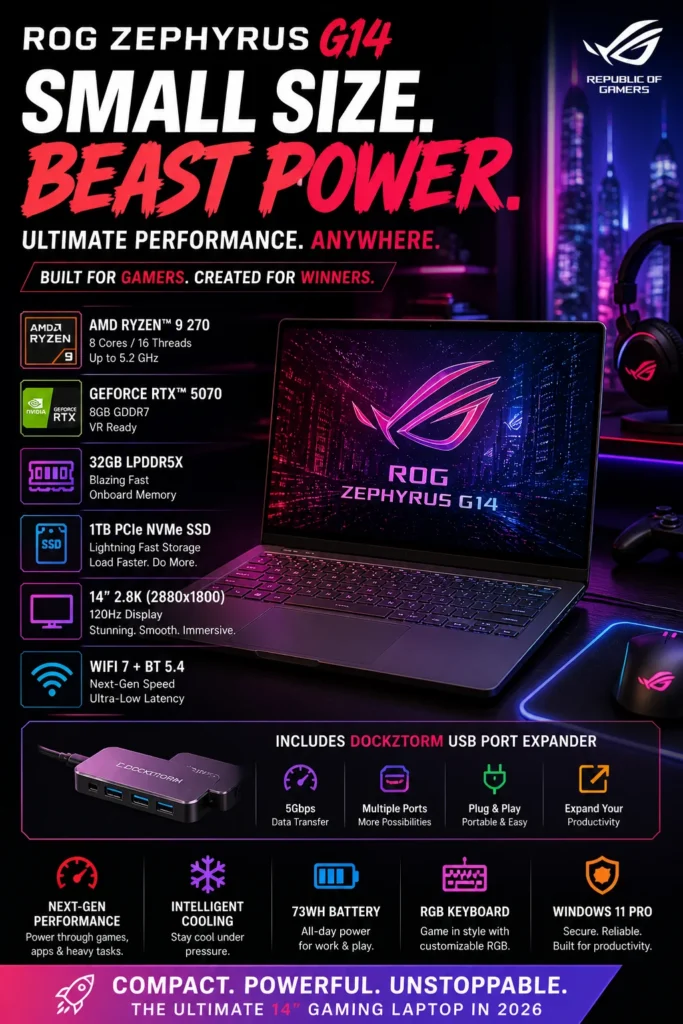
The ASUS ROG Zephyrus G14 (2026) is our top recommendation for the best value and balanced gaming laptop under $2500. With a powerful AMD Ryzen 9 processor, NVIDIA RTX 5070 GPU with 8GB GDDR7 memory, 32GB of LPDDR5X RAM, and a 14-inch 2.8K OLED 120Hz display, it delivers an exceptional combination of gaming performance, portability, and premium features. Whether you're playing modern AAA games, competing in esports titles, streaming, editing content, or using demanding creative applications, the Zephyrus G14 provides the performance needed without the size and weight of a traditional gaming laptop.
The Zephyrus G14 earns our Best Value / Balanced Gaming Laptop award because it delivers one of the strongest combinations of performance and portability in this guide. It is powerful enough for modern AAA gaming while remaining compact enough for students, travelers, creators, and gamers who do not want to carry a large desktop-replacement laptop.
Compared with larger gaming machines such as the Lenovo Legion Pro 7i, the G14 gives up some sustained high-performance headroom in exchange for a much more portable design. Compared with the premium Alienware X16 R2, it offers a more compact form factor while still providing powerful RTX 5070 graphics. For gamers who want high-end performance without sacrificing portability, the ASUS ROG Zephyrus G14 is one of the smartest choices in the under-$2500 category.
Key Features
Alienware X16 R2 (RTX 4070, Intel Core Ultra 7)
Best Premium Gaming Laptop for Esports & High-Refresh Gaming
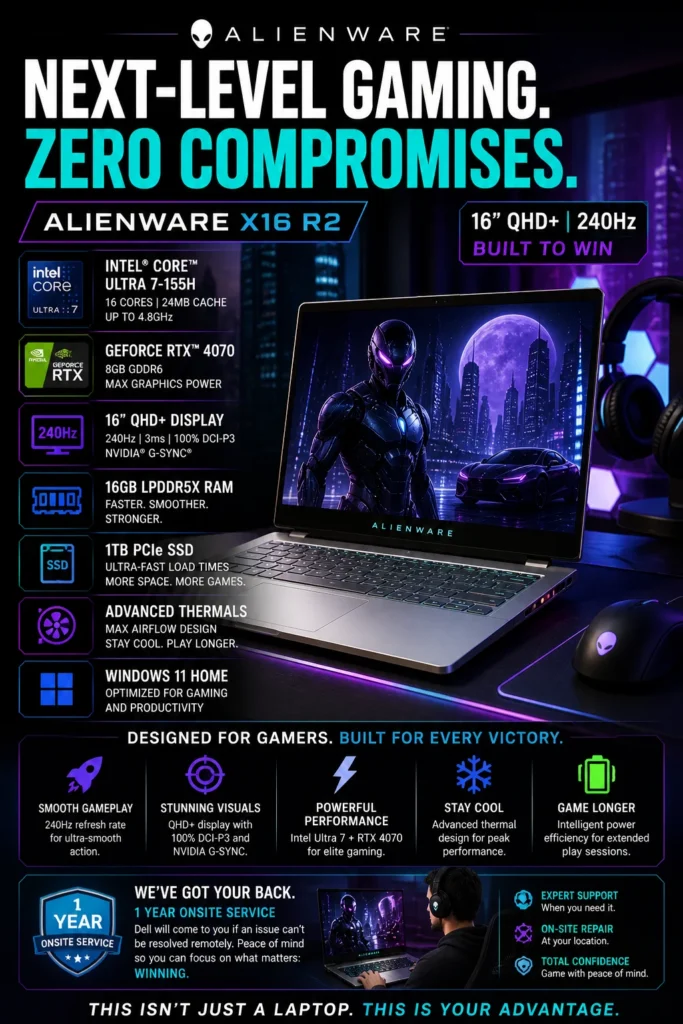
The Alienware X16 R2 is our Best Ultra Premium Gaming Laptop for gamers who want a combination of high-end performance, an immersive 16-inch display, premium construction, and distinctive Alienware design. Equipped with an Intel Core Ultra 7 155H processor, NVIDIA GeForce RTX 4070 graphics, 16GB of LPDDR5X memory, and a 1TB SSD, it delivers the performance needed for modern AAA games, competitive gaming, content creation, and demanding everyday workloads. The standout 16-inch QHD+ 240Hz display adds exceptional smoothness and responsiveness for fast-paced games while providing an expansive viewing experience for movies, creative applications, and everyday use. For gamers who prioritize premium design and immersive gaming alongside strong performance, the Alienware X16 R2 remains an impressive high-end choice.
The Alienware X16 R2 earns our Best Ultra Premium Gaming Laptop designation because it combines strong RTX 4070 gaming performance with one of the most distinctive premium designs in this category. Its large QHD+ 240Hz display is particularly attractive to competitive gamers who want high refresh rates without sacrificing resolution, while the premium Alienware construction gives the machine a unique identity that separates it from more conventional gaming laptops.
Compared with the ASUS ROG Zephyrus G14, the Alienware X16 R2 offers a larger and more immersive 16-inch gaming experience, while the G14 focuses more heavily on portability. The Lenovo Legion Pro 7i remains the stronger choice for buyers prioritizing maximum sustained gaming performance, but the Alienware X16 R2 is the better fit for gamers who value premium design, a large 240Hz display, and a more luxurious overall gaming experience.
Key Features
Lenovo Legion Pro 7i (RTX 5070 Ti, Core Ultra 9)
Best Laptop for High-FPS Gaming & Sustained Performance
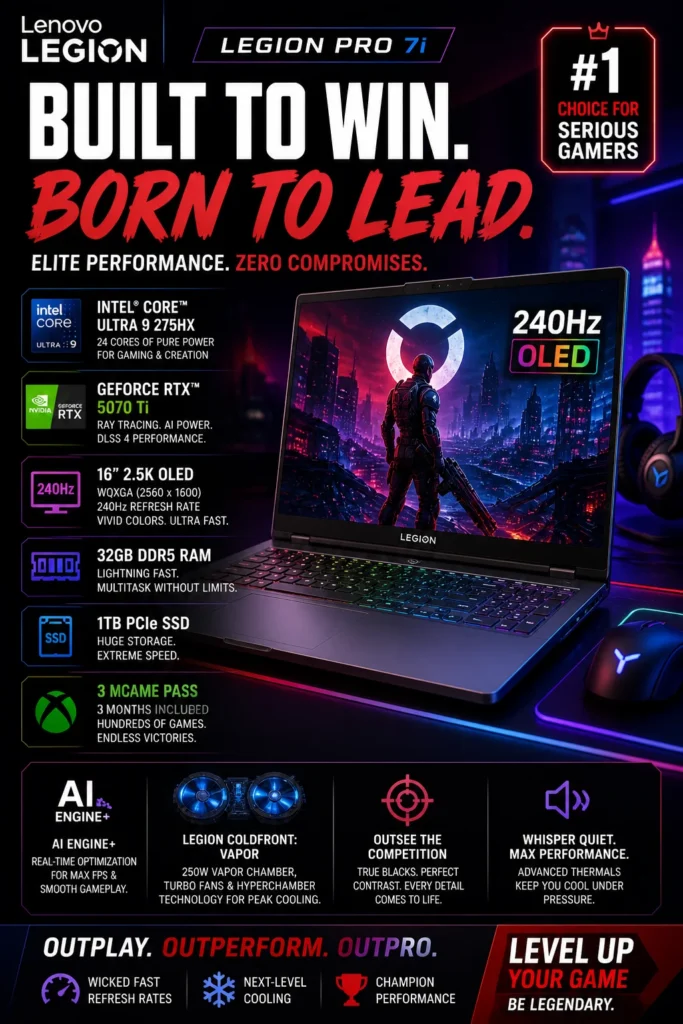
The Lenovo Legion Pro 7i (2025) is our top recommendation for the best high-performance gaming laptop under $2500 in 2026. Equipped with an Intel Core Ultra 9 275HX, NVIDIA GeForce RTX 5070 Ti, 32GB of DDR5 memory, and a 16-inch 2.5K OLED 240Hz display, it is designed for gamers who prioritize maximum sustained performance, high frame rates, and competitive gaming responsiveness. Whether you're playing demanding AAA games, competing in esports titles, streaming gameplay, editing content, or running demanding applications in the background, the Legion Pro 7i provides the hardware headroom needed for consistently strong performance.
The Legion Pro 7i earns our Best High-Performance Gaming Laptop award because it prioritizes the areas that matter most to serious gamers: sustained performance, powerful graphics, high refresh rates, cooling capability, and display quality. It is particularly compelling for players who want to run demanding AAA games at high settings while maintaining the responsiveness required for competitive gaming.
Compared with the more portable ASUS ROG Zephyrus G14 and the more design-focused Alienware X16 R2, the Legion Pro 7i is the performance-first choice. Its combination of the RTX 5070 Ti, Core Ultra 9 275HX, 32GB DDR5 memory, 240Hz OLED display, and advanced cooling makes it the strongest option in this guide for gamers who prioritize maximum gaming performance and long-session stability over compact size and portability.
Key Features
Best Gaming Laptops Under $2500 (2026)
Ranked by Gaming Performance, GPU Power, Display Quality, Cooling & Long-Term Value
Choosing the best gaming laptop under $2500 is not simply about picking the laptop with the most powerful GPU. Real gaming performance depends on the combination of processor performance, GPU capability, display quality, cooling, memory, storage, and sustained performance during long gaming sessions. We evaluated these laptops based on their ability to handle demanding AAA games, competitive esports titles, high-refresh-rate gaming, streaming, content creation, and everyday gaming workloads while maintaining strong long-term value.
| Laptop | CPU & Key Specs | Best For | Why It Wins | Editor's Verdict |
|---|---|---|---|---|
Best Overall / Best Value
ASUS ROG Zephyrus G14
Check Price
| AMD Ryzen 9 270 RTX 5070 8GB GDDR7 32GB LPDDR5X 1TB SSD 14" 2.8K OLED 120Hz | Portable Gaming AAA Gaming Gaming & Creators | Excellent combination of RTX 5070 performance, 32GB memory, OLED display quality, and compact 14-inch portability. It delivers serious gaming performance without the size and weight of larger performance-focused laptops. | Best Gaming Laptop for Power & Portability |
Best Performance
Lenovo Legion Pro 7i
Check Price
| Intel Core Ultra 9 275HX RTX 5070 Ti 8GB GDDR7 32GB DDR5 6400MHz 1TB SSD 16" 2.5K OLED 240Hz | Competitive Gaming AAA Gaming Streaming & Content Creation | The strongest performance combination in this guide, with an RTX 5070 Ti, high-end Core Ultra 9 processor, 32GB DDR5 memory, 240Hz OLED display, and advanced cooling designed for sustained gaming workloads. | Best High-Performance Gaming Laptop |
Premium Pick
Alienware X16 R2
Check Price
| Intel Core Ultra 7 155H RTX 4070 8GB GDDR6 16GB LPDDR5X 1TB SSD 16" QHD+ 240Hz | Esports Gaming Premium Gaming Design & Build Quality | Premium Alienware design, a large 240Hz QHD+ display, RTX 4070 graphics, and a performance-focused thermal system make it an attractive option for gamers who value both aesthetics and high-refresh-rate gaming. | Best Premium Gaming Experience |
Recommended Next Reads
Explore more expert gaming laptop, GPU, OLED display, and PC hardware guides to help you build the right gaming setup in 2026.
Whether you're choosing between laptop GPUs, looking for a high-refresh OLED gaming machine, comparing gaming laptops at different price points, or considering a full desktop gaming setup, these expert buying guides will help you get the most performance for your budget.
RTX 5060 vs RTX 5070 Ti vs RTX 5080 Laptop GPUs in 2026
Compare the latest NVIDIA laptop GPUs and understand the real differences in gaming performance, VRAM, ray tracing, DLSS, and high-FPS gaming before choosing your next gaming laptop.
Compare laptop GPUs →Best OLED Laptops in 2026
Discover the best OLED laptops for gaming, content creation, and everyday use, including high-refresh displays with exceptional contrast, color accuracy, and visual quality.
Explore OLED laptops → Gaming HardwareAlienware Area-51 & Aurora Gaming PCs in 2026
Explore Alienware's latest high-performance gaming systems and compare powerful desktop options for gamers who want maximum performance beyond a gaming laptop.
Explore Alienware gaming systems → Budget Gaming6 Best RTX 4050 Gaming Laptops Under $1000 in 2026
Looking for strong gaming performance without spending $2500? Compare affordable RTX 4050 laptops built for modern AAA games, esports, and high-FPS gaming.
Explore budget gaming laptops → PC GamingBest PC Build Under $1000 in 2026
See how to build a powerful gaming PC for maximum FPS and compare the value of a desktop setup against high-performance gaming laptops.
Explore the $1000 gaming PC build → Gaming ComponentsBest RAM for Gaming in 2026
Compare the best DDR4 and DDR5 memory kits for gaming performance, FPS stability, multitasking, and modern gaming systems.
Explore gaming RAM →EDITOR'S FINAL RECOMMENDATIONS
After comparing gaming performance, GPU power, display quality, cooling, portability, memory, and sustained high-FPS performance, these are our three top gaming laptop recommendations for gamers who want serious performance under $2500 in 2026.
ASUS ROG Zephyrus G14
The best balance of gaming performance and portability in this guide. With a Ryzen 9 processor, RTX 5070 graphics, 32GB of memory, and a 2.8K 120Hz OLED display, the Zephyrus G14 delivers serious AAA gaming performance in a compact 14-inch design.
- ✓ AMD Ryzen 9 Processor
- ✓ NVIDIA RTX 5070 8GB GDDR7
- ✓ 32GB LPDDR5X RAM
- ✓ 14" 2.8K OLED 120Hz Display
Lenovo Legion Pro 7i
The strongest performance-focused option in this comparison. The RTX 5070 Ti, Core Ultra 9 275HX, 32GB DDR5 memory, 240Hz OLED display, and advanced Legion cooling system make it ideal for competitive gaming, streaming, and demanding workloads.
- ✓ Intel Core Ultra 9 275HX
- ✓ NVIDIA RTX 5070 Ti
- ✓ 32GB DDR5 6400MHz RAM
- ✓ 16" OLED 240Hz Display
Alienware X16 R2
A premium gaming machine for buyers who value Alienware's distinctive design, immersive 16-inch QHD+ display, and smooth 240Hz gaming experience. The RTX 4070 and Core Ultra 7 provide strong performance for AAA and competitive gaming.
- ✓ Intel Core Ultra 7 155H
- ✓ NVIDIA RTX 4070 8GB
- ✓ 16GB LPDDR5X RAM
- ✓ 16" QHD+ 240Hz Display
Which gaming laptop should you buy?
ASUS ROG Zephyrus G14
Lenovo Legion Pro 7i
Alienware X16 R2
ASUS ROG Zephyrus G14
Lenovo Legion Pro 7i
Alienware X16 R2
- Choose the ASUS ROG Zephyrus G14 if you want the best combination of gaming performance, portability, OLED display quality, and RTX 5070 power in a compact 14-inch laptop.
- Choose the Lenovo Legion Pro 7i if maximum gaming performance is your priority. Its RTX 5070 Ti, Core Ultra 9 processor, 32GB RAM, 240Hz OLED display, and advanced cooling make it the strongest choice for sustained high-FPS gaming.
- Choose the Alienware X16 R2 if you want a premium gaming experience with a distinctive Alienware design, large QHD+ 240Hz display, strong RTX 4070 performance, and an immersive 16-inch form factor.
EDITOR'S FINAL VERDICT
After evaluating coding performance, IDE responsiveness, browser multitasking, Docker workloads, battery life, portability, keyboard comfort, display quality, memory capacity, storage, reliability, and long-term developer value, the results are clear:The best web development laptop is not necessarily the laptop with the most powerful hardware. It is the machine that provides the best combination of performance, efficiency, comfort, portability, and reliability for the way you actually build software.
Modern developers routinely work with Visual Studio Code, WebStorm, React, Next.js, Angular, Vue, Node.js, Docker, Git, databases, Figma, browser-heavy workflows, AI coding assistants, local development servers, and cloud platforms. A good development laptop therefore needs to remain responsive while multiple demanding tools are running simultaneously.
For most professional developers, we recommend at least 16GB of RAM, fast SSD storage, a modern high-performance processor, an excellent keyboard, strong battery life, and enough headroom to handle increasingly demanding development tools over the next several years.- Choose the Apple MacBook Pro M4 Pro if you want the strongest overall development experience, exceptional performance, excellent battery efficiency, and enough power for professional full-stack workflows, Docker, AI-assisted coding, and large projects.
- Choose the Lenovo ThinkPad X1 Carbon Gen 13 Aura Edition if you prefer Windows and prioritize keyboard quality, portability, enterprise reliability, long coding sessions, and professional productivity.
- Choose the ASUS ProArt PX13 if your development workflow includes AI tools, local models, GPU acceleration, creative applications, virtualization, or demanding full-stack workloads that benefit from dedicated graphics.
- Choose the Apple MacBook Air M4 if you want an exceptionally portable and efficient machine for front-end development, JavaScript, React, freelance work, remote development, and everyday programming without paying flagship workstation prices.
Top Web Development Laptop Recommendations (2026)
Apple MacBook Pro 14 (M4 Pro)
Our Editor's Choice for professional web development. The M4 Pro combines outstanding processing performance, excellent efficiency, premium hardware, and a highly optimized environment for modern coding workflows.
- ✓ Apple M4 Pro Performance
- ✓ 24GB Unified Memory
- ✓ Professional Development Workflows
- ✓ Outstanding Battery Efficiency
ASUS ProArt PX13
The most versatile choice for developers who combine web development with AI tools, local models, GPU acceleration, creative applications, and demanding full-stack workloads.
- ✓ Ryzen AI 9 HX 370
- ✓ NVIDIA RTX 4050 GPU
- ✓ 32GB LPDDR5X RAM
- ✓ OLED Convertible Display
Apple MacBook Air M4
A highly efficient choice for developers who want excellent performance, silent operation, outstanding battery life, portability, and enough power for modern web development at a lower price than a MacBook Pro.
- ✓ Apple M4 Chip
- ✓ 16GB Unified Memory
- ✓ 512GB SSD Storage
- ✓ Excellent Battery Life
- ✓ You are a professional web developer
- ✓ You work with large projects and multiple development tools
- ✓ You regularly use Docker, databases, or local environments
- ✓ You want maximum long-term development performance
- ✓ You use AI coding tools extensively
- ✓ You work with local AI models or GPU workloads
- ✓ You need dedicated graphics acceleration
- ✓ You combine coding with creative work
- ✓ Choose at least 16GB RAM
- ✓ Prefer 32GB for professional workloads
- ✓ Prioritize keyboard and display comfort
- ✓ Choose enough SSD storage for your projects
A development laptop is one of the tools programmers interact with most frequently. You may spend thousands of hours every year writing code, debugging applications, reviewing repositories, running development servers, testing interfaces, and managing production projects.That makes performance only one part of the decision. Keyboard comfort, display quality, battery life, portability, reliability, and operating-system compatibility can have an equally significant impact on your long-term productivity.
Among the eight laptops evaluated in this guide, the Apple MacBook Pro 14 with the M4 Pro chip delivers the strongest overall combination of performance, efficiency, premium hardware, battery life, and developer experience. For professional front-end and full-stack developers, it is our Editor's Choice for the best web development laptop of 2026.
Laptop prices and configurations can change frequently. Before purchasing, compare the latest price, RAM and SSD configuration, warranty coverage, and availability to make sure you select the right configuration for your development workload.
Check Latest DealsEDITOR'S FAQ
Choosing the best laptop for web development in 2026 requires more than simply buying the fastest processor. Front-end and full-stack developers often work with code editors, multiple browsers, JavaScript frameworks, databases, Docker containers, local development environments, AI coding assistants, and cloud platforms at the same time.Below are the most common questions developers ask before choosing a laptop for professional coding, web development, and full-stack projects.
It combines excellent processing performance, outstanding efficiency, long battery life, premium build quality, and a developer-friendly Unix-based environment. It is powerful enough for React, Next.js, Node.js, Docker, databases, local development servers, AI coding tools, and demanding full-stack projects.
Developers who prefer Windows have excellent alternatives such as the Lenovo ThinkPad X1 Carbon Gen 13 Aura Edition, Dell XPS 14, ASUS Zenbook 14, and Microsoft Surface Laptop 7.
Development environments can consume substantial memory when VS Code, browser tabs, Docker containers, databases, local servers, Figma, terminals, and AI coding assistants are running simultaneously.
- 16GB → Students, beginners, front-end development, HTML, CSS, JavaScript, and lighter projects.
- 32GB → Full-stack development, React, Next.js, Node.js, Docker, databases, and professional workloads.
- 64GB → Advanced virtualization, large projects, local AI workloads, and highly demanding development environments.
If you plan to keep your laptop for several years, 32GB provides considerably more headroom for future development tools and increasingly demanding workflows.
MacBooks are particularly popular among developers because macOS provides a Unix-based environment with a powerful terminal, native development tools, excellent package-management options, strong battery efficiency, and broad compatibility with modern web frameworks.
Windows provides a wider selection of hardware configurations and is especially attractive for developers working with Microsoft technologies, .NET, enterprise software, gaming-related development, or hardware that is not available on macOS.
- MacBook → Excellent for React, Node.js, JavaScript, front-end, full-stack, and mobile development.
- Windows → Excellent for .NET, enterprise development, broader hardware choices, and Windows-specific workflows.
- Linux → Ideal for developers who want maximum customization and direct control over their development environment.
Web development benefits from both strong single-core responsiveness and multi-core performance. Developers regularly compile applications, run local servers, manage databases, install dependencies, use browser-based tools, and multitask between several development environments.
- Apple M4 Pro → Excellent combination of performance, efficiency, battery life, and developer experience.
- Intel Core Ultra → Strong Windows performance, compatibility, and productivity features.
- AMD Ryzen AI → Excellent multi-core performance with modern AI acceleration capabilities.
For professional development, processor generation and overall system balance are more important than simply choosing the highest advertised clock speed.
Front-end development, backend programming, databases, JavaScript frameworks, React, Node.js, and most full-stack workloads run very well on modern integrated graphics.
- Integrated Graphics → HTML, CSS, JavaScript, React, Node.js, databases, and everyday web development.
- RTX 4050-class GPU → AI tools, creative applications, video editing, GPU-accelerated development, and more demanding workloads.
- Higher-end RTX GPUs → Local machine learning, CUDA workloads, 3D development, advanced AI experimentation, and GPU computing.
A dedicated GPU should therefore be considered a specialized requirement rather than a necessity for ordinary web development.
Developers should prioritize components and features that remain useful over time rather than focusing only on today's performance benchmarks.
- 32GB RAM → Better long-term headroom for professional development.
- 1TB SSD → Recommended for repositories, applications, Docker images, databases, and development tools.
- Modern processor → Helps maintain responsiveness as development software becomes more demanding.
- Premium keyboard and chassis → Important for developers who code for several hours every day.
- Strong battery life → Especially valuable for remote developers and mobile workflows.
It provides more than enough performance for front-end development, JavaScript, React, Next.js, coding projects, browser testing, Git workflows, and everyday programming while offering excellent portability, silent operation, and strong battery life.
However, developers running multiple Docker containers, local databases, virtual machines, large repositories, or demanding AI workloads may benefit from moving to the MacBook Pro M4 Pro for additional performance and memory capacity.
For students, freelancers, front-end developers, and remote developers, the MacBook Air M4 can be one of the best combinations of performance, portability, and value.
- Best Overall → Apple MacBook Pro M4 Pro
- Best Portable Value → Apple MacBook Air M4
- Best Windows Developer Laptop → Lenovo ThinkPad X1 Carbon Gen 13 Aura Edition
- Best Premium Windows Laptop → Dell XPS 14
- Best Productivity Value → ASUS Zenbook 14 OLED
- Best AI & Creative Developer Laptop → ASUS ProArt PX13
- Best 2-in-1 Developer Laptop → HP OmniBook Ultra Flip
- Best Business Developer Laptop → Microsoft Surface Laptop 7
For most developers, the ideal configuration is a modern processor, 16GB–32GB of RAM, fast SSD storage, a comfortable keyboard, a high-quality display, and strong battery life. Professional developers should generally prioritize 32GB RAM and 1TB storage when their budget allows.
GAMING LAPTOP BUYING GUIDE
Choosing a gaming laptop is not simply about buying the laptop with the most powerful GPU listed on the specification sheet. Real gaming performance depends on GPU power, thermal design, CPU performance, display quality, RAM, storage, power limits, and the laptop's ability to sustain high performance during long gaming sessions.A gaming laptop that looks impressive on paper can still disappoint if it has weak cooling, insufficient memory, a low-quality display, or an underpowered configuration. Before spending $2500 or more on a gaming laptop in 2026, avoid these common mistakes and focus on the hardware that actually affects your gaming experience.
The biggest mistake gamers make is focusing on peak specifications instead of sustained performance. A powerful GPU is important, but the best gaming laptops combine GPU performance with strong cooling, adequate CPU power, fast memory, a high-refresh-rate display, and enough thermal headroom to maintain stable FPS during extended gaming sessions.For serious gaming in 2026, we recommend prioritizing a modern RTX GPU, at least 16GB of RAM, 32GB for demanding gaming and multitasking, a fast SSD, and a 165Hz or higher display when competitive gaming is a priority.
Choosing a GPU based only on the model number
- The same GPU family can perform differently depending on the laptop's power limits and thermal design.
- RTX 4070 remains capable for high-quality 1440p gaming, while newer RTX 5070-class GPUs provide additional performance and longevity.
- RTX 5070 Ti is better suited to gamers who want higher sustained performance for demanding AAA and competitive workloads.
Better decision: Compare the complete laptop configuration, including GPU power, cooling system, CPU, display, and real-world performance instead of choosing based only on the GPU name.
Ignoring the cooling system
- Gaming laptops generate substantial heat during demanding AAA workloads.
- Poor thermal design can reduce sustained performance and increase fan noise.
- Peak benchmark performance does not always represent long-session gaming performance.
Better decision: Prioritize gaming laptops with advanced cooling systems, strong airflow, vapor chambers where available, and sufficient thermal headroom for sustained gaming.
Buying a gaming laptop only for its RGB design
- RGB lighting and aggressive gaming aesthetics do not determine FPS performance.
- Premium-looking chassis can still have limitations in cooling or power delivery.
- Display quality, GPU performance, and thermal behavior matter much more for actual gaming.
Better decision: Prioritize GPU performance, cooling, display refresh rate, CPU capability, and sustained FPS before considering RGB features or exterior design.
Buying too little RAM and storage
- Modern games can consume significant memory, especially when combined with browsers, launchers, streaming tools, and background applications.
- A 512GB SSD can fill quickly when installing several large AAA games.
- More demanding gaming and multitasking workflows benefit from additional memory capacity.
Better decision: Choose at least 16GB RAM for modern gaming, with 32GB preferred for long-term use, streaming, multitasking, and demanding titles. A 1TB SSD is also a much better starting point for a serious gaming laptop.
Choosing the wrong display for your gaming style
- High refresh rates make fast competitive games feel significantly smoother.
- OLED displays provide exceptional contrast, response characteristics, and image quality.
- Not every gamer needs a 240Hz panel if their games cannot consistently reach very high frame rates.
Better decision: Choose a 165Hz display for an excellent general gaming experience, while 240Hz makes more sense for competitive gamers who can take advantage of very high FPS.
Expecting desktop-level performance from a laptop GPU
- Laptop GPUs operate within different power and thermal constraints than desktop graphics cards.
- The same GPU name does not guarantee identical performance between desktop and laptop systems.
- Sustained cooling and power limits can have a significant impact during long gaming sessions.
Better decision: Evaluate the complete laptop configuration and look for sustained gaming performance rather than assuming that a laptop GPU will perform exactly like its desktop counterpart.
💡 Smart Buying Advice for Gaming Laptops
You want a compact gaming laptop that combines strong RTX 5070 performance with portability, making it ideal for gamers who also travel, study, work, or use their laptop for productivity.
You prioritize sustained high FPS performance, advanced cooling, a powerful RTX 5070 Ti GPU, and a 240Hz OLED display for demanding AAA and competitive gaming.
You want a premium gaming experience with a large high-refresh-rate display, distinctive Alienware design, and a strong combination of gaming performance and build quality.
Key takeaway: The best gaming laptop is not necessarily the one with the highest specification on paper. It is the machine that delivers the right combination of GPU performance, cooling stability, display quality, CPU power, memory, storage, and sustained FPS for your gaming style.
After evaluating the gaming laptops in this guide, these are our Editor's top recommendations for gaming in 2026:
- Best Overall Gaming Laptop: Lenovo Legion Pro 7i — exceptional RTX 5070 Ti performance, OLED 240Hz display, advanced cooling, and excellent sustained performance for demanding gaming.
- Best Portable Gaming Laptop: ASUS ROG Zephyrus G14 — an excellent balance of RTX 5070 performance, portability, OLED display quality, and everyday productivity.
- Best Premium Gaming Experience: Alienware X16 R2 — premium Alienware design, high-refresh-rate QHD+ display, and a refined gaming experience for users who value build quality and aesthetics.
- Best Competitive Gaming Choice: Lenovo Legion Pro 7i — its RTX 5070 Ti graphics, 240Hz OLED panel, and advanced thermal design make it the strongest option for high-FPS competitive gaming.
Need help choosing your laptop?
Not sure which option fits your workflow? Get a personalized recommendation based on your budget, performance needs, and usage.
Get personalized recommendation⚡ Usually responds within 24 hours