
RELATED LAPTOP HUBS

Explore Related Laptop Collections

This guide is part of our curated laptop collections. Explore more expert recommendations, comparisons, and buying guides organized by real-world needs, including content creation, productivity, business, and other specialized use cases.
2026 Video Editing Laptop Guide • Performance, Displays, GPUs, Battery Life & Creative Workflows
Editorially Selected • Rendering Performance, Display Quality, GPU Acceleration, Portability & Overall Value

Best Video Editing Laptops in 2026: 7 Top Picks for 4K Editing, Creators & Professionals

The best laptop for video editing in 2026 depends on more than raw processor speed. Editors need a combination of sustained performance, GPU acceleration, display quality, memory, storage, thermal performance, battery life, and portability to handle everything from social media projects to demanding 4K production workflows.

In this guide, we've selected the 7 best video editing laptops in 2026 based on real-world creative priorities including rendering performance, GPU capability, display quality, sustained workload performance, portability, battery life, upgrade potential, and overall value. Whether you're editing YouTube videos, creating social media content, producing professional 4K footage, working with motion graphics, or building a mobile creative workstation, the right laptop depends on the type of editing you do and how demanding your workflow is.

Best Overall
Best Windows Creator Laptop
Best Premium Windows Laptop
Best Portable Editing Laptop
Best Performance Value
Best Budget Editing Laptop
Best Entry-Level Option
Best for 4K Editing
Editor's Verdict:For most video editors, the Apple MacBook Pro 14-inch with M4 is the strongest overall choice in this lineup. It combines powerful editing performance, an excellent display, long battery life, quiet operation, portability, and a mature creative software ecosystem in a compact professional design.Windows users who need dedicated GPU acceleration should look closely at the ASUS ProArt P16. Its high-resolution OLED display and powerful NVIDIA graphics make it particularly well suited to demanding editing, color work, motion graphics, and other GPU-intensive creative workloads.If you want a premium Windows workstation with a larger display, the Dell XPS 16 offers a refined design and strong performance for professional creative work. Meanwhile, the MacBook Air M4 is the better choice for editors who prioritize portability, battery life, and everyday editing rather than sustained high-end production workloads.For buyers focused on performance per dollar, the Lenovo LOQ 15 provides strong CPU and dedicated GPU performance at a lower price than premium creator laptops. The Acer Nitro V and HP Victus 15 offer more affordable entry points for students, new creators, and editors who need dedicated graphics without paying for a professional workstation.Ultimately, there is no single best video editing laptop for every creator. Professional editors should prioritize sustained performance, display accuracy, memory, storage, and GPU acceleration, while mobile creators may benefit more from battery life, portability, and an efficient platform.
Compare the 7 Best Video Editing Laptops in 2026
#1 Best Overall Video Editing Laptop (2026 Editor's Choice)

Apple MacBook Pro 14-inch M4

Best Overall Laptop for 4K Video Editing, Creative Work & Professional Workflows
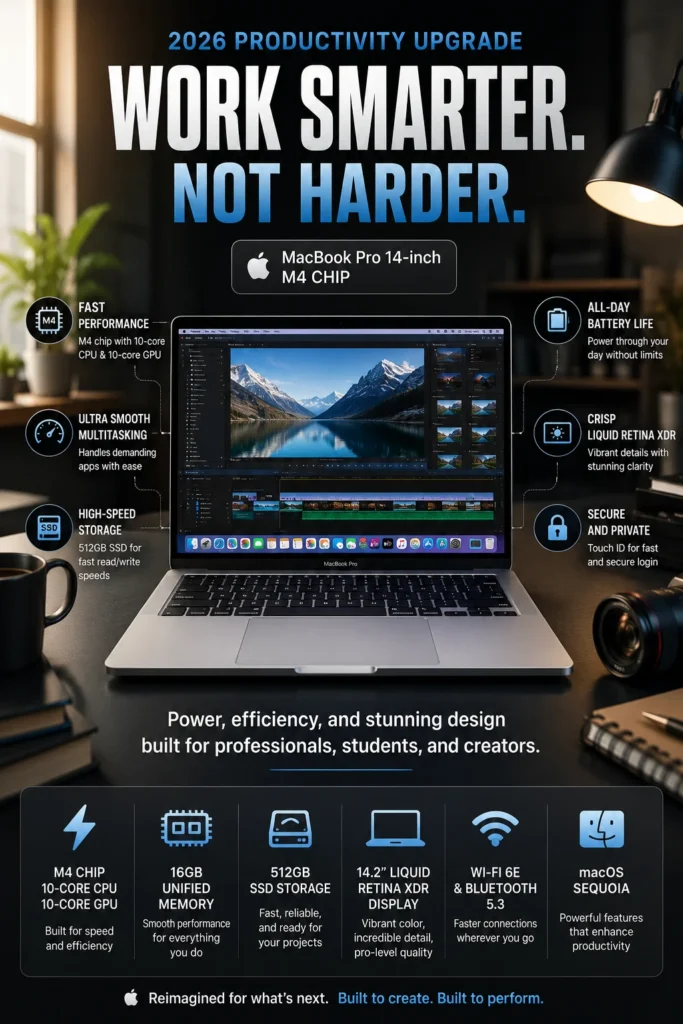
The Apple MacBook Pro 14-inch M4 is our top recommendation for the best overall video editing laptop in 2026. It delivers an excellent balance of editing performance, display quality, battery life, portability, thermal efficiency, and long-term usability. Whether you're editing YouTube videos, producing social media content, working with 4K footage, creating motion graphics, or handling professional creative projects, the MacBook Pro 14-inch M4 provides the performance and efficiency most editors need without the size and weight of a larger workstation-class laptop.

• Excellent choice for video editors, YouTubers, content creators, filmmakers, photographers, and creative professionals who need a powerful but portable editing system
• The Liquid Retina XDR display provides excellent contrast, brightness, color reproduction, and HDR capability for editing video and reviewing creative work with greater visual accuracy
• The compact 14-inch design makes it easier to carry between home, studio, office, and travel environments without sacrificing the performance expected from a professional MacBook Pro
• Apple's efficient hardware and thermal design allow the system to deliver strong sustained creative performance while maintaining relatively quiet operation during demanding workflows
• The Apple M4 chip provides strong CPU and GPU performance for timeline playback, video processing, rendering, encoding, exporting, and other demanding creative workloads
• 16GB of unified memory provides a solid foundation for video editing applications, browser tabs, media assets, and everyday creative multitasking
• The 512GB SSD delivers fast application launches, responsive project access, and quick handling of frequently used media files, although editors working with large footage libraries may benefit from additional external storage
• Excellent battery efficiency makes the MacBook Pro 14-inch M4 particularly well suited to mobile editors who need to work away from a power outlet for extended periods

The MacBook Pro 14-inch M4 earns our Best Overall Video Editing Laptop award because it combines the features that matter most across a wide range of editing workflows. Its strong processing performance, excellent display, efficient thermal design, long battery life, compact form factor, and mature creative software ecosystem make it a particularly well-rounded choice for creators who want one laptop capable of handling both everyday editing and more demanding production work.

Compared with many Windows laptops in a similar premium category, the MacBook Pro 14-inch M4 places greater emphasis on efficiency, portability, battery life, and a tightly integrated hardware and software experience. Windows workstations can offer more powerful dedicated GPUs and greater upgrade flexibility, but for editors who value a balanced combination of performance, display quality, mobility, and long-term usability, the MacBook Pro 14-inch M4 remains one of the strongest all-around choices in 2026.

• Apple M4 chip with 10-core CPU• 10-core GPU with hardware-accelerated ray tracing• 16-core Neural Engine• 120GB/s memory bandwidth• Hardware-accelerated H.264 and HEVC• Hardware-accelerated ProRes and ProRes RAW• Dedicated video encode and decode engines• ProRes encode and decode engineThe Apple M4 provides the core performance that makes the MacBook Pro 14-inch M4 such a strong choice for video editing. Its CPU and GPU work together to handle timeline playback, effects, encoding, rendering, exporting, and other demanding creative workloads while maintaining the efficiency of Apple's unified architecture.For video editors, the integrated media engine is particularly valuable. Hardware acceleration for H.264, HEVC, ProRes, and ProRes RAW can help speed up media processing and make the system well suited to modern camera footage and professional editing workflows.The combination of general-purpose processing and dedicated media engines also allows the MacBook Pro to deliver strong real-world editing performance without relying on the same discrete GPU approach used by many high-performance Windows creator laptops.
• 14.2-inch Liquid Retina XDR display• 3024 × 1964 native resolution• 254 pixels per inch• 1,000,000:1 contrast ratio• 1,000 nits sustained XDR brightness• Up to 1,600 nits peak HDR brightness• Wide P3 color gamut• Support for 1 billion colors• ProMotion up to 120HzThe Liquid Retina XDR display is one of the biggest advantages of the MacBook Pro for creative work. Its high resolution gives editors a detailed workspace for timelines, preview windows, effects panels, and footage review, while the XDR system delivers much stronger contrast and HDR performance than a typical laptop display.The wide P3 color gamut and support for 1 billion colors make the display particularly useful for creators who care about color reproduction. ProMotion can also dynamically refresh at up to 120Hz, providing smoother interaction when navigating applications and reviewing timelines.For video editors working with HDR content or performing color-sensitive creative work, the display is a major part of the MacBook Pro's overall value rather than simply an entertainment feature. :contentReference[oaicite:1]{index=1}
• 16GB unified memory in the base configuration• Shared memory architecture for CPU and GPU workloads• Smooth multitasking across editing applications and creative tools• Strong foundation for 4K video editing• 24GB and 32GB configurations availableThe 16GB unified memory configuration provides a solid starting point for editors working with applications such as Adobe Premiere Pro, DaVinci Resolve, Final Cut Pro, and other creative software.Because the M4 uses unified memory, the CPU and GPU share the same memory pool. This allows large video and image assets to move efficiently between processing resources and helps maintain a responsive editing experience when working across multiple creative applications.Editors handling especially large projects, complex motion graphics, extensive multicamera timelines, or demanding professional workflows may benefit from choosing a higher-memory configuration. Apple offers the M4 model with configurable 24GB and 32GB unified memory options. :contentReference[oaicite:2]{index=2}
• 512GB SSD in the base configuration• Fast application launches• Responsive project loading• Quick access to frequently used media• SDXC card reader for compatible camera media• Three Thunderbolt 4 USB-C ports for external storageThe 512GB SSD provides fast system responsiveness and quick access to applications, project files, caches, and frequently used media. For editors working with smaller projects or relying on external storage, it is a practical starting configuration.Video editing workloads can consume storage very quickly, however. Original camera footage, proxies, render files, cache data, and project backups can make 512GB restrictive for editors who maintain large libraries locally.For that reason, editors working with extensive 4K footage should consider either a higher internal-storage configuration or a fast external SSD. The built-in SDXC slot and Thunderbolt 4 connectivity also make the MacBook Pro particularly well suited to external media workflows. Apple lists 512GB and 1TB storage options with higher-capacity configurations available. :contentReference[oaicite:3]{index=3}
• Compact 14-inch professional design• 72.4-watt-hour battery• Up to 24 hours of video streaming according to Apple• Up to 16 hours of wireless web use according to Apple• MagSafe 3 charging• 70W USB-C power adapter• Fast-charge support with a 96W adapterThe MacBook Pro 14-inch M4 combines strong creative performance with the efficiency of Apple's M4 platform, making it particularly attractive to editors who regularly work away from a desk.Apple rates the M4 model for up to 24 hours of video streaming and up to 16 hours of wireless web use. Actual battery life during video editing will vary depending on the application, display brightness, rendering activity, footage resolution, and other workload factors, so Apple's figures should be viewed as manufacturer test results rather than guaranteed editing runtimes. :contentReference[oaicite:4]{index=4}Its compact 14-inch form factor also makes it easier to carry than larger 15- or 16-inch workstation-class laptops. This combination of performance, efficiency, and portability is one of the main reasons it earns the Best Overall position in this guide.
• Three Thunderbolt 4 USB-C ports• HDMI output• SDXC card slot• MagSafe 3 charging• 3.5mm headphone jack• DisplayPort support over Thunderbolt 4• Up to two external 6K displays through Thunderbolt in supported configurationsThe MacBook Pro provides a much more practical port selection for creative work than many thin consumer laptops. Editors can connect external SSDs, camera cards, docks, audio equipment, and external displays without depending entirely on adapters.The three Thunderbolt 4 ports support charging, DisplayPort, Thunderbolt 4, and USB 4 connectivity at up to 40Gb/s. The integrated SDXC card slot is particularly useful for transferring footage directly from compatible cameras, while HDMI provides an additional display connection. :contentReference[oaicite:5]{index=5}This makes the MacBook Pro suitable both as a mobile editing workstation and as the center of a more permanent desktop-style creative setup with external storage, monitors, and other production equipment.
Ideal for:• YouTube creators• Video editors working with 4K footage• Social media content creators• Freelance editors• Filmmakers and independent producers• Photographers and creative professionals• Final Cut Pro users• Adobe Premiere Pro users• DaVinci Resolve users• Mobile creators who travel frequentlyThe Apple MacBook Pro 14-inch M4 is our Best Overall Video Editing Laptop because it delivers an unusually balanced combination of processing performance, media acceleration, display quality, battery efficiency, portability, and connectivity.It is particularly well suited to creators who want one compact system capable of handling everyday editing, 4K production, content creation, and more demanding creative workloads without moving to a much larger workstation-class laptop.Editors who require extremely high discrete-GPU performance, extensive hardware upgradeability, or very large internal storage may find a high-end Windows workstation better suited to their specific workflow. For most creators, however, the MacBook Pro 14-inch M4 provides one of the most complete and well-rounded editing experiences in this lineup.
#2 Best Windows Video Editing Laptop (2026 Creator's Choice)

ASUS ProArt P16

Best Windows Laptop for 4K Video Editing, Content Creation & GPU-Accelerated Workflows
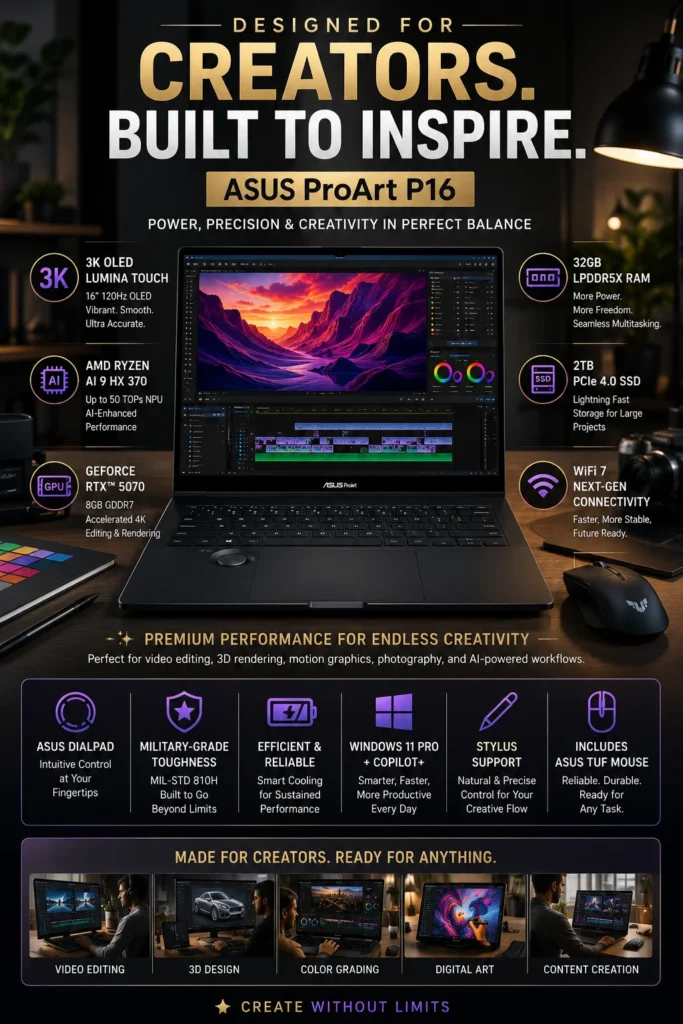
The ASUS ProArt P16 is our top recommendation for the best Windows laptop for video editing in 2026. It combines powerful AMD Ryzen AI processing, dedicated NVIDIA RTX graphics, a high-resolution OLED display, generous memory, fast NVMe storage, and creator-focused features in a relatively portable 16-inch design. For editors who rely on GPU acceleration for Premiere Pro, DaVinci Resolve, After Effects, 3D applications, and AI-assisted creative workflows, the ProArt P16 offers one of the most capable Windows-based packages in this lineup.

• Excellent choice for professional video editors, content creators, motion designers, photographers, 3D artists, and other creative professionals who benefit from dedicated GPU acceleration
• NVIDIA GeForce RTX 5070 Laptop GPU provides dedicated graphics performance for video effects, GPU-accelerated rendering, AI workloads, and demanding creative applications
• The 16-inch ASUS Lumina OLED display offers 3K resolution, 120Hz refresh rate, 100% DCI-P3 coverage, Pantone Validation, and VESA DisplayHDR True Black 500 certification for color-sensitive creative work
• Creator-focused features such as the ASUS DialPad, ProArt Creator Hub, and optional touchscreen support are designed to provide more precise control throughout creative workflows
• AMD Ryzen AI 9 HX 370 provides 12 CPU cores and 24 threads with boost speeds up to 5.1GHz for demanding editing, rendering, multitasking, and content-creation workloads
• 32GB of LPDDR5X memory provides substantial capacity for large creative projects, multiple applications, high-resolution media, and demanding multitasking
• PCIe 4.0 NVMe SSD storage provides fast application launches, project loading, and media access, with available configurations depending on the specific ProArt P16 model
• NVIDIA RTX graphics and AMD Ryzen AI processing provide a strong combination for GPU-accelerated creative applications, AI-assisted tools, 3D workflows, and modern video-production software

The ProArt P16 earns our Best Windows Video Editing Laptop award because it addresses several priorities that matter to serious creators at the same time: strong CPU performance, dedicated RTX graphics, a high-quality OLED display, ample memory, fast storage, and a creator-oriented design. Instead of treating the laptop as a gaming machine with a high-resolution screen added afterward, ASUS built the ProArt line around professional creative workflows and color-sensitive production.

Compared with traditional gaming laptops, the ASUS ProArt P16 places greater emphasis on display quality, portability, creator controls, and professional workflow features while still delivering the dedicated GPU performance editors need. It is especially compelling for Windows users who work with Premiere Pro, DaVinci Resolve, After Effects, Blender, photography applications, or AI-assisted creative tools and want more graphics acceleration than a similarly sized integrated-GPU laptop can provide.

• AMD Ryzen AI 9 HX 370 processor• 12 CPU cores and 24 threads• Boost speeds up to 5.1GHz• AMD XDNA NPU with up to 50 TOPS• NVIDIA GeForce RTX 5070 Laptop GPU• 8GB GDDR7 dedicated graphics memory• Strong GPU acceleration for Premiere Pro, DaVinci Resolve, After Effects, and BlenderThe combination of the Ryzen AI 9 HX 370 processor and GeForce RTX 5070 gives the ProArt P16 a strong performance advantage for creative workloads that benefit from dedicated graphics acceleration.The RTX GPU is particularly useful for effects processing, GPU-accelerated rendering, AI-assisted tools, playback, encoding, and other workloads supported by applications such as Adobe Premiere Pro, DaVinci Resolve, After Effects, and Blender.For editors who regularly work with demanding 4K projects, effects-heavy timelines, motion graphics, or GPU-intensive creative applications, the ProArt P16 provides substantially more graphics acceleration than laptops relying exclusively on integrated graphics.
• 16-inch ASUS Lumina OLED display• 2880 × 1800 resolution• 16:10 aspect ratio• 120Hz refresh rate• 100% DCI-P3 color gamut• Pantone Validated• VESA DisplayHDR True Black 500 certification• Up to 1,000 nits HDR peak brightness• 1.07 billion colors• Touchscreen available on supported configurationsThe 16-inch OLED display is one of the ProArt P16's strongest advantages for video editors. Its 3K resolution provides a generous workspace for timelines, preview windows, effects panels, and detailed footage review, while OLED technology delivers deep blacks and extremely high contrast.ASUS specifies 100% DCI-P3 coverage, Pantone Validation, and VESA DisplayHDR True Black 500 certification, making the panel particularly well suited to color-sensitive creative workflows.The 120Hz refresh rate also provides smoother scrolling, timeline interaction, and general application navigation. Touchscreen support is configuration-dependent, so buyers should verify the exact specification of the model they are purchasing. :contentReference[oaicite:1]{index=1}
• NVIDIA GeForce RTX 5070 Laptop GPU• 8GB GDDR7 VRAM• Dedicated GPU memory for graphics-intensive applications• Hardware acceleration for supported creative applications• NVIDIA-accelerated rendering and effects workflows• Strong platform for AI-assisted creative toolsThe RTX 5070 is one of the main reasons the ProArt P16 earns the Best Windows position in this guide. Dedicated GPU resources allow creators to take advantage of hardware acceleration in applications that can use NVIDIA graphics for rendering, effects, AI processing, and other demanding workloads.This is particularly valuable for editors who work beyond basic timeline cutting. Motion graphics, compositing, GPU-accelerated effects, 3D creation, and AI-assisted workflows can benefit considerably from having a dedicated NVIDIA GPU rather than relying on integrated graphics.The result is a system that bridges the gap between a traditional creator laptop and a more powerful mobile workstation while keeping the ProArt P16 focused on creative professionals rather than gaming alone.
• 32GB LPDDR5X memory• Memory integrated on the motherboard• 1TB M.2 NVMe PCIe 4.0 SSD in the reviewed configuration• Two M.2 storage slots in supported configurations• Fast project loading and application launches• Strong capacity for demanding creative multitaskingThe 32GB memory configuration gives the ProArt P16 considerably more headroom than entry-level creator laptops. Editors can work across video editing software, browsers, media assets, effects tools, and other applications without being as quickly constrained by memory capacity.The 1TB PCIe 4.0 SSD provides fast access to applications, project files, media, and cache data. However, video editors should remember that large 4K footage libraries can consume storage very quickly.ASUS lists two M.2 storage slots on the relevant configuration, providing an important advantage for users who want to expand local storage later. Buyers should verify the exact SKU because ProArt P16 memory and storage configurations vary by market and model. :contentReference[oaicite:2]{index=2}
• ASUS DialPad for creative application controls• ProArt Creator Hub• 90Wh battery• Approximately 1.85kg starting weight for the referenced configuration• Slim 16-inch creator-oriented chassis• MIL-STD-810H-tested durability• Designed for mobile creative workflowsThe ProArt P16 is designed to provide workstation-style creative capability without the bulk traditionally associated with high-performance Windows laptops. Its 16-inch chassis provides a large workspace while remaining relatively portable for a system with a dedicated RTX GPU.The ASUS DialPad is particularly useful in supported creative applications, allowing creators to make more precise adjustments to tools and parameters. ProArt Creator Hub also provides centralized controls for performance modes and creator-oriented system management.ASUS lists a 90Wh battery and a weight of approximately 1.85kg for the RTX 5070 configuration referenced on its store, although weight and included hardware can vary between configurations. The chassis is also described as durable to MIL-STD-810H standards. :contentReference[oaicite:3]{index=3}
• USB4 Type-C connectivity• Additional USB-C connectivity with display and power delivery support• Two USB-A ports• HDMI 2.1 FRL• SD Express 7.0 card reader• 3.5mm audio combo jack• Wi-Fi 7 connectivity• Bluetooth 5.4The ProArt P16 provides a strong collection of ports for editors working with cameras, external storage, monitors, and production peripherals.The SD Express 7.0 card reader is particularly useful for creators who transfer camera media directly to the laptop, while USB4 and additional USB-C connectivity support fast external storage and display setups. HDMI 2.1 also makes it easier to connect the system to larger external displays.Wi-Fi 7 provides a modern wireless networking platform for fast file transfers, cloud workflows, collaboration, and remote production environments, although actual network performance depends on the compatible router and network infrastructure. :contentReference[oaicite:4]{index=4}
Ideal for:• Professional video editors• Premiere Pro users• DaVinci Resolve users• After Effects users• Motion graphics artists• 3D creators and Blender users• YouTube professionals and content creators• Photographers and digital artists• AI-assisted creative workflows• Creators who prefer Windows over macOSThe ASUS ProArt P16 is our Best Windows Video Editing Laptop because it combines dedicated RTX graphics, a high-quality OLED display, strong AMD Ryzen AI processing, generous memory, fast storage, and creator-focused controls in a single mobile system.It is particularly well suited to creators whose workflows benefit from NVIDIA GPU acceleration and who need more graphics performance than a thin integrated-GPU laptop can provide.The MacBook Pro remains the stronger overall choice for buyers prioritizing efficiency, battery life, and Apple's integrated creative ecosystem, while the ProArt P16 becomes particularly compelling for Windows users who need RTX acceleration, OLED color quality, and broader support for GPU-intensive creative applications.
#3 Best Premium Windows Laptop for Video Editing (2026)

Dell XPS 16 (2025)

Premium Windows Laptop for Professional Video Editing, Creative Work & High-Resolution Production
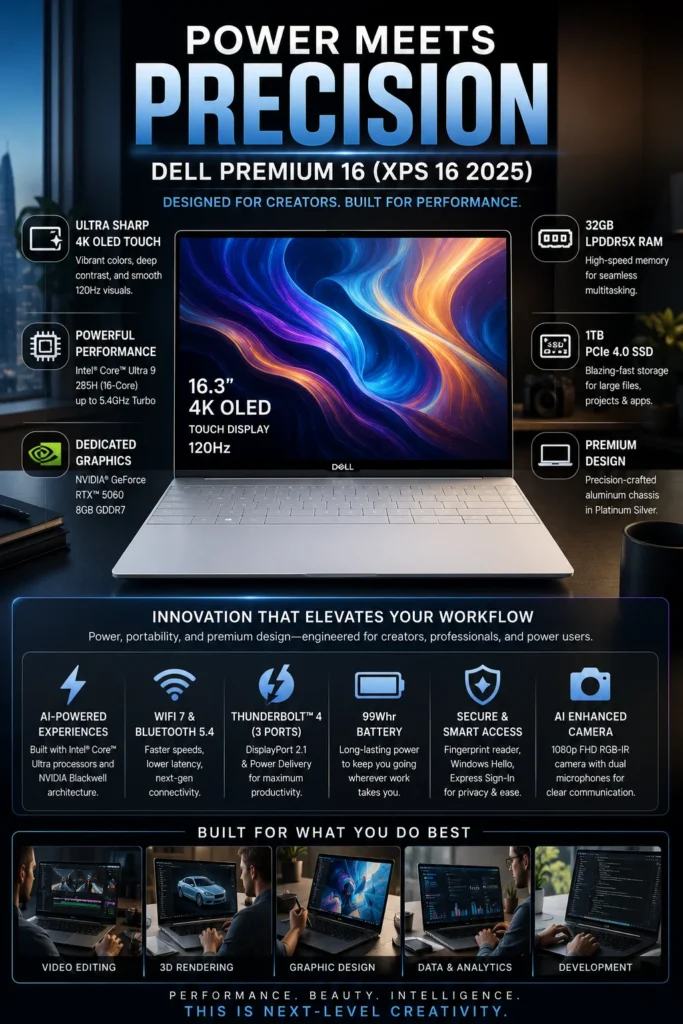
The Dell XPS 16 (2025) is our recommendation for the best premium Windows laptop for video editing in 2026. It combines a refined aluminum design, a large high-resolution display, Intel Core Ultra processing, dedicated NVIDIA RTX graphics in supported configurations, and a premium overall user experience. For creators who want a powerful Windows laptop that can handle demanding editing workloads while also feeling at home in a professional office or studio environment, the XPS 16 offers a compelling balance of performance, display quality, design, and everyday usability.

• Excellent choice for video editors, creative professionals, photographers, designers, and professionals who want a premium Windows system for both creative and everyday workloads
• High-resolution 16-inch display provides a spacious workspace for editing timelines, footage review, creative applications, and professional productivity
• NVIDIA GeForce RTX graphics in supported configurations provide dedicated GPU acceleration for video effects, rendering, AI-assisted tools, and other demanding creative workloads
• Premium aluminum construction and minimalist XPS design provide a more refined alternative to the gaming-oriented styling found on many high-performance Windows laptops
• Intel Core Ultra processors provide strong CPU performance for video editing, multitasking, rendering, content creation, and demanding professional applications
• 32GB of LPDDR5X memory in the referenced configuration provides substantial capacity for large creative projects, multitasking, and professional applications
• 1TB PCIe NVMe SSD provides fast application launches, responsive project loading, and practical capacity for active editing projects and media files
• The large 16-inch display and premium chassis provide a more immersive desktop-style editing experience while remaining suitable for mobile professional use

The Dell XPS 16 earns our Best Premium Windows Laptop for Video Editing recognition because it focuses on the complete professional experience rather than simply maximizing one specification. Its combination of a large high-resolution display, capable processing hardware, dedicated graphics in higher-end configurations, premium construction, and understated design makes it particularly attractive to creators who want their editing laptop to work equally well in a studio, office, meeting room, or professional travel environment.

Compared with creator-focused alternatives such as the ASUS ProArt P16, the Dell XPS 16 places greater emphasis on premium design, display size, build quality, and a refined Windows experience, while the ProArt is more explicitly optimized around creator controls and GPU-intensive workflows. The XPS 16 is therefore best suited to buyers who want strong creative performance without the visual style or gaming-oriented focus of a traditional high-performance laptop.

• Intel Core Ultra 9 285H processor• 16 CPU cores• Boost speeds up to 5.4GHz• NVIDIA GeForce RTX 5060 Laptop GPU• 8GB GDDR7 dedicated graphics memory• 45W RTX 5060 configuration• Strong performance for Premiere Pro, DaVinci Resolve, After Effects, and other creative applicationsThe combination of the Core Ultra 9 285H processor and dedicated RTX 5060 graphics gives the XPS 16 enough performance for demanding video editing, rendering, effects processing, and professional multitasking.The dedicated NVIDIA GPU is particularly useful for workloads that can take advantage of GPU acceleration, including supported effects, rendering, AI-assisted tools, and other graphics-intensive creative tasks.For editors working with high-resolution footage and complex timelines, the XPS 16 provides a substantially more capable platform than thin laptops relying exclusively on integrated graphics. Dell offers the XPS 16 with several GPU configurations, so buyers should verify the exact graphics option before purchasing. :contentReference[oaicite:1]{index=1}
• 16.3-inch OLED touchscreen in the referenced configuration• 3840 × 2400 resolution• 16:10 aspect ratio• 48–120Hz adaptive refresh rate• 400-nit OLED panel• High-resolution workspace for editing timelines and footage• Touch input for supported creative workflowsThe 4K OLED display is one of the defining strengths of the XPS 16. Its 3840 × 2400 resolution provides a large, highly detailed workspace that is particularly useful when reviewing high-resolution footage, managing complex timelines, and working across multiple creative panels.OLED technology provides deep blacks and high contrast, while the 16:10 aspect ratio provides additional vertical workspace compared with traditional 16:9 laptop displays.The 4K OLED touchscreen is configuration-dependent. Dell also offers the XPS 16 with a non-touch 2K display, so buyers should verify the display specification of the exact model they are considering. :contentReference[oaicite:2]{index=2}
• NVIDIA GeForce RTX 5060 Laptop GPU• 8GB GDDR7 VRAM• Dedicated graphics memory• GPU acceleration for supported creative applications• Hardware acceleration for graphics-intensive effects and rendering• Support for modern AI-assisted creative workflowsThe RTX 5060 gives the XPS 16 an important advantage over configurations that rely exclusively on integrated graphics. Dedicated GPU resources can improve performance in supported video editing, compositing, 3D, rendering, and AI-assisted applications.This is particularly useful for editors working with effects-heavy timelines, motion graphics, GPU-accelerated exports, and other workloads that place greater demand on graphics hardware.The RTX 5060 configuration used for this ranking includes 8GB of GDDR7 memory and a 45W graphics power rating. Higher XPS 16 configurations can also be equipped with an RTX 5070, giving buyers another performance tier depending on their workload and budget. :contentReference[oaicite:3]{index=3}
• 32GB LPDDR5X memory in the referenced configuration• 7467MT/s memory speed• Integrated dual-channel memory• 1TB PCIe NVMe SSD• Fast application launches• Responsive project loading and media access• Suitable capacity for active creative projectsThe 32GB memory configuration gives the XPS 16 substantial headroom for professional multitasking. Editors can work across video editing software, browsers, media management tools, communication applications, and creative utilities without relying on entry-level memory capacity.The 1TB PCIe NVMe SSD provides fast access to applications, project files, media, caches, and frequently used footage. It also offers a more practical starting point than 512GB for editors who regularly work with larger projects.Because the XPS 16 uses integrated LPDDR5X memory, buyers should choose the appropriate memory configuration at purchase rather than assuming they will be able to upgrade it later. Dell offers multiple memory and storage configurations depending on the model. :contentReference[oaicite:4]{index=4}
• Premium aluminum XPS design• 16.3-inch professional display• Approximately 2.11kg starting weight with 4K OLED configuration• 99.5Wh battery• Fingerprint reader• Windows Hello support• Minimalist professional appearanceThe XPS 16 is designed for users who want high performance without the aggressive styling commonly associated with gaming laptops. Its aluminum construction, minimalist exterior, and large 16.3-inch display give it a more professional appearance that fits naturally into offices, studios, meetings, and client-facing environments.The 4K OLED configuration has a listed minimum weight of approximately 2.11kg, making it heavier than compact 14-inch systems but still manageable as a mobile professional workstation.The large 99.5Wh battery also provides substantial capacity for a system of this class, although real-world battery life during video editing will vary significantly depending on workload, display mode, GPU usage, and brightness. :contentReference[oaicite:5]{index=5}
• Three Thunderbolt 4 USB-C ports on RTX 5060 configurations• USB4 compatibility• DisplayPort 2.1 support• Power Delivery• microSDXC v7.1 card reader• 3.5mm headset jack• Wi-Fi 7• Bluetooth 5.4• External display supportThe XPS 16 takes a modern USB-C-first approach to connectivity. RTX 5060 configurations include three Thunderbolt 4 ports with power delivery and DisplayPort support, providing high-speed connections for external SSDs, docks, professional displays, and other creative peripherals.The integrated microSDXC reader is useful for creators transferring photographs and compatible camera media, although users working primarily with full-size SD cards may still prefer an external reader.Wi-Fi 7 also provides a modern wireless platform for cloud-based workflows, large file transfers, collaboration, and remote production, provided the surrounding network equipment supports the standard. :contentReference[oaicite:6]{index=6}
Ideal for:• Professional video editors• Creative professionals• Content creators• Photographers and designers• Adobe Premiere Pro users• DaVinci Resolve users• Motion graphics creators• Business professionals who also perform creative work• Freelancers who want a premium Windows experience• Users who prioritize display quality and designThe Dell XPS 16 is our Best Premium Windows Laptop for Video Editing because it combines capable CPU and GPU performance with a large high-resolution display, premium construction, modern connectivity, and a refined professional design.It is particularly well suited to buyers who want a powerful Windows laptop that can transition between video editing, professional productivity, creative applications, meetings, travel, and everyday work without looking or feeling like a conventional gaming laptop.The ASUS ProArt P16 remains the stronger choice for buyers who specifically prioritize creator-focused controls and a more aggressively GPU-oriented creative platform. The XPS 16 is better suited to users who place greater value on premium design, display size, build quality, and an understated professional experience.
#4 Best Portable Video Editing Laptop (2026)

Apple MacBook Air M4

Best Portable Laptop for Video Editing, Travel & Everyday Creative Work
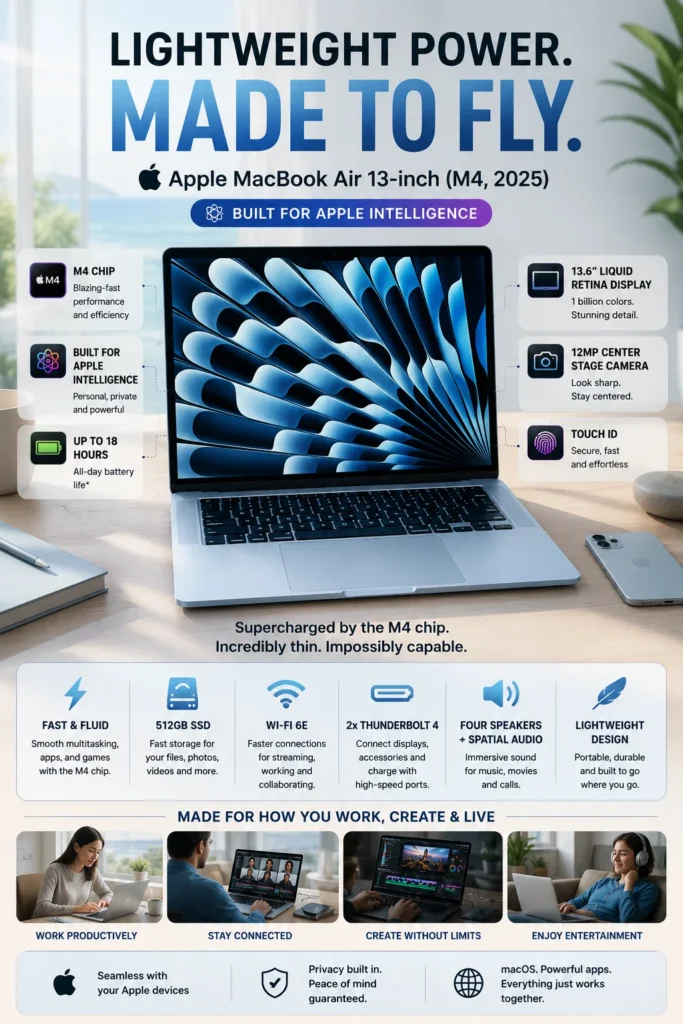
The Apple MacBook Air M4 is our recommendation for the best portable video editing laptop in 2026. It combines the efficiency of Apple's M4 chip, a remarkably thin and lightweight design, long battery life, a high-quality display, and enough performance for everyday video editing and content creation. For creators who travel frequently, work from different locations, or simply want a capable editing laptop that is easy to carry, the MacBook Air M4 offers an excellent balance of portability and creative performance.

• Excellent choice for mobile video editors, YouTubers, students, freelancers, and content creators who prioritize portability and battery efficiency
• Thin and lightweight fanless design makes the MacBook Air particularly easy to carry between home, office, school, studio, and travel environments
• The M4 chip provides strong CPU and GPU performance for everyday editing, content creation, photo work, and general creative applications
• High-quality display and quiet operation make it especially appealing for creators who want a comfortable mobile editing system without the bulk of a traditional workstation laptop
• Apple M4 chip delivers responsive performance for timeline editing, playback, encoding, exports, and other everyday creative workloads
• 16GB of unified memory provides a solid configuration for editing applications, browser tabs, media assets, and everyday multitasking
• 512GB SSD provides fast application launches and responsive access to active projects, while editors with larger media libraries may benefit from external storage
• Apple rates the MacBook Air M4 for long battery life, making it particularly well suited to mobile creators who frequently work away from a power outlet

The MacBook Air M4 earns our Best Portable Video Editing Laptop recognition because it delivers an unusually strong combination of mobility, efficiency, performance, and everyday usability. Its fanless design keeps operation quiet, while the M4 platform provides enough performance for YouTube production, social media content, short-form projects, educational videos, and many 4K editing workflows.

Compared with the MacBook Pro 14-inch M4, the MacBook Air is better suited to creators who place a higher priority on weight, simplicity, silence, and portability than on sustained performance under the heaviest workloads. The MacBook Pro remains the stronger choice for demanding long-duration rendering and professional production, while the MacBook Air is an excellent fit for editors who want a highly portable system that can handle creative work without carrying a larger professional laptop.

• Apple M4 chip with 10-core CPU• 8-core or 10-core GPU depending on configuration• 16-core Neural Engine• 120GB/s memory bandwidth• Hardware-accelerated H.264 and HEVC• Hardware-accelerated ProRes and ProRes RAW• Dedicated video encode and decode engines• AV1 decode supportThe Apple M4 provides a strong performance foundation for a thin and lightweight editing laptop. Its CPU and GPU resources are capable of handling timeline editing, playback, encoding, exports, photo editing, and everyday creative workloads without requiring a larger professional workstation.The integrated media engine is particularly useful for video creators because the M4 includes hardware acceleration for H.264, HEVC, ProRes, and ProRes RAW. This makes the MacBook Air especially well suited to YouTube production, social media videos, short-form content, and many everyday 4K editing workflows.For extremely long rendering sessions or consistently demanding multicamera and effects-heavy projects, the actively cooled MacBook Pro remains the stronger choice. The MacBook Air's strength is delivering capable creative performance in a completely fanless design. ([support.apple.com](https://support.apple.com/es-la/122209?utm_source=chatgpt.com))
• 13.6-inch Liquid Retina display• 2560 × 1664 native resolution• 224 pixels per inch• 500 nits brightness• Support for 1 billion colors• Wide P3 color gamut• True Tone technology• Sharp workspace for editing and content creationThe 13.6-inch Liquid Retina display gives the MacBook Air a high-quality visual workspace while keeping the overall laptop compact and easy to carry.Its 2560 × 1664 resolution provides good detail for timelines, preview windows, thumbnails, and creative applications, while the wide P3 color gamut and support for 1 billion colors make it useful for reviewing and producing modern photo and video content.The display is excellent for portable editing, although editors who regularly perform more demanding color-critical HDR work may prefer the Liquid Retina XDR panel available on the MacBook Pro. ([support.apple.com](https://support.apple.com/es-es/122209?utm_source=chatgpt.com))
• Fanless design• Thin and lightweight aluminum chassis• 53.8Wh battery in the 13-inch model• Up to 18 hours of video streaming according to Apple• Up to 15 hours of wireless web use according to Apple• MagSafe 3 charging• Fast-charge support with a 70W USB-C power adapterThe fanless design is one of the biggest advantages of the MacBook Air for mobile creators. Without an active cooling fan, the laptop remains silent during normal workloads and is particularly comfortable to use in quiet offices, classrooms, studios, airplanes, and other environments where fan noise can be distracting.Apple rates the 13-inch M4 MacBook Air for up to 18 hours of video streaming and up to 15 hours of wireless web use. Actual battery life during video editing will vary depending on the application, display brightness, rendering activity, and workload, so these numbers should be viewed as Apple's test results rather than expected editing runtimes. ([support.apple.com](https://support.apple.com/es-la/122209?utm_source=chatgpt.com))This combination of silence, efficiency, and portability is the main reason the MacBook Air earns our Best Portable Video Editing Laptop position.
• 16GB unified memory in the base configuration• Configurable to 24GB or 32GB• 512GB SSD configuration available• Configurable to higher storage capacities• Fast application launches• Responsive project and media access• Efficient multitasking for everyday creative workloadsThe 16GB unified memory configuration provides a practical starting point for creators working with editing applications, browsers, media assets, communication tools, and everyday productivity software.Because CPU and GPU resources share unified memory, the M4 platform can efficiently handle creative workloads without requiring separate system and graphics memory.Storage capacity is another consideration for video editors. Apple offers the MacBook Air with 512GB and larger SSD configurations, while large libraries of 4K footage, proxies, cache files, and project backups can quickly consume local storage. Creators with substantial media collections should consider higher internal storage or a fast external SSD. ([apple.com](https://www.apple.com/la/macbook-air/specs/?utm_source=chatgpt.com))
• Completely fanless operation• macOS workflow optimized for Apple silicon• Fast application launches• Smooth everyday multitasking• 12MP Center Stage camera• Three-mic array• Six-speaker sound system• Strong integration with other Apple devicesThe MacBook Air is particularly well suited to creators who combine editing with everyday work. Its silent operation, responsive performance, high-quality display, camera system, and compact design make it practical for video editing, meetings, content planning, writing, browsing, and general productivity from the same machine.The fanless architecture is also a meaningful advantage for people who edit in quiet environments. While a MacBook Pro can sustain heavier workloads more effectively, the Air provides a cleaner and simpler experience for creators whose workloads are primarily short to medium editing sessions rather than continuous rendering.
• Two Thunderbolt 4 USB-C ports• USB 4 support up to 40Gb/s• DisplayPort support• MagSafe 3 charging• 3.5mm headphone jack• Support for external displays• Up to two external displays in supported configurationsThe MacBook Air maintains a compact physical design without giving up essential connectivity for mobile creative workflows. Its two Thunderbolt 4 ports can connect external SSDs, docks, displays, and other production accessories while supporting high-speed data transfer.The integrated MagSafe 3 charging port also leaves both Thunderbolt ports available for peripherals while the laptop is charging.Apple's M4 MacBook Air can support external displays alongside the built-in screen, with the exact display configuration depending on the model and setup. This gives mobile creators the option to transition from a portable editing system to a more traditional desktop-style workspace when needed. ([support.apple.com](https://support.apple.com/es-es/122209?utm_source=chatgpt.com))
Ideal for:• YouTube creators• Travel and mobile creators• Students studying media production• Social media content creators• Freelance editors• Remote workers• Short-form video creators• Everyday video editing• Creators who prioritize silence and portabilityThe Apple MacBook Air M4 is our Best Portable Video Editing Laptop because it combines capable M4 performance, long battery life, silent fanless operation, a high-quality display, and an exceptionally portable design.It is particularly well suited to creators whose editing workload includes YouTube videos, social media content, educational projects, short-form production, photo work, and many everyday 4K workflows.For professionals performing long rendering sessions, complex multicamera projects, extensive motion graphics, or other sustained heavy workloads, the MacBook Pro 14-inch M4 remains the better option. The Air is the smarter choice when portability, silence, battery efficiency, and everyday usability matter more than maximum sustained performance.
#5 Best Value Video Editing Laptop (2026)

Lenovo LOQ 15

Best Performance-per-Dollar Laptop for Video Editing, GPU-Accelerated Workflows & Content Creation
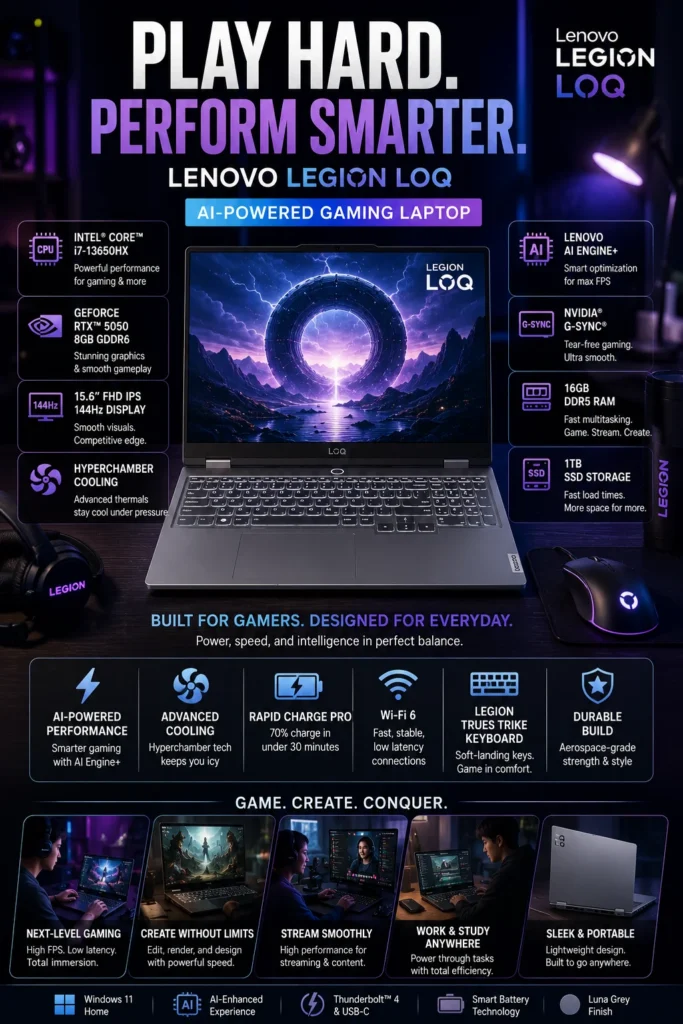
The Lenovo LOQ 15 is our recommendation for the best value video editing laptop in 2026. It delivers a strong combination of processor performance, dedicated NVIDIA RTX graphics, upgrade-friendly memory and storage options, and effective thermal management at a lower price than premium creator workstations. For editors who want more GPU performance than a thin integrated-graphics laptop can provide without moving into a significantly more expensive professional system, the LOQ 15 offers an excellent balance of capability and cost.

• Excellent choice for budget-conscious video editors, students, YouTubers, freelancers, and creators who prioritize performance per dollar
• Dedicated NVIDIA RTX graphics provide GPU acceleration for supported editing effects, rendering, encoding, AI-assisted tools, and other creative workloads
• High-performance Intel or AMD processor configurations provide strong multitasking capability for editing software, media management, browser tabs, and everyday productivity
• Performance-oriented cooling is designed to help the laptop maintain more consistent performance during longer creative workloads
• HX-series processor configurations provide substantial CPU performance for timeline processing, rendering, encoding, multitasking, and demanding creative applications
• 16GB DDR5 memory provides a solid starting point for video editing, multitasking, and everyday content-creation workloads, with upgrade potential depending on the specific configuration
• 1TB PCIe NVMe SSD configurations provide useful working capacity for active projects, applications, and media while maintaining fast system responsiveness
• Dedicated RTX graphics make the LOQ 15 particularly attractive for editors who use GPU-accelerated effects, rendering, 3D applications, or AI-assisted creative tools

The Lenovo LOQ 15 earns our Best Value Video Editing Laptop recognition because it concentrates spending on the components that have the greatest impact on demanding creative workloads. Instead of paying primarily for premium materials, ultra-thin dimensions, or workstation branding, buyers can put more of their budget toward CPU performance, dedicated graphics, memory, storage, and cooling.

Compared with premium creator laptops such as the MacBook Pro 14-inch M4, ASUS ProArt P16, and Dell XPS 16, the LOQ 15 does not offer the same combination of display quality, portability, battery efficiency, or premium construction. Its advantage is different: it provides a much more performance-focused configuration at a lower entry cost, making it particularly compelling for creators who care more about editing capability per dollar than luxury design or maximum mobility.

• Intel Core i7-13650HX processor in the referenced configuration• 14 cores and 20 threads• Boost speeds up to 4.9GHz• NVIDIA GeForce RTX 5050 Laptop GPU• 8GB GDDR7 dedicated graphics memory• Strong CPU and GPU combination for demanding creative workloads• Suitable for Premiere Pro, DaVinci Resolve, After Effects, and other supported applicationsThe combination of the Intel Core i7-13650HX and dedicated RTX 5050 graphics gives the LOQ 15 a performance-oriented foundation for video editing without the premium price of high-end creator workstations.The HX-series processor provides substantial CPU resources for timeline processing, multitasking, rendering, encoding, and other demanding workloads, while the RTX 5050 adds dedicated graphics acceleration for supported effects and creative applications.This balance is particularly attractive to editors who care more about processing capability per dollar than premium materials, ultra-thin dimensions, or the display technologies found on higher-priced creator laptops.
• NVIDIA GeForce RTX 5050 Laptop GPU• 8GB GDDR7 VRAM• Up to 100W TGP on supported LOQ 15 configurations• Dedicated graphics acceleration• DLSS 4 and fifth-generation Tensor Cores• GPU acceleration for supported editing and creative applicationsThe RTX 5050 is one of the main reasons the LOQ 15 earns our Best Value position. Dedicated NVIDIA graphics can accelerate supported effects, rendering, AI-assisted tools, and other creative workloads that benefit from GPU processing.The 8GB GDDR7 memory configuration provides considerably more graphics resources than an integrated GPU, giving creators greater flexibility when working with effects-heavy timelines, compositing, 3D applications, and GPU-accelerated creative software.Actual graphics power varies between LOQ 15 models, so buyers should verify the specific GPU power rating of the configuration they are purchasing. Lenovo's current LOQ 15 specifications list RTX 5050 configurations with 8GB GDDR7 memory. :contentReference[oaicite:1]{index=1}
• Lenovo HyperChamber Cooling Technology• Turbo-charged fan system• Large 3D copper heat pipes• Vacuum-sealed airflow design• Rear-directed hot-air exhaust• Multiple performance modes through Fn+Q• Designed for sustained workloadsLong editing sessions can place continuous demands on both the CPU and GPU, making thermal design particularly important in a value-oriented performance laptop.The LOQ's HyperChamber Cooling system combines turbo-charged fans with large 3D copper heat pipes and a sealed airflow design. Lenovo also provides multiple performance modes through the Fn+Q shortcut, allowing the system to balance noise, power consumption, and performance depending on the workload.For creators, the main benefit is not simply lower temperatures but the ability to maintain more consistent performance during longer rendering, encoding, and effects-heavy sessions. :contentReference[oaicite:2]{index=2}
• 16GB DDR5 memory in the referenced configuration• Dual SODIMM memory architecture• 1TB PCIe Gen 4 NVMe SSD• Fast application launches• Responsive project loading• Practical capacity for active video projects• Memory and storage upgrade potential depending on configurationThe 16GB DDR5 configuration provides a solid starting point for editors who work with video editing software, browsers, media assets, and other applications simultaneously.One advantage of the LOQ platform is its more conventional upgrade-oriented design. Current LOQ 15 Intel configurations provide two DDR5 SODIMM slots, giving users greater flexibility than laptops with permanently integrated memory. Supported models can also provide multiple M.2 storage positions, although the exact expansion options depend on the model. :contentReference[oaicite:3]{index=3}The 1TB SSD configuration provides useful working capacity for active projects and applications, but editors maintaining large libraries of 4K footage should still consider additional internal or external storage.
• 15.6-inch display• Full HD or higher-resolution options depending on configuration• Up to 100% sRGB coverage on supported panels• High refresh-rate options• Anti-glare finish on supported configurations• Large workspace for timelines and creative applicationsThe LOQ 15 is primarily designed around performance and value rather than premium display technology. Depending on the configuration, Lenovo offers panels with different resolutions, refresh rates, brightness levels, and color coverage.For video editors, it is therefore important to select a configuration with a suitable color gamut rather than assuming every LOQ 15 has the same display. Some current 15-inch LOQ configurations offer 100% sRGB coverage, which makes them more practical for general content creation than basic panels with narrower color coverage. :contentReference[oaicite:4]{index=4}Creators performing advanced HDR work or highly color-critical professional grading may still prefer the OLED and wide-gamut displays found on higher-end models such as the ASUS ProArt P16 or Dell XPS 16.
• Multiple USB-C and USB-A ports• HDMI output• Ethernet connectivity on supported configurations• Wi-Fi connectivity• External display support• Upgrade-friendly internal architecture• Lenovo AI Engine+ and Scenario Detection on supported modelsThe LOQ 15 provides the practical connectivity expected from a performance-oriented laptop. External displays, storage devices, peripherals, networking equipment, and other accessories can be integrated into a desktop-style editing setup without requiring an extensive collection of adapters.Its upgrade-oriented hardware architecture is another advantage at this price level. Depending on the specific generation, users may have access to replaceable DDR5 SODIMM memory and multiple M.2 storage positions, giving the laptop better long-term flexibility than many thin premium systems. :contentReference[oaicite:5]{index=5}Lenovo's AI Engine+ and Scenario Detection are also available on supported LOQ models, allowing the system to adapt performance behavior according to different workloads. :contentReference[oaicite:6]{index=6}
Ideal for:• Budget-conscious video editors• YouTubers• Students learning video editing• Freelance creators• Premiere Pro users• DaVinci Resolve users• Intermediate editors• Content creators who need dedicated graphics• Buyers prioritizing performance per dollarThe Lenovo LOQ 15 is our Best Value Video Editing Laptop because it directs a larger portion of its price toward the components that directly influence creative performance: a high-performance processor, dedicated NVIDIA graphics, DDR5 memory, fast NVMe storage, and substantial cooling hardware.It is particularly well suited to buyers who want the performance advantages of a dedicated GPU without paying the premium associated with high-end creator laptops.The LOQ 15 does make compromises. Its display quality, weight, battery efficiency, and overall refinement are not on the same level as the MacBook Pro, ProArt P16, or XPS 16. However, for creators who prioritize editing performance per dollar, those compromises can make the LOQ 15 one of the smartest choices in this lineup.
#6 Best Budget Video Editing Laptop (2026)

Acer Nitro V

Best Affordable Laptop for Video Editing, 1080p Projects & GPU-Accelerated Creative Work
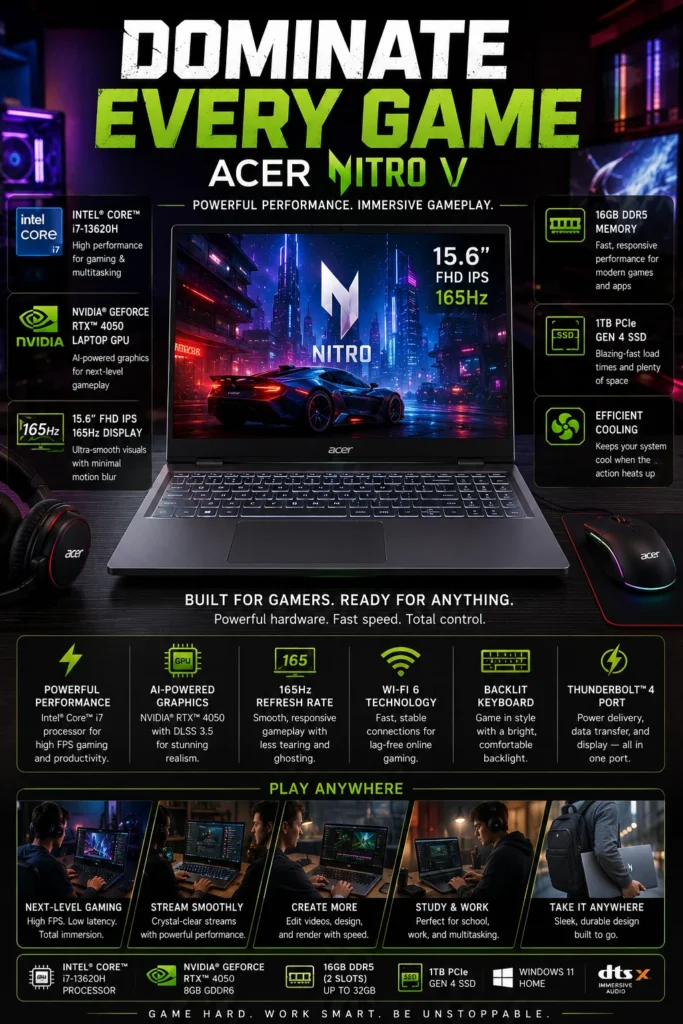
The Acer Nitro V 15 is our recommendation for the best budget video editing laptop in 2026. It brings a capable Intel processor, dedicated NVIDIA RTX graphics, upgradeable DDR5 memory, and fast NVMe storage to a lower price category than premium creator systems. For students, beginner editors, and budget-conscious creators who need real GPU acceleration rather than an office laptop with integrated graphics, the Nitro V offers an attractive entry point into video editing.

• Excellent choice for students, beginner video editors, YouTubers, freelancers, and creators working within a tighter budget
• Dedicated NVIDIA GeForce RTX 4050 graphics provide GPU acceleration for supported effects, rendering, encoding, and creative applications
• Intel Core i7-13620H delivers strong everyday CPU performance for editing software, multitasking, rendering, and content creation
• Upgrade-friendly DDR5 memory and NVMe storage provide useful flexibility for buyers who want to improve the system over time
• The 10-core Intel Core i7-13620H provides 16 threads and boost speeds up to 4.90GHz for demanding multitasking and creative workloads
• 16GB of DDR5 memory provides a solid starting configuration for video editing applications, browser tabs, media assets, and everyday multitasking
• The 1TB PCIe NVMe SSD offers useful working capacity for active projects, applications, and frequently used media files while maintaining fast system responsiveness
• The RTX 4050 includes 6GB of dedicated GDDR6 memory, giving the Nitro V a meaningful advantage over integrated-GPU laptops for supported GPU-accelerated creative workloads

The Acer Nitro V 15 earns our Best Budget Video Editing Laptop recognition because it brings dedicated graphics and capable processing into a much more accessible class of laptop. Instead of requiring buyers to move into a premium creator machine, the Nitro V provides the core hardware needed for many 1080p workflows and a range of lighter 4K projects.

Compared with the Lenovo LOQ 15 at #5, the Nitro V is positioned as the more cost-conscious choice rather than the stronger overall performance-per-dollar system. Its main compromises are typically found in areas such as display quality, battery life, chassis refinement, and overall premium features. For buyers whose priority is simply getting dedicated RTX graphics and enough CPU performance for modern video editing at a lower cost, the Nitro V remains a compelling option.

• Intel Core i7-13620H processor• 10 CPU cores and 16 threads• Boost speeds up to 4.90GHz• NVIDIA GeForce RTX 4050 Laptop GPU• 6GB GDDR6 dedicated graphics memory• Dedicated CPU and GPU acceleration for creative workloads• Suitable for Premiere Pro, DaVinci Resolve, and other supported applicationsThe combination of the Core i7-13620H processor and dedicated RTX 4050 graphics gives the Nitro V substantially more creative performance than typical office laptops in the same general price category.The 10-core Intel processor provides enough CPU resources for timeline editing, multitasking, encoding, rendering, and everyday content creation, while the RTX 4050 adds dedicated graphics acceleration for supported effects, rendering, and other GPU-intensive workloads.For beginner and intermediate editors, this combination provides a useful foundation for 1080p production and many lighter 4K workflows without requiring the budget of a premium creator workstation. Acer's referenced configuration pairs the i7-13620H with an RTX 4050 rated up to 75W. :contentReference[oaicite:1]{index=1}
• NVIDIA GeForce RTX 4050 Laptop GPU• 6GB GDDR6 VRAM• Dedicated graphics memory• Up to 75W maximum graphics power on the referenced configuration• Hardware acceleration for supported creative applications• GPU resources for effects, rendering, and AI-assisted workflowsThe RTX 4050 is one of the main reasons the Nitro V qualifies as a true video editing laptop rather than simply an inexpensive general-purpose notebook.Its dedicated GPU can accelerate supported effects, rendering tasks, AI-assisted tools, and other creative workloads that benefit from NVIDIA graphics. The 6GB of dedicated GDDR6 memory also provides significantly more graphics resources than integrated GPU solutions.The exact graphics power varies by Nitro V configuration, so buyers should verify the specific SKU before purchasing. Acer lists RTX 4050 configurations ranging from 60W to 75W depending on the model. :contentReference[oaicite:2]{index=2}
• 15.6-inch IPS display• 1920 × 1080 resolution on the referenced configuration• 165Hz refresh rate on the referenced configuration• Matte anti-glare surface• 16:9 aspect ratio• 45% NTSC color gamut on the referenced configuration• Comfortable workspace for timelines, applications, and general productivityThe Nitro V's display is functional rather than one of the laptop's primary strengths for professional color work. The 15.6-inch Full HD panel provides a practical workspace for editing timelines, media previews, and everyday applications, while the high refresh rate makes general navigation and motion feel responsive.The more important consideration for video editors is color coverage. The referenced configuration uses a 45% NTSC panel, which is adequate for general editing and content creation but is not ideal for advanced color-critical work. Other Nitro V variants are available with different display specifications, including models with 100% sRGB coverage, so buyers should verify the exact panel before purchasing. :contentReference[oaicite:3]{index=3}For professional color grading, a higher-gamut external monitor can be a worthwhile addition.
• 16GB DDR5 system memory• Up to 32GB supported on the referenced configuration• 1TB PCIe NVMe SSD• Fast application launches• Responsive project loading• Useful working capacity for active video projects• Upgrade potential for future workloadsThe 16GB DDR5 configuration provides a solid starting point for creators who work with editing applications, browser tabs, media files, and other software simultaneously.Acer lists support for up to 32GB of system memory on the referenced Nitro V configuration, giving users additional room to expand as editing projects become more demanding. The 1TB NVMe SSD also offers significantly more useful working space than the 512GB configurations found on some Nitro V variants.Video footage can consume storage rapidly, however, particularly with 4K media. Editors maintaining large libraries should consider external SSD storage or upgrading internal capacity where supported. :contentReference[oaicite:4]{index=4}
• Performance-oriented laptop cooling• Designed for sustained CPU and GPU workloads• 15.6-inch chassis• Practical design for students and beginner creators• Full-size laptop architecture for easier hardware expansion• Suitable for desk-based and occasional mobile editingThe Nitro V is designed around sustained performance rather than extreme thinness. Its larger chassis provides room for dedicated graphics, performance-oriented cooling, and conventional laptop hardware while keeping the system accessible to budget-conscious buyers.That design makes it better suited to desk-based editing than ultra-portable systems such as the MacBook Air. It is also a more practical format for users who plan to connect external monitors, storage devices, and other peripherals.The trade-off is predictable: the Nitro V is heavier and less refined for travel than the premium laptops higher in this ranking, but its larger performance-oriented design helps keep the price lower while accommodating dedicated RTX graphics.
• USB-C connectivity• Multiple USB-A ports• HDMI output• Gigabit Ethernet on supported configurations• Wi-Fi connectivity• Bluetooth support• Upgradeable DDR5 memory on supported configurations• PCIe NVMe storageThe Nitro V provides the practical connectivity expected from a performance-oriented laptop. External monitors, SSDs, keyboards, mice, networking equipment, and other creative peripherals can be connected without requiring an unusually large collection of adapters.The upgrade potential is another important advantage at this price level. Acer's referenced configuration supports up to 32GB of DDR5 memory, giving creators a path to increase capacity as projects become more demanding.This makes the Nitro V particularly appealing to students and beginner editors who may start with a modest configuration and gradually improve their system rather than replacing the entire laptop. :contentReference[oaicite:5]{index=5}
Ideal for:• Beginner video editors• Students studying media production• YouTube creators• Social media content creators• Freelancers starting their editing careers• Premiere Pro users• DaVinci Resolve users• Buyers upgrading from integrated graphics• Creators working with a limited budgetThe Acer Nitro V is our Best Budget Video Editing Laptop because it brings a capable processor, dedicated RTX graphics, DDR5 memory, and fast NVMe storage into a more accessible price category.It is especially well suited to buyers who need real GPU acceleration but cannot justify the cost of a premium creator laptop. The Nitro V is capable of handling everyday 1080p production and many lighter 4K workflows, making it a practical starting point for learning video editing and building a content-creation setup.Its main compromises are the display quality, portability, battery efficiency, and overall refinement compared with the higher-ranked models. For buyers who prioritize affordability and dedicated graphics above premium features, those compromises are often acceptable.
#7 Best Entry-Level Video Editing Laptop (2026)

HP Victus 15

Best Entry-Level Laptop for Beginner Video Editors, 1080p Projects & Everyday Content Creation
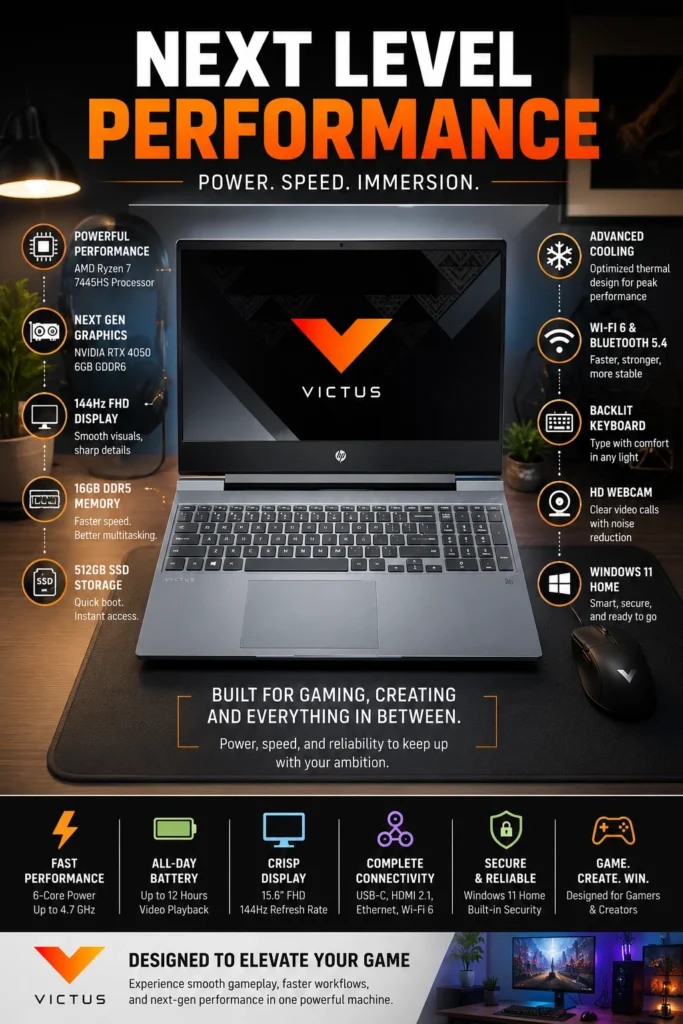
The HP Victus 15 is our recommendation for the best entry-level video editing laptop in 2026. It combines an AMD Ryzen 7 processor, dedicated NVIDIA RTX graphics, DDR5 memory, and fast NVMe storage in a practical 15.6-inch design that gives new creators a solid foundation for learning video editing and producing real-world content. For students, aspiring YouTubers, freelancers, and beginners who need more graphics capability than a conventional productivity laptop can provide, the Victus 15 offers an accessible starting point without requiring a premium creator budget.

• Excellent starting point for beginner video editors, students, YouTubers, freelancers, and creators developing their first serious editing workflow
• NVIDIA GeForce RTX 4050 graphics provide dedicated GPU acceleration for supported editing effects, rendering, encoding, and creative applications
• AMD Ryzen 7 7445H delivers strong CPU performance for video editing, multitasking, content creation, and everyday productivity
• Full-size 15.6-inch design provides a practical workspace for editing timelines while retaining a more accessible price than premium creator laptops
• AMD Ryzen 7 7445H features 6 cores and 12 threads with boost speeds up to 4.7GHz for demanding everyday workloads
• 16GB DDR5 memory provides a solid starting configuration for editing software, browsers, media assets, and general creative multitasking
• 512GB PCIe Gen4 NVMe SSD provides fast application launches and responsive access to active projects, although editors with large footage libraries may need additional storage
• RTX 4050 includes 6GB of dedicated GDDR6 graphics memory, providing a meaningful advantage over integrated graphics for supported GPU-accelerated editing workflows

The HP Victus 15 earns our Best Entry-Level Video Editing Laptop recognition because it gives new creators the core hardware needed to move beyond basic editing tasks without forcing them into the cost of a premium workstation. Its Ryzen 7 processor, dedicated RTX graphics, 16GB memory, and fast SSD create a capable starting platform for learning professional editing software and producing everyday content.

Compared with the Acer Nitro V at #6, the Victus 15 is positioned more heavily toward beginners and first-time creators rather than maximum budget performance. It still provides dedicated RTX graphics and capable processing, but buyers should understand its compromises, particularly the relatively modest color coverage of the referenced FHD display. HP's 15.6-inch FHD configuration provides 144Hz refresh, 300 nits brightness, and 62.5% sRGB coverage, making it practical for general editing but less suitable for advanced color-critical production. ([HP Ecuador](https://www.hp.com/ec-es/products/laptops/product-details/2103125713)) :contentReference[oaicite:1]{index=1}

• AMD Ryzen 7 7445H processor• 6 CPU cores and 12 threads• Boost speeds up to 4.7GHz• Dedicated NVIDIA RTX graphics• Strong performance for editing and everyday multitasking• Suitable for Premiere Pro, DaVinci Resolve, and other creative applicationsThe Ryzen 7 7445H provides a capable CPU foundation for creators who are beginning to work with professional video editing software. Its 6-core, 12-thread design provides enough processing capacity for timeline editing, encoding, multitasking, and everyday content creation.For students, beginner editors, YouTubers, and freelance creators, the processor provides a useful performance level without requiring the cost of a higher-end workstation processor.The combination of the Ryzen 7 processor and dedicated RTX graphics is particularly valuable for users moving up from basic laptops that rely exclusively on integrated graphics.
• NVIDIA GeForce RTX 4050 Laptop GPU• 6GB GDDR6 dedicated graphics memory• Dedicated GPU acceleration• Hardware acceleration for supported creative applications• Improved performance for GPU-based effects and rendering• Useful platform for modern AI-assisted creative toolsThe RTX 4050 is one of the main reasons the Victus 15 is capable of more than basic video editing. Its dedicated graphics processor can accelerate supported effects, rendering, encoding, AI-assisted features, and other workloads that benefit from NVIDIA GPU resources.The 6GB of dedicated GDDR6 memory gives the system a meaningful graphics advantage over conventional productivity laptops with integrated graphics.For beginner and intermediate editors, this provides a practical foundation for 1080p production and many lighter 4K workflows. More demanding professional projects with complex effects, extensive multicamera timelines, or heavy motion graphics will benefit from moving to a more powerful GPU.
• 15.6-inch IPS display• 1920 × 1080 resolution• 144Hz refresh rate• 300 nits brightness• 62.5% sRGB color coverage on the referenced configuration• Anti-glare finish• 16:9 aspect ratioThe Victus 15's 15.6-inch Full HD display provides a practical workspace for editing timelines, previewing footage, managing media, and handling everyday productivity tasks.The 144Hz refresh rate makes general interaction and motion feel responsive, but refresh rate is not the main factor determining display quality for video editing. Color coverage is more important for creators, and the referenced configuration's 62.5% sRGB coverage makes the panel better suited to general editing and online content than professional color-critical work.Creators performing advanced color grading or HDR production should consider connecting the Victus to a higher-gamut external monitor or choosing a laptop with a more color-oriented display. ([HP Ecuador](https://www.hp.com/ec-es/products/laptops/product-details/2103125713?utm_source=chatgpt.com))
• 16GB DDR5 memory• 512GB PCIe NVMe SSD• Fast application launches• Responsive project loading• Practical starting configuration for beginner editors• Upgrade potential depending on configurationThe 16GB DDR5 configuration provides a solid starting point for editing software, browser tabs, media assets, communication applications, and general multitasking.The 512GB NVMe SSD provides fast access to applications and active projects, but storage can become limited quickly when working with large video libraries. Original footage, proxies, cache files, rendered media, and project backups can consume hundreds of gigabytes surprisingly quickly.For creators building larger libraries, an external SSD or a higher-capacity internal configuration can provide a more practical long-term workflow. HP offers different Victus configurations, so memory and storage expansion options should be verified for the exact model before purchase.
• Performance-oriented 15.6-inch chassis• Active cooling for CPU and GPU workloads• Full-size laptop design• Suitable for desk-based editing• Practical form factor for students and beginner creators• Designed to balance performance and affordabilityThe Victus 15 uses a larger performance-oriented chassis rather than the extremely thin design found on premium ultraportables. This gives HP room to accommodate a dedicated RTX GPU and active cooling while keeping the overall system relatively accessible.The result is a laptop that is more comfortable for desk-based editing than extended mobile use. It can handle sustained creative workloads better than many thin entry-level laptops, although it remains heavier and less portable than systems such as the MacBook Air M4.For students and new creators, this trade-off makes sense: more of the laptop's budget goes toward usable CPU and GPU performance rather than extreme thinness or premium materials.
• USB-C connectivity• Multiple USB-A ports• HDMI output• Gigabit Ethernet• Wi-Fi 6 connectivity• Bluetooth connectivity• External monitor support• Upgrade options vary by configurationThe Victus 15 provides the practical connectivity needed for a beginner editing workstation. Users can connect external storage, monitors, keyboards, mice, networking equipment, and other accessories without relying entirely on wireless peripherals.Gigabit Ethernet is useful for large file transfers and more stable network connections, while HDMI makes it easy to connect a larger external display.The upgrade potential is another useful characteristic of the Victus platform, particularly for buyers who expect their editing needs to grow. Because specifications vary between models and generations, buyers should confirm the exact memory and storage layout of their particular configuration before assuming a specific upgrade path.
Ideal for:• Beginner video editors• Students• First-time YouTube creators• Social media content creators• Freelance editors starting out• Premiere Pro users• DaVinci Resolve users• Buyers upgrading from integrated graphics• Budget-conscious creatorsThe HP Victus 15 is our Best Entry-Level Video Editing Laptop because it provides a capable Ryzen 7 processor, dedicated RTX 4050 graphics, 16GB DDR5 memory, and fast NVMe storage in an accessible configuration for new creators.It is particularly appropriate for buyers who are learning professional editing software, building a YouTube channel, creating social media content, completing school projects, or beginning freelance work.The Victus 15's biggest compromise is its display. The referenced panel's 62.5% sRGB coverage is adequate for general content creation but not ideal for professional color grading. For creators who understand this limitation and prioritize getting capable hardware at an approachable price, the Victus 15 remains a sensible entry point.Compared with the Acer Nitro V #6, the Victus is positioned less around maximum budget performance and more around providing a straightforward starting platform for people entering video editing for the first time.

Best Video Editing Laptops in 2026

Ranked by Editing Performance, GPU Acceleration, Display Quality, Portability, Battery Life & Overall Value

Choosing the best video editing laptop in 2026 requires more than comparing processors or graphics cards. Different laptops are designed around very different creative priorities, with meaningful differences in sustained performance, GPU acceleration, display quality, memory, storage, battery efficiency, portability, upgradeability, and overall value.We evaluated these seven laptops based on the needs of modern video editors, including 1080p and 4K production, content creation, motion graphics, professional workflows, mobile editing, and budget-conscious creative work. The ranking reflects each laptop's overall strengths, limitations, and intended audience to help you choose the system that best matches your editing workflow.

LaptopCPU & Key SpecsBest ForWhy It WinsEditor's VerdictBuy
Best Overall
Apple MacBook Pro 14-inch M4
Apple M4
10-core CPU / 10-core GPU
16GB Unified Memory
512GB SSD
14.2" Liquid Retina XDR
Professional Editors
4K Creators
Filmmakers
Content Creators
The MacBook Pro delivers the strongest overall balance in this ranking, combining excellent CPU and GPU performance, hardware-accelerated video processing, a high-quality Liquid Retina XDR display, long battery life, portability, and efficient thermal behavior. It is not the most GPU-heavy Windows workstation, but its complete package makes it the most versatile choice for the majority of editors.Best Overall Video Editing Laptop in 2026Check Price
Best Windows Creator Laptop
ASUS ProArt P16
Ryzen AI 9 HX 370
RTX 5070 8GB GDDR7
32GB LPDDR5X
1TB SSD
16" 3K OLED 120Hz
4K Editors
Motion Graphics
3D Creators
Professional Windows Users
The ProArt P16 combines powerful RTX graphics, a high-quality OLED display, strong Ryzen AI processing, generous memory, fast storage, and creator-focused controls. Its biggest advantage is the combination of GPU acceleration and display quality in a Windows platform designed specifically around creative workflows.Best Windows Video Editing Laptop for CreatorsCheck Price
Best Premium Windows
Dell XPS 16 (2025)
Intel Core Ultra 9 285H
RTX 5060 8GB GDDR7
32GB LPDDR5X
1TB SSD
16.3" 4K OLED Touch
Creative Professionals
Premium Windows Users
Advanced Editors
Hybrid Workflows
The XPS 16 combines strong CPU and RTX graphics performance with a large high-resolution OLED display, premium aluminum construction, modern connectivity, and an understated professional design. It sacrifices some value and upgrade flexibility compared with performance-focused alternatives, but delivers a more refined overall Windows experience.Best Premium Windows Laptop for Video EditingCheck Price
Best Portable
Apple MacBook Air M4
Apple M4
16GB Unified Memory
512GB SSD
13.6" Liquid Retina
Fanless Design
Mobile Editors
Travel Creators
Students
YouTubers
The MacBook Air provides an excellent combination of M4 performance, silent fanless operation, long battery life, and a remarkably thin and lightweight design. It is not intended to replace a MacBook Pro for prolonged heavy rendering, but it is one of the strongest choices for creators who prioritize mobility and everyday editing.Best Portable Video Editing Laptop in 2026Check Price
Best Value
Lenovo LOQ 15
Intel Core i7-13650HX
RTX 5050 8GB GDDR7
16GB DDR5
1TB SSD
15.6" Performance Display
Budget-Conscious Editors
Intermediate Creators
Students
Performance-Focused Buyers
The LOQ 15 puts a large portion of its cost into the hardware that directly affects creative performance, including a high-performance HX processor, dedicated RTX graphics, DDR5 memory, fast NVMe storage, and performance-oriented cooling. Its display and portability are less refined than premium creator laptops, but its performance-per-dollar proposition is excellent.Best Performance-per-Dollar Video Editing LaptopCheck Price
Best Budget Pick
Acer Nitro V 15
Intel Core i7-13620H
RTX 4050 6GB GDDR6
16GB DDR5
1TB SSD
15.6" FHD IPS 165Hz
Beginner Creators
Students
YouTube Editors
Budget Buyers
The Nitro V brings a capable Core i7 processor, dedicated RTX 4050 graphics, 16GB DDR5 memory, and fast NVMe storage into a more accessible price category. Its main compromises are display quality, battery efficiency, and overall refinement, but it provides a practical path into GPU-accelerated video editing without the cost of a premium creator laptop.Best Budget Video Editing LaptopCheck Price
Best Entry-Level
HP Victus 15
Ryzen 7 7445H
RTX 4050 6GB GDDR6
16GB DDR5
512GB SSD
15.6" FHD IPS 144Hz
Beginner Editors
Students
First-Time Creators
Social Media Content
The Victus 15 provides a capable Ryzen 7 processor and dedicated RTX 4050 graphics in an accessible configuration that makes it a sensible starting platform for new editors. Its 512GB storage and modest display color coverage are meaningful limitations, but the system provides enough hardware for learning professional editing software and producing everyday content.Best Entry-Level Video Editing LaptopCheck Price
Keep Exploring

Recommended Next Reads

Still deciding which video editing laptop is right for you? Explore our related buying guides covering MacBooks, OLED displays, laptop GPUs, processor platforms, and different budget levels.

Whether you're choosing between Apple and Windows, deciding how much to spend, comparing OLED displays, or trying to understand which GPU and processor combination makes the most sense for video editing, these guides can help you make a more informed decision.

01
Apple Laptop Review

Apple MacBook Air M4 (2026) Review

Thinking about our #4 pick? Take a closer look at the MacBook Air M4's portability, battery life, performance, display, and everyday creative capabilities.

Read the MacBook Air M4 Review →
MacBook Comparison

MacBook Pro M5 vs MacBook Air M4 in 2026

Not sure whether you need a MacBook Air or a MacBook Pro? Compare Apple's latest portable options to understand which model better fits your editing workload and budget.

Compare MacBook Pro vs MacBook Air →
Display Buying Guide

Best OLED Laptops in 2026

OLED displays are a major advantage on creator laptops such as the ASUS ProArt P16 and Dell XPS 16. Explore the best OLED laptops for color, contrast, creative work, and everyday use.

Explore the Best OLED Laptops →
GPU Buying Guide

RTX 5060 vs RTX 5070 Ti vs RTX 5080 Laptop GPUs in 2026

Understanding laptop GPU tiers can help you decide how much graphics performance you actually need for rendering, effects, AI tools, and other GPU-accelerated creative workloads.

Compare Laptop GPU Performance →
Mid-Range Buying Guide

Best Laptops Under $1500 in 2026

Have a little more room in your budget? Explore laptops under $1,500 to see what additional performance, displays, features, and hardware you can get beyond entry-level systems.

Explore Laptops Under $1500 →
Processor Buying Guide

Intel Core Ultra 9 vs AMD Ryzen AI 9 in 2026

Choosing between Intel and AMD? Learn how Core Ultra 9 and Ryzen AI 9 platforms compare for performance, multitasking, AI workloads, and demanding creative applications.

Compare Intel vs AMD →

EDITOR'S FINAL RECOMMENDATIONS

Our Final Video Editing Laptop Recommendations for 2026

After comparing video editing laptops across editing performance, GPU acceleration, display quality, memory, storage, portability, battery efficiency, thermal performance, and overall value, these are our final recommendations for 2026. Whether you prioritize the best overall editing experience, a powerful Windows creator platform, portability, performance per dollar, or an affordable entry point, there is a strong option for your workflow and budget.

BEST WINDOWS CREATOR LAPTOP

ASUS ProArt P16

The creator-focused Windows choice for editors who need dedicated RTX graphics and a high-quality OLED display. The ProArt P16 combines Ryzen AI processing, RTX 5070 graphics, 32GB memory, a 3K OLED panel, and dedicated creator controls, making it particularly well suited to 4K editing, motion graphics, AI-assisted workflows, and 3D applications.

  • ✓ AMD Ryzen AI 9 HX 370
  • ✓ NVIDIA GeForce RTX 5070
  • ✓ 16-inch 3K OLED Display
  • ✓ 32GB LPDDR5X Memory
Best Windows video editing laptop for creators
BEST PREMIUM WINDOWS

Dell XPS 16 (2025)

The premium Windows choice for creators who want strong editing capability combined with a large high-resolution display and refined professional design. The XPS 16 pairs Intel Core Ultra processing with RTX graphics in supported configurations, premium aluminum construction, and a large OLED display for users who value both creative performance and an understated professional experience.

  • ✓ Intel Core Ultra 9 285H
  • ✓ NVIDIA GeForce RTX 5060
  • ✓ 16.3-inch 4K OLED Touch Display
  • ✓ Premium Aluminum Construction
Best premium Windows editing experience
BEST PORTABLE

Apple MacBook Air M4

The best choice for creators who value mobility above maximum sustained performance. The MacBook Air M4 combines a thin and lightweight fanless design with capable M4 performance, long battery life, a high-quality Liquid Retina display, and silent operation, making it particularly appealing to students, travelers, YouTubers, and mobile editors.

  • ✓ Apple M4 Chip
  • ✓ Fanless Silent Design
  • ✓ Up to 18 Hours Video Streaming
  • ✓ Thin and Lightweight Chassis
Best portable video editing laptop
BEST VALUE

Lenovo LOQ 15

The performance-per-dollar choice in this ranking. The Lenovo LOQ 15 directs more of its budget toward a high-performance processor, dedicated RTX graphics, DDR5 memory, fast NVMe storage, and performance-oriented cooling. It is especially attractive to editors who care more about usable editing performance than premium materials or ultra-portable dimensions.

  • ✓ Intel Core i7-13650HX
  • ✓ NVIDIA GeForce RTX 5050
  • ✓ 16GB DDR5 Memory
  • ✓ Performance-Oriented Cooling
Best performance-per-dollar video editing laptop
BEST BUDGET

Acer Nitro V 15

The budget-focused option for creators who need dedicated RTX graphics without moving into premium laptop pricing. The Nitro V combines a Core i7 processor, RTX 4050 graphics, 16GB DDR5 memory, and fast NVMe storage, giving students and budget-conscious editors a practical platform for 1080p production and many lighter 4K workflows.

  • ✓ Intel Core i7-13620H
  • ✓ NVIDIA GeForce RTX 4050
  • ✓ 16GB DDR5 Memory
  • ✓ 1TB NVMe SSD
Best budget video editing laptop
BEST ENTRY-LEVEL

HP Victus 15

The easiest starting point for new video editors, students, and first-time creators. The HP Victus 15 combines a Ryzen 7 processor, RTX 4050 graphics, 16GB DDR5 memory, and a practical 15.6-inch design, giving beginners enough hardware to learn professional editing software and build real-world content without paying for a premium workstation.

  • ✓ AMD Ryzen 7 7445H
  • ✓ NVIDIA GeForce RTX 4050
  • ✓ 16GB DDR5 Memory
  • ✓ 15.6-inch FHD Display
Best entry-level video editing laptop
QUICK DECISION

Which video editing laptop should you buy in 2026?

Best Overall

Apple MacBook Pro 14-inch M4

Best Windows Creator

ASUS ProArt P16

Best Premium Windows

Dell XPS 16

Best Portable

Apple MacBook Air M4

Best Value

Lenovo LOQ 15

Best Budget

Acer Nitro V 15

Best Entry-Level

HP Victus 15

Video editing laptop prices, configurations, and availability can change frequently. Before purchasing, check Amazon for the latest price, available memory and storage configurations, display specifications, warranty coverage, and current promotions.

EDITOR'S FINAL VERDICT

Final Verdict: Best Video Editing Laptops in 2026

After comparing video editing laptops across CPU and GPU performance, media acceleration, display quality, memory, storage, sustained performance, portability, battery efficiency, and overall value, one conclusion stands out:The best video editing laptop in 2026 is not necessarily the model with the fastest processor or most powerful GPU. It is the system that provides the right combination of performance, display quality, efficiency, portability, memory, storage, and reliability for the way you actually edit.

Modern video editing workloads vary enormously. A creator producing YouTube videos and short-form social content has very different requirements from a filmmaker working with high-resolution footage, a motion designer using After Effects, or a professional editor handling long 4K projects. That is why choosing the right editing laptop requires looking beyond benchmark numbers and considering the complete workflow.

For most creators in 2026, a strong video editing laptop should provide at least 16GB of memory, fast SSD storage, capable CPU and GPU acceleration, a high-quality display, effective thermal performance, and enough sustained performance for the projects you actually create.
Best Video Editing Laptop Overall Apple MacBook Pro 14-inch M4
Best Windows Creator Laptop ASUS ProArt P16
Best Premium Windows Dell XPS 16
Best Portable Editing Laptop Apple MacBook Air M4
The simple answer:
  • Choose the Apple MacBook Pro 14-inch M4 if you want the strongest overall combination of editing performance, display quality, battery efficiency, portability, and creative workflow support.
  • Choose the ASUS ProArt P16 if you use Windows and need dedicated RTX graphics, an OLED display, generous memory, and strong support for GPU-intensive creative applications.
  • Choose the Dell XPS 16 if premium Windows design, a large high-resolution display, and a refined professional experience are important alongside strong editing performance.
  • Choose the Apple MacBook Air M4 if portability, silence, battery efficiency, and everyday creative work matter more than maximum sustained performance.
  • Choose the Lenovo LOQ 15 if your priority is getting as much CPU, GPU, cooling, and upgrade potential as possible for your budget.
  • Choose the Acer Nitro V 15 if you need dedicated RTX graphics and capable editing hardware at a lower entry price.
  • Choose the HP Victus 15 if you are beginning your editing journey and want a practical first system for learning, YouTube, social media, and everyday creative work.

Top Video Editing Laptop Recommendations in 2026

BEST OVERALL

Apple MacBook Pro 14-inch M4

Our Editor's Choice for most video editors because it delivers the strongest overall balance of processing performance, media acceleration, display quality, battery efficiency, portability, and long-term usability. It is the safest recommendation for creators who want one professional-quality laptop that can handle a wide range of editing workflows.

  • ✓ Apple M4 with 10-core CPU and GPU
  • ✓ Liquid Retina XDR Display
  • ✓ Hardware-accelerated video processing
  • ✓ Excellent battery efficiency
BEST WINDOWS CREATOR

ASUS ProArt P16

The strongest Windows recommendation for creators who benefit from dedicated RTX graphics and a high-quality OLED display. Its Ryzen AI 9 HX 370, RTX 5070, 32GB memory, and creator-focused design make it particularly well suited to 4K editing, motion graphics, AI-assisted workflows, and 3D applications.

  • ✓ AMD Ryzen AI 9 HX 370
  • ✓ NVIDIA GeForce RTX 5070
  • ✓ 3K OLED Display
  • ✓ 32GB LPDDR5X Memory
BEST VALUE

Lenovo LOQ 15

The performance-per-dollar choice for creators who care more about usable editing hardware than premium materials. The LOQ combines a high-performance processor, dedicated RTX graphics, DDR5 memory, fast storage, and performance-oriented cooling, making it one of the most compelling value-focused systems in the ranking.

  • ✓ Intel Core i7-13650HX
  • ✓ NVIDIA GeForce RTX 5050
  • ✓ 16GB DDR5 Memory
  • ✓ Performance-Oriented Cooling
Choose the Apple MacBook Pro 14-inch M4 if:
  • ✓ You want the best overall editing experience
  • ✓ Display quality and battery efficiency matter
  • ✓ You use Final Cut Pro, Premiere Pro, or DaVinci Resolve
  • ✓ You want a compact professional editing system
Choose the ASUS ProArt P16 if:
  • ✓ You need serious Windows creator performance
  • ✓ Dedicated RTX GPU acceleration is important
  • ✓ OLED color quality matters to your workflow
  • ✓ You work with 4K editing, motion graphics, or 3D
Before Buying Any Video Editing Laptop:
  • ✓ Prioritize at least 16GB memory for modern editing workloads
  • ✓ Consider 32GB for demanding 4K and motion graphics workflows
  • ✓ Check the display's color coverage rather than focusing only on resolution or refresh rate
  • ✓ Make sure the CPU, GPU, cooling, and storage match your actual editing workload
Editor's Final Recommendation:

A video editing laptop is not simply a faster version of a normal notebook. Editors spend hours moving through timelines, reviewing footage, applying effects, rendering projects, managing media, and exporting finished work. Because of that, sustained performance, display quality, memory, storage, thermal behavior, battery efficiency, and portability can have as much impact on the ownership experience as benchmark performance.

Among the models evaluated in this guide, the Apple MacBook Pro 14-inch M4 provides the strongest overall combination of editing performance, media acceleration, display quality, efficiency, portability, and usability. That balance makes it our Editor's Choice for the best video editing laptop in 2026.

Editor's Choice See Today's Best Video Editing Laptop Deals

Prices, configurations, and availability can change frequently. Before purchasing, compare the current price, memory and storage configuration, display specification, warranty coverage, and available promotions to make sure the laptop matches your editing workflow.

Check Latest Deals

EDITOR'S FAQ

Frequently Asked Questions About the Best Video Editing Laptops in 2026

Choosing the best video editing laptop in 2026 requires more than comparing CPU and GPU specifications. Real-world editing performance also depends on sustained performance, GPU acceleration, display quality, memory capacity, storage speed, thermal design, battery efficiency, and the type of footage and software you use.These frequently asked questions address the most important buying decisions for video editors, YouTubers, filmmakers, students, freelancers, content creators, and professionals looking for the right balance of editing performance, portability, display quality, and value.

The Apple MacBook Pro 14-inch M4 is our Best Overall Video Editing Laptop in 2026.

It provides one of the strongest overall combinations of editing performance, hardware-accelerated media processing, display quality, battery efficiency, portability, and long-term usability in this ranking.

  • Apple M4 with 10-core CPU and 10-core GPU
  • Liquid Retina XDR display
  • Hardware acceleration for H.264, HEVC, ProRes, and ProRes RAW
  • 16GB unified memory in the base configuration
  • Strong battery efficiency and compact 14-inch design

It is particularly well suited to creators working with YouTube videos, 4K projects, client work, Final Cut Pro, Premiere Pro, and DaVinci Resolve. The ASUS ProArt P16 can be a better choice for Windows users who prioritize dedicated RTX graphics, while the MacBook Air M4 is better suited to creators who prioritize portability and silence.

Check Price
For serious 4K editing, our strongest options are the Apple MacBook Pro 14-inch M4, ASUS ProArt P16, and Dell XPS 16.

4K editing places substantially more demand on CPU performance, GPU acceleration, memory, storage, and thermal behavior than basic 1080p editing. The right laptop therefore depends on how complex your projects are and which applications you use.

  • Apple MacBook Pro 14-inch M4 → Best overall balance of performance, media acceleration, display quality, and efficiency.
  • ASUS ProArt P16 → Strong Windows option for GPU-intensive 4K editing, motion graphics, and creative applications.
  • Dell XPS 16 → Premium Windows choice with strong CPU and RTX graphics performance and a large high-resolution display.

For lighter 4K projects, additional models in this ranking can also be capable. For heavy multicamera editing, complex effects, advanced color work, or long rendering sessions, moving to a stronger GPU and 32GB of memory can provide more headroom.

The ASUS ProArt P16 is our Best Windows Video Editing Laptop for creators in 2026.

The ProArt P16 is particularly compelling for Windows users because it combines dedicated NVIDIA RTX graphics, a high-quality OLED display, strong AMD Ryzen AI processing, generous memory, fast storage, and creator-focused controls.

  • AMD Ryzen AI 9 HX 370 processor
  • NVIDIA GeForce RTX 5070 graphics
  • 32GB LPDDR5X memory in the referenced configuration
  • 16-inch 3K OLED display
  • Creator-oriented controls and ProArt workflow features

It is especially well suited to Premiere Pro, DaVinci Resolve, After Effects, Blender, motion graphics, AI-assisted creative tools, and other workloads that can benefit from dedicated GPU acceleration.

View Deal
The Acer Nitro V 15 is our Best Budget Video Editing Laptop, while the Lenovo LOQ 15 is our stronger overall value recommendation.

The distinction matters. The LOQ 15 is aimed at buyers who want the strongest combination of performance, cooling, and upgrade potential for their money. The Nitro V is aimed more directly at buyers who need dedicated RTX graphics at a lower entry price.

  • Lenovo LOQ 15 → Best performance-per-dollar choice.
  • Acer Nitro V 15 → Best budget-oriented choice with dedicated RTX graphics.
  • HP Victus 15 → Best entry-level choice for first-time editors.

For buyers working with a limited budget, prioritize dedicated graphics, at least 16GB of memory, fast SSD storage, and a configuration with a display suitable for your editing needs rather than choosing purely by processor model.

Check Deal
The ASUS ProArt P16, Dell XPS 16, and Apple MacBook Pro 14-inch M4 have the strongest display technologies in this comparison.

For video editing, resolution alone does not determine display quality. Color gamut, contrast, brightness, HDR capability, panel technology, and overall color consistency can matter much more depending on the workflow.

  • ASUS ProArt P16 → 3K OLED with 100% DCI-P3 coverage, Pantone Validation, and HDR support in supported configurations.
  • Dell XPS 16 → Available 4K OLED touchscreen provides a large, highly detailed workspace for creative work.
  • MacBook Pro 14-inch M4 → Liquid Retina XDR display with wide P3 color and strong HDR capability.

For professional color-sensitive workflows, always verify the exact display specification of the laptop you are purchasing. Some laptop families are sold with multiple panel options, and not every configuration provides the same color coverage or HDR capability.

View ProArt P16
Yes. 16GB remains a practical starting point for many video editing workflows in 2026, but 32GB is preferable for demanding professional projects.

The amount of memory you need depends on your footage, software, project complexity, and how many applications you use simultaneously.

  • 16GB → Suitable for many YouTube videos, social media projects, 1080p editing, and lighter 4K workflows.
  • 32GB → Better for demanding 4K editing, multicamera projects, motion graphics, After Effects, DaVinci Resolve, and heavier multitasking.
  • 64GB+ → Useful for particularly demanding professional workflows, large compositions, advanced 3D work, or specialized production environments.

For most buyers, it is better to start with 16GB on a well-balanced laptop than to sacrifice GPU performance, cooling, or display quality simply to obtain more memory. However, creators who expect to work with demanding 4K or motion-graphics projects should strongly consider 32GB.

Neither platform is universally better. The best choice depends on your software, GPU requirements, portability needs, and workflow.

MacBooks are particularly attractive for creators who value efficiency, battery life, quiet operation, portability, and the integration of Apple's hardware and software ecosystem.

  • MacBook advantages → Strong efficiency, long battery life, quiet operation, excellent displays, and access to Final Cut Pro.
  • Windows advantages → Wider hardware selection, more dedicated GPU options, greater configuration variety, and broader flexibility for GPU-intensive workflows.
  • Creative software → Premiere Pro and DaVinci Resolve work across both platforms, while Final Cut Pro is exclusive to macOS.

For most creators in this ranking, the MacBook Pro 14-inch M4 is the better all-around choice, while the ASUS ProArt P16 is particularly compelling for Windows users who need RTX GPU acceleration.

The ASUS ProArt P16 is our strongest Windows recommendation for Premiere Pro and DaVinci Resolve, while the MacBook Pro 14-inch M4 is the stronger overall choice across both applications and broader creative workflows.

Premiere Pro and DaVinci Resolve can benefit from both CPU and GPU resources, so the ideal system depends on the complexity of your projects and the effects you use.

  • ASUS ProArt P16 → Dedicated RTX 5070 graphics and 32GB memory provide strong headroom for GPU-intensive workflows.
  • MacBook Pro 14-inch M4 → Excellent media acceleration, strong overall performance, and efficient operation across a wide range of editing tasks.
  • Dell XPS 16 → Strong premium Windows alternative with dedicated RTX graphics and a large high-resolution display.

For editors who use heavy GPU effects, advanced color workflows, motion graphics, or other GPU-accelerated features, a dedicated NVIDIA GPU can be especially valuable. For editors who prioritize efficiency, portability, and Apple's integrated creative ecosystem, the MacBook Pro remains highly compelling.

Not always, but a dedicated GPU becomes increasingly valuable as your editing workload becomes more demanding.

Basic video editing, short-form content, and some 1080p workflows can run well on efficient integrated graphics or Apple's integrated GPU architecture. More demanding projects benefit from dedicated graphics acceleration.

  • 1080p editing → A capable integrated GPU can be sufficient for many basic workflows.
  • 4K editing → More GPU resources become useful, especially for complex effects and higher-resolution timelines.
  • Motion graphics and AI tools → Dedicated GPU resources can provide significant advantages in supported applications.
  • 3D and advanced rendering → A stronger dedicated GPU is generally preferable.

This is one reason the ASUS ProArt P16, Dell XPS 16, Lenovo LOQ 15, Acer Nitro V, and HP Victus 15 can be attractive alternatives to thin integrated-GPU laptops. Their dedicated NVIDIA graphics provide additional headroom for supported GPU-accelerated workloads.

For most creators, 512GB is a reasonable starting point, while 1TB or more is preferable for regular video production.

Video footage consumes storage quickly. Original camera files, proxies, project files, preview renders, cache data, exports, and backups can all occupy significant amounts of space.

  • 512GB → Suitable as a starting point for smaller projects and creators who use external storage.
  • 1TB → Better for editors who regularly keep active projects and media locally.
  • 2TB+ → More practical for large footage libraries, frequent 4K production, and creators who prefer to keep more media on the internal drive.

A fast external SSD is also an excellent companion for video editing. This allows you to keep the operating system and applications on the internal drive while storing large project libraries and archived footage externally.

Yes. Many gaming laptops can be excellent video editing systems, particularly when they include a strong processor, dedicated NVIDIA GPU, sufficient memory, and effective cooling.

Gaming and video editing both benefit from high-performance CPU and GPU hardware, although the ideal configuration is not identical for every workload.

  • Dedicated RTX graphics can accelerate supported editing and rendering workloads.
  • High-performance processors provide strong performance for encoding and multitasking.
  • Larger chassis designs often provide more thermal headroom during sustained workloads.
  • Upgradeable memory and storage can improve long-term flexibility.

The main compromises are usually weight, battery efficiency, fan noise, and display quality. For creators who prioritize performance per dollar, models such as the Lenovo LOQ 15 and Acer Nitro V 15 can therefore be compelling alternatives to premium creator laptops.

For most creators, the Apple MacBook Pro 14-inch M4 is our overall recommendation, but the right choice depends on your workflow and priorities.

Use these recommendations as a quick starting point:

  • Best Overall → Apple MacBook Pro 14-inch M4
  • Best Windows Creator → ASUS ProArt P16
  • Best Premium Windows → Dell XPS 16
  • Best Portable → Apple MacBook Air M4
  • Best Value → Lenovo LOQ 15
  • Best Budget → Acer Nitro V 15
  • Best Entry-Level → HP Victus 15

If you want the most balanced combination of editing performance, display quality, battery efficiency, portability, and long-term usability, choose the MacBook Pro 14-inch M4. If you need Windows and dedicated RTX graphics, the ASUS ProArt P16 is the strongest creator-focused alternative. Buyers on tighter budgets should look closely at the Lenovo LOQ, Acer Nitro V, and HP Victus depending on how much performance and upgrade potential they need.

Check Best MacBook Pro Deal

VIDEO EDITING LAPTOP BUYING GUIDE

Common Mistakes When Choosing a Video Editing Laptop in 2026

Choosing a video editing laptop in 2026 is not simply about finding the fastest processor or the most powerful GPU. Editing performance depends on the complete system, including CPU performance, GPU acceleration, memory, storage, display quality, thermal behavior, battery efficiency, and the type of projects you actually create.A laptop that looks impressive on a specification sheet can still be a poor choice if it has limited memory, inadequate storage, a weak display, poor sustained performance, or hardware that does not match your editing software and workflow.Avoid these common mistakes before choosing your next video editing laptop in 2026.

Editor's Insight

Video editing is a mixed workload. Timeline playback, encoding, rendering, effects, color work, AI tools, and media management can place very different demands on CPU, GPU, memory, storage, and cooling.For most creators in 2026, a sensible starting point is 16GB of memory, fast SSD storage, a capable CPU, and sufficient GPU acceleration for the software and resolution you use. Creators working with demanding 4K projects, motion graphics, multicamera timelines, or heavy effects should consider 32GB or more when their budget and configuration allow.

Buying Based Only on the CPU

  • Video editing can benefit significantly from both CPU and GPU resources, depending on the application and workload.
  • GPU-accelerated effects, rendering, AI tools, and other creative features can make dedicated graphics extremely valuable.
  • A powerful processor does not automatically guarantee the best overall editing experience.

Better decision: Evaluate the complete platform. Consider CPU performance, GPU capability, memory, storage, cooling, display quality, and the specific applications you use rather than choosing a laptop based on processor branding alone.

Assuming 16GB Is Always Enough

  • 16GB can be perfectly practical for many 1080p projects and lighter creative workloads.
  • Large 4K timelines, multicamera projects, motion graphics, and multiple creative applications can consume considerably more memory.
  • Browsers, communication tools, media applications, and background processes also compete for available memory.

Better decision: Treat 16GB as a practical starting point and consider 32GB for demanding 4K, motion graphics, After Effects, DaVinci Resolve, or heavy multitasking workflows. Choose higher memory when your actual workload justifies it.

Ignoring Display Color Quality

  • Resolution alone does not determine whether a laptop display is suitable for video editing.
  • Color gamut, contrast, brightness, HDR capability, and panel technology can significantly affect editing decisions.
  • Some affordable performance laptops use panels that are perfectly usable for general content creation but are less suitable for professional color work.

Better decision: Look beyond “1080p,” “3K,” or “4K.” Check the panel's color gamut, brightness, contrast, HDR capability, and technology. OLED and Mini-LED can be excellent choices, but the exact panel specification matters more than the marketing label.

Choosing a Powerful Laptop Without Checking Cooling

  • Rendering and encoding can place sustained CPU and GPU loads on a laptop for extended periods.
  • Poor thermal design can reduce sustained performance and increase fan noise.
  • Short benchmark results do not necessarily represent performance during long editing sessions.

Better decision: Pay attention to the laptop's cooling design and sustained-performance behavior. Performance-oriented systems such as the Lenovo LOQ 15 can be particularly attractive when long rendering and export sessions are part of your workflow.

Underestimating Storage Requirements

  • 4K footage, proxies, cache files, project files, and exports can consume storage extremely quickly.
  • A 512GB SSD can become restrictive once the operating system, applications, and active projects are installed.
  • Slow or crowded storage can make media management unnecessarily frustrating.

Better decision: Consider 1TB as a more comfortable starting point for regular video production, especially when working with local footage. If you maintain large media libraries, plan for additional internal or external SSD storage.

Buying the Wrong Laptop for Your Editing Workflow

  • A portable laptop may be perfect for travel editing but less suitable for long rendering sessions.
  • A gaming-oriented laptop can offer excellent performance per dollar but may compromise display quality, battery life, or portability.
  • A premium creator laptop may provide better displays and design but cost significantly more than necessary for basic editing.

Better decision: Match the laptop to your workflow. Consider your editing resolution, software, project complexity, mobility requirements, budget, and how many hours you expect to spend rendering or exporting before deciding which category makes the most sense.

Smart Buying Advice for Video Editors

Choose the MacBook Pro 14-inch M4 if:

You want the strongest overall balance of editing performance, display quality, media acceleration, battery efficiency, portability, and long-term usability. It is our preferred choice for creators who want one versatile professional editing system.

Choose the ASUS ProArt P16 if:

You need Windows, dedicated RTX graphics, an OLED display, generous memory, and strong support for GPU-intensive creative applications such as Premiere Pro, DaVinci Resolve, After Effects, and Blender.

Key takeaway: The best video editing laptop in 2026 is not necessarily the most powerful or most expensive model. It is the laptop that provides the right combination of CPU and GPU performance, memory, storage, display quality, thermal behavior, portability, and value for the way you actually work.

After evaluating the laptops featured in this guide, these are our Editor's top recommendations:

  • Best Overall Video Editing Laptop: Apple MacBook Pro 14-inch M4 — the strongest overall combination of editing performance, display quality, media acceleration, efficiency, portability, and long-term usability.
  • Best Windows Video Editing Laptop: ASUS ProArt P16 — the strongest Windows creator platform for buyers who need dedicated RTX graphics, OLED display quality, generous memory, and GPU-intensive creative performance.
  • Best Premium Windows Laptop: Dell XPS 16 — a refined choice for creators who want a large high-resolution display, capable RTX graphics, premium construction, and an understated professional design.
  • Best Portable Video Editing Laptop: Apple MacBook Air M4 — the best choice for creators who prioritize portability, silent operation, battery efficiency, and everyday editing.
  • Best Value Video Editing Laptop: Lenovo LOQ 15 — an excellent performance-per-dollar option that puts CPU performance, dedicated RTX graphics, cooling, memory, and storage ahead of premium materials and ultra-portable design.
  • Best Budget Video Editing Laptop: Acer Nitro V 15 — a practical choice for buyers who need dedicated RTX graphics and capable editing hardware at a lower entry price.
  • Best Entry-Level Video Editing Laptop: HP Victus 15 — a sensible starting platform for students, beginner editors, YouTubers, and first-time creators who want dedicated graphics without paying for a premium workstation.

Need help choosing your laptop?

Not sure which option fits your workflow? Get a personalized recommendation based on your budget, performance needs, and usage.

Get personalized recommendation

⚡ Usually responds within 24 hours