
Best Monitors in 2026
Discover the best monitors for gaming, productivity, creative work, professional editing, and everyday use. We compare the latest 4K, OLED, ultrawide, USB-C, Thunderbolt, portable, and high-refresh-rate displays to help you find the perfect monitor for your workspace, entertainment, or gaming setup.
Find the Best Monitor for Your Setup
Whether you're building a gaming battlestation, upgrading your home office, editing professional content, or simply looking for a better display, choosing the right monitor can significantly improve your productivity and viewing experience.
Explore our expert buying guides, in-depth reviews, and carefully selected recommendations covering 4K, portable, OLED, ultrawide, USB-C, Thunderbolt, gaming, and professional monitors for every budget and workflow.
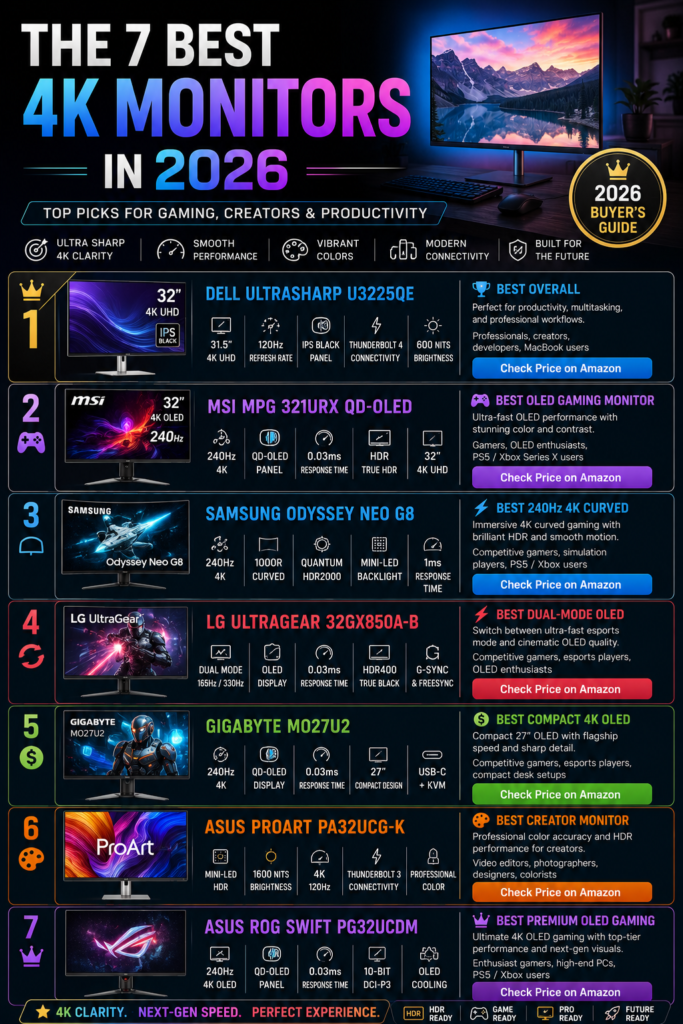
Best 4K Monitors
Compare the best 4K monitors for productivity, creative professionals, entertainment, and gaming with exceptional image quality, color accuracy, and modern connectivity.
- Best overall picture quality
- Excellent productivity and creative displays
- Expert recommendations for every budget
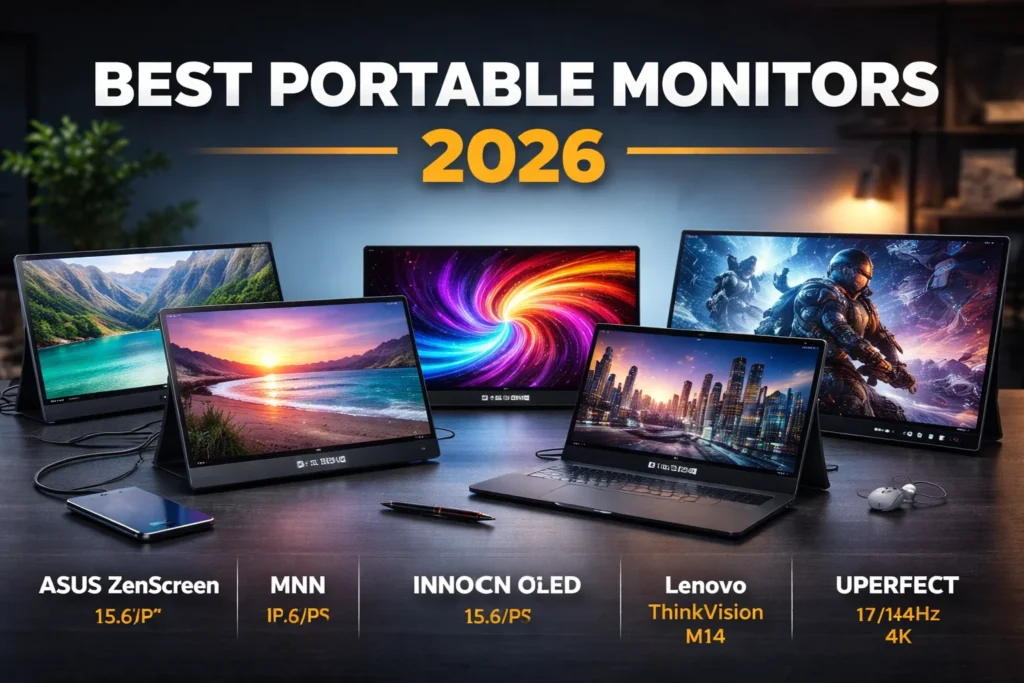
Best Portable Monitors
Discover lightweight portable monitors perfect for travel, remote work, dual-screen productivity, and mobile gaming.
Read Guide→Best Gaming Monitors
Explore high refresh rate gaming monitors with fast response times, adaptive sync technology, and immersive visuals.
Read Guide→4K vs Ultrawide Monitors
Compare resolution, workspace, gaming performance, and productivity advantages to choose the right display.
Read Guide→How to Choose a Monitor
Learn how to evaluate panel types, refresh rates, resolution, connectivity, HDR, and color accuracy before buying.
Read Guide→Recommended Next Reads
Resolution
Choose the right resolution based on your workload. Full HD works for everyday use, while 4K offers exceptional detail for creators and professionals.
Panel Technology
IPS delivers accurate colors, OLED provides incredible contrast, and high refresh rate panels offer smoother gaming performance.
Connectivity
Look for HDMI 2.1, DisplayPort, USB-C, or Thunderbolt connectivity depending on your laptop, desktop, or gaming console.
Monitor technology continues to evolve with brighter OLED panels, faster refresh rates, improved color accuracy, and advanced USB-C connectivity. We regularly update our recommendations to help you find the best monitor for your budget, workspace, and everyday needs.
How We Evaluate Monitors
Every recommendation published on ProTechGuide follows a consistent editorial process focused on real-world performance, image quality, color accuracy, connectivity, ergonomics, and long-term value. We don't rank monitors based solely on specifications—we evaluate how each display performs in everyday gaming, productivity, creative work, and professional environments.
Real-World Display Performance
We prioritize real-world performance by evaluating brightness, contrast, color accuracy, HDR capabilities, motion clarity, refresh rates, response times, and overall image quality across different use cases.
Productivity & Compatibility
Our recommendations consider compatibility with Windows PCs, MacBooks, gaming consoles, USB-C and Thunderbolt devices, while also evaluating ergonomics, connectivity, and multitasking features.
Independent Rankings
Every buying guide is written independently. Monitors earn their ranking through performance, display quality, features, reliability, and overall value—not through sponsorships or manufacturer influence.
Continuously Updated
Display technology evolves rapidly with new OLED panels, Mini-LED backlighting, higher refresh rates, and improved connectivity. We regularly review new releases and update our recommendations throughout the year.
The best monitor isn't simply the one with the highest resolution.
The right monitor is the one that delivers the best balance of image quality, color accuracy, refresh rate, connectivity, ergonomics, and overall value for your specific workflow—whether you're gaming, creating content, working from home, or building a professional workstation.
Expert Verdict — Best Monitors in 2026
Choosing the right monitor isn't about buying the highest resolution or the fastest refresh rate—it's about finding the display that delivers the ideal balance of image quality, performance, connectivity, ergonomics, and long-term value for your specific needs.
Whether you're building a professional workstation, creating content, gaming competitively, working from home, or upgrading your everyday desktop, the right monitor can dramatically improve productivity, comfort, and your overall viewing experience.
Many buyers focus only on screen size or resolution while overlooking critical factors such as panel technology, refresh rate, color accuracy, HDR performance, ergonomics, and connectivity.
The best monitor is the one that complements your workflow, workspace, devices, and budget—not simply the one with the biggest specifications sheet.After reviewing today's monitor market, one conclusion becomes clear:
There is no single monitor that's perfect for everyone. Creative professionals prioritize color accuracy and high resolution, gamers benefit from high refresh rates and low response times, while office users often value ergonomics, USB-C connectivity, and multitasking features. The best choice depends entirely on how and where you'll use your display.
- Choose the right resolution for your workspace and workload.
- Select a panel technology that matches your priorities, whether that's IPS, OLED, or Mini-LED.
- Consider refresh rate and response time if gaming or motion clarity is important.
- Verify that the monitor includes the connectivity you need, including HDMI, DisplayPort, USB-C, or Thunderbolt.
- Look for ergonomic features such as height adjustment, tilt, swivel, and VESA mount compatibility.
- Prioritize accurate color reproduction for photography, video editing, and design work.
- Invest in a monitor that will remain relevant as your workspace and devices evolve.
Continue Exploring
Best 4K MonitorsBest Portable Monitors
Best Gaming Monitors
How to Choose a Monitor
- Sharp, detailed displays.
- Comfortable for long workdays.
- Excellent multitasking experience.
- Outstanding long-term value.
- Exceptional color accuracy.
- High-resolution panels.
- Professional editing workflows.
- Premium image quality.
- High refresh rates.
- Fast response times.
- Smooth, immersive gameplay.
- Excellent competitive performance.