
Explore Our Best Laptops by Use Case
This guide to Best Gaming Laptops Under $2,000 in 2026: 8 Top Picks for Performance, Display & Value is part of our curated laptop recommendations by use case. Explore more expert comparisons and buying guides covering gaming laptops, performance-focused systems, productivity, displays, value, and other specialized laptop categories to help you choose the right machine for your needs.Best Gaming Laptops Under $2,000 in 2026: 8 Top Picks for Performance, Display & Value
The best gaming laptop under $2,000 in 2026 is not necessarily the model with the most powerful GPU or the highest specification on paper. The right choice depends on how you play, the resolution and refresh rate you want, how much sustained performance you need, and whether you prioritize raw gaming power, display quality, portability, cooling, or overall value.From competitive gaming and high-refresh-rate play to demanding AAA titles and everyday productivity, today's gaming laptops can deliver strong performance within a $2,000 budget. The challenge is knowing which specifications actually matter and which differences between configurations are meaningful in real-world use.
In this guide, we've selected the best gaming laptops under $2,000 in 2026 based on GPU and CPU performance, graphics power, display quality, refresh rate, cooling, RAM capacity, storage, build quality, portability, connectivity, and overall value. We also considered the differences between RTX 5060, RTX 5070, and RTX 5070 Ti configurations, along with OLED and high-refresh displays designed for modern gaming.The MSI Vector 16 HX AI stands out for buyers who want maximum graphics performance within the budget, thanks to its RTX 5070 Ti configuration and high-performance HX platform. The ASUS ROG Zephyrus G14 AI takes a different approach, combining a compact 14-inch design with a 3K 120Hz OLED display for gamers who value portability and image quality. The Lenovo Legion Pro 5 and MSI Crosshair 18 HX AI focus more heavily on high-refresh-rate gaming and sustained performance, while the HP OMEN 16 and GIGABYTE AERO X16 provide compelling alternatives for gamers who also need their laptop for productivity or creative work.
ASUS ROG Zephyrus G14 AI Gaming Laptop
Best Compact Gaming Laptop for OLED Gaming & Portability

The ASUS ROG Zephyrus G14 AI with an AMD Ryzen 9 270 processor, 16GB of DDR5 memory, 512GB SSD, and NVIDIA GeForce RTX 5060 Laptop GPU is our Best Compact Gaming Laptop for 2026. Its 14-inch 3K OLED display combines a 2880 × 1800 resolution, 120Hz refresh rate, 0.2ms response time, 100% DCI-P3 coverage, and up to 500 nits of brightness, creating a premium gaming display in a substantially more compact format than typical 16- and 18-inch gaming systems. The RTX 5060 with 8GB of GDDR7 memory provides the dedicated graphics foundation for modern gaming, while the Ryzen 9 270's 8-core, 16-thread design provides the CPU performance needed for gaming, multitasking, and demanding everyday workloads.
The Zephyrus G14 earns our Best Compact Gaming Laptop award because it concentrates a dedicated RTX 5060 GPU, Ryzen 9 processor, and premium 3K OLED gaming display into a 14-inch chassis weighing approximately 3.31 pounds. Rather than competing primarily through maximum chassis size or the highest possible GPU tier, this configuration is designed around the combination of gaming performance, display quality, and portability, making it particularly compelling for gamers who do not want to carry a conventional large-format gaming laptop.
Compared with the larger 16-inch and 18-inch gaming laptops in this guide, the ASUS ROG Zephyrus G14 AI places considerably more emphasis on mobility and display quality. Its RTX 5060 is below the RTX 5070 and RTX 5070 Ti configurations featured elsewhere in the lineup, but the G14 differentiates itself with a 14-inch 3K OLED panel, 120Hz refresh rate, and compact 3.31-pound design. It is therefore best suited to buyers who value portability and a premium OLED display alongside capable dedicated graphics rather than simply choosing the largest performance-oriented chassis.
Key Features
MSI Vector 16 HX AI Gaming Laptop
High-End Gaming Performance with RTX 5070 Ti

The MSI Vector 16 HX AI with an Intel Core Ultra 7 255HX processor, NVIDIA GeForce RTX 5070 Ti, 16GB of DDR5 memory, and 1TB SSD is our Best Performance Value for gaming laptops under $2,000 in 2026. Its high-performance HX processor and RTX 5070 Ti graphics configuration give this 16-inch system a strong focus on demanding PC gaming and sustained performance, while the 1TB SSD provides practical storage for games and applications. The 16-inch WUXGA IPS-Level display adds a 144Hz refresh rate for smoother motion in fast-paced games, making the Vector 16 HX AI a performance-oriented alternative to the more display-focused systems in this guide.
The MSI Vector 16 HX AI earns our Best Performance Value award because it concentrates a Core Ultra 7 255HX processor and RTX 5070 Ti GPU into a gaming laptop positioned within the $2,000 category. Its design prioritizes performance hardware and sustained gaming capability rather than minimizing size or maximizing display resolution, making it particularly relevant to buyers who want to allocate as much of their budget as possible toward high-end gaming components.
Compared with the ASUS ROG Zephyrus G14 AI, the MSI Vector 16 HX AI is substantially more focused on high-end graphics performance and a larger gaming chassis, while the G14 emphasizes portability and its 3K OLED display. Compared with the other 16-inch systems in this guide, the Vector's defining advantage is its RTX 5070 Ti configuration, while its WUXGA 144Hz panel is more performance-oriented than the higher-resolution or OLED displays found on some competing models.
Key Features
Lenovo Legion Pro 5 5060 Gaming Laptop
High-Refresh 2.5K Gaming with Ryzen 9 Performance
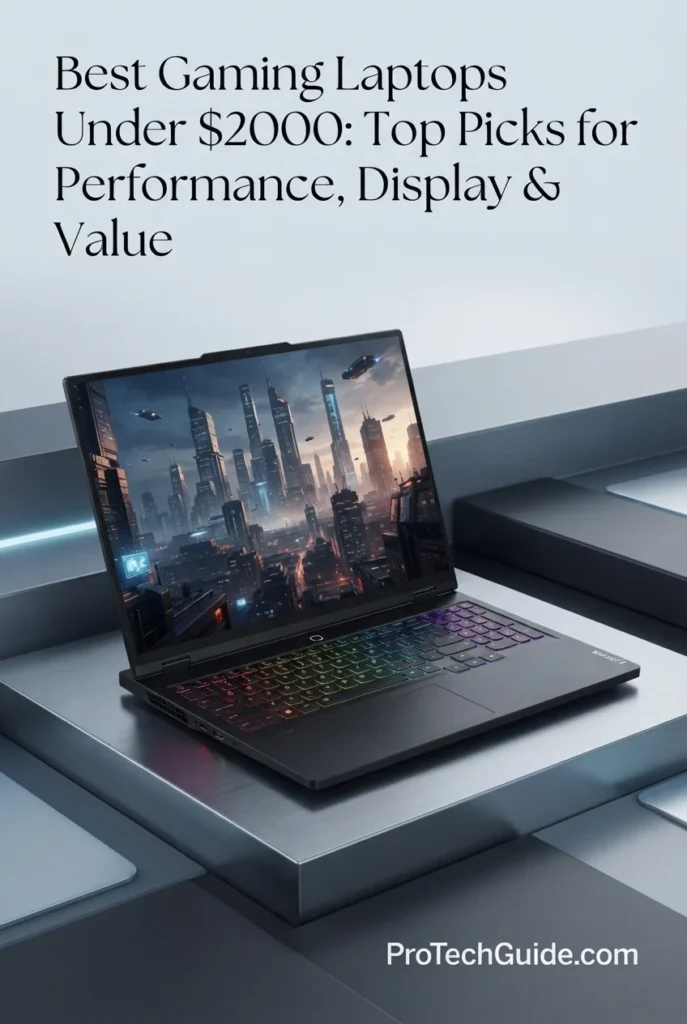
The Lenovo Legion Pro 5 5060 with the AMD Ryzen 9 8945HX, GeForce RTX 5060 8GB, 16GB DDR5 memory, and 1TB SSD is our Best Gaming Performance laptop under $2,000 in 2026 for gamers who prioritize a powerful CPU platform and a high-refresh 2.5K display. Its 16-inch 2560×1600 IPS panel combines a 240Hz refresh rate with 500 nits of brightness, 100% DCI-P3 coverage, Dolby Vision, DisplayHDR 400, G-SYNC, and FreeSync Premium, creating a strong foundation for both competitive gaming and visually demanding titles. The Ryzen 9 8945HX and RTX 5060 8GB combination provides a performance-focused platform for modern PC gaming, while the 24-zone RGB keyboard, 5MP webcam, and broad connectivity make the Legion Pro 5 suitable for gaming, streaming, study, and everyday productivity.
The Legion Pro 5 earns our Best Gaming Performance award because it combines a high-core-count Ryzen 9 8945HX processor with RTX 5060 graphics and one of the most gaming-focused displays in this selection: a 16-inch 2560×1600 panel running at 240Hz and rated for 500 nits with 100% DCI-P3 coverage. Rather than focusing exclusively on maximum GPU class, this configuration creates a balanced performance platform for gamers who want strong CPU capability and a high-refresh 2.5K experience in the same machine.
Compared with the MSI Vector 16 HX AI, the Legion Pro 5 uses an RTX 5060 rather than the more powerful RTX 5070 Ti configuration, but its 240Hz 2560×1600 display provides a more gaming-focused visual specification than the Vector's 1920×1200 144Hz panel. Compared with the ASUS ROG Zephyrus G14 AI, the Legion Pro 5 is considerably more performance-oriented in size and uses a larger 16-inch display, while the G14 remains the more compact option. The Legion Pro 5 therefore fits buyers who prioritize high-refresh 2.5K gaming and strong CPU performance over maximum portability.
Key Features
Acer Predator Helios Neo 16S AI Gaming Laptop
Premium OLED Gaming with 240Hz Performance
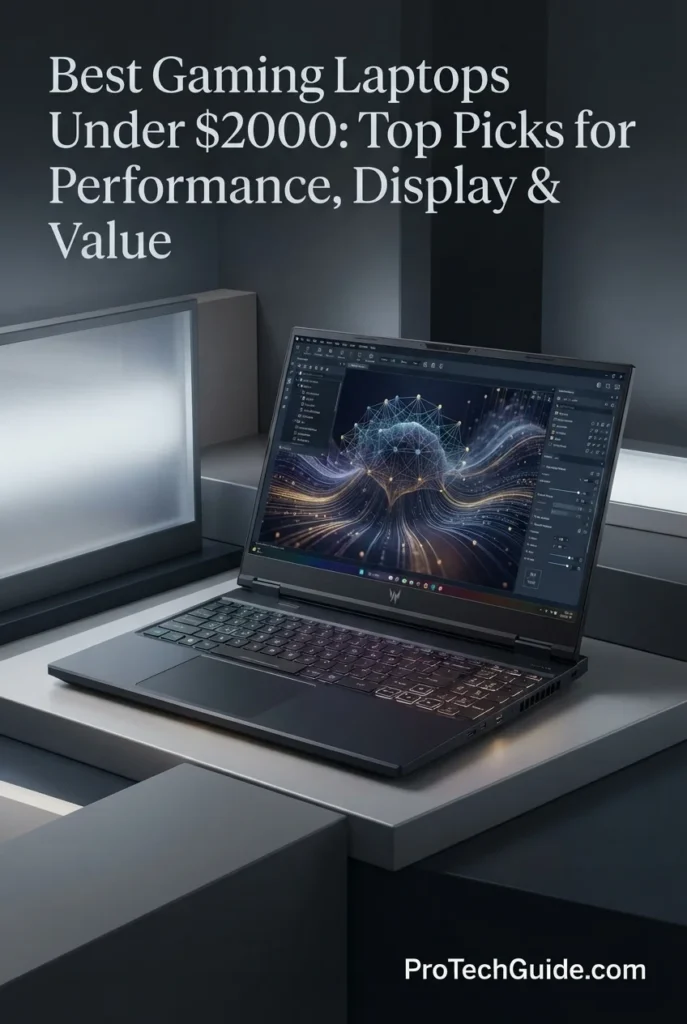
The Acer Predator Helios Neo 16S AI with the Intel Core Ultra 9 275HX, GeForce RTX 5060 8GB, 16GB DDR5, and 1TB SSD is our Best OLED Gaming Laptop under $2,000 in 2026 for gamers who place exceptional display quality and high-refresh gaming at the center of the experience. Its 16-inch 2560×1600 OLED panel runs at 240Hz and pairs high-resolution image quality with exceptionally smooth motion, while the 24-core Ultra 9 275HX and dedicated RTX 5060 provide a powerful hardware foundation for modern gaming and demanding creative workloads. The configuration also adds a 4-zone RGB keyboard, Wi-Fi 6E, HDMI 2.1, USB-C, 5Gb Ethernet, and a fifth-generation AeroBlade 3D cooling system, making it a versatile performance laptop for gaming, content creation, and intensive workloads.
The Predator Helios Neo 16S AI earns our Best OLED Gaming Laptop award because it combines a 16-inch 2560×1600 OLED display with a 240Hz refresh rate and a high-performance Core Ultra 9 275HX platform. The RTX 5060 8GB provides dedicated gaming graphics, while the OLED panel gives this configuration a distinctly premium visual focus. For buyers who consider display technology a major part of the gaming experience, this combination offers a different proposition from conventional IPS-based gaming laptops in the same price category.
Compared with the Lenovo Legion Pro 5, the Predator Helios Neo 16S AI uses a similarly focused RTX 5060 graphics platform but differentiates itself with an OLED 240Hz display and an Intel Core Ultra 9 275HX processor. The MSI Vector 16 HX AI moves further toward maximum graphics performance with an RTX 5070 Ti, but its WUXGA IPS-Level 144Hz display is less display-focused than the Predator's 2560×1600 OLED panel. The Predator therefore makes the most sense for buyers who place premium display technology alongside gaming performance.
Key Features
ASUS TUF Gaming A16
AMD Ryzen 7 & Radeon RX 7600S Gaming Performance
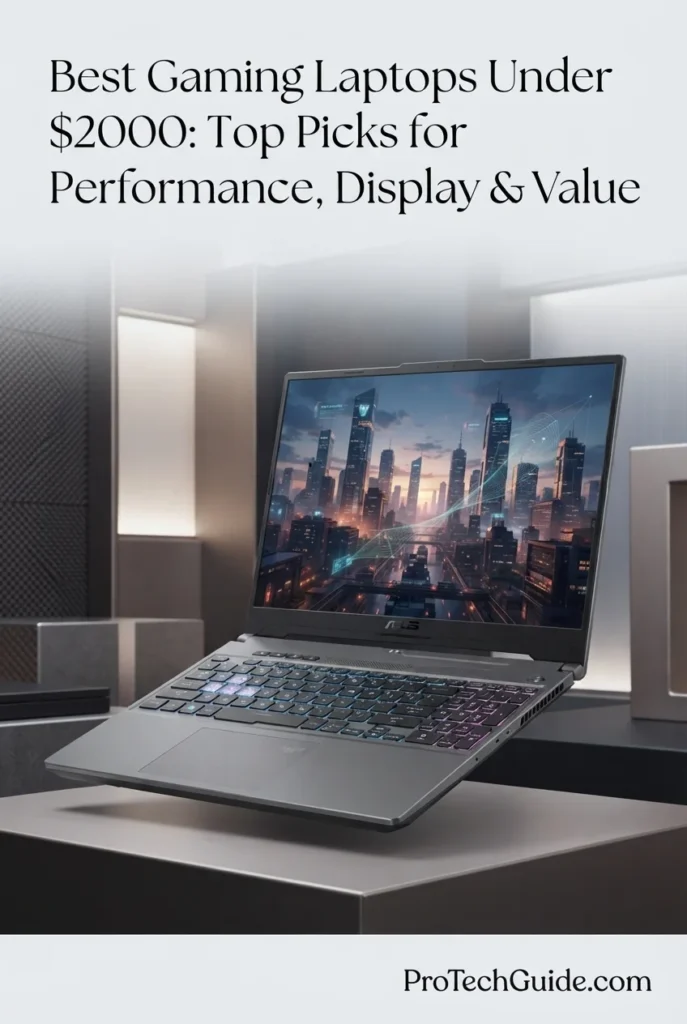
The ASUS TUF Gaming A16 with the AMD Ryzen 7 7735HS, Radeon RX 7600S 8GB graphics, 64GB of DDR5 memory, and 1TB SSD is our AMD-focused recommendation for gaming under $2,000 in 2026. Its combination of an 8-core Ryzen 7 processor, dedicated Radeon graphics, unusually generous 64GB memory configuration, fast 1TB SSD, and 16-inch FHD+ 165Hz display creates a well-rounded platform for modern gaming, multitasking, and demanding everyday workloads. The 100% sRGB display is particularly useful for users who want a gaming laptop that can also handle color-conscious productivity and creative tasks, while the AMD Ryzen and Radeon platform provides a cohesive alternative to the RTX-based systems elsewhere in this guide.
The ASUS TUF Gaming A16 earns our Best AMD Gaming Laptop designation because it combines a Ryzen 7 processor, dedicated Radeon RX 7600S graphics, 64GB of DDR5 memory, a 165Hz 100% sRGB display, and 1TB of SSD storage in a configuration that offers a distinctly AMD-focused alternative to the RTX-based laptops in this guide. Its unusually high memory capacity is especially attractive for buyers who expect to combine gaming with intensive multitasking or productivity workloads.
Compared with the RTX-based gaming laptops in this selection, the ASUS TUF Gaming A16 takes a different approach by pairing AMD Ryzen and Radeon components with a particularly generous 64GB memory configuration. The Lenovo Legion Pro 5 and Acer Predator Helios Neo 16S AI place greater emphasis on higher-end gaming display specifications and RTX graphics features, while the TUF Gaming A16 stands out for its 100% sRGB 165Hz panel, 64GB of DDR5 memory, and AMD platform. This makes it a useful alternative for buyers who prioritize memory capacity and an AMD-based configuration rather than simply choosing a laptop based on GPU branding.
Key Features
HP OMEN 16
High-Refresh RTX 5070 Gaming with Ryzen 9 Performance
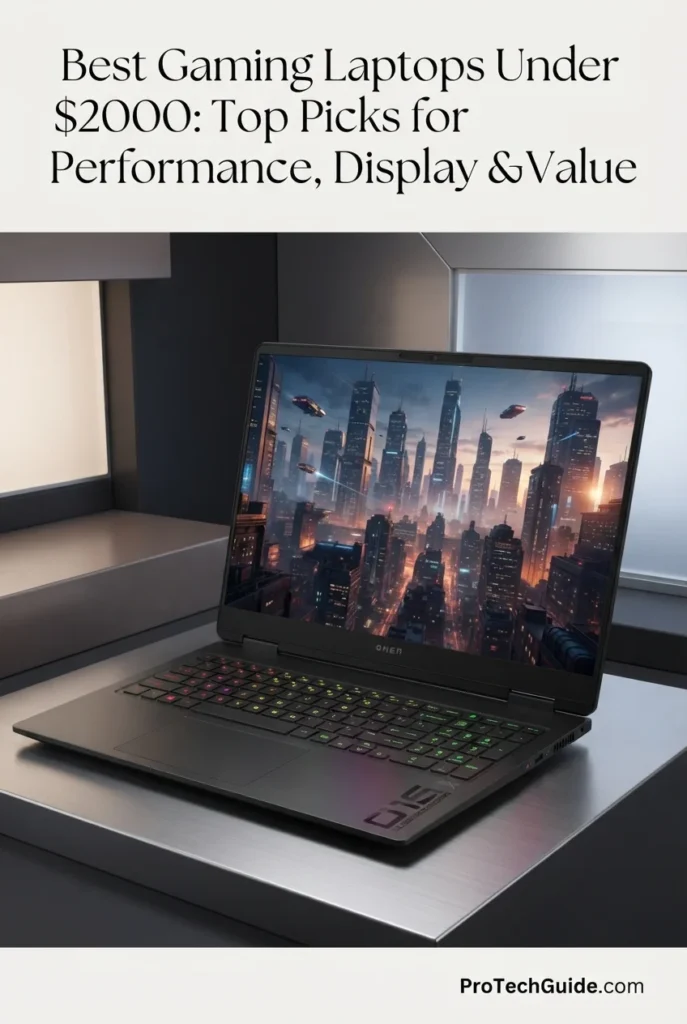
The HP OMEN 16 with the AMD Ryzen 9 8940HX, NVIDIA GeForce RTX 5070, 16GB of DDR5 memory, and 1TB SSD is our dedicated recommendation for RTX 5070 gaming performance under $2,000 in 2026. Its 16-core, 32-thread Ryzen 9 processor, RTX 5070 with 8GB of GDDR7 memory, 16-inch WQXGA 2560 × 1600 display, and 240Hz refresh rate create a performance-focused configuration for demanding PC gaming. The combination is particularly well suited to gamers who want high-refresh-rate gameplay while retaining enough CPU and GPU headroom for streaming, multitasking, and other demanding workloads. HP's OMEN Tempest Cooling Evolved system also adds a performance-oriented thermal design with additional heat-pipe capacity and Cryo Compound technology.
The HP OMEN 16 earns our Best RTX 5070 Gaming Laptop designation because this configuration combines the RTX 5070 with a 16-core Ryzen 9 8940HX, a 240Hz WQXGA display, 16GB DDR5 memory, 1TB SSD storage, and a cooling system designed around sustained gaming performance. It is a particularly focused choice for buyers who want to prioritize high-end 16-inch gaming performance rather than compact portability.
Compared with the MSI Vector 16 HX AI, which uses a higher-tier RTX 5070 Ti configuration, the HP OMEN 16 takes a step toward a more balanced RTX 5070 platform while pairing it with the high-core-count Ryzen 9 8940HX. Against the Lenovo Legion Pro 5 and Acer Predator Helios Neo 16S AI, the OMEN emphasizes its RTX 5070 graphics configuration and 240Hz WQXGA gaming display. The exact display and memory specifications can vary across OMEN 16 configurations, so this recommendation applies specifically to the 16GB/1TB RTX 5070 configuration described here.
Key Features
GIGABYTE AERO X16
RTX 5070 Performance in a Thin, Creator-Focused Design

The GIGABYTE AERO X16 with the AMD Ryzen AI 7 350, NVIDIA GeForce RTX 5070, 16GB of DDR5 memory, and 1TB SSD is our recommendation for gaming and creator workloads under $2,000 in 2026. Its 16-inch WQXGA 2560 × 1600 display, 165Hz refresh rate, 100% sRGB color coverage, RTX 5070 graphics, and relatively thin 4.19-pound design give it a different profile from conventional gaming laptops. The AERO X16 is particularly compelling for users who want strong gaming hardware but also care about display quality, portability, content creation, and a more understated professional design. GIGABYTE's official specifications confirm the Ryzen AI 7 350, RTX 5070 Laptop GPU with 8GB GDDR7, 165Hz WQXGA panel, and 1-zone RGB keyboard for the relevant AERO X16 platform.
The GIGABYTE AERO X16 earns our Best Gaming & Creator Laptop designation because it combines RTX 5070 graphics with a high-resolution 165Hz 100% sRGB display and a comparatively thin 16-inch chassis. Rather than focusing exclusively on maximum gaming performance, it balances gaming hardware with creator-friendly display characteristics, portability, Windows 11 Pro, and a professional-looking design. This makes it particularly attractive to users whose laptop needs to serve both as a gaming machine and as a productive creative workstation.
Compared with the HP OMEN 16 and MSI Crosshair 18 HX AI, the AERO X16 places more emphasis on portability and creator-oriented display characteristics than on a large, performance-first chassis. Its RTX 5070 provides the same GPU class as those configurations, but the AERO X16 pairs it with an AMD Ryzen AI 7 350 processor and a 16-inch WQXGA 165Hz panel with 100% sRGB coverage. Buyers who prioritize maximum sustained gaming performance or a larger 240Hz display may prefer the more traditional gaming designs, while the AERO X16 is better aligned with users who need one machine for both gaming and creative productivity.
Key Features
MSI Crosshair 18 HX AI Gaming Laptop
18-Inch WQXGA 240Hz Gaming for Immersive Performance

The MSI Crosshair 18 HX AI Gaming Laptop with the Intel Core Ultra 9 275HX, GeForce RTX 5070, 16GB DDR5, and 1TB SSD is our large-screen gaming pick for buyers who want an expansive desktop-class gaming experience without moving to a separate monitor. Its 18-inch WQXGA 2560 × 1600 IPS display with a 240Hz refresh rate and 100% DCI-P3 coverage provides a large, high-resolution canvas for modern games, while the 24-core processor and dedicated RTX 5070 graphics provide the hardware foundation for demanding gaming, multitasking, and GPU-accelerated applications. With Windows 11 Pro, Thunderbolt 4, HDMI 2.1, Ethernet, Wi-Fi 6E, and a 24-zone RGB keyboard, the Crosshair 18 HX AI is designed around a performance-first desktop replacement experience.
The MSI Crosshair 18 HX AI earns our Best Large-Screen Gaming Laptop award because it combines an expansive 18-inch WQXGA 240Hz display with the Core Ultra 9 275HX and RTX 5070. Instead of prioritizing compact portability, it focuses on providing a larger visual workspace and a more immersive gaming format, making it particularly compelling for users who want their laptop to function as the center of a high-performance desktop-style setup.
Compared with 16-inch performance systems such as the MSI Vector 16 HX AI and Lenovo Legion Pro 5, the Crosshair 18 HX AI places greater emphasis on screen size and immersive viewing. Its 18-inch WQXGA 240Hz panel gives gamers substantially more display area, while the Core Ultra 9 275HX and RTX 5070 provide a strong performance platform. The trade-off is its larger 6.83-pound chassis, making it better suited to buyers who value screen real estate and desktop-style gaming over maximum portability.
Key Features
Best Gaming Laptops Under $2,000 in 2026
Compared by GPU Performance, CPU Power, Gaming Displays, Refresh Rate, Memory, Storage, Cooling, Portability & Overall Value
Choosing the best gaming laptop under $2,000 in 2026 requires more than comparing GPU names. The right system depends on the balance between graphics performance, processor capability, display resolution and refresh rate, memory, storage, cooling, chassis design, connectivity, and portability. This comparison brings together eight gaming laptops selected for different priorities, from maximum graphics performance and high-refresh-rate gaming to compact designs, OLED displays, AMD-based systems, creator-friendly configurations, and large-screen desktop replacement experiences.
| Laptop | CPU & Key Specs | Best For | Why It Wins | Editor's Verdict |
|---|---|---|---|---|
Best Compact Gaming LaptopASUS ROG Zephyrus G14 AICheck Price | AMD Ryzen 9 270 8-Core CPU RTX 5060 8GB GDDR7 16GB DDR5 512GB SSD 14" 3K 120Hz OLED | Compact Gaming OLED Gaming Portable Performance Gaming & Travel | The ROG Zephyrus G14 combines RTX 5060 graphics with a compact 14-inch chassis and a premium 3K 120Hz OLED display. Its 16:10 panel, 100% DCI-P3 coverage, 500-nit brightness, Wi-Fi 7, and relatively lightweight 3.31-pound design make it particularly attractive to gamers who want substantial gaming capability without moving to a larger 16-inch system. | Best Compact Gaming Laptop Under $2,000 |
Best Performance ValueMSI Vector 16 HX AICheck Price | Intel Core Ultra 7 255HX 20-Core CPU RTX 5070 Ti 16GB DDR5 1TB SSD 16" WUXGA 144Hz IPS-Level | High-End Gaming GPU Performance AAA Gaming Performance-Focused Users | The MSI Vector 16 HX AI places the RTX 5070 Ti at the center of its configuration, supported by Intel's Core Ultra 7 255HX, 16GB of DDR5 memory, and a 1TB SSD. Its 16-inch 144Hz display and performance-oriented chassis make it particularly suited to buyers who want to prioritize graphics hardware and sustained gaming capability within the $2,000 category. | Best Performance Value Gaming Laptop |
Best Gaming PerformanceLenovo Legion Pro 5 5060Check Price | AMD Ryzen 9 8945HX 16-Core CPU RTX 5060 8GB GDDR7 16GB DDR5 1TB PCIe NVMe SSD 16" 2560×1600 240Hz | High-Refresh Gaming Competitive Gaming AAA Gaming Long Gaming Sessions | The Legion Pro 5 combines a Ryzen 9 8945HX processor and RTX 5060 graphics with a 16-inch 2560×1600 240Hz display. Its 500-nit panel, 100% DCI-P3 coverage, Dolby Vision, DisplayHDR 400, G-SYNC, FreeSync Premium, and dedicated cooling design create a configuration focused heavily on the gaming experience. | Best Gaming Performance Laptop |
Best OLED Gaming LaptopAcer Predator Helios Neo 16S AICheck Price | Intel Core Ultra 9 275HX 24-Core CPU RTX 5060 8GB GDDR7 16GB DDR5 1TB SSD 16" 2560×1600 240Hz OLED | OLED Gaming High-Refresh Gaming AAA Gaming Visual Quality | The Predator Helios Neo 16S AI pairs Intel's 24-core Core Ultra 9 275HX with RTX 5060 graphics and a 16-inch 2560×1600 OLED display running at 240Hz. Its combination of OLED image quality, high refresh rate, G-SYNC support, AeroBlade 3D cooling, and a relatively compact 5.08-pound chassis makes it a distinctive option for gamers who place display quality high on the priority list. | Best OLED Gaming Laptop |
Best AMD Gaming LaptopASUS TUF Gaming A16Check Price | AMD Ryzen 7 7735HS 8-Core CPU Radeon RX 7600S 8GB 64GB RAM 1TB SSD 16" FHD+ 165Hz | AMD Gaming High Memory Capacity Everyday Gaming Value-Focused Users | The ASUS TUF Gaming A16 takes a different approach by combining an AMD Ryzen 7 7735HS processor with Radeon RX 7600S graphics, an unusually generous 64GB memory configuration, and a 165Hz 16-inch display. Its 100% sRGB panel, USB4 connectivity, fast charging support, and gaming-focused TUF design make it a practical alternative for buyers who want an AMD-based configuration with substantial memory capacity. | Best AMD Gaming Laptop Under $2,000 |
Best RTX 5070 Gaming LaptopHP OMEN 16 RTX 5070Check Price | AMD Ryzen 9 8940HX 16-Core CPU RTX 5070 8GB GDDR7 16GB DDR5 1TB SSD 16" 2560×1600 240Hz | RTX 5070 Gaming AAA Gaming High-Refresh Gaming Everyday Productivity | The HP OMEN 16 combines the Ryzen 9 8940HX with an RTX 5070 and a 16-inch WQXGA 240Hz display. Its 16GB DDR5 memory, 1TB SSD, 4-zone RGB keyboard, Wi-Fi 6, FHD IR camera, and RJ-45 Ethernet provide a balanced configuration for users who want high-end gaming hardware in a conventional 16-inch performance laptop. | Best RTX 5070 Gaming Laptop |
Best Gaming & Creator LaptopGIGABYTE AERO X16Check Price | AMD Ryzen AI 7 350 8-Core CPU RTX 5070 8GB GDDR7 16GB DDR5 1TB SSD + 1TB Docking Station 16" WQXGA 165Hz | Gaming & Creation Content Creators Portable Performance Productivity | The GIGABYTE AERO X16 balances gaming hardware with a more creator-friendly portable design. Its Ryzen AI 7 350, RTX 5070, 16-inch WQXGA 165Hz display, Windows 11 Pro, and lightweight chassis make it suitable for users who move between gaming, productivity, and creative workloads. The included docking station adds a second 1TB SSD, providing 2TB of total storage across the laptop and docking station rather than 2TB of internal laptop storage. | Best Gaming & Creator Laptop |
Best Large-Screen Gaming LaptopMSI Crosshair 18 HX AICheck Price | Intel Core Ultra 9 275HX 24-Core CPU RTX 5070 8GB GDDR7 16GB DDR5 1TB SSD 18" WQXGA 240Hz IPS | Large-Screen Gaming AAA Gaming Desktop Replacement Immersive Gaming | The MSI Crosshair 18 HX AI is built around an expansive 18-inch WQXGA 240Hz display, Core Ultra 9 275HX processor, and RTX 5070 graphics. Its large 16:10 panel, 100% DCI-P3 coverage, 24-zone RGB keyboard, Thunderbolt 4, HDMI 2.1, Wi-Fi 6E, and RJ-45 Ethernet make it particularly suited to gamers who prioritize screen real estate and desktop-style gaming over maximum portability. | Best Large-Screen Gaming Laptop |
Recommended Next Reads
Finished comparing the best gaming laptops under $2,000? Explore our related gaming, GPU, display, creator, and laptop value guides to compare different performance levels, budgets, graphics configurations, and specialized use cases.
Whether you're deciding between RTX 5060 and RTX 5070-class gaming laptops, considering a larger budget, looking for an OLED gaming display, or choosing a laptop that can also handle creative workloads, these guides provide additional perspectives to help you understand the differences between performance tiers and choose the right system for your needs.
Best Gaming Laptops Under $2,500 in 2026
Explore higher-performance gaming laptops with more powerful GPUs, advanced displays, and additional hardware headroom for demanding AAA gaming and high-refresh-rate play.
Explore Gaming Laptops Under $2,500 →Best Gaming Laptops Under $1,500 in 2026
Compare gaming laptops at a lower price point, with RTX graphics, high-refresh displays, and configurations designed to balance gaming performance with overall value.
Explore Gaming Laptops Under $1,500 →GPU PerformanceRTX 5060 vs RTX 5070 Ti vs RTX 5080 Laptop GPUs in 2026
Compare the major NVIDIA laptop GPU tiers and understand how RTX 5060, RTX 5070 Ti, and RTX 5080 configurations differ for gaming and demanding workloads.
Compare Laptop GPUs →Display QualityBest OLED Laptops in 2026
Explore OLED laptops with high-quality displays for gaming, content creation, media, visual work, and users who prioritize contrast, color, and image quality.
Explore OLED Laptops →Gaming & Creative WorkBest Laptops for Video Editing in 2026
Compare laptops for video editing, content creation, After Effects, motion graphics, 4K workflows, and demanding creative applications that can benefit from dedicated GPU performance.
Explore Video Editing Laptops →Performance & ValueBest Laptops Under $2,000 in 2026
Explore premium laptops under the same $2,000 budget across gaming, productivity, creative work, portability, performance, and everyday professional use.
Explore Laptops Under $2,000 →EDITOR'S FINAL RECOMMENDATIONS
After comparing these gaming laptops across GPU and CPU performance, graphics memory, display resolution, refresh rate, gaming features, RAM capacity, storage, cooling, connectivity, portability, and overall value, these are our final recommendations for gaming laptops under $2,000 in 2026. Whether you prioritize maximum gaming performance, a premium OLED display, a compact design, a large high-refresh screen, AMD graphics, or a system that can handle both gaming and creative work, each recommendation serves a different type of gaming workflow.
MSI Vector 16 HX AI Gaming Laptop
The strongest overall gaming platform in this selection for buyers who prioritize graphics performance within the $2,000 category. The MSI Vector 16 HX AI combines an Intel Core Ultra 7 255HX processor with an NVIDIA GeForce RTX 5070 Ti, 16GB of DDR5 memory, and a 1TB SSD. Its 16-inch 144Hz display and performance-oriented chassis make it particularly well suited to demanding PC gaming where GPU capability is the primary priority.
- ✓ Intel Core Ultra 7 255HX
- ✓ NVIDIA GeForce RTX 5070 Ti
- ✓ 16GB DDR5 Memory
- ✓ 1TB SSD Storage
ASUS ROG Zephyrus G14 AI
The compact choice for gamers who want a genuinely portable gaming laptop without giving up a premium display. Its 14-inch 3K 120Hz OLED panel, Ryzen 9 processor, RTX 5060 graphics, 16GB of DDR5 memory, and 512GB SSD create a strong combination for gaming, school, work, and travel. Its smaller chassis makes it particularly attractive to players who do not want to carry a traditional 16-inch gaming system.
- ✓ AMD Ryzen 9 270
- ✓ NVIDIA GeForce RTX 5060 8GB GDDR7
- ✓ 16GB DDR5 Memory
- ✓ 14-inch 3K 120Hz OLED Display
Lenovo Legion Pro 5 5060 Gaming Laptop
The Legion Pro 5 focuses on a high-refresh gaming experience with a Ryzen 9 8945HX processor, GeForce RTX 5060 graphics, 16GB of DDR5 memory, and 1TB of SSD storage. Its 16-inch 2560x1600 display runs at 240Hz and adds 500-nit brightness, 100% DCI-P3 coverage, Dolby Vision, DisplayHDR 400, G-SYNC, and FreeSync Premium, giving competitive and fast-paced gaming a strong visual foundation.
- ✓ AMD Ryzen 9 8945HX
- ✓ NVIDIA GeForce RTX 5060 8GB GDDR7
- ✓ 16GB DDR5 Memory
- ✓ 16-inch 2560x1600 240Hz Display
Acer Predator Helios Neo 16S AI
The OLED-focused recommendation for gamers who want a high-refresh premium display without moving beyond the under-$2,000 category. The Predator Helios Neo 16S combines an Intel Core Ultra 9 275HX processor and RTX 5060 graphics with a 16-inch 2560x1600 OLED panel running at 240Hz. Its AeroBlade 3D cooling system, Wi-Fi 6E, HDMI 2.1, USB-C, and 5Gb Ethernet complement its performance-oriented design.
- ✓ Intel Core Ultra 9 275HX
- ✓ NVIDIA GeForce RTX 5060 8GB GDDR7
- ✓ 16GB DDR5 Memory
- ✓ 16-inch 2560x1600 240Hz OLED Display
ASUS TUF Gaming A16 Laptop 16
The AMD-focused option for buyers who want a gaming system built around a Ryzen processor and Radeon graphics. This TUF Gaming A16 configuration pairs an AMD Ryzen 7 7735HS with a Radeon RX 7600S 8GB GPU, 64GB of RAM, and a 1TB SSD. Its 16-inch FHD+ 165Hz display and 100% sRGB coverage also make it suitable for users who want a large high-refresh workspace alongside their gaming hardware.
- ✓ AMD Ryzen 7 7735HS
- ✓ AMD Radeon RX 7600S 8GB
- ✓ 64GB DDR5 Memory
- ✓ 16-inch FHD+ 165Hz Display
HP OMEN 16 RTX 5070 Gaming Laptop
The HP OMEN 16 is built around an RTX 5070 and Ryzen 9 8940HX combination for gamers who want a high-end GPU platform in a conventional 16-inch gaming chassis. Its 2560x1600 240Hz display, 16GB DDR5 memory, 1TB SSD, 4-zone RGB keyboard, FHD IR camera, Wi-Fi 6, and RJ-45 connectivity give it a well-rounded configuration for gaming and everyday performance.
- ✓ AMD Ryzen 9 8940HX
- ✓ NVIDIA GeForce RTX 5070 8GB GDDR7
- ✓ 16GB DDR5 Memory
- ✓ 16-inch 2560x1600 240Hz Display
GIGABYTE AERO X16
The AERO X16 is the most versatile option in this selection for users who divide their time between gaming, creative applications, productivity, and mobile work. Its Ryzen AI 7 350 processor, RTX 5070 graphics, 16GB DDR5 memory, 1TB internal SSD, 16-inch WQXGA 165Hz display, and Windows 11 Pro provide a strong foundation for gaming and GPU-accelerated creative workloads. The included docking station adds another 1TB SSD, bringing total package storage to 2TB across the laptop and dock.
- ✓ AMD Ryzen AI 7 350
- ✓ NVIDIA GeForce RTX 5070 8GB GDDR7
- ✓ 16GB DDR5 Memory
- ✓ 16-inch WQXGA 165Hz Display
MSI Crosshair 18 HX AI Gaming Laptop
The large-screen specialist for gamers who want maximum visual workspace without moving to a desktop setup. The MSI Crosshair 18 HX AI combines an Intel Core Ultra 9 275HX processor, GeForce RTX 5070 graphics, 16GB DDR5 memory, and a 1TB SSD with an 18-inch WQXGA IPS display running at 240Hz. Its larger chassis is particularly suited to players who prioritize screen size and high-refresh gaming over portability.
- ✓ Intel Core Ultra 9 275HX
- ✓ NVIDIA GeForce RTX 5070
- ✓ 16GB DDR5 Memory
- ✓ 18-inch WQXGA 240Hz Display
Which gaming laptop under $2,000 should you buy?
MSI Vector 16 HX AI
ASUS ROG Zephyrus G14 AI
Lenovo Legion Pro 5 5060
Acer Predator Helios Neo 16S AI
ASUS TUF Gaming A16
HP OMEN 16
GIGABYTE AERO X16
MSI Crosshair 18 HX AI
- Choose the MSI Vector 16 HX AI if your priority is maximizing graphics performance within this $2,000 category. Its RTX 5070 Ti, Core Ultra 7 255HX, 16GB of DDR5 memory, and 1TB SSD make it the performance-focused centerpiece of this lineup.
- Choose the ASUS ROG Zephyrus G14 AI if portability matters as much as gaming. Its 14-inch 3K 120Hz OLED display and RTX 5060 provide a different balance from the larger performance-oriented systems in this selection.
- Choose the Lenovo Legion Pro 5 5060 if you prioritize a high-refresh-rate gaming experience and want a 16-inch 2560x1600 240Hz display paired with a Ryzen 9 8945HX and RTX 5060.
- Choose the Acer Predator Helios Neo 16S AI if OLED display quality is a central part of your buying decision. Its 16-inch 2560x1600 OLED panel runs at 240Hz while the Core Ultra 9 275HX and RTX 5060 provide the underlying gaming platform.
- Choose the ASUS TUF Gaming A16 if you specifically want an AMD CPU and Radeon GPU configuration with an unusually large 64GB memory capacity and a 165Hz 16-inch display.
- Choose the HP OMEN 16 if you want an RTX 5070 paired with a Ryzen 9 8940HX in a conventional 16-inch gaming laptop with a 240Hz 2560x1600 display.
- Choose the GIGABYTE AERO X16 if your laptop needs to cover both gaming and creative or professional workloads. Its RTX 5070, 16:10 WQXGA display, Windows 11 Pro, portable chassis, and included 1TB SSD docking station give it a broader use case than a purely gaming-focused system. The additional 1TB SSD is located in the included docking station rather than inside the laptop.
- Choose the MSI Crosshair 18 HX AI if screen size is a major priority. Its 18-inch WQXGA 240Hz display provides substantially more physical workspace than the 14-, 16-inch, and 16.1-inch-class alternatives in this lineup.
EDITOR'S FINAL VERDICT
After comparing graphics performance, CPU capability, GPU class, display resolution, refresh rate, graphics memory, RAM capacity, SSD storage, cooling, connectivity, portability, chassis design, and overall value, one conclusion stands out:The best gaming laptop under $2,000 is not necessarily the model with the fastest GPU or the highest specification on the product page. It is the system that provides the right balance of gaming performance, display quality, sustained cooling, memory, storage, portability, and features for the type of games and workloads you actually use.
Modern gaming laptops in this price range can cover a surprisingly broad spectrum of use cases. Competitive players may prioritize a high refresh rate and responsive display, while AAA gamers may care more about GPU performance and cooling. Other buyers may want a compact OLED machine for travel, a large-screen desktop replacement, or a laptop capable of handling both gaming and creative workloads.
For most gaming laptop buyers under $2,000 in 2026, the most important specifications are the GPU, CPU, display, cooling system, RAM capacity, and SSD configuration. An RTX 5070-class or RTX 5070 Ti configuration can provide substantially more graphics headroom than an RTX 5060 system, while a 240Hz display is most meaningful for players who can take advantage of high frame rates. At the same time, OLED, portability, memory capacity, and chassis design can be more important than raw GPU performance depending on how you intend to use the laptop.- Choose the MSI Vector 16 HX AI if your priority is maximizing gaming performance within the $2,000 category. Its Intel Core Ultra 7 255HX, GeForce RTX 5070 Ti, 16GB of DDR5 memory, and 1TB SSD give it the strongest graphics-oriented configuration in this selection.
- Choose the ASUS ROG Zephyrus G14 AI if portability is a major priority. Its compact 14-inch chassis, 3K 120Hz OLED display, Ryzen 9 processor, and RTX 5060 create a strong balance for gamers who move between home, school, work, and travel.
- Choose the Lenovo Legion Pro 5 5060 if you want a high-refresh-rate gaming experience centered around a 16-inch 2560x1600 240Hz display, Ryzen 9 8945HX processor, and RTX 5060 graphics.
- Choose the Acer Predator Helios Neo 16S AI if OLED display quality is one of your highest priorities. Its 16-inch 2560x1600 OLED panel runs at 240Hz and is paired with a Core Ultra 9 275HX and RTX 5060.
Top Gaming Laptop Recommendations Under $2,000 (2026)
MSI Vector 16 HX AI
Our Editor's Choice for the strongest overall gaming platform in this selection because it combines an Intel Core Ultra 7 255HX processor with an NVIDIA GeForce RTX 5070 Ti, 16GB of DDR5 memory, and a 1TB SSD. Its 16-inch 144Hz display and performance-oriented design make it particularly well suited to demanding gaming where GPU capability is the primary priority.
- ✓ Intel Core Ultra 7 255HX
- ✓ NVIDIA GeForce RTX 5070 Ti
- ✓ 16GB DDR5 Memory
- ✓ 1TB SSD Storage
ASUS ROG Zephyrus G14 AI
The compact recommendation for gamers who want a genuinely portable system without giving up a premium gaming display. Its Ryzen 9 processor, RTX 5060 graphics, 16GB of DDR5 memory, and 14-inch 3K 120Hz OLED panel create a strong combination for gaming, productivity, and travel.
- ✓ AMD Ryzen 9 270
- ✓ NVIDIA GeForce RTX 5060 8GB GDDR7
- ✓ 16GB DDR5 Memory
- ✓ 14-inch 3K 120Hz OLED Display
Acer Predator Helios Neo 16S AI
The OLED-focused recommendation for gamers who want a high-refresh premium display and a powerful HX processor in the same system. Its Core Ultra 9 275HX and RTX 5060 are paired with a 16-inch 2560x1600 OLED panel running at 240Hz, making the display a central part of the gaming experience.
- ✓ Intel Core Ultra 9 275HX
- ✓ NVIDIA GeForce RTX 5060 8GB GDDR7
- ✓ 16GB DDR5 Memory
- ✓ 16-inch 2560x1600 240Hz OLED Display
- ✓ You want the strongest graphics-focused configuration in this selection
- ✓ You want an RTX 5070 Ti paired with a high-performance Core Ultra 7 HX processor
- ✓ You primarily care about demanding gaming performance rather than maximum portability
- ✓ You want 16GB of DDR5 memory and 1TB of SSD storage in a performance-oriented 16-inch chassis
- ✓ Portability is a major priority
- ✓ You want a compact 14-inch gaming laptop with an OLED display
- ✓ You value a 3K 120Hz panel with 100% DCI-P3 coverage and 500-nit brightness
- ✓ You want a gaming laptop that can also serve as a mobile productivity and travel system
- ✓ Prioritize the GPU according to the games and resolution you actually plan to play
- ✓ Pay attention to display resolution and refresh rate rather than comparing refresh-rate numbers alone
- ✓ Consider 16GB RAM a practical baseline and look for higher capacities when your games and applications require additional headroom
- ✓ Check the exact GPU configuration, graphics memory, storage, and display specifications because the same laptop family can be sold in multiple configurations
- ✓ Consider cooling and chassis design when sustained gaming performance matters, not just the processor and GPU names
A gaming laptop is more than a collection of CPU and GPU specifications. It is a complete performance system in which graphics power, cooling, display quality, memory, storage, chassis design, keyboard, connectivity, and portability all influence the experience. The right choice therefore depends on whether your priority is maximum frame-rate potential, competitive high-refresh gaming, premium OLED image quality, compact portability, or a broader gaming and productivity workload.
Among the models evaluated in this guide, the MSI Vector 16 HX AI delivers the strongest overall combination of graphics hardware, processor capability, memory, storage, and gaming-focused design, making it our Editor's Choice for the best overall gaming laptop under $2,000 in 2026.The ASUS ROG Zephyrus G14 AI is the better fit for gamers who prioritize portability and a premium OLED display, while the Acer Predator Helios Neo 16S AI is particularly suited to buyers who want a 240Hz OLED gaming experience. The Lenovo Legion Pro 5 5060 provides another strong high-refresh option, the HP OMEN 16 and GIGABYTE AERO X16 bring RTX 5070-class graphics to different use cases, and the MSI Crosshair 18 HX AI is designed for players who want an expansive 18-inch gaming display.
Compare current prices, configurations, GPU options, memory, storage, display specifications, warranty coverage, and availability before choosing the gaming laptop that best matches your games and performance priorities.
Check Latest DealsEDITOR'S FAQ
Choosing the best gaming laptop under $2,000 requires more than comparing GPU names and processor specifications. Gamers need to consider graphics performance, CPU capability, GPU memory, display resolution, refresh rate, RAM capacity, SSD storage, cooling, chassis design, portability, connectivity, and the types of games they actually play.These frequently asked questions address the most important buying decisions in this price range, from choosing between RTX 5060, RTX 5070, and RTX 5070 Ti configurations to understanding whether 16GB of RAM is enough, when a 240Hz display makes sense, whether OLED is worth prioritizing, and which gaming laptop is better suited to competitive gaming, AAA titles, portability, or creator workloads.
Its combination of an Intel Core Ultra 7 255HX processor, NVIDIA GeForce RTX 5070 Ti graphics, 16GB of DDR5 memory, 1TB SSD storage, and a 16-inch 144Hz display gives it a particularly strong performance-oriented configuration for demanding PC gaming.
- Intel Core Ultra 7 255HX processor with 20 cores.
- NVIDIA GeForce RTX 5070 Ti graphics for high-end gaming performance.
- 16GB DDR5 memory for modern gaming and multitasking.
- 1TB SSD for games, applications, and everyday storage.
- 16-inch WUXGA 144Hz display for high-refresh gaming.
The MSI Vector 16 HX AI is particularly suited to buyers who prioritize graphics performance. Gamers who value portability may prefer the ASUS ROG Zephyrus G14 AI, while buyers focused on OLED image quality may prefer the Acer Predator Helios Neo 16S AI.
Check PriceThe MSI Vector 16 HX AI pairs the RTX 5070 Ti with an Intel Core Ultra 7 255HX, 16GB of DDR5 memory, and a 1TB SSD. This gives the system a higher graphics-performance tier than the RTX 5060 configurations included in this selection.
- RTX 5070 Ti → Best suited to buyers prioritizing higher graphics performance within this budget.
- RTX 5070 → Provides a strong high-end gaming platform in systems such as the HP OMEN 16 and GIGABYTE AERO X16.
- RTX 5060 → Still provides a capable modern gaming configuration and appears in several systems with high-refresh or premium displays.
The GPU is only one part of the equation, however. Display resolution, cooling, CPU performance, RAM, and the laptop's overall configuration should also be considered before choosing between GPU tiers.
Gaming workloads vary considerably. A typical gaming session may involve the game itself, a browser, Discord, launchers, recording software, and other background applications. The amount of RAM you need therefore depends on both the games you play and what else you run simultaneously.
- 16GB → Suitable for mainstream gaming, competitive gaming, and everyday gaming multitasking.
- 32GB → Better suited to heavier multitasking, demanding games, streaming, content creation, and longer-term headroom.
- 64GB → Useful primarily for specialized workloads, extensive multitasking, professional applications, or buyers who specifically need very high memory capacity.
The ASUS TUF Gaming A16 in this guide stands out with 64GB of RAM, while the other configurations generally use 16GB. For a dedicated gaming machine, 16GB can be a sensible starting point; for gaming combined with creative or professional workloads, additional memory can provide more flexibility.
Refresh rate determines how frequently the display can update the image. A 240Hz panel can therefore be particularly useful for competitive games and other situations where very high frame rates are achievable.
- 144Hz → A strong high-refresh baseline for general gaming.
- 165Hz → A useful step above 144Hz for smooth gaming and competitive play.
- 240Hz → Particularly attractive for competitive gaming and high-frame-rate workloads.
The Lenovo Legion Pro 5, Acer Predator Helios Neo 16S AI, HP OMEN 16, and MSI Crosshair 18 HX AI all use 240Hz displays in their listed configurations. The MSI Vector 16 HX AI uses a 144Hz panel, while the GIGABYTE AERO X16 and ASUS TUF Gaming A16 use 165Hz displays.The best choice depends on your GPU performance, game settings, resolution, and whether you can take advantage of the additional refresh rate.
OLED gaming displays can provide a premium visual experience with strong contrast and deep blacks, while the configurations in this guide combine OLED technology with high refresh rates and high resolutions.
- ASUS ROG Zephyrus G14 AI → 14-inch 3K 120Hz OLED with 100% DCI-P3 and 500-nit brightness.
- Acer Predator Helios Neo 16S AI → 16-inch 2560x1600 OLED running at 240Hz with G-SYNC.
- IPS alternatives → Models such as the Lenovo Legion Pro 5 and MSI Crosshair 18 HX AI use high-refresh IPS displays instead.
If image quality, contrast, and a premium display experience are high priorities, the OLED models are particularly interesting. If maximum graphics performance is more important, a laptop with a higher-tier GPU may be the better fit even if it uses an IPS panel.
Check OLED Gaming OptionThe right GPU depends on your preferred resolution, games, graphics settings, and how much graphics performance you want from the laptop. A higher GPU tier can provide additional performance headroom, but it should be considered alongside the display and overall laptop configuration.
- RTX 5060 → Used in several configurations here, including the ASUS ROG Zephyrus G14, Lenovo Legion Pro 5, and Acer Predator Helios Neo 16S AI.
- RTX 5070 → Used in the HP OMEN 16, GIGABYTE AERO X16, and MSI Crosshair 18 HX AI for higher-tier gaming configurations.
- RTX 5070 Ti → Featured in the MSI Vector 16 HX AI as the highest GPU tier in this particular selection.
If you want the strongest graphics configuration represented in this guide, the MSI Vector 16 HX AI is the model to examine first. If portability or display technology is more important, an RTX 5060 system can still make more sense depending on your priorities.
Check RTX 5070 Ti OptionModern PC games can require substantial amounts of storage, and the operating system, applications, game launchers, creative software, and personal files also consume capacity. Choosing 1TB rather than a smaller drive provides more practical space for a growing game library.
- 512GB → Usable for a smaller game library but may require more frequent storage management.
- 1TB → A practical capacity for most gaming laptops and the standard configuration across much of this selection.
- 2TB → Better suited to larger game libraries, creative applications, and users who prefer keeping more games installed simultaneously.
The GIGABYTE AERO X16 is unusual in this selection because its package includes a 1TB internal SSD plus an additional 1TB SSD in the included docking station. That means 2TB of total package storage, not a 2TB internal laptop SSD.
Its 14-inch form factor makes it substantially more travel-friendly than the larger 16-inch and 18-inch gaming laptops in this guide. At the same time, it retains a Ryzen 9 processor, RTX 5060 graphics, 16GB of DDR5 memory, and a 3K 120Hz OLED display.
- 14-inch 3K 120Hz OLED display.
- AMD Ryzen 9 270 processor.
- NVIDIA GeForce RTX 5060 8GB GDDR7.
- 16GB DDR5 memory and 512GB SSD.
- Approximately 3.31 pounds in the listed configuration.
The G14 is particularly well suited to gamers who move between home, school, work, and travel. Buyers who prioritize maximum sustained performance over portability may prefer one of the larger 16-inch performance-focused systems instead.
Check Compact Gaming OptionThe AERO X16 combines an AMD Ryzen AI 7 350 processor, NVIDIA GeForce RTX 5070 graphics, 16GB of DDR5 memory, a 16-inch WQXGA 165Hz display, and Windows 11 Pro in a relatively portable chassis.
- Ryzen AI 7 350 processor for gaming and productivity workloads.
- RTX 5070 8GB GDDR7 graphics for gaming and GPU-accelerated applications.
- 16-inch 2560x1600 WQXGA display with a 165Hz refresh rate.
- 16GB DDR5 memory and 1TB internal SSD.
- Included docking station with an additional 1TB SSD.
Its combination makes it particularly interesting for users who want one machine for gaming, creative applications, productivity, and mobile work. The included dock also expands its connectivity and storage package, although the additional 1TB SSD is located in the docking station rather than inside the laptop.
Check AERO X16There is no single configuration that is ideal for every gamer. The most useful way to choose is to match the laptop's hardware and design to the way you actually play.
- Best Overall → MSI Vector 16 HX AI
- Best Compact Gaming Laptop → ASUS ROG Zephyrus G14 AI
- Best Gaming Performance → Lenovo Legion Pro 5 5060
- Best OLED Gaming Laptop → Acer Predator Helios Neo 16S AI
- Best AMD Gaming Laptop → ASUS TUF Gaming A16
- Best RTX 5070 Gaming Laptop → HP OMEN 16
- Best Gaming & Creator Laptop → GIGABYTE AERO X16
- Best Large-Screen Gaming Laptop → MSI Crosshair 18 HX AI
If maximum graphics performance is your priority, start with the MSI Vector 16 HX AI and its RTX 5070 Ti. If portability matters more, the ASUS ROG Zephyrus G14 AI provides a much smaller form factor and premium OLED display. For high-refresh gaming, the Lenovo Legion Pro 5, Acer Predator Helios Neo 16S AI, HP OMEN 16, and MSI Crosshair 18 HX AI offer 240Hz configurations. And if gaming is only one part of your workflow, the GIGABYTE AERO X16 provides a broader gaming-and-creator configuration.
Check Best Overall DealGAMING LAPTOP BUYING GUIDE
Choosing a gaming laptop under $2,000 is not simply about finding the machine with the biggest GPU or the highest specification on the product page. Gaming performance depends on the relationship between the GPU, CPU, display, cooling system, memory, storage, chassis design, and the resolution and refresh rate you actually intend to use.The wrong configuration can become a daily source of frustration through insufficient graphics memory, limited storage, excessive weight, poor thermal design, a display that does not match the hardware, or paying for specifications that provide little benefit for your particular games. Avoid these common mistakes before choosing your next gaming laptop.
The best gaming laptop under $2,000 is rarely the one with the most impressive specification sheet. A balanced gaming system needs enough GPU performance for its target resolution, a capable processor, sufficient RAM, fast SSD storage, effective cooling, and a display that makes sense for the hardware.For most buyers in 2026, 16GB of RAM remains a practical starting point, while 32GB can provide additional headroom for heavier multitasking, streaming, and creator workloads. GPU class should remain a major priority for gaming, but display resolution, refresh rate, cooling, and chassis design should be evaluated alongside it rather than treated as secondary specifications.
Choosing a Gaming Laptop by GPU Name Alone
- Two laptops with the same GPU family can deliver different overall experiences depending on their CPU, cooling system, power configuration, memory, display, and chassis design.
- A high-end GPU paired with a weak display or inadequate cooling may not provide the balanced experience you expect from the specification sheet.
- The same laptop family can also be sold in multiple configurations, making the exact GPU, graphics memory, RAM, storage, and display specifications important.
Better decision:Evaluate the complete configuration rather than the GPU name alone. Look at the processor, GPU memory, display resolution and refresh rate, cooling system, RAM, storage, and chassis before deciding which gaming laptop offers the right balance for your games.
Ignoring Cooling and Sustained Gaming Performance
- Gaming laptops can sustain heavy CPU and GPU loads for extended periods, making thermal design an important part of real-world performance.
- A thin or compact chassis has different thermal constraints from a larger performance-oriented gaming laptop.
- Cooling hardware can influence how consistently a system maintains performance during long gaming sessions.
Better decision:Consider the laptop's cooling design and chassis alongside the processor and GPU. Systems such as the Acer Predator Helios Neo 16S AI and Lenovo Legion Pro 5 are built around performance-focused cooling approaches, while larger systems such as the MSI Crosshair 18 HX AI provide more physical space for a desktop-replacement style configuration.
Buying a 240Hz Display Without Considering GPU Performance
- A 240Hz panel can provide a very smooth gaming experience, but the GPU needs to generate sufficiently high frame rates to take advantage of it.
- For graphically demanding games at higher resolutions, GPU performance can matter more than moving from an already-fast 144Hz or 165Hz panel to 240Hz.
- Competitive gamers and players who regularly achieve very high frame rates can benefit more from a 240Hz display than users focused primarily on visually demanding AAA games.
Better decision:Match the display to your games and GPU. Choose 240Hz when high frame rates and competitive gaming are priorities. A 144Hz or 165Hz panel can still provide a strong high-refresh experience when the rest of the configuration better matches your performance and budget priorities.
Choosing Resolution Without Considering the GPU
- Higher display resolutions can provide greater image detail, but they also place additional demands on the GPU.
- A 2560x1600 display requires more graphics processing than a conventional 1920x1200 or 1920x1080 gaming panel.
- The ideal resolution depends on the GPU tier, game settings, desired frame rate, and whether you prioritize visual quality or maximum performance.
Better decision:Choose the display and GPU as a pair. RTX 5070 and RTX 5070 Ti systems are particularly interesting when you want additional graphics headroom for higher-resolution gaming, while RTX 5060 configurations can make more sense when paired with a display and workload that match their performance tier.
Underestimating RAM and SSD Requirements
- Modern games can consume significant memory, particularly when combined with browsers, launchers, Discord, streaming tools, and other applications.
- A 512GB SSD can become restrictive quickly once several large games and applications are installed.
- Storage requirements increase further when the laptop is also used for video editing, creative applications, or large personal media libraries.
Better decision:Treat 16GB of RAM as a practical gaming baseline and consider 32GB when you also use demanding applications, stream, create content, or want additional long-term headroom. For storage, 1TB is a much more comfortable starting point for a modern gaming laptop, while 2TB or additional storage becomes useful for larger game libraries.
Ignoring Size and Portability
- A powerful 18-inch gaming laptop can provide an excellent desktop-replacement experience but is substantially less portable than a compact 14-inch system.
- Large gaming laptops can be heavier and require more space in a backpack or travel setup.
- Choosing the smallest laptop possible can also mean accepting different performance, cooling, display, and upgrade characteristics.
Better decision:Choose a 14-inch system such as the ASUS ROG Zephyrus G14 AI when portability is a major priority, a 16-inch model when you want a balance of screen space and performance, or an 18-inch system such as the MSI Crosshair 18 HX AI when maximum display area is more important than mobility.
Smart Buying Advice for Gaming Laptop Buyers
You prioritize graphics performance, demanding AAA gaming, higher-resolution play, and sustained workloads over portability. The MSI Vector 16 HX AI is particularly relevant when maximum GPU capability within this selection is the primary consideration, while the HP OMEN 16 provides another RTX 5070-based approach in a conventional 16-inch design.
You travel frequently, move between home and school or work, or simply do not want to carry a traditional large gaming machine. The ASUS ROG Zephyrus G14 AI combines a compact 14-inch design with a 3K 120Hz OLED display and RTX 5060 graphics, making portability a central part of its appeal.
Key takeaway:The best gaming laptop under $2,000 is not necessarily the fastest or most expensive machine. It is the laptop that provides the right balance of GPU performance, CPU capability, display quality, refresh rate, cooling, memory, storage, portability, and features for the games and workloads you actually use.
After evaluating the gaming laptops featured in this guide, these are our Editor's top recommendations for different priorities in 2026:
- Best Overall Gaming Laptop:MSI Vector 16 HX AI — the strongest overall performance-focused combination in this selection, pairing a Core Ultra 7 255HX with an RTX 5070 Ti, 16GB of DDR5 memory, 1TB SSD storage, and a 16-inch 144Hz display.
- Best Compact Gaming Laptop:ASUS ROG Zephyrus G14 AI — a highly portable 14-inch option combining a Ryzen 9 processor, RTX 5060 graphics, 16GB of memory, and a 3K 120Hz OLED display.
- Best Gaming Performance:Lenovo Legion Pro 5 5060 — a high-refresh gaming configuration built around a Ryzen 9 8945HX, RTX 5060, 16GB DDR5 memory, 1TB SSD, and a 16-inch 2560x1600 240Hz display.
- Best OLED Gaming Laptop:Acer Predator Helios Neo 16S AI — the display-focused option with a 16-inch 2560x1600 OLED panel running at 240Hz alongside a Core Ultra 9 275HX and RTX 5060.
- Best RTX 5070 Gaming Laptop:HP OMEN 16 — a high-performance 16-inch configuration combining a Ryzen 9 8940HX, RTX 5070, 16GB DDR5 memory, 1TB SSD, and a 2560x1600 240Hz display.
- Best Gaming & Creator Laptop:GIGABYTE AERO X16 — a versatile RTX 5070 system with a Ryzen AI 7 350, 16GB DDR5 memory, WQXGA 165Hz display, Windows 11 Pro, and an included docking station with an additional 1TB SSD.
- Best Large-Screen Gaming Laptop:MSI Crosshair 18 HX AI — the choice for gamers who prioritize an expansive 18-inch WQXGA 240Hz display, paired with a Core Ultra 9 275HX and RTX 5070.
Need help choosing your laptop?
Not sure which option fits your workflow? Get a personalized recommendation based on your budget, performance needs, and usage.
Get personalized recommendation⚡ Usually responds within 24 hours