
Explore Our Best Laptops by Budget
This guide to Best Laptops Under $2,000 in 2026: 8 Best Premium Picks for Performance & Value is part of our curated laptop recommendations by budget. Explore more expert comparisons and buying guides designed to help you find the right laptop for premium performance, gaming, productivity, content creation, demanding workloads, portability, and long-term value without overspending.Best Laptops Under $2000 in 2026: 8 Best Premium Picks for Performance & Value
The best laptop under $2,000 in 2026 is not necessarily the most powerful model you can find. At this price level, the right choice depends on how you plan to use the laptop, whether your priorities are gaming, professional productivity, content creation, portability, display quality, or a combination of demanding workloads.With modern processors, RTX 50-series graphics, high-refresh OLED displays, fast PCIe SSDs, and increasingly capable AI hardware, today's laptops can deliver genuinely premium performance without requiring a $2,500 or $3,000 budget.
In this guide, we've selected the best laptops under $2,000 in 2026 based on processor and graphics performance, RAM capacity, storage, display quality, thermals, portability, software compatibility, build quality, battery considerations, and overall value. We also considered how each laptop performs for real-world workloads including gaming, productivity, content creation, programming, multitasking, and demanding professional applications.The Apple 2025 MacBook Pro with the M5 chip takes our top position for its combination of premium build quality, efficient performance, Liquid Retina XDR display, and excellent all-around productivity experience. The Lenovo Legion 5i with the Core i7-14700HX and RTX 5070 is our leading choice for buyers who want serious gaming and graphics performance, while the ASUS ROG Zephyrus G14 delivers an unusually strong combination of compact size, OLED display quality, and gaming capability.For productivity-focused users, the ASUS Vivobook S16 with Ryzen AI 9 465 offers a large OLED workspace and 32GB of memory, while the Dell Premium 16, previously known as the XPS 16, provides a refined Windows experience with premium design and dedicated RTX graphics. The Acer Predator Helios Neo 16 AI and HP OMEN 16 provide strong gaming performance with RTX 5060 graphics, while the GIGABYTE AERO X16 stands out with RTX 5070 graphics, 32GB of memory, and generous storage for significantly less than the $2,000 ceiling.
Apple 2025 MacBook Pro 14-inch M5
Best Premium Laptop for Productivity, AI & Creative Work

The Apple 2025 MacBook Pro 14-inch with the M5 chip, 16GB of unified memory, and 1TB SSD is our Best Overall Laptop Under $2,000 in 2026. Its 10-core CPU, 10-core GPU, 16-core Neural Engine, fast unified memory architecture, and 14.2-inch Liquid Retina XDR display create an exceptionally balanced platform for professional productivity, programming, creative work, AI-assisted workflows, multitasking, and everyday demanding applications. This specific configuration combines the M5 chip with 16GB of unified memory and 1TB of storage, delivering a premium experience while remaining below the $2,000 ceiling.
The MacBook Pro 14-inch with M5 earns our Best Overall Laptop Under $2,000 award because it delivers an unusually complete combination of processing performance, AI capabilities, display quality, storage, portability, connectivity, and power efficiency. Unlike gaming-focused machines in this price range, it prioritizes a refined professional experience while still providing enough performance for demanding productivity and creative workloads. The specific 16GB/1TB configuration is especially compelling for buyers who want a genuinely premium laptop without using the entire $2,000 budget.
Compared with Windows gaming laptops such as the Lenovo Legion 5i and GIGABYTE AERO X16, the MacBook Pro offers a quieter, more portable, and more power-efficient experience with a significantly more refined display and macOS ecosystem. Those Windows systems remain better choices for users who need dedicated NVIDIA RTX graphics, high-end gaming performance, CUDA-based applications, or broad Windows-specific software compatibility. Compared with premium Windows productivity laptops such as the Dell Premium 16, the MacBook Pro stands out for its M5 architecture, Liquid Retina XDR display, compact design, and tightly integrated hardware and software experience.
Key Features
Lenovo Legion 5i
Best Gaming Laptop for AAA Performance, RTX 5070 Power & 165Hz OLED Gaming

The Lenovo Legion 5i is our pick for the Best Gaming Performance Under $2,000 in 2026, pairing a powerful Intel Core i7-14700HX with an NVIDIA GeForce RTX 5070 with 8GB of GDDR7 memory, 16GB of DDR5-5600 memory, and a 1TB SSD. Its 15.1-inch 2560×1600 WQXGA PureSight OLED display with a 165Hz refresh rate makes the configuration especially compelling for gamers who want both high-end graphics performance and a premium visual experience without moving into the $2,000-plus flagship category.
Why It Wins: The Legion 5i earns the Best Gaming Performance position because it puts an unusually strong combination of CPU, GPU, memory, storage, and display technology into a sub-$2,000 configuration. The Core i7-14700HX gives it substantial processing headroom, while the RTX 5070 with 8GB of GDDR7 is the centerpiece for demanding gaming and GPU-accelerated workloads. Add the 2560×1600 165Hz OLED panel, 1TB SSD, and Legion's performance-focused cooling system, and it becomes one of the strongest choices for gamers who want premium performance without paying flagship-level prices.
Comparison: Compared with the MacBook Pro M5, the Legion 5i is the stronger choice for dedicated gaming because it combines Windows with a discrete RTX 5070 GPU and gaming-focused thermal hardware, while the MacBook Pro is better suited to users prioritizing macOS, portability, efficiency, and professional creative workflows. Compared with the ASUS ROG Zephyrus G14, the Legion 5i favors higher sustained gaming capability and a larger 15.1-inch OLED display, while the G14 is the better option for users who place a higher priority on compact size and portability. Against the Dell Premium 16, the Legion 5i is considerably more gaming-focused thanks to its RTX 5070 GPU and 165Hz OLED panel.
Key Features
The Intel Core i7-14700HX gives the Legion 5i the processing power needed for demanding gaming and intensive multitasking. Its 14th-generation HX platform is designed for high-performance laptops, making it well suited to AAA gaming, streaming, content creation, programming, and other CPU-intensive workloads.
- Intel Core i7-14700HX processor
- 14th-generation Intel Core architecture
- Maximum listed CPU speed of up to 5.4GHz
- Strong performance for gaming and demanding applications
- Well suited to multitasking, streaming, and creation workloads
The dedicated GeForce RTX 5070 is the centerpiece of this Legion 5i configuration. Built on NVIDIA Blackwell architecture, it brings substantial GPU performance for modern AAA games while also supporting ray tracing, AI-accelerated features, and DLSS technologies in compatible applications and games.
- NVIDIA GeForce RTX 5070
- 8GB GDDR7 dedicated graphics memory
- NVIDIA Blackwell architecture
- Dedicated GPU for demanding gaming workloads
- AI acceleration and modern ray-tracing capabilities
The Legion 5i's 15.1-inch OLED display is one of its biggest advantages over conventional gaming laptops in this price range. Its 2560×1600 WQXGA resolution provides greater pixel density than standard 1080p panels, while OLED technology delivers deep blacks and high contrast. The 165Hz refresh rate is designed for smooth gaming and responsive motion.
- 15.1-inch OLED display
- 2560×1600 WQXGA resolution
- 165Hz refresh rate
- Up to 500 nits listed brightness
- Non-touch display
- Designed for high-fidelity gaming and visual content
This configuration includes 16GB of DDR5-5600 memory, providing a capable foundation for modern gaming, multitasking, streaming, and productivity. The listing also specifies support for up to 64GB of memory, giving the system additional upgrade potential for users who eventually need more capacity.
- 16GB DDR5 memory
- 5600MHz listed memory speed
- Up to 64GB maximum memory capacity according to the listing
- Suitable for gaming and demanding multitasking
- Useful upgrade path for longer-term ownership
The included 1TB SSD gives the Legion 5i enough storage for a substantial selection of modern games alongside Windows, applications, documents, and media. For gamers who regularly install large AAA titles, the capacity provides a much more practical starting point than smaller 512GB configurations.
- 1TB SSD storage
- Fast solid-state storage
- Suitable for large game installations
- Room for applications, coursework, media, and creative projects
- No optical storage drive
Lenovo AI Engine+ is designed to intelligently adjust system behavior for supported workloads, with the goal of improving gaming performance and reducing rendering times in compatible creation applications. Legion Space provides the software environment for managing the laptop's gaming-oriented features and performance controls.
- Lenovo AI Engine+
- Legion Space software
- AI-assisted performance optimization
- Designed to support gaming performance
- Can assist supported creation and rendering workloads
Gaming laptops need sustained cooling to maintain performance under extended CPU and GPU loads. The Legion 5i uses Lenovo's Legion Coldfront: Hyper thermal design, combining high-performance fans with copper heat pipes and aluminum heat sinks to help dissipate heat during demanding gaming and creation sessions.
- Legion Coldfront: Hyper cooling system
- High-performance cooling fans
- Copper heat pipes
- Aluminum heat sinks
- Designed for sustained gaming workloads
The Legion 5i provides modern wireless and physical connectivity for gaming setups, external displays, peripherals, and everyday productivity. The listing specifies Wi-Fi 7, Bluetooth 5.3, HDMI, and three USB ports, giving users the essential connections for a gaming workstation or desktop-style setup.
- Wi-Fi 7
- Bluetooth 5.3
- HDMI output
- Three listed USB ports
- Support for external displays and gaming peripherals
Although the Legion 5i is built primarily around performance, Lenovo also positions it as a more mobile gaming system for students and users who move between locations. The listing specifies an 80Wh lithium-polymer battery, while Lenovo states that compatible USB-C charging can take the battery from 0% to 70% in under 30 minutes.
- 80Wh battery
- Lithium-polymer battery technology
- Listed battery life of up to 9 hours
- USB-C fast charging support
- 0% to 70% charging in under 30 minutes according to Lenovo's claim
- Approximately 4.4-pound listed weight
The Lenovo Legion 5i is best suited to gamers who want strong AAA performance, a premium OLED display, and enough CPU and GPU headroom for demanding applications. It is also a strong option for university students and professionals who need one Windows laptop capable of handling gaming, coursework, streaming, programming, and creative workloads.
- AAA gaming
- High-refresh-rate gaming
- Competitive and immersive gaming
- Game streaming
- Content creation and video work
- Programming and demanding productivity
- University gaming and coursework
ASUS ROG Zephyrus G14
Best Compact Gaming Laptop for RTX 5060 Performance, 3K OLED Visuals & Portability

The ASUS ROG Zephyrus G14 is our pick for the Best Compact Gaming Laptop Under $2,000 in 2026, combining a powerful AMD Ryzen 9 270 processor with an NVIDIA GeForce RTX 5060 Laptop GPU with 8GB of GDDR7, 16GB of DDR5 memory, and a premium 14-inch 3K OLED display at 120Hz. This customized iCarp configuration is particularly compelling for gamers and creators who want dedicated RTX graphics and high-end display quality in a significantly more portable form factor than traditional 15- or 16-inch gaming laptops.
Why It Wins: The ROG Zephyrus G14 earns its place as the Best Compact Gaming Laptop because it delivers dedicated RTX 5060 graphics and a Ryzen 9 processor in a much smaller form factor than the Legion 5i and other conventional gaming laptops. Its 3K OLED 120Hz display is equally important, giving gamers and creators a premium visual experience that goes well beyond typical 1080p gaming panels. For users who travel frequently, study, work, or simply prefer a smaller gaming machine without giving up dedicated NVIDIA graphics, the G14 is one of the most compelling options in this price category.
Comparison: Compared with the Lenovo Legion 5i, the Zephyrus G14 sacrifices some of the Legion's larger-screen, higher-refresh-rate gaming emphasis in exchange for a significantly more compact design and premium 3K OLED experience. The Legion 5i remains the stronger choice for users prioritizing sustained gaming performance, while the G14 is better for portability. Compared with the MacBook Pro M5, the G14 offers a more gaming-oriented Windows platform with dedicated NVIDIA graphics, while Apple's laptop remains the stronger choice for users prioritizing macOS, battery efficiency, and professional Apple-optimized workflows. The G14 sits between those extremes by combining serious gaming hardware with genuine everyday portability.
Key Features
The AMD Ryzen 9 270 gives the Zephyrus G14 a strong CPU foundation for gaming, multitasking, programming, and demanding creative applications. Its 8-core, 16-thread design and boost speed of up to 5.2GHz provide substantial processing capability for a compact gaming laptop.
- AMD Ryzen 9 270 processor
- 8 cores and 16 threads
- Up to 5.2GHz boost speed
- 24MB cache
- Strong performance for gaming and productivity
- AMD XDNA NPU with up to 16 TOPS
The dedicated GeForce RTX 5060 gives the compact G14 the graphics hardware required for modern gaming and GPU-accelerated creative workloads. Its 8GB of GDDR7 memory provides dedicated graphics capacity for demanding games and supported AI, rendering, and content-creation applications.
- NVIDIA GeForce RTX 5060 Laptop GPU
- 8GB GDDR7 graphics memory
- NVIDIA Blackwell architecture
- Dedicated graphics performance
- Ray tracing and AI-accelerated features
- Designed for modern gaming and creative workloads
The 14-inch 3K OLED display is one of the defining features of the Zephyrus G14. Its 2880×1800 resolution provides a sharp 16:10 workspace, while OLED technology delivers deep blacks and high contrast. The 120Hz refresh rate and 0.2ms response time are designed to keep gaming motion smooth and responsive.
- 14-inch OLED display
- 2880×1800 3K resolution
- 16:10 aspect ratio
- 120Hz refresh rate
- 0.2ms response time
- 100% DCI-P3 color coverage
- G-SYNC support
- Pantone Validated display
This iCarp configuration is equipped with 16GB of DDR5 memory, providing a capable foundation for modern gaming, multitasking, productivity, and creative applications. Because the listing is a customized marketplace configuration, buyers should verify the exact memory configuration and upgrade limitations associated with their selected variant.
- 16GB DDR5 memory
- Designed for modern gaming and multitasking
- Suitable for productivity and creative workloads
- Customized marketplace configuration
- Verify memory specifications for the selected listing variant
The iCarp listing offers multiple storage configurations, including 512GB, 1TB, 2TB, and 4TB SSD options. This gives buyers flexibility to prioritize either a lower entry price or additional capacity for large game libraries, creative projects, applications, and media. Since these are customized configurations, the selected storage option should always be confirmed before ordering.
- 512GB SSD option
- 1TB SSD option
- 2TB SSD option
- 4TB SSD option
- SSD storage for games and professional applications
- Exact capacity depends on the selected marketplace configuration
Portability is a major reason to choose the G14 over larger gaming laptops. ASUS designed the Zephyrus platform around a compact chassis that combines dedicated NVIDIA graphics with a 14-inch display, making it particularly attractive for students, frequent travelers, and creators who need gaming performance without carrying a large 16-inch system.
- Compact 14-inch gaming format
- Designed for gaming and mobile creation
- Approximately 0.64-inch listed chassis thickness
- Black finish
- Backlit keyboard
The G14 provides modern wireless connectivity alongside a versatile selection of physical connections. Wi-Fi 7 and Bluetooth 5.4 support fast wireless networking and peripherals, while USB, HDMI, and microSD connectivity make the laptop practical for gaming accessories, external displays, storage, and creative workflows.
- Wi-Fi 7
- Bluetooth 5.4
- USB-C connectivity
- USB-A connectivity
- HDMI 2.1
- microSD connectivity
- External display support
The Zephyrus G14 is designed to function as more than a gaming-only machine. The customized listing includes a 1080p FHD IR camera, Dolby Atmos audio, Smart Amp technology, and a 1-zone RGB backlit keyboard, giving the compact system a more complete multimedia and communication package.
- 1080p FHD IR camera
- Dolby Atmos audio
- Smart Amp audio technology
- 1-zone RGB backlit keyboard
- Windows 11 Home
The ROG Zephyrus G14 is best for gamers and creators who want dedicated RTX graphics in a genuinely compact laptop. Its combination of Ryzen 9 processing, RTX 5060 graphics, 3K OLED display, and portable 14-inch format makes it especially attractive for users who move between home, university, work, and travel.
- Portable AAA gaming
- Gaming and university use
- Travel-friendly gaming
- Photo and video editing
- Programming and development
- Creative applications
- Users prioritizing OLED display quality
- Users who want dedicated NVIDIA graphics in a compact chassis
ASUS Vivobook S16
Best Productivity Laptop for AI Work, Multitasking, OLED Visuals & All-Day Use

The ASUS Vivobook S16 is our pick for the Best Productivity Laptop Under $2,000 in 2026, combining an AMD Ryzen AI 9 465 processor, 32GB of DDR5 memory, a 1TB SSD, and a spacious 16-inch 16:10 WUXGA OLED display. As a Copilot+ PC with up to 50 NPU TOPS of AI processing, it is designed for professionals, students, creators, and power users who want strong everyday performance, substantial multitasking headroom, on-device AI capabilities, and a premium display without paying for dedicated gaming hardware they may not need.
Why It Wins: The Vivobook S16 wins the productivity category because it focuses its budget on the areas that matter most to professionals and power users: a capable Ryzen AI processor, 32GB of memory, 1TB storage, a large 16:10 OLED display, strong battery capacity, and integrated AI acceleration. Instead of paying for a high-end discrete GPU designed primarily for gaming, users get a balanced system optimized for multitasking, office productivity, programming, communication, content consumption, and AI-assisted workflows.
Comparison: Compared with the Lenovo Legion 5i and ASUS ROG Zephyrus G14, the Vivobook S16 is not designed to compete primarily on dedicated GPU gaming performance. Instead, it offers a quieter productivity-oriented proposition with a large 16-inch OLED workspace, 32GB of memory, strong integrated graphics, and Copilot+ PC features. Compared with the MacBook Pro M5, the Vivobook S16 offers a larger 16-inch display, Windows 11, and AMD's AI PC platform, while the MacBook Pro remains the stronger option for users who prioritize macOS, professional creative software optimized for Apple silicon, and Apple's ecosystem.
Key Features
The AMD Ryzen AI 9 465 provides the Vivobook S16 with the processing capability needed for demanding productivity and multitasking. It is designed for users who regularly move between office applications, browser workloads, communication tools, development environments, and creative software while also benefiting from integrated AI processing.
- AMD Ryzen AI 9 465 processor
- High-performance AMD Ryzen AI platform
- Designed for demanding productivity and multitasking
- Integrated AMD Radeon graphics
- Dedicated NPU for on-device AI workloads
AI is one of the defining characteristics of this Vivobook S16 configuration. As a Copilot+ PC, it combines the Ryzen AI platform with an NPU capable of up to 50 TOPS according to ASUS, allowing supported AI features and applications to process compatible workloads locally rather than relying exclusively on the cloud.
- Copilot+ PC
- Up to 50 NPU TOPS according to ASUS
- On-device AI processing
- Designed for supported Windows AI experiences
- Useful for AI-assisted productivity and creative workflows
With 32GB of DDR5 memory, the Vivobook S16 is configured for serious multitasking rather than basic everyday computing. This capacity is particularly useful for professionals and power users who keep multiple applications, browser sessions, communication tools, documents, and development or creative software open simultaneously.
- 32GB DDR5 memory
- High-capacity configuration for multitasking
- Suitable for professional productivity
- Useful for programming and development workloads
- Well suited to demanding browser and office workflows
The 16-inch OLED display gives the Vivobook S16 a large and comfortable workspace without abandoning the productivity advantages of a 16:10 aspect ratio. Its 1920×1200 resolution provides additional vertical workspace compared with conventional 16:9 Full HD panels, while OLED technology delivers deep contrast and vivid colors.
- 16-inch OLED display
- 1920×1200 WUXGA resolution
- 16:10 aspect ratio
- 60Hz refresh rate
- Deep OLED contrast
- Designed for work, study, entertainment, and multitasking
The 1TB SSD provides a practical amount of fast storage for a productivity-focused premium laptop. It gives users room for professional applications, documents, project files, photographs, media, and a large collection of everyday data without immediately requiring external storage.
- 1TB SSD
- Fast solid-state storage
- Suitable for professional applications
- Ample space for documents and media
- Useful capacity for creative and productivity projects
Battery life is another major strength of the Vivobook S16. ASUS rates this configuration for up to 23 hours of use under its stated testing conditions, while the 70Wh battery provides substantial capacity for mobile productivity. Fast charging can bring the battery to 60% in approximately 49 minutes according to ASUS.
- 70Wh battery
- Up to 23 hours claimed battery life under ASUS testing conditions
- Fast charging support
- Approximately 60% charge in 49 minutes according to ASUS
- Actual battery life varies by workload and configuration
Despite its large display, the Vivobook S16 is designed to remain practical for mobile work and study. ASUS lists the system at approximately 3.75 pounds and 0.7 inches thin, giving users a relatively portable way to carry a 16-inch OLED productivity workspace between locations.
- 16-inch productivity format
- Approximately 3.75 pounds according to ASUS
- Approximately 0.7 inches thin according to ASUS
- Matte Gray finish
- Designed for work, study, and travel
The Vivobook S16 includes features designed around modern hybrid work and communication. An FHD IR camera supports Windows Hello sign-in, while a physical privacy shutter provides an additional layer of camera privacy. Dolby Atmos and ASUS Audio Booster enhance the multimedia experience.
- FHD IR camera
- Windows Hello support
- Physical privacy shutter
- Dolby Atmos audio
- ASUS Audio Booster
- Built-in microphone array
ASUS equips the Vivobook S16 with a practical selection of ports for everyday productivity. The configuration includes two USB 3.2 Gen 1 Type-C ports, two USB 3.2 Gen 1 Type-A ports, HDMI 2.1 TMDS, and a 3.5mm audio jack. Wi-Fi 6 provides modern wireless connectivity for work, streaming, and cloud services.
- 2 × USB 3.2 Gen 1 Type-C
- 2 × USB 3.2 Gen 1 Type-A
- HDMI 2.1 TMDS
- 3.5mm audio jack
- Wi-Fi 6
- Bluetooth connectivity
The ASUS Vivobook S16 is best for professionals, students, developers, remote workers, and power users who prioritize productivity, multitasking, AI features, display quality, and battery life over dedicated gaming performance. Its combination of 32GB memory, 1TB storage, Ryzen AI processing, and a spacious OLED display makes it particularly well suited to demanding everyday workflows.
- Professional productivity
- Office and business workloads
- Programming and development
- AI-assisted workflows
- Remote work and video meetings
- Content consumption and light creative work
- Students and multitasking users
- Users who prioritize OLED display quality and battery life
Acer Predator Helios Neo 16 AI
Best Gaming Laptop for High-Refresh WQXGA Performance
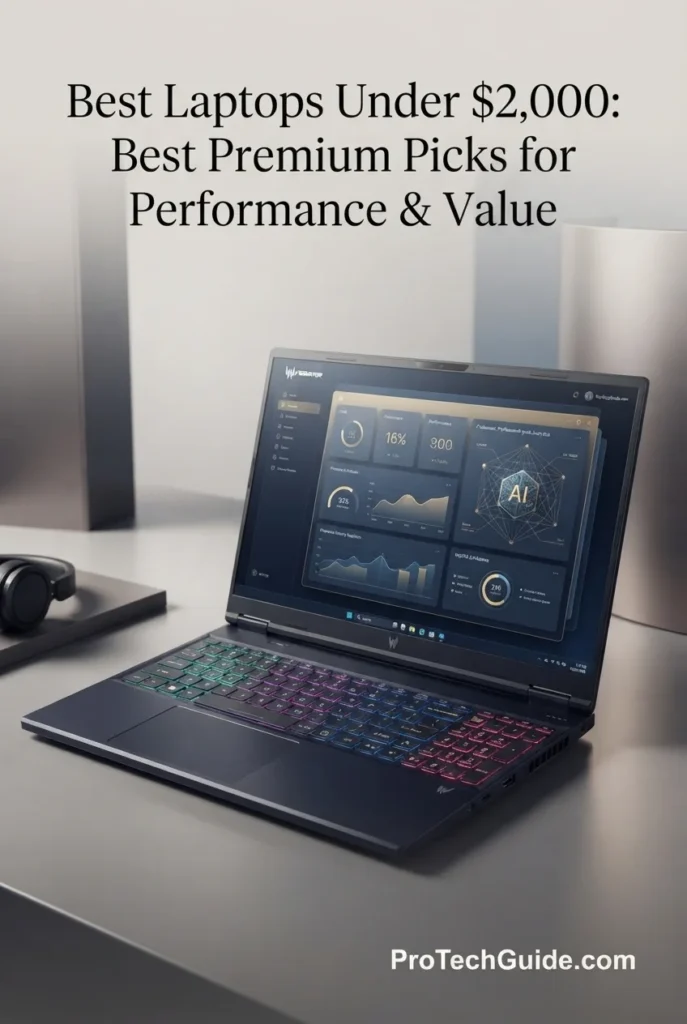
The Acer Predator Helios Neo 16 AI with the Intel Core Ultra 9 275HX, NVIDIA GeForce RTX 5060, 32GB of DDR5 memory, and 1TB SSD is our Best Gaming Value under $2,000 in 2026. Its combination of a high-end 24-core Intel processor, dedicated NVIDIA Blackwell graphics, generous memory capacity, fast storage, and a 16-inch WQXGA display running at 240Hz gives it the hardware foundation required for modern AAA gaming, competitive titles, streaming, multitasking, and other demanding workloads. The 2560 × 1600 IPS panel adds particularly strong value with 500-nit brightness, 100% DCI-P3 coverage, NVIDIA G-SYNC, and Advanced Optimus, creating a configuration that prioritizes both gaming speed and visual quality without moving beyond the $2,000 price ceiling.
The Predator Helios Neo 16 earns our Best Gaming Value award because it concentrates the features that matter most to performance-focused gamers into a single $2,000-class configuration. The Core Ultra 9 275HX provides substantial CPU performance, while the RTX 5060 supplies dedicated Blackwell graphics and 8GB of GDDR7 memory. More importantly, Acer pairs that hardware with 32GB of DDR5 memory and a 240Hz WQXGA display with G-SYNC, Advanced Optimus, 500-nit brightness, and 100% DCI-P3 coverage. The result is a gaming system that offers considerably more than raw GPU specifications alone, making it one of the most complete performance-oriented packages in this price range.
Compared with the Lenovo Legion 5i, which earns our Best Gaming Performance award with its GeForce RTX 5070, the Predator Helios Neo 16 uses the RTX 5060 but delivers a particularly strong configuration of its own with 32GB of DDR5 memory and a 240Hz WQXGA display. Compared with more productivity-focused options such as the ASUS Vivobook S16, the Predator is considerably more gaming-oriented thanks to its dedicated NVIDIA GPU, high-refresh display, G-SYNC support, and performance-focused cooling and connectivity. It is therefore the better choice for buyers who want gaming to remain a central priority while keeping the total system price at or below $2,000.
Key Features
HP OMEN 16
Best AMD Gaming Laptop for RTX 5060 Performance & AI-Enhanced Gaming

The HP OMEN 16 with the AMD Ryzen AI 7 350, NVIDIA GeForce RTX 5060, 32GB of DDR5 memory, and 1TB SSD is our Best AMD Gaming Laptop under $2,000 in 2026. It combines AMD's 8-core, 16-thread Ryzen AI processor with dedicated NVIDIA Blackwell graphics, 32GB of memory, and a 16-inch 165Hz IPS gaming display. The configuration is particularly compelling for gamers who want strong all-around performance rather than focusing exclusively on maximum graphics power, with the Ryzen AI 7 350 adding a dedicated NPU rated at up to 50 TOPS for supported AI workloads. The 1920 × 1200 display also brings a 3ms response time, 400-nit brightness, 100% sRGB coverage, and a 16:10-class productivity-friendly resolution, while Wi-Fi 6E, Ethernet, HDMI 2.1, multiple USB connections, and a full-size 4-zone RGB keyboard make the OMEN 16 a versatile performance machine beyond gaming.
The HP OMEN 16 earns our Best AMD Gaming Laptop award because it offers a particularly balanced combination of AMD processing, NVIDIA graphics, memory capacity, AI acceleration, and gaming-focused features. The Ryzen AI 7 350 brings 8 cores, 16 threads, up to 5.0GHz, and a 50 TOPS NPU, while the RTX 5060 supplies dedicated Blackwell graphics with 8GB of GDDR7. Add 32GB of DDR5 memory, a 165Hz 16-inch display, a 1TB SSD, and unusually complete connectivity, and the OMEN 16 becomes more than simply an AMD-powered gaming laptop—it is a versatile performance platform designed for gaming, creation, multitasking, and AI-enabled workflows.
Compared with the Acer Predator Helios Neo 16 AI, the OMEN 16 uses the same RTX 5060 class of dedicated graphics but takes a different approach, pairing it with AMD's Ryzen AI 7 350 and a 50 TOPS NPU. The Acer offers a faster 240Hz WQXGA display and a more powerful Core Ultra 9 275HX CPU, making it the stronger choice for buyers prioritizing maximum CPU performance and higher-resolution high-refresh gaming. The HP, however, offers an attractive combination of AMD AI processing, 32GB DDR5 memory, a 165Hz display, a large 83Wh battery, full-size keyboard, and broad connectivity, making it the more balanced choice for users who want an AMD-focused gaming system with strong everyday versatility.
Key Features
Dell Premium 16
Best Premium Windows Laptop for Professional Performance & Productivity

The Dell Premium 16 with the Intel Core Ultra 7 255H, 32GB of LPDDR5X memory, 1TB PCIe NVMe SSD, and NVIDIA GeForce RTX 5050 8GB is our top premium Windows recommendation for professionals in 2026. Its 16-core processor, fast LPDDR5X memory, dedicated RTX graphics, large 16.3-inch InfinityEdge display, and professional connectivity provide an excellent platform for demanding productivity, development, creative applications, multitasking, and GPU-accelerated workloads. The 32GB memory configuration is particularly valuable for professionals who regularly work with multiple applications, large projects, development environments, browsers, and demanding software simultaneously.
The Dell Premium 16 earns our Best Premium Windows Laptop award because it combines high-end processing performance, 32GB of fast LPDDR5X memory, dedicated RTX 5050 graphics, a large InfinityEdge display, and premium professional features in one refined Windows machine. It offers the performance headroom needed for demanding work while maintaining a productivity-first design that is better suited to professional environments than a conventional gaming laptop.
Compared with gaming-focused alternatives such as the HP OMEN 16 and Lenovo Legion 5i, the Dell Premium 16 places greater emphasis on professional productivity, premium design, and everyday versatility. The OMEN 16 offers stronger gaming performance with its RTX 5060, while the Legion 5i goes further with an RTX 5070. The Dell instead stands out for its large InfinityEdge display, 32GB LPDDR5X memory, fingerprint security, slim professional profile, and balanced combination of CPU and dedicated GPU performance.
Key Features
GIGABYTE AERO X16
Best RTX 5070 Gaming Laptop for Performance & Value

The GIGABYTE AERO X16 with the AMD Ryzen AI 7 350, NVIDIA GeForce RTX 5070 8GB GDDR7, 32GB DDR5, and 1TB SSD is our top performance-value recommendation under $2,000 in 2026. Its powerful RTX 5070 graphics, 32GB of DDR5 memory, 16-inch WQXGA 165Hz display, and Ryzen AI platform create an excellent combination for demanding gaming, content creation, multitasking, and professional workloads. The included 7-in-1 docking station with an additional 1TB SSD also expands the package's storage and connectivity value beyond the laptop itself.
The GIGABYTE AERO X16 earns our Best Performance Value award because it brings an RTX 5070, 32GB DDR5 memory, a 165Hz WQXGA display, and a Ryzen AI processor to the $2,000 price class. That combination gives it an unusually strong balance of gaming performance, display quality, memory capacity, and productivity potential, while the included 1TB SSD docking station adds additional practical value to the package.
Compared with the Lenovo Legion 5i, the AERO X16 offers the same RTX 5070 class of dedicated graphics while pairing it with AMD's Ryzen AI 7 350 platform and a 16-inch 2560 × 1600 165Hz display. The Legion 5i has a faster 15.1-inch OLED panel and a more gaming-focused configuration, while the AERO X16 stands out with its larger 16-inch WQXGA workspace, 32GB memory, Windows 11 Pro, and included 1TB SSD docking station. It is also a stronger graphics choice than the RTX 5060-based HP OMEN 16 and ASUS ROG Zephyrus G14 configurations in this lineup.
Key Features
Best Laptops Under $2,000 in 2026
Ranked by CPU & GPU Performance, Memory, Display Quality, Gaming Capability, Productivity, Portability & Overall Value
Choosing the best laptop under $2,000 in 2026 requires more than comparing processor and graphics specifications. Premium laptops in this price range can target very different users, from professionals and creators to gamers, students, developers, and power users. We evaluated these laptops based on real-world performance, CPU and GPU capability, memory capacity, storage, display quality, gaming potential, AI workloads, portability, connectivity, software experience, and overall value to help you choose the right premium laptop for your needs.
| Laptop | CPU & Key Specs | Best For | Why It Wins | Editor's Verdict |
|---|---|---|---|---|
Best OverallApple MacBook Pro 14-inch M5Check Price | Apple M5 10-Core CPU 10-Core GPU 16GB Unified Memory 1TB SSD 14.2" Liquid Retina XDR | Professional Productivity Developers Content Creators AI Workflows Mac Users | The MacBook Pro combines strong M5 processing performance, 16GB of unified memory, fast 1TB SSD storage, a premium Liquid Retina XDR display, and excellent efficiency in a highly refined 14.2-inch design. It is particularly well suited to professional productivity, programming, creative workflows, AI-assisted tasks, and demanding everyday workloads where performance, battery life, and portability all matter. | Best Overall Laptop Under $2,000 |
Best Gaming PerformanceLenovo Legion 5iCheck Price | Intel Core i7-14700HX NVIDIA RTX 5070 8GB GDDR7 16GB DDR5 1TB SSD 15.1" 2.5K OLED 165Hz Display | Gaming Competitive Gaming Game Development Performance Users Content Creation | The Legion 5i delivers one of the strongest gaming-focused configurations in this lineup, pairing Intel's Core i7-14700HX with an RTX 5070 and a 15.1-inch 2.5K OLED display running at 165Hz. Its combination of dedicated graphics performance, high-refresh OLED image quality, fast storage, and upgradeable DDR5 memory makes it an especially compelling choice for demanding gaming and performance-oriented workloads. | Best Gaming Performance Under $2,000 |
Best Compact Gaming LaptopASUS ROG Zephyrus G14Check Price | AMD Ryzen 9 270 NVIDIA RTX 5060 8GB GDDR7 16GB DDR5 512GB–4TB Storage Options 14" 3K OLED 120Hz Display | Compact Gaming Mobile Gamers Students Creators Portable Performance | The ROG Zephyrus G14 delivers a particularly strong balance between gaming performance and portability. Its Ryzen 9 270 processor, RTX 5060 graphics, 16GB of DDR5 memory, and 14-inch 3K OLED display provide a premium experience in a much more compact format than traditional gaming laptops. It is especially attractive to users who want dedicated graphics without moving to a larger 15- or 16-inch chassis. | Best Compact Gaming Laptop Under $2,000 |
Best Productivity LaptopASUS Vivobook S16Check Price | AMD Ryzen AI 9 465 32GB RAM 1TB SSD AMD Radeon Graphics 16" WUXGA OLED Windows 11 Home | Productivity Multitasking AI Workflows Office Professionals Students | The Vivobook S16 prioritizes productivity with a powerful Ryzen AI 9 465 processor, generous 32GB of memory, 1TB SSD storage, and a large 16-inch 16:10 OLED display. Its integrated Radeon graphics are better suited to productivity and general creative work than high-end gaming, making this configuration particularly appealing to users who value multitasking, AI-assisted workflows, display quality, and everyday performance. | Best Productivity Laptop Under $2,000 |
Best Gaming ValueAcer Predator Helios Neo 16 AICheck Price | Intel Core Ultra 9 275HX NVIDIA RTX 5060 32GB RAM 1TB SSD 16" WQXGA 240Hz Display | Gaming Competitive Gaming Multitasking Performance Users Value Buyers | The Predator Helios Neo 16 AI combines a high-end Core Ultra 9 275HX processor with RTX 5060 graphics, 32GB of memory, 1TB storage, and a fast 16-inch WQXGA 240Hz display. Its configuration emphasizes performance and high-refresh gaming while providing substantially more memory than many competing systems in this price category, making it an attractive choice for users who want strong gaming value without moving to a more expensive tier. | Best Gaming Value Under $2,000 |
Best AMD Gaming LaptopHP OMEN 16Check Price | AMD Ryzen AI 7 350 NVIDIA RTX 5060 8GB GDDR7 32GB DDR5 1TB SSD 16" 1920x1200 IPS 165Hz Display | AMD Gaming 1080p/1200p Gaming Multitasking AI Workloads Gaming Value | The HP OMEN 16 combines AMD Ryzen AI processing with an RTX 5060, 32GB of DDR5 memory, 1TB storage, and a 165Hz 16-inch gaming display. Its 50 NPU TOPS capability adds dedicated AI processing to the platform, while the dedicated NVIDIA GPU provides substantially stronger gaming capability than integrated-graphics productivity laptops. The configuration is particularly compelling for users who want a balanced AMD-based system for gaming, multitasking, and AI-assisted workloads. | Best AMD Gaming Laptop Under $2,000 |
Best Premium Windows LaptopDell Premium 16Check Price | Intel Core Ultra 7 255H 32GB LPDDR5X 1TB PCIe NVMe SSD RTX 5050 8GB GDDR7 16.3" 1900x1200 IPS Windows 11 Home | Professional Productivity Business Users Creative Workflows Windows Professionals Premium Computing | The Dell Premium 16 combines a premium Windows design with a Core Ultra 7 255H processor, 32GB of LPDDR5X memory, 1TB PCIe NVMe storage, and dedicated RTX 5050 graphics. Its large 16.3-inch InfinityEdge display, fingerprint security, Thunderbolt 4 video output, and high memory capacity make it a strong fit for professionals who want a refined Windows laptop capable of handling productivity, multitasking, and moderate graphics-intensive workloads. | Best Premium Windows Laptop Under $2,000 |
Best Performance ValueGIGABYTE AERO X16Check Price | AMD Ryzen AI 7 350 NVIDIA RTX 5070 8GB GDDR7 32GB DDR5 1TB Internal SSD + 1TB SSD Docking Station 16" WQXGA 165Hz Display Windows 11 Pro | Gaming Performance Value Creators Multitasking Windows 11 Pro Users | The AERO X16 stands out by combining an RTX 5070, 32GB of DDR5 memory, a 16-inch WQXGA 165Hz display, Ryzen AI processing, and Windows 11 Pro at the top of this price range. Its advertised 2TB storage package includes a 1TB internal SSD plus a separate 1TB SSD docking station, giving buyers additional storage and connectivity flexibility. It is an especially compelling option for users who want high graphics performance, generous memory, and strong overall hardware value. | Best Performance Value Under $2,000 |
Recommended Next Reads
Finished comparing the best laptops under $2,000? Explore our related buying guides for gaming performance, AI workloads, OLED displays, programming, professional productivity, and laptops at lower price points.
Whether you're choosing between RTX graphics, looking for a premium OLED display, building an AI or programming workflow, or simply want to compare what you can get at a lower price, these guides can help you make a more informed laptop decision.
Best Laptops Under $1500 in 2026
Looking for premium performance without spending the full $2,000? Compare the best laptops under $1,500 for work, productivity, gaming, and everyday performance.
Explore Laptops Under $1500 →Best Laptops for AI & Machine Learning in 2026
Explore laptops built for Python, machine learning, local AI, GPU-accelerated workloads, and demanding AI development workflows.
Explore AI & ML Laptops →Premium DisplaysBest OLED Laptops in 2026
Compare the best OLED laptops for gaming, productivity, professional work, content creation, and users who want a premium display experience.
Explore OLED Laptops →Graphics & GamingRTX 5060 vs RTX 5070 Ti vs RTX 5080 Laptop GPUs in 2026
Understand the differences between today's leading laptop GPUs and which graphics platform makes the most sense for gaming and performance.
Compare Laptop GPUs →Programming & Development8 Best Laptops for Programming in 2026
Find powerful laptops for coding, development environments, multitasking, databases, and professional software development.
Explore Programming Laptops →Professional WorkBest Business Laptops in 2026
Explore laptops designed around professional productivity, security, multitasking, portability, reliability, and long-term business use.
Explore Business Laptops →Processor ChoiceIntel vs AMD Laptops in 2026
Compare Intel and AMD laptop platforms and understand which processor approach makes more sense for gaming, productivity, AI, and everyday performance.
Compare Intel vs AMD →EDITOR'S FINAL RECOMMENDATIONS
After comparing these eight premium laptops across processor performance, graphics capability, memory, storage, display quality, gaming performance, productivity, AI capabilities, portability, connectivity, software experience, and overall value, these are our final recommendations for 2026. The right choice depends less on spending the full $2,000 and more on matching the hardware to the way you actually work, play, create, and multitask.
Apple MacBook Pro 14-inch M5
The Apple MacBook Pro 14-inch M5 is our best overall choice for buyers who want a premium laptop that balances performance, efficiency, display quality, portability, and long-term everyday usability. Its 10-core M5 CPU, 10-core GPU, 16GB of unified memory, 1TB SSD, and Liquid Retina XDR display provide a refined platform for professional productivity, programming, creative work, AI-assisted workflows, and demanding everyday use. It is the most complete all-around package in this lineup for users who prefer macOS.
- ✓ Apple M5 10-Core CPU
- ✓ 10-Core GPU
- ✓ 16GB Unified Memory
- ✓ 1TB SSD Storage
Lenovo Legion 5i
The Lenovo Legion 5i is the performance-focused choice for gamers who want one of the strongest dedicated-GPU configurations available under $2,000. Its Intel Core i7-14700HX and NVIDIA GeForce RTX 5070 8GB GDDR7 are paired with 16GB of DDR5 memory, a 1TB SSD, and a 15.1-inch 2.5K OLED display running at 165Hz. This combination gives the Legion 5i a particularly strong position for high-performance gaming while also providing enough hardware for demanding creative and productivity workloads.
- ✓ Intel Core i7-14700HX
- ✓ NVIDIA RTX 5070 8GB GDDR7
- ✓ 16GB DDR5 Memory
- ✓ 15.1-inch 2.5K OLED 165Hz Display
ASUS ROG Zephyrus G14
The ASUS ROG Zephyrus G14 is our recommendation for buyers who want dedicated gaming performance without moving to a large 15- or 16-inch gaming chassis. Its Ryzen 9 270 processor, RTX 5060 8GB GDDR7 graphics, 16GB DDR5 memory, and 14-inch 3K OLED 120Hz display create an unusually capable compact gaming platform. It is particularly well suited to mobile gamers, students, creators, and professionals who want a premium display and dedicated GPU performance in a smaller format.
- ✓ AMD Ryzen 9 270
- ✓ NVIDIA RTX 5060 8GB GDDR7
- ✓ 16GB DDR5 Memory
- ✓ 14-inch 3K OLED 120Hz Display
ASUS Vivobook S16
The ASUS Vivobook S16 is the productivity specialist in this lineup, particularly for users who prioritize multitasking, a large premium display, generous memory, and modern AI capabilities over dedicated gaming graphics. Its Ryzen AI 9 465 processor, 32GB of RAM, 1TB SSD, and 16-inch 16:10 WUXGA OLED display make it an excellent platform for office applications, programming, content creation, research, AI-assisted workflows, and demanding multitasking.
- ✓ AMD Ryzen AI 9 465
- ✓ 32GB RAM
- ✓ 1TB SSD Storage
- ✓ 16-inch 16:10 WUXGA OLED Display
Acer Predator Helios Neo 16 AI
The Acer Predator Helios Neo 16 AI is the value-oriented gaming choice for buyers who want serious performance without stepping into a higher price tier. Its Core Ultra 9 275HX, RTX 5060, 32GB of memory, 1TB SSD, and 16-inch WQXGA 240Hz display create a configuration that emphasizes gaming performance, high-refresh visuals, and multitasking capacity. The 32GB memory configuration is especially attractive for users who want more headroom beyond gaming.
- ✓ Intel Core Ultra 9 275HX
- ✓ NVIDIA RTX 5060
- ✓ 32GB RAM
- ✓ 16-inch WQXGA 240Hz Display
HP OMEN 16
The HP OMEN 16 is the strongest recommendation for buyers who want an AMD-based gaming platform with substantial memory and modern AI capabilities. Its Ryzen AI 7 350 processor, RTX 5060 8GB GDDR7 graphics, 32GB DDR5 memory, 1TB SSD, and 165Hz 16-inch IPS gaming display provide a balanced foundation for gaming, multitasking, and AI-assisted workloads. The 50 NPU TOPS capability further distinguishes the platform for compatible local AI workloads.
- ✓ AMD Ryzen AI 7 350
- ✓ NVIDIA RTX 5060 8GB GDDR7
- ✓ 32GB DDR5 Memory
- ✓ 16-inch 165Hz Gaming Display
Dell Premium 16
The Dell Premium 16 is our choice for buyers who want a refined premium Windows experience rather than a conventional gaming-first machine. Its Intel Core Ultra 7 255H, 32GB LPDDR5X memory, 1TB PCIe NVMe SSD, RTX 5050 8GB GDDR7 graphics, and large 16.3-inch 1900x1200 InfinityEdge display create a strong professional platform for productivity, multitasking, business applications, creative work, and moderate GPU-accelerated workloads. Its fingerprint reader and Thunderbolt 4 video output further reinforce its professional positioning.
- ✓ Intel Core Ultra 7 255H
- ✓ 32GB LPDDR5X Memory
- ✓ 1TB PCIe NVMe SSD
- ✓ NVIDIA RTX 5050 8GB GDDR7
GIGABYTE AERO X16
The GIGABYTE AERO X16 is the performance-value specialist for buyers who want RTX 5070 graphics, 32GB of DDR5 memory, a 16-inch WQXGA 165Hz display, and Windows 11 Pro at the $2,000 price point. Its Ryzen AI 7 350 processor and dedicated RTX 5070 make it particularly compelling for gaming and graphics-intensive workloads, while the included 1TB SSD docking station adds useful storage and connectivity flexibility. The advertised 2TB storage package should be understood as 1TB internal SSD storage plus a separate 1TB SSD docking station.
- ✓ AMD Ryzen AI 7 350
- ✓ NVIDIA RTX 5070 8GB GDDR7
- ✓ 32GB DDR5 Memory
- ✓ 16-inch WQXGA 165Hz Display
Which laptop under $2,000 should you buy?
MacBook Pro 14-inch M5
Lenovo Legion 5i
ROG Zephyrus G14
ASUS Vivobook S16
Predator Helios Neo 16 AI
HP OMEN 16
Dell Premium 16
GIGABYTE AERO X16
- Choose the Apple MacBook Pro 14-inch M5 if you want the most balanced premium laptop experience, particularly for professional productivity, programming, creative work, AI-assisted workflows, and users who prefer macOS.
- Choose the Lenovo Legion 5i if gaming performance is your highest priority and you want the combination of an RTX 5070, Core i7-14700HX, and 15.1-inch 2.5K OLED 165Hz display.
- Choose the ASUS ROG Zephyrus G14 if you want dedicated gaming performance in a compact 14-inch design and place a high value on its 3K OLED 120Hz display.
- Choose the ASUS Vivobook S16 if productivity, multitasking, a large OLED display, generous memory, and AI capabilities matter more to you than high-end dedicated gaming performance.
- Choose the Acer Predator Helios Neo 16 AI if you want a high-performance gaming laptop with a Core Ultra 9 processor, RTX 5060 graphics, 32GB of memory, and a particularly fast 240Hz WQXGA display.
- Choose the HP OMEN 16 if you want an AMD Ryzen AI platform combined with RTX 5060 graphics, 32GB of DDR5 memory, and a 165Hz gaming display for a balanced gaming and multitasking system.
- Choose the Dell Premium 16 if you want a premium Windows laptop focused on professional productivity, multitasking, display quality, security, and a refined design rather than a gaming-first experience.
- Choose the GIGABYTE AERO X16 if you want RTX 5070 graphics and 32GB of DDR5 memory while maximizing hardware value at the $2,000 price point. Keep in mind that its advertised 2TB storage package combines the laptop's 1TB internal SSD with a separate 1TB SSD docking station.
EDITOR'S FINAL VERDICT
After comparing processor performance, dedicated and integrated graphics, memory capacity, SSD storage, display quality, gaming capability, AI performance, productivity, portability, connectivity, software experience, and overall value, one conclusion stands out:The best laptop under $2,000 is not necessarily the one with the fastest processor or the most powerful GPU. It is the laptop that delivers the right combination of performance, display quality, memory, storage, portability, software, and features for the way you actually intend to use it.
The sub-$2,000 premium laptop market is unusually competitive in 2026. Buyers can choose between highly efficient professional systems such as the MacBook Pro, powerful RTX gaming laptops such as the Legion 5i and AERO X16, compact performance machines such as the ROG Zephyrus G14, and productivity-focused models such as the ASUS Vivobook S16 and Dell Premium 16.
For most buyers, 16GB of memory remains capable for everyday productivity and many professional workloads, while 32GB provides substantially more headroom for heavy multitasking, demanding creative applications, development environments, and longer-term use. Dedicated RTX graphics become particularly valuable for gaming, GPU-accelerated applications, and graphics-intensive workloads, while integrated graphics can be the better choice when efficiency, portability, and productivity are the priorities.- Choose the Apple MacBook Pro 14-inch M5 if you want the strongest all-around premium experience with excellent performance, a high-end Liquid Retina XDR display, strong efficiency, 1TB storage, and the refined macOS ecosystem. It is our best overall choice for users who do not require Windows-only software or dedicated NVIDIA graphics.
- Choose the Lenovo Legion 5i if gaming performance is your highest priority. Its Core i7-14700HX, RTX 5070 8GB GDDR7, 16GB DDR5, and 15.1-inch 2.5K OLED 165Hz display make it one of the most compelling performance-focused configurations in this price range.
- Choose the ASUS ROG Zephyrus G14 if you want a more compact gaming laptop without giving up dedicated graphics or a premium display. Its Ryzen 9 270, RTX 5060, and 14-inch 3K OLED 120Hz panel create an excellent balance between portability and performance.
- Choose the ASUS Vivobook S16 if productivity, multitasking, AI capabilities, and display quality matter more than high-end gaming. Its Ryzen AI 9 465, 32GB of RAM, 1TB SSD, and 16-inch WUXGA OLED display make it particularly well suited to professional everyday computing.
- Choose the Acer Predator Helios Neo 16 AI if you want a powerful gaming configuration with 32GB of memory and an exceptionally fast 240Hz WQXGA display. It offers an attractive balance of CPU performance, gaming capability, memory capacity, and high-refresh visuals.
- Choose the HP OMEN 16 if you want an AMD Ryzen AI platform combined with RTX 5060 graphics, 32GB of DDR5 memory, 1TB storage, and a 165Hz gaming display. Its 50 NPU TOPS capability also makes it an interesting option for compatible AI workloads.
- Choose the Dell Premium 16 if you want a premium Windows laptop focused on professional productivity, multitasking, display quality, security, and versatility. Its Core Ultra 7 255H, 32GB LPDDR5X memory, 1TB SSD, and RTX 5050 provide a strong combination for work and moderate graphics-intensive workloads.
- Choose the GIGABYTE AERO X16 if maximizing graphics performance and hardware value is your priority. Its RTX 5070, 32GB DDR5, 16-inch WQXGA 165Hz display, Ryzen AI 7 350, and Windows 11 Pro make it one of the strongest performance-oriented configurations available at this price point.
Top Laptop Recommendations Under $2,000 (2026)
Apple MacBook Pro 14-inch M5
Our Editor's Choice for buyers who want the most balanced premium laptop experience. The MacBook Pro combines the M5 10-core CPU and 10-core GPU with 16GB of unified memory, a 1TB SSD, and a 14.2-inch Liquid Retina XDR display. It is especially compelling for professional productivity, programming, creative work, AI-assisted workflows, and users who prioritize efficiency and the macOS experience.
- ✓ Apple M5 10-Core CPU
- ✓ 10-Core GPU
- ✓ 16GB Unified Memory
- ✓ 1TB SSD Storage
Lenovo Legion 5i
The strongest gaming-focused choice in the lineup, combining a Core i7-14700HX processor with an RTX 5070 8GB GDDR7 GPU, 16GB DDR5 memory, and a 15.1-inch 2.5K OLED display running at 165Hz. It is built for buyers who prioritize dedicated graphics performance and high-quality gaming visuals.
- ✓ Intel Core i7-14700HX
- ✓ NVIDIA RTX 5070 8GB GDDR7
- ✓ 16GB DDR5 Memory
- ✓ 15.1-inch 2.5K OLED 165Hz Display
GIGABYTE AERO X16
The AERO X16 delivers an unusually strong combination of dedicated graphics, memory, display quality, and operating system features for the price. Its RTX 5070, 32GB DDR5 memory, Ryzen AI 7 350, 16-inch WQXGA 165Hz display, and Windows 11 Pro make it an outstanding option for buyers who want maximum hardware value rather than a productivity-first design.
- ✓ AMD Ryzen AI 7 350
- ✓ NVIDIA RTX 5070 8GB GDDR7
- ✓ 32GB DDR5 Memory
- ✓ 16-inch WQXGA 165Hz Display
- ✓ You want the best overall premium laptop experience
- ✓ You value excellent efficiency, display quality, and portability
- ✓ You prefer macOS and Apple's integrated hardware-software experience
- ✓ Your workloads include professional productivity, programming, creative work, and AI-assisted applications
- ✓ Gaming performance is your highest priority
- ✓ You want an RTX 5070 with a powerful Core i7-14700HX processor
- ✓ You want a premium OLED gaming display with a 165Hz refresh rate
- ✓ You also need enough performance for demanding creative and productivity workloads
- ✓ Prioritize 32GB of RAM if you regularly multitask heavily or want greater long-term headroom
- ✓ Consider 16GB sufficient when your workload is primarily productivity, everyday use, or moderate professional work
- ✓ Choose a dedicated RTX GPU when gaming, GPU acceleration, or graphics-intensive workloads justify it
- ✓ Pay close attention to display resolution, panel technology, refresh rate, and aspect ratio rather than focusing only on screen size
- ✓ Compare the actual storage configuration carefully, especially when a listing combines internal laptop storage with accessories or external storage
- ✓ Choose the operating system based on your software requirements rather than hardware specifications alone
A premium laptop under $2,000 should be evaluated as a complete system rather than as a collection of individual specifications. Processor performance matters, but so do GPU capability, memory capacity, display quality, storage, battery efficiency, portability, connectivity, operating system, and the type of workload the machine is designed to handle.
Among the eight models evaluated in this guide, the Apple MacBook Pro 14-inch M5 earns our Editor's Choice for the best overall laptop under $2,000 in 2026 because it delivers the strongest balance of premium design, performance, efficiency, display quality, portability, and everyday versatility. It is the laptop we would recommend to the broadest range of premium buyers who are comfortable with macOS.For gaming, however, the decision changes. The Lenovo Legion 5i is our preferred choice for maximum gaming performance, while the GIGABYTE AERO X16 is the standout performance-value option thanks to its RTX 5070, 32GB of memory, WQXGA 165Hz display, and Windows 11 Pro. The ASUS ROG Zephyrus G14 is the better fit for buyers who need a more compact gaming machine, while the ASUS Vivobook S16 is the stronger productivity-focused choice.For professional Windows users, the Dell Premium 16 provides a more refined productivity-oriented alternative, while the Acer Predator Helios Neo 16 AI and HP OMEN 16 remain compelling choices for buyers seeking strong gaming performance at the RTX 5060 level.
Compare current prices, configurations, memory, storage, warranty coverage, and availability before choosing the premium laptop that best matches your performance, gaming, productivity, or creative workload.
Check Latest DealsEDITOR'S FAQ
Choosing the best laptop under $2,000 requires more than comparing processor specifications or looking for the most expensive configuration available. At this price level, buyers can choose between premium productivity laptops, powerful gaming systems, compact performance machines, and highly efficient platforms such as the MacBook Pro.These frequently asked questions address the most important buying decisions, including how much RAM you need, whether an RTX 5060 or RTX 5070 is worth prioritizing, whether OLED is better for your use case, which laptop is best for gaming or productivity, and whether you should choose Windows or macOS.
Its M5 10-core CPU, 10-core GPU, 16GB of unified memory, 1TB SSD, and 14.2-inch Liquid Retina XDR display create one of the most balanced premium laptop configurations in this guide. It combines strong performance with efficiency, portability, premium display quality, and a refined macOS experience.
- Apple M5 10-core CPU and 10-core GPU.
- 16GB unified memory and 1TB SSD storage.
- 14.2-inch Liquid Retina XDR display.
- Strong platform for productivity, programming, creative work, and AI-assisted workflows.
- Premium build, connectivity, and overall software experience.
The best choice can change depending on your priorities. The Lenovo Legion 5i is the better choice for maximum gaming performance, the GIGABYTE AERO X16 offers exceptional RTX 5070 hardware value, and the ASUS Vivobook S16 is better suited to buyers prioritizing productivity and multitasking.
Check PriceThe Legion 5i combines an Intel Core i7-14700HX processor with an NVIDIA GeForce RTX 5070 8GB GDDR7, 16GB of DDR5 memory, 1TB SSD storage, and a 15.1-inch 2.5K WQXGA OLED display running at 165Hz. That combination gives it a particularly strong position for buyers who prioritize dedicated GPU performance and high-quality gaming visuals.
- Intel Core i7-14700HX processor.
- NVIDIA GeForce RTX 5070 8GB GDDR7 graphics.
- 16GB DDR5 memory and 1TB SSD.
- 15.1-inch 2.5K OLED display with a 165Hz refresh rate.
- Strong configuration for demanding gaming and graphics-intensive workloads.
The GIGABYTE AERO X16 is the strongest alternative if you want RTX 5070 graphics combined with 32GB of DDR5 memory and Windows 11 Pro. Meanwhile, the Acer Predator Helios Neo 16 AI and HP OMEN 16 are compelling alternatives at the RTX 5060 level.
Check Legion 5i PriceAt the $2,000 price level, 32GB can make a laptop substantially more comfortable for users who keep many applications open simultaneously. Large browser sessions, development tools, creative applications, virtual environments, productivity software, and demanding games can all benefit from additional memory headroom.
- 16GB → Suitable for gaming, productivity, programming, and general professional use when workloads are moderate.
- 32GB → Recommended for heavy multitasking, demanding productivity, creative applications, development, and longer-term use.
- 64GB → Most useful for specialized professional workloads that genuinely require very large memory capacity.
Several laptops in this guide already provide 32GB, including the ASUS Vivobook S16, Acer Predator Helios Neo 16 AI, HP OMEN 16, Dell Premium 16, and GIGABYTE AERO X16. The Lenovo Legion 5i, ASUS ROG Zephyrus G14, and MacBook Pro configuration use 16GB.
The RTX 5070 configurations in this guide are represented by the Lenovo Legion 5i and GIGABYTE AERO X16, while the ASUS ROG Zephyrus G14, Acer Predator Helios Neo 16 AI, and HP OMEN 16 use RTX 5060 graphics.
- RTX 5070 → Better suited to buyers prioritizing higher-tier gaming and graphics performance.
- RTX 5060 → Strong option for high-performance gaming while potentially leaving more room in the budget for memory, display, or other features.
- Integrated graphics → More appropriate when gaming is not a major priority and efficiency or productivity matters more.
The important point is to evaluate the complete laptop rather than the GPU name alone. A 32GB RTX 5060 laptop with a high-refresh display may be a better purchase for one buyer, while an RTX 5070 system with 16GB memory may be the better choice for someone whose priority is maximum GPU performance.
Check RTX 5070 OptionThe Vivobook S16 combines an AMD Ryzen AI 9 465 processor, 32GB of RAM, 1TB SSD storage, and a 16-inch 16:10 WUXGA OLED display. Its configuration is designed more around multitasking, professional applications, content creation, and everyday productivity than high-end dedicated-GPU gaming.
- AMD Ryzen AI 9 465 processor.
- 32GB RAM for demanding multitasking.
- 1TB SSD storage.
- 16-inch 16:10 WUXGA OLED display.
- Integrated Radeon graphics for productivity-focused use.
- Copilot+ PC platform with up to 50 NPU TOPS listed for AI workloads.
If you need dedicated NVIDIA graphics for gaming or GPU-intensive applications, the Lenovo Legion 5i, GIGABYTE AERO X16, or Dell Premium 16 may be a better fit.
Check Vivobook S16 PriceThe configuration featured in this guide includes Apple's M5 chip with a 10-core CPU and 10-core GPU, 16GB of unified memory, 1TB SSD storage, and a 14.2-inch Liquid Retina XDR display. It is particularly attractive for professional productivity, programming, creative applications, AI-assisted workflows, and users who value battery efficiency and portability.
- Strong M5 CPU and GPU performance for professional applications.
- 16GB unified memory.
- 1TB SSD storage.
- High-end Liquid Retina XDR display.
- Premium portable design and efficient macOS platform.
The main consideration is software compatibility. If your work depends on Windows-specific applications, enterprise software, or PC gaming, one of the Windows laptops in this guide may be a safer choice.
Check MacBook Pro PriceSeveral laptops in this guide use OLED panels, including the Lenovo Legion 5i, ASUS ROG Zephyrus G14, ASUS Vivobook S16, and Apple MacBook Pro, although their display technologies and specifications differ.
- OLED → Excellent contrast, deep blacks, and a premium visual experience.
- High refresh rate → Particularly valuable for gaming and fast-moving content.
- Higher resolution → Useful for sharper text, detailed creative work, and larger working areas.
- IPS → Still an excellent choice when productivity, gaming performance, or value takes priority over OLED's visual characteristics.
The right display depends on the workload. A gamer may prioritize the Legion 5i's 165Hz OLED panel or the Predator Helios Neo 16 AI's 240Hz WQXGA display, while a productivity-focused buyer may prefer the Vivobook S16's large 16-inch 16:10 OLED screen.
The difference becomes particularly important when choosing between a compact performance laptop and a larger productivity or gaming system. A larger screen can make multitasking, spreadsheets, editing timelines, dashboards, and gaming more comfortable, while a smaller chassis is easier to carry.
- 14-inch → Best for frequent travel, portability, mobile work, and buyers who want a smaller footprint.
- 15-inch → A useful middle ground between screen space and portability.
- 16-inch → Better for gaming, multitasking, productivity, content creation, and users who spend long hours at the laptop.
The ASUS ROG Zephyrus G14 is the standout compact gaming option in this guide, while the ASUS Vivobook S16, Acer Predator Helios Neo 16 AI, HP OMEN 16, Dell Premium 16, and GIGABYTE AERO X16 provide larger 16-inch-class displays for users who prioritize workspace or gaming immersion.
Check Compact Gaming OptionThe laptops in this guide take different approaches to AI. The Lenovo Legion 5i and GIGABYTE AERO X16 combine dedicated NVIDIA RTX graphics with powerful processors, making them particularly interesting for GPU-accelerated workloads. The ASUS Vivobook S16 and HP OMEN 16 also feature Ryzen AI processors with dedicated NPUs for compatible AI workloads.
- Dedicated RTX GPU → Better suited to workloads that can take advantage of GPU acceleration, graphics processing, and demanding AI applications.
- Ryzen AI NPU → Useful for compatible local AI features and efficiency-oriented AI processing.
- Apple M5 → Strong unified CPU/GPU platform for supported macOS AI and professional applications.
- 32GB memory → Particularly valuable when AI tools are combined with development environments and heavy multitasking.
For users who specifically want a dedicated NVIDIA GPU while staying near the $2,000 ceiling, the GIGABYTE AERO X16 is particularly compelling because it combines an RTX 5070 with 32GB of DDR5 memory.
Check AERO X16 PriceThere is no single laptop that wins every category. The strongest purchase depends on whether you prioritize gaming, productivity, portability, display quality, AI capabilities, dedicated graphics, or overall premium experience.
- Best Overall → Apple MacBook Pro 14-inch M5
- Best Gaming Performance → Lenovo Legion 5i
- Best Compact Gaming → ASUS ROG Zephyrus G14
- Best Productivity → ASUS Vivobook S16
- Best Gaming Value → Acer Predator Helios Neo 16 AI
- Best AMD Gaming → HP OMEN 16
- Best Premium Windows → Dell Premium 16
- Best Performance Value → GIGABYTE AERO X16
If you want the safest all-around premium experience and are comfortable with macOS, choose the MacBook Pro 14-inch M5. If gaming is the priority, choose the Lenovo Legion 5i. If you want RTX 5070 performance with 32GB of memory and Windows 11 Pro, the GIGABYTE AERO X16 is an especially strong value. For productivity, multitasking, and a large OLED display, the ASUS Vivobook S16 is the better fit.
Check Best Overall DealLAPTOP BUYING GUIDE
Choosing a laptop under $2,000 is not simply about finding the fastest processor, the most powerful GPU, or the most expensive configuration available. At this price level, buyers have access to premium productivity systems, high-performance gaming laptops, compact performance machines, OLED displays, large memory configurations, dedicated RTX graphics, and modern AI-capable platforms.The wrong choice can still lead to compromises through insufficient memory, limited storage, an unsuitable display, excessive hardware for your actual workload, poor portability, or a mismatch between the operating system and the software you use. Avoid these common mistakes before spending up to $2,000 on your next laptop.
The best laptop under $2,000 is rarely the machine with the longest specification sheet. The strongest purchase is the system that provides the right balance of CPU performance, GPU capability, memory, storage, display quality, portability, connectivity, software, and long-term usability for your specific needs.For most buyers in 2026, 16GB of memory remains a capable starting point, while 32GB is the better target for demanding multitasking, gaming plus background applications, professional workloads, content creation, and longer-term use. A dedicated GPU is essential for serious gaming and useful for graphics-intensive workloads, but it is not automatically the best investment for every productivity-focused buyer.
Choosing a Laptop Based Only on the CPU
- A powerful processor is important, but CPU performance alone does not determine the overall quality of a laptop.
- Gaming and graphics-intensive workloads can depend heavily on the dedicated GPU, while productivity users may benefit more from memory, display quality, and efficiency.
- A laptop with a faster processor can still be a poor purchase if it has an unsuitable display, insufficient RAM, limited storage, or weak overall configuration.
Better decision:Evaluate the complete configuration. Look at the CPU together with GPU, RAM, SSD capacity, display, battery, connectivity, and the type of applications you actually use. For example, the Core i7-14700HX and RTX 5070 combination in the Lenovo Legion 5i makes sense for gaming, while the Ryzen AI 9 465 and 32GB configuration of the ASUS Vivobook S16 is better aligned with productivity and multitasking.
Buying a Dedicated GPU You Do Not Need
- An NVIDIA RTX GPU can significantly improve gaming and graphics-intensive workloads, but it is unnecessary for many users whose primary activities are office work, browsing, programming, research, and general productivity.
- Dedicated graphics can increase system complexity, power consumption, and cost compared with an integrated-graphics laptop.
- Spending more on GPU performance can mean sacrificing memory, storage, display quality, or portability that may matter more to your daily workflow.
Better decision:Choose an RTX 5060 or RTX 5070 when gaming, GPU acceleration, creative applications, AI workloads, or other graphics-intensive tasks justify it. If those workloads are not important, a productivity-focused system such as the ASUS Vivobook S16 or MacBook Pro 14-inch M5 may provide a better overall experience.
Choosing 16GB of RAM Without Considering Your Future Workload
- 16GB remains capable for many gaming, productivity, programming, and everyday workloads.
- Heavy multitasking, creative applications, development environments, large projects, and gaming while running multiple applications can benefit from additional memory.
- At the $2,000 price level, moving to 32GB can provide substantially more long-term headroom when the configuration is available within budget.
Better decision:Choose 16GB when your workload is moderate and the rest of the configuration better matches your priorities. Choose 32GB when you regularly multitask heavily or want greater long-term capacity. In this guide, the ASUS Vivobook S16, Acer Predator Helios Neo 16 AI, HP OMEN 16, Dell Premium 16, and GIGABYTE AERO X16 all provide 32GB configurations.
Ignoring the Display When Comparing Premium Laptops
- A laptop can have excellent internal hardware while still providing a display that does not match your priorities.
- Gamers may benefit from high refresh rates, while creators and productivity users may place greater importance on resolution, OLED technology, color quality, or screen size.
- Display size and aspect ratio can have a significant effect on multitasking and everyday comfort.
Better decision:Look at resolution, panel technology, refresh rate, brightness, aspect ratio, and screen size together. The Lenovo Legion 5i combines a 2.5K OLED 165Hz panel, the ASUS ROG Zephyrus G14 offers a 3K OLED 120Hz display, while the Acer Predator Helios Neo 16 AI emphasizes a large WQXGA 240Hz gaming display. For productivity, the 16-inch 16:10 OLED panel on the ASUS Vivobook S16 provides a different kind of advantage.
Paying for More Performance Than Your Workflow Requires
- Not every buyer needs an RTX 5070, a high-end gaming processor, or 32GB of memory.
- Excess performance can increase cost without providing a meaningful improvement in everyday office, school, browsing, or moderate productivity workloads.
- A more balanced system can provide better portability, efficiency, display quality, or usability for the same budget.
Better decision:Match the hardware to your actual workload. Choose the Lenovo Legion 5i or GIGABYTE AERO X16 when high GPU performance is a priority. Choose the ASUS Vivobook S16 when productivity and multitasking matter more. Choose the MacBook Pro 14-inch M5 when efficiency, portability, premium display quality, and macOS are more important than dedicated gaming graphics.
Choosing the Wrong Laptop Size for Your Lifestyle
- A 16-inch laptop provides more screen workspace but can be less convenient for frequent travel.
- A 14-inch laptop can be substantially easier to carry while still providing serious performance.
- Gaming and productivity users often benefit from larger displays, while mobile professionals may value a smaller footprint.
Better decision:Choose a 14-inch model when portability is a major priority, such as the ASUS ROG Zephyrus G14 or MacBook Pro 14-inch M5. Choose a 16-inch system when screen space, gaming immersion, multitasking, or desktop-style productivity matters more. The right size is the one that fits how and where you actually use the laptop.
Smart Buying Advice for Laptops Under $2,000
Gaming, GPU-intensive applications, or graphics performance are your primary priorities. The Lenovo Legion 5i and GIGABYTE AERO X16 are particularly compelling because they combine RTX 5070 graphics with powerful processors, while the Acer Predator Helios Neo 16 AI and HP OMEN 16 provide strong RTX 5060 alternatives with 32GB memory configurations.
Your priorities are multitasking, professional applications, display quality, portability, efficiency, and everyday productivity rather than maximum gaming performance. The ASUS Vivobook S16, Dell Premium 16, and Apple MacBook Pro 14-inch M5 each take a different approach to premium productivity.
Key takeaway:The best laptop under $2,000 is not necessarily the fastest or most expensive machine. It is the laptop that provides the right balance of CPU performance, GPU capability, memory, storage, display quality, portability, software, and overall value for the way you actually work, play, create, and multitask.
After evaluating the eight laptops featured in this guide, these are our Editor's top recommendations for buyers under $2,000 in 2026:
- Best Overall Laptop:Apple MacBook Pro 14-inch M5 — the strongest all-around premium package for buyers who value performance, efficiency, portability, display quality, and the macOS experience.
- Best Gaming Performance:Lenovo Legion 5i — our preferred choice for buyers who prioritize gaming performance, combining the Core i7-14700HX, RTX 5070 8GB GDDR7, 16GB DDR5 memory, and a 15.1-inch 2.5K OLED 165Hz display.
- Best Compact Gaming Laptop:ASUS ROG Zephyrus G14 — an excellent choice for buyers who want dedicated RTX 5060 graphics and a premium 14-inch 3K OLED 120Hz display in a more compact gaming platform.
- Best Productivity Laptop:ASUS Vivobook S16 — a strong productivity-focused choice with the Ryzen AI 9 465, 32GB of RAM, 1TB SSD, and a 16-inch 16:10 WUXGA OLED display.
- Best Gaming Value:Acer Predator Helios Neo 16 AI — a compelling gaming configuration with a Core Ultra 9 275HX, RTX 5060, 32GB of memory, 1TB SSD, and a 240Hz WQXGA display.
- Best AMD Gaming Laptop:HP OMEN 16 — a balanced AMD-based gaming system with Ryzen AI 7 350, RTX 5060 8GB GDDR7, 32GB DDR5 memory, 1TB SSD storage, and a 165Hz 16-inch gaming display.
- Best Premium Windows Laptop:Dell Premium 16 — a refined Windows option with Core Ultra 7 255H, 32GB LPDDR5X memory, 1TB PCIe NVMe storage, RTX 5050 graphics, and a large 16.3-inch display.
- Best Performance Value:GIGABYTE AERO X16 — an especially strong choice for buyers who want RTX 5070 graphics, 32GB DDR5 memory, a 16-inch WQXGA 165Hz display, and Windows 11 Pro at the $2,000 price point.
Need help choosing your laptop?
Not sure which option fits your workflow? Get a personalized recommendation based on your budget, performance needs, and usage.
Get personalized recommendation⚡ Usually responds within 24 hours