
Explore Our Best Laptops by Use Case
This guide to Best Laptops Under $1,200 in 2026: 8 Best Picks for Work, School & Gaming is part of our curated laptop recommendations by use case. Explore more expert comparisons and buying guides designed to help you choose the right laptop for work, school, gaming, productivity, portability, performance, and everyday use.Best Laptops Under $1200 in 2026: 8 Best Picks for Work, School & Gaming
The best laptop under $1,200 in 2026 is not necessarily the most powerful model you can find. At this price point, buyers can choose from premium ultraportables, OLED laptops, versatile 2-in-1 systems, powerful Windows machines, and gaming laptops with dedicated NVIDIA graphics. The right choice depends on how you plan to use your laptop and which features matter most to your everyday workflow.Whether you need a dependable laptop for work and productivity, a capable machine for school and college, a premium portable computer, or a gaming system with enough graphics performance for modern titles, a $1,200 budget provides considerably more flexibility than the entry-level laptop market.
In this guide, we've selected the best laptops under $1,200 in 2026 based on processor performance, RAM capacity, storage, display quality, portability, battery life, build quality, connectivity, graphics performance, software compatibility, and overall value. We also considered the practical needs of students, professionals, remote workers, creators, and gamers who want to maximize their budget without stepping into significantly more expensive premium or enthusiast-class laptops.The Apple MacBook Air with the M4 chip takes our top position for its combination of performance, battery life, portability, and premium build quality. The Dell XPS 13 is our preferred Windows choice for buyers who want a lightweight premium laptop, while the ASUS Zenbook 14 OLED stands out for its high-quality OLED display and efficient Snapdragon X Plus platform. For users who want maximum versatility, the Lenovo Yoga 7i 2-in-1 and HP OmniBook 5 Flip provide touchscreen designs that can adapt to different productivity and study environments.Gamers have two particularly compelling options in this lineup. The Acer Nitro V 15 combines a high-refresh-rate display with an NVIDIA GeForce RTX 5050, while the Lenovo LOQ 15 offers dedicated RTX 4050 graphics and a strong performance-oriented configuration. Finally, the Acer Swift 16 AI brings a large OLED touchscreen, 32GB of memory, and modern Intel processing to users who prioritize creative work, multitasking, and a larger workspace.
Apple MacBook Air 13-inch M4
Best Overall Laptop for Work, School & Everyday Use
The Apple MacBook Air 13-inch with the M4 chip, 24GB of unified memory, and 512GB SSD is our Best Overall Laptop Under $1,200 in 2026 for users who want a premium combination of performance, portability, battery efficiency, and everyday usability. The 10-core Apple M4 processor, 24GB unified memory, fast SSD storage, 13.6-inch Liquid Retina display, and lightweight 2.73-pound design provide a highly capable platform for professional productivity, schoolwork, multitasking, web-based applications, content consumption, and everyday computing. This specific Amazon configuration is an Amazon Renewed unit priced at $1,129, making the higher 24GB memory configuration particularly attractive for buyers who want additional multitasking headroom while staying within the $1,200 budget.
The MacBook Air M4 earns our Best Overall Laptop Under $1,200 award because it delivers one of the strongest combinations of performance, portability, battery efficiency, display quality, and premium design available in this price range. The specific 24GB unified memory and 512GB SSD configuration gives it particularly strong multitasking capability, while its compact 13.6-inch design and 2.73-pound weight make it exceptionally easy to carry. For professionals, students, and everyday users who are comfortable with macOS, it offers an excellent balance without requiring a larger or heavier performance-oriented laptop.
Compared with Windows alternatives such as the Dell XPS 13 and ASUS Zenbook 14, the MacBook Air offers a particularly strong combination of Apple Silicon efficiency, lightweight design, unified memory, and macOS integration. Its main limitation is platform compatibility: users who depend on Windows-only applications, specialized enterprise software, or workflows that require native Windows support should choose a Windows laptop instead. Buyers should also remember that this specific $1,129 configuration is Amazon Renewed, rather than a new retail unit, and its listed warranty is 90 days.
Key Features
Dell XPS 13
Best Premium Windows Laptop for Portability, Productivity & Everyday Work
The Dell XPS 13 is our Best Premium Windows Laptop Under $1,200 in 2026 for users who prioritize portability, display quality, modern connectivity, and a refined professional design. This specific Amazon configuration combines the Intel Core 5 Processor 320, 8GB DDR5 RAM, and a 2TB PCIe SSD with a 13.4-inch 2.5K touchscreen supporting up to 120Hz refresh rate and 500 nits brightness. At just 2.2 pounds according to the listing, the XPS 13 is particularly attractive to professionals, students, remote workers, and frequent travelers who want a premium Windows experience without moving into a larger performance-oriented laptop.
The Dell XPS 13 earns our Best Premium Windows Laptop Under $1,200 award because it focuses on the qualities that make a premium ultraportable valuable: low weight, a high-quality touchscreen, modern connectivity, a refined design, and strong everyday productivity performance. The 13.4-inch 2.5K 120Hz display is particularly appealing for users who spend significant time reading, browsing, working with documents, or consuming media, while the 2TB PCIe SSD gives this configuration substantially more local storage than many competing ultraportables. Its main compromise is the 8GB RAM configuration, which is better suited to everyday productivity than demanding professional multitasking.
Compared with the Apple MacBook Air M4, the Dell XPS 13 is the stronger choice for users who need Windows compatibility, Windows Hello, Thunderbolt 4 connectivity, or a touchscreen interface. Compared with the ASUS Zenbook 14 OLED, the XPS 13 offers a particularly compact and lightweight design, while the ASUS emphasizes OLED display technology and a larger 14-inch workspace. The Dell's biggest consideration is its 8GB RAM, so buyers expecting heavy multitasking, demanding creative workloads, or memory-intensive professional applications should consider a system with more memory instead.
Key Features
ASUS Zenbook 14
Best OLED Laptop for Productivity, Portability & Everyday Work
The ASUS Zenbook 14 with Snapdragon X Plus, 16GB LPDDR5X memory, and 2TB total storage is our Best OLED Laptop Under $1,200 in 2026 for users who want a visually impressive display, efficient performance, generous memory, and a highly portable Windows design. This specific Amazon configuration is priced at $1,119 and combines the Snapdragon X Plus X1P-42-100 processor with 16GB LPDDR5X RAM, a 14-inch FHD+ OLED display, Qualcomm Adreno integrated graphics, and a storage setup consisting of a 1TB internal SSD plus a 1TB docking station. At approximately 2.4 pounds and 0.53 inches thick according to the listing, it is particularly well suited to professionals, students, remote workers, and everyday users who value display quality and mobility.
The ASUS Zenbook 14 earns our Best OLED Laptop Under $1,200 award because it combines one of the most visually appealing display technologies in this category with 16GB of LPDDR5X memory and an efficient Snapdragon X Plus platform. Its lightweight design makes it easy to carry, while the OLED panel provides a richer visual experience than a conventional LCD display. The specific $1,119 configuration also includes a 1TB SSD and a 1TB docking station, creating a substantial overall storage package for users who understand the distinction between internal and dock-based storage.
Compared with the Dell XPS 13, the ASUS Zenbook 14 offers a larger 14-inch OLED display and 16GB of memory, while the Dell emphasizes an exceptionally compact premium design, 2.5K resolution, 120Hz refresh rate, and Windows-focused connectivity. Compared with the Apple MacBook Air M4, the Zenbook provides Windows compatibility and an OLED display, while the MacBook Air offers Apple's M4 platform, 24GB unified memory, and particularly strong portability. Buyers should also remember that this ASUS configuration is an upgraded Amazon listing: the seller states that the seal is opened for the RAM/SSD upgrade and provides a 1-year warranty on the upgraded components, alongside the original 1-year manufacturer warranty on the remaining components.
Key Features
Lenovo Yoga 7i 2-in-1
Best Convertible Laptop for Work, School & Flexible Productivity
The Lenovo Yoga 7i 2-in-1 is our Best 2-in-1 Laptop Under $1,200 in 2026 for users who want the flexibility of a large touchscreen convertible without giving up the performance and storage needed for everyday productivity. This specific Amazon configuration is listed at $1,164 and combines an Intel Core Ultra 7 processor, 16GB of memory, and a 1TB SSD with a 16-inch FHD+ IPS touchscreen and a 360° foldable design. Its convertible form factor makes it particularly versatile for professionals, students, presentations, research, creative projects, entertainment, and users who benefit from switching between traditional laptop and tablet-style modes.
The Lenovo Yoga 7i earns our Best 2-in-1 Laptop Under $1,200 award because its greatest advantage is versatility. The 16-inch touchscreen and 360° hinge allow the system to adapt to conventional laptop work, presentations, entertainment, and tablet-style interaction, while the Intel Core Ultra 7 processor, 16GB memory, and 1TB SSD provide a strong foundation for everyday productivity. At $1,164, it is particularly compelling for buyers who would rather have one flexible convertible system than maintain separate devices for traditional laptop work and touchscreen-oriented use.
Compared with the ASUS Zenbook 14 OLED, the Yoga 7i provides a significantly larger 16-inch touchscreen and a more versatile 360° convertible design, while the ASUS emphasizes OLED display quality and lighter portability. Compared with the Dell XPS 13, the Yoga 7i is larger and heavier but offers substantially more flexibility through its touchscreen and convertible hinge. Its main limitation is the integrated Intel graphics, which makes it better suited to productivity, study, everyday creative work, and entertainment than demanding gaming or GPU-intensive professional applications.
Key Features
HP OmniBook 5 Flip 2-in-1 14-inch
Best Convertible Laptop for Productivity, School & Flexible Workflows
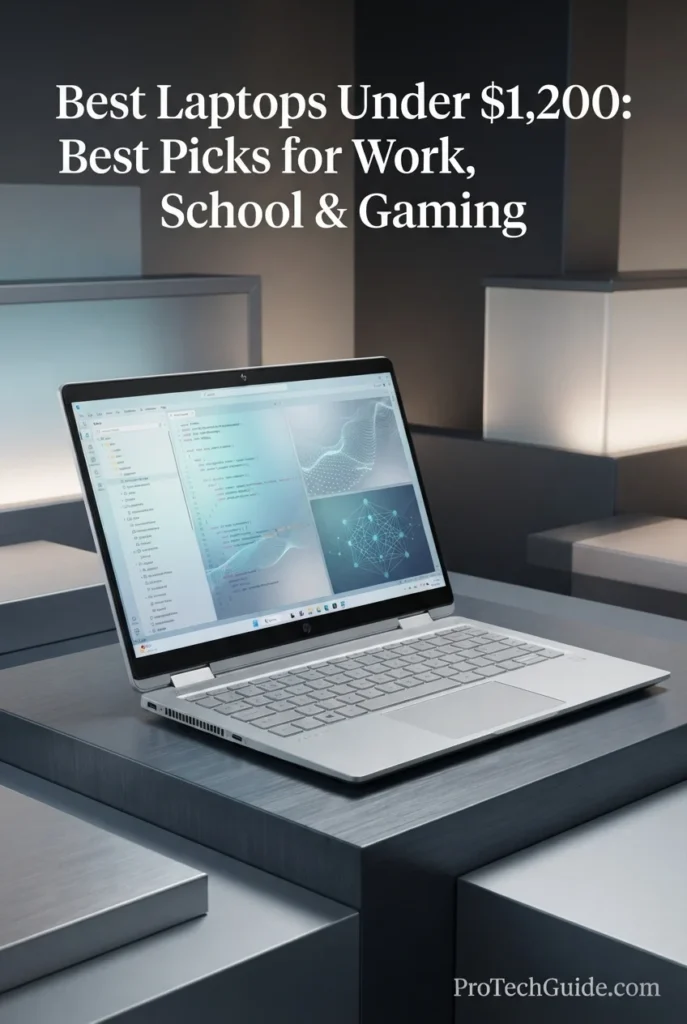
The HP OmniBook 5 Flip 2-in-1 14-inch is a versatile Windows laptop designed for buyers who want more flexibility than a traditional notebook can provide without moving beyond a $1,200 budget. At $1,059 in the configuration reviewed, it combines an Intel Core 7 150U processor, 16GB of LPDDR5 memory, a 512GB internal SSD, and a 14-inch multitouch IPS display with a 360-degree convertible design. The included Docking Station Set adds another 160GB of advertised storage through a 128GB SSD and 32GB microSD card, bringing the listing's total advertised storage to 672GB. Its Windows 11 Pro operating system, 5MP IR camera, Wi-Fi 6E, backlit keyboard, and versatile touchscreen design make it particularly well suited to students, professionals, remote workers, and anyone who regularly moves between traditional laptop and tablet-style workflows.
Why It Wins: The HP OmniBook 5 Flip stands out because it focuses on versatility rather than simply maximizing raw specifications. Its 360-degree touchscreen design makes it easier to adapt the laptop to studying, presentations, travel, media consumption, and different productivity environments, while the Core 7 150U and 16GB of memory provide enough capability for everyday professional and academic workloads. Windows 11 Pro and the 5MP IR camera further strengthen its appeal for work-focused users.
Comparison: Compared with the Lenovo Yoga 7i 2-in-1, the HP OmniBook 5 Flip offers a smaller 14-inch form factor and a lower $1,059 price in this configuration, making it attractive for users who prioritize portability and value. Its 5MP IR camera is also a notable advantage for video conferencing. The ASUS Zenbook 14 OLED offers a more display-focused experience with OLED technology, while the HP counters with its 360-degree convertible design and Windows 11 Pro. Like the Yoga 7i, the HP relies on integrated Intel graphics, so it is better suited to productivity and everyday workloads than demanding gaming or GPU-intensive creative applications.
Key Features
• 10-core processor
• Up to 5.4GHz maximum listed speed
• Intel integrated graphics
• Designed for everyday productivity and multitasking
The Intel Core 7 150U gives the OmniBook 5 Flip enough processing capability for common professional and academic workloads, including web applications, Microsoft Office, research, video conferencing, document creation, and multitasking across multiple applications. It is not designed to compete with gaming laptops equipped with dedicated GPUs, but its efficiency-oriented platform fits the productivity-focused role of this convertible system.
• 16GB LPDDR5 memory
• 512GB internal SSD
• 160GB additional storage through the included Docking Station Set
• Docking Station Set includes a 128GB SSD and 32GB microSD card
The 16GB memory configuration provides a strong baseline for multitasking, while the primary 512GB SSD delivers the fast local storage expected from a modern laptop. The Amazon configuration also includes a Docking Station Set that contributes another 160GB of advertised storage, bringing the listing's total to 672GB. This additional capacity should be viewed separately from the laptop's internal SSD rather than as 672GB of built-in internal storage.
• 1920×1200 native resolution
• 16:10 aspect ratio
• IPS technology
• 300 nits listed brightness
• 60Hz refresh rate
• Edge-to-edge glass
• Micro-edge design
• Capacitive touchscreen
The 14-inch touchscreen is designed around productivity and flexibility. Its 1920×1200 resolution provides additional vertical workspace compared with traditional 16:9 Full HD panels, while multitouch support becomes particularly useful when the display is folded into different convertible modes. The listing describes the panel as a 2K IPS touchscreen, although its stated native resolution is 1920×1200.
• 360-degree foldable design
• Convertible form factor
• Touchscreen interaction
• Laptop and tablet-style modes
• Useful for presentations and media consumption
The defining feature of the OmniBook 5 Flip is its convertible design. The 360-degree hinge allows the display to be repositioned for different situations, making the system useful for traditional laptop work, presentations, entertainment, and tablet-style interaction. This flexibility makes it particularly appealing to students and professionals who work in changing environments.
• Wi-Fi 6E
• Bluetooth 5.3
• 2× USB Type-C
• 2× USB Type-A
• HDMI 2.1
• Headphone/microphone combo jack
The OmniBook 5 Flip provides a practical selection of ports for everyday productivity. HDMI 2.1 makes it easier to connect an external display, while the combination of USB-C and USB-A supports modern peripherals alongside existing accessories. Wi-Fi 6E and Bluetooth 5.3 provide the wireless connectivity needed for modern home, school, and office environments.
• 5MP IR camera
• HDR capabilities listed
• 16:10 camera framing support listed
• Designed for video conferencing and hybrid work
The 5MP IR camera is one of the more notable productivity features of this configuration. It provides a higher-resolution camera experience than many basic laptop webcams and is particularly useful for video meetings, online classes, remote work, and presentations. The IR capability also supports modern Windows security features where configured by the system.
• Backlit keyboard
• Touchpad and touchscreen input
• Silver chassis
• Convertible form factor
• 3.64 lb listed weight
The backlit keyboard helps maintain productivity in dim environments, while the combination of traditional keyboard input and touchscreen interaction gives the OmniBook 5 Flip more flexibility than a conventional notebook. At 3.64 pounds, it is reasonably portable for a 14-inch convertible, although it is not as lightweight as premium ultraportables such as the Dell XPS 13.
• Windows 11 Pro
• Professional-oriented operating system
• Broad Windows software compatibility
• Suitable for work, school, and productivity applications
Windows 11 Pro makes the OmniBook 5 Flip particularly relevant to professionals and organizations that require the Pro edition of Windows. Combined with its touchscreen, convertible design, Core 7 processor, and 16GB of memory, the system is positioned primarily as a flexible productivity machine rather than a dedicated gaming laptop.
• 12.32 × 8.66 × 0.73 inches listed dimensions
• 3.64 lb listed weight
• Silver finish
• Convertible chassis
The 14-inch form factor provides a useful balance between workspace and portability. Its 3.64-pound listed weight is higher than the lightest premium ultraportables, but the smaller chassis remains practical for carrying between classrooms, offices, meetings, and home.
• 16GB memory
• 512GB internal SSD
• 160GB Docking Station Set storage
• Intel Core 7 150U
• Windows 11 Pro
• 14-inch touchscreen
• Upgraded configuration
• 1-year warranty on upgraded RAM/SSD from SnowBell
• Original 1-year manufacturer warranty on remaining components
At $1,059, this specific configuration fits comfortably within the $1,200 budget while adding Windows 11 Pro, a 5MP IR camera, and a 360-degree touchscreen design. However, Amazon identifies this unit as upgraded, with the seal opened for the RAM/SSD upgrade. Buyers should therefore verify the current price, seller warranty terms, and included Docking Station Set before purchasing.
• College and school students
• Professionals and remote workers
• Business productivity
• Presentations and meetings
• Web research and office applications
• Flexible touchscreen workflows
• Users who want Windows 11 Pro
The HP OmniBook 5 Flip is best suited to users who value versatility, touchscreen interaction, and productivity features more than dedicated graphics performance. Its combination of a 14-inch convertible chassis, Core 7 processor, 16GB memory, Windows 11 Pro, and 5MP IR camera makes it a strong choice for work and school. For demanding gaming or GPU-intensive applications, the Acer Nitro V 15 and Lenovo LOQ 15 in this guide are better choices because they include dedicated NVIDIA graphics.
Acer Nitro V 15.6-inch Gaming Laptop
Best Gaming Laptop for 1080p Performance & High-Refresh-Rate Gaming
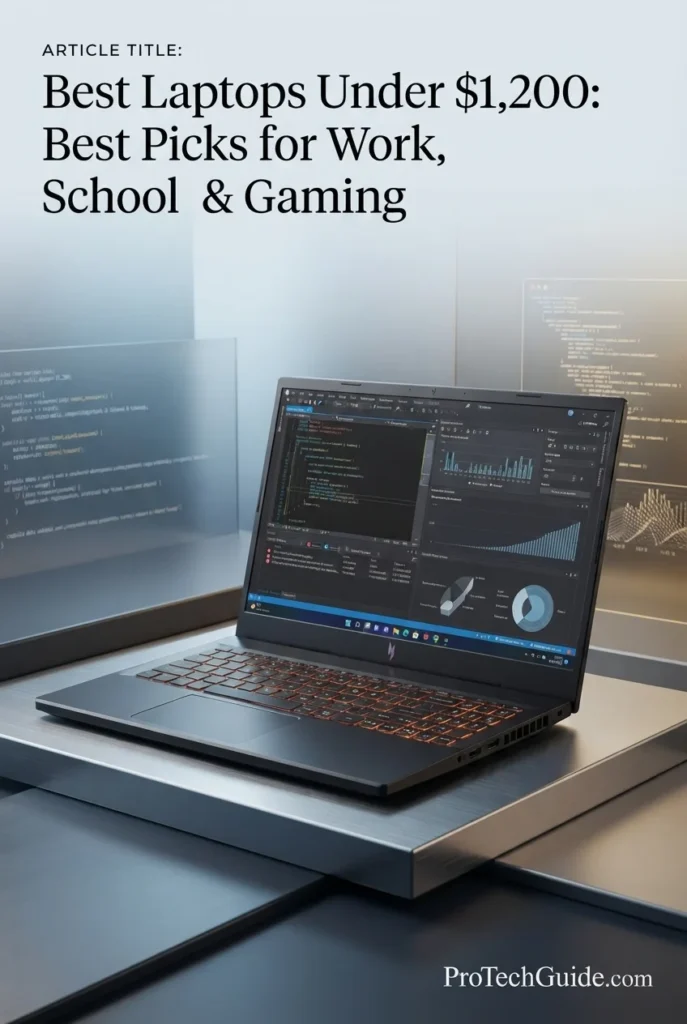
The Acer Nitro V 15.6-inch is the most gaming-focused laptop in the lineup so far, delivering a dedicated NVIDIA GeForce RTX 5050 Laptop GPU with 8GB of GDDR7 VRAM alongside an Intel Core i5-13420H, 16GB of DDR4 memory, and a 512GB PCIe Gen 4 SSD. At $1,029 in the configuration reviewed, it gives gamers substantially more graphics capability than the integrated-GPU laptops in this guide while pairing that hardware with a 15.6-inch Full HD IPS display running at 165Hz. The result is a performance-oriented system designed primarily for 1080p gaming, esports, GPU-accelerated applications, and users who would rather prioritize graphics performance than ultraportable design or convertible flexibility.
Why It Wins: The Acer Nitro V wins on graphics performance. While most of the productivity-oriented laptops in this guide rely on integrated graphics, this configuration includes an RTX 5050 with 8GB of dedicated GDDR7 VRAM, giving it a completely different performance profile for gaming and GPU-accelerated workloads. The 165Hz Full HD IPS display further reinforces its gaming-first design, making it the strongest choice in this lineup for buyers who prioritize gaming performance under $1,200.
Comparison: Compared with the Lenovo Yoga 7i 2-in-1 and HP OmniBook 5 Flip, the Nitro V is less focused on portability and convertible flexibility but offers dramatically stronger dedicated graphics capability. It also gives gamers a stronger graphics platform than the Lenovo LOQ 15 in this guide through its RTX 5050 with 8GB GDDR7 VRAM, although the LOQ remains a compelling alternative for buyers who prefer its Ryzen-based gaming configuration. For productivity-first users, the Dell XPS 13 and MacBook Air M4 remain more portable and refined choices.
Key Features
• 8GB dedicated GDDR7 VRAM
• Dedicated NVIDIA graphics
• Designed for modern gaming and GPU-accelerated workloads
• HDMI and DisplayPort video output
The RTX 5050 is the defining component of this Nitro V configuration. Its dedicated 8GB of GDDR7 VRAM gives the laptop substantially more graphics capability than the integrated GPUs found in the productivity-focused systems elsewhere in this guide. This makes the Nitro V particularly well suited to 1080p gaming, graphics-intensive applications, and workloads that can benefit from dedicated GPU acceleration.
• 8 cores
• 12 threads
• Up to 4.6GHz maximum listed speed
• 12MB Intel Smart Cache
• 13th Gen Intel processor
The Core i5-13420H provides the processing foundation for this gaming system. Its 8-core, 12-thread configuration is designed to handle gaming alongside everyday multitasking, including web browsing, communication, productivity applications, and background processes. Combined with the RTX 5050, it creates a balanced platform for users who want one laptop for both gaming and general computing.
• 15.6-inch screen
• 1920×1080 native resolution
• IPS technology
• 165Hz refresh rate
• Widescreen 16:9 format
• LED-backlit display
The 165Hz Full HD IPS display is specifically suited to gaming. The high refresh rate allows fast-moving gameplay to appear smoother than on conventional 60Hz laptop displays, while the 1920×1080 resolution keeps the workload manageable for the RTX 5050. This combination makes the Nitro V particularly appropriate for competitive and fast-paced games where responsiveness matters.
• 16GB DDR4 memory
• 512GB PCIe Gen 4 SSD
• Fast solid-state storage
• 64GB maximum memory listed by Amazon
The 16GB memory configuration provides a practical starting point for modern gaming and multitasking, while the 512GB PCIe Gen 4 SSD offers fast storage for the operating system, applications, and games. Storage capacity is adequate for getting started, although users with large game libraries may eventually want additional storage.
• Obsidian Black finish
• Clamshell form factor
• Backlit keyboard
• 4.66 lb listed weight
• 14.27 × 9.44 × 0.93 inches listed dimensions
The Nitro V is built around a traditional gaming-laptop form factor rather than an ultraportable chassis. At 4.66 pounds, it is considerably heavier than systems such as the Dell XPS 13 or MacBook Air, but that trade-off is expected for a laptop equipped with dedicated graphics and gaming-oriented cooling hardware.
• USB Type-C 3.2 Gen 2
• DisplayPort over USB-C
• Thunderbolt 4 listed
• USB charging up to 65W listed
• HDMI output
• USB connectivity
• Wi-Fi 802.11ax
• Bluetooth
The Nitro V provides the connectivity expected from a modern gaming laptop, including USB-C with DisplayPort support and HDMI for external displays. This makes it practical for users who want to connect gaming monitors, keyboards, mice, storage devices, and other peripherals.
• 51Wh lithium battery capacity listed
• 4.66 lb listed weight
• 0.93-inch thickness listed
• Designed primarily as a performance laptop
The Nitro V prioritizes performance over maximum portability. Its 51Wh battery and dedicated RTX 5050 make it better suited to plugged-in gaming and performance workloads than all-day mobile use. Buyers who need maximum battery efficiency and minimal weight should consider the productivity-focused laptops elsewhere in this guide.
• Backlit keyboard
• Touchpad input
• HD audio
• Built-in webcam
• Windows 11 Home
Although the Nitro V is designed primarily for gaming, its backlit keyboard, webcam, Windows 11 Home operating system, and standard connectivity make it perfectly capable as an everyday computer. It can handle schoolwork, web browsing, office applications, streaming, communication, and other common tasks alongside gaming.
• Intel Core i5-13420H
• RTX 5050 with 8GB GDDR7 VRAM
• 16GB DDR4 memory
• 512GB PCIe Gen 4 SSD
• 15.6-inch 165Hz Full HD IPS display
• Windows 11 Home
• 1-year manufacturer warranty listed
At $1,029, this configuration is one of the strongest gaming-focused value propositions in the guide because it puts an RTX 5050 with 8GB of dedicated GDDR7 VRAM into a sub-$1,200 laptop. The combination of dedicated graphics and a 165Hz display gives it a clear advantage for gaming over the integrated-GPU laptops in this article. As with any Amazon listing, buyers should verify the current price and configuration before purchasing.
• 1080p gaming
• Competitive and fast-paced games
• Students who also want a gaming laptop
• GPU-accelerated applications
• Everyday productivity alongside gaming
• Users prioritizing graphics performance under $1,200
The Acer Nitro V is the clearest choice in this guide for buyers who prioritize gaming performance. Its RTX 5050, 8GB GDDR7 VRAM, 165Hz display, and Core i5-13420H create a substantially more gaming-oriented system than the MacBook Air, Dell XPS 13, ASUS Zenbook 14, Lenovo Yoga 7i, or HP OmniBook 5 Flip. The Lenovo LOQ 15 remains the closest alternative for buyers seeking another dedicated-GPU option, while the productivity-focused models are better choices for portability and battery-conscious workflows.
Lenovo LOQ 15.6-inch Gaming Laptop
Best Value Gaming Laptop for 1080p Performance & Everyday Gaming
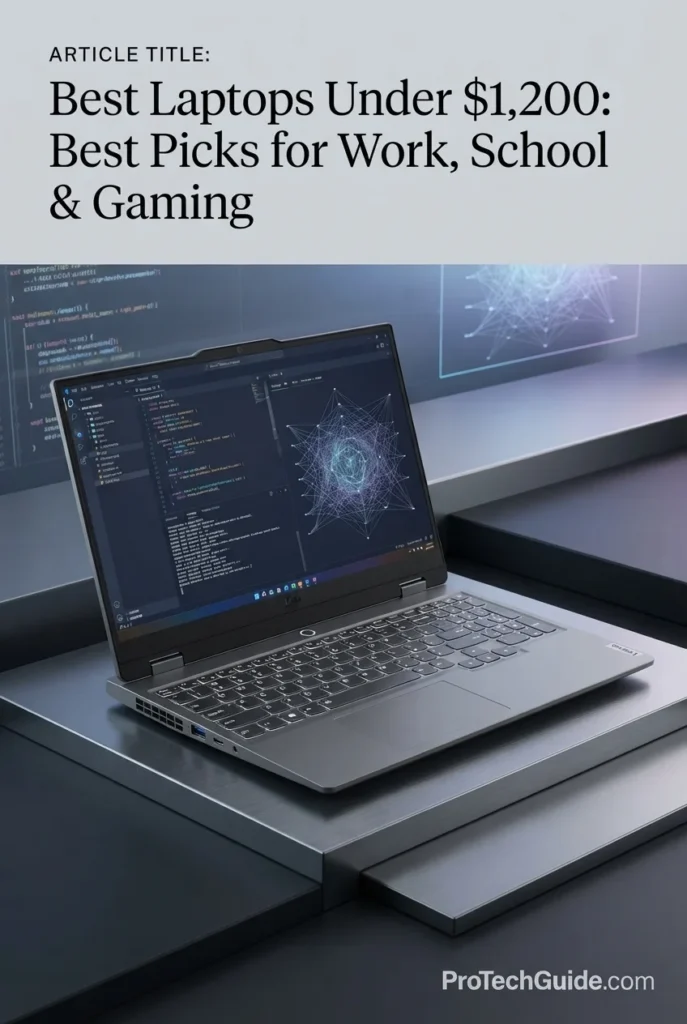
The Lenovo LOQ 15.6-inch Gaming Laptop is a performance-focused Windows machine built for buyers who want dedicated graphics without exceeding a $1,200 budget. At $1,189 in the configuration reviewed, it combines an AMD Ryzen 5 7235HS processor, 16GB of DDR5 memory, a 512GB internal SSD, and an NVIDIA GeForce RTX 4050 with 6GB of GDDR6 VRAM. Its 15.6-inch Full HD display runs at 144Hz, giving gamers the smooth high-refresh-rate experience expected from a modern gaming laptop. The Amazon configuration also includes a Docking Station Set with an additional 1TB of storage, bringing the listing's advertised total to 1.5TB. With Ethernet, HDMI, multiple USB ports, Wi-Fi 6, a backlit keyboard, and a numeric keypad, the LOQ is particularly well suited to gamers who want a capable desktop-replacement-style laptop that can also handle school, work, and everyday computing.
Why It Wins: The Lenovo LOQ wins on overall gaming value. It combines a dedicated RTX 4050 GPU, 16GB DDR5 memory, a 144Hz Full HD display, and a gaming-oriented chassis while remaining within the $1,200 ceiling. It also provides more practical wired connectivity than many thin productivity laptops, including Ethernet and HDMI. For buyers who want a serious gaming laptop that can double as their everyday computer, the LOQ delivers a strong balance of graphics performance, features, and versatility.
Comparison: Compared with the Acer Nitro V 15, the LOQ uses an RTX 4050 with 6GB GDDR6 rather than the Nitro V's RTX 5050 with 8GB GDDR7, so the Acer remains the stronger choice when maximum graphics capability is the priority. However, the LOQ remains an excellent alternative for buyers who value its Ryzen platform, DDR5 memory, Ethernet connectivity, numeric keypad, and overall gaming-focused design. Against the HP OmniBook 5 Flip and Lenovo Yoga 7i 2-in-1, the LOQ is substantially less portable but far better suited to gaming because of its dedicated NVIDIA graphics.
Key Features
• 6GB dedicated GDDR6 VRAM
• Dedicated NVIDIA graphics
• Designed for modern gaming and GPU-accelerated workloads
• HDMI video output
The RTX 4050 gives the Lenovo LOQ a completely different performance profile from the integrated-graphics laptops elsewhere in this guide. Its 6GB of dedicated GDDR6 VRAM provides the graphics resources needed for modern gaming, particularly at the laptop's native 1920×1080 resolution. It also gives the system additional capability for GPU-accelerated applications and graphics-intensive workloads.
• Ryzen 5 processor
• 3.2GHz listed processor speed
• 7000 Series
• Designed for gaming and multitasking
The Ryzen 5 7235HS provides the CPU foundation for the LOQ's gaming-oriented configuration. It is designed to handle gaming alongside everyday applications, web browsing, productivity software, communication, and other common workloads. Paired with the RTX 4050, it creates a dedicated gaming platform that can also serve as a general-purpose Windows computer.
• 15.6-inch screen
• 1920×1080 native resolution
• LCD display
• 144Hz refresh rate
• 16:9 widescreen format
The 144Hz Full HD display is designed to make fast-moving gameplay feel smoother and more responsive than a conventional 60Hz panel. The 1920×1080 resolution also works well with the RTX 4050 because it allows the dedicated GPU to focus its performance on a resolution commonly used for gaming laptops in this class.
• 16GB DDR5 memory
• 512GB internal SSD
• Solid-state storage
• Fast boot and application loading
The 16GB DDR5 configuration provides a capable foundation for modern gaming and multitasking. The 512GB SSD serves as the laptop's primary internal storage and provides fast access to Windows, applications, and games. Users with particularly large game libraries may eventually want additional internal storage or external storage.
• 512GB internal SSD
• 1TB additional storage through the Docking Station Set
• 32GB microSD card included
• 7-in-1 docking station
• Type-C data cable included
• 3-in-1 charging cable included
The Amazon configuration advertises 1.5TB of total storage, but that figure should not be interpreted as 1.5TB of internal SSD capacity. The laptop itself contains a 512GB SSD, while the included Docking Station Set contributes an additional 1TB of storage. The package also includes a 32GB microSD card and other accessories.
• Luna Gray / Gray finish
• Notebook form factor
• Backlit keyboard
• Numeric keypad
• 5.25 lb listed weight
• 0.86-inch listed thickness
The LOQ is designed as a traditional gaming notebook rather than an ultraportable. Its 5.25-pound listed weight reflects the performance hardware and larger chassis required for a dedicated gaming system. The backlit keyboard and numeric keypad also make it practical for both gaming and productivity-oriented use.
• Wi-Fi 6
• Bluetooth
• Ethernet / RJ-45
• 3× USB-A
• 1× USB-C
• HDMI
• Audio combo jack
• DC-in
The LOQ provides a broad selection of wired and wireless connections. The inclusion of an RJ-45 Ethernet port is particularly useful for gaming because a wired network connection can provide a stable connection for online play. HDMI and USB connectivity also make it easy to connect external displays and gaming peripherals.
• Windows 11 Home
• Backlit keyboard
• Numeric keypad
• Wi-Fi 6
• Bluetooth
• External display support
Although gaming is the primary purpose of the LOQ, its Windows 11 environment and practical port selection make it capable of handling schoolwork, office applications, web browsing, streaming, research, and everyday productivity. It is particularly useful for buyers who want one computer rather than separate machines for gaming and work.
• 5.25 lb listed weight
• 0.86-inch listed thickness
• Gaming-oriented chassis
The LOQ is not designed to compete with ultraportables such as the MacBook Air or Dell XPS 13. Its larger and heavier chassis reflects its dedicated GPU and gaming hardware. It is better suited to users who move between home, school, or office occasionally than to those who need to carry a lightweight laptop throughout the day.
• AMD Ryzen 5 7235HS
• NVIDIA GeForce RTX 4050 with 6GB GDDR6
• 16GB DDR5 memory
• 512GB internal SSD
• 1TB additional Docking Station storage
• 15.6-inch Full HD 144Hz display
• Windows 11 Home
At $1,189, the LOQ remains inside the article's $1,200 price ceiling while offering the dedicated graphics hardware expected from a gaming laptop. The configuration's advertised 1.5TB total storage also adds practical value, although only 512GB is internal SSD storage. Buyers should verify the current Amazon price and exact included accessories before purchasing.
• 1080p gaming
• Students who also want a gaming laptop
• Everyday gaming and entertainment
• GPU-accelerated applications
• Buyers who want Ethernet connectivity
• Users who prefer a gaming-focused laptop over an ultraportable
The Lenovo LOQ is best for buyers who want dedicated NVIDIA graphics without moving beyond a $1,200 budget. The Acer Nitro V 15 remains the stronger choice for maximum graphics performance in this lineup thanks to its RTX 5050 with 8GB GDDR7, but the LOQ offers a compelling alternative with its RTX 4050, 16GB DDR5 memory, 144Hz display, Ethernet connectivity, and practical gaming-oriented design. For buyers who prioritize portability, battery efficiency, or convertible functionality, the MacBook Air, Dell XPS 13, Lenovo Yoga 7i, and HP OmniBook 5 Flip remain better suited to those needs.
Acer Swift Go 16 AI
Best Laptop for Creators, Multitasking & Large OLED Touchscreen Workspaces
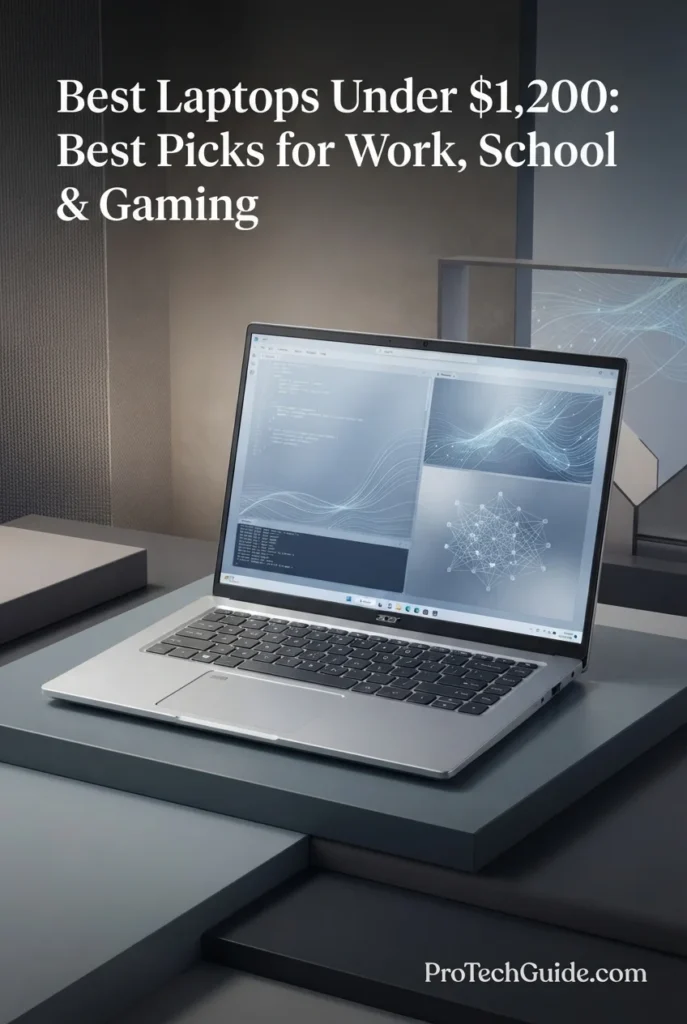
The Acer Swift Go 16 AI brings an unusually strong combination of memory, display quality, portability, and connectivity to the sub-$1,200 laptop category. This configuration pairs an Intel Ultra 7 355 processor with 32GB of DDR5 RAM, a 1TB SSD, and a large 16-inch 1920x1200 OLED touchscreen. At $1,199, it is particularly appealing to creators, designers, professionals, and students who want a spacious premium display and enough memory for demanding multitasking without moving into a significantly more expensive workstation-class laptop.
Why It Wins: The Acer Swift Go 16 AI stands out by combining 32GB of RAM and a large OLED touchscreen in a highly portable ultrabook design. Its strengths are especially relevant to creators and professionals who value workspace, multitasking capacity, premium display technology, and modern connectivity. The 16-inch screen provides more room for timelines, design interfaces, documents, spreadsheets, and side-by-side applications, while Thunderbolt 4 and HDMI make it easier to build a more capable desktop setup.
Comparison: Compared with the Apple MacBook Air M4, the Swift Go 16 AI offers a larger OLED touchscreen and 32GB of DDR5 memory, while the MacBook Air remains the stronger choice for buyers prioritizing macOS, portability, efficiency, and Apple’s integrated ecosystem. Compared with the ASUS Zenbook 14 OLED, Acer provides a larger 16-inch workspace and twice the memory, while the Zenbook is smaller and lighter. Unlike the Acer Nitro V 15 and Lenovo LOQ 15, however, the Swift Go 16 AI uses integrated Intel graphics, making it better suited to productivity, creative applications, and general content work than demanding GPU-intensive gaming.
Key Features
• 2.3GHz base frequency
• Up to 4.7GHz boost speed
• 12MB Intel Smart Cache
• Integrated Intel Graphics
The Intel Ultra 7 355 gives the Swift Go 16 AI enough processing capability for demanding everyday productivity, professional applications, multitasking, video conferencing, and creator-oriented workflows. Its combination of multiple cores and high boost speeds helps maintain responsive performance when switching between applications and handling larger workloads.
• DDR5 RAM technology
• 32GB maximum memory listed for this configuration
The generous 32GB memory configuration is one of the Swift Go 16 AI's strongest advantages under $1,200. It provides substantially more multitasking headroom than typical 16GB configurations, making the laptop particularly attractive for creators, professionals, students, and users who regularly work with many applications and browser tabs simultaneously.
• 1920x1200 native resolution
• OLED display technology
• Touchscreen input
• 16:10-style WUXGA workspace
The large OLED touchscreen is a defining feature of this configuration. Its 1920x1200 resolution provides additional vertical workspace compared with traditional 16:9 Full HD displays, while OLED technology delivers the high-contrast visual experience that makes the Swift Go 16 AI particularly appealing for design, content consumption, productivity, and creative workflows.
• Solid-state storage
• Fast primary storage for applications and files
The included 1TB SSD provides a practical amount of fast internal storage for professional software, documents, creative projects, media files, and everyday applications. It also gives the Swift Go 16 AI a more comfortable starting point for users who regularly work with larger files.
• 2x USB-A 3.2
• 1x HDMI
• Wi-Fi 7
• Bluetooth connectivity
Connectivity is another major strength of the Swift Go 16 AI. Two Thunderbolt 4 ports provide high-speed connectivity for compatible peripherals, storage, docks, and external displays, while USB-A keeps compatibility with traditional accessories. HDMI adds another convenient display-output option, and Wi-Fi 7 provides the latest-generation wireless connectivity listed for this configuration.
• Windows Hello facial login
• Designed for video conferencing
The 5MP IR camera gives the Swift Go 16 AI a stronger conferencing and authentication feature set than many mainstream laptops. Windows Hello facial recognition provides a convenient way to sign in, while the higher-resolution camera is well suited to modern work-from-home, professional, and study environments.
• DTS:X Ultra Audio
• Integrated speakers
The backlit keyboard supports comfortable use in different lighting conditions, while DTS:X Ultra Audio is designed to provide a more immersive listening experience. Together, these features make the Swift Go 16 AI suitable for both professional productivity and everyday multimedia use.
• 13.97 x 9.66 x 0.62 inches listed
• Silver finish
• Ultrabook form factor
Despite its large 16-inch display, the Swift Go 16 AI remains relatively light at approximately 3 pounds according to the supplied listing. Its slim 0.62-inch profile helps make it practical for professionals and students who want a larger workspace without carrying a much heavier performance laptop.
• Backlit keyboard
• Touchscreen interface
• Wi-Fi 7 connectivity
Windows 11 Home provides the familiar software environment expected by most productivity and professional users. Combined with the touchscreen, 32GB of memory, large OLED display, and modern wireless connectivity, the Swift Go 16 AI is particularly well suited to flexible workflows that move between office, home, study, and creative environments.
• 32GB RAM
• 1TB SSD
• 16-inch OLED touchscreen
• Integrated Intel Graphics
At $1,199, this configuration uses the full budget but delivers a particularly strong feature set for creators and professionals who value memory capacity and display quality. The combination of 32GB RAM, 1TB SSD storage, a large OLED touchscreen, Thunderbolt 4, and a lightweight design gives it a clear identity within this guide. Buyers focused primarily on gaming or GPU-intensive 3D workloads should instead consider the dedicated NVIDIA graphics offered by the Acer Nitro V 15 or Lenovo LOQ 15.
• Graphic design and general creative work
• Professional multitasking
• Business productivity
• Study and research
• Video conferencing
• Users who prefer large OLED touchscreen displays
The Acer Swift Go 16 AI is best suited to users who want a large, premium-looking workspace with substantial memory and modern connectivity. It is particularly compelling for creators, designers, professionals, and students who need strong multitasking capability but do not require a dedicated gaming GPU.
Best Laptops Under $1,200 in 2026
Ranked by Performance, RAM, Storage, Display Quality, Portability, Gaming Capability, Productivity & Overall Value
Choosing the best laptop under $1,200 in 2026 requires more than comparing processor specifications. At this price point, buyers can choose from premium ultraportables, OLED laptops, versatile 2-in-1 systems, large-screen productivity machines, and gaming laptops with dedicated NVIDIA graphics. We evaluated these laptops based on processor performance, memory capacity, storage, display quality, portability, battery efficiency, connectivity, software compatibility, graphics capability, build quality, and overall value to help you choose the right system for work, school, productivity, creative tasks, everyday use, or gaming.
| Laptop | CPU & Key Specs | Best For | Why It Wins | Editor's Verdict |
|---|---|---|---|---|
Best OverallApple MacBook Air 13-inch M4Check Price | Apple M4 10-Core CPU 24GB Unified Memory 512GB SSD 13.6" Liquid Retina | Work & Productivity College Students Professionals Everyday Use | The MacBook Air with M4 offers one of the strongest overall combinations of performance, efficiency, portability, battery life, and premium build quality in this price range. Its 24GB of unified memory and 512GB SSD provide a particularly capable configuration for productivity, school, multitasking, and everyday professional workloads, while macOS and Apple's integrated ecosystem add further appeal for Mac users. | Best Overall Laptop Under $1,200 |
Best Premium WindowsDell XPS 13Check Price | Intel Core 5 320 8GB RAM 2TB PCIe SSD 13.4" 2.5K Touch 120Hz Display | Windows Users Business Professionals Students Frequent Travelers | The Dell XPS 13 combines a lightweight premium design with a sharp 2.5K touchscreen, 120Hz refresh rate, Wi-Fi 7, and an exceptionally compact 2.2-pound starting weight. Its 2TB SSD provides generous storage in a highly portable Windows system, making it particularly attractive to professionals and students who prioritize mobility and premium design. | Best Premium Windows Laptop Under $1,200 |
Best OLED LaptopASUS Zenbook 14 OLEDCheck Price | Snapdragon X Plus 8-Core CPU 16GB LPDDR5X 1TB Internal SSD 14" FHD+ OLED | Students Mobile Professionals OLED Enthusiasts Everyday Productivity | The ASUS Zenbook 14 OLED stands out for its combination of a high-quality OLED touchscreen, efficient Snapdragon X Plus processing, 16GB of memory, and compact 14-inch design. The supplied configuration advertises 2TB of total storage through a 1TB internal SSD plus a 1TB docking station, giving buyers additional storage flexibility while keeping the laptop itself highly portable. | Best OLED Laptop Under $1,200 |
Best 2-in-1Lenovo Yoga 7i 2-in-1Check Price | Intel Core Ultra 7-155U 16GB Memory 1TB SSD 16" FHD+ IPS Touch 360° Convertible Design | Students Professionals Touchscreen Productivity Flexible Workflows | The Lenovo Yoga 7i 2-in-1 combines a large 16-inch touchscreen with a flexible 360-degree convertible design, making it particularly useful for students and professionals who move between traditional laptop work, presentations, touchscreen interaction, and flexible productivity. Its Core Ultra 7 processor, 16GB of memory, 1TB SSD, and Thunderbolt connectivity create a well-rounded Windows configuration for everyday work and school. | Best 2-in-1 Laptop Under $1,200 |
Best Convertible ValueHP OmniBook 5 Flip 2-in-1Check Price | Intel Core 7 150U 16GB LPDDR5 512GB Internal SSD 14" 1920x1200 IPS Touch Windows 11 Pro | School & Study Business Productivity Presentations Convertible Workflows | The HP OmniBook 5 Flip offers a versatile convertible design, 14-inch touchscreen, Windows 11 Pro, 16GB of memory, and a Core 7 150U processor in a configuration priced below the $1,200 ceiling. Its advertised 672GB total storage combines a 512GB internal SSD with an additional 160GB storage component in the supplied docking station set, adding flexibility for users who need extra storage alongside a portable 2-in-1 system. | Best Convertible Laptop Under $1,200 |
Best Gaming LaptopAcer Nitro V 15Check Price | Intel Core i5-13420H 16GB DDR4 512GB PCIe Gen 4 SSD RTX 5050 8GB GDDR7 15.6" FHD 165Hz | PC Gaming 1080p Gaming GPU-Accelerated Workloads Gaming Students | The Acer Nitro V 15 is the strongest gaming-focused option in this lineup, pairing an Intel Core i5-13420H processor with an NVIDIA GeForce RTX 5050 Laptop GPU featuring 8GB of GDDR7 memory. Its 15.6-inch 165Hz Full HD IPS display is designed for high-refresh-rate gaming, while 16GB of RAM and a 512GB PCIe Gen 4 SSD provide a solid foundation for gaming and everyday productivity. | Best Gaming Laptop Under $1,200 |
Best Gaming ValueLenovo LOQ 15.6"Check Price | AMD Ryzen 5 7235HS 16GB DDR5 512GB Internal SSD RTX 4050 6GB GDDR6 15.6" FHD 144Hz | Budget Gaming 1080p Gaming Students Who Game Everyday Productivity | The Lenovo LOQ 15 delivers dedicated NVIDIA RTX 4050 graphics, 16GB of DDR5 memory, a 144Hz Full HD display, and a Ryzen 5 7235HS processor in a gaming-focused chassis. Its broad connectivity, including Ethernet, HDMI, USB-A, and USB-C, makes it a practical choice for users who want a capable gaming machine that can also handle everyday school and productivity workloads. | Best Gaming Value Laptop Under $1,200 |
Best Creator LaptopAcer Swift Go 16 AICheck Price | Intel Ultra 7 355 32GB DDR5 1TB SSD 16" WUXGA OLED Touch Thunderbolt 4 | Creators & Designers Professional Multitasking Business Users Large-Screen Productivity | The Acer Swift Go 16 AI combines 32GB of DDR5 memory, a 1TB SSD, a large 16-inch WUXGA OLED touchscreen, Thunderbolt 4 connectivity, Wi-Fi 7, and a lightweight ultrabook design. It is particularly attractive to creators and professionals who want a spacious OLED workspace and substantial multitasking capacity without moving into a heavier dedicated-GPU workstation. | Best Creator Laptop Under $1,200 |
Recommended Next Reads
Finished comparing the best laptops under $1,200? Explore our related buying guides for students, work, gaming, OLED displays, creative workloads, business productivity, and alternative laptop price ranges.
Whether you're choosing a laptop for college, professional productivity, gaming, content creation, or everyday computing, these guides can help you explore more specialized recommendations. You can also compare lower and higher price ranges to understand how much additional performance, portability, display quality, or specialized hardware you can get as your budget changes.
Best Laptops for Students in 2026
Explore laptops selected for students across different budgets, with a focus on portability, battery life, performance, memory, storage, display quality, and everyday academic use. This is a natural next step for college and school shoppers who want to compare specialized student recommendations after reviewing the best overall options under $1,200.
Explore Student Laptops →Best Laptops for Work, Gaming & Everyday Use in 2026
Compare versatile laptops designed to balance professional productivity, everyday computing, entertainment, multitasking, and gaming. This guide is ideal for buyers who want one laptop capable of handling work, personal use, school, media, and occasional gaming without focusing exclusively on one workload.
Explore Work & Gaming Laptops →Display QualityBest OLED Laptops in 2026
Explore OLED laptops for productivity, content creation, entertainment, professional work, and users who want a more premium display experience. This guide is particularly useful if display quality, contrast, color reproduction, and an immersive screen are higher priorities than simply maximizing raw performance.
Explore OLED Laptops →Creative WorkBest Laptops for Video Editing in 2026
Compare laptops designed for video editing, content creation, YouTube production, rendering, multitasking, and demanding creative applications. If your workload requires more sustained performance, memory, storage, or dedicated graphics than a typical productivity laptop, this guide provides a more specialized comparison.
Explore Video Editing Laptops →Budget & ValueBest Laptops Under $1,000 in 2026
Looking to spend less than $1,200? Explore capable laptops under $1,000 for work, school, productivity, everyday use, portability, and value-focused buyers. This guide can help you determine whether you can meet your needs with a lower budget while avoiding unnecessary compromises in performance and usability.
Explore Laptops Under $1,000 →Budget & PerformanceBest Laptops Under $1,500 in 2026
Have room to increase your budget beyond $1,200? Compare stronger laptop configurations around the $1,500 price point, where buyers can find additional performance, memory, graphics capability, premium displays, and higher-end hardware for more demanding workloads.
Explore Laptops Under $1,500 →Professional WorkBest Business Laptops in 2026
Explore laptops built around professional productivity, multitasking, portability, connectivity, reliability, security, and long-term business use. This guide is especially relevant for professionals and business users who need a dependable work-focused laptop rather than a system primarily optimized for gaming or entertainment.
Explore Business Laptops →EDITOR'S FINAL RECOMMENDATIONS
After comparing these laptops across processor performance, RAM capacity, storage, display quality, portability, battery efficiency, connectivity, graphics capability, operating system, versatility, gaming performance, productivity, and overall value, these are our final recommendations for buyers shopping under $1,200 in 2026. Whether you need a laptop for work, college, everyday productivity, creative tasks, or gaming, each recommendation serves a different type of user and workload.
Apple MacBook Air 13-inch M4
The best overall laptop under $1,200 in this guide. The 2025 MacBook Air with Apple's M4 chip combines strong everyday performance, excellent efficiency, long battery life, premium construction, and exceptional portability. The specific Amazon Renewed configuration includes 24GB of unified memory and a 512GB SSD, making it particularly well suited to professionals, college students, productivity, multitasking, and everyday use for buyers who are comfortable with macOS.
- ✓ Apple M4 10-core processor
- ✓ 24GB Unified Memory
- ✓ 512GB SSD Storage
- ✓ 13.6-inch Liquid Retina Display
Dell XPS 13
The best premium Windows laptop in this lineup for buyers who prioritize portability, display quality, premium design, and a highly mobile form factor. Its 13.4-inch 2.5K touchscreen, 120Hz refresh rate, Wi-Fi 7, and exceptionally low 2.2-pound starting weight make it an excellent choice for professionals and students who want a compact Windows laptop with generous 2TB SSD storage.
- ✓ Intel Core 5 Processor 320
- ✓ 8GB RAM
- ✓ 2TB PCIe SSD
- ✓ 13.4-inch 2.5K 120Hz Touchscreen
ASUS Zenbook 14 OLED
The best choice for buyers who want a premium OLED display in a compact Windows laptop. The Zenbook 14 combines a Snapdragon X Plus platform, 16GB of LPDDR5X memory, and a 14-inch FHD+ OLED display in a lightweight design. The supplied Amazon configuration advertises 2TB of total storage through a 1TB internal SSD plus a 1TB docking station, giving buyers additional storage flexibility without placing all of that storage inside the laptop itself.
- ✓ Snapdragon X Plus X1P-42-100
- ✓ 16GB LPDDR5X Memory
- ✓ 1TB Internal SSD + 1TB Docking Station
- ✓ 14-inch FHD+ OLED Display
Lenovo Yoga 7i 2-in-1
The best 2-in-1 laptop under $1,200 for users who want a larger touchscreen and the flexibility of a 360-degree convertible design. The Yoga 7i combines an Intel Core Ultra 7 processor, 16GB of memory, 1TB SSD storage, a 16-inch FHD+ IPS touchscreen, and Thunderbolt connectivity. It is particularly well suited to students and professionals who move between traditional laptop work, presentations, touchscreen interaction, and flexible productivity.
- ✓ Intel Core Ultra 7-155U
- ✓ 16GB Memory
- ✓ 1TB SSD Storage
- ✓ 16-inch FHD+ IPS Touchscreen
HP OmniBook 5 Flip 2-in-1
The best convertible value for buyers who want a versatile 14-inch touchscreen laptop for school, productivity, presentations, and flexible work. The OmniBook 5 Flip combines a Core 7 150U processor, 16GB of memory, Windows 11 Pro, and a 512GB internal SSD. Its advertised 672GB total storage includes an additional 160GB storage component in the supplied docking station set, making this a particularly flexible configuration for buyers who value both portability and expandable storage.
- ✓ Intel Core 7 150U
- ✓ 16GB LPDDR5 Memory
- ✓ 512GB Internal SSD + 160GB Docking Station
- ✓ 14-inch 1920x1200 IPS Touchscreen
Acer Nitro V 15
The best gaming laptop under $1,200 in this lineup and the strongest choice for buyers who prioritize dedicated graphics performance. The Acer Nitro V pairs an Intel Core i5-13420H processor with an NVIDIA GeForce RTX 5050 Laptop GPU featuring 8GB of GDDR7 memory. Its 15.6-inch Full HD IPS display runs at 165Hz, making this configuration particularly attractive for high-refresh-rate 1080p gaming while still providing enough performance for everyday productivity.
- ✓ Intel Core i5-13420H
- ✓ NVIDIA GeForce RTX 5050 8GB GDDR7
- ✓ 16GB DDR4 + 512GB PCIe Gen 4 SSD
- ✓ 15.6-inch FHD 165Hz IPS Display
Lenovo LOQ 15
The best gaming value for buyers who want dedicated NVIDIA graphics, a high-refresh-rate display, and a performance-oriented chassis while staying close to the $1,200 ceiling. The Lenovo LOQ combines a Ryzen 5 7235HS processor, 16GB of DDR5 memory, RTX 4050 graphics with 6GB of GDDR6 memory, and a 15.6-inch 144Hz Full HD display. The supplied configuration advertises 1.5TB of total storage through a 512GB internal SSD plus a 1TB docking station.
- ✓ AMD Ryzen 5 7235HS
- ✓ NVIDIA GeForce RTX 4050 6GB GDDR6
- ✓ 16GB DDR5 + 512GB Internal SSD
- ✓ 15.6-inch FHD 144Hz Display
Acer Swift Go 16 AI
The best creator-focused option for buyers who want a large OLED touchscreen, substantial memory, modern Intel processing, and a lightweight design. Its 32GB of DDR5 memory and 1TB SSD provide a strong foundation for demanding multitasking, while the 16-inch WUXGA OLED touchscreen creates a spacious workspace for content creation, design-oriented tasks, professional productivity, and everyday creative workflows.
- ✓ Intel Ultra 7 355
- ✓ 32GB DDR5 Memory
- ✓ 1TB SSD Storage
- ✓ 16-inch WUXGA OLED Touchscreen
Which laptop under $1,200 should you buy?
MacBook Air M4
Dell XPS 13
ASUS Zenbook 14 OLED
Lenovo Yoga 7i
HP OmniBook 5 Flip
Acer Nitro V 15
Lenovo LOQ 15
Acer Swift Go 16 AI
- Choose the Apple MacBook Air with M4 if you want the strongest overall combination of performance, battery efficiency, portability, premium design, and everyday usability under $1,200. The specific Amazon offer covered in this guide is Amazon Renewed, so buyers should verify the current condition, price, and warranty before purchasing.
- Choose the Dell XPS 13 if you want a premium Windows laptop that is exceptionally lightweight and portable. Its 2.5K 120Hz touchscreen, Wi-Fi 7, and 2TB SSD make it particularly attractive to professionals, students, and frequent travelers, although the 8GB RAM configuration is less appealing for heavier multitasking.
- Choose the ASUS Zenbook 14 OLED if display quality and portability are your priorities. Its OLED panel, 16GB memory, Snapdragon X Plus processor, and compact design make it a strong productivity machine, while the supplied configuration's additional docking-station storage adds flexibility. Buyers who depend on specialized Windows software should verify ARM compatibility before purchasing.
- Choose the Lenovo Yoga 7i 2-in-1 if you want the versatility of a 360-degree convertible design and a large 16-inch touchscreen. It is particularly well suited to students and professionals who use presentations, touchscreen workflows, flexible work positions, and everyday productivity applications. Because the configuration is under $1,200 due to a limited-time deal, verify the current sale price before purchasing.
- Choose the HP OmniBook 5 Flip if you want a more compact convertible laptop for school, business productivity, presentations, and flexible everyday use. Its Windows 11 Pro configuration, 16GB memory, touchscreen design, and supplied additional storage make it a strong value-oriented option, although the advertised 672GB total includes storage provided through the docking station set.
- Choose the Acer Nitro V 15 if gaming performance is your priority. Its RTX 5050 Laptop GPU with 8GB of GDDR7 memory and 165Hz Full HD display make it the strongest gaming-focused option in this guide, while the 16GB RAM and 512GB PCIe Gen 4 SSD provide a solid foundation for gaming and everyday productivity.
- Choose the Lenovo LOQ 15 if you want a dedicated RTX 4050 gaming laptop with a strong emphasis on value. Its 144Hz display, 16GB DDR5 memory, Ryzen 5 7235HS processor, and broad connectivity make it a practical choice for 1080p gaming and everyday use. The advertised 1.5TB total storage includes a 512GB internal SSD plus a 1TB docking station.
- Choose the Acer Swift Go 16 AI if you want a large OLED touchscreen, 32GB of memory, 1TB SSD storage, and a lightweight design for creative work and demanding multitasking. It is especially attractive to creators, designers, professionals, and users who prefer a spacious display without moving to a heavier dedicated-GPU workstation.
EDITOR'S FINAL VERDICT
After comparing processor performance, RAM capacity, SSD storage, display quality, portability, battery efficiency, connectivity, graphics capability, operating system, versatility, gaming performance, productivity, and overall value, one conclusion stands out:The best laptop under $1,200 is not necessarily the laptop with the fastest processor, the largest storage number, or the most powerful graphics card. It is the system that provides the right balance of performance, usability, display quality, portability, reliability, and features for the way you actually work, study, create, or play.
At the $1,200 price point, buyers have considerably more choice than they do in the entry-level market. You can find premium ultraportables, OLED laptops, large-screen 2-in-1 systems, productivity-focused Windows machines, and gaming laptops with dedicated NVIDIA graphics. That makes the right decision less about finding one universally perfect laptop and more about matching the hardware to your priorities.
For most buyers, 16GB of memory is the practical baseline for a modern laptop in this price range, while 24GB or 32GB provides additional headroom for heavier multitasking and creative workloads. Storage, display quality, battery efficiency, portability, connectivity, and operating-system compatibility are equally important because a laptop is an everyday tool that should remain comfortable and capable long after the initial purchase.- Choose the Apple MacBook Air with M4 if you want the strongest overall combination of performance, efficiency, portability, premium design, battery life, and everyday usability. Its 24GB unified memory and 512GB SSD configuration make it particularly well suited to work, school, multitasking, and everyday professional use.
- Choose the Dell XPS 13 if you want a premium Windows laptop that prioritizes portability, display quality, and a lightweight design. Its 2.5K 120Hz touchscreen, Wi-Fi 7, and 2TB SSD make it particularly attractive to professionals and students who want a compact Windows system, although its 8GB RAM configuration makes it less suitable for heavier multitasking.
- Choose the Acer Nitro V 15 if gaming performance is your priority. Its RTX 5050 Laptop GPU with 8GB of GDDR7 memory, 165Hz Full HD display, and gaming-oriented hardware make it the strongest dedicated-gaming option in this lineup.
- Choose the Acer Swift Go 16 AI if you want a large OLED touchscreen, 32GB of memory, 1TB SSD storage, and a lightweight design for creative work, professional multitasking, and large-screen productivity.
Top Laptop Recommendations Under $1,200 (2026)
Apple MacBook Air 13-inch M4
Our Editor's Choice for most buyers because it delivers an exceptionally strong combination of performance, efficiency, portability, premium construction, and everyday usability. The specific configuration evaluated here includes 24GB of unified memory and a 512GB SSD, giving professionals, students, and everyday users substantial multitasking capacity in a remarkably portable system.
- ✓ Apple M4 10-core processor
- ✓ 24GB Unified Memory
- ✓ 512GB SSD Storage
- ✓ 13.6-inch Liquid Retina Display
Dell XPS 13
The strongest premium Windows choice for buyers who value mobility, display quality, and a compact professional design. Its 2.2-pound starting weight, 13.4-inch 2.5K 120Hz touchscreen, Wi-Fi 7, and 2TB PCIe SSD create a highly portable configuration for students, professionals, and frequent travelers.
- ✓ Intel Core 5 Processor 320
- ✓ 8GB RAM
- ✓ 2TB PCIe SSD
- ✓ 13.4-inch 2.5K 120Hz Touchscreen
Acer Nitro V 15
The best choice for buyers who want dedicated graphics performance under $1,200. The Nitro V combines an Intel Core i5-13420H processor with an NVIDIA GeForce RTX 5050 Laptop GPU featuring 8GB of GDDR7 memory and a 15.6-inch 165Hz Full HD IPS display, giving gamers substantially more graphics capability than the integrated-GPU laptops in this guide.
- ✓ Intel Core i5-13420H
- ✓ NVIDIA GeForce RTX 5050 8GB GDDR7
- ✓ 16GB DDR4 + 512GB PCIe Gen 4 SSD
- ✓ 15.6-inch FHD 165Hz IPS Display
- ✓ You want the best overall laptop under $1,200
- ✓ You prioritize portability, battery efficiency, and premium build quality
- ✓ You need strong performance for work, school, productivity, and multitasking
- ✓ You are comfortable using macOS and do not require Windows-only applications
- ✓ You want a premium Windows laptop with an exceptionally lightweight design
- ✓ A sharp 2.5K 120Hz touchscreen is important to you
- ✓ You value portability for school, business, commuting, or travel
- ✓ You prefer Windows and want generous 2TB SSD storage
- ✓ Prioritize at least 16GB of memory for a modern work, school, and productivity laptop
- ✓ Consider 24GB or 32GB if you regularly multitask heavily or work with demanding creative applications
- ✓ Distinguish internal SSD capacity from additional storage supplied through a docking station or accessory bundle
- ✓ Choose Windows if you depend on Windows-only software, while macOS remains an excellent choice for compatible productivity workflows
- ✓ Do not pay extra for dedicated graphics unless you actually need gaming performance, GPU acceleration, or graphics-intensive applications
Choosing a laptop under $1,200 is ultimately about identifying the features that will make the biggest difference in your everyday workflow. Processor performance matters, but so do memory capacity, display quality, battery efficiency, keyboard comfort, portability, storage, connectivity, operating-system compatibility, and the type of graphics hardware included. A great gaming laptop is not automatically the best choice for a college student, just as the lightest ultraportable is not necessarily the right system for someone who wants dedicated GPU performance.
Among the eight laptops evaluated in this guide, the Apple MacBook Air with M4 delivers the strongest overall combination of performance, efficiency, portability, premium design, and everyday usability, making it our Editor's Choice for the best laptop under $1,200 in 2026. The Dell XPS 13 is the better choice for buyers who specifically want a premium Windows ultraportable, while the ASUS Zenbook 14 OLED is the standout option for shoppers who place display quality and OLED technology at the top of their priority list.For users who need a convertible touchscreen, the Lenovo Yoga 7i 2-in-1 offers the strongest combination of flexibility and a large-screen design, while the HP OmniBook 5 Flip provides a more value-oriented convertible alternative. Gamers should focus on the Acer Nitro V 15 for the strongest gaming configuration in this guide, with the Lenovo LOQ 15 serving as an attractive alternative for dedicated RTX 4050 gaming performance. Finally, the Acer Swift Go 16 AI is the strongest creator-oriented choice for buyers who want 32GB of memory and a large OLED touchscreen without moving into a heavier workstation-class laptop.
Compare current prices, configurations, product condition, warranty coverage, storage options, and availability before choosing the laptop that best matches your work, school, gaming, productivity, or creative needs.
Check Latest DealsEDITOR'S FAQ
Choosing the best laptop under $1,200 requires more than looking at processor speed or storage capacity. At this price point, buyers need to balance performance, memory, display quality, battery life, portability, build quality, operating system, graphics capability, and the type of work they expect the laptop to handle.These frequently asked questions address the most important buying decisions for 2026, including how much RAM and storage you need, whether a gaming laptop is necessary, whether an OLED display is worth paying for, how to choose between Windows and macOS, and which type of laptop makes the most sense for work, school, productivity, gaming, or creative use.
Its Apple M4 processor, 24GB of unified memory, 512GB SSD, 13.6-inch Liquid Retina display, lightweight 2.73-pound design, and claimed battery life of up to 18 hours make it an exceptionally well-rounded option for users who prioritize mobility and efficient everyday performance.
- Apple M4 processor with a 10-core CPU configuration.
- 24GB unified memory for demanding multitasking.
- 512GB SSD for applications, documents, and projects.
- 13.6-inch Liquid Retina display with 2560x1664 resolution.
- Lightweight 2.73-pound design for commuting and school.
- Touch ID, backlit keyboard, Wi-Fi 6, and MagSafe 3 charging.
The important detail is that the specific offer featured in this guide is Amazon Renewed, not a brand-new retail configuration. It includes a 90-day limited warranty according to the listing, so buyers should verify the current condition, price, and warranty terms before purchasing.
Check PriceAt this price point, 16GB is generally the sweet spot for students, office users, web browsing, programming, productivity applications, and everyday multitasking. More memory becomes valuable when you regularly work with demanding applications, large projects, virtual machines, creative software, or numerous applications simultaneously.
- 8GB → Suitable mainly for basic everyday computing, but less attractive for long-term use.
- 16GB → The recommended baseline for work, school, productivity, programming, and general multitasking.
- 24GB → Excellent for users who want additional multitasking headroom, as seen in the MacBook Air M4 configuration featured in this guide.
- 32GB → Ideal for demanding multitasking, creative workloads, development environments, and users who want greater long-term headroom.
For most buyers spending close to $1,200, we recommend prioritizing 16GB or more rather than choosing a system with a faster processor but insufficient memory.
A 16GB configuration can comfortably support applications such as Microsoft Office, web browsers, video conferencing, research tools, programming environments, spreadsheets, presentations, and typical multitasking.
- Excellent for students and college coursework.
- Well suited to Microsoft Office and productivity applications.
- Enough for browsing with numerous active tabs.
- Suitable for programming and many development workflows.
- Works well for everyday photo editing and general creative tasks.
- Provides a better long-term balance than entry-level 8GB configurations.
If your workload involves professional video editing, advanced creative applications, large development environments, or unusually heavy multitasking, moving to 24GB or 32GB can provide more comfortable headroom. The Acer Swift Go 16 AI in this guide stands out with 32GB of memory at the top of the budget range.
Integrated graphics are sufficient for office applications, browsing, streaming, programming, schoolwork, and many everyday creative tasks. A dedicated GPU becomes more important for modern games and graphics-intensive applications.
- Integrated graphics → Best for productivity, school, office work, browsing, programming, and general everyday use.
- RTX 4050 → A strong option for affordable gaming and graphics-intensive workloads.
- RTX 5050 → The Acer Nitro V provides a more capable gaming-oriented configuration with 8GB of dedicated GDDR7 graphics memory.
This is why the Acer Nitro V 15 is our Best Gaming Laptop under $1,200. Its RTX 5050 Laptop GPU and 165Hz Full HD display make it considerably more gaming-focused than the integrated-graphics systems in this guide.
Check Gaming LaptopOLED displays can provide deeper blacks, strong contrast, and a more visually impressive experience than conventional LCD or IPS panels. They are particularly attractive for content consumption, photography, creative work, and users who simply want a more premium display.
- OLED → Best for users who prioritize contrast, image quality, and a premium viewing experience.
- IPS → A strong all-around choice for productivity, school, gaming, and general use.
- High refresh rate → Particularly valuable for gaming and smoother motion.
- Touchscreen → Useful for 2-in-1 designs, creative interaction, presentations, and flexible workflows.
The ASUS Zenbook 14 OLED is our Best OLED Laptop under $1,200. Its 14-inch FHD+ OLED display and 16GB of LPDDR5X memory make it particularly appealing to users who want a more premium screen without moving into a higher price category.
Check Zenbook 14 OLEDThe right operating system depends primarily on the applications you use and the way you work. Windows provides the widest selection of laptops under $1,200, including gaming laptops, 2-in-1 systems, and models with NVIDIA graphics.
- Windows → Best for broad software compatibility, gaming, Microsoft-focused workflows, and hardware variety.
- macOS → Excellent for productivity, school, programming, everyday use, and users already invested in Apple's ecosystem.
- Windows gaming laptops → The better choice when dedicated NVIDIA graphics and modern PC gaming are priorities.
The MacBook Air M4 is our best overall choice for users who prefer macOS, while the Dell XPS 13 provides our preferred premium Windows alternative. Buyers should choose based on software compatibility and workflow rather than operating-system preference alone.
Check MacBook AirStorage requirements depend heavily on how the laptop will be used. Students and office users may be comfortable with 512GB, while gamers, creators, programmers, and professionals with larger local files will benefit from more storage.
- 512GB → Suitable for school, office work, browsing, programming, and users who rely on cloud storage.
- 1TB → Recommended for users who install many applications, store large projects, or want more long-term flexibility.
- 2TB → Better for users with extensive local files, large media libraries, games, or demanding storage requirements.
One important consideration in this guide is that some Amazon configurations advertise larger total storage because they include an additional docking station storage device. For example, the ASUS Zenbook 14, HP OmniBook 5 Flip, and Lenovo LOQ configurations include storage additions as part of their listed bundle rather than representing the entire capacity of the laptop's internal SSD.
For this reason, always check the internal SSD capacity separately from bundled storage accessories before purchasing.
- 14-inch → Best for students, commuters, travelers, and professionals who frequently carry their laptop.
- 15.6-inch → A strong middle ground for gaming, school, productivity, and general use.
- 16-inch → Better for large spreadsheets, multitasking, content creation, and users who prefer a larger workspace.
The Dell XPS 13 and ASUS Zenbook 14 are particularly attractive for portability, while the Acer Swift Go 16 AI and Lenovo Yoga 7i provide more screen real estate for users who prioritize workspace.
Screen size should therefore be treated as a workflow decision rather than simply choosing the largest display available. A lightweight 14-inch laptop can be significantly more convenient for daily commuting, while a 16-inch system can reduce the need for external monitors during productivity work.
Check 16-Inch OptionThe Acer Nitro V combines an Intel Core i5-13420H processor with an NVIDIA GeForce RTX 5050 Laptop GPU featuring 8GB of dedicated GDDR7 memory, 16GB of RAM, a 512GB PCIe Gen 4 SSD, and a 15.6-inch Full HD IPS display with a 165Hz refresh rate.
- Acer Nitro V 15 → Best overall gaming choice under $1,200.
- Lenovo LOQ 15 → Best gaming value with an RTX 4050 and 144Hz display.
- 16GB RAM → A strong baseline for modern gaming and multitasking.
- Dedicated NVIDIA graphics → Essential for this class of gaming-focused laptop.
- High refresh rate display → Particularly useful for smoother gaming and fast-moving titles.
The Acer Nitro V is the stronger gaming recommendation in this guide, while the Lenovo LOQ remains attractive for buyers who want dedicated graphics while staying close to the $1,200 ceiling.
Check Acer Nitro VThere is no single laptop that is perfect for every buyer. The best model depends on whether you prioritize portability, display quality, gaming performance, a 2-in-1 design, professional multitasking, or creative work.
- Best Overall → Apple MacBook Air 13-inch with M4.
- Best Premium Windows → Dell XPS 13.
- Best OLED → ASUS Zenbook 14 OLED.
- Best 2-in-1 → Lenovo Yoga 7i 2-in-1.
- Best Convertible Value → HP OmniBook 5 Flip 2-in-1.
- Best Gaming → Acer Nitro V 15.
- Best Gaming Value → Lenovo LOQ 15.
- Best Creator Laptop → Acer Swift Go 16 AI.
If portability, battery efficiency, and everyday productivity are your priorities, the MacBook Air M4 is the strongest overall choice. If you want a premium Windows experience, the Dell XPS 13 is the better fit. For OLED quality, choose the ASUS Zenbook 14. For flexible touchscreen use, the Lenovo Yoga 7i or HP OmniBook 5 Flip are compelling options. And if gaming performance is the priority, the Acer Nitro V 15 is the clear direction to take.
Before purchasing, always verify the current Amazon price and exact configuration. Several products in this guide are offered in multiple configurations, and some listings include additional storage through bundled docking-station accessories. The MacBook Air configuration featured here is also an Amazon Renewed offer rather than a new retail unit.
Check Best Overall DealLAPTOP BUYING GUIDE
Choosing a laptop under $1,200 is not simply about finding the fastest processor or the largest SSD available. At this price point, buyers need to balance performance, memory, storage, display quality, battery life, graphics capability, portability, build quality, software compatibility, and the type of work they actually expect the laptop to handle.The wrong laptop can become a daily source of frustration through insufficient RAM, limited storage, poor display quality, weak gaming performance, unnecessary hardware, excessive weight, or an operating system that does not fit your workflow. Avoid these common mistakes before choosing your next laptop under $1,200.
The best laptop under $1,200 is rarely the one with the most impressive specification sheet. For most buyers, the smartest purchase is a balanced system with at least 16GB of memory, fast SSD storage, a modern processor, a quality display, and enough performance for the tasks you actually perform.Gaming changes the equation because a dedicated GPU becomes much more important, while students and productivity users may benefit more from portability, battery efficiency, keyboard quality, and display comfort. At this price point, understanding your workload is more important than simply buying the most powerful-looking configuration.
Choosing Only 8GB of RAM
- Modern laptops are increasingly used for browser-heavy multitasking, office applications, video calls, streaming, research, and productivity software simultaneously.
- 8GB can become restrictive when multiple applications and browser tabs are open at the same time.
- Buying too little memory can shorten the useful life of a laptop and make future multitasking more difficult.
Better decision:Target 16GB of RAM when shopping around the $1,200 price range. Move to 24GB or 32GB when you regularly perform heavier multitasking, creative work, programming, or other demanding workloads. The Apple MacBook Air M4 featured in this guide stands out with 24GB of unified memory, while the Acer Swift Go 16 AI offers 32GB.
Buying a Dedicated GPU You Do Not Need
- Not every buyer needs a gaming-class graphics processor for work, school, browsing, productivity, or everyday computing.
- A dedicated GPU can add cost, weight, heat, and power consumption to a laptop.
- For many productivity users, CPU performance, memory, display quality, battery life, and portability have a greater daily impact.
Better decision:Choose integrated graphics if your priorities are work, school, browsing, office applications, programming, and everyday use. Choose a dedicated NVIDIA GPU when gaming or graphics-intensive applications are important. In this guide, the Acer Nitro V 15 and Lenovo LOQ 15 are the dedicated-GPU options designed specifically for that purpose.
Ignoring the Difference Between Work and Gaming Laptops
- Gaming laptops prioritize dedicated graphics, cooling, high-refresh-rate displays, and sustained performance.
- Thin productivity laptops generally prioritize portability, battery efficiency, quieter operation, and everyday comfort.
- A gaming laptop is not automatically the best choice for school or professional work simply because it has more graphics performance.
Better decision:Match the laptop to your primary workload. Choose the MacBook Air M4, Dell XPS 13, or ASUS Zenbook 14 for productivity-focused use. Choose the Acer Nitro V 15 or Lenovo LOQ 15 when gaming performance is a major priority.
Choosing Too Little SSD Storage
- Applications, games, school files, photos, videos, development environments, and project files can consume storage surprisingly quickly.
- A 256GB SSD can become restrictive much faster than expected on a modern Windows laptop.
- Gamers and creators can fill 512GB quickly with modern games and large media projects.
Better decision:Target 512GB or more for a laptop under $1,200, with 1TB being the more comfortable long-term choice when available. If you need substantial local storage, consider 2TB configurations or expandable external storage.Also pay attention to how Amazon listings describe bundled storage. Some configurations in this guide advertise additional capacity through included docking-station storage rather than the internal SSD itself.
Buying More Performance Than Your Workflow Requires
- A more expensive processor does not automatically make a laptop better for every buyer.
- Extra CPU or GPU performance can come with compromises in weight, battery life, thermals, and portability.
- Students and office users may gain more from a better display, larger SSD, or additional RAM than from a small increase in processor performance.
Better decision:Prioritize the components that directly affect your workload. For general productivity, school, and everyday use, a balanced 16GB system with a modern processor is often the smarter purchase. If gaming or creative work is central to your workflow, spend more of the budget on dedicated graphics performance.
Ignoring Display Quality
- You may spend several hours every day looking at your laptop display, making screen quality an important part of the overall experience.
- Resolution, panel technology, brightness, aspect ratio, refresh rate, and touchscreen capability can significantly affect usability.
- A faster processor cannot compensate for a display that is uncomfortable or poorly suited to your workflow.
Better decision:Choose the display based on how you use the laptop. The ASUS Zenbook 14 is particularly attractive if OLED image quality is a priority. Gaming buyers should prioritize a high refresh rate, while productivity users may benefit from a larger 16-inch workspace such as the Acer Swift Go 16 AI.
Choosing a Laptop Without Considering Portability
- A powerful 15.6-inch gaming laptop can be significantly heavier than a thin 13- or 14-inch productivity laptop.
- Students and professionals who carry their laptop every day may value weight and battery life more than additional performance.
- A laptop that is uncomfortable to transport may not be the best practical choice even if its specifications look impressive.
Better decision:Choose a compact model such as the MacBook Air, Dell XPS 13, or ASUS Zenbook 14 when portability is a priority. Choose a larger gaming laptop such as the Acer Nitro V 15 or Lenovo LOQ 15 when performance is more important than carrying weight.
Assuming Every $1,200 Configuration Is the Same
- The same laptop model can be sold with substantially different processors, RAM, SSD capacities, displays, and operating systems.
- Amazon listings can also include upgraded configurations or accessory bundles that change the advertised total storage.
- A laptop's headline price may therefore not represent the exact configuration you are actually purchasing.
Better decision:Always verify the exact RAM, internal SSD, processor, GPU, display, operating system, and included accessories before purchasing. This is especially important for the ASUS Zenbook 14, HP OmniBook 5 Flip, and Lenovo LOQ configurations featured in this guide, where bundled docking-station storage contributes to the advertised total storage capacity.
Smart Buying Advice for Laptops Under $1,200
You primarily need your laptop for work, school, browsing, Office applications, communication, programming, research, and everyday use. The Apple MacBook Air M4, Dell XPS 13, and ASUS Zenbook 14 are particularly strong choices when portability, efficiency, and overall user experience matter more than dedicated gaming graphics.
Gaming is one of your primary reasons for buying the laptop and you need dedicated graphics performance. The Acer Nitro V 15 is our top gaming choice under $1,200, while the Lenovo LOQ 15 offers a strong alternative for buyers who want an RTX 4050-powered system.
You value touchscreen interaction, flexible positioning, note-taking, presentations, or the ability to switch between laptop and tablet-style modes. The Lenovo Yoga 7i 2-in-1 and HP OmniBook 5 Flip are the most flexible options in this guide.
You need more memory, a larger display, and a balanced platform for creative applications, multitasking, productivity, and professional work. The Acer Swift Go 16 AI stands out with 32GB of memory, a 16-inch WUXGA OLED touchscreen, and 1TB of SSD storage.
Key takeaway:The best laptop under $1,200 is not necessarily the fastest, largest, or most powerful machine. It is the laptop that provides the right balance of performance, memory, storage, display quality, portability, graphics capability, software compatibility, and long-term usability for the way you actually work, study, play, or create.
After evaluating the eight laptops featured in this guide, these are our Editor's top recommendations for different types of buyers in 2026:
- Best Overall Laptop Under $1,200:Apple MacBook Air 13-inch with M4 — the strongest overall combination of performance, portability, battery efficiency, premium build quality, and everyday usability, provided you are comfortable with the Amazon Renewed configuration featured in this guide.
- Best Premium Windows Laptop Under $1,200:Dell XPS 13 — an excellent choice for buyers who want a lightweight premium Windows laptop with a high-resolution touchscreen, modern Intel processing, and strong portability.
- Best Gaming Laptop Under $1,200:Acer Nitro V 15 — the strongest gaming-focused option in this guide thanks to its RTX 5050 Laptop GPU with 8GB of dedicated GDDR7 memory and 165Hz display.
- Best Creator Laptop Under $1,200:Acer Swift Go 16 AI — a compelling choice for creators and professionals who value 32GB of memory, a large 16-inch OLED touchscreen, 1TB SSD storage, and a highly portable design.
Need help choosing your laptop?
Not sure which option fits your workflow? Get a personalized recommendation based on your budget, performance needs, and usage.
Get personalized recommendation⚡ Usually responds within 24 hours