
LAPTOPS BY USE CASE HUB

Explore Our Best Laptops by Use Case

This guide to Best Linux Laptops in 2026: 8 Top Picks for Compatibility, Performance & Value is part of our curated laptop recommendations by use case. Explore more expert comparisons and buying guides designed to help you choose the right laptop for Linux, Ubuntu, programming, development, business, productivity, AI workloads, and other professional use cases.
2026 Linux Laptop Guide • Expert Picks for Compatibility, Performance, Ubuntu & Professional Workloads
Expert Reviewed • Linux Compatibility, Ubuntu Support, CPU Performance, RAM Capacity, Graphics, Displays, Storage, Portability & Long-Term Value

Best Linux Laptops in 2026: 8 Top Picks for Compatibility, Performance & Value

The best Linux laptop in 2026 is not simply the laptop with the fastest processor or the most powerful hardware. The right choice depends on how well the system works with your preferred Linux distribution, how much configuration is required after installation, and whether the hardware supports your development, productivity, business, or GPU-intensive workflows.From Ubuntu and other popular Linux distributions to programming environments, development tools, containers, virtual machines, business applications, and everyday productivity, today's mainstream laptops can provide an excellent Linux experience when their hardware, firmware, graphics, wireless connectivity, and overall platform support are carefully considered.

In this guide, we've selected the best Linux laptops in 2026 based on hardware compatibility, Linux and Ubuntu support, processor performance, RAM capacity, storage, graphics, display quality, portability, connectivity, business-class reliability, and long-term usability. We also considered the practical needs of developers, programmers, students, IT professionals, business users, and power users who want a dependable Linux platform rather than simply a laptop that can boot a Linux installer.The Lenovo ThinkPad T14 Gen 6 takes our top position as the best overall Linux laptop, combining modern AMD Ryzen AI performance with a business-focused ThinkPad platform and a configuration well suited to development, productivity, and everyday Linux use. The Lenovo ThinkPad P14s Gen 6 is our choice for users who need a Linux-capable mobile workstation, while the Lenovo ThinkPad T16 Gen 4 provides a larger workspace and substantial memory capacity for demanding productivity and professional workflows. The Dell Pro 14 Plus offers a strong option for users who prefer Dell's business-oriented hardware, while the ThinkPad E14 Gen 7 delivers a more accessible entry point for Linux users on a tighter budget.For students and productivity-focused users, the ASUS Vivobook S16 combines a large touchscreen display with modern AMD processing and generous memory. The Acer Aspire Go 15 is our affordable pick for users who want practical everyday hardware without paying for premium features, while the Lenovo ThinkPad T1g Gen 8 stands apart for users who need dedicated NVIDIA graphics and significantly more GPU-oriented capability.

Best Overall Linux Laptop
Best Linux Mobile Workstation
Best Large-Screen Linux Laptop
Best Dell Laptop for Linux
Best Budget Linux Laptop
Best for Students & Productivity
Best Affordable Linux Laptop
Best for NVIDIA & GPU Workloads
Editor's Verdict:For most Linux users, the Lenovo ThinkPad T14 Gen 6 is our strongest overall recommendation in 2026. Its combination of modern AMD Ryzen AI processing, business-class ThinkPad design, 16GB of memory, a 512GB SSD, Radeon integrated graphics, and a practical 14-inch form factor makes it a well-balanced platform for Linux development, programming, productivity, and everyday professional use.The Lenovo ThinkPad P14s Gen 6 is the better choice for professionals who need a more workstation-oriented platform in a compact format. Its Intel Core Ultra 5 225H processor, 16GB of memory, 512GB SSD, and 14.5-inch display provide a strong foundation for professional development, engineering-oriented workflows, and mobile productivity.For users who prefer a larger workspace, the Lenovo ThinkPad T16 Gen 4 combines a 16-inch display with 64GB of RAM, a 1TB SSD, Wi-Fi 7, and AMD Ryzen AI 7 PRO processing. It is particularly well suited to professionals who spend long periods working across multiple applications, terminals, browsers, development environments, and large projects.The Lenovo ThinkPad T1g Gen 8 is our specialized choice for users who need dedicated NVIDIA graphics. Its RTX 5060, Core Ultra 7 255H processor, 32GB of RAM, 1TB SSD, and high-resolution 16-inch display make it the most GPU-focused option in this lineup, although NVIDIA hardware can require more attention to graphics drivers and Linux configuration than integrated AMD or Intel graphics.For users who want a more affordable entry point, the Lenovo ThinkPad E14 Gen 7 and Acer Aspire Go 15 offer practical hardware for everyday Linux workloads, while the ASUS Vivobook S16 provides a larger display and stronger memory configuration for students, developers, and productivity-focused users. The Dell Pro 14 Plus rounds out the lineup with a modern business-oriented platform for users who prefer Dell hardware.
Scroll Down to Compare the 8 Best Linux Laptops in 2026
Best Overall Linux Laptop (2026)

Lenovo ThinkPad T14 Gen 6

Best Linux Laptop for Developers, Professionals & Everyday Productivity
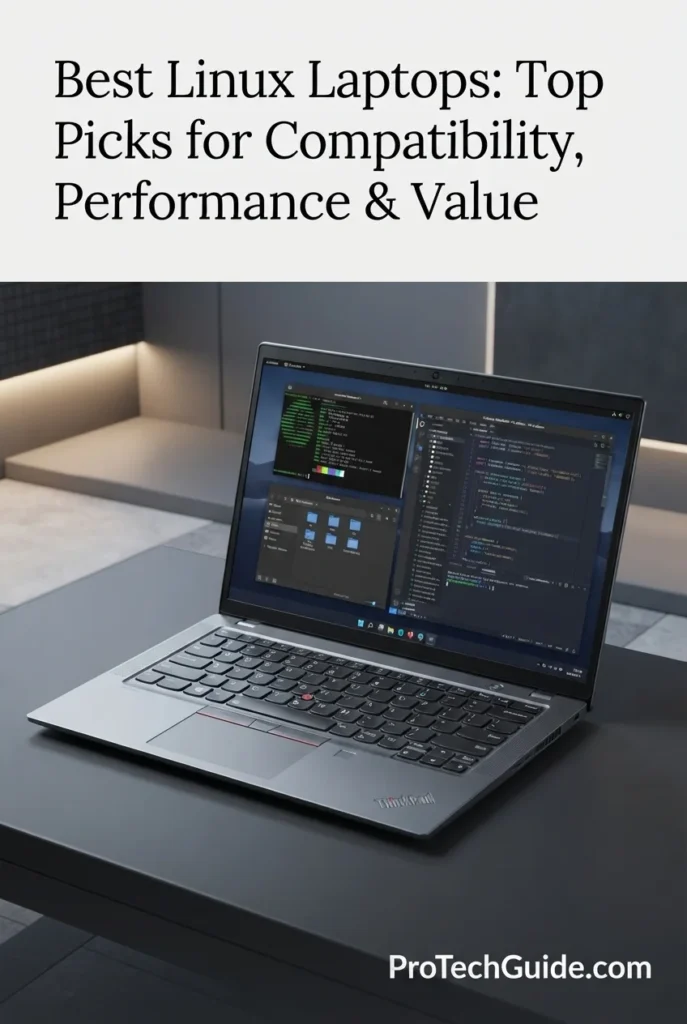
The Lenovo ThinkPad T14 Gen 6 with AMD Ryzen AI 7 PRO 350, 16GB of memory, 512GB SSD, and Radeon 860M graphics is our Best Overall Linux Laptop in 2026 for users who want a balanced business-class platform for development, programming, productivity, and everyday professional workloads. Its modern AMD processor, integrated Radeon graphics, 14-inch 1920 × 1200 touchscreen, Wi-Fi 7, extensive connectivity, and ThinkPad-oriented design create a strong foundation for Linux users who value practical hardware, portability, and long-term usability. The combination of a 400-nit matte display, 16GB of memory, fast PCIe storage, fingerprint reader, and professional connectivity also makes it particularly well suited to developers and business users who move between Linux workstations, terminals, browsers, external displays, and productivity applications.

• Ideal for Linux developers, programmers, IT professionals, business users, students, and power users who want a compact professional laptop with modern AMD hardware
• Well suited to Ubuntu and other mainstream Linux distributions for programming, terminal-based workflows, web development, containers, scripting, office productivity, and general professional use, subject to distribution-specific hardware support
• Particularly attractive to users who prioritize ThinkPad ergonomics, business-oriented construction, extensive ports, Wi-Fi 7, a 14-inch form factor, and integrated graphics over dedicated GPU performance
• The AMD Ryzen AI 7 PRO 350 provides strong multi-core processing capability for compiling code, running development tools, multitasking across terminals and browsers, scripting, virtualization-oriented workflows, and demanding productivity applications
• 16GB of DDR5 memory provides a practical starting point for Linux development, allowing users to work with IDEs, terminals, browsers, databases, documentation, containers, and other applications simultaneously
• AMD Radeon 860M integrated graphics provide a modern integrated GPU platform for desktop Linux environments, hardware-accelerated applications, external displays, multimedia, and everyday graphical workloads without the complexity of a dedicated NVIDIA graphics configuration
• The 14-inch 1920 × 1200 matte touchscreen with up to 400 nits provides a practical 16:10 workspace for code, terminals, documentation, spreadsheets, and productivity applications while maintaining a portable form factor
• Wi-Fi 7, Bluetooth 5.4, USB-C with Thunderbolt 4/USB4 connectivity, HDMI 2.1, USB-A, and RJ-45 Ethernet provide extensive connection options for Linux workstations, external displays, networking equipment, storage devices, and docking solutions
• The ThinkPad platform, backlit keyboard, fingerprint reader, 57Wh battery, and compact 3.09-pound design create a professional environment for users who need to move between offices, classrooms, home workspaces, and development environments

The ThinkPad T14 Gen 6 earns our Best Overall Linux Laptop award because it strikes an unusually strong balance between modern AMD performance, integrated Radeon graphics, business-oriented hardware, Linux-friendly mainstream components, connectivity, portability, and everyday usability. Rather than focusing exclusively on maximum performance, it provides the kind of balanced platform that works particularly well for developers and professionals who spend their time in terminals, IDEs, browsers, documentation, containers, databases, and productivity applications.

Compared with the ThinkPad P14s Gen 6, the T14 Gen 6 is the more balanced choice for general Linux development and professional productivity, while the P14s is better suited to users seeking a more workstation-oriented configuration. The ThinkPad T16 Gen 4 offers a larger display and substantially more memory in the selected configuration, but the T14 Gen 6 is easier to carry. For users who need dedicated NVIDIA graphics, the ThinkPad T1g Gen 8 provides considerably more GPU capability, although integrated Radeon graphics can offer a simpler path for Linux users who want to minimize dedicated-GPU driver considerations.

• AMD Ryzen AI 7 PRO 350• Up to 5GHz maximum clock speed• Modern multi-core processor architecture• AMD Radeon 860M integrated graphics• AMD PRO-oriented business platform• Strong development and productivity performance• Efficient integrated graphics configurationThe Ryzen AI 7 PRO 350 provides a strong performance foundation for Linux development and professional productivity. It is well suited to compiling software, running IDEs, working across multiple terminals and browser tabs, processing scripts, managing databases, and handling demanding multitasking without requiring a dedicated GPU. For developers who primarily work in CPU-focused environments, this configuration offers a practical balance between performance, portability, and power efficiency.
• 16GB DDR5 memory• 5600MHz memory speed• Up to 64GB maximum memory listed for the configuration• Strong everyday multitasking capability• Suitable for IDEs and development tools• Good for terminals, browsers, and productivity applications• Practical capacity for general Linux workloadsThe 16GB memory configuration provides a solid starting point for Linux development, programming, office productivity, and everyday professional workloads. Users can comfortably combine an IDE, multiple terminal sessions, browser tabs, documentation, communication applications, and productivity software. Developers working with large virtual machines, multiple containers, or particularly memory-intensive workloads may benefit from a higher-memory configuration where supported.
• Mainstream x86-64 PC platform• AMD processor and Radeon integrated graphics• USB-C with USB4 / Thunderbolt 4 connectivity• HDMI 2.1• RJ-45 Ethernet• Wi-Fi 7• Bluetooth 5.4• Fingerprint reader• Linux distribution support can vary by component and releaseThe ThinkPad T14 Gen 6 uses a mainstream AMD-based PC platform that is well aligned with the hardware commonly used for Linux development and professional computing. Its integrated Radeon graphics can be attractive to Linux users who prefer to avoid the additional graphics-driver considerations associated with many dedicated NVIDIA configurations. However, Linux compatibility should always be evaluated against the specific distribution and kernel version being installed, particularly for newer wireless, fingerprint, touchscreen, and power-management components.
• 14-inch display• 1920 × 1200 resolution• 16:10 aspect ratio• Up to 400 nits brightness• Matte anti-glare finish• Capacitive touchscreen• 60Hz refresh rateThe 1920 × 1200 display provides a useful 16:10 workspace for Linux development. The additional vertical space compared with a traditional 16:9 Full HD panel is valuable when working with source code, terminal output, documentation, spreadsheets, and browser windows. The matte finish and 400-nit brightness rating also make the display practical for professional environments where reflections can become distracting.
• 512GB SSD• PCIe x4 interface• Fast application loading• Responsive file access• Suitable for Linux development environments• Space for applications and project files• Practical starting capacityThe 512GB PCIe SSD provides a responsive foundation for a Linux installation, development tools, applications, source code, documentation, and everyday files. It is a practical capacity for general development and productivity, although developers who maintain multiple virtual machines, container images, large datasets, or several operating systems may eventually benefit from additional storage.
• Wi-Fi 7• Bluetooth 5.4• 2 × USB-C with Thunderbolt 4 / USB4 40Gbps• USB Power Delivery 3.0• DisplayPort 2.1 over USB-C• HDMI 2.1• 2 × USB-A• RJ-45 Ethernet• 3.5mm headphone / microphone combo jackThe T14 Gen 6 offers an unusually versatile selection of connectivity for a compact business laptop. Linux users can connect external displays, wired networks, storage devices, keyboards, mice, docking stations, and other peripherals without relying exclusively on adapters. USB-C with USB4 and DisplayPort support is particularly useful for developers who use the laptop as the center of a multi-display or desktop-style Linux workstation.
• 14-inch professional form factor• Approximately 3.09 pounds• 57Wh lithium-polymer battery• Backlit keyboard• Fingerprint reader• 5MP RGB + IR camera• Matte anti-glare display• One-year onsite Lenovo warranty for the listed configurationThe ThinkPad T14 Gen 6 combines a compact professional form factor with features designed for business and mobile productivity. The fingerprint reader provides convenient biometric authentication, while the backlit keyboard and 14-inch display make the system practical for extended development sessions. Its 3.09-pound weight also keeps it reasonably portable for users who regularly move between workspaces.
Ideal for:• Linux developers• Software programmers• Web developers• IT professionals• System administrators• Business professionals• University students• Terminal-heavy workflows• Python and development environments• Container and database workflows• Linux productivity users• Professionals who prioritize portabilityThe Lenovo ThinkPad T14 Gen 6 with AMD Ryzen AI 7 PRO 350, 16GB DDR5 memory, 512GB SSD, and Radeon 860M is an excellent overall choice for Linux users who want a balanced professional laptop rather than a specialized workstation. Its combination of modern AMD hardware, integrated graphics, extensive connectivity, 16:10 display, business-oriented design, and compact form factor makes it particularly compelling for programming, development, productivity, and everyday professional Linux workloads.
Best Linux Mobile Workstation (2026)

Lenovo ThinkPad P14s Gen 6

Best Linux Mobile Workstation for Professional Development
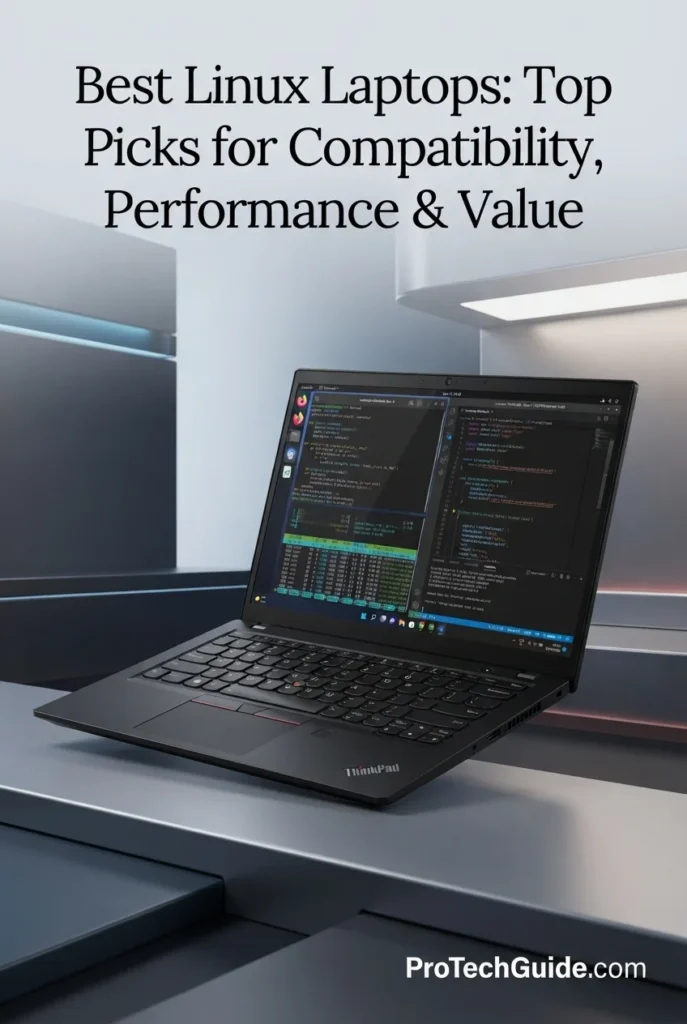
The Lenovo ThinkPad P14s Gen 6 with the Intel Core Ultra 5 225H, 16GB of DDR5 memory, 512GB SSD, and integrated Intel Arc 130T graphics is our pick for the Best Linux Mobile Workstation in 2026. Its 14-core processor, expandable memory architecture, professional ThinkPad design, 14.5-inch 1920 × 1200 display, dual Thunderbolt connectivity, Gigabit Ethernet, and integrated Intel graphics create a strong foundation for Linux development, programming, engineering applications, virtualization, containers, system administration, and professional productivity. Lenovo lists Ubuntu Linux among the supported operating-system options for the P14s Gen 6 platform, while Ubuntu's certification database shows certification for specific P14s Gen 6 configurations; importantly, the certified Core Ultra 5 225H configuration uses an NVIDIA RTX PRO 500 Blackwell GPU rather than the integrated Arc 130T found in this Amazon configuration.

• Ideal for Linux developers, software engineers, programmers, IT professionals, system administrators, and technical users who want a compact workstation-oriented ThinkPad platform
• Excellent for Ubuntu and mainstream Linux workflows involving programming, terminal-based development, containers, scripting, technical applications, databases, engineering tools, and professional productivity
• Particularly well suited to professionals who value expandable memory, dual Thunderbolt connectivity, Gigabit Ethernet, a 16:10 display, and a business-focused mobile workstation design
• The Intel Core Ultra 5 225H provides 14 cores and 14 threads, with P-cores reaching up to 4.9GHz, delivering strong processing capacity for compilation, multitasking, development environments, and demanding professional workloads
• 16GB of DDR5-5600 memory provides a practical starting configuration, while the two memory slots and platform support for up to 96GB provide substantially more headroom for virtual machines, containers, large development environments, and technical applications
• Integrated Intel Arc 130T graphics provide modern integrated graphics capability without requiring a dedicated NVIDIA GPU, making this configuration attractive for Linux users who prioritize a simpler integrated-graphics platform over CUDA-focused workloads
• The 14.5-inch 1920 × 1200 IPS display provides a productive 16:10 workspace with up to 400 nits of brightness, anti-glare treatment, and Eyesafe technology for programming, terminals, documentation, spreadsheets, and extended professional sessions
• Two Thunderbolt ports, USB connectivity, HDMI, Gigabit Ethernet, Wi-Fi, and Bluetooth provide the flexibility needed for external displays, docking stations, wired networks, peripherals, and professional desktop setups
• ThinkPad business features including fingerprint recognition, tamper detection, a full-size English keyboard, anti-glare display treatment, and a professional mobile-workstation design make it a strong choice for long-term Linux productivity

The ThinkPad P14s Gen 6 earns our Best Linux Mobile Workstation award because it combines a modern 14-core Intel processor, expandable DDR5 memory, integrated Intel Arc graphics, professional connectivity, and ThinkPad business features in a compact workstation-oriented platform. For Linux developers and technical professionals who need more expansion and connectivity than a typical ultraportable provides, it offers a particularly well-balanced foundation for development, virtualization, containers, engineering software, and professional workloads.

Compared with the Lenovo ThinkPad T14 Gen 6, the P14s Gen 6 is more workstation-oriented, with its P14s positioning, two memory slots, dual Thunderbolt connectivity, and stronger emphasis on professional technical workloads. Compared with dedicated-GPU P14s Gen 6 configurations, however, this Core Ultra 5 225H and Intel Arc 130T configuration is better suited to Linux development and general technical computing than GPU-accelerated workloads that depend on NVIDIA CUDA or professional discrete graphics. Ubuntu certification should also be evaluated by exact hardware configuration rather than by the P14s Gen 6 model name alone.

• Intel Core Ultra 5 225H• 14-core CPU• 14 threads• 4 P-cores, 8 E-cores and 2 LP E-cores• Up to 4.9GHz P-core frequency• 18MB Intel Smart Cache• Intel AI Boost NPU• Up to 83 overall TOPSThe Intel Core Ultra 5 225H gives the ThinkPad P14s Gen 6 a strong processing foundation for Linux development and professional workloads. Its 14-core hybrid architecture is well suited to compiling software, running development environments, multitasking across terminals and browsers, processing data, and handling technical applications. Lenovo specifies up to 4.9GHz on the P-cores, while the integrated Intel Arc 130T graphics and AI acceleration are built into the same platform.
• 16GB DDR5 memory• DDR5-5600 speed• Two memory slots• Up to 96GB supported• Stronger expansion potential than typical soldered-memory laptops• Useful for virtual machines• Excellent for containers and development environments• Additional headroom for professional Linux workloadsThe 16GB DDR5 configuration provides a practical starting point for Linux programming, office productivity, development tools, terminals, browsers, and moderate multitasking. The two memory slots are a major advantage for professionals who expect their workloads to grow, with the platform supporting substantially more memory for virtual machines, containers, large codebases, databases, and technical applications.
• Linux-oriented ThinkPad platform• Ubuntu Linux supported by Lenovo for the P14s Gen 6 platform• ThinkPad P14s Gen 6 Linux User Guide• Professional workstation positioning• Integrated Intel Arc 130T graphics• Fingerprint security• Gigabit Ethernet• Thunderbolt connectivityLenovo lists Ubuntu Linux as an operating-system option for the ThinkPad P14s Gen 6 platform, and Lenovo also provides Linux documentation for the machine family. Ubuntu's certification database currently lists several P14s Gen 6 configurations, including a Core Ultra 5 225H model paired with an NVIDIA RTX PRO 500 Blackwell GPU. Because certification is configuration-specific, buyers should not interpret that listing as certification of this exact 21QT002QUS configuration with integrated Intel Arc 130T graphics.
• Intel Arc 130T integrated GPU• Up to 63 graphics TOPS• Integrated shared-memory architecture• Modern Intel graphics platform• Suitable for everyday graphics acceleration• External display support• Efficient integrated graphics designThe integrated Intel Arc 130T graphics give this P14s Gen 6 configuration modern graphics capability without adding a dedicated NVIDIA GPU. This can be attractive for Linux users who primarily need desktop acceleration, external displays, multimedia, development environments, and professional productivity. Users whose workloads depend heavily on CUDA, dedicated GPU rendering, or professional NVIDIA acceleration should instead consider a P14s configuration with a supported discrete NVIDIA GPU.
• 14.5-inch display• 1920 × 1200 resolution• 16:10 aspect ratio• IPS technology• Up to 400 nits brightness• 60Hz refresh rate• Anti-glare coating• Eyesafe technologyThe 14.5-inch 1920 × 1200 display provides more vertical workspace than a traditional 16:9 Full HD panel, making it useful for code, terminals, documentation, spreadsheets, and professional applications. Its IPS technology, up to 400-nit brightness, anti-glare treatment, and Eyesafe features make it well suited to extended productivity sessions.
• 512GB SSD• Fast application loading• Responsive project access• Suitable for Linux installations• Space for development environments• Useful for source code and technical projects• Practical starting capacityThe 512GB SSD provides a solid starting point for Linux development, applications, source code, documentation, containers, and professional files. Developers working with multiple virtual machines, large datasets, extensive local repositories, or numerous container images may eventually benefit from additional storage or external high-speed storage.
• Two Thunderbolt ports• Gigabit Ethernet• HDMI• USB connectivity• Wi-Fi• Bluetooth• External display support• Docking capabilityThe P14s Gen 6 is designed for professional connectivity rather than relying exclusively on wireless peripherals. Its two Thunderbolt ports, HDMI, USB connectivity, and Gigabit Ethernet make it practical for Linux workstations that connect to external displays, docks, wired networks, storage devices, keyboards, and other peripherals. This connectivity is particularly useful in office, engineering, development, and lab environments.
• 14.5-inch mobile workstation• ThinkPad professional design• Fingerprint recognition• Tamper detection• Full-size English keyboard• Anti-glare display• 0.85-inch listed thickness• One-year manufacturer warrantyThe ThinkPad P14s Gen 6 combines workstation-oriented functionality with a professional business design. Fingerprint recognition and tamper detection add useful security features, while the full-size English keyboard and anti-glare display support long development and productivity sessions. Its compact 14.5-inch form factor also makes it easier to integrate into mobile professional workflows than larger workstation laptops.
Ideal for:• Linux developers• Software engineers• Programmers• IT professionals• System administrators• DevOps workflows• Virtual machines• Container development• Engineering applications• Database and server workflows• Linux power users• Professionals who need expandable memoryThe Lenovo ThinkPad P14s Gen 6 with the Intel Core Ultra 5 225H, 16GB DDR5, 512GB SSD, and Intel Arc 130T is an excellent choice for professionals who want a compact Linux-oriented mobile workstation with strong CPU performance, expandable memory, professional connectivity, and ThinkPad business features. It is especially compelling for development, programming, virtualization, containers, system administration, and technical productivity. For dedicated GPU computing or CUDA-dependent workloads, a discrete NVIDIA configuration is the better choice.
Best Large-Screen Linux Laptop (2026)

Lenovo ThinkPad T16 Gen 4

Best Large-Screen Linux Laptop for Professional Productivity
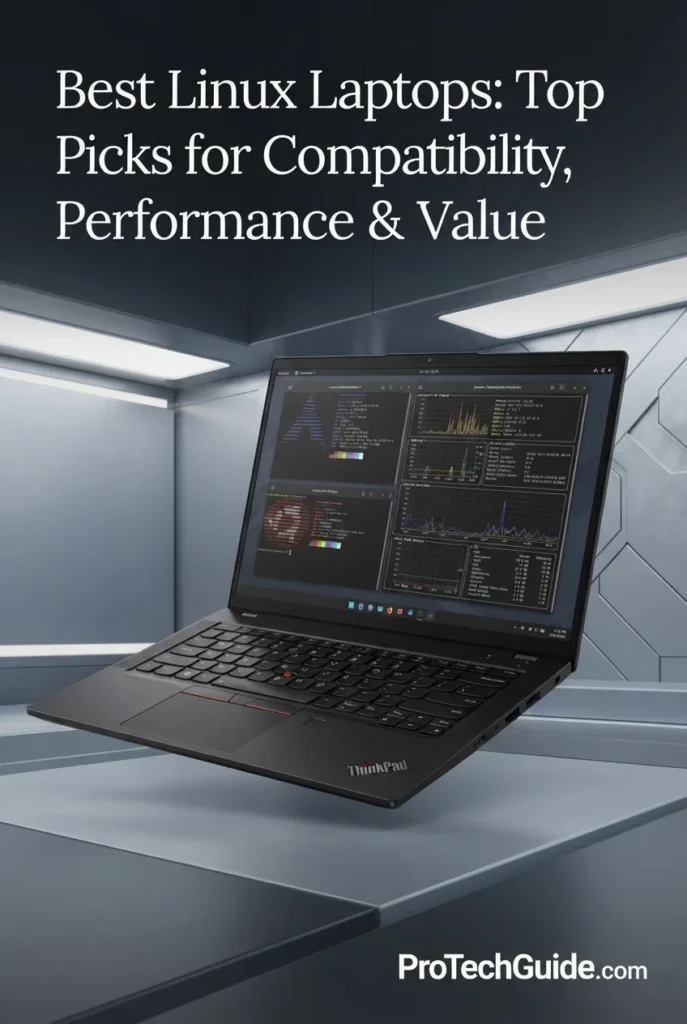
The Lenovo ThinkPad T16 Gen 4 with the AMD Ryzen AI 7 PRO 350, 64GB of DDR5 memory, and 1TB SSD is our pick for the Best Large-Screen Linux Laptop in 2026. Its 8-core, 16-thread processor, integrated AMD Radeon 860M graphics, up to 50 TOPS of Ryzen AI acceleration, substantial 64GB memory configuration, and spacious 16-inch 1920 × 1200 display create an excellent platform for Linux development, programming, productivity, virtualization, system administration, business applications, and demanding multitasking. The large 16:10 workspace is particularly valuable for developers and professionals who regularly work with terminals, code editors, documentation, dashboards, spreadsheets, and multiple application windows simultaneously.

• Ideal for Linux developers, programmers, software engineers, system administrators, business professionals, researchers, and power users who prefer a large 16-inch workspace
• Excellent for Ubuntu and mainstream Linux workflows involving programming, terminals, development environments, containers, documentation, office applications, databases, and professional multitasking
• Particularly well suited to professionals who want substantial 64GB memory capacity, integrated Radeon graphics, Wi-Fi 7, Ethernet, a numeric keypad, and a spacious 16:10 display without moving to a dedicated-GPU workstation
• The AMD Ryzen AI 7 PRO 350 provides 8 cores and 16 threads with boost speeds up to 5.0GHz, delivering strong CPU performance for software development, compilation, multitasking, data processing, and professional productivity
• 64GB of DDR5 memory gives this configuration substantial headroom for large development environments, virtual machines, containers, browsers, databases, office applications, and multiple Linux workloads running simultaneously
• Integrated AMD Radeon 860M graphics provide capable modern integrated graphics without introducing the additional driver and power considerations associated with a dedicated NVIDIA GPU, making the platform attractive for general Linux productivity and development
• The 16-inch 1920 × 1200 IPS display provides a spacious 16:10 workspace that is especially useful for source code, terminal windows, documentation, spreadsheets, dashboards, and side-by-side professional applications
• Wi-Fi 7, wired Ethernet, USB connectivity, HDMI, a backlit keyboard, and a numeric keypad provide the connectivity and input flexibility expected from a full-size professional ThinkPad
• ThinkPad business features including fingerprint recognition, TPM-based security, enterprise-oriented protection, durable construction, and a professional full-size design make it well suited to long-term business and Linux productivity

The ThinkPad T16 Gen 4 earns our Best Large-Screen Linux Laptop award because it combines a powerful Ryzen AI 7 PRO processor, 64GB of memory, integrated Radeon 860M graphics, a spacious 16-inch 16:10 display, and strong business connectivity in a professional ThinkPad platform. For Linux users who value screen real estate and multitasking more than ultraportable dimensions, it provides an excellent environment for development, productivity, virtualization, and professional workloads.

Compared with the Lenovo ThinkPad T14 Gen 6, the T16 Gen 4 provides a substantially larger 16-inch workspace and a 64GB memory configuration that is better suited to professionals who keep numerous applications, development tools, virtual machines, or browser sessions open simultaneously. Compared with the ThinkPad P14s Gen 6, it prioritizes screen size, memory capacity, and everyday business productivity rather than dedicated workstation graphics. Linux users should also evaluate distro and hardware support for the exact Ryzen AI 7 PRO 350 configuration rather than assuming that certification of another T16 Gen 4 configuration applies to this exact model.

• AMD Ryzen AI 7 PRO 350• 8-core CPU• 16 threads• 2.0GHz base frequency• Up to 5.0GHz maximum frequency• 16MB L3 cache• AMD Ryzen AI NPU• Up to 50 TOPS AI acceleration• Up to 66 overall TOPSThe AMD Ryzen AI 7 PRO 350 provides a strong processing foundation for Linux development and professional productivity. Its 8-core, 16-thread design is well suited to compiling software, running development environments, multitasking across applications, processing data, and handling demanding everyday workloads. The integrated Ryzen AI NPU can provide dedicated AI acceleration for supported workloads while the Radeon 860M handles integrated graphics duties.
• 64GB DDR5 memory• Two memory slots• Dual-channel memory architecture• Large multitasking headroom• Excellent for virtual machines• Suitable for containers• Strong development environment capacity• Ideal for professional productivityThe 64GB memory configuration is one of the strongest advantages of this ThinkPad T16 Gen 4 configuration. Linux users can keep development environments, browsers, terminals, databases, documentation, virtual machines, containers, and productivity applications open simultaneously with considerably more memory headroom than typical 16GB or 32GB systems. Lenovo's T16 Gen 4 AMD platform uses two DDR5 SODIMM slots and supports up to 64GB depending on configuration.
• ThinkPad business platform• Linux-friendly AMD hardware architecture• AMD Radeon integrated graphics• Professional security features• Fingerprint recognition• TPM-based security• Wi-Fi 7 connectivity• Ethernet connectivityUbuntu's certification database includes a ThinkPad T16 Gen 4 AMD configuration using the Ryzen AI 5 PRO 340 processor. This demonstrates certification for that specific T16 Gen 4 AMD configuration, but it should not be interpreted as certification of this exact Ryzen AI 7 PRO 350 and 64GB configuration. Linux compatibility can vary by exact hardware, firmware, kernel, and distribution release, so buyers should verify their preferred Linux distribution and release before installation.
• Integrated AMD Radeon 860M graphics• Shared system memory• Modern integrated graphics architecture• Suitable for Linux desktop acceleration• External display support• Efficient integrated graphics design• No dedicated NVIDIA GPU requiredThe integrated AMD Radeon 860M provides modern graphics capability while keeping the T16 Gen 4's hardware architecture relatively straightforward for Linux productivity. It is well suited to desktop environments, browser acceleration, multimedia, external displays, programming, office applications, and general professional workloads. Users requiring CUDA, dedicated GPU rendering, or intensive GPU compute should choose a laptop with an appropriate discrete GPU instead.
• 16-inch display• 1920 × 1200 resolution• 16:10 aspect ratio• IPS technology• 60Hz refresh rate• Anti-glare options• Large professional workspace• Excellent for multitaskingThe 16-inch 1920 × 1200 display is one of the main reasons to choose the T16 Gen 4 over smaller ThinkPad models. The 16:10 aspect ratio provides useful vertical space for code, terminal sessions, documentation, spreadsheets, dashboards, and development tools. The configuration supplied for this guide uses a 16-inch WUXGA IPS panel, while Lenovo offers multiple display variants across the T16 Gen 4 AMD platform.
• 1TB SSD• PCIe NVMe storage platform• Fast application loading• Responsive project access• Suitable for Linux installations• Space for development environments• Useful for virtual machines and containers• Practical capacity for professional workloadsThe 1TB SSD provides considerably more working space than the 512GB configurations commonly found in business laptops. It gives Linux users room for the operating system, development environments, source code, applications, documents, containers, virtual-machine files, and professional projects while maintaining responsive local storage performance.
• Wi-Fi 7• Wired Ethernet• USB connectivity• USB Type-A• USB Type-C• HDMI• External display support• Professional peripheral connectivityThe T16 Gen 4 is designed to function as a full-size professional workstation rather than a minimal ultraportable. Wi-Fi 7 provides modern wireless networking, while wired Ethernet is valuable for offices, development labs, servers, enterprise environments, and situations where a stable wired connection is preferred. USB and HDMI connectivity also make it practical for external displays, storage devices, docks, keyboards, and other peripherals.
• ThinkPad T16 Gen 4 design• Fingerprint reader• TPM security• Backlit keyboard• Numeric keypad• Professional black chassis• Durable business-oriented construction• Large 16-inch productivity formatThe ThinkPad T16 Gen 4 combines the traditional ThinkPad business approach with a larger 16-inch form factor. Fingerprint recognition and TPM-based security provide useful protection for professional environments, while the backlit keyboard and numeric keypad are particularly practical for programming, spreadsheets, finance, administration, and data-intensive business work.
Ideal for:• Linux developers• Software engineers• Programmers• System administrators• Business professionals• IT professionals• Virtual machine users• Container development• Database workflows• Productivity and office applications• Professionals who need 64GB of memory• Users who prefer a large 16-inch displayThe Lenovo ThinkPad T16 Gen 4 with the AMD Ryzen AI 7 PRO 350, 64GB DDR5, 1TB SSD, and integrated Radeon 860M is an excellent choice for Linux users who prioritize a large professional workspace and substantial multitasking capacity. Its combination of 8-core processing, 64GB memory, 1TB storage, Wi-Fi 7, Ethernet, business security, and a 16-inch 16:10 display makes it particularly compelling for development, programming, virtualization, system administration, and professional productivity. Users who require dedicated GPU acceleration should consider a different class of laptop with discrete graphics.
Best Dell Laptop for Linux (2026)

Dell Pro 14 Plus PB14250

Best Dell Linux Laptop for Professional Productivity & Development
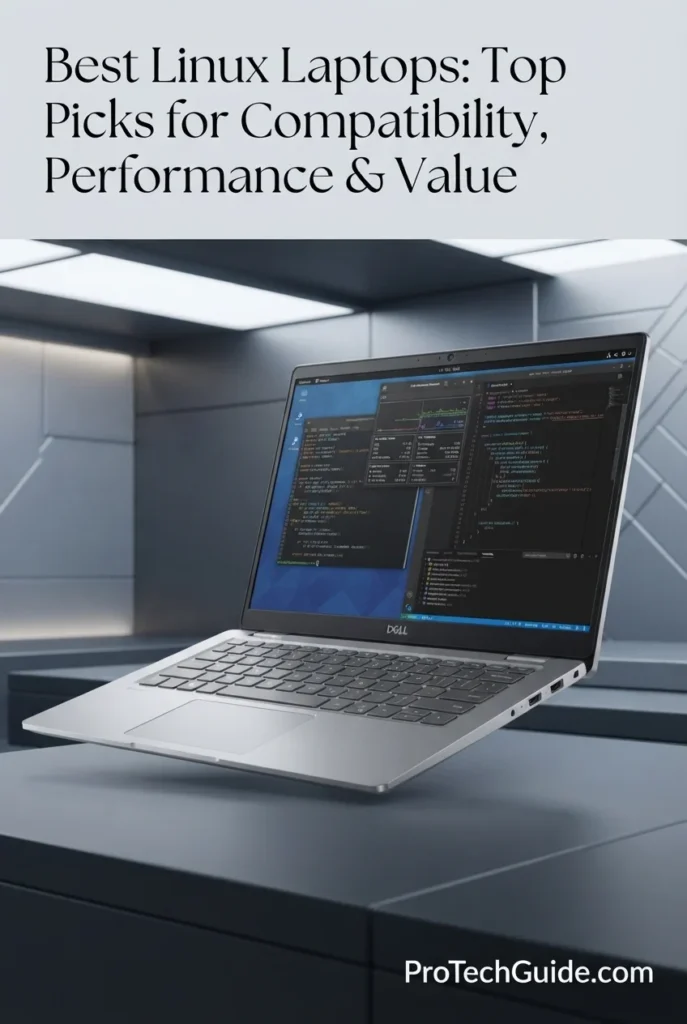
The Dell Pro 14 Plus PB14250 with the Intel Core Ultra 7 265U, 64GB of memory, and 1TB SSD is our top Dell recommendation for Linux in 2026. Its 12-core Intel processor, integrated Intel graphics, 12 TOPS NPU, large 64GB memory configuration, fast 1TB SSD, 14-inch 1920 × 1200 display, and Wi-Fi 7 connectivity create a strong platform for Linux development, programming, professional productivity, business applications, terminal-based workflows, and demanding multitasking. The model is particularly compelling because Ubuntu lists the Dell Pro 14 Plus PB14250 with Intel Core Ultra 7 and 64GB as a certified laptop, giving Linux users stronger platform-level validation than a generic Windows laptop with comparable hardware.

• Ideal for Linux developers, software engineers, system administrators, business professionals, researchers, and power users who want a mainstream Dell business laptop with strong Ubuntu support
• Excellent for Ubuntu, Debian-based distributions, programming environments, terminals, containers, databases, remote administration, web development, office applications, and professional multitasking
• Particularly well suited to professionals who want substantial 64GB memory capacity, integrated Intel graphics, a 14-inch 16:10-class workspace, Wi-Fi 7, Thunderbolt 4, and a compact business-oriented design
• The Intel Core Ultra 7 265U provides 12-core processing with boost speeds up to 5.3GHz, delivering a strong foundation for software development, compilation, multitasking, scripting, and professional Linux workloads
• 64GB of memory provides substantial headroom for multiple development environments, browsers, virtualized workloads, containers, databases, IDEs, terminals, and large professional projects running simultaneously
• Integrated Intel graphics provide a straightforward Linux graphics configuration without the additional proprietary-driver considerations associated with many NVIDIA-powered laptops
• The 14-inch 1920 × 1200 display provides a practical 16:10 workspace for terminals, code editors, documentation, dashboards, spreadsheets, and productivity applications while remaining compact enough for mobile professional use
• Wi-Fi 7, Thunderbolt 4, HDMI, USB connectivity, Bluetooth 5.4, and a backlit keyboard provide the connectivity and usability expected from a modern professional Linux workstation
• Ubuntu certification for the PB14250 with Intel Core Ultra 7 and 64GB makes this one of the more compelling mainstream Dell choices for Linux users who prioritize validated platform compatibility

The Dell Pro 14 Plus PB14250 earns our Best Dell Laptop for Linux award because it combines a powerful Core Ultra 7 265U processor, 64GB of memory, integrated Intel graphics, fast 1TB storage, modern connectivity, and a professional 14-inch form factor with official Ubuntu certification for the Core Ultra 7/64GB PB14250 configuration. It offers a particularly strong balance for developers and professionals who want Linux compatibility without moving to a specialized Linux-only laptop.

Compared with the Lenovo ThinkPad T14 Gen 6, the Dell Pro 14 Plus offers a particularly attractive advantage for this category through its Ubuntu-certified Core Ultra 7/64GB configuration and substantially higher memory capacity in the selected configuration. Compared with the Lenovo ThinkPad T16 Gen 4, the Dell is more compact and focuses on a smaller professional form factor. Its integrated Intel graphics also make it a more straightforward Linux choice than many laptops built around dedicated NVIDIA GPUs, although users should still verify their preferred distribution and peripheral requirements before installation.

• Intel Core Ultra 7 265U processor• 12 CPU cores• Up to 5.3GHz maximum frequency• Intel vPro platform• 12 TOPS NPU• Integrated Intel graphics• Strong professional multitasking capabilityThe Intel Core Ultra 7 265U gives the Dell Pro 14 Plus a strong foundation for professional Linux workloads. Its 12-core architecture and boost frequency of up to 5.3GHz are well suited to programming, code compilation, scripting, database work, browser-heavy multitasking, terminal workflows, and general professional productivity. The integrated Intel graphics architecture also keeps the platform relatively straightforward compared with laptops that depend on dedicated graphics hardware and additional proprietary drivers.
• 64GB memory configuration• Substantial multitasking headroom• Multiple development environments• IDEs and code editors• Containers and databases• Large browser sessions• Professional Linux workloadsThe 64GB configuration is one of this Dell's strongest advantages for professional Linux use. Developers can keep IDEs, terminals, browsers, documentation, containers, database tools, communication applications, and local development environments open simultaneously with considerably more memory headroom than typical 16GB configurations. Ubuntu's certification database specifically lists the Dell Pro 14 Plus PB14250 with Intel Core Ultra 7 and 64GB, making this memory configuration particularly relevant to Linux buyers.
• Dell Pro 14 Plus PB14250• Intel Core Ultra 7 configuration• 64GB certified configuration• Ubuntu certification• Integrated Intel graphics• Professional Linux workflows• Mainstream business platformThe Dell Pro 14 Plus PB14250 stands out because Ubuntu's official certification database includes a configuration identified as the PB14250 with Intel Core Ultra 7 and 64GB. This provides stronger evidence for Linux compatibility than simply assuming that Windows hardware will work correctly with Linux.The selected Amazon configuration uses the same PB14250 platform, Core Ultra 7 265U processor, integrated Intel graphics, and 64GB memory, while its specific storage and display configuration should still be considered separately when evaluating the exact retail configuration.
• Integrated Intel graphics• Shared system memory architecture• No dedicated NVIDIA GPU• Straightforward graphics configuration• Suitable for productivity workloads• Strong Linux desktop compatibility potentialIntegrated Intel graphics make the Dell Pro 14 Plus a practical choice for Linux users who prioritize development and productivity rather than dedicated GPU acceleration. Avoiding a discrete NVIDIA GPU can simplify the graphics stack and reduce the need to manage proprietary graphics drivers, particularly for users whose workloads center on programming, terminals, office applications, web development, remote systems, and general professional computing.
• 14-inch display• 1920 × 1200 native resolution• 16:10 aspect ratio• 60Hz refresh rate• Anti-glare coating• 400-nit configuration in the selected listing• Non-touch professional designThe 14-inch 1920 × 1200 display provides a useful vertical advantage over traditional 16:9 Full HD panels. The additional vertical workspace is valuable for code editors, terminal windows, documentation, spreadsheets, dashboards, and long-form web applications. The selected configuration also specifies a 400-nit anti-glare panel, making it well suited to professional environments where readability and reduced reflections matter.
• 1TB SSD• Fast application loading• Responsive project access• Linux development environments• Local repositories• Containers and development files• Professional document storageThe 1TB SSD provides a strong amount of local storage for a Linux development system. It gives users room for multiple development environments, source repositories, containers, virtual machines where appropriate, project files, applications, documentation, datasets, and professional documents without immediately requiring external storage.
• Wi-Fi 7• Bluetooth 5.4• Thunderbolt 4• HDMI• USB connectivity• USB-C connectivity• Backlit keyboardThe selected Dell configuration provides modern connectivity for Linux workstations and professional desk setups. Wi-Fi 7 enables high-speed wireless networking with compatible infrastructure, while Thunderbolt 4 provides a flexible connection point for external displays, docks, storage, and other peripherals. HDMI and USB connectivity further improve compatibility with common office and development equipment.
• 14-inch professional form factor• Aluminum chassis design on the PB14250 platform• Backlit keyboard• Anti-glare display• Professional business positioning• 60Wh battery in the selected listing• Dell ProSupport onsite coverage listed for the productThe Dell Pro 14 Plus is designed as a mainstream commercial laptop rather than a gaming system or specialized workstation. Its 14-inch form factor provides a practical balance between screen space and mobility, while the backlit keyboard, anti-glare display, modern connectivity, and business-oriented platform make it a natural fit for professional Linux users who regularly move between offices, home workspaces, meetings, and development environments.
Ideal for:• Linux developers• Ubuntu users• Software engineers• System administrators• Web developers• Business professionals• Students in technical fields• Database and terminal workflows• Professional multitasking• Users who prefer Dell business hardwareThe Dell Pro 14 Plus PB14250 with the Intel Core Ultra 7 265U, 64GB memory, and 1TB SSD is an excellent choice for Linux users who want a mainstream professional laptop backed by official Ubuntu certification for the Core Ultra 7/64GB configuration. Its combination of processor performance, substantial memory capacity, integrated Intel graphics, 14-inch 1920 × 1200 display, modern connectivity, and business-focused design makes it one of the strongest Dell options for Linux productivity and development in 2026.
Best Budget Linux Laptop (2026)

Lenovo ThinkPad E14 Gen 7

Best Affordable Linux Laptop for Students, Developers & Business Users
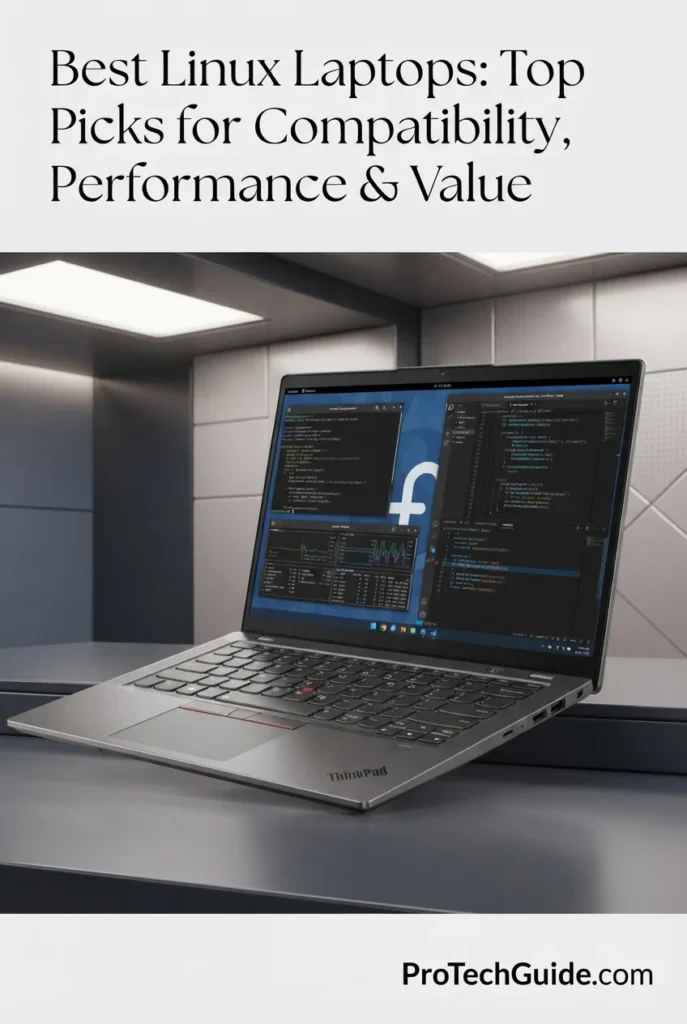
The Lenovo ThinkPad E14 Gen 7 with the Intel Core Ultra 5 225U, 24GB DDR5 memory, and 512GB PCIe SSD is our Best Budget Linux Laptop in 2026 for users who want a business-oriented ThinkPad platform without moving into higher-priced professional configurations. Its 12-core/14-thread processor, integrated Intel Graphics, 24GB of memory, 512GB SSD, 14-inch 1920 × 1200 IPS display, Wi-Fi 6E, Gigabit Ethernet, and backlit keyboard create a practical foundation for Linux development, programming, education, office productivity, remote work, and everyday computing. The combination of 24GB RAM and a modern Core Ultra processor gives this configuration considerably more multitasking headroom than typical entry-level Linux laptops.

• Ideal for students, Linux beginners, developers, remote workers, business professionals, and technical users who want an affordable ThinkPad platform for everyday Linux computing
• Excellent for Ubuntu and other mainstream Linux distributions, programming, web development, terminals, office applications, browser-based workflows, remote administration, and academic workloads
• Particularly well suited to buyers who prioritize 24GB of memory, a 14-inch 1920 × 1200 display, Wi-Fi 6E, Ethernet, and ThinkPad business features over dedicated graphics performance
• The Intel Core Ultra 5 225U provides 12 cores and 14 threads with boost speeds up to 4.8GHz, delivering a capable foundation for programming, multitasking, office applications, scripting, and general Linux workloads
• 24GB of DDR5 memory provides valuable headroom for Linux development environments, multiple browser tabs, IDEs, terminals, office applications, containers, and simultaneous productivity workloads
• Integrated Intel Graphics provide a straightforward graphics platform for Linux desktop environments, productivity applications, video playback, development, and everyday computing without relying on a dedicated GPU
• The 14-inch 1920 × 1200 IPS display provides a useful 16:10 workspace for code editors, terminal windows, documents, spreadsheets, web applications, and academic work while maintaining a compact professional footprint
• Wi-Fi 6E, Bluetooth, Ethernet, HDMI, USB connectivity, and a backlit keyboard provide the practical connectivity and usability needed for home offices, classrooms, business environments, and Linux development setups
• ThinkPad business-oriented features, including the privacy shutter, spill-resistant backlit keyboard, and Windows 11 Pro configuration, give the E14 Gen 7 a more professional foundation than many budget-oriented consumer laptops

The Lenovo ThinkPad E14 Gen 7 earns our Best Budget Linux Laptop award because it delivers an unusually balanced configuration for affordable Linux computing. The Core Ultra 5 225U, 24GB of DDR5 memory, 512GB SSD, integrated Intel graphics, 14-inch 1920 × 1200 display, Wi-Fi 6E, and Ethernet provide the essential hardware for programming, study, business productivity, and everyday Linux workflows without paying for a dedicated GPU or premium workstation-class hardware.

Compared with the Lenovo ThinkPad T14 Gen 6, the E14 Gen 7 is positioned as the more budget-conscious option, with a capable Core Ultra 5 225U platform and 24GB memory while giving up some of the T14's higher-end connectivity and premium positioning. Compared with the Lenovo ThinkPad P14s Gen 6, it is better suited to students, developers, and business users who need practical Linux productivity rather than mobile-workstation performance. Ubuntu currently certifies a different E14 Gen 7 configuration with the Intel Core 5 220H, so this specific 225U configuration should not be described as individually Ubuntu certified.

• Intel Core Ultra 5 225U• 12 CPU cores• 14 threads• Up to 4.8GHz maximum turbo frequency• 12MB Intel Smart Cache• Integrated Intel Graphics• Intel AI Boost NPUThe Intel Core Ultra 5 225U provides a capable foundation for affordable Linux development and productivity. Its 12-core, 14-thread architecture and boost frequency of up to 4.8GHz are well suited to programming, web development, scripting, office applications, browser-heavy multitasking, terminal workflows, and everyday professional computing. Lenovo specifies integrated Intel Graphics for this processor configuration, keeping the system focused on efficient general-purpose workloads rather than dedicated GPU performance.
• 24GB DDR5 memory• 5600MHz memory speed in the selected listing• Strong multitasking capability• IDEs and code editors• Multiple browser sessions• Linux development environments• Office and academic applicationsThe 24GB memory configuration gives the ThinkPad E14 Gen 7 a meaningful advantage over typical entry-level laptops equipped with 8GB or 16GB. Linux users can keep development tools, browsers, terminals, documentation, communication applications, and productivity software open simultaneously while retaining useful memory headroom for larger projects and more demanding multitasking.
• ThinkPad E14 Gen 7 platform• Intel Core Ultra 5 225U configuration• Integrated Intel Graphics• Mainstream Linux hardware• Ubuntu Linux listed for the platform• Linux development workflows• Distribution flexibilityLenovo's official specifications list Ubuntu Linux among the operating-system options for the ThinkPad E14 Gen 7 platform, while noting that Ubuntu preload availability applies to Raptor Lake configurations. The selected Amazon configuration uses the newer Core Ultra 5 225U, so it should not be presented as an Ubuntu-certified configuration.Ubuntu's certification database currently lists a ThinkPad E14 Gen 7 configuration with the Intel Core 5 220H, but that is a different processor configuration from the Core Ultra 5 225U used here. This distinction is important when evaluating Linux certification at the exact hardware level.
• Integrated Intel Graphics• Shared system memory• No dedicated GPU• Linux desktop workloads• Productivity applications• Video playback• Development and office workflowsThe selected Core Ultra 5 225U configuration uses integrated Intel Graphics rather than a dedicated NVIDIA or AMD GPU. This makes the E14 Gen 7 naturally focused on productivity, development, education, and everyday Linux use. It is not intended to replace a dedicated-GPU workstation for advanced 3D rendering, professional GPU compute, or demanding gaming workloads.
• 14-inch display• 1920 × 1200 native resolution• 16:10 aspect ratio• IPS panel• 300-nit brightness• Non-touch configuration• Low blue light certificationThe 14-inch 1920 × 1200 IPS display provides a useful balance between portability and workspace. Its 16:10 aspect ratio gives Linux users additional vertical space for code, terminal sessions, documentation, spreadsheets, and web applications compared with traditional 16:9 Full HD panels. The selected configuration also specifies 300-nit brightness and low blue light certification for extended everyday use.
• 512GB PCIe SSD• Fast application loading• Responsive project access• Linux development environments• Source repositories• Documents and coursework• Everyday professional storageThe 512GB PCIe SSD provides a practical storage foundation for a budget-oriented Linux laptop. It offers room for the operating system, applications, development environments, source repositories, documents, coursework, and everyday project files while maintaining responsive application and file access.
• Wi-Fi 6E• Bluetooth• Ethernet RJ-45• HDMI• USB connectivity• USB-C connectivity• 3.5mm audioThe ThinkPad E14 Gen 7 provides the connectivity expected from a practical business laptop. Wi-Fi 6E supports modern wireless networks, while the integrated RJ-45 Ethernet port is particularly useful for developers, IT students, system administrators, and professionals who work with wired networks. HDMI and USB connectivity also make it straightforward to connect external displays, storage devices, keyboards, mice, and other peripherals.
• 14-inch business laptop design• Black ThinkPad chassis• Backlit keyboard• Spill-resistant keyboard• Privacy shutter• Windows 11 Pro configuration• 47Wh battery in the selected listingThe ThinkPad E14 Gen 7 retains the practical business-focused design philosophy associated with the ThinkPad family. The selected configuration includes a backlit, spill-resistant keyboard and privacy shutter, making it well suited to students, remote workers, developers, and professionals who want a more business-oriented machine rather than a conventional consumer laptop.
Ideal for:• Linux beginners• Ubuntu users• Students• Software developers• Web developers• Remote workers• Business professionals• System administration students• Programming and terminal workflows• Everyday Linux productivityThe Lenovo ThinkPad E14 Gen 7 with the Intel Core Ultra 5 225U, 24GB DDR5 memory, and 512GB PCIe SSD is an excellent affordable platform for Linux productivity in 2026. Its combination of 12-core processing, generous memory, integrated Intel graphics, 14-inch 1920 × 1200 display, Wi-Fi 6E, Ethernet, and ThinkPad business features makes it particularly attractive to students, developers, remote workers, and professionals who want dependable Linux hardware without the cost of a higher-end workstation.
Best Linux Laptop for Students & Productivity (2026)

ASUS Vivobook S16

Best Linux Laptop for Students, Multitasking & Everyday Productivity
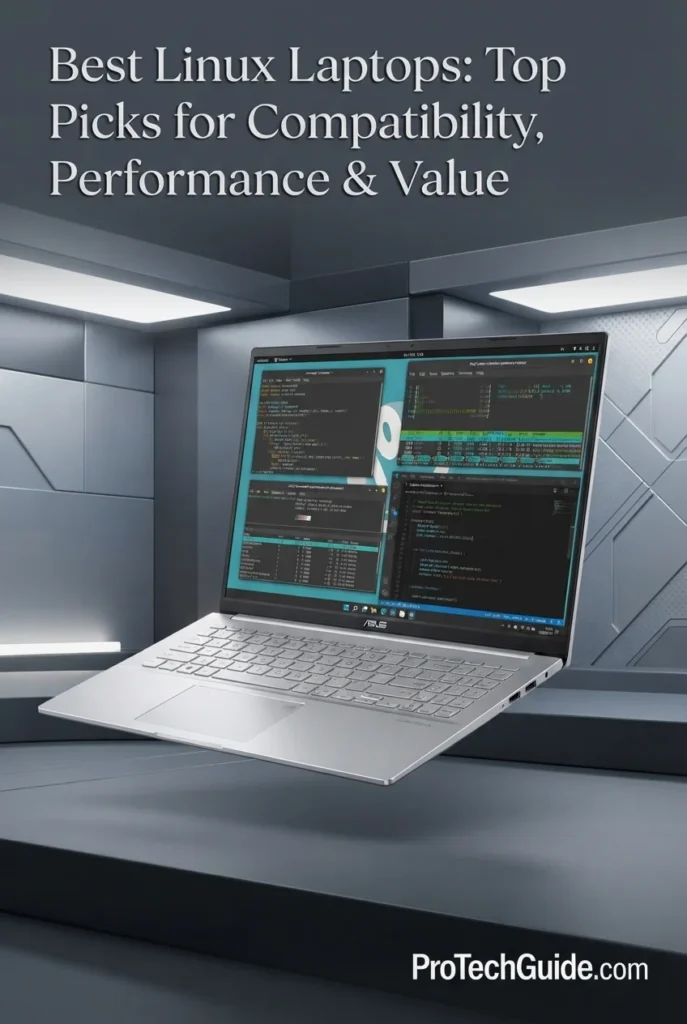
The ASUS Vivobook S16 with the AMD Ryzen AI 9 465, 32GB DDR5 memory, and 1TB PCIe Gen4 SSD is our Best Linux Laptop for Students & Productivity in 2026. Its 10-core, 20-thread processor, integrated AMD Radeon Graphics, 16-inch WUXGA touchscreen, and generous memory capacity create a strong platform for Linux-based studying, programming, web development, research, office productivity, multitasking, and everyday computing. The AMD XDNA NPU also delivers up to 50 TOPS for AI workloads, while the combination of 32GB RAM and 1TB SSD gives this Vivobook substantial headroom for running development tools, browsers, virtualized environments, documents, media, and multiple applications simultaneously.

• Ideal for students, Linux developers, researchers, remote workers, educators, and professionals who want a large-screen laptop with strong multitasking performance
• Excellent for Linux programming, web development, terminal workflows, office applications, research, browsing, documentation, media consumption, and general productivity
• Particularly well suited to users who want 32GB of memory, a 16-inch 16:10 touchscreen, integrated AMD graphics, and a modern Ryzen AI platform without the additional complexity of a dedicated NVIDIA GPU
• The AMD Ryzen AI 9 465 provides 10 cores and 20 threads with boost speeds up to 5.0GHz, giving Linux users strong CPU performance for development, multitasking, compilation, productivity applications, and demanding everyday workloads
• 32GB of DDR5 memory provides substantial multitasking headroom for Linux development environments, browsers, IDEs, terminals, office applications, research tools, containers, and multiple applications running simultaneously
• Integrated AMD Radeon Graphics provide a straightforward graphics platform for Linux productivity and everyday visual workloads without requiring a dedicated NVIDIA GPU and its additional proprietary-driver considerations
• The 16-inch WUXGA touchscreen provides a spacious 1920 × 1200 workspace with a 16:10 aspect ratio, 400-nit brightness, and 120Hz refresh rate, making it well suited to documents, code, spreadsheets, research, and extended productivity sessions
• The 1TB PCIe Gen4 SSD provides responsive application launches, fast file access, and useful local capacity for Linux distributions, development environments, projects, documents, media, and academic files
• Wi-Fi 6, Bluetooth 5.4, HDMI 2.1, USB-C connectivity, a backlit keyboard, numeric keypad, IR camera, and 70Wh battery give the Vivobook S16 a practical feature set for study, work, and mobile productivity

The Vivobook S16 earns our Best Linux Laptop for Students & Productivity award because it combines a powerful AMD Ryzen AI 9 465 processor, 32GB of memory, 1TB SSD storage, integrated Radeon graphics, and a spacious 16-inch touchscreen in a relatively portable productivity-focused design. It is especially attractive to Linux users who prioritize development, multitasking, research, and everyday productivity rather than dedicated GPU workloads.

Compared with the Lenovo ThinkPad T14 Gen 6 and Lenovo ThinkPad T16 Gen 4, the Vivobook S16 places greater emphasis on a large touchscreen productivity experience and strong consumer-oriented hardware value. The T14 offers a more compact ThinkPad business platform, while the T16 provides a more traditional professional large-screen experience. The Vivobook S16 is the better fit for students and productivity-focused users who want a modern AMD platform, 32GB of RAM, and a spacious 16-inch touch display without moving to a dedicated GPU laptop.

• AMD Ryzen AI 9 465 processor• 10 CPU cores• 20 CPU threads• Up to 5.0GHz boost clock• 34MB total cache• AMD XDNA NPU up to 50 TOPS• Integrated AMD Radeon Graphics• Strong performance for Linux multitaskingThe AMD Ryzen AI 9 465 gives the Vivobook S16 substantial CPU performance for Linux development, programming, compiling software, running productivity applications, managing large browser sessions, and multitasking across multiple workloads. Its 10-core, 20-thread design provides considerably more processing headroom than entry-level student laptops, while the integrated NPU adds dedicated AI acceleration for supported workloads.
• 32GB DDR5 memory• 5600MHz memory speed according to the selected listing• Substantial multitasking headroom• Excellent for development environments• Suitable for large browser sessions• Strong capacity for research and productivity• Useful for containers and virtualized workflowsThe 32GB memory configuration is one of the Vivobook S16's strongest advantages for Linux productivity. Students and professionals can keep IDEs, terminals, browsers, office applications, documentation, databases, communication tools, and other workloads open simultaneously without being limited by the typical 16GB configuration found on many mainstream laptops.
• Linux-friendly AMD processor platform• Integrated AMD Radeon Graphics• AMD XDNA NPU• No dedicated NVIDIA GPU• Wi-Fi 6• Bluetooth 5.4• Linux development and terminal workflows• Mainstream productivity applicationsThe Vivobook S16 is an attractive Linux candidate because its core hardware is built around an AMD processor with integrated Radeon graphics rather than a dedicated NVIDIA GPU. This can simplify a Linux installation by avoiding the additional proprietary graphics-driver considerations commonly associated with NVIDIA hardware.However, this model should be treated as a Linux-compatible mainstream laptop rather than an officially Ubuntu-certified configuration. Users should verify their preferred Linux distribution's support for the exact hardware before installation, particularly for touchscreen behavior, wireless connectivity, power management, and other device-specific features.
• 16-inch display• 1920 × 1200 WUXGA resolution• 16:10 aspect ratio• Up to 400 nits brightness• 120Hz refresh rate• Touchscreen• Spacious productivity workspace• Suitable for documents and codeThe 16-inch WUXGA touchscreen gives the Vivobook S16 a particularly useful productivity advantage. The 16:10 aspect ratio provides additional vertical workspace for code, documents, webpages, spreadsheets, and research, while the 120Hz refresh rate makes scrolling and general interaction feel smoother. The touchscreen can also be useful for supported Linux desktop environments, although touch functionality may vary depending on the distribution and desktop environment used.
• 1TB PCIe Gen4 SSD• M.2 NVMe storage• Fast application launches• Responsive file access• Quick project loading• Suitable for Linux development environments• Ample capacity for documents and mediaThe 1TB PCIe Gen4 SSD provides a strong storage foundation for a Linux productivity system. It offers enough capacity for the operating system, development tools, IDEs, programming projects, virtual environments, documents, research files, applications, and personal media while maintaining responsive everyday performance.
• AMD XDNA NPU• Up to 50 TOPS NPU performance• Ryzen AI 9 465• Copilot+ PC-class hardware• Linux development workflows• Local AI experimentation• CPU-based productivity workloadsThe Ryzen AI 9 465 platform includes an AMD XDNA NPU capable of up to 50 TOPS, giving the hardware a modern AI acceleration component. Windows 11 Pro and Copilot+ PC features are part of the selected retail configuration, but Linux users should distinguish between the underlying AI hardware and operating-system-specific Copilot+ features. For Linux, the Vivobook S16 is more compelling as a high-performance AMD development and productivity platform than as a guaranteed Linux AI feature platform.
• Wi-Fi 6 802.11ax• Bluetooth 5.4• 2 USB-C ports• 2 USB-A ports• HDMI 2.1 TMDS• 3.5mm audio jack• USB-C display and power delivery support• External display compatibilityThe Vivobook S16 provides a practical connectivity selection for Linux productivity. Wi-Fi 6 and Bluetooth 5.4 handle modern wireless peripherals and networking, while USB-C, USB-A, HDMI 2.1, and the audio jack make it easy to connect external displays, storage, keyboards, mice, headphones, and other accessories without relying heavily on adapters.
• 70Wh battery• Approximately 3.75-pound design• Backlit keyboard• Numeric keypad• FHD IR camera• Windows Hello support• Privacy shutter• 16-inch productivity form factorDespite its large 16-inch display, the Vivobook S16 remains relatively portable at approximately 3.75 pounds. The 70Wh battery, backlit keyboard, numeric keypad, IR camera, and slim productivity-oriented chassis make it well suited to students and professionals who move between classrooms, offices, libraries, home workspaces, and other environments.
Ideal for:• Linux students• Linux developers• Programming and web development• University and academic workloads• Researchers• Remote workers• Office productivity• Large browser and multitasking workloads• Linux users who prefer AMD integrated graphics• Users who want a large touchscreenThe ASUS Vivobook S16 with the Ryzen AI 9 465, 32GB DDR5, and 1TB SSD is an excellent Linux-oriented productivity choice for students and professionals who value processing performance, memory capacity, a large 16-inch touchscreen, and integrated AMD graphics. It is not positioned as an officially Ubuntu-certified laptop, but its AMD-based hardware makes it an appealing mainstream option for users prepared to verify Linux support for their preferred distribution and exact configuration.
Best Affordable Linux Laptop (2026)

Acer Aspire Go 15

Best Affordable Linux Laptop for Students, Beginners & Everyday Productivity
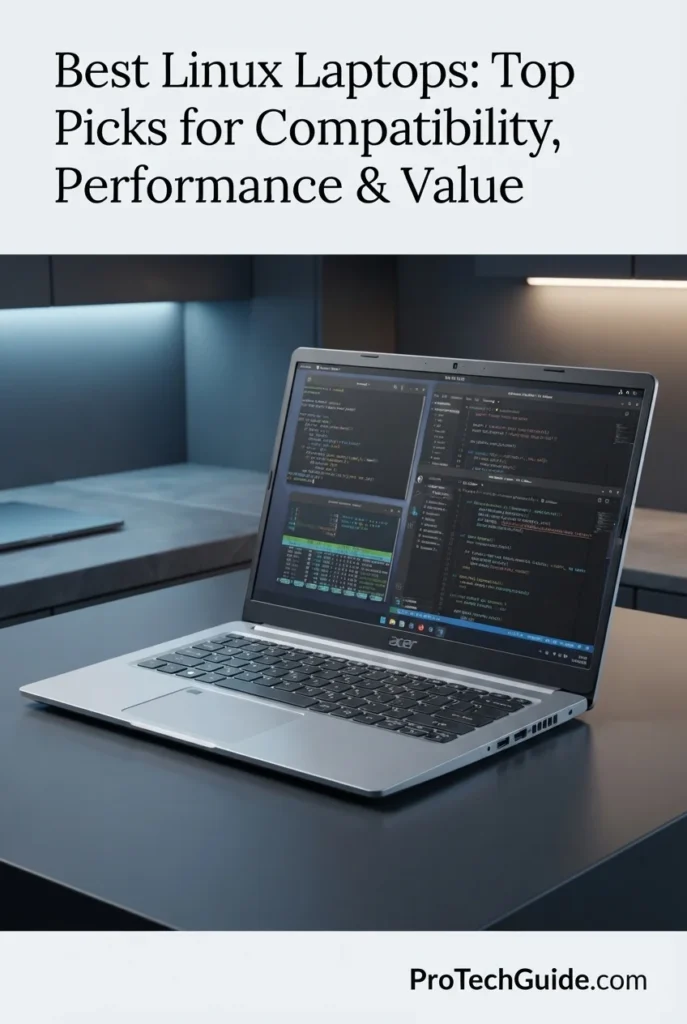
The Acer Aspire Go 15 with the AMD Ryzen 7 7730U, 32GB of DDR4 memory, and 1TB PCIe NVMe SSD is our Best Affordable Linux Laptop in 2026. Its 8-core, 16-thread processor, integrated AMD Radeon Graphics, 15.6-inch Full HD IPS display, generous memory capacity, Wi-Fi 6, and built-in RJ-45 Ethernet provide a practical foundation for Linux users who prioritize affordability, multitasking, programming, web development, office productivity, study, and everyday computing. The combination of 32GB RAM and 1TB storage is particularly compelling at this price-oriented level, giving users considerably more capacity than typical entry-level configurations.

• Ideal for students, Linux beginners, remote workers, office users, programmers, and budget-conscious professionals who want substantial memory and storage without paying for premium hardware
• Well suited to Linux programming, web development, terminal workflows, office applications, browsing, research, remote administration, documentation, and everyday productivity
• Particularly attractive to users who prioritize 32GB of RAM, 1TB NVMe storage, integrated AMD graphics, Wi-Fi 6, and Ethernet connectivity over premium displays or dedicated GPU performance
• The AMD Ryzen 7 7730U provides 8 cores and 16 threads with boost speeds up to 4.5GHz, delivering strong everyday CPU performance for Linux productivity, programming, multitasking, and professional applications
• 32GB of DDR4 memory provides substantial multitasking capacity for Linux users running browsers, IDEs, terminals, office applications, cloud tools, communication software, and development environments simultaneously
• Integrated AMD Radeon Graphics provide a straightforward Linux graphics platform for desktop environments, media playback, productivity applications, and everyday visual workloads without the additional driver considerations of a dedicated NVIDIA GPU
• The 15.6-inch Full HD IPS display provides a familiar 1920 × 1080 workspace for documents, web development, spreadsheets, research, video meetings, and everyday computing
• The 1TB PCIe NVMe SSD provides generous local capacity for Linux installations, applications, programming projects, documents, media, development environments, and personal files while keeping everyday storage access responsive
• Wi-Fi 6, RJ-45 Ethernet, a numeric keypad, spill-resistant keyboard, anti-glare treatment, and Windows 11 provide a practical business-oriented feature set that translates well to a Linux-focused productivity machine

The Acer Aspire Go 15 earns our Best Affordable Linux Laptop award because it delivers an unusually practical combination of Ryzen 7 processing power, 32GB of RAM, 1TB NVMe storage, integrated Radeon graphics, and essential wired and wireless connectivity at a budget-oriented level. It is particularly compelling for Linux users who need capacity and productivity performance rather than premium materials, high-resolution displays, or dedicated graphics.

Compared with the Lenovo ThinkPad E14 Gen 7 and ASUS Vivobook S16, the Aspire Go 15 takes a more aggressively value-focused approach. The ThinkPad E14 offers a stronger business-oriented platform and newer Intel architecture, while the Vivobook S16 provides a larger touchscreen and substantially newer Ryzen AI hardware. The Aspire Go 15 stands out by delivering 32GB of memory and 1TB NVMe storage in an affordable configuration, making it an excellent choice for Linux beginners, students, and everyday users who want maximum practical capacity for the money.

• AMD Ryzen 7 7730U processor• 8 CPU cores• 16 CPU threads• Up to 4.5GHz boost clock• 16MB L3 cache• AMD Zen 3 architecture• Integrated AMD Radeon Graphics• Strong everyday Linux performanceThe AMD Ryzen 7 7730U gives the Aspire Go 15 a strong CPU foundation for an affordable Linux laptop. Its 8-core, 16-thread configuration is well suited to programming, office applications, web development, multitasking, research, video conferencing, and everyday professional workloads. It provides considerably more CPU capacity than basic entry-level processors while maintaining a practical power profile for a productivity-focused notebook.
• 32GB DDR4 memory• Up to 32GB supported in the selected configuration• Strong multitasking capacity• Suitable for development environments• Large browser sessions• Office and productivity applications• Useful for Linux virtual environmentsThe 32GB memory configuration is one of the Aspire Go 15's biggest advantages for its price category. Linux users can keep IDEs, terminals, browsers, office applications, documentation, communication tools, and other programs running simultaneously with substantially more memory headroom than typical 8GB or 16GB budget configurations. Acer's official specifications for Ryzen 7 7730U Aspire Go configurations identify DDR4 system memory.
• AMD Ryzen 7 7730U platform• Integrated AMD Radeon Graphics• Shared graphics memory• Linux desktop compatibility• Wi-Fi 6• RJ-45 Ethernet• No dedicated NVIDIA GPU• Straightforward productivity-oriented hardwareThe Aspire Go 15 is an appealing mainstream Linux candidate because its CPU and graphics platform are entirely AMD-based and it does not rely on a dedicated NVIDIA GPU. The integrated Radeon Graphics can make the system a simpler choice for Linux desktop use than a budget laptop that combines integrated graphics with a discrete NVIDIA GPU.This specific Acer Aspire Go configuration should not be described as Ubuntu Certified. Ubuntu's certification database contains other laptops using the Ryzen 7 7730U, including Dell configurations, but certification is hardware-specific and should not be transferred to this Acer model. Users should verify their preferred Linux distribution and exact hardware configuration before installation.
• 15.6-inch display• 1920 × 1080 Full HD resolution• IPS panel in the selected configuration• 16:9 aspect ratio• Anti-glare treatment• Non-touch productivity display• Suitable for everyday Linux workloadsThe 15.6-inch Full HD IPS display provides a practical workspace for Linux productivity, programming, browsing, documents, spreadsheets, research, and media. Its 1920 × 1080 resolution keeps the system accessible from a software and hardware perspective while providing enough screen area for everyday multitasking. It is not positioned as a premium color-critical or high-resolution creative display, but it fits the Aspire Go 15's value-oriented role well.
• 1TB PCIe NVMe SSD• PCIe 4.0 storage interface• Fast application launches• Responsive file access• Large Linux software capacity• Suitable for programming projects• Ample space for documents and mediaThe 1TB PCIe NVMe SSD gives the Aspire Go 15 an important advantage for Linux users who need substantial local storage. It provides room for the operating system, development tools, IDEs, programming projects, virtual environments, documents, media, and personal files without forcing users to immediately depend on external storage.Acer identifies PCIe Gen4 NVMe storage for its Ryzen 7 7730U Aspire Go configurations, although exact storage specifications can vary by regional SKU.
• Linux programming• Web development• Terminal workflows• IDEs and code editors• Office applications• Browser-based productivity• Research and academic workloads• Remote administrationThe Aspire Go 15's combination of an 8-core Ryzen processor, 32GB of RAM, and 1TB SSD makes it particularly well suited to Linux users who need a capable general-purpose development and productivity system. Programming environments, terminals, browsers, documentation, office applications, databases, and development tools can coexist comfortably with the system's generous memory capacity.It is best understood as an affordable Linux productivity laptop rather than a workstation for GPU-intensive computing, professional 3D rendering, or demanding AI workloads.
• Wi-Fi 6• RJ-45 Ethernet• USB connectivity• HDMI output• Bluetooth connectivity• 3.5mm audio connectivity• External display support• Wired networking for Linux administrationThe Aspire Go 15 provides the connectivity that matters most for a practical Linux productivity machine. Wi-Fi 6 handles modern wireless networking, while the built-in RJ-45 Ethernet port is particularly useful for developers, system administrators, students working with lab networks, and users who prefer a reliable wired connection.The combination of USB, HDMI, Ethernet, wireless networking, and audio connectivity also reduces the need for adapters in everyday desktop and office environments.
• 15.6-inch productivity form factor• Numeric keypad• Spill-resistant keyboard• Anti-glare display treatment• HD audio• Pure Silver finish• Approximately 5-pound listing weight• Business-oriented designThe Aspire Go 15 is designed around practical everyday productivity rather than premium materials or ultra-light portability. Its numeric keypad is useful for spreadsheets and business applications, while the spill-resistant keyboard and anti-glare treatment reinforce its productivity-oriented positioning.At approximately 5 pounds according to the selected Amazon listing, it is less portable than the ThinkPad T14 Gen 6 or other compact business laptops. That trade-off is reasonable for buyers who prioritize screen size, memory, storage, and affordability.
Ideal for:• Linux beginners• Students• Budget-conscious developers• Web developers• Remote workers• Office productivity• Research and academic workloads• Linux programming• Users who need 32GB RAM• Users who need 1TB storageThe Acer Aspire Go 15 with the AMD Ryzen 7 7730U, 32GB RAM, and 1TB SSD is an excellent affordable starting point for Linux users who prioritize practical performance and capacity. Its integrated AMD Radeon graphics, Wi-Fi 6, Ethernet, 32GB memory, and 1TB NVMe storage create a balanced platform for programming, study, office productivity, browsing, and everyday Linux workloads.It is not an officially Ubuntu-certified Acer configuration, but its conventional AMD-based hardware makes it an attractive mainstream option for users willing to verify distribution-specific support before installation.
Best Linux Laptop for NVIDIA & GPU Workloads (2026)

Lenovo ThinkPad T1g Gen 8

Best Linux Laptop for NVIDIA-Powered Development, AI & GPU Workloads
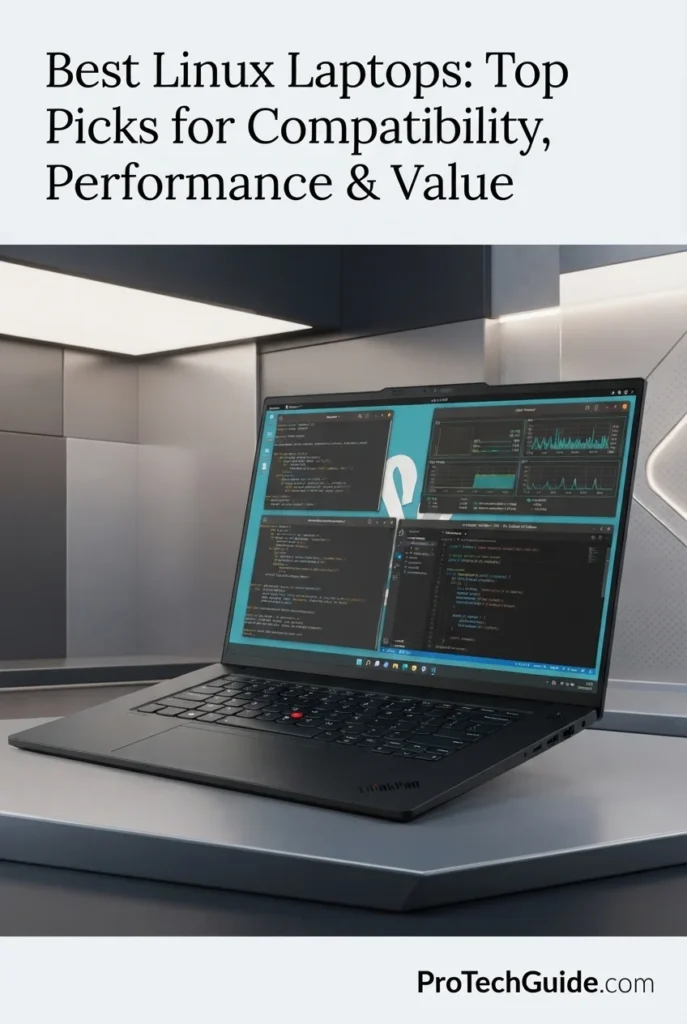
The Lenovo ThinkPad T1g Gen 8 with the Intel Core Ultra 7 255H, NVIDIA GeForce RTX 5060 with 8GB GDDR7, 32GB DDR5 memory, and 1TB SSD is our top recommendation for Linux users who need dedicated NVIDIA GPU performance in 2026. Its 16-core processor, discrete RTX 5060 graphics, high-resolution 16-inch WQUXGA display, 32GB of memory, and fast PCIe storage create a powerful platform for GPU-accelerated development, machine learning experimentation, CUDA-based workflows, 3D applications, content creation, engineering workloads, and demanding professional multitasking. Lenovo also lists Ubuntu Linux as an operating system option for the ThinkPad T1g Gen 8 platform, making it particularly relevant for Linux professionals who need more GPU capability than integrated-graphics business laptops can provide.

• Ideal for Linux developers, AI and machine learning practitioners, programmers, engineers, researchers, creators, and technical professionals who require NVIDIA GPU acceleration
• Excellent for Ubuntu and other mainstream Linux workflows involving CUDA-compatible applications, GPU computing, containers, development environments, 3D software, visualization, and demanding multitasking
• Particularly well suited to professionals who want a premium 16-inch high-resolution display, 32GB of memory, 1TB SSD storage, and dedicated RTX graphics without moving to a bulkier traditional workstation
• The Intel Core Ultra 7 255H provides 16 cores and 16 threads with boost frequencies up to 5.1GHz, delivering strong CPU performance for development, compilation, multitasking, data processing, and professional applications
• The NVIDIA GeForce RTX 5060 Laptop GPU with 8GB of GDDR7 memory provides dedicated graphics acceleration for CUDA-enabled workloads, GPU computing, 3D applications, visualization, and other Linux workflows that benefit from NVIDIA hardware
• 32GB of DDR5 memory provides substantial headroom for development environments, virtual machines, containers, browsers, IDEs, datasets, creative applications, and other demanding Linux workloads running simultaneously
• The 16-inch WQUXGA display delivers 3840 × 2400 resolution, 800-nit brightness, 100% DCI-P3 coverage, DisplayHDR 400, Dolby Vision, and factory color calibration for detailed professional work
• The 1TB PCIe NVMe SSD provides responsive application launches, fast project access, and practical local storage for development environments, datasets, code repositories, creative projects, and Linux tools
• Wi-Fi 7, Thunderbolt 4, dual Thunderbolt 5, USB-A, HDMI, SD Express 7.0, a 5MP RGB+IR camera, fingerprint reader, and a backlit keyboard give the ThinkPad a strong combination of professional connectivity, security, and usability

The ThinkPad T1g Gen 8 earns our Best Linux Laptop for NVIDIA & GPU Workloads award because it combines a powerful 16-core Intel processor, dedicated RTX 5060 graphics with 8GB GDDR7, 32GB memory, 1TB SSD storage, and an exceptional 16-inch WQUXGA display in a premium ThinkPad platform. It is especially compelling for Linux professionals who need real NVIDIA GPU acceleration rather than relying on integrated graphics, while still wanting a business-oriented design and professional connectivity.

Compared with the Lenovo ThinkPad T14 Gen 6 and Lenovo ThinkPad T16 Gen 4, the ThinkPad T1g Gen 8 is the more specialized choice for Linux users who need dedicated NVIDIA graphics. The T14 Gen 6 and T16 Gen 4 prioritize integrated Radeon graphics, portability, and general professional Linux productivity, while the T1g adds an RTX 5060 with 8GB GDDR7 for substantially more demanding GPU workloads. Lenovo lists Ubuntu Linux for the T1g Gen 8 platform, although the Ubuntu certification listing currently identifies a different T1g Gen 8 configuration with a Core Ultra 9 285H and RTX 5070, so buyers should verify Linux support for their exact RTX 5060 configuration before deployment.

• Intel Core Ultra 7 255H• 16 cores• 16 threads• Up to 5.1GHz P-core frequency• 24MB Intel Smart Cache• Intel Arc 140T integrated graphics• Intel AI Boost NPU up to 13 TOPS• Overall platform performance up to 96 TOPSThe Intel Core Ultra 7 255H provides a strong CPU foundation for demanding Linux workflows including software development, code compilation, virtualization, containers, data processing, technical applications, and professional multitasking. Its 16-core hybrid architecture combines six performance cores, eight efficiency cores, and two low-power efficiency cores, making it well suited to workloads that require sustained CPU resources alongside dedicated NVIDIA graphics.
• NVIDIA GeForce RTX 5060 Laptop GPU• 8GB GDDR7 dedicated graphics memory• 60W non-boost TGP• Up to 75W boost TGP• Dedicated NVIDIA GPU architecture• CUDA-capable GPU workloads• GPU-accelerated applications• Suitable for AI, 3D and visualization workloadsThe dedicated NVIDIA GeForce RTX 5060 is the defining advantage of this ThinkPad for Linux users who need GPU acceleration. Its 8GB of GDDR7 memory provides substantially more dedicated graphics resources than the integrated GPUs found in the other Linux-focused laptops in this guide. Linux users can take advantage of NVIDIA's proprietary driver stack for compatible CUDA, AI, 3D, rendering, visualization, and GPU-compute applications, although driver configuration should be considered when installing and maintaining a Linux environment.
• 32GB DDR5 memory• High-capacity professional configuration• Strong multitasking capability• Suitable for development environments• Excellent for containers and virtual machines• Supports demanding technical applications• Substantial headroom for professional workflowsThe 32GB memory configuration gives the ThinkPad T1g Gen 8 the capacity needed for demanding Linux multitasking. Developers can run IDEs, terminals, browsers, containers, databases, local development environments, documentation, and other professional applications simultaneously while retaining substantial memory headroom for larger technical workloads.
• Ubuntu Linux listed by Lenovo• ThinkPad T1g Gen 8 Linux platform support• NVIDIA proprietary driver ecosystem• CUDA-compatible workflows• Linux development environments• Container-based workflows• Professional Linux applicationsLenovo lists Ubuntu Linux as an operating system option for the ThinkPad T1g Gen 8 platform, making it one of the stronger mainstream Lenovo choices for Linux users who need dedicated NVIDIA graphics.However, Linux compatibility should not be confused with configuration-specific Ubuntu certification. Ubuntu's current certification database lists a ThinkPad T1g Gen 8 configuration with the Core Ultra 9 285H and RTX 5070, rather than this exact Core Ultra 7 255H and RTX 5060 configuration. For professional deployments, users should therefore verify NVIDIA driver support, suspend behavior, external displays, Wi-Fi, and other hardware functions on the exact configuration before standardizing a Linux image.
• 16-inch WQUXGA IPS display• 3840 × 2400 resolution• 16:10 aspect ratio• Up to 800 nits brightness• 100% DCI-P3 color coverage• DisplayHDR 400• Dolby Vision• X-Rite factory color calibration• TÜV Eyesafe low blue light certificationThe 16-inch 3840 × 2400 display gives Linux professionals an exceptionally detailed workspace for code, terminals, dashboards, technical interfaces, documentation, creative applications, and visual workloads. Its 16:10 aspect ratio provides additional vertical workspace compared with traditional 16:9 panels, while the high resolution and wide DCI-P3 color coverage make it particularly attractive for developers and professionals who also work with graphics, video, visualization, or color-sensitive content.
• 1TB PCIe NVMe SSD• Fast application launches• Rapid project access• Responsive Linux environments• Suitable for development tools• Space for datasets and repositories• Practical capacity for professional workloadsThe 1TB SSD provides a strong storage foundation for Linux development and professional computing. It offers practical space for operating-system files, development environments, IDEs, containers, source repositories, datasets, applications, documents, creative projects, and technical tools while maintaining responsive everyday storage performance.
• Wi-Fi 7• Bluetooth• 1 × USB-A 10Gbps• 1 × USB-C Thunderbolt 4• 2 × USB-C Thunderbolt 5• HDMI• SD Express 7.0 card reader• Headphone / microphone combo jack• Support for multiple external displaysThe ThinkPad T1g Gen 8 provides unusually strong connectivity for a premium Linux laptop. Its Thunderbolt 4 and dual Thunderbolt 5 ports support high-speed peripherals, docking stations, storage, and external displays, while HDMI and the SD Express 7.0 card reader expand its usefulness for professional and creative workflows. The platform can support up to four independent displays, including the internal panel and three external monitors.
• 5MP RGB+IR camera• Fingerprint reader• Backlit keyboard• ThinkPad business design• Windows Hello-compatible biometric hardware• Premium professional form factor• 90Wh battery• Black finishThe ThinkPad T1g Gen 8 combines its performance hardware with the business-oriented features expected from a premium ThinkPad. The 5MP RGB+IR camera, fingerprint reader, backlit keyboard, high-capacity battery, and professional chassis design make it suitable for hybrid work, meetings, development environments, and demanding mobile workflows where security and usability matter alongside raw performance.
Ideal for:• Linux developers• AI and machine learning practitioners• CUDA users• GPU-accelerated development• 3D and visualization professionals• Technical researchers• Engineers• Content creators• Professional multitasking• Linux users who need NVIDIA graphicsThe Lenovo ThinkPad T1g Gen 8 with the Core Ultra 7 255H, RTX 5060 8GB GDDR7, 32GB DDR5, and 1TB SSD is an excellent choice for Linux professionals who need dedicated NVIDIA GPU capability without moving to a conventional desktop-replacement workstation. Its combination of CPU performance, dedicated graphics, high-resolution display, professional connectivity, and ThinkPad business features makes it the most specialized NVIDIA-focused recommendation in this 2026 Linux laptop lineup.
At a Glance

Best Linux Laptops in 2026

Ranked by Linux Compatibility, Ubuntu Support, CPU Performance, Memory, Graphics, Display Quality, Connectivity, Portability & Overall Value

Choosing the best Linux laptop in 2026 requires more than checking whether a computer can boot a Linux distribution. The strongest options combine modern processors, reliable hardware support, sufficient memory and storage, Linux-friendly graphics, strong connectivity, quality displays, and practical compatibility with distributions such as Ubuntu. We evaluated these laptops across real-world Linux workloads including software development, programming, terminal-based workflows, containers, virtualization, productivity, research, business applications, GPU-accelerated workloads, and everyday computing to help you choose the right Linux laptop for your specific workflow.

LaptopCPU & Key SpecsBest ForWhy It WinsEditor's Verdict
Best OverallLenovo ThinkPad T14 Gen 6Check Price
AMD Ryzen AI 7 PRO 350
16GB DDR5
512GB PCIe SSD
Radeon 860M Graphics
14" WUXGA Touch
Windows 11 Pro
Linux Developers
Business Professionals
Programmers
Everyday Linux Users
The ThinkPad T14 Gen 6 offers one of the strongest overall combinations of Linux-friendly hardware, professional design, AMD integrated graphics, performance, portability, and connectivity. Its Ryzen AI 7 PRO 350, 16GB memory, Radeon 860M, 14-inch WUXGA display, Ethernet, Wi-Fi 7, and extensive USB-C connectivity make it an exceptionally balanced choice for programming, development, productivity, and professional Linux workloads.Best Overall Linux Laptop
Best Mobile WorkstationLenovo ThinkPad P14s Gen 6Check Price
Intel Core Ultra 5 225H
16GB DDR5
512GB SSD
Intel Arc 130T Graphics
14.5" WUXGA IPS
Windows 11 Pro
Linux Developers
Engineers
Technical Professionals
Mobile Workstations
The ThinkPad P14s Gen 6 brings mobile-workstation positioning to a compact Linux-friendly platform. Its Core Ultra 5 225H, integrated Intel Arc 130T graphics, 16GB DDR5 memory, professional ThinkPad design, Ethernet, Thunderbolt connectivity, and Ubuntu Linux availability at the platform level make it particularly attractive to developers and technical professionals who want workstation-oriented features without a large chassis.Best Linux Mobile Workstation
Best Large-ScreenLenovo ThinkPad T16 Gen 4Check Price
AMD Ryzen AI 7 PRO 350
64GB DDR5
1TB SSD
Radeon 860M Graphics
16" WUXGA IPS
Windows 11 Pro
Linux Professionals
Developers
Researchers
Heavy Multitaskers
The ThinkPad T16 Gen 4 stands out with 64GB of memory, a 1TB SSD, Ryzen AI 7 PRO 350 processing, Radeon 860M integrated graphics, and a spacious 16-inch 16:10 display. It is particularly well suited to Linux users who run multiple development tools, terminals, browsers, databases, containers, and productivity applications simultaneously and want significantly more workspace than a compact 14-inch laptop.Best Large-Screen Linux Laptop
Best DellDell Pro 14 PlusCheck Price
Intel Core Ultra 7 265U
64GB Memory
1TB SSD
Integrated Intel Graphics
14" WUXGA IPS
Windows 11 Pro
Ubuntu Users
Business Professionals
Developers
Enterprise Linux Workflows
The Dell Pro 14 Plus combines a powerful 12-core Core Ultra 7 265U processor with 64GB of memory, 1TB storage, Wi-Fi 7, Thunderbolt 4, and a professional 14-inch display. Its strongest advantage for this guide is Ubuntu certification for the PB14250 platform with the Core Ultra 7 and 64GB configuration, giving Linux users a particularly compelling mainstream Dell option for professional and business workloads.Best Dell Laptop for Linux
Best BudgetLenovo ThinkPad E14 Gen 7Check Price
Intel Core Ultra 5 225U
24GB DDR5
512GB PCIe SSD
Integrated Intel Graphics
14" WUXGA IPS
Windows 11 Pro
Students
Linux Beginners
Programmers
Business Users
The ThinkPad E14 Gen 7 provides an attractive entry point into Linux computing with 24GB of memory, a 512GB PCIe SSD, Core Ultra 5 processing, integrated Intel graphics, a 14-inch 1920 × 1200 display, Wi-Fi 6E, Ethernet, and practical ThinkPad business features. It is particularly appealing to users who need more memory than typical entry-level laptops provide without paying for workstation-class hardware.Best Budget Linux Laptop
Best ProductivityASUS Vivobook S16Check Price
AMD Ryzen AI 9 465
32GB DDR5
1TB PCIe Gen4 SSD
Radeon Graphics
16" WUXGA Touch
Windows 11 Pro
Students
Developers
Researchers
Productivity Users
The ASUS Vivobook S16 combines a high-performance Ryzen AI 9 465 processor with 32GB of DDR5 memory, a 1TB PCIe Gen4 SSD, integrated Radeon graphics, and a large 16-inch 16:10 touchscreen. It is a strong choice for Linux users who prioritize multitasking, programming, research, office productivity, and a large interactive workspace without requiring a dedicated NVIDIA GPU.Best Linux Laptop for Students & Productivity
Best AffordableAcer Aspire Go 15Check Price
AMD Ryzen 7 7730U
32GB DDR4
1TB PCIe NVMe SSD
Radeon Graphics
15.6" FHD IPS
Windows 11
Students
Linux Beginners
Everyday Productivity
Value Buyers
The Acer Aspire Go 15 delivers an unusually strong hardware package for an affordable Linux-oriented laptop, combining a Ryzen 7 7730U, 32GB of memory, 1TB PCIe NVMe storage, integrated Radeon graphics, Wi-Fi 6, and Ethernet. It is best suited to users who value memory and storage capacity for programming, browsing, office applications, research, and everyday Linux productivity over premium display technology or dedicated graphics.Best Affordable Linux Laptop
Best NVIDIALenovo ThinkPad T1g Gen 8Check Price
Intel Core Ultra 7 255H
32GB DDR5
1TB PCIe NVMe SSD
RTX 5060 8GB GDDR7
16" WQUXGA IPS
Windows 11 Pro
AI & ML Workloads
CUDA Development
3D & Visualization
GPU Computing
The ThinkPad T1g Gen 8 is the most specialized Linux option in this lineup, pairing the Core Ultra 7 255H with a dedicated RTX 5060 and 8GB of GDDR7 memory. It is designed for Linux users who need NVIDIA GPU acceleration for CUDA, AI experimentation, 3D applications, visualization, and other GPU-intensive workflows while also benefiting from 32GB memory, 1TB storage, and an exceptional 16-inch 3840 × 2400 professional display.Best Linux Laptop for NVIDIA & GPU Workloads
Keep Exploring

Recommended Next Reads

Finished comparing the best Linux laptops? Explore our related laptop guides for programming, software development, cybersecurity, AI and machine learning, virtualization, processor selection, and other demanding technical workflows.

Whether you're developing software, working with Linux terminals, running virtual machines, building AI and machine learning environments, studying cybersecurity, managing development projects, or choosing between Intel and AMD hardware, these guides can help you match the right laptop hardware to your specific technical workflow.

01

EDITOR'S FINAL RECOMMENDATIONS

Our Final Linux Laptop Recommendations for 2026

After comparing these laptops across Linux compatibility, Ubuntu support, processor performance, RAM capacity, integrated and dedicated graphics, storage, display quality, connectivity, portability, business features, development workloads, and long-term usability, these are our final recommendations for Linux users in 2026. Whether you are a developer, student, business professional, power user, or someone who needs NVIDIA GPU performance under Linux, each recommendation is matched to a specific workflow rather than simply ranked by hardware specifications.

BEST WORKSTATION

Lenovo ThinkPad P14s Gen 6

The ThinkPad P14s Gen 6 is the workstation-oriented choice for Linux professionals who want a compact business platform with stronger professional positioning. Its Intel Core Ultra 5 225H, 16GB DDR5 memory, 512GB SSD, and integrated Intel Arc 130T graphics provide a capable foundation for software development, engineering applications, virtualization, technical workloads, and professional Linux environments. Lenovo lists Ubuntu Linux as an operating-system option for the P14s Gen 6 platform, making it one of the more Linux-conscious choices in this lineup.

  • ✓ Intel Core Ultra 5 225H
  • ✓ 16GB DDR5 Memory
  • ✓ 512GB SSD Storage
  • ✓ Intel Arc 130T Integrated Graphics
Best Linux mobile workstation for professional workloads
BEST LARGE-SCREEN

Lenovo ThinkPad T16 Gen 4

The best choice for Linux users who want a large professional workspace without moving to a dedicated GPU. The ThinkPad T16 Gen 4 combines the Ryzen AI 7 PRO 350 processor with 64GB of memory, a 1TB SSD, Radeon 860M integrated graphics, Wi-Fi 7, Ethernet, a backlit keyboard, and a 16-inch 16:10 display. The substantial memory capacity makes it especially attractive for developers, researchers, system administrators, business professionals, virtualized environments, and users who regularly keep multiple Linux applications and browser sessions open simultaneously.

  • ✓ AMD Ryzen AI 7 PRO 350
  • ✓ 64GB DDR5 Memory
  • ✓ 1TB SSD Storage
  • ✓ 16-inch 1920 × 1200 Display
Best large-screen Linux laptop for professional productivity
BEST DELL LAPTOP

Dell Pro 14 Plus PB14250

The strongest Dell option for Linux users who want a modern business laptop with a particularly strong compatibility story. The Dell Pro 14 Plus combines an Intel Core Ultra 7 265U processor, 64GB of memory, 1TB SSD storage, integrated Intel graphics, Wi-Fi 7, Thunderbolt 4, and a 14-inch 1920 × 1200 display. Most importantly, the Dell Pro 14 Plus PB14250 appears in Ubuntu's certification database for the Core Ultra 7 and 64GB configuration, giving this model an important advantage for buyers who prioritize validated Ubuntu compatibility alongside professional hardware.

  • ✓ Intel Core Ultra 7 265U
  • ✓ 64GB Memory
  • ✓ 1TB M.2 SSD
  • ✓ Ubuntu-Certified Platform Configuration
Best Dell laptop for Linux and Ubuntu users
BEST BUDGET

Lenovo ThinkPad E14 Gen 7

The ThinkPad E14 Gen 7 is the practical budget recommendation for students, Linux beginners, developers, remote workers, and business users who want a genuine ThinkPad platform without paying for workstation-class hardware. Its Core Ultra 5 225U, 24GB of DDR5 memory, 512GB PCIe SSD, integrated Intel graphics, 14-inch 1920 × 1200 display, Wi-Fi 6E, Ethernet, and business-focused keyboard features create a strong foundation for programming, web development, terminals, office applications, remote administration, and everyday Linux productivity.

  • ✓ Intel Core Ultra 5 225U
  • ✓ 24GB DDR5 Memory
  • ✓ 512GB PCIe SSD
  • ✓ 14-inch 1920 × 1200 IPS Display
Best budget Linux laptop for students and developers
BEST FOR STUDENTS

ASUS Vivobook S16

The ASUS Vivobook S16 is the most productivity-focused recommendation for students and Linux users who want a larger touchscreen workspace. Its Ryzen AI 9 465 processor, 32GB of DDR5 memory, 1TB PCIe Gen4 SSD, integrated Radeon graphics, 16-inch WUXGA touchscreen, Wi-Fi 6, and 70Wh battery create a versatile platform for programming, research, documentation, multitasking, coursework, and everyday productivity. It also avoids the additional NVIDIA driver complexity found in dedicated-GPU Linux laptops.

  • ✓ AMD Ryzen AI 9 465
  • ✓ 32GB DDR5 Memory
  • ✓ 1TB PCIe Gen4 SSD
  • ✓ 16-inch WUXGA Touchscreen
Best Linux laptop for students and productivity
BEST AFFORDABLE

Acer Aspire Go 15

The Acer Aspire Go 15 is the value-oriented choice for users who want substantial memory and storage capacity at an affordable level. Its Ryzen 7 7730U, 32GB of DDR4 memory, 1TB PCIe NVMe SSD, integrated Radeon graphics, 15.6-inch Full HD IPS display, Wi-Fi 6, and RJ-45 Ethernet make it well suited to Linux beginners, students, everyday programming, office work, web development, browsing, and remote administration. It is a straightforward choice when capacity and value matter more than premium display quality or dedicated graphics.

  • ✓ AMD Ryzen 7 7730U
  • ✓ 32GB DDR4 Memory
  • ✓ 1TB PCIe NVMe SSD
  • ✓ 15.6-inch Full HD IPS Display
Best affordable Linux laptop for everyday computing
BEST NVIDIA LAPTOP

Lenovo ThinkPad T1g Gen 8

The ThinkPad T1g Gen 8 is the clear choice for Linux users who specifically need dedicated NVIDIA GPU performance. Its Intel Core Ultra 7 255H, RTX 5060 Laptop GPU, 32GB of memory, 1TB SSD, and 16-inch UHD+ 3840 × 2400 display give it substantially more graphics capability than the integrated-GPU systems in this lineup. It is particularly suited to GPU-accelerated development, CUDA-based workloads, local AI experimentation, graphics-intensive applications, and demanding professional workflows. Linux users should plan on using the appropriate proprietary NVIDIA driver stack for the best GPU functionality.

  • ✓ Intel Core Ultra 7 255H
  • ✓ NVIDIA GeForce RTX 5060
  • ✓ 32GB Memory
  • ✓ 16-inch UHD+ 3840 × 2400 Display
Best Linux laptop for NVIDIA and GPU workloads
QUICK DECISION

Which Linux laptop should you buy?

Best Overall

ThinkPad T14 Gen 6

Best Workstation

ThinkPad P14s Gen 6

Best Large-Screen

ThinkPad T16 Gen 4

Best Dell

Dell Pro 14 Plus

Best Budget

ThinkPad E14 Gen 7

Best for Students

ASUS Vivobook S16

Best Affordable

Acer Aspire Go 15

Best NVIDIA

ThinkPad T1g Gen 8

Laptop prices, configurations, and availability can change frequently. Before purchasing, check Amazon for the latest price, available memory and storage configurations, warranty coverage, and current promotions. Linux compatibility can also vary by exact hardware configuration, so buyers should verify the specific model, firmware, graphics configuration, Wi-Fi hardware, and current Ubuntu or distribution support before installation.

EDITOR'S FINAL VERDICT

Final Verdict: Best Linux Laptops in 2026

After comparing Linux compatibility, Ubuntu support, processor performance, RAM capacity, SSD storage, integrated and dedicated graphics, display quality, connectivity, portability, business features, development workloads, driver considerations, and long-term usability, one conclusion stands out:The best Linux laptop is not necessarily the laptop with the fastest processor or the most powerful GPU. It is the system that combines dependable hardware, strong Linux support, sufficient memory, fast storage, reliable connectivity, a comfortable display, and the right graphics configuration for the Linux workloads you actually perform.

Modern Linux users can move between software development, programming, terminals, containers, virtual machines, system administration, office productivity, research, web development, business applications, and increasingly demanding AI or GPU-accelerated workflows. These workloads benefit from strong CPU performance, sufficient RAM, fast SSD storage, stable firmware and connectivity, and hardware that works well with the user's chosen Linux distribution.

For most Linux users, 32GB of memory is the ideal target for demanding professional multitasking and long-term use, while 16GB remains suitable for moderate development, student, and everyday workloads. Just as importantly, Linux buyers should pay attention to the exact hardware configuration rather than assuming that every version of a laptop has identical Linux support or certification.
Best Linux Laptop OverallLenovo ThinkPad T14 Gen 6
Best Dell Laptop for LinuxDell Pro 14 Plus
Best Large-Screen Linux LaptopLenovo ThinkPad T16 Gen 4
Best NVIDIA Linux LaptopLenovo ThinkPad T1g Gen 8
The simple answer:
  • Choose the Lenovo ThinkPad T14 Gen 6 if you want the strongest overall combination of Linux-friendly AMD hardware, portability, professional design, connectivity, integrated Radeon graphics, and everyday development and productivity performance.
  • Choose the Dell Pro 14 Plus if Ubuntu support is a major priority and you want a modern Dell business laptop with 64GB of memory, 1TB storage, Wi-Fi 7, Thunderbolt 4, and an Ubuntu-certified platform configuration.
  • Choose the Lenovo ThinkPad T16 Gen 4 if you want a large 16-inch workspace and substantial 64GB memory capacity for development, research, virtualization, professional multitasking, and productivity-heavy Linux workflows.
  • Choose the Lenovo ThinkPad T1g Gen 8 if your Linux workflow specifically requires dedicated NVIDIA graphics for CUDA-oriented development, local AI experimentation, graphics-intensive applications, or other GPU-accelerated workloads.

Top Linux Laptop Recommendations (2026)

BEST OVERALL

Lenovo ThinkPad T14 Gen 6

Our Editor's Choice for most Linux users because it delivers the strongest overall balance of AMD processing performance, portability, business-class design, integrated Radeon graphics, modern connectivity, and practical Linux workloads. The Ryzen AI 7 PRO 350 and 16GB of memory provide a capable foundation for programming, terminals, development tools, containers, office productivity, browsing, and professional multitasking without requiring a dedicated GPU.

  • ✓ AMD Ryzen AI 7 PRO 350
  • ✓ 16GB DDR5 Memory
  • ✓ 512GB PCIe SSD
  • ✓ Radeon 860M Integrated Graphics
BEST DELL LAPTOP

Dell Pro 14 Plus PB14250

The strongest Dell choice for Linux users who place particular importance on Ubuntu support and professional business hardware. Its Core Ultra 7 265U, 64GB of memory, 1TB SSD, integrated Intel graphics, Wi-Fi 7, Thunderbolt 4, and 14-inch display create a well-rounded Linux productivity platform. Its presence in Ubuntu's certification database for a Core Ultra 7 and 64GB configuration gives it an important advantage for buyers who want a validated Ubuntu platform.

  • ✓ Intel Core Ultra 7 265U
  • ✓ 64GB Memory
  • ✓ 1TB M.2 SSD
  • ✓ Ubuntu-Certified Platform Configuration
BEST NVIDIA

Lenovo ThinkPad T1g Gen 8

The best choice for Linux users who need dedicated NVIDIA graphics rather than an integrated-GPU system. The selected configuration combines the Core Ultra 7 255H with an RTX 5060 Laptop GPU, 32GB of memory, 1TB SSD storage, and a high-resolution 16-inch display. It provides the graphics headroom required for GPU-focused development, CUDA workloads, local AI experimentation, and demanding visual applications while retaining ThinkPad's professional design and connectivity.

  • ✓ Intel Core Ultra 7 255H
  • ✓ NVIDIA GeForce RTX 5060 8GB GDDR7
  • ✓ 32GB Memory
  • ✓ 16-inch 3840 × 2400 Display
Choose the ThinkPad T14 Gen 6 if:
  • ✓ You want the best overall Linux laptop for development and professional productivity
  • ✓ You prefer AMD integrated graphics and want to avoid dedicated NVIDIA driver complexity
  • ✓ You want a portable 14-inch ThinkPad with modern connectivity and business features
  • ✓ Your workloads include programming, terminals, containers, office applications, web development, and everyday multitasking
Choose the Dell Pro 14 Plus if:
  • ✓ Ubuntu support and platform certification are major priorities
  • ✓ You want 64GB of memory and 1TB storage in a compact business laptop
  • ✓ You want Wi-Fi 7, Thunderbolt 4, and modern professional connectivity
  • ✓ You prefer Dell's business-oriented hardware and support ecosystem
Before Buying Any Linux Laptop:
  • ✓ Check the exact CPU, GPU, Wi-Fi, display, and storage configuration rather than relying only on the laptop family name
  • ✓ Prefer 32GB of RAM for demanding professional development, virtualization, containers, and long-term multitasking
  • ✓ Consider 16GB sufficient for moderate development, students, office work, and everyday Linux use
  • ✓ Verify Ubuntu or your preferred distribution's support for the exact hardware configuration when certification is important
  • ✓ Choose NVIDIA hardware only when your workload benefits from CUDA, GPU acceleration, AI, 3D, or other dedicated graphics workloads
Editor's Final Recommendation:

A Linux laptop is more than a collection of processor, memory, and storage specifications. It is a platform that must work reliably with the kernel, firmware, graphics stack, Wi-Fi and Bluetooth hardware, suspend and resume behavior, external displays, peripherals, and the Linux distribution you intend to use. That is why compatibility and support deserve as much attention as raw performance when choosing a laptop for Linux.

Among the models evaluated in this guide, the Lenovo ThinkPad T14 Gen 6 delivers the strongest overall combination of AMD performance, integrated Radeon graphics, portability, professional design, connectivity, and practical Linux usability, making it our Editor's Choice for the best Linux laptop in 2026.The Dell Pro 14 Plus is the stronger choice for buyers who place particular importance on Ubuntu certification and a high-memory business configuration, while the Lenovo ThinkPad T16 Gen 4 is better suited to users who want a large display and 64GB of memory for demanding multitasking. The Lenovo ThinkPad T1g Gen 8 is the specialist choice when dedicated NVIDIA graphics are essential. For budget-conscious users, the ThinkPad E14 Gen 7 and Acer Aspire Go 15 provide accessible entry points, while the ASUS Vivobook S16 offers a particularly strong student and productivity-focused configuration.

Editor's ChoiceSee Today's Best Linux Laptop Deals

Compare current prices, configurations, memory, storage, warranty coverage, and availability before choosing the Linux laptop that best matches your distribution, development environment, and daily workload.

Check Latest Deals

EDITOR'S FAQ

Frequently Asked Questions About the Best Linux Laptops in 2026

Choosing the best Linux laptop requires more than checking whether a computer can boot Linux. Buyers should consider Linux and Ubuntu support, exact hardware configurations, processor performance, RAM capacity, SSD storage, graphics drivers, Wi-Fi and Bluetooth compatibility, display support, suspend and resume behavior, connectivity, portability, and long-term usability.These frequently asked questions address the most important Linux laptop buying decisions, including which laptop is best overall, how much RAM you need for programming, whether Ubuntu certification matters, whether AMD or Intel is better for Linux, when NVIDIA graphics make sense, and what to look for when choosing a laptop for development, programming, students, business, or advanced Linux workloads.

The Lenovo ThinkPad T14 Gen 6 is our top overall recommendation for Linux in 2026.

It provides an excellent balance of AMD Ryzen AI PRO performance, 16GB of memory, fast PCIe SSD storage, Radeon 860M integrated graphics, a 14-inch WUXGA display, Wi-Fi 7, Ethernet, USB4-class connectivity, and ThinkPad business features. This combination makes it particularly well suited to Linux development, programming, terminals, containers, office productivity, web development, and professional multitasking.

  • AMD Ryzen AI 7 PRO 350 for strong everyday and development performance.
  • 16GB of memory for programming and professional multitasking.
  • 512GB PCIe SSD for Linux, applications, development environments, and projects.
  • Radeon 860M integrated graphics avoid the additional complexity of a dedicated NVIDIA GPU.
  • ThinkPad business features and extensive professional connectivity.

The Dell Pro 14 Plus is the stronger alternative for buyers who place particular importance on Ubuntu certification, while the ThinkPad T16 Gen 4 is better for users who want a larger display and 64GB of memory.

Check Price
The Dell Pro 14 Plus PB14250 is one of the strongest choices in this guide for buyers who specifically prioritize Ubuntu support and certification.

The Dell Pro 14 Plus PB14250 appears in Ubuntu's certification database for a Core Ultra 7 and 64GB configuration, giving it a particularly strong position among mainstream business laptops for Ubuntu users. The selected configuration in this guide combines the Core Ultra 7 265U with 64GB of memory and a 1TB SSD.

  • Intel Core Ultra 7 265U processor.
  • 64GB of memory for demanding Linux multitasking.
  • 1TB SSD for applications, development environments, and local projects.
  • Wi-Fi 7 and Thunderbolt 4 connectivity.
  • Business-oriented Dell design and professional support options.

Ubuntu certification is valuable because it provides stronger evidence of compatibility than simply assuming that a laptop will boot Linux. However, buyers should still verify that the certification corresponds to the exact hardware configuration they intend to purchase.

Check Dell Pro 14 Plus
16GB is enough for most everyday Linux users, while 32GB is the recommended target for professional development and demanding multitasking.

Linux itself can run on considerably less memory, but the practical requirement depends on what you do with the laptop. A developer may have an IDE, browser tabs, Docker containers, terminals, databases, documentation, communication applications, and virtual machines running at the same time.

  • 16GB → Suitable for students, programming, office work, browsing, moderate development, and everyday Linux use.
  • 32GB → Recommended for professional developers, containers, heavier multitasking, larger projects, local databases, and long-term use.
  • 64GB → Ideal for virtualization, large development environments, research, heavy multitasking, and workstation-class Linux workloads.

In this guide, the ThinkPad T14 Gen 6 and P14s Gen 6 use 16GB configurations, while the ThinkPad T16 Gen 4 and Dell Pro 14 Plus provide 64GB. The ThinkPad T1g Gen 8 and ASUS Vivobook S16 provide 32GB for users who need additional multitasking and workload headroom.

Yes. 16GB is sufficient for most programming and development workflows, but 32GB is preferable if you regularly use containers, virtual machines, large projects, or many applications simultaneously.

A 16GB Linux laptop can comfortably handle editors and IDEs, terminals, Git, browsers, compilers, SQL tools, documentation, and many programming environments. The workload becomes more demanding when developers add Docker containers, multiple services, virtual machines, local databases, or large development environments.

  • 16GB works well for web development, Python, C/C++, Java, scripting, and general programming.
  • 16GB is suitable for students and developers with moderate multitasking requirements.
  • 32GB provides more comfortable headroom for Docker, databases, IDEs, browsers, and multiple development tools.
  • 64GB is more appropriate for virtualization, large projects, research, and unusually demanding development environments.

For most users buying a Linux laptop today, 16GB should be viewed as a practical baseline, while 32GB is the better long-term investment when the budget allows it.

Check Recommended Laptop
Yes. Ubuntu certification can be a useful buying signal because it provides stronger evidence that a specific hardware configuration has been validated for Ubuntu.

Linux compatibility and Ubuntu certification are not the same thing. A laptop may successfully run Linux without being officially certified, while another model may have a certified configuration that differs from the configuration sold by a retailer.

  • Linux compatible → Linux can run on the hardware, but the level of official validation may vary.
  • Ubuntu supported → The manufacturer or platform documentation identifies Ubuntu as a supported operating-system option.
  • Ubuntu Certified → Ubuntu has a specific certified hardware configuration in its certification database.

This distinction matters throughout this guide. For example, the Dell Pro 14 Plus has a strong Ubuntu certification story, while several ThinkPad models have Ubuntu support at the platform level or certification for other hardware configurations. Buyers should therefore verify the exact CPU, GPU, wireless hardware, and other components before assuming that every retail configuration has identical certification.

Both AMD and Intel are excellent choices for Linux in 2026, and the better option depends more on the exact laptop configuration than on the CPU brand alone.

Modern AMD and Intel processors provide strong Linux performance for programming, development, office productivity, browsing, research, and professional workloads. Both platforms also offer integrated graphics that can be attractive for Linux users who want to avoid the additional driver considerations associated with dedicated NVIDIA hardware.

  • AMD → Particularly attractive for strong integrated Radeon graphics and efficient mainstream Linux development systems.
  • Intel → Excellent for business laptops, development systems, professional platforms, and configurations with strong manufacturer and Ubuntu support.
  • Either → The exact Wi-Fi chipset, GPU, firmware, display configuration, and Linux support can matter more than the CPU manufacturer.

The ThinkPad T14 Gen 6 and T16 Gen 4 demonstrate the strengths of modern AMD platforms, while the Dell Pro 14 Plus and ThinkPad P14s Gen 6 show how competitive Intel-based Linux systems can be.

Yes. NVIDIA GPUs can provide excellent Linux performance, but they require more driver and software consideration than integrated graphics.

A dedicated NVIDIA GPU is valuable when your Linux workload benefits from CUDA, GPU acceleration, local AI development, 3D applications, rendering, machine learning, or other graphics-intensive workloads. For conventional programming, office work, web development, and most general Linux productivity, integrated graphics are usually sufficient.

  • Integrated graphics → Best for general Linux productivity, programming, development, office work, and everyday use.
  • NVIDIA RTX → Useful for CUDA, AI development, GPU acceleration, 3D, rendering, and demanding graphics workloads.
  • Dedicated GPU → Adds performance potential but also makes graphics-driver configuration more important.

The Lenovo ThinkPad T1g Gen 8 is the specialist choice in this guide because its RTX 5060 provides dedicated NVIDIA graphics for users who actually need GPU acceleration. Buyers should be prepared to install and maintain the appropriate NVIDIA driver stack for their Linux distribution.

Check ThinkPad T1g
The Lenovo ThinkPad T14 Gen 6 is our best overall choice for Linux programming and software development.

The T14 Gen 6 combines the Ryzen AI 7 PRO 350 with 16GB of memory, a 512GB PCIe SSD, Radeon 860M integrated graphics, Wi-Fi 7, Ethernet, USB4-class connectivity, and a compact 14-inch professional design. This gives developers a balanced platform for IDEs, terminals, Git, containers, databases, browsers, documentation, and everyday development tools.

  • Strong AMD Ryzen AI PRO processing performance.
  • 16GB memory for programming and moderate multitasking.
  • Fast 512GB PCIe SSD for operating systems, applications, and development projects.
  • Integrated Radeon graphics avoid dedicated-GPU driver complexity.
  • ThinkPad keyboard, connectivity, security, and professional design.

Developers who regularly use virtual machines, large containers, or unusually demanding local environments may prefer the 64GB ThinkPad T16 Gen 4 instead.

Check ThinkPad T14 Gen 6
The Lenovo ThinkPad T16 Gen 4 is our top large-screen Linux recommendation in 2026.

Its 16-inch 1920 × 1200 display provides a larger 16:10 workspace for development, terminals, documentation, spreadsheets, browser windows, and professional applications. The selected configuration also includes the Ryzen AI 7 PRO 350, 64GB of memory, 1TB SSD storage, Radeon 860M integrated graphics, Wi-Fi 7, Ethernet, a backlit keyboard, and a numeric keypad.

  • 16-inch 16:10 display for more vertical workspace.
  • 64GB memory for demanding Linux multitasking.
  • AMD Ryzen AI 7 PRO 350 with Radeon 860M graphics.
  • 1TB SSD for applications and professional projects.
  • Wi-Fi 7, Ethernet, and extensive business connectivity.

It is the better choice than the T14 Gen 6 when screen space and memory capacity matter more than compact portability.

Check ThinkPad T16
For most users, the Lenovo ThinkPad T14 Gen 6 is the best overall Linux laptop, but the right choice depends on your workload, memory requirements, display preference, and graphics needs.

There is no single Linux laptop that is perfect for every user. A developer may prioritize keyboard quality and Linux-friendly integrated graphics, while a student may prioritize value and battery life. A professional may need 64GB of memory, and an AI or GPU-focused user may require dedicated NVIDIA graphics.

  • Best Overall → Lenovo ThinkPad T14 Gen 6
  • Best Mobile Workstation → Lenovo ThinkPad P14s Gen 6
  • Best Large-Screen → Lenovo ThinkPad T16 Gen 4
  • Best Dell for Linux → Dell Pro 14 Plus
  • Best Budget → Lenovo ThinkPad E14 Gen 7
  • Best for Students & Productivity → ASUS Vivobook S16
  • Best Affordable → Acer Aspire Go 15
  • Best NVIDIA → Lenovo ThinkPad T1g Gen 8

If you want the safest all-around recommendation for programming, development, professional productivity, and everyday Linux use, choose the ThinkPad T14 Gen 6. If Ubuntu certification is your highest priority, consider the Dell Pro 14 Plus. If you need 64GB and a larger workspace, choose the ThinkPad T16 Gen 4. If your workload depends on CUDA or dedicated GPU acceleration, the ThinkPad T1g Gen 8 is the specialist choice.

Check Best Overall Deal

LINUX LAPTOP BUYING GUIDE

Common Mistakes When Choosing a Linux Laptop in 2026

Choosing a laptop for Linux is not simply about buying the fastest processor or the most expensive hardware. A good Linux laptop needs a strong combination of hardware performance, kernel and driver support, firmware compatibility, Wi-Fi and Bluetooth reliability, display support, battery behavior, upgradeability, and compatibility with the Linux distribution you plan to use.The wrong laptop can create unnecessary problems through unsupported hardware, difficult graphics drivers, limited upgrade options, poor suspend or sleep behavior, incompatible peripherals, or a configuration that looks impressive on paper but requires extensive troubleshooting under Linux. Avoid these common mistakes before choosing your next Linux laptop.

Editor's Insight

The best Linux laptop is rarely the one with the most impressive specification sheet. Linux users should evaluate the complete hardware platform, including processor generation, integrated or dedicated graphics, wireless connectivity, storage, memory, firmware, and Linux distribution support. Ubuntu certification can provide additional confidence, but the absence of certification does not automatically mean that a laptop will not work well with Linux.For most Linux users in 2026, we recommend starting with 16GB of memory, a modern multi-core processor, fast NVMe SSD storage, and hardware from a platform with established Linux support. For professional development, virtual machines, containers, and demanding multitasking, 32GB is a stronger long-term target. Dedicated NVIDIA graphics should be selected when the workload genuinely requires GPU acceleration rather than simply because the laptop offers it.

Assuming Every Laptop Works Equally Well With Linux

  • Linux can run on a wide range of modern laptops, but hardware compatibility can vary significantly between models and configurations.
  • Wi-Fi adapters, fingerprint readers, cameras, graphics hardware, touchscreens, suspend behavior, and other components can require different levels of driver or firmware support.
  • Two laptops with similar processors and specifications can provide very different Linux experiences because they use different internal components.

Better decision:Check Linux distribution compatibility, hardware support, kernel requirements, and available certification before buying. Ubuntu-certified hardware can provide additional confidence, while established ThinkPad and business-laptop platforms can also be attractive choices for Linux users.

Confusing Linux Compatibility With Ubuntu Certification

  • A laptop can run Linux successfully without appearing in an official Ubuntu Certified Hardware database.
  • Certification applies to specific hardware configurations, so certification for one processor or GPU configuration should not automatically be treated as certification for every variant of the same laptop family.
  • Assuming that an entire product family is certified can lead to incorrect expectations about a particular configuration.

Better decision:Treat certification as an additional compatibility signal rather than the only buying criterion. When possible, verify the exact processor, graphics configuration, wireless hardware, and model before purchasing. This is especially important when choosing newer 2026 hardware.

Ignoring NVIDIA Graphics and Linux Driver Requirements

  • NVIDIA GPUs can provide excellent performance for CUDA, AI, GPU computing, rendering, and other accelerated workloads under Linux.
  • Dedicated NVIDIA graphics also introduce additional driver and configuration considerations that are less relevant on many integrated-graphics laptops.
  • Hybrid graphics systems can require additional attention when switching between integrated and dedicated GPUs.

Better decision:Choose a dedicated NVIDIA GPU when you genuinely need GPU acceleration. For general Linux programming, office productivity, web development, system administration, and everyday workloads, integrated AMD Radeon or Intel graphics can provide a simpler and more efficient setup.

Buying Too Little RAM for Development and Virtualization

  • Linux itself can run comfortably on relatively modest hardware, but development environments, containers, virtual machines, IDEs, browsers, databases, and local services can quickly increase memory usage.
  • Running several virtual machines or containers simultaneously can make 16GB feel restrictive.
  • Memory requirements increase substantially when Linux is used as a professional development or engineering workstation.

Better decision:Choose 16GB as a practical baseline for general Linux use and programming. Target 32GB for professional development, containers, virtual machines, and demanding multitasking. Consider 64GB when your workload involves multiple virtual machines, large development environments, or other memory-intensive tasks.

Choosing a Laptop With More Hardware Than Linux Can Effectively Use

  • A high-end CPU or dedicated GPU can significantly increase the price of a laptop without improving everyday Linux productivity.
  • Extra graphics performance can also increase system complexity, heat output, weight, and power consumption.
  • Many Linux workloads such as programming, web development, system administration, office work, and general software development benefit more from balanced hardware than from maximum GPU performance.

Better decision:Match the hardware to your Linux workload. A ThinkPad T14 Gen 6 is a strong balanced choice for general professional Linux use, while the ThinkPad P14s Gen 6 and T16 Gen 4 make more sense when you need additional workstation capability, memory, or screen space.

Ignoring Wi-Fi, Bluetooth, Webcam, and Peripheral Compatibility

  • Linux compatibility is not limited to the CPU and GPU.
  • Wireless adapters, Bluetooth controllers, webcams, fingerprint readers, card readers, and other peripherals can determine whether a laptop feels fully functional after installation.
  • A laptop may boot Linux perfectly while still requiring additional work to enable specific hardware features.

Better decision:Evaluate the complete hardware platform before buying. Pay particular attention to Wi-Fi, Bluetooth, webcam, fingerprint-reader, USB, HDMI, Ethernet, and docking support if these features are important to your workflow. Business-oriented models such as ThinkPad and Dell Pro systems can be particularly attractive when professional connectivity matters.

Smart Buying Advice for Linux Users

Choose a ThinkPad if:

You prioritize Linux-friendly business hardware, keyboard quality, professional connectivity, portability, security features, and long-term productivity. The Lenovo ThinkPad T14 Gen 6 is our Best Overall Linux Laptop in this guide, while the ThinkPad P14s Gen 6 is better suited to users who need a more workstation-oriented platform.

Choose a Dell Pro system if:

You want a modern business laptop with strong hardware and an official Ubuntu-certified configuration. The Dell Pro 14 Plus is particularly attractive for Linux users because the PB14250 platform has an Ubuntu-certified configuration and combines 64GB of memory, a 1TB SSD, Wi-Fi 7, and a compact 14-inch design.

Key takeaway:The best Linux laptop is not necessarily the fastest or most expensive machine. It is the laptop that provides the right balance of Linux hardware compatibility, processor performance, memory capacity, storage, graphics support, connectivity, portability, and reliability for the distribution and workloads you actually use.

After evaluating the laptops featured in this guide, these are our Editor's top recommendations for Linux users in 2026:

  • Best Overall Linux Laptop:Lenovo ThinkPad T14 Gen 6 — the strongest overall balance of modern AMD performance, 16GB memory, fast SSD storage, professional connectivity, portability, and a ThinkPad platform well suited to Linux users.
  • Best Linux Mobile Workstation:Lenovo ThinkPad P14s Gen 6 — a stronger choice for developers, engineers, and professional users who need workstation-oriented hardware in a compact 14.5-inch form factor.
  • Best Large-Screen Linux Laptop:Lenovo ThinkPad T16 Gen 4 — an excellent option for users who prefer a larger 16-inch workspace, substantial memory capacity, Ethernet connectivity, and a full-size productivity-oriented design.
  • Best Dell Laptop for Linux:Dell Pro 14 Plus — the strongest Dell option in this guide, with a 14-inch 400-nit display, 64GB of memory, 1TB SSD storage, Wi-Fi 7, and an Ubuntu-certified PB14250 configuration.
  • Best Linux Laptop for NVIDIA GPU Workloads:Lenovo ThinkPad T1g Gen 8 — the right choice for users who specifically need an RTX 5060 Laptop GPU for CUDA, AI, GPU computing, rendering, or other accelerated workloads under Linux.

Need help choosing your laptop?

Not sure which option fits your workflow? Get a personalized recommendation based on your budget, performance needs, and usage.

Get personalized recommendation

⚡ Usually responds within 24 hours