
Explore Our Best Laptops by Use Case
This guide to Best Laptops for Kali Linux in 2026: 8 Top Picks for Ethical Hacking & Penetration Testing is part of our curated laptop recommendations by use case. Explore more expert comparisons and buying guides designed to help you choose the right laptop for Kali Linux, ethical hacking, penetration testing, cybersecurity labs, virtualization, wireless security, and other specialized workloads.Best Laptops for Kali Linux in 2026: 8 Top Picks for Ethical Hacking & Penetration Testing
The best laptop for Kali Linux in 2026 is not necessarily the most powerful or most expensive model. The right choice depends on how you use Kali, whether you run it natively or in a virtual machine, how many security tools and workloads you run simultaneously, and whether your work involves penetration testing, ethical hacking, cybersecurity labs, wireless security, programming, or a combination of these tasks.From Kali Linux installations and virtual machines to penetration testing labs, network analysis, vulnerability assessment, scripting, and security research, today's laptops can provide an excellent platform without requiring workstation-class hardware in every case. RAM capacity, processor performance, storage, Linux compatibility, virtualization support, networking hardware, and upgradeability often matter more than raw GPU power.
In this guide, we've selected the best laptops for Kali Linux in 2026 based on processor performance, RAM capacity, storage speed, virtualization capability, Linux compatibility, networking, portability, thermals, upgrade potential, and long-term value. We also considered the practical requirements of ethical hackers, penetration testers, cybersecurity students, security researchers, and professionals who work with Kali Linux across physical installations and virtualized environments.The Lenovo ThinkPad T14 Gen 6 with AMD Ryzen AI 7 PRO 350 takes our top position for its combination of professional design, balanced performance, Linux-friendly ThinkPad platform, and practical portability. The Lenovo ThinkPad E14 Gen 7 with 32GB of RAM and a 1TB SSD is our value choice for users who want more memory and storage without moving into a premium workstation class. For demanding professional security workloads, the Lenovo ThinkPad P14s Gen 6 with 64GB of RAM and Ryzen AI 9 HX PRO 370 provides substantially more headroom, while the Acer Predator Helios Neo 16 AI with RTX 5070 Ti graphics delivers the highest level of raw performance among our gaming-focused selections.
Lenovo ThinkPad T14 Gen 6
Best Overall Laptop for Kali Linux, Ethical Hacking & Penetration Testing
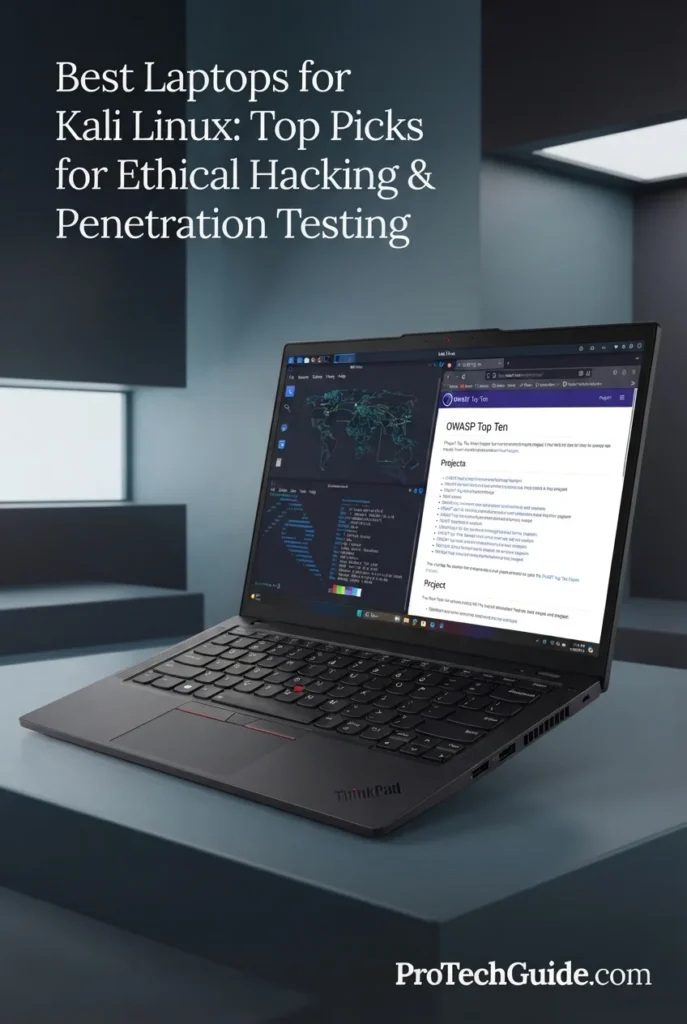
The Lenovo ThinkPad T14 Gen 6 with AMD Ryzen AI 7 PRO 350, 16GB of memory, and a 512GB SSD is our Best Overall Kali Linux Laptop for 2026. Its combination of a capable AMD processor, integrated Radeon 860M graphics, professional ThinkPad design, 14-inch WUXGA touchscreen, Wi-Fi 7, Ethernet connectivity, and extensive USB-C and USB-A connectivity creates a well-balanced platform for Kali Linux, ethical hacking, penetration testing, cybersecurity labs, programming, and everyday professional work. The 16GB memory configuration is suitable for general Kali Linux use and moderate virtualization, while the system's stated memory capacity of up to 64GB provides an important upgrade path for users who later need more room for multiple virtual machines and heavier security workloads.
The ThinkPad T14 Gen 6 earns our Best Overall Kali Linux Laptop award because it strikes a particularly strong balance between professional portability, processing performance, connectivity, Linux-oriented flexibility, and long-term practicality. Rather than focusing exclusively on gaming-class hardware, it provides the features that matter for many cybersecurity workflows: a capable processor, upgrade potential, wired networking, extensive ports, a compact business-class chassis, and enough memory and storage for a broad range of Kali Linux tasks. Users running several virtual machines simultaneously may benefit from upgrading beyond the included 16GB configuration.
Compared with more gaming-focused options such as the Acer Predator Helios Neo 16 AI and Lenovo Legion 5i, the ThinkPad T14 Gen 6 places greater emphasis on portability, professional usability, connectivity, and everyday productivity rather than dedicated GPU performance. Compared with the Lenovo ThinkPad P14s Gen 6, it offers a more accessible configuration while giving up the P14s's substantially larger 64GB memory capacity. For most Kali Linux users, however, the T14 Gen 6 offers the more balanced starting point, particularly when portability and professional use are as important as cybersecurity workloads.
Key Features
Lenovo ThinkPad E14 Gen 7
Best Value Laptop for Kali Linux, Cybersecurity Labs & Everyday Pentesting
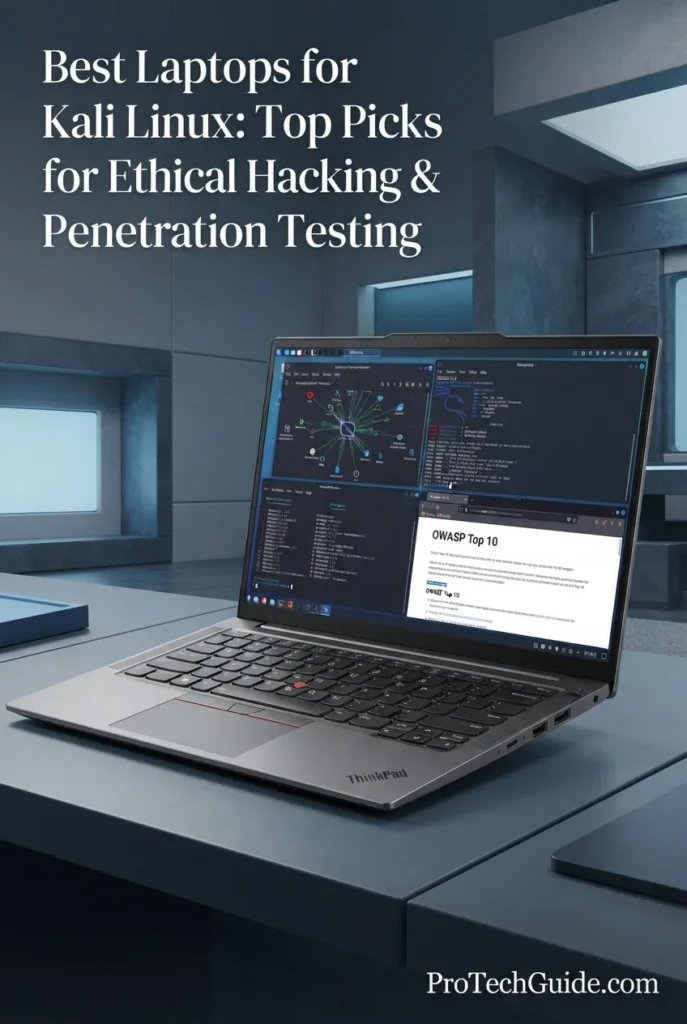
The Lenovo ThinkPad E14 Gen 7 with AMD Ryzen 7 250, 32GB of DDR5 memory, and a 1TB PCIe NVMe SSD is our Best Value Kali Linux Laptop for 2026. Its 8-core, 16-thread processor, generous 32GB memory configuration, fast 1TB storage, integrated AMD Radeon graphics, 14-inch WUXGA display, Wi-Fi 6E, and built-in Ethernet provide a strong foundation for Kali Linux, ethical hacking, penetration-testing labs, scripting, networking exercises, and professional multitasking. The 32GB configuration is especially valuable at this price-oriented tier because it provides considerably more headroom for virtual machines and simultaneous security tools than typical entry-level laptops.
The ThinkPad E14 Gen 7 earns our Best Value Kali Linux Laptop award because it puts the components that matter most for practical cybersecurity work in a relatively accessible configuration. The combination of an 8-core Ryzen 7 250 processor, 32GB of DDR5 memory, 1TB NVMe storage, wired Ethernet, Wi-Fi 6E, and a compact 14-inch design makes it particularly compelling for students and developing professionals who need enough capacity to run Kali Linux and virtualization workloads without paying for gaming-class graphics they may not use.
Compared with the Lenovo ThinkPad T14 Gen 6, the E14 Gen 7 offers a particularly attractive combination of 32GB memory and 1TB storage in this specific configuration, while the T14 Gen 6 provides a more premium professional platform and newer connectivity features. Compared with gaming-oriented models such as the ASUS TUF Gaming A15, the E14 places greater emphasis on business productivity, memory capacity, wired networking, and practical cybersecurity workloads rather than dedicated GPU performance. For users building a Kali Linux lab on a budget, that balance makes the E14 Gen 7 a strong value proposition.
Key Features
Lenovo ThinkPad P14s Gen 6
Best Professional Laptop for Kali Linux, Security Research & Advanced Virtualization
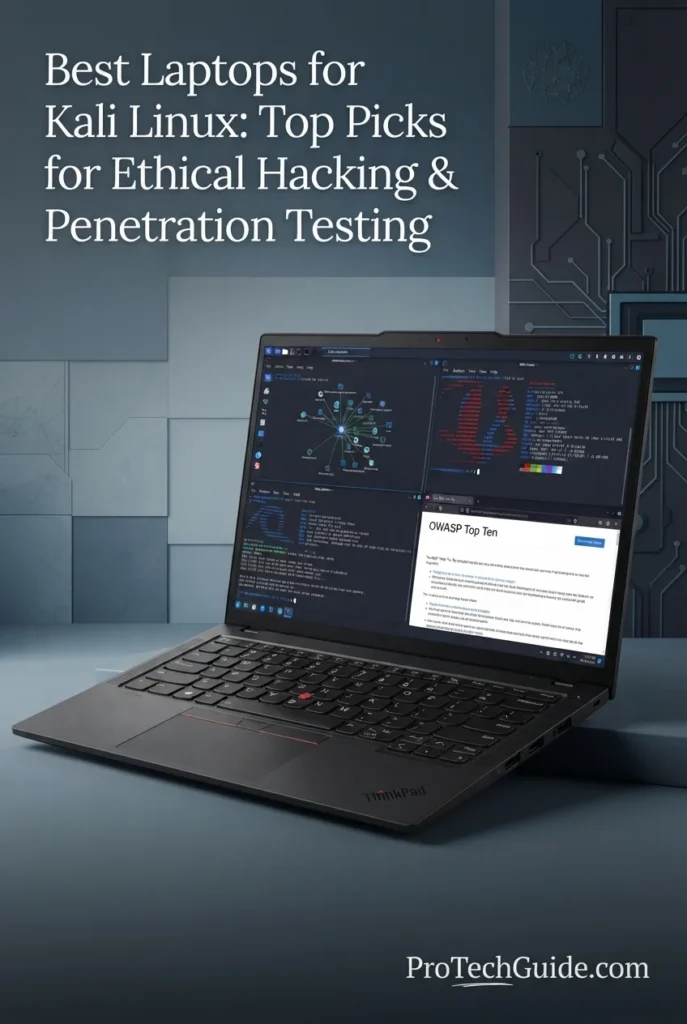
The Lenovo ThinkPad P14s Gen 6 with the AMD Ryzen AI 9 HX PRO 370, 64GB of DDR5 memory, and 1TB SSD is our Best Professional Kali Linux Laptop for 2026. Its high-end 12-core processor, 64GB DDR5-5600 memory, integrated AMD Radeon 890M graphics, Wi-Fi 7, fast 1TB SSD, and professional 14-inch WUXGA display create a powerful platform for advanced cybersecurity work. This configuration is particularly well suited to Kali Linux users running multiple virtual machines, security tools, penetration-testing environments, network-analysis utilities, development environments, and demanding multitasking workflows where memory capacity is critical.
The ThinkPad P14s Gen 6 earns our Best Professional Kali Linux Laptop award because its combination of Ryzen AI 9 HX PRO processing power, 64GB of DDR5 memory, 1TB SSD storage, professional 14-inch display, Wi-Fi 7, Ethernet, and extensive connectivity is exceptionally well matched to advanced cybersecurity workflows. Its biggest advantage is the 64GB memory configuration, which gives professional users significantly more room for multi-VM Kali Linux environments and demanding security research than typical 16GB or 32GB laptops.
Compared with the Lenovo ThinkPad T14 Gen 6 and ThinkPad E14 Gen 7, the P14s Gen 6 is the more professional choice for memory-intensive Kali Linux workflows, offering 64GB of RAM, a higher-end Ryzen AI 9 HX PRO processor, Radeon 890M graphics, and workstation-oriented features. Compared with gaming laptops such as the Acer Predator Helios Neo 16 AI and Lenovo Legion 5i, it prioritizes professional portability, memory capacity, business security, connectivity, and mobile workstation design rather than dedicated high-performance graphics.
Key Features
Acer Predator Helios Neo 16 AI
Best Performance Laptop for Kali Linux, Security Labs & Intensive Virtualization
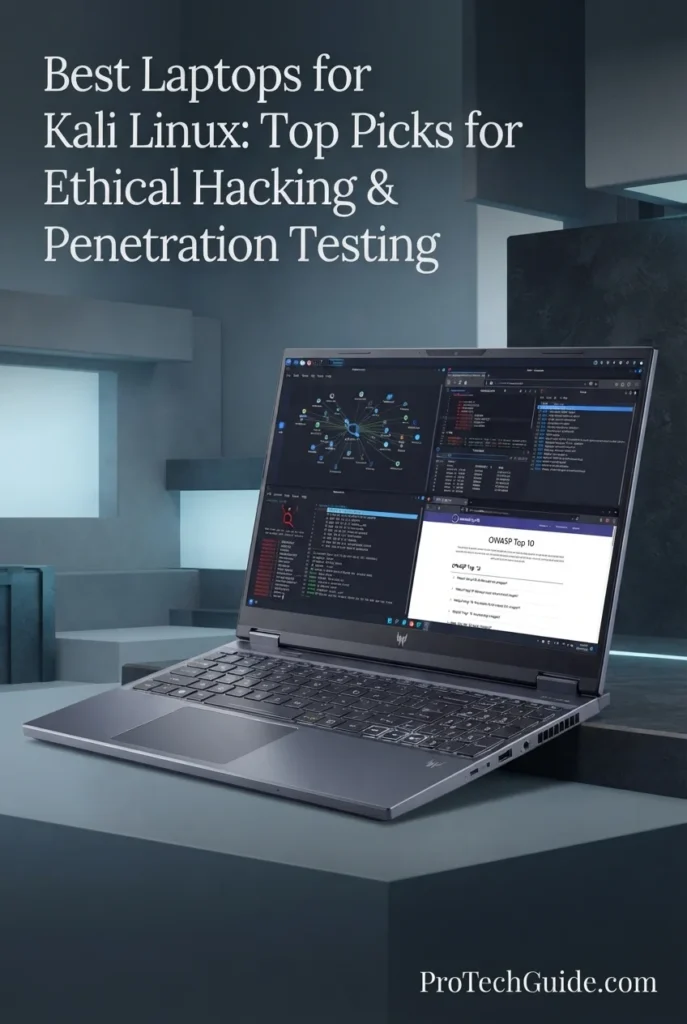
The Acer Predator Helios Neo 16 AI with the Intel Core Ultra 9 275HX, GeForce RTX 5070 Ti, 16GB DDR5, and 1TB Gen 4 SSD is our Best Performance Laptop for Kali Linux in 2026. Its 24-core processor, dedicated NVIDIA Blackwell GPU, fast DDR5 memory, high-speed PCIe Gen 4 storage, and 16-inch WQXGA 240Hz G-SYNC display make it a powerful platform for demanding cybersecurity labs, virtualization, security research, GPU-accelerated workloads, and intensive multitasking. It is particularly compelling for users who want a Kali Linux machine that can also serve as a high-performance gaming and content-creation system.
The Predator Helios Neo 16 AI earns our Best Performance for Kali Linux award because it combines an exceptionally powerful 24-core Core Ultra 9 275HX processor with a dedicated RTX 5070 Ti, fast Gen 4 storage, expandable memory capacity, and a high-resolution 240Hz display. For advanced users who run demanding security labs, multiple virtual machines, GPU-accelerated applications, or mixed cybersecurity and gaming workloads, it provides considerably more raw performance than the typical business laptop.
Compared with the Lenovo ThinkPad P14s Gen 6, the Predator Helios Neo 16 AI delivers substantially stronger dedicated graphics capability and a larger high-refresh-rate display, making it better suited to GPU-intensive workloads and performance-focused users. The ThinkPad remains the more compact professional workstation, with 64GB in its listed configuration and a stronger emphasis on business portability and security. Compared with the ASUS TUF Gaming A15, the Predator provides a major step up in CPU, GPU, display, storage, and upgrade potential.
Key Features
ASUS TUF Gaming A15
Best Budget Gaming Laptop for Kali Linux, Security Labs & Entry-Level Pentesting
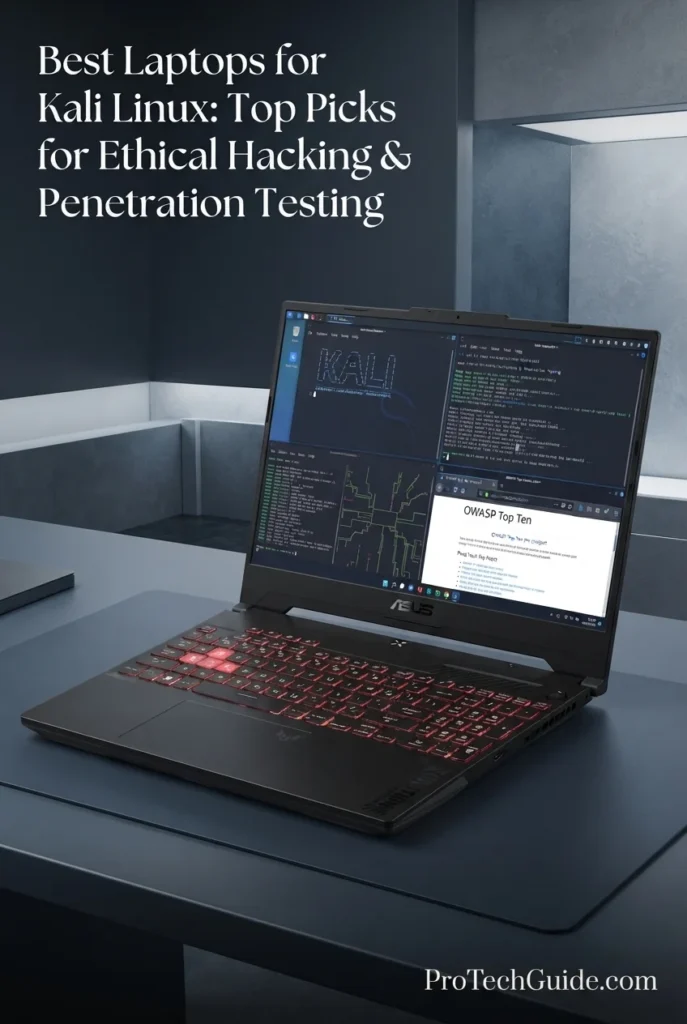
The ASUS TUF Gaming A15 with the AMD Ryzen 7 7435HS, GeForce RTX 4050, 16GB DDR5 memory, and 512GB PCIe 4.0 SSD is our budget gaming recommendation for Kali Linux in 2026. Its 8-core processor, dedicated RTX 4050 graphics, 16GB of DDR5 memory, fast PCIe 4.0 storage, and 15.6-inch FHD 144Hz display create a capable platform for Kali Linux labs, ethical hacking practice, penetration testing, virtualization, scripting, network security training, and everyday computing. The dedicated GPU also gives this configuration considerably more graphics capability than integrated-graphics alternatives, while the 90Wh battery and TUF cooling design make it a practical choice for users who want performance without moving into higher-priced gaming laptops.
The ASUS TUF Gaming A15 earns our Best Budget Gaming Laptop for Kali Linux award because it combines an 8-core Ryzen 7 processor, dedicated RTX 4050 graphics, 16GB DDR5 memory, PCIe 4.0 storage, a 144Hz 100% sRGB display, and a large 90Wh battery in a relatively accessible gaming configuration. It is especially compelling for students and aspiring security professionals who want more graphics performance than a typical business laptop without paying for a higher-end RTX configuration.
Compared with business-oriented options such as the Lenovo ThinkPad E14 Gen 7 and Lenovo ThinkPad T14 Gen 6, the ASUS TUF Gaming A15 places greater emphasis on dedicated GPU performance, gaming-class cooling, and a high-refresh-rate display. The ThinkPad models remain stronger choices for professional portability and business-focused workflows, while the TUF A15 is the better fit for buyers who want a dedicated NVIDIA GPU and a more performance-oriented platform for Kali Linux labs, gaming, and GPU-capable workloads. Wireless security features such as monitor mode and packet injection should still be verified for the specific Wi-Fi hardware and Linux driver stack before purchase.
Key Features
Lenovo Legion 5i
Best Gaming Laptop for Kali Linux, Advanced Security Labs & Virtualization
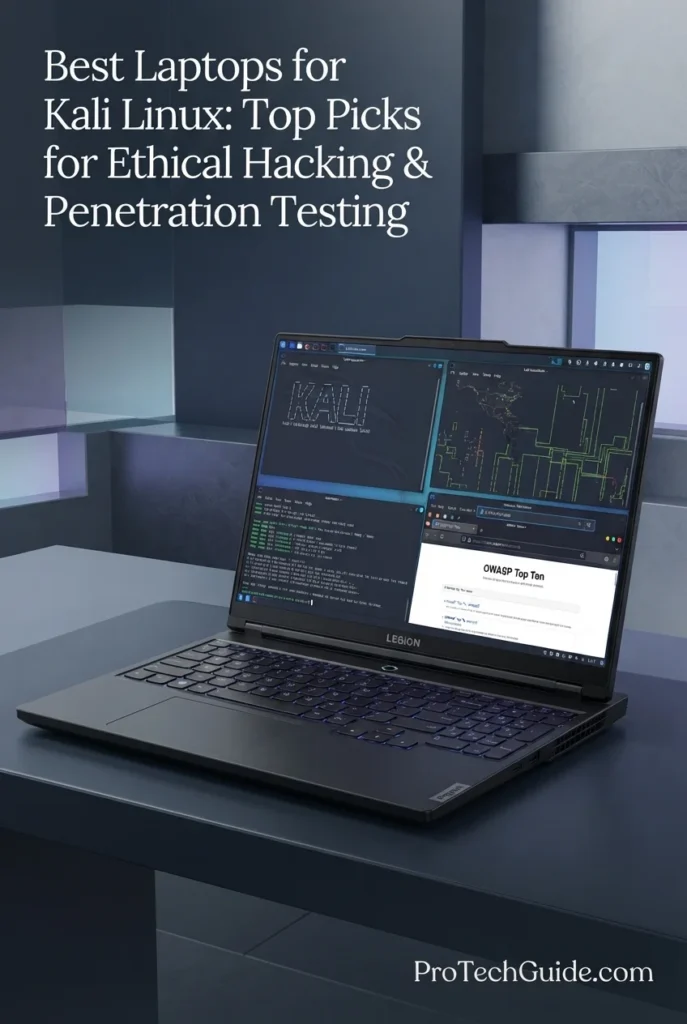
The Lenovo Legion 5i with the Intel Core Ultra 7 251HX, GeForce RTX 5060, 16GB DDR5 memory, and 1TB SSD is our top gaming-oriented recommendation for Kali Linux in 2026. Its 18-core processor, dedicated RTX 5060 with 8GB GDDR7, fast 1TB SSD, Wi-Fi 7 connectivity, and 15.3-inch 2560 × 1600 OLED display provide a powerful platform for Kali Linux labs, penetration testing practice, cybersecurity research, virtualization, development, and demanding multitasking. The combination of strong CPU performance and dedicated NVIDIA graphics also makes this Legion 5i particularly versatile for users who want one machine for security work, gaming, and creative workloads.
The Lenovo Legion 5i earns our Best Gaming Laptop for Kali Linux award because it combines a high-core-count Intel HX processor, dedicated RTX 5060 graphics with 8GB GDDR7, upgradeable DDR5 memory, 1TB storage, Wi-Fi 7, and an excellent 15.3-inch OLED display. It offers considerably more performance headroom than mainstream business laptops while remaining versatile enough for cybersecurity labs, virtualization, gaming, and demanding professional applications.
Compared with the ASUS TUF Gaming A15, the Legion 5i provides a substantial step up in CPU class, GPU capability, display quality, wireless connectivity, and storage capacity. Compared with the Acer Predator Helios Neo 16 AI, the Legion 5i occupies a more balanced position with its OLED display, 15.3-inch form factor, and strong RTX 5060 configuration, while the Predator remains the stronger choice for users prioritizing maximum CPU/GPU performance and larger 16-inch high-refresh gaming hardware.
Key Features
ASUS ROG Zephyrus G14
Best Portable Laptop for Kali Linux, Ethical Hacking & Mobile Security Work
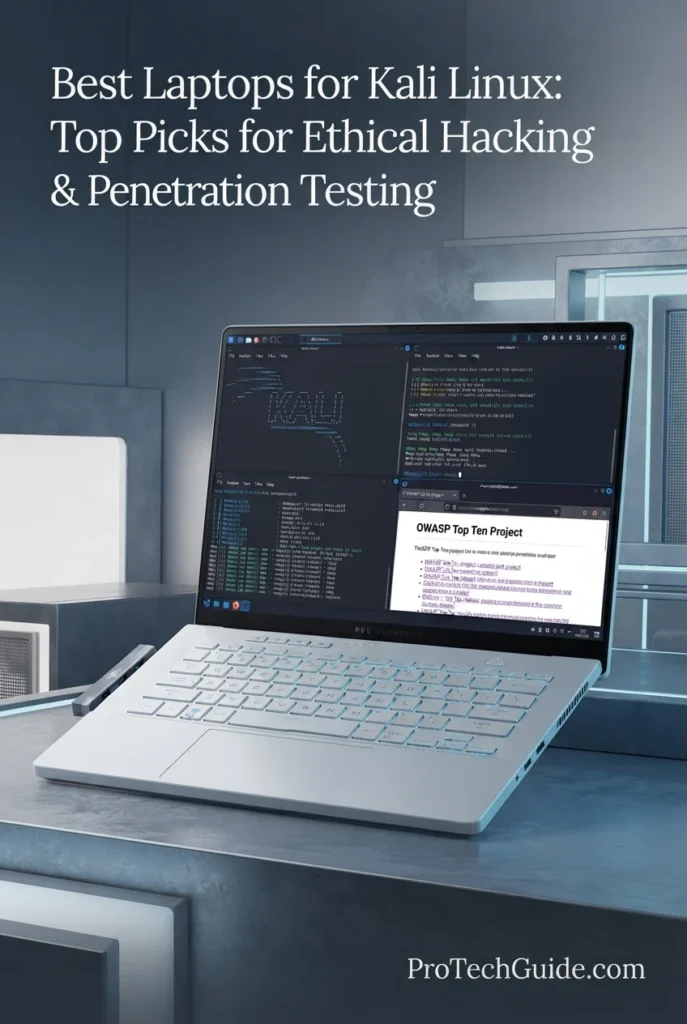
The ASUS ROG Zephyrus G14 with the Ryzen 9 270, 16GB RAM, 1TB SSD, and GeForce RTX 5060 is our top recommendation for portable Kali Linux work in 2026. Its 8-core Zen 4 processor, dedicated RTX 5060 graphics with 8GB GDDR7, 16GB of onboard memory, fast 1TB PCIe NVMe SSD, and compact 14-inch 2.8K OLED display create a powerful platform for ethical hacking, penetration testing, cybersecurity labs, scripting, network analysis, and mobile security research. Wi-Fi 7, Bluetooth 5.4, HDMI, USB-C, and a Micro SD reader add useful connectivity for a compact security-focused workstation, while the 73Wh battery and 14-inch form factor make it particularly attractive for users who need to move between labs, classrooms, offices, and field environments.
The ASUS ROG Zephyrus G14 earns our Best Portable Kali Linux Laptop award because it combines an 8-core Ryzen 9 processor, dedicated RTX 5060 graphics, 16GB memory, 1TB SSD, Wi-Fi 7, and a premium 14-inch 2.8K OLED display in a highly portable form factor. It offers more performance and graphics capability than conventional business laptops while remaining substantially more compact than larger gaming workstations. For users who regularly move between cybersecurity labs, classrooms, offices, and home environments, this balance makes the G14 one of the strongest portable platforms in this lineup.
Compared with the Lenovo ThinkPad T14 Gen 6 and Lenovo ThinkPad P14s Gen 6, the Zephyrus G14 offers substantially stronger dedicated graphics and a more performance-oriented platform, while the ThinkPads provide a more business-focused design and, in the case of the P14s, greater memory capacity. Compared with the Lenovo Legion 5i, the G14 prioritizes portability with its 14-inch form factor while still providing an RTX 5060 and OLED display. Users planning extensive multi-VM workloads should consider that this configuration has 16GB of onboard memory and a listed maximum of 16GB, making it less suitable than the P14s Gen 6 for extremely memory-intensive security research.
Key Features
Dell Pro Max 16 Premium
Best Workstation Laptop for Kali Linux, Security Research & Advanced Cybersecurity Workloads
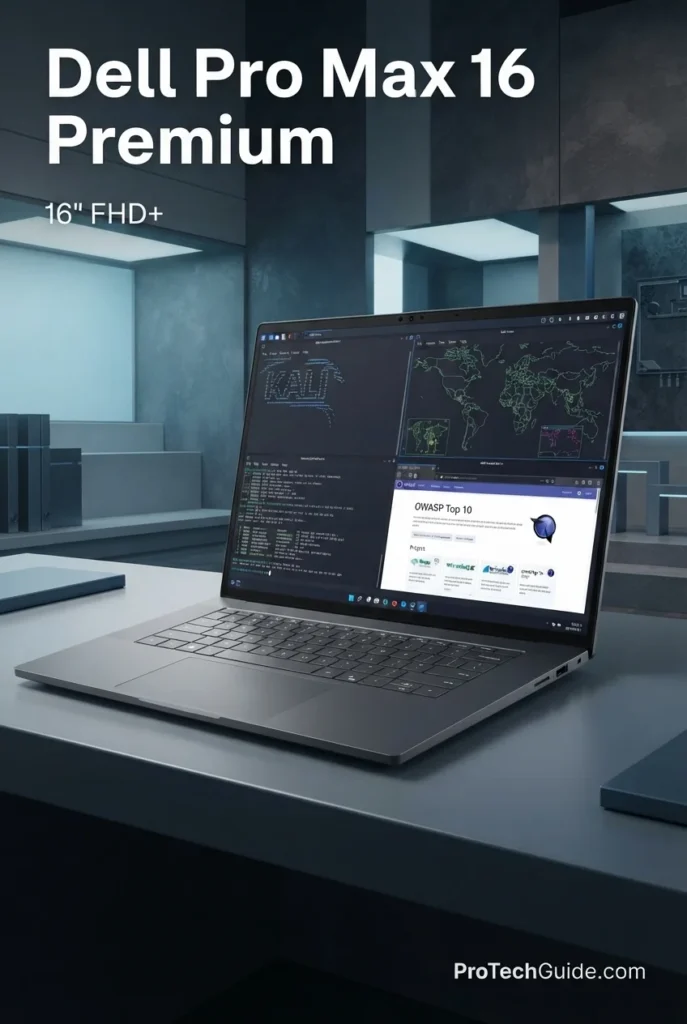
The Dell Pro Max 16 Premium with the Intel Core Ultra 9 285H, 64GB DDR5 RAM, 1TB PCIe Gen4 SSD, and NVIDIA RTX PRO 3000 Blackwell is our workstation recommendation for Kali Linux, advanced penetration testing, cybersecurity research, and demanding professional security workloads in 2026. Its 16-core processor, 64GB memory capacity, 12GB GDDR7 professional GPU, 1TB SSD, Wi-Fi 7, and extensive Thunderbolt connectivity provide substantial headroom for complex security environments, multiple applications, virtualization, development, and GPU-accelerated workloads. This particular configuration is listed as Amazon Renewed, with a Dell 2-year Pro Support warranty, making its renewed condition an important consideration for buyers evaluating this workstation.
The Dell Pro Max 16 Premium earns our Best Workstation for Kali Linux award because it combines 64GB of RAM, a 16-core Core Ultra 9 processor, professional RTX PRO 3000 Blackwell graphics, 1TB Gen4 storage, Wi-Fi 7, and unusually extensive high-speed connectivity. Its greatest advantage for advanced cybersecurity work is the combination of CPU, memory, and professional GPU resources, making it particularly well suited to demanding multi-VM environments and research workloads. Because this specific listing is Amazon Renewed, buyers should also weigh its renewed condition alongside the included Dell 2-year Pro Support warranty.
Compared with the Lenovo ThinkPad P14s Gen 6, the Dell Pro Max 16 Premium provides a larger 16-inch workspace, 64GB of memory, and a dedicated professional NVIDIA RTX PRO GPU, making it the stronger choice for demanding workstation-class security workloads. Compared with the ASUS ROG Zephyrus G14 and Lenovo Legion 5i, the Dell focuses more heavily on professional workstation workloads and memory capacity rather than compact gaming-oriented performance. The trade-off is its larger workstation form factor and the fact that this specific configuration is Renewed rather than sold as a new laptop.
Key Features
Best Laptops for Kali Linux in 2026
Ranked by CPU Performance, RAM Capacity, Virtualization, Storage, Wireless Networking, Linux Workflows, Portability & Overall Value
Choosing the best laptop for Kali Linux in 2026 requires more than looking at processor speed or graphics performance. A strong Kali Linux system needs enough memory for virtual machines and security tools, fast storage for operating systems and lab environments, reliable networking, practical connectivity, and hardware that fits the way you plan to use Kali. We evaluated these laptops for real-world cybersecurity workloads including ethical hacking, penetration testing, vulnerability research, network analysis, wireless security, Python and scripting, security labs, virtualization, multitasking, and everyday productivity. Because wireless monitor-mode and packet-injection support can vary by chipset and Linux driver, users working heavily with wireless security should verify compatibility before purchasing.
| Laptop | CPU & Key Specs | Best For | Why It Wins | Editor's Verdict |
|---|---|---|---|---|
Best OverallLenovo ThinkPad T14 Gen 6Check Price | AMD Ryzen AI 7 PRO 350 16GB Memory 512GB SSD Radeon 860M Graphics 14" WUXGA Touch Display Windows 11 Pro | Ethical Hackers Penetration Testing Cybersecurity Students Professional Kali Users | The ThinkPad T14 Gen 6 delivers the strongest overall balance for Kali Linux users who want a professional 14-inch platform without moving into a larger gaming or workstation chassis. Its Ryzen AI 7 PRO processor, 16GB of memory, 512GB SSD, Radeon 860M graphics, business-oriented security features, and practical connectivity make it a well-rounded choice for Kali Linux, security tools, scripting, network analysis, and everyday professional work. | Best Overall Laptop for Kali Linux |
Best ValueLenovo ThinkPad E14 Gen 7Check Price | AMD Ryzen 7 250 32GB DDR5 RAM 1TB PCIe SSD 14" 1920x1200 Display Wi-Fi 6E + Ethernet Windows 11 Pro | Cybersecurity Students Kali Linux Labs Aspiring Pentesters Budget-Conscious Professionals | The ThinkPad E14 Gen 7 stands out by combining 32GB of RAM and a 1TB SSD with a capable Ryzen 7 processor and business-focused connectivity. That configuration gives Kali Linux users considerably more room for virtual machines, security tools, lab environments, scripts, and multitasking than many entry-level systems, making it one of the strongest value choices in the lineup. | Best Value Laptop for Kali Linux |
Best ProfessionalLenovo ThinkPad P14s Gen 6Check Price | AMD Ryzen AI 9 HX PRO 370 64GB DDR5 RAM 1TB Performance SSD Radeon 890M Graphics 14" WUXGA 500-nit Display Wi-Fi 7 | Security Researchers Professional Pentesters Multi-VM Workloads Advanced Kali Users | The ThinkPad P14s Gen 6 is designed for users who need substantially more memory headroom without sacrificing a compact professional form factor. Its Ryzen AI 9 HX PRO 370 processor, 64GB of DDR5 memory, 1TB SSD, Radeon 890M graphics, Wi-Fi 7, and professional connectivity make it particularly well suited to advanced Kali Linux environments, multi-VM workflows, security research, vulnerability testing, and demanding cybersecurity workloads. | Best Professional Laptop for Kali Linux |
Best PerformanceAcer Predator Helios Neo 16 AICheck Price | Intel Core Ultra 9 275HX 24-Core Processor 16GB DDR5 RAM RTX 5070 Ti 12GB GDDR7 1TB Gen 4 SSD 16" WQXGA 240Hz G-SYNC | Advanced Pentesters Security Researchers Heavy Virtualization GPU-Accelerated Workloads | The Predator Helios Neo 16 AI delivers the highest level of raw performance in this lineup with a 24-core Core Ultra 9 processor and dedicated RTX 5070 Ti graphics. Its 16GB of DDR5 memory can be expanded, while the 1TB Gen 4 SSD, high-refresh WQXGA display, and powerful hardware platform make it particularly attractive for demanding security labs, intensive virtualization, GPU workloads, and users who also want a serious gaming system. | Best Performance Laptop for Kali Linux |
Best Budget GamingASUS TUF Gaming A15Check Price | AMD Ryzen 7 7435HS 16GB DDR5 RAM 512GB PCIe 4.0 SSD RTX 4050 6GB 15.6" FHD 144Hz Wi-Fi 6 | Cybersecurity Students Entry-Level Pentesters Kali Linux Beginners Gaming & Security Labs | The ASUS TUF Gaming A15 offers an attractive entry point for Kali Linux users who also want dedicated NVIDIA graphics and gaming capability. Its Ryzen 7 processor, 16GB of DDR5 memory, RTX 4050, 512GB PCIe 4.0 SSD, and 144Hz 100% sRGB display provide a strong performance foundation for cybersecurity labs, scripting, penetration-testing practice, virtualization, and everyday use without moving into higher-end gaming hardware. | Best Budget Gaming Laptop for Kali Linux |
Best GamingLenovo Legion 5i 15.3" OLEDCheck Price | Intel Core Ultra 7 251HX 18-Core Processor 16GB DDR5 RAM RTX 5060 8GB GDDR7 1TB SSD 15.3" WQXGA OLED 165Hz | Advanced Kali Labs Pentesters & Researchers Virtualization Gaming & Cybersecurity | The Legion 5i combines a high-core-count Intel HX processor, dedicated RTX 5060 graphics, expandable DDR5 memory, 1TB storage, and a premium 15.3-inch OLED display. It is particularly well suited to Kali Linux users who want strong performance for virtual machines and security tools while retaining enough GPU capability for demanding graphics workloads and modern gaming. | Best Gaming Laptop for Kali Linux |
Best PortableASUS ROG Zephyrus G14 5060Check Price | AMD Ryzen 9 270 8-Core / 16-Thread Processor 16GB DDR5 Memory RTX 5060 8GB GDDR7 1TB PCIe NVMe SSD 14" 2.8K OLED 120Hz | Mobile Pentesters Traveling Security Professionals Cybersecurity Students Portable Kali Labs | The ROG Zephyrus G14 delivers an unusually strong combination of compact size and dedicated performance. Its Ryzen 9 processor, RTX 5060 graphics, 1TB SSD, Wi-Fi 7, and 14-inch 2.8K OLED display make it an excellent choice for users who need a highly portable machine for Kali Linux, security research, scripting, penetration-testing labs, and mobile cybersecurity work. | Best Portable Laptop for Kali Linux |
Best WorkstationDell Pro Max 16 PremiumCheck Price | Intel Core Ultra 9 285H 16-Core Processor 64GB DDR5 RAM RTX PRO 3000 Blackwell 12GB 1TB PCIe Gen 4 SSD 16" FHD+ 120Hz VRR | Professional Security Research Advanced Multi-VM Workloads Cybersecurity Engineers Workstation-Class Kali Labs | The Dell Pro Max 16 Premium provides workstation-class hardware for advanced cybersecurity workloads, combining a 16-core Core Ultra 9 processor, 64GB of DDR5 memory, a professional NVIDIA RTX PRO 3000 Blackwell GPU, 1TB Gen 4 storage, Wi-Fi 7, and extensive Thunderbolt connectivity. Its renewed condition and included Dell 2-year Pro Support make the specific listing especially relevant to professionals seeking high-end hardware at a potentially lower acquisition cost. | Best Workstation for Kali Linux |
Recommended Next Reads
Finished comparing the best laptops for Kali Linux? Explore our related cybersecurity, Linux, virtualization, programming, GPU, and performance laptop guides to better understand the hardware requirements behind ethical hacking, penetration testing, security research, and advanced technical workflows.
Whether you're running Kali Linux natively or inside a virtual machine, practicing penetration testing, analyzing networks, developing security scripts, researching vulnerabilities, or building a broader cybersecurity workstation, these guides can help you compare the hardware, compatibility, memory, virtualization capacity, graphics performance, and overall value required for different technical workloads.
Best Laptops for Cybersecurity in 2026
Explore laptops selected for Kali Linux, virtual machines, ethical hacking, penetration testing, security tools, and demanding cybersecurity workflows.
Explore Cybersecurity Laptops →Best Laptops for Virtual Machines in 2026
Compare laptops with the CPU performance, RAM capacity, storage, and multitasking headroom needed for VMware, Hyper-V, VirtualBox, Kali Linux, and demanding virtualized environments.
Explore Virtual Machine Laptops →Linux CompatibilityBest Linux Laptops in 2026
Explore Linux-focused laptops selected for compatibility, performance, connectivity, everyday productivity, development, and demanding open-source workflows.
Explore Linux Laptops →Programming & ScriptingBest Laptops for Programming in 2026
Compare laptops for programming, development environments, scripting, containers, multitasking, and technical workflows that complement cybersecurity and Kali Linux work.
Explore Programming Laptops →GPU PerformanceRTX 5060 vs RTX 5070 Ti vs RTX 5080 Laptop GPUs in 2026
Understand the differences between today's leading laptop GPUs and determine how graphics performance, VRAM, and GPU acceleration affect demanding technical and gaming workloads.
Compare Laptop GPUs →Performance & ValueBest Gaming Laptops Under $2,000 in 2026
Explore high-performance laptops with powerful CPUs, dedicated NVIDIA graphics, fast storage, and strong thermal performance for demanding technical and gaming workloads.
Explore Gaming Laptops →Advanced Technical WorkloadsBest Laptops for AI Development in 2026
Compare high-performance laptops for AI development, local workloads, programming, GPU acceleration, machine learning, and other demanding technical environments.
Explore AI Development Laptops →EDITOR'S FINAL RECOMMENDATIONS
After comparing these laptops across CPU performance, RAM capacity, virtualization headroom, storage, networking, wireless connectivity, Linux-focused workflows, portability, dedicated graphics, security features, and overall value, these are our final recommendations for Kali Linux users in 2026. Whether you are learning ethical hacking, building penetration-testing labs, researching vulnerabilities, analyzing networks, running multiple virtual machines, or performing advanced cybersecurity work, the right laptop depends on how you plan to deploy Kali Linux and which workloads matter most to you.
Lenovo ThinkPad T14 Gen 6
The best overall laptop for Kali Linux in 2026. The ThinkPad T14 Gen 6 combines a capable Ryzen AI 7 PRO processor, 16GB of memory, 512GB SSD storage, Radeon 860M graphics, a 14-inch WUXGA touchscreen, and professional business-oriented features in a practical mobile platform. It provides a strong balance for ethical hacking, penetration testing, security tools, scripting, network analysis, cybersecurity labs, and everyday professional work.
- ✓ AMD Ryzen AI 7 PRO 350
- ✓ 16GB Memory
- ✓ 512GB SSD Storage
- ✓ 14-inch WUXGA 400-nit Touch Display
Lenovo ThinkPad E14 Gen 7
The best value choice for Kali Linux users who want more memory and storage without moving into workstation pricing. Its Ryzen 7 250 processor, 32GB of DDR5 memory, 1TB SSD, 14-inch 1920x1200 display, Wi-Fi 6E, and Ethernet connectivity create a particularly practical platform for cybersecurity students, aspiring pentesters, scripting, network analysis, security labs, and virtual machines.
- ✓ AMD Ryzen 7 250
- ✓ 32GB DDR5 Memory
- ✓ 1TB PCIe SSD
- ✓ Wi-Fi 6E + Ethernet
Lenovo ThinkPad P14s Gen 6
The professional choice for advanced Kali Linux users who need substantial memory capacity in a compact workstation-oriented platform. With a Ryzen AI 9 HX PRO 370 processor, 64GB of DDR5 memory, 1TB performance SSD, Radeon 890M graphics, Wi-Fi 7, and professional connectivity, the P14s Gen 6 is exceptionally well suited to security research, multi-VM environments, vulnerability research, penetration testing, and demanding cybersecurity workflows.
- ✓ AMD Ryzen AI 9 HX PRO 370
- ✓ 64GB DDR5 Memory
- ✓ 1TB Performance SSD
- ✓ 14-inch WUXGA 500-nit Display
Acer Predator Helios Neo 16 AI
The performance leader for Kali Linux users who want maximum processing and dedicated GPU capability. Its 24-core Core Ultra 9 275HX processor, RTX 5070 Ti with 12GB of GDDR7 memory, 16GB DDR5 memory, expandable RAM design, 1TB Gen 4 SSD, and 16-inch WQXGA 240Hz display make it particularly attractive for intensive virtualization, advanced security labs, GPU-accelerated workloads, and users who also want high-end gaming performance.
- ✓ Intel Core Ultra 9 275HX
- ✓ 16GB DDR5 Memory
- ✓ NVIDIA RTX 5070 Ti 12GB GDDR7
- ✓ 1TB Gen 4 SSD
ASUS TUF Gaming A15
The best budget gaming platform for Kali Linux users who want dedicated NVIDIA graphics without stepping into premium gaming prices. The Ryzen 7 7435HS, RTX 4050, 16GB DDR5 memory, 512GB PCIe 4.0 SSD, and 15.6-inch 144Hz 100% sRGB display provide a strong foundation for cybersecurity labs, penetration-testing practice, scripting, moderate virtualization, and gaming.
- ✓ AMD Ryzen 7 7435HS
- ✓ 16GB DDR5 Memory
- ✓ NVIDIA RTX 4050 6GB
- ✓ 512GB PCIe 4.0 SSD
Lenovo Legion 5i 15.3" OLED
The best gaming-oriented choice for Kali Linux users who want a powerful Intel HX processor, dedicated RTX graphics, expandable memory, fast storage, and a premium OLED display. Its Core Ultra 7 251HX processor, RTX 5060 8GB GDDR7, 16GB DDR5 memory, 1TB SSD, Wi-Fi 7, and 15.3-inch WQXGA OLED panel make it a strong platform for advanced security labs, virtualization, penetration testing, and gaming.
- ✓ Intel Core Ultra 7 251HX
- ✓ 16GB DDR5 Memory
- ✓ NVIDIA RTX 5060 8GB GDDR7
- ✓ 15.3-inch WQXGA OLED 165Hz Display
ASUS ROG Zephyrus G14 5060
The best portable Kali Linux laptop for users who want dedicated graphics and strong processing power in a compact 14-inch platform. The Ryzen 9 270, RTX 5060 8GB GDDR7, 16GB DDR5 memory, 1TB PCIe NVMe SSD, Wi-Fi 7, and 2.8K OLED display make it particularly attractive for mobile pentesters, cybersecurity students, researchers, and professionals who regularly move between locations. Its 16GB onboard memory, however, makes it less suitable for exceptionally heavy multi-VM workloads than the 64GB ThinkPad P14s or Dell Pro Max 16.
- ✓ AMD Ryzen 9 270
- ✓ 16GB DDR5 Memory
- ✓ NVIDIA RTX 5060 8GB GDDR7
- ✓ 14-inch 2.8K OLED 120Hz Display
Dell Pro Max 16 Premium
The workstation choice for professional security researchers and advanced Kali Linux users who need substantial memory, a professional NVIDIA GPU, strong processing performance, and extensive connectivity. Its Core Ultra 9 285H, 64GB DDR5 memory, 1TB PCIe Gen 4 SSD, RTX PRO 3000 Blackwell with 12GB GDDR7, Wi-Fi 7, and Thunderbolt connectivity provide considerable headroom for multi-VM environments, vulnerability research, security analysis, and demanding professional workloads. This specific listing is sold as Amazon Renewed and includes Dell 2-year Pro Support.
- ✓ Intel Core Ultra 9 285H
- ✓ 64GB DDR5 Memory
- ✓ NVIDIA RTX PRO 3000 Blackwell 12GB
- ✓ 1TB PCIe Gen 4 SSD
Which Kali Linux laptop should you buy?
ThinkPad T14 Gen 6
ThinkPad E14 Gen 7
ThinkPad P14s Gen 6
Predator Helios Neo 16 AI
ASUS TUF Gaming A15
Lenovo Legion 5i
ROG Zephyrus G14
Dell Pro Max 16 Premium
- Choose the Lenovo ThinkPad T14 Gen 6 if you want the strongest overall balance of professional design, CPU capability, portability, memory, storage, networking, and everyday usability for Kali Linux, ethical hacking, and penetration testing.
- Choose the Lenovo ThinkPad E14 Gen 7 if value is your priority and you want 32GB of memory and 1TB of storage for Kali Linux labs, scripting, security tools, and virtual machines without moving into workstation-class pricing.
- Choose the Lenovo ThinkPad P14s Gen 6 if you are a professional pentester, security researcher, or advanced Kali Linux user who needs 64GB of memory and strong multi-VM capacity in a compact professional platform.
- Choose the Acer Predator Helios Neo 16 AI if raw performance is your priority. Its Core Ultra 9 275HX, RTX 5070 Ti, expandable memory, and powerful cooling-oriented gaming platform make it the strongest choice for intensive security labs, virtualization, and GPU-heavy workloads.
- Choose the ASUS TUF Gaming A15 if you want an affordable gaming laptop with dedicated RTX graphics for Kali Linux, cybersecurity labs, penetration-testing practice, scripting, moderate virtualization, and gaming.
- Choose the Lenovo Legion 5i if you want a premium gaming-oriented platform with an Intel HX processor, RTX 5060 graphics, expandable DDR5 memory, 1TB storage, Wi-Fi 7, and a high-quality OLED display for advanced cybersecurity and gaming workloads.
- Choose the ASUS ROG Zephyrus G14 5060 if portability is your priority and you want dedicated RTX graphics in a compact 14-inch system. Its 16GB onboard memory makes it better suited to mobile cybersecurity work and moderate virtualization than exceptionally heavy multi-VM environments.
- Choose the Dell Pro Max 16 Premium if you need workstation-class hardware for professional security research, extensive multi-VM workloads, vulnerability analysis, and demanding cybersecurity environments. Keep in mind that this specific configuration is sold as Amazon Renewed.
EDITOR'S FINAL VERDICT
After comparing processor performance, RAM capacity, SSD storage, virtualization capability, Linux compatibility, networking, wireless security considerations, display quality, portability, thermals, upgradeability, and long-term value, one conclusion stands out:The best laptop for Kali Linux is not necessarily the laptop with the fastest GPU or the most expensive workstation hardware. It is the system that provides the right balance of CPU performance, memory capacity, virtualization headroom, fast storage, reliable connectivity, Linux-friendly hardware, portability, and long-term flexibility for the security workloads you actually perform.
Modern cybersecurity professionals, ethical hackers, penetration testers, and security students can use Kali Linux across bare-metal installations, virtual machines, cybersecurity labs, network analysis, vulnerability assessment, web application testing, digital forensics, scripting, reconnaissance, and increasingly demanding multi-tool workflows. These workloads benefit primarily from strong CPU performance, sufficient RAM, fast SSD storage, reliable networking, and virtualization headroom rather than from a high-end dedicated GPU alone.
For most professional Kali Linux users, 32GB of memory is the ideal target for long-term use, while 16GB remains suitable for students, lighter penetration-testing environments, and everyday security work. A fast 1TB SSD provides considerably more practical room for virtual machines, ISOs, security tools, captures, wordlists, and lab environments. Wireless hardware should also be evaluated separately because Wi-Fi 6E or Wi-Fi 7 support does not automatically guarantee monitor mode or packet-injection compatibility.- Choose the Lenovo ThinkPad T14 Gen 6 if you want the strongest overall balance of CPU performance, portability, business-class design, 16GB of memory, fast storage, integrated Radeon graphics, and a practical platform for Kali Linux, penetration testing, scripting, and cybersecurity labs.
- Choose the Lenovo ThinkPad E14 Gen 7 if value is your priority. Its Ryzen 7 processor, 32GB of DDR5 memory, and 1TB SSD provide excellent headroom for Kali Linux, virtual machines, security tools, programming, and everyday productivity without moving into workstation pricing.
- Choose the Lenovo ThinkPad P14s Gen 6 if you need a more professional platform for advanced cybersecurity research, heavier virtualization, multiple security tools, and demanding multitasking. Its Ryzen AI 9 HX PRO 370 processor and 64GB of memory provide substantial headroom for complex security environments.
- Choose the Acer Predator Helios Neo 16 AI if maximum performance is your priority. Its Core Ultra 9 275HX, RTX 5070 Ti, 16GB DDR5 memory, and fast Gen 4 SSD make it the strongest performance-oriented choice for demanding cybersecurity labs, multiple virtual machines, GPU-assisted workloads, and intensive multitasking.
Top Kali Linux Laptop Recommendations (2026)
Lenovo ThinkPad T14 Gen 6
Our Editor's Choice for most Kali Linux users because it combines a modern Ryzen AI 7 PRO processor, 16GB of memory, fast 512GB SSD storage, Radeon 860M graphics, a practical 14-inch WUXGA display, and a business-focused chassis. It offers an excellent balance for ethical hacking, penetration testing, Linux administration, scripting, cybersecurity labs, and everyday professional use without unnecessary gaming hardware.
- ✓ AMD Ryzen AI 7 PRO 350
- ✓ 16GB Memory
- ✓ 512GB SSD Storage
- ✓ 14-inch WUXGA 400-nit Display
Lenovo ThinkPad E14 Gen 7
The strongest value choice for users who want more memory and storage capacity without paying for high-end gaming hardware. Its Ryzen 7 processor, 32GB of DDR5 memory, and 1TB SSD create an excellent foundation for Kali Linux virtual machines, penetration-testing tools, cybersecurity coursework, programming, and multitasking.
- ✓ AMD Ryzen 7 250
- ✓ 32GB DDR5 Memory
- ✓ 1TB SSD Storage
- ✓ 14-inch 1920x1200 Display
Lenovo ThinkPad P14s Gen 6
The best choice for advanced cybersecurity professionals who need substantial memory capacity for demanding virtualized environments. Its Ryzen AI 9 HX PRO 370 processor, 64GB of DDR5 memory, 1TB performance SSD, and Radeon 890M graphics provide significant headroom for multiple security tools, virtual machines, research environments, and professional multitasking.
- ✓ AMD Ryzen AI 9 HX PRO 370
- ✓ 64GB DDR5 Memory
- ✓ 1TB Performance SSD
- ✓ 14-inch WUXGA 500-nit Display
- ✓ You want the best overall balance for Kali Linux and cybersecurity work
- ✓ You value portability, business-class design, and professional reliability
- ✓ Your workloads include penetration testing, scripting, Linux administration, and cybersecurity labs
- ✓ You want a capable AMD platform without paying for dedicated gaming graphics
- ✓ Value and memory capacity are major priorities
- ✓ You want 32GB of RAM and a 1TB SSD for virtual machines and security tools
- ✓ You are a student, security learner, or professional building a versatile Kali Linux environment
- ✓ You want strong everyday productivity alongside cybersecurity workloads
- ✓ Prefer 32GB of RAM for demanding professional workloads, multiple virtual machines, and long-term use
- ✓ Consider 16GB acceptable for students, lighter penetration testing, scripting, and single-VM environments
- ✓ Prioritize a fast SSD with enough capacity for virtual machines, ISO images, tools, captures, and cybersecurity projects
- ✓ Verify the specific Wi-Fi chipset if monitor mode or packet injection is important to your workflow
- ✓ Remember that a dedicated GPU is optional for many Kali Linux workloads and should not outweigh CPU, RAM, storage, networking, and Linux compatibility
A Kali Linux laptop is a specialized professional tool that may be used for thousands of hours across penetration-testing environments, virtual machines, cybersecurity labs, network analysis, Linux administration, scripting, vulnerability assessment, reconnaissance, and security research. Raw processor specifications matter, but memory capacity, virtualization headroom, storage, networking, keyboard comfort, Linux compatibility, portability, and long-term reliability can have an equally important impact on everyday cybersecurity productivity.
Among the models evaluated in this guide, the Lenovo ThinkPad T14 Gen 6 delivers the strongest overall combination of CPU performance, portability, memory, storage, professional design, and versatility, making it our Editor's Choice for the best laptop for Kali Linux in 2026.The Lenovo ThinkPad E14 Gen 7 is the better choice for buyers who want exceptional value and 32GB of memory, while the Lenovo ThinkPad P14s Gen 6 is the stronger professional option for advanced virtualization and memory-intensive security environments. If raw performance is the priority, the Acer Predator Helios Neo 16 AI provides substantially more CPU and GPU power for demanding labs, multiple virtual machines, and workloads that can benefit from dedicated graphics.
Compare current prices, configurations, memory, storage, warranty coverage, operating-system options, and availability before choosing the laptop that best matches your Kali Linux, ethical hacking, penetration-testing, and cybersecurity workflow.
Check Latest DealsEDITOR'S FAQ
Choosing the best laptop for Kali Linux requires more than comparing processor specifications. Ethical hackers, penetration testers, cybersecurity students, and security professionals need to consider RAM capacity, CPU performance, virtualization capability, SSD storage, Linux compatibility, networking, wireless hardware, portability, thermals, and long-term reliability.These frequently asked questions address the most important buying decisions, from determining how much RAM and storage you need for Kali Linux to choosing between a bare-metal installation and a virtual machine, understanding whether a dedicated GPU is necessary, evaluating wireless security capabilities, and selecting the right laptop for penetration testing, cybersecurity labs, scripting, and advanced security research.
It provides an excellent combination of AMD Ryzen AI 7 PRO processing performance, 16GB of memory, 512GB SSD storage, Radeon 860M graphics, a 14-inch WUXGA display, and a professional business-oriented design. This makes it particularly well suited to Kali Linux, penetration testing, cybersecurity labs, scripting, Linux administration, and everyday professional use.
- Strong AMD Ryzen AI 7 PRO 350 processing performance.
- 16GB of memory for Kali Linux and moderate virtualized workloads.
- 512GB SSD for the operating system, security tools, and projects.
- 14-inch WUXGA display with 400-nit brightness and anti-glare treatment.
- Portable professional design suitable for mobile cybersecurity work.
For buyers who need more memory and storage at a lower price, the Lenovo ThinkPad E14 Gen 7 is our preferred value option. For advanced virtualization and memory-intensive security environments, the Lenovo ThinkPad P14s Gen 6 is the stronger professional choice.
Check PriceKali Linux itself does not require an enormous amount of memory, but professional cybersecurity workflows frequently involve multiple applications, terminals, browsers, IDEs, packet captures, databases, security tools, and virtual machines running simultaneously.
- 16GB → Suitable for students, learning Kali Linux, scripting, single-VM environments, and moderate penetration-testing workloads.
- 32GB → Recommended for professional penetration testing, multiple security applications, virtual machines, cybersecurity labs, and long-term use.
- 64GB or more → Best for advanced multi-VM environments, large security labs, extensive multitasking, research, and workstation-class workloads.
If you expect your cybersecurity workload to grow over the next several years, 32GB is the safer long-term configuration. The Lenovo ThinkPad P14s Gen 6 takes this considerably further with 64GB of memory, making it particularly attractive for advanced virtualization and professional security research.
A cybersecurity professional working with Kali Linux, terminal sessions, browsers, scripting environments, reconnaissance tools, vulnerability scanners, and a moderate number of applications can work effectively with 16GB. The situation changes when several virtual machines or memory-intensive applications are active at the same time.
- 16GB works well for learning Kali Linux and general security testing.
- 16GB is suitable for many scripting, reconnaissance, and web-security workflows.
- 16GB can support a single Kali Linux virtual machine for many users.
- 32GB is preferable for heavier multitasking and multiple virtual machines.
- 64GB becomes valuable for advanced cybersecurity labs and demanding multi-VM environments.
In this guide, the Lenovo ThinkPad T14 Gen 6 and the gaming-oriented systems provide capable 16GB configurations, while the Lenovo ThinkPad E14 Gen 7 offers 32GB and the ThinkPad P14s Gen 6 provides 64GB for users who need substantially more memory headroom.
Check 32GB OptionKali Linux security tools generally benefit more from CPU performance, memory capacity, fast storage, virtualization support, and appropriate networking hardware than from a powerful graphics processor. A dedicated GPU becomes more relevant when the laptop is also being used for GPU-accelerated workloads, password-cracking research, AI, advanced visualization, gaming, or other graphics-intensive applications.
- Integrated graphics → Sufficient for most Kali Linux installations, scripting, penetration testing, Linux administration, and cybersecurity labs.
- Dedicated GPU → Useful when cybersecurity work is combined with GPU-accelerated applications, AI, password-cracking research, gaming, or demanding graphics workloads.
- High-end GPU → Justified primarily when the laptop has broader professional workloads beyond conventional Kali Linux usage.
This is why the Lenovo ThinkPad T14 Gen 6 and ThinkPad P14s Gen 6 remain strong recommendations despite relying on integrated Radeon graphics. Conversely, the Acer Predator Helios Neo 16 AI and Lenovo Legion 5i provide powerful dedicated GPUs for users who want substantially more performance beyond traditional Kali Linux workloads.
The important factor is not simply whether the laptop ships with Windows or Linux. Hardware compatibility, virtualization support, storage capacity, networking, firmware behavior, and the specific Wi-Fi chipset can have a much greater impact on the Kali Linux experience.
- Windows laptop → Excellent for users who want Windows for everyday work while running Kali Linux in a virtual machine or separate installation.
- Linux-focused hardware → Attractive for users who want to minimize compatibility issues and use Linux as their primary operating system.
- Dual boot → Useful when you want native access to both Windows and Kali Linux.
- Virtual machine → Convenient for cybersecurity labs because Kali can run alongside Windows without replacing the primary operating system.
All eight laptops in this guide ship with Windows configurations, but they can serve as hardware platforms for Kali Linux. Before installing Kali natively, always verify current hardware compatibility, especially for wireless adapters, graphics, Secure Boot, and other device-specific components.
Wireless penetration testing is one of the areas where laptop selection requires more than looking at the advertised Wi-Fi generation. Kali Linux users may need monitor mode, packet injection, and chipset-specific driver support depending on the wireless-security tasks they perform.
- Wi-Fi generation → Wi-Fi 6E or Wi-Fi 7 describes wireless networking capabilities but does not by itself confirm Kali-specific monitor-mode or packet-injection support.
- Chipset → The exact wireless chipset and its Linux driver support are more important for wireless-security compatibility.
- External adapter → A compatible USB wireless adapter can be a better solution when dedicated wireless-testing capabilities are required.
- Driver support → Always verify current Kali Linux support for the exact adapter and driver before relying on it for professional wireless testing.
Several laptops in this guide feature modern Wi-Fi connectivity, including Wi-Fi 6E or Wi-Fi 7. However, we do not treat the advertised Wi-Fi generation alone as proof of monitor mode or packet-injection support. For serious wireless assessments, verify the exact chipset or use a known-compatible external adapter.
The Kali Linux installation itself does not require enormous storage, but professional security environments can accumulate virtual machines, ISO images, wordlists, packet captures, tool repositories, source code, reports, datasets, and multiple operating-system images surprisingly quickly.
- 512GB → Acceptable for students, basic Kali Linux installations, and users who rely heavily on external or cloud storage.
- 1TB → Recommended for most professional cybersecurity users and penetration testers.
- 2TB → Better for multiple virtual machines, extensive security labs, large captures, and users who maintain substantial local projects.
- 4TB → Appropriate for exceptionally storage-intensive professional environments and extensive local virtual-machine libraries.
A fast PCIe NVMe SSD also improves operating-system, application, virtual-machine, and project loading times. For long-term cybersecurity use, 1TB provides a much more comfortable balance than choosing the smallest available storage configuration.
- 14-inch → Best for security professionals who travel frequently, work in different environments, or value a compact system for mobile testing and field work.
- 16-inch → Better for analysts who spend most of their time at a desk working with terminals, browsers, virtual machines, dashboards, documentation, and multiple applications.
A larger 16-inch display can provide noticeably more workspace when Kali Linux terminals, browser-based testing environments, documentation, virtual machines, and monitoring tools are used simultaneously. However, the additional size and weight may be less convenient for professionals who regularly move between locations.
The Lenovo ThinkPad T14 Gen 6, ThinkPad E14 Gen 7, ThinkPad P14s Gen 6, and ASUS ROG Zephyrus G14 are particularly attractive for users who prioritize portability. The Acer Predator Helios Neo 16 AI, Lenovo Legion 5i, ASUS TUF Gaming A15, and Dell Pro Max 16 Premium are better suited to users who value larger displays and higher performance.
Check Portable OptionRunning Kali Linux inside a virtual machine can be convenient for cybersecurity labs, especially when Windows remains the primary operating system. However, virtualization creates additional memory and CPU demands because the host operating system and guest operating systems must share system resources.
- 64GB of memory provides substantial headroom for multiple virtual machines.
- AMD Ryzen AI 9 HX PRO 370 provides strong multi-core processing capability.
- 1TB performance SSD provides space for operating systems, tools, and virtual-machine files.
- 14-inch WUXGA display maintains a practical balance between workspace and portability.
- Professional design makes it suitable for extended cybersecurity and development workloads.
For lighter virtualization, the Lenovo ThinkPad E14 Gen 7 with 32GB of memory provides an excellent value-oriented alternative. Users running only one Kali Linux VM alongside everyday applications may not need 64GB.
View ThinkPad P14sThere is no single laptop that is perfect for every ethical hacker. Your choice should be based on the security tools you use, whether you plan to run Kali Linux natively or inside a virtual machine, how many virtual machines you need, your RAM requirements, wireless-security needs, portability preferences, and whether you also want the laptop to handle gaming or other demanding workloads.
- Best Overall → Lenovo ThinkPad T14 Gen 6
- Best Value → Lenovo ThinkPad E14 Gen 7
- Best Professional → Lenovo ThinkPad P14s Gen 6
- Best Performance → Acer Predator Helios Neo 16 AI
- Best Budget Gaming → ASUS TUF Gaming A15
- Best Gaming → Lenovo Legion 5i
- Best Portable → ASUS ROG Zephyrus G14
- Best Workstation → Dell Pro Max 16 Premium
If you want the safest all-around recommendation for Kali Linux, penetration testing, scripting, cybersecurity labs, and professional mobility, the Lenovo ThinkPad T14 Gen 6 remains our Editor's Choice. If you want more memory and storage for the money, choose the ThinkPad E14 Gen 7. For advanced multi-VM environments, the ThinkPad P14s Gen 6 is the stronger professional platform. If maximum performance is more important than portability, the Acer Predator Helios Neo 16 AI is the most powerful performance-oriented choice in this guide.
Check Best Overall DealKALI LINUX LAPTOP BUYING GUIDE
Choosing a laptop for Kali Linux is not simply about finding the fastest processor, the most powerful GPU, or the laptop with the highest advertised specifications. Ethical hackers, penetration testers, cybersecurity students, and security professionals need a system that can handle Linux workloads, security tools, virtual machines, network analysis, scripting, browser-based testing environments, and demanding multitasking while remaining reliable and practical for long-term use.The wrong laptop can become a daily source of frustration through insufficient RAM, limited SSD storage, poor Linux hardware compatibility, unsupported wireless hardware, inadequate virtualization headroom, excessive weight, or unnecessary performance that provides little benefit for the actual security workload. Avoid these common mistakes before choosing your next Kali Linux laptop.
The best Kali Linux laptop is rarely the one with the most impressive specification sheet. For cybersecurity professionals, CPU performance, memory capacity, SSD storage, virtualization capability, Linux hardware compatibility, networking, portability, keyboard quality, and long-term reliability can have a greater impact on productivity than simply choosing the most powerful GPU available.For most professional Kali Linux users in 2026, we recommend targeting 32GB of memory, fast 1TB SSD storage, a modern multi-core processor, and hardware with strong Linux support. A dedicated GPU is not required for most penetration-testing workloads, while wireless capabilities should be evaluated by the exact chipset and Linux driver support rather than by Wi-Fi 6E or Wi-Fi 7 branding alone.
Choosing Only 8GB or 16GB of RAM
- Kali Linux itself is relatively lightweight, but cybersecurity workflows can involve multiple terminals, browsers, IDEs, databases, security tools, packet captures, and virtual machines running simultaneously.
- Virtual machines can consume substantial amounts of memory when Kali Linux is running alongside Windows or other operating systems.
- Insufficient memory can reduce multitasking responsiveness and limit the number of security environments you can run simultaneously.
Better decision:Choose 32GB of memory when possible for professional penetration testing, cybersecurity labs, and virtualization. A 16GB configuration can still be appropriate for students and lighter workloads, while 64GB becomes valuable for advanced multi-VM environments and demanding security research.
Buying a Dedicated GPU You Do Not Need
- Most Kali Linux installations, penetration-testing tools, scripting environments, reconnaissance workflows, and Linux administration tasks do not require a high-end dedicated GPU.
- Paying for unnecessary graphics performance can increase the laptop's price, weight, heat, and power consumption.
- CPU performance, RAM capacity, SSD speed, and virtualization capability are generally more important for conventional cybersecurity workloads.
Better decision:Prioritize CPU performance, RAM, SSD storage, and virtualization support first. Consider a dedicated GPU when your cybersecurity workflow also involves GPU-accelerated workloads, AI, password-cracking research, advanced visualization, gaming, or other graphics-intensive applications.
Assuming Wi-Fi 6E or Wi-Fi 7 Guarantees Wireless Testing Support
- The Wi-Fi generation advertised by a laptop does not automatically determine whether its wireless adapter supports monitor mode or packet injection under Kali Linux.
- Wireless penetration testing depends heavily on the exact chipset, Linux driver support, and the capabilities exposed by that hardware.
- Relying solely on the laptop's built-in Wi-Fi adapter can create limitations when wireless security testing is an important part of your workflow.
Better decision:Verify the exact wireless chipset and current Kali Linux compatibility before buying. If monitor mode or packet injection is essential, consider using a known-compatible external USB wireless adapter rather than assuming that Wi-Fi 6E or Wi-Fi 7 support guarantees the required capabilities.
Choosing Too Little SSD Storage
- Cybersecurity environments can accumulate Kali Linux installations, virtual machines, ISO images, wordlists, packet captures, tools, source code, reports, datasets, and lab files.
- A small SSD can become restrictive quickly when multiple operating systems and virtual machines are stored locally.
- Running with very little free storage can make system and project management increasingly inconvenient over time.
Better decision:Target 1TB of SSD storage for professional Kali Linux use. A 512GB SSD can work for students and lighter environments, while 2TB or more is preferable for multiple virtual machines, extensive cybersecurity labs, large captures, and storage-intensive research projects.
Buying More Performance Than Your Security Workload Requires
- Not every ethical hacker needs a Core Ultra 9 processor, RTX 5070 Ti, RTX 5060, or workstation-class graphics.
- Excess performance can increase purchase cost, weight, heat, and power consumption without providing a meaningful advantage for ordinary penetration-testing workloads.
- A balanced business laptop can provide better portability, battery efficiency, and long-term value than a specification-heavy gaming system.
Better decision:Match hardware to the complexity of your security environment. Choose a balanced 16GB or 32GB laptop for conventional Kali Linux work and move to a high-performance gaming or workstation system only when your workload genuinely requires additional CPU, memory, GPU, or virtualization capacity.
Ignoring Linux Hardware Compatibility
- A laptop that works perfectly under Windows may require additional configuration or driver support when running Kali Linux natively.
- Wireless adapters, graphics hardware, firmware, Secure Boot behavior, suspend functions, and other components can affect the Linux experience.
- Assuming that every modern laptop will have identical Linux compatibility can lead to unexpected setup issues.
Better decision:Check current Kali Linux and Linux hardware compatibility for the exact laptop configuration before installing the operating system. Pay particular attention to wireless chipsets, graphics, firmware, Secure Boot, and any hardware-specific drivers required by your workflow.
Smart Buying Advice for Kali Linux Users
You prioritize professional productivity, keyboard quality, portability, business-oriented design, security features, and long-term use. The Lenovo ThinkPad T14 Gen 6 is particularly attractive when you want a balanced AMD platform for Kali Linux, penetration testing, scripting, Linux administration, and cybersecurity labs, while the ThinkPad P14s Gen 6 is better suited to demanding virtualization and memory-intensive environments.
You want significantly more CPU and GPU performance and expect your cybersecurity workload to overlap with gaming, GPU-accelerated applications, AI, password-cracking research, advanced visualization, or other demanding workloads. The Acer Predator Helios Neo 16 AI and Lenovo Legion 5i provide substantially more dedicated graphics performance than the business-focused ThinkPads.
Key takeaway:The best Kali Linux laptop is not necessarily the fastest or most expensive machine. It is the laptop that provides the right balance of CPU performance, memory capacity, SSD storage, virtualization capability, Linux compatibility, networking, wireless-testing flexibility, portability, and reliability for the security tools and environments you actually use.
After evaluating the laptops featured in this guide, these are our Editor's top recommendations for Kali Linux and ethical hacking in 2026:
- Best Overall Kali Linux Laptop:Lenovo ThinkPad T14 Gen 6 — the strongest overall combination of AMD Ryzen AI 7 PRO performance, 16GB memory, 512GB SSD storage, portability, professional design, and versatility for Kali Linux, penetration testing, scripting, cybersecurity labs, and everyday use.
- Best Value Kali Linux Laptop:Lenovo ThinkPad E14 Gen 7 — an excellent value choice with 32GB of DDR5 memory and a 1TB SSD, providing substantially more headroom for virtual machines, security tools, multitasking, and long-term cybersecurity workloads.
- Best Professional Kali Linux Laptop:Lenovo ThinkPad P14s Gen 6 — the strongest professional option for advanced cybersecurity environments, with a Ryzen AI 9 HX PRO 370 processor, 64GB of DDR5 memory, 1TB performance SSD storage, and substantial virtualization headroom.
- Best Performance for Kali Linux:Acer Predator Helios Neo 16 AI — the most powerful performance-oriented option in this guide, combining a Core Ultra 9 275HX processor, RTX 5070 Ti graphics, 16GB DDR5 memory, and a fast 1TB Gen 4 SSD for demanding cybersecurity labs and broader high-performance workloads.
Need help choosing your laptop?
Not sure which option fits your workflow? Get a personalized recommendation based on your budget, performance needs, and usage.
Get personalized recommendation⚡ Usually responds within 24 hours