
Explore Our Best Laptops by Use Case
This guide to Best Laptops for AI Development in 2026: Top Picks for AI, ML & Local LLMs is part of our curated laptop recommendations by use case. Explore more expert comparisons and buying guides designed to help you choose the right laptop for AI development, programming, machine learning, productivity, and other specialized workloads.Best Laptops for AI Development in 2026: Top Picks for AI, ML & Local LLMs
The best laptop for AI development in 2026 is not necessarily the laptop with the highest benchmark score or the latest AI branding. The right choice depends on the type of AI workloads you plan to run, including machine learning development, CUDA-based workloads, model training, fine-tuning, inference, local LLMs, data processing, programming, and AI-assisted development.For developers working with modern AI frameworks, GPU performance, VRAM or unified memory, system RAM, processor performance, storage capacity, thermal performance, and software compatibility can have a much greater impact on the development experience than an NPU specification alone.
In this guide, we've selected the best laptops for AI development based on real-world development requirements, including GPU acceleration, memory capacity, CUDA compatibility, local AI performance, sustained performance, multitasking, storage, portability, and long-term value.The Apple MacBook Pro with the M5 Max chip stands out as our best overall choice, combining exceptional CPU and GPU performance with an enormous 128GB unified memory configuration that makes it particularly interesting for local AI workloads and large models. For developers who rely heavily on NVIDIA CUDA, deep learning frameworks, and GPU-accelerated training, the ASUS ROG Strix SCAR 18 and Lenovo Legion Pro 7i Gen 10 deliver exceptional RTX 5090 performance.The Razer Blade 16 provides a more premium and portable RTX 5090 experience, while the MSI Titan 18 HX AI is designed for developers who want desktop-class performance in a large workstation-style laptop. Developers who prioritize portability and high memory capacity should consider the ASUS ROG Flow Z13, while the ASUS ProArt PZ13 offers a much lighter approach to AI-assisted development and productivity. Finally, the Dell XPS 16 provides a professional Windows option for developers who need dedicated graphics without moving into the largest gaming-laptop category.
Apple MacBook Pro 16-inch M5 Max
Best for AI Development, Local LLMs & High-Memory Workloads

The Apple MacBook Pro 16-inch with the M5 Max chip, 128GB unified memory, and 2TB SSD is our top recommendation for the best laptop for AI development in 2026. Its combination of an 18-core CPU, 40-core GPU, and exceptionally large unified memory configuration makes it particularly well suited to developers working with demanding AI applications, local model experimentation, programming, data-heavy workflows, and professional machine learning workloads. The 128GB unified memory configuration is the defining advantage of this system, providing substantial capacity for workloads that can benefit from keeping large datasets, applications, and computational workloads in shared memory.
The MacBook Pro M5 Max earns our Best Overall Laptop for AI Development award because its 128GB unified memory configuration gives developers an unusually large amount of memory capacity in a professional laptop. Combined with the 18-core CPU and 40-core GPU, it creates a powerful platform for programming, AI experimentation, local development environments, data-heavy workflows, and demanding professional applications. It is especially compelling for developers who value memory capacity and sustained professional productivity rather than focusing exclusively on dedicated GPU specifications.
The 128GB unified memory and 2TB SSD configuration is also important for long-term AI development. Modern development environments can involve large applications, datasets, model files, containers, documentation, source code, and multiple tools running simultaneously. Having substantial memory and local storage gives developers considerably more headroom for these workloads. The 16.2-inch Liquid Retina XDR display also provides a spacious, high-resolution workspace for coding, research, data analysis, documentation, and professional development.
Key Features
ASUS ROG Strix SCAR 18 (2025) RTX 5090
Best for CUDA, AI Training, Fine-Tuning & GPU-Accelerated Workloads
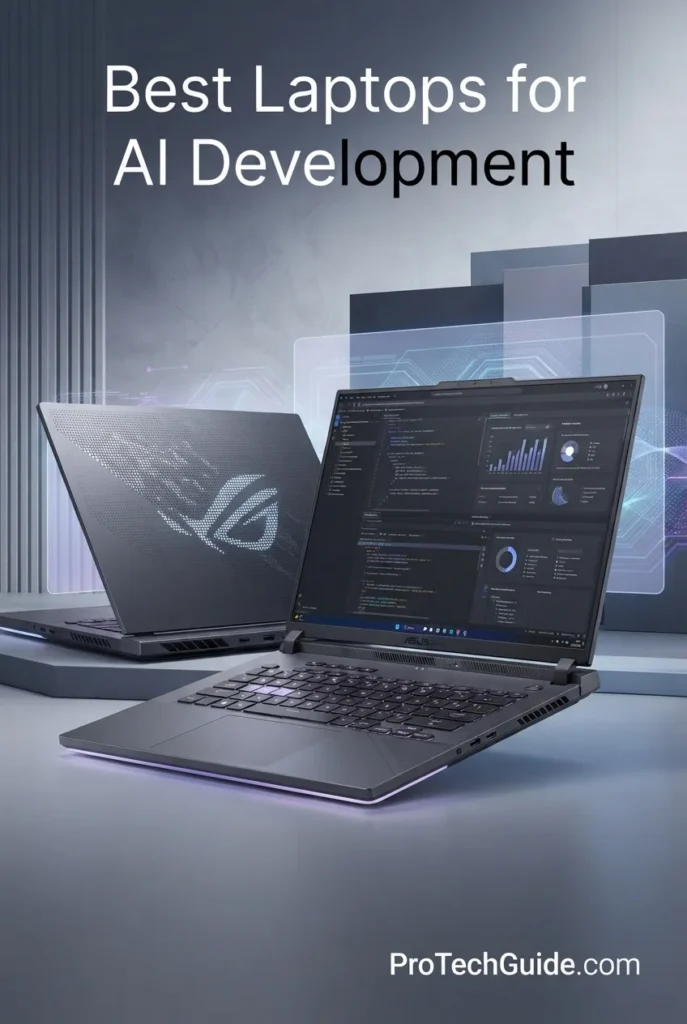
The ASUS ROG Strix SCAR 18 (2025) with an NVIDIA GeForce RTX 5090 Laptop GPU, Intel Core Ultra 9 275HX, 32GB DDR5 memory, and 2TB PCIe Gen 4 SSD is our top recommendation for the best laptop for CUDA and AI training in 2026. Its dedicated NVIDIA GPU platform makes it particularly compelling for developers, machine learning engineers, researchers, and technical professionals working with CUDA-accelerated frameworks, GPU computing, model training, fine-tuning, and local AI workloads.
The ASUS ROG Strix SCAR 18 earns our Best for CUDA & AI Training award because its dedicated RTX 5090 Laptop GPU places NVIDIA's GPU ecosystem at the center of the system. For developers whose workflows depend on CUDA acceleration, GPU computing, deep learning frameworks, model training, fine-tuning, or GPU-based inference, this architecture is a more natural fit than a laptop built around an integrated or unified-memory GPU approach.
The combination of the RTX 5090, Core Ultra 9 275HX, 32GB DDR5 memory, and 2TB SSD gives the SCAR 18 a strong foundation for demanding AI development environments. The 18-inch chassis and advanced ROG cooling system are also important advantages for workloads that place sustained pressure on the CPU and GPU. Developers should still evaluate the memory requirements of their specific models and workloads, since 32GB of system RAM is substantially different from having a very large unified-memory configuration. For CUDA-focused development, however, the dedicated NVIDIA platform makes this one of the strongest choices in our 2026 lineup.
Key Features
For developers working with CUDA, deep learning, model training, fine-tuning, inference, computer vision, and GPU-accelerated applications, NVIDIA's dedicated GPU ecosystem makes this system particularly well suited to professional AI development workflows.
The listed configuration supports up to 175W TGP, giving the RTX 5090 the power budget required for a high-performance laptop GPU configuration.
This makes the laptop a strong choice for AI model development, deep learning experiments, training workloads, fine-tuning, GPU-based inference, and other CUDA-accelerated applications.
For AI developers, the advantage is not simply the raw GPU specification. The NVIDIA ecosystem provides a mature software platform for workloads that are specifically designed around CUDA acceleration.
For AI developers, CPU performance remains important for tasks such as data preparation, preprocessing, compilation, software development, multitasking, container workloads, dataset management, and coordinating GPU-accelerated applications.
The result is a balanced high-performance platform where CPU and dedicated GPU resources can handle different parts of demanding development workflows.
However, memory capacity should be considered carefully when choosing a laptop for AI development. 32GB of system RAM is not equivalent to 32GB of dedicated GPU memory, and the system memory should not be described as VRAM.
Developers working with particularly large datasets, multiple containers, memory-intensive applications, or complex development environments should evaluate their actual RAM requirements before purchasing.
AI projects can quickly accumulate large datasets, model files, checkpoints, virtual environments, development tools, source code, containers, and experiment results. Having 2TB of local storage gives developers significantly more room than a small-capacity configuration.
The listed SSD throughput can reach up to 7,000MB/s, making the storage platform well suited to demanding professional workloads where fast local file access is valuable.
This cooling design is particularly relevant for developers who intend to run demanding GPU workloads for extended periods rather than performing only short bursts of computation.
The large 18-inch chassis also provides the physical space required for a high-performance desktop-replacement style thermal design.
The panel is listed at 2560 × 1600 resolution with a 240Hz refresh rate. While the high refresh rate is especially useful for gaming, the larger 18-inch workspace can also be valuable for developers who frequently keep multiple windows, terminals, documentation, and development applications visible at the same time.
It is an especially strong choice for machine learning engineers, AI developers, researchers, programmers, data scientists, and technical professionals whose workflows depend on GPU computing, deep learning, model training, fine-tuning, or CUDA-enabled software.
Its biggest advantage over the MacBook Pro in this specific category is not simply overall computing power. It is the combination of a dedicated RTX 5090 GPU, high power budget, Windows environment, and NVIDIA CUDA ecosystem.
Lenovo Legion Pro 7i Gen 10 RTX 5090
Best for High-End AI Development, CUDA Workloads & Large Projects
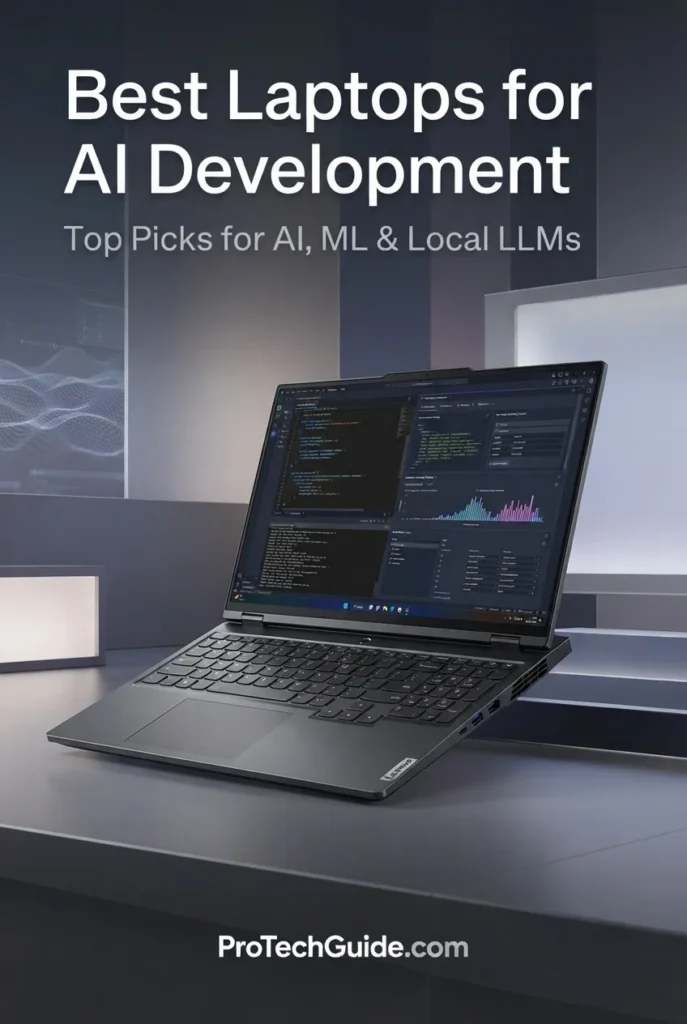
The Lenovo Legion Pro 7i Gen 10 with an NVIDIA GeForce RTX 5090, Intel Core Ultra 9 275HX, 64GB DDR5 memory, and 4TB SSD is our choice for the Best Performance Value among high-end AI development laptops in 2026. It combines a powerful dedicated NVIDIA GPU platform with significantly more system memory and storage than many competing RTX 5090 configurations, making it particularly well suited to developers working with CUDA, machine learning, local AI environments, large datasets, model files, and demanding professional development workflows.
The Lenovo Legion Pro 7i earns our Best Performance Value award because it delivers the same class of dedicated RTX 5090 GPU with a 175W TGP found in our highest-end AI laptops while pairing it with an unusually strong 64GB of system memory and 4TB of storage. For AI developers, that extra memory and storage can be more useful than simply chasing the highest possible GPU specification.
The combination of 24GB GDDR7 GPU memory, 64GB DDR5 system memory, and 4TB NVMe storage creates a particularly well-rounded platform for serious AI development. The dedicated NVIDIA architecture makes it a natural fit for CUDA-focused workflows, while the large system memory and storage capacities provide additional room for datasets, model files, containers, development tools, and multiple projects. For developers who want a high-end Windows AI workstation without moving all the way to a larger 18-inch desktop replacement, the Legion Pro 7i offers an excellent balance of GPU power, memory capacity, storage, and portability.
Key Features
For AI development, this makes the laptop particularly relevant to CUDA programming, machine learning, deep learning, GPU-based inference, model training, fine-tuning, computer vision, and other workloads that benefit from dedicated NVIDIA GPU acceleration.
The 24GB GPU memory should be considered separately from the laptop's 64GB system RAM. They serve different roles within the overall AI development environment.
CUDA-focused workflows can benefit from having a dedicated NVIDIA GPU rather than depending entirely on integrated graphics or a unified-memory architecture. This makes the Legion Pro 7i a strong candidate for developers using GPU-accelerated machine learning frameworks, research environments, scientific computing tools, and custom CUDA applications.
For developers building and testing AI systems locally, the combination of a powerful NVIDIA GPU and Windows environment provides a familiar platform for a wide range of professional development workflows.
AI development can involve more than the model itself. Developers may simultaneously use code editors, terminals, browsers, notebooks, databases, containers, virtual machines, datasets, development environments, and monitoring tools.
The 64GB configuration provides significantly more system-memory headroom than the 32GB configuration found in many high-performance laptops, making the Legion Pro 7i particularly attractive for complex multitasking and larger development environments.
It is important to distinguish this memory from the RTX 5090's dedicated graphics memory: 64GB DDR5 is system RAM, while the RTX 5090 has 24GB of dedicated GDDR7 graphics memory.
Large datasets, model weights, checkpoints, development environments, containers, applications, source code, and experiment files can consume storage quickly. A 4TB configuration provides substantially more working space before developers need external storage.
The laptop also includes two M.2 storage slots, providing additional flexibility for future storage expansion depending on the installed configuration and supported drives.
AI development frequently involves CPU-intensive work alongside GPU acceleration, including data preprocessing, compilation, programming, package installation, dataset management, multitasking, and development-tool workloads.
With boost speeds listed up to 5.4GHz, the processor gives the Legion Pro 7i a strong CPU foundation for demanding development environments.
For AI developers, the value of the display is less about the high refresh rate and more about the combination of screen size, resolution, OLED technology, and workspace quality.
The display is also listed with 500-nit brightness and 100% DCI-P3 coverage, making it useful for developers who also work with visual content, documentation, dashboards, research, and creative applications.
The configuration includes Wi-Fi 7, Gigabit Ethernet, HDMI 2.1, USB-C, multiple USB-A ports, and DisplayPort support through USB-C.
This allows developers to connect external monitors, high-speed storage, networking equipment, docks, keyboards, mice, and other peripherals without relying entirely on wireless connectivity.
Its strongest advantage is the combination of RTX 5090 24GB GDDR7 graphics memory, 64GB DDR5 system memory, and 4TB NVMe storage.
Compared with a 32GB RTX 5090 configuration, the additional system memory and storage provide more headroom for complex development environments, large datasets, multiple projects, containers, and local model files.
For developers who want a powerful CUDA-focused laptop while maintaining a more manageable 16-inch form factor than an 18-inch desktop replacement, the Legion Pro 7i is one of the most balanced high-end choices in this lineup.
Razer Blade 16 (2026) RTX 5090
Best Premium AI Laptop for CUDA, Performance & Portability

The Razer Blade 16 (2026) with an NVIDIA GeForce RTX 5090, Intel Core Ultra 9 386H, 32GB memory, and 2TB PCIe 4.0 SSD is our choice for the Best Premium AI Laptop in 2026. It combines a high-end dedicated NVIDIA GPU with a remarkably thin 16-inch aluminum chassis, making it particularly attractive to AI developers who want serious CUDA and GPU-accelerated performance without moving to a larger desktop-replacement laptop.
The Razer Blade 16 earns our Best Premium AI Laptop award because it combines a flagship-class RTX 5090 with 24GB of GDDR7 memory and a high-end Intel processor in an exceptionally thin 16-inch chassis. At approximately 14.9mm thick according to the product description, it offers a very different proposition from larger RTX 5090 machines such as the ROG Strix SCAR 18. :contentReference[oaicite:1]{index=1}
For AI developers, the Blade 16 is particularly compelling when CUDA capability, dedicated GPU performance, portability, premium construction, and connectivity all matter. Its 32GB memory configuration is less generous than the 64GB found on the Legion Pro 7i, and the memory is not designed for user expansion, so developers working with extremely large system-memory workloads should consider those limitations. However, the combination of a 24GB RTX 5090, 2TB SSD, thin aluminum chassis, OLED display, Thunderbolt 5, and Wi-Fi 7 makes it one of the most refined high-performance AI development laptops in this lineup.
Key Features
This configuration includes 24GB of GDDR7 graphics memory and up to 165W TGP, making it particularly well suited to GPU-accelerated applications, CUDA development, machine learning, deep learning, inference, and other computational workloads that benefit from dedicated NVIDIA graphics.
For developers choosing between high-end laptops, the dedicated GPU architecture is one of the most important reasons to consider the Blade 16 for CUDA-focused AI development.
This can be particularly useful for machine learning development, deep learning, AI inference, model experimentation, GPU computing, computer vision, and other NVIDIA-accelerated workloads.
The Blade 16 should therefore be evaluated as a CUDA-capable professional development machine rather than simply as a gaming laptop with an AI-branded processor.
The processor is listed with 16 cores and boost speeds up to 4.9GHz, providing a strong foundation for compilation, data preparation, programming, multitasking, development environments, and CPU-intensive applications.
For AI development, CPU performance remains important because many workflows divide work between CPU-based preprocessing and dedicated GPU computation.
This provides a fast system-memory configuration for development tools, programming environments, multitasking, datasets, and professional applications.
However, the memory is listed as non-upgradeable. Developers who expect their AI workloads to grow substantially over time should therefore consider whether 32GB of system memory will provide enough headroom for their long-term requirements.
The system memory should also be distinguished from the RTX 5090's 24GB of dedicated GDDR7 graphics memory. These are separate resources serving different roles.
Developers can use the available storage for applications, source code, virtual environments, datasets, model files, checkpoints, containers, and experiment data.
The Blade 16 also includes two M.2 NVMe slots according to the product listing, providing additional storage expansion potential even though the system memory itself is not upgradeable.
The product is described as approximately 14.9mm thin, while its vapor chamber cooling system is designed to improve thermal efficiency during sustained workloads.
This makes the Blade 16 particularly interesting for developers who need to move between home, office, university, client locations, or other work environments without carrying an oversized desktop-replacement laptop.
As with any thin high-performance system, sustained GPU workloads should be evaluated with the laptop connected to AC power and with adequate airflow.
For AI developers, the 16:10 format provides useful vertical workspace for code, terminals, notebooks, documentation, dashboards, and development applications.
The display is also listed with 0.2ms response time, 100% DCI-P3 coverage, DisplayHDR True Black 1000, and up to 1100 nits brightness, making it equally attractive for developers who combine technical work with visual or creative workloads.
The configuration includes Thunderbolt 5, HDMI 2.1, USB connectivity, Wi-Fi 7, and SD card support.
For developers, this provides flexibility for external monitors, high-speed storage, docks, networking equipment, peripherals, and other workstation accessories.
Thunderbolt 5 is particularly useful for users who want to build a compact desktop-style workstation around a portable laptop.
Its strongest combination is the RTX 5090 with 24GB GDDR7, 165W TGP, 32GB high-speed memory, 2TB SSD, 16-inch OLED display, and thin aluminum chassis.
Compared with the Legion Pro 7i, the Blade 16 gives up some system-memory and storage capacity in exchange for a more portable premium design. Compared with the ROG Strix SCAR 18, it offers a much thinner 16-inch form factor rather than prioritizing maximum chassis size and cooling capacity.
That makes the Blade 16 an excellent choice for developers who want flagship CUDA capability without carrying a traditional 18-inch desktop replacement.
MSI Titan 18 HX AI RTX 5090
Best for Maximum AI Performance, CUDA Workloads & Large Projects
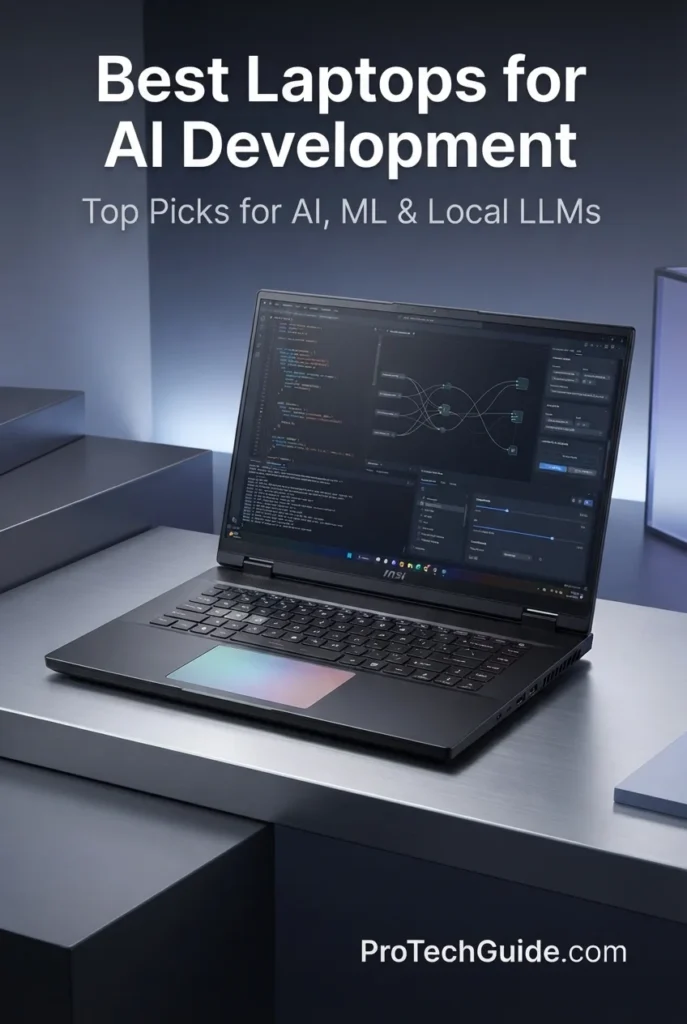
The MSI Titan 18 HX AI with an NVIDIA GeForce RTX 5090, Intel Core Ultra 9 290HX, 64GB DDR5 memory, and 4TB NVMe SSD is our choice for the Best Desktop Replacement for AI Development in 2026. It is designed for developers who prioritize maximum hardware capacity, dedicated GPU acceleration, large memory resources, extensive local storage, and a large high-resolution display over portability.
The MSI Titan 18 HX earns our Best Desktop Replacement for AI Development award because its configuration is built around capacity rather than portability. The combination of a 24GB RTX 5090, 64GB DDR5 memory, 4TB NVMe storage, and Core Ultra 9 290HX gives AI developers substantial hardware resources for demanding local development environments and GPU-accelerated workloads.
Its biggest advantage over more portable RTX 5090 laptops is the overall workstation-style configuration. The 18-inch 4K-class display, 64GB system memory, 4TB storage capacity, extensive connectivity, and large chassis make it particularly attractive to developers who want to keep large development environments, datasets, project files, and supporting tools locally available. The trade-off is straightforward: this is a machine designed to replace a desktop workstation, not to maximize everyday portability.
Key Features
The NVIDIA GeForce RTX 5090 is the core of the Titan 18 HX's AI development capabilities. With 24GB of dedicated GDDR7 graphics memory, it provides a high-end GPU platform for CUDA development, machine learning, deep learning, AI inference, model development, and other GPU-accelerated workflows.
For developers who specifically rely on NVIDIA's GPU ecosystem, the dedicated RTX 5090 architecture makes the Titan particularly relevant for workloads where GPU acceleration and available graphics memory are important considerations.
The dedicated NVIDIA RTX 5090 makes the Titan 18 HX a strong choice for AI developers working with CUDA-based development environments and GPU-accelerated applications. This is an important distinction from laptops that rely primarily on integrated graphics or general-purpose AI acceleration.
The combination of the RTX 5090 and 24GB of dedicated GPU memory gives developers a substantial hardware foundation for experimenting with GPU-accelerated machine learning, deep learning, inference, and other AI development workloads locally.
The Titan 18 HX includes 64GB of DDR5 memory running at 6400MHz, providing substantial system memory for demanding development environments, datasets, containers, virtual machines, IDEs, notebooks, and multitasking.
The system includes two memory slots and is listed with a maximum memory capacity of 96GB. This gives the Titan additional memory flexibility compared with configurations that use fixed or non-upgradeable system memory.
The included 4TB NVMe SSD provides a large local storage pool for AI development. Developers can use the available capacity for programming environments, datasets, model files, checkpoints, applications, source code, and other large project assets.
For a desktop-replacement machine, this capacity is especially useful because AI development projects can quickly accumulate large datasets, environments, model files, and development dependencies.
The Intel Core Ultra 9 290HX provides a high-performance CPU platform with speeds up to 5.5GHz. It complements the dedicated RTX 5090 by handling programming, compilation, data preparation, multitasking, development tools, and CPU-based workloads.
For AI development, the CPU remains important for tasks surrounding the GPU, including data processing, environment management, application execution, and general software development.
The Titan 18 HX features an expansive 18-inch 3840 × 2400 display with a 240Hz refresh rate. The large high-resolution workspace is well suited to development environments where multiple windows, terminals, documentation, code editors, notebooks, and monitoring tools need to remain visible.
The large panel also reinforces the Titan's desktop-replacement role, providing considerably more physical workspace than a typical 14- or 16-inch laptop.
The Titan 18 HX provides extensive connectivity including Thunderbolt, USB, HDMI, Ethernet, Wi-Fi 7, and Bluetooth. This allows developers to build a more complete workstation setup around the laptop using external displays, high-speed storage, wired networking, and professional peripherals.
With support for up to three external monitors according to the listed product specifications, the Titan can also serve as the central computer in a multi-display development environment.
The MSI Titan 18 HX is best suited to developers who want a maximum-capacity Windows AI development workstation rather than a lightweight laptop. Its combination of RTX 5090 24GB, 64GB DDR5, 4TB NVMe storage, Core Ultra 9 290HX, and an 18-inch high-resolution display makes it one of the most capable configurations in this lineup.
Choose the Titan when GPU memory, system memory, local storage, large-screen productivity, and desktop-class hardware capacity are more important than weight and portability. For developers who frequently move between locations, the Razer Blade 16 or ASUS ROG Flow Z13 may make more sense; for a workstation that stays primarily at a desk, the Titan's configuration is much easier to justify.
ASUS ROG Flow Z13 (2025) Ryzen AI MAX+ 395
Best for Portable AI Development, High-Memory Workloads & 2-in-1 Flexibility
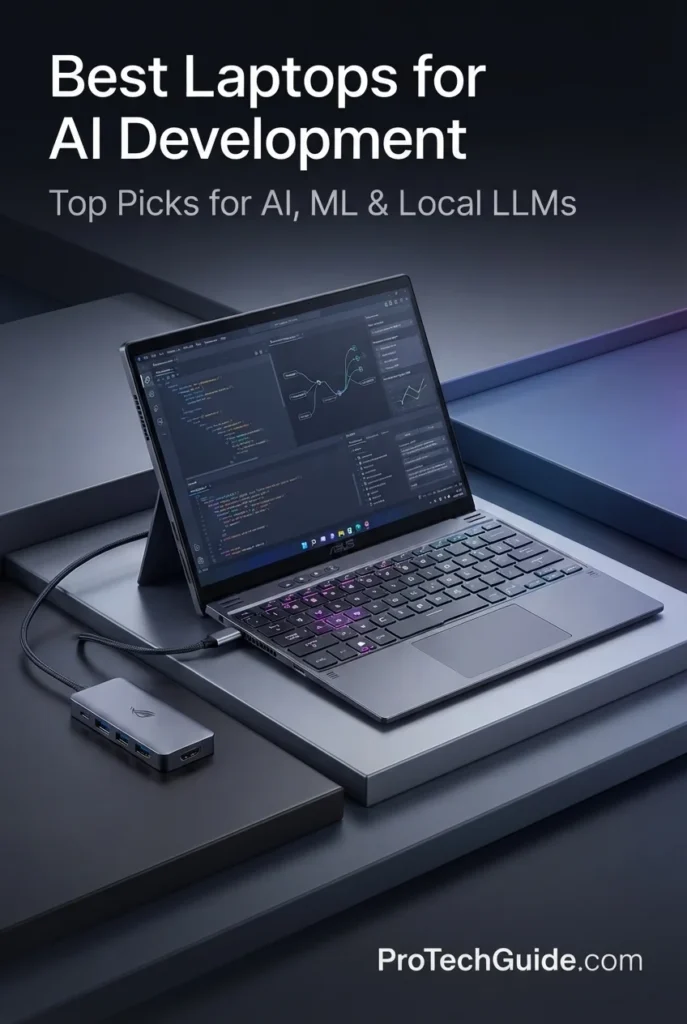
The ASUS ROG Flow Z13 (2025) with an AMD Ryzen AI MAX+ 395 processor, Radeon 8060S graphics, 128GB of LPDDR5X memory, and a 1TB PCIe Gen 4 SSD is our choice for the Best Portable AI Laptop in 2026. Instead of focusing on dedicated NVIDIA GPU power, the Flow Z13 takes a different approach by combining an unusually high-memory configuration with a compact 13.4-inch 2-in-1 design for portable AI development, programming, local experimentation, and memory-intensive workflows.
The ROG Flow Z13 earns our Best Portable AI Laptop award because it offers something the larger RTX 5090 machines in this guide cannot: an exceptionally compact system with 128GB of high-speed unified system memory. At 13.4 inches and approximately 2.65 pounds, it is designed for developers who value portability and memory capacity more than dedicated NVIDIA CUDA performance.
The Flow Z13 should not be viewed as a replacement for the RTX 5090 laptops in this guide when dedicated NVIDIA GPU acceleration and CUDA compatibility are the priority. Instead, its strength is the combination of 128GB LPDDR5X memory, Ryzen AI MAX+ 395 processing, integrated Radeon graphics, and an ultra-portable 2-in-1 form factor. For local experimentation, programming, AI-assisted development, memory-intensive workloads, and developers who need to carry their machine everywhere, it offers a unique proposition.
Key Features
The defining feature of the Flow Z13 configuration is its 128GB of LPDDR5X memory running at 8000MHz. This provides a very large system-memory pool for a compact 13.4-inch machine and can be valuable for development environments, datasets, multitasking, local experimentation, and memory-intensive applications.
Because the Ryzen AI MAX+ 395 uses an integrated graphics architecture, the system's high-speed memory also plays an important role in the overall computing platform. This is a fundamentally different approach from laptops that combine dedicated NVIDIA GPU memory with separate system RAM.
The AMD Ryzen AI MAX+ 395 provides 16 CPU cores with boost speeds up to 5.1GHz. This gives the Flow Z13 a strong CPU foundation for programming, compilation, data processing, multitasking, development environments, and general professional workloads.
The processor also integrates the Radeon 8060S graphics architecture and an AI-focused NPU, creating a highly integrated platform that prioritizes performance and memory capacity within a compact device.
The Flow Z13 uses Radeon 8060S graphics integrated into the Ryzen AI MAX+ 395 platform rather than a dedicated NVIDIA GPU. This allows ASUS to deliver a powerful graphics solution while keeping the entire computing platform inside a compact 13.4-inch 2-in-1 chassis.
For AI developers, the important consideration is that this is not a CUDA-based NVIDIA platform. Developers whose workflows specifically depend on CUDA should consider the RTX 5090 systems higher in this guide.
The included 1TB PCIe Gen 4 SSD provides local storage for development environments, applications, source code, datasets, project files, and AI-related software.
The capacity is more modest than the 2TB and 4TB configurations found on several larger systems in this guide, so developers working with very large local datasets or extensive model libraries may eventually benefit from additional external storage.
The 13.4-inch 2560 × 1600 touchscreen uses a 16:10 aspect ratio and supports a 180Hz refresh rate. Its compact size makes the Flow Z13 significantly easier to carry than traditional 16- and 18-inch performance laptops.
The touchscreen and flexible kickstand also allow the device to adapt between traditional laptop use and more flexible 2-in-1 configurations, making it particularly suitable for developers who work in different environments.
ASUS uses a stainless steel vapor chamber and liquid metal cooling within the compact Flow Z13 chassis. The design is intended to efficiently manage heat while maintaining the portability that defines the device.
This is particularly important for a compact high-performance system because sustained CPU and integrated GPU workloads place greater demands on thermal management than typical lightweight productivity tasks.
The Flow Z13 includes Wi-Fi 7, Bluetooth 5.4, USB connectivity, HDMI, and DisplayPort support, allowing developers to connect external displays, storage devices, networking equipment, keyboards, mice, and other workstation peripherals.
This connectivity helps compensate for the compact nature of the device, allowing the Flow Z13 to become a more complete development workstation when connected to a larger monitor, external storage, and other peripherals.
The ASUS ROG Flow Z13 is best suited to developers who prioritize portability, memory capacity, flexible form factor, and integrated AI computing. Its standout specification is the combination of 128GB LPDDR5X memory and Ryzen AI MAX+ 395 processing inside a compact 13.4-inch device.
Choose the Flow Z13 when carrying a high-memory development machine is more important than having a dedicated NVIDIA GPU. For CUDA-focused AI development, deep learning workloads that depend on NVIDIA acceleration, or maximum dedicated GPU performance, the RTX 5090 laptops in this guide remain the stronger choice. For developers who need an unusually portable high-memory machine, however, the Flow Z13 occupies a category of its own.
ASUS ProArt PZ13 2-in-1 AI Laptop
Best for Lightweight AI Development, Productivity & Portable Workflows

The ASUS ProArt PZ13 with a Qualcomm Snapdragon X Plus X1P-42-100 processor, 16GB of LPDDR5X memory, integrated Qualcomm Adreno graphics, and a 1TB PCIe NVMe SSD is our choice for the Best Lightweight AI Laptop in 2026. Its strength is not maximum GPU performance, but its combination of a compact detachable 2-in-1 design, OLED touchscreen, efficient Snapdragon platform, and portable productivity capabilities.
The ASUS ProArt PZ13 earns our Best Lightweight AI Laptop award because it approaches AI development from a portability-first perspective. Its 13.3-inch detachable design, Snapdragon X Plus processor, 16GB memory, 1TB SSD, and high-resolution AMOLED touchscreen make it better suited to lightweight development, AI-assisted productivity, research, documentation, and cloud-based workflows than to demanding local model training.
This distinction is important. The PZ13 uses integrated Qualcomm Adreno graphics and 16GB of onboard memory, so it should not be considered a direct alternative to the dedicated NVIDIA RTX 5090 systems in this guide for CUDA-heavy AI development or demanding local training workloads. Its appeal lies instead in being a highly portable Windows 2-in-1 that can handle everyday development and AI-assisted workflows while remaining easy to carry.
Key Features
The Qualcomm Snapdragon X Plus X1P-42-100 provides 8 CPU cores with speeds up to 3.4GHz. It gives the ProArt PZ13 a compact and efficient processing platform for programming, productivity applications, documentation, web development, multitasking, and general professional workloads.
For lightweight AI development, the processor can serve as the foundation for development environments and AI-assisted productivity workflows, while more demanding compute workloads can be handled through remote or cloud-based resources when required.
The PZ13 uses integrated Qualcomm Adreno graphics rather than a dedicated NVIDIA GPU. This allows ASUS to maintain a compact detachable design while providing graphics acceleration for everyday applications and supported workloads.
However, developers should keep the platform's limitations in mind. The PZ13 is not a CUDA-based NVIDIA system, making the RTX-equipped laptops higher in this guide the better choice for CUDA-focused machine learning, deep learning, and demanding local GPU development.
The ProArt PZ13 includes 16GB of onboard memory. This provides a practical memory configuration for programming, office applications, web development, multitasking, and lightweight AI-assisted workflows.
Because the listed maximum memory capacity is also 16GB, developers planning particularly memory-intensive local workloads should consider the Flow Z13 with 128GB memory or one of the larger workstation-class laptops in this guide instead.
The included 1TB PCIe NVMe SSD provides local space for development applications, programming projects, documents, source code, tools, and lightweight datasets.
For developers who rely heavily on large AI datasets or extensive local model libraries, the 1TB capacity is more limited than the 2TB and 4TB configurations found elsewhere in this guide.
The 13.3-inch 2880 × 1800 AMOLED touchscreen provides a high-resolution workspace while keeping the overall device compact. The touchscreen is particularly useful for the PZ13's detachable 2-in-1 design.
For developers working on the move, the combination of a high-resolution display and compact form factor makes the PZ13 well suited to coding, documentation, research, browsing, and productivity tasks.
The detachable form factor is one of the PZ13's defining characteristics. The display can be separated from the keyboard, allowing the device to adapt between laptop-style development and tablet-oriented use.
This makes the PZ13 particularly attractive to developers who value portability and flexibility and do not require the larger chassis, dedicated GPU, and expanded memory configurations of a traditional performance laptop.
The PZ13 includes Wi-Fi 7 and Bluetooth 5.4, providing modern wireless connectivity for development environments, cloud services, external peripherals, networking, and everyday productivity.
For lightweight AI development, strong wireless connectivity is particularly useful when computationally intensive workloads are moved to remote systems or cloud-based development environments.
The ASUS ProArt PZ13 is best suited to developers who prioritize portability, flexibility, display quality, and everyday AI-assisted productivity over local GPU compute. Its detachable 13.3-inch design makes it one of the most travel-friendly options in this guide.
Choose the PZ13 for lightweight programming, AI-assisted development, research, documentation, cloud-based workflows, and portable productivity. For local AI training, CUDA development, or demanding GPU-accelerated workloads, a dedicated NVIDIA RTX system such as the RTX 5090 laptops ranked above is the substantially better choice.
Dell XPS 16 Premium RTX 5060
Best for Professional AI Development, Programming & Data Analysis
The Dell XPS 16 Premium with an NVIDIA GeForce RTX 5060, Intel Core Ultra 9 285H, 32GB DDR5 memory, and a 1TB PCIe SSD is our choice for the Best Professional AI Laptop in 2026. It combines dedicated NVIDIA GPU acceleration with a premium 16.3-inch 4K OLED touchscreen, Windows 11 Pro, extensive Thunderbolt connectivity, and a portable professional design.
The Dell XPS 16 earns our Best Professional AI Laptop award because it balances AI-capable hardware with the features expected from a premium professional workstation. The combination of an RTX 5060, Core Ultra 9 285H, 32GB DDR5 memory, 1TB SSD, 4K OLED touchscreen, Windows 11 Pro, and Thunderbolt 4 connectivity makes it particularly attractive to software engineers, data analysts, developers, and creators who need one machine for a broad range of professional workloads.
The main limitation is GPU memory. With 8GB of dedicated GDDR7 graphics memory, the XPS 16 is not designed to compete directly with the 24GB RTX 5090 laptops in this guide for demanding local AI training, large-model workloads, or memory-intensive CUDA projects. Instead, it is better suited to AI-assisted development, CUDA experimentation, programming, data analysis, smaller local AI workloads, and professional applications where portability, display quality, connectivity, and overall usability are equally important.
Key Features
Best Laptops for AI Development in 2026
Ranked by AI Performance, GPU/VRAM, Memory Capacity, CUDA Support, Local AI Workloads & Overall Value
Choosing the best laptop for AI development depends on the type of AI workload you plan to run. CUDA-based machine learning, local LLMs, model training, fine-tuning, AI inference, programming, data analysis, and AI-assisted development can place very different demands on a laptop. We evaluated these eight systems based on GPU performance, dedicated or unified memory capacity, CPU performance, storage, CUDA and software compatibility, thermal design, portability, display quality, connectivity, and overall value to help developers choose the right AI development laptop in 2026.
| Laptop | CPU & Key Specs | Best For | Why It Wins | Editor's Verdict |
|---|---|---|---|---|
Best Overall
Apple MacBook Pro 16-inch M5 Max
Check Price | Apple M5 Max 18-core CPU / 40-core GPU 128GB Unified Memory 2TB SSD 16.2" Liquid Retina XDR | AI Developers Local LLMs High-Memory AI Workloads macOS Developers | Its enormous 128GB unified memory configuration, powerful M5 Max platform, efficient architecture, and premium development environment make it exceptionally versatile for local AI experimentation, inference, programming, and memory-intensive workloads. | Best Overall Laptop for AI Development |
Best for CUDA
ASUS ROG Strix SCAR 18 (2025) RTX 5090
Check Price | Intel Core Ultra 9 275HX NVIDIA GeForce RTX 5090 24GB GDDR7 32GB DDR5 2TB PCIe Gen 4 SSD 18" 2560x1600 240Hz | CUDA Developers AI Training Deep Learning GPU-Accelerated Workloads | The RTX 5090 provides 24GB of dedicated GDDR7 memory and up to 175W TGP, while the powerful Core Ultra 9 processor and advanced vapor-chamber cooling provide a strong platform for demanding CUDA and GPU-accelerated development. | Best Laptop for CUDA & AI Training |
Best Performance Value
Lenovo Legion Pro 7i Gen 10 RTX 5090
Check Price | Intel Core Ultra 9 275HX NVIDIA GeForce RTX 5090 24GB GDDR7 64GB DDR5 4TB PCIe NVMe SSD 16" 2560x1600 OLED 240Hz | AI Developers CUDA Workloads Large Projects Developers Needing More RAM & Storage | Combines flagship RTX 5090 graphics with 24GB GDDR7, 64GB system memory, and 4TB of storage, giving developers substantially more memory and local storage capacity than many competing high-end configurations. | Best Performance Value for High-End AI Development |
Best Premium
Razer Blade 16 (2026) RTX 5090
Check Price | Intel Core Ultra 9 386H NVIDIA GeForce RTX 5090 24GB GDDR7 32GB LPDDR5X 2TB PCIe Gen 4 SSD 16" 2560x1600 OLED 240Hz | Premium AI Development CUDA Workloads Developers Wanting Portability Professional Creators | Delivers flagship RTX 5090 performance with 24GB GDDR7 in an exceptionally thin premium aluminum chassis, while adding a 240Hz OLED display, vapor-chamber cooling, Thunderbolt 5, and Wi-Fi 7. | Best Premium AI Laptop |
Best Desktop Replacement
MSI Titan 18 HX AI RTX 5090
Check Price | Intel Core Ultra 9 290HX NVIDIA GeForce RTX 5090 24GB GDDR7 64GB DDR5 4TB NVMe SSD 18" 3840x2400 240Hz | Maximum AI Performance Large AI Projects CUDA Workloads Desktop-Replacement Users | Its combination of RTX 5090 graphics, 24GB dedicated GPU memory, 64GB DDR5, 4TB storage, powerful CPU, extensive connectivity, and huge high-resolution display creates a true workstation-style AI development platform. | Best Desktop Replacement for AI Development |
Best Portable
ASUS ROG Flow Z13 (2025) Ryzen AI MAX+ 395
Check Price | AMD Ryzen AI MAX+ 395 Radeon 8060S Graphics 128GB LPDDR5X 1TB PCIe Gen 4 SSD 13.4" 2560x1600 Touch 180Hz | Portable AI Development High-Memory Workloads Local AI Experimentation 2-in-1 Users | The unusual 128GB memory configuration combined with a Ryzen AI MAX+ 395 processor and compact 13.4-inch 2-in-1 design creates a unique platform for developers who prioritize memory capacity and portability over dedicated NVIDIA CUDA performance. | Best Portable AI Laptop |
Best Lightweight
ASUS ProArt PZ13 2-in-1 AI Laptop
Check Price | Qualcomm Snapdragon X Plus X1P-42-100 Qualcomm Adreno Graphics 16GB LPDDR5X 1TB PCIe NVMe SSD 13.3" 2880x1800 AMOLED Touch | Lightweight Development AI-Assisted Productivity Cloud Workflows Mobile Professionals | Its detachable 2-in-1 design, efficient Snapdragon platform, high-resolution AMOLED touchscreen, 16GB memory, and 1TB SSD make it a highly portable option for lightweight development and AI-assisted workflows. | Best Lightweight AI Laptop |
Best Professional
Dell XPS 16 Premium RTX 5060
Check Price | Intel Core Ultra 9 285H NVIDIA GeForce RTX 5060 8GB GDDR7 32GB DDR5 1TB PCIe SSD 16.3" 3840x2400 OLED 120Hz | Professional Developers Data Analysts AI-Assisted Development Business Workflows | Balances dedicated NVIDIA graphics with a premium 4K OLED touchscreen, 32GB DDR5, Windows 11 Pro, Thunderbolt 4, Wi-Fi 7, and a professional design, making it particularly versatile for development and business workloads. | Best Professional AI Laptop |
Recommended Next Reads
Still deciding which laptop is right for your AI development workflow? Explore our related guides covering AI and machine learning laptops, GPU performance, software development, programming, and high-performance MacBooks.
Whether you're building machine learning environments, experimenting with local AI models, developing software, comparing NVIDIA laptop GPUs, or deciding between Apple and Windows hardware, these guides can help you choose the right platform for your workload.
Best Laptops for AI & Machine Learning in 2026 — Tested for Python, TensorFlow & Local AI
Explore the best laptops for AI and machine learning, with a focus on Python development, TensorFlow, local AI workloads, GPU performance, memory capacity, and practical development needs.
Explore AI & Machine Learning Laptops →RTX 5060 vs RTX 5070 Ti vs RTX 5080 Laptop GPUs in 2026
Understand how NVIDIA laptop GPUs compare in performance, VRAM, power, and overall capability before choosing a laptop for AI, gaming, creative work, or demanding GPU-accelerated workloads.
Compare Laptop GPUs → Software Development8 Best Laptops for Software Developers in 2026: Expert Picks for Coding & Development
Explore powerful developer laptops for programming, large projects, development environments, multitasking, virtualization, and demanding professional software workflows.
Explore Developer Laptops → Programming8 Best Laptops for Programming in 2026: Expert Picks for Every Developer
Compare laptops designed for programming, coding, development tools, multitasking, and different software development workflows across Windows, macOS, and different hardware platforms.
Explore Programming Laptops → Apple & AI DevelopmentBest M5 MacBooks in 2026: 6 Apple Laptops Ranked for Every User
Compare Apple's latest M5 MacBooks and discover which configurations make the most sense for professional development, high-memory workloads, productivity, and demanding creative applications.
Explore M5 MacBooks → GPU & Creator WorkloadsBest Laptops for Video Editing in 2026
Explore powerful laptops for video editing, content creation, GPU-accelerated applications, high-resolution displays, and demanding workloads that can also benefit from strong CPU and GPU performance.
Explore Video Editing Laptops →EDITOR'S FINAL RECOMMENDATIONS
After comparing GPU performance, dedicated or unified memory, CUDA support, local AI capabilities, CPU performance, storage capacity, thermals, portability, software compatibility, and overall development value, these are our final laptop recommendations for AI development in 2026. Whether you're training machine learning models, working with CUDA and PyTorch, experimenting with local LLMs, building AI applications, or developing software with AI-assisted workflows, the right laptop depends heavily on the type of workload you plan to run.
Apple MacBook Pro 16-inch M5 Max
The best overall choice for AI developers who prioritize massive memory capacity, local AI experimentation, development performance, and a premium macOS environment. Its M5 Max platform and 128GB of unified memory make it exceptionally versatile for memory-intensive development and local inference workloads, although CUDA-specific workflows remain better suited to NVIDIA-powered Windows laptops.
- ✓ Apple M5 Max 18-core CPU / 40-core GPU
- ✓ 128GB Unified Memory
- ✓ 2TB SSD
- ✓ Liquid Retina XDR Display
ASUS ROG Strix SCAR 18 (2025) RTX 5090
The strongest choice for developers working with CUDA, deep learning frameworks, GPU-accelerated workloads, model training, and fine-tuning. The RTX 5090 provides 24GB of dedicated GDDR7 graphics memory, while the high-power thermal design helps sustain demanding workloads for extended development sessions.
- ✓ NVIDIA RTX 5090 24GB GDDR7
- ✓ Intel Core Ultra 9 275HX
- ✓ Up to 175W GPU TGP
- ✓ Advanced Vapor-Chamber Cooling
Lenovo Legion Pro 7i Gen 10 RTX 5090
The best performance-value option for developers who want flagship RTX 5090 graphics without giving up system memory and local storage capacity. With 64GB of DDR5 memory and a 4TB SSD, it provides an unusually well-balanced configuration for large development environments, datasets, CUDA projects, and demanding AI workloads.
- ✓ NVIDIA RTX 5090 24GB GDDR7
- ✓ 64GB DDR5 Memory
- ✓ 4TB PCIe NVMe SSD
- ✓ 16" OLED 240Hz Display
Razer Blade 16 (2026) RTX 5090
The premium choice for developers who want flagship NVIDIA GPU performance in a considerably thinner and more refined chassis. Its RTX 5090, 24GB GDDR7, 240Hz OLED display, vapor-chamber cooling, Thunderbolt 5, and premium aluminum construction create an attractive balance between AI performance and portability.
- ✓ NVIDIA RTX 5090 24GB GDDR7
- ✓ Intel Core Ultra 9 386H
- ✓ 16" OLED 240Hz Display
- ✓ Thunderbolt 5 & Wi-Fi 7
MSI Titan 18 HX AI RTX 5090
The ultimate desktop-replacement option for developers who want maximum laptop-class hardware for demanding AI workloads. Its RTX 5090 with 24GB dedicated memory, 64GB DDR5, 4TB storage, powerful Core Ultra processor, large 18-inch display, and extensive connectivity make it a workstation-style platform for serious AI development.
- ✓ NVIDIA RTX 5090 24GB GDDR7
- ✓ 64GB DDR5 Memory
- ✓ 4TB NVMe SSD
- ✓ 18" 4K-Class MiniLED 240Hz Display
ASUS ROG Flow Z13 (2025) Ryzen AI MAX+ 395
The most interesting choice for developers who need unusually high memory capacity in a highly portable 2-in-1 design. Its Ryzen AI MAX+ 395 platform and 128GB of LPDDR5X memory make it particularly attractive for memory-intensive local AI experimentation, development environments, and workloads where portability matters. It is not a direct CUDA alternative to the RTX 5090 systems above.
- ✓ AMD Ryzen AI MAX+ 395
- ✓ 128GB LPDDR5X Memory
- ✓ Radeon 8060S Graphics
- ✓ 13.4" Touch 180Hz Display
ASUS ProArt PZ13 2-in-1 AI Laptop
The best lightweight option for developers who prioritize portability, battery-conscious productivity, and AI-assisted workflows over heavy local model training. Its detachable 2-in-1 design, Snapdragon platform, AMOLED touchscreen, 16GB memory, and 1TB SSD make it well suited to lightweight development and cloud-connected AI workflows.
- ✓ Snapdragon X Plus Processor
- ✓ 16GB LPDDR5X Memory
- ✓ 1TB PCIe NVMe SSD
- ✓ 13.3" AMOLED Touchscreen
Dell XPS 16 Premium RTX 5060
The strongest choice for professional developers who need a versatile workstation rather than a dedicated AI training machine. Its RTX 5060 provides useful NVIDIA acceleration for CUDA development, AI-assisted applications, smaller local AI workloads, and creative software, while the 4K OLED display, 32GB memory, Windows 11 Pro, and Thunderbolt connectivity make it highly capable for professional development workflows.
- ✓ NVIDIA RTX 5060 8GB GDDR7
- ✓ Intel Core Ultra 9 285H
- ✓ 32GB DDR5 Memory
- ✓ 16.3" 4K OLED Touchscreen
Which laptop should an AI developer buy?
Apple MacBook Pro 16-inch M5 Max
ASUS ROG Strix SCAR 18 RTX 5090
Lenovo Legion Pro 7i Gen 10 RTX 5090
Razer Blade 16 RTX 5090
MSI Titan 18 HX AI RTX 5090
ASUS ROG Flow Z13 Ryzen AI MAX+ 395
ASUS ProArt PZ13
Dell XPS 16 Premium RTX 5060
- Choose the MacBook Pro 16-inch M5 Max if you want the best overall combination of development performance, enormous unified memory capacity, local AI flexibility, efficiency, and a premium macOS development environment.
- Choose the ASUS ROG Strix SCAR 18 RTX 5090 if your work depends heavily on CUDA, PyTorch, TensorFlow, deep learning, model training, fine-tuning, or other NVIDIA GPU-accelerated workloads.
- Choose the Lenovo Legion Pro 7i Gen 10 RTX 5090 if you want flagship GPU performance combined with 64GB of system memory and 4TB of local storage for large AI development projects.
- Choose the Razer Blade 16 RTX 5090 if you want RTX 5090 performance in a thinner premium chassis and place a higher priority on portability, display quality, and premium design.
- Choose the MSI Titan 18 HX AI RTX 5090 if maximum performance, memory, storage, connectivity, and workstation-style capability matter more than portability.
- Choose the ASUS ROG Flow Z13 Ryzen AI MAX+ 395 if you want an unusually high-memory configuration in a compact 2-in-1 form factor for portable AI development and local experimentation.
- Choose the ASUS ProArt PZ13 if portability, lightweight productivity, AI-assisted workflows, and a detachable 2-in-1 design are more important than heavy local model training or CUDA performance.
- Choose the Dell XPS 16 Premium RTX 5060 if you want a professional Windows laptop that combines NVIDIA GPU acceleration, programming performance, 32GB memory, a 4K OLED display, and strong connectivity for broader professional workloads.
EDITOR'S FINAL VERDICT
After comparing GPU performance, dedicated and unified memory, CUDA compatibility, local AI capabilities, CPU performance, storage, thermals, portability, software compatibility, and overall development value, one conclusion stands out:The best laptop for AI development is not necessarily the laptop with the highest AI TOPS rating or the most aggressive AI marketing. It is the system that provides the right combination of GPU capability, memory capacity, software compatibility, sustained performance, storage, and portability for the AI workloads you actually plan to run.
AI developers can have dramatically different workloads. Some work primarily with Python, machine learning frameworks, data processing, and AI-assisted development, while others need CUDA acceleration, deep learning, model training, fine-tuning, or local LLM inference. Developers building and testing locally also have very different memory requirements from professionals who primarily use cloud GPUs and remote infrastructure.
For serious AI development, the most important specifications are usually GPU capability, VRAM or high-capacity unified memory, system RAM, CPU performance, fast SSD storage, thermal capacity, and software compatibility. NPU TOPS can be useful for specific on-device AI features, but it should not be treated as a substitute for a powerful GPU when your workload depends on CUDA, deep learning, or demanding local model execution.- Choose the Apple MacBook Pro 16-inch M5 Max if you want the strongest overall combination of development performance, enormous unified memory capacity, local AI flexibility, efficiency, and a premium macOS development environment.
- Choose the ASUS ROG Strix SCAR 18 RTX 5090 if your workflow depends heavily on CUDA, PyTorch, TensorFlow, deep learning, model training, fine-tuning, or other NVIDIA GPU-accelerated workloads.
- Choose the Lenovo Legion Pro 7i Gen 10 RTX 5090 if you want flagship GPU performance combined with 64GB of system memory and 4TB of local storage for large AI development projects and demanding development environments.
- Choose the Razer Blade 16 RTX 5090 if you want flagship NVIDIA GPU performance in a thinner premium chassis and place a higher priority on portability, display quality, and premium design.
- Choose the MSI Titan 18 HX AI RTX 5090 if maximum performance, memory, storage, connectivity, and workstation-style capability matter more than portability.
- Choose the ASUS ROG Flow Z13 Ryzen AI MAX+ 395 if you want an unusually high-memory configuration in a compact 2-in-1 design for portable AI development and local experimentation, without requiring the dedicated NVIDIA CUDA performance of an RTX 5090 system.
- Choose the ASUS ProArt PZ13 if portability, lightweight development, AI-assisted productivity, and cloud-connected workflows are more important than heavy local model training or CUDA performance.
- Choose the Dell XPS 16 Premium RTX 5060 if you want a professional Windows laptop that combines NVIDIA GPU acceleration, 32GB memory, strong CPU performance, a 4K OLED display, and professional connectivity for broader development workloads.
Top AI Development Laptop Recommendations for 2026
Apple MacBook Pro 16-inch M5 Max
Our Editor's Choice for overall AI development because its M5 Max platform and 128GB of unified memory provide exceptional flexibility for memory-intensive development, local AI experimentation, inference, programming, and demanding professional workflows. It is not the ideal choice for CUDA-dependent development, but its memory capacity makes it one of the most versatile systems in this guide.
- 128GB Unified Memory
- 18-core CPU / 40-core GPU
- 2TB SSD
- Liquid Retina XDR Display
ASUS ROG Strix SCAR 18 RTX 5090
The strongest choice for developers who depend on NVIDIA CUDA and GPU acceleration. Its RTX 5090 with 24GB of dedicated GDDR7 memory, powerful Core Ultra 9 processor, and advanced cooling system make it particularly well suited to deep learning, model training, fine-tuning, and demanding GPU-accelerated development.
- RTX 5090 24GB GDDR7
- Intel Core Ultra 9 275HX
- Up to 175W GPU TGP
- Advanced Vapor-Chamber Cooling
Lenovo Legion Pro 7i Gen 10 RTX 5090
The strongest value-oriented configuration for developers who need flagship NVIDIA GPU performance together with substantial system memory and local storage. Its 64GB of DDR5 memory and 4TB SSD give it a particularly practical configuration for large projects, datasets, development environments, and demanding AI workflows.
- RTX 5090 24GB GDDR7
- 64GB DDR5 Memory
- 4TB PCIe NVMe SSD
- 16" OLED 240Hz Display
- You want the best overall AI development laptop
- You need very high memory capacity for local AI workloads
- You work with macOS-based development environments
- You value efficiency, portability, and premium hardware
- Your workflow depends on NVIDIA CUDA
- You develop with PyTorch, TensorFlow, or other GPU frameworks
- You train or fine-tune models locally
- You need 24GB of dedicated GPU memory
- Prioritize VRAM or unified memory based on your actual workload
- Check CUDA and framework compatibility before choosing the platform
- Do not treat NPU TOPS as a replacement for dedicated GPU performance
- Consider cloud GPU resources if your training workloads exceed laptop hardware
AI development rewards the right balance of hardware rather than simply the highest specification in one category. A laptop may have an impressive processor or NPU, but if it lacks sufficient GPU memory, system memory, cooling capacity, or software compatibility, it may struggle with the workloads that matter most to an AI developer.
Among the laptops evaluated in this guide, the Apple MacBook Pro 16-inch M5 Max with 128GB of unified memory delivers the strongest overall combination of development performance, memory capacity, efficiency, local AI flexibility, and premium usability. For developers who want a versatile high-memory machine for local experimentation, inference, programming, and demanding professional workflows, it is our first recommendation.
However, developers whose work depends heavily on CUDA, PyTorch, TensorFlow, deep learning, model training, or fine-tuning should choose an NVIDIA-powered system instead. In that category, the ASUS ROG Strix SCAR 18 RTX 5090 is our top recommendation, while the Lenovo Legion Pro 7i Gen 10 RTX 5090 stands out for its combination of 24GB dedicated GPU memory, 64GB system memory, and 4TB storage.
Developers who want maximum workstation-style capability should consider the MSI Titan 18 HX AI RTX 5090, while the Razer Blade 16 RTX 5090 is the better choice for a premium and more portable RTX 5090 experience. For developers who prioritize high memory capacity in a compact 2-in-1 design, the ASUS ROG Flow Z13 offers a unique alternative.
Compare the current price, memory configuration, storage options, warranty coverage, and availability before choosing the laptop that best matches your AI development workflow. If you plan to train or fine-tune models locally, also verify the GPU memory and CUDA compatibility required by your specific frameworks and models.
Check Latest DealEDITOR'S FAQ
Choosing the best laptop for AI development in 2026 requires more than comparing processor specifications or AI TOPS ratings. Developers need to consider GPU performance, dedicated or unified memory, VRAM capacity, CUDA compatibility, CPU performance, storage, thermals, software support, portability, and the type of AI workloads they actually plan to run.Below are the most important questions to consider when choosing a laptop for machine learning, local LLMs, CUDA development, model training, fine-tuning, AI inference, Python development, and AI-assisted programming.
Its M5 Max platform combined with 128GB of unified memory provides an unusually powerful and flexible environment for AI development, local AI experimentation, inference, programming, data processing, and memory-intensive workloads. The large unified memory configuration is particularly valuable for developers who need to work with demanding local workloads without relying exclusively on cloud resources.
- Apple M5 Max with 18-core CPU and 40-core GPU.
- 128GB of unified memory.
- 2TB SSD for development environments and local projects.
- 16.2-inch Liquid Retina XDR display.
- Excellent platform efficiency for long development sessions.
The main limitation is CUDA compatibility. Developers whose workflows depend heavily on NVIDIA CUDA, local model training, or CUDA-specific frameworks should choose one of the RTX 5090 Windows laptops in this guide instead.
Check PriceCUDA-dependent AI development benefits from NVIDIA's mature GPU software ecosystem and dedicated graphics memory. The ROG Strix SCAR 18 combines an RTX 5090 with 24GB of GDDR7 memory, a powerful Core Ultra 9 275HX processor, and an advanced cooling system designed for demanding workloads.
- NVIDIA GeForce RTX 5090 with 24GB GDDR7.
- Up to 175W GPU TGP.
- Intel Core Ultra 9 275HX processor.
- 32GB DDR5 system memory.
- Advanced vapor-chamber cooling.
For developers working with CUDA, PyTorch, TensorFlow, deep learning, model training, fine-tuning, and other GPU-accelerated workloads, the RTX 5090 systems in this guide are substantially better suited than integrated graphics platforms.
Check ROG Strix SCAR 18 PriceGPU memory can become one of the most important limitations when working with local AI models, deep learning, training, fine-tuning, and GPU-accelerated development. More VRAM allows a GPU to handle larger models, datasets, batches, or workloads without relying as heavily on system memory or other workarounds.
- 8GB VRAM → Suitable for lighter CUDA development, AI-assisted applications, smaller models, and experimentation.
- 12GB–16GB VRAM → A stronger range for more demanding local AI and GPU-accelerated workloads.
- 24GB VRAM → Excellent for demanding CUDA workloads, larger local models, deep learning, training, and fine-tuning.
The RTX 5090 laptops in this guide provide 24GB of dedicated GDDR7 graphics memory. By comparison, the Dell XPS 16 RTX 5060 provides 8GB of dedicated GDDR7 memory and is better suited to professional development, AI-assisted workflows, and smaller local AI workloads.
It is important not to confuse VRAM with system RAM or unified memory. They are different memory architectures and should not be treated as directly interchangeable specifications.
The Apple MacBook Pro M5 Max in this guide combines its CPU and GPU with 128GB of unified memory. This architecture can provide substantial memory capacity for demanding development environments, local AI experimentation, inference, programming, and workloads where large amounts of data need to remain accessible to the system.
However, developers should understand the distinction between unified memory and dedicated VRAM. NVIDIA RTX 5090 laptops provide 24GB of dedicated GDDR7 graphics memory and are specifically designed around the NVIDIA CUDA ecosystem.
- MacBook Pro M5 Max → 128GB unified memory.
- RTX 5090 laptops → 24GB dedicated GDDR7 VRAM.
- Unified memory provides large system-wide memory capacity.
- Dedicated NVIDIA VRAM is particularly important for CUDA workloads.
For memory-intensive local AI workflows, the MacBook's large unified memory capacity can be extremely attractive. For CUDA-dependent training and GPU acceleration, an RTX 5090 remains the more appropriate platform.
Check MacBook Pro PriceThe combination of the M5 Max processor, 40-core GPU, and 128GB of unified memory makes it particularly interesting for local AI experimentation, inference, programming, data processing, development environments, and memory-intensive workflows.
- 128GB unified memory provides exceptional system memory capacity.
- M5 Max provides strong CPU and GPU performance.
- Excellent platform for macOS-based development.
- Strong fit for local AI experimentation and inference.
- Premium display and workstation-class build quality.
The major consideration is software compatibility. If your AI stack requires NVIDIA CUDA or CUDA-specific tooling, an RTX 5090 Windows laptop is the better choice.
Check MacBook Pro DealFor developers running AI models locally, memory capacity can become a major limiting factor. The Apple MacBook Pro M5 Max with 128GB of unified memory is one of the most interesting options for memory-intensive local AI experimentation and inference.
For CUDA-based local AI workloads, the RTX 5090 laptops provide a stronger dedicated GPU platform. Their 24GB of GDDR7 VRAM makes them particularly attractive for GPU-accelerated inference, experimentation, training, and fine-tuning.
- Best high-memory option → Apple MacBook Pro M5 Max with 128GB unified memory.
- Best CUDA option → ASUS ROG Strix SCAR 18 RTX 5090.
- Best performance value → Lenovo Legion Pro 7i Gen 10 RTX 5090.
- Best portable high-memory option → ASUS ROG Flow Z13 with 128GB memory.
The right choice ultimately depends on the frameworks, model sizes, inference software, and hardware acceleration available for your specific workflow.
Check Legion Pro 7i PriceThe RTX 5090 configurations in this guide provide 24GB of dedicated GDDR7 graphics memory, making them particularly well suited to CUDA development, deep learning, model training, fine-tuning, and other workloads that benefit from substantial GPU memory and NVIDIA acceleration.
- 24GB dedicated GDDR7 graphics memory.
- NVIDIA CUDA ecosystem.
- Strong GPU acceleration for AI frameworks.
- Suitable for demanding local experimentation and development.
- High-power configurations available in large performance-oriented laptops.
However, a laptop GPU still has lower sustained power and thermal capacity than many desktop workstation GPUs. For extremely large training workloads, cloud GPU infrastructure or a dedicated desktop workstation can still make more sense.
Check RTX 5090 Laptop PriceAI development often involves Python environments, IDEs, browsers, datasets, containers, virtual machines, development tools, and machine learning frameworks running simultaneously. For many developers, 32GB provides a strong starting point.
- 16GB → Suitable for lighter AI-assisted development and basic programming workflows.
- 32GB → Recommended for many professional AI development environments.
- 64GB → Better for large projects, datasets, virtualization, multitasking, and demanding development workflows.
- 128GB → Particularly useful for memory-intensive local AI workloads and large unified-memory systems.
System RAM should not be confused with GPU VRAM. A laptop with 32GB of RAM and 24GB of dedicated GPU memory has a very different memory configuration from a system with 128GB of unified memory.
NVIDIA GPUs are particularly attractive for developers who want to use CUDA-based acceleration in machine learning frameworks. The RTX 5090 provides 24GB of dedicated GDDR7 memory, giving demanding AI workloads substantially more GPU memory than the RTX 5060 configuration in this guide.
- Best CUDA choice → ASUS ROG Strix SCAR 18 RTX 5090.
- Best performance value → Lenovo Legion Pro 7i Gen 10 RTX 5090.
- Best premium option → Razer Blade 16 RTX 5090.
- Best desktop replacement → MSI Titan 18 HX AI RTX 5090.
Before purchasing, developers should always verify that their exact versions of PyTorch, TensorFlow, CUDA, drivers, libraries, and other dependencies support the chosen hardware and operating system.
Check Legion Pro 7i DealThe best operating system depends on your development stack. macOS can be particularly attractive for developers who value Apple's hardware efficiency, large unified memory configurations, local development, and the Apple ecosystem.
- Choose MacBook → Large unified memory, efficient hardware, macOS development, local AI experimentation, and inference-focused workflows.
- Choose NVIDIA Windows → CUDA development, deep learning, GPU acceleration, model training, and fine-tuning.
- Choose Snapdragon Windows → Lightweight development and efficient AI-assisted workflows where application compatibility is confirmed.
If your development environment depends on CUDA, NVIDIA drivers, or CUDA-specific libraries, an RTX-equipped Windows laptop is usually the more straightforward choice.
Modern laptop NPUs can accelerate certain low-power AI tasks such as background effects, speech processing, AI-assisted applications, and other supported on-device workloads. However, NPU TOPS does not directly measure a laptop's ability to train large machine learning models or run demanding CUDA workloads.
- NPUs are useful for supported low-power on-device AI workloads.
- Dedicated GPUs provide much greater acceleration for many demanding AI workloads.
- GPU memory is critical for many local AI and machine learning applications.
- CUDA compatibility matters when using NVIDIA-focused AI frameworks.
For serious AI development, developers should evaluate the complete platform rather than selecting a laptop based solely on its advertised NPU TOPS rating.
The Flow Z13 combines a compact 13.4-inch 2-in-1 design with a Ryzen AI MAX+ 395 processor and an unusually high 128GB memory configuration. This makes it particularly interesting for developers who prioritize memory capacity and portability.
- AMD Ryzen AI MAX+ 395 processor.
- 128GB LPDDR5X memory.
- Radeon 8060S integrated graphics.
- 13.4-inch 2560x1600 touchscreen.
- 2-in-1 design with a 170-degree kickstand.
It should not be viewed as a direct CUDA replacement for an RTX 5090 laptop. Its appeal comes from its compact form factor and unusually high memory capacity.
Check Flow Z13 PriceHigh-end laptops with RTX 5090 GPUs and 24GB of dedicated VRAM are significantly better suited to demanding local training and fine-tuning than laptops with integrated graphics or lower-end GPUs.
However, extremely large models and long-running training workloads can quickly exceed the thermal, power, memory, and sustained-performance limits of a laptop. In those situations, cloud GPUs, dedicated desktop workstations, or remote compute infrastructure may be more practical.
- RTX 5090 laptops → Strong choice for demanding local GPU workloads.
- RTX 5060 laptops → Better suited to lighter CUDA and AI workloads.
- High-memory unified systems → Useful for memory-intensive local experimentation.
- Cloud GPUs → Often preferable for very large training workloads.
- Best Overall → Apple MacBook Pro 16-inch M5 Max.
- Best for CUDA & AI Training → ASUS ROG Strix SCAR 18 RTX 5090.
- Best Performance Value → Lenovo Legion Pro 7i Gen 10 RTX 5090.
- Best Premium AI Laptop → Razer Blade 16 RTX 5090.
- Best Desktop Replacement → MSI Titan 18 HX AI RTX 5090.
- Best Portable AI Laptop → ASUS ROG Flow Z13 Ryzen AI MAX+ 395.
- Best Lightweight AI Laptop → ASUS ProArt PZ13.
- Best Professional AI Laptop → Dell XPS 16 Premium RTX 5060.
For most developers who want a highly versatile system with enormous memory capacity, the MacBook Pro M5 Max is our overall recommendation.For developers whose work depends on CUDA, deep learning, model training, or GPU-accelerated frameworks, the ASUS ROG Strix SCAR 18 RTX 5090 is the better choice.Developers who want a balance of flagship GPU performance, system memory, and local storage should consider the Lenovo Legion Pro 7i Gen 10 RTX 5090.
Check Best AI Development Laptop DealAI DEVELOPMENT BUYING GUIDE
Choosing a laptop for AI development is not simply about buying the processor with the highest benchmark score or the laptop advertising the most AI TOPS. Developers working with machine learning, local LLMs, CUDA, PyTorch, TensorFlow, AI inference, model training, and AI-assisted programming can have very different hardware requirements.The wrong laptop can become a serious limitation through insufficient GPU memory, inadequate system memory, weak thermal performance, limited storage, poor software compatibility, or a platform that does not support the development frameworks your workflow depends on. Before investing in an AI development laptop, avoid these common mistakes and choose hardware that matches the models, frameworks, and workloads you actually plan to run.
Many buyers focus too heavily on processor specifications or NPU TOPS when choosing an AI laptop. For serious AI development, the more important considerations are usually GPU capability, VRAM or high-capacity unified memory, system RAM, CUDA and framework compatibility, CPU performance, SSD capacity, and sustained thermal performance.For most professional AI development workflows, 32GB of system memory provides a strong starting point, while 64GB or more can be valuable for large projects, datasets, virtualization, containers, and demanding multitasking. Developers working with local AI models should also pay close attention to GPU memory because VRAM can become one of the most important constraints when running or training models locally.
Buying a laptop with too little GPU memory
- AI models, datasets, inference workloads, and GPU-accelerated development can quickly consume available VRAM.
- Insufficient GPU memory can limit the model size, batch size, or workload that can run locally.
- System RAM cannot always compensate for a lack of dedicated GPU memory in CUDA workloads.
Better decision: For demanding CUDA and local AI workloads, prioritize dedicated GPU memory. An RTX 5090 laptop with 24GB of GDDR7 VRAM provides substantially more dedicated GPU memory than an RTX 5060 configuration with 8GB.
Confusing RAM with VRAM or unified memory
- System RAM and dedicated GPU VRAM serve different purposes in traditional Windows laptops.
- A laptop with 64GB of RAM does not automatically have 64GB of GPU memory.
- Apple unified memory combines CPU and GPU access differently, but it should not simply be described as dedicated VRAM.
Better decision: Evaluate system memory and GPU memory separately. For example, the MacBook Pro M5 Max configuration in this guide provides 128GB of unified memory, while RTX 5090 laptops provide 24GB of dedicated GDDR7 graphics memory.
Choosing a laptop based only on AI TOPS
- NPU TOPS can measure AI acceleration capability, but it does not describe the complete AI development performance of a laptop.
- High NPU numbers do not automatically mean better CUDA performance, model training, or local LLM capability.
- Different AI applications use CPUs, GPUs, NPUs, or combinations of these components in different ways.
Better decision: Evaluate the complete platform, including GPU performance, VRAM, system memory, software compatibility, CPU performance, thermals, and storage rather than choosing a laptop solely because it advertises a high NPU TOPS rating.
Ignoring CUDA compatibility
- Many AI development workflows are built around NVIDIA's CUDA ecosystem.
- PyTorch, TensorFlow, machine learning libraries, and other GPU-accelerated tools can have hardware and software dependencies that matter before purchase.
- A powerful non-NVIDIA laptop is not automatically a drop-in replacement for an NVIDIA CUDA workstation.
Better decision: If your development stack depends on CUDA, NVIDIA drivers, CUDA libraries, or NVIDIA GPU acceleration, prioritize an RTX-equipped Windows laptop and verify compatibility with the exact frameworks and software versions you plan to use.
Buying too little system memory
- AI development environments can involve IDEs, browsers, Python environments, containers, datasets, virtual machines, databases, and multiple development tools running simultaneously.
- Large projects can require substantially more memory than ordinary programming workloads.
- Memory requirements can increase as projects become more complex and local AI workloads are added.
Better decision: Treat 32GB as a strong starting point for professional AI development, consider 64GB for demanding workflows, and look at 128GB configurations when memory-intensive local AI workloads justify the additional capacity.
Overlooking thermal performance
- AI training, inference, compilation, and GPU workloads can place sustained loads on both the CPU and GPU.
- Short benchmark performance does not necessarily represent sustained performance during long development sessions.
- High-power RTX GPUs require substantial cooling capacity to maintain performance under sustained workloads.
Better decision: For sustained AI workloads, evaluate the laptop's cooling design, GPU power configuration, chassis size, and thermal solution instead of comparing GPU model names alone.
Buying a thin laptop for workloads that require workstation-class hardware
- Thin and light laptops can be excellent for programming and AI-assisted productivity but may not be ideal for sustained high-power training workloads.
- Larger performance laptops can provide greater cooling capacity and higher-power GPU configurations.
- Portability and sustained GPU performance often require different hardware priorities.
Better decision: Choose a portable system such as the ROG Flow Z13 when mobility and memory capacity are priorities, but choose a larger RTX 5090 system such as the ROG Strix SCAR 18 or MSI Titan 18 HX when sustained GPU performance is the primary requirement.
Underestimating local storage requirements
- AI development environments, datasets, checkpoints, model files, containers, virtual machines, and development tools can consume storage quickly.
- A 1TB SSD can become restrictive for developers maintaining multiple projects and local models.
- Fast SSD storage also improves application loading, dataset handling, and general development responsiveness.
Better decision: Consider 2TB as a practical target for demanding AI development and 4TB when you expect to store large datasets, multiple model files, development environments, and local projects.
Assuming every laptop can train large AI models locally
- Laptop GPUs have practical limits in VRAM, power consumption, thermal capacity, and sustained performance.
- Large models can exceed the memory available on even high-end laptop GPUs.
- Long-running training workloads may be more efficient on desktop workstations or cloud GPU infrastructure.
Better decision: Use a high-end RTX laptop for local development, experimentation, inference, and appropriate training workloads, but use cloud GPUs or dedicated workstations when model size or training duration exceeds practical laptop limits.
Smart Buying Advice for AI Developers
You want exceptional unified memory capacity, strong development performance, efficient hardware, local AI experimentation, inference capabilities, and a premium macOS development environment. It is especially compelling when your workflow does not depend heavily on NVIDIA CUDA.
You need CUDA acceleration, substantial dedicated VRAM, local model training, fine-tuning, deep learning, PyTorch or TensorFlow GPU workloads, or other development tasks that benefit directly from NVIDIA GPU acceleration.
Key takeaway: The best laptop for AI development is not necessarily the laptop with the highest AI TOPS rating, the fastest CPU, or the most expensive configuration. It is the machine that provides the right balance of GPU performance, VRAM or unified memory, system RAM, software compatibility, storage, thermal capacity, and portability for your actual AI development workflow.
After evaluating the laptops featured throughout this guide, these are our Editor's top recommendations for AI development in 2026:
- Best Overall AI Development Laptop: Apple MacBook Pro 16-inch M5 Max — 128GB of unified memory, strong M5 Max performance, excellent efficiency, and an exceptionally versatile platform for local AI experimentation, inference, programming, and memory-intensive development workloads.
- Best Laptop for CUDA & AI Training: ASUS ROG Strix SCAR 18 RTX 5090 — 24GB of dedicated GDDR7 VRAM, high-power RTX 5090 graphics, Core Ultra 9 performance, and advanced cooling for demanding CUDA, deep learning, training, and fine-tuning workloads.
- Best Performance Value for AI Development: Lenovo Legion Pro 7i Gen 10 RTX 5090 — combines 24GB of dedicated GPU memory with 64GB of system memory and 4TB of storage, creating an unusually well-balanced configuration for demanding AI development projects.
- Best Premium AI Laptop: Razer Blade 16 RTX 5090 — delivers flagship RTX 5090 performance with 24GB of GDDR7 memory, a premium aluminum chassis, 240Hz OLED display, vapor-chamber cooling, Thunderbolt 5, and a more portable design.
Need help choosing your laptop?
Not sure which option fits your workflow? Get a personalized recommendation based on your budget, performance needs, and usage.
Get personalized recommendation⚡ Usually responds within 24 hours