
Explore Our Best Laptops by Use Case
This guide to Best Laptops for Accountants in 2026: 8 Top Picks for Excel, QuickBooks & Tax Work is part of our curated laptop recommendations by use case. Explore more expert comparisons and buying guides designed to help you choose the right laptop for accounting, Excel, QuickBooks, tax work, financial management, business productivity, and other professional workloads.Best Laptops for Accountants in 2026: 8 Top Picks for Excel, QuickBooks & Tax Work
The best laptop for accountants in 2026 is not necessarily the most powerful or most expensive model. The right choice depends on the accounting software you use, the size and complexity of your Excel workbooks, how much multitasking you perform, and whether your workflow is centered on QuickBooks, tax preparation, Microsoft 365, cloud-based accounting platforms, or a combination of these tools.From large Excel spreadsheets and financial reports to QuickBooks, tax documents, PDFs, email, browser-based accounting platforms, video meetings, and multiple applications running simultaneously, today's laptops can provide excellent productivity without requiring workstation-class hardware or a dedicated graphics card.
In this guide, we've selected the best laptops for accountants in 2026 based on processor performance, RAM capacity, storage, display quality, keyboard usability, multitasking capability, software compatibility, portability, connectivity, business-class features, and long-term value. We also considered the practical requirements of accountants, CPAs, bookkeepers, tax professionals, accounting students, and financial professionals who rely on Excel, QuickBooks, Microsoft 365, cloud accounting platforms, and other professional productivity tools.The Lenovo ThinkPad T16 Gen 4 takes our top position for its combination of business-focused design, AMD Ryzen AI PRO performance, 32GB of memory, 1TB SSD, large 16-inch display, and professional connectivity. The Lenovo ThinkPad E16 Gen 3 is our preferred choice for accountants who want strong productivity and a large workspace while keeping value in focus, while the HP EliteBook 840 G11 provides a more premium business-class platform for professional accounting environments. The Dell Pro 16 Plus delivers another strong large-screen business option, while the Apple MacBook Air 15-inch with M5 is our top Mac choice for accountants whose workflows are centered on cloud-based applications. The ASUS Zenbook 14 focuses on portability, the Lenovo Yoga 7 2-in-1 adds touchscreen flexibility for students and mobile professionals, and the HP EliteBook X G1a provides additional performance headroom for demanding multitasking and data-heavy workloads.
Lenovo ThinkPad T16 Gen 4
Best Overall for Excel, QuickBooks & Tax Work
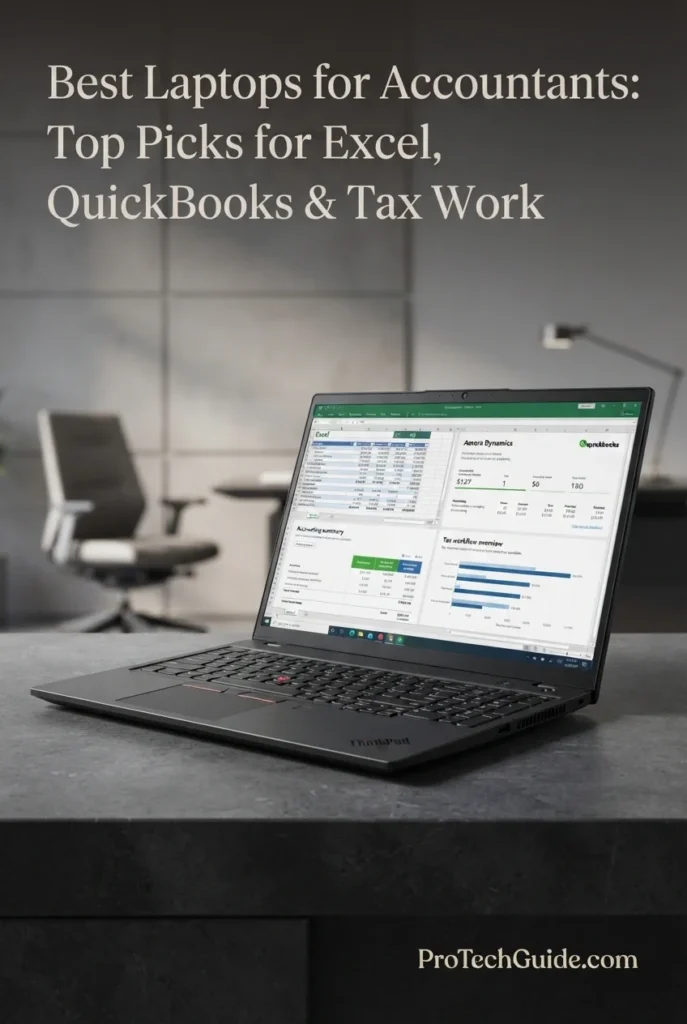
The Lenovo ThinkPad T16 Gen 4 with the AMD Ryzen AI 7 PRO 350 processor, 32GB of DDR5 memory, and 1TB NVMe SSD is our Best Overall Laptop for Accountants in 2026. Its combination of an 8-core/16-thread Ryzen AI PRO processor, generous memory capacity, fast storage, large 16-inch WUXGA display, integrated Radeon 860M graphics, Windows 11 Pro, and business-focused features creates an exceptionally well-balanced platform for Excel, QuickBooks, tax preparation, financial documents, Microsoft 365, browser-based accounting, video conferencing, and demanding multitasking. The 32GB configuration provides substantial memory headroom for professionals who regularly work with large spreadsheets, multiple browser tabs, accounting applications, PDFs, email, meetings, and several productivity tools at the same time.
The ThinkPad T16 Gen 4 earns our Best Overall Laptop for Accountants award because it focuses on the features that matter most in professional accounting rather than prioritizing unnecessary graphics performance. Its 32GB of memory, 1TB SSD, large 16-inch 16:10-class workspace, numeric keypad, Windows 11 Pro, business-oriented security features, and extensive connectivity create an unusually complete platform for Excel, QuickBooks, tax work, financial analysis, and everyday accounting productivity.
Compared with more compact business laptops, the Lenovo ThinkPad T16 Gen 4 provides a larger workspace and a more accounting-friendly keyboard layout, while its 32GB RAM and 1TB SSD give it substantial headroom for professional multitasking. Compared with premium consumer laptops, it places greater emphasis on business productivity, Windows compatibility, Ethernet connectivity, security features, and long-session keyboard usability. For accountants who spend much of their day in spreadsheets, accounting software, financial documents, and browser-based workflows, this balance makes the T16 Gen 4 a particularly strong all-around choice.
Key Features
Lenovo ThinkPad E16 Gen 3
Best Value for Excel, QuickBooks & Everyday Accounting
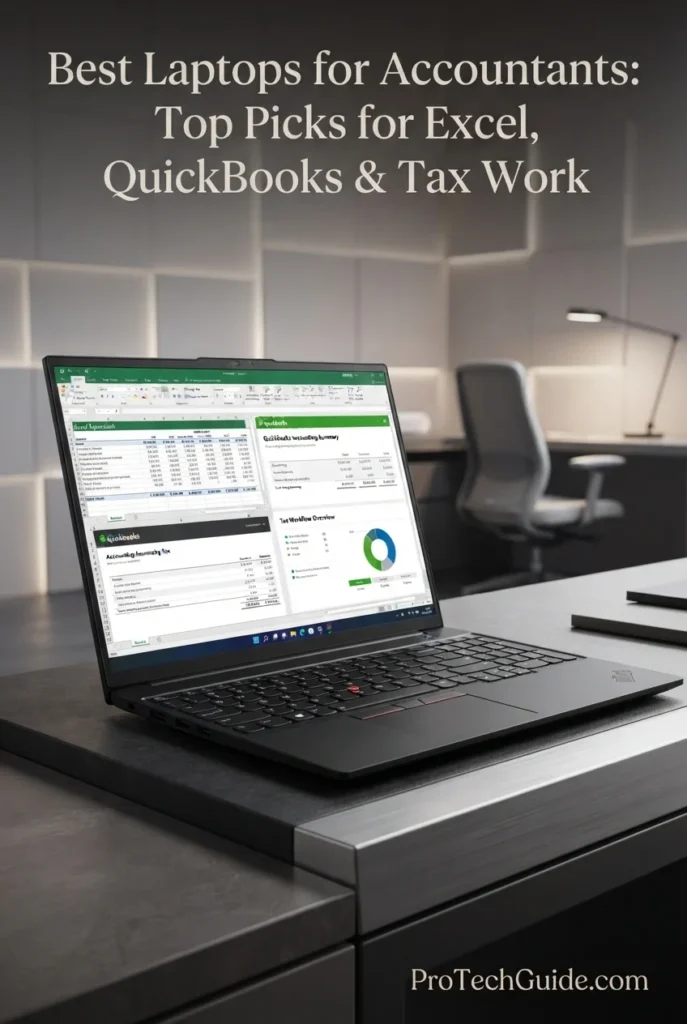
The Lenovo ThinkPad E16 Gen 3 with the AMD Ryzen 7 250 processor, 32GB of DDR5 memory, and 1TB SSD is our Best Value Laptop for Accountants in 2026. It combines strong eight-core processing, generous memory, fast storage, a large 16-inch 1920 × 1200 touchscreen, a full-size backlit keyboard with numeric keypad, Windows 11 Pro, fingerprint authentication, Ethernet connectivity, and modern business features in a practical configuration designed around professional productivity. For accountants, CPAs, bookkeepers, and accounting students, this combination is particularly attractive because it prioritizes the hardware that matters most for Excel, QuickBooks, financial documents, Microsoft 365, browser-based accounting, and everyday multitasking rather than paying for unnecessary dedicated graphics performance.
The ThinkPad E16 Gen 3 earns our Best Value Laptop for Accountants award because it concentrates on practical accounting productivity. The combination of a Ryzen 7 250 processor, 32GB RAM, 1TB SSD, large 16-inch touchscreen, numeric keypad, Windows 11 Pro, Ethernet, and business-oriented security provides the core capabilities most accountants actually use every day. It is a particularly compelling option for professionals who want substantial multitasking headroom without paying a premium for features that have little impact on Excel or accounting software.
Compared with the more premium Lenovo ThinkPad T16 Gen 4, the ThinkPad E16 Gen 3 offers a similarly accounting-focused combination of a large 16-inch workspace, 32GB memory, 1TB storage, numeric keypad, Windows 11 Pro, and business connectivity while occupying a more value-oriented position in the lineup. The T16 is the stronger overall recommendation when premium business features and platform refinement take priority, while the E16 is the better fit for accountants who want to maximize practical productivity per dollar.
Key Features
HP EliteBook 840 G11
Best Professional Laptop for Excel, QuickBooks & Business Accounting
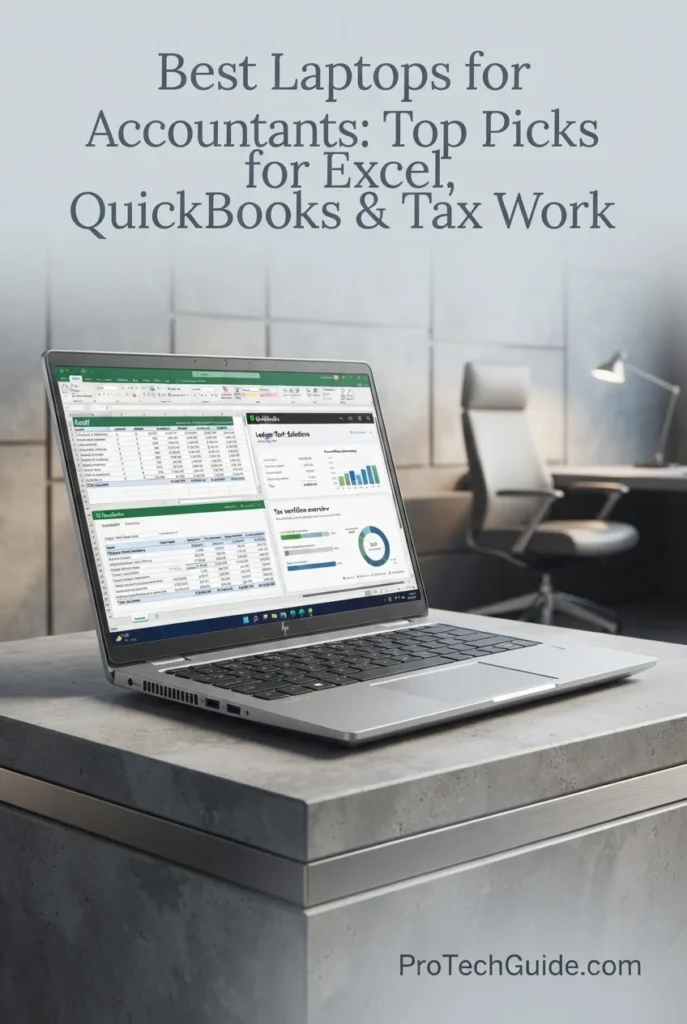
The HP EliteBook 840 G11 with an Intel Core Ultra 7 165H processor, 24GB of DDR5 memory, and a 1TB SSD is our pick for the Best Professional Laptop for Accountants in 2026. Its high-performance 16-core processor, generous memory capacity, fast PCIe storage, 14-inch 1920 × 1200 touch display, Windows 11 Pro, business-focused security features, and comprehensive connectivity create a strong platform for professional accounting workflows. It is particularly well suited to accountants, CPAs, bookkeepers, tax professionals, and business users who regularly combine Excel, QuickBooks, Microsoft 365, PDFs, browser applications, financial documents, video meetings, and multiple professional applications throughout the workday.
The HP EliteBook 840 G11 earns our Best Professional Laptop for Accountants award because it combines serious business-class processing power, 24GB of memory, 1TB of storage, a productivity-friendly 1920 × 1200 touchscreen, Windows 11 Pro, and professional security features in a compact 14-inch design. It is a particularly strong choice for accountants who need a polished business machine capable of handling demanding daily multitasking without moving to a larger 16-inch system.
Compared with the Lenovo ThinkPad T16 Gen 4, the EliteBook 840 G11 is more focused on compact professional mobility, business security, and a premium 14-inch workspace, while the ThinkPad T16 provides a larger display and 32GB of memory in the configuration selected for this guide. Compared with the Lenovo ThinkPad E16 Gen 3, the HP emphasizes professional business features and enterprise-oriented design, while the E16 offers greater value with 32GB of memory and a larger 16-inch screen. For accountants working in corporate or hybrid environments, the EliteBook's balance of performance, security, connectivity, and portability makes it a particularly compelling professional option.
Key Features
Dell Pro 16 Plus
Best Dell Laptop for Excel, QuickBooks & Large Spreadsheets
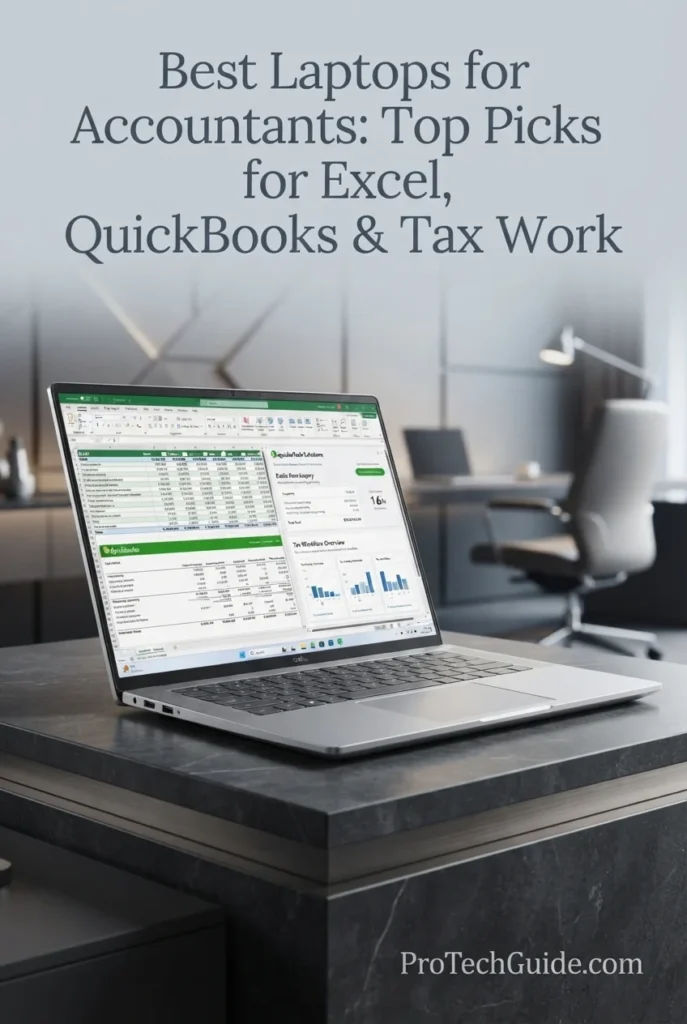
The Dell Pro 16 Plus with the AMD Ryzen AI 7 350 processor, 32GB of memory, and 512GB PCIe NVMe SSD is our pick for the Best Dell Business Laptop for Accountants in 2026. Its 8-core, 16-thread Zen 5 processor, integrated Radeon 860M graphics, 32GB memory, 16-inch 1920 × 1200 IPS display, Windows 11 Pro, and modern business connectivity provide a strong foundation for Excel, QuickBooks, tax software, Microsoft 365, financial documents, browser-based accounting, and demanding multitasking. The large 16-inch workspace is especially useful for accountants who spend much of the day working with spreadsheets, reports, and multiple application windows.
The Dell Pro 16 Plus earns our Best Dell Business Laptop for Accountants award because it combines a large productivity-focused display, 32GB of memory, a modern Ryzen AI 7 350 processor, Windows 11 Pro, and strong business connectivity in one accounting-oriented configuration. It is especially compelling for professionals who spend long hours in Excel and want more screen space without stepping into a specialized workstation-class laptop.
Compared with the Lenovo ThinkPad T16 Gen 4, the Dell Pro 16 Plus offers a similarly large 16-inch productivity workspace and 32GB memory configuration, while the ThinkPad places greater emphasis on its business-oriented ThinkPad platform and accounting-friendly keyboard experience. Compared with the Lenovo ThinkPad E16 Gen 3, the Dell provides a compelling alternative for users who specifically prefer Dell's business ecosystem, Ryzen AI platform, Wi-Fi 7, and Thunderbolt 4 connectivity. The Dell's 512GB SSD, however, provides less local storage than the 1TB configurations of the Lenovo models.
Key Features
Apple MacBook Air 15-inch M5
Best Mac for QuickBooks Online, Excel & Cloud Accounting
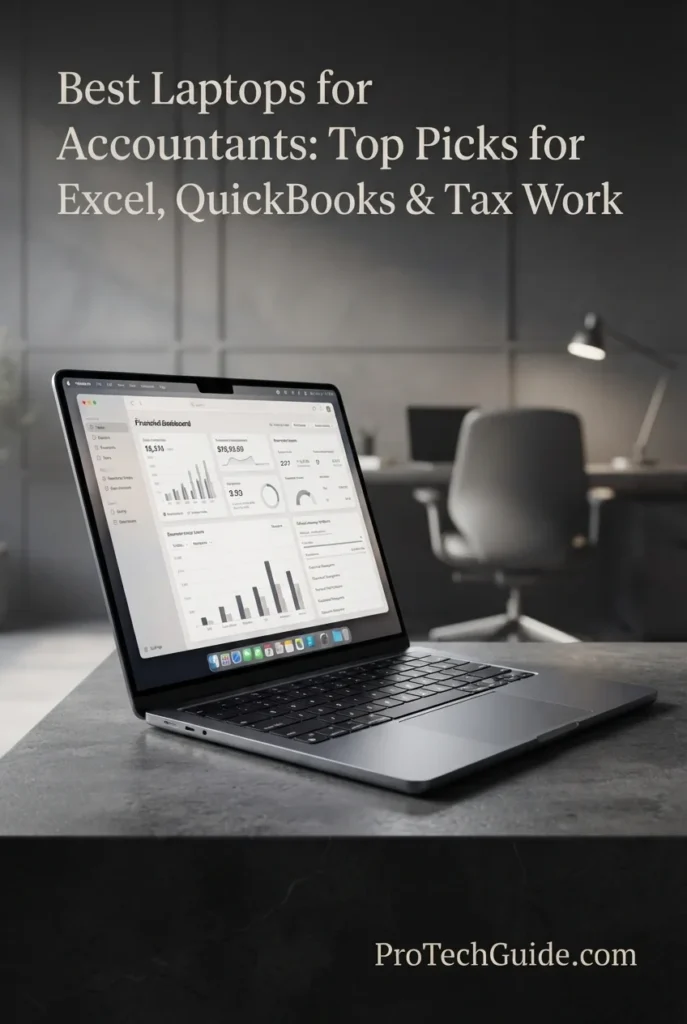
The Apple MacBook Air 15-inch with the M5 chip, 24GB of unified memory, and 1TB SSD is our top Mac recommendation for cloud accounting in 2026. Its 15.3-inch Liquid Retina display provides a spacious workspace for Excel spreadsheets, QuickBooks Online, financial documents, browser-based accounting platforms, Microsoft 365, email, and video meetings, while the M5 chip and 24GB unified memory provide strong responsiveness for professional multitasking. Its combination of portability, long battery life, premium build quality, and macOS makes it particularly attractive to accountants and bookkeepers who work primarily with cloud-based software and do not depend on Windows-only desktop applications.
The MacBook Air 15-inch M5 earns our Best Mac for Cloud Accounting award because it combines a spacious 15.3-inch display, 24GB of unified memory, 1TB SSD storage, strong M5 performance, excellent mobility, and long battery life in a thin professional design. For accountants whose work is centered on QuickBooks Online, Excel, Microsoft 365, browser-based accounting platforms, and cloud documents, it delivers an especially well-balanced macOS experience.
Compared with Windows business laptops such as the Lenovo ThinkPad T16 Gen 4 and Lenovo ThinkPad E16 Gen 3, the MacBook Air offers a particularly strong combination of portability, battery life, unified memory, and macOS integration. However, professionals who depend on Windows-only desktop accounting or tax software should choose a Windows laptop instead. This makes the MacBook Air an excellent specialized recommendation for cloud-first accounting rather than the universal choice for every accounting workflow.
Key Features
ASUS Zenbook 14 OLED
Best Portable Laptop for Excel, Accounting & Professional Work
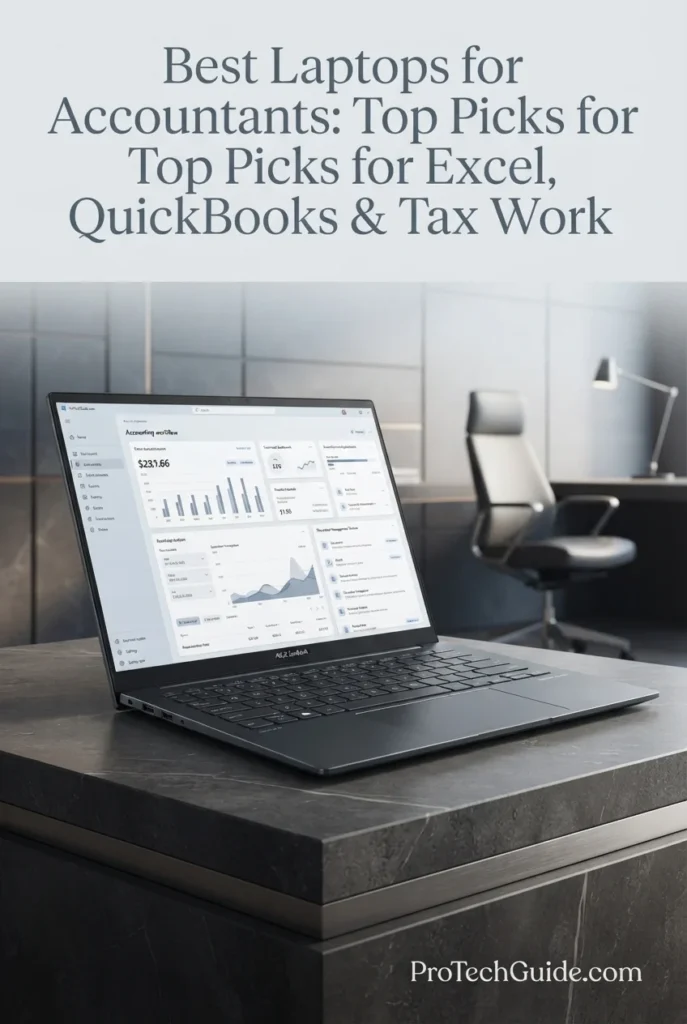
The ASUS Zenbook 14 OLED with the Intel Core Ultra 7 255H, 16GB DDR5 memory, and 512GB SSD is our top recommendation for portable Windows accounting in 2026. Its 14-inch WUXGA OLED touchscreen, 16-core processor, integrated Intel Arc 140T graphics, and compact 2.65-pound design create a strong balance for accountants who move between offices, meetings, client locations, and home workspaces. The 16GB configuration is well suited to Excel, QuickBooks, Microsoft 365, browser-based accounting, PDFs, communication, and everyday professional multitasking, while Windows 11 provides broad compatibility with accounting and tax software.
The ASUS Zenbook 14 OLED earns our Best Portable Windows Laptop for Accountants award because it combines a capable 16-core Intel processor, 16GB DDR5 memory, a premium OLED touchscreen, 512GB SSD storage, modern connectivity, and a remarkably light 2.65-pound design. It is an especially compelling choice for accountants who value mobility and display quality while still needing the software compatibility of Windows.
Compared with larger accounting-focused laptops such as the Lenovo ThinkPad T16 Gen 4 and Lenovo ThinkPad E16 Gen 3, the Zenbook 14 gives up screen size and the dedicated full-size accounting keyboard experience in exchange for substantially greater portability and a premium OLED touchscreen. Its 16GB memory and 512GB SSD are also less generous than the 32GB/1TB configurations of those ThinkPad models, making the Zenbook the better fit for mobile professionals rather than the strongest choice for exceptionally heavy multitasking.
Key Features
Lenovo Yoga 7 2-in-1 AI PC
Best 2-in-1 for Accounting Students, Excel & Flexible Workflows
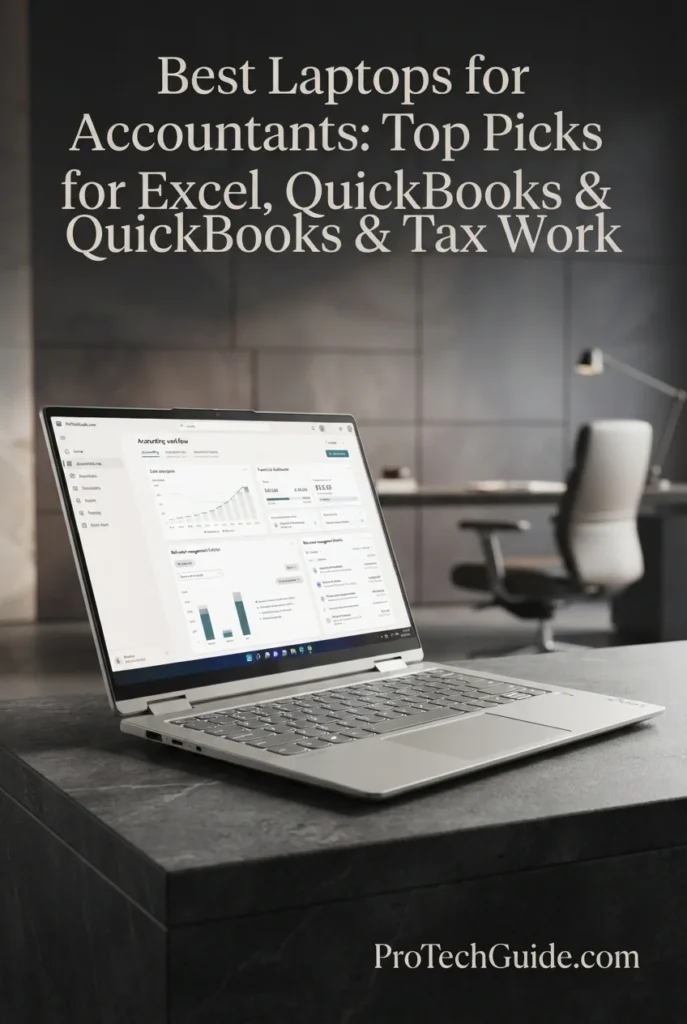
The Lenovo Yoga 7 2-in-1 AI PC with the AMD Ryzen AI 5 340, 16GB DDR5 memory, and 2TB SSD is our top recommendation for accounting students and professionals who value flexibility in 2026. Its convertible design, 14-inch WUXGA OLED touchscreen, 16GB memory, and unusually generous 2TB SSD create a versatile platform for Excel, QuickBooks, Microsoft 365, financial documents, online classes, browser-based accounting, and everyday productivity. The 360-degree 2-in-1 design is the defining advantage, allowing the Yoga 7 to adapt to laptop, tablet, tent, and stand-oriented use when accounting work extends beyond a traditional desk setup.
The Lenovo Yoga 7 2-in-1 earns our Best 2-in-1 Laptop for Accounting Students award because it combines a capable Ryzen AI processor, 16GB DDR5 memory, a premium 14-inch OLED touchscreen, 2TB SSD storage, and a flexible convertible design. It is not designed as a specialized workstation, but for students and mobile professionals who want one device for accounting work, coursework, presentations, browsing, and everyday productivity, its versatility is a meaningful advantage.
Compared with traditional business laptops such as the Lenovo ThinkPad T16 Gen 4 and Lenovo ThinkPad E16 Gen 3, the Yoga 7 emphasizes flexibility, touch interaction, OLED display quality, and portability rather than a large 16-inch accounting workspace or full-size numeric keypad. Its 16GB memory is also less generous than the 32GB configurations of those ThinkPads, but the 2TB SSD and convertible design make it particularly attractive for students and professionals who prioritize versatility and local storage.
Key Features
HP EliteBook X G1a 14 Notebook
Best for Heavy Multitasking, Excel & Professional Accounting
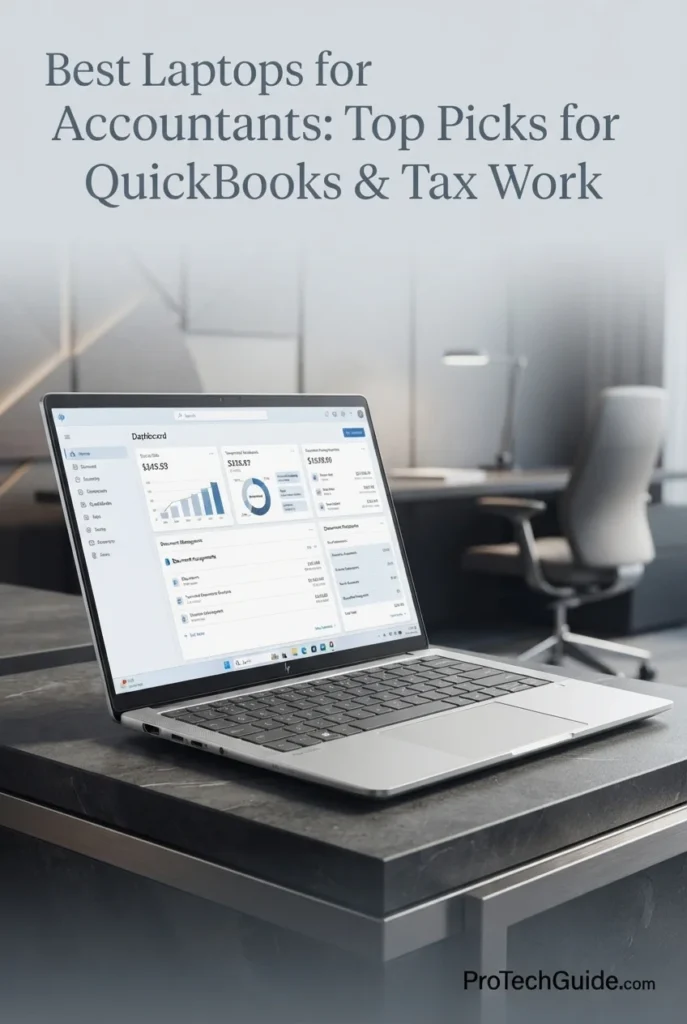
The HP EliteBook X G1a 14 Inch Notebook with the AMD Ryzen AI 7 PRO 360, 32GB of LPDDR5X memory, and 1TB SSD is our pick for heavy multitasking and data-intensive accounting workflows in 2026. Its 8-core, 16-thread professional processor, integrated Radeon 880M graphics, generous 32GB memory configuration, fast 1TB PCIe SSD, and high-resolution 14-inch 2.8K OLED touchscreen create a powerful platform for demanding Excel workbooks, QuickBooks, financial analysis, large PDF collections, browser-heavy workflows, Microsoft 365, data processing, and simultaneous professional applications. The combination of 32GB memory and a premium 120Hz display makes it particularly attractive to accountants who want substantial multitasking headroom in a compact business-class notebook.
The EliteBook X G1a earns our Best Laptop for Heavy Multitasking & Data Analysis award because it combines 32GB of memory, a Ryzen AI 7 PRO 360 processor, 1TB SSD, premium 2.8K OLED touchscreen, and business-focused security in a compact 14-inch platform. For accountants who regularly move beyond basic bookkeeping into large Excel models, financial analysis, extensive document work, and demanding multitasking, it offers more headroom than the typical 16GB accounting laptop.
Compared with the Lenovo ThinkPad T16 Gen 4 and Lenovo ThinkPad E16 Gen 3, the EliteBook X G1a trades their larger 16-inch workspaces for a more compact 14-inch design with a significantly higher-resolution OLED touchscreen. The ThinkPad models remain especially compelling for accountants who prioritize a large spreadsheet workspace and numeric-keypad-focused productivity, while the EliteBook is the stronger choice for professionals who value 32GB memory, premium display quality, business security, and heavy multitasking in a smaller form factor.
Key Features
Best Laptops for Accountants in 2026
Ranked by CPU Performance, RAM Capacity, Excel, QuickBooks, Tax Work, Display Quality, Storage, Portability & Overall Value
Choosing the best laptop for accountants in 2026 requires more than comparing processor specifications. Accounting professionals need enough memory for large Excel workbooks and multitasking, reliable performance for QuickBooks and Microsoft 365, fast storage for financial documents and applications, a comfortable display for spreadsheets and reports, dependable connectivity for office peripherals and external monitors, and software compatibility that matches their specific accounting workflow. We evaluated these laptops for real-world accounting workloads including Excel, QuickBooks, tax work, financial analysis, Microsoft 365, browser-based accounting, PDFs, video meetings, multitasking, reporting, and professional productivity to help you choose the right laptop for your accounting workflow.
| Laptop | CPU & Key Specs | Best For | Why It Wins | Editor's Verdict |
|---|---|---|---|---|
Best OverallLenovo ThinkPad T16 Gen 4Check Price | AMD Ryzen AI 7 PRO 350 32GB DDR5 Memory 1TB NVMe SSD 16" WUXGA IPS Display Windows 11 Pro | Professional Accountants Excel Power Users QuickBooks & Tax Work Business Professionals | The ThinkPad T16 Gen 4 delivers the strongest overall accounting package in this lineup, combining an AMD Ryzen AI 7 PRO 350 processor, 32GB of memory, 1TB SSD storage, and a spacious 16-inch 16:10 display. Its backlit keyboard with numeric keypad is particularly valuable for accountants who spend long hours entering figures, building financial models, reviewing reports, and navigating large Excel workbooks. | Best Overall Laptop for Accountants |
Best ValueLenovo ThinkPad E16 Gen 3 AMDCheck Price | AMD Ryzen 7 250 32GB DDR5 Memory 1TB SSD 16" 1920×1200 Touch Display Windows 11 Pro | Accountants Bookkeepers Excel Users Small-Business Professionals | The ThinkPad E16 Gen 3 delivers exceptional accounting value by concentrating its hardware on the features that matter most to professional productivity. Its 8-core Ryzen 7 250, 32GB memory, 1TB SSD, 16-inch 1920×1200 touchscreen, and full-size backlit keyboard with numeric keypad provide an excellent foundation for Excel, QuickBooks, Microsoft 365, financial documents, and everyday multitasking. | Best Value Laptop for Accountants |
Best ProfessionalHP EliteBook 840 G11Check Price | Intel Core Ultra 7 165H 24GB DDR5 Memory 1TB SSD 14" 1920×1200 Touch Display Windows 11 Pro | CPAs Tax Professionals Controllers Business Accountants | The HP EliteBook 840 G11 combines business-class processing, security, and connectivity in a compact 14-inch professional platform. Its Core Ultra 7 165H, 24GB memory, 1TB SSD, WUXGA touchscreen, Thunderbolt 4 connectivity, Windows 11 Pro, and HP Wolf Security features make it especially well suited to accountants who need a polished business laptop for financial work, client documents, and professional multitasking. | Best Professional Laptop for Accountants |
Best DellDell Pro 16 Plus AICheck Price | AMD Ryzen AI 7 350 32GB DDR5 Memory 512GB PCIe NVMe SSD 16" WUXGA IPS Display Windows 11 Pro | Excel Power Users Financial Analysts Large Spreadsheets Dell Business Users | The Dell Pro 16 Plus provides a strong combination of processing performance, memory capacity, and large-screen productivity. Its Ryzen AI 7 350, 32GB memory, 16-inch 1920×1200 display, 512GB PCIe NVMe SSD, Wi-Fi 7, Thunderbolt 4 connectivity, Ethernet, and Windows 11 Pro make it particularly effective for accountants who work extensively with spreadsheets, reports, financial documents, and multiple business applications. | Best Dell Business Laptop for Accountants |
Best MacApple 2026 MacBook Air 15Check Price | Apple M5 Chip 24GB Unified Memory 1TB SSD 15.3" Liquid Retina Display macOS | Cloud Accounting QuickBooks Online Mobile Professionals Mac Users | The 2026 MacBook Air 15 is a strong choice for accountants whose workflows are primarily cloud-based and compatible with macOS. Its M5 chip, 24GB of unified memory, 1TB SSD, and large 15.3-inch display provide a comfortable platform for QuickBooks Online, Excel, Microsoft 365, browser-based accounting, financial documents, video meetings, and everyday professional multitasking. | Best Mac for Cloud Accounting |
Best PortableASUS Zenbook 14Check Price | Intel Core Ultra 7 255H 16GB DDR5 Memory 512GB SSD 14" WUXGA OLED Touch Display Windows 11 | Traveling Accountants Hybrid Professionals Accounting Students Mobile Accounting Work | The ASUS Zenbook 14 prioritizes portability while retaining the core hardware needed for professional accounting. Its 2.65-pound design, 14-inch WUXGA OLED touchscreen, Core Ultra 7 255H, 16GB memory, 512GB SSD, Wi-Fi 7, and Thunderbolt 4 connectivity make it particularly attractive to accountants who regularly move between offices, home, school, and client locations. | Best Portable Windows Laptop for Accountants |
Best 2-in-1Lenovo Yoga 7 2-in-1 AI PC LaptopCheck Price | AMD Ryzen AI 5 340 16GB DDR5 Memory 2TB SSD 14" WUXGA OLED Touch Display Windows 11 | Accounting Students Business Students Study & Presentations Flexible Everyday Use | The Lenovo Yoga 7 2-in-1 combines capable accounting performance with a flexible convertible design. Its Ryzen AI 5 340, 16GB memory, unusually generous 2TB SSD, and 14-inch WUXGA OLED touchscreen make it particularly well suited to Excel coursework, QuickBooks, Microsoft 365, PDFs, research, presentations, and students who want one device for study and everyday productivity. | Best 2-in-1 Laptop for Accounting Students |
Best MultitaskingHP EliteBook X G1a 14 Inch NotebookCheck Price | AMD Ryzen AI 7 PRO 360 32GB LPDDR5X Memory 1TB SSD 14" 2880×1800 OLED Touch Display Windows 11 Pro | Heavy Multitasking Financial Analysis Large Excel Workbooks Business Professionals | The HP EliteBook X G1a provides substantial multitasking headroom through its Ryzen AI 7 PRO 360 processor and 32GB of LPDDR5X memory. Its 1TB SSD, high-resolution 2.8K OLED touchscreen, Windows 11 Pro, business-focused security, and professional connectivity make it particularly compelling for accountants working simultaneously across large Excel workbooks, financial documents, browsers, Microsoft 365, accounting software, and data-analysis tools. | Best Laptop for Heavy Multitasking & Data Analysis |
Recommended Next Reads
Finished comparing the best laptops for accountants? Explore our related business, data analysis, remote work, small-business, student, and productivity laptop guides to better understand the hardware requirements behind Excel, QuickBooks, tax software, financial analysis, professional accounting, and demanding office workflows.
Whether you're managing large Excel workbooks, working with QuickBooks, preparing tax documents, analyzing financial data, supporting small-business clients, working remotely, or studying accounting, these guides can help you compare the hardware, memory, storage, display quality, portability, business features, and overall value required for different professional accounting workloads.
Best Business Laptops in 2026
Explore laptops selected for accounting, office productivity, business applications, security, portability, multitasking, and demanding professional workflows.
Explore Business Laptops →Best Laptops for Data Analysis in 2026
Compare laptops with the CPU performance, RAM capacity, storage, and multitasking headroom needed for Excel, SQL, Python, Power BI, financial analysis, reporting, and large datasets.
Explore Data Analysis Laptops →Small Business & AccountingBest Business Laptops for Small Business Owners in 2026
Explore laptops selected for accounting, financial management, business applications, productivity, multitasking, and the technology needs of growing small businesses.
Explore Small Business Laptops →Remote Accounting & ProductivityBest Laptops for Remote Work in 2026
Compare laptops for remote accounting, Microsoft 365, cloud applications, video meetings, multitasking, portability, and professional work-from-home workflows.
Explore Remote Work Laptops →Accounting Students & EducationBest Laptops for Students in 2026
Explore laptops for Excel, Microsoft 365, research, online classes, accounting coursework, productivity, and everyday college use across different budgets.
Explore Student Laptops →Budget & Professional ValueBest Laptops Under $1000 in 2026
Explore capable laptops under $1000 for business applications, productivity, students, multitasking, office work, and everyday professional workloads.
Explore Laptops Under $1000 →Professional Productivity SetupBest Tech Accessories for Productivity in 2026
Compare productivity-focused technology for office work, connectivity, multitasking, external displays, and building a more effective professional accounting workstation.
Explore Productivity Accessories →EDITOR'S FINAL RECOMMENDATIONS
After comparing laptops across processor performance, RAM capacity, Excel workloads, QuickBooks, tax software, Microsoft 365, financial documents, data analysis, storage, display quality, keyboard design, portability, business features, connectivity, software compatibility, and long-term value, these are our final recommendations for accountants in 2026. Whether you manage large spreadsheets, work with QuickBooks and tax applications, support business clients, analyze financial data, work remotely, or study accounting, there is an option here for your specific workflow.
Lenovo ThinkPad T16 Gen 4
The best overall laptop for accountants in 2026. The Lenovo ThinkPad T16 Gen 4 combines AMD Ryzen AI PRO performance, 32GB of DDR5 memory, a 1TB NVMe SSD, and a large 16-inch 16:10 display with the business-focused features accountants actually use. Its full-size backlit keyboard with numeric keypad is particularly valuable for spreadsheet-heavy work, while Windows 11 Pro provides broad compatibility for professional accounting software, Microsoft 365, financial documents, and business workflows.
- ✓ AMD Ryzen AI 7 PRO 350
- ✓ 32GB DDR5 Memory
- ✓ 1TB NVMe SSD
- ✓ 16-inch 1920×1200 IPS Display
Lenovo ThinkPad E16 Gen 3
The best value choice for accountants who want substantial memory, storage, screen space, and business-focused productivity without paying for hardware that accounting workloads generally do not require. Its Ryzen 7 250 processor, 32GB of DDR5 memory, 1TB SSD, 16-inch 1920×1200 touchscreen, and full-size keyboard with numeric keypad create a particularly practical combination for Excel, QuickBooks, Microsoft 365, tax work, and everyday professional accounting.
- ✓ AMD Ryzen 7 250
- ✓ 32GB DDR5 Memory
- ✓ 1TB SSD
- ✓ 16-inch 1920×1200 Touchscreen
HP EliteBook 840 G11
The best professional laptop for accountants who prioritize business-class security, connectivity, portability, and a polished office experience. Its Intel Core Ultra 7 165H processor, 24GB of DDR5 memory, 1TB SSD, and 14-inch 1920×1200 touchscreen provide a strong platform for Excel, QuickBooks, tax applications, Microsoft 365, financial documents, and professional multitasking, while HP Wolf Security and Windows 11 Pro reinforce its business-oriented design.
- ✓ Intel Core Ultra 7 165H
- ✓ 24GB DDR5 Memory
- ✓ 1TB SSD Storage
- ✓ 14-inch 1920×1200 Touchscreen
Dell Pro 16 Plus
The best Dell business laptop for accountants who spend much of the day working with spreadsheets, reports, financial dashboards, and multiple application windows. The combination of AMD Ryzen AI 7 350 performance, 32GB of memory, a 16-inch WUXGA display, Wi-Fi 7, Thunderbolt 4, Ethernet, and Windows 11 Pro makes it a strong desktop-replacement-style productivity system for demanding office and accounting workflows.
- ✓ AMD Ryzen AI 7 350
- ✓ 32GB DDR5 Memory
- ✓ 512GB PCIe NVMe SSD
- ✓ 16-inch WUXGA IPS Display
Apple 2026 MacBook Air 15 with M5
The best Mac for accountants whose workflow is primarily cloud-based and centered on QuickBooks Online, Microsoft 365, browser-based accounting platforms, financial documents, communication, and everyday productivity. Its M5 chip, 24GB of unified memory, 1TB SSD, and large 15.3-inch Liquid Retina display provide a premium mobile platform for professional work. Accountants who depend on Windows-only desktop accounting or tax applications should verify software compatibility before choosing macOS.
- ✓ Apple M5 Chip
- ✓ 24GB Unified Memory
- ✓ 1TB SSD Storage
- ✓ 15.3-inch Liquid Retina Display
ASUS Zenbook 14
The best portable Windows laptop for accountants who move frequently between home, office, university, and client locations. At 2.65 pounds, the Zenbook 14 combines a compact design with an Intel Core Ultra 7 255H processor, 16GB of DDR5 memory, 512GB SSD storage, and a high-quality 14-inch WUXGA OLED touchscreen. It is particularly well suited to accountants whose workloads are substantial but do not require 32GB of memory or workstation-class hardware.
- ✓ Intel Core Ultra 7 255H
- ✓ 16GB DDR5 Memory
- ✓ 512GB SSD Storage
- ✓ 14-inch WUXGA OLED Touchscreen
Lenovo Yoga 7 2-in-1 AI PC Laptop
The most versatile choice for accounting students and professionals who want more flexibility than a conventional laptop provides. Its convertible design, 14-inch WUXGA OLED touchscreen, Ryzen AI 5 340 processor, 16GB of DDR5 memory, and unusually generous 2TB SSD make it well suited to coursework, presentations, research, Excel, Microsoft 365, cloud accounting, and everyday professional productivity. Its 2-in-1 flexibility is the primary advantage rather than raw workstation performance.
- ✓ AMD Ryzen AI 5 340
- ✓ 16GB DDR5 Memory
- ✓ 2TB SSD Storage
- ✓ 14-inch WUXGA OLED Touchscreen
HP EliteBook X G1a 14 Inch Notebook
The performance-focused choice for accountants who regularly combine large Excel workbooks, financial analysis, extensive browser sessions, business applications, reports, and other demanding professional workloads. Its AMD Ryzen AI 7 PRO processor, 32GB of LPDDR5X memory, 1TB SSD, high-resolution 14-inch touch display, Radeon 880M graphics, Windows 11 Pro, and HP Wolf Pro Security Edition give it substantial headroom for intensive professional multitasking while retaining a relatively compact form factor.
- ✓ AMD Ryzen AI 7 PRO Processor
- ✓ 32GB LPDDR5X Memory
- ✓ 1TB SSD Storage
- ✓ 14-inch 2880×1800 Touch Display
Which accounting laptop should you buy?
ThinkPad T16 Gen 4
ThinkPad E16 Gen 3
HP EliteBook 840 G11
Dell Pro 16 Plus
MacBook Air 15 M5
ASUS Zenbook 14
Lenovo Yoga 7 2-in-1
HP EliteBook X G1a
- Choose the Lenovo ThinkPad T16 Gen 4 if you want the strongest overall combination of accounting performance, 32GB of memory, 1TB storage, a large 16-inch workspace, business features, and a numeric keypad for Excel-heavy professional work.
- Choose the Lenovo ThinkPad E16 Gen 3 if value is your priority and you want 32GB of memory, 1TB storage, a large touchscreen, Windows 11 Pro, and a numeric keypad without paying for unnecessary dedicated graphics hardware.
- Choose the HP EliteBook 840 G11 if you prioritize a professional business platform with strong connectivity, security features, Windows 11 Pro, and a more compact 14-inch design for accounting and office work.
- Choose the Dell Pro 16 Plus if your accounting workflow revolves around Excel, large spreadsheets, reports, dashboards, and multitasking across a spacious 16-inch display, particularly if you value Wi-Fi 7, Thunderbolt 4, and Ethernet connectivity.
- Choose the Apple MacBook Air 15 with M5 if your accounting workflow is primarily cloud-based and compatible with macOS, particularly QuickBooks Online, Microsoft 365, browser-based accounting, and financial productivity. Verify compatibility first if you rely on Windows-only desktop accounting or tax software.
- Choose the ASUS Zenbook 14 if portability is your priority and your typical accounting workload consists of Excel, QuickBooks, Microsoft 365, browser applications, documents, and everyday professional multitasking. Its 16GB configuration is better suited to moderate workloads than exceptionally heavy multitasking.
- Choose the Lenovo Yoga 7 2-in-1 AI PC Laptop if you are an accounting student or professional who values touchscreen interaction, flexible convertible modes, presentations, note-taking, and a large 2TB storage capacity alongside standard productivity and accounting workloads.
- Choose the HP EliteBook X G1a if your priority is heavy multitasking, large Excel workbooks, financial analysis, and demanding professional workloads where 32GB of integrated LPDDR5X memory and a high-performance Ryzen AI PRO platform provide additional headroom.
EDITOR'S FINAL VERDICT
After comparing processor performance, RAM capacity, SSD storage, Excel workloads, QuickBooks, tax software, Microsoft 365, financial documents, data analysis, display quality, keyboard design, portability, business features, connectivity, software compatibility, and long-term value, one conclusion stands out:The best laptop for accountants is not necessarily the most powerful workstation or the laptop with the most expensive hardware. It is the system that provides the right balance of processing performance, memory capacity, storage, spreadsheet workspace, keyboard comfort, software compatibility, portability, reliability, and business-focused features for the accounting work you actually perform.
Modern accountants can work across large Excel workbooks, QuickBooks, tax applications, Microsoft 365, financial reports, PDFs, browser-based accounting platforms, cloud storage, video meetings, client documents, remote desktop sessions, and multiple applications simultaneously. These workflows benefit primarily from strong CPU performance, sufficient RAM, fast SSD storage, a comfortable display, dependable connectivity, and broad software compatibility rather than from a high-end dedicated GPU.
For most professional accountants, 32GB of memory is the ideal target for demanding multitasking and long-term use, while 16GB remains suitable for moderate accounting workloads. Fast SSD storage, a comfortable 16:10 display, a quality keyboard with a numeric keypad when available, reliable business connectivity, and software compatibility are equally important when the laptop will be used for hours of financial work every day.- Choose the Lenovo ThinkPad T16 Gen 4 if you want the strongest overall combination of CPU performance, 32GB of memory, 1TB storage, a large 16-inch 16:10 workspace, business features, and a numeric keypad for Excel, QuickBooks, tax work, and professional accounting.
- Choose the Lenovo ThinkPad E16 Gen 3 if value is your priority and you want 32GB of memory, 1TB storage, a 16-inch touchscreen, Windows 11 Pro, and a full-size keyboard with numeric keypad for everyday accounting productivity.
- Choose the Apple MacBook Air 15 with M5 if your accounting workflow is primarily cloud-based and compatible with macOS, particularly QuickBooks Online, Microsoft 365, browser-based accounting, financial documents, and mobile professional work. If you depend on Windows-only desktop accounting or tax software, Windows remains the safer choice.
- Choose the HP EliteBook X G1a if you regularly work with large Excel workbooks, financial analysis, extensive multitasking, and demanding professional workloads where 32GB of memory and a high-performance Ryzen AI PRO platform provide substantial additional headroom.
Top Accounting Laptop Recommendations (2026)
Lenovo ThinkPad T16 Gen 4
Our Editor's Choice for most professional accountants because it combines strong AMD Ryzen AI PRO performance, 32GB of DDR5 memory, fast 1TB NVMe storage, a large 16-inch 16:10 display, Windows 11 Pro, business-focused connectivity, and a full-size keyboard with numeric keypad. It provides an exceptionally well-balanced platform for Excel, QuickBooks, tax work, financial reporting, Microsoft 365, and demanding professional multitasking.
- ✓ AMD Ryzen AI 7 PRO 350
- ✓ 32GB DDR5 Memory
- ✓ 1TB NVMe SSD
- ✓ 16-inch 1920×1200 IPS Display
Lenovo ThinkPad E16 Gen 3
The strongest value choice for accountants who want substantial memory, storage, screen space, and practical business features without paying for hardware that accounting workloads generally do not require. Its Ryzen 7 250 processor, 32GB of memory, 1TB SSD, 16-inch touchscreen, and numeric keypad make it particularly well suited to Excel, QuickBooks, tax documents, Microsoft 365, and everyday accounting productivity.
- ✓ AMD Ryzen 7 250
- ✓ 32GB DDR5 Memory
- ✓ 1TB SSD Storage
- ✓ 16-inch 1920×1200 Touchscreen
Apple 2026 MacBook Air 15 with M5
The best Mac option for accountants whose workflows are primarily cloud-based and compatible with macOS. Its M5 chip, 24GB of unified memory, 1TB SSD, and large 15.3-inch Liquid Retina display provide a premium platform for QuickBooks Online, Microsoft 365, browser-based accounting, financial documents, communication, and everyday professional productivity.
- ✓ Apple M5 Chip
- ✓ 24GB Unified Memory
- ✓ 1TB SSD Storage
- ✓ 15.3-inch Liquid Retina Display
- ✓ You want the best overall laptop for professional accounting
- ✓ You regularly work with Excel, QuickBooks, tax applications, Microsoft 365, and multiple applications simultaneously
- ✓ You want 32GB of memory, 1TB storage, and a large 16-inch workspace
- ✓ A full-size keyboard with numeric keypad is important for spreadsheet-heavy accounting work
- ✓ Value and practical accounting productivity are major priorities
- ✓ You want 32GB of memory and 1TB storage without paying for unnecessary dedicated graphics
- ✓ You prefer a large 16-inch touchscreen for spreadsheets and documents
- ✓ A numeric keypad and Windows 11 Pro are important to your accounting workflow
- ✓ Prefer 32GB of RAM for demanding professional multitasking and long-term use
- ✓ Consider 16GB appropriate for moderate accounting workloads, students, and lighter workflows
- ✓ Prioritize a fast SSD with enough capacity for accounting applications, financial documents, reports, and business files
- ✓ Choose Windows if you depend on Windows-only desktop accounting or tax applications
- ✓ Do not pay a premium for a dedicated GPU unless your accounting workflow actually benefits from GPU-accelerated visualization or other demanding graphics workloads
An accounting laptop is a professional tool that may be used for thousands of hours across spreadsheets, financial reports, QuickBooks, tax documents, client communications, meetings, browser applications, and business productivity workflows. Raw processor specifications matter, but memory capacity, keyboard comfort, display workspace, software compatibility, storage, connectivity, portability, and long-term reliability can have an equally important impact on everyday productivity.
Among the models evaluated in this guide, the Lenovo ThinkPad T16 Gen 4 delivers the strongest overall combination of performance, 32GB of memory, 1TB storage, a large 16-inch workspace, business features, Windows compatibility, and a numeric keypad, making it our Editor's Choice for the best laptop for accountants in 2026.The Lenovo ThinkPad E16 Gen 3 is the better choice for accountants who prioritize value while still wanting 32GB of memory, 1TB storage, a large touchscreen, and a numeric keypad. The HP EliteBook 840 G11 is the stronger professional choice for users who prioritize business-class security, connectivity, and a compact 14-inch design. The Apple MacBook Air 15 with M5 is the best Mac option for cloud-first accounting workflows, particularly QuickBooks Online and browser-based productivity. For exceptionally demanding multitasking and financial analysis, the HP EliteBook X G1a provides the additional memory and performance headroom that heavier professional workloads can benefit from.
Compare current prices, configurations, memory, storage, warranty coverage, and availability before choosing the laptop that best matches your accounting workflow, software requirements, and professional workload.
Check Latest DealsEDITOR'S FAQ
Choosing the best laptop for accountants requires more than comparing processor specifications. Accounting professionals need to consider RAM capacity, CPU performance, SSD storage, Excel workload size, QuickBooks compatibility, tax software requirements, display workspace, keyboard comfort, portability, connectivity, security, and the applications they use every day.These frequently asked questions address the most important laptop-buying decisions for accountants, bookkeepers, CPAs, tax professionals, accounting students, and business users — from determining how much RAM you need for Excel and QuickBooks to choosing between Windows and macOS, understanding whether a dedicated GPU is necessary, and selecting the right laptop for large spreadsheets, financial analysis, and professional accounting workflows.
It provides an exceptionally well-balanced combination of AMD Ryzen AI PRO processing performance, 32GB of DDR5 memory, a fast 1TB NVMe SSD, a large 16-inch 1920×1200 display, Windows 11 Pro, business-focused connectivity, and a full-size keyboard with a numeric keypad.
- Strong AMD Ryzen AI PRO processing performance for demanding accounting workloads.
- 32GB of memory for large Excel workbooks and professional multitasking.
- 1TB NVMe SSD for accounting applications, financial documents, and business files.
- Large 16-inch 16:10 display for spreadsheets, reports, and side-by-side applications.
- Numeric keypad that is particularly useful for entering financial figures and working in Excel.
- Windows 11 Pro for broad compatibility with professional business software.
For accountants who prioritize value, the Lenovo ThinkPad E16 Gen 3 is our strongest alternative. Professionals who prioritize a compact business design may prefer the HP EliteBook 840 G11, while cloud-first Mac users should consider the Apple MacBook Air 15 with M5.
Check PriceAccounting workflows frequently involve several applications running simultaneously. An accountant may have Excel, QuickBooks, tax software, PDF documents, Microsoft 365, browser tabs, email, video meetings, cloud storage, and communication tools open at the same time.
- 16GB → Suitable for accounting students, moderate Excel workbooks, QuickBooks, Microsoft 365, browser-based accounting, and everyday office work.
- 32GB → Recommended for professional accountants, large Excel workbooks, heavy multitasking, financial analysis, reporting, and long-term use.
- 64GB or more → Generally unnecessary for conventional accounting, but valuable for exceptionally heavy multitasking, virtual machines, large data-analysis workloads, and specialized professional environments.
For most accountants, 32GB provides the best balance between current productivity and long-term headroom. In this guide, the Lenovo ThinkPad T16 Gen 4, ThinkPad E16 Gen 3, Dell Pro 16 Plus, and HP EliteBook X G1a all provide 32GB configurations suited to demanding professional multitasking.
An accountant working with moderate Excel files, QuickBooks, Microsoft 365, PDFs, browser tabs, email, and cloud applications can generally work comfortably with 16GB when the overall workload remains reasonable.
- 16GB is suitable for QuickBooks, Excel, Microsoft 365, PDFs, email, and typical office multitasking.
- 16GB works well for accounting students and professionals with moderate workloads.
- 32GB provides more headroom for large Excel workbooks and multiple applications running simultaneously.
- 32GB is the better long-term choice for professional accountants who expect their workloads to grow.
- 64GB is usually unnecessary unless accounting is combined with exceptionally demanding data analysis or virtual machines.
The ASUS Zenbook 14 and Lenovo Yoga 7 2-in-1 represent the 16GB options in this guide, while several of our top professional recommendations move to 24GB or 32GB for additional multitasking headroom.
Check Portable OptionQuickBooks is only one part of a typical accounting workflow. Professionals may also use Microsoft Excel, tax applications, PDF tools, Microsoft 365, financial reporting software, remote desktop tools, browser-based services, and business applications. A Windows laptop provides particularly broad compatibility across this professional software ecosystem.
- Lenovo ThinkPad T16 Gen 4 → Best overall combination of performance, 32GB memory, 1TB storage, large display, Windows 11 Pro, and numeric keypad.
- Lenovo ThinkPad E16 Gen 3 → Best value option for accountants who want strong specifications without moving into a premium business price tier.
- HP EliteBook 840 G11 → Strong professional choice for accountants who prioritize business features, security, connectivity, and a compact design.
- Dell Pro 16 Plus → Excellent choice for Excel-heavy workflows and professionals who prefer a large 16-inch business laptop.
Before purchasing, accountants should always verify the specific version of QuickBooks, tax software, or other specialized applications they use. Compatibility requirements can differ between desktop and cloud-based accounting platforms.
Check Best QuickBooks LaptopThe right platform depends primarily on the applications in your workflow. Windows provides broad compatibility with Microsoft's professional ecosystem and many Windows-based accounting and tax applications. macOS is particularly attractive when your accounting work is centered on browser-based services such as QuickBooks Online and Microsoft 365 on the web or compatible Mac applications.
- Windows → Best for desktop accounting software, tax applications, Microsoft-centric business environments, and broad professional software compatibility.
- macOS → Excellent for QuickBooks Online, browser-based accounting, Microsoft 365, financial documents, communication, and cloud-first workflows.
- Windows business laptops → Particularly strong when security, enterprise connectivity, professional software compatibility, and traditional office workflows are priorities.
- MacBook Air 15 M5 → The best Mac option in this guide for accountants whose required applications are fully compatible with macOS.
If your accounting practice relies on a specific Windows-only desktop application, Windows should take priority over hardware preferences. Conversely, accountants who work primarily in cloud-based platforms can take advantage of the portability and efficiency of the MacBook Air 15 with M5.
Check MacBook AirExcel, QuickBooks, tax applications, Microsoft 365, PDFs, browser-based accounting, financial reporting, and most conventional business applications rely primarily on CPU performance, memory capacity, and fast storage rather than a high-end graphics processor.
- Integrated graphics → Sufficient for Excel, QuickBooks, accounting software, video meetings, office applications, and standard financial reporting.
- Dedicated GPU → Useful when accounting work is combined with advanced visualization, specialized graphics applications, AI workloads, or other demanding graphics tasks.
- Professional workstation graphics → Generally unnecessary unless accounting is part of a broader technical, engineering, AI, or advanced data-analysis workflow.
This is why our top recommendations focus on CPU performance, RAM, SSD storage, keyboard design, display quality, and software compatibility rather than dedicated graphics. Paying more for a powerful GPU generally makes little sense if your primary workload is Excel, QuickBooks, tax work, and financial reporting.
Accounting professionals accumulate more than spreadsheets. Local storage may include QuickBooks data, tax applications, financial reports, PDFs, client documents, Microsoft 365 files, backups, business applications, and other professional files. Storage requirements can therefore grow over time.
- 512GB → Acceptable for accountants who rely heavily on cloud storage and maintain relatively small local file collections.
- 1TB → Recommended for most professional accountants and business users.
- 2TB → Excellent for professionals who maintain large local document libraries, extensive project files, or additional data-analysis workloads.
A fast SSD also improves application launches, file access, and general system responsiveness. In this guide, the Lenovo ThinkPad T16 Gen 4, ThinkPad E16 Gen 3, HP EliteBook 840 G11, and HP EliteBook X G1a provide 1TB configurations, while the Lenovo Yoga 7 2-in-1 stands out with 2TB of storage.
- 14-inch → Best for accountants who travel frequently, work remotely, move between client locations, or regularly carry their laptop between meetings.
- 16-inch → Better for Excel, financial reports, dashboards, side-by-side documents, large spreadsheets, and extended desk-based work.
- 16:10 displays → Particularly useful for productivity because they provide more vertical workspace for spreadsheets and documents than many traditional 16:9 panels.
The Lenovo ThinkPad T16 Gen 4, ThinkPad E16 Gen 3, and Dell Pro 16 Plus are particularly attractive for accountants who value screen space and spreadsheet productivity. The HP EliteBook 840 G11, ASUS Zenbook 14, Lenovo Yoga 7, and HP EliteBook X G1a offer more compact 14-inch designs for professionals who place greater emphasis on mobility.
Check Large-Screen OptionLarge Excel workbooks, financial models, reporting tools, browser applications, PDFs, and communication software can place considerably more demand on a laptop than basic office work. In these situations, additional memory and strong CPU performance become increasingly valuable.
- Lenovo ThinkPad T16 Gen 4 → Best overall balance of Ryzen AI PRO performance, 32GB memory, 1TB storage, large 16-inch display, and numeric keypad.
- HP EliteBook X G1a → Best for heavy multitasking and data-analysis workloads with 32GB LPDDR5X memory and a high-performance Ryzen AI PRO platform.
- Lenovo ThinkPad E16 Gen 3 → Strong value option with 32GB memory, 1TB storage, a 16-inch display, and numeric keypad.
- Dell Pro 16 Plus → Excellent choice for Excel-heavy professionals who want a large 16-inch business laptop with 32GB memory.
For conventional accounting, these systems provide considerably more capability than necessary for basic bookkeeping. Their value becomes clearer when your work includes large workbooks, extensive multitasking, financial analysis, reporting, or data-heavy professional workflows.
View Heavy-Multitasking OptionThere is no single laptop that is perfect for every accountant. A CPA working with large Excel models may have different priorities from a bookkeeping student, a tax professional, or a cloud-first accountant working remotely. The best purchase should match the software and workload you expect to use every day.
- Best Overall → Lenovo ThinkPad T16 Gen 4
- Best Value → Lenovo ThinkPad E16 Gen 3
- Best Professional Laptop → HP EliteBook 840 G11
- Best Dell Business Laptop → Dell Pro 16 Plus
- Best Mac → Apple 2026 MacBook Air 15 with M5
- Best Portable Windows Laptop → ASUS Zenbook 14
- Best 2-in-1 → Lenovo Yoga 7 2-in-1 AI PC Laptop
- Best for Heavy Multitasking → HP EliteBook X G1a
If you want the safest all-around recommendation for professional Excel, QuickBooks, tax work, Microsoft 365, financial documents, and multitasking, the Lenovo ThinkPad T16 Gen 4 remains our Editor's Choice. If value is more important, choose the ThinkPad E16 Gen 3. If mobility is the priority, the ASUS Zenbook 14 is the more travel-friendly Windows option. If your workflow is cloud-first and fully compatible with macOS, the MacBook Air 15 with M5 is the strongest Mac choice in this guide.
Check Best Overall DealACCOUNTING LAPTOP BUYING GUIDE
Choosing a laptop for accounting is not simply about finding the fastest processor or the most expensive business laptop. Accountants need a system that can handle Excel workbooks, QuickBooks, tax software, Microsoft 365, financial reports, PDFs, browser-based accounting platforms, video meetings, client documents, and professional multitasking while remaining comfortable and reliable over several years.The wrong laptop can become a daily source of frustration through insufficient RAM, limited storage, poor spreadsheet workspace, an uncomfortable keyboard, weak software compatibility, excessive weight, or unnecessary hardware that provides little benefit for your actual accounting workflow. Avoid these common mistakes before choosing your next accounting laptop.
The best accounting laptop is rarely the one with the most impressive specification sheet. For accountants, memory capacity, CPU performance, SSD storage, display workspace, keyboard comfort, software compatibility, portability, business features, and long-term reliability can have a greater impact on productivity than simply choosing the most powerful processor or GPU available.For most professional accountants in 2026, we recommend targeting 32GB of memory when the budget allows, fast SSD storage, a modern multi-core processor, and a comfortable display. A dedicated GPU is not necessary for conventional Excel, QuickBooks, tax, Microsoft 365, and financial reporting workflows, so it should be treated as an additional capability rather than a basic requirement.
Choosing Only 8GB or 16GB of RAM
- Accounting workflows often involve Excel, QuickBooks, tax applications, PDFs, browser tabs, Microsoft 365, email, and communication tools running simultaneously.
- Large Excel workbooks and financial models can consume substantially more memory than ordinary office workloads.
- Insufficient memory can reduce multitasking responsiveness and create limitations as professional accounting workloads become more demanding.
Better decision:Choose 32GB of memory when possible for professional accounting and long-term use. A 16GB configuration can still be appropriate for students, bookkeepers, and moderate workloads, while higher capacities are mainly justified when accounting is combined with unusually demanding data analysis or virtual machines.
Buying a Dedicated GPU You Do Not Need
- Most Excel, QuickBooks, tax software, Microsoft 365, PDF, and financial reporting workloads do not require a high-end dedicated GPU.
- Paying for unnecessary graphics performance can increase the laptop's price, weight, heat, and power requirements.
- CPU performance, RAM capacity, SSD storage, and keyboard usability are generally more important for traditional accounting workloads.
Better decision:Prioritize CPU performance, RAM, SSD storage, display quality, and keyboard comfort first. Consider a dedicated GPU only when your accounting work is combined with advanced data visualization, AI workloads, specialized graphics applications, or other demanding tasks that can actually benefit from additional graphics performance.
Ignoring Accounting Software Compatibility
- QuickBooks is only one part of a professional accounting software environment.
- Tax applications, desktop accounting software, Microsoft 365, remote desktop tools, and specialized business applications can have different operating-system requirements.
- Choosing a Mac without checking the exact software requirements first can create unnecessary workflow limitations.
Better decision:Choose Windows when compatibility with desktop accounting or tax software is a major priority. macOS can be an excellent choice for cloud-first accountants using QuickBooks Online, browser-based accounting, Microsoft 365, and other applications that are fully compatible with Mac. Always verify the exact software requirements before purchasing.
Choosing Too Little SSD Storage
- Accounting systems can accumulate QuickBooks files, tax applications, financial reports, PDFs, client documents, Microsoft 365 files, business applications, and local backups.
- A nearly full SSD can make file management increasingly inconvenient over time.
- Professional accounting workflows often require more local storage than a basic office setup.
Better decision:Target 1TB of SSD storage for professional accounting. A 512GB SSD can work for lighter workloads and cloud-focused users, while 2TB becomes attractive for professionals who maintain large local document libraries or combine accounting with more storage-intensive data analysis.
Buying More Performance Than Your Accounting Workflow Requires
- Not every accountant needs a workstation-class processor or premium graphics hardware.
- Excess performance can increase purchase cost without providing a meaningful productivity advantage for ordinary Excel, QuickBooks, tax, and Microsoft 365 workloads.
- A balanced business laptop can provide better portability, efficiency, and overall value than a specification-heavy workstation.
Better decision:Match hardware to the size and complexity of your accounting workload. A well-balanced 32GB business laptop is the better choice for most professionals. Move toward a higher-performance system such as the HP EliteBook X G1a only when heavy multitasking, financial analysis, large Excel workbooks, or other demanding workloads genuinely justify the additional capability.
Overlooking the Keyboard and Numeric Keypad
- Accountants can enter thousands of numerical values into Excel, financial systems, reports, and accounting applications during a normal workday.
- A keyboard designed primarily for portability can be less convenient for number-heavy workflows.
- Keyboard comfort can have a greater everyday impact on accounting productivity than many headline hardware specifications.
Better decision:Prioritize a comfortable keyboard and consider a built-in numeric keypad if you regularly enter financial figures. The Lenovo ThinkPad T16 Gen 4 and ThinkPad E16 Gen 3 are particularly attractive because their 16-inch designs include numeric keypads suited to spreadsheet-heavy accounting work.
Choosing Too Small a Display for Spreadsheet Work
- Accountants can spend hours comparing spreadsheets, financial statements, dashboards, reports, PDFs, and browser windows.
- A compact display can make split-screen multitasking more difficult.
- Large Excel workbooks benefit from additional workspace when multiple columns, formulas, reports, and applications must remain visible.
Better decision:Choose a 14-inch laptop when portability is the priority and a 16-inch model when workspace and spreadsheet productivity matter more. A 16:10 display can also provide useful additional vertical workspace for documents and spreadsheets. If you primarily work at a desk, pairing the laptop with an external monitor can further improve productivity.
Ignoring Portability and Your Actual Work Environment
- A laptop that is excellent at a desk may become inconvenient if you carry it between offices, client meetings, classrooms, or home every day.
- Larger 16-inch systems generally provide more workspace but can be less convenient for frequent travel.
- Mobile accountants may benefit more from a balanced 14-inch laptop than from a heavier system with specifications they rarely use.
Better decision:Choose a 16-inch system such as the ThinkPad T16 Gen 4 or Dell Pro 16 Plus when spreadsheet workspace is the priority. Choose a 14-inch model such as the ASUS Zenbook 14 or HP EliteBook 840 G11 when portability and professional mobility matter more.
Choosing a Mac Without Checking Desktop Software Requirements
- MacBooks can be excellent for cloud-based accounting and general professional productivity.
- However, accountants may depend on specific Windows desktop applications for accounting, tax preparation, remote workflows, or business operations.
- Switching platforms without checking application compatibility first can create unnecessary complications.
Better decision:Choose the Apple MacBook Air 15 with M5 when your required accounting applications are fully compatible with macOS and your workflow is primarily cloud-based. If a critical application requires Windows, choose a Windows laptop instead.
Ignoring Business Features and Connectivity
- Professional accountants often connect external monitors, Ethernet networks, USB peripherals, storage devices, projectors, and other office equipment.
- Business-oriented features such as fingerprint readers, privacy features, Windows 11 Pro, security tools, and reliable connectivity can matter more than they initially appear.
- A laptop with the right ports and networking options can reduce the need for adapters and accessories.
Better decision:Look for the connectivity and security features that match your working environment. The ThinkPad T16 Gen 4, HP EliteBook 840 G11, and Dell Pro 16 Plus are particularly strong choices for professional office environments where connectivity, security, and business-oriented features matter.
Smart Buying Advice for Accountants
You prioritize professional productivity, keyboard quality, numeric-keypad convenience, business features, reliability, and long-term accounting use. The Lenovo ThinkPad T16 Gen 4 is particularly attractive when you want a large 16-inch Windows system with 32GB of memory, 1TB storage, and a keyboard designed for productivity, while the ThinkPad E16 Gen 3 delivers a more value-oriented configuration.
Your accounting workflow is compatible with macOS and you primarily use cloud accounting, QuickBooks Online, Microsoft 365, browser-based applications, financial documents, and Apple's ecosystem. The Apple MacBook Air 15 with M5 is our preferred Mac option in this guide because it combines 24GB of unified memory, 1TB storage, and a large 15.3-inch display for cloud-first professional work.
Key takeaway:The best accounting laptop is not necessarily the fastest or most expensive machine. It is the laptop that provides the right balance of CPU performance, memory capacity, storage, display workspace, keyboard comfort, software compatibility, portability, business features, and reliability for the accounting applications and workloads you actually use.
After evaluating the laptops featured in this guide, these are our Editor's top recommendations for accountants in 2026:
- Best Overall Accounting Laptop:Lenovo ThinkPad T16 Gen 4 — the strongest overall combination of Ryzen AI PRO performance, 32GB memory, 1TB NVMe storage, a large 16-inch 16:10 display, Windows 11 Pro, business connectivity, and a numeric keypad for Excel, QuickBooks, tax work, and professional multitasking.
- Best Value Laptop for Accountants:Lenovo ThinkPad E16 Gen 3 — an excellent choice for accountants and bookkeepers who want 32GB memory, 1TB storage, a 16-inch touchscreen, Windows 11 Pro, and a numeric keypad without paying for unnecessary dedicated graphics.
- Best MacBook for Accountants:Apple 2026 MacBook Air 15 with M5 — the strongest Mac option for cloud-first accounting workflows, including QuickBooks Online, Microsoft 365, browser-based accounting, financial documents, and mobile professional work when the required applications are compatible with macOS.
- Best Laptop for Heavy Multitasking:HP EliteBook X G1a — a strong choice for accountants working with large Excel workbooks, financial analysis, demanding multitasking, 32GB of LPDDR5X memory, and a high-performance Ryzen AI PRO platform.
Need help choosing your laptop?
Not sure which option fits your workflow? Get a personalized recommendation based on your budget, performance needs, and usage.
Get personalized recommendation⚡ Usually responds within 24 hours