
Explore Our Best Laptops by Use Case
This guide to Best Laptops for CAD in 2026: 8 Top Picks for AutoCAD, SolidWorks & 3D Design is part of our curated laptop recommendations by use case. Explore more expert comparisons and buying guides designed to help you choose the right laptop for CAD, AutoCAD, SolidWorks, 3D modeling, engineering, architecture, technical design, and other demanding professional workloads. If you are also considering high-performance alternatives for graphics-intensive CAD and 3D workflows, our gaming laptop recommendations provide additional options built around powerful processors, dedicated graphics, and advanced thermal performance.Best Laptops for CAD in 2026: 8 Top Picks for AutoCAD, SolidWorks & 3D Design
The best laptop for CAD in 2026 depends on far more than raw processing power. AutoCAD, SolidWorks, and modern 3D design workflows place different demands on the processor, graphics hardware, memory, storage, display, and thermal system, while professional users may also need workstation-class graphics and certified drivers for demanding engineering applications.From detailed 2D drawings and assemblies to 3D modeling, rendering, simulation, and large engineering projects, today's CAD laptops range from professional mobile workstations with NVIDIA RTX PRO graphics to powerful creator and gaming systems that offer strong performance for users who do not require workstation-specific hardware or certification.
In this guide, we've selected the best laptops for CAD in 2026 based on processor performance, GPU capability and VRAM, RAM capacity, storage, display quality, thermal performance, portability, software compatibility, workstation features, and long-term value. We also considered the practical requirements of professionals, engineers, architects, designers, and students working with AutoCAD, SolidWorks, 3D modeling, technical drawings, assemblies, and other demanding CAD workflows.The Lenovo ThinkPad P16 Gen 3 takes our top position as the best overall CAD workstation, combining an Intel Core Ultra 9 285HX processor, 64GB of memory, 4TB of SSD storage, and NVIDIA RTX PRO 2000 graphics. The HP ZBook Fury G1i 18" is positioned as the high-end workstation choice for users who want a large professional mobile workstation, while the Lenovo ThinkPad P1 Gen 8 brings workstation-class CAD performance into a more portable 16-inch design. The Dell Pro Max 16 Premium provides another professional workstation option, while the HP ZBook Power G11 focuses on value with professional RTX graphics and 64GB of memory.For users who want high-performance CAD capability without necessarily choosing a traditional mobile workstation, the ASUS ProArt P16 offers a powerful Ryzen AI 9 HX 370 platform with RTX 5070 graphics, while the Lenovo Legion Pro 5i Gen 10 and ASUS ROG Zephyrus G16 provide gaming-class hardware that can serve demanding 3D and graphics-intensive workflows.
Lenovo ThinkPad P16 Gen 3 Intel
Best Professional Workstation for AutoCAD, SolidWorks & 3D CAD
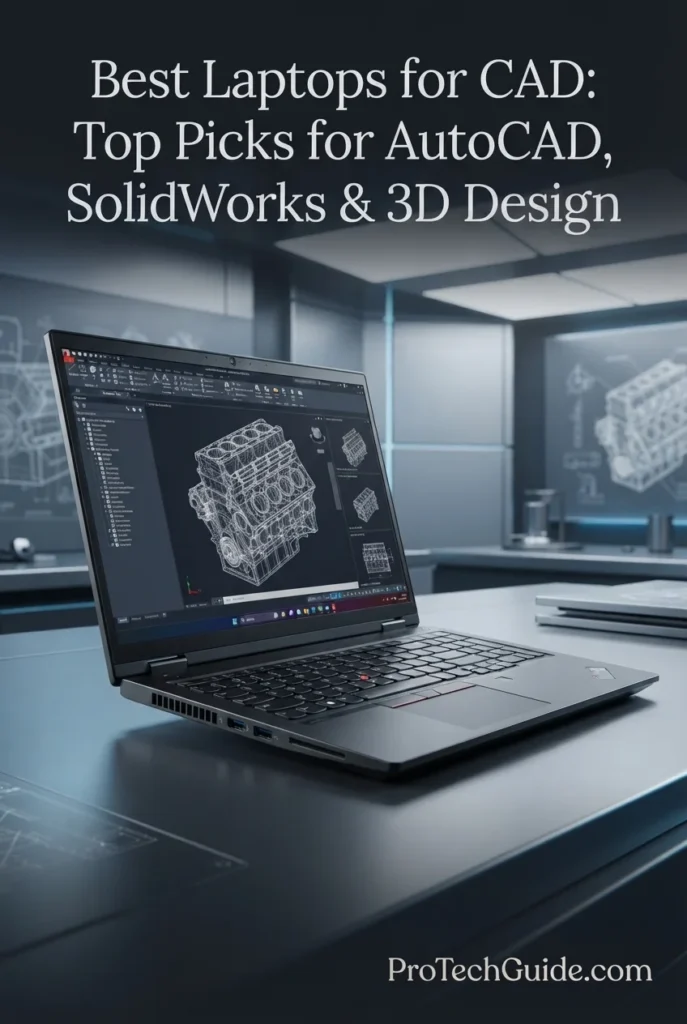
The Lenovo ThinkPad P16 Gen 3 Intel with an Intel Core Ultra 9 285HX vPro processor, NVIDIA RTX PRO 2000 Blackwell Laptop GPU with 8GB GDDR7, 64GB DDR5 memory, and a 4TB SSD is our top overall workstation choice for CAD in 2026. Its combination of professional graphics, substantial memory, large high-speed storage, and a 16-inch 3.2K OLED touchscreen provides a powerful platform for demanding workflows across AutoCAD, SolidWorks, 3D modeling, engineering design, and other professional applications. The configuration also includes professional application certification, Windows 11 Pro, and workstation-focused connectivity, making it particularly well suited to users who need reliable hardware for serious CAD workloads rather than a conventional productivity laptop.
The ThinkPad P16 Gen 3 earns our Best Overall CAD Workstation award because it combines a high-end Core Ultra 9 285HX vPro processor, professional NVIDIA RTX PRO graphics, 64GB of DDR5 memory, 4TB of storage, and a high-resolution 3.2K OLED display in a dedicated mobile workstation. For professionals working across AutoCAD, SolidWorks, 3D modeling, and engineering applications, it provides the hardware capacity and professional graphics features expected from a serious CAD workstation.
Compared with high-performance gaming and creator laptops, the Lenovo ThinkPad P16 Gen 3 is specifically positioned around professional workstation workloads, with NVIDIA RTX PRO graphics and ISV certification for applications such as AutoCAD and SOLIDWORKS. Its 64GB of memory and 4TB SSD also provide substantially more capacity than many mainstream performance laptops, making it particularly attractive for professionals managing large CAD projects and demanding multitasking environments.
Key Features
HP ZBook Fury G1i 18
Best Large-Format Workstation for Professional CAD & 3D Design

The HP ZBook Fury G1i 18-inch Mobile Workstation with an Intel Core Ultra 7 265HX processor, NVIDIA RTX PRO 2000 graphics with 8GB of memory, 32GB of RAM, and a 1TB SSD is our high-end large-format workstation choice for CAD in 2026. Its exceptionally large 18-inch 2560 × 1600 display, 165Hz refresh rate, professional RTX PRO graphics, and high-performance HX-series processor create a workstation platform designed for demanding CAD, 3D design, engineering, and professional computing workflows. The combination is particularly compelling for users who value a large working canvas and desktop-like workstation characteristics over maximum portability.
The ZBook Fury G1i 18 earns our Best High-End CAD Workstation award because it combines a high-performance Core Ultra 7 265HX processor, professional RTX PRO graphics, 32GB of memory, and an unusually large 18-inch 2560 × 1600 display. For CAD professionals who value screen real estate and workstation-oriented hardware more than compact portability, its large-format design provides a distinctive advantage for extended engineering and 3D design sessions.
Compared with the Lenovo ThinkPad P16 Gen 3, the ZBook Fury G1i takes a different approach by emphasizing its larger 18-inch display and 165Hz refresh rate while using a Core Ultra 7 265HX, RTX PRO 2000 graphics, 32GB of memory, and 1TB SSD in this specific configuration. It is therefore particularly relevant for professionals who want a large mobile workstation workspace without moving to a desktop system.
Key Features
Lenovo ThinkPad P1 Gen 8 Intel
Best Premium Mobile Workstation for CAD, Engineering & 3D Design
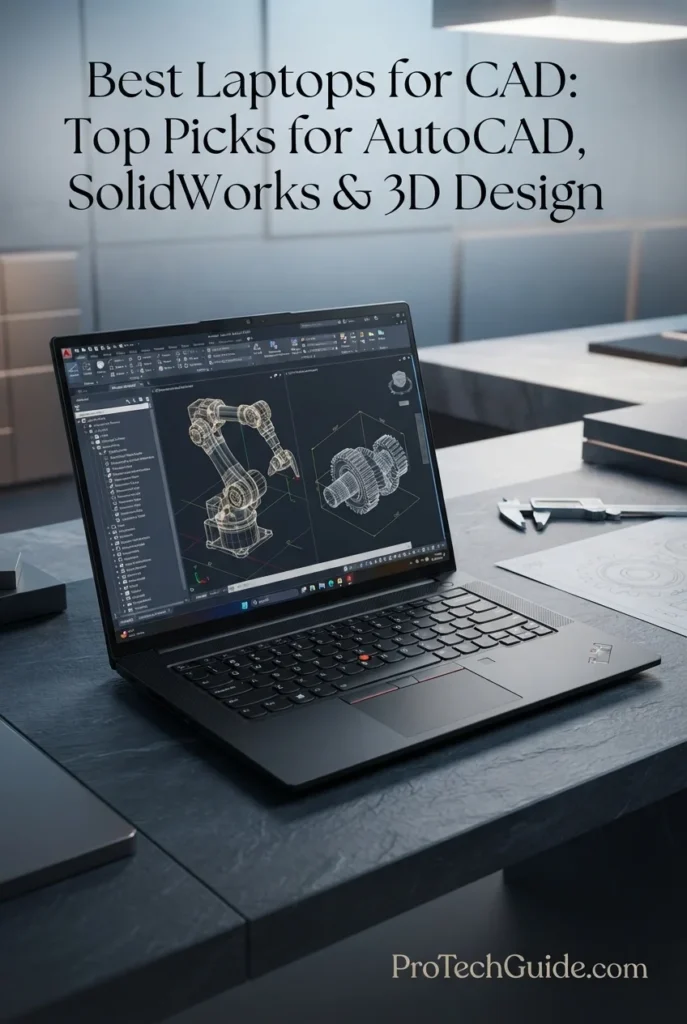
The Lenovo ThinkPad P1 Gen 8 with the Intel Core Ultra 9 285H vPro, 64GB of LPDDR5X memory, NVIDIA RTX PRO 2000 Blackwell graphics, and 2TB Gen5 SSD is a premium mobile workstation built for professional CAD, engineering, 3D design, and demanding technical workflows in 2026. Its 16-inch 3.2K OLED touchscreen combines 3200 × 2000 resolution, 100% DCI-P3 color coverage, and 40–120Hz variable refresh rate, while the workstation-class RTX PRO graphics provide a professional GPU platform for visualization and engineering applications. With Thunderbolt 5, Wi-Fi 7, Windows 11 Pro, and enterprise-focused ThinkShield security, the P1 Gen 8 combines substantial workstation performance with a more streamlined 16-inch design.
The ThinkPad P1 Gen 8 earns our Best Portable Professional Workstation position because it combines a Core Ultra 9 vPro processor, RTX PRO 2000 Blackwell graphics, 64GB memory, 2TB Gen5 storage, and a premium 3.2K OLED touchscreen in a 16-inch mobile workstation. Its combination of workstation-oriented hardware, professional connectivity, enterprise security, and high-end display quality makes it particularly compelling for engineers, CAD professionals, and technical creators who need substantial performance without moving to a larger 17- or 18-inch chassis.
Compared with the Lenovo ThinkPad P16 Gen 3, the ThinkPad P1 Gen 8 takes a more streamlined approach while still offering RTX PRO Blackwell graphics, high-end Intel processing, 64GB memory, and professional workstation features. The P1 also emphasizes its 3.2K OLED touchscreen, Thunderbolt 5 connectivity, and 16-inch form factor, while the larger P16 Gen 3 is positioned more traditionally as a full-size mobile workstation for professionals who prioritize workstation expansion and maximum chassis capacity.
Key Features
Dell Pro Max 16 Premium
Best Business-Class Mobile Workstation for Professional CAD & Engineering
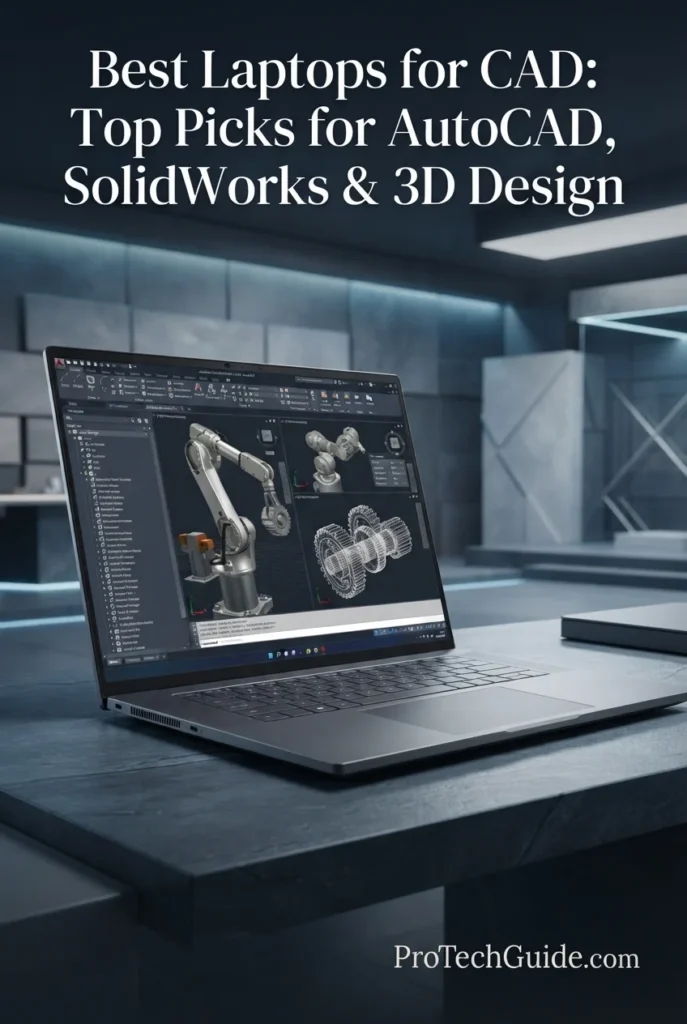
The Dell Pro Max 16 Premium with the Intel Core Ultra 9 285H vPro, 64GB of DDR5 memory, NVIDIA RTX PRO 3000 Blackwell graphics, and 1TB PCIe Gen4 SSD is a business-focused mobile workstation designed for professional CAD, engineering, technical design, and demanding enterprise workflows in 2026. Its 16-inch FHD+ IPS display combines 1920 × 1200 resolution, 500-nit brightness, and 120Hz variable refresh rate, while the RTX PRO 3000 Blackwell GPU provides 12GB of GDDR7 dedicated graphics memory for professional visualization and GPU-accelerated workloads. This specific configuration is sold as a renewed/refurbished system and includes Dell 2-year Pro Support according to the supplied listing.
The Dell Pro Max 16 Premium earns our Best Business Workstation for CAD position because it combines a Core Ultra 9 vPro processor, RTX PRO 3000 Blackwell graphics with 12GB GDDR7, 64GB DDR5 memory, and extensive enterprise connectivity in a 16-inch professional workstation. Its business-oriented platform and included Dell 2-year Pro Support make this particular renewed configuration especially relevant to professional environments where workstation hardware and support services are important considerations.
Compared with the Lenovo ThinkPad P1 Gen 8, the Dell Pro Max 16 Premium places greater emphasis on business workstation features and higher-tier RTX PRO 3000 graphics with 12GB of GDDR7, while the ThinkPad P1 Gen 8 offers a higher-resolution 3.2K OLED touchscreen and 64GB of LPDDR5X memory. The Dell configuration also uses a 120Hz FHD+ IPS display rather than the Lenovo's 3.2K OLED panel, and this specific Dell unit is a renewed/refurbished configuration rather than a new retail system.
Key Features
HP ZBook Power G11 A
Best Value Workstation for AutoCAD, SolidWorks & Engineering

The HP ZBook Power G11 A with the AMD Ryzen 7 PRO 8845HS, NVIDIA RTX 1000 Ada 6GB, 64GB DDR5, and 1TB SSD is our Best Value Professional Workstation for CAD in 2026. Its 8-core Ryzen PRO processor, professional NVIDIA RTX Ada graphics, generous 64GB memory capacity, and 16-inch WUXGA display create a well-balanced platform for AutoCAD, SolidWorks, Revit, engineering design, 3D modeling, simulation, and other professional workflows. With claimed ISV certifications for applications including SolidWorks, AutoCAD, Revit, ANSYS, and MATLAB, the ZBook Power G11 A is designed around professional software reliability rather than gaming-oriented performance alone.
The HP ZBook Power G11 A earns our Best Value Professional Workstation designation because it combines professional NVIDIA RTX Ada graphics, 64GB of DDR5 memory, a Ryzen PRO processor, ISV-certified software compatibility, and workstation-focused durability in a relatively portable 4.5-pound chassis. It provides a strong balance for CAD professionals who need workstation features and substantial memory capacity without moving into the much larger and more expensive high-end workstation class.
Compared with higher-end workstations such as the Lenovo ThinkPad P16 Gen 3 and HP ZBook Fury G1i 18, the ZBook Power G11 A uses a lower-tier RTX 1000 Ada GPU and a more modest 16-inch 1920 × 1200 display, but it is significantly more compact and focuses on delivering professional CAD capabilities in a more accessible workstation configuration. Its 64GB memory capacity, ISV-focused platform, and Ryzen PRO processor make it particularly compelling for engineers and designers whose workloads do not require the higher GPU tiers of the larger flagship workstations.
Key Features
ASUS ProArt P16 H7606WP
Best High-Performance Laptop for 3D CAD, Modeling & Visualization
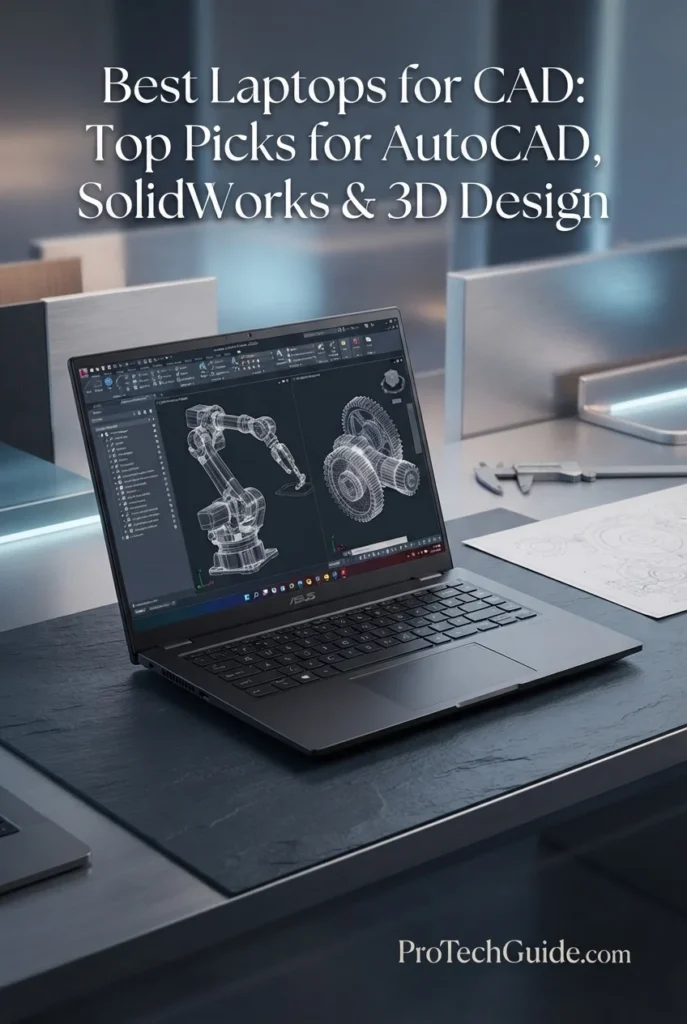
The ASUS ProArt P16 H7606WP with the AMD Ryzen AI 9 HX 370, NVIDIA GeForce RTX 5070 8GB GDDR7, 64GB LPDDR5X memory, and 2TB PCIe 4.0 SSD is our Best High-Performance Alternative for 3D CAD in 2026. Its 12-core/24-thread processor, powerful GeForce RTX graphics, large memory capacity, fast storage, and exceptional 16-inch 4K OLED touchscreen create a highly capable platform for 3D modeling, CAD visualization, rendering, architectural design, engineering projects, and GPU-accelerated creative workflows. Unlike the professional RTX PRO workstations in this guide, the ProArt P16 takes a performance-oriented creator approach, combining substantial graphics performance with a premium high-resolution display in a comparatively portable 4.08-pound chassis.
The ASUS ProArt P16 earns our Best High-Performance Alternative for 3D CAD designation because it combines a Ryzen AI 9 HX 370 processor, RTX 5070 graphics, 64GB of LPDDR5X memory, 2TB of fast storage, and an exceptional 4K OLED touchscreen in a relatively lightweight 16-inch design. It is particularly compelling for users who prioritize 3D performance, visualization quality, and portability and who do not specifically require the professional RTX PRO certification ecosystem of a traditional mobile workstation.
Compared with the HP ZBook Power G11 A and professional RTX PRO workstations such as the Lenovo ThinkPad P1 Gen 8, the ProArt P16 emphasizes GeForce RTX 5070 performance, a 4K OLED touchscreen, and creator-oriented portability rather than professional RTX PRO graphics and workstation certification. Its 64GB memory and 2TB SSD also provide a strong configuration for complex 3D projects, while professionals whose software workflows depend on specific ISV certifications should verify the required application and hardware certification before choosing it for mission-critical CAD deployment.
Key Features
Lenovo Legion Pro 5i Gen 10
Best High-Performance Gaming Laptop for CAD, 3D Modeling & Engineering
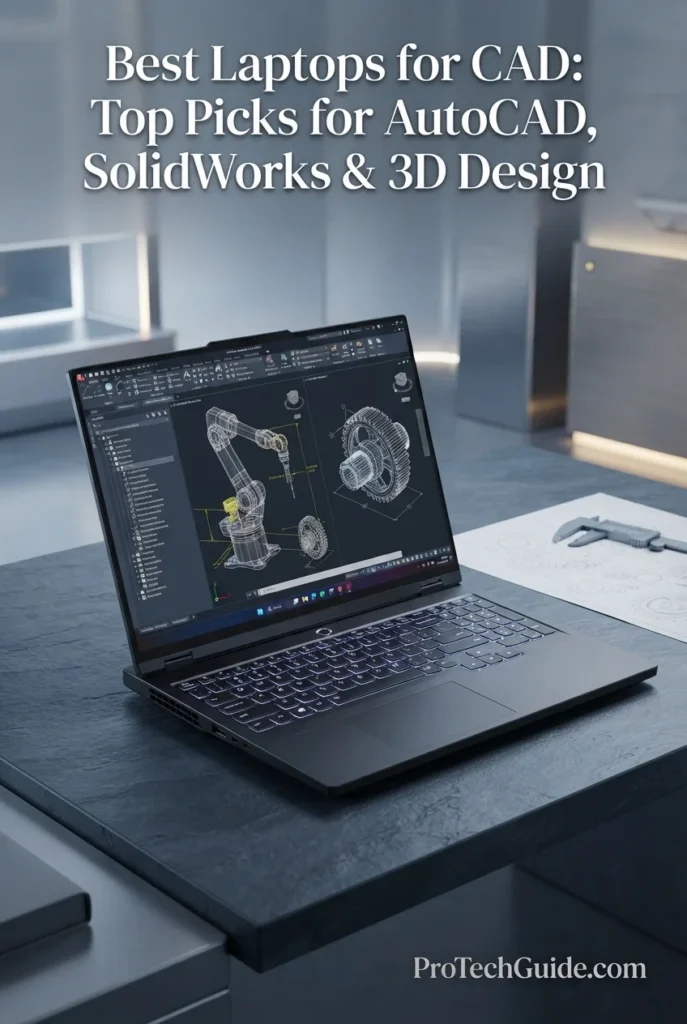
The Lenovo Legion Pro 5i Gen 10 with the Intel Core Ultra 9 275HX, NVIDIA GeForce RTX 5070, 32GB DDR5 memory, and 2TB SSD is our performance-focused alternative for CAD, 3D modeling, visualization, and engineering workflows in 2026. Its high-performance HX-series processor, dedicated RTX 5070 graphics with 8GB GDDR7, 32GB of DDR5-5600 memory, fast 2TB SSD, and 16-inch 2560 × 1600 OLED display provide substantial hardware headroom for demanding 3D CAD environments, large assemblies, visualization, rendering, and multitasking. Unlike the professional RTX PRO workstations in this guide, the Legion Pro 5i uses a GeForce GPU and is positioned as a high-performance alternative rather than a traditional ISV-certified mobile workstation.
The Legion Pro 5i earns our Best Performance Alternative for CAD designation because it combines a high-end Core Ultra 9 HX processor, GeForce RTX 5070 graphics, 32GB of DDR5 memory, 2TB storage, and a high-resolution OLED display in a system designed for both professional workloads and demanding graphics performance. It offers particularly strong raw hardware for users who want CAD capability without limiting the laptop to a traditional workstation role.
Compared with professional workstations such as the Lenovo ThinkPad P16 Gen 3 and Lenovo ThinkPad P1 Gen 8, the Legion Pro 5i emphasizes GeForce gaming-class graphics, high performance, and a 165Hz OLED display rather than an RTX PRO workstation GPU and professional ISV-certified platform. That makes it an attractive alternative for users who value raw 3D performance and versatility, while professionals with certification-dependent SolidWorks or other mission-critical CAD workflows should verify application and driver compatibility before choosing it.
Key Features
ASUS ROG Zephyrus G16
Best Portable Laptop for CAD, 3D Modeling & Engineering

The ASUS ROG Zephyrus G16 with the Intel Core Ultra 9 285H, NVIDIA GeForce RTX 5070, 16GB DDR5 memory, and 4TB SSD is our portable performance alternative for CAD, 3D modeling, visualization, and engineering workflows in 2026. Its 16-core Ultra 9 processor, dedicated RTX 5070 with 8GB GDDR7, fast 4TB SSD, and 16-inch 2560 × 1600 OLED display with a 240Hz refresh rate deliver a strong combination of CPU performance, GPU acceleration, visual quality, and mobility. At just 4.09 pounds, the Zephyrus G16 is particularly compelling for CAD users who need substantial graphics performance in a much more portable chassis than traditional mobile workstations.
The Zephyrus G16 earns our Best Portable Performance Alternative for CAD designation because it delivers an unusually strong combination of high-end CPU and GeForce RTX graphics performance, a premium 16-inch OLED display, 4TB of storage, and a remarkably portable 4.09-pound chassis. It is especially attractive to CAD users who value mobility and visual quality and who do not require the certified workstation platform associated with RTX PRO graphics.
Compared with professional workstations such as the Lenovo ThinkPad P1 Gen 8 and HP ZBook Power G11 A, the Zephyrus G16 is significantly more focused on portability, high-refresh OLED visuals, and GeForce graphics performance. Its 16GB memory configuration also provides less headroom than the 32GB or 64GB configurations of the workstations in this guide, while its GeForce RTX 5070 is not positioned as an RTX PRO certified workstation GPU. For professional CAD users, application-specific certification and memory requirements should therefore be verified before selecting it for demanding production workflows.
Key Features
Best Laptops for CAD in 2026
Ranked by CPU Performance, Professional GPU & VRAM, RAM Capacity, CAD Software Compatibility, Display Quality, Storage, Thermals, Portability & Overall Value
Choosing the best laptop for CAD in 2026 requires more than comparing processor speeds or GPU specifications. Professional CAD users need the right balance of CPU performance, dedicated graphics, VRAM, memory capacity, storage speed, thermal headroom, display quality, connectivity, portability, and software compatibility. We evaluated these eight laptops across real-world CAD and engineering workloads including AutoCAD, SolidWorks, 3D modeling, assemblies, technical visualization, rendering, simulation, architectural design, and professional engineering workflows. The lineup includes certified mobile workstations built around NVIDIA RTX PRO graphics as well as high-performance GeForce RTX alternatives for users who prioritize raw 3D performance and portability.
| Laptop | CPU & Key Specs | Best For | Why It Wins | Editor's Verdict |
|---|---|---|---|---|
Best Overall
Lenovo ThinkPad P16 Gen 3
Check Price
|
Intel Core Ultra 9 285HX vPro 64GB DDR5 4TB SSD RTX PRO 2000 Blackwell 8GB GDDR7 16" 3.2K OLED Touch |
Professional CAD AutoCAD & SolidWorks Engineering Workflows 3D Modeling | The ThinkPad P16 Gen 3 delivers the most complete workstation-oriented package in this lineup, combining a high-performance Core Ultra 9 HX processor, 64GB of DDR5 memory, 4TB of storage, and NVIDIA RTX PRO 2000 Blackwell graphics. Its 3.2K OLED touchscreen, professional workstation design, ISV-oriented positioning, and business-grade security make it particularly well suited to demanding AutoCAD, SolidWorks, 3D CAD, and engineering workflows. | Best Overall Laptop for CAD |
Best High-End
HP ZBook Fury G1i 18
Check Price
|
Intel Core Ultra 7 265HX vPro 32GB DDR5 1TB SSD RTX PRO 2000 8GB 18" WQXGA 165Hz |
Large CAD Projects Engineering Professionals 3D Design Large-Screen Workstations | The ZBook Fury G1i 18 combines professional RTX PRO graphics with an expansive 18-inch WQXGA display and a powerful Core Ultra 7 HX processor. Its large-format design provides valuable workspace for complex assemblies, technical drawings, 3D models, engineering applications, and multi-window CAD workflows while maintaining the capabilities expected from a professional mobile workstation. | Best High-End Workstation for CAD |
Best Portable Workstation
Lenovo ThinkPad P1 Gen 8
Check Price
|
Intel Core Ultra 9 285H vPro 64GB LPDDR5X 2TB Gen5 SSD RTX PRO 2000 Blackwell 8GB 16" 3.2K OLED Touch |
Mobile Engineers Professional CAD 3D Modeling Frequent Travel | The ThinkPad P1 Gen 8 brings workstation-class capabilities into a significantly more portable chassis. Its Core Ultra 9 processor, 64GB of memory, RTX PRO 2000 Blackwell graphics, fast Gen5 storage, and 3.2K OLED display create a strong combination for engineers and CAD professionals who need substantial performance without carrying a larger desktop-replacement workstation. | Best Portable Professional CAD Workstation |
Best Business Workstation
Dell Pro Max 16 Premium
Check Price
|
Intel Core Ultra 9 285H vPro 64GB DDR5 1TB PCIe Gen4 SSD RTX PRO 3000 Blackwell 12GB GDDR7 16" FHD+ 120Hz IPS |
Enterprise CAD Engineering Professionals Technical Visualization Business Workstations | The Dell Pro Max 16 Premium stands out for its higher-tier RTX PRO 3000 Blackwell GPU with 12GB of GDDR7 VRAM, paired with a Core Ultra 9 vPro processor and 64GB of DDR5 memory. Its business-focused platform, extensive Thunderbolt connectivity, and Dell Pro Support make it particularly relevant for professional environments where workstation graphics and enterprise support matter. | Best Business Workstation for CAD |
Best Value Workstation
HP ZBook Power G11 A
Check Price
|
AMD Ryzen 7 PRO 8845HS 64GB DDR5-4800 1TB PCIe NVMe SSD RTX 1000 Ada 6GB GDDR6 16" WUXGA IPS |
AutoCAD Users SolidWorks Users Engineering Students & Professionals Professional CAD on a Budget | The ZBook Power G11 A focuses on practical workstation capability rather than maximum specifications. Its Ryzen 7 PRO processor, 64GB of memory, RTX 1000 Ada graphics, 1TB SSD, and 16-inch WUXGA display provide a balanced platform for AutoCAD, SolidWorks, engineering applications, and everyday 3D CAD work. Its listed ISV certification support further strengthens its professional positioning. | Best Value Professional Workstation for CAD |
Best 3D Performance Alternative
ASUS ProArt P16 H7606WP
Check Price
|
Ryzen AI 9 HX 370 64GB LPDDR5X 2TB PCIe 4.0 SSD GeForce RTX 5070 8GB GDDR7 16" 4K OLED Touch |
3D CAD 3D Modeling & Rendering Architecture & Visualization Creator Workflows | The ProArt P16 combines a powerful Ryzen AI 9 HX 370 processor, 64GB of memory, GeForce RTX 5070 graphics, 2TB storage, and a high-resolution 4K OLED touchscreen in a relatively compact chassis. It is especially attractive for users who combine CAD and 3D modeling with visualization, rendering, creative applications, and other GPU-intensive workloads. | Best High-Performance Alternative for 3D CAD |
Best Performance Alternative
Lenovo Legion Pro 5i Gen 10
Check Price
|
Intel Core Ultra 9 275HX 32GB DDR5-5600 2TB SSD GeForce RTX 5070 8GB GDDR7 16" 2560x1600 OLED 165Hz |
3D CAD GPU-Accelerated Workloads Engineering & Architecture Performance-Focused Users | The Legion Pro 5i Gen 10 delivers substantial raw CPU and GPU performance through its Core Ultra 9 275HX and GeForce RTX 5070 combination. Its 32GB of DDR5 memory, 2TB SSD, and 16-inch OLED display make it a strong performance-oriented alternative for 3D CAD, visualization, modeling, and engineering workloads where certified workstation hardware is not the primary requirement. | Best Performance Alternative for CAD |
Best Portable Alternative
ASUS ROG Zephyrus G16
Check Price
|
Intel Core Ultra 9 285H 16GB DDR5 4TB SSD GeForce RTX 5070 8GB GDDR7 16" 2560x1600 OLED 240Hz |
Portable CAD 3D Modeling Mobile Engineering Performance & Portability | The ROG Zephyrus G16 prioritizes mobility without giving up dedicated GPU performance. Its Core Ultra 9 285H, GeForce RTX 5070, 4TB SSD, and 16-inch 240Hz OLED display are well suited to mobile 3D modeling and graphics-intensive workflows, while its 4.09-pound chassis makes it substantially easier to carry than traditional workstation-class systems. | Best Portable Performance Alternative for CAD |
Recommended Next Reads
Finished comparing the best laptops for CAD? Explore our related buying guides for engineering, 3D modeling, graphics performance, processors, and professional laptop displays.
Whether you're working in AutoCAD or SolidWorks, building complex 3D models, comparing GPU performance, choosing between Intel and AMD processors, or looking for the right display for professional design work, these guides can help you make a more informed laptop decision.
Best Laptops for Engineering Students in 2026
Explore laptops selected for CAD, SolidWorks, MATLAB, 3D modeling, engineering software, technical coursework, and demanding academic workflows.
Explore Engineering Laptops →Best Laptops for 3D Modeling in 2026
Compare laptops built for Blender, 3ds Max, CAD, 3D rendering, visualization, modeling, and other GPU-intensive creative workflows.
Explore 3D Modeling Laptops →Graphics & DesignBest Laptops for Graphic Design in 2026
Explore high-performance laptops for professional design, creative applications, color-focused displays, GPU acceleration, and visual workflows.
Explore Graphic Design Laptops →GPU PerformanceRTX 5060 vs RTX 5070 Ti vs RTX 5080 Laptop GPUs in 2026
Understand laptop GPU performance, VRAM, graphics capabilities, and how different GeForce RTX configurations compare for demanding workloads.
Compare Laptop GPUs →Processor ComparisonIntel Core Ultra 9 vs AMD Ryzen AI 9 in 2026
Compare two leading processor platforms and understand their differences for performance, multitasking, AI workloads, professional applications, and demanding laptop workflows.
Compare Laptop Processors →Display QualityBest OLED Laptops in 2026
Explore premium OLED laptops for professional work, design, visualization, content creation, and users who prioritize high-quality displays.
Explore OLED Laptops →EDITOR'S FINAL RECOMMENDATIONS
After comparing these laptops across CPU performance, professional and consumer GPU capabilities, VRAM, RAM capacity, CAD software compatibility, 3D modeling performance, display quality, storage, thermals, connectivity, portability, workstation features, and long-term professional value, these are our final recommendations for CAD users in 2026. Whether you primarily work in AutoCAD and SolidWorks, build complex 3D models, handle engineering workloads, or need a more portable alternative to a traditional workstation, there is an option here for your specific workflow.
Lenovo ThinkPad P16 Gen 3
The best overall laptop for professional CAD in 2026. The ThinkPad P16 Gen 3 combines an Intel Core Ultra 9 285HX vPro processor, 64GB of DDR5 memory, 4TB of storage, NVIDIA RTX PRO 2000 Blackwell graphics, and a 16-inch 3.2K OLED touchscreen. Its workstation-class platform, professional GPU, extensive memory and storage capacity, and ISV-oriented positioning make it particularly well suited to AutoCAD, SolidWorks, 3D CAD, engineering, and demanding professional design workflows.
- ✓ Intel Core Ultra 9 285HX vPro
- ✓ 64GB DDR5 Memory
- ✓ 4TB SSD Storage
- ✓ NVIDIA RTX PRO 2000 Blackwell 8GB GDDR7
HP ZBook Fury G1i 18
The high-end choice for CAD professionals who value maximum workspace and a large-format mobile workstation. Its Core Ultra 7 265HX vPro processor, RTX PRO 2000 graphics, 32GB of memory, and 18-inch WQXGA 165Hz display create a powerful platform for complex CAD projects, large assemblies, technical drawings, engineering applications, and 3D design. The expansive display is particularly useful for users who regularly keep multiple CAD panels, models, and reference windows visible simultaneously.
- ✓ Intel Core Ultra 7 265HX vPro
- ✓ 32GB DDR5 Memory
- ✓ 1TB SSD Storage
- ✓ NVIDIA RTX PRO 2000 8GB
Lenovo ThinkPad P1 Gen 8
The best choice for CAD professionals who need workstation-class capability without carrying a larger desktop-replacement system. The ThinkPad P1 Gen 8 combines a Core Ultra 9 285H vPro processor, 64GB of LPDDR5X memory, RTX PRO 2000 Blackwell graphics, a 2TB Gen5 SSD, and a 16-inch 3.2K OLED touchscreen in a more mobile design. It is particularly well suited to engineers, architects, designers, and technical professionals who regularly move between offices, job sites, studios, and client locations.
- ✓ Intel Core Ultra 9 285H vPro
- ✓ 64GB LPDDR5X Memory
- ✓ 2TB Gen5 SSD Storage
- ✓ NVIDIA RTX PRO 2000 Blackwell 8GB
Dell Pro Max 16 Premium
The business-focused workstation choice for professional CAD environments that benefit from higher-tier professional graphics and enterprise-oriented support. Its Core Ultra 9 285H vPro processor, 64GB of DDR5 memory, and NVIDIA RTX PRO 3000 Blackwell GPU with 12GB of GDDR7 VRAM give it substantial graphics headroom for demanding professional visualization and 3D workloads. The specific configuration is sold as a renewed or certified refurbished system, making its condition and warranty coverage important considerations before purchase.
- ✓ Intel Core Ultra 9 285H vPro
- ✓ 64GB DDR5 Memory
- ✓ 1TB PCIe Gen4 SSD
- ✓ NVIDIA RTX PRO 3000 Blackwell 12GB GDDR7
HP ZBook Power G11 A
The value-focused professional workstation for CAD users who want dedicated workstation graphics without moving into the highest-end configurations. Its Ryzen 7 PRO 8845HS processor, 64GB of DDR5 memory, RTX 1000 Ada graphics, and 1TB SSD provide a balanced platform for AutoCAD, SolidWorks, engineering applications, 3D CAD, and professional productivity. Its listed ISV certification support further reinforces its workstation-oriented positioning.
- ✓ AMD Ryzen 7 PRO 8845HS
- ✓ 64GB DDR5-4800 Memory
- ✓ 1TB PCIe NVMe SSD
- ✓ NVIDIA RTX 1000 Ada 6GB GDDR6
ASUS ProArt P16 H7606WP
The high-performance alternative for users who combine CAD with 3D modeling, rendering, visualization, and creative workloads. The ProArt P16 pairs a Ryzen AI 9 HX 370 processor with a GeForce RTX 5070, 64GB of LPDDR5X memory, 2TB of PCIe 4.0 storage, and a 16-inch 4K OLED touchscreen. It offers strong raw graphics performance in a much more creator-oriented platform, although users who specifically require certified professional workstation hardware should prioritize an RTX PRO-based system instead.
- ✓ AMD Ryzen AI 9 HX 370
- ✓ 64GB LPDDR5X Memory
- ✓ 2TB PCIe 4.0 SSD
- ✓ NVIDIA GeForce RTX 5070 8GB GDDR7
Lenovo Legion Pro 5i Gen 10
The performance-focused alternative for CAD users who prioritize raw CPU and GPU capability over professional workstation certification. Its Core Ultra 9 275HX processor, GeForce RTX 5070, 32GB of DDR5 memory, 2TB SSD, and 16-inch 2560x1600 OLED display provide substantial performance for 3D CAD, modeling, visualization, engineering, and GPU-accelerated workflows. Because it uses GeForce rather than RTX PRO graphics, users with certification-sensitive SolidWorks or professional engineering workflows should verify their software and driver requirements before choosing it over a mobile workstation.
- ✓ Intel Core Ultra 9 275HX
- ✓ 32GB DDR5-5600 Memory
- ✓ 2TB SSD Storage
- ✓ NVIDIA GeForce RTX 5070 8GB GDDR7
ASUS ROG Zephyrus G16
The most portable performance alternative for CAD users who want dedicated graphics in a lightweight premium chassis. Its Core Ultra 9 285H processor, GeForce RTX 5070, 16GB of DDR5 memory, 4TB SSD, and 16-inch 2560x1600 OLED 240Hz display create a strong platform for mobile 3D modeling, visualization, and graphics-intensive CAD workloads. At approximately 4.09 pounds, it is considerably easier to carry than traditional workstation-class laptops, although its 16GB memory configuration is better suited to moderate workloads than exceptionally large assemblies or memory-intensive professional projects.
- ✓ Intel Core Ultra 9 285H
- ✓ 16GB DDR5 Memory
- ✓ 4TB SSD Storage
- ✓ NVIDIA GeForce RTX 5070 8GB GDDR7
Which CAD laptop should you choose?
ThinkPad P16 Gen 3
HP ZBook Fury G1i 18
ThinkPad P1 Gen 8
Dell Pro Max 16 Premium
HP ZBook Power G11 A
ASUS ProArt P16 H7606WP
Lenovo Legion Pro 5i Gen 10
ASUS ROG Zephyrus G16
- Choose the Lenovo ThinkPad P16 Gen 3 if you want the most complete workstation-oriented combination of CPU performance, professional graphics, memory, storage, display quality, and professional CAD capability for AutoCAD, SolidWorks, 3D CAD, and engineering workflows.
- Choose the HP ZBook Fury G1i 18 if you value a large 18-inch workspace and want a high-end mobile workstation for complex CAD projects, engineering applications, large assemblies, and professional 3D design.
- Choose the Lenovo ThinkPad P1 Gen 8 if you need workstation-class CAD performance in a more portable professional chassis. Its 64GB memory, RTX PRO graphics, Gen5 storage, and 3.2K OLED display make it particularly well suited to engineers and technical professionals who travel frequently.
- Choose the Dell Pro Max 16 Premium if professional graphics headroom and business-oriented workstation features are priorities. Its RTX PRO 3000 with 12GB of GDDR7 VRAM provides a higher professional GPU tier than several systems in this lineup, while the specific renewed/refurbished configuration should be evaluated for condition and warranty coverage before purchase.
- Choose the HP ZBook Power G11 A if you want a more accessible professional workstation platform with 64GB of memory, RTX 1000 Ada graphics, and workstation-oriented software support for AutoCAD, SolidWorks, engineering applications, and everyday 3D CAD.
- Choose the ASUS ProArt P16 H7606WP if your workflow combines CAD with 3D modeling, visualization, rendering, and creative applications. Its GeForce RTX 5070 and 64GB of memory deliver strong raw performance, but users who specifically require professional GPU certification should consider an RTX PRO workstation instead.
- Choose the Lenovo Legion Pro 5i Gen 10 if raw CPU and GPU performance is more important to you than workstation certification. Its Core Ultra 9 275HX, GeForce RTX 5070, 32GB of memory, and OLED display make it a strong alternative for 3D CAD, visualization, and engineering workflows.
- Choose the ASUS ROG Zephyrus G16 if portability is your priority and your CAD workload benefits from dedicated GPU performance. Its 4.09-pound chassis, RTX 5070, 4TB SSD, and 240Hz OLED display make it highly mobile, while its 16GB memory configuration is better suited to moderate CAD workloads than very large assemblies or memory-intensive professional projects.
EDITOR'S FINAL VERDICT
After comparing processor performance, professional GPU capabilities, VRAM, RAM capacity, SSD storage, AutoCAD and SolidWorks requirements, 3D modeling performance, display quality, software compatibility, ISV certification considerations, thermals, connectivity, portability, and long-term value, one conclusion stands out:The best laptop for CAD is not necessarily the laptop with the most powerful gaming GPU or the highest raw benchmark score. It is the system that provides the right balance of CPU performance, professional graphics capabilities, memory capacity, storage, certified hardware and driver support where required, thermal stability, display quality, portability, and reliability for the CAD workloads you actually perform.
Modern CAD professionals can work across AutoCAD drawings, SolidWorks assemblies, 3D modeling, engineering visualization, mechanical design, large assemblies, simulations, technical documentation, rendering, and other demanding design workflows. These applications benefit from strong CPU performance, sufficient RAM, fast SSD storage, and capable graphics hardware, while professional workstation GPUs can provide additional advantages when ISV certification, optimized drivers, and predictable application compatibility are important.
For most professional CAD users, 32GB of memory is the ideal target for long-term use, while 16GB can still be appropriate for lighter projects and moderate 2D workflows. For larger assemblies, complex 3D models, simulation, multitasking, and professional engineering environments, 64GB provides significantly more headroom. A capable GPU with sufficient VRAM, fast SSD storage, strong cooling, and reliable workstation-class connectivity are equally important when the laptop will be used for CAD every day.- Choose the Lenovo ThinkPad P16 Gen 3 if you want the strongest overall combination of workstation-class CPU performance, 64GB of memory, 4TB of storage, RTX PRO graphics, a high-resolution OLED display, and professional CAD capability for AutoCAD, SolidWorks, 3D design, and demanding engineering workflows.
- Choose the HP ZBook Fury G1i 18 if you want a large-screen professional workstation with substantial thermal and expansion potential for demanding CAD projects, long working sessions, and complex engineering workloads. Its 18-inch display also provides valuable workspace when working with detailed drawings, assemblies, and technical applications.
- Choose the Lenovo ThinkPad P1 Gen 8 if portability matters but you still need workstation-class hardware, 64GB of memory, RTX PRO graphics, fast Gen5 storage, and a premium 3.2K OLED display for professional CAD work away from a desk.
- Choose the HP ZBook Power G11 A if you want a more accessible professional workstation with 64GB of memory, an RTX 1000 Ada GPU, ISV-oriented CAD support, and a lighter chassis for AutoCAD, SolidWorks, engineering applications, and general professional design work.
Top CAD Laptop Recommendations (2026)
Lenovo ThinkPad P16 Gen 3
Our Editor's Choice for professional CAD users because it combines an Intel Core Ultra 9 285HX vPro processor, 64GB of DDR5 memory, 4TB of SSD storage, and an NVIDIA RTX PRO 2000 Blackwell GPU with 8GB of GDDR7 memory. Its 16-inch 3.2K OLED display and workstation-oriented platform provide substantial headroom for AutoCAD, SolidWorks, 3D modeling, large assemblies, and demanding engineering workflows.
- ✓ Intel Core Ultra 9 285HX vPro
- ✓ 64GB DDR5 Memory
- ✓ 4TB SSD Storage
- ✓ NVIDIA RTX PRO 2000 Blackwell 8GB GDDR7
Lenovo ThinkPad P1 Gen 8
The strongest choice for CAD professionals who need serious workstation capability without moving to a larger desktop-replacement chassis. Its Core Ultra 9 285H vPro processor, 64GB of LPDDR5X memory, RTX PRO 2000 Blackwell graphics, Gen5 SSD, and 3.2K OLED touchscreen create a powerful platform for professional CAD work while remaining substantially more portable than the largest workstations.
- ✓ Intel Core Ultra 9 285H vPro
- ✓ 64GB LPDDR5X Memory
- ✓ 2TB Gen5 Performance SSD
- ✓ NVIDIA RTX PRO 2000 Blackwell 8GB
ASUS ProArt P16 H7606WP
A compelling high-performance alternative for users who prioritize 3D CAD performance, a premium 4K OLED display, and creator-oriented hardware. Its Ryzen AI 9 HX 370, 64GB of memory, 2TB PCIe 4.0 SSD, and GeForce RTX 5070 deliver substantial raw performance for 3D modeling and visualization. However, users who require certified workstation hardware for professional CAD applications should prioritize RTX PRO systems and verify current ISV certification requirements.
- ✓ AMD Ryzen AI 9 HX 370
- ✓ 64GB LPDDR5X Memory
- ✓ 2TB PCIe 4.0 NVMe SSD
- ✓ NVIDIA GeForce RTX 5070 8GB GDDR7
- ✓ You want the strongest overall professional CAD workstation in this guide
- ✓ You regularly work with AutoCAD, SolidWorks, large assemblies, 3D models, and demanding engineering applications
- ✓ You want 64GB of memory and 4TB of storage for long-term professional use
- ✓ You prefer RTX PRO graphics and a workstation platform designed around professional software compatibility
- ✓ Portability and professional mobility are major priorities
- ✓ You still need 64GB of memory and RTX PRO workstation graphics
- ✓ You want a premium 3.2K OLED display for detailed CAD and engineering work
- ✓ You regularly move between offices, job sites, client locations, and design environments
- ✓ Prefer 32GB of RAM for demanding professional CAD workloads and 64GB for large assemblies, heavy multitasking, simulation, and long-term headroom
- ✓ Choose a dedicated GPU with sufficient VRAM for 3D CAD, visualization, rendering, and GPU-accelerated workloads
- ✓ Consider RTX PRO workstation graphics when ISV certification, professional drivers, and predictable application compatibility are important
- ✓ Remember that GeForce RTX laptops can deliver excellent raw 3D performance but are not interchangeable with certified professional workstation platforms
- ✓ Prioritize fast SSD storage, strong cooling, a high-quality display, reliable connectivity, and a chassis designed for sustained workloads
A CAD laptop is a professional engineering tool that may be used for thousands of hours across technical drawings, assemblies, 3D models, simulations, design revisions, documentation, visualization, and project collaboration. Raw processor and GPU specifications matter, but memory capacity, professional graphics support, thermal stability, display quality, software compatibility, storage, keyboard comfort, connectivity, and long-term reliability can have an equally important impact on everyday productivity.
Among the models evaluated in this guide, the Lenovo ThinkPad P16 Gen 3 delivers the strongest overall combination of CPU performance, 64GB of memory, 4TB of storage, RTX PRO 2000 Blackwell graphics, workstation-oriented features, and premium display quality, making it our Editor's Choice for the best laptop for CAD in 2026.The HP ZBook Fury G1i 18 is the larger high-end workstation option for professionals who value screen size and substantial workstation capability, while the Lenovo ThinkPad P1 Gen 8 is the stronger choice for users who need professional CAD performance in a more portable package. The HP ZBook Power G11 A provides a more accessible entry into professional workstation hardware, while the ASUS ProArt P16 H7606WP offers powerful GeForce-based 3D performance for users who prioritize visualization and creator-oriented workloads over workstation certification requirements.
Compare current prices, configurations, memory, GPU and VRAM, storage, warranty coverage, availability, and professional software compatibility before choosing the laptop that best matches your AutoCAD, SolidWorks, 3D modeling, or engineering workflow.
Check Latest DealsEDITOR'S FAQ
Choosing the best laptop for CAD requires more than comparing processor and GPU specifications. CAD professionals need to consider CPU performance, RAM capacity, GPU and VRAM, AutoCAD and SolidWorks compatibility, ISV certification, SSD storage, display quality, thermal performance, portability, connectivity, and the type of 2D or 3D workloads they expect to perform.These frequently asked questions address the most important buying decisions, from determining how much RAM and VRAM you need for AutoCAD and SolidWorks to understanding the difference between RTX PRO and GeForce RTX graphics, evaluating workstation certification, and selecting the right laptop for large assemblies, 3D modeling, engineering design, and professional CAD workflows.
It provides an excellent combination of workstation-class processing power, 64GB of DDR5 memory, 4TB of SSD storage, and an NVIDIA RTX PRO 2000 Blackwell GPU with 8GB of GDDR7 memory. Its 16-inch 3.2K OLED display also provides a high-resolution workspace for detailed drawings, assemblies, modeling, and technical applications.
- Intel Core Ultra 9 285HX vPro for demanding professional workloads.
- 64GB of DDR5 memory for large projects and heavy multitasking.
- 4TB SSD for CAD applications, project files, models, and large datasets.
- NVIDIA RTX PRO 2000 Blackwell graphics with 8GB of GDDR7 memory.
- 16-inch 3.2K OLED display for detailed CAD and engineering work.
For professionals who prioritize portability, the Lenovo ThinkPad P1 Gen 8 is a more mobile workstation alternative. Users who prioritize raw 3D performance and creator-oriented hardware can also consider the ASUS ProArt P16, although GeForce RTX graphics should not be treated as interchangeable with certified RTX PRO workstation hardware when professional certification is required.
Check PriceAutoCAD 2026 lists 32GB as its recommended memory configuration, while SOLIDWORKS 2026 lists 32GB as recommended. Larger CAD projects can require additional headroom, particularly when working with large assemblies, 3D models, multiple applications, simulation tools, or several professional applications simultaneously.
- 16GB → Suitable for students, light 2D CAD, smaller projects, and moderate workflows.
- 32GB → Recommended for most professional AutoCAD and SolidWorks users.
- 64GB → Better for large assemblies, complex 3D models, heavy multitasking, simulation, and long-term professional use.
- 128GB or more → Relevant primarily to exceptionally demanding workstation workloads, specialized simulation, virtualization, and very large professional projects.
If you expect your CAD workload to grow over the next several years, 32GB is a sensible baseline, while 64GB provides substantially more long-term headroom. The Lenovo ThinkPad P16 Gen 3, ThinkPad P1 Gen 8, Dell Pro Max 16 Premium, HP ZBook Power G11 A, and ASUS ProArt P16 configurations in this guide provide 64GB of memory.
A 16GB laptop can handle many basic 2D drawings, smaller models, educational projects, and moderate CAD workflows. However, memory requirements increase as assemblies become larger and as users run CAD software alongside browsers, spreadsheets, rendering tools, communication applications, and other engineering software.
- 16GB can be suitable for basic 2D AutoCAD and smaller CAD projects.
- 16GB can work for students and lighter SolidWorks workloads.
- 32GB provides substantially more room for professional multitasking.
- 32GB is the recommended target for demanding mainstream CAD work.
- 64GB becomes increasingly valuable for large assemblies, complex 3D models, simulation, and heavy multitasking.
The ASUS ROG Zephyrus G16 in this guide has 16GB of memory and is therefore better positioned as a portable performance alternative for moderate CAD workloads rather than as the preferred configuration for exceptionally large professional assemblies.
Check Portable CAD OptionGPU requirements depend heavily on the type of CAD work being performed. Basic 2D drafting is considerably less demanding than large 3D assemblies, complex visualization, point clouds, rendering, and other graphics-intensive workflows. Autodesk specifically recommends an 8GB GPU for AutoCAD 2026, while its requirements for large datasets, point clouds, and 3D modeling call for 12GB of VRAM or greater and workstation-class graphics.
- 4GB → Appropriate primarily for lighter 2D and entry-level 3D workloads.
- 6GB → A reasonable level for professional entry-level CAD and moderate 3D work.
- 8GB → A strong target for demanding mainstream CAD and 3D workflows.
- 12GB or more → More appropriate for large datasets, advanced visualization, point clouds, and demanding professional 3D workloads.
The NVIDIA RTX PRO 2000 configurations in the ThinkPad P16 Gen 3, HP ZBook Fury G1i 18, and ThinkPad P1 Gen 8 provide 8GB of dedicated VRAM, while the Dell Pro Max 16 Premium increases that to 12GB with its RTX PRO 3000 Blackwell GPU.
GeForce RTX GPUs can deliver excellent raw graphics performance and can be highly effective for 3D modeling, visualization, rendering, and mixed creator workloads. Professional RTX PRO workstation GPUs, however, are designed for workstation environments where certified hardware, drivers, application compatibility, and professional support can be important considerations.
- RTX PRO → Designed for professional workstation environments and certification-focused workflows.
- GeForce RTX → Excellent raw performance for 3D modeling, visualization, rendering, and mixed-use workloads.
- Certified workstation hardware → Particularly relevant when software vendors certify specific GPU and driver combinations.
- Gaming/creator GPU → Can be powerful for CAD but should not automatically be assumed to have the same professional certification status.
SOLIDWORKS maintains a hardware certification database containing tested system, graphics card, software version, and recommended driver combinations. If your professional workflow depends on certified hardware, check the current certification for the exact configuration before purchasing.
Basic 2D CAD can run on relatively modest graphics hardware, while professional 3D workflows place substantially greater demands on the GPU. AutoCAD uses the display card for important graphics operations, and Autodesk recommends dedicated GPU memory for optimal performance. SOLIDWORKS also specifies certified graphics cards and drivers for supported configurations.
- 2D drafting → Does not require an extremely powerful dedicated GPU.
- 3D modeling → Benefits from a capable dedicated GPU with sufficient VRAM.
- Large assemblies → Benefit from stronger graphics hardware and additional VRAM.
- Visualization and rendering → Can benefit substantially from higher-performance GPUs.
- Professional SolidWorks workflows → Should consider certified graphics hardware and drivers where certification is required.
This is why the ThinkPad P16 Gen 3, ThinkPad P1 Gen 8, HP ZBook Fury G1i 18, and Dell Pro Max 16 Premium are positioned as professional workstation choices rather than simply being selected because they contain powerful GPUs.
CAD applications do not all scale across CPU cores in the same way. Many interactive modeling operations benefit strongly from fast individual CPU cores and high clock speeds, while rendering, simulation, background tasks, and multitasking can benefit from additional cores and threads.
- AutoCAD → Strong CPU clock speed and responsive single-thread performance are particularly important for interactive work.
- SolidWorks → Many modeling operations benefit from strong CPU performance, while simulation and rendering can increase the value of additional cores.
- Large assemblies → Benefit from a balanced combination of CPU performance, RAM, and GPU capability.
- Professional multitasking → Higher-end Core Ultra and Ryzen processors provide additional headroom when CAD runs alongside other applications.
The Intel Core Ultra 9 285HX in the ThinkPad P16 Gen 3 is the most aggressive CPU platform in this guide, while the Core Ultra 9 285H in the ThinkPad P1 Gen 8 and Dell Pro Max 16 Premium provides a strong balance between workstation performance and mobility.
CAD projects can accumulate surprisingly large collections of assemblies, components, textures, drawings, exports, simulation files, backups, and reference material. A fast NVMe SSD also improves application loading, project access, file transfers, and general system responsiveness.
- 512GB → Acceptable for students and lighter CAD workflows when projects are stored on network or cloud storage.
- 1TB → Recommended starting point for most professional CAD users.
- 2TB → Better for engineers and designers maintaining substantial local project libraries.
- 4TB → Excellent for professionals working with large CAD libraries, 3D assets, simulation data, and extensive local projects.
The ThinkPad P16 Gen 3 stands out with 4TB of SSD storage, while the ThinkPad P1 Gen 8 and ASUS ProArt P16 provide 2TB configurations. The Dell Pro Max 16 Premium, HP ZBook Fury G1i 18, and HP ZBook Power G11 A provide 1TB configurations that remain practical for professional use.
CAD applications benefit from usable screen area because users often need to view the modeling workspace alongside tool palettes, property panels, drawings, browser windows, documentation, and reference material. A larger 16:10 display can therefore improve productivity during long design sessions.
- 14-inch → Best when mobility and portability are major priorities.
- 16-inch → Excellent balance for professional CAD, engineering, 3D modeling, and mobile workstation use.
- 18-inch → Best for users who prioritize maximum workspace and desktop-replacement performance.
The Lenovo ThinkPad P16 Gen 3 and ThinkPad P1 Gen 8 offer 16-inch displays, while the HP ZBook Fury G1i 18 provides an 18-inch workspace for professionals who prefer a larger mobile workstation.
Check 18-Inch WorkstationThere is no single CAD laptop that is perfect for every engineer, architect, designer, or 3D professional. The right configuration depends on whether you primarily work in 2D AutoCAD, complex SolidWorks assemblies, 3D modeling, visualization, simulation, or a mixture of professional applications.
- Best Overall CAD Workstation → Lenovo ThinkPad P16 Gen 3
- Best High-End Workstation → HP ZBook Fury G1i 18
- Best Portable Workstation → Lenovo ThinkPad P1 Gen 8
- Best Business Workstation → Dell Pro Max 16 Premium
- Best Value Workstation → HP ZBook Power G11 A
- Best 3D Performance Alternative → ASUS ProArt P16 H7606WP
- Best Performance Alternative → Lenovo Legion Pro 5i Gen 10
- Best Portable Performance → ASUS ROG Zephyrus G16
If your priority is certified professional CAD hardware and long-term workstation capability, the ThinkPad P16 Gen 3, HP ZBook Fury G1i 18, ThinkPad P1 Gen 8, Dell Pro Max 16 Premium, and HP ZBook Power G11 A are the most relevant systems in this guide. If you prioritize raw 3D performance, OLED displays, portability, or mixed gaming and creator workloads, the GeForce RTX alternatives can also be compelling, but certification and driver requirements should be verified for professional SolidWorks workflows.
Check Best Overall DealCAD LAPTOP BUYING GUIDE
Choosing a laptop for CAD is not simply about finding the fastest processor or the most powerful graphics card. Engineers, architects, designers, and 3D professionals need a system that can handle AutoCAD drawings, SolidWorks assemblies, 3D modeling, visualization, simulation, technical documentation, and professional engineering applications while remaining stable and responsive over several years.The wrong laptop can become a daily source of frustration through insufficient RAM, limited VRAM, poor thermal performance, inadequate storage, incompatible graphics drivers, lack of professional certification, excessive weight, or paying for hardware that provides little benefit for your actual workflow. Avoid these common mistakes before choosing your next CAD laptop.
The best CAD laptop is rarely the one with the most impressive specification sheet. For professional CAD users, CPU performance, RAM capacity, GPU and VRAM, software compatibility, professional drivers, thermal stability, display quality, storage, keyboard comfort, connectivity, and long-term reliability can have a greater impact on productivity than simply choosing the most powerful GPU available.For most professional CAD users in 2026, we recommend targeting 32GB of memory, a capable dedicated GPU, fast NVMe SSD storage, a modern high-performance processor, and a quality 16:10 display. Users working with large assemblies, complex 3D models, simulation, advanced visualization, or heavy multitasking should consider 64GB of memory and workstation-class graphics.
Choosing Only 8GB or 16GB of RAM
- CAD workflows can involve AutoCAD or SolidWorks alongside browsers, spreadsheets, documentation, rendering tools, communication applications, and other engineering software.
- Large assemblies and complex 3D models can consume substantially more memory than basic 2D drafting.
- Insufficient memory can reduce multitasking responsiveness and create limitations as professional projects become more demanding.
Better decision:Choose 32GB of memory when possible for professional CAD. A 16GB configuration can still be appropriate for students, lighter 2D projects, and moderate workflows, while 64GB becomes increasingly valuable for large assemblies, complex 3D models, simulation, virtualization, and demanding professional environments.
Choosing a GPU Without Considering VRAM or Certification
- CAD performance depends on more than the name of the GPU. VRAM capacity, drivers, application compatibility, and the type of 2D or 3D workload all matter.
- Large 3D assemblies, advanced visualization, point-cloud workloads, and demanding graphics applications can require substantially more GPU resources than basic 2D drafting.
- Professional CAD software may also have specific tested or certified hardware and driver combinations.
Better decision:Consider the complete graphics platform rather than GPU branding alone. RTX PRO workstation graphics are particularly relevant when professional certification and workstation drivers matter, while GeForce RTX can provide excellent raw 3D performance for users whose workflows do not depend on certified workstation configurations.
Assuming GeForce RTX and RTX PRO Are the Same
- GeForce RTX graphics can deliver outstanding performance for 3D modeling, visualization, rendering, and mixed creator workloads.
- RTX PRO workstation GPUs are designed around professional workstation environments where certified hardware, drivers, and application support can be important.
- A powerful gaming or creator laptop should not automatically be assumed to have the same certification status as a professional mobile workstation.
Better decision:Choose RTX PRO when your CAD workflow depends on professional workstation hardware, certified configurations, or application-specific driver support. Consider GeForce RTX when raw 3D performance, portability, creator applications, or mixed-use performance are more important and your software requirements do not mandate workstation certification.
Ignoring ISV Certification and Driver Support
- Professional CAD applications such as SolidWorks can have specific hardware and driver certification requirements.
- A laptop can have impressive benchmark performance while still not being the ideal choice for a certification-sensitive professional environment.
- Driver support can matter for stability, compatibility, and predictable behavior in professional CAD applications.
Better decision:If your work depends on SolidWorks or another professional application with certified hardware requirements, check the current certification database for the exact laptop GPU, system configuration, software version, and driver combination before buying. For less certification-sensitive workflows, a high-performance GeForce RTX laptop can still be a strong option.
Buying More Performance Than Your CAD Workflow Requires
- Not every CAD user needs a desktop-replacement workstation with a high-end Core Ultra 9 processor, 64GB of memory, and professional RTX PRO graphics.
- Excess performance can increase purchase cost, weight, heat, and power consumption without providing a meaningful productivity advantage for lighter 2D workflows.
- A balanced professional laptop can provide better portability and everyday usability than a specification-heavy workstation.
Better decision:Match hardware to the size and complexity of your CAD projects. Choose a balanced 32GB system for conventional professional CAD, and move to 64GB workstation-class hardware such as the ThinkPad P16 Gen 3 or ThinkPad P1 Gen 8 when your workflow genuinely requires additional memory, GPU capability, storage, or sustained performance.
Overlooking Thermal Performance and Display Workspace
- CAD professionals can spend hours working with detailed drawings, assemblies, modeling windows, property panels, tool palettes, and reference material.
- Sustained CAD workloads can place significant demands on the CPU and GPU, making cooling and thermal design important for long working sessions.
- A small or low-quality display can make detailed modeling and multitasking more difficult even when the internal hardware is powerful.
Better decision:Prioritize a well-cooled chassis and a high-quality display. A 14-inch laptop can make sense when mobility is the priority, while 16-inch models provide an excellent balance of workspace and portability. An 18-inch workstation such as the HP ZBook Fury G1i 18 is better suited to professionals who prioritize maximum screen area and desktop-replacement capability.
Smart Buying Advice for CAD Professionals
You prioritize CAD software compatibility, workstation-class graphics, professional drivers, ISV certification, sustained performance, reliability, and long-term engineering use. The Lenovo ThinkPad P16 Gen 3, HP ZBook Fury G1i 18, ThinkPad P1 Gen 8, Dell Pro Max 16 Premium, and HP ZBook Power G11 A are designed around this professional workstation approach.
Your workflow prioritizes strong raw 3D performance, visualization, rendering, portability, creator applications, or mixed-use performance and does not require certified workstation hardware. The ASUS ProArt P16 H7606WP, Lenovo Legion Pro 5i Gen 10, and ASUS ROG Zephyrus G16 provide powerful GeForce RTX graphics, but professional users should verify current certification and driver requirements when working with certification-sensitive CAD applications.
Key takeaway:The best CAD laptop is not necessarily the fastest or most expensive machine. It is the laptop that provides the right balance of CPU performance, memory capacity, GPU and VRAM, software compatibility, thermal stability, storage, display quality, portability, and reliability for the CAD applications and project sizes you actually use.
After evaluating the laptops featured in this guide, these are our Editor's top recommendations for CAD professionals in 2026:
- Best Overall CAD Laptop:Lenovo ThinkPad P16 Gen 3 — the strongest overall combination of Core Ultra 9 processing, 64GB of memory, 4TB of storage, RTX PRO 2000 Blackwell graphics, workstation-oriented features, and a high-resolution 3.2K OLED display for AutoCAD, SolidWorks, 3D modeling, and demanding engineering workflows.
- Best High-End CAD Workstation:HP ZBook Fury G1i 18 — a large desktop-replacement workstation built for professionals who value substantial workstation capability, a spacious 18-inch display, RTX PRO graphics, and sustained performance for demanding CAD and engineering projects.
- Best Portable Professional Workstation:Lenovo ThinkPad P1 Gen 8 — an excellent choice for professionals who need 64GB of memory, RTX PRO 2000 Blackwell graphics, fast Gen5 storage, and a premium 3.2K OLED display while maintaining a more portable workstation form factor.
- Best Value Professional Workstation:HP ZBook Power G11 A — a more accessible professional workstation configuration combining Ryzen 7 PRO processing, 64GB of DDR5 memory, RTX 1000 Ada graphics, 1TB NVMe storage, and a lighter 16-inch chassis for AutoCAD, SolidWorks, and professional engineering workflows.
Need help choosing your laptop?
Not sure which option fits your workflow? Get a personalized recommendation based on your budget, performance needs, and usage.
Get personalized recommendation⚡ Usually responds within 24 hours