
Explore Our Best Laptops by Use Case
This guide to Best Laptops for 3D Modeling in 2026: 8 Best Picks for Blender, 3ds Max & CAD is part of our curated laptop recommendations by use case. Explore more expert comparisons and buying guides designed to help you choose the right laptop for 3D modeling, Blender, 3ds Max, CAD, rendering, architectural visualization, engineering, animation, and other demanding professional workloads.Best Laptops for 3D Modeling in 2026: 8 Best Picks for Blender, 3ds Max & CAD
The best laptop for 3D modeling in 2026 is not simply the one with the fastest processor or the most powerful graphics card. The right choice depends on the complexity of your scenes, the software you use, the type of rendering you perform, and how much memory and GPU headroom your workflow requires.From Blender modeling and Cycles rendering to Autodesk 3ds Max, CAD assemblies, architectural visualization, animation, product design, and professional workstation applications, modern laptops can deliver desktop-class performance in increasingly portable designs. For demanding 3D workloads, however, GPU performance, VRAM, sustained CPU performance, RAM capacity, storage speed, and thermal design become especially important.
In this guide, we've selected the best laptops for 3D modeling in 2026 based on GPU performance and VRAM, processor capability, RAM capacity, storage speed, display quality, thermal performance, software compatibility, portability, and long-term value. We also considered the practical requirements of creators, designers, engineers, architects, animators, and 3D professionals working with Blender, 3ds Max, CAD software, rendering engines, simulation tools, and complex digital assets.The ASUS ProArt P16 with Ryzen AI 9 HX 370, RTX 5070, 64GB of memory, 2TB SSD, and a 4K OLED touchscreen provides a particularly well-rounded platform for creators who need substantial memory, GPU acceleration, high-resolution visual work, and a premium display. The Lenovo Legion Pro 7i Gen 10 with Core Ultra 9 275HX and RTX 5080 16GB targets users who prioritize sustained high-end performance for demanding 3D modeling and rendering workloads, while the Razer Blade 16 (2026) combines a premium chassis with RTX 5070 Ti graphics, 32GB of memory, and a high-refresh-rate QHD+ OLED display.For users who want a powerful desktop-replacement experience, the Alienware 16 Area-51 pairs the Core Ultra 9 275HX with RTX 5070 Ti graphics, 32GB of RAM, 2TB of storage, and a large WQXGA 240Hz display. The HP ZBook Fury G1i 16 takes a different approach as a professional mobile workstation, while the Dell Pro Max 16 Premium brings RTX PRO 3000 Blackwell graphics, 64GB of RAM, Windows 11 Pro, and professional connectivity to a workstation-oriented platform.The ASUS ROG Strix G16 provides another high-performance option for creators who want strong GPU capability without moving into traditional mobile-workstation territory. The additional Lenovo Legion Pro 7i configuration with RTX 5080 16GB and expanded 3TB storage is particularly suited to users who need substantial local storage for large project files, assets, textures, scenes, and rendered output.
ASUS ProArt P16 H7606WP
Best Overall for Blender, 3ds Max & Professional 3D Workflows
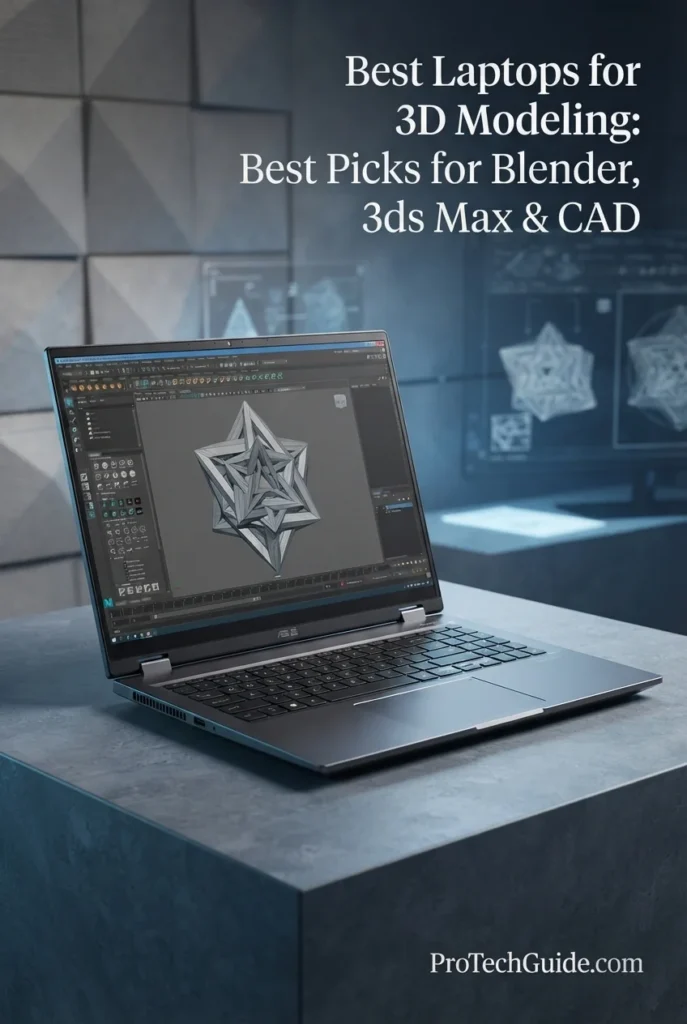
The HIDevolution ASUS ProArt P16 H7606WP with the AMD Ryzen AI 9 HX 370, NVIDIA GeForce RTX 5070 8GB GDDR7, 64GB LPDDR5X memory, and 2TB PCIe 4.0 NVMe SSD is our Best Overall for 3D Modeling in 2026. Its combination of a 12-core/24-thread processor, dedicated NVIDIA graphics, substantial 64GB memory capacity, fast PCIe storage, and a 16-inch 4K OLED touchscreen creates a highly capable platform for Blender, Autodesk 3ds Max, CAD, architectural visualization, product design, animation, and other demanding 3D workflows. The 4K OLED panel is particularly valuable for creators who need high-resolution workspace and accurate color reproduction, while the 64GB configuration provides substantial headroom for complex scenes, large assets, multitasking, and professional creative applications. ASUS lists the H7606WP with the Ryzen AI 9 HX 370, RTX 5070 8GB GDDR7, and 4K OLED 60Hz display, while this specific HIDevolution configuration adds its own memory, storage, operating-system, and thermal enhancements.
The ProArt P16 earns our Best Overall for 3D Modeling designation because it brings together the components that matter most for a broad range of professional 3D workflows: a powerful 12-core/24-thread Ryzen AI processor, RTX 5070 graphics with 8GB GDDR7, 64GB of memory, 2TB of fast NVMe storage, and a 4K OLED touchscreen. Rather than focusing exclusively on gaming performance, this configuration is particularly compelling for creators who need a balance of modeling performance, GPU acceleration, memory capacity, visual quality, and professional productivity in a single system.
Compared with the gaming-focused Lenovo Legion Pro 7i Gen 10, Razer Blade 16, and Alienware 16 Area-51, the ProArt P16 places greater emphasis on creator-oriented features, high-resolution OLED visual work, and a large 64GB memory configuration. Its RTX 5070 has less VRAM than the RTX 5080 16GB configurations featured elsewhere in this guide, so users focused primarily on the most demanding GPU rendering workloads may benefit from those higher-tier GPUs. For a broader mix of 3D modeling, CAD, visualization, content creation, and professional productivity, however, the ProArt P16 offers a particularly well-rounded configuration.
Key Features
Lenovo Legion Pro 7i Gen 10
Best Performance for Blender, 3ds Max & GPU Rendering
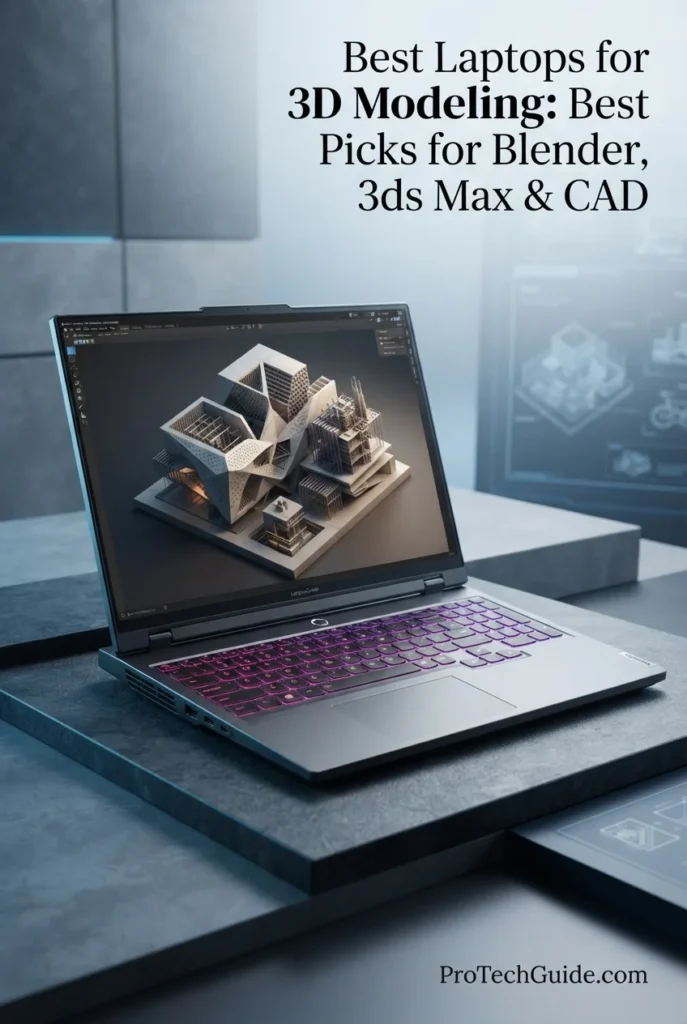
The Lenovo Legion Pro 7i Gen 10 with the Intel Core Ultra 9 275HX, NVIDIA GeForce RTX 5080 Laptop GPU, 32GB DDR5 memory, and 1TB Gen 5 NVMe SSD is our top performance pick for 3D rendering in 2026. Its 24-core processor, RTX 5080 with 16GB of GDDR7 VRAM, high-speed DDR5 memory, and fast PCIe Gen 5 storage create a powerful platform for demanding Blender, 3ds Max, GPU rendering, animation, architectural visualization, CAD, and professional 3D workflows. The 16GB VRAM configuration provides substantial GPU memory headroom for complex scenes, high-resolution assets, textures, geometry, and GPU-accelerated rendering workloads.
The Lenovo Legion Pro 7i Gen 10 earns our Best Performance for 3D Rendering award because it combines a high-core-count Core Ultra 9 processor with the RTX 5080 Laptop GPU and its 16GB of GDDR7 VRAM. That combination is particularly compelling for professionals who spend significant time rendering scenes, working with complex 3D assets, using GPU acceleration, or handling demanding Blender and 3ds Max projects. Its 32GB of DDR5 memory, Gen 5 SSD, and high-resolution OLED display complete a performance-focused configuration designed around serious 3D workloads.
Compared with the ASUS ProArt P16, Razer Blade 16, and Alienware 16 Area-51 in this guide, the Legion Pro 7i places a stronger emphasis on sustained high-performance rendering through its Core Ultra 9 275HX and RTX 5080 16GB configuration. The ASUS ProArt P16 offers substantially more system memory and a 4K OLED touch display, while the Razer Blade 16 and Alienware 16 provide their own high-end RTX configurations. The Legion Pro 7i is therefore specifically positioned around GPU rendering performance rather than maximum portability or workstation-oriented memory capacity.
Key Features
Razer Blade 16 (2026)
Best Premium Laptop for Blender, 3ds Max & 3D Design
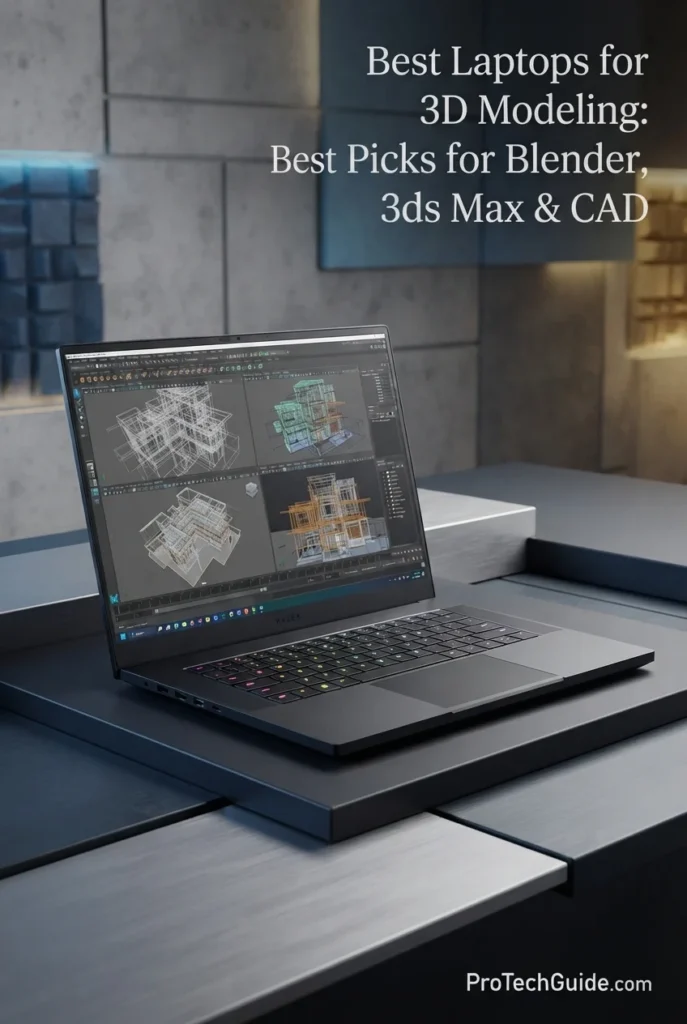
The Razer Blade 16 (2026) with the Intel Core Ultra 9 386H, NVIDIA GeForce RTX 5070 Ti, 32GB LPDDR5X memory, and 1TB PCIe 4.0 SSD is our premium choice for 3D modeling in 2026. Its 16-core processor, RTX 5070 Ti with 12GB of GDDR7 VRAM, fast 9600MHz memory, and 16-inch QHD+ OLED display create a sophisticated platform for Blender, 3ds Max, CAD, animation, architectural visualization, and GPU-accelerated creative workflows. The combination of high-end hardware and an exceptionally thin CNC-milled aluminum chassis makes it particularly attractive to 3D professionals who want serious performance without the visual bulk of a conventional desktop-replacement workstation.
The Razer Blade 16 earns our Best Premium 3D Modeling Laptop award because it combines high-end graphics performance, fast memory, a professional-grade OLED display, and an exceptionally thin aluminum chassis. Its RTX 5070 Ti, 12GB of VRAM, and Core Ultra 9 386H provide substantial capability for Blender, 3ds Max, CAD, animation, and visualization, while the QHD+ OLED panel and portable design make it particularly compelling for professionals who want their 3D workstation to remain refined and mobile.
Compared with the ASUS ProArt P16, Lenovo Legion Pro 7i Gen 10, and Alienware 16 Area-51, the Razer Blade 16 takes a more premium mobility-focused approach. The Legion Pro 7i offers a higher-tier RTX 5080 configuration with 16GB of VRAM, while the ProArt P16 provides 64GB of memory and a 4K OLED touch display. The Razer instead combines 12GB of RTX 5070 Ti VRAM, 32GB of very high-speed LPDDR5X memory, a QHD+ 240Hz OLED panel, and an ultra-thin 16-inch chassis for a distinctive balance of performance, display quality, and portability.
Key Features
Alienware 16 Area-51
High-End Performance for Blender, 3ds Max & Demanding 3D Workloads
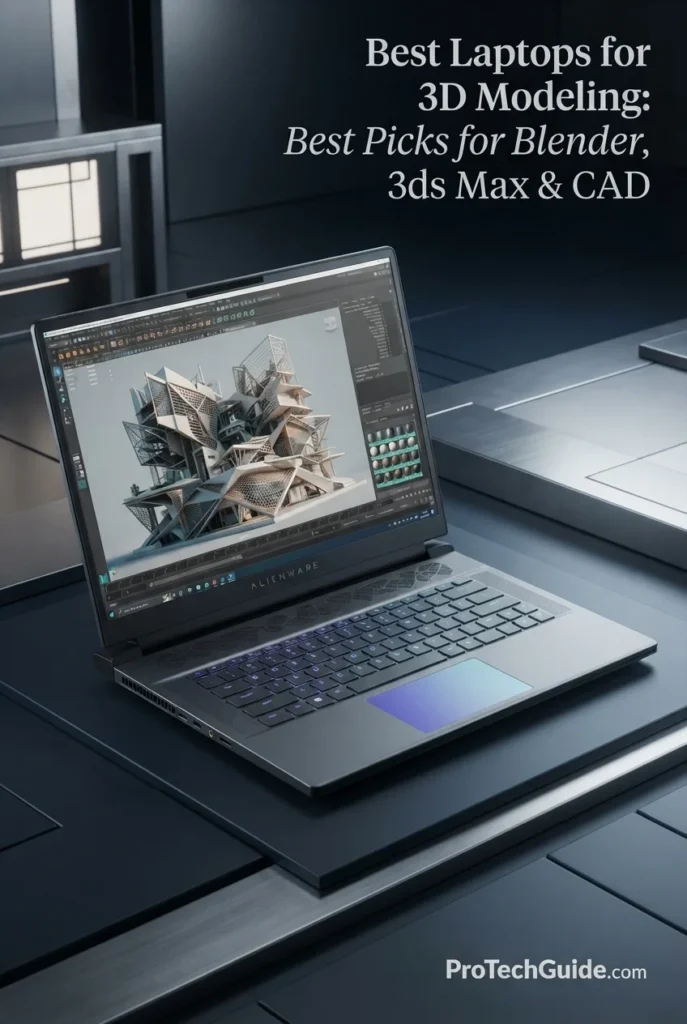
The Alienware 16 Area-51 with Intel Core Ultra 9 275HX, NVIDIA GeForce RTX 5070 Ti 12GB, 32GB DDR5, and a 2TB PCIe NVMe SSD is our pick for high-end gaming performance in 3D modeling in 2026. Its 24-core processor, dedicated RTX GPU with 12GB of GDDR7 memory, substantial system memory, fast storage, and 16-inch WQXGA 240Hz display create a powerful platform for Blender, 3ds Max, CAD, animation, viewport-heavy scenes, GPU-accelerated rendering, and demanding 3D workflows. The combination is particularly compelling for creators who want a performance-oriented Alienware system capable of handling complex projects while also serving as a high-end gaming laptop.
The Alienware 16 Area-51 earns our Best High-End Gaming Laptop for 3D Modeling designation because it combines a 24-core Core Ultra 9 processor, RTX 5070 Ti graphics with 12GB of GDDR7 memory, 32GB of DDR5, 2TB of storage, and a high-refresh 16-inch WQXGA display in one performance-focused system. It is especially compelling for users who want their 3D modeling laptop to double as a serious high-end gaming machine rather than choosing a traditional mobile workstation.
Compared with the ASUS ProArt P16, Lenovo Legion Pro 7i Gen 10, and Razer Blade 16, the Alienware 16 Area-51 emphasizes high-end gaming-oriented performance, a powerful 24-core processor, substantial GPU capability, and a large 96Wh battery. Its larger and heavier performance chassis makes it less focused on portability than thinner premium alternatives, while its 12GB of GPU memory places it below higher-tier 16GB and 24GB configurations for exceptionally large GPU-bound scenes.
Key Features
HP ZBook Fury G1i 16
Professional Workstation for CAD, Blender & Technical 3D Workflows
The HP ZBook Fury G1i 16 with Intel Core Ultra 7 255HX, NVIDIA RTX PRO 1000 Blackwell 8GB, 32GB DDR5 memory, and a 512GB PCIe Gen4 NVMe SSD is our pick for professional mobile workstation performance for 3D modeling in 2026. Its 20-core processor, professional NVIDIA RTX PRO graphics, expandable SODIMM memory architecture, fast NVMe storage, and 16-inch WQXGA display provide a purpose-built platform for CAD, Blender, 3D modeling, technical visualization, engineering applications, and professional design workflows. Unlike gaming-oriented laptops, the ZBook Fury family is designed around professional workstation use, making this configuration particularly relevant to users who prioritize workstation features, professional graphics, expandability, and business-class software environments.
The ZBook Fury G1i 16 earns our Best Professional Mobile Workstation for 3D Modeling designation because it combines a high-core-count Core Ultra processor, professional RTX PRO Blackwell graphics, expandable DDR5 memory, Windows 11 Pro, and a workstation-oriented design. Its greatest advantage is not simply raw gaming performance, but the combination of professional GPU hardware and upgradeability that makes it particularly relevant to engineering, CAD, technical design, and professional 3D workflows.
Compared with performance-focused gaming laptops such as the Alienware 16 Area-51 and Lenovo Legion Pro 7i Gen 10, the ZBook Fury G1i 16 places greater emphasis on professional workstation capabilities, expandable memory, NVIDIA RTX PRO graphics, Windows 11 Pro, and business-oriented connectivity. The specified RTX PRO 1000 has 8GB of VRAM, so users working with exceptionally large GPU-rendering scenes may benefit from higher-tier RTX PRO configurations or laptops with larger dedicated GPU memory.
Key Features
Dell Pro Max 16 Premium
Professional Workstation for Blender, CAD & Demanding 3D Workflows
The Dell Pro Max 16 Premium with the Intel Core Ultra 9 285H, 64GB of DDR5 memory, 1TB PCIe Gen4 SSD, and NVIDIA RTX PRO 3000 Blackwell GPU with 12GB of GDDR7 memory is our mobile workstation pick for professional 3D design in 2026. Its 16-core processor, professional RTX PRO graphics, large memory capacity, fast PCIe Gen4 storage, and 16-inch FHD+ 120Hz VRR display provide a strong platform for demanding workflows including Blender, CAD, 3D modeling, engineering visualization, technical design, and GPU-accelerated rendering. The 64GB memory configuration is particularly valuable for professionals working with complex scenes, large assemblies, multiple applications, and demanding project files simultaneously.
The Dell Pro Max 16 Premium earns our Best Mobile Workstation for Professional 3D Design award because it combines a high-performance Core Ultra 9 processor, professional NVIDIA RTX PRO 3000 Blackwell graphics with 12GB of GDDR7, 64GB of DDR5 memory, fast Gen4 storage, and extensive professional connectivity in a purpose-built mobile workstation. It is especially well suited to professionals who need reliable hardware headroom for complex 3D modeling, CAD, visualization, and GPU-accelerated workflows without moving to a desktop workstation.
Compared with high-performance gaming laptops such as the Lenovo Legion Pro 7i Gen 10 and Alienware 16 Area-51, the Dell Pro Max 16 Premium takes a more workstation-oriented approach, pairing NVIDIA RTX PRO graphics with professional connectivity, Windows 11 Pro, substantial memory capacity, and a business-focused mobile workstation design. Gaming-oriented alternatives can offer different GPU configurations or higher-refresh gaming displays, while the Dell is designed around professional 3D, engineering, CAD, and workstation workloads.
Key Features
ASUS ROG Strix G16
High-Performance Blender, CAD & 3D Modeling at a More Accessible Price
The ASUS ROG Strix G16 with the AMD Ryzen 9 8940HX, NVIDIA GeForce RTX 5070 Ti with 12GB of GDDR7 memory, 16GB of DDR5 RAM, and 1TB PCIe SSD is our Best Value for High-Performance 3D Modeling in 2026. Its 16-core processor, powerful RTX 5070 Ti GPU, dedicated 12GB of GDDR7 VRAM, fast SSD, and 16-inch WUXGA 165Hz display create a strong platform for Blender, CAD, 3D modeling, visualization, rendering, and demanding creative workloads. The configuration provides particularly strong GPU performance for professionals and advanced users who want substantial 3D capability without moving into the much higher pricing of premium mobile workstations.
The ASUS ROG Strix G16 earns our Best Value for High-Performance 3D Modeling award because it combines a 16-core Ryzen 9 processor with an RTX 5070 Ti featuring 12GB of GDDR7 VRAM, fast PCIe storage, and a high-refresh 16-inch display at a significantly lower price than the most expensive workstations in this guide. For Blender users, CAD students, independent creators, and professionals who prioritize GPU performance, it delivers a particularly capable foundation for demanding 3D workloads without requiring a flagship workstation configuration.
Compared with higher-end systems such as the Lenovo Legion Pro 7i Gen 10 and Dell Pro Max 16 Premium, the ASUS ROG Strix G16 uses a more performance-focused gaming design and a lower memory configuration in this specific listing. Its RTX 5070 Ti and 12GB of GDDR7 VRAM nevertheless provide substantial GPU capability for 3D modeling and rendering, making it a practical alternative for users who want strong graphics performance without paying workstation-level prices.
Key Features
Lenovo Legion Pro 7i Gen 10
High-End Performance for Large Blender, 3ds Max & CAD Projects
The Lenovo Legion Pro 7i Gen 10 with the Intel Core Ultra 9 275HX, NVIDIA GeForce RTX 5080 16GB GDDR7, 32GB DDR5-6400, and 2TB SSD is our top choice for large 3D projects in 2026. Its 24-core processor, high-end RTX 5080 graphics, 16GB of dedicated GDDR7 VRAM, 32GB of DDR5 memory, and 16-inch 2560 × 1600 240Hz OLED display provide substantial hardware headroom for complex Blender scenes, 3ds Max projects, CAD assemblies, architectural visualization, animation, GPU rendering, and demanding real-time 3D workflows. The combination of a powerful CPU and large VRAM capacity is particularly valuable when projects become increasingly complex and require heavier geometry, higher-resolution textures, detailed materials, advanced lighting, and longer rendering workloads.
The Lenovo Legion Pro 7i earns our Best for Large 3D Projects award because its combination of a 24-core Core Ultra 9 275HX processor, RTX 5080 with 16GB of GDDR7 VRAM, 32GB of DDR5-6400 memory, 2TB internal SSD, and 16-inch 240Hz OLED display provides substantial headroom for increasingly complex 3D workloads. It is particularly compelling for creators who regularly move beyond basic modeling into detailed scenes, GPU rendering, animation, architectural visualization, CAD, and other memory- and GPU-intensive workflows.
Compared with more compact 3D laptops, the Legion Pro 7i places greater emphasis on sustained performance, graphics capability, VRAM capacity, and large-project headroom. Its RTX 5080 16GB configuration gives demanding 3D users considerably more dedicated graphics memory than many mainstream creator laptops, while the 24-core processor is well suited to CPU-heavy rendering and complex scene preparation. The trade-off is a larger, heavier gaming-oriented chassis, making it better suited to users who prioritize workstation-class performance over maximum portability.
Key Features
Best Laptops for 3D Modeling in 2026
Ranked by CPU Performance, GPU & VRAM, Blender, 3ds Max, CAD, Rendering, Display Quality, Memory, Storage & Large-Project Capability
Choosing the best laptop for 3D modeling in 2026 requires more than comparing processor specifications. Professional 3D workflows depend on GPU performance, dedicated VRAM, CPU capability, system memory, fast storage, display quality, thermal performance, and software compatibility. We evaluated these laptops across real-world workloads including Blender, 3ds Max, CAD, architectural visualization, animation, GPU rendering, CPU rendering, engineering, simulation, viewport performance, and complex project management to help you choose the right laptop for your 3D workflow.
| Laptop | CPU & Key Specs | Best For | Why It Wins | Editor's Verdict |
|---|---|---|---|---|
Best OverallASUS ProArt P16 H7606WPCheck Price | Ryzen AI 9 HX 370 12-Core / 24-Thread CPU RTX 5070 8GB GDDR7 64GB LPDDR5X 2TB PCIe 4.0 SSD 16" 4K OLED Touch | 3D Modeling Blender Users Creative Professionals Architectural Visualization | The ProArt P16 combines a powerful Ryzen AI 9 HX 370 processor, RTX 5070 graphics, 64GB of memory, 2TB SSD storage, and a high-resolution 4K OLED touchscreen in a relatively compact professional design. Its large memory capacity and color-focused display make it particularly well suited to creators who combine detailed 3D modeling with visualization, design, rendering, and other creative workflows. | Best Overall Laptop for 3D Modeling |
Best Rendering PerformanceLenovo Legion Pro 7i Gen 10Check Price | Intel Core Ultra 9 275HX 24-Core CPU RTX 5080 16GB GDDR7 32GB DDR5-6400 1TB Gen 5 NVMe SSD 16" 2560 × 1600 OLED 240Hz | GPU Rendering Blender Cycles 3ds Max Animation & Visualization | The Legion Pro 7i combines a 24-core Core Ultra 9 275HX processor with an RTX 5080 and 16GB of GDDR7 VRAM, providing substantial hardware for demanding rendering and professional 3D workloads. Its high-end GPU and CPU combination is particularly well suited to Blender rendering, complex 3ds Max scenes, animation, and other GPU- and CPU-intensive production tasks. | Best Performance Laptop for 3D Rendering |
Best PremiumRazer Blade 16 (2026)Check Price | Intel Core Ultra 9 386H 16-Core CPU RTX 5070 Ti 12GB GDDR7 32GB LPDDR5X-9600 1TB PCIe 4.0 SSD 16" QHD+ OLED 240Hz | Premium 3D Modeling Blender Creative Professionals Mobile 3D Workflows | The Razer Blade 16 combines a high-end Core Ultra 9 386H processor, RTX 5070 Ti graphics with 12GB of GDDR7 VRAM, 32GB of fast LPDDR5X memory, and a 240Hz QHD+ OLED display. Its premium aluminum chassis and high-resolution OLED panel make it particularly attractive to professionals who want strong 3D performance without giving up a refined, portable design. | Best Premium 3D Modeling Laptop |
Best High-End Gaming LaptopAlienware 16 Area-51 AICheck Price | Intel Core Ultra 9 275HX 24-Core / 24-Thread CPU RTX 5070 Ti 12GB GDDR7 32GB DDR5 2TB PCIe NVMe SSD 16" 2560 × 1600 IPS 240Hz | High-End 3D Modeling Blender 3ds Max Real-Time Visualization | The Alienware 16 Area-51 combines the 24-core Core Ultra 9 275HX with an RTX 5070 Ti 12GB, 32GB of DDR5 memory, and 2TB of fast SSD storage. It provides substantial performance for demanding modeling, rendering, viewport work, animation, and real-time visualization while offering the connectivity and high-refresh display expected from a performance-focused system. | Best High-End Gaming Laptop for 3D Modeling |
Best Professional WorkstationHP ZBook Fury G1i 16Check Price | Intel Core Ultra 7 255HX 20-Core / 20-Thread CPU RTX PRO 1000 8GB GDDR7 32GB DDR5 512GB PCIe Gen4 NVMe SSD 16" 2560 × 1600 IPS 120Hz | CAD & Engineering Professional Workstations Technical 3D Enterprise Workflows | The ZBook Fury G1i 16 is built around a professional mobile-workstation platform, combining a 20-core Core Ultra 7 255HX processor with NVIDIA RTX PRO 1000 graphics and 32GB of DDR5 memory. Its workstation-oriented design makes it particularly appropriate for CAD, engineering, technical visualization, professional 3D applications, and users who value upgradeable system memory and professional-class hardware. | Best Professional Mobile Workstation for 3D Modeling |
Best Mobile WorkstationDell Pro Max 16 PremiumCheck Price | Intel Core Ultra 9 285H 16-Core / 16-Thread CPU RTX PRO 3000 12GB GDDR7 64GB DDR5 1TB PCIe Gen4 SSD 16" 1920 × 1200 IPS 120Hz | Professional 3D Design Mobile Workstations CAD Engineering & Visualization | The Dell Pro Max 16 Premium combines a Core Ultra 9 285H processor, RTX PRO 3000 Blackwell graphics with 12GB of GDDR7, 64GB of DDR5 memory, and a professional Windows 11 Pro environment. Its large memory capacity, workstation-class GPU, extensive connectivity, and 96Wh battery make it well suited to professional 3D design workflows where mobility and substantial system resources are both important. | Best Mobile Workstation for Professional 3D Design |
Best Value PerformanceASUS ROG Strix G16Check Price | AMD Ryzen 9 8940HX 16-Core CPU RTX 5070 Ti 12GB GDDR7 16GB DDR5-5600 1TB PCIe SSD 16" 1900 × 1200 165Hz | Blender Users 3D Modeling CAD Performance-Conscious Creators | The ROG Strix G16 delivers a strong combination of a 16-core Ryzen 9 8940HX processor, RTX 5070 Ti with 12GB of GDDR7 VRAM, 16GB of DDR5 memory, and 1TB SSD storage. It provides substantial graphics performance for modeling, viewport work, rendering, and creative applications while maintaining a more accessible position within this high-performance lineup. | Best Value for High-Performance 3D Modeling |
Best for Large 3D ProjectsLenovo Legion Pro 7i 16Check Price | Intel Core Ultra 9 275HX 24-Core CPU RTX 5080 16GB GDDR7 32GB DDR5-6400 2TB PCIe SSD 16" 2560 × 1600 OLED 240Hz | Large Blender Projects Complex 3D Scenes 3ds Max Advanced Rendering | The second Legion Pro 7i configuration combines the Core Ultra 9 275HX and RTX 5080 16GB with 32GB of DDR5-6400 memory and a 2TB internal SSD. Its substantial CPU and GPU resources, large VRAM capacity, fast storage, and 240Hz OLED display make it particularly well suited to complex scenes, detailed assets, demanding rendering workloads, and large professional 3D projects. The included docking station adds 1TB of separate storage and should be treated as an external accessory rather than internal laptop capacity. | Best Laptop for Large 3D Projects |
Recommended Next Reads
Finished comparing the best laptops for 3D modeling? Explore our related buying guides for engineering, graphics performance, creative workflows, OLED displays, AI workloads, and different performance levels.
Whether you're working in Blender, 3ds Max, CAD, architectural visualization, rendering, animation, or other professional 3D applications, these guides can help you explore the hardware, workflows, and laptop categories that complement demanding 3D workloads.
Best Laptops for Engineering Students in 2026: 8 Top Picks for CAD, MATLAB & 3D Modeling
Explore laptops selected for engineering students who need reliable performance for CAD, MATLAB, 3D modeling, simulations, technical applications, and demanding academic workloads.
Explore Engineering Laptops →RTX 5060 vs RTX 5070 Ti vs RTX 5080 Laptop GPUs in 2026
Compare the laptop GPUs that matter for Blender, 3D rendering, viewport performance, animation, CAD visualization, and other GPU-intensive professional workloads.
Compare Laptop GPUs →Creative WorkflowsBest Laptops for Video Editing in 2026
Explore laptops for creators who need powerful processors, dedicated graphics, fast storage, high-quality displays, and strong multitasking performance for demanding creative workflows.
Explore Video Editing Laptops →Display QualityBest OLED Laptops in 2026
Explore OLED laptops for creators, designers, professionals, and 3D artists who prioritize contrast, color quality, image detail, and a premium visual experience.
Explore OLED Laptops →Creative DesignBest Laptops for Graphic Design in 2026
Compare laptops for creative professionals who need capable graphics performance, high-quality displays, strong processors, and reliable hardware for demanding design applications.
Explore Graphic Design Laptops →Performance & ValueBest Gaming Laptops Under $2500 in 2026
Explore high-performance gaming laptops that can also serve demanding 3D workflows, with powerful CPUs, dedicated GPUs, fast displays, and strong overall performance.
Explore Gaming Laptops Under $2500 →AI & GPU WorkloadsBest Laptops for AI & Machine Learning in 2026
Compare laptops built for GPU-accelerated workloads, machine learning development, large datasets, demanding compute tasks, and other performance-intensive applications.
Explore AI & Machine Learning Laptops →EDITOR'S FINAL RECOMMENDATIONS
After comparing these laptops across CPU performance, GPU and VRAM capacity, RAM, Blender, 3ds Max, CAD, rendering, viewport performance, display quality, storage, thermals, connectivity, portability, and long-term professional usability, these are our final recommendations for 3D modeling in 2026. Whether you are building complex Blender scenes, working in 3ds Max, developing CAD projects, rendering architectural visualizations, creating animations, or managing large professional 3D workflows, each recommendation serves a specific type of workload.
ASUS ProArt P16 H7606WP
The best overall laptop for 3D modeling in 2026. The HIDevolution ASUS ProArt P16 combines the Ryzen AI 9 HX 370 processor with an RTX 5070 Laptop GPU, 64GB of memory, 2TB of fast PCIe 4.0 storage, and a 16-inch 4K OLED touchscreen. Its balance of CPU performance, GPU acceleration, large memory capacity, high-resolution display quality, and professional-oriented design makes it a particularly strong choice for Blender, 3ds Max, CAD, architectural visualization, and demanding creative 3D workflows.
- ✓ AMD Ryzen AI 9 HX 370, 12 cores / 24 threads
- ✓ NVIDIA GeForce RTX 5070 Laptop GPU, 8GB GDDR7
- ✓ 64GB LPDDR5X Memory
- ✓ 2TB PCIe 4.0 x4 NVMe SSD
- ✓ 16-inch 4K OLED Touch Display
Lenovo Legion Pro 7i Gen 10
The performance-focused choice for users who prioritize GPU rendering, complex scenes, animation, and demanding Blender or 3ds Max workloads. Its Core Ultra 9 275HX processor and RTX 5080 Laptop GPU with 16GB of GDDR7 provide substantial CPU and GPU resources for rendering-intensive workflows, while 32GB of DDR5-6400 memory and a fast Gen 5 NVMe SSD provide a strong foundation for large professional projects.
- ✓ Intel Core Ultra 9 275HX, 24 cores
- ✓ NVIDIA RTX 5080 Laptop GPU, 16GB GDDR7
- ✓ 32GB DDR5-6400 Memory
- ✓ 1TB PCIe Gen 5 NVMe SSD
- ✓ 16-inch 2560×1600 OLED 240Hz Display
Razer Blade 16 (2026)
The premium choice for 3D artists and professionals who want a powerful mobile system with an exceptionally thin CNC aluminum chassis and a high-end OLED display. The Core Ultra 9 386H, RTX 5070 Ti with 12GB GDDR7, 32GB of high-speed LPDDR5X memory, and 240Hz QHD+ OLED panel create a strong combination for Blender, 3ds Max, visualization, animation, and professional creative workflows.
- ✓ Intel Core Ultra 9 386H, 16 cores
- ✓ NVIDIA GeForce RTX 5070 Ti, 12GB GDDR7
- ✓ 32GB LPDDR5X-9600 Memory
- ✓ 1TB PCIe 4.0 SSD with 2 M.2 slots
- ✓ 16-inch QHD+ OLED 240Hz Display
Alienware 16 Area-51 AI
A high-end gaming platform that also provides substantial hardware for demanding 3D modeling and visualization. The Core Ultra 9 275HX, RTX 5070 Ti with 12GB of GDDR7, 32GB of DDR5 memory, and 2TB of NVMe storage give Blender, 3ds Max, CAD visualization, animation, and GPU-accelerated applications a powerful hardware foundation.
- ✓ Intel Core Ultra 9 275HX, 24 cores / 24 threads
- ✓ NVIDIA GeForce RTX 5070 Ti, 12GB GDDR7
- ✓ 32GB DDR5 Memory
- ✓ 2TB PCIe NVMe SSD
- ✓ 16-inch 2560×1600 IPS 240Hz Display
HP ZBook Fury G1i 16 Mobile Workstation
The professional workstation choice for users who need workstation-class graphics for engineering, CAD, visualization, and professional 3D applications. Its Core Ultra 7 255HX processor, RTX PRO 1000 Blackwell GPU, 32GB of DDR5 memory, and 16-inch 2560×1600 IPS display provide a professional platform for CAD development, technical visualization, 3D modeling, and engineering-oriented workflows.
- ✓ Intel Core Ultra 7 255HX, 20 cores / 20 threads
- ✓ NVIDIA RTX PRO 1000 Blackwell, 8GB GDDR7
- ✓ 32GB DDR5 Memory
- ✓ 512GB PCIe Gen4 NVMe SSD
- ✓ 16-inch 2560×1600 IPS 120Hz Display
Dell Pro Max 16 Premium
The mobile workstation choice for professionals who need substantial memory, professional GPU acceleration, and workstation-oriented connectivity in a relatively compact 16-inch system. With 64GB of DDR5 memory, an RTX PRO 3000 Blackwell GPU with 12GB of GDDR7, and a 1TB PCIe Gen4 SSD, it is particularly well suited to professional 3D design, engineering workflows, CAD, visualization, and memory-intensive projects.
- ✓ Intel Core Ultra 9 285H vPro Enterprise, 16 cores / 16 threads
- ✓ NVIDIA RTX PRO 3000 Blackwell, 12GB GDDR7
- ✓ 64GB DDR5 Memory
- ✓ 1TB PCIe Gen4 SSD
- ✓ 16-inch FHD+ IPS 120Hz VRR Display
ASUS ROG Strix G16 16-inch
The value-focused choice for users who want strong 3D performance without moving into workstation pricing. Its Ryzen 9 8940HX processor, RTX 5070 Ti with 12GB of GDDR7, 16GB of DDR5-5600 memory, and 1TB PCIe SSD create a capable platform for Blender, 3ds Max, CAD, modeling, viewport work, and GPU-accelerated creative applications. The included docking station is an accessory and its 1TB storage is separate from the laptop's internal 1TB SSD.
- ✓ AMD Ryzen 9 8940HX, 16 cores
- ✓ NVIDIA GeForce RTX 5070 Ti, 12GB GDDR7
- ✓ 16GB DDR5-5600 Memory
- ✓ 1TB PCIe SSD
- ✓ 16-inch 1900×1200 165Hz Display
Lenovo Legion Pro 7i 16
The choice for users who regularly work with large Blender scenes, complex 3ds Max projects, detailed CAD assemblies, demanding animations, and other resource-intensive 3D workloads. Its Core Ultra 9 275HX processor, RTX 5080 with 16GB of GDDR7, 32GB of DDR5-6400 memory, and 2TB internal SSD provide substantial performance and storage headroom. The included 1TB docking station provides additional external storage but is not part of the laptop's internal 2TB capacity.
- ✓ Intel Core Ultra 9 275HX, 24 cores
- ✓ NVIDIA GeForce RTX 5080, 16GB GDDR7
- ✓ 32GB DDR5-6400 Memory
- ✓ 2TB PCIe SSD Internal Storage
- ✓ 16-inch 2560×1600 OLED 240Hz Display
Which 3D modeling laptop should you choose?
ASUS ProArt P16 H7606WP
Lenovo Legion Pro 7i Gen 10
Razer Blade 16
Alienware 16 Area-51 AI
HP ZBook Fury G1i 16
Dell Pro Max 16 Premium
ASUS ROG Strix G16
Lenovo Legion Pro 7i 16
- Choose the ASUS ProArt P16 H7606WP if you want the strongest overall balance of CPU performance, GPU acceleration, 64GB of memory, fast storage, and a professional 4K OLED touchscreen for Blender, 3ds Max, CAD, visualization, and creative 3D workflows.
- Choose the Lenovo Legion Pro 7i Gen 10 if GPU rendering performance is your primary concern. Its RTX 5080 with 16GB of GDDR7 and 24-core Core Ultra 9 processor make it particularly well suited to demanding rendering, animation, and complex 3D workloads.
- Choose the Razer Blade 16 if you want a premium, highly refined system that combines powerful 3D hardware with a thin CNC aluminum chassis and a high-end QHD+ OLED display for professional creative work.
- Choose the Alienware 16 Area-51 AI if you want a high-end gaming laptop that can also serve as a powerful platform for Blender, 3ds Max, CAD visualization, animation, and other GPU-intensive 3D applications.
- Choose the HP ZBook Fury G1i 16 if your work is centered on professional CAD, engineering, technical visualization, and workstation-oriented 3D applications where professional NVIDIA RTX PRO graphics are relevant to your workflow.
- Choose the Dell Pro Max 16 Premium if you need a professional mobile workstation with 64GB of memory, an RTX PRO 3000 Blackwell GPU with 12GB of GDDR7, and extensive workstation connectivity for professional 3D design and engineering workloads.
- Choose the ASUS ROG Strix G16 if you want strong 3D performance at a more accessible level, particularly for Blender, 3ds Max, CAD, and GPU-accelerated workflows. Its 16GB configuration is better suited to moderate project sizes than extremely large professional scenes.
- Choose the Lenovo Legion Pro 7i 16 if your priority is handling large 3D projects with an RTX 5080, 16GB of GDDR7 VRAM, 32GB of DDR5-6400 memory, and 2TB of internal storage. The included 1TB docking station adds separate external storage rather than increasing the laptop's internal capacity.
EDITOR'S FINAL VERDICT
After comparing processor performance, GPU and VRAM capacity, RAM, SSD storage, Blender, 3ds Max, CAD, rendering, viewport performance, display quality, thermals, connectivity, portability, workstation features, and long-term professional usability, one conclusion stands out:The best laptop for 3D modeling is not necessarily the laptop with the fastest processor or the most expensive graphics card. It is the system that provides the right combination of CPU performance, GPU acceleration, VRAM, memory capacity, storage, thermal headroom, display quality, software compatibility, and portability for the type of 3D work you actually perform.
Modern 3D professionals can move between Blender, 3ds Max, CAD applications, architectural visualization, animation, simulation, sculpting, viewport-heavy scenes, and CPU- or GPU-based rendering. These workloads place substantially different demands on laptop hardware. GPU performance and VRAM can become critical for GPU rendering and complex real-time scenes, while CPU performance remains important for CPU rendering, simulation, modeling operations, exports, and many general-purpose 3D tasks.
For most professional 3D artists, designers, engineers, and visualization specialists, 32GB of RAM is the practical long-term target, while 64GB becomes increasingly valuable for large scenes, heavy multitasking, simulation, professional visualization, and complex production workflows. A dedicated GPU with sufficient VRAM is equally important when the workflow depends on GPU rendering, real-time viewport performance, or GPU-accelerated creative applications.- Choose the ASUS ProArt P16 H7606WP if you want the strongest overall balance of CPU performance, GPU acceleration, 64GB of memory, 2TB of storage, and a professional 4K OLED touchscreen for Blender, 3ds Max, CAD, visualization, and creative 3D workflows.
- Choose the Lenovo Legion Pro 7i Gen 10 if rendering performance is your primary concern. Its Core Ultra 9 275HX processor and RTX 5080 with 16GB of GDDR7 provide substantial CPU and GPU resources for demanding Blender, 3ds Max, animation, and rendering workloads.
- Choose the Razer Blade 16 if you want a premium 3D modeling laptop that combines strong performance, a high-end QHD+ OLED display, fast LPDDR5X memory, and a particularly thin CNC aluminum chassis for mobile creative work.
- Choose the HP ZBook Fury G1i 16 if your work is centered on professional CAD, engineering, technical visualization, and workstation-oriented applications where NVIDIA RTX PRO graphics are relevant to your workflow.
Top 3D Modeling Laptop Recommendations (2026)
ASUS ProArt P16 H7606WP
Our Editor's Choice for most professional 3D artists and designers because it combines the Ryzen AI 9 HX 370 processor, RTX 5070 Laptop GPU, 64GB of memory, 2TB PCIe 4.0 storage, and a 16-inch 4K OLED touchscreen. This configuration provides a strong balance for Blender, 3ds Max, CAD, architectural visualization, and demanding creative 3D workflows.
- ✓ AMD Ryzen AI 9 HX 370, 12 cores / 24 threads
- ✓ NVIDIA GeForce RTX 5070 Laptop GPU, 8GB GDDR7
- ✓ 64GB LPDDR5X Memory
- ✓ 2TB PCIe 4.0 x4 NVMe SSD
Lenovo Legion Pro 7i Gen 10
The performance-focused choice for professionals who spend significant time rendering complex scenes, producing animations, or working with demanding Blender and 3ds Max projects. Its RTX 5080 with 16GB of GDDR7 provides substantial GPU resources, while the 24-core Core Ultra 9 processor supports CPU-intensive workloads and complex multitasking.
- ✓ Intel Core Ultra 9 275HX, 24 cores
- ✓ NVIDIA RTX 5080 Laptop GPU, 16GB GDDR7
- ✓ 32GB DDR5-6400 Memory
- ✓ 1TB PCIe Gen 5 NVMe SSD
HP ZBook Fury G1i 16
The professional workstation choice for engineering, CAD, technical visualization, and production environments where workstation-class hardware is more important than gaming-oriented performance. Its RTX PRO 1000 Blackwell GPU, 20-core processor, 32GB of DDR5 memory, and 16-inch 2560×1600 IPS display create a focused platform for professional 3D and engineering workflows.
- ✓ Intel Core Ultra 7 255HX, 20 cores / 20 threads
- ✓ NVIDIA RTX PRO 1000 Blackwell, 8GB GDDR7
- ✓ 32GB DDR5 Memory
- ✓ 16-inch 2560×1600 IPS 120Hz Display
- ✓ You want the strongest overall balance for professional 3D modeling
- ✓ You regularly work with Blender, 3ds Max, CAD, visualization, and creative applications
- ✓ You want 64GB of memory and 2TB of fast internal storage
- ✓ You value a 4K OLED touchscreen for modeling, design, visualization, and content creation
- ✓ GPU rendering and high-performance 3D workloads are major priorities
- ✓ You want an RTX 5080 with 16GB of GDDR7 VRAM
- ✓ You regularly work with demanding Blender or 3ds Max rendering projects
- ✓ You want a high-refresh-rate OLED display alongside high-end CPU and GPU hardware
- ✓ Prioritize the GPU and VRAM if your workflow depends heavily on GPU rendering or real-time viewport performance
- ✓ Target 32GB of RAM for serious professional work and consider 64GB for large scenes, simulations, multitasking, and demanding production workflows
- ✓ Choose an SSD with enough capacity for applications, project files, textures, caches, assets, and rendered output
- ✓ Consider workstation-class RTX PRO graphics when your CAD or professional software workflow benefits from certified professional GPU platforms
- ✓ Do not choose a laptop based on GPU performance alone; CPU performance, thermals, memory, storage, display quality, and sustained performance also affect professional 3D workflows
A 3D modeling laptop is a professional production tool that may be used for thousands of hours across modeling, viewport work, CAD, rendering, animation, architectural visualization, simulations, asset creation, and project management. Raw processor and GPU specifications matter, but memory capacity, VRAM, storage, thermal behavior, display quality, connectivity, portability, and the software environment can have an equally important impact on everyday productivity.
Among the models evaluated in this guide, the ASUS ProArt P16 H7606WP delivers the strongest overall combination of CPU performance, RTX graphics, 64GB of memory, 2TB storage, and a 4K OLED touchscreen, making it our Editor's Choice for the best laptop for 3D modeling in 2026.The Lenovo Legion Pro 7i Gen 10 is the stronger choice when GPU rendering performance and RTX 5080-class hardware are the primary priorities, while the HP ZBook Fury G1i 16 is the more specialized option for professional CAD, engineering, and workstation-oriented workflows. For users handling exceptionally large Blender, 3ds Max, or CAD projects, the Lenovo Legion Pro 7i 16 adds substantial GPU, VRAM, memory, and internal storage capacity for larger production environments.
Compare current prices, configurations, GPU and VRAM capacity, memory, storage, warranty coverage, and availability before choosing the laptop that best matches your Blender, 3ds Max, CAD, rendering, or professional 3D workflow.
Check Latest DealsEDITOR'S FAQ
Choosing the best laptop for 3D modeling requires more than comparing processor specifications. 3D artists, designers, engineers, and visualization professionals need to consider GPU performance, VRAM capacity, CPU performance, RAM, SSD storage, thermal behavior, display quality, software compatibility, and the type of 3D workloads they expect to perform.These frequently asked questions address the most important buying decisions, from determining how much RAM and VRAM you need for Blender and 3ds Max to choosing between gaming laptops and professional mobile workstations, understanding the role of GPU rendering, and selecting the right laptop for CAD, architectural visualization, animation, and large 3D projects.
Its Ryzen AI 9 HX 370 processor, NVIDIA GeForce RTX 5070 Laptop GPU, 64GB of memory, 2TB PCIe 4.0 SSD, and 16-inch 4K OLED touchscreen create a strong combination for Blender, 3ds Max, CAD, architectural visualization, and other demanding creative 3D workflows.
- AMD Ryzen AI 9 HX 370 with 12 cores and 24 threads.
- NVIDIA GeForce RTX 5070 Laptop GPU with 8GB of GDDR7.
- 64GB LPDDR5X memory for demanding multitasking and large projects.
- 2TB PCIe 4.0 x4 NVMe SSD for applications, assets, projects, and rendered output.
- 16-inch 4K OLED touchscreen with 100% DCI-P3 coverage and professional display features.
For users who prioritize maximum GPU rendering performance, the Lenovo Legion Pro 7i Gen 10 provides an RTX 5080 with 16GB of GDDR7. For professional CAD and engineering workflows, the HP ZBook Fury G1i 16 provides workstation-oriented NVIDIA RTX PRO graphics.
Check Price3D applications can consume substantial system memory as projects become more complex. Blender and 3ds Max scenes can include high-resolution textures, geometry, modifiers, lighting data, simulations, caches, rendering assets, and multiple applications running simultaneously.
- 16GB → Suitable for learning 3D modeling, smaller scenes, basic CAD, and lighter Blender workflows.
- 32GB → Recommended for professional Blender, 3ds Max, CAD, rendering, visualization, and multitasking.
- 64GB → Better for large scenes, complex assemblies, simulations, architectural visualization, animation, and demanding production environments.
- 128GB or more → Relevant primarily to specialized workstation workflows involving exceptionally large projects and professional applications that can utilize additional memory.
The ASUS ProArt P16 and Dell Pro Max 16 Premium in this guide both provide 64GB configurations, giving them substantial memory headroom for demanding professional 3D workloads.
VRAM becomes particularly important when rendering with the GPU or working with complex real-time scenes. Large textures, detailed geometry, high-resolution environments, particle systems, and complex materials can all increase GPU memory requirements.
- 8GB → Suitable for many modeling, viewport, CAD, and moderate rendering workloads.
- 12GB → Provides additional headroom for larger scenes, detailed assets, visualization, and GPU rendering.
- 16GB → Particularly useful for demanding GPU rendering, complex Blender scenes, large textures, and professional production workflows.
In this guide, the ASUS ProArt P16 provides 8GB of VRAM, while the Razer Blade 16 and Alienware 16 Area-51 AI provide 12GB. The Lenovo Legion Pro 7i configurations stand out with 16GB of GDDR7 on the RTX 5080, giving them additional capacity for demanding GPU workloads.
Basic CAD and entry-level 3D modeling can run on integrated graphics in some situations, but professional Blender, 3ds Max, architectural visualization, and rendering workflows benefit substantially from dedicated graphics hardware.
- Integrated graphics → Suitable mainly for basic modeling, simple CAD, education, and lightweight 3D workflows.
- GeForce RTX → Strong choice for Blender, 3ds Max, rendering, animation, visualization, and GPU-accelerated creative workloads.
- NVIDIA RTX PRO → Particularly relevant for professional CAD, engineering, technical visualization, and workstation-oriented environments.
This is why every laptop selected for this guide includes dedicated NVIDIA graphics. The appropriate GPU depends on scene complexity, rendering engine, VRAM requirements, and the applications used in your workflow.
Gaming laptops can offer excellent price-to-performance ratios for 3D artists because high-end GeForce RTX GPUs provide substantial CUDA, ray-tracing, and GPU acceleration capabilities for many creative applications. Workstations, however, can be more appropriate for professional CAD, engineering, and software environments where workstation-class graphics and professional platform features are important.
- Gaming laptops → Excellent for Blender, 3ds Max, rendering, animation, visualization, and GPU-intensive creative work.
- Mobile workstations → Better suited to professional CAD, engineering, technical visualization, and workstation-oriented workflows.
- Creator laptops → Useful when display quality, color accuracy, portability, and creative versatility are equally important.
The Lenovo Legion Pro 7i and Alienware 16 Area-51 AI demonstrate the performance potential of high-end gaming platforms, while the HP ZBook Fury G1i and Dell Pro Max 16 Premium represent the professional workstation approach.
For an overall Blender workstation, the ASUS ProArt P16 H7606WP is our Editor's Choice because it combines a high-end Ryzen AI processor, RTX 5070 graphics, 64GB of memory, 2TB storage, and a 4K OLED display.
- Best Overall Blender → ASUS ProArt P16 H7606WP.
- Best GPU Rendering → Lenovo Legion Pro 7i Gen 10 with RTX 5080 16GB.
- Best Premium Blender Laptop → Razer Blade 16.
- Best Large Blender Projects → Lenovo Legion Pro 7i 16.
If your Blender workflow relies heavily on Cycles GPU rendering or complex scenes, GPU performance and VRAM become especially important. For modeling and general scene creation, CPU performance, system memory, storage, and display quality also remain important.
Check Rendering PerformanceIts Intel Core Ultra 9 275HX processor provides 24 cores, while the RTX 5080 Laptop GPU includes 16GB of GDDR7. This combination gives demanding 3D applications substantial CPU and GPU resources for rendering, animation, visualization, and complex scenes.
- 24-core Intel Core Ultra 9 275HX processor.
- RTX 5080 Laptop GPU with 16GB of GDDR7.
- 32GB DDR5-6400 memory.
- 1TB PCIe Gen 5 NVMe SSD.
- 16-inch 2560×1600 OLED display with a 240Hz refresh rate.
Users working with extremely large scenes should also consider the Lenovo Legion Pro 7i 16 in this guide because it combines the same Core Ultra 9 275HX and RTX 5080 class of hardware with 2TB of internal storage.
Check Legion Pro 7iDisplay resolution does not directly increase rendering performance, but it can improve the working experience by providing more detailed previews and a larger amount of visible information. OLED technology also provides strong contrast and deep blacks, which can be useful when evaluating materials, lighting, shadows, and visual details.
- 4K OLED → Excellent for detailed visualization, texture work, design, and color-sensitive creative workflows.
- QHD+ OLED → Provides an excellent balance of sharpness, refresh rate, image quality, and performance.
- High-refresh IPS → Useful for smooth viewport interaction while often providing a more performance-oriented display balance.
The ASUS ProArt P16 is particularly notable in this guide for its 16-inch 4K OLED touchscreen with 100% DCI-P3 coverage, while the Razer Blade 16 and Lenovo Legion Pro 7i models offer high-refresh OLED displays aimed at performance-oriented creative workflows.
Its Intel Core Ultra 7 255HX processor, NVIDIA RTX PRO 1000 Blackwell GPU, 32GB of DDR5 memory, 512GB PCIe Gen4 NVMe storage, and 16-inch 2560×1600 IPS display provide a workstation-oriented foundation for CAD, engineering visualization, technical modeling, and professional applications.
- Intel Core Ultra 7 255HX with 20 cores and 20 threads.
- NVIDIA RTX PRO 1000 Blackwell with 8GB of GDDR7.
- 32GB DDR5 memory.
- 16-inch 2560×1600 IPS display at 120Hz.
- Windows 11 Pro for professional software environments.
For users whose work extends beyond CAD into GPU-heavy rendering, animation, or Blender production, a high-performance GeForce RTX laptop such as the Lenovo Legion Pro 7i may provide a different balance of hardware depending on the applications and rendering engines involved.
View ZBook FuryThere is no single laptop that is ideal for every 3D professional. Your choice should be based on the software you use, scene complexity, rendering engine, VRAM requirements, RAM capacity, storage needs, display priorities, portability, and whether your work benefits from professional workstation graphics.
- Best Overall → ASUS ProArt P16 H7606WP
- Best Rendering Performance → Lenovo Legion Pro 7i Gen 10
- Best Premium → Razer Blade 16
- Best High-End Gaming → Alienware 16 Area-51 AI
- Best Professional Workstation → HP ZBook Fury G1i 16
- Best Mobile Workstation → Dell Pro Max 16 Premium
- Best Value → ASUS ROG Strix G16
- Best for Large 3D Projects → Lenovo Legion Pro 7i 16
If you want the strongest all-around balance of 3D modeling performance, memory, storage, display quality, and creative versatility, the ASUS ProArt P16 remains our Editor's Choice. If GPU rendering is your primary concern, the Lenovo Legion Pro 7i Gen 10 provides a stronger RTX 5080 and 16GB VRAM configuration. For professional CAD and engineering, the HP ZBook Fury G1i 16 provides a workstation-oriented alternative.
Check Best Overall Deal3D MODELING LAPTOP BUYING GUIDE
Choosing a laptop for 3D modeling is not simply about buying the most expensive processor or the fastest gaming machine. Professional 3D workflows can involve Blender, 3ds Max, AutoCAD, SolidWorks, Maya, architectural visualization, animation, CAD assemblies, GPU rendering, simulation, and large project files, each placing different demands on CPU performance, GPU power, VRAM, memory, storage, thermals, and display quality.The wrong laptop can become a daily source of frustration through insufficient RAM or VRAM, limited storage, poor thermal performance, inadequate display quality, weak portability, or hardware that does not match the applications you actually use. Avoid these common mistakes before choosing your next 3D modeling laptop.
The best 3D modeling laptop is rarely the one with the most impressive specification sheet. For 3D artists, designers, engineers, architects, and visualization professionals, the right balance of CPU performance, GPU capability, VRAM, RAM capacity, storage speed, thermals, display quality, and software compatibility can have a greater impact on productivity than simply choosing the most expensive configuration.For most professional 3D workflows in 2026, we recommend targeting at least 32GB of memory, fast NVMe SSD storage, a modern multi-core processor, and a dedicated NVIDIA GPU with sufficient VRAM for the applications you use. Users working with large scenes, complex assemblies, GPU rendering, animation, simulation, or advanced visualization should consider 64GB of RAM and 12GB or more of VRAM when their budget allows.
Choosing Only 16GB of RAM for Professional 3D Work
- 3D applications can consume substantial memory when working with complex scenes, high-resolution textures, large CAD assemblies, simulations, and multiple applications simultaneously.
- Blender, 3ds Max, CAD software, rendering engines, browsers, reference applications, and creative tools can quickly increase total system memory usage.
- Insufficient RAM can lead to slower multitasking, excessive disk swapping, and limitations when projects become more complex.
Better decision:Choose 32GB of RAM as a practical target for professional 3D modeling. A 16GB configuration can still work for students and lighter projects, while 64GB becomes increasingly valuable for large Blender scenes, complex CAD assemblies, animation, simulation, virtual machines, and demanding professional workflows.
Ignoring GPU VRAM Capacity
- GPU memory can become a major limitation when working with complex 3D scenes, high-resolution textures, large environments, and GPU-accelerated rendering.
- A powerful GPU with insufficient VRAM can still encounter limitations when scenes exceed available graphics memory.
- Blender Cycles, GPU rendering, real-time visualization, architectural workflows, and other graphics-intensive applications can benefit substantially from additional VRAM.
Better decision:Pay attention to both GPU performance and VRAM capacity. An 8GB GPU can be suitable for many modeling workflows, while 12GB to 16GB or more becomes increasingly useful for complex scenes, GPU rendering, large textures, professional visualization, and demanding 3D projects.
Choosing a GPU Without Considering Your Rendering Engine
- Different rendering engines and 3D applications place different demands on CPU and GPU hardware.
- GPU-focused workflows can benefit from powerful NVIDIA graphics, while certain CPU rendering, simulation, modeling, or engineering workloads can place greater emphasis on processor performance.
- Buying hardware without considering the applications and rendering engines you actually use can result in paying for performance that does not directly improve your workflow.
Better decision:Identify your primary applications and rendering engines before choosing the GPU. For Blender GPU rendering, real-time visualization, and many CUDA- or OptiX-accelerated workflows, NVIDIA GPUs are particularly relevant. For CPU rendering, CAD computation, simulation, and heavily threaded workloads, prioritize a strong multi-core processor as well.
Buying Too Little SSD Storage
- 3D projects can accumulate large scene files, texture libraries, HDRIs, assets, caches, render outputs, CAD assemblies, applications, and project backups.
- Modern 3D assets and high-resolution textures can consume considerably more storage than ordinary office files.
- A nearly full SSD can make project management increasingly inconvenient and reduce the available space for active workflows.
Better decision:Target a 1TB NVMe SSD for professional 3D modeling, with 2TB or more preferable for large asset libraries, rendering projects, CAD files, animation, and local datasets. A 512GB SSD can work for students and lighter workflows, but storage expansion should be considered before purchase.
Ignoring Sustained Thermal Performance
- 3D rendering, simulation, animation, and complex viewport workloads can place sustained loads on the CPU and GPU for extended periods.
- A laptop that performs well in short benchmarks may behave differently during long rendering sessions if cooling capacity is limited.
- Thin designs can be attractive for portability but may involve compromises in sustained performance, fan noise, or thermal headroom depending on the configuration.
Better decision:Consider the laptop's cooling design, chassis, power limits, and sustained-performance characteristics rather than evaluating CPU and GPU specifications alone. For frequent rendering and simulation, a thicker performance-oriented laptop or mobile workstation can provide greater thermal headroom than an ultra-thin system.
Overlooking Display Quality for 3D Work
- 3D artists, architects, engineers, and designers can spend hours evaluating models, materials, textures, lighting, CAD drawings, and rendered images.
- Low-quality displays can make it more difficult to evaluate fine details, contrast, color, and the visual appearance of finished work.
- Resolution, color coverage, brightness, contrast, refresh rate, and panel technology can all influence the experience depending on the workflow.
Better decision:Choose the display according to your work. A high-resolution panel can provide additional workspace and detail for modeling and CAD, while OLED displays can be particularly attractive for visualization and content creation. If color-sensitive work is important, prioritize strong color coverage and accurate factory calibration.
Smart Buying Advice for 3D Artists, Designers, and Engineers
You prioritize strong GPU performance, high CPU performance, rendering capability, and value for Blender, 3ds Max, animation, visualization, and other demanding 3D applications. Models such as the Lenovo Legion Pro 7i Gen 10 can provide powerful hardware for users who need substantial performance without necessarily requiring workstation-class certification.
Your workflow depends on professional CAD, engineering, architecture, simulation, enterprise applications, or long-term workstation use. The HP ZBook Fury G1i 16 is particularly relevant when workstation-class hardware, professional workflows, memory expansion, and business-oriented features are more important than gaming-focused design.
Key takeaway:The best 3D modeling laptop is not necessarily the fastest or most expensive machine. It is the laptop that provides the right balance of CPU performance, GPU capability, VRAM, RAM capacity, storage, thermal performance, display quality, portability, and software compatibility for the applications and projects you actually use.
After evaluating the laptops featured in this guide, these are our Editor's top recommendations for 3D modeling professionals in 2026:
- Best Overall 3D Modeling Laptop:HIDevolution ASUS ProArt P16 H7606WP — the strongest overall combination of CPU performance, RTX 5070 graphics, 8GB GDDR7 VRAM, 64GB memory, 2TB SSD storage, and a 4K OLED display for Blender, 3ds Max, CAD, visualization, and professional 3D workflows.
- Best Performance for 3D Rendering:Lenovo Legion Pro 7i Gen 10 — a high-performance option built around the Core Ultra 9 275HX and RTX 5080 Laptop GPU with 16GB GDDR7, making it particularly suited to demanding rendering, animation, and GPU-accelerated 3D workloads.
- Best Professional Workstation:HP ZBook Fury G1i 16 — a workstation-oriented choice for professional CAD, engineering, visualization, and demanding business workflows where workstation-class hardware and memory expansion are important.
- Best for Large 3D Projects:Lenovo Legion Pro 7i 16 — combines an RTX 5080 Laptop GPU with 16GB GDDR7, 32GB DDR5-6400 memory, and 2TB of internal SSD storage, providing a strong platform for large Blender scenes, animation, visualization, and other demanding projects.
Need help choosing your laptop?
Not sure which option fits your workflow? Get a personalized recommendation based on your budget, performance needs, and usage.
Get personalized recommendation⚡ Usually responds within 24 hours