
LAPTOPS BY USE CASE HUB

Explore Our Best Laptops by Use Case

This guide to Best Laptops for Virtual Machines in 2026: 8 Top Picks for VMware, Hyper-V & VirtualBox is part of our curated laptop recommendations by use case. Explore more expert comparisons and buying guides designed to help you choose the right laptop for virtualization, VMware, Hyper-V, VirtualBox, multiple virtual machines, software development, IT administration, cybersecurity labs, and other professional workloads.
2026 Virtual Machine Laptop Guide • Expert Picks for VMware, Hyper-V, VirtualBox & Professional Virtualization
Expert Reviewed • CPU Performance, RAM Capacity, Virtualization Support, SSD Storage, Thermals, Hypervisor Compatibility, Portability & Long-Term Value

Best Laptops for Virtual Machines in 2026: 8 Top Picks for VMware, Hyper-V & VirtualBox

The best laptop for virtual machines in 2026 is not simply the laptop with the fastest processor or most powerful GPU. The right system depends on how many virtual machines you need to run, how much memory each VM requires, which hypervisor you use, and whether your workload involves development, Linux environments, cybersecurity labs, IT administration, testing, or professional virtualization.From VMware Workstation, Hyper-V, and VirtualBox to Linux-based virtual environments and demanding multi-VM workflows, today's laptops can provide substantial virtualization performance when CPU resources, RAM capacity, fast SSD storage, thermal design, and operating-system compatibility are properly balanced.

In this guide, we've selected the best laptops for virtual machines in 2026 based on processor performance, RAM capacity, storage speed, virtualization support, thermal performance, expandability, operating-system compatibility, portability, and sustained multitasking capability. We also considered the practical requirements of developers, IT professionals, system administrators, cybersecurity users, students, and power users who regularly work with VMware, Hyper-V, VirtualBox, Linux, Windows, and multiple virtual machines.The Lenovo ThinkPad P16s Gen 3 takes our top position for its balanced combination of professional workstation design, Core Ultra 7 processing, 32GB of DDR5 memory, NVIDIA RTX 500 Ada graphics, fast 1TB storage, and Windows 11 Pro. The HP ZBook Fury G1i 16 and Lenovo ThinkPad P16v Gen 3 provide a stronger workstation foundation for demanding virtualization environments, while the ASUS ProArt P16 stands out with 64GB of memory and 2TB of storage for users who need additional headroom. For users who prioritize portability, the Lenovo ThinkPad P14s Gen 6 combines 64GB of RAM with a compact 14-inch design, while the Apple MacBook Pro with M5 Max provides a powerful macOS platform for virtualization workloads that are compatible with Apple Silicon.

Best Overall for Virtual Machines
Best Professional Workstation
Best for Multiple VMs
Best Creator Laptop
Best Gaming Laptop for VMs
Best Portable Workstation
Best Mac for Virtualization
Best High-Performance Portable Laptop
Editor's Verdict:For most professional virtualization users, the Lenovo ThinkPad P16s Gen 3 provides the strongest overall balance in this guide. Its Core Ultra 7 processor, 32GB of DDR5 memory, 1TB SSD, Windows 11 Pro, and workstation-oriented design create a practical foundation for running virtual machines alongside development tools, administrative utilities, browsers, terminals, and other professional applications.For users who need more workstation-class headroom, the HP ZBook Fury G1i 16 and Lenovo ThinkPad P16v Gen 3 are designed around higher-performance professional workloads. Their combination of high-end Intel processors, dedicated NVIDIA RTX professional graphics, 32GB of memory, fast SSD storage, and Windows 11 Pro makes them particularly relevant for demanding virtualization environments where sustained performance and workstation capabilities matter.For users running multiple virtual machines at the same time, memory capacity becomes especially important. The ASUS ProArt P16 and Lenovo ThinkPad P14s Gen 6 both offer 64GB of memory, providing substantially more room for simultaneous guest operating systems, development environments, databases, security tools, and other applications without relying as heavily on host-system memory pressure.The Apple MacBook Pro with M5 Max offers a different approach to virtualization because Apple Silicon uses an ARM-based architecture rather than the traditional x86 platform found in most Windows laptops. It can be an excellent choice for compatible macOS and ARM-based virtualization workflows, but users should verify guest operating-system architecture and hypervisor compatibility before choosing it for x86-specific environments.For users who want high performance while also considering gaming or portable use, the ASUS ROG Strix G16 and ASUS ROG Zephyrus G16 provide powerful CPU and GPU hardware that can also support demanding virtualization workloads. Their value for VM use, however, comes primarily from processor performance, memory, storage, and thermal capacity rather than their dedicated graphics hardware.
Scroll Down to Compare the 8 Best Laptops for Virtual Machines in 2026
Best Overall for Virtual Machines (2026)

Lenovo ThinkPad P16s Gen 3

Best Balanced Laptop for VMware, Hyper-V & VirtualBox
The Lenovo ThinkPad P16s Gen 3 with Intel Core Ultra 7 155H, 32GB of DDR5 memory, and a 1TB SSD is our Best Overall laptop for virtual machines in 2026. Its combination of a capable 16-core processor, 32GB of memory, fast SSD storage, Windows 11 Pro, and workstation-oriented design provides a well-balanced platform for running virtual machines alongside development tools, browsers, terminals, productivity applications, and professional software. The system is particularly well suited to users who need a dependable Windows laptop for VMware, Hyper-V, VirtualBox, Linux environments, software development, IT administration, and cybersecurity labs without moving to a much larger high-end workstation.

• Ideal for developers, IT professionals, system administrators, cybersecurity students, software engineers, and power users who regularly run virtual machines
• Well suited to VMware Workstation, Hyper-V, VirtualBox, Linux and Windows guest environments, development labs, testing, and professional multitasking
• A strong fit for users who want workstation-class features and a large 16-inch workspace while maintaining a practical platform for everyday professional virtualization
• The Intel Core Ultra 7 155H provides substantial multi-core processing capability for virtual machines, development workloads, software testing, and demanding multitasking
• 32GB of DDR5 memory provides useful headroom for assigning meaningful memory allocations to guest operating systems while keeping the Windows host responsive
• The 1TB SSD provides responsive application launches, VM boot times, file access, and local storage for virtual machine images, development environments, projects, and system snapshots
• Windows 11 Pro provides a professional Windows platform and supports native Hyper-V functionality, making the configuration particularly relevant to Windows-based virtualization workflows
• Dual Thunderbolt 4, USB-A, HDMI 2.1, Gigabit Ethernet, and Wi-Fi 6E provide flexible connectivity for external displays, storage, docks, peripherals, and wired network environments
• The 16-inch WUXGA 16:10 display, backlit spill-resistant keyboard, numeric keypad, TrackPoint, fingerprint reader, and professional ThinkPad design create a practical environment for extended technical work

The ThinkPad P16s Gen 3 earns our Best Overall for Virtual Machines award because it strikes a strong balance between processing power, memory capacity, storage, professional features, connectivity, and portability. It is designed for users who need to run virtual machines as part of a broader professional workflow rather than a system dedicated exclusively to maximum VM density.

Compared with larger high-performance workstations in this guide, the ThinkPad P16s Gen 3 takes a more balanced approach to virtualization. Its 32GB memory configuration is well suited to moderate multi-VM workloads, while users who regularly run numerous memory-intensive guests may benefit from the higher-memory configurations offered by other models in this selection.

• Intel Core Ultra 7 155H• 16-core processor• Up to 4.8GHz listed processor speed• Intel AI Boost NPU• Strong multi-core capability• Suitable for demanding multitaskingThe Intel Core Ultra 7 155H provides a capable foundation for virtualization workloads that depend heavily on CPU resources. Its 16-core design is well suited to running guest operating systems alongside development environments, browsers, terminals, databases, productivity applications, and other host workloads. For users running several VMs simultaneously, available CPU resources can be distributed between guest systems while maintaining useful responsiveness on the Windows host.
• 32GB DDR5 RAM• 32GB maximum listed configuration• Multi-VM multitasking capability• Useful memory allocation for guest operating systems• Supports demanding development environments• Strong capacity for professional workloadsThe 32GB memory configuration is one of the ThinkPad P16s Gen 3's most important advantages for virtualization. It provides significantly more working space than entry-level laptop configurations, allowing users to dedicate memory to guest operating systems while retaining resources for Windows, development tools, browsers, terminals, and other applications. Users planning to run several memory-intensive VMs simultaneously should consider whether a higher-capacity system better matches their workload.
• VMware Workstation• Microsoft Hyper-V• Oracle VirtualBox• Windows virtual machines• Linux virtual machines• Development environments• Testing and lab environments• IT and cybersecurity workflowsThe ThinkPad P16s Gen 3 is well suited to virtualization workflows built around Windows 11 Pro and common desktop hypervisors. Users can create isolated environments for software development, Linux administration, application testing, cybersecurity labs, and other technical tasks. Hypervisor-specific features and guest operating-system compatibility should always be checked for the particular VM configuration being deployed.
• 1TB SSD• Solid-state storage• Fast application access• Responsive VM loading• Suitable for VM images and projects• Useful for development environments• Local storage for professional workloadsThe 1TB SSD provides a practical starting point for virtualization. Virtual machine disk images can consume substantial storage, particularly when several operating systems, applications, snapshots, and development environments are kept locally. The available capacity therefore makes the ThinkPad P16s Gen 3 more practical for professional VM use than configurations with very limited storage.
• Windows 11 Pro• Professional Windows platform• Hyper-V support• Hardware virtualization support• Windows and Linux guest environments• Professional IT workflowsWindows 11 Pro makes the ThinkPad P16s Gen 3 particularly relevant to users who want to use Microsoft's native Hyper-V platform in addition to third-party virtualization software. Hardware virtualization must be enabled and the specific hypervisor and guest operating system requirements should be verified before deployment. For professional Windows-based VM workflows, the combination of Windows 11 Pro, capable CPU resources, and 32GB of RAM provides a strong starting point.
• Dual Thunderbolt 4• USB-A• HDMI 2.1• Gigabit Ethernet• Wi-Fi 6E• Bluetooth 5.3• External display support• Docking and peripheral connectivityVirtualization environments often benefit from more than raw processing power. The ThinkPad P16s Gen 3 provides flexible connectivity for external displays, storage devices, docks, wired networks, keyboards, and other professional peripherals. Gigabit Ethernet is particularly useful for development labs, network administration, server testing, and environments where a stable wired connection is preferred.
• 16-inch WUXGA display• 1920 × 1200 resolution• 16:10 aspect ratio• Anti-glare finish• Backlit spill-resistant keyboard• Numeric keypad• ThinkPad TrackPoint• Fingerprint readerThe 16-inch WUXGA display provides a practical workspace for virtualization interfaces, terminal windows, documentation, code editors, monitoring tools, and multiple application windows. The 16:10 aspect ratio adds useful vertical workspace, while the ThinkPad keyboard, numeric keypad, TrackPoint, and fingerprint reader reinforce the system's professional productivity focus.
Ideal for:• Professional virtualization• VMware Workstation users• Hyper-V users• VirtualBox users• Software developers• IT professionals• System administrators• Cybersecurity labs• Linux and Windows VM workflows• Professional multitaskingThe Lenovo ThinkPad P16s Gen 3 with Intel Core Ultra 7 155H, 32GB DDR5 memory, and 1TB SSD is a strong choice for users who need a professional laptop capable of handling virtual machines without making extreme performance the only priority. Its combination of CPU resources, memory, storage, Windows 11 Pro, connectivity, and workstation-oriented design makes it a versatile platform for development, administration, testing, and virtualization-focused professional work.
Best Professional Workstation for Virtual Machines (2026)

HP ZBook Fury G1i 16

Professional Workstation for VMware, Hyper-V & Multi-VM Workloads
The HP ZBook Fury G1i 16 with Intel Core Ultra 7 255HX, 32GB of DDR5 memory, 1TB SSD, and NVIDIA RTX Pro 2000 Blackwell graphics is our Best Professional Workstation for Virtual Machines in 2026. Its high-performance 20-core processor, substantial memory capacity, professional workstation platform, Windows 11 Pro, and expandable DDR5 architecture make it particularly well suited to demanding virtualization environments. Rather than targeting only everyday VM use, the ZBook Fury G1i provides the foundation for professionals who may need to run multiple guest operating systems alongside development tools, databases, testing environments, administrative utilities, and other demanding workloads.

• Ideal for IT professionals, software developers, system administrators, DevOps engineers, cybersecurity professionals, and technical users running demanding virtualized environments
• Well suited to VMware Workstation, Hyper-V, VirtualBox, Windows and Linux guest systems, development labs, application testing, and professional virtualization workflows
• Particularly attractive to users who want substantial workstation headroom and the ability to expand memory beyond the 32GB configuration as virtualization requirements grow
• The Intel Core Ultra 7 255HX with 20 cores provides substantial CPU resources for virtual machines, development environments, compilation, testing, and demanding multitasking
• 32GB of DDR5 memory provides a strong starting point for multiple VMs while the platform's four memory slots and listed support for up to 192GB provide significant upgrade potential
• The 1TB SSD offers responsive VM loading, application launches, file access, and local storage for virtual machine images, development projects, and technical workloads
• Windows 11 Pro provides a professional operating environment and access to Microsoft's Hyper-V virtualization platform when the required hardware and Windows features are enabled
• NVIDIA RTX Pro 2000 Blackwell graphics provide professional GPU resources for workloads where virtualization is combined with GPU-accelerated applications, visualization, or other graphics-intensive tasks
• The 16-inch 2560 × 1600 display, fingerprint reader, anti-glare finish, and workstation-class design create a practical environment for extended professional and technical workloads

The ZBook Fury G1i 16 earns our Best Professional Workstation for Virtual Machines award because it combines high CPU capacity, substantial memory expansion potential, fast storage, Windows 11 Pro, and professional workstation hardware in a platform built for demanding users. Its upgrade headroom is particularly important for virtualization professionals whose memory requirements can increase as they move from a few VMs to larger multi-VM environments.

Compared with the Lenovo ThinkPad P16s Gen 3, the ZBook Fury G1i 16 places greater emphasis on workstation-class performance and memory expansion. The ThinkPad remains a more balanced option for users with moderate virtualization needs, while the ZBook is better aligned with professionals who expect their VM workloads to become increasingly demanding and want more room to scale the system's memory.

• Intel Core Ultra 7 255HX• 20-core processor• Up to 5.2GHz listed maximum speed• High-performance mobile CPU• Strong multi-core capability• Designed for demanding professional workloadsThe Intel Core Ultra 7 255HX gives the ZBook Fury G1i 16 substantial processing resources for virtualization. A high-core-count processor is particularly useful when several guest operating systems are active alongside host applications, development tools, browsers, terminals, databases, and other workloads. This makes the ZBook particularly relevant to professionals who need sustained CPU capacity rather than a laptop designed primarily for lightweight VM use.
• 32GB DDR5 SDRAM• Four memory slots• Up to 192GB listed maximum memory• Multi-VM multitasking capability• Substantial memory expansion potential• Useful for demanding guest operating systemsThe ZBook Fury G1i 16's 32GB configuration provides a strong starting point for virtualization, but its memory architecture is an even more important advantage for professional users. The configuration listed here includes four memory slots and supports up to 192GB according to the supplied product information. This gives virtualization professionals a clear upgrade path if their workload grows to include additional VMs, larger guest environments, databases, development stacks, or security laboratories.
• VMware Workstation• Microsoft Hyper-V• Oracle VirtualBox• Windows virtual machines• Linux virtual machines• Software development environments• Application testing• IT and cybersecurity laboratoriesThe ZBook Fury G1i 16 is designed around Windows 11 Pro and provides a strong hardware foundation for common desktop virtualization workflows. Its high-core-count processor and expandable memory architecture are particularly useful when several guest environments need to remain active simultaneously. Specific hypervisor features, guest operating-system requirements, and hardware virtualization settings should be verified for the intended deployment.
• 1TB SSD• Solid-state storage• Responsive VM loading• Fast application access• Quick file access• Suitable for virtual machine images• Useful for development projects and technical filesThe 1TB SSD provides a practical amount of local storage for virtualization projects. VM disk images, operating-system installations, applications, snapshots, development environments, and project files can consume storage quickly, making 1TB a useful starting point for professional VM workloads. Users maintaining numerous large VMs may eventually benefit from additional storage capacity.
• Windows 11 Pro• Professional Windows environment• Hyper-V support• Hardware virtualization capability• Windows and Linux guest environments• Professional administration workflowsWindows 11 Pro makes the ZBook Fury G1i 16 a natural fit for Windows-based virtualization. Users can take advantage of Microsoft's Hyper-V platform when the necessary Windows features and hardware virtualization settings are enabled, while third-party hypervisors such as VMware Workstation and VirtualBox can support additional virtualization scenarios. The specific guest operating system and hypervisor requirements should always be checked before deployment.
• NVIDIA RTX Pro 2000 Blackwell Generation• 8GB graphics memory• Professional GPU architecture• Dedicated graphics resources• Suitable for graphics-intensive professional applications• Useful when VMs are combined with GPU workloadsThe RTX Pro 2000 Blackwell is not the primary reason to choose the ZBook Fury G1i for conventional CPU-based virtualization. Most VMware, Hyper-V, and VirtualBox workloads depend more heavily on CPU resources, memory, and storage. The professional GPU becomes more relevant when a virtualization workflow also involves GPU-accelerated applications, visualization, engineering software, or other graphics-intensive tasks, subject to the specific hypervisor and GPU virtualization capabilities being used.
• 16-inch display• 2560 × 1600 resolution• Anti-glare coating• 16-inch professional workspace• Fingerprint recognition• Meteor Silver finish• Workstation-oriented designThe 16-inch 2560 × 1600 display provides a spacious workspace for virtualization consoles, terminal windows, code editors, monitoring dashboards, documentation, and multiple applications. The anti-glare finish is suited to professional environments, while the fingerprint reader adds convenient biometric authentication for users working with technical and business systems.
Ideal for:• Professional virtualization• VMware Workstation users• Hyper-V users• VirtualBox users• Software developers• IT professionals• System administrators• DevOps workflows• Cybersecurity laboratories• Multi-VM environmentsThe HP ZBook Fury G1i 16 with Intel Core Ultra 7 255HX, 32GB DDR5 memory, and 1TB SSD is a professional workstation built for users who need substantial CPU resources and a clear memory upgrade path for virtualization. Its combination of a 20-core processor, expandable memory architecture, Windows 11 Pro, professional graphics, and spacious display makes it particularly relevant to demanding technical environments where VM requirements can grow over time.
Best Workstation for Multiple VMs (2026)

Lenovo ThinkPad P16v Gen 3

Professional Workstation for Multiple Virtual Machines & Advanced Virtualization
The Lenovo ThinkPad P16v Gen 3 Mobile Workstation with the Intel Core Ultra 9 285H vPro processor, 32GB of DDR5 memory, 1TB NVMe SSD, and NVIDIA RTX PRO 2000 Blackwell graphics is our recommendation for users who need a workstation-oriented platform for running multiple virtual machines in 2026. Its high-performance Core Ultra 9 processor, 32GB of memory, fast NVMe storage, Windows 11 Pro environment, and dedicated professional GPU provide a strong foundation for VMware Workstation, Hyper-V, VirtualBox, Linux virtual machines, development environments, cybersecurity labs, and demanding IT workflows. The platform is particularly compelling for professionals who need to keep several guests, development tools, browsers, terminals, and host applications active simultaneously without relying on a consumer-focused laptop design.

• Ideal for developers, system administrators, DevOps professionals, cybersecurity users, engineers, and IT professionals who regularly run multiple virtual machines
• Well suited to VMware Workstation, Hyper-V, VirtualBox, Linux guests, Windows test environments, development sandboxes, and virtualization-based testing workflows
• Particularly relevant to users who want a professional Windows 11 Pro workstation with strong CPU performance, dedicated graphics, Ethernet connectivity, and a platform designed for sustained professional workloads
• The Intel Core Ultra 9 285H with up to 5.4GHz provides substantial CPU performance for virtual machine workloads, multitasking, software development, testing, and running several active guest environments
• 32GB of DDR5 memory provides a solid starting point for multiple VMs, although users running several memory-intensive guests should consider the listed expansion capability and workload-specific memory requirements
• The 1TB NVMe SSD provides responsive virtual machine storage, application launches, guest-OS access, development environments, ISO files, snapshots, and local project data
• Windows 11 Pro provides a professional host environment with access to Hyper-V when the required hardware virtualization features and system configuration are enabled
• NVIDIA RTX PRO 2000 Blackwell graphics with 8GB of GDDR7 memory add professional GPU capability for workloads where GPU acceleration is relevant, while conventional VM performance remains primarily dependent on CPU, RAM, storage, and hypervisor configuration
• Ethernet connectivity, Wi-Fi 7, vPro capabilities, a 16-inch 500-nit display, and ThinkPad durability features make it well suited to professional environments where virtualization is part of a broader IT or engineering workflow

The ThinkPad P16v Gen 3 earns our Best Workstation for Multiple VMs award because it is built around the combination that matters most for serious virtualization: strong sustained CPU performance, substantial system memory, fast NVMe storage, Windows 11 Pro, professional connectivity, and workstation-oriented design. It is especially well matched to users who need to run several development, testing, Linux, Windows, or security-focused virtual machines while continuing to use the host system for demanding professional work.

Compared with the Lenovo ThinkPad P16s Gen 3, the ThinkPad P16v Gen 3 is positioned more directly toward demanding workstation and multi-VM workloads, pairing its Core Ultra 9 processor and RTX PRO 2000 Blackwell GPU with a professional chassis and extensive connectivity. The HP ZBook Fury G1i 16 is another workstation-class alternative with a stronger emphasis on memory expansion, making the choice dependent on whether the priority is the P16v's performance-focused configuration and professional platform or greater long-term RAM expansion potential.

• Intel Core Ultra 9 285H processor• Up to 5.4GHz maximum listed frequency• High-performance multi-core processing• Intel vPro platform• Designed for demanding professional workloads• Strong multitasking capability• Well suited to sustained VM workloadsThe Intel Core Ultra 9 285H provides the processing foundation required for demanding virtualization workloads. Its high-performance CPU architecture is particularly useful when several virtual machines are active alongside the host operating system, development tools, browsers, terminals, databases, and other professional applications. CPU performance becomes increasingly important as the number and complexity of concurrent VMs increase.
• 32GB DDR5 memory• High-speed DDR5 platform• Suitable for multiple virtual machines• Supports demanding multitasking• Useful for development environments• Suitable for Linux and Windows guests• Workload-dependent memory headroomThe 32GB memory configuration provides a practical starting point for users running multiple virtual machines, development environments, browsers, terminals, and host applications simultaneously. Memory allocation should be planned according to the guest operating systems and applications being used, since several memory-intensive VMs can consume available RAM quickly. The listing identifies 96GB as the maximum supported memory for this configuration, providing additional headroom when higher-capacity memory is required.
• VMware Workstation workloads• Hyper-V on Windows 11 Pro• VirtualBox environments• Windows virtual machines• Linux virtual machines• Development sandboxes• Cybersecurity and testing labs• Multiple concurrent guestsThe ThinkPad P16v Gen 3 is designed for professional Windows-based workflows where virtualization is part of the daily workload. VMware Workstation, Hyper-V, and VirtualBox can support different guest environments depending on configuration and compatibility requirements. Hardware virtualization must be enabled and the specific hypervisor requirements must be satisfied, while Windows 11 Pro provides the appropriate Windows edition for Hyper-V.
• 1TB NVMe M.2 SSD• Fast local storage• Responsive VM access• Quick application launches• Suitable for VM disk images• Useful for ISO files and snapshots• Supports local development environmentsThe 1TB NVMe SSD provides a responsive foundation for virtual machine storage and professional software. VM disk images, operating-system files, applications, snapshots, development environments, and project data can consume storage quickly, so users managing numerous large guests should plan their storage capacity accordingly. The fast NVMe interface helps maintain responsive file access when the host and virtual machines are actively reading and writing data.
• Windows 11 Pro• Hyper-V compatibility• Intel vPro platform• Hardware virtualization support• Professional Windows environment• Enterprise-oriented management features• Suitable for Windows and Linux guestsWindows 11 Pro makes the ThinkPad P16v Gen 3 particularly relevant to professionals who want a Windows-based virtualization host. Hyper-V is available on supported Windows Pro configurations when the processor, firmware, and virtualization settings meet Microsoft's requirements. VMware Workstation and VirtualBox provide additional virtualization options for users who need different guest-management or development workflows.
• NVIDIA RTX PRO 2000 Blackwell GPU• 8GB GDDR7 graphics memory• Professional NVIDIA graphics• Blackwell architecture• ISV-certified professional graphics• Useful for GPU-accelerated applications• Relevant to specialized VM workloadsThe NVIDIA RTX PRO 2000 Blackwell adds professional GPU capability to the ThinkPad P16v Gen 3. For conventional VMware, Hyper-V, and VirtualBox workloads, however, CPU performance, system memory, storage, and hypervisor configuration generally have a greater impact than the dedicated GPU. The RTX PRO 2000 becomes more relevant when the broader workload includes GPU-accelerated professional applications or specialized virtualization scenarios that support appropriate GPU access.
• 16-inch WUXGA display• 1920 × 1200 resolution• 500-nit brightness• 100% sRGB color coverage• 60Hz refresh rate• Gigabit Ethernet connectivity• Wi-Fi 7• 5MP RGB+IR camera• Fingerprint reader• Backlit keyboard with number padThe 16-inch WUXGA display provides a practical workspace for virtualization dashboards, terminal windows, IDEs, documentation, browser sessions, and multiple VM management interfaces. Ethernet is particularly useful in professional virtualization environments where reliable wired network access matters for remote systems, servers, testing environments, and infrastructure administration. The ThinkPad design also adds enterprise-oriented security and durability features for users working across professional environments.
Ideal for:• Multiple virtual machines• VMware Workstation users• Hyper-V users• VirtualBox users• Software developers• DevOps professionals• System administrators• Cybersecurity labs• Linux and Windows testing• Professional workstation workloadsThe Lenovo ThinkPad P16v Gen 3 with the Intel Core Ultra 9 285H, 32GB DDR5 memory, 1TB NVMe SSD, NVIDIA RTX PRO 2000 Blackwell graphics, and Windows 11 Pro is a strong workstation platform for users who need to run multiple virtual machines as part of a professional workflow. Its balance of CPU performance, memory, storage, networking, security, and workstation-oriented design makes it particularly relevant to demanding virtualization, development, testing, and IT environments.
Best Creator Laptop for Virtual Machines (2026)

ASUS ProArt P16 H7606WP

Creator Laptop with 64GB RAM for Multiple Virtual Machines
The ASUS ProArt P16 H7606WP with the AMD Ryzen AI 9 HX 370, 64GB of LPDDR5X memory, 2TB PCIe 4.0 NVMe SSD, and NVIDIA GeForce RTX 5070 is our creator-focused recommendation for running multiple virtual machines in 2026. Its 12-core, 24-thread processor, unusually generous 64GB memory configuration, large 2TB SSD, Windows 11 Pro operating system, and relatively light 4.08-pound chassis create a compelling platform for VMware Workstation, Hyper-V, VirtualBox, Linux development environments, cybersecurity labs, and multi-VM testing. The configuration is especially interesting for users who need substantial memory and storage capacity for virtualization but still want a portable 16-inch system rather than a heavier traditional workstation.

• Ideal for developers, cybersecurity professionals, IT users, researchers, and advanced power users who need substantial memory for multiple virtual machines
• Well suited to VMware Workstation, Hyper-V, VirtualBox, Linux guests, Windows test environments, programming workloads, and isolated development or security labs
• Particularly attractive to users who want 64GB of memory and 2TB of storage in a relatively portable 16-inch creator laptop rather than a heavier workstation-class system
• The AMD Ryzen AI 9 HX 370 provides 12 cores and 24 threads, giving the system substantial CPU resources for concurrent virtual machines, development tools, browsers, terminals, and host applications
• 64GB of onboard LPDDR5X memory provides significant capacity for assigning RAM across multiple guest operating systems while retaining memory for the Windows host and other applications
• The 2TB PCIe 4.0 x4 NVMe SSD provides considerably more local storage headroom for VM disk images, snapshots, ISO files, development environments, applications, and project data
• Windows 11 Pro provides a suitable professional host environment for Hyper-V when the required hardware virtualization features and system configuration are enabled
• The NVIDIA GeForce RTX 5070 with 8GB GDDR7 provides strong GPU resources for workloads where graphics acceleration matters, although conventional virtual machine performance remains primarily dependent on CPU, memory, storage, and hypervisor configuration
• The 4.08-pound chassis and 16-inch 4K OLED touchscreen make it an appealing option for users who need substantial virtualization capacity without carrying a larger mobile workstation

The ASUS ProArt P16 earns our Best Creator Laptop for Virtual Machines award because it combines an unusually useful 64GB memory configuration and 2TB SSD with a high-performance 12-core processor in a relatively portable 16-inch design. For users running several development, Linux, Windows, or cybersecurity VMs, that memory and storage capacity can be more valuable than simply choosing a laptop with a faster GPU.

Compared with the Lenovo ThinkPad P16v Gen 3 and HP ZBook Fury G1i 16, the ProArt P16 places greater emphasis on memory capacity, storage, portability, and creator-oriented hardware. Its 64GB of onboard LPDDR5X memory is fixed at the listed maximum, so professionals who expect to expand beyond 64GB should consider a workstation with greater memory upgrade potential instead.

• AMD Ryzen AI 9 HX 370 processor• 12 CPU cores• 24 CPU threads• Up to 5.1GHz maximum listed frequency• 36MB Smart Cache• High-performance mobile architecture• Strong multitasking capabilityThe AMD Ryzen AI 9 HX 370 provides substantial CPU resources for virtualization workloads that involve several active guests. Its 12-core, 24-thread design is particularly useful when virtual machines are performing simultaneous compilation, software testing, database operations, development tasks, or other CPU-intensive workloads while the Windows host remains active.
• 64GB LPDDR5X memory• 6400MHz listed memory speed• Onboard system memory• 64GB maximum listed capacity• Strong multi-VM headroom• Suitable for memory-intensive guests• Excellent multitasking capabilityThe 64GB memory configuration is one of the ProArt P16's most important advantages for virtualization. It allows users to allocate meaningful memory resources to several guest operating systems while preserving capacity for Windows, browsers, IDEs, terminals, security tools, and other host applications. Because the memory is onboard and the listed maximum is 64GB, buyers who require more than 64GB should look toward a workstation with expandable memory instead.
• VMware Workstation workloads• Hyper-V on Windows 11 Pro• VirtualBox environments• Linux virtual machines• Windows virtual machines• Software development• Cybersecurity testing• Isolated development environments• Multiple concurrent guestsThe ProArt P16 provides a strong Windows-based environment for virtualization. VMware Workstation and VirtualBox can be used for a wide range of development and testing scenarios, while Windows 11 Pro provides the appropriate Windows edition for Hyper-V. Actual VM performance depends on guest configuration, assigned CPU and memory resources, storage activity, and the requirements of the specific hypervisor and guest operating system.
• 2TB PCIe 4.0 x4 NVMe SSD• Large local storage capacity• Fast VM disk access• Quick application launches• Space for multiple VM images• Suitable for snapshots and ISO files• Useful for development environmentsThe 2TB PCIe 4.0 x4 NVMe SSD gives this configuration a significant advantage for users maintaining several virtual machines locally. VM disk images, snapshots, operating-system installers, applications, development environments, datasets, and project files can consume storage rapidly, making 2TB a practical capacity for more complex local virtualization setups.
• Windows 11 Pro• Hyper-V compatibility• Hardware virtualization support• Professional Windows environment• VMware Workstation compatibility• VirtualBox compatibility• Windows and Linux guest workflowsWindows 11 Pro makes the ProArt P16 well suited to users who want virtualization integrated into a professional Windows workflow. Hyper-V is available on supported Windows Pro systems when the processor, firmware, and virtualization settings meet the required conditions. VMware Workstation and VirtualBox provide alternative virtualization environments for development, testing, and guest operating systems.
• NVIDIA GeForce RTX 5070• 8GB GDDR7 graphics memory• Dedicated NVIDIA GPU• GPU-accelerated applications• Useful for graphics-intensive workloads• Relevant to specialized virtualization scenarios• Strong complement to CPU-focused VM performanceThe RTX 5070 gives the ProArt P16 substantial dedicated graphics capability for workloads beyond conventional virtualization. Standard VMware Workstation, Hyper-V, and VirtualBox environments generally depend more heavily on CPU resources, system memory, storage, and hypervisor configuration than on raw GPU power. The RTX 5070 becomes more relevant when the broader workflow includes GPU-accelerated applications or specialized VM configurations capable of using available GPU resources.
• 16-inch 4K OLED display• 3840 × 2400 resolution• 60Hz refresh rate• Touchscreen• 4.08-pound chassis• 13.97 × 9.72 × 0.68-inch dimensions• Backlit keyboard• Portable 16-inch workstation-class platformThe 16-inch 3840 × 2400 OLED touchscreen provides a spacious, high-resolution workspace for virtualization consoles, terminal sessions, IDEs, documentation, dashboards, and multiple application windows. At approximately 4.08 pounds, the ProArt P16 also offers considerably more mobility than many traditional mobile workstations, making it practical for professionals who move between office, home, lab, and client environments.
Ideal for:• Multiple virtual machines• VMware Workstation users• Hyper-V users• VirtualBox users• Software developers• Cybersecurity professionals• Linux development environments• Windows testing• Memory-intensive VM workloads• Portable professional virtualizationThe ASUS ProArt P16 H7606WP with the Ryzen AI 9 HX 370, 64GB LPDDR5X memory, 2TB PCIe 4.0 NVMe SSD, RTX 5070, and Windows 11 Pro is particularly well suited to users who prioritize memory and storage capacity in a portable creator-oriented system. Its 64GB RAM configuration gives multiple VMs meaningful memory headroom, while the 2TB SSD provides the capacity needed to maintain a larger local library of guest systems, snapshots, applications, and development environments.
Best Gaming Laptop for Virtual Machines (2026)

ASUS ROG Strix G16 (2026)

High-Performance Gaming Laptop for VMware, VirtualBox & Demanding VM Workloads
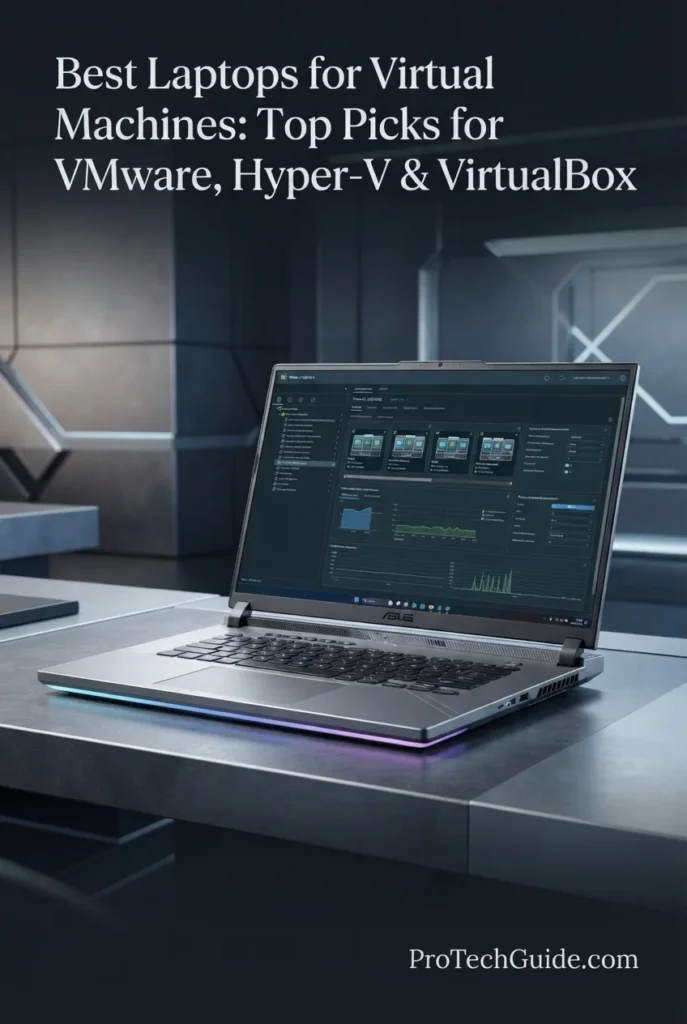
The ASUS ROG Strix G16 (2026) with the Intel Core Ultra 9 290HX Plus, 32GB of DDR5 memory, NVIDIA GeForce RTX 5080, and 1TB PCIe Gen 4 SSD is our gaming-focused recommendation for virtual machines in 2026. Its high-end processor, substantial 32GB memory configuration, fast NVMe storage, and powerful thermal design give it the resources needed for demanding virtualization workloads, including development environments, Linux virtual machines, cybersecurity labs, software testing, and multiple concurrent guests. The RTX 5080 is not essential for conventional CPU-based virtualization, but it adds significant graphics headroom for users who combine VMs with GPU-intensive applications, content creation, AI workloads, or other demanding desktop tasks.

• Ideal for developers, cybersecurity students and professionals, IT power users, and gamers who need a high-performance laptop that can also handle demanding virtual machine workloads
• Well suited to VMware Workstation, VirtualBox, and Windows/Linux guest environments where strong CPU performance, 32GB of RAM, fast storage, and sustained cooling are more important than raw GPU performance
• Particularly attractive to users who want one powerful system for gaming, development, virtualization, and other demanding workloads rather than a traditional mobile workstation
• The Intel Core Ultra 9 290HX Plus provides substantial multi-core processing capacity for running virtual machines alongside development tools, browsers, compilers, terminals, and other host applications
• 32GB of DDR5-5600 memory provides a strong foundation for multiple virtual machines, allowing users to allocate meaningful memory resources to guest operating systems while retaining capacity for the host system
• The 1TB PCIe Gen 4 SSD provides responsive VM boot times, application launches, snapshot operations, project loading, and access to virtual disk images and development environments
• ROG Intelligent Cooling with a vapor chamber, tri-fan design, and Conductonaut Extreme liquid metal helps the system sustain high performance during extended CPU- and GPU-intensive workloads
• The NVIDIA GeForce RTX 5080 with 16GB of GDDR7 provides substantial graphics performance for users who combine virtualization with GPU-intensive applications, creative workloads, AI-related tasks, or demanding host-system workloads
• The 16-inch 2560 × 1600 display with a 300Hz refresh rate and 500-nit brightness provides a large, sharp workspace for terminals, IDEs, VM consoles, monitoring dashboards, documentation, and gaming

The ROG Strix G16 earns our Best Gaming Laptop for Virtual Machines award because it approaches virtualization from a high-performance gaming perspective rather than a conventional workstation design. Its Core Ultra 9 processor, 32GB of DDR5 memory, fast PCIe Gen 4 storage, advanced cooling system, and RTX 5080 make it capable of handling serious VM workloads while retaining the graphics performance required for modern gaming and other demanding applications.

Compared with workstation-oriented systems such as the Lenovo ThinkPad P16v Gen 3 and HP ZBook Fury G1i 16, the ROG Strix G16 places considerably more emphasis on gaming-class graphics performance, high-refresh display technology, and performance-oriented cooling. Its Windows 11 Home configuration is also an important distinction: users specifically requiring the client Hyper-V feature should use a compatible Windows Pro or Enterprise edition, while VMware Workstation and VirtualBox remain more natural fits for this configuration.

• Intel Core Ultra 9 290HX Plus• 24-core processor• Up to 5.5GHz maximum speed• 2.7GHz listed base speed• High multi-core processing capacity• Designed for demanding multitasking• Strong platform for concurrent workloadsThe Intel Core Ultra 9 290HX Plus gives the ROG Strix G16 substantial processing headroom for virtualization. Running virtual machines places additional demands on the host processor, particularly when multiple guests are active at the same time. The high core count and high maximum clock speed make this system well suited to combining VM workloads with development environments, browsers, terminals, compilers, gaming, and other demanding applications.
• 32GB DDR5-5600 memory• 32GB installed capacity• 5600MHz memory speed• Strong multitasking capability• Suitable for multiple VM workloads• Memory headroom for host applications• High-speed DDR5 platformThe 32GB DDR5-5600 configuration provides a solid memory foundation for virtualization. Users can dedicate meaningful portions of system memory to Linux, Windows, development, testing, or cybersecurity guests while retaining RAM for the host operating system and background applications. The listing specifies 32GB as the maximum memory capacity for this configuration, so it should be evaluated as a 32GB system rather than assuming future memory expansion.
• VMware Workstation workflows• VirtualBox virtualization• Windows virtual machines• Linux virtual machines• Development environments• Cybersecurity labs• Software testing• Multiple guest operating systemsThe ROG Strix G16 is particularly well suited to users who need a powerful Windows host for virtualization software such as VMware Workstation and VirtualBox. Its combination of CPU performance, 32GB of memory, and fast storage allows developers and technical users to create isolated environments for Linux, Windows, testing, programming, networking, and cybersecurity workloads. Hyper-V requires a compatible Windows edition and appropriate hardware and firmware virtualization features, so the Windows 11 Home configuration should be considered carefully by users whose workflow specifically depends on Microsoft's hypervisor.
• 16-inch display• 2560 × 1600 native resolution• 16:10 aspect ratio• 300Hz refresh rate• 500-nit maximum brightness• Anti-glare treatment• Dolby Vision HDR• New AGLR film for reduced glareThe 16-inch high-resolution display provides a spacious workspace for virtualization consoles, terminals, IDEs, monitoring dashboards, documentation, and multiple application windows. Its 2560 × 1600 resolution provides more vertical workspace than a standard 16:9 Full HD panel, while the 300Hz refresh rate also makes the laptop highly suitable for gaming when the system is not being used for virtualization.
• 1TB PCIe Gen 4 SSD• Fast VM image access• Responsive guest OS launches• Quick application loading• Suitable for development environments• Useful for VM snapshots• Fast project and file accessThe 1TB PCIe Gen 4 SSD provides a responsive storage foundation for virtual machines, development projects, applications, ISO files, and virtual disk images. Fast storage becomes particularly valuable when creating or loading VM environments, switching between guest operating systems, and working with development or testing projects that generate substantial local files.
• Windows 11 Home• Windows host environment• VMware Workstation workflows• VirtualBox workflows• Windows and Linux guests• Hardware-assisted virtualization support required• Hyper-V edition limitation• Suitable platform for development and testingWindows 11 Home provides the host operating system for this ROG Strix G16 configuration. The platform can support virtualization workflows using compatible third-party hypervisors such as VMware Workstation and VirtualBox, provided the required hardware virtualization features are enabled and supported. Users specifically seeking Microsoft's client Hyper-V should note that Hyper-V is associated with Windows Pro and Enterprise editions rather than Windows 11 Home, making the operating-system configuration an important consideration before purchase.
• NVIDIA GeForce RTX 5080 Laptop GPU• 16GB GDDR7 graphics memory• NVIDIA Blackwell architecture• DLSS 4• Max-Q technologies• End-to-end vapor chamber• Tri-fan cooling• Conductonaut Extreme liquid metalThe RTX 5080 is not a requirement for ordinary CPU-based virtual machines, but it makes this laptop particularly interesting for users whose VM systems coexist with demanding GPU workloads. AI applications, 3D software, rendering, gaming, and other graphics-intensive tasks can benefit from the dedicated GPU, while the ROG cooling system is designed to manage sustained performance. Specialized GPU virtualization or passthrough scenarios remain dependent on the hypervisor, hardware configuration, drivers, and guest operating system, so the RTX 5080 should not be treated as a guarantee of every GPU virtualization feature.
• 90Wh battery• Wi-Fi 7• Bluetooth 5.4• HDMI video output• USB connectivity• Backlit keyboard• 16-inch performance chassis• Tool-free access designThe ROG Strix G16 is designed primarily around sustained performance rather than ultralight portability. Its 90Wh battery, modern wireless connectivity, HDMI output, and tool-free access design make it practical for users who move between gaming, development, virtualization, and other demanding workloads. Advanced Optimus and the MUX Switch also allow the system to manage the relationship between integrated and dedicated graphics according to the workload.
Ideal for:• Developers who also game• Cybersecurity labs• IT power users• VMware Workstation users• VirtualBox users• Linux virtual machines• Windows virtual machines• Software testing• Multiple concurrent workloads• Users who need high-end GPU performance alongside virtualizationThe ASUS ROG Strix G16 (2026) with the Core Ultra 9 290HX Plus, 32GB DDR5 memory, RTX 5080, and 1TB PCIe Gen 4 SSD is best suited to users who want virtualization capability without giving up the performance characteristics of a high-end gaming laptop. It is especially relevant for technical users who combine VMs with gaming, development, cybersecurity, GPU-intensive applications, or other demanding workloads.
Best Portable Workstation for Virtualization (2026)

Lenovo ThinkPad P14s Gen 6

Portable Workstation with 64GB RAM for Virtual Machines & Professional Workloads
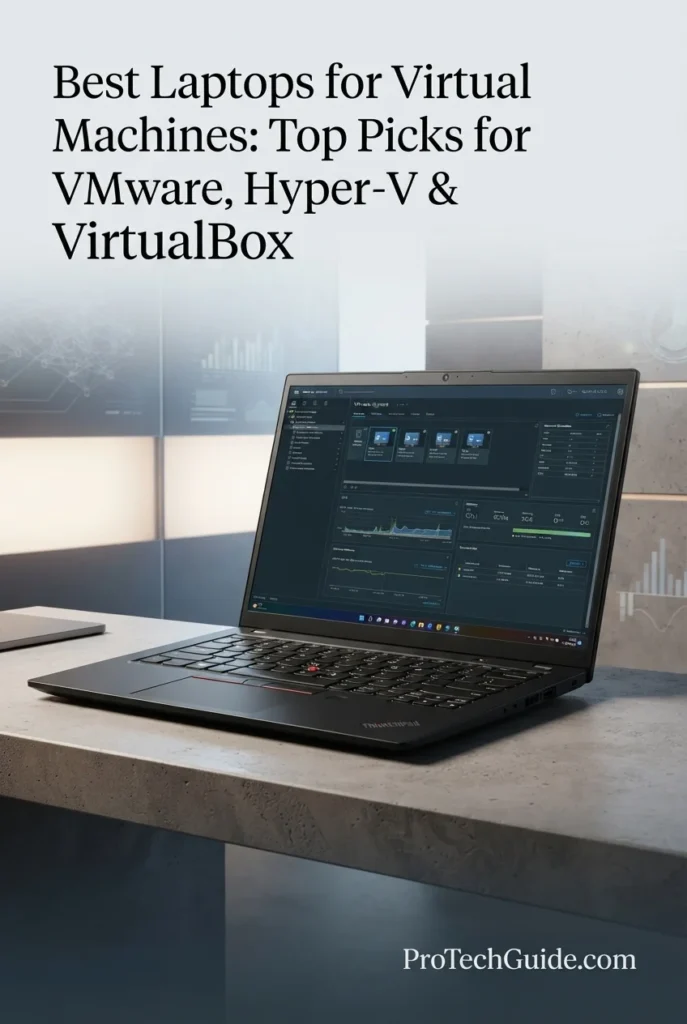
The Lenovo ThinkPad P14s Gen 6 with the AMD Ryzen AI 9 HX PRO 370, 64GB of DDR5 memory, and 1TB SSD is our portable workstation recommendation for virtualization in 2026. Its 12-core processor, large 64GB memory configuration, fast storage, Windows 11 Pro platform, and compact 14-inch design create a strong balance for developers, IT professionals, cybersecurity users, and technical professionals who need to run virtual machines without carrying a larger workstation. The integrated AMD Radeon 890M graphics are more than sufficient for conventional VM workloads, where CPU resources, memory capacity, storage performance, and platform compatibility generally matter more than a dedicated GPU.

• Ideal for developers, IT professionals, system administrators, cybersecurity users, and technical professionals who need substantial memory capacity in a portable workstation
• Well suited to VMware Workstation, VirtualBox, Hyper-V, Windows and Linux virtual machines, development environments, testing, and professional multitasking on Windows 11 Pro
• Particularly valuable for users who prioritize 64GB of RAM and a compact 14-inch form factor over the dedicated GPU performance found in larger workstation and gaming laptops
• The AMD Ryzen AI 9 HX PRO 370 provides 12-core/24-thread-class processing capacity for running virtual machines alongside IDEs, terminals, browsers, development tools, and other demanding host applications
• 64GB of DDR5-5600 memory gives the P14s Gen 6 substantial headroom for assigning memory to multiple guest operating systems while keeping the Windows host responsive
• The 1TB performance SSD provides responsive virtual machine image access, guest OS boot times, application launches, project loading, and everyday file transfers
• Windows 11 Pro provides a professional host platform and access to the Windows virtualization ecosystem, including Hyper-V when the required hardware, firmware, and Windows features are enabled
• Integrated AMD Radeon 890M graphics keep the system compact while providing capable graphics performance for the host environment without making a discrete GPU the centerpiece of a conventional VM configuration
• The 14-inch WUXGA display, 500-nit brightness, 100% sRGB coverage, Wi-Fi 7, Ethernet, and extensive port selection make the P14s practical for mobile professional workflows

The ThinkPad P14s Gen 6 earns our Best Portable Workstation for Virtualization award because it delivers the combination that matters most for mobile VM users: a powerful 12-core AMD processor, 64GB of DDR5 memory, fast storage, Windows 11 Pro, and a compact 14-inch workstation design. Rather than allocating space and power to a large discrete GPU, it prioritizes the CPU and memory resources that conventional virtual machines use most heavily.

Compared with larger systems such as the Lenovo ThinkPad P16v Gen 3 and ASUS ROG Strix G16, the P14s Gen 6 takes a more mobility-focused approach. Its 64GB memory configuration is particularly relevant to multi-VM users, while its integrated Radeon 890M keeps the platform simpler and more portable. Users who need workstation-class discrete graphics or GPU-heavy guest workloads should instead consider a larger system with a dedicated GPU.

• AMD Ryzen AI 9 HX PRO 370• 12-core processor• 24-thread architecture• Up to 5.1GHz maximum speed• 36MB-class cache configuration• High multi-core processing capacity• Designed for demanding professional multitaskingThe AMD Ryzen AI 9 HX PRO 370 gives the ThinkPad P14s Gen 6 substantial processing resources for virtualization. A high-core-count mobile processor is particularly useful when the host system must run development tools, browsers, terminals, compilers, monitoring utilities, and other applications while one or more virtual machines remain active.
• 64GB DDR5 memory• DDR5-5600MT/s• 64GB installed capacity• 96GB maximum listed memory• Strong multi-VM headroom• Suitable for demanding multitasking• Useful for development and testing environmentsThe 64GB memory configuration is one of the ThinkPad P14s Gen 6's most important advantages for virtualization. It provides significantly more room to allocate memory across multiple guest operating systems while retaining resources for Windows 11 Pro and the host applications running alongside the VMs. The listing specifies up to 96GB maximum memory, providing additional upgrade potential beyond the supplied 64GB configuration.
• VMware Workstation workflows• VirtualBox virtualization• Hyper-V on Windows 11 Pro• Windows virtual machines• Linux virtual machines• Development environments• Cybersecurity testing• IT administration and lab workloadsWindows 11 Pro makes the ThinkPad P14s Gen 6 particularly relevant to professional virtualization workflows. Users can build Windows and Linux environments for software development, testing, system administration, networking, and cybersecurity. Hyper-V requires compatible hardware and firmware virtualization capabilities in addition to the appropriate Windows edition, while VMware Workstation and VirtualBox provide alternative virtualization environments for supported configurations.
• 14-inch display• 1920 × 1200 WUXGA resolution• IPS technology• 60Hz refresh rate• 500-nit brightness• 100% sRGB color coverage• Non-touch configuration• Professional 16:10 workspaceThe 14-inch WUXGA display provides a practical workspace for VM consoles, terminal windows, IDEs, documentation, monitoring dashboards, and development tools. Its 16:10 resolution provides additional vertical workspace compared with a conventional 16:9 Full HD panel, while 500-nit brightness and 100% sRGB coverage make it well suited to professional work beyond virtualization.
• 1TB SSD• Performance-oriented storage• Fast VM image access• Responsive guest OS launches• Quick application loading• Suitable for development projects• Space for VM files and snapshotsThe 1TB SSD provides a practical storage starting point for virtual machines, development environments, applications, project files, and ISO images. Fast local storage helps reduce waiting when launching guest operating systems, opening virtual disk images, loading projects, and moving between different development environments.
• Windows 11 Pro• Professional Windows platform• Hyper-V support when requirements are met• VMware Workstation compatibility• VirtualBox compatibility• Windows and Linux guest environments• Hardware virtualization support required• Professional security featuresWindows 11 Pro provides a strong host platform for professional virtualization. It is particularly relevant to users who want to use Microsoft's Hyper-V alongside development and administration tools, while third-party hypervisors such as VMware Workstation and VirtualBox provide additional options. Hardware virtualization must be enabled and supported by the processor and firmware, and virtualization features should be configured according to the chosen hypervisor.
• Integrated AMD Radeon 890M graphics• Shared system memory architecture• No dedicated GPU• Compact workstation design• Suitable for conventional VM workloads• Capable graphics for everyday professional applications• Lower emphasis on GPU-heavy virtualizationThe integrated Radeon 890M is an appropriate fit for the P14s Gen 6's virtualization-focused design. Conventional virtual machines generally benefit more from CPU resources, memory capacity, storage, and efficient thermal management than from a powerful dedicated GPU. The integrated graphics also help the ThinkPad maintain a compact workstation form factor, although users working with GPU-intensive rendering, AI, or specialized graphics workloads should consider a system with a discrete GPU.
• 14-inch ultra-portable workstation• 57Wh battery• Wi-Fi 7• Ethernet RJ-45• 2x USB-C / Thunderbolt 4 / USB4• 2x USB-A• HDMI 2.1• Headphone/microphone combo jack• Fingerprint reader• ThinkShield security featuresThe ThinkPad P14s Gen 6 is designed for professionals who need workstation capabilities without moving to a large 16-inch chassis. Its extensive connectivity, Ethernet port, Wi-Fi 7, fingerprint reader, ThinkShield security features, and compact form factor make it practical for mobile development, administration, and virtualization workflows across offices, home workspaces, and other professional environments.
Ideal for:• Developers• IT professionals• System administrators• Cybersecurity professionals• VMware Workstation users• Hyper-V users• VirtualBox users• Linux virtual machines• Multiple VM environments• Professionals who prioritize portability and memory capacityThe Lenovo ThinkPad P14s Gen 6 with the AMD Ryzen AI 9 HX PRO 370, 64GB DDR5 memory, and 1TB SSD is particularly well suited to professionals who need substantial VM capacity in a compact workstation. Its strong processor, high memory capacity, Windows 11 Pro platform, integrated Radeon graphics, and 14-inch design make it a practical choice for mobile virtualization, development, testing, and IT workflows.
Best Mac for Virtualization (2026)

Apple MacBook Pro 14 M5 Max

High-Performance Mac for ARM-Based Virtual Machines & Professional Workflows
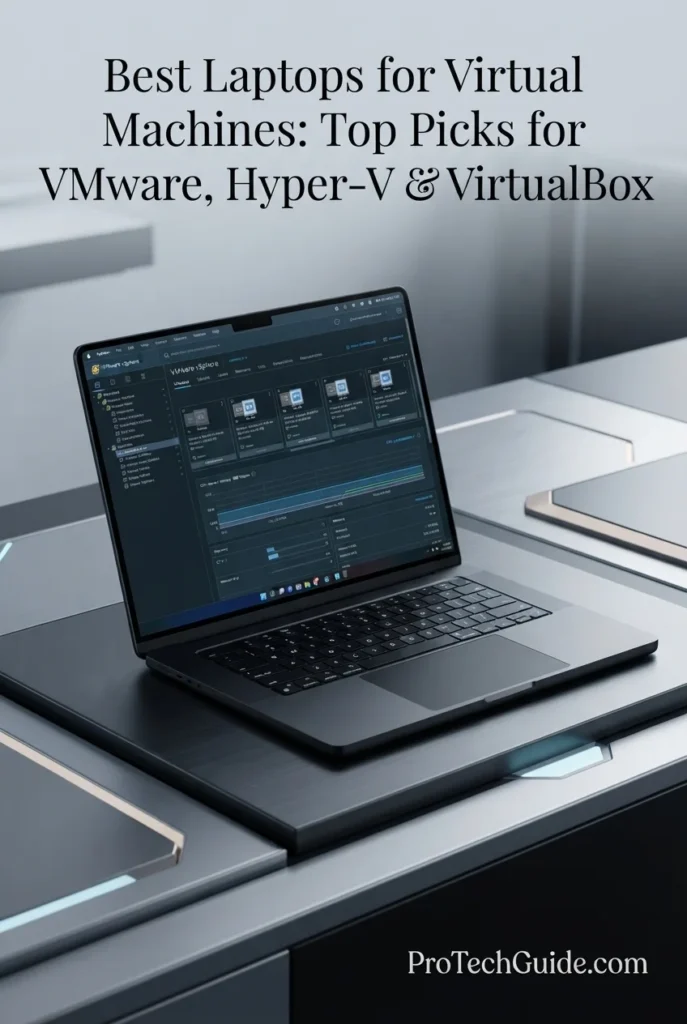
The Apple MacBook Pro 14-inch with the M5 Max chip, 36GB of unified memory, and 2TB SSD is our Best Mac for Virtualization in 2026. Its 18-core CPU, 32-core GPU, 460GB/s memory bandwidth, substantial unified memory capacity, and fast 2TB SSD create a powerful platform for running compatible virtual machines, development environments, Linux systems, and Windows 11 on Arm. The key consideration is architecture: Apple Silicon uses ARM rather than x86, so this Mac is best suited to virtualization workflows built around Arm-compatible guest operating systems and applications rather than environments that require native x86 virtualization.

• Ideal for developers, software engineers, IT professionals, researchers, and power users who want to run compatible Windows 11 on Arm, Linux, or macOS virtual machines alongside macOS
• Excellent for ARM-native development, Linux testing, cross-platform application development, command-line workflows, local development environments, and professional multitasking
• Particularly well suited to Mac users who need virtualization without giving up the portability, battery efficiency, display quality, and integrated workflow of a premium 14-inch professional laptop
• The Apple M5 Max with an 18-core CPU provides substantial processing headroom for development environments, virtualized operating systems, code compilation, testing, and demanding multitasking across macOS and guest systems
• 36GB of unified memory gives virtualized workloads meaningful headroom while leaving resources available for macOS, development tools, browsers, terminals, and other host applications running simultaneously
• The 2TB SSD provides significantly more local workspace for virtual machine images, snapshots, development environments, source repositories, applications, and project files than a smaller base configuration
• Apple Silicon's ARM architecture makes this Mac particularly compelling for modern ARM-native virtualization, while Parallels Desktop supports Windows 11 on Arm and compatible Linux environments on Apple silicon
• The 14.2-inch Liquid Retina XDR display provides exceptional sharpness, contrast, and brightness for terminals, IDEs, virtual-machine consoles, documentation, dashboards, and long development sessions
• The compact professional design, MagSafe 3 charging, Thunderbolt 5 connectivity, Wi-Fi 7, and efficient Apple Silicon platform make it highly practical for developers and professionals who move between workspaces

The MacBook Pro 14 with M5 Max earns our Best Mac for Virtualization award because it combines exceptional CPU performance, 36GB of unified memory, fast 2TB storage, a compact professional design, and a mature Apple Silicon virtualization ecosystem. Its strongest advantage is for users whose VM strategy is compatible with ARM-based guests, particularly Windows 11 on Arm and Linux environments. It should not be treated as a direct x86 workstation replacement because Apple Silicon changes the architecture and compatibility equation.

Compared with the Windows workstations in this guide, the MacBook Pro M5 Max offers a fundamentally different virtualization platform. Windows laptops based on Intel or AMD processors are better aligned with traditional x86 virtual machines and Windows-centric hypervisor workflows, while this Mac is designed around Apple Silicon and ARM guests. For users who specifically need Windows 11 on Arm, macOS-based development, Linux virtualization, and a highly portable professional system, the M5 Max provides a distinctive alternative; however, architecture-dependent software, legacy x86 guest environments, and specialized virtualization features such as nested virtualization require careful compatibility checking before deployment.

• Apple M5 Max chip• 18-core CPU• 32-core GPU• 16-core Neural Engine• 460GB/s memory bandwidth• Neural Accelerators• Hardware-accelerated ray tracingThe Apple M5 Max provides substantial processing headroom for demanding virtualization and development workloads. Its 18-core CPU is particularly relevant to compiling software, running development environments, testing applications, and multitasking between macOS and virtual machines. The 460GB/s memory bandwidth also supports the high-throughput unified memory architecture used by Apple Silicon.
• 36GB unified memory• Shared CPU and GPU memory architecture• 460GB/s memory bandwidth• Strong multitasking headroom• Suitable for development VMs• Useful for Linux and Windows 11 on Arm• Memory is integrated into the Apple Silicon platformThe 36GB unified memory configuration provides meaningful headroom for virtualization while macOS continues running the host environment. Developers can allocate resources to compatible virtual machines while keeping IDEs, terminals, browsers, documentation, communication tools, and other applications available on the host system. Because the memory is unified and integrated into Apple Silicon, it is not user-upgradeable after purchase.
• Apple Silicon ARM architecture• Windows 11 on Arm• Linux ARM virtual machines• Parallels Desktop• macOS virtualization• Apple virtualization framework• ARM-native development• Cross-platform testingThe MacBook Pro is particularly strong for modern ARM-based virtualization. Parallels Desktop supports Windows 11 on Arm and compatible Linux distributions on Apple silicon, making the M5 Max useful for developers who need Windows or Linux environments alongside macOS. However, ARM virtualization is not equivalent to traditional x86 virtualization: guest operating systems, applications, drivers, and specialized workloads must be evaluated for architecture compatibility.
• 14.2-inch Liquid Retina XDR display• 3024 × 1964 native resolution• 254 pixels per inch• Up to 120Hz ProMotion• 1,000,000:1 contrast ratio• Up to 1,600 nits peak HDR brightness• 1,000 nits sustained XDR brightness• Wide P3 color gamutThe Liquid Retina XDR display provides an excellent workspace for virtualization consoles, terminals, IDEs, documentation, dashboards, and development environments. Its 3024 × 1964 resolution provides substantial desktop space on a compact 14.2-inch panel, while ProMotion and the high-contrast XDR system make extended professional sessions comfortable and highly responsive.
• 2TB SSD• Fast application launches• Rapid virtual machine access• Large local development workspace• Suitable for VM images• Useful for snapshots and project files• Fast access to development environmentsThe 2TB SSD is particularly useful for virtualization because virtual machine disk images can consume substantial local storage. The capacity provides room for operating-system images, development environments, snapshots, source repositories, applications, and project data without forcing users to rely immediately on external storage.
• macOS host environment• Apple Silicon architecture• Native Unix-based workflow• Apple virtualization technologies• Parallels Desktop support• Windows 11 on Arm• Linux ARM environments• Strong developer workflowmacOS provides a Unix-based host environment that works particularly well for developers who use terminals, scripting, compilers, containers, and development tools alongside virtual machines. Parallels Desktop can run Windows 11 on Arm and compatible Linux environments on Apple silicon, allowing users to combine macOS and guest operating systems without rebooting.The major limitation is architecture. Apple Silicon virtual machines use ARM-based guest environments rather than the traditional x86 architecture found on Intel and AMD PCs. Some x86 or x64 applications can run through translation or emulation, but compatibility varies, and specialized workloads requiring nested virtualization or specific x86 virtualization behavior may not be appropriate for this platform.
• Compact 14.2-inch design• Space Black finish• Backlit Magic Keyboard• Touch ID• Force Touch trackpad• MagSafe 3 charging• Three Thunderbolt 5 ports• Wi-Fi 7 and Bluetooth 6The MacBook Pro combines high-end processing with a compact professional chassis that is well suited to mobile development and virtualization work. Its Thunderbolt 5 connectivity provides fast expansion options for external displays and storage, while MagSafe 3, Wi-Fi 7, and the 14.2-inch form factor support a highly mobile workstation setup.
Ideal for:• Developers using ARM-based virtual machines• Windows 11 on Arm users• Linux virtualization• macOS development environments• Software engineers• Cross-platform application testing• IT professionals working with compatible guest systems• Local development and testing• Command-line and Unix-based workflows• Professionals who prioritize portability and Apple Silicon performanceThe Apple MacBook Pro 14-inch with the M5 Max, 36GB of unified memory, and 2TB SSD is a powerful virtualization platform for professionals whose workflows align with Apple Silicon and ARM-based guests. Its combination of CPU performance, memory capacity, storage, display quality, portability, and efficient macOS integration makes it a compelling Mac choice for virtualization in 2026. Users who require traditional x86 guest environments or virtualization features unavailable on Apple Silicon should instead consider an Intel- or AMD-based Windows workstation.
Best High-Performance Portable Laptop for VMs (2026)

ASUS ROG Zephyrus G16 GU606AR

Portable Windows 11 Pro Laptop for VMware, VirtualBox & Demanding VM Workloads
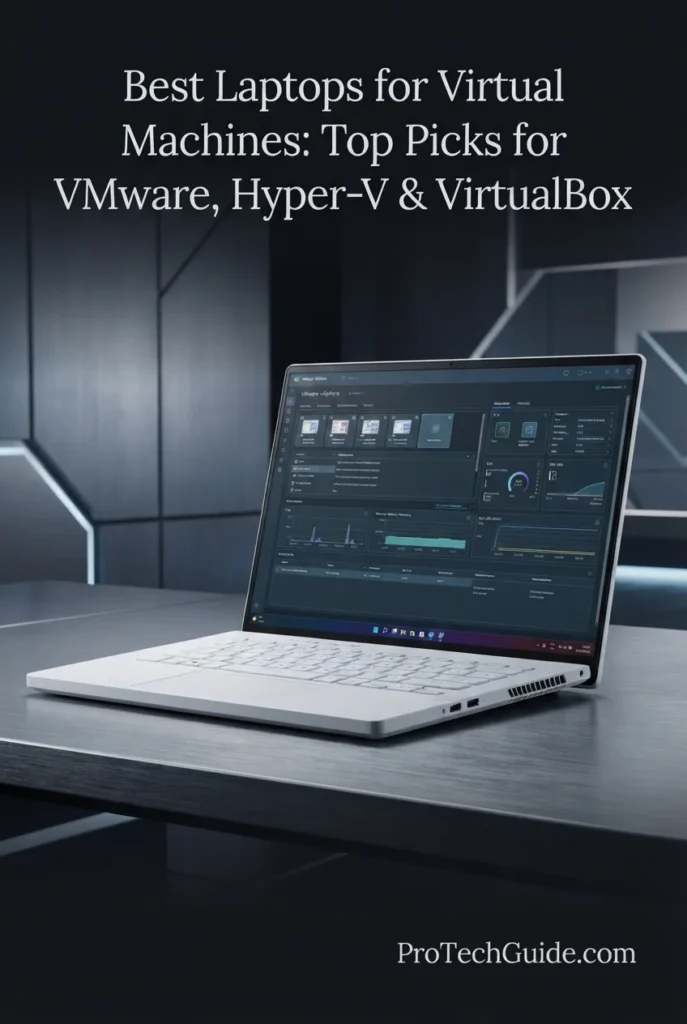
The ASUS ROG Zephyrus G16 GU606AR with an Intel Core Ultra 9 386H, 32GB of LPDDR5X memory, 1TB PCIe 4.0 SSD, and NVIDIA GeForce RTX 5070 Ti is our Best High-Performance Portable Laptop for VMs in 2026. Its 16-core processor, 32GB of fast onboard memory, high-speed NVMe storage, Windows 11 Pro, and relatively lightweight 4.3-pound design create a strong platform for developers, IT professionals, and power users who need virtualization performance without moving to a much heavier workstation. The RTX 5070 Ti is less important for conventional CPU-based virtual machines, but adds substantial capability for GPU-intensive host workloads, graphics applications, AI development, and other demanding tasks performed alongside virtualization.

• Ideal for developers, IT professionals, system administrators, cybersecurity students, and power users who need a portable Windows 11 Pro system for virtualization and demanding multitasking
• Well suited to VMware Workstation, VirtualBox, compatible Windows and Linux virtual machines, software testing, development environments, and professional workloads that benefit from strong CPU performance
• Particularly attractive to users who want workstation-class performance in a more portable 16-inch chassis and also need substantial GPU capability for gaming, creative applications, AI workloads, or graphics-intensive tasks
• The Intel Core Ultra 9 386H provides 16-core processing capability and up to 4.9GHz turbo frequency, giving the Zephyrus G16 strong CPU headroom for virtualization, compilation, multitasking, and demanding host applications
• 32GB of LPDDR5X-8533 onboard memory provides a strong capacity and high memory speed for running virtual machines while keeping development tools, browsers, terminals, and other Windows applications active
• The 1TB PCIe 4.0 x4 NVMe SSD provides fast boot times, application launches, and virtual machine image access while offering useful local capacity for operating systems, development environments, and project files
• Windows 11 Pro provides a more appropriate professional platform for virtualization than Windows Home, including access to Microsoft's professional Windows feature set and compatibility with Hyper-V where the required hardware and firmware virtualization features are enabled
• The NVIDIA GeForce RTX 5070 Ti with 12GB of GDDR7 provides significant graphics headroom for GPU-intensive applications, AI workloads, rendering, and other tasks that can complement a virtualization-focused workflow
• At 4.3 pounds, the Zephyrus G16 provides a more portable alternative to large mobile workstations while retaining a 16-inch 2560 × 1600 OLED display, 90Wh battery, and high-performance cooling configuration

The Zephyrus G16 earns our Best High-Performance Portable Laptop for VMs award because it combines a powerful 16-core CPU, 32GB of high-speed LPDDR5X memory, 1TB PCIe 4.0 storage, Windows 11 Pro, and a dedicated RTX 5070 Ti in a relatively portable 4.3-pound design. It is particularly compelling for users who need virtualization alongside other demanding workloads rather than a laptop dedicated exclusively to running virtual machines.

Compared with the ASUS ROG Strix G16, the Zephyrus G16 takes a more portable and professional approach, pairing Windows 11 Pro with a lighter 4.3-pound chassis and a high-quality OLED display. Compared with the Lenovo ThinkPad P14s Gen 6, it adds a dedicated RTX 5070 Ti and a faster 240Hz OLED panel while remaining relatively portable. However, its 32GB onboard memory is listed as the maximum configuration, so users planning to allocate very large amounts of RAM across multiple virtual machines may be better served by a workstation with greater memory capacity.

• Intel Core Ultra 9 386H• 16-core CPU• 16 threads• Up to 4.9GHz maximum turbo frequency• 18MB Smart Cache• Strong multitasking performance• High-performance mobile platformThe Intel Core Ultra 9 386H provides the CPU performance needed for demanding virtualization workloads while leaving processing headroom for applications running on the Windows host. Its 16-core design and up to 4.9GHz turbo frequency make it well suited to development environments, software testing, compilation, multitasking, and running compatible virtual machines alongside everyday professional applications.
• 32GB LPDDR5X memory• 8533MHz memory speed as listed• Onboard system memory• 32GB maximum configuration• Strong multitasking capability• Useful for multiple active applications• Good headroom for VM workloadsThe 32GB LPDDR5X configuration provides a solid amount of memory for virtualization, particularly when running development environments, Linux guests, Windows virtual machines, browsers, terminals, and professional applications simultaneously. The memory is onboard and the listing specifies 32GB as the maximum configuration, so buyers should treat the installed capacity as the long-term RAM ceiling rather than planning around a future memory upgrade.
• Windows 11 Pro• VMware Workstation• VirtualBox• Windows virtual machines• Linux virtual machines• Hyper-V compatibility• Hardware virtualization support• Professional development workflowsWindows 11 Pro makes the Zephyrus G16 a practical host platform for professional virtualization software. VMware Workstation and VirtualBox can support compatible Windows and Linux guest environments, while Hyper-V can be used when the required processor, SLAT, firmware virtualization, and Windows configuration requirements are satisfied. Actual VM performance depends on memory allocation, guest workload, storage usage, and the number of simultaneously active virtual machines.
• 16-inch OLED display• 2560 × 1600 native resolution• WQXGA resolution• 240Hz refresh rate• OLED panel technology• 16:10 aspect ratio• High-resolution workspaceThe 16-inch 2560 × 1600 OLED display provides a spacious workspace for virtualization consoles, IDEs, terminals, documentation, dashboards, and multiple application windows. The 16:10 format is particularly useful for development and administrative workflows because it provides additional vertical workspace, while the 240Hz refresh rate is primarily a benefit for gaming and general interface smoothness rather than VM performance itself.
• 1TB M.2 PCIe 4.0 x4 NVMe SSD• Fast boot times• Rapid application loading• Quick virtual machine image access• Responsive development environments• Useful local project storage• High-speed PCIe storage interfaceThe 1TB PCIe 4.0 x4 NVMe SSD provides a responsive foundation for virtualization. Fast storage is particularly useful when launching virtual machines, accessing VM disk images, loading development environments, and working with project files. The 1TB capacity is practical for several VM images and professional applications, although users maintaining numerous large guests or extensive snapshots may eventually benefit from additional external storage.
• Windows 11 Pro• Professional Windows platform• Hyper-V support• VMware Workstation compatibility• VirtualBox compatibility• Windows and Linux guest environments• Hardware-assisted virtualization• Professional security featuresWindows 11 Pro provides the appropriate Windows edition for users who need Microsoft's professional virtualization features. Hyper-V requires compatible hardware and firmware virtualization capabilities in addition to the appropriate Windows configuration. VMware Workstation and VirtualBox provide additional options for users who need different virtualization workflows or guest operating systems.
• NVIDIA GeForce RTX 5070 Ti• 12GB GDDR7 graphics memory• Dedicated GPU• 90Wh battery• 4.3-pound weight• 16-inch portable chassis• Thermal Grizzly Conductonaut on CPU• Gelid GC Extreme on GPUThe RTX 5070 Ti is not essential for ordinary CPU-based virtual machines, but it significantly broadens the laptop's capabilities for GPU-intensive host workloads such as 3D applications, rendering, AI development, and gaming. This particular HIDevolution configuration also includes its thermal-material upgrades, with Thermal Grizzly Conductonaut on the CPU and Gelid GC Extreme on the GPU. The result is a high-performance system that remains considerably more portable than many traditional workstation laptops.
Ideal for:• Developers running virtual machines• VMware Workstation users• VirtualBox users• Windows 11 Pro virtualization• Linux virtual machines• IT professionals• Cybersecurity labs• Software testing• GPU-intensive professional workloads• Users who prioritize portabilityThe ASUS ROG Zephyrus G16 GU606AR with the Intel Core Ultra 9 386H, 32GB LPDDR5X memory, 1TB PCIe 4.0 SSD, and RTX 5070 Ti is a strong choice for professionals who want virtualization capability without carrying a large workstation. Its combination of CPU performance, Windows 11 Pro, fast storage, dedicated graphics, OLED display, and 4.3-pound design makes it particularly well suited to users who alternate between virtual machines and other demanding workloads.
At a Glance

Best Laptops for Virtual Machines in 2026

Ranked by CPU Performance, RAM Capacity, Virtualization Support, SSD Storage, Hypervisor Compatibility, Thermals, Portability & Professional Value

Choosing the best laptop for virtual machines in 2026 requires more than comparing processor specifications. A strong virtualization laptop needs enough CPU performance and memory to keep the host system responsive while allocating resources to guest operating systems, along with fast SSD storage for virtual machine images and snapshots, effective thermal management for sustained workloads, and compatibility with the hypervisors and operating systems you actually use. We evaluated these laptops around real-world virtualization scenarios including VMware Workstation, Hyper-V, VirtualBox, Windows and Linux virtual machines, development environments, cybersecurity labs, software testing, IT administration, and professional multitasking.

LaptopCPU & Key SpecsBest ForWhy It WinsEditor's Verdict
Best OverallLenovo ThinkPad P16s Gen 3Check Price
Intel Core Ultra 7 155H
16-Core CPU
32GB DDR5
1TB SSD
16" WUXGA IPS
Windows 11 Pro
Professional Virtualization
VMware Users
Windows & Linux VMs
IT Professionals
The ThinkPad P16s Gen 3 provides a balanced virtualization platform with a 16-core Intel processor, 32GB of DDR5 memory, fast 1TB storage, Windows 11 Pro, and workstation-oriented connectivity. Its combination of CPU performance, memory capacity, professional Windows support, Ethernet, and mobile-workstation design makes it well suited to developers, IT professionals, system administrators, and users running demanding virtual machine environments.Best Overall Laptop for Virtual Machines
Best Professional WorkstationHP ZBook Fury G1i 16Check Price
Intel Core Ultra 7 255HX
20-Core CPU
32GB DDR5
1TB SSD
RTX Pro 2000 Blackwell
16" 2560 × 1600
Windows 11 Pro
Professional Workstations
Heavy Multitasking
Large VM Environments
Engineering & IT
The ZBook Fury G1i is designed for users who need workstation-class hardware for demanding professional workloads. Its 20-core Core Ultra 7 255HX, four memory slots, listed support for up to 192GB of RAM, fast SSD storage, and professional NVIDIA graphics provide a substantial platform for virtualization, development, engineering software, testing environments, and intensive multitasking.Best Professional Workstation for Virtualization
Best for Multiple VMsLenovo ThinkPad P16v Gen 3Check Price
Intel Core Ultra 9 285H vPro
12-Core CPU
32GB DDR5
1TB PCIe SSD
RTX PRO 2000 Blackwell 8GB
16" WUXGA 500-nit
Windows 11 Pro
Multiple VMs
IT Administration
Cybersecurity Labs
Development & Testing
The ThinkPad P16v Gen 3 combines a Core Ultra 9 vPro processor, 32GB of DDR5 memory, fast NVMe storage, Windows 11 Pro, and workstation-class RTX PRO graphics in a professional 16-inch platform. Its workstation design, Ethernet connectivity, vPro platform features, and listed memory expansion capability make it particularly relevant for users who need to manage several virtual environments and demanding professional workloads.Best Workstation for Multiple Virtual Machines
Best Creator LaptopASUS ProArt P16 H7606WPCheck Price
AMD Ryzen AI 9 HX 370
12-Core / 24-Thread CPU
64GB LPDDR5X
2TB PCIe 4.0 SSD
RTX 5070 8GB
16" 4K OLED Touch
Windows 11 Pro
Memory-Heavy VMs
Developers
Creators & Developers
AI & GPU Workloads
The ProArt P16 stands out with 64GB of onboard LPDDR5X memory and a 2TB PCIe 4.0 SSD, giving virtualized development environments substantial memory and storage headroom. Its Ryzen AI 9 HX 370 and RTX 5070 also provide strong performance for demanding host workloads, while the 4K OLED touchscreen makes it particularly attractive to professionals who combine virtualization with creative, development, and visual workloads.Best Creator Laptop for Virtual Machines
Best Gaming LaptopASUS ROG Strix G16 (2026)Check Price
Intel Core Ultra 9 290HX Plus
24-Core CPU
32GB DDR5-5600
1TB PCIe Gen4 SSD
RTX 5080 16GB
16" 2560 × 1600
Windows 11 Home
Gaming + VMs
High-Performance Users
GPU-Intensive Workloads
VMware & VirtualBox
The ROG Strix G16 combines a high-core-count processor, 32GB of DDR5 memory, fast PCIe Gen4 storage, and an RTX 5080 with 16GB of GDDR7. Its major strength is versatility for users who want one high-performance machine for gaming, development, virtualization, and GPU-intensive applications. Because this configuration uses Windows 11 Home, users specifically requiring client Hyper-V should account for the Windows edition requirements before purchasing.Best Gaming Laptop for Virtual Machines
Best Portable WorkstationLenovo ThinkPad P14s Gen 6Check Price
AMD Ryzen AI 9 HX PRO 370
12-Core / 24-Thread CPU
64GB DDR5-5600
1TB SSD
Radeon 890M
14" WUXGA 500-nit
Windows 11 Pro
Portable Virtualization
Developers
Business Travel
Multiple Applications
The ThinkPad P14s Gen 6 focuses on the combination of portability and memory capacity. Its 64GB of DDR5 memory, 12-core Ryzen AI 9 HX PRO 370, 1TB SSD, Windows 11 Pro, and 14-inch 500-nit display provide a strong environment for virtualization while keeping the system considerably more portable than larger workstation laptops.Best Portable Workstation for Virtualization
Best MacApple MacBook Pro 14-inch M5 MaxCheck Price
Apple M5 Max
18-Core CPU
32-Core GPU
36GB Unified Memory
2TB SSD
14.2" Liquid Retina XDR
macOS
ARM Virtualization
Windows 11 on Arm
Linux Development
Mac Users
The MacBook Pro M5 Max provides exceptional performance in a compact professional system, but its ARM architecture makes it fundamentally different from the Intel and AMD laptops in this guide. It is particularly relevant for compatible Windows 11 on Arm and Linux virtualization, ARM-native development, and macOS-based workflows. Users who depend on traditional x86 guest environments or architecture-specific virtualization features should verify compatibility before choosing Apple Silicon.Best Mac for Virtualization
Best High-Performance PortableASUS ROG Zephyrus G16 GU606ARCheck Price
Intel Core Ultra 9 386H
16-Core CPU
32GB LPDDR5X
1TB PCIe 4.0 SSD
RTX 5070 Ti 12GB
16" 2560 × 1600 OLED
Windows 11 Pro
Portable VMs
Developers
Cybersecurity Labs
GPU-Intensive Workloads
The Zephyrus G16 combines a 16-core Intel processor, 32GB of fast LPDDR5X memory, 1TB PCIe 4.0 storage, Windows 11 Pro, and an RTX 5070 Ti in a 4.3-pound design. It provides a particularly flexible option for professionals who need virtualization but also want substantial GPU performance for gaming, AI, rendering, or other demanding workloads.Best High-Performance Portable Laptop for VMs
Keep Exploring

Recommended Next Reads

Finished comparing the best laptops for virtual machines? Explore our related guides for cybersecurity, programming, software development, AI, computer science, processor selection, and high-performance laptops built for demanding workloads.

Whether you're running Kali Linux in a virtual machine, building isolated development environments, testing software across different operating systems, studying computer science, experimenting with AI workloads, or managing multiple virtual machines for professional IT tasks, these guides can help you understand the hardware and platform choices behind demanding laptop workflows.

01

EDITOR'S FINAL RECOMMENDATIONS

Our Final Virtual Machine Laptop Recommendations for 2026

After comparing laptops across CPU performance, RAM capacity, virtualization support, SSD storage, thermal design, hypervisor compatibility, Windows and Linux workflows, portability, and long-term professional use, these are our final recommendations for virtual machine users in 2026. Whether you need a laptop for VMware Workstation, Hyper-V, VirtualBox, cybersecurity labs, software development, Linux environments, or multiple simultaneous virtual machines, the right choice depends on how demanding your virtualized workloads are and how much memory and sustained CPU performance you need.

BEST PROFESSIONAL WORKSTATION

HP ZBook Fury G1i 16

The workstation choice for virtualization users who need substantial expansion headroom and a platform designed for sustained professional workloads. With its 20-core Core Ultra 7 255HX processor, 32GB of DDR5 memory, 1TB SSD, four memory slots, and Windows 11 Pro, the ZBook Fury G1i provides a strong foundation for users who may eventually need more memory for heavier multi-VM environments and professional applications running alongside their virtual machines.

  • ✓ Intel Core Ultra 7 255HX
  • ✓ 32GB DDR5 SDRAM
  • ✓ 1TB SSD Storage
  • ✓ Four Memory Slots
Best professional workstation for demanding virtualization and future memory expansion
BEST FOR MULTIPLE VMS

Lenovo ThinkPad P16v Gen 3

The strongest fit for users who regularly run multiple virtual machines and need a workstation platform with strong CPU performance, professional graphics, and additional memory headroom. Its Core Ultra 9 285H vPro processor, 32GB of DDR5 memory, 1TB SSD, Windows 11 Pro, and support for up to 96GB of memory make it particularly relevant for developers, IT professionals, system administrators, and advanced testing environments where several guest systems may operate simultaneously.

  • ✓ Intel Core Ultra 9 285H vPro
  • ✓ 32GB DDR5 Memory
  • ✓ 1TB PCIe NVMe SSD
  • ✓ Up to 96GB Memory Listed
Best workstation for running multiple virtual machines and demanding multitasking
BEST CREATOR LAPTOP

ASUS ProArt P16 H7606WP

The creator-oriented option for users who need substantial memory capacity while also working with demanding visual, development, or AI workloads alongside virtualization. Its Ryzen AI 9 HX 370 processor, 64GB of onboard LPDDR5X memory, 2TB PCIe 4.0 SSD, and Windows 11 Pro provide considerable capacity for virtual machines and host applications. The 64GB memory is onboard and not upgradeable, making the configuration particularly attractive when its existing memory capacity matches your long-term workload requirements.

  • ✓ AMD Ryzen AI 9 HX 370
  • ✓ 64GB LPDDR5X Memory
  • ✓ 2TB PCIe 4.0 SSD
  • ✓ Windows 11 Pro
Best creator laptop for high-memory virtualization and demanding mixed workloads
BEST GAMING LAPTOP

ASUS ROG Strix G16 (2026)

The gaming-focused option for users who want substantial CPU and GPU performance for virtualization alongside gaming and other demanding workloads. Its 24-core Core Ultra 9 290HX Plus processor, 32GB of DDR5 memory, 1TB PCIe Gen4 SSD, and advanced cooling system give it considerable performance headroom. Because this configuration uses Windows 11 Home, users specifically targeting Hyper-V should account for the operating-system edition requirements before purchasing.

  • ✓ Intel Core Ultra 9 290HX Plus
  • ✓ 32GB DDR5-5600 Memory
  • ✓ 1TB PCIe Gen4 SSD
  • ✓ NVIDIA GeForce RTX 5080 16GB
Best gaming laptop for users combining virtualization with high-performance workloads
BEST PORTABLE WORKSTATION

Lenovo ThinkPad P14s Gen 6

The portable workstation choice for professionals who need substantial memory capacity without carrying a large 16-inch system. Its Ryzen AI 9 HX PRO 370 processor, 64GB of DDR5 memory, 1TB SSD, Windows 11 Pro, and compact 14-inch design create a practical platform for development environments, Linux VMs, testing, administration, and other virtualization workloads that benefit from high memory capacity and mobility.

  • ✓ AMD Ryzen AI 9 HX PRO 370
  • ✓ 64GB DDR5-5600 Memory
  • ✓ 1TB Performance SSD
  • ✓ Windows 11 Pro
Best portable workstation for memory-intensive virtualization
BEST MAC FOR VIRTUALIZATION

Apple MacBook Pro 14-inch M5 Max

The Mac option for users who specifically want Apple Silicon and are comfortable building their virtualization workflow around ARM architecture. The M5 Max, 36GB of unified memory, 2TB SSD, and Liquid Retina XDR display provide a powerful host platform, but virtualization on Apple Silicon is different from running traditional x86 Windows environments. Users should verify that their required guest operating systems, applications, drivers, and hypervisor workflows are compatible with ARM before choosing this platform.

  • ✓ Apple M5 Max 18-core CPU
  • ✓ 36GB Unified Memory
  • ✓ 2TB SSD Storage
  • ✓ 14.2-inch Liquid Retina XDR Display
Best Mac for ARM-native virtualization and compatible Windows or Linux guest environments
BEST HIGH-PERFORMANCE PORTABLE

ASUS ROG Zephyrus G16 GU606AR

The high-performance portable choice for users who want strong virtualization capability in a much lighter 16-inch chassis. Its Core Ultra 9 386H processor, 32GB of LPDDR5X memory, 1TB PCIe 4.0 SSD, Windows 11 Pro, and RTX 5070 Ti provide a versatile platform for VM workloads, development, testing, and GPU-intensive applications. The 32GB memory is onboard and listed as the maximum configuration, so memory requirements should be considered carefully before purchase.

  • ✓ Intel Core Ultra 9 386H
  • ✓ 32GB LPDDR5X-8533 Memory
  • ✓ 1TB PCIe 4.0 SSD
  • ✓ Windows 11 Pro
Best high-performance portable laptop for demanding VM workloads
QUICK DECISION

Which virtual machine laptop should you buy?

Best Overall

ThinkPad P16s Gen 3

Best Professional Workstation

HP ZBook Fury G1i 16

Best for Multiple VMs

ThinkPad P16v Gen 3

Best Creator Laptop

ASUS ProArt P16

Best Gaming Laptop

ROG Strix G16

Best Portable

ThinkPad P14s Gen 6

Best Mac

MacBook Pro M5 Max

Best High-Performance Portable

ROG Zephyrus G16

Laptop prices, configurations, and availability can change frequently. Before purchasing, check Amazon for the latest price, available memory and storage configurations, warranty coverage, operating-system edition, and current promotions.

EDITOR'S FINAL VERDICT

Final Verdict: Best Laptops for Virtual Machines in 2026

After comparing CPU performance, RAM capacity, SSD storage, virtualization support, hypervisor compatibility, thermal design, Windows and Linux support, portability, connectivity, and long-term upgrade potential, one conclusion stands out:The best laptop for virtual machines is not necessarily the laptop with the fastest processor or most powerful GPU. It is the system that provides the right balance of CPU performance, memory capacity, storage speed, sustained thermals, operating-system compatibility, virtualization support, and portability for the virtualized workloads you actually run.

Modern virtualization users can work across VMware Workstation, Hyper-V, VirtualBox, Linux environments, Windows guests, development sandboxes, cybersecurity labs, software testing environments, containers, and multiple virtual machines running simultaneously. These workloads benefit primarily from strong CPU performance, sufficient RAM, fast SSD storage, effective cooling, and a host platform that supports the required virtualization technologies rather than simply from a high-end dedicated GPU.

For most professional virtualization users, 32GB of memory is a strong starting point for long-term use, while 64GB becomes increasingly valuable when running multiple virtual machines simultaneously or keeping several demanding host applications open. Fast SSD storage is equally important because virtual machine disk images can consume substantial capacity and generate significant storage activity during development, testing, updates, and snapshots.
Best Virtual Machine Laptop OverallLenovo ThinkPad P16s Gen 3
Best Laptop for Multiple VMsLenovo ThinkPad P16v Gen 3
Best Mac for VirtualizationApple MacBook Pro M5 Max
Best Professional WorkstationHP ZBook Fury G1i 16
The simple answer:
  • Choose the Lenovo ThinkPad P16s Gen 3 if you want the strongest overall balance of CPU performance, 32GB of memory, fast SSD storage, Windows 11 Pro, workstation-oriented design, and broad compatibility for VMware Workstation, VirtualBox, Windows and Linux virtual machines.
  • Choose the Lenovo ThinkPad P16v Gen 3 if you regularly run multiple virtual machines simultaneously and need additional performance and memory expansion headroom for demanding development, testing, administration, or cybersecurity environments.
  • Choose the Apple MacBook Pro with M5 Max if you specifically want an Apple Silicon Mac and your virtualization workflow is compatible with ARM-based guest operating systems and applications. It should not be treated as a universal replacement for an x86 Windows virtualization platform.
  • Choose the HP ZBook Fury G1i 16 if your virtualization workload justifies a larger professional workstation and you value substantial CPU capability, multiple memory slots, and the potential for significantly greater memory capacity over time.

Top Virtual Machine Laptop Recommendations (2026)

BEST OVERALL

Lenovo ThinkPad P16s Gen 3

Our Editor's Choice for most users who need a professional Windows laptop for virtualization. Its Core Ultra 7 processor, 32GB of DDR5 memory, 1TB SSD, Windows 11 Pro, and workstation-oriented platform provide a balanced foundation for VMware Workstation, VirtualBox, Linux guests, development environments, testing, and everyday multi-application workloads.

  • ✓ Intel Core Ultra 7 155H
  • ✓ 32GB DDR5 Memory
  • ✓ 1TB PCIe SSD
  • ✓ Windows 11 Pro
BEST FOR MULTIPLE VMS

Lenovo ThinkPad P16v Gen 3

The strongest fit for users who routinely operate multiple virtual machines and need additional workstation-class headroom. Its Core Ultra 9 285H vPro processor, 32GB of DDR5 memory, 1TB NVMe SSD, Windows 11 Pro, and listed support for up to 96GB of memory make it particularly relevant to advanced development, testing, IT administration, and cybersecurity workflows.

  • ✓ Intel Core Ultra 9 285H vPro
  • ✓ 32GB DDR5 Memory
  • ✓ 1TB PCIe NVMe SSD
  • ✓ Up to 96GB Memory Listed
BEST MAC FOR VIRTUALIZATION

Apple MacBook Pro 14-inch M5 Max

The Mac option for users whose virtualization workflows are compatible with Apple Silicon and ARM-based guest environments. Its M5 Max processor, 36GB of unified memory, 2TB SSD, and powerful mobile platform provide substantial host performance, but architecture compatibility remains a critical consideration when running Windows or Linux virtual machines and applications originally designed for x86 systems.

  • ✓ Apple M5 Max 18-core CPU
  • ✓ 36GB Unified Memory
  • ✓ 2TB SSD Storage
  • ✓ Liquid Retina XDR Display
Choose the ThinkPad P16s Gen 3 if:
  • ✓ You want the best overall balance for professional virtualization
  • ✓ You regularly use VMware Workstation, VirtualBox, Windows or Linux virtual machines
  • ✓ You want 32GB of memory, Windows 11 Pro, and fast SSD storage
  • ✓ You want a professional workstation platform without moving to a much larger desktop-replacement system
Choose the ThinkPad P16v Gen 3 if:
  • ✓ Running multiple virtual machines is a central part of your workflow
  • ✓ You want Core Ultra 9 performance and workstation-class hardware
  • ✓ You want additional memory expansion headroom beyond the current 32GB configuration
  • ✓ Your workloads include development, testing, IT administration, cybersecurity, or demanding multitasking
Before Buying Any Virtualization Laptop:
  • ✓ Prefer 32GB of RAM for demanding professional virtualization and consider 64GB when running multiple VMs simultaneously
  • ✓ Prioritize a fast SSD with enough capacity for virtual machine disk images, snapshots, applications, and host data
  • ✓ Verify hardware virtualization support and firmware settings before deploying demanding VM environments
  • ✓ Choose Windows 11 Pro or another appropriate host platform when Hyper-V is an essential requirement
  • ✓ Do not pay for a powerful dedicated GPU unless your VM or host workload actually benefits from GPU acceleration, graphics-intensive applications, AI, rendering, or other specialized workloads
Editor's Final Recommendation:

A virtualization laptop is a professional tool that may spend thousands of hours running operating systems, development environments, testing platforms, security labs, databases, applications, and other workloads inside virtual machines. Peak CPU specifications matter, but memory capacity, sustained thermal performance, storage capacity, hypervisor compatibility, operating-system support, portability, and the ability to maintain responsive host performance can have an equally important impact on everyday virtualization.

Among the models evaluated in this guide, the Lenovo ThinkPad P16s Gen 3 delivers the strongest overall combination of CPU performance, 32GB of memory, 1TB SSD storage, Windows 11 Pro, workstation-oriented design, and broad compatibility for common professional virtualization workflows, making it our Editor's Choice for the best laptop for virtual machines in 2026.The Lenovo ThinkPad P16v Gen 3 is the more specialized choice for users who regularly run multiple VMs and want additional memory expansion headroom, while the HP ZBook Fury G1i 16 provides a larger workstation platform with multiple memory slots for heavier professional environments. The Lenovo ThinkPad P14s Gen 6 is particularly relevant when 64GB of memory and portability are priorities, while the Apple MacBook Pro with M5 Max provides a powerful ARM-based alternative for virtualization workflows that are compatible with Apple Silicon.

Editor's ChoiceSee Today's Best Virtual Machine Laptop Deals

Compare current prices, configurations, memory, storage, warranty coverage, operating-system editions, and availability before choosing the laptop that best matches your virtualization workflow and the number of virtual machines you plan to run.

Check Latest Deals

EDITOR'S FAQ

Frequently Asked Questions About the Best Laptops for Virtual Machines in 2026

Choosing the best laptop for virtual machines requires more than comparing processor specifications. Virtualization workloads depend heavily on RAM capacity, CPU performance, SSD storage, thermal design, hardware virtualization support, operating-system compatibility, and the hypervisor you plan to use.These frequently asked questions address the most important buying decisions, from determining how much RAM you need for multiple virtual machines to choosing between VMware Workstation, Hyper-V, and VirtualBox, understanding whether a dedicated GPU matters, selecting a laptop for Linux and cybersecurity labs, and determining whether Apple Silicon is suitable for your virtualization workflow.

The Lenovo ThinkPad P16s Gen 3 is our top overall recommendation for virtual machines in 2026.

It provides a strong balance of CPU performance, 32GB of DDR5 memory, fast SSD storage, Windows 11 Pro, workstation-oriented hardware, and the platform compatibility needed for a broad range of professional virtualization workloads.

  • Intel Core Ultra 7 155H processor with 16 cores.
  • 32GB of DDR5 memory for running virtual machines alongside host applications.
  • 1TB SSD for virtual machine disk images, applications, and projects.
  • Windows 11 Pro for professional Windows virtualization workflows.
  • Workstation-oriented design with business-class connectivity and security features.

For users who regularly run multiple VMs, the Lenovo ThinkPad P16v Gen 3 provides more workstation-class headroom and listed memory expansion potential. For ARM-native virtualization, the Apple MacBook Pro with M5 Max provides a powerful alternative, but guest operating-system compatibility requires additional consideration.

Check Price
32GB of RAM is a strong starting point for professional virtualization, while 64GB or more becomes increasingly valuable for multiple demanding virtual machines.

Virtual machines consume memory independently from the host operating system. If your laptop has 32GB of RAM, the host system still needs enough memory to remain responsive after allocating memory to one or more guest operating systems.

  • 16GB → Suitable for lighter virtualization, a small number of less demanding VMs, and basic testing environments.
  • 32GB → Recommended for professional development, Linux environments, Windows VMs, testing, and moderate multi-VM workloads.
  • 64GB → Better suited to multiple simultaneous VMs, cybersecurity labs, development environments, databases, and heavier multitasking.
  • 96GB or more → Particularly useful when the laptop supports higher memory capacity and your workflow involves several demanding VMs simultaneously.

Memory capacity becomes especially important when every VM needs its own operating system, development tools, browser sessions, databases, or security applications. The Lenovo ThinkPad P14s Gen 6 and ASUS ProArt P16 configurations in this guide provide 64GB, while the ThinkPad P16v Gen 3 lists support for up to 96GB.

16GB can run virtual machines, but it leaves considerably less memory available for the host system and additional applications.

A laptop with 16GB can be appropriate for basic virtualization tasks such as running a lightweight Linux guest, testing a small development environment, or learning how virtualization works. The situation changes when multiple VMs are active simultaneously.

  • 16GB can work for lightweight Linux or development VMs.
  • 16GB is more restrictive when running Windows guests.
  • 32GB provides substantially more headroom for professional VM workloads.
  • 64GB is preferable for multiple simultaneous VMs and demanding cybersecurity or development labs.
  • Memory expansion capability can be more valuable than simply choosing a faster processor.

If virtualization is one of the main reasons you are buying the laptop, we recommend treating 32GB as a more practical starting point rather than designing the system around 16GB. For heavier multi-VM environments, 64GB provides a much more comfortable memory budget.

For multiple virtual machines, prioritize a modern high-core-count CPU with strong sustained performance rather than focusing only on peak clock speed.

Every active virtual machine creates additional CPU demand on the host. Running several guests simultaneously therefore benefits from processors with multiple physical and logical cores, strong sustained performance, and effective thermal management.

  • More CPU cores → More flexibility when several VMs need CPU resources simultaneously.
  • Strong single-core performance → Important for applications inside individual virtual machines and everyday host responsiveness.
  • Sustained performance → Important during long development, compilation, testing, updates, and multi-VM sessions.
  • Hardware virtualization support → Essential for efficient virtualization through supported technologies.

In this guide, the Intel Core Ultra 9 285H in the Lenovo ThinkPad P16v Gen 3 and the Core Ultra 7 255HX in the HP ZBook Fury G1i 16 are particularly relevant to users who need higher CPU headroom. The Core Ultra 9 290HX Plus in the ASUS ROG Strix G16 also provides substantial CPU resources, although its Windows 11 Home configuration should be considered if Hyper-V is required.

Windows is generally the more straightforward choice when your virtualization workflow depends on x86 Windows guests, Hyper-V, or broad Windows software compatibility, while Apple Silicon Macs can be excellent for ARM-compatible virtualization workloads.

The operating system and processor architecture matter just as much as raw hardware performance. Windows laptops in this guide use x86 processors and provide a familiar platform for Windows and Linux virtualization through supported hypervisors.

  • Windows → Strong choice for VMware Workstation, VirtualBox, Hyper-V, Windows guests, Linux guests, development, testing, and enterprise-oriented workflows.
  • Windows 11 Pro → Particularly relevant when Hyper-V is an essential part of the workflow.
  • macOS on Apple Silicon → Powerful option for ARM-compatible guest operating systems and applications.
  • Apple Silicon → Requires more careful compatibility planning because ARM virtualization is not identical to running traditional x86 virtual machines.

The Apple MacBook Pro M5 Max is therefore a powerful virtualization platform, but it should not be treated as a universal replacement for an x86 Windows laptop. If your work requires specific x86 operating systems, drivers, applications, or virtualization features, verify compatibility before choosing Apple Silicon.

Check MacBook Pro
Yes. The MacBook Pro with M5 Max can be an excellent virtualization platform when the required guest operating systems and applications are compatible with Apple Silicon and ARM.

The M5 Max provides substantial host performance, while the 36GB unified memory and 2TB SSD configuration give the system useful capacity for virtualized development environments and other demanding workloads.

  • Strong Apple Silicon CPU performance for demanding host workloads.
  • 36GB of unified memory for virtualization and multitasking.
  • 2TB SSD provides substantial space for virtual machine disk images and applications.
  • Liquid Retina XDR display provides a premium workspace for development and administration.
  • Apple Silicon provides an efficient platform for compatible ARM-native virtualization.

The main consideration is architecture compatibility. Windows 11 on Arm and ARM-based Linux guests are different from traditional x86 installations, and applications or drivers designed specifically for x86 may behave differently or require additional compatibility layers. For a workflow that depends on traditional x86 Windows guests, a Windows laptop remains the more direct platform.

Check MacBook Pro Price
1TB of SSD storage is a practical starting point for virtualization, while 2TB becomes more attractive when running multiple VMs or maintaining several operating-system images.

Virtual machines can consume substantially more storage than ordinary applications because each guest operating system typically uses its own virtual disk. Snapshots, development tools, updates, ISO files, project data, and multiple guest environments can increase storage requirements quickly.

  • 512GB → Suitable for lighter virtualization with one or two relatively small VMs and disciplined storage management.
  • 1TB → Recommended starting point for most professional VM users.
  • 2TB → Better for multiple operating systems, snapshots, development environments, cybersecurity labs, and larger VM libraries.
  • 4TB or more → Appropriate for highly storage-intensive professional virtualization environments with many local VM images.

A fast PCIe NVMe SSD is also important because VM workloads involve frequent reads and writes. The ASUS ProArt P16 and Apple MacBook Pro M5 Max configurations in this guide provide 2TB of storage, giving them additional capacity for users who maintain several large virtual machine environments.

No. Most conventional virtual machine workloads do not require a high-end dedicated GPU.

For VMware Workstation, Hyper-V, VirtualBox, Linux development environments, software testing, server administration, and many cybersecurity labs, CPU performance, RAM capacity, storage, and thermal behavior are generally more important than raw GPU performance.

  • Integrated graphics → Sufficient for many conventional development, Linux, testing, and administrative VM workloads.
  • Dedicated GPU → Useful when the host laptop also handles gaming, creative applications, AI workloads, 3D software, or GPU-accelerated professional applications.
  • Professional GPU → Relevant when virtualization is combined with engineering, visualization, AI, rendering, or other graphics-intensive workloads.
  • GPU passthrough → A specialized virtualization scenario that depends on the hypervisor, hardware, firmware, guest operating system, and specific implementation rather than simply having a powerful laptop GPU.

This is why the Lenovo ThinkPad P16s Gen 3 and Lenovo ThinkPad P16v Gen 3 can be strong virtualization choices even though their GPUs are not the primary reason to choose them. The ASUS ROG Strix G16 and ROG Zephyrus G16 are more relevant when virtualization is combined with gaming or GPU-intensive applications.

The Lenovo ThinkPad P16v Gen 3 is our recommended choice in this guide for users who regularly run multiple virtual machines simultaneously.

Its Core Ultra 9 285H vPro processor, 32GB of DDR5 memory, 1TB NVMe SSD, Windows 11 Pro, and listed support for up to 96GB of memory give it a strong foundation for multi-VM environments.

  • High-performance Core Ultra 9 processor with 12 cores.
  • 32GB of DDR5 memory in the listed configuration.
  • Listed memory expansion potential up to 96GB.
  • 1TB NVMe SSD for multiple virtual machine images and applications.
  • Windows 11 Pro for professional Windows virtualization workflows.

It is particularly relevant for developers, system administrators, IT professionals, cybersecurity users, and advanced students who may run several Windows or Linux environments at the same time. If your VM count and memory requirements are especially high, increasing system memory can have a larger practical impact than choosing a more powerful GPU.

View ThinkPad P16v
The Lenovo ThinkPad P16s Gen 3 is the best overall fit in this guide, but the right laptop depends on how many VMs you run, which hypervisor you use, your memory requirements, and whether you need Windows x86 or Apple Silicon ARM compatibility.

There is no single virtualization laptop that fits every workload. A developer running one Linux VM has different requirements from a cybersecurity student running several isolated environments or an IT professional maintaining multiple Windows and Linux systems simultaneously.

  • Best Overall → Lenovo ThinkPad P16s Gen 3
  • Best Professional Workstation → HP ZBook Fury G1i 16
  • Best for Multiple VMs → Lenovo ThinkPad P16v Gen 3
  • Best Creator Laptop → ASUS ProArt P16
  • Best Gaming Laptop → ASUS ROG Strix G16
  • Best Portable Workstation → Lenovo ThinkPad P14s Gen 6
  • Best Mac for Virtualization → Apple MacBook Pro M5 Max
  • Best High-Performance Portable → ASUS ROG Zephyrus G16

If you want the safest all-around Windows platform for VMware Workstation, VirtualBox, Linux guests, development, testing, and everyday virtualization, the ThinkPad P16s Gen 3 provides the most balanced starting point in this guide. If multiple VMs are central to your workflow, look toward systems with 64GB-class memory or meaningful memory expansion potential. If you choose Apple Silicon, verify guest architecture and application compatibility before committing to the platform.

Check Best Overall Deal

VIRTUAL MACHINE LAPTOP BUYING GUIDE

Common Mistakes When Choosing a Virtual Machine Laptop in 2026

Choosing a laptop for virtual machines is not simply about buying the processor with the highest clock speed or the most powerful GPU. Virtualization places sustained demands on CPU resources, system memory, SSD storage, thermal performance, hardware virtualization support, and the host operating system.The wrong laptop can quickly become frustrating when you run out of RAM, fill the SSD with virtual machine images, encounter hypervisor compatibility limitations, or discover that your operating system does not support the virtualization features you need. Avoid these common mistakes before choosing your next laptop for VMware, Hyper-V, VirtualBox, Linux, development, cybersecurity, or professional virtualization.

Editor's Insight

The best laptop for virtual machines is rarely the one with the most impressive GPU. For conventional virtualization, CPU performance, RAM capacity, fast SSD storage, effective cooling, hardware virtualization support, and hypervisor compatibility have a much greater impact on the experience.For most professional virtualization workloads in 2026, 32GB of RAM is a practical starting point, while 64GB becomes increasingly valuable for multiple simultaneous VMs. A 1TB SSD is also a sensible baseline, with 2TB providing substantially more room for multiple operating-system images, snapshots, applications, and development environments.

Choosing Only 16GB of RAM for Multiple VMs

  • Every virtual machine requires its own allocation of system memory while the host operating system also needs RAM to remain responsive.
  • Running several Windows or Linux guests simultaneously can consume memory much faster than ordinary laptop workloads.
  • Insufficient RAM can force the system to rely more heavily on storage, reducing responsiveness during demanding multi-VM sessions.

Better decision:Target 32GB of RAM for professional virtualization and consider 64GB when running multiple VMs, cybersecurity labs, development environments, databases, or demanding Windows and Linux guests. If possible, prioritize a laptop with meaningful memory expansion potential for long-term virtualization use.

Buying a Powerful GPU Instead of More RAM

  • Most VMware Workstation, Hyper-V, VirtualBox, Linux, development, testing, and server-administration workloads do not depend primarily on a high-end dedicated GPU.
  • A powerful GPU can add cost, weight, heat, and power consumption without significantly improving conventional CPU-based virtualization.
  • CPU resources and memory capacity are generally more important when several virtual machines are active simultaneously.

Better decision:Prioritize CPU performance, RAM capacity, SSD storage, and cooling before paying extra for graphics hardware. A dedicated GPU becomes more relevant when the laptop will also be used for gaming, AI, 3D applications, rendering, creative work, or specialized GPU-accelerated virtualization workloads.

Ignoring Hypervisor and Operating System Compatibility

  • VMware Workstation, Hyper-V, VirtualBox, and other virtualization platforms have different host operating-system and hardware requirements.
  • Windows 11 Home does not provide the normal client Hyper-V feature available in Windows 11 Pro and Enterprise editions.
  • A laptop can have powerful hardware and still be a poor fit if its operating system or firmware configuration does not support the virtualization workflow you require.

Better decision:Check the host operating system and hypervisor requirements before buying. If Hyper-V is central to your workflow, a Windows 11 Pro laptop is the more appropriate starting point. Also verify that hardware virtualization is enabled or supported through the system firmware and processor.

Choosing Too Little SSD Storage

  • A virtual machine can require tens or hundreds of gigabytes depending on its operating system, applications, datasets, and configuration.
  • Multiple VM images, snapshots, ISO files, development environments, and backups can consume storage surprisingly quickly.
  • Running close to the SSD's capacity can make storage management increasingly difficult as your VM library grows.

Better decision:Choose at least a 1TB SSD for serious virtualization and consider 2TB if you expect to maintain several operating-system images. The ASUS ProArt P16 and Apple MacBook Pro M5 Max configurations in this guide provide 2TB, giving them additional local storage capacity for larger virtualization libraries.

Ignoring Thermal Performance and Sustained Workloads

  • Running multiple virtual machines can create sustained CPU utilization for long periods rather than short bursts of performance.
  • A laptop that performs well during short benchmark bursts may behave differently during extended compilation, testing, updates, or multi-VM workloads.
  • Thin systems with limited cooling can face greater thermal constraints during sustained processor-heavy workloads.

Better decision:Look beyond peak CPU specifications and consider the laptop's cooling system, chassis design, power limits, and sustained-performance characteristics. Workstation-class systems such as the Lenovo ThinkPad P16s Gen 3, ThinkPad P16v Gen 3, and HP ZBook Fury G1i 16 are designed around demanding professional workloads rather than short performance bursts alone.

Treating Apple Silicon Like an x86 Virtualization Laptop

  • Apple Silicon uses an ARM architecture, which changes the compatibility considerations for virtual machines.
  • ARM-based guest operating systems are not identical to traditional x86 Windows and Linux installations.
  • Some applications, drivers, tools, or operating-system configurations may have different compatibility requirements on ARM.

Better decision:Choose the Apple MacBook Pro M5 Max when your virtualization workflow is compatible with Apple Silicon and ARM-based guests. If you specifically require traditional x86 Windows environments, verify application, driver, and hypervisor compatibility carefully before replacing an x86 Windows laptop with a Mac.

Smart Buying Advice for Virtualization

Choose a professional Windows workstation if:

You regularly run VMware Workstation, Hyper-V, VirtualBox, multiple Windows or Linux guests, development environments, cybersecurity labs, or other sustained virtualization workloads. The Lenovo ThinkPad P16s Gen 3 provides a balanced starting point, while the ThinkPad P16v Gen 3 and HP ZBook Fury G1i 16 provide more workstation-oriented headroom for demanding users.

Choose a MacBook if:

Your virtualization workflow is compatible with Apple Silicon and you specifically want a powerful ARM-based macOS platform. The Apple MacBook Pro M5 Max provides substantial host performance, 36GB of unified memory, and a 2TB SSD, but guest architecture and software compatibility should be confirmed before purchase.

Key takeaway:The best laptop for virtual machines is not necessarily the laptop with the fastest GPU or the highest advertised clock speed. It is the system that provides enough CPU resources, RAM, SSD capacity, thermal headroom, virtualization support, and hypervisor compatibility for the virtual machines you actually plan to run.

After evaluating the laptops featured in this guide, these are the key recommendations for different virtualization workloads in 2026:

  • Best Overall Virtual Machine Laptop:Lenovo ThinkPad P16s Gen 3 — a balanced Windows 11 Pro workstation with a Core Ultra 7 155H, 32GB DDR5 memory, 1TB SSD, and the professional platform features needed for a broad range of virtualization workloads.
  • Best Professional Workstation:HP ZBook Fury G1i 16 — a workstation-oriented system with a Core Ultra 7 255HX, 32GB DDR5 memory, 1TB SSD, and four memory slots, making it particularly relevant when future memory expansion matters.
  • Best Laptop for Multiple Virtual Machines:Lenovo ThinkPad P16v Gen 3 — combines a Core Ultra 9 285H vPro processor, 32GB DDR5 memory, 1TB NVMe storage, Windows 11 Pro, and listed memory support up to 96GB for users building heavier multi-VM environments.
  • Best Mac for Virtualization:Apple MacBook Pro M5 Max — a high-performance Apple Silicon option with 36GB unified memory and 2TB SSD storage for compatible ARM-based virtualization workflows, with architecture compatibility remaining an important consideration.

Need help choosing your laptop?

Not sure which option fits your workflow? Get a personalized recommendation based on your budget, performance needs, and usage.

Get personalized recommendation

⚡ Usually responds within 24 hours