
Explore More Laptop Buying Guides
Looking for more laptop recommendations? Browse our complete laptop buying guides by use case, including programming, gaming, engineering, business, and creative work, or explore our student laptop collection featuring the best laptops for college, university, engineering, medical school, and other academic needs.
Best Laptops for Computer Science Students (2026): Top Picks for Coding, AI & College
The best laptop for computer science students in 2026 needs to do much more than run a code editor. Throughout a computer science degree, you'll write software, compile large projects, run virtual machines, manage databases, work with Docker, study algorithms and data structures, develop mobile applications, experiment with AI and machine learning, and keep dozens of browser tabs, documents, and development tools open simultaneously. A great CS laptop should combine fast performance, excellent battery life, portability, and enough power to support you from your first programming class through graduation.
In this guide, we've selected the best laptops for computer science students based on real university workloads and modern software development environments. Whether you're learning Python, Java, C++, or web development, building Android applications, running Linux, exploring cybersecurity, or training your first AI models, these laptops deliver the performance, memory, keyboard comfort, display quality, and reliability needed for years of academic success. From the outstanding Apple MacBook Pro 14 (M5 Pro) to the business-focused Lenovo ThinkPad X1 Carbon Gen 13 Aura Edition and the AI-ready ASUS ROG Zephyrus G14, these are the best laptops for computer science students in 2026.
Apple MacBook Pro 14 (M5 Pro, 2026)
Best Laptop for Computer Science Students Overall
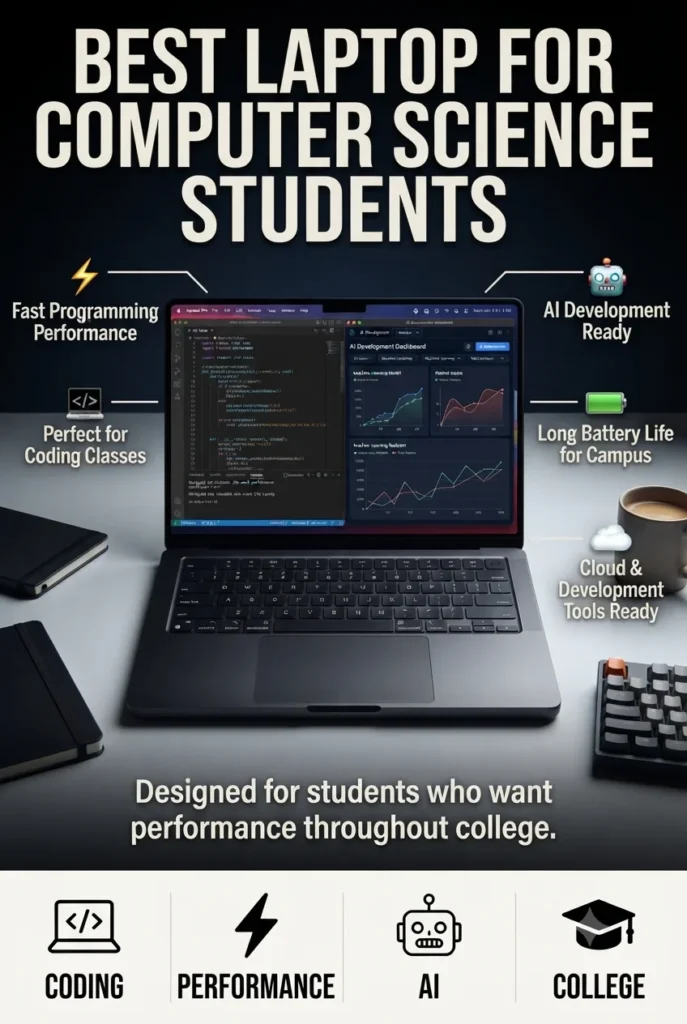
The Apple MacBook Pro 14-inch (M5 Pro) is our top recommendation for the best laptop for computer science students in 2026. Powered by Apple's latest M5 Pro chip with a 15-core CPU, 16-core GPU, 48GB of unified memory, and a fast 1TB SSD, it provides outstanding performance for every stage of a computer science degree. Whether you're writing code in Visual Studio Code, IntelliJ IDEA, PyCharm, Xcode, or Android Studio, running Docker containers, compiling large programming projects, working with databases, learning Linux, or experimenting with machine learning, the MacBook Pro handles demanding academic workloads effortlessly. Combined with exceptional battery life, a premium display, and outstanding portability, it's a laptop that can comfortably support students from freshman year through graduation.
The MacBook Pro 14 earns our Best Overall Laptop for Computer Science Students award because it excels in every area that matters throughout a university degree. From introductory programming classes to advanced software engineering, databases, operating systems, machine learning, and mobile development, it delivers exceptional performance while remaining lightweight, reliable, and incredibly efficient.
Compared with premium Windows alternatives like the Lenovo ThinkPad X1 Carbon Gen 13 Aura Edition and Dell XPS 14, the MacBook Pro offers class-leading battery life, exceptional sustained performance, and a Unix-based operating system that closely matches many academic and professional development environments. While RTX-powered laptops remain the better choice for intensive local AI training, the MacBook Pro provides the best overall balance of performance, portability, battery life, and long-term value for most computer science students.
Key Features
Lenovo ThinkPad X1 Carbon Gen 13 Aura Edition
Best Windows Laptop for Computer Science Students
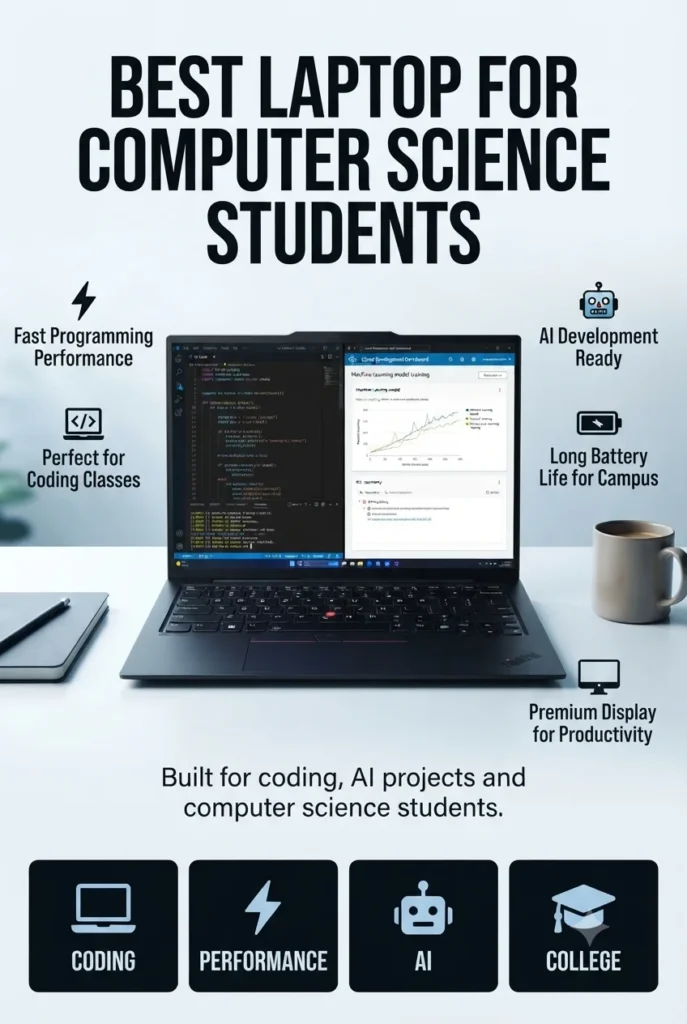
The Lenovo ThinkPad X1 Carbon Gen 13 Aura Edition is our top Windows recommendation for computer science students in 2026. Powered by the efficient Intel Core Ultra 7 258V processor, 32GB of LPDDR5X memory, a blazing-fast 2TB PCIe Gen 5 SSD, and a stunning 14-inch 2.8K OLED display, it delivers everything students need for years of university coursework. Whether you're programming in Visual Studio, VS Code, IntelliJ IDEA, Eclipse, Android Studio, or running Linux through WSL, Docker containers, SQL databases, and virtual development environments, the ThinkPad remains exceptionally responsive. Combined with its legendary keyboard, lightweight chassis, enterprise durability, and outstanding portability, it's one of the best Windows laptops a computer science student can buy.
The ThinkPad X1 Carbon earns our Best Windows Laptop for Computer Science Students award because it combines excellent performance with unmatched portability and one of the finest typing experiences available. Students who spend hours writing code, taking notes, preparing reports, and working on programming projects will appreciate its lightweight design, comfortable keyboard, and dependable reliability every single day.
Compared with the Apple MacBook Pro 14, the ThinkPad offers the familiarity and software compatibility of Windows while remaining exceptionally portable. Although it lacks the dedicated RTX graphics found in gaming laptops like the ASUS ROG Zephyrus G14, its lightweight design, premium OLED display, enterprise-grade construction, and outstanding keyboard make it one of the best all-around Windows laptops for computer science students.
Key Features
ASUS ROG Zephyrus G14
Best Laptop for AI, Machine Learning & GPU Programming Students
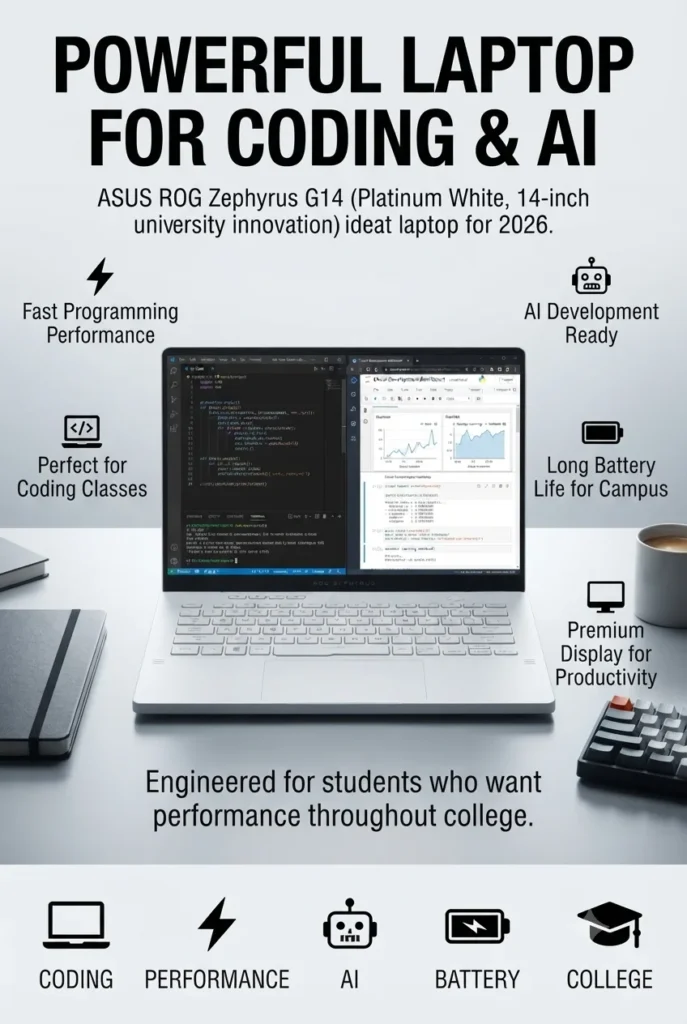
The ASUS ROG Zephyrus G14 is our top recommendation for computer science students interested in artificial intelligence, machine learning, GPU programming, and advanced technical projects. Equipped with the powerful AMD Ryzen AI 9 HX 370 processor, NVIDIA GeForce RTX 5070 Ti GPU with 12GB GDDR7 VRAM, 32GB LPDDR5X memory, and a fast 2TB SSD, it provides the dedicated graphics performance required for demanding workloads beyond traditional programming. Whether you're training machine learning models, experimenting with CUDA, working with computer vision, developing games, running simulations, or building advanced AI projects, the Zephyrus G14 delivers desktop-class performance in a compact 14-inch design.
The ASUS ROG Zephyrus G14 earns our Best Laptop for AI & Machine Learning award because it provides capabilities that traditional ultrabooks cannot match. While most student laptops focus on programming and productivity, the Zephyrus G14 gives computer science students the dedicated GPU power needed for neural networks, CUDA programming, simulations, and advanced computing projects.
Compared with the Apple MacBook Pro 14 and Lenovo ThinkPad X1 Carbon, the Zephyrus G14 sacrifices some battery efficiency and business-focused features in exchange for significantly stronger graphics performance. For students exploring AI, machine learning, computer vision, game development, or GPU-intensive workloads, it is one of the most capable choices available in 2026.
Key Features
Dell XPS 14
Best Premium Laptop for Computer Science Students
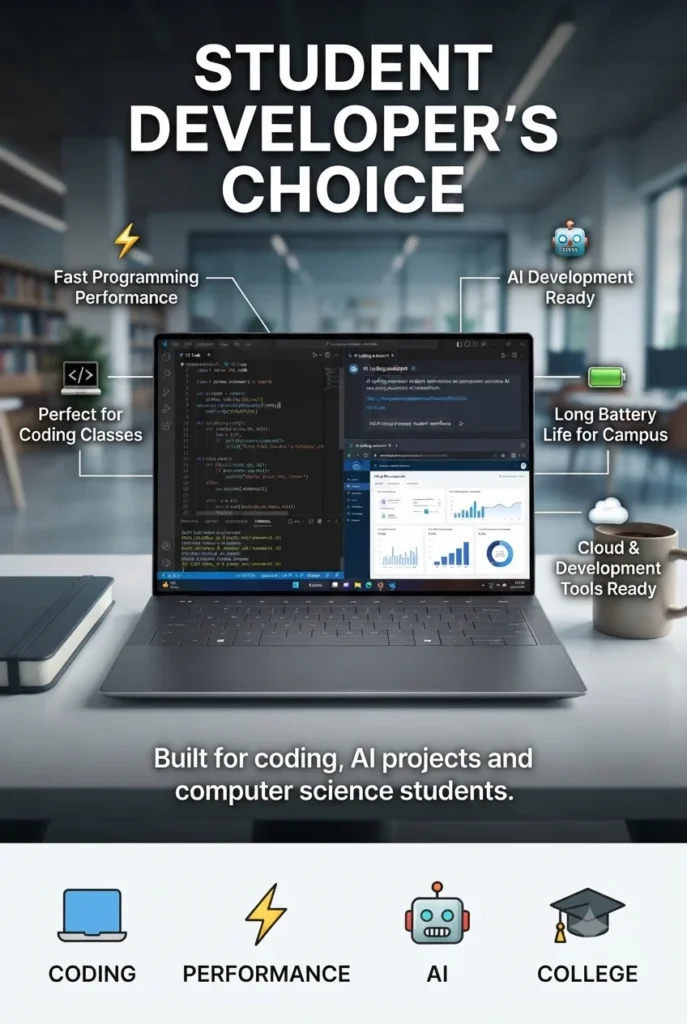
The Dell XPS 14 is our top premium Windows recommendation for computer science students who want a stylish, powerful, and portable laptop for university. Featuring the Intel Core Ultra 7 255H processor, 16GB LPDDR5X memory, 1TB PCIe SSD, Intel Arc graphics, and a stunning 14.5-inch 3.2K OLED touchscreen, it delivers an excellent balance of performance, mobility, and premium design. Whether you're writing code in Visual Studio Code, Visual Studio, IntelliJ IDEA, running databases, managing software projects, studying technical documentation, or completing everyday coursework, the XPS 14 provides a refined Windows experience that feels equally at home in classrooms, internships, and professional environments.
The Dell XPS 14 earns our Best Premium Windows Laptop award because it combines elegant design, excellent portability, and strong everyday performance. For computer science students who want a laptop that looks professional in lectures, internships, and future workplaces while still handling programming workloads comfortably, the XPS 14 is one of the most attractive Windows choices available.
Compared with the Lenovo ThinkPad X1 Carbon Gen 13, the Dell XPS 14 offers a more premium multimedia experience with its stunning OLED touchscreen and modern design, while the ThinkPad remains the better choice for students who prioritize keyboard comfort, extreme portability, and enterprise durability. Compared with the ASUS ROG Zephyrus G14, the XPS 14 focuses more on productivity and mobility rather than GPU-intensive workloads.
Key Features
ASUS Vivobook S16 AI (Core Ultra 9 285H, 32GB RAM)
Best Value Performance Laptop for Computer Science Students
The ASUS Vivobook S16 AI is our top recommendation for computer science students who want powerful hardware, generous memory, and premium features without moving into workstation pricing. Powered by the Intel Core Ultra 9 285H processor, 32GB DDR5 memory, 1TB SSD, Intel Arc graphics, and a 16-inch 2.8K OLED 120Hz display, it delivers an excellent balance of performance, productivity, and value. From programming assignments and software development to AI-assisted coding, database projects, virtualization, and demanding multitasking, this laptop provides the capabilities students need throughout their computer science journey.
The ASUS Vivobook S16 AI earns our Best Value Performance award because it delivers many features normally found in premium laptops while maintaining a more practical balance between price and capability. With 32GB of memory and a powerful Core Ultra 9 processor, it is prepared for years of programming courses, software projects, internships, and professional development work.
Compared with the Dell XPS 14, the Vivobook S16 AI provides a larger display and more memory-focused configuration, making it attractive for students who prioritize productivity and multitasking. Compared with the ASUS ROG Zephyrus G14, it sacrifices dedicated NVIDIA graphics but offers better efficiency, quieter everyday operation, and a more traditional student-focused experience.
Key Features
HP OmniBook Ultra Flip 14 (Intel Core Ultra 7, 32GB RAM)
Best Convertible Laptop for Computer Science Students
The HP OmniBook Ultra Flip 14 is our top recommendation for computer science students who want the flexibility of a premium 2-in-1 laptop. Featuring the Intel Core Ultra 7 258V processor, 32GB LPDDR5X memory, 1TB PCIe SSD, Intel Arc graphics, and a 14-inch 2.8K OLED touchscreen with stylus support, it combines strong development performance with the versatility needed for modern university life. Whether you're coding applications, taking handwritten notes, reviewing technical documents, creating presentations, or studying complex concepts, the convertible design allows students to adapt their workflow anywhere.
The HP OmniBook Ultra Flip earns our Best 2-in-1 Laptop award because it provides something traditional laptops cannot: flexibility. Computer science students often switch between coding, studying, taking notes, collaborating, and presenting projects, and the convertible design makes those transitions effortless.
Compared with the Lenovo ThinkPad X1 Carbon, the OmniBook Ultra Flip offers more versatility through touchscreen and pen support, while the ThinkPad remains stronger for traditional keyboard-focused programming. Compared with the ASUS Vivobook S16 AI, the HP provides a more portable convertible experience but with a smaller display.
Key Features
Acer Swift Go 16 AI Copilot+ PC
Best Value Laptop for Computer Science Students
The Acer Swift Go 16 AI Copilot+ PC is an excellent choice for Computer Science students who need strong performance, plenty of memory, and a large display without paying premium laptop prices. Powered by the AMD Ryzen AI 9 465 processor with 10 cores, 32GB of LPDDR5X memory, and a fast 2TB SSD, it provides the performance needed for programming assignments, software development projects, data analysis, AI-assisted coding, and demanding college workloads. Its large 16-inch touchscreen display, lightweight design, Wi-Fi 7 connectivity, and Copilot+ PC features make it a versatile laptop for students who need a reliable machine throughout their entire computer science degree.
The Acer Swift Go 16 AI earns our Best Value Large-Screen Laptop award because it delivers the features computer science students actually need: powerful hardware, generous memory, huge storage, and a comfortable display for coding and studying. While it does not offer the premium materials or dedicated graphics performance of higher-end models, it provides outstanding value for students building software projects, learning programming languages, and completing demanding coursework.
Compared with premium alternatives like the Apple MacBook Pro 14 (M5 Pro), Lenovo ThinkPad X1 Carbon Gen 13, and Dell XPS 14, the Acer Swift Go 16 focuses on affordability while still delivering excellent everyday development performance. It is a smart choice for students who need a reliable computer science laptop capable of handling programming, AI-assisted workflows, and years of academic use without exceeding their budget.
Key Features
Lenovo IdeaPad Pro 5i 16-inch (2026)
Best Computer Science Student Laptop with RTX Graphics
The Lenovo IdeaPad Pro 5i 16-inch (2026) is an excellent choice for Computer Science students who need more graphics power for advanced programming, artificial intelligence, game development, and technical projects. Featuring an Intel Core Ultra 7 processor, 32GB of memory, 1TB SSD storage, NVIDIA GeForce RTX 5050 graphics, and a stunning 16-inch OLED display, it provides a powerful platform for students working beyond traditional coding. Whether you're developing applications, experimenting with AI frameworks, learning GPU acceleration, creating games, or managing demanding university projects, this laptop offers the performance and flexibility needed throughout a computer science degree.
The Lenovo IdeaPad Pro 5i earns its place as the best laptop with dedicated graphics for computer science students because it expands what students can accomplish beyond standard programming. The RTX 5050 GPU makes it a stronger option for AI experiments, graphics programming, and GPU-accelerated workloads, while the OLED display and 32GB memory provide an excellent everyday coding experience.
Compared with lightweight options like the Acer Swift Edge 14 AI and Lenovo ThinkPad X1 Carbon Gen 13, the IdeaPad Pro 5i sacrifices some portability in exchange for significantly more graphics capability. For students interested in artificial intelligence, game development, simulations, or technical computing, this additional GPU power can become extremely valuable throughout their academic journey.
Key Features
Best Laptops for Computer Science Students (2026)
Ranked by Coding Performance, AI Capabilities, Battery Life & College Productivity
Choosing the best laptop for computer science students requires more than just looking at processor specifications. University students need reliable machines capable of handling programming assignments, IDEs, databases, virtual machines, AI tools, coding projects, research workloads, and everyday college productivity. We evaluated each laptop based on programming performance, portability, battery life, keyboard quality, display experience, upgrade potential, AI acceleration, and long-term value to help students choose the right computer science laptop for their academic journey.
| Laptop | CPU & Key Specs | Best For | Why It Wins | Editor's Verdict |
|---|---|---|---|---|
Best Overall
Apple 14-inch MacBook Pro (M5 Pro)
Check Price
| Apple M5 Pro 15-Core CPU 16-Core GPU 48GB Unified Memory 1TB SSD | Computer Science Students Software Development AI Programming Advanced Projects | Outstanding performance, incredible battery efficiency, massive memory capacity, and macOS make it one of the strongest choices for serious computer science students. | Best Laptop for Computer Science Students Overall |
Best Windows
Lenovo ThinkPad X1 Carbon Gen 13 Aura Edition
Check Price
| Intel Core Ultra 7 258V 32GB LPDDR5X 2TB SSD 14" 2.8K OLED | Programming Students Engineering Majors College Productivity | Legendary ThinkPad keyboard, lightweight design, excellent battery life, premium OLED display, and enterprise reliability make it ideal for daily university use. | Best Windows Laptop for Computer Science Students |
Best AI & Machine Learning
ASUS ROG Zephyrus G14
Check Price
| Ryzen AI 9 HX 370 NVIDIA RTX 5070 Ti 12GB 32GB LPDDR5X 2TB SSD | AI Students Machine Learning GPU Computing | The RTX 5070 Ti GPU provides exceptional acceleration for CUDA, AI frameworks, deep learning experiments, and demanding technical workloads. | Best Laptop for AI Computer Science Students |
Premium Pick
Dell XPS 14 Premium Laptop
Check Price
| Intel Core Ultra 7 255H 16GB LPDDR5X 1TB SSD 3.2K OLED Touch Display | Software Engineering Students Creative Computing Premium Users | Beautiful OLED touchscreen, premium aluminum design, strong Intel performance, and excellent portability create a premium college experience. | Best Premium Laptop for Computer Science Students |
Best Productivity Value
ASUS Vivobook S16 AI PC
Check Price
| Intel Core Ultra 9 285H 32GB LPDDR5X 1TB SSD 16" 2.8K OLED 120Hz | College Students Programming Content Creation | Excellent balance of performance, large OLED display, AI acceleration, and memory capacity make it a powerful everyday university laptop. | Best Value Laptop for CS Students |
Best Convertible
HP OmniBook Ultra Flip
Check Price
| Intel Core Ultra 7 258V 32GB LPDDR5X 1TB SSD 14" 2.8K OLED Touch | Computer Science Students Presentations Hybrid Learning | Convertible design, touchscreen OLED display, stylus support, and premium portability make it perfect for students who take notes and code. | Best 2-in-1 Laptop for Computer Science Students |
Best Battery & Portability
Acer Swift Go 16 AI Copilot+ PC
Check Price
| AMD Ryzen AI 9 465 32GB RAM 2TB SSD 16" WUXGA 120Hz Touch | University Students Remote Learning Daily Coding | Large display, strong battery life, AI features, lightweight design, and huge storage make it a practical laptop for campus life. | Best Laptop for College Productivity |
Best Performance Budget Alternative
Lenovo IdeaPad Pro 5i
Check Price
| Intel Core Ultra 7 32GB RAM 1TB SSD NVIDIA GeForce RTX 5050 16" OLED Display | Programming Students Engineering Students Technical Projects | Dedicated NVIDIA graphics, OLED display, and strong memory capacity provide excellent performance for coding, simulations, and demanding student workloads. | Best Student Laptop with Dedicated Graphics |
Recommended Next Reads
Continue exploring our expert buying guides covering computer science, programming, AI, engineering, and student laptops.
Looking for more laptop recommendations? Explore our expert guides covering programming laptops, engineering computers, AI development machines, student laptops, and professional productivity setups designed for college students, developers, engineers, and future technology professionals.
Best Programming Laptops for Students in 2026
Discover the best laptops for coding students, computer science majors, software engineering programs, and coding bootcamps with recommendations for programming, multitasking, AI tools, and university workloads.
Explore programming laptops →Best Laptops for AI & Machine Learning in 2026
Explore powerful laptops for Python, TensorFlow, PyTorch, CUDA, local AI models, and machine learning projects for advanced computer science students.
Explore AI laptops → Engineering StudentsBest Laptops for Engineering Students in 2026
Find the best laptops for engineering majors needing CAD, programming, simulations, technical software, and powerful hardware for demanding university projects.
Explore engineering laptops → Student GuideBest Laptops for Students in 2026
Compare the best student laptops for college, online classes, productivity, research, programming, and everyday academic workloads across different budgets.
Find student laptops → Apple StudentsBest MacBook for College Students in 2026
Discover which MacBook models offer the best combination of battery life, performance, portability, and reliability for university students.
Explore MacBooks → Programming GuideBest Laptops for Programming in 2026
Explore expert laptop recommendations for developers, programmers, and students working with IDEs, databases, virtual machines, and modern development tools.
View programming laptops →EDITOR'S FINAL RECOMMENDATIONS
After evaluating programming performance, battery life, portability, AI capabilities, multitasking, keyboard comfort, display quality, and long-term reliability for university workloads, these are our top laptop recommendations for computer science students in 2026.
Apple 14-inch MacBook Pro (M5 Pro)
The best overall laptop for computer science students who want a powerful machine that can handle programming courses, software development, AI tools, multitasking, and advanced projects throughout their entire college journey.
- ✓ Apple M5 Pro Performance
- ✓ 48GB Unified Memory
- ✓ Exceptional Battery Life
- ✓ Premium Liquid Retina XDR Display
Lenovo ThinkPad X1 Carbon Gen 13 Aura Edition
A perfect Windows laptop for computer science majors who need reliability, excellent portability, a legendary keyboard, and enough performance for coding, databases, virtualization, and professional development tools.
- ✓ Intel Core Ultra 7 258V
- ✓ 32GB LPDDR5X RAM
- ✓ 2TB SSD Storage
- ✓ Premium 14" OLED Display
ASUS ROG Zephyrus G14
Designed for computer science students working with artificial intelligence, machine learning, CUDA, game development, simulations, and GPU-intensive university projects.
- ✓ AMD Ryzen AI 9 HX Processor
- ✓ NVIDIA RTX Graphics
- ✓ 32GB RAM
- ✓ High Performance OLED Display
Acer Swift Go 16 AI Copilot+ PC
One of the smartest choices for students who want strong performance, huge storage, AI features, and excellent multitasking without paying premium workstation prices.
- ✓ AMD Ryzen AI 9 465
- ✓ 32GB LPDDR5X RAM
- ✓ 2TB SSD Storage
- ✓ 16" 120Hz Touch Display
Which computer science laptop should you buy?
MacBook Pro M5 Pro
ThinkPad X1 Carbon Gen 13
ROG Zephyrus G14
Acer Swift Go 16 AI
Dell XPS 14
HP OmniBook Ultra Flip
- Choose the Apple MacBook Pro M5 Pro if you want the best long-term investment for computer science, programming, AI tools, and professional development.
- Choose the Lenovo ThinkPad X1 Carbon Gen 13 if you prefer Windows and want the best combination of portability, keyboard quality, and reliability for university.
- Choose the ASUS ROG Zephyrus G14 if you plan to study AI, machine learning, game development, simulations, or GPU-heavy computer science fields.
- Choose the Acer Swift Go 16 AI if you want excellent performance, large storage, and strong value for college without overspending.
EDITOR'S FINAL VERDICT
After evaluating programming performance, battery life, portability, AI capabilities, multitasking, keyboard comfort, display quality, memory capacity, storage, reliability, and long-term value for university students, one conclusion stands out:The best computer science laptop is not simply the fastest machine. It is the laptop that provides the right balance of performance, portability, battery life, and reliability throughout your entire college journey.
Today's computer science students need more than a basic laptop. Modern coursework involves programming languages, IDEs, databases, virtual machines, Docker containers, AI coding assistants, machine learning projects, and increasingly demanding software development environments.
For most computer science students, the ideal laptop should have a powerful modern processor, at least 16GB–32GB of RAM, fast SSD storage, a comfortable keyboard, excellent battery life, and enough performance to remain useful for years after graduation.- Choose the Apple MacBook Pro (M5 Pro) if you want the best overall computer science laptop with outstanding performance, incredible battery life, premium build quality, and a reliable development environment that can last throughout university and beyond.
- Choose the Lenovo ThinkPad X1 Carbon Gen 13 Aura Edition if you prefer Windows and want one of the best student laptops for programming thanks to its legendary keyboard, portability, durability, and professional reliability.
- Choose the ASUS ROG Zephyrus G14 if you plan to study artificial intelligence, machine learning, game development, graphics programming, simulations, or GPU-intensive computer science fields.
- Choose the Acer Swift Go 16 AI if you want excellent performance, massive storage, AI features, and great value without spending premium laptop prices.
Top Computer Science Student Laptop Recommendations (2026)
Apple MacBook Pro 14 (M5 Pro)
Our Editor's Choice for computer science students because it combines exceptional performance, outstanding battery life, premium construction, and a smooth programming experience for years of university work.
- ✓ Apple M5 Pro Performance
- ✓ 48GB Unified Memory
- ✓ Excellent Battery Life
- ✓ Premium Developer Experience
ASUS ROG Zephyrus G14
The best choice for students who want to explore AI, machine learning, game development, GPU computing, and advanced programming projects requiring dedicated graphics.
- ✓ Ryzen AI Processor
- ✓ NVIDIA RTX Graphics
- ✓ 32GB RAM
- ✓ High Performance Display
Acer Swift Go 16 AI
A smart choice for students who need strong multitasking, large storage, AI features, and enough performance for programming courses without paying flagship prices.
- ✓ AMD Ryzen AI 9 465
- ✓ 32GB LPDDR5X RAM
- ✓ 2TB SSD Storage
- ✓ 16" 120Hz Display
- ✓ You want the best laptop for your entire college career
- ✓ Battery life and reliability matter most
- ✓ You study software development or mobile development
- ✓ You want premium performance that lasts years
- ✓ You are interested in AI or machine learning
- ✓ You need NVIDIA GPU acceleration
- ✓ You study game development or graphics
- ✓ Maximum performance is your priority
- ✓ Choose at least 16GB RAM (32GB is ideal)
- ✓ Prioritize battery life for campus use
- ✓ Select a comfortable keyboard for coding
- ✓ Buy enough storage for future projects
A computer science laptop is an investment that will support thousands of hours of learning, coding, debugging, and building projects. Performance matters, but portability, comfort, battery life, reliability, and long-term usability are equally important.
Among all eight laptops in this guide, the Apple 14-inch MacBook Pro with the M5 Pro chip delivers the best combination of speed, efficiency, battery life, premium hardware, and long-term value, making it our Editor's Choice for the best computer science student laptop of 2026.
Compare current prices, memory configurations, storage options, and availability before choosing the laptop that will support your programming education and future career.
Check Latest DealsEDITOR'S FAQ
Choosing the best laptop for computer science students in 2026 requires more than looking at processor speed. Students need a reliable machine that can handle programming courses, software development, AI tools, databases, virtual machines, multitasking, online classes, and future career workloads.Below are the most common questions from computer science majors, programming students, software engineering students, and anyone choosing a laptop for college.
It delivers excellent performance for programming, software development, AI tools, multitasking, and university projects while offering outstanding battery life, premium build quality, and a reliable operating system for students who want a laptop that can last throughout college and beyond.
Windows alternatives such as the Lenovo ThinkPad X1 Carbon Gen 13 Aura Edition, Dell XPS 14, and ASUS ROG Zephyrus G14 are excellent choices depending on your major, software requirements, and workload.
Programming tools, IDEs, browsers, databases, Docker containers, Android Studio, virtual machines, and AI coding assistants can quickly consume memory during advanced coursework.
- 16GB → Beginners, introductory programming, web development, and general coursework.
- 32GB → Recommended for software engineering students, AI projects, virtualization, and long-term use.
- 48GB+ → Advanced AI development, machine learning, and professional workloads.
Since most students keep their laptop for four or more years, choosing 32GB when possible provides better future-proofing.
MacBooks are popular among computer science students because of excellent battery life, macOS stability, Unix-based development tools, Git, Docker, Python environments, and Xcode support.
Windows laptops provide wider compatibility with engineering software, .NET development, gaming engines, AI tools, and specialized university applications.
- MacBook → Software development, web development, iOS development, programming courses.
- Windows → AI, engineering applications, game development, Microsoft technologies.
- Linux → Advanced developers who prefer complete control over their environment.
Modern CS workloads include compiling projects, running multiple applications, using AI coding assistants, working with databases, and creating software projects that benefit from strong multi-core performance.
- Apple M5 Pro → Best combination of performance and battery life.
- Intel Core Ultra → Excellent Windows compatibility and productivity.
- AMD Ryzen AI → Strong performance with AI acceleration.
Traditional programming, web development, databases, cybersecurity, and software engineering courses run perfectly on modern integrated graphics.
- Integrated Graphics → Programming, web development, databases, cybersecurity.
- RTX 4050 / RTX 5060 → Game development, graphics, creative applications.
- RTX 5070 Ti and above → AI research, machine learning, CUDA, local AI models.
Students should prioritize build quality, battery life, RAM capacity, storage, keyboard comfort, and reliable performance rather than choosing only the cheapest option.
- Premium laptops → Best chance of lasting through college and early career.
- 32GB RAM → Better long-term performance.
- 1TB SSD → Recommended for programming projects and software tools.
- Best Overall → Apple 14-inch MacBook Pro (M5 Pro)
- Best Windows Student Laptop → Lenovo ThinkPad X1 Carbon Gen 13 Aura Edition
- Best AI & Machine Learning → ASUS ROG Zephyrus G14
- Best Premium Windows → Dell XPS 14 Premium
- Best Value Student Laptop → Acer Swift Go 16 AI
- Best 2-in-1 Student Laptop → HP OmniBook Ultra Flip
- Best OLED Student Laptop → ASUS Vivobook S16 AI
For most computer science students, a laptop with a modern processor, 16GB–32GB RAM, fast SSD storage, comfortable keyboard, and strong battery life will provide an excellent experience throughout university.
COMPUTER SCIENCE STUDENT BUYING GUIDE
Choosing a laptop for computer science isn't just about buying the most powerful machine available. Students need a balanced system that can handle programming assignments, software development environments, online classes, research, AI tools, virtual machines, databases, and personal projects throughout their entire college journey.The wrong laptop can create unnecessary limitations during important coursework, from slow compile times and memory problems to poor battery life during long study sessions. Before investing in a computer science laptop, avoid these common mistakes and choose hardware that can support your education for years.
Many students focus only on processor speed, but the best computer science laptops combine performance, portability, battery life, keyboard comfort, reliability, and upgrade headroom.For most computer science students in 2026, we recommend choosing a laptop with at least 16GB of RAM, 32GB for demanding workloads, a modern Apple M-series, Intel Core Ultra, or AMD Ryzen AI processor, fast SSD storage, and a comfortable keyboard for daily programming.
Buying a laptop only for your first programming classes
- Introductory programming courses require less power than advanced computer science projects.
- Later courses may involve databases, mobile development, AI, virtualization, and larger software projects.
- A basic laptop can become limiting after only a few semesters.
Better decision: Choose a laptop with enough performance headroom to support your entire degree, not just your first year of coding.
Choosing too little RAM
- Programming tools such as Visual Studio Code, IntelliJ IDEA, Android Studio, and browsers consume significant memory.
- Computer science students often multitask between coding, documentation, research, and virtual environments.
- Memory requirements continue increasing with AI tools and modern development workflows.
Better decision: Choose 16GB as the minimum and 32GB if you want the best long-term experience throughout college.
Ignoring portability and battery life
- Students carry their laptops between classrooms, libraries, labs, and study spaces.
- A heavy gaming laptop can become inconvenient for daily university use.
- Long battery life improves productivity during lectures and campus sessions.
Better decision: Prioritize lightweight laptops with efficient processors unless your studies require dedicated GPU power.
Buying an expensive GPU you don't need
- Most programming courses do not require dedicated graphics.
- Integrated graphics are enough for web development, coding exercises, databases, and general software engineering.
- Powerful GPUs increase cost, weight, and battery consumption.
Better decision: Choose RTX graphics only for AI development, machine learning, game development, 3D applications, or GPU computing projects.
Choosing the wrong operating system
- Different computer science fields work better on different platforms.
- macOS is excellent for Unix-based development and Apple ecosystem projects.
- Windows offers broad compatibility with engineering tools, Microsoft technologies, and gaming development.
Better decision: Select the operating system that matches your career goals, programming languages, and university requirements.
Buying the cheapest laptop possible
- Budget laptops may struggle with demanding programming environments.
- Slow storage and limited memory can affect productivity.
- Replacing a laptop during college often costs more than investing correctly from the beginning.
Better decision: Invest in a reliable laptop that can last through your entire computer science degree.
💡 Smart Buying Advice for Computer Science Students
You want excellent battery life, a premium programming experience, Unix-based development tools, mobile app development capabilities, and a laptop that can easily last throughout college.
You need compatibility with Microsoft tools, AI development frameworks, engineering applications, gaming development environments, or prefer a wider selection of hardware options.
Key takeaway: The best laptop for a computer science student is not necessarily the most expensive model. It is the laptop that provides the right balance of performance, portability, battery life, reliability, and flexibility for years of learning and development.
After evaluating every laptop in this guide, these are our Editor's top recommendations for computer science students in 2026:
- Best Overall Computer Science Laptop: Apple 14-inch MacBook Pro (M5 Pro) — exceptional performance, outstanding battery life, premium build quality, and an ideal environment for programming, development, and advanced coursework.
- Best Windows Laptop for Students: Lenovo ThinkPad X1 Carbon Gen 13 Aura Edition — lightweight, durable, comfortable keyboard, excellent battery life, and perfect for daily university productivity.
- Best AI & Advanced Computing Laptop: ASUS ROG Zephyrus G14 — powerful RTX graphics and Ryzen AI performance for machine learning, AI projects, simulations, and demanding workloads.
- Best Value Student Laptop: Acer Swift Go 16 AI Copilot+ PC — excellent balance of performance, memory, storage, display quality, and price for students who need a capable everyday computer science machine.
Need help choosing your laptop?
Not sure which option fits your workflow? Get a personalized recommendation based on your budget, performance needs, and usage.
Get personalized recommendation⚡ Usually responds within 24 hours