
Explore Our Gaming Laptop Guides & Comparisons
This guide to Best Gaming Laptops in 2026: 8 Top Picks for Every Budget is part of ProTechGuide's curated gaming laptop resources. Explore our main gaming laptop hub for broader recommendations, or browse our laptop comparisons to evaluate specifications, graphics performance, display features, and overall value before choosing your next gaming machine.Best Gaming Laptops in 2026: 8 Top Picks for Every Budget
The best gaming laptop in 2026 is not necessarily the one with the most expensive graphics card. The right choice depends on the games you play, the resolution and frame rates you want to target, your budget, and how much performance you need for demanding titles, competitive gaming, or visually intensive single-player experiences.From RTX 5060 and RTX 5070 configurations to high-end RTX 5080 and RTX 5090 systems, this guide compares eight gaming laptops with different performance targets, display sizes, memory configurations, and hardware designs to help you identify the machine that best fits your gaming priorities.
In this guide, we've selected the best gaming laptops in 2026 across several performance tiers, considering GPU configuration, processor capabilities, display resolution and refresh rate, memory, internal storage, connectivity, cooling features, portability, and overall value. The selection includes machines designed for accessible entry into modern PC gaming, balanced high-performance setups, and premium systems built for demanding games and large-screen experiences.The Acer Nitro V 16S brings an RTX 5060 configuration to the lineup, while the ASUS TUF A16 pairs an RTX 5070 with a 16-inch display and a MUX switch. Moving into the RTX 5080 tier, the Lenovo Legion Pro 7i, ASUS ROG Strix G18, and HP OMEN MAX 16 offer different approaches to high-performance gaming, from a 16-inch OLED display to an 18-inch Nebula Display and a cooling-focused design. At the top of the range, the Razer Blade 18, MSI Raider 18, and Dell Alienware 18 Area-51 feature RTX 5090 configurations aimed at enthusiasts who prioritize premium hardware and demanding gaming workloads.
Acer Nitro V 16S Gaming AI Laptop
A High-Refresh-Rate Gaming Laptop with GeForce RTX 5060 Graphics

The Acer Nitro V 16S Gaming AI Laptop with an AMD Ryzen 7 260 processor, NVIDIA GeForce RTX 5060 8GB GDDR7 graphics, 64GB of DDR5 memory, and a listed 4TB SSD is a configuration worth considering for gamers who want modern RTX 50 Series graphics alongside substantial memory and storage capacity. Its 16-inch WUXGA IPS display runs at 180Hz and supports G-SYNC, making it particularly relevant to players who value smooth motion in competitive games. The eight-core, 16-thread Ryzen processor, four-zone RGB keyboard, Wi-Fi 6 connectivity, and wired Ethernet support round out a system designed for gaming and everyday multitasking. Actual gaming performance will depend on the laptop's GPU power limits, cooling behavior, game settings, and the specific demands of each title.
The Acer Nitro V 16S earns a place in this guide as an RTX 5060 gaming laptop with a high-refresh-rate display. Its combination of an eight-core Ryzen processor, 180Hz screen, 64GB of listed memory, and 4TB SSD gives it an appealing specification sheet for gamers who value display responsiveness and ample local capacity. Its overall value, however, depends on the actual price of this unusually well-equipped configuration and should be judged against competing laptops with comparable GPU power limits and cooling.
Compared with the ASUS TUF A16 with RTX 5070, the Acer occupies a lower GPU tier in this selection, while the ASUS offers a higher-tier graphics configuration. The Lenovo Legion Pro 7i, ASUS ROG Strix G18, and HP OMEN MAX 16 move up to RTX 5080 graphics, while the Razer Blade 18, MSI Raider 18, and Dell Alienware 18 Area-51 use RTX 5090 configurations. These tiers provide a useful starting point, but actual performance differences depend on GPU power limits, thermal design, game settings, and independent testing. The Acer's listed 64GB RAM and 4TB SSD should also be compared with the exact memory, storage, and price of each competing configuration rather than assumed to make it the least expensive option.
Key Features
ASUS TUF A16 Gaming Laptop
High-Performance Gaming with the NVIDIA GeForce RTX 5070
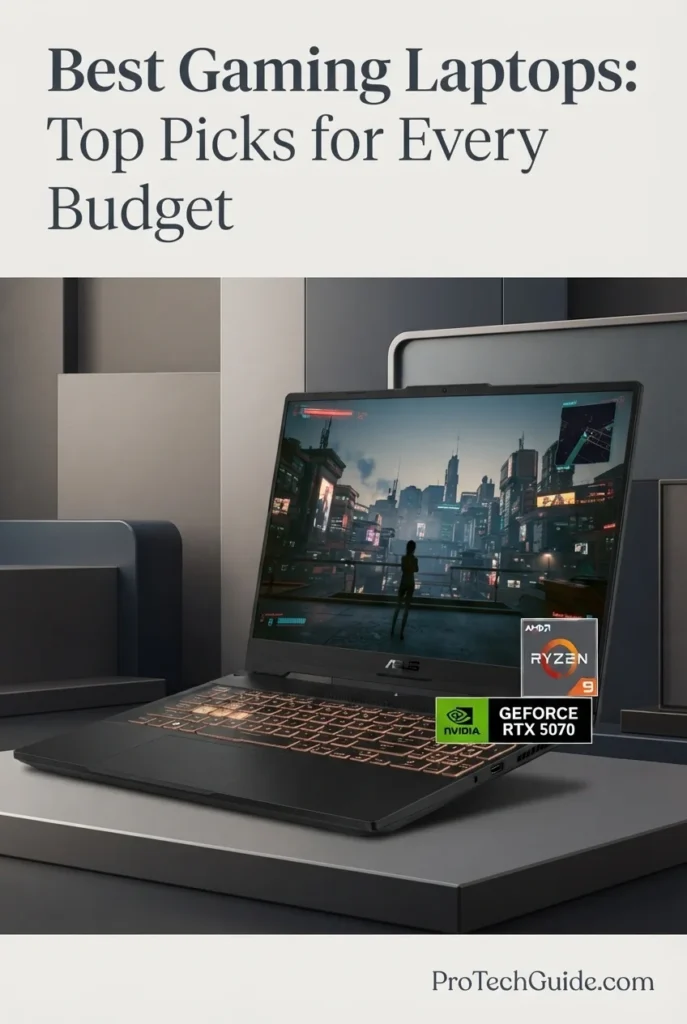
The ASUS TUF A16 Gaming Laptop with the AMD Ryzen 9 270 processor, NVIDIA GeForce RTX 5070 Laptop GPU, 64GB of DDR5 memory, and a listed 4TB SSD is a compelling option for gamers who want dedicated graphics performance, generous memory capacity, and substantial local storage in a 16-inch gaming system. Its RTX 5070 with 8GB of GDDR7 memory, advertised 115W GPU power rating, and MUX switch make it an appealing choice for demanding PC games, while the 16-inch 1920 × 1200 IPS display combines a 165Hz refresh rate, a stated 3ms response time, G-SYNC support, and 100% sRGB color coverage. The combination of a high-refresh-rate display, Windows 11 Home, and an upgraded 64GB RAM and 4TB SSD configuration also makes this model worth considering for gamers who multitask, create content, or maintain large local game libraries.
The ASUS TUF A16 earns its place in this guide as a high-performance RTX 5070 gaming laptop with a well-rounded specification sheet. Its combination of dedicated NVIDIA graphics, an eight-core Ryzen 9 processor, a 165Hz G-SYNC-compatible display, and the listing's expanded memory and storage configuration makes it a versatile candidate for gaming and demanding everyday workloads. The MUX switch adds useful control over graphics routing, although actual performance and battery life depend on the selected mode, workload, and system configuration.
Compared with the Acer Nitro V 16S with its RTX 5060, the ASUS TUF A16 moves into a higher GPU tier on paper with its RTX 5070, making it worth considering for buyers prioritizing graphics hardware. The Lenovo Legion Pro 7i, ASUS ROG Strix G18, and HP OMEN MAX 16 in this guide use RTX 5080 Laptop GPUs, while the Razer Blade 18, MSI Raider 18, and Dell Alienware 18 Area-51 feature RTX 5090 configurations. Those higher GPU tiers may be better suited to buyers seeking greater graphics headroom, but the best choice depends on price, GPU power limits, cooling, display preferences, and measured performance. Because this ASUS listing includes seller-upgraded memory and storage, buyers should confirm the exact configuration and warranty terms before ordering.
Key Features
Lenovo Legion Pro 7i
Premium RTX 5080 Gaming with a 16-inch 240Hz OLED Display

The Lenovo Legion Pro 7i with the Intel Core Ultra 9 275HX, NVIDIA GeForce RTX 5080 Laptop GPU with 16GB of GDDR7 memory, 64GB of DDR5 RAM, and a 4TB internal SSD is a premium gaming laptop designed for players who want powerful hardware and a high-end display in one system. Its 24-core processor, dedicated RTX 5080 graphics, and 16-inch 2560 × 1600 OLED panel with a 240Hz refresh rate provide a compelling foundation for demanding PC games, GPU-accelerated creative applications, and intensive multitasking. The advertised 64GB memory configuration offers substantial capacity for running games alongside streaming, editing, and other applications, while the 4TB internal SSD provides extensive space for large game libraries and project files. This particular listing also includes a separate 7-in-1 docking station with 1TB of additional storage, along with a 32GB MicroSD card and other accessories; that bundled storage is separate from the laptop's internal SSD.
The Lenovo Legion Pro 7i earns its place as a premium choice for high-performance gaming because it combines an RTX 5080 Laptop GPU with 16GB of graphics memory, a powerful 24-core Intel processor, generous advertised system memory, and a 240Hz OLED display. Its 4TB internal SSD is also well suited to players who maintain large game libraries or work with substantial media files. The included docking station adds useful connectivity and separate storage, although its 1TB capacity should not be counted as part of the laptop's internal SSD.
Compared with the ASUS TUF A16 with its RTX 5070, the Lenovo Legion Pro 7i moves into a higher graphics tier with the RTX 5080 Laptop GPU and offers a higher-resolution OLED display. It also competes directly with the ASUS ROG Strix G18 and HP OMEN MAX 16, which also feature RTX 5080 graphics but differ in display size, panel technology, and configuration. The Razer Blade 18, MSI Raider 18, and Dell Alienware 18 Area-51 use RTX 5090 Laptop GPUs and are worth considering for buyers comparing higher-tier graphics options. Actual gaming performance depends on GPU power limits, cooling, game settings, and independent benchmark results. Buyers should also confirm the seller-upgraded configuration and warranty coverage, particularly for the memory and SSD.
Key Features
ASUS ROG Strix G18
High-End Gaming with an 18-Inch 240Hz ROG Nebula Display

The ASUS ROG Strix G18 with an Intel Core Ultra 9 275HX, NVIDIA GeForce RTX 5080 16GB GDDR7, 64GB DDR5 memory, and a 2TB PCIe 4.0 NVMe SSD is a premium gaming laptop designed for demanding AAA games, competitive gaming, streaming, and content creation. Its 24-core processor, high-end dedicated graphics, and large memory configuration provide a powerful hardware foundation for modern gaming and intensive multitasking. The expansive 18-inch 2560 × 1600 ROG Nebula Display with a 240Hz refresh rate is a major highlight, combining a high-resolution workspace with a fast refresh rate for responsive gameplay. With Windows 11 Pro, Wi-Fi 7, dual Thunderbolt 5 ports, and an advanced cooling system featuring a vapor chamber, Tri-Fan Technology, and Conductonaut Extreme liquid metal, the ROG Strix G18 is built for users who want a feature-rich desktop replacement rather than a compact, highly portable gaming laptop.
The ASUS ROG Strix G18 earns its place among premium RTX 5080 gaming laptops by combining a high-end 24-core processor, 16GB of dedicated graphics memory, 64GB of advertised system RAM, and a spacious 18-inch 240Hz display. Its extensive connectivity and performance-oriented cooling design make it especially compelling for gamers who want a large-screen system that can also support streaming, multitasking, and compatible creative workloads. Its main trade-offs are its substantial size and the limited convenience of carrying a 13.2-pound system regularly.
Compared with the Lenovo Legion Pro 7i and HP OMEN MAX 16, the ASUS ROG Strix G18 distinguishes itself through its larger 18-inch 240Hz display, RTX 5080 graphics, and dual Thunderbolt 5 connectivity. The Lenovo offers a more compact 16-inch OLED form factor, while the HP is another 16-inch RTX 5080 option. The ROG Strix G18 is the more natural fit for users who prioritize screen size and desktop-style gaming, although actual gaming performance will depend on the game, settings, power configuration, and cooling conditions.
Key Features
HP OMEN MAX 16
High-Performance Gaming with a 16-Inch 240Hz WQXGA Display

The HP OMEN MAX 16 configuration advertised with an AMD Ryzen AI 9 HX 375, NVIDIA GeForce RTX 5080 16GB GDDR7, 64GB DDR5 RAM, and a 2TB SSD is a high-performance gaming laptop aimed at demanding games, intensive multitasking, and compatible creative workloads. Its 16-inch 2560 × 1600 WQXGA IPS display with a 240Hz refresh rate combines a detailed image with the high refresh rate sought by competitive and fast-paced gamers. The listing also specifies an 83Wh battery, Wi-Fi 7, an Ethernet port, HDMI output, a numeric keypad, and a per-key RGB backlit keyboard. OMEN Tempest Cooling Pro is advertised as part of the thermal design, while the Ryzen AI 9 HX 375 includes an integrated NPU rated at up to 55 TOPS according to the listing. Because this particular product is sold under a marketplace listing that identifies PCONLINE as the seller brand and uses model number TPN-I144, buyers should verify the exact hardware configuration, warranty, and OMEN-specific features before purchasing.
The HP OMEN MAX 16 configuration stands out on paper for combining an advertised RTX 5080 16GB GPU with a Ryzen AI 9 HX 375 processor, 64GB of RAM, a 2TB SSD, and a 16-inch 240Hz WQXGA display. This combination makes it an appealing candidate for users seeking high-end gaming hardware without moving to an 18-inch chassis. However, because the supplied listing uses the PCONLINE brand and model number TPN-I144, its exact relationship to HP's standard OMEN MAX 16 configurations should be confirmed before treating every advertised OMEN feature as independently verified.
Compared with the Lenovo Legion Pro 7i and ASUS ROG Strix G18, this advertised HP configuration pairs RTX 5080 graphics with a 16-inch 240Hz display and a Ryzen AI processor. The Lenovo features a 16-inch OLED display, while the ASUS offers a larger 18-inch screen and lists dual Thunderbolt 5 connectivity. The HP's listed specifications may appeal to buyers who prefer a 16-inch form factor, but direct performance rankings would require comparable independent testing and verification of the exact configurations.
Key Features
Razer Blade 18 (2026)
Flagship Gaming Performance with a Dual-Mode 18-Inch Display

The Razer Blade 18 (2026), configured with an Intel Core Ultra 9 290HX processor, NVIDIA GeForce RTX 5090 Laptop GPU with 24GB of GDDR7 memory, 32GB of DDR5-6400 RAM, and a 2TB SSD, is our premium recommendation for gamers who want flagship-class graphics performance and an unusually versatile large-format display. Its 18-inch dual-mode screen supports UHD+ at 240Hz or FHD+ at 440Hz, allowing players to prioritize visual detail or extremely high refresh rates depending on the game. With advertised 175W GPU power plus up to 25W of Dynamic Boost, advanced vapor-chamber cooling, expandable memory, and extensive high-speed connectivity, this Blade 18 is designed for demanding AAA gaming, competitive esports, streaming, and creative workloads. Actual performance will depend on the game, settings, power mode, and thermal conditions.
The Razer Blade 18 earns our Best RTX 5090 Gaming Laptop distinction because it combines a flagship-class laptop GPU, a powerful 24-core processor, a high-resolution dual-mode display, and substantial upgrade potential in a premium 18-inch design. Its defining advantage is flexibility: the display can prioritize detailed UHD+ gaming or exceptionally high refresh rates in FHD+, while the expandable memory and dual M.2 slots provide additional room for evolving gaming and creative needs. Its premium positioning makes the most sense for buyers who will use these capabilities rather than simply seek a general-purpose gaming laptop.
Compared with RTX 5080 laptops such as the Lenovo Legion Pro 7i and ASUS ROG Strix G18, the Razer Blade 18 distinguishes itself through its listed RTX 5090 configuration with 24GB of GDDR7 memory and its dual-mode 18-inch display, which offers UHD+ at 240Hz or FHD+ at up to 440Hz. Those features make it particularly attractive to enthusiasts who want both high-resolution gaming and a competitive high-refresh-rate option. However, buyers should compare actual prices, GPU power limits, game-specific benchmarks, cooling behavior, and upgrade costs before deciding that it offers better value than an RTX 5080 alternative.
Key Features
MSI Raider 18
Flagship Gaming Power with an 18-Inch QHD+ 240Hz Display
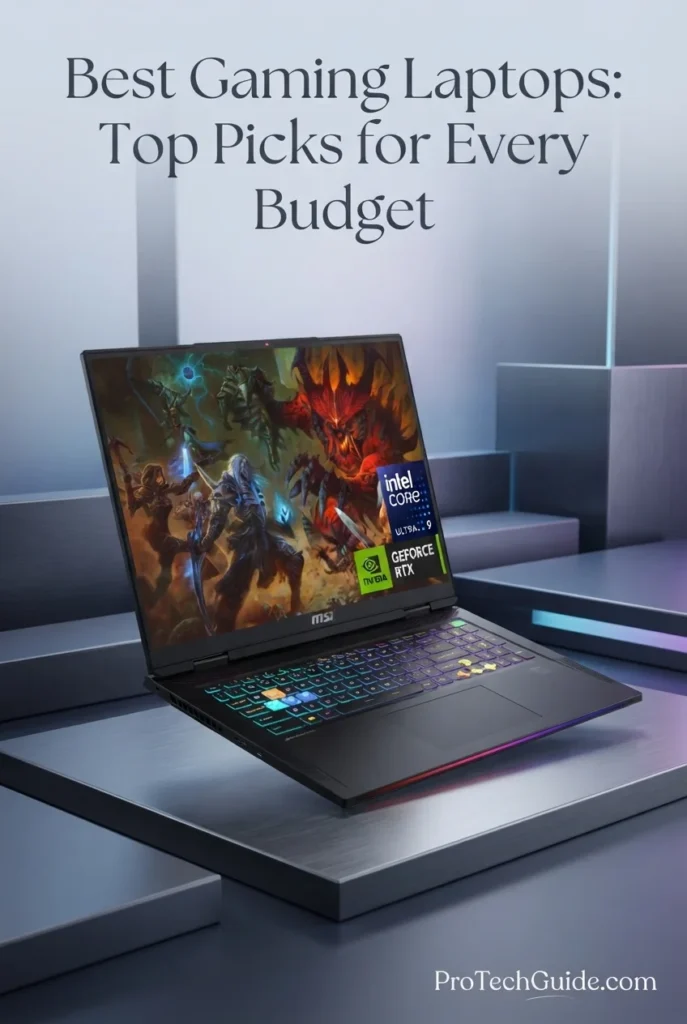
The MSI Raider 18 with an Intel Core Ultra 9 285HX processor, NVIDIA GeForce RTX 5090 Laptop GPU with 24GB of GDDR7 memory, 64GB of DDR5 RAM, and a 2TB internal SSD is a high-end gaming laptop built for enthusiasts who want powerful graphics hardware, a large display, and substantial multitasking capacity. Its 18-inch QHD+ panel runs at 2560 × 1600 and 240Hz, providing a spacious gaming experience with a high refresh rate. The 24-core processor, dedicated RTX 5090 graphics, and 64GB memory configuration also make it a compelling candidate for streaming, demanding creative applications, and compatible GPU-accelerated workloads. This listing additionally includes a separate 7-in-1 docking station with 1TB of storage, bringing the advertised combined storage capacity to 3TB across two devices—not 3TB of internal laptop storage.
The MSI Raider 18 earns its Best for Flagship RTX 5090 Gaming distinction by combining a high-end RTX 5090 Laptop GPU with 24GB of GDDR7 memory, a 24-core Intel processor, 64GB of RAM, and an 18-inch QHD+ 240Hz display. Its generous memory configuration and broad connectivity also make it suitable for users who move between gaming, streaming, and compatible creative workloads. The included storage dock adds convenience, although its 1TB capacity should be treated as separate accessory storage rather than part of the laptop's internal SSD.
Compared with the Razer Blade 18 (2026) and Dell Alienware 18 Area-51, the MSI Raider 18 competes in the premium RTX 5090 category with its 18-inch QHD+ 240Hz display, 64GB RAM configuration, and 2TB internal SSD. The Razer Blade 18 differentiates itself with its advertised dual-mode display, which supports UHD+ at 240Hz or FHD+ at up to 440Hz. The MSI's included 1TB storage dock is a useful extra, but buyers should compare the total price, independent gaming benchmarks, cooling performance, and portability before deciding which flagship laptop best suits their needs.
Key Features
Dell Alienware 18 Area-51 Gaming Laptop
Flagship Gaming Performance with an 18-Inch QHD+ 300Hz Display

The Dell Alienware 18 Area-51 with an Intel Core Ultra 9 275HX processor, NVIDIA GeForce RTX 5090 graphics, 64GB of DDR5 memory, and a 2TB SSD is our premium choice for gamers who want a powerful desktop-replacement laptop in 2026. Its 24-core processor, flagship-class RTX 5090 Laptop GPU with 24GB of GDDR7 memory, and expansive 18-inch WQXGA display provide a high-end foundation for demanding PC games, ray-traced graphics, competitive play, and immersive single-player experiences. The listed display resolution of 2560 × 1600, 300Hz refresh rate, and up to 500 nits of brightness further strengthen its appeal to players who value a large, high-refresh-rate screen. With 64GB of RAM and a 2TB SSD, this configuration also provides substantial memory capacity and local storage for a large game library and demanding multitasking.
The Dell Alienware 18 Area-51 earns its Best Premium RTX 5090 Gaming Laptop designation because it combines flagship graphics hardware, a 24-core Intel processor, 64GB of memory, a 2TB SSD, and a spacious 18-inch high-refresh-rate display. Its appeal lies in bringing high-end gaming capability into a single portable system that can also serve as the centerpiece of a dedicated desktop-style gaming setup. It is best suited to buyers who prioritize performance and screen size over portability and entry-level pricing.
Compared with the Razer Blade 18 (2026) and MSI Raider 18, the Alienware 18 Area-51 competes in the same flagship gaming-laptop category with an RTX 5090 GPU, a large 18-inch display, and substantial memory capacity. Its listed 300Hz refresh rate stands out on paper, while the Razer advertises a dual-mode display and the MSI offers a QHD+ 240Hz panel. Actual gaming performance will also depend on GPU power limits, cooling, game settings, and resolution, so buyers should compare independent benchmarks before choosing between these premium systems. The Alienware listing also contains a wireless-specification discrepancy that should be confirmed with the seller before purchase.
Key Features
Best Gaming Laptops in 2026
Compare RTX 5060, RTX 5070, RTX 5080 & RTX 5090 Gaming Laptops
Choosing the best gaming laptop in 2026 requires more than comparing GPU names or processor specifications. Gaming performance also depends on graphics power limits, cooling, memory capacity, display resolution, refresh rate, storage, and the demands of the games you play. We selected these eight configurations to cover different gaming priorities, from RTX 5060 and RTX 5070 systems to premium RTX 5080 and RTX 5090 machines. This comparison highlights their key specifications, intended users, and practical strengths so you can identify the right gaming laptop for competitive play, immersive AAA gaming, streaming, and demanding everyday use. Because configurations and marketplace upgrades can vary, verify the exact specifications and warranty terms before purchasing.
| Laptop | GPU & Key Specs | Best For | Why It Wins | Editor's Verdict |
|---|---|---|---|---|
Best RTX 5060 PickAcer Nitro V 16SCheck Price | AMD Ryzen 7 260 NVIDIA RTX 5060 8GB GDDR7 64GB DDR5 RAM 4TB SSD 16" WUXGA IPS, 180Hz | Mainstream Gaming 1080p-Class Gaming Multitasking Large Game Libraries | The Nitro V 16S pairs an RTX 5060 Laptop GPU with a Ryzen 7 processor, 64GB of listed memory, and a spacious 4TB SSD. Its 16-inch 180Hz display makes it a versatile option for players who want a high-refresh-rate screen and substantial storage without stepping up to an RTX 5080 or RTX 5090 system. | Best RTX 5060 Gaming Laptop in This Lineup |
Best RTX 5070 PickASUS TUF A16Check Price | AMD Ryzen 9 270 NVIDIA RTX 5070 8GB GDDR7 64GB DDR5 RAM, listed configuration 4TB SSD 16" WUXGA IPS, 165Hz | High-Performance Gaming Competitive Multiplayer AAA Games Gaming & Multitasking | The TUF A16 combines an RTX 5070 Laptop GPU with a Ryzen 9 processor and a 165Hz display. Its listed 64GB RAM and 4TB SSD configuration offers substantial memory and storage capacity. The marketplace listing contains conflicting memory details, however, so buyers should verify the installed RAM and upgrade history before ordering. | Best RTX 5070 Gaming Laptop in This Lineup |
Premium RTX 5080Lenovo Legion Pro 7iCheck Price | Intel Core Ultra 9 275HX NVIDIA RTX 5080 16GB GDDR7 64GB DDR5-6400 4TB Internal SSD 16" WQXGA OLED, 240Hz | Demanding AAA Gaming High-Refresh-Rate Gaming Streaming & Multitasking Premium Desktop Replacement | The Legion Pro 7i combines a 24-core Intel processor, RTX 5080 graphics with 16GB of GDDR7 memory, 64GB of RAM, and a 240Hz OLED display. Its 4TB internal SSD provides substantial room for games and applications. The included docking station has separate additional storage, which should not be confused with the laptop's internal SSD capacity. | Best for High-Performance Gaming |
Large-Screen RTX 5080ASUS ROG Strix G18Check Price | Intel Core Ultra 9 275HX NVIDIA RTX 5080 16GB GDDR7 64GB DDR5-5600 2TB PCIe 4.0 NVMe SSD 18" WQXGA, 240Hz | Large-Screen Gaming Immersive AAA Titles High-Refresh-Rate Play Desktop-Replacement Setups | The ROG Strix G18 combines RTX 5080 graphics with an 18-inch ROG Nebula display featuring a 2560 × 1600 resolution and 240Hz refresh rate. Its Core Ultra 9 processor, 64GB of listed memory, dual Thunderbolt 5 connectivity, and dedicated cooling features make it a compelling choice for gamers who prioritize screen size and high-end performance. | Best Large-Screen RTX 5080 Gaming Laptop |
RTX 5080 AlternativeHP OMEN MAX 16Check Price | AMD Ryzen AI 9 HX 375 NVIDIA RTX 5080 16GB GDDR7 64GB DDR5 RAM, listed configuration 2TB SSD 16" WQXGA IPS, 240Hz | High-End AAA Gaming AI-Enabled Workflows Gaming & Multitasking High-Refresh-Rate Gaming | The advertised configuration combines a Ryzen AI 9 HX 375 processor, RTX 5080 graphics, 64GB of listed memory, a 2TB SSD, and a 240Hz WQXGA display. These specifications look compelling on paper, but the marketplace listing identifies PCONLINE as the manufacturer and lists model TPN-I144 despite using the HP OMEN MAX name. Buyers should confirm the product's identity, wireless specifications, and warranty before purchasing. | RTX 5080 Alternative — Verify Product Identity |
Flagship RTX 5090Razer Blade 18 (2026)Check Price | Intel Core Ultra 9 290HX NVIDIA RTX 5090 24GB GDDR7 32GB DDR5-6400 2TB SSD 18" Dual-Mode UHD+, 240Hz / FHD+, 440Hz | Flagship Gaming Competitive High-FPS Play Ray-Traced AAA Games Premium Portable Performance | The Blade 18 combines an RTX 5090 Laptop GPU with a Core Ultra 9 processor and a distinctive dual-mode display. The option to use UHD+ resolution at 240Hz or FHD+ at 440Hz provides flexibility between visual detail and high-refresh-rate play. Its premium construction and Thunderbolt connectivity further strengthen its appeal, although buyers should confirm the wireless configuration because the listing contains inconsistent Wi-Fi specifications. | Best Dual-Mode RTX 5090 Gaming Laptop |
Flagship 18-Inch GamingMSI Raider 18Check Price | Intel Core Ultra 9 285HX NVIDIA RTX 5090 24GB GDDR7 64GB DDR5 RAM 2TB Internal SSD 18" QHD+, 240Hz | Enthusiast Gaming Demanding AAA Titles Large-Screen Gaming High-End Multitasking | The MSI Raider 18 pairs an RTX 5090 Laptop GPU with a 24-core Intel processor, 64GB of listed DDR5 memory, and an 18-inch QHD+ display running at 240Hz. Its 2TB internal SSD provides the main local storage, while the included docking station supplies separate additional storage. The listing contains inconsistent weight and dimension figures, so confirm the laptop-only measurements before buying. | Best for Flagship RTX 5090 Gaming |
Premium RTX 5090Dell Alienware 18 Area-51Check Price | Intel Core Ultra 9 275HX NVIDIA RTX 5090 24GB GDDR7 64GB DDR5-4800, listed specification 2TB SSD 18" WQXGA, listed 300Hz | Enthusiast Gaming Ray-Traced AAA Games High-Refresh-Rate Gaming Desktop-Replacement Setups | The Alienware 18 Area-51 combines an RTX 5090 Laptop GPU, a 24-core Core Ultra 9 processor, 64GB of listed DDR5 memory, and a large 18-inch WQXGA display. Its advertised 300Hz refresh rate is a notable feature for compatible high-frame-rate gaming. The listing's wireless specifications conflict, however, so confirm the actual Wi-Fi adapter and other configuration details before purchase. | Best Premium RTX 5090 Gaming Laptop |
Recommended Next Reads
Finished comparing the best gaming laptops of 2026? Explore our related gaming laptop guides to compare graphics performance, discover options by budget, and understand which hardware best fits your gaming priorities.
Whether you're choosing between RTX 5060 and RTX 5070 graphics, considering a premium RTX 5080 or RTX 5090 system, searching for a gaming laptop within a specific budget, or building a setup for competitive play and demanding AAA games, these guides will help you evaluate your options and make a more informed decision.
Best Gaming Laptops Under $2,000 in 2026
Explore gaming laptops selected for performance, display quality, and value under $2,000. Compare more budget-conscious options before committing to a premium gaming machine.
Explore Gaming Laptops Under $2,000 →RTX 5060 vs RTX 5070 Laptop: Which GPU Should You Buy in 2026?
Understand the differences between RTX 5060 and RTX 5070 gaming laptops, including graphics capabilities, performance considerations, and which GPU tier makes more sense for your games.
Compare RTX 5060 vs RTX 5070 →Graphics PerformanceRTX 5060 vs RTX 5070 Ti vs RTX 5080 Laptop GPUs in 2026
Compare three important laptop GPU tiers and explore how graphics hardware affects your choice of gaming laptop for demanding games, visual quality, and performance.
Explore the Laptop GPU Comparison →Midrange GamingBest Gaming Laptops Under $1,500 in 2026
Discover gaming laptops under $1,500 for players who want a strong balance of graphics performance, display quality, and overall system capability without entering the premium price tier.
Explore Gaming Laptops Under $1,500 →Accessible GamingBest Gaming Laptops Under $1,000 in 2026
Compare more affordable gaming laptops for 1080p gaming, everyday use, and players who want dedicated graphics without spending at the flagship level.
Explore Gaming Laptops Under $1,000 →Premium Gaming HardwareAlienware Area-51 & Aurora Gaming PCs (2026)
Explore Alienware gaming systems and compare the Area-51 and Aurora families to better understand Dell's premium gaming hardware lineup.
Explore Alienware Gaming Systems →Gaming Beyond PlayingBest Laptops for Game Development in 2026
Discover laptops suited to Unity, Unreal Engine, coding, game creation, and development workflows that can benefit from capable processors, dedicated graphics, and sufficient memory.
Explore Game Development Laptops →EDITOR'S FINAL RECOMMENDATIONS
After comparing eight gaming laptops across GPU performance, graphics memory, processor capability, RAM, storage, display quality, refresh rates, cooling, connectivity, portability, and upgrade potential, these are our final recommendations for 2026. Whether you want an accessible entry into modern PC gaming, a balanced system for competitive play, or a high-end machine for demanding AAA titles, ray tracing, and higher-resolution gaming, the right choice depends on your performance targets, budget, and preferred games.
Lenovo Legion Pro 7i
Our leading all-around recommendation for demanding PC gaming. The Lenovo Legion Pro 7i combines an Intel Core Ultra 9 275HX processor, an NVIDIA GeForce RTX 5080 with 16GB of GDDR7 memory, 64GB of DDR5 memory, and a 16-inch OLED display with a 240Hz refresh rate. Its high-end hardware makes it a compelling choice for players who want substantial graphics performance, a premium display, and the flexibility to handle demanding games alongside streaming, content creation, and other intensive workloads.
- ✓ Intel Core Ultra 9 275HX
- ✓ NVIDIA GeForce RTX 5080 16GB GDDR7
- ✓ 64GB DDR5 Memory
- ✓ 16-inch OLED WQXGA 240Hz Display
ASUS TUF A16
The ASUS TUF A16 is the alternative to consider if you want an RTX 5070 gaming laptop without stepping directly into the most expensive RTX 5080 and RTX 5090 systems. Its Ryzen 9 270 processor and 16-inch, 165Hz display make it a promising candidate for high-refresh-rate gaming and demanding everyday use. Before purchasing this particular listing, verify the installed RAM capacity and the exact configuration, since the available product information contains a discrepancy.
- ✓ AMD Ryzen 9 270
- ✓ NVIDIA GeForce RTX 5070
- ✓ Listed 4TB SSD Storage
- ✓ 16-inch WUXGA 165Hz Display
Acer Nitro V 16S
The Acer Nitro V 16S is the accessible starting point in this selection for gamers who want dedicated RTX 50-series graphics without immediately moving to an enthusiast-class machine. Its RTX 5060, Ryzen 7 260 processor, listed 64GB of RAM, and 16-inch 180Hz display provide a useful combination for modern gaming, multitasking, and everyday productivity. Actual frame rates will depend on the game, graphics settings, resolution, and the laptop's power and cooling implementation.
- ✓ AMD Ryzen 7 260
- ✓ NVIDIA GeForce RTX 5060
- ✓ Listed 64GB RAM
- ✓ 16-inch WUXGA IPS 180Hz Display
ASUS ROG Strix G18
The ASUS ROG Strix G18 is built for players who prioritize a large gaming display, flagship-class graphics, and substantial processing power. Its Intel Core Ultra 9 275HX, RTX 5080 with 16GB of GDDR7 memory, and 18-inch 240Hz ROG Nebula Display make it especially attractive for immersive gaming, fast-paced action, and demanding visual settings. Its larger chassis is better suited to a primarily desk-based setup than to frequent travel.
- ✓ Intel Core Ultra 9 275HX
- ✓ NVIDIA GeForce RTX 5080 16GB GDDR7
- ✓ 64GB DDR5-5600 Memory
- ✓ 18-inch 2560 × 1600 240Hz Display
HP OMEN MAX 16
This HP OMEN MAX 16 listing is worth considering for gamers seeking RTX 5080 graphics in a 16-inch format. The advertised configuration pairs a Ryzen AI 9 HX 375 processor with 16GB of GDDR7 graphics memory, 64GB of system RAM, a 2TB SSD, and a 240Hz WQXGA display. However, the listing identifies PCONLINE as the manufacturer and contains conflicting wireless specifications. Confirm the actual laptop model, seller, warranty, and connectivity details before treating it as a direct alternative to established OEM configurations.
- ✓ AMD Ryzen AI 9 HX 375
- ✓ NVIDIA GeForce RTX 5080 16GB GDDR7
- ✓ Listed 64GB DDR5 Memory
- ✓ 16-inch WQXGA 240Hz Display
Dell Alienware 18 Area-51
The Alienware 18 Area-51 is the premium choice for gamers who want an RTX 5090 laptop and a spacious 18-inch display. Its Intel Core Ultra 9 275HX, RTX 5090 with 24GB of GDDR7 memory, listed 64GB of DDR5 memory, and 2TB SSD are aimed at demanding AAA gaming and graphics-intensive workloads. This is a large, heavy system best suited to players who prioritize performance and screen space over portability. Verify the advertised refresh rate and wireless configuration against the exact product variant before ordering.
- ✓ Intel Core Ultra 9 275HX
- ✓ NVIDIA GeForce RTX 5090 24GB GDDR7
- ✓ Listed 64GB DDR5 Memory
- ✓ 18-inch WQXGA Display — 300Hz Listed
Razer Blade 18 (2026)
The Razer Blade 18 stands out for players who value display flexibility alongside flagship-class graphics. Its advertised Core Ultra 9 290HX processor, RTX 5090 graphics with 24GB of GDDR7 memory, and dual-mode 18-inch panel offer a choice between UHD+ at 240Hz and FHD+ at 440Hz. That flexibility can appeal to gamers who switch between visually rich single-player titles and competitive games where high refresh rates matter. Check the exact model's wireless specifications and final configuration before buying.
- ✓ Intel Core Ultra 9 290HX
- ✓ NVIDIA GeForce RTX 5090 24GB GDDR7
- ✓ 32GB DDR5-6400 Memory
- ✓ 18-inch Dual-Mode UHD+ 240Hz / FHD+ 440Hz Display
MSI Raider 18
The MSI Raider 18 targets enthusiasts who want an Intel Core Ultra 9 processor, RTX 5090 graphics, substantial memory, and a large high-refresh-rate display in one system. Its advertised RTX 5090 with 24GB of GDDR7 memory and 18-inch QHD+ 240Hz panel make it a strong candidate for demanding gaming and other GPU-intensive work. The product listing contains conflicting weight and dimension information, so confirm the physical specifications, included accessories, and exact configuration before purchasing.
- ✓ Intel Core Ultra 9 285HX
- ✓ NVIDIA GeForce RTX 5090 24GB GDDR7
- ✓ Listed 64GB DDR5 Memory
- ✓ 18-inch QHD+ 240Hz Display
Which gaming laptop should you buy?
Lenovo Legion Pro 7i
ASUS TUF A16
Acer Nitro V 16S
ASUS ROG Strix G18
HP OMEN MAX 16
Alienware 18 Area-51
Razer Blade 18 (2026)
MSI Raider 18
- Choose the Lenovo Legion Pro 7i if you want the strongest all-around balance in this selection of high-performance gaming laptops, combining RTX 5080 graphics, a 240Hz OLED display, substantial memory, and the flexibility to handle demanding games and other intensive workloads.
- Choose the ASUS TUF A16 if you are targeting RTX 5070 graphics and want a potentially more balanced alternative to the flagship RTX 5080 and RTX 5090 systems. Verify the installed RAM and the exact marketplace configuration before purchasing.
- Choose the Acer Nitro V 16S if you want to enter RTX 50-series laptop gaming without immediately targeting an enthusiast-class GPU. Compare its current price with other RTX 5060 laptops, and evaluate real-game performance at your preferred resolution and graphics settings.
- Choose the ASUS ROG Strix G18 if you prefer a large 18-inch display, RTX 5080 graphics, and a high refresh rate for immersive gaming. Its larger form factor makes the most sense if you expect to play primarily at a desk.
- Consider the HP OMEN MAX 16 listing if its advertised RTX 5080 configuration suits your needs, but verify the actual manufacturer, laptop model, seller, warranty, and wireless specifications before committing to the purchase.
- Choose the Dell Alienware 18 Area-51 if your priority is premium RTX 5090 performance in a large-screen gaming laptop. It is best suited to buyers who value high-end hardware and screen space more than everyday portability.
- Choose the Razer Blade 18 (2026) if the dual-mode display is central to your gaming experience. The advertised UHD+ 240Hz and FHD+ 440Hz modes offer different priorities for visual detail and refresh rate; verify the exact display and connectivity configuration before ordering.
- Choose the MSI Raider 18 if you want an enthusiast-focused RTX 5090 system with a large 240Hz display. Because its listing contains conflicting physical specifications, confirm the laptop's dimensions, weight, included accessories, and warranty details before buying.
EDITOR'S FINAL VERDICT
After comparing eight gaming laptops across GPU performance, graphics memory, processor capability, RAM, SSD storage, display quality, refresh rates, cooling, connectivity, portability, and overall gaming potential, one conclusion stands out:The best gaming laptop is not necessarily the one with the most expensive GPU or the highest advertised refresh rate. It is the system that delivers the right balance of graphics performance, sustained power, cooling, display quality, memory, storage, and price for the games you actually play.
Modern PC gaming spans competitive esports, graphically demanding AAA releases, ray-traced environments, open-world adventures, simulation games, and creative workloads. These experiences place different demands on a laptop. GPU performance and graphics memory are particularly important for demanding games, while processor performance, system RAM, cooling, and display characteristics also influence responsiveness and the overall experience. A higher refresh rate can improve motion clarity and responsiveness, but its benefits depend on the frame rates a laptop can sustain in your chosen games.
For most buyers, the smartest approach is to choose the GPU tier that matches the games, resolution, and graphics settings they want to use. An RTX 5060 system can be a sensible starting point for modern gaming, an RTX 5070 or RTX 5080 can offer more graphics headroom, and an RTX 5090 laptop is aimed at enthusiasts seeking flagship-class performance. Compare real-game benchmarks, laptop power limits, cooling, and current prices before paying more for a higher GPU tier.- Choose the Lenovo Legion Pro 7i if you want our leading all-around recommendation for high-performance gaming, with an Intel Core Ultra 9 275HX, RTX 5080 graphics with 16GB of GDDR7 memory, 64GB of RAM, and a 16-inch OLED display running at 240Hz.
- Choose the ASUS TUF A16 if you want an RTX 5070 gaming laptop and are looking for an alternative to the more expensive flagship-class options. Confirm the installed RAM and exact product configuration before purchasing.
- Choose the Acer Nitro V 16S if you want an entry point into RTX 50-series laptop gaming. Its RTX 5060 configuration is worth considering for buyers who prioritize a more accessible GPU tier, although you should compare current prices and independent gaming benchmarks before deciding.
- Choose the Dell Alienware 18 Area-51 if you want a premium RTX 5090 system with a large 18-inch display and substantial graphics memory. It is best suited to buyers who prioritize flagship-class hardware and a desk-based gaming setup over portability.
Top Gaming Laptop Recommendations (2026)
Lenovo Legion Pro 7i
Our Editor's Choice for high-performance gaming because it combines an Intel Core Ultra 9 275HX processor, RTX 5080 graphics with 16GB of GDDR7 memory, 64GB of DDR5 RAM, and a 16-inch OLED display with a 240Hz refresh rate. It is a compelling option for demanding games, multitasking, and players who want a premium display alongside powerful graphics hardware.
- ✓ Intel Core Ultra 9 275HX
- ✓ NVIDIA GeForce RTX 5080 16GB GDDR7
- ✓ 64GB DDR5 Memory
- ✓ 16-inch OLED WQXGA 240Hz Display
ASUS TUF A16
A candidate for gamers seeking RTX 5070 graphics in a 16-inch laptop. Its advertised Ryzen 9 270 processor and 165Hz display make it worth comparing for high-refresh-rate gaming. Verify the installed RAM and the exact configuration in the listing before purchasing.
- ✓ AMD Ryzen 9 270
- ✓ NVIDIA GeForce RTX 5070
- ✓ Listed 4TB SSD Storage
- ✓ 16-inch WUXGA 165Hz Display
Dell Alienware 18 Area-51
The premium choice for buyers seeking an RTX 5090 laptop with a large display and substantial graphics memory. Its advertised Core Ultra 9 275HX processor, RTX 5090 with 24GB of GDDR7 memory, 64GB of RAM, and 2TB SSD target demanding gaming and graphics-intensive workloads. Verify the exact display refresh rate and wireless specifications for the model being sold.
- ✓ Intel Core Ultra 9 275HX
- ✓ NVIDIA GeForce RTX 5090 24GB GDDR7
- ✓ Listed 64GB DDR5 Memory
- ✓ 18-inch WQXGA Display — 300Hz Listed
- ✓ You want our leading all-around recommendation for high-performance gaming
- ✓ You want RTX 5080 graphics with 16GB of GDDR7 memory
- ✓ You value a 16-inch OLED display with a 240Hz refresh rate
- ✓ You also use your laptop for streaming, multitasking, or demanding creative workloads
- ✓ You specifically want an RTX 5070 gaming laptop
- ✓ You prefer a 16-inch display over a larger 18-inch system
- ✓ You want to compare a high-performance option against RTX 5080 and RTX 5090 laptops
- ✓ You have verified the exact RAM, storage, warranty, and current price
- ✓ Compare independent gaming benchmarks at your intended resolution and graphics settings
- ✓ Check GPU power limits, cooling performance, and sustained performance rather than relying on the GPU name alone
- ✓ Match the display refresh rate to the frame rates your games can realistically achieve
- ✓ Confirm system RAM, internal SSD capacity, graphics memory, and upgrade options for the exact configuration
- ✓ Verify seller information, warranty coverage, return policy, and any contradictory marketplace specifications before purchasing
A gaming laptop is a long-term investment in performance, display quality, and everyday usability. The GPU is one of the most important components, but it is not the only factor that determines the experience. Cooling, power limits, graphics memory, processor performance, RAM, storage, display characteristics, keyboard comfort, and portability all contribute to how well a system performs across different games.
Among the models evaluated in this guide, the Lenovo Legion Pro 7i is our Editor's Choice for the best overall high-performance gaming laptop in 2026, thanks to its combination of RTX 5080 graphics, a 240Hz OLED display, substantial memory, and a powerful processor.The ASUS TUF A16 is worth considering if you are targeting RTX 5070 graphics, while the Acer Nitro V 16S is the entry-level GPU-tier option in this selection. For gamers who want a large display and powerful RTX 5080 graphics, the ASUS ROG Strix G18 is a strong alternative. At the premium end, the Dell Alienware 18 Area-51 targets enthusiasts seeking RTX 5090 graphics and an expansive gaming display.
Compare current prices, exact GPU configurations, graphics memory, display specifications, cooling, warranty coverage, and availability before choosing the gaming laptop that best matches your budget and performance goals.
Check Latest DealsEDITOR'S FAQ
Choosing the best gaming laptop in 2026 involves more than comparing graphics cards or looking at advertised frame rates. Buyers need to consider GPU performance, graphics memory, processor capability, RAM, SSD storage, cooling, display resolution, refresh rate, portability, and overall value.These frequently asked questions address the most important gaming laptop buying decisions, from choosing between the NVIDIA GeForce RTX 5060, RTX 5070, RTX 5080, and RTX 5090 to understanding how much RAM you need, whether a 240Hz display is worthwhile, and which specifications matter most for modern AAA games, competitive esports, ray tracing, and long-term gaming performance.
Its advertised configuration combines an Intel Core Ultra 9 275HX processor, NVIDIA GeForce RTX 5080 graphics with 16GB of GDDR7 memory, 64GB of DDR5 RAM, a 2TB internal SSD, and a 16-inch OLED display with a 240Hz refresh rate. This combination makes it a compelling option for demanding games, high-performance multitasking, and users who also work with graphics-intensive applications.
- Intel Core Ultra 9 275HX processor.
- NVIDIA GeForce RTX 5080 with 16GB of GDDR7 graphics memory.
- 64GB of DDR5 system memory.
- 16-inch OLED WQXGA display with a 240Hz refresh rate.
- 2TB of internal SSD storage in the reviewed configuration.
The best alternative depends on your priorities. The Acer Nitro V 16S represents the RTX 5060 tier, the ASUS TUF A16 offers an RTX 5070 configuration to consider, and the ASUS ROG Strix G18 combines RTX 5080 graphics with a larger 18-inch display. For enthusiasts seeking RTX 5090 graphics, the Dell Alienware 18 Area-51 is our premium recommendation.
Check PriceThese four GPU tiers target different types of buyers. Rather than automatically choosing the most expensive option, consider how much graphics performance you need and whether the additional cost translates into a noticeably better gaming experience.
- RTX 5060 → A sensible starting point for buyers who want a modern gaming laptop with dedicated RTX 50-series graphics. Evaluate performance at your preferred resolution and settings.
- RTX 5070 → Worth considering if you want additional graphics headroom without automatically moving into the RTX 5080 or RTX 5090 tiers.
- RTX 5080 → A high-performance option for demanding games and buyers who want substantial graphics capability for higher settings and more intensive workloads.
- RTX 5090 → The enthusiast-oriented tier in this selection, aimed at buyers who prioritize flagship-class mobile graphics performance and are comfortable with premium pricing.
The Acer Nitro V 16S is our RTX 5060-tier option, the ASUS TUF A16 represents the RTX 5070 tier, the Lenovo Legion Pro 7i and ASUS ROG Strix G18 offer RTX 5080 configurations, and the Dell Alienware 18 Area-51, Razer Blade 18, and MSI Raider 18 represent the RTX 5090 tier.
Laptop GPU performance also depends on power limits, cooling, and the system's overall design. Compare independent benchmarks from the exact laptop configuration whenever possible.
The amount of memory you need depends on the games you play, whether you keep other applications open, and whether you stream, record gameplay, or use creative software alongside your games.
- 16GB → Suitable for many gaming workloads, particularly when you play one game at a time and keep background applications under control.
- 32GB → A strong target for demanding modern games, heavier multitasking, streaming, and gaming alongside other applications.
- 64GB → Useful for specialized workloads, extensive multitasking, content creation, virtual machines, and other memory-intensive applications. It is not necessary for every gamer.
Several configurations in this guide list 64GB of system memory, including the Acer Nitro V 16S, Lenovo Legion Pro 7i, ASUS ROG Strix G18, and Dell Alienware 18 Area-51. That capacity provides substantial headroom, but it does not automatically guarantee higher gaming frame rates than a properly configured system with less RAM.
Before buying, check whether the memory is upgradeable, whether the listing specifies the installed capacity accurately, and whether the configuration matches your actual needs.
The decision should be based on real gaming performance rather than the GPU name alone. Resolution, graphics settings, ray tracing, laptop power limits, cooling, and the performance of the complete system all affect the final result.
- Consider the RTX 5070 → If you want a high-performance gaming laptop but need to keep spending under control.
- Consider the RTX 5080 → If you prioritize additional graphics headroom for demanding games, higher settings, or intensive graphics workloads.
- Compare complete systems → An RTX 5080 laptop is not automatically the better purchase if it has a significantly higher price or compromises in other important areas.
- Check graphics memory → The reviewed RTX 5080 configurations in this guide list 16GB of GDDR7 memory, but verify the exact GPU and configuration before buying.
The ASUS TUF A16 is our RTX 5070-tier option, while the Lenovo Legion Pro 7i and ASUS ROG Strix G18 are RTX 5080 alternatives. Compare their current prices and independent benchmarks before deciding whether the upgrade is worthwhile.
Check RTX 5070 OptionA higher refresh rate allows a display to update more frequently, potentially improving motion clarity and responsiveness. However, the experience depends on the game, the GPU's performance, graphics settings, and whether the system can deliver frame rates high enough to make effective use of the display.
- 165Hz → A high-refresh-rate option for competitive games and general gaming, provided the laptop can deliver suitable frame rates.
- 180Hz → Another high-refresh-rate option for fast-paced gaming.
- 240Hz → Attractive for competitive players and buyers who value fluid motion and responsive gameplay.
- Dual-mode displays → Some panels offer different resolution and refresh-rate modes, allowing users to prioritize visual detail or very high refresh rates depending on the game.
The Acer Nitro V 16S lists a 180Hz display, the ASUS TUF A16 lists 165Hz, and the Lenovo Legion Pro 7i and ASUS ROG Strix G18 offer 240Hz panels. The Razer Blade 18 (2026) advertises a dual-mode display with UHD+ at 240Hz and FHD+ at 440Hz.
A 240Hz display does not guarantee 240 frames per second in every game. Demanding AAA titles may run at substantially lower frame rates depending on resolution, graphics settings, and hardware performance.
Check Large-Screen Gaming OptionThe RTX 5090 tier in this guide targets buyers seeking flagship-class graphics capability, substantial graphics memory, and premium systems for demanding games. However, whether it represents a worthwhile investment depends on the price, the games you play, the display resolution, and the performance difference compared with less expensive alternatives.
- High-end graphics capability for demanding gaming workloads.
- 24GB of GDDR7 graphics memory in the RTX 5090 configurations evaluated in this guide.
- Premium systems with large displays and powerful processors.
- Potentially attractive for users who also run graphics-intensive professional applications.
- Higher purchase cost and potentially greater power and cooling demands than lower-tier alternatives.
The Dell Alienware 18 Area-51, Razer Blade 18 (2026), and MSI Raider 18 are the RTX 5090 options in this selection. The Alienware is our premium recommendation, while the Razer stands out for its advertised dual-mode display and the MSI targets enthusiasts who prefer an 18-inch high-refresh-rate panel.
For buyers who do not need this level of graphics performance, an RTX 5070 or RTX 5080 laptop may offer a more sensible balance of cost and capability. Always compare the price and performance of the exact configurations available.
Check Premium RTX 5090 OptionModern games can occupy substantial amounts of storage, and your operating system, launchers, updates, recordings, downloadable content, and other applications also consume space. The right capacity depends on how many games you keep installed at the same time.
- 512GB → Suitable for a smaller game library, but you may need to uninstall games or add storage more frequently.
- 1TB → A practical starting point for many players who want room for several games and everyday applications.
- 2TB → Better for larger game libraries, demanding modern releases, and users who also store recordings or creative projects.
- 4TB → Useful for players who want substantial local storage and prefer to keep many large games installed simultaneously.
The reviewed Acer Nitro V 16S, ASUS TUF A16, and Lenovo Legion Pro 7i listings advertise 4TB internal SSD configurations, while the Dell Alienware 18 Area-51 and several other options list 2TB. Confirm the actual internal storage configuration before purchasing.
Pay attention to the distinction between internal SSD capacity and external or bundled storage accessories. An included docking station or external drive does not increase the laptop's internal SSD capacity, and its transfer speeds and convenience may differ.
Neither size is universally better. Your ideal choice depends on where you play, how often you travel with your laptop, and whether you value a larger screen more than a smaller physical footprint.
- 16-inch → A versatile option for gaming at home, traveling occasionally, and using one system for gaming and everyday work.
- 18-inch → Better suited to buyers who prioritize a larger display for immersive games, expansive interfaces, and a desk-based setup.
- OLED → Can provide deep blacks and strong contrast, making it attractive for visually rich games, depending on the panel.
- High-refresh-rate IPS → Can be an excellent choice for fast-paced gaming; evaluate response times, contrast, brightness, and image quality rather than panel type alone.
The Lenovo Legion Pro 7i and ASUS TUF A16 are 16-inch options in this guide. The ASUS ROG Strix G18, Dell Alienware 18 Area-51, Razer Blade 18, and MSI Raider 18 target buyers who prefer a larger 18-inch display.
Remember that larger gaming laptops are not automatically faster. GPU power limits, cooling, and the overall implementation of the hardware are more important than screen size alone.
Check 16-Inch Gaming LaptopA gaming laptop is a complete system. A powerful GPU is important, but its performance can be limited if the cooling solution cannot manage heat or the manufacturer configures conservative power limits. The CPU also matters for competitive games, simulation-heavy titles, strategy games, and other workloads that depend heavily on processor performance.
- GPU → Often the most important component for graphics quality, rendering performance, and frame rates in GPU-intensive games.
- CPU → Important for game logic, simulation, competitive gaming, and avoiding CPU-related performance bottlenecks.
- Cooling → Helps manage temperatures and sustain performance during long gaming sessions.
- RAM → Provides memory for the game, operating system, and background applications.
- SSD → Provides storage for games and applications and can improve loading times compared with slower storage.
This is why comparing laptops requires more than looking at processor and GPU names. Independent benchmarks, sustained performance tests, noise levels, temperatures, and power behavior can help reveal how a laptop performs during extended gaming sessions.
For high-end gaming, the Lenovo Legion Pro 7i and ASUS ROG Strix G18 offer RTX 5080 configurations, while the Alienware 18 Area-51, Razer Blade 18, and MSI Raider 18 target the RTX 5090 tier. Compare complete-system performance before deciding which one best fits your needs.
Explore RTX 5080 GamingThere is no single model that is the right choice for every player. Start by deciding which games you play, the resolution and graphics settings you want, and how much you are prepared to spend. Then compare complete configurations rather than choosing solely by the GPU name.
- Best Overall → Lenovo Legion Pro 7i.
- Best RTX 5070 Option → ASUS TUF A16.
- Best Entry-Level GPU Tier → Acer Nitro V 16S.
- Best Large-Screen RTX 5080 → ASUS ROG Strix G18.
- Best Premium RTX 5090 → Dell Alienware 18 Area-51.
- Best Dual-Mode Display → Razer Blade 18 (2026).
- Best Extreme-Performance Alternative → MSI Raider 18.
- Alternative RTX 5080 Configuration → HP OMEN MAX 16 listing, subject to verification of the exact model and seller.
If you want our leading all-around recommendation for high-performance gaming, start with the Lenovo Legion Pro 7i. If your priority is RTX 5070 graphics, compare the ASUS TUF A16 against other available models. If you want flagship-class graphics, evaluate the RTX 5090 systems against their current prices and independent benchmarks.
Before purchasing, verify the seller, warranty, return policy, installed RAM, internal SSD capacity, GPU, graphics memory, and display specifications. This is particularly important for marketplace listings that contain conflicting information.
Check Best Overall PickGAMING LAPTOP BUYING GUIDE
Choosing a gaming laptop is not simply about buying the most powerful GPU or the highest-priced configuration. A great gaming system needs the right balance of graphics performance, CPU capability, cooling, memory, storage, display quality, and power delivery to deliver a consistent experience across modern games.The wrong laptop can become a daily source of frustration through insufficient graphics performance, thermal throttling, limited storage, inadequate memory, a display that does not match your gaming needs, or unnecessary hardware that adds cost and weight without meaningful benefits. Avoid these common mistakes before choosing your next gaming laptop.
The best gaming laptop is not necessarily the one with the highest GPU model number or the longest specification list. Real gaming performance depends on the laptop's GPU power limits, cooling system, CPU, resolution, game settings, and overall implementation.For most gaming buyers in 2026, we recommend prioritizing a capable dedicated GPU, at least 16GB of RAM, fast SSD storage, and a quality display. A 32GB configuration is a strong target for demanding games, multitasking, streaming, and longer-term flexibility. Higher-end GPUs make sense when you plan to play demanding titles at higher resolutions or settings, but your budget and preferred games should determine how much performance you actually need.
Choosing a GPU Without Considering Real-World Performance
- An RTX 5060, RTX 5070, RTX 5080, and RTX 5090 laptop GPU target different performance tiers, but their actual gaming performance depends on power limits, cooling, and the laptop's overall design.
- Two laptops with the same GPU can deliver different results depending on their thermal systems, power configurations, and manufacturer tuning.
- Paying for a higher-tier GPU may not be worthwhile if you primarily play less demanding games at 1080p or do not use settings that benefit from the additional graphics performance.
Better decision: Match the GPU to your target resolution, preferred games, graphics settings, and budget. The Acer Nitro V 16S with its listed RTX 5060 configuration is a starting point in this guide, while the RTX 5070, RTX 5080, and RTX 5090 systems are options for progressively more demanding gaming goals. Compare independent gaming benchmarks for the exact laptop configuration before buying.
Buying Too Little RAM for Modern Gaming
- Modern games can consume substantial memory, particularly when combined with launchers, browsers, voice chat, recording software, and other applications.
- An 8GB configuration can be restrictive for many current PC gaming workloads, while 16GB remains a practical starting point for many players.
- Insufficient memory can contribute to stuttering or multitasking limitations, although game performance also depends on the CPU, GPU, storage, and software optimization.
Better decision: Aim for 16GB of RAM as a practical baseline and consider 32GB for demanding games, streaming, content creation, heavy multitasking, or additional headroom. The laptops featured in this guide advertise configurations ranging from 32GB to 64GB, but verify the exact listing and whether the memory is upgradeable before purchasing.
Assuming a Higher Refresh Rate Always Means Better Gaming
- A 240Hz or 300Hz display can provide smoother motion than a lower-refresh-rate panel when a game can deliver sufficiently high frame rates.
- Many graphically demanding games will not consistently reach extremely high frame rates at native resolution and high settings.
- Resolution, response behavior, brightness, contrast, panel quality, and the type of games you play also influence the overall display experience.
Better decision: Choose a display that matches your gaming style. Competitive players may benefit from high refresh rates, while players who prioritize detailed graphics may prefer a high-resolution panel with strong image quality. This guide includes options such as the Lenovo Legion Pro 7i with a listed 240Hz OLED display, the ASUS ROG Strix G18 with a 240Hz panel, and the Alienware 18 Area-51 with a listed 300Hz display. Verify the exact display specifications before ordering.
Ignoring Cooling and Sustained Performance
- Gaming laptops operate under sustained CPU and GPU loads that generate significant heat.
- Inadequate cooling or restrictive power limits can prevent a laptop from maintaining its potential performance during extended gaming sessions.
- A powerful GPU on paper does not guarantee the best gaming experience if the system cannot manage heat, fan noise, and power effectively.
Better decision: Look for independent reviews that test sustained gaming performance, temperatures, fan noise, and frame-time consistency. Do not judge a gaming laptop by its GPU name alone. A well-cooled RTX 5070 or RTX 5080 configuration can be a better fit for your needs than a more expensive system whose additional performance does not justify its price, noise, or size.
Buying More GPU Power Than Your Gaming Needs Require
- Not every player needs an RTX 5080 or RTX 5090 laptop to enjoy modern PC games.
- High-end graphics configurations can increase the purchase price and may come in larger, heavier systems with substantial power requirements.
- The additional performance may be difficult to justify if you mainly play esports titles, indie games, or less demanding games at moderate resolutions.
Better decision: Choose your performance tier according to the games you play, the resolution you target, and how long you expect to keep the laptop. The Acer Nitro V 16S and ASUS TUF A16 are worth considering if their verified configurations meet your needs, while the Lenovo Legion Pro 7i, ASUS ROG Strix G18, and RTX 5090 systems are better suited to buyers seeking higher-end performance. Compare current prices and independent benchmarks before deciding whether the upgrade is worthwhile.
Underestimating SSD Storage Requirements
- Modern PC games can occupy substantial storage space, and installing several large titles can quickly consume a smaller SSD.
- Game updates, downloadable content, launchers, recordings, and other applications add to storage requirements over time.
- A nearly full drive can make managing a large game library inconvenient, even when the laptop's CPU and GPU remain capable.
Better decision: A 1TB SSD is a useful target for many gaming laptops, while 512GB can work if you maintain a smaller game library. Consider 2TB or more if you regularly install multiple large games or store recordings and creative projects locally. Confirm whether advertised storage is internal laptop storage or a separate accessory: an external dock or bundled storage device should not be counted as part of the laptop's internal SSD capacity.
Smart Buying Advice for Gamers
You want strong performance without paying for flagship hardware you may not fully use. Start by comparing the Acer Nitro V 16S with the ASUS TUF A16, paying close attention to the exact GPU, CPU, memory, display, cooling performance, and price. These models occupy different performance tiers in this guide, so the best choice depends on their verified configurations and your gaming priorities.
You regularly play demanding AAA games, want higher graphics settings, or prioritize high-resolution gaming and substantial performance headroom. The Lenovo Legion Pro 7i and ASUS ROG Strix G18 are notable RTX 5080 options in this guide, while the Razer Blade 18 and the RTX 5090 configurations target buyers seeking enthusiast-class hardware. Compare sustained performance, display quality, portability, and total cost rather than choosing solely by GPU tier.
Key takeaway: The best gaming laptop is not necessarily the most expensive model or the one with the highest-tier GPU. It is the system that delivers the right combination of graphics performance, cooling, CPU capability, memory, storage, display quality, and portability for the games you actually play. Verify the complete configuration, seller, warranty, and independent performance results before committing to a purchase.
After evaluating the laptops featured in this guide, these are our Editor's top recommendations for gaming in 2026:
- Best Overall Gaming Laptop: Lenovo Legion Pro 7i — our leading all-around recommendation in this guide, combining a listed Intel Core Ultra 9 275HX processor, RTX 5080 graphics with 16GB of GDDR7 memory, 64GB of DDR5 memory, 4TB of listed internal SSD storage, and a 16-inch OLED WQXGA display with a 240Hz refresh rate. Verify the exact model and configuration before ordering.
- Best RTX 5070 Gaming Laptop: ASUS TUF A16 — an option for gamers looking at the RTX 5070 tier. The listing contains conflicting memory information, so confirm the installed RAM and the rest of the configuration with the seller before purchasing.
- Best Entry-Level GPU Tier in This Guide: Acer Nitro V 16S — a configuration built around an RTX 5060, Ryzen 7 260, 64GB of listed RAM, 4TB of listed SSD storage, and a 16-inch WUXGA IPS display with a 180Hz refresh rate. Check the exact listing and price to determine whether it is the right fit for your budget.
- Best Large-Screen RTX 5080 Gaming Laptop: ASUS ROG Strix G18 — a high-performance option featuring a listed Core Ultra 9 275HX, RTX 5080 with 16GB of GDDR7 memory, 64GB of DDR5 memory, a 2TB SSD, and an 18-inch 2560 × 1600 display with a 240Hz refresh rate.
- Best Premium RTX 5090 Gaming Laptop: Dell Alienware 18 Area-51 — a flagship-oriented option with a listed Core Ultra 9 275HX, RTX 5090 with 24GB of GDDR7 memory, 64GB of DDR5 memory, a 2TB SSD, and an 18-inch WQXGA display advertised at 300Hz. Verify the exact display, wireless specifications, and configuration before buying.
Need help choosing your laptop?
Not sure which option fits your workflow? Get a personalized recommendation based on your budget, performance needs, and usage.
Get personalized recommendation⚡ Usually responds within 24 hours