
LAPTOPS BY USE CASE HUB

Explore Our Best Laptops by Use Case

This guide to Best Laptops for Game Development in 2026: 8 Top Picks for Unity, Unreal Engine & More is part of our curated laptop recommendations by use case. Explore more expert comparisons and buying guides designed to help you choose the right laptop for game development, Unity, Unreal Engine, 3D workflows, real-time rendering, coding, content creation, and other demanding workloads.
2026 Game Development Laptop Guide • Expert Picks for Unity, Unreal Engine, 3D Workflows & More
Expert Reviewed • CPU Performance, GPU & VRAM, RAM Capacity, SSD Speed, Unreal Engine, Unity, 3D Workflows, Displays, Thermals & Long-Term Value

Best Laptops for Game Development in 2026: 8 Top Picks for Unity, Unreal Engine & More

The best laptop for game development in 2026 is not necessarily the fastest gaming laptop. Developers need a balanced system that can handle game engines, code compilation, shader processing, 3D assets, real-time rendering, multitasking, and increasingly demanding development workflows without sacrificing usability or long-term value.From Unity and Unreal Engine to Blender, Visual Studio, Rider, asset creation, level design, lighting, shader compilation, and game testing, the right laptop depends on the type of projects you build and how much performance headroom your workflow requires.

In this guide, we've selected the best laptops for game development in 2026 based on processor performance, GPU capability and VRAM, RAM capacity, storage, thermal performance, display quality, upgradeability, portability, software compatibility, and overall value. We focused on the practical requirements of developers working with Unity, Unreal Engine, 3D content creation, C++, C#, Blender, and other tools used throughout modern game development.The Lenovo Legion Pro 7i Gen 10 takes our top position for its strong balance of CPU performance, RTX 5080 graphics, 32GB of RAM, fast Gen 5 storage, and a high-quality 16-inch OLED display. The ASUS ProArt P16 is our preferred choice for developers who combine game development with demanding creative and 3D workflows, while the MSI Raider 16 Max HX delivers the highest level of raw performance in our selection for particularly demanding Unreal Engine projects and heavy development workloads.For developers who prioritize portability, the Razer Blade 16 (2026) provides high-end performance in a more mobile design. The Acer Nitro V 16 AI gives students and indie developers a more accessible entry point, while the MSI Vector 16 HX AI focuses on expandable performance and workstation-like practicality. At the other end of the spectrum, the Acer Predator Helios Neo 18 AI provides a large workspace for desktop-oriented development, while the Apple 16-inch MacBook Pro with M5 Max is our top choice for developers who specifically want a powerful macOS platform.

Best Overall
Best for Creators
Best for Unreal Engine
Best Portable High-End
Best Value
Best Performance-to-Price
Best Large-Screen
Best Mac for Game Development
Editor's Verdict:For most developers, the Lenovo Legion Pro 7i Gen 10 is our strongest overall recommendation in 2026. Its combination of an Intel Core Ultra 9 275HX processor, NVIDIA GeForce RTX 5080 graphics, 32GB of RAM, 1TB Gen 5 NVMe storage, and a 16-inch WQXGA OLED display creates a powerful platform for Unity, Unreal Engine, coding, 3D workflows, and game testing.The MSI Raider 16 Max HX is the better choice for developers who need maximum performance for demanding Unreal Engine projects and heavy multitasking. Its Core Ultra 9 290HX Plus processor and RTX 5090 with 24GB of GDDR7 memory provide substantially more graphics and compute headroom for demanding development workloads.For developers who combine game development with 3D modeling, rendering, digital content creation, and other creative workflows, the ASUS ProArt P16 offers a more creator-focused alternative. Meanwhile, the Razer Blade 16 (2026) is the standout choice for developers who need high-end performance without moving to the larger form factors of the most powerful desktop-replacement laptops.Developers working with tighter budgets can turn to the Acer Nitro V 16 AI, while the MSI Vector 16 HX AI is particularly compelling for users who value high performance, substantial memory, and a more upgrade-friendly platform. The Acer Predator Helios Neo 18 AI is designed for users who prefer a large display and primarily work from a desk, while the Apple 16-inch MacBook Pro with M5 Max provides the strongest Mac option for developers whose workflows and target platforms align with macOS and Apple Silicon.
Scroll Down to Compare the 8 Best Laptops for Game Development in 2026
Best Overall Game Development Laptop (2026)

Lenovo Legion Pro 7i Gen 10

Best Laptop for Unity, Unreal Engine & 3D Game Development
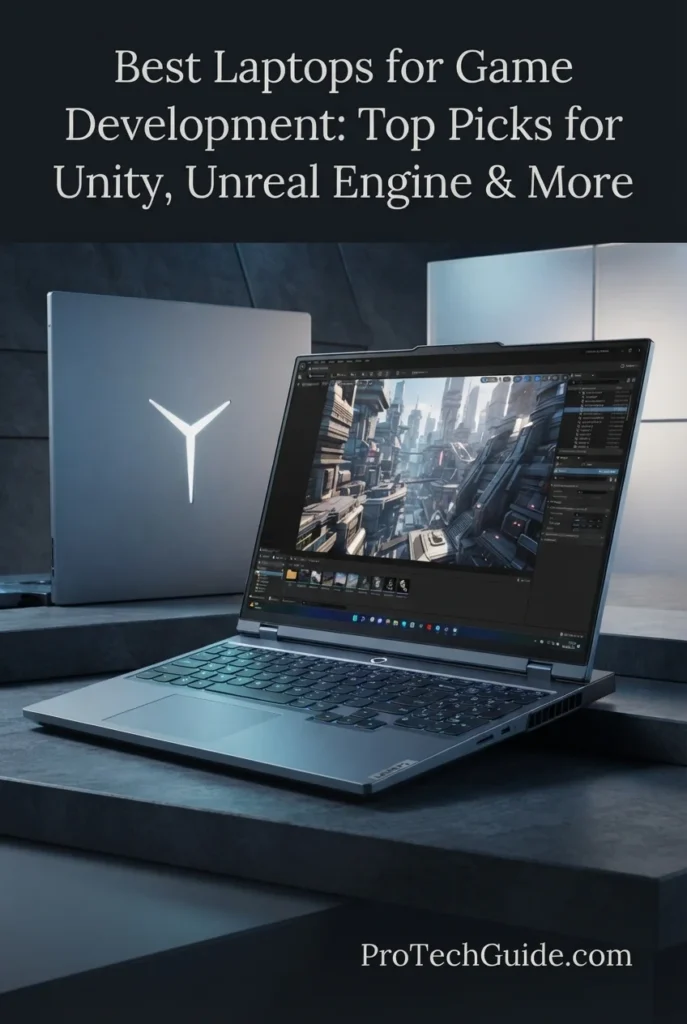
The Lenovo Legion Pro 7i Gen 10 with the Intel Core Ultra 9 275HX, NVIDIA GeForce RTX 5080 16GB GDDR7, 32GB DDR5-6400 RAM, and 1TB PCIe Gen 5 SSD is our Best Overall laptop for game development in 2026. Its 24-core processor, high-end RTX 5080 graphics, 16GB of dedicated VRAM, fast Gen 5 storage, and 16-inch WQXGA OLED display create a powerful platform for demanding development workflows across Unreal Engine, Unity, Blender, C++, C#, shader compilation, asset processing, real-time rendering, and game testing. With 32GB of system memory and 16GB of graphics memory, it provides substantial headroom for modern projects while maintaining the performance needed for both development and high-resolution game testing.

• Ideal for professional game developers, Unreal Engine developers, Unity developers, indie studios, 3D artists, technical artists, and advanced game development students who need a high-performance Windows workstation in laptop form
• Excellent for Unreal Engine, Unity, Blender, Visual Studio, Rider, C++, C#, shader compilation, asset processing, level design, lighting, real-time rendering, and game testing
• Particularly well suited to developers working on large 3D environments, visually demanding projects, complex scenes, and workflows that combine coding, content creation, rendering, and testing
• The Intel Core Ultra 9 275HX provides 24 cores and 24 threads, giving developers substantial CPU capacity for code compilation, shader processing, asset preparation, multitasking, and other CPU-intensive development workloads
• The NVIDIA GeForce RTX 5080 with 16GB of GDDR7 VRAM provides substantial graphics and memory headroom for real-time rendering, complex editor viewports, high-resolution assets, lighting workloads, and demanding game testing
• 32GB of DDR5-6400 memory provides a strong foundation for keeping game engines, IDEs, browsers, asset tools, databases, and other development applications open simultaneously without being limited to entry-level memory capacity
• The 1TB PCIe Gen 5 SSD provides fast storage for game engines, source code, projects, assets, build files, development tools, and large project directories while helping maintain responsive application and file access
• The 16-inch WQXGA OLED display combines a 2560 × 1600 resolution, 240Hz refresh rate, 500-nit brightness rating, HDR 1000 True Black, and 100% DCI-P3 coverage, creating a high-quality workspace for development, visual content creation, and game testing
• Windows 11 Pro, Wi-Fi 7, Bluetooth 5.4, a 5MP camera with privacy shutter, and a per-key RGB backlit keyboard round out a professional development platform that can move from coding and content creation to game testing without requiring a second system

The Legion Pro 7i Gen 10 earns our Best Overall Game Development Laptop award because it delivers the strongest balance in this lineup between CPU compute, GPU performance, VRAM capacity, system memory, fast storage, and display quality. The combination of the Core Ultra 9 275HX, RTX 5080 16GB, 32GB DDR5, and 1TB Gen 5 SSD gives developers the performance headroom needed for serious Unity and Unreal Engine work without making the laptop's identity dependent solely on gaming performance. It is especially compelling for developers who want one machine capable of handling coding, 3D content creation, real-time rendering, compilation, and final game testing.

Compared with the other laptops in this guide, the Lenovo Legion Pro 7i Gen 10 stands out as the most balanced all-around development platform. The MSI Raider 16 Max HX moves further toward maximum raw performance with an RTX 5090 and 24GB of VRAM, while the ASUS ProArt P16 emphasizes creator workflows with 64GB of memory and 2TB of storage. The Legion Pro 7i sits between those extremes with a particularly strong combination of 24-core CPU performance, RTX 5080 graphics, 16GB VRAM, 32GB RAM, Gen 5 storage, and a high-quality 16-inch OLED display, making it our strongest recommendation for developers who want one premium laptop for a broad range of game development workloads.

• Intel Core Ultra 9 275HX• 24 cores• 8 Performance cores + 16 Efficient cores• 24 threads• P-core boost up to 5.4GHz• E-core boost up to 4.6GHz• 36MB Intel Smart Cache• Strong multi-core performance for development workloadsThe Intel Core Ultra 9 275HX gives the Legion Pro 7i substantial CPU capacity for demanding game development workflows. Its 24-core design is particularly valuable when developers are compiling code, processing shaders, preparing assets, running development tools, and multitasking between the game engine, IDE, browser, and other applications.For Unreal Engine developers, strong CPU performance is especially important during local compilation and other development tasks that can benefit from additional cores. The processor therefore complements the RTX 5080 rather than creating a system that is heavily dependent on GPU performance alone.
• NVIDIA GeForce RTX 5080 Laptop GPU• 16GB GDDR7 dedicated graphics memory• 175W TGP• 2287MHz listed boost clock• DirectX 12-compatible graphics platform• High-end dedicated GPU• Substantial VRAM capacity for demanding 3D workloadsThe RTX 5080 is one of the Legion Pro 7i's biggest advantages for game development. Its 16GB of dedicated GDDR7 VRAM provides considerably more graphics memory headroom than the 8GB level Epic currently lists in its general recommended Unreal Engine hardware specifications.That additional VRAM can be particularly valuable when working with complex environments, high-resolution textures, demanding editor viewports, real-time lighting, 3D assets, and other graphics-intensive development tasks. It also gives developers significant performance headroom when testing the games they are building rather than using the laptop solely as a coding machine.
• 32GB DDR5-6400 RAM• 2 × 16GB memory configuration• Dual CSODIMM configuration• 6400MT/s memory speed• Substantial multitasking headroom• Suitable for modern Unity and Unreal Engine workflows• 16GB of dedicated GPU VRAM in addition to system memoryThe 32GB system memory configuration gives the Legion Pro 7i a strong foundation for serious game development. Developers can work with Unity or Unreal Engine while keeping Visual Studio or Rider, browsers, documentation, source-control tools, asset utilities, communication applications, and other development software open simultaneously.The separation between 32GB of system memory and the RTX 5080's 16GB of dedicated GDDR7 VRAM is also important. Game development workloads can place significant demands on both system memory and graphics memory, particularly when working with large scenes and high-resolution assets.
• 1TB M.2 2280 SSD• PCIe Gen 5 interface• TLC NAND• Fast project access• Responsive application launches• Suitable for game engines and development tools• Space for source code, assets, builds, and project filesThe 1TB PCIe Gen 5 SSD provides a fast foundation for a modern game development workstation. Game projects can contain large engine installations, source files, textures, 3D models, audio assets, shaders, intermediate files, and multiple builds, making fast storage particularly valuable during active development.The 1TB capacity is a solid starting point for a primary development drive, although developers working with several large Unreal Engine projects, extensive asset libraries, or multiple engine versions may eventually benefit from additional storage.
• 16-inch OLED display• 2560 × 1600 WQXGA resolution• 240Hz refresh rate• 500-nit brightness rating• HDR 1000 True Black• 100% DCI-P3 color coverage• Non-touch display• Low Blue LightThe 16-inch WQXGA OLED display is particularly well suited to game development because it provides more than a high refresh rate for gaming. The 2560 × 1600 resolution gives developers a spacious working canvas for game-engine interfaces, code editors, asset tools, and editor viewports, while OLED technology provides strong contrast for visual content.The 100% DCI-P3 coverage and HDR 1000 True Black specification also make the panel attractive for developers who regularly move between technical development and visual tasks such as environment design, material work, lighting, texture evaluation, and game testing.
• Unreal Engine development• Unity development• C++ game programming• C# development• Shader compilation• Real-time rendering• 3D asset workflows• Level design and game testing• Blender and other 3D applicationsThe Legion Pro 7i is designed around the type of mixed workload modern game development actually creates. Developers can move between coding, compiling, editing levels, processing assets, building scenes, working with 3D content, and testing the game without relying on a separate workstation for graphics-intensive tasks.Its combination of the Core Ultra 9 275HX and RTX 5080 is particularly strong for Unreal Engine workflows, while the 32GB of RAM provides the capacity needed for multitasking across development software. Unity developers also benefit from the same combination of CPU, GPU, memory, and fast storage when working on more demanding 3D projects.
• Windows 11 Pro 64-bit• DirectX 12-capable NVIDIA graphics platform• Professional Windows development environment• Visual Studio compatibility• C++ development• C# development• Unreal Engine workflows• Unity workflows• Wide compatibility with PC game-development toolsWindows 11 Pro makes the Legion Pro 7i particularly versatile for PC-focused game development. It provides a familiar environment for Visual Studio, C++, C#, Unity, Unreal Engine, development utilities, source-control software, and the broader ecosystem of Windows game-development tools.The NVIDIA RTX 5080 also provides a strong DirectX 12 graphics platform for modern game-engine development and testing. For developers targeting Windows PC games, this combination creates a straightforward environment in which the same machine can be used to build, render, compile, and test projects.
• Wi-Fi 7• Bluetooth 5.4• 5MP camera• Dual microphones• Privacy shutter• Per-key RGB backlit keyboard• 400W Slim Tip AC adapter• 99.99Wh lithium-ion battery• Two available M.2 slots listed for the configuration• Premium performance-oriented laptop designThe Legion Pro 7i is built as a high-performance desktop-replacement style laptop rather than an ultraportable development machine. That approach makes sense for developers who prioritize sustained performance, powerful graphics, a large high-quality display, and the ability to work with demanding game-development projects.The per-key RGB keyboard, 5MP camera with privacy shutter, Wi-Fi 7, Bluetooth 5.4, and large 99.99Wh battery complement the core hardware, while the listed M.2 expansion capacity gives the platform additional storage flexibility for developers whose project libraries grow over time.
Ideal for:• Professional game developers• Unreal Engine developers• Unity developers• Indie game studios• C++ developers• C# developers• Technical artists• 3D artists• Blender users• Game development students with demanding projects• Developers building visually intensive PC games• Users who want one laptop for development and game testingThe Lenovo Legion Pro 7i Gen 10 with Core Ultra 9 275HX, RTX 5080 16GB, 32GB DDR5, and 1TB Gen 5 SSD is our strongest all-around recommendation for game development in 2026. Its combination of CPU performance, dedicated GPU power, VRAM capacity, system memory, fast storage, and high-quality OLED display gives developers substantial headroom across the full development cycle, from writing code and compiling projects to building 3D environments, processing assets, rendering scenes, and testing finished games.
Best for Game Developers & Creators (2026)

ASUS ProArt P16

Best Laptop for Game Development, Blender & 3D Content Creation

The ASUS ProArt P16 H7606WP with the AMD Ryzen AI 9 HX 370, NVIDIA GeForce RTX 5070 8GB GDDR7, 64GB LPDDR5X memory, and 2TB PCIe 4.0 SSD is our Best Laptop for Game Developers & Creators in 2026. Its 12-core/24-thread processor, dedicated RTX graphics, unusually generous 64GB memory configuration, fast 2TB storage, and 16-inch 4K OLED touchscreen create a highly capable platform for developers who move beyond programming into 3D modeling, Blender, asset creation, texture work, visual design, real-time rendering, and game-engine development. The combination is particularly attractive for creators who need substantial memory and storage capacity without moving to a larger desktop-replacement laptop.

• Ideal for game developers, 3D artists, technical artists, indie developers, content creators, Blender users, and students who combine programming with demanding visual and creative workflows
• Excellent for Unreal Engine, Unity, Blender, 3D modeling, asset creation, texture workflows, C++, C#, level design, real-time visualization, and game-development multitasking
• Particularly well suited to developers who prioritize 64GB of memory, 2TB of local storage, a high-resolution OLED touchscreen, and a more creator-focused design alongside dedicated NVIDIA graphics
• The AMD Ryzen AI 9 HX 370 combines 12 CPU cores and 24 threads with boost frequencies of up to 5.1GHz, providing strong processing capacity for coding, compilation, asset processing, content creation, and demanding multitasking
• The NVIDIA GeForce RTX 5070 with 8GB of GDDR7 memory provides dedicated GPU acceleration for real-time 3D workflows, game-engine viewports, rendering, visual development, and game testing
• 64GB of LPDDR5X memory gives developers substantial headroom for running a game engine alongside Blender, an IDE, browsers, asset-management tools, and other creative applications without relying on a minimal memory configuration
• The 2TB PCIe 4.0 x4 NVMe SSD provides considerably more local capacity for game engines, source code, 3D models, textures, project files, asset libraries, applications, and development builds than the 1TB configurations common in high-performance laptops
• The 16-inch 4K OLED touchscreen provides a highly detailed 3840 × 2400 workspace that is especially valuable for evaluating textures, materials, 3D assets, visual interfaces, and creative work alongside game development
• The relatively compact 4.08-pound configuration gives creators substantially more mobility than a traditional large desktop-replacement gaming laptop, making it attractive for developers who regularly move between workspaces

The ProArt P16 earns our Best Laptop for Game Developers & Creators award because it approaches game development from a broader creative perspective. Rather than maximizing graphics performance at any cost, it combines a strong Ryzen AI 9 HX 370 processor, RTX 5070 graphics, 64GB of memory, 2TB of storage, and a 4K OLED touchscreen into a platform that is exceptionally well suited to developers who also create the visual assets that go into their games. For workflows centered on Blender, 3D modeling, materials, textures, asset preparation, and game-engine development, that balance makes the ProArt P16 particularly compelling.

Compared with the Lenovo Legion Pro 7i Gen 10, the ProArt P16 gives up some graphics performance by using an RTX 5070 rather than an RTX 5080, but it counters with 64GB of LPDDR5X memory, 2TB of storage, and a 4K OLED touchscreen. The MSI Raider 16 Max HX is the stronger choice for developers who simply want maximum raw Unreal Engine performance, while the ProArt P16 is better suited to creators who divide their time between game development and demanding 3D or visual-production work. This makes it a specialized recommendation for the developer whose workflow extends beyond the game engine itself.

• AMD Ryzen AI 9 HX 370• 12 CPU cores• 24 threads• 2.0GHz base clock• Up to 5.1GHz maximum boost frequency• 36MB Smart Cache• Strong multi-core development performanceThe AMD Ryzen AI 9 HX 370 provides the ProArt P16 with substantial CPU capacity for modern game-development workflows. Its 12-core/24-thread design is well suited to code compilation, asset processing, shader-related workloads, content creation, multitasking, and running development software simultaneously.For developers who frequently move between an IDE, game engine, Blender, browser windows, asset tools, and other applications, the processor provides the computing capacity necessary to keep a complex workflow responsive. It also complements the RTX 5070 by creating a balanced CPU/GPU platform rather than relying entirely on graphics performance.
• NVIDIA GeForce RTX 5070• 8GB GDDR7 dedicated graphics memory• Dedicated NVIDIA GPU• Real-time 3D acceleration• Game-engine viewport performance• GPU-accelerated creative workloads• Suitable for game testing and visual developmentThe RTX 5070 provides the dedicated graphics performance necessary for serious game-development work while keeping the ProArt P16 more creator-oriented than a maximum-performance gaming workstation.Its 8GB of GDDR7 VRAM aligns with the amount of graphics memory Epic currently lists in its recommended Unreal Engine hardware specifications. Developers working on especially large environments, extremely high-resolution assets, or particularly demanding projects should remember that VRAM requirements can rise substantially depending on project complexity.For Unity, Unreal Engine, Blender, and similar applications, the RTX 5070 provides the GPU acceleration required for real-time viewports, rendering, asset creation, and game testing.
• 64GB LPDDR5X memory• 6400MHz listed memory speed• 64GB installed capacity• On-board system memory• Excellent multitasking headroom• Well suited to large creative applications• Strong capacity for game-development workflowsThe 64GB memory configuration is one of the ProArt P16's defining advantages. Game developers who also use Blender, image-editing applications, asset-management tools, IDEs, browsers, and game engines can quickly place significant demands on system memory.With 64GB available, the ProArt P16 provides substantially more headroom than conventional 16GB and 32GB configurations. This makes it particularly attractive for developers working with large 3D scenes, multiple applications, high-resolution assets, and complex creative workflows simultaneously.The memory is listed as on-board LPDDR5X, so developers should view the 64GB configuration as a long-term capacity choice rather than expecting conventional laptop RAM expansion.
• 2TB M.2 NVMe SSD• PCIe 4.0 x4 interface• Fast project access• Large local storage capacity• Suitable for game-engine installations• Room for 3D assets and project files• Useful for development builds and creative applicationsThe 2TB PCIe 4.0 SSD is particularly valuable for game developers because modern projects can consume substantial storage once engines, source files, textures, 3D models, audio assets, applications, intermediate files, and multiple builds are stored locally.Compared with a typical 1TB development configuration, the additional capacity gives the ProArt P16 considerably more room for multiple projects and creative libraries before external storage becomes necessary. PCIe 4.0 performance also helps keep application launches, project access, and large-file operations responsive.
• 16-inch OLED display• 3840 × 2400 resolution• 60Hz refresh rate• Touchscreen• 16:10-class high-resolution workspace• High pixel density• OLED contrast characteristicsThe 16-inch 4K OLED touchscreen is one of the ProArt P16's clearest differentiators within this lineup. Its 3840 × 2400 resolution provides a highly detailed workspace for Blender, game-engine interfaces, texture editing, 3D modeling, visual assets, and creative applications.The OLED panel is particularly useful when visual quality matters throughout the development process. Developers can inspect materials, textures, lighting, interfaces, and other visual elements directly on the laptop's high-resolution display rather than treating the screen purely as a coding workspace.The 60Hz refresh rate, however, makes this display more creator-focused than the 240Hz panels found on some gaming-oriented alternatives in this guide. Developers who prioritize high-refresh game testing should consider that difference when choosing between models.
• Blender• 3D modeling• Materials and textures• Asset preparation• Scene development• Real-time visualization• Game-engine asset workflows• Visual content creationThe ProArt P16 is particularly compelling when game development extends beyond programming into asset creation. Developers and technical artists can use the combination of Ryzen AI 9 HX 370 processing, RTX 5070 graphics, 64GB memory, and a 4K OLED display for modeling, preparing assets, evaluating textures, and working with complex creative applications.This makes the laptop especially attractive to smaller studios and indie developers who may be responsible for several stages of production themselves. Instead of separating programming and content creation across different machines, the ProArt P16 is designed to support both sides of the workflow.
• Unreal Engine• Unity• C++• C#• Visual Studio• Game-engine development• Level design• Asset integration• Game testingThe ProArt P16 provides a strong environment for developers who use Unity and Unreal Engine alongside creative software. The Ryzen AI 9 HX 370 handles CPU-intensive development tasks while the RTX 5070 accelerates real-time graphics and GPU-dependent workloads.The 64GB memory configuration is especially useful when a developer needs to keep the game engine open alongside Blender, Visual Studio or another IDE, browsers, asset-management tools, and other applications. The 2TB SSD also provides substantial room for multiple development environments and project assets.
• Windows 11 Pro• Unreal Engine compatibility• Unity compatibility• Visual Studio• C++• C#• Blender• NVIDIA GPU ecosystem• Professional Windows development environmentWindows 11 Pro gives the ProArt P16 access to the broad Windows ecosystem used throughout PC game development. Developers can work with Unreal Engine, Unity, Visual Studio, C++, C#, Blender, source-control tools, asset-management software, and a wide range of supporting utilities on one platform.For developers targeting Windows PC games, the combination of Windows 11 Pro and dedicated NVIDIA graphics also provides a straightforward environment for developing and testing modern DirectX-based games.
• Approximately 4.08-pound listed weight• 13.97-inch listed length• 9.72-inch listed width• 0.68-inch listed thickness• Backlit keyboard• Touchscreen input• Wi-Fi connectivity• HDMI video output• Professional creator-oriented form factorThe ProArt P16 takes a different approach from the large desktop-replacement gaming laptops in this guide. Its listed 4.08-pound weight and relatively slim 0.68-inch thickness make it considerably easier to carry between workspaces while still providing dedicated RTX graphics and high-end processing hardware.That mobility is particularly useful for developers, students, freelancers, and creators who need to move between home, studio, university, or client environments. The touchscreen also adds another input option for creative workflows where direct interaction with visual content can be useful.
Ideal for:• Game developers• Indie developers• 3D artists• Technical artists• Blender users• Unity developers• Unreal Engine developers• C++ developers• C# developers• Game development students• Content creators who also develop games• Developers who need 64GB of memory• Developers who need substantial local storageThe ASUS ProArt P16 H7606WP with Ryzen AI 9 HX 370, RTX 5070 8GB, 64GB LPDDR5X, and 2TB PCIe 4.0 SSD is an excellent choice for developers whose work extends beyond coding into serious 3D and creative production. Its combination of memory capacity, storage, dedicated graphics, CPU performance, and 4K OLED touchscreen makes it particularly well suited to Blender, asset creation, visual development, and game-engine workflows.It is not the raw-performance leader in this guide, but that is precisely what makes its positioning valuable. For developers who need one premium laptop to create both the code and the visual content behind their games, the ProArt P16 offers a distinctive and highly practical balance.
Best Laptop for Unreal Engine & Heavy Workloads (2026)

MSI Raider 16 Max HX

Best Laptop for Unreal Engine, 3D Rendering & Heavy Game Development
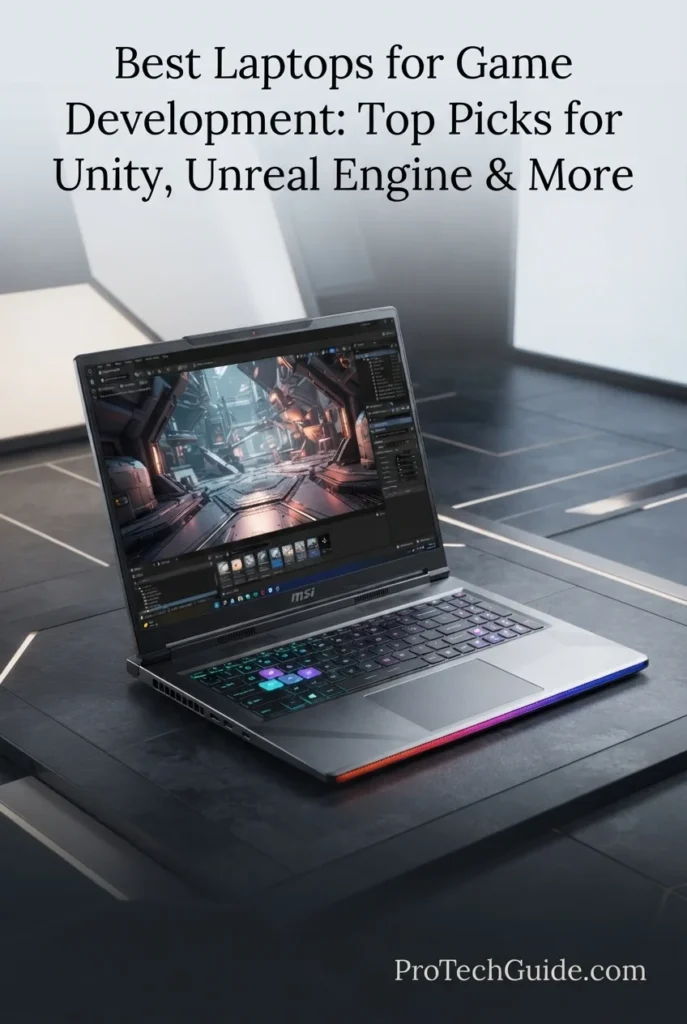
The MSI Raider 16 Max HX with the Intel Core Ultra 9 290HX Plus, NVIDIA GeForce RTX 5090 with 24GB of GDDR7 VRAM, 32GB of DDR5 memory, and 1TB PCIe Gen4 NVMe SSD is our top recommendation for Unreal Engine development and exceptionally demanding game development workloads in 2026. Its 24-core processor, flagship Blackwell-based GPU, large 24GB VRAM pool, high-speed DDR5 memory, and 16-inch QHD+ OLED display create a powerful platform for Unreal Engine projects, shader compilation, real-time rendering, 3D asset processing, lighting workflows, C++ development, Blender, and intensive multitasking. The RTX 5090's 24GB of dedicated VRAM is particularly valuable for developers working with complex scenes, high-resolution assets, advanced real-time rendering, and large development projects where graphics memory can become a limiting factor.

• Ideal for professional game developers, Unreal Engine developers, 3D artists, technical artists, indie studios, and advanced students working on demanding projects
• Excellent for Unreal Engine, Unity, Blender, Visual Studio, JetBrains Rider, C++, C#, shader compilation, lighting, asset processing, real-time rendering, and game testing
• Particularly well suited to developers who prioritize maximum sustained performance and substantial GPU memory over portability and lightweight design
• The Intel Core Ultra 9 290HX Plus combines 24 cores and 24 threads with boost speeds up to 5.5GHz, providing substantial CPU resources for compilation, asset processing, multitasking, and other heavily threaded development workloads
• The NVIDIA GeForce RTX 5090 Laptop GPU with 24GB of GDDR7 provides exceptional graphics headroom for Unreal Engine rendering, complex 3D scenes, high-resolution assets, ray-traced workloads, and GPU-intensive development tasks
• 32GB of DDR5 memory provides a strong baseline for modern game development, allowing developers to run game engines alongside IDEs, browsers, DCC applications, source-control tools, and other development software
• The 1TB PCIe Gen4 NVMe SSD provides responsive project loading, application launches, asset access, and build workflows, while the system's dual-SSD design provides a practical path for expanding storage later
• The 16-inch QHD+ OLED display combines a 2560 × 1600 resolution with a 240Hz refresh rate, 100% DCI-P3 coverage, and DisplayHDR True Black 1000 certification, providing a high-quality workspace for both development and game testing
• MSI's high-power design and Cooler Boost thermal architecture are built around demanding sustained workloads, making the Raider 16 Max HX particularly appropriate for developers who regularly push CPU and GPU resources for extended periods

The MSI Raider 16 Max HX earns our Best Laptop for Unreal Engine & Heavy Workloads award because it prioritizes the components that matter most when game development becomes genuinely demanding. The combination of a 24-core Core Ultra 9 290HX Plus, RTX 5090 with 24GB of GDDR7 VRAM, 32GB DDR5 memory, high-power thermal design, and a fast QHD+ OLED display gives developers considerable headroom for Unreal Engine, real-time rendering, 3D content creation, compilation, and complex multitasking.

Compared with the Lenovo Legion Pro 7i Gen 10, the Raider 16 Max HX moves further toward maximum GPU and VRAM capacity with its RTX 5090 and 24GB of GDDR7, making it especially compelling for demanding Unreal Engine and graphics-heavy workflows. Compared with the ASUS ProArt P16, it sacrifices portability and creator-oriented design in favor of substantially greater graphics performance and a more aggressive high-power architecture. For developers who need maximum workstation-class performance in a laptop rather than a lightweight mobile system, the Raider 16 Max HX is one of the strongest choices in this guide.

• Intel Core Ultra 9 290HX Plus• 24 cores: 8 P-cores + 16 E-cores• 24 threads• Up to 5.5GHz maximum turbo frequency• 36MB Intel Smart Cache• Intel AI Boost NPU• HM870 chipsetThe Intel Core Ultra 9 290HX Plus provides the CPU resources required for demanding game development workflows. Its 24-core configuration is particularly valuable when compiling large C++ projects, processing assets, building lighting data, running development tools simultaneously, or performing other heavily threaded tasks. For Unreal Engine developers, this level of CPU performance provides substantial headroom when projects become larger and build times become increasingly important.
• NVIDIA GeForce RTX 5090 Laptop GPU• NVIDIA Blackwell architecture• 24GB GDDR7 VRAM• Up to 175W maximum graphics power with Dynamic Boost• Up to 2160MHz boost clock• 1824 AI TOPS listed by MSI• Hardware-accelerated ray tracing• DLSS supportThe RTX 5090 is the defining component of this configuration for demanding game development. Its 24GB of dedicated GDDR7 memory provides substantial graphics-memory headroom for complex Unreal Engine scenes, high-resolution textures, large 3D assets, real-time rendering, ray-traced workloads, and demanding game testing. The large VRAM capacity is especially relevant when development projects become graphics-heavy and memory requirements increase beyond what mainstream laptop GPUs can comfortably handle.
• 32GB DDR5 RAM• 5600MHz listed memory speed• Two RAM slots• Up to 128GB supported by the platform• Strong multitasking capacity• Suitable for Unreal Engine and Unity workflows• Useful for IDEs, browsers and creative applicationsThe 32GB memory configuration provides a strong foundation for modern game development. Developers can run Unreal Engine or Unity alongside Visual Studio, Rider, browsers, version-control tools, asset-management applications, Blender, and other development utilities without relying as heavily on memory compression or disk-based swapping. MSI's platform also provides two memory slots and support for up to 128GB, giving the Raider 16 Max HX meaningful long-term upgrade potential.
• 1TB PCIe Gen4 x4 NVMe M.2 SSD• Fast project loading• Responsive application launches• Rapid asset access• Suitable for development environments• Dual M.2 storage architecture• Additional PCIe Gen5 x4 storage slotThe included 1TB NVMe SSD provides a responsive foundation for game engines, source code, development tools, assets, project files, and local builds. Game development projects can grow rapidly, particularly when they include large Unreal Engine assets, source-control repositories, texture libraries, and intermediate build files. The Raider 16 Max HX's dual-SSD architecture is therefore an important advantage, allowing developers to expand local storage as projects become larger.
• 16-inch QHD+ OLED display• 2560 × 1600 resolution• 240Hz refresh rate• 100% DCI-P3 typical coverage• VESA DisplayHDR True Black 1000• SGS Eye Care Display• 16:10 aspect ratioThe 16-inch QHD+ OLED panel provides an excellent workspace for both development and visual evaluation. The 2560 × 1600 resolution offers additional vertical workspace for code, editor panels, asset browsers, and development tools, while the OLED panel provides strong contrast and deep blacks for evaluating game environments. The 240Hz refresh rate is also valuable when testing gameplay and high-frame-rate builds, although its primary advantage for developers is the combination of image quality, responsiveness, and workspace.
• Unreal Engine development• Unity development• C++ and C# programming• Visual Studio• JetBrains Rider• Blender and 3D asset creation• Shader compilation• Lighting and real-time rendering• Game testing and profilingThe Raider 16 Max HX is designed for development environments where CPU, GPU, memory, and storage performance must work together. Unreal Engine developers can take advantage of the high-core-count processor for compilation and the RTX 5090's large VRAM capacity for demanding real-time graphics workloads. Unity developers can similarly benefit from the combination of high CPU performance and powerful discrete graphics when working with larger 3D projects, while Blender and other content-creation applications benefit from the system's substantial GPU resources.
• Up to 300W total CPU and GPU power• MSI OverBoost technology• Cooler Boost thermal architecture• Intra Flow cooling design• Three fans• Five exhausts• Six heat pipes• Designed for sustained high-performance workloadsThe Raider 16 Max HX is built around a high-power performance philosophy rather than an ultraportable design. MSI specifies up to 300W of combined CPU and GPU power for the Core Ultra 9 290HX Plus and RTX 5090 configuration, supported by its Cooler Boost thermal architecture with three fans, five exhausts, and six heat pipes. This design is important for developers who routinely perform long compilations, shader processing, rendering, or other sustained workloads where maintaining performance over time matters more than short benchmark bursts.
• Intel Killer Wi-Fi 7 BE1750• Bluetooth 5.4• Up to 2.5GbE wired networking• 2 × Thunderbolt 4• 3 × USB 3.2 Gen 2 Type-A• HDMI 2.1• SD Express card reader• Audio combo jack• External-display supportThe Raider 16 Max HX provides a strong connectivity platform for professional development environments. Wi-Fi 7 and up to 2.5GbE networking are useful for large project transfers, remote repositories, cloud-based assets, and collaborative development. Thunderbolt connectivity and HDMI 2.1 also provide flexibility for external monitors, development workstations, storage devices, and other peripherals.
• Windows 11 Pro• Unreal Engine• Unity• Visual Studio• JetBrains Rider• C++ development• C# development• Blender• NVIDIA development ecosystemWindows 11 Pro provides a flexible environment for modern game-development software. The platform supports Unreal Engine, Unity, Visual Studio, Rider, Blender, Git-based workflows, source-control systems, and the broad range of Windows applications commonly used by professional game developers. The combination of Windows compatibility and NVIDIA graphics also makes this configuration particularly attractive for developers who want access to a broad PC game-development ecosystem.
Ideal for:• Unreal Engine developers• Professional game developers• C++ game development• Unity developers• 3D artists and technical artists• Blender workflows• Real-time rendering• Shader and lighting workloads• Indie development studios• Developers working with large game projects• Users who prioritize maximum performanceThe MSI Raider 16 Max HX with the Core Ultra 9 290HX Plus, RTX 5090 24GB, 32GB DDR5, and 1TB NVMe SSD is an exceptional choice for developers who need maximum performance for demanding game-development workloads. Its combination of CPU resources, GPU power, large VRAM capacity, high-power architecture, expandable memory and storage, and premium QHD+ OLED display makes it one of the most capable Windows laptops in this guide for serious Unreal Engine and 3D game-development work.
Best Portable High-End Game Development Laptop (2026)

Razer Blade 16

Best Portable High-End Laptop for Game Development
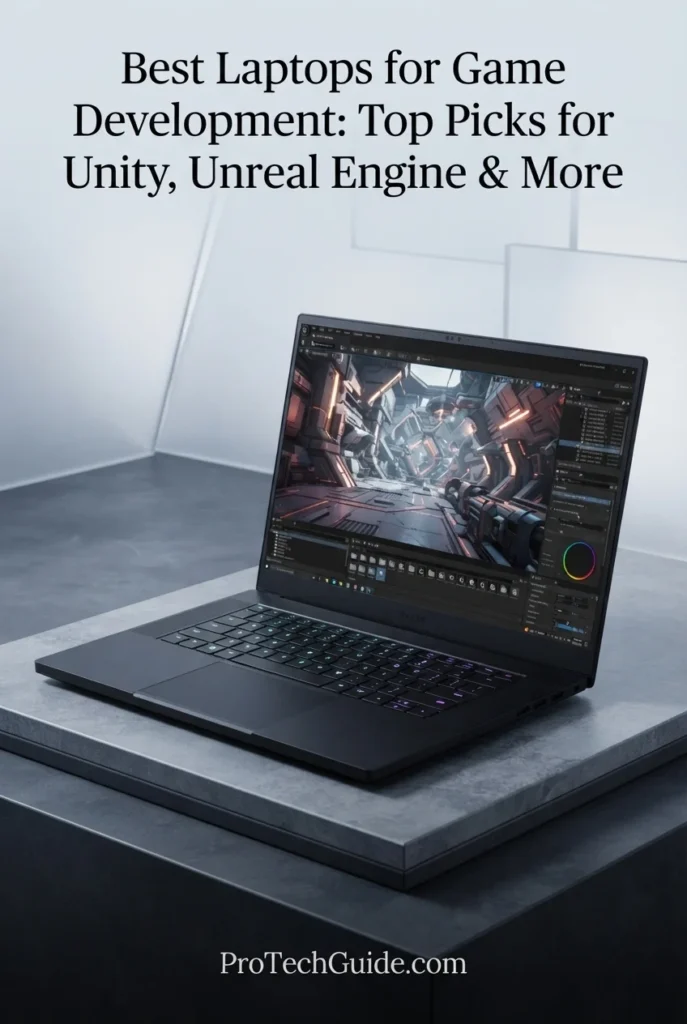
The Razer Blade 16 (2026) with the Intel Core Ultra 9 386H, NVIDIA GeForce RTX 5070 Ti with 12GB of GDDR7, 32GB of LPDDR5X-9600 memory, and 1TB PCIe 4.0 SSD is our top choice for portable high-end game development in 2026. Its combination of a 16-core processor, capable RTX graphics, fast memory, high-resolution 240Hz OLED display, and remarkably thin CNC-milled aluminum chassis makes it particularly attractive to developers who need serious performance without carrying a traditional desktop-replacement laptop. It is well suited to Unity, Unreal Engine, Blender, Visual Studio, Rider, C++, C#, 3D asset creation, shader work, game testing, and other development workflows where mobility matters almost as much as performance.

• Ideal for game developers, programmers, indie developers, students, technical artists, and creators who regularly move between home, office, university, and development environments
• Excellent for Unity, Unreal Engine, Blender, Visual Studio, JetBrains Rider, C++, C#, 3D asset creation, real-time rendering, shader development, and game testing
• Particularly well suited to developers who want high-end graphics performance in a much thinner and more portable chassis than traditional performance-focused gaming laptops
• The Intel Core Ultra 9 386H combines 16 cores and 16 threads with boost speeds up to 4.9GHz, providing strong CPU performance for code compilation, development tools, asset processing, and demanding multitasking
• The NVIDIA GeForce RTX 5070 Ti provides 12GB of GDDR7 VRAM and up to 140W TGP plus Dynamic Boost, giving developers substantial graphics headroom for Unreal Engine scenes, Blender workloads, real-time rendering, and game testing
• 32GB of LPDDR5X-9600 memory provides a strong development baseline for running game engines alongside IDEs, browsers, source-control tools, 3D applications, and other software simultaneously
• The 1TB PCIe 4.0 NVMe SSD delivers responsive project loading and application launches, while the two M.2 NVMe slots provide a path to expand storage as game projects and asset libraries grow
• The 16-inch 2560 × 1600 OLED display combines a 240Hz refresh rate, 0.2ms response time, 100% DCI-P3 coverage, and VESA DisplayHDR True Black 1000 certification for both development and game-testing workflows
• The ultra-thin CNC-milled aluminum design, approximately 14.9mm at its thinnest point, makes the Blade 16 significantly easier to transport than bulkier high-performance development laptops

The Razer Blade 16 (2026) earns our Best Portable High-End Game Development Laptop award because it delivers a rare combination of serious development performance and genuine portability. Its Core Ultra 9 386H, RTX 5070 Ti, 32GB of high-speed LPDDR5X memory, QHD+ OLED display, and advanced vapor chamber cooling provide the performance required for modern game-development workflows, while its thin aluminum chassis makes it considerably easier to carry than the most powerful desktop-replacement systems.

Compared with the MSI Raider 16 Max HX, the Razer Blade 16 prioritizes portability and chassis design over maximum GPU performance and VRAM capacity. The Raider's RTX 5090 with 24GB of GDDR7 is better suited to exceptionally demanding Unreal Engine and graphics-heavy workloads, while the Blade 16 is the more compelling choice for developers who frequently travel or work across multiple locations. Compared with the Lenovo Legion Pro 7i Gen 10, the Razer is also more mobility-focused, making it a specialized recommendation for developers who value performance without the bulk of a traditional high-performance gaming laptop.

• Intel Core Ultra 9 386H• 16 cores• 16 threads• Up to 4.9GHz maximum turbo frequency• 18MB cache• Intel NPU up to 50 TOPS• Integrated AI accelerationThe Intel Core Ultra 9 386H provides a strong CPU foundation for modern game-development workflows while allowing the Blade 16 to maintain its unusually thin form factor. Its 16-core configuration is well suited to compiling code, running development environments, processing assets, multitasking across professional applications, and handling the background workloads that accompany larger Unity and Unreal Engine projects.
• NVIDIA GeForce RTX 5070 Ti Laptop GPU• NVIDIA Blackwell architecture• 12GB GDDR7 VRAM• Up to 140W TGP• Additional Dynamic Boost• Hardware-accelerated ray tracing• DLSS support• NVIDIA Studio ecosystemThe RTX 5070 Ti provides the graphics capability required for serious game-development work without moving the Blade 16 into the much larger desktop-replacement class. Its 12GB of GDDR7 VRAM gives developers meaningful headroom for Unreal Engine scenes, high-resolution assets, Blender, real-time rendering, ray-traced effects, and game testing. For exceptionally large projects where VRAM requirements become extreme, higher-tier RTX 5080 and RTX 5090 configurations remain better suited.
• 32GB LPDDR5X memory• 9600MHz listed memory speed• Dual-channel memory architecture• Fixed onboard memory• Maximum 32GB for this configuration• High memory bandwidth• Strong multitasking capabilityThe 32GB LPDDR5X configuration provides a strong foundation for modern game development. Developers can work with Unity or Unreal Engine while keeping Visual Studio, Rider, browsers, source-control tools, Blender, documentation, and other applications open simultaneously. The very high memory speed complements the system's thin design, although the onboard memory is fixed and cannot be upgraded later.
• 1TB PCIe 4.0 NVMe SSD• M.2 storage• Two total M.2 NVMe slots• Expandable storage up to 8TB according to Razer• Fast project loading• Responsive application launches• Rapid asset access• Suitable for development environmentsThe included 1TB SSD provides responsive storage for game engines, source code, development tools, project files, assets, and local builds. Because modern game projects can quickly consume hundreds of gigabytes, the Blade 16's second M.2 slot is particularly useful for developers who expect their Unreal Engine, Unity, Blender, and asset libraries to grow over time.
• 16-inch OLED display• 2560 × 1600 resolution• 16:10 aspect ratio• 240Hz refresh rate• 0.2ms response time• 100% DCI-P3 color gamut• VESA DisplayHDR True Black 1000• Up to 1100 nits HDR brightness• Individually factory calibrated• Calman CertifiedThe QHD+ OLED display is one of the Blade 16's strongest advantages for development and creative work. The 16:10 2560 × 1600 resolution provides useful vertical workspace for code and development interfaces, while OLED contrast and 100% DCI-P3 coverage make the panel particularly well suited to evaluating game environments, materials, textures, lighting, and visual assets. The 240Hz refresh rate also provides a highly responsive experience when testing high-frame-rate game builds.
• Unreal Engine development• Unity development• C++ programming• C# programming• Visual Studio• JetBrains Rider• Blender• 3D asset creation• Shader development• Real-time rendering• Game testingThe Blade 16 provides a balanced platform for developers who move between programming, game-engine work, 3D content creation, and testing. Unreal Engine benefits from the combination of the Core Ultra 9 processor and RTX 5070 Ti, while Unity developers can use the same hardware for larger 3D projects, lighting, asset processing, and real-time visualization. Blender and other GPU-accelerated creative applications also benefit from the dedicated NVIDIA graphics architecture.
• Advanced vapor chamber cooling• Razer HyperBoost• Designed for high-performance workloads• Thin 14.9mm chassis at its thinnest point• Active thermal management• Performance control through Razer SynapseThe Blade 16 uses a vapor chamber cooling system to manage the thermal demands of a powerful CPU and dedicated RTX GPU inside a very thin chassis. Razer's HyperBoost controls provide additional performance and thermal management options through Synapse. This architecture is important for developers because compilation, shader processing, rendering, and game builds can place sustained loads on both the processor and GPU rather than creating only short bursts of activity.
• CNC-milled aluminum chassis• Approximately 14.9mm minimum thickness• Approximately 4.71 pounds• Anodized black finish• 90Wh battery• Per-key RGB keyboard• Precision glass touchpad• Six-speaker audio system• THX Spatial AudioThe Blade 16's defining characteristic is its balance between performance and mobility. At approximately 14.9mm at its thinnest point and around 4.71 pounds, it is considerably more portable than many high-performance laptops designed around larger cooling systems. The premium aluminum construction, glass touchpad, per-key RGB keyboard, and 90Wh battery reinforce its role as a mobile performance machine for developers who regularly work away from a fixed desk.
• Thunderbolt 5• Thunderbolt 4• Wi-Fi 7• Bluetooth 6.0• HDMI 2.1• 3 × USB 3.2 Gen 2 Type-A• UHS-II SD card reader• 3.5mm audio combo jack• DisplayPort supportThe Blade 16 provides modern connectivity for a mobile development workstation. Thunderbolt 5 and Thunderbolt 4 support high-speed peripherals and external displays, while HDMI 2.1 provides another display-output option. Wi-Fi 7 is useful for large project transfers, cloud-based assets, remote repositories, and collaborative development workflows, and the UHS-II SD card reader is useful for creators working with external media and asset libraries.
• Windows 11 Home on the specified configuration• Unreal Engine• Unity• Visual Studio• JetBrains Rider• C++ development• C# development• Blender• NVIDIA development ecosystemWindows provides broad compatibility with the software ecosystem used by PC game developers. Unreal Engine, Unity, Visual Studio, Rider, Blender, Git-based development environments, source-control platforms, and NVIDIA-accelerated applications can all run within the Windows environment. For developers who need Windows-specific tools or are targeting PC platforms, the Blade 16 provides a flexible professional development platform.
Ideal for:• Mobile game developers• Unreal Engine developers• Unity developers• Indie game developers• Game development students• C++ and C# programmers• Technical artists• Blender users• 3D content creators• Developers who travel frequently• Users who prioritize performance and portabilityThe Razer Blade 16 (2026) with the Core Ultra 9 386H, RTX 5070 Ti 12GB, 32GB LPDDR5X-9600, and 1TB SSD is an excellent choice for developers who need substantial performance without the bulk of a traditional desktop-replacement laptop. Its combination of CPU capability, dedicated NVIDIA graphics, high-speed memory, QHD+ OLED display, modern connectivity, and exceptionally thin aluminum design makes it one of the most compelling high-end mobile development platforms in this guide.
Best Value Game Development Laptop (2026)

Acer Nitro V 16 AI

Best Value Laptop for Unity, Unreal Engine & Game Development

The Acer Nitro V 16 AI with an AMD Ryzen 5 240 processor, 32GB of DDR5 memory, 2TB SSD, and NVIDIA GeForce RTX 5050 8GB graphics is our Best Value laptop for game development in 2026. Instead of prioritizing extreme flagship performance, this configuration puts substantial memory, generous storage, and dedicated RTX graphics into a more accessible development platform. Its 6-core/12-thread Ryzen 5 240, RTX 5050, 32GB RAM, and 16-inch WUXGA 180Hz IPS display create a capable foundation for Unity, Unreal Engine, Visual Studio, Rider, Blender, C#, C++, asset processing, game testing, and everyday development work. The 32GB memory and 2TB SSD are particularly valuable at this price-oriented level because they reduce the compromises developers often face with entry-level configurations.

• Ideal for students, indie developers, aspiring game creators, and developers building Unity or Unreal Engine projects without needing a flagship workstation
• Well suited to Unity, Unreal Engine, Visual Studio, Rider, Blender, C#, C++, 3D assets, shader work, level design, and game testing
• Particularly attractive to developers who prioritize 32GB of RAM and 2TB of storage over premium displays or maximum flagship-class CPU and GPU performance
• The AMD Ryzen 5 240 provides 6 cores and 12 threads, giving developers a solid foundation for code compilation, editor workloads, asset processing, multitasking, and everyday development tasks
• 32GB of DDR5 memory provides significantly more headroom than typical entry-level 16GB configurations, allowing game engines, IDEs, browsers, asset tools, and other development applications to remain open simultaneously
• The dedicated NVIDIA GeForce RTX 5050 with 8GB of graphics memory provides the GPU acceleration and VRAM capacity needed for modern real-time 3D development, viewport rendering, lighting, materials, and game testing
• The 2TB SSD gives developers substantial local storage for Unity and Unreal projects, source code, asset libraries, engine installations, builds, Blender files, and development tools without immediately requiring external storage
• The 16-inch WUXGA 1920 × 1200 IPS display with a 180Hz refresh rate provides a spacious 16:10 workspace for development editors, engine interfaces, code, asset browsers, and game testing
• USB-C, multiple USB-A ports, HDMI 2.1, Gigabit Ethernet, Wi-Fi 6E, and a microSD card reader provide a practical connectivity foundation for external displays, storage, development accessories, and networking

The Acer Nitro V 16 AI earns our Best Value Game Development Laptop award because it concentrates the budget on the components that matter most for an aspiring or independent developer: dedicated RTX graphics, 32GB of RAM, and a large 2TB SSD. It does not compete with the Legion Pro 7i or MSI Raider 16 Max HX for maximum Unreal Engine performance, but it delivers a much more accessible combination of development-ready hardware for users who want to build serious projects without paying for flagship-class components.

Compared with higher-end choices such as the Lenovo Legion Pro 7i Gen 10, MSI Raider 16 Max HX, and Razer Blade 16 (2026), the Nitro V 16 AI gives up substantial CPU and GPU performance, display quality, and premium construction in exchange for a more value-focused configuration. Its advantage is that the selected model already provides 32GB of DDR5 memory, 2TB of SSD storage, and an 8GB RTX 5050, making it a particularly sensible choice for students and indie developers whose projects do not require the performance headroom of a flagship workstation-class laptop.

• AMD Ryzen 5 240 processor• Zen 4 architecture• 6 CPU cores• 12 threads• Up to 5.0GHz maximum speed• 4.3GHz listed processor speed• 16 TOPS Ryzen AI NPU• Strong entry-level development performanceThe AMD Ryzen 5 240 provides a practical performance foundation for game development workloads. Its 6 cores and 12 threads are well suited to code compilation, IDE workloads, game-engine editing, asset processing, multitasking, and everyday development tasks. It is not designed to compete with the high-core-count processors in flagship development laptops, but it provides a sensible balance for developers working within a value-focused budget.
• NVIDIA GeForce RTX 5050 Laptop GPU• 8GB dedicated graphics memory• NVIDIA Blackwell architecture• Dedicated GPU• Hardware-accelerated graphics• Suitable for real-time 3D development• Useful for game testing and viewport workloadsThe dedicated GeForce RTX 5050 is the component that separates the Nitro V 16 AI from ordinary productivity laptops. Its 8GB of dedicated graphics memory provides useful headroom for Unity and Unreal Engine development, real-time viewport work, materials, lighting, 3D assets, and local game testing. Developers should still recognize that the RTX 5050 sits below the RTX 5070 Ti, RTX 5080, and RTX 5090 GPUs found in the higher-end systems in this guide.
• 32GB DDR5 RAM• Substantial multitasking headroom• Suitable for game engines and IDEs• Supports large development environments• Useful for Blender and asset workflows• Better suited to demanding projects than 16GB configurationsThe selected configuration's 32GB of DDR5 memory is one of its strongest value advantages. Game development can involve an engine editor, IDE, browser tabs, asset tools, documentation, source-control applications, and other software running simultaneously. Having 32GB gives developers substantially more practical headroom than the 16GB configurations commonly found in lower-priced laptops.
• 2TB SSD• Solid-state storage• Fast project access• Large capacity for game engines• Room for development assets• Suitable for builds and project files• Useful for Blender and 3D contentThe 2TB SSD is particularly valuable for game development because modern engines and projects can consume substantial storage. Developers can maintain Unity and Unreal Engine installations, source projects, asset libraries, builds, Blender files, IDEs, and other development tools locally without immediately relying on an external drive. Acer's Nitro V 16 AI platform uses PCIe NVMe Gen 4 SSD storage on applicable configurations.
• 16-inch IPS display• 1920 × 1200 WUXGA resolution• 16:10 aspect ratio• 180Hz refresh rate• Non-touch display• Matte viewing surface on applicable configuration• Spacious development workspaceThe 16-inch WUXGA display provides a useful 16:10 workspace for game-engine interfaces, code editors, asset browsers, documentation, and testing windows. The 180Hz refresh rate is more important during game testing than during coding itself, but it also provides a smooth interface experience. Developers should note that this is a value-oriented IPS panel rather than a high-end creator display.
• Unity development• Unreal Engine development• Visual Studio• JetBrains Rider• C# development• C++ development• Blender and 3D assets• Shader and material workflows• Local game testingThe Nitro V 16 AI is designed to serve as an accessible development platform for modern game-creation workflows. The Ryzen 5 240 handles the CPU side of coding and engine workloads, while the RTX 5050 provides dedicated GPU resources for real-time 3D work and game testing. With 32GB of RAM and 2TB of storage, the selected configuration is particularly well balanced for students and indie developers who need to install several development environments and maintain sizable projects locally.
• USB-C 4• 3 × USB-A 3.2• HDMI 2.1• RJ-45 Gigabit Ethernet• MicroSD card reader• Wi-Fi 6E• Backlit keyboard• 720p webcamThe selected configuration provides a practical set of connections for a development workstation. HDMI 2.1 supports external displays, while USB-C and multiple USB-A ports accommodate storage devices, peripherals, controllers, development accessories, and other equipment. Gigabit Ethernet is useful for large project transfers and stable network connections, while Wi-Fi 6E provides modern wireless connectivity.
• Windows 11 Pro• Full desktop Windows environment• Unity compatibility• Unreal Engine compatibility• Visual Studio support• C# and C++ development• Broad PC development ecosystemThe selected Nitro V 16 AI configuration comes with Windows 11 Pro, providing the full Windows desktop environment used by many game developers. Windows offers broad compatibility with Unity, Unreal Engine, Visual Studio, Rider, graphics tools, source-control software, middleware, and PC game-development workflows. This makes the Nitro V 16 AI a straightforward choice for developers who want to build primarily for Windows and PC platforms.
• Value-focused Nitro V design• 5.38-pound listed weight• Backlit keyboard• 16-inch development workspace• Dedicated RTX graphics• 32GB DDR5• 2TB SSD• Practical port selectionThe Nitro V 16 AI is best understood as a performance-per-dollar development machine rather than a premium workstation. Its value comes from combining dedicated RTX graphics with 32GB of memory and a 2TB SSD in the selected configuration. The listed 5.38-pound weight and 16-inch chassis make it more suitable for users who need occasional mobility than for developers who carry their laptop constantly.
Ideal for:• Students learning game development• Indie game developers• Unity developers• Unreal Engine beginners and intermediate users• C# and C++ development• Blender and 3D workflows• Game testing• Developers who need 32GB RAM• Developers who need substantial local storage• Buyers prioritizing value over flagship performanceThe Acer Nitro V 16 AI with Ryzen 5 240, RTX 5050 8GB, 32GB DDR5, and 2TB SSD is our Best Value recommendation because it delivers the core hardware needed for serious game-development work without moving into the much higher price and power class of flagship systems. It is especially compelling for students, aspiring developers, and indie creators who want a capable Unity or Unreal Engine machine with enough memory and storage to grow with their projects.
Best Performance-to-Price Game Development Laptop (2026)

MSI Vector 16 HX AI

Best Workhorse for Unreal Engine, Unity & Heavy Development Workloads
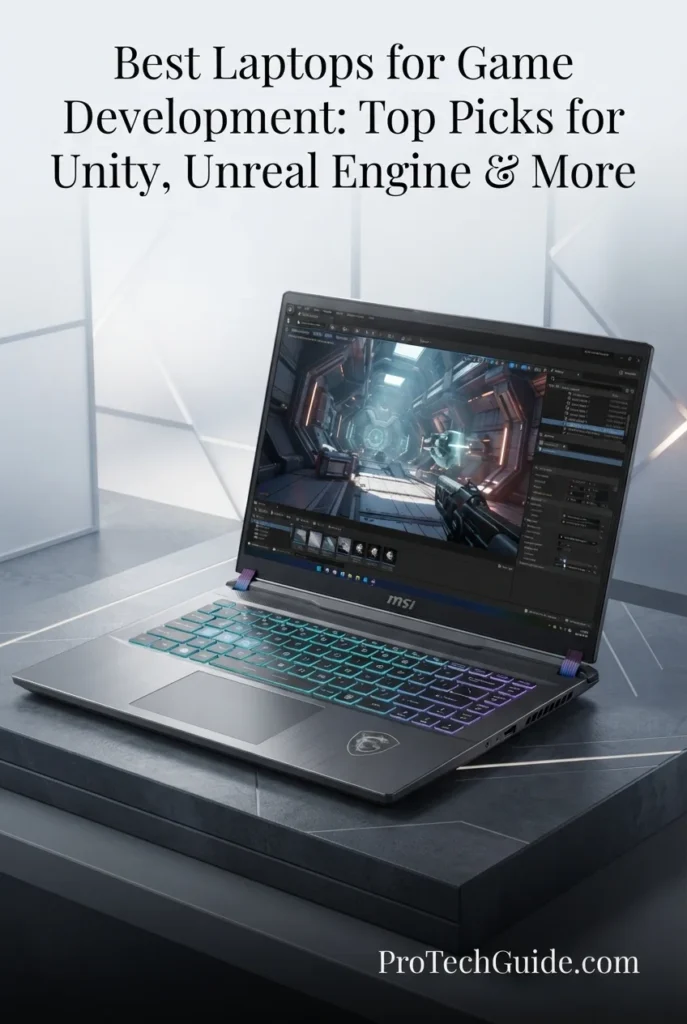
The MSI Vector 16 HX AI with the Intel Core Ultra 7 255HX, 64GB of DDR5 memory, 1TB SSD, and NVIDIA GeForce RTX 5070 Ti 12GB is our Best Performance-to-Price laptop for game development in 2026. It is built around the components that matter most when development workloads become demanding: a 20-core processor, substantial system memory, dedicated Blackwell graphics, and a high-resolution 16-inch display. This configuration provides a strong platform for Unreal Engine, Unity, Visual Studio, Rider, Blender, C++, C#, shader compilation, asset processing, lighting, real-time rendering, and game testing. The 64GB memory configuration is particularly valuable for developers who routinely keep large projects, development environments, browsers, asset tools, and creative applications open simultaneously.

• Ideal for serious game developers, indie studios, technical artists, programmers, and advanced students working with demanding Unity and Unreal Engine projects
• Excellent for Unreal Engine, Unity, Visual Studio, Rider, Blender, C++, C#, 3D assets, shader compilation, lighting, real-time rendering, and local game testing
• Particularly well suited to developers who want workstation-class memory capacity and strong GPU performance without stepping up to the considerably more expensive RTX 5080 and RTX 5090 systems
• The Intel Core Ultra 7 255HX provides 20 cores and up to 5.2GHz maximum turbo frequency, giving the Vector strong CPU resources for compilation, engine workloads, asset processing, multitasking, and development tools
• 64GB of DDR5 memory provides substantial headroom for large Unreal Engine projects, Visual Studio or Rider, Blender, browsers, asset libraries, source-control tools, and multiple development applications running simultaneously
• The GeForce RTX 5070 Ti with 12GB of GDDR7 provides strong dedicated graphics performance and valuable VRAM capacity for real-time rendering, game-engine viewports, lighting, materials, 3D assets, and game testing
• The 1TB SSD provides fast local storage for game engines, source projects, development tools, assets, builds, and project files while maintaining responsive application and project access
• The 16-inch WQXGA 2560 × 1600 display with a 240Hz refresh rate and 100% DCI-P3 coverage provides a sharp, spacious workspace for code, engine interfaces, asset creation, and real-time game testing
• Thunderbolt 5, HDMI 2.1, Wi-Fi 7, Ethernet, SD card support, and a 24-zone RGB keyboard give the Vector a practical professional development workstation setup

The MSI Vector 16 HX AI earns our Best Performance-to-Price award because it places unusually strong emphasis on sustained development capability rather than premium branding or extreme flagship specifications. The combination of a 20-core Core Ultra 7 255HX, 64GB of DDR5 memory, RTX 5070 Ti 12GB, and a 240Hz WQXGA display gives serious developers a substantial performance platform without moving all the way into RTX 5080 or RTX 5090 pricing.

Compared with the Lenovo Legion Pro 7i Gen 10 and MSI Raider 16 Max HX, the Vector 16 HX AI sits below their flagship CPU and GPU configurations, but its 64GB memory configuration makes it particularly compelling for developers who prioritize multitasking and large project environments. Compared with the Razer Blade 16 (2026), it offers a less portable workstation-oriented design but significantly more memory in this configuration. For developers who need a powerful daily workhorse rather than the fastest possible laptop, the Vector provides an excellent balance between performance, capacity, and long-term practicality.

• Intel Core Ultra 7 255HX• 20 CPU cores• 8 P-cores + 12 E-cores• 20 threads• Up to 5.2GHz Max Turbo Frequency• Intel AI Boost NPU• 30MB cache according to MSI specification• HM870 platformThe Core Ultra 7 255HX provides a strong CPU foundation for demanding game-development workflows. Its 20-core hybrid architecture is particularly valuable for compilation, multitasking, shader processing, asset preparation, game-engine workloads, and running development tools simultaneously. For developers working with large Unreal Engine or Unity projects, the additional CPU resources provide useful headroom over mainstream laptop processors.
• NVIDIA GeForce RTX 5070 Ti Laptop GPU• 12GB GDDR7 VRAM• NVIDIA Blackwell architecture• Up to 992 AI TOPS• Up to 2220MHz boost clock• Up to 140W maximum graphics power with Dynamic Boost• Dedicated GPU accelerationThe RTX 5070 Ti is one of the Vector 16 HX AI's most important components for game development. Its 12GB of dedicated GDDR7 memory provides useful headroom for Unreal Engine and Unity workloads involving real-time rendering, materials, lighting, 3D assets, editor viewports, and local game testing. MSI lists up to 140W maximum graphics power with Dynamic Boost, although actual power and performance can vary by workload and system configuration.
• 64GB DDR5 memory• High multitasking capacity• Strong headroom for Unreal Engine• Suitable for Unity and Blender• Supports large development environments• Useful for asset-heavy workflows• Two memory slots on the Vector platformThe selected configuration's 64GB of DDR5 memory is a major advantage for professional development. Large game engines can consume significant memory when combined with IDEs, browsers, asset tools, source-control software, Blender, documentation, and other applications. This capacity allows developers to maintain a substantial working environment without the constraints commonly associated with 16GB or 32GB configurations. MSI's Vector platform supports two memory slots and configurations up to 96GB, depending on the specific model.
• 1TB NVMe SSD• PCIe Gen 4 storage• Fast application launches• Responsive project loading• Suitable for game engines• Space for development tools and assets• Additional M.2 expansion capability on the platformThe 1TB SSD provides responsive local storage for Unreal Engine, Unity, Visual Studio, Rider, Blender, source projects, assets, builds, and development utilities. Developers working with large asset libraries may eventually benefit from additional storage, and MSI's Vector 16 HX AI platform provides a second M.2 position on compatible configurations, including support for a PCIe Gen 5 SSD in the additional slot.
• 16-inch WQXGA display• 2560 × 1600 resolution• 16:10 aspect ratio• 240Hz refresh rate• IPS-Level panel• 100% DCI-P3 typical coverage• Sharp workspace for developmentThe 16-inch WQXGA panel provides substantially more workspace than a conventional 1920 × 1080 display. The 16:10 aspect ratio is useful for code editors, game-engine interfaces, asset browsers, and documentation, while the 240Hz refresh rate provides a smooth experience during interactive development and game testing. MSI specifies 100% DCI-P3 typical coverage for this QHD+ configuration, making it more versatile than a basic gaming-oriented panel for developers who also work with visual assets.
• Unreal Engine• Unity• Visual Studio• JetBrains Rider• C++ development• C# development• Blender and 3D assets• Shader compilation• Lighting and real-time rendering• Local game testingThe Vector 16 HX AI is designed for developers whose workloads extend well beyond writing code. The combination of a 20-core CPU, RTX 5070 Ti with 12GB VRAM, and 64GB RAM provides a strong foundation for compiling projects, processing assets, editing scenes, building materials, working with 3D content, and testing games locally. It is particularly well suited to developers who regularly move between programming, engine editing, and visual production tasks.
• MSI Cooler Boost 5 cooling system• Dual-fan design• Seven heat pipes on the platform• OverBoost Ultra technology• Up to 205W combined CPU-GPU power according to MSI specifications• Designed for sustained performanceThe Vector 16 HX AI is built around a high-performance thermal and power design intended to support demanding workloads. MSI specifies Cooler Boost 5 with dual fans and seven heat pipes for the platform, while OverBoost Ultra can provide up to 205W of combined CPU-GPU power on the relevant configuration. Actual power behavior depends on workload, system settings, thermals, and the specific configuration.
• 2 × Thunderbolt 5• HDMI 2.1• 2 × USB-A 3.2 Gen 2• SD Express card reader• RJ45 Ethernet• Wi-Fi 7 support• Bluetooth 5.4 listed for the selected configuration• IR FHD webcam with privacy shutterThe Vector provides the connectivity expected from a serious desktop-oriented development machine. Thunderbolt 5 supports high-bandwidth peripherals and external displays, while HDMI 2.1 provides another display connection. Ethernet is useful for large project transfers and stable development networks, while Wi-Fi 7 and modern wireless connectivity provide fast wireless access where supported by the network.
• Windows 11 Pro• Full Windows desktop environment• Unreal Engine compatibility• Unity compatibility• Visual Studio• JetBrains Rider• C++ and C# development• Broad PC development ecosystemThe selected Amazon configuration comes with Windows 11 Pro, making the Vector particularly straightforward for professional Windows-based development. Windows provides broad compatibility with Unreal Engine, Unity, Visual Studio, Rider, graphics applications, middleware, source-control tools, and PC game-development workflows. It is a strong choice for developers targeting Windows and PC platforms or relying on software that is optimized for Microsoft's desktop environment.
Ideal for:• Professional game developers• Indie developers• Unreal Engine developers• Unity developers• Technical artists• C++ programmers• C# programmers• Blender and 3D workflows• Developers who need 64GB RAM• Heavy multitasking• Large development projectsThe MSI Vector 16 HX AI with Core Ultra 7 255HX, RTX 5070 Ti 12GB, 64GB DDR5, and 1TB SSD is our Best Performance-to-Price workhorse for game development in 2026. It delivers the combination of CPU resources, GPU capability, memory capacity, display quality, and connectivity that serious developers need when their projects become too demanding for mainstream laptops but do not yet justify the cost of a flagship RTX 5080 or RTX 5090 workstation-class system.
Best Large-Screen Game Development Laptop (2026)

Acer Predator Helios Neo 18 AI

Best Large-Screen Laptop for Unreal Engine, Unity & 3D Development

The Acer Predator Helios Neo 18 AI with an Intel Core Ultra 9 275HX, 64GB of DDR5 memory, 1TB SSD, and NVIDIA GeForce RTX 5070 Ti 12GB is our Best Large-Screen laptop for game development in 2026. Its defining advantage is the combination of high-end development hardware and an expansive 18-inch WQXGA workspace. The 24-core processor, dedicated RTX graphics, substantial 64GB memory configuration, and 2560 × 1600 240Hz IPS display create a powerful platform for Unreal Engine, Unity, Visual Studio, Rider, Blender, C++, C#, asset processing, real-time rendering, lighting, shader work, and game testing. For developers who spend most of their time at a desk, the 18-inch 16:10 display provides considerably more room for engine interfaces, code, asset browsers, documentation, and development tools than a conventional 15- or 16-inch laptop.

• Ideal for desktop-oriented game developers, technical artists, programmers, indie studios, and advanced users who want a large integrated workspace
• Excellent for Unreal Engine, Unity, Blender, Visual Studio, Rider, C++, C#, 3D assets, lighting, materials, shader workflows, and local game testing
• Particularly well suited to developers who prioritize screen real estate and sustained workstation-style productivity over portability
• The Intel Core Ultra 9 275HX provides 24 cores and up to 5.4GHz turbo frequency, giving the Helios Neo 18 AI substantial CPU resources for compilation, multitasking, asset processing, and demanding game-engine workflows
• 64GB of DDR5 memory provides extensive headroom for Unreal Engine, Unity, Blender, IDEs, browsers, asset-management tools, source control, and multiple development applications running simultaneously
• The GeForce RTX 5070 Ti with 12GB of GDDR7 provides dedicated GPU resources for real-time 3D development, rendering, lighting, materials, engine viewports, and game testing
• The 18-inch WQXGA 2560 × 1600 display gives developers substantially more workspace for code, engine panels, asset browsers, documentation, and multiple windows while maintaining a sharp 16:10 aspect ratio
• The 240Hz refresh rate, 100% DCI-P3 coverage, 500-nit brightness, G-SYNC support, and matte IPS technology make the display useful for both interactive development and visual asset work
• Thunderbolt connectivity, HDMI 2.1, multiple USB ports, Ethernet, microSD support, Wi-Fi 6E, and a full-size desktop-oriented chassis make it well suited to a permanent development setup

The Acer Predator Helios Neo 18 AI earns our Best Large-Screen Game Development Laptop award because it turns the laptop display itself into a major productivity advantage. Its 18-inch 16:10 WQXGA panel provides the kind of workspace developers normally seek from an external monitor, while the Core Ultra 9 275HX, RTX 5070 Ti, and 64GB of RAM provide the performance required for demanding game-development workloads.

Compared with the MSI Vector 16 HX AI, the Helios Neo 18 AI uses a larger 18-inch chassis and a higher-tier Core Ultra 9 275HX processor while retaining the same RTX 5070 Ti 12GB graphics class and 64GB memory in the selected configuration. The Vector is easier to position as a more conventional 16-inch workhorse, while the Helios Neo 18 AI is the stronger choice for developers who value maximum workspace. Compared with the Lenovo Legion Pro 7i Gen 10, the Acer emphasizes screen size and workspace rather than moving into RTX 5080-class graphics performance.

• Intel Core Ultra 9 275HX• 24 CPU cores• 24 threads• Up to 5.4GHz turbo frequency• 36MB Intel Smart Cache• Intel AI Boost NPU• Up to 13 NPU TOPS• High-core-count development platformThe Core Ultra 9 275HX provides the Helios Neo 18 AI with substantial CPU resources for demanding development workloads. Its 24-core design is particularly useful for compilation, multitasking, shader processing, asset preparation, game-engine workloads, and running multiple professional applications simultaneously. This makes it a strong choice for developers working on complex Unreal Engine and Unity projects where CPU headroom matters.
• NVIDIA GeForce RTX 5070 Ti Laptop GPU• 12GB GDDR7 dedicated graphics memory• NVIDIA Blackwell architecture• Up to 992 AI TOPS• Dedicated GPU acceleration• Up to 140W maximum graphics power• NVIDIA G-SYNC supportThe RTX 5070 Ti provides the dedicated graphics performance required for modern real-time game development. Its 12GB of GDDR7 VRAM provides useful capacity for Unreal Engine and Unity workloads involving 3D assets, materials, lighting, viewport rendering, and game testing. Acer specifies up to 140W maximum graphics power for the RTX 5070 Ti configuration, although actual performance and power behavior depend on the workload and system settings.
• 64GB DDR5 memory• High multitasking capacity• Large Unreal Engine project headroom• Suitable for Unity and Blender• Useful for asset-heavy workflows• Supports multiple development applications• 6400 MT/s memory class on the platformThe selected 64GB configuration gives the Helios Neo 18 AI substantial memory headroom for demanding development environments. Developers can run Unreal Engine or Unity alongside Visual Studio or Rider, browsers, Blender, source-control tools, asset managers, documentation, and other applications without operating within the constraints of typical 16GB configurations.
• 1TB PCIe NVMe SSD• PCIe Gen 4 storage• Fast project access• Responsive application launches• Suitable for game engines• Space for development tools and assets• Two SSD slots on the Helios Neo 18 AI platformThe 1TB SSD provides responsive storage for Unreal Engine, Unity, Visual Studio, Rider, Blender, source projects, builds, and development tools. Game-development projects can grow quickly as asset libraries and engine installations accumulate, so the platform's two SSD slots provide useful expansion potential for developers who eventually require additional local storage.
• 18-inch IPS display• 2560 × 1600 WQXGA resolution• 16:10 aspect ratio• 240Hz refresh rate• Up to 500 nits brightness• 100% DCI-P3 color coverage• Matte display surface• NVIDIA G-SYNC• NVIDIA Advanced OptimusThe 18-inch display is the Helios Neo 18 AI's defining productivity feature. Its 16:10 WQXGA resolution provides substantially more vertical and horizontal workspace for game-engine interfaces, code editors, asset browsers, documentation, and testing windows. Acer specifies up to 500 nits brightness and 100% DCI-P3 coverage for this display class, making it useful not only for development but also for visual asset and content workflows.
• Unreal Engine• Unity• Visual Studio• JetBrains Rider• C++ development• C# development• Blender• 3D asset creation• Shader and material workflows• Lighting and real-time rendering• Local game testingThe Helios Neo 18 AI is particularly well suited to developers who move between programming and visual development tasks. The Core Ultra 9 275HX provides substantial CPU resources for compilation and multitasking, while the RTX 5070 Ti handles GPU-intensive real-time workflows. The large 18-inch display adds another practical advantage by giving developers more room to keep engine panels, code, assets, and documentation visible simultaneously.
• 5th Gen AeroBlade 3D fans• Liquid metal thermal interface material• Vector heat pipes• High-airflow cooling design• Designed for sustained high-load workloads• PredatorSense performance controlsThe Helios Neo 18 AI uses Acer's performance-oriented cooling architecture, combining 5th Gen AeroBlade 3D fans, liquid metal thermal material, and vector heat pipes. This design is intended to move heat away from the CPU and GPU during sustained workloads. For game development, that matters because compilation, shader processing, asset preparation, rendering, and extended game testing can place sustained loads on both processors.
• 2 × Thunderbolt 4 Type-C• 3 × USB-A ports• HDMI 2.1• RJ-45 Ethernet• MicroSD card reader• Wi-Fi 6E• Bluetooth 5.4 or later• FHD IR webcam• 3.5mm audio connectionThe Helios Neo 18 AI provides the connectivity expected from a desktop-oriented development machine. Thunderbolt 4 and HDMI 2.1 support external displays and high-bandwidth peripherals, while Ethernet provides a stable wired connection for large project transfers and development networks. Wi-Fi 6E provides modern wireless connectivity, and the microSD reader is useful for moving media and development assets.
• Windows 11 Pro• Full Windows desktop environment• Unreal Engine compatibility• Unity compatibility• Visual Studio• JetBrains Rider• C++ and C# development• Broad PC development ecosystemThe selected configuration comes with Windows 11 Pro, providing the full Windows desktop environment used throughout PC game development. Windows offers broad compatibility with Unreal Engine, Unity, Visual Studio, Rider, graphics applications, middleware, source-control tools, and PC development workflows. It is particularly appropriate for developers targeting Windows and PC platforms or relying on software that is optimized for Microsoft's desktop environment.
• 18-inch 16:10 chassis• Approximately 7.28-pound listed weight• Full-size development workspace• 4-zone RGB backlit keyboard• 90Wh battery• Desktop-oriented design• Designed for sustained workloadsThe Helios Neo 18 AI is intentionally a large laptop. Its approximately 7.28-pound listed weight and 18-inch chassis make it less appropriate for constant travel than a 16-inch or ultraportable system, but that size creates a significant advantage for developers who primarily work at a desk. It can function as a self-contained development workstation with considerably more screen real estate than conventional laptop designs.
Ideal for:• Desktop-oriented game developers• Unreal Engine developers• Unity developers• Technical artists• C++ programmers• C# programmers• Blender and 3D workflows• Indie studios• Large development projects• Developers who need 64GB RAM• Users who prioritize screen real estateThe Acer Predator Helios Neo 18 AI with Core Ultra 9 275HX, RTX 5070 Ti 12GB, 64GB DDR5, and 1TB SSD is our Best Large-Screen Game Development Laptop because it combines serious development hardware with an unusually expansive 18-inch workspace. For developers who spend most of their time at a desk, the additional screen real estate can be just as valuable as raw performance, allowing code, engine interfaces, assets, documentation, and testing tools to coexist more comfortably on one display.
Best Mac for Game Development (2026)

Apple MacBook Pro 16 M5 Max

Best Mac Laptop for Game Development, Coding & Creative Workflows
The Apple MacBook Pro 16-inch with the M5 Max chip, 18-core CPU, 40-core GPU, 128GB of unified memory, and 2TB SSD is our top Mac recommendation for game development in 2026. Its high-end Apple Silicon architecture, massive 128GB unified memory capacity, powerful 40-core GPU, fast SSD storage, and 16.2-inch Liquid Retina XDR display create an exceptional platform for coding, 3D asset workflows, game design, content creation, and demanding development environments. The 128GB configuration is particularly valuable for developers who routinely keep game engines, IDEs, browsers, 3D tools, asset libraries, simulators, and other professional applications active at the same time. For developers who specifically want macOS and Apple Silicon, it provides an unusually powerful development workstation in a premium mobile form factor.

• Ideal for professional game developers, programmers, technical artists, designers, and creators who specifically prefer macOS and Apple Silicon for their development environment
• Excellent for Xcode, Unity, Blender, C#, C++, 3D asset creation, game design, content production, coding, and other macOS-compatible development workflows
• Particularly well suited to developers who need enormous memory capacity for complex projects, multiple professional applications, large assets, virtual environments, and demanding multitasking
• The M5 Max with an 18-core CPU provides substantial processing capability for code compilation, game-engine workflows, asset processing, multitasking, and other demanding development workloads
• The 40-core GPU provides strong graphics processing capability for compatible 3D applications, real-time visualization, rendering, creative workloads, and game development workflows supported by macOS and Apple Silicon
• 128GB of unified memory gives developers exceptional headroom for large projects, game engines, IDEs, browsers, 3D applications, asset libraries, simulators, and multiple professional workloads running simultaneously
• The 2TB SSD provides substantial local storage for game projects, source code, development environments, 3D assets, textures, applications, project files, and professional media
• The 16.2-inch Liquid Retina XDR display provides a large, high-resolution workspace with excellent contrast, wide P3 color, ProMotion up to 120Hz, and high HDR brightness for code, game editors, 3D interfaces, asset creation, and visual work
• The premium aluminum design, backlit keyboard, Force Touch trackpad, MagSafe 3 charging, Thunderbolt connectivity, and long-runtime battery make it particularly attractive for developers who need workstation-class capability in a mobile professional computer

The MacBook Pro 16-inch M5 Max earns our Best Mac for Game Development award because it combines exceptional CPU and GPU capability with an extraordinary 128GB unified memory configuration, 2TB storage, a premium 16.2-inch Liquid Retina XDR display, and Apple's highly integrated development environment. It is particularly compelling for developers who want a powerful macOS workstation for coding, Unity, Blender, 3D workflows, asset creation, and professional creative development without moving to a desktop system.

Compared with Windows laptops such as the Lenovo Legion Pro 7i Gen 10, MSI Raider 16 Max HX, and Razer Blade 16, the MacBook Pro offers a different development philosophy built around Apple Silicon, unified memory, macOS, and exceptional power efficiency rather than a discrete NVIDIA GPU. Windows laptops remain the stronger choice for developers who depend heavily on NVIDIA-specific features, CUDA-based workflows, or the broadest possible Unreal Engine compatibility. However, for developers who specifically want macOS and whose tools and target platforms align with Apple Silicon, the M5 Max MacBook Pro is the strongest Mac recommendation in this guide.

• Apple M5 Max chip• 18-core CPU• 40-core GPU• 16-core Neural Engine• Hardware-accelerated ray tracing• High-performance Apple Silicon architecture• Hardware-accelerated media processingThe Apple M5 Max provides substantial processing capability for demanding game development workloads including code compilation, game-engine editing, asset processing, 3D workflows, multitasking, and professional creative applications. Its 18-core CPU and 40-core GPU configuration make this one of Apple's most powerful mobile platforms for developers who work primarily within macOS-compatible development environments.
• 40-core Apple GPU• Hardware-accelerated ray tracing• Unified memory architecture• GPU acceleration for compatible applications• 3D rendering capability• Real-time visualization• Strong creative workload performanceThe 40-core M5 Max GPU gives the MacBook Pro substantial graphics-processing capability for compatible game development, 3D modeling, rendering, visualization, and creative applications. Developers working with Unity, Blender, asset creation, and other macOS-compatible tools can take advantage of Apple's integrated GPU architecture without relying on a separate discrete graphics card.For Unreal Engine developers, however, platform compatibility remains important. Some Unreal Engine features and NVIDIA-specific workflows available on Windows are not directly replicated on macOS, so developers should verify their required engine features before choosing this platform.
• 128GB unified memory• Shared CPU and GPU memory architecture• Massive multitasking headroom• Suitable for large development projects• Excellent for game engines and IDEs• Useful for large 3D assets• Strong long-term capacityThe 128GB unified memory configuration is one of this MacBook Pro's defining advantages. Developers can keep game engines, IDEs, browsers, 3D applications, asset libraries, simulators, documentation, terminals, and other professional tools active simultaneously while maintaining substantial memory headroom.For professional developers working with increasingly complex projects, this capacity can also reduce the need to constantly close applications or manage memory-intensive development sessions.
• Unity development• Unreal Engine development• Blender• C# and C++ development• 3D asset creation• Game design• Code compilation• Asset processing• Game testingThe MacBook Pro provides a powerful environment for macOS-compatible game development workflows. Unity, Blender, programming environments, terminals, creative applications, and development tools can benefit from the M5 Max's CPU, GPU, and large unified memory pool.Unity developers and teams targeting Apple platforms can find the MacBook Pro particularly attractive. Unreal Engine developers should evaluate project-specific requirements carefully, especially when their workflow depends on Windows-only tools, NVIDIA-specific technologies, or Unreal Engine features with different levels of support on macOS.
• 16.2-inch Liquid Retina XDR display• 3456 × 2234 native resolution• 254 pixels per inch• Up to 120Hz ProMotion• 1,000,000:1 contrast ratio• Up to 1,600 nits peak HDR brightness• Wide P3 color gamut• True Tone technologyThe 16.2-inch Liquid Retina XDR display provides an excellent workspace for game development. Its high resolution allows developers to keep code editors, game-engine interfaces, asset browsers, documentation, and visual tools clearly visible, while the wide P3 color gamut and high dynamic range are valuable for 3D assets, textures, visual design, and creative workflows.The 120Hz ProMotion display also provides smooth scrolling and interface responsiveness when navigating large projects and professional development environments.
• 2TB SSD• Fast application access• Responsive project loading• Suitable for game-development files• Space for 3D assets and media• Development environments and applications• Large project storage capacityThe 2TB SSD provides a strong foundation for professional development projects. Game engines, source code, development environments, project files, 3D assets, textures, applications, documentation, and creative media can all be stored locally without immediately requiring external storage.For developers working with very large game projects, however, project size should still be considered carefully because modern game assets can consume storage rapidly. External Thunderbolt storage can provide additional capacity when required.
• macOS• Unix-based development environment• Native Terminal• Apple Silicon optimization• Xcode support• Unity and Blender compatibility• C# and C++ development• Strong Apple-platform development environmentmacOS provides a powerful Unix-based environment for developers who value terminal-based workflows, software development tools, Apple-platform development, and a tightly integrated operating system. The MacBook Pro is particularly attractive for teams building games for macOS, iOS, iPadOS, and other Apple platforms.However, developers should not choose this machine solely on raw specifications if their workflow depends on Windows-exclusive tools or NVIDIA-specific technologies. For those workflows, a Windows laptop with a GeForce RTX GPU remains the more flexible platform.
• 100Wh battery• 140W USB-C Power Adapter• MagSafe 3 charging• Thunderbolt connectivity• HDMI output• Wi-Fi and Bluetooth connectivity• Backlit keyboard• Force Touch trackpad• Premium aluminum constructionThe 16-inch MacBook Pro combines workstation-level capability with a relatively refined mobile design. Its 100Wh battery, MagSafe 3 charging, Thunderbolt connectivity, HDMI output, premium keyboard, and large Force Touch trackpad make it well suited to professional development environments where the computer needs to move between workspaces.Apple rates the M5 Max configuration for up to 22 hours of video streaming or up to 16 hours of wireless web use, although real-world development workloads such as compiling code, running game engines, rendering scenes, and testing builds can produce substantially different results.
Ideal for:• Professional game developers• Unity developers• Apple-platform game development• C++ developers• C# developers• Blender and 3D workflows• Technical artists• Game designers• Developers who prefer macOS• Developers needing extreme memory capacity• Creative professionals combining development and content creationThe Apple MacBook Pro 16-inch with the M5 Max, 40-core GPU, 128GB unified memory, and 2TB SSD is the strongest Mac recommendation in this guide. It combines exceptional processing capability, enormous memory capacity, powerful integrated graphics, a superb professional display, and a mature development environment.Its position is more specialized than the Windows recommendations, however. Developers who depend on NVIDIA GPUs, CUDA, Windows-exclusive development tools, or the broadest Unreal Engine feature compatibility should choose a Windows workstation instead. For developers who specifically want macOS and whose workflows align with Apple Silicon, this MacBook Pro represents an exceptional high-end game development platform in 2026.
At a Glance

Best Laptops for Game Development in 2026

Ranked by CPU Performance, GPU & VRAM, RAM Capacity, Unreal Engine, Unity, 3D Workflows, Thermals, Display Quality, Portability & Overall Development Value

Choosing the best laptop for game development in 2026 requires a different approach from choosing a laptop primarily for gaming. Developers need sustained CPU performance for code compilation and builds, a capable GPU with enough VRAM for real-time rendering and game-engine workflows, sufficient memory for large projects and multitasking, fast storage for assets and development environments, effective thermal management, and a display that provides enough workspace for editors, code, assets, and visual tools. We evaluated these laptops around real-world development workflows including Unreal Engine, Unity, Blender, C++, C#, Visual Studio, Rider, shader compilation, asset processing, 3D workflows, lighting, game testing, and content creation to identify the systems that provide the strongest balance of performance, usability, and long-term value for developers in 2026.

LaptopCPU & Key SpecsBest ForWhy It WinsEditor's Verdict
Best OverallLenovo Legion Pro 7i Gen 10Check Price
Intel Core Ultra 9 275HX
24-Core CPU
RTX 5080 16GB GDDR7
32GB DDR5-6400
1TB PCIe Gen5 SSD
16" WQXGA OLED
Unreal Engine
Unity Development
3D Workflows
Professional Developers
The Legion Pro 7i Gen 10 delivers the strongest overall balance in this lineup. Its 24-core Core Ultra 9 processor, RTX 5080 with 16GB of VRAM, 32GB of DDR5 memory, fast Gen5 storage, and high-quality OLED display provide substantial headroom for Unreal Engine, Unity, Blender, code compilation, asset processing, real-time rendering, and game testing.Best Overall Laptop for Game Development
Best for CreatorsASUS ProArt P16Check Price
AMD Ryzen AI 9 HX 370
12-Core / 24-Thread CPU
RTX 5070 8GB GDDR7
64GB LPDDR5X
2TB PCIe 4.0 SSD
16" 4K OLED Touch
Game Developers
3D Artists
Blender Users
Creative Workflows
The ProArt P16 is designed for developers who move beyond coding into serious creative and 3D work. Its 64GB of memory, 2TB SSD, RTX 5070 graphics, and 16-inch 4K OLED touchscreen provide an excellent combination for Blender, asset creation, game design, visual development, and multitasking across demanding creative applications.Best Game Development Laptop for Creators
Best for Unreal EngineMSI Raider 16 Max HXCheck Price
Intel Core Ultra 9 290HX Plus
24-Core CPU
RTX 5090 24GB GDDR7
32GB DDR5-5600
1TB PCIe Gen4 SSD
16" QHD+ OLED 240Hz
Unreal Engine 5
Heavy 3D Workloads
Large Projects
Maximum Performance
The Raider 16 Max HX provides the highest level of raw GPU capability in this selection. Its RTX 5090 with 24GB of GDDR7 memory and powerful 24-core processor provide exceptional headroom for demanding Unreal Engine projects, real-time rendering, large scenes, shader compilation, asset processing, and intensive multitasking.Best High-Performance Laptop for Unreal Engine
Best Portable High-EndRazer Blade 16 (2026)Check Price
Intel Core Ultra 9 386H
16-Core CPU
RTX 5070 Ti 12GB GDDR7
32GB LPDDR5X-9600
1TB PCIe 4.0 SSD
16" QHD+ OLED 240Hz
Mobile Developers
Traveling Professionals
High-End Development
Premium Workflows
The Razer Blade 16 combines serious development performance with a significantly more portable premium chassis. Its RTX 5070 Ti, 32GB of very high-speed memory, QHD+ OLED display, and powerful Core Ultra 9 processor make it an excellent choice for developers who need to move between home, office, studio, and development environments without stepping down to mainstream hardware.Best Portable High-End Laptop for Game Development
Best ValueAcer Nitro V 16 AICheck Price
AMD Ryzen 5 240
6-Core Zen 4 CPU
RTX 5050 8GB
32GB DDR5
2TB SSD
16" WUXGA IPS 180Hz
Students
Indie Developers
Unity Users
Budget-Conscious Developers
The Nitro V 16 AI provides a practical entry point into serious game development without moving into the price class of the high-end workstations above it. Its 32GB of RAM, 2TB SSD, RTX 5050 8GB, and 16-inch 16:10 display give students and indie developers a capable foundation for Unity, coding, 3D work, game testing, and everyday development tasks.Best Value Laptop for Game Development
Best Performance-to-PriceMSI Vector 16 HX AICheck Price
Intel Core Ultra 7 255HX
20-Core CPU
RTX 5070 Ti 12GB GDDR7
64GB DDR5
1TB SSD
16" WQXGA 240Hz
Unreal Engine
Unity & Blender
Heavy Multitasking
Long-Term Development
The Vector 16 HX AI is a development-focused workhorse that combines a powerful 20-core processor with an RTX 5070 Ti and an unusually generous 64GB of DDR5 memory. That memory capacity is particularly valuable for developers who regularly combine game engines, IDEs, browsers, 3D applications, large assets, and other professional tools in a single workflow.Best Performance-to-Price Laptop for Game Development
Best Large-ScreenAcer Predator Helios Neo 18 AICheck Price
Intel Core Ultra 9 275HX
24-Core CPU
RTX 5070 Ti 12GB GDDR7
64GB DDR5
1TB SSD
18" WQXGA IPS 240Hz
Desktop-Style Development
Unreal Engine
3D Development
Large-Screen Workflows
The Predator Helios Neo 18 AI prioritizes workspace and sustained development capability. Its enormous 18-inch 16:10 display provides considerably more room for code editors, engine panels, asset browsers, viewports, and documentation, while the 24-core CPU, RTX 5070 Ti, and 64GB of memory provide substantial headroom for demanding development and multitasking.Best Large-Screen Laptop for Game Development
Best MacApple MacBook Pro 16-inch M5 MaxCheck Price
Apple M5 Max
18-Core CPU
40-Core GPU
128GB Unified Memory
2TB SSD
16.2" Liquid Retina XDR
Mac Developers
Unity & Blender
Apple Platforms
Professional Creative Workflows
The MacBook Pro M5 Max is the most powerful Mac recommendation in this lineup, combining an 18-core CPU, 40-core GPU, extraordinary 128GB unified memory capacity, 2TB SSD, and a premium 16.2-inch Liquid Retina XDR display. It is particularly compelling for developers who prefer macOS and work with Unity, Blender, C++, C#, Apple-platform development, and demanding creative workflows.Best Mac Laptop for Game Development
Keep Exploring

Recommended Next Reads

Finished comparing the best laptops for game development in 2026? Continue exploring our related development and creative laptop guides covering 3D modeling, programming, software development, laptop GPUs, animation, and premium displays.

Game development sits at the intersection of several demanding computing disciplines. Whether you're building projects in Unity or Unreal Engine, writing C++ or C#, creating 3D assets in Blender, compiling large codebases, working with real-time rendering, or evaluating GPU and VRAM requirements, these guides can help you understand the hardware behind each workflow and choose the right laptop for your specific development needs.

01

EDITOR'S FINAL RECOMMENDATIONS

Our Final Game Development Laptop Recommendations for 2026

After comparing laptops across CPU performance, GPU capability and VRAM, RAM capacity, storage, thermal performance, display quality, portability, connectivity, software compatibility, Unreal Engine, Unity, Blender, C++ and C# development, shader compilation, asset processing, real-time rendering, and long-term value, these are our final recommendations for game developers in 2026. Whether you are building projects in Unity, working with Unreal Engine 5, creating 3D assets in Blender, compiling large C++ projects, or developing and testing games as an indie developer or professional studio, the right laptop depends on the demands of your specific workflow.

BEST FOR CREATORS

ASUS ProArt P16

The ASUS ProArt P16 is our preferred choice for developers who combine game development with serious creative and 3D production. Its Ryzen AI 9 HX 370 processor, RTX 5070, 64GB of memory, 2TB SSD, and 4K OLED touchscreen create a particularly capable platform for Blender, 3D asset creation, level design, texture work, animation, visual development, and game-engine workflows. It gives creators substantially more memory and storage than many high-performance development laptops while maintaining a much more portable form factor.

  • ✓ AMD Ryzen AI 9 HX 370 12-Core Processor
  • ✓ NVIDIA GeForce RTX 5070 8GB GDDR7
  • ✓ 64GB LPDDR5X Memory
  • ✓ 2TB PCIe 4.0 NVMe SSD
Best laptop for game developers who also create 3D and visual content
BEST FOR UNREAL ENGINE

MSI Raider 16 Max HX

The MSI Raider 16 Max HX is the performance specialist of this lineup and our recommendation for developers who routinely push Unreal Engine and other demanding workloads to their limits. Its Core Ultra 9 290HX Plus and RTX 5090 with 24GB of GDDR7 provide the greatest graphics and compute headroom among these eight laptops. That additional GPU memory is particularly valuable for demanding real-time rendering, complex scenes, high-resolution assets, lighting workloads, and other development tasks that can place significant pressure on VRAM.

  • ✓ Intel Core Ultra 9 290HX Plus 24-Core Processor
  • ✓ NVIDIA GeForce RTX 5090 24GB GDDR7
  • ✓ 32GB DDR5-5600 Memory
  • ✓ 16-inch QHD+ OLED 240Hz Display
Best laptop for demanding Unreal Engine projects and heavy development workloads
BEST PORTABLE HIGH-END

Razer Blade 16 (2026)

The Razer Blade 16 (2026) is the standout choice for developers who need high-end game development performance without moving to the bulkier desktop-replacement class. Its Core Ultra 9 386H, RTX 5070 Ti with 12GB of GDDR7, fast LPDDR5X memory, and QHD+ 240Hz OLED display create a powerful platform for Unity, Unreal Engine, Blender, coding, asset work, and game testing. The CNC aluminum chassis, compact profile, Thunderbolt 5 connectivity, and relatively low weight for its performance class make it particularly attractive to developers who regularly move between locations.

  • ✓ Intel Core Ultra 9 386H 16-Core Processor
  • ✓ NVIDIA GeForce RTX 5070 Ti 12GB GDDR7
  • ✓ 32GB LPDDR5X-9600 Memory
  • ✓ 16-inch QHD+ 240Hz OLED Display
Best high-end portable laptop for game development
BEST VALUE

Acer Nitro V 16 AI

The Acer Nitro V 16 AI is our value recommendation for students, aspiring developers, indie teams, and budget-conscious creators who still need dedicated NVIDIA graphics and enough memory for modern game-engine workflows. Its Ryzen 5 240, RTX 5050 with 8GB of graphics memory, 32GB of DDR5 RAM, and 2TB SSD provide a practical foundation for Unity, Unreal Engine, Blender, coding, asset management, and game testing without moving into the price territory of the flagship systems. It is the most accessible way into this lineup for developers who need real GPU capability rather than an integrated-graphics laptop.

  • ✓ AMD Ryzen 5 240 6-Core Processor
  • ✓ NVIDIA GeForce RTX 5050 8GB
  • ✓ 32GB DDR5 Memory
  • ✓ 2TB SSD Storage
Best value laptop for students and indie game developers
BEST PERFORMANCE-TO-PRICE

MSI Vector 16 HX AI

The MSI Vector 16 HX AI is the workhorse choice for developers who value high performance, substantial memory, and practical long-term capability. Its Core Ultra 7 255HX, RTX 5070 Ti with 12GB of GDDR7, and 64GB of DDR5 memory create an especially strong combination for Unreal Engine, Unity, Blender, Visual Studio, Rider, C++ and C# development, large project files, simultaneous applications, and local builds. While it does not match the Raider's RTX 5090 graphics performance, its 64GB memory configuration gives developers considerable headroom for complex multitasking and development environments.

  • ✓ Intel Core Ultra 7 255HX 20-Core Processor
  • ✓ NVIDIA GeForce RTX 5070 Ti 12GB GDDR7
  • ✓ 64GB DDR5 Memory
  • ✓ 16-inch WQXGA 240Hz Display
Best performance-to-price workhorse for demanding game development
BEST LARGE-SCREEN

Acer Predator Helios Neo 18 AI

The Acer Predator Helios Neo 18 AI is the best choice for developers who want a large desktop-like workspace without giving up high-end mobile performance. Its 18-inch WQXGA display provides significantly more physical workspace for Unreal Engine and Unity editors, code windows, asset browsers, documentation, profilers, and 3D viewports. Combined with the Core Ultra 9 275HX, RTX 5070 Ti 12GB, and 64GB of DDR5 memory in this configuration, it is particularly well suited to developers who spend most of their time at a desk and value workspace and multitasking more than maximum portability.

  • ✓ Intel Core Ultra 9 275HX 24-Core Processor
  • ✓ NVIDIA GeForce RTX 5070 Ti 12GB GDDR7
  • ✓ 64GB DDR5 Memory
  • ✓ 18-inch WQXGA 240Hz Display
Best large-screen laptop for Unreal Engine, Unity and 3D development
BEST MAC FOR GAME DEVELOPMENT

Apple 16-inch MacBook Pro M5 Max

The Apple 16-inch MacBook Pro with M5 Max is our top Mac recommendation for developers who specifically want macOS and Apple Silicon. Its 18-core CPU, 40-core GPU, 128GB of unified memory, and 2TB SSD provide exceptional capacity for software development, 3D workflows, asset creation, multitasking, and demanding creative applications. It is particularly compelling for developers whose target platforms and toolchains align well with macOS. However, Windows remains the more flexible choice for developers who depend heavily on NVIDIA-specific features, Windows-only tools, or certain Unreal Engine workflows and rendering technologies.

  • ✓ Apple M5 Max 18-Core CPU
  • ✓ 40-Core GPU
  • ✓ 128GB Unified Memory
  • ✓ 2TB SSD Storage
Best MacBook for developers working in a macOS and Apple Silicon workflow
QUICK DECISION

Which game development laptop should you buy?

Best Overall

Lenovo Legion Pro 7i Gen 10

Best for Creators

ASUS ProArt P16

Best for Unreal Engine

MSI Raider 16 Max HX

Best Portable

Razer Blade 16 (2026)

Best Value

Acer Nitro V 16 AI

Best Performance-to-Price

MSI Vector 16 HX AI

Best Large-Screen

Acer Predator Helios Neo 18 AI

Best Mac

Apple 16-inch MacBook Pro M5 Max

Laptop prices, configurations, and availability can change frequently. Before purchasing, check Amazon for the latest price, available memory and storage configurations, warranty coverage, and current promotions. For game development, also verify the exact GPU, VRAM, RAM, operating system, and processor configuration before ordering, as marketplace listings can vary by seller and configuration.

EDITOR'S FINAL VERDICT

Final Verdict: Best Laptops for Game Development in 2026

After comparing processor performance, GPU capability and VRAM, RAM capacity, SSD storage, thermal performance, display quality, portability, connectivity, software compatibility, Unreal Engine, Unity, Blender, C++ and C# development, shader compilation, asset processing, real-time rendering, and long-term value, one conclusion stands out:The best laptop for game development is not necessarily the laptop with the fastest gaming performance or the most expensive GPU. It is the system that provides the right balance of CPU performance, graphics capability, VRAM, memory capacity, storage, sustained thermals, display quality, software compatibility, and usability for the development workloads you actually perform.

Modern game development brings together several demanding workloads inside the same machine. Developers may move between Unreal Engine or Unity, Visual Studio or Rider, Blender, asset creation tools, source-control platforms, browsers, documentation, shader compilation, lighting, level design, real-time rendering, local builds, and game testing throughout a single development session. These workflows place considerably greater demands on CPU performance, GPU capability, VRAM, RAM, storage speed, and sustained thermal performance than ordinary productivity or coding alone.

For most serious game developers, 32GB of RAM is the ideal starting point for long-term use, while 64GB becomes increasingly valuable for large Unreal Engine projects, complex 3D workflows, heavy multitasking, and professional development environments. GPU capability and VRAM are equally important for real-time rendering and demanding 3D workloads, making an NVIDIA GPU with adequate VRAM a particularly strong choice for developers who want the broadest Windows-based Unreal Engine flexibility.
Best Game Development Laptop OverallLenovo Legion Pro 7i Gen 10
Best Laptop for Unreal EngineMSI Raider 16 Max HX
Best Portable High-EndRazer Blade 16 (2026)
Best Mac for Game DevelopmentApple 16-inch MacBook Pro M5 Max
The simple answer:
  • Choose the Lenovo Legion Pro 7i Gen 10 if you want the strongest overall combination of CPU performance, RTX 5080 graphics, 16GB of VRAM, 32GB of memory, fast Gen 5 storage, OLED display quality, connectivity, and sustained capability for Unity, Unreal Engine, Blender, coding, rendering, and game testing.
  • Choose the MSI Raider 16 Max HX if maximum performance is your priority, particularly for demanding Unreal Engine projects, complex real-time scenes, GPU-intensive rendering, heavy multitasking, and workloads that can benefit from the RTX 5090's 24GB of VRAM.
  • Choose the Razer Blade 16 (2026) if you need high-end game development performance in a more portable premium chassis. Its RTX 5070 Ti, 32GB of memory, QHD+ OLED display, Thunderbolt 5 connectivity, and compact aluminum design make it particularly compelling for developers who regularly move between locations.
  • Choose the Apple 16-inch MacBook Pro with M5 Max if your development environment is built around macOS and Apple Silicon and your projects and tools are compatible with that platform. If you depend heavily on NVIDIA-specific workflows, Windows-only development tools, or the broadest Unreal Engine feature compatibility, Windows remains the safer choice.

Top Game Development Laptop Recommendations (2026)

BEST OVERALL

Lenovo Legion Pro 7i Gen 10

Our Editor's Choice for most game developers because it delivers one of the strongest all-around combinations of CPU performance, dedicated graphics, VRAM, memory, storage, display quality, and connectivity in this lineup. Its Core Ultra 9 275HX and RTX 5080 create substantial headroom for Unreal Engine, Unity, Blender, shader compilation, asset processing, real-time rendering, and game testing.

  • ✓ Intel Core Ultra 9 275HX 24-Core Processor
  • ✓ NVIDIA GeForce RTX 5080 16GB GDDR7
  • ✓ 32GB DDR5-6400 Memory
  • ✓ 1TB PCIe Gen 5 NVMe SSD
BEST FOR UNREAL ENGINE

MSI Raider 16 Max HX

The performance leader for developers who routinely work on demanding Unreal Engine projects and other GPU-intensive development workloads. Its Core Ultra 9 290HX Plus and RTX 5090 with 24GB of GDDR7 provide the greatest graphics and VRAM headroom among the laptops evaluated, making it especially well suited to complex scenes, real-time rendering, heavy assets, lighting workloads, and demanding development environments.

  • ✓ Intel Core Ultra 9 290HX Plus 24-Core Processor
  • ✓ NVIDIA GeForce RTX 5090 24GB GDDR7
  • ✓ 32GB DDR5-5600 Memory
  • ✓ 16-inch QHD+ OLED 240Hz Display
BEST FOR CREATORS

ASUS ProArt P16

The strongest creator-oriented option for developers who combine game development with Blender, 3D modeling, asset creation, animation, visual design, and other content-production workflows. Its Ryzen AI 9 HX 370, RTX 5070, 64GB of memory, 2TB SSD, and 4K OLED touchscreen provide a particularly strong combination of development and creative capability in a more portable design.

  • ✓ AMD Ryzen AI 9 HX 370 12-Core Processor
  • ✓ NVIDIA GeForce RTX 5070 8GB GDDR7
  • ✓ 64GB LPDDR5X Memory
  • ✓ 2TB PCIe 4.0 NVMe SSD
Choose the Legion Pro 7i Gen 10 if:
  • ✓ You want the best overall laptop for professional game development
  • ✓ You regularly work with Unreal Engine, Unity, Blender, C++ and C#
  • ✓ You want strong GPU performance and 16GB of VRAM without moving to the RTX 5090 class
  • ✓ You want a powerful combination of CPU performance, 32GB RAM, Gen 5 storage, and a premium OLED display
Choose the Raider 16 Max HX if:
  • ✓ Maximum development performance is your primary priority
  • ✓ You work with demanding Unreal Engine projects and complex real-time scenes
  • ✓ You expect your workloads to benefit from 24GB of GPU memory
  • ✓ You are comfortable with a large desktop-replacement-style development machine
Before Buying Any Game Development Laptop:
  • ✓ Prefer 32GB of RAM for serious development and long-term use; consider 64GB for large projects and heavy multitasking
  • ✓ Prioritize GPU VRAM as well as raw GPU performance when working with Unreal Engine, Blender, real-time rendering, and complex 3D assets
  • ✓ Choose a fast SSD with enough capacity for game engines, source projects, SDKs, assets, builds, and development tools
  • ✓ Pay close attention to sustained thermal performance because game development workloads can keep the CPU and GPU under load for extended periods
  • ✓ Choose Windows if you need the broadest compatibility with NVIDIA-focused workflows, Windows development tools, and Unreal Engine features
Editor's Final Recommendation:

A game development laptop is a professional creation tool that may spend thousands of hours compiling code, processing assets, building shaders, rendering scenes, running game engines, testing builds, and switching between development applications. Raw benchmark performance matters, but memory capacity, GPU VRAM, sustained thermals, storage performance, display quality, keyboard and connectivity, software compatibility, and long-term upgrade potential can have an equally important impact on the development experience.

Among the models evaluated in this guide, the Lenovo Legion Pro 7i Gen 10 delivers the strongest overall combination of performance, RTX 5080 graphics, 16GB of VRAM, 32GB of memory, fast Gen 5 storage, premium OLED display quality, and broad Windows compatibility, making it our Editor's Choice for the best laptop for game development in 2026.The MSI Raider 16 Max HX is the better choice for developers who prioritize maximum Unreal Engine performance and the additional headroom provided by an RTX 5090 with 24GB of VRAM. The ASUS ProArt P16 is the strongest creator-focused alternative for developers who combine game development with demanding 3D and visual-production workflows, while the Razer Blade 16 (2026) is the better fit for developers who need high-end performance in a more portable premium chassis. For developers who specifically prefer macOS and Apple Silicon, the Apple 16-inch MacBook Pro with M5 Max is our strongest Mac recommendation, provided the required development tools and Unreal Engine workflows are compatible with the platform.

Editor's ChoiceSee Today's Best Game Development Laptop Deals

Compare current prices, configurations, GPU VRAM, memory, storage, warranty coverage, and availability before choosing the laptop that best matches your Unity, Unreal Engine, Blender, coding, rendering, and game development workflow.

Check Latest Deals

EDITOR'S FAQ

Frequently Asked Questions About the Best Laptops for Game Development in 2026

Choosing the best laptop for game development requires more than comparing gaming performance or processor specifications. Developers need to consider CPU performance, GPU capability, VRAM, RAM capacity, SSD speed and capacity, thermal performance, display quality, portability, software compatibility, and the specific requirements of engines such as Unreal Engine and Unity.These frequently asked questions address the most important buying decisions for modern game development, from determining how much RAM and VRAM you need to choosing between Windows and macOS, understanding the requirements of Unreal Engine and Unity, selecting the right GPU for 3D workflows, and deciding whether a laptop is powerful enough for professional game development.

The Lenovo Legion Pro 7i Gen 10 is our top overall recommendation for game development in 2026.

It provides one of the strongest combinations of CPU performance, dedicated GPU power, VRAM, memory, storage, display quality, connectivity, and sustained performance in this lineup. Its Core Ultra 9 275HX and RTX 5080 provide substantial headroom for Unreal Engine, Unity, Blender, shader compilation, asset processing, real-time rendering, coding, and game testing.

  • Intel Core Ultra 9 275HX 24-core processor.
  • NVIDIA GeForce RTX 5080 with 16GB of GDDR7 memory.
  • 32GB DDR5-6400 memory for demanding development multitasking.
  • 1TB PCIe Gen 5 NVMe SSD for development tools and project files.
  • 16-inch WQXGA OLED display with 240Hz refresh rate.

For developers who prioritize maximum Unreal Engine performance, the MSI Raider 16 Max HX with its RTX 5090 and 24GB of VRAM is the more powerful choice. Developers who combine game creation with extensive 3D and creative work may prefer the ASUS ProArt P16, while the Razer Blade 16 (2026) is our preferred high-end portable option.

Check Price
32GB of RAM is the recommended target for serious game development in 2026, while 64GB is preferable for large projects and demanding professional workflows.

Game development can involve an engine, IDE, browser windows, asset tools, source-control applications, documentation, communication software, Blender, texture tools, and other applications running simultaneously. Unreal Engine projects can also become particularly demanding as project complexity, assets, shaders, and editor tools increase.

  • 16GB → Suitable for learning game development, smaller Unity projects, coding, and lighter development workflows.
  • 32GB → Recommended for serious Unity and Unreal Engine development, Blender, multitasking, and long-term use.
  • 64GB → Ideal for large Unreal Engine projects, extensive 3D workflows, heavy multitasking, local builds, and professional development environments.
  • 128GB → Useful primarily for exceptionally demanding professional workflows and very large creative or development environments.

For most developers building modern 3D games, 32GB is the practical sweet spot. The MSI Vector 16 HX AI, Acer Predator Helios Neo 18 AI, and ASUS ProArt P16 in this guide go further with 64GB, providing additional headroom for complex development workflows.

16GB can be enough for learning and smaller game-development projects, but 32GB is a much better target for modern Unity and Unreal Engine development.

A developer working on relatively small Unity projects can often work with 16GB, particularly when using fewer applications simultaneously. However, larger projects can involve the game engine, IDE, browser, asset tools, source control, Blender, documentation, and other applications at the same time.

  • 16GB can work for students, beginners, coding, and smaller Unity projects.
  • 32GB provides substantially more headroom for Unreal Engine and larger Unity projects.
  • 32GB is recommended when Blender, Visual Studio, Rider, and other development tools are used alongside the engine.
  • 64GB becomes valuable for large projects, heavy multitasking, extensive 3D assets, and professional workflows.

If you are purchasing a laptop specifically for several years of game development, we recommend starting at 32GB rather than treating 16GB as the long-term target.

8GB of VRAM is a reasonable starting point for modern game development, while 12GB to 16GB or more provides substantially more headroom for demanding 3D and Unreal Engine workloads.

VRAM becomes particularly important when working with high-resolution textures, complex 3D scenes, real-time rendering, advanced lighting, large assets, and demanding Unreal Engine projects. Unlike ordinary office applications, modern game engines can place significant pressure on the GPU memory subsystem.

  • 6GB → Better suited to entry-level development and lighter 3D projects.
  • 8GB → A practical minimum target for many modern development workflows.
  • 12GB → A stronger choice for serious Unreal Engine, Blender, and 3D development.
  • 16GB → Excellent headroom for demanding game development, complex scenes, and high-resolution assets.
  • 24GB → Exceptional capacity for particularly demanding GPU-intensive development workloads.

This is one reason the Lenovo Legion Pro 7i Gen 10 is our overall winner with 16GB of VRAM, while the MSI Raider 16 Max HX provides even more headroom with its RTX 5090 and 24GB of GDDR7 memory.

Windows is generally the safer choice for developers who want the broadest Unreal Engine, NVIDIA, and professional game-development compatibility, while macOS is an excellent platform for developers whose tools and target platforms align with Apple Silicon.

The operating system matters because game development involves more than the engine itself. Developers may depend on specific rendering technologies, GPU features, SDKs, plugins, development tools, middleware, source-control systems, and platform-specific workflows.

  • Windows → Best for broad NVIDIA GPU compatibility, Unreal Engine workflows, DirectX-based development, PC game development, and the widest range of Windows development tools.
  • macOS → Excellent for Apple-platform development, Xcode-based workflows, programming, creative applications, and game-development tools that support Apple Silicon.
  • NVIDIA + Windows → Particularly attractive when GPU-accelerated rendering and NVIDIA-specific technologies are important to your workflow.
  • MacBook Pro → A compelling choice when your development stack is fully compatible with macOS and you value Apple's performance efficiency and ecosystem.

Our Apple 16-inch MacBook Pro with M5 Max is therefore the strongest Mac recommendation in this guide, but developers who need maximum Unreal Engine flexibility and NVIDIA-specific workflows should choose one of the Windows systems instead.

Check MacBook Pro
Yes. A MacBook Pro with Apple Silicon can be an excellent development machine, but its suitability depends on the engine features, plugins, target platforms, and rendering technologies required by your projects.

The Apple 16-inch MacBook Pro with M5 Max in this guide combines an 18-core CPU, 40-core GPU, 128GB of unified memory, and a 2TB SSD. That gives it substantial capacity for coding, game engines, Blender, asset creation, multitasking, and other demanding creative workflows.

  • Excellent CPU performance for coding, project management, and development tools.
  • 40-core GPU provides substantial graphics capability within the Apple Silicon platform.
  • 128GB unified memory provides exceptional capacity for demanding multitasking.
  • Strong platform for macOS-compatible Unity, Blender, coding, and creative workflows.
  • Excellent choice for developers targeting Apple platforms.

The important limitation is compatibility rather than simply raw performance. Certain Unreal Engine features and NVIDIA-specific workflows are better supported on Windows systems with NVIDIA GPUs. Developers should verify their required engine features, plugins, SDKs, and target platforms before choosing macOS as their primary development environment.

Check MacBook Pro Price
For serious game development in 2026, the best GPU depends on your project complexity, rendering requirements, VRAM needs, and budget. NVIDIA RTX GPUs are particularly strong choices for Windows-based Unreal Engine and 3D workflows.

Game developers should evaluate GPU performance and VRAM together rather than looking only at gaming frame rates. Development workloads can involve real-time rendering, shader compilation, lighting, high-resolution textures, 3D viewports, asset processing, and game testing.

  • RTX 5050 8GB → A practical entry point for students and indie developers.
  • RTX 5070 8GB → Strong for balanced game development and creator workflows.
  • RTX 5070 Ti 12GB → A strong performance tier for serious Unreal Engine and 3D development.
  • RTX 5080 16GB → Excellent high-end choice for demanding professional game development.
  • RTX 5090 24GB → The maximum-performance option in this lineup for extremely demanding GPU and VRAM workloads.

For most professional developers, we would rather see a balanced GPU with adequate VRAM than a system that maximizes raw gaming performance while compromising memory, thermals, or development usability.

1TB of fast NVMe SSD storage is the recommended starting point for serious game development in 2026, while 2TB is preferable for developers who maintain large local projects and asset libraries.

Game development storage requirements can grow quickly. A single development environment may include Unreal Engine or Unity installations, SDKs, IDEs, source projects, compiled builds, texture libraries, 3D assets, Blender projects, backups, and multiple versions of development tools.

  • 512GB → Acceptable for students and smaller development projects, but capacity can become restrictive quickly.
  • 1TB → Recommended for most serious game developers.
  • 2TB → Better for large projects, extensive 3D assets, multiple engines, and professional development environments.
  • 4TB+ → Appropriate for developers maintaining very large local asset libraries and multiple substantial projects.

Fast PCIe NVMe storage also helps with project loading, asset access, application launches, and build workflows. The ASUS ProArt P16 and Acer Nitro V 16 AI are particularly attractive here because their selected configurations provide 2TB of storage.

Yes. A powerful gaming laptop can be an excellent game-development machine because modern development workloads benefit from the same CPU and GPU hardware used for demanding games, but developers should evaluate the laptop differently than a gamer would.

Gaming laptops often provide powerful processors, dedicated NVIDIA GPUs, high-speed memory, fast NVMe storage, advanced cooling systems, and high-refresh displays. These are all useful for game development. However, maximum gaming FPS is not the primary metric when choosing a development system.

  • CPU performance matters for compilation, shaders, builds, and multitasking.
  • GPU performance and VRAM matter for rendering, 3D viewports, lighting, and complex scenes.
  • RAM capacity matters when the engine, IDE, browser, Blender, and other applications run simultaneously.
  • Thermal performance matters during long compilation and rendering sessions.
  • Storage capacity matters because game engines and asset libraries can consume substantial space.

This is why laptops such as the Lenovo Legion Pro 7i Gen 10, MSI Raider 16 Max HX, MSI Vector 16 HX AI, and Acer Predator Helios Neo 18 AI are particularly well suited to serious development workloads.

For most professional developers, the Lenovo Legion Pro 7i Gen 10 is our best overall choice, but the right laptop depends on the engines, project complexity, portability requirements, and development tools you use.

There is no single laptop that is perfect for every game developer. A student learning Unity has different requirements from a professional Unreal Engine developer building large 3D worlds, while a creator working in Blender and game development may prioritize memory and display quality differently from a programmer focused primarily on C++ and compilation.

  • Best Overall → Lenovo Legion Pro 7i Gen 10
  • Best for Creators → ASUS ProArt P16
  • Best for Unreal Engine → MSI Raider 16 Max HX
  • Best Portable High-End → Razer Blade 16 (2026)
  • Best Value → Acer Nitro V 16 AI
  • Best Performance-to-Price → MSI Vector 16 HX AI
  • Best Large-Screen → Acer Predator Helios Neo 18 AI
  • Best Mac → Apple 16-inch MacBook Pro M5 Max

If you want the safest all-around Windows recommendation for Unreal Engine, Unity, Blender, coding, rendering, and game testing, the Lenovo Legion Pro 7i Gen 10 remains our Editor's Choice. If maximum Unreal Engine performance is the priority, choose the MSI Raider 16 Max HX. If portability matters most, the Razer Blade 16 is the stronger fit, while the Apple MacBook Pro M5 Max is the best option in this guide for developers who specifically want macOS and Apple Silicon.

Check Best Overall Deal

GAME DEVELOPMENT LAPTOP BUYING GUIDE

Common Mistakes When Choosing a Game Development Laptop in 2026

Choosing a laptop for game development is not simply about finding the fastest gaming machine or the highest possible frame rate. Developers need a system that can handle Unreal Engine, Unity, Blender, Visual Studio, Rider, shader compilation, asset processing, real-time rendering, local builds, source-control tools, and game testing while remaining reliable through long development sessions.The wrong laptop can become a daily bottleneck through insufficient RAM, limited GPU VRAM, slow or undersized storage, weak sustained performance, poor thermal design, incompatible software, excessive weight, or hardware that looks impressive on a specification sheet but provides little benefit for your actual development workflow. Avoid these common mistakes before choosing your next game development laptop.

Editor's Insight

The best game development laptop is rarely the one with the highest gaming FPS or the most expensive specification sheet. For developers, CPU performance, GPU capability and VRAM, memory capacity, SSD speed, sustained thermals, software compatibility, display quality, connectivity, and long-term usability can have a greater impact on productivity than gaming performance alone.For most serious game developers in 2026, we recommend targeting at least 32GB of RAM, a dedicated GPU with adequate VRAM, fast NVMe SSD storage, and a modern multi-core processor. If your workflow centers on demanding Unreal Engine projects, 64GB of RAM and 12GB or more of VRAM provide substantially more headroom for complex scenes, large assets, real-time rendering, and heavy multitasking.

Choosing Only 8GB or 16GB of RAM

  • Game development frequently involves an engine, IDE, browser windows, asset tools, source control, documentation, communication applications, and 3D software running simultaneously.
  • Unreal Engine and complex Unity projects can consume substantially more memory as project size, assets, shaders, and editor tools increase.
  • Insufficient memory can reduce multitasking responsiveness and create limitations as your development projects become more demanding.

Better decision:Choose 32GB of memory when possible for serious game development. A 16GB configuration can still be appropriate for beginners and smaller projects, while 64GB becomes valuable for large Unreal Engine projects, extensive 3D workflows, heavy multitasking, and professional development environments.

Buying a GPU Without Considering VRAM

  • Game development workloads can place significant pressure on GPU memory through high-resolution textures, complex 3D scenes, real-time rendering, lighting, shaders, and large assets.
  • A GPU with strong raw performance but limited VRAM can become restrictive when development projects become more complex.
  • VRAM requirements are particularly important for Unreal Engine, Blender, real-time rendering, and demanding 3D workflows.

Better decision:Evaluate GPU performance and VRAM together. An 8GB GPU can be a practical starting point, while 12GB to 16GB provides stronger headroom for serious development. The RTX 5090's 24GB of VRAM in the MSI Raider 16 Max HX is particularly valuable for exceptionally demanding GPU-intensive workflows.

Choosing a Laptop Based Only on Gaming FPS

  • Gaming benchmarks do not fully represent the workloads developers perform inside Unity, Unreal Engine, Blender, Visual Studio, Rider, and other development tools.
  • Game development involves compilation, shader processing, asset preparation, rendering, project loading, source control, multitasking, and repeated build-and-test cycles.
  • A laptop with excellent gaming performance can still be a poor development platform if it has insufficient RAM, limited storage, weak thermals, or poor connectivity.

Better decision:Evaluate CPU performance, GPU and VRAM, RAM capacity, SSD speed, sustained thermal performance, display workspace, connectivity, and software compatibility alongside gaming performance. Development hardware should be judged by how efficiently it helps you create and test games, not simply how many frames it produces.

Choosing Too Little SSD Storage

  • Game development can require substantial storage for Unreal Engine or Unity installations, SDKs, IDEs, source projects, compiled builds, texture libraries, 3D assets, Blender files, and development tools.
  • Multiple engine versions and large project repositories can consume storage surprisingly quickly.
  • A nearly full SSD can make project management increasingly inconvenient and leave little room for new development assets.

Better decision:Target 1TB of fast NVMe SSD storage for serious game development. A 512GB drive can work for students and smaller projects, while 2TB is preferable for developers maintaining large projects, multiple engines, and substantial local asset libraries.

Ignoring Sustained Thermal Performance

  • Game development workloads can keep the CPU and GPU under sustained load during compilation, shader processing, rendering, asset processing, and extended testing sessions.
  • Short benchmark bursts do not always represent performance during long development workloads.
  • A poorly cooled laptop can reduce sustained performance and become uncomfortable during extended development sessions.

Better decision:Pay attention to the laptop's cooling architecture, sustained performance design, chassis size, and thermal solution. High-performance systems such as the Lenovo Legion Pro 7i Gen 10 and MSI Raider 16 Max HX are particularly compelling when long development workloads are a priority.

Overlooking the Display and Workspace

  • Developers can spend hours working with engine editors, code windows, asset browsers, documentation, profilers, scene hierarchies, and 3D viewports.
  • A small or low-quality display can make development tools harder to manage, particularly when multiple windows need to remain visible simultaneously.
  • Higher-quality displays can also improve the experience when working with textures, lighting, materials, animation, and 3D assets.

Better decision:Choose a 16-inch display when workspace and multitasking are priorities, or an 18-inch model such as the Acer Predator Helios Neo 18 AI if you want a desktop-like development workspace. A high-quality OLED or wide-color display is particularly useful when game development overlaps with professional 3D and visual-production work.

Smart Buying Advice for Game Developers

Choose a Windows + NVIDIA laptop if:

You prioritize broad Unreal Engine compatibility, NVIDIA GPU features, real-time rendering, PC game development, 3D workflows, and access to the widest range of Windows-based development tools. The Lenovo Legion Pro 7i Gen 10 is our preferred all-around choice, while the MSI Raider 16 Max HX is the stronger option when maximum GPU performance and VRAM are the priority.

Choose a MacBook if:

Your development workflow is compatible with macOS and Apple Silicon and you value Apple's hardware efficiency, premium construction, creative applications, and Apple-platform development. The Apple 16-inch MacBook Pro with M5 Max is our strongest Mac option, but developers should verify engine features, plugins, rendering requirements, SDKs, and target platforms before making macOS their primary development environment.

Key takeaway:The best game development laptop is not necessarily the fastest gaming machine or the most expensive workstation. It is the laptop that provides the right balance of CPU performance, GPU capability, VRAM, memory, storage, thermal performance, display quality, software compatibility, portability, and reliability for the engines and development workflows you actually use.

After evaluating the laptops featured in this guide, these are our Editor's top recommendations for game developers in 2026:

  • Best Overall Game Development Laptop:Lenovo Legion Pro 7i Gen 10 — the strongest overall combination of CPU performance, RTX 5080 graphics, 16GB of VRAM, 32GB of memory, fast Gen 5 storage, premium OLED display quality, and broad Windows compatibility for Unity, Unreal Engine, Blender, coding, rendering, and game testing.
  • Best Laptop for Unreal Engine:MSI Raider 16 Max HX — the performance leader for demanding Unreal Engine projects, with a Core Ultra 9 290HX Plus processor and RTX 5090 featuring 24GB of GDDR7 memory for exceptional GPU and VRAM headroom.
  • Best Laptop for Game Developers & Creators:ASUS ProArt P16 — the strongest creator-focused choice for developers who combine game development with Blender, 3D modeling, animation, asset creation, and other visual-production workflows, with 64GB of memory and 2TB of storage.
  • Best Portable High-End Game Development Laptop:Razer Blade 16 (2026) — an excellent choice for developers who need high-end performance in a more portable premium chassis, combining an RTX 5070 Ti, 32GB of memory, QHD+ OLED display, and Thunderbolt 5 connectivity.

Need help choosing your laptop?

Not sure which option fits your workflow? Get a personalized recommendation based on your budget, performance needs, and usage.

Get personalized recommendation

⚡ Usually responds within 24 hours