
LAPTOPS BY USE CASE HUB

Explore Our Best Laptops by Use Case

This guide to Best Laptops for Software Engineering in 2026: 8 Top Picks for Professional Developers is part of our curated laptop recommendations by use case. Explore more expert comparisons and buying guides designed to help you choose the right laptop for software engineering, professional development, full-stack workflows, Docker, virtual machines, databases, testing, productivity, and other demanding workloads.
2026 Software Engineering Laptop Guide • Expert Picks for Professional Developers, Full-Stack Workflows & Demanding Development Environments
Expert Reviewed • CPU Performance, RAM Capacity, IDE Workloads, Compilation, Git, Docker, Virtual Machines, Databases, Testing, Displays, Storage & Long-Term Value

Best Laptops for Software Engineering in 2026: 8 Top Picks for Professional Developers

The best laptop for software engineering in 2026 is not simply the one with the fastest processor or the most powerful graphics card. The right choice depends on how you build, test, run, and manage software, from everyday IDE work and Git-based development to Docker containers, local databases, virtual machines, full-stack applications, and demanding multitasking.Professional software engineering can place very different demands on a laptop depending on the development environment. A web developer may prioritize portability and battery life, while a backend or enterprise developer may need more memory for databases, containers, and virtual machines. Developers working with game engines, local AI, graphics, or GPU-accelerated workloads may also benefit from dedicated graphics.

In this guide, we've selected the best laptops for software engineering in 2026 based on processor performance, RAM capacity, storage, sustained multitasking, operating system compatibility, virtualization capabilities, connectivity, keyboard quality, display workspace, portability, thermals, battery life, and long-term value. We also considered the practical demands of professional developers working with IDEs, Git, Docker, databases, testing environments, full-stack applications, and modern development tools.The Apple MacBook Pro 14.2-inch with the M5 Pro chip takes our top position for its combination of high-end processing performance, 24GB of unified memory, 1TB of storage, portability, and the Unix-based macOS development environment. The Lenovo ThinkPad P1 Gen 8 is our choice for developers who need workstation-class hardware, 64GB of memory, large storage capacity, and professional NVIDIA RTX PRO graphics for demanding development and virtualization workloads.The Lenovo ThinkPad T16 Gen 5 provides a business-focused platform for professional developers who value a large display, ThinkPad ergonomics, and enterprise-oriented productivity, while the ThinkPad E16 Gen 2 offers an attractive value-oriented alternative with 64GB of RAM and 1TB of storage. For developers who want a premium Windows platform, the Dell Premium 16 combines high-end processing, 32GB of memory, RTX 5060 graphics, and a large OLED touchscreen, while the Lenovo Yoga Pro 9i adds strong CPU and GPU performance for demanding multitasking and development workloads.The ASUS ROG Zephyrus G16 is our specialist choice for developers who also work with game engines, graphics, GPU-accelerated applications, or gaming, while the HP OmniBook Ultra Flip 2-in-1 provides a more flexible option for developers who combine software engineering with presentations, touchscreen workflows, and mobile productivity.

Best Overall
Best for Heavy Development
Best Business Laptop
Best Value
Best Premium Windows Laptop
Best High-Performance Laptop
Best for Developers Who Game
Best 2-in-1 Laptop
Editor's Verdict:For most professional software engineers, the Apple MacBook Pro 14.2-inch with the M5 Pro chip is our strongest overall recommendation in 2026. Its combination of powerful CPU and GPU performance, 24GB of unified memory, 1TB of storage, a high-quality display, portability, and macOS provides a strong foundation for IDE-based development, Git workflows, web and backend development, Python, JavaScript, databases, testing, and other professional workloads.The Lenovo ThinkPad P1 Gen 8 is the better choice for developers who need significantly more memory and workstation-class flexibility. With the selected 64GB configuration, 2TB Gen5 SSD, Core Ultra 9 285H processor, and NVIDIA RTX PRO 2000 Blackwell graphics, it provides substantial headroom for demanding development environments, virtualization, containers, large projects, and GPU-accelerated workloads.For developers working in enterprise environments, the Lenovo ThinkPad T16 Gen 5 offers a large 16-inch workspace and a business-oriented platform, while the Lenovo ThinkPad E16 Gen 2 stands out for its combination of 64GB of RAM, 1TB SSD storage, and a more value-focused approach. These models are particularly relevant for developers who prioritize productivity, expandability, and long development sessions over dedicated GPU performance.The Dell Premium 16 is our premium Windows recommendation for full-stack developers who want a large OLED display, powerful Core Ultra 9 processing, 32GB of memory, 1TB SSD storage, and RTX 5060 graphics. The Lenovo Yoga Pro 9i offers another high-performance alternative with 32GB of memory, RTX 5060 graphics, and a high-resolution OLED display for developers who regularly combine development with other demanding workloads.For developers working with game engines, graphics programming, GPU workloads, or gaming, the ASUS ROG Zephyrus G16 provides the dedicated graphics performance that conventional development laptops generally do not need. Meanwhile, the HP OmniBook Ultra Flip 2-in-1 is the most flexible option for developers who value touchscreen interaction, convertible design, and mobility alongside everyday software engineering.
Scroll Down to Compare the 8 Best Laptops for Software Engineering in 2026
Best Overall Laptop for Software Engineering (2026)

Apple MacBook Pro 14 M5 Pro

Best Overall Laptop for Professional Software Engineering, Development & Full-Stack Workflows
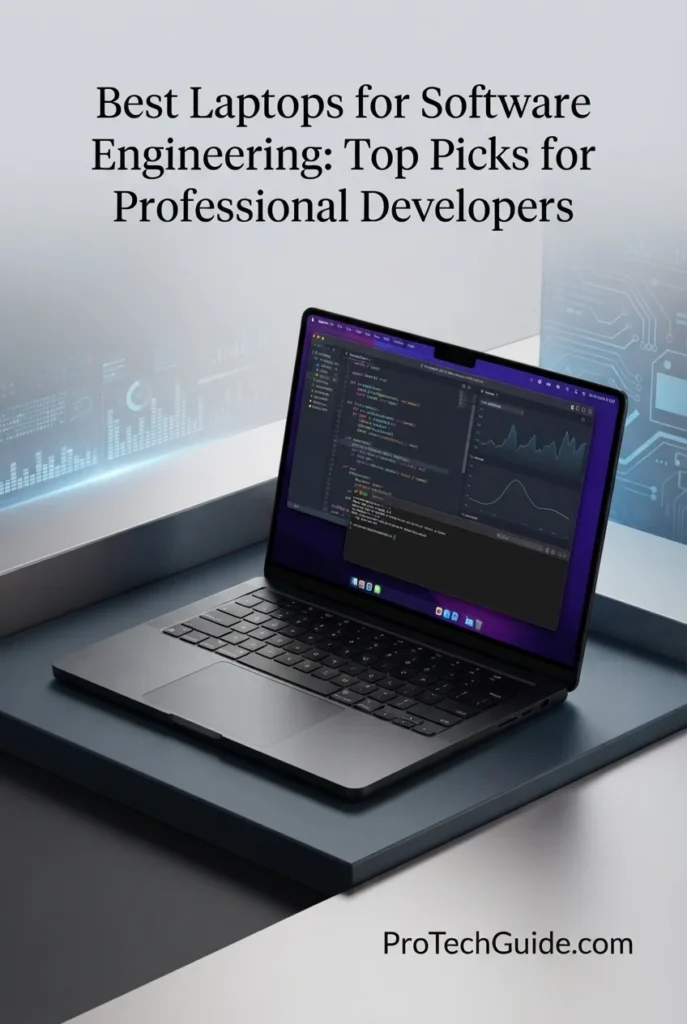
The Apple MacBook Pro 14-inch with the M5 Pro chip, 24GB of unified memory, and 1TB SSD is our Best Overall Laptop for Software Engineering in 2026. Its 15-core CPU, 16-core GPU, high-performance unified memory architecture, fast SSD, and premium 14.2-inch Liquid Retina XDR display create a powerful platform for professional development workflows including IDE-based development, Git, software compilation, testing, Docker, databases, Python, JavaScript, TypeScript, backend development, full-stack applications, and demanding multitasking. The 24GB memory configuration provides a strong balance between performance and portability, allowing developers to keep IDEs, terminals, browsers, containers, database tools, documentation, and development services running simultaneously without moving to a larger workstation-class laptop.

• Ideal for professional software engineers, full-stack developers, backend developers, frontend developers, DevOps professionals, mobile developers, and technical professionals who prefer macOS
• Excellent for Xcode, Visual Studio Code, JetBrains IDEs, Git, Python, JavaScript, TypeScript, Node.js, Docker, databases, terminal-based development, testing, and modern web development workflows
• Particularly well suited to developers who want strong sustained performance, substantial memory headroom, excellent portability, and a Unix-based development environment without moving to a larger 16-inch workstation
• The Apple M5 Pro with a 15-core CPU provides substantial processing capability for software compilation, code analysis, builds, testing, development servers, data processing, and demanding multitasking across professional development applications
• 24GB of unified memory provides valuable headroom for IDEs, browsers, terminals, Docker containers, local databases, virtualized environments, documentation, communication tools, and multiple development services running simultaneously
• The 14.2-inch Liquid Retina XDR display provides excellent text clarity, contrast, brightness, and workspace quality for source code, terminals, documentation, dashboards, debugging tools, and extended development sessions
• The 1TB SSD provides responsive application launches, fast project access, rapid dependency operations, and practical local storage for source repositories, development environments, databases, containers, SDKs, documentation, and professional projects
• macOS provides a Unix-based environment with a powerful Terminal, mature developer tooling, package managers, Git workflows, scripting capabilities, and broad support for modern software engineering tools and frameworks
• Three Thunderbolt 5 ports, HDMI, SDXC, MagSafe 3, Wi-Fi 7, and support for up to three external displays provide the connectivity and workspace flexibility needed for professional development environments

The MacBook Pro 14 earns our Best Overall Laptop for Software Engineering award because it combines high-end processing performance, 24GB of unified memory, fast 1TB storage, excellent portability, professional connectivity, and a powerful Unix-based development environment. For engineers working with modern IDEs, Git, Docker, databases, testing environments, Python, JavaScript, TypeScript, full-stack applications, and professional development tools, it delivers an unusually strong balance of performance and mobility. Its main limitation is platform compatibility: developers who depend on Windows-only engineering software or legacy x86-specific tooling should consider a Windows workstation instead.

Compared with Windows alternatives such as the Lenovo ThinkPad P1 Gen 8 and Dell Premium 16, the MacBook Pro offers a particularly strong combination of processing performance, power efficiency, portability, display quality, and macOS-based development workflows. The ThinkPad P1 Gen 8 is the stronger choice when 64GB of RAM, workstation-class graphics, larger storage capacity, or extensive virtualization headroom are priorities, while the MacBook Pro is better suited to developers who value a compact professional system and Unix-based workflow. Developers who rely on Windows-only applications or specific x86 virtualization environments should also evaluate platform compatibility before choosing macOS.

• Apple M5 Pro chip• 15-core CPU• 16-core GPU• 16-core Neural Engine• High-performance unified architecture• Neural Accelerators in the GPU• Hardware-accelerated ray tracing• Strong single-threaded and multithreaded performanceThe Apple M5 Pro provides substantial processing performance for professional software engineering workloads including code compilation, project builds, code analysis, testing, local development servers, scripting, data processing, and demanding multitasking. Its 15-core CPU configuration provides strong performance for IDE-based development while the integrated GPU and Neural Engine add useful capability for graphics, machine learning, AI-assisted development, and other accelerated workloads.
• 24GB unified memory• Shared CPU and GPU memory architecture• High-bandwidth memory design• Strong multitasking capability• Excellent for professional IDE workflows• Suitable for Docker and local development services• Useful headroom for databases and testing environmentsThe 24GB unified memory configuration provides a strong balance for professional software engineering. Developers can keep an IDE, multiple browser windows, terminals, documentation, communication applications, Docker containers, local databases, and development services open simultaneously. It is particularly well suited to engineers who need more headroom than a typical 16GB configuration while still prioritizing a compact and portable system.
• Visual Studio Code• JetBrains IDEs• Xcode• Git and Git-based workflows• Python development• JavaScript and TypeScript• Node.js• Docker• Local databases• Testing and debugging• Terminal-based developmentThe MacBook Pro provides an excellent environment for modern software engineering. Developers can work with Visual Studio Code, JetBrains IDEs, Xcode, Git, Python, JavaScript, TypeScript, Node.js, Docker, database clients, testing frameworks, package managers, and command-line development tools while taking advantage of the system's high CPU performance and unified memory architecture.For containerized or virtualized workloads, Apple Silicon compatibility should still be considered. Most modern development tools support ARM64 environments, but some legacy x86-specific binaries, images, or virtual machines may require emulation or alternative configurations.
• Software compilation• Project builds• Code indexing• Unit testing• Integration testing• Local development servers• Multiple IDE windows• Browser-based development tools• Background development servicesThe M5 Pro provides the processing capability needed for frequent builds, code indexing, automated testing, local services, and large development projects. The combination of a high-performance CPU and 24GB of unified memory is especially valuable when developers move beyond simple coding and begin running several parts of a professional development environment simultaneously.Engineers can compile applications while keeping their IDE, terminal sessions, browser documentation, database tools, containers, and communication applications active, making the system well suited to real-world software engineering rather than lightweight coding alone.
• 1TB SSD• Fast application launches• Rapid project access• Responsive development environments• Fast source repository access• Suitable for SDKs and dependencies• Practical capacity for professional projectsThe 1TB SSD provides a strong starting point for professional software engineering. It offers practical local space for source repositories, IDEs, SDKs, package dependencies, Docker-related development files, databases, virtual environments, documentation, test projects, and applications while maintaining responsive everyday performance.Developers managing very large local datasets, numerous virtual machines, extensive container libraries, or multiple large projects may eventually benefit from external high-speed storage or a larger-capacity workstation.
• macOS• Unix-based development environment• Native Terminal• Git support• Shell scripting• Python development• Node.js development• Docker support• Xcode• Modern developer toolingmacOS provides a mature Unix-based environment that is particularly attractive to software engineers who work heavily with terminals, Git, scripting, package managers, development frameworks, and command-line tools. Developers can build modern web, backend, mobile, and cross-platform applications while maintaining a clean professional development environment.The platform is especially compelling for engineers working within Apple's ecosystem because Xcode and Apple's development frameworks are designed specifically for macOS.However, macOS is not universally the best choice. Engineers who depend on Windows-only enterprise applications, certain legacy x86 development environments, or specialized Windows software should choose a Windows-based laptop instead.
• 14.2-inch Liquid Retina XDR display• 3024 × 1964 native resolution• 254 pixels per inch• Up to 120Hz ProMotion• 1,000,000:1 contrast ratio• Up to 1,600 nits peak HDR brightness• Up to 1,000 nits sustained brightness• Wide P3 color gamut• True Tone technologyThe 14.2-inch Liquid Retina XDR display provides an excellent workspace for source code, terminals, IDE interfaces, documentation, dashboards, debugging tools, and technical applications. Its high pixel density keeps text and interface elements exceptionally sharp, while the 120Hz ProMotion display provides smooth scrolling and interaction when navigating large projects and documentation.For developers who spend most of the day working across multiple code windows, however, connecting external displays can provide a substantially larger desktop workspace. The M5 Pro configuration supports up to three external displays.
• Three Thunderbolt 5 ports• HDMI port• SDXC card slot• MagSafe 3• 3.5mm headphone jack• Wi-Fi 7• Bluetooth 6• Support for up to three external displaysThe MacBook Pro provides strong connectivity for professional software engineering environments. Thunderbolt 5 enables high-speed connections to compatible docks, storage devices, displays, and other peripherals, while HDMI provides a direct display connection without requiring a dock.Wi-Fi 7 and Bluetooth 6 provide modern wireless connectivity, while support for up to three external displays with the M5 Pro allows developers to create expansive multi-monitor workspaces for IDEs, terminals, documentation, databases, monitoring dashboards, and testing environments.
• Compact 14.2-inch professional design• Space Black finish• Backlit Magic Keyboard• Touch ID• Large Force Touch trackpad• MagSafe 3 charging• Up to 24 hours of battery life according to Apple• Professional aluminum construction• Strong mobility for software engineersThe MacBook Pro combines high-end performance with a relatively compact professional form factor. Its 14-inch design makes it easier to carry between offices, meetings, client environments, home workspaces, and travel while retaining the processing and memory capacity required for demanding development workflows.Apple rates the 2026 MacBook Pro for up to 24 hours of battery life, although real-world endurance varies according to workload, applications, display settings, and connected peripherals. For engineers who regularly move between locations, the combination of performance and portability is one of this configuration's strongest advantages.
Ideal for:• Professional software engineers• Full-stack developers• Backend developers• Frontend developers• Python developers• JavaScript and TypeScript developers• DevOps professionals• iOS and macOS developers• Git-based development workflows• Docker users• Developers who prefer macOS• Professionals who value portabilityThe Apple MacBook Pro 14-inch with the M5 Pro, 24GB of unified memory, and 1TB SSD is an exceptional choice for professional software engineering when the development environment is compatible with macOS and Apple Silicon. Its combination of CPU performance, memory capacity, storage speed, display quality, connectivity, portability, and Unix-based development environment makes it our strongest overall recommendation for software engineers in 2026.
Best Laptop for Heavy Software Engineering (2026)

Lenovo ThinkPad P1 Gen 8

Best for Heavy Development, Virtualization & Enterprise Engineering Workflows
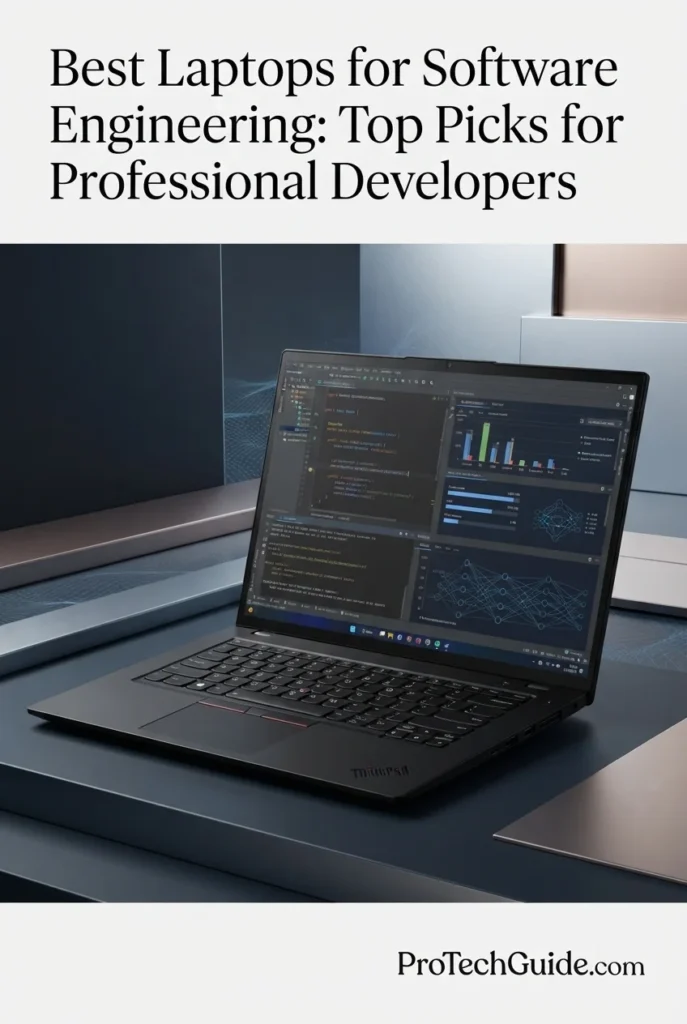
The Lenovo ThinkPad P1 Gen 8 with the Intel Core Ultra 9 285H, 64GB of memory, 2TB Gen5 SSD, and NVIDIA RTX PRO 2000 Blackwell graphics is our Best Laptop for Heavy Software Engineering in 2026. Designed as a professional mobile workstation, this configuration provides the combination of CPU performance, substantial memory capacity, fast storage, professional GPU acceleration, and enterprise-oriented features required for demanding development environments. Its 16-inch 3.2K Tandem OLED touchscreen, 100% DCI-P3 coverage, and 40–120Hz VRR display also provide an unusually capable workspace for developers who spend long hours working across IDEs, terminals, documentation, dashboards, virtual machines, and technical applications. With 64GB of RAM and 2TB of high-speed Gen5 storage, it has significantly more headroom than mainstream development laptops for large projects, containers, databases, local services, and complex multitasking.

• Ideal for professional software engineers, enterprise developers, backend engineers, DevOps professionals, cloud developers, systems engineers, technical architects, and developers managing large local development environments
• Excellent for demanding IDE workflows, software compilation, Git repositories, Docker containers, virtual machines, WSL2, local databases, testing environments, enterprise applications, and GPU-accelerated development workloads
• Particularly well suited to developers who need 64GB of memory, workstation-class NVIDIA graphics, extensive local storage, and substantial multitasking headroom rather than prioritizing the smallest or lightest development machine
• The Intel Core Ultra 9 285H provides a high-performance 16-core platform for compilation, code indexing, builds, testing, local services, virtualization, and demanding multitasking across professional development environments
• 64GB of LPDDR5X-7467 memory provides substantial headroom for multiple IDEs, browsers, Docker containers, virtual machines, databases, development servers, testing environments, and large projects running simultaneously
• The NVIDIA RTX PRO 2000 Blackwell GPU with 8GB of GDDR7 memory adds professional GPU acceleration for CUDA-capable workloads, graphics development, AI experimentation, visualization, and development environments that can take advantage of dedicated graphics
• The 2TB PCIe Gen5 performance SSD provides generous local capacity and fast storage performance for source repositories, IDEs, SDKs, dependencies, containers, databases, virtual machines, build artifacts, and large development projects
• The 16-inch 3.2K Tandem OLED touchscreen with 100% DCI-P3 coverage and 40–120Hz VRR provides a spacious, high-resolution workspace for code, technical documentation, dashboards, terminals, and professional applications
• ThinkPad business features including a backlit keyboard, fingerprint reader, ThinkShield security, Intel vPro capabilities, extensive connectivity, and Windows 11 Pro make it particularly suitable for enterprise software engineering environments

The ThinkPad P1 Gen 8 earns our Best Laptop for Heavy Software Engineering award because it approaches software development as a workstation workload rather than simply a coding task. Its 64GB of memory, 2TB Gen5 SSD, Core Ultra 9 285H processor, and RTX PRO 2000 Blackwell graphics provide substantial headroom for virtualization, containers, databases, compilation, testing, local services, and demanding multitasking. For engineers managing complex enterprise projects or multiple development environments simultaneously, this configuration offers considerably more expansion room than a typical productivity laptop.

Compared with the Apple MacBook Pro 14-inch with M5 Pro, the ThinkPad P1 Gen 8 is the more workstation-oriented choice for engineers who need 64GB of memory, professional NVIDIA graphics, extensive Windows and Linux development options, and greater flexibility for demanding virtualization and enterprise workflows. The MacBook Pro remains the better choice for developers who prioritize portability, power efficiency, and the macOS Unix-based environment. The P1 Gen 8 is also substantially more compelling when the development workflow benefits from NVIDIA CUDA, professional GPU acceleration, Windows-specific tooling, or large virtualized environments.

• Intel Core Ultra 9 285H vPro processor• 16 CPU cores• Up to 5.4GHz maximum turbo frequency• 24MB Intel Smart Cache• Intel H-series architecture• Intel AI Boost NPU• Strong multicore development performance• Designed for professional workstation workloadsThe Intel Core Ultra 9 285H provides the processing foundation required for demanding professional software engineering. Its 16-core design and high turbo frequency are well suited to software compilation, code indexing, project builds, automated testing, local development servers, data processing, and intensive multitasking. The processor also provides an integrated NPU for supported AI workloads, complementing the system's dedicated NVIDIA professional GPU.
• 64GB LPDDR5X-7467 memory• LPCAMM2 memory technology• Dual-channel memory configuration• Up to 64GB supported in this configuration• Excellent virtualization headroom• Strong Docker multitasking capability• Suitable for local databases and development services• Large-project development capacityThe 64GB memory configuration is one of the ThinkPad P1 Gen 8's strongest advantages for professional software engineering. Developers can allocate substantial memory to virtual machines while keeping IDEs, browsers, Docker containers, databases, terminals, development servers, and testing tools active.This capacity is particularly valuable for engineers working on enterprise applications, large codebases, multi-service architectures, local infrastructure environments, or development workflows that require several virtualized systems simultaneously.
• Visual Studio Code• JetBrains IDEs• Visual Studio• Git and Git-based workflows• Docker• WSL2• Python• Java• JavaScript and TypeScript• Node.js• .NET development• Local databases• Testing frameworksThe ThinkPad P1 Gen 8 provides an excellent Windows-based environment for modern software engineering. Developers can combine professional IDEs, Git repositories, Docker containers, WSL2 environments, databases, package managers, terminals, testing frameworks, and local development servers while taking advantage of the system's large memory capacity.Its Windows 11 Pro platform also makes it particularly attractive to enterprise developers who need Windows-native applications while still benefiting from Linux-based development environments through WSL2 or compatible virtual machines.
• 64GB system memory• Hardware virtualization support• Hyper-V compatible Windows environment• WSL2• Docker containers• Local Linux environments• Multiple development services• Large-memory virtual machinesThe ThinkPad P1 Gen 8 is particularly well suited to developers who use virtualization as part of their daily workflow. The 64GB memory configuration provides considerably more room for virtual machines, WSL2 environments, Docker workloads, databases, and local services than typical 16GB or 32GB development systems.This makes it an excellent choice for engineers who reproduce production-like environments locally, test different operating systems, maintain isolated development environments, or work with multi-service applications.Virtualization performance will still depend on the number and resource requirements of the virtual machines being run simultaneously, but the P1 Gen 8 provides the hardware headroom needed for substantially more demanding setups.
• NVIDIA RTX PRO 2000 Blackwell Generation GPU• 8GB GDDR7 graphics memory• Dedicated professional graphics• NVIDIA CUDA support• AI acceleration• GPU-accelerated workloads• Professional visualization capabilityThe NVIDIA RTX PRO 2000 Blackwell adds a capability that conventional software engineering laptops generally do not prioritize: dedicated professional GPU acceleration. It can benefit developers working with CUDA-enabled applications, GPU computing, AI experimentation, visualization, graphics programming, simulation, and other workloads capable of using NVIDIA hardware acceleration.For conventional web, backend, database, and enterprise development, the dedicated GPU is not essential. Its value becomes much greater when software engineering overlaps with machine learning, computer vision, graphics, game technology, simulation, or GPU-accelerated computing.
• 2TB PCIe Gen5 performance SSD• NVMe storage• Fast project access• Rapid application launches• Large local repository capacity• Suitable for virtual machines• Suitable for Docker environments• Large database and development filesThe 2TB Gen5 SSD provides both substantial capacity and high-speed local storage for professional engineering environments. Developers can maintain large source repositories, multiple IDEs, SDKs, package dependencies, Docker-related files, databases, virtual machines, build artifacts, and testing environments without reaching storage limits as quickly as they would on a 512GB or 1TB configuration.The ThinkPad P1 Gen 8 platform also supports two M.2 storage slots, giving the workstation additional storage expansion potential depending on configuration and drive selection.
• 16-inch 3.2K display• 3200 × 2000 resolution• Tandem OLED technology• 100% DCI-P3 color gamut• 40–120Hz VRR• 600 nits SDR brightness• Up to 1500 nits HDR peak brightness• 100,000:1 contrast ratio• Touchscreen• DisplayHDR 600The 16-inch 3.2K Tandem OLED display provides a spacious and exceptionally detailed workspace for professional software engineering. The 3200 × 2000 resolution gives developers more room for source code, IDE panels, terminals, documentation, browser windows, and dashboards, while the 16:10 aspect ratio provides useful vertical workspace for long code files and development interfaces.The 100% DCI-P3 color gamut, high contrast, and variable 40–120Hz refresh rate also make the display unusually versatile for engineers whose work extends into visualization, graphics, content creation, or GPU-accelerated applications.
• Windows 11 Pro• WSL2 support• Linux development environments• Hyper-V virtualization• Enterprise software compatibility• Git and command-line workflows• Windows-native development tools• Professional IT management featuresWindows 11 Pro makes the ThinkPad P1 Gen 8 particularly suitable for enterprise software engineering environments. Developers can use Windows-native development tools while accessing Linux environments through WSL2 or compatible virtualization technologies.Lenovo also lists Linux operating system support for the ThinkPad P1 Gen 8 platform, including Fedora, Ubuntu, and certified Red Hat Enterprise Linux configurations. This makes the P1 Gen 8 a flexible option for teams that need Windows, Linux, or a combination of both in their development workflow.
• 2 × Thunderbolt 5• 1 × Thunderbolt 4• USB-A 10Gbps• HDMI 2.1• SD Express 7.0 card reader• Wi-Fi 7• Bluetooth• DisplayPort support• 140W USB-C power delivery• Kensington Nano Security SlotThe ThinkPad P1 Gen 8 provides extensive connectivity for professional development environments. Two Thunderbolt 5 ports and an additional Thunderbolt 4 port allow developers to connect high-speed storage, docks, multiple displays, and other peripherals, while HDMI 2.1 provides a direct external-display connection.Wi-Fi 7 provides modern wireless connectivity, while enterprise-oriented features such as Intel vPro capabilities, ThinkShield security, fingerprint authentication, TPM-based protection, and a self-healing BIOS make the platform particularly appropriate for managed professional environments.
• Backlit ThinkPad keyboard• Spill-resistant keyboard design• Fingerprint reader• Aluminum chassis• 90Wh battery• 140W USB-C GaN power adapter• Starting weight around 4.06 pounds• 16-inch professional workstation form factorThe ThinkPad P1 Gen 8 combines workstation-class hardware with a relatively mobile 16-inch design. Lenovo lists a starting weight of approximately 4.06 pounds and a 90Wh battery, allowing the system to remain practical for engineers who need to move between offices, meetings, client environments, and home workspaces.Its backlit ThinkPad keyboard, fingerprint authentication, professional security features, and robust connectivity further reinforce its role as a serious engineering workstation rather than a conventional consumer laptop.
Ideal for:• Professional software engineers• Enterprise developers• Backend developers• DevOps engineers• Systems engineers• Technical architects• Developers using virtual machines• Docker and WSL2 users• Large-codebase development• Database-heavy development environments• GPU-accelerated development• Developers who need 64GB of memory• Professionals who need Windows and Linux flexibilityThe Lenovo ThinkPad P1 Gen 8 with the Core Ultra 9 285H, 64GB of memory, 2TB Gen5 SSD, and NVIDIA RTX PRO 2000 Blackwell graphics is an outstanding choice for engineers who need workstation-level headroom. Its combination of processing performance, memory capacity, storage, professional graphics, virtualization flexibility, enterprise security, and extensive connectivity makes it our strongest recommendation for heavy software engineering workloads in 2026.
Best Business Laptop for Software Engineering (2026)

Lenovo ThinkPad T16 Gen 5

Best Business Laptop for Professional Software Engineering, Enterprise Development & Daily Productivity
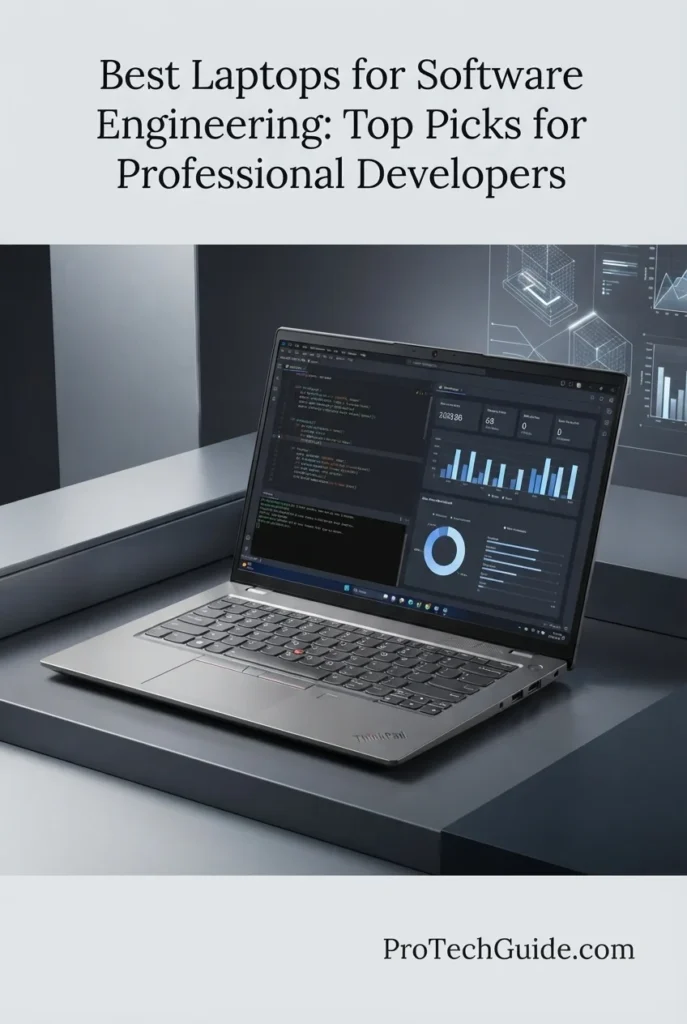
The Lenovo ThinkPad T16 Gen 5 with the AMD Ryzen 7 PRO 250, 32GB of DDR5 memory, and 512GB SSD is our top business-focused recommendation for software engineering in 2026. Its combination of professional-grade Ryzen PRO processing, generous 32GB memory, integrated Radeon 780M graphics, Windows 11 Pro, and a large 16-inch WUXGA touchscreen creates a highly practical platform for everyday development, IDE-based workflows, Git, web development, database tools, testing, multitasking, and enterprise software environments. The 32GB configuration is particularly valuable for developers who regularly keep an IDE, browser sessions, terminals, documentation, local development services, and productivity applications open simultaneously while maintaining the business-oriented design and connectivity expected from a ThinkPad.

• Ideal for professional software engineers, enterprise developers, business developers, web developers, IT professionals, and remote engineering teams who prioritize reliability and productivity
• Well suited to IDEs, Git, JavaScript and TypeScript development, Python, Java, SQL, web applications, APIs, testing environments, terminals, documentation, and everyday development workflows
• Particularly attractive to developers who want a large 16-inch workspace, 32GB of memory, Windows 11 Pro, business-focused security, and ThinkPad ergonomics without moving to a dedicated mobile workstation
• The AMD Ryzen 7 PRO 250 provides a strong foundation for software development, compilation, code analysis, application testing, multitasking, and professional productivity workloads
• 32GB of DDR5 memory provides substantial multitasking headroom for IDEs, browsers, terminals, local development environments, databases, documentation, communication tools, and multiple applications running simultaneously
• The 16-inch WUXGA touchscreen provides a spacious working area for source code, terminal windows, documentation, browser tabs, dashboards, and productivity applications while maintaining a practical 16:10 workspace
• The 512GB SSD provides responsive application launches, project access, file operations, development environments, source repositories, documentation, and everyday professional storage
• Windows 11 Pro provides broad compatibility with enterprise software, development tools, Microsoft-based environments, WSL workflows, virtualization tools, and professional business applications
• ThinkPad-oriented ergonomics, fingerprint security, anti-glare display treatment, Ethernet, HDMI, USB connectivity, and Thunderbolt connectivity make the T16 particularly well suited to office-based and hybrid development environments

The ThinkPad T16 Gen 5 earns our Best Business Laptop for Software Engineering award because it focuses on the parts of professional development that matter most in an enterprise environment: dependable processing performance, 32GB of memory, a large 16-inch workspace, Windows 11 Pro, business-oriented security, extensive connectivity, and the familiar ThinkPad productivity experience. It is not designed to replace a dedicated workstation for GPU-intensive development, but it provides a more balanced and practical platform for developers whose daily work revolves around code, applications, databases, documentation, testing, and enterprise workflows.

Compared with the Lenovo ThinkPad P1 Gen 8, the ThinkPad T16 Gen 5 is a more business-focused choice rather than a mobile workstation, with integrated Radeon 780M graphics instead of professional NVIDIA RTX PRO graphics. Its advantage is the balance between a large 16-inch workspace, 32GB of memory, Windows 11 Pro, business-oriented features, and everyday development productivity. Developers who require heavy virtualization, GPU-accelerated workloads, or substantially more workstation-class performance should step up to the ThinkPad P1, while developers focused primarily on software engineering and enterprise productivity can save complexity by choosing the T16.

• AMD Ryzen 7 PRO 250 processor• Up to 5.1GHz maximum boost frequency• 8MB L2 cache• 16MB L3 cache• AMD Radeon 780M integrated graphics• Professional software development performance• Strong multitasking capabilityThe AMD Ryzen 7 PRO 250 provides a strong foundation for professional software engineering workloads. It is well suited to everyday compilation, code analysis, application development, testing, database tools, browser-heavy workflows, and multitasking across multiple development applications. For developers working primarily with IDEs, terminals, web applications, APIs, databases, and business software, the processor provides a practical balance between performance and the business-oriented design of the ThinkPad T16.
• 32GB DDR5 SDRAM• 5600MHz memory speed• 2 memory slots• Up to 64GB listed maximum memory• Strong multitasking capability• Suitable for IDEs and development tools• Additional headroom for professional workflowsThe 32GB memory configuration is one of the ThinkPad T16 Gen 5's strongest advantages for software engineering. Developers can comfortably keep an IDE, multiple browser windows, terminals, documentation, communication applications, databases, and local development services open at the same time. This capacity is particularly useful for engineers who regularly move between coding, testing, debugging, documentation, and project management without constantly closing applications to reclaim memory.
• IDE-based development• Git and source-control workflows• Python development• Java development• JavaScript and TypeScript• SQL and database tools• Web and backend development• Application testingThe ThinkPad T16 Gen 5 is designed around the type of software engineering work that dominates modern professional development environments. Its Ryzen 7 PRO processor and 32GB memory configuration provide a strong platform for IDEs, Git repositories, terminals, local development servers, database clients, testing tools, browsers, documentation, and business applications. It is particularly well matched to developers building web applications, APIs, enterprise software, internal tools, and data-driven applications.
• Windows 11 Pro• Professional Windows environment• Enterprise software compatibility• Development tool compatibility• WSL support• Business applications• Professional security featuresWindows 11 Pro makes the ThinkPad T16 Gen 5 particularly attractive for developers working in organizations built around Microsoft's ecosystem. The platform is well suited to enterprise development environments, Microsoft-oriented tooling, business applications, remote administration, and Windows-based development workflows. Developers who also use Linux command-line tools can take advantage of Windows Subsystem for Linux while maintaining access to the broader Windows software ecosystem.
• 16-inch display• 1920 × 1200 WUXGA resolution• IPS display technology• 60Hz refresh rate• Up to 500 nits brightness• Anti-glare coating• Touchscreen supportThe 16-inch WUXGA touchscreen provides a spacious development workspace for source code, terminals, documentation, browser windows, dashboards, and productivity applications. The 1920 × 1200 resolution provides a practical 16:10 workspace that is particularly useful for software engineering because additional vertical space can reduce the need for excessive scrolling through source code and documentation. The anti-glare treatment and high brightness rating also make the display appropriate for varied professional environments.
• 512GB SSD• Fast application access• Responsive project loading• Suitable for development tools• Local source repositories• Documentation and project files• Professional everyday storageThe 512GB SSD provides responsive storage for operating-system files, IDEs, development tools, source repositories, documentation, project files, databases, and everyday applications. For developers whose primary projects are stored in Git repositories or managed through cloud and enterprise infrastructure, 512GB can provide a practical starting point. Developers maintaining multiple virtual machines, large local databases, extensive SDK collections, or very large development environments may benefit from additional storage capacity.
• AMD Radeon 780M graphics• Integrated graphics architecture• Shared system memory• Suitable for everyday development• Business and productivity workloads• External display support• Not designed as a dedicated GPU workstationThe integrated AMD Radeon 780M graphics are well suited to everyday software engineering, productivity, web development, application interfaces, multimedia, and standard external-display workflows. The T16 is intentionally positioned as a business development laptop rather than a GPU workstation. Developers working with CUDA, advanced 3D development, game engines, GPU rendering, or other graphics-intensive workloads should choose a laptop with a dedicated NVIDIA or AMD GPU instead.
• Fingerprint recognition• HDMI output• Ethernet connectivity• USB connectivity• Thunderbolt connectivity• Wi-Fi and Bluetooth• Professional ThinkPad designThe ThinkPad T16 Gen 5 is particularly well suited to office and enterprise environments because connectivity and security are treated as important parts of the platform. Ethernet provides a direct wired-network option, HDMI supports external displays and conference-room equipment, while USB and Thunderbolt connectivity allow developers to connect peripherals, storage devices, displays, and docking solutions. Fingerprint recognition adds convenient biometric authentication for professional Windows workflows.
Ideal for:• Professional software engineers• Enterprise developers• Business software developers• Web developers• Backend developers• Python developers• Java developers• JavaScript and TypeScript developers• SQL and database workflows• Developers working in Windows environments• Remote and hybrid development teams• Professionals who value a large 16-inch workspaceThe Lenovo ThinkPad T16 Gen 5 with the AMD Ryzen 7 PRO 250, 32GB of DDR5 memory, and 512GB SSD is an excellent choice for software engineers who want a business-focused development machine rather than a dedicated workstation. Its combination of processing performance, generous memory, large 16-inch display, Windows 11 Pro, professional connectivity, biometric security, and ThinkPad-oriented productivity makes it particularly compelling for enterprise development and everyday professional engineering workflows.
Best Value Business Laptop for Software Engineering (2026)

Lenovo ThinkPad E16 Gen 2

Best Value Laptop for Professional Development, Multitasking & Business Engineering Workflows
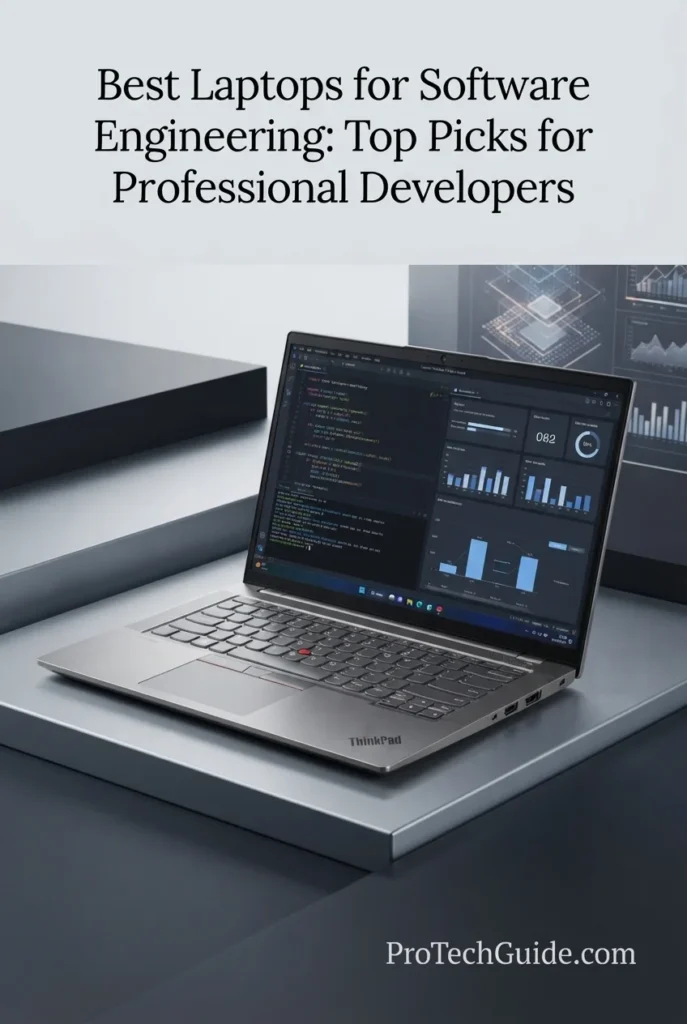
The Lenovo ThinkPad E16 Gen 2 with the AMD Ryzen 7 7735HS, 64GB of DDR5 memory, and 1TB PCIe 4.0 SSD is our Best Value Business Laptop for Software Engineering in 2026. Its 8-core, 16-thread Ryzen processor, unusually generous 64GB memory configuration, fast 1TB SSD, integrated Radeon 680M graphics, and large 16-inch WUXGA display create a practical development platform for professional coding, IDEs, Git, Python, Java, JavaScript, SQL, databases, testing, browser-heavy workflows, and business applications. The 64GB configuration is especially compelling for developers who routinely run multiple development environments, local services, databases, containers, browsers, and productivity applications simultaneously and want substantial memory headroom without paying for a dedicated workstation.

• Ideal for professional developers, enterprise software engineers, web developers, backend developers, IT professionals, students entering professional development, and remote engineering teams seeking strong value
• Well suited to IDEs, Git, Python, Java, JavaScript, TypeScript, SQL, local databases, web development, API development, testing, terminals, documentation, and everyday business software
• Particularly attractive to developers who prioritize 64GB of RAM, 1TB storage, a large 16-inch workspace, Windows 11 Pro, extensive connectivity, and business-oriented ergonomics over dedicated GPU performance
• The AMD Ryzen 7 7735HS provides 8 cores and 16 threads for compilation, code analysis, application development, multitasking, testing, and demanding everyday professional workloads
• 64GB of DDR5-4800 memory gives developers exceptional multitasking headroom for IDEs, browsers, terminals, databases, local services, development environments, and communication applications running simultaneously
• The 1TB PCIe 4.0 NVMe SSD provides responsive application launches, project access, source repositories, development environments, documentation, and local project storage
• The 16-inch WUXGA 1920 × 1200 display provides a spacious 16:10 workspace that is particularly useful for source code, terminal windows, documentation, browser tabs, and productivity applications
• Windows 11 Pro provides broad compatibility with enterprise software, Microsoft-oriented development environments, professional applications, and Windows-based engineering workflows
• Wi-Fi 6E, Ethernet, HDMI 2.1, USB-A, dual USB-C with DisplayPort support, a backlit keyboard, and fingerprint authentication make the E16 particularly practical for office, home, and hybrid development environments

The ThinkPad E16 Gen 2 earns our Best Value Business Laptop for Software Engineering award because it puts an unusually large amount of memory and storage into a business-oriented development platform without stepping into workstation-class pricing or hardware. The combination of 64GB DDR5, a 1TB PCIe 4.0 SSD, Ryzen 7 7735HS processing, a large 16-inch display, Windows 11 Pro, and extensive connectivity makes it especially compelling for developers whose biggest priority is sustained multitasking rather than dedicated GPU acceleration.

Compared with the Lenovo ThinkPad T16 Gen 5, the ThinkPad E16 Gen 2 offers a particularly strong value proposition with twice the memory capacity in this selected configuration and 1TB of SSD storage, making it attractive for developers who run heavier multitasking workloads. The T16 remains the more business-focused step-up choice for professionals who prioritize the newer Ryzen PRO platform and enterprise-oriented positioning, while the ThinkPad E16 Gen 2 is the better value choice for developers who want maximum memory and storage capacity for everyday software engineering. Neither should be considered a replacement for the ThinkPad P1 Gen 8 when professional GPU acceleration or workstation-class development workloads are central to the workflow.

• AMD Ryzen 7 7735HS processor• 8 CPU cores• 16 CPU threads• 3.2GHz base frequency• Up to 4.75GHz maximum frequency• 4MB L2 cache• 16MB L3 cache• AMD Radeon 680M integrated graphicsThe AMD Ryzen 7 7735HS provides a strong foundation for professional software engineering and business development workloads. Its 8-core, 16-thread design is well suited to compilation, code analysis, application development, testing, multitasking, and running multiple professional applications simultaneously. For developers whose workloads are centered on IDEs, databases, web applications, APIs, terminals, and business software, it provides a capable performance platform without the additional complexity of a dedicated GPU workstation.
• 64GB DDR5 memory• DDR5-4800 memory• Two SODIMM memory slots• Dual-channel capable platform• Up to 64GB supported by the platform• Exceptional multitasking capacity• Strong headroom for development environmentsThe selected 64GB configuration is one of the ThinkPad E16 Gen 2's most important advantages for software engineering. Developers can keep demanding IDEs, browser sessions, terminals, databases, local services, containers, documentation, communication tools, and testing environments open simultaneously with substantially more memory headroom than typical 16GB or 32GB configurations. Lenovo's platform documentation confirms two DDR5 SODIMM slots and support for up to 64GB DDR5-4800. :contentReference[oaicite:1]{index=1}
• IDE-based development• Git and source-control workflows• Python development• Java development• JavaScript and TypeScript• SQL and database tools• Web development• Backend and API development• Application testingThe ThinkPad E16 Gen 2 is particularly well matched to mainstream professional software engineering. Its processor and 64GB memory configuration provide substantial headroom for IDEs, source-control tools, terminals, browsers, local databases, development servers, testing frameworks, SDKs, and documentation. It is a strong fit for web development, backend services, APIs, enterprise applications, internal business software, and general full-stack workflows.
• 1TB PCIe 4.0 NVMe SSD• M.2 PCIe 4.0 interface• Fast application loading• Responsive project access• Local source repositories• Development environments• Database and project storageThe selected 1TB PCIe 4.0 SSD provides a strong balance between capacity and responsiveness for professional development. It gives developers room for IDEs, SDKs, source repositories, project files, local databases, documentation, virtual environments, and everyday applications without forcing them to rely on external storage for routine engineering work. The ThinkPad E16 Gen 2 platform also supports up to two M.2 SSDs, although this specific Amazon configuration should be treated as the 1TB configuration being reviewed here. :contentReference[oaicite:2]{index=2}
• 16-inch display• 1920 × 1200 WUXGA resolution• 16:10 aspect ratio• IPS display technology• Anti-glare surface• 60Hz refresh rate• Large development workspaceThe 16-inch WUXGA display provides a practical workspace for software engineering, particularly when several windows need to remain visible at once. The 16:10 aspect ratio provides additional vertical workspace for source code, terminal output, documentation, browser tabs, and development tools compared with a conventional 16:9 panel. The anti-glare design also makes the laptop appropriate for extended work sessions across office and home environments.
• Windows 11 Pro• Enterprise software compatibility• Microsoft development ecosystem• Professional business applications• WSL support• Development tool compatibility• Business-oriented securityWindows 11 Pro makes the ThinkPad E16 Gen 2 particularly practical for developers working within Windows-based organizations. It provides broad compatibility with professional applications, enterprise software, Microsoft-oriented development environments, and development tools. Developers who prefer Linux command-line workflows can also use Windows Subsystem for Linux while maintaining access to the broader Windows ecosystem.
• AMD Radeon 680M integrated graphics• Shared system memory• DirectX 12 support• Everyday graphics performance• External display support• Suitable for productivity and development• Not a dedicated GPU workstationThe integrated Radeon 680M graphics are appropriate for software engineering, productivity, web development, business applications, media playback, and standard external-display workflows. The E16 is not intended to compete with laptops equipped with dedicated NVIDIA RTX graphics. Developers working with CUDA, advanced game engines, GPU rendering, intensive 3D workloads, or GPU-accelerated machine learning should choose a dedicated-GPU system instead.
• Wi-Fi 6E• Bluetooth 5.3• Gigabit Ethernet• HDMI 2.1• USB-A connectivity• Dual USB-C ports• DisplayPort 1.4 support• USB Power DeliveryThe ThinkPad E16 Gen 2 offers the connectivity developers need for both desk-based and hybrid workflows. The platform includes Ethernet, HDMI 2.1, USB-A, and dual USB-C connectivity with DisplayPort support, allowing developers to connect external monitors, docks, storage devices, networking equipment, and other peripherals. Lenovo's specifications confirm HDMI 2.1 and USB-C DisplayPort connectivity alongside RJ-45 Ethernet. :contentReference[oaicite:3]{index=3}
• Backlit keyboard• Numeric keypad• Fingerprint reader• IR facial recognition• TPM 2.0• FHD 1080p IR hybrid camera• Privacy shutter• ThinkPad business designThe ThinkPad E16 Gen 2 adds several features that matter during long professional development sessions. The backlit keyboard and numeric keypad support productivity, while fingerprint authentication, TPM 2.0, and an IR camera with privacy features provide additional security and convenience for business environments. The large 16-inch chassis also gives developers a comfortable workspace for extended coding and remote-work sessions.
Ideal for:• Professional software engineers• Value-focused developers• Enterprise software developers• Web developers• Backend developers• Python developers• Java developers• JavaScript and TypeScript developers• SQL and database workflows• Full-stack developers• Remote development teams• Developers who need 64GB of RAM• Windows-based development environmentsThe Lenovo ThinkPad E16 Gen 2 with the AMD Ryzen 7 7735HS, 64GB DDR5 memory, and 1TB PCIe 4.0 SSD is a particularly strong choice for developers who want maximum multitasking capacity and storage without moving into a dedicated workstation category. Its combination of 8-core processing, 64GB memory, 1TB SSD storage, large 16-inch display, Windows 11 Pro, business connectivity, and ThinkPad-oriented productivity features makes it one of the most compelling value-focused business laptops for software engineering in 2026.
Best Premium Windows Laptop for Software Engineering (2026)

Dell Premium 16 (XPS 16 2025)

Best Premium Windows Laptop for Full-Stack Development & Demanding Professional Workflows
The Dell Premium 16 (XPS 16 2025) with the Intel Core Ultra 9 285H, 32GB of LPDDR5X memory, 1TB SSD, and NVIDIA GeForce RTX 5060 is our Best Premium Windows Laptop for Software Engineering in 2026. Its 16-core processor, 32GB of memory, dedicated RTX 5060 graphics, fast 1TB SSD, and expansive 16.3-inch 4K OLED touchscreen create a premium development environment for full-stack engineering, IDE-based development, application builds, testing, databases, browser-heavy workflows, software tools, and GPU-accelerated workloads. The combination is particularly compelling for developers who want a visually exceptional Windows workstation without moving to a traditional business or mobile workstation design.

• Ideal for professional software engineers, full-stack developers, application developers, web developers, technical professionals, and Windows-based development teams seeking a premium platform
• Well suited to Visual Studio, VS Code, JetBrains IDEs, Git, Python, Java, JavaScript, TypeScript, SQL, databases, web development, application testing, and demanding multitasking
• Particularly attractive to developers who want a large high-resolution OLED workspace, dedicated NVIDIA graphics, Windows 11 Pro, premium design, and strong performance for both development and GPU-accelerated workloads
• The Intel Core Ultra 9 285H provides 16 cores and boost speeds up to 5.4GHz, giving demanding development workloads substantial processing capacity for compilation, builds, code analysis, testing, and multitasking
• 32GB of LPDDR5X memory provides strong headroom for professional IDEs, browsers, terminals, databases, development environments, communication tools, and multiple applications running simultaneously
• The NVIDIA GeForce RTX 5060 with 8GB of GDDR7 provides dedicated GPU resources for developers working with game engines, graphics programming, GPU-accelerated applications, local AI workloads, and other software that can benefit from NVIDIA acceleration
• The 1TB SSD provides responsive application launches, project access, source repositories, development environments, local databases, documentation, and everyday professional file storage
• The 16.3-inch 4K OLED touchscreen provides an expansive high-resolution workspace that is particularly useful for code, documentation, dashboards, browser windows, terminals, and multi-application development workflows
• Windows 11 Pro, Wi-Fi 7, three Thunderbolt 4 ports with DisplayPort 2.1 and Power Delivery, fingerprint authentication, and a backlit keyboard make the Premium 16 a strong fit for modern professional development environments

The Dell Premium 16 earns our Best Premium Windows Laptop for Software Engineering award because it combines high-end development performance with a genuinely premium Windows experience. The Core Ultra 9 285H, 32GB of memory, RTX 5060, 1TB SSD, and 16.3-inch 4K OLED display give professional developers a strong balance of CPU performance, multitasking capacity, dedicated GPU acceleration, visual workspace, and premium design. It is especially compelling for full-stack developers who want one machine capable of handling serious development alongside graphics-intensive or GPU-accelerated workloads.

Compared with the Lenovo ThinkPad P1 Gen 8, the Dell Premium 16 places greater emphasis on premium display quality, visual experience, and high-end everyday productivity, while the ThinkPad P1 remains the stronger choice for developers who prioritize workstation-class configurations, 64GB of memory, professional RTX PRO graphics, virtualization, and heavier enterprise development workloads. Compared with the Lenovo ThinkPad T16 Gen 5 and ThinkPad E16 Gen 2, the Dell provides a more premium display and substantially stronger dedicated graphics capability, making it better suited to developers who want their engineering laptop to also handle GPU-intensive applications.

• Intel Core Ultra 9 285H• 16 total cores• 16 total threads• Up to 5.4GHz turbo frequency• 24MB Intel Smart Cache• Intel Arc 140T integrated graphics• Intel AI BoostThe Intel Core Ultra 9 285H provides a strong processing foundation for demanding professional software engineering workloads. Its 16-core design and boost frequency of up to 5.4GHz make the Dell Premium 16 well suited to compilation, code analysis, application builds, testing, local development environments, multitasking, and everyday work across demanding professional applications.For developers who regularly keep an IDE, browser sessions, terminals, databases, communication tools, documentation, and local services open simultaneously, the processor provides substantial performance headroom while remaining part of a premium mobile platform.
• 32GB LPDDR5X memory• High-speed integrated memory• Strong multitasking capability• Excellent for professional IDEs• Suitable for databases and local services• Strong headroom for browser-heavy workflows• Well suited to demanding development environmentsThe 32GB memory configuration gives the Dell Premium 16 a strong position for professional software engineering. Developers can run IDEs, browsers, terminals, databases, documentation, communication applications, testing tools, and local development environments simultaneously without relying on a minimal memory configuration.The 32GB capacity is particularly appropriate for full-stack developers who regularly work across frontend and backend environments, run multiple services locally, or maintain several development tools open throughout the workday.
• NVIDIA GeForce RTX 5060• 8GB GDDR7 graphics memory• Dedicated NVIDIA GPU• 45W graphics power in this configuration• GPU-accelerated applications• Game engine development• Graphics programming• Local AI and compute workloadsThe NVIDIA GeForce RTX 5060 gives the Dell Premium 16 a capability that many conventional software engineering laptops do not provide: dedicated NVIDIA graphics. This makes the system particularly interesting for developers who occasionally move beyond conventional IDE and application development into GPU-accelerated workflows.Game engine development, graphics programming, selected AI workloads, CUDA-enabled applications, rendering tools, and other GPU-aware software can benefit from the dedicated RTX architecture. For developers whose work is primarily CPU-based, however, the RTX 5060 should be viewed as additional capability rather than a requirement.
• Visual Studio• Visual Studio Code• JetBrains IDEs• Git and Git-based workflows• Python• Java• JavaScript and TypeScript• SQL and database development• Web development• Application testingThe Dell Premium 16 provides a strong environment for modern full-stack development. Developers can work across frontend and backend projects while maintaining IDEs, terminals, browsers, database tools, source-control utilities, documentation, and testing environments simultaneously.Windows 11 Pro also provides broad compatibility with Windows-based development software and enterprise environments. Developers working with Microsoft technologies, .NET applications, Windows-specific tooling, or enterprise software can particularly benefit from the platform's native Windows environment.
• 1TB M.2 SSD• Fast application launches• Responsive project access• Rapid source repository access• Local development environments• Database and project storage• Professional file managementThe 1TB SSD provides a practical amount of local storage for professional software engineering. It gives developers room for IDEs, programming languages, SDKs, source repositories, project files, documentation, development environments, local databases, and everyday applications.For developers working with particularly large datasets, virtual machines, extensive media assets, or multiple large development environments, external storage or additional storage planning may still be appropriate. For typical professional application and full-stack development, however, 1TB provides a strong starting point.
• 16.3-inch display• 3840 × 2400 resolution• 4K UHD+ OLED panel• Touchscreen• 48–120Hz refresh rate• 400-nit brightness• High-resolution workspace• Excellent for code and documentationThe 16.3-inch 4K OLED display is one of the Dell Premium 16's defining advantages. Its large high-resolution workspace provides excellent room for source code, documentation, browser windows, dashboards, terminals, and development applications.The 3840 × 2400 resolution provides high pixel density for crisp text and detailed interfaces, while the OLED panel delivers the deep contrast and visual quality expected from a premium display. The 48–120Hz variable refresh range also provides a smoother experience when scrolling through documentation, navigating large projects, or moving between applications.For developers who spend long periods reading and writing code, the large 16.3-inch workspace can be particularly valuable compared with smaller 13- or 14-inch development laptops.
• Windows 11 Pro• Broad enterprise software compatibility• Microsoft development ecosystem• Windows Terminal• WSL support• Native Windows applications• Professional security featuresWindows 11 Pro makes the Dell Premium 16 particularly attractive to developers working within Microsoft-oriented and enterprise environments. Visual Studio, .NET development, Windows Terminal, WSL-based Linux workflows, Microsoft databases, enterprise applications, and a wide range of professional development tools are naturally supported within the Windows ecosystem.WSL can also provide developers with access to Linux distributions and command-line environments without requiring a separate physical Linux machine. This makes the Premium 16 a flexible platform for developers who move between Windows applications and Linux-oriented development workflows.
• 3 Thunderbolt 4 Type-C ports• DisplayPort 2.1 support• Power Delivery• Wi-Fi 7• Bluetooth 5.4• Universal audio jack• External display support• Modern high-speed connectivityThe Dell Premium 16 provides a modern connectivity platform centered around three Thunderbolt 4 Type-C ports. These ports support DisplayPort 2.1 and Power Delivery, giving developers flexibility when connecting external displays, storage, docking solutions, and other professional peripherals.Wi-Fi 7 provides modern high-speed wireless connectivity, while Bluetooth 5.4 supports current wireless peripherals. For a professional workstation setup, the Thunderbolt connectivity also makes it practical to build a desk environment around a compatible dock and external displays.
• Platinum Silver chassis• Backlit English keyboard• Integrated fingerprint reader• Windows Hello support• Express Sign-In• Ambient light sensor• Premium large-screen design• Professional productivity focusThe Premium 16 is designed to provide a more refined experience than a conventional performance laptop. Its Platinum Silver chassis, backlit keyboard, integrated fingerprint reader, Windows Hello compatibility, and Express Sign-In features make it well suited to professional environments.The large 16.3-inch chassis also creates a comfortable workspace for developers who spend extended periods working with code, documentation, terminals, and productivity applications. The system is better viewed as a premium professional computer with dedicated graphics than as a traditional gaming laptop.
Ideal for:• Professional software engineers• Full-stack developers• Application developers• Web developers• Python developers• Java developers• .NET developers• Database developers• Developers using Visual Studio• Developers using JetBrains IDEs• Game engine developers• GPU-accelerated development• Professionals who prefer Windows 11 ProThe Dell Premium 16 (XPS 16 2025) with Core Ultra 9 285H, 32GB memory, 1TB SSD, and RTX 5060 is an excellent choice for developers who want a premium Windows environment with strong CPU performance, dedicated NVIDIA graphics, a large 4K OLED display, and substantial multitasking capacity.It is particularly compelling for full-stack developers who want more than a conventional business laptop can provide while still maintaining a refined professional design. Developers who require very large memory configurations, workstation-class professional graphics, or especially demanding virtualization workloads should step up to the Lenovo ThinkPad P1 Gen 8, while developers prioritizing maximum value may find the ThinkPad E16 Gen 2 more attractive.
Best High-Performance Laptop for Software Engineering (2026)

Lenovo Yoga Pro 9i 16-inch

Best High-Performance Laptop for Demanding Development, GPU Workloads & Professional Productivity
The Lenovo Yoga Pro 9i 16-inch with the Intel Core Ultra 9 285H, 32GB of LPDDR5X memory, 1TB PCIe Gen4 SSD, and NVIDIA GeForce RTX 5060 is our Best High-Performance Laptop for Software Engineering in 2026. Its 16-core processor, dedicated NVIDIA graphics, high-speed 32GB memory, fast SSD, and 16-inch 3.2K Tandem OLED touchscreen create a powerful platform for professional development, demanding multitasking, application builds, software testing, game engine development, GPU-accelerated workloads, and content-heavy engineering environments. The combination is particularly compelling for developers who want substantial CPU and GPU performance without moving into a traditional workstation design.

• Ideal for professional software engineers, full-stack developers, application developers, game developers, technical professionals, and power users who regularly run demanding development workloads
• Well suited to Visual Studio, VS Code, JetBrains IDEs, Git, Python, Java, JavaScript, TypeScript, SQL, databases, testing environments, game engines, and GPU-accelerated development
• Particularly attractive to developers who want strong CPU performance, dedicated NVIDIA graphics, 32GB of high-speed memory, a large premium OLED display, and Windows 11 Pro in a high-performance mobile design
• The Intel Core Ultra 9 285H provides 16 cores with P-cores reaching up to 5.4GHz, delivering substantial processing capacity for compilation, builds, code analysis, testing, multitasking, and demanding professional applications
• 32GB of LPDDR5X-8400 memory provides strong multitasking headroom for IDEs, browsers, terminals, databases, local services, virtual development environments, and communication applications running simultaneously
• The NVIDIA GeForce RTX 5060 with 8GB of GDDR7 provides dedicated GPU acceleration for game engines, graphics programming, rendering, selected AI workloads, CUDA-enabled applications, and other software capable of using GPU resources
• The 1TB PCIe Gen4 SSD provides responsive application launches, fast project access, development environments, source repositories, SDKs, databases, and everyday professional storage
• The 16-inch 3.2K Tandem OLED touchscreen delivers a spacious high-resolution workspace with up to 1000 nits HDR brightness, 120Hz refresh, and full coverage of Adobe RGB, DCI-P3, and sRGB color spaces
• Windows 11 Pro, Wi-Fi 7, a backlit keyboard, 5MP RGB-IR camera, touchscreen input, and a relatively portable 4.25-pound chassis create a flexible platform for demanding development both at a desk and away from one

The Lenovo Yoga Pro 9i earns our Best High-Performance Laptop for Software Engineering award because it delivers a rare combination of high-end CPU performance, dedicated RTX graphics, fast memory, a premium 3.2K Tandem OLED display, and a relatively mobile 16-inch design. For developers whose workloads extend beyond conventional IDE work into GPU acceleration, game engines, demanding multitasking, technical applications, or other performance-intensive workflows, it provides significantly more capability than a typical business development laptop while maintaining a polished professional design.

Compared with the Dell Premium 16, the Yoga Pro 9i offers a similarly powerful Core Ultra 9 285H and RTX 5060 combination but distinguishes itself with its 3.2K Tandem OLED display, 120Hz refresh rate, 1000-nit HDR capability, and high-speed LPDDR5X-8400 memory. The Lenovo ThinkPad P1 Gen 8 remains the stronger choice for developers who need 64GB of memory, professional RTX PRO graphics, and workstation-oriented virtualization or enterprise workloads, while the Yoga Pro 9i is better positioned for developers who want high performance with a more premium multimedia and visual experience.

• Intel Core Ultra 9 285H• 16-core processor• P-cores up to 5.4GHz• E-cores up to 4.5GHz• Intel Core Ultra Series 2 architecture• Intel AI capabilities• High-performance multitaskingThe Intel Core Ultra 9 285H gives the Yoga Pro 9i a powerful foundation for professional software engineering. Its 16-core design and high boost frequencies provide substantial processing capacity for compilation, application builds, code analysis, software testing, local development environments, and demanding multitasking.For developers working across large IDE projects while keeping browsers, terminals, databases, documentation, communication applications, and development services active, the processor provides the performance headroom expected from a high-performance development laptop.
• 32GB LPDDR5X memory• 8400MT/s memory speed• Soldered memory• 32GB maximum in this configuration• Strong multitasking capability• Excellent for professional IDEs• Suitable for demanding development environmentsThe 32GB LPDDR5X-8400 configuration provides substantial memory capacity for professional software engineering. Developers can maintain IDEs, browsers, terminals, databases, local services, documentation, testing tools, and communication applications open simultaneously while retaining useful memory headroom.The high-speed memory complements the Core Ultra 9 processor and dedicated GPU. Because this configuration uses soldered memory and is specified with 32GB as its maximum capacity, developers who know they will require more than 32GB for large virtual-machine environments or unusually memory-intensive workloads should consider a platform such as the ThinkPad P1 Gen 8 instead.
• NVIDIA GeForce RTX 5060 Laptop GPU• 8GB GDDR7 graphics memory• Dedicated NVIDIA graphics• GPU-accelerated applications• Game engine development• Graphics programming• Rendering workloads• Selected AI and CUDA workloadsThe dedicated NVIDIA GeForce RTX 5060 significantly expands the Yoga Pro 9i's development capabilities beyond conventional CPU-focused programming. Developers working with game engines, graphics applications, GPU-aware software, rendering workloads, and selected AI or CUDA-based tools can take advantage of dedicated NVIDIA graphics resources.For conventional web, backend, database, and application development, the RTX 5060 is not essential. Its value comes from giving the developer additional GPU capability when the development environment can use it.
• Visual Studio• Visual Studio Code• JetBrains IDEs• Git and source control• Python• Java• JavaScript and TypeScript• SQL• Web and application development• Software testingThe Yoga Pro 9i provides a strong Windows environment for modern software development. Visual Studio, VS Code, JetBrains IDEs, programming languages, SDKs, Git clients, database tools, terminals, browsers, and testing frameworks can all run within the system's high-performance configuration.The combination of Core Ultra 9 processing and 32GB of memory is particularly useful for developers who move between frontend, backend, API, database, and testing environments throughout the same development session.
• NVIDIA RTX 5060• 8GB GDDR7• Game engine development• Graphics programming• GPU acceleration• Rendering• Visual development environments• High-performance development workflowsThe Yoga Pro 9i is particularly interesting for software engineers whose work overlaps with graphics or game development. The dedicated RTX 5060 gives developers significantly more GPU capability than integrated-graphics business laptops, making the system suitable for workflows involving game engines, real-time graphics, GPU-aware applications, and selected rendering workloads.This makes the Yoga Pro 9i a more versatile choice for developers who want their primary engineering laptop to support both conventional software development and graphics-intensive technical projects.
• 16-inch display• 3200 × 2000 resolution• Tandem OLED technology• 120Hz refresh rate• Up to 1000 nits brightness• HDR 1000 True Black• 100% Adobe RGB• 100% DCI-P3• 100% sRGB• TouchscreenThe 16-inch 3.2K Tandem OLED display is one of the Yoga Pro 9i's strongest differentiators. Its 3200 × 2000 resolution provides a spacious and highly detailed workspace for source code, documentation, terminals, browser windows, dashboards, and development applications.The 120Hz refresh rate provides smooth navigation through large projects and documentation, while the high-coverage color gamut and HDR capability make the display particularly attractive to developers who also work with visual content, graphics, game development, or other color-sensitive applications.
• 1TB M.2 2242 PCIe Gen4 SSD• TLC NAND storage• Fast application launches• Responsive project access• Development environment storage• Local databases and repositories• SDK and application storageThe 1TB PCIe Gen4 SSD provides a strong foundation for professional software development. It offers room for IDEs, SDKs, programming environments, source repositories, project files, local databases, testing environments, documentation, and everyday applications.Developers working with very large virtual machines, extensive datasets, or multiple large development environments may eventually benefit from external storage or a larger-capacity storage strategy. For mainstream professional development, however, the 1TB configuration provides a practical balance of capacity and responsiveness.
• Windows 11 Pro 64-bit• Visual Studio compatibility• Windows Terminal• WSL support• Microsoft development ecosystem• Enterprise software compatibility• Professional security featuresWindows 11 Pro gives the Yoga Pro 9i broad compatibility with professional development environments and enterprise software. Developers working with Visual Studio, .NET, Microsoft technologies, Windows applications, WSL, database tools, and enterprise platforms can use the operating system's native capabilities while also accessing Linux-oriented workflows through WSL.This combination makes the Yoga Pro 9i particularly flexible for developers who need both Windows-native applications and Linux-style command-line tooling within the same development environment.
• Wi-Fi 7• Bluetooth 5.4• HDMI connectivity• USB connectivity• External display support• High-speed wireless networking• Modern peripheral supportThe Yoga Pro 9i provides modern connectivity for professional development environments, including Wi-Fi 7 and Bluetooth 5.4. External displays, keyboards, mice, storage devices, printers, and other peripherals can be integrated into a desktop development setup.For developers who frequently move between locations, the combination of high-speed wireless networking and a large built-in display also reduces dependence on a permanent workstation setup.
• Approximately 4.25-pound configuration• 16-inch professional form factor• Luna Grey finish• Backlit keyboard• Touchscreen• 5MP RGB-IR camera• Dual-array microphones• Camera e-shutter• 84Wh batteryThe Yoga Pro 9i balances performance with a relatively mobile 16-inch design. At approximately 4.25 pounds in the specified configuration, it remains practical for developers who need substantial screen space and dedicated graphics without carrying a traditional workstation-class laptop.The backlit keyboard, 5MP RGB-IR camera, dual-array microphones, e-shutter, touchscreen, and 84Wh battery further reinforce its role as a premium professional computer for developers who divide their time between focused engineering work, meetings, collaboration, and mobile productivity.
Ideal for:• Professional software engineers• Full-stack developers• Application developers• Python developers• Java developers• .NET developers• Game developers• Graphics programmers• GPU-accelerated development• Technical professionals• Developers who need dedicated NVIDIA graphics• Professionals who prefer Windows 11 ProThe Lenovo Yoga Pro 9i 16-inch with the Core Ultra 9 285H, 32GB LPDDR5X-8400, 1TB SSD, and RTX 5060 is an excellent choice for software engineers who want high CPU and GPU performance in a premium 16-inch platform.Its combination of processing power, dedicated graphics, fast memory, 3.2K Tandem OLED display, Windows 11 Pro, and modern connectivity makes it particularly strong for developers whose workloads extend beyond conventional coding into game engines, graphics, GPU acceleration, demanding multitasking, and visually intensive technical applications.For developers who need 64GB of memory, professional RTX PRO graphics, or a more workstation-focused platform for virtualization and enterprise engineering, the Lenovo ThinkPad P1 Gen 8 remains the stronger choice. For developers seeking a similarly premium Windows experience with a strong focus on full-stack development, the Dell Premium 16 is the closest alternative.
Best Laptop for Developers Who Also Game (2026)

ASUS ROG Zephyrus G16

Best Laptop for Game Development, GPU-Accelerated Workflows & Gaming
The ASUS ROG Zephyrus G16 with the Intel Core Ultra 9 285H, NVIDIA GeForce RTX 5070, 16GB of LPDDR5X memory, and 1TB PCIe 4.0 SSD is our Best Laptop for Developers Who Also Game in 2026. Unlike a conventional software engineering laptop, the Zephyrus G16 combines strong CPU performance with dedicated NVIDIA graphics, making it particularly compelling for developers working with game engines, graphics programming, GPU-accelerated applications, CUDA-based workloads, selected local AI tools, and gaming alongside traditional software development. Its 16-inch 2.5K OLED display, 240Hz refresh rate, 100% DCI-P3 coverage, fast response time, and modern connectivity further reinforce its role as a versatile development and entertainment platform.

• Ideal for software engineers, game developers, graphics programmers, technical developers, AI enthusiasts, and professionals who want one laptop for development, GPU-intensive applications, and gaming
• Well suited to Visual Studio, VS Code, JetBrains IDEs, Git, Python, Java, JavaScript, TypeScript, C++, game engines, graphics development, CUDA-enabled applications, and GPU-accelerated workflows
• Particularly attractive to developers who value dedicated NVIDIA graphics and a high-refresh OLED display while still wanting a relatively portable 16-inch platform for professional development and everyday productivity
• The Intel Core Ultra 9 285H provides 16 cores and boost speeds up to 5.4GHz, delivering substantial processing capacity for compilation, builds, code analysis, testing, multitasking, and demanding development environments
• The NVIDIA GeForce RTX 5070 Laptop GPU with 8GB of GDDR7 provides dedicated graphics acceleration for game engines, graphics programming, rendering, CUDA-enabled applications, selected AI workloads, and other software capable of using GPU resources
• The 16GB LPDDR5X memory configuration provides a capable foundation for modern IDEs, browsers, terminals, development tools, and everyday software engineering, although developers running numerous virtual machines or exceptionally large local environments may benefit from a higher-memory platform
• The 1TB PCIe 4.0 SSD provides responsive application launches, project access, source repositories, SDKs, development environments, games, and professional files while offering substantially more practical capacity than smaller entry-level configurations
• The 16-inch 2.5K OLED display combines 2560 × 1600 resolution, 240Hz refresh, 0.2ms response time, 100% DCI-P3 coverage, and VESA DisplayHDR True Black 500 support, creating an excellent workspace for code while also serving demanding gaming and visual workloads
• Thunderbolt 4, USB-C with DisplayPort and Power Delivery, HDMI 2.1, USB-A, an SD card reader, Wi-Fi 7, and a backlit keyboard give developers the connectivity and flexibility needed for external displays, peripherals, storage, development equipment, and gaming setups

The Zephyrus G16 earns our Best Laptop for Developers Who Also Game award because it bridges two workloads that are often separated into different machines. Its Core Ultra 9 processor and dedicated RTX 5070 provide the CPU and GPU resources needed for demanding development, game engines, graphics programming, and GPU-accelerated applications, while the 2.5K 240Hz OLED display makes it equally compelling for gaming and visual work. It is not the best choice for every software engineer, but for developers whose professional and personal workloads genuinely benefit from dedicated graphics, it is one of the most versatile options in this lineup.

Compared with the Lenovo ThinkPad P1 Gen 8, the Zephyrus G16 places greater emphasis on gaming, high-refresh visual performance, and GPU-oriented development, while the ThinkPad remains the stronger choice for developers who need 64GB of memory, professional RTX PRO graphics, virtualization headroom, and workstation-oriented enterprise workflows. Compared with the Lenovo Yoga Pro 9i, the Zephyrus G16 offers a similarly performance-focused approach but targets developers who place greater importance on gaming and GPU-intensive development. For conventional web, backend, database, and enterprise development, the ThinkPad T16 Gen 5 or ThinkPad E16 Gen 2 can be more practical choices.

• Intel Core Ultra 9 285H• 16 CPU cores• 16 threads• Up to 5.4GHz boost frequency• 24MB cache• Intel AI Boost NPU• High-performance multitaskingThe Intel Core Ultra 9 285H gives the Zephyrus G16 a strong processing foundation for professional software engineering. With 16 cores and boost speeds reaching up to 5.4GHz, the processor provides substantial capacity for compilation, application builds, code analysis, testing, multitasking, and demanding development environments.For developers working with large IDE projects while keeping browsers, terminals, documentation, communication applications, local services, and development tools active, the processor provides the performance expected from a high-performance development laptop.The processor is particularly valuable when software engineering extends beyond conventional web development into game development, graphics programming, content creation, or other workloads that benefit from substantial CPU resources.
• NVIDIA GeForce RTX 5070 Laptop GPU• 8GB GDDR7 graphics memory• Dedicated NVIDIA graphics• Up to 105W GPU power configuration• CUDA-capable development environment• Game engine development• Graphics programming• GPU-accelerated applicationsThe dedicated NVIDIA GeForce RTX 5070 is the feature that most clearly separates the Zephyrus G16 from conventional software engineering laptops. It provides substantial GPU resources for developers working with game engines, graphics programming, GPU-aware applications, rendering, CUDA-enabled software, and selected AI workloads.ASUS specifies the RTX 5070 configuration at up to 105W, giving the GPU considerably more relevance for sustained development workloads than an integrated graphics solution. :contentReference[oaicite:1]{index=1}For conventional web, backend, database, and business application development, dedicated graphics are not essential. Their value becomes much greater when the developer's workflow includes game engines, real-time graphics, GPU computation, rendering, or other software capable of using NVIDIA acceleration.
• Visual Studio• Visual Studio Code• JetBrains IDEs• Git and source control• Python• Java• JavaScript and TypeScript• C and C++• SQL• Web and application development• Software testingThe Zephyrus G16 provides a powerful Windows environment for modern software engineering. Visual Studio, VS Code, JetBrains IDEs, programming languages, SDKs, Git clients, database tools, terminals, browsers, and testing frameworks can all run on the system's high-performance hardware.Its combination of a Core Ultra 9 processor and dedicated RTX graphics also gives developers the option to move beyond conventional application development into graphics programming, game development, GPU-accelerated tools, and other technically demanding environments.The 16GB memory configuration is capable for mainstream professional development, although developers who routinely run numerous virtual machines, containers, databases, and heavyweight development environments simultaneously should consider a higher-memory workstation such as the ThinkPad P1 Gen 8.
• Game engine development• Unreal Engine workflows• Unity development• Graphics programming• Real-time rendering• NVIDIA GPU acceleration• Dedicated 8GB GDDR7 graphics memory• High-refresh OLED displayThe Zephyrus G16 is particularly well suited to software engineers whose development work overlaps with gaming and real-time graphics.The RTX 5070 provides the dedicated GPU resources needed by demanding game engines and graphics-oriented development environments, while the Core Ultra 9 285H supplies substantial CPU performance for compilation, asset processing, simulation, testing, and general development tasks.This combination makes the G16 significantly more versatile than an integrated-graphics business laptop for developers who build games, experiment with real-time rendering, develop graphics applications, or work with GPU-aware software.
• NVIDIA RTX 5070• 8GB GDDR7 VRAM• CUDA ecosystem• GPU acceleration• Selected local AI workloads• Machine learning experimentation• GPU-aware development toolsThe RTX 5070 also makes the Zephyrus G16 relevant to developers experimenting with GPU-accelerated computing and selected local AI workflows.NVIDIA's CUDA ecosystem can be valuable for software engineers developing or testing applications that take advantage of GPU computation. The 8GB GDDR7 graphics memory provides useful capacity for supported workloads, although developers working with very large AI models or memory-intensive machine-learning environments may require a workstation or desktop GPU with substantially more VRAM.This makes the G16 a strong development platform for experimentation and GPU-aware software without positioning it as a replacement for specialized AI workstations.
• 16-inch OLED display• 2560 × 1600 resolution• 16:10 aspect ratio• 240Hz refresh rate• 0.2ms response time• 100% DCI-P3• Delta E < 1 accuracy• 500-nit brightness• VESA DisplayHDR True Black 500• NVIDIA G-SYNCThe 16-inch 2.5K ROG Nebula OLED display is one of the Zephyrus G16's strongest advantages for developers who also game or work with visual applications.The 2560 × 1600 resolution provides a spacious 16:10 workspace for source code, terminals, documentation, browser windows, development tools, and game-engine interfaces. The 240Hz refresh rate and 0.2ms response time also make the display exceptionally responsive for gaming and real-time graphics.ASUS specifies 100% DCI-P3 coverage, Delta E below 1, 500-nit peak brightness on the listed configuration, VESA DisplayHDR True Black 500 support, and G-SYNC support for the Nebula OLED panel. :contentReference[oaicite:2]{index=2}
• 1TB PCIe 4.0 NVMe SSD• M.2 storage• Fast application launches• Responsive project access• Development environment storage• SDK and repository storage• Game installation capacityThe 1TB PCIe 4.0 SSD provides a practical storage foundation for professional development and gaming. Developers can maintain IDEs, SDKs, source repositories, project files, local databases, development environments, documentation, applications, and games without immediately running into the limitations of a smaller entry-level SSD.ASUS lists two M.2 PCIe slots for the GU605 platform, although the exact configuration and expansion path should be confirmed before purchase for a specific SKU. :contentReference[oaicite:3]{index=3}For developers working with very large datasets, numerous virtual machines, or extensive game libraries, additional storage may eventually become useful.
• Windows 11 Pro• Visual Studio compatibility• Windows Terminal• WSL support• Microsoft development ecosystem• Professional software compatibility• Enterprise application supportWindows 11 Pro gives the Zephyrus G16 broad compatibility with professional development environments, Microsoft tools, enterprise applications, and modern gaming software.Developers can combine Windows-native development tools with Linux-oriented workflows through Windows Subsystem for Linux, making the platform flexible for full-stack, backend, DevOps-oriented, and cross-platform development.The combination is especially useful for developers who need Windows-native applications while also working with Linux command-line tools, containers, repositories, and development environments.
• Thunderbolt 4• USB-C with DisplayPort• USB-C Power Delivery• HDMI 2.1• USB-A connectivity• SD card reader• Wi-Fi 7• 3.5mm audioThe Zephyrus G16 provides a strong selection of modern connectivity for both software engineering and gaming setups.The configuration includes Thunderbolt 4, USB-C with DisplayPort and Power Delivery, HDMI 2.1, USB-A, an SD card reader, and a 3.5mm audio jack. This allows developers to connect external displays, keyboards, mice, storage devices, development hardware, and other peripherals without relying entirely on dongles. :contentReference[oaicite:4]{index=4}Wi-Fi 7 further supports high-speed wireless networking for modern development environments, large repository transfers, cloud services, remote development, and online gaming.
• Slim 16-inch design• Eclipse Gray chassis• Approximately 0.59-inch thin• Approximately 4.08-pound platform weight• 90Wh battery• Fast charging• Liquid metal thermal interface• Tri-Fan Technology• 2nd Gen Arc Flow Fans• 0dB Ambient CoolingThe Zephyrus G16 is designed to deliver dedicated GPU performance without adopting the bulky profile associated with many traditional gaming laptops.ASUS highlights a slim chassis, a 90Wh battery, liquid metal thermal management, Tri-Fan Technology, second-generation Arc Flow Fans, and 0dB Ambient Cooling. The platform is therefore designed to balance portability with sustained performance across demanding gaming, development, and creative workloads. :contentReference[oaicite:5]{index=5}This makes the G16 particularly appealing to developers who move between home, office, university, meetings, and gaming environments and want one machine capable of handling all of them.
Ideal for:• Software engineers who also game• Game developers• Graphics programmers• Unreal Engine developers• Unity developers• GPU-accelerated development• CUDA experimentation• Selected local AI workloads• Full-stack developers who want dedicated graphics• Technical professionals• Developers who value a high-refresh OLED display• Professionals who want one laptop for development and gamingThe ASUS ROG Zephyrus G16 with the Core Ultra 9 285H, RTX 5070, 16GB LPDDR5X, and 1TB SSD is an excellent choice for developers whose workloads extend beyond conventional software engineering into game development, graphics programming, GPU acceleration, local AI experimentation, or gaming.Its combination of CPU performance, dedicated NVIDIA graphics, 2.5K OLED display, 240Hz refresh rate, Windows 11 Pro, modern connectivity, and relatively portable design makes it one of the most versatile options in this lineup.For developers whose priority is virtualization, large local environments, or enterprise engineering with substantial memory requirements, the Lenovo ThinkPad P1 Gen 8 remains the stronger choice. For developers focused primarily on conventional business, web, backend, and database development, the ThinkPad T16 Gen 5 or ThinkPad E16 Gen 2 is a more targeted solution.
Best 2-in-1 Laptop for Software Engineers (2026)

HP OmniBook Ultra Flip 14

Best 2-in-1 Laptop for Flexible Development, Presentations & Mobile Productivity
The HP OmniBook Ultra Flip 14 with the Intel Core Ultra 7 258V, 32GB of memory, and 1TB SSD is our Best 2-in-1 Laptop for Software Engineers in 2026. Its convertible design, 14-inch 3K OLED touchscreen, 32GB memory configuration, efficient Core Ultra processor, integrated Intel Arc graphics, and Windows 11 Pro create a flexible platform for developers who divide their time between software engineering, meetings, presentations, documentation, travel, and mobile productivity. Rather than competing with workstation-class laptops for maximum sustained performance, the OmniBook Ultra Flip focuses on versatility, portability, touch interaction, and a premium professional experience.

• Ideal for software engineers, full-stack developers, consultants, developers who travel frequently, technical professionals, students, and hybrid workers who value a flexible convertible design
• Well suited to Visual Studio, VS Code, JetBrains IDEs, Git, Python, JavaScript, TypeScript, SQL, web development, documentation, presentations, browser-heavy workflows, and everyday professional applications
• Particularly attractive to developers who want 32GB of memory, 1TB storage, a high-resolution OLED touchscreen, Windows 11 Pro, and a lightweight 2-in-1 design rather than dedicated GPU performance
• The Intel Core Ultra 7 258V provides 8 cores, 8 threads, and boost speeds up to 4.8GHz, providing a capable foundation for software development, multitasking, compilation, application testing, and everyday professional workloads
• 32GB of memory provides substantial multitasking headroom for IDEs, browsers, terminals, databases, documentation, communication applications, local development tools, and other software engineering workloads
• The 1TB PCIe Gen4 NVMe SSD provides responsive application launches, project access, source repositories, development environments, SDKs, documentation, and professional file storage
• The 14-inch 2880 × 1800 OLED touchscreen provides a sharp 16:10 workspace with up to 120Hz refresh, making source code, documentation, presentations, dashboards, and visual content comfortable to view while enabling direct touch interaction
• The convertible 2-in-1 design provides greater flexibility for presentations, collaborative reviews, reading documentation, touch-based workflows, and mobile productivity than a conventional clamshell laptop
• Wi-Fi 7, Bluetooth 5.4, Thunderbolt 4/USB4 connectivity, multiple USB-C ports, a backlit keyboard, 9MP IR camera, 64Wh battery, and an approximately 2.97-pound design make it particularly practical for developers who work across multiple locations

The OmniBook Ultra Flip 14 earns our Best 2-in-1 Laptop for Software Engineers award because it solves a different problem from the performance-focused machines in this lineup. Its 32GB memory, 1TB SSD, Core Ultra 7 processor, premium OLED touchscreen, convertible form factor, and lightweight design create a highly flexible development platform for professionals who frequently move between coding, meetings, presentations, documentation, collaboration, and travel. It is not intended to replace the ThinkPad P1 Gen 8 for heavy virtualization or GPU-intensive engineering; its strength is doing more things in more ways.

Compared with the Lenovo ThinkPad T16 Gen 5, the OmniBook Ultra Flip 14 offers a much more flexible convertible design, touchscreen interaction, OLED display, and lighter 14-inch form factor, while the ThinkPad T16 remains better suited to traditional business productivity and long desktop-style development sessions. Compared with the ASUS ROG Zephyrus G16, the HP is considerably more focused on mobility, touch interaction, and professional productivity than dedicated GPU performance or gaming. For developers who need heavy virtualization, workstation graphics, or substantially more sustained performance, the Lenovo ThinkPad P1 Gen 8 remains the stronger choice.

• Intel Core Ultra 7 258V• 8 CPU cores• 8 threads• 4 Performance Cores + 4 Efficient Cores• Up to 4.8GHz Intel Turbo Boost• 12MB Intel Smart Cache• Intel AI Boost NPUThe Intel Core Ultra 7 258V provides the OmniBook Ultra Flip 14 with a capable foundation for professional software engineering. Its 8-core design and boost frequency of up to 4.8GHz are well suited to IDE-based development, application builds, code analysis, testing, browser-heavy workflows, and everyday multitasking.The processor is designed around a balance of performance and efficiency, which is particularly relevant to a convertible laptop intended for mobile professional use. Developers can work with Visual Studio, VS Code, JetBrains IDEs, Git, terminals, browsers, documentation, and communication applications without requiring workstation-class hardware for conventional development workloads.For exceptionally demanding compilation, extensive virtualization, or workloads that depend heavily on sustained multicore performance, a higher-performance workstation such as the ThinkPad P1 Gen 8 remains a more appropriate choice.
• 32GB memory• LPDDR5X memory platform• Onboard memory• Strong multitasking capacity• IDE and browser workloads• Local development environments• Professional productivity applicationsThe 32GB memory configuration is one of the OmniBook Ultra Flip 14's most important advantages for software engineering. Developers can keep IDEs, browsers, terminals, documentation, communication tools, database clients, local services, and development applications active simultaneously without being limited by a basic 16GB configuration.HP's platform specifications identify 32GB LPDDR5X as the maximum supported memory for this series, with the memory integrated into the system rather than provided through conventional user-accessible slots. :contentReference[oaicite:1]{index=1}That makes the selected 32GB configuration particularly important for developers who want to purchase the laptop with their long-term memory requirements already covered.
• Visual Studio• Visual Studio Code• JetBrains IDEs• Git and source control• Python• Java• JavaScript and TypeScript• SQL• Web development• Application development• Software testingThe OmniBook Ultra Flip 14 provides a flexible Windows environment for modern software development. Developers can use Visual Studio, VS Code, JetBrains IDEs, Git, programming languages, SDKs, terminals, database tools, browsers, testing frameworks, and documentation platforms.The combination of 32GB memory and the Core Ultra 7 258V is particularly useful for developers who move between multiple development tools throughout the day rather than concentrating exclusively on highly parallel or GPU-intensive workloads.Windows 11 Pro also makes the system appropriate for developers working with Microsoft-oriented development environments, enterprise applications, professional productivity software, and Windows-native tools.
• Convertible 2-in-1 form factor• 14-inch touchscreen• OLED display• Flexible viewing positions• Presentation-friendly design• Touch-based interaction• Mobile productivity• Collaborative workflowsThe convertible design is the defining characteristic of the OmniBook Ultra Flip 14. Developers can use the laptop in a conventional configuration for coding and keyboard-intensive work, then take advantage of its flexible form factor for presentations, documentation, collaborative reviews, reading, or touch-oriented tasks.This makes the laptop particularly useful for consultants, technical professionals, students, educators, developers who present their work, and engineers who frequently move between individual development and collaborative environments.Its role in this lineup is therefore fundamentally different from the ThinkPad P1 Gen 8 or ASUS ROG Zephyrus G16. The OmniBook Ultra Flip prioritizes flexibility and mobility rather than maximum workstation or gaming performance.
• 14-inch OLED touchscreen• 2880 × 1800 resolution• 16:10 aspect ratio• 48–120Hz variable refresh range• 0.2ms response time• 100% DCI-P3• 400-nit SDR brightness• Up to 500-nit HDR brightness• Edge-to-edge glass• Low-blue-light technologyThe 14-inch 3K OLED touchscreen is one of the OmniBook Ultra Flip's strongest advantages for developers who value display quality and flexibility.The 2880 × 1800 resolution provides a sharp workspace for source code, documentation, browser windows, dashboards, and presentations, while the 16:10 aspect ratio provides useful vertical space for development applications.HP specifies a 48–120Hz refresh range, 0.2ms response time, 100% DCI-P3 coverage, 400-nit SDR brightness, and up to 500-nit HDR brightness for the OmniBook Ultra Flip display family. :contentReference[oaicite:2]{index=2}The touchscreen also adds a layer of interaction that conventional development laptops cannot provide, particularly when reviewing documents, presenting projects, or using compatible touch-oriented applications.
• 1TB PCIe Gen4 NVMe SSD• M.2 storage• Fast application launches• Responsive project access• Development environment storage• SDK and repository storage• Local project filesThe 1TB PCIe Gen4 NVMe SSD provides a practical storage foundation for professional software development.It gives developers room for IDEs, SDKs, programming environments, source repositories, project files, documentation, databases, testing environments, applications, and everyday professional data while maintaining responsive application and file access.HP's OmniBook Ultra Flip platform supports PCIe Gen4 NVMe M.2 storage configurations, including 1TB options. :contentReference[oaicite:3]{index=3}Developers who maintain numerous large virtual machines, extensive datasets, or unusually large local development environments may eventually require external storage or a broader storage strategy.
• Windows 11 Pro• Visual Studio compatibility• Windows Terminal• WSL support• Microsoft development ecosystem• Enterprise software compatibility• Professional security featuresWindows 11 Pro gives the selected OmniBook Ultra Flip configuration broad compatibility with professional development environments and enterprise-oriented software.Developers can combine Windows-native applications with Linux-oriented command-line workflows through Windows Subsystem for Linux, creating a flexible environment for web development, backend development, DevOps-oriented tasks, and cross-platform projects.The operating system is particularly useful for developers who depend on Windows-native software while also requiring access to Linux-style development tools and workflows.
• Thunderbolt 4 / USB4• Up to 40Gbps USB-C connectivity• DisplayPort support• USB-C Power Delivery• Multiple USB-C ports• Wi-Fi 7• Bluetooth 5.4• External display supportThe OmniBook Ultra Flip 14 provides modern connectivity suited to a mobile professional development environment.The selected configuration includes two USB-C ports supporting Thunderbolt 4/USB4-class connectivity and DisplayPort, plus an additional USB-C port with DisplayPort and Power Delivery capabilities. This allows developers to connect external displays, docks, storage devices, peripherals, and other professional equipment.The Intel Wi-Fi 7 BE201 wireless adapter and Bluetooth 5.4 provide modern wireless connectivity for development environments, cloud services, collaboration, remote work, and mobile productivity.
• Approximately 2.97-pound configuration• 14-inch convertible design• Approximately 0.59-inch thin• 64Wh battery• Fast charging support• Atmospheric Blue finish• Backlit keyboard• Haptic touchpad• 9MP IR AI camera• Privacy shutterThe OmniBook Ultra Flip 14 is designed around mobility. At approximately 2.97 pounds and 0.59 inches thick in the configuration provided, it is considerably easier to carry than larger workstation and gaming laptops.The 64Wh battery, backlit keyboard, haptic touchpad, 9MP IR camera, and compact convertible chassis reinforce its role as a professional mobile computer for developers who frequently move between home, office, meetings, classrooms, and client environments.HP's platform documentation also identifies fast charging support and a 64Wh battery for this series. :contentReference[oaicite:4]{index=4}
Ideal for:• Software engineers who value flexibility• Full-stack developers• Web developers• Python developers• Java developers• Technical consultants• Developers who present projects• Hybrid and remote professionals• Mobile developers• Students entering professional development• Developers who value touchscreen interaction• Professionals who want a lightweight 2-in-1The HP OmniBook Ultra Flip 14 with the Core Ultra 7 258V, 32GB memory, 1TB SSD, and Windows 11 Pro is an excellent choice for software engineers who value flexibility as much as conventional computing performance.Its combination of a convertible design, 3K OLED touchscreen, 32GB memory, 1TB storage, Windows 11 Pro, Wi-Fi 7, modern USB-C connectivity, and lightweight 14-inch chassis makes it particularly compelling for developers who combine engineering work with meetings, presentations, collaboration, travel, and mobile productivity.For developers who prioritize heavy virtualization and large local development environments, the Lenovo ThinkPad P1 Gen 8 remains the stronger workstation choice. For developers who need dedicated GPU performance for game engines or graphics workloads, the ASUS ROG Zephyrus G16 is substantially better suited. The OmniBook Ultra Flip's advantage is flexibility rather than maximum performance.
At a Glance

Best Laptops for Software Engineering in 2026

Ranked by CPU Performance, RAM Capacity, Development Workloads, Virtualization, Docker, Storage, Display Quality, Portability & Overall Value

Choosing the best laptop for software engineering in 2026 requires more than looking at processor speed or benchmark scores. Professional developers need a system that can handle demanding IDEs, large codebases, Git workflows, local databases, Docker containers, virtual machines, testing environments, full-stack development, and sustained multitasking without becoming a bottleneck. We evaluated these laptops based on real-world software engineering workloads including programming, compilation, debugging, Docker, virtualization, databases, web development, application development, cloud tooling, AI-assisted development, and professional productivity to help you choose the right machine for your development workflow.

LaptopCPU & Key SpecsBest ForWhy It WinsEditor's Verdict
Best OverallApple MacBook Pro 14-inchCheck Price
Apple M5 Pro
15-Core CPU
16-Core GPU
24GB Unified Memory
1TB SSD
14.2" Liquid Retina XDR
Wi-Fi 7
Professional Developers
Full-Stack Development
Python & Java
macOS Developers
The MacBook Pro combines high-end Apple Silicon performance, 24GB of unified memory, fast SSD storage, excellent battery efficiency, and a professional 14.2-inch display in a highly portable workstation. It is particularly well suited to IDE-heavy development, Git workflows, local development environments, databases, containers, Python, Java, web development, and AI-assisted coding on macOS, while its Unix-based environment is a strong fit for modern developer tooling.Best Overall Laptop for Software Engineering
Best for Heavy DevelopmentLenovo ThinkPad P1 Gen 8Check Price
Intel Core Ultra 9 285H
64GB LPCAMM2 Memory
2TB PCIe Gen5 SSD
RTX PRO 2000 Blackwell 8GB
16" 3.2K OLED Touch
Windows 11 Pro
Wi-Fi 7
Large Codebases
Virtual Machines
Docker & Containers
Enterprise Development
The ThinkPad P1 Gen 8 is designed for software engineers whose workloads extend well beyond everyday IDE use. Its 64GB of memory, 2TB PCIe Gen5 storage, Core Ultra 9 processor, and professional NVIDIA RTX PRO graphics provide substantial headroom for virtualization, Docker environments, local databases, large projects, parallel development tools, testing environments, and other sustained professional workloads.Best Laptop for Heavy Software Engineering
Best BusinessLenovo ThinkPad T16 Gen 5Check Price
AMD Ryzen 7 PRO 250
8-Core / 16-Thread CPU
32GB DDR5
512GB SSD
16" WUXGA Touch
Radeon 780M
Windows 11 Pro
Business Developers
Enterprise Teams
Corporate IT
Professional Productivity
The ThinkPad T16 Gen 5 brings the business-focused reliability and connectivity of Lenovo's ThinkPad platform to software engineering workflows. Its Ryzen 7 PRO processor and 32GB of memory provide a strong foundation for IDEs, Git, databases, browser-heavy development, Microsoft development environments, and enterprise applications, while the large 16-inch display provides useful workspace for code, documentation, terminals, and productivity tools.Best Business Laptop for Software Engineers
Best ValueLenovo ThinkPad E16 Gen 2Check Price
AMD Ryzen 7 7735HS
8-Core / 16-Thread CPU
64GB DDR5
1TB PCIe 4.0 NVMe SSD
16" WUXGA IPS
Radeon 680M
Windows 11 Pro
Budget-Conscious Developers
Multitasking
Web Development
Students & Junior Engineers
The ThinkPad E16 Gen 2 offers an unusually strong memory and storage configuration for developers who want professional multitasking without moving into workstation pricing. Its 64GB of DDR5 memory provides substantial headroom for multiple IDEs, browsers, databases, containers, and development tools, while the Ryzen 7 7735HS and 1TB PCIe 4.0 SSD create a capable foundation for everyday software engineering.Best Value Laptop for Software Engineering
Best Premium WindowsDell Premium 16Check Price
Intel Core Ultra 9 285H
32GB LPDDR5X
1TB SSD
RTX 5060 8GB
16.3" 4K OLED Touch
120Hz
Windows 11 Pro
Full-Stack Developers
Windows Professionals
GPU-Accelerated Development
Premium Workstations
The Dell Premium 16 combines powerful Windows development performance with a high-resolution 16.3-inch 4K OLED touchscreen and dedicated RTX 5060 graphics. Its Core Ultra 9 processor and 32GB of memory provide strong capacity for IDEs, containers, databases, browsers, and simultaneous development applications, while the dedicated GPU adds flexibility for GPU-accelerated workloads, development tools, and creative applications.Best Premium Windows Laptop for Full-Stack Development
Best High-PerformanceLenovo Yoga Pro 9iCheck Price
Intel Core Ultra 9 285H
32GB LPDDR5X-8400
1TB PCIe Gen4 SSD
RTX 5060 8GB
16" 3.2K Tandem OLED
120Hz
Windows 11 Pro
Power Developers
Game Development
GPU Workloads
Advanced Multitasking
The Yoga Pro 9i delivers a powerful combination of CPU performance, dedicated RTX 5060 graphics, 32GB of memory, fast PCIe storage, and a premium 16-inch Tandem OLED display. It is particularly attractive to developers who combine conventional software engineering with game engines, graphics programming, GPU-accelerated workloads, local AI experimentation, or other applications that benefit from dedicated graphics performance.Best High-Performance Laptop for Software Engineering
Best for Developers Who GameASUS ROG Zephyrus G16Check Price
Intel Core Ultra 9 285H
RTX 5070 8GB GDDR7
16GB LPDDR5X
1TB PCIe 4.0 SSD
16" 2.5K OLED
240Hz
Windows 11 Pro
Wi-Fi 7
Game Developers
Graphics Programming
CUDA Workloads
Developers Who Game
The Zephyrus G16 is the specialist choice for developers who need a professional development environment but also want substantial graphics performance for gaming and GPU-oriented workloads. Its Core Ultra 9 processor, RTX 5070 Laptop GPU, 2.5K 240Hz OLED display, and strong connectivity make it especially compelling for game development, graphics programming, CUDA-based workflows, local GPU experimentation, and gaming outside work hours.Best Laptop for Developers Who Also Game
Best 2-in-1HP OmniBook Ultra Flip 14Check Price
Intel Core Ultra 7 258V
32GB LPDDR5X
1TB PCIe NVMe SSD
14" 2.8K OLED Touch
120Hz
Intel Arc Graphics
Windows 11 Pro
Wi-Fi 7
Mobile Developers
Presentations
Hybrid Work
Traveling Professionals
The OmniBook Ultra Flip combines a capable Windows development platform with a flexible 2-in-1 design. Its 32GB of onboard memory, 1TB SSD, high-resolution OLED touchscreen, compact 14-inch form factor, and Thunderbolt 4 connectivity make it well suited to developers who move between coding, meetings, presentations, collaboration, and mobile productivity. It is a flexibility-focused choice rather than a workstation-class performance machine.Best 2-in-1 Laptop for Software Engineers
Keep Exploring

Recommended Next Reads

Finished comparing the best laptops for software engineering? Explore our related developer laptop guides for virtualization, Linux development, AI development, web development, application development, and advanced computing workflows designed around the way professional developers actually work.

Whether you're building full-stack applications, working with Docker and virtual machines, developing for Linux, creating AI-powered software, building web or mobile applications, or running demanding local development environments, these guides can help you match your laptop to the technical requirements of your specific software engineering workflow.

01

EDITOR'S FINAL RECOMMENDATIONS

Our Final Software Engineering Laptop Recommendations for 2026

After comparing these laptops across processor performance, memory capacity, IDE workloads, compilation, Docker, virtualization, databases, storage, operating system compatibility, display quality, connectivity, portability, GPU capability, thermals, and long-term development potential, these are our final recommendations for software engineers in 2026. Whether you build web applications, work with enterprise software, run virtual machines and containers, develop for macOS or Windows, build GPU-accelerated applications, or simply need a reliable professional development workstation, there is an option here for your specific workflow.

BEST FOR HEAVY DEVELOPMENT

Lenovo ThinkPad P1 Gen 8

The workstation choice for software engineers who routinely push beyond conventional development workloads. With 64GB of memory, a 2TB PCIe Gen5 SSD, Intel Core Ultra 9 285H, and NVIDIA RTX PRO 2000 Blackwell graphics, the ThinkPad P1 Gen 8 provides substantial headroom for virtual machines, Docker environments, large codebases, databases, parallel development tools, testing environments, and other demanding professional workflows.

  • ✓ Intel Core Ultra 9 285H
  • ✓ 64GB LPCAMM2 Memory
  • ✓ 2TB PCIe Gen5 SSD
  • ✓ NVIDIA RTX PRO 2000 Blackwell 8GB
  • ✓ 16-inch 3.2K Tandem OLED Display
Best workstation-class laptop for heavy software engineering
BEST BUSINESS LAPTOP

Lenovo ThinkPad T16 Gen 5

The best business-focused laptop for software engineers working in enterprise and corporate environments. Its Ryzen 7 PRO 250 processor and 32GB of memory provide a strong foundation for IDEs, Git, databases, browser-heavy workflows, Microsoft development environments, documentation, communication, and everyday professional development. The large 16-inch display also provides useful workspace for code, terminals, documentation, and multiple applications.

  • ✓ AMD Ryzen 7 PRO 250
  • ✓ 32GB DDR5 Memory
  • ✓ 512GB SSD Storage
  • ✓ 16-inch WUXGA Touch Display
  • ✓ Windows 11 Pro
Best business laptop for professional software engineers
BEST VALUE

Lenovo ThinkPad E16 Gen 2

The value-focused choice for developers who want unusually high memory capacity without stepping into workstation pricing. Its Ryzen 7 7735HS, 64GB of DDR5 memory, and 1TB PCIe 4.0 NVMe SSD provide excellent headroom for multiple IDEs, browsers, databases, terminals, development tools, and multitasking. It is particularly compelling for web developers, junior engineers, students, and professionals who prioritize memory capacity and practical productivity.

  • ✓ AMD Ryzen 7 7735HS
  • ✓ 64GB DDR5 Memory
  • ✓ 1TB PCIe 4.0 NVMe SSD
  • ✓ 16-inch WUXGA IPS Display
  • ✓ Windows 11 Pro
Best value laptop for software engineering and multitasking
BEST PREMIUM WINDOWS

Dell Premium 16

The best premium Windows choice for developers who want powerful hardware, a large high-resolution OLED display, and dedicated graphics in one professional system. Its Core Ultra 9 285H, 32GB of memory, RTX 5060, and 16.3-inch 4K OLED touchscreen create a strong platform for full-stack development, demanding multitasking, GPU-accelerated development tools, local experimentation, and visually intensive professional workflows.

  • ✓ Intel Core Ultra 9 285H
  • ✓ 32GB LPDDR5X Memory
  • ✓ 1TB SSD Storage
  • ✓ NVIDIA RTX 5060 8GB
  • ✓ 16.3-inch 4K OLED Touch Display
Best premium Windows laptop for full-stack development
BEST HIGH-PERFORMANCE

Lenovo Yoga Pro 9i

The high-performance choice for developers who need more than conventional CPU-focused development. Its Core Ultra 9 285H, 32GB LPDDR5X memory, RTX 5060 graphics, fast PCIe storage, and 16-inch 3.2K Tandem OLED display make it particularly attractive for software engineers who also work with game engines, graphics programming, GPU-accelerated applications, local AI experimentation, or other development workloads that benefit from dedicated graphics.

  • ✓ Intel Core Ultra 9 285H
  • ✓ 32GB LPDDR5X-8400 Memory
  • ✓ 1TB PCIe Gen4 SSD
  • ✓ NVIDIA RTX 5060 8GB
  • ✓ 16-inch 3.2K Tandem OLED Display
Best high-performance laptop for advanced software engineering
BEST FOR DEVELOPERS WHO GAME

ASUS ROG Zephyrus G16

The specialist choice for developers who want a serious software engineering platform that can also handle demanding gaming and GPU-oriented workloads. Its Core Ultra 9 285H, RTX 5070 Laptop GPU, 16GB LPDDR5X memory, 1TB SSD, and 16-inch 2.5K 240Hz OLED display make it especially compelling for game development, graphics programming, CUDA-oriented workflows, GPU experimentation, and developers who want one machine for both professional development and gaming.

  • ✓ Intel Core Ultra 9 285H
  • ✓ NVIDIA RTX 5070 8GB GDDR7
  • ✓ 16GB LPDDR5X Memory
  • ✓ 1TB PCIe 4.0 SSD
  • ✓ 16-inch 2.5K 240Hz OLED Display
Best laptop for developers who also game and build GPU-intensive software
BEST 2-IN-1

HP OmniBook Ultra Flip 14

The most versatile option for software engineers who combine development with meetings, presentations, collaboration, and mobile productivity. Its Core Ultra 7 258V, 32GB of onboard LPDDR5X memory, 1TB SSD, high-resolution OLED touchscreen, compact convertible design, and Thunderbolt 4 connectivity create a flexible development platform for professionals who value mobility and versatility over workstation-class CPU or GPU performance.

  • ✓ Intel Core Ultra 7 258V
  • ✓ 32GB LPDDR5X Memory
  • ✓ 1TB PCIe NVMe SSD
  • ✓ 14-inch 2.8K OLED Touchscreen
  • ✓ Windows 11 Pro
Best 2-in-1 laptop for flexible software engineering
QUICK DECISION

Which software engineering laptop should you buy?

Best Overall

MacBook Pro 14-inch M5 Pro

Best Heavy Development

ThinkPad P1 Gen 8

Best Business

ThinkPad T16 Gen 5

Best Value

ThinkPad E16 Gen 2

Best Premium Windows

Dell Premium 16

Best High-Performance

Yoga Pro 9i

Best for Developers Who Game

ROG Zephyrus G16

Best 2-in-1

HP OmniBook Ultra Flip

Laptop prices, configurations, and availability can change frequently. Before purchasing, check Amazon for the latest price, available memory and storage configurations, warranty coverage, and current promotions.

EDITOR'S FINAL VERDICT

Final Verdict: Best Laptops for Software Engineering in 2026

After comparing processor performance, memory capacity, SSD storage, IDE workloads, compilation, Docker, virtual machines, databases, testing environments, operating system compatibility, display quality, keyboard and connectivity, portability, thermals, GPU capability, and long-term development potential, one conclusion stands out:The best laptop for software engineering is not necessarily the laptop with the fastest processor, the most RAM, or the most powerful GPU. It is the system that provides the right balance of sustained performance, memory capacity, storage, development-tool compatibility, multitasking capability, portability, reliability, and long-term usability for the software engineering work you actually perform.

Modern software engineers work across IDEs, Git repositories, terminals, browsers, databases, Docker containers, virtual machines, testing environments, local servers, cloud development tools, programming languages, frameworks, and increasingly AI-assisted development workflows. These workloads benefit primarily from strong CPU performance, sufficient memory, fast storage, efficient multitasking, and dependable operating-system support rather than from simply maximizing graphics performance.

For most professional software engineers, 32GB of memory is the ideal target for long-term use, while 16GB remains appropriate for moderate development workloads. Developers who regularly use virtual machines, multiple containers, large codebases, local databases, or several development environments simultaneously should strongly consider 64GB when available. Fast SSD storage, a comfortable display, a quality keyboard, reliable connectivity, and compatibility with your required development stack are equally important when the laptop will serve as your primary workstation.
Best Software Engineering Laptop OverallApple MacBook Pro 14-inch M5 Pro
Best Laptop for Heavy DevelopmentLenovo ThinkPad P1 Gen 8
Best Business LaptopLenovo ThinkPad T16 Gen 5
Best Value LaptopLenovo ThinkPad E16 Gen 2
The simple answer:
  • Choose the Apple MacBook Pro with M5 Pro if you want the strongest overall combination of professional development performance, portability, efficiency, display quality, and the Unix-based macOS development environment. It is particularly compelling for developers working with Python, Java, web development, Git, databases, containers, cloud tooling, and modern IDEs, provided your required software stack is compatible with Apple Silicon.
  • Choose the Lenovo ThinkPad P1 Gen 8 if your development workflow regularly involves virtual machines, Docker containers, large codebases, databases, heavy multitasking, demanding testing environments, or other workloads that justify workstation-class hardware and 64GB of memory.
  • Choose the Lenovo ThinkPad T16 Gen 5 if you work in an enterprise or business environment and prioritize a large 16-inch workspace, ThinkPad ergonomics, professional connectivity, business-oriented features, and dependable Windows-based development.
  • Choose the Lenovo ThinkPad E16 Gen 2 if you want the strongest combination of memory capacity, practical performance, storage, and value. Its 64GB configuration makes it particularly attractive for developers who routinely keep multiple IDEs, terminals, browsers, databases, and development tools open simultaneously.

Top Software Engineering Laptop Recommendations (2026)

BEST OVERALL

Apple MacBook Pro 14-inch M5 Pro

Our Editor's Choice for most professional software engineers because it combines the performance of Apple's M5 Pro platform with 24GB of unified memory, 1TB SSD storage, a premium 14.2-inch Liquid Retina XDR display, Wi-Fi 7, and a Unix-based development environment. It provides an excellent foundation for IDEs, Git, Python, Java, web development, databases, containers, and professional multitasking while remaining highly portable.

  • ✓ Apple M5 Pro with 15-core CPU
  • ✓ 16-core GPU
  • ✓ 24GB Unified Memory
  • ✓ 1TB SSD Storage
  • ✓ 14.2-inch Liquid Retina XDR Display
BEST HEAVY DEVELOPMENT

Lenovo ThinkPad P1 Gen 8

The strongest choice for developers who regularly push beyond conventional coding workloads. Its 64GB of memory, 2TB PCIe Gen5 SSD, Core Ultra 9 285H, and NVIDIA RTX PRO 2000 Blackwell graphics provide substantial headroom for virtual machines, Docker environments, large repositories, databases, testing, parallel development tools, and demanding professional workflows.

  • ✓ Intel Core Ultra 9 285H
  • ✓ 64GB LPCAMM2 Memory
  • ✓ 2TB PCIe Gen5 SSD
  • ✓ NVIDIA RTX PRO 2000 Blackwell 8GB
  • ✓ 16-inch 3.2K Tandem OLED Display
BEST VALUE

Lenovo ThinkPad E16 Gen 2

The value choice for developers who want unusually high memory capacity without moving into workstation pricing. Its Ryzen 7 7735HS, 64GB of DDR5 memory, and 1TB PCIe 4.0 NVMe SSD provide excellent capacity for IDEs, browsers, terminals, databases, local development environments, and demanding multitasking.

  • ✓ AMD Ryzen 7 7735HS
  • ✓ 64GB DDR5 Memory
  • ✓ 1TB PCIe 4.0 NVMe SSD
  • ✓ 16-inch WUXGA IPS Display
  • ✓ Windows 11 Pro
Choose the MacBook Pro M5 Pro if:
  • ✓ You want the best overall balance of performance, portability, efficiency, and professional development capability
  • ✓ Your workflow includes IDEs, Git, Python, Java, web development, databases, containers, and modern development tools
  • ✓ You value the Unix-based macOS development environment
  • ✓ Your required development stack is fully compatible with Apple Silicon
Choose the ThinkPad P1 Gen 8 if:
  • ✓ You regularly run virtual machines, Docker containers, databases, and multiple development environments simultaneously
  • ✓ You want 64GB of memory for demanding professional workloads
  • ✓ You work with large codebases, intensive testing, or enterprise development environments
  • ✓ You need workstation-class hardware and professional GPU capability
Before Buying Any Software Engineering Laptop:
  • ✓ Prefer 32GB of RAM for demanding professional development and long-term use
  • ✓ Consider 16GB suitable for moderate development, students, and lighter programming workloads
  • ✓ Choose 64GB if you regularly use virtual machines, multiple containers, large databases, or heavy multitasking
  • ✓ Prioritize a fast SSD with enough capacity for source repositories, virtual machines, containers, SDKs, development tools, and project files
  • ✓ Verify operating-system and CPU architecture compatibility before choosing macOS, Windows, or Linux for specialized development tools
  • ✓ Do not pay for a dedicated GPU unless your development workflow benefits from GPU acceleration, game engines, graphics programming, local AI, or other compute-intensive workloads
Editor's Final Recommendation:

A software engineering laptop is a professional tool that may remain open for thousands of hours across IDEs, terminals, Git repositories, databases, containers, virtual machines, browsers, testing environments, documentation, and production workflows. Raw CPU specifications matter, but memory capacity, storage, keyboard quality, display workspace, connectivity, operating-system compatibility, portability, thermals, and long-term reliability can have an equally important impact on everyday engineering productivity.

Among the models evaluated in this guide, the Apple MacBook Pro 14-inch M5 Pro delivers the strongest overall combination of professional development performance, 24GB of unified memory, 1TB storage, portability, display quality, connectivity, and macOS-based developer tooling, making it our Editor's Choice for the best laptop for software engineering in 2026.The Lenovo ThinkPad P1 Gen 8 is the better choice for engineers who need workstation-class capability, 64GB of memory, large storage capacity, virtualization, containers, and demanding development environments. The Lenovo ThinkPad T16 Gen 5 is the stronger business-oriented option for enterprise developers who value a large display and professional ThinkPad features, while the Lenovo ThinkPad E16 Gen 2 delivers exceptional value for developers who prioritize memory capacity and multitasking.For developers who need dedicated graphics, the Lenovo Yoga Pro 9i and ASUS ROG Zephyrus G16 become particularly compelling for GPU-accelerated development, game engines, graphics programming, local AI experimentation, and gaming. Meanwhile, the Dell Premium 16 provides a premium Windows alternative with a large 4K OLED display and RTX 5060 graphics, and the HP OmniBook Ultra Flip is the most flexible option for developers who prioritize mobility and 2-in-1 functionality.

Editor's ChoiceSee Today's Best Software Engineering Laptop Deal

Check the latest price, exact configuration, memory, storage, warranty coverage, and availability before choosing the laptop that best matches your software engineering workflow.

Check Latest Deal

EDITOR'S FAQ

Frequently Asked Questions About the Best Laptops for Software Engineering in 2026

Choosing the best laptop for software engineering requires more than comparing processor specifications. Professional developers need to consider RAM capacity, CPU performance, SSD storage, IDE workloads, compilation, Docker, virtual machines, databases, testing environments, operating-system compatibility, display workspace, keyboard quality, connectivity, portability, and long-term reliability.These frequently asked questions address the most important buying decisions for software engineers in 2026, from determining how much RAM you need for development and virtualization to choosing between Windows and macOS, understanding whether a dedicated GPU is necessary, selecting the right laptop for Docker and virtual machines, and deciding which configuration provides enough performance for demanding professional development.

The Apple MacBook Pro 14-inch with the M5 Pro is our top overall recommendation for professional software engineering in 2026.

It combines strong M5 Pro processing performance with 24GB of unified memory, 1TB SSD storage, a premium 14.2-inch Liquid Retina XDR display, Wi-Fi 7, and the Unix-based macOS development environment. This makes it an excellent platform for IDEs, Git, Python, Java, web development, databases, containers, cloud development tools, and demanding multitasking.

  • Apple M5 Pro with a 15-core CPU and 16-core GPU.
  • 24GB of unified memory for professional multitasking.
  • 1TB SSD for development tools, repositories, environments, and project files.
  • 14.2-inch Liquid Retina XDR display for a premium development workspace.
  • macOS provides a Unix-based environment that is particularly attractive for many development workflows.

The best choice can still depend on your development environment. The Lenovo ThinkPad P1 Gen 8 is the stronger workstation option for virtualization and exceptionally demanding workloads, while the Dell Premium 16 is an excellent premium Windows alternative for developers who require Windows-specific software.

Check Price
32GB of RAM is the recommended target for professional software engineering in 2026, while 16GB remains suitable for moderate development workloads.

Software development frequently involves several demanding applications running simultaneously. A developer may have an IDE, browser with dozens of tabs, Git tools, terminal sessions, Docker containers, databases, communication software, documentation, testing tools, and local development servers active at the same time.

  • 16GB → Suitable for students, junior developers, lighter IDE workloads, web development, Python, Java, and moderate multitasking.
  • 32GB → Recommended for professional developers, larger projects, multiple IDEs, Docker, databases, browsers, and long-term use.
  • 64GB → Best for heavy virtualization, multiple containers, large codebases, local databases, demanding testing environments, and workstation-class development.

For most professional developers, 32GB provides the best balance between capacity and cost. The Lenovo ThinkPad P1 Gen 8 takes this further with 64GB of memory for developers who routinely run demanding development environments.

Yes, 16GB can be enough for software development, but 32GB is a better long-term choice for professional developers.

A developer working with a single IDE, browser, terminal, Git, Python or Java environments, and moderate project sizes can work effectively with 16GB. The situation changes when development becomes more complex and several resource-intensive applications are active simultaneously.

  • 16GB works well for many programming, web development, and general IDE workloads.
  • 16GB is suitable for students and developers working on smaller or moderate projects.
  • 32GB provides substantially more headroom for Docker, databases, browsers, IDEs, and multitasking.
  • 64GB becomes valuable for multiple virtual machines, demanding containers, large databases, and heavy professional environments.

In this guide, the ASUS ROG Zephyrus G16 represents the 16GB configuration, while the Apple MacBook Pro, ThinkPad T16, Dell Premium 16, Lenovo Yoga Pro 9i, and HP OmniBook Ultra Flip provide 24GB or 32GB configurations. The ThinkPad P1 Gen 8 and ThinkPad E16 Gen 2 provide 64GB for developers who need substantially more multitasking capacity.

Check 16GB Developer Option
32GB is enough for many professional development workflows, but developers running several virtual machines or memory-intensive containers should consider 64GB.

Docker containers and virtual machines can consume significant memory alongside the operating system, IDE, browser, databases, and other development tools. The actual requirement depends heavily on how many environments are running simultaneously and how much memory each workload receives.

  • 32GB → Excellent for professional IDE use, Docker, databases, development servers, testing, and moderate virtualization.
  • 64GB → Better for multiple virtual machines, several containers, large databases, enterprise development environments, and heavy multitasking.
  • 16GB → Usable for lighter container workloads, but memory pressure can become noticeable sooner.

The Lenovo ThinkPad P1 Gen 8 is the strongest choice in this guide when virtualization and memory-intensive development are central to your workflow because its configuration includes 64GB of memory and a 2TB PCIe Gen5 SSD.

View ThinkPad P1
Neither operating system is universally better. Windows offers extremely broad compatibility, while macOS provides an excellent Unix-based development environment and strong integration with Apple's hardware.

The right operating system depends on the programming languages, frameworks, development tools, virtualization requirements, enterprise software, and deployment environments you use. Compatibility should be considered before choosing hardware.

  • Windows → Excellent for Microsoft development environments, .NET, enterprise software, Windows-specific applications, WSL2, broad hardware compatibility, and gaming-related development.
  • macOS → Excellent for Unix-based development, Python, web development, software engineering tools, Git, terminal workflows, and Apple-platform development.
  • Linux → Particularly attractive for developers who want maximum control over the operating system, servers, open-source tooling, containers, and Linux-native environments.

The Apple MacBook Pro M5 Pro is our overall recommendation when the required development stack is compatible with macOS and Apple Silicon. Developers who depend on Windows-specific software or certain x86/x64 environments may prefer one of the Windows systems in this guide.

Check MacBook Pro
Yes. The MacBook Pro with the M5 Pro is an excellent professional development laptop when your software stack is compatible with macOS and Apple Silicon.

The M5 Pro provides substantial processing capability, while 24GB of unified memory and 1TB SSD storage provide a strong foundation for IDEs, Git, Python, Java, web development, databases, containers, terminal workflows, and professional multitasking.

  • Excellent platform for modern IDEs and development tools.
  • Strong environment for Python, Java, web development, Git, and terminal-based workflows.
  • 24GB of unified memory provides useful multitasking headroom.
  • Premium 14.2-inch Liquid Retina XDR display provides a high-quality workspace.
  • Portable design makes it well suited to developers who work across different locations.

The primary consideration is compatibility. Apple Silicon uses an ARM architecture, so developers who depend on specific x86/x64-only applications, virtual machines, legacy tools, or architecture-specific containers should verify compatibility before purchasing. Developers targeting Apple platforms also benefit from the native macOS environment.

Check MacBook Pro Price
No. Most software engineering workloads do not require a dedicated GPU.

Traditional software development relies primarily on CPU performance, memory capacity, storage speed, and operating-system compatibility. IDEs, compilers, Git, databases, terminals, web development frameworks, and most business applications generally do not require a powerful discrete graphics processor.

  • Integrated graphics → Sufficient for most web development, application development, Python, Java, SQL, IDEs, databases, and general software engineering.
  • Dedicated GPU → Useful for game development, graphics programming, CUDA workloads, local AI, GPU-accelerated applications, and demanding visual development environments.
  • Professional GPU → Justified when software engineering overlaps with workstation applications, professional visualization, simulation, AI, or other specialized workloads.

This is why the Lenovo ThinkPad P1 Gen 8, Dell Premium 16, Lenovo Yoga Pro 9i, and ASUS ROG Zephyrus G16 include dedicated graphics but are not recommended simply because of their GPUs. Their graphics hardware provides additional capability for specialized workloads rather than being a requirement for conventional software engineering.

1TB of SSD storage is the recommended starting point for professional software engineering in 2026.

Software development can consume considerably more storage than expected. IDEs, SDKs, programming-language runtimes, package managers, source repositories, build artifacts, Docker images, virtual environments, databases, virtual machines, project files, and local development tools can accumulate quickly.

  • 512GB → Acceptable for students, lighter development, and developers who rely heavily on cloud storage.
  • 1TB → Recommended for most professional developers and general software engineering workflows.
  • 2TB → Better for large repositories, multiple development environments, virtual machines, Docker images, databases, and extensive local projects.
  • 4TB or more → Appropriate for developers maintaining exceptionally large local datasets, virtual machines, media assets, or storage-intensive development projects.

A fast PCIe NVMe SSD also helps reduce application, project, build, and environment loading times. For long-term professional use, 1TB is a much more comfortable starting point than choosing the smallest available configuration.

The Lenovo ThinkPad P1 Gen 8 is our top recommendation for software engineers who regularly use virtual machines, Docker, and demanding development environments.

Its Core Ultra 9 285H processor, 64GB of memory, 2TB PCIe Gen5 SSD, and NVIDIA RTX PRO 2000 Blackwell graphics provide substantially more hardware headroom than a conventional productivity laptop.

  • 64GB of memory for multiple development environments and demanding multitasking.
  • 2TB PCIe Gen5 SSD for projects, containers, virtual machines, and development tools.
  • High-performance Core Ultra 9 285H processor.
  • NVIDIA RTX PRO 2000 Blackwell graphics for specialized GPU workloads.
  • Windows 11 Pro for professional development and enterprise environments.

It is more hardware than many developers need for ordinary IDE and web development. However, it becomes particularly compelling when virtualization, containers, databases, testing environments, enterprise software, or large-scale development workflows are part of your daily workload.

View ThinkPad P1
For most professional developers, the Apple MacBook Pro 14-inch M5 Pro is our overall recommendation, but the right laptop depends on your development workflow.

There is no single laptop that is perfect for every software engineer. Your choice should be based on the languages and frameworks you use, operating-system requirements, memory needs, virtualization workload, storage requirements, portability, and whether you need dedicated GPU performance.

  • Best Overall → Apple MacBook Pro 14-inch M5 Pro
  • Best Heavy Development → Lenovo ThinkPad P1 Gen 8
  • Best Business Laptop → Lenovo ThinkPad T16 Gen 5
  • Best Value → Lenovo ThinkPad E16 Gen 2
  • Best Premium Windows → Dell Premium 16
  • Best High-Performance → Lenovo Yoga Pro 9i
  • Best for Developers Who Game → ASUS ROG Zephyrus G16
  • Best 2-in-1 → HP OmniBook Ultra Flip 14

If you want the strongest all-around combination of professional development performance, portability, efficiency, display quality, and a Unix-based development environment, the MacBook Pro M5 Pro remains our Editor's Choice. If virtualization and heavy multitasking are central to your workflow, choose the ThinkPad P1 Gen 8. For Windows-based professional development, the Dell Premium 16 provides a premium high-performance option, while the ThinkPad E16 Gen 2 delivers exceptional memory capacity and value.

Check Best Overall Deal

SOFTWARE ENGINEERING LAPTOP BUYING GUIDE

Common Mistakes When Choosing a Software Engineering Laptop in 2026

Choosing a laptop for software engineering is not simply about finding the fastest processor or the most expensive configuration. Professional developers need a system that can handle IDEs, large codebases, Git repositories, terminals, databases, Docker containers, virtual machines, testing environments, browsers, development servers, and increasingly demanding AI-assisted workflows while remaining reliable and comfortable over several years.The wrong laptop can become a daily source of frustration through insufficient RAM, limited SSD storage, poor operating-system compatibility, weak connectivity, inadequate cooling, an uncomfortable display or keyboard, or unnecessary hardware that provides little benefit for your actual development workload. Avoid these common mistakes before choosing your next software engineering laptop.

Editor's Insight

The best software engineering laptop is rarely the one with the most impressive specification sheet. For developers, CPU performance, memory capacity, SSD speed and capacity, operating-system compatibility, keyboard quality, connectivity, sustained performance, portability, and long-term reliability can have a greater impact on productivity than simply choosing the most powerful GPU available.For most professional developers in 2026, we recommend targeting 32GB of memory, fast NVMe SSD storage, a modern multi-core processor, and a comfortable development workspace. A dedicated GPU is not necessary for most IDE, web development, application development, Python, Java, SQL, and general software engineering workloads, so it should be treated as an additional capability rather than a basic requirement.

Choosing Only 8GB or 16GB of RAM

  • Software engineering often involves an IDE, browser tabs, terminals, Git tools, databases, Docker containers, communication applications, and development servers running simultaneously.
  • Modern development environments can consume considerably more memory than simple programming or text-editing workflows.
  • Insufficient memory can reduce multitasking responsiveness and become a limitation as projects, repositories, containers, and development environments become more demanding.

Better decision:Choose 32GB of memory when possible for professional software engineering. A 16GB configuration can still be appropriate for students, junior developers, and moderate workloads, while 64GB becomes valuable for virtual machines, multiple containers, large databases, and demanding enterprise development environments.

Buying a Dedicated GPU You Do Not Need

  • Most IDEs, compilers, Git workflows, databases, web development tools, Python, Java, and general application development do not require a high-end dedicated GPU.
  • Paying for unnecessary graphics performance can increase the laptop's price, weight, heat, and power consumption.
  • CPU performance and RAM capacity are generally more important for conventional software engineering workloads.

Better decision:Prioritize CPU performance, RAM, and SSD storage first. Consider a dedicated GPU when your workflow also involves game development, graphics programming, CUDA workloads, local AI, GPU-accelerated applications, simulation, or other graphics-intensive development tasks.

Ignoring Operating-System and Architecture Compatibility

  • Software engineering tools are not always identical across Windows, macOS, and Linux, and some applications have architecture-specific requirements.
  • Apple Silicon provides excellent performance, but developers who depend on x86/x64-only software, legacy tools, or specific virtual-machine environments should verify compatibility first.
  • Choosing an operating system without checking the complete development stack can create unnecessary limitations later.

Better decision:Choose Windows when your workflow depends on Windows-specific enterprise software, Microsoft development environments, or broad PC compatibility. Choose macOS when your development stack is compatible with Apple Silicon and you value its Unix-based environment. Consider Linux when Linux-native tooling, server environments, open-source development, or maximum operating-system control are central to your workflow.

Choosing Too Little SSD Storage

  • Software development can accumulate IDEs, SDKs, programming-language runtimes, source repositories, package caches, Docker images, virtual environments, databases, virtual machines, build artifacts, and project files.
  • A nearly full SSD can make development increasingly inconvenient and limit the space available for local environments.
  • Virtual machines and container images can consume substantially more storage than ordinary development projects.

Better decision:Target 1TB of SSD storage for professional software engineering. A 512GB SSD can work for lighter workloads and developers who rely heavily on cloud storage, while 2TB or more is preferable for large repositories, virtual machines, Docker images, databases, and extensive local development environments.

Buying More Performance Than Your Workflow Requires

  • Not every developer needs a workstation-class Core Ultra 9 processor, 64GB of memory, or professional NVIDIA graphics.
  • Excess performance can increase purchase cost without providing a meaningful productivity advantage for ordinary web, application, or backend development.
  • A balanced laptop can provide better portability, battery efficiency, thermals, and overall value than a specification-heavy workstation.

Better decision:Match hardware to the complexity of your development environment. Choose a balanced 32GB laptop for most professional development and move to a workstation such as the ThinkPad P1 Gen 8 only when your workload genuinely requires additional memory, storage, sustained processing, virtualization, or GPU capability.

Ignoring Sustained Performance and Cooling

  • Software development is not always a short benchmark workload. Compilation, builds, testing, code generation, virtual machines, and local services can maintain high CPU utilization for extended periods.
  • A laptop that performs well for short bursts may behave differently during long compilation or sustained development workloads.
  • Poor thermal management can reduce sustained performance and make a laptop less comfortable during demanding work.

Better decision:Consider the complete platform rather than CPU specifications alone. For heavy development, prioritize laptops with adequate cooling, strong sustained performance, sufficient memory, and the thermal headroom needed for long builds, virtualization, testing, and other demanding workloads.

Smart Buying Advice for Software Engineers

Choose a ThinkPad-class laptop if:

You prioritize professional productivity, keyboard quality, reliability, business-oriented features, connectivity, security, and long-term development use. The Lenovo ThinkPad P1 Gen 8 is particularly attractive when you need workstation-class performance and 64GB of memory, while the ThinkPad T16 Gen 5 is better suited to business and enterprise developers who want a large professional Windows system.

Choose a MacBook if:

Your development stack is compatible with macOS and Apple Silicon and you prioritize a Unix-based environment, performance efficiency, portability, premium construction, and professional development tools. The Apple MacBook Pro 14-inch M5 Pro is our preferred Mac option for demanding software engineering workloads.

Key takeaway:The best software engineering laptop is not necessarily the fastest or most expensive machine. It is the laptop that provides the right balance of CPU performance, memory capacity, storage, operating-system compatibility, development-tool support, display quality, keyboard comfort, connectivity, portability, and reliability for the software engineering workloads you actually perform.

After evaluating the laptops featured in this guide, these are our Editor's top recommendations for software engineers in 2026:

  • Best Overall Software Engineering Laptop:Apple MacBook Pro 14-inch M5 Pro — the strongest overall combination of professional development performance, 24GB unified memory, 1TB storage, portability, display quality, connectivity, and a Unix-based macOS development environment.
  • Best Laptop for Heavy Software Engineering:Lenovo ThinkPad P1 Gen 8 — the workstation choice for developers working with virtual machines, Docker containers, large codebases, databases, demanding testing environments, and heavy multitasking that justify 64GB of memory and workstation-class hardware.
  • Best Business Laptop for Software Engineers:Lenovo ThinkPad T16 Gen 5 — an excellent choice for enterprise and business developers who prioritize a large 16-inch workspace, ThinkPad ergonomics, professional connectivity, Windows 11 Pro, and dependable everyday development performance.
  • Best Value Laptop for Software Engineering:Lenovo ThinkPad E16 Gen 2 — the strongest value option for developers who want 64GB of memory and 1TB SSD storage for IDEs, databases, terminals, browsers, local development environments, and demanding multitasking without moving into workstation pricing.

Need help choosing your laptop?

Not sure which option fits your workflow? Get a personalized recommendation based on your budget, performance needs, and usage.

Get personalized recommendation

⚡ Usually responds within 24 hours