
GAMING LAPTOPS BUYING GUIDE

Explore Our Gaming Laptop Guides & Comparisons

This guide to Best Gaming Laptops in 2026: 8 Top Picks for Every Budget is part of ProTechGuide's curated gaming laptop resources. Explore our main gaming laptop hub for broader recommendations, or browse our laptop comparisons to evaluate specifications, graphics performance, display features, and overall value before choosing your next gaming machine.
2026 Gaming Laptop Buying Guide • 8 Picks Across the NVIDIA GeForce RTX 50 Series
Gaming Performance • RTX 5060, RTX 5070, RTX 5080 & RTX 5090 • Displays, Cooling, Memory, Storage & Value

Best Gaming Laptops in 2026: 8 Top Picks for Every Budget

The best gaming laptop in 2026 is not necessarily the one with the most expensive graphics card. The right choice depends on the games you play, the resolution and frame rates you want to target, your budget, and how much performance you need for demanding titles, competitive gaming, or visually intensive single-player experiences.From RTX 5060 and RTX 5070 configurations to high-end RTX 5080 and RTX 5090 systems, this guide compares eight gaming laptops with different performance targets, display sizes, memory configurations, and hardware designs to help you identify the machine that best fits your gaming priorities.

In this guide, we've selected the best gaming laptops in 2026 across several performance tiers, considering GPU configuration, processor capabilities, display resolution and refresh rate, memory, internal storage, connectivity, cooling features, portability, and overall value. The selection includes machines designed for accessible entry into modern PC gaming, balanced high-performance setups, and premium systems built for demanding games and large-screen experiences.The Acer Nitro V 16S brings an RTX 5060 configuration to the lineup, while the ASUS TUF A16 pairs an RTX 5070 with a 16-inch display and a MUX switch. Moving into the RTX 5080 tier, the Lenovo Legion Pro 7i, ASUS ROG Strix G18, and HP OMEN MAX 16 offer different approaches to high-performance gaming, from a 16-inch OLED display to an 18-inch Nebula Display and a cooling-focused design. At the top of the range, the Razer Blade 18, MSI Raider 18, and Dell Alienware 18 Area-51 feature RTX 5090 configurations aimed at enthusiasts who prioritize premium hardware and demanding gaming workloads.

RTX 5060 Gaming
RTX 5070 Gaming
RTX 5080 Performance
RTX 5090 Enthusiast Gaming
Best 16-Inch Options
Best 18-Inch Options
Premium Gaming Designs
High-Performance Systems
Editor's Verdict:Choosing the right gaming laptop starts with matching the GPU, display, and overall configuration to your actual gaming needs. The Acer Nitro V 16S with its RTX 5060 provides an entry point into this selection, although its listed 64GB of RAM and 4TB SSD configuration means its actual value depends heavily on the price of the specific listing.For gamers considering an RTX 5070 system, the ASUS TUF A16 combines a Ryzen 9 270 processor, a 16-inch FHD+ display, and a MUX switch. It is a candidate for buyers who want a balance between gaming performance and a feature-rich configuration, but its value should be assessed against the actual selling price and GPU power limits.The RTX 5080 category offers three distinct alternatives. The Lenovo Legion Pro 7i combines an Intel Core Ultra 9 275HX with an RTX 5080 featuring 16GB of GDDR7 memory and a 16-inch 240Hz OLED display. The ASUS ROG Strix G18 emphasizes a larger 18-inch 2.5K 240Hz Nebula Display, while the HP OMEN MAX 16 pairs an RTX 5080 with a Ryzen AI 9 HX 375 processor and OMEN Tempest Cooling Pro. Their relative gaming performance will depend on factors such as GPU power limits, cooling, and independent testing—not the GPU name alone.For buyers seeking the highest graphics tier in this lineup, the Razer Blade 18, MSI Raider 18, and Dell Alienware 18 Area-51 offer RTX 5090 configurations. The Razer emphasizes a premium 18-inch dual-mode display, the MSI combines its RTX 5090 with a QHD+ 240Hz display, and the Alienware pairs its RTX 5090 with an 18-inch 2.5K-class display. These systems are best evaluated through their complete configurations, pricing, cooling behavior, and independent performance results.Ultimately, the best choice depends on more than the GPU tier. Display resolution, refresh rate, laptop cooling, graphics power limits, and the price of the exact configuration all influence the experience. This guide helps you compare the available options while distinguishing listed specifications from performance claims that require independent verification.
Scroll Down to Compare the 8 Best Gaming Laptops in 2026
RTX 5060 Gaming Laptop (2026)

Acer Nitro V 16S Gaming AI Laptop

A High-Refresh-Rate Gaming Laptop with GeForce RTX 5060 Graphics

The Acer Nitro V 16S Gaming AI Laptop with an AMD Ryzen 7 260 processor, NVIDIA GeForce RTX 5060 8GB GDDR7 graphics, 64GB of DDR5 memory, and a listed 4TB SSD is a configuration worth considering for gamers who want modern RTX 50 Series graphics alongside substantial memory and storage capacity. Its 16-inch WUXGA IPS display runs at 180Hz and supports G-SYNC, making it particularly relevant to players who value smooth motion in competitive games. The eight-core, 16-thread Ryzen processor, four-zone RGB keyboard, Wi-Fi 6 connectivity, and wired Ethernet support round out a system designed for gaming and everyday multitasking. Actual gaming performance will depend on the laptop's GPU power limits, cooling behavior, game settings, and the specific demands of each title.

• Ideal for gamers seeking an RTX 5060 laptop for modern PC games, competitive multiplayer, and general gaming without moving directly to an RTX 5080 or RTX 5090 system
• Well suited to players who value a 16-inch 180Hz display, G-SYNC support, and the option to connect through Gigabit Ethernet for compatible online gaming setups
• A practical candidate for users who want substantial listed memory and SSD capacity for a large game library, multitasking, game launchers, and additional everyday applications
• The NVIDIA GeForce RTX 5060 Laptop GPU includes 8GB of GDDR7 graphics memory and supports modern RTX graphics features, although achievable frame rates vary by game, resolution, settings, and laptop power configuration
• The AMD Ryzen 7 260 provides eight CPU cores, 16 threads, a listed 3.8GHz base clock, and boost speeds of up to 5.1GHz for gaming and multitasking workloads
• The 16-inch WUXGA IPS display combines a 1920 × 1200 resolution with a 180Hz refresh rate and listed G-SYNC support for smoother motion when the game and configuration can deliver compatible output
• The listed 64GB of DDR5 RAM provides substantial capacity for running games alongside browsers, voice-chat applications, launchers, and other background software
• The advertised 4TB SSD offers generous local storage capacity for installed games and other files, provided the supplied configuration matches the seller's listing
• Three USB-A 3.2 ports, one USB-C 3.2 port, HDMI, Gigabit Ethernet, a MicroSD card reader, Wi-Fi 6, DTS:X audio, and a four-zone RGB backlit keyboard provide a useful range of gaming and everyday connectivity features

The Acer Nitro V 16S earns a place in this guide as an RTX 5060 gaming laptop with a high-refresh-rate display. Its combination of an eight-core Ryzen processor, 180Hz screen, 64GB of listed memory, and 4TB SSD gives it an appealing specification sheet for gamers who value display responsiveness and ample local capacity. Its overall value, however, depends on the actual price of this unusually well-equipped configuration and should be judged against competing laptops with comparable GPU power limits and cooling.

Compared with the ASUS TUF A16 with RTX 5070, the Acer occupies a lower GPU tier in this selection, while the ASUS offers a higher-tier graphics configuration. The Lenovo Legion Pro 7i, ASUS ROG Strix G18, and HP OMEN MAX 16 move up to RTX 5080 graphics, while the Razer Blade 18, MSI Raider 18, and Dell Alienware 18 Area-51 use RTX 5090 configurations. These tiers provide a useful starting point, but actual performance differences depend on GPU power limits, thermal design, game settings, and independent testing. The Acer's listed 64GB RAM and 4TB SSD should also be compared with the exact memory, storage, and price of each competing configuration rather than assumed to make it the least expensive option.

• AMD Ryzen 7 260 processor • 8 CPU cores and 16 threads • 3.8GHz listed base clock • Boost speeds up to 5.1GHz • 16MB SmartCache • NVIDIA GeForce RTX 5060 Laptop GPU • 8GB GDDR7 graphics memoryThe Acer Nitro V 16S combines the AMD Ryzen 7 260 with an NVIDIA GeForce RTX 5060 Laptop GPU. The processor's eight cores and 16 threads provide the foundation for game logic, background applications, and general multitasking, while the dedicated GPU handles graphics rendering and supported RTX features.The RTX 5060's 8GB of GDDR7 graphics memory is relevant when evaluating modern games and their texture settings. However, the GPU name alone does not establish a specific frame rate. Performance depends on the laptop's GPU power limits, cooling implementation, game engine, resolution, graphics settings, and use of technologies such as DLSS where supported.
• 64GB listed installed memory • DDR5 memory technology • Seller-listed maximum memory capacity of 64GB • Capacity for multiple concurrent applications • Useful for gaming alongside browsers and communication tools • Helps accommodate memory-intensive workloadsThe selected listing advertises 64GB of DDR5 RAM, providing substantial memory capacity for gaming while running additional applications such as Discord, browsers, launchers, recording software, and monitoring tools.Most games do not require 64GB of system memory, so this configuration's practical benefit depends on the user's workload. Gamers who primarily play one title at a time may see less benefit from the additional capacity than users who multitask heavily or run memory-intensive applications alongside their games.The 64GB figure applies to the specific seller-listed configuration provided for this article. It should not be assumed to describe every Acer Nitro V 16S variant.
• 16-inch display • 1920 × 1200 WUXGA resolution • IPS display technology • 180Hz refresh rate • Listed G-SYNC support • 16:10 aspect ratio based on the listed resolutionThe 16-inch WUXGA display provides a 1920 × 1200 workspace with a 16:10 aspect ratio. Its 180Hz refresh rate can deliver smoother motion than a conventional 60Hz display when the game produces sufficiently high frame rates.G-SYNC support is designed to synchronize compatible display refresh behavior with the graphics output, helping reduce visible tearing under supported conditions. Its effectiveness depends on the specific implementation and compatible settings.The WUXGA resolution is less demanding to render than higher resolutions such as 2560 × 1600, which can be useful for players prioritizing frame rates. However, image sharpness and fine detail should be evaluated in the context of the display's resolution, viewing distance, and individual preferences.
• 4TB listed storage capacity • Solid-state drive storage • Space for installed games and updates • Room for launchers, applications, and personal files • Suitable for users maintaining a large local libraryThe selected Amazon listing advertises a 4TB SSD, giving this configuration substantial nominal storage capacity for modern PC games, which can occupy considerable space after installation and subsequent updates.A large SSD can reduce the need to uninstall games to make room for new releases and provides space for applications, captures, and other files. It does not, by itself, guarantee a particular loading time: storage performance also depends on the drive's specifications and the software being used.Because the supplied listing is a specific marketplace configuration, buyers should confirm that the advertised 4TB SSD is included in the exact product being purchased. The capacity should not be generalized to other Nitro V 16S configurations.
• 3 × USB-A 3.2 ports • 1 × USB-C 3.2 port • 1 × HDMI port • 1 × Gigabit Ethernet port • MicroSD card reader • Killer AX1650i Wi-Fi 6 • DTS:X audio support • 720p webcamThe Nitro V 16S provides several ways to connect gaming peripherals, external displays, and other accessories. Its three USB-A ports accommodate compatible wired peripherals, while the USB-C port provides an additional connection for supported devices. HDMI allows connection to a compatible external monitor or television.Gigabit Ethernet offers a wired networking option for users who prefer a physical connection, while the listed Killer AX1650i Wi-Fi 6 adapter supports wireless networking with a compatible router. Actual online gaming latency depends on the network, router, internet connection, server distance, and local interference rather than the wireless standard alone.The MicroSD reader is useful for transferring files from compatible cards. DTS:X audio support and the integrated 720p webcam add features for gaming, communication, and everyday use.
• Windows 11 Home • Four-zone RGB backlit keyboard • Black finish • Listed weight of approximately 4.63 pounds • Listed dimensions of 14.1 × 10.4 × 0.79 inches • Integrated 720p webcamWindows 11 Home provides the operating system for compatible PC games, gaming launchers, peripherals, and everyday applications. Game compatibility still depends on each title's requirements, graphics drivers, anti-cheat implementation, and other software conditions.The four-zone RGB backlit keyboard allows users to customize the keyboard's lighting by zone. It adds visual personalization without implying per-key RGB control, which is not specified in the supplied listing.At a listed weight of approximately 4.63 pounds, the laptop can be moved between locations, although its 16-inch chassis and gaming hardware make it less compact than many ultraportable notebooks. The supplied dimensions are listing-specific and should be confirmed against the exact unit before purchase.
• RTX 5060 Laptop GPU with 8GB GDDR7 • 180Hz WUXGA display • Listed G-SYNC support • Eight-core Ryzen 7 260 processor • Dedicated graphics hardware • Performance varies by game and power configurationThe Nitro V 16S combines an RTX 5060 Laptop GPU with a 180Hz display, a pairing suited to players who want responsive gameplay at the laptop's native WUXGA resolution. The refresh rate establishes the display's capability, not a guarantee that every game will run at 180 frames per second.Before comparing this laptop with more expensive RTX 5070, RTX 5080, or RTX 5090 systems, buyers should consider GPU power limits, cooling behavior, noise, and independent gaming benchmarks. Two laptops using GPUs from the same family can deliver different results because their power and thermal configurations may differ.The supplied product information does not establish a specific GPU wattage, measured frame rates, or independent thermal results for this exact configuration. Those details should be verified before making quantitative performance claims.
Ideal for:• Gamers looking for an RTX 5060 Laptop GPU • Players who value a 180Hz display • Competitive gaming at suitable settings • Users who want 64GB of listed DDR5 memory • Gamers who need substantial local SSD capacity • Players who use wired Ethernet or Wi-Fi 6 • Users who connect multiple USB peripherals • Gamers who prefer a 16-inch displayThe Acer Nitro V 16S Gaming AI Laptop is a configuration worth considering for buyers seeking RTX 5060 graphics, a 16-inch 180Hz WUXGA display, and substantial advertised memory and storage capacity.Its strongest selling points on paper are the combination of display refresh rate, dedicated RTX graphics, and the specific listing's 64GB RAM and 4TB SSD. Whether it represents the best value depends on the final selling price, the exact supplied configuration, and how its gaming performance compares with similarly priced alternatives.
Best RTX 5070 Gaming Laptop (2026)

ASUS TUF A16 Gaming Laptop

High-Performance Gaming with the NVIDIA GeForce RTX 5070
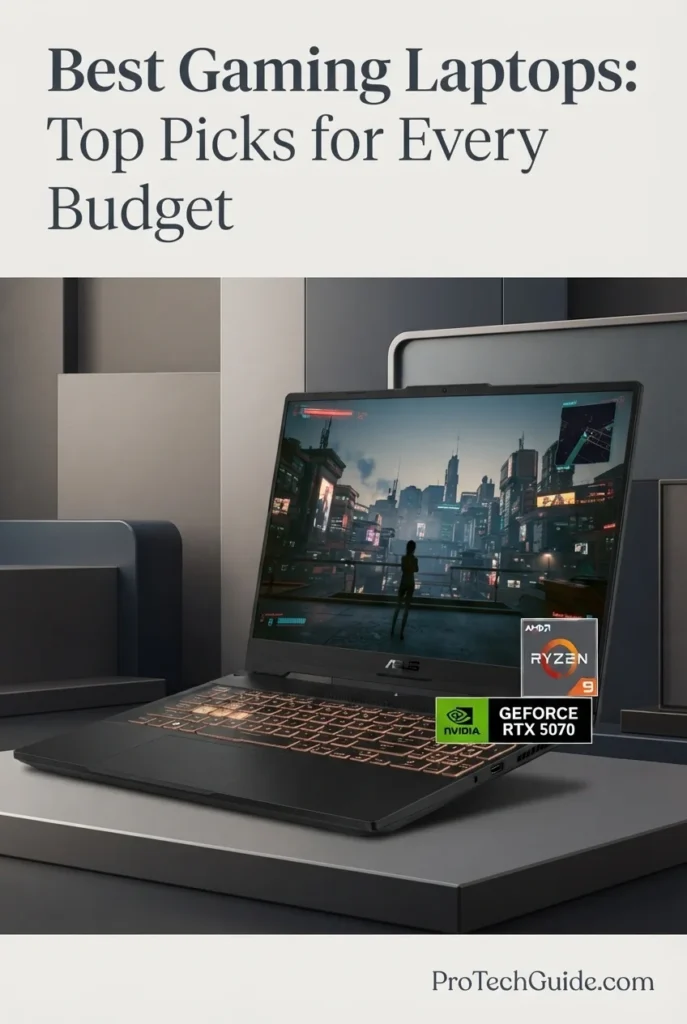
The ASUS TUF A16 Gaming Laptop with the AMD Ryzen 9 270 processor, NVIDIA GeForce RTX 5070 Laptop GPU, 64GB of DDR5 memory, and a listed 4TB SSD is a compelling option for gamers who want dedicated graphics performance, generous memory capacity, and substantial local storage in a 16-inch gaming system. Its RTX 5070 with 8GB of GDDR7 memory, advertised 115W GPU power rating, and MUX switch make it an appealing choice for demanding PC games, while the 16-inch 1920 × 1200 IPS display combines a 165Hz refresh rate, a stated 3ms response time, G-SYNC support, and 100% sRGB color coverage. The combination of a high-refresh-rate display, Windows 11 Home, and an upgraded 64GB RAM and 4TB SSD configuration also makes this model worth considering for gamers who multitask, create content, or maintain large local game libraries.

• Ideal for PC gamers looking for an NVIDIA GeForce RTX 5070 laptop with a high-refresh-rate display and a modern AMD Ryzen 9 processor
• Well suited to players who want to combine gaming with video editing, content creation, engineering coursework, and other demanding desktop applications
• Particularly attractive to users who value the advertised 64GB of DDR5 memory and 4TB SSD for multitasking, large game libraries, and extensive local files
• The NVIDIA GeForce RTX 5070 Laptop GPU with 8GB of GDDR7 memory provides dedicated graphics hardware for modern PC gaming, supported applications, and GPU-accelerated creative workloads
• The AMD Ryzen 9 270 processor features 8 CPU cores, a listed base frequency of 4.0GHz, and boost speeds of up to 5.2GHz, providing a strong foundation for gaming and processor-intensive multitasking
• The 16-inch 1920 × 1200 IPS display combines a 165Hz refresh rate, a stated 3ms response time, G-SYNC support, and advertised 100% sRGB coverage for responsive gameplay and clear visuals
• The advertised 64GB of DDR5 memory provides substantial capacity for running games alongside browsers, communication apps, launchers, editing software, and other demanding applications
• The listed 4TB PCIe SSD offers extensive local storage for installed games, updates, recordings, creative projects, and large personal files; the listing also identifies two M.2 slots
• The MUX switch, RGB-backlit keyboard, Wi-Fi 6E, Thunderbolt 4 connectivity, and FHD IR webcam provide a useful combination of gaming-oriented controls, display connectivity, wireless networking, and everyday functionality

The ASUS TUF A16 earns its place in this guide as a high-performance RTX 5070 gaming laptop with a well-rounded specification sheet. Its combination of dedicated NVIDIA graphics, an eight-core Ryzen 9 processor, a 165Hz G-SYNC-compatible display, and the listing's expanded memory and storage configuration makes it a versatile candidate for gaming and demanding everyday workloads. The MUX switch adds useful control over graphics routing, although actual performance and battery life depend on the selected mode, workload, and system configuration.

Compared with the Acer Nitro V 16S with its RTX 5060, the ASUS TUF A16 moves into a higher GPU tier on paper with its RTX 5070, making it worth considering for buyers prioritizing graphics hardware. The Lenovo Legion Pro 7i, ASUS ROG Strix G18, and HP OMEN MAX 16 in this guide use RTX 5080 Laptop GPUs, while the Razer Blade 18, MSI Raider 18, and Dell Alienware 18 Area-51 feature RTX 5090 configurations. Those higher GPU tiers may be better suited to buyers seeking greater graphics headroom, but the best choice depends on price, GPU power limits, cooling, display preferences, and measured performance. Because this ASUS listing includes seller-upgraded memory and storage, buyers should confirm the exact configuration and warranty terms before ordering.

• AMD Ryzen 9 270 processor • 8 CPU cores • Listed base frequency of 4.0GHz • Maximum listed boost frequency of 5.2GHz • NVIDIA GeForce RTX 5070 Laptop GPU • 8GB GDDR7 graphics memory • Advertised GPU power rating of 115W • Dedicated graphics for modern PC gamesThe ASUS TUF A16 combines the AMD Ryzen 9 270 with an NVIDIA GeForce RTX 5070 Laptop GPU, creating a configuration aimed at demanding PC gaming and GPU-accelerated applications. The processor's eight cores provide a foundation for game logic, background tasks, and multitasking, while the dedicated NVIDIA GPU handles graphics rendering. The listing advertises a 115W GPU power rating, but real-world performance also depends on cooling, power management, game settings, and the specific workload. Buyers should consult independent benchmarks for performance comparisons rather than relying on the seller's promotional processor claims.
• Integrated MUX switch • Option to route graphics through the discrete GPU • Alternative integrated-graphics mode • Useful flexibility between performance and efficiency • Dedicated NVIDIA graphics for gaming • Graphics behavior depends on the selected modeThe MUX switch gives users control over how the laptop routes graphics output. Selecting a discrete-GPU-focused mode can help reduce the performance overhead associated with certain hybrid-graphics configurations, while an integrated-graphics mode may be useful when efficiency is a priority. The practical benefit varies by game, application, display connection, and system settings. A MUX switch does not guarantee a specific frame-rate improvement, so buyers should look for independent testing of the exact laptop configuration.
• 64GB DDR5 RAM advertised in this configuration • Dual-channel capable, according to the listing • Suitable for gaming alongside background applications • Additional capacity for creative applications • Useful for extensive multitasking • Actual installed configuration should be verifiedThe advertised 64GB of DDR5 memory provides considerable capacity for gamers who keep multiple applications open while playing. It can also be useful for video editing, large creative projects, engineering software, and other memory-intensive workloads. However, additional RAM does not automatically increase gaming frame rates when a game is already operating comfortably within a smaller memory allocation. The Amazon listing identifies this as a seller-upgraded configuration and contains conflicting memory-capacity fields, so buyers should confirm that the delivered laptop includes 64GB of RAM.
• 16-inch IPS display • Native resolution of 1920 × 1200 • 165Hz refresh rate • Advertised 3ms response time • G-SYNC support listed by the seller • Advertised 100% sRGB color coverage • 16:10 display formatThe 16-inch 1920 × 1200 display offers more vertical workspace than a conventional 1920 × 1080 panel while retaining a resolution that is less demanding than QHD-class displays. Its 165Hz refresh rate is designed for smooth motion when the system can produce sufficiently high frame rates, and the listed G-SYNC support is intended to help synchronize display refresh with compatible graphics output. The advertised 3ms response time and 100% sRGB coverage are listing specifications; panel behavior and color accuracy should be confirmed through independent testing when these characteristics are critical.
• 4TB SSD listed for this configuration • PCIe SSD storage according to the listing • Two M.2 slots reported by the seller • Extensive space for game installations • Room for recordings, media, and creative projects • Confirm the installed drive configuration before purchaseThe listed 4TB SSD provides generous local storage for a large game library, downloadable content, updates, captured gameplay, and creative projects. This capacity can be especially useful for players who prefer to keep multiple large titles installed rather than continually removing and reinstalling them. The listing also states that the laptop has two M.2 slots, but buyers should verify the precise factory configuration, which slots are occupied, and the available upgrade options before planning a future storage expansion.
• Wi-Fi 6E wireless networking listed • Thunderbolt 4 USB-C connectivity listed • USB-C DisplayPort video output • HDMI output • External monitor compatibility • FHD IR webcam • Bluetooth and wireless peripheral supportThe ASUS TUF A16's listed connectivity features make it suitable for a gaming desk with external displays, a headset, a mouse, a keyboard, and other accessories. Thunderbolt 4 and USB-C DisplayPort support can be useful for compatible docks and displays, while HDMI provides another option for connecting an external monitor or television. Wi-Fi 6E provides access to supported 6GHz wireless networks when the router, region, and network configuration permit it. Actual port counts and supported display configurations should be confirmed against the exact model documentation.
• ASUS TUF A16 gaming laptop design • Cooling improvements advertised by the seller • RGB-backlit keyboard • Windows 11 Home • Listed weight of approximately 4.99 pounds • Listed dimensions of 13.94 × 10.95 × 0.69 inches • FHD IR webcam • Dual speakersThe TUF A16 combines gaming-focused styling with features suited to everyday use, including an RGB-backlit keyboard, a built-in webcam, and Windows 11 Home. The seller advertises upgraded thermal cooling, but the listing does not provide enough independent evidence to establish temperatures, fan noise, or sustained performance under extended gaming loads. Its listed weight of approximately 4.99 pounds is worth considering if portability matters, particularly when accounting for the power adapter and other accessories.
• 90Wh battery capacity listed • Lithium-ion battery • MUX switch for graphics-mode selection • Integrated graphics mode may help reduce power use • Battery life varies with workload and settings • Gaming performance may differ when unpluggedThe listing identifies a 90Wh battery and advertises up to 10 hours of battery life, but this should not be interpreted as a guaranteed runtime for gaming. Demanding games place substantial loads on the processor and dedicated GPU, so battery life can be considerably shorter during intensive play. Selecting an integrated-graphics mode may help reduce power consumption during lighter tasks, although actual results depend on brightness, wireless activity, applications, and power settings. For sustained gaming performance, using the supplied AC adapter is generally the more appropriate approach.
Ideal for:• Gamers considering an NVIDIA GeForce RTX 5070 laptop • Players who value a 165Hz display • Users who want a Ryzen 9 processor • Gamers with large local game libraries • Multitaskers who benefit from substantial RAM capacity • Students combining gaming with demanding applications • Content creators using compatible GPU-accelerated software • Buyers who want a MUX switch and modern external-display connectivityThe ASUS TUF A16 Gaming Laptop is a strong candidate for buyers seeking an RTX 5070 configuration with a high-refresh-rate 16-inch display and generous advertised memory and storage. Its Ryzen 9 270 processor, 8GB GDDR7 graphics memory, MUX switch, and listed 64GB RAM and 4TB SSD make it versatile on paper for gaming and demanding everyday workloads. Before purchasing, confirm the seller-upgraded specifications, the exact GPU configuration, and the applicable warranty terms, then compare independent performance tests and current pricing against the other laptops in this guide.
Best for High-Performance Gaming (2026)

Lenovo Legion Pro 7i

Premium RTX 5080 Gaming with a 16-inch 240Hz OLED Display

The Lenovo Legion Pro 7i with the Intel Core Ultra 9 275HX, NVIDIA GeForce RTX 5080 Laptop GPU with 16GB of GDDR7 memory, 64GB of DDR5 RAM, and a 4TB internal SSD is a premium gaming laptop designed for players who want powerful hardware and a high-end display in one system. Its 24-core processor, dedicated RTX 5080 graphics, and 16-inch 2560 × 1600 OLED panel with a 240Hz refresh rate provide a compelling foundation for demanding PC games, GPU-accelerated creative applications, and intensive multitasking. The advertised 64GB memory configuration offers substantial capacity for running games alongside streaming, editing, and other applications, while the 4TB internal SSD provides extensive space for large game libraries and project files. This particular listing also includes a separate 7-in-1 docking station with 1TB of additional storage, along with a 32GB MicroSD card and other accessories; that bundled storage is separate from the laptop's internal SSD.

• Ideal for enthusiasts seeking an NVIDIA GeForce RTX 5080 gaming laptop with a high-end Intel Core Ultra 9 processor
• Well suited to players who prioritize a high-resolution OLED display, a 240Hz refresh rate, and dedicated graphics for demanding games
• Particularly attractive to gamers, streamers, and content creators who want substantial memory capacity, extensive internal storage, and connectivity for a desktop-style setup
• The Intel Core Ultra 9 275HX features 24 CPU cores and a listed maximum processor speed of up to 5.4GHz, providing a powerful foundation for demanding games and heavily multitasked workloads
• The NVIDIA GeForce RTX 5080 Laptop GPU with 16GB of GDDR7 memory supports demanding graphics workloads, hardware-accelerated ray tracing, and compatible NVIDIA rendering technologies
• The 16-inch 2560 × 1600 OLED display combines a 240Hz refresh rate with the contrast characteristics of OLED technology, making it an appealing option for fast-paced gaming and visually rich content
• The advertised 64GB of DDR5-6400 memory provides generous capacity for gaming alongside streaming tools, browsers, communication applications, and compatible creative software
• The listed 4TB PCIe NVMe SSD offers extensive internal storage for game installations, updates, recordings, and creative projects, while the included docking station provides a separate additional 1TB of storage
• Wi-Fi 7, Bluetooth 5.4, HDMI 2.1, USB4, Ethernet, and a per-key RGB-backlit keyboard support a versatile gaming setup with external displays, peripherals, and wired or wireless networking

The Lenovo Legion Pro 7i earns its place as a premium choice for high-performance gaming because it combines an RTX 5080 Laptop GPU with 16GB of graphics memory, a powerful 24-core Intel processor, generous advertised system memory, and a 240Hz OLED display. Its 4TB internal SSD is also well suited to players who maintain large game libraries or work with substantial media files. The included docking station adds useful connectivity and separate storage, although its 1TB capacity should not be counted as part of the laptop's internal SSD.

Compared with the ASUS TUF A16 with its RTX 5070, the Lenovo Legion Pro 7i moves into a higher graphics tier with the RTX 5080 Laptop GPU and offers a higher-resolution OLED display. It also competes directly with the ASUS ROG Strix G18 and HP OMEN MAX 16, which also feature RTX 5080 graphics but differ in display size, panel technology, and configuration. The Razer Blade 18, MSI Raider 18, and Dell Alienware 18 Area-51 use RTX 5090 Laptop GPUs and are worth considering for buyers comparing higher-tier graphics options. Actual gaming performance depends on GPU power limits, cooling, game settings, and independent benchmark results. Buyers should also confirm the seller-upgraded configuration and warranty coverage, particularly for the memory and SSD.

• Intel Core Ultra 9 275HX processor • 24 CPU cores • Listed maximum processor frequency of up to 5.4GHz • NVIDIA GeForce RTX 5080 Laptop GPU • 16GB GDDR7 graphics memory • Dedicated NVIDIA graphics • Hardware-accelerated ray tracing support • Designed for demanding gaming and creative workloadsThe Lenovo Legion Pro 7i combines Intel's Core Ultra 9 275HX processor with the NVIDIA GeForce RTX 5080 Laptop GPU. The 24-core processor provides substantial processing resources for modern games, demanding multitasking, and compatible content-creation applications, while the dedicated GPU handles graphics rendering and supported ray-tracing workloads. The RTX 5080's 16GB of GDDR7 graphics memory is particularly relevant to graphics-intensive games and compatible creative applications. Actual performance depends on power limits, cooling, software, resolution, and graphics settings, so independent benchmarks are the best way to compare results with competing systems.
• 64GB DDR5 memory listed • Advertised memory speed of 6400MHz • Capacity for demanding multitasking • Useful for gaming alongside streaming applications • Suitable for compatible creative workloads • Seller-upgraded configuration • Confirm installed memory and warranty terms before purchaseThe advertised 64GB of DDR5-6400 memory provides substantial capacity for users who run demanding games while keeping streaming software, browsers, voice-chat applications, and other programs open. It can also benefit compatible creative workflows that use significant amounts of system memory. However, additional RAM does not automatically increase gaming frame rates when a game is already operating comfortably within the available memory. Because this listing specifies an upgraded configuration, buyers should verify the installed memory and applicable warranty coverage with the seller before ordering.
• 16-inch OLED display • Native resolution of 2560 × 1600 • 240Hz refresh rate • 16:10 aspect ratio • High-resolution gaming and content playback • OLED contrast characteristics • Suitable for visually demanding games and creative workThe 16-inch OLED panel combines a 2560 × 1600 resolution with a 240Hz refresh rate. The resolution provides a detailed image and more vertical workspace than a conventional 16:9 Full HD display, while OLED technology is known for its deep blacks and high perceived contrast. The 240Hz refresh rate can provide smoother motion when a game produces sufficiently high frame rates, although the achievable frame rate varies by title and settings. Buyers who prioritize color-critical professional work should consult measurements of the exact panel's color accuracy, brightness, and gamut rather than relying on OLED technology alone.
• 4TB internal PCIe NVMe SSD listed • Separate docking station with 1TB storage included • Additional 32GB MicroSD card included • Ample space for large game libraries • Suitable for recordings and creative projects • Internal and bundled storage are separate • Confirm the exact upgraded configuration before purchaseThe advertised 4TB internal SSD offers extensive space for games, downloadable content, updates, media files, and creative projects. The package also includes a 7-in-1 docking station with its own 1TB storage capacity, plus a 32GB MicroSD card and adapter. These accessories can expand the storage and connectivity available at a desk, but their capacities should not be combined with the internal SSD when describing the laptop's built-in storage. The listing identifies this as a seller-upgraded configuration, so buyers should verify the installed drive specifications and warranty coverage before purchase.
• Wi-Fi 7 wireless networking • Bluetooth 5.4 • HDMI 2.1 output • USB4 connectivity • USB-A and USB-C ports • Ethernet port • Headphone and microphone combo jack • Included 7-in-1 docking stationThe Legion Pro 7i offers a useful selection of wired and wireless connectivity options for a gaming desk. Wi-Fi 7 and Bluetooth 5.4 support compatible wireless networks and peripherals, while HDMI 2.1, USB4, USB-A, USB-C, and Ethernet accommodate a range of external devices. The included docking station adds further connectivity and separate storage for users who want to connect accessories through a single hub. Supported display resolutions, refresh rates, and docking features can depend on the port, cable, connected monitor, and dock specifications.
• Per-key RGB-backlit keyboard listed • Numeric keypad • Black finish • Windows 11 Home • Integrated touchpad • Gaming-oriented laptop design • Listed weight of 9.2 pounds • Seller-provided accessories includedThe Legion Pro 7i features a per-key RGB-backlit keyboard designed to provide customizable lighting and clear key visibility in dim environments. Its numeric keypad can also be useful for productivity tasks beyond gaming. The listing reports a weight of approximately 9.2 pounds, so this configuration is better considered a substantial performance-oriented laptop than an ultraportable system. Buyers should also account for the power adapter and any accessories they plan to carry when evaluating its suitability for frequent travel.
• Windows 11 Home • Intel Core Ultra 9 275HX processor • Integrated NPU identified in the product listing • Compatibility with supported Windows applications • Suitable for gaming and general productivity • AI features depend on compatible softwareThe laptop comes with Windows 11 Home and an Intel Core Ultra 9 275HX processor. The listing also references an integrated neural processing unit, or NPU, which can accelerate certain supported AI workloads. The presence of an NPU does not mean every AI application will use it, and supported features depend on software requirements and system compatibility. For gaming, the dedicated RTX 5080 remains the central graphics component, while the processor and system memory support the broader gaming and multitasking experience.
• Lenovo Legion Pro 7i model 83F50012US listed • Model year identified as 2025 • Listing states the original seal was opened for upgrades • Upgraded RAM and SSD carry a stated one-year seller warranty • Remaining original components are listed with a one-year manufacturer's warranty • Verify coverage and terms with the seller before orderingThis particular listing describes a Lenovo Legion Pro 7i configuration that has been opened for memory and storage upgrades. According to the seller, the upgraded RAM and SSD carry a one-year warranty, while the remaining original components are covered by a one-year manufacturer's warranty. Buyers should read the current warranty terms carefully and confirm which party handles support for each component. This is especially important when comparing an upgraded marketplace configuration with a factory-standard Lenovo model.
Ideal for:• Enthusiast PC gamers • Players considering an RTX 5080 Laptop GPU • Gamers who value a 240Hz OLED display • Users who want 16GB of dedicated graphics memory • Streamers running several applications simultaneously • Content creators using compatible GPU-accelerated software • Players with large internal game libraries • Buyers who need extensive connectivity for a desk setupThe Lenovo Legion Pro 7i with the Intel Core Ultra 9 275HX, RTX 5080 Laptop GPU, advertised 64GB of DDR5 memory, and 4TB internal SSD is a compelling premium gaming configuration. Its 16-inch 2560 × 1600 OLED display and 240Hz refresh rate add to its appeal for players who value both resolution and smooth motion. The included docking station supplies separate additional storage and connectivity, but buyers should verify the seller-upgraded specifications, warranty coverage, and current pricing before deciding whether this configuration offers better value than competing RTX 5080 or RTX 5090 laptops.
Premium RTX 5080 Gaming Laptop (2026)

ASUS ROG Strix G18

High-End Gaming with an 18-Inch 240Hz ROG Nebula Display

The ASUS ROG Strix G18 with an Intel Core Ultra 9 275HX, NVIDIA GeForce RTX 5080 16GB GDDR7, 64GB DDR5 memory, and a 2TB PCIe 4.0 NVMe SSD is a premium gaming laptop designed for demanding AAA games, competitive gaming, streaming, and content creation. Its 24-core processor, high-end dedicated graphics, and large memory configuration provide a powerful hardware foundation for modern gaming and intensive multitasking. The expansive 18-inch 2560 × 1600 ROG Nebula Display with a 240Hz refresh rate is a major highlight, combining a high-resolution workspace with a fast refresh rate for responsive gameplay. With Windows 11 Pro, Wi-Fi 7, dual Thunderbolt 5 ports, and an advanced cooling system featuring a vapor chamber, Tri-Fan Technology, and Conductonaut Extreme liquid metal, the ROG Strix G18 is built for users who want a feature-rich desktop replacement rather than a compact, highly portable gaming laptop.

• Ideal for PC gamers who want high-end NVIDIA RTX 5080 graphics, a large display, and a powerful Intel processor for demanding modern games
• Well suited to streamers, gaming enthusiasts, and content creators who benefit from 64GB of RAM for multitasking across games, streaming software, browsers, and compatible creative applications
• Particularly attractive to users who prefer an 18-inch gaming system with extensive connectivity and desktop-style capabilities and do not prioritize lightweight portability
• The Intel Core Ultra 9 275HX features 24 cores and a maximum listed frequency of 5.4GHz, providing a strong processing foundation for gaming, streaming, and demanding multitasking
• The NVIDIA GeForce RTX 5080 Laptop GPU includes 16GB of GDDR7 graphics memory, with the listing specifying up to 175W TGP, alongside support for NVIDIA technologies such as ray tracing and DLSS 4
• The 18-inch ROG Nebula Display delivers a 2560 × 1600 resolution, 240Hz refresh rate, advertised 3ms response time, 500-nit brightness, and 100% DCI-P3 color coverage for detailed visuals and fluid motion
• The advertised 64GB of DDR5-5600 memory and 2TB PCIe 4.0 NVMe SSD provide substantial capacity for modern games, large game libraries, streaming tools, creative projects, and demanding multitasking
• The advertised cooling system combines a vapor chamber, Tri-Fan Technology, and Conductonaut Extreme liquid metal, while the MUX Switch and Advanced Optimus support graphics-management options designed for gaming performance
• Dual Thunderbolt 5 ports, HDMI 2.1, 2.5G Ethernet, Wi-Fi 7, a four-zone RGB keyboard, and Windows 11 Pro provide a comprehensive setup for gaming peripherals, external displays, networking, and productivity

The ASUS ROG Strix G18 earns its place among premium RTX 5080 gaming laptops by combining a high-end 24-core processor, 16GB of dedicated graphics memory, 64GB of advertised system RAM, and a spacious 18-inch 240Hz display. Its extensive connectivity and performance-oriented cooling design make it especially compelling for gamers who want a large-screen system that can also support streaming, multitasking, and compatible creative workloads. Its main trade-offs are its substantial size and the limited convenience of carrying a 13.2-pound system regularly.

Compared with the Lenovo Legion Pro 7i and HP OMEN MAX 16, the ASUS ROG Strix G18 distinguishes itself through its larger 18-inch 240Hz display, RTX 5080 graphics, and dual Thunderbolt 5 connectivity. The Lenovo offers a more compact 16-inch OLED form factor, while the HP is another 16-inch RTX 5080 option. The ROG Strix G18 is the more natural fit for users who prioritize screen size and desktop-style gaming, although actual gaming performance will depend on the game, settings, power configuration, and cooling conditions.

• Intel Core Ultra 9 275HX processor• 24 CPU cores• Maximum listed processor frequency of 5.4GHz• NVIDIA GeForce RTX 5080 Laptop GPU• 16GB GDDR7 graphics memory• Listed GPU TGP of up to 175W• NVIDIA DLSS 4 and ray tracing support• MUX Switch and Advanced OptimusThe ASUS ROG Strix G18 pairs Intel's Core Ultra 9 275HX with an NVIDIA GeForce RTX 5080 Laptop GPU, creating a high-end hardware configuration for modern PC gaming. The processor's 24 cores provide substantial processing resources for demanding games and background tasks, while the RTX 5080's 16GB of GDDR7 graphics memory supports graphics-intensive workloads. The listing specifies a maximum GPU TGP of 175W; actual power behavior and performance can vary according to operating mode, workload, and thermal conditions. NVIDIA DLSS 4, ray tracing, MUX Switch, and Advanced Optimus add useful graphics features, although game-specific performance depends on software support and settings.
• 64GB DDR5 system memory• Listed DDR5-5600 memory speed• Dual SO-DIMM memory slots• Advertised maximum memory capacity of 64GB• Suitable for demanding multitasking• Useful for gaming and streaming workflows• Supports compatible creative applicationsThe advertised 64GB DDR5-5600 configuration provides substantial memory capacity for gamers who keep multiple applications open while playing. It can be useful for running a game alongside streaming software, voice chat, browser tabs, recording tools, and compatible creative applications. The listing also identifies dual SO-DIMM slots and a maximum memory capacity of 64GB, so buyers should verify the installed configuration and supported upgrade limits for the exact unit before purchasing or planning a memory upgrade.
• 18-inch ROG Nebula Display• 2560 × 1600 resolution• 240Hz refresh rate• Advertised 3ms response time• Advertised 500-nit brightness• Advertised 100% DCI-P3 color coverage• NVIDIA G-SYNC support• Dolby Vision and Pantone Validation listedThe 18-inch ROG Nebula Display is one of this laptop's defining features. Its 2560 × 1600 resolution provides a detailed image, while the 240Hz refresh rate is designed to deliver fluid motion in compatible games when the system can render frames at sufficiently high rates. The listing also specifies a 3ms response time, 500-nit brightness, 100% DCI-P3 color coverage, G-SYNC, and Dolby Vision. These features make the screen attractive for gaming and visual content, although the final experience depends on the content, configuration, and settings used.
• 2TB PCIe 4.0 NVMe SSD listed• Fast local storage for games and applications• Space for game libraries and updates• Suitable for streaming recordings and creative files• Dual M.2 storage slots listed• Advertised PCIe Gen 5-ready support• Tool-less access and ROG Q-Latch features listedThe advertised 2TB PCIe 4.0 NVMe SSD offers generous local storage for modern games, applications, updates, recordings, and creative projects. Its capacity is especially useful for players who install several large games rather than frequently uninstalling and reinstalling them. The listing also describes dual M.2 slots, PCIe Gen 5-ready support, tool-less access, and ROG Q-Latch features. Confirm the exact storage configuration and supported drive specifications before making any future upgrades.
• End-to-end vapor chamber listed• Tri-Fan Technology• Conductonaut Extreme liquid metal• Performance-oriented thermal design• Designed for demanding gaming workloads• Cooling behavior depends on workload and operating modeThe ROG Strix G18 uses a cooling design that combines a vapor chamber, Tri-Fan Technology, and Conductonaut Extreme liquid metal, according to the product listing. These components are intended to manage heat from the processor and dedicated graphics hardware during demanding workloads. Cooling design is particularly relevant in a large, high-performance gaming laptop, but the listed features alone do not establish specific temperatures, noise levels, or sustained frame rates. Those results vary with ambient conditions, selected performance mode, game workload, and system configuration.
• Dual Thunderbolt 5 ports listed• HDMI 2.1• 2.5G Ethernet• Wi-Fi 7• Bluetooth connectivity• USB connectivity for gaming peripherals• Display output through HDMI and Thunderbolt with DisplayPort support• Suitable for compatible external monitors and accessoriesThe ASUS ROG Strix G18 provides a broad set of connectivity options for a desktop-style gaming setup. Dual Thunderbolt 5 ports and HDMI 2.1 support compatible external display and peripheral configurations, while 2.5G Ethernet offers a wired networking option for users who prefer it. Wi-Fi 7 provides access to compatible wireless networks, although actual speeds depend on the router, network conditions, and service plan. Buyers should check the exact port layout and accessory requirements when planning a multi-monitor setup.
• Eclipse Gray finish• Four-zone RGB backlit keyboard• Aura light bar• N-key rollover listed• Dolby Atmos audio listed• Windows 11 Pro• Listed dimensions: 15.74 × 11.77 × 1.26 inches• Listed weight: 13.2 poundsThe ROG Strix G18 combines a gaming-focused design with a four-zone RGB backlit keyboard, Aura light bar, and N-key rollover. The listing also identifies Dolby Atmos audio and Windows 11 Pro, giving the laptop a feature set suited to gaming and broader desktop-style use. At a listed 13.2 pounds, however, it is a substantial machine rather than an ultraportable. Its size and weight are important considerations for anyone who plans to carry a laptop frequently between home, school, and other locations.
• One-year warranty listed• Marketplace listing identifies the model as G815LW-G18.U95080• Model year listed as 2025• Advertised configuration includes 64GB DDR5 memory• Advertised configuration includes a 2TB PCIe SSD• Verify seller-specific warranty terms before purchasingThe product information lists a one-year warranty and identifies the model as G815LW-G18.U95080, with a model year of 2025. Because configurations, fulfillment arrangements, and warranty coverage can vary by seller, buyers should confirm that the delivered unit includes the advertised 64GB of RAM, 2TB SSD, and stated accessories. Review the seller's return policy and warranty conditions before ordering, particularly if the laptop is sold through a third-party marketplace seller.
Ideal for:• Gamers seeking an RTX 5080 Laptop GPU• Players who prefer an 18-inch display• High-refresh-rate gaming• AAA gaming and compatible ray-tracing workloads• Gaming while streaming or multitasking• Users who want 64GB of advertised system memory• Gamers with extensive local game libraries• Desktop-replacement gaming setups• Users who need Thunderbolt 5 and Wi-Fi 7• Buyers who prioritize performance features over portabilityThe ASUS ROG Strix G18 is best suited to users who want a large-screen gaming laptop with high-end dedicated graphics, substantial advertised memory, generous SSD capacity, and extensive connectivity. Its combination of an Intel Core Ultra 9 275HX, RTX 5080 with 16GB GDDR7, and an 18-inch 240Hz display makes it a compelling premium configuration for gaming and demanding multitasking. Its considerable size and listed weight make it less suitable for users who prioritize everyday portability.
Premium RTX 5080 Gaming Laptop (2026)

HP OMEN MAX 16

High-Performance Gaming with a 16-Inch 240Hz WQXGA Display
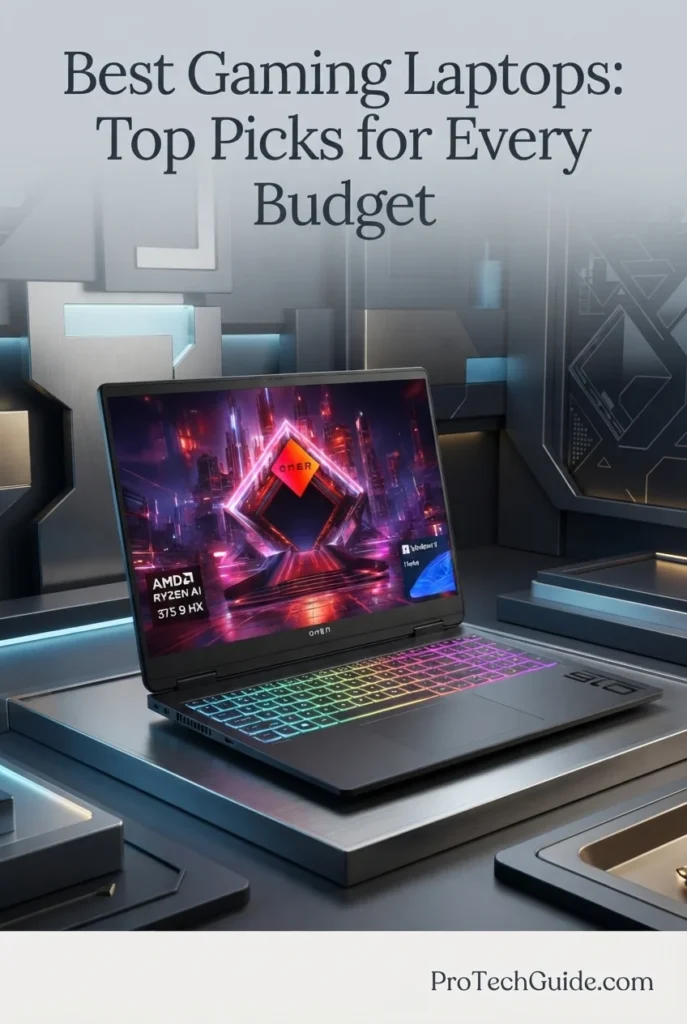
The HP OMEN MAX 16 configuration advertised with an AMD Ryzen AI 9 HX 375, NVIDIA GeForce RTX 5080 16GB GDDR7, 64GB DDR5 RAM, and a 2TB SSD is a high-performance gaming laptop aimed at demanding games, intensive multitasking, and compatible creative workloads. Its 16-inch 2560 × 1600 WQXGA IPS display with a 240Hz refresh rate combines a detailed image with the high refresh rate sought by competitive and fast-paced gamers. The listing also specifies an 83Wh battery, Wi-Fi 7, an Ethernet port, HDMI output, a numeric keypad, and a per-key RGB backlit keyboard. OMEN Tempest Cooling Pro is advertised as part of the thermal design, while the Ryzen AI 9 HX 375 includes an integrated NPU rated at up to 55 TOPS according to the listing. Because this particular product is sold under a marketplace listing that identifies PCONLINE as the seller brand and uses model number TPN-I144, buyers should verify the exact hardware configuration, warranty, and OMEN-specific features before purchasing.

• Ideal for gamers seeking an advertised RTX 5080 Laptop GPU with 16GB of GDDR7 graphics memory for demanding modern games and supported NVIDIA graphics features
• Well suited to users who want a high-refresh-rate 16-inch display, substantial advertised system memory, and ample SSD capacity for games, streaming tools, and compatible creative applications
• A potential fit for gaming-focused users who also run AI-enabled applications or demanding multitasking workloads, provided their software supports the system's hardware and operating environment
• The AMD Ryzen AI 9 HX 375 is listed with 12 processor cores and a maximum frequency of up to 5.1GHz, providing a capable foundation for gaming and demanding multitasking
• The advertised NVIDIA GeForce RTX 5080 includes 16GB of GDDR7 graphics memory, offering dedicated graphics resources for supported games, ray-tracing features, and compatible creative workloads
• The 16-inch WQXGA IPS display offers a 2560 × 1600 resolution and 240Hz refresh rate, with the listing also advertising 3ms response time, 500-nit brightness, and 100% sRGB coverage
• The advertised 64GB of DDR5 RAM and 2TB SSD provide substantial capacity for modern games, large files, streaming applications, and multiple applications running simultaneously
• OMEN Tempest Cooling Pro is listed as a cooling feature intended for demanding workloads, although actual temperatures, fan noise, and sustained performance depend on the precise hardware configuration and operating conditions
• Wi-Fi 7, RJ-45 Ethernet, HDMI, USB-A and USB-C connectivity, a numeric keypad, per-key RGB lighting, and Windows 11 Home round out the advertised feature set for gaming and everyday use

The HP OMEN MAX 16 configuration stands out on paper for combining an advertised RTX 5080 16GB GPU with a Ryzen AI 9 HX 375 processor, 64GB of RAM, a 2TB SSD, and a 16-inch 240Hz WQXGA display. This combination makes it an appealing candidate for users seeking high-end gaming hardware without moving to an 18-inch chassis. However, because the supplied listing uses the PCONLINE brand and model number TPN-I144, its exact relationship to HP's standard OMEN MAX 16 configurations should be confirmed before treating every advertised OMEN feature as independently verified.

Compared with the Lenovo Legion Pro 7i and ASUS ROG Strix G18, this advertised HP configuration pairs RTX 5080 graphics with a 16-inch 240Hz display and a Ryzen AI processor. The Lenovo features a 16-inch OLED display, while the ASUS offers a larger 18-inch screen and lists dual Thunderbolt 5 connectivity. The HP's listed specifications may appeal to buyers who prefer a 16-inch form factor, but direct performance rankings would require comparable independent testing and verification of the exact configurations.

• AMD Ryzen AI 9 HX 375 processor listed• 12 processor cores according to the listing• Maximum listed processor frequency of up to 5.1GHz• NVIDIA GeForce RTX 5080 Laptop GPU advertised• 16GB GDDR7 graphics memory listed• NVIDIA dedicated graphics• Integrated NPU advertised at up to 55 TOPS• Suitable for compatible gaming and creative applicationsThe supplied listing advertises an AMD Ryzen AI 9 HX 375 processor alongside an NVIDIA GeForce RTX 5080 Laptop GPU with 16GB of GDDR7 graphics memory. The processor is listed with 12 cores and a maximum frequency of up to 5.1GHz. This hardware combination is intended for demanding gaming and multitasking, while the integrated NPU is advertised at up to 55 TOPS for compatible AI workloads. Actual gaming performance, graphics power limits, and application acceleration should not be assumed from the component names alone; buyers should verify the exact configuration and consult independent testing where available.
• 64GB DDR5 RAM advertised• Two memory slots listed• Maximum installed memory listed as 64GB• Substantial capacity for multitasking• Suitable for gaming alongside background applications• Useful for compatible content-creation workflows• Verify memory speed for the exact unitThe marketplace listing advertises 64GB of DDR5 memory and identifies two memory slots. Its specifications show conflicting memory-speed information: the marketing description refers to DDR5, while the technical table lists 4800MHz. For that reason, this guide does not present a faster memory speed as confirmed. The advertised 64GB capacity should provide ample room for gaming alongside browsers, communication tools, streaming software, and compatible creative applications, but buyers should confirm the delivered configuration with the seller before ordering.
• 16-inch IPS display• 2560 × 1600 WQXGA resolution• 240Hz refresh rate• Advertised 3ms response time• Advertised 500-nit brightness• Advertised 100% sRGB color coverage• Anti-glare feature advertised• Low-blue-light feature advertisedThe listed 16-inch WQXGA IPS display has a resolution of 2560 × 1600 and a 240Hz refresh rate. This combination provides a detailed image and supports fluid motion in games that can take advantage of high refresh rates. The seller also advertises a 3ms response time, 500-nit brightness, 100% sRGB coverage, anti-glare treatment, and low-blue-light features. These are listing claims rather than independently verified measurements, so buyers who need specific color accuracy or display-response characteristics should check reliable testing for the exact model.
• 2TB SSD advertised• Space for modern PC games• Capacity for applications and updates• Suitable for recordings and project files• Local storage for compatible creative workloads• Exact SSD interface should be verifiedThe advertised 2TB SSD offers substantial local storage for games, software, recordings, and personal projects. It can reduce the need to remove installed games frequently as a library grows, while also providing space for compatible creative applications and larger files. The supplied product information does not establish every storage-interface detail consistently, so this guide avoids assigning an unverified PCIe generation or transfer speed to the installed drive. Confirm the exact SSD specification and upgrade options with the seller before purchasing.
• OMEN Tempest Cooling Pro advertised• Designed for demanding gaming workloads• Intended to manage heat from CPU and GPU activity• Relevant to sustained gaming sessions• Actual temperatures depend on the configuration• Fan noise and sustained performance require testingThe product listing identifies OMEN Tempest Cooling Pro as a feature of the advertised laptop and describes it as a solution for demanding workloads. Effective cooling matters in high-performance systems because the processor and dedicated graphics hardware can generate substantial heat during extended gaming. However, the listing alone does not verify specific temperatures, noise levels, or the absence of thermal throttling. Because the product is sold under a marketplace listing using model number TPN-I144, buyers should confirm that the delivered system has the exact cooling implementation associated with the OMEN branding.
• Wi-Fi 7 advertised• RJ-45 Ethernet port listed• HDMI output listed• USB-A connectivity• USB-C connectivity• Headphone and microphone combo listed• External display and peripheral support• Wireless performance depends on network compatibilityThe supplied listing advertises Wi-Fi 7 and lists an RJ-45 Ethernet port, HDMI output, USB-A, USB-C, and a combined headphone and microphone connection. Ethernet can be useful for players who prefer a wired connection, while HDMI and USB ports allow compatible external displays, storage devices, controllers, and other accessories to be connected. The exact wireless specification in the technical table is inconsistent with the Wi-Fi 7 marketing claim, so buyers should verify the wireless card in the delivered unit if Wi-Fi 7 is an essential requirement.
• 83Wh battery listed• Five-hour battery-life estimate listed• Black finish• Per-key RGB backlit keyboard advertised• Numeric keypad• Touchpad• Listed dimensions: 14.04 × 10.59 × 0.98 inches• Listed weight: 5.99 poundsThe listing specifies an 83Wh battery and provides a five-hour battery-life figure, but this should not be interpreted as expected runtime during demanding gaming. Actual battery life varies significantly with screen brightness, power mode, applications, and GPU usage. The advertised design includes a per-key RGB backlit keyboard and numeric keypad, which may be useful for gaming and productivity. At a listed 5.99 pounds, the laptop is not an ultraportable, although its 16-inch form factor is smaller than many 18-inch gaming systems.
• Windows 11 Home listed• Marketplace brand shown as PCONLINE• Listed model name: TPN-I144• Model year listed as 2026• One-year limited coverage listed• Advertised memory: 64GB DDR5• Advertised storage: 2TB SSD• Verify the exact HP OMEN configuration before purchaseThe listing identifies the product as an HP OMEN MAX 16 series laptop but gives PCONLINE as the brand and TPN-I144 as the model number. That discrepancy makes it important to verify the exact manufacturer, chassis, hardware configuration, and warranty provider before treating this unit as equivalent to a standard HP OMEN MAX 16 retail model. The listing specifies Windows 11 Home and one-year limited coverage. Buyers should confirm the seller's warranty terms, return policy, installed RTX 5080 GPU, memory capacity, storage configuration, and advertised OMEN features before placing an order.
Ideal for:• Gamers considering an RTX 5080 configuration• Players who prefer a 16-inch high-refresh-rate display• Users seeking a 2560 × 1600 resolution• Gaming alongside compatible streaming applications• Multitasking with substantial advertised system memory• Large game libraries and project files• Users interested in compatible local AI workloads• Buyers who want Ethernet and HDMI connectivity• Users who prefer a numeric keypad and RGB keyboard• Buyers willing to verify marketplace specifications before purchasingThe advertised HP OMEN MAX 16 configuration may suit users looking for RTX 5080 graphics, a 16-inch 240Hz WQXGA display, 64GB of RAM, and a 2TB SSD in one gaming-focused system. Its Ryzen AI processor and listed connectivity add potential versatility beyond gaming. The key qualification is the marketplace listing itself: because its brand and model identifiers do not clearly establish equivalence to a standard HP retail configuration, buyers should verify the exact hardware, cooling implementation, and warranty before relying on the advertised specifications.
Best RTX 5090 Gaming Laptop (2026)

Razer Blade 18 (2026)

Flagship Gaming Performance with a Dual-Mode 18-Inch Display

The Razer Blade 18 (2026), configured with an Intel Core Ultra 9 290HX processor, NVIDIA GeForce RTX 5090 Laptop GPU with 24GB of GDDR7 memory, 32GB of DDR5-6400 RAM, and a 2TB SSD, is our premium recommendation for gamers who want flagship-class graphics performance and an unusually versatile large-format display. Its 18-inch dual-mode screen supports UHD+ at 240Hz or FHD+ at 440Hz, allowing players to prioritize visual detail or extremely high refresh rates depending on the game. With advertised 175W GPU power plus up to 25W of Dynamic Boost, advanced vapor-chamber cooling, expandable memory, and extensive high-speed connectivity, this Blade 18 is designed for demanding AAA gaming, competitive esports, streaming, and creative workloads. Actual performance will depend on the game, settings, power mode, and thermal conditions.

• Ideal for enthusiasts seeking a premium RTX 5090 gaming laptop for demanding AAA titles, high-resolution gaming, and competitive play
• Well suited to gamers and creators who want to switch between a detailed UHD+ presentation at 240Hz and an FHD+ mode at up to 440Hz
• A strong fit for users who need a powerful desktop-replacement laptop with expandable memory, multiple high-speed ports, and support for extensive peripheral setups
• The Intel Core Ultra 9 290HX features 24 cores and a listed maximum clock speed of up to 5.5GHz, providing substantial CPU resources for demanding games, multitasking, streaming, and compatible creative applications
• The NVIDIA GeForce RTX 5090 Laptop GPU includes 24GB of GDDR7 graphics memory, offering substantial dedicated VRAM capacity for graphics-intensive games and compatible GPU-accelerated workloads
• The 18-inch dual-mode display combines a 3840 × 2400 UHD+ mode at 240Hz with an FHD+ mode at up to 440Hz, giving users flexibility to prioritize resolution or refresh rate
• The included 32GB of DDR5-6400 memory supports demanding multitasking, while the advertised upgrade path to 128GB provides room for future memory expansion
• The 2TB SSD and dual M.2 storage slots provide a substantial starting capacity for game libraries, large project files, applications, and media, with additional storage expansion supported according to the listing
• Thunderbolt 5, Thunderbolt 4, HDMI 2.1, an SD UHS-II reader, 2.5Gb Ethernet, a per-key RGB Chroma keyboard, and a six-speaker audio system support a premium gaming and multimedia setup

The Razer Blade 18 earns our Best RTX 5090 Gaming Laptop distinction because it combines a flagship-class laptop GPU, a powerful 24-core processor, a high-resolution dual-mode display, and substantial upgrade potential in a premium 18-inch design. Its defining advantage is flexibility: the display can prioritize detailed UHD+ gaming or exceptionally high refresh rates in FHD+, while the expandable memory and dual M.2 slots provide additional room for evolving gaming and creative needs. Its premium positioning makes the most sense for buyers who will use these capabilities rather than simply seek a general-purpose gaming laptop.

Compared with RTX 5080 laptops such as the Lenovo Legion Pro 7i and ASUS ROG Strix G18, the Razer Blade 18 distinguishes itself through its listed RTX 5090 configuration with 24GB of GDDR7 memory and its dual-mode 18-inch display, which offers UHD+ at 240Hz or FHD+ at up to 440Hz. Those features make it particularly attractive to enthusiasts who want both high-resolution gaming and a competitive high-refresh-rate option. However, buyers should compare actual prices, GPU power limits, game-specific benchmarks, cooling behavior, and upgrade costs before deciding that it offers better value than an RTX 5080 alternative.

• Intel Core Ultra 9 290HX processor• 24 CPU cores and 24 threads, as specified in the listing• Maximum listed CPU clock speed of up to 5.5GHz• NVIDIA GeForce RTX 5090 Laptop GPU• 24GB GDDR7 graphics memory• Advertised 175W GPU TGP plus up to 25W Dynamic Boost• Advanced vapor-chamber coolingThe Razer Blade 18 pairs a high-end Intel processor with an RTX 5090 Laptop GPU configured with 24GB of GDDR7 memory. This hardware combination is designed for demanding AAA games, high-resolution graphics, competitive titles, streaming, and compatible GPU-accelerated creative workloads. The listing advertises a 175W GPU power limit plus up to 25W of Dynamic Boost; actual power behavior depends on the system's operating mode and workload. Buyers should consult independent benchmarks for the specific games and applications they use rather than assume a particular frame rate from the component names alone.
• 32GB installed DDR5 memory• Listed memory speed of 6400MHz• Advertised maximum capacity of up to 128GB• Expandable memory configuration• Suitable for demanding gaming and multitasking• Helpful for streaming and compatible creative applications• Upgrade potential for future workloadsThe listed configuration includes 32GB of DDR5-6400 memory, which provides a strong starting point for modern gaming, multitasking, streaming, and many content-creation workflows. The product description advertises support for memory upgrades up to 128GB, an advantage for users who expect their workloads to grow. Before purchasing, verify the exact installed memory configuration and supported upgrade procedure for the specific unit. Greater memory capacity can benefit demanding multitasking, but it does not automatically improve gaming performance in every title.
• 18-inch display• UHD+ mode: 3840 × 2400 at up to 240Hz• FHD+ mode: up to 440Hz, according to the listing• Advertised 3ms response time• Advertised brightness of up to 600 nits• Calman Verified• Advertised 100% DCI-P3 color gamutThe Blade 18's dual-mode display is one of its defining features. The UHD+ mode prioritizes fine detail and a spacious visual workspace, while the FHD+ mode supports refresh rates of up to 440Hz for players who prioritize motion clarity and competitive responsiveness. The listing also advertises a 3ms response time, 600-nit brightness, Calman verification, and full DCI-P3 coverage. Confirm the supported resolution and refresh-rate combinations for the selected mode, and remember that achieving very high frame rates depends on the game, graphics settings, and system configuration.
• 2TB listed storage capacity• SSD storage configuration• Dual M.2 storage slots, according to the listing• Advertised PCIe Gen 5 and Gen 4 slot support• Space for a large game library• Suitable for creative projects and media files• Additional expansion potentialThe listed 2TB SSD provides substantial room for games, applications, recorded gameplay, and creative projects. The product description also advertises two M.2 slots, including PCIe Gen 5 and Gen 4 support, with support for drives up to 8TB per slot. Because the listing's storage specifications should be confirmed against the exact unit and its configuration, verify the installed drive interface, available slot configuration, and supported drive capacities before planning an upgrade. Additional capacity can be useful for large game libraries, but storage upgrades may involve extra costs.
• Advertised advanced vapor-chamber cooling• Designed for a high-power GPU configuration• Intended to manage heat during demanding gaming• Supports intensive gaming and compatible creative workloads• Thermal behavior varies with workload and operating modeThe listing describes an advanced vapor-chamber cooling system designed to handle the heat generated by a high-power processor and graphics configuration. Effective cooling is important for sustaining performance during extended gaming sessions, but the presence of a vapor chamber alone does not establish specific temperatures, noise levels, or sustained clock speeds. For buyers who regularly play demanding games for long periods, independent thermal and acoustic testing is the best way to assess real-world cooling behavior.
• Thunderbolt 5• Thunderbolt 4• HDMI 2.1• SD UHS-II card reader• 2.5Gb Ethernet• USB-A connectivity• Wi-Fi 7 advertised in the product title• Bluetooth and external peripheral supportThe Blade 18 is designed to support an extensive gaming and productivity setup. Its listed connections include Thunderbolt 5, Thunderbolt 4, HDMI 2.1, an SD UHS-II card reader, 2.5Gb Ethernet, and USB-A ports. These options are useful for connecting external displays, high-speed storage, wired networking, cameras, and gaming peripherals. One detail deserves verification: although the product title advertises Wi-Fi 7, the technical connectivity table lists 802.11ax, which corresponds to Wi-Fi 6. Confirm the wireless specification for the exact configuration with the seller before purchasing.
• CNC aluminum chassis, according to the listing• Black finish• Per-key RGB Razer Chroma keyboard• Precision glass touchpad• Six-speaker audio system with dual-force woofers and tweeters• THX Spatial Audio advertised• 5MP IR webcam with Windows Hello advertised• Listed weight of approximately 7.09 poundsThe Blade 18 combines a large-screen gaming format with a premium aluminum chassis, per-key RGB lighting, and a glass touchpad. Its listed six-speaker system includes dual-force woofers and tweeters, while the product description advertises THX Spatial Audio and a 5MP infrared webcam with Windows Hello. The listing gives the laptop's weight as approximately 7.09 pounds, making it better suited to a desktop-replacement role than frequent lightweight travel. Verify the exact webcam, audio, and biometric features for the configuration being sold if any of them are essential to your setup.
• Windows 11 Home• Gaming and general Windows application compatibility• One-year manufacturer warranty listed• Amazon return conditions apply• Marketplace seller terms may varyThe listed configuration ships with Windows 11 Home and specifies a one-year manufacturer warranty. Before ordering, review the warranty terms for the exact unit, including coverage, service procedures, and any exclusions. Amazon's return policy and any marketplace seller conditions may differ from the manufacturer's warranty, so these should be checked separately. Buyers should also confirm that the product configuration, memory, storage, wireless connectivity, and included accessories match the listing before completing the purchase.
Ideal for:• Enthusiast AAA gaming• RTX 5090 laptop gaming• Competitive gaming with high-refresh-rate support• High-resolution UHD+ gaming• Streamers who need powerful gaming hardware• Compatible GPU-accelerated creative workloads• Users who want expandable memory and storage• Desktop-replacement gaming setupsThe Razer Blade 18 (2026), with its listed Intel Core Ultra 9 290HX processor, RTX 5090 Laptop GPU, 32GB DDR5-6400 memory, and 2TB SSD, is a premium option for enthusiasts who want high-end gaming hardware and a versatile 18-inch dual-mode display. Its UHD+ 240Hz and FHD+ 440Hz modes serve different priorities, while the advertised memory and storage expansion options add flexibility for future needs. Its premium price and desktop-replacement size mean it is best suited to buyers who will take advantage of its flagship GPU, display, and connectivity rather than those seeking the most economical gaming laptop.
Best for Flagship RTX 5090 Gaming (2026)

MSI Raider 18

Flagship Gaming Power with an 18-Inch QHD+ 240Hz Display
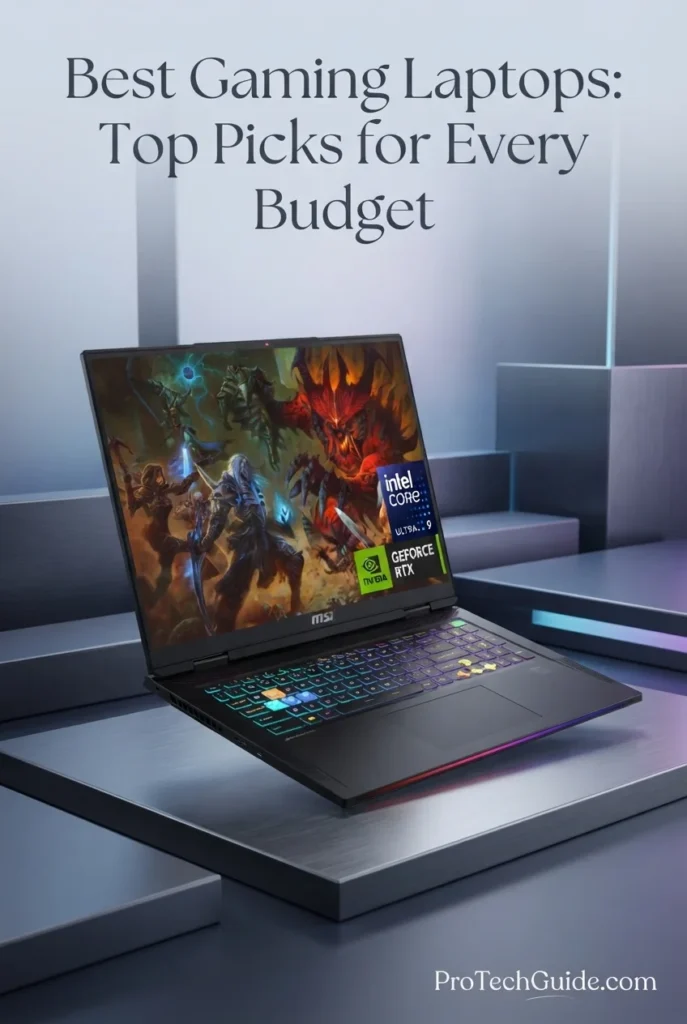
The MSI Raider 18 with an Intel Core Ultra 9 285HX processor, NVIDIA GeForce RTX 5090 Laptop GPU with 24GB of GDDR7 memory, 64GB of DDR5 RAM, and a 2TB internal SSD is a high-end gaming laptop built for enthusiasts who want powerful graphics hardware, a large display, and substantial multitasking capacity. Its 18-inch QHD+ panel runs at 2560 × 1600 and 240Hz, providing a spacious gaming experience with a high refresh rate. The 24-core processor, dedicated RTX 5090 graphics, and 64GB memory configuration also make it a compelling candidate for streaming, demanding creative applications, and compatible GPU-accelerated workloads. This listing additionally includes a separate 7-in-1 docking station with 1TB of storage, bringing the advertised combined storage capacity to 3TB across two devices—not 3TB of internal laptop storage.

• Ideal for gaming enthusiasts who want an RTX 5090 laptop for demanding AAA games, high-resolution graphics, and immersive large-screen gaming
• Well suited to players who want an 18-inch QHD+ display with a 240Hz refresh rate for fast-paced games and detailed visual environments
• A strong fit for users who need substantial memory for gaming, streaming, multitasking, and compatible content-creation workflows
• The Intel Core Ultra 9 285HX provides a 24-core CPU configuration designed to handle demanding gaming workloads, multitasking, streaming, and CPU-intensive applications
• The NVIDIA GeForce RTX 5090 Laptop GPU features 24GB of GDDR7 graphics memory, offering substantial VRAM capacity for demanding games and compatible GPU-accelerated applications
• The 18-inch QHD+ display delivers a 2560 × 1600 resolution and 240Hz refresh rate, combining a large viewing area with high-refresh-rate gaming support
• The installed 64GB of DDR5 RAM provides generous memory capacity for modern games, background applications, streaming software, and demanding multitasking
• The 2TB internal SSD provides local storage for games, applications, and projects, while the separately included docking station adds another 1TB of storage outside the laptop
• Wi-Fi 7, Bluetooth 5.4, dual Thunderbolt ports, HDMI 2.1, Ethernet, an SD card reader, and a 24-zone RGB backlit keyboard support a versatile gaming and peripheral setup

The MSI Raider 18 earns its Best for Flagship RTX 5090 Gaming distinction by combining a high-end RTX 5090 Laptop GPU with 24GB of GDDR7 memory, a 24-core Intel processor, 64GB of RAM, and an 18-inch QHD+ 240Hz display. Its generous memory configuration and broad connectivity also make it suitable for users who move between gaming, streaming, and compatible creative workloads. The included storage dock adds convenience, although its 1TB capacity should be treated as separate accessory storage rather than part of the laptop's internal SSD.

Compared with the Razer Blade 18 (2026) and Dell Alienware 18 Area-51, the MSI Raider 18 competes in the premium RTX 5090 category with its 18-inch QHD+ 240Hz display, 64GB RAM configuration, and 2TB internal SSD. The Razer Blade 18 differentiates itself with its advertised dual-mode display, which supports UHD+ at 240Hz or FHD+ at up to 440Hz. The MSI's included 1TB storage dock is a useful extra, but buyers should compare the total price, independent gaming benchmarks, cooling performance, and portability before deciding which flagship laptop best suits their needs.

• Intel Core Ultra 9 285HX processor• 24-core CPU configuration• Listed processor base speed of 2.1GHz• NVIDIA GeForce RTX 5090 Laptop GPU• 24GB GDDR7 graphics memory• Designed for demanding AAA gaming• Suitable for compatible GPU-accelerated workloadsThe MSI Raider 18 combines Intel's Core Ultra 9 285HX processor with an NVIDIA GeForce RTX 5090 Laptop GPU featuring 24GB of GDDR7 memory. This configuration targets demanding gaming, high-resolution graphics, streaming, and compatible creative applications. The 24-core CPU provides substantial processing resources for workloads that benefit from parallel processing, while the dedicated GPU handles graphics-intensive tasks. Actual frame rates and sustained performance depend on the game, graphics settings, power limits, drivers, and thermal conditions, so buyers should consult independent benchmarks before making a purchase decision.
• 64GB installed DDR5 RAM• Listed memory speed of 6400MHz• Generous capacity for demanding multitasking• Suitable for gaming and streaming software• Supports memory-intensive creative applications• Helps accommodate multiple applications simultaneouslyThe listed configuration includes 64GB of DDR5 memory, giving users substantial capacity for modern games, streaming tools, browsers, communication applications, and compatible creative software running simultaneously. This is particularly useful for people who combine gaming with other demanding tasks. The listing identifies 64GB as both the installed memory and maximum supported capacity, so buyers should not assume that the laptop supports upgrades beyond 64GB without confirming the exact model and motherboard configuration with MSI or the seller.
• 18-inch display• 2560 × 1600 QHD+ resolution• 240Hz listed refresh rate• Large viewing area for immersive gaming• High-refresh-rate support for fast-paced titles• Suitable for gaming and general content creationThe Raider 18 features an 18-inch QHD+ panel with a native resolution of 2560 × 1600 and a listed refresh rate of 240Hz. The combination provides a spacious image and support for smooth motion when the system can render frames at high rates. It is a strong format for immersive games, competitive titles, and users who prefer a larger screen. The listing does not provide enough verified display information to establish specific brightness, response time, or color-gamut performance, so those figures should be checked against the exact MSI model rather than assumed.
• 2TB internal SSD listed• PCIe SSD specified in the product description• Separate 7-in-1 docking station included• Docking station includes an additional 1TB of storage• Advertised combined storage capacity: 3TB across two devices• 32GB MicroSD card and adapter included• Useful for game libraries, media, and project filesThe laptop configuration includes a 2TB internal SSD for games, applications, and local projects. The bundle also includes a separate 7-in-1 docking station with 1TB of storage, along with a 32GB MicroSD card and adapter. These extras can be useful for additional files and peripheral connectivity, but the docking station's capacity is not part of the laptop's internal SSD. For clarity, this bundle offers 3TB of advertised combined storage across separate devices, plus the included MicroSD card. Confirm the dock's storage interface, connection method, and practical transfer speeds with the seller if they matter to your workflow.
• Wi-Fi 7 (802.11be) listed• Bluetooth 5.4• Two Thunderbolt ports, according to the listing• HDMI 2.1• Three USB 3.2 Gen 2 Type-A ports• RJ45 Ethernet• SD card reader• Headphone and microphone combo jackThe MSI Raider 18 offers a broad selection of connections for gaming peripherals, wired networking, external displays, and storage devices. The listing identifies Wi-Fi 7 and Bluetooth 5.4, along with two Thunderbolt ports, HDMI 2.1, three USB-A ports, Ethernet, an SD card reader, and a combined headphone/microphone jack. This range is useful for a multi-device desktop setup and wired gaming accessories. Wi-Fi 7 performance requires a compatible network and suitable conditions; wired Ethernet may remain preferable for users who prioritize consistent latency and reliability during online gaming.
• 24-zone RGB backlit keyboard• Numeric keypad listed• Windows 11 Home• 1080p camera listed• Black finish• Approximate listed laptop dimensions of 15.9 × 12.09 × 1.26 inches• Laptop weight listed as 7.94 pounds in the product descriptionThe Raider 18 combines a large-screen gaming design with a backlit keyboard advertised with 24-zone RGB lighting and a numeric keypad. The listing also specifies a 1080p camera and Windows 11 Home. At approximately 7.94 pounds according to the product description, this is better understood as a desktop-replacement laptop than a lightweight travel machine. The listing's product-information table gives a much higher 15.5-pound weight and unusually large dimensions, which may reflect packaging or bundled items rather than the laptop alone. Verify the actual laptop-only weight and dimensions with the seller before relying on them for portability comparisons.
• 7-in-1 docking station with separate 1TB storage• 32GB MicroSD card• MicroSD adapter• USB-C data cable• 3-in-1 charging cable• Suede cleaning cloth• Additional connectivity and storage optionsThe advertised bundle includes a 7-in-1 docking station with 1TB of separate storage, a 32GB MicroSD card and adapter, a USB-C data cable, a 3-in-1 charging cable, and a cleaning cloth. These accessories may add convenience for users who connect multiple devices or want additional file storage. Because accessories can vary by seller or bundle, confirm that all listed items are included with the exact product being shipped. The dock and MicroSD card should be treated as accessories rather than internal laptop storage.
• Windows 11 Home• MSI Raider product listing• RTX 5090 with 24GB GDDR7 listed• 64GB DDR5 installed memory listed• 2TB internal SSD listed• Seller bundle includes separate storage accessories• Verify model-specific warranty and support termsThe listing identifies this computer as an MSI Raider with Windows 11 Home, an RTX 5090 Laptop GPU, 64GB of DDR5 memory, and a 2TB internal SSD. Since marketplace configurations can include seller-installed upgrades and bundled accessories, confirm the precise model number, internal components, warranty coverage, and included items before ordering. The advertised 3TB total refers to the 2TB internal SSD plus a separate 1TB storage dock, not a single 3TB internal drive. Check the manufacturer's warranty and the seller's return terms independently.
Ideal for:• Enthusiast AAA gaming• RTX 5090 laptop gaming• High-refresh-rate gaming• Large-screen QHD+ gaming• Streaming alongside demanding games• Compatible GPU-accelerated creative workloads• Users who benefit from 64GB RAM• Desktop-replacement gaming setupsThe MSI Raider 18 is a premium choice for enthusiasts who want an RTX 5090 Laptop GPU, 64GB of RAM, a 2TB internal SSD, and an 18-inch QHD+ display with a 240Hz refresh rate. Its CPU and graphics configuration target demanding gaming and compatible creative workloads, while its connectivity and included storage dock support a more expansive setup. The laptop's large size and weight make it less suitable for users who prioritize portability. Buyers should also verify the model's exact specifications and included accessories, particularly the separate 1TB docking-station storage, before purchasing.
Best Premium RTX 5090 Gaming Laptop (2026)

Dell Alienware 18 Area-51 Gaming Laptop

Flagship Gaming Performance with an 18-Inch QHD+ 300Hz Display

The Dell Alienware 18 Area-51 with an Intel Core Ultra 9 275HX processor, NVIDIA GeForce RTX 5090 graphics, 64GB of DDR5 memory, and a 2TB SSD is our premium choice for gamers who want a powerful desktop-replacement laptop in 2026. Its 24-core processor, flagship-class RTX 5090 Laptop GPU with 24GB of GDDR7 memory, and expansive 18-inch WQXGA display provide a high-end foundation for demanding PC games, ray-traced graphics, competitive play, and immersive single-player experiences. The listed display resolution of 2560 × 1600, 300Hz refresh rate, and up to 500 nits of brightness further strengthen its appeal to players who value a large, high-refresh-rate screen. With 64GB of RAM and a 2TB SSD, this configuration also provides substantial memory capacity and local storage for a large game library and demanding multitasking.

• Ideal for enthusiast gamers who want flagship NVIDIA RTX 5090 graphics, high-end processing power, and a premium large-screen gaming experience
• Well suited to demanding PC games, ray tracing, DLSS 4-supported titles, immersive single-player games, and competitive gaming where high frame rates matter
• A strong option for streamers, gaming enthusiasts, and users who keep multiple applications open while playing and prefer a large desktop-replacement laptop over a compact system
• The Intel Core Ultra 9 275HX is listed with 24 processor cores and a maximum speed of up to 5.4GHz, providing a powerful CPU foundation for demanding games, multitasking, and CPU-intensive applications
• The NVIDIA GeForce RTX 5090 Laptop GPU with 24GB of GDDR7 memory supports advanced gaming features including ray tracing, DLSS 4, Multi Frame Generation, and NVIDIA Reflex 2 in compatible games
• The 18-inch WQXGA display provides a spacious 2560 × 1600 workspace, while its listed 300Hz refresh rate is particularly attractive for fast-paced games that can take advantage of high frame rates
• The 64GB DDR5 memory configuration provides substantial capacity for demanding games, background applications, streaming tools, browsers, and other multitasking workloads
• The 2TB SSD offers substantial internal storage for modern games, downloadable content, applications, and personal files without relying immediately on external storage
• Windows 11 Home, a backlit keyboard, HDMI output, Ethernet, Bluetooth 5.4, and listed Thunderbolt connectivity provide a practical foundation for a gaming setup with external displays and compatible peripherals

The Dell Alienware 18 Area-51 earns its Best Premium RTX 5090 Gaming Laptop designation because it combines flagship graphics hardware, a 24-core Intel processor, 64GB of memory, a 2TB SSD, and a spacious 18-inch high-refresh-rate display. Its appeal lies in bringing high-end gaming capability into a single portable system that can also serve as the centerpiece of a dedicated desktop-style gaming setup. It is best suited to buyers who prioritize performance and screen size over portability and entry-level pricing.

Compared with the Razer Blade 18 (2026) and MSI Raider 18, the Alienware 18 Area-51 competes in the same flagship gaming-laptop category with an RTX 5090 GPU, a large 18-inch display, and substantial memory capacity. Its listed 300Hz refresh rate stands out on paper, while the Razer advertises a dual-mode display and the MSI offers a QHD+ 240Hz panel. Actual gaming performance will also depend on GPU power limits, cooling, game settings, and resolution, so buyers should compare independent benchmarks before choosing between these premium systems. The Alienware listing also contains a wireless-specification discrepancy that should be confirmed with the seller before purchase.

• Intel Core Ultra 9 275HX processor• 24 processor cores• Listed maximum CPU speed of up to 5.4GHz• NVIDIA GeForce RTX 5090 Laptop GPU• 24GB GDDR7 graphics memory• NVIDIA DLSS 4 and Multi Frame Generation support in compatible games• Ray tracing and NVIDIA Reflex 2 support in compatible titlesThe Alienware 18 Area-51 pairs a high-end Intel Core Ultra 9 processor with NVIDIA's GeForce RTX 5090 Laptop GPU. This combination is designed for demanding gaming workloads, including graphically intensive titles, ray-traced effects, and advanced rendering features supported by compatible games. DLSS 4, Multi Frame Generation, and NVIDIA Reflex 2 can provide image-quality, frame-generation, or latency benefits where supported, although results vary by game, settings, and implementation. The listing identifies the CPU as a 24-core model with a maximum speed of up to 5.4GHz.
• 64GB installed DDR5 memory• Listed memory speed of 4800MHz• Listed maximum supported memory capacity of 64GB• Substantial capacity for demanding games• Room for background applications and multitasking• Useful for streaming and gaming software running together• Suitable for memory-intensive workflows alongside gamingThe listed 64GB DDR5 configuration provides substantial memory capacity for modern games and demanding multitasking. Players can keep browsers, voice-chat applications, streaming utilities, launchers, and other background software running while gaming. The technical table specifies a memory speed of 4800MHz and lists 64GB as the maximum supported capacity. Buyers should confirm the installed configuration and memory specifications for the exact unit being sold, particularly if the listing changes.
• 18-inch display• 2560 × 1600 WQXGA resolution• Listed 300Hz refresh rate• Up to 500 nits of brightness according to the listing• LCD display technology• Large viewing area for immersive gaming• HDMI video output for compatible external displaysThe 18-inch WQXGA panel offers a large gaming canvas with more vertical resolution than a conventional 1920 × 1080 screen. Its listed 300Hz refresh rate is particularly relevant to fast-paced games when the system can render sufficiently high frame rates. The listing also specifies brightness of up to 500 nits. Display technology is identified as LCD; buyers who prioritize panel type, response time, adaptive sync, color coverage, or HDR certification should confirm those details for the exact configuration rather than assume they are included.
• NVIDIA GeForce RTX 5090 Laptop GPU• 24GB GDDR7 graphics memory• Hardware-accelerated ray tracing• DLSS 4 support in compatible games• Multi Frame Generation support in compatible titles• NVIDIA Reflex 2 support in compatible games• NVIDIA Broadcast features for supported streaming workflowsThe RTX 5090 is the central gaming feature of this Alienware configuration. Its graphics capabilities support demanding visual effects and NVIDIA technologies designed to improve rendering performance, image quality, or responsiveness in supported titles. DLSS 4 and Multi Frame Generation are not universal performance guarantees: availability and results depend on the game, settings, and feature support. Players should also consult independent reviews for measured frame rates, thermal behavior, and GPU power limits before making a purchase at this price tier.
• 2TB listed SSD capacity• Solid-state storage• Space for large PC games and downloadable content• Local storage for applications and personal files• Convenient access to an extensive game library• No optical drive listed• Confirm interface and upgrade options with the sellerThe listed 2TB SSD provides substantial internal storage for modern PC games, launchers, updates, downloadable content, and everyday files. Because many current games require considerable storage space, this capacity offers a useful starting point for a high-end gaming system. The product information identifies the drive as an SSD but does not clearly establish all interface details. Buyers who intend to expand storage should verify the exact drive configuration and available upgrade options for model AA18250.
• HDMI video output• Ethernet connectivity• Listed Thunderbolt connectivity• USB connectivity• Bluetooth 5.4• Wi-Fi generation advertised as Wi-Fi 7• Wireless compatibility table lists 802.11ax• Designed to connect compatible displays and gaming peripheralsThe listing describes HDMI, Ethernet, USB, Thunderbolt, and Bluetooth 5.4 connectivity, making the laptop suitable for a setup that includes external displays, wired networking, controllers, headsets, mice, and other compatible accessories. However, its wireless specifications are inconsistent: the connectivity section advertises Wi-Fi 7, while the technical table lists 802.11ax, associated with Wi-Fi 6. Buyers should confirm the actual wireless adapter and supported Wi-Fi standard with the seller or Dell before relying on Wi-Fi 7 as a feature of this specific unit.
• Backlit keyboard• Touchpad input• Liquid Teal finish• Large 18-inch gaming form factor• Listed weight of approximately 9.56 pounds• Listed dimensions of 16.14 × 12.59 × 0.95 inches• Designed for stationary or desktop-style gaming setupsThe Alienware 18 Area-51 is a large gaming laptop intended for users who value screen size and high-end components more than everyday portability. The listing gives a weight of approximately 9.56 pounds and dimensions of 16.14 × 12.59 × 0.95 inches. Its backlit keyboard and touchpad provide built-in input options, while external peripherals can be added for a more traditional desktop-style setup. The supplied measurements should be confirmed if precise size or weight is important to your purchase decision.
• Windows 11 Home• Lithium-ion battery• Listed battery energy capacity of 45Wh• Charger and power adapter included according to the listing• Suitable for gaming, entertainment, and general computing• External displays and compatible peripherals supported• Gaming battery life will vary with workload and settingsWindows 11 Home provides the operating system for gaming, general computing, and compatible productivity applications. The listing specifies a 45Wh lithium-ion battery, but it does not establish a reliable gaming-runtime figure. Demanding games can consume power rapidly, so this system is best approached as a laptop for plugged-in performance rather than as a long-lasting mobile gaming solution. The charger and power adapter are listed as included accessories.
Ideal for:• Enthusiast PC gamers• Players seeking an RTX 5090 Laptop GPU• Demanding ray-traced gaming• DLSS 4-compatible titles• Competitive games that benefit from high refresh rates• Gamers who prefer an 18-inch display• Streamers and users who multitask while gaming• Desktop-replacement gaming setupsThe Dell Alienware 18 Area-51 with its Intel Core Ultra 9 275HX, NVIDIA GeForce RTX 5090 Laptop GPU, 64GB DDR5 memory, 2TB SSD, and 18-inch WQXGA display is a compelling flagship-class gaming configuration on paper. Its combination of high-end hardware and a listed 300Hz panel makes it especially appealing to gamers who want a large screen and substantial performance potential in one system. Before purchasing, confirm the exact GPU configuration, display specifications, warranty coverage, and wireless adapter with the seller, as the listing contains conflicting wireless details.
At a Glance

Best Gaming Laptops in 2026

Compare RTX 5060, RTX 5070, RTX 5080 & RTX 5090 Gaming Laptops

Choosing the best gaming laptop in 2026 requires more than comparing GPU names or processor specifications. Gaming performance also depends on graphics power limits, cooling, memory capacity, display resolution, refresh rate, storage, and the demands of the games you play. We selected these eight configurations to cover different gaming priorities, from RTX 5060 and RTX 5070 systems to premium RTX 5080 and RTX 5090 machines. This comparison highlights their key specifications, intended users, and practical strengths so you can identify the right gaming laptop for competitive play, immersive AAA gaming, streaming, and demanding everyday use. Because configurations and marketplace upgrades can vary, verify the exact specifications and warranty terms before purchasing.

LaptopGPU & Key SpecsBest ForWhy It WinsEditor's Verdict
Best RTX 5060 PickAcer Nitro V 16SCheck Price
AMD Ryzen 7 260
NVIDIA RTX 5060 8GB GDDR7
64GB DDR5 RAM
4TB SSD
16" WUXGA IPS, 180Hz
Mainstream Gaming
1080p-Class Gaming
Multitasking
Large Game Libraries
The Nitro V 16S pairs an RTX 5060 Laptop GPU with a Ryzen 7 processor, 64GB of listed memory, and a spacious 4TB SSD. Its 16-inch 180Hz display makes it a versatile option for players who want a high-refresh-rate screen and substantial storage without stepping up to an RTX 5080 or RTX 5090 system.Best RTX 5060 Gaming Laptop in This Lineup
Best RTX 5070 PickASUS TUF A16Check Price
AMD Ryzen 9 270
NVIDIA RTX 5070 8GB GDDR7
64GB DDR5 RAM, listed configuration
4TB SSD
16" WUXGA IPS, 165Hz
High-Performance Gaming
Competitive Multiplayer
AAA Games
Gaming & Multitasking
The TUF A16 combines an RTX 5070 Laptop GPU with a Ryzen 9 processor and a 165Hz display. Its listed 64GB RAM and 4TB SSD configuration offers substantial memory and storage capacity. The marketplace listing contains conflicting memory details, however, so buyers should verify the installed RAM and upgrade history before ordering.Best RTX 5070 Gaming Laptop in This Lineup
Premium RTX 5080Lenovo Legion Pro 7iCheck Price
Intel Core Ultra 9 275HX
NVIDIA RTX 5080 16GB GDDR7
64GB DDR5-6400
4TB Internal SSD
16" WQXGA OLED, 240Hz
Demanding AAA Gaming
High-Refresh-Rate Gaming
Streaming & Multitasking
Premium Desktop Replacement
The Legion Pro 7i combines a 24-core Intel processor, RTX 5080 graphics with 16GB of GDDR7 memory, 64GB of RAM, and a 240Hz OLED display. Its 4TB internal SSD provides substantial room for games and applications. The included docking station has separate additional storage, which should not be confused with the laptop's internal SSD capacity.Best for High-Performance Gaming
Large-Screen RTX 5080ASUS ROG Strix G18Check Price
Intel Core Ultra 9 275HX
NVIDIA RTX 5080 16GB GDDR7
64GB DDR5-5600
2TB PCIe 4.0 NVMe SSD
18" WQXGA, 240Hz
Large-Screen Gaming
Immersive AAA Titles
High-Refresh-Rate Play
Desktop-Replacement Setups
The ROG Strix G18 combines RTX 5080 graphics with an 18-inch ROG Nebula display featuring a 2560 × 1600 resolution and 240Hz refresh rate. Its Core Ultra 9 processor, 64GB of listed memory, dual Thunderbolt 5 connectivity, and dedicated cooling features make it a compelling choice for gamers who prioritize screen size and high-end performance.Best Large-Screen RTX 5080 Gaming Laptop
RTX 5080 AlternativeHP OMEN MAX 16Check Price
AMD Ryzen AI 9 HX 375
NVIDIA RTX 5080 16GB GDDR7
64GB DDR5 RAM, listed configuration
2TB SSD
16" WQXGA IPS, 240Hz
High-End AAA Gaming
AI-Enabled Workflows
Gaming & Multitasking
High-Refresh-Rate Gaming
The advertised configuration combines a Ryzen AI 9 HX 375 processor, RTX 5080 graphics, 64GB of listed memory, a 2TB SSD, and a 240Hz WQXGA display. These specifications look compelling on paper, but the marketplace listing identifies PCONLINE as the manufacturer and lists model TPN-I144 despite using the HP OMEN MAX name. Buyers should confirm the product's identity, wireless specifications, and warranty before purchasing.RTX 5080 Alternative — Verify Product Identity
Flagship RTX 5090Razer Blade 18 (2026)Check Price
Intel Core Ultra 9 290HX
NVIDIA RTX 5090 24GB GDDR7
32GB DDR5-6400
2TB SSD
18" Dual-Mode UHD+, 240Hz / FHD+, 440Hz
Flagship Gaming
Competitive High-FPS Play
Ray-Traced AAA Games
Premium Portable Performance
The Blade 18 combines an RTX 5090 Laptop GPU with a Core Ultra 9 processor and a distinctive dual-mode display. The option to use UHD+ resolution at 240Hz or FHD+ at 440Hz provides flexibility between visual detail and high-refresh-rate play. Its premium construction and Thunderbolt connectivity further strengthen its appeal, although buyers should confirm the wireless configuration because the listing contains inconsistent Wi-Fi specifications.Best Dual-Mode RTX 5090 Gaming Laptop
Flagship 18-Inch GamingMSI Raider 18Check Price
Intel Core Ultra 9 285HX
NVIDIA RTX 5090 24GB GDDR7
64GB DDR5 RAM
2TB Internal SSD
18" QHD+, 240Hz
Enthusiast Gaming
Demanding AAA Titles
Large-Screen Gaming
High-End Multitasking
The MSI Raider 18 pairs an RTX 5090 Laptop GPU with a 24-core Intel processor, 64GB of listed DDR5 memory, and an 18-inch QHD+ display running at 240Hz. Its 2TB internal SSD provides the main local storage, while the included docking station supplies separate additional storage. The listing contains inconsistent weight and dimension figures, so confirm the laptop-only measurements before buying.Best for Flagship RTX 5090 Gaming
Premium RTX 5090Dell Alienware 18 Area-51Check Price
Intel Core Ultra 9 275HX
NVIDIA RTX 5090 24GB GDDR7
64GB DDR5-4800, listed specification
2TB SSD
18" WQXGA, listed 300Hz
Enthusiast Gaming
Ray-Traced AAA Games
High-Refresh-Rate Gaming
Desktop-Replacement Setups
The Alienware 18 Area-51 combines an RTX 5090 Laptop GPU, a 24-core Core Ultra 9 processor, 64GB of listed DDR5 memory, and a large 18-inch WQXGA display. Its advertised 300Hz refresh rate is a notable feature for compatible high-frame-rate gaming. The listing's wireless specifications conflict, however, so confirm the actual Wi-Fi adapter and other configuration details before purchase.Best Premium RTX 5090 Gaming Laptop
Keep Exploring

Recommended Next Reads

Finished comparing the best gaming laptops of 2026? Explore our related gaming laptop guides to compare graphics performance, discover options by budget, and understand which hardware best fits your gaming priorities.

Whether you're choosing between RTX 5060 and RTX 5070 graphics, considering a premium RTX 5080 or RTX 5090 system, searching for a gaming laptop within a specific budget, or building a setup for competitive play and demanding AAA games, these guides will help you evaluate your options and make a more informed decision.

01
GPU Comparison

RTX 5060 vs RTX 5070 Laptop: Which GPU Should You Buy in 2026?

Understand the differences between RTX 5060 and RTX 5070 gaming laptops, including graphics capabilities, performance considerations, and which GPU tier makes more sense for your games.

Compare RTX 5060 vs RTX 5070 →
Graphics Performance

RTX 5060 vs RTX 5070 Ti vs RTX 5080 Laptop GPUs in 2026

Compare three important laptop GPU tiers and explore how graphics hardware affects your choice of gaming laptop for demanding games, visual quality, and performance.

Explore the Laptop GPU Comparison →
Midrange Gaming

Best Gaming Laptops Under $1,500 in 2026

Discover gaming laptops under $1,500 for players who want a strong balance of graphics performance, display quality, and overall system capability without entering the premium price tier.

Explore Gaming Laptops Under $1,500 →
Accessible Gaming

Best Gaming Laptops Under $1,000 in 2026

Compare more affordable gaming laptops for 1080p gaming, everyday use, and players who want dedicated graphics without spending at the flagship level.

Explore Gaming Laptops Under $1,000 →
Premium Gaming Hardware

Alienware Area-51 & Aurora Gaming PCs (2026)

Explore Alienware gaming systems and compare the Area-51 and Aurora families to better understand Dell's premium gaming hardware lineup.

Explore Alienware Gaming Systems →
Gaming Beyond Playing

Best Laptops for Game Development in 2026

Discover laptops suited to Unity, Unreal Engine, coding, game creation, and development workflows that can benefit from capable processors, dedicated graphics, and sufficient memory.

Explore Game Development Laptops →

EDITOR'S FINAL RECOMMENDATIONS

Our Final Gaming Laptop Recommendations for 2026

After comparing eight gaming laptops across GPU performance, graphics memory, processor capability, RAM, storage, display quality, refresh rates, cooling, connectivity, portability, and upgrade potential, these are our final recommendations for 2026. Whether you want an accessible entry into modern PC gaming, a balanced system for competitive play, or a high-end machine for demanding AAA titles, ray tracing, and higher-resolution gaming, the right choice depends on your performance targets, budget, and preferred games.

BEST RTX 5070

ASUS TUF A16

The ASUS TUF A16 is the alternative to consider if you want an RTX 5070 gaming laptop without stepping directly into the most expensive RTX 5080 and RTX 5090 systems. Its Ryzen 9 270 processor and 16-inch, 165Hz display make it a promising candidate for high-refresh-rate gaming and demanding everyday use. Before purchasing this particular listing, verify the installed RAM capacity and the exact configuration, since the available product information contains a discrepancy.

  • ✓ AMD Ryzen 9 270
  • ✓ NVIDIA GeForce RTX 5070
  • ✓ Listed 4TB SSD Storage
  • ✓ 16-inch WUXGA 165Hz Display
Best RTX 5070 option for high-performance gaming
BEST ENTRY-LEVEL PICK

Acer Nitro V 16S

The Acer Nitro V 16S is the accessible starting point in this selection for gamers who want dedicated RTX 50-series graphics without immediately moving to an enthusiast-class machine. Its RTX 5060, Ryzen 7 260 processor, listed 64GB of RAM, and 16-inch 180Hz display provide a useful combination for modern gaming, multitasking, and everyday productivity. Actual frame rates will depend on the game, graphics settings, resolution, and the laptop's power and cooling implementation.

  • ✓ AMD Ryzen 7 260
  • ✓ NVIDIA GeForce RTX 5060
  • ✓ Listed 64GB RAM
  • ✓ 16-inch WUXGA IPS 180Hz Display
Best entry point for RTX 50-series laptop gaming
BEST ENTHUSIAST GAMING

ASUS ROG Strix G18

The ASUS ROG Strix G18 is built for players who prioritize a large gaming display, flagship-class graphics, and substantial processing power. Its Intel Core Ultra 9 275HX, RTX 5080 with 16GB of GDDR7 memory, and 18-inch 240Hz ROG Nebula Display make it especially attractive for immersive gaming, fast-paced action, and demanding visual settings. Its larger chassis is better suited to a primarily desk-based setup than to frequent travel.

  • ✓ Intel Core Ultra 9 275HX
  • ✓ NVIDIA GeForce RTX 5080 16GB GDDR7
  • ✓ 64GB DDR5-5600 Memory
  • ✓ 18-inch 2560 × 1600 240Hz Display
Best large-screen gaming experience with RTX 5080 graphics
BEST HIGH-END ALTERNATIVE

HP OMEN MAX 16

This HP OMEN MAX 16 listing is worth considering for gamers seeking RTX 5080 graphics in a 16-inch format. The advertised configuration pairs a Ryzen AI 9 HX 375 processor with 16GB of GDDR7 graphics memory, 64GB of system RAM, a 2TB SSD, and a 240Hz WQXGA display. However, the listing identifies PCONLINE as the manufacturer and contains conflicting wireless specifications. Confirm the actual laptop model, seller, warranty, and connectivity details before treating it as a direct alternative to established OEM configurations.

  • ✓ AMD Ryzen AI 9 HX 375
  • ✓ NVIDIA GeForce RTX 5080 16GB GDDR7
  • ✓ Listed 64GB DDR5 Memory
  • ✓ 16-inch WQXGA 240Hz Display
High-performance RTX 5080 alternative — verify listing details first
BEST PREMIUM RTX 5090

Dell Alienware 18 Area-51

The Alienware 18 Area-51 is the premium choice for gamers who want an RTX 5090 laptop and a spacious 18-inch display. Its Intel Core Ultra 9 275HX, RTX 5090 with 24GB of GDDR7 memory, listed 64GB of DDR5 memory, and 2TB SSD are aimed at demanding AAA gaming and graphics-intensive workloads. This is a large, heavy system best suited to players who prioritize performance and screen space over portability. Verify the advertised refresh rate and wireless configuration against the exact product variant before ordering.

  • ✓ Intel Core Ultra 9 275HX
  • ✓ NVIDIA GeForce RTX 5090 24GB GDDR7
  • ✓ Listed 64GB DDR5 Memory
  • ✓ 18-inch WQXGA Display — 300Hz Listed
Best premium RTX 5090 gaming laptop in this selection
BEST DUAL-MODE DISPLAY

Razer Blade 18 (2026)

The Razer Blade 18 stands out for players who value display flexibility alongside flagship-class graphics. Its advertised Core Ultra 9 290HX processor, RTX 5090 graphics with 24GB of GDDR7 memory, and dual-mode 18-inch panel offer a choice between UHD+ at 240Hz and FHD+ at 440Hz. That flexibility can appeal to gamers who switch between visually rich single-player titles and competitive games where high refresh rates matter. Check the exact model's wireless specifications and final configuration before buying.

  • ✓ Intel Core Ultra 9 290HX
  • ✓ NVIDIA GeForce RTX 5090 24GB GDDR7
  • ✓ 32GB DDR5-6400 Memory
  • ✓ 18-inch Dual-Mode UHD+ 240Hz / FHD+ 440Hz Display
Best for gamers who want high resolution and ultra-high refresh rates
BEST EXTREME PERFORMANCE

MSI Raider 18

The MSI Raider 18 targets enthusiasts who want an Intel Core Ultra 9 processor, RTX 5090 graphics, substantial memory, and a large high-refresh-rate display in one system. Its advertised RTX 5090 with 24GB of GDDR7 memory and 18-inch QHD+ 240Hz panel make it a strong candidate for demanding gaming and other GPU-intensive work. The product listing contains conflicting weight and dimension information, so confirm the physical specifications, included accessories, and exact configuration before purchasing.

  • ✓ Intel Core Ultra 9 285HX
  • ✓ NVIDIA GeForce RTX 5090 24GB GDDR7
  • ✓ Listed 64GB DDR5 Memory
  • ✓ 18-inch QHD+ 240Hz Display
Best extreme-performance option for demanding gaming setups
QUICK DECISION

Which gaming laptop should you buy?

Best Overall

Lenovo Legion Pro 7i

Best RTX 5070

ASUS TUF A16

Best Entry-Level Pick

Acer Nitro V 16S

Best Enthusiast Gaming

ASUS ROG Strix G18

Best High-End Alternative

HP OMEN MAX 16

Best Premium RTX 5090

Alienware 18 Area-51

Best Dual-Mode Display

Razer Blade 18 (2026)

Best Extreme Performance

MSI Raider 18

Gaming laptop prices, configurations, and availability can change frequently. Before purchasing, confirm the exact GPU, graphics memory, installed RAM, internal SSD capacity, display resolution and refresh rate, warranty coverage, seller, and return policy. Product listings can contain errors or combine specifications from different configurations, so verify the details for the specific model being sold. Gaming performance also varies by title, resolution, graphics settings, cooling, and power limits; do not rely on the GPU name or refresh rate alone when comparing systems.

EDITOR'S FINAL VERDICT

Final Verdict: Best Gaming Laptops in 2026

After comparing eight gaming laptops across GPU performance, graphics memory, processor capability, RAM, SSD storage, display quality, refresh rates, cooling, connectivity, portability, and overall gaming potential, one conclusion stands out:The best gaming laptop is not necessarily the one with the most expensive GPU or the highest advertised refresh rate. It is the system that delivers the right balance of graphics performance, sustained power, cooling, display quality, memory, storage, and price for the games you actually play.

Modern PC gaming spans competitive esports, graphically demanding AAA releases, ray-traced environments, open-world adventures, simulation games, and creative workloads. These experiences place different demands on a laptop. GPU performance and graphics memory are particularly important for demanding games, while processor performance, system RAM, cooling, and display characteristics also influence responsiveness and the overall experience. A higher refresh rate can improve motion clarity and responsiveness, but its benefits depend on the frame rates a laptop can sustain in your chosen games.

For most buyers, the smartest approach is to choose the GPU tier that matches the games, resolution, and graphics settings they want to use. An RTX 5060 system can be a sensible starting point for modern gaming, an RTX 5070 or RTX 5080 can offer more graphics headroom, and an RTX 5090 laptop is aimed at enthusiasts seeking flagship-class performance. Compare real-game benchmarks, laptop power limits, cooling, and current prices before paying more for a higher GPU tier.
Best Gaming Laptop Overall Lenovo Legion Pro 7i
Best RTX 5070 Option ASUS TUF A16
Best Large-Screen RTX 5080 ASUS ROG Strix G18
Best Premium RTX 5090 Dell Alienware 18 Area-51
The simple answer:
  • Choose the Lenovo Legion Pro 7i if you want our leading all-around recommendation for high-performance gaming, with an Intel Core Ultra 9 275HX, RTX 5080 graphics with 16GB of GDDR7 memory, 64GB of RAM, and a 16-inch OLED display running at 240Hz.
  • Choose the ASUS TUF A16 if you want an RTX 5070 gaming laptop and are looking for an alternative to the more expensive flagship-class options. Confirm the installed RAM and exact product configuration before purchasing.
  • Choose the Acer Nitro V 16S if you want an entry point into RTX 50-series laptop gaming. Its RTX 5060 configuration is worth considering for buyers who prioritize a more accessible GPU tier, although you should compare current prices and independent gaming benchmarks before deciding.
  • Choose the Dell Alienware 18 Area-51 if you want a premium RTX 5090 system with a large 18-inch display and substantial graphics memory. It is best suited to buyers who prioritize flagship-class hardware and a desk-based gaming setup over portability.

Top Gaming Laptop Recommendations (2026)

BEST OVERALL

Lenovo Legion Pro 7i

Our Editor's Choice for high-performance gaming because it combines an Intel Core Ultra 9 275HX processor, RTX 5080 graphics with 16GB of GDDR7 memory, 64GB of DDR5 RAM, and a 16-inch OLED display with a 240Hz refresh rate. It is a compelling option for demanding games, multitasking, and players who want a premium display alongside powerful graphics hardware.

  • ✓ Intel Core Ultra 9 275HX
  • ✓ NVIDIA GeForce RTX 5080 16GB GDDR7
  • ✓ 64GB DDR5 Memory
  • ✓ 16-inch OLED WQXGA 240Hz Display
BEST RTX 5070 OPTION

ASUS TUF A16

A candidate for gamers seeking RTX 5070 graphics in a 16-inch laptop. Its advertised Ryzen 9 270 processor and 165Hz display make it worth comparing for high-refresh-rate gaming. Verify the installed RAM and the exact configuration in the listing before purchasing.

  • ✓ AMD Ryzen 9 270
  • ✓ NVIDIA GeForce RTX 5070
  • ✓ Listed 4TB SSD Storage
  • ✓ 16-inch WUXGA 165Hz Display
BEST PREMIUM RTX 5090

Dell Alienware 18 Area-51

The premium choice for buyers seeking an RTX 5090 laptop with a large display and substantial graphics memory. Its advertised Core Ultra 9 275HX processor, RTX 5090 with 24GB of GDDR7 memory, 64GB of RAM, and 2TB SSD target demanding gaming and graphics-intensive workloads. Verify the exact display refresh rate and wireless specifications for the model being sold.

  • ✓ Intel Core Ultra 9 275HX
  • ✓ NVIDIA GeForce RTX 5090 24GB GDDR7
  • ✓ Listed 64GB DDR5 Memory
  • ✓ 18-inch WQXGA Display — 300Hz Listed
Choose the Lenovo Legion Pro 7i if:
  • ✓ You want our leading all-around recommendation for high-performance gaming
  • ✓ You want RTX 5080 graphics with 16GB of GDDR7 memory
  • ✓ You value a 16-inch OLED display with a 240Hz refresh rate
  • ✓ You also use your laptop for streaming, multitasking, or demanding creative workloads
Choose the ASUS TUF A16 if:
  • ✓ You specifically want an RTX 5070 gaming laptop
  • ✓ You prefer a 16-inch display over a larger 18-inch system
  • ✓ You want to compare a high-performance option against RTX 5080 and RTX 5090 laptops
  • ✓ You have verified the exact RAM, storage, warranty, and current price
Before Buying Any Gaming Laptop:
  • ✓ Compare independent gaming benchmarks at your intended resolution and graphics settings
  • ✓ Check GPU power limits, cooling performance, and sustained performance rather than relying on the GPU name alone
  • ✓ Match the display refresh rate to the frame rates your games can realistically achieve
  • ✓ Confirm system RAM, internal SSD capacity, graphics memory, and upgrade options for the exact configuration
  • ✓ Verify seller information, warranty coverage, return policy, and any contradictory marketplace specifications before purchasing
Editor's Final Recommendation:

A gaming laptop is a long-term investment in performance, display quality, and everyday usability. The GPU is one of the most important components, but it is not the only factor that determines the experience. Cooling, power limits, graphics memory, processor performance, RAM, storage, display characteristics, keyboard comfort, and portability all contribute to how well a system performs across different games.

Among the models evaluated in this guide, the Lenovo Legion Pro 7i is our Editor's Choice for the best overall high-performance gaming laptop in 2026, thanks to its combination of RTX 5080 graphics, a 240Hz OLED display, substantial memory, and a powerful processor.The ASUS TUF A16 is worth considering if you are targeting RTX 5070 graphics, while the Acer Nitro V 16S is the entry-level GPU-tier option in this selection. For gamers who want a large display and powerful RTX 5080 graphics, the ASUS ROG Strix G18 is a strong alternative. At the premium end, the Dell Alienware 18 Area-51 targets enthusiasts seeking RTX 5090 graphics and an expansive gaming display.

Editor's Choice Explore Today's Best Gaming Laptop Deals

Compare current prices, exact GPU configurations, graphics memory, display specifications, cooling, warranty coverage, and availability before choosing the gaming laptop that best matches your budget and performance goals.

Check Latest Deals

EDITOR'S FAQ

Frequently Asked Questions About the Best Gaming Laptops in 2026

Choosing the best gaming laptop in 2026 involves more than comparing graphics cards or looking at advertised frame rates. Buyers need to consider GPU performance, graphics memory, processor capability, RAM, SSD storage, cooling, display resolution, refresh rate, portability, and overall value.These frequently asked questions address the most important gaming laptop buying decisions, from choosing between the NVIDIA GeForce RTX 5060, RTX 5070, RTX 5080, and RTX 5090 to understanding how much RAM you need, whether a 240Hz display is worthwhile, and which specifications matter most for modern AAA games, competitive esports, ray tracing, and long-term gaming performance.

The Lenovo Legion Pro 7i is our top overall recommendation among the eight gaming laptops evaluated in this guide.

Its advertised configuration combines an Intel Core Ultra 9 275HX processor, NVIDIA GeForce RTX 5080 graphics with 16GB of GDDR7 memory, 64GB of DDR5 RAM, a 2TB internal SSD, and a 16-inch OLED display with a 240Hz refresh rate. This combination makes it a compelling option for demanding games, high-performance multitasking, and users who also work with graphics-intensive applications.

  • Intel Core Ultra 9 275HX processor.
  • NVIDIA GeForce RTX 5080 with 16GB of GDDR7 graphics memory.
  • 64GB of DDR5 system memory.
  • 16-inch OLED WQXGA display with a 240Hz refresh rate.
  • 2TB of internal SSD storage in the reviewed configuration.

The best alternative depends on your priorities. The Acer Nitro V 16S represents the RTX 5060 tier, the ASUS TUF A16 offers an RTX 5070 configuration to consider, and the ASUS ROG Strix G18 combines RTX 5080 graphics with a larger 18-inch display. For enthusiasts seeking RTX 5090 graphics, the Dell Alienware 18 Area-51 is our premium recommendation.

Check Price
The best GPU depends on your target resolution, graphics settings, games, and budget. Higher-tier GPUs generally provide more performance headroom, but the actual difference depends on the laptop and game.

These four GPU tiers target different types of buyers. Rather than automatically choosing the most expensive option, consider how much graphics performance you need and whether the additional cost translates into a noticeably better gaming experience.

  • RTX 5060 → A sensible starting point for buyers who want a modern gaming laptop with dedicated RTX 50-series graphics. Evaluate performance at your preferred resolution and settings.
  • RTX 5070 → Worth considering if you want additional graphics headroom without automatically moving into the RTX 5080 or RTX 5090 tiers.
  • RTX 5080 → A high-performance option for demanding games and buyers who want substantial graphics capability for higher settings and more intensive workloads.
  • RTX 5090 → The enthusiast-oriented tier in this selection, aimed at buyers who prioritize flagship-class mobile graphics performance and are comfortable with premium pricing.

The Acer Nitro V 16S is our RTX 5060-tier option, the ASUS TUF A16 represents the RTX 5070 tier, the Lenovo Legion Pro 7i and ASUS ROG Strix G18 offer RTX 5080 configurations, and the Dell Alienware 18 Area-51, Razer Blade 18, and MSI Raider 18 represent the RTX 5090 tier.

Laptop GPU performance also depends on power limits, cooling, and the system's overall design. Compare independent benchmarks from the exact laptop configuration whenever possible.

16GB of RAM can be sufficient for many games, while 32GB is a sensible target for demanding gaming, multitasking, and longer-term flexibility.

The amount of memory you need depends on the games you play, whether you keep other applications open, and whether you stream, record gameplay, or use creative software alongside your games.

  • 16GB → Suitable for many gaming workloads, particularly when you play one game at a time and keep background applications under control.
  • 32GB → A strong target for demanding modern games, heavier multitasking, streaming, and gaming alongside other applications.
  • 64GB → Useful for specialized workloads, extensive multitasking, content creation, virtual machines, and other memory-intensive applications. It is not necessary for every gamer.

Several configurations in this guide list 64GB of system memory, including the Acer Nitro V 16S, Lenovo Legion Pro 7i, ASUS ROG Strix G18, and Dell Alienware 18 Area-51. That capacity provides substantial headroom, but it does not automatically guarantee higher gaming frame rates than a properly configured system with less RAM.

Before buying, check whether the memory is upgradeable, whether the listing specifies the installed capacity accurately, and whether the configuration matches your actual needs.

An RTX 5080 laptop can be worth the additional cost if its performance advantage matters to your games and settings, but the RTX 5070 may be the smarter purchase when the price difference is substantial.

The decision should be based on real gaming performance rather than the GPU name alone. Resolution, graphics settings, ray tracing, laptop power limits, cooling, and the performance of the complete system all affect the final result.

  • Consider the RTX 5070 → If you want a high-performance gaming laptop but need to keep spending under control.
  • Consider the RTX 5080 → If you prioritize additional graphics headroom for demanding games, higher settings, or intensive graphics workloads.
  • Compare complete systems → An RTX 5080 laptop is not automatically the better purchase if it has a significantly higher price or compromises in other important areas.
  • Check graphics memory → The reviewed RTX 5080 configurations in this guide list 16GB of GDDR7 memory, but verify the exact GPU and configuration before buying.

The ASUS TUF A16 is our RTX 5070-tier option, while the Lenovo Legion Pro 7i and ASUS ROG Strix G18 are RTX 5080 alternatives. Compare their current prices and independent benchmarks before deciding whether the upgrade is worthwhile.

Check RTX 5070 Option
A 240Hz display can be worthwhile for competitive gaming and fast-paced games, but its benefits depend on the frame rates your laptop can sustain.

A higher refresh rate allows a display to update more frequently, potentially improving motion clarity and responsiveness. However, the experience depends on the game, the GPU's performance, graphics settings, and whether the system can deliver frame rates high enough to make effective use of the display.

  • 165Hz → A high-refresh-rate option for competitive games and general gaming, provided the laptop can deliver suitable frame rates.
  • 180Hz → Another high-refresh-rate option for fast-paced gaming.
  • 240Hz → Attractive for competitive players and buyers who value fluid motion and responsive gameplay.
  • Dual-mode displays → Some panels offer different resolution and refresh-rate modes, allowing users to prioritize visual detail or very high refresh rates depending on the game.

The Acer Nitro V 16S lists a 180Hz display, the ASUS TUF A16 lists 165Hz, and the Lenovo Legion Pro 7i and ASUS ROG Strix G18 offer 240Hz panels. The Razer Blade 18 (2026) advertises a dual-mode display with UHD+ at 240Hz and FHD+ at 440Hz.

A 240Hz display does not guarantee 240 frames per second in every game. Demanding AAA titles may run at substantially lower frame rates depending on resolution, graphics settings, and hardware performance.

Check Large-Screen Gaming Option
An RTX 5090 laptop is worth considering for enthusiasts who prioritize high-end mobile graphics performance, but it is unnecessary for many gamers.

The RTX 5090 tier in this guide targets buyers seeking flagship-class graphics capability, substantial graphics memory, and premium systems for demanding games. However, whether it represents a worthwhile investment depends on the price, the games you play, the display resolution, and the performance difference compared with less expensive alternatives.

  • High-end graphics capability for demanding gaming workloads.
  • 24GB of GDDR7 graphics memory in the RTX 5090 configurations evaluated in this guide.
  • Premium systems with large displays and powerful processors.
  • Potentially attractive for users who also run graphics-intensive professional applications.
  • Higher purchase cost and potentially greater power and cooling demands than lower-tier alternatives.

The Dell Alienware 18 Area-51, Razer Blade 18 (2026), and MSI Raider 18 are the RTX 5090 options in this selection. The Alienware is our premium recommendation, while the Razer stands out for its advertised dual-mode display and the MSI targets enthusiasts who prefer an 18-inch high-refresh-rate panel.

For buyers who do not need this level of graphics performance, an RTX 5070 or RTX 5080 laptop may offer a more sensible balance of cost and capability. Always compare the price and performance of the exact configurations available.

Check Premium RTX 5090 Option
A 1TB SSD is a practical target for many gaming laptops in 2026, while 2TB or more is attractive for players who maintain a large installed game library.

Modern games can occupy substantial amounts of storage, and your operating system, launchers, updates, recordings, downloadable content, and other applications also consume space. The right capacity depends on how many games you keep installed at the same time.

  • 512GB → Suitable for a smaller game library, but you may need to uninstall games or add storage more frequently.
  • 1TB → A practical starting point for many players who want room for several games and everyday applications.
  • 2TB → Better for larger game libraries, demanding modern releases, and users who also store recordings or creative projects.
  • 4TB → Useful for players who want substantial local storage and prefer to keep many large games installed simultaneously.

The reviewed Acer Nitro V 16S, ASUS TUF A16, and Lenovo Legion Pro 7i listings advertise 4TB internal SSD configurations, while the Dell Alienware 18 Area-51 and several other options list 2TB. Confirm the actual internal storage configuration before purchasing.

Pay attention to the distinction between internal SSD capacity and external or bundled storage accessories. An included docking station or external drive does not increase the laptop's internal SSD capacity, and its transfer speeds and convenience may differ.

An 18-inch gaming laptop is attractive for immersive gaming and a larger viewing area, while a 16-inch model generally offers a more manageable balance of screen size and portability.

Neither size is universally better. Your ideal choice depends on where you play, how often you travel with your laptop, and whether you value a larger screen more than a smaller physical footprint.

  • 16-inch → A versatile option for gaming at home, traveling occasionally, and using one system for gaming and everyday work.
  • 18-inch → Better suited to buyers who prioritize a larger display for immersive games, expansive interfaces, and a desk-based setup.
  • OLED → Can provide deep blacks and strong contrast, making it attractive for visually rich games, depending on the panel.
  • High-refresh-rate IPS → Can be an excellent choice for fast-paced gaming; evaluate response times, contrast, brightness, and image quality rather than panel type alone.

The Lenovo Legion Pro 7i and ASUS TUF A16 are 16-inch options in this guide. The ASUS ROG Strix G18, Dell Alienware 18 Area-51, Razer Blade 18, and MSI Raider 18 target buyers who prefer a larger 18-inch display.

Remember that larger gaming laptops are not automatically faster. GPU power limits, cooling, and the overall implementation of the hardware are more important than screen size alone.

Check 16-Inch Gaming Laptop
For most graphically demanding games, the GPU is a primary performance factor, but the CPU, cooling system, and power limits determine how effectively the laptop can use its hardware.

A gaming laptop is a complete system. A powerful GPU is important, but its performance can be limited if the cooling solution cannot manage heat or the manufacturer configures conservative power limits. The CPU also matters for competitive games, simulation-heavy titles, strategy games, and other workloads that depend heavily on processor performance.

  • GPU → Often the most important component for graphics quality, rendering performance, and frame rates in GPU-intensive games.
  • CPU → Important for game logic, simulation, competitive gaming, and avoiding CPU-related performance bottlenecks.
  • Cooling → Helps manage temperatures and sustain performance during long gaming sessions.
  • RAM → Provides memory for the game, operating system, and background applications.
  • SSD → Provides storage for games and applications and can improve loading times compared with slower storage.

This is why comparing laptops requires more than looking at processor and GPU names. Independent benchmarks, sustained performance tests, noise levels, temperatures, and power behavior can help reveal how a laptop performs during extended gaming sessions.

For high-end gaming, the Lenovo Legion Pro 7i and ASUS ROG Strix G18 offer RTX 5080 configurations, while the Alienware 18 Area-51, Razer Blade 18, and MSI Raider 18 target the RTX 5090 tier. Compare complete-system performance before deciding which one best fits your needs.

Explore RTX 5080 Gaming
The best gaming laptop to buy in 2026 depends on your budget, target GPU tier, preferred games, display requirements, and portability needs.

There is no single model that is the right choice for every player. Start by deciding which games you play, the resolution and graphics settings you want, and how much you are prepared to spend. Then compare complete configurations rather than choosing solely by the GPU name.

  • Best Overall → Lenovo Legion Pro 7i.
  • Best RTX 5070 Option → ASUS TUF A16.
  • Best Entry-Level GPU Tier → Acer Nitro V 16S.
  • Best Large-Screen RTX 5080 → ASUS ROG Strix G18.
  • Best Premium RTX 5090 → Dell Alienware 18 Area-51.
  • Best Dual-Mode Display → Razer Blade 18 (2026).
  • Best Extreme-Performance Alternative → MSI Raider 18.
  • Alternative RTX 5080 Configuration → HP OMEN MAX 16 listing, subject to verification of the exact model and seller.

If you want our leading all-around recommendation for high-performance gaming, start with the Lenovo Legion Pro 7i. If your priority is RTX 5070 graphics, compare the ASUS TUF A16 against other available models. If you want flagship-class graphics, evaluate the RTX 5090 systems against their current prices and independent benchmarks.

Before purchasing, verify the seller, warranty, return policy, installed RAM, internal SSD capacity, GPU, graphics memory, and display specifications. This is particularly important for marketplace listings that contain conflicting information.

Check Best Overall Pick

GAMING LAPTOP BUYING GUIDE

Common Mistakes When Choosing a Gaming Laptop in 2026

Choosing a gaming laptop is not simply about buying the most powerful GPU or the highest-priced configuration. A great gaming system needs the right balance of graphics performance, CPU capability, cooling, memory, storage, display quality, and power delivery to deliver a consistent experience across modern games.The wrong laptop can become a daily source of frustration through insufficient graphics performance, thermal throttling, limited storage, inadequate memory, a display that does not match your gaming needs, or unnecessary hardware that adds cost and weight without meaningful benefits. Avoid these common mistakes before choosing your next gaming laptop.

Editor's Insight

The best gaming laptop is not necessarily the one with the highest GPU model number or the longest specification list. Real gaming performance depends on the laptop's GPU power limits, cooling system, CPU, resolution, game settings, and overall implementation.For most gaming buyers in 2026, we recommend prioritizing a capable dedicated GPU, at least 16GB of RAM, fast SSD storage, and a quality display. A 32GB configuration is a strong target for demanding games, multitasking, streaming, and longer-term flexibility. Higher-end GPUs make sense when you plan to play demanding titles at higher resolutions or settings, but your budget and preferred games should determine how much performance you actually need.

Choosing a GPU Without Considering Real-World Performance

  • An RTX 5060, RTX 5070, RTX 5080, and RTX 5090 laptop GPU target different performance tiers, but their actual gaming performance depends on power limits, cooling, and the laptop's overall design.
  • Two laptops with the same GPU can deliver different results depending on their thermal systems, power configurations, and manufacturer tuning.
  • Paying for a higher-tier GPU may not be worthwhile if you primarily play less demanding games at 1080p or do not use settings that benefit from the additional graphics performance.

Better decision: Match the GPU to your target resolution, preferred games, graphics settings, and budget. The Acer Nitro V 16S with its listed RTX 5060 configuration is a starting point in this guide, while the RTX 5070, RTX 5080, and RTX 5090 systems are options for progressively more demanding gaming goals. Compare independent gaming benchmarks for the exact laptop configuration before buying.

Buying Too Little RAM for Modern Gaming

  • Modern games can consume substantial memory, particularly when combined with launchers, browsers, voice chat, recording software, and other applications.
  • An 8GB configuration can be restrictive for many current PC gaming workloads, while 16GB remains a practical starting point for many players.
  • Insufficient memory can contribute to stuttering or multitasking limitations, although game performance also depends on the CPU, GPU, storage, and software optimization.

Better decision: Aim for 16GB of RAM as a practical baseline and consider 32GB for demanding games, streaming, content creation, heavy multitasking, or additional headroom. The laptops featured in this guide advertise configurations ranging from 32GB to 64GB, but verify the exact listing and whether the memory is upgradeable before purchasing.

Assuming a Higher Refresh Rate Always Means Better Gaming

  • A 240Hz or 300Hz display can provide smoother motion than a lower-refresh-rate panel when a game can deliver sufficiently high frame rates.
  • Many graphically demanding games will not consistently reach extremely high frame rates at native resolution and high settings.
  • Resolution, response behavior, brightness, contrast, panel quality, and the type of games you play also influence the overall display experience.

Better decision: Choose a display that matches your gaming style. Competitive players may benefit from high refresh rates, while players who prioritize detailed graphics may prefer a high-resolution panel with strong image quality. This guide includes options such as the Lenovo Legion Pro 7i with a listed 240Hz OLED display, the ASUS ROG Strix G18 with a 240Hz panel, and the Alienware 18 Area-51 with a listed 300Hz display. Verify the exact display specifications before ordering.

Ignoring Cooling and Sustained Performance

  • Gaming laptops operate under sustained CPU and GPU loads that generate significant heat.
  • Inadequate cooling or restrictive power limits can prevent a laptop from maintaining its potential performance during extended gaming sessions.
  • A powerful GPU on paper does not guarantee the best gaming experience if the system cannot manage heat, fan noise, and power effectively.

Better decision: Look for independent reviews that test sustained gaming performance, temperatures, fan noise, and frame-time consistency. Do not judge a gaming laptop by its GPU name alone. A well-cooled RTX 5070 or RTX 5080 configuration can be a better fit for your needs than a more expensive system whose additional performance does not justify its price, noise, or size.

Buying More GPU Power Than Your Gaming Needs Require

  • Not every player needs an RTX 5080 or RTX 5090 laptop to enjoy modern PC games.
  • High-end graphics configurations can increase the purchase price and may come in larger, heavier systems with substantial power requirements.
  • The additional performance may be difficult to justify if you mainly play esports titles, indie games, or less demanding games at moderate resolutions.

Better decision: Choose your performance tier according to the games you play, the resolution you target, and how long you expect to keep the laptop. The Acer Nitro V 16S and ASUS TUF A16 are worth considering if their verified configurations meet your needs, while the Lenovo Legion Pro 7i, ASUS ROG Strix G18, and RTX 5090 systems are better suited to buyers seeking higher-end performance. Compare current prices and independent benchmarks before deciding whether the upgrade is worthwhile.

Underestimating SSD Storage Requirements

  • Modern PC games can occupy substantial storage space, and installing several large titles can quickly consume a smaller SSD.
  • Game updates, downloadable content, launchers, recordings, and other applications add to storage requirements over time.
  • A nearly full drive can make managing a large game library inconvenient, even when the laptop's CPU and GPU remain capable.

Better decision: A 1TB SSD is a useful target for many gaming laptops, while 512GB can work if you maintain a smaller game library. Consider 2TB or more if you regularly install multiple large games or store recordings and creative projects locally. Confirm whether advertised storage is internal laptop storage or a separate accessory: an external dock or bundled storage device should not be counted as part of the laptop's internal SSD capacity.

Smart Buying Advice for Gamers

Choose a balanced gaming laptop if:

You want strong performance without paying for flagship hardware you may not fully use. Start by comparing the Acer Nitro V 16S with the ASUS TUF A16, paying close attention to the exact GPU, CPU, memory, display, cooling performance, and price. These models occupy different performance tiers in this guide, so the best choice depends on their verified configurations and your gaming priorities.

Choose a high-end gaming laptop if:

You regularly play demanding AAA games, want higher graphics settings, or prioritize high-resolution gaming and substantial performance headroom. The Lenovo Legion Pro 7i and ASUS ROG Strix G18 are notable RTX 5080 options in this guide, while the Razer Blade 18 and the RTX 5090 configurations target buyers seeking enthusiast-class hardware. Compare sustained performance, display quality, portability, and total cost rather than choosing solely by GPU tier.

Key takeaway: The best gaming laptop is not necessarily the most expensive model or the one with the highest-tier GPU. It is the system that delivers the right combination of graphics performance, cooling, CPU capability, memory, storage, display quality, and portability for the games you actually play. Verify the complete configuration, seller, warranty, and independent performance results before committing to a purchase.

After evaluating the laptops featured in this guide, these are our Editor's top recommendations for gaming in 2026:

  • Best Overall Gaming Laptop: Lenovo Legion Pro 7i — our leading all-around recommendation in this guide, combining a listed Intel Core Ultra 9 275HX processor, RTX 5080 graphics with 16GB of GDDR7 memory, 64GB of DDR5 memory, 4TB of listed internal SSD storage, and a 16-inch OLED WQXGA display with a 240Hz refresh rate. Verify the exact model and configuration before ordering.
  • Best RTX 5070 Gaming Laptop: ASUS TUF A16 — an option for gamers looking at the RTX 5070 tier. The listing contains conflicting memory information, so confirm the installed RAM and the rest of the configuration with the seller before purchasing.
  • Best Entry-Level GPU Tier in This Guide: Acer Nitro V 16S — a configuration built around an RTX 5060, Ryzen 7 260, 64GB of listed RAM, 4TB of listed SSD storage, and a 16-inch WUXGA IPS display with a 180Hz refresh rate. Check the exact listing and price to determine whether it is the right fit for your budget.
  • Best Large-Screen RTX 5080 Gaming Laptop: ASUS ROG Strix G18 — a high-performance option featuring a listed Core Ultra 9 275HX, RTX 5080 with 16GB of GDDR7 memory, 64GB of DDR5 memory, a 2TB SSD, and an 18-inch 2560 × 1600 display with a 240Hz refresh rate.
  • Best Premium RTX 5090 Gaming Laptop: Dell Alienware 18 Area-51 — a flagship-oriented option with a listed Core Ultra 9 275HX, RTX 5090 with 24GB of GDDR7 memory, 64GB of DDR5 memory, a 2TB SSD, and an 18-inch WQXGA display advertised at 300Hz. Verify the exact display, wireless specifications, and configuration before buying.

Need help choosing your laptop?

Not sure which option fits your workflow? Get a personalized recommendation based on your budget, performance needs, and usage.

Get personalized recommendation

⚡ Usually responds within 24 hours