
Explore More Monitor Buying Guides
Looking for more monitor recommendations? Explore our complete Best Monitors Hub featuring expert buying guides, in-depth reviews, side-by-side comparisons, and top picks for 4K, OLED, gaming, ultrawide, portable, USB-C, Thunderbolt, and professional monitors to help you find the perfect display for your workspace or entertainment setup.
Best Portable Monitors (2026): 5 Top USB-C Second Screens for Work, Travel & Gaming
The best portable monitor in 2026 should do more than simply give you extra screen space. Brightness, color accuracy, refresh rate, USB-C connectivity, portability, and power requirements can make the difference between a genuinely useful second screen and a monitor that becomes frustrating to carry and use. Whether you're working remotely, traveling with a laptop, gaming on the go, or building a flexible dual-screen setup, choosing the right portable display matters.
In this guide, we've selected the 5 best portable monitors of 2026 based on real-world usability, display quality, portability, connectivity, performance, and overall value. We focus on the features that matter most when pairing a portable monitor with modern laptops, including MacBook and Windows systems, USB-C connectivity, single-cable setups, high refresh rates, and travel-friendly designs. Whether you need a reliable productivity screen, a lightweight travel monitor, or a faster display for gaming, these are the portable monitors worth considering.
ASUS ZenScreen MB169CK 16”
Best Portable Monitor for Work, Travel & Productivity
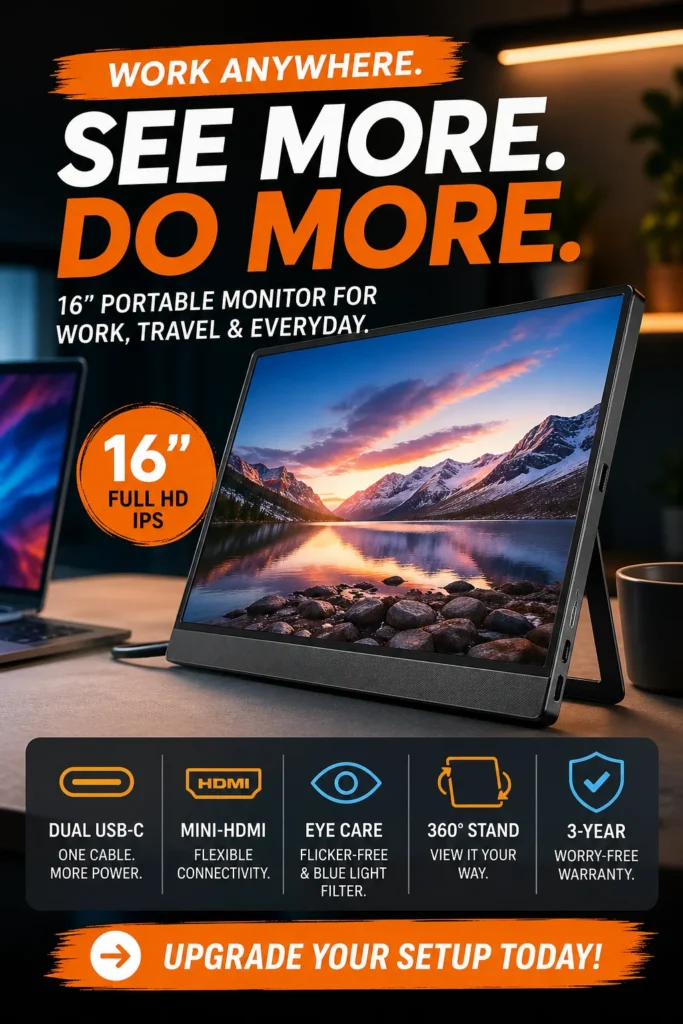
The ASUS ZenScreen MB169CK is our top recommendation for the best portable monitor overall in 2026. Its 15.6-inch Full HD IPS display, USB-C connectivity, lightweight design, and flexible viewing options make it an exceptionally balanced second screen for professionals, students, remote workers, and frequent travelers. Whether you're extending a MacBook or Windows laptop, working from a coffee shop, joining a coworking space, or building a compact mobile workstation, the ZenScreen delivers the combination of portability, image quality, and everyday usability that most people need without paying for features they may never use.
The ASUS ZenScreen MB169CK earns our Best Overall Portable Monitor award because it focuses on the features that matter most for everyday mobile productivity: a sharp IPS display, practical connectivity, lightweight portability, and a flexible design. Instead of competing primarily on extreme specifications, it delivers a well-balanced experience that works across professional, academic, and personal workflows.
Compared with cheaper portable monitors, the ZenScreen stands out as a more polished option for users who prioritize dependable everyday usability, build quality, connectivity, and portability. While specialized models may offer higher resolutions, OLED panels, or gaming-focused refresh rates, the ASUS ZenScreen remains the stronger all-around choice for users who simply want a dependable portable second screen.
Key Features
MNN 14” Portable Monitor
Best Budget Portable Monitor for Work, Travel & Productivity
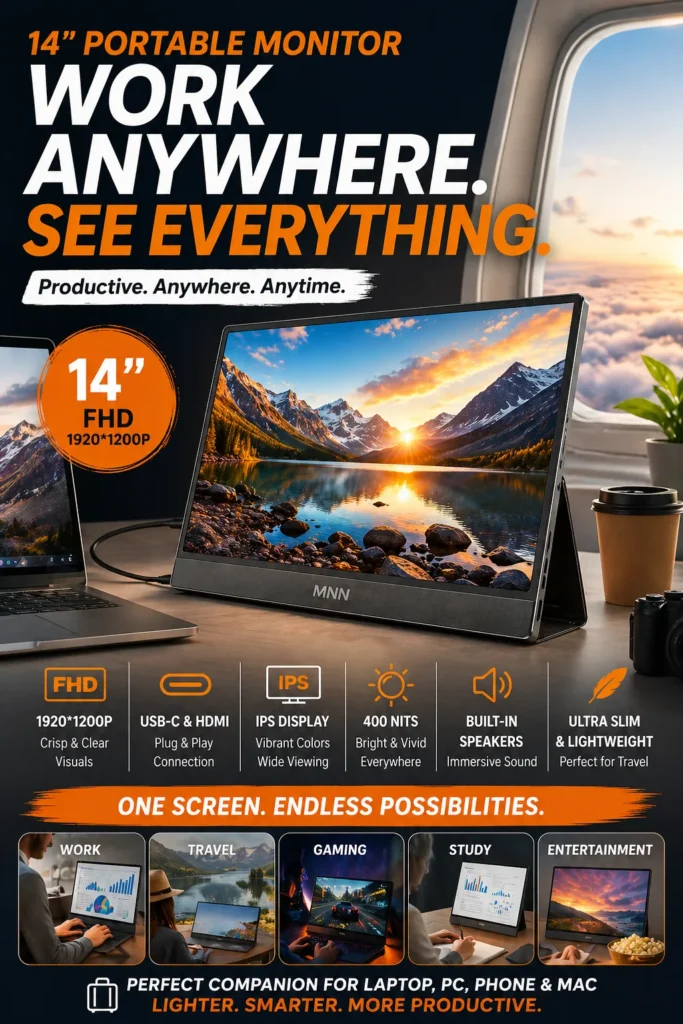
The MNN 14-inch Portable Monitor is one of the best portable monitors for budget-conscious users in 2026, offering an excellent combination of affordability, portability, and everyday usability. With a 14-inch FHD+ IPS display, USB-C and HDMI connectivity, and a lightweight design, it provides a practical second-screen solution for students, remote workers, travelers, and anyone who wants to improve laptop productivity without spending premium-monitor prices.
The MNN 14-inch earns our Best Budget Portable Monitor award because it focuses on the features that matter most for affordable dual-screen productivity. Instead of adding expensive premium features, it delivers a practical FHD+ IPS display, flexible connectivity, useful brightness, and excellent portability at a price designed for users who want to spend as little as possible.
Compared with premium portable monitors, the MNN is not designed to compete in areas such as professional color accuracy, advanced display technology, or high-end build quality. Its advantage is value: for students, remote workers, and everyday laptop users who simply need more screen space, it provides a highly accessible way to upgrade a mobile workstation without a major investment.
Key Features
INNOCN 15.6” OLED Portable Monitor
Best Portable Monitor for Creative Work & Color Accuracy
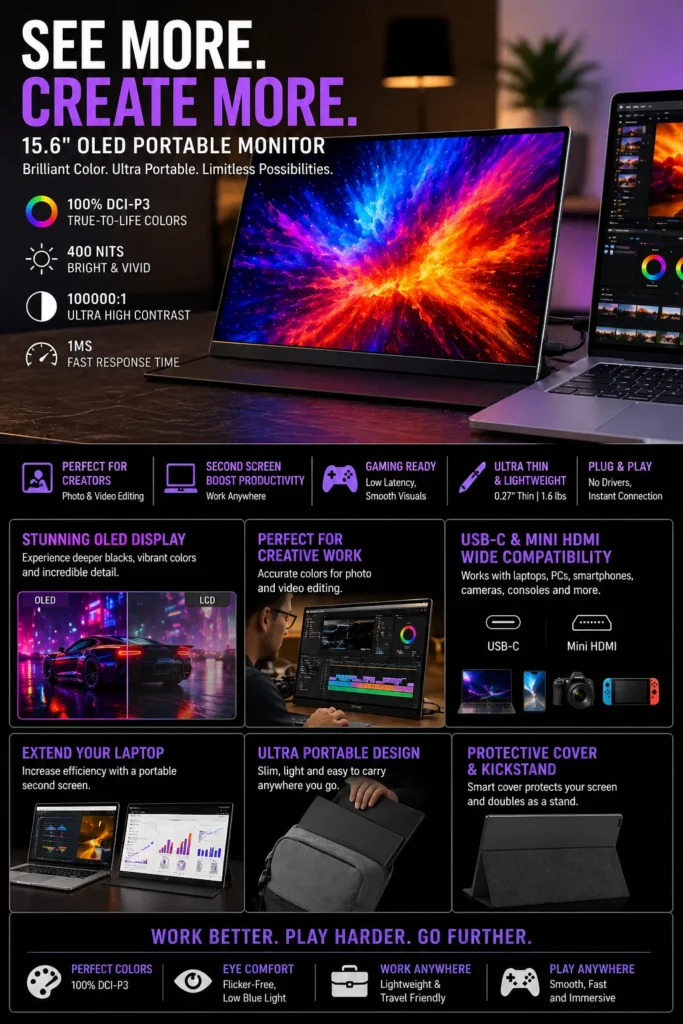
The INNOCN 15.6-inch OLED Portable Monitor is one of the best portable monitors for creators in 2026, combining OLED image quality, wide-gamut color reproduction, and a premium portable design. With 100% DCI-P3 coverage, extremely deep blacks, high contrast, and fast response times, it is designed for photographers, video editors, designers, and content creators who need a more accurate and immersive display when working away from a traditional desktop setup.
The INNOCN 15.6-inch OLED earns our Best Portable Monitor for Creators award because it prioritizes the part of a display that matters most for visual work: image quality. Its OLED panel, wide color gamut, deep blacks, and high contrast provide a noticeably more immersive and visually rich experience than typical budget IPS portable monitors.
Compared with standard IPS portable monitors, the INNOCN offers a significant advantage in contrast and black-level performance thanks to its OLED technology. It is not intended to replace a professionally calibrated studio reference monitor, but it is an excellent portable option for creators who want high-quality visuals and a more capable display when working away from their main workstation.
Key Features
Lenovo ThinkVision M14t Gen 2
Best Portable Monitor for Travel, Business & Professional Work
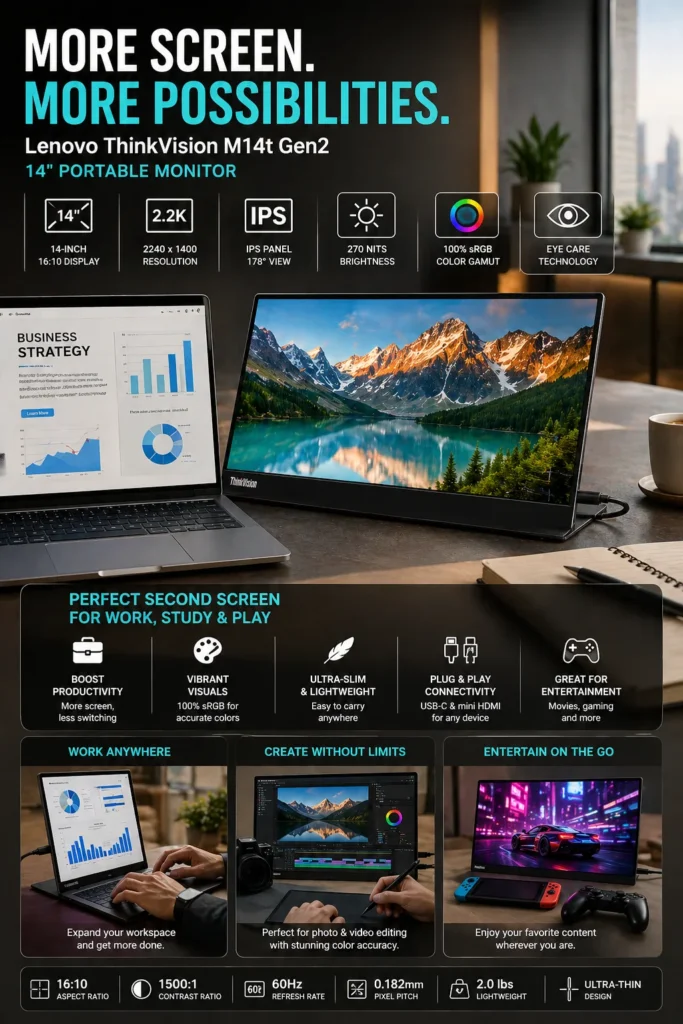
The Lenovo ThinkVision M14t Gen 2 is one of the best portable monitors for business travel and mobile work in 2026, combining a sharp 14-inch 2K display, lightweight portability, and a professional design built around productivity. It gives consultants, remote professionals, executives, and frequent travelers the extra screen space they need to work efficiently from airports, hotels, coworking spaces, client offices, and other temporary work environments.
The ThinkVision M14t Gen 2 earns our Best Portable Monitor for Travel & Business award because it focuses on what mobile professionals actually need: more screen space, sharp text, simple connectivity, and a compact design that can travel anywhere. The 2K resolution is particularly useful for spreadsheets, documents, dashboards, and multitasking where additional workspace can make a noticeable difference.
Compared with basic 1080p portable monitors, the ThinkVision M14t Gen 2 offers a sharper 2K viewing experience that is better suited to detailed business documents and productivity workflows. It is not designed to be the cheapest portable display, but for professionals who travel frequently and value a polished, reliable mobile workstation, its combination of portability and productivity makes it a compelling upgrade.
Key Features
UPERFECT 16” 4K Portable Monitor
Best Portable Monitor for Gaming, 4K Work & Power Users
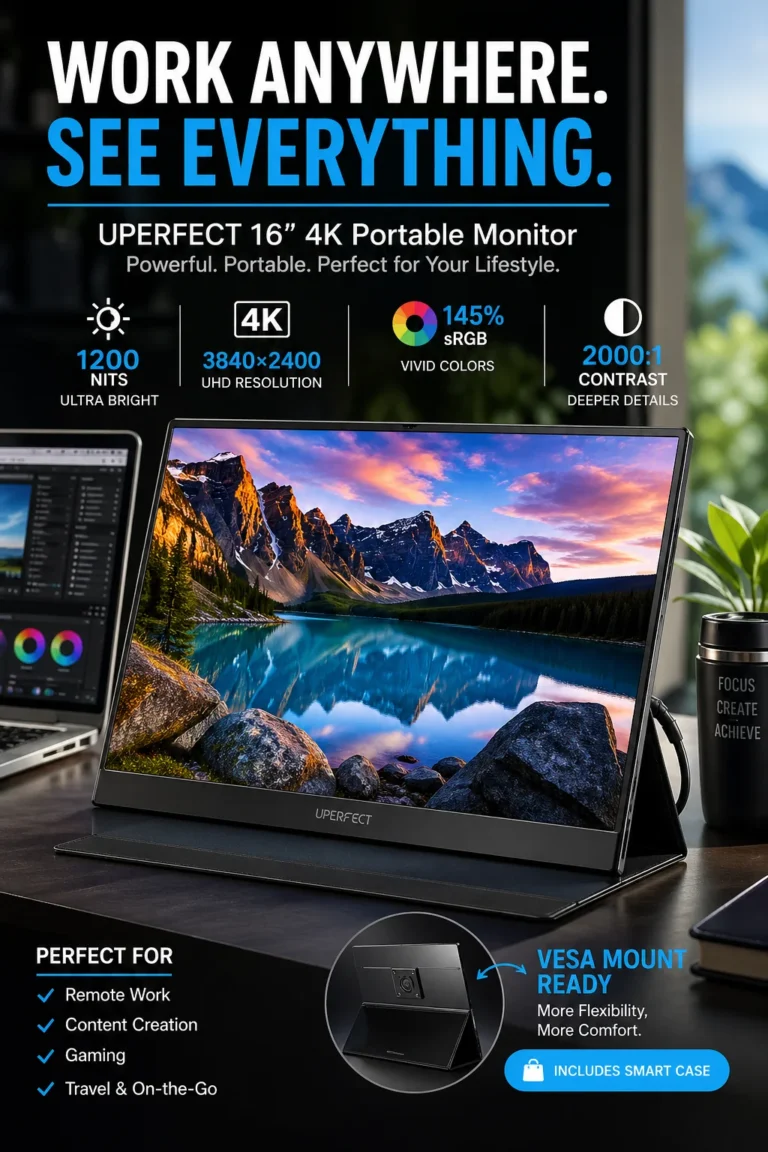
The UPERFECT 16-inch 4K Portable Monitor is one of the most capable portable displays for gaming, creative work, and power users in 2026, combining an ultra-high-resolution 3840 × 2400 panel with exceptional brightness and a large 16-inch workspace. Designed for users who want desktop-class visual detail in a portable format, it provides significantly more screen resolution and workspace than typical 1080p portable monitors.
The UPERFECT 16-inch 4K earns our Best Portable Monitor for Gaming & Power Users award because it prioritizes performance and visual detail rather than simply maximizing portability. Its combination of 4K resolution, extreme brightness, large screen size, and responsive performance makes it particularly attractive to users who want a more capable portable display for demanding workloads.
Compared with conventional 1080p and 2K portable monitors, the higher 3840 × 2400 resolution provides noticeably greater image detail and workspace, especially on a 16-inch panel. It is larger and less travel-focused than ultra-light portable displays, but for gamers, creators, and power users who value display quality and screen real estate above minimum weight, it offers a compelling high-performance alternative.
Key Features
Best Portable Monitors in 2026
Ranked by Display Quality, Portability, Connectivity, Productivity & Real-World Value
Choosing the best portable monitor isn't just about resolution or price. The right display should provide enough screen space for your workflow, reliable connectivity, comfortable viewing, useful brightness, and the portability needed for life on the move. We evaluated these monitors based on real-world productivity, display quality, portability, connectivity, versatility, and overall value to help you choose the right portable monitor for work, travel, gaming, and creative projects.
| Monitor | Key Specs | Best For | Why It Wins | Editor's Verdict |
|---|---|---|---|---|
Best Overall
ASUS ZenScreen MB169CK
Check Price
|
15.6" Full HD IPS 1920 × 1080 USB-C + Mini HDMI 60Hz |
Daily Productivity Remote Work Students & Travelers | Excellent balance of display quality, portability, connectivity, and everyday usability. It delivers the easiest all-around second-screen experience without focusing on one specialized use case. | Best Portable Monitor Overall |
Best Budget
MNN 14" Portable Monitor
Check Price
|
14" FHD+ IPS 1920 × 1200 USB-C + HDMI 400 nits |
Students Budget Setups Everyday Productivity | Focuses on the features that matter most for affordable dual-screen productivity while keeping the design lightweight and easy to carry. | Best Budget Portable Monitor |
Best for Creators
INNOCN 15.6" OLED
Check Price
|
15.6" Full HD OLED 100% DCI-P3 100000:1 Contrast 1ms Response |
Photography Video Editing Design & Content Creation | OLED technology delivers extremely deep blacks, high contrast, and wide-gamut color reproduction, giving creators a much more capable visual experience than conventional IPS portable displays. | Best Portable Monitor for Creators |
Best for Travel & Business
Lenovo ThinkVision M14t Gen 2
Check Price
|
14" 2K IPS 2240 × 1400 16:10 Display 60Hz |
Business Travel Remote Professionals Mobile Workstations | Combines a sharp 2K display with a compact professional design, making it particularly effective for spreadsheets, documents, presentations, and multitasking while traveling. | Best Portable Monitor for Business Travel |
Best for Gaming & Power Users
UPERFECT 16" 4K
Check Price
|
16" 4K IPS 3840 × 2400 Up to 1200 nits 1ms Response |
Gaming Creative Work Power Users | The combination of 4K resolution, extreme brightness, large screen size, and responsive performance makes it the most capable option for users who prioritize visual quality and screen space over minimum weight. | Best High-Performance Portable Monitor |
Recommended Next Reads
Explore more expert guides for portable displays, USB-C connectivity, productivity setups, and modern workstations.
Whether you're building a mobile workstation, upgrading a home office, adding a second display to your laptop, or creating a complete productivity setup, these expert guides will help you choose the right technology for your workflow.
Best Tech Accessories for Productivity in 2026
Build a smarter workstation with the best monitors, USB-C hubs, docking stations, keyboards, mice, and productivity accessories for modern work setups.
Explore productivity accessories →Best 4K Monitors in 2026
Compare the best 4K monitors for gaming, OLED productivity, creative work, and high-resolution desktop setups when a portable display isn't enough.
Explore 4K monitors → Connectivity GuideBest Thunderbolt & USB-C Hubs for MacBook Air M4
Find the best USB-C hubs and Thunderbolt docking solutions for connecting portable monitors, external drives, accessories, and multiple displays.
Explore USB-C hubs → Professional WorkstationsBest Thunderbolt 5 Docking Stations in 2026
Upgrade your laptop into a powerful workstation with high-speed Thunderbolt 5 docks supporting multiple displays, storage devices, and professional peripherals.
Explore Thunderbolt 5 docks → Productivity SetupBest Ergonomic Office Setup in 2026
Create a complete workstation with the right monitor positioning, desk setup, ergonomic accessories, and productivity-focused equipment for long work sessions.
Explore ergonomic setups → Ergonomic EquipmentBest Ergonomic Chairs for Long Hours in 2026
Find comfortable ergonomic chairs designed for developers, remote workers, creators, and professionals who spend long hours at their workstation.
Explore ergonomic chairs → Home Office TechnologyBest WiFi Routers for Home Office & Small Business
Improve your remote workspace with reliable WiFi performance for video calls, cloud applications, large file transfers, streaming, and connected devices.
Explore WiFi routers →EDITOR'S FINAL RECOMMENDATIONS
After comparing display quality, resolution, brightness, color accuracy, connectivity, portability, response time, build quality, and real-world usability, these are our top portable monitor recommendations for work, travel, gaming, and creative workflows in 2026.
ASUS ZenScreen MB169CK
The best portable monitor for most people. It combines a sharp Full HD IPS display, versatile USB-C and HDMI connectivity, lightweight portability, and dependable everyday performance for work, study, travel, and multitasking.
- ✓ 15.6" Full HD IPS Display
- ✓ USB-C + Mini HDMI Connectivity
- ✓ Lightweight Portable Design
- ✓ Excellent Everyday Productivity
MNN 14" Portable Monitor
The best choice for budget-conscious users who want an affordable second screen without giving up the essentials. Its FHD+ IPS display, USB-C and HDMI connectivity, and compact design make it ideal for students and everyday productivity.
- ✓ 14" FHD+ IPS Display
- ✓ 1920 × 1200 Resolution
- ✓ USB-C + HDMI Connectivity
- ✓ 400 nits Brightness
INNOCN 15.6" OLED
The standout choice for photographers, video editors, designers, and content creators. Its OLED panel delivers true blacks, extremely high contrast, and 100% DCI-P3 coverage for a significantly more capable visual experience than standard IPS portable monitors.
- ✓ 15.6" Full HD OLED
- ✓ 100% DCI-P3 Color Gamut
- ✓ 100000:1 Contrast Ratio
- ✓ 1ms Response Time
Lenovo ThinkVision M14t Gen 2
A premium choice for professionals who work away from a traditional desk. The 14-inch 2K display provides excellent text clarity and workspace while the compact design makes it particularly well suited to business travel and mobile workstations.
- ✓ 14" 2K IPS Display
- ✓ 2240 × 1400 Resolution
- ✓ 16:10 Productivity Format
- ✓ Business-Grade Build Quality
UPERFECT 16" 4K Portable Monitor
The most powerful display in this guide for users who want maximum visual quality from a portable setup. Its 4K resolution, extreme brightness, wide color gamut, and fast response time make it ideal for gaming, creative work, and demanding productivity.
- ✓ 16" 4K IPS Display
- ✓ 3840 × 2400 Resolution
- ✓ Up to 1200 Nits Brightness
- ✓ 1ms Response Time
Which portable monitor should you buy?
ASUS ZenScreen MB169CK
MNN 14" Portable Monitor
INNOCN 15.6" OLED
Lenovo ThinkVision M14t Gen 2
UPERFECT 16" 4K
- Choose the ASUS ZenScreen MB169CK if you want the best overall balance of display quality, portability, connectivity, and everyday productivity.
- Choose the MNN 14" Portable Monitor if you're looking for the best affordable way to add a second screen to your laptop without spending heavily.
- Choose the INNOCN 15.6" OLED if you're a photographer, video editor, designer, or content creator who needs deeper blacks and more accurate wide-gamut color.
- Choose the Lenovo ThinkVision M14t Gen 2 if you frequently work from airports, hotels, coworking spaces, client offices, or other mobile environments and want a sharper 2K productivity display.
- Choose the UPERFECT 16" 4K if visual quality is your top priority and you want a large 4K portable display for gaming, creative work, and demanding productivity setups.
EDITOR'S FINAL VERDICT
After comparing display quality, portability, connectivity, brightness, color accuracy, responsiveness, build quality, compatibility, and real-world usability, one conclusion stands out:The best portable monitor is not necessarily the one with the highest resolution or the most expensive panel. It is the display that adds the most useful screen space to your workflow while remaining easy to carry, simple to connect, and reliable enough for everyday use.
Portable monitors have become one of the easiest ways to transform a laptop into a more productive mobile workstation. Whether you need a second screen for documents and multitasking, a color-accurate display for creative work, a high-resolution screen for gaming, or an affordable upgrade for school and remote work, the right model can make a noticeable difference every day.
For most users, the ideal portable monitor should offer a sharp IPS or OLED display, reliable USB-C connectivity, good brightness, a lightweight design, broad device compatibility, and enough performance for the type of work you actually do.- Choose the ASUS ZenScreen MB169CK if you want the best overall balance of portability, display quality, connectivity, and everyday productivity. It is the safest choice for most laptop users who simply want a dependable second screen.
- Choose the INNOCN 15.6-inch OLED if image quality is your top priority. Its OLED panel, deep blacks, and wide DCI-P3 color coverage make it the strongest choice for photographers, video editors, designers, and other visual creators.
- Choose the UPERFECT 16-inch 4K if you want maximum visual detail and brightness in a portable format. Its 4K resolution and high brightness make it particularly attractive for gaming, high-resolution content, and demanding productivity setups.
- Choose the MNN 14-inch Portable Monitor if your main goal is getting a functional second screen without spending much money. It is a practical choice for students, remote workers, and budget-conscious users.
Top Portable Monitor Recommendations (2026)
ASUS ZenScreen MB169CK
Our Editor's Choice for most users because it delivers the strongest combination of portability, usability, connectivity, and everyday productivity without introducing unnecessary complexity.
- ✓ Excellent Everyday Productivity
- ✓ USB-C + HDMI Connectivity
- ✓ Lightweight Portable Design
- ✓ Best Overall Balance
INNOCN 15.6-inch OLED
The premium choice for photographers, video editors, designers, and content creators who need superior contrast and color reproduction in a portable display.
- ✓ OLED Display
- ✓ 100% DCI-P3 Color Coverage
- ✓ True Blacks & High Contrast
- ✓ 1ms Response Time
MNN 14-inch Portable Monitor
A smart choice for users who want an affordable second screen for school, remote work, browsing, documents, and everyday multitasking without paying for premium features.
- ✓ 14-inch FHD+ IPS Display
- ✓ USB-C + HDMI
- ✓ Lightweight Design
- ✓ Excellent Budget Value
- ✓ You want the best overall portable monitor
- ✓ You primarily work, study, or multitask
- ✓ Portability and simple connectivity matter
- ✓ You want a dependable everyday second screen
- ✓ You work with photography or video
- ✓ Color accuracy is important
- ✓ You want OLED contrast and deeper blacks
- ✓ You prioritize visual quality over price
- ✓ Make sure your laptop supports USB-C video output
- ✓ Check brightness for your intended environment
- ✓ Consider weight if you travel frequently
- ✓ Verify the required cables and power requirements
A portable monitor should make your laptop setup more productive, not more complicated. The best models combine useful screen space with easy connectivity, good image quality, portability, and dependable everyday performance.
Among the five portable monitors in this guide, the ASUS ZenScreen MB169CK delivers the strongest overall combination for the widest range of users. It is not designed to dominate every individual category, but its balanced approach makes it our Editor's Choice for the Best Portable Monitor Overall in 2026.
Compare current prices, connectivity options, display specifications, included accessories, warranty coverage, and availability before choosing the portable monitor that best matches your work, travel, gaming, or creative setup.
Check Latest DealsEDITOR'S FAQ
Choosing the best portable monitor in 2026 requires more than looking at resolution or screen size. The right model depends on how you plan to use it, whether you need USB-C connectivity, how much brightness you need, whether color accuracy matters, and how portable your setup needs to be.Below are the most common questions users ask when choosing a portable monitor for work, travel, gaming, productivity, and creative workflows.
It provides an excellent balance of portability, display quality, connectivity, and everyday usability. It is particularly well suited for professionals, students, remote workers, and laptop users who want a dependable second screen without paying for features they may never use.
For specialized needs, other models in this guide may be better. The INNOCN OLED is the stronger choice for creators, the UPERFECT 16-inch 4K is better for users who prioritize resolution and brightness, and the MNN 14-inch is the better option for budget-conscious buyers.
A second screen makes it easier to keep documentation, communication apps, spreadsheets, browser windows, code, or reference material visible while working on the primary display.
- Work → Keep email, documents, and communication tools on the second screen.
- Programming → Keep documentation, terminals, or browser previews visible while coding.
- Study → Use one display for research and another for notes or assignments.
- Travel → Create a dual-screen workstation in hotels, coworking spaces, or cafés.
For laptop users who frequently multitask, the productivity improvement can be more noticeable than upgrading to a higher-performance processor.
USB-C is usually the easiest connection because compatible USB-C ports can carry both video and power. However, not every USB-C port supports video output.
- USB-C DisplayPort Alt Mode → Usually the simplest connection for modern laptops.
- HDMI → Works with laptops that provide HDMI video output, although additional power may be required.
- USB-C power → Some high-resolution or high-brightness monitors require additional power for full performance.
Before purchasing, check whether your laptop's USB-C port supports DisplayPort Alt Mode and whether the monitor requires separate power for its highest brightness or resolution modes.
OLED panels can produce true blacks, extremely high contrast, and richer colors, making them especially attractive for photography, video editing, design, and premium media consumption.
- OLED → Best for creators, editing, contrast, and premium image quality.
- IPS → Best for productivity, affordability, general use, and everyday reliability.
- High-quality IPS → More than sufficient for office work, coding, browsing, and multitasking.
If visual quality is your primary concern, the INNOCN OLED is the stronger choice. For most productivity users, however, a good IPS portable monitor provides the better balance of value and practicality.
Full HD and 2K portable monitors are already sharp enough for documents, spreadsheets, coding, browsing, email, and general multitasking. They can also reduce power requirements compared with extremely high-resolution displays.
- 1080p / FHD → Excellent for basic productivity and budget setups.
- 1200p / 2K → Excellent balance of sharpness and workspace.
- 4K → Best for high-detail creative work, gaming, and users who prioritize maximum image clarity.
The UPERFECT 16-inch 4K is ideal for users who specifically want maximum detail and brightness, but a 2K or Full HD model is more practical for most laptop workflows.
Brightness becomes particularly important when using a portable monitor near windows, in brightly lit offices, coworking spaces, or outdoors.
- 250–300 nits → Suitable for normal indoor environments.
- 400+ nits → Better for bright rooms and frequent travel.
- 800–1200+ nits → Specialized high-brightness performance for demanding environments.
The UPERFECT 16-inch 4K stands out for users who need extreme brightness, while the ASUS ZenScreen provides a more balanced approach for everyday productivity.
A 14-inch monitor offers excellent portability and is easy to carry alongside a laptop. A 15.6-inch or 16-inch model provides more screen space and can feel closer to using a traditional desktop monitor.
- 14-inch → Best for travel, students, and lightweight setups.
- 15.6-inch → Excellent balance of workspace and portability.
- 16-inch → Best for users who prioritize screen size and productivity.
If you travel frequently, a lighter 14-inch model is usually easier to live with. If the monitor will spend most of its time on a desk, a larger 15.6-inch or 16-inch display can provide a more comfortable workspace.
Resolution alone should not determine your purchase. A portable monitor with excellent specifications can still be inconvenient if it requires too many cables or does not work properly with your laptop.
- USB-C DisplayPort support → Simplifies modern laptop connections.
- Brightness → Determines how usable the display is in different environments.
- Weight → Important if you carry the monitor every day.
- Panel type → IPS for practicality, OLED for premium visual quality.
- Resolution → 1080p, 1200p, 2K, or 4K depending on your workflow.
- Power requirements → Important for high-brightness and high-resolution models.
The best portable monitor is ultimately the one that matches your actual workflow rather than simply having the longest specification list.
- Best Overall → ASUS ZenScreen MB169CK
- Best Budget → MNN 14-inch Portable Monitor
- Best for Creators → INNOCN 15.6-inch OLED
- Best for Travel & Business → Lenovo ThinkVision M14t Gen 2
- Best for Gaming & Power Users → UPERFECT 16-inch 4K
For most users, the ASUS ZenScreen is the safest overall choice because it balances portability, usability, connectivity, and everyday productivity. Choose the INNOCN OLED if image quality is your priority, the UPERFECT if you want maximum resolution and brightness, the Lenovo if mobile business productivity is your focus, or the MNN if you want to spend as little as possible.
PORTABLE MONITOR BUYING GUIDE
Choosing a portable monitor is not simply about buying the highest resolution or the biggest screen. A good portable display needs to match your laptop, power setup, workspace, travel needs, and the type of work you actually do.The wrong monitor can create compatibility problems, poor visibility, unnecessary weight, weak color performance, or a setup that requires too many cables and adapters. Before buying a portable monitor in 2026, avoid these common mistakes and choose a display that genuinely improves your workflow.
Many buyers focus on resolution while overlooking the features that matter more in everyday use. USB-C video compatibility, brightness, weight, panel quality, power requirements, connectivity, and build quality can have a much bigger impact on your experience than simply choosing 4K.For most users in 2026, the best portable monitor is a well-balanced IPS model with USB-C connectivity, good brightness, a lightweight design, and reliable compatibility with your laptop or other devices. Higher-end 4K and OLED models make more sense for gaming, creative work, and demanding visual workflows.
Buying a 4K Monitor You Don't Actually Need
- 4K resolution looks impressive, but it is not necessary for most productivity workflows.
- Higher resolution can increase power consumption and place additional demands on your laptop.
- Many users will benefit more from better brightness, portability, or connectivity.
Better decision: Choose 1080p or 2K for everyday productivity and travel. Consider 4K when you prioritize high-detail gaming, photo editing, video production, or professional visual work.
Ignoring USB-C Video Compatibility
- Not every USB-C port supports video output.
- Some laptops and phones require HDMI or an additional adapter.
- A monitor can be technically compatible while still requiring external power or additional cables.
Better decision: Check whether your device supports USB-C DisplayPort Alt Mode or another compatible video output before buying. Connectivity should be one of the first specifications you verify.
Choosing a Monitor With Too Little Brightness
- Low-brightness displays can become difficult to see in bright rooms.
- Travel and outdoor environments make brightness limitations even more noticeable.
- A beautiful display is less useful if the image becomes difficult to see in real-world conditions.
Better decision: Look for at least around 300 nits for comfortable indoor productivity, while higher-brightness models are preferable for bright environments and frequent travel.
Buying a Portable Monitor That Is Too Heavy
- A heavy display becomes inconvenient when carried with a laptop every day.
- Extra weight can make travel setups uncomfortable.
- Large stands, thick chassis, and unnecessary accessories can reduce portability.
Better decision: If portability is your priority, choose a lightweight monitor with a slim chassis and an integrated cover or stand. A portable monitor should remain easy to carry and quick to deploy.
Ignoring the Monitor's Power Requirements
- Some high-brightness and high-resolution monitors require additional power.
- A single USB-C connection may not always provide enough power for maximum brightness.
- Travel users may end up carrying an unnecessary power brick or extra cable.
Better decision: Check the monitor's power requirements and determine whether your laptop can provide enough power through USB-C. For demanding 4K or high-brightness models, plan for external power when necessary.
Choosing Gaming Features You Don't Need
- High refresh rates and ultra-fast response times can increase the price.
- Office and productivity users may see little benefit from gaming-focused specifications.
- Extra gaming features can add cost and weight without improving everyday work.
Better decision: Choose gaming-focused features only if you actually play games on the monitor. For productivity, prioritize screen quality, brightness, connectivity, portability, and ergonomics.
💡 Smart Buying Advice for Portable Monitor Users
You want the safest all-around option for work, study, travel, and everyday productivity. Its balanced approach makes it an excellent choice for users who simply need a reliable second screen without unnecessary complexity.
You want maximum visual quality for gaming, creative work, high-resolution content, and demanding workflows. The 4K resolution and high brightness make it the performance-oriented choice in this guide.
Key takeaway: The best portable monitor is not necessarily the one with the highest resolution, brightest panel, or most gaming features. It is the display that provides the right combination of image quality, compatibility, portability, brightness, connectivity, and ease of use for your specific workflow.
After comparing the leading portable monitors in this guide, these are our Editor's top recommendations for different types of users in 2026:
- Best Overall Portable Monitor: ASUS ZenScreen MB169CK — the most balanced choice for everyday productivity, work, study, multitasking, and travel.
- Best Budget Portable Monitor: MNN 14-inch Portable Monitor — an affordable option for students, remote workers, and users who want a simple second screen without spending heavily.
- Best Portable Monitor for Creators: INNOCN 15.6-inch OLED — the premium choice for users who prioritize OLED contrast, color quality, photo editing, video editing, and visual content creation.
- Best High-Performance Portable Monitor: UPERFECT 16-inch 4K — the choice for gaming, high-resolution content, demanding visual workflows, and power users who want significantly more detail and brightness.
Need help choosing your laptop?
Not sure which option fits your workflow? Get a personalized recommendation based on your budget, performance needs, and usage.
Get personalized recommendation⚡ Usually responds within 24 hours