
Discover More Laptop Recommendations by Use Case
Continue exploring our expert laptop recommendations for every type of user. From programming, engineering, and business to gaming, content creation, AI development, and professional workflows, our buying guides help you find the right laptop based on your needs, priorities, and budget.
Best Thunderbolt & USB-C Hubs for MacBook Air M4 (2026): 7 Expert Picks for Ports, Displays & Productivity
The best Thunderbolt and USB-C hubs for MacBook Air M4 can transform Apple's ultra-portable laptop into a complete productivity workstation by adding essential ports, external displays, faster storage connections, Ethernet connectivity, and cleaner professional desk setups.
In this guide, we've selected the best Thunderbolt and USB-C hubs for MacBook Air M4 based on real-world performance, charging capabilities, port selection, display compatibility, transfer speeds, build quality, and everyday usability. Whether you are a professional working from home, a developer, creator, student, or business user, these hubs help expand the capabilities of Apple's latest MacBook Air and create a more complete workstation experience.
Dell SD25TB4 Pro Thunderbolt 4 Dock
Best Premium Dock for Professional MacBook Workstations
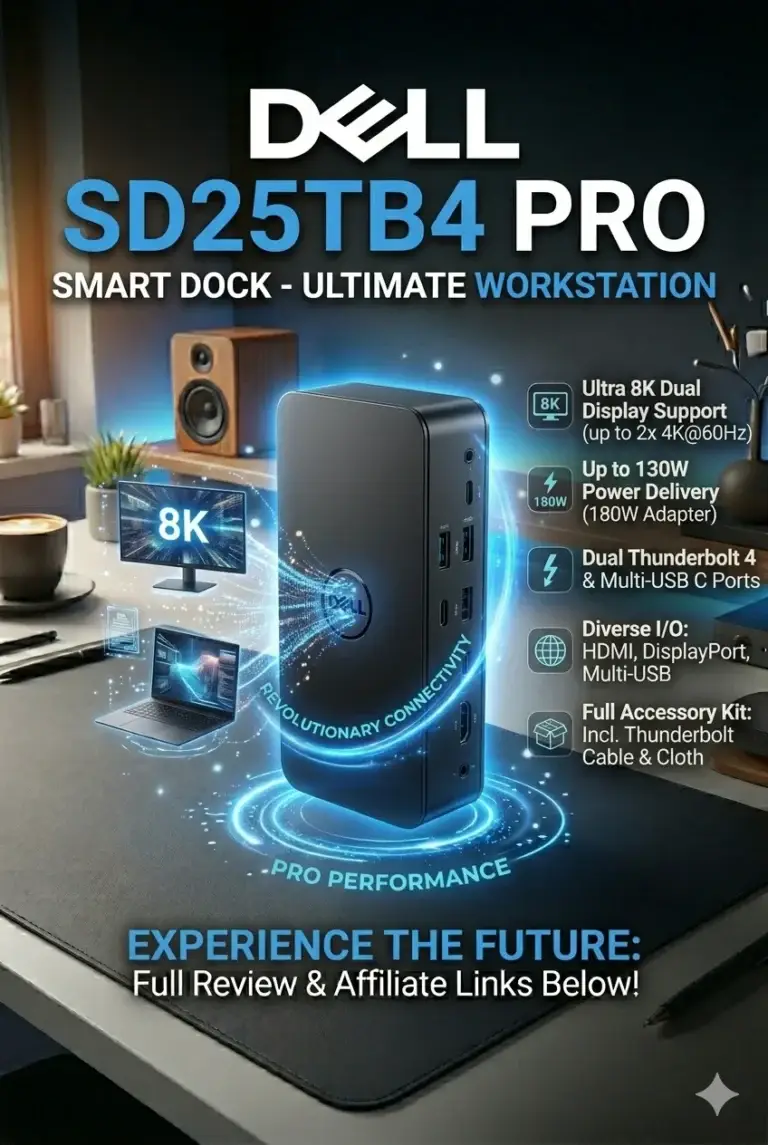
The Dell SD25TB4 Pro Thunderbolt 4 Docking Station is our top recommendation for the Best Thunderbolt 4 Docking Station in 2026. Designed for professionals who need maximum connectivity, high-speed data transfers, and reliable multi-monitor productivity, this premium dock delivers powerful expansion for developers, engineers, creators, and business users. With Thunderbolt 4 technology, support for high-resolution displays, extensive USB connectivity, Ethernet, and professional-grade stability, it transforms any compatible laptop into a complete desktop workstation.
The Dell SD25TB4 Pro earns our Best Overall Thunderbolt Docking Station award because it delivers the ideal combination of performance, connectivity, reliability, and professional features. Instead of replacing your laptop, it expands its capabilities by creating a complete workstation environment with multiple displays, fast accessories, networking, and streamlined cable management.
Compared with standard USB-C hubs, the Dell SD25TB4 Pro provides significantly higher bandwidth, better display support, and a more reliable professional experience. While compact USB-C adapters are excellent for travel, professionals who work with multiple monitors, external drives, development environments, or creative applications will benefit from the additional performance and stability of a Thunderbolt 4 docking station.
Key Features
Plugable USB-C Triple Display Docking Station
Best Value Dock for MacBook Multi-Monitor Workstations

The Plugable USB-C Triple Display Docking Station is our top value recommendation for professionals who need multiple external displays, reliable connectivity, and a productive workstation setup without the higher cost of premium Thunderbolt docking stations. With triple display support, 100W Power Delivery, DisplayLink technology, and extensive USB-C connectivity, it delivers excellent flexibility for modern hybrid work environments.
The Plugable USB-C Triple Display Docking Station earns our Best Value award because it delivers the features most professionals actually need: multiple monitors, reliable connectivity, charging support, and a cleaner desk setup. It is an excellent choice for users who want a powerful workstation experience without paying premium Thunderbolt docking station prices.
Compared with high-end Thunderbolt 4 docks, the Plugable focuses on practical productivity rather than maximum bandwidth. While Thunderbolt solutions remain better for users requiring extreme data transfer speeds or professional creative workflows, this docking station provides exceptional value for developers, remote workers, and business professionals who prioritize display expansion and everyday productivity.
Key Features
Plugable USB-C Hub 9-in-1
Best Affordable USB-C Expansion Solution for MacBook Productivity
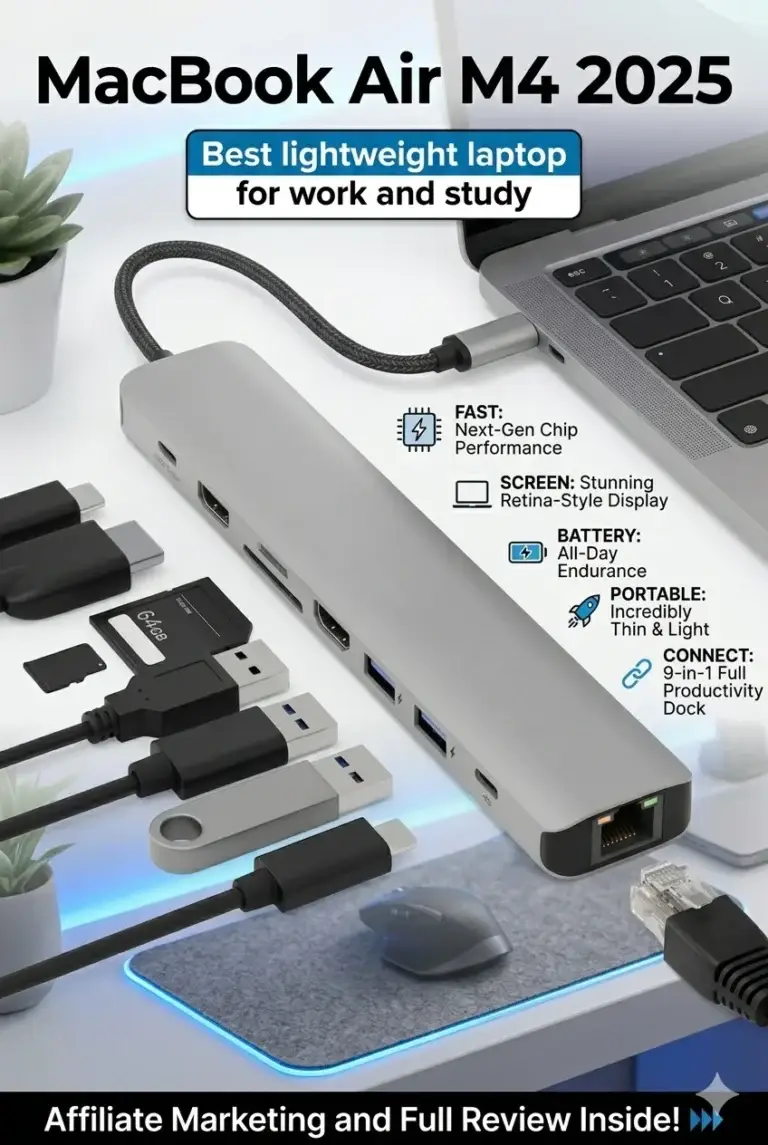
The Plugable USB-C Hub 9-in-1 is our top budget recommendation for users who need reliable laptop expansion without investing in a premium Thunderbolt docking station. It delivers essential productivity features including 4K external display support, fast USB connectivity, SD card expansion, Gigabit Ethernet, and Power Delivery charging in a compact portable design.
The Plugable USB-C Hub 9-in-1 earns our Best Budget award because it delivers the essential features most users actually need in a compact and affordable package. It expands a modern laptop into a more capable workstation while maintaining portability and simplicity.
Compared with premium Thunderbolt docks, this USB-C hub focuses on practical everyday productivity rather than maximum bandwidth or advanced workstation performance. Users who need multiple high-resolution displays, extreme transfer speeds, or enterprise-level connectivity should consider Thunderbolt solutions, but for most students, remote workers, and everyday professionals, this provides excellent value.
Key Features
Best Thunderbolt & USB-C Hubs for MacBook Air M4 in 2026
Ranked by Performance, Displays, Connectivity & Productivity
The best USB-C and Thunderbolt hubs for MacBook Air M4 users are not only about adding more ports. We evaluated each docking solution based on real-world productivity needs including charging performance, external display support, transfer speeds, port selection, compatibility, portability, and reliability. Whether you need a professional workstation setup, multiple monitors, faster storage access, or a travel-friendly expansion hub, these are the best MacBook Air M4 docking solutions of 2026.
| Docking Station | Key Features | Best For | Why It Wins | Editor's Verdict |
|---|---|---|---|---|
Best Overall Performance
Dell SD25TB4 Pro Thunderbolt 4 Smart Dock
Check Price
| Thunderbolt 4 40Gbps Transfer Speed 180W Power Delivery Dual 8K / Triple 4K Support Enterprise Connectivity | Professional Workstations Developers Creators Power Users | The Dell SD25TB4 Pro delivers the highest performance in this guide with Thunderbolt 4 bandwidth, advanced display support, powerful charging, and enterprise-grade reliability for demanding workflows. | Best Thunderbolt Dock for Professionals |
Best Multi-Monitor Setup
Plugable USB-C Triple Display Docking Station
Check Price
| Triple Display Support 1×4K + 2×1080p DisplayLink Technology 100W Power Delivery 12-in-1 Connectivity | Remote Workers Office Professionals Multi-Screen Users | DisplayLink technology allows advanced multi-monitor configurations even on systems with limited native display support, making it ideal for productivity-focused MacBook and Windows setups. | Best Dock for Multiple Displays |
Best Portable Option
Plugable USB-C Hub Multiport Adapter
Check Price
| USB-C Expansion 4K HDMI 60Hz 140W Power Delivery Support 10Gbps USB Transfer SD & MicroSD Reader Gigabit Ethernet | Students Travel Professionals Remote Workers | The Plugable USB-C Hub delivers essential connectivity in a compact design, making it perfect for MacBook Air users who need more ports without carrying a large docking station. | Best Budget USB-C Hub for MacBook Air M4 |
Recommended Next Reads
Continue Exploring MacBook, Docking Stations & Productivity Setup Guides
Looking for more ways to improve your laptop setup? Explore our expert guides covering MacBook accessories, Thunderbolt docks, portable monitors, productivity hardware, and professional workstation upgrades designed for modern users.
Best Tech Accessories for Productivity in 2026
Build the ultimate workstation with our expert selection of monitors, docking stations, keyboards, mice, webcams, and productivity accessories for MacBook and Windows users.
Explore productivity accessories →Best Thunderbolt 5 Docking Stations in 2026
Discover powerful Thunderbolt 5 docks with multi-monitor support, high-speed storage, charging, Ethernet, and professional desktop connectivity.
Build your workstation → MacBook GuideApple MacBook Air M4 Review (2026)
Learn everything about Apple's lightweight laptop, including performance, battery life, ports, displays, and real-world productivity.
Read the MacBook Air review → Apple ComparisonMacBook Pro M5 vs MacBook Air M4 (2026)
Compare Apple's latest laptops and discover which MacBook delivers the right balance of performance, portability, and value.
Compare MacBooks → External DisplaysBest Portable Monitors in 2026
Expand your MacBook Air workspace with USB-C portable monitors designed for productivity, travel, and professional workflows.
Explore portable monitors → Laptop Buying GuidesBest Laptops for Work, Gaming & Everyday Use in 2026
Explore more laptop recommendations for productivity, entertainment, professional workloads, and everyday computing.
Explore laptop guides →EDITOR'S FINAL RECOMMENDATIONS
After comparing Thunderbolt performance, USB-C compatibility, charging capabilities, display support, connectivity options, portability, build quality, and real-world MacBook workflows, these are our top docking solutions for MacBook Air M4 users in 2026.
Dell SD25TB4 Pro Thunderbolt 4 Dock
The best premium Thunderbolt dock for MacBook Air M4 users who want a professional workstation setup. It delivers high-speed connectivity, powerful charging, advanced display support, and reliable performance for demanding productivity workflows.
- ✓ Thunderbolt 4 40Gbps Connectivity
- ✓ Professional Multi-Display Support
- ✓ High-Power Charging Capability
- ✓ Enterprise-Level Reliability
Plugable USB-C Triple Display Docking Station
A great choice for users who want to create a multi-monitor MacBook Air M4 workstation. Its DisplayLink technology expands display capabilities for productivity, coding, office work, and professional desk setups.
- ✓ Triple Display Support
- ✓ Multi-Monitor Productivity Setup
- ✓ USB-C Connectivity Expansion
- ✓ Multiple Ports for Workstations
Plugable USB-C Hub 9-in-1
An affordable and practical USB-C expansion solution for MacBook Air M4 users who need extra connectivity without investing in a large docking station. Ideal for students, travelers, remote workers, and everyday productivity.
- ✓ 9-in-1 Connectivity
- ✓ HDMI Display Support
- ✓ USB Expansion Ports
- ✓ Compact Travel-Friendly Design
Which MacBook Air M4 docking solution should you buy?
Dell Thunderbolt 4 Dock
Plugable Triple Display Dock
Plugable USB-C Hub 9-in-1
Thunderbolt 4 Dock
Compact USB-C Hub
- Choose the Dell SD25TB4 Pro Thunderbolt 4 Dock if you want the best overall docking solution with premium connectivity, professional display support, and a complete MacBook workstation experience.
- Choose the Plugable USB-C Triple Display Docking Station if your priority is building a multi-monitor productivity setup for work, coding, and professional workflows.
- Choose the Plugable USB-C Hub 9-in-1 if you need an affordable, compact, and reliable way to expand your MacBook Air M4 connectivity.
EDITOR'S FINAL VERDICT
After evaluating Thunderbolt performance, USB-C compatibility, charging capability, display support, port selection, build quality, portability, and real-world productivity workflows, one conclusion is clear:The best hub for MacBook Air M4 users is not simply the one with the most ports — it is the one that delivers the right balance between connectivity, reliability, performance, and everyday usability.
Modern MacBook Air users increasingly rely on external monitors, fast storage, Ethernet connections, SD cards, and professional accessories. The right docking station can transform Apple's lightweight laptop into a complete workstation for productivity, remote work, development, content creation, and everyday professional tasks.
For most MacBook Air M4 owners, the ideal hub should provide reliable charging, external display support, fast data transfer, essential ports, and a clean desktop experience without sacrificing portability.- Choose the Dell SD25TB4 Pro Thunderbolt 4 Dock if you need maximum performance, professional workstation connectivity, multiple displays, high-speed transfers, and enterprise-level reliability.
- Choose the Plugable USB-C Triple Display Docking Station if your priority is a multi-monitor setup for office productivity, remote work, coding, and professional workflows.
- Choose the Plugable USB-C Hub 9-in-1 if you need an affordable, compact solution for travel, students, freelancers, and everyday MacBook Air M4 expansion.
- Choose a Thunderbolt 4 dock if you want the best long-term investment and a cleaner professional desk setup with maximum flexibility.
Top Thunderbolt & USB-C Hub Recommendations (2026)
Dell SD25TB4 Pro Thunderbolt 4 Dock
Our Editor's Choice thanks to its exceptional performance, powerful charging capability, advanced display support, and professional workstation features designed for demanding users.
- ✓ Thunderbolt 4 Performance
- ✓ Up to 40Gbps Data Transfer
- ✓ Up to 8K Display Support
- ✓ Enterprise-Grade Connectivity
Plugable USB-C Triple Display Dock
The ideal choice for users who want a productive multi-screen workspace with reliable charging, DisplayLink support, and extensive connectivity without premium Thunderbolt pricing.
- ✓ Triple Display Support
- ✓ 100W Power Delivery
- ✓ DisplayLink Technology
- ✓ 12-in-1 Expansion
Plugable USB-C Hub 9-in-1
A compact and affordable expansion solution for MacBook Air M4 users who need essential ports, 4K display support, fast transfers, and travel-friendly portability.
- ✓ 4K HDMI 60Hz
- ✓ 140W PD Support
- ✓ 10Gbps USB 3.2
- ✓ SD & MicroSD Reader
- ✓ You need the most powerful dock
- ✓ You use multiple professional monitors
- ✓ You want maximum reliability
- ✓ You need a permanent workstation setup
- ✓ You want a multi-monitor office setup
- ✓ You work remotely
- ✓ You need strong value
- ✓ You want more productivity from USB-C
- ✓ Check display compatibility
- ✓ Verify charging requirements
- ✓ Consider future connectivity needs
- ✓ Avoid low-quality unknown brands
A good docking station can completely change how you use your MacBook Air M4. The right hub improves productivity, reduces cable clutter, expands connectivity, and creates a professional workspace without replacing the portability that makes the MacBook Air unique.
Among all tested options, the Dell SD25TB4 Pro Thunderbolt 4 Dock delivers the best overall experience for professionals who want maximum performance, while the Plugable USB-C Triple Display Dock provides the best balance between price, features, and multi-monitor productivity.
Compare current pricing, availability, charging capabilities, display support, and connectivity options before choosing the hub that best matches your MacBook Air M4 workflow.
Check Latest DealsEDITOR'S FAQ
Choosing the right Thunderbolt or USB-C docking station for MacBook Air M4 depends on more than the number of ports. Users should consider display support, charging capability, transfer speeds, compatibility, portability, and long-term reliability.Below are the most common questions from MacBook Air owners, professionals, remote workers, developers, creators, and users building productivity-focused desk setups.
It delivers Thunderbolt 4 performance, high-speed connectivity, advanced display support, powerful charging, and enterprise-grade stability. It is ideal for users who want to transform their MacBook Air M4 into a complete workstation.
For most users looking for better value, the Plugable USB-C Triple Display Dock offers an excellent balance of multi-monitor support, connectivity, and affordability.
Thunderbolt docks provide high-performance display connectivity, while DisplayLink-based docks can enable additional monitors by using software-based graphics processing.
- Thunderbolt Dock → Best performance and reliability.
- DisplayLink Dock → Better for multiple monitor setups.
- Basic USB-C Hub → Usually limited display support.
Users planning professional multi-monitor workflows should verify compatibility before purchasing.
A Thunderbolt 4 dock can provide up to 40Gbps bandwidth, better display support, faster peripheral performance, and more reliable professional workflows.
- USB-C Hub → Basic expansion, travel, everyday productivity.
- Thunderbolt 4 Dock → Professional workstations, multiple displays, high-speed devices.
For MacBook Air M4 users who need a permanent desk setup, Thunderbolt is usually the better long-term investment.
A quality dock can add external displays, Ethernet, USB devices, SD card readers, storage devices, and charging through a single cable connection.
For the best experience, choose docks that specifically support modern USB-C, USB4, or Thunderbolt standards.
Higher-power docks provide additional headroom for charging accessories and maintaining performance during heavy workloads.
- 60W–100W → Ideal for most MacBook Air users.
- 100W+ → Better for professional setups.
- 180W docks → Designed for demanding workstation environments.
A quality docking station can replace multiple adapters while adding monitors, charging, networking, storage connections, and peripherals through a single cable.
- Cleaner workspace.
- Better cable management.
- Professional multi-monitor setups.
- Faster daily workflows.
For complete dock features, your laptop must support technologies such as DisplayPort Alt Mode, USB4, or Thunderbolt.
Without proper support, some features like external displays or high-speed data transfer may not work correctly.
Always check your laptop specifications before choosing a docking station.
- Best Overall: Dell SD25TB4 Pro Thunderbolt 4 Dock
- Best Multi-Monitor: Plugable USB-C Triple Display Dock
- Best Budget: Plugable USB-C Hub 9-in-1
For most MacBook Air M4 owners who need productivity improvements without overspending, the Plugable Triple Display Dock offers one of the strongest balances between features, compatibility, and value.
USB-C & THUNDERBOLT DOCKING STATION BUYING GUIDE
Buying a docking station in 2026 is not simply about choosing the model with the highest number of ports.The right dock depends on your laptop compatibility, display requirements, charging needs, bandwidth limitations, operating system, and daily workflow.Choosing the wrong docking station can cause display issues, slow transfers, unstable connections, insufficient charging, or compatibility problems with modern laptops.Avoid these common mistakes before investing in your next professional docking solution.
Many buyers focus only on the number of ports, but professional users should prioritize bandwidth, chipset quality, charging capability, display technology, and compatibility.For most users in 2026, the best docking station is the one that matches their laptop and workflow — whether that means a premium Thunderbolt 4 dock for maximum performance, a DisplayLink dock for multi-monitor productivity, or a compact USB-C hub for everyday portability.
Choosing USB-C instead of Thunderbolt without understanding the difference
- USB-C docks usually offer lower bandwidth and fewer advanced features.
- Thunderbolt docks provide up to 40Gbps bandwidth and better display support.
- Professional workflows benefit from higher speed and stability.
Better decision: Choose Thunderbolt 4 for demanding workstation setups, creators, engineers, and users running multiple displays or high-speed storage.
Ignoring laptop compatibility before buying a dock
- Not every USB-C port supports external displays.
- Some laptops require DisplayPort Alt Mode.
- Thunderbolt compatibility varies by device.
Better decision: Check your laptop specifications first to confirm USB-C video support, Thunderbolt compatibility, and charging requirements.
Buying a dock without enough charging power
- Ultrabooks may work with 65W–100W charging.
- Performance laptops may require 130W–180W power delivery.
- Insufficient power can reduce charging speed during heavy workloads.
Better decision: Choose a docking station with enough Power Delivery capacity for your specific laptop model.
Expecting unlimited multi-monitor support
- Display support depends on the laptop GPU and dock technology.
- MacBook models have specific external display limitations.
- Cheap USB-C hubs often cannot handle advanced monitor setups.
Better decision: Choose Thunderbolt or DisplayLink docking stations when you need reliable dual or triple monitor configurations.
Choosing a dock only because it has more ports
- More ports do not always mean better performance.
- Bandwidth limitations affect real-world speed.
- Cheap hubs often share limited resources between connections.
Better decision: Prioritize bandwidth, chipset quality, display support, and reliability instead of only counting ports.
Using poor-quality cables with premium docking stations
- Low-quality cables can reduce speed and stability.
- Thunderbolt requires certified cables for maximum performance.
- Long unsupported cables may affect display reliability.
Better decision: Use certified USB-C or Thunderbolt cables to achieve the performance your dock was designed for.
🚫 What USB-C & Thunderbolt Docking Stations Are NOT Designed For
💡 Smart Buying Advice for Docking Stations
You need maximum bandwidth, professional displays, high-speed storage, enterprise reliability, or a premium workstation setup.
You need multiple monitors, office productivity, remote work flexibility, and compatibility with devices like MacBooks with display limitations.
Key takeaway: The best docking station is not the one with the most ports. It is the one that provides the right combination of bandwidth, compatibility, charging power, display support, and reliability for your workflow.
After testing the top docking stations in this guide, these are our Editor's recommendations for 2026:
- Best Performance Dock: Dell SD25TB4 Pro Thunderbolt 4 Smart Dock — maximum bandwidth, enterprise reliability, and premium workstation connectivity.
- Best Multi-Monitor Dock: Plugable USB-C Triple Display Docking Station — excellent balance of price, DisplayLink technology, and productivity features.
- Best Budget Option: Plugable USB-C Hub 9-in-1 — compact solution for students, travelers, and everyday productivity setups.
Need help choosing your laptop?
Not sure which option fits your workflow? Get a personalized recommendation based on your budget, performance needs, and usage.
Get personalized recommendation⚡ Usually responds within 24 hours