
Explore Our Best Laptops by Use Case
This guide to Best Laptops for AutoCAD in 2026: 8 Best Picks for 2D, 3D & CAD Work is part of our curated laptop recommendations by use case. Explore more expert comparisons and buying guides designed to help you choose the right laptop for AutoCAD, CAD modeling, architecture, engineering, 2D drafting, 3D design, technical drawing, and other professional workloads.Best Laptops for AutoCAD in 2026: 8 Best Picks for 2D, 3D & CAD Work
The best laptop for AutoCAD in 2026 depends on more than raw specifications. The right choice varies according to whether you primarily work with 2D drafting, 3D modeling, large drawings, architectural projects, engineering workflows, or demanding CAD applications alongside other professional software.For everyday 2D work, processor performance, sufficient RAM, fast storage, and a comfortable display can matter more than an extremely powerful GPU. More demanding 3D workflows, large datasets, and complex models place greater importance on dedicated graphics performance, VRAM, memory capacity, and sustained system performance.
In this guide, we've selected the best laptops for AutoCAD in 2026 based on processor performance, graphics capability, VRAM, RAM capacity, storage, display quality, thermal performance, portability, workstation features, software compatibility, and overall value. We also considered the practical requirements of architects, engineers, CAD professionals, students, and users who move between 2D drafting and more demanding 3D workflows.The Lenovo ThinkPad P16 Gen 3 leads our selection as the Best Overall for AutoCAD, combining a high-end Intel processor, 64GB of memory, NVIDIA RTX PRO 3000 Blackwell graphics with 12GB of GDDR7 VRAM, fast Gen5 storage, and a high-resolution 16-inch display. The HP ZBook Fury 16 G11 targets professionals who need workstation-class memory and storage capacity, while the Lenovo Legion Pro 5i Gen 10 offers a powerful alternative for users seeking strong CAD and 3D performance without moving into a traditional mobile workstation.For architects and creative professionals, the ASUS ProArt P16 combines a 4K OLED touchscreen with Ryzen AI processing, RTX 5070 graphics, 64GB of memory, and 2TB of storage. The ASUS ROG Zephyrus G16 focuses on high performance in a more portable design, while the HP ZBook Power G11 provides a more accessible workstation platform. Students and budget-conscious CAD users can consider the Lenovo LOQ 15IRX10, while the Apple MacBook Pro 14-inch with M5 Pro provides a premium macOS option for users whose AutoCAD workflows are compatible with the Mac version of the software.
Lenovo ThinkPad P16 Gen 3
Best Workstation Laptop for 2D Drafting, 3D CAD & Professional Workflows
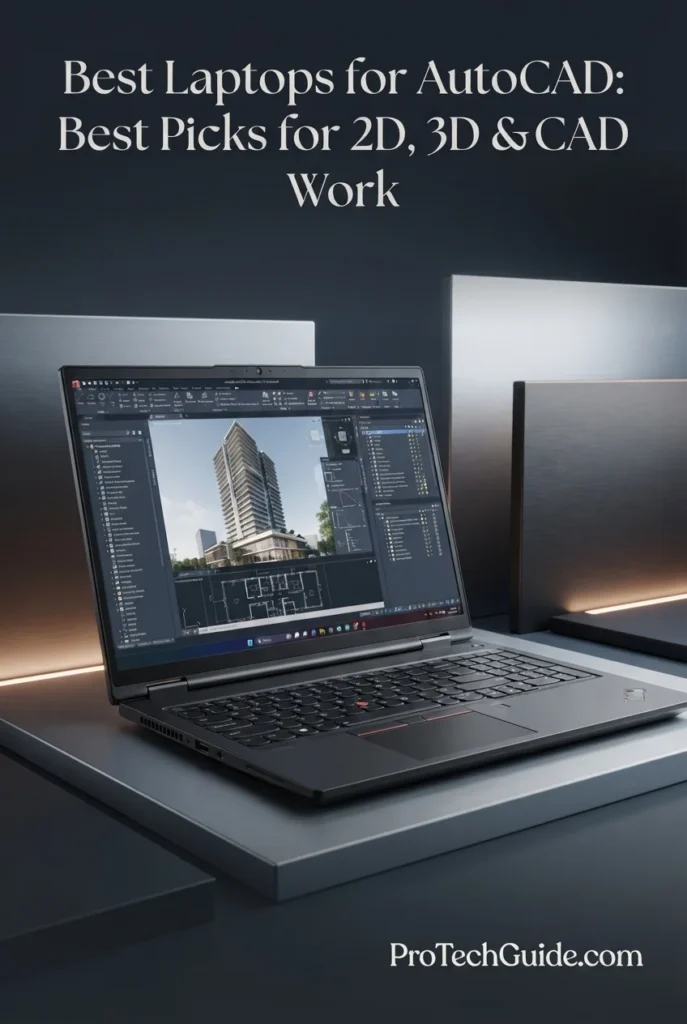
The Lenovo ThinkPad P16 Gen 3 with the Intel Core Ultra 7 255HX, 64GB of DDR5 memory, NVIDIA RTX PRO 3000 Blackwell graphics with 12GB of GDDR7 VRAM, and a 2TB PCIe Gen5 SSD is our Best Overall laptop for AutoCAD in 2026. Its workstation-class configuration is particularly well suited to demanding CAD workflows, combining high-speed CPU performance, professional NVIDIA graphics, substantial memory capacity, fast storage, and a high-resolution 16-inch WQUXGA display. The 12GB of dedicated GDDR7 VRAM is especially relevant for users working with large drawings, complex 3D models, point clouds, and other graphics-intensive CAD workloads, while the 64GB of RAM provides considerable headroom for AutoCAD alongside other professional applications.
The ThinkPad P16 Gen 3 earns our Best Overall for AutoCAD designation because it brings together the hardware characteristics that matter most for demanding professional CAD work: a high-performance Intel Core Ultra processor, 64GB of RAM, professional NVIDIA RTX PRO graphics with 12GB of dedicated VRAM, a fast 2TB Gen5 SSD, and a highly detailed 16-inch WQUXGA display. It is especially compelling for users who move beyond basic 2D drafting into complex 3D modeling, large drawings, point-cloud workflows, and demanding professional applications.
Compared with performance-oriented gaming laptops such as the Lenovo Legion Pro 5i Gen 10 and Lenovo LOQ 15IRX10, the ThinkPad P16 Gen 3 takes a more specialized workstation approach, with NVIDIA RTX PRO graphics, extensive professional connectivity, ISV certification, and a display designed around high-resolution professional work. Its 64GB memory and 12GB of dedicated VRAM also give it substantial capacity for demanding CAD workloads. Users who prioritize gaming performance or a lower purchase price may prefer a GeForce-based alternative, but professionals who need a workstation-oriented AutoCAD platform have a different set of priorities.
Key Features
HP ZBook Fury 16 G11
Best High-Memory Workstation for Large CAD Projects & Professional Multitasking
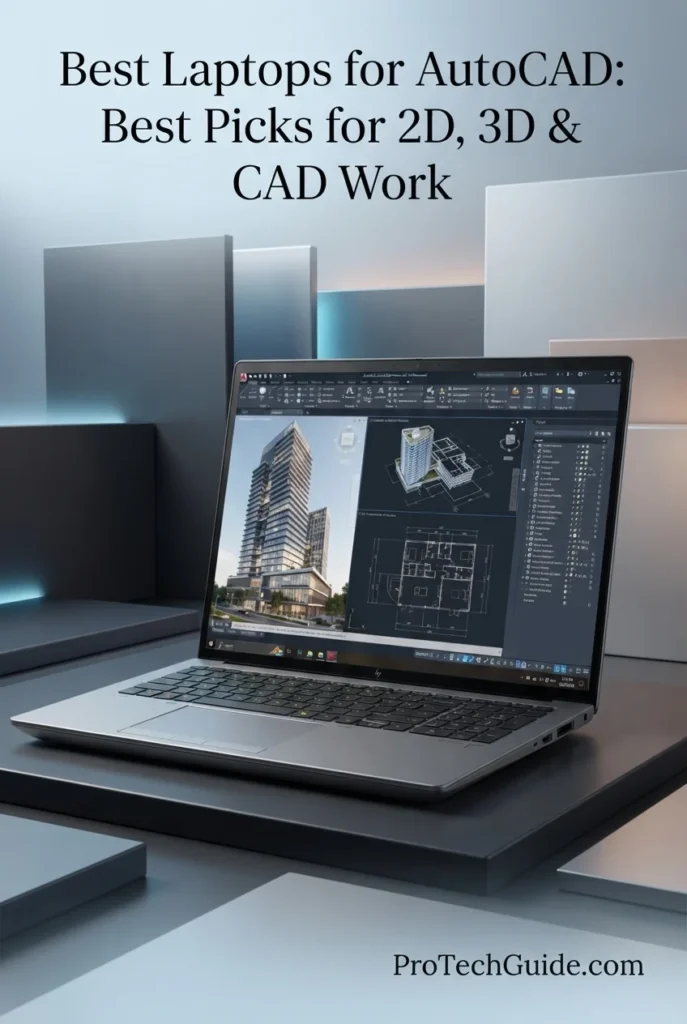
The HP ZBook Fury 16 G11 with the Intel Core i7-13850HX, 128GB of DDR5 memory, 4TB PCIe NVMe SSD, and Intel UHD integrated graphics is our Best Professional Workstation for AutoCAD in 2026 for users who prioritize exceptional memory and storage capacity. Its 20-core, 28-thread processor, enormous 128GB RAM configuration, and 4TB SSD create a powerful environment for large CAD projects, extensive multitasking, technical documentation, databases, engineering applications, and professional workflows that can benefit from substantial system resources. However, because this specific configuration uses integrated Intel UHD graphics rather than a dedicated workstation GPU, it is better suited to CPU- and memory-intensive CAD workloads than demanding 3D projects requiring 12GB-class dedicated VRAM.
The ZBook Fury 16 G11 earns our Best Professional Workstation for AutoCAD designation because this particular configuration prioritizes capacity on an unusually large scale. The combination of a 20-core Core i7-13850HX, 128GB of DDR5 memory, and 4TB NVMe storage provides considerable headroom for large professional projects and demanding multitasking. Its limitation is equally important: the integrated Intel UHD graphics are not comparable to the dedicated RTX PRO GPU found in the Lenovo ThinkPad P16 Gen 3, so this configuration is better positioned for memory-heavy and CPU-focused CAD workflows than advanced GPU-intensive 3D modeling.
Compared with the Lenovo ThinkPad P16 Gen 3, the ZBook Fury 16 G11 offers substantially more system memory and a larger 4TB SSD in this selected configuration, making it particularly attractive for users managing extensive local projects and heavy multitasking. The ThinkPad P16 Gen 3, however, has a major graphics advantage with its dedicated NVIDIA RTX PRO 3000 Blackwell GPU and 12GB of GDDR7 VRAM. For AutoCAD users working extensively with demanding 3D models, point clouds, or GPU-intensive visualization, that dedicated workstation graphics capability is more aligned with Autodesk's advanced-workload requirements.
Key Features
Lenovo Legion Pro 5i Gen 10
High-Performance Laptop for 2D Drafting, 3D CAD & Demanding Workloads
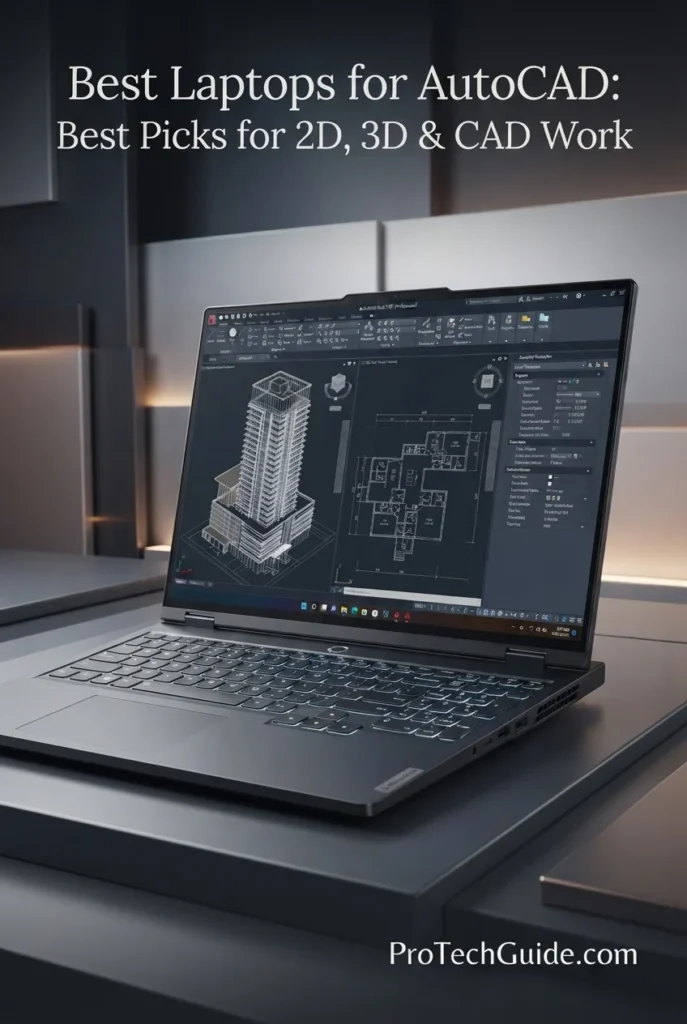
The Lenovo Legion Pro 5i Gen 10 with the Intel Core Ultra 9 275HX, NVIDIA GeForce RTX 5070, 32GB DDR5 RAM, and 2TB SSD is our Best Performance Value for AutoCAD in 2026. Its high-performance HX-series processor, dedicated RTX graphics, 32GB of memory, fast 2TB storage, and 16-inch 2560 × 1600 OLED display create a powerful platform for demanding AutoCAD workloads including 2D drafting, 3D modeling, large technical drawings, rendering, and multitasking across professional applications. The combination is particularly compelling for CAD users who need substantially more graphics performance than a conventional productivity laptop while also benefiting from a high-resolution display and generous memory and storage capacity.
The Legion Pro 5i Gen 10 earns our Best Performance Value for AutoCAD award because it combines a high-end Core Ultra 9 HX processor, dedicated RTX graphics, 32GB DDR5 memory, 2TB storage, and a high-resolution 16-inch OLED display in one performance-focused system. For AutoCAD users who move beyond basic 2D drafting into 3D modeling, visualization, and heavier multitasking, this configuration provides considerably more graphics and processing headroom than mainstream productivity laptops.
Compared with the Lenovo ThinkPad P16 Gen 3, the Legion Pro 5i Gen 10 emphasizes high-performance consumer graphics and a fast OLED display, while the ThinkPad P16 is built around a professional RTX PRO GPU, workstation-oriented features, and ISV certification. The Legion is therefore particularly attractive to users who prioritize strong general-purpose GPU performance, while professionals who require workstation-class certification and specialized CAD application support may prefer a dedicated mobile workstation.
Key Features
ASUS ProArt P16 H7606WP
Premium Laptop for AutoCAD, 3D Modeling & Creative Professional Workflows
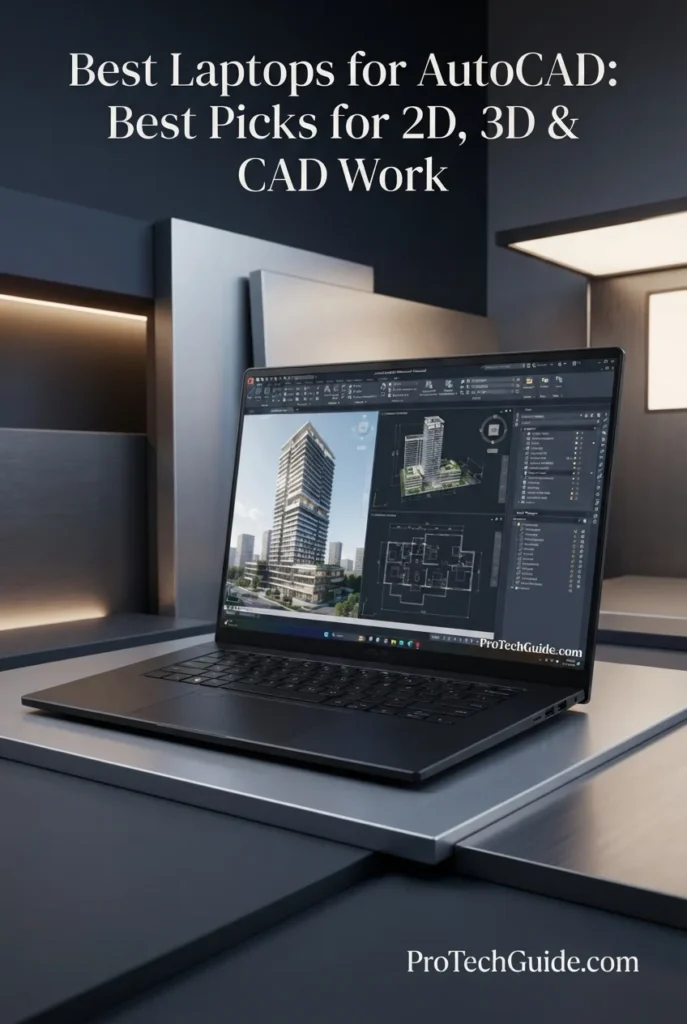
The ASUS ProArt P16 H7606WP with the AMD Ryzen AI 9 HX 370, NVIDIA GeForce RTX 5070, 64GB LPDDR5X RAM, and 2TB PCIe 4.0 SSD is our Best for CAD & Creative Work in 2026. Its 12-core/24-thread processor, dedicated RTX graphics, 64GB of memory, fast 2TB NVMe storage, and 16-inch 3840 × 2400 OLED touchscreen provide a premium platform for AutoCAD 2D drafting, 3D modeling, visualization, rendering, architecture, engineering, and creative workflows. The unusually high memory capacity is particularly valuable for professionals who combine CAD applications with rendering software, large project files, browsers, reference material, and other demanding applications simultaneously.
The ProArt P16 earns our Best for CAD & Creative Work designation because it brings together a high-performance Ryzen AI 9 HX 370 processor, dedicated RTX 5070 graphics, 64GB LPDDR5X memory, 2TB storage, and a 4K OLED touchscreen in a premium creator-focused chassis. For AutoCAD professionals who move between technical CAD work, 3D visualization, rendering, and creative applications, its balanced combination of CPU, GPU, memory, display quality, and portability makes it particularly versatile.
Compared with the Lenovo ThinkPad P16 Gen 3, the ProArt P16 emphasizes a lighter creator-oriented design, 4K OLED touch display, and RTX 5070 graphics, while the ThinkPad P16 uses a professional RTX PRO 3000 Blackwell GPU and workstation-oriented features including ISV certification. The ProArt configuration is therefore especially relevant to users combining AutoCAD with creative and visualization work, while specialized workstation requirements can favor a dedicated professional mobile workstation.
Key Features
ASUS ROG Zephyrus G16 GU606AR-XB96
Portable High-Performance Laptop for AutoCAD, 3D CAD & Engineering Workflows
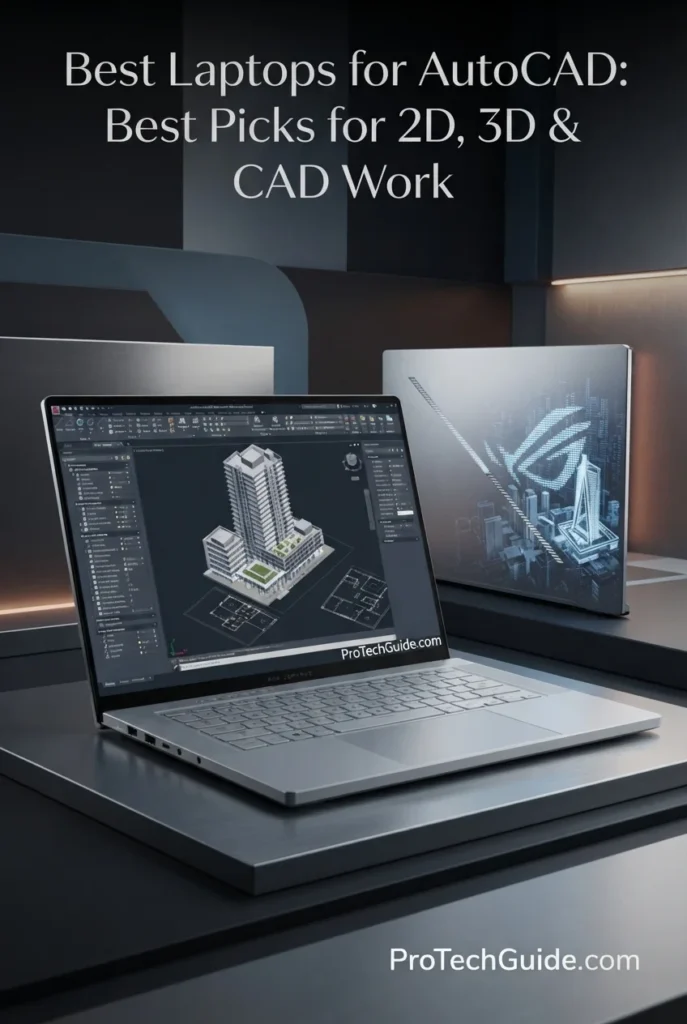
The ASUS ROG Zephyrus G16 GU606AR-XB96 with the Intel Core Ultra 9 386H, 32GB LPDDR5X memory, NVIDIA GeForce RTX 5070 Ti 12GB GDDR7 graphics, and 1TB PCIe 4.0 NVMe SSD is our portable performance pick for AutoCAD and demanding CAD work in 2026. Its 16-core processor, powerful dedicated GPU, fast storage, and 16-inch 2560x1600 240Hz OLED display provide a strong platform for 2D drafting, 3D modeling, viewport navigation, rendering, architectural workflows, engineering projects, and multitasking across professional applications. At 4.3 pounds, it also offers considerably more mobility than many traditional high-performance workstations while retaining the hardware required for demanding graphics-intensive CAD workloads.
The ASUS ROG Zephyrus G16 earns our Best Portable Performance designation because it combines a powerful 16-core Intel processor, RTX 5070 Ti graphics with 12GB GDDR7, 32GB of fast LPDDR5X memory, and a high-resolution 240Hz OLED display in a 4.3-pound chassis. For AutoCAD users who regularly move between 2D drafting and more demanding 3D CAD or visualization work, it offers a compelling balance between graphics performance and portability.
Compared with larger workstation-oriented laptops such as the Lenovo ThinkPad P16 Gen 3 and HP ZBook Fury 16 G11, the Zephyrus G16 emphasizes portability, a high-refresh OLED display, and a powerful consumer GeForce GPU rather than traditional workstation features such as ISV certification and workstation-class RTX PRO graphics. For users whose priority is demanding 3D CAD performance while keeping the system relatively easy to carry, that distinction is important.
Key Features
HP ZBook Power G11 A
Professional Mobile Workstation for AutoCAD, Engineering & 3D CAD
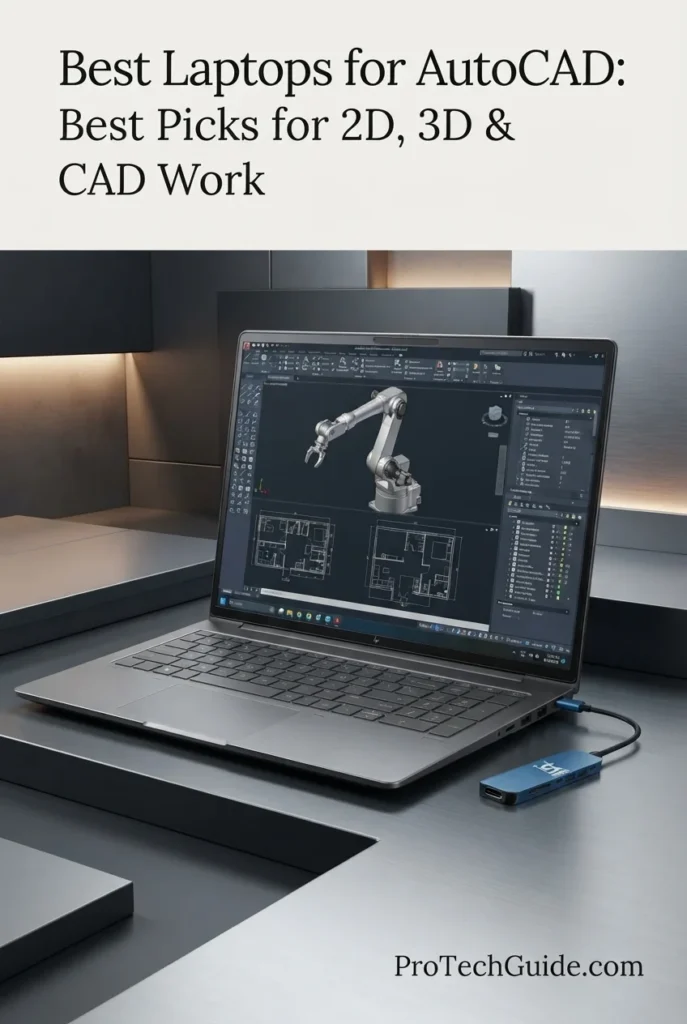
The HP ZBook Power G11 A with the AMD Ryzen 7 PRO 8845HS, NVIDIA RTX 1000 Ada with 6GB GDDR6, 64GB DDR5 memory, and 1TB PCIe NVMe SSD is our Best Workstation Value for AutoCAD in 2026. Designed as a professional mobile workstation, it combines an 8-core, 16-thread Ryzen PRO processor with dedicated NVIDIA professional graphics, substantial memory capacity, and ISV-certified support for applications including AutoCAD, Revit, SolidWorks, ANSYS, and MATLAB. Its 16-inch WUXGA display, Windows 11 Pro, extensive connectivity, and workstation-oriented design make it a practical choice for engineers, architects, designers, and technical professionals who need reliable CAD capability without moving to a larger high-end workstation.
The HP ZBook Power G11 A earns our Best Workstation Value designation because it combines professional NVIDIA RTX graphics, 64GB of DDR5 memory, a Ryzen PRO processor, ISV-certified application support, and extensive business connectivity in a 16-inch mobile workstation. For AutoCAD users focused on 2D drafting, engineering, architecture, and moderate 3D CAD workloads, it provides a workstation-oriented feature set without requiring the much higher hardware tier of premium mobile workstations.
Compared with higher-end workstations such as the Lenovo ThinkPad P16 Gen 3 and HP ZBook Fury 16 G11, the ZBook Power G11 A uses a more modest professional GPU and processor platform, making it better positioned as a value-oriented workstation rather than a maximum-performance CAD system. Its advantage is the combination of 64GB RAM, RTX 1000 Ada graphics, ISV certification, professional connectivity, and a relatively manageable 4.5-pound weight for engineers and designers whose workloads do not require higher-tier workstation GPUs.
Key Features
Lenovo LOQ 15IRX10
Best Budget Laptop for AutoCAD, 2D Drafting & Entry-Level 3D CAD
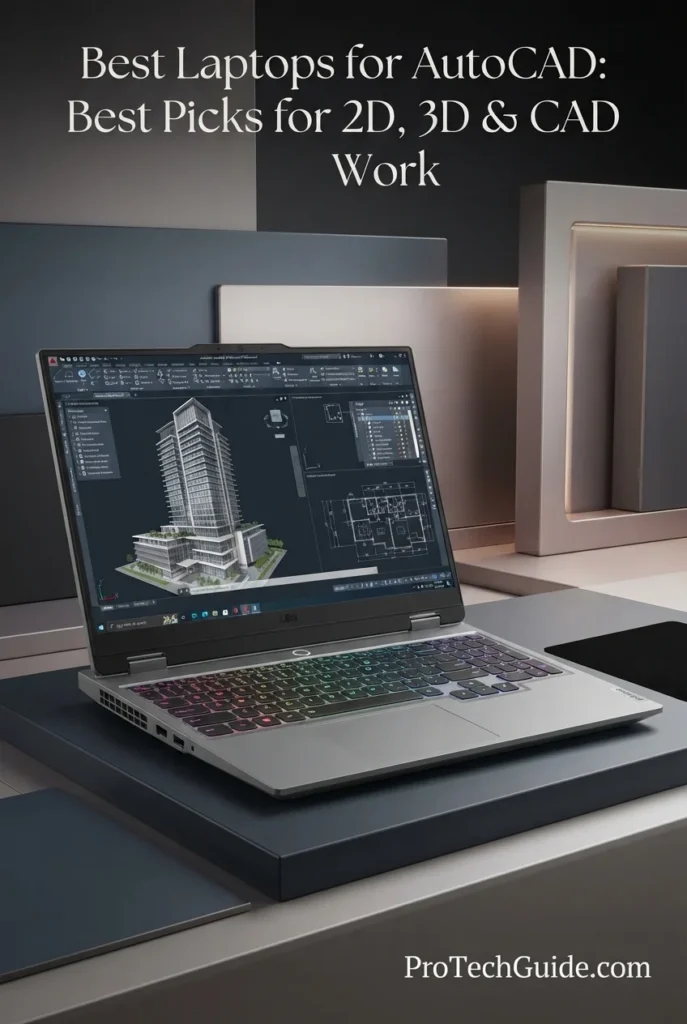
The Lenovo LOQ 15IRX10 with an Intel Core i7-14700HX, 64GB of DDR5 RAM, 2TB PCIe SSD, and NVIDIA GeForce RTX 5050 graphics is our budget-oriented recommendation for AutoCAD in 2026. Its high-core-count Intel processor, generous 64GB memory configuration, dedicated NVIDIA graphics, and 15.6-inch Full HD IPS display create a capable platform for 2D drafting, technical drawings, architectural plans, engineering documentation, and moderate 3D CAD work. The combination of 64GB RAM and 2TB SSD is particularly valuable for users who want substantial local storage and multitasking capacity without moving immediately into a premium mobile workstation.
The Lenovo LOQ 15IRX10 earns our Best Budget AutoCAD Laptop award because it combines a powerful Core i7-14700HX processor, 64GB of DDR5 memory, 2TB of PCIe storage, and dedicated RTX 5050 graphics in a comparatively accessible performance-laptop platform. For users focused primarily on 2D AutoCAD and moderate 3D CAD rather than specialized workstation certification, its unusually generous memory and storage configuration provides substantial practical headroom.
Compared with professional mobile workstations such as the Lenovo ThinkPad P16 Gen 3 and HP ZBook Power G11 A, the LOQ 15IRX10 emphasizes mainstream performance hardware, gaming-oriented graphics, and value rather than workstation-class certification and professional graphics features. Its 64GB RAM and 2TB SSD make it highly competitive for everyday AutoCAD work, while users handling demanding point clouds, very complex 3D assemblies, or specialized professional CAD workflows may benefit from a workstation designed specifically for those environments.
Key Features
Apple MacBook Pro 14-inch M5 Pro
Premium Mac for AutoCAD, 2D Drafting & macOS-Based CAD Workflows

The Apple MacBook Pro 14-inch with the M5 Pro chip, 48GB of unified memory, and 2TB SSD is our Best Mac for AutoCAD in 2026. Its 15-core CPU, 16-core GPU, generous unified memory configuration, fast 2TB storage, and 14.2-inch Liquid Retina XDR display create a premium platform for AutoCAD on macOS, 2D drafting, technical documentation, architectural drawings, and compatible CAD workflows. The 48GB memory configuration is particularly valuable for professionals who keep AutoCAD, reference material, browsers, productivity applications, and other tools open simultaneously while working with larger project files.
The MacBook Pro 14-inch earns our Best Mac for AutoCAD award because it combines the M5 Pro's high-end processing architecture with 48GB of unified memory, 2TB of storage, a high-resolution Liquid Retina XDR display, and a highly portable professional design. For AutoCAD users whose required workflows are fully compatible with macOS, it provides a powerful and refined platform for serious 2D CAD and technical work.
Compared with Windows mobile workstations such as the Lenovo ThinkPad P16 Gen 3 and HP ZBook Power G11 A, the MacBook Pro emphasizes Apple Silicon performance, unified memory, premium display quality, portability, and macOS integration rather than workstation-class Windows compatibility. Professionals should also verify software requirements before choosing macOS, particularly when their workflow depends on Windows-only Autodesk toolsets, specialized engineering applications, or other Windows-specific CAD software.
Key Features
Best Laptops for AutoCAD in 2026
Ranked by CPU Performance, GPU & VRAM, RAM Capacity, 2D Drafting, 3D CAD, Display Quality, Storage, Portability & Professional Workflow Capability
Choosing the best laptop for AutoCAD in 2026 requires more than comparing processor specifications. CAD professionals need strong CPU performance for demanding drawing and modeling operations, sufficient RAM for large projects and multitasking, capable graphics hardware for 3D visualization, fast storage for large project files, a high-quality display for detailed technical drawings, and reliable connectivity for professional workflows. We evaluated these laptops across real-world AutoCAD workloads including 2D drafting, 3D modeling, architectural design, engineering projects, large drawings, visualization, multitasking, and professional CAD productivity to help you choose the right machine for your workflow.
| Laptop | CPU & Key Specs | Best For | Why It Wins | Editor's Verdict |
|---|---|---|---|---|
Best Overall
Lenovo ThinkPad P16 Gen 3
Check Price
|
Intel Core Ultra 7 255HX 64GB DDR5 RAM 2TB PCIe Gen5 SSD RTX PRO 3000 Blackwell 12GB 16" WQUXGA 3840x2400 |
Professional CAD 3D AutoCAD Architecture & Engineering Large Projects | The ThinkPad P16 Gen 3 combines workstation-class processing, 64GB of memory, a fast 2TB Gen5 SSD, and NVIDIA RTX PRO 3000 Blackwell graphics with 12GB of GDDR7 memory. Its 16-inch WQUXGA display, ISV certification, extensive connectivity, and professional workstation design make it particularly well suited to demanding AutoCAD workflows, large drawings, 3D modeling, and long-term professional use. | Best Overall Laptop for AutoCAD |
Best Workstation
HP ZBook Fury 16 G11
Check Price
|
Intel Core i7-13850HX 20-Core / 28-Thread 128GB DDR5 RAM 4TB PCIe NVMe SSD 16" WUXGA Display |
Professional Workstations Large CAD Projects Heavy Multitasking Memory-Intensive Workflows | The ZBook Fury 16 G11 provides an exceptional amount of memory and storage headroom for professional multitasking, large project files, virtualized workflows, and demanding productivity workloads. Its 128GB of DDR5 RAM and 4TB SSD are particularly valuable for users who prioritize capacity, although its integrated Intel UHD graphics make it less suitable for advanced GPU-intensive 3D CAD work than the dedicated-graphics workstations in this lineup. | Best High-Memory Workstation for AutoCAD |
Best Performance Value
Lenovo Legion Pro 5i Gen 10
Check Price
|
Intel Core Ultra 9 275HX 32GB DDR5 RAM 2TB SSD NVIDIA GeForce RTX 5070 16" 2560x1600 OLED |
3D AutoCAD CAD Visualization Engineering Students Performance-Focused Users | The Legion Pro 5i Gen 10 delivers a powerful combination of Core Ultra 9 processing, 32GB of memory, fast 2TB storage, and dedicated RTX 5070 graphics. Its high-resolution OLED display adds excellent visual quality for detailed drawings and visualization, while its performance-oriented hardware makes it a strong option for users who need substantial 3D CAD capability without moving to a traditional mobile workstation. | Best Performance Value for AutoCAD |
Best for CAD & Creative Work
ASUS ProArt P16 H7606WP
Check Price
|
AMD Ryzen AI 9 HX 370 64GB LPDDR5X RAM 2TB PCIe 4.0 SSD RTX 5070 8GB GDDR7 16" 4K OLED Touch |
CAD & Design 3D Modeling Architecture Creative Professionals | The ProArt P16 balances serious CAD capability with a creator-focused design. Its Ryzen AI 9 HX 370 processor, 64GB of memory, 2TB SSD, RTX 5070 graphics, and 4K OLED touchscreen provide a versatile platform for AutoCAD, 3D modeling, architectural visualization, and adjacent creative workloads where display quality and mobile performance matter. | Best Laptop for CAD & Creative Work |
Best Portable Performance
ASUS ROG Zephyrus G16
Check Price
|
Intel Core Ultra 9 386H 32GB LPDDR5X RAM 1TB PCIe 4.0 SSD RTX 5070 Ti 12GB GDDR7 16" 2560x1600 OLED 240Hz |
Mobile CAD Professionals 3D AutoCAD CAD Visualization Frequent Travelers | The Zephyrus G16 combines a relatively portable 4.3-pound design with high-end processing and dedicated RTX 5070 Ti graphics featuring 12GB of GDDR7 memory. Its 16-inch OLED display, 32GB of fast LPDDR5X memory, and 90Wh battery make it particularly attractive to CAD users who need substantial 3D performance while frequently working away from a desk. | Best Portable Performance for AutoCAD |
Best Workstation Value
HP ZBook Power G11 A
Check Price
|
AMD Ryzen 7 PRO 8845HS 64GB DDR5-4800 RAM 1TB PCIe NVMe SSD RTX 1000 Ada 6GB GDDR6 16" WUXGA IPS 400 nits |
2D AutoCAD Entry-Level 3D CAD Engineering Work Professional CAD Users | The ZBook Power G11 A offers a strong workstation-oriented foundation with Ryzen 7 PRO processing, 64GB of memory, a dedicated RTX 1000 Ada GPU, and professional connectivity. Its ISV-certified positioning for applications including AutoCAD, Revit, and engineering software makes it a practical choice for users who want dedicated professional graphics and workstation features without moving into the highest-end configurations. | Best Workstation Value for AutoCAD |
Best Budget
Lenovo LOQ 15IRX10
Check Price
|
Intel Core i7-14700HX 64GB DDR5 RAM 2TB PCIe SSD NVIDIA GeForce RTX 5050 15.6" FHD IPS 144Hz |
2D Drafting Entry-Level 3D CAD Students Budget-Conscious Users | The Lenovo LOQ 15IRX10 brings a high-core-count Core i7 processor, 64GB of memory, 2TB of storage, and dedicated RTX 5050 graphics into a more mainstream performance laptop. Its 15.6-inch 144Hz IPS display and extensive connectivity support everyday AutoCAD, 2D drafting, coursework, and entry-level 3D CAD without requiring a traditional mobile workstation design. | Best Budget Laptop for AutoCAD |
Best Mac
Apple MacBook Pro 14-inch M5 Pro
Check Price
|
M5 Pro 15-Core CPU / 16-Core GPU 48GB Unified Memory 2TB SSD 14.2" Liquid Retina XDR |
Mac-Based CAD 2D AutoCAD Design Professionals macOS Workflows | The MacBook Pro 14-inch M5 Pro provides powerful Apple silicon performance, 48GB of unified memory, 2TB of storage, and a high-end Liquid Retina XDR display in a compact professional chassis. It is well suited to AutoCAD for Mac and macOS-based CAD workflows, while users who depend on Windows-only Autodesk toolsets, plugins, or specialized engineering applications should verify software compatibility before choosing the platform. | Best Mac for AutoCAD |
Recommended Next Reads
Finished comparing the best laptops for AutoCAD? Explore our related buying guides for CAD, engineering, 3D modeling, graphics performance, professional displays, and laptop value.
Whether you're working on 2D drafting today, moving into 3D CAD and engineering workflows, comparing dedicated GPU options, or looking for the right display and price range, these guides can help you choose a laptop that fits your broader professional workflow.
Best Laptops for CAD in 2026
Explore laptops selected for AutoCAD, SolidWorks, 3D design, engineering applications, and demanding computer-aided design workflows.
Explore CAD Laptops →Best Laptop for Engineering Students in 2026
Compare laptops for CAD, SolidWorks, programming, engineering coursework, 3D modeling, and demanding technical applications.
Explore Engineering Laptops →3D Modeling & DesignBest Laptops for 3D Modeling in 2026
Explore laptops built for Blender, 3ds Max, CAD, 3D modeling, visualization, and GPU-intensive creative workflows.
Explore 3D Modeling Laptops →GPU PerformanceRTX 5060 vs RTX 5070 Ti vs RTX 5080 Laptop GPUs in 2026
Compare modern laptop GPUs and understand how graphics hardware affects demanding 3D, visualization, gaming, and professional workloads.
Compare Laptop GPUs →Display QualityBest OLED Laptops in 2026
Explore premium OLED laptops with high-resolution displays for detailed technical work, visualization, design, productivity, and professional use.
Explore OLED Laptops →Performance & ValueBest Laptops Under $2000 in 2026
Compare premium laptops around the $2,000 price point for users who need strong processing, graphics performance, and professional productivity.
Explore Laptops Under $2000 →Design & VisualizationBest Laptops for Graphic Design in 2026
Explore laptops designed for professional graphics, visual design, high-quality displays, creative applications, and demanding visual workflows.
Explore Graphic Design Laptops →EDITOR'S FINAL RECOMMENDATIONS
After comparing these laptops across CPU performance, GPU and VRAM capability, RAM capacity, 2D drafting, 3D modeling, CAD visualization, display quality, storage, portability, connectivity, workstation features, and professional software compatibility, these are our final recommendations for AutoCAD users in 2026. Whether you primarily create technical drawings, work with architectural or engineering models, build complex 3D projects, or need a portable system for CAD work, each recommendation is matched to a specific type of workflow.
Lenovo ThinkPad P16 Gen 3
The strongest overall choice for professional AutoCAD work in 2026. The ThinkPad P16 Gen 3 combines an Intel Core Ultra 7 255HX processor, 64GB of DDR5 memory, a 2TB PCIe Gen5 SSD, and NVIDIA RTX PRO 3000 Blackwell graphics with 12GB of GDDR7 memory. Its 16-inch WQUXGA display, professional workstation design, ISV-certified positioning, and extensive connectivity make it particularly well suited to demanding 2D drafting, 3D modeling, architectural design, engineering projects, and large CAD workloads.
- ✓ Intel Core Ultra 7 255HX
- ✓ 64GB DDR5 Memory
- ✓ 2TB PCIe Gen5 Performance SSD
- ✓ NVIDIA RTX PRO 3000 Blackwell 12GB GDDR7
HP ZBook Fury 16 G11
The ZBook Fury 16 G11 is the high-memory workstation choice for AutoCAD professionals who prioritize massive RAM and storage capacity for complex multitasking and large project environments. Its Intel Core i7-13850HX processor, 128GB of DDR5 memory, and 4TB PCIe NVMe SSD provide substantial capacity for professional workflows. However, this specific configuration uses integrated Intel UHD graphics, so users focused heavily on advanced 3D modeling and GPU-intensive visualization should consider one of the dedicated-graphics workstations in this lineup.
- ✓ Intel Core i7-13850HX 20-Core / 28-Thread
- ✓ 128GB DDR5 Memory
- ✓ 4TB PCIe NVMe SSD
- ✓ 16-inch WUXGA Display
Lenovo Legion Pro 5i Gen 10
The Legion Pro 5i Gen 10 is a performance-focused alternative for AutoCAD users who want strong CPU and dedicated GPU capability without moving into a traditional mobile workstation. Its Core Ultra 9 275HX processor, 32GB of DDR5 memory, 2TB SSD, and NVIDIA GeForce RTX 5070 provide substantial performance for 2D drafting, 3D CAD, visualization, and demanding technical workloads. The 16-inch 2560x1600 OLED display also provides a high-resolution workspace for detailed drawings and models.
- ✓ Intel Core Ultra 9 275HX
- ✓ 32GB DDR5 Memory
- ✓ 2TB SSD Storage
- ✓ NVIDIA GeForce RTX 5070
ASUS ProArt P16 H7606WP
The ProArt P16 is a versatile choice for professionals who combine AutoCAD with architectural visualization, 3D design, and other creative applications. Its Ryzen AI 9 HX 370 processor, 64GB of LPDDR5X memory, 2TB PCIe 4.0 SSD, and RTX 5070 graphics provide a strong foundation for CAD workloads, while the 16-inch 4K OLED touchscreen gives detailed technical drawings, models, and visual content a premium high-resolution workspace.
- ✓ AMD Ryzen AI 9 HX 370
- ✓ 64GB LPDDR5X Memory
- ✓ 2TB PCIe 4.0 SSD
- ✓ NVIDIA GeForce RTX 5070 8GB GDDR7
ASUS ROG Zephyrus G16
The Zephyrus G16 is the portable performance specialist in this lineup. At approximately 4.3 pounds, it combines a relatively mobile design with an Intel Core Ultra 9 386H processor, 32GB of LPDDR5X memory, a 1TB PCIe 4.0 SSD, and RTX 5070 Ti graphics with 12GB of GDDR7 memory. Its 16-inch 2560x1600 OLED display and 90Wh battery make it particularly attractive to CAD professionals who need substantial 3D performance while frequently moving between offices, client sites, classrooms, and other locations.
- ✓ Intel Core Ultra 9 386H
- ✓ 32GB LPDDR5X Memory
- ✓ 1TB PCIe 4.0 SSD
- ✓ NVIDIA GeForce RTX 5070 Ti 12GB GDDR7
HP ZBook Power G11 A
The ZBook Power G11 A provides a more accessible entry into professional workstation hardware while retaining the features that matter for serious CAD work. Its Ryzen 7 PRO 8845HS processor, 64GB of DDR5 memory, 1TB PCIe NVMe SSD, and NVIDIA RTX 1000 Ada graphics with 6GB of GDDR6 memory create a balanced platform for AutoCAD, 2D drafting, engineering applications, and entry-level to moderate 3D CAD workloads. Its professional connectivity and ISV-certified positioning further strengthen its workstation-oriented design.
- ✓ AMD Ryzen 7 PRO 8845HS
- ✓ 64GB DDR5-4800 Memory
- ✓ 1TB PCIe NVMe SSD
- ✓ NVIDIA RTX 1000 Ada 6GB GDDR6
Lenovo LOQ 15IRX10
The Lenovo LOQ 15IRX10 is the practical choice for users who want substantial mainstream hardware for AutoCAD without moving to a dedicated mobile workstation. Its Core i7-14700HX processor, 64GB of DDR5 memory, 2TB PCIe SSD, and dedicated RTX 5050 graphics provide a strong platform for 2D drafting, coursework, entry-level 3D CAD, and everyday engineering workflows. The 15.6-inch 144Hz IPS display and extensive connectivity round out a capable performance-oriented system.
- ✓ Intel Core i7-14700HX
- ✓ 64GB DDR5 Memory
- ✓ 2TB PCIe SSD
- ✓ NVIDIA GeForce RTX 5050
Apple MacBook Pro 14-inch M5 Pro
The MacBook Pro 14-inch with M5 Pro is the premium choice for AutoCAD users who specifically want to work within Apple's ecosystem. Its M5 Pro 15-core CPU, 16-core GPU, 48GB of unified memory, and 2TB SSD provide substantial performance for AutoCAD for Mac and other compatible professional workflows, while the Liquid Retina XDR display provides an excellent environment for detailed technical drawings and design work. Users who depend on Windows-only Autodesk toolsets, plugins, or specialized engineering applications should verify compatibility before choosing macOS.
- ✓ Apple M5 Pro 15-Core CPU / 16-Core GPU
- ✓ 48GB Unified Memory
- ✓ 2TB SSD Storage
- ✓ 14.2-inch Liquid Retina XDR Display
Which AutoCAD laptop should you choose?
Lenovo ThinkPad P16 Gen 3
HP ZBook Fury 16 G11
Lenovo Legion Pro 5i Gen 10
ASUS ProArt P16 H7606WP
ASUS ROG Zephyrus G16
HP ZBook Power G11 A
Lenovo LOQ 15IRX10
MacBook Pro 14-inch M5 Pro
- Choose the Lenovo ThinkPad P16 Gen 3 if you want a workstation-class AutoCAD system with 64GB of memory, 2TB Gen5 storage, professional RTX PRO graphics, a high-resolution 16-inch display, and strong support for demanding 2D and 3D CAD workflows.
- Choose the HP ZBook Fury 16 G11 if your priority is maximum memory and storage capacity for large projects, heavy multitasking, and professional workstation workflows. Keep in mind that this specific configuration uses integrated Intel UHD graphics rather than a dedicated GPU.
- Choose the Lenovo Legion Pro 5i Gen 10 if you want strong CPU and dedicated GPU performance for 3D AutoCAD and CAD visualization in a performance-oriented laptop rather than a traditional mobile workstation.
- Choose the ASUS ProArt P16 H7606WP if your workflow combines AutoCAD with architecture, 3D visualization, design, and other creative applications where the 4K OLED touchscreen and 64GB of memory add value.
- Choose the ASUS ROG Zephyrus G16 if portability is a major priority but you still need substantial 3D CAD and visualization performance. Its RTX 5070 Ti with 12GB of GDDR7 memory provides considerable graphics headroom in a relatively compact 16-inch design.
- Choose the HP ZBook Power G11 A if you want a professional workstation platform with 64GB of memory, dedicated RTX professional graphics, and workstation-oriented features for AutoCAD, engineering, and other professional CAD applications.
- Choose the Lenovo LOQ 15IRX10 if you want a mainstream performance laptop with 64GB of RAM, 2TB of storage, and dedicated RTX graphics for 2D AutoCAD, coursework, entry-level 3D CAD, and general technical workloads.
- Choose the Apple MacBook Pro with M5 Pro if you specifically want macOS and your AutoCAD workflow is compatible with the Mac version. Its 48GB of unified memory, 2TB SSD, powerful M5 Pro chip, and Liquid Retina XDR display make it a premium option, but Windows-only Autodesk toolsets and specialized engineering software should be checked before purchase.
EDITOR'S FINAL VERDICT
After comparing CPU performance, GPU and VRAM capability, RAM capacity, SSD storage, 2D drafting, 3D modeling, large CAD files, visualization, display quality, portability, connectivity, workstation features, software compatibility, thermals, and long-term usability, one conclusion stands out:The best laptop for AutoCAD is not necessarily the laptop with the fastest gaming GPU or the most expensive workstation. It is the system that provides the right combination of processor performance, graphics capability, memory, storage, display quality, reliability, and professional features for the type of CAD work you actually perform.
Modern AutoCAD users can move between 2D drafting, detailed technical drawings, large assemblies, 3D modeling, rendering, architectural visualization, engineering projects, point-cloud workflows, and increasingly complex CAD datasets. These workloads place greater demands on CPU performance, RAM capacity, GPU capability, storage speed, and display quality as project complexity increases.
For most professional AutoCAD users, 32GB of memory is the ideal target for demanding long-term work, while 16GB can remain suitable for lighter 2D drafting and moderate CAD projects. A capable dedicated GPU becomes increasingly important for 3D modeling, visualization, large datasets, and workstation-oriented workflows, while fast SSD storage and a high-quality display improve everyday productivity across both 2D and 3D applications.- Choose the Lenovo ThinkPad P16 Gen 3 if you want the strongest overall combination of CPU performance, 64GB of memory, RTX PRO workstation graphics, fast Gen5 SSD storage, a high-resolution professional display, and ISV-oriented features for serious AutoCAD, 3D CAD, engineering, and professional design workflows.
- Choose the Lenovo Legion Pro 5i Gen 10 if you want very strong CPU and dedicated GPU performance for AutoCAD and 3D modeling while prioritizing performance value and a high-refresh OLED display over traditional mobile-workstation features.
- Choose the HP ZBook Power G11 A if you want a more accessible professional workstation with Ryzen 7 PRO processing, 64GB of RAM, dedicated NVIDIA RTX graphics, ISV certifications, and the connectivity expected from a business-oriented CAD workstation.
- Choose the Apple MacBook Pro 14-inch M5 Pro if your AutoCAD workflow is compatible with macOS and you want a premium, highly portable system with 48GB of unified memory, strong CPU/GPU capability, and an exceptional Liquid Retina XDR display. Windows may remain preferable when your workflow depends on Windows-only Autodesk toolsets, plugins, or other engineering software.
Top AutoCAD Laptop Recommendations (2026)
Lenovo ThinkPad P16 Gen 3
Our Editor's Choice for demanding AutoCAD professionals because it combines a high-performance Intel Core Ultra 7 255HX processor, 64GB of DDR5 memory, NVIDIA RTX PRO 3000 Blackwell graphics with 12GB of GDDR7 memory, a fast 2TB Gen5 SSD, and a 16-inch WQUXGA professional display. It provides substantial headroom for detailed 2D drawings, complex 3D models, large CAD projects, visualization, and professional engineering workflows.
- ✓ Intel Core Ultra 7 255HX
- ✓ 64GB DDR5 Memory
- ✓ NVIDIA RTX PRO 3000 Blackwell 12GB GDDR7
- ✓ 16-inch WQUXGA 3840×2400 Display
Lenovo Legion Pro 5i Gen 10
A powerful option for AutoCAD users who want high-end processing and dedicated graphics performance without moving into the most expensive workstation configurations. Its Core Ultra 9 275HX processor, RTX 5070 GPU, 32GB of memory, 2TB SSD, and 16-inch OLED display make it particularly well suited to demanding 3D CAD and visualization workloads.
- ✓ Intel Core Ultra 9 275HX
- ✓ 32GB DDR5 Memory
- ✓ NVIDIA GeForce RTX 5070
- ✓ 16-inch 2560×1600 OLED Display
HP ZBook Power G11 A
A professional mobile workstation designed for users who need dedicated RTX graphics, 64GB of memory, business-class connectivity, and ISV-oriented support for applications such as AutoCAD, Revit, SolidWorks, ANSYS, and MATLAB. Its Ryzen 7 PRO processor and RTX 1000 Ada GPU provide a balanced foundation for professional CAD workloads.
- ✓ AMD Ryzen 7 PRO 8845HS
- ✓ 64GB DDR5 Memory
- ✓ NVIDIA RTX 1000 Ada 6GB GDDR6
- ✓ 16-inch WUXGA IPS Display
- ✓ You want the strongest overall laptop for professional AutoCAD and demanding CAD workflows
- ✓ You regularly work with complex 3D models, large drawings, engineering projects, or visualization workloads
- ✓ You want 64GB of RAM and professional RTX PRO graphics with 12GB of GDDR7 memory
- ✓ You value workstation-class features, ISV-oriented compatibility, extensive connectivity, and a high-resolution professional display
- ✓ Performance value is more important than traditional mobile-workstation features
- ✓ You want a powerful Core Ultra 9 processor and dedicated RTX 5070 graphics for demanding CAD workloads
- ✓ You want 32GB of RAM and 2TB of SSD storage for large projects and applications
- ✓ You prefer a high-refresh OLED display that can also benefit visualization and general creative work
- ✓ Prefer 32GB of RAM for demanding professional CAD workloads and long-term use
- ✓ Consider 16GB acceptable primarily for lighter 2D drafting, education, and moderate CAD projects
- ✓ Prioritize a capable dedicated GPU when your workflow includes 3D modeling, visualization, large datasets, or other graphics-intensive CAD tasks
- ✓ Choose a fast SSD with enough capacity for AutoCAD, project files, textures, libraries, and other engineering applications
- ✓ Verify Windows or macOS compatibility before buying if your workflow depends on Autodesk toolsets, plugins, third-party engineering applications, or other platform-specific software
An AutoCAD laptop is a professional tool that may be used for thousands of hours across technical drawings, architectural plans, engineering projects, 3D models, revisions, documentation, visualization, and other CAD workflows. Processor specifications matter, but memory capacity, GPU capability, display quality, storage, connectivity, thermals, portability, software compatibility, and professional reliability can have an equally important impact on everyday productivity.
Among the models evaluated in this guide, the Lenovo ThinkPad P16 Gen 3 delivers the strongest overall combination of CPU performance, 64GB of memory, RTX PRO workstation graphics, 2TB Gen5 SSD storage, display quality, professional features, and CAD-oriented capability, making it our Editor's Choice for the best laptop for AutoCAD in 2026.The Lenovo Legion Pro 5i Gen 10 provides a compelling performance-focused alternative for users who prioritize powerful consumer RTX graphics and OLED display quality, while the HP ZBook Power G11 A offers a more workstation-oriented configuration with 64GB of RAM, RTX 1000 Ada graphics, Ryzen PRO processing, and professional application certifications. For users who specifically prefer macOS, the Apple MacBook Pro 14-inch M5 Pro provides exceptional hardware and display quality, provided that the complete AutoCAD workflow and required tools are compatible with macOS.
Compare the current price, configuration, memory, GPU, storage, display, warranty coverage, and availability before choosing the laptop that best matches your AutoCAD, 2D drafting, 3D modeling, architecture, or engineering workflow.
Check Latest DealEDITOR'S FAQ
Choosing the best laptop for AutoCAD requires more than comparing processor specifications. CAD users need to consider CPU performance, GPU capability and VRAM, RAM capacity, SSD storage, display resolution, software compatibility, portability, thermals, connectivity, and the type of 2D or 3D workloads they expect to perform.These frequently asked questions address the most important buying decisions, from determining how much RAM and GPU power AutoCAD needs to choosing between a professional workstation and a high-performance laptop, understanding whether a dedicated GPU is necessary, selecting the right display for detailed drawings, and deciding whether Windows or macOS is appropriate for your CAD workflow.
It combines a high-performance Intel Core Ultra 7 255HX processor, 64GB of DDR5 memory, NVIDIA RTX PRO 3000 Blackwell graphics with 12GB of GDDR7 memory, a fast 2TB PCIe Gen5 SSD, and a 16-inch WQUXGA professional display. This configuration gives AutoCAD users substantial hardware headroom for detailed 2D drawings, complex 3D models, large CAD projects, visualization, and professional engineering workflows.
- High-performance Intel Core Ultra 7 255HX processor.
- 64GB of DDR5 memory for demanding CAD multitasking.
- NVIDIA RTX PRO 3000 Blackwell with 12GB of GDDR7 memory.
- 2TB PCIe Gen5 SSD for large projects and applications.
- 16-inch 3840×2400 professional display with 100% DCI-P3 coverage.
For users who prioritize performance value rather than workstation-class features, the Lenovo Legion Pro 5i Gen 10 is a powerful alternative. The HP ZBook Power G11 A provides another workstation-oriented option, while the Apple MacBook Pro 14-inch M5 Pro is suitable when the complete AutoCAD workflow and required tools are compatible with macOS.
Check PriceAutoCAD workloads can vary considerably. A user creating relatively simple 2D drawings has different memory requirements from an architect, engineer, or designer working with large drawings, 3D models, multiple applications, reference files, or other demanding CAD datasets.
- 16GB → Suitable for students, basic 2D drafting, smaller projects, and moderate CAD workloads.
- 32GB → Recommended for professional AutoCAD users, larger drawings, 3D modeling, multitasking, and long-term use.
- 64GB → Ideal for demanding professional workflows, large CAD projects, advanced multitasking, 3D work, and workstation-class environments.
- 128GB → Useful for exceptionally demanding workstation workloads where very large projects and multiple professional applications are involved.
This guide includes several 64GB configurations, including the Lenovo ThinkPad P16 Gen 3, ASUS ProArt P16, HP ZBook Power G11 A, and Lenovo LOQ 15IRX10. The HP ZBook Fury 16 G11 goes further with 128GB of DDR5 memory, although its specific configuration uses integrated Intel UHD graphics rather than a dedicated NVIDIA GPU.
A 16GB laptop can handle AutoCAD when projects are relatively manageable and the user is not simultaneously running numerous demanding applications. However, memory requirements increase as drawings become more complex or when AutoCAD is used alongside rendering, visualization, browsers, engineering software, or other professional applications.
- 16GB is reasonable for students and lighter 2D CAD workflows.
- 16GB can handle moderate drawings when multitasking requirements are limited.
- 32GB provides substantially more headroom for professional AutoCAD work.
- 64GB is preferable for complex 3D CAD, large projects, and demanding multitasking.
- 128GB is appropriate for specialized workstation workloads that can genuinely use the additional memory.
If you are buying a laptop specifically for several years of professional AutoCAD use, 32GB is a more comfortable starting point than 16GB. The Lenovo ThinkPad P16 Gen 3, ASUS ProArt P16, HP ZBook Power G11 A, and Lenovo LOQ 15IRX10 configurations in this guide provide 64GB, offering considerably more memory headroom.
Check High-Memory OptionBasic 2D drafting does not necessarily require a high-end dedicated graphics processor. However, more demanding AutoCAD workloads can benefit substantially from stronger graphics hardware, particularly when working with 3D models, complex visual styles, large datasets, or professional visualization workflows.
- Integrated graphics → Can be sufficient for lighter 2D drafting and basic CAD work.
- Dedicated consumer GPU → Useful for 3D modeling, visualization, and graphics-intensive CAD workflows.
- Professional workstation GPU → Particularly appropriate for professional CAD environments where workstation-class hardware and application certifications are important.
- More VRAM → Becomes increasingly valuable as model complexity, visualization requirements, and large datasets increase.
The Lenovo ThinkPad P16 Gen 3 uses an NVIDIA RTX PRO 3000 Blackwell GPU with 12GB of GDDR7 memory, while the HP ZBook Power G11 A uses an RTX 1000 Ada with 6GB of GDDR6. Consumer-performance alternatives such as the Lenovo Legion Pro 5i Gen 10 and ASUS ROG Zephyrus G16 provide GeForce RTX graphics aimed at high-performance workloads rather than traditional workstation positioning.
GPU requirements depend heavily on the complexity of the projects and how AutoCAD is being used. A user focused primarily on 2D drafting does not necessarily need the same graphics configuration as someone working with complex 3D models, large datasets, visualization, or other graphics-intensive CAD workflows.
- Integrated graphics → Suitable for lighter 2D CAD workloads when project complexity is limited.
- 6GB VRAM → A useful dedicated-GPU configuration for professional CAD systems such as the HP ZBook Power G11 A.
- 8GB VRAM → A strong target for demanding 3D CAD and visualization workloads.
- 12GB VRAM or more → Provides additional headroom for complex professional graphics workloads and large datasets.
The Lenovo ThinkPad P16 Gen 3 stands out in this guide with its NVIDIA RTX PRO 3000 Blackwell GPU and 12GB of GDDR7 memory. The ASUS ROG Zephyrus G16 also provides 12GB of GDDR7 memory through its RTX 5070 Ti configuration, while the HP ZBook Power G11 A provides 6GB of GDDR6 through its RTX 1000 Ada GPU.
AutoCAD is available for macOS, so a MacBook can be a legitimate option for users whose workflows are fully compatible with Apple's platform. However, professional CAD environments can involve specialized toolsets, plugins, engineering applications, and integrations that may have different platform requirements.
- Windows → Best suited to users who need broad compatibility with Autodesk tools, engineering applications, professional plugins, and Windows-based workflows.
- macOS → Appropriate when the user's AutoCAD workflow and required software are fully supported on Mac.
- Professional Windows workstation → Particularly useful for engineering, architecture, 3D CAD, and environments that rely on workstation-class hardware and application certifications.
The Apple MacBook Pro 14-inch M5 Pro is the Mac option in this guide, with an M5 Pro 15-core CPU, 16-core GPU, 48GB of unified memory, and a Liquid Retina XDR display. It is an excellent premium Mac configuration, but users should verify compatibility with every required Autodesk toolset, plugin, and third-party engineering application before choosing macOS.
Check MacBook ProThe M5 Pro configuration in this guide combines a 15-core CPU, 16-core GPU, 48GB of unified memory, and a 2TB SSD with a 14.2-inch Liquid Retina XDR display. That provides substantial hardware capability for demanding professional work while keeping the system relatively compact and portable.
- Apple M5 Pro with a 15-core CPU and 16-core GPU.
- 48GB of unified memory for demanding multitasking.
- 2TB SSD for applications and substantial CAD project storage.
- 14.2-inch Liquid Retina XDR display with 3024×1964 resolution.
- Compact premium design for professionals who value mobility.
The primary consideration is not raw hardware capability but software compatibility. If your AutoCAD workflow depends on Windows-only Autodesk toolsets, plugins, or other engineering software, a Windows workstation such as the Lenovo ThinkPad P16 Gen 3 or HP ZBook Power G11 A may be a more appropriate platform.
Check MacBook Pro Price- 15-inch → A practical choice for users who want a balance between screen area, portability, and performance.
- 16-inch → Better suited to detailed drawings, 3D modeling, property panels, tool palettes, reference windows, and split-screen workflows.
- High resolution → Particularly useful when working with detailed drawings and large CAD interfaces.
- 16:10 displays → Provide additional vertical workspace compared with traditional 16:9 panels.
The Lenovo ThinkPad P16 Gen 3 combines a 16-inch WQUXGA 3840×2400 display with 100% DCI-P3 coverage and 800 nits, while the ASUS ProArt P16 provides a 16-inch 4K OLED touchscreen. The Lenovo Legion Pro 5i Gen 10 and ASUS ROG Zephyrus G16 also use 16-inch high-resolution displays aimed at demanding performance and visual workflows.
For professionals who spend most of the day inside AutoCAD, a larger high-resolution display can provide a more comfortable working environment. Users who frequently travel may prefer a lighter system such as the ASUS ROG Zephyrus G16 or Apple MacBook Pro 14-inch M5 Pro.
Check Large-Screen WorkstationIts Intel Core Ultra 7 255HX processor, 64GB of DDR5 memory, NVIDIA RTX PRO 3000 Blackwell graphics with 12GB of GDDR7 memory, 2TB Gen5 SSD, and 16-inch WQUXGA display provide substantial hardware headroom for professional CAD environments. Its workstation-oriented design and ISV certification positioning also make it particularly relevant to professional engineering and design applications.
- 64GB of DDR5 memory for complex professional workloads.
- NVIDIA RTX PRO 3000 Blackwell with 12GB of GDDR7 memory.
- High-performance Intel Core Ultra 7 255HX processor.
- 2TB PCIe Gen5 SSD for large CAD projects and applications.
- 16-inch 3840×2400 professional display.
For users who prioritize consumer GPU performance and performance value, the Lenovo Legion Pro 5i Gen 10 and ASUS ROG Zephyrus G16 provide powerful GeForce RTX configurations. The HP ZBook Power G11 A is another workstation-oriented option with RTX 1000 Ada graphics and 64GB of memory.
View ThinkPad P16There is no single configuration that fits every AutoCAD user. A student creating 2D drawings has very different requirements from an architect building complex 3D models or an engineer working with large professional CAD datasets.
- Best Overall → Lenovo ThinkPad P16 Gen 3
- Best Professional Workstation → HP ZBook Fury 16 G11
- Best Performance Value → Lenovo Legion Pro 5i Gen 10
- Best CAD & Creative Work → ASUS ProArt P16 H7606WP
- Best Portable Performance → ASUS ROG Zephyrus G16
- Best Workstation Value → HP ZBook Power G11 A
- Best Budget AutoCAD Laptop → Lenovo LOQ 15IRX10
- Best Mac for AutoCAD → Apple MacBook Pro 14-inch M5 Pro
For the broadest professional AutoCAD workload, the Lenovo ThinkPad P16 Gen 3 provides the most complete workstation-oriented configuration in this guide. Users who prioritize high-performance consumer graphics can look toward the Legion Pro 5i Gen 10 or ROG Zephyrus G16, while the HP ZBook Power G11 A offers a more accessible professional workstation configuration. If portability is critical, the ASUS ROG Zephyrus G16 and MacBook Pro provide substantially different approaches to mobile CAD work.
Check Best Overall DealAUTOCAD LAPTOP BUYING GUIDE
Choosing a laptop for AutoCAD is not simply about finding the fastest processor or the most expensive graphics card. CAD users need a system that can handle technical drawings, large projects, 3D models, visualization, architectural plans, engineering applications, and professional CAD workflows while remaining comfortable and reliable over several years.The wrong laptop can become a daily source of frustration through insufficient RAM, weak graphics capability, limited storage, poor display quality, inadequate cooling, excessive weight, or software compatibility problems. Avoid these common mistakes before choosing your next AutoCAD laptop.
The best AutoCAD laptop is rarely the one with the most impressive specification sheet. For CAD professionals, CPU performance, RAM capacity, GPU capability, VRAM, SSD speed, display quality, software compatibility, connectivity, thermals, portability, and professional reliability can have a greater impact on productivity than simply choosing the most powerful consumer GPU available.For most professional AutoCAD users in 2026, we recommend targeting 32GB of memory, fast NVMe SSD storage, a modern high-performance processor, and a quality high-resolution display. A capable dedicated GPU becomes increasingly important as workloads move from basic 2D drafting into 3D modeling, visualization, large datasets, and demanding professional CAD applications.
Choosing Only 16GB of RAM
- AutoCAD projects can involve large drawings, multiple reference files, 3D models, browsers, engineering applications, and other software running simultaneously.
- Complex CAD projects can consume substantially more memory than basic 2D drafting workloads.
- Insufficient memory can reduce multitasking responsiveness and limit the laptop as projects become more demanding.
Better decision:Choose 32GB of memory when possible for professional AutoCAD work. A 16GB configuration can still be appropriate for students and lighter 2D workloads, while 64GB becomes increasingly valuable for complex 3D CAD, large projects, demanding multitasking, and workstation-class environments.
Buying a Dedicated GPU Without Considering VRAM
- AutoCAD graphics performance depends on more than simply seeing an NVIDIA or AMD GPU listed in the specifications.
- 3D modeling, visualization, large datasets, and demanding graphics workloads can benefit from additional dedicated graphics memory.
- A powerful GPU with insufficient VRAM may provide less headroom for demanding professional visual workloads than expected.
Better decision:Consider both GPU class and VRAM. For lighter 2D drafting, integrated graphics or an entry-level dedicated GPU may be sufficient. For demanding 3D CAD and visualization, prioritize a capable dedicated GPU with enough VRAM for the complexity of your projects. Workstation GPUs such as the RTX PRO 3000 Blackwell in the ThinkPad P16 Gen 3 are particularly relevant to professional CAD environments.
Choosing a Gaming Laptop When You Actually Need a Workstation
- Consumer gaming GPUs can provide excellent raw graphics performance, but gaming hardware and professional workstation hardware are designed for different priorities.
- Professional CAD environments can benefit from workstation-class drivers, application certifications, business features, and professional support.
- A gaming-oriented system may prioritize display refresh rate and consumer graphics performance over ISV certification and workstation-specific features.
Better decision:Choose a workstation such as the Lenovo ThinkPad P16 Gen 3 or HP ZBook Power G11 A when professional application certification, workstation features, business reliability, and CAD-focused workflows are important. Choose a performance laptop such as the Lenovo Legion Pro 5i Gen 10 when raw performance value and consumer RTX graphics are a higher priority.
Choosing Too Little SSD Storage
- CAD projects can accumulate drawings, 3D models, textures, reference files, libraries, applications, exports, and project backups.
- A nearly full SSD can make storage management increasingly inconvenient over time.
- Large professional CAD projects can require substantially more local storage than ordinary office documents.
Better decision:Target 1TB of SSD storage as a practical starting point for professional AutoCAD work. A 512GB SSD can work for lighter projects and users who rely heavily on external or cloud storage, while 2TB or more is preferable for large CAD libraries, extensive project archives, 3D assets, and professionals who maintain substantial local files.
Buying More Performance Than Your CAD Workflow Requires
- Not every AutoCAD user needs a Core Ultra 9 processor, RTX PRO graphics, 64GB of memory, or a high-end mobile workstation.
- Excess performance can increase purchase cost, weight, heat, and power consumption without providing a meaningful productivity advantage for basic 2D drafting.
- A balanced laptop can provide better portability and everyday usability than a specification-heavy workstation.
Better decision:Match hardware to the complexity of your CAD projects. A modern 32GB laptop with capable graphics can be sufficient for many users, while a workstation such as the ThinkPad P16 Gen 3 becomes more appropriate when your workflow genuinely requires professional RTX graphics, large memory capacity, high-end processing, or extensive CAD visualization capability.
Overlooking Display Size and Resolution
- CAD professionals can spend hours examining technical drawings, dimensions, tool palettes, property panels, models, and reference documents.
- A small or low-resolution display can make detailed CAD interfaces more difficult to manage.
- 3D modeling and visualization benefit from additional screen space and a high-quality panel.
Better decision:Choose a 14-inch laptop when portability is the priority and a 16-inch model when workspace and detailed CAD work matter more. For professional AutoCAD use, prioritize a high-resolution display with good brightness, viewing quality, and sufficient workspace. The 16-inch WQUXGA display of the ThinkPad P16 Gen 3 and the 16-inch 4K OLED display of the ASUS ProArt P16 are examples of configurations designed around demanding visual workflows.
Smart Buying Advice for AutoCAD Users
You prioritize professional CAD workflows, application certifications, workstation graphics, high memory capacity, business-class connectivity, and long-term use. The Lenovo ThinkPad P16 Gen 3 is particularly attractive when you want a high-end professional configuration with 64GB of memory and RTX PRO 3000 Blackwell graphics, while the HP ZBook Power G11 A provides a more accessible workstation configuration with RTX 1000 Ada graphics and 64GB of RAM.
You want strong CPU and consumer RTX graphics performance for AutoCAD, 3D modeling, visualization, and other demanding applications without necessarily requiring traditional mobile-workstation features. The Lenovo Legion Pro 5i Gen 10 and ASUS ROG Zephyrus G16 provide powerful performance-oriented configurations, while the ASUS ProArt P16 offers a particularly strong combination of CAD, creative, display, and portability capabilities.
Key takeaway:The best AutoCAD laptop is not necessarily the fastest or most expensive machine. It is the laptop that provides the right balance of CPU performance, RAM capacity, GPU and VRAM capability, storage, display quality, software compatibility, thermals, portability, and reliability for the CAD projects and applications you actually use.
After evaluating the laptops featured in this guide, these are our Editor's top recommendations for AutoCAD users in 2026:
- Best Overall AutoCAD Laptop:Lenovo ThinkPad P16 Gen 3 — the most complete workstation-oriented combination in this guide, with an Intel Core Ultra 7 255HX processor, 64GB of memory, NVIDIA RTX PRO 3000 Blackwell graphics with 12GB of GDDR7 memory, 2TB Gen5 SSD storage, and a high-resolution 16-inch professional display.
- Best Professional Workstation:HP ZBook Fury 16 G11 — a high-memory mobile workstation with an Intel Core i7-13850HX processor, 128GB of DDR5 RAM, and 4TB SSD storage. Its specific configuration uses integrated Intel UHD graphics, so it is better suited to memory-intensive professional workflows than to graphics-heavy 3D CAD.
- Best Performance Value:Lenovo Legion Pro 5i Gen 10 — a high-performance option combining a Core Ultra 9 275HX processor, 32GB of memory, RTX 5070 graphics, 2TB SSD storage, and a 16-inch OLED display for demanding CAD and 3D workloads.
- Best Mac for AutoCAD:Apple MacBook Pro 14-inch M5 Pro — a premium macOS option with an M5 Pro 15-core CPU, 16-core GPU, 48GB of unified memory, and 2TB SSD storage for users whose complete AutoCAD workflow and required applications are compatible with macOS.
Need help choosing your laptop?
Not sure which option fits your workflow? Get a personalized recommendation based on your budget, performance needs, and usage.
Get personalized recommendation⚡ Usually responds within 24 hours