
LAPTOPS BY USE CASE HUB

Explore Our Best Laptops by Use Case

This guide to Best Laptops for Electrical Engineering in 2026: 8 Top Picks for Students & Engineers is part of our curated laptop recommendations by use case. Explore more expert comparisons and buying guides designed to help you choose the right laptop for electrical engineering, MATLAB, circuit simulation, PCB design, CAD, FPGA development, programming, and other demanding engineering workloads.
2026 Electrical Engineering Laptop Guide • Expert Picks for Students, Engineers, MATLAB, Simulation, PCB Design & Professional Workloads
Expert Reviewed • CPU Performance, RAM Capacity, GPU Capability, MATLAB, Simulation, PCB Design, CAD, FPGA Workflows, Displays, Storage, Connectivity & Long-Term Value

Best Laptops for Electrical Engineering in 2026: 8 Top Picks for Students & Engineers

The best laptop for electrical engineering in 2026 is not necessarily the most powerful or most expensive model. The right choice depends on the software you use, the complexity of your simulations, whether you work with PCB design or CAD, how much multitasking you perform, and whether your workflow includes MATLAB, Simulink, FPGA development, programming, or other engineering tools.From MATLAB and circuit simulation to Altium Designer, PCB development, CAD, FPGA workflows, programming, and technical documentation, today's laptops can handle a wide range of electrical engineering workloads. However, CPU performance, RAM capacity, GPU capability, operating system compatibility, connectivity, portability, and long-term upgrade potential can make a significant difference as projects become more demanding.

In this guide, we've selected the best laptops for electrical engineering in 2026 based on processor performance, memory capacity, graphics capability, storage, display quality, software compatibility, connectivity, thermal performance, portability, battery considerations, and long-term value. We also considered the practical requirements of engineering students and professionals working with MATLAB, Simulink, circuit simulation, PCB design, CAD, FPGA development, programming, and increasingly demanding technical workloads.The Lenovo ThinkPad P1 Gen 8 takes our top position for its combination of a Core Ultra 9 285H processor, 64GB of RAM, NVIDIA RTX PRO 2000 Blackwell graphics, 2TB Gen5 SSD, and a high-resolution 16-inch OLED display. The Lenovo ThinkPad P16 Gen 3 moves further into workstation territory with an Ultra 7 255HX processor, 64GB of DDR5 memory, RTX PRO 3000 Blackwell graphics, and a 2TB Gen5 SSD, making it particularly suited to demanding engineering workloads.The HP ZBook Power G11 provides a more accessible professional workstation platform, while the Dell Precision 5690 offers a premium mobile workstation design with an Intel Core Ultra 9 processor. For engineers who combine technical work with CAD, visualization, and creative applications, the ASUS ProArt P16 pairs a Ryzen AI 9 HX 370 processor with RTX 5070 graphics, 64GB of memory, 2TB storage, and a 4K OLED touchscreen.For GPU-intensive workloads, the Lenovo Legion Pro 7i Gen 10 brings an Ultra 9 275HX processor and RTX 5080 graphics, while the Apple 14.2-inch MacBook Pro with M5 Pro provides a powerful macOS option for compatible engineering and development workflows. Finally, the ASUS TUF F16 combines a Core i7-14650HX, RTX 5060, 64GB of RAM, and 3TB of total storage for students seeking substantial performance without moving into professional workstation pricing.

Best Overall
Best High-Performance Workstation
Best Value Workstation
Best Premium Mobile Workstation
Best for PCB Design & CAD
Best GPU Performance
Best MacBook for Electrical Engineering
Best Student Performance Value
Editor's Verdict:For most students and engineers looking for a powerful Windows platform for electrical engineering, the Lenovo ThinkPad P1 Gen 8 is our strongest overall recommendation in 2026. Its combination of a Core Ultra 9 285H processor, 64GB of memory, 2TB Gen5 SSD, and NVIDIA RTX PRO 2000 Blackwell graphics provides substantial headroom for MATLAB, simulation, programming, CAD, and other demanding engineering workflows, while its 16-inch 3.2K OLED display adds a high-quality environment for technical work.For engineers who need even more workstation-class performance, the Lenovo ThinkPad P16 Gen 3 steps up to an Ultra 7 255HX processor, 64GB DDR5 memory, RTX PRO 3000 Blackwell graphics with 12GB GDDR7, and a 2TB Gen5 SSD. It is particularly well suited to users whose engineering workloads involve heavier computation, professional graphics, or sustained multitasking.The HP ZBook Power G11 offers a more value-oriented professional workstation configuration with a Ryzen 7 PRO 8845HS processor, NVIDIA RTX 1000 Ada graphics, 64GB of DDR5 memory, and 1TB of SSD storage. Meanwhile, the Dell Precision 5690 provides a premium mobile workstation alternative built around an Intel Core Ultra 9 185H processor, 32GB of memory, and a 1TB SSD.For engineers who combine electrical engineering with PCB design, CAD, visualization, and creative technical workflows, the ASUS ProArt P16 stands out with its Ryzen AI 9 HX 370 processor, RTX 5070 graphics, 64GB of LPDDR5X memory, 2TB SSD, and 4K OLED touchscreen. The Lenovo Legion Pro 7i Gen 10 takes a different approach, pairing an Ultra 9 275HX processor with RTX 5080 graphics for users who benefit from substantial GPU performance in engineering, computing, visualization, or other GPU-intensive workloads.The Apple 14.2-inch MacBook Pro with M5 Pro provides the strongest macOS option in this selection, particularly for engineers whose required development and analytical tools are compatible with macOS. However, software compatibility should be checked carefully before choosing a Mac for an engineering program that relies on Windows-specific applications or FPGA development environments.For students who want substantial hardware without moving directly into a professional workstation, the ASUS TUF F16 combines a Core i7-14650HX processor, RTX 5060 graphics, 64GB of RAM, and 3TB of total storage, creating a powerful platform for demanding coursework, programming, simulation, CAD, and other technical workloads.
Scroll Down to Compare the 8 Best Laptops for Electrical Engineering in 2026
Best Overall for Electrical Engineering (2026)

Lenovo ThinkPad P1 Gen 8

Best Overall Laptop for Electrical Engineering, MATLAB, Simulation & Engineering Workflows
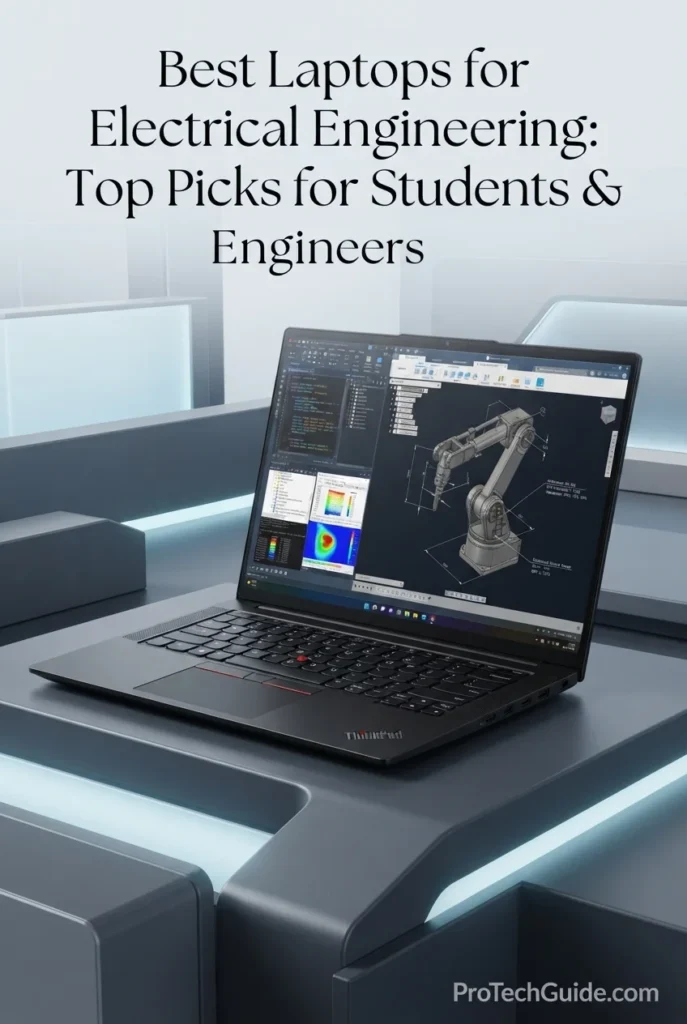
The Lenovo ThinkPad P1 Gen 8 with the Intel Core Ultra 9 285H, 64GB of LPDDR5X memory, NVIDIA RTX PRO 2000 Blackwell graphics, and 2TB PCIe Gen 5 SSD is our Best Overall laptop for electrical engineering in 2026. Its 16-core processor, professional RTX PRO graphics, high-capacity memory, fast Gen 5 storage, and 16-inch 3.2K Tandem OLED touchscreen create a powerful platform for demanding engineering workloads including MATLAB, Simulink, circuit simulation, PCB design, CAD, FPGA development, programming, technical visualization, and advanced multitasking. With Windows 11 Pro and a comprehensive selection of Thunderbolt, HDMI, SD Express, and high-speed wireless connectivity, the ThinkPad P1 Gen 8 is particularly well suited to engineering students, practicing engineers, researchers, and professionals who need workstation-class capability in a comparatively streamlined mobile platform.

• Ideal for electrical engineering students, practicing engineers, researchers, and technical professionals working with MATLAB, Simulink, circuit simulation, PCB design, CAD, FPGA tools, and engineering software
• Excellent for Windows-based engineering workflows including MATLAB, Altium Designer, programming environments, technical documentation, simulation software, and GPU-accelerated engineering applications
• Particularly well suited to users who need substantial memory, professional graphics, fast storage, multiple external displays, and extensive connectivity without moving to a larger desktop-replacement workstation
• The Intel Core Ultra 9 285H provides 16-core processing with up to 5.4GHz turbo frequency, giving engineering applications substantial CPU headroom for numerical computation, simulation, compilation, multitasking, and technical workloads
• 64GB of LPDDR5X memory provides significant headroom for MATLAB and Simulink projects, circuit simulation, large engineering datasets, FPGA development environments, browsers, documentation, and multiple professional applications running simultaneously
• The NVIDIA RTX PRO 2000 Blackwell GPU with 8GB of GDDR7 memory provides professional graphics capability for CAD, 3D engineering visualization, GPU-accelerated workflows, and applications that benefit from dedicated graphics processing
• The 2TB PCIe Gen 5 Performance SSD provides fast application launches, project access, simulation-file handling, datasets, engineering libraries, development environments, and large technical project files while offering substantial local storage capacity
• The 16-inch 3.2K Tandem OLED touchscreen delivers 3200 × 2000 resolution, 100% DCI-P3 coverage, 40–120Hz VRR, and high contrast, creating a sharp workspace for schematics, CAD interfaces, waveforms, technical documentation, simulation results, and detailed engineering graphics
• Windows 11 Pro, Wi-Fi 7, two Thunderbolt 5 ports, Thunderbolt 4, HDMI 2.1, and an SD Express 7.0 card reader provide the connectivity and platform flexibility expected from a professional engineering workstation

The ThinkPad P1 Gen 8 earns our Best Overall for Electrical Engineering award because it brings together the core components that matter across a wide range of engineering workloads: a high-end Core Ultra 9 processor, 64GB of memory, professional NVIDIA RTX PRO graphics, 2TB Gen 5 storage, Windows 11 Pro, and an exceptionally detailed 3.2K OLED display. It is powerful enough for demanding MATLAB, simulation, PCB, CAD, programming, and FPGA workflows while retaining the mobility and connectivity expected from a premium mobile workstation.

Compared with larger workstation-class laptops, the ThinkPad P1 Gen 8 emphasizes a stronger balance between processing capability, professional graphics, display quality, connectivity, and mobile design. Its Windows 11 Pro platform is also particularly practical for engineering environments because current versions of tools such as Altium Designer are designed around Windows 11, while MATLAB supports demanding Windows-based numerical and engineering workflows. Engineers who need maximum sustained workstation performance or substantially higher-end professional graphics may still prefer a larger workstation, but the P1 Gen 8 provides a highly capable platform across a broad range of electrical engineering workloads.

• Intel Core Ultra 9 285H vPro processor• 16 cores and 16 threads• Up to 5.4GHz maximum turbo frequency• 24MB Intel Smart Cache• Intel AI Boost NPU• Professional mobile workstation platform• Strong CPU performance for engineering applicationsThe Intel Core Ultra 9 285H provides substantial processing capability for electrical engineering workloads that depend heavily on CPU performance. Its 16-core configuration and high turbo frequency are well suited to MATLAB calculations, Simulink models, circuit simulation, software compilation, programming, engineering data processing, and demanding multitasking. The processor also includes Intel AI Boost for supported AI workloads, adding dedicated AI acceleration alongside its conventional CPU resources.
• 64GB LPDDR5X-7467 memory• 64GB maximum configuration for this model• High-speed memory architecture• Excellent for MATLAB and Simulink• Strong multitasking capability• Suitable for circuit simulation and PCB design• Substantial headroom for professional engineering workflowsThe 64GB memory configuration gives the ThinkPad P1 Gen 8 substantial headroom for demanding electrical engineering environments. Engineers can keep MATLAB, Simulink, circuit simulators, PCB design software, FPGA development tools, browsers, documentation, terminals, and other applications open simultaneously without relying as heavily on virtual memory. This capacity is especially useful for students and professionals who routinely combine several engineering applications within the same workflow.
• MATLAB and Simulink• Circuit simulation and numerical analysis• Altium Designer and PCB design• CAD and engineering visualization• FPGA development environments• Programming and software development• Technical documentation and engineering multitasking• Windows-based engineering applicationsThe ThinkPad P1 Gen 8 is designed around the Windows 11 Pro ecosystem used by many engineering applications. Its combination of high CPU performance, 64GB memory, professional NVIDIA graphics, and fast storage provides a strong foundation for MATLAB and Simulink, circuit simulation, PCB design, CAD, programming, and FPGA development. Current Altium Designer recommendations include Windows 11, 32GB RAM, SSD storage, and a high-performance DirectX-capable GPU, placing this configuration comfortably above its recommended memory requirement.
• NVIDIA RTX PRO 2000 Blackwell Generation GPU• 8GB GDDR7 graphics memory• Dedicated professional GPU• Designed for workstation applications• Suitable for CAD and 3D visualization• GPU acceleration for supported applications• Professional graphics drivers and workflowsThe NVIDIA RTX PRO 2000 Blackwell GPU adds dedicated workstation-class graphics capability to the ThinkPad P1 Gen 8. Its 8GB of GDDR7 memory provides additional resources for CAD, 3D engineering visualization, technical graphics, and applications that can take advantage of GPU acceleration. For electrical engineering, this is particularly useful when PCB design, CAD, visualization, or other GPU-intensive workloads extend beyond basic schematic and numerical work.
• 16-inch Tandem OLED display• 3200 × 2000 resolution• 100% DCI-P3 color coverage• 40–120Hz variable refresh rate• Touchscreen• DisplayHDR 600• Dolby Vision• High-contrast OLED technologyThe 16-inch 3.2K Tandem OLED display provides an exceptionally detailed workspace for electrical engineering. Its 3200 × 2000 resolution offers ample screen real estate for schematics, MATLAB interfaces, simulation plots, PCB layouts, CAD models, technical drawings, documentation, and multi-window workflows. The 100% DCI-P3 coverage and high-contrast OLED panel are particularly valuable when engineering work also involves detailed visualization, technical graphics, or professional content creation.
• 2TB PCIe 5.0 x4 NVMe SSD• Gen 5 Performance SSD• Fast project loading• Rapid application launches• Suitable for large engineering files• Ample space for software and datasets• Supports demanding engineering workflowsThe 2TB PCIe Gen 5 SSD provides substantial local storage for engineering software, MATLAB environments, simulation files, PCB projects, CAD assemblies, FPGA toolchains, datasets, documentation, and development projects. The combination of high capacity and Gen 5 NVMe storage is particularly useful for engineers who regularly work with large project directories and multiple professional software packages.
• Windows 11 Pro• x86-64 Intel architecture• MATLAB and Simulink support• Altium Designer compatibility• Windows engineering applications• Professional security and management features• Intel vPro platform• ThinkShield security technologiesWindows 11 Pro makes the ThinkPad P1 Gen 8 particularly practical for electrical engineering because many professional engineering applications are developed primarily around Windows. MATLAB's current Windows requirements support modern x86-64 Intel processors, while Altium Designer's current recommended environment specifies Windows 11 64-bit. The ThinkPad's Intel vPro platform and ThinkShield security features also add enterprise-oriented management and protection for professional environments.
• 2 × Thunderbolt 5• 1 × Thunderbolt 4• HDMI 2.1• SD Express 7.0 card reader• USB-A• Wi-Fi 7• 90Wh battery• 16-inch mobile workstation designThe ThinkPad P1 Gen 8 provides unusually comprehensive connectivity for a mobile engineering workstation. Two Thunderbolt 5 ports, an additional Thunderbolt 4 port, HDMI 2.1, USB-A, SD Express, and Wi-Fi 7 support make it well suited to external displays, docking stations, engineering peripherals, high-speed storage, development hardware, and laboratory accessories. The 90Wh battery also supports mobile use when engineers move between university, office, laboratory, and home environments.
Ideal for:• Electrical engineering students• Professional electrical engineers• MATLAB and Simulink users• Circuit simulation• PCB design• Altium Designer users• CAD and engineering visualization• FPGA development• Engineering programming• Researchers and technical professionalsThe Lenovo ThinkPad P1 Gen 8 with the Core Ultra 9 285H, 64GB memory, RTX PRO 2000 Blackwell graphics, and 2TB Gen 5 SSD is a highly capable all-around platform for electrical engineering in 2026. Its combination of CPU performance, professional graphics, large memory capacity, fast storage, Windows 11 Pro, extensive connectivity, and high-resolution OLED display makes it particularly well suited to engineers who need one premium laptop capable of handling a broad range of academic, laboratory, simulation, design, programming, and professional engineering workflows.
Best High-Performance Workstation for Electrical Engineering (2026)

Lenovo ThinkPad P16 Gen 3

Best High-Performance Workstation for Engineering Simulation, CAD & Advanced Workloads
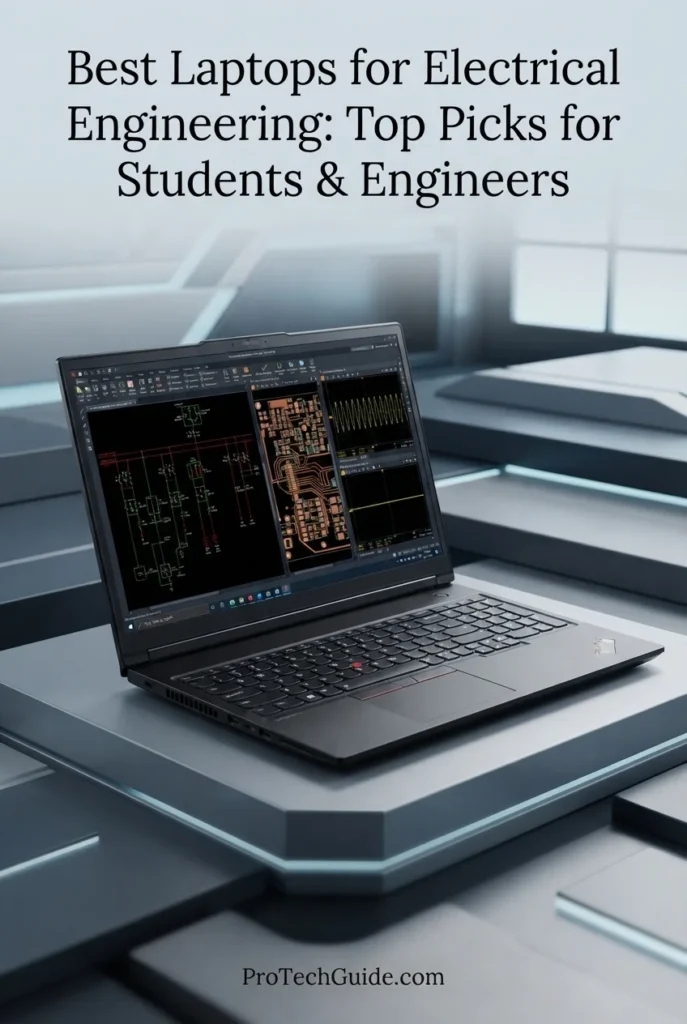
The Lenovo ThinkPad P16 Gen 3 with the Intel Core Ultra 7 255HX, 64GB of DDR5 memory, NVIDIA RTX PRO 3000 Blackwell graphics with 12GB of GDDR7, and 2TB PCIe Gen 5 SSD is our Best High-Performance Workstation for Electrical Engineering in 2026. Designed for engineers who regularly move beyond conventional student workloads, this configuration combines a 24-core processor, professional workstation graphics, substantial memory capacity, high-speed storage, and a 16-inch WQUXGA IPS display with 3840 × 2400 resolution and 100% DCI-P3 coverage. It provides substantial headroom for MATLAB and Simulink, complex circuit simulation, PCB design, CAD, 3D engineering visualization, FPGA development, AI-assisted engineering workflows, programming, and demanding multitasking.

• Ideal for electrical engineering professionals, graduate students, researchers, engineers, and advanced users working with complex simulations, CAD, PCB design, FPGA development, and computational workloads
• Excellent for MATLAB, Simulink, circuit simulation, Altium Designer, CAD applications, engineering visualization, programming, AI development, and other Windows-based professional engineering tools
• Particularly well suited to engineers who need workstation-class graphics, 64GB of RAM, large local storage, multiple displays, and sustained performance for demanding technical projects
• The Intel Core Ultra 7 255HX combines 24 CPU cores with boost speeds up to 5.2GHz, providing substantial processing capacity for numerical computation, simulation, compilation, engineering analysis, and demanding multitasking
• 64GB of DDR5 memory gives advanced engineering users significant headroom for large MATLAB projects, Simulink models, circuit simulators, PCB software, FPGA toolchains, virtualized development environments, browsers, and technical applications running simultaneously
• The NVIDIA RTX PRO 3000 Blackwell GPU with 12GB of GDDR7 provides a substantially more capable professional graphics platform for CAD, 3D visualization, GPU-accelerated applications, AI workloads, and technically demanding engineering graphics
• The 2TB PCIe Gen 5 Performance SSD provides fast access to engineering projects, simulation files, CAD assemblies, PCB libraries, FPGA toolchains, datasets, development environments, and large technical applications
• The 16-inch WQUXGA display delivers 3840 × 2400 resolution, 100% DCI-P3 coverage, up to 800 nits brightness, HDR 400, and factory color calibration, providing a highly detailed workspace for schematics, CAD, technical documentation, simulation plots, and engineering visualization
• Windows 11 Pro, Thunderbolt 5, Thunderbolt 4, 2.5Gb Ethernet, HDMI 2.1, Wi-Fi 7, and SD Express connectivity provide a comprehensive platform for external displays, laboratory equipment, high-speed storage, networking, and professional engineering peripherals

The ThinkPad P16 Gen 3 earns our Best High-Performance Workstation for Electrical Engineering award because it prioritizes the components that matter when engineering workloads become genuinely demanding: a 24-core Core Ultra 7 255HX processor, 64GB of DDR5 memory, professional RTX PRO 3000 Blackwell graphics with 12GB VRAM, 2TB Gen 5 storage, and a high-resolution 16-inch WQUXGA display. It is especially compelling for engineers who work across simulation, CAD, PCB design, visualization, programming, and AI-assisted technical workflows and want substantial performance headroom in a single mobile workstation.

Compared with the Lenovo ThinkPad P1 Gen 8, the ThinkPad P16 Gen 3 takes a more workstation-focused approach, pairing a higher-core-count Core Ultra 7 255HX processor with a more powerful RTX PRO 3000 Blackwell GPU and 12GB of GDDR7 memory. The P1 Gen 8 remains the more balanced option for users who place greater emphasis on mobility and a slimmer premium workstation design, while the P16 Gen 3 is better aligned with engineering workloads that can take advantage of greater CPU and professional GPU resources.

• Intel Core Ultra 7 255HX processor• 24 CPU cores• Up to 5.2GHz P-core frequency• Intel AI CPU architecture• High-performance mobile workstation processor• Designed for demanding computation• Strong multitasking capabilityThe Intel Core Ultra 7 255HX provides the processing foundation required for demanding electrical engineering workloads. Its 24-core design and high boost frequency provide substantial CPU resources for MATLAB calculations, Simulink models, circuit simulation, compilation, numerical analysis, programming, engineering data processing, and multitasking across several professional applications. For engineers working with complex models or long-running computational workloads, its higher core count gives this workstation considerably more CPU headroom than mainstream student laptops.
• 64GB DDR5 memory• 2 × 32GB SODIMM configuration• High-capacity workstation memory• 64GB maximum listed configuration for this system• Excellent for MATLAB and Simulink• Strong multitasking capability• Suitable for large engineering projectsThe 64GB DDR5 configuration gives the ThinkPad P16 Gen 3 substantial memory headroom for advanced engineering workflows. It allows engineers to work with MATLAB, Simulink, circuit simulation, PCB design software, FPGA development environments, CAD tools, browsers, documentation, and development utilities simultaneously. The SODIMM-based memory design also reinforces the P16's workstation-oriented architecture.
• MATLAB and Simulink• Circuit simulation• Altium Designer• PCB design• CAD and 3D engineering visualization• FPGA development• AI development• Engineering programming• Technical computingThe ThinkPad P16 Gen 3 provides the hardware resources required for a broad range of professional electrical engineering workflows. MATLAB's current Windows requirements recommend 16GB of RAM and a GPU supporting WebGL 2.0 with at least 2GB of memory for performant graphics, while Altium Designer recommends Windows 11, 32GB RAM, SSD storage, and a high-performance DirectX 11-capable GPU. This configuration substantially exceeds those baseline recommendations in memory, storage, and dedicated graphics capability, making it well suited to more demanding projects.
• NVIDIA RTX PRO 3000 Blackwell Laptop GPU• 12GB GDDR7 graphics memory• Professional workstation graphics• Dedicated GPU architecture• Advanced CAD and 3D visualization capability• GPU acceleration for supported applications• Suitable for AI and technical visualization workloadsThe RTX PRO 3000 Blackwell is one of the defining features of this ThinkPad P16 Gen 3 configuration. Its 12GB of GDDR7 memory provides additional graphics headroom for professional CAD, 3D visualization, GPU-accelerated engineering applications, and supported AI workloads. For electrical engineers, the additional VRAM can be particularly useful when projects combine PCB or CAD visualization with other GPU-intensive applications rather than relying solely on integrated graphics.
• 16-inch IPS display• 3840 × 2400 WQUXGA resolution• 100% DCI-P3 color coverage• Up to 800 nits brightness• HDR 400• 60Hz refresh rate• Anti-glare surface• Non-touch display• X-Rite factory color calibration• Dolby VisionThe 16-inch WQUXGA display provides an exceptionally high-resolution workspace for electrical engineering. Its 3840 × 2400 resolution allows detailed schematics, PCB layouts, CAD models, simulation plots, code, documentation, and multiple engineering windows to remain highly legible. The 100% DCI-P3 coverage, 800-nit brightness, HDR 400, and X-Rite factory calibration also make the panel suitable for technical visualization and color-sensitive engineering graphics.
• 2TB PCIe Gen 5 Performance SSD• M.2 2280 form factor• PCIe Gen 5 interface• TLC NAND• Opal security support• Fast project loading• Large capacity for engineering software• Suitable for simulation and CAD filesThe 2TB PCIe Gen 5 SSD provides a strong storage foundation for professional engineering work. Its capacity allows engineers to maintain large MATLAB environments, simulation projects, CAD assemblies, PCB libraries, FPGA development tools, datasets, documentation, and software installations locally without immediately relying on external storage. The Gen 5 interface also provides the high-speed storage platform expected from a premium workstation.
• Windows 11 Pro• x86-64 Intel platform• MATLAB and Simulink support• Altium Designer compatibility• Professional CAD applications• Engineering simulation software• Intel AI CPU capabilities• ThinkShield securityWindows 11 Pro makes the ThinkPad P16 Gen 3 a natural fit for professional engineering software. MATLAB R2026a supports Windows 11 on modern x86-64 Intel processors, while Altium Designer's current recommended environment specifies Windows 11 64-bit. The P16's Intel architecture, professional GPU, high memory capacity, and Windows Pro environment make it particularly appropriate for engineers whose software stack is centered on Windows-based technical applications.
• 2 × Thunderbolt 5• 1 × Thunderbolt 4• 2 × USB-A 10Gbps• 2.5Gb Ethernet• HDMI 2.1• SD Express 8.0 card reader• Wi-Fi 7• Bluetooth 5.4• Docking supportThe ThinkPad P16 Gen 3 provides the connectivity expected from a professional engineering workstation. Thunderbolt 5, Thunderbolt 4, USB-A, 2.5Gb Ethernet, HDMI 2.1, and SD Express provide flexible options for external displays, docking stations, high-speed storage, wired laboratory networks, development hardware, and other engineering peripherals. Wi-Fi 7 and Bluetooth 5.4 provide modern wireless connectivity for mobile engineering environments.
Ideal for:• Professional electrical engineers• Graduate engineering students• Engineering researchers• MATLAB and Simulink users• Complex circuit simulation• PCB design professionals• CAD and 3D engineering workflows• FPGA development• AI-assisted engineering workloads• Engineers working with large technical projectsThe Lenovo ThinkPad P16 Gen 3 with the Core Ultra 7 255HX, 64GB DDR5, RTX PRO 3000 Blackwell graphics, and 2TB Gen 5 SSD is designed for engineers who need more than a conventional high-end laptop can provide. Its combination of 24-core CPU performance, 12GB professional GPU memory, 64GB RAM, fast storage, high-resolution WQUXGA display, and extensive workstation connectivity makes it a particularly strong platform for advanced electrical engineering simulation, design, visualization, programming, and professional technical workflows.
Best Value Professional Workstation for Electrical Engineering (2026)

HP ZBook Power G11 A

Professional Workstation for MATLAB, Simulation, CAD & Engineering Workflows
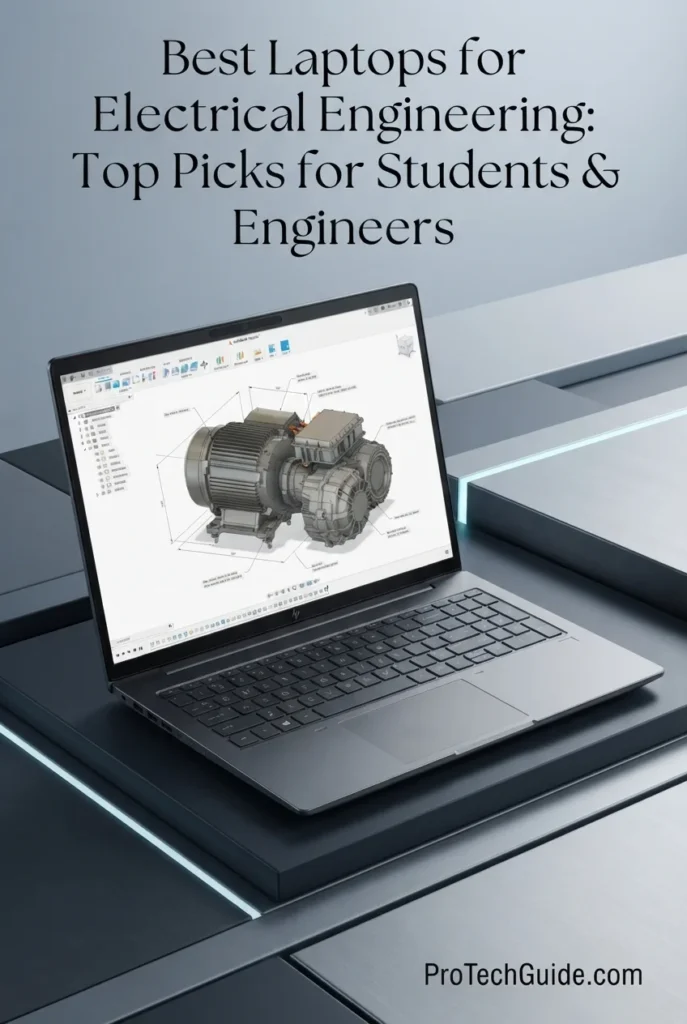
The HP ZBook Power G11 A with the AMD Ryzen 7 PRO 8845HS, 64GB of DDR5 memory, NVIDIA RTX 1000 Ada graphics, and 1TB PCIe NVMe SSD is our Best Value Professional Workstation for Electrical Engineering in 2026. Its 8-core processor, 6GB professional NVIDIA GPU, generous memory capacity, fast SSD, and Windows 11 Pro platform create a strong foundation for MATLAB, Simulink, circuit simulation, PCB design, CAD, programming, technical computing, and engineering productivity. The 64GB configuration is particularly valuable for engineers who routinely work with large projects, multiple engineering applications, virtual environments, browsers, documentation, and simulation tools simultaneously.

• Ideal for electrical engineering students, professional engineers, researchers, designers, and technical users who need a Windows-based mobile workstation without moving to a higher-priced workstation tier
• Well suited to MATLAB, Simulink, circuit simulation, PCB design, CAD, engineering programming, technical documentation, and moderate 3D visualization workloads
• Particularly attractive for engineers who value 64GB of RAM, professional NVIDIA graphics, workstation-oriented reliability, and extensive connectivity in a relatively portable 16-inch design
• The AMD Ryzen 7 PRO 8845HS provides 8 cores and 16 threads with boost speeds up to 5.1GHz, delivering strong processing capability for MATLAB calculations, simulation workloads, compilation, programming, and demanding multitasking
• 64GB of DDR5 memory provides substantial headroom for MATLAB and Simulink projects, circuit simulators, CAD applications, browsers, development environments, virtual machines, and multiple engineering tools running simultaneously
• The NVIDIA RTX 1000 Ada with 6GB of dedicated GDDR6 memory provides professional GPU capability for CAD, 3D visualization, accelerated graphics, and engineering applications that can take advantage of NVIDIA GPU hardware
• The 1TB PCIe NVMe SSD provides responsive application launches, project loading, dataset access, software installations, engineering files, simulation data, and everyday workstation storage
• The 16-inch WUXGA anti-glare display provides a practical 1920 × 1200 workspace for engineering applications, documentation, code, schematics, spreadsheets, and technical interfaces, while Thunderbolt 4 and HDMI 2.1 support expanded external-display setups
• Windows 11 Pro, Wi-Fi 6E, Ethernet, two Thunderbolt 4 ports, USB-A, HDMI 2.1, an SD card reader, fingerprint security, and the included USB-C hub make the ZBook Power G11 A highly practical for professional engineering environments

The ZBook Power G11 A earns our Best Value Professional Workstation designation because it combines workstation-class positioning, 64GB of memory, professional NVIDIA graphics, a capable Ryzen 7 PRO processor, fast NVMe storage, and Windows 11 Pro without requiring the larger investment associated with higher-end mobile workstations. For electrical engineers whose workloads center on MATLAB, simulation, CAD, programming, PCB development, and professional productivity, it delivers a particularly balanced hardware foundation.

Compared with higher-end workstations such as the Lenovo ThinkPad P16 Gen 3, the HP ZBook Power G11 A emphasizes value and practical engineering capability rather than maximum CPU and GPU performance. Its RTX 1000 Ada with 6GB of VRAM is appropriate for mainstream CAD, visualization, and engineering graphics, while the 64GB RAM configuration provides excellent multitasking headroom. Engineers working with exceptionally large simulations, advanced 3D visualization, or heavily GPU-accelerated workloads may benefit from a more powerful workstation-class GPU.

• AMD Ryzen 7 PRO 8845HS processor• 8 cores• 16 threads• Up to 5.1GHz boost frequency• 16MB L3 cache• AMD PRO technologies• Strong multi-core engineering performanceThe AMD Ryzen 7 PRO 8845HS provides a strong processing foundation for electrical engineering workloads including MATLAB calculations, Simulink models, circuit simulation, programming, code compilation, data processing, and professional multitasking. Its 8-core, 16-thread design provides substantial CPU headroom for running engineering applications alongside browsers, documentation, development tools, and communication software.
• 64GB DDR5 memory• 4800MHz listed memory speed• Up to 64GB maximum listed capacity• Strong multitasking capability• Large MATLAB and Simulink project headroom• Suitable for CAD and simulation applications• Excellent for multiple professional applicationsThe 64GB memory configuration is one of the ZBook Power G11 A's strongest advantages for electrical engineering. It provides considerable headroom for MATLAB and Simulink projects, circuit simulation, CAD software, programming environments, browsers, documentation, virtual machines, and multiple engineering applications running simultaneously.
• MATLAB• Simulink• Circuit simulation• Engineering programming• PCB design• CAD and technical modeling• ANSYS and engineering simulation• Technical computingThe ZBook Power G11 A is particularly well suited to Windows-based engineering workflows. MATLAB R2026a supports Windows 11 on x86-64 Intel and AMD processors, recommends 16GB of RAM, and recommends a GPU with at least 2GB of memory for performant graphics. This configuration substantially exceeds those basic recommendations with 64GB of RAM, an AMD x86-64 processor, SSD storage, and a dedicated NVIDIA GPU.The workstation's Windows 11 Pro environment also provides broad compatibility with professional engineering applications, while the included professional graphics hardware is useful for CAD, visualization, and other GPU-aware workloads.
• NVIDIA RTX 1000 Ada Generation Laptop GPU• 6GB dedicated GDDR6 memory• Professional NVIDIA RTX architecture• Hardware-accelerated graphics• Suitable for CAD visualization• Suitable for moderate 3D workloads• NVIDIA GPU acceleration supportThe NVIDIA RTX 1000 Ada provides dedicated professional graphics capability for electrical engineering applications that benefit from GPU acceleration. It is well suited to CAD visualization, technical 3D workloads, engineering graphics, and professional applications with compatible GPU acceleration. Its 6GB VRAM capacity provides useful graphics headroom, although engineers working with exceptionally demanding GPU-intensive visualization or very large 3D datasets may benefit from a higher-tier professional GPU.
• 16-inch WUXGA IPS display• 1920 × 1200 native resolution• 400-nit listed brightness• Anti-glare coating• 16:10 aspect ratio• Comfortable workspace for technical applications• HDMI 2.1 external-display supportThe 16-inch WUXGA display provides a practical 16:10 workspace for MATLAB interfaces, Simulink diagrams, schematics, code, spreadsheets, CAD tools, documentation, and engineering dashboards. The anti-glare surface is useful for extended professional sessions, while the 1920 × 1200 resolution provides additional vertical workspace compared with a conventional 16:9 Full HD panel.The system can also support expanded multi-monitor workspaces through its Thunderbolt 4 and HDMI 2.1 connectivity, which is particularly useful when engineers need simultaneous access to simulation results, schematics, documentation, and development tools.
• 1TB PCIe NVMe M.2 SSD• Fast application launches• Rapid project access• Responsive MATLAB environments• Quick simulation-file access• Suitable for engineering software installations• Strong everyday workstation storageThe 1TB PCIe NVMe SSD provides a responsive foundation for engineering software, MATLAB and Simulink projects, source code, CAD files, circuit designs, documentation, datasets, and simulation outputs. Engineers working with very large datasets or extensive project archives can supplement local storage with external or network storage through the workstation's high-speed connectivity.
• Windows 11 Pro• x86-64 AMD platform• MATLAB and Simulink compatibility• Professional engineering software support• BitLocker security• Remote Desktop• NVIDIA professional graphics support• Business and enterprise workflowsWindows 11 Pro makes the ZBook Power G11 A particularly practical for electrical engineers who depend on Windows-based engineering applications. MATLAB R2026a supports Windows 11 on AMD x86-64 processors, and the platform is well suited to professional engineering, development, CAD, simulation, and technical-computing environments.The Windows Pro edition also adds enterprise-oriented features such as BitLocker and Remote Desktop, making the workstation appropriate for university laboratories, engineering firms, research environments, and professional technical deployments.
• 16-inch mobile workstation• 4.5-pound listed weight• 83Wh 6-cell battery• 2x Thunderbolt 4• 2x USB-A 3.2 Gen 1• HDMI 2.1• RJ45 Ethernet• SD card reader• Wi-Fi 6E• Bluetooth 5.3• Fingerprint reader• Backlit keyboard and numeric keypad• Included 7-in-1 USB-C hubThe ZBook Power G11 A balances workstation functionality with a relatively portable 16-inch form factor. Its extensive wired connectivity is especially useful in engineering environments where external displays, laboratory equipment, network resources, storage devices, and peripherals are part of the daily workflow.Two Thunderbolt 4 ports, HDMI 2.1, USB-A, Ethernet, an SD card reader, and the bundled 7-in-1 USB-C hub provide considerable flexibility for desk-based and mobile engineering setups.
Ideal for:• Electrical engineering students• Professional electrical engineers• MATLAB and Simulink users• Circuit simulation• PCB design and development• CAD and technical modeling• Engineering programming• Researchers and technical professionals• ANSYS and simulation workflows• Engineers needing 64GB RAM• Windows-based engineering environments• Users seeking professional workstation hardware at a lower price tierThe HP ZBook Power G11 A with the Ryzen 7 PRO 8845HS, 64GB DDR5 memory, RTX 1000 Ada graphics, and 1TB SSD is a strong professional workstation choice for electrical engineering when the priority is balanced capability and value. It provides the memory capacity, Windows compatibility, professional GPU hardware, connectivity, and processing performance needed for a wide range of MATLAB, simulation, PCB, CAD, programming, and engineering productivity workflows.
Best Premium Mobile Workstation for Electrical Engineering (2026)

Dell Precision 5000 5690

Premium Mobile Workstation for Engineering, Simulation, CAD & Professional Workflows
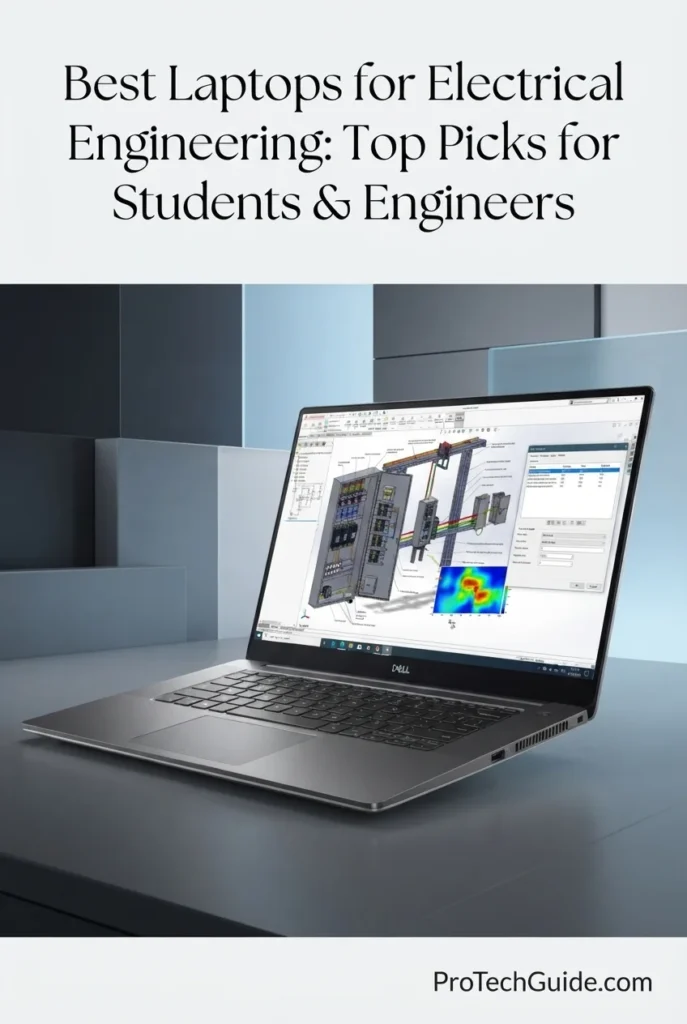
The Dell Precision 5000 5690 with the Intel Core Ultra 9 185H, 32GB of LPDDR5X memory, NVIDIA RTX 2000 Ada graphics, and 1TB SSD is our Best Premium Mobile Workstation for Electrical Engineering in 2026. Its high-performance Intel processor, professional NVIDIA RTX graphics, 32GB of memory, fast SSD storage, and 16-inch 1920 × 1200 display provide a powerful platform for MATLAB, Simulink, circuit simulation, PCB development, CAD, engineering programming, technical visualization, and demanding professional multitasking. The Precision 5690 is particularly compelling for engineers who want workstation-class graphics and processing capability in a premium mobile form factor.

• Ideal for professional electrical engineers, engineering researchers, technical designers, architects, developers, and advanced students who need a premium Windows mobile workstation
• Well suited to MATLAB, Simulink, circuit simulation, PCB design, CAD, technical computing, programming, visualization, and other professional engineering applications
• Particularly attractive to engineers who prioritize professional NVIDIA RTX graphics, strong CPU performance, 32GB of memory, premium portability, and a high-quality 16-inch workstation platform
• The Intel Core Ultra 9 185H provides strong processing capability for MATLAB calculations, simulation workloads, engineering programming, compilation, data processing, and demanding multitasking
• 32GB of LPDDR5X memory provides substantial headroom for MATLAB and Simulink projects, CAD applications, circuit-design tools, browsers, development environments, and multiple professional applications running simultaneously
• The NVIDIA RTX 2000 Ada with 8GB of dedicated GDDR6 graphics memory provides professional GPU capability for CAD visualization, 3D engineering workloads, accelerated graphics, and applications that can take advantage of dedicated GPU resources
• The 1TB SSD provides fast application launches, responsive project access, quick loading of engineering files, and practical local storage for MATLAB environments, CAD projects, simulations, documentation, and development tools
• The 16-inch 1920 × 1200 anti-glare display provides a practical 16:10 workspace for schematics, MATLAB interfaces, code, CAD applications, documentation, spreadsheets, and engineering dashboards
• Windows 11 Pro, Thunderbolt connectivity, HDMI, Wi-Fi, Bluetooth, fingerprint security, and ExpressCharge Boost create a professional platform suited to engineers who regularly move between office, laboratory, university, and client environments

The Dell Precision 5000 5690 earns our Best Premium Mobile Workstation designation because it combines a high-end Intel Core Ultra 9 processor, professional NVIDIA RTX 2000 Ada graphics with 8GB VRAM, 32GB of memory, fast SSD storage, and a premium 16-inch workstation design. It is especially well suited to engineers who need more graphics capability than a conventional productivity laptop while still valuing mobility and a professional form factor.

Compared with the HP ZBook Power G11 A, the Precision 5690 offers a higher-tier professional GPU with 8GB of dedicated VRAM and a more premium mobile-workstation positioning, making it particularly attractive for engineers working with demanding CAD visualization and GPU-assisted technical workloads. The HP ZBook remains a compelling alternative for users prioritizing 64GB of memory and greater multitasking headroom, while the Dell emphasizes premium mobility and professional graphics performance.

• Intel Core Ultra 9 185H• Up to 5.1GHz listed maximum speed• High-performance Intel Core Ultra architecture• Hybrid CPU architecture• Strong multi-core processing• Professional engineering multitasking• Intel Evo platformThe Intel Core Ultra 9 185H provides a strong processing foundation for electrical engineering workloads including MATLAB calculations, Simulink models, circuit simulation, programming, code compilation, technical computing, and demanding multitasking. Its combination of high-performance processing and Intel Evo platform features makes the Precision 5690 well suited to engineers who need workstation-class capability without moving to a larger desktop-replacement design.
• 32GB LPDDR5X memory• 32GB listed maximum configuration• High-bandwidth modern memory• Strong multitasking capability• Suitable for MATLAB and Simulink• Suitable for CAD and simulation• Professional engineering workflow supportThe 32GB memory configuration provides a strong balance for professional electrical engineering. Engineers can work with MATLAB and Simulink, CAD applications, circuit-design tools, programming environments, browsers, technical documentation, and communication software simultaneously while maintaining considerably more headroom than typical 16GB configurations.
• MATLAB• Simulink• Circuit simulation• PCB design• CAD• Engineering programming• Technical computing• Professional simulation workflowsThe Precision 5690 provides a powerful Windows-based platform for electrical engineering applications. Its combination of a high-performance Intel Core Ultra processor, 32GB of memory, dedicated NVIDIA RTX graphics, and SSD storage is well suited to MATLAB, Simulink, circuit simulation, CAD, PCB development, programming, technical documentation, and professional multitasking.The dedicated GPU is particularly useful when engineering applications involve substantial 3D visualization or GPU-aware graphics workloads rather than purely CPU-based calculations.
• NVIDIA RTX 2000 Ada Generation graphics• 8GB dedicated GDDR6 memory• Professional NVIDIA RTX architecture• Dedicated discrete GPU• Hardware-accelerated graphics• Suitable for CAD visualization• Suitable for 3D engineering workloads• Stronger GPU headroom for professional applicationsThe NVIDIA RTX 2000 Ada is one of the Precision 5690's most important advantages for professional engineering work. Its 8GB of dedicated GDDR6 memory provides substantial graphics headroom for CAD visualization, 3D technical models, engineering graphics, and other professional applications that can benefit from a dedicated GPU.For electrical engineers, this makes the Precision 5690 particularly attractive when the workload extends beyond numerical computation into PCB visualization, mechanical-electrical integration, technical 3D environments, and GPU-accelerated professional software.
• 16-inch display• 1920 × 1200 native resolution• 16:10 aspect ratio• 60Hz refresh rate• Anti-glare coating• Low blue light feature• Non-touch display• HDMI external-display outputThe 16-inch 1920 × 1200 display provides a practical 16:10 workspace for engineering applications, MATLAB interfaces, Simulink diagrams, schematics, code, spreadsheets, documentation, and CAD tools. The additional vertical space of the 16:10 format is useful when working with technical interfaces and long documents.For complex engineering projects, the Precision 5690 can also be paired with external displays through its available connectivity, allowing engineers to separate simulation results, schematics, documentation, and development tools across a larger workspace.
• 1TB SSD• Fast application launches• Rapid project access• Responsive MATLAB environments• Quick engineering file access• Suitable for CAD projects• Suitable for simulation files• Practical professional storage capacityThe 1TB SSD provides a responsive foundation for MATLAB installations, Simulink models, CAD projects, PCB files, source code, documentation, simulation outputs, datasets, and professional applications. Engineers working with exceptionally large project archives or extensive simulation datasets can supplement local storage with external or network storage.
• Windows 11 Pro• Intel x86-64 platform• MATLAB and Simulink support• Professional engineering software compatibility• Enterprise-oriented Windows features• Fingerprint security• Intel Evo platform• Professional workstation environmentWindows 11 Pro provides the Precision 5690 with a broadly compatible platform for professional engineering software. The x86-64 Intel architecture is well suited to MATLAB, simulation, CAD, programming, PCB design, and other Windows-based technical applications.The combination of Windows 11 Pro and professional NVIDIA RTX graphics makes this Precision workstation particularly appropriate for engineers whose workflows require conventional desktop engineering applications rather than relying primarily on lightweight or browser-based tools.
• 16-inch premium mobile workstation• 4.43-pound listed weight• 0.87-inch listed thickness• 2x Thunderbolt ports• HDMI video output• Wi-Fi connectivity• Bluetooth connectivity• Fingerprint recognition• ExpressCharge Boost• Anodized Titan Gray finish• Premium professional form factorThe Precision 5690 is designed for engineers who need workstation capability without carrying a traditional large-format workstation. Its listed 4.43-pound weight and 16-inch chassis provide a useful balance between screen real estate and mobility, while Thunderbolt connectivity and HDMI support make it practical for expanded desk setups and external engineering displays.ExpressCharge Boost and the Intel Evo platform further reinforce its role as a mobile professional workstation for engineers who regularly move between offices, laboratories, meetings, university environments, and other work locations.
Ideal for:• Professional electrical engineers• Engineering researchers• MATLAB and Simulink users• Circuit simulation• PCB design• CAD and technical visualization• Engineering programming• Technical computing• Professional simulation workflows• Engineers needing dedicated NVIDIA graphics• Mobile workstation users• Professionals who prioritize premium mobilityThe Dell Precision 5000 5690 with the Intel Core Ultra 9 185H, 32GB LPDDR5X memory, NVIDIA RTX 2000 Ada 8GB graphics, and 1TB SSD is a premium mobile workstation for serious electrical engineering workflows. Its combination of CPU performance, professional GPU capability, memory capacity, Windows 11 Pro, SSD storage, and mobile workstation design makes it particularly well suited to engineers who need professional graphics performance without moving to a larger desktop-replacement system.
Best for PCB Design, CAD & Technical Creativity (2026)

ASUS ProArt P16 H7606WP

Professional Engineering Laptop for PCB Design, CAD, Simulation & Technical Workflows
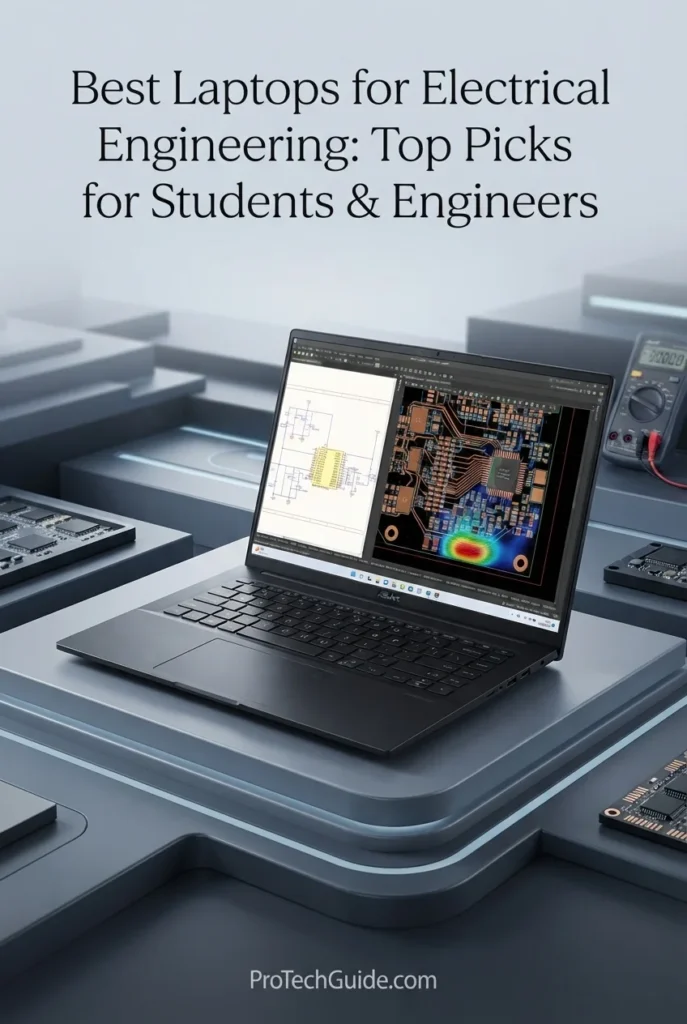
The ASUS ProArt P16 H7606WP with Ryzen AI 9 HX 370, RTX 5070 8GB, 64GB LPDDR5X memory, and a 2TB PCIe 4.0 SSD is our top choice for PCB design, CAD, simulation visualization, and technically demanding creative engineering workflows in 2026. Its 12-core/24-thread AMD processor, dedicated NVIDIA graphics, large 64GB memory configuration, fast SSD, and 16-inch 4K OLED touchscreen create a powerful platform for electrical engineers working across PCB development, Altium Designer, CAD environments, circuit simulation, technical visualization, programming, and engineering documentation. The combination is particularly compelling for engineers who need substantial memory and GPU capability without moving to a traditional workstation-class chassis.

• Ideal for electrical engineering students, PCB designers, hardware engineers, CAD users, and professionals who combine engineering software with technical visualization and creative workflows
• Well suited to PCB design, Altium Designer, CAD, circuit simulation, MATLAB, programming, technical documentation, 3D visualization, and other Windows-based engineering applications
• Particularly attractive to engineers who need 64GB of memory, dedicated RTX graphics, a high-resolution 4K OLED touchscreen, and substantial local storage for complex projects and multitasking
• The AMD Ryzen AI 9 HX 370 provides 12 CPU cores and 24 threads with boost speeds up to 5.1GHz, giving demanding engineering applications strong processing headroom for simulation, compilation, calculations, and multitasking
• NVIDIA GeForce RTX 5070 graphics with 8GB of GDDR7 memory provides substantial GPU capability for 3D CAD, PCB visualization, GPU-accelerated applications, rendering, and technically demanding visual workloads
• 64GB of onboard LPDDR5X memory gives engineers substantial headroom for large projects, simulation environments, CAD applications, browsers, development tools, and multiple professional applications running simultaneously
• The 16-inch 3840 × 2400 OLED touchscreen provides exceptional resolution and contrast for detailed PCB layouts, CAD drawings, technical documentation, schematics, visualization, and extended engineering sessions
• The 2TB PCIe 4.0 x4 NVMe SSD provides fast application loading and substantial local capacity for engineering software, project files, simulation data, CAD assets, documentation, and development environments
• Windows 11 Pro provides broad compatibility with professional engineering software, while the relatively compact 4.08-pound configuration makes the ProArt P16 easier to move between university, office, laboratory, and home environments than larger workstation designs

The ProArt P16 earns our Best for PCB Design, CAD & Technical Creativity award because it combines a high-core-count Ryzen AI processor, RTX 5070 graphics, 64GB of onboard memory, 2TB PCIe storage, and a highly detailed 4K OLED touchscreen in a relatively mobile 16-inch design. For electrical engineers who move between PCB development, CAD, simulation, programming, visualization, and technical content creation, this configuration provides a particularly broad performance envelope.

Compared with the HP ZBook Power G11 and Dell Precision 5000 5690, the ProArt P16 places greater emphasis on high-resolution visual work, GPU capability, and creative engineering workflows. Its RTX 5070 and 4K OLED touchscreen are especially relevant for engineers who work extensively with detailed CAD and PCB visualization, while its 64GB memory and 2TB SSD provide substantial capacity for demanding multitasking. Engineers whose priority is a workstation platform with specific ISV certifications or enterprise workstation features may prefer a dedicated mobile workstation instead.

• AMD Ryzen AI 9 HX 370 processor• 12 CPU cores• 24 threads• 2.0GHz base processor speed• Up to 5.1GHz maximum turbo frequency• 36MB Smart Cache• Strong multitasking capabilityThe Ryzen AI 9 HX 370 provides substantial CPU resources for demanding electrical engineering workloads including MATLAB calculations, circuit simulation, code compilation, programming, data processing, CAD operations, and multitasking across multiple professional applications. Its 12-core/24-thread design provides useful processing headroom when engineering workflows extend beyond a single application.
• 64GB LPDDR5X onboard memory• 6400MHz listed memory speed• 64GB maximum listed capacity• High-capacity configuration• Strong multitasking capability• Suitable for demanding engineering applications• Substantial memory headroomThe 64GB LPDDR5X configuration gives the ProArt P16 considerable memory capacity for electrical engineering workflows. Engineers can keep MATLAB, simulation tools, CAD applications, browsers, development environments, documentation, and other applications open simultaneously with substantially more headroom than typical 16GB or 32GB configurations. Because the memory is onboard and the listing specifies 64GB as the maximum, this configuration should be selected with the desired memory capacity in mind.
• Altium Designer and PCB design• MATLAB and engineering computation• Circuit simulation• CAD and 3D engineering visualization• Programming and development environments• Technical documentation• Multi-application engineering workflowsThe ProArt P16 is particularly well matched to engineering workflows that combine CPU-intensive applications with GPU-accelerated visualization. Its Windows 11 Pro platform supports the broad Windows software ecosystem used across electrical engineering, while the dedicated RTX 5070 provides additional graphics capability for detailed PCB layouts, CAD environments, 3D visualization, rendering, and other GPU-intensive tasks.
• NVIDIA GeForce RTX 5070• 8GB GDDR7 graphics memory• Dedicated NVIDIA graphics• GPU-accelerated visual workloads• CAD and 3D visualization capability• Detailed PCB visualization• Rendering and technical creative workflowsThe dedicated RTX 5070 gives the ProArt P16 substantially more graphics capability than laptops relying solely on integrated graphics. This is valuable for engineers who work with 3D CAD, detailed PCB visualization, rendering, technical graphics, and other workloads where GPU performance can improve responsiveness and visual complexity. The 8GB GDDR7 configuration also provides dedicated graphics memory for supported applications.
• 16-inch display• 3840 × 2400 resolution• 4K-class UHD resolution• OLED display technology• 60Hz refresh rate• Touchscreen• High-resolution engineering workspaceThe 16-inch 3840 × 2400 OLED touchscreen is one of the ProArt P16's defining advantages for technical work. Its high pixel density provides a detailed workspace for PCB layouts, schematics, CAD drawings, technical documents, dashboards, code, and engineering visualization. OLED technology also provides strong contrast, making fine interface elements and detailed visual content easier to distinguish.
• 2TB M.2 PCIe 4.0 x4 NVMe SSD• Fast application loading• Rapid project access• Large local storage capacity• Suitable for CAD projects• Suitable for simulation files• Space for engineering software and documentationThe 2TB PCIe 4.0 x4 NVMe SSD provides a strong storage foundation for engineering work. It offers substantial local capacity for MATLAB installations, PCB projects, CAD files, simulation data, development environments, documentation, datasets, and other professional engineering assets while maintaining responsive application and file access.
• Windows 11 Pro• Broad Windows engineering software compatibility• MATLAB and Simulink workflows• PCB design applications• CAD software• Circuit simulation tools• Programming and development environmentsWindows 11 Pro makes the ProArt P16 a practical platform for the broad range of Windows-based software used in electrical engineering. This is particularly relevant for engineers working with PCB design, CAD, circuit simulation, programming, and other professional tools whose Windows versions are more established than their macOS alternatives. Software-specific requirements should still be checked before deployment, particularly for specialized engineering packages and hardware-dependent development environments.
• 4.08-pound listed weight for this configuration• 13.97 × 9.72 × 0.68-inch dimensions• 16-inch professional form factor• HDMI video output• Wi-Fi connectivity• Backlit keyboard• Touchscreen inputThe ProArt P16 combines substantial engineering performance with a relatively compact 16-inch form factor. The listed 4.08-pound weight makes this specific configuration suitable for engineers who regularly move between classrooms, laboratories, offices, meetings, and home workspaces. HDMI and Wi-Fi support external displays and wireless connectivity, while the backlit keyboard and touchscreen provide additional flexibility for professional and technical workflows.
Ideal for:• Electrical engineering students• PCB designers• Hardware engineers• CAD users• Altium Designer workflows• MATLAB and simulation users• Technical visualization• Engineering programming• 3D CAD and rendering• Engineers who need 64GB memory and strong GPU performanceThe HIDevolution ASUS ProArt P16 H7606WP with Ryzen AI 9 HX 370, RTX 5070 8GB, 64GB LPDDR5X memory, 2TB PCIe 4.0 SSD, and 16-inch 4K OLED touchscreen is a powerful choice for electrical engineers whose workloads span PCB design, CAD, simulation, programming, visualization, and technical creative work. Its combination of high CPU core count, dedicated RTX graphics, large memory capacity, high-resolution OLED display, and Windows 11 Pro makes it particularly versatile for demanding engineering workflows in 2026.
Best for GPU-Intensive Engineering Workloads (2026)

Lenovo Legion Pro 7i Gen 10

High-Performance Laptop for GPU-Accelerated Engineering, CAD & Simulation
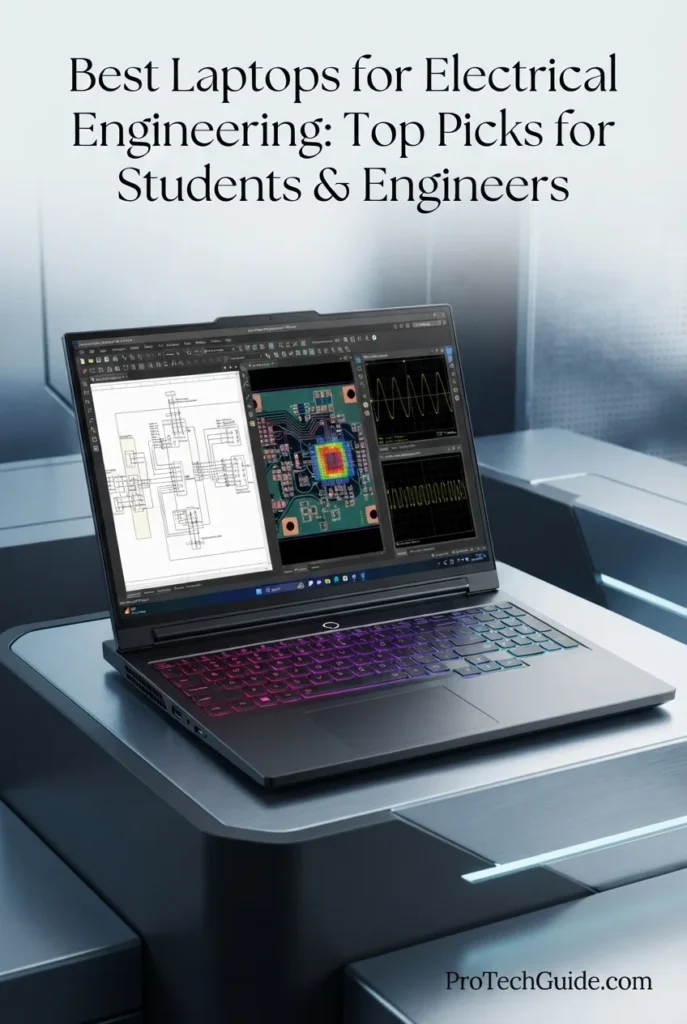
The Lenovo Legion Pro 7i Gen 10 with Intel Core Ultra 9 275HX, NVIDIA GeForce RTX 5080, 32GB DDR5 memory, and a 1TB Gen 5 NVMe SSD is our recommendation for GPU-intensive electrical engineering workloads in 2026. Its 24-core processor, high-end RTX 5080 graphics with 16GB of listed graphics memory, fast Gen 5 storage, and 16-inch 2560 × 1600 OLED display create a powerful platform for engineers working with 3D CAD, visualization, computational workloads, GPU-accelerated applications, simulation environments, programming, and technically demanding multitasking. Unlike a conventional workstation-focused laptop, the Legion Pro 7i approaches engineering from a performance-first perspective, making its dedicated GPU particularly relevant for workloads that can take advantage of substantial graphics resources.

• Ideal for electrical engineering students, engineers, researchers, and technical users whose workloads include GPU-intensive CAD, visualization, rendering, simulation, or computational applications
• Well suited to MATLAB, engineering programming, 3D CAD, technical visualization, simulation environments, PCB visualization, and other Windows-based engineering workflows that benefit from powerful hardware
• Particularly attractive to users who want very high CPU and GPU performance while also using the laptop for demanding technical visualization, development, and other compute-intensive workloads
• The Intel Core Ultra 9 275HX provides 24 CPU cores with a listed maximum frequency of 5.4GHz, giving demanding engineering applications substantial processing capacity for simulation, compilation, numerical workloads, and multitasking
• The NVIDIA GeForce RTX 5080 with 16GB of listed graphics memory provides substantial dedicated GPU resources for 3D CAD, visualization, rendering, GPU-accelerated engineering applications, and other graphics-intensive workloads
• 32GB of DDR5 memory provides a strong configuration for engineering multitasking, allowing MATLAB, CAD software, simulation tools, browsers, development environments, and documentation to run together with useful memory headroom
• The 16-inch 2560 × 1600 OLED display combines a high-resolution workspace with a 240Hz refresh rate and up to 500 nits of listed brightness, providing a sharp and fluid environment for CAD, visualization, code, and technical interfaces
• The 1TB Gen 5 NVMe SSD provides fast storage performance for engineering applications, project files, simulation data, CAD assets, development environments, and technical documentation
• The 99.99Wh-class listed battery, Wi-Fi 7, Ethernet, HDMI, USB connectivity, and backlit keyboard give the Legion Pro 7i the connectivity and mobility required for a high-performance engineering workstation alternative

The Legion Pro 7i earns our Best for GPU-Intensive Engineering Workloads award because its 24-core Core Ultra 9 processor and RTX 5080 GPU provide an unusually high level of compute and graphics capability for a laptop in this category. It is especially compelling for electrical engineering users whose work extends beyond conventional CPU-based applications into 3D CAD, visualization, rendering, GPU-accelerated computation, and other demanding technical workloads.

Compared with workstation-oriented systems such as the Lenovo ThinkPad P16 Gen 3 and HP ZBook Power G11, the Legion Pro 7i emphasizes maximum consumer-class CPU and GPU performance rather than a traditional mobile-workstation positioning. Its RTX 5080 and 24-core Core Ultra 9 configuration can be particularly attractive for GPU-heavy engineering workflows, while engineers who prioritize workstation-specific ISV certification, enterprise features, or professional GPU drivers should evaluate dedicated workstation models instead.

• Intel Core Ultra 9 275HX• 24 CPU cores• Up to 5.4GHz listed maximum frequency• Intel Core Ultra 9 architecture• High-performance mobile processor• Strong multitasking capability• Designed for demanding compute workloadsThe Intel Core Ultra 9 275HX provides substantial CPU resources for electrical engineering workloads including MATLAB computation, circuit simulation, code compilation, numerical processing, CAD operations, and demanding multitasking. With 24 CPU cores and a listed maximum frequency of 5.4GHz, this configuration is particularly well suited to engineering workflows that can take advantage of high parallel processing capacity.
• 32GB DDR5 memory• 6400MHz listed memory speed• 2 memory slots• 32GB maximum listed configuration• Strong multitasking capability• Suitable for CAD and simulation• Useful headroom for professional engineering workflowsThe 32GB DDR5 configuration provides a strong foundation for serious engineering workloads. It allows users to operate MATLAB, CAD applications, simulation tools, development environments, browsers, technical documentation, and other applications concurrently. The listing identifies two memory slots and a 32GB maximum configuration, so this specific system should be considered a 32GB configuration when evaluating its long-term memory capacity.
• MATLAB and numerical computing• Circuit and engineering simulation• 3D CAD• Technical visualization• Engineering programming• GPU-accelerated workloads• Rendering and computational workflowsThe Legion Pro 7i is particularly suited to engineering environments where CPU performance is combined with substantial GPU capability. MATLAB, simulation software, CAD platforms, programming environments, and visualization tools can benefit from the system's high-performance processor and dedicated RTX graphics. GPU acceleration remains application-dependent, so the RTX 5080 is most valuable when the specific engineering software or workflow can utilize the available GPU resources.
• NVIDIA GeForce RTX 5080• 16GB listed graphics memory• Dedicated NVIDIA GPU• High-performance graphics architecture• GPU-accelerated engineering workloads• 3D CAD and visualization• Rendering and technical graphicsThe GeForce RTX 5080 is the defining performance component of this Legion Pro 7i configuration. Its dedicated GPU resources make the system particularly interesting for engineers working with complex 3D models, visualization, rendering, GPU-accelerated applications, and other graphics-intensive workloads. For traditional CPU-focused electrical engineering software, however, the GPU should be viewed as additional capability rather than a requirement.
• 16-inch OLED display• 2560 × 1600 native resolution• 240Hz refresh rate• Up to 500 nits listed brightness• Non-touch display• High-resolution 16:10 workspace• Suitable for CAD and technical visualizationThe 16-inch 2560 × 1600 OLED display provides a spacious high-resolution workspace for CAD models, engineering interfaces, code, schematics, documentation, and technical visualization. Its 240Hz refresh rate is particularly useful for exceptionally smooth motion and interaction, although the primary advantage for engineering work is the combination of screen size, 16:10 resolution, OLED technology, and detailed image presentation.
• 1TB Gen 5 NVMe SSD• Solid-state storage• High-speed PCIe storage interface• Fast application loading• Rapid project access• Suitable for CAD and simulation files• Two M.2 slots listedThe 1TB Gen 5 NVMe SSD provides fast local storage for engineering software, CAD projects, MATLAB environments, simulation files, development tools, technical documentation, and datasets. The listing also identifies two available M.2 slots, providing a useful expansion path for users who eventually require additional local storage.
• Windows 11 Home• Windows engineering software ecosystem• MATLAB and Simulink workflows• CAD applications• Simulation software• Programming environments• Technical visualization toolsWindows 11 Home provides access to the broad Windows software ecosystem used across electrical engineering. This includes MATLAB and Simulink workflows, CAD platforms, circuit simulation applications, development environments, and technical visualization tools. Engineers using specialized enterprise software should verify edition-specific requirements before deployment, particularly when organizational policies require Windows Pro features.
• 99.99Wh listed battery capacity• Wi-Fi 7• Bluetooth 5.3• Ethernet connectivity• HDMI output• USB connectivity• 6-pound listed weight• 14.29 × 10.12 × 0.94-inch dimensionsThe Legion Pro 7i combines extensive connectivity with the larger chassis required for its high-performance hardware. The listed Wi-Fi 7, Ethernet, HDMI, USB connectivity, and Bluetooth 5.3 provide flexibility for laboratory, office, external-display, and peripheral setups. At approximately 6 pounds in the supplied configuration, it is better suited to users who prioritize performance over ultraportable mobility.
Ideal for:• Electrical engineering students• Engineering researchers• 3D CAD users• Simulation workloads• GPU-accelerated engineering• Technical visualization• Engineering programming• Rendering and computational workloads• MATLAB users with demanding workflows• Engineers prioritizing maximum CPU and GPU performanceThe Lenovo Legion Pro 7i Gen 10 with Intel Core Ultra 9 275HX, GeForce RTX 5080, 32GB DDR5 memory, 1TB Gen 5 NVMe storage, and a 16-inch 2560 × 1600 OLED display is a high-performance choice for electrical engineering users who can take advantage of substantial CPU and GPU resources. Its strongest use case is engineering work that extends into GPU-intensive CAD, visualization, rendering, simulation, and other technically demanding workloads where conventional student laptops can become limiting.
Best MacBook for Electrical Engineering (2026)

Apple MacBook Pro 14-inch M5 Pro

Best MacBook for MATLAB, Python, Engineering Computing & Portable Technical Work
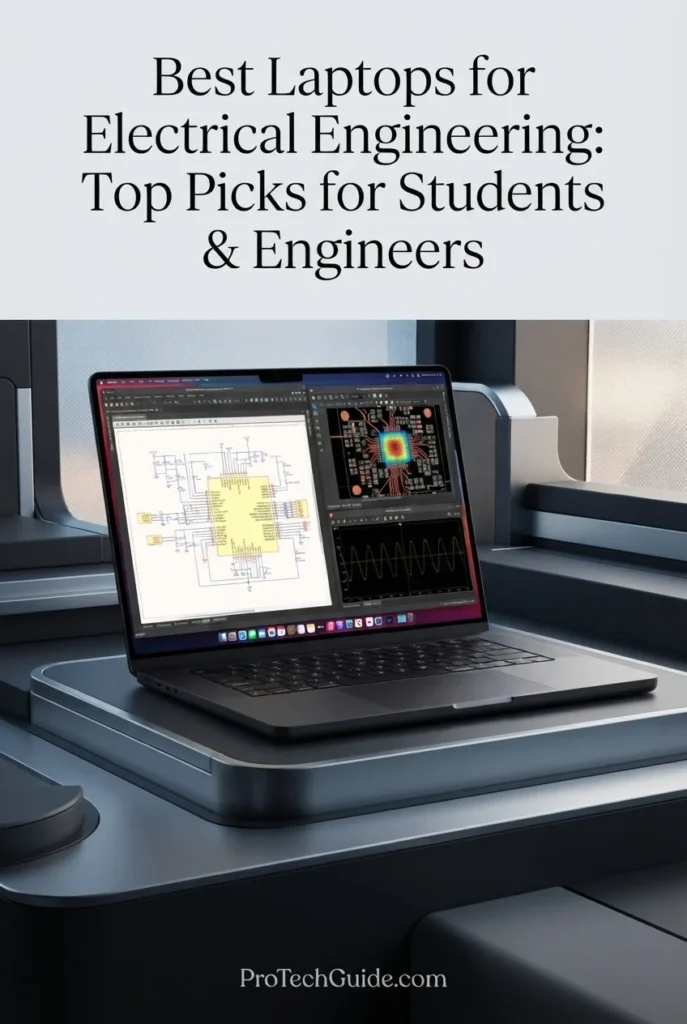
The Apple MacBook Pro 14-inch with the M5 Pro chip, 24GB of unified memory, and 1TB SSD is our Best MacBook for Electrical Engineering in 2026, particularly for students and engineers whose workflows are centered on MATLAB, Python, numerical computing, programming, documentation, embedded-development tools that support macOS, and general engineering productivity. Its 15-core CPU, 16-core GPU, 307GB/s memory bandwidth, fast SSD, and 14.2-inch Liquid Retina XDR display provide substantial performance in a compact professional system. However, this recommendation comes with an important software consideration: Altium Designer is officially supported on Windows, while AMD Vivado 2026.1 supports Windows and Linux rather than macOS, so engineers who depend heavily on those applications should choose a Windows workstation instead.

• Ideal for electrical engineering students, researchers, programmers, and engineers who use MATLAB, Python, numerical tools, technical documentation, and macOS-compatible engineering software
• Particularly attractive to users who prioritize portability, battery efficiency, premium display quality, and a Unix-based development environment for programming and technical computing
• Best suited to electrical engineering workflows that do not depend on Windows-only applications such as native Altium Designer or AMD Vivado installations
• The Apple M5 Pro with a 15-core CPU provides substantial processing capacity for MATLAB calculations, Python development, numerical workloads, compilation, technical scripting, multitasking, and general engineering computing
• 24GB of unified memory provides useful headroom for MATLAB, Python environments, browsers, documentation, development tools, spreadsheets, simulations, and multiple applications running simultaneously
• The 14.2-inch Liquid Retina XDR display delivers a 3024 × 1964 resolution, up to 120Hz ProMotion, wide P3 color, and up to 1,600 nits peak HDR brightness, creating an excellent workspace for schematics, code, technical documentation, plots, and engineering dashboards
• The 1TB SSD provides responsive application launches, fast project access, and practical local storage for engineering software, source code, MATLAB files, Python environments, documentation, datasets, and technical projects
• Apple silicon combines strong performance with a compact 14-inch professional design, making the MacBook Pro particularly useful for students and engineers who regularly move between classrooms, laboratories, offices, and home workspaces
• Three Thunderbolt 5 ports, HDMI, SDXC, MagSafe 3, Wi-Fi 7, Bluetooth 6, and support for multiple external displays provide strong connectivity for professional engineering workstations and laboratory setups

The MacBook Pro 14 earns our Best MacBook for Electrical Engineering award because it combines high-end processing performance, 24GB unified memory, fast storage, excellent portability, advanced connectivity, and one of the strongest laptop displays available. Its biggest advantage is the balance between engineering computing capability and mobility, while its primary limitation is software compatibility for Windows-focused engineering environments.

Compared with Windows workstations such as the Lenovo ThinkPad P16 Gen 3 and HP ZBook Power G11, the MacBook Pro offers a more compact platform with Apple silicon, Wi-Fi 7, Thunderbolt 5 connectivity, and a highly integrated macOS environment. However, engineers who rely on Altium Designer, AMD Vivado, or other Windows/Linux-specific engineering applications should prioritize a Windows or Linux-compatible system rather than treating the MacBook Pro as a universal electrical engineering workstation.

• Apple M5 Pro chip• 15-core CPU• 16-core GPU• 16-core Neural Engine• 307GB/s memory bandwidth• Hardware-accelerated ray tracing• High-performance unified architectureThe Apple M5 Pro provides substantial processing capability for demanding electrical engineering workloads including MATLAB calculations, Python development, numerical analysis, code compilation, technical scripting, multitasking, and general engineering computing. Its 15-core CPU, 16-core GPU, and high memory bandwidth provide a strong foundation for computational workflows that are compatible with macOS.
• 24GB unified memory• Shared CPU and GPU memory architecture• 307GB/s memory bandwidth• Strong multitasking capability• MATLAB and Python workflows• Engineering applications and documentation• Multiple applications running simultaneouslyThe 24GB unified memory configuration provides useful headroom for electrical engineering students and professionals who work with MATLAB, Python environments, technical documentation, browsers, development tools, spreadsheets, and numerical workloads at the same time. It is a balanced configuration for mobile engineering work, although engineers working with particularly large simulations or highly demanding virtualized environments may benefit from systems offering more memory.
• MATLAB• Python development• Numerical computing• Scientific Python libraries• Data analysis• Technical scripting• Engineering documentation• macOS-compatible development toolsThe MacBook Pro provides a strong environment for MATLAB, Python, numerical computing, programming, technical documentation, and other engineering workflows that support macOS. Its high-performance Apple silicon architecture is particularly well suited to students and engineers who combine computational work with coding, research, documentation, and general productivity.Software compatibility remains an important consideration for electrical engineering. Altium Designer's current recommended system requirements specify Windows 11 64-bit, while AMD Vivado 2026.1 officially supports Windows and Linux operating systems. Engineers whose coursework or professional workflow depends directly on these applications should therefore use a Windows or Linux workstation rather than relying on macOS as their primary engineering platform.
• 14.2-inch Liquid Retina XDR display• 3024 × 1964 native resolution• 254 pixels per inch• ProMotion up to 120Hz• 1,000,000:1 contrast ratio• Up to 1,600 nits peak HDR brightness• Wide P3 color gamut• True Tone technologyThe Liquid Retina XDR display provides exceptional clarity for MATLAB interfaces, Python code, circuit diagrams, plots, technical documents, spreadsheets, and engineering dashboards. Its high pixel density keeps text and detailed technical content sharp, while ProMotion provides smooth scrolling when navigating long documents, code, and complex interfaces.
• 1TB SSD• Fast application launches• Rapid project access• Quick file loading• Responsive development environments• MATLAB and Python project storage• Suitable for engineering documents and datasetsThe 1TB SSD provides a practical storage foundation for electrical engineering students and professionals. It offers local space for engineering applications, MATLAB projects, Python environments, source code, documentation, datasets, laboratory files, and technical projects while maintaining responsive everyday performance.
• macOS• Unix-based development environment• Native Terminal• MATLAB compatibility• Python development support• Command-line engineering tools• Wi-Fi 7• Important Windows/Linux software limitationsmacOS provides a powerful Unix-based environment for electrical engineering students and professionals who work with programming, MATLAB, Python, command-line tools, documentation, and other compatible applications. It can be particularly attractive to users who value a polished development environment and strong integration with other Apple devices.However, software compatibility is the key limitation for this recommendation. Altium Designer is formally supported on Windows 11 64-bit, and AMD Vivado 2026.1 supports Windows and multiple Linux distributions. Neither represents a native macOS engineering workflow, so students using Altium or Vivado as core parts of their electrical engineering curriculum should select a Windows or Linux system instead.
• Compact 14.2-inch professional design• Approximately 3.5-pound M5 Pro configuration• Up to 22 hours of video streaming• Up to 14 hours of wireless web use• Three Thunderbolt 5 ports• HDMI port• SDXC card slot• MagSafe 3 charging• Wi-Fi 7The MacBook Pro combines high-end computing with a compact professional form factor. Apple rates the M5 Pro 14-inch configuration for up to 22 hours of video streaming and up to 14 hours of wireless web use, while the 3.5-pound design makes it practical for movement between university classrooms, laboratories, offices, and home workspaces.Its three Thunderbolt 5 ports, HDMI, SDXC card slot, MagSafe 3, Wi-Fi 7, and support for multiple external displays also provide the connectivity needed for a more permanent engineering workstation setup.
Ideal for:• Electrical engineering students• Engineers using MATLAB• Python-based engineering workflows• Numerical computing• Engineering research• Programming and technical development• Technical documentation• Mobile engineering professionals• Users who prefer macOS• Engineering workflows without Windows-only software dependenciesThe Apple MacBook Pro 14-inch with the M5 Pro, 24GB unified memory, and 1TB SSD is a strong choice for electrical engineering when the user's software ecosystem is compatible with macOS. Its combination of CPU performance, unified memory, display quality, portability, connectivity, and power efficiency makes it an excellent mobile engineering computer, while Windows/Linux-only tools such as Altium Designer and Vivado remain important reasons to choose a different platform for software-intensive electrical engineering programs.
Best Performance Value for Engineering Students (2026)

ASUS TUF F16

Best Performance Value for Electrical Engineering Students
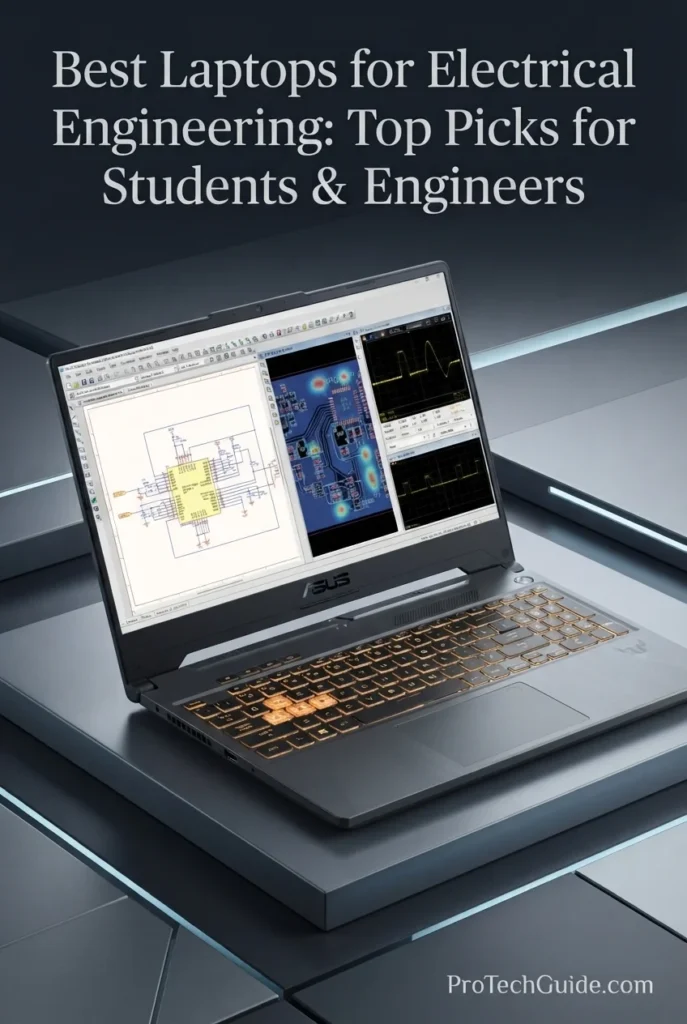
The ASUS TUF F16 with the Intel Core i7-14650HX, 64GB DDR5 RAM, 2TB PCIe NVMe SSD, and NVIDIA GeForce RTX 5060 8GB GDDR7 is our Best Performance Value for Electrical Engineering Students in 2026. Its 16-core processor, generous 64GB memory configuration, dedicated RTX graphics, fast internal SSD, Windows 11 Pro, and broad connectivity provide a strong platform for programming, MATLAB, circuit analysis, CAD, technical documentation, multitasking, and GPU-accelerated engineering applications. The included 1TB storage-equipped docking station expands the overall storage package to 3TB, although that additional 1TB is external to the laptop's internal 2TB SSD.

• Ideal for electrical engineering students who need substantial CPU performance, 64GB of RAM, dedicated graphics, and Windows compatibility for demanding academic and technical workloads
• Well suited to MATLAB, Python, programming, circuit simulation, CAD, technical documentation, engineering coursework, and general productivity alongside GPU-accelerated applications
• Particularly attractive to students who want workstation-style memory capacity and dedicated NVIDIA graphics without moving to a traditional professional mobile workstation
• The Intel Core i7-14650HX with 16 cores provides strong multi-core processing capability for MATLAB calculations, programming, simulation workloads, compiling code, multitasking, and demanding engineering applications
• 64GB of DDR5 memory provides substantial headroom for MATLAB, development environments, browsers, spreadsheets, simulation software, CAD applications, virtual machines, and multiple engineering tools running simultaneously
• The NVIDIA GeForce RTX 5060 with 8GB of GDDR7 provides dedicated GPU resources for compatible CAD, 3D visualization, rendering, AI-accelerated applications, and other graphics-intensive engineering workflows
• The 2TB PCIe NVMe SSD provides fast application launches, responsive project access, and substantial internal capacity for engineering software, MATLAB projects, source code, datasets, CAD files, and technical documentation
• Windows 11 Pro provides broad compatibility with the Windows-based engineering software ecosystem, making the TUF F16 a practical platform for students whose coursework depends on Windows applications
• The 16-inch FHD+ 165Hz anti-glare display, RGB backlit keyboard, numeric keypad, Wi-Fi 6E, Ethernet, HDMI, and USB-C connectivity create a versatile setup for both engineering study and everyday productivity

The ASUS TUF F16 earns our Best Performance Value for Engineering Students award because it combines a high-core-count Intel processor, 64GB of DDR5 memory, RTX 5060 graphics, a large 2TB internal SSD, Windows 11 Pro, and extensive connectivity in a single student-oriented system. The configuration is particularly compelling for students who need significant multitasking capacity and dedicated graphics for engineering coursework, while the 8GB GPU remains better suited to mainstream CAD and visualization than the most demanding professional workstation workloads.

Compared with professional workstations such as the Lenovo ThinkPad P16 Gen 3 and HP ZBook Power G11, the ASUS TUF F16 emphasizes performance capacity and student value rather than workstation-class certification and professional GPU hardware. Its 64GB RAM and RTX 5060 make it a capable platform for mainstream engineering applications, while users working extensively with very large 3D datasets, advanced point clouds, or specialized workstation-certified applications may benefit from a professional workstation with higher-end graphics and ISV certification.

• Intel Core i7-14650HX• 16-core processor• Up to 5.2GHz turbo frequency• 24MB Intel Smart Cache• High multi-core processing capability• Strong multitasking performance• Suitable for demanding engineering applicationsThe Intel Core i7-14650HX provides substantial processing capability for electrical engineering workloads including MATLAB calculations, Python development, code compilation, circuit simulation, CAD, technical scripting, and demanding multitasking. Its 16-core architecture makes the TUF F16 particularly capable when students need to run several engineering applications, browsers, documentation, and development environments simultaneously.
• 64GB DDR5 RAM• 5600MHz memory speed• 64GB maximum listed memory• Strong multitasking capability• MATLAB and simulation workloads• CAD and engineering applications• Virtual machines and development environmentsThe 64GB DDR5 configuration is one of the ASUS TUF F16's strongest advantages for engineering students. It provides substantial memory headroom for MATLAB, Python environments, CAD applications, circuit simulation software, browsers, technical documentation, virtual machines, and multiple engineering tools running simultaneously. This capacity also gives the system considerable room for larger academic projects and more demanding multitasking than typical entry-level configurations.
• MATLAB• Python development• Circuit simulation• CAD workflows• Engineering programming• Technical documentation• 3D visualization• GPU-accelerated applicationsThe TUF F16 provides a strong Windows environment for electrical engineering coursework involving MATLAB, Python, circuit analysis, programming, CAD, technical documentation, and compatible simulation tools. Its combination of a high-core-count processor, 64GB of RAM, fast NVMe storage, and dedicated NVIDIA graphics allows students to keep computational tools, development environments, CAD software, and reference material open simultaneously.The system is best positioned for mainstream engineering workloads rather than specialized workstation-class projects that demand professional graphics certification or very large GPU memory capacity.
• 16-inch display• 1920 × 1200 resolution• FHD+ 16:10 aspect ratio• 165Hz refresh rate• Anti-glare panel• 16:10 workspace• Suitable for engineering productivityThe 16-inch FHD+ display provides a practical workspace for MATLAB interfaces, programming environments, circuit diagrams, CAD tools, spreadsheets, technical documents, and engineering coursework. Its 1920 × 1200 resolution provides additional vertical workspace compared with a conventional 16:9 Full HD panel, while the 165Hz refresh rate creates smooth motion for gaming and general system interaction.For engineering professionals who require extremely high pixel density for detailed CAD layouts or color-critical technical visualization, a higher-resolution professional display may be preferable.
• 2TB PCIe NVMe SSD• Additional 1TB storage in included docking station• 3TB total storage package• Fast application launches• Rapid project access• Suitable for engineering files• Large capacity for software and datasetsThe ASUS TUF F16 includes a 2TB internal PCIe NVMe SSD and an included docking station with an additional 1TB of storage, creating a 3TB total storage package. The important distinction is that only the 2TB SSD is internal to the laptop; the additional 1TB is provided through the bundled docking station.The internal 2TB capacity provides ample room for MATLAB, engineering applications, source code, CAD projects, simulation files, datasets, documentation, and academic work, while the additional docking-station storage can be useful for secondary files and project archives.
• Windows 11 Pro• MATLAB compatibility• Python development• Windows engineering applications• CAD software support• Circuit simulation software• NVIDIA GPU acceleration• Broad academic software compatibilityWindows 11 Pro makes the TUF F16 a practical platform for electrical engineering students whose courses rely on Windows-based technical software. The operating system supports MATLAB, Python development, CAD applications, circuit simulation environments, programming tools, and a broad range of engineering utilities.The Windows platform is also useful for students who need compatibility with engineering applications that are not available natively on macOS. The combination of Windows 11 Pro and dedicated NVIDIA graphics gives the TUF F16 a flexible software environment for academic engineering workflows.
• 16-inch chassis• RGB backlit keyboard• Numeric keypad• Wi-Fi 6E• Bluetooth• 2 × USB-C• 3 × USB-A• HDMI• RJ45 Ethernet• Combo audio jackThe TUF F16 provides the connectivity expected from a performance-oriented student laptop. Its two USB-C ports, three USB-A ports, HDMI, RJ45 Ethernet, Wi-Fi 6E, and included docking station make it practical for connecting external displays, laboratory peripherals, storage devices, networking equipment, and other engineering accessories.The RGB backlit keyboard and numeric keypad also make the system practical for extended programming, numerical entry, documentation, and late-night study sessions. Its larger performance-oriented chassis prioritizes hardware capacity over ultralight portability.
Ideal for:• Electrical engineering students• MATLAB users• Python programmers• Circuit simulation• CAD coursework• Engineering programming• Technical documentation• Mainstream 3D visualization• Students who need 64GB RAM• Windows-based engineering workflowsThe ASUS TUF F16 with the Intel Core i7-14650HX, 64GB DDR5 RAM, 2TB internal SSD, and RTX 5060 8GB is a strong performance-oriented choice for electrical engineering students who need substantial multitasking capacity and dedicated graphics. Its Windows 11 Pro environment, high-core-count CPU, generous memory, fast internal storage, and broad connectivity make it well suited to demanding academic workloads, while the 8GB RTX 5060 is better positioned for mainstream CAD, visualization, and GPU-accelerated engineering tasks than the most demanding professional workstation workloads.
At a Glance

Best Laptops for Electrical Engineering in 2026

Ranked by CPU Performance, RAM Capacity, MATLAB, Simulation, PCB Design, CAD, FPGA Workflows, GPU Capability, Display Quality, Connectivity & Overall Value

Choosing the best laptop for electrical engineering in 2026 requires more than comparing processor specifications. Engineering students and professionals need the right balance of CPU performance, memory capacity, GPU capability, fast storage, display quality, operating-system compatibility, connectivity, and long-term usability. We evaluated these laptops around real-world electrical engineering workloads including MATLAB, Simulink, circuit simulation, PCB design, Altium Designer, CAD, FPGA development, programming, technical documentation, 3D visualization, multitasking, and professional engineering workflows to help you choose the right system for your specific workload.

LaptopCPU & Key SpecsBest ForWhy It WinsEditor's Verdict
Best Overall Lenovo ThinkPad P1 Gen 8 Check Price
Intel Core Ultra 9 285H
64GB LPDDR5X
2TB Gen5 SSD
RTX PRO 2000 Blackwell 8GB
16" 3.2K OLED Touch
Electrical Engineering Students
Professional Engineers
MATLAB & Simulation
CAD & Programming
The ThinkPad P1 Gen 8 combines high-end CPU performance, 64GB of memory, fast Gen5 storage, professional NVIDIA RTX PRO graphics, and a high-resolution 3.2K OLED display in a premium workstation platform. Its Thunderbolt 5 connectivity, Windows 11 Pro, Wi-Fi 7, and professional engineering-oriented configuration make it exceptionally versatile across MATLAB, simulation, programming, CAD, visualization, and demanding multitasking workflows. Best Overall Laptop for Electrical Engineering
Best Workstation Lenovo ThinkPad P16 Gen 3 Check Price
Intel Core Ultra 7 255HX
64GB DDR5
2TB Gen5 SSD
RTX PRO 3000 Blackwell 12GB
16" WQUXGA IPS
Advanced Simulation
Large Engineering Projects
CAD & 3D Workloads
Professional Engineers
The ThinkPad P16 Gen 3 is configured as a serious mobile workstation for engineers who need substantial CPU, memory, storage, and professional GPU resources. Its 64GB of DDR5 memory, 12GB RTX PRO 3000 Blackwell graphics, 2TB Gen5 SSD, and 3840x2400 display provide considerable headroom for demanding MATLAB workloads, simulation, CAD, 3D visualization, engineering datasets, and professional multitasking. Best High-Performance Workstation for Electrical Engineering
Best Value Workstation HP ZBook Power G11 Check Price
AMD Ryzen 7 PRO 8845HS
64GB DDR5
1TB PCIe NVMe SSD
RTX 1000 Ada 6GB
16" WUXGA IPS
Engineering Students
MATLAB & Simulation
CAD Workflows
Professional Productivity
The HP ZBook Power G11 combines a professional workstation platform with 64GB of DDR5 memory, a Ryzen 7 PRO processor, NVIDIA RTX 1000 Ada graphics, and Windows 11 Pro. Its ISV-certified positioning, extensive connectivity, numeric keypad, and workstation-oriented design make it a practical choice for engineering students and professionals working across MATLAB, CAD, simulation, programming, and technical applications. Best Value Professional Workstation for Electrical Engineering
Best Premium Mobile Workstation Dell Precision 5000 5690 Check Price
Intel Core Ultra 9 185H
32GB RAM
1TB SSD
RTX 2000 Ada 8GB
16" Full HD Plus
Professional Engineers
Mobile Workstations
CAD & Simulation
Engineering Productivity
The Dell Precision 5000 5690 focuses on premium mobile workstation performance in a comparatively compact 16-inch chassis. Its Core Ultra 9 processor, 32GB memory, RTX 2000 Ada professional graphics, Windows 11 Pro, and fast 1TB SSD provide a strong foundation for MATLAB, engineering simulation, CAD, programming, visualization, and professional productivity while maintaining a portable workstation profile. Best Premium Mobile Workstation for Electrical Engineering
Best for PCB Design & CAD ASUS ProArt P16 H7606WP Check Price
Ryzen AI 9 HX 370
64GB LPDDR5X
2TB PCIe 4.0 SSD
RTX 5070 8GB GDDR7
16" 4K OLED Touch
PCB Design
CAD & Visualization
Technical Creativity
Engineering Design Workflows
The ASUS ProArt P16 combines a powerful Ryzen AI 9 HX 370 processor, 64GB of onboard memory, RTX 5070 graphics, 2TB PCIe 4.0 storage, and a 16-inch 4K OLED touchscreen. Its high-resolution display and strong CPU/GPU combination make it particularly well suited to PCB design, CAD, technical visualization, engineering documentation, programming, and creative workflows that benefit from high visual fidelity. Best Laptop for PCB Design, CAD & Technical Creativity
Best GPU Performance Lenovo Legion Pro 7i Gen 10 Check Price
Intel Core Ultra 9 275HX
32GB DDR5
1TB Gen5 NVMe SSD
RTX 5080
16" 2560x1600 OLED 240Hz
GPU-Intensive Engineering
3D Visualization
Rendering & AI
Advanced Technical Computing
The Legion Pro 7i Gen 10 is built around high-performance CPU and GPU hardware, pairing the 24-core Core Ultra 9 275HX with NVIDIA RTX 5080 graphics, 32GB DDR5 memory, and fast Gen5 storage. It is particularly suited to engineering workflows that can take advantage of GPU acceleration, including 3D visualization, rendering, compatible AI workloads, computational tools, and demanding technical applications. Best Laptop for GPU-Intensive Engineering Workloads
Best MacBook Apple MacBook Pro 14-inch M5 Pro Check Price
Apple M5 Pro
15-Core CPU
16-Core GPU
24GB Unified Memory
1TB SSD
14.2" Liquid Retina XDR
MATLAB Users
Python Programming
Engineering Computing
Mac-Based Workflows
The MacBook Pro with M5 Pro delivers a highly capable combination of CPU performance, integrated GPU resources, unified memory, fast SSD storage, and a professional Liquid Retina XDR display in a compact design. It is well suited to MATLAB, Python, numerical computing, programming, technical documentation, and portable engineering workflows, although software compatibility must be checked for Windows- or Linux-specific engineering applications. Best MacBook for Electrical Engineering
Best Student Value ASUS TUF F16 Check Price
Intel Core i7-14650HX
64GB DDR5
2TB Internal SSD
RTX 5060 8GB GDDR7
16" FHD+ 165Hz
Windows 11 Pro
Engineering Students
MATLAB & Programming
CAD Coursework
Mainstream Simulation
The ASUS TUF F16 delivers substantial hardware capacity for engineering students, combining a 16-core Intel processor, 64GB of DDR5 memory, 2TB of internal NVMe storage, RTX 5060 graphics, and Windows 11 Pro. Its configuration provides strong headroom for MATLAB, programming, circuit simulation, CAD coursework, multitasking, and compatible GPU-accelerated applications, while its 8GB GPU is better suited to mainstream engineering workloads than the most demanding professional workstation projects. Best Performance Value for Electrical Engineering Students
Keep Exploring

Recommended Next Reads

Finished comparing the best laptops for electrical engineering? Explore our related engineering laptop guides for students, CAD, mechanical engineering, civil engineering, programming, and demanding technical workloads.

Whether you're studying electrical engineering, working with MATLAB and simulation software, designing PCBs, developing with FPGA tools, using CAD applications, or comparing hardware for broader engineering workloads, these guides can help you find the right laptop for your specific technical workflow.

01

EDITOR'S FINAL RECOMMENDATIONS

Our Final Electrical Engineering Laptop Recommendations for 2026

After comparing these laptops across CPU performance, RAM capacity, GPU capability, MATLAB, Simulink, circuit simulation, PCB design, CAD, FPGA development, programming, storage, display quality, connectivity, operating-system compatibility, portability, and long-term engineering use, these are our final recommendations for electrical engineering students and professionals in 2026. The right choice ultimately depends on whether your workload is centered on MATLAB and programming, PCB and CAD design, advanced simulation, GPU-accelerated visualization, or demanding professional engineering applications.

BEST HIGH-PERFORMANCE WORKSTATION

Lenovo ThinkPad P16 Gen 3

The ThinkPad P16 Gen 3 is the workstation choice for engineers who need substantial memory, professional graphics, high-resolution display output, and considerable capacity for demanding technical workloads. With 64GB of DDR5 memory, a 12GB RTX PRO 3000 Blackwell GPU, 2TB Gen5 storage, and a Core Ultra 7 255HX processor, it is particularly well suited to advanced simulation, CAD, 3D visualization, large engineering projects, and professional multitasking.

  • ✓ Intel Core Ultra 7 255HX
  • ✓ 64GB DDR5 Memory
  • ✓ 2TB Gen5 Performance SSD
  • ✓ NVIDIA RTX PRO 3000 Blackwell 12GB
Best high-performance workstation for demanding engineering workloads
BEST VALUE WORKSTATION

HP ZBook Power G11

The HP ZBook Power G11 provides a professional workstation platform with 64GB of DDR5 memory, an AMD Ryzen 7 PRO 8845HS processor, NVIDIA RTX 1000 Ada graphics, and Windows 11 Pro. Its workstation-oriented design, ISV certifications listed for engineering applications, broad connectivity, numeric keypad, and substantial memory capacity make it particularly practical for MATLAB, CAD, simulation, programming, and professional engineering productivity.

  • ✓ AMD Ryzen 7 PRO 8845HS
  • ✓ 64GB DDR5 Memory
  • ✓ 1TB PCIe NVMe SSD
  • ✓ NVIDIA RTX 1000 Ada 6GB
Best value-oriented professional workstation for electrical engineering
BEST PREMIUM MOBILE WORKSTATION

Dell Precision 5000 5690

The Dell Precision 5000 5690 is designed for engineers who want professional workstation hardware in a comparatively portable 16-inch system. Its Intel Core Ultra 9 185H processor, 32GB of memory, RTX 2000 Ada professional graphics, 1TB SSD, and Windows 11 Pro provide a capable foundation for MATLAB, simulation, CAD, programming, technical visualization, and professional engineering workflows.

  • ✓ Intel Core Ultra 9 185H
  • ✓ 32GB Memory
  • ✓ 1TB SSD Storage
  • ✓ NVIDIA RTX 2000 Ada 8GB
Best premium mobile workstation for electrical engineering
BEST FOR PCB DESIGN & CAD

ASUS ProArt P16 H7606WP

The ASUS ProArt P16 is particularly well suited to engineers who combine electrical engineering with PCB design, CAD, technical visualization, and visually demanding design work. Its Ryzen AI 9 HX 370 processor, 64GB of onboard LPDDR5X memory, RTX 5070 graphics, 2TB PCIe 4.0 SSD, and 16-inch 4K OLED touchscreen create a powerful platform for detailed technical design and engineering productivity.

  • ✓ AMD Ryzen AI 9 HX 370
  • ✓ 64GB LPDDR5X Memory
  • ✓ 2TB PCIe 4.0 SSD
  • ✓ NVIDIA RTX 5070 8GB GDDR7
Best laptop for PCB design, CAD and technical engineering creativity
BEST GPU PERFORMANCE

Lenovo Legion Pro 7i Gen 10

The Legion Pro 7i Gen 10 is the performance-first option for electrical engineering workloads that can take advantage of powerful GPU acceleration. Its 24-core Intel Core Ultra 9 275HX, NVIDIA RTX 5080, 32GB DDR5 memory, and Gen5 NVMe storage provide substantial computational and graphics resources for 3D visualization, rendering, compatible AI workloads, GPU-accelerated applications, and demanding technical software. It is a high-performance gaming-class laptop rather than a traditional ISV-certified mobile workstation.

  • ✓ Intel Core Ultra 9 275HX
  • ✓ 32GB DDR5 Memory
  • ✓ 1TB Gen5 NVMe SSD
  • ✓ NVIDIA RTX 5080
Best choice for GPU-intensive engineering and technical visualization
BEST MACBOOK

Apple MacBook Pro 14-inch M5 Pro

The MacBook Pro with M5 Pro is the Mac-based option for electrical engineers whose workflows center on MATLAB, Python, numerical computing, programming, technical documentation, and other macOS-compatible engineering tools. Its 15-core CPU, 16-core GPU, 24GB unified memory, 1TB SSD, and Liquid Retina XDR display provide a highly capable portable platform. However, engineers should verify software requirements carefully because some important engineering applications and development tools are Windows- or Linux-specific.

  • ✓ Apple M5 Pro 15-Core CPU
  • ✓ 16-Core GPU
  • ✓ 24GB Unified Memory
  • ✓ 1TB SSD Storage
Best MacBook for MATLAB, Python and macOS-compatible engineering workflows
BEST STUDENT VALUE

ASUS TUF F16

The ASUS TUF F16 is designed around the needs of engineering students who want substantial memory, dedicated graphics, strong CPU performance, large internal storage, and broad Windows compatibility. Its Core i7-14650HX, 64GB DDR5, 2TB internal SSD, RTX 5060 8GB, and Windows 11 Pro provide strong capacity for MATLAB, programming, circuit simulation, CAD coursework, technical documentation, and compatible GPU-accelerated applications. The 8GB GPU is better positioned for mainstream engineering workloads than the most demanding professional workstation projects.

  • ✓ Intel Core i7-14650HX
  • ✓ 64GB DDR5 Memory
  • ✓ 2TB Internal PCIe NVMe SSD
  • ✓ NVIDIA RTX 5060 8GB GDDR7
Best performance value for electrical engineering students
QUICK DECISION

Which electrical engineering laptop should you choose?

Best Overall

ThinkPad P1 Gen 8

Best Workstation

ThinkPad P16 Gen 3

Best Value Workstation

HP ZBook Power G11

Best Premium Mobile

Dell Precision 5000 5690

Best for PCB & CAD

ASUS ProArt P16

Best GPU Performance

Legion Pro 7i Gen 10

Best MacBook

MacBook Pro M5 Pro

Best Student Value

ASUS TUF F16

Laptop prices, configurations, and availability can change frequently. Before purchasing, check Amazon for the latest price, available memory and storage configurations, warranty coverage, and current promotions. Also verify the software and operating-system requirements of the engineering applications used in your program or professional workflow.

EDITOR'S FINAL VERDICT

Final Verdict: Best Laptops for Electrical Engineering in 2026

After comparing processor performance, RAM capacity, SSD storage, GPU capability, MATLAB, Simulink, circuit simulation, PCB design, CAD, FPGA development, programming, display quality, connectivity, operating-system compatibility, portability, and long-term engineering value, one conclusion stands out:The best laptop for electrical engineering is not necessarily the most powerful gaming machine or the most expensive workstation. It is the system that provides the right balance of CPU performance, memory capacity, storage, graphics capability, software compatibility, connectivity, portability, and reliability for the engineering workloads you actually perform.

Modern electrical engineering students and professionals can move between MATLAB and Simulink, circuit simulation, PCB design, CAD, FPGA development, Python, embedded programming, technical documentation, numerical analysis, and increasingly demanding visualization workloads. These applications place different demands on a laptop: CPU performance and RAM are central to many engineering tasks, while dedicated GPU resources become increasingly useful for 3D CAD, visualization, GPU-accelerated computation, and other graphics-intensive workloads.

For most electrical engineering students and engineers, 32GB of memory is a strong long-term target, while 16GB can remain appropriate for lighter academic workloads. Professionals working with large simulations, virtual machines, complex CAD projects, substantial datasets, or demanding engineering environments can benefit from 64GB or more. Fast SSD storage, reliable connectivity, a comfortable display, and the correct operating system are equally important when the laptop will be used for engineering work every day.
Best Electrical Engineering Laptop OverallLenovo ThinkPad P1 Gen 8
Best High-Performance WorkstationLenovo ThinkPad P16 Gen 3
Best MacBook for Electrical EngineeringApple MacBook Pro 14-inch M5 Pro
Best Student Performance ValueASUS TUF F16
The simple answer:
  • Choose the Lenovo ThinkPad P1 Gen 8 if you want the strongest overall combination of high-end CPU performance, 64GB of memory, professional NVIDIA graphics, fast Gen5 storage, a premium OLED display, and broad capability across MATLAB, simulation, CAD, programming, and demanding engineering workflows.
  • Choose the Lenovo ThinkPad P16 Gen 3 if your engineering work regularly involves heavier simulations, professional CAD, substantial datasets, advanced visualization, or other workloads that justify workstation-class hardware, 64GB of RAM, and an RTX PRO 3000 Blackwell GPU with 12GB of GDDR7 memory.
  • Choose the Apple MacBook Pro with M5 Pro if your electrical engineering workflow is centered on MATLAB, Python, numerical computing, programming, documentation, and other macOS-compatible tools. However, verify software requirements before buying because important engineering applications such as Altium Designer and AMD/Xilinx Vivado have Windows or Windows/Linux platform requirements that can make a Windows workstation more appropriate.
  • Choose the ASUS TUF F16 if you are an engineering student who wants substantial CPU performance, 64GB of RAM, a 2TB internal SSD, dedicated RTX graphics, Windows 11 Pro, and extensive connectivity in a performance-oriented system. Its RTX 5060 8GB configuration is well suited to mainstream CAD, visualization, and GPU-accelerated workloads, but it is not positioned as a replacement for professional workstation graphics in the most demanding engineering environments.

Top Electrical Engineering Laptop Recommendations (2026)

BEST OVERALL

Lenovo ThinkPad P1 Gen 8

Our Best Overall recommendation for electrical engineering because it combines an Intel Core Ultra 9 285H vPro processor, 64GB of LPDDR5X memory, a 2TB Gen5 SSD, NVIDIA RTX PRO 2000 Blackwell graphics, and a 16-inch 3.2K OLED touchscreen. This configuration provides substantial headroom for MATLAB, programming, simulation, CAD, technical visualization, multitasking, and demanding professional engineering workflows.

  • ✓ Intel Core Ultra 9 285H vPro
  • ✓ 64GB LPDDR5X Memory
  • ✓ 2TB Gen5 Performance SSD
  • ✓ NVIDIA RTX PRO 2000 Blackwell 8GB
BEST PROFESSIONAL WORKSTATION

Lenovo ThinkPad P16 Gen 3

The ThinkPad P16 Gen 3 is designed for engineers who need more workstation-class graphics and memory capacity for demanding technical workloads. Its Core Ultra 7 255HX processor, 64GB DDR5 memory, 2TB Gen5 SSD, and RTX PRO 3000 Blackwell GPU with 12GB of GDDR7 provide a strong platform for advanced CAD, simulation, visualization, large engineering projects, and professional software environments.

  • ✓ Intel Core Ultra 7 255HX
  • ✓ 64GB DDR5 Memory
  • ✓ 2TB PCIe Gen5 SSD
  • ✓ NVIDIA RTX PRO 3000 Blackwell 12GB
BEST STUDENT PERFORMANCE VALUE

ASUS TUF F16

The ASUS TUF F16 provides a performance-focused Windows platform for engineering students who need substantial multitasking capacity without moving directly into a traditional professional workstation. Its Core i7-14650HX processor, 64GB DDR5 memory, 2TB internal SSD, RTX 5060 8GB graphics, and Windows 11 Pro are well suited to MATLAB, programming, circuit simulation, CAD coursework, technical documentation, and mainstream visualization.

  • ✓ Intel Core i7-14650HX
  • ✓ 64GB DDR5 Memory
  • ✓ 2TB Internal PCIe NVMe SSD
  • ✓ NVIDIA GeForce RTX 5060 8GB GDDR7
Choose the ThinkPad P1 Gen 8 if:
  • ✓ You want a premium all-around laptop for electrical engineering
  • ✓ You regularly work with MATLAB, programming, simulation, CAD, and technical applications
  • ✓ You want 64GB of memory and 2TB of fast Gen5 storage
  • ✓ You want professional NVIDIA RTX PRO graphics in a relatively portable premium workstation
Choose the ThinkPad P16 Gen 3 if:
  • ✓ Your workloads include demanding CAD, simulation, visualization, or large engineering datasets
  • ✓ You want 64GB of DDR5 memory for substantial multitasking
  • ✓ You need professional NVIDIA RTX PRO graphics with 12GB of VRAM
  • ✓ Workstation-class hardware and professional engineering workflows are more important than minimizing size and weight
Before Buying Any Electrical Engineering Laptop:
  • ✓ Prefer 32GB of RAM for demanding engineering workloads and long-term use, while 16GB remains reasonable for lighter student workloads
  • ✓ Consider 64GB or more when working with large simulations, virtual machines, substantial datasets, or complex professional projects
  • ✓ Prioritize a fast SSD with enough capacity for MATLAB installations, engineering software, simulation files, CAD projects, datasets, source code, and technical documentation
  • ✓ Verify operating-system requirements before choosing macOS, particularly if your curriculum or professional workflow depends on Windows-based engineering applications
  • ✓ Do not pay for a high-end dedicated GPU unless your workload benefits from CAD, 3D visualization, GPU acceleration, rendering, or other graphics-intensive engineering tasks
Editor's Final Recommendation:

An electrical engineering laptop is a professional tool that may be used for thousands of hours across MATLAB sessions, circuit simulations, PCB layouts, CAD projects, programming environments, FPGA development, technical documentation, research, laboratory work, and engineering coursework. Raw processor specifications matter, but memory capacity, GPU capability, storage, display quality, connectivity, operating-system compatibility, portability, and long-term reliability can have an equally important impact on everyday engineering productivity.

Among the models evaluated in this guide, the Lenovo ThinkPad P1 Gen 8 provides the most balanced combination of high-end processing, 64GB memory, professional RTX PRO graphics, fast Gen5 storage, premium display quality, and portability for a broad range of electrical engineering workloads. The Lenovo ThinkPad P16 Gen 3 moves further into professional workstation territory with 64GB of DDR5 memory and an RTX PRO 3000 Blackwell GPU with 12GB of VRAM for heavier CAD, simulation, visualization, and engineering environments.The Apple MacBook Pro with M5 Pro remains a compelling option for engineers whose software stack is compatible with macOS, particularly for MATLAB, Python, numerical computing, programming, and technical productivity. For students who prioritize substantial RAM, Windows compatibility, dedicated graphics, and overall performance capacity, the ASUS TUF F16 offers a performance-oriented alternative, while the HP ZBook Power G11, Dell Precision 5000 5690, ASUS ProArt P16, and Lenovo Legion Pro 7i Gen 10 address different combinations of professional workstation capability, mobility, creative engineering work, and GPU-intensive workloads.

Editor's ChoiceSee Today's Best Electrical Engineering Laptop Deals

Compare current prices, configurations, memory, storage, graphics, warranty coverage, and availability before choosing the laptop that best matches your electrical engineering workflow, software requirements, and long-term academic or professional needs.

Check Latest Deals

EDITOR'S FAQ

Frequently Asked Questions About the Best Laptops for Electrical Engineering in 2026

Choosing the best laptop for electrical engineering requires more than comparing processor specifications. Electrical engineering students and professionals work across MATLAB, Simulink, circuit simulation, PCB design, CAD, FPGA development, Python, programming, embedded systems, technical documentation, and increasingly demanding visualization workloads.These frequently asked questions address the most important buying decisions, from determining how much RAM you need for MATLAB and simulation to choosing between Windows and macOS, understanding whether a dedicated GPU is necessary, selecting the right storage capacity, and deciding when a professional workstation is justified over a conventional performance laptop.

The Lenovo ThinkPad P1 Gen 8 is our Best Overall laptop for electrical engineering in 2026.

Its combination of an Intel Core Ultra 9 285H vPro processor, 64GB of LPDDR5X memory, 2TB Gen5 SSD storage, NVIDIA RTX PRO 2000 Blackwell graphics, and a 16-inch 3.2K OLED display provides substantial headroom across a broad range of electrical engineering workloads.

  • High-performance Intel Core Ultra 9 285H vPro processor.
  • 64GB of memory for demanding multitasking and engineering applications.
  • 2TB Gen5 SSD for engineering software, projects, datasets, and simulation files.
  • NVIDIA RTX PRO 2000 Blackwell professional graphics with 8GB of memory.
  • 16-inch 3.2K OLED touchscreen with 100% DCI-P3 coverage and 40–120Hz VRR.

It is particularly well suited to MATLAB, programming, circuit simulation, CAD, technical visualization, engineering documentation, and professional multitasking. Engineers who require heavier workstation-class graphics can move to the Lenovo ThinkPad P16 Gen 3, while students looking for a performance-oriented Windows system can consider the ASUS TUF F16.

Check Price
32GB of RAM is a strong target for electrical engineering in 2026, while 16GB can be sufficient for lighter student workloads and 64GB is valuable for demanding professional environments.

Electrical engineering applications frequently run alongside browsers, documentation, programming environments, MATLAB, simulation software, CAD tools, FPGA development environments, and communication applications. Having sufficient memory prevents the system from becoming constrained when several engineering tools are open simultaneously.

  • 16GB → Suitable for students handling lighter MATLAB, programming, circuit analysis, documentation, and general engineering workloads.
  • 32GB → Recommended for serious engineering students and professionals working with MATLAB, simulation, CAD, programming, PCB design, and heavier multitasking.
  • 64GB → Appropriate for demanding simulations, large projects, virtual machines, complex CAD environments, substantial datasets, and professional engineering workloads.

Several laptops in this guide go beyond the 32GB target. The Lenovo ThinkPad P1 Gen 8, ThinkPad P16 Gen 3, HP ZBook Power G11, ASUS ProArt P16, and ASUS TUF F16 configurations reviewed here provide 64GB of memory, making them particularly suitable for users who expect their engineering workload to grow over several years.

Yes. 16GB can be enough for many undergraduate electrical engineering workloads, but 32GB provides considerably more headroom for demanding engineering multitasking.

A student working primarily with MATLAB scripts, programming assignments, circuit analysis, documentation, browser-based resources, and moderate simulation projects can often work effectively with 16GB when the number of simultaneously active applications is reasonable.

  • 16GB is suitable for many introductory and moderate MATLAB workloads.
  • 16GB can handle programming, Python, technical documentation, and general engineering coursework.
  • 16GB can be adequate for lighter circuit simulation workloads.
  • 32GB is preferable when MATLAB, simulation, CAD, browsers, and development tools are open simultaneously.
  • 64GB becomes valuable for complex engineering environments, virtual machines, large projects, and demanding multitasking.

For students buying a laptop they expect to keep throughout an engineering degree, 32GB is a more comfortable long-term target. The 64GB configurations in this guide provide additional capacity for advanced coursework and professional engineering applications.

Not every electrical engineering student needs a dedicated GPU, but dedicated graphics become increasingly useful for CAD, 3D visualization, GPU-accelerated applications, and demanding engineering workloads.

Many core electrical engineering tasks depend more heavily on CPU performance and memory than on graphics hardware. MATLAB calculations, programming, text-based development, circuit analysis, technical documentation, and many simulation workflows do not automatically require a high-end discrete GPU.

  • Integrated graphics → Can be sufficient for programming, MATLAB, documentation, basic engineering applications, and lighter workloads.
  • Dedicated consumer GPU → Useful for CAD, 3D visualization, rendering, GPU-accelerated applications, and engineering workflows that can utilize graphics acceleration.
  • Professional GPU → More appropriate when the workload includes demanding CAD, professional visualization, certified engineering applications, or large technical projects.

This is why the Lenovo ThinkPad P1 Gen 8 and ThinkPad P16 Gen 3 use NVIDIA RTX PRO graphics, while performance-oriented systems such as the ASUS ProArt P16, Lenovo Legion Pro 7i Gen 10, and ASUS TUF F16 use GeForce RTX GPUs. The correct choice depends on whether your engineering software benefits from professional graphics certification, additional VRAM, or raw GPU performance.

Windows is generally the more flexible platform for electrical engineering students because many professional engineering applications and development environments are designed around Windows or Windows/Linux compatibility.

Operating-system compatibility should be checked before buying an engineering laptop. MATLAB is available on macOS, but other important electrical engineering applications have more specific platform requirements.

  • Windows → Provides broad compatibility with engineering software, CAD applications, PCB design tools, circuit simulation environments, FPGA development tools, and academic applications.
  • macOS → Works well for MATLAB, Python, programming, numerical computing, technical documentation, and other applications that officially support macOS.
  • Windows/Linux → Particularly important for engineers whose workflow depends on tools such as AMD/Xilinx Vivado, depending on the specific version and supported operating systems.

The Apple MacBook Pro with M5 Pro is therefore a strong option for electrical engineers whose software stack is compatible with macOS. However, students who know they will use Windows-focused PCB design, FPGA, CAD, or engineering applications should choose a Windows laptop to avoid software compatibility limitations.

Check MacBook Pro
Yes. The Apple MacBook Pro with M5 Pro is a capable platform for MATLAB, Python, numerical computing, programming, technical documentation, and other electrical engineering workflows that are compatible with macOS.

The M5 Pro configuration reviewed in this guide includes a 15-core CPU, 16-core GPU, 24GB of unified memory, 1TB SSD storage, and a 14.2-inch Liquid Retina XDR display. This provides a powerful and portable environment for engineering computation and software development.

  • Strong CPU performance for MATLAB, Python, programming, and numerical workloads.
  • 24GB unified memory for engineering multitasking and development environments.
  • 16-core GPU for compatible graphics and compute workloads.
  • 1TB SSD for engineering software, source code, datasets, and technical projects.
  • Compact 14.2-inch professional design for students and engineers who value mobility.

The main consideration is software compatibility rather than raw performance. Engineers who depend on applications with Windows-only or Windows/Linux requirements should select a Windows workstation instead. Always verify the exact operating-system support for the engineering software used in your courses or professional environment.

Check MacBook Pro Price
1TB of SSD storage is a practical starting point for most electrical engineering students, while 2TB is preferable for users managing large engineering projects, simulations, CAD files, and multiple development environments.

Electrical engineering software can consume substantial storage over time. MATLAB installations, circuit simulation packages, PCB design tools, FPGA development environments, CAD applications, programming environments, datasets, project files, virtual machines, and technical documentation can quickly make a small SSD restrictive.

  • 512GB → Acceptable for lighter student workloads when projects and large files are frequently stored externally or in the cloud.
  • 1TB → Recommended for most electrical engineering students and professionals.
  • 2TB → Better for large engineering projects, multiple software environments, simulation files, CAD projects, datasets, and long-term use.
  • 4TB or more → Appropriate for highly storage-intensive professional workflows and users who maintain substantial local project libraries.

A fast PCIe NVMe SSD is also important because engineering applications, simulation files, project folders, and development environments benefit from responsive storage. Several laptops in this guide provide 2TB, including the ThinkPad P1 Gen 8, ThinkPad P16 Gen 3, ASUS ProArt P16, and Lenovo Legion Pro 7i Gen 10.

A 16-inch laptop generally provides more workspace for engineering applications, while a 14-inch model offers greater portability for students and engineers who move frequently between classrooms, laboratories, offices, and home.
  • 14-inch → Better for portability, commuting, laboratory work, classroom use, travel, and engineers who frequently work away from a desk.
  • 16-inch → Better for MATLAB interfaces, circuit diagrams, CAD layouts, simulation tools, programming environments, technical documentation, and split-screen multitasking.

A larger 16-inch display can provide a more comfortable workspace when several engineering applications are visible simultaneously. Higher-resolution panels can also make detailed schematics, CAD interfaces, technical diagrams, and development environments easier to work with.

The Apple MacBook Pro 14-inch and Dell Precision 5000 5690 provide more compact options, while the ThinkPad P1 Gen 8, ThinkPad P16 Gen 3, ASUS ProArt P16, Lenovo Legion Pro 7i Gen 10, and ASUS TUF F16 provide larger displays for users who prioritize workspace.

Check Engineering Laptop
For demanding MATLAB and engineering simulation workloads, the Lenovo ThinkPad P1 Gen 8 and Lenovo ThinkPad P16 Gen 3 provide substantial hardware headroom.

The ThinkPad P1 Gen 8 combines a Core Ultra 9 285H vPro processor, 64GB of memory, 2TB Gen5 SSD storage, and RTX PRO 2000 Blackwell graphics. The ThinkPad P16 Gen 3 moves further into workstation territory with a Core Ultra 7 255HX, 64GB DDR5, 2TB Gen5 storage, and an RTX PRO 3000 Blackwell GPU with 12GB of GDDR7 memory.

  • 64GB of memory for demanding multitasking and engineering environments.
  • High-performance processors for numerical computation and complex workloads.
  • Fast 2TB Gen5 SSD storage for engineering software and project files.
  • Professional NVIDIA RTX PRO graphics for compatible visualization and engineering applications.
  • Windows 11 Pro for broad engineering-software compatibility.

The right model depends on the specific simulation software and workload. Many MATLAB and circuit-simulation tasks are primarily CPU- and memory-dependent, while GPU resources become more relevant for compatible accelerated workloads, visualization, CAD, and other graphics-intensive applications.

View ThinkPad P1
The right electrical engineering laptop depends on your software, workload, memory requirements, graphics needs, portability priorities, and operating-system requirements.

There is no single configuration that is ideal for every electrical engineering student or professional. A student focused on MATLAB and programming has different requirements from an engineer working with PCB design, CAD, FPGA development, advanced simulation, or professional visualization.

  • Best Overall → Lenovo ThinkPad P1 Gen 8
  • Best High-Performance Workstation → Lenovo ThinkPad P16 Gen 3
  • Best Value Professional Workstation → HP ZBook Power G11
  • Best Premium Mobile Workstation → Dell Precision 5000 5690
  • Best for PCB Design & CAD → ASUS ProArt P16 H7606WP
  • Best for GPU-Intensive Engineering → Lenovo Legion Pro 7i Gen 10
  • Best MacBook → Apple MacBook Pro 14-inch M5 Pro
  • Best Performance Value for Students → ASUS TUF F16

If you want a broadly capable professional engineering platform, the ThinkPad P1 Gen 8 provides a balanced combination of processing performance, memory, professional graphics, storage, display quality, and portability. If your workload is significantly heavier and requires more workstation-class GPU capability, the ThinkPad P16 Gen 3 provides additional graphics resources and 12GB of VRAM. Students seeking substantial memory and dedicated graphics can consider the ASUS TUF F16, while engineers whose software stack is compatible with macOS can consider the MacBook Pro M5 Pro.

Check Best Overall Deal

ELECTRICAL ENGINEERING LAPTOP BUYING GUIDE

Common Mistakes When Choosing an Electrical Engineering Laptop in 2026

Choosing a laptop for electrical engineering is not simply about finding the fastest processor or the most expensive GPU. Electrical engineering students and professionals may work across MATLAB, Simulink, circuit simulation, PCB design, CAD, FPGA development, Python, programming, embedded systems, technical documentation, and engineering visualization.The wrong laptop can become a daily source of frustration through insufficient RAM, limited storage, weak software compatibility, inadequate graphics capability, poor connectivity, excessive weight, or expensive hardware that provides little benefit for the actual engineering workload. Avoid these common mistakes before choosing your next electrical engineering laptop.

Editor's Insight

The best electrical engineering laptop is rarely the one with the most impressive specification sheet. The right system depends on the engineering software you use, the size and complexity of your projects, CPU performance, memory capacity, GPU requirements, storage, display quality, connectivity, operating-system compatibility, portability, and long-term reliability.For most serious electrical engineering students in 2026, 32GB of memory is a strong long-term target, while 16GB can remain suitable for lighter coursework. Fast SSD storage and a modern multi-core processor are important across a wide range of workloads. A dedicated GPU is not mandatory for every electrical engineering workflow, but it becomes increasingly valuable for CAD, 3D visualization, GPU-accelerated applications, and demanding engineering workloads.

Choosing Only 8GB or 16GB of RAM

  • Electrical engineering workloads can involve MATLAB, simulation software, programming environments, CAD applications, browsers, technical documentation, and other tools running simultaneously.
  • Larger simulations, development environments, CAD projects, and engineering datasets can consume substantially more memory than ordinary office workloads.
  • Insufficient RAM can reduce multitasking responsiveness and create limitations as engineering coursework and projects become more demanding.

Better decision:Choose 32GB of memory when possible for serious electrical engineering work. A 16GB configuration can still be appropriate for lighter student workloads, while 64GB becomes valuable for demanding simulations, virtual machines, complex CAD projects, large datasets, and professional engineering environments.

Buying a Dedicated GPU You Do Not Need

  • Many MATLAB, programming, circuit analysis, and technical documentation workloads rely primarily on CPU performance and memory rather than a high-end dedicated GPU.
  • Paying for unnecessary graphics performance can increase purchase cost, chassis size, weight, heat, and power consumption.
  • However, CAD, 3D visualization, rendering, GPU-accelerated applications, and other graphics-intensive engineering workflows can benefit significantly from dedicated graphics.

Better decision:Prioritize CPU performance and RAM first, then choose GPU capability according to your engineering software. Integrated graphics can be sufficient for lighter workloads, while dedicated GeForce RTX or professional RTX PRO graphics become more useful for CAD, visualization, GPU acceleration, and demanding technical applications.

Ignoring Engineering Software Compatibility

  • Not every electrical engineering application supports Windows and macOS equally.
  • Important engineering tools can have specific operating-system requirements that affect whether they run natively or are officially supported.
  • Choosing a MacBook without checking your university or professional software requirements first can create significant workflow limitations.

Better decision:Check the operating-system requirements for every critical application before buying. Windows is the safer platform when your workflow depends on Windows-based engineering software, while macOS can work very well for MATLAB, Python, programming, numerical computing, and other applications with official Mac support.

Choosing Too Little SSD Storage

  • Electrical engineering projects can accumulate MATLAB installations, circuit simulation packages, PCB design tools, FPGA development environments, CAD applications, source code, datasets, and technical documentation.
  • A nearly full SSD makes project management and software installation increasingly inconvenient.
  • Large engineering projects and development environments can require substantially more local storage than ordinary documents.

Better decision:Target 1TB of SSD storage for most electrical engineering students and professionals. A 512GB SSD can work for lighter workloads and cloud-focused users, while 2TB or more is preferable for large projects, simulation files, CAD workloads, multiple development environments, and long-term use.

Buying More Performance Than Your Engineering Workflow Requires

  • Not every electrical engineering student needs a workstation-class processor, professional RTX graphics, or 64GB of RAM.
  • Excess performance can increase purchase cost, weight, heat, and power consumption without providing a meaningful advantage for lighter MATLAB, programming, circuit analysis, or coursework.
  • A balanced laptop can provide better portability and everyday usability than a specification-heavy workstation.

Better decision:Match the hardware to the size and complexity of your engineering projects. A balanced 32GB system can be sufficient for many students, while a workstation such as the ThinkPad P1 Gen 8 or ThinkPad P16 Gen 3 becomes more appropriate when your workload genuinely requires additional memory, professional graphics, processing capability, or certified workstation hardware.

Overlooking Display Size and Engineering Workspace

  • Electrical engineers can spend hours working with MATLAB interfaces, circuit diagrams, PCB layouts, CAD environments, simulation windows, code editors, and technical documentation.
  • A small display can make multitasking between engineering applications more difficult.
  • Higher-resolution and larger displays can provide more usable workspace for detailed technical interfaces and side-by-side applications.

Better decision:Choose a 14-inch laptop when portability is the priority and a 16-inch model when workspace and multitasking matter more. If you primarily work at a desk or laboratory workstation, pairing the laptop with an external monitor can provide even more workspace for engineering applications.

Smart Buying Advice for Electrical Engineers

Choose a professional workstation if:

You regularly work with demanding CAD, advanced simulation, professional visualization, large engineering datasets, virtual machines, or software that benefits from professional GPU hardware and workstation-class capabilities. The Lenovo ThinkPad P1 Gen 8 and ThinkPad P16 Gen 3 are particularly relevant when memory capacity, professional graphics, and long-term engineering workloads are priorities.

Choose a performance laptop if:

You want strong CPU and GPU performance for engineering coursework, MATLAB, programming, CAD, visualization, simulation, and other demanding applications without necessarily requiring a traditional professional workstation. The ASUS ProArt P16, Lenovo Legion Pro 7i Gen 10, and ASUS TUF F16 represent different approaches to high-performance engineering computing.

Key takeaway:The best electrical engineering laptop is not necessarily the fastest or most expensive machine. It is the laptop that provides the right balance of CPU performance, memory capacity, GPU capability, storage, display quality, software compatibility, connectivity, portability, and reliability for the engineering applications and projects you actually use.

After evaluating the laptops featured in this guide, these are our Editor's top recommendations for electrical engineering in 2026:

  • Best Overall Electrical Engineering Laptop:Lenovo ThinkPad P1 Gen 8 — the strongest overall combination of high-end CPU performance, 64GB memory, professional RTX PRO graphics, 2TB Gen5 storage, premium OLED display quality, and portability for a broad range of electrical engineering workloads.
  • Best High-Performance Engineering Workstation:Lenovo ThinkPad P16 Gen 3 — designed for engineers who need 64GB of DDR5 memory, 2TB Gen5 storage, and professional NVIDIA RTX PRO 3000 Blackwell graphics with 12GB of GDDR7 for demanding CAD, simulation, visualization, and engineering workloads.
  • Best MacBook for Electrical Engineering:Apple MacBook Pro 14-inch M5 Pro — a powerful portable option for MATLAB, Python, programming, numerical computing, and other macOS-compatible engineering workflows, with 24GB of unified memory and a 1TB SSD.
  • Best Performance Value for Engineering Students:ASUS TUF F16 — a performance-oriented Windows 11 Pro laptop with an Intel Core i7-14650HX, 64GB DDR5 memory, 2TB internal SSD, and RTX 5060 8GB graphics for MATLAB, programming, circuit simulation, CAD coursework, technical documentation, and mainstream visualization.

Need help choosing your laptop?

Not sure which option fits your workflow? Get a personalized recommendation based on your budget, performance needs, and usage.

Get personalized recommendation

⚡ Usually responds within 24 hours