
Explore Our Best Laptops by Use Case
This guide to Best Laptops for Computer Engineering in 2026: 8 Top Picks for Coding, CAD & Engineering Work is part of our curated laptop recommendations by use case. Explore more expert comparisons and buying guides designed to help you choose the right laptop for computer engineering, programming, CAD, MATLAB, embedded systems, AI development, virtualization, and other technical workloads.Best Laptops for Computer Engineering in 2026: 8 Top Picks for Coding, CAD & Engineering Work
The best laptop for computer engineering in 2026 is not necessarily the most powerful workstation or the laptop with the fastest GPU. The right choice depends on the software you use, the complexity of your projects, how much multitasking and virtualization you perform, and whether your coursework focuses primarily on programming, CAD, embedded systems, MATLAB, FPGA development, AI, or a combination of these workloads.From C/C++ and Python development to MATLAB, circuit design, virtual machines, Linux environments, CAD applications, and GPU-accelerated workloads, computer engineering can place very different demands on a laptop. That makes processor performance, memory capacity, storage, operating system compatibility, and portability more important than simply chasing headline specifications.
In this guide, we've selected the best laptops for computer engineering in 2026 based on processor performance, RAM capacity, GPU capability, storage, software compatibility, display quality, thermals, portability, connectivity, and long-term value. We also considered the practical needs of computer engineering students and professionals working with programming environments, MATLAB, CAD, virtualization, embedded development, Linux, AI workloads, and other engineering tools.The Lenovo ThinkPad P16 Gen 3 provides a true professional workstation platform with an Intel Core Ultra 7 255HX, 64GB of memory, NVIDIA RTX PRO 3000 Blackwell graphics, and a fast 2TB Gen5 SSD. The ASUS ROG Zephyrus G16 combines high-performance hardware with a more portable design, while the Apple 2026 MacBook Pro with the M5 Pro provides a powerful macOS option for compatible programming and development workflows.For students who need substantial GPU performance, the Lenovo Legion Pro 5i Gen 10 and Acer Predator Helios Neo 16 AI offer powerful Windows platforms built around dedicated NVIDIA graphics. The Lenovo ThinkPad P16s Gen 4 AMD and HP ZBook Power G11 provide alternative professional workstation approaches, while the Lenovo LOQ 15 gives budget-conscious students access to a dedicated RTX GPU without moving into workstation-class pricing.
Lenovo ThinkPad P16 Gen 3
Professional Workstation for Coding, CAD, AI & Engineering Development
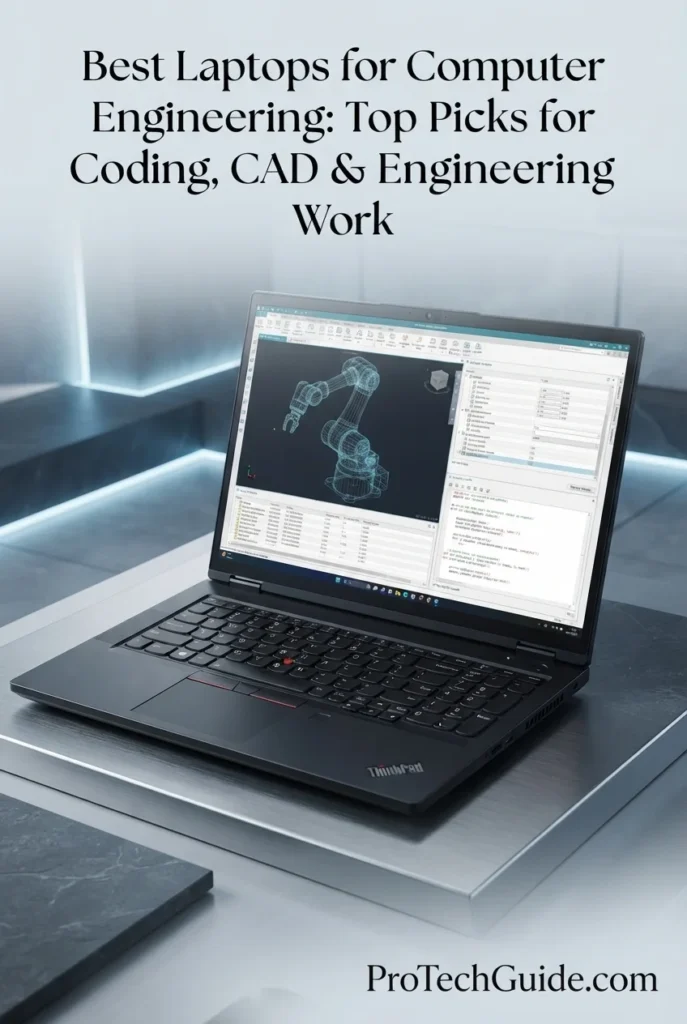
The Lenovo ThinkPad P16 Gen 3 with the Intel Core Ultra 7 255HX, 64GB of DDR5 memory, NVIDIA RTX PRO 3000 Blackwell graphics with 12GB of GDDR7 memory, and a 2TB Gen5 Performance SSD is our Best Professional Workstation for Computer Engineering in 2026. Its high-performance 20-core Intel processor, workstation-class NVIDIA RTX PRO graphics, large memory capacity, fast PCIe Gen5 storage, and 16-inch WQUXGA display create a powerful platform for demanding computer engineering workflows including software development, virtualization, CAD, MATLAB, AI development, simulation, embedded systems, and professional engineering applications. The 64GB memory configuration provides substantial headroom for developers and engineering students who regularly work across multiple development environments, virtual machines, large projects, technical applications, and resource-intensive workloads simultaneously.
The ThinkPad P16 Gen 3 earns our Best Professional Workstation for Computer Engineering award because it is configured around the demanding combination of CPU performance, large memory capacity, professional NVIDIA graphics, fast Gen5 storage, and high-resolution display that advanced engineering workloads can require. For users moving beyond basic programming into virtualization, CAD, AI development, simulation, embedded engineering, and professional technical applications, its workstation-oriented configuration provides considerably more hardware headroom than a typical student laptop.
Compared with performance-oriented gaming laptops such as the Lenovo Legion Pro 5i Gen 10 and Acer Predator Helios Neo 16 AI, the ThinkPad P16 Gen 3 takes a more workstation-focused approach, pairing the Ultra 7 255HX with an NVIDIA RTX PRO 3000 Blackwell GPU, 64GB of DDR5 memory, professional connectivity, and a high-resolution WQUXGA display. The gaming-oriented alternatives can provide strong dedicated GPU performance, but the ThinkPad configuration is designed around professional engineering, development, and workstation workflows rather than gaming as its primary purpose.
Key Features
ASUS ROG Zephyrus G16
Portable Performance for Coding, CAD, AI & Engineering Work
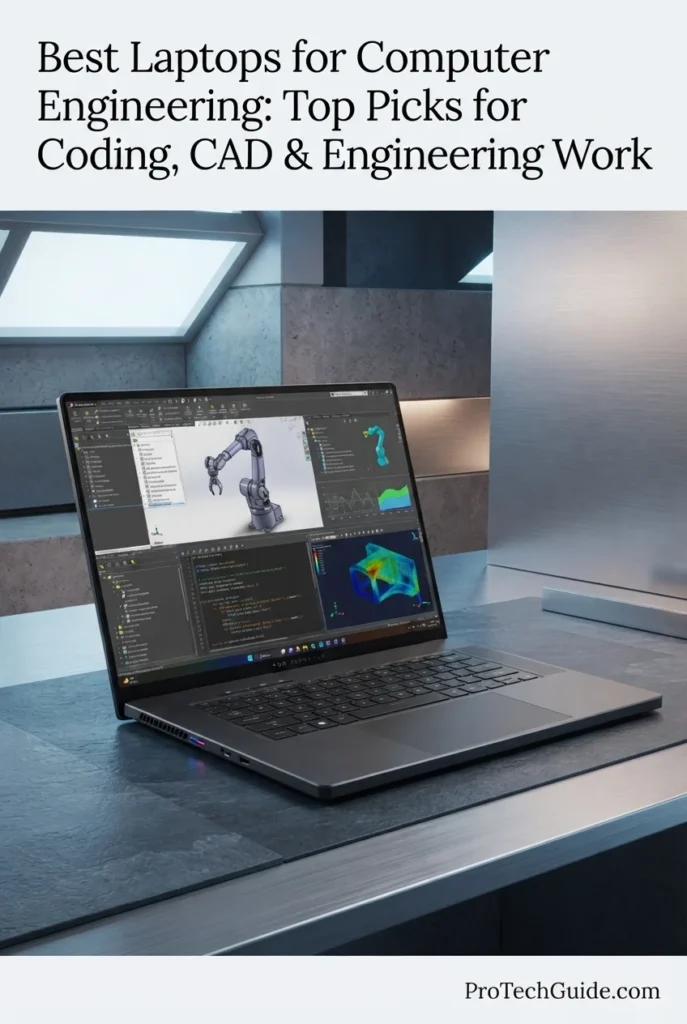
The ASUS ROG Zephyrus G16 with the Intel Core Ultra 9 285H, NVIDIA GeForce RTX 5070, 16GB LPDDR5X memory, and 1TB PCIe 4.0 SSD is our Best Portable Performance laptop for Computer Engineering in 2026. Its combination of a high-performance Intel processor, dedicated NVIDIA graphics, fast PCIe 4.0 storage, and 16-inch 2.5K OLED display creates a versatile platform for programming, CAD, engineering applications, AI development, virtualization, and demanding technical multitasking. Unlike larger gaming-focused laptops, the Zephyrus G16 emphasizes a slimmer, more portable design while retaining the dedicated GPU capability that can be valuable for computer engineering students and professionals working across software, graphics, and computational workloads.
The Zephyrus G16 earns our Best Portable Performance for Computer Engineering award because it brings together high-end processing, dedicated RTX graphics, a fast SSD, and a premium 16-inch OLED display in a comparatively mobile form factor. For computer engineering students who want one machine capable of handling programming and engineering work while also supporting GPU-accelerated applications, creative workloads, and gaming, it offers a more versatile alternative to a traditional bulky workstation.
Compared with the Lenovo ThinkPad P16 Gen 3, the Zephyrus G16 places greater emphasis on portability and a slim performance-oriented design, while the ThinkPad uses a more workstation-focused configuration with 64GB of memory and NVIDIA RTX PRO graphics. Compared with the Lenovo ThinkPad P16s Gen 4 AMD, the Zephyrus provides dedicated NVIDIA GPU performance rather than relying on integrated Radeon graphics. Its main consideration for advanced computer engineering users is the 16GB memory configuration, which is less generous for extensive virtualization or very demanding multi-application workflows than the higher-memory workstations in this guide.
Key Features
Apple MacBook Pro 14-inch with M5 Pro
Best Mac for Coding, AI & Engineering Development
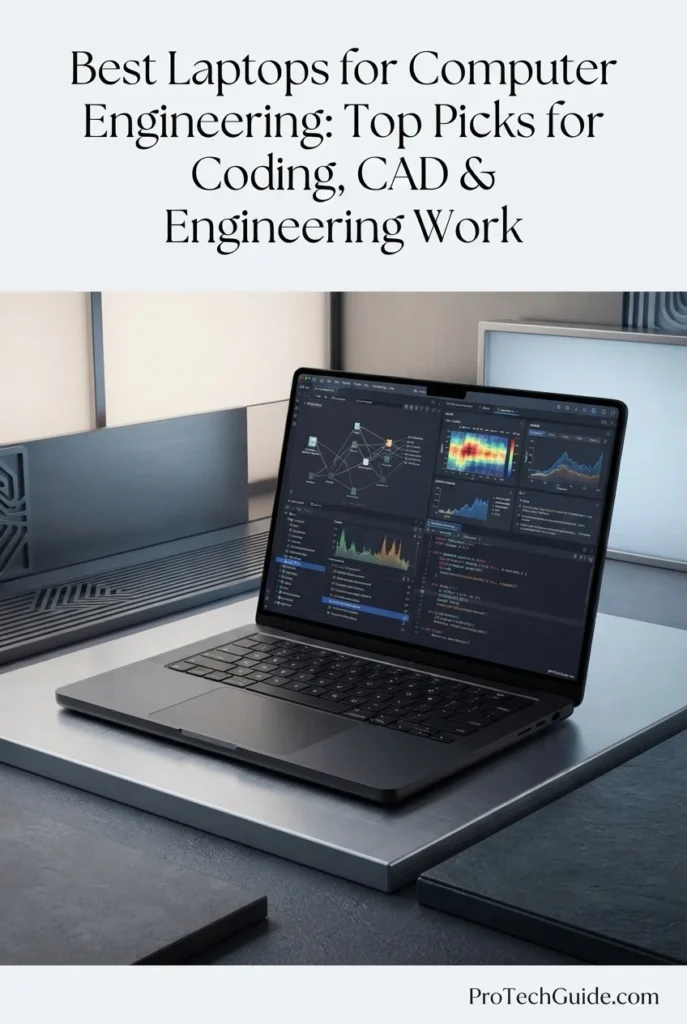
The Apple MacBook Pro 14-inch with the M5 Pro chip, 15-core CPU, 16-core GPU, 24GB of unified memory, and 1TB SSD is our Best Mac for Computer Engineering in 2026. Its high-performance Apple silicon architecture, unified memory, fast SSD, and 14.2-inch Liquid Retina XDR display create a powerful platform for programming, software development, AI workloads, data-intensive applications, and other engineering tasks that are compatible with macOS. For computer engineering students and professionals working primarily with C/C++, Python, Java, terminal-based development, embedded software, and AI tools, the M5 Pro provides substantial processing capability in a compact professional laptop.
The MacBook Pro 14 earns our Best Mac for Computer Engineering award because it combines the M5 Pro's high-performance CPU and GPU architecture with 24GB of unified memory, fast 1TB storage, a premium Liquid Retina XDR display, and a compact professional form factor. For computer engineering users whose required software is compatible with macOS, it offers a strong balance of processing capability, portability, display quality, and modern connectivity without the bulk of a traditional workstation.
Compared with the Lenovo ThinkPad P16 Gen 3, the MacBook Pro emphasizes portability, power efficiency, and the macOS development environment, while the ThinkPad provides a more conventional Windows workstation platform with 64GB of DDR5 memory and NVIDIA RTX PRO graphics. Compared with the ASUS ROG Zephyrus G16, the MacBook Pro uses Apple's integrated M5 Pro architecture rather than a discrete NVIDIA GPU, making software and tool compatibility an important consideration for computer engineering workflows that depend on Windows-specific applications, specialized EDA software, or CUDA-based development.
Key Features
Lenovo Legion Pro 5i Gen 10
High-Performance Laptop for Coding, CAD, AI & Engineering Work
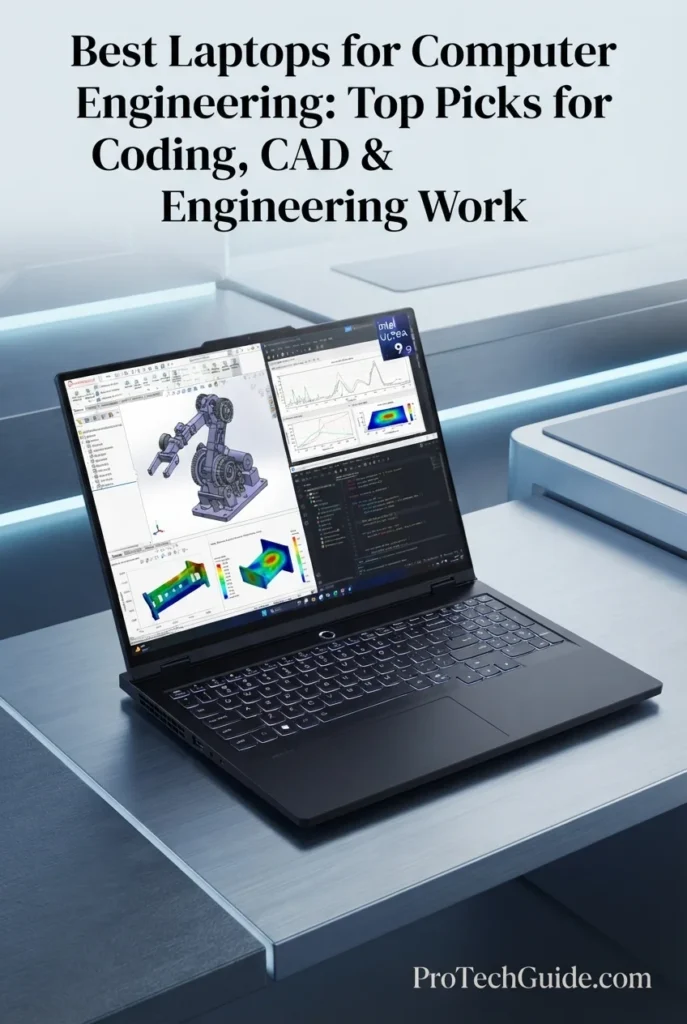
The Lenovo Legion Pro 5i Gen 10 with the Intel Core Ultra 9 275HX, NVIDIA GeForce RTX 5070, 32GB of DDR5 memory, and 2TB SSD is our Best Performance & Value laptop for Computer Engineering in 2026. Its combination of a high-performance processor, dedicated NVIDIA graphics, substantial memory, fast storage, and a 16-inch OLED display creates a powerful Windows platform for programming, CAD, AI development, virtualization, technical visualization, and demanding multitasking. For computer engineering students who need more performance headroom than a conventional productivity laptop while also benefiting from strong GPU capability, the Legion Pro 5i provides a performance-oriented alternative to traditional mobile workstations.
The Legion Pro 5i Gen 10 earns our Best Performance & Value for Computer Engineering award because it combines a powerful Core Ultra 9 processor, dedicated RTX 5070 graphics, 32GB of DDR5 memory, 2TB of storage, and a high-resolution OLED display in a single Windows performance platform. For students whose engineering workloads extend beyond programming into GPU acceleration, CAD, visualization, virtualization, and demanding multitasking, it provides considerably more hardware headroom than typical mainstream student laptops.
Compared with the Lenovo ThinkPad P16 Gen 3, the Legion Pro 5i takes a performance-oriented gaming-laptop approach rather than a professional workstation approach, pairing its Core Ultra 9 processor with GeForce RTX graphics instead of RTX PRO workstation graphics. Compared with the ASUS ROG Zephyrus G16, the Legion provides 32GB of DDR5 memory and 2TB of storage in this configuration, giving it more capacity for demanding multitasking, development environments, and large project libraries. Its larger performance-focused chassis is less centered on portability than the Zephyrus, but its configuration is particularly well aligned with users who prioritize sustained performance and hardware headroom.
Key Features
Lenovo ThinkPad P16s Gen 4 AMD
Efficient Workstation for Coding, Development & Engineering Work
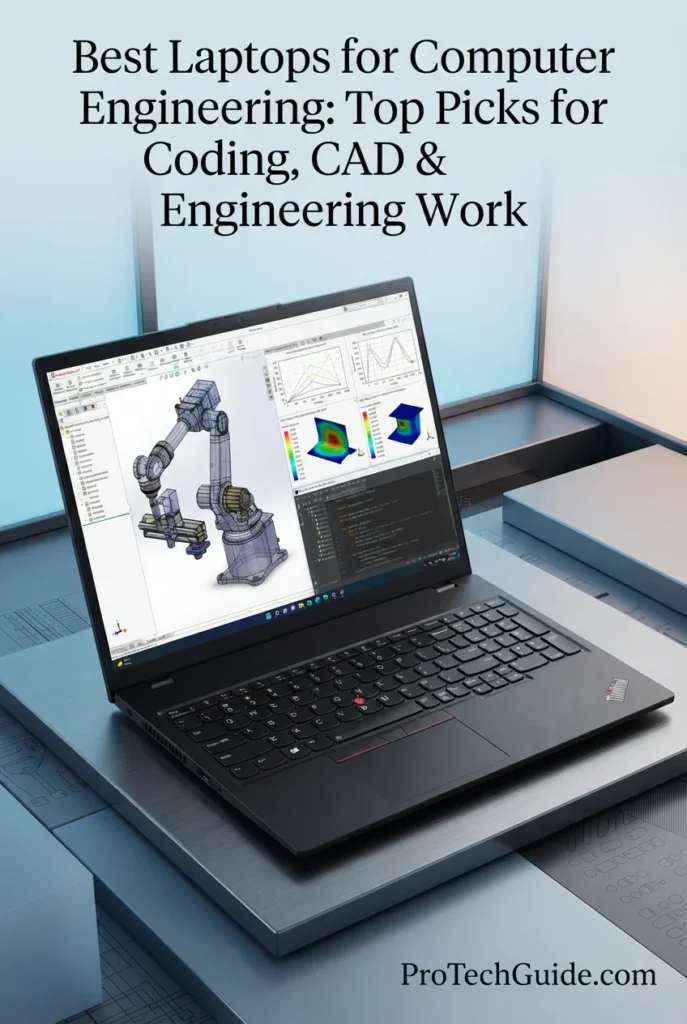
The Lenovo ThinkPad P16s Gen 4 AMD with the Ryzen AI 9 HX PRO 370, 32GB of DDR5 memory, 4TB PCIe Gen4 SSD, and integrated AMD Radeon 890M graphics is our Best Efficient Workstation for Computer Engineering in 2026. Its combination of a high-performance AMD processor, substantial memory capacity, exceptionally large SSD, professional ThinkPad design, and efficient integrated graphics creates a capable platform for programming, development, technical computing, virtualization, documentation, and everyday engineering workflows. The 16-inch WUXGA display with 500-nit brightness and 100% sRGB coverage also provides a practical workspace for code, schematics, technical documentation, and engineering applications without the power demands of a dedicated discrete GPU.
The ThinkPad P16s Gen 4 AMD earns our Best Efficient Workstation for Computer Engineering designation because it combines strong AMD processing, 32GB of DDR5 memory, an unusually spacious 4TB SSD, and a professional 16-inch display in a relatively portable workstation-oriented design. Instead of allocating the system around a discrete GPU, this configuration emphasizes CPU-driven development, large local storage, multitasking, and efficient everyday engineering workflows, making it a distinct alternative to the more GPU-focused workstations and gaming laptops in this guide.
Compared with the Lenovo ThinkPad P16 Gen 3, the P16s Gen 4 AMD takes a more efficiency- and portability-oriented approach, using integrated Radeon 890M graphics rather than a dedicated NVIDIA RTX PRO GPU. Compared with performance-focused systems such as the ASUS ROG Zephyrus G16 and Lenovo Legion Pro 5i Gen 10, it offers less dedicated GPU capability but provides a professional ThinkPad platform with 32GB of memory and a substantial 4TB SSD in this configuration. It is therefore better aligned with CPU-focused development and engineering workflows than workloads that depend heavily on CUDA, professional GPU acceleration, or demanding 3D rendering.
Key Features
HP ZBook Power G11 A
Mobile Workstation for Coding, CAD, Simulation & Engineering Work
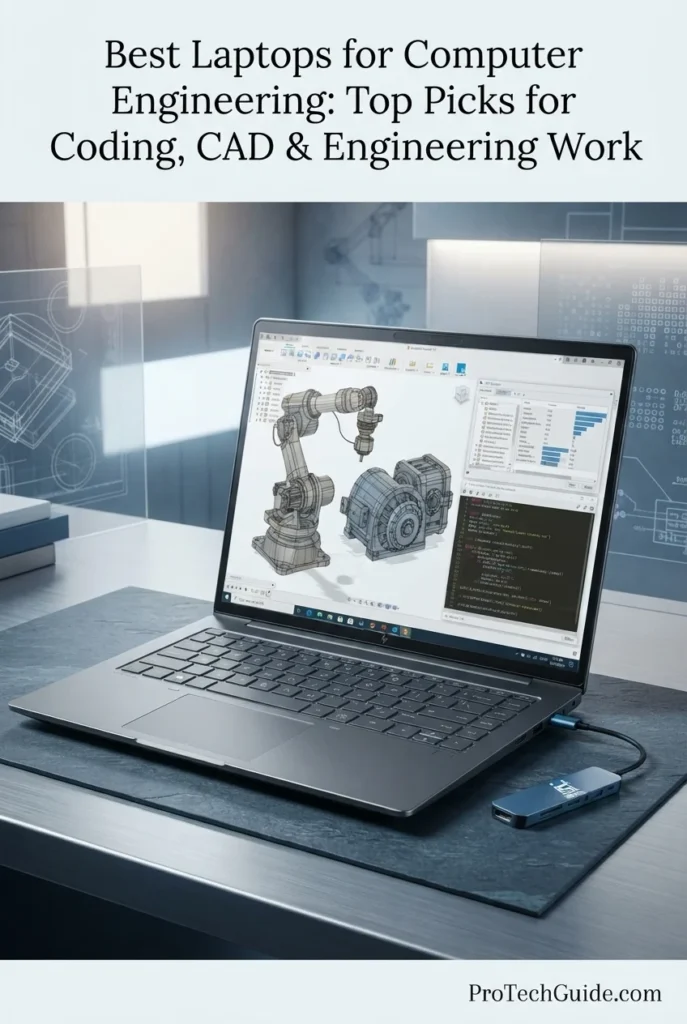
The HP ZBook Power G11 A with the AMD Ryzen 7 PRO 8845HS, NVIDIA RTX 1000 Ada GPU with 6GB GDDR6, 64GB of DDR5 memory, and 1TB PCIe NVMe SSD is our Best Mobile Workstation Value for Computer Engineering in 2026. Its combination of a professional AMD processor, dedicated NVIDIA RTX graphics, substantial memory, fast storage, and workstation-oriented design creates a capable Windows 11 Pro platform for programming, CAD, simulation, 3D modeling, technical visualization, MATLAB, and other demanding engineering workloads. The 16-inch WUXGA display, extensive connectivity, fingerprint reader, numeric keypad, and included USB-C hub further reinforce its role as a practical mobile workstation for engineering students and professionals.
The ZBook Power G11 A earns our Best Mobile Workstation Value for Computer Engineering designation because it combines a Ryzen 7 PRO processor, dedicated RTX 1000 Ada graphics, 64GB of DDR5 memory, and 1TB SSD storage in a professional mobile workstation platform. For computer engineering users whose workloads extend beyond programming into CAD, simulation, 3D visualization, and GPU-accelerated applications, it provides a more specialized hardware configuration than conventional productivity laptops while remaining practical for mobile professional use.
Compared with the Lenovo ThinkPad P16 Gen 3, the ZBook Power G11 A uses a lower-tier professional GPU and a less powerful processor configuration, but it still provides dedicated NVIDIA RTX graphics and 64GB of memory for demanding engineering workflows. Compared with the Lenovo ThinkPad P16s Gen 4 AMD, the ZBook takes the opposite approach by pairing 64GB of RAM with a dedicated RTX 1000 Ada GPU instead of relying on integrated Radeon graphics. This makes the ZBook particularly relevant when CAD, 3D visualization, simulation, or other GPU-accelerated workloads are part of the computer engineering workflow.
Key Features
Acer Predator Helios Neo 16 AI
High-Performance Laptop for Coding, AI, CAD & Engineering Work
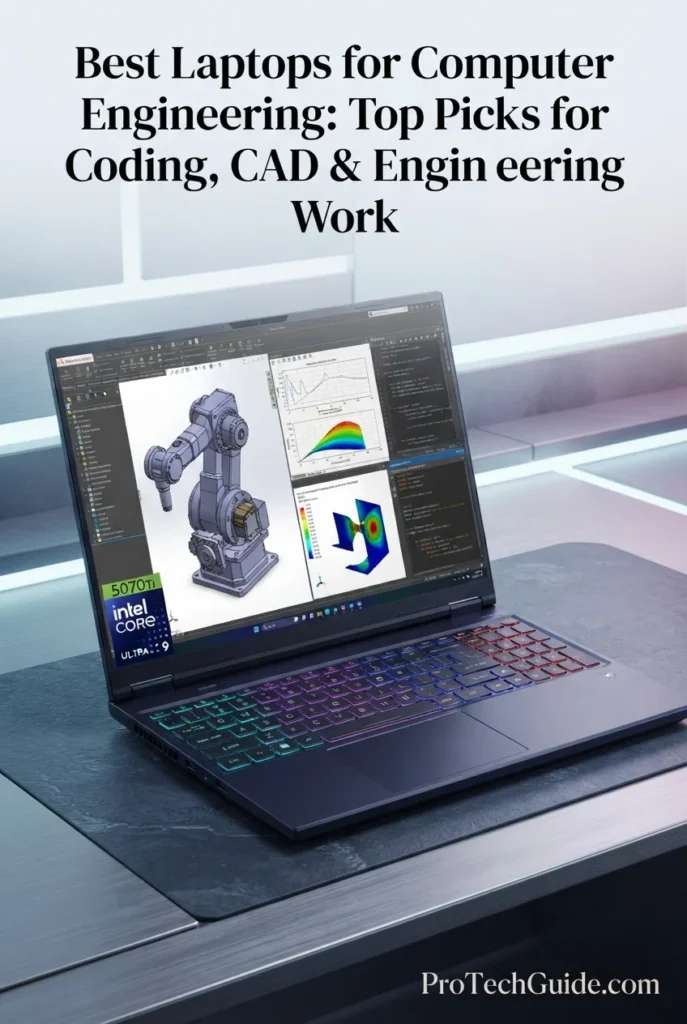
The Acer Predator Helios Neo 16 AI with the Intel Core Ultra 9 275HX, NVIDIA GeForce RTX 5070 Ti with 12GB of GDDR7 memory, 32GB of DDR5 RAM, and 2TB SSD is our Best Gaming Laptop for Computer Engineering in 2026. Its 24-core processor, powerful dedicated NVIDIA GPU, substantial memory capacity, fast storage, and 16-inch 2560 × 1600 240Hz IPS display create a high-performance Windows platform for programming, AI development, CUDA-accelerated workloads, CAD, 3D visualization, simulation, and demanding technical multitasking. The 12GB of dedicated GDDR7 graphics memory also provides useful headroom for GPU-intensive applications, although the GeForce RTX 5070 Ti remains a gaming-class GPU rather than a professional RTX PRO workstation solution.
The Predator Helios Neo 16 earns our Best Gaming Laptop for Computer Engineering designation because it combines a 24-core Core Ultra 9 processor, RTX 5070 Ti graphics with 12GB of GDDR7 memory, 32GB of DDR5 RAM, and a 2TB SSD in a performance-focused Windows platform. For computer engineering users who need serious GPU capability for CUDA, AI, 3D visualization, or graphics-intensive development in addition to programming and technical computing, its hardware provides considerable performance headroom. Its GeForce GPU should still be viewed as a gaming-class solution rather than a substitute for professional RTX PRO workstation graphics in specialized certified workflows.
Compared with the Lenovo ThinkPad P16 Gen 3, the Predator Helios Neo 16 is built around a gaming-class GeForce GPU rather than professional RTX PRO graphics, making the two systems different in their intended design and software-validation approach. Compared with the Lenovo ThinkPad P16s Gen 4 AMD, the Predator provides substantially more dedicated GPU capability for CUDA, AI, 3D visualization, and graphics-intensive workloads, while the P16s emphasizes efficiency and integrated graphics. For computer engineering students whose workloads combine programming with GPU-intensive development, CAD, visualization, or AI experimentation, the Predator offers a distinctly performance-oriented hardware configuration.
Key Features
Lenovo LOQ 15
Budget Performance for Coding, CAD, Gaming & Engineering Work
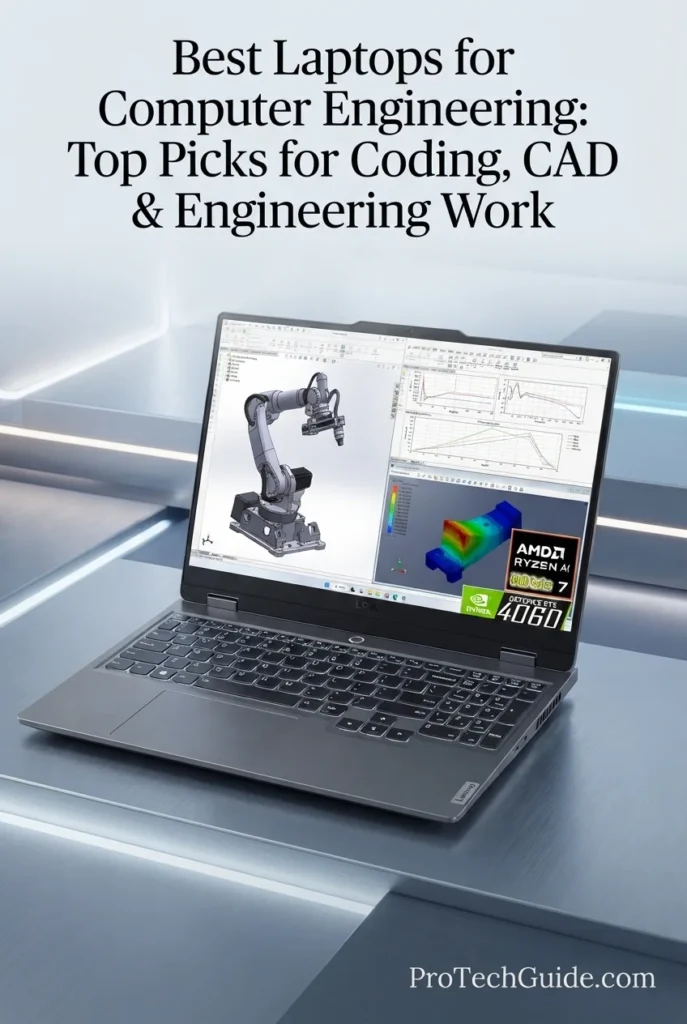
The Lenovo LOQ 15 with the AMD Ryzen 7 8845HS, NVIDIA GeForce RTX 4060 with 6GB of GDDR6 memory, 64GB of DDR5 RAM, and 2TB PCIe SSD is our Best Budget Option for Computer Engineering in 2026. Its 8-core processor, dedicated RTX graphics, unusually generous 64GB memory configuration, and 2TB of storage provide a capable Windows 11 Home platform for programming, CAD, MATLAB, technical computing, entry-level 3D workloads, and GPU-accelerated development. The RTX 4060 also gives engineering students access to NVIDIA's GPU ecosystem for compatible CUDA and AI workloads, while the 15.6-inch 1920 × 1080 144Hz G-SYNC display keeps the system versatile for both technical work and gaming.
The LOQ 15 earns our Best Budget Option for Computer Engineering designation because its supplied configuration combines 64GB of DDR5 memory and a 2TB SSD with an 8-core Ryzen 7 processor and dedicated RTX 4060 graphics. That combination gives computer engineering students substantial capacity for programming, multitasking, CAD, MATLAB, GPU-accelerated development, and technical projects while also supporting gaming and creative workloads. It is not a professional mobile workstation, but its hardware configuration provides a strong foundation for students whose engineering workloads do not require specialized workstation GPUs.
Compared with the HP ZBook Power G11 A, the LOQ 15 uses a gaming-oriented GeForce RTX 4060 rather than professional NVIDIA RTX 1000 Ada graphics, so the two systems target different classes of engineering workflows. Compared with the Lenovo ThinkPad P16s Gen 4 AMD, the LOQ provides substantially more dedicated GPU capability for compatible CUDA, gaming, and GPU-accelerated applications, while the P16s emphasizes workstation-oriented design, efficiency, and integrated Radeon graphics. The LOQ is therefore particularly relevant to students who want one Windows laptop for programming, engineering coursework, GPU workloads, and gaming.
Key Features
Best Laptops for Computer Engineering in 2026
Compared by CPU Performance, RAM Capacity, GPU Capability, Programming, CAD, MATLAB, Virtualization, Display Quality, Connectivity, Portability & Engineering Workloads
Choosing the best laptop for computer engineering in 2026 requires more than comparing processor specifications. Computer engineering students and professionals may work across programming, software development, MATLAB, CAD, embedded systems, FPGA and EDA tools, virtualization, Linux environments, AI development, and GPU-accelerated workloads. We evaluated these laptops based on processor performance, memory capacity, graphics capability, storage, display quality, connectivity, operating system compatibility, portability, and long-term flexibility to help you choose the right platform for your specific engineering workflow.
| Laptop | CPU & Key Specs | Best For | Why It Wins | Editor's Verdict |
|---|---|---|---|---|
Best Professional Workstation
Lenovo ThinkPad P16 Gen 3
Check Price
|
Intel Core Ultra 7 255HX 64GB DDR5 RTX PRO 3000 Blackwell 12GB GDDR7 2TB Gen5 SSD 16" WQUXGA IPS |
Advanced Programming CAD & Engineering Software Virtual Machines AI & GPU Workloads | The ThinkPad P16 Gen 3 provides the most workstation-oriented configuration in this selection, combining a high-performance Core Ultra 7 255HX processor with 64GB of DDR5 memory, professional NVIDIA RTX PRO 3000 Blackwell graphics, and a fast 2TB Gen5 SSD. Its memory and GPU headroom make it particularly well suited to demanding development environments, virtualization, CAD, technical computing, AI workloads, and complex multitasking. | Professional Workstation for Demanding Computer Engineering Workloads |
Best Portable Performance
ASUS ROG Zephyrus G16
Check Price
|
Intel Core Ultra 9 285H 16GB LPDDR5X GeForce RTX 5070 1TB PCIe 4.0 SSD 16" 2.5K OLED 240Hz |
Programming Students GPU-Accelerated Workloads CAD & 3D Work Mobile Engineering | The ROG Zephyrus G16 combines high-end processing and dedicated NVIDIA graphics with a comparatively compact performance-focused design. Its Core Ultra 9 processor, RTX 5070, fast PCIe 4.0 storage, and 16-inch OLED display create a versatile platform for programming, engineering applications, CAD, AI development, and GPU-intensive workloads while remaining more mobile than a traditional workstation. | Portable High-Performance Laptop for Computer Engineering |
Best Mac
Apple MacBook Pro 14-inch with M5 Pro
Check Price
|
Apple M5 Pro 15-Core CPU 16-Core GPU 24GB Unified Memory 1TB SSD 14.2" Liquid Retina XDR |
Software Development C/C++ & Python Unix-Based Workflows macOS-Compatible Engineering | The MacBook Pro provides a powerful Apple silicon platform for programming, software development, command-line workflows, and compatible technical applications. Its 15-core CPU, 16-core GPU, 24GB of unified memory, fast SSD, and Liquid Retina XDR display make it particularly attractive to engineers who prefer macOS, although compatibility with required EDA, FPGA, simulation, CAD, and other engineering software should be verified before purchase. | Mac Option for Computer Engineering & Software Development |
Best Performance & Value
Lenovo Legion Pro 5i Gen 10
Check Price
|
Intel Core Ultra 9 275HX 32GB DDR5 GeForce RTX 5070 2TB SSD 16" OLED |
Programming & Development CAD & 3D Visualization AI & GPU Workloads Heavy Multitasking | The Legion Pro 5i Gen 10 delivers a performance-focused Windows configuration built around the Core Ultra 9 275HX, RTX 5070, 32GB of memory, and 2TB of storage. This combination provides substantial headroom for compiling large projects, running demanding development environments, working with CAD and 3D applications, and using GPU-accelerated software without moving to a dedicated professional workstation. | High-Performance Windows Platform for Computer Engineering |
Best Efficient Workstation
Lenovo ThinkPad P16s Gen 4 AMD
Check Price
|
AMD Ryzen AI 9 HX PRO 370 32GB DDR5 Radeon 890M Graphics 4TB PCIe Gen4 SSD 16" WUXGA IPS Windows 11 Pro |
Programming Embedded Development MATLAB & Technical Computing Mobile Engineering | The ThinkPad P16s Gen 4 AMD emphasizes processor performance, memory capacity, storage, and mobility rather than dedicated GPU power. Its Ryzen AI 9 HX PRO 370, 32GB of DDR5 memory, 4TB SSD, and integrated Radeon 890M graphics make it well suited to programming, development environments, MATLAB, embedded workflows, documentation, multitasking, and engineering productivity where professional discrete graphics are not required. | Efficient Workstation Platform for Programming & Engineering Development |
Best Mobile Workstation Value
HP ZBook Power G11 A
Check Price
|
AMD Ryzen 7 PRO 8845HS 64GB DDR5 RTX 1000 Ada 6GB GDDR6 1TB PCIe NVMe SSD 16" WUXGA IPS Windows 11 Pro |
CAD & Engineering Software MATLAB & Simulation Professional Development Mobile Workstations | The ZBook Power G11 A combines a Ryzen 7 PRO processor with 64GB of DDR5 memory and a dedicated NVIDIA RTX 1000 Ada GPU. This configuration provides substantial memory headroom for development environments, virtual machines, technical applications, CAD, simulation, and multitasking while retaining a professional mobile-workstation orientation. | Mobile Workstation for CAD, Simulation & Engineering Development |
Best Gaming Laptop
Acer Predator Helios Neo 16 AI
Check Price
|
Intel Core Ultra 9 275HX 32GB DDR5 RTX 5070 Ti 12GB GDDR7 2TB SSD 16" 2560x1600 IPS 240Hz Windows 11 |
CUDA & AI Development CAD & 3D Visualization GPU-Accelerated Computing High-Performance Programming | The Predator Helios Neo 16 AI combines a 24-core Core Ultra 9 275HX processor with an RTX 5070 Ti featuring 12GB of GDDR7 memory, 32GB of DDR5 RAM, and a 2TB SSD. Its gaming-class hardware provides substantial GPU capability for CUDA-based development, AI experimentation, CAD, 3D visualization, and other demanding workloads, although its GeForce GPU is designed for a different role than NVIDIA's professional RTX PRO workstation graphics. | Gaming-Class Performance for GPU-Heavy Computer Engineering Workloads |
Best Budget Option
Lenovo LOQ 15
Check Price
|
AMD Ryzen 7 8845HS 64GB DDR5-5600 GeForce RTX 4060 6GB GDDR6 2TB PCIe SSD 15.6" FHD 144Hz Windows 11 Home |
Computer Engineering Students Programming CAD & Entry-Level 3D Budget GPU Workloads | The Lenovo LOQ 15 provides a high-capacity configuration with a Ryzen 7 8845HS processor, 64GB of DDR5 memory, RTX 4060 graphics, and a 2TB PCIe SSD. This gives students substantial room for programming environments, multitasking, CAD, technical applications, and GPU-accelerated workloads without requiring a professional workstation configuration. | Budget-Friendly Windows Laptop for Computer Engineering |
Recommended Next Reads
Finished comparing the best laptops for computer engineering? Explore our related engineering laptop guides for students, programming, CAD, mechanical engineering, civil engineering, AI development, and demanding technical workloads.
Whether you're studying computer engineering, writing code, working with MATLAB, developing embedded systems, using FPGA or EDA tools, exploring AI and GPU computing, or working across CAD and other engineering applications, these guides can help you understand the hardware requirements behind different technical workflows and choose the right laptop for your specific needs.
Best Laptops for Engineering Students in 2026
Explore laptops selected for engineering students working with MATLAB, CAD, programming, 3D modeling, simulation, technical coursework, and demanding academic workloads.
Explore Engineering Student Laptops →8 Best Laptops for Programming in 2026
Compare laptops for programming, development environments, Python, code compilation, multitasking, databases, and professional software development.
Explore Programming Laptops →CAD & Engineering DesignBest Laptops for CAD in 2026
Find laptops designed for AutoCAD, SolidWorks, 3D design, engineering modeling, visualization, and demanding computer-aided design workflows.
Explore CAD Laptops →Mechanical EngineeringBest Laptops for Mechanical Engineering in 2026
Explore high-performance laptops for CAD, SolidWorks, 3D modeling, simulation, engineering software, and demanding mechanical engineering workloads.
Explore Mechanical Engineering Laptops →Civil EngineeringBest Laptops for Civil Engineering in 2026
Compare laptops for AutoCAD, Civil 3D, Revit, BIM, 3D modeling, visualization, terrain data, and professional civil engineering workflows.
Explore Civil Engineering Laptops →AI & GPU ComputingBest Laptops for AI Development in 2026
Explore powerful laptops for AI development, machine learning, local AI workloads, GPU acceleration, Python, and computationally demanding applications.
Explore AI Development Laptops →GPU PerformanceRTX 5060 vs RTX 5070 Ti vs RTX 5080 Laptop GPUs in 2026
Understand the differences between major NVIDIA laptop GPU classes and how graphics performance can affect 3D visualization, rendering, AI, and GPU-accelerated engineering workloads.
Compare Laptop GPUs →EDITOR'S FINAL RECOMMENDATIONS
After comparing laptops across processor performance, RAM capacity, GPU capability, programming workloads, CAD, MATLAB, virtualization, AI development, embedded systems, FPGA and EDA workflows, storage, display quality, portability, connectivity, operating system compatibility, thermals, and long-term flexibility, these are our final recommendations for computer engineering in 2026. Whether you focus primarily on software development, hardware-oriented engineering, CAD, simulation, AI, embedded systems, or a combination of these workloads, each option addresses a different set of technical requirements.
Lenovo ThinkPad P16 Gen 3
The strongest professional workstation option in this 2026 selection for computer engineering workloads that demand substantial processing power, memory, professional graphics, and storage. The ThinkPad P16 Gen 3 combines the Intel Core Ultra 7 255HX, 64GB of DDR5 memory, NVIDIA RTX PRO 3000 Blackwell graphics with 12GB of GDDR7 memory, a 2TB Gen5 Performance SSD, and a high-resolution 16-inch WQUXGA display. It is particularly well suited to advanced development environments, virtualization, CAD, engineering visualization, simulation, and GPU-accelerated workflows.
- ✓ Intel Core Ultra 7 255HX
- ✓ 64GB DDR5 Memory
- ✓ NVIDIA RTX PRO 3000 Blackwell 12GB GDDR7
- ✓ 2TB PCIe Gen5 Performance SSD
ASUS ROG Zephyrus G16
The performance-focused choice for computer engineering students and developers who need substantial CPU and GPU capability without moving to a traditional mobile workstation. Its Core Ultra 9 285H processor, RTX 5070 graphics, 16GB LPDDR5X memory, 1TB PCIe 4.0 SSD, and 16-inch 2.5K OLED display create a versatile platform for programming, CUDA-enabled development, AI workloads, CAD, engineering visualization, and demanding everyday productivity.
- ✓ Intel Core Ultra 9 285H
- ✓ NVIDIA GeForce RTX 5070
- ✓ 16GB LPDDR5X Memory
- ✓ 16-inch 2.5K OLED 240Hz Display
Apple MacBook Pro 14-inch with M5 Pro
The dedicated macOS option for computer engineering students and developers whose required software is compatible with Apple silicon. The M5 Pro configuration combines a 15-core CPU, 16-core GPU, 24GB of unified memory, and a 1TB SSD with Apple's 14.2-inch Liquid Retina XDR display. It provides a strong environment for programming, command-line development, software engineering, Python, Java, C/C++, and other compatible technical workflows, while engineering students should verify macOS support for specialized EDA, FPGA, CAD, simulation, and Windows-only applications before purchasing.
- ✓ Apple M5 Pro Chip
- ✓ 15-core CPU & 16-core GPU
- ✓ 24GB Unified Memory
- ✓ 1TB SSD Storage
Lenovo Legion Pro 5i Gen 10
A high-performance Windows platform for students who want powerful CPU and GPU hardware for programming, CAD, AI development, visualization, and other demanding engineering workloads. The Legion Pro 5i pairs an Intel Core Ultra 9 275HX with RTX 5070 graphics, 32GB of memory, and a 2TB SSD, giving it substantial headroom for intensive multitasking and GPU-accelerated software while retaining a gaming-oriented design.
- ✓ Intel Core Ultra 9 275HX
- ✓ NVIDIA GeForce RTX 5070
- ✓ 32GB DDR5 Memory
- ✓ 2TB SSD Storage
Lenovo ThinkPad P16s Gen 4 AMD
The efficiency-oriented workstation choice for computer engineering users who prioritize processor performance, memory capacity, storage, professional features, and portability over discrete GPU acceleration. Its Ryzen AI 9 HX PRO 370, 32GB of DDR5 memory, 4TB SSD, and integrated Radeon 890M graphics provide a well-balanced platform for programming, MATLAB, embedded development, technical productivity, and engineering workflows that do not depend heavily on CUDA or professional discrete graphics.
- ✓ AMD Ryzen AI 9 HX PRO 370
- ✓ 32GB DDR5 Memory
- ✓ 4TB PCIe Gen4 SSD
- ✓ AMD Radeon 890M Integrated Graphics
HP ZBook Power G11 A
A professional mobile workstation for computer engineering users who need dedicated NVIDIA graphics, substantial memory, and a business-oriented platform for CAD, simulation, technical computing, programming, and engineering software. Its Ryzen 7 PRO 8845HS, RTX 1000 Ada 6GB, 64GB of DDR5 memory, and 1TB SSD provide considerably more multitasking headroom than a typical productivity laptop while maintaining a relatively portable workstation format.
- ✓ AMD Ryzen 7 PRO 8845HS
- ✓ NVIDIA RTX 1000 Ada 6GB GDDR6
- ✓ 64GB DDR5 Memory
- ✓ 1TB PCIe NVMe SSD
Acer Predator Helios Neo 16 AI
The gaming-class performance option for computer engineering students who need strong CPU performance and substantial GPU capability for programming, CUDA, AI development, CAD, 3D visualization, and other demanding Windows workloads. Its Core Ultra 9 275HX, RTX 5070 Ti with 12GB of GDDR7 memory, 32GB of DDR5, 2TB SSD, and 16-inch 2560x1600 240Hz display create a powerful platform for GPU-intensive engineering workflows. Its GeForce GPU should be distinguished from professional RTX PRO workstation graphics.
- ✓ Intel Core Ultra 9 275HX
- ✓ NVIDIA GeForce RTX 5070 Ti 12GB GDDR7
- ✓ 32GB DDR5 Memory
- ✓ 2TB SSD Storage
Lenovo LOQ 15
The budget-oriented option for computer engineering students who want dedicated RTX graphics, high memory capacity, and substantial storage without moving into professional workstation pricing. The Ryzen 7 8845HS, RTX 4060 with 6GB of GDDR6 memory, 64GB of DDR5 RAM, and 2TB PCIe SSD provide a strong foundation for programming, MATLAB, CAD, entry-level 3D work, GPU-accelerated applications, and everyday engineering coursework.
- ✓ AMD Ryzen 7 8845HS
- ✓ NVIDIA GeForce RTX 4060 6GB GDDR6
- ✓ 64GB DDR5-5600 Memory
- ✓ 2TB PCIe SSD
Which computer engineering laptop should you choose?
ThinkPad P16 Gen 3
ROG Zephyrus G16
MacBook Pro M5 Pro
Legion Pro 5i Gen 10
ThinkPad P16s Gen 4 AMD
HP ZBook Power G11 A
Predator Helios Neo 16 AI
Lenovo LOQ 15
- Choose the Lenovo ThinkPad P16 Gen 3 if your computer engineering work involves demanding compilation, virtualization, CAD, simulation, professional GPU workloads, or large technical projects where 64GB of memory and RTX PRO graphics provide useful additional headroom.
- Choose the ASUS ROG Zephyrus G16 if you want a more portable high-performance Windows laptop for programming, AI, CUDA, CAD, and demanding engineering workloads while retaining a premium 16-inch OLED display.
- Choose the Apple MacBook Pro with M5 Pro if your development workflow is centered on macOS-compatible programming and software engineering. Before choosing it for computer engineering coursework, verify compatibility with the specific FPGA, EDA, CAD, simulation, MATLAB, embedded-development, and other specialized tools required by your program.
- Choose the Lenovo Legion Pro 5i Gen 10 if you want a powerful Windows platform with a Core Ultra 9 275HX, RTX 5070, 32GB of memory, and 2TB storage for programming, CAD, AI development, visualization, and other GPU-enabled engineering workloads.
- Choose the Lenovo ThinkPad P16s Gen 4 AMD if your priorities are CPU performance, 32GB of memory, 4TB of storage, professional features, and a more efficiency-focused workstation design. Its integrated Radeon 890M is better suited to general engineering and development workloads than CUDA-dependent or heavily GPU-intensive applications.
- Choose the HP ZBook Power G11 A if you need a professional mobile workstation with 64GB of RAM and dedicated NVIDIA RTX 1000 Ada graphics for CAD, simulation, technical computing, and demanding multitasking.
- Choose the Acer Predator Helios Neo 16 AI if your computer engineering workload benefits from strong GeForce GPU performance for CUDA, AI development, 3D visualization, and other GPU-accelerated applications. Its 12GB of GDDR7 VRAM provides useful capacity for demanding graphics workloads, while its gaming-class platform should not be confused with an RTX PRO workstation.
- Choose the Lenovo LOQ 15 if you want a more budget-oriented Windows laptop with 64GB of memory, 2TB storage, and an RTX 4060 for programming, CAD, MATLAB, entry-level 3D work, GPU-enabled applications, and computer engineering coursework.
EDITOR'S FINAL VERDICT
After comparing processor performance, RAM capacity, GPU capability, SSD storage, programming workloads, CAD, MATLAB, virtualization, embedded development, FPGA and EDA workflows, AI and GPU acceleration, display quality, portability, software compatibility, connectivity, thermals, and long-term flexibility, one conclusion stands out:The best laptop for computer engineering is not necessarily the laptop with the fastest GPU or the largest workstation chassis. It is the system that provides the right combination of CPU performance, memory capacity, graphics capability, storage, operating system compatibility, connectivity, and portability for the specific engineering workflows you actually perform.
Modern computer engineering workloads span far beyond traditional programming. Students and professionals may move between C/C++, Python, Java, MATLAB, Linux environments, virtual machines, embedded development, FPGA and EDA tools, CAD applications, simulation, AI development, and GPU-accelerated workloads. These applications place very different demands on laptop hardware, which is why processor performance and memory capacity should be evaluated alongside GPU capability and software compatibility.
For most computer engineering students, 32GB of memory is a strong long-term target, while 16GB can remain suitable for programming, coursework, and lighter development workloads. Users working extensively with virtual machines, large engineering projects, CAD, simulation, AI development, or heavy multitasking can benefit from 64GB or more. A fast SSD, capable processor, comfortable display, reliable connectivity, and the correct operating system can be just as important as raw GPU performance.- Choose the Lenovo ThinkPad P16 Gen 3 if you want a professional workstation platform with a 24-core Core Ultra 7 255HX, 64GB of memory, RTX PRO 3000 Blackwell graphics with 12GB of GDDR7, and 2TB Gen5 storage for demanding programming, virtualization, CAD, simulation, visualization, and other engineering workloads.
- Choose the ASUS ROG Zephyrus G16 if portability is important but you still need substantial CPU and GPU performance for programming, AI, CUDA, CAD, visualization, and other demanding Windows-based engineering workflows.
- Choose the Apple MacBook Pro with M5 Pro if your computer engineering workflow is centered on macOS-compatible programming and development. Verify compatibility with the specific FPGA, EDA, CAD, simulation, MATLAB, embedded-development, and other specialized applications required by your program before choosing Apple silicon.
- Choose the HP ZBook Power G11 A if you need a professional mobile workstation with 64GB of RAM and dedicated NVIDIA RTX 1000 Ada graphics for CAD, simulation, technical computing, programming, and demanding multitasking.
Top Computer Engineering Laptop Recommendations (2026)
Lenovo ThinkPad P16 Gen 3
Our Editor's Choice for the broadest combination of professional workstation hardware and computer engineering capability in this selection. Its Core Ultra 7 255HX, 64GB of DDR5 memory, RTX PRO 3000 Blackwell GPU with 12GB of GDDR7, 2TB Gen5 SSD, and 16-inch WQUXGA display provide substantial headroom for programming, virtualization, CAD, simulation, engineering visualization, and demanding technical workloads.
- ✓ Intel Core Ultra 7 255HX
- ✓ 64GB DDR5 Memory
- ✓ NVIDIA RTX PRO 3000 Blackwell 12GB GDDR7
- ✓ 2TB PCIe Gen5 Performance SSD
ASUS ROG Zephyrus G16
A high-performance portable platform for students and developers who need strong CPU and GPU capability without moving to a traditional workstation design. Its Core Ultra 9 285H, RTX 5070, 16GB LPDDR5X memory, 1TB PCIe 4.0 SSD, and 16-inch 2.5K OLED display make it suitable for demanding programming, AI, CUDA, CAD, visualization, and everyday engineering work.
- ✓ Intel Core Ultra 9 285H
- ✓ NVIDIA GeForce RTX 5070
- ✓ 16GB LPDDR5X Memory
- ✓ 16-inch 2.5K OLED 240Hz Display
Apple MacBook Pro 14-inch M5 Pro
The Mac option for computer engineering users whose development environment and required engineering applications are compatible with macOS and Apple silicon. Its M5 Pro combines a 15-core CPU, 16-core GPU, 24GB of unified memory, and 1TB SSD with a Liquid Retina XDR display, creating a powerful platform for programming and compatible technical development workflows.
- ✓ Apple M5 Pro Chip
- ✓ 15-core CPU & 16-core GPU
- ✓ 24GB Unified Memory
- ✓ 1TB SSD Storage
- ✓ You need a professional workstation for demanding computer engineering workloads
- ✓ You regularly use virtualization, CAD, simulation, technical computing, or GPU-accelerated applications
- ✓ You want 64GB of memory and substantial storage headroom for large development environments
- ✓ You prefer Windows 11 Pro and professional NVIDIA RTX PRO graphics for specialized engineering workloads
- ✓ High performance and portability are both major priorities
- ✓ You want an RTX 5070 for CUDA, AI, visualization, and other GPU-accelerated workloads
- ✓ Your programming and engineering applications primarily run on Windows
- ✓ You prefer a premium 16-inch OLED display in a more portable performance-oriented design
- ✓ Target 32GB of RAM for demanding coursework and long-term use, with 64GB or more for advanced multitasking and virtualization
- ✓ Verify the exact operating-system requirements of FPGA, EDA, CAD, MATLAB, simulation, and embedded-development software before choosing macOS or Windows
- ✓ Choose a dedicated GPU when your workload benefits from CUDA, AI, 3D visualization, CAD, simulation, or other GPU acceleration
- ✓ Prioritize a fast SSD with enough capacity for development tools, virtual machines, engineering projects, datasets, and local development environments
- ✓ Consider professional RTX PRO graphics when certified workstation applications and specialized engineering workflows justify them
A computer engineering laptop is a technical tool that may need to support multiple development environments throughout an academic program or professional career. Programming, compilers, virtual machines, Linux environments, MATLAB, embedded development, FPGA tools, EDA applications, CAD, AI workloads, and simulation can all have different hardware and operating-system requirements. Raw processor specifications matter, but memory capacity, GPU capability, storage, display quality, connectivity, portability, thermals, and software compatibility can have an equally important impact on everyday engineering productivity.
Among the models evaluated in this guide, the Lenovo ThinkPad P16 Gen 3 provides the broadest professional workstation platform, combining the Core Ultra 7 255HX, 64GB of memory, RTX PRO 3000 Blackwell graphics with 12GB of GDDR7, 2TB Gen5 storage, and a high-resolution 16-inch display. That combination gives it substantial headroom for demanding computer engineering workloads where professional graphics, virtualization, large development environments, or advanced technical applications are important.The ASUS ROG Zephyrus G16 provides a different approach, combining strong CPU and GeForce GPU performance with a more portable performance-oriented design. The Apple MacBook Pro with M5 Pro is a powerful option for compatible macOS development workflows, but software compatibility should remain a central consideration for computer engineering. For users who specifically need a professional mobile workstation with 64GB of RAM and dedicated NVIDIA graphics, the HP ZBook Power G11 A provides another focused Windows workstation platform.
Compare current prices, configurations, memory, storage, warranty coverage, and availability before choosing the laptop that best matches your programming, CAD, MATLAB, virtualization, AI, embedded, or other computer engineering workflow.
Check Latest DealsEDITOR'S FAQ
Choosing the best laptop for computer engineering requires more than comparing CPU and GPU specifications. Computer engineering students and professionals may work with C/C++, Python, Java, MATLAB, CAD applications, embedded development, FPGA and EDA tools, Linux environments, virtual machines, AI frameworks, and GPU-accelerated workloads. That makes RAM capacity, processor performance, graphics capability, storage, operating system compatibility, connectivity, portability, and long-term flexibility important parts of the decision.These frequently asked questions address the most important laptop-buying decisions for computer engineering, from determining how much RAM you need for programming and virtualization to understanding when a dedicated GPU is necessary, choosing between Windows and macOS, and deciding whether a gaming laptop or professional workstation is the better fit for your engineering workflow.
Computer engineering combines software development with hardware-oriented and technical workloads, so the ideal laptop depends heavily on the applications you use. The ThinkPad P16 Gen 3 provides a particularly strong foundation with its Intel Core Ultra 7 255HX processor, 64GB of DDR5 memory, NVIDIA RTX PRO 3000 Blackwell graphics with 12GB of GDDR7 memory, 2TB Gen5 SSD, and high-resolution 16-inch WQUXGA display.
- Strong 24-core Intel Core Ultra 7 255HX processing performance.
- 64GB of memory for demanding multitasking, development environments, and virtualization.
- NVIDIA RTX PRO 3000 Blackwell with 12GB of GDDR7 for professional GPU workloads.
- 2TB PCIe Gen5 SSD for applications, projects, datasets, and development environments.
- Windows 11 Pro and extensive connectivity for a broad range of technical workflows.
For users who prioritize portability, the ASUS ROG Zephyrus G16 provides a different balance of high-performance hardware and mobility. The Apple MacBook Pro with M5 Pro is the dedicated macOS option, while the HP ZBook Power G11 A provides another professional Windows workstation configuration.
Check PriceComputer engineering often involves multiple applications running simultaneously. A student may have an IDE, compiler, browser tabs, documentation, MATLAB, terminal sessions, communication tools, and a virtual machine open at the same time. More demanding workflows can add CAD, simulation, FPGA tools, datasets, or AI development environments to that workload.
- 16GB → Suitable for programming, coursework, lighter IDE workloads, web development, and moderate technical applications.
- 32GB → Recommended for demanding programming, MATLAB, CAD, multitasking, development environments, and long-term use.
- 64GB or more → Appropriate for extensive virtualization, large engineering projects, advanced CAD, simulation, AI workloads, and professional workstation environments.
The Lenovo ThinkPad P16 Gen 3 and HP ZBook Power G11 A both provide 64GB configurations, while the ASUS ROG Zephyrus G16 uses 16GB and is therefore better suited to users whose workflows do not require as much memory headroom.
A student primarily working with C/C++, Python, Java, IDEs, Git, documentation, web development, and standard programming assignments may find 16GB adequate. However, computer engineering workloads can become significantly more demanding when virtual machines, MATLAB, CAD, simulation, FPGA development, or multiple development environments are introduced.
- 16GB works well for programming and general engineering coursework.
- 16GB can support common IDEs, compilers, browsers, and development tools when multitasking remains moderate.
- 32GB is preferable for larger projects and simultaneous technical applications.
- 32GB provides more flexibility for virtual machines and engineering software.
- 64GB becomes valuable for advanced virtualization, large projects, and demanding professional workloads.
In this guide, the ASUS ROG Zephyrus G16 represents a high-performance 16GB configuration, while the Lenovo Legion Pro 5i Gen 10, Acer Predator Helios Neo 16 AI, and Lenovo ThinkPad P16s Gen 4 AMD provide 32GB configurations. The ThinkPad P16 Gen 3, HP ZBook Power G11 A, and Lenovo LOQ 15 go further with 64GB configurations.
Check 32GB OptionTraditional programming, compiling, scripting, databases, command-line development, and many general engineering applications can run effectively on integrated graphics. The need for dedicated graphics depends primarily on the technical software and workloads in your curriculum or professional environment.
- Integrated graphics → Suitable for programming, development environments, general productivity, and many CPU-focused engineering workloads.
- Gaming-class dedicated GPU → Useful for CUDA, AI development, 3D visualization, CAD, rendering, and other GPU-accelerated workloads.
- Professional GPU → More appropriate when specialized workstation applications, professional visualization, or certified engineering workflows justify professional graphics hardware.
This is why the Lenovo ThinkPad P16s Gen 4 AMD can make sense for programming-focused users despite using integrated Radeon 890M graphics, while the ThinkPad P16 Gen 3 uses an RTX PRO 3000 Blackwell GPU for substantially more demanding professional workloads. The Acer Predator Helios Neo 16 AI and Lenovo LOQ 15 provide GeForce RTX graphics for users who need dedicated GPU acceleration.
The operating system should be selected according to the actual software used by your university, laboratory, employer, or engineering workflow. Computer engineering programs can combine general programming with specialized hardware-development and engineering applications, making software compatibility particularly important.
- Windows → Broad compatibility with engineering software, CAD, technical applications, virtualization tools, and many hardware-development environments.
- macOS → Strong platform for programming, Unix-based development, command-line tools, Python, Java, C/C++, and many software-development workflows.
- MacBook Pro → Attractive when your required engineering applications run natively or reliably through supported compatibility solutions on Apple silicon.
The Apple MacBook Pro with M5 Pro is therefore a powerful option for compatible development workflows, but students should verify the exact requirements for FPGA, EDA, CAD, MATLAB, simulation, embedded-development, and other specialized tools before choosing macOS.
Check MacBook ProThe M5 Pro configuration in this guide combines a 15-core CPU, 16-core GPU, 24GB of unified memory, and a 1TB SSD. It provides substantial performance for software development, compilers, IDEs, Python, Java, C/C++, command-line workflows, Git, and other compatible development environments.
- Strong CPU performance for programming and compilation workloads.
- 15-core CPU and 16-core GPU provide a powerful integrated Apple silicon platform.
- 24GB of unified memory provides useful multitasking capacity for development environments.
- 1TB SSD provides room for development tools, projects, applications, and local environments.
- Liquid Retina XDR display provides a premium workspace for long development sessions.
The primary consideration is software compatibility rather than raw performance. If your course requires Windows-only engineering applications, specialized FPGA or EDA tools, particular CAD software, or other applications that do not support macOS and Apple silicon, a Windows laptop may be more appropriate.
Check MacBook Pro PriceCAD and 3D workloads can place substantially different demands on a laptop than traditional software development. GPU capability becomes more important as projects move toward 3D visualization, rendering, complex models, and other graphics-intensive workflows.
- RTX PRO workstation GPU → Appropriate for users who need professional graphics capabilities and specialized workstation-oriented workflows.
- GeForce RTX GPU → Useful for CUDA, AI, 3D visualization, rendering, CAD, and other GPU-accelerated workloads.
- 32GB RAM → A strong target for demanding CAD and engineering multitasking.
- 64GB RAM → Useful when CAD is combined with virtualization, large projects, simulation, or other memory-intensive workloads.
The Lenovo ThinkPad P16 Gen 3 combines 64GB of RAM with an RTX PRO 3000 Blackwell GPU, while the Acer Predator Helios Neo 16 AI pairs 32GB of RAM with an RTX 5070 Ti 12GB. The Lenovo Legion Pro 5i Gen 10 and ASUS ROG Zephyrus G16 provide other GeForce RTX-based alternatives for users who need dedicated graphics.
Check GPU-Performance OptionComputer engineering laptops may accumulate IDEs, SDKs, compilers, programming projects, virtual machines, Linux environments, CAD applications, MATLAB installations, datasets, firmware tools, simulation files, and development libraries. Storage requirements can therefore grow considerably over the life of a degree or professional workflow.
- 512GB → Acceptable for lighter programming workloads and users who rely heavily on external or cloud storage.
- 1TB → Recommended starting point for most computer engineering students and professionals.
- 2TB → Better for multiple engineering applications, virtual machines, large projects, datasets, and long-term use.
- 4TB → Particularly useful for professionals who maintain extensive local development environments, engineering projects, virtual machines, or large datasets.
The Lenovo ThinkPad P16 Gen 3 and Lenovo Legion Pro 5i Gen 10 provide 2TB configurations, while the Lenovo ThinkPad P16s Gen 4 AMD provides 4TB of SSD storage. These larger configurations can be especially useful when the laptop is expected to serve as a primary engineering workstation for several years.
Gaming laptops often provide powerful processors, dedicated NVIDIA or AMD graphics, high memory configurations, fast SSDs, and cooling systems designed for sustained performance. Those characteristics can translate well to demanding programming, CUDA, AI, CAD, 3D visualization, and simulation workloads.
- Strong processors are useful for compilation, simulation, multitasking, and development environments.
- Dedicated GPUs provide additional capability for CUDA, AI, visualization, 3D workloads, and other GPU-accelerated applications.
- 32GB or more of RAM provides useful headroom for demanding engineering multitasking.
- Gaming laptops can provide substantial performance per dollar compared with some professional workstation configurations.
- Professional workstations remain preferable when specific applications require workstation-oriented graphics, certifications, or business-focused features.
The Acer Predator Helios Neo 16 AI and Lenovo Legion Pro 5i Gen 10 are particularly performance-oriented examples in this guide. The Lenovo LOQ 15 provides a more budget-focused gaming platform with an RTX 4060, 64GB of RAM, and 2TB of storage.
Check Budget Gaming OptionThere is no single hardware configuration that fits every computer engineering student or professional. A programming-focused student may prioritize CPU performance, RAM, keyboard quality, battery life, and portability, while a user working with CAD, AI, simulation, virtualization, or GPU-accelerated applications may need substantially more graphics and memory headroom.
- Professional Workstation → Lenovo ThinkPad P16 Gen 3
- Portable Performance → ASUS ROG Zephyrus G16
- Best Mac Option → Apple MacBook Pro M5 Pro
- Performance & Value → Lenovo Legion Pro 5i Gen 10
- Efficient Workstation → Lenovo ThinkPad P16s Gen 4 AMD
- Mobile Workstation → HP ZBook Power G11 A
- Gaming Performance → Acer Predator Helios Neo 16 AI
- Budget Option → Lenovo LOQ 15
If your coursework centers primarily on programming, a balanced CPU and 32GB memory configuration can provide a strong foundation. If you expect to use CAD, simulation, AI, CUDA, virtualization, or other demanding technical software, consider moving toward a dedicated GPU and 32GB to 64GB or more of RAM. Most importantly, verify the exact software requirements of your engineering program before purchasing, particularly when considering macOS versus Windows.
Check Best Overall OptionCOMPUTER ENGINEERING LAPTOP BUYING GUIDE
Choosing a laptop for computer engineering is not simply about finding the fastest processor or the most powerful graphics card. Computer engineering combines programming, software development, embedded systems, MATLAB, CAD, FPGA and EDA tools, virtualization, Linux environments, AI development, simulation, and technical productivity. Each of these workloads can place different demands on the hardware.The wrong laptop can become a daily limitation through insufficient RAM, inadequate storage, weak GPU capability, poor operating system compatibility, excessive weight, limited connectivity, or paying for performance that your actual coursework never uses. Avoid these common mistakes before choosing your next computer engineering laptop.
The best computer engineering laptop is rarely the one with the most impressive specification sheet. The right system depends on the software you need to run, the complexity of your projects, whether you use virtual machines or Linux environments, and whether your workload includes CAD, simulation, AI, CUDA, or other GPU-accelerated applications.For most computer engineering students in 2026, 32GB of memory is a strong long-term target, while 16GB can remain suitable for programming-focused coursework. Users working with extensive virtualization, large engineering projects, advanced CAD, simulation, or demanding AI workloads can benefit from 64GB or more. GPU capability should be selected according to the applications that actually require it rather than treated as a universal requirement.
Choosing Only 8GB or 16GB of RAM
- Computer engineering often involves an IDE, compiler, browser tabs, terminals, documentation, development tools, and other applications running simultaneously.
- Virtual machines, MATLAB, CAD applications, simulation environments, and large development projects can increase memory requirements significantly.
- Insufficient memory can reduce multitasking responsiveness and limit how comfortably the laptop handles increasingly complex engineering projects.
Better decision:Choose 32GB of memory when possible for demanding computer engineering coursework and long-term use. A 16GB configuration can remain appropriate for programming, lighter development, and general coursework, while 64GB becomes valuable for virtual machines, large projects, advanced CAD, simulation, and professional engineering environments.
Buying a Dedicated GPU You Do Not Need
- Many programming, compiling, scripting, database, and general software-development workloads rely primarily on CPU performance and system memory.
- Paying for a powerful dedicated GPU can increase the laptop's price, weight, heat, and power requirements without improving CPU-focused engineering workflows.
- Integrated graphics can be sufficient for programming-focused students whose coursework does not involve demanding 3D, AI, CUDA, or GPU-accelerated applications.
Better decision:Prioritize CPU performance, RAM, and SSD storage first. Consider a dedicated GPU when your workflow includes CAD, 3D visualization, CUDA, AI development, simulation, rendering, or other applications that can benefit from GPU acceleration. Choose professional RTX PRO graphics when specialized workstation requirements justify them.
Ignoring Software and Operating System Compatibility
- Computer engineering programs can combine programming with FPGA, EDA, embedded, simulation, CAD, MATLAB, and other specialized applications.
- Some engineering tools may have different levels of support across Windows, macOS, and Linux.
- Choosing a laptop based only on hardware specifications can create compatibility problems when a required course application depends on a particular operating system.
Better decision:Check the software requirements of your university or engineering program before buying. Windows is often the more straightforward choice for broad engineering-software compatibility, while macOS can be excellent for programming and Unix-based development when the required technical applications support Apple silicon.
Choosing Too Little SSD Storage
- Computer engineering projects can accumulate IDEs, SDKs, compilers, development libraries, Linux images, virtual machines, CAD applications, MATLAB installations, datasets, firmware tools, and project files.
- A nearly full SSD leaves less flexibility for future applications, development environments, and engineering projects.
- Storage requirements can grow considerably over a multi-year engineering degree or professional career.
Better decision:Target 1TB of SSD storage as a practical starting point for computer engineering. A 512GB SSD can work for lighter programming workloads, while 2TB or more is preferable for virtual machines, CAD, datasets, large projects, and extensive local development environments. The Lenovo ThinkPad P16s Gen 4 AMD goes further with a 4TB configuration.
Buying More Performance Than Your Workflow Requires
- Not every computer engineering student needs a workstation-class Core Ultra 9 processor, professional RTX graphics, or 64GB of RAM.
- Excess performance can increase purchase cost, size, weight, heat, and power requirements without providing a meaningful benefit for programming-focused workloads.
- A balanced laptop can provide better portability and everyday usability when your coursework consists primarily of coding, development, documentation, and moderate technical applications.
Better decision:Match hardware to the complexity of your engineering workflow. A 32GB system with a strong modern CPU can be an excellent foundation for programming and general engineering coursework. Move toward a workstation such as the ThinkPad P16 Gen 3 or HP ZBook Power G11 A when your workload genuinely requires additional memory, professional graphics, virtualization capability, or sustained technical performance.
Overlooking Connectivity and Engineering Workspace
- Computer engineering users may connect external monitors, development boards, storage devices, networking equipment, USB peripherals, and other technical hardware.
- Limited USB ports, missing high-speed connectivity, or insufficient display outputs can become inconvenient in a laboratory, classroom, or desktop development environment.
- A laptop can have excellent internal specifications but still be poorly suited to a technical workspace if connectivity is restrictive.
Better decision:Check the exact port configuration before buying. Thunderbolt or USB4, USB-A, HDMI, Ethernet, SD card support, and wireless standards can all be useful depending on your development environment. The ThinkPad P16 Gen 3, for example, provides Thunderbolt 5/4 connectivity, HDMI 2.1, 2.5Gb Ethernet, and SD Express support for a particularly flexible workstation setup.
Smart Buying Advice for Computer Engineering
You work with demanding CAD, simulation, virtualization, professional GPU workloads, large engineering projects, or specialized technical applications and need substantial memory and graphics headroom. The Lenovo ThinkPad P16 Gen 3 is designed around this type of demanding professional workflow, while the HP ZBook Power G11 A provides another mobile workstation configuration with dedicated NVIDIA graphics and 64GB of memory.
Your computer engineering workload benefits from strong GeForce GPU performance for CUDA, AI development, 3D visualization, rendering, or other GPU-accelerated applications. The Acer Predator Helios Neo 16 AI and Lenovo Legion Pro 5i Gen 10 provide powerful gaming-class hardware, while the Lenovo LOQ 15 offers a more budget-oriented dedicated-GPU platform.
Key takeaway:The best computer engineering laptop is not necessarily the fastest or most expensive machine. It is the laptop that provides the right balance of CPU performance, memory capacity, GPU capability, storage, software compatibility, display quality, connectivity, portability, and reliability for the engineering applications and projects you actually use.
After evaluating the laptops featured in this guide, these are our Editor's top recommendations for computer engineering in 2026:
- Best Overall Computer Engineering Laptop:Lenovo ThinkPad P16 Gen 3 — the broadest professional workstation platform in this selection, combining a 24-core Core Ultra 7 255HX, 64GB of memory, RTX PRO 3000 Blackwell graphics with 12GB of GDDR7, 2TB Gen5 storage, and a high-resolution 16-inch display.
- Best Portable Performance Laptop:ASUS ROG Zephyrus G16 — a high-performance Windows platform combining the Core Ultra 9 285H, RTX 5070, 16GB LPDDR5X memory, 1TB SSD, and 16-inch 2.5K OLED display in a more portable performance-oriented design.
- Best MacBook for Computer Engineering:Apple MacBook Pro 14-inch M5 Pro — a powerful option for programming, C/C++, Python, Java, command-line development, and other macOS-compatible technical workflows, with 24GB of unified memory and a 1TB SSD. Specialized engineering software should be verified for macOS and Apple silicon compatibility before purchase.
- Best Mobile Workstation:HP ZBook Power G11 A — a professional Windows workstation configuration with a Ryzen 7 PRO 8845HS, NVIDIA RTX 1000 Ada 6GB graphics, 64GB of DDR5 memory, and 1TB SSD for demanding programming, CAD, simulation, and technical computing.
Need help choosing your laptop?
Not sure which option fits your workflow? Get a personalized recommendation based on your budget, performance needs, and usage.
Get personalized recommendation⚡ Usually responds within 24 hours