
Explore Our Best Laptops by Use Case
This guide to Best 2-in-1 Laptops in 2026: 8 Convertible Picks for Work, School & Creativity is part of our curated laptop recommendations by use case. Explore more expert comparisons and buying guides to help you choose the right convertible laptop for professional productivity, college coursework, digital note-taking, creative applications, touchscreen workflows, and flexible laptop-to-tablet use.Best 2-in-1 Laptops in 2026: 8 Convertible Picks for Work, School & Creativity
The best 2-in-1 laptop in 2026 should adapt to the way you work, study, and create. Some users need a conventional laptop that folds into a tablet for handwritten notes and presentations, while others benefit from a detachable design that prioritizes touchscreen interaction and portability. The right choice depends on your applications, preferred form factor, performance requirements, and how often you switch between typing, touch, and pen input.From college coursework and everyday productivity to digital note-taking, creative projects, and professional presentations, today's 2-in-1 laptops offer more flexible ways to work without necessarily sacrificing the performance of a traditional laptop.
In this guide, we've selected the best 2-in-1 laptops in 2026 based on processor performance, memory, storage, display quality, touchscreen responsiveness, convertible design, portability, battery life, and overall value. We also consider how each model fits different users, from students who need a flexible everyday computer to professionals and creators who benefit from a touchscreen, tablet mode, or compatible digital pen.The Lenovo Yoga 9i 2-in-1 Aura Edition leads our selection as the premium all-around convertible, combining a high-end display, modern processing hardware, and a versatile design. The HP OmniBook X Flip 14 targets buyers seeking a more value-conscious entry into the convertible category, while the Microsoft Surface Pro offers a detachable tablet-first alternative for users who prioritize mobility and touch interaction. Creative professionals may prefer the ASUS ProArt PX13, while the LG gram Pro 2-in-1 appeals to users who want a larger OLED touchscreen. For students and everyday productivity, the Lenovo Yoga 7i 2-in-1 offers a practical midrange option, while the HP OmniBook Ultra Flip targets premium professional use and the Acer Swift Spin 14 AI brings a Snapdragon-powered platform to the convertible category.
Lenovo Yoga 9i 2-in-1 Aura Edition
A Premium Convertible for Work, Study & Creative Workflows
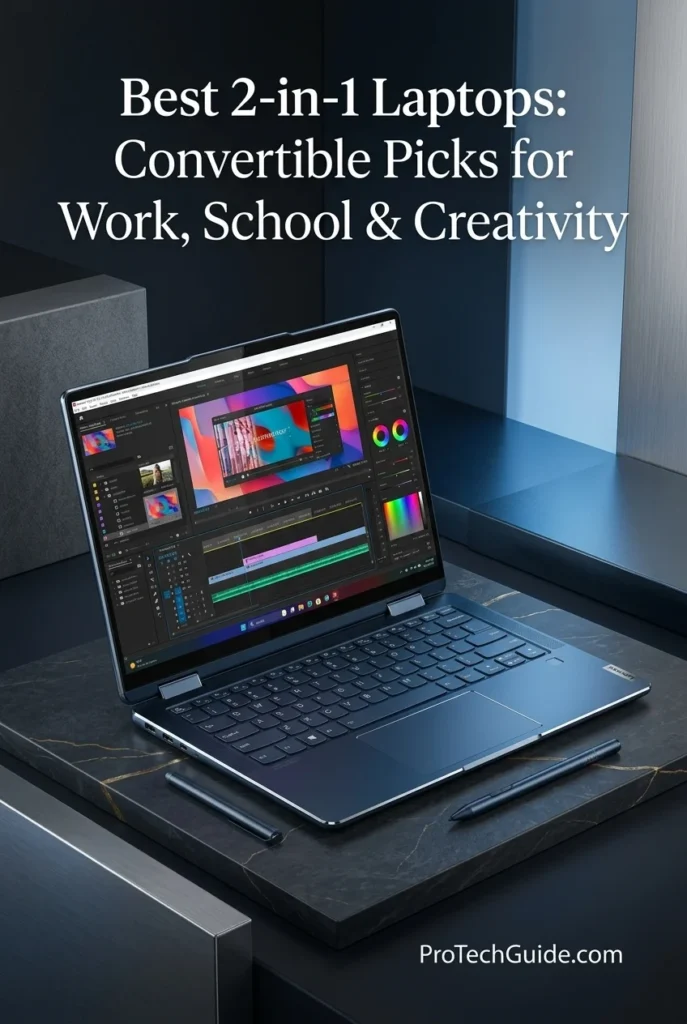
The Lenovo Yoga 9i 2-in-1 Aura Edition with an Intel Core Ultra 7 258V processor, 32GB of LPDDR5X memory, and a 1TB SSD is our top overall recommendation for buyers seeking a premium convertible laptop in 2026. Its 14-inch 4K OLED touchscreen, 360-degree hinge, and included Yoga Pen combine a high-quality display with the flexibility to switch between traditional laptop use, tablet-style interaction, presentations, and digital note-taking. With Windows 11 Pro, integrated Intel Arc graphics, and Wi-Fi 7, it is well suited to professionals, students, and creative users who want a versatile everyday computer with a premium display and responsive performance.
The Lenovo Yoga 9i 2-in-1 Aura Edition earns our Best 2-in-1 Laptop Overall designation because it combines premium display quality, 32GB of memory, a capable modern processor, and a genuinely flexible convertible design. Its included pen adds practical value for people who annotate documents, take handwritten notes, or sketch ideas, while its conventional laptop mode remains suitable for extended typing and productivity sessions. It is an especially compelling choice for buyers who want versatility without moving to a separate tablet-first device.
Compared with more value-oriented convertibles such as the HP OmniBook X Flip 14 and Lenovo Yoga 7i 2-in-1, the Yoga 9i emphasizes its high-resolution 4K OLED touchscreen, premium positioning, and included Yoga Pen. Its main trade-offs are the higher-end price category and the display's fixed 60Hz refresh rate in this 4K configuration, rather than the smoother refresh rates available on selected lower-resolution OLED variants. Buyers who primarily need basic coursework and office productivity may find a less expensive convertible sufficient, while this model makes the most sense for those who will actively use its premium screen and flexible input options.
Key Features
HP OmniBook X Flip 14
A Versatile OLED Convertible for Work, School & Everyday Creativity
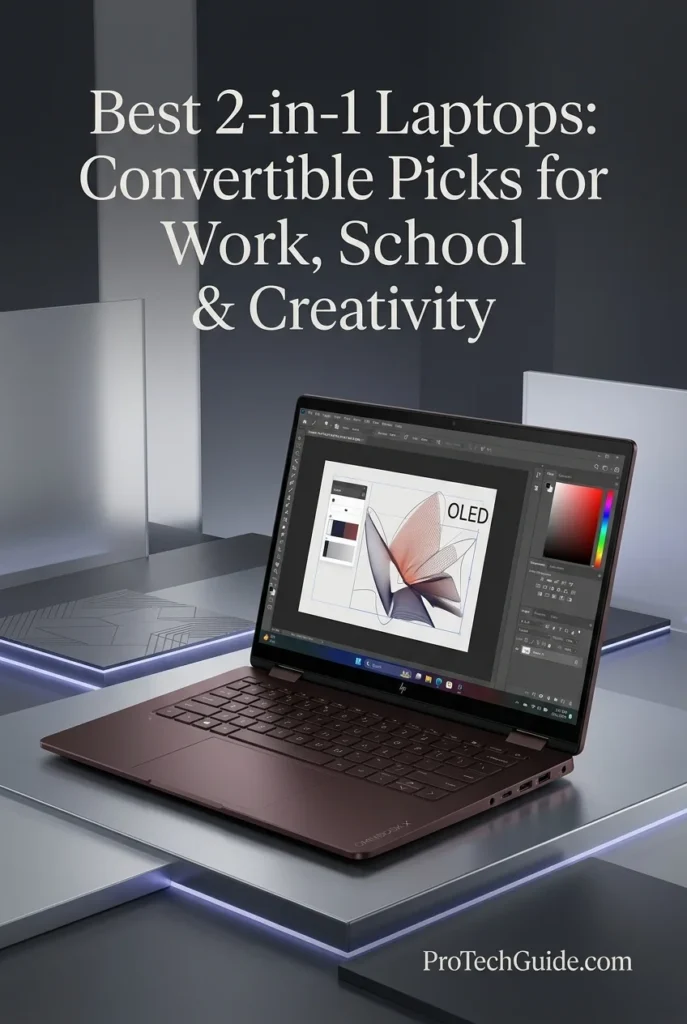
The HP OmniBook X Flip 14 with an AMD Ryzen AI 5 430 processor, 16GB of memory, and a 1TB PCIe SSD is our value-focused recommendation for buyers who want the flexibility of a convertible laptop without prioritizing the highest-end hardware. Its 14-inch 2K OLED touchscreen, 360-degree hinge, and integrated AMD Radeon 840M graphics create a versatile platform for productivity, coursework, presentations, everyday creative projects, and entertainment. With Windows 11 Home, Wi-Fi 7, and a dedicated AI processing unit, it combines modern connectivity and flexible input with a configuration suited to everyday work and multitasking.
The HP OmniBook X Flip 14 earns our Best Value 2-in-1 Laptop designation because it combines a versatile convertible design, an OLED touchscreen, a modern AMD processor, and 1TB of internal storage in a configuration aimed at everyday productivity rather than workstation-level workloads. Its appeal lies in providing the features many students and professionals will use regularly—touch interaction, multiple working modes, capable multitasking, and modern connectivity—without making flagship-class processing power the central requirement.
Compared with the Lenovo Yoga 9i 2-in-1 Aura Edition, the HP OmniBook X Flip 14 is positioned as a more value-focused option, with a four-core Ryzen AI 5 430 processor and 16GB of memory rather than the Lenovo's eight-core Core Ultra 7 258V and 32GB configuration. The Lenovo also offers a higher-resolution 4K OLED display and includes a Yoga Pen in the listed package. The HP remains a compelling alternative for users whose priorities are everyday productivity, convertible flexibility, OLED image quality, and storage capacity rather than maximum multitasking headroom. Buyers should also verify the exact display configuration and included accessories before ordering.
Key Features
Microsoft Surface Pro 13-inch (Snapdragon X2 Plus)
A Flexible Windows Tablet for Work, Study & Digital Creativity
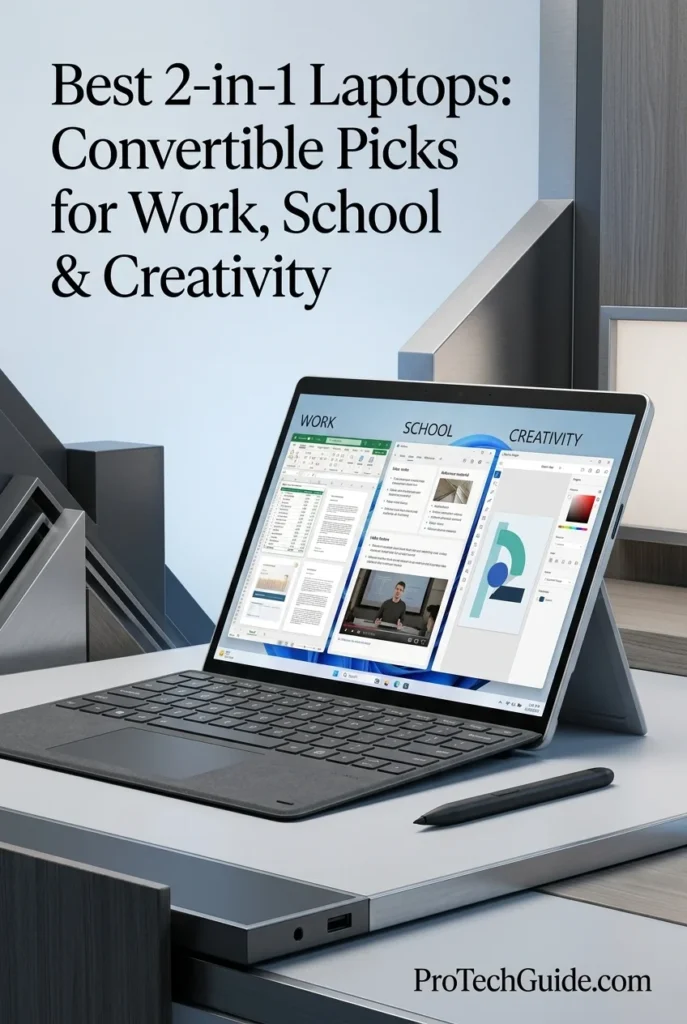
The Microsoft Surface Pro 13-inch with Snapdragon X2 Plus, 16GB of memory, and a 2TB SSD is our leading detachable 2-in-1 recommendation for users who want the flexibility of a Windows tablet without giving up a traditional laptop workflow. Its high-resolution 2880 × 1920 touchscreen, up-to-120Hz refresh rate, integrated kickstand, and included compatible keyboard and stylus make it adaptable to document editing, research, online meetings, handwritten notes, presentations, and creative tasks. The Snapdragon X2 Plus platform adds an integrated 80-TOPS NPU for supported on-device AI experiences, while the 2TB SSD provides generous listed storage for applications, documents, media, and active projects. The keyboard and stylus in this particular package are third-party accessories rather than Microsoft-manufactured Surface accessories.
The Surface Pro earns our Best Detachable 2-in-1 Laptop award for its tablet-first design, high-resolution touchscreen, integrated kickstand, and ability to transition into a conventional Windows productivity setup with a keyboard. Unlike a 360-degree convertible, it separates from its keyboard, making it especially attractive to people who frequently alternate between typing, presenting, reading, and writing directly on the screen. Its Snapdragon X2 Plus platform also brings an 80-TOPS NPU for compatible AI experiences, although actual application compatibility and performance depend on the software and workload.
Compared with conventional 360-degree convertibles such as the Lenovo Yoga 9i 2-in-1 Aura Edition and HP OmniBook X Flip 14, the Surface Pro prioritizes tablet flexibility and detachable input rather than keeping the display permanently attached to a laptop base. That design is a meaningful advantage for handwritten notes, reading, and presentation work, but users who type on their laps or need a stable, integrated laptop configuration may prefer a traditional convertible. Before buying this particular bundle, verify the advertised model and display specifications, and remember that its included keyboard and stylus are third-party accessories. Snapdragon-based Windows devices can also require compatibility checks for specialized applications, legacy software, and peripheral drivers.
Key Features
ASUS ProArt PX13
A Powerful Convertible for Digital Art, Design & Creative Workflows
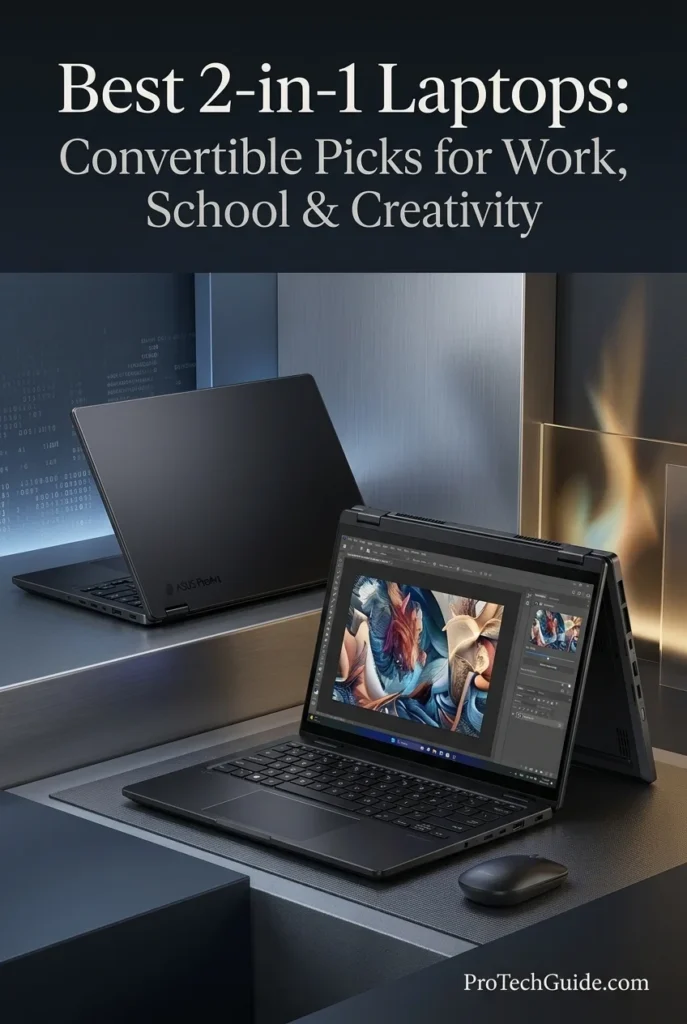
The ASUS ProArt PX13 with the AMD Ryzen AI Max+ 388, 32GB of onboard memory, and a 512GB SSD is our top convertible recommendation for creative professionals who need a compact workstation-style laptop for design, digital content creation, and demanding everyday production workflows. Its 8-core, 16-thread processor, integrated AMD Radeon graphics, and 13.3-inch 3K OLED touchscreen combine responsive computing with a detailed, color-focused workspace. The 2880 × 1800 display, 100% DCI-P3 color coverage, and Pantone validation listed for this display family make it particularly appealing for visual projects, image editing, illustration, and design review. Its convertible form factor supports different working positions, while the integrated AMD XDNA NPU provides up to 50 TOPS for supported AI workloads. With 32GB of onboard memory and a 512GB PCIe NVMe SSD in this configuration, the PX13 is best suited to creators who value mobility and display quality while keeping their active projects and software requirements within the system's available memory and storage capacity.
The ASUS ProArt PX13 earns our Best 2-in-1 for Creative Professionals award because it combines a high-resolution OLED touchscreen, a capable AMD Ryzen AI processor, 32GB of onboard memory, and a flexible convertible design in a compact creator-focused system. Its display and touch interface are particularly appealing for visual work, design review, and compatible pen-enabled applications. Rather than positioning it as a replacement for every high-end desktop workstation, we recommend it to creators who prioritize portability, display quality, and versatile interaction in a single Windows device.
Compared with the Microsoft Surface Pro, the ASUS ProArt PX13 offers a conventional convertible design with an integrated keyboard and a 360-degree hinge rather than a tablet that detaches from its keyboard. Compared with larger creator laptops, its 13.3-inch OLED display and compact format favor mobility over a more expansive workspace. The 512GB SSD may also require external storage or a disciplined project-management workflow for creators working with extensive video footage, large photo libraries, or substantial 3D assets. Buyers should verify the exact graphics configuration before purchase, because the marketplace listing advertises Radeon 8060S graphics while ASUS's official specifications for the Ryzen AI Max+ 388 configuration identify the graphics simply as integrated AMD Radeon graphics.
Key Features
LG gram Pro 2-in-1 16-inch
A Lightweight OLED Convertible for Productivity, Creativity & Multitasking
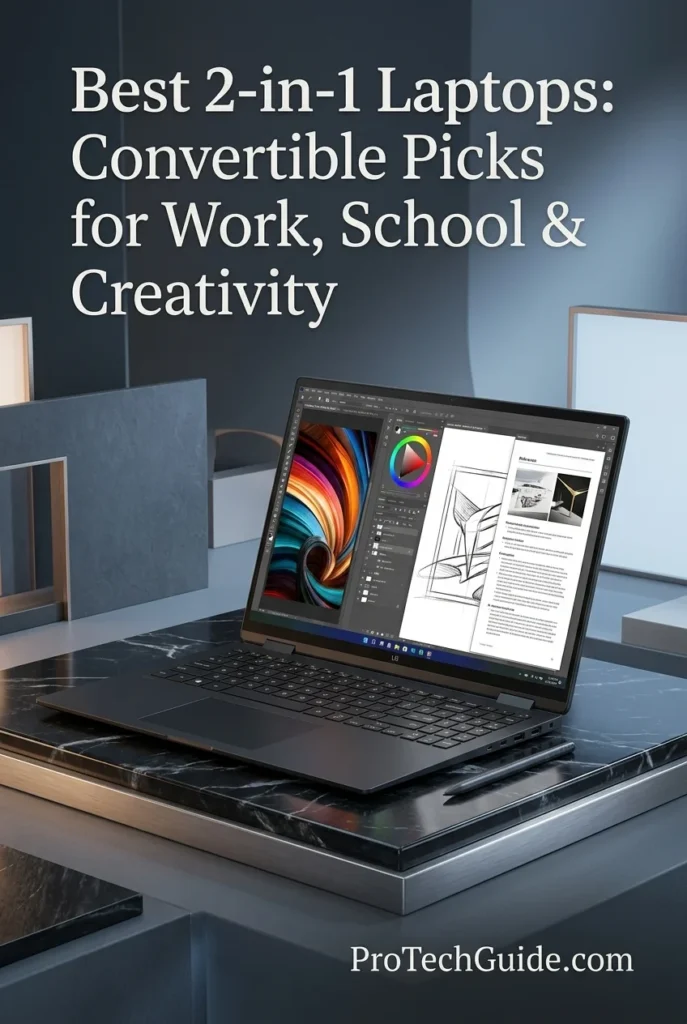
The LG gram Pro 2-in-1 16-inch with an Intel Core Ultra 7 255H processor, 16GB of memory, and a 1TB SSD is our top choice for users who want a large-screen convertible laptop in 2026. Its 16-inch WQXGA+ OLED touchscreen, 360-degree hinge, included stylus, and lightweight 3.08-pound design create a versatile platform for professional productivity, digital note-taking, creative projects, presentations, and everyday multitasking. The 2880 × 1800 display combines deep OLED contrast with a variable refresh rate of up to 120Hz, while the Intel Core Ultra 7 processor and integrated Intel Arc graphics support a broad range of productivity and creative applications. For users who prefer a spacious workspace without carrying a conventional large-screen laptop, the gram Pro 2-in-1 offers an appealing balance of screen area, flexibility, and portability.
The LG gram Pro 2-in-1 16-inch earns our Best Large-Screen 2-in-1 Laptop award because it combines a spacious OLED touchscreen, a flexible 360-degree design, stylus support, and a notably light 3.08-pound chassis. Rather than forcing users to choose between a large workspace and a portable convertible, it brings both together in a single device. It is especially compelling for professionals and students who regularly switch between typing, reading, handwriting, presentations, and visual tasks.
Compared with smaller 13- and 14-inch convertibles, the LG gram Pro 2-in-1 provides more screen space for side-by-side documents, large spreadsheets, creative interfaces, and multitasking. Its OLED panel and included stylus also make it more versatile for visual work and handwritten input than a conventional clamshell laptop. However, its 16GB memory configuration is less suitable for users who need substantial memory headroom for demanding professional workloads, and its integrated graphics are not a substitute for a dedicated GPU in intensive 3D rendering or advanced gaming. Buyers should also confirm the exact configuration before purchase, as memory and storage options vary across the gram Pro lineup.
Key Features
Lenovo Yoga 7i 2-in-1 14-inch
A Versatile OLED Convertible for Studying, Productivity & Everyday Work
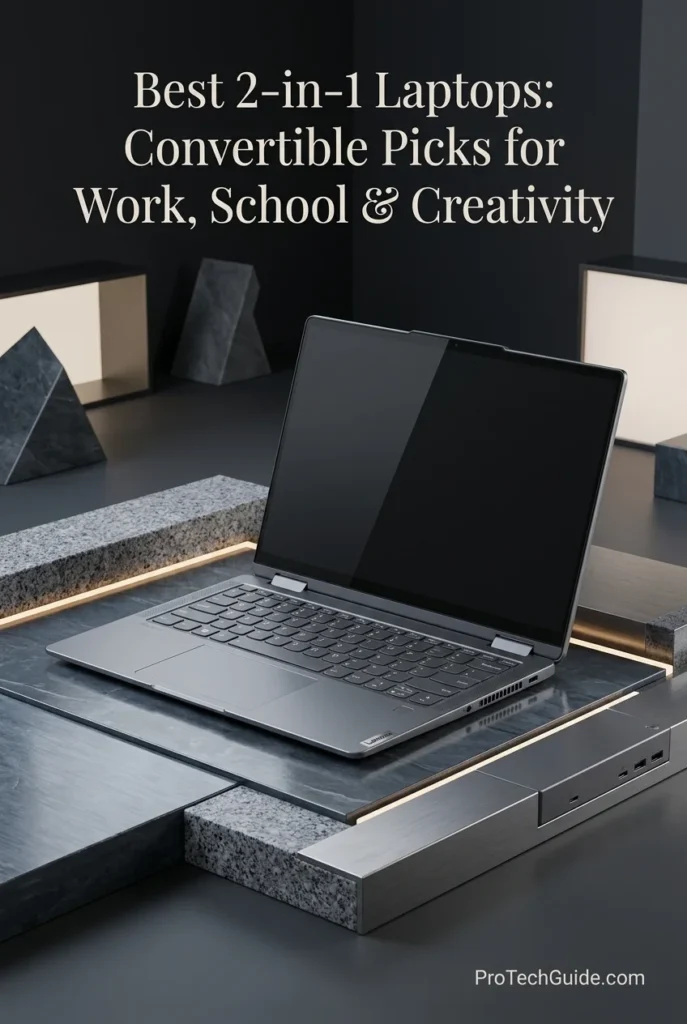
The Lenovo Yoga 7i 2-in-1 14-inch with an Intel Core Ultra 5 322 processor, 16GB of LPDDR5X memory, and a 1TB internal SSD is our recommended midrange convertible for students in 2026. Its 14-inch WUXGA OLED touchscreen, 360-degree hinge, and compact design make it well suited to lectures, research, document editing, presentations, online classes, and everyday productivity. The six-core processor and integrated Intel Graphics provide a practical foundation for common academic applications, multitasking, and compatible AI-assisted features. The included docking station adds connectivity and a separate 1TB storage component, but that additional capacity is not part of the laptop's internal SSD. For students who want the flexibility of a touchscreen convertible without stepping up to a more expensive performance-focused model, the Yoga 7i offers a useful balance of portability, everyday capability, and adaptable design.
The Lenovo Yoga 7i 2-in-1 14-inch earns our Best Midrange Convertible for Students award because it combines a responsive everyday processor, a vivid OLED touchscreen, a flexible 360-degree hinge, and 16GB of memory in a portable format. Its strongest advantage is versatility: students can use it as a conventional laptop for assignments, switch to touchscreen interaction for reading and navigation, and use tent or presentation mode when collaborating. The bundled docking station adds practical desktop connectivity and separate storage, provided buyers understand that the extra capacity is not an additional internal SSD.
Compared with premium convertibles such as the Lenovo Yoga 9i 2-in-1 and creative-focused models such as the ASUS ProArt PX13, the Yoga 7i prioritizes everyday academic productivity and practical value over high-end creative performance. Its WUXGA OLED screen is attractive for reading and general use, but it does not provide the extra resolution of higher-end OLED configurations. Integrated Intel Graphics are appropriate for routine applications and light visual tasks, not a replacement for a dedicated GPU in demanding 3D work. Buyers should also distinguish the laptop's 1TB internal SSD from the separate 1TB storage component in the bundled docking station.
Key Features
HP OmniBook Ultra Flip 14
A Premium Convertible for Business, Productivity & Professional Mobility
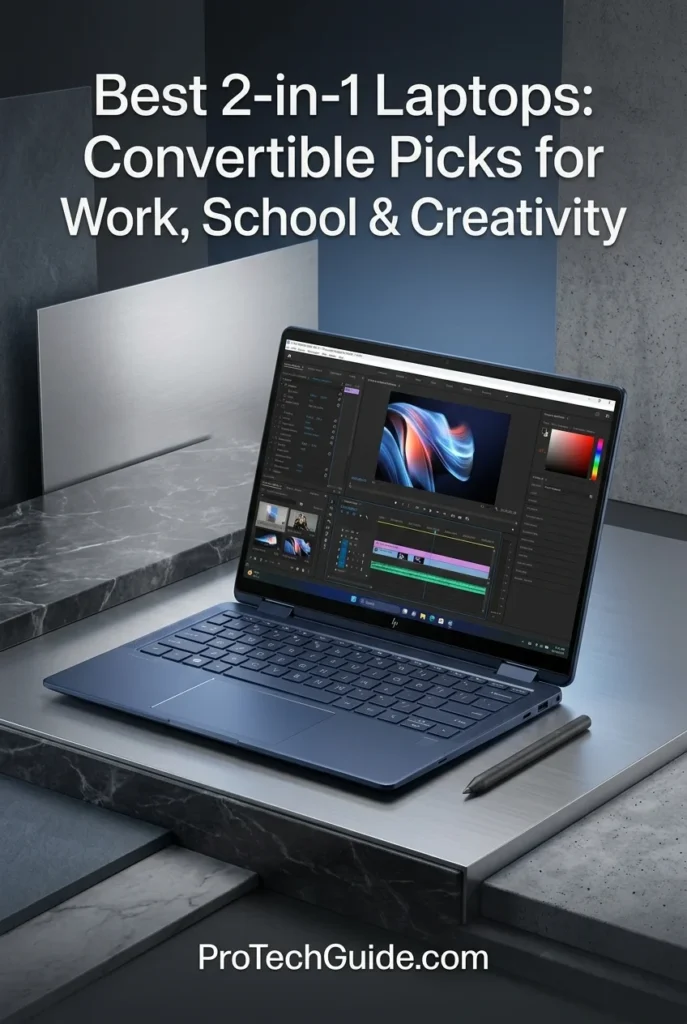
The HP OmniBook Ultra Flip 14 with an Intel Core Ultra 7 258V processor, 32GB of memory, and a 1TB SSD is our premium convertible recommendation for business professionals and productivity-focused users in 2026. It combines an eight-core Intel processor, integrated Intel Arc graphics, a 14-inch 2.8K OLED touchscreen, and a flexible 360-degree hinge in a lightweight design built for modern professional workflows. Its 32GB of onboard memory provides substantial capacity for multitasking across Microsoft 365, large spreadsheets, business applications, video meetings, research, and browser-based workflows. Windows 11 Pro also makes this configuration particularly appealing to professionals who need a business-oriented operating system alongside premium display quality and versatile laptop-to-tablet functionality.
The HP OmniBook Ultra Flip 14 earns our Best Premium 2-in-1 for Professionals award because it brings together 32GB of memory, a responsive Intel Core Ultra 7 processor, a premium OLED touchscreen, Windows 11 Pro, and a versatile convertible design. Its strongest appeal is the combination of professional productivity and mobility: it can serve as a conventional work laptop during the day and adapt to touchscreen presentations, document review, or tablet-style interaction when needed.
Compared with more student-focused convertibles such as the Lenovo Yoga 7i 2-in-1 14-inch and value-oriented options such as the HP OmniBook X Flip 14, the OmniBook Ultra Flip emphasizes a premium business experience, 32GB of memory, Windows 11 Pro, and a high-resolution OLED display. Its integrated graphics are appropriate for productivity, media, and moderate creative tasks, but professionals who regularly perform demanding 3D rendering, advanced GPU computation, or workstation-class graphics workloads should consider a laptop with a more powerful dedicated GPU. Memory is onboard, so buyers should choose the capacity they expect to need over the laptop's lifetime.
Key Features
Acer Swift Spin 14 AI Copilot+ PC
An AI-Ready Convertible for Mobile Productivity, Study & Creativity
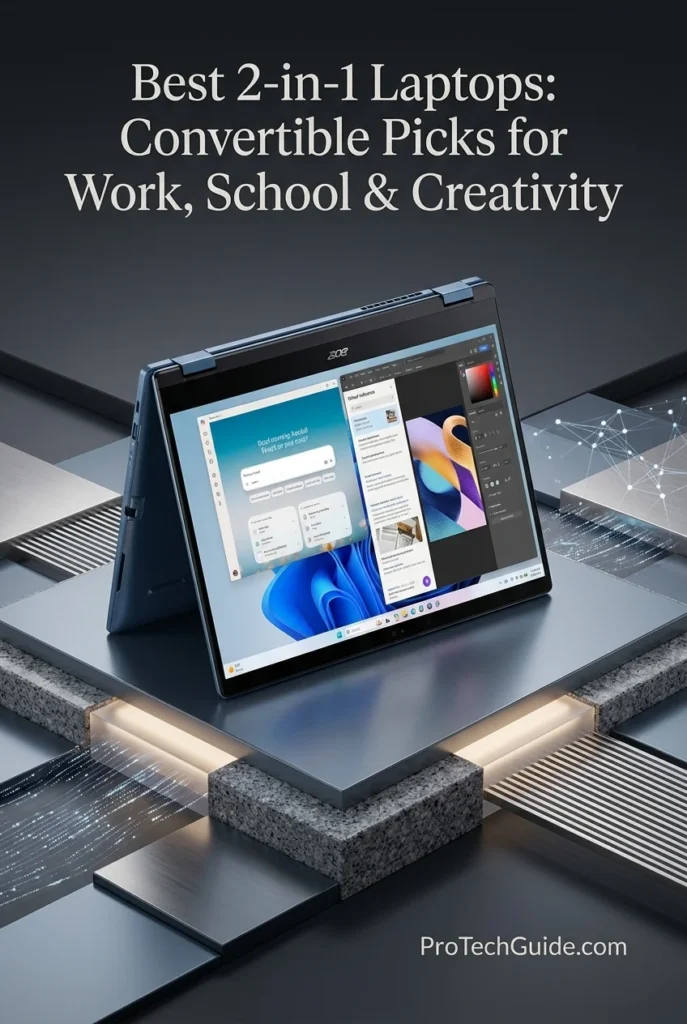
The Acer Swift Spin 14 AI Copilot+ PC with the Snapdragon X2 Elite X2E-78-100, 16GB of LPDDR5X memory, and a 512GB PCIe Gen 4 SSD is our recommendation for users seeking a modern convertible built around Qualcomm's latest Snapdragon platform. Its 12-core Oryon processor, integrated Qualcomm Adreno graphics, and Hexagon NPU rated at up to 80 TOPS create a compelling foundation for everyday productivity, compatible AI-assisted workflows, and mobile computing. The 14-inch WUXGA touchscreen combines a 120Hz refresh rate with a 100% sRGB color gamut, while the 360-degree hinge and included Acer Active Stylus support handwritten notes, document annotation, and sketching. With Wi-Fi 7, USB4 connectivity, and a chassis weighing approximately 2.95 pounds, the Swift Spin 14 AI is particularly appealing to students and professionals who value portability, touchscreen versatility, and efficient on-device AI processing.
The Acer Swift Spin 14 AI earns our Best Snapdragon-Powered Convertible award because it combines a 12-core Snapdragon X2 Elite processor, an 80-TOPS-class NPU, a 120Hz touchscreen, an included active stylus, and a lightweight 360-degree design. Its strongest appeal is the balance between mobility, convertible flexibility, and AI-oriented hardware. For students and professionals who primarily use compatible productivity applications, web services, digital note-taking tools, and supported AI features, it offers a distinctive alternative to Intel- and AMD-based convertibles.
Compared with the Lenovo Yoga 7i 2-in-1 14-inch and HP OmniBook X Flip 14, the Acer Swift Spin 14 AI stands out through its Snapdragon X2 Elite platform, 80 TOPS NPU, included stylus, and lightweight convertible design. Its 16GB of onboard memory and 512GB SSD are appropriate for everyday productivity, but users with demanding multitasking requirements may prefer a configuration with more memory and storage. Buyers should also verify that essential Windows applications, peripherals, drivers, and specialized software support Windows on ARM before choosing this laptop, particularly if their workflow depends on legacy applications or tools that require specific x86 components.
Key Features
Best 2-in-1 Laptops in 2026
Ranked by Convertible Design, Processor Performance, Display Quality, Touchscreen Versatility, Battery Efficiency, Portability & Overall Value
Choosing the best 2-in-1 laptop in 2026 means finding the right balance between traditional laptop productivity and the flexibility of a touchscreen device. We compared eight convertible and detachable systems based on their processors, memory, internal storage, display quality, input options, portability, connectivity, and suitability for work, school, and creative projects. From premium OLED convertibles and large-screen productivity systems to a detachable Windows tablet and a Snapdragon-powered Copilot+ PC, this comparison highlights what each model does best, who should consider it, and where its design or hardware may introduce trade-offs. Use the table to identify the right device for your workflow before exploring each laptop in detail.
| Laptop | CPU & Key Specs | Best For | Why It Wins | Editor's Verdict |
|---|---|---|---|---|
Best Overall
Lenovo Yoga 9i 2-in-1 Aura Edition
Check Price
|
Intel Core Ultra 7 258V 32GB LPDDR5X Memory 1TB PCIe NVMe SSD 14" 4K OLED Touchscreen 360° Convertible Design |
Premium Productivity Students & Professionals Digital Note-Taking Everyday Creative Work | The Yoga 9i combines a high-resolution 4K OLED touchscreen, 32GB of memory, fast SSD storage, and a flexible 360-degree hinge in a premium convertible design. Its included Yoga Pen adds another practical input option for handwritten notes, annotations, and supported creative applications, making it a versatile choice for users who want one device for focused work, collaboration, and entertainment. | Best Overall 2-in-1 Laptop |
Best Value
HP OmniBook X Flip 14
Check Price
|
AMD Ryzen AI 5 430 16GB Memory 1TB PCIe SSD 14" OLED Touchscreen 360° Convertible Design |
Students Everyday Productivity Home & Office Work Budget-Conscious Buyers | The OmniBook X Flip 14 pairs a modern AMD Ryzen AI processor with an OLED touchscreen, 1TB of internal storage, and a flexible convertible chassis. It is an appealing option for users who want a versatile everyday laptop for documents, research, video calls, multitasking, and casual creative work without moving into the more expensive premium tier. | Best Value 2-in-1 Laptop |
Best Detachable
Microsoft Surface Pro 2026
Check Price
|
Snapdragon X2 Plus 16GB Memory 2TB SSD — Seller-Listed High-Resolution Touchscreen Detachable Tablet Design |
Mobile Professionals Digital Note-Taking Presentations & Meetings Tablet-First Workflows | Unlike a conventional 360-degree convertible, the Surface Pro is designed around a detachable tablet form factor. Its lightweight tablet body, built-in kickstand, touchscreen interface, and Windows-on-Arm platform make it attractive for users who prioritize mobility, handwriting, and flexible presentation setups. The listed keyboard and pen bundle adds versatility, although buyers should verify the exact screen size, accessory configuration, and processor variant before ordering. | Best Detachable 2-in-1 Device |
Best for Creators
ASUS ProArt PX13
Check Price
|
AMD Ryzen AI Max+ 388 32GB Onboard Memory 512GB PCIe NVMe SSD 13.3" 3K OLED Touchscreen 360° Convertible Design |
Digital Artists Design & Illustration Creative Professionals Color-Sensitive Workflows | The ProArt PX13 is built for creators who need a compact convertible with a high-resolution OLED touchscreen, broad DCI-P3 color coverage, and a capable Ryzen AI Max+ processor. Its touchscreen and convertible hinge support flexible working positions, while its onboard memory and integrated graphics configuration make it important to evaluate the exact model carefully against demanding GPU-heavy applications and larger professional projects. | Best 2-in-1 for Creative Professionals |
Best Large-Screen
LG gram Pro 2-in-1 16-inch
Check Price
|
Intel Core Ultra 7 255H 16GB Memory 1TB SSD 16" 2880 × 1800 OLED Up to 120Hz Refresh Rate |
Large-Canvas Productivity Multitasking Digital Note-Taking Presentations & Creative Work | The LG gram Pro 2-in-1 prioritizes screen space without abandoning portability. Its 16-inch OLED touchscreen provides a generous workspace for documents, split-screen applications, presentations, and creative tasks, while the 360-degree hinge and included stylus support more flexible input. Its 16GB memory is suitable for mainstream productivity, although users handling particularly demanding projects should consider whether their software and workload require greater memory capacity. | Best Large-Screen 2-in-1 Laptop |
Best for Students
Lenovo Yoga 7i 2-in-1 14-inch
Check Price
|
Intel Core Ultra 5 322 16GB LPDDR5X Memory 1TB Internal SSD 14" WUXGA OLED Touchscreen Wi-Fi 7 |
College & University Students Research & Coursework Handwritten Notes Everyday Multitasking | The Yoga 7i combines a 14-inch OLED touchscreen, a student-friendly convertible design, modern Intel Core Ultra processing, and 1TB of listed internal SSD storage. Its flexible hinge supports laptop and tablet-style use for research, reading, note-taking, and presentations. The seller also advertises additional storage through a bundled docking station, but that capacity is separate from the laptop's internal SSD. | Best Midrange Convertible for Students |
Best for Professionals
HP OmniBook Ultra Flip 14
Check Price
|
Intel Core Ultra 7 258V 32GB LPDDR5X Memory 1TB PCIe Gen 4 SSD 14" 2.8K OLED Touchscreen Windows 11 Pro |
Business Professionals Consultants & Executives Meetings & Presentations Mobile Productivity | The OmniBook Ultra Flip combines 32GB of onboard memory, a high-resolution OLED touchscreen, and a premium convertible design with Windows 11 Pro. Its flexible hinge supports presentations and touchscreen interaction, while the 9MP camera, fingerprint reader, and Thunderbolt 4 connectivity strengthen its appeal for professional communication and mobile office workflows. Its integrated graphics are intended for general productivity and compatible creative applications rather than workstation-class GPU workloads. | Best Premium 2-in-1 for Professionals |
Best Snapdragon
Acer Swift Spin 14 AI Copilot+ PC
Check Price
|
Snapdragon X2 Elite X2E-78-100 16GB LPDDR5X Memory 512GB PCIe Gen 4 SSD 14" WUXGA 120Hz Touchscreen NPU up to 80 TOPS |
Mobile Productivity AI-Assisted Workflows Students & Travelers Long-Running Everyday Tasks | The Swift Spin 14 AI combines a Snapdragon X2 Elite platform with a 14-inch 120Hz touchscreen, a 360-degree hinge, and an included Acer Active Stylus. Its efficient Arm-based architecture and dedicated NPU make it an interesting option for supported AI features and mobile productivity. Buyers should check Windows-on-Arm application, driver, peripheral, and game compatibility before choosing it for specialist software or established x86-dependent workflows. | Best Snapdragon-Powered Convertible |
Recommended Next Reads
Finished comparing the best 2-in-1 laptops in 2026? Explore our related laptop guides for students, business professionals, creative work, display quality, portability, and budget-conscious buying.
Whether you need a convertible for college, a flexible device for business meetings, an OLED touchscreen for creative projects, or a lightweight laptop for working on the move, choosing the right form factor is only part of the decision. These guides help you compare laptops by their intended use, display characteristics, portability, and budget so you can find a system that fits your everyday workflow.
Best Laptops for Students in 2026
Compare student-focused laptops for coursework, research, online classes, note-taking, multitasking, and everyday campus use across different budgets and study needs.
Explore Student Laptops →Best Business Laptops in 2026
Explore laptops for professional productivity, business applications, video meetings, multitasking, security features, and dependable everyday office work.
Explore Business Laptops → Display Quality & Visual ExperienceBest OLED Laptops in 2026
Compare OLED laptops for rich contrast, detailed visuals, entertainment, digital content, and creative workflows where display quality matters.
Explore OLED Laptops → Portability & Mobile WorkBest Lightweight Laptops in 2026
Find portable laptops for commuting, travel, college, remote work, and everyday productivity when a lighter device is a priority.
Explore Lightweight Laptops → Creative Work & Digital DesignBest Laptops for Graphic Design in 2026
Compare laptops for Photoshop, Illustrator, digital art, visual design, and creative applications that benefit from suitable displays and responsive performance.
Explore Graphic Design Laptops → Budget & Overall ValueBest Laptops Under $1000 in 2026
Explore laptops selected for work, school, and everyday use if you want to compare practical performance and features before committing to a higher-priced convertible.
Explore Laptops Under $1000 → Remote Work & Everyday FlexibilityBest Laptops for Remote Work in 2026
Find laptops suited to video calls, home-office productivity, communication, multitasking, and flexible work routines across different locations.
Explore Remote Work Laptops →EDITOR'S FINAL RECOMMENDATIONS
After comparing eight 2-in-1 laptops across processor performance, memory, display quality, convertible design, touchscreen responsiveness, stylus support, storage, portability, connectivity, battery expectations, software compatibility, and overall value, these are our final recommendations for 2026. Whether you need a premium convertible for everyday productivity, a detachable Windows tablet for flexible working, a larger display for multitasking, a creative workstation-style design, or a more affordable laptop for school, the right choice depends on how you plan to use it. Our selections prioritize practical differences between each device rather than treating every convertible as interchangeable.
Lenovo Yoga 9i 2-in-1 Aura Edition
Our top overall recommendation for buyers who want a premium 2-in-1 without sacrificing the traditional laptop experience. The Lenovo Yoga 9i combines an Intel Core Ultra 7 258V processor, 32GB of memory, a 1TB SSD, and a high-resolution 14-inch OLED touchscreen in a flexible 360-degree design. Its included Yoga Pen and Windows 11 Pro configuration make it especially appealing for professionals, students, and creative users who want one polished device for writing, presenting, sketching, and everyday productivity.
- ✓ Intel Core Ultra 7 258V
- ✓ 32GB LPDDR5X Memory
- ✓ 1TB PCIe NVMe SSD
- ✓ 14-inch 4K OLED Touchscreen
HP OmniBook X Flip 14
The value-focused choice for buyers who want a modern OLED convertible with substantial storage and practical everyday performance. Its AMD Ryzen AI 5 430 processor, 16GB of memory, 1TB SSD, and 14-inch touchscreen provide a well-rounded platform for documents, research, online learning, video calls, and light creative tasks. The 360-degree hinge adds tablet and presentation flexibility, making it an appealing option for people who want convertible functionality without automatically moving into a more expensive premium configuration.
- ✓ AMD Ryzen AI 5 430
- ✓ 16GB Memory
- ✓ 1TB PCIe SSD
- ✓ 14-inch OLED Touchscreen
Microsoft Surface Pro with Snapdragon X2 Plus
The most flexible option for buyers who prefer a tablet-first Windows device with a detachable keyboard rather than a conventional laptop with a 360-degree hinge. The advertised configuration combines a Snapdragon X2 Plus processor, 16GB of memory, a 2TB SSD, and a high-refresh-rate touchscreen, with a keyboard and stylus included in the bundle. It is particularly attractive for mobile professionals, students, and frequent note-takers who value a compact form factor. Confirm the exact model, screen size, and included accessories before purchasing, as the seller's listing details should be checked against Microsoft's specifications.
- ✓ Qualcomm Snapdragon X2 Plus
- ✓ 16GB Memory
- ✓ 2TB SSD Storage
- ✓ High-Resolution Touchscreen Advertised at 120Hz
ASUS ProArt PX13
The creative-focused convertible for users who need a color-oriented OLED touchscreen, stylus support, and a processor designed for demanding creative workflows. Its AMD Ryzen AI Max+ 388 processor, 32GB of onboard memory, and 13.3-inch 3K OLED display make it well suited to digital illustration, design, photo editing, and compatible creative applications. The compact 360-degree design adds flexibility for sketching and presenting work. Buyers should verify the exact graphics configuration before purchase, since the processor's official specifications do not substantiate every discrete Radeon GPU designation used in the seller listing.
- ✓ AMD Ryzen AI Max+ 388
- ✓ 32GB Onboard Memory
- ✓ 512GB PCIe NVMe SSD
- ✓ 13.3-inch 3K OLED Touchscreen
LG gram Pro 2-in-1 16-inch
The best fit for buyers who want a large, high-resolution workspace without giving up the flexibility of a convertible laptop. Its 16-inch OLED touchscreen provides more room for side-by-side documents, presentations, creative projects, and multitasking than a typical 13- or 14-inch device. The Intel Core Ultra 7 255H processor, 16GB of memory, 1TB SSD, 360-degree hinge, and advertised included stylus create a versatile productivity package. It is particularly compelling for users who frequently switch between conventional laptop work, touchscreen interaction, and pen-based tasks.
- ✓ Intel Core Ultra 7 255H
- ✓ 16GB Memory
- ✓ 1TB SSD Storage
- ✓ 16-inch 2880 × 1800 OLED Display
Lenovo Yoga 7i 2-in-1 14-inch
A balanced midrange convertible for students who need one device for lectures, research, writing assignments, online classes, and everyday productivity. Its Intel Core Ultra 5 322 processor, 16GB of memory, OLED touchscreen, and 360-degree hinge provide useful flexibility for switching between laptop and tablet-style use. The configuration includes a 1TB internal SSD, while the advertised additional storage is associated with a bundled docking station rather than a second internal drive. This distinction matters when comparing the laptop's built-in storage with the bundle's extra accessories.
- ✓ Intel Core Ultra 5 322
- ✓ 16GB LPDDR5X Memory
- ✓ 1TB Internal SSD
- ✓ 14-inch WUXGA OLED Touchscreen
HP OmniBook Ultra Flip 14
The premium business-oriented convertible for professionals who move between focused work, meetings, presentations, and mobile productivity. Its Intel Core Ultra 7 258V processor, 32GB of onboard LPDDR5X memory, 1TB SSD, and 14-inch 2.8K OLED touchscreen provide a strong foundation for demanding everyday office workflows. Windows 11 Pro, Wi-Fi 7, biometric security features, and the 360-degree hinge add practical advantages for work. Unlike some larger business laptops, this model relies on USB-C and Thunderbolt connectivity rather than offering a built-in USB-A port.
- ✓ Intel Core Ultra 7 258V
- ✓ 32GB LPDDR5X Memory
- ✓ 1TB PCIe Gen 4 NVMe SSD
- ✓ 14-inch 2.8K OLED Touchscreen
Acer Swift Spin 14 AI Copilot+ PC
The standout option for buyers interested in a Snapdragon-powered convertible with modern on-device AI capabilities and a high-refresh-rate touchscreen. Its Snapdragon X2 Elite X2E-78-100 processor, integrated Qualcomm AI engine, 16GB of LPDDR5X memory, and 512GB Gen 4 SSD target mobile productivity, study, web-based workflows, and compatible creative applications. The 14-inch WUXGA display supports up to 120Hz, while the 360-degree hinge and included Acer Active Stylus add flexibility. Because it runs Windows on Arm, buyers should confirm compatibility with any specialized desktop applications, peripherals, or drivers they depend on.
- ✓ Snapdragon X2 Elite X2E-78-100
- ✓ Qualcomm Hexagon NPU up to 80 TOPS
- ✓ 16GB LPDDR5X Memory
- ✓ 14-inch WUXGA Touchscreen up to 120Hz
Which 2-in-1 laptop should you buy?
Lenovo Yoga 9i 2-in-1 Aura Edition
HP OmniBook X Flip 14
Microsoft Surface Pro with Snapdragon X2 Plus
ASUS ProArt PX13
LG gram Pro 2-in-1 16-inch
Lenovo Yoga 7i 2-in-1 14-inch
HP OmniBook Ultra Flip 14
Acer Swift Spin 14 AI Copilot+ PC
- Choose the Lenovo Yoga 9i 2-in-1 Aura Edition if you want the strongest overall combination of premium design, 4K OLED image quality, 32GB of memory, a fast processor, and flexible laptop-and-tablet functionality. It is the most balanced recommendation for buyers who want a high-end convertible for work, study, and creative tasks.
- Choose the HP OmniBook X Flip 14 if value is your priority and you want an OLED touchscreen, a 1TB SSD, and a versatile 360-degree hinge for everyday work, school, and light creative projects without necessarily paying for a flagship configuration.
- Choose the Microsoft Surface Pro with Snapdragon X2 Plus if you prefer a detachable tablet design for handwriting, meetings, travel, and flexible mobile work. Before purchasing, verify the exact Surface generation, screen size, processor configuration, and whether the keyboard and stylus in the listing are Microsoft accessories or third-party bundle items.
- Choose the ASUS ProArt PX13 if your workflow centers on digital illustration, design, photo editing, and other creative applications that benefit from a color-focused OLED touchscreen and convertible form factor. Confirm the exact graphics specification and software requirements rather than relying solely on the GPU description in the seller listing.
- Choose the LG gram Pro 2-in-1 16-inch if a large display is central to your workflow. Its 16-inch OLED panel offers more room for multitasking, detailed creative work, presentations, and side-by-side windows while retaining the flexibility of a 360-degree convertible.
- Choose the Lenovo Yoga 7i 2-in-1 14-inch if you want a practical midrange convertible for university, research, assignments, and everyday productivity. Its 16GB of memory and 1TB internal SSD offer a useful foundation, but remember that the additional storage advertised with the bundle belongs to the docking-station accessories rather than the laptop's internal drive.
- Choose the HP OmniBook Ultra Flip 14 if you want a premium business convertible with 32GB of onboard memory, a high-resolution OLED touchscreen, Windows 11 Pro, and a flexible design for meetings, presentations, and professional mobility. Its USB-C-centered port selection is worth considering if you regularly connect older USB-A accessories.
- Choose the Acer Swift Spin 14 AI Copilot+ PC if you are interested in Snapdragon performance, integrated AI processing, a 120Hz touchscreen, and an included stylus in a convertible design. Confirm that your essential applications and peripherals work properly on Windows on Arm before making it your primary work device.
EDITOR'S FINAL VERDICT
After comparing eight convertible and detachable devices across processor performance, memory, touchscreen quality, OLED and IPS display options, stylus support, storage, portability, connectivity, software compatibility, and overall value, one conclusion stands out: the best 2-in-1 laptop is not necessarily the most expensive model or the device with the longest specification list. It is the one whose design, display, performance, and input options best match the way you work, study, create, and travel. A premium 360-degree convertible, a detachable Windows tablet, and a creative-focused laptop can serve very different needs, even when they share the same broad product category.
The best 2-in-1 laptops combine the functionality of a conventional Windows laptop with the flexibility of touchscreen interaction, tablet-style use, presentations, handwriting, and compatible pen-based workflows. For many buyers, the most important considerations are a responsive touchscreen, a comfortable keyboard, sufficient memory, fast SSD storage, useful battery life, and a hinge or detachable design that genuinely improves everyday productivity. Creative professionals may place greater emphasis on color accuracy and stylus support, while students and mobile professionals may value portability, versatility, and overall cost.
For most buyers seeking one device for work, school, and creativity, a well-balanced 14-inch convertible with 16GB or more of memory and a fast SSD is a strong starting point. Consider 32GB of memory if your workload involves heavier multitasking or demanding creative applications. Prioritize display quality, pen support, and convertible design according to how you will actually use them, and remember that a detachable tablet is not the same as a traditional 360-degree laptop.- Choose the Lenovo Yoga 9i 2-in-1 Aura Edition if you want the strongest overall combination of premium construction, a high-resolution OLED touchscreen, 32GB of memory, a fast processor, and flexible laptop-and-tablet functionality for work, study, and creative tasks.
- Choose the HP OmniBook X Flip 14 if you want a more value-focused OLED convertible with a 1TB SSD and a 360-degree hinge for everyday productivity, schoolwork, video calls, and light creative projects.
- Choose the Microsoft Surface Pro with Snapdragon X2 Plus if you prefer a tablet-first Windows device with a detachable keyboard for mobile work, handwritten notes, presentations, and travel. Verify the exact model, display size, and included accessories before buying.
- Choose the ASUS ProArt PX13 if digital art, design, photo editing, and other creative workflows make a color-focused OLED touchscreen and stylus-friendly convertible design especially valuable. Confirm the exact graphics configuration and application requirements.
Top 2-in-1 Laptop Recommendations (2026)
Lenovo Yoga 9i 2-in-1 Aura Edition
Our Editor's Choice for buyers who want a premium convertible that can handle everyday professional work, studying, presentations, and creative tasks. Its Intel Core Ultra 7 258V processor, 32GB of memory, 1TB SSD, 14-inch 4K OLED touchscreen, and included Yoga Pen create a versatile package for users who want high-end display quality and flexible input options in one device.
- ✓ Intel Core Ultra 7 258V
- ✓ 32GB LPDDR5X Memory
- ✓ 1TB PCIe NVMe SSD
- ✓ 14-inch 4K OLED Touchscreen
HP OmniBook X Flip 14
The value-oriented choice for buyers who want OLED visuals, everyday performance, and convertible flexibility without automatically moving to a flagship model. Its AMD Ryzen AI 5 430 processor, 16GB of memory, 1TB SSD, and 14-inch OLED touchscreen suit general productivity, online learning, research, and compatible light creative work.
- ✓ AMD Ryzen AI 5 430
- ✓ 16GB Memory
- ✓ 1TB PCIe SSD
- ✓ 14-inch OLED Touchscreen
Microsoft Surface Pro with Snapdragon X2 Plus
The best fit for buyers who prefer a detachable tablet format over a conventional convertible hinge. Its advertised Snapdragon X2 Plus platform, 16GB of memory, 2TB SSD, and high-refresh-rate touchscreen target flexible mobile productivity, note-taking, and presentations. Because the retail listing may differ from Microsoft's published model specifications, verify the exact device and bundle before purchase.
- ✓ Qualcomm Snapdragon X2 Plus
- ✓ 16GB Memory
- ✓ Advertised 2TB SSD
- ✓ High-Refresh-Rate Touchscreen Advertised at 120Hz
- ✓ You want the best overall combination of premium design, performance, and convertible flexibility
- ✓ You value a high-resolution OLED touchscreen for documents, media, and creative work
- ✓ You want 32GB of memory and a 1TB SSD in a premium 14-inch laptop
- ✓ You expect to switch between conventional laptop use, presentations, and pen-based interaction
- ✓ You want a versatile OLED convertible at a more value-focused position
- ✓ Your main tasks include schoolwork, documents, research, meetings, and everyday productivity
- ✓ You prefer a 14-inch touchscreen and a 360-degree hinge
- ✓ You want 16GB of memory and 1TB of SSD storage for typical everyday workloads
- ✓ Decide whether you need a 360-degree convertible or a detachable tablet with a separate keyboard
- ✓ Consider 16GB of memory a practical baseline for everyday use, and look at 32GB for heavier multitasking or demanding creative workflows
- ✓ Check whether an active stylus is included, sold separately, or only supported by the touchscreen
- ✓ Verify the actual internal SSD capacity and distinguish it from storage supplied through an external dock or accessory
- ✓ Confirm that your essential applications and peripherals are compatible, especially with Windows on Arm devices
A 2-in-1 laptop should do more than offer a touchscreen. Its value comes from how effectively it combines the everyday strengths of a laptop with the flexibility of tablet-style interaction. Keyboard comfort, display quality, memory, storage, portability, pen support, software compatibility, and the practical design of the hinge all influence the experience over time. The best choice is the one that makes those features useful in your daily routine rather than adding flexibility you rarely need.
Among the models evaluated in this guide, the Lenovo Yoga 9i 2-in-1 Aura Edition delivers the strongest overall combination of premium design, 4K OLED display quality, 32GB of memory, and convertible versatility, making it our Editor's Choice for the best 2-in-1 laptop in 2026. The HP OmniBook X Flip 14 is a compelling alternative for buyers focused on value, while the Microsoft Surface Pro with Snapdragon X2 Plus is the better fit for those who specifically want a detachable tablet-style device. Creative professionals should give the ASUS ProArt PX13 particular consideration for its OLED display and creative-focused design.
Compare current prices, exact configurations, display specifications, included stylus and keyboard accessories, warranty coverage, and availability before choosing the convertible or detachable device that best matches your work, school, and creative needs.
Check Latest DealsEDITOR'S FAQ
Choosing the best 2-in-1 laptop involves more than comparing processor specifications. Buyers should consider whether a 360-degree convertible or detachable tablet better suits their needs, along with touchscreen quality, stylus support, memory, storage, battery life, portability, and software compatibility. The right configuration depends on whether the device will primarily support schoolwork, business productivity, digital creativity, presentations, or travel.These frequently asked questions explain what to look for in a convertible laptop, how much memory you need, whether an OLED touchscreen is worth the investment, when a detachable device makes more sense, and how to choose between our eight recommended models for 2026.
Its Intel Core Ultra 7 258V processor, 32GB of memory, 1TB SSD, 14-inch 4K OLED touchscreen, and included Yoga Pen create a versatile package for professional productivity, studying, presentations, and compatible creative workflows. Its 360-degree hinge lets you switch between conventional laptop use and alternative touchscreen positions without detaching the display.
- Premium 14-inch 4K OLED touchscreen for detailed images and text.
- 32GB of LPDDR5X memory for demanding multitasking.
- 1TB PCIe NVMe SSD for applications, documents, and creative projects.
- 360-degree convertible design for laptop, presentation, and tablet-style use.
- Included Yoga Pen for compatible handwriting, annotation, and drawing tasks.
The HP OmniBook X Flip 14 is a compelling alternative for buyers prioritizing value, while the Microsoft Surface Pro with Snapdragon X2 Plus is better suited to those who specifically want a detachable tablet-style device. Creative professionals should also consider the ASUS ProArt PX13.
Check PriceBoth designs support touchscreen interaction, but they provide different everyday experiences. A convertible retains its keyboard as part of the device and folds into different positions. A detachable can function more like a standalone tablet when its keyboard is removed.
- 360-degree convertible → Best for people who frequently alternate between typing, touchscreen interaction, presentations, and occasional tablet-style use.
- Detachable device → Best for people who prioritize tablet use, handwritten notes, reading, and a removable keyboard.
- Convertible advantage → The keyboard remains attached, making it convenient to switch between working and presenting.
- Detachable advantage → Removing the keyboard can make the tablet more convenient for handwriting and handheld use.
- Important consideration → Keyboard, stylus, kickstand, and accessory quality can differ between models and retail bundles.
The Lenovo Yoga 9i, HP OmniBook X Flip 14, ASUS ProArt PX13, LG gram Pro 2-in-1, Lenovo Yoga 7i, HP OmniBook Ultra Flip, and Acer Swift Spin use convertible designs. The Microsoft Surface Pro is the detachable option in this guide. Verify the exact Surface model and bundled accessories before purchasing.
Check Detachable OptionThe amount of memory you need depends on the applications you use and how many tasks you run simultaneously. Students working with documents, browser tabs, video calls, and online learning platforms typically have different requirements from creative professionals editing large images or managing demanding projects.
- 8GB → Best reserved for basic, lightweight use when the device and workload are appropriately limited.
- 16GB → A practical configuration for general productivity, schoolwork, research, presentations, and everyday multitasking.
- 32GB → Better for heavier multitasking, larger creative projects, demanding applications, and longer-term flexibility.
- 64GB or more → Worth considering only for specialized workflows that can benefit from the additional capacity.
The Lenovo Yoga 9i and HP OmniBook Ultra Flip configurations in this guide provide 32GB of memory. The HP OmniBook X Flip 14, Surface Pro bundle, LG gram Pro 2-in-1, Lenovo Yoga 7i, and Acer Swift Spin configurations offer 16GB. The ASUS ProArt PX13 configuration features 32GB of onboard memory. Memory upgrade options vary, and soldered memory generally cannot be upgraded after purchase, so choose carefully.
Check 32GB ConvertibleThe convertible design is especially useful when coursework involves switching between typing and touchscreen interaction. With a compatible stylus, students may be able to annotate documents, mark up diagrams, or take handwritten notes. However, stylus support does not automatically mean that a pen is included with every configuration.
- 360-degree designs provide flexibility for typing, presentations, and touchscreen tasks.
- A 14-inch display offers a useful balance between workspace and portability.
- 16GB of memory is a sensible target for multitasking across research, documents, and online learning.
- An SSD helps applications and files load quickly.
- Battery life, charger size, keyboard comfort, and overall weight matter when carrying a laptop across campus.
The Lenovo Yoga 7i 2-in-1 14-inch is our midrange recommendation for students, while the HP OmniBook X Flip 14 is a strong alternative for everyday productivity. Buyers should compare the exact display, memory, battery, and accessory configuration before choosing.
Check Student OptionCreative buyers should evaluate more than the presence of a touchscreen. Pen compatibility, pressure sensitivity, palm rejection, color coverage, display resolution, brightness, and the software they intend to use all affect the experience. A convertible design is useful for sketching and annotating, but it does not automatically make every laptop a professional drawing device.
- OLED display → Often attractive for rich contrast, deep blacks, and visually engaging creative work.
- Color accuracy → Look for documented color-gamut coverage and validation when color-sensitive work matters.
- Active stylus → Verify the supported pen technology and whether a compatible pen is included.
- Memory → 16GB may suit lighter projects, while 32GB offers more headroom for heavier creative applications and multitasking.
- Software compatibility → Confirm that your preferred drawing, editing, and design applications support the operating system and processor architecture.
The ASUS ProArt PX13 is our creative-focused recommendation, with a 13.3-inch 3K OLED touchscreen and 32GB of onboard memory in the listed configuration. The LG gram Pro 2-in-1 16-inch is worth considering if you prefer a larger OLED workspace. Confirm the exact included pen and graphics configuration with the seller before ordering.
Check Creative OptionOLED panels can provide excellent contrast and a premium viewing experience for photos, video, presentations, and creative work. A high-resolution OLED display can also make text and visual details appear especially crisp. However, the best display depends on more than panel technology: resolution, brightness, refresh rate, reflections, color accuracy, and your working environment also matter.
- OLED → Particularly appealing for contrast, dark scenes, and visually rich content.
- IPS → Can offer a good everyday viewing experience and may be a practical option for buyers with different budget or usage priorities.
- Higher resolution → Useful for detailed images, design work, and crisp text, although it may affect power consumption.
- Higher refresh rate → Can make scrolling and compatible animations feel smoother, but it is not a requirement for basic productivity.
- Touchscreen quality → Responsiveness, surface reflections, and stylus compatibility are important for tablet-style use.
The Lenovo Yoga 9i stands out for its 14-inch 4K OLED touchscreen, while the ASUS ProArt PX13 offers a 13.3-inch 3K OLED panel aimed at creative users. The Acer Swift Spin 14 AI uses a 14-inch WUXGA IPS touchscreen with a refresh rate of up to 120Hz, demonstrating that OLED is not the only way to get a versatile touchscreen experience.
Check OLED ConvertibleYour storage needs depend on the size of your applications, documents, photos, videos, creative projects, and offline files. Students who mainly use cloud storage may need less local capacity than professionals who keep large media libraries or creative projects on their laptops.
- 512GB SSD → Suitable for many students and everyday users who manage local storage carefully.
- 1TB SSD → A balanced option for most professionals, students with many applications, and creative users with moderate local projects.
- 2TB SSD → Useful for buyers who need more room for large projects, media, and local files.
- External storage → Can expand capacity, but it is separate from the laptop's built-in SSD.
The listed configurations in this guide range from 512GB in the ASUS ProArt PX13 and Acer Swift Spin 14 AI to 1TB in several of our main recommendations. The Surface Pro listing advertises 2TB. For the Lenovo Yoga 7i bundle, the internal SSD is 1TB; the additional advertised storage is associated with the included docking-station package and should not be counted as a second internal drive.
Check 1TB OptionScreen size influences how comfortably you can work with multiple windows, draw, edit documents, and carry your device throughout the day. Neither size is universally better; the right choice depends on whether mobility or workspace matters more to you.
- 13-inch class → Attractive for compact mobility, travel, handwriting, and tablet-oriented use.
- 14-inch → A practical middle ground for school, office work, presentations, and everyday travel.
- 16-inch → Better for users who want more room for documents, side-by-side windows, illustrations, and detailed creative projects.
- Weight and dimensions → Consider the entire device and charger, not just the display size.
The Lenovo Yoga 9i, HP OmniBook X Flip 14, Lenovo Yoga 7i, HP OmniBook Ultra Flip, and Acer Swift Spin provide 14-inch-class displays. The LG gram Pro 2-in-1 offers a larger 16-inch OLED workspace, while the Surface Pro and ASUS ProArt PX13 appeal to buyers seeking smaller-screen formats. Confirm the precise dimensions and weight of the configuration you intend to buy.
Check Large-Screen OptionWindows on Arm devices use a different processor architecture from conventional x86 Windows laptops. Many common productivity applications may work natively or through emulation, but compatibility and performance can vary depending on the software, drivers, plugins, and connected peripherals you need.
- Good fit for compatible productivity applications, web-based workflows, document editing, and mobile work.
- Integrated AI processing can accelerate supported AI features and applications.
- Check compatibility for specialized desktop software, older applications, drivers, and external devices.
- Do not assume that every application performs identically to its x86 Windows version.
- Confirm the exact processor and configuration in the retailer's listing before buying.
The Acer Swift Spin 14 AI Copilot+ PC is our Snapdragon-powered convertible recommendation, featuring the advertised Snapdragon X2 Elite X2E-78-100 platform and a Qualcomm Hexagon NPU rated up to 80 TOPS. It is particularly interesting for users who want a modern convertible with integrated AI capabilities, provided their essential applications and accessories are compatible.
Check Snapdragon OptionA good buying decision starts with how you plan to use the device. Consider whether you need a premium OLED display, a larger creative workspace, a removable keyboard, a pen-friendly design, a more value-focused configuration, or additional memory for demanding applications.
- Best Overall → Lenovo Yoga 9i 2-in-1 Aura Edition
- Best Value → HP OmniBook X Flip 14
- Best Detachable → Microsoft Surface Pro with Snapdragon X2 Plus
- Best for Creators → ASUS ProArt PX13
- Best Large-Screen → LG gram Pro 2-in-1 16-inch
- Best for Students → Lenovo Yoga 7i 2-in-1 14-inch
- Best for Professionals → HP OmniBook Ultra Flip 14
- Best Snapdragon-Powered → Acer Swift Spin 14 AI Copilot+ PC
If you want a premium all-rounder for work, school, and creativity, start with the Lenovo Yoga 9i. Choose the HP OmniBook X Flip 14 if value is more important, the Surface Pro if you prefer a detachable tablet, the ASUS ProArt PX13 for creative workflows, or the LG gram Pro 2-in-1 if a larger OLED display is central to your work.
Check Best Overall Deal2-IN-1 LAPTOP BUYING GUIDE
Choosing a 2-in-1 laptop is not simply about finding a touchscreen device or the most powerful processor. The right convertible must balance performance, display quality, hinge design, portability, battery life, keyboard comfort, and software compatibility for the way you actually work, study, or create.The wrong choice can lead to unnecessary compromises, from buying a detachable tablet when you need a stable laptop workspace to paying extra for an OLED display you rarely benefit from. Limited memory, insufficient storage, an incompatible digital pen, or an ARM-based processor that does not support an essential application can also affect your daily experience. Avoid these common mistakes before choosing your next 2-in-1 laptop.
The best 2-in-1 laptop is not necessarily the most expensive model or the one with the highest-resolution display. The right choice depends on how you plan to use its convertible design. Students may prioritize portability, battery efficiency, and note-taking, while professionals often need dependable performance, a comfortable keyboard, and business-friendly connectivity. Digital artists and designers may benefit more from accurate colors, pen support, and a responsive touchscreen.For most buyers in 2026, 16GB of RAM and a fast SSD provide a sensible starting point for everyday productivity, schoolwork, and multitasking. Consider 32GB when you regularly use demanding creative applications, keep many applications open, or work with larger projects. Before purchasing, also confirm whether the device is a traditional 360-degree convertible or a detachable tablet, whether a compatible active pen is included, and whether the processor supports your essential software.
Choosing Too Little RAM for Your Workload
- A 2-in-1 laptop may need to handle browser tabs, video calls, documents, school applications, and creative software at the same time.
- Photo editing, illustration, large documents, and heavier multitasking can place greater demands on memory than basic browsing and note-taking.
- Some thin convertibles use soldered memory, which means you may not be able to upgrade the RAM after purchase.
Better decision:Choose 16GB of RAM for a well-balanced everyday, student, or productivity laptop. Consider 32GB for demanding creative workflows, heavier multitasking, or longer-term flexibility. Check whether the memory is upgradeable or soldered before buying, because the initial configuration may be permanent.
Confusing a Convertible Laptop With a Detachable Tablet
- A 360-degree convertible keeps its keyboard attached and folds into laptop, tent, stand, or tablet modes.
- A detachable device separates from its keyboard, providing a more tablet-like experience but a different balance and setup.
- Keyboard covers, kickstands, and detachable accessories can affect typing comfort, lap use, portability, and the total purchase cost.
Better decision:Choose a traditional convertible such as the Lenovo Yoga 9i 2-in-1 or HP OmniBook X Flip 14 if you want a conventional laptop that transforms into a tablet. Consider the Microsoft Surface Pro if you prefer a detachable design and frequently use the touchscreen independently. Check whether the keyboard and pen are included in the exact configuration.
Assuming Every Touchscreen Supports an Included Active Pen
- Touch input does not automatically mean that a laptop includes a digital pen or supports every stylus.
- Pen compatibility, pressure sensitivity, tilt detection, and supported features vary by device and accessory.
- Buying a separate pen can increase the total cost, while choosing an incompatible stylus can limit handwriting and drawing functionality.
Better decision:If handwritten notes, sketching, or digital illustration are priorities, verify active-pen compatibility and confirm whether the pen is included. Models such as the ASUS ProArt PX13 and Acer Swift Spin 14 AI are worth considering for creative workflows, but always check the exact regional configuration and included accessories before purchasing.
Paying for a Premium Display You Do Not Need
- OLED displays can provide deep blacks, high contrast, and rich colors, making them attractive for entertainment and creative work.
- Higher resolutions and faster refresh rates can improve visual detail and scrolling, but they may increase cost and power demands.
- A well-designed IPS touchscreen can still be an excellent choice for schoolwork, office applications, browsing, and everyday productivity.
Better decision:Choose OLED when contrast, color reproduction, and premium image quality matter to you. For a more budget-conscious everyday device, a good IPS touchscreen may be sufficient. Prioritize resolution, brightness, color coverage, reflections, and refresh rate according to your work rather than assuming that every OLED or high-refresh display is automatically the best fit.
Ignoring Software Compatibility on Snapdragon Laptops
- Windows laptops powered by Snapdragon processors use an ARM-based platform, which differs from conventional x86 Windows systems.
- Many everyday applications work well, but some specialized programs, drivers, peripherals, or older applications may have limitations.
- Compatibility can matter especially for professional software, older utilities, specialized hardware, and applications that depend on particular drivers or plugins.
Better decision:Before choosing a Snapdragon-powered convertible such as the Acer Swift Spin 14 AI, verify compatibility with your essential applications, peripherals, and workflow. An ARM-based laptop can be an attractive option for mobile productivity and AI-assisted features, but buyers who rely on specialized Windows software should confirm support rather than assuming every application behaves identically.
Overlooking Weight, Battery Life, and Everyday Ergonomics
- A 2-in-1 laptop should be comfortable to carry, hold in tablet mode, and use throughout a typical school or workday.
- Larger displays can provide more workspace, but they may make a convertible bulkier and less convenient to hold as a tablet.
- Battery life varies with brightness, applications, wireless activity, display technology, and workload, so advertised maximum figures do not guarantee real-world results.
Better decision:Choose a 14-inch convertible when portability and versatility are priorities. Consider a 16-inch model such as the LG gram Pro 2-in-1 when a larger workspace is more important than compact tablet use. Compare the weight of the complete setup, including any detachable keyboard and accessories, and treat manufacturer battery estimates as test-condition figures rather than guaranteed everyday runtimes.
Smart Buying Advice for 2-in-1 Laptop Buyers
You want one device for professional work, school, video calls, multitasking, and occasional creative tasks. The Lenovo Yoga 9i 2-in-1 Aura Edition is our overall pick for buyers who want a premium OLED touchscreen, a versatile 360-degree hinge, and a balanced configuration for demanding everyday productivity. The HP OmniBook Ultra Flip 14 is another strong option for professionals who value a premium display, business-oriented features, and portable Windows performance.
Your workflow involves digital illustration, visual design, handwriting, or color-sensitive creative projects. The ASUS ProArt PX13 is worth considering for its 3K OLED touchscreen, convertible design, and creative-oriented hardware. If you prefer a larger canvas for multitasking and drawing, the LG gram Pro 2-in-1 16-inch offers a more expansive display. Confirm pen support, included accessories, and the exact graphics configuration before purchasing.
Key takeaway:The best 2-in-1 laptop is the one that fits your real workflow. Balance processing power, memory, storage, display quality, convertible design, pen compatibility, battery life, portability, and software support instead of paying for features you will rarely use.
After evaluating the laptops featured in this guide, these are our Editor's top recommendations for 2-in-1 buyers in 2026:
- Best Overall 2-in-1 Laptop:Lenovo Yoga 9i 2-in-1 Aura Edition — our leading choice for buyers seeking a premium convertible with a 4K OLED touchscreen, 32GB of memory, a 1TB SSD, and versatile performance for work, study, and creative productivity.
- Best Value 2-in-1 Laptop:HP OmniBook X Flip 14 — a compelling option for everyday productivity, schoolwork, and multitasking, combining a 14-inch OLED touchscreen with a convertible design and 1TB of internal SSD storage.
- Best Detachable 2-in-1:Microsoft Surface Pro with Snapdragon X2 Plus — a flexible tablet-first option for people who value touchscreen interaction, a built-in kickstand, and a detachable keyboard setup. Verify the exact model, screen size, processor, and bundled accessories before ordering.
- Best 2-in-1 for Creative Professionals:ASUS ProArt PX13 — a creative-focused convertible with a 13.3-inch 3K OLED touchscreen and Ryzen AI Max+ 388 processor. Confirm the precise graphics configuration and included pen or accessories for the specific listing.
Need help choosing your laptop?
Not sure which option fits your workflow? Get a personalized recommendation based on your budget, performance needs, and usage.
Get personalized recommendation⚡ Usually responds within 24 hours