
Explore Our Best Laptop Buying Guides
This guide to Best Lenovo Laptops in 2026: 8 Top Picks for Work, Gaming & Everyday Use is part of our curated laptop recommendations. Explore our expert comparisons and buying guides to find the right laptop for business productivity, professional workloads, gaming, and everyday computing.Best Lenovo Laptops in 2026: 8 Top Picks for Work, Gaming & Everyday Use
The best Lenovo laptop in 2026 depends on how you work, what you need to run, and how much portability or performance matters in your daily routine. Lenovo's lineup spans business-focused ThinkPads, premium Yoga convertibles, versatile IdeaPads, productivity-oriented ThinkBooks, high-performance Legion gaming laptops, and professional ThinkPad workstations. Whether you need a reliable laptop for business, a lightweight device for travel, a flexible 2-in-1 for everyday tasks, a powerful gaming system, or a workstation for demanding professional applications, choosing the right model means looking beyond the brand name to the hardware, design, and features that match your workload.
In this guide, we've selected the best Lenovo laptops in 2026 across eight distinct use cases, considering processor performance, memory, storage, display quality, portability, connectivity, operating system, and overall practicality. The goal is to help business professionals, students, creators, gamers, and everyday users compare the right Lenovo models without paying for capabilities they may not need.The Lenovo ThinkPad T14 Gen 6 is our business-focused pick, while the ThinkPad X1 Carbon Gen 13 Aura Edition targets professionals who prioritize a premium, lightweight design. The ThinkPad X9 15 Aura Edition and Yoga 9i Aura Edition offer premium display experiences and productivity flexibility, while the IdeaPad Flex 5 and ThinkBook 16 Gen 8 address everyday computing and large-screen work. For demanding graphics and specialized workloads, the Legion Pro 7i Gen 10 and ThinkPad P1 Gen 8 round out the selection with high-performance gaming and workstation options.
Lenovo ThinkPad T14 Gen 6 Business Laptop
A Business-Focused Laptop for Professional Productivity and Hybrid Work
The Lenovo ThinkPad T14 Gen 6 with an Intel Core Ultra 7 255U processor, 32GB of DDR5 memory, and a 1TB SSD is our leading business-focused Lenovo recommendation for professional productivity in 2026. Its 12-core processor, 14-inch FHD+ IPS display, Windows 11 Pro, and business-oriented connectivity provide a practical foundation for office applications, extensive browser multitasking, video conferencing, document management, and everyday professional workloads. The 5MP infrared webcam, fingerprint reader, backlit keyboard, and two Thunderbolt 4 ports further strengthen its appeal for hybrid work and office environments where reliable communication, convenient connections, and security features matter.
The ThinkPad T14 Gen 6 earns our Best Lenovo Business Laptop designation because it combines 32GB of memory, a 1TB SSD, Windows 11 Pro, a practical 14-inch display, and business-oriented connectivity in a productivity-focused design. It is particularly appealing to professionals who want a well-equipped work laptop without moving to a larger mobile workstation or a gaming-focused system.
Compared with the Lenovo ThinkPad X1 Carbon Gen 13 Aura Edition, the T14 Gen 6 is the more practical choice for users who prioritize everyday business functionality and a conventional professional setup over a premium ultraportable design and a higher-resolution OLED display. The Lenovo ThinkBook 16 Gen 8 is worth considering if a larger screen is more important for spreadsheets and multitasking, while the T14's 14-inch format is better suited to professionals who want a more compact workspace. Neither alternative is automatically better for every buyer; the right choice depends on portability, display preferences, and workload.
Key Features
Lenovo ThinkPad X1 Carbon Gen 13 Aura Edition
A Premium Ultraportable for Business Professionals and Mobile Productivity
The Lenovo ThinkPad X1 Carbon Gen 13 Aura Edition with an Intel Core Ultra 7 258V processor, 32GB of LPDDR5X memory, and a 2TB SSD is our premium lightweight Lenovo recommendation for business professionals in 2026. Its slim, travel-friendly design combines an efficient Intel Core Ultra processor, integrated Intel Arc 140V graphics, a 14-inch 2.8K OLED display with a 120Hz refresh rate, and Windows 11 Pro. This configuration is particularly appealing to executives, consultants, and mobile professionals who need a refined laptop for office applications, extensive multitasking, presentations, video conferencing, and productivity on the move. The 1080p infrared webcam, fingerprint reader, Wi-Fi 7, and Thunderbolt 4 connectivity further strengthen its position as a premium business ultraportable.
The ThinkPad X1 Carbon Gen 13 Aura Edition earns our Best Lightweight Lenovo Laptop award because it combines a portable business-focused design with 32GB of fast memory, a spacious 2TB SSD, and a high-resolution OLED display. It is an excellent match for professionals who move between meetings, offices, and remote workspaces and want a premium productivity laptop without carrying a larger workstation.
Compared with the Lenovo ThinkPad T14 Gen 6, the X1 Carbon Gen 13 Aura Edition emphasizes a lighter, more premium ultraportable experience and a higher-resolution OLED display rather than conventional business practicality alone. The Lenovo ThinkPad X9 15 Aura Edition is worth considering if you prefer a larger 15-inch touchscreen, while the Lenovo ThinkBook 16 Gen 8 provides more screen space for spreadsheets and side-by-side applications. The X1 Carbon is the stronger fit for buyers who prioritize mobility, display quality, and premium everyday productivity over dedicated graphics performance.
Key Features
Lenovo ThinkPad X9 15 Aura Edition
A Premium 15.3-Inch OLED Touchscreen Laptop for Professional Productivity
The Lenovo ThinkPad X9 15 Aura Edition with an Intel Core Ultra 7 258V processor, 32GB of memory, and a 1TB SSD is a premium Lenovo laptop designed for professionals who want a spacious touchscreen, high-quality OLED visuals, and efficient everyday performance. Its 15.3-inch 2.8K OLED display combines a 2880 × 1800 resolution with a 120Hz refresh rate and advertised 500-nit brightness, creating a refined workspace for documents, presentations, multitasking, and visual content. The eight-core Core Ultra 7 258V processor and integrated Intel Arc 140V graphics support business applications, development environments, and creative tasks that fit within an efficient, thin-and-light laptop. With 32GB of LPDDR5 memory, a 1TB SSD, Wi-Fi 7, Windows 11 Pro, and an 8MP IR camera listed by the seller, this configuration is particularly appealing to professionals who value a premium display and modern business features in a larger mobile format.
The ThinkPad X9 15 Aura Edition earns its place in this guide as a premium Lenovo laptop for productivity because it pairs a large, high-resolution OLED touchscreen with 32GB of memory, efficient Core Ultra processing, and business-focused Windows features. Its appeal is strongest for professionals who want more screen space than a typical 14-inch ultraportable while keeping their work centered on productivity, communication, research, and moderate creative tasks rather than demanding dedicated-GPU workloads.
Compared with the Lenovo ThinkPad X1 Carbon Gen 13 Aura Edition, the X9 15 Aura Edition offers a larger 15.3-inch touchscreen, making it attractive for users who value screen space and touch interaction over the smallest possible travel footprint. The X1 Carbon remains the more natural choice for frequent travelers who prioritize ultraportability, while the ThinkPad T14 Gen 6 is worth considering for buyers whose priority is a more conventional business-laptop configuration. Because the X9 uses integrated graphics, professionals who regularly run demanding 3D applications, GPU-intensive rendering, or advanced workstation workloads should consider a laptop with a suitable discrete GPU instead.
Key Features
Lenovo Yoga 9i 2-in-1 Aura Edition
A Premium Convertible Laptop for Creative Work and Everyday Productivity
The Lenovo Yoga 9i 2-in-1 Aura Edition with an Intel Core Ultra 7 258V processor, 32GB of LPDDR5X memory, and a 1TB SSD is a premium convertible laptop designed for professionals, students, and creators who want a flexible touchscreen experience without sacrificing everyday performance. Its 14-inch 4K OLED touchscreen delivers a detailed 3840 × 2400 resolution, support for 100% DCI-P3 color, and up to 600 nits of advertised HDR brightness, making it well suited to presentations, digital content, photo editing, and immersive media. The eight-core Core Ultra 7 258V processor, integrated Intel Arc 140V graphics, and 32GB of fast LPDDR5X-8533 memory provide a capable foundation for multitasking, productivity, and moderate creative workloads. With a 360-degree convertible design, included Yoga Pen, Wi-Fi 7, Windows 11 Pro, and a 75Wh battery, this configuration combines versatile input options with a premium display and a portable professional platform.
The Yoga 9i 2-in-1 Aura Edition earns its place as a premium Lenovo convertible laptop because it combines a high-resolution OLED touchscreen, an included active pen, fast memory, and a flexible 360-degree hinge in one polished device. It is particularly compelling for users who switch between traditional laptop work, touchscreen interaction, handwritten notes, and creative tasks. The 4K panel prioritizes fine detail and color, while the Core Ultra 7 258V platform is designed to balance responsive performance with mobile efficiency.
Compared with the Lenovo ThinkPad X9 15 Aura Edition, the Yoga 9i offers a smaller 14-inch display but adds a 360-degree convertible design and an included pen for handwriting and drawing. The X9 15 is the more natural choice for users who prefer a larger 15.3-inch workspace, while the Lenovo ThinkPad X1 Carbon Gen 13 Aura Edition is better suited to buyers who prioritize a conventional ultraportable business laptop. For intensive 3D rendering, GPU-heavy production, or demanding workstation applications, a system with a suitable discrete GPU may be a better fit than the Yoga's integrated Intel Arc 140V graphics.
Key Features
Lenovo IdeaPad Flex 5 2-in-1 16-inch
A Versatile Convertible Laptop for Work, Study & Everyday Use
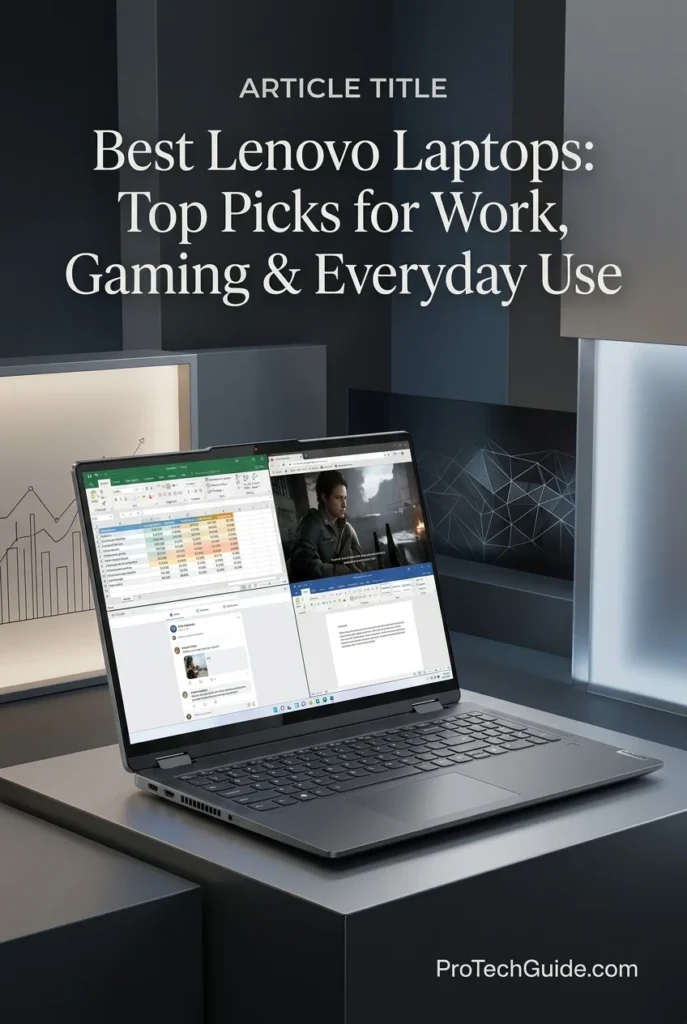
The Lenovo IdeaPad Flex 5 2-in-1 16-inch with an Intel Core 5 120U processor, 16GB of RAM, and a 2TB SSD is a versatile convertible laptop for students, home users, and professionals who need a flexible everyday productivity device in 2026. Its 10-core processor, 16-inch WUXGA IPS touchscreen, integrated Intel Graphics, and convertible design support everyday office applications, web-based workflows, online meetings, document editing, and multimedia use. The 360-degree convertible format lets users switch between traditional laptop use and more presentation-friendly configurations, while Windows 11 Pro, a backlit keyboard, fingerprint reader, and Full HD webcam make it suitable for hybrid work and study. The advertised 2TB SSD also provides generous storage capacity for documents, applications, media, and personal projects, although buyers should confirm the exact upgraded configuration with the seller.
The IdeaPad Flex 5 earns its place as our Best Lenovo 2-in-1 Laptop for Everyday Productivity because it combines a spacious 16-inch touchscreen, a versatile convertible design, a capable Intel Core 5 processor, 16GB of RAM, and advertised 2TB storage in one device. It is most compelling for users who prioritize flexibility, comfortable screen space, and everyday productivity over dedicated graphics performance or workstation-class computing power.
Compared with the Lenovo ThinkPad T14 Gen 6, the IdeaPad Flex 5 emphasizes touchscreen flexibility and a larger convertible form factor rather than business-focused design and enterprise-oriented features. It also offers a different experience from the Lenovo Yoga 9i 2-in-1 Aura Edition, which targets premium users seeking a higher-end OLED display and a more advanced convertible experience. The Flex 5 is the more practical category of choice for everyday work and study, but buyers should verify the exact RAM, SSD upgrade, and model configuration before purchasing this third-party listing.
Key Features
Lenovo ThinkBook 16 Gen 8
A Powerful 16-Inch Business Laptop for Professional Workflows
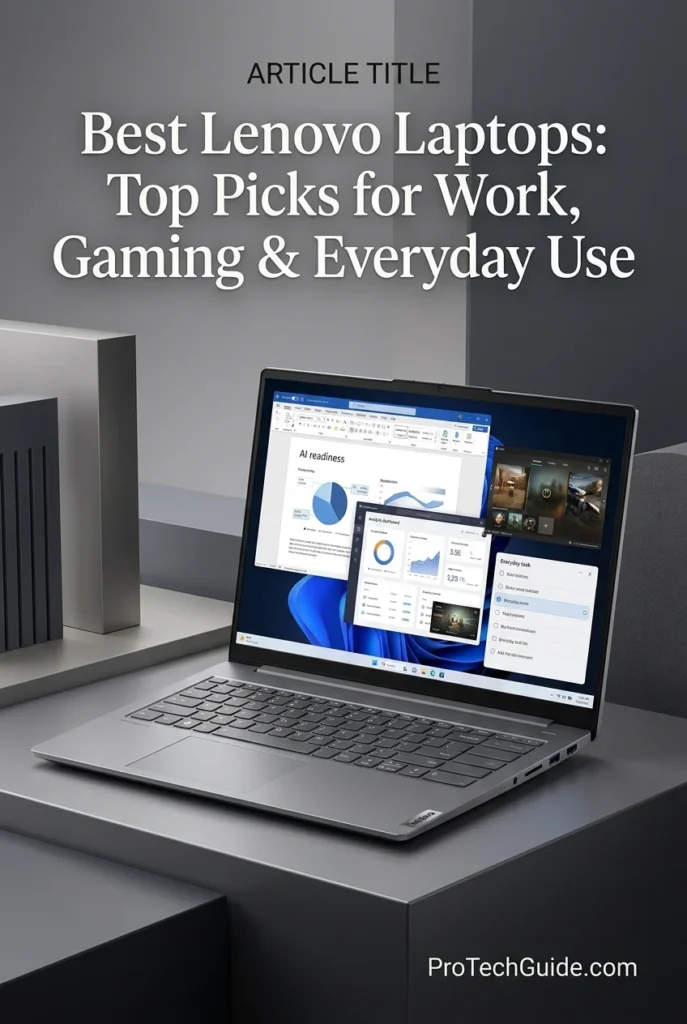
The Lenovo ThinkBook 16 Gen 8 with an Intel Core Ultra 7 255H processor, 16GB of DDR5 memory, and a 512GB SSD is a compelling option for business productivity and demanding everyday professional work in 2026. Its 16-core processor, integrated Intel graphics, 16-inch WUXGA IPS display, and Windows 11 Pro provide a practical foundation for office applications, large spreadsheets, browser-based business tools, video conferencing, and multitasking across professional workflows. The listed configuration also includes Wi-Fi 6, a fingerprint reader, an IR camera, a backlit keyboard, and a broad selection of ports. With support for up to 64GB of memory in the ThinkBook 16 Gen 8 platform, it also offers an upgrade path for users whose workloads grow beyond the included 16GB configuration.
The ThinkBook 16 Gen 8 earns our Best Lenovo Laptop for Business Productivity award because it combines a powerful Core Ultra 7 processor, a generous 16-inch workspace, Windows 11 Pro, business-oriented security features, and a useful selection of connectivity options. Its upgradeable memory is an additional advantage for professionals who want to start with 16GB and potentially expand capacity as their workloads become more demanding. It is a productivity-focused business laptop rather than a dedicated workstation for graphics-intensive professional applications.
Compared with the Lenovo ThinkPad T14 Gen 6, the ThinkBook 16 Gen 8 prioritizes a larger screen and a higher-performance H-series processor, making it attractive for users who spend long hours working with spreadsheets, documents, and multiple desktop applications. The ThinkPad T14 is the more compact business-oriented alternative, while the Lenovo IdeaPad Flex 5 2-in-1 16-inch emphasizes touchscreen flexibility and convertible use. The ThinkBook is a strong middle ground for professionals who want a conventional laptop with substantial processing capability, but buyers should confirm the retailer's exact model number and configuration before ordering.
Key Features
Lenovo Legion Pro 7i Gen 10
A High-Performance Gaming Laptop for Competitive Play and Demanding AAA Games
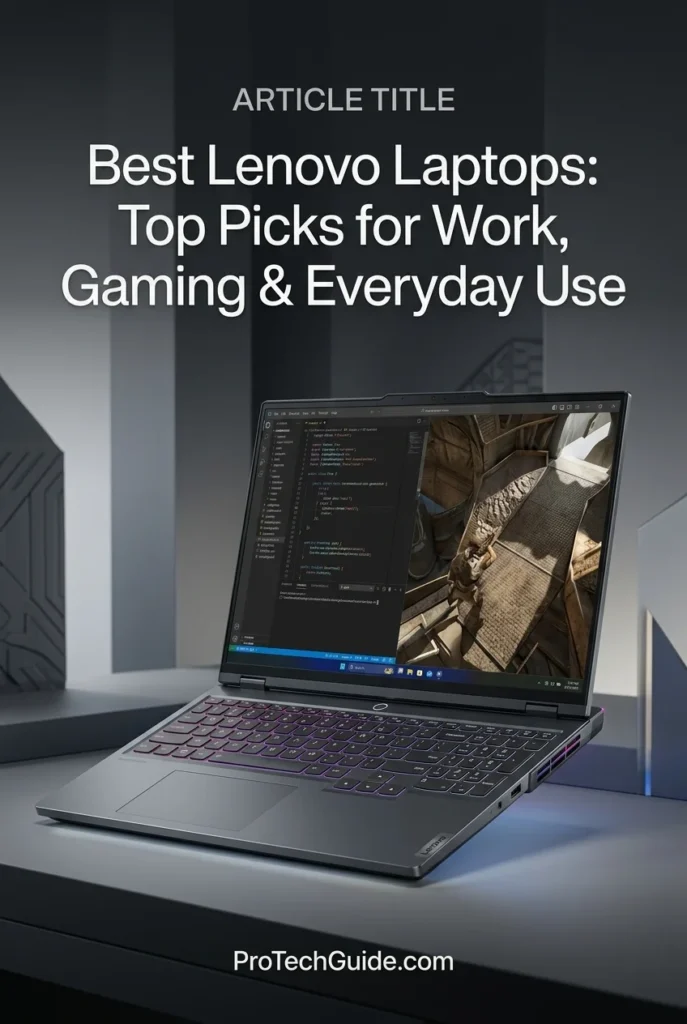
The Lenovo Legion Pro 7i Gen 10 with the Intel Core Ultra 9 275HX, NVIDIA GeForce RTX 5080 Laptop GPU, 32GB of DDR5 memory, and a 1TB SSD is our leading Lenovo recommendation for high-performance gaming in 2026. Its 24-core processor, dedicated RTX 5080 graphics with 16GB of GDDR7 memory, and 16-inch WQXGA OLED display combine to deliver a powerful platform for demanding AAA games, competitive gaming, high-refresh-rate gameplay, and GPU-intensive creative applications. The display pairs a 2560 × 1600 resolution with a 240Hz refresh rate, 100% DCI-P3 color coverage, and HDR support, creating an experience that balances fluid motion with rich contrast and vivid color. With 32GB of DDR5-6400 memory, a 1TB SSD, and Windows 11 Pro in the advertised configuration, the Legion Pro 7i is also well equipped for streaming, multitasking, and demanding workloads beyond gaming.
The Legion Pro 7i Gen 10 earns our Best Lenovo Gaming Laptop award because it combines the Core Ultra 9 275HX, RTX 5080 graphics with 16GB of dedicated video memory, 32GB of fast DDR5 memory, and a 240Hz OLED display in one high-end gaming platform. It is particularly compelling for gamers who want both strong graphics capability and an excellent display, rather than prioritizing portability or entry-level pricing. Its powerful hardware also makes it suitable for GPU-accelerated creative work, although performance and compatibility will vary by application.
Compared with more mainstream Lenovo laptops such as the Lenovo IdeaPad Flex 5 2-in-1 and Lenovo ThinkBook 16 Gen 8, the Legion Pro 7i is built around substantially more powerful dedicated graphics, a high-refresh-rate OLED panel, and a performance-focused cooling and power design. It is the stronger fit for serious gaming and GPU-intensive workloads, while the IdeaPad and ThinkBook are more appropriate for everyday productivity, study, and conventional business tasks. Its larger chassis, substantial power adapter, and performance-oriented design make it less suitable for buyers who prioritize lightweight portability or long unplugged work sessions.
Key Features
Lenovo ThinkPad P1 Gen 8
A Professional Mobile Workstation for Engineering, 3D Design & Creative Workflows
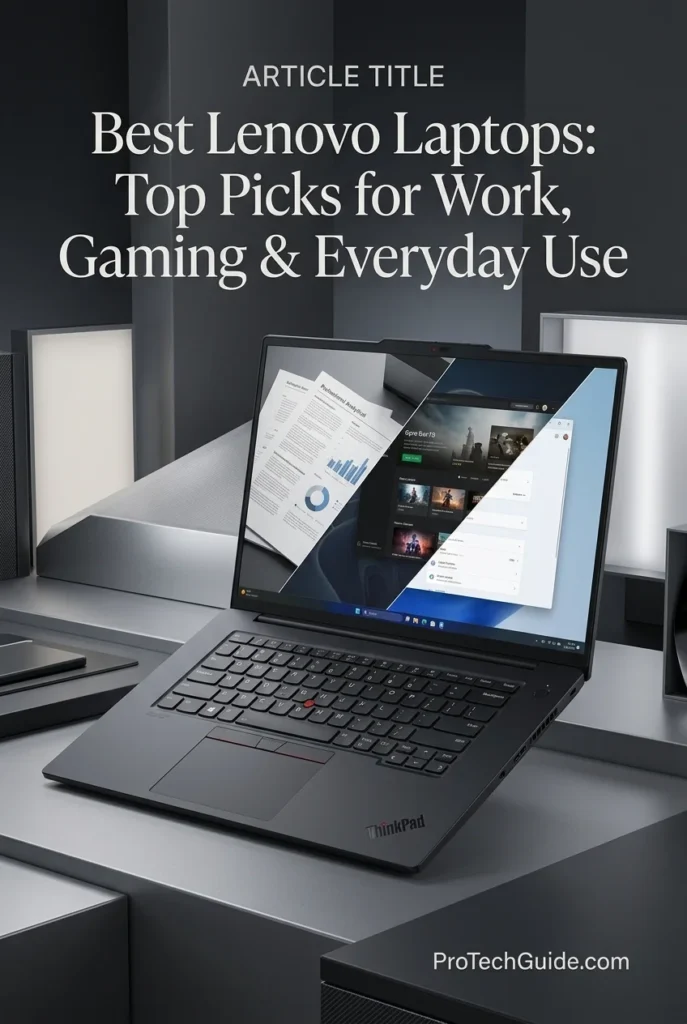
The Lenovo ThinkPad P1 Gen 8 with the Intel Core Ultra 9 285H, NVIDIA RTX PRO 2000 Blackwell GPU, 64GB of LPDDR5X memory, and 2TB PCIe Gen 5 SSD is our top Lenovo recommendation for professional mobile workstation performance in 2026. Designed for demanding engineering, CAD, 3D design, software development, and creative workflows, it combines a 16-core processor with professional NVIDIA graphics and a premium 16-inch 3.2K Tandem OLED touchscreen. The display offers a 3200 × 2000 resolution, 100% DCI-P3 color coverage, and a variable refresh rate of 40–120Hz, providing exceptional detail and fluid motion for compatible applications. Its 64GB LPCAMM2 memory configuration, fast 2TB PCIe Gen 5 storage, Windows 11 Pro, and enterprise-focused connectivity make it a compelling option for professionals who need substantial computing resources in a mobile workstation.
The ThinkPad P1 Gen 8 earns our Best Lenovo Mobile Workstation award because it combines a high-performance Core Ultra 9 processor, professional RTX PRO Blackwell graphics, 64GB of memory, 2TB of high-speed storage, and an exceptional 3.2K OLED touchscreen. Rather than focusing primarily on gaming, it is designed for professionals whose work benefits from dedicated workstation graphics, substantial memory capacity, color-accurate visuals, and advanced connectivity. It is an especially strong choice for demanding technical and creative workflows that benefit from certified or optimized professional GPU support.
Compared with the Lenovo Legion Pro 7i Gen 10, which emphasizes high-performance gaming with GeForce RTX graphics and a 240Hz OLED display, the ThinkPad P1 Gen 8 prioritizes professional applications, workstation-oriented graphics, and business-focused features. Compared with the Lenovo ThinkPad T14 Gen 6, it offers a substantially more powerful graphics configuration, a larger high-resolution OLED touchscreen, and greater memory and storage capacity in the advertised configuration. However, professionals who primarily play demanding games may prefer the Legion, while everyday business users who prioritize portability and conventional office productivity may find the T14 more practical.
Key Features
Best Lenovo Laptops in 2026
Compared by Performance, Portability, Business Features, OLED Display Quality, Gaming Graphics, Workstation Capabilities & Overall Versatility
Choosing the best Lenovo laptop in 2026 means matching the right hardware and design to the way you actually work, create, study, or play. Lenovo's lineup spans business-focused ThinkPads, ultra-portable premium laptops, versatile 2-in-1 convertibles, productivity-oriented ThinkBooks, high-performance Legion gaming systems, and professional ThinkPad workstations. We evaluated these eight selected configurations by processor performance, memory capacity, storage, display characteristics, graphics capabilities, portability, connectivity, and intended workload. Whether you need a dependable business laptop, a lightweight travel companion, a flexible touchscreen device, a large-screen productivity system, a powerful gaming machine, or a workstation for demanding professional applications, this comparison helps you identify the Lenovo laptop that best fits your priorities.
| Laptop | CPU & Key Specs | Best For | Why It Wins | Editor's Verdict |
|---|---|---|---|---|
Best Business Laptop
Lenovo ThinkPad T14 Gen 6
Check Price
|
Intel Core Ultra 7 255U 32GB DDR5 RAM 1TB SSD 14" FHD+ IPS Display Windows 11 Pro |
Business Professionals Corporate Productivity Microsoft 365 Workflows Remote & Hybrid Work | The ThinkPad T14 Gen 6 prioritizes dependable business productivity, practical connectivity, and enterprise-oriented features. Its 32GB of memory and 1TB SSD provide useful headroom for multitasking, large documents, business applications, and everyday professional workloads. It is the sensible choice for users who value a traditional business-laptop design and Windows 11 Pro over premium ultralight styling or dedicated gaming graphics. | Best Lenovo Laptop for Business Productivity |
Best Lightweight
Lenovo ThinkPad X1 Carbon Gen 13 Aura Edition
Check Price
|
Intel Core Ultra 7 258V 32GB LPDDR5X Memory 2TB SSD — Listed Configuration 14" 2.8K OLED 120Hz Windows 11 Pro |
Frequent Travelers Executives & Consultants Mobile Professionals Premium Business Computing | The ThinkPad X1 Carbon Gen 13 Aura Edition is designed for professionals who want a premium business experience in a highly portable form factor. Its high-resolution OLED display, 32GB of memory, and listed 2TB SSD configuration offer a compelling combination for presentations, document-heavy work, multitasking, and mobile productivity. Its strongest advantage is portability without giving up a sophisticated professional feature set. | Best Lightweight Lenovo Laptop for Professionals |
Best Premium OLED
Lenovo ThinkPad X9 15 Aura Edition
Check Price
|
Intel Core Ultra 7 258V 32GB Memory 1TB SSD 15.3" 2.8K OLED Touchscreen Intel Arc 140V Graphics Windows 11 Pro |
Premium Productivity Content Consumption Presentation Workflows Professionals Who Prefer OLED | The ThinkPad X9 15 Aura Edition combines a spacious 15.3-inch OLED touchscreen with a premium design, 32GB of memory, and integrated Intel Arc graphics. Its larger high-resolution display is well suited to multitasking, visual content, presentations, and everyday creative work. It is particularly attractive to professionals who want a modern premium laptop rather than a conventional business-focused ThinkPad design. | Best Premium Lenovo Laptop with a Large OLED Touchscreen |
Best 2-in-1
Lenovo Yoga 9i 2-in-1 Aura Edition
Check Price
|
Intel Core Ultra 7 258V 32GB LPDDR5X-8533 1TB PCIe Gen4 SSD 14" 4K OLED Touchscreen Included Lenovo Yoga Pen Windows 11 Pro |
Digital Note-Taking Presentations & Meetings Touchscreen Productivity Flexible Creative Workflows | The Yoga 9i 2-in-1 stands out for its convertible design, high-resolution 4K OLED touchscreen, and included Yoga Pen. It can adapt to traditional laptop work, handwritten notes, presentations, and tablet-style interaction while retaining the performance and memory capacity needed for demanding everyday productivity. It is the strongest fit for users who will actively benefit from both touchscreen interaction and a flexible hinge. | Best Lenovo Convertible for Touchscreen Productivity |
Best Budget 2-in-1
Lenovo IdeaPad Flex 5 2-in-1
Check Price
|
Intel Core 5 120U 16GB RAM 2TB SSD — Listed Configuration 16" WUXGA IPS Touchscreen Windows 11 Pro — Listed Configuration |
Students Everyday Productivity Home & Office Use Budget-Conscious Buyers | The IdeaPad Flex 5 2-in-1 focuses on versatility and everyday value. Its 16-inch touchscreen offers more working space than a typical compact convertible, while the flexible design supports laptop and tablet-style use. With 16GB of memory and a listed 2TB SSD configuration, it is worth considering for study, web-based work, documents, video calls, and general productivity without moving into premium Yoga pricing. | Best Lenovo 2-in-1 for Everyday Value |
Best Large-Screen
Lenovo ThinkBook 16 Gen 8
Check Price
|
Intel Core Ultra 7 255H 16GB DDR5 RAM 512GB SSD 16" WUXGA IPS Display Windows 11 Pro |
Office Professionals Spreadsheet Workflows Business Multitasking Large-Screen Productivity | The ThinkBook 16 Gen 8 prioritizes practical productivity with a spacious 16-inch display and a performance-oriented Intel Core Ultra H-series processor. Its larger screen is useful for working across documents, spreadsheets, browser windows, and business applications. It is a compelling option for users who want a conventional laptop with a generous workspace rather than a convertible design, premium ultralight construction, or gaming-focused hardware. | Best Lenovo Laptop for Large-Screen Office Work |
Best Gaming Laptop
Lenovo Legion Pro 7i Gen 10
Check Price
|
Intel Core Ultra 9 275HX NVIDIA GeForce RTX 5080 16GB GDDR7 32GB DDR5-6400 RAM 1TB SSD — Listed Configuration 16" WQXGA OLED 240Hz Windows 11 Pro |
Enthusiast Gaming Competitive PC Gaming AAA Games GPU-Accelerated Creative Work | The Legion Pro 7i Gen 10 is the gaming specialist in this lineup. Its Core Ultra 9 processor and high-performance GeForce RTX 5080 Laptop GPU are designed for demanding games, high-refresh-rate gameplay, and GPU-intensive creative applications. The 16-inch 240Hz OLED display adds high refresh rates and rich contrast, making this the natural choice for buyers who prioritize gaming performance over battery life, low weight, or business-first portability. | Best Lenovo Laptop for High-Performance Gaming |
Best Mobile Workstation
Lenovo ThinkPad P1 Gen 8
Check Price
|
Intel Core Ultra 9 285H 64GB LPCAMM2 LPDDR5X-7467 2TB PCIe Gen5 SSD NVIDIA RTX PRO 2000 Blackwell 8GB GDDR7 16" 3.2K Tandem OLED Touchscreen Windows 11 Pro |
Professional Design & Engineering 3D & GPU-Accelerated Workflows Large Projects & Heavy Multitasking Mobile Workstation Users | The ThinkPad P1 Gen 8 is the most workstation-oriented option in this selection. Its 64GB of memory, 2TB PCIe Gen5 SSD, professional NVIDIA RTX PRO graphics, and high-resolution Tandem OLED touchscreen suit demanding professional workflows that benefit from substantial memory capacity, workstation-class graphics features, and detailed visual output. It is the specialist choice for engineers, designers, and technical professionals who need more than a standard productivity laptop. | Best Lenovo Mobile Workstation for Professional Workflows |
Recommended Next Reads
Finished comparing the best Lenovo laptops in 2026? Explore our expert laptop buying guides to compare business systems, gaming machines, lightweight laptops, versatile 2-in-1 designs, and performance-focused options for different budgets and professional workloads.
The right laptop depends on more than its brand. Your budget, preferred operating system, portability requirements, display preferences, and intended applications all influence which configuration makes the most sense. Whether you need a dependable business laptop, a premium travel companion, a flexible touchscreen device, a high-performance gaming system, or a workstation for demanding technical projects, these related guides can help you compare alternatives and make a more informed purchasing decision.
Best Business Laptops in 2026
Compare business-focused laptops for professional productivity, corporate workflows, multitasking, security features, remote work, and everyday office performance.
Explore Business Laptops →Best Laptops for Work, Gaming & Everyday Use in 2026
Discover versatile laptops that balance professional productivity, everyday computing, entertainment, and gaming across different performance levels and budgets.
Explore All-Around Laptops → Portability & TravelBest Lightweight Laptops in 2026
Compare portable laptops for frequent travel, mobile professionals, students, and users who want capable performance without carrying unnecessary weight.
Explore Lightweight Laptops → Convertible ProductivityBest 2-in-1 Laptops in 2026
Explore convertible laptops for touchscreen interaction, digital note-taking, presentations, tablet-style use, and flexible productivity at work or school.
Explore 2-in-1 Laptops → Gaming PerformanceBest Gaming Laptops in 2026
Compare gaming laptops by graphics performance, display refresh rates, processing power, cooling, and overall value for demanding PC games.
Explore Gaming Laptops → Budget & ValueBest Laptops Under $1,500 in 2026
Find performance-focused laptops at a more accessible price point, with options for productivity, study, creative applications, and everyday computing.
Explore Laptops Under $1,500 → Engineering & Technical WorkBest Laptops for Engineering Students in 2026
Compare laptops for programming, CAD, MATLAB, 3D modeling, technical coursework, and other demanding engineering applications.
Explore Engineering Laptops →EDITOR'S FINAL RECOMMENDATIONS
After comparing eight Lenovo laptops across business productivity, processor performance, memory capacity, display quality, portability, touchscreen versatility, gaming graphics, professional workstation capabilities, and overall usability, these are our final recommendations for 2026. From the dependable ThinkPad T14 Gen 6 and ultra-portable X1 Carbon to the flexible Yoga 9i, performance-focused Legion Pro 7i, and professional ThinkPad P1 Gen 8, each model serves a different purpose. The best choice depends on your workload, budget, preferred form factor, and the features you will use most often.
Lenovo ThinkPad T14 Gen 6
Our business-focused recommendation for professionals who need a dependable Windows laptop for daily office work, corporate applications, multitasking, and hybrid productivity. The selected configuration combines an Intel Core Ultra 7 255U processor, 32GB of DDR5 memory, and a 1TB SSD with Windows 11 Pro. It prioritizes practical business functionality and a traditional ThinkPad experience over premium ultralight styling or dedicated gaming graphics.
- ✓ Intel Core Ultra 7 255U
- ✓ 32GB DDR5 Memory
- ✓ 1TB SSD Storage
- ✓ 14-inch FHD+ IPS Display
Lenovo ThinkPad X1 Carbon Gen 13 Aura Edition
The premium mobility choice for executives, consultants, and professionals who frequently work between offices, client locations, and travel destinations. Its Intel Core Ultra 7 258V processor, 32GB of LPDDR5X memory, and 14-inch 2.8K OLED 120Hz display provide a sophisticated platform for professional productivity. The selected retailer listing advertises a 2TB SSD, which should be confirmed before purchase. Choose this model when portability and a premium business experience are more important than dedicated graphics or workstation-class expansion.
- ✓ Intel Core Ultra 7 258V
- ✓ 32GB LPDDR5X Memory
- ✓ 2TB SSD — Listed Configuration
- ✓ 14-inch 2.8K OLED 120Hz Display
Lenovo ThinkPad X9 15 Aura Edition
Our premium large-screen recommendation for professionals who want a modern design, a spacious OLED touchscreen, and strong everyday performance. The selected configuration combines an Intel Core Ultra 7 258V processor, 32GB of memory, a 1TB SSD, and Intel Arc 140V integrated graphics. Its 15.3-inch 2.8K OLED touchscreen is particularly appealing for presentations, visual content, multitasking, and general creative productivity. It is the better fit for buyers who value display quality and a premium experience over the traditional design of a business-first ThinkPad.
- ✓ Intel Core Ultra 7 258V
- ✓ 32GB Memory
- ✓ 1TB SSD Storage
- ✓ 15.3-inch 2.8K OLED Touchscreen
Lenovo Yoga 9i 2-in-1 Aura Edition
The most versatile recommendation for users who want a premium laptop that can also function as a touchscreen device for handwriting, presentations, meetings, and creative tasks. Its Intel Core Ultra 7 258V processor, 32GB of LPDDR5X-8533 memory, and 14-inch 4K OLED touchscreen combine performance with a flexible convertible design. The included Lenovo Yoga Pen adds practical value for digital note-taking and stylus-based interaction. Choose the Yoga 9i if you will genuinely use its convertible form factor rather than simply buying a conventional laptop with a touchscreen.
- ✓ Intel Core Ultra 7 258V
- ✓ 32GB LPDDR5X-8533 Memory
- ✓ 1TB PCIe Gen4 SSD
- ✓ 14-inch 4K OLED Touchscreen
Lenovo IdeaPad Flex 5 2-in-1
The value-oriented convertible option for students, home users, and professionals who want a flexible laptop for everyday productivity. Its Intel Core 5 120U processor, 16GB of memory, and 16-inch WUXGA touchscreen are suited to documents, web applications, video calls, study, and routine office tasks. The selected retailer listing advertises a 2TB SSD and Windows 11 Pro; verify both details on the exact listing before ordering. This model makes the most sense for buyers who want a large touchscreen and convertible functionality without prioritizing workstation-class performance.
- ✓ Intel Core 5 120U
- ✓ 16GB RAM
- ✓ 2TB SSD — Listed Configuration
- ✓ 16-inch WUXGA IPS Touchscreen
Lenovo ThinkBook 16 Gen 8
The productivity specialist for professionals who prefer a spacious display for spreadsheets, reports, business applications, and multitasking across several windows. Its Intel Core Ultra 7 255H processor and 16-inch WUXGA IPS screen make it a practical option for office-focused workloads. The selected configuration includes 16GB of DDR5 memory and a 512GB SSD, so users with exceptionally demanding multitasking needs or large local project libraries should assess whether those capacities are sufficient. Choose the ThinkBook for its large-screen working environment rather than premium ultralight portability or dedicated gaming performance.
- ✓ Intel Core Ultra 7 255H
- ✓ 16GB DDR5 Memory
- ✓ 512GB SSD Storage
- ✓ 16-inch WUXGA IPS Display
Lenovo Legion Pro 7i Gen 10
Our gaming recommendation for enthusiasts who want high-end graphics performance, a high-refresh-rate display, and the processing power needed for demanding modern games. The selected configuration pairs an Intel Core Ultra 9 275HX processor with an NVIDIA GeForce RTX 5080 Laptop GPU featuring 16GB of GDDR7 memory, 32GB of DDR5 RAM, and a 16-inch WQXGA OLED 240Hz display. It is also worth considering for GPU-intensive creative applications. Its performance-focused design makes it less appropriate for buyers whose main priorities are low weight, quiet operation, or maximum battery life away from an outlet.
- ✓ Intel Core Ultra 9 275HX
- ✓ NVIDIA GeForce RTX 5080 16GB GDDR7
- ✓ 32GB DDR5-6400 Memory
- ✓ 16-inch WQXGA OLED 240Hz Display
Lenovo ThinkPad P1 Gen 8
The professional workstation choice for engineers, designers, and technical users who need substantial memory capacity, professional graphics, fast storage, and a high-quality display. Its Intel Core Ultra 9 285H processor, 64GB of LPCAMM2 LPDDR5X-7467 memory, 2TB PCIe Gen5 SSD, and NVIDIA RTX PRO 2000 Blackwell GPU with 8GB of GDDR7 memory are suited to demanding professional applications and complex multitasking. The 16-inch 3.2K Tandem OLED touchscreen adds high resolution and wide color coverage for visual workflows. This is the specialist option for buyers whose applications justify workstation-class hardware rather than a conventional productivity laptop.
- ✓ Intel Core Ultra 9 285H
- ✓ 64GB LPCAMM2 LPDDR5X-7467 Memory
- ✓ 2TB PCIe Gen5 SSD
- ✓ NVIDIA RTX PRO 2000 Blackwell 8GB GDDR7
Which Lenovo laptop should you buy?
ThinkPad T14 Gen 6
ThinkPad X1 Carbon Gen 13 Aura Edition
ThinkPad X9 15 Aura Edition
Yoga 9i 2-in-1 Aura Edition
IdeaPad Flex 5 2-in-1
ThinkBook 16 Gen 8
Legion Pro 7i Gen 10
ThinkPad P1 Gen 8
- Choose the Lenovo ThinkPad T14 Gen 6 if you need a practical business laptop for office productivity, corporate applications, multitasking, and Windows 11 Pro workflows.
- Choose the Lenovo ThinkPad X1 Carbon Gen 13 Aura Edition if portability, a premium OLED display, and mobile business productivity are your priorities. Confirm the advertised 2TB SSD configuration before purchasing.
- Choose the Lenovo ThinkPad X9 15 Aura Edition if you want a premium 15.3-inch OLED touchscreen for productivity, presentations, and visual content, with integrated graphics for everyday creative tasks.
- Choose the Lenovo Yoga 9i 2-in-1 Aura Edition if you will benefit from a convertible design, 4K OLED touchscreen, and included Yoga Pen for handwriting, presentations, and flexible productivity.
- Choose the Lenovo IdeaPad Flex 5 2-in-1 if you want a versatile large-screen convertible for studying, home use, and everyday office work without prioritizing high-end gaming or workstation performance. Verify the precise memory, storage, and operating system configuration.
- Choose the Lenovo ThinkBook 16 Gen 8 if your daily work revolves around spreadsheets, reports, office applications, and multitasking on a spacious 16-inch display. Consider a higher-memory configuration if your workload regularly exceeds typical office demands.
- Choose the Lenovo Legion Pro 7i Gen 10 if gaming performance, dedicated graphics, and a high-refresh-rate OLED display are your main priorities. Its powerful GPU also makes it worth considering for compatible GPU-accelerated creative applications.
- Choose the Lenovo ThinkPad P1 Gen 8 if your professional applications benefit from 64GB of memory, NVIDIA RTX PRO graphics, fast PCIe Gen5 storage, and a high-resolution OLED display. It is the workstation choice for demanding engineering, design, and technical workflows.
EDITOR'S FINAL VERDICT
After comparing business productivity, everyday computing, portability, display quality, convertible flexibility, gaming performance, workstation capabilities, memory, storage, connectivity, and long-term value, one conclusion stands out:The best Lenovo laptop is not necessarily the most expensive model or the one with the most powerful processor. It is the laptop that delivers the right combination of performance, portability, features, and reliability for your specific needs. Lenovo's lineup spans lightweight business notebooks, premium OLED laptops, flexible 2-in-1 systems, large-screen productivity machines, high-performance gaming laptops, and professional mobile workstations.
Lenovo offers compelling options for professionals who need dependable business laptops, students and everyday users who value versatility, frequent travelers who need a lightweight design, and gamers or technical professionals who require substantially more computing power. The ThinkPad, Yoga, IdeaPad, ThinkBook, and Legion families serve different priorities, so choosing the right model requires looking beyond the brand name and comparing the actual configuration.
For most professionals seeking a dependable Windows laptop, the Lenovo ThinkPad T14 Gen 6 is our leading business recommendation. Travelers should consider the ThinkPad X1 Carbon Gen 13 Aura Edition, while users who want a premium OLED experience or touchscreen flexibility have strong alternatives in the ThinkPad X9 15 Aura Edition and Yoga 9i 2-in-1. For gaming, the Legion Pro 7i Gen 10 offers a much higher performance ceiling, and the ThinkPad P1 Gen 8 is the workstation choice for demanding professional workloads.- Choose the Lenovo ThinkPad T14 Gen 6 if you need a business-focused Windows laptop with an Intel Core Ultra 7 255U processor, 32GB of memory, a 1TB SSD, Windows 11 Pro, and practical features for everyday professional productivity.
- Choose the Lenovo ThinkPad X1 Carbon Gen 13 Aura Edition if low weight, a premium 14-inch OLED display, business-class design, and portability are your priorities. Confirm the exact storage configuration before purchasing.
- Choose the Lenovo Yoga 9i 2-in-1 Aura Edition if you want a versatile touchscreen convertible for writing, presentations, creative tasks, and everyday productivity. Its 4K OLED display and included Yoga Pen make it particularly appealing for users who benefit from pen input.
- Choose the Lenovo Legion Pro 7i Gen 10 if gaming performance is your priority. Its Intel Core Ultra 9 275HX processor, NVIDIA GeForce RTX 5080 Laptop GPU with 16GB of GDDR7 memory, and 16-inch 240Hz OLED display are designed for demanding games and GPU-intensive applications.
- Choose the Lenovo ThinkPad P1 Gen 8 if your professional work justifies workstation-class hardware, including 64GB of memory, a 2TB PCIe Gen5 SSD, and an NVIDIA RTX PRO 2000 Blackwell GPU with 8GB of GDDR7 memory.
Top Lenovo Laptop Recommendations (2026)
Lenovo ThinkPad T14 Gen 6
Our leading recommendation for professionals who need a practical, business-oriented Windows laptop. The selected configuration combines an Intel Core Ultra 7 255U processor, 32GB of DDR5 memory, a 1TB SSD, and a 14-inch FHD+ IPS display. It is well suited to office applications, multitasking, video meetings, and everyday business workloads without the cost or complexity of a dedicated gaming or workstation system.
- ✓ Intel Core Ultra 7 255U
- ✓ 32GB DDR5 Memory
- ✓ 1TB SSD Storage
- ✓ 14-inch FHD+ IPS Display
Lenovo ThinkPad X1 Carbon Gen 13 Aura Edition
The standout choice for professionals who frequently travel or move between home, office, and client locations. Its Intel Core Ultra 7 258V processor, 32GB of LPDDR5X memory, and 14-inch 2.8K OLED display offer a premium productivity experience in a mobility-focused design. Check the retailer listing carefully to confirm the advertised 2TB SSD configuration.
- ✓ Intel Core Ultra 7 258V
- ✓ 32GB LPDDR5X Memory
- ✓ Advertised 2TB SSD Configuration
- ✓ 14-inch 2.8K OLED, 120Hz Display
Lenovo Legion Pro 7i Gen 10
The performance-focused recommendation for gamers who want a high-end GPU, a fast OLED display, and a powerful Intel processor. Its RTX 5080 Laptop GPU and 240Hz screen make it a strong fit for demanding games, while its 32GB of memory supports intensive multitasking and compatible creative applications. Expect a larger power adapter and less convenient portability than with Lenovo's mainstream notebooks.
- ✓ Intel Core Ultra 9 275HX
- ✓ NVIDIA GeForce RTX 5080 16GB GDDR7
- ✓ 32GB DDR5-6400 Memory
- ✓ 16-inch WQXGA OLED, 240Hz Display
- ✓ You need a dependable laptop for professional and business productivity
- ✓ You want 32GB of memory and a 1TB SSD for everyday multitasking
- ✓ You prefer Windows 11 Pro and business-oriented features
- ✓ You want a practical work laptop rather than paying for gaming-class graphics
- ✓ Portability is one of your most important priorities
- ✓ You want a premium OLED display in a compact 14-inch laptop
- ✓ You frequently travel or work in different locations
- ✓ You value business-focused productivity over maximum gaming or workstation performance
- ✓ Verify the exact model number, processor, memory, and storage configuration on the retailer listing
- ✓ Confirm that the display resolution, refresh rate, and touchscreen features match your needs
- ✓ Choose at least 16GB of memory for general use, with 32GB preferable for heavier multitasking and demanding professional workloads
- ✓ Prioritize a dedicated GPU when gaming, 3D work, or GPU-accelerated applications justify the added cost
- ✓ Compare weight, battery capacity, charger size, port selection, warranty coverage, and upgradeability before deciding
A laptop is a long-term productivity tool, and the right choice depends on how you intend to use it. A business professional may benefit more from a comfortable keyboard, reliable connectivity, sufficient memory, and a portable design than from a powerful dedicated GPU. A student or everyday user may prefer a flexible touchscreen laptop, while a gamer needs graphics performance and effective cooling. Technical professionals running demanding applications may require the additional memory, graphics capabilities, and platform features of a mobile workstation.
Among the models evaluated in this guide, the Lenovo ThinkPad T14 Gen 6 is our leading recommendation for business productivity because its selected configuration balances an Intel Core Ultra 7 processor, 32GB of memory, 1TB of storage, and Windows 11 Pro. The ThinkPad X1 Carbon Gen 13 Aura Edition is the better fit for users who prioritize portability and a premium display, while the Legion Pro 7i Gen 10 is the clear choice for demanding gaming workloads. For professional applications that justify workstation-class hardware, the ThinkPad P1 Gen 8 offers a more specialized platform with 64GB of memory and NVIDIA RTX PRO graphics.The best choice is ultimately the Lenovo laptop whose verified configuration, capabilities, and price match your real workload—not simply the model with the highest specifications.
Compare current prices, processor and GPU configurations, memory, storage, display specifications, warranty coverage, and availability before choosing your Lenovo laptop. Retailer configurations can differ even when product names look similar, so confirm the exact specifications of the model you intend to purchase.
Check Latest DealsEDITOR'S FAQ
Choosing the best Lenovo laptop in 2026 requires more than comparing processor specifications or choosing the most expensive model. Buyers should consider performance, memory, storage, display quality, battery life, portability, connectivity, and the type of work they expect to perform. Lenovo's lineup includes business-focused ThinkPads, premium OLED laptops, versatile 2-in-1 convertibles, everyday productivity systems, gaming laptops, and professional mobile workstations.These frequently asked questions explain how to choose the right Lenovo laptop for business, school, travel, everyday computing, gaming, and demanding professional workloads. Whether you are comparing the ThinkPad T14 Gen 6, ThinkPad X1 Carbon Gen 13 Aura Edition, Yoga 9i 2-in-1, Legion Pro 7i Gen 10, or ThinkPad P1 Gen 8, the goal is to identify the configuration that best matches your needs and budget.
The ThinkPad T14 Gen 6 configuration featured in this guide combines an Intel Core Ultra 7 255U processor, 32GB of DDR5 memory, a 1TB SSD, and Windows 11 Pro. This makes it a compelling option for professionals who need a dependable Windows laptop for office applications, multitasking, video meetings, and everyday business workloads.
- Best Business Laptop → Lenovo ThinkPad T14 Gen 6.
- Best Lightweight Laptop → Lenovo ThinkPad X1 Carbon Gen 13 Aura Edition.
- Best Premium OLED Laptop → Lenovo ThinkPad X9 15 Aura Edition.
- Best 2-in-1 Laptop → Lenovo Yoga 9i 2-in-1 Aura Edition.
- Best Gaming Laptop → Lenovo Legion Pro 7i Gen 10.
- Best Mobile Workstation → Lenovo ThinkPad P1 Gen 8.
If you want a versatile work laptop, start with the ThinkPad T14. Frequent travelers should compare the X1 Carbon, while gamers and professionals with demanding graphics workloads will benefit from considering the Legion Pro 7i or ThinkPad P1 Gen 8.
Check ThinkPad T14 PriceThe selected configuration includes an Intel Core Ultra 7 255U processor, 32GB of DDR5 memory, a 1TB SSD, a 14-inch FHD+ IPS display, and Windows 11 Pro. It is designed for everyday professional workloads such as office applications, browser-based business tools, video conferencing, document management, and multitasking.
- 32GB of memory for running multiple applications simultaneously.
- 1TB of SSD storage for applications, documents, and work projects.
- Windows 11 Pro for business-oriented software and workflows.
- 14-inch display for a practical balance between workspace and portability.
- Business-focused features, including a fingerprint reader and a high-resolution webcam in the listed configuration.
Professionals who travel frequently and prioritize a lighter design should also consider the ThinkPad X1 Carbon Gen 13 Aura Edition. If your work requires substantially more memory, professional graphics, or specialized applications, the ThinkPad P1 Gen 8 is the more workstation-oriented alternative.
Check Business Laptop PriceThe ThinkPad and Yoga families serve different priorities. ThinkPad models emphasize professional productivity, keyboard-centered work, and business-oriented configurations. Yoga convertibles focus more on flexible form factors, touch interaction, and creative or presentation-friendly features.
- ThinkPad → Best for business users, professionals, frequent typists, and productivity-focused workflows.
- Yoga 2-in-1 → Best for users who want a touchscreen, convertible design, and pen input.
- ThinkPad X1 Carbon → Best for professionals who prioritize portability and a premium business laptop experience.
- ThinkPad P1 → Best for demanding workloads that benefit from workstation-class components.
In this guide, the ThinkPad T14 Gen 6 is the practical business choice, while the Yoga 9i 2-in-1 Aura Edition stands out for its 14-inch 4K OLED touchscreen and included Yoga Pen. Choose the model that fits your workflow rather than assuming one family is universally better.
Check Yoga 9i PriceThe right amount of memory depends on your applications, workload, and how many programs you keep open simultaneously. Office applications, web browsing, online learning, and everyday computing generally require less memory than professional content creation, large development projects, virtual machines, or demanding technical applications.
- 16GB → Suitable for everyday computing, students, office work, and moderate multitasking.
- 32GB → Recommended for demanding professional productivity, heavier multitasking, development, and many creative workflows.
- 64GB → Valuable for large projects, virtual machines, memory-intensive applications, and specialized professional workloads.
The ThinkPad T14 Gen 6, X1 Carbon Gen 13 Aura Edition, X9 15 Aura Edition, Yoga 9i 2-in-1, and Legion Pro 7i configurations featured in this guide have 32GB of memory. The ThinkPad P1 Gen 8 goes further with 64GB of LPCAMM2 memory for demanding professional work.
Memory upgradeability varies by model. Several thin Lenovo laptops use soldered or specialized memory configurations, so confirm the exact specifications before buying if you expect to need more RAM later.
Check ThinkPad P1 PriceThe selected configuration combines high-performance processing with dedicated graphics designed for demanding games and GPU-intensive applications. Its 32GB of DDR5-6400 memory and 16-inch WQXGA OLED display with a 240Hz refresh rate also make it appealing for users who want a responsive gaming experience.
- Intel Core Ultra 9 275HX processor.
- NVIDIA GeForce RTX 5080 Laptop GPU with 16GB of GDDR7 memory.
- 32GB of DDR5-6400 memory.
- 16-inch 2560 × 1600 OLED display with a 240Hz refresh rate.
- 1TB SSD in the selected configuration listed for this guide.
As with other high-performance gaming laptops, expect a larger power adapter, more noticeable fan noise under heavy load, and less convenient portability than with a thin business notebook. Actual gaming performance also depends on graphics settings, cooling, power limits, and the specific game.
If you mainly need a laptop for office work, school, or browsing, the Legion Pro 7i may be more powerful than necessary. The ThinkPad T14 Gen 6 or Yoga 9i 2-in-1 will generally be a more appropriate starting point for those use cases.
Check Legion Pro 7i PriceThe configuration featured in this guide includes an Intel Core Ultra 9 285H processor, 64GB of LPCAMM2 LPDDR5X memory, a 2TB PCIe Gen5 SSD, and an NVIDIA RTX PRO 2000 Blackwell GPU with 8GB of GDDR7 memory. It is intended for demanding professional environments rather than simply everyday computing.
- 64GB of memory for memory-intensive professional applications and heavy multitasking.
- 2TB PCIe Gen5 SSD for applications, project files, and substantial local storage needs.
- NVIDIA RTX PRO 2000 Blackwell graphics with 8GB of GDDR7 memory.
- 16-inch 3.2K Tandem OLED touchscreen in the selected configuration.
- Professional connectivity, including Thunderbolt 5 and an SD Express 7.0 card reader.
It can be an excellent fit for compatible professional applications, demanding development environments, advanced visualization, and workloads that benefit from workstation hardware. However, it is unnecessary for many users who primarily work with documents, spreadsheets, presentations, and web applications.
Before buying, confirm software certification requirements, the exact GPU configuration, and whether your applications benefit from a professional GPU. A workstation's value depends on the work it needs to perform, not just its specifications.
View ThinkPad P1OLED panels can produce excellent contrast because individual pixels can turn off to display black. Depending on the panel and its calibration, they can also deliver wide color coverage and a visually striking image. These characteristics make OLED appealing for premium laptops, although not every OLED display has the same brightness, color accuracy, resolution, or refresh rate.
- ThinkPad X1 Carbon Gen 13 Aura Edition → 14-inch 2.8K OLED display with a 120Hz refresh rate in the selected configuration.
- ThinkPad X9 15 Aura Edition → 15.3-inch 2.8K OLED touchscreen with a 120Hz refresh rate.
- Yoga 9i 2-in-1 Aura Edition → 14-inch 4K OLED touchscreen with a 60Hz refresh rate.
- Legion Pro 7i Gen 10 → 16-inch WQXGA OLED display with a 240Hz refresh rate for gaming and responsive visuals.
- ThinkPad P1 Gen 8 → 16-inch 3.2K Tandem OLED touchscreen for premium professional viewing.
OLED is not automatically the best choice for everyone. Consider the complete display specification, including brightness, resolution, refresh rate, color coverage, reflections, and intended use. IPS panels can still be excellent for productivity, and the best display depends on your priorities.
Check ThinkPad X9 PriceScreen size affects more than how large text appears. It can influence how comfortably you work with multiple windows, how much the laptop weighs, and how easy it is to carry between locations. Consider where you work most often and whether you regularly connect an external monitor.
- 14-inch → Best for commuting, travel, meetings, mobile productivity, and working in compact spaces.
- 15.3-inch → A middle ground for users who want more display space without moving to a full 16-inch design.
- 16-inch → Best for spreadsheets, split-screen multitasking, creative applications, immersive gaming, and larger workspaces.
The ThinkPad X1 Carbon Gen 13 Aura Edition and Yoga 9i 2-in-1 are strong choices for mobile users. The ThinkPad X9 15 Aura Edition offers a larger 15.3-inch display, while the ThinkBook 16 Gen 8, Legion Pro 7i Gen 10, and ThinkPad P1 Gen 8 suit users who prefer a larger screen.
Remember that display size alone does not determine portability. Weight, chassis dimensions, battery capacity, and charger size also affect how convenient a laptop is to carry every day.
Check ThinkBook 16 PriceStudents and everyday users often benefit more from a balanced configuration, a comfortable display, reliable battery life, and a practical design than from expensive workstation graphics. A convertible laptop can also be useful for handwritten notes, presentations, reading, and touch-based interaction.
- IdeaPad Flex 5 2-in-1 → A budget-oriented convertible option with an Intel Core 5 120U processor, 16GB of memory, and a 16-inch WUXGA touchscreen in the retailer configuration selected for this guide.
- Yoga 9i 2-in-1 Aura Edition → A more premium convertible with an Intel Core Ultra 7 258V processor, 32GB of memory, a 14-inch 4K OLED touchscreen, and an included Yoga Pen.
- ThinkPad T14 Gen 6 → Better suited to students or professionals who prioritize business productivity and Windows 11 Pro.
The IdeaPad Flex 5 may be the more economical option, while the Yoga 9i provides a more premium display and hardware configuration. Before purchasing the Flex 5, verify the exact model number, SSD capacity, memory configuration, and operating system because retailer listings can combine different configurations under similar product names.
Check IdeaPad Flex 5 PriceThe best buying decision begins with your everyday requirements. A laptop optimized for business travel is not necessarily the right choice for gaming, and a professional workstation may be an unnecessary expense for someone who mainly uses office applications.
- Best Business Laptop → Lenovo ThinkPad T14 Gen 6.
- Best Lightweight Laptop → Lenovo ThinkPad X1 Carbon Gen 13 Aura Edition.
- Best Premium OLED Laptop → Lenovo ThinkPad X9 15 Aura Edition.
- Best 2-in-1 Laptop → Lenovo Yoga 9i 2-in-1 Aura Edition.
- Best Budget-Oriented Convertible → Lenovo IdeaPad Flex 5 2-in-1.
- Best Large-Screen Productivity Laptop → Lenovo ThinkBook 16 Gen 8.
- Best Gaming Laptop → Lenovo Legion Pro 7i Gen 10.
- Best Mobile Workstation → Lenovo ThinkPad P1 Gen 8.
As a general guideline, 16GB of memory is a reasonable starting point for everyday computing, while 32GB is preferable for heavier multitasking and demanding professional work. Consider a dedicated GPU when gaming or specialized applications require it, and choose a display size that fits your working habits.
Finally, check the exact retailer configuration, warranty, return policy, and current price before placing an order. Two listings with similar Lenovo product names may not include the same memory, SSD, display, operating system, or graphics hardware.
Explore Our Top Lenovo PickLENOVO LAPTOP BUYING GUIDE
Choosing a Lenovo laptop is not simply about finding the most powerful processor, the largest SSD, or the highest-priced configuration. The right decision depends on how you intend to use your computer, whether that means professional productivity, business travel, studying, everyday computing, creative work, gaming, or demanding technical applications.The wrong choice can lead to unnecessary spending, insufficient memory, limited storage, an uncomfortable display, disappointing portability, or performance that does not match your workload. Lenovo offers everything from lightweight ThinkPads and premium Yoga convertibles to Legion gaming laptops and professional ThinkPad workstations. Avoid these common mistakes before deciding which model deserves your investment.
The best Lenovo laptop is rarely the model with the most impressive specification sheet. A business professional may benefit more from a portable design, comfortable keyboard, and sufficient memory than from a powerful gaming GPU. A student may need a versatile touchscreen rather than workstation-class hardware, while a gamer or technical professional may genuinely benefit from dedicated graphics and a more powerful cooling system.For most professional users, 32GB of memory offers useful headroom for demanding multitasking, while 16GB remains a reasonable starting point for everyday computing and moderate workloads. Prioritize a suitable processor, sufficient SSD storage, a display that matches your needs, and a configuration that offers good value. Pay for premium graphics, specialized hardware, or advanced display features only when they provide a meaningful benefit for your intended use.
Choosing the Wrong Amount of RAM
- Insufficient memory can limit multitasking when several professional applications, browser tabs, or large projects are open simultaneously.
- Demanding creative applications, development environments, modern games, and virtual machines can benefit from additional memory.
- Some thin Lenovo laptops use soldered or specialized memory configurations, which can limit future upgrade options.
Better decision:Consider 16GB the practical starting point for everyday computing and moderate workloads, and target 32GB if you regularly multitask or run demanding professional applications. Choose 64GB when your workload genuinely benefits from it, as with the ThinkPad P1 Gen 8 configuration featured in this guide. Always check whether the memory is upgradeable before purchasing.
Paying for a Dedicated GPU You Do Not Need
- A high-performance gaming GPU adds cost and can increase power consumption, heat output, and overall system weight.
- Office applications, web browsing, video meetings, and many general productivity tasks do not require a powerful dedicated graphics processor.
- Gaming, 3D rendering, GPU-accelerated creative applications, and certain technical workloads can benefit substantially from dedicated graphics.
Better decision:Choose integrated graphics for ordinary productivity unless your applications require more graphics performance. Consider the Lenovo Legion Pro 7i Gen 10 for demanding gaming and GPU-intensive workloads, or the ThinkPad P1 Gen 8 when professional applications justify workstation-class graphics. Do not pay for a powerful GPU simply because it appears higher in a specification list.
Ignoring the Laptop's Intended Use
- A lightweight business laptop is designed around different priorities from a gaming system or mobile workstation.
- Choosing a gaming laptop for basic office work can mean carrying unnecessary weight and a larger power adapter.
- Buying a thin everyday laptop for demanding games or specialized professional applications may lead to performance limitations.
Better decision:Match the laptop to your primary workload. Choose the ThinkPad T14 Gen 6 for business productivity, the ThinkPad X1 Carbon Gen 13 Aura Edition for mobile professionals, the Yoga 9i 2-in-1 for convertible flexibility, the Legion Pro 7i Gen 10 for gaming, or the ThinkPad P1 Gen 8 for demanding professional workloads.
Overlooking SSD Capacity and Storage Configuration
- Applications, games, creative projects, documents, media libraries, and local datasets can consume storage faster than expected.
- A 512GB SSD may be sufficient for lighter use but can become restrictive if you install several large applications or games.
- Retailer listings sometimes advertise upgraded storage configurations that differ from the manufacturer's standard specifications.
Better decision:Choose 1TB of SSD storage as a practical target for many professional users and gamers, with 512GB remaining viable for lighter workloads. Consider 2TB when you maintain a large game library, store substantial project files locally, or work with demanding applications. Verify the exact SSD capacity, drive type, and upgrade options on the specific retailer listing before buying.
Buying More Performance Than Your Workload Requires
- Not every user needs an Intel Core Ultra 9 processor, a high-end NVIDIA GPU, or workstation-class memory.
- Premium components can increase the purchase price without delivering a noticeable improvement in everyday browsing, document editing, or routine office work.
- High-performance laptops may involve trade-offs in weight, cooling requirements, fan noise, and battery life.
Better decision:Start with your actual applications and performance requirements. A balanced ThinkPad T14 Gen 6 is a sensible choice for business productivity, while the Legion Pro 7i Gen 10 is more appropriate for demanding gaming. Choose the ThinkPad P1 Gen 8 when your professional workload justifies its additional memory and workstation-class hardware.
Choosing the Wrong Display Size or Panel
- A small screen can make multitasking, spreadsheet work, editing, and side-by-side application windows less comfortable.
- A larger display can improve workspace but may make the laptop less convenient to carry.
- OLED, IPS, high refresh rates, touchscreen support, and high resolutions serve different priorities and do not automatically make one display best for everyone.
Better decision:Choose a 14-inch laptop when portability matters most, a 15.3-inch model when you want a middle ground, and a 16-inch laptop when you value workspace, gaming, or demanding applications. Consider OLED for strong contrast and rich colors, high refresh rates for smoother motion, and touchscreen support when you will actually use touch or pen input. Compare the complete display specification rather than relying on one feature alone.
Failing to Verify the Exact Retailer Configuration
- Two listings with similar Lenovo product names may include different processors, memory capacities, SSDs, displays, or operating systems.
- Third-party sellers may advertise upgraded configurations that differ from the manufacturer's standard model.
- An incorrect assumption about the configuration can result in paying for specifications the laptop does not actually include.
Better decision:Check the exact model number, processor, GPU, memory, SSD capacity, display resolution, operating system, warranty, and seller information before purchasing. This is particularly important when a listing advertises upgraded storage or combines several configurations under one product title. Treat the specifications shown for the exact item you are ordering as the final reference.
Ignoring Portability, Battery Life, and Connectivity
- A laptop that performs well at a desk may be less convenient if you carry it between classes, offices, meetings, or client locations.
- Gaming laptops and mobile workstations often require larger power adapters and may have different battery-life characteristics from thin productivity laptops.
- Insufficient ports or wireless connectivity can complicate external monitor setups, storage connections, and everyday work.
Better decision:Compare the laptop's weight, dimensions, battery capacity, charger size, port selection, and wireless standards. The ThinkPad X1 Carbon Gen 13 Aura Edition is a strong candidate for mobile professionals, while the Legion Pro 7i Gen 10 is better suited to users who prioritize gaming performance over convenient travel. If you regularly connect external displays or peripherals, confirm that the available ports support your setup.
Smart Buying Advice for Lenovo Laptop Buyers
You prioritize business productivity, a keyboard-centered workflow, professional features, and a laptop designed around work. The ThinkPad T14 Gen 6 is our leading business recommendation, while the ThinkPad X1 Carbon Gen 13 Aura Edition is a better fit for users who value portability and a premium OLED display. For demanding professional applications, consider the ThinkPad P1 Gen 8 and verify that its workstation-class hardware matches your requirements.
You want everyday versatility, a touchscreen, or a convertible design. The Yoga 9i 2-in-1 Aura Edition offers a premium OLED touchscreen and included Yoga Pen, while the IdeaPad Flex 5 2-in-1 is a more budget-oriented alternative in the selected configuration. Verify the exact Flex 5 specifications and storage capacity before purchasing, because retailer configurations can vary.
Gaming performance, dedicated graphics, high refresh rates, and demanding GPU-intensive applications are your priorities. The Legion Pro 7i Gen 10 combines an Intel Core Ultra 9 275HX processor with an NVIDIA GeForce RTX 5080 Laptop GPU and a 240Hz OLED display. Remember that this performance-focused design comes with practical trade-offs in portability, cooling, and power requirements compared with mainstream productivity laptops.
You want a larger-screen productivity laptop for office work, spreadsheets, multitasking, and everyday professional applications. The ThinkBook 16 Gen 8 is worth considering if a 16-inch display is more important to you than an especially compact design. Before buying, verify the exact processor, memory, storage, display, and camera configuration offered by the seller.
Key takeaway:The best Lenovo laptop is not necessarily the most expensive, the lightest, or the most powerful model. It is the laptop that delivers the right balance of performance, memory, storage, display quality, portability, connectivity, and value for the work you actually do. A business user, student, gamer, and professional workstation user can make very different choices and still select the right laptop for their needs.
After evaluating the eight Lenovo laptops featured in this guide, these are our Editor's top recommendations for 2026:
- Best Business Laptop:Lenovo ThinkPad T14 Gen 6 — our leading choice for professional productivity, with an Intel Core Ultra 7 255U processor, 32GB of DDR5 memory, a 1TB SSD, and Windows 11 Pro in the selected configuration.
- Best Lightweight Laptop:Lenovo ThinkPad X1 Carbon Gen 13 Aura Edition — a premium option for frequent travelers and mobile professionals who want a compact design, 32GB of memory, and a 14-inch 2.8K OLED display. Verify the advertised SSD capacity before ordering.
- Best Premium OLED Laptop:Lenovo ThinkPad X9 15 Aura Edition — a strong choice for users who want a larger 15.3-inch 2.8K OLED touchscreen, 32GB of memory, and a premium everyday productivity experience.
- Best 2-in-1 Laptop:Lenovo Yoga 9i 2-in-1 Aura Edition — our recommendation for users who value convertible flexibility, a 14-inch 4K OLED touchscreen, and an included Yoga Pen.
- Best Budget-Oriented Convertible:Lenovo IdeaPad Flex 5 2-in-1 — an option for students and everyday users seeking a flexible touchscreen laptop without moving into a premium-priced product family. Confirm the exact configuration before purchasing.
- Best Large-Screen Productivity Laptop:Lenovo ThinkBook 16 Gen 8 — a practical option for users who prefer a 16-inch display for office applications, multitasking, and everyday professional work.
- Best Gaming Laptop:Lenovo Legion Pro 7i Gen 10 — our performance-focused recommendation for demanding gaming, featuring an Intel Core Ultra 9 275HX processor, an NVIDIA GeForce RTX 5080 Laptop GPU with 16GB of GDDR7 memory, and a 16-inch WQXGA OLED display with a 240Hz refresh rate.
- Best Professional Mobile Workstation:Lenovo ThinkPad P1 Gen 8 — the specialized choice for demanding professional workloads that benefit from 64GB of memory, a 2TB PCIe Gen5 SSD, and NVIDIA RTX PRO 2000 Blackwell graphics.
Need help choosing your laptop?
Not sure which option fits your workflow? Get a personalized recommendation based on your budget, performance needs, and usage.
Get personalized recommendation⚡ Usually responds within 24 hours