
Explore Our Best Laptops by Use Case
This guide to Best Laptops with 32GB RAM in 2026: 8 Top Picks for Power Users & Professionals is part of our curated laptop recommendations by use case. Explore our expert buying guides to compare laptops for professional multitasking, AI development, programming, engineering, creative workflows, business productivity, and gaming, and discover the right balance of memory, processing power, graphics performance, and storage for your needs.Best Laptops with 32GB RAM in 2026: 8 Top Picks for Power Users & Professionals
Choosing a laptop with 32GB of RAM makes sense for professionals who regularly work with demanding applications, large projects, extensive multitasking, or creative and technical workloads. However, memory capacity alone does not determine performance. The right laptop also depends on your processor, graphics hardware, storage, display, and the applications you use every day.From software development and engineering to content creation, business productivity, and gaming, this guide compares eight laptops selected for different performance priorities, helping you find the right balance of computing power, portability, and long-term value.
In this guide, we've selected the best laptops with 32GB RAM in 2026 by evaluating processor performance, graphics capabilities, memory configuration, storage, display quality, thermal design, portability, and suitability for demanding workloads. We also include a model with more than 32GB of memory for readers who want additional headroom for intensive creative and development tasks.The Lenovo ThinkPad P1 Gen 9 is our professional workstation pick, pairing 32GB of memory with dedicated NVIDIA RTX PRO graphics. The ASUS ProArt P16 targets creative professionals who need powerful graphics hardware, while the Apple MacBook Pro 14-inch with M5 Max and 36GB of unified memory offers a premium macOS option for demanding creative and development workflows. For business mobility, the HP EliteBook X Flip G2i adds convertible flexibility. Meanwhile, the ASUS ROG Zephyrus G16, Lenovo Legion Pro 7i, and MSI Vector 16 HX AI serve users who prioritize gaming performance or GPU-intensive applications. The Dell Plus 16 completes the lineup with a large touchscreen for everyday professional productivity.
Lenovo ThinkPad P1 Gen 9
Best 32GB Workstation Laptop for Professional Workloads
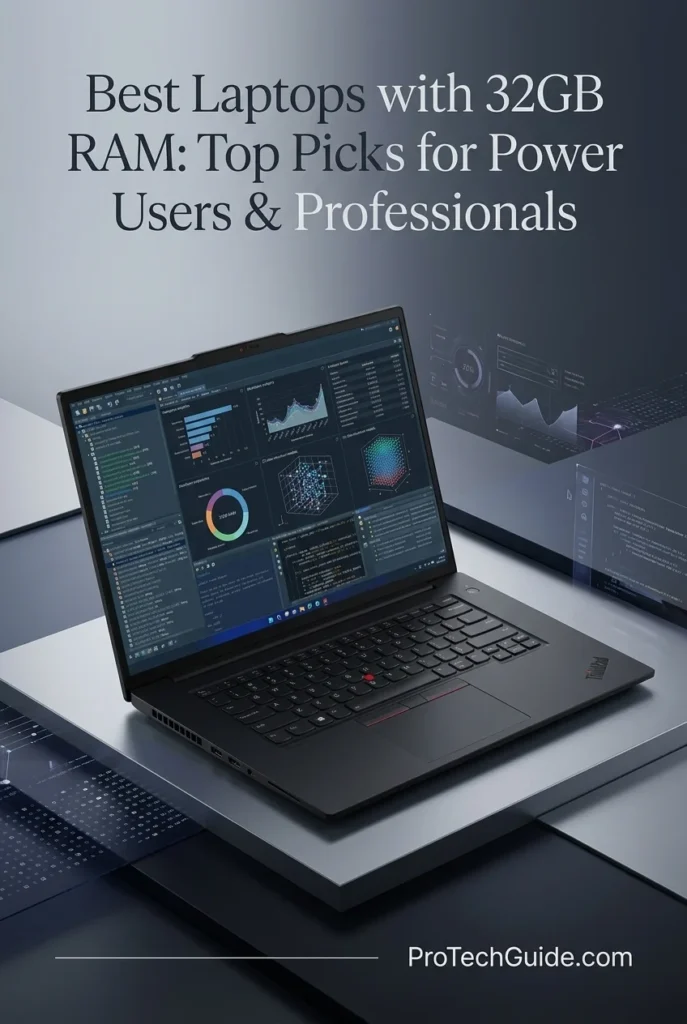
The Lenovo ThinkPad P1 Gen 9 with an Intel Core Ultra 7 356H, 32GB of LPDDR5X memory, a 1TB PCIe Gen 4 SSD, and NVIDIA RTX PRO 2000 Blackwell graphics with 8GB of GDDR7 memory is our workstation-focused choice for professionals who need more than a conventional productivity laptop. Its combination of a 16-core processor, dedicated professional graphics, Windows 11 Pro, and a 16-inch 3840 × 2400 IPS display makes it a compelling platform for engineering applications, 3D visualization, technical design, development, and demanding multitasking. The display's listed 800-nit brightness and 100% DCI-P3 coverage also make it well suited to detailed visual work. With 32GB of high-speed LPDDR5X memory, it offers a strong configuration for power users, although the listed 32GB maximum means buyers should plan their memory needs carefully before purchasing.
The ThinkPad P1 Gen 9 earns our Best Professional Workstation designation because it combines a modern 16-core Intel processor, dedicated NVIDIA RTX PRO graphics, 32GB of high-speed memory, and a detailed 4K-class display in one professional system. It is particularly attractive to users whose applications can benefit from professional GPU capabilities rather than relying exclusively on integrated graphics. However, its 8GB of GPU memory and 32GB system-memory ceiling should be considered when planning unusually large 3D scenes, extensive datasets, or workloads with higher memory requirements.
Compared with the ASUS ProArt P16, which targets creative workflows with GeForce graphics, the ThinkPad P1 Gen 9 emphasizes professional RTX PRO graphics and business-oriented features. The Lenovo Legion Pro 7i and MSI Vector 16 HX AI are alternatives for buyers prioritizing gaming-class graphics performance, while the Apple MacBook Pro 14-inch with M5 Max is aimed at users who prefer macOS and compatible creative or development applications. The ThinkPad is the more natural fit for professionals who specifically want Windows 11 Pro and dedicated workstation graphics, but the best choice still depends on the applications, GPU requirements, and memory capacity their work demands.
Key Features
ASUS ProArt P16
Best 32GB Laptop for Professional Creative Workflows
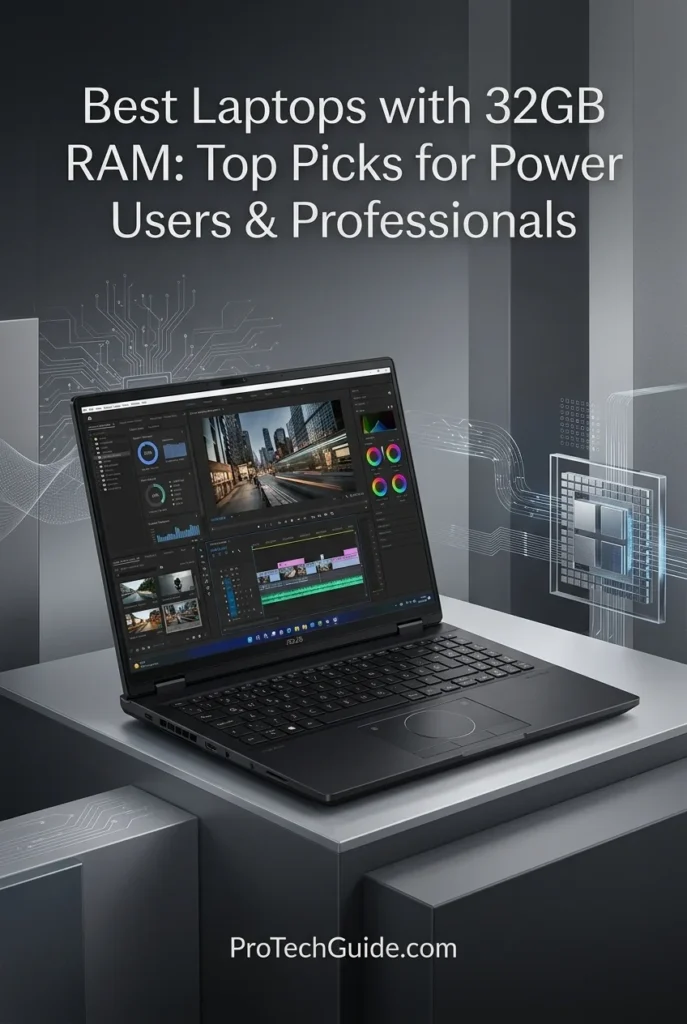
The ASUS ProArt P16 H7606WW-SE028X with an AMD Ryzen AI 9 HX 370 processor, 32GB of LPDDR5X memory, a 2TB SSD, and NVIDIA GeForce RTX 5080 graphics is our creative-focused recommendation for professionals who need substantial processing power, dedicated high-performance graphics, and a premium OLED display. Its combination of a 12-core, 24-thread processor, an RTX 5080 GPU with 16GB of graphics memory, and a 16-inch 2880 × 1800 OLED touchscreen makes it a compelling option for video editing, motion graphics, 3D modeling, digital content creation, and demanding multitasking. The display's 120Hz refresh rate, 100% DCI-P3 coverage, Pantone validation, and VESA DisplayHDR True Black 500 certification are particularly appealing for visual workflows. Its 32GB of soldered memory is well suited to many professional applications, although it cannot be upgraded, so users with unusually memory-intensive projects should evaluate their long-term requirements before purchasing.
The ASUS ProArt P16 earns our Best for Creative Professionals designation because it combines a capable Ryzen AI processor, GeForce RTX 5080 graphics with 16GB of VRAM, 32GB of system memory, a spacious 2TB SSD, and a color-focused OLED touchscreen. This combination is particularly appealing for video production, visual design, 3D creation, and GPU-accelerated workflows. Its most important purchasing consideration is memory expandability: the 32GB LPDDR5X is soldered, so professionals who anticipate larger projects or heavier memory demands should assess whether that capacity will remain sufficient over the laptop's useful life.
Compared with the Lenovo ThinkPad P1 Gen 9, which emphasizes professional workstation graphics and business-oriented features, the ProArt P16 prioritizes creative production, a high-refresh OLED touchscreen, and GeForce RTX 5080 graphics with 16GB of VRAM. It is also a strong alternative to the Lenovo Legion Pro 7i and MSI Vector 16 HX AI for creators who value display characteristics and creative workflows alongside GPU performance. The Apple MacBook Pro with M5 Max may be preferable for professionals whose applications are optimized for macOS, while this ASUS is better aligned with Windows-based creative workflows. The right choice depends on software compatibility, memory requirements, graphics needs, and preferred operating system.
Key Features
Apple MacBook Pro 14-inch M5 Max
Best MacBook for AI, Creative Work & Professional Multitasking
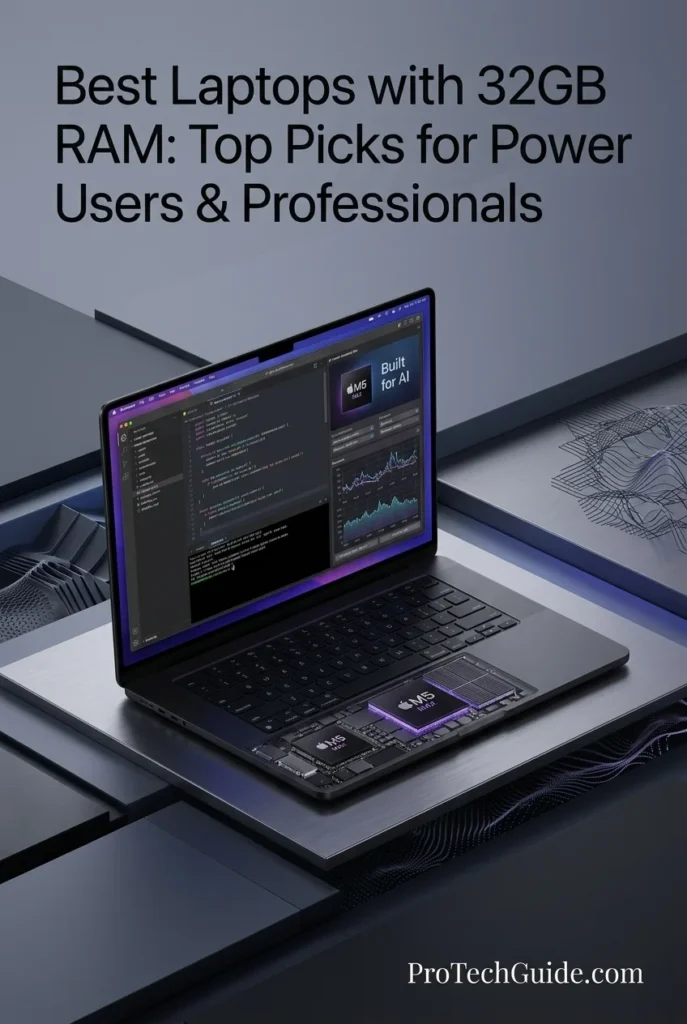
The Apple MacBook Pro 14-inch with the M5 Max chip, an 18-core CPU, a 32-core GPU, 36GB of unified memory, and a 2TB SSD is our premium macOS recommendation for power users who need strong computing performance, advanced graphics capabilities, and fast local storage in a compact professional laptop. Its 14.2-inch Liquid Retina XDR display, hardware designed to accelerate supported AI workloads, and high-bandwidth unified memory architecture make it a compelling option for software development, compatible AI applications, video editing, graphic design, and demanding multitasking. The 36GB memory configuration exceeds the 32GB target of this buying guide, providing additional capacity for applications and projects that benefit from more memory. With Wi-Fi 7, Thunderbolt 5 connectivity, and support for up to four external displays with the M5 Max configuration, it also offers a strong foundation for sophisticated desktop setups. Its main consideration is software compatibility: users who depend on Windows-only applications should evaluate their requirements before choosing macOS.
The MacBook Pro 14-inch with M5 Max earns our Best MacBook for Power Users designation because it combines an 18-core CPU, a 32-core GPU, 36GB of unified memory, 2TB of storage, and a premium Liquid Retina XDR display in a relatively compact system. It is particularly compelling for professionals who can take advantage of Apple's hardware and software integration across development, AI-assisted work, and creative production. Although its 36GB memory capacity exceeds this guide's 32GB target, buyers should remember that unified memory is shared between the processor and graphics hardware. The best fit depends on application compatibility, memory demands, and whether the user benefits from the Mac ecosystem.
Compared with the ASUS ProArt P16, which combines Windows with an NVIDIA GeForce RTX 5080 GPU and 16GB of dedicated graphics memory, the MacBook Pro emphasizes Apple's integrated architecture, macOS workflows, and unified memory. The Lenovo Legion Pro 7i and MSI Vector 16 HX AI are alternatives for users who prioritize Windows-based workflows and dedicated NVIDIA graphics, while the Lenovo ThinkPad P1 Gen 9 targets professionals who value workstation-oriented graphics and business features. The MacBook Pro is a particularly strong option for compatible creative applications, development, and macOS-based productivity, but Windows-dependent software and workloads requiring substantial dedicated GPU memory may make one of the Windows alternatives more appropriate.
Key Features
HP EliteBook X Flip G2i 14-inch
Best 32GB Convertible Laptop for Mobile Professionals
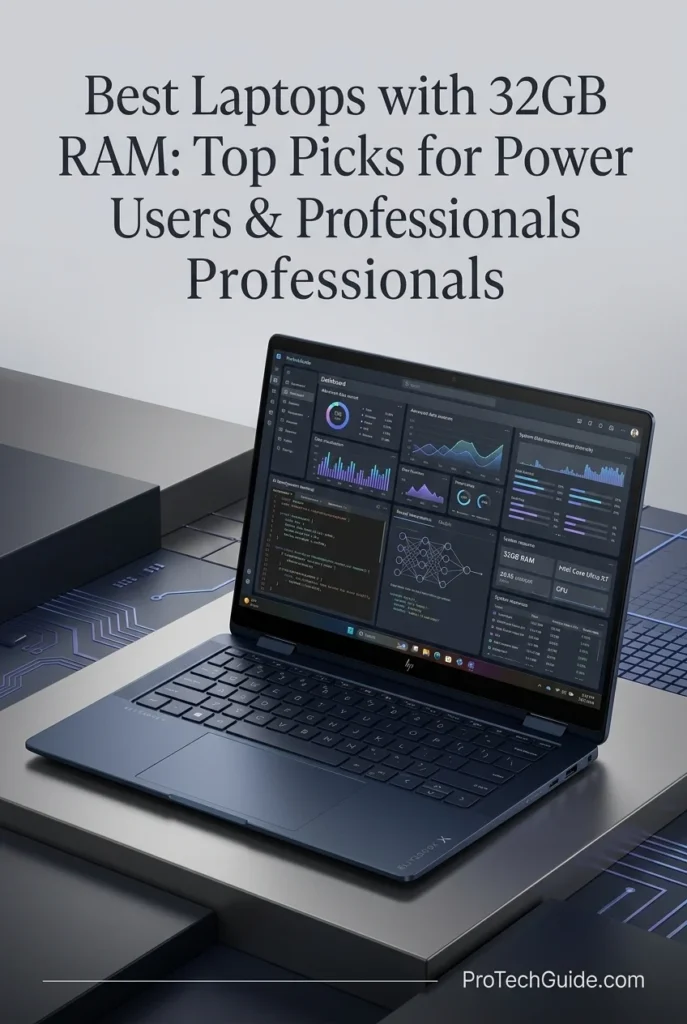
The HP EliteBook X Flip G2i 14-inch with an Intel Core Ultra X7 358H processor, 32GB of LPDDR5X memory, and a 1TB SSD is our business-focused recommendation for professionals who value portability, touchscreen flexibility, and enterprise-oriented security. This 2026 convertible combines a 16-core Intel Core Ultra Series 3 processor, integrated Intel Arc Graphics B390, and a 14-inch 2880 × 1800 OLED display listed with a 120Hz refresh rate and up to 500 nits of brightness. Its 360-degree convertible design supports flexible working and presentation scenarios, while the listed 5G connectivity can help mobile professionals stay connected when away from Wi-Fi coverage. With Windows 11 Pro, HP Wolf Security features, and 32GB of memory, it is well suited to office productivity, browser-based applications, business analysis, collaboration, and everyday multitasking. However, its integrated graphics and fixed 32GB memory capacity make it a less appropriate choice for highly demanding GPU-rendering workloads or users who expect to upgrade their RAM later.
The HP EliteBook X Flip G2i earns our Best 2-in-1 Business Laptop designation because it prioritizes the features mobile professionals use every day: a convertible touchscreen, 32GB of memory, a 1TB SSD, Windows 11 Pro, and enterprise-oriented security features. Its 14-inch OLED panel and listed 2.84-pound weight make it particularly appealing for meetings, presentations, travel, and flexible workspaces. Its defining strength is productivity rather than graphics-intensive performance. The integrated GPU and non-expandable 32GB memory should be considered carefully by buyers who routinely handle complex 3D scenes, GPU-heavy creative projects, or unusually large datasets.
Compared with the Lenovo ThinkPad P1 Gen 9, the EliteBook X Flip G2i prioritizes mobility, touchscreen flexibility, and business productivity rather than dedicated workstation graphics. The ASUS ProArt P16 and Apple MacBook Pro 14-inch M5 Max are better suited to many demanding creative and GPU-accelerated workloads, while the Lenovo Legion Pro 7i and MSI Vector 16 HX AI target users who need high-performance dedicated graphics. The HP is the more natural choice for professionals who value a convertible design, Windows 11 Pro, and mobile connectivity over maximum graphics performance.
Key Features
ASUS ROG Zephyrus G16 (2026)
Premium Performance for Gaming, Content Creation & Power Users
The ASUS ROG Zephyrus G16 (2026) with the Intel Core Ultra 9 386H, 32GB of LPDDR5X memory, NVIDIA GeForce RTX 5070 Ti Laptop GPU, and 1TB SSD is our premium gaming and creative-performance pick for users who need substantial computing power in a sophisticated 16-inch laptop. Its 16-core processor, dedicated graphics with 12GB of GDDR7 VRAM, fast onboard memory, and 2560 × 1600 OLED display with a 240Hz refresh rate make it well suited to demanding PC games, GPU-accelerated creative applications, video editing, 3D modeling, and intensive multitasking. The 32GB LPDDR5X-8533 memory configuration provides strong capacity and bandwidth for modern professional workloads, although the memory is soldered and cannot be expanded beyond the installed 32GB. For users who prioritize gaming performance and graphics-intensive creative work without moving to a larger desktop replacement, the Zephyrus G16 offers an appealing combination of speed, display quality, and premium design.
The ASUS ROG Zephyrus G16 earns our Best Gaming Laptop with 32GB RAM recognition because it pairs a capable Intel Core Ultra 9 processor with an RTX 5070 Ti Laptop GPU featuring 12GB of dedicated graphics memory, fast LPDDR5X RAM, and a high-quality 240Hz OLED panel. It is a compelling option for users who split their time between gaming and graphics-intensive creative applications. Its principal limitation is memory capacity: the 32GB is onboard and non-expandable, making this configuration less suitable for professionals whose workloads routinely require more system RAM.
Compared with productivity-focused systems such as the HP EliteBook X Flip G2i and Dell Plus 16, the Zephyrus G16 places greater emphasis on dedicated graphics performance, high-refresh-rate gaming, and GPU-accelerated creative work. Its RTX 5070 Ti and 12GB of GDDR7 VRAM give it a substantial graphics advantage over laptops relying solely on integrated graphics. However, users who need more than 32GB of system memory should consider a laptop with an upgradeable or higher-capacity memory configuration, while buyers who primarily handle office applications and business multitasking may not need the additional GPU capability.
Key Features
Lenovo Legion Pro 7i
Extreme Gaming Performance, Professional Graphics & Creative Workloads
The Lenovo Legion Pro 7i with the Intel Core Ultra 9 275HX, 32GB of DDR5 memory, NVIDIA GeForce RTX 5080 Laptop GPU with 16GB of GDDR7 VRAM, and 2TB PCIe SSD is our high-performance gaming recommendation for power users who also run demanding creative applications. Its 24-core processor, dedicated NVIDIA graphics, and 16-inch 2560 × 1600 OLED display with a 240Hz refresh rate provide a powerful foundation for modern PC gaming, GPU-accelerated video editing, 3D modeling, rendering, and intensive multitasking. The 32GB DDR5-5600 configuration offers substantial memory capacity for gaming alongside professional applications, while the dedicated GPU provides 16GB of graphics memory for supported high-resolution assets and GPU-intensive workflows. This configuration also includes a separate docking station with an additional 1TB of storage, giving users another option for expanding their available storage without confusing it with the laptop's internal 2TB SSD.
The Lenovo Legion Pro 7i earns our Best High-Performance Gaming Laptop with 32GB RAM recognition because it combines a powerful 24-core Intel processor, an NVIDIA RTX 5080 Laptop GPU with 16GB of dedicated VRAM, fast DDR5 memory, and a 240Hz OLED display. This hardware combination makes it a compelling option for users who need strong gaming performance without giving up the graphics capabilities required by demanding creative applications. Its 32GB of system memory is suitable for many professional workloads, although users who routinely work with exceptionally large projects or memory-intensive simulations may benefit from a system offering greater RAM capacity.
Compared with productivity-oriented laptops such as the HP EliteBook X Flip G2i and Dell Plus 16, the Legion Pro 7i prioritizes dedicated graphics performance, sustained high-performance computing, and gaming-oriented display capabilities. Its RTX 5080 with 16GB of GDDR7 VRAM gives it considerably more graphics headroom than systems that rely on integrated graphics. It is also a strong alternative to the ASUS ROG Zephyrus G16 for users who prioritize a powerful gaming-class configuration. The main trade-offs are its performance-focused design and fixed 32GB memory ceiling in this listing, which buyers should consider when evaluating long-term professional workloads.
Key Features
MSI Vector 16 HX AI
High-End Gaming, RTX 5080 Graphics & Professional Performance
The MSI Vector 16 HX AI with the Intel Core Ultra 9 275HX, 32GB of DDR5 memory, NVIDIA GeForce RTX 5080 Laptop GPU with 16GB of GDDR7 VRAM, and 2TB internal PCIe SSD is our high-performance choice for users who need powerful graphics and substantial processing capacity for gaming and demanding creative workloads. Its 24-core processor, dedicated NVIDIA GPU, and 16-inch 2560 × 1600 display with a 240Hz refresh rate make it well suited to modern PC games, GPU-accelerated video editing, 3D modeling, rendering, and intensive multitasking. The 32GB DDR5-5600 configuration supports demanding applications running side by side, while the RTX 5080's 16GB of dedicated VRAM provides additional capacity for supported graphics-intensive tasks. This listing also includes a separate docking station with 1TB of storage, offering extra storage flexibility beyond the laptop's internal 2TB SSD. For gamers and creators who prioritize raw performance and dedicated graphics, the Vector 16 HX AI delivers a compelling combination of processing power, memory, and high-refresh-rate visuals.
The MSI Vector 16 HX AI earns our Best Performance Laptop with 32GB RAM recognition because it combines an Intel Core Ultra 9 275HX processor, an RTX 5080 Laptop GPU with 16GB of dedicated VRAM, and a high-refresh-rate 16-inch display. This hardware profile makes it a strong candidate for users who want gaming performance alongside GPU-accelerated creative capabilities. Its 32GB of system memory is suitable for many demanding workflows, but the listing identifies 32GB as the maximum capacity for this configuration, so professionals who expect their memory requirements to grow should verify upgrade options before buying.
Compared with productivity-focused systems such as the HP EliteBook X Flip G2i and Dell Plus 16, the MSI Vector 16 HX AI prioritizes dedicated graphics, high-performance gaming, and GPU-intensive applications over lightweight business mobility. Its RTX 5080 with 16GB of GDDR7 VRAM gives it a substantial advantage for compatible 3D, rendering, and creative workloads over laptops relying on integrated graphics. It is also a direct alternative to the Lenovo Legion Pro 7i, with both listings pairing an RTX 5080 with 32GB of system memory and an additional storage accessory. Buyers should compare the exact display panel, cooling performance, warranty terms, and port requirements before choosing between them.
Key Features
Dell Plus 16 Laptop
A 32GB Touchscreen Laptop for Business, Multitasking & AI-Assisted Work
The Dell Plus 16-inch touchscreen laptop with an Intel Core Ultra 9 288V processor, 32GB of LPDDR5X memory, and a 2TB SSD is a compelling option for professionals who prioritize responsive everyday computing, business productivity, and versatile multitasking in 2026. Its 16-inch Full HD+ touchscreen, integrated Intel Arc graphics, Windows 11 Pro, and Copilot+ PC designation make it well suited to office applications, browser-based workflows, video conferencing, document management, presentations, and compatible AI-assisted productivity tools. The 32GB memory configuration provides substantial capacity for running multiple applications simultaneously, while the included docking station adds a separate 1TB of storage for additional files and projects. With Wi-Fi 7, Bluetooth, a backlit keyboard, and a fingerprint reader, this Dell configuration focuses on practical productivity and convenient connectivity rather than dedicated-GPU performance.
The Dell Plus 16 earns its place as a Best for Professional Productivity recommendation by combining 32GB of memory, a Core Ultra 9 processor, a large touchscreen, Windows 11 Pro, and generous storage in a straightforward productivity-focused package. Its integrated graphics and fixed 32GB memory ceiling make it a better fit for office work, communication, research, and general multitasking than for GPU-intensive professional workloads. For users who value everyday versatility over workstation-class graphics, it offers a balanced set of practical features.
Compared with performance-oriented options such as the Lenovo ThinkPad P1 Gen 9 and MSI Vector 16 HX AI, the Dell Plus 16 emphasizes business productivity and touchscreen convenience rather than dedicated NVIDIA graphics. The ThinkPad is the more appropriate direction for professional workstation applications, while the MSI is better suited to GPU-accelerated rendering and demanding creative workloads. The Dell is most compelling for users whose daily work centers on documents, spreadsheets, meetings, research, and compatible AI-assisted tools. Note that its advertised 3TB storage total consists of a 2TB internal SSD plus a separate 1TB docking-station drive, not a single 3TB internal SSD.
Key Features
Best Laptops with 32GB RAM in 2026
Ranked by CPU Performance, Memory Capacity, GPU Power, Storage, Display Quality, Professional Workloads & Overall Value
Choosing the best laptop with 32GB of RAM in 2026 requires more than comparing memory capacity. Power users need the right combination of processor performance, graphics capabilities, fast storage, display quality, connectivity, and software compatibility for their workloads. We evaluated these eight laptops for professional productivity, creative applications, AI-assisted workflows, multitasking, programming, content creation, and demanding everyday computing. From mobile workstations and high-performance gaming laptops to premium business convertibles and MacBook Pro configurations, this comparison highlights each model's strengths, practical limitations, and ideal use cases so you can choose a laptop that matches your actual workload.
| Laptop | CPU & Key Specs | Best For | Why It Wins | Editor's Verdict |
|---|---|---|---|---|
Best Professional Workstation
Lenovo ThinkPad P1 Gen 9
Check Price
|
Intel Core Ultra 7 356H 32GB LPDDR5X 1TB SSD NVIDIA RTX PRO 2000 Blackwell 8GB 16" 3840 × 2400 IPS Windows 11 Pro |
Professional Workflows Engineering Applications Technical Productivity Mobile Workstation Users | The ThinkPad P1 Gen 9 combines a professional NVIDIA RTX PRO GPU, a high-resolution 16-inch display, and 32GB of memory in a workstation-oriented design. It is well suited to demanding productivity, professional applications, and moderate GPU-accelerated workloads, although its listed 32GB memory capacity and 8GB GPU memory should be considered when planning exceptionally large projects. | Best Professional Workstation with 32GB RAM |
Best for Creative Professionals
ASUS ProArt P16
Check Price
|
AMD Ryzen AI 9 HX 370 32GB RAM 2TB SSD NVIDIA GeForce RTX 5080 16GB 16" 3840 × 2400 OLED Touchscreen Windows 11 Pro |
Video Editors 3D Creators Digital Artists GPU-Accelerated Workflows | The ProArt P16 pairs a powerful Ryzen AI processor with dedicated RTX 5080 graphics and a high-resolution OLED touchscreen. Its 16GB of GPU memory, 2TB SSD, and detailed display make it particularly attractive for demanding creative applications, 3D content creation, video editing, and GPU-accelerated production workflows. | Best 32GB Laptop for Creative Professionals |
Best MacBook for Power Users
Apple MacBook Pro 14-inch M5 Max
Check Price
|
Apple M5 Max 18-Core CPU 32-Core GPU 36GB Unified Memory 2TB SSD 14.2" Liquid Retina XDR |
Mac-Based Professionals Developers Creative Workflows Advanced Multitasking | The MacBook Pro combines Apple's M5 Max architecture with 36GB of unified memory, a 2TB SSD, and a premium Liquid Retina XDR display. Although this configuration exceeds the article's 32GB baseline rather than matching it exactly, it is a compelling option for professionals who want substantial memory capacity, strong CPU and GPU performance, and a macOS-based workflow. | Best MacBook for High-Performance Mobile Work |
Best Business 2-in-1
HP EliteBook X Flip G2i 14
Check Price
|
Intel Core Ultra X7 358H 32GB LPDDR5X 1TB SSD 14" 2880 × 1800 OLED Touch 120Hz Display Windows 11 Pro |
Business Professionals Consultants Mobile Productivity Touchscreen Workflows | The EliteBook X Flip G2i emphasizes professional mobility, touchscreen interaction, and business-focused productivity. Its 32GB of memory, 3K-class OLED display, Windows 11 Pro, and convertible design make it attractive for presentations, meetings, document work, and multitasking. Its integrated Intel Arc graphics are intended for everyday visual workloads rather than demanding dedicated-GPU rendering. | Best Premium Business 2-in-1 with 32GB RAM |
Best Premium Gaming Laptop
ASUS ROG Zephyrus G16
Check Price
|
Intel Core Ultra 9 386H 32GB LPDDR5X-8533 1TB SSD Listed in Product Title 16" 2560 × 1600 WQXGA 240Hz Display Windows 11 Home |
Gaming High-Refresh-Rate Computing Everyday Multitasking Portable Performance | The ROG Zephyrus G16 combines a high-refresh-rate 16-inch display with an Intel Core Ultra 9 processor and fast onboard memory. Its gaming-oriented design makes it worth considering for users who want a premium performance laptop for compatible games and everyday multitasking. Buyers should verify the exact GPU and storage configuration before purchasing because seller specifications can vary or conflict across listings. | Best Premium Gaming-Oriented Laptop |
Best High-End Performance
Lenovo Legion Pro 7i 16
Check Price
|
Intel Core Ultra 9 275HX 32GB DDR5-5600 2TB Internal PCIe SSD NVIDIA GeForce RTX 5080 16GB 16" 2560 × 1600 OLED 240Hz Display Windows 11 Pro |
Gaming 3D Creation GPU-Accelerated Workloads High-Performance Multitasking | The Legion Pro 7i combines a high-core-count Intel processor, dedicated RTX 5080 graphics with 16GB of GDDR7 memory, and a fast 240Hz OLED display. It is a strong option for GPU-intensive applications, gaming, and demanding creative workloads. The included 1TB docking-station storage is separate from the laptop's 2TB internal SSD. | Best High-Performance Laptop with 32GB RAM |
Best for GPU-Accelerated Work
MSI Vector 16 HX AI
Check Price
|
Intel Core Ultra 9 275HX 32GB DDR5-5600 2TB Internal PCIe SSD NVIDIA GeForce RTX 5080 16GB 16" 2560 × 1600 LED 240Hz Display Windows 11 Pro |
GPU-Accelerated Creation 3D Rendering Video Production Gaming and Multitasking | The MSI Vector 16 HX AI combines a 24-core-class Intel Core Ultra 9 processor with RTX 5080 graphics and 16GB of dedicated GDDR7 memory. Its configuration is particularly appealing for GPU-accelerated creative workloads, 3D applications, and high-performance gaming. The 32GB of RAM provides a strong multitasking baseline, while the bundled 1TB docking-station storage remains separate from the internal 2TB SSD. | Best for GPU-Accelerated Creative Work |
Best for Professional Productivity
Dell Plus 16
Check Price
|
Intel Core Ultra 9 288V 32GB LPDDR5X 2TB Internal SSD Intel Arc Integrated Graphics 16" 1920 × 1200 Touchscreen Windows 11 Pro |
Business Professionals Office Productivity Remote Work Everyday Multitasking | The Dell Plus 16 focuses on practical productivity with 32GB of memory, an Intel Core Ultra 9 processor, a 16-inch touchscreen, and Windows 11 Pro. Its integrated Intel Arc graphics suit everyday visual tasks and compatible applications, while the included docking station adds a separate 1TB of storage. It is best for office work and multitasking rather than demanding dedicated-GPU rendering. | Best Business Productivity Laptop with 32GB RAM |
Recommended Next Reads
Finished comparing the best laptops with 32GB of RAM? Explore our expert laptop guides for AI development, programming, GPU performance, creative workloads, premium displays, and high-performance computing.
The right amount of memory is only one part of choosing a powerful laptop. Processor performance, graphics capabilities, storage, display quality, thermal design, and software compatibility can all influence the experience. Whether you're developing AI applications, writing code, editing video, working with demanding professional software, or comparing performance across different budgets, these guides can help you identify the hardware that best matches your workload.
Best Laptops for AI & Machine Learning in 2026
Explore laptops selected for AI development, machine learning, Python, TensorFlow, local AI workloads, and GPU-accelerated computing. Learn how memory capacity, processor performance, and dedicated graphics influence demanding AI workflows.
Explore AI & Machine Learning Laptops →Best Laptops for Programming in 2026
Compare laptops for coding, software development, development environments, multitasking, and demanding programming projects across different platforms and budgets.
Explore Programming Laptops → Creative WorkloadsBest Laptops for Video Editing in 2026
Find laptops for video production, 4K editing, motion graphics, compositing, and demanding creative applications that benefit from capable processors, sufficient memory, and GPU acceleration.
Explore Video Editing Laptops → GPU PerformanceRTX 5060 vs. RTX 5070 Ti vs. RTX 5080 Laptop GPUs in 2026
Understand the differences between popular NVIDIA laptop GPUs and compare their suitability for gaming, creative applications, GPU-accelerated workflows, and demanding graphics workloads.
Compare Laptop GPUs → Display QualityBest OLED Laptops in 2026
Explore laptops with OLED displays for rich contrast, detailed visuals, creative applications, entertainment, and professional workflows where display quality matters.
Explore OLED Laptops → Performance & ValueBest Laptops Under $2000 in 2026
Compare premium laptops for productivity, gaming, creative applications, and demanding everyday computing while balancing performance, features, and budget.
Explore Laptops Under $2000 → Professional DevelopmentBest Laptops for Software Developers in 2026
Discover laptops for professional software development, IDEs, multitasking, local development environments, and coding projects that demand reliable performance and memory capacity.
Explore Developer Laptops →EDITOR'S FINAL RECOMMENDATIONS
After comparing laptops across processor performance, memory capacity, storage, graphics capabilities, display quality, multitasking, thermals, portability, connectivity, upgrade limitations, and long-term professional value, these are our final recommendations for 2026. Whether you need a business-ready laptop for demanding everyday work, a creative platform for GPU-accelerated applications, a powerful gaming-class system, or a versatile computer for professional productivity, the right choice depends on how you intend to use your memory, processor, and graphics hardware. Our recommendations prioritize practical performance, configuration accuracy, and the strengths of each laptop rather than treating 32GB of RAM as the only purchasing consideration.
Lenovo ThinkPad P1 Gen 9
Our top professional recommendation for users who need 32GB of memory in a premium mobile workstation. The ThinkPad P1 Gen 9 combines an Intel Core Ultra 7 356H processor, 32GB of LPDDR5X memory, a fast 1TB SSD, and NVIDIA RTX PRO 2000 Blackwell graphics with 8GB of dedicated GDDR7 memory. It is particularly well suited to demanding business applications, professional multitasking, technical software, and workflows that benefit from workstation-oriented graphics and Windows 11 Pro. Its fixed 32GB memory configuration makes it important to assess future capacity requirements before purchasing.
- ✓ Intel Core Ultra 7 356H
- ✓ 32GB LPDDR5X Memory
- ✓ 1TB SSD Storage
- ✓ NVIDIA RTX PRO 2000 Blackwell 8GB
ASUS ProArt P16
The strongest creative-focused choice for users who need substantial GPU power alongside 32GB of system memory. This ProArt P16 configuration pairs the AMD Ryzen AI 9 HX 370 with an NVIDIA GeForce RTX 5080 featuring 16GB of dedicated graphics memory, a 2TB SSD, and a high-resolution 16-inch OLED touchscreen. It is well suited to demanding creative applications, image and video production, 3D workflows, and GPU-accelerated tasks. Its 16GB of VRAM gives it an advantage over the professional and productivity laptops in this list when supported applications benefit from greater graphics-memory capacity.
- ✓ AMD Ryzen AI 9 HX 370
- ✓ 32GB RAM
- ✓ 2TB SSD Storage
- ✓ NVIDIA GeForce RTX 5080 16GB
Apple MacBook Pro 14-inch M5 Max
The best macOS option in this selection for power users who value Apple's integrated hardware and software platform, premium display quality, and substantial unified memory. This 2026 configuration features the Apple M5 Max with an 18-core CPU, a 32-core GPU, 36GB of unified memory, and a 2TB SSD. Its memory capacity exceeds the article's 32GB baseline, making it a strong option for demanding compatible creative, development, and professional applications. Remember that unified memory is shared across the CPU and GPU, so it is not directly equivalent to a Windows laptop's separate system RAM and dedicated graphics memory.
- ✓ Apple M5 Max 18-Core CPU
- ✓ 36GB Unified Memory
- ✓ 2TB SSD Storage
- ✓ 14.2-inch Liquid Retina XDR Display
Lenovo Legion Pro 7i 16
A compelling option for power users who want high-end processing, 32GB of memory, and dedicated graphics for demanding applications. Its Intel Core Ultra 9 275HX, NVIDIA GeForce RTX 5080 with 16GB of GDDR7 memory, 2TB internal SSD, and 16-inch 2560 × 1600 OLED 240Hz display make it well suited to gaming, GPU-accelerated creative applications, and intensive multitasking. The included docking station has a separate 1TB storage component; that capacity should not be counted as part of the laptop's internal SSD. The listed configuration has 32GB of RAM, so users who anticipate needing more should check upgrade options before buying.
- ✓ Intel Core Ultra 9 275HX
- ✓ 32GB DDR5-5600 Memory
- ✓ 2TB Internal PCIe SSD
- ✓ NVIDIA GeForce RTX 5080 16GB
HP EliteBook X Flip G2i
The best fit for professionals who prioritize mobility, business productivity, and convertible flexibility over dedicated GPU performance. This 14-inch system combines an Intel Core Ultra X7 358H processor, 32GB of LPDDR5X memory, a 1TB SSD, and a 3K OLED touchscreen with a 120Hz refresh rate. Windows 11 Pro, integrated Intel Arc graphics, and a compact convertible design make it a practical choice for meetings, office applications, browser-based workloads, and frequent travel. Its memory is listed as a maximum of 32GB, so it is better suited to professional productivity than graphics-intensive workstation tasks.
- ✓ Intel Core Ultra X7 358H
- ✓ 32GB LPDDR5X Memory
- ✓ 1TB SSD Storage
- ✓ 14-inch 3K OLED 120Hz Touchscreen
MSI Vector 16 HX AI
The MSI Vector 16 HX AI is a strong candidate for users who prioritize dedicated graphics performance, a high-refresh-rate display, and substantial internal storage. Its Intel Core Ultra 9 275HX, 32GB of DDR5-5600 memory, NVIDIA GeForce RTX 5080 with 16GB of GDDR7 memory, and 2TB internal SSD provide a powerful foundation for demanding games, GPU-accelerated creative applications, rendering, and other compatible workloads. The bundled docking station includes separate 1TB storage, which is not part of the laptop's internal SSD capacity. Its 32GB memory configuration is suitable for many demanding tasks, but users working with unusually large projects should verify memory upgradeability and application requirements.
- ✓ Intel Core Ultra 9 275HX
- ✓ 32GB DDR5-5600 Memory
- ✓ 2TB Internal PCIe SSD
- ✓ NVIDIA GeForce RTX 5080 16GB
Dell Plus 16
A practical choice for professionals who want 32GB of memory, a large touchscreen, Windows 11 Pro, and a high-capacity internal SSD for everyday productivity. Its Intel Core Ultra 9 288V processor, 32GB of LPDDR5X memory, 2TB internal SSD, and integrated Intel Arc graphics suit office applications, multitasking, research, and compatible development workflows. The 16-inch FHD+ touchscreen offers a spacious working area, while the included docking station provides separate additional storage. This is a productivity-focused laptop rather than a dedicated-GPU workstation, making it a better fit for general professional work than demanding 3D rendering or intensive GPU compute.
- ✓ Intel Core Ultra 9 288V
- ✓ 32GB LPDDR5X Memory
- ✓ 2TB Internal SSD
- ✓ 16-inch FHD+ Touchscreen
ASUS ROG Zephyrus G16
The ROG Zephyrus G16 is intended for users who want a large, high-refresh-rate display and a performance-oriented laptop for gaming and everyday power-user workloads. The supplied listing identifies a 16-inch 2560 × 1600 WQXGA panel running at 240Hz and 32GB of onboard LPDDR5X memory, but its graphics and storage details are inconsistent across the listing information. Before publishing or purchasing, verify the exact SKU and confirm that the selected configuration includes the advertised dedicated GPU and SSD. We would not treat its RTX 5070 Ti designation or 1TB storage capacity as confirmed until the product listing clearly supports both specifications.
- ✓ Intel Core Ultra 9 386H (listed)
- ✓ 32GB LPDDR5X-8533 Memory
- ✓ 16-inch WQXGA 240Hz Display
- ✓ Verify GPU and SSD Configuration Before Purchase
Which 32GB RAM laptop should you buy?
Lenovo ThinkPad P1 Gen 9
ASUS ProArt P16
MacBook Pro 14-inch M5 Max
Lenovo Legion Pro 7i
HP EliteBook X Flip G2i
MSI Vector 16 HX AI
Dell Plus 16
ASUS ROG Zephyrus G16
- Choose the Lenovo ThinkPad P1 Gen 9 if you want a professional mobile workstation with 32GB of memory, Windows 11 Pro, and dedicated NVIDIA RTX PRO graphics. It is the strongest overall fit here for workstation-oriented professional use, provided its fixed 32GB memory capacity and 8GB of GPU memory match your long-term workload requirements.
- Choose the ASUS ProArt P16 if your work involves video editing, 3D applications, visual content creation, or other supported workloads that benefit from a powerful dedicated GPU. Its RTX 5080 with 16GB of VRAM is a key advantage, while 32GB of system memory remains a capacity consideration for exceptionally large projects.
- Choose the Apple MacBook Pro 14-inch M5 Max if you prefer macOS and want premium performance for compatible creative, development, and professional applications. Its 36GB unified-memory configuration exceeds the 32GB baseline, but unified memory works differently from a Windows system with separate RAM and dedicated GPU memory.
- Choose the Lenovo Legion Pro 7i 16 if you need high-end CPU performance and dedicated RTX 5080 graphics for gaming, rendering, and compatible GPU-accelerated workloads. Its 2TB internal SSD is separate from the additional storage supplied with the bundled docking station.
- Choose the HP EliteBook X Flip G2i if business mobility, meetings, touchscreen interaction, and convertible flexibility matter more than dedicated graphics performance. Its 32GB of memory is well suited to professional productivity, but the listed configuration does not offer a dedicated NVIDIA or AMD GPU.
- Choose the MSI Vector 16 HX AI if you want a gaming-class laptop with an RTX 5080, 16GB of dedicated VRAM, and 32GB of memory for demanding graphics workloads. Check the memory configuration and upgrade options if your projects may eventually require more than 32GB of system RAM.
- Choose the Dell Plus 16 if your priorities are professional productivity, everyday multitasking, a large touchscreen, and 2TB of internal storage. Its integrated graphics make it a better choice for general business use than for demanding 3D rendering or GPU-intensive workloads.
- Consider the ASUS ROG Zephyrus G16 if its 16-inch 240Hz display and portable performance-oriented design match your needs, but verify the exact GPU, SSD, and model configuration before purchasing. The supplied listing contains conflicting specifications, so its dedicated graphics configuration should not be treated as confirmed without checking the selected SKU.
EDITOR'S FINAL VERDICT
After comparing processor performance, memory configurations, SSD storage, dedicated and integrated graphics, display quality, multitasking capability, portability, thermals, software compatibility, connectivity, and long-term value, one conclusion stands out:The best laptop with 32GB of RAM is not necessarily the most expensive workstation or the model with the fastest graphics card. It is the system that provides the right combination of processing power, memory capacity, storage, graphics performance, display quality, and portability for your actual workload. The right choice also depends on whether you need a conventional Windows laptop, a professional workstation, a creative powerhouse, a gaming-class system, or a lightweight business computer.
For power users and professionals, 32GB of RAM provides a practical foundation for demanding multitasking, professional applications, development environments, large projects, content creation, and many technical workflows. However, memory capacity is only one part of the equation. CPU performance influences general processing speed, dedicated GPU memory matters for graphics-intensive workloads, and fast SSD storage helps applications and projects load efficiently. A laptop with integrated graphics may be an excellent business machine, while a system with a powerful dedicated GPU can be a better fit for rendering, supported creative applications, and GPU-accelerated tasks.
Our recommendation: Choose 32GB of RAM as a strong baseline for professional multitasking, but evaluate the entire configuration before buying. If you routinely work with exceptionally large datasets, complex creative projects, virtual machines, or memory-intensive applications, verify whether 32GB will remain sufficient and whether the laptop supports a future memory upgrade. Also distinguish dedicated GPU memory from system RAM and bundled accessory storage from the laptop's internal SSD.- Choose the Lenovo ThinkPad P1 Gen 9 if you want a professional mobile workstation with 32GB of LPDDR5X memory, Windows 11 Pro, and NVIDIA RTX PRO graphics. It is our overall professional recommendation, provided its fixed memory capacity and 8GB of dedicated GPU memory meet your workload requirements.
- Choose the ASUS ProArt P16 if your work centers on creative applications, video production, 3D workflows, or other tasks that benefit from a powerful dedicated GPU. Its NVIDIA GeForce RTX 5080 with 16GB of VRAM and 2TB SSD make it particularly compelling for GPU-intensive work.
- Choose the Apple MacBook Pro 14-inch M5 Max if you prefer macOS and want premium performance for compatible creative, development, and professional applications. Its 36GB of unified memory exceeds the 32GB baseline, although unified memory differs from the separate system RAM and dedicated GPU memory found in many Windows laptops.
- Choose the Lenovo Legion Pro 7i 16 if you need high-end CPU performance, an NVIDIA RTX 5080 with 16GB of dedicated graphics memory, and a high-refresh-rate OLED display for gaming and compatible GPU-accelerated applications. Its listed 2TB internal SSD is separate from the additional storage supplied with the bundled docking station.
Top 32GB RAM Laptop Recommendations (2026)
Lenovo ThinkPad P1 Gen 9
Our Editor's Choice for professionals who need a workstation-oriented Windows laptop with 32GB of memory and dedicated professional graphics. Its Intel Core Ultra 7 356H processor, 1TB SSD, and NVIDIA RTX PRO 2000 Blackwell GPU make it a strong fit for technical applications, business multitasking, and compatible GPU-accelerated workflows. The listed 8GB of VRAM and fixed 32GB system-memory configuration should be considered when planning more demanding future workloads.
- ✓ Intel Core Ultra 7 356H
- ✓ 32GB LPDDR5X Memory
- ✓ 1TB SSD Storage
- ✓ NVIDIA RTX PRO 2000 Blackwell 8GB
ASUS ProArt P16
The strongest creative-focused recommendation in this guide for users who need dedicated graphics performance and substantial GPU memory. Its AMD Ryzen AI 9 HX 370, 32GB of RAM, 2TB SSD, and NVIDIA GeForce RTX 5080 with 16GB of VRAM provide a powerful platform for supported video-editing, 3D, and content-creation applications. Its high-resolution OLED touchscreen also makes it attractive for visual work, although demanding projects may still benefit from more system memory.
- ✓ AMD Ryzen AI 9 HX 370
- ✓ 32GB RAM
- ✓ 2TB SSD Storage
- ✓ NVIDIA GeForce RTX 5080 16GB
Apple MacBook Pro 14-inch M5 Max
The premium macOS choice for power users who prioritize Apple's integrated hardware and software platform, strong CPU and GPU capabilities, and a high-quality display. This configuration includes an 18-core CPU, a 32-core GPU, 36GB of unified memory, and a 2TB SSD. Its memory capacity exceeds the article's 32GB baseline, making it an attractive option for compatible professional and creative workflows that benefit from additional unified memory.
- ✓ Apple M5 Max 18-Core CPU
- ✓ 36GB Unified Memory
- ✓ 2TB SSD Storage
- ✓ 14.2-inch Liquid Retina XDR Display
- ✓ You want a professional Windows workstation with 32GB of memory
- ✓ Your workflow benefits from NVIDIA RTX PRO graphics
- ✓ You use technical applications and demanding professional software
- ✓ You prefer workstation-oriented hardware and Windows 11 Pro
- ✓ You work with video editing, 3D applications, or creative production
- ✓ Dedicated GPU performance and 16GB of VRAM matter to your workflow
- ✓ You want a 2TB SSD and a high-resolution OLED touchscreen
- ✓ You need a creative-focused laptop rather than a conventional business system
- ✓ Confirm whether the memory is upgradeable or permanently soldered
- ✓ Check whether 32GB is sufficient for your applications and expected project sizes
- ✓ Evaluate the GPU separately from system RAM, especially for rendering and creative workloads
- ✓ Confirm internal SSD capacity and distinguish it from bundled external or docking-station storage
- ✓ Verify the exact model, graphics configuration, warranty, and regional SKU before purchasing
A laptop with 32GB of RAM can be an excellent long-term investment for professionals, creators, developers, and power users, but the memory specification alone does not determine the quality of the machine. Processor performance, graphics capabilities, storage, display quality, cooling, portability, software compatibility, and the possibility of future upgrades all influence the everyday experience. The most suitable configuration is the one that handles your current workload comfortably without making you pay for hardware you are unlikely to use.
Among the models evaluated in this guide, the Lenovo ThinkPad P1 Gen 9 is our Editor's Choice for the best overall professional laptop with 32GB RAM in 2026, thanks to its workstation-oriented design, Intel Core Ultra 7 356H processor, 1TB SSD, and NVIDIA RTX PRO 2000 Blackwell graphics. The ASUS ProArt P16 is the stronger fit for GPU-intensive creative work, while the Apple MacBook Pro 14-inch M5 Max is our premium macOS recommendation with 36GB of unified memory. For users who prioritize powerful dedicated graphics for gaming and supported accelerated applications, the Lenovo Legion Pro 7i 16 is another compelling option.
Compare current prices, exact configurations, memory specifications, internal storage, graphics hardware, warranty coverage, and availability before choosing the laptop that best matches your professional or personal workload.
Check Latest DealsEDITOR'S FAQ
Choosing the best laptop with 32GB of RAM involves more than comparing memory specifications. Processor performance, graphics capabilities, SSD capacity, cooling, display quality, portability, upgradeability, and software compatibility all influence how well a laptop performs in demanding professional environments.These frequently asked questions explain who benefits most from 32GB of RAM, whether this capacity is sufficient for gaming and professional applications, how system memory differs from dedicated GPU memory and unified memory, and which laptop makes the most sense for business productivity, creative work, development, and GPU-intensive workloads.
Its Intel Core Ultra 7 356H processor, 32GB of LPDDR5X memory, 1TB SSD, Windows 11 Pro, and NVIDIA RTX PRO 2000 Blackwell graphics provide a well-rounded foundation for professional applications, technical workloads, and demanding multitasking. Its workstation-oriented design makes it particularly appealing to users who value professional graphics capabilities alongside conventional computing performance.
- Intel Core Ultra 7 356H processor for professional computing workloads.
- 32GB of LPDDR5X memory for demanding multitasking.
- 1TB SSD for applications, documents, and professional projects.
- NVIDIA RTX PRO 2000 Blackwell graphics with 8GB of dedicated GDDR7 memory.
- Windows 11 Pro for professional software and business environments.
The best alternative depends on your priorities. The ASUS ProArt P16 is our creative-focused recommendation, the Apple MacBook Pro 14-inch M5 Max is the premium macOS option with 36GB of unified memory, and the Lenovo Legion Pro 7i 16 is an excellent candidate for users who prioritize dedicated GPU performance.
Check PriceWith 32GB of memory, a laptop can accommodate a broad range of professional workflows, including multiple productivity applications, development environments, large documents, creative software, and demanding browser-based workloads. The actual performance you experience still depends on the processor, storage, cooling, graphics hardware, and memory requirements of your applications.
- 16GB → Suitable for everyday productivity, study, general browsing, and many moderate workloads.
- 32GB → A strong choice for professionals, power users, development, demanding multitasking, and many creative applications.
- 64GB or more → Worth considering for exceptionally large projects, multiple virtual machines, memory-intensive workloads, and applications that explicitly benefit from additional capacity.
The most important consideration is whether the laptop allows you to expand its memory later. Several thin-and-light laptops use soldered memory, and some configurations in this guide are listed with 32GB as their maximum capacity. If your workload is likely to grow substantially, investigate upgradeability before purchasing.
A laptop with 16GB can handle office applications, browsing, online meetings, light development, and many moderate creative workloads. However, memory pressure can increase when you run several demanding applications simultaneously, work with large projects, or use software that maintains substantial data in memory.
- 16GB can be adequate for office work, education, browsing, and lighter applications.
- 32GB provides more headroom for professional multitasking and demanding software.
- 32GB is a sensible target for users who regularly keep multiple resource-intensive applications open.
- GPU-intensive applications may also require substantial dedicated graphics memory, separate from system RAM.
- 64GB or more can be beneficial when your specific applications and project sizes require it.
For this guide, our primary recommendations focus on laptops configured with 32GB of system memory. The Apple MacBook Pro 14-inch M5 Max is a related premium option with 36GB of unified memory, which exceeds the 32GB baseline but works differently from conventional Windows system RAM paired with a dedicated GPU.
Check Productivity OptionGaming, video editing, 3D modeling, rendering, and other creative workflows do not depend on system memory alone. A powerful GPU can improve performance in applications that support acceleration, while sufficient VRAM helps accommodate graphics assets, textures, complex scenes, and other GPU-resident data.
- Gaming → 32GB is a strong system-memory configuration for many modern games and multitasking while gaming.
- Video editing → Performance also depends on the editing software, source footage, effects, codec, and project complexity.
- 3D modeling and rendering → GPU performance and VRAM can be critical when using compatible rendering engines.
- Creative multitasking → Additional system memory can help when running several demanding applications together.
- Very large projects → Check the software's recommendations and consider more than 32GB if your workload requires it.
The ASUS ProArt P16, Lenovo Legion Pro 7i 16, and MSI Vector 16 HX AI are particularly interesting for GPU-focused workloads because their specified configurations include NVIDIA GeForce RTX 5080 graphics with 16GB of dedicated VRAM. The ThinkPad P1 Gen 9 instead uses an NVIDIA RTX PRO 2000 Blackwell GPU with 8GB of VRAM, making it a different proposition for professional workstation applications.
A laptop with 32GB of system RAM and a GPU with 16GB of dedicated VRAM has two distinct memory resources. System memory supports application data, background processes, and general computing tasks. Dedicated graphics memory stores graphics-related data and assets needed by the GPU. Having more of either type does not automatically compensate for insufficient capacity in the other.
- 32GB system RAM → Supports operating-system processes, applications, multitasking, and data held in main memory.
- 8GB dedicated VRAM → Provides graphics memory for the GPU and can be sufficient for many mainstream gaming and professional workloads.
- 16GB dedicated VRAM → Provides more graphics-memory capacity for compatible demanding games, creative projects, and GPU-accelerated applications.
- Integrated graphics → Typically uses system memory rather than having a separate pool of dedicated VRAM.
- Unified memory → Used by Apple silicon systems, where the CPU and GPU share a unified memory architecture.
This distinction matters when comparing the ThinkPad P1 Gen 9, which has 32GB of system RAM and 8GB of dedicated GPU memory, with the ASUS ProArt P16, Lenovo Legion Pro 7i, and MSI Vector 16 HX AI configurations, which combine 32GB of system memory with an RTX 5080 GPU featuring 16GB of dedicated VRAM.
Windows laptops commonly use system RAM alongside either integrated graphics or a separate GPU with dedicated VRAM. Apple silicon MacBooks use unified memory shared by the CPU and GPU. Although both configurations provide memory for applications, their architectures and resource-allocation behavior are different, so their capacities should not be treated as directly interchangeable in every workload.
- Windows → A strong fit for users who need Windows-specific applications, PC gaming, or a broad range of hardware configurations.
- macOS → Attractive for compatible creative applications, software development, and users invested in Apple's ecosystem.
- Dedicated NVIDIA GPU → Particularly useful when your applications support CUDA or other GPU-specific acceleration technologies.
- Apple unified memory → Allows the CPU and GPU to access a shared memory pool, with available capacity also serving the operating system and applications.
Our Apple MacBook Pro 14-inch M5 Max configuration includes 36GB of unified memory rather than exactly 32GB. It is a premium option for compatible macOS workflows, while the Windows laptops in this guide offer a wider variety of dedicated GPU configurations. Choose based on application compatibility and actual workload requirements rather than comparing memory numbers alone.
Check MacBook ProMemory and storage solve different problems. RAM supports active applications and data in use, while an SSD stores the operating system, installed software, documents, media, and projects. A larger SSD does not replace additional RAM, but it can provide valuable room for applications and files as your workload grows.
- 512GB → Can be sufficient for lighter workloads, particularly when you use cloud storage or external drives.
- 1TB → A practical starting point for many professionals who install several applications and maintain local projects.
- 2TB → Better suited to larger creative projects, game libraries, substantial media collections, and extensive local files.
- 4TB or more → Worth considering when your workflow requires substantial local storage capacity.
The ASUS ProArt P16, Apple MacBook Pro M5 Max, Lenovo Legion Pro 7i, and MSI Vector 16 HX AI configurations in this guide are listed with 2TB of internal SSD storage. The bundled docking stations offered with some configurations provide separate additional storage and should not be counted as part of the laptop's internal SSD capacity.
Screen size does not determine how much RAM you need, but it can affect how comfortably you use that memory. A larger display makes it easier to work across several windows, inspect timelines, compare documents, or view detailed creative projects. A smaller laptop is usually easier to carry between home, the office, meetings, and travel destinations.
- 14-inch → Best for mobility, business travel, meetings, and compact workspaces.
- 16-inch → Better for split-screen multitasking, large documents, creative timelines, and immersive gaming.
- High-resolution displays → Useful when your work benefits from additional detail and screen workspace.
- High-refresh-rate displays → Can provide smoother motion in gaming and supported applications.
The HP EliteBook X Flip G2i is a strong option for mobile business users who want a convertible 14-inch laptop with a 3K OLED touchscreen. The Apple MacBook Pro 14-inch M5 Max is another compact premium option. For larger-screen workloads, consider the ASUS ProArt P16, Lenovo Legion Pro 7i, MSI Vector 16 HX AI, or Dell Plus 16, depending on your graphics and productivity requirements.
Check Portable OptionSome laptops use replaceable memory modules, while thin-and-light systems often have memory soldered directly to the motherboard. A laptop may therefore ship with 32GB and still offer no practical way to increase that capacity later. Some configurations also specify 32GB as the maximum supported memory.
- Soldered memory → Usually cannot be upgraded by the user after purchase.
- Replaceable memory modules → May allow upgrades, subject to the laptop's supported capacity and memory specifications.
- Maximum listed capacity → Check the manufacturer's documentation for the exact model and configuration.
- Unified memory → Apple silicon MacBook memory is integrated into the platform and is not a conventional user-upgradeable RAM module.
- Storage upgrades → SSD upgradeability is a separate consideration and should be checked independently of RAM.
Several laptops in this guide, including the HP EliteBook X Flip G2i and ASUS ROG Zephyrus G16 configuration described in the supplied listing, are specified with onboard memory. The Zephyrus listing also contains conflicting graphics and storage details, so verify the exact SKU and official specifications before purchasing. For any model, do not assume that a 32GB configuration can be upgraded without checking its documentation.
All eight laptops in this guide target different users. Instead of choosing based on RAM alone, compare their processors, graphics hardware, internal storage, display, portability, and upgrade limitations against the applications you expect to run.
- Best Overall Professional Laptop → Lenovo ThinkPad P1 Gen 9.
- Best for Creative Work → ASUS ProArt P16.
- Best MacBook → Apple MacBook Pro 14-inch M5 Max, with 36GB of unified memory.
- Best Gaming-Class Performance → Lenovo Legion Pro 7i 16.
- Best Business 2-in-1 → HP EliteBook X Flip G2i.
- Best for GPU-Accelerated Workloads → MSI Vector 16 HX AI.
- Best for Everyday Productivity → Dell Plus 16.
- Large-Screen Gaming Alternative → ASUS ROG Zephyrus G16, after verifying the exact GPU and SSD configuration.
Our overall professional recommendation is the Lenovo ThinkPad P1 Gen 9 for users who value workstation-oriented graphics and Windows 11 Pro. Choose the ASUS ProArt P16 or one of the RTX 5080-equipped gaming-class systems if your applications benefit from greater dedicated GPU performance. For business mobility, the HP EliteBook X Flip G2i is a more appropriate fit, while the Dell Plus 16 suits users whose priorities are everyday productivity and a large touchscreen.
Check Best Overall Deal32GB RAM LAPTOP BUYING GUIDE
Choosing a laptop with 32GB of RAM is an excellent starting point for power users, professionals, developers, creators, and demanding multitaskers. However, memory capacity alone does not determine whether a laptop is the right investment. Processor performance, graphics capabilities, storage, display quality, software compatibility, portability, and upgradeability all influence the experience.The wrong configuration can leave you with insufficient graphics memory, limited storage, an unnecessarily heavy system, or hardware that does not match your professional applications. Before investing in a 32GB laptop, avoid these common mistakes and focus on the specifications that will make the biggest difference to your everyday workload.
A laptop with 32GB of RAM can handle a wide range of professional workloads, but the best configuration depends on how you intend to use it. Business professionals may benefit most from a reliable processor, fast storage, a comfortable keyboard, and a portable design. Developers and power users may prioritize sustained CPU performance, multitasking, and software compatibility, while creative professionals and GPU-intensive users may need a dedicated graphics processor with sufficient VRAM.For most buyers in 2026, 32GB is a strong memory target for demanding everyday productivity, programming, many creative applications, and advanced multitasking. However, memory requirements vary by workload, and some demanding 3D projects, virtual machines, large datasets, and specialized applications may benefit from 64GB or more. Evaluate the entire configuration rather than assuming that every laptop with 32GB of RAM offers the same performance or capabilities.
Assuming 32GB of RAM Guarantees the Same Performance
- Two laptops with 32GB of memory can deliver very different results because they may use different processors, memory technologies, cooling systems, and storage configurations.
- CPU-intensive applications, sustained workloads, and demanding multitasking can expose performance differences that memory capacity alone cannot explain.
- Some laptops use soldered memory that cannot be upgraded, while others provide different upgrade options depending on the exact model.
Better decision:Treat 32GB as one part of the complete configuration. Compare the processor, memory type, storage, cooling, and upgradeability before purchasing. For example, the Lenovo ThinkPad P1 Gen 9 is positioned for professional workstation use, while the HP EliteBook X Flip G2i prioritizes mobile productivity and convertible flexibility.
Confusing System RAM With GPU VRAM
- System RAM supports applications, operating system processes, multitasking, and working data, while dedicated GPU VRAM stores graphics resources and other data used by the graphics processor.
- A laptop with 32GB of system memory and an 8GB graphics card does not provide the same graphics-memory capacity as a model with 16GB of dedicated VRAM.
- Creative applications, complex 3D scenes, GPU-accelerated workflows, and some AI tasks may depend heavily on graphics hardware and available VRAM.
Better decision:Choose the GPU according to your applications rather than relying on the 32GB RAM specification alone. The ASUS ProArt P16 and the Lenovo Legion Pro 7i are worth considering for demanding creative or GPU-accelerated workflows, subject to their verified configurations. For office productivity, programming, and general multitasking, integrated graphics may be sufficient.
Ignoring Whether the RAM Is Upgradeable
- Some thin-and-light laptops use soldered memory, meaning the installed capacity cannot be increased after purchase.
- A laptop with a maximum supported capacity of 32GB may provide less flexibility for future workloads than a workstation with upgradeable memory.
- Buying a configuration that cannot be upgraded can become a limitation if your professional applications or projects grow more demanding over time.
Better decision:Check the exact model's memory architecture and maximum supported capacity before buying. The HP EliteBook X Flip G2i and ASUS ROG Zephyrus G16 configuration featured in this guide use onboard memory listed at 32GB maximum, so buyers should confirm that this capacity will meet their long-term needs. Do not assume that every laptop can be upgraded simply because it has 32GB of RAM.
Choosing Too Little SSD Storage
- Professional applications, source code, virtual machines, project files, local datasets, games, and creative assets can consume substantial storage.
- A 32GB RAM configuration does not automatically include enough SSD capacity for large projects or an extensive software library.
- Bundled accessories may advertise additional storage that is separate from the laptop's internal SSD.
Better decision:For a versatile professional laptop, 1TB of internal SSD storage is a practical target, while 2TB can be more suitable for large projects, creative libraries, games, and local datasets. Always distinguish internal storage from external or docking-station storage. For example, the bundled 1TB storage accessory offered with certain Lenovo Legion Pro 7i and MSI Vector 16 HX AI listings is separate from the laptop's internal SSD.
Paying for High-End Hardware You Will Not Use
- Not every professional needs an RTX 5080-class GPU or a high-end workstation processor to benefit from 32GB of RAM.
- Premium gaming and workstation configurations can increase the purchase price, weight, heat output, and power demands.
- For everyday office work, software development, and many productivity applications, a balanced configuration may provide better value than maximum graphics performance.
Better decision:Match the hardware to your actual workload. Choose the Lenovo ThinkPad P1 Gen 9 for professional workstation-oriented tasks, the Dell Plus 16 for business productivity, or the HP EliteBook X Flip G2i for mobile work and convertible flexibility. Consider the Lenovo Legion Pro 7i or MSI Vector 16 HX AI when their powerful dedicated graphics are relevant to your applications, not simply because their specifications look more impressive.
Overlooking Display Quality, Size, and Portability
- Professionals who work for hours with documents, code, timelines, spreadsheets, or creative applications can benefit from a comfortable, high-quality display.
- A larger screen can improve workspace for multitasking, but it often comes with additional weight and reduced portability.
- Resolution, brightness, refresh rate, color coverage, and touchscreen functionality matter differently depending on the intended use.
Better decision:Choose a display that suits your workflow. The 14-inch Apple MacBook Pro M5 Max offers a more compact professional format, while the 16-inch Lenovo ThinkPad P1 Gen 9, ASUS ProArt P16, Lenovo Legion Pro 7i, and MSI Vector 16 HX AI provide larger-screen options. If portability and touch interaction are priorities, the HP EliteBook X Flip G2i is a convertible alternative. Compare the exact display specifications rather than assuming that every 16-inch panel has the same quality.
Smart Buying Advice for 32GB RAM Laptops
Your work involves demanding professional applications, sustained processing, complex multitasking, or graphics-intensive projects that justify workstation-class hardware. The Lenovo ThinkPad P1 Gen 9 is the leading workstation-oriented choice in this guide, with 32GB of memory, an Intel Core Ultra 7 356H, an NVIDIA RTX PRO 2000 Blackwell GPU with 8GB of GDDR7 memory, and a high-resolution 16-inch display. Confirm that its memory capacity and graphics specifications meet your future workload requirements before purchasing.
Your applications are compatible with macOS and you value Apple's ecosystem, a premium display, and a compact professional design. The 14-inch Apple MacBook Pro with M5 Max featured in this guide includes 36GB of unified memory, which exceeds the 32GB target but is not directly equivalent to a Windows laptop's separate system RAM and dedicated GPU VRAM. Check the compatibility of specialized Windows-only applications and workflows before choosing macOS.
Key takeaway:The best 32GB RAM laptop is not necessarily the most expensive model or the one with the most powerful graphics card. It is the system that balances memory, processor performance, graphics capabilities, storage, display quality, portability, software compatibility, and upgradeability for your actual needs. Check the complete configuration and the exact product listing before making a final decision.
After evaluating the laptops featured in this guide, these are our Editor's top recommendations for 2026:
- Best Professional Workstation:Lenovo ThinkPad P1 Gen 9 — a workstation-oriented choice for professionals who need 32GB of memory, dedicated NVIDIA RTX PRO graphics, fast storage, and a high-resolution 16-inch display.
- Best for Creative Professionals:ASUS ProArt P16 — a compelling option for demanding creative workflows, with an AMD Ryzen AI 9 HX 370, 32GB of RAM, a 2TB SSD, and an NVIDIA GeForce RTX 5080 with 16GB of VRAM according to the supplied configuration.
- Best MacBook for Power Users:Apple MacBook Pro 14-inch M5 Max — a premium macOS option with an 18-core CPU, 32-core GPU, 36GB of unified memory, and a 2TB SSD for compatible professional and creative workloads.
- Best for GPU-Accelerated Work:Lenovo Legion Pro 7i 16 — a powerful gaming-class system with an Intel Core Ultra 9 275HX, an NVIDIA GeForce RTX 5080 with 16GB of GDDR7 VRAM, 32GB of DDR5 memory, and a 2TB internal SSD. Its dedicated GPU makes it worth considering for compatible graphics-intensive workloads.
Important configuration note: The ASUS ROG Zephyrus G16 listing supplied for this guide contains conflicting GPU and storage information. Verify the exact SKU and seller specifications before treating it as a confirmed RTX 5070 Ti configuration. Also confirm whether any advertised accessory storage is external rather than part of the laptop's internal SSD.
Need help choosing your laptop?
Not sure which option fits your workflow? Get a personalized recommendation based on your budget, performance needs, and usage.
Get personalized recommendation⚡ Usually responds within 24 hours