
Explore Our Best Laptops by Use Case
This guide to Best Dell Laptops in 2026: 8 Top Picks for Work, Business & Everyday Use is part of our curated laptop recommendations by use case. Explore our expert comparisons and buying guides to find the right laptop for business productivity, professional workloads, everyday computing, and budget-conscious purchases, with recommendations tailored to different needs and priorities.Best Dell Laptops in 2026: 8 Top Picks for Work, Business & Everyday Use
The best Dell laptop in 2026 depends on how you work, which features matter most, and how much you want to spend. Dell's lineup spans premium XPS systems, versatile touchscreen laptops, business-focused Pro and Latitude models, budget-friendly Inspiron notebooks, and flexible 2-in-1 designs. Choosing the right one means looking beyond the brand name to find the configuration that fits your daily workload, portability requirements, and budget.
In this guide, we've selected eight Dell laptops for 2026 to help professionals, business users, students, and everyday buyers compare different approaches to performance, productivity, and value. Our evaluation focuses on processor capabilities, memory, internal storage, display characteristics, connectivity, portability, operating system, and the practical differences between Dell's consumer and business-oriented laptop families.The Dell XPS 14 leads our premium category with its modern design and Intel Core Ultra 7 255H platform, while the Dell 16 Touchscreen DC16255 offers a larger touchscreen workspace with an AMD Ryzen 7 250 processor. For business users, the Dell Pro 16 Plus PB16250 and Dell Pro 14 Plus provide dedicated productivity-focused options. The Dell Inspiron 3535 represents a more budget-conscious alternative, and the Dell 14 Plus 2-in-1 adds touchscreen versatility for users who want a convertible design. We'll also examine the Dell Latitude 5450 and Dell Pro 16 Premium as business-oriented candidates, with recommendations based on their verified configurations.
Dell XPS 14
A Premium Windows Laptop for Professional Productivity and Everyday Work
The Dell XPS 14 with Intel Core Ultra 7 255H, 16GB LPDDR5X memory, and a 512GB internal SSD is our premium Dell candidate for professionals who want a compact Windows laptop for demanding everyday productivity, business applications, and multitasking. Its 14.5-inch WUXGA display with a 120Hz refresh rate, integrated Intel Arc graphics, Wi-Fi 7, and Windows 11 Pro make it a compelling option for office work, research, presentations, and mobile productivity. This particular Amazon configuration also includes a docking station advertised with an additional 1TB of storage, but that capacity should not be confused with the laptop's internal SSD.
The Dell XPS 14 earns its Best Premium Dell Laptop position in this guide because it combines a modern Intel Core Ultra processor, a compact 14.5-inch display, integrated Intel Arc graphics, and business-friendly Windows 11 Pro features. It is particularly attractive to professionals who prioritize portability, display fluidity, and a polished everyday computing experience over workstation-class graphics or unusually large memory capacity.
Compared with the Dell 16 Touchscreen DC16255, the XPS 14 emphasizes a more compact premium experience, while the larger Dell 16 offers a 16-inch touchscreen and a listed 32GB of RAM. The XPS 14 is the more natural candidate for professionals who prioritize portability and premium positioning; users who regularly handle heavier multitasking workloads should carefully consider whether 16GB of memory is sufficient. Also note that this listing's advertised 1.5TB total combines a 512GB internal SSD with storage supplied through an included docking station rather than a single 1.5TB internal drive.
Key Features
Dell 16 Touchscreen Laptop DC16255
A Large-Screen Windows Laptop for Business, Study & Everyday Multitasking
The Dell 16 Touchscreen Laptop DC16255 with AMD Ryzen 7 250, 32GB DDR5 memory, and a 1TB PCIe SSD is our pick for everyday productivity, business tasks, and users who prefer a larger interactive display. Its 16-inch FHD+ touchscreen offers a 1920 × 1200 resolution, a 16:10 aspect ratio, and 300 nits of advertised brightness, providing useful workspace for documents, spreadsheets, presentations, and browser-based applications. Combined with Windows 11 Pro, integrated AMD Radeon graphics, Wi-Fi 6, and a full-size keyboard with a numeric keypad, this configuration prioritizes practical productivity and multitasking over dedicated graphics performance.
The Dell 16 Touchscreen DC16255 earns our Best Dell Laptop for Everyday Productivity distinction because its combination of a 16-inch touchscreen, 32GB of memory, 1TB internal SSD, and Ryzen 7 250 processor is well matched to business, education, and everyday multitasking. Rather than focusing on premium materials or workstation-class graphics, this configuration emphasizes a generous workspace, practical input options, and sufficient memory for running several productivity applications together.
Compared with the Dell XPS 14, the DC16255 offers a larger 16-inch touchscreen and twice the listed memory capacity, making it attractive for spreadsheet-heavy work and users who prefer more screen space. The XPS 14 targets buyers seeking a more compact premium experience, while this Dell 16 prioritizes everyday practicality. Its integrated Radeon graphics are appropriate for general productivity, but users who need demanding 3D rendering, advanced GPU-accelerated creative applications, or high-performance gaming should consider a laptop with a suitable dedicated graphics processor.
Key Features
Dell Pro 16 Plus PB16250
A Professional 16-Inch Business Laptop for Everyday Productivity
The Dell Pro 16 Plus PB16250 with the Intel Core Ultra 7 266V, 16GB of LPDDR5X memory, and a 512GB PCIe NVMe SSD is our recommended Dell business laptop for office work in 2026. Designed for professional productivity, it combines an efficient 8-core processor, integrated Intel Arc 140V graphics, a spacious 16-inch FHD+ display, and Windows 11 Pro in a practical business-focused package. Its 1920 × 1200 resolution and 16:10 aspect ratio provide useful vertical workspace for documents, spreadsheets, presentations, and business applications. This Amazon Renewed configuration is particularly appealing to professionals who want a modern Dell business laptop with Wi-Fi 7, Thunderbolt 4 connectivity, and a full-size keyboard without paying the price of a brand-new premium workstation.
The Dell Pro 16 Plus PB16250 earns our Best Dell Business Laptop for Office Work award because it prioritizes the features professionals use every day: a spacious productivity-oriented display, a capable modern processor, business-class connectivity, Windows 11 Pro, and a full-size keyboard with a numeric keypad. Its 16GB of memory and 512GB SSD are well matched to mainstream office workloads, while the Intel Core Ultra 7 266V also includes an integrated NPU rated at up to 47 TOPS for supported AI workloads. Because this is an Amazon Renewed configuration, buyers should also consider its refurbished condition and the seller's stated 90-day warranty when evaluating its overall value.
Compared with the Dell 16 Touchscreen Laptop DC16255, the Pro 16 Plus emphasizes a more modern connectivity platform, including Wi-Fi 7 and Thunderbolt 4, and adds the Intel Core Ultra 7 266V's integrated AI acceleration. The Dell 16 Touchscreen, however, offers a touchscreen, 32GB of memory, and a 1TB SSD in the configuration covered in this guide, giving it an advantage for buyers who prioritize memory capacity and storage space. The Pro 16 Plus is the stronger fit for professionals who value its business-focused feature set, while its 16GB of non-upgradable LPDDR5X memory makes it less suitable for unusually memory-intensive workloads.
Key Features
Dell Pro 14 Plus PB14255
A Compact Business Laptop for Professional Productivity on the Go
The Dell Pro 14 Plus PB14255 with the AMD Ryzen 7 PRO 250, 16GB of LPDDR5X memory, and a 512GB PCIe SSD is our pick for the best portable Dell business laptop in 2026. Built for professionals who need a capable Windows laptop for work across offices, meetings, and remote environments, it combines an 8-core, 16-thread processor with integrated AMD Radeon 780M graphics, a 14-inch FHD+ IPS display, and Windows 11 Pro. The 1920 × 1200 resolution, 16:10 aspect ratio, and anti-glare coating provide a practical workspace for documents, spreadsheets, presentations, and business applications. Its combination of Wi-Fi 7, Thunderbolt 4, a 55Wh battery, and a backlit keyboard makes it a compelling choice for mobile professionals who prioritize business productivity over workstation-class graphics performance.
The Dell Pro 14 Plus PB14255 earns our Best Portable Dell Business Laptop award because it balances business-focused performance, useful connectivity, and a compact 14-inch design. The Ryzen 7 PRO 250 is well equipped for everyday productivity and multitasking, while the anti-glare FHD+ display, Thunderbolt 4 ports, Wi-Fi 7, and Windows 11 Pro make the laptop practical for hybrid work. Its 16GB of onboard memory is appropriate for mainstream business use, but because the memory is not user-upgradable in this configuration, buyers with more demanding long-term workloads should consider whether they need a higher-memory model.
Compared with the Dell Pro 16 Plus PB16250, the Pro 14 Plus prioritizes portability with its smaller 14-inch display while retaining a strong business-oriented feature set. Both configurations offer Windows 11 Pro, 16GB of onboard memory, a 512GB SSD, and Thunderbolt 4 connectivity, but their processors and integrated graphics differ: this Pro 14 Plus uses the AMD Ryzen 7 PRO 250 with Radeon 780M graphics, whereas the Pro 16 Plus uses the Intel Core Ultra 7 266V with Intel Arc 140V graphics. Choose the Pro 14 Plus for a compact AMD-based business laptop; choose the larger Pro 16 Plus if you prefer a 16-inch workspace. Neither configuration is intended to replace a dedicated workstation for demanding 3D rendering or intensive GPU computing.
Key Features
Dell Inspiron 15 3535
An Affordable Touchscreen Laptop for Work, Study & Everyday Productivity
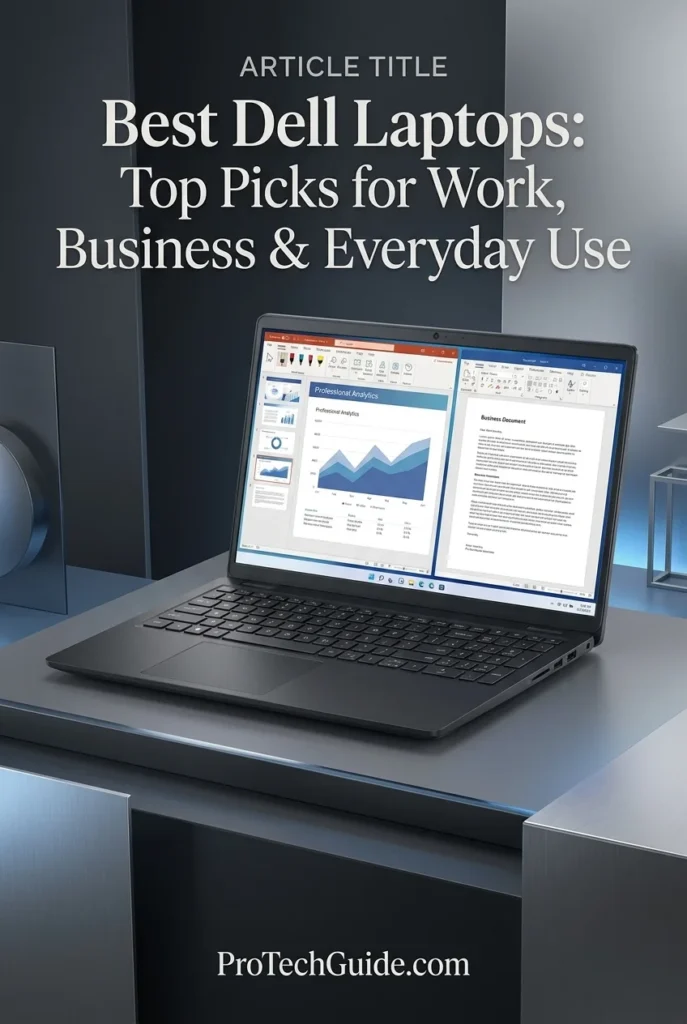
The Dell Inspiron 15 3535 with an AMD Ryzen 7 7730U processor, 32GB of DDR4 RAM, and a 1TB PCIe NVMe SSD is our budget-friendly Dell recommendation for everyday productivity in 2026. Its 8-core, 16-thread processor, generous memory configuration, responsive solid-state storage, and 15.6-inch Full HD touchscreen make it a practical choice for office applications, web browsing, online classes, video calls, document management, and home computing. The touchscreen adds convenient tap, swipe, and zoom interactions, while the full-size keyboard with a dedicated numeric keypad is useful for spreadsheets, budgeting, and data entry. Integrated AMD Radeon graphics are suitable for everyday visual tasks, although this configuration is not designed to replace a dedicated-GPU laptop for demanding gaming or professional graphics workloads.
The Dell Inspiron 15 3535 earns our Best Budget Dell Laptop award because it prioritizes the features that matter for everyday computing: an 8-core Ryzen 7 processor, 32GB of memory, a spacious 1TB SSD, and a large touchscreen. Its combination of practical performance, generous storage, and a numeric keypad makes it especially appealing to students, home-office users, and professionals who need a reliable productivity-focused laptop rather than a premium gaming or workstation system.
Compared with the Dell 16 Touchscreen Laptop DC16255, the Inspiron 15 3535 offers a similar large-screen touchscreen experience and the same advertised 32GB RAM and 1TB SSD capacities, but it uses an AMD Ryzen 7 7730U processor, DDR4 memory, and a standard Full HD 1920 × 1080 display. The Dell 16 DC16255 uses a newer Ryzen 7 250 processor and a taller 1920 × 1200 FHD+ display, making it a stronger alternative for buyers who prioritize a more modern platform and additional vertical workspace. The Inspiron remains a sensible value-oriented option for everyday home and office tasks.
Key Features
Dell 14 Plus 2-in-1
A Versatile Convertible Laptop for Modern Work & Everyday Productivity
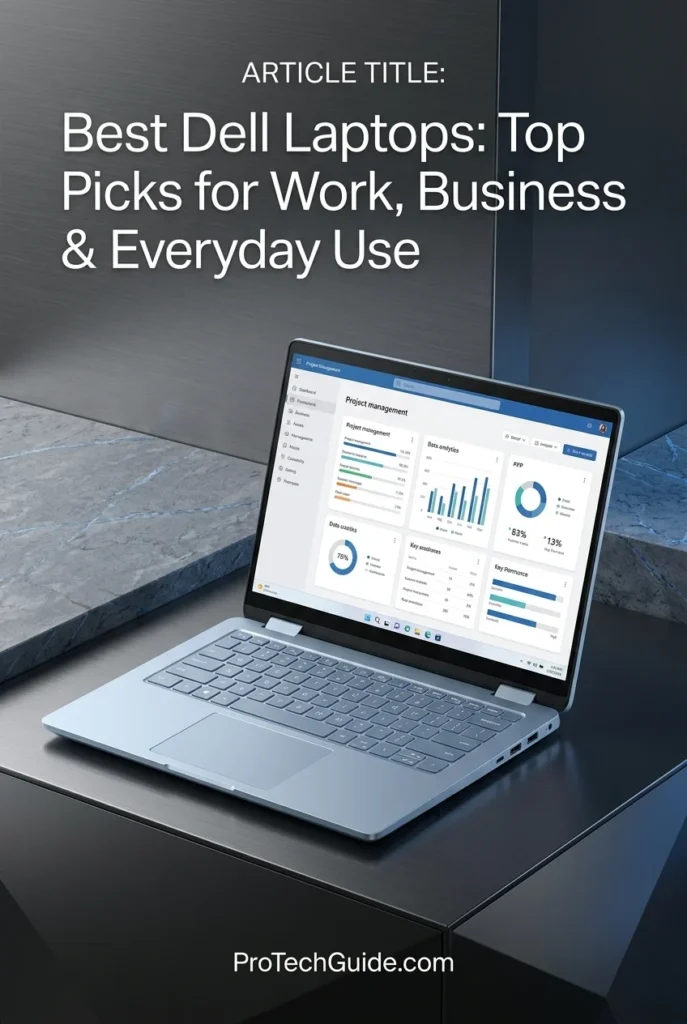
The Dell 14 Plus 2-in-1 with the Intel Core Ultra 7 256V, 16GB of LPDDR5X memory, and a 1TB SSD is our top Dell convertible recommendation for flexible productivity in 2026. Its 8-core processor, integrated Intel Arc graphics, dedicated AI processing capabilities, and 14-inch FHD+ touchscreen make it a versatile option for professionals, students, and everyday users who move between traditional laptop work and touch-based interaction. The 360-degree hinge supports laptop, tent, stand, and tablet modes, while Wi-Fi 7, Thunderbolt 4 connectivity, and Windows 11 Pro provide a modern foundation for mobile productivity. With a lightweight design and a backlit keyboard, this configuration is particularly appealing to users who value portability and flexibility over expandable memory or dedicated graphics performance.
The Dell 14 Plus 2-in-1 earns our Best Dell 2-in-1 Laptop award because its defining advantage is flexibility. The 360-degree hinge and touchscreen make it useful for traditional typing, presentations, collaborative work, and tablet-style interaction, while the Core Ultra 7 256V, 16GB of high-speed memory, and 1TB SSD provide a capable foundation for everyday professional tasks. Its integrated AI processing and modern wireless connectivity add further appeal for users seeking a versatile Windows laptop rather than a conventional clamshell design.
Compared with the Dell Inspiron 15 3535, the Dell 14 Plus 2-in-1 offers a more flexible convertible design, a higher-resolution 1920 × 1200 display, Wi-Fi 7, Thunderbolt 4, and a newer Intel Core Ultra platform with integrated AI acceleration. The Inspiron counters with 32GB of RAM and a larger 15.6-inch screen, which may suit users who prioritize memory capacity and workspace over portability. However, the Dell 14 Plus 2-in-1's 16GB memory is listed as its maximum, so buyers who need more RAM for demanding workloads should consider a different configuration.
Key Features
Dell Latitude 5450
A Professional Business Laptop for Hybrid Work, Enterprise Productivity & Secure Collaboration
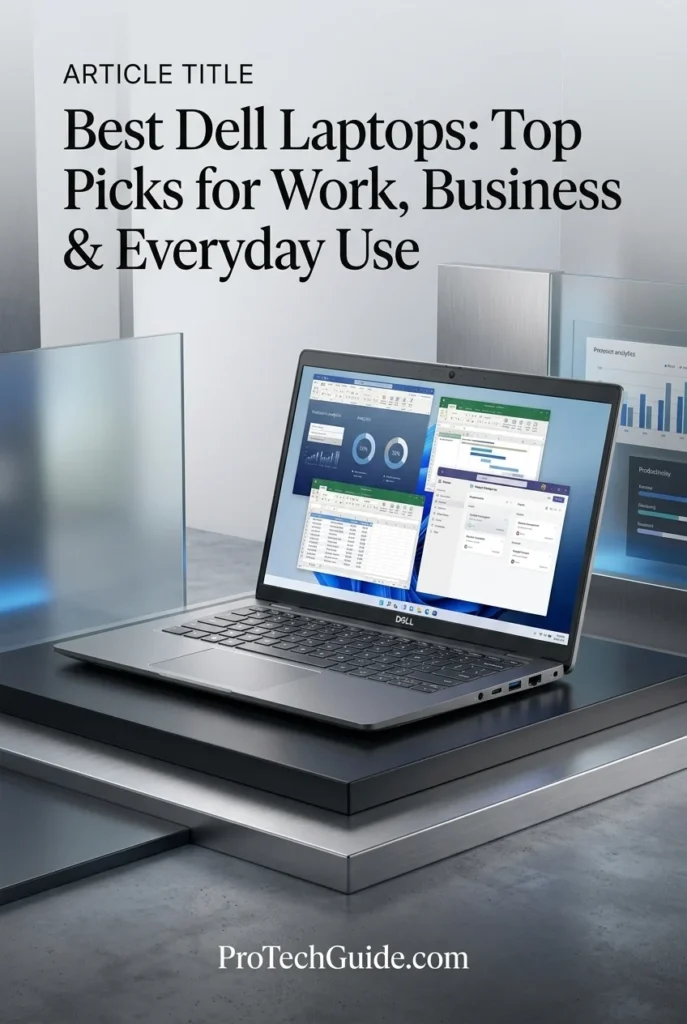
The Dell Latitude 5450 with an Intel Core Ultra 7 155U processor, 32GB of DDR5 memory, and a 1TB PCIe NVMe SSD is our recommended Dell Latitude business laptop for 2026. Designed for professional environments, this 14-inch laptop combines responsive everyday performance, generous memory, fast internal storage, enterprise-oriented connectivity, and Windows 11 Pro in a portable chassis. Its 12-core processor is well suited to office applications, spreadsheets, business software, video conferencing, browser-based tools, and multitasking across demanding workdays. The configuration also includes a Full HD IPS anti-glare display rated at 400 nits with 100% sRGB coverage, a 1080p infrared webcam with a privacy shutter, two Thunderbolt 4 ports, HDMI 2.1, and wired Ethernet. For professionals who prioritize reliable productivity, flexible connectivity, and a practical business-focused design, the Latitude 5450 is a strong alternative to consumer-oriented laptops.
The Latitude 5450 earns our Best Latitude for Business award because it combines a capable Intel Core Ultra processor, 32GB of memory, a spacious 1TB SSD, a bright business-class display, and useful enterprise connectivity. Its practical port selection—including Thunderbolt 4 and wired Ethernet—makes it especially appealing to professionals who move between meeting rooms, home offices, and traditional desk setups. Rather than emphasizing gaming or creative-workstation performance, this configuration focuses on the features that matter most for everyday business productivity.
Compared with the Dell Pro 14 Plus, the Latitude 5450 offers a similar compact business-laptop approach, with 32GB of memory and a 1TB SSD in this particular configuration. The Pro 14 Plus may appeal to buyers seeking a newer business-platform design, while the Latitude stands out here for its generous preconfigured memory and storage, 400-nit display listing, and integrated Ethernet port. Compared with consumer-oriented options such as the Dell Inspiron 15 3535, the Latitude is the more business-focused choice for users who value Windows 11 Pro, Thunderbolt connectivity, and enterprise-style networking.
Key Features
Dell Pro 16 Premium
A 16-Inch Business Laptop for Office Productivity, Multitasking & Professional Workflows
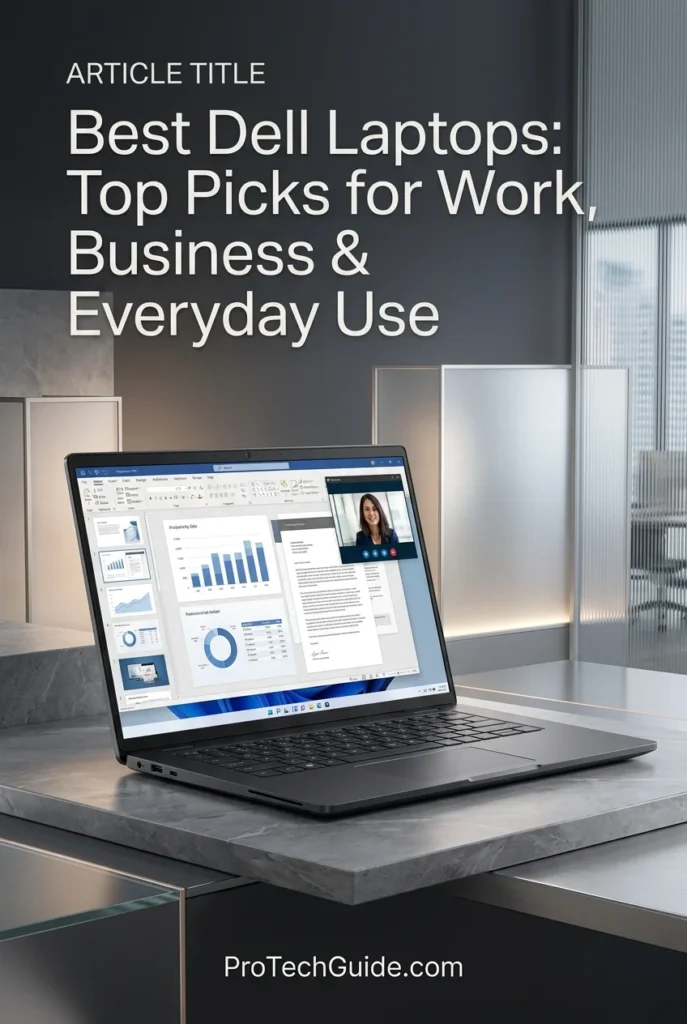
The Dell Pro 16 Premium with an Intel Core Ultra 5 235U processor, 16GB of DDR5 memory, and a 512GB PCIe SSD is our recommendation for professional productivity in 2026. This 16-inch business laptop combines a 12-core Intel processor, integrated Intel Graphics, Windows 11 Pro, and a spacious WUXGA display in a configuration designed for everyday office work and business multitasking. Its 1920 × 1200 anti-glare screen provides additional vertical workspace for spreadsheets, documents, dashboards, and side-by-side applications, while the backlit keyboard and numeric keypad support extended typing and number entry. With 16GB of memory, 512GB of internal storage, Wi-Fi 6E, and a 54Wh battery listed by the seller, it is a practical option for professionals who want a large-screen Windows business laptop for office applications, video meetings, research, and general productivity.
The Dell Pro 16 Premium earns our Best Dell Laptop for Professional Productivity award because it prioritizes the features many office users need most: a large 16-inch screen, a modern business-class processor, 16GB of memory, a fast 512GB SSD, and Windows 11 Pro. Its WUXGA resolution provides more vertical workspace than a standard 16:9 Full HD screen, and the numeric keypad is useful for financial documents, spreadsheets, and data entry. It is best understood as a general-purpose business laptop rather than a dedicated workstation for intensive graphics, advanced 3D work, or demanding AI development.
Compared with the Dell Latitude 5450, the Dell Pro 16 Premium prioritizes a larger 16-inch workspace over a more compact 14-inch business format. The Latitude configuration offers 32GB of memory, a 1TB SSD, Thunderbolt 4, and integrated Ethernet, making it more attractive to users who need greater multitasking headroom and expanded desk connectivity. The Pro 16 Premium instead offers a larger WUXGA display and numeric keypad for everyday office productivity. Buyers should also note that its 16GB memory and 512GB SSD are listed as seller-upgraded components, so they should confirm the upgrade warranty and exact delivered configuration before purchasing.
Key Features
Best Dell Laptops in 2026
Ranked by Performance, Business Productivity, Memory, Display Quality, Portability, Connectivity & Overall Value
Choosing the best Dell laptop in 2026 means finding the right balance of performance, portability, display quality, memory, storage, connectivity, and long-term productivity. Some users need a premium everyday laptop for demanding multitasking, while others benefit more from business-class security, a lightweight design, a flexible 2-in-1 touchscreen, or an affordable system for everyday computing. We evaluated these eight Dell laptops according to their listed configurations, intended workloads, practical strengths, and overall positioning to help you identify the right option for office work, business travel, professional productivity, education, and everyday use. Because some configurations come from upgraded or renewed marketplace listings, buyers should confirm the exact specifications, included accessories, and applicable warranty before ordering.
| Laptop | CPU & Key Specs | Best For | Why It Wins | Editor's Verdict |
|---|---|---|---|---|
Best Premium
Dell XPS 14
Check Price
|
Intel Core Ultra 7 255H 16GB LPDDR5X 512GB Internal SSD Intel Arc Graphics 14.5" WUXGA 120Hz Display Windows 11 Pro |
Premium Productivity Mobile Professionals Everyday Multitasking Frequent Travelers | The Dell XPS 14 combines a premium design, a modern Intel Core Ultra processor, a smooth 120Hz display, and business-ready connectivity in a compact form factor. It is an appealing choice for professionals who prioritize portability, everyday performance, and a refined Windows experience. The listed configuration includes a 512GB internal SSD and an additional 1TB docking-station storage accessory, which should not be confused with a single 1.5TB internal drive. | Best Premium Dell Laptop |
Best Everyday
Dell 16 Touchscreen Laptop
Check Price
|
AMD Ryzen 7 250 32GB DDR5 RAM 1TB PCIe SSD Integrated Radeon Graphics 16" FHD+ Touchscreen Windows 11 Pro |
Office Productivity Large-Screen Multitasking Students & Professionals Everyday Computing | The Dell 16 offers a practical combination of an eight-core AMD processor, 32GB of memory, 1TB of internal SSD storage, and a spacious 16-inch touchscreen. Its 16:10 display provides useful vertical workspace for documents, spreadsheets, and browser-based applications, while its configuration suits demanding everyday multitasking without requiring dedicated graphics. | Best Dell Laptop for Everyday Productivity |
Best Business
Dell Pro 16 Plus
Check Price
|
Intel Core Ultra 7 266V 16GB LPDDR5X 512GB PCIe NVMe SSD Intel Arc 140V Graphics 16" FHD+ IPS Display Windows 11 Pro |
Business Professionals Office Productivity Microsoft 365 Workflows Corporate Multitasking | The Dell Pro 16 Plus prioritizes business productivity with an Intel Core Ultra Series 2 processor, integrated Intel Arc graphics, Wi-Fi 7, and a generous 16-inch workspace. Its Windows 11 Pro configuration and modern connectivity make it a strong fit for office applications, video meetings, document-heavy workflows, and professional multitasking. The listed unit is renewed, so buyers should review its refurbishment condition and warranty terms. | Best Dell Business Laptop for Office Work |
Best Portable Business
Dell Pro 14 Plus
Check Price
|
AMD Ryzen 7 PRO 250 16GB LPDDR5X 512GB SSD Integrated Radeon 780M Graphics 14" FHD+ IPS Display Windows 11 Pro |
Business Travel Mobile Professionals Office Applications Hybrid Work | The Dell Pro 14 Plus is designed for professionals who need a compact business laptop without sacrificing everyday processing capability. Its Ryzen 7 PRO processor, integrated Radeon graphics, Wi-Fi 7, and 14-inch 16:10 display provide a practical foundation for office productivity, collaboration, and multitasking on the move. Its onboard memory is listed as non-upgradable, making it important to ensure that 16GB meets your needs before purchasing. | Best Portable Dell Business Laptop |
Best Budget
Dell Inspiron 15 3535
Check Price
|
AMD Ryzen 7 7730U 32GB DDR4 RAM 1TB PCIe NVMe SSD Integrated Radeon Graphics 15.6" Full HD Touchscreen Windows 11 |
Budget-Conscious Buyers Students Home Office Everyday Productivity | The Dell Inspiron 15 3535 emphasizes practical everyday value with a Ryzen 7 processor, 32GB of listed memory, 1TB of SSD storage, and a 15.6-inch Full HD touchscreen. It is well suited to documents, web browsing, online learning, office applications, and general multitasking. Its integrated graphics and conventional productivity-focused design make it a more appropriate choice for everyday computing than demanding gaming or professional 3D workloads. | Best Budget Dell Laptop |
Best 2-in-1
Dell 14 Plus 2-in-1
Check Price
|
Intel Core Ultra 7 256V 16GB LPDDR5X 1TB SSD Integrated Intel Arc Graphics 14" FHD+ Touchscreen 360° Convertible Design |
Touchscreen Productivity Students & Consultants Presentations & Note-Taking Flexible Mobile Work | The Dell 14 Plus 2-in-1 combines a modern Intel Core Ultra processor with a convertible touchscreen that supports laptop, tent, stand, and tablet modes. Its 16GB of LPDDR5X memory, 1TB SSD, and compact design make it attractive to users who switch between traditional office work, presentations, meetings, and touch-based interaction. Confirm whether a compatible stylus is included with the specific listing before ordering. | Best Dell 2-in-1 Laptop |
Best Latitude
Dell Latitude 5450
Check Price
|
Intel Core Ultra 7 155U 32GB DDR5 RAM 1TB PCIe NVMe SSD Integrated Intel Graphics 14" Full HD Display Windows 11 Pro |
Corporate Users Business Travel Office & Remote Work IT-Managed Environments | The Dell Latitude 5450 brings business-oriented features together with 32GB of memory, 1TB of SSD storage, Windows 11 Pro, and a compact 14-inch design. Its Thunderbolt 4 connectivity, wired Ethernet, and privacy-focused camera features make it a compelling option for office and hybrid-work environments. Because the marketplace listing contains conflicting display details and describes upgraded components, verify the exact screen configuration and warranty coverage before purchasing. | Best Dell Latitude for Business |
Best Professional Productivity
Dell Pro 16 Premium
Check Price
|
Intel Core Ultra 5 235U 16GB DDR5 RAM 512GB PCIe SSD Integrated Intel Graphics 16" WUXGA Anti-Glare Display Windows 11 Pro |
Professional Productivity Office Applications Document & Spreadsheet Work Business Multitasking | The Dell Pro 16 Premium focuses on practical professional productivity, pairing an Intel Core Ultra 5 processor with a spacious 16-inch WUXGA display, Windows 11 Pro, and a backlit keyboard with a numeric keypad. Its larger screen is useful for documents, spreadsheets, and side-by-side applications, while the 512GB SSD provides a straightforward storage foundation for everyday business work. The listing indicates that the unit was opened for component upgrades, so verify the final configuration and applicable warranty before checkout. | Best Dell Laptop for Professional Productivity |
Recommended Next Reads
Finished comparing the best Dell laptops in 2026? Explore our related laptop guides for business professionals, office productivity, remote work, budget-conscious buyers, and users choosing the right laptop for their specific needs.
Whether you need a business-class Dell Latitude, a dependable laptop for Microsoft Office, a portable system for remote work, or a more affordable computer for everyday productivity, these guides can help you compare different laptop categories, understand the trade-offs between configurations, and find the right device for your workflow and budget.
Best Dell Latitude Laptops in 2026
Compare Dell Latitude models for business productivity, professional multitasking, hybrid work, corporate environments, and mobile professionals to find the right business laptop for your needs.
Explore Dell Latitude Laptops →Best Business Laptops in 2026
Explore business-focused laptops selected for productivity, multitasking, professional applications, connectivity, and the demands of modern workplace environments.
Explore Business Laptops → Remote & Hybrid WorkBest Laptops for Remote Work in 2026
Find laptops for home offices, video calls, virtual meetings, document management, multitasking, and productive work across different locations.
Explore Remote Work Laptops → Office & ProductivityBest Laptops for Excel & Microsoft Office in 2026
Compare laptops for Excel spreadsheets, Word documents, PowerPoint presentations, Microsoft 365, business reporting, and everyday office workflows.
Explore Office Laptops → Work & Everyday ComputingBest Laptops for Work, Gaming & Everyday Use in 2026
Discover versatile laptops for productivity, everyday computing, entertainment, multitasking, and users who want one device for work and personal use.
Explore All-Around Laptops → Budget & Overall ValueBest Laptops Under $1,000 in 2026
Explore more affordable laptop options for students, home offices, everyday productivity, and buyers who want to balance performance, features, and price.
Explore Laptops Under $1,000 → Independent ProfessionalsBest Laptops for Freelancers in 2026
Compare laptops for independent professionals balancing client projects, productivity applications, communication, creative work, and business management.
Explore Laptops for Freelancers →EDITOR'S FINAL RECOMMENDATIONS
After comparing eight Dell laptops across processor performance, memory, storage, display quality, portability, connectivity, business features, and everyday usability, these are our final recommendations for 2026. Whether you need a premium laptop for professional productivity, a business-ready system for office work, a portable computer for hybrid work, a flexible 2-in-1 touchscreen, or a more affordable everyday machine, the right choice depends on your workload, mobility requirements, and budget. Our recommendations focus on the strengths of each listed configuration while accounting for practical considerations such as upgradeability, integrated graphics, and marketplace warranty coverage.
Dell XPS 14
Our top premium recommendation for professionals who want a refined, portable Windows laptop with modern processing performance and a smooth display. The Dell XPS 14 combines an Intel Core Ultra 7 processor, 16GB of LPDDR5X memory, Intel Arc graphics, and a 14.5-inch 120Hz display in a compact design. It is particularly attractive for business productivity, everyday multitasking, research, and mobile work. The listed configuration includes a 512GB internal SSD plus a separate 1TB docking-station storage accessory, rather than a single 1.5TB internal drive.
- ✓ Intel Core Ultra 7 255H
- ✓ 16GB LPDDR5X Memory
- ✓ 512GB Internal SSD
- ✓ 14.5-inch WUXGA 120Hz Display
Dell 16 Touchscreen Laptop
The best fit for users who want a spacious touchscreen, substantial memory, and dependable performance for everyday work. Its AMD Ryzen 7 250 processor, 32GB of DDR5 memory, and 1TB SSD make it well suited to office applications, large documents, spreadsheets, browser-based workflows, video meetings, and multitasking. The 16-inch 16:10 display provides useful vertical workspace, making this configuration a practical choice for professionals and students who prefer a larger screen.
- ✓ AMD Ryzen 7 250 Processor
- ✓ 32GB DDR5 Memory
- ✓ 1TB PCIe SSD
- ✓ 16-inch FHD+ Touchscreen
Dell Pro 16 Plus
Our business-focused recommendation for professionals who need a modern Windows 11 Pro system with a large display, contemporary connectivity, and practical multitasking capability. Its Intel Core Ultra 7 266V processor, integrated Intel Arc 140V graphics, 16GB of LPDDR5X memory, and 512GB SSD provide a balanced foundation for Microsoft 365, document management, virtual meetings, and office workflows. This listing is identified as renewed, so buyers should carefully review the refurbishment condition and the warranty provided with the specific unit.
- ✓ Intel Core Ultra 7 266V
- ✓ 16GB LPDDR5X Memory
- ✓ 512GB PCIe NVMe SSD
- ✓ 16-inch FHD+ IPS Display
Dell Pro 14 Plus
The strongest choice in this lineup for professionals who prioritize a compact business laptop and mobile productivity. The AMD Ryzen 7 PRO 250 processor, 16GB of onboard LPDDR5X memory, and 512GB SSD provide a capable platform for office applications, communication, document-heavy workloads, and hybrid work. Wi-Fi 7 and the 14-inch 16:10 display add to its appeal for users who move between home, office, and client locations. Because the listed memory is not upgradeable, make sure 16GB is sufficient for your anticipated workload.
- ✓ AMD Ryzen 7 PRO 250
- ✓ 16GB LPDDR5X Memory
- ✓ 512GB SSD Storage
- ✓ 14-inch FHD+ IPS Display
Dell Inspiron 15 3535
The practical choice for buyers who want a straightforward everyday laptop with generous listed memory and storage. Its AMD Ryzen 7 7730U processor, 32GB of DDR4 RAM, 1TB SSD, and 15.6-inch Full HD touchscreen make it suitable for schoolwork, home-office tasks, web browsing, documents, streaming, and general multitasking. Integrated Radeon graphics are appropriate for everyday visual workloads, but this is not the right choice for demanding modern gaming or GPU-intensive professional applications. Check the seller's condition and warranty details before buying.
- ✓ AMD Ryzen 7 7730U
- ✓ 32GB DDR4 Memory
- ✓ 1TB PCIe NVMe SSD
- ✓ 15.6-inch Full HD Touchscreen
Dell 14 Plus 2-in-1
The most versatile option for users who want a convertible design without giving up the convenience of a conventional Windows laptop. Its Intel Core Ultra 7 256V processor, 16GB of LPDDR5X memory, and 1TB SSD support everyday productivity, meetings, research, presentations, and multitasking. The 360-degree hinge enables laptop, tent, stand, and tablet modes, making the system particularly useful for touch-based interaction and flexible work. Verify whether a compatible stylus is included with the specific listing before ordering.
- ✓ Intel Core Ultra 7 256V
- ✓ 16GB LPDDR5X Memory
- ✓ 1TB SSD Storage
- ✓ 14-inch FHD+ Convertible Touchscreen
Dell Latitude 5450
The best fit for buyers specifically seeking a business-oriented Latitude configuration with Windows 11 Pro, strong multitasking capacity, and professional connectivity. The Intel Core Ultra 7 155U processor, 32GB of DDR5 memory, and 1TB SSD provide a practical foundation for office applications, hybrid work, and business workflows. Thunderbolt 4, Ethernet, and camera privacy features add to its appeal for compatible office environments. Because the marketplace listing contains conflicting display details and describes upgraded components, verify the exact screen configuration and the separate warranty terms before purchase.
- ✓ Intel Core Ultra 7 155U
- ✓ 32GB DDR5 Memory
- ✓ 1TB PCIe NVMe SSD
- ✓ Windows 11 Pro & Thunderbolt 4
Dell Pro 16 Premium
The productivity-focused choice for professionals who prefer a large 16-inch workspace for documents, spreadsheets, business applications, and multitasking. Its Intel Core Ultra 5 235U processor, 16GB of listed DDR5 memory, 512GB PCIe SSD, and Windows 11 Pro provide a practical foundation for everyday professional workloads. The WUXGA anti-glare display and backlit keyboard with numeric keypad are useful for extended office sessions. The seller indicates that the unit was opened for component upgrades, so confirm the final configuration, upgrade details, and applicable warranty before checkout.
- ✓ Intel Core Ultra 5 235U
- ✓ 16GB DDR5 Memory
- ✓ 512GB PCIe SSD
- ✓ 16-inch WUXGA Anti-Glare Display
Which Dell laptop should you buy?
Dell XPS 14
Dell 16 Touchscreen
Dell Pro 16 Plus
Dell Pro 14 Plus
Dell Inspiron 15 3535
Dell 14 Plus 2-in-1
Dell Latitude 5450
Dell Pro 16 Premium
- Choose the Dell XPS 14 if you want a premium, compact Windows laptop with a modern Intel Core Ultra processor, a smooth 120Hz display, and a refined design for professional productivity. Remember that the listed docking-station storage is separate from the internal SSD.
- Choose the Dell 16 Touchscreen Laptop if you prefer a large touchscreen, 32GB of memory, and 1TB of internal storage for spreadsheets, documents, multitasking, and everyday professional work.
- Choose the Dell Pro 16 Plus if your priority is business-oriented productivity, Windows 11 Pro, modern connectivity, and a spacious display. Review the renewed condition and warranty coverage associated with the specific listing.
- Choose the Dell Pro 14 Plus if you need a compact business laptop for travel, hybrid work, and office productivity. Its 16GB of onboard memory is not upgradeable according to the supplied configuration, so plan your memory requirements before purchasing.
- Choose the Dell Inspiron 15 3535 if you want a practical everyday laptop with 32GB of listed memory, a 1TB SSD, and a large touchscreen for school, home-office tasks, and general computing.
- Choose the Dell 14 Plus 2-in-1 if you value the flexibility of a convertible touchscreen for presentations, meetings, note-taking, and traditional laptop work. Confirm whether a compatible stylus is included if you plan to use pen input.
- Choose the Dell Latitude 5450 if you want a business-focused laptop with Windows 11 Pro, 32GB of memory, 1TB of storage, and professional connectivity. Confirm the display specifications and warranty terms because the supplied marketplace listing contains conflicting details.
- Choose the Dell Pro 16 Premium if a spacious 16-inch display, Windows 11 Pro, and a backlit keyboard with a numeric keypad matter more than dedicated graphics or high-end gaming performance.
EDITOR'S FINAL VERDICT
After comparing processing performance, memory capacity, SSD storage, display quality, portability, business features, connectivity, operating systems, upgrade limitations, and overall value, one conclusion stands out: there is no single Dell laptop that is the right choice for every buyer.The best Dell laptop for 2026 depends on how you work, where you use your computer, which applications you rely on, and how much performance you genuinely need. Some buyers will benefit most from the premium design of the Dell XPS 14, while others will get better value from a practical touchscreen laptop, a business-focused Dell Pro system, an affordable Inspiron, or a flexible 2-in-1 convertible.
Dell's laptop lineup covers a broad range of everyday and professional needs, from general productivity and remote work to business administration, frequent travel, presentations, and demanding multitasking. Choosing wisely means looking beyond processor names and advertised storage totals to understand the complete configuration, including whether memory is upgradeable, whether storage is installed internally, what warranty applies, and whether the display and connectivity meet your daily requirements.
For most buyers, 16GB of RAM is a sensible starting point for everyday productivity and professional office work, while 32GB provides more headroom for heavier multitasking and demanding applications. Prioritize a fast internal SSD, a comfortable display, dependable connectivity, and a configuration that fits your actual workload. Before purchasing marketplace listings, verify the exact model, included accessories, warranty coverage, and whether advertised upgrades or additional storage are internal or supplied through a separate accessory.- Choose the Dell XPS 14 if you want a premium, compact Windows laptop with a high-refresh-rate display, Intel Core Ultra 7 processing, 16GB of memory, and a refined feature set for professional productivity and everyday use. Pay attention to the listing's storage description: the advertised additional docking-station storage is separate from the laptop's internal 512GB SSD.
- Choose the Dell 16 Touchscreen Laptop if you prefer a larger 16-inch touchscreen, a Ryzen 7 processor, 32GB of RAM, and a 1TB internal SSD for office applications, multitasking, studying, and general productivity. Its integrated graphics and 60Hz display make it better suited to everyday work than demanding graphics-intensive workloads.
- Choose the Dell Pro 16 Plus if business productivity, Windows 11 Pro, modern connectivity, and a large 16-inch workspace are your priorities. Its Intel Core Ultra 7 266V platform and 16GB of onboard memory make it a compelling business option, but this particular renewed configuration has non-upgradeable memory and seller-specific warranty conditions that deserve attention.
- Choose the Dell Pro 14 Plus if portability, business-oriented features, and a compact 14-inch design matter more than a large display or expandable memory. Its Ryzen 7 PRO 250 processor and Windows 11 Pro suit mobile professionals, but the listed 16GB of onboard RAM is not upgradeable.
- Choose the Dell Inspiron 15 3535 if you want a more affordable Dell for everyday computing, schoolwork, web browsing, documents, and routine multitasking. Its Ryzen 7 7730U, 32GB of RAM, 1TB SSD, and touchscreen provide useful everyday capability, although integrated graphics and the seller's limited warranty make it less suitable for demanding creative work or buyers seeking extensive coverage.
- Choose the Dell 14 Plus 2-in-1 if flexibility is a priority. Its 360-degree hinge supports laptop, tent, stand, and tablet modes, while its Intel Core Ultra 7 256V platform, 16GB of memory, and 1TB SSD provide a versatile foundation for mobile productivity. Confirm the exact port configuration and whether a compatible stylus is included before ordering.
- Choose the Dell Latitude 5450 if you need a business-oriented laptop with Windows 11 Pro, 32GB of RAM, a 1TB SSD, Ethernet, and a useful selection of professional connectivity options. However, the listing contains conflicting display specifications and describes upgraded components, so confirm the exact screen configuration and warranty responsibilities before purchasing.
- Choose the Dell Pro 16 Premium Business if you want a larger 16-inch business laptop with Windows 11 Pro, a Core Ultra 5 235U processor, and a seller-upgraded 16GB RAM and 512GB SSD configuration. Verify the precise port layout, wireless specification, upgrade details, and applicable warranty because the marketplace listing contains inconsistent or incomplete information.
Top Dell Laptop Recommendations (2026)
Dell XPS 14
Our leading premium recommendation for buyers who want a compact Dell laptop with a polished design, a 14.5-inch-class display, modern Intel processing, and a strong combination of portability and everyday productivity. It is particularly appealing to professionals who value a refined Windows experience, although its 16GB of memory and 512GB internal SSD should be evaluated against more demanding long-term needs.
- ✓ Intel Core Ultra 7 255H
- ✓ 16GB LPDDR5X Memory
- ✓ 512GB Internal SSD
- ✓ 14.5-inch WUXGA 120Hz Display
Dell Pro 16 Plus
A strong option for office-based professionals who want a large screen, Windows 11 Pro, business-focused connectivity, and a modern Intel Core Ultra platform. Its renewed status, non-upgradeable 16GB memory, and seller-specific warranty make careful listing verification essential before purchase.
- ✓ Intel Core Ultra 7 266V
- ✓ 16GB Onboard LPDDR5X Memory
- ✓ 512GB PCIe NVMe SSD
- ✓ 16-inch FHD+ Anti-Glare Display
Dell Inspiron 15 3535
A practical choice for students, home users, and budget-conscious buyers who need reliable everyday computing without paying for premium business or workstation features. Its Ryzen 7 processor, 32GB of memory, 1TB SSD, and 15.6-inch touchscreen make it well suited to documents, browsing, video calls, and multitasking.
- ✓ AMD Ryzen 7 7730U
- ✓ 32GB DDR4 Memory
- ✓ 1TB PCIe NVMe SSD
- ✓ 15.6-inch Full HD Touchscreen
- ✓ You want a premium, compact Dell laptop for professional and everyday productivity
- ✓ You value a 14.5-inch-class display with a 120Hz refresh rate
- ✓ You prefer a modern Intel Core Ultra platform and Windows compatibility
- ✓ You are comfortable with 16GB of memory and 512GB of internal storage
- ✓ Windows 11 Pro and business-oriented features are important to your work
- ✓ You want a laptop suited to office applications, meetings, and professional multitasking
- ✓ You understand the memory-upgrade limitations of the specific configuration
- ✓ You have checked whether the listing is new or renewed and what its warranty covers
- ✓ Match the processor, display, memory, and storage to the exact model and configuration being sold
- ✓ Check whether RAM is upgradeable or permanently soldered to the motherboard
- ✓ Distinguish internal SSD capacity from storage included in a separate docking station or accessory
- ✓ Verify warranty coverage, especially for renewed laptops and seller-upgraded configurations
- ✓ Confirm touchscreen, stylus inclusion, ports, and wireless specifications instead of relying solely on the product title
Choosing a Dell laptop is about finding the right balance between performance, usability, portability, and long-term value. A premium model may offer a more refined experience, but that does not automatically make it the best purchase for every buyer. Memory capacity, internal storage, screen comfort, connectivity, and warranty coverage can have a greater impact on everyday satisfaction than a higher processor tier alone.
Among the eight models in this guide, the Dell XPS 14 is our Editor's Choice for the best overall Dell laptop in 2026 because it combines a premium, portable design with modern processing, a 120Hz display, and useful connectivity for professional and everyday work. It is not the automatic choice for every workload: buyers who prioritize memory capacity and a larger screen may prefer the Dell 16 Touchscreen Laptop, while office professionals should give serious consideration to the Dell Pro 16 Plus and Dell Pro 14 Plus.For budget-conscious buyers, the Dell Inspiron 15 3535 offers a practical mix of processing power, memory, storage, and touchscreen convenience. The Dell 14 Plus 2-in-1 is the more versatile choice for people who benefit from convertible modes, while the Dell Latitude 5450 and Dell Pro 16 Premium Business deserve consideration when their business features align with your needs and their exact seller-listed configurations have been verified.
Compare current prices, exact model numbers, processor and memory configurations, internal storage, display specifications, and warranty coverage before choosing your next Dell laptop. Marketplace configurations and availability can change, so verify the complete listing details before placing your order.
Check Latest DealsEDITOR'S FAQ
Choosing the best Dell laptop in 2026 involves more than comparing processor names, RAM capacity, or advertised storage. Buyers should consider how they intend to use their computer, whether they need a portable business laptop or a larger everyday system, how much memory their applications require, and whether features such as a touchscreen, Windows 11 Pro, or a convertible design justify the price.These frequently asked questions address the most important buying decisions, from choosing between Dell XPS, Inspiron, Latitude, and Dell Pro laptops to understanding how much RAM and storage you need, whether a 2-in-1 is worth buying, and what to verify before purchasing a renewed or seller-upgraded configuration.
Its compact design, Intel Core Ultra 7 255H processor, 14.5-inch-class WUXGA display with a 120Hz refresh rate, and modern connectivity make it an appealing choice for professionals, students, and everyday users who want a refined Windows laptop. Its 16GB of LPDDR5X memory is suitable for many productivity workloads, although buyers with more demanding multitasking requirements may prefer a configuration with 32GB of RAM.
- Premium, portable design for work and everyday productivity.
- Intel Core Ultra 7 255H processor.
- 16GB LPDDR5X memory.
- 512GB internal SSD, with additional storage advertised separately through a docking-station accessory.
- 14.5-inch-class WUXGA display with a 120Hz refresh rate.
The best alternative depends on your priorities. The Dell 16 Touchscreen Laptop is attractive for buyers who want a larger screen and 32GB of RAM, the Dell Pro 16 Plus is aimed at business productivity, and the Dell Inspiron 15 3535 is a practical option for budget-conscious users.
Check Dell XPS 14 PriceThe Dell Pro 16 Plus combines a 16-inch FHD+ display, an Intel Core Ultra 7 266V processor, Windows 11 Pro, and modern connectivity in a configuration designed for professional productivity. It is well suited to office applications, video meetings, browser-based tools, document management, and multitasking. However, the specific configuration in this guide is renewed, has 16GB of onboard memory, and does not offer a memory upgrade path.
- Dell Pro 16 Plus → Best for professionals who prefer a larger workspace and business-focused features.
- Dell Pro 14 Plus → Best for mobile professionals who want a more compact business laptop.
- Dell Latitude 5450 → Worth considering for buyers who need a business-oriented system with Ethernet and a broad selection of ports.
- Dell Pro 16 Premium Business → An alternative for users who want a 16-inch display and Windows 11 Pro for everyday professional tasks.
Before buying any of these configurations, verify the exact processor, memory, ports, warranty, and condition listed by the seller. Business branding alone does not guarantee that every configuration includes the same enterprise features or support coverage.
Check Dell Pro 16 PlusThe right memory capacity depends on your applications and how many tasks you perform simultaneously. Web browsing, office documents, online meetings, and routine productivity do not necessarily require 32GB. However, larger projects, numerous browser tabs, virtual machines, and memory-intensive professional applications can benefit from additional capacity.
- 8GB → Best reserved for basic computing when the workload and budget are limited; less attractive for long-term multitasking.
- 16GB → A good baseline for everyday computing, studying, office work, remote work, and moderate multitasking.
- 32GB → Recommended for heavier multitasking, demanding applications, larger projects, and users who want more memory headroom.
- 64GB or more → Worth considering for specialized professional workloads that genuinely require substantial memory.
In this guide, the Dell 16 Touchscreen Laptop and Dell Inspiron 15 3535 are listed with 32GB of RAM. The Dell XPS 14, Dell Pro 16 Plus, Dell Pro 14 Plus, Dell 14 Plus 2-in-1, Dell Latitude 5450, and Dell Pro 16 Premium Business are listed with 16GB configurations.Importantly, the Dell Pro 16 Plus and Dell Pro 14 Plus configurations use onboard memory that is not upgradeable. Check the specifications of the exact model before purchasing if you expect your memory requirements to increase.
Check Dell 16 TouchscreenFor typical users, processor performance, storage speed, display comfort, and reliable connectivity can matter just as much as memory capacity. A well-configured 16GB Dell laptop can handle documents, spreadsheets, video calls, web applications, email, and moderate multitasking without requiring a premium 32GB configuration.
- 16GB is suitable for everyday browsing, email, and office applications.
- 16GB works well for many students and remote workers.
- 16GB is sufficient for moderate spreadsheet work and routine multitasking.
- 32GB is preferable when running many demanding applications simultaneously.
- Memory that cannot be upgraded deserves extra consideration before purchase.
The Dell XPS 14 is a strong premium option for users comfortable with 16GB of memory. The Dell Pro 14 Plus is also suitable for many professional productivity workloads, but its listed memory is soldered and non-upgradeable. If you regularly run demanding applications or want additional headroom, consider the 32GB Dell 16 Touchscreen Laptop or Dell Inspiron 15 3535 instead.
Check Dell XPS 14These product families serve different priorities, although their capabilities overlap. The specific configuration, generation, condition, and warranty matter more than the family name alone.
- Dell XPS → A premium choice for users who value design, display quality, portability, and a refined everyday experience.
- Dell Inspiron → A mainstream option for home computing, students, general productivity, and buyers who prioritize value.
- Dell Latitude → A business-oriented family commonly associated with professional connectivity, manageability, and workplace use.
- Dell Pro → A professional lineup with configurations suited to office work, business productivity, and mobile professionals.
- Dell 2-in-1 → A convertible design category that allows compatible models to switch between laptop, tent, stand, and tablet modes.
For this roundup, the Dell XPS 14 is our premium overall pick, the Inspiron 15 3535 is our budget recommendation, and the Dell Pro 16 Plus is our leading business-oriented choice. The Dell Latitude 5450 and other Dell Pro models are alternatives for buyers whose work benefits from their specific business features.
Its 360-degree hinge lets you use the device in laptop, tent, stand, and tablet modes. The configuration featured in this guide includes an Intel Core Ultra 7 256V processor, 16GB of LPDDR5X memory, a 1TB SSD, and a 14-inch WUXGA touchscreen. This combination is suitable for productivity, studying, presentations, web applications, and mobile work.
- 360-degree hinge for multiple usage modes.
- Intel Core Ultra 7 256V processor with integrated Intel Arc graphics.
- 16GB LPDDR5X memory.
- 1TB SSD for applications and personal files.
- 14-inch 1920 × 1200 touchscreen.
- Windows 11 Pro and Wi-Fi 7, according to the listed configuration.
The main reason to choose this model is flexibility rather than maximum performance. Its 16GB of memory may be limiting for some demanding workloads, and buyers should verify the exact port configuration before ordering. Although the listing describes stylus support, confirm whether a compatible pen is included or must be purchased separately.
Check Dell 14 Plus 2-in-1The amount of storage you need depends on your operating system, installed applications, personal files, and whether you rely on cloud services or external drives. A fast internal SSD provides convenient local storage and helps applications and files load efficiently.
- 256GB → Suitable for lighter workloads when most files are stored online or externally.
- 512GB → A reasonable baseline for everyday computing, studying, and office productivity.
- 1TB → Recommended for users who keep larger collections of files, applications, and professional projects on their laptop.
- 2TB or more → Useful for substantial local libraries, creative projects, and storage-intensive workflows.
Several models in this guide have 1TB internal SSDs, including the Dell 16 Touchscreen Laptop, Dell Inspiron 15 3535, Dell 14 Plus 2-in-1, and Dell Latitude 5450. The Dell XPS 14 listing advertises an additional 1TB docking-station storage accessory alongside its internal 512GB SSD. That accessory should not be confused with a single 1.5TB internal drive.
Always confirm whether a storage upgrade is installed inside the laptop or supplied as a separate accessory. If future expansion matters, check the specific model's supported upgrade options rather than assuming every Dell laptop has an accessible second SSD slot.
The right screen size depends on where you work and how you use your applications. People who travel frequently or move between meetings may prefer a lighter, more compact computer. Users who spend hours working with spreadsheets, documents, dashboards, and multiple windows may appreciate the additional workspace of a larger display.
- 14-inch → Best for commuting, travel, meetings, remote work, and mobile professionals.
- 14.5-inch → A middle ground for buyers who want a compact system with a little more screen space.
- 16-inch → Better for multitasking, spreadsheets, document editing, video meetings, and working with several windows side by side.
- 15.6-inch → A practical mainstream size that balances everyday usability with a relatively generous display.
The Dell XPS 14 and Dell Pro 14 Plus are suitable for buyers who prioritize mobility. The Dell 16 Touchscreen Laptop, Dell Pro 16 Plus, and Dell Pro 16 Premium Business offer larger 16-inch workspaces. The Inspiron 15 3535 sits between these categories with its 15.6-inch touchscreen.
Remember that screen size alone does not determine display quality. Resolution, brightness, refresh rate, panel characteristics, and touch support also influence the experience. Confirm those specifications for the exact configuration you plan to buy.
Renewed systems may give buyers access to business-class hardware or higher-tier components at a lower price than a comparable new configuration. However, the term does not guarantee that every seller provides the same inspection process, battery condition, return policy, or warranty.
- Check whether the laptop is new, renewed, refurbished, or seller-upgraded.
- Confirm the exact processor, memory, SSD, display, and included accessories.
- Read the warranty terms and identify which company is responsible for coverage.
- Check the return window and the seller's condition description.
- Confirm whether upgraded components affect the original manufacturer's warranty.
- Compare the total price with a new model offering similar specifications and support.
In this guide, the Dell Pro 16 Plus is listed as an Amazon Renewed configuration with seller-specific warranty terms. The Dell Latitude 5450 and Dell Pro 16 Premium Business listings also describe upgraded components or seller-specific coverage. These details do not automatically make the products poor purchases, but they should be evaluated before placing an order.
A lower advertised price is most valuable when the listing clearly explains the condition, included components, return policy, and warranty responsibilities.
Check Dell Pro 16 PlusOur eight recommendations cover different buying priorities, from premium everyday computing to business productivity, budget-conscious use, and convertible flexibility.
- Best Overall → Dell XPS 14.
- Best Large Touchscreen Laptop → Dell 16 Touchscreen Laptop.
- Best Business Laptop → Dell Pro 16 Plus.
- Best Portable Business Laptop → Dell Pro 14 Plus.
- Best Budget Laptop → Dell Inspiron 15 3535.
- Best 2-in-1 Laptop → Dell 14 Plus 2-in-1.
- Best Latitude for Business → Dell Latitude 5450.
- Best Professional Productivity Laptop → Dell Pro 16 Premium Business.
If you want a premium laptop for everyday and professional productivity, start with the Dell XPS 14. If you prefer 32GB of RAM and a larger touchscreen, consider the Dell 16 Touchscreen Laptop. Business users should compare the Dell Pro 16 Plus, Dell Pro 14 Plus, Latitude 5450, and Dell Pro 16 Premium Business according to their specific requirements. For a more affordable everyday system, the Inspiron 15 3535 is a sensible place to start, while the Dell 14 Plus 2-in-1 is the most flexible choice for users who value convertible modes.
Before making your final decision, compare the exact configurations and current listing conditions. In particular, verify onboard memory limitations, internal storage capacity, display specifications, included accessories, and warranty coverage for seller-upgraded or renewed models.
Check Our Best Overall PickDELL LAPTOP BUYING GUIDE
Choosing a Dell laptop is not simply about finding the highest processor tier, the largest advertised storage capacity, or the lowest price. The right system should match your everyday workload, professional requirements, preferred screen size, memory needs, portability expectations, and budget.The wrong purchase can lead to unnecessary expenses, insufficient memory, limited storage, uncomfortable multitasking, or unexpected warranty complications. These risks are particularly important when comparing premium XPS laptops, mainstream Inspiron systems, business-focused Latitude and Dell Pro models, and marketplace configurations that include seller-installed upgrades or separate storage accessories.Before choosing your next Dell laptop, avoid these common mistakes and focus on the specifications that will make the biggest difference in everyday use.
The best Dell laptop is not necessarily the most expensive model or the one with the most impressive specification sheet. A premium laptop may be ideal for one buyer, while another will get better value from a mainstream Inspiron or a business-oriented Dell Pro configuration.For most buyers in 2026, 16GB of RAM is a sensible starting point for everyday productivity, while 32GB offers more headroom for demanding multitasking and professional applications. A fast internal SSD, a comfortable display, reliable connectivity, and a suitable warranty are equally important. Before purchasing, verify whether the configuration is new or renewed, whether the memory can be upgraded, and whether advertised additional storage is actually installed inside the laptop.
Choosing Too Little RAM for Your Workload
- Everyday productivity, office applications, browser tabs, video calls, and multitasking can consume more memory than expected.
- Demanding professional applications and larger projects may benefit from 32GB rather than 16GB of RAM.
- Some Dell configurations use onboard memory that cannot be upgraded after purchase.
Better decision:Choose 16GB for everyday computing and moderate office workloads. Consider 32GB if you regularly run multiple demanding applications or want additional headroom for future needs. In this roundup, the Dell 16 Touchscreen Laptop and Dell Inspiron 15 3535 are listed with 32GB of RAM. The Dell Pro 16 Plus and Dell Pro 14 Plus have 16GB configurations with non-upgradeable onboard memory, so make sure that capacity meets your long-term requirements.
Confusing Advertised Storage With Internal SSD Capacity
- Some marketplace listings combine the laptop's internal SSD capacity with storage supplied through a separate docking station or accessory.
- A product advertised with a large total storage figure may not contain an equally large internal SSD.
- Storage accessories may have different portability, connection, and practical-use considerations compared with an internal drive.
Better decision:Check the internal SSD specification separately from any bundled accessories. The Dell XPS 14 featured in this guide has a listed 512GB internal SSD, with an additional 1TB docking-station storage accessory advertised by the seller. Do not interpret that combination as a single 1.5TB internal drive. If you need substantial local storage, compare the actual internal SSD capacity and verify the upgrade options for the exact model.
Buying a Premium Dell When a Mainstream Model Is Enough
- Not every student, home user, or office worker needs a premium XPS laptop or a specialized business configuration.
- Higher prices may pay for design, display characteristics, portability, or professional features that some buyers will rarely use.
- Spending more on premium features can leave less room in the budget for memory, storage, accessories, or an external monitor.
Better decision:Match the laptop to your actual workload. The Dell Inspiron 15 3535 is a practical choice for everyday computing, documents, browsing, and moderate multitasking. The Dell 16 Touchscreen Laptop is worth considering if you want a larger screen and 32GB of RAM. Reserve the Dell XPS 14 for buyers who value its premium design, compact form factor, display, and overall feature set enough to justify the price.
Ignoring the Difference Between Dell Pro and Latitude Configurations
- Business-oriented product families can include different processors, memory capacities, display options, and connectivity configurations.
- The Dell Pro name alone does not guarantee that every model has the same ports, upgrade options, or enterprise features.
- Marketplace descriptions can contain conflicting or incomplete specifications that do not accurately describe the exact unit being sold.
Better decision:Compare the exact model number and configuration rather than relying on the product family name. The Dell Pro 16 Plus is a renewed configuration with 16GB of non-upgradeable memory, while the Dell Pro 14 Plus is a more compact business option with its own memory and connectivity limitations. The Dell Latitude 5450 and Dell Pro 16 Premium Business listings also require careful verification of display, port, and warranty details. Choose the system whose confirmed features match your professional requirements.
Overlooking Display Quality and Screen Size
- A laptop used for several hours every day should provide a comfortable viewing experience for documents, spreadsheets, meetings, and applications.
- A larger screen can improve multitasking, but it may make the laptop less convenient to carry.
- Resolution, brightness, refresh rate, touchscreen support, and panel characteristics can differ substantially between Dell configurations.
Better decision:Choose a 14-inch laptop if portability is your main priority and a 16-inch model if you value a larger workspace. The Dell XPS 14 offers a listed 14.5-inch-class WUXGA display with a 120Hz refresh rate, while the Dell 16 Touchscreen Laptop provides a 16-inch FHD+ touchscreen. The Dell Pro 16 Plus and Dell Pro 16 Premium Business offer larger non-touch displays. Confirm the precise display specifications of the configuration being sold instead of assuming every Dell model has the same panel quality.
Assuming Every Dell Laptop Is Suitable for Demanding Graphics Work
- Integrated graphics are sufficient for many everyday applications, office tasks, web-based tools, and standard multimedia use.
- A laptop with integrated graphics may not be the best choice for demanding 3D applications, intensive gaming, or specialized GPU-accelerated workloads.
- A premium processor does not automatically mean that a laptop includes a powerful dedicated graphics processor.
Better decision:Determine whether your applications genuinely need a dedicated GPU. The Dell XPS 14, Dell 16 Touchscreen Laptop, Dell Pro 16 Plus, Dell Pro 14 Plus, Dell Inspiron 15 3535, Dell 14 Plus 2-in-1, Dell Latitude 5450, and Dell Pro 16 Premium Business configurations in this guide use integrated graphics. They are suitable for many productivity tasks, but buyers with demanding 3D, gaming, or GPU-accelerated workloads should look for a Dell configuration with graphics hardware specifically suited to those applications.
Smart Buying Advice for Dell Laptop Buyers
You want a premium, compact Windows laptop for professional and everyday productivity, and you value its design, 120Hz display, and modern connectivity. It is particularly attractive for users who prioritize portability and a refined overall experience. Before buying, make sure its 16GB of memory and 512GB internal SSD meet your needs, and distinguish the separate docking-station storage accessory from the laptop's internal drive.
Your priorities include professional productivity, Windows 11 Pro, business-oriented features, and connectivity suited to your workplace. Compare the Dell Pro 16 Plus, Dell Pro 14 Plus, Dell Latitude 5450, and Dell Pro 16 Premium Business according to their confirmed configurations. Pay particular attention to non-upgradeable memory, renewed or seller-upgraded status, port availability, and warranty coverage.
Key takeaway:The best Dell laptop is the one that delivers the right balance of performance, memory, storage, display quality, portability, connectivity, and long-term value for your actual needs. Avoid paying for features you will rarely use, but do not compromise on essential requirements such as memory capacity, internal storage, or software compatibility. A little extra research before purchasing can prevent years of frustration.
After evaluating the eight Dell laptops featured in this guide, these are our Editor's top recommendations for 2026:
- Best Overall Dell Laptop:Dell XPS 14 — our premium all-around recommendation for buyers who want a compact design, Intel Core Ultra 7 processing, a 120Hz display, and a refined experience for everyday and professional productivity. Remember that the advertised additional docking-station storage is separate from the internal SSD.
- Best Dell Laptop for Office Work:Dell 16 Touchscreen Laptop — an appealing option for users who want a larger touchscreen, an AMD Ryzen 7 processor, 32GB of RAM, and a 1TB internal SSD for documents, meetings, multitasking, and general productivity.
- Best Dell Business Laptop:Dell Pro 16 Plus — a business-oriented 16-inch system with Windows 11 Pro, a modern Intel Core Ultra processor, and professional connectivity. Check its renewed condition, non-upgradeable memory, and seller-specific warranty before buying.
- Best Budget Dell Laptop:Dell Inspiron 15 3535 — a practical everyday option with a Ryzen 7 processor, 32GB of RAM, a 1TB SSD, and a 15.6-inch touchscreen. It is best suited to general productivity rather than demanding graphics-intensive work.
- Best Dell 2-in-1 Laptop:Dell 14 Plus 2-in-1 — a versatile convertible for users who want laptop, tent, stand, and tablet modes. Verify the exact port configuration and whether a compatible stylus is included.
Need help choosing your laptop?
Not sure which option fits your workflow? Get a personalized recommendation based on your budget, performance needs, and usage.
Get personalized recommendation⚡ Usually responds within 24 hours