
LAPTOPS BY USE CASE HUB

Explore Our Best Laptops by Use Case

This guide to Best Laptops for Freelancers in 2026: 8 Top Picks for Work, Design & More is part of our curated laptop recommendations by use case. Explore more expert comparisons and buying guides designed to help you choose the right laptop for freelance work, remote work, business, creative projects, programming, productivity, and other professional workloads.
2026 Freelancer Laptop Guide • Expert Picks for Remote Work, Business, Design, Development & Creative Workflows
Expert Reviewed • Performance, RAM, Storage, Portability, Battery Life, Displays, Build Quality, Connectivity & Professional Workflow Value

Best Laptops for Freelancers in 2026: 8 Top Picks for Work, Design & More

The best laptop for freelancers in 2026 is not necessarily the most powerful or most expensive model. The right choice depends on the kind of work you do, the software you rely on, how often you work away from a desk, and how much performance you need for everything from writing and consulting to programming, graphic design, video editing, and other creative workflows.For freelancers, a laptop often serves as an office, production workstation, communication hub, and mobile business tool at the same time. That makes factors such as portability, battery life, keyboard quality, display, connectivity, multitasking performance, and long-term usability just as important as raw processor performance.

In this guide, we've selected the best laptops for freelancers in 2026 based on real-world productivity, processor performance, memory capacity, storage, display quality, portability, battery considerations, build quality, connectivity, software flexibility, and overall value for independent professionals. We also considered how each laptop fits different freelance workflows, from everyday business and remote work to software development, graphic design, content creation, and demanding professional applications.The Apple MacBook Air 15-inch with the M5 chip, 24GB of unified memory, and 1TB SSD takes our top position for its strong balance of performance, portability, premium design, and everyday professional usability. The Lenovo ThinkPad X1 Carbon Gen 14 Aura Edition is our preferred choice for freelancers who prioritize business-class productivity, portability, keyboard quality, and Windows compatibility, while the Dell XPS 13 9350 provides an especially compact Windows platform for professionals who work across multiple locations.For freelancers who spend significant time away from a desk, the Microsoft Surface Laptop 13.8-inch with Snapdragon X2 Elite offers a compelling combination of mobility, touchscreen functionality, and Windows productivity. Creative professionals can step up to the Apple MacBook Pro with M5 Max or the ASUS ProArt P16, while the HP OmniBook X Flip 14 adds the flexibility of a 2-in-1 design and the Lenovo Yoga Pro 9i Aura Edition provides additional performance for demanding Windows-based workflows.

Best Overall
Best Business Laptop
Best Lightweight Windows Laptop
Best for Mobility
Best High-End Creative Laptop
Best Windows Laptop for Creators
Best 2-in-1 Laptop
Best for Demanding Windows Workflows
Editor's Verdict:For most freelancers, the Apple MacBook Air 15-inch with M5, 24GB unified memory, and 1TB SSD is our strongest overall recommendation in 2026. Its combination of a large 15.3-inch Liquid Retina display, modern Apple silicon performance, generous memory, 1TB of storage, portability, and premium design makes it a well-rounded platform for writing, consulting, marketing, development, remote work, and everyday professional productivity.The Lenovo ThinkPad X1 Carbon Gen 14 Aura Edition is the better choice for freelancers who prioritize a business-focused Windows experience, a highly portable design, a high-resolution OLED display, strong connectivity, and professional productivity features. Its Core Ultra 5 335 processor, 32GB of LPDDR5X memory, and 1TB PCIe Gen 4 SSD provide a strong configuration for demanding multitasking and everyday business workflows.For freelancers who value minimal weight and mobility, the Dell XPS 13 9350 offers a compact Windows platform with an Intel Core Ultra 7 256V processor, 16GB of LPDDR5X memory, 1TB SSD storage, Wi-Fi 7, and dual Thunderbolt 4 connectivity. Meanwhile, the Microsoft Surface Laptop 13.8-inch is particularly appealing to professionals who spend much of their working day away from a traditional desk and want a premium Windows laptop with a Snapdragon X2 Elite processor and touchscreen display.For demanding creative workflows, the Apple MacBook Pro with M5 Max, 36GB unified memory, and 2TB SSD provides substantially more performance headroom than a conventional productivity laptop. On Windows, the ASUS ProArt P16 is our creator-focused recommendation, pairing a Ryzen AI 9 HX 370 processor with an NVIDIA RTX 5070, 64GB of memory, 2TB SSD storage, and a 4K OLED touchscreen.The HP OmniBook X Flip 14 is our choice for freelancers who want the flexibility of a 2-in-1 touchscreen design and included stylus, while the Lenovo Yoga Pro 9i Aura Edition is better suited to professionals who need stronger Windows performance for more demanding development, creative, and productivity workloads without moving to a traditional workstation-class laptop.
Scroll Down to Compare the 8 Best Laptops for Freelancers in 2026
Best Overall for Freelancers (2026)

Apple 2026 MacBook Air 15 M5

Best Overall Laptop for Freelance Work, Remote Productivity & Everyday Professional Workflows
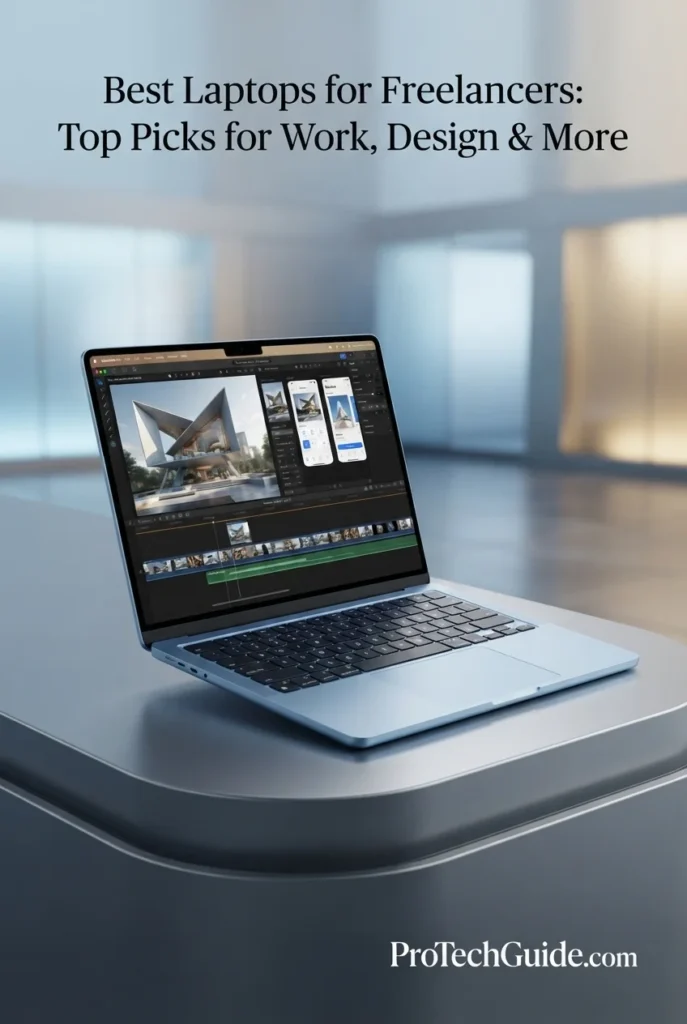
The Apple 2026 MacBook Air 15-inch with the M5 chip, 24GB of unified memory, and 1TB SSD is our Best Overall laptop for freelancers in 2026. Its combination of M5 performance, generous unified memory, fast SSD storage, a spacious 15.3-inch Liquid Retina display, long battery life, premium aluminum construction, and strong wireless connectivity makes it exceptionally well suited to the way independent professionals actually work. Whether the workflow involves writing, consulting, marketing, project management, web development, client communication, research, spreadsheets, or moderate creative work, this configuration provides a strong balance of performance, portability, and professional usability without moving into a heavier workstation-class laptop.

• Ideal for freelance writers, consultants, marketers, developers, project managers, researchers, virtual professionals, and independent business owners who need one versatile laptop for daily work
• Excellent for browser-heavy workflows, office applications, spreadsheets, video conferencing, research, content management, communication, coding, and general creative productivity
• Particularly well suited to freelancers who want a large 15.3-inch workspace while still prioritizing portability, battery life, quiet operation, and a premium mobile design
• The Apple M5 chip with a 10-core CPU and 10-core GPU provides strong performance for multitasking, productivity applications, web-based tools, coding, content creation, and everyday professional workloads
• 24GB of unified memory provides substantial headroom for freelancers who routinely keep browsers, communication tools, documents, spreadsheets, development environments, and creative applications open simultaneously
• The 15.3-inch Liquid Retina display with 2880 × 1864 resolution, 500 nits brightness, P3 wide color, and True Tone provides a spacious and sharp workspace for documents, dashboards, design work, research, and extended professional sessions
• The 1TB SSD provides responsive application launches, fast file access, and useful local capacity for client documents, project files, creative assets, development environments, media, and business data
• Up to 18 hours of video streaming battery life, combined with the thin and lightweight fanless design, makes the MacBook Air particularly attractive to freelancers who regularly move between home offices, coworking spaces, meetings, and client locations
• The 12MP Center Stage camera, three-microphone array, backlit Magic Keyboard, Touch ID, Wi-Fi 7, Bluetooth 6, and two Thunderbolt 4 ports create a polished setup for remote communication and everyday professional work

The MacBook Air 15-inch earns our Best Overall for Freelancers award because it delivers one of the strongest balances of performance, portability, battery life, display quality, storage, and everyday usability in the 2026 freelance laptop category. The 24GB memory and 1TB SSD configuration gives independent professionals meaningful headroom for demanding multitasking while the larger 15.3-inch display provides more comfortable workspace than a compact ultraportable.

Compared with business-focused Windows laptops such as the Lenovo ThinkPad X1 Carbon Gen 14 Aura Edition and compact Windows alternatives such as the Dell XPS 13 9350, the MacBook Air offers a particularly compelling combination of large-screen portability, Apple silicon performance, battery efficiency, and macOS integration. Freelancers who depend on Windows-only professional applications should choose a Windows laptop instead, but for a broad range of independent professionals, the MacBook Air provides the most balanced overall package in this guide.

• Apple M5 chip• 10-core CPU• 10-core GPU• 16-core Neural Engine• Neural Accelerators• Hardware-accelerated ray tracing• 153GB/s memory bandwidth• Hardware-accelerated media engineThe Apple M5 provides a strong performance foundation for modern freelance workflows. Its 10-core CPU and 10-core GPU are well suited to multitasking across browsers, productivity applications, communication platforms, development tools, creative software, and cloud-based professional services. The integrated Neural Engine and Neural Accelerators also provide hardware support for AI-focused workloads and applications designed for Apple silicon.
• 24GB unified memory• Shared CPU and GPU memory architecture• 153GB/s memory bandwidth• Strong multitasking capability• Excellent for browser-heavy workflows• Useful for development environments• Suitable for creative productivityThe 24GB unified memory configuration is particularly valuable for freelancers because independent professionals frequently combine several workloads at once. A typical session can involve multiple browser tabs, email, messaging applications, spreadsheets, documents, video conferencing, project management tools, and specialized professional software. The additional memory provides more headroom than entry-level configurations when several applications and large browser sessions remain active simultaneously.
• Freelance writing• Consulting• Marketing• Project management• Web development• Research• Spreadsheets and business applications• Content management• Client communication• Cloud-based professional toolsThe MacBook Air is particularly versatile for freelancers because many independent professionals work across a combination of browser-based services, productivity applications, communication platforms, documents, spreadsheets, and specialized software rather than a single demanding application. The M5 platform and 24GB unified memory provide a strong foundation for switching between these workloads while the 15.3-inch display gives freelancers more room to organize multiple windows and applications.
• 15.3-inch Liquid Retina display• 2880 × 1864 native resolution• 224 pixels per inch• 500 nits brightness• Support for 1 billion colors• Wide P3 color gamut• True Tone technology• LED-backlit IPS technologyThe 15.3-inch Liquid Retina display gives freelancers a spacious working environment for documents, spreadsheets, dashboards, research, web applications, project management interfaces, content editing, and creative work. Its 2880 × 1864 resolution provides sharp text and detailed interface elements, while P3 color support and True Tone make the display well suited to both professional productivity and visually oriented workflows.
• 1TB SSD• Fast application launches• Responsive file access• Quick project loading• Space for client documents• Suitable for creative assets• Useful for development environmentsThe 1TB SSD configuration provides a strong balance for freelancers who need local storage for client files, documents, project folders, development environments, creative assets, applications, and business data. Fast SSD storage also helps keep application launches and everyday file operations responsive, while larger projects can be managed alongside cloud storage or external drives when additional capacity is required.
• 12MP Center Stage camera• Three-microphone array• Six-speaker sound system• Spatial Audio support• Wi-Fi 7• Bluetooth 6• Two Thunderbolt 4 ports• MagSafe 3 charging• 3.5mm headphone jack• Support for up to two external displaysThe MacBook Air is well equipped for the communication-heavy nature of freelance work. Its 12MP Center Stage camera helps keep users in frame during video calls, while the three-microphone array is designed to improve voice clarity. Wi-Fi 7 provides modern wireless connectivity, and the two Thunderbolt 4 ports support high-speed peripherals and external displays for freelancers who build a more extensive desktop workstation.
• Up to 18 hours of video streaming• Up to 15 hours of wireless web use• 66.5-watt-hour battery• Thin aluminum design• Fanless operation• Backlit Magic Keyboard• Touch ID• Force Touch trackpad• 1.51 kg weight for the 15-inch modelThe MacBook Air's combination of long battery life, a thin aluminum design, and fanless operation makes it especially attractive to freelancers who do not work from one fixed location. The 15-inch model provides considerably more screen space than smaller ultraportables while remaining practical for coworking spaces, client meetings, travel, home offices, and other mobile work environments.
Ideal for:• Freelance writers• Consultants• Marketing professionals• Project managers• Web developers• Researchers• Remote professionals• Independent business owners• Content creators• Professionals who prefer macOSThe Apple 2026 MacBook Air 15-inch with the M5 chip, 24GB of unified memory, and 1TB SSD is an exceptional all-around choice for freelancers who want a premium mobile workstation without the size, weight, or complexity of a high-performance professional laptop. Its combination of processing performance, memory capacity, display quality, battery life, communication features, storage, and portability makes it the strongest overall fit for a wide range of freelance workflows in 2026.
Best Business Laptop for Freelancers (2026)

Lenovo ThinkPad X1 Carbon Gen 14 Aura Edition

Best Business Laptop for Professional Freelancers & Remote Work
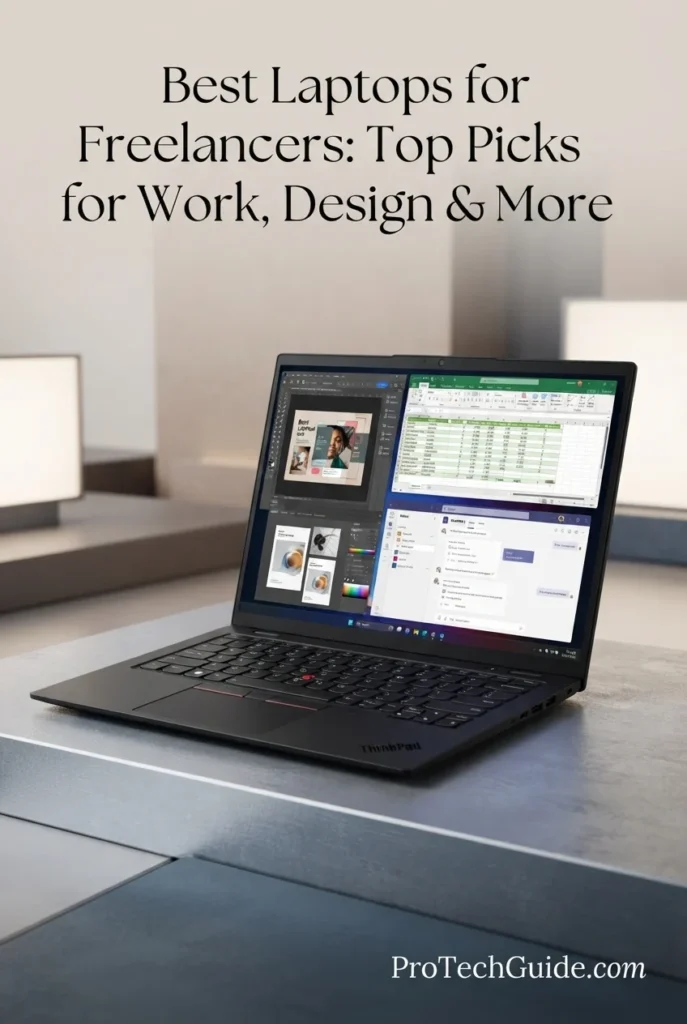
The Lenovo ThinkPad X1 Carbon Gen 14 Aura Edition with the Intel Core Ultra 5 335 vPro processor, 32GB of LPDDR5X memory, and 1TB PCIe Gen4 SSD is our Best Business Laptop for Freelancers in 2026. It is designed around the realities of professional independent work, combining a highly portable ThinkPad design with Windows 11 Pro, business-oriented security features, strong connectivity, a high-resolution 14-inch 2.8K OLED display, and enough memory for demanding multitasking. For freelancers who spend their days moving between client communication, documents, spreadsheets, browser-based applications, development environments, presentations, and remote meetings, the X1 Carbon provides a polished professional platform without the bulk of a traditional business workstation.

• Ideal for consultants, business freelancers, developers, financial professionals, project managers, analysts, executives, and independent professionals who rely heavily on Windows productivity tools
• Excellent for Microsoft 365, spreadsheets, presentations, browser-based applications, video conferencing, business software, development environments, research, and professional multitasking
• Particularly well suited to freelancers who prioritize portability, keyboard quality, business-class security, professional connectivity, and a refined Windows 11 Pro experience
• The Intel Core Ultra 5 335 vPro processor provides a strong foundation for office productivity, professional multitasking, development work, browser-heavy workflows, and AI-enabled Windows applications
• 32GB of LPDDR5X memory gives freelancers substantial headroom for large browser sessions, Microsoft 365 applications, communication tools, spreadsheets, development environments, and multiple professional applications running simultaneously
• The 14-inch 2.8K OLED display with 120Hz VRR, 500 nits brightness, HDR 500 True Black, and 100% DCI-P3 coverage provides an unusually high-quality visual workspace for documents, presentations, dashboards, creative assets, and extended professional sessions
• The 1TB PCIe Gen4 SSD provides fast application launches, responsive file access, and useful local capacity for client documents, business files, development projects, presentations, and professional applications
• Three Thunderbolt 4 ports, USB-A, HDMI 2.1, Wi-Fi 7, and Bluetooth 5.4 provide the connectivity flexibility freelancers need when moving between mobile work and a more complete desk setup
• The ThinkPad keyboard, fingerprint reader, backlit design, professional security features, and Windows 11 Pro create a business-focused environment that is particularly well suited to client-facing and productivity-intensive freelance work

The ThinkPad X1 Carbon Gen 14 Aura Edition earns our Best Business Laptop for Freelancers award because it focuses on the professional details that matter when a laptop is also a freelancer's primary business computer. Its 32GB memory, 1TB SSD, business-oriented Windows 11 Pro platform, excellent keyboard, extensive connectivity, and premium OLED display create a highly capable system for independent professionals who value mobility and productivity over graphics-heavy performance.

Compared with the Apple MacBook Air 15-inch with M5, the ThinkPad X1 Carbon is the stronger choice for freelancers who prefer Windows, depend on Microsoft business software, or value ThinkPad's business-oriented design and connectivity. Compared with the Dell XPS 13 9350, it offers a particularly strong combination of 32GB memory, professional features, a larger 2.8K OLED workspace, and extensive port selection, making it especially compelling for business-focused freelance workflows.

• Intel Core Ultra 5 335 vPro processor• 8 cores• 8 threads• P-cores up to 4.60GHz• LPE-cores up to 3.40GHz• 12MB Intel Smart Cache• Integrated Intel Graphics• Integrated NPU• Copilot+ PC platformThe Intel Core Ultra 5 335 vPro provides a strong foundation for professional freelance workloads that prioritize productivity, multitasking, communication, development, and business applications. Its combination of performance cores, low-power efficiency cores, integrated graphics, and an NPU makes the X1 Carbon well suited to modern Windows workflows where several applications and browser sessions remain active throughout the workday.
• 32GB LPDDR5X memory• High-speed soldered memory• Dual-channel architecture• Strong multitasking capability• Excellent for large browser sessions• Suitable for Microsoft 365 workflows• Useful for development environments• Substantial professional headroomThe 32GB memory configuration is one of the X1 Carbon's strongest advantages for freelancers. Independent professionals frequently combine email, browser tabs, documents, spreadsheets, video conferencing, project management platforms, messaging applications, and specialized software during the same session. With 32GB of memory, the system has significantly more headroom for these demanding multitasking scenarios than typical entry-level business laptops.
• Windows 11 Pro• Microsoft 365 applications• Business productivity software• Spreadsheet workflows• Presentation and document work• Browser-based professional applications• Development environments• Remote work platforms• Lifetime Microsoft Office 2021 Professional Plus key included with this configurationThe ThinkPad X1 Carbon is particularly well suited to freelancers whose work revolves around Windows-based business applications. Microsoft 365, spreadsheets, presentations, documents, browser-based services, communication platforms, development environments, and professional management tools can all be integrated into a single mobile workflow. The supplied configuration also includes a Microsoft Office 2021 Professional Plus product key, adding practical value for professionals who rely on traditional Office applications.
• 14-inch OLED display• 2880 × 1800 resolution• 2.8K resolution• 120Hz VRR• 30–120Hz variable refresh rate• 500 nits brightness• HDR 500 True Black• 100% DCI-P3 color gamut• Anti-glare surface• Non-touch configurationThe 14-inch 2.8K OLED display gives the X1 Carbon a premium visual advantage over conventional business laptop panels. Its 2880 × 1800 resolution provides sharp text and detailed interfaces, while the 100% DCI-P3 color gamut and HDR 500 True Black support make it well suited to presentations, visual content, dashboards, documents, research, and occasional creator-oriented work. The 120Hz VRR capability also provides smoother scrolling and interface movement during everyday use.
• 1TB PCIe Gen4 SSD• M.2 2280 storage• Opal encryption support• Fast application launches• Rapid file access• Responsive project loading• Suitable for business documents• Useful for development projects• Ample capacity for everyday professional workThe 1TB PCIe Gen4 SSD provides a practical amount of local storage for freelancers working with documents, presentations, spreadsheets, client files, applications, development environments, and professional projects. Fast SSD performance keeps application launches and file access responsive, while Opal support adds an additional layer of storage security for professionals handling business and client data.
• 3 × Thunderbolt 4• USB-C connectivity• USB-A 5Gbps• HDMI 2.1• Up to 4K at 60Hz through HDMI• Wi-Fi 7• Bluetooth 5.4• 3.5mm headphone/microphone combo jack• Kensington Nano Security Slot• Optional Nano SIM support on selected configurationsThe X1 Carbon provides an unusually flexible connectivity package for a thin business laptop. Three Thunderbolt 4 ports allow freelancers to connect high-speed storage, docks, displays, and professional peripherals, while USB-A and HDMI make it easier to work with existing office equipment. Wi-Fi 7 and Bluetooth 5.4 provide modern wireless connectivity for remote work, meetings, peripherals, and professional networking environments.
• 5MP RGB + IR camera on this configuration• Privacy shutter• Windows Hello support• Fingerprint reader• Intel vPro security features• ThinkShield security ecosystem• Backlit ThinkPad keyboard• Dolby Atmos speakers• Dual noise-cancelling microphonesThe X1 Carbon is designed around professional communication and security as much as conventional computing performance. The 5MP RGB+IR camera with privacy shutter supports clearer video meetings and Windows Hello authentication, while the fingerprint reader provides another convenient security option. Intel vPro capabilities and Lenovo's ThinkShield security ecosystem further reinforce its business-oriented positioning.
• 14-inch compact form factor• Approximately 0.56-inch maximum thickness• Lightweight ThinkPad design• Backlit keyboard• Spill-resistant keyboard design• Fingerprint reader• Premium business construction• 58Wh battery platform• 65W USB-C chargingThe ThinkPad X1 Carbon is built for professionals who frequently move between offices, meetings, coworking spaces, client locations, and home workspaces. Its compact 14-inch chassis and lightweight design make it particularly practical for mobile freelancers, while the ThinkPad keyboard and business-focused construction are designed around long working sessions rather than occasional use.
Ideal for:• Business freelancers• Consultants• Developers• Financial professionals• Project managers• Remote professionals• Business analysts• Independent executives• Microsoft 365 users• Professionals who prefer WindowsThe Lenovo ThinkPad X1 Carbon Gen 14 Aura Edition with the Intel Core Ultra 5 335 vPro, 32GB LPDDR5X memory, and 1TB PCIe Gen4 SSD is an excellent choice for freelancers who want a premium business laptop rather than a creator-focused machine. Its combination of Windows 11 Pro, business-oriented security, professional connectivity, 32GB memory, fast storage, excellent keyboard, and 2.8K OLED display makes it one of the strongest options in this guide for independent professionals whose work depends on productivity, communication, development, and business workflows.
Best Lightweight Windows Laptop for Freelancers (2026)

Dell XPS 13 9350

Best Compact Windows Laptop for Freelance Work & Mobility
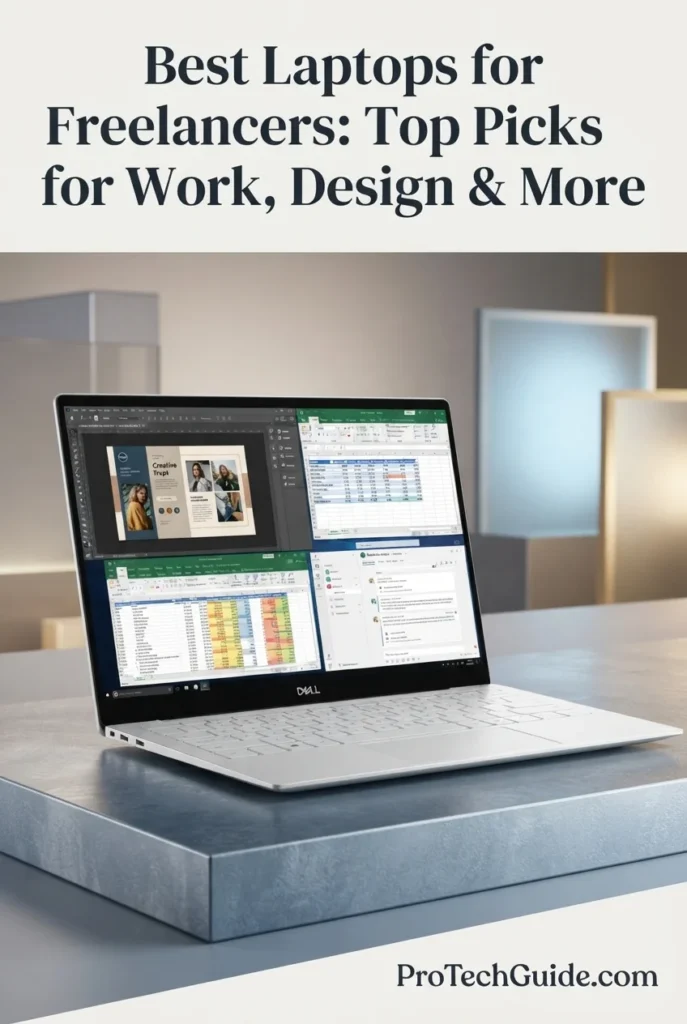
The Dell XPS 13 9350 with the Intel Core Ultra 7 256V processor, 16GB of LPDDR5X memory, and 1TB SSD is our Best Lightweight Windows Laptop for Freelancers in 2026. Its compact 13.4-inch design, 8-core Intel Core Ultra processor, integrated Intel Arc graphics, 47 TOPS NPU, 120Hz FHD+ display, Windows 11 Pro, Wi-Fi 7, and dual Thunderbolt 4 ports create a highly portable platform for freelancers who spend significant time working between home, client locations, coworking spaces, meetings, and travel. It is particularly compelling for professionals who want a premium Windows laptop that prioritizes portability without sacrificing the connectivity and performance needed for everyday professional workloads.

• Ideal for consultants, writers, marketers, developers, project managers, virtual assistants, researchers, and other freelancers who frequently work away from a permanent desk
• Excellent for Microsoft 365, browser-based applications, client communication, video conferencing, research, content management, coding, document work, and everyday professional multitasking
• Particularly well suited to freelancers who prioritize a compact Windows platform, fast wireless connectivity, strong portability, modern AI capabilities, and a premium professional design
• The Intel Core Ultra 7 256V provides 8-core processing with speeds up to 4.8GHz, creating a strong foundation for professional multitasking, office applications, browser-heavy workflows, development, and everyday freelance workloads
• 16GB of LPDDR5X memory running at up to 8533 MT/s provides a balanced configuration for professional multitasking across browsers, communication tools, Microsoft 365 applications, development environments, and cloud-based workflows
• The 13.4-inch FHD+ display with a 1920 × 1200 resolution, up to 120Hz refresh rate, 500-nit brightness, and 100% sRGB coverage provides a sharp and practical workspace for documents, websites, dashboards, presentations, and everyday creative tasks
• The 1TB SSD provides useful local capacity for client files, documents, applications, project folders, development environments, media assets, and other professional freelance work
• Intel Arc integrated graphics and the processor's dedicated AI NPU provide additional capability for AI-assisted Windows workflows, creative applications, video features, and productivity tools without requiring a discrete graphics processor
• Two Thunderbolt 4 ports, Wi-Fi 7, Bluetooth 5.4, a backlit keyboard, fingerprint reader, and 1080p camera provide a modern connectivity and communication setup for mobile professional work

The XPS 13 9350 earns our Best Lightweight Windows Laptop for Freelancers award because it focuses on the combination of portability, professional Windows compatibility, modern connectivity, and everyday performance that many independent professionals actually need. Its compact 13.4-inch form factor, 16GB memory, 1TB SSD, Intel Core Ultra 7 processor, Wi-Fi 7, and Thunderbolt 4 connectivity make it particularly attractive for freelancers who spend as much time moving between work locations as they do working at a desk.

Compared with the Lenovo ThinkPad X1 Carbon Gen 14 Aura Edition, the XPS 13 9350 offers a smaller, more compact platform for freelancers who place a higher priority on portability and minimal desk footprint, while the ThinkPad provides a larger 14-inch 2.8K OLED workspace and 32GB of memory. Compared with the Apple MacBook Air 15-inch with M5, the XPS 13 is the more natural choice for freelancers who depend on Windows 11 Pro, Windows-specific applications, or the broader PC ecosystem, while the MacBook Air offers a larger display and a different balance of macOS performance, battery efficiency, and portability.

• Intel Core Ultra 7 256V processor• 8 cores• Up to 4.8GHz• 12MB cache• Intel Arc 140V integrated graphics• 47 TOPS NPU• Intel Core Ultra Series 2 architectureThe Intel Core Ultra 7 256V provides a strong performance foundation for the everyday workloads that define many freelance careers. Its 8-core design and boost frequency of up to 4.8GHz support professional multitasking across browsers, Microsoft 365 applications, communication platforms, development tools, research environments, and other productivity software. The integrated Intel Arc 140V graphics and dedicated NPU also provide additional capability for AI-assisted and graphics-accelerated workflows without requiring a discrete GPU.
• 16GB LPDDR5X memory• Up to 8533 MT/s• Integrated memory architecture• Fast memory bandwidth• Professional multitasking capability• Suitable for browser-heavy workflows• Designed for mobile productivityThe 16GB LPDDR5X configuration provides a practical balance for freelancers who work primarily with productivity applications, browsers, cloud platforms, communication tools, documents, spreadsheets, and professional software. The high-speed memory helps maintain responsive multitasking while keeping the XPS 13 focused on its compact and mobile design.
• Windows 11 Pro• Copilot+ PC platform• 47 TOPS Intel AI Boost NPU• Windows Studio Effects• AI-assisted productivity features• Local AI processing capability• Windows professional software compatibilityThe XPS 13 9350 combines Windows 11 Pro with Intel's dedicated AI processing hardware, making it well suited to modern Copilot+ PC workflows. The 47 TOPS NPU can handle supported AI workloads locally, while Windows features such as Studio Effects can enhance compatible video-conferencing experiences. For freelancers, this creates a useful platform for communication, productivity, research, and emerging AI-assisted workflows.
• 13.4-inch FHD+ display• 1920 × 1200 resolution• 30–120Hz variable refresh rate• Up to 500 nits brightness• 100% sRGB coverage• InfinityEdge design• Eyesafe technologyThe 13.4-inch FHD+ display is designed around practical mobile productivity. Its 1920 × 1200 resolution provides a 16:10 workspace that is useful for documents, web applications, spreadsheets, dashboards, email, research, and client work, while the 120Hz variable refresh rate allows smoother scrolling and interface movement. The 100% sRGB coverage also makes it suitable for everyday content and visual work where accurate standard-gamut color is important.
• 1TB SSD• PCIe NVMe solid-state storage• Fast application launches• Responsive file access• Client project storage• Professional document storage• Suitable for local project filesThe 1TB SSD gives freelancers useful local storage for client documents, project folders, applications, development environments, presentations, media assets, and other professional files. It also provides the responsive application launches and file access expected from a modern NVMe-based professional laptop.
• 2 × Thunderbolt 4 ports• USB-C connectivity• DisplayPort support• Power Delivery support• Wi-Fi 7• Bluetooth 5.4• Support for external displaysThe XPS 13 provides a modern connectivity platform for freelancers who regularly move between mobile and desktop setups. Its two Thunderbolt 4 ports support high-speed peripherals, external displays, and compatible docking solutions, while Wi-Fi 7 and Bluetooth 5.4 provide current-generation wireless connectivity for offices, coworking spaces, home networks, accessories, and professional communication.
• 1080p RGB camera• Fingerprint reader• Backlit keyboard• Windows Hello-compatible security features• Professional video conferencing• AI-enhanced Windows Studio Effects• Dual Thunderbolt 4 connectivityFreelancers increasingly depend on video calls, client presentations, remote meetings, and digital collaboration. The XPS 13's 1080p camera, fingerprint reader, backlit keyboard, and Windows 11 Pro environment provide a practical setup for professional communication and mobile work. Supported Windows Studio Effects can also use the system's AI hardware to enhance compatible conferencing features.
• Compact 13.4-inch form factor• Slim XPS design• Portable Windows workstation• Premium professional construction• Backlit keyboard• Designed for commuting and travel• Mobile freelance workflowThe XPS 13 9350 is particularly well suited to freelancers who frequently change work locations. Its compact design makes it easy to integrate into commuting, travel, coworking, client meetings, and flexible home-office workflows while retaining the Windows compatibility, connectivity, and performance expected from a professional laptop.
Ideal for:• Freelancers who prioritize portability• Consultants and independent professionals• Writers and content professionals• Marketing and communications freelancers• Developers and programmers• Virtual assistants• Researchers and analysts• Remote workers• Microsoft 365 workflows• Windows-focused professional usersThe Dell XPS 13 9350 with the Intel Core Ultra 7 256V, 16GB LPDDR5X memory, and 1TB SSD is an excellent choice for freelancers who want a compact Windows laptop without moving into a larger workstation category. Its combination of portability, professional Windows compatibility, AI capabilities, fast wireless connectivity, Thunderbolt 4, and a high-refresh-rate 16:10 display makes it especially compelling for independent professionals who work from multiple locations.
Best Laptop for Mobility (2026)

Microsoft Surface Laptop 13.8-inch

Best Portable Laptop for Freelancers, Remote Work & Travel
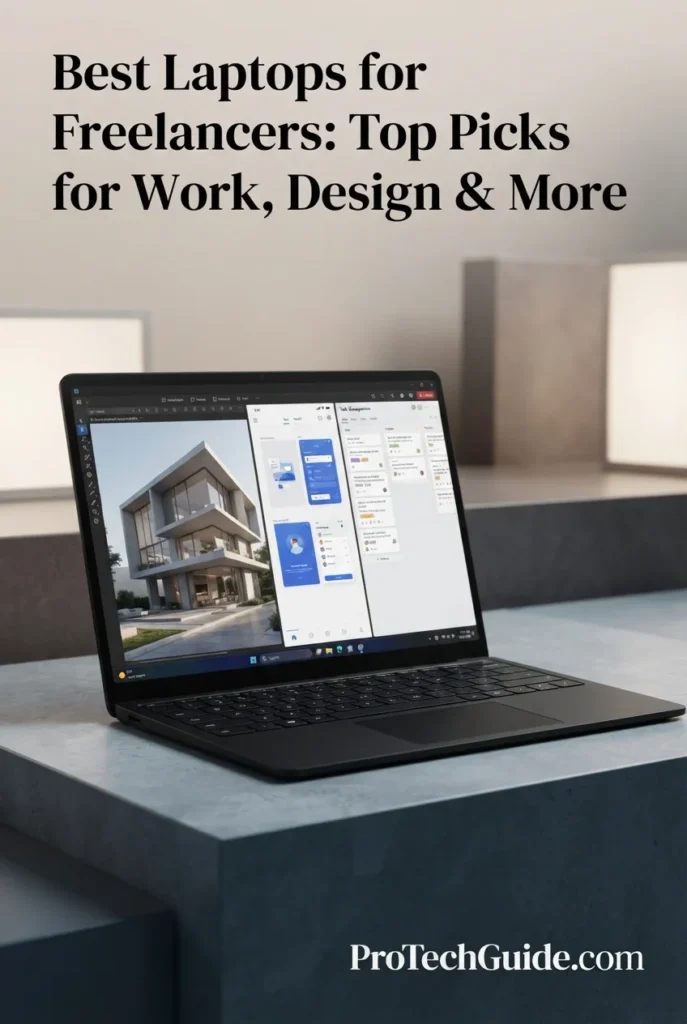
The Microsoft Surface Laptop 13.8-inch with the Snapdragon X2 Elite processor, 16GB of memory, and 512GB SSD is our Best Laptop for Mobility for Freelancers in 2026. Its compact 13.8-inch touchscreen design, 12-core Snapdragon X2 Elite platform, Copilot+ PC capabilities, 120Hz PixelSense display, and lightweight 2.96-pound form factor make it particularly well suited to freelancers who work across home offices, coffee shops, coworking spaces, client meetings, and travel. Rather than targeting workstation-class workloads, the Surface Laptop focuses on creating a refined mobile Windows experience for professionals who value portability, battery endurance, touch interaction, and a clean everyday productivity workflow.

• Ideal for consultants, writers, marketers, project managers, virtual assistants, educators, researchers, and independent professionals who frequently work from multiple locations
• Excellent for Microsoft 365, web applications, client communication, video meetings, document creation, research, presentations, cloud-based workflows, and everyday AI-assisted productivity
• Particularly well suited to freelancers who prioritize a lightweight design, touchscreen interaction, long unplugged sessions, modern wireless connectivity, and a premium Windows experience
• The 12-core Snapdragon X2 Elite processor provides a strong foundation for professional productivity, multitasking, browser-heavy workflows, communication applications, and supported AI-enabled Windows experiences
• 16GB of memory provides a practical configuration for Microsoft 365, large browser sessions, communication tools, cloud applications, documents, spreadsheets, and everyday freelance multitasking
• The 13.8-inch PixelSense touchscreen with 2304 × 1536 resolution and up to 120Hz refresh rate provides a sharp 3:2 workspace that is particularly useful for documents, web applications, research, spreadsheets, and touch-based interaction
• The 512GB SSD provides responsive local storage for professional applications, documents, client files, presentations, project folders, and everyday freelance work
• The Qualcomm AI platform and dedicated NPU enable supported Copilot+ PC features and local AI processing, giving freelancers access to modern Windows AI capabilities without relying entirely on cloud processing
• Two USB-C/USB4 ports, USB-A, Surface Connect, Wi-Fi 7, Bluetooth 5.4, and a 3.5mm audio jack provide a versatile connectivity setup for mobile professional work and desk-based accessories

The Surface Laptop earns our Best Laptop for Mobility for Freelancers award because it combines the characteristics that matter most when work moves beyond a permanent desk: a compact 13.8-inch touchscreen, approximately 3-pound weight, strong battery endurance, modern wireless connectivity, and a current Copilot+ PC platform. For freelancers whose work is centered on productivity, communication, research, cloud applications, and client-facing tasks rather than heavy workstation workloads, it provides a particularly balanced mobile Windows experience.

Compared with the Dell XPS 13 9350, the Surface Laptop offers a larger 3:2 touchscreen workspace, touch interaction, and a strong emphasis on mobile productivity and battery endurance, while the XPS 13 provides an Intel-based Windows platform with Thunderbolt 4. Compared with the Lenovo ThinkPad X1 Carbon Gen 14 Aura Edition, the Surface is the more mobility-focused choice, while the ThinkPad offers 32GB of memory, Windows 11 Pro, a 2.8K OLED display, and a broader business-oriented feature set for professional users who need more traditional enterprise capabilities.

• Snapdragon X2 Elite processor• 12-core CPU• Qualcomm Adreno GPU• Qualcomm Hexagon NPU• Up to 80 TOPS NPU• Copilot+ PC platform• ARM-based Windows architectureThe Snapdragon X2 Elite provides the Surface Laptop with a modern ARM-based platform designed around performance, efficiency, and local AI processing. Its 12-core CPU is well suited to professional productivity, browser-heavy workflows, communication applications, cloud services, document creation, and supported AI-assisted tasks. The integrated Qualcomm Adreno GPU handles everyday graphics workloads while the dedicated NPU enables supported local AI features.
• 16GB LPDDR5X memory• High-efficiency mobile architecture• Professional multitasking• Browser-heavy workflows• Microsoft 365 applications• Cloud productivity tools• Everyday freelance workloadsThe 16GB memory configuration provides a practical balance for freelancers whose workloads center on productivity applications, web services, communication platforms, documents, spreadsheets, research, and cloud-based tools. It is particularly appropriate for professionals who prioritize mobility rather than workstation-class memory capacity.
• Windows 11• Copilot+ PC• Qualcomm Hexagon NPU• Up to 80 TOPS AI processing• Local AI acceleration• Windows AI features• ARM-compatible Windows ecosystemThe Surface Laptop is designed around Microsoft's Copilot+ PC platform, with a dedicated Qualcomm NPU for supported AI workloads. This architecture allows compatible AI features to be processed locally, reducing reliance on cloud processing for certain tasks. For freelancers, this can be useful for AI-assisted productivity, communication features, content workflows, and other supported Windows experiences.
• 13.8-inch touchscreen• PixelSense display• 2304 × 1536 resolution• 3:2 aspect ratio• Up to 120Hz refresh rate• HDR support• Up to 600 nits brightnessThe 13.8-inch PixelSense touchscreen is one of the Surface Laptop's strongest advantages for mobile professional work. Its 2304 × 1536 resolution and 3:2 aspect ratio provide additional vertical workspace for documents, websites, spreadsheets, research, and productivity applications, while the 120Hz refresh rate keeps scrolling and interface movement smooth. Touch interaction also adds flexibility for supported applications and Windows workflows.
• 512GB SSD• Solid-state storage• Fast application access• Responsive file management• Client documents• Project folders• Cloud-connected workflowsThe 512GB SSD provides a practical amount of local storage for professional applications, documents, presentations, client files, project folders, and everyday freelance work. Freelancers who rely heavily on OneDrive or other cloud-storage platforms can also use the internal SSD primarily for active projects and applications while keeping larger archives online.
• 2 × USB-C / USB4 ports• USB-A 3.2• Surface Connect• 3.5mm audio jack• Wi-Fi 7• Bluetooth 5.4• Display connectivityThe Surface Laptop provides a flexible connectivity platform for both mobile and desk-based freelance work. Its two USB-C/USB4 ports can handle charging, high-speed peripherals, and compatible displays, while USB-A remains useful for legacy accessories. Wi-Fi 7 provides modern wireless networking capability, and Surface Connect offers an additional charging and docking option.
• Up to 20 hours of local video playback• Up to 16 hours of active web browsing• Approximately 2.96-pound weight• 13.8-inch compact design• Premium anodized aluminum construction• Portable professional form factor• Designed for mobile workMicrosoft rates the 13.8-inch Surface Laptop for up to 20 hours of local video playback and up to 16 hours of active web browsing, although real-world battery life varies by workload and configuration. At approximately 2.96 pounds, the laptop is particularly well suited to freelancers who regularly move between home, coworking spaces, client meetings, travel, and other work environments.
• Precision touchscreen interaction• 3:2 productivity display• Microsoft 365 workflows• Cloud applications• Remote meetings• Client presentations• Mobile productivityThe Surface Laptop's touchscreen and 3:2 display format give freelancers additional flexibility when working with documents, presentations, research, web applications, and other touch-compatible software. Combined with Windows 11, modern wireless connectivity, and a compact design, it creates a strong environment for professionals who frequently transition between mobile and traditional desk-based work.
Ideal for:• Mobile freelancers• Consultants• Writers and content professionals• Marketing freelancers• Project managers• Virtual assistants• Researchers• Remote professionals• Microsoft 365 users• Cloud-based workflows• Professionals who value touchscreen productivityThe Microsoft Surface Laptop 13.8-inch with the Snapdragon X2 Elite, 16GB memory, and 512GB SSD is an excellent choice for freelancers who prioritize mobility, touchscreen productivity, battery endurance, and a modern Windows experience. It is best suited to professionals whose work revolves around productivity applications, communication, cloud services, research, documents, and AI-assisted workflows rather than heavy workstation-class rendering or specialized GPU workloads.
Best Laptop for High-End Creative Work (2026)

Apple 2026 MacBook Pro 14 M5 Max

Best MacBook for Video Editing, Creative Production & Demanding Freelance Workflows
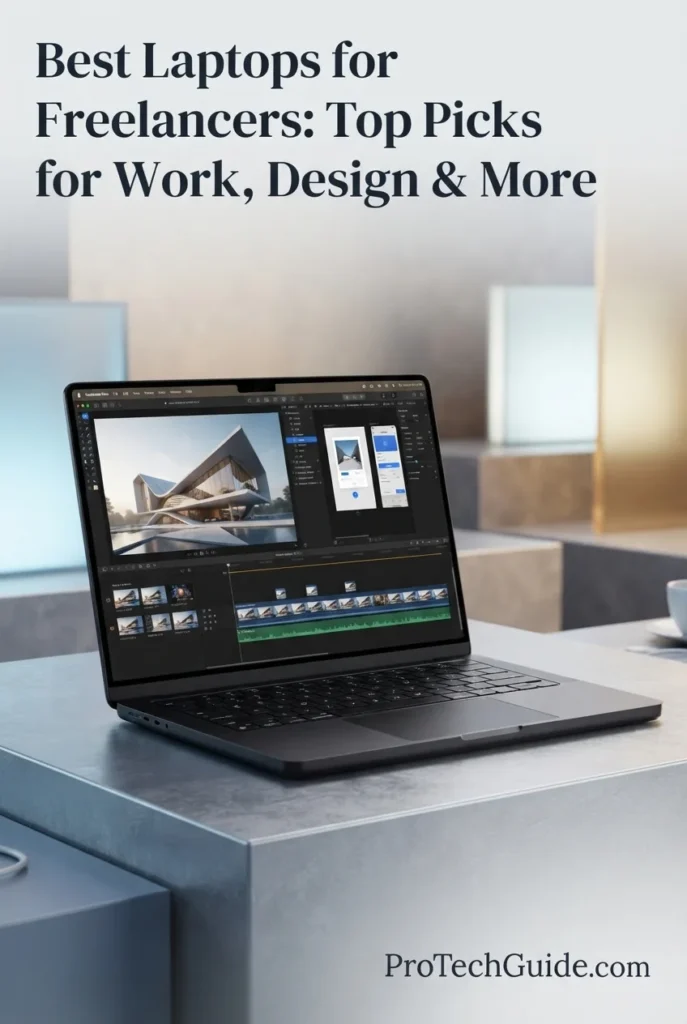
The Apple 2026 MacBook Pro 14-inch with the M5 Max chip, 36GB of unified memory, and 2TB SSD is our top Mac recommendation for high-end creative freelance work in 2026. Its 18-core CPU, 32-core GPU, 16-core Neural Engine, hardware-accelerated ray tracing, 460GB/s memory bandwidth, and professional Liquid Retina XDR display create a powerful platform for demanding workflows including video editing, motion graphics, professional photography, graphic design, content production, AI-assisted creative work, and advanced multimedia projects. The 36GB unified memory configuration provides substantial headroom for professional applications and complex creative projects, while the 2TB SSD gives freelancers significantly more room for large project files, media libraries, applications, and active production workflows.

• Ideal for professional video editors, motion designers, photographers, graphic designers, content creators, creative directors, and freelancers handling demanding production work
• Excellent for professional creative applications, high-resolution photo workflows, video editing, motion graphics, 3D-assisted creative work, visual content production, and AI-enhanced creative workflows
• Particularly well suited to freelancers who need workstation-class creative capability in a compact 14-inch professional laptop without moving to a larger 16-inch system
• The Apple M5 Max with an 18-core CPU and 32-core GPU provides substantial processing and graphics capability for demanding creative applications, complex projects, rendering tasks, and professional multitasking
• 36GB of unified memory provides significant headroom for professional creative applications, large media projects, multiple applications, browser sessions, and complex production workflows running simultaneously
• The 14.2-inch Liquid Retina XDR display delivers 3024 × 1964 resolution, up to 120Hz ProMotion, wide P3 color, and up to 1,600 nits peak HDR brightness, making it particularly well suited to professional visual work
• The 2TB SSD provides substantial local storage for video projects, photography libraries, design files, applications, creative assets, project caches, and other professional production data
• The M5 Max media engine includes hardware acceleration for H.264, HEVC, ProRes, and ProRes RAW, with dedicated video processing capabilities designed for demanding professional media workflows
• The compact professional design combines a premium aluminum enclosure, backlit Magic Keyboard, Touch ID, Force Touch trackpad, Thunderbolt 5 connectivity, HDMI, SDXC card support, and MagSafe 3 charging for a complete mobile creative workstation

The MacBook Pro 14 with M5 Max earns our Best Laptop for High-End Creative Work award because it combines exceptional CPU and GPU capability, 36GB of unified memory, 2TB of fast storage, professional media engines, and one of the strongest displays available in a compact professional laptop. For freelancers whose income depends on demanding video, design, photography, motion graphics, and multimedia workflows, it delivers the performance headroom of a serious creative workstation without requiring a larger desktop-class setup.

Compared with Windows creative laptops such as the ASUS ProArt P16 and Lenovo Pro 9i Aura Edition, the MacBook Pro offers a particularly strong combination of Apple Silicon performance, professional media acceleration, unified memory, display quality, and macOS-based creative workflows. However, freelancers who depend on Windows-only software or specific NVIDIA CUDA-based applications may be better served by a Windows workstation, making this MacBook Pro the stronger specialized choice for creative professionals working within the Apple ecosystem.

• Apple M5 Max chip• 18-core CPU• 32-core GPU• 16-core Neural Engine• 460GB/s memory bandwidth• Neural Accelerators• Hardware-accelerated ray tracing• High-performance unified architectureThe Apple M5 Max provides substantial processing and graphics capability for demanding freelance creative workflows. Its 18-core CPU and 32-core GPU are designed for professional applications involving video editing, motion graphics, photography, design, rendering, multimedia production, and other workloads that benefit from sustained CPU and GPU performance.
• 36GB unified memory• Shared CPU and GPU memory architecture• 460GB/s memory bandwidth• Strong multitasking capability• Large creative project headroom• Suitable for professional media applications• Designed for demanding production workflowsThe 36GB unified memory configuration gives creative freelancers substantial headroom when working across demanding applications and large projects. It is particularly valuable when video editing software, photo applications, browsers, design tools, project files, and other professional applications need to remain active simultaneously.
• Professional video editing• Motion graphics• Photo editing• Graphic design• Content production• ProRes workflows• High-resolution media projects• AI-assisted creative workflowsThe MacBook Pro with M5 Max is particularly well suited to freelancers whose work centers on professional visual content. Its combination of CPU performance, GPU capability, unified memory, and dedicated media engines creates a strong platform for video production, motion graphics, photography, graphic design, and other demanding creative workflows.
• 14.2-inch Liquid Retina XDR display• 3024 × 1964 native resolution• 254 pixels per inch• Up to 120Hz ProMotion• 1,000,000:1 contrast ratio• Up to 1,600 nits peak HDR brightness• Wide P3 color gamut• True Tone technologyThe Liquid Retina XDR display provides an exceptional visual workspace for professional creative production. Its high pixel density keeps editing interfaces, timelines, images, and design elements sharp, while wide P3 color and XDR brightness make it particularly well suited to visual workflows where color, contrast, and detail matter.
• 2TB SSD• Fast application launches• Rapid project access• Large media file capacity• Video project storage• Photography libraries• Creative application storage• Professional project filesThe 2TB SSD provides a strong foundation for freelance creative work. It gives professionals considerably more local space for video projects, photography libraries, design assets, applications, project files, and active production data while maintaining a responsive environment for everyday creative work.
• Hardware-accelerated H.264• Hardware-accelerated HEVC• ProRes acceleration• ProRes RAW acceleration• Video decode engine• Two video encode engines• Two ProRes encode and decode engines• AV1 decodeThe M5 Max media engine is a major advantage for freelancers working with professional video. Dedicated media processing for formats such as H.264, HEVC, ProRes, and ProRes RAW helps make the MacBook Pro particularly appropriate for demanding video production workflows, especially when large media files and professional codecs are central to the project.
• Three Thunderbolt 5 ports• MagSafe 3 charging• SDXC card slot• HDMI port• Headphone jack• Wi-Fi 7• Bluetooth 6• Support for multiple external displaysThe MacBook Pro provides the connectivity expected from a professional mobile creative workstation. Thunderbolt 5, SDXC, HDMI, and MagSafe 3 make it practical for photographers, video editors, designers, and content creators who regularly connect cameras, external storage, displays, docks, and other production equipment.
• Compact 14-inch professional design• Premium aluminum construction• Backlit Magic Keyboard• Touch ID• Force Touch trackpad• MagSafe 3 charging• All-day battery design• Professional mobile workstation form factorThe MacBook Pro combines high-end creative capability with a compact professional form factor. Its 14-inch design makes it practical for freelancers who move between studios, client meetings, offices, production locations, and home workspaces while still requiring substantial processing and graphics capability.
Ideal for:• Professional video editors• Motion designers• Photographers• Graphic designers• Content creators• Creative directors• Freelance production professionals• High-resolution media workflows• AI-assisted creative workflows• Professionals who prefer macOSThe Apple MacBook Pro 14-inch with the M5 Max, 36GB of unified memory, and 2TB SSD is an exceptional choice for high-end freelance creative work in 2026. Its combination of CPU and GPU performance, professional media engines, unified memory, Liquid Retina XDR display, storage capacity, and professional connectivity makes it one of the strongest compact Mac workstations for demanding creative professionals.
Best Windows Laptop for Creators (2026)

ASUS ProArt P16

Best Windows Laptop for Creative Freelancers, Design & 3D Work
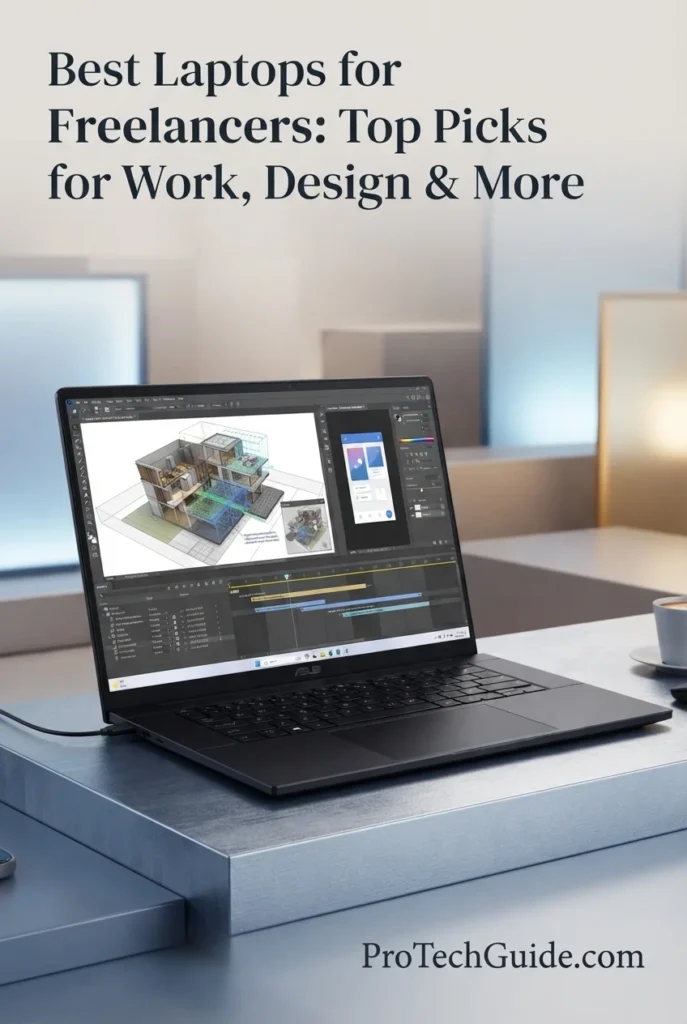
The ASUS ProArt P16 H7606WP with the AMD Ryzen AI 9 HX 370, NVIDIA GeForce RTX 5070, 64GB LPDDR5X memory, and 2TB PCIe 4.0 SSD is our top Windows recommendation for creative freelancers in 2026. Its 12-core, 24-thread processor, dedicated RTX 5070 graphics with 8GB GDDR7, substantial 64GB memory capacity, and 16-inch 4K OLED touchscreen create a powerful platform for demanding workflows including video editing, graphic design, photography, 3D creation, motion graphics, content production, and other GPU-accelerated creative applications. The combination of Windows 11 Pro, dedicated NVIDIA graphics, high-capacity memory, and a color-focused 4K OLED display makes the ProArt P16 particularly compelling for freelancers who need a versatile Windows workstation for professional creative work.

• Ideal for freelance video editors, graphic designers, photographers, 3D artists, motion designers, content creators, and other professionals working with demanding visual applications
• Excellent for Windows-based creative workflows involving GPU-accelerated applications, professional photo and video editing, 3D creation, rendering, design, and multimedia production
• Particularly well suited to freelancers who need substantial memory, dedicated NVIDIA graphics, a large 4K OLED touchscreen, and Windows 11 Pro in a premium creative workstation
• The AMD Ryzen AI 9 HX 370 provides 12 CPU cores and 24 threads with boost speeds up to 5.1GHz, giving creative professionals substantial processing capacity for demanding applications and multitasking
• The NVIDIA GeForce RTX 5070 with 8GB GDDR7 provides dedicated graphics acceleration for creative applications, GPU-assisted workflows, 3D workloads, rendering, and other tasks that benefit from discrete graphics
• 64GB of LPDDR5X memory provides substantial headroom for large creative projects, demanding applications, multiple professional tools, large files, and complex multitasking
• The 16-inch 4K OLED touchscreen provides a high-resolution visual workspace for photo editing, video production, design, timelines, graphics, and detailed creative work
• The 2TB PCIe 4.0 NVMe SSD provides substantial local storage for professional applications, video footage, photography libraries, project files, design assets, and active creative workflows
• Windows 11 Pro, HDMI output, Wi-Fi connectivity, a backlit keyboard, and a premium 16-inch form factor create a versatile workstation for freelancers who need a traditional Windows professional environment

The ASUS ProArt P16 earns our Best Windows Laptop for Creators award because it combines a powerful AMD processor, dedicated RTX 5070 graphics, 64GB of memory, 2TB storage, and a 16-inch 4K OLED touchscreen in a purpose-built creative workstation. For freelancers who need Windows-based applications and dedicated NVIDIA GPU acceleration for design, video, photography, 3D, and other demanding creative workflows, it offers a particularly strong balance of professional capability and visual quality.

Compared with the Apple MacBook Pro 14-inch with M5 Max, the ProArt P16 provides a different approach to high-end freelance creative work, pairing Windows 11 Pro with dedicated NVIDIA RTX graphics, a large 16-inch 4K OLED touchscreen, and 64GB of system memory. The MacBook Pro remains a compelling choice for professionals centered on macOS and Apple's media ecosystem, while the ProArt P16 is particularly attractive to freelancers who require Windows software, NVIDIA GPU acceleration, touchscreen interaction, or a larger 4K creative workspace.

• AMD Ryzen AI 9 HX 370• 12 CPU cores• 24 threads• Up to 5.1GHz maximum boost frequency• 36MB Smart Cache• High-performance multi-core architecture• Ryzen AI processing capabilities• Designed for demanding professional workloadsThe AMD Ryzen AI 9 HX 370 provides substantial processing capacity for demanding freelance creative workflows. Its 12-core, 24-thread design is well suited to professional applications, multitasking, content production, design work, media processing, and other workloads that benefit from strong CPU performance.
• NVIDIA GeForce RTX 5070• 8GB GDDR7 dedicated graphics memory• Dedicated NVIDIA GPU• GPU-accelerated creative workflows• 3D applications• Rendering workloads• Visual production• AI-assisted creative applicationsThe dedicated NVIDIA GeForce RTX 5070 is one of the ProArt P16's defining advantages for Windows-based creative work. Its dedicated graphics architecture and 8GB of GDDR7 memory provide a strong foundation for GPU-accelerated applications, 3D workflows, rendering, visual production, and other professional tasks that benefit from discrete graphics.
• 64GB LPDDR5X memory• 6400MHz memory specification• 64GB maximum installed memory• Large project headroom• Professional multitasking• Memory-intensive applications• Large creative files• Demanding production workflowsThe 64GB memory configuration gives creative freelancers substantial headroom for professional multitasking. It is particularly valuable when large project files, creative applications, browsers, editing tools, design software, and other professional workloads need to remain active simultaneously.
• 16-inch display• 3840 × 2400 resolution• 4K OLED technology• 60Hz refresh rate• Touchscreen support• High-resolution creative workspace• Detailed visual editing• Large 16:10-style professional canvasThe 16-inch 4K OLED touchscreen provides a spacious, high-resolution workspace for creative professionals. The combination of OLED technology, 3840 × 2400 resolution, and touch interaction makes the display particularly well suited to detailed visual work including photography, design, video editing, graphics, and creative applications that benefit from a large high-resolution canvas.
• 2TB PCIe 4.0 NVMe SSD• Fast application loading• Rapid project access• Large media file capacity• Video project storage• Photography libraries• Design assets• Professional creative filesThe 2TB PCIe 4.0 SSD provides substantial local capacity for freelance creative work. It gives professionals room for applications, active video projects, photography libraries, design files, creative assets, and other large production data while maintaining responsive access to frequently used files.
• Windows 11 Pro• AMD Ryzen AI technology• NVIDIA GPU acceleration• Windows-based professional applications• AI-assisted creative workflows• Broad software compatibility• Professional desktop environment• Suitable for demanding creative applicationsWindows 11 Pro gives the ProArt P16 a flexible professional software environment for freelancers who depend on Windows-based creative applications. Combined with the Ryzen AI platform and dedicated NVIDIA graphics, the system is well positioned for modern creative workflows that increasingly incorporate local AI features alongside traditional design, editing, and production tools.
• HDMI output• Wi-Fi connectivity• External display support• External storage compatibility• Wireless professional peripherals• M.2 storage compatibility• Dedicated GPU display output• Professional workstation connectivityThe ProArt P16 is designed to function as a mobile creative workstation that can connect to external displays, storage devices, wireless peripherals, and other production equipment. HDMI output and wireless connectivity make it practical for freelancers who regularly move between mobile and desktop-style creative setups.
• 16-inch professional workstation• Approximately 4.08-pound configuration• Premium ProArt design• Backlit keyboard• Touchscreen interaction• 0.68-inch listed thickness• Mobile creative workflow• Windows 11 Pro workstation environmentAt approximately 4.08 pounds for this configuration, the ProArt P16 provides a strong balance between workstation capability and mobility. Its 16-inch form factor gives creative professionals a larger working area while remaining practical for freelancers who move between studios, client locations, offices, and home workspaces.
Ideal for:• Freelance video editors• Graphic designers• Photographers• 3D artists• Motion designers• Content creators• Creative professionals• GPU-accelerated workflows• Windows-based production environments• Freelancers who need 64GB memoryThe ASUS ProArt P16 H7606WP with the Ryzen AI 9 HX 370, RTX 5070, 64GB LPDDR5X memory, and 2TB SSD is an excellent choice for demanding creative freelancers in 2026. Its combination of dedicated NVIDIA graphics, high memory capacity, 4K OLED touchscreen, large storage capacity, and Windows 11 Pro makes it particularly compelling for professionals who need a powerful Windows-based creative workstation.
Best 2-in-1 Laptop for Freelancers (2026)

HP OmniBook X Flip 14-inch

Best Convertible Laptop for Flexible Freelance Work & Productivity
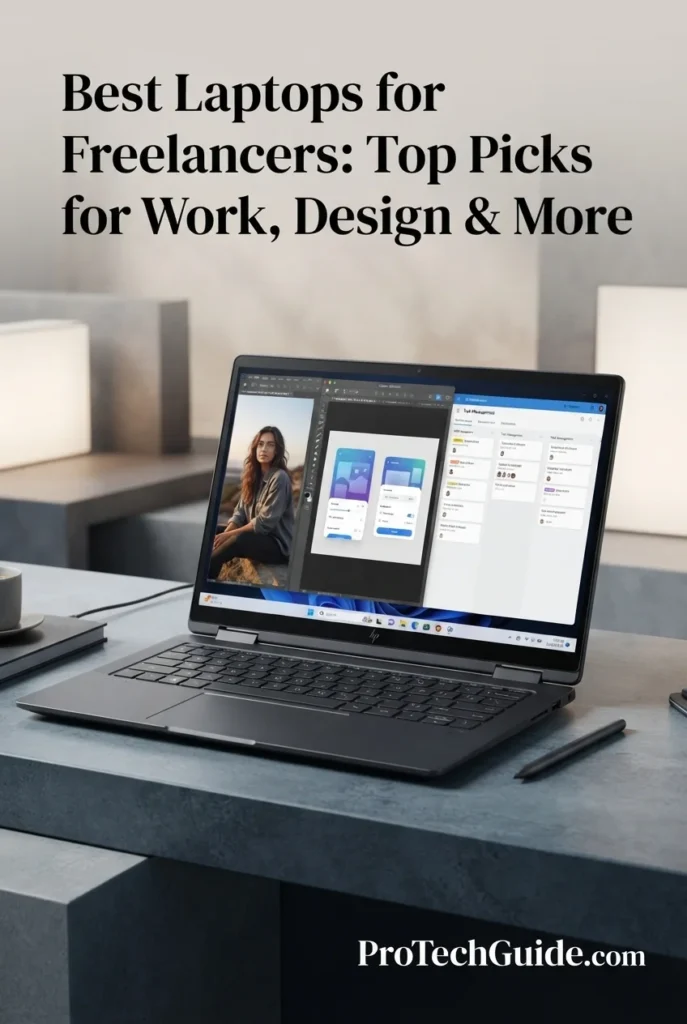
The HP OmniBook X Flip 14-inch with the AMD Ryzen AI 5 430, 16GB LPDDR5X memory, 512GB PCIe Gen4 SSD, OLED touchscreen, and included stylus is our top 2-in-1 recommendation for flexible freelance work in 2026. Its convertible design, 14-inch OLED touchscreen, 50 TOPS NPU, Wi-Fi 7, Bluetooth 6.0, 5MP IR camera, and lightweight 3.09-pound chassis create a versatile platform for freelancers who move between traditional laptop productivity, touchscreen interaction, presentations, note-taking, client work, and creative tasks. Rather than competing with high-end workstations for raw performance, the OmniBook X Flip stands out by combining portability, pen input, AI PC capabilities, and a flexible convertible form factor in a single professional device.

• Ideal for freelancers, consultants, writers, educators, marketers, business professionals, and creators who value flexibility and touchscreen productivity
• Excellent for document work, presentations, research, communication, note-taking, light creative tasks, web-based workflows, and everyday professional applications
• Particularly well suited to freelancers who want one device that can switch between traditional laptop use, tablet-style interaction, tent presentations, and stylus-based work
• The AMD Ryzen AI 5 430 combines 4 CPU cores and 8 threads with a 50 TOPS NPU, providing a modern AI PC platform for compatible local AI and Copilot+ experiences
• The 14-inch OLED touchscreen provides a more engaging workspace for visual content, presentations, browsing, document review, and direct touchscreen interaction
• The convertible 2-in-1 design and included Rockystone stylus allow freelancers to switch between laptop, tablet, tent, and other flexible working modes depending on the task
• 16GB of LPDDR5X memory provides a practical configuration for everyday professional multitasking across browsers, office applications, communication tools, documents, and cloud-based workflows
• The 512GB PCIe Gen4 SSD provides responsive application access and sufficient local storage for documents, projects, applications, presentations, and everyday freelance files
• Wi-Fi 7, Bluetooth 6.0, a 5MP IR camera, HDMI 2.1, two USB-C 4 ports, and two USB-A ports give the OmniBook X Flip a versatile connectivity package for remote and mobile professional work

The HP OmniBook X Flip earns our Best 2-in-1 Laptop for Freelancers award because it prioritizes flexibility rather than maximum workstation performance. Its convertible design, OLED touchscreen, included stylus, lightweight chassis, modern AI processor, strong wireless connectivity, and professional camera make it particularly useful for freelancers who frequently alternate between conventional laptop productivity, meetings, presentations, handwritten notes, research, and touchscreen interaction.

Compared with conventional laptops such as the Microsoft Surface Laptop 13.8-inch and Lenovo ThinkPad X1 Carbon Gen 14, the OmniBook X Flip provides a more flexible convertible design with touchscreen and stylus support. Compared with the ASUS ProArt P16 and Apple MacBook Pro 14-inch with M5 Max, however, its integrated Radeon 840M graphics and 4-core processor make it better suited to productivity, communication, mobility, and light creative work than demanding professional rendering or high-end media production.

• AMD Ryzen AI 5 430 processor• 4 CPU cores• 8 threads• 2.0GHz base frequency• Up to 4.5GHz maximum boost frequency• 12MB cache• AMD Ryzen AI technology• 50 TOPS NPUThe AMD Ryzen AI 5 430 provides a modern platform for everyday freelance productivity, communication, web-based applications, documents, research, and multitasking. Its 50 TOPS NPU also adds dedicated AI processing capability for compatible Copilot+ PC experiences and local AI features, making the OmniBook X Flip a practical choice for freelancers who want an AI-focused convertible rather than a high-performance workstation.
• 16GB LPDDR5X memory• 7467 MT/s memory specification• 16GB installed memory• Efficient mobile platform• Professional multitasking• Browser-heavy workflows• Office applications• Cloud-based productivityThe 16GB LPDDR5X configuration provides a practical foundation for everyday freelance work. It is well suited to keeping browsers, documents, communication applications, productivity software, research tools, and cloud-based services active simultaneously without positioning the system as a workstation for extremely memory-intensive professional workloads.
• Convertible 2-in-1 design• 14-inch touchscreen• Included Rockystone stylus• Laptop mode• Tablet-style interaction• Tent-style presentation• Direct touchscreen input• Pen-based productivityThe convertible design is the OmniBook X Flip's defining feature for freelance work. Professionals can use it as a conventional laptop for writing and productivity, rotate it for presentations or collaborative work, or use the touchscreen and included stylus for handwritten notes, annotations, visual interaction, and other tasks that benefit from direct screen input.
• 14-inch OLED display• 1920 × 1200 resolution• Touchscreen support• Up to 300-nit listed brightness• Wide viewing angles• Anti-glare coating• Direct touch interaction• Flexible 2-in-1 workspaceThe 14-inch OLED touchscreen provides a versatile visual workspace for freelance productivity. Its 1920 × 1200 resolution offers a practical 16:10-style working canvas for documents, browsing, presentations, and everyday applications, while touchscreen support makes the convertible form factor substantially more useful for direct interaction and stylus-based tasks.
• 512GB PCIe Gen4 SSD• Fast application access• Responsive file loading• Professional documents• Project files• Presentations• Cloud-workflow support• Everyday freelance storageThe 512GB PCIe Gen4 SSD provides a practical starting point for freelance work. It offers local space for applications, documents, presentations, project files, downloaded resources, and everyday professional data while maintaining responsive access to frequently used files.
• Windows 11 Home• Copilot+ PC• AMD Ryzen AI processor• 50 TOPS NPU• AI-accelerated experiences• Compatible local AI features• Windows productivity ecosystem• Modern AI PC platformThe OmniBook X Flip combines Windows 11 Home with AMD Ryzen AI processing and a 50 TOPS NPU to support the modern Copilot+ PC experience. This makes it particularly interesting for freelancers who want AI-enabled productivity features integrated into a lightweight convertible system while continuing to use the familiar Windows application ecosystem.
• Wi-Fi 7• Bluetooth 6.0• 2 × USB-C 4• 2 × USB-A 3.1• HDMI 2.1• External display support• Wireless peripherals• High-speed connectivityThe OmniBook X Flip provides a strong connectivity package for a compact convertible. Wi-Fi 7 and Bluetooth 6.0 support modern wireless workflows, while USB-C 4, USB-A, and HDMI 2.1 make it practical to connect external displays, storage devices, accessories, and other professional equipment.
• 5MP IR webcam• HDR camera features• AI Noise Reduction• Poly Studio audio tuning• 3.09-pound listed weight• 0.57-inch listed thickness• 65Wh-class battery configuration• Up to 24.5 hours claimed battery lifeThe OmniBook X Flip is designed around mobile professional work. Its 3.09-pound listed weight and slim 0.57-inch profile make it easy to carry between meetings, coworking spaces, client locations, and home workspaces. The 5MP IR camera, AI noise reduction, and Poly Studio audio tuning also make it well suited to video calls and remote collaboration. HP's listing claims up to 24.5 hours of battery life, although real-world endurance will vary according to workload, display settings, and usage.
Ideal for:• Freelancers• Consultants• Writers• Marketers• Educators• Business professionals• Remote workers• Presentation-heavy workflows• Stylus-based productivity• Flexible 2-in-1 work environmentsThe HP OmniBook X Flip 14-inch with the Ryzen AI 5 430, 16GB LPDDR5X memory, 512GB SSD, OLED touchscreen, and included stylus is an excellent choice for freelancers who value flexibility, portability, and modern AI features over maximum processing power. Its convertible design makes it particularly compelling for professionals who move fluidly between traditional laptop work, meetings, presentations, note-taking, and touchscreen productivity.
Best for Demanding Windows Workflows (2026)

Lenovo Pro 9i Aura Edition

Best Premium Windows Laptop for Demanding Freelance Workflows
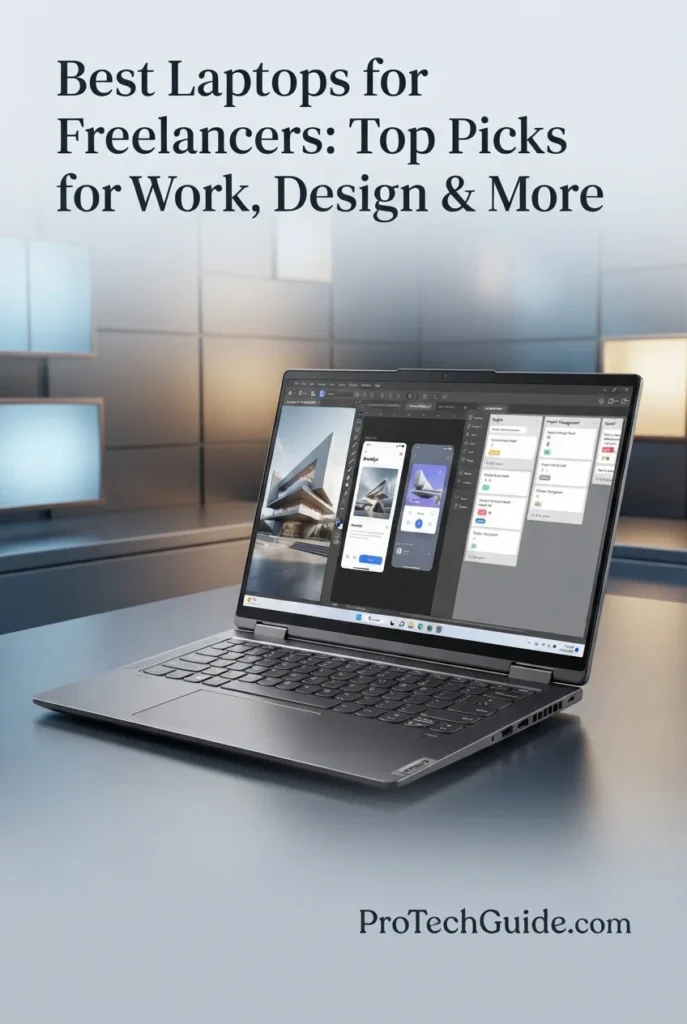
The Lenovo Pro 9i Aura Edition with Intel Core Ultra 9 386H, NVIDIA GeForce RTX 5050, 32GB LPDDR5X memory, and a 1TB SSD is our top Windows recommendation for demanding freelance workflows in 2026. Its 16-core Intel processor, dedicated NVIDIA graphics, large memory capacity, fast SSD, and 16-inch 2.8K OLED touchscreen create a powerful platform for professionals working across creative production, design, development, business applications, AI-assisted tools, content creation, and intensive multitasking. The 16-inch PureSight Pro OLED display adds HDR 1000 True Black, 100% DCI-P3 coverage, 120Hz refresh rate, and touch support, while Thunderbolt 4, HDMI 2.1, Wi-Fi 7, and an SD card reader make the system particularly versatile for a professional desktop-replacement workflow.

• Ideal for freelancers, consultants, developers, designers, content creators, and professionals who regularly combine demanding Windows applications with heavy multitasking
• Excellent for creative production, photo and video workflows, design applications, AI-assisted tools, development environments, business software, presentations, and other GPU-accelerated professional workloads
• Particularly well suited to professionals who want a large premium OLED touchscreen, dedicated NVIDIA graphics, substantial memory, and desktop-class connectivity without moving to a traditional desktop workstation
• The Intel Core Ultra 9 386H provides a high-performance 16-core foundation for demanding multitasking, professional applications, development environments, content creation, and complex Windows workflows
• 32GB of LPDDR5X memory gives freelancers substantial headroom for large browser sessions, creative applications, development tools, business software, virtual meetings, and multiple professional applications running simultaneously
• The NVIDIA GeForce RTX 5050 dedicated GPU adds dedicated graphics acceleration for compatible creative, AI-assisted, visualization, and GPU-accelerated applications, giving this system a significant advantage over integrated-graphics productivity laptops
• The 16-inch 2.8K OLED touchscreen combines 2880 × 1800 resolution, 120Hz refresh rate, HDR 1000 True Black, and 100% DCI-P3 coverage, creating a premium workspace for design, content creation, presentations, and detailed professional work
• The 1TB SSD provides responsive storage for applications, client projects, creative assets, documents, development environments, and frequently used professional files while keeping everyday system access fast and responsive
• Thunderbolt 4, HDMI 2.1, USB-A, Wi-Fi 7, Bluetooth, and a UHS-II SD card reader provide the connectivity flexibility freelancers need when working with external displays, storage, cameras, accessories, and professional peripherals

The Lenovo Pro 9i Aura Edition earns our Best for Demanding Windows Workflows award because it brings together high-end Intel processing, dedicated NVIDIA graphics, 32GB of memory, a 1TB SSD, and a premium 16-inch OLED touchscreen in one professional system. It is especially compelling for freelancers whose work extends beyond conventional office productivity into creative production, development, design, AI-assisted applications, and other demanding Windows workflows.

Compared with lighter systems such as the Lenovo ThinkPad X1 Carbon Gen 14, Dell XPS 13, and Microsoft Surface Laptop, the Lenovo Pro 9i Aura Edition prioritizes processing capability, dedicated graphics, display size, and workstation-style connectivity over maximum portability. It is also a more performance-oriented alternative to the HP OmniBook X Flip, while the ASUS ProArt P16 remains the stronger choice for freelancers specifically focused on heavier creator workloads and a 4K OLED display.

• Intel Core Ultra 9 386H processor• 16-core CPU• Up to 4.9GHz maximum processor speed• High-performance Windows platform• Designed for demanding multitasking• Strong foundation for professional applications• Suitable for CPU-intensive workflowsThe Intel Core Ultra 9 386H gives the Lenovo Pro 9i Aura Edition the processing foundation required for demanding freelance workflows. Its 16-core design is well suited to intensive multitasking across creative applications, development environments, business software, browser-heavy workflows, AI-assisted tools, and other professional applications that benefit from substantial CPU resources.
• NVIDIA GeForce RTX 5050 Laptop GPU• Dedicated graphics• 8GB graphics memory• NVIDIA RTX architecture• AI-accelerated creative workflows• GPU acceleration for compatible applications• NVIDIA DLSS 4 supportThe dedicated NVIDIA GeForce RTX 5050 gives the Pro 9i Aura Edition a major advantage over laptops that rely exclusively on integrated graphics. It provides additional GPU resources for compatible creative applications, AI-assisted workflows, visual production, rendering, and other professional software that can take advantage of dedicated graphics acceleration.
• 32GB LPDDR5X memory• 7467MHz memory speed• 32GB maximum installed memory• High-capacity professional configuration• Excellent multitasking capability• Suitable for demanding applications• Strong headroom for freelance workflowsThe 32GB LPDDR5X configuration gives professional users substantial memory headroom for demanding multitasking. Freelancers can keep creative applications, browsers, communication tools, development environments, documents, research, and other professional software active without relying on a minimal memory configuration.
• 16-inch OLED display• 2880 × 1800 resolution• 120Hz refresh rate• HDR 1000 True Black• 100% DCI-P3 color gamut• 500 nits brightness• Touchscreen with stylus supportThe 16-inch 2.8K OLED display is one of the Pro 9i Aura Edition's strongest professional features. Its 2880 × 1800 resolution provides a detailed workspace for creative applications, documents, timelines, dashboards, presentations, and visual projects, while HDR 1000 True Black and 100% DCI-P3 coverage provide the color and contrast capabilities expected from a premium creator-oriented display. The 120Hz refresh rate also makes everyday interaction and scrolling feel highly responsive.
• 1TB SSD• Fast solid-state storage• Responsive application launches• Rapid file access• Suitable for creative projects• Space for professional applications• Convenient storage for client files and project assetsThe 1TB SSD provides a practical storage foundation for freelance professionals. It offers room for applications, documents, development environments, creative projects, client files, media assets, and frequently used professional data while maintaining the responsive access expected from modern PCIe solid-state storage.
• Windows 11 Pro• Intel Core Ultra platform• NPU-accelerated AI capabilities• AI-assisted professional applications• Broad Windows software compatibility• Business and productivity workflows• Creative and development software supportWindows 11 Pro gives the Lenovo Pro 9i Aura Edition access to a broad professional software ecosystem spanning productivity, development, business, creative, communication, and AI-assisted applications. The Intel Core Ultra platform also provides dedicated AI processing capabilities for compatible software, making the system well positioned for the growing number of professional workflows that incorporate local AI features.
• 2 × Thunderbolt 4• USB-C Power Delivery 65–100W• DisplayPort 2.1• HDMI 2.1 up to 8K/60Hz• 2 × USB-A 10Gbps• UHS-II SD card reader• Wi-Fi 7• Bluetooth connectivityThe Pro 9i Aura Edition is designed to work as a professional desktop-replacement system when connected to external accessories. Two Thunderbolt 4 ports provide high-speed expansion and display connectivity, while HDMI 2.1, USB-A, and the UHS-II SD card reader make it practical for external displays, storage devices, cameras, peripherals, and other professional equipment. Wi-Fi 7 adds modern high-speed wireless connectivity for compatible networks.
• 16-inch touchscreen• Stylus support• Yoga Pen included• Force Pad drawing functionality• Wacom-powered pen technology• Precision input for creative work• Useful for annotation and presentationsThe touchscreen and included Yoga Pen add another layer of flexibility to the Pro 9i Aura Edition. Freelancers can use pen input for annotations, visual reviews, presentations, sketching, design work, and other interactive tasks. The Force Pad and Wacom-powered pen experience make the system particularly interesting for professionals who want more direct interaction with visual content without giving up the performance of a traditional laptop.
• 16-inch professional form factor• 7.3-pound listed weight• 92.5Wh battery• Thunder Grey finish• White backlit keyboard• Premium OLED touchscreen• Professional connectivity• One-year Courier or Carry-in WarrantyThe Lenovo Pro 9i Aura Edition is best viewed as a powerful mobile workstation-style laptop rather than an ultraportable. Its 16-inch chassis, 7.3-pound listed weight, large 92.5Wh battery, dedicated graphics, premium OLED display, and extensive connectivity make it better suited to professionals who regularly move between workspaces but still want substantial performance and desktop-style expansion capability.
Ideal for:• Freelancers with demanding Windows workflows• Creative professionals• Designers• Developers• Content creators• AI-assisted professional workflows• Business and enterprise users• Professionals who need dedicated graphics• Users who value a large OLED touchscreen• Freelancers who need extensive connectivityThe Lenovo Pro 9i Aura Edition with the Intel Core Ultra 9 386H, NVIDIA GeForce RTX 5050, 32GB LPDDR5X, 1TB SSD, and 16-inch 2.8K OLED touchscreen is a strong choice for freelancers who need more performance and flexibility than a conventional productivity laptop can provide. Its combination of CPU power, dedicated graphics, memory capacity, premium display, stylus support, and professional connectivity makes it particularly well suited to demanding Windows-based freelance workflows in 2026.
At a Glance

Best Laptops for Freelancers in 2026

Ranked by Performance, Portability, Battery Life, Display Quality, Creative Capability, Connectivity & Overall Freelance Value

Choosing the best laptop for freelancers in 2026 requires more than comparing processor specifications. Freelancers need a system that fits the way they actually work, whether that means remote productivity, client meetings, business applications, coding, design, content creation, travel, or demanding creative workflows. We evaluated these laptops across real-world freelance priorities including performance, multitasking, portability, display quality, storage, connectivity, professional communication, creative capability, and overall workflow flexibility to help you choose the right laptop for the way you earn and work.

LaptopCPU & Key SpecsBest ForWhy It WinsEditor's Verdict
Best OverallApple MacBook Air 15-inch M5Check Price
Apple M5
24GB Unified Memory
1TB SSD
15.3" Liquid Retina
12MP Center Stage Camera
Wi-Fi 7
General Freelancers
Remote Professionals
Business & Productivity
Everyday Creative Work
The MacBook Air 15-inch with M5 offers one of the most balanced freelance packages in the lineup. Its 24GB of unified memory, 1TB SSD, large 15.3-inch display, 12MP Center Stage camera, and Wi-Fi 7 make it particularly well suited to professionals who need a premium everyday machine for client work, communication, productivity, research, and moderate creative workloads.Best Overall Laptop for Freelancers
Best Business LaptopLenovo ThinkPad X1 Carbon Gen 14Check Price
Intel Core Ultra 5 335 vPro
32GB LPDDR5X
1TB PCIe Gen4 SSD
14" 2.8K OLED
Windows 11 Pro
Wi-Fi 7
Business Freelancers
Consultants
Remote Professionals
Frequent Travelers
The ThinkPad X1 Carbon Gen 14 is designed around professional mobility, security, keyboard quality, and business productivity. Its 32GB memory, 2.8K OLED display, vPro platform, Wi-Fi 7, Thunderbolt 4 connectivity, and compact professional design make it an excellent fit for freelancers who spend their days moving between clients, meetings, offices, and remote workspaces.Best Business Laptop for Freelancers
Best Lightweight WindowsDell XPS 13 9350Check Price
Intel Core Ultra 7 256V
16GB LPDDR5X
1TB SSD
13.4" FHD+ 120Hz
Intel Arc Graphics
Windows 11 Pro
Mobile Freelancers
Remote Work
Consultants
Everyday Windows Productivity
The Dell XPS 13 9350 prioritizes compact mobility without abandoning modern professional features. Its Intel Core Ultra 7 processor, 16GB LPDDR5X memory, 1TB SSD, 120Hz display, Wi-Fi 7, and compact 13.4-inch form factor make it particularly attractive to freelancers who value a small footprint and easy portability.Best Lightweight Windows Laptop for Freelancers
Best for MobilityMicrosoft Surface Laptop 13.8-inchCheck Price
Snapdragon X2 Elite
16GB LPDDR5X
512GB SSD
13.8" 2304 × 1536 Touch
120Hz Display
Windows 11 Copilot+ PC
Traveling Freelancers
Remote Professionals
Mobile Productivity
Client Meetings
The Surface Laptop combines a compact 13.8-inch design with a high-resolution touchscreen, Snapdragon X2 Elite processing, Copilot+ PC capabilities, and modern connectivity. Its combination of portability, touch interaction, and long-session mobile productivity makes it a strong choice for freelancers who spend substantial time working away from a traditional desk.Best Laptop for Mobility & Remote Freelance Work
Best for Creative WorkApple MacBook Pro 14-inch M5 MaxCheck Price
Apple M5 Max
18-Core CPU
32-Core GPU
36GB Unified Memory
2TB SSD
14.2" Liquid Retina XDR
Video Editors
Creative Professionals
Motion Designers
Demanding Content Creation
The MacBook Pro with M5 Max is built for freelancers whose work demands substantially more processing and graphics capability than everyday productivity. Its 18-core CPU, 32-core GPU, 36GB unified memory, 2TB SSD, and Liquid Retina XDR display create a high-end platform for demanding creative production, professional content creation, and complex multitasking.Best Laptop for High-End Creative Freelance Work
Best Windows CreatorASUS ProArt P16Check Price
Ryzen AI 9 HX 370
RTX 5070 8GB
64GB LPDDR5X
2TB PCIe 4.0 SSD
16" 4K OLED Touch
Windows 11 Pro
Video Editors
Designers
3D Creators
Professional Creatives
The ASUS ProArt P16 combines a Ryzen AI 9 HX 370 processor, dedicated RTX 5070 graphics, 64GB of memory, 2TB SSD storage, and a 16-inch 4K OLED touchscreen into a creator-focused Windows platform. It is particularly compelling for freelancers who need substantial hardware resources for demanding visual and creative applications.Best Windows Laptop for Creators
Best 2-in-1HP OmniBook X Flip 14-inchCheck Price
Ryzen AI 5 430
16GB LPDDR5X
512GB PCIe Gen4 SSD
14" OLED Touch
50 TOPS NPU
Windows 11 Home
Consultants
Presentations
Note-Taking
Flexible Remote Work
The HP OmniBook X Flip brings a different kind of flexibility to freelance work. Its convertible design, OLED touchscreen, included stylus, 5MP IR camera, Wi-Fi 7, and Copilot+ capabilities make it particularly useful for freelancers who combine traditional laptop productivity with presentations, annotations, meetings, creative notes, and touch-based workflows.Best 2-in-1 Laptop for Freelancers
Best for Demanding WorkflowsLenovo Pro 9i Aura EditionCheck Price
Intel Core Ultra 9 386H
RTX 5050 8GB
32GB LPDDR5X
1TB SSD
16" 2.8K OLED Touch
Windows 11 Pro
Demanding Windows Work
Developers
Designers
Power Users
The Lenovo Pro 9i Aura Edition combines a high-end Core Ultra 9 processor, dedicated RTX 5050 graphics, 32GB memory, a premium 16-inch 2.8K OLED touchscreen, and extensive connectivity. It is particularly well suited to freelancers who want a powerful Windows system capable of handling demanding applications while also benefiting from touch, stylus support, Thunderbolt 4, HDMI 2.1, and an SD card reader.Best Premium Windows Laptop for Demanding Freelance Workflows
Keep Exploring

Recommended Next Reads

Finished comparing the best laptops for freelancers? Explore our related remote work, creative, programming, business, productivity, and professional laptop guides to better understand the hardware requirements behind different freelance careers, client projects, digital workflows, and modern professional work.

Whether you're working remotely, building websites and software, designing visual content, editing video, managing clients, running a small business, or building a complete professional workspace, these guides can help you compare the CPU performance, memory capacity, battery life, display quality, portability, connectivity, and overall value required for different freelance and professional workflows.

01
Video Editing & Creative Production

Best Laptops for Video Editing in 2026

Compare laptops for video editing, 4K workflows, content creation, motion graphics, client projects, demanding creative applications, and professional production.

Explore Video Editing Laptops →
Graphic Design & Visual Work

Best Laptops for Graphic Design in 2026

Explore laptops selected for Photoshop, Illustrator, digital art, visual design, image editing, client projects, and professional creative workflows.

Explore Graphic Design Laptops →
Programming & Development

Best Laptops for Programming in 2026

Compare laptops for software development, coding, development environments, multitasking, web development, programming tools, and professional workflows.

Explore Programming Laptops →
Business & Entrepreneurship

Best Business Laptops for Small Business Owners in 2026

Explore laptops selected for business management, accounting, financial tasks, communication, Microsoft 365, multitasking, and growing professional workflows.

Explore Business Laptops →
Professional Productivity Setup

Best Tech Accessories for Productivity in 2026

Explore productivity-focused technology for connectivity, organization, external displays, multitasking, travel, and building a more effective freelance workspace.

Explore Productivity Accessories →
Finance & Professional Analysis

Best Laptops for Financial Analysts in 2026

Compare laptops for Excel, financial modeling, research, data-heavy workflows, multitasking, reporting, and professional financial analysis.

Explore Financial Analyst Laptops →

EDITOR'S FINAL RECOMMENDATIONS

Our Final Freelancer Laptop Recommendations for 2026

After comparing laptops across processor performance, memory capacity, portability, battery life, display quality, creative capability, connectivity, communication, operating system compatibility, storage, multitasking, and long-term professional value, these are our final recommendations for freelancers in 2026. Whether you work remotely, build websites and software, design visual content, edit video, manage clients, run a small business, or need a powerful mobile workstation, there is an option here for your specific workflow.

BEST BUSINESS LAPTOP

Lenovo ThinkPad X1 Carbon Gen 14 Aura Edition

The best business-focused laptop for freelancers who prioritize professional productivity, portability, keyboard quality, security, connectivity, and long-term usability. Its Core Ultra 5 335 vPro processor, 32GB of memory, 1TB SSD, 2.8K OLED display, Wi-Fi 7, and extensive Thunderbolt 4 connectivity make it particularly well suited to consultants, business professionals, writers, developers, and freelancers who move frequently between clients and work locations.

  • ✓ Intel Core Ultra 5 335 vPro
  • ✓ 32GB LPDDR5X Memory
  • ✓ 1TB PCIe Gen4 SSD
  • ✓ 14-inch 2.8K OLED Display
Best business laptop for mobile freelancers
BEST LIGHTWEIGHT WINDOWS LAPTOP

Dell XPS 13 9350

The best compact Windows laptop for freelancers who want professional performance without carrying a larger machine. Its Intel Core Ultra 7-256V processor, 16GB of LPDDR5X memory, 1TB SSD, 13.4-inch 120Hz display, Wi-Fi 7, Thunderbolt 4, fingerprint reader, and Windows 11 Pro create a highly portable platform for writing, development, business work, research, client communication, and everyday freelance productivity.

  • ✓ Intel Core Ultra 7-256V
  • ✓ 16GB LPDDR5X Memory
  • ✓ 1TB SSD Storage
  • ✓ 13.4-inch 120Hz FHD+ Display
Best lightweight Windows laptop for freelance mobility
BEST FOR MOBILITY

Microsoft Surface Laptop 13.8-inch

The mobility specialist for freelancers who spend their working day moving between home, offices, client meetings, coworking spaces, and travel. The Snapdragon X2 Elite platform, 16GB memory, 512GB SSD, 13.8-inch 120Hz touchscreen, Wi-Fi 7, USB4 connectivity, and lightweight design create a particularly flexible system for remote productivity and professionals who value portability.

  • ✓ Snapdragon X2 Elite Processor
  • ✓ 16GB LPDDR5X Memory
  • ✓ 512GB SSD Storage
  • ✓ 13.8-inch 120Hz Touchscreen
Best portable laptop for freelancers who work on the move
BEST FOR HIGH-END CREATIVE WORK

Apple MacBook Pro 14-inch M5 Max

The high-end choice for freelancers whose work goes well beyond everyday productivity. With Apple's M5 Max chip, 36GB of unified memory, 2TB SSD storage, and a Liquid Retina XDR display, this MacBook Pro is designed for demanding creative workflows such as professional video editing, motion graphics, advanced photo work, content production, and intensive multitasking where additional performance and memory headroom can directly support the workflow.

  • ✓ Apple M5 Max Chip
  • ✓ 36GB Unified Memory
  • ✓ 2TB SSD Storage
  • ✓ 14.2-inch Liquid Retina XDR Display
Best MacBook for demanding creative freelance work
BEST WINDOWS LAPTOP FOR CREATORS

ASUS ProArt P16 H7606WP

The best Windows choice for freelancers whose work depends heavily on creative applications, visual production, and GPU-accelerated workflows. Its Ryzen AI 9 HX 370 processor, RTX 5070 graphics, 64GB of memory, 2TB SSD, and 16-inch 4K OLED touchscreen give designers, video editors, photographers, content creators, and other visual professionals substantially more hardware headroom than a conventional productivity laptop.

  • ✓ AMD Ryzen AI 9 HX 370
  • ✓ NVIDIA GeForce RTX 5070 8GB GDDR7
  • ✓ 64GB LPDDR5X Memory
  • ✓ 16-inch 4K OLED Touchscreen
Best Windows laptop for demanding creative freelancers
BEST 2-IN-1

HP OmniBook X Flip 14-inch

The most versatile option for freelancers who combine traditional laptop work with presentations, meetings, note-taking, touchscreen interaction, and stylus-based productivity. Its convertible design, 14-inch OLED touchscreen, included stylus, 16GB LPDDR5X memory, Wi-Fi 7, and compact form factor make it particularly useful for professionals who want more flexibility than a conventional laptop provides.

  • ✓ AMD Ryzen AI 5 430
  • ✓ 16GB LPDDR5X Memory
  • ✓ 512GB PCIe Gen4 SSD
  • ✓ 14-inch OLED Touchscreen with Stylus
Best 2-in-1 laptop for flexible freelance productivity
BEST FOR DEMANDING WINDOWS WORKFLOWS

Lenovo Pro 9i Aura Edition

The demanding Windows-workflow choice for freelancers who need substantially more capability than a conventional ultraportable can provide. Its Intel Core Ultra 9 386H processor, dedicated RTX 5050 graphics, 32GB of memory, 1TB SSD, 16-inch 2.8K OLED touchscreen, Thunderbolt 4, HDMI 2.1, SD card reader, and Wi-Fi 7 make it a strong platform for demanding professional applications, creative work, large multitasking environments, and Windows-based freelance workflows.

  • ✓ Intel Core Ultra 9 386H
  • ✓ NVIDIA GeForce RTX 5050 Graphics
  • ✓ 32GB LPDDR5X Memory
  • ✓ 16-inch 2.8K OLED Touchscreen
Best premium Windows laptop for demanding freelance workflows
QUICK DECISION

Which freelance laptop should you buy?

Best Overall

MacBook Air 15-inch M5

Best Business

ThinkPad X1 Carbon Gen 14

Best Lightweight Windows

Dell XPS 13 9350

Best for Mobility

Microsoft Surface Laptop

Best Creative

MacBook Pro 14-inch M5 Max

Best Windows Creator

ASUS ProArt P16

Best 2-in-1

HP OmniBook X Flip

Best Demanding Windows

Lenovo Pro 9i Aura Edition

Laptop prices, configurations, and availability can change frequently. Before purchasing, check Amazon for the latest price, available memory and storage configurations, warranty coverage, and current promotions.

EDITOR'S FINAL VERDICT

Final Verdict: Best Laptops for Freelancers in 2026

After comparing processor performance, memory capacity, SSD storage, portability, battery life, display quality, creative capability, communication, connectivity, operating system compatibility, multitasking, and long-term professional value, one conclusion stands out:The best laptop for freelancing is not necessarily the most powerful workstation or the most expensive machine. It is the system that provides the right balance of performance, portability, reliability, display quality, battery-friendly design, connectivity, and workflow compatibility for the type of freelance work you actually perform.

Modern freelancers can move between client meetings, remote work, video calls, browser-based applications, productivity software, programming environments, creative applications, cloud platforms, content production, presentations, and demanding professional projects. These workflows benefit from a capable processor, sufficient memory, fast SSD storage, dependable connectivity, a comfortable display and keyboard, and a form factor that matches how and where you work.

For most professional freelancers, 16GB of memory is a practical baseline, while 24GB, 32GB, or more becomes increasingly valuable for demanding creative work, professional multitasking, development environments, and long-term use. A fast SSD, high-quality display, reliable webcam and connectivity, strong portability, and software compatibility can be just as important as raw processor performance when the laptop becomes your primary professional tool.
Best Freelancer Laptop OverallApple MacBook Air 15-inch M5
Best Business LaptopLenovo ThinkPad X1 Carbon Gen 14
Best Creative LaptopApple MacBook Pro 14-inch M5 Max
Best Windows Creator LaptopASUS ProArt P16 H7606WP
The simple answer:
  • Choose the Apple MacBook Air 15-inch M5 if you want the strongest overall balance of performance, portability, display quality, memory, storage, communication, and everyday professional capability for a broad range of freelance work.
  • Choose the Lenovo ThinkPad X1 Carbon Gen 14 Aura Edition if business-class productivity, keyboard quality, professional mobility, connectivity, and Windows compatibility are more important than maximum creative performance.
  • Choose the Apple MacBook Pro 14-inch M5 Max if your freelance career centers on demanding creative production such as video editing, motion graphics, advanced photo work, content creation, and intensive professional multitasking.
  • Choose the ASUS ProArt P16 H7606WP if you prefer Windows and need a powerful creator-focused system with RTX graphics, 64GB of memory, 2TB storage, and a 4K OLED touchscreen for demanding visual workflows.

Top Freelancer Laptop Recommendations (2026)

BEST OVERALL

Apple MacBook Air 15-inch M5

Our Editor's Choice for most freelancers because it delivers an unusually strong combination of performance, portability, display quality, memory, storage, communication, and everyday professional usability. The M5 chip, 24GB of unified memory, 1TB SSD, 15.3-inch Liquid Retina display, 12MP Center Stage camera, and Wi-Fi 7 create a balanced platform for remote work, business, writing, development, client communication, research, and many creative workflows.

  • ✓ Apple M5 Chip
  • ✓ 24GB Unified Memory
  • ✓ 1TB SSD Storage
  • ✓ 15.3-inch Liquid Retina Display
BEST BUSINESS LAPTOP

Lenovo ThinkPad X1 Carbon Gen 14 Aura Edition

The strongest choice for freelancers who spend significant time working with clients, traveling between locations, managing professional applications, and relying on a premium Windows productivity environment. Its Core Ultra 5 335 vPro processor, 32GB memory, 1TB SSD, 2.8K OLED display, professional keyboard, Wi-Fi 7, and Thunderbolt 4 connectivity create an excellent balance of mobility and professional capability.

  • ✓ Intel Core Ultra 5 335 vPro
  • ✓ 32GB LPDDR5X Memory
  • ✓ 1TB PCIe Gen4 SSD
  • ✓ 14-inch 2.8K OLED Display
BEST CREATIVE LAPTOP

Apple MacBook Pro 14-inch M5 Max

The best high-end Mac option for freelancers whose work depends on demanding creative applications and professional content production. Its M5 Max chip, 36GB of unified memory, 2TB SSD, and Liquid Retina XDR display provide substantial performance and memory headroom for video editing, motion graphics, advanced photo work, content creation, and intensive professional multitasking.

  • ✓ Apple M5 Max Chip
  • ✓ 36GB Unified Memory
  • ✓ 2TB SSD Storage
  • ✓ 14.2-inch Liquid Retina XDR Display
Choose the MacBook Air 15-inch M5 if:
  • ✓ You want the best overall laptop for a broad range of freelance careers
  • ✓ You value the balance between performance, portability, display quality, and professional usability
  • ✓ You want 24GB of unified memory and 1TB of storage for long-term productivity
  • ✓ Your work includes remote productivity, writing, development, business tasks, research, communication, or moderate creative work
Choose the ThinkPad X1 Carbon Gen 14 if:
  • ✓ Portability and professional mobility are major priorities
  • ✓ You want 32GB of memory in a premium compact Windows laptop
  • ✓ Keyboard quality, business-oriented features, and connectivity matter
  • ✓ Your workflows center on productivity, consulting, development, communication, research, and client work
Before Buying Any Freelancer Laptop:
  • ✓ Match the laptop to your primary freelance workflow rather than buying based only on processor specifications
  • ✓ Prefer 24GB or 32GB of memory if you regularly run demanding creative applications, development environments, or heavy multitasking workflows
  • ✓ Prioritize a fast SSD with enough capacity for applications, client files, projects, and local working data
  • ✓ Consider Windows if your professional software depends on Windows-specific applications or workflows
  • ✓ Do not pay for dedicated GPU hardware unless your freelance work actually benefits from video editing, 3D, GPU acceleration, advanced creative applications, or other graphics-intensive workloads
Editor's Final Recommendation:

A freelancer's laptop is more than a productivity device. It can become the primary tool used to communicate with clients, create deliverables, manage projects, attend meetings, develop software, edit content, research ideas, prepare presentations, and run a business. Raw processor specifications matter, but memory capacity, display quality, keyboard comfort, portability, connectivity, storage, software compatibility, camera quality, and long-term reliability can have an equally important impact on everyday professional productivity.

Among the models evaluated in this guide, the Apple MacBook Air 15-inch M5 delivers the strongest overall combination of performance, 24GB of unified memory, 1TB storage, display quality, portability, communication features, and professional versatility, making it our Editor's Choice for the best laptop for freelancers in 2026.The Lenovo ThinkPad X1 Carbon Gen 14 Aura Edition is the better choice for freelancers who prioritize business-class productivity, professional mobility, keyboard quality, and Windows compatibility, while the Apple MacBook Pro 14-inch M5 Max is the strongest Mac option for demanding creative production. The ASUS ProArt P16 H7606WP is the standout Windows choice for creators who need dedicated RTX graphics, 64GB of memory, 2TB storage, and a 4K OLED touchscreen. For demanding Windows workflows beyond traditional ultraportables, the Lenovo Pro 9i Aura Edition provides additional graphics capability, memory, connectivity, and display flexibility.

Editor's ChoiceSee Today's Best Freelancer Laptop Deals

Compare current prices, configurations, memory, storage, warranty coverage, and availability before choosing the laptop that best matches your freelance career, workflow, and professional needs.

Check Latest Deals

EDITOR'S FAQ

Frequently Asked Questions About the Best Laptops for Freelancers in 2026

Choosing the best laptop for freelancing requires more than comparing processor specifications. Freelancers need to consider performance, RAM capacity, SSD storage, display quality, portability, battery life, communication features, connectivity, software compatibility, and the specific applications required for their profession.These frequently asked questions address the most important buying decisions, from determining how much RAM you need for professional multitasking to choosing between Windows and macOS, understanding whether a dedicated GPU is necessary, selecting the right laptop for creative work, and finding the best balance between portability and performance for remote freelance work.

The Apple MacBook Air 15-inch M5 is our top overall recommendation for freelancers in 2026.

It provides an excellent combination of performance, portability, display quality, memory, storage, communication, and everyday professional usability. The M5 chip, 24GB of unified memory, 1TB SSD, 15.3-inch Liquid Retina display, 12MP Center Stage camera, and Wi-Fi 7 create a balanced platform for a wide range of freelance careers.

  • Strong Apple M5 processing performance for professional productivity.
  • 24GB of unified memory for demanding multitasking.
  • 1TB SSD for applications, client files, and professional projects.
  • Large 15.3-inch Liquid Retina display for comfortable daily work.
  • 12MP Center Stage camera and Wi-Fi 7 for modern remote workflows.

For freelancers who prioritize Windows compatibility, the Lenovo ThinkPad X1 Carbon Gen 14 is our preferred business-focused alternative, while the MacBook Pro M5 Max and ASUS ProArt P16 are stronger choices for demanding creative work.

Check Price
16GB is a practical minimum for most freelancers, while 24GB or 32GB is a better target for demanding professional workloads and long-term use.

Freelance work often involves running several applications at the same time. A freelancer may have a browser with numerous tabs, communication software, cloud applications, office tools, creative software, development environments, and client files open simultaneously.

  • 16GB → Suitable for writing, research, office productivity, web work, communication, light development, and moderate freelance workloads.
  • 24GB → An excellent middle ground for professional multitasking and long-term everyday freelance work.
  • 32GB → Recommended for developers, consultants, designers, content creators, demanding multitaskers, and professionals who want additional headroom.
  • 64GB or more → Best for demanding creative applications, large projects, advanced multitasking, and workstation-class workflows.

If you expect your freelance workload to grow over the next several years, choosing 24GB or 32GB can provide more comfortable long-term headroom. The ASUS ProArt P16 goes further with 64GB for demanding creative workflows.

Yes. 16GB can be enough for many freelance careers, but professionals with demanding creative, development, or multitasking workloads should consider more memory.

A freelancer working primarily with documents, browser applications, email, video calls, spreadsheets, research, project management platforms, and moderate development work can generally operate comfortably with 16GB when the workload is well managed.

  • 16GB is suitable for writing, research, office productivity, communication, and moderate multitasking.
  • 16GB can handle many programming and web-development workflows.
  • 16GB is practical for freelancers who rely heavily on cloud-based applications.
  • 24GB or 32GB is preferable for heavier multitasking and professional creative applications.
  • 64GB becomes valuable for demanding video production, advanced creative workflows, and large professional projects.

In this guide, the Microsoft Surface Laptop and HP OmniBook X Flip represent practical 16GB options, while the MacBook Air's 24GB configuration and the 32GB systems provide additional headroom for more demanding professional work.

Check Portable Option
No. Most freelance work does not require a dedicated GPU, but creative professionals can benefit significantly from one.

Writing, consulting, accounting, project management, web research, office productivity, communication, and many programming workflows rely primarily on CPU performance, memory, storage, and efficient multitasking rather than dedicated graphics hardware.

  • Integrated graphics → Sufficient for writing, business work, web development, office productivity, communication, research, and many everyday freelance workflows.
  • Dedicated GPU → Useful for video editing, motion graphics, 3D work, advanced photo editing, GPU-accelerated applications, and demanding creative workloads.
  • Higher-end GPU → Justified when your freelance career depends on professional video production, 3D rendering, advanced visual applications, or other graphics-intensive workflows.

This is why the Apple MacBook Air and ThinkPad X1 Carbon can be excellent freelance choices without dedicated graphics, while the ASUS ProArt P16 and Lenovo Pro 9i are better suited to freelancers whose work benefits from additional GPU capability.

Neither platform is universally better for freelancers. Windows is the safer choice for broad software compatibility, while macOS is particularly attractive for professionals who value Apple's hardware, creative ecosystem, and Unix-based development environment.

The better operating system depends primarily on the applications and clients your freelance career requires. Windows provides broad compatibility across business, development, creative, enterprise, and specialized professional software.

  • Windows → Best when you need broad compatibility with business software, specialized applications, Microsoft tools, enterprise environments, or Windows-specific professional programs.
  • macOS → Excellent for creative professionals, developers, writers, consultants, and freelancers who value Apple's hardware ecosystem and macOS-compatible professional applications.
  • MacBook → Particularly attractive when portability, display quality, battery-friendly design, creative workflows, and Apple's ecosystem are priorities.

Our Apple MacBook Air 15-inch M5 is the best overall freelancer laptop in this guide, but professionals who depend on Windows-only applications should choose one of the Windows systems instead.

Check MacBook Air Price
The ASUS ProArt P16 H7606WP is our top Windows recommendation for demanding creative freelancers, while the MacBook Pro 14-inch M5 Max is the strongest Mac option in this guide.

Creative freelancers benefit from a combination of strong processor performance, sufficient memory, capable graphics, fast storage, and a high-quality display. These components matter for applications used in graphic design, video editing, motion graphics, photography, content creation, and other visual workflows.

  • ASUS ProArt P16 → Ryzen AI 9 HX 370, RTX 5070, 64GB memory, 2TB SSD, and 4K OLED touchscreen.
  • MacBook Pro M5 Max → M5 Max chip, 36GB unified memory, 2TB SSD, and Liquid Retina XDR display.
  • Lenovo Pro 9i Aura Edition → Core Ultra 9 386H, RTX 5050, 32GB memory, and 2.8K OLED touchscreen.

For freelancers who primarily create visual content, these higher-performance systems provide substantially more headroom than lightweight productivity laptops. The right choice ultimately depends on your software ecosystem, preferred operating system, and the complexity of your creative projects.

Check ProArt P16 Price
1TB of SSD storage is the recommended starting point for most professional freelancers in 2026.

Freelancers can accumulate applications, client files, project assets, documents, media, development environments, creative projects, downloads, and local working files surprisingly quickly. Storage requirements also vary significantly depending on the profession.

  • 512GB → Acceptable for freelancers who rely heavily on cloud storage and primarily work with documents, web applications, and smaller projects.
  • 1TB → Recommended for most professional freelancers and a strong balance for long-term everyday use.
  • 2TB → Better for video editors, designers, photographers, developers, content creators, and professionals who maintain substantial local project libraries.
  • 4TB or more → Appropriate for exceptionally storage-intensive creative workflows and professionals managing large local media libraries.

A fast PCIe SSD also helps with application launches, project loading, file transfers, and general system responsiveness. For a laptop that will serve as your primary freelance workstation, 1TB provides a more comfortable starting point than 512GB.

A 14-inch laptop is generally better for freelancers who travel frequently, while a 16-inch laptop is better for professionals who prioritize screen space and demanding creative work.
  • 13–14-inch → Best for travel, client meetings, coworking spaces, remote work, consulting, writing, development, and professionals who carry their laptop every day.
  • 15–16-inch → Better for video editing, design, spreadsheets, large timelines, multitasking, presentations, and professionals who want more workspace.

A larger display can make it easier to work across multiple windows, creative timelines, design applications, documents, dashboards, and browser tabs. However, the additional size can reduce portability, which matters considerably for freelancers who work across multiple locations.

The MacBook Air 15-inch and ASUS ProArt P16 are particularly attractive for freelancers who want additional screen space, while the Dell XPS 13, ThinkPad X1 Carbon, and Surface Laptop are better suited to professionals who prioritize mobility.

Check Large-Screen Option
The Microsoft Surface Laptop 13.8-inch and Dell XPS 13 9350 are among the strongest choices for freelancers who prioritize mobility, while the ThinkPad X1 Carbon is our preferred business-focused option.

Frequent travelers need more than a lightweight chassis. A strong travel laptop should combine portability with sufficient performance, comfortable everyday usability, reliable connectivity, a quality display, and features that support remote communication and productivity.

  • Microsoft Surface Laptop → Excellent combination of compact design, touchscreen productivity, Snapdragon X2 Elite performance, and mobile professional usability.
  • Dell XPS 13 9350 → Compact Windows platform with Core Ultra 7 performance, Wi-Fi 7, Thunderbolt 4, and Windows 11 Pro.
  • ThinkPad X1 Carbon Gen 14 → Strongest business-oriented choice with 32GB memory, professional keyboard, OLED display, Wi-Fi 7, and extensive connectivity.

If your work involves frequent flights, client meetings, coworking spaces, or moving between home and office, these compact systems can make more sense than carrying a larger creative workstation every day.

Check ThinkPad X1 Carbon
For most freelancers, the Apple MacBook Air 15-inch M5 is the best overall choice, but the right laptop ultimately depends on your profession and primary workflow.

There is no single laptop that is perfect for every freelancer. A graphic designer, software developer, consultant, video editor, writer, photographer, and remote business professional can have completely different hardware requirements.

  • Best Overall → Apple MacBook Air 15-inch M5
  • Best Business Laptop → Lenovo ThinkPad X1 Carbon Gen 14 Aura Edition
  • Best Lightweight Windows → Dell XPS 13 9350
  • Best for Mobility → Microsoft Surface Laptop 13.8-inch
  • Best Creative Mac → Apple MacBook Pro 14-inch M5 Max
  • Best Windows Creator → ASUS ProArt P16 H7606WP
  • Best 2-in-1 → HP OmniBook X Flip 14-inch
  • Best Demanding Windows Workflow → Lenovo Pro 9i Aura Edition

If you want the safest all-around recommendation for remote productivity, client communication, business work, development, research, and moderate creative tasks, the MacBook Air 15-inch M5 remains our Editor's Choice. If your career depends on Windows-specific applications, the ThinkPad X1 Carbon or Dell XPS 13 are stronger alternatives. For demanding creative work, step up to the MacBook Pro M5 Max or ASUS ProArt P16.

Check Best Overall Deal

FREELANCER LAPTOP BUYING GUIDE

Common Mistakes When Choosing a Freelancer Laptop in 2026

Choosing a laptop for freelance work is not simply about finding the fastest processor or the most expensive configuration. Freelancers need a system that can handle everyday productivity, browser multitasking, video calls, cloud applications, creative software, coding environments, documents, spreadsheets, and specialized professional tools while remaining portable and reliable enough for work on the move.The wrong laptop can become a daily source of frustration through insufficient RAM, limited storage, poor display quality, weak battery life, excessive weight, uncomfortable keyboards, limited connectivity, or software compatibility problems. Avoid these common mistakes before choosing your next freelance laptop.

Editor's Insight

The best laptop for freelancers is rarely the one with the most impressive specification sheet. Freelancers need to balance performance, portability, battery efficiency, display quality, keyboard comfort, connectivity, communication features, software compatibility, and long-term reliability based on the type of work they actually perform.For most professional freelancers in 2026, we recommend targeting at least 16GB of memory, with 24GB or 32GB preferred for demanding multitasking and creative workloads. A fast SSD, quality display, reliable webcam, modern wireless connectivity, and comfortable keyboard can have a greater impact on everyday productivity than simply choosing the most powerful processor or GPU available.

Choosing Too Little RAM

  • Freelancers often work with multiple browser tabs, communication apps, documents, cloud platforms, spreadsheets, creative applications, and professional software at the same time.
  • Creative workflows such as photo editing, graphic design, video production, and development can consume substantially more memory than ordinary office work.
  • Insufficient memory can reduce multitasking responsiveness and limit the laptop's usefulness as a freelance business grows.

Better decision:Choose 16GB of memory as a practical baseline for general freelance work, while 24GB or 32GB is preferable for demanding professional multitasking and creative workflows. Higher capacities become valuable for heavy video editing, development environments, virtual machines, and other memory-intensive workloads.

Buying a Dedicated GPU You Do Not Need

  • Many freelancers working with writing, consulting, administration, finance, project management, research, marketing, and general business applications do not require a dedicated GPU.
  • Paying for unnecessary graphics performance can increase the laptop's price, weight, heat, and power consumption.
  • CPU performance, RAM capacity, storage, display quality, and portability can be more important for many freelance workflows.

Better decision:Prioritize CPU performance, RAM, SSD storage, portability, and display quality first. Consider a dedicated GPU when your freelance work includes video editing, 3D modeling, advanced graphic design, GPU-accelerated applications, AI workloads, or other graphics-intensive tasks.

Ignoring Software Compatibility

  • Freelancers often depend on specific applications, browser tools, development environments, creative software, Microsoft applications, or client-required platforms.
  • Some professional applications provide different levels of support across Windows and macOS.
  • Choosing a laptop based only on hardware specifications can create unnecessary limitations if an essential application does not work as expected on the selected platform.

Better decision:Choose your operating system based on the software you actually use for paid work. Windows offers broad compatibility with business, enterprise, engineering, and professional applications, while macOS remains an excellent choice for many creative, development, productivity, and cloud-based workflows.

Choosing Too Little SSD Storage

  • Freelancers can quickly accumulate client files, project assets, applications, documents, media libraries, development environments, and local working files.
  • A nearly full SSD can make project management increasingly inconvenient and reduce flexibility for future work.
  • Creative freelancers can require substantially more local storage than users whose work is primarily browser- and cloud-based.

Better decision:Target 1TB of SSD storage for professional freelance work. A 512GB SSD can work for lighter workloads and cloud-focused users, while 2TB or more is preferable for video editing, creative production, large project libraries, development environments, and other storage-intensive workflows.

Buying More Performance Than Your Workflow Requires

  • Not every freelancer needs a high-end processor, workstation-class hardware, or a powerful dedicated GPU.
  • Excess performance can increase purchase cost without providing a meaningful productivity advantage for writing, consulting, administration, marketing, research, or general business work.
  • A balanced laptop can provide better portability, battery efficiency, and overall value than a specification-heavy workstation.

Better decision:Match hardware to the type of freelance work you actually perform. A balanced laptop such as the MacBook Air 15-inch M5 can be an excellent choice for broad freelance workflows, while more powerful systems such as the MacBook Pro M5 Max, ASUS ProArt P16, or Lenovo Pro 9i make more sense when your work genuinely requires additional graphics or processing capability.

Overlooking Portability and Battery-Friendly Design

  • Freelancers frequently move between home offices, coworking spaces, client meetings, cafés, studios, and travel locations.
  • A heavy laptop can become inconvenient when carried throughout the day, even if its performance is excellent.
  • Portability, battery efficiency, charging convenience, and a compact design can directly affect productivity for mobile professionals.

Better decision:Choose a 13- or 14-inch laptop when mobility is the priority, or move toward a 15- or 16-inch model when screen space and creative productivity matter more. The Dell XPS 13, Microsoft Surface Laptop, and ThinkPad X1 Carbon are particularly attractive for mobile freelancers, while larger MacBook, ProArt, and Lenovo systems offer more workspace and performance.

Smart Buying Advice for Freelancers

Choose a MacBook if:

Your freelance workflow is compatible with macOS and you prioritize premium construction, battery-efficient performance, creative applications, development tools, productivity, portability, and Apple's ecosystem. The MacBook Air 15-inch M5 is our preferred overall option for broad freelance work, while the MacBook Pro M5 Max is better suited to demanding creative professionals.

Choose a Windows laptop if:

You depend on Windows-specific professional applications, broad software compatibility, business tools, or specialized workflows. The ThinkPad X1 Carbon Gen 14 is particularly attractive for mobile business professionals, while the ASUS ProArt P16 and Lenovo Pro 9i are stronger choices for freelancers who need more creative or graphics-oriented performance.

Key takeaway:The best freelancer laptop is not necessarily the fastest or most expensive machine. It is the laptop that provides the right balance of performance, memory, storage, display quality, portability, communication features, software compatibility, connectivity, and reliability for the type of work you actually perform.

After evaluating the laptops featured in this guide, these are our Editor's top recommendations for freelancers in 2026:

  • Best Overall Laptop for Freelancers:Apple MacBook Air 15-inch M5 — the strongest overall combination of performance, portability, battery-friendly design, 24GB unified memory, 1TB storage, a large 15.3-inch display, and versatility for business, creative, development, consulting, marketing, and professional freelance work.
  • Best Business Laptop for Freelancers:Lenovo ThinkPad X1 Carbon Gen 14 Aura Edition — an excellent choice for professionals who prioritize portability, keyboard quality, business-focused productivity, security features, 32GB of memory, and a premium Windows experience.
  • Best Laptop for High-End Creative Work:Apple MacBook Pro 14-inch M5 Max — the strongest option in this lineup for demanding creative workflows that benefit from substantially higher CPU and GPU performance, 36GB of unified memory, 2TB storage, and a Liquid Retina XDR display.
  • Best Windows Laptop for Creators:ASUS ProArt P16 H7606WP — a powerful Windows option for freelancers working in design, photo editing, video production, and other creative workflows that can benefit from an RTX 5070, 64GB of memory, 2TB storage, and a 16-inch 4K OLED touchscreen.

Need help choosing your laptop?

Not sure which option fits your workflow? Get a personalized recommendation based on your budget, performance needs, and usage.

Get personalized recommendation

⚡ Usually responds within 24 hours