
BUSINESS LAPTOPS HUB

Explore Our Business Laptop Collections

This guide is part of our curated business laptop collections. Explore more expert recommendations, productivity-focused comparisons, and professional buying guides designed to help you choose the right laptop for work, business, and everyday productivity.
2026 Remote Work Laptop Guide • Expert Picks for Productivity, Business, Video Calls & Mobility
Expert Reviewed • Performance, Battery Life, Webcam Quality, Portability, Security & Remote Work Value

Best Laptops for Remote Work in 2026: 7 Expert Picks for Productivity, Business & Mobility

The best laptop for remote work in 2026 is not necessarily the most powerful or expensive model. The right choice depends on your workload, communication needs, battery expectations, portability requirements, business environment, and the applications you use every day.From video meetings and cloud applications to multitasking, content creation, business software, programming, research, and long work sessions away from the office, today's laptops offer significantly better performance, battery efficiency, webcams, connectivity, and portability than previous generations.

In this guide, we've selected the best laptops for remote work based on real-world productivity performance, battery life, webcam quality, portability, multitasking capability, display quality, business features, security, and long-term value.The MacBook Air M5 stands out as the best overall choice for most remote professionals, combining exceptional efficiency, battery life, portability, and everyday performance. Business users who need enterprise features can turn to the Lenovo ThinkPad X1 Carbon Gen 13 or Dell Latitude 7450, while creative professionals can benefit from the dedicated graphics performance of the Acer Swift X 14.For frequent travelers and digital nomads, the Dell XPS 13 with Snapdragon X Plus offers exceptional battery endurance and portability. Meanwhile, the ASUS Zenbook 14 OLED and HP EliteBook 840 G11 provide strong alternatives for professionals looking for premium features, business capabilities, and overall value.

Best Overall
Best Premium Business
Best Enterprise
Best for Creators
Best Battery Life
Best Premium Value
Best Business Value
Best for Remote Work
Editor's Verdict:For most remote professionals, the Apple MacBook Air M5 is the strongest overall choice in 2026. Its combination of exceptional battery efficiency, premium build quality, portability, quiet operation, and reliable everyday performance makes it particularly well suited to long remote workdays.For professionals working in corporate or enterprise environments, the Lenovo ThinkPad X1 Carbon Gen 13 is our top premium Windows recommendation, while the Dell Latitude 7450 is better suited to organizations that prioritize enterprise security, manageability, and business support.Creative professionals who need dedicated graphics should consider the Acer Swift X 14, which provides significantly more graphics performance for design, video editing, and other demanding creative workloads. Frequent travelers and digital nomads should look closely at the Dell XPS 13 with Snapdragon X Plus for its exceptional battery endurance and lightweight design.For professionals seeking a premium experience without moving into flagship pricing, the ASUS Zenbook 14 OLED offers an excellent balance of display quality, performance, portability, and value, while the HP EliteBook 840 G11 remains a strong business-focused alternative with enterprise features and generous memory.
Scroll Down to Compare the 7 Best Laptops for Remote Work in 2026
Best Overall Laptop for Remote Work (2026 Editor's Choice)

Apple MacBook Air M5

Best for Remote Work, Productivity & Video Calls
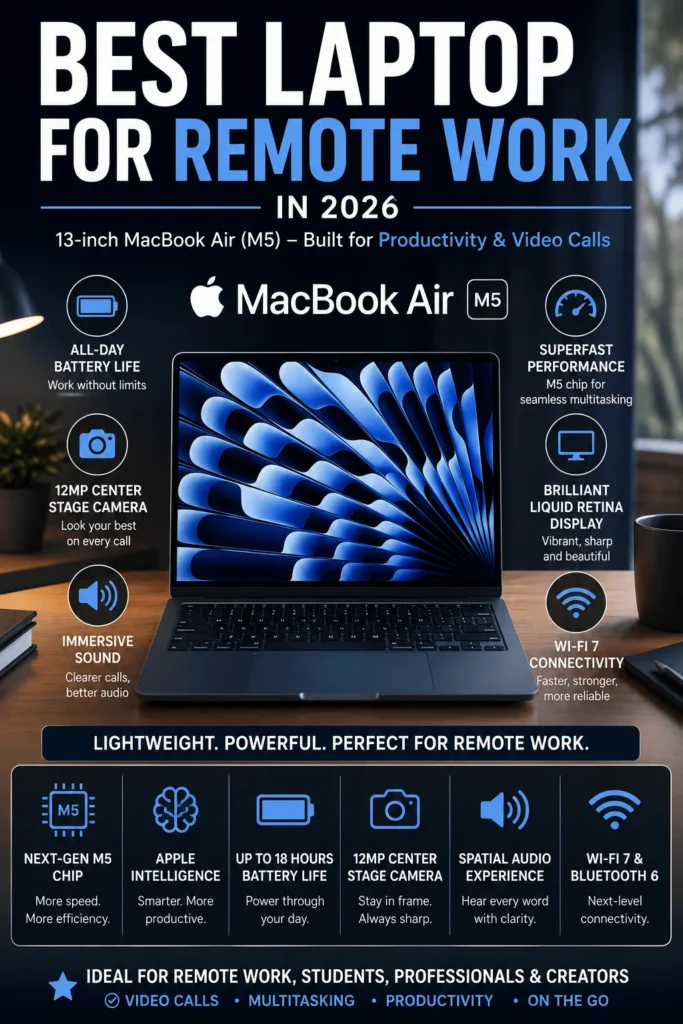
The Apple MacBook Air M5 (24GB RAM, 512GB SSD) is our top recommendation for the best laptop for remote work in 2026. It delivers an exceptional combination of performance, battery life, portability, video conferencing quality, and long-term value for professionals working from home, hybrid offices, coffee shops, coworking spaces, or while traveling. Whether you're managing video meetings, browser-heavy workflows, spreadsheets, cloud applications, documents, communication platforms, or demanding professional tasks, the MacBook Air M5 provides more than enough performance for most remote workloads while remaining thin, light, quiet, and highly efficient.

• Excellent for remote employees, freelancers, consultants, entrepreneurs, programmers, business professionals, and digital workers who need a dependable everyday laptop
• Ideal for Zoom, Microsoft Teams, Google Meet, Slack, Notion, Microsoft Office, Google Workspace, web applications, cloud services, and professional productivity workflows
• Outstanding choice for professionals who prioritize portability, long battery life, silent operation, premium build quality, and a reliable work-from-anywhere experience
• The Apple M5 chip delivers fast and highly efficient performance for multitasking across browsers, video meetings, documents, spreadsheets, communication platforms, and professional applications
• 24GB of unified memory provides substantial multitasking headroom for large numbers of browser tabs, simultaneous applications, video conferencing, and demanding professional workflows
• The 512GB SSD provides fast application launches, responsive file access, and practical storage for professional documents, projects, media, and everyday work files
• Exceptional battery efficiency allows remote professionals to work through long sessions without constantly searching for a power outlet or carrying a charger
• The lightweight and fanless MacBook Air design makes it exceptionally easy to carry between home offices, coworking spaces, meetings, airports, and other remote work environments
• The high-quality camera, microphones, and speakers provide an excellent communication experience for video conferences, presentations, virtual meetings, and daily collaboration
• macOS provides a polished and reliable professional environment with strong integration across iPhone, iPad, iCloud, AirDrop, Messages, and other Apple devices
• Touch ID provides fast and convenient authentication while helping protect professional accounts, documents, credentials, and other sensitive work information

The MacBook Air M5 earns our Best Overall Laptop for Remote Work award because it delivers one of the strongest combinations of portability, efficiency, performance, battery life, and everyday usability available to remote professionals in 2026. It is powerful enough for demanding multitasking while remaining exceptionally quiet and easy to carry. From managing video conferences and business applications to researching, writing, communicating, and working across multiple applications throughout the day, it provides an excellent remote work experience without the added weight or complexity of a larger professional laptop.

The 24GB RAM and 512GB SSD configuration also makes this model particularly attractive for professionals who expect to keep their laptop for several years. The additional memory provides more headroom for increasingly demanding applications and heavy multitasking, while the larger SSD offers more practical storage for professional files and projects. For most remote workers, the MacBook Air M5 represents the safest overall choice because it combines premium hardware, excellent battery efficiency, outstanding portability, strong communication capabilities, and enough performance to handle everything from everyday office work to more demanding professional workflows.

• Apple M5 chip• Next-generation CPU and GPU architecture• High-performance Neural Engine• Excellent single-core and multi-core performance• Efficient unified architecture• Smooth professional multitaskingThe Apple M5 provides more than enough performance for the majority of remote work environments, including video conferencing, web applications, Microsoft 365, Google Workspace, project management platforms, cloud services, spreadsheets, communication tools, and everyday professional applications.Remote professionals can comfortably move between video meetings, large numbers of browser tabs, documents, spreadsheets, messaging platforms, research tools, and productivity applications without the system feeling sluggish.The combination of performance and efficiency is particularly valuable for professionals who spend most of their working day moving between multiple applications and browser-based workflows.
• 24GB unified memory• High-bandwidth Apple memory architecture• Excellent multitasking capability• Large browser workloads• Smooth video conferencing• Strong long-term memory headroomThe 24GB configuration is a major advantage for professionals who regularly work with demanding multitasking environments. It provides substantially more memory headroom for large numbers of browser tabs, video meetings, spreadsheets, communication applications, cloud platforms, and professional software running simultaneously.For remote workers who keep multiple applications open throughout the day, 24GB provides a comfortable margin for modern workloads and makes the configuration particularly attractive for long-term ownership.
• 13.6-inch Liquid Retina display• 2560 × 1664 resolution• Wide color support• Sharp text rendering• High-quality image reproduction• Excellent viewing experience for professional workThe 13.6-inch Liquid Retina display provides sharp text and excellent image quality for documents, spreadsheets, presentations, browser-based applications, research, video meetings, and everyday professional work.The display size also maintains a strong balance between usable workspace and portability. Professionals who frequently work from home, coworking spaces, offices, cafés, or while traveling can benefit from having a capable display without carrying a larger and heavier laptop.For users who regularly work with multiple applications side by side, an external monitor can further expand the available workspace.
• 512GB SSD storage• Fast application launches• Quick file access• Responsive system performance• Practical capacity for professional documents and projects• Compatible with cloud and external storageThe 512GB SSD provides a strong balance between capacity and performance for remote professionals. It offers enough local storage for documents, presentations, project files, applications, media, and everyday professional data while maintaining fast system responsiveness.Professionals working with large video libraries, extensive creative projects, large datasets, or substantial offline archives may benefit from external SSD storage or cloud-based storage.For typical business, productivity, consulting, development, research, and remote office workflows, 512GB provides considerably more flexibility than entry-level storage configurations.
• Up to 18 hours of battery life• Thin and lightweight design• Fanless operation• Silent everyday performance• MagSafe charging• Excellent standby efficiencyThe MacBook Air M5 is particularly well suited to professionals who need to move between different work environments throughout the day. Its lightweight design makes it easy to carry between a home office, coworking space, client meeting, airport, café, or business trip.The fanless design also allows the laptop to operate silently during video conferences, writing, research, presentations, and everyday productivity.Its excellent battery efficiency reduces dependence on power outlets, making the MacBook Air M5 especially attractive for mobile professionals, consultants, freelancers, and digital nomads.
• High-quality camera system• Center Stage support• Three-microphone array• High-quality speaker system• Spatial Audio support• Excellent experience for Zoom, Microsoft Teams, Google Meet, and FaceTimeVideo conferencing is a major part of modern remote work, and the MacBook Air M5 provides a strong communication experience for daily virtual meetings, presentations, interviews, team collaboration, and client calls.The camera, microphone system, and speakers work together to provide clear communication without requiring external accessories for most users.Center Stage can help keep the user positioned within the frame during compatible video calls, while the microphone and speaker systems provide a more polished experience for professionals who spend several hours per day in virtual meetings.
• macOS productivity environment• iPhone and iPad integration• AirDrop• iCloud synchronization• Messages and FaceTime• Touch ID• Apple ecosystem continuityProfessionals already using an iPhone or iPad can benefit from the close integration between Apple devices. AirDrop makes transferring files convenient, while iCloud can synchronize documents and other supported data across compatible devices.Touch ID also provides fast authentication for accounts, purchases, passwords, and protected information.For remote professionals who rely heavily on Apple devices, this ecosystem integration can reduce friction when moving between personal and professional workflows throughout the day.
Ideal for:• Remote employees• Freelancers and consultants• Entrepreneurs and business owners• Digital nomads• Programmers and developers• Managers and executives• Content creators with moderate workloads• Productivity-focused professionals• Professionals working across multiple locationsThe Apple MacBook Air M5 is our best overall laptop for remote work because it combines excellent performance, exceptional efficiency, strong communication capabilities, outstanding portability, and premium build quality in a compact design.It is particularly well suited to professionals who value mobility and battery life without wanting to sacrifice the performance required for modern productivity and communication workflows.
Best Business Laptop for Remote Work (2026 Editor's Choice)

Dell Latitude 7450 (Core Ultra 7 vPro, 32GB RAM)

Best for Business, Enterprise & Remote Professionals
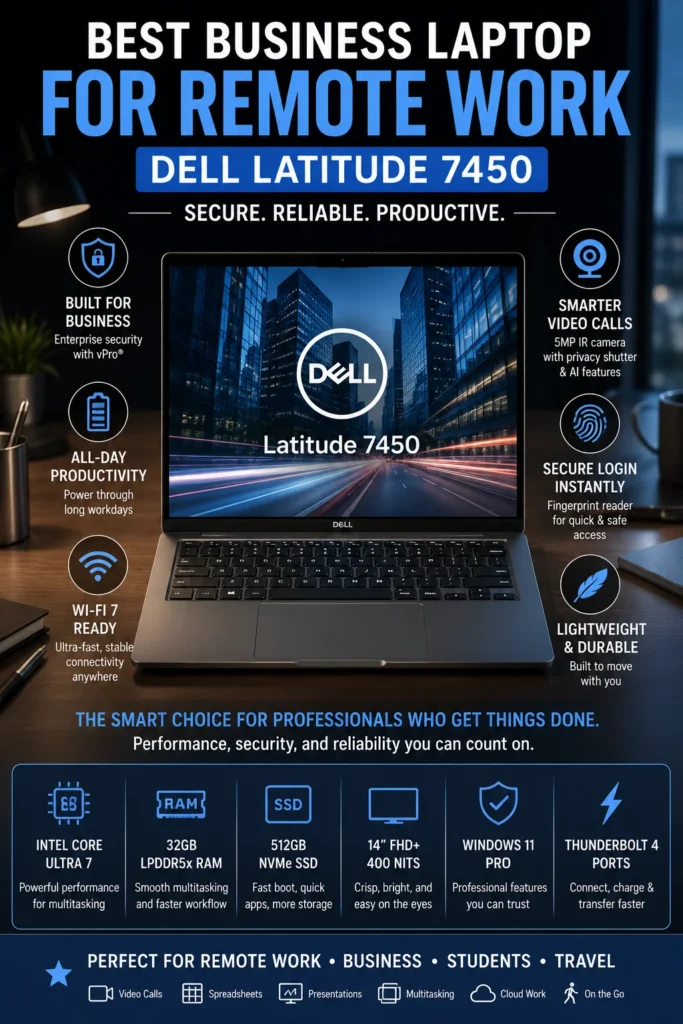
The Dell Latitude 7450 (Core Ultra 7 vPro, 32GB RAM) is our top recommendation for the best business laptop for remote work in 2026. It is designed for professionals and organizations that place a higher priority on security, reliability, manageability, business features, and long-term productivity than on consumer-oriented extras. From video meetings and Microsoft 365 to large spreadsheets, cloud applications, enterprise software, research, and demanding multitasking, the Latitude 7450 provides the performance and professional features needed for modern remote work.

• Excellent for remote employees, executives, consultants, managers, IT professionals, developers, and corporate users
• Well suited to Microsoft 365, Teams, Zoom, Google Workspace, enterprise applications, spreadsheets, cloud platforms, project management, and professional workflows
• Ideal for organizations that require business-class security, manageability, dependable hardware, and compatibility with established Windows-based environments
• The Intel Core Ultra 7 vPro platform provides efficient performance for multitasking across business applications, browser-based workflows, video conferences, spreadsheets, and professional software
• 32GB LPDDR5X memory provides substantial multitasking headroom for large spreadsheets, multiple browser tabs, virtual meetings, communication applications, and demanding professional workflows
• The 512GB NVMe SSD provides fast system responsiveness, quick application launches, and practical local storage for business documents, projects, presentations, and professional files
• Intel vPro technologies provide business-focused security, manageability, and reliability features that are particularly valuable in professionally managed IT environments
• The business-oriented Latitude platform is designed for professionals who need dependable hardware for frequent daily use rather than a consumer laptop focused primarily on entertainment
• Strong connectivity and business-oriented port selection make it easier to integrate the laptop into office desks, docking stations, external displays, storage devices, and other professional accessories
• Dell's enterprise-oriented support and management ecosystem makes the Latitude 7450 particularly attractive to organizations deploying laptops across distributed or hybrid workforces
• The professional design and security-focused feature set provide a more appropriate foundation for sensitive business information, corporate accounts, and managed work environments

The Dell Latitude 7450 earns our Best Business Laptop for Remote Work award because it prioritizes the characteristics that matter most in professional and enterprise environments: security, manageability, reliability, productivity, and long-term usability. It may not have the most visually impressive display in this lineup, but its business-focused design makes it a stronger choice for companies and professionals who depend on Windows applications, enterprise infrastructure, and IT-managed workflows.

Compared with premium consumer laptops, the Latitude 7450 makes a different set of priorities. Instead of focusing primarily on aesthetics or entertainment features, it provides a platform designed around professional productivity and organizational requirements. The combination of Core Ultra 7 vPro, 32GB memory, business-class security, and a 512GB SSD gives remote professionals substantial performance headroom while maintaining the reliability and manageability expected from a modern corporate laptop. For companies, consultants, executives, and remote employees working within Windows-based environments, it is one of the safest business-focused choices in this 2026 lineup.

• Intel Core Ultra 7 vPro processor• Efficient hybrid CPU architecture• Integrated Intel graphics• AI-enhanced processing capabilities• Strong everyday business performance• Designed for professional multitaskingThe Intel Core Ultra 7 vPro platform provides more than enough performance for modern business workloads including Microsoft 365, Microsoft Teams, Zoom, spreadsheets, CRM platforms, cloud applications, enterprise software, browser-based workflows, and professional productivity tools.Professionals can comfortably switch between large documents, spreadsheets, video meetings, communication platforms, browser tabs, and business applications while maintaining responsive everyday performance.The vPro platform also adds business-oriented capabilities that make this configuration particularly relevant to professionally managed environments.
• 32GB LPDDR5X memory• High-bandwidth memory architecture• Excellent multitasking headroom• Large spreadsheet workloads• Multiple browser tabs and applications• Suitable for demanding professional workflowsThe 32GB configuration provides substantial memory headroom for professionals who regularly work across multiple applications simultaneously.Large spreadsheets, video conferencing, CRM platforms, browser-based applications, communication tools, documents, and cloud services can remain active without forcing users to constantly close applications.For remote professionals planning to keep their laptop for several years, 32GB also provides useful long-term headroom as business applications and browser workloads continue to become more demanding.
• 14-inch display• 1920 × 1200 resolution• 16:10 aspect ratio• Up to 400-nit brightness• Anti-glare treatment• ComfortView Plus low blue light technologyThe 16:10 display provides additional vertical workspace compared with traditional 16:9 laptop screens, making it particularly useful for spreadsheets, documents, email, browser-based applications, and business dashboards.The anti-glare treatment and ComfortView Plus technology are also useful for professionals who spend long periods reading documents, analyzing data, or working with business applications.The display is practical rather than designed primarily as a premium entertainment panel, which reflects the Latitude 7450's business-focused priorities.
• Efficient Intel Core Ultra platform• ExpressCharge support• ExpressCharge Boost support• Business-focused portable design• Designed for mobile professionals• Suitable for office, home, and travelThe Latitude 7450 is designed for professionals who regularly move between offices, meetings, home workspaces, and business travel.Dell's ExpressCharge technologies can help reduce charging downtime when professionals need to return to work quickly, while the efficient Core Ultra platform helps balance performance and power consumption throughout the workday.This makes the Latitude 7450 particularly practical for hybrid workers and professionals who need a dependable Windows laptop that can move easily between different work environments.
• 5MP camera system on supported configurations• IR camera support on compatible configurations• Intelligent privacy features• ExpressSign-In technology• Noise-reduction technologies• Business-focused conferencing experienceVideo meetings are central to modern remote work, and the Latitude 7450 is designed around that reality.Its advanced camera and collaboration features can provide a stronger experience for Microsoft Teams, Zoom, Google Meet, presentations, interviews, and daily communication compared with basic business laptop webcams.Features such as ExpressSign-In can also improve convenience when returning to the workstation, while compatible privacy technologies provide additional protection for professionals working in shared environments.
• Thunderbolt 4 connectivity• Wi-Fi 7 support on compatible configurations• USB connectivity• External display support• Docking station compatibility• Professional peripheral supportThe Latitude 7450 integrates easily into modern business workspaces. Thunderbolt connectivity allows professionals to connect compatible docks, external displays, storage devices, and other high-speed peripherals through a streamlined desk setup.For remote employees using a home office, the laptop can serve as the central computer for a larger monitor, keyboard, mouse, wired networking accessories, external storage, and other productivity equipment.Its business-oriented connectivity also makes it practical for organizations that use standardized docking and workstation environments.
• Intel vPro platform• Business-focused security features• Fingerprint authentication on supported configurations• Windows 11 Pro support• Enterprise management capabilities• Dell business-class support ecosystemSecurity and manageability are among the strongest reasons to choose the Latitude 7450 over a consumer-focused laptop.Intel vPro technologies can provide additional security, remote management, and deployment capabilities that are particularly valuable for organizations managing laptops across distributed or hybrid workforces.Biometric authentication can also provide convenient access protection, while Windows 11 Pro offers features designed for professional and organizational environments.For IT departments, the Latitude platform is better aligned with established corporate deployment, management, and support requirements than many consumer-oriented alternatives.
Ideal for:• Corporate employees• Remote and hybrid workers• Executives and managers• Consultants• IT professionals• Developers• Business analysts• Microsoft 365 users• Enterprise environments• Organizations with managed Windows deploymentsThe Dell Latitude 7450 is our Best Business Laptop for Remote Work because it prioritizes the features that matter most in professional environments: security, manageability, reliable performance, strong connectivity, and long-term business usability.It is particularly well suited to companies and professionals who depend on Windows-based applications and require a laptop that can integrate naturally into an established corporate IT environment.
Best Premium Productivity Laptop for Remote Work (2026 Editor's Choice)

Lenovo ThinkPad X1 Carbon Gen 13 Aura Edition

Best Premium Productivity Laptop for Remote Professionals
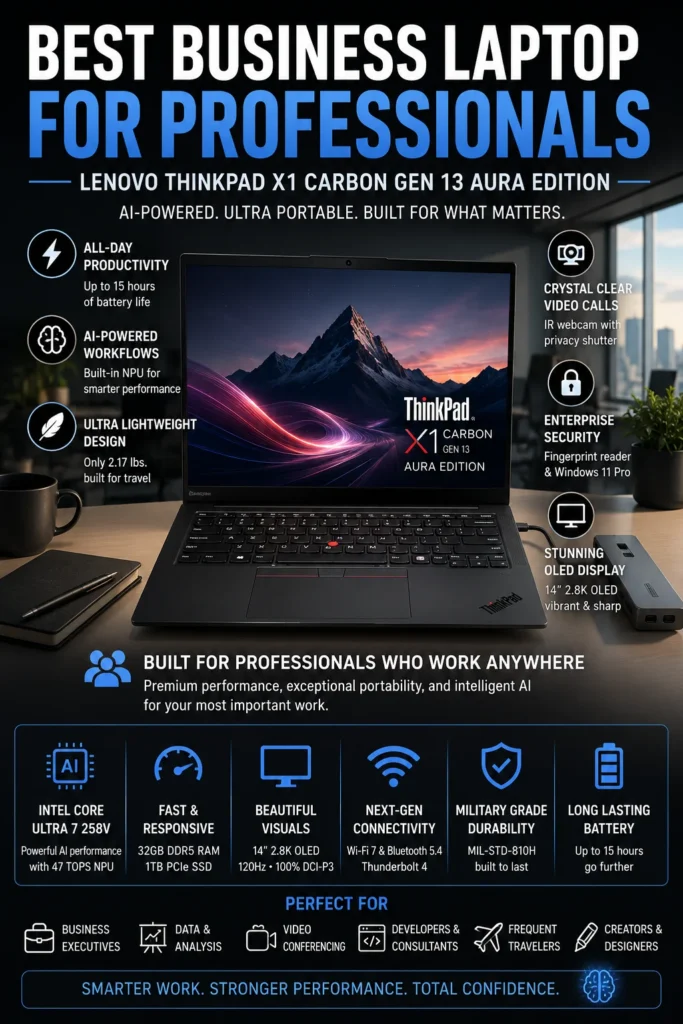
The Lenovo ThinkPad X1 Carbon Gen 13 Aura Edition is our top recommendation for the best premium productivity laptop for remote work in 2026. It combines exceptional portability, a renowned ThinkPad keyboard, strong business-oriented features, high-end display quality, efficient performance, and substantial multitasking headroom. For professionals who spend much of their day writing, analyzing information, attending meetings, managing documents, programming, researching, and working across multiple applications, the X1 Carbon delivers a refined work experience built around productivity.

• Excellent for executives, consultants, programmers, analysts, writers, managers, business professionals, and productivity-focused remote workers
• Particularly well suited to long typing sessions, document creation, spreadsheets, research, programming, browser-heavy workflows, video meetings, and professional communication
• Ideal for professionals who want an exceptionally lightweight premium Windows laptop without sacrificing a high-quality keyboard, display, performance, or business functionality
• The Intel Core Ultra 7 258V provides efficient performance for demanding multitasking, professional applications, browser-heavy workflows, video conferencing, and productivity workloads
• 32GB LPDDR5X memory provides substantial headroom for large numbers of browser tabs, documents, spreadsheets, communication applications, development tools, and professional software
• The 2.8K OLED display delivers excellent contrast, deep blacks, sharp text, and vibrant image quality for documents, presentations, research, creative work, and media
• The 1TB PCIe NVMe SSD provides generous local storage for professional applications, documents, project files, development environments, media, and other work data
• The legendary ThinkPad keyboard provides excellent key feel and a comfortable typing experience for professionals who spend hours writing, coding, communicating, or working with documents
• The ultra-light Carbon chassis makes the X1 Carbon exceptionally practical for frequent business travel, hybrid work, meetings, coworking spaces, and professionals who work from multiple locations
• ThinkPad's business-focused design emphasizes durability, reliability, security, and practical productivity features rather than consumer-oriented extras
• The combination of efficient performance, premium materials, lightweight construction, and long battery endurance makes it particularly well suited to professionals who need a high-end Windows laptop for work on the move

The ThinkPad X1 Carbon Gen 13 Aura Edition earns our Best Premium Productivity Laptop for Remote Work award because it delivers an unusually strong balance of portability, typing comfort, display quality, performance, and professional usability. The legendary ThinkPad keyboard is a major advantage for users who spend much of their day writing, coding, analyzing documents, or communicating, while the lightweight Carbon chassis makes the laptop exceptionally easy to carry between home offices, meetings, airports, and coworking spaces.

Compared with the Dell Latitude 7450, the X1 Carbon takes a more premium approach to the remote work experience. The Latitude is better suited to organizations that prioritize enterprise deployment and IT management, while the ThinkPad places greater emphasis on premium mobility, keyboard quality, display experience, and everyday productivity. For professionals who want a refined Windows laptop that feels equally comfortable in a home office, corporate meeting room, or business trip, the X1 Carbon Gen 13 is one of the strongest choices in this lineup.

• Intel Core Ultra 7 258V processor• Intel Arc integrated graphics• Dedicated NPU for AI workloads• Up to 47 TOPS of AI processing capability• Efficient hybrid CPU architecture• Strong performance for professional multitaskingThe Intel Core Ultra 7 258V provides an excellent balance between performance and efficiency for modern professional workloads.The ThinkPad X1 Carbon can comfortably handle large numbers of browser tabs, Microsoft 365 applications, video conferencing, documents, spreadsheets, programming environments, research tools, and other productivity software simultaneously.Its integrated NPU also enables compatible AI workloads to run more efficiently, making the X1 Carbon well suited to professionals adopting modern AI-assisted productivity tools.
• 32GB LPDDR5X memory• High-speed memory architecture• 1TB PCIe NVMe SSD• Excellent multitasking headroom• Fast application launches• Generous storage for professional projectsThe 32GB memory configuration gives professionals substantial headroom for demanding multitasking. Large spreadsheets, browser sessions, development environments, communication applications, documents, and productivity software can remain open simultaneously without constantly forcing applications to close.The 1TB SSD also provides considerably more flexibility than entry-level storage configurations, making the X1 Carbon particularly practical for professionals working with large project folders, development environments, media, documents, and offline files.
• 14-inch OLED display• 2880 × 1800 resolution• 120Hz refresh rate• Up to 500-nit brightness• 100% DCI-P3 color coverage• Dolby Vision support• HDR True Black supportThe 2.8K OLED display is one of the defining premium features of the X1 Carbon Gen 13. Its high resolution provides exceptionally sharp text, while OLED technology delivers deep blacks, strong contrast, and vibrant colors.The 120Hz refresh rate also provides smoother scrolling and interaction, which can make long sessions of browsing, document work, research, and general productivity feel more refined.For professionals who combine productivity with visual work, presentations, media, or creative applications, the OLED panel provides a considerably more premium viewing experience than conventional business-oriented IPS displays.
• Approximately 2.17-pound starting weight on select configurations• Ultra-light Carbon construction• Up to 15 hours of battery life depending on configuration and workload• Thin premium design• Designed for frequent travel• Business-oriented durabilityThe X1 Carbon's extremely low weight is one of its greatest advantages for professionals who work across multiple locations.It is particularly practical for consultants, executives, business travelers, hybrid employees, and remote professionals who frequently move between a home office, corporate office, client meetings, airports, and coworking spaces.Its combination of low weight, efficient Intel Core Ultra hardware, and long battery endurance makes it possible to prioritize mobility without moving down to a lower-performance class of laptop.
• Legendary ThinkPad keyboard design• Excellent key travel and tactile feedback• Comfortable for extended typing sessions• Precision TrackPoint pointing system• Large precision touchpad• Productivity-focused ergonomicsThe ThinkPad keyboard remains one of the X1 Carbon's most important advantages.Professionals who spend several hours each day writing reports, coding, answering emails, preparing presentations, analyzing documents, or communicating with clients can benefit from the keyboard's tactile feedback and familiar layout.The TrackPoint also provides an alternative pointing method that many long-time ThinkPad users appreciate, while the precision touchpad offers a more conventional modern navigation experience.
• Full HD camera on supported configurations• IR camera options• Windows Hello facial authentication• AI-enhanced collaboration features• Noise-reduction technologies• Optimized for Microsoft Teams, Zoom, and Google MeetRemote collaboration is a central part of professional productivity, and the X1 Carbon is designed to support frequent virtual communication.The camera, microphone, and AI-assisted collaboration features help provide a professional experience for client presentations, team meetings, interviews, video conferences, and distributed work environments.Windows Hello support on compatible configurations also makes signing into the system faster while maintaining convenient biometric authentication.
• Thunderbolt 4 connectivity• USB-A ports• HDMI connectivity• Wi-Fi 7 support on compatible configurations• Bluetooth connectivity• External display support• Docking station compatibilityThe X1 Carbon provides the connectivity needed to transition easily between mobile work and a full desktop-style workstation.Professionals can connect external monitors, docking stations, storage devices, keyboards, mice, projectors, and other productivity accessories without turning the laptop into an unnecessarily complicated setup.This makes the X1 Carbon particularly useful for professionals who use the same laptop both while traveling and as the primary computer in a home or corporate office.
• ThinkPad business-focused design• MIL-STD-810H testing on supported configurations• Durable lightweight chassis• Spill-resistant keyboard design• Fingerprint authentication• Windows 11 Pro security features• Business-oriented Lenovo support optionsThe X1 Carbon is designed for professionals who expect their laptop to withstand frequent daily use and travel.ThinkPad's long-standing reputation for durable business hardware is particularly valuable for users who carry their laptop between offices, meetings, airports, and remote work environments.Security features such as biometric authentication and Windows 11 Pro capabilities add another layer of protection for professional accounts, documents, and business information.
Ideal for:• Executives• Consultants• Remote professionals• Developers• Programmers• Data analysts• Writers and researchers• Business travelers• Productivity power users• Professionals who type extensivelyThe Lenovo ThinkPad X1 Carbon Gen 13 Aura Edition is our Best Premium Productivity Laptop for Remote Work because it combines exceptional portability with a premium OLED display, excellent keyboard, strong performance, substantial memory, and business-focused design.It is particularly compelling for professionals who spend much of their day typing, researching, analyzing information, attending meetings, or working across multiple locations and want a premium Windows laptop built around productivity rather than entertainment.
Best Value Premium Laptop for Remote Work (2026 Editor's Choice)

ASUS Zenbook 14 OLED

Best Value Premium Laptop for Remote Work & Hybrid Professionals
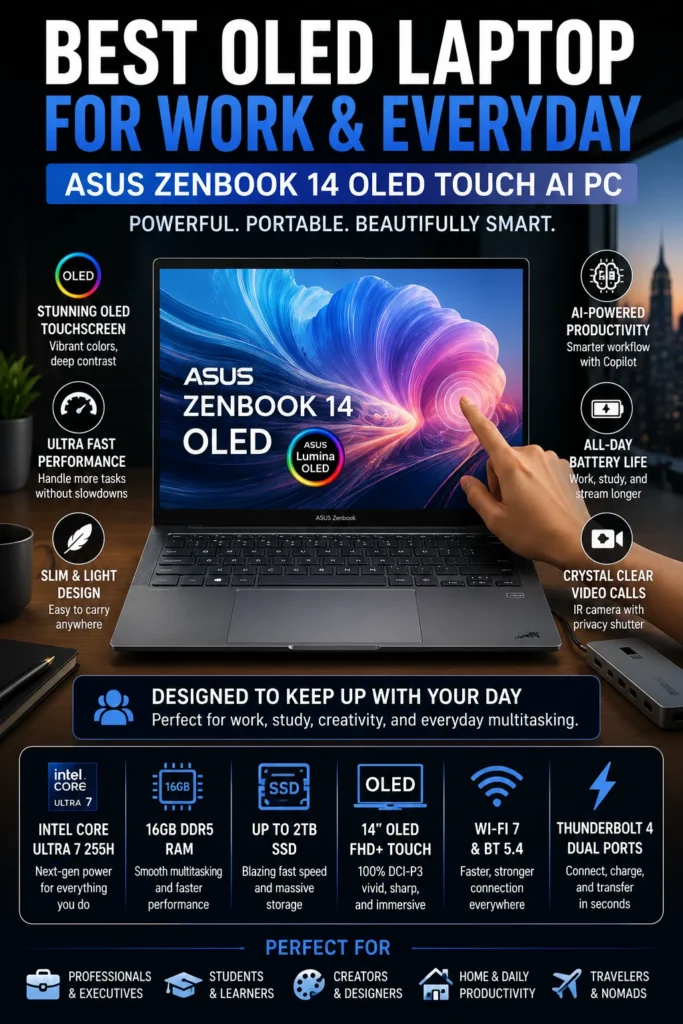
The ASUS Zenbook 14 OLED is our top recommendation for the best value premium laptop for remote work in 2026. It combines a premium OLED touchscreen, strong Intel Core Ultra performance, generous 1TB storage, excellent portability, and modern connectivity in a package that costs less than many flagship business laptops. For remote professionals and hybrid workers who want a refined everyday experience without paying primarily for enterprise features, the Zenbook 14 OLED offers an excellent balance of performance, design, display quality, and value.

• Excellent for remote employees, freelancers, consultants, students, entrepreneurs, and hybrid professionals
• Particularly well suited to Microsoft 365, Google Workspace, video conferencing, web applications, research, presentations, multitasking, and everyday professional workflows
• Ideal for buyers who prioritize display quality, portability, modern design, and strong overall specifications without moving into flagship business-laptop pricing
• The Intel Core Ultra 7 255H provides strong performance for multitasking, productivity applications, browser-heavy workflows, video meetings, and everyday professional workloads
• 16GB LPDDR5X memory provides smooth multitasking across browsers, documents, spreadsheets, communication applications, and productivity software
• The OLED touchscreen provides excellent contrast, deep blacks, vibrant colors, and a more premium visual experience for documents, presentations, media, and creative work
• The 1TB PCIe NVMe SSD provides generous storage for professional applications, documents, project files, personal data, and media without immediately requiring external storage
• The compact and lightweight design makes the Zenbook 14 OLED practical for home offices, coworking spaces, travel, hybrid work, and professionals who frequently change work locations
• Strong battery efficiency helps support long productivity sessions while reducing dependence on a power outlet during mobile work
• Modern connectivity options make it easy to integrate external displays, storage devices, docking accessories, and other productivity peripherals into a remote workstation
• The combination of premium materials, OLED display technology, modern Intel hardware, and competitive specifications gives the Zenbook unusually strong value within the premium ultrabook category

The ASUS Zenbook 14 OLED earns our Best Value Premium Laptop for Remote Work award because it delivers many of the features professionals normally associate with more expensive premium laptops without requiring the same level of investment. Its OLED display, strong performance, generous storage, portable design, and modern connectivity make it an especially attractive choice for professionals who want their laptop to feel premium both at work and during everyday personal use.

Compared with the Lenovo ThinkPad X1 Carbon Gen 13, the Zenbook 14 OLED places greater emphasis on display quality, specifications, and overall value rather than business-focused ergonomics and enterprise-oriented features. It is therefore a better fit for professionals who want a premium everyday laptop at a more accessible price, while the ThinkPad remains the stronger choice for users who prioritize its exceptional keyboard, extreme portability, and business-focused design. For remote workers who want a modern premium experience without overpaying for features they may never use, the Zenbook 14 OLED is one of the most compelling options in this lineup.

• Intel Core Ultra 7 255H processor• 16-core hybrid architecture• Intel Arc integrated graphics• Hardware acceleration for compatible AI workloads• Efficient performance for professional multitasking• 16GB LPDDR5X memoryThe Intel Core Ultra 7 255H provides strong performance for the everyday workloads most remote professionals encounter.The Zenbook 14 OLED can comfortably handle Microsoft 365, Google Workspace, large browser sessions, spreadsheets, presentations, video conferencing, project management platforms, research, communication applications, and other productivity workloads simultaneously.Its integrated Intel Arc graphics also provide enough capability for light creative work, photo editing, media production, and other GPU-accelerated applications without requiring a dedicated graphics card.
• 16GB LPDDR5X memory• High-speed memory architecture• 1TB PCIe NVMe SSD• Fast application launches• Quick file access• Generous local storage capacityThe 16GB memory configuration provides a strong balance for everyday professional multitasking. Remote workers can keep browsers, documents, spreadsheets, communication applications, cloud platforms, and video meetings running simultaneously without constantly managing open applications.The 1TB SSD is another important advantage for this price category. It provides ample space for professional documents, applications, project files, photos, media, and personal data while maintaining fast system responsiveness.For most remote professionals, this combination provides an excellent balance between performance, capacity, and long-term usability.
• 14-inch OLED touchscreen• 1920 × 1200 WUXGA resolution• Up to 500-nit brightness• 100% DCI-P3 color coverage• ASUS Lumina OLED technology• Touchscreen supportThe OLED display is one of the Zenbook 14's strongest advantages.Deep blacks, strong contrast, vibrant colors, and excellent image quality make documents, presentations, research, video calls, media, and creative applications more enjoyable than on many conventional IPS panels.The 16:10 aspect ratio also provides additional vertical workspace for documents, spreadsheets, websites, and productivity applications, making the 14-inch format particularly effective for remote work.
• Up to 18 hours of battery life depending on configuration and workload• Approximately 2.8-pound class• Slim premium chassis• Designed for mobile productivity• Comfortable for travel and hybrid workThe Zenbook 14 OLED is designed for professionals who do not want their work laptop to feel bulky or restrictive.Its compact form factor makes it easy to move between a home office, coworking space, office, airport, or meeting location, while its efficient hardware helps support long productivity sessions away from a power outlet.This makes it particularly attractive to hybrid professionals, freelancers, consultants, students, and mobile workers who value portability as much as performance.
• Full HD IR webcam on supported configurations• Windows Hello facial authentication• Physical webcam privacy shutter• AI-assisted microphone noise cancellation• Designed for Microsoft Teams, Zoom, and Google MeetRemote work depends heavily on reliable communication, and the Zenbook 14 provides the hardware and software features needed for everyday virtual collaboration.The camera and microphone system is well suited to team meetings, client calls, interviews, presentations, and remote collaboration, while the physical privacy shutter provides a simple way to protect camera privacy when the webcam is not in use.
• Thunderbolt 4 connectivity• USB-A connectivity• HDMI output• Wi-Fi 7 support on compatible configurations• Bluetooth connectivity• External display support• Compatible with docking stations and productivity accessoriesThe Zenbook 14 OLED provides the connectivity needed to transition from a highly portable laptop into a full remote workstation.External monitors, storage devices, keyboards, mice, docks, projectors, and other peripherals can be integrated into a professional home-office setup without requiring a collection of specialized adapters.For hybrid professionals, this makes the Zenbook practical both as a mobile computer and as the center of a permanent desk setup.
• Premium aluminum construction• Slim modern chassis• High-quality OLED touchscreen• Comfortable keyboard and precision touchpad• Premium portable design• Windows productivity environmentThe Zenbook 14 OLED is designed to provide a premium experience beyond raw specifications.Its aluminum construction, slim profile, high-quality display, and portable form factor make it feel considerably more refined than many conventional productivity laptops in the same price range.This combination is particularly appealing to professionals who want a laptop that works well in a home office while also feeling premium enough for client meetings, travel, and everyday personal use.
Ideal for:• Remote professionals• Hybrid workers• Freelancers• Consultants• Small business owners• Entrepreneurs• Students• Digital nomads• Home-office users• Professionals who prioritize display qualityThe ASUS Zenbook 14 OLED is our Best Value Premium Laptop for Remote Work because it delivers a strong combination of performance, OLED display quality, portability, storage, connectivity, and premium design without moving into the pricing of flagship business laptops.It is especially well suited to buyers who want a premium everyday experience but do not require the enterprise management features or specialized business ecosystem offered by models such as the Dell Latitude 7450.
• Modern Intel Core Ultra platform• 16GB LPDDR5X memory• 1TB PCIe NVMe storage• OLED display technology• Wi-Fi 7 connectivity on compatible configurations• Premium aluminum construction• Strong specification-to-price balanceThe Zenbook 14 OLED's long-term appeal comes from the amount of premium hardware included in a relatively accessible package.Rather than concentrating its price primarily on enterprise management or specialized corporate features, ASUS puts significant emphasis on the everyday experience: display quality, performance, storage, portability, connectivity, and design.For professionals who want a laptop they can use for several years without feeling that they compromised too heavily on the overall experience, the Zenbook 14 OLED represents one of the strongest value propositions in this lineup.
Best Corporate Laptop for Remote Work (2026 Editor's Choice)

HP EliteBook 840 G11

Best Corporate Laptop for Secure Remote Work & Business Productivity
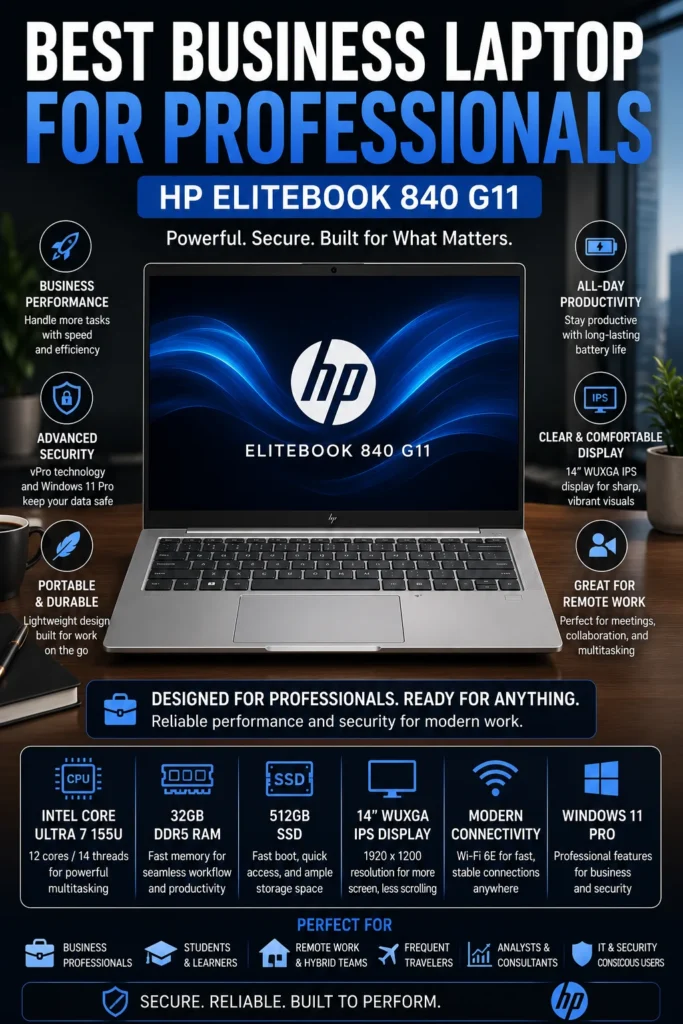
The HP EliteBook 840 G11 is our recommendation for the best corporate laptop for secure remote work in 2026. It combines business-class security, enterprise management capabilities, strong multitasking performance, professional connectivity, and a durable design in a practical 14-inch platform. For remote employees, corporate professionals, managers, and organizations that need a dependable Windows laptop for everyday business operations, the EliteBook 840 G11 provides a strong balance between security, productivity, and long-term business value.

• Excellent for corporate employees, managers, IT departments, consultants, finance professionals, and business users
• Well suited to Microsoft 365, Teams, Excel, PowerPoint, CRM platforms, browser-based applications, virtual meetings, document management, and everyday business workflows
• Ideal for organizations and professionals who prioritize security, manageability, reliability, and business-focused features over consumer-oriented extras
• The Intel Core Ultra 7 155U provides efficient performance for office applications, multitasking, video conferencing, cloud platforms, and professional productivity workloads
• 32GB DDR5 memory provides substantial multitasking headroom for large spreadsheets, browser sessions, communication tools, business applications, and professional workflows
• The 512GB SSD provides fast application launches, responsive file access, and sufficient local storage for documents, presentations, business applications, and everyday professional data
• Intel vPro capabilities on supported configurations provide additional business-oriented security, manageability, and remote administration features for compatible enterprise environments
• HP's EliteBook platform is designed around professional reliability, security, manageability, and long-term business deployment rather than primarily consumer-focused features
• The 14-inch business-oriented design provides a practical balance between screen space, portability, and everyday office productivity
• Enterprise-focused security features help organizations protect business accounts, professional data, and company systems in increasingly distributed work environments
• The combination of strong memory capacity, efficient processing, business security, and professional support makes the EliteBook 840 G11 a practical choice for organizations deploying laptops across remote and hybrid teams

The HP EliteBook 840 G11 earns our Best Corporate Laptop for Remote Work award because it focuses on the features that matter most in professional environments: security, reliability, manageability, and consistent productivity. Its 32GB memory configuration provides excellent multitasking capability, while the efficient Intel Core Ultra platform is well suited to the Microsoft 365, collaboration, communication, and cloud-based workflows that define modern corporate work.

Compared with the Dell Latitude 7450, the EliteBook 840 G11 occupies a similar business-focused category but provides an alternative for organizations that prefer HP's EliteBook platform, support ecosystem, and security approach. The Lenovo ThinkPad X1 Carbon Gen 13, meanwhile, is better suited to professionals who place greater emphasis on premium mobility, keyboard quality, and display experience. For companies and remote employees looking for a dependable corporate Windows laptop rather than a consumer ultrabook, the EliteBook 840 G11 remains a strong and practical choice.

• Intel Core Ultra 7 155U processor• 12-core processor architecture• Efficient performance for professional workloads• 32GB DDR5 memory• 512GB PCIe NVMe SSD• Designed for sustained business multitaskingThe Intel Core Ultra 7 155U provides efficient performance for the applications and workflows commonly used in professional environments.The EliteBook 840 G11 can comfortably handle Microsoft 365, Excel spreadsheets, PowerPoint presentations, CRM platforms, browser-heavy workflows, cloud applications, document management, communication tools, and video conferencing.The 32GB memory configuration provides substantial multitasking headroom for professionals who regularly work across multiple applications and large documents throughout the day.
• 14-inch WUXGA display• 1920 × 1200 resolution• 16:10 aspect ratio• IPS panel technology• Anti-glare surface• Designed for extended professional useThe 16:10 WUXGA display provides additional vertical workspace compared with traditional 16:9 Full HD panels.This is particularly useful for spreadsheets, documents, email, web applications, dashboards, and other business software where additional vertical space can reduce scrolling and improve productivity.The anti-glare design also makes the display practical for office environments, home offices, and other professional workspaces with varying lighting conditions.
• Professional 14-inch form factor• Slim business-oriented chassis• Designed for hybrid work• Suitable for office and remote environments• Practical for business travelThe EliteBook 840 G11 provides a practical balance between screen size and portability for professionals who regularly move between a home office, corporate office, meetings, and other work locations.Its business-focused design is intended for daily professional use rather than occasional travel, making it a practical choice for employees who depend on their laptop throughout the working week.
• 5MP webcam on supported configurations• High-resolution video capture• Business-focused conferencing features• Designed for Microsoft Teams and Zoom• Suitable for virtual meetings and presentationsThe higher-resolution webcam helps provide a more professional appearance during remote meetings, interviews, presentations, and client calls.For employees working remotely or across hybrid teams, a quality camera is an increasingly important part of the business laptop experience, particularly when video meetings occupy a significant portion of the workday.
• Thunderbolt connectivity• USB ports for professional peripherals• HDMI output• Wi-Fi 6E connectivity• Bluetooth support• Docking station compatibilityThe EliteBook 840 G11 can easily transition from a portable business laptop into a complete desktop-style workstation.Professionals can connect external monitors, keyboards, mice, storage devices, network accessories, presentation equipment, and other office peripherals through the laptop's wired and wireless connectivity options.This makes it particularly practical for hybrid employees who use the same computer at home and in the office.
• Intel vPro capabilities on supported configurations• Windows 11 Pro• Business-oriented security features• Biometric authentication on supported configurations• Enterprise management capabilities• Professional support optionsSecurity and manageability are among the main reasons to choose an EliteBook over a conventional consumer laptop.Supported configurations can provide enterprise-oriented capabilities that allow organizations to better manage devices, protect business information, and integrate laptops into professional IT environments.For companies managing remote employees, these features can be particularly valuable because the laptop remains part of a broader corporate security and management infrastructure.
Ideal for:• Corporate employees• Financial professionals• Accountants• Project managers• HR professionals• Business consultants• Government and institutional workers• Enterprise environments• Hybrid employees• Microsoft 365 usersThe HP EliteBook 840 G11 is our Best Corporate Laptop for Remote Work because it prioritizes security, manageability, reliability, and consistent business productivity.It is particularly well suited to organizations and professionals who need a dependable Windows laptop for everyday corporate workloads rather than a consumer-oriented machine focused primarily on entertainment or premium design.
• Business-focused EliteBook platform• 32GB DDR5 memory• 512GB SSD storage• Intel Core Ultra architecture• Enterprise security capabilities• Professional support ecosystem• Designed for long-term business deploymentThe EliteBook 840 G11's long-term value comes from its focus on professional requirements rather than headline specifications alone.Its combination of strong multitasking capability, business security, professional connectivity, and enterprise-oriented design makes it a practical choice for organizations deploying laptops across remote and hybrid teams.For professionals who rely on their laptop every working day, the EliteBook's business-focused approach can be more valuable over time than many consumer laptops offering similar raw specifications.
Best Battery Life Laptop for Remote Work (2026 Editor's Choice)

Dell XPS 13 9345 (Snapdragon X Plus)

Best Battery Life Laptop for Remote Workers in 2026
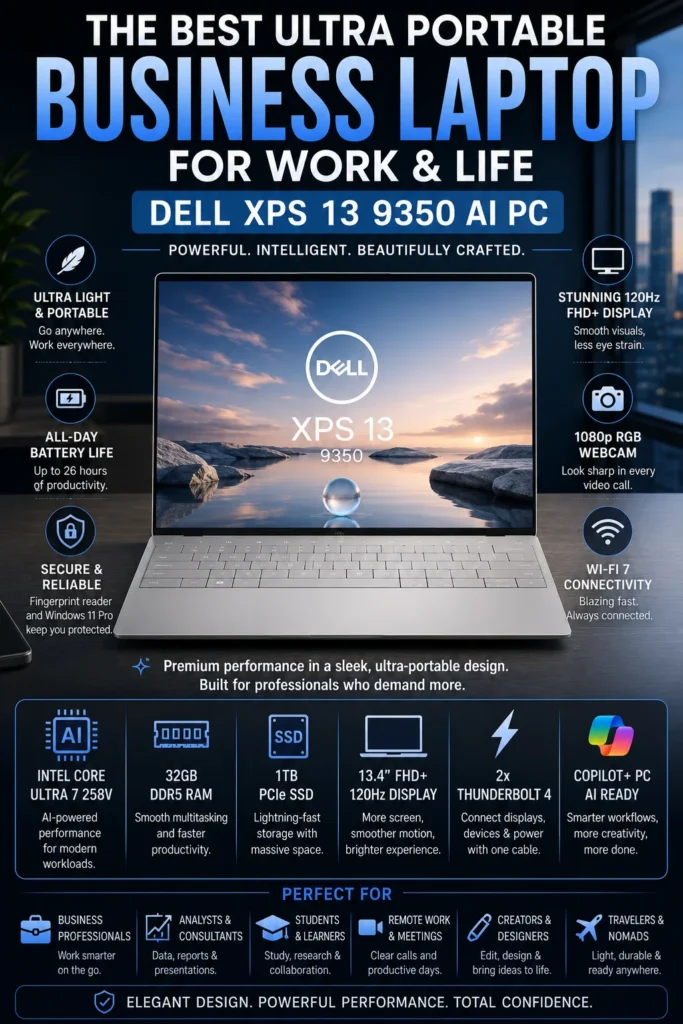
The Dell XPS 13 9345 with Snapdragon X Plus is our recommendation for the best battery life laptop for remote work in 2026. It is designed for professionals who spend long periods working away from a power outlet and prioritize mobility, efficiency, quiet operation, and dependable everyday productivity. Its Snapdragon X Plus platform delivers excellent power efficiency in an exceptionally compact chassis, making the XPS 13 particularly attractive for frequent travelers, digital nomads, consultants, and remote professionals who work from multiple locations.

• Excellent for digital nomads, frequent travelers, consultants, remote employees, freelancers, and mobile professionals
• Particularly well suited to web-based productivity, Microsoft 365, Google Workspace, email, document editing, video conferencing, cloud applications, research, and everyday multitasking
• Ideal for professionals who prioritize battery endurance and portability over maximum workstation-class performance
• The Snapdragon X Plus platform provides efficient performance for everyday productivity while helping maximize battery endurance
• 16GB LPDDR5X memory provides sufficient multitasking capacity for browsers, documents, spreadsheets, communication applications, and cloud-based workflows
• The 512GB PCIe NVMe SSD provides fast application launches, responsive file access, and practical storage for professional documents, applications, and personal files
• The highly efficient ARM-based platform can deliver excellent unplugged endurance while producing relatively little heat during everyday productivity workloads
• The compact XPS 13 design makes it exceptionally easy to carry through airports, coworking spaces, client meetings, coffee shops, and other mobile work environments
• The combination of a high-efficiency processor, lightweight chassis, and long battery endurance makes it particularly well suited to professionals who spend much of their working day away from a desk
• Modern Windows AI PC capabilities provide support for compatible AI-assisted productivity features and applications
• Windows on ARM compatibility has improved significantly, although professionals who depend on specialized legacy Windows software, drivers, or applications should verify compatibility before purchasing

The Dell XPS 13 9345 earns our Best Battery Life Laptop for Remote Work award because its greatest strength is efficiency. Rather than competing primarily on maximum processing power, the XPS 13 focuses on delivering a highly mobile Windows experience that can remain productive for extended periods without a charger. Its compact design, efficient Snapdragon X Plus platform, generous 16GB memory configuration, and fast SSD make it particularly attractive to professionals who value freedom from the power outlet.

Compared with the Lenovo ThinkPad X1 Carbon Gen 13, the XPS 13 places greater emphasis on battery efficiency and compact mobility, while the ThinkPad offers a more traditional business-oriented experience with its renowned keyboard and broader professional positioning. The XPS 13 is therefore the better choice for users whose first priority is unplugged productivity and portability. However, professionals who rely on specialized Windows applications should verify ARM compatibility before choosing the Snapdragon-powered model. For compatible workflows, the XPS 13 9345 is one of the most compelling ultra-mobile remote work laptops in this lineup.

• Qualcomm Snapdragon X Plus processor• Dedicated NPU for on-device AI acceleration• Copilot+ PC platform• Efficient ARM-based architecture• 16GB LPDDR5X memory• 512GB PCIe NVMe SSDThe Snapdragon X Plus platform is designed around efficiency and sustained everyday productivity rather than workstation-class performance. It provides responsive performance for Microsoft 365, Google Workspace, web applications, email, CRM platforms, Slack, Teams, Zoom, cloud services, and everyday multitasking.Remote professionals can comfortably work across multiple browser tabs, documents, spreadsheets, communication applications, and cloud-based services while benefiting from the platform's strong power efficiency.For demanding professional software, specialized drivers, or legacy Windows applications, users should verify Windows on ARM compatibility before purchasing.
• 13.4-inch FHD+ display• 1920 × 1200 resolution• 16:10 aspect ratio• Up to 120Hz adaptive refresh rate• Up to 500 nits brightness• Slim InfinityEdge bezels• Anti-glare surfaceThe 16:10 display provides useful vertical workspace for documents, browser-based applications, spreadsheets, and productivity workflows while maintaining the compact dimensions that make the XPS 13 easy to carry.Its slim bezels create a more immersive viewing experience without significantly increasing the physical size of the laptop, making it particularly well suited to mobile professionals who work from smaller spaces.
• Up to 27 hours of battery life under light workloads• Approximately 2.6-pound lightweight design• Compact 13-inch-class chassis• Efficient Snapdragon X Plus architecture• Low-power platform designed for extended unplugged use• Highly portable design for travel and remote workBattery endurance is the defining strength of the Dell XPS 13 9345. Its efficient ARM architecture allows compatible productivity workloads to run for extended periods without requiring frequent access to a power outlet.The compact chassis is particularly convenient for digital nomads, consultants, business travelers, and remote professionals who regularly move between home, offices, coworking spaces, airports, and client locations.Actual battery life will vary depending on workload, display settings, applications, connectivity, and system configuration.
• Integrated webcam for professional video conferencing• Windows Hello facial recognition support• AI-assisted Windows features• Microphone system designed for communication• Optimized for compatible Zoom, Microsoft Teams, and Google Meet workflowsThe XPS 13 provides the communication features remote professionals need for virtual meetings, presentations, client calls, and distributed team collaboration.Its compact design also makes it easy to position in different work environments, while Windows Hello provides convenient biometric authentication for compatible configurations.
• Two USB4 Type-C ports• DisplayPort support• USB Power Delivery• Wi-Fi 7 connectivity• Bluetooth 5.4• Support for external displays through compatible connections and adaptersThe minimalist port selection keeps the XPS 13 exceptionally compact, but users who frequently connect multiple peripherals should consider a USB-C dock or hub.For a remote workstation, the laptop can be paired with an external monitor, keyboard, mouse, storage, and other accessories while maintaining the mobility of the compact XPS design.
• Snapdragon X Plus ARM-based architecture• Windows 11 on ARM• Strong compatibility with modern productivity applications• Improved emulation for many traditional Windows applications• Copilot+ PC capabilities• Compatibility should be verified for specialized software and peripheralsWindows on ARM has matured considerably and works well for many mainstream productivity workflows. Microsoft 365, web applications, communication platforms, cloud services, and many modern applications can provide an excellent experience on the XPS 13 9345.However, professionals who depend on specialized engineering software, older business applications, proprietary drivers, virtualization tools, or other legacy x86 software should verify compatibility before purchasing.This consideration is particularly important for business environments where application compatibility and IT deployment requirements are critical.
Ideal for:• Remote employees• Digital nomads• Business travelers• Consultants• Freelancers• Cloud-based professionals• Microsoft 365 users• Web-based productivity workflows• Frequent video conferencing• Professionals who prioritize battery lifeThe Dell XPS 13 9345 is our battery-life recommendation because it combines exceptional efficiency, compact dimensions, and strong everyday productivity in a highly mobile Windows laptop.It is particularly well suited to professionals who spend significant portions of their workday away from a traditional desk.
• Premium Dell XPS construction• Efficient Snapdragon X Plus platform• Copilot+ PC architecture• Wi-Fi 7 connectivity• Modern Windows 11 experience• Strong portability and battery efficiency• Premium design intended for mobile professionalsThe XPS 13 9345 offers strong long-term value for users whose workflows are compatible with Windows on ARM. Its combination of premium construction, exceptional portability, efficient hardware, and modern connectivity makes it particularly compelling for professionals who want a laptop they can comfortably carry and use throughout the day.The main long-term consideration is software compatibility. Users who rely on specialized or legacy Windows applications should confirm compatibility before choosing the Snapdragon configuration.
Best Laptop for Remote Creators & Power Users (2026 Editor's Choice)

Acer Swift X 14 (RTX 4060)

Best for Remote Creators, Designers & Power Users
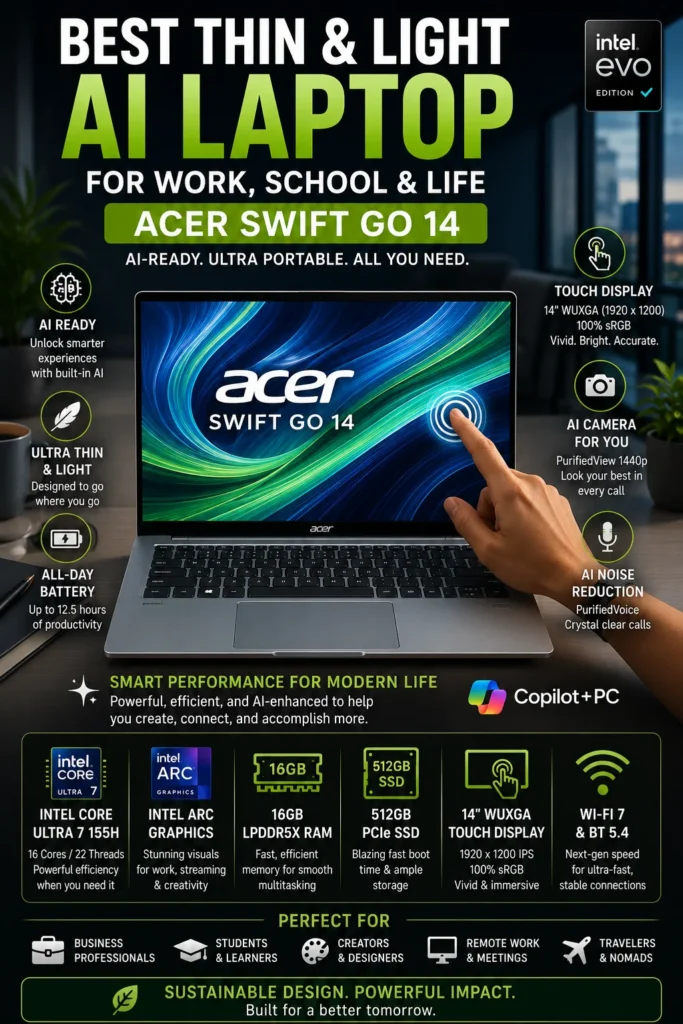
The Acer Swift X 14 with NVIDIA GeForce RTX 4060 is our recommendation for the best laptop for remote creators and power users in 2026. It is designed for professionals whose remote workflows extend beyond traditional office productivity and include video editing, graphic design, 3D applications, AI-assisted creation, photo editing, and other GPU-intensive workloads. Instead of prioritizing maximum battery endurance, the Swift X 14 focuses on delivering significantly more graphics performance while maintaining a relatively portable design.

• Excellent for content creators, designers, video editors, photographers, developers, AI users, and creative freelancers
• Ideal for Adobe Creative Cloud, DaVinci Resolve, Blender, 3D applications, AI-assisted workflows, photo editing, and other GPU-accelerated software
• Particularly well suited to professionals who need dedicated graphics performance without moving to a large traditional workstation laptop
• The Intel Core Ultra 7 processor provides strong multi-core performance for demanding productivity and creative workloads
• The NVIDIA GeForce RTX 4060 Laptop GPU provides dedicated graphics acceleration for video editing, 3D rendering, AI applications, image generation, and GPU-accelerated creative software
• 1TB PCIe Gen 4 SSD storage provides fast application launches, responsive file access, and substantial space for professional projects and media files
• The 2.8K OLED display delivers high resolution, deep contrast, rich colors, and a premium visual experience for creative work and content consumption
• The 120Hz refresh rate provides smoother scrolling, navigation, motion, and general desktop interaction
• Dedicated graphics performance gives creators substantially more headroom than integrated-GPU ultrabooks for demanding visual workloads
• The relatively compact chassis makes it easier to transport between home, studio, office, coworking spaces, and client locations than a traditional high-performance workstation
• AI acceleration across the Intel and NVIDIA platforms provides additional performance opportunities for compatible creative and productivity applications

The Acer Swift X 14 earns our Best Laptop for Remote Creators & Power Users award because it fills a role that the other laptops in this lineup cannot. While models such as the MacBook Air M5, Dell XPS 13, and ThinkPad X1 Carbon prioritize portability, efficiency, and everyday productivity, the Swift X 14 adds a dedicated RTX 4060 GPU capable of accelerating demanding creative workloads. This makes it a much stronger choice for professionals who regularly edit video, work with 3D content, use AI tools, or depend on GPU-accelerated applications.

The main trade-off is battery efficiency. A dedicated RTX 4060 provides substantially more graphics performance than integrated graphics, but demanding creative workloads can consume considerably more power than traditional office applications. For professionals who spend most of their day writing documents and attending meetings, a more efficiency-focused laptop may be a better choice. For creators who need serious graphics performance in a relatively portable machine, however, the Acer Swift X 14 offers one of the strongest combinations of performance, display quality, and mobility in this remote-work lineup.

• Intel Core Ultra 7 155H processor• 16-core hybrid architecture• Intel AI Boost acceleration• Strong multi-core performance for demanding applications• 1TB PCIe Gen 4 SSD• Designed for professional productivity and creative workloadsThe Intel Core Ultra 7 provides the processing performance needed for demanding productivity and creative workflows. It handles applications such as Adobe Photoshop, Lightroom, Premiere Pro, Figma, Canva, productivity suites, development environments, and large multitasking workloads with confidence.Combined with dedicated NVIDIA graphics, the Swift X 14 provides significantly more performance headroom than conventional integrated-GPU productivity laptops.
• NVIDIA GeForce RTX 4060 Laptop GPU• Dedicated graphics memory• NVIDIA Studio ecosystem support• Hardware acceleration for compatible creative applications• DLSS technology for supported applications and workloads• Strong performance for video editing, 3D rendering, AI tools, and visual content creationThe dedicated RTX 4060 is the defining performance advantage of the Swift X 14. It provides substantially more graphics processing capability than integrated GPUs found in typical business and productivity ultrabooks.Creators can benefit from GPU acceleration in compatible applications for video editing, rendering, image processing, 3D workloads, AI-assisted creation, and other demanding visual tasks.
• 14.5-inch OLED display• 2880 × 1800 resolution• 120Hz refresh rate• 100% DCI-P3 color coverage• Calman Verified color accuracy• HDR True Black support• Deep OLED contrast and individually lit pixelsThe high-resolution OLED panel is one of the strongest features of the Swift X 14. Its combination of sharp detail, wide color coverage, deep blacks, and high contrast makes it particularly well suited to photo editing, video production, graphic design, content creation, and media work.The 120Hz refresh rate also provides smoother scrolling, animation, navigation, and general desktop interaction.
• Up to approximately 10 hours of battery life depending on workload• Approximately 3.3-pound portable design• Compact 14-inch-class chassis• USB-C charging support• Designed for hybrid work and mobile productivityThe Swift X 14 offers a useful balance between dedicated graphics performance and portability. It is substantially easier to transport than a traditional workstation laptop while still providing the GPU power needed for demanding creative applications.The main trade-off is battery efficiency. Creative workloads that heavily use the RTX 4060 can consume considerably more power than standard office applications, so professionals who prioritize maximum unplugged endurance may prefer an efficiency-focused ultrabook.
• Thunderbolt 4 connectivity• HDMI output• USB-A connectivity• MicroSD card reader• Wi-Fi 6E• Bluetooth connectivity• Supports external displays and creative peripheralsThe broader port selection is particularly useful for creators who regularly connect cameras, external storage, monitors, drawing devices, and other professional accessories.The integrated card reader can also simplify workflows for photographers and videographers who frequently transfer media from compatible memory cards.
• Adobe Photoshop• Adobe Lightroom• Adobe Premiere Pro• DaVinci Resolve• Blender and compatible 3D applications• AI-assisted creative applications• GPU-accelerated rendering and processingThe combination of Intel Core Ultra processing and dedicated RTX graphics makes the Swift X 14 particularly versatile for creators who use software capable of taking advantage of GPU acceleration.It is also a strong platform for experimenting with compatible local AI applications and generative workflows, although performance and compatibility will vary depending on the specific application and workload.
Ideal for:• Content creators• Graphic designers• Video editors• Photographers• YouTubers• Digital marketers• Developers• AI-focused users• Creative freelancers• Professionals working with GPU-accelerated applicationsThe Acer Swift X 14 is our recommendation for remote creators and power users because it provides a combination of dedicated RTX graphics, a high-quality OLED display, strong CPU performance, and relatively portable dimensions.It is particularly compelling for professionals who need significantly more graphics performance than a conventional business ultrabook can provide.
• Intel Core Ultra platform• Dedicated NVIDIA RTX 4060 graphics• 1TB PCIe Gen 4 SSD• High-resolution OLED display• NVIDIA Studio ecosystem• Modern connectivity• Strong performance headroom for demanding creative applicationsThe Swift X 14 offers strong long-term value for creators because its dedicated GPU gives it considerably more performance headroom than typical productivity-focused laptops.Its biggest advantage is versatility: it can function as a portable work laptop during the day while providing enough graphics performance for demanding creative workloads when connected to a larger workstation setup.For professionals whose priorities are primarily documents, meetings, email, and web applications, a more battery-efficient laptop may be the better long-term choice. For creators who regularly use GPU-accelerated software, the Swift X 14 provides a much more capable platform.

Best Laptops for Remote Work (2026)

Ranked by Productivity, Battery Life, Portability, Video Conferencing, Security & Overall Value

Choosing the best laptop for remote work depends on much more than processor speed. Remote professionals have different priorities, from long battery life and portability to enterprise security, video conferencing, creative performance, and demanding multitasking. We evaluated these laptops based on real-world productivity, battery endurance, portability, display quality, webcam and collaboration capabilities, connectivity, workload performance, and overall value to help professionals choose the right laptop for remote work in 2026.

LaptopCPU & Key SpecsBest ForWhy It WinsEditor's VerdictBuy
Best Overall
Apple MacBook Air M5
Apple M5
24GB Unified Memory
512GB SSD
13-inch MacBook Air
Remote Professionals
Entrepreneurs
Freelancers
Apple Users
The strongest overall combination of performance, battery efficiency, portability, video conferencing quality, and long-term usability. The M5 platform provides excellent productivity performance while maintaining the lightweight and quiet MacBook Air experience.Best Laptop for Most Remote WorkersCheck Price
Best Business Laptop
Dell Latitude 7450
Intel Core Ultra 7 165U vPro
32GB LPDDR5x
512GB SSD
14" FHD+
Corporate Professionals
Enterprise Users
IT-Managed Environments
Enterprise-grade security, Intel vPro management capabilities, strong multitasking performance, excellent connectivity, and business-focused reliability make the Latitude 7450 particularly well suited to corporate remote work.Best Business Laptop for Remote ProfessionalsCheck Price
Best Premium Productivity
Lenovo ThinkPad X1 Carbon Gen 13 Aura Edition
Intel Core Ultra 7 258V
32GB LPDDR5x
1TB SSD
14" 2.8K OLED
Executives
Consultants
Developers
Business Travelers
Combines an exceptionally lightweight design with a legendary ThinkPad keyboard, premium OLED display, strong AI-enabled performance, business-class durability, and excellent multitasking capability.Best Premium Windows Laptop for ProductivityCheck Price
Best Value Premium
ASUS Zenbook 14 OLED
Intel Core Ultra 7 255H
16GB LPDDR5X
1TB SSD
14" OLED Touchscreen
Remote Workers
Hybrid Professionals
Freelancers
Home Office Users
Offers an excellent premium experience at a more accessible price, combining an OLED touchscreen, strong Intel Core Ultra performance, generous SSD storage, excellent portability, and long battery life.Best Value Premium Laptop for Remote WorkCheck Price
Best Corporate
HP EliteBook 840 G11
Intel Core Ultra 7 155U
32GB DDR5
512GB SSD
14" WUXGA
Corporate Employees
Financial Analysts
Project Managers
Enterprise Environments
Designed around enterprise productivity, security, manageability, and long-term reliability. The 32GB memory configuration provides excellent multitasking headroom for demanding business workflows.Best Corporate Laptop for Secure Remote WorkCheck Price
Best Battery Life
Dell XPS 13 9345
Snapdragon X Plus
16GB LPDDR5X
512GB SSD
13.4" FHD+
Digital Nomads
Frequent Travelers
Mobile Professionals
Exceptional battery endurance, lightweight construction, efficient ARM architecture, and modern AI capabilities make it one of the strongest choices for professionals who spend long periods away from a power outlet.Best Laptop for Battery Life & PortabilityCheck Price
Best for Creators
Acer Swift X 14
Intel Core Ultra 7 155H
NVIDIA GeForce RTX 4060
1TB PCIe Gen 4 SSD
14.5" 2.8K OLED 120Hz
Content Creators
Graphic Designers
Video Editors
AI & Creative Professionals
The dedicated RTX 4060 provides significantly more graphical performance than traditional productivity laptops, while the high-resolution OLED display makes the Swift X 14 particularly strong for creative applications, video editing, design, and AI workloads.Best Remote Work Laptop for Creators & Power UsersCheck Price
Keep Exploring

Recommended Next Reads

Still deciding which laptop is right for your remote work setup? Explore our expert laptop guides for business professionals, entrepreneurs, home offices, developers, and demanding productivity workflows.

Whether you're comparing business laptops, building a complete home office, looking for a laptop for programming and development, or choosing the right machine for a growing business, these guides can help you make a more informed purchase decision.

01

EDITOR'S FINAL RECOMMENDATIONS

Our Final Laptop Recommendations for Remote Work in 2026

After comparing performance, battery life, portability, display quality, webcams, connectivity, multitasking capability, security, and overall value, these are our final laptop recommendations for remote professionals in 2026. Whether you work from a home office, travel frequently, manage a business, attend constant video meetings, or need serious creative performance, the right laptop depends on your specific workflow.

BEST PREMIUM BUSINESS

Lenovo ThinkPad X1 Carbon Gen 13

The premium Windows choice for executives, consultants, developers, and professionals who spend their days typing, traveling, attending meetings, and working across multiple locations. Its exceptional keyboard, lightweight chassis, OLED display, durability, and business-focused features make it a standout professional machine.

  • ✓ Intel Core Ultra 7 258V
  • ✓ 32GB LPDDR5x Memory
  • ✓ 2.8K OLED 120Hz Display
  • ✓ Ultra-Lightweight Design
Best premium Windows laptop for business professionals
BEST BATTERY LIFE

Dell XPS 13 9345

The strongest choice for professionals who prioritize battery endurance and mobility. Its Snapdragon X Plus platform delivers exceptional efficiency, quiet operation, AI acceleration, and some of the longest unplugged productivity sessions available in a premium ultraportable.

  • ✓ Snapdragon X Plus
  • ✓ Up to 27 Hours Battery
  • ✓ Approximately 2.6-Pound Design
  • ✓ Wi-Fi 7 Connectivity
Best laptop for battery life and mobile work
BEST FOR CREATORS

Acer Swift X 14

The best option for remote professionals whose workloads go beyond traditional office applications. Its RTX 4060 GPU provides dedicated graphics power for video editing, design, AI applications, rendering, and demanding creative workflows while maintaining a relatively portable form factor.

  • ✓ NVIDIA RTX 4060 GPU
  • ✓ Intel Core Ultra 7 155H
  • ✓ 2.8K OLED 120Hz Display
  • ✓ NVIDIA Studio Support
Best remote-work laptop for creators and power users
BEST VALUE PREMIUM

ASUS Zenbook 14 OLED

An excellent choice for professionals who want a premium experience without moving into the highest price tiers. The Zenbook combines a beautiful OLED touchscreen, strong Core Ultra performance, excellent portability, and long battery life into a highly competitive remote-work package.

  • ✓ Intel Core Ultra 7 255H
  • ✓ 16GB LPDDR5X Memory
  • ✓ OLED Touchscreen
  • ✓ Up to 18 Hours Battery
Best value premium laptop for remote work
BEST ENTERPRISE

Dell Latitude 7450

The strongest choice for organizations and IT-managed environments. Intel vPro, enterprise security, business-focused support, and a professional design make the Latitude 7450 particularly well suited to corporate remote-work deployments where manageability and reliability matter as much as performance.

  • ✓ Intel vPro Technology
  • ✓ 32GB LPDDR5X Memory
  • ✓ 5MP AI Webcam
  • ✓ Enterprise Management Features
Best laptop for enterprise remote work
BEST CORPORATE VALUE

HP EliteBook 840 G11

A dependable business laptop for professionals who prioritize security, reliability, and long-term corporate productivity. The EliteBook combines 32GB of memory, Intel vPro capabilities, business-class construction, and strong connectivity into a practical remote-work platform.

  • ✓ Intel Core Ultra 7 155U
  • ✓ 32GB DDR5 Memory
  • ✓ Intel vPro Technology
  • ✓ Windows 11 Pro
Best security-focused business laptop
QUICK DECISION

Which laptop should a remote professional buy?

Best Overall

Apple MacBook Air M5

Best Premium Business

ThinkPad X1 Carbon Gen 13

Best Battery Life

Dell XPS 13 9345

Best for Creators

Acer Swift X 14

Best Value Premium

ASUS Zenbook 14 OLED

Best Enterprise

Dell Latitude 7450

Best Corporate Value

HP EliteBook 840 G11

Laptop prices, configurations, and availability can change frequently. Before purchasing, check Amazon for the latest price, available memory and storage configurations, warranty coverage, and current deals.

EDITOR'S FINAL VERDICT

Final Verdict: Best Laptops for Remote Work in 2026

After comparing productivity performance, battery life, portability, display quality, webcam capabilities, connectivity, multitasking, security, and long-term value, one conclusion stands out:The best laptop for remote work is not necessarily the most powerful or most expensive model. It is the laptop that provides the right combination of performance, communication quality, battery endurance, portability, comfort, and reliability for the way you actually work.

Remote professionals can have completely different workflows. Some spend most of the day in Zoom and Microsoft Teams meetings, while others manage spreadsheets, CRM platforms, cloud applications, programming environments, creative software, or demanding business workloads. Frequent travelers and digital nomads have different priorities again.

For most remote professionals, the ideal laptop should provide at least 16GB of memory, fast SSD storage, excellent battery life, a comfortable keyboard, reliable wireless connectivity, a quality webcam, and enough performance to remain responsive throughout a full workday.
Best Remote Work Laptop Overall Apple MacBook Air M5
Best Premium Business Laptop ThinkPad X1 Carbon Gen 13
Best Battery Life Dell XPS 13 9345
Best for Creators Acer Swift X 14
The simple answer:
  • Choose the Apple MacBook Air M5 if you want the strongest overall combination of performance, battery life, portability, efficiency, and long-term value for remote work.
  • Choose the Lenovo ThinkPad X1 Carbon Gen 13 if your workflow is heavily business-focused and you value an exceptional keyboard, Windows compatibility, portability, security, and professional durability.
  • Choose the Dell XPS 13 9345 if battery life and mobility are your highest priorities and your work depends primarily on Microsoft 365, cloud applications, browser-based workflows, communication tools, and other compatible Windows applications.
  • Choose the Acer Swift X 14 if your remote work includes video editing, graphic design, AI applications, rendering, or other GPU-intensive workloads that benefit from dedicated RTX graphics.
  • Choose the ASUS Zenbook 14 OLED if you want a premium OLED experience and strong productivity performance while keeping the price below many flagship business laptops.

Top Remote Work Laptop Recommendations for 2026

BEST OVERALL

Apple MacBook Air M5

Our Editor's Choice for most remote professionals because it delivers an exceptional balance of performance, battery life, portability, efficiency, and premium build quality without requiring the size or cost of a professional workstation.

  • ✓ Apple M5 Chip
  • ✓ 24GB Unified Memory
  • ✓ Excellent Battery Life
  • ✓ Lightweight Premium Design
BEST PREMIUM BUSINESS

Lenovo ThinkPad X1 Carbon Gen 13

The strongest Windows choice for executives, consultants, developers, and professionals who need excellent typing comfort, enterprise-focused features, lightweight portability, and reliable performance for demanding business workflows.

  • ✓ Intel Core Ultra 7 258V
  • ✓ 32GB LPDDR5x Memory
  • ✓ 2.8K OLED Display
  • ✓ Ultra-Lightweight Design
BEST BATTERY LIFE

Dell XPS 13 9345

The best choice for professionals who spend significant amounts of time away from a power outlet. Its Snapdragon X Plus platform prioritizes efficiency, mobility, quiet operation, and exceptionally long battery endurance.

  • ✓ Snapdragon X Plus
  • ✓ Up to 27 Hours Battery
  • ✓ Approximately 2.6-Pound Design
  • ✓ Wi-Fi 7 Connectivity
Choose the MacBook Air M5 if:
  • ✓ You want the best overall remote-work laptop
  • ✓ You value battery life and portability
  • ✓ You work across multiple locations
  • ✓ You want excellent long-term performance and efficiency
Choose the ThinkPad X1 Carbon Gen 13 if:
  • ✓ You are an executive, consultant, developer, or business professional
  • ✓ You spend hours typing and working with documents
  • ✓ Enterprise features and Windows compatibility matter
  • ✓ You want an exceptionally lightweight professional laptop
Before Buying Any Remote Work Laptop:
  • ✓ Prioritize 16GB or more memory for serious multitasking
  • ✓ Check webcam and microphone quality before buying
  • ✓ Choose battery endurance based on how often you work away from outlets
  • ✓ Consider dedicated graphics only if your workload actually needs them
Editor's Final Recommendation:

Remote work rewards balance more than extreme specifications. A laptop can have a powerful processor, but if its battery is weak, webcam is poor, keyboard is uncomfortable, or design is too heavy to carry, it may become frustrating to use every day.

Among the laptops evaluated in this guide, the Apple MacBook Air M5 delivers the strongest overall combination of performance, efficiency, battery life, portability, and long-term usability. For most remote professionals, it is the laptop we would recommend first.

However, professionals who depend on Windows business applications, enterprise management, extensive typing, or specialized corporate workflows should look closely at the Lenovo ThinkPad X1 Carbon Gen 13. Travelers and digital nomads who prioritize maximum battery endurance should consider the Dell XPS 13 9345, while creators should move directly toward the Acer Swift X 14 for its dedicated RTX graphics.

Editor's Choice See Today's Best MacBook Air M5 Deal for Remote Work

Compare the current price, memory configuration, storage options, warranty coverage, and availability before choosing the laptop that will support your remote-work setup for years to come.

Check Latest Deal

EDITOR'S FAQ

Frequently Asked Questions About the Best Laptops for Remote Work in 2026

Choosing the best laptop for remote work in 2026 requires more than comparing processor specifications. Remote professionals need a combination of reliable performance, excellent video conferencing, long battery life, comfortable keyboards, quality displays, dependable connectivity, and enough memory for modern multitasking.Below are the most important questions to consider when choosing a laptop for working from home, hybrid work, business travel, digital nomad workflows, and professional productivity.

The Apple MacBook Air M5 is our top overall recommendation for most remote workers in 2026.

It provides an excellent combination of performance, battery efficiency, portability, display quality, and long-term usability. For professionals who spend their days working with browsers, Microsoft 365, Google Workspace, video conferencing, cloud applications, documents, communication tools, and multitasking, the MacBook Air M5 offers one of the strongest overall experiences.

  • Excellent battery efficiency for working away from a desk.
  • Lightweight design for commuting and travel.
  • Strong performance for everyday professional workloads.
  • Excellent platform efficiency and quiet operation.
  • Strong long-term value for most remote professionals.
Check Price
The Lenovo ThinkPad X1 Carbon Gen 13 is our top premium business recommendation for remote professionals.

It is particularly well suited to executives, consultants, managers, corporate employees, and frequent business travelers who prioritize keyboard quality, portability, durability, security, and professional communication features.

  • Excellent ThinkPad keyboard experience.
  • Lightweight premium business design.
  • Enterprise-oriented security and management features.
  • Strong video conferencing capabilities.
  • Designed for professional and business environments.

Its higher price makes it less attractive for casual users, but professionals who spend most of their working day on a laptop may benefit from its business-focused design.

View Deal
The MacBook Air M5 and Dell XPS 13 with Snapdragon X Plus are among the strongest battery-life choices in this comparison.

Battery life becomes especially important when working from coffee shops, coworking spaces, airports, hotels, client locations, or other environments where a power outlet may not be immediately available.

  • MacBook Air M5 → Best overall combination of battery efficiency, performance, and portability.
  • Dell XPS 13 Snapdragon X Plus → Excellent choice for users who prioritize maximum unplugged productivity.
  • Lenovo ThinkPad X1 Carbon Gen 13 → Strong business-focused option for professionals who travel frequently.

For remote professionals, sustained battery endurance can have a greater impact on everyday productivity than small differences in benchmark performance.

Check XPS 13 Price
16GB of RAM is the recommended starting point for most remote professionals in 2026.

Modern remote workflows often involve multiple browser tabs, Microsoft Teams or Zoom, email, spreadsheets, cloud applications, messaging platforms, documents, project management software, and other applications running simultaneously.

  • 8GB → Suitable mainly for light productivity and basic workloads.
  • 16GB → Recommended for most remote workers and professional multitasking.
  • 32GB → Better for developers, analysts, power users, virtual machines, and demanding professional workflows.

If you expect to keep your laptop for several years, choosing 16GB or more provides substantially more flexibility for future software and multitasking requirements.

The Lenovo ThinkPad X1 Carbon Gen 13 is one of the strongest choices in this comparison for professionals who rely heavily on video conferencing.

Video meetings are now a core part of many remote jobs. A good remote-work laptop should provide a quality webcam, clear microphones, reliable wireless connectivity, and enough processing capability to maintain smooth performance while other applications remain open.

  • High-quality webcam experience.
  • Professional video conferencing features.
  • Strong microphone and collaboration capabilities.
  • Reliable performance while multitasking during meetings.
  • Excellent keyboard and business-oriented design.

The Dell Latitude 7450 and HP EliteBook 840 G11 are also strong options for corporate users who prioritize business communication and enterprise features.

View ThinkPad Deal
Yes. The Dell XPS 13 with Snapdragon X Plus is one of the best choices for remote professionals who prioritize battery life, portability, and efficient everyday performance.

Its ARM-based Snapdragon platform is designed around efficiency, making the XPS 13 particularly attractive for professionals who spend long periods working away from a power outlet.

  • Excellent battery efficiency.
  • Extremely portable 13-inch design.
  • Dedicated NPU for Copilot+ AI experiences.
  • Modern Wi-Fi connectivity.
  • Strong performance for cloud-based productivity workflows.

The main consideration is software compatibility. Professionals who depend on specialized legacy Windows applications should verify compatibility before choosing an ARM-based Windows laptop.

Check Price
Yes. For most work-from-home professionals, 16GB is enough for modern productivity and multitasking.

A typical remote-work setup may include a browser with many tabs, Microsoft Office or Google Workspace, Zoom or Teams, Slack, email, spreadsheets, cloud storage, project management platforms, and other applications simultaneously.

  • Microsoft Office and Google Workspace.
  • Zoom, Microsoft Teams, and Google Meet.
  • Large numbers of browser tabs.
  • Slack and workplace communication tools.
  • CRM and cloud-based business applications.

Users working with software development environments, virtual machines, large datasets, professional creative applications, or particularly heavy multitasking should consider 32GB when available.

Both platforms are excellent for remote work, but the better choice depends on your employer's software requirements and personal workflow.

A MacBook is particularly attractive for professionals who prioritize battery efficiency, portability, quiet operation, and Apple's ecosystem.

  • Choose MacBook → Excellent battery life, portability, efficiency, and Apple ecosystem integration.
  • Choose Windows → Broader software compatibility, enterprise management options, and greater hardware variety.

Windows laptops such as the ThinkPad X1 Carbon, Dell Latitude 7450, HP EliteBook 840 G11, and ASUS Zenbook 14 OLED provide excellent choices for professionals who work primarily within Microsoft's ecosystem.

Before choosing a platform, verify that any specialized software required by your employer works correctly on your preferred operating system.

Remote workers should prioritize the features that directly affect productivity and communication rather than focusing exclusively on benchmark performance.
  • High-quality webcam for professional video meetings.
  • Clear microphones and effective audio processing.
  • 16GB or more memory for multitasking.
  • Long battery life for working away from an outlet.
  • Comfortable keyboard for extended typing sessions.
  • Fast SSD storage for responsive applications.
  • Reliable Wi-Fi connectivity.
  • Good display quality for extended screen time.
  • Portable design for hybrid work and travel.
  • Useful ports or docking support for external displays and peripherals.

For most remote professionals, these factors have a greater effect on everyday productivity than chasing the highest possible processor benchmark.

The best choice depends on your work style, operating-system requirements, budget, and how frequently you work away from a desk.
  • Best Overall → Apple MacBook Air M5
  • Best Premium Business Laptop → Lenovo ThinkPad X1 Carbon Gen 13
  • Best Enterprise Laptop → Dell Latitude 7450
  • Best Battery Life → Dell XPS 13 Snapdragon X Plus
  • Best Creator Laptop → Acer Swift X 14
  • Best Premium Value → ASUS Zenbook 14 OLED
  • Best Business Value → HP EliteBook 840 G11

For most remote professionals, the MacBook Air M5 remains the strongest overall recommendation because it combines excellent performance, battery efficiency, portability, and long-term usability.However, professionals working in enterprise environments, Windows-specific workflows, demanding creative applications, or highly specialized software may be better served by one of the Windows alternatives in this guide.

Check Best Remote Work Laptop Deal

REMOTE WORK BUYING GUIDE

Common Mistakes When Choosing a Laptop for Remote Work in 2026

Choosing a laptop for remote work is not simply about buying the fastest processor available. Remote professionals need a reliable machine that can handle video meetings, browser multitasking, productivity applications, communication tools, cloud services, documents, presentations, and long work sessions without becoming a daily source of frustration.The wrong laptop can reduce productivity through insufficient memory, poor battery life, weak webcam and microphone quality, an uncomfortable keyboard, inadequate portability, or a display that is difficult to use for extended periods. Before investing in a remote work laptop, avoid these common mistakes and choose hardware that matches the way you actually work.

Editor's Insight

Many remote workers focus too heavily on processor performance, but the best work-from-home laptops combine productivity performance, battery life, webcam and microphone quality, keyboard comfort, display quality, portability, connectivity, and long-term reliability.For most remote professionals in 2026, 16GB of RAM is the recommended starting point, while 32GB provides additional headroom for heavy multitasking, development environments, virtual machines, large projects, and demanding professional workflows. A modern Apple Silicon, Intel Core Ultra, or AMD Ryzen AI processor can provide excellent everyday performance when paired with sufficient memory and fast SSD storage.

Buying a laptop with too little RAM

  • Remote workers frequently keep browsers, Microsoft Teams, Zoom, Slack, Outlook, documents, spreadsheets, and other applications open simultaneously.
  • Video conferencing and browser-heavy workflows can consume significantly more memory than simple office tasks.
  • Low-memory configurations can become frustrating as multitasking requirements increase over time.

Better decision: Choose 16GB of RAM as the minimum for a modern remote work laptop, while 32GB is preferable for professionals who regularly perform heavy multitasking or demanding workloads.

Prioritizing raw performance over battery life

  • Many remote workers move between home offices, coworking spaces, meetings, airports, and other locations.
  • A powerful processor is less useful if the laptop constantly needs to remain connected to a power outlet.
  • Frequent charging can reduce flexibility during long workdays and business travel.

Better decision: Prioritize efficient processors and laptops capable of comfortably supporting a full workday when mobility and flexibility are important to your workflow.

Ignoring webcam and microphone quality

  • Video meetings are a fundamental part of modern remote work.
  • A poor webcam can negatively affect professional meetings, interviews, presentations, and client communication.
  • Weak microphones or poor noise handling can make communication difficult in busy environments.

Better decision: Look for laptops with high-quality webcams, strong microphones, effective noise reduction, and reliable video conferencing capabilities.

Choosing a laptop that is too heavy for hybrid work

  • Remote professionals increasingly work from multiple locations throughout the week.
  • Heavy laptops become uncomfortable when carried between home, offices, meetings, and travel destinations.
  • Large power adapters can add significant weight to an already bulky setup.

Better decision: If you frequently travel or work from multiple locations, prioritize a lightweight laptop with strong battery efficiency and a compact charger.

Overlooking display quality

  • Remote professionals can spend many hours every day reading documents, spreadsheets, websites, emails, and dashboards.
  • Low brightness and poor viewing angles can make long work sessions less comfortable.
  • A high-quality display improves readability, workspace comfort, and everyday productivity.

Better decision: Choose a bright, high-quality IPS or OLED display with comfortable viewing characteristics and enough resolution for your daily workload.

Buying based only on processor specifications

  • Benchmark scores do not measure the complete remote work experience.
  • Keyboard comfort, trackpad quality, webcam performance, battery life, and build quality affect productivity every day.
  • A laptop with slightly lower benchmark performance can still provide a significantly better professional experience.

Better decision: Evaluate the entire laptop experience rather than choosing a model based solely on CPU specifications or benchmark numbers.

Smart Buying Advice for Remote Professionals

Choose the MacBook Air M5 if:

You want an excellent combination of battery life, portability, silent operation, everyday productivity performance, and long-term reliability for general remote work.

Choose the ThinkPad X1 Carbon Gen 13 if:

You prioritize business productivity, keyboard quality, enterprise security, video conferencing, portability, and professional Windows compatibility.

Key takeaway: The best laptop for remote work is not necessarily the fastest or most expensive model. It is the machine that provides the right balance of performance, battery life, communication quality, portability, keyboard comfort, display quality, connectivity, and reliability for your daily workflow.

After evaluating the laptops featured throughout this guide, these are our Editor's top recommendations for remote professionals in 2026:

  • Best Overall Remote Work Laptop: Apple MacBook Air M5 — exceptional battery efficiency, portability, silent operation, reliable everyday performance, and an excellent balance for the majority of remote professionals.
  • Best Business Remote Work Laptop: Lenovo ThinkPad X1 Carbon Gen 13 — excellent keyboard quality, professional build, enterprise-oriented features, strong portability, and a productivity-focused Windows environment.
  • Best Enterprise Remote Work Laptop: Dell Latitude 7450 — designed around business productivity, enterprise security, manageability, and reliable Windows performance for corporate environments.
  • Best Premium Value Remote Work Laptop: ASUS Zenbook 14 OLED — an excellent combination of premium design, OLED display quality, portability, productivity performance, and overall value.

Need help choosing your laptop?

Not sure which option fits your workflow? Get a personalized recommendation based on your budget, performance needs, and usage.

Get personalized recommendation

⚡ Usually responds within 24 hours