
Explore More Thunderbolt 5 Docking Station Guides
Looking for more Thunderbolt 5 docking station recommendations? Explore our complete Thunderbolt 5 Docking Stations Hub featuring expert buying guides, in-depth reviews, performance comparisons, professional workstation solutions, creator-focused docks, multi-monitor setups, and the latest Thunderbolt 5 accessories to help you build the perfect workspace.
Best Thunderbolt 5 Docking Stations in 2026 (Top 7 Tested for MacBook Pro, Windows & Dual 4K/8K Displays)
Choosing the best Thunderbolt 5 docking station in 2026 requires more than counting ports. Bandwidth, display compatibility, charging power, thermal management, storage expansion, network connectivity, and long-term reliability determine which docks can truly handle modern professional workflows.
Thunderbolt 5 docks have become the ultimate connectivity solution for users who need desktop-class performance from laptops. With dramatically higher bandwidth, support for advanced multi-display setups, faster external storage, and powerful charging capabilities, the latest docking stations transform premium laptops into complete workstation environments.
In this comprehensive guide, we test and rank the best Thunderbolt 5 docking stations of 2026 for MacBook Pro, Windows laptops, creators, professionals, gamers, and business users. From the outstanding balance of the CalDigit Element 5 Thunderbolt 5 Hub to premium solutions like the Anker Prime Thunderbolt 5 Dock and high-connectivity options such as the UGREEN Maxidok Thunderbolt 5 Dock, we help you choose the perfect dock for your setup.
CalDigit Element 5 Thunderbolt 5 Hub
Best Overall Docking Station for MacBook Pro, Windows Laptops & High-Speed Professional Workflows

The CalDigit Element 5 Thunderbolt 5 Hub earns the title of Best Overall Thunderbolt 5 Docking Station in 2026 thanks to its exceptional combination of next-generation bandwidth, compact design, premium build quality, and professional connectivity. With four Thunderbolt 5 ports, 80Gb/s performance, up to 120Gb/s bandwidth boost, 90W Power Delivery, and advanced multi-display support, it delivers the ideal balance between performance, flexibility, and value for MacBook Pro users, Windows professionals, creators, and power users.
The CalDigit Element 5 wins the overall Thunderbolt 5 dock category because it delivers the perfect combination of speed, reliability, compatibility, and expansion capability. While some docks focus on adding more ports or specialized business features, CalDigit focuses on delivering the pure Thunderbolt 5 experience with exceptional bandwidth, premium construction, and professional-grade performance.
Compared with traditional Thunderbolt 4 docks, the Element 5 provides significantly higher bandwidth, faster external storage performance, and improved display capabilities. Compared with larger docking stations, it offers a cleaner and more compact solution for users who prioritize speed, portability, and premium connectivity.
Key Features
Anker Prime Thunderbolt 5 Docking Station
Best Premium Dock for Professional Workstations, Dual Displays & Maximum Connectivity
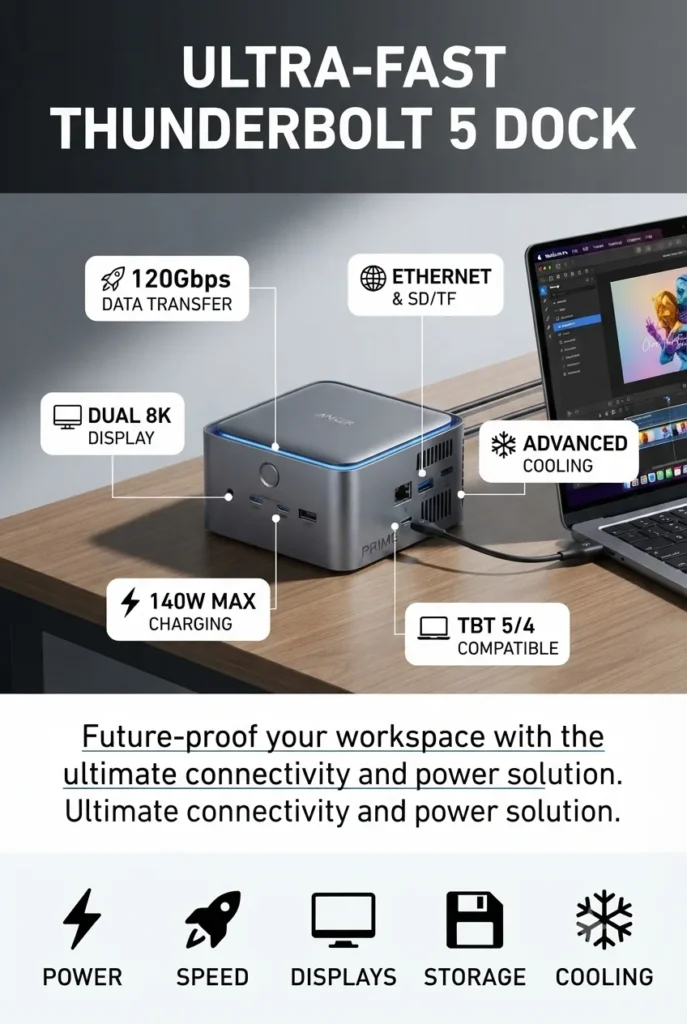
The Anker Prime Thunderbolt 5 Docking Station earns the title of Best Premium Thunderbolt 5 Dock in 2026 thanks to its powerful combination of advanced connectivity, professional-grade features, high-speed data performance, and exceptional charging capability. With 14-in-1 connectivity, up to 120Gbps data transfer, 140W Power Delivery, dual display support, 2.5Gb Ethernet, SD/TF card readers, and an advanced cooling system, it is designed for professionals who need a complete desktop workstation experience from a modern laptop.
The Anker Prime Thunderbolt 5 Dock wins the premium category because it goes beyond basic connectivity and delivers a complete professional workstation solution. While the CalDigit Element 5 focuses on compact Thunderbolt 5 performance, Anker provides more expansion options, stronger charging capabilities, advanced networking, and additional productivity features for demanding users.
Compared with traditional Thunderbolt 4 docks, the Anker Prime TB5 Dock provides higher bandwidth, improved display support, faster charging, and more versatile connectivity. Compared with compact Thunderbolt hubs, it offers a more complete desktop replacement experience for professionals who need everything connected through a single device.
Key Features
UGREEN Maxidok Thunderbolt 5 Docking Station
Best Thunderbolt 5 Dock for Maximum Ports, NVMe Storage Expansion & Professional Workstations
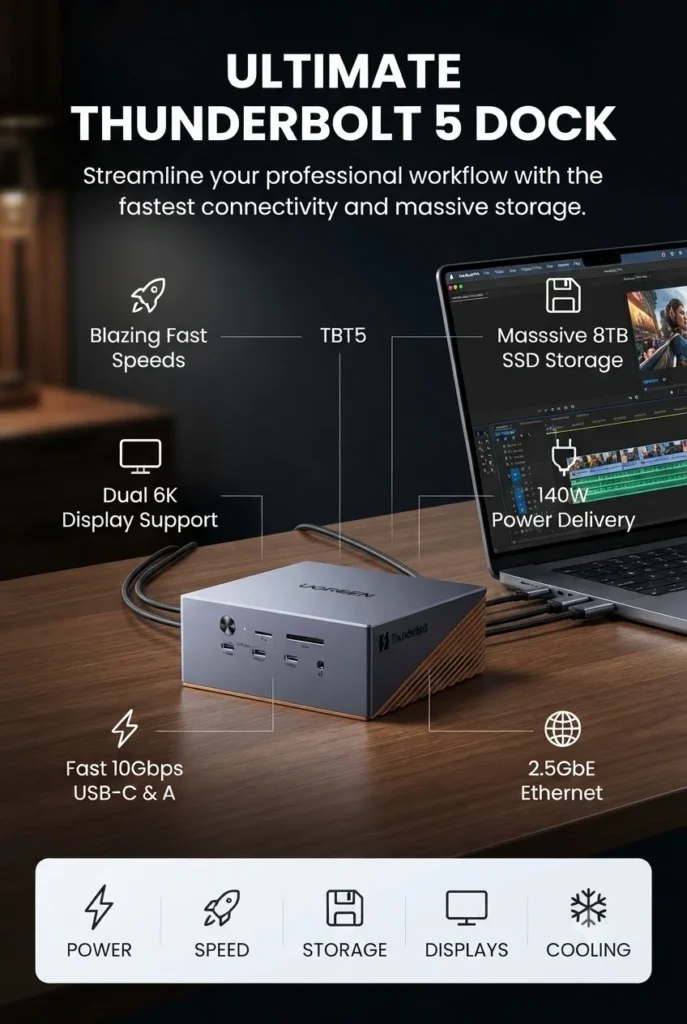
The UGREEN Maxidok Thunderbolt 5 Docking Station earns the title of Best Connectivity Thunderbolt 5 Dock in 2026 thanks to its unmatched expansion capabilities, advanced storage support, and workstation-focused design. Featuring 17-in-1 connectivity, Thunderbolt 5 technology, up to 120Gbps bandwidth, built-in M.2 NVMe SSD support up to 8TB, 240W total power, 2.5Gb Ethernet, and advanced cooling, it is designed for professionals who need maximum flexibility from a single docking station.
The UGREEN Maxidok wins the connectivity category because it delivers the most complete expansion package in this Thunderbolt 5 comparison. While CalDigit focuses on efficiency and Anker emphasizes premium workstation features, UGREEN targets power users who need maximum ports, integrated storage expansion, networking, and professional accessories connected through one device.
Compared with traditional docking stations, the Maxidok provides significantly more expansion options thanks to its integrated NVMe SSD support and 17 total ports. Compared with compact Thunderbolt hubs, it offers a true workstation-class experience for users who require storage, displays, networking, and multiple accessories simultaneously.
Key Features
OWC Thunderbolt 5 Dock
Best Thunderbolt 5 Dock for MacBook Pro, Mac Studio & Apple Professional Workflows
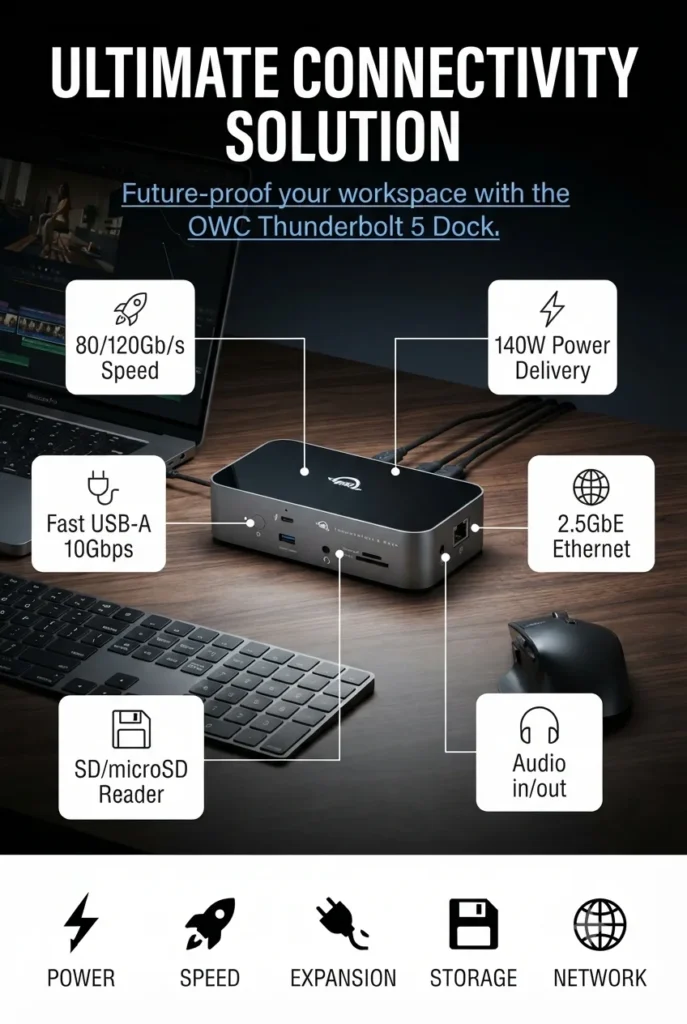
The OWC Thunderbolt 5 Dock earns the title of Best Thunderbolt 5 Dock for Mac Users in 2026 thanks to its excellent Apple ecosystem integration, premium reliability, powerful connectivity, and professional-grade performance. Featuring 11 ports, four Thunderbolt 5 connections, up to 120Gb/s bandwidth, 140W Power Delivery, 2.5Gb Ethernet, SD/microSD readers, and universal Thunderbolt compatibility, it is designed for MacBook Pro users, creators, and professionals who need a dependable desktop expansion solution.
The OWC Thunderbolt 5 Dock wins the Mac category because it combines Apple-focused engineering, reliable performance, and professional connectivity in a refined package. While other docks focus on maximum port count or extreme expansion, OWC provides a balanced solution designed for users who want seamless integration with their Mac workflow.
Compared with the CalDigit Element 5, the OWC Dock focuses more on Apple ecosystem optimization and professional workflows. Compared with larger expansion-focused docks like the UGREEN Maxidok, it offers a cleaner and simpler experience for Mac users who prefer reliability and premium integration.
Key Features
Plugable Thunderbolt 5 Dock TBT-UDH2
Best Windows Docking Station for Dual HDMI Displays, Hybrid Work & Professional Productivity
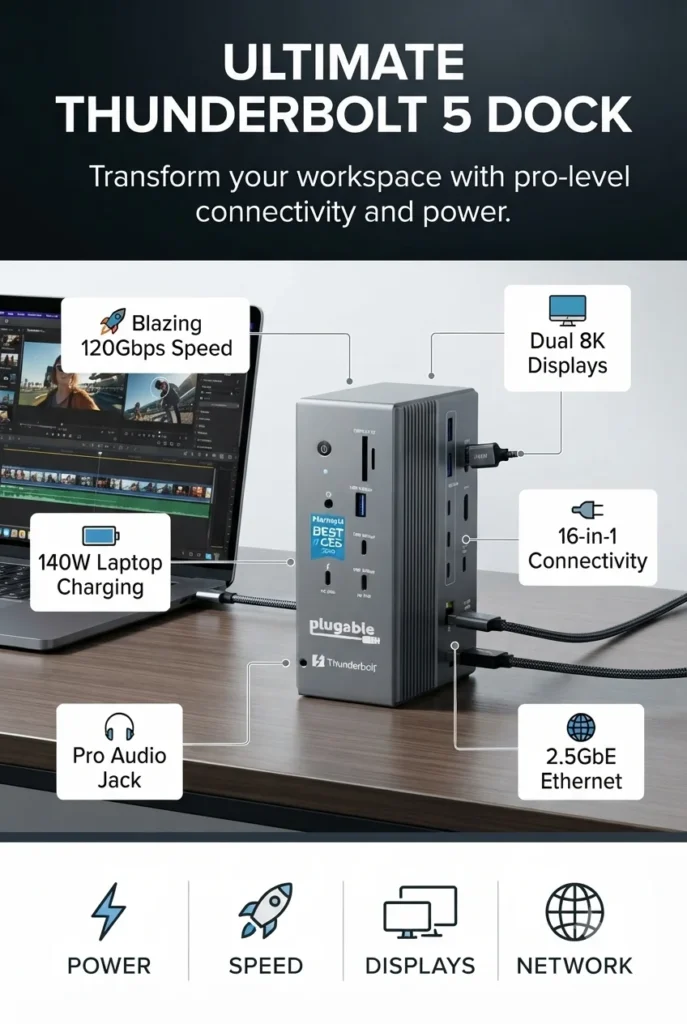
The Plugable Thunderbolt 5 Dock TBT-UDH2 earns the title of Best Thunderbolt 5 Dock for Windows Laptops in 2026 thanks to its excellent Windows compatibility, reliable plug-and-play operation, powerful charging capabilities, and productivity-focused design. With 16-in-1 connectivity, dual HDMI 2.1 outputs, up to 8K display support, 140W charging, 2.5Gb Ethernet, UHS-II card readers, and fanless operation, it is an ideal solution for professionals, hybrid workers, and businesses requiring a dependable laptop docking setup.
The Plugable TBT-UDH2 wins the Windows category because it focuses on reliability, compatibility, and productivity rather than unnecessary complexity. While other Thunderbolt 5 docks prioritize extreme expansion, Plugable delivers a clean business-focused experience with excellent display support, silent operation, and broad Windows laptop compatibility.
Compared with the Anker Prime Thunderbolt 5 Dock, Plugable offers a more office-focused experience with strong Windows support and simpler deployment. Compared with the UGREEN Maxidok, it provides fewer enthusiast features but delivers a cleaner solution for professionals who prioritize reliability and everyday productivity.
Key Features
Kensington EQ Pro Thunderbolt 5 Dock K33612NA
Best Business Dock for MacBook Pro, Enterprise Workflows & Secure Professional Storage
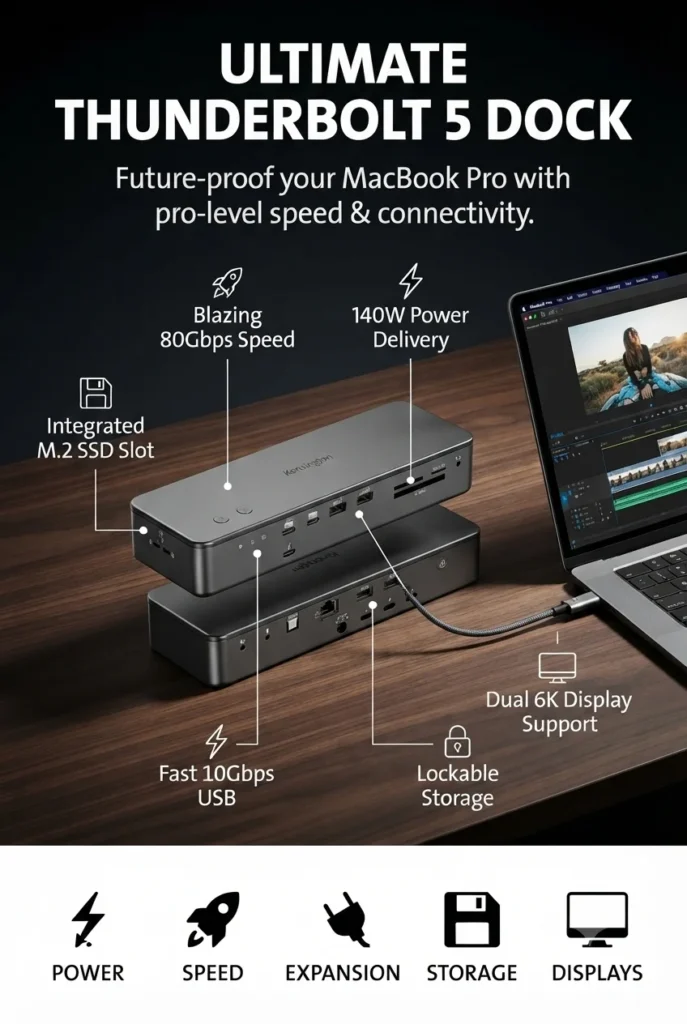
Kensington EQ Pro Thunderbolt 5 Dock K33612NA – Best Business Dock for MacBook Pro, Enterprise Workflows & Secure Professional Storage
The Kensington EQ Pro Thunderbolt 5 Dock K33612NA earns the title of Best Business Thunderbolt 5 Dock in 2026 thanks to its enterprise-focused design, advanced security features, professional expansion options, and MacBook optimization. Featuring 19-in-1 connectivity, Thunderbolt 5 performance, 140W Power Delivery, built-in lockable PCIe M.2 SSD expansion, 2.5Gb Ethernet, multiple card readers, and professional management features, it is designed for businesses, creative professionals, and demanding workstation environments.
The Kensington EQ Pro wins the business category because it focuses on professional deployment, security, and workflow efficiency. While other Thunderbolt 5 docks compete on speed or maximum expansion, Kensington provides enterprise-oriented features such as lockable storage, professional connectivity, and productivity tools designed for business users.
Compared with the Plugable TBT-UDH2, Kensington offers more enterprise-focused features and integrated storage expansion. Compared with the UGREEN Maxidok, it provides a more business-oriented experience with security and professional management features rather than maximum enthusiast expansion.
Key Features
WAVLINK Intel EVO Certified Thunderbolt 5 Dock
Best Value Docking Station for 8K Displays, Fast Charging & Multi-Device Connectivity
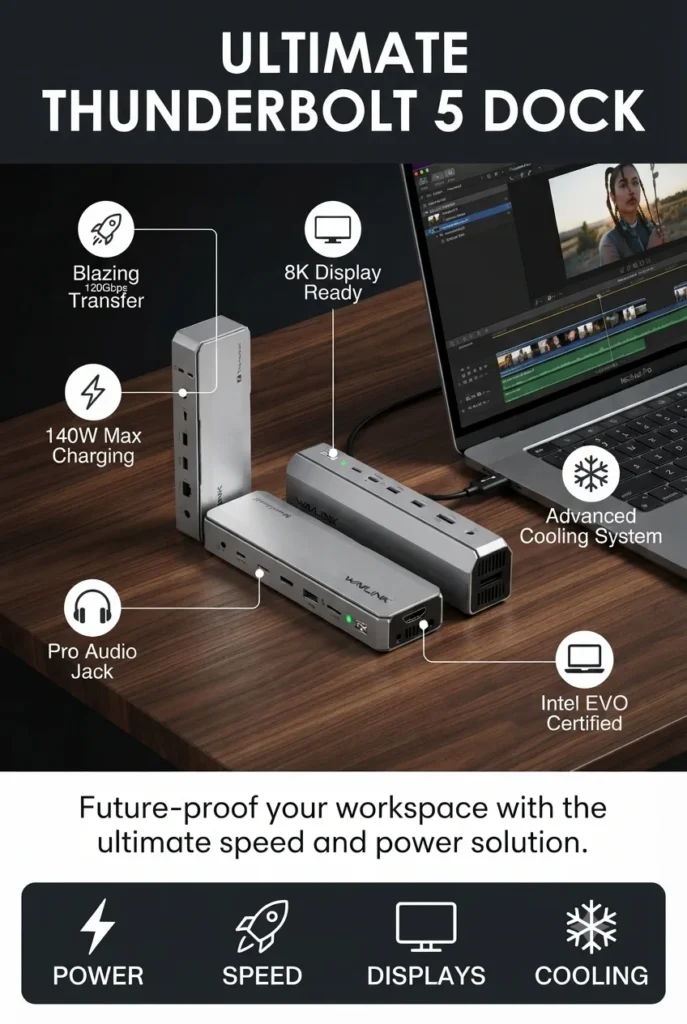
The WAVLINK Intel EVO Certified Thunderbolt 5 Docking Station earns the title of Best Value Thunderbolt 5 Dock in 2026 by delivering impressive next-generation connectivity, high-speed performance, and premium features at a more accessible price point. With 120Gbps bandwidth, 140W Power Delivery, 12-in-1 expansion, 8K display support, 2.5Gb Ethernet, SD 4.0 reader, and multiple Thunderbolt 5 ports, it provides an excellent balance between performance, compatibility, and value.
The WAVLINK Thunderbolt 5 Dock wins the value category because it brings many flagship-level features into a more affordable package. While premium docks like CalDigit, Anker, and UGREEN offer specialized advantages, WAVLINK provides an excellent combination of speed, display support, charging capability, and compatibility for users who want maximum value.
Compared with higher-priced Thunderbolt 5 docking stations, WAVLINK offers a more accessible entry point without sacrificing essential features. Compared with basic USB-C hubs, it provides dramatically higher bandwidth, advanced display support, and professional connectivity options.
Key Features
Best Thunderbolt 5 Docking Stations in 2026
Ranked for MacBook Pro, Windows Laptops, 8K Displays & Professional Connectivity
Choosing the best Thunderbolt 5 docking station in 2026 involves much more than simply counting ports. We ranked these docks based on Thunderbolt 5 bandwidth, display capabilities, charging performance, connectivity, compatibility with Mac and Windows laptops, expansion options, build quality, and overall value for professionals, creators, gamers, and demanding workstation users.
| Docking Station | Key Specs | Best For | Why It Wins | Editor's Verdict |
|---|---|---|---|---|
Editor's Choice
CalDigit Element 5 Thunderbolt 5 Hub
Check Price
|
9 Ports 4× Thunderbolt 5 90W Charging Dual 8K / Dual 4K 240Hz |
MacBook Pro Professionals Creators Everyday Productivity | The best balance of Thunderbolt 5 performance, premium build quality, reliability, and long-term value. | Best Overall Thunderbolt 5 Dock |
Premium Pick
Anker Prime Thunderbolt 5 Dock
Check Price
|
14-in-1 140W Charging Dual 8K Support 2.5Gb Ethernet |
Power Users Creators Professional Offices | Combines premium charging, advanced cooling, excellent connectivity, and outstanding Thunderbolt 5 performance. | Best Premium Thunderbolt 5 Dock |
Maximum Connectivity
UGREEN Maxidok Thunderbolt 5 Dock
Check Price
|
17-in-1 8TB M.2 SSD 140W Charging 2.5Gb Ethernet |
Creators Editors Storage Expansion | Outstanding connectivity with integrated NVMe expansion and one of the most complete port selections available. | Best Connectivity Thunderbolt 5 Dock |
Mac Pick
OWC Thunderbolt 5 Dock
Check Price
|
11 Ports 140W Charging 2.5Gb Ethernet SD & microSD UHS-II |
MacBook Pro Mac Studio Mac mini | Designed specifically for Apple users with exceptional Thunderbolt compatibility and reliable workstation performance. | Best Thunderbolt 5 Dock for Mac |
Windows Pick
Plugable Thunderbolt 5 Dock
Check Price
|
16-in-1 Dual HDMI 2.1 140W Charging 2.5Gb Ethernet |
Windows Laptops Hybrid Work Home Offices | Native dual HDMI connectivity and outstanding compatibility make it an excellent Windows productivity dock. | Best Thunderbolt 5 Dock for Windows |
Business Pick
Kensington EQ Pro Thunderbolt 5 Dock
Check Price
|
19-in-1 140W Charging Lockable M.2 SSD 2.5Gb Ethernet |
Enterprise Business Users Creative Studios | Enterprise-grade security, integrated SSD expansion, and professional workstation features. | Best Business Thunderbolt 5 Dock |
Best Value
WAVLINK Thunderbolt 5 Dock
Check Price
|
12-in-1 140W Charging 120Gbps Boost 8K Display Support |
Students Professionals Multi-Monitor Setups | Delivers premium Thunderbolt 5 performance, fast charging, and excellent display support at a more accessible price. | Best Value Thunderbolt 5 Dock |
Recommended Next Reads
Continue exploring our expert buying guides covering Thunderbolt accessories, professional laptops, MacBooks, portable monitors, and productivity workstations.
Looking to complete your professional workstation? Explore our expert buying guides covering business laptops, MacBooks, portable monitors, productivity accessories, creator systems, and premium hardware designed for high-performance workflows.
Best Tech Accessories for Productivity in 2026
Upgrade your desk with the best productivity accessories including docking stations, webcams, keyboards, SSDs, chargers, USB-C hubs, and professional workstation gear.
Explore productivity accessories →Best Portable Monitors in 2026
Compare the best USB-C portable monitors for MacBooks, Windows laptops, travel, hybrid work, and dual-screen productivity.
Explore portable monitors → Desktop DisplaysBest 4K Monitors in 2026
Discover premium 4K monitors for Thunderbolt docks, programming, creative work, gaming, and professional multi-monitor setups.
Compare 4K monitors → Apple EcosystemBest M5 MacBooks in 2026
Compare Apple's latest M5 MacBooks to find the ideal laptop for Thunderbolt 5 docking stations and professional workflows.
Explore M5 MacBooks → Business LaptopsBest Business Laptops in 2026
Find professional laptops built for docking stations, multiple displays, remote work, enterprise productivity, and all-day reliability.
View business laptops → Remote WorkBest Laptops for Remote Work in 2026
Explore the best laptops for hybrid offices, video conferencing, multitasking, and productivity setups paired with Thunderbolt docks.
Explore remote work laptops →EDITOR'S FINAL RECOMMENDATIONS
After comparing Thunderbolt 5 bandwidth, display support, charging capabilities, port selection, expandability, networking, storage options, build quality, and overall value, these are our top Thunderbolt 5 docking station recommendations for professionals, creators, gamers, and power users.
CalDigit Element 5 Hub
The best Thunderbolt 5 hub overall thanks to its exceptional reliability, full 80Gbps/120Gbps bandwidth, four Thunderbolt 5 ports, compact design, and flawless compatibility with both macOS and Windows.
- ✓ 4× Thunderbolt 5 Ports
- ✓ 90W Laptop Charging
- ✓ Dual 6K / Single 8K Support
- ✓ Compact Professional Design
UGREEN Maxidok Thunderbolt 5 Dock
An outstanding workstation dock offering 17 ports, integrated M.2 NVMe SSD support, 240W total power delivery, AI cooling, and extensive connectivity for demanding professional setups.
- ✓ 17-in-1 Connectivity
- ✓ Built-in M.2 SSD Slot
- ✓ 240W Total Power
- ✓ 2.5Gb Ethernet
Anker Prime TB5 Docking Station
Designed for demanding creators and professionals who need maximum charging power, active cooling, dual 8K display support, and premium Thunderbolt 5 performance.
- ✓ 14 Ports
- ✓ 140W Charging
- ✓ Active Cooling
- ✓ Dual 8K Display Support
OWC Thunderbolt 5 Dock
A professional-grade docking station focused on reliability, Thunderbolt expansion, daisy chaining, high-speed networking, and excellent compatibility with Mac and Windows workflows.
- ✓ 11 Professional Ports
- ✓ 140W Power Delivery
- ✓ 2.5Gb Ethernet
- ✓ SD & microSD UHS-II
Which Thunderbolt 5 dock should you buy?
CalDigit Element 5 Hub
Anker Prime TB5
UGREEN Maxidok
OWC Thunderbolt 5 Dock
Plugable TBT-UDH2
Kensington EQ Pro
- Choose the CalDigit Element 5 Hub if you want the most balanced Thunderbolt 5 dock with outstanding reliability, excellent performance, and the best overall user experience.
- Choose the UGREEN Maxidok if you need the largest number of ports, integrated NVMe storage expansion, and a powerful desktop workstation setup.
- Choose the Anker Prime TB5 Dock if fast charging, premium build quality, active cooling, and dual 8K display support are your highest priorities.
EDITOR'S FINAL VERDICT
After evaluating Thunderbolt 5 bandwidth, charging capabilities, display support, port selection, networking, expandability, build quality, cooling, and real-world performance, one conclusion stands out:The best Thunderbolt 5 dock is not necessarily the one with the most ports—it is the one that offers the right balance of connectivity, reliability, compatibility, and long-term value for your workstation.
Thunderbolt 5 docking stations have become the centerpiece of modern desktop setups. With up to 120Gbps Bandwidth Boost, multi-display support, high-speed networking, and powerful charging capabilities, a single cable can transform a laptop into a complete professional workstation.
For most users, the ideal Thunderbolt 5 dock should combine reliable Thunderbolt performance, excellent display support, sufficient power delivery, and the right mix of ports for both current and future devices.- Choose the CalDigit Element 5 Hub if you want the most reliable and balanced Thunderbolt 5 dock with excellent performance, premium build quality, and outstanding compatibility with both Mac and Windows.
- Choose the UGREEN Maxidok Thunderbolt 5 Dock if you need maximum connectivity, built-in NVMe SSD expansion, and one of the most complete workstation docks currently available.
- Choose the Anker Prime TB5 Dock if fast charging, active cooling, premium construction, and dual 8K display support are your highest priorities.
- Choose the OWC Thunderbolt 5 Dock if you want a dependable professional docking station with excellent Thunderbolt expansion and long-term workstation reliability.
Top Thunderbolt 5 Dock Recommendations (2026)
CalDigit Element 5 Hub
Our Editor's Choice thanks to its outstanding Thunderbolt 5 implementation, four Thunderbolt 5 ports, excellent compatibility, compact design, and consistently reliable performance for professional users.
- ✓ 4× Thunderbolt 5 Ports
- ✓ 90W Power Delivery
- ✓ Dual 6K / Single 8K Displays
- ✓ Premium Compact Design
UGREEN Maxidok TB5
One of the most capable Thunderbolt 5 docks available, featuring 17 ports, integrated M.2 NVMe SSD expansion, AI cooling, and an impressive 240W total power budget.
- ✓ 17 Ports
- ✓ M.2 NVMe SSD Slot
- ✓ 240W Total Power
- ✓ 2.5Gb Ethernet
Anker Prime TB5 Dock
An excellent premium docking station for creators and professionals who need powerful charging, active cooling, premium construction, and exceptional Thunderbolt 5 performance.
- ✓ 14 Ports
- ✓ 140W Laptop Charging
- ✓ Dual 8K Display Support
- ✓ Active Cooling
- ✓ You want the best overall Thunderbolt 5 dock
- ✓ Reliability is your top priority
- ✓ You use both Mac and Windows
- ✓ You prefer a compact premium hub
- ✓ You need the largest number of ports
- ✓ You want built-in SSD expansion
- ✓ You run a desktop workstation
- ✓ You connect many peripherals
- ✓ Verify your laptop supports Thunderbolt 5 or Thunderbolt 4
- ✓ Confirm your monitor configuration is supported
- ✓ Choose enough Power Delivery for your laptop
- ✓ Consider future expansion and available ports
A Thunderbolt 5 dock is one of the best productivity upgrades you can make for a modern laptop. The right dock eliminates cable clutter, expands connectivity, powers multiple high-resolution displays, and creates a true desktop-class workspace with a single cable.
Among every model reviewed, the CalDigit Element 5 Hub offers the strongest balance of Thunderbolt 5 performance, reliability, compatibility, premium construction, and long-term value, making it our Editor's Choice for the best Thunderbolt 5 docking station in 2026.
Compare the latest prices, available configurations, included accessories, and current discounts before choosing the right Thunderbolt 5 docking station for your setup.
Check Latest DealsEDITOR'S FAQ
Choosing the right Thunderbolt 5 docking station is about much more than simply adding extra ports. Bandwidth, charging power, monitor support, networking, compatibility, and expansion options all determine how well a dock fits your workflow.These are the questions we hear most often from professionals, creators, developers, remote workers, and power users looking for the best Thunderbolt 5 dock available.
It delivers full Thunderbolt 5 performance with up to 120Gbps Bandwidth Boost, four Thunderbolt 5 ports, 90W Power Delivery, support for high-resolution displays, and outstanding compatibility with both Windows and macOS.
If you want the best balance of reliability, performance, compact design, and long-term value, the CalDigit Element 5 Hub is our Editor's Choice.
Compared with previous generations, Thunderbolt 5 offers significant improvements:
- Up to 80Gbps bidirectional bandwidth.
- Bandwidth Boost up to 120Gbps for displays.
- Support for multiple high-resolution monitors.
- Higher Power Delivery capabilities.
- Faster storage and external GPU performance.
If you use multiple monitors, fast external SSDs, high-speed networking, or professional peripherals, Thunderbolt 5 is a worthwhile upgrade.
It includes 17 ports, built-in M.2 NVMe SSD expansion, 2.5Gb Ethernet, multiple USB-A and USB-C ports, DisplayPort output, SD card readers, and AI-assisted cooling.
- 17 total ports.
- Integrated M.2 SSD slot.
- 240W total system power.
- Professional workstation connectivity.
All three offer excellent compatibility with modern MacBook Pro and MacBook Air models while supporting high-resolution displays, fast storage, and reliable Thunderbolt connectivity.
- CalDigit Element 5 Hub — Best overall Mac experience.
- OWC Thunderbolt 5 Dock — Professional Mac workflows.
- Kensington EQ Pro — Optimized for M-Series MacBooks.
Many premium Thunderbolt 5 docks support:
- Single 8K external display.
- Dual 6K displays.
- Dual 8K displays on compatible Windows Thunderbolt 5 systems.
- High-refresh-rate 4K displays up to 240Hz on supported hardware.
Always verify your laptop's GPU and Thunderbolt implementation before purchasing if multi-monitor support is a priority.
- 90W is sufficient for many ultrabooks and productivity laptops.
- 140W is recommended for larger professional laptops and mobile workstations.
- Gaming laptops often still require their original power adapter for maximum performance.
- Higher Power Delivery also benefits fast charging during heavy workloads.
Choosing a dock with enough charging capacity helps ensure stable performance while keeping your laptop fully powered.
- Best Overall → CalDigit Element 5 Hub
- Best Premium → Anker Prime TB5 Dock
- Most Feature-Rich → UGREEN Maxidok
- Best Professional → OWC Thunderbolt 5 Dock
- Best HDMI Dock → Plugable TBT-UDH2
- Best for Mac → Kensington EQ Pro
- Best Value Alternative → WAVLINK Thunderbolt 5 Dock
For most buyers, the CalDigit Element 5 Hub delivers the best overall combination of Thunderbolt 5 performance, reliability, premium build quality, and long-term compatibility, making it our top recommendation for 2026.
THUNDERBOLT 5 DOCK BUYING GUIDE
Thunderbolt 5 docking stations can completely transform your workspace by adding high-speed connectivity, multiple display support, faster networking, and simplified cable management. However, choosing the wrong dock can leave you with missing ports, limited monitor support, wasted money, or compatibility issues.Avoid these common mistakes before investing in your next Thunderbolt 5 dock.
Many buyers simply purchase the dock with the most ports, but that isn't always the best choice. The ideal Thunderbolt 5 dock depends on your laptop, display setup, charging requirements, storage needs, and daily workflow.Professionals should prioritize reliability, while creators and power users should focus on bandwidth, display support, and expansion capabilities.
Buying more ports than you'll ever use
- Large docks often cost significantly more.
- Unused ports add unnecessary expense.
- A compact dock may better fit your workspace.
Better decision: Choose a dock that matches your actual workflow rather than simply buying the model with the highest port count.
Ignoring monitor compatibility
- Not every laptop supports multiple external displays.
- macOS and Windows behave differently.
- Monitor resolution and refresh rates depend on the host computer.
Better decision: Verify your laptop supports the number of displays, resolutions, and refresh rates your dock advertises before purchasing.
Overlooking laptop charging requirements
- Power-hungry workstations need higher wattage.
- Not every dock delivers 140W Power Delivery.
- Insufficient charging can reduce laptop performance.
Better decision: Choose a Thunderbolt 5 dock with 140W PD if you own a high-performance Windows laptop or the latest MacBook Pro models.
Paying for Thunderbolt 5 when your laptop doesn't support it
- Older Thunderbolt 3 or USB-C laptops cannot fully utilize TB5 bandwidth.
- Bandwidth Boost requires compatible hardware.
- Some premium features remain unavailable on older systems.
Better decision: Confirm your laptop supports Thunderbolt 5 or Thunderbolt 4 before investing in a premium docking station.
Ignoring networking and storage expansion
- 2.5Gb Ethernet dramatically improves wired performance.
- Integrated SSD expansion can simplify backups.
- Professional workflows benefit from faster networking.
Better decision: If you frequently edit large files or use NAS storage, prioritize docks with 2.5GbE and integrated NVMe SSD support.
Choosing the cheapest dock instead of the most reliable one
- Dock stability is critical for professional work.
- Poor firmware can cause disconnects.
- Build quality affects long-term reliability.
Better decision: Buy from trusted brands with proven Thunderbolt experience such as CalDigit, Anker, OWC, Plugable, Kensington, or UGREEN.
💡 Smart Buying Decision for Thunderbolt 5 Dock Buyers
You use multiple high-resolution monitors, transfer massive files, edit videos, work with external SSDs, or want a clean single-cable desktop setup.
You need integrated NVMe storage, 2.5Gb Ethernet, multiple Thunderbolt ports, professional connectivity, and maximum future-proof expansion for demanding workflows.
Key takeaway: The best Thunderbolt 5 dock isn't the one with the most ports—it's the one that perfectly matches your laptop, monitor configuration, charging requirements, and productivity workflow.
After comparing today's leading Thunderbolt 5 docking stations, these are our strongest recommendations:
- Best Overall Thunderbolt 5 Dock: CalDigit E5 – Thunderbolt 5 Element Hub
- Best Premium Dock: Anker Prime TB5 Docking Station
- Best for Storage Expansion: UGREEN Maxidok Thunderbolt 5 Dock
- Best Value Thunderbolt 5 Dock: OWC Thunderbolt 5 Dock
- Best Multi-Display Dock: Plugable Thunderbolt 5 Dock 16-in-1
Need help choosing your laptop?
Not sure which option fits your workflow? Get a personalized recommendation based on your budget, performance needs, and usage.
Get personalized recommendation⚡ Usually responds within 24 hours