
BUSINESS LAPTOPS HUB

Explore Our Business Laptop Guides

Discover our complete collection of business laptop recommendations, productivity-focused comparisons, and professional buying guides designed to help you choose the right laptop for work and productivity.
2026 Trading Laptop Guide • Expert Picks for Crypto, Stocks, Real-Time Market Analysis & Professional Trading
Expert Reviewed • Performance, Stability, Displays, Multitasking, Connectivity & Trading Workloads

Best Trading Laptops in 2026: 7 High-Performance Picks for Crypto, Stocks & Real-Time Market Analysis

The best trading laptop in 2026 is not necessarily the most expensive or powerful model. The right choice depends on your trading style, number of charts and applications, multitasking needs, display requirements, portability, and whether you plan to use multiple external monitors or demanding analytical software.

In this guide, we've analyzed high-performance laptops based on real-world trading workloads, processing performance, multitasking capability, display quality, connectivity, portability, and long-term value. Whether you're a day trader monitoring multiple markets, a crypto trader working with real-time charts, a stock investor analyzing financial data, or a professional using advanced trading and AI-assisted tools, there is a laptop in this lineup designed for your needs.The Apple MacBook Pro stands out as a strong overall option for traders who prioritize stability, battery life, and a premium professional experience. For users who need heavier graphics performance, extensive multi-monitor setups, or demanding Windows-based trading and AI applications, high-performance RTX laptops from manufacturers such as ASUS, MSI, and Alienware provide significantly more raw GPU performance.

Best Overall Trading Laptop
Best Performance
Best for Multi-Monitor Setup
Best Value Trading Laptop
Best for Day Trading
Best for Crypto Trading
Best for Professional Analysts
Best RTX Trading Workstation
Editor's Verdict:If you want a balanced trading laptop focused on speed, stability, battery life, and professional everyday use, the Apple MacBook Pro is one of the strongest choices in 2026.However, traders who rely on demanding charting applications, extensive multi-monitor configurations, GPU-accelerated workloads, or AI-powered trading tools should consider high-performance Windows laptops with dedicated RTX graphics. Models from ASUS, MSI, and Alienware can provide significantly higher raw GPU performance and greater flexibility for demanding Windows-based trading environments.The right choice ultimately depends on your trading workflow. A professional trader working with multiple charts and displays may benefit more from connectivity and GPU performance, while a trader who values portability, battery life, stability, and a premium everyday experience may prefer a MacBook Pro.
Scroll Down to Compare the 7 Best Trading Laptops in 2026
#1 Best Trading & High-Performance Laptop (2026 Ultra Premium Pick)

Apple MacBook Pro 16 (M5 Pro)

Ultimate Performance Workstation for Trading, AI & Professional Workflows
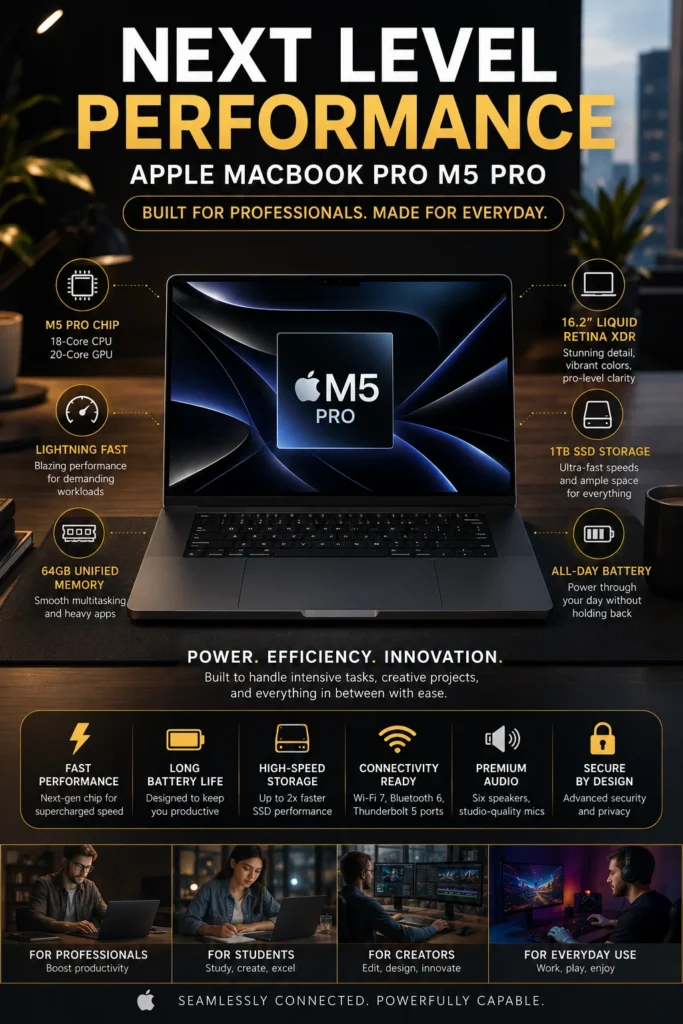
The Apple MacBook Pro 16-inch with M5 Pro is our top recommendation for the best high-performance trading laptop in 2026. It combines powerful processing, excellent sustained performance, long battery life, a large professional display, and strong external-display support in a premium system designed for demanding professional workflows. For traders who regularly work with multiple charts, market data, browser tabs, spreadsheets, research tools, communication apps, and other productivity software at the same time, the MacBook Pro provides the performance and responsiveness needed for a demanding daily trading environment.

• Excellent for professional traders, market analysts, financial researchers, developers, and power users who regularly multitask across demanding applications
• Well suited to day trading, swing trading, stock analysis, crypto research, technical charting, financial research, and multi-application workflows
• Ideal for traders who want a premium portable workstation that can also serve as the center of a multi-monitor desktop trading setup
• The Apple M5 Pro chip provides high CPU and GPU performance for demanding multitasking, data-heavy applications, professional software, and AI-assisted workflows
• Large unified-memory configurations provide substantial multitasking headroom when running multiple browsers, charting platforms, spreadsheets, research tools, communication applications, and other professional software simultaneously
• The 16.2-inch Liquid Retina XDR display provides a large, high-resolution workspace with excellent contrast and brightness, making charts, financial dashboards, documents, and detailed data easier to view
• Support for up to three external displays on M5 Pro configurations makes the MacBook Pro especially useful for traders who build multi-screen workstations for charts, news, watchlists, order management, and research
Thunderbolt 5 and HDMI connectivity provide flexible options for connecting external displays, docks, storage, networking equipment, and other desktop trading peripherals
• Excellent battery efficiency makes it practical for traders who move between a home office, professional workspace, meetings, and other locations without relying on a power outlet throughout the day
• The premium aluminum design, large trackpad, comfortable keyboard, and quiet operating experience make it well suited to long research and trading sessions
• macOS provides a stable professional environment with strong integration across Apple devices, cloud services, communication tools, productivity applications, and development workflows

The MacBook Pro earns our Best Overall Trading Laptop recommendation because trading performance is not simply about having the fastest GPU. Most traders spend their day combining charting platforms, market data, browser windows, spreadsheets, research, news, messaging, and portfolio or order-management tools. The M5 Pro MacBook Pro provides the processing performance, memory capacity, display quality, battery efficiency, and connectivity needed to keep these workflows organized and responsive without turning the laptop into an oversized gaming machine.

One of its biggest advantages for professional trading is its external-display capability. Apple states that the M5 Pro MacBook Pro can support up to three external displays while simultaneously using its built-in display, depending on the supported resolution and refresh-rate configuration. That makes it particularly attractive for traders who want separate screens for charts, market news, watchlists, research, and trading applications.

Compared with high-performance RTX Windows laptops, the MacBook Pro is not the obvious choice for every trading workflow. Windows machines can offer stronger dedicated GPU performance, broader compatibility with Windows-specific trading software, and more flexibility for certain GPU-accelerated or AI workloads. However, for traders who prioritize stability, battery life, portability, display quality, professional multitasking, and a premium everyday workstation experience, the MacBook Pro remains one of the strongest overall choices in 2026.

• Apple M5 Pro chip• 18-core CPU• 20-core GPU• 16-core Neural Engine• Hardware-accelerated graphics and media processing• High-bandwidth unified memory architectureThe M5 Pro provides substantially more performance than most traders actually need for basic charting, but that additional headroom becomes valuable when running multiple trading platforms, browser windows, spreadsheets, research tools, communication applications, and data-heavy workflows simultaneously.TradingView Desktop and Interactive Brokers Trader Workstation both support Apple Silicon Macs, making the MacBook Pro a strong platform for modern trading workflows.
• Configurable unified memory• High-bandwidth memory architecture• Shared CPU and GPU memory• Excellent multitasking headroom• Suitable for multiple charting applications• Strong long-term performance capacityMemory becomes increasingly important when traders run numerous browser tabs, TradingView charts, broker platforms, spreadsheets, financial news, research tools, and communication applications at the same time.Interactive Brokers currently recommends 16GB of RAM for Mac systems, while advanced users with large portfolios or more than 15 chart windows may need to allocate additional memory to Trader Workstation.For professional traders who regularly maintain large multi-application workflows, choosing a higher-memory configuration provides additional headroom for future workloads.
• 16.2-inch Liquid Retina XDR display• 3456 × 2234 native resolution• Mini-LED backlighting• High contrast ratio• Up to 1,600 nits peak brightness• ProMotion adaptive refresh rate• Wide color supportThe large 16.2-inch display provides a spacious workspace for financial charts, market dashboards, watchlists, research documents, and trading applications.The high resolution is particularly useful when displaying detailed charts and multiple information panels because more content can remain visible without making text and interface elements excessively small.For traders who spend hours analyzing markets, the combination of screen size, resolution, brightness, and contrast makes the MacBook Pro especially well suited to intensive visual workflows.
• Supports up to three external displays with M5 Pro• Supports up to 6K resolution at 60Hz• Supports up to 4K resolution at 144Hz• Built-in display can operate simultaneously• Thunderbolt 5 display connectivity• HDMI display outputThe M5 Pro configuration can support up to three external displays while simultaneously using the built-in MacBook Pro display. This makes the system particularly suitable for desktop trading setups.A multi-monitor trader can dedicate separate displays to charting, market news, watchlists, order management, research, and financial data while keeping the MacBook display available for secondary applications.This is a major advantage for professional traders who want a portable laptop that can also function as the center of a permanent multi-screen workstation.
• Three Thunderbolt 5 ports• HDMI output• SDXC card slot• MagSafe 3 charging• Wi-Fi and Bluetooth connectivity• Thunderbolt 5 support up to 120Gb/s• Compatible with docks and external peripheralsThe MacBook Pro provides the connectivity required to build a professional desktop trading environment with external monitors, docks, storage devices, keyboards, mice, networking equipment, and other peripherals.Thunderbolt 5 provides high-bandwidth connectivity for demanding external-display and workstation configurations, while HDMI offers a convenient direct connection for compatible monitors.For live trading, however, the laptop's network connection should not be confused with execution latency. Actual order and market-data latency depends heavily on the broker, internet connection, routing, exchange infrastructure, and trading platform.
• Up to 17 hours of wireless web use• Up to 24 hours of video streaming• 100Wh battery• 140W USB-C power adapter• Fast charging support• Efficient Apple Silicon architectureThe MacBook Pro is particularly attractive to traders who move between a home office, professional workspace, meetings, and other locations.Its large battery and efficient Apple Silicon architecture allow the system to remain useful away from a power outlet, while the high-performance M5 Pro provides substantial processing headroom for demanding professional workflows.For a stationary trading desk, the included power adapter and external-display support also make it easy to transition between mobile and desktop use.
Ideal for:• Day traders• Swing traders• Stock market analysts• Crypto traders and researchers• Financial researchers• Traders using TradingView• Interactive Brokers users• Multi-monitor trading setups• AI-assisted research and analysis• Developers building trading tools and automation• Professionals combining trading with research, productivity, and developmentThe MacBook Pro 16-inch M5 Pro is best suited to traders who want one premium machine capable of handling market analysis, charting, research, communication, productivity, and development in a single professional environment.It is particularly compelling for users who value battery life, display quality, portability, quiet operation, and a polished desktop-to-mobile workflow.
• Premium aluminum construction• Long-term macOS software support• Apple Silicon architecture• Strong integration with professional applications• Reliable sleep and resume behavior• Apple ecosystem integration• Strong resale valueThe MacBook Pro is designed as a long-term professional computer rather than a gaming-first machine. Its combination of efficient Apple Silicon performance, premium construction, high-quality display, long battery life, and mature software ecosystem makes it a strong choice for traders who expect to use the same system for several years.For traders already using an iPhone or iPad, Apple's ecosystem can also simplify file transfers, communication, authentication, and continuity between devices.
#2 Best Business & Trading Laptop (Ultra-Light Professional Pick 2026)

Lenovo ThinkPad X1 Carbon Gen 13

Ultimate Ultra-Light Trading & Business Workstation
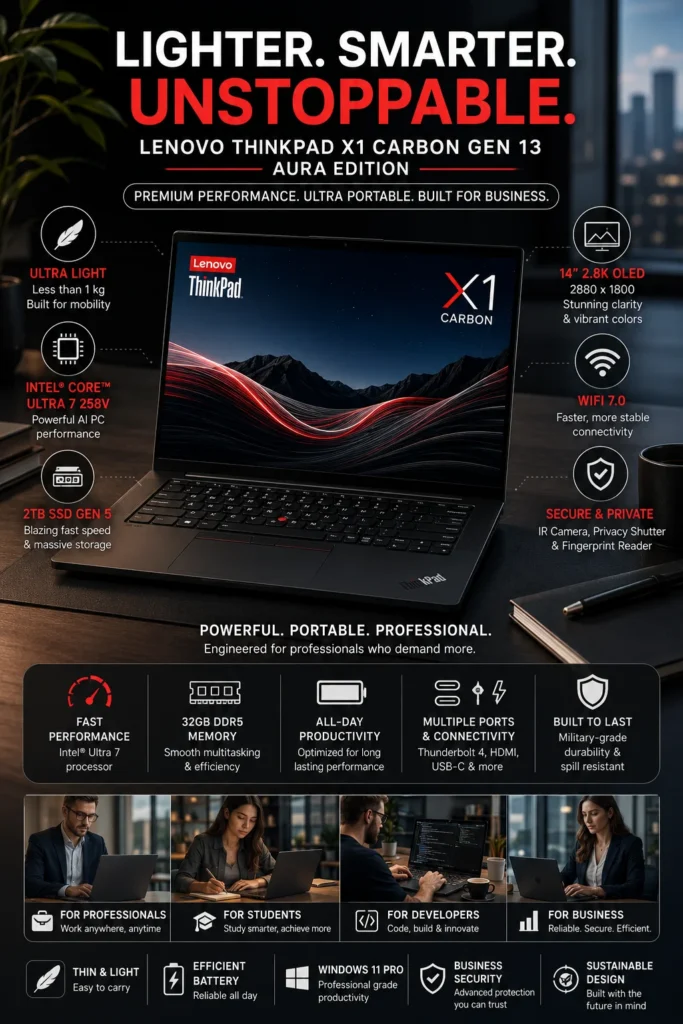
The Lenovo ThinkPad X1 Carbon Gen 13 is our top recommendation for traders who prioritize mobility, business reliability, security, and productivity over maximum GPU performance. Its lightweight business-focused design makes it especially well suited to professionals who analyze markets, monitor positions, research financial data, and manage trading workflows from multiple locations.

• Excellent for professional traders, financial analysts, executives, consultants, and business professionals who work across multiple locations
• Lightweight and highly portable design makes it practical for commuting, business travel, meetings, and mobile trading workflows
• Strong business-focused security, durability, keyboard quality, and connectivity make it better suited to professional environments than most gaming-oriented laptops
Intel Core Ultra processor provides efficient performance for charting platforms, financial research, spreadsheets, browser-based tools, communication applications, and everyday professional multitasking
32GB memory provides substantial multitasking headroom for multiple browser tabs, trading platforms, spreadsheets, financial dashboards, research tools, and communication applications running simultaneously
Fast NVMe SSD storage provides responsive application launches, quick file access, and efficient handling of financial documents, datasets, research files, and professional applications
• The 14-inch high-resolution OLED display provides sharp text, deep contrast, and excellent image quality for charts, financial dashboards, documents, and research
Wi-Fi 7 provides modern wireless networking capability for compatible networks, while optional cellular connectivity on supported configurations can provide additional flexibility for professionals who work away from traditional office networks
• ThinkPad's business-focused design emphasizes durability, security, keyboard comfort, and long-term professional productivity rather than gaming performance

The ThinkPad X1 Carbon Gen 13 earns our Best Business & Trading Laptop recommendation because it addresses a different type of trading workflow from the MacBook Pro. Instead of maximizing CPU and GPU performance, it focuses on the characteristics that matter when a trader spends significant time traveling, commuting, working from client offices, or moving between home and professional environments.

For traders who primarily use browser-based platforms, TradingView, broker applications, spreadsheets, financial research tools, email, messaging, and multiple browser windows, the X1 Carbon provides more than enough performance while remaining considerably easier to carry than a large RTX-equipped workstation. Its business-oriented design also makes it a particularly strong choice for professionals who value security, portability, keyboard quality, and dependable everyday productivity.

Compared with heavier RTX laptops in this ranking, the ThinkPad is not designed to deliver the same level of dedicated GPU performance for demanding AI, 3D, or GPU-accelerated workloads. Its strength is efficiency and mobility: it is the laptop to choose when your trading workflow needs to travel with you rather than remain permanently connected to a large desktop workstation.

• Intel Core Ultra processor• Efficient multi-core performance• Integrated Intel graphics• NPU acceleration for supported AI workloads• Strong performance-per-watt efficiency• Designed for professional multitaskingThe ThinkPad X1 Carbon Gen 13 provides more than enough processing performance for common trading workflows such as TradingView, broker platforms, financial dashboards, spreadsheets, research tools, web applications, and communication software.Its efficient architecture is particularly valuable for professionals who prioritize responsive everyday performance and battery efficiency over dedicated GPU power.
• 32GB system memory configuration• Fast memory architecture• Excellent browser multitasking• Strong headroom for trading platforms• Suitable for research and productivity applications• Designed for demanding professional workflowsA high-memory configuration is useful for traders who keep multiple charting windows, browser tabs, spreadsheets, financial dashboards, research documents, and communication applications open throughout the day.The X1 Carbon is particularly well suited to traders whose workloads are CPU- and memory-intensive rather than dependent on dedicated GPU acceleration.
• 14-inch OLED display• Up to 2.8K resolution on supported configurations• High contrast ratio• Deep blacks and vivid colors• Sharp text rendering• Suitable for detailed financial chartsThe OLED display provides excellent contrast and sharpness for viewing candlestick charts, market dashboards, financial documents, research material, and detailed spreadsheets.The 14-inch format also provides a useful balance between screen space and portability, making the X1 Carbon easier to use in mobile trading environments than larger 16-inch performance laptops.
• Lightweight carbon-fiber-focused design• Compact 14-inch form factor• Long battery efficiency• Durable business-oriented construction• Comfortable ThinkPad keyboard• Designed for frequent travelMobility is one of the X1 Carbon's biggest advantages for professional traders. It is designed to move between offices, meetings, airports, client locations, and home workspaces without the bulk associated with high-performance gaming and workstation laptops.For traders who spend significant time away from a permanent desk, the combination of low weight, durable construction, keyboard quality, and battery efficiency can be more valuable than additional GPU performance.
• Thunderbolt connectivity• HDMI output• USB connectivity• Wi-Fi 7 on supported configurations• Optional cellular connectivity on supported configurations• Compatible with USB-C and Thunderbolt docks• External monitor supportThe X1 Carbon can serve as the portable component of a larger trading workstation. A compatible dock can connect external displays, Ethernet, storage, keyboards, mice, and other desktop peripherals when working from a permanent desk.Wi-Fi 7 provides modern wireless networking capability on supported configurations, but network technology alone does not determine trading execution latency. Actual latency depends on the internet connection, broker, trading platform, routing, and market infrastructure.
Ideal for:• Professional traders• Financial analysts• Business executives• Consultants and mobile professionals• Remote traders• Stock and crypto research• TradingView users• Browser-based trading platforms• Financial spreadsheets and research• Professionals who frequently travelThe ThinkPad X1 Carbon Gen 13 is best suited to traders who value mobility, business reliability, security, and productivity more than maximum GPU performance.It is an especially strong choice for professionals who need to carry their trading environment between multiple locations while maintaining a premium business-class experience.
• ThinkPad business-oriented design• Windows 11 Pro available on supported configurations• Fingerprint authentication• IR camera support on selected configurations• Hardware and firmware security features• Durable professional construction• ThinkPad keyboard and pointing systemLenovo's ThinkPad line is designed around business and enterprise use, making security, durability, manageability, and reliability important parts of the overall experience.For professional traders handling financial accounts, research files, business communications, and sensitive information, these business-oriented features can be more valuable than the gaming-focused features found on many high-performance RTX laptops.
#3 High-Performance Trading & AI Workstation (RTX + OLED Power Pick 2026)
Dell Premium 16 (XPS 16 2025)

RTX 5060 High-Performance Trading & AI Workstation

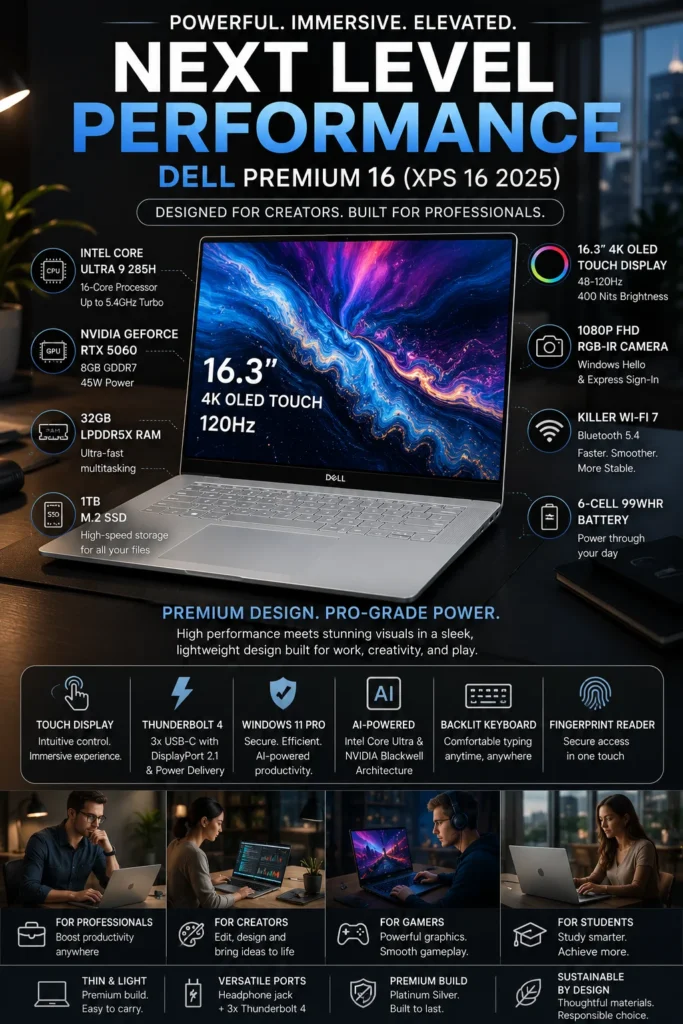
The Dell XPS 16 (2025) with Intel Core Ultra 9, RTX 5060, 32GB RAM, and 4K OLED display is our recommendation for traders who want a premium Windows workstation that combines strong CPU performance, dedicated GPU acceleration, a large high-resolution display, and professional multitasking. It is particularly well suited to traders who use advanced analytics, AI-assisted applications, financial research, content creation, or other workloads that benefit from dedicated NVIDIA graphics in addition to everyday trading software.

• Ideal for traders, analysts, researchers, developers, and professionals who need more than basic charting performance
• Excellent choice for Windows-based trading workflows that combine market analysis with AI, data processing, development, or creative applications
• Premium 16.3-inch design provides substantially more workspace than compact business laptops while remaining more refined and portable than many gaming-oriented RTX machines
• The Intel Core Ultra 9 285H provides 16-core processing performance for demanding multitasking across trading platforms, browsers, spreadsheets, research applications, and professional software
• The NVIDIA GeForce RTX 5060 with 8GB GDDR7 adds dedicated GPU acceleration for supported AI applications, creative workloads, GPU-accelerated software, and other tasks beyond conventional trading
32GB LPDDR5X memory provides substantial headroom for running multiple trading platforms, browser windows, financial dashboards, spreadsheets, research tools, and professional applications simultaneously
• The 16.3-inch 4K OLED display provides a large, high-resolution workspace with excellent contrast for financial charts, dashboards, research documents, and detailed visual analysis
• The 48–120Hz variable refresh rate provides a smoother interface experience while allowing the display to adapt its refresh rate to the workload
Wi-Fi 7 provides modern wireless networking capability for compatible networks, while Thunderbolt connectivity supports high-bandwidth peripherals, docks, storage, and external displays
• Windows provides broad compatibility with professional software, financial applications, development tools, AI frameworks, and other workloads that may require the Windows ecosystem

The XPS 16 earns our High-Performance Trading & AI Workstation recommendation because it occupies an important position between the highly portable ThinkPad X1 Carbon and the more aggressively performance-focused RTX laptops later in this ranking. Its biggest advantage is versatility: a trader can use it for conventional market analysis during the day and then use the same machine for AI workloads, programming, content creation, data processing, or other GPU-accelerated tasks.

For everyday trading, the RTX 5060 is not required to run charts or market dashboards. Its value becomes much more apparent when trading is combined with AI-assisted analysis, local AI applications, data visualization, development, content creation, or other GPU-accelerated workloads. This makes the XPS 16 a better fit for hybrid professionals than for traders who only need a lightweight machine for charts, browser applications, and broker software.

Compared with the MacBook Pro, the XPS 16 provides a dedicated NVIDIA GPU and the broader Windows software ecosystem, which can be important for certain AI and professional applications. Compared with the ThinkPad X1 Carbon, it sacrifices some portability in exchange for substantially more graphics capability, a larger OLED display, and greater performance headroom for demanding workloads.

One important consideration is that this RTX 5060 configuration uses a 45W GPU power limit, so it should not be treated as equivalent to thicker gaming laptops equipped with higher-power RTX 5060 implementations. Its appeal is the combination of dedicated graphics, premium design, a high-resolution OLED display, and strong CPU performance in a relatively refined professional chassis.

• Intel Core Ultra 9 285H• 16-core CPU architecture• Strong single-thread performance• Multi-core performance for demanding workloads• Integrated Intel graphics• NPU for supported AI workloadsThe Core Ultra 9 provides substantial processing headroom for traders who regularly combine charting platforms, financial dashboards, browser windows, spreadsheets, research applications, communication tools, and other professional software.For conventional trading, this level of CPU performance is more than sufficient. Its additional performance becomes more valuable when trading is combined with data processing, development, AI applications, content creation, or other demanding workloads.
• NVIDIA GeForce RTX 5060• 8GB GDDR7 VRAM• Dedicated NVIDIA GPU• Hardware-accelerated graphics• NVIDIA CUDA support• AI acceleration for compatible applicationsThe RTX 5060 is not necessary for conventional charting or browser-based trading platforms. Its value becomes much more apparent when traders also use local AI applications, GPU-accelerated analytics, development tools, content creation software, simulations, or other workloads that can take advantage of dedicated NVIDIA graphics.This makes the XPS 16 particularly attractive to hybrid professionals who use their trading laptop for substantially more than market monitoring.
• 32GB LPDDR5X memory• High-speed memory architecture• Excellent multitasking capacity• Suitable for multiple trading platforms• Strong headroom for research and professional applications• Designed for demanding hybrid workflowsThe 32GB configuration provides substantial memory headroom for traders running multiple browsers, charting platforms, spreadsheets, financial dashboards, research documents, communication applications, AI tools, and other software simultaneously.For professionals who combine trading with programming, data analysis, content creation, or AI workloads, 32GB provides considerably more flexibility than entry-level memory configurations.
• 16.3-inch OLED display• Up to 3840 × 2400 resolution• 48–120Hz variable refresh rate• Deep OLED contrast• Excellent color reproduction• Large workspace for financial applicationsThe large 16.3-inch 4K OLED display provides an expansive workspace for detailed charts, financial dashboards, spreadsheets, research documents, and visual data analysis.The high pixel density is particularly useful for displaying detailed charting interfaces and dense financial information, while OLED contrast provides excellent separation between interface elements and dark chart backgrounds.The 120Hz maximum refresh rate also makes scrolling and general interface movement feel smoother than conventional 60Hz displays.
• Thunderbolt connectivity• USB-C connectivity• HDMI connectivity• High-bandwidth external peripherals• Compatible with docking stations• External monitor supportThe XPS 16 can serve as the primary computer in a desktop trading environment when connected to compatible external displays and peripherals.A dock can expand the system with additional monitors, Ethernet, storage, keyboards, mice, and other desktop accessories, allowing traders to transition between a portable workstation and a more permanent multi-screen setup.For traders using multiple displays, the exact number and resolution of supported monitors depends on the specific XPS 16 configuration, dock, and connection standards being used.
• Windows professional software compatibility• NVIDIA GPU ecosystem• CUDA-compatible applications• Broad AI software compatibility• Development and data-analysis tools• Professional productivity applicationsThe Windows ecosystem gives the XPS 16 an important advantage for traders who use software that is unavailable on macOS or performs better with NVIDIA GPU acceleration.This is particularly relevant for professionals who combine trading with AI experimentation, Python development, data analysis, machine-learning tools, content creation, or other Windows- and NVIDIA-focused workflows.
Ideal for:• Stock market traders• Crypto traders• Financial analysts• AI-assisted research• Data analysts• Developers building trading tools• Traders using Windows-specific software• Content creators who also trade• Power users running GPU-accelerated applications• Professionals who want one machine for trading and demanding creative or technical workThe Dell XPS 16 is best suited to users who want their trading laptop to function as a broader professional workstation.Its combination of a powerful Intel processor, dedicated RTX graphics, 32GB memory, large 4K OLED display, and Windows compatibility makes it particularly attractive to hybrid professionals.
• Premium aluminum construction• Large 16.3-inch professional display• High-end keyboard and precision touchpad• Windows Hello support on supported configurations• Premium workstation-oriented design• More refined than many gaming-focused RTX laptopsThe XPS 16 is designed to provide high performance without adopting the aggressive styling and bulk commonly associated with gaming laptops.For traders who want dedicated NVIDIA graphics but prefer a more understated professional computer for an office, client meeting, or business environment, the XPS design is an important part of its appeal.
#4 AI-Powered Trading & Gaming Performance Laptop (RTX 5070 Ti Beast 2026)

ASUS ROG Zephyrus G14 (2025)

AI Trading & High-Performance RTX 5070 Ti Laptop
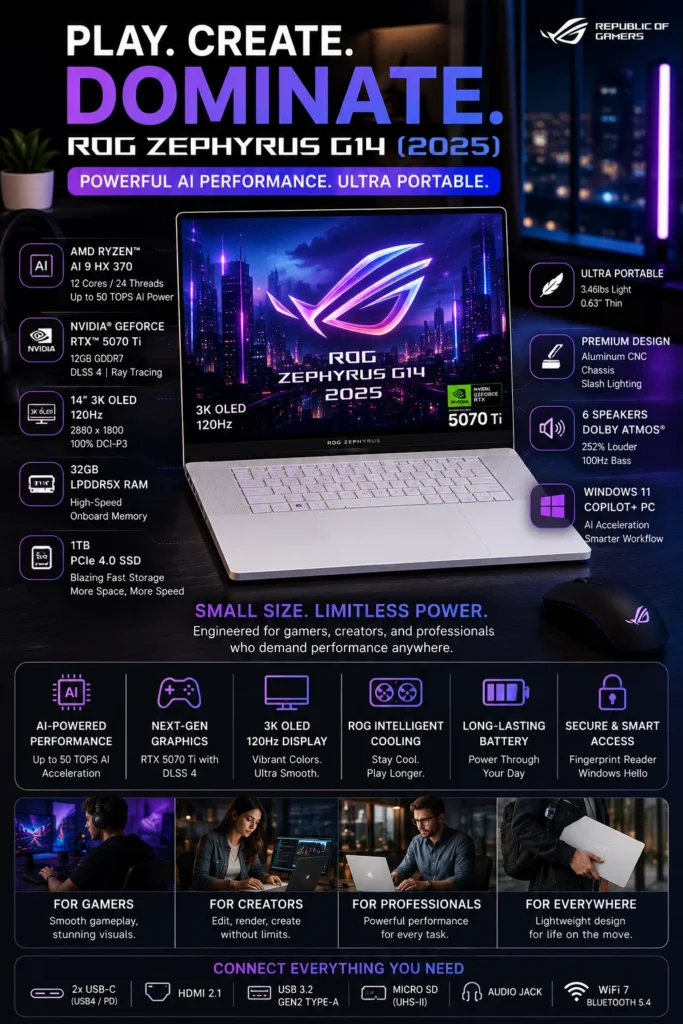
The ASUS ROG Zephyrus G14 (2025) with Ryzen AI 9 HX 370, RTX 5070 Ti, and 32GB memory is our top recommendation for traders who want high-end GPU performance in a compact and highly portable laptop. It is particularly well suited to professionals who combine trading with AI applications, data analysis, development, content creation, or other workloads that benefit from dedicated NVIDIA graphics.

• Excellent for traders who want high GPU performance without carrying a large 16-inch gaming workstation
• Ideal for crypto research, AI-assisted workflows, data analysis, development, content creation, and demanding multitasking
• Strong balance of portability, dedicated GPU performance, processing power, and premium OLED display quality
• The AMD Ryzen AI 9 HX 370 provides strong multi-core processing performance and an integrated NPU for supported AI workloads
• The NVIDIA GeForce RTX 5070 Ti Laptop GPU with 12GB GDDR7 provides substantial dedicated GPU performance for AI applications, CUDA workloads, creative software, and other GPU-accelerated tasks
32GB LPDDR5X memory provides strong multitasking headroom for trading platforms, browser windows, financial dashboards, research tools, AI applications, and productivity software
• The 14-inch 3K OLED display provides sharp text, excellent contrast, and a high-quality visual workspace for charts, financial dashboards, research, and creative applications
• The 120Hz refresh rate provides smooth scrolling and interface movement, particularly useful when working with detailed charts and fast-moving visual interfaces
• The compact Zephyrus design makes it considerably easier to transport than larger RTX 5070 Ti and RTX 5080 gaming workstations
• Windows and NVIDIA compatibility provides broad support for professional applications, AI frameworks, development tools, creative software, and gaming

The Zephyrus G14 earns our AI-Powered Trading & High-Performance Laptop recommendation because it delivers an unusual combination of dedicated GPU performance and portability. Most laptops with this level of graphics capability are considerably larger, while the G14 provides a compact 14-inch form factor that remains practical for professionals who travel or work from multiple locations.

For conventional stock or crypto charting, the RTX 5070 Ti is significantly more GPU power than most traders require. Its real advantage appears when trading is part of a broader workflow involving local AI applications, machine-learning experimentation, data visualization, development, content creation, simulations, or other CUDA-accelerated workloads. This makes the G14 especially attractive to technically oriented traders and power users.

Compared with the Dell XPS 16, the Zephyrus G14 offers a more performance-oriented approach with a higher-tier RTX GPU in a much smaller chassis. Compared with the ThinkPad X1 Carbon, it is substantially more powerful for GPU-accelerated workloads but sacrifices some business-focused portability, battery efficiency, and understated design.

The G14 is therefore not the obvious choice for every trader. Professionals who primarily use browser-based trading platforms, spreadsheets, financial research, and multiple external displays may benefit more from the MacBook Pro or ThinkPad. The Zephyrus G14 makes the most sense when trading is only one part of a demanding technical workflow and dedicated GPU performance is genuinely useful.

• AMD Ryzen AI 9 HX 370 processor• 12 CPU cores• 24 processing threads• Radeon 890M integrated graphics• Ryzen AI NPU with up to 50 TOPS• Strong multi-core performanceThe Ryzen AI 9 HX 370 provides substantial processing performance for traders who combine market analysis with demanding professional workloads.It is well suited to running trading platforms, multiple browser windows, spreadsheets, financial dashboards, research tools, communication applications, and supported AI software simultaneously.The integrated NPU can accelerate compatible AI workloads, while the dedicated NVIDIA GPU provides substantially greater graphics and AI acceleration when supported applications require it.
• NVIDIA GeForce RTX 5070 Ti Laptop GPU• 12GB GDDR7 VRAM• Dedicated NVIDIA graphics• CUDA acceleration• Tensor cores for AI workloads• DLSS 4 and ray tracing supportThe RTX 5070 Ti provides considerably more GPU performance than conventional trading applications require. Its value becomes much more apparent when trading is combined with local AI applications, machine-learning experiments, simulations, content creation, development, or other GPU-accelerated workloads.For traders who use AI tools alongside their market workflow, the dedicated NVIDIA GPU provides substantially more acceleration potential than integrated graphics.
• 14-inch OLED display• 2880 × 1800 resolution• 120Hz refresh rate• High contrast ratio• Wide color coverage• Sharp text and chart renderingThe 3K OLED display provides an excellent balance between resolution, clarity, and portability.The high pixel density makes detailed candlestick charts, technical indicators, financial dashboards, and research documents appear sharp, while OLED contrast provides excellent separation between interface elements and dark chart backgrounds.The 120Hz refresh rate also makes scrolling and interface movement feel smoother during extended charting and research sessions.
• Compact 14-inch form factor• Lightweight design• CNC-machined aluminum construction• Slim premium chassis• Designed for mobile productivity• More portable than large RTX workstationsThe G14's biggest physical advantage is its ability to combine high-end dedicated graphics with a relatively compact chassis.This makes it particularly attractive to traders who travel frequently or move between home, office, university, client locations, and other workspaces but still want access to powerful GPU hardware.The trade-off is that a compact high-performance laptop can produce more fan noise and heat under sustained heavy workloads than a larger workstation with a more substantial cooling system.
• USB-C connectivity• High-speed USB ports• HDMI connectivity• Wi-Fi 7 on supported configurations• Bluetooth connectivity• External display support• Compatible with USB-C docks and peripheralsThe G14 can function as both a portable trading laptop and the core of a desktop workstation.When connected to a compatible dock or external displays, traders can expand the workspace for charts, market news, research, watchlists, and other applications.Wireless networking technology can improve connectivity on compatible networks, but it should not be interpreted as a guarantee of lower trading execution latency. Actual latency depends on the network, broker, platform, routing, and market infrastructure.
Ideal for:• Crypto traders using AI tools• Technical traders• Mobile day traders• Financial researchers• Developers building trading tools• AI and machine-learning enthusiasts• Content creators who also trade• Traders who use GPU-accelerated software• Gaming and trading hybrid users• Power users who need dedicated NVIDIA graphicsThe Zephyrus G14 is best suited to technically oriented traders whose workflow extends beyond conventional charting and order management.Its combination of Ryzen AI processing, RTX graphics, 32GB memory, and a high-resolution OLED display makes it particularly compelling for users who want one compact machine for trading, AI, development, creative work, and gaming.
• CNC-machined aluminum chassis• Premium compact design• High-quality OLED display• Dolby Atmos audio• Advanced cooling system• Windows 11 environment• NVIDIA software ecosystemThe Zephyrus G14 is designed to combine premium construction with high-performance hardware in a compact chassis.Its cooling system is an important part of the design because the laptop must manage a powerful CPU and dedicated RTX GPU within a much smaller footprint than traditional 16-inch gaming workstations.For traders who value portability but still want access to serious GPU performance, this engineering approach is one of the G14's biggest advantages.
#5 Extreme AI & RTX Trading Powerhouse (No-Compromise Performance Machine 2026)

MSI Stealth A16 AI+

RTX 5070 Ti Extreme Performance Trading & AI Laptop
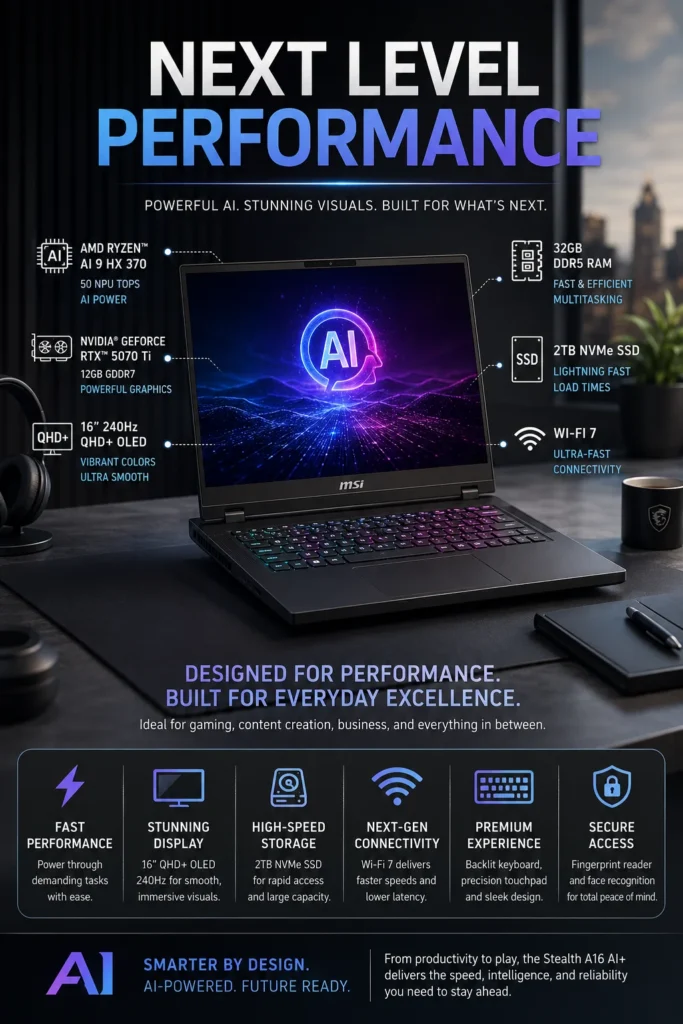
The MSI Stealth A16 AI+ with AMD Ryzen AI 9 HX 370, NVIDIA GeForce RTX 5070 Ti, 32GB memory, and a large high-refresh OLED display is our recommendation for traders who need serious sustained performance for AI, data analysis, development, content creation, and other demanding workloads alongside their trading environment. Its larger chassis and powerful hardware make it particularly attractive to users who prioritize performance headroom over ultra-portable design.

• Ideal for advanced traders who combine market analysis with AI, development, data processing, or other demanding applications
• Excellent choice for users running multiple professional applications and large datasets alongside trading platforms
• Better suited to sustained high-performance workloads than thin business laptops and compact ultraportable systems
• The AMD Ryzen AI 9 HX 370 provides strong multi-core processing performance together with an integrated NPU for supported AI workloads
• The NVIDIA GeForce RTX 5070 Ti Laptop GPU with 12GB GDDR7 provides substantial dedicated GPU performance for AI applications, CUDA workloads, creative software, simulations, and other GPU-accelerated tasks
32GB DDR5 memory provides substantial multitasking capacity for trading platforms, browsers, spreadsheets, financial dashboards, research tools, AI applications, and professional software
• The 2TB NVMe SSD provides fast application launches and substantial local storage for trading software, datasets, development projects, creative files, and large applications
• The 16-inch QHD+ OLED display provides a large, high-quality workspace for market charts, dashboards, research documents, spreadsheets, and professional applications
• The 240Hz refresh rate provides exceptionally smooth motion and interface responsiveness, with particular benefits for gaming and other high-frame-rate applications
• The larger performance-oriented chassis provides more room for cooling hardware than compact ultraportable designs, making it better suited to sustained demanding workloads

The MSI Stealth A16 AI+ earns our Extreme AI & RTX Trading Powerhouse recommendation because it is designed for users whose trading workflow extends far beyond conventional charting. Its combination of Ryzen AI processing, RTX 5070 Ti graphics, 32GB memory, fast 2TB storage, and a large OLED display creates a powerful environment for traders who also work with AI, programming, data analysis, content creation, or other demanding applications.

For standard stock or crypto trading, this level of hardware is significantly more than necessary. The RTX 5070 Ti does not inherently make order execution faster, and the 240Hz display does not reduce broker or market latency. The real advantage comes when a trader uses the laptop as a multi-purpose professional workstation and needs dedicated GPU performance for AI, CUDA-enabled applications, simulations, development, or creative workloads.

Compared with the ASUS ROG Zephyrus G14, the Stealth A16 prioritizes a larger workspace and sustained performance over compact portability. The G14 is easier to carry, while the MSI is better suited to users who spend long periods at a desk and want a larger display, more substantial cooling capacity, and a workstation-oriented performance profile.

Compared with the Dell XPS 16, the MSI takes a more performance-focused approach. It is less concerned with maintaining an understated business aesthetic and more focused on providing the hardware and thermal capacity required for demanding workloads. For a trader who wants one machine capable of handling trading, AI, development, gaming, and intensive creative applications, this makes the Stealth A16 AI+ a compelling high-performance option.

• AMD Ryzen AI 9 HX 370 processor• 12 CPU cores• 24 processing threads• Up to 50 TOPS NPU performance• Strong multi-core processing• Dedicated AI accelerationThe Ryzen AI 9 HX 370 provides substantial processing headroom for demanding trading environments that combine multiple applications, financial dashboards, research tools, development software, and AI workloads.It is more than sufficient for conventional trading platforms and becomes particularly valuable when the laptop is also used for data processing, programming, AI applications, content creation, or other demanding professional workloads.
• NVIDIA GeForce RTX 5070 Ti Laptop GPU• 12GB GDDR7 VRAM• Dedicated NVIDIA graphics• CUDA acceleration• Tensor cores for AI workloads• DLSS and ray tracing supportThe RTX 5070 Ti provides substantially more GPU performance than conventional trading software requires.Its main advantage for advanced traders is the ability to accelerate compatible AI applications, CUDA-based software, simulations, data visualization, content creation, and other GPU-intensive workloads.For traders who use AI tools or technical software alongside their market workflow, the dedicated GPU provides considerably more headroom than integrated graphics.
• 32GB DDR5 memory• High-speed memory architecture• Excellent multitasking capacity• Suitable for multiple trading platforms• Strong headroom for AI applications• Designed for demanding professional workflowsThe 32GB memory configuration is well suited to traders who keep numerous applications open simultaneously.A typical advanced workflow may include trading platforms, multiple browser windows, charting tools, spreadsheets, market news, research documents, communication software, and AI applications.The additional memory headroom also makes the system more versatile for development, data analysis, creative applications, and other workloads beyond trading.
• 16-inch OLED display• 2560 × 1600 resolution• 240Hz refresh rate• High OLED contrast• Fast response characteristics• Large workspace for charts and dashboardsThe 16-inch QHD+ OLED display provides considerably more workspace than a compact 14-inch laptop while remaining sharper and more visually refined than many conventional gaming displays.The large panel is useful for viewing multiple charts, financial dashboards, research documents, spreadsheets, and market information simultaneously.The 240Hz refresh rate provides exceptionally smooth motion and is particularly valuable for gaming and other high-frame-rate applications. It should not be interpreted as a direct reduction in broker or market execution latency.
• 2TB NVMe SSD• Fast application loading• Rapid file access• Large local storage capacity• Suitable for datasets and project files• Space for professional applicationsThe 2TB SSD provides significantly more local storage than the typical entry-level laptop configuration.This is useful for traders who maintain large research archives, market datasets, development environments, AI models, creative projects, recorded market sessions, and numerous professional applications.Fast NVMe storage also helps applications and large local files load quickly, although storage speed itself does not determine live market execution latency.
• Performance-oriented cooling system• Designed for demanding CPU and GPU workloads• Larger chassis than compact ultraportable laptops• Sustained performance focus• High-performance power managementThe Stealth A16 is designed around sustained performance rather than extreme portability.Its larger chassis provides more physical room for cooling hardware than compact laptops such as the Zephyrus G14, making this type of system better suited to prolonged CPU- and GPU-intensive workloads.Under heavy loads, users should expect more fan noise and heat than they would from a low-power business laptop. This is a normal trade-off for a high-performance mobile workstation.
Ideal for:• Professional and advanced retail traders• Crypto traders using AI tools• Algorithmic trading developers• Data analysts• Financial researchers• Traders running multiple professional applications• AI and machine-learning users• Developers building trading software• Content creators who also trade• Gaming and trading hybrid usersThe MSI Stealth A16 AI+ is best suited to users who treat trading as part of a broader technical workflow.It is especially compelling when the same laptop must handle market analysis, AI experimentation, programming, data processing, creative applications, and gaming.
• Premium Stealth-series chassis• Large OLED display• Performance-oriented thermal design• High-end keyboard and touchpad• Windows 11 environment• NVIDIA software ecosystem• Designed for demanding professional and entertainment workloadsThe Stealth A16 combines the performance characteristics of a high-end gaming laptop with a more understated design than many traditional gaming systems.For professionals who want one machine capable of handling trading, AI, development, creative work, and gaming, its combination of powerful hardware, large OLED display, and substantial storage makes it a versatile mobile workstation.
#6 High-FPS Gaming & Trading Performance Laptop (Creator + Power User Pick 2026)

Lenovo Legion 7i

High-Performance RTX 5060 Gaming & Trading Workstation
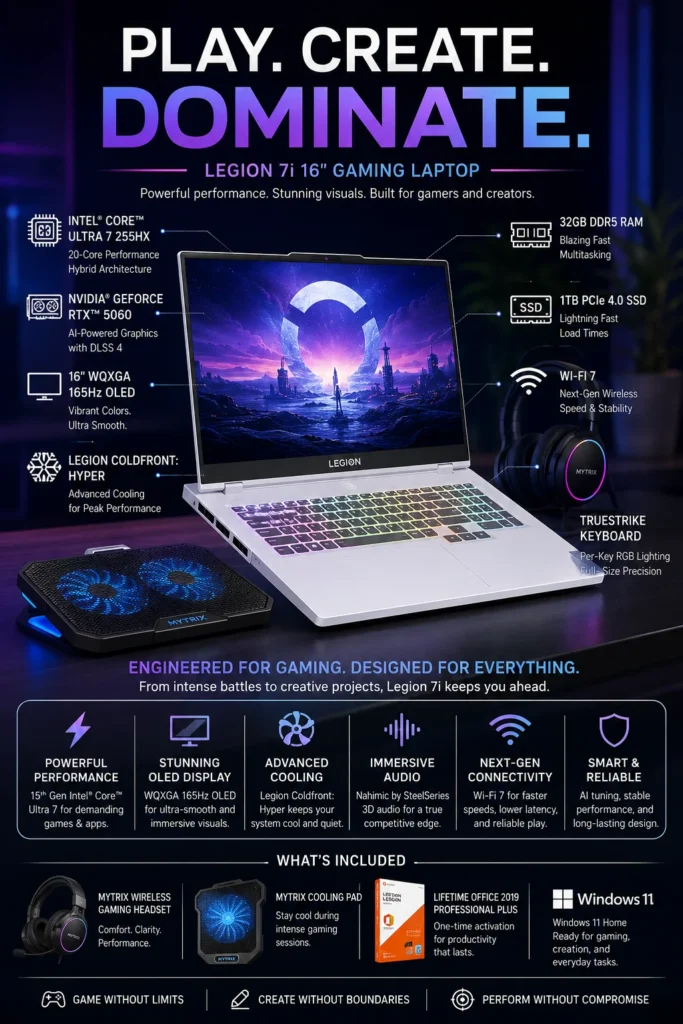
The Lenovo Legion 7i with Intel Core Ultra 7, NVIDIA GeForce RTX 5060, 32GB memory, and a high-refresh OLED display is our recommendation for traders who want a powerful all-purpose laptop that can handle trading, gaming, content creation, and demanding multitasking. It offers a strong balance between processing performance, dedicated graphics, cooling, display quality, and everyday usability.

• Excellent for traders who also want a high-performance gaming and entertainment machine
• Ideal for creators, developers, streamers, and power users who run demanding applications alongside trading platforms
• Strong choice for users who prefer sustained performance and cooling capacity over ultraportable design
• The Intel Core Ultra 7 255HX provides high-performance processing for demanding multitasking, professional applications, development, and content creation
• The NVIDIA GeForce RTX 5060 Laptop GPU with 8GB GDDR7 provides dedicated graphics performance for gaming, creative applications, AI workloads, and other GPU-accelerated software
32GB DDR5 memory provides substantial headroom for multiple trading platforms, browser windows, spreadsheets, communication applications, creative software, and other professional workloads
• The 16-inch OLED display provides a large, high-quality workspace for financial charts, dashboards, research, creative applications, and entertainment
• The high refresh rate provides smooth scrolling and responsive motion, with particular benefits for gaming and other high-frame-rate applications
• Lenovo's performance-oriented cooling system is designed to help manage sustained CPU and GPU workloads during long sessions
• The larger 16-inch chassis provides more room for cooling and high-performance components than thin business and ultraportable laptops

The Legion 7i earns our High-FPS Gaming & Trading Performance recommendation because it is particularly well suited to users who want one powerful computer for several demanding roles. A trader can use it for market analysis during the day and switch to gaming, video editing, streaming, development, or other intensive workloads without needing a second high-performance machine.

For conventional stock or crypto trading, the RTX 5060 is more graphics performance than most trading platforms require. Its real value comes from the laptop's versatility: dedicated GPU acceleration for compatible applications, strong CPU performance, abundant memory, a large OLED display, and a cooling system designed for demanding workloads.

Compared with the MSI Stealth A16 AI+, the Legion 7i offers a similarly performance-oriented approach but targets users who want a particularly strong balance between gaming, content creation, and professional productivity. The MSI remains the more compelling choice for users prioritizing heavier AI and GPU workloads, while the Legion is an excellent all-around option for users who want trading, gaming, and creative work in one system.

Compared with the ASUS ROG Zephyrus G14, the Legion 7i sacrifices some portability in exchange for a larger display and a more substantial chassis. For traders who primarily work from a desk and want a large screen for charts while also using the laptop for gaming or creative work, this trade-off can make the Legion 7i the more practical choice.

• Intel Core Ultra 7 255HX processor• High-performance CPU architecture• Strong multi-core performance• 32GB DDR5 memory• Excellent multitasking capability• Designed for demanding professional workloadsThe Legion 7i provides substantial processing power for traders who regularly work with multiple browser windows, financial platforms, spreadsheets, communication applications, research tools, and other software simultaneously.The combination of a high-performance processor and 32GB of memory provides plenty of headroom for demanding multitasking while also supporting gaming, development, streaming, and creative applications.
• NVIDIA GeForce RTX 5060 Laptop GPU• 8GB GDDR7 graphics memory• Dedicated GPU acceleration• NVIDIA Studio and CUDA ecosystem support• Hardware acceleration for compatible applications• Strong gaming performanceFor conventional stock and crypto trading, a dedicated GPU is not normally required. However, the RTX 5060 becomes valuable when the laptop is also used for gaming, content creation, AI-assisted applications, 3D workloads, or other GPU-accelerated software.This makes the Legion 7i particularly attractive to power users who want trading and professional computing capabilities without giving up high-performance graphics.
• 16-inch OLED display• 2560 × 1600 resolution• High refresh rate• High contrast OLED panel• Large workspace for multiple windows• Excellent image qualityThe large 16-inch display provides more usable workspace for trading platforms, financial dashboards, spreadsheets, research, and multiple application windows.The high refresh rate also provides smoother motion and scrolling, making the display particularly well suited to users who combine professional trading with gaming and other high-frame-rate applications.
• Lenovo Legion performance cooling system• Dedicated CPU and GPU thermal management• High-performance chassis design• Designed for sustained workloads• Performance-oriented thermal architectureThe Legion 7i uses a performance-focused cooling system designed to manage the heat generated by its high-performance CPU and dedicated GPU.This is particularly useful for users who spend extended periods running demanding applications, gaming, rendering, compiling code, or performing other sustained workloads.Actual performance and fan behavior can vary depending on the workload, power mode, ambient temperature, and system configuration.
• High-speed Wi-Fi connectivity• HDMI connectivity• Multiple USB ports• USB-C connectivity• External monitor support• Compatible with professional docking solutionsThe Legion 7i is well suited to desk-based trading environments where users connect external monitors, keyboards, mice, storage devices, and other peripherals.For traders using multiple charts or market dashboards, external displays can provide significantly more workspace than the laptop's built-in screen alone.
Ideal for:• Day traders• Stock and crypto traders• Traders who use multiple applications simultaneously• Gaming and trading hybrid users• Content creators• Developers and technical professionals• Streamers and power usersThe Lenovo Legion 7i is best suited to users who want one high-performance computer capable of handling trading alongside gaming, creative work, development, and other demanding workloads.It is particularly compelling for users who prioritize performance and versatility over ultra-light portability.
• Durable Legion chassis• Performance-oriented design• Full-size keyboard layout• RGB keyboard lighting• Windows security features• Designed for demanding everyday useThe Legion 7i combines a substantial performance chassis with features designed for users who spend long periods working or gaming at their computer.Its larger form factor makes it less portable than an ultraportable business laptop, but it provides the space needed for high-performance hardware, cooling, a larger display, and a more capable overall workstation configuration.
#7 Most Powerful Laptop of 2026 (RTX 5080 Flagship)

Alienware 16 Area-51 RTX 5080

Ultimate Performance Laptop 2026
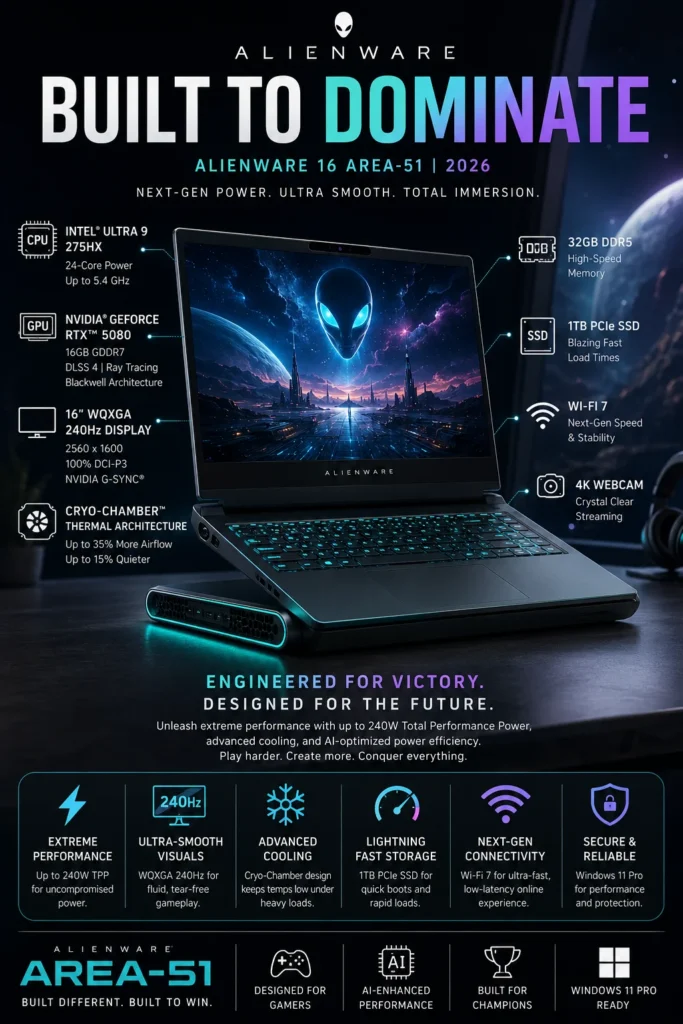
The Alienware 16 Area-51 with Intel Core Ultra 9, NVIDIA GeForce RTX 5080, and a high-performance 16-inch display is our extreme-performance recommendation for users who want a laptop capable of handling trading, AI development, GPU-accelerated applications, gaming, content creation, and demanding professional workloads. It is significantly more powerful than most traders actually need, but it becomes compelling when trading is combined with other intensive workloads.

• Ideal for advanced traders who also work with AI, development, rendering, gaming, or other demanding applications
• Designed for users who prioritize maximum mobile computing performance over portability and battery efficiency
• Excellent choice for professionals who want one high-end machine capable of replacing multiple specialized systems
• The Intel Core Ultra 9 275HX provides high-end processing performance for demanding multitasking, development, simulation, content creation, and professional applications
• The NVIDIA GeForce RTX 5080 Laptop GPU with 16GB GDDR7 provides substantial GPU performance for AI workloads, CUDA applications, rendering, creative software, and high-end gaming
16GB of dedicated GDDR7 graphics memory provides additional capacity for demanding GPU workloads and applications that benefit from large VRAM allocations
• The 16-inch high-resolution display with a high refresh rate provides a large and responsive workspace for market dashboards, research, creative applications, and gaming
• The performance-oriented Alienware chassis provides substantially more thermal and power capacity than thin ultraportable laptops
• The system is particularly well suited to users who need sustained CPU and GPU performance for demanding workloads beyond conventional trading software

The Alienware 16 Area-51 earns our Most Powerful Laptop recommendation because its greatest advantage is not conventional trading performance, but the amount of computing capability available when trading is combined with other demanding workloads. Advanced users can run financial platforms, development environments, AI applications, creative software, and other resource-intensive workloads on the same machine.

For conventional stock or crypto trading, however, the RTX 5080 is considerably more GPU power than most trading platforms require. Charting platforms, broker applications, market data feeds, spreadsheets, and browser-based analysis generally benefit more from a fast processor, sufficient memory, reliable connectivity, and a good multi-monitor setup than from an extreme gaming-class GPU.

This is also why the Alienware 16 Area-51 ranks #7 rather than #1 despite offering the highest raw performance in this lineup. The ranking is based on suitability for trading as a complete workflow, not simply maximum benchmark performance. Traders who need extreme GPU power for AI, machine learning, rendering, simulation, or gaming will find the Alienware far more compelling than users whose primary task is market analysis and order execution.

Compared with the Lenovo Legion 7i and MSI Stealth A16 AI+, the Alienware is aimed further toward the extreme-performance end of the market. It makes the most sense for professionals and power users who are willing to accept a larger, heavier system and higher power consumption in exchange for substantially greater GPU capability and performance headroom.

• Intel Core Ultra 9 275HX processor• 24-core high-performance architecture• High multi-core processing capability• Strong performance for demanding applications• Designed for intensive multitaskingThe Core Ultra 9 275HX provides substantial processing headroom for users who combine trading with demanding professional workloads.A trader can comfortably run multiple financial platforms, browser windows, research applications, spreadsheets, communication tools, development environments, and other software simultaneously.The processor also provides the performance required for demanding development, rendering, simulation, content creation, and other CPU-intensive workloads.
• NVIDIA GeForce RTX 5080 Laptop GPU• 16GB GDDR7 graphics memory• Dedicated NVIDIA GPU architecture• CUDA acceleration• Tensor cores for AI workloads• Advanced ray tracing supportThe RTX 5080 is considerably more powerful than what conventional stock and crypto trading platforms require.Its real advantage appears when the laptop is also used for AI development, machine learning, CUDA applications, 3D rendering, video production, simulation, or high-end gaming.The 16GB of dedicated graphics memory also provides additional capacity for demanding GPU-accelerated applications and larger professional workloads.
• 16-inch high-resolution display• 2560 × 1600 resolution• High refresh rate• Large workspace for professional applications• High-quality visual presentation• Suitable for gaming and creative workThe 16-inch display provides a substantial workspace for trading dashboards, multiple charts, research documents, spreadsheets, and professional applications.A high refresh rate also provides smoother motion and scrolling, with particular benefits for gaming and other high-frame-rate applications.For serious multi-monitor trading environments, however, external displays remain the better solution when the goal is to maximize the number of charts and information panels visible simultaneously.
• Performance-oriented Alienware chassis• Advanced CPU and GPU thermal management• Designed for high-power components• Large internal cooling capacity• Built for demanding workloadsThe Alienware 16 Area-51 uses a substantially larger performance chassis than ultraportable business laptops.This allows the system to accommodate high-performance CPU and GPU hardware while providing the cooling capacity required for demanding workloads.During extended CPU- and GPU-intensive sessions, users should expect more heat, fan noise, and power consumption than with thin-and-light laptops. These are normal trade-offs for a high-performance mobile workstation.Actual performance will vary according to workload, power mode, ambient temperature, and system configuration.
• High-speed Wi-Fi connectivity• HDMI connectivity• Multiple USB ports• USB-C connectivity• External display support• Compatible with professional peripheralsThe Alienware 16 Area-51 is better suited to a desk-based trading environment than a highly mobile setup.External monitors can provide significantly more workspace for traders who need several charts, order books, news feeds, market scanners, spreadsheets, and research applications visible simultaneously.A dedicated docking or peripheral setup can further expand the workstation for users who treat the laptop as the central computer in their trading environment.
Ideal for:• Professional and advanced retail traders• Crypto analysts• AI developers and engineers• Quantitative and data-focused users• Video editors and 3D creators• Developers running demanding software• High-end gaming users• Professionals combining trading with technical workloadsThe Alienware 16 Area-51 is best suited to users whose workflow extends well beyond conventional trading.It becomes particularly compelling when the same machine must handle financial analysis alongside AI development, programming, rendering, content creation, simulation, or high-end gaming.
• Premium Alienware chassis design• Substantial performance-oriented construction• Advanced cooling architecture• High-performance component configuration• Windows professional software ecosystem• Designed for demanding everyday workloadsThe Alienware 16 Area-51 is built around performance rather than portability.Its larger chassis, high-end components, and cooling capacity make it substantially better suited to users who spend long periods performing demanding workloads than thin ultraportable systems.The trade-off is size, weight, power consumption, and mobility. For users who primarily work from a desk, however, those compromises can be worthwhile in exchange for the additional performance headroom.

Best High-Performance Laptops for Trading (2026)

Ranked for Trading Performance, Multi-Monitor Setups, Battery Life, Portability & Professional Workloads

Choosing the best laptop for trading requires more than simply looking at CPU or GPU specifications. Professional traders need a responsive system that can handle multiple browser tabs, TradingView charts, broker platforms, financial news, spreadsheets, research tools, video calls, and external monitors simultaneously. We evaluated these laptops based on real-world multitasking performance, memory capacity, display quality, connectivity, portability, sustained performance, and overall value to help traders choose the right machine for their workflow in 2026.

LaptopCPU & Key SpecsBest ForWhy It WinsEditor's VerdictBuy
Best Overall
Apple MacBook Pro 16-inch (M5 Pro)
Apple M5 Pro
64GB Unified Memory
1TB SSD
16.2" Liquid Retina XDR
Professional Traders
Multi-Tasking
Financial Analysis
Multi-Monitor Workflows
The strongest overall combination of sustained performance, memory capacity, battery efficiency, display quality, and professional reliability. It is particularly well suited to traders who keep multiple financial applications, browser windows, charts, spreadsheets, and communication tools open simultaneously.Best Trading Laptop OverallCheck Price
Best Business Pick
Lenovo ThinkPad X1 Carbon Gen 13
Intel Core Ultra 7
32GB RAM
2TB SSD
14" Premium Display
Business Traders
Executives
Traveling Professionals
Mobile Trading
Its biggest advantage is mobility. The exceptionally lightweight ThinkPad design makes it ideal for traders who work from different locations while still needing reliable performance, strong keyboard ergonomics, business-class security, and excellent connectivity.Best Trading Laptop for Business & TravelCheck Price
Best Windows Premium
Dell XPS 16
Intel Core Ultra 9
32GB LPDDR5X
RTX 5060 8GB
16.3" 4K OLED
Advanced Traders
AI-Assisted Analysis
Creators
Windows Users
Combines a powerful Windows platform with a large high-resolution OLED display and dedicated RTX graphics. The extra GPU capability is useful for traders who also use AI applications, advanced visualization tools, content creation software, or other GPU-accelerated workloads.Best Premium Windows Trading LaptopCheck Price
Best Portable Power
ASUS ROG Zephyrus G14
AMD Ryzen AI 9 HX 370
32GB LPDDR5X
RTX 5070 Ti 12GB
14" 3K OLED 120Hz
Mobile Traders
Crypto Traders
AI Users
Trading + Gaming
Provides unusually high performance for a compact 14-inch laptop. The combination of Ryzen AI processing, RTX 5070 Ti graphics, substantial memory, and a high-resolution OLED display makes it an excellent option for traders who also need serious GPU performance.Best Portable High-Performance Trading LaptopCheck Price
Best Power User
MSI Stealth A16 AI+
AMD Ryzen AI 9 HX 370
32GB DDR5
RTX 5070 Ti 12GB
2TB NVMe SSD
AI Trading
Algorithmic Trading
Heavy Multitasking
Power Users
The combination of RTX 5070 Ti graphics, 32GB memory, and 2TB storage makes it particularly attractive for traders who combine financial applications with AI tools, large datasets, development environments, content creation, or other demanding workloads.Best Trading Laptop for Power UsersCheck Price
Best Value Performance
Lenovo Legion 7i
Intel Core Ultra 7 255HX
32GB DDR5
RTX 5060 8GB
16" OLED 165Hz
Day Traders
Trading + Gaming
Creators
Power Users
Offers strong sustained performance and excellent cooling for long sessions. It is especially appealing to traders who want a powerful Windows machine that can also handle gaming, streaming, creative applications, and demanding multitasking.Best Value High-Performance Trading LaptopCheck Price
Extreme Performance
Alienware 16 Area-51 RTX 5080
Intel Core Ultra 9 275HX
RTX 5080 16GB GDDR7
High-Power Cooling System
16" WQXGA 240Hz
Extreme Power Users
AI Workloads
Professional Creators
Trading + Heavy Computing
This is the choice for users who want maximum Windows laptop performance rather than portability or efficiency. Its powerful CPU, RTX 5080 GPU, and high-performance thermal design provide substantial headroom for demanding AI, rendering, development, and multitasking workloads alongside trading.Best Extreme Performance Trading LaptopCheck Price
Keep Exploring

Build a Better Trading Setup

Choosing the right trading laptop is only the first step. The right monitors, docking hardware, connectivity, and workstation accessories can make an even bigger difference to your daily trading workflow.

Whether you're building a multi-monitor trading station, comparing laptop GPUs, improving your connectivity, or looking for the best displays for charts and financial dashboards, these guides can help you build a faster and more productive setup.

01

EDITOR'S FINAL RECOMMENDATIONS

Our Final Trading Laptop Recommendations for 2026

After comparing processor performance, GPU capability, memory, display quality, portability, thermals, connectivity, multitasking performance, and long-term value, these are our final recommendations for the best laptops for trading, crypto analysis, stock market research, AI-assisted workflows, and professional multitasking in 2026.

BEST FOR BUSINESS

Lenovo ThinkPad X1 Carbon Gen 13

The ideal choice for business professionals and traders who travel frequently. Its lightweight design, business-focused engineering, strong security features, and efficiency make it particularly attractive for mobile trading and professional productivity.

  • ✓ Ultra-light business design
  • ✓ Efficiency-focused performance
  • ✓ Enterprise-grade construction
  • ✓ Excellent portability
Best business trading laptop for mobile professionals
BEST LARGE DISPLAY

Dell Premium 16 (XPS 16)

A strong option for traders and analysts who value a large, high-resolution display and dedicated GPU performance. The 16-inch OLED panel provides an excellent workspace for detailed charts, dashboards, research, creative applications, and multi-window workflows.

  • ✓ 16-inch high-resolution OLED display
  • ✓ Intel Core Ultra performance
  • ✓ NVIDIA RTX 5060 graphics
  • ✓ Excellent visual quality
Best large-screen trading laptop
BEST PORTABLE PERFORMANCE

ASUS ROG Zephyrus G14

A compact performance laptop for traders who want substantially more GPU power than a traditional business ultrabook. The Ryzen AI platform and RTX 5070 Ti make it particularly well suited to AI-assisted analysis, demanding multitasking, content creation, and users who also want gaming performance.

  • ✓ AMD Ryzen AI 9 HX 370
  • ✓ NVIDIA RTX 5070 Ti
  • ✓ 32GB LPDDR5X memory
  • ✓ Compact 14-inch OLED design
Best portable high-performance trading laptop
BEST FOR POWER USERS

MSI Stealth A16 AI+

Designed for users who need substantial CPU and GPU performance for advanced trading setups, AI tools, large datasets, content creation, and heavy multitasking. Its 2TB SSD also provides considerably more local storage for demanding professional workflows.

  • ✓ AMD Ryzen AI 9 HX 370
  • ✓ NVIDIA RTX 5070 Ti
  • ✓ 32GB DDR5 memory
  • ✓ 2TB NVMe SSD
Best trading laptop for demanding power users
BEST HYBRID PICK

Lenovo Legion 7i

An excellent choice for traders who also want strong gaming and content-creation capability. Its high-performance hardware, OLED display, and cooling system make it particularly suitable for long sessions involving trading platforms, gaming, creative applications, and intensive multitasking.

  • ✓ Intel Core Ultra 7 255HX
  • ✓ NVIDIA RTX 5060
  • ✓ 32GB DDR5 memory
  • ✓ 16-inch OLED display
Best trading and gaming hybrid laptop
ULTIMATE PERFORMANCE

Alienware 16 Area-51 RTX 5080

The extreme-performance option for users who want maximum CPU and GPU capability. The RTX 5080, flagship-class processor, high-power thermal design, and large high-refresh-rate display make it best suited to professional creators, AI workloads, advanced analysis, and demanding gaming.

  • ✓ Intel Core Ultra 9 275HX
  • ✓ NVIDIA RTX 5080 16GB
  • ✓ High-power performance design
  • ✓ Advanced cooling architecture
Best choice for extreme performance workloads
QUICK DECISION

Which trading laptop should you buy?

Best Overall

MacBook Pro M5 Pro

Best Business

ThinkPad X1 Carbon Gen 13

Best Large Display

Dell Premium 16 (XPS 16)

Best Portable Performance

ASUS ROG Zephyrus G14

Best for Power Users

MSI Stealth A16 AI+

Best Hybrid

Lenovo Legion 7i

Maximum Performance

Alienware 16 Area-51

Trading laptop prices, configurations, and availability can change frequently. Before purchasing, check Amazon for the latest price, available memory and storage configurations, warranty coverage, and current promotions.

EDITOR'S FINAL VERDICT

Final Verdict: Best High-Performance Laptops in 2026

After comparing CPU performance, GPU power, memory capacity, display quality, cooling, battery life, portability, multitasking capability, and long-term value, one conclusion stands out:The best high-performance laptop is not necessarily the most powerful machine available. It is the laptop that delivers the right combination of performance, thermals, display quality, portability, and reliability for your actual workload.

High-performance laptop buyers in 2026 are no longer choosing between simple productivity and gaming machines. Modern laptops can serve as trading workstations, AI development systems, professional creative machines, gaming platforms, and business computers.

For demanding workloads, prioritize sufficient CPU and GPU performance, at least 32GB of memory when running professional applications, fast SSD storage, strong thermal design, and a display that matches the way you actually work.
Best Overall Apple MacBook Pro M5 Pro
Best Windows Premium Dell XPS 16
Best Portable Performance ASUS ROG Zephyrus G14
Maximum Performance Alienware 16 Area-51
The simple answer:
  • Choose the Apple MacBook Pro M5 Pro if you want the strongest overall combination of performance, efficiency, battery life, memory capacity, portability, and long-term usability.
  • Choose the Lenovo ThinkPad X1 Carbon Gen 13 if portability, business reliability, travel, and professional productivity are more important than maximum CPU or GPU performance.
  • Choose the Dell XPS 16 if you want a premium Windows laptop with a large high-quality display, strong processing power, and the flexibility of the Windows ecosystem.
  • Choose the ASUS ROG Zephyrus G14 if you need serious performance in a relatively portable chassis and want a laptop capable of gaming, AI workloads, development, and creative applications.
  • Choose the MSI Stealth A16 AI+ if you want a powerful all-around machine with strong GPU performance, large storage capacity, and excellent multitasking potential.
  • Choose the Lenovo Legion 7i if gaming, content creation, and sustained performance are major priorities and you want a stronger cooling system than typical thin-and-light laptops provide.
  • Choose the Alienware 16 Area-51 RTX 5080 only if maximum performance is the priority and you are willing to accept substantially greater size, weight, power consumption, and cost.

Top High-Performance Laptop Recommendations for 2026

BEST OVERALL

Apple MacBook Pro M5 Pro

Our Editor's Choice for buyers who want a premium performance laptop that combines powerful processing, large memory capacity, excellent efficiency, strong battery life, and long-term usability. It is particularly compelling for professionals, developers, traders, and creators who do not require Windows-only software or high-end gaming performance.

  • ✓ Apple M5 Pro Performance
  • ✓ 64GB Unified Memory
  • ✓ Excellent Efficiency
  • ✓ Strong Long-Term Value
BEST WINDOWS CHOICE

Dell XPS 16

The strongest choice for buyers who want a premium Windows experience with a large high-resolution display and powerful hardware. It is especially attractive for creators, developers, professionals, and users who need Windows software compatibility.

  • ✓ Premium Windows Design
  • ✓ Large High-Resolution Display
  • ✓ RTX Graphics
  • ✓ Strong Professional Performance
BEST PERFORMANCE VALUE

ASUS ROG Zephyrus G14

The best option for buyers who want a powerful laptop without moving into the size and weight of a traditional desktop-replacement machine. Its combination of RTX graphics, strong CPU performance, portability, and gaming capability makes it unusually versatile.

  • ✓ RTX 5070 Ti Graphics
  • ✓ Ryzen AI Processor
  • ✓ Portable Performance
  • ✓ Gaming + Professional Workloads
Choose the MacBook Pro M5 Pro if:
  • ✓ You want the best overall premium laptop
  • ✓ Battery life and efficiency matter
  • ✓ You regularly run demanding professional applications
  • ✓ You value long-term performance and portability
Choose the Dell XPS 16 if:
  • ✓ You prefer Windows
  • ✓ You want a large premium display
  • ✓ You need RTX GPU acceleration
  • ✓ You work with demanding professional or creative applications
Before Buying a High-Performance Laptop:
  • ✓ Do not pay for GPU power you will never use
  • ✓ Prioritize RAM if you regularly multitask with demanding applications
  • ✓ Check cooling performance for sustained workloads
  • ✓ Consider display size and external monitor support for productivity
Editor's Final Recommendation:

The right high-performance laptop should be selected according to workload rather than benchmark numbers alone. A professional creator may benefit more from memory capacity and display quality, while a gamer may prioritize GPU performance and cooling. A business professional may value portability and battery life above everything else.

Among the models evaluated in this guide, the Apple MacBook Pro M5 Pro delivers the strongest overall balance for premium professional users, while the Dell XPS 16 is the better choice for buyers who want a powerful Windows system. For users who want high performance in a more portable form factor, the ASUS ROG Zephyrus G14 offers one of the strongest performance-to-portability combinations in this lineup.

Editor's Choice See Today's Best High-Performance Laptop Deals

Compare current prices, configurations, memory, storage, display options, warranty coverage, and availability before choosing the laptop that best matches your workload.

Check Latest Deals

EDITOR'S FAQ

Frequently Asked Questions About the Best High-Performance Laptops in 2026

Choosing a high-performance laptop in 2026 requires more than comparing processor and GPU specifications. The right machine depends on your workload, memory requirements, display preferences, cooling system, portability needs, and whether you prioritize gaming, professional applications, AI workloads, trading, or creative production.Below are the most important questions buyers should consider before purchasing a high-performance laptop, including RAM, GPU requirements, thermals, display quality, battery life, operating system, and long-term performance.

The Apple MacBook Pro M5 Pro is our overall premium recommendation for buyers who prioritize professional performance, efficiency, battery life, and long-term usability.

It provides an excellent combination of processing performance, large unified memory capacity, efficiency, display quality, and portability. It is particularly well suited to professionals, developers, creators, analysts, and power users who do not require Windows-only software or maximum gaming performance.

  • Excellent professional performance.
  • Large memory capacity for demanding multitasking.
  • Strong battery efficiency compared with many performance laptops.
  • Excellent display and build quality.
  • Strong long-term usability.
Check Price
The Dell XPS 16 is one of the strongest premium Windows choices in this lineup.

It combines a large high-resolution display, powerful Intel processing, RTX graphics, and a premium chassis. This makes it attractive for creators, developers, professionals, analysts, and users who need Windows software compatibility.

  • Premium Windows design.
  • Large high-resolution display.
  • Dedicated RTX graphics.
  • Strong performance for professional applications.
  • Excellent option for users who prefer Windows.

If maximum GPU performance is more important than portability or premium design, larger gaming and workstation-class laptops may offer more performance for the money.

View Deal
32GB of memory is the recommended starting point for many serious high-performance workloads in 2026.

The right amount of memory depends on what you actually run. Browser tabs and office applications rarely require extreme memory capacity, while development environments, virtual machines, AI tools, video editing, 3D applications, and large creative projects can benefit significantly from additional memory.

  • 16GB → Suitable for general productivity and moderate workloads.
  • 32GB → Recommended for demanding multitasking, development, gaming, and professional applications.
  • 48GB–64GB+ → Better for advanced development, AI, professional creative workloads, virtual machines, and large projects.

Because memory is often difficult or impossible to upgrade later, choosing an appropriate configuration at purchase can significantly improve long-term usability.

Not necessarily. A dedicated RTX GPU is important primarily when your workload actually benefits from GPU acceleration.

For office productivity, programming, web development, trading, and many professional applications, a powerful CPU and sufficient memory may matter more than a high-end dedicated GPU.

  • RTX GPU → Gaming, 3D rendering, AI acceleration, video production, and GPU-intensive applications.
  • Integrated graphics → Productivity, programming, research, business applications, and many everyday professional workloads.
  • RTX 5060/5070-class GPUs → Strong balance for gaming and professional GPU workloads.
  • RTX 5080-class GPUs → Designed for buyers who genuinely need extreme GPU performance.

Do not pay for flagship GPU hardware simply because it appears higher on a specification sheet. Match the GPU to your actual applications.

The ASUS ROG Zephyrus G14 and Lenovo Legion 7i are two of the strongest hybrid options in this lineup.

The Zephyrus G14 is particularly attractive if portability matters, while the Legion 7i places more emphasis on sustained performance, cooling, and a larger display.

  • ASUS ROG Zephyrus G14 → Best for portable gaming and professional performance.
  • Lenovo Legion 7i → Better for sustained gaming, content creation, and heavier workloads.
  • Alienware 16 Area-51 → Best when maximum performance matters more than portability.
Check Deal
The MacBook Pro M5 Pro is an excellent professional laptop, but it is not the best choice if gaming is your primary reason for buying a high-performance machine.

Apple silicon provides substantial performance for professional applications, creative workflows, development, and productivity. However, Windows gaming laptops offer broader game compatibility and dedicated NVIDIA GPUs designed specifically for demanding PC gaming.

  • MacBook Pro → Better for professional productivity, development, creative work, and efficiency.
  • RTX Windows laptop → Better for PC gaming, ray tracing, DLSS, and broad game compatibility.

If gaming is only an occasional activity, the MacBook can still make sense. If gaming is a major priority, consider an RTX-equipped Windows laptop instead.

The Apple MacBook Pro M5 Pro is the strongest battery-focused option in this lineup, while business-focused systems such as the ThinkPad X1 Carbon also prioritize mobility and efficiency.

High-performance Windows gaming laptops generally sacrifice battery life for higher sustained CPU and GPU performance. This is an important trade-off to consider before purchasing.

  • MacBook Pro M5 Pro → Best combination of performance and efficiency.
  • ThinkPad X1 Carbon Gen 13 → Excellent choice for mobile business users.
  • ASUS ROG Zephyrus G14 → Stronger portability than traditional gaming laptops.
  • Legion and Alienware → Prioritize sustained performance over maximum unplugged endurance.
Yes. A powerful gaming laptop can be an excellent professional workstation when its hardware matches the workload.

Modern gaming laptops can provide powerful CPUs, dedicated GPUs, large memory configurations, high-resolution displays, and advanced cooling systems that are useful well beyond gaming.

  • Video editing and content creation.
  • 3D rendering and design.
  • AI development and GPU acceleration.
  • Programming and software development.
  • Engineering and technical applications.
  • Heavy multitasking.

The main trade-offs are usually weight, fan noise, battery life, and portability compared with business or premium productivity laptops.

For local AI and machine learning workloads, an NVIDIA RTX-equipped Windows laptop is generally the more flexible choice.

NVIDIA GPUs provide broad compatibility with many AI frameworks and tools, making RTX laptops particularly attractive for users who want to experiment with local models, GPU acceleration, machine learning, and AI development.

  • ASUS ROG Zephyrus G14 → Strong portable AI and GPU performance.
  • MSI Stealth A16 AI+ → Excellent balance of CPU, GPU, memory, and storage.
  • Alienware 16 Area-51 RTX 5080 → Best suited to users who need maximum local GPU performance.

For extremely large AI workloads, desktop systems or cloud GPU infrastructure may still provide better performance and scalability than any laptop.

The best choice depends on your workload rather than the highest specification available.
  • Best Overall → Apple MacBook Pro M5 Pro
  • Best Business & Travel → Lenovo ThinkPad X1 Carbon Gen 13
  • Best Premium Windows → Dell XPS 16
  • Best Portable Performance → ASUS ROG Zephyrus G14
  • Best Power User → MSI Stealth A16 AI+
  • Best Gaming + Professional Hybrid → Lenovo Legion 7i
  • Maximum Performance → Alienware 16 Area-51 RTX 5080

For most professional users, the MacBook Pro M5 Pro provides the strongest balance of performance, efficiency, and long-term usability. For Windows users, the Dell XPS 16 offers a compelling premium experience, while the ASUS ROG Zephyrus G14 is one of the best choices for buyers who want serious performance without moving to a massive desktop-replacement laptop.

Check Best Deals

TRADING LAPTOP BUYING GUIDE

Common Mistakes When Choosing a Trading Laptop in 2026

Choosing a laptop for trading is not simply about buying the most powerful machine available. Traders need a reliable system that can handle multiple charts, real-time market data, browser tabs, trading platforms, research tools, communication applications, external monitors, and long sessions without becoming slow or uncomfortable.The wrong laptop can lead to unnecessary spending, poor battery life, limited monitor support, excessive weight, or hardware that does not actually improve your trading workflow. Before buying a trading laptop in 2026, avoid these common mistakes and focus on the hardware that will make the biggest difference to your daily setup.

Editor's Insight

The best trading laptop is not necessarily the laptop with the fastest GPU or the highest benchmark score. For most traders, CPU performance, sufficient RAM, display quality, external monitor support, battery efficiency, keyboard comfort, and long-term reliability have a much greater impact on everyday productivity.For most trading workflows in 2026, 16GB of RAM is a sensible starting point, while 32GB provides additional headroom for traders running many applications, browser sessions, data tools, AI assistants, or complex multi-monitor environments. A dedicated GPU is generally unnecessary for basic trading unless your workflow also includes GPU-accelerated AI, content creation, gaming, or other demanding workloads.

Buying a laptop based only on CPU or GPU specifications

  • Higher benchmark scores do not automatically create a better trading experience.
  • Most trading platforms and charting applications do not require workstation-class graphics performance.
  • Spending more on hardware you never use can reduce the value of the entire purchase.

Better decision: Match the processor, memory, graphics, display, and connectivity to the number of charts, applications, and monitors you actually use.

Choosing too little RAM for multitasking

  • Multiple browser tabs, trading platforms, market scanners, spreadsheets, communication apps, and research tools can consume significant memory.
  • Heavy multitasking can make systems with insufficient RAM feel slow even when the processor is relatively powerful.
  • Traders using AI tools, large datasets, or several professional applications may benefit from additional memory.

Better decision: Choose 16GB as a practical starting point for most traders and consider 32GB if you regularly run many applications, browser sessions, data tools, or demanding multitasking workflows.

Ignoring display quality and workspace size

  • Trading often involves multiple charts, indicators, watchlists, news feeds, and order windows.
  • A small or low-resolution display can make multitasking less comfortable.
  • Brightness, resolution, screen size, and viewing comfort can matter more than a small difference in processor performance.

Better decision: Choose a high-quality display that fits your workflow, and consider a larger-screen laptop or external monitors if you regularly work with multiple charts.

Buying a gaming laptop when you only need it for trading

  • Gaming laptops can provide excellent performance but are often heavier and less portable.
  • Powerful discrete GPUs can increase heat, fan noise, weight, and power consumption.
  • Many traders do not need the graphics performance of a high-end gaming machine.

Better decision: Choose a business or productivity-focused laptop when trading is your primary workload. Consider gaming-class hardware only if you also need it for gaming, AI, video editing, 3D work, or other demanding applications.

Ignoring external monitor support

  • Serious traders often use external displays for charts, news, research, order execution, and market monitoring.
  • Not every laptop provides the same combination of display outputs, bandwidth, and docking flexibility.
  • A laptop that works well by itself may become limiting when integrated into a multi-monitor workstation.

Better decision: Check the laptop's supported external displays, ports, USB-C or Thunderbolt capabilities, and docking compatibility before purchasing if you plan to build a multi-monitor trading setup.

Ignoring battery life and portability

  • A powerful laptop is less useful if it constantly needs to remain connected to a charger.
  • Traders who work from offices, cafés, hotels, or while traveling benefit significantly from efficient hardware.
  • Heavy gaming laptops can become inconvenient when carried every day.

Better decision: Prioritize battery efficiency and portability if you trade away from a permanent desk. Premium business laptops and Apple Silicon MacBooks can be particularly attractive for mobile workflows.

Smart Buying Advice for Traders

Choose the MacBook Pro if:

You want excellent battery efficiency, strong multitasking performance, premium build quality, and a reliable laptop for trading, research, productivity, and long daily sessions. It is particularly attractive for traders who value portability and already use the Apple ecosystem.

Choose a Windows laptop if:

You need broader hardware selection, specific Windows trading applications, extensive port connectivity, flexible multi-monitor configurations, or a system that can also handle gaming, AI workloads, or other GPU-intensive applications.

Key takeaway: The best trading laptop is not the most expensive machine on the market. It is the laptop that provides enough performance, memory, display space, connectivity, battery life, and reliability to support your actual trading workflow without paying for hardware you do not need.

After evaluating the laptops featured in this guide, these are our Editor's top recommendations for trading, crypto, and stock market workflows in 2026:

  • Best Overall Trading Laptop: Apple MacBook Pro M5 Pro — our top premium choice for traders who want excellent performance, strong multitasking, outstanding battery efficiency, and long-term reliability.
  • Best Windows Trading Laptop: Dell Premium 16 (XPS 16) — an excellent choice for traders who prioritize a large high-resolution display, Windows compatibility, and a desktop-style multi-chart experience.
  • Best AI and Portable Trading Laptop: ASUS ROG Zephyrus G14 — a strong option for traders who combine market analysis with AI tools, demanding multitasking, gaming, or other GPU-intensive workloads while still wanting a relatively portable system.
  • Best Business Trading Laptop: Lenovo ThinkPad X1 Carbon Gen 13 — ideal for professionals who prioritize portability, keyboard quality, reliability, and business-focused productivity.
  • Best Power User Trading Laptop: MSI Stealth A16 AI+ — designed for traders who want substantial performance for complex multitasking, AI workloads, content creation, and other demanding applications beyond traditional trading.

Need help choosing your laptop?

Not sure which option fits your workflow? Get a personalized recommendation based on your budget, performance needs, and usage.

Get personalized recommendation

⚡ Usually responds within 24 hours