
Explore Our Best Laptops by Use Case
This guide to Best Laptops for Data Science in 2026: Top Picks for Python, Machine Learning & AI is part of our curated laptop recommendations by use case. Explore more expert comparisons and buying guides designed to help you choose the right laptop for data science, Python development, Jupyter notebooks, machine learning, AI development, programming, productivity, and other specialized workloads.Best Laptops for Data Science in 2026: Top Picks for Python, Machine Learning & AI
The best laptop for data science in 2026 is not simply the laptop with the fastest processor or the most powerful GPU. The right choice depends on the type of data science workloads you plan to run, including Python development, Jupyter notebooks, pandas and NumPy data processing, SQL, statistical analysis, data visualization, scikit-learn machine learning, deep learning, AI development, and large datasets.For data scientists, analysts, researchers, students, and machine learning professionals, system memory, CPU performance, storage speed, software compatibility, GPU acceleration, VRAM, thermal performance, battery life, and portability can have a much greater impact on everyday productivity than an NPU specification alone. The best choice also depends on whether your workflow is primarily focused on data analysis and traditional machine learning or requires NVIDIA CUDA acceleration for local deep learning.
In this guide, we've selected the best laptops for data science based on the workloads that matter most in real-world development environments, including Python, Jupyter, pandas, NumPy, SQL, scikit-learn, data visualization, large datasets, machine learning, AI experimentation, and GPU-accelerated frameworks such as PyTorch and TensorFlow.The Apple MacBook Pro 16-inch with the M5 Max chip, 128GB of unified memory, and 2TB SSD takes our top position for data science because its enormous memory capacity, powerful CPU, efficient unified memory architecture, fast storage, and sustained performance provide an exceptional platform for demanding Python, data analysis, local AI, and memory-intensive development workloads. Its 128GB unified memory configuration also gives professionals substantially more headroom for large datasets and local workloads than typical 32GB or 64GB laptops.The ASUS ROG Strix G16 with the NVIDIA GeForce RTX 5070 Ti and 32GB of RAM is our top choice for data scientists who need NVIDIA CUDA acceleration. Its dedicated GPU and 12GB of GDDR7 VRAM make it particularly well suited to local machine learning, deep learning experimentation, computer vision, and GPU-accelerated Python frameworks such as PyTorch and TensorFlow.The Lenovo ThinkPad P16 Gen 3 brings professional workstation hardware to data science, combining 64GB of RAM, a 2TB Gen5 SSD, and an NVIDIA RTX PRO 3000 Blackwell GPU for users working with demanding datasets, professional development environments, and enterprise-oriented workloads.The Lenovo Legion Pro 7i Gen 10 provides a powerful alternative for users who want high-end NVIDIA GPU performance, 64GB of RAM, and a fast 2TB SSD. Its RTX 5080 makes it especially attractive for data scientists who move beyond traditional analytics into local machine learning, deep learning, and AI experimentation.The Razer Blade 16 with the NVIDIA GeForce RTX 5090 represents the high-performance option for users who need maximum GPU capability and 64GB of system memory for demanding machine learning and deep learning workloads. Meanwhile, the Dell XPS 16 provides a more refined premium Windows platform with 32GB of RAM and an RTX 5060 for professionals who want a balance of data science productivity, visualization, development, and GPU acceleration.For students and users who prioritize portability and efficiency, the 13-inch MacBook Air with the M5 chip and 24GB of unified memory offers a lightweight platform for Python, Jupyter, pandas, NumPy, SQL, statistics, and introductory machine learning. The ASUS Vivobook S16 rounds out our selection as a value-oriented Windows option with 32GB of RAM, a Core Ultra 9 processor, and a 1TB SSD for analysts, students, and data professionals whose workloads do not require a dedicated NVIDIA GPU.
Apple MacBook Pro 16-inch (M5 Max, 2026)
Best for Python, Jupyter, Large Datasets, Data Analysis, Machine Learning & AI Development

The Apple MacBook Pro 16-inch with the M5 Max chip, 18-core CPU, 40-core GPU, 128GB of unified memory, and 2TB SSD is our top recommendation for the best overall laptop for data science in 2026. Its combination of exceptional processing performance, enormous unified memory capacity, fast local storage, efficient Apple Silicon architecture, and a large 16.2-inch Liquid Retina XDR display creates an outstanding platform for Python development, Jupyter notebooks, pandas, NumPy, SQL, statistical analysis, data visualization, machine learning experimentation, and memory-intensive data science workloads.
The Apple MacBook Pro 16-inch earns our Best Overall Laptop for Data Science award because its configuration addresses one of the most important requirements for demanding data science workloads: memory capacity. With 128GB of unified memory, this configuration provides significantly more headroom than the 16GB, 24GB, 32GB, or 64GB configurations commonly found in mainstream laptops. That additional capacity can be valuable when working with large datasets, multiple notebooks, databases, development environments, local applications, and memory-intensive computational workflows simultaneously.
The M5 Max platform also provides a strong balance between CPU and GPU compute performance. For traditional data science workloads such as Python, pandas, NumPy, SciPy, SQL, statistics, Jupyter, and scikit-learn, CPU performance and system memory are often more important than having the fastest discrete GPU available. For machine learning and AI experimentation, the M5 Max GPU adds additional compute capability, while the large unified memory pool can be useful for memory-intensive local workloads. However, professionals whose workflows depend specifically on NVIDIA CUDA should choose one of the NVIDIA-based laptops in this guide instead.
Key Features
- The Apple M5 Max combines an 18-core CPU and 40-core GPU, providing substantial compute capability for demanding data science workflows.
- The high-performance CPU is particularly well suited to Python execution, data preprocessing, feature engineering, numerical computing, statistical analysis, SQL workloads, compilation, and multitasking.
- The 40-core GPU provides additional compute capability for workloads that can take advantage of GPU acceleration through supported Apple Silicon frameworks and APIs.
- The M5 Max architecture is especially attractive for professionals who want strong CPU performance and a powerful integrated GPU without relying on a separate discrete graphics processor.
For many professional data science workflows, the fastest GPU is not necessarily the most important component. Tasks such as pandas data manipulation, NumPy computation, SQL analysis, statistical modeling, data cleaning, feature engineering, and Jupyter-based development can place substantial demands on CPU performance and system memory.
The M5 Max therefore provides a balanced platform for users whose work spans traditional data analysis, Python development, machine learning experimentation, visualization, and selected GPU-accelerated workloads.
- This configuration includes 128GB of unified memory, providing exceptional capacity for memory-intensive data science workloads.
- Large datasets can remain in memory during analysis, reducing the need to repeatedly move data between storage and RAM.
- The additional capacity is useful when running multiple Jupyter notebooks, Python environments, databases, development tools, containers, and other applications simultaneously.
- The unified memory architecture allows the CPU and GPU to access the same memory pool, which can be beneficial for workloads that need to keep large amounts of data available to the system.
Memory capacity is one of the most important considerations when choosing a laptop for professional data science. A system with insufficient RAM can become a bottleneck when datasets, notebooks, applications, databases, and development environments are active simultaneously.
The 128GB configuration provides considerably more headroom than typical 16GB, 24GB, 32GB, or 64GB laptops. It is particularly valuable for professionals working with large in-memory datasets, complex analytical workflows, local AI experimentation, multiple environments, or demanding multitasking.
It is important to distinguish this from dedicated GPU VRAM. The MacBook Pro's 128GB is unified system memory rather than 128GB of dedicated NVIDIA-style VRAM. Users whose workflows specifically require large amounts of CUDA VRAM should consider an NVIDIA-based workstation or performance laptop instead.
- Excellent platform for Python, Jupyter Notebook, JupyterLab, pandas, NumPy, SciPy, scikit-learn, Matplotlib, Seaborn, Plotly, and SQL-based workflows.
- macOS provides a mature Unix-based development environment with access to terminals, shells, Git, package managers, Python environments, databases, editors, and development tools.
- The large memory capacity makes it practical to keep several development environments and data science applications open simultaneously.
- The system is well suited to workflows combining Python notebooks, SQL databases, terminals, documentation, code editors, dashboards, and visualization tools.
Modern data science extends well beyond writing Python scripts. A typical workflow can involve Jupyter or JupyterLab, pandas, NumPy, SQL, scikit-learn, visualization libraries, databases, Git, virtual environments, containers, and cloud services.
The MacBook Pro provides a strong local development environment for this workflow. Apple Silicon also has broad support across the modern Python ecosystem, although individual packages and native dependencies should always be checked for Apple Silicon compatibility when configuring specialized environments.
For machine learning frameworks such as PyTorch, Apple Silicon can provide GPU acceleration through Apple's supported compute technologies. However, NVIDIA CUDA remains the more broadly established platform for CUDA-specific machine learning and deep learning workflows.
- The 18-core CPU provides substantial processing capability for data preparation, transformation, statistical analysis, feature engineering, and general-purpose computing.
- CPU performance remains critical for many data science operations that are not designed to run primarily on a GPU.
- Well suited to Python workloads, SQL queries, numerical operations, data cleaning, ETL-style processing, model preparation, and software development.
- Strong multicore performance also benefits users who frequently run multiple workloads concurrently.
A common misconception in data science laptop selection is that the GPU is always the most important component. In reality, many everyday workloads are primarily dependent on CPU performance, memory capacity, and storage speed.
Data cleaning, feature engineering, pandas operations, SQL processing, statistical calculations, file conversion, notebook execution, and many traditional machine learning algorithms can place significant demand on the processor.
The M5 Max's 18-core CPU therefore makes this configuration particularly strong for users whose work includes a mixture of data analysis, programming, statistical computing, machine learning, and general professional workloads.
- The included 2TB SSD provides substantial local storage for datasets, Python environments, applications, notebooks, source code, databases, and project files.
- Fast internal storage helps reduce loading and file-transfer times when working with large datasets and development projects.
- The capacity provides room for multiple virtual environments, package caches, Docker images, model files, experiment results, and analytical datasets.
- The 2TB configuration is better suited to professional workloads than entry-level 512GB or 1TB configurations when significant amounts of data are stored locally.
Storage requirements can grow quickly in modern data science. A single project may contain raw datasets, processed datasets, notebooks, Python environments, cached packages, database files, model checkpoints, experiment outputs, and visualization assets.
The 2TB SSD gives this MacBook Pro considerable local storage capacity for professional development. Users who routinely work with extremely large datasets should still consider external high-speed storage or cloud/object storage rather than keeping every dataset permanently on the internal drive.
- The Apple Silicon architecture combines CPU, GPU, memory, and other processing components into a highly integrated system designed around shared memory and power efficiency.
- This design can provide an excellent balance between performance and energy efficiency for professionals working away from a desk.
- The 16-inch MacBook Pro is particularly suitable for users who need substantial compute capability without moving to a traditional desktop workstation.
- The system's integrated architecture eliminates the need for a separate discrete GPU while still providing significant GPU compute capability.
Data scientists often spend hours running notebooks, preprocessing datasets, compiling software, testing models, and switching between development environments. Sustained performance and power efficiency therefore matter alongside peak benchmark performance.
The M5 Max platform is designed to deliver high performance within Apple's integrated system architecture. This makes the MacBook Pro particularly appealing to professionals who need a powerful mobile workstation for Python development, analytics, research, machine learning experimentation, and AI-related workloads.
For users whose primary requirement is maximum NVIDIA CUDA performance, however, a laptop with a dedicated NVIDIA GPU remains the more appropriate choice.
- The 16.2-inch Liquid Retina XDR display provides a large workspace for code editors, notebooks, terminals, dashboards, documentation, and data visualization.
- The display supports a native resolution of 3456 × 2234, providing substantial workspace for detailed development and analytical applications.
- The display supports refresh rates up to 120Hz, providing a responsive experience when scrolling through notebooks, documentation, dashboards, and applications.
- The XDR display is particularly useful for professionals who work extensively with data visualization, charts, dashboards, images, and visual analytical output.
For data science professionals, display quality is more than a cosmetic feature. A large high-resolution workspace allows developers to view code, notebook cells, charts, tables, terminal windows, and documentation with less constant window switching.
The 16.2-inch panel is especially useful when working directly from the laptop. Professionals can also connect external displays when additional workspace is required for multi-monitor development environments.
- macOS provides a Unix-based environment that integrates well with Python development, Git, terminals, package managers, databases, editors, and developer tooling.
- The MacBook Pro provides professional connectivity for external displays, high-speed storage, docks, networking equipment, and other development peripherals.
- The system supports modern wireless connectivity for professional networking and cloud-based development workflows.
- The included 140W USB-C Power Adapter provides high-power charging capability for this 16-inch configuration.
For professional data scientists, the operating system is part of the development environment. macOS combines a graphical desktop with a Unix foundation, making it practical to move between notebooks, terminals, Git repositories, Python environments, databases, cloud services, and development applications.
The MacBook Pro is therefore particularly compelling for users who want a premium mobile development workstation for Python, data analysis, machine learning experimentation, software development, research, and AI-related workflows.
The main limitation is ecosystem-specific rather than performance-related: professionals whose projects depend heavily on NVIDIA CUDA, CUDA-specific libraries, or dedicated NVIDIA GPU workflows should select an NVIDIA-equipped laptop such as the ASUS ROG Strix G16, Lenovo Legion Pro 7i, Lenovo ThinkPad P16 Gen 3, or Razer Blade 16 featured elsewhere in this guide.
ASUS ROG Strix G16
Best for NVIDIA CUDA, PyTorch, TensorFlow, GPU-Accelerated Machine Learning & AI Development

The ASUS ROG Strix G16 with the AMD Ryzen 9 8940HX, NVIDIA GeForce RTX 5070 Ti with 12GB of GDDR7 VRAM, 32GB of DDR5 memory, and 1TB SSD is our top recommendation for machine learning, NVIDIA CUDA development, GPU-accelerated data science, and local AI experimentation in 2026. Its combination of a high-core-count Ryzen processor, a powerful discrete NVIDIA GPU, 12GB of dedicated VRAM, fast DDR5 memory, and a high-performance cooling system makes it particularly well suited to workloads that benefit from GPU acceleration.
The ASUS ROG Strix G16 earns our Best Laptop for Machine Learning & CUDA award because it solves a limitation that many general-purpose data science laptops cannot: access to a powerful dedicated NVIDIA GPU with substantial dedicated VRAM. For professionals working with CUDA-enabled libraries, GPU-accelerated Python workloads, computer vision, deep learning, and local AI models, the RTX 5070 Ti provides a much more conventional machine learning environment than an integrated GPU platform.
The 12GB GDDR7 VRAM is especially important for local machine learning. GPU memory determines how much model data, tensors, batches, and intermediate computations can remain on the GPU. While 12GB is not enough for every large language model or extremely large deep learning workload, it provides a strong capacity for many development, experimentation, computer vision, and medium-scale deep learning workloads. Professionals working with larger models can also use quantization, smaller batch sizes, parameter-efficient techniques, cloud GPUs, or larger-memory workstation GPUs when required.
The 32GB of system RAM complements the dedicated GPU memory by providing sufficient capacity for many professional data science workflows, including Python development, Jupyter notebooks, data preparation, SQL, visualization, and multitasking. Users working with very large datasets or numerous virtual machines and containers may benefit from upgrading to a higher-memory configuration where supported.
Unlike the MacBook Pro M5 Max in this guide, the ROG Strix G16 provides a traditional NVIDIA CUDA environment. That distinction is important for machine learning professionals because CUDA remains central to a large portion of the modern GPU-accelerated Python and deep learning ecosystem. For users whose workflow depends specifically on CUDA-compatible libraries and NVIDIA GPU acceleration, this ASUS is therefore a particularly strong choice.
Key Features
- The NVIDIA GeForce RTX 5070 Ti Laptop GPU provides dedicated GPU acceleration for demanding machine learning, AI, computer vision, and data science workloads.
- The GPU includes 12GB of GDDR7 VRAM, providing dedicated high-speed memory for CUDA applications, tensors, model parameters, intermediate calculations, and GPU workloads.
- ASUS specifies up to 140W of GPU power for the RTX 5070 Ti configuration, helping the GPU maintain strong sustained performance under demanding workloads.
- The GPU architecture is particularly valuable for workloads that can leverage CUDA, GPU-accelerated Python libraries, PyTorch, TensorFlow, and other NVIDIA-optimized frameworks.
For data scientists, the biggest advantage of this configuration is not gaming performance but the presence of a powerful dedicated NVIDIA GPU. Many modern machine learning workloads can take advantage of GPU acceleration to dramatically reduce training and inference times compared with CPU-only execution.
The RTX 5070 Ti is particularly attractive for deep learning experimentation, computer vision, neural networks, local AI development, GPU-accelerated numerical workloads, and model inference. Its 12GB VRAM also gives developers considerably more room than GPUs with smaller memory capacities.
- The 12GB of dedicated GDDR7 VRAM provides a dedicated memory pool for the RTX 5070 Ti GPU.
- GPU memory is important when loading neural-network parameters, tensors, batches, activations, and intermediate computational data.
- The 12GB capacity is well suited to many computer vision, deep learning, model inference, experimentation, and medium-scale AI development workloads.
- When models exceed available VRAM, techniques such as quantization, smaller batch sizes, gradient accumulation, model partitioning, or remote/cloud GPUs may be required.
For machine learning, GPU memory is often just as important as raw GPU compute performance. A powerful GPU cannot efficiently execute a model if the model and its working data cannot fit into available VRAM.
The 12GB GDDR7 configuration therefore gives this ROG Strix G16 a meaningful advantage over laptops equipped with lower-capacity GPUs. It provides a practical amount of dedicated VRAM for local experimentation without moving into the considerably more expensive workstation-class configurations required for very large models.
However, 12GB should not be interpreted as enough VRAM for every AI workload. Large language models and advanced deep learning projects can require substantially more memory, particularly when working with full-precision models or large batch sizes.
- The NVIDIA GPU provides access to the CUDA ecosystem, one of the most widely used GPU-computing platforms for machine learning and scientific computing.
- CUDA compatibility is particularly valuable for developers working with PyTorch, TensorFlow, JAX, RAPIDS, CUDA-accelerated libraries, and other NVIDIA-supported tools.
- Windows 11 provides access to native NVIDIA GPU drivers and a broad range of professional development environments.
- Developers can also use WSL2 when a Linux-based development environment is preferred while retaining access to the system's NVIDIA GPU.
One of the most important reasons to choose this ASUS over an Apple Silicon laptop is the NVIDIA CUDA software ecosystem. CUDA is deeply integrated into modern GPU-accelerated machine learning workflows, making NVIDIA hardware particularly practical for developers who need compatibility with established training frameworks and specialized GPU libraries.
A typical environment can include Python, JupyterLab, PyTorch, TensorFlow, scikit-learn, NumPy, pandas, CUDA libraries, Git, Docker, SQL databases, and Linux-based development tools. Windows 11 combined with WSL2 can also provide a convenient path for users who want Linux development workflows without abandoning the Windows desktop environment.
For users whose work is primarily traditional data analysis with Python, pandas, SQL, and visualization, the NVIDIA GPU may not always be necessary. Its value becomes much more significant when the workload includes GPU-accelerated machine learning, deep learning, computer vision, AI inference, or CUDA-specific software.
- The AMD Ryzen 9 8940HX provides 16 CPU cores and 32 threads with boost speeds up to 5.3GHz.
- The high core count is useful for data preprocessing, feature engineering, Python workloads, compilation, multitasking, and CPU-based machine learning.
- CPU resources complement the RTX 5070 Ti when machine learning workflows require substantial preprocessing before data reaches the GPU.
- The processor provides strong performance for general programming and productivity in addition to GPU-accelerated workloads.
Machine learning pipelines rarely consist entirely of GPU computation. Data often needs to be loaded, cleaned, transformed, encoded, split, normalized, and prepared before it can be processed by a GPU.
The Ryzen 9 8940HX therefore plays an important role alongside the RTX 5070 Ti. Its 16-core/32-thread configuration provides substantial CPU resources for preprocessing, feature engineering, parallel workloads, Python development, compilation, and running multiple applications simultaneously.
This combination gives the ROG Strix G16 a balanced architecture for data science: the CPU handles general-purpose and preprocessing workloads while the NVIDIA GPU accelerates tasks that can benefit from parallel computation.
- The configuration includes 32GB of DDR5 RAM, providing a strong starting point for professional Python and data science workloads.
- 32GB is well suited to Jupyter notebooks, Python environments, SQL databases, data preparation, visualization, development tools, and multitasking.
- The system supports higher memory configurations according to the specific ASUS configuration, giving users additional upgrade flexibility.
- The 1TB PCIe SSD provides fast local storage for datasets, applications, notebooks, development environments, model files, and project data.
For most professional data science users, 32GB of RAM provides considerably more flexibility than an entry-level 16GB system. It allows developers to work with large notebooks and datasets while keeping development tools, browsers, databases, and other applications open.
The 1TB SSD is adequate for many development projects, but storage requirements can grow rapidly when working with datasets, Docker images, model checkpoints, and local AI models. Users with large local datasets should consider additional SSD storage or external high-speed storage.
- ASUS ROG Intelligent Cooling combines a vapor chamber, Tri-Fan technology, and Conductonaut Extreme liquid metal in supported configurations.
- The cooling system is designed to help manage the substantial heat generated by the high-performance CPU and discrete NVIDIA GPU.
- Effective thermal management is particularly important during long machine learning training runs, model inference, compilation, rendering, and other sustained workloads.
- The laptop's high-power GPU configuration benefits from a thermal design capable of supporting sustained performance.
Machine learning workloads can place sustained pressure on both the CPU and GPU for extended periods. Unlike short benchmark bursts, model training may involve hours of continuous computation.
The ROG Strix G16's cooling architecture is therefore an important part of its suitability as a data science workstation. The combination of vapor-chamber cooling, multiple fans, and liquid-metal thermal material is designed to move heat away from the high-performance components during demanding workloads.
Thermal performance can vary depending on ambient temperature, workload, power mode, and fan profile, so users running long training jobs should use appropriate performance settings and ensure adequate airflow around the laptop.
- The configuration uses a 16-inch 16:10 WUXGA display with 1920 × 1200 resolution.
- The 16:10 aspect ratio provides additional vertical workspace for code, Jupyter notebooks, tables, terminal windows, and documentation.
- The 165Hz refresh rate and 3ms response time provide a responsive display experience.
- The 100% sRGB coverage makes the panel suitable for general visualization, development, productivity, and color-sensitive content work within the sRGB space.
Data scientists frequently work with multiple information sources simultaneously. A 16-inch 16:10 display provides useful vertical space for notebook cells, Python code, SQL queries, tables, charts, and documentation.
The 165Hz refresh rate is not a major requirement for traditional data science, but it provides a responsive experience when scrolling through notebooks, dashboards, applications, and development environments. The anti-glare surface can also be useful during long work sessions.
Professionals who need more workspace can connect external displays through the laptop's available video and USB connectivity.
- The system provides USB-C, USB-A, HDMI 2.1, 2.5Gb Ethernet, Wi-Fi 6E, and audio connectivity.
- The 2.5Gb Ethernet connection is useful for fast local-network transfers, NAS storage, laboratory environments, and workstation-style setups.
- The NVIDIA GPU can be used with Windows development environments and Linux workflows through WSL2.
- The combination of wired and wireless networking makes the system suitable for cloud development, remote servers, NAS storage, and local workstation environments.
Modern data science frequently involves more than the local laptop. Professionals may connect to remote Linux servers, cloud GPUs, NAS systems, databases, Git repositories, Kubernetes environments, or enterprise infrastructure.
The ROG Strix G16's combination of 2.5Gb Ethernet, Wi-Fi 6E, USB connectivity, HDMI, and NVIDIA GPU support makes it flexible enough to operate as both a mobile development machine and a workstation-style system connected to external hardware.
For users who need a laptop specifically for CUDA, PyTorch, TensorFlow, local AI, computer vision, and GPU-accelerated machine learning, this connectivity and software flexibility strengthens the ROG Strix G16's position as one of the strongest choices in this guide.
Lenovo ThinkPad P16 Gen 3
Best for Enterprise Data Science, AI Development, Research, Large Datasets & Professional Workflows
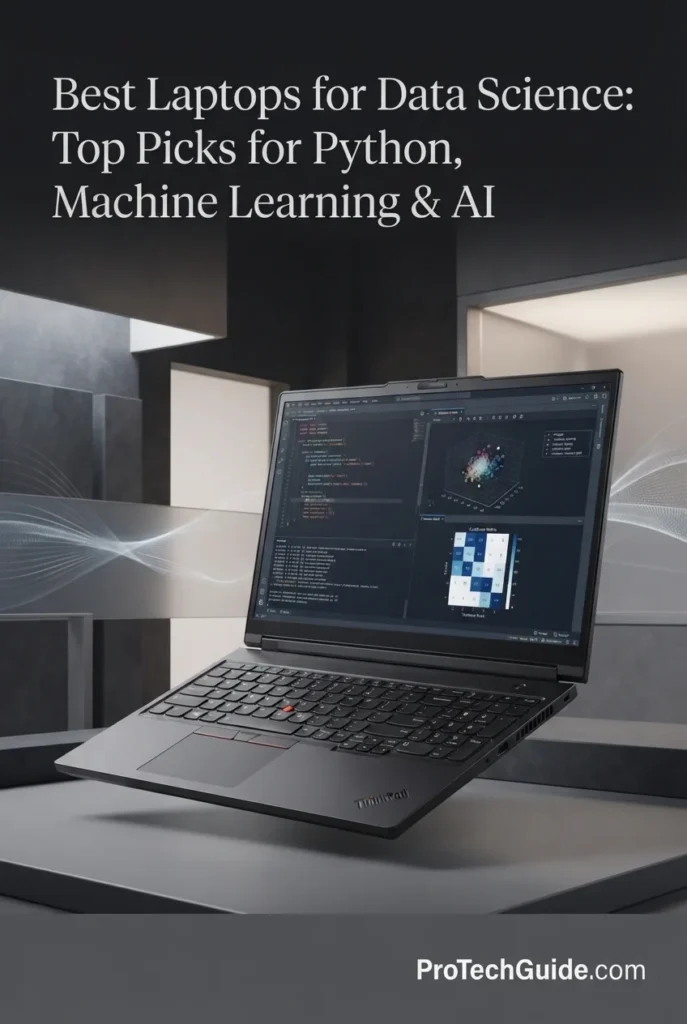
The Lenovo ThinkPad P16 Gen 3 with Intel Core Ultra 7 255HX, 64GB of DDR5 memory, NVIDIA RTX PRO 3000 Blackwell with 12GB GDDR7 VRAM, and a 2TB PCIe Gen5 SSD is our top recommendation for the best professional workstation for data science in 2026. Designed as a true mobile workstation, this configuration combines high CPU core counts, dedicated NVIDIA professional graphics, large system memory, fast Gen5 storage, extensive connectivity, and a high-resolution 16-inch display for demanding professional, enterprise, research, and AI development workloads.
The ThinkPad P16 Gen 3 earns our Best Professional Workstation for Data Science award because it combines the characteristics that distinguish a true mobile workstation from a conventional high-performance laptop. The combination of 64GB of RAM, a professional NVIDIA RTX PRO GPU, a high-core-count Intel processor, 2TB Gen5 storage, extensive expansion options, and enterprise-oriented features makes it exceptionally well suited to professional data science and AI development environments.
The 64GB of system memory is particularly valuable for advanced data science workflows. Large datasets, multiple Jupyter sessions, SQL databases, Python environments, containers, virtual machines, and development applications can consume substantial amounts of RAM. While 32GB is sufficient for many users, 64GB provides significantly more headroom for professional and research workloads.
The RTX PRO 3000 Blackwell with 12GB of GDDR7 VRAM adds another major advantage. Unlike an integrated GPU, it provides dedicated NVIDIA GPU memory and access to the CUDA ecosystem. This makes the ThinkPad P16 Gen 3 particularly attractive for professionals working with GPU-accelerated machine learning, AI development, computer vision, scientific computing, visualization, and other CUDA-enabled workloads.
This workstation is also a strong choice for users whose data science work intersects with other professional technical applications. Its workstation-oriented platform is designed to support demanding engineering, simulation, AI development, visualization, and professional software environments alongside traditional Python, Jupyter, SQL, machine learning, and analytics workflows.
Compared with the ASUS ROG Strix G16, the ThinkPad P16 Gen 3 prioritizes professional workstation characteristics, memory capacity, enterprise connectivity, expandability, security, and professional graphics rather than gaming-oriented performance. For enterprise teams, researchers, and professionals who want a dedicated mobile workstation for data science and AI development, that distinction makes the ThinkPad particularly compelling.
Key Features
- The NVIDIA RTX PRO 3000 Blackwell Laptop GPU provides dedicated GPU acceleration for professional AI, machine learning, visualization, scientific computing, and data science workloads.
- The configuration includes 12GB of GDDR7 VRAM, providing dedicated GPU memory for CUDA workloads, tensors, model parameters, and GPU-accelerated applications.
- The professional RTX PRO platform is designed for demanding technical and professional workloads rather than being focused exclusively on gaming.
- NVIDIA GPU acceleration provides access to the CUDA ecosystem used extensively across modern machine learning and scientific computing.
The RTX PRO 3000 is one of the defining characteristics of the ThinkPad P16 Gen 3. For data scientists, the dedicated NVIDIA GPU provides a hardware foundation for GPU-accelerated machine learning, deep learning, AI development, computer vision, scientific workloads, and visualization.
The Blackwell architecture and 12GB of dedicated GDDR7 VRAM provide a substantial GPU resource for local experimentation and professional workloads. GPU memory is particularly important when working with neural networks because model parameters, tensors, activations, and batches must fit within available VRAM for efficient GPU execution.
The RTX PRO designation also makes this system attractive to professionals who use the same workstation for data science and other technical applications, including engineering, simulation, visualization, and professional software.
- The system includes 64GB of DDR5 memory, providing substantial capacity for professional data science workloads.
- Large datasets can remain in system memory during analysis, reducing the need for constant storage access during memory-intensive operations.
- The capacity is well suited to multiple Jupyter notebooks, Python environments, SQL databases, containers, virtual machines, and development tools.
- 64GB provides considerably more headroom than typical 16GB and 32GB configurations for advanced professional workloads.
Memory capacity becomes increasingly important as data science workflows become more complex. A professional may simultaneously have a JupyterLab session, Python environment, database, browser, IDE, Docker containers, visualization tools, and large datasets open.
The 64GB configuration gives the ThinkPad P16 Gen 3 enough memory headroom for these scenarios while leaving room for larger analytical workloads. It is particularly useful for researchers and professionals who frequently manipulate large datasets locally rather than relying entirely on cloud infrastructure.
For most traditional data science users, 32GB can be sufficient. The advantage of 64GB becomes more apparent when datasets are large, multiple applications are running simultaneously, or the workflow involves virtual machines, containers, local AI, and other memory-intensive workloads.
- The NVIDIA RTX PRO GPU provides access to the CUDA ecosystem used by many machine learning and scientific computing frameworks.
- The system is well suited to development environments involving PyTorch, TensorFlow, JAX, CUDA libraries, RAPIDS, Python, Jupyter, and other GPU-accelerated tools.
- Windows 11 Pro provides a professional operating system environment with support for development tools, enterprise software, and Linux workflows through technologies such as WSL2.
- The workstation is designed for local AI development, model experimentation, data preparation, inference, and professional computational workflows.
For professional data scientists, CUDA compatibility can be a decisive factor when choosing hardware. A significant portion of the machine learning ecosystem has been developed around NVIDIA GPUs, making CUDA support especially important for users who depend on established GPU-accelerated libraries and workflows.
The ThinkPad P16 Gen 3 can therefore function as a local development platform for Python, JupyterLab, PyTorch, TensorFlow, SQL, scikit-learn, CUDA libraries, Docker, Git, and Linux-based development environments.
The workstation's role is especially compelling when data science intersects with AI engineering. Users can prepare datasets on the CPU, move suitable workloads to the RTX PRO GPU, train or fine-tune supported models, perform inference, and analyze results within a single mobile workstation.
- The Intel Core Ultra 7 255HX provides a high-performance mobile CPU platform with substantial multicore processing capability.
- The processor is well suited to data preprocessing, feature engineering, Python execution, compilation, statistical workloads, SQL processing, simulations, and multitasking.
- High CPU performance complements the dedicated NVIDIA GPU by handling data preparation and workloads that are not primarily GPU accelerated.
- The processor is also suitable for demanding professional applications beyond conventional data science.
A modern machine learning pipeline normally involves significant CPU work before GPU acceleration begins. Data must often be loaded, cleaned, transformed, encoded, joined, validated, and prepared before it can be passed to a model.
The high-performance Core Ultra 7 255HX gives the ThinkPad P16 Gen 3 substantial CPU resources for these workloads. It also provides the computational capacity required for compilation, simulations, statistical analysis, data processing, and running multiple applications simultaneously.
This CPU/GPU combination is particularly useful for professionals who want one workstation capable of handling both traditional CPU-heavy data science and GPU-accelerated AI workloads.
- The configuration includes a 2TB PCIe Gen5 Performance SSD, providing substantial high-speed local storage.
- The capacity is suitable for datasets, Python environments, databases, Jupyter projects, applications, model checkpoints, virtual machines, containers, and experiment results.
- PCIe Gen5 storage provides a high-performance foundation for large file transfers and storage-intensive professional workloads.
- The ThinkPad P16 Gen 3 platform provides additional storage expansion options for users who need more local capacity.
Data science storage requirements can increase rapidly. Local datasets, processed copies, model checkpoints, package caches, Docker images, virtual machines, and experiment outputs can consume hundreds of gigabytes over time.
The 2TB Gen5 SSD provides considerably more working space than entry-level configurations. This is especially valuable for researchers and developers who prefer to maintain active datasets and development environments locally.
Professionals working with extremely large datasets should still consider external high-speed storage, NAS systems, or cloud object storage. The advantage of the ThinkPad is that its connectivity and expansion capabilities make integrating these storage systems straightforward.
- The ThinkPad P16 Gen 3 is designed as a mobile workstation rather than a conventional consumer laptop.
- The platform is intended for demanding professional workloads including AI development, simulations, engineering applications, visualization, and complex computational tasks.
- The workstation design is appropriate for long development sessions and sustained computational workloads.
- The system includes professional-oriented features such as MIL-STD-810H testing, ThinkShield security, and a spill-resistant keyboard.
For professional data science, workstation design can matter as much as raw benchmark performance. Enterprise users may require reliability, security, professional support, connectivity, and compatibility with specialized software.
The ThinkPad P16 Gen 3 is designed around that professional requirement. Its combination of workstation-class hardware and business-oriented features makes it suitable for research labs, engineering teams, enterprise data science departments, universities, and professional development environments.
This is one of the major differences between the P16 Gen 3 and gaming-focused laptops. The ThinkPad is designed to serve as a professional technical workstation first, making it particularly attractive when data science is part of a broader engineering or enterprise workflow.
- The 16-inch IPS display provides a high-resolution 3840 × 2400 WQUXGA workspace with a 16:10 aspect ratio.
- The high pixel density provides substantial detail for data visualization, dashboards, charts, tables, code, notebooks, and professional applications.
- The display offers 100% DCI-P3 coverage and up to 800 nits brightness according to the supplied configuration.
- The panel includes X-Rite factory color calibration, making it particularly useful for professionals who require consistent visual output.
A high-resolution display can significantly improve the working experience for data scientists who spend much of their day reading code, inspecting datasets, building dashboards, and analyzing visualizations.
The 3840 × 2400 resolution provides substantially more pixel workspace than a standard 1920 × 1200 panel. This allows professionals to display more information simultaneously, although operating-system scaling may be desirable to keep text and interface elements comfortable at this resolution.
The 100% DCI-P3 coverage and factory calibration also make the display particularly attractive for users whose data science workflow includes professional visualization, imaging, or other color-sensitive technical work.
- The workstation includes Thunderbolt 5, Thunderbolt 4, USB, HDMI 2.1, 2.5Gb Ethernet, Wi-Fi 7, Bluetooth, and an SD Express card reader.
- The extensive port selection supports multiple external displays, high-speed storage, docking stations, networking equipment, and specialized peripherals.
- The 2.5Gb Ethernet connection is useful for high-speed local networks, NAS systems, enterprise infrastructure, and large dataset transfers.
- Thunderbolt connectivity provides a flexible interface for professional docks, external storage, displays, and other high-bandwidth accessories.
Professional data science environments frequently extend beyond the laptop itself. Researchers and enterprise developers may work with NAS storage, remote servers, external displays, laboratory equipment, high-speed networks, and cloud infrastructure.
The ThinkPad P16 Gen 3's extensive connectivity makes it particularly well suited to these environments. Its combination of Thunderbolt, HDMI, 2.5Gb Ethernet, Wi-Fi 7, USB, and SD Express provides considerably more flexibility than a minimalist ultraportable design.
This makes the P16 Gen 3 a particularly strong choice for professionals who want a laptop that can transition between mobile data science development and a fully equipped workstation environment at a desk.
Lenovo Legion Pro 7i Gen 10
Best for GPU-Accelerated Machine Learning, CUDA, Deep Learning, Data Processing & AI Workloads

The Lenovo Legion Pro 7i Gen 10 with the Intel Core Ultra 9 275HX, NVIDIA GeForce RTX 5080 Laptop GPU, 64GB DDR5 memory, and 2TB SSD is our top recommendation for the best laptop for GPU-accelerated data science in 2026. Its RTX 5080 with 16GB of dedicated VRAM provides the GPU acceleration required for demanding machine learning, deep learning, CUDA, data processing, model inference, and AI development workloads. Combined with a high-performance Core Ultra 9 processor, 64GB of system memory, dual-SSD storage, advanced cooling, and a high-resolution OLED display, the Legion Pro 7i provides a powerful platform for developers who want substantial GPU performance without moving to a dedicated professional workstation.
The Lenovo Legion Pro 7i Gen 10 earns our Best Laptop for GPU-Accelerated Data Science award because it combines a high-performance NVIDIA GPU with 16GB of dedicated VRAM, CUDA compatibility, 64GB of system memory, a powerful Core Ultra 9 processor, and a high-performance thermal design. This makes it particularly attractive for data scientists and developers whose workloads extend beyond traditional CPU-based analysis into machine learning, deep learning, computer vision, AI inference, and other GPU-accelerated workloads.
The Legion Pro 7i also provides a more balanced high-performance configuration than laptops that focus exclusively on maximum GPU specifications. Its 64GB of DDR5 memory and 2TB of storage provide substantial capacity for datasets, notebooks, development environments, containers, models, and simultaneous applications, while the RTX 5080 handles CUDA-accelerated workloads. For users who want a powerful Windows laptop capable of handling both conventional data science and serious GPU-accelerated workloads, the Legion Pro 7i is one of the strongest choices in this guide.
Key Features
The NVIDIA GeForce RTX 5080 is the defining feature of this Legion Pro 7i configuration. Unlike laptops that rely on integrated graphics, it provides a dedicated GPU designed for highly parallel workloads, making it particularly valuable for machine learning, deep learning, computer vision, and AI development.
- RTX 5080 Laptop GPU: High-end NVIDIA GPU designed for demanding compute and graphics workloads.
- 16GB dedicated GDDR7 VRAM: Provides substantial GPU memory for neural-network models, tensors, batches, and intermediate computations.
- CUDA acceleration: Provides access to the established NVIDIA CUDA ecosystem used by many machine learning and scientific-computing frameworks.
- GPU-accelerated workflows: Particularly useful for PyTorch, TensorFlow, computer vision, deep learning, and other workloads capable of leveraging CUDA.
- More GPU headroom: 16GB of VRAM gives this configuration more capacity for local AI experimentation than many mainstream laptop GPUs with smaller memory pools.
For traditional pandas, NumPy, SQL, and scikit-learn workloads, the GPU is not always the limiting factor. Its value becomes much more apparent when the workload can actually execute on the CUDA-enabled GPU.
GPU memory is one of the most important specifications for modern AI development. The Legion Pro 7i's 16GB of dedicated GDDR7 VRAM gives data scientists meaningful capacity for local model development, experimentation, and inference.
- Deep learning: More VRAM allows larger models, batches, and intermediate tensors to remain on the GPU.
- Computer vision: Useful for GPU-accelerated image processing and neural-network training.
- Local AI: Provides additional memory capacity for running and experimenting with compatible local models.
- Model experimentation: More VRAM can reduce the need to immediately move workloads to cloud GPUs for smaller and medium-scale experiments.
The important distinction is that 16GB of VRAM is dedicated GPU memory. It is separate from the system's 64GB of DDR5 RAM, giving the machine two distinct memory pools for CPU and GPU workloads.
However, 16GB should not be interpreted as enough memory for every modern AI model. Large language models and large-scale training workloads can require substantially more VRAM and may still benefit from multi-GPU systems or cloud infrastructure.
The Legion Pro 7i is particularly attractive for data scientists who want a conventional NVIDIA CUDA development environment. CUDA support is important because many machine learning frameworks and scientific libraries can use NVIDIA GPUs to accelerate computationally intensive operations.
- CUDA: Provides the GPU computing foundation used by a broad range of AI and scientific workloads.
- PyTorch: Suitable for GPU-accelerated neural-network development, experimentation, and training.
- TensorFlow: Provides access to NVIDIA GPU acceleration for compatible workflows.
- Jupyter: The large display and high-end hardware are well suited to interactive notebooks and iterative model development.
- Python ecosystem: Compatible with NumPy, pandas, SciPy, scikit-learn, visualization libraries, and other common data-science tools.
Windows users can also use WSL2 to create a Linux-oriented development environment while retaining Windows 11 as the primary operating system. This can be especially useful for developers who use Linux-based tooling, containers, or command-line workflows alongside Windows applications.
The Intel Core Ultra 9 275HX provides the CPU performance required for the large amount of work that still occurs outside the GPU in modern data-science pipelines.
- Data preprocessing: High CPU performance helps with data cleaning, transformation, feature engineering, and preparation before model training.
- Python workloads: Supports demanding development environments and CPU-intensive Python libraries.
- Parallel workloads: High core and thread capacity is useful for workloads that can efficiently distribute computation across CPU resources.
- Machine learning pipelines: Helps handle data loading, preprocessing, orchestration, and other CPU-side operations while the GPU handles accelerated computation.
This CPU/GPU combination is particularly valuable in end-to-end workflows where the system alternates between CPU-bound data preparation and GPU-accelerated model computation.
The combination of 64GB of DDR5 memory and 2TB of NVMe SSD storage gives the Legion Pro 7i the capacity required for demanding local development environments.
- 64GB DDR5: Provides substantial headroom for large DataFrames, multiple notebooks, IDEs, browsers, containers, and development tools running simultaneously.
- Large datasets: More system memory can reduce reliance on slower disk-based operations when datasets and intermediate objects become large.
- 2TB NVMe storage: Provides room for datasets, Python environments, source code, model checkpoints, Docker images, and local AI models.
- Dual M.2 support: The platform supports two SSDs, providing a practical path for expanding storage or separating workloads across drives.
64GB is more capacity than most students and general-purpose data scientists require, but it becomes increasingly useful when working with large datasets, multiple environments, virtualization, containers, or machine learning workloads simultaneously.
GPU-accelerated data science can place sustained loads on both the CPU and GPU rather than producing short bursts of activity. The Legion Pro 7i's performance-oriented thermal design is therefore relevant to machine learning workloads that involve extended training, inference, rendering, or data-processing sessions.
- Sustained performance: Designed around the thermal requirements of a high-performance CPU and RTX 5080 GPU.
- High-power hardware: The system is designed to deliver substantially more compute performance than thin-and-light laptops.
- Long training sessions: Appropriate for workloads that keep the GPU under significant utilization for extended periods.
- Performance-oriented chassis: The larger cooling solution helps accommodate hardware that would be difficult to sustain in a thin ultraportable design.
For data scientists, the benefit is not simply peak benchmark performance. Sustained thermal performance matters when a model takes hours to train or when a preprocessing and inference pipeline runs continuously.
The Legion Pro 7i's 16-inch 2560 × 1600 OLED display provides a high-quality workspace for notebooks, dashboards, charts, code, and technical documentation.
- 2560 × 1600 resolution: Provides significantly more workspace than a standard 1080p panel.
- 16:10 aspect ratio: Adds useful vertical space for Jupyter notebooks, IDEs, terminals, and data tables.
- OLED technology: Delivers high contrast and deep blacks that make visualizations and interfaces particularly crisp.
- 100% DCI-P3: Provides a wide color gamut useful for accurate visualization and content work.
- 240Hz refresh rate: Primarily beneficial for gaming, but also produces exceptionally smooth scrolling and desktop interaction.
For data science, the most important aspects are the resolution, aspect ratio, contrast, and workspace. The 240Hz refresh rate is an additional benefit rather than a core requirement for Python or machine learning development.
A modern data-science workstation often connects to external monitors, storage, networking equipment, development peripherals, and other devices. The Legion Pro 7i provides a broad selection of connectivity options for these workflows.
- Wi-Fi 7: Provides a modern high-speed wireless networking standard for compatible networks.
- Gigabit Ethernet: Useful for stable high-speed connections to local networks, servers, NAS devices, and development infrastructure.
- USB-C: Supports high-speed data transfer and display connectivity, with one USB-C port also supporting Power Delivery.
- HDMI 2.1: Provides connectivity for compatible external displays and other HDMI devices.
- Multiple USB-A ports: Useful for keyboards, mice, external storage, development hardware, and other peripherals.
Combined with Windows 11 and the ability to use Linux-oriented workflows through WSL2, the connectivity and platform flexibility make the Legion Pro 7i practical as a fixed desktop replacement for a data scientist or ML developer.
Razer Blade 16 (2026) RTX 5090
Best for Deep Learning, CUDA, AI Model Training, Inference & GPU-Accelerated Workloads

The Razer Blade 16 (2026) with the Intel Core Ultra 9 386H, NVIDIA GeForce RTX 5090 Laptop GPU, 64GB memory, and 2TB PCIe 4.0 SSD is our top recommendation for the best laptop for deep learning in 2026. Its RTX 5090 is the defining component for demanding AI workloads, providing 24GB of dedicated GDDR7 VRAM and up to 165W TGP for substantial GPU acceleration. Combined with NVIDIA CUDA support, 64GB of system memory, a high-performance Intel processor, vapor chamber cooling, and a 16-inch QHD+ OLED display, the Blade 16 provides a powerful platform for deep learning development, model training, fine-tuning, inference, computer vision, generative AI experimentation, and other GPU-intensive workloads.
The Razer Blade 16 earns our Best Laptop for Deep Learning award because its RTX 5090 configuration combines 24GB of dedicated GDDR7 VRAM, CUDA support, up to 165W TGP, 64GB of system memory, and a high-performance cooling system. For deep learning workloads, GPU memory can become a major constraint as models, batch sizes, input resolutions, and computational requirements increase. The 24GB VRAM configuration therefore gives the Blade 16 substantial headroom for serious laptop-based AI development.
The Blade 16 is also differentiated by its combination of flagship GPU performance and a relatively thin CNC-milled aluminum design. The 64GB memory configuration provides strong capacity for development environments and large datasets, while the 2TB SSD and dual-M.2 design provide useful storage flexibility. For developers who prioritize deep learning, CUDA acceleration, GPU memory, and portability without moving to a desktop workstation, the Razer Blade 16 is one of the strongest choices in this guide.
Key Features
Dell XPS 16 Premium
Best for Premium Windows Data Science, Python, Jupyter, Data Analysis & Professional Productivity

The Dell XPS 16 Premium with the Intel Core Ultra 9 285H, NVIDIA GeForce RTX 5060, 32GB DDR5 memory, and 1TB SSD is our top recommendation for the best premium Windows laptop for data science in 2026. It combines a high-performance 16-core processor, dedicated NVIDIA graphics, fast DDR5 memory, a high-resolution 16.3-inch OLED touchscreen, Windows 11 Pro, and premium connectivity in a refined portable design. This makes it particularly well suited to Python development, Jupyter notebooks, pandas, NumPy, SQL, data analysis, visualization, programming, productivity, and GPU-assisted AI workloads.
The Dell XPS 16 Premium earns our Best Premium Windows Laptop for Data Science award because it combines the components that matter most for a professional Windows data science environment: a powerful Core Ultra 9 processor, 32GB of fast memory, dedicated NVIDIA graphics, a high-resolution OLED display, Windows 11 Pro, and modern connectivity. It is not designed to replace the RTX 5080 or RTX 5090 systems in this guide for intensive deep learning, but it offers a more balanced premium platform for everyday data science and professional development.
For users whose work centers primarily on Python, Jupyter, pandas, NumPy, SQL, visualization, statistical analysis, programming, and productivity, the XPS 16 provides a polished Windows environment without requiring the extreme GPU hardware of the Legion Pro 7i or Razer Blade 16. The combination of the 32GB memory configuration, RTX 5060, 4K-class OLED touchscreen, Windows 11 Pro, and premium design makes it particularly compelling for professionals who want one high-end laptop for both data science and broader business or creative workflows.
Key Features
13-inch MacBook Air M5
Best for Data Science Students, Python, Jupyter, pandas, Data Analysis & Everyday AI Workloads

The 13-inch MacBook Air with the Apple M5 chip, 24GB of unified memory, and 512GB SSD is our top recommendation for the best laptop for data science students in 2026. Its combination of low weight, long battery life, efficient Apple silicon performance, and 24GB of unified memory makes it particularly well suited to students working with Python, Jupyter notebooks, pandas, NumPy, SQL, data visualization, statistics, and introductory machine learning. It provides enough memory for serious coursework and development without the size and weight of a professional workstation.
The 13-inch MacBook Air earns our Best Laptop for Data Science Students award because students generally need a different balance of capabilities than professional machine learning engineers. The combination of 24GB unified memory, M5 performance, 512GB SSD storage, long battery life, silent operation, and a compact 13.6-inch design makes it an especially practical platform for learning Python, working in Jupyter, analyzing datasets, building visualizations, using SQL, and completing university data science projects.
Its biggest advantage is not raw benchmark performance, but the balance between computing capability and portability. The 24GB memory configuration gives students meaningful headroom for multitasking and larger notebooks, while the M5 platform handles everyday data-processing and development workloads efficiently. However, this is not the machine we would choose for students whose primary goal is intensive CUDA-based deep learning or large local model training; those workloads are better served by the NVIDIA-equipped laptops higher in this guide.
Key Features
ASUS Vivobook S16
Best for Python, Jupyter, Data Analysis, Statistics, Programming & Everyday AI Workloads

The ASUS Vivobook S16 with the Intel Core Ultra 9 386H processor, 32GB of DDR5 memory, 1TB SSD, and 16-inch WUXGA OLED display is our recommendation for the best value laptop for data science in 2026. Instead of focusing exclusively on maximum GPU performance, this configuration delivers the combination of CPU performance, 32GB of system memory, fast storage, a large 16:10 OLED display, long battery life, and portability that matters for everyday data science workflows. It is particularly well suited to Python, Jupyter, pandas, NumPy, SQL, statistics, data visualization, programming, coursework, and general AI-assisted productivity.
The ASUS Vivobook S16 earns our Best Value Laptop for Data Science award because it focuses on the components that many data science users actually use every day: a strong CPU, 32GB of RAM, fast SSD storage, a large high-quality display, and long battery life. For Python development, Jupyter notebooks, pandas, NumPy, SQL, statistics, exploratory data analysis, visualization, and programming, this is a more balanced configuration than a laptop that spends much of its budget on an extremely powerful dedicated GPU.
The main limitation is its integrated Intel Arc graphics. The Vivobook S16 is not designed to replace the NVIDIA RTX 5070 Ti, RTX 5080, or RTX 5090 systems in this guide for CUDA-based machine learning or serious local deep learning training. Instead, its value comes from providing 32GB of memory, a powerful Core Ultra 9 processor, 1TB of storage, a spacious OLED display, and excellent mobility for conventional data science and programming workloads at a more balanced overall specification.
Key Features
Best Laptops for Data Science in 2026
Ranked by Python Performance, RAM Capacity, Data Processing, Jupyter Workflows, Machine Learning, AI Capability & Overall Value
Choosing the best laptop for data science depends on much more than raw CPU or GPU performance. Python development, Jupyter notebooks, pandas, NumPy, SQL, statistical analysis, data visualization, large datasets, machine learning, deep learning, and AI workloads can place very different demands on a laptop. We evaluated these eight systems based on CPU performance, memory capacity, storage, GPU capability, Python and development workflows, machine learning support, display quality, battery life, portability, connectivity, and overall value to help students, data analysts, developers, researchers, and data scientists choose the right laptop for their workload in 2026.
| Laptop | CPU & Key Specs | Best For | Why It Wins | Editor's Verdict |
|---|---|---|---|---|
Best Overall
Apple MacBook Pro 16-inch M5 Max
Check Price | Apple M5 Max 18-core CPU / 40-core GPU 128GB Unified Memory 2TB SSD 16.2" Liquid Retina XDR | Python & Jupyter Large Datasets Data Analysis Machine Learning & AI | Combines powerful CPU and GPU performance with an exceptional 128GB unified memory configuration, making it particularly capable for memory-intensive data science workflows, large datasets, Python development, local AI experimentation, visualization, and professional multitasking. | Best Overall Laptop for Data Science |
Best for CUDA
ASUS ROG Strix G16 RTX 5070 Ti
Check Price | AMD Ryzen 9 8940HX NVIDIA GeForce RTX 5070 Ti 12GB GDDR7 32GB DDR5 1TB PCIe SSD 16" 1920x1200 165Hz | Machine Learning CUDA Development PyTorch & TensorFlow GPU-Accelerated Data Science | Its RTX 5070 Ti provides 12GB of dedicated GDDR7 VRAM and up to 140W of GPU power, creating a strong CUDA platform for machine learning, deep learning, GPU-accelerated data processing, and AI development while the Ryzen 9 8940HX handles CPU-intensive workloads. | Best Laptop for CUDA & Machine Learning |
Best Professional
Lenovo ThinkPad P16 Gen 3
Check Price | Intel Core Ultra 7 255HX NVIDIA RTX PRO 3000 Blackwell 12GB GDDR7 64GB DDR5-4400 2TB PCIe Gen 5 SSD 16" 3840x2400 IPS 800 nits | Professional Data Science Large Datasets Research & AI Development Engineering Workflows | Combines 64GB of system memory, professional RTX PRO Blackwell graphics, fast Gen5 storage, a color-accurate 4K display, extensive connectivity, and workstation-oriented features for demanding professional and research environments. | Best Professional Data Science Workstation |
Best GPU Performance
Lenovo Legion Pro 7i Gen 10
Check Price | Intel Core Ultra 9 275HX NVIDIA GeForce RTX 5080 16GB GDDR7 64GB DDR5-6400 2TB SSD 16" 2560x1600 OLED 240Hz | GPU-Accelerated Data Science Machine Learning CUDA Workloads AI Development | Delivers a powerful combination of RTX 5080 graphics with 16GB of dedicated GDDR7 memory, 64GB of system RAM, fast storage, a high-refresh OLED display, and a performance-oriented thermal design for demanding GPU-accelerated workloads. | Best Laptop for GPU-Accelerated Data Science |
Best for Deep Learning
Razer Blade 16 (2026) RTX 5090
Check Price | Intel Core Ultra 9 386H NVIDIA GeForce RTX 5090 24GB GDDR7 64GB LPDDR5X-9600 2TB PCIe Gen 4 SSD 16" 2560x1600 OLED 240Hz | Deep Learning CUDA Development AI Model Training Local AI Inference | Combines RTX 5090 graphics with 24GB of dedicated GDDR7 VRAM and up to 165W TGP in a premium 16-inch chassis, providing substantial GPU capacity for deep learning, AI development, model training, inference, and other CUDA-accelerated workloads. | Best Laptop for Deep Learning |
Best Premium Windows
Dell XPS 16 Premium
Check Price | Intel Core Ultra 9 285H NVIDIA GeForce RTX 5060 8GB GDDR7 32GB DDR5-7467 1TB PCIe SSD 16.3" 3840x2400 OLED 120Hz Touch | Premium Windows Data Science Python & Jupyter Data Analysis Productivity | Combines a powerful Core Ultra 9 processor, 32GB of fast DDR5 memory, RTX 5060 graphics, 1TB storage, a high-resolution 4K OLED touchscreen, Windows 11 Pro, and premium connectivity in a polished professional design. | Best Premium Windows Laptop for Data Science |
Best for Students
13-inch MacBook Air M5
Check Price | Apple M5 24GB Unified Memory 512GB SSD 13.6" Liquid Retina Display Up to 18 Hours Battery Life | Data Science Students Python & Jupyter Data Analysis Portable Development | Combines M5 performance, 24GB of unified memory, long battery life, silent operation, and a compact 13.6-inch design, making it particularly practical for students learning Python, working with Jupyter notebooks, analyzing datasets, and completing data science coursework. | Best Laptop for Data Science Students |
Best Value
ASUS Vivobook S16 (2026)
Check Price | Intel Core Ultra 9 386H Intel Arc Graphics 32GB DDR5 1TB SSD 16" 1920x1200 OLED 16:10 | Python & Jupyter Data Analysis Programming Everyday AI Workloads | Provides a balanced combination of Core Ultra 9 CPU performance, 32GB of system memory, 1TB storage, a spacious 16:10 OLED display, long battery life, and a portable design for conventional data science and programming workloads. | Best Value Laptop for Data Science |
Recommended Next Reads
Still deciding which laptop is right for your data science workflow? Explore our related guides covering AI development, laptop GPU performance, programming, Apple silicon, and student-focused workloads.
Whether you're working with Python and Jupyter notebooks, analyzing large datasets, developing machine learning models, experimenting with local AI, comparing NVIDIA laptop GPUs, or choosing a laptop for programming and college, these guides can help you understand the hardware behind different data science workflows.
Best Laptops for AI Development in 2026: Top Picks for AI, ML & Local LLMs
Take the next step from data science into AI development with our broader guide covering machine learning, AI programming, local LLMs, GPU performance, memory requirements, and demanding development workflows.
Explore AI Development Laptops →RTX 5060 vs RTX 5070 Ti vs RTX 5080 Laptop GPUs in 2026
Understand how NVIDIA laptop GPUs compare in VRAM, performance, power, and overall capability when choosing hardware for machine learning, deep learning, AI development, and other GPU-accelerated workloads.
Compare Laptop GPUs → Software Development8 Best Laptops for Software Developers in 2026: Expert Picks for Coding & Development
Explore powerful developer laptops for Python programming, large codebases, development environments, multitasking, virtualization, and professional workflows that frequently overlap with data science and machine learning development.
Explore Developer Laptops → Apple & Data ScienceBest M5 MacBooks in 2026: 6 Apple Laptops Ranked for Every User
Compare Apple's latest M5 MacBooks and discover which configurations make the most sense for Python development, high-memory data science workloads, local AI experimentation, productivity, and demanding applications.
Explore M5 MacBooks → Students & ProgrammingBest Laptops for Computer Science Students (2026): Top Picks for Coding, AI & College
Explore student-focused laptops for programming, Python development, AI coursework, multitasking, and college workloads, including practical options for students building a foundation in computer science and data science.
Explore Student Laptops →EDITOR'S FINAL RECOMMENDATIONS
After comparing CPU performance, system memory, storage, Python and Jupyter workflows, data processing, machine learning capability, GPU acceleration, CUDA compatibility, display quality, thermals, portability, connectivity, and overall value, these are our final laptop recommendations for data science in 2026. Whether you're working with Python, pandas, NumPy, SQL, statistical analysis, data visualization, scikit-learn, machine learning, deep learning, or AI workloads, the right laptop depends heavily on the type and scale of data science work you plan to perform.
Apple MacBook Pro 16-inch M5 Max
The strongest overall choice for professional data science workflows that span Python development, Jupyter notebooks, pandas, NumPy, SQL, statistical analysis, data visualization, machine learning, and local AI experimentation. Its M5 Max platform combines an 18-core CPU and 40-core GPU with an exceptional 128GB unified memory configuration, providing substantial capacity for memory-intensive workloads, large datasets, multitasking, development environments, and local experimentation. CUDA-specific workflows remain better suited to NVIDIA-powered laptops.
- ✓ Apple M5 Max 18-core CPU / 40-core GPU
- ✓ 128GB Unified Memory
- ✓ 2TB SSD
- ✓ 16.2" Liquid Retina XDR Display
ASUS ROG Strix G16 RTX 5070 Ti
The strongest choice for data scientists and developers who specifically need NVIDIA CUDA acceleration for machine learning, deep learning, PyTorch, TensorFlow, computer vision, and GPU-accelerated data processing. Its RTX 5070 Ti provides 12GB of dedicated GDDR7 VRAM and up to 140W of GPU power, while the Ryzen 9 8940HX and 32GB of DDR5 memory provide a strong foundation for data preparation, preprocessing, development environments, and multitasking.
- ✓ NVIDIA RTX 5070 Ti 12GB GDDR7
- ✓ AMD Ryzen 9 8940HX
- ✓ Up to 140W GPU Power
- ✓ 32GB DDR5 Memory
Lenovo ThinkPad P16 Gen 3 RTX PRO 3000
The strongest choice for professional data scientists, researchers, engineers, and enterprise users who need a workstation-oriented platform rather than a gaming-focused laptop. Its RTX PRO 3000 Blackwell GPU provides 12GB of dedicated GDDR7 memory, while 64GB of DDR5 memory, a 2TB PCIe Gen 5 SSD, a high-resolution WQUXGA display, professional connectivity, and workstation-focused features create a strong foundation for large datasets, AI development, visualization, engineering, and multidisciplinary technical workflows.
- ✓ NVIDIA RTX PRO 3000 Blackwell 12GB GDDR7
- ✓ Intel Core Ultra 7 255HX
- ✓ 64GB DDR5 Memory
- ✓ 2TB PCIe Gen5 SSD
Lenovo Legion Pro 7i Gen 10 RTX 5080
The best performance-focused choice for data scientists who want substantial NVIDIA GPU acceleration without moving all the way to the RTX 5090 class. Its RTX 5080 provides 16GB of dedicated GDDR7 VRAM, while the Core Ultra 9 275HX, 64GB of DDR5 memory, 2TB storage, and performance-oriented thermal design create a well-balanced platform for CUDA development, machine learning experimentation, deep learning, data processing, and demanding AI workloads.
- ✓ NVIDIA RTX 5080 16GB GDDR7
- ✓ Intel Core Ultra 9 275HX
- ✓ 64GB DDR5-6400 Memory
- ✓ 2TB SSD Storage
Razer Blade 16 (2026) RTX 5090
The premium choice for data scientists and AI developers who need flagship NVIDIA GPU performance for deep learning, model training, inference, computer vision, and other demanding CUDA workloads. Its RTX 5090 provides 24GB of dedicated GDDR7 VRAM and up to 165W TGP, while 64GB of LPDDR5X-9600 memory, a 2TB SSD, vapor-chamber cooling, and a high-quality 16-inch OLED display create a powerful platform for intensive GPU-accelerated data science.
- ✓ NVIDIA RTX 5090 24GB GDDR7
- ✓ Intel Core Ultra 9 386H
- ✓ 64GB LPDDR5X-9600 Memory
- ✓ 16" QHD+ OLED 240Hz Display
Dell XPS 16 Premium RTX 5060
The best premium Windows choice for data scientists who prioritize a polished professional laptop alongside strong everyday data science performance. Its Core Ultra 9 285H processor, RTX 5060 with 8GB of GDDR7 memory, 32GB of DDR5-7467 memory, 1TB SSD, and 16.3-inch 4K OLED touchscreen make it particularly well suited to Python, Jupyter, pandas, NumPy, SQL, data visualization, programming, productivity, and moderate GPU-accelerated workloads.
- ✓ Intel Core Ultra 9 285H
- ✓ NVIDIA RTX 5060 8GB GDDR7
- ✓ 32GB DDR5-7467 Memory
- ✓ 16.3" 4K OLED Touchscreen
13-inch MacBook Air M5
The best portable choice for students learning Python, Jupyter, pandas, NumPy, SQL, statistics, data visualization, and introductory machine learning. Its M5 processor, 24GB of unified memory, 512GB SSD, compact 13.6-inch design, silent operation, and long battery life make it particularly practical for university coursework, notebooks, programming assignments, data analysis, and everyday productivity. It is not intended to replace NVIDIA systems for demanding CUDA-based deep learning.
- ✓ Apple M5 Processor
- ✓ 24GB Unified Memory
- ✓ 512GB SSD
- ✓ 13.6" Liquid Retina Display
ASUS Vivobook S16 (2026)
The best value-oriented choice for conventional data science and programming workloads where CPU performance, memory capacity, display space, and portability matter more than dedicated NVIDIA GPU acceleration. Its Core Ultra 9 386H, 32GB of DDR5 memory, 1TB SSD, Intel Arc graphics, and 16-inch 16:10 OLED display provide a balanced platform for Python, Jupyter, pandas, NumPy, SQL, statistical analysis, visualization, programming, and everyday AI-assisted workflows.
- ✓ Intel Core Ultra 9 386H
- ✓ Intel Arc Graphics
- ✓ 32GB DDR5 Memory
- ✓ 1TB SSD
Which laptop should a data scientist buy?
Apple MacBook Pro 16-inch M5 Max
ASUS ROG Strix G16 RTX 5070 Ti
Lenovo ThinkPad P16 Gen 3 RTX PRO 3000
Lenovo Legion Pro 7i Gen 10 RTX 5080
Razer Blade 16 RTX 5090
Dell XPS 16 Premium RTX 5060
13-inch MacBook Air M5
ASUS Vivobook S16
- Choose the Apple MacBook Pro 16-inch M5 Max if you want the strongest overall platform for professional data science, Python, Jupyter, large datasets, data analysis, visualization, multitasking, and local AI experimentation. Its 128GB unified memory configuration gives it exceptional capacity for memory-intensive workflows, although it is not a CUDA-equivalent platform to NVIDIA GPUs.
- Choose the ASUS ROG Strix G16 RTX 5070 Ti if your data science workflow specifically depends on NVIDIA CUDA, PyTorch, TensorFlow, computer vision, or GPU-accelerated machine learning. Its 12GB of dedicated GDDR7 VRAM and high-power GPU configuration make it a particularly strong choice for developers entering serious GPU-based ML workloads.
- Choose the Lenovo ThinkPad P16 Gen 3 RTX PRO 3000 if you need a professional mobile workstation for data science alongside research, engineering, visualization, simulation, or enterprise workloads. Its 64GB of system memory, professional RTX PRO graphics, Gen5 storage, workstation design, and professional connectivity make it especially well suited to multidisciplinary environments.
- Choose the Lenovo Legion Pro 7i Gen 10 RTX 5080 if GPU acceleration is a major priority and you want a strong balance between graphics performance, memory, storage, and overall system capability. Its 16GB of dedicated GDDR7 VRAM and 64GB of DDR5 memory provide substantial capacity for demanding machine learning and AI workloads.
- Choose the Razer Blade 16 RTX 5090 if deep learning, model training, inference, and CUDA workloads are your primary concerns and you want flagship GPU performance in a premium 16-inch chassis. Its 24GB of dedicated GDDR7 VRAM provides substantial GPU memory for demanding workloads, although even 24GB does not guarantee that every large AI model can run entirely in GPU memory.
- Choose the Dell XPS 16 Premium if you want a premium Windows environment for Python, Jupyter, data analysis, visualization, programming, productivity, and moderate GPU-accelerated workloads. Its 4K OLED touchscreen, Core Ultra 9 processor, 32GB memory, and RTX 5060 create a polished all-around professional platform.
- Choose the 13-inch MacBook Air M5 if you're a student who values portability, battery life, silent operation, and enough performance for Python, Jupyter, data analysis, statistics, and introductory machine learning. Its 24GB unified memory gives it useful headroom for multitasking and development while keeping the system compact.
- Choose the ASUS Vivobook S16 if you want strong conventional data science performance without paying for a dedicated high-end NVIDIA GPU. Its Core Ultra 9 386H, 32GB of DDR5 memory, 1TB SSD, and 16-inch OLED display make it a practical value-oriented platform for Python, Jupyter, pandas, NumPy, SQL, visualization, programming, and everyday AI-assisted workflows.
EDITOR'S FINAL VERDICT
After comparing CPU performance, system memory, storage capacity, Python and Jupyter workflows, data processing, machine learning capability, GPU acceleration, CUDA compatibility, display quality, thermals, portability, professional features, and overall value, one conclusion stands out:The best laptop for data science is not necessarily the laptop with the fastest processor or most powerful GPU. It is the system that provides the right balance of CPU performance, memory capacity, storage, software compatibility, display quality, portability, and GPU capability for the type of data science work you actually plan to perform.
Data science workloads can vary dramatically. Some users primarily work with Python, Jupyter notebooks, pandas, NumPy, SQL, statistics, visualization, and structured datasets, while others move into scikit-learn, machine learning, deep learning, computer vision, or local AI. Developers who rely on cloud GPUs have different hardware requirements from those who need to process datasets, run notebooks, and experiment with models directly on their laptop.
For most data science workflows, the most important specifications are usually CPU performance, system RAM, fast SSD storage, software compatibility, display quality, and sustained thermal performance. GPU capability becomes increasingly important when your workflow includes CUDA, PyTorch, TensorFlow, deep learning, computer vision, or local AI. NPU TOPS can accelerate specific on-device AI features, but it should not be treated as a substitute for dedicated GPU acceleration when your workload depends on CUDA or demanding local model execution.- Choose the Apple MacBook Pro 16-inch M5 Max if you want the strongest overall platform for professional data science, Python, Jupyter, pandas, NumPy, SQL, statistical analysis, visualization, large datasets, multitasking, and local AI experimentation. Its 128GB unified memory configuration provides exceptional capacity for memory-intensive workflows, although it is not a CUDA-equivalent platform to NVIDIA GPUs.
- Choose the ASUS ROG Strix G16 RTX 5070 Ti if your data science workflow depends heavily on NVIDIA CUDA, PyTorch, TensorFlow, computer vision, deep learning, or GPU-accelerated data processing. Its RTX 5070 Ti provides 12GB of dedicated GDDR7 VRAM and up to 140W of GPU power, making it a strong platform for users moving from conventional data science into serious machine learning workloads.
- Choose the Lenovo ThinkPad P16 Gen 3 RTX PRO 3000 if you need a professional mobile workstation for data science alongside research, engineering, simulation, visualization, CAD, or enterprise workloads. Its professional RTX PRO graphics, 64GB of DDR5 memory, 2TB Gen5 SSD, workstation-oriented design, ISV certifications, and extensive connectivity make it particularly well suited to multidisciplinary technical environments.
- Choose the Lenovo Legion Pro 7i Gen 10 RTX 5080 if GPU acceleration is a major priority and you want a powerful balance between graphics performance, system memory, storage, and overall capability. Its RTX 5080 provides 16GB of dedicated GDDR7 VRAM, while 64GB of DDR5 memory gives demanding machine learning and AI development environments substantial system memory.
- Choose the Razer Blade 16 RTX 5090 if deep learning, local AI, model training, inference, and CUDA workloads are major parts of your data science workflow and you want flagship GPU performance in a premium 16-inch chassis. Its RTX 5090 provides 24GB of dedicated GDDR7 VRAM and up to 165W TGP, providing substantial GPU capacity for demanding AI workloads.
- Choose the Dell XPS 16 Premium if you want a premium Windows environment for Python, Jupyter, pandas, NumPy, SQL, data analysis, visualization, programming, and professional productivity. Its Core Ultra 9 285H, 32GB of DDR5 memory, RTX 5060, 1TB SSD, and 4K OLED touchscreen create a polished all-around platform, although it is not designed to compete with the RTX 5080 and RTX 5090 systems for intensive deep learning.
- Choose the 13-inch MacBook Air M5 if you are a data science student who values portability, battery life, silent operation, and enough performance for Python, Jupyter, data analysis, statistics, visualization, and introductory machine learning. Its 24GB unified memory provides useful headroom for coursework, development environments, and multitasking while keeping the system compact.
- Choose the ASUS Vivobook S16 if you want strong conventional data science performance without paying for a dedicated high-end NVIDIA GPU. Its Core Ultra 9 386H, 32GB of DDR5 memory, 1TB SSD, Intel Arc graphics, and 16-inch OLED display make it a practical choice for Python, Jupyter, pandas, NumPy, SQL, statistics, visualization, programming, and everyday AI-assisted workflows.
Top Data Science Laptop Recommendations for 2026
Apple MacBook Pro 16-inch M5 Max
Our Editor's Choice for data science because it combines powerful CPU and GPU performance with an exceptional 128GB unified memory configuration. That combination is particularly valuable for Python development, Jupyter notebooks, pandas, NumPy, SQL, large datasets, statistical analysis, visualization, multitasking, and local AI experimentation. While NVIDIA remains the stronger choice for CUDA-specific machine learning, the MacBook Pro provides one of the most versatile overall platforms for professional data science.
- Apple M5 Max 18-core CPU / 40-core GPU
- 128GB Unified Memory
- 2TB SSD
- 16.2" Liquid Retina XDR Display
ASUS ROG Strix G16 RTX 5070 Ti
The strongest choice for data scientists who need dedicated NVIDIA GPU acceleration without moving into the highest RTX 5080 or RTX 5090 class. Its RTX 5070 Ti provides 12GB of dedicated GDDR7 VRAM and up to 140W of GPU power, while the Ryzen 9 8940HX and 32GB of DDR5 memory provide strong CPU and system-memory capacity for preprocessing, development environments, notebooks, and demanding GPU-accelerated workflows.
- RTX 5070 Ti 12GB GDDR7
- AMD Ryzen 9 8940HX
- 32GB DDR5 Memory
- Up to 140W GPU Power
Lenovo Legion Pro 7i Gen 10 RTX 5080
The strongest performance-oriented choice for users who want high-end GPU acceleration, substantial system memory, and strong overall hardware without moving to the RTX 5090 class. Its RTX 5080 with 16GB of dedicated GDDR7 VRAM, 64GB of DDR5 memory, 2TB storage, and Core Ultra 9 275HX create a highly capable platform for GPU-accelerated data science, CUDA development, deep learning experimentation, and demanding AI workloads.
- RTX 5080 16GB GDDR7
- 64GB DDR5-6400 Memory
- 2TB SSD Storage
- 16" OLED 240Hz Display
- You work extensively with Python and Jupyter
- You handle large datasets or memory-intensive workflows
- You need high-capacity memory for multitasking and local experimentation
- You value macOS, efficiency, and premium hardware
- Your workflow depends on NVIDIA CUDA
- You develop with PyTorch, TensorFlow, or other GPU frameworks
- You want dedicated VRAM for machine learning workloads
- You are moving from conventional data science into GPU-accelerated ML
- Prioritize RAM capacity based on your dataset and workflow size
- Check CUDA and framework compatibility if you plan to use GPU acceleration
- Do not treat NPU TOPS as a replacement for dedicated GPU performance
- Consider cloud computing when your datasets or models exceed local hardware capacity
Data science rewards balance rather than simply the highest specification in one category. A laptop may have an impressive CPU or GPU, but if it lacks sufficient system memory, storage, cooling capacity, software compatibility, or a practical development environment, it may not be the best choice for the workflows that matter most.
Among the laptops evaluated in this guide, the Apple MacBook Pro 16-inch M5 Max delivers the strongest overall combination for professional data science. Its 18-core CPU, 40-core GPU, 128GB unified memory, and 2TB SSD create substantial headroom for Python, Jupyter, pandas, NumPy, SQL, statistical analysis, visualization, large datasets, multitasking, and local AI experimentation. For users whose work is primarily data analysis and development rather than CUDA-specific training, this is our first recommendation.
The ASUS ROG Strix G16 RTX 5070 Ti is the stronger choice when NVIDIA CUDA becomes a central part of the workflow. Its 12GB of dedicated GDDR7 VRAM and up to 140W GPU configuration make it particularly attractive for PyTorch, TensorFlow, computer vision, deep learning, and GPU-accelerated data processing. Users who need even more GPU capacity can step up to the RTX 5080 and RTX 5090 systems in this guide.
For users who want maximum GPU capability, the Razer Blade 16 RTX 5090 provides 24GB of dedicated GDDR7 VRAM in a premium 16-inch chassis, making it our strongest recommendation for deep learning and demanding local AI workloads. The Lenovo Legion Pro 7i Gen 10 RTX 5080 offers a more balanced performance-focused alternative with 16GB of dedicated VRAM and 64GB of system memory.
For professional environments, the Lenovo ThinkPad P16 Gen 3 is the workstation choice. Its professional RTX PRO 3000 Blackwell graphics, 64GB of DDR5 memory, Gen5 storage, high-resolution display, ISV certifications, and workstation-oriented design make it particularly appropriate when data science intersects with engineering, simulation, visualization, CAD, or enterprise workflows.
The Dell XPS 16 Premium is the strongest premium Windows option for users who prioritize design, display quality, Windows 11 Pro, Python development, Jupyter, data analysis, visualization, and productivity. For students, the 13-inch MacBook Air M5 provides the best combination of portability, battery life, silent operation, and sufficient performance for data science coursework and development. Meanwhile, the ASUS Vivobook S16 delivers the strongest value-oriented option for conventional Python, Jupyter, data analysis, programming, and everyday AI-assisted workflows.
Compare the current price, memory configuration, storage options, warranty coverage, and availability before purchasing. If you work with large datasets or memory-intensive local workloads, pay particular attention to system memory capacity and storage. If you plan to train models locally, also evaluate dedicated GPU memory, CUDA compatibility, thermal performance, and the hardware requirements of your specific machine learning frameworks.
Check Latest DealEDITOR'S FAQ
Choosing the best laptop for data science in 2026 requires more than comparing processor specifications or AI TOPS ratings. Data scientists need to consider CPU performance, system memory, SSD capacity, Python and Jupyter workloads, data processing, SQL, visualization, machine learning frameworks, GPU acceleration, VRAM, software compatibility, thermals, portability, and the type of datasets they actually plan to work with.Below are the most important questions to consider when choosing a laptop for data science, Python development, Jupyter notebooks, pandas, NumPy, SQL, data visualization, machine learning, deep learning, local AI, and large datasets.
Data science workloads are not always about having the fastest GPU. Python environments, Jupyter notebooks, pandas, NumPy, SQL, data visualization, statistical analysis, large datasets, machine learning development, and multitasking can place significant demands on CPU performance, memory capacity, storage, and overall system responsiveness.
- Apple M5 Max with an 18-core CPU and 40-core GPU.
- 128GB of unified memory.
- 2TB SSD storage.
- Excellent platform for Python, Jupyter, pandas, NumPy, SQL, and data processing.
- Strong capability for local AI experimentation and memory-intensive workloads.
We rank the MacBook Pro first because it provides an excellent balance of CPU performance, extremely high memory capacity, storage, efficiency, display quality, and professional usability. Its 128GB unified memory configuration is particularly attractive for large datasets, demanding development environments, and memory-intensive workloads.
However, developers whose workflow depends heavily on NVIDIA CUDA, GPU-based machine learning, or deep learning training may prefer the ASUS ROG Strix G16, Lenovo Legion Pro 7i Gen 10, or Razer Blade 16.
Check MacBook Pro PriceData science environments can involve Python, JupyterLab, IDEs, browsers, databases, containers, visualization tools, datasets, and machine learning libraries running simultaneously. As datasets and workloads grow, additional system memory can significantly improve the ability to work without relying heavily on disk-based memory.
- 16GB → Suitable for students, programming, lighter Python development, and smaller datasets.
- 24GB–32GB → A strong range for students and many professional data science workflows.
- 64GB → Recommended for large datasets, demanding notebooks, virtualization, multitasking, and advanced development.
- 128GB → Particularly useful for memory-intensive data science, large datasets, local AI experimentation, and demanding professional workloads.
Our lineup includes systems with 24GB, 32GB, 64GB, and 128GB configurations. This allows you to choose based on your actual workload instead of simply buying the maximum amount of memory available.
The MacBook Pro M5 Max stands out with 128GB of unified memory, while the ThinkPad P16 Gen 3 and Legion Pro 7i Gen 10 provide 64GB configurations suited to demanding professional workflows.
A typical Python data science environment may include JupyterLab, VS Code or another IDE, multiple browser tabs, pandas, NumPy, visualization libraries, SQL tools, and other development applications. For many users, 32GB provides a comfortable balance between capacity and cost.
- Python development and virtual environments.
- Jupyter and JupyterLab notebooks.
- pandas and NumPy data processing.
- SQL development and database workflows.
- Matplotlib, Seaborn, Plotly, and other visualization tools.
- Machine learning development with scikit-learn.
Users working with very large datasets, multiple containers, virtual machines, or demanding local machine learning workloads should consider 64GB or more. The additional memory provides greater headroom as project complexity increases.
For students and users learning data science, the 13-inch MacBook Air M5 with 24GB of unified memory is also a strong option when workloads remain relatively moderate.
Its combination of an 18-core CPU, 40-core GPU, 128GB of unified memory, and 2TB SSD provides substantial capacity for professional data science workflows. The large memory configuration is especially useful when working with datasets and applications that require significant system memory.
- 128GB unified memory provides exceptional system-wide memory capacity.
- 18-core CPU provides strong computational performance.
- 40-core GPU supports accelerated workloads and local AI experimentation.
- 2TB SSD provides substantial local storage for datasets and development environments.
- Excellent platform for macOS-based Python and data science development.
The main consideration is software compatibility. If your workflow requires NVIDIA CUDA or CUDA-specific libraries, an RTX-equipped Windows laptop is generally the more straightforward choice.
For traditional data science involving Python, Jupyter, pandas, NumPy, SQL, statistics, visualization, and large datasets, however, the MacBook Pro M5 Max is one of the strongest overall systems in this guide.
Check MacBook Pro DealMany core data science tasks are primarily CPU- and memory-dependent. Python, pandas, NumPy, SQL, statistics, data cleaning, exploratory data analysis, and many visualization workloads can run effectively without a powerful dedicated GPU.
- CPU and RAM → More important for many traditional data processing and Python workloads.
- GPU → Increasingly important for deep learning, computer vision, local AI, and GPU acceleration.
- VRAM → Important when models and datasets need to be processed directly on the GPU.
- SSD → Important for large datasets, project files, environments, and fast data access.
For users primarily working with Python, Jupyter, pandas, NumPy, SQL, statistics, and visualization, a high-quality integrated GPU can be sufficient. For developers moving into PyTorch, TensorFlow, deep learning, or CUDA development, an NVIDIA RTX GPU becomes much more valuable.
That is why this guide includes both systems optimized for traditional data science and high-performance NVIDIA laptops designed for GPU-accelerated workloads.
The ROG Strix G16 combines an AMD Ryzen 9 8940HX processor with an RTX 5070 Ti featuring 12GB of dedicated GDDR7 VRAM and a high-power GPU configuration. This makes it particularly well suited to developers who need NVIDIA CUDA acceleration alongside traditional data science workloads.
- NVIDIA GeForce RTX 5070 Ti with 12GB GDDR7 VRAM.
- Up to 140W GPU power.
- AMD Ryzen 9 8940HX processor.
- 32GB DDR5 system memory.
- 1TB SSD storage.
It provides a different advantage from the MacBook Pro. Instead of prioritizing extremely high unified memory capacity, the ROG Strix G16 provides dedicated NVIDIA GPU acceleration and VRAM for workloads that can take advantage of CUDA.
Developers working with PyTorch, TensorFlow, computer vision, deep learning, and GPU-accelerated machine learning should strongly consider this type of NVIDIA configuration.
Check ROG Strix G16 PriceThe Lenovo Legion Pro 7i Gen 10 combines an RTX 5080 with 16GB of dedicated GDDR7 VRAM, 64GB of DDR5-6400 memory, a Core Ultra 9 275HX processor, and 2TB of SSD storage.
- RTX 5080 with 16GB dedicated GDDR7 VRAM.
- 64GB DDR5-6400 system memory.
- Intel Core Ultra 9 275HX processor.
- 2TB PCIe Gen4 NVMe storage.
- High-performance cooling designed for sustained workloads.
This makes the Legion Pro 7i particularly attractive to data scientists who work across both traditional data processing and GPU-accelerated machine learning.
Its 16GB of dedicated VRAM provides more GPU memory than the RTX 5070 Ti configuration in the ROG Strix G16, while the 64GB of system memory provides substantial capacity for demanding development environments.
The RTX 5090 remains more capable for workloads that benefit from 24GB of VRAM, but the RTX 5080 offers a strong balance of GPU performance, system memory, and overall value.
Check Legion Pro 7i PriceData science projects can quickly consume storage through datasets, Python environments, notebooks, Docker containers, databases, cached files, model checkpoints, and development tools.
- 512GB → Suitable for students and lighter workloads when external or cloud storage is available.
- 1TB → A strong starting point for professional data science.
- 2TB → Recommended for large datasets, multiple environments, local models, and demanding development.
- 4TB+ → Useful for users maintaining very large local datasets, models, or extensive development environments.
The MacBook Pro M5 Max and Razer Blade 16 in this guide provide 2TB configurations, while the ThinkPad P16 Gen 3 also provides 2TB of Gen5 SSD storage.
Storage capacity should not replace a good data-management strategy. Large production datasets are often better stored in network storage, databases, object storage, or cloud infrastructure rather than entirely on the laptop.
The configuration selected for this guide combines an Intel Core Ultra 7 255HX processor, 64GB of DDR5 memory, an NVIDIA RTX PRO 3000 Blackwell GPU with 12GB of GDDR7, and a 2TB Gen5 SSD.
- Intel Core Ultra 7 255HX processor.
- 64GB DDR5 system memory.
- NVIDIA RTX PRO 3000 Blackwell with 12GB GDDR7.
- 2TB PCIe Gen5 SSD.
- 16-inch WQUXGA 3840×2400 display.
- 100% DCI-P3 color coverage and high brightness.
This configuration makes the ThinkPad P16 Gen 3 particularly suitable for professional environments where large datasets, engineering workflows, visualization, machine learning, virtualization, and sustained workloads are combined.
It is not necessarily the best choice for every data scientist. Users focused primarily on Python, Jupyter, and general data analysis may prefer the MacBook Pro or a lighter system, while CUDA-focused users may prefer a higher-performance GeForce RTX configuration.
Check ThinkPad P16 PriceStudents often work with Python, Jupyter notebooks, pandas, NumPy, SQL, statistics, visualization, and introductory machine learning rather than extremely large production datasets or long-running GPU training workloads.
- 24GB unified memory.
- 512GB SSD storage.
- Compact 13-inch form factor.
- Excellent portability for campus and classroom use.
- Strong platform for Python, Jupyter, and general data science development.
The MacBook Air M5 is not intended to replace a high-end RTX laptop for demanding CUDA training or deep learning. Its strength is providing a highly portable development environment with enough memory for many student-level and moderate data science workloads.
For students who expect to work with increasingly large datasets, demanding machine learning environments, or GPU-accelerated workloads, moving to a MacBook Pro or Windows laptop with dedicated NVIDIA graphics may make more sense.
Check MacBook Air M5 PriceIts configuration combines an Intel Core Ultra 9 386H processor with an NVIDIA RTX 5090 featuring 24GB of GDDR7 VRAM, 64GB of LPDDR5X-9600 memory, and a 2TB PCIe 4.0 SSD.
- RTX 5090 with 24GB dedicated GDDR7 VRAM.
- Up to 165W GPU TGP.
- 64GB LPDDR5X-9600 memory.
- 2TB PCIe 4.0 SSD.
- 16-inch QHD+ 240Hz OLED display.
- Wi-Fi 7 and Thunderbolt 5 connectivity.
The RTX 5090 gives the Razer Blade 16 substantially more dedicated GPU memory than the RTX 5070 Ti and RTX 5060 systems in this guide. This makes it particularly attractive for deep learning, local AI, model experimentation, and GPU-accelerated workloads.
For traditional data science, however, the additional GPU power may not provide the same benefit as additional RAM or storage. If your workload is primarily Python, Jupyter, SQL, pandas, and data analysis, a less GPU-focused system may provide better overall value.
Check Razer Blade 16 PriceThe configuration in this guide combines an Intel Core Ultra 9 285H processor, NVIDIA RTX 5060 with 8GB of GDDR7, 32GB of DDR5-7467 memory, and a 1TB SSD.
- Intel Core Ultra 9 285H processor.
- NVIDIA RTX 5060 with 8GB GDDR7 VRAM.
- 32GB DDR5-7467 system memory.
- 1TB SSD storage.
- 16.3-inch 3840×2400 OLED touchscreen.
- Windows 11 Pro.
The XPS 16 is particularly attractive for professionals who combine data science with visualization, productivity, content creation, business applications, and general Windows-based development.
Its RTX 5060 provides useful GPU acceleration, but its 8GB of VRAM makes it less suitable for demanding local deep learning than the RTX 5070 Ti, RTX 5080, or RTX 5090 systems in this guide.
Check Dell XPS 16 PriceThe Vivobook S16 combines an Intel Core Ultra 9 386H processor with 32GB of DDR5 memory, 1TB SSD storage, and integrated Intel Arc graphics.
- Intel Core Ultra 9 386H processor.
- 32GB DDR5 system memory.
- 1TB SSD storage.
- 16-inch 16:10 WUXGA OLED display.
- Integrated Intel Arc graphics.
- Lightweight design for a 16-inch laptop.
This configuration is well suited to Python, Jupyter, pandas, NumPy, SQL, data visualization, programming, and general data science workloads where a dedicated high-end GPU is not essential.
Its main limitation is the integrated graphics platform. Users planning serious CUDA development, deep learning training, or demanding local AI workloads should move to an NVIDIA RTX configuration instead.
Check Vivobook S16 PriceLarge datasets can place significant pressure on system memory and storage. Tools such as pandas, NumPy, Polars, DuckDB, and database systems can require substantial resources depending on the size and structure of the data.
- More RAM allows larger portions of datasets to remain in memory.
- Fast SSD storage improves dataset loading and local file operations.
- Strong CPU performance accelerates many data transformation tasks.
- Efficient data formats can reduce storage and memory requirements.
- Databases and cloud infrastructure can handle datasets that exceed laptop capabilities.
For users regularly working with very large datasets, the MacBook Pro M5 Max with 128GB unified memory, ThinkPad P16 Gen 3 with 64GB RAM, and Legion Pro 7i Gen 10 with 64GB RAM provide substantially more memory headroom than entry-level systems.
However, no laptop should be expected to replace dedicated data infrastructure for every large-scale workload. Professional data science often combines local development with databases, cloud storage, remote compute, and distributed processing.
macOS is particularly attractive for developers who value Apple's hardware efficiency, portability, large unified memory configurations, and a Unix-based development environment.
- Choose MacBook → Python, Jupyter, data analysis, large unified memory, macOS development, portability, and memory-intensive workflows.
- Choose NVIDIA Windows → CUDA, PyTorch, TensorFlow, deep learning, GPU acceleration, and local model training.
- Choose a professional Windows workstation → Enterprise environments, specialized software, workstation graphics, virtualization, and sustained professional workloads.
If your data science work is primarily Python, SQL, pandas, NumPy, visualization, and statistical analysis, either platform can work very well. If your workflow depends on CUDA, an NVIDIA-equipped Windows system is usually the more straightforward choice.
Modern laptop NPUs can accelerate certain low-power AI tasks such as speech processing, background effects, AI-assisted applications, and other supported on-device workloads. However, advertised NPU TOPS does not directly measure a laptop's performance in Python, pandas, SQL, large-scale data processing, or GPU-based machine learning.
- CPU performance remains important for many data processing workloads.
- RAM capacity is critical when working with large datasets.
- SSD performance and capacity matter for local data storage and development environments.
- Dedicated GPU performance becomes important for deep learning and GPU acceleration.
- NPU performance is mainly relevant to supported low-power on-device AI tasks.
For data science, evaluate the complete platform rather than choosing a laptop based solely on its advertised NPU TOPS rating.
Local hardware is excellent for Python development, Jupyter notebooks, exploratory data analysis, visualization, SQL, model prototyping, and many machine learning experiments. However, extremely large datasets, distributed workloads, long-running training jobs, and production-scale systems can exceed the practical limits of a laptop.
- Laptop → Development, experimentation, notebooks, data analysis, and prototyping.
- Workstation → More demanding local datasets, GPU workloads, and sustained computation.
- Cloud GPU → Large machine learning training and GPU-intensive workloads.
- Cloud data platforms → Large datasets, distributed processing, and production-scale analytics.
For many data scientists, the best setup is not choosing between a laptop and the cloud. A capable laptop can serve as the primary development machine while cloud infrastructure provides additional compute when a project exceeds local hardware capabilities.
- Best Overall → Apple MacBook Pro 16-inch M5 Max with 128GB unified memory.
- Best for CUDA & Machine Learning → ASUS ROG Strix G16 RTX 5070 Ti.
- Best Professional Workstation → Lenovo ThinkPad P16 Gen 3 RTX PRO 3000.
- Best GPU-Accelerated Data Science → Lenovo Legion Pro 7i Gen 10 RTX 5080.
- Best for Deep Learning → Razer Blade 16 RTX 5090.
- Best Premium Windows Laptop → Dell XPS 16 RTX 5060.
- Best for Data Science Students → 13-inch MacBook Air M5.
- Best Value for Data Science → ASUS Vivobook S16.
For most professional data scientists, the Apple MacBook Pro 16-inch M5 Max is our overall recommendation because of its combination of CPU performance, 128GB unified memory, 2TB storage, efficiency, and excellent support for Python, Jupyter, data processing, and general development workflows.
For developers who specifically need NVIDIA CUDA acceleration, the ASUS ROG Strix G16 RTX 5070 Ti is the better choice. For users who want high-end GPU performance with 64GB of system memory, the Lenovo Legion Pro 7i Gen 10 RTX 5080 offers an excellent balance.
If you are primarily a student or learning Python and data science, the 13-inch MacBook Air M5 provides a much more portable solution. Users looking for a strong value-oriented Windows machine should consider the ASUS Vivobook S16.
Check Best Data Science Laptop DealDATA SCIENCE BUYING GUIDE
Choosing a laptop for data science is not simply about buying the fastest processor or the laptop with the highest advertised AI performance. Data scientists working with Python, Jupyter, pandas, NumPy, SQL, data visualization, statistics, machine learning, deep learning, large datasets, and local AI can have very different hardware requirements.The wrong laptop can become a serious limitation through insufficient system memory, limited storage, weak CPU performance, inadequate GPU capability, insufficient VRAM, poor thermal performance, software compatibility issues, or a platform that does not match the workloads you actually plan to run. Before investing in a data science laptop, avoid these common mistakes and choose hardware that matches your datasets, frameworks, development environment, and workload requirements.
For professional data science workloads, buyers should focus first on CPU performance, system RAM, SSD capacity, Python and Jupyter performance, data-processing capability, software compatibility, and sustained thermal performance. GPU performance and VRAM become increasingly important when data science workflows expand into machine learning, deep learning, computer vision, local AI, and CUDA-accelerated workloads.For many professional data science environments, 32GB of system memory is a strong starting point, while 64GB or more becomes increasingly valuable for large datasets, containers, virtualization, multitasking, and demanding development workflows. The MacBook Pro M5 Max in this guide stands out with 128GB of unified memory, while dedicated NVIDIA GPUs provide a different advantage through dedicated VRAM and CUDA acceleration.
Buying a laptop with too little system memory
- Python environments, Jupyter notebooks, browsers, IDEs, databases, datasets, containers, and development tools can consume significant amounts of system memory.
- Large datasets can require substantial RAM when they are loaded into memory for analysis and processing.
- Insufficient memory can lead to slower workflows when the operating system relies more heavily on storage-based virtual memory.
Better decision: For professional data science, treat 32GB as a strong starting point, consider 64GB for demanding workloads, and look at 128GB when large datasets, local AI, virtualization, or other memory-intensive workflows justify the additional capacity.
Confusing system RAM with VRAM or unified memory
- System RAM and dedicated GPU VRAM serve different purposes in traditional Windows laptops.
- A laptop with 64GB of system RAM does not automatically have 64GB of GPU memory.
- Apple unified memory allows the CPU and GPU to access the same memory pool, but it should not simply be described as dedicated GPU VRAM.
Better decision: Evaluate system memory and GPU memory separately. The MacBook Pro M5 Max configuration in this guide provides 128GB of unified memory, while the RTX 5070 Ti, RTX 5080, RTX 5090, RTX 5060, and RTX PRO 3000 systems provide dedicated graphics memory for GPU workloads.
Choosing a laptop based only on AI TOPS
- NPU TOPS can indicate AI acceleration capability, but it does not describe complete data science performance.
- High NPU numbers do not automatically translate into better Python performance, data processing, CUDA acceleration, or machine learning training.
- Different data science workloads can depend primarily on CPU, RAM, storage, GPU, or other acceleration technologies.
Better decision: Evaluate CPU performance, RAM capacity, SSD storage, GPU performance, VRAM, software compatibility, thermals, and actual application requirements instead of choosing a data science laptop solely because it advertises a high NPU TOPS rating.
Ignoring software and framework compatibility
- Data science environments can involve Python, Jupyter, pandas, NumPy, SQL, scikit-learn, PyTorch, TensorFlow, CUDA, databases, containers, and specialized development tools.
- Some machine learning workloads have important operating-system, driver, framework, or hardware dependencies.
- A powerful laptop is not automatically compatible with every data science or machine learning workflow.
Better decision: Before purchasing, verify that your operating system, Python environment, libraries, databases, machine learning frameworks, GPU drivers, CUDA requirements, and other development tools are supported by the hardware you plan to use.
Buying too little local storage
- Datasets, Python environments, notebooks, databases, containers, model files, project files, and development tools can consume storage quickly.
- A 512GB SSD can become restrictive for users maintaining multiple datasets and development environments.
- Fast NVMe storage improves dataset loading, application launches, project access, and general development responsiveness.
Better decision: Consider 1TB as a practical starting point for serious data science and 2TB when you expect to maintain larger datasets, multiple environments, local models, containers, and extensive projects. Users with very large datasets should also consider external, network, or cloud storage.
Overlooking CPU performance
- Many traditional data science workloads depend heavily on CPU performance rather than GPU acceleration.
- Data cleaning, transformation, feature engineering, statistical analysis, SQL operations, and many Python workloads can benefit substantially from strong CPU performance.
- Choosing a laptop based primarily on GPU specifications can result in an unbalanced system for traditional data science.
Better decision: If your workload is primarily Python, Jupyter, pandas, NumPy, SQL, statistics, and data processing, prioritize a strong modern CPU and sufficient RAM before paying a premium for a high-end dedicated GPU.
Choosing portability over sustained performance
- Thin and compact laptops can be excellent for Python development, notebooks, data analysis, and student workloads.
- Larger performance laptops can provide substantially greater cooling capacity and higher-power GPU configurations.
- Portability and sustained computational or GPU performance often require different hardware priorities.
Better decision: Choose a compact system such as the 13-inch MacBook Air M5 when portability is a major priority, but choose a larger performance-oriented system such as the Lenovo Legion Pro 7i Gen 10 or Razer Blade 16 when sustained GPU performance is an important part of your data science workflow.
Ignoring thermal performance
- Large dataset processing, model training, compilation, and GPU workloads can place sustained loads on the CPU and GPU.
- Short benchmark results do not necessarily represent performance during long development or machine learning sessions.
- High-power NVIDIA GPUs require substantial cooling capacity to maintain sustained performance.
Better decision: For demanding workloads, evaluate the laptop's cooling system, chassis design, GPU power configuration, vapor-chamber or other thermal solutions, and overall sustained-performance characteristics rather than comparing processor or GPU model names alone.
Assuming every data science workload needs a powerful GPU
- Python, Jupyter, pandas, NumPy, SQL, statistics, and many visualization workloads do not require a high-end dedicated GPU.
- A powerful GPU becomes much more valuable for deep learning, computer vision, local AI, CUDA, and GPU-accelerated machine learning.
- Spending heavily on GPU performance can reduce the budget available for RAM, SSD capacity, CPU performance, or portability.
Better decision: Match the GPU to your actual workload. Traditional data science users can prioritize CPU, RAM, and storage, while users working with PyTorch, TensorFlow, CUDA, deep learning, or local AI should prioritize dedicated NVIDIA GPU performance and VRAM.
Smart Buying Advice for Data Scientists
You want exceptional unified memory capacity, strong CPU and GPU performance, efficient hardware, large local datasets, Python and Jupyter development, data processing, local experimentation, and a premium macOS development environment. It is especially compelling for memory-intensive workloads that do not depend heavily on NVIDIA CUDA.
You need CUDA acceleration, dedicated VRAM, machine learning training, deep learning, PyTorch or TensorFlow GPU workloads, computer vision, local AI, or other data science tasks that benefit directly from NVIDIA GPU acceleration.
Key takeaway: The best laptop for data science is not necessarily the laptop with the fastest CPU, the most powerful GPU, the highest AI TOPS rating, or the largest specification sheet. It is the machine that provides the right balance of CPU performance, system memory, storage, software compatibility, GPU capability, VRAM, thermal performance, portability, and overall value for your actual data science workflow.
After evaluating the laptops featured throughout this guide, these are our Editor's top recommendations for data science in 2026:
- Best Overall Data Science Laptop: Apple MacBook Pro 16-inch M5 Max — combines an 18-core CPU, 40-core GPU, 128GB of unified memory, and 2TB SSD storage, making it our strongest overall choice for Python, Jupyter, pandas, NumPy, SQL, data processing, visualization, large datasets, and memory-intensive professional workflows.
- Best Laptop for CUDA & Machine Learning: ASUS ROG Strix G16 RTX 5070 Ti — combines an AMD Ryzen 9 8940HX processor, RTX 5070 Ti with 12GB of dedicated GDDR7 VRAM, 32GB of DDR5 memory, 1TB SSD storage, and a high-power GPU configuration for CUDA, PyTorch, TensorFlow, and GPU-accelerated data science workloads.
- Best Professional Data Science Workstation: Lenovo ThinkPad P16 Gen 3 — combines an Intel Core Ultra 7 255HX processor, 64GB of DDR5 memory, RTX PRO 3000 Blackwell graphics with 12GB of GDDR7, and a 2TB Gen5 SSD, making it particularly well suited to professional, enterprise, engineering, visualization, and demanding data science environments.
- Best GPU-Accelerated Data Science: Lenovo Legion Pro 7i Gen 10 RTX 5080 — combines an RTX 5080 with 16GB of dedicated GDDR7 VRAM, 64GB of DDR5-6400 memory, 2TB of storage, and a powerful Core Ultra 9 275HX processor, creating a highly capable platform for data science workloads that also require serious GPU acceleration.
Need help choosing your laptop?
Not sure which option fits your workflow? Get a personalized recommendation based on your budget, performance needs, and usage.
Get personalized recommendation⚡ Usually responds within 24 hours