
Explore Our Best Laptops by Use Case
This guide to Best Laptops Under $400 in 2026: 8 Budget Picks for Students, Work & Everyday Use is part of our curated laptop recommendations by use case. Explore more expert comparisons and buying guides designed to help you choose the right laptop for students, work, everyday computing, budget-conscious buyers, productivity, and other common workloads.Best Laptops Under $400 in 2026: 8 Budget Picks for Students, Work & Everyday Use
The best laptop under $400 in 2026 is not necessarily the one with the lowest price or the longest specification sheet. At this budget, the right choice depends on how you use your laptop, which operating system you need, how much RAM and storage you require, and which compromises you are willing to accept.From school assignments and Microsoft 365 to web-based productivity, video calls, streaming, everyday browsing, and cloud-based workflows, today's budget laptops can handle many common tasks without requiring a premium machine. The challenge is finding the right configuration without confusing internal storage with bundled accessories or mistaking a temporary deal for a standard price.
In this guide, we've selected the best laptops under $400 in 2026 based on processor capability, RAM, internal storage, display quality, portability, battery considerations, connectivity, operating system, configuration-specific value, and suitability for real-world everyday workloads. We also considered an important factor in this price range: the exact configuration. Two laptops with the same model name can have substantially different processors, memory, storage, displays, and prices, so our recommendations are based on the specific configurations selected for this guide.The Acer Aspire Go 15 leads our selection as the best overall option for buyers seeking a practical Windows laptop with a large Full HD display, while the Lenovo IdeaPad Slim 3 provides a strong Windows value proposition for everyday productivity. The ASUS Vivobook 15 stands out for its combination of Ryzen 5 processing and 512GB SSD storage, while the ASUS Vivobook Go 15 offers an affordable and portable Windows alternative. For basic everyday computing, the HP 14 provides a compact Windows platform, while Chromebook users can choose between the productivity-focused ASUS Chromebook Plus CX34, the student-oriented Lenovo IdeaPad Slim 3 Chromebook, and the large-screen Acer Chromebook Plus 516.
Acer Aspire Go 15 AI Ready Laptop
Best Windows Laptop for Students, Work & Everyday Use
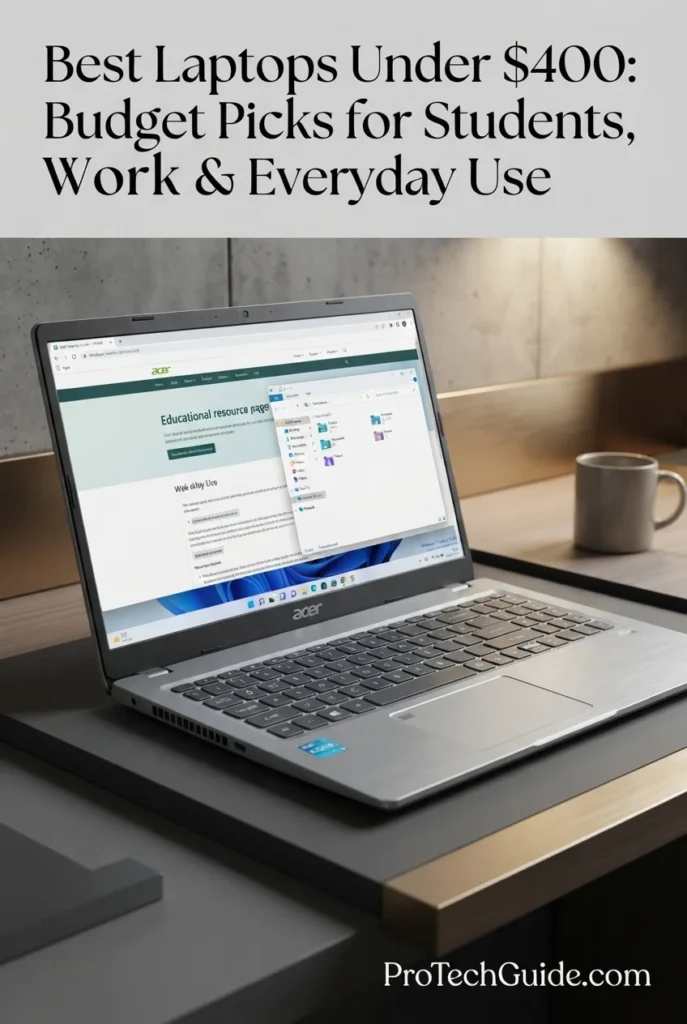
The Acer Aspire Go 15 AI Ready Laptop with the Intel Core 3 N355 processor, 8GB of DDR5 memory, 128GB of UFS storage, and a 15.6-inch Full HD IPS display is our Best Overall laptop under $400 in 2026 for buyers who want a practical Windows machine for school, work, browsing, streaming, video calls, documents, and everyday productivity. Its eight-core Core 3 N355 processor, 8GB DDR5 memory, Full HD IPS panel, Wi-Fi 6 connectivity, four USB ports, HDMI output, and Windows 11 Home in S Mode create a well-balanced configuration for common computing workloads at this price point. The main compromise is storage: 128GB of UFS storage is adequate for essential applications and documents but leaves considerably less local space than many larger SSD-equipped laptops, making storage management or external storage more relevant for users with larger files.
The Acer Aspire Go 15 earns our Best Overall Laptop Under $400 award because its selected configuration focuses on the areas that matter most to everyday buyers: a modern eight-core Intel Core 3 N355 processor, 8GB DDR5 memory, a 15.6-inch Full HD IPS display, Wi-Fi 6, useful USB connectivity, and Windows 11 Home in S Mode. It is not designed to compete with premium or performance-oriented laptops, but within the under-$400 category it provides a balanced platform for students, office productivity, browsing, streaming, communication, and general home computing.
Compared with other laptops under $400, the Acer Aspire Go 15 stands out for its combination of a large Full HD IPS display, Core 3 N355 processor, 8GB DDR5 memory, and modern connectivity. Its biggest limitation is the 128GB UFS storage, which provides substantially less local capacity than configurations equipped with 256GB or 512GB SSDs. Buyers who prioritize storage capacity or heavier local workloads should therefore consider alternatives with larger SSDs, while users focused on everyday Windows productivity can benefit from the Aspire Go 15's balanced configuration and full-size 15.6-inch format.
Key Features
Lenovo IdeaPad Slim 3 15.6-inch
Best Windows Laptop for Everyday Productivity
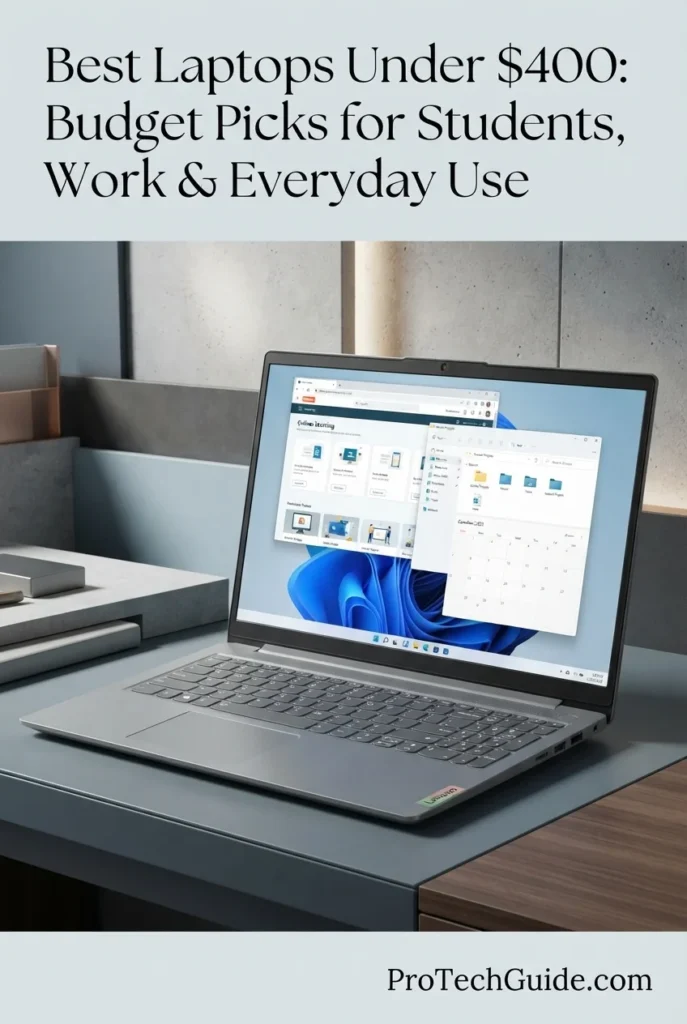
The Lenovo IdeaPad Slim 3 15.6-inch with the Intel Processor N150, 8GB of memory, 128GB of internal UFS storage, and Full HD anti-glare display is our Best Windows Value under $400 in 2026 for buyers who prioritize a practical combination of everyday performance, screen size, portability, connectivity, and Windows 11 Home. The four-core Intel N150 is designed for efficient everyday computing, while 8GB of memory provides a sensible baseline for browsing, documents, online learning, email, video calls, streaming, and light productivity. The 15.6-inch 1920 × 1080 display gives users a comfortable workspace, while Wi-Fi 6, USB-C, USB-A, HDMI, and an SD card reader provide useful connectivity for home, school, and office setups.
The Lenovo IdeaPad Slim 3 earns our Best Windows Value award because it combines a modern Intel N150 processor, 8GB of memory, a 15.6-inch Full HD anti-glare display, Windows 11 Home, Wi-Fi 6, and useful physical connectivity in a configuration positioned at the $400 boundary. It is not designed for demanding creative or performance workloads, but for students, office productivity, browsing, communication, streaming, and everyday Windows computing, its configuration provides a straightforward balance of features and usability.
Compared with the Acer Aspire Go 15, the IdeaPad Slim 3 uses the four-core Intel N150 rather than the eight-core Core 3 N355, so its processor is positioned more toward efficient everyday computing. However, the Lenovo provides Windows 11 Home rather than S mode and includes a useful combination of USB-C, USB-A, HDMI, and SD card connectivity. Its 128GB internal UFS storage should be evaluated separately from the included docking-station storage, because the accessory does not increase the laptop's built-in storage capacity. Buyers who need more internal space for applications and large files should consider a configuration with a larger SSD.
Key Features
ASUS Vivobook 15 X512DA
Best Windows Laptop for Everyday Productivity with 512GB SSD Storage
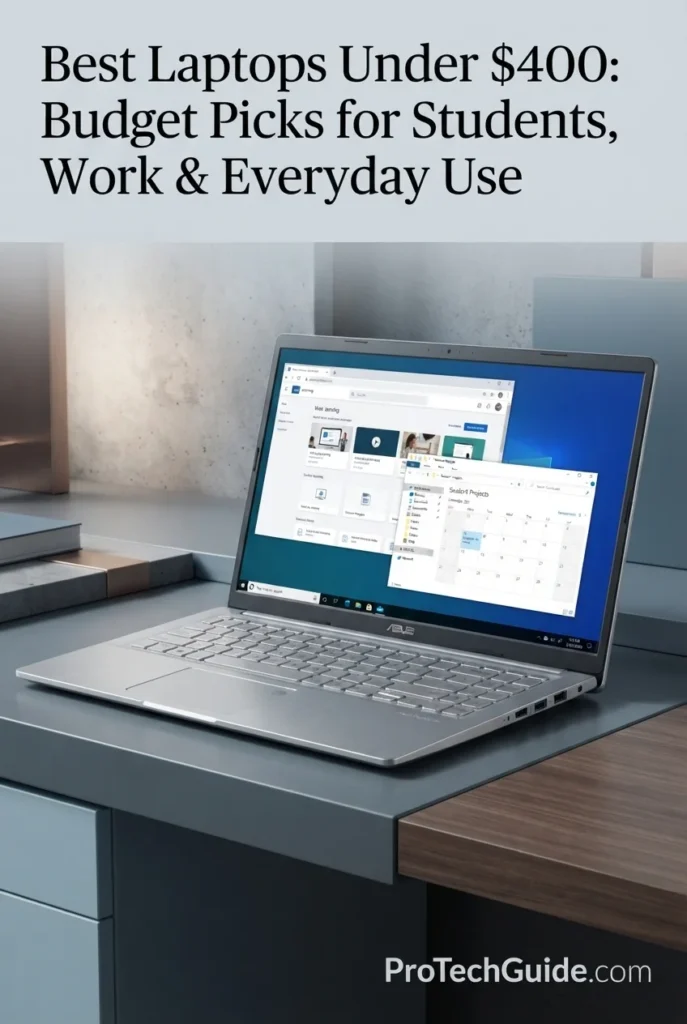
The ASUS Vivobook 15 X512DA with an AMD Ryzen 5 3500U processor, 8GB of DDR4 memory, and a 512GB PCIe SSD is our Best Storage & Performance Value under $400 in 2026. Its quad-core Ryzen 5 processor, integrated Radeon Vega 8 graphics, generous 512GB SSD, and 15.6-inch Full HD display create a practical platform for everyday productivity, schoolwork, web browsing, Microsoft Office, video calls, streaming, document management, and general home computing. Although its underlying hardware platform is older than the newest budget laptops, the combination of a Ryzen 5 processor and substantially larger internal SSD makes this specific configuration particularly interesting for buyers who prioritize local storage and conventional Windows productivity over having the newest platform.
The ASUS Vivobook 15 X512DA earns our Best Storage & Performance Value award because its specific configuration combines a Ryzen 5 processor, 8GB of memory, a large 512GB PCIe SSD, and a 15.6-inch Full HD display at a budget-oriented price point. Newer entry-level laptops may offer more modern processors or operating systems, but this Vivobook remains compelling for buyers who place a high priority on internal storage and conventional Windows productivity while understanding the age of its hardware platform.
Compared with newer budget laptops such as the Acer Aspire Go 15 and Lenovo IdeaPad Slim 3, the ASUS Vivobook 15 offers a substantially larger 512GB internal SSD and a Ryzen 5 processor, but its older Ryzen 3000-series platform and Windows 10 installation represent important trade-offs. Buyers who primarily need modern platform support and newer operating-system features may prefer a newer configuration, while users who value local storage and familiar Windows productivity may find the Vivobook's configuration more practical.
Key Features
ASUS Vivobook Go 15.6-inch
Best for Portable Everyday Productivity & Windows 11 Use
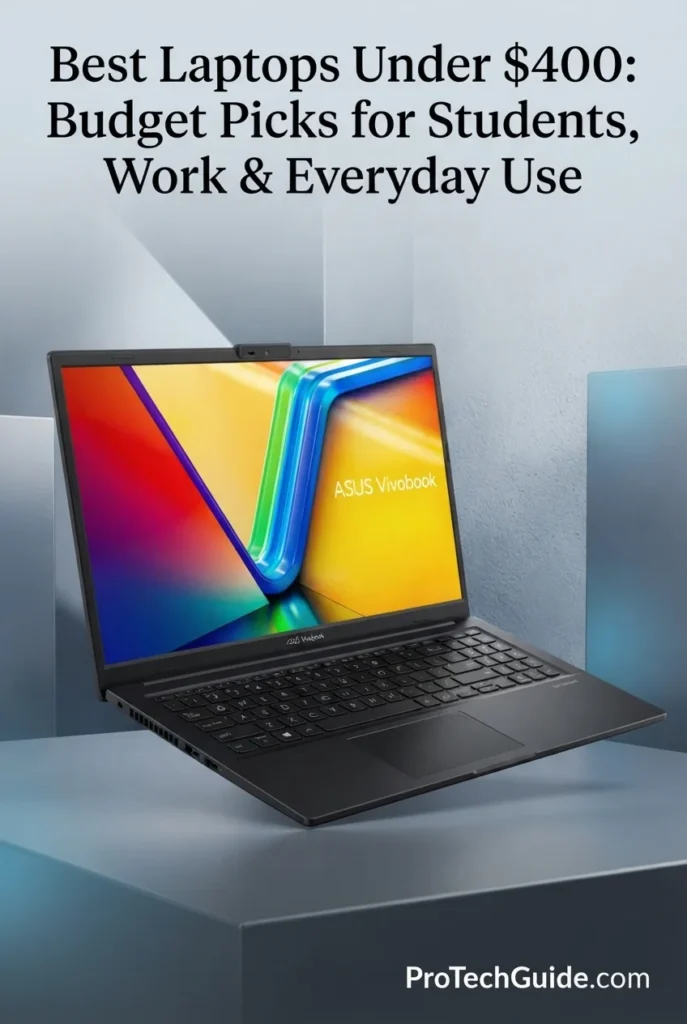
The ASUS Vivobook Go 15.6-inch with the AMD Ryzen 3 7320U processor, 8GB of LPDDR5 memory, and 128GB SSD is our Best Affordable Windows Laptop under $400 in 2026. Its efficient Zen 3-based mobile processor, fast LPDDR5 memory, Full HD NanoEdge display, Windows 11 Home in S mode, and lightweight 3.59-pound design create a practical platform for students, home users, web browsing, Microsoft 365, video calls, streaming, and everyday productivity. The 128GB SSD is the principal limitation of this configuration, but the combination of modern Windows 11 support, USB-C connectivity, a privacy-shutter webcam, and a slim 15.6-inch chassis makes it a well-rounded option for buyers who prioritize portability and everyday usability.
The ASUS Vivobook Go 15 earns our Best Affordable Windows Laptop award because it combines a modern Ryzen 3 platform, 8GB LPDDR5 memory, Windows 11, a spacious Full HD display, practical connectivity, and a lightweight design in a configuration positioned below the $400 threshold. Its 128GB SSD limits local storage capacity, so this recommendation is best suited to users whose files are primarily cloud-based or who do not maintain large local application and media libraries.
Compared with the ASUS Vivobook 15 X512DA, the Vivobook Go 15 uses a newer-generation platform, LPDDR5 memory, Windows 11, and a substantially lighter chassis, while the older Vivobook 15 offers a much larger 512GB SSD. Compared with the HP 14, the Vivobook Go provides a larger 15.6-inch Full HD display and 8GB of memory in this configuration. The main compromise is storage capacity, making the 128GB configuration better suited to cloud-oriented workflows than users who need extensive local storage.
Key Features
HP 14-inch Laptop
Best for Essential Windows Productivity, School & Everyday Tasks
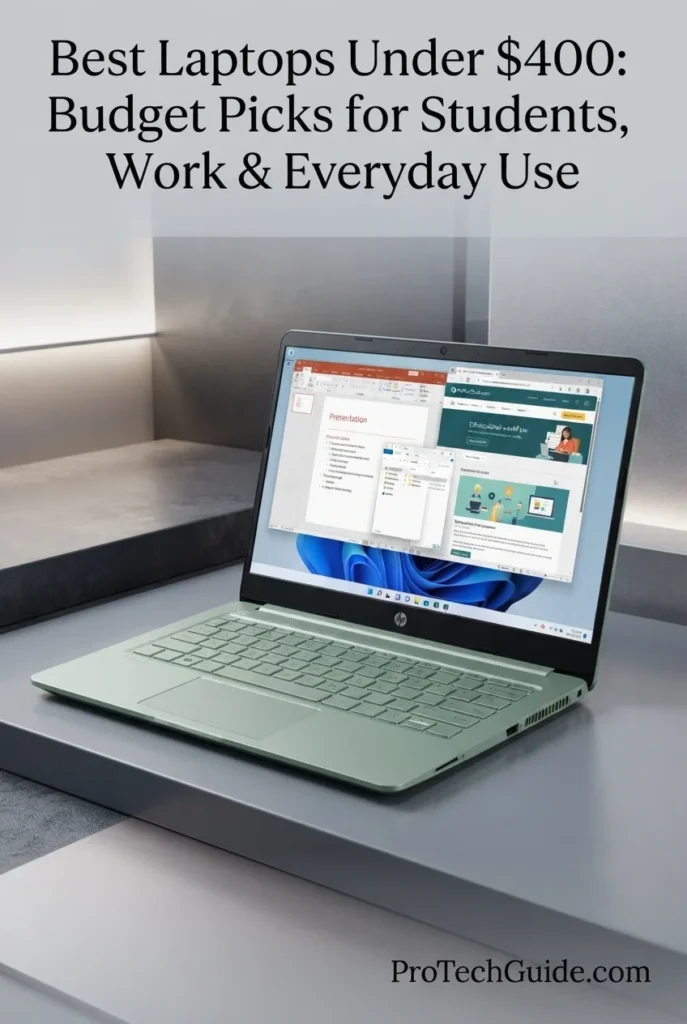
The HP 14-inch Laptop with an Intel N150 processor, 4GB DDR4 memory, 128GB UFS storage, and a 14-inch HD display is our Best for Basic Everyday Use in 2026. Its quad-core Intel N150 processor, compact 14-inch design, Windows 11 environment, 42Wh battery, and practical port selection provide a straightforward platform for essential workloads such as web browsing, Microsoft Office, email, online classes, document creation, video meetings, streaming, and light multitasking. The configuration is intentionally positioned for users whose priorities are affordability and basic Windows productivity rather than demanding applications or intensive multitasking.
The HP 14 earns our Best for Basic Everyday Use designation because it focuses on the essentials: a current Intel N150 processor, Windows 11, a compact 14-inch display, practical connectivity, expandable storage, and a straightforward productivity-oriented design. Its 4GB memory configuration makes it more appropriate for basic workloads than demanding multitasking, but for students, home users, and professionals performing everyday Windows tasks, the overall configuration keeps the experience simple and accessible.
Compared with the ASUS Vivobook Go 15, the HP 14 uses a smaller 14-inch HD display and a lower 4GB memory configuration, making it more focused on essential workloads. Compared with the Lenovo IdeaPad Slim 3, the HP 14 also occupies a more basic performance tier, but its 512GB SD card provides a practical way to expand file storage separately from its 128GB internal storage. This makes the HP 14 a targeted choice for everyday Windows computing rather than a general-purpose performance laptop.
Key Features
ASUS Chromebook Plus CX34
Best for Google Workspace, Business Productivity & Everyday Work
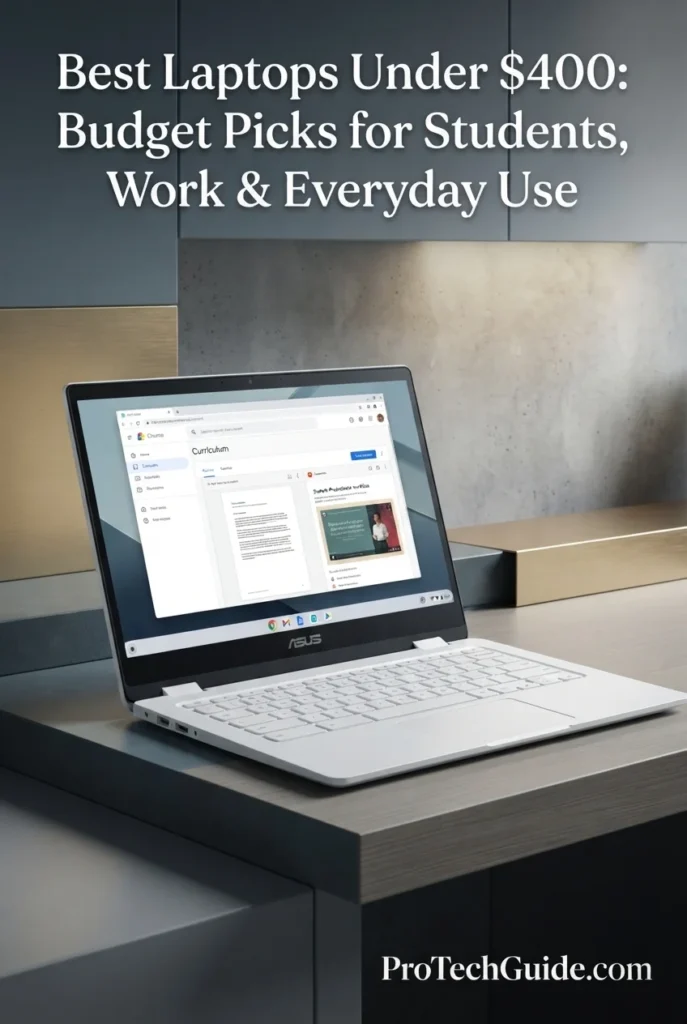
The ASUS Chromebook Plus CX34 with an Intel Core i3-1215U processor, 8GB LPDDR5 memory, 256GB UFS storage, and a 14-inch Full HD display is our Best Chromebook for Work in 2026. Its six-core Intel processor, 8GB of memory, 256GB of internal UFS storage, Wi-Fi 6, and ChromeOS create a well-balanced platform for Google Workspace, browser-based productivity, email, video conferencing, cloud applications, document creation, and everyday business workflows. As a Chromebook Plus device, it also benefits from Google's evolving AI features and productivity tools within the ChromeOS ecosystem.
The ASUS Chromebook Plus CX34 earns our Best Chromebook for Work designation because it combines a capable Core i3 processor, 8GB LPDDR5 memory, 256GB UFS storage, a Full HD anti-glare display, and the streamlined ChromeOS experience in one productivity-focused package. Its Chromebook Plus platform also gives users access to Google's expanding AI capabilities, including Gemini in Chrome where available, making it particularly relevant for modern browser-centric workflows.
Compared with entry-level Chromebooks such as the Lenovo IdeaPad Slim 3 Chromebook, the CX34 places greater emphasis on conventional laptop-style productivity with its Intel Core i3-1215U processor, 8GB LPDDR5 memory, 256GB UFS storage, and 14-inch Full HD display. Compared with Windows laptops such as the HP 14, it trades access to the full Windows desktop application ecosystem for the streamlined ChromeOS environment, Google integration, cloud-first workflows, and Chromebook Plus features. This makes it particularly well suited to users whose work already lives primarily in the browser and Google Workspace.
Key Features
Lenovo IdeaPad Slim 3 Chromebook
Best for School, Online Classes & Touchscreen Productivity
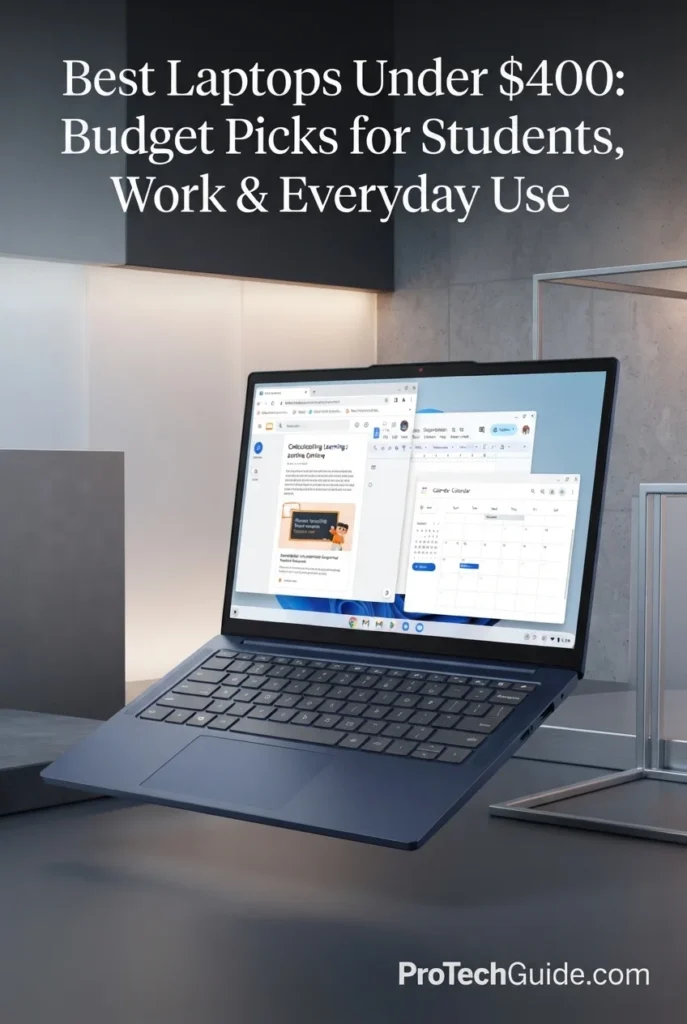
The Lenovo IdeaPad Slim 3 Chromebook with the MediaTek Kompanio 540, 8GB LPDDR5X memory, 128GB UFS 2.2 storage, and 14-inch WUXGA touchscreen is our Best Chromebook for Students in 2026. Its efficient 8-core processor, generous 8GB memory configuration, responsive ChromeOS environment, and 1920x1200 IPS touchscreen create a well-balanced platform for schoolwork, online classes, research, Google Workspace, document creation, web-based learning, video conferencing, and everyday productivity. The 16:10 display provides additional vertical workspace compared with traditional 16:9 panels, while Wi-Fi 6E, Bluetooth 5.3, and a versatile selection of USB-C, USB-A, HDMI, and DisplayPort connectivity make it practical for both classroom and home use.
The Lenovo IdeaPad Slim 3 Chromebook earns our Best Chromebook for Students award because it combines an efficient 8-core Kompanio 540 processor, 8GB LPDDR5X memory, a 14-inch 1920x1200 touchscreen, ChromeOS, and strong wireless connectivity in a student-focused package. The 16:10 display, touchscreen interface, long listed battery life, and included 128GB SD card make it particularly practical for schoolwork and everyday learning without relying on a traditional Windows desktop environment.
Compared with the ASUS Chromebook Plus CX34 and HP 14, the IdeaPad Slim 3 Chromebook takes a distinctly student-oriented approach, combining ChromeOS with a 14-inch 16:10 touchscreen, 8GB LPDDR5X memory, and efficient MediaTek hardware. The ASUS Chromebook Plus CX34 provides a more conventional 14-inch Full HD workspace and a stronger Intel Core i3 platform, while the HP 14 offers Windows 11 and broader compatibility with traditional Windows software. For students whose work is primarily browser-based and centered on Google services, the Lenovo's touchscreen and 16:10 design are particularly relevant advantages.
Key Features
Acer Chromebook Plus 516
Best for Large-Screen Productivity, Students & Cloud Workflows
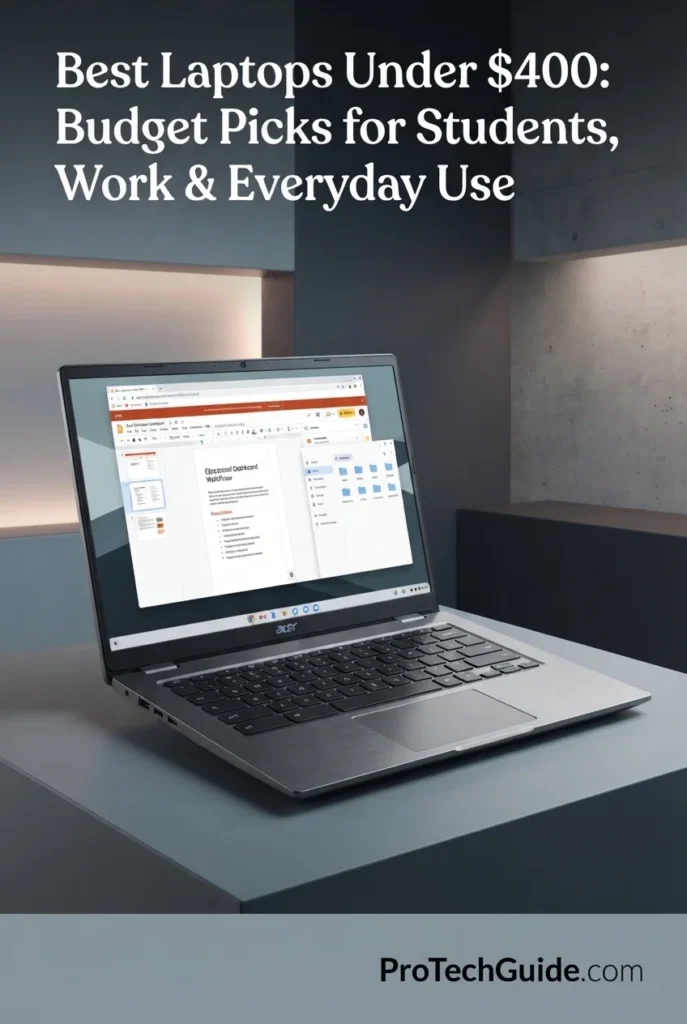
The Acer Chromebook Plus 516 with the 13th Gen Intel Core i3-1315U, 8GB LPDDR5 memory, 128GB flash storage, and 16-inch WUXGA IPS display is our Best Large-Screen Chromebook for 2026. Its six-core Intel processor, 8GB memory, spacious 1920x1200 display, ChromeOS, Wi-Fi 6, and Chromebook Plus platform create a productive environment for students, remote workers, cloud applications, Google Workspace, research, video conferencing, and everyday multitasking. The 16-inch 16:10 display is the defining advantage, providing more vertical workspace than a conventional 16:9 laptop while the relatively lightweight 3.75-pound chassis remains practical for a large-screen Chromebook.
The Acer Chromebook Plus 516 earns our Best Large-Screen Chromebook award because it combines a six-core 13th Gen Intel Core i3 processor, 8GB LPDDR5 memory, a spacious 16-inch 1920x1200 IPS display, ChromeOS, and modern connectivity in a relatively lightweight chassis. For users who spend significant time reading, writing, researching, multitasking, or working in browser-based applications, the larger 16:10 display provides a meaningful productivity advantage over smaller Chromebook formats.
Compared with the ASUS Chromebook Plus CX34 and Lenovo IdeaPad Slim 3 Chromebook, the Acer Chromebook Plus 516 emphasizes screen real estate rather than compact portability or touchscreen functionality. Its 16-inch WUXGA display provides substantially more physical workspace than their 14-inch-class panels, while the Core i3-1315U and 8GB memory provide a capable foundation for ChromeOS multitasking. The ASUS model is more compact, while the Lenovo offers a touchscreen and 16:10 display in a smaller chassis, making the Acer's large screen its defining advantage.
Key Features
Best Laptops Under $400 in 2026
Compared by Processor Performance, RAM, Storage, Display Quality, Windows & ChromeOS Experience, Battery Life, Connectivity, Portability & Overall Value
Choosing the best laptop under $400 in 2026 requires more than looking at the lowest price. Budget laptops need to balance processor capability, memory, usable storage, display quality, battery life, operating-system compatibility, connectivity, and everyday usability. We evaluated these eight laptops around real-world workloads including web browsing, Microsoft 365, Google Workspace, online classes, streaming, document creation, spreadsheets, video calls, cloud applications, multitasking, and everyday home and student use to identify where each model fits best.
| Laptop | CPU & Key Specs | Best For | Why It Wins | Editor's Verdict |
|---|---|---|---|---|
Best OverallAcer Aspire Go 15 AICheck Price | Intel Core 3 N355 8GB DDR5 128GB UFS 15.6" Full HD Windows 11 S | Students Everyday Work Web Browsing Home Users | The Acer Aspire Go 15 AI combines a modern Intel Core 3 processor with 8GB of DDR5 memory, a spacious 15.6-inch Full HD display, and fast-access UFS storage in a straightforward Windows laptop. Its balanced hardware makes it well suited to everyday productivity, schoolwork, browsing, streaming, video calls, and general home use without overcomplicating the experience. | Best Overall Laptop Under $400 |
Best Windows ValueLenovo IdeaPad Slim 3 15.6"Check Price | Intel N150 8GB RAM 128GB UFS 15.6" Full HD Windows 11 Home | Windows Users Students Office Productivity Everyday Computing | The Lenovo IdeaPad Slim 3 focuses on the essentials of an affordable Windows PC, pairing the Intel N150 with 8GB of memory and 128GB of internal UFS storage. Its 15.6-inch Full HD anti-glare display provides practical workspace for documents, spreadsheets, browsing, and online learning, while the familiar Windows environment supports a broad range of everyday applications. | Best Windows Value Laptop Under $400 |
Best Storage & Performance ValueASUS Vivobook 15 X512DACheck Price | AMD Ryzen 5 3500U 8GB RAM 512GB PCIe SSD 15.6" Full HD Radeon Vega 8 Windows 10 Home | Storage-Heavy Users Everyday Productivity Multitasking Home & Office Work | The ASUS Vivobook 15 X512DA stands out with a Ryzen 5 3500U processor, 8GB of memory, and a substantially larger 512GB PCIe SSD. That storage capacity provides considerably more room for applications, documents, media, and offline files than the 128GB configurations in several other budget models, while the Full HD display and integrated Radeon Vega 8 graphics support a broad range of everyday workloads. | Best Storage & Performance Value Under $400 |
Best Affordable Windows LaptopASUS Vivobook Go 15.6"Check Price | AMD Ryzen 3 7320U 8GB LPDDR5-5200 128GB SSD 15.6" Full HD 60Hz Radeon 610M Windows 11 Home in S Mode | Students Everyday Windows Use Online Learning Home Productivity | The ASUS Vivobook Go 15.6" delivers a modern low-cost Windows platform with a Ryzen 3 7320U, 8GB LPDDR5 memory, and a 15.6-inch Full HD display. Its NanoEdge panel, 42Wh battery, 180-degree hinge, privacy-shutter webcam, and practical USB, HDMI, and wireless connectivity create a well-rounded setup for schoolwork, browsing, video calls, streaming, and everyday productivity. | Best Affordable Windows Laptop Under $400 |
Best for Basic Everyday UseHP 14" LEDCheck Price | Intel N150 4GB DDR4 128GB Internal Storage 512GB SD Card 14" HD 1366x768 Windows 11 Home | Basic Home Use Web Browsing Email & Documents Students | The HP 14 is designed around straightforward everyday computing, with an Intel N150 processor, 4GB of DDR4 memory, a compact 14-inch HD display, and Windows 11 Home. Its 128GB internal storage is supplemented by a separate 512GB SD card, giving users additional removable space for files and media without treating the SD card as internal laptop storage. | Best Laptop for Basic Everyday Use Under $400 |
Best Chromebook for WorkASUS Chromebook Plus CX34Check Price | Intel Core i3-1215U 8GB LPDDR5 256GB UFS 14" Full HD ChromeOS Wi-Fi 6 | Google Workspace Remote Work Students Cloud Productivity | The ASUS Chromebook Plus CX34 brings Chromebook Plus capabilities to an affordable work-focused format with a 12th Gen Core i3 processor, 8GB LPDDR5 memory, 256GB UFS storage, and a 14-inch Full HD NanoEdge display. ChromeOS, Google Workspace, Wi-Fi 6, and the Chromebook Plus ecosystem make it particularly well suited to browser-based productivity, cloud applications, communication, and modern remote workflows. | Best Chromebook for Work Under $400 |
Best Chromebook for StudentsLenovo IdeaPad Slim 3 ChromebookCheck Price | MediaTek Kompanio 540 8-Core CPU 8GB LPDDR5X-4800 128GB UFS 2.2 14" 1920x1200 Touch ChromeOS | Students Online Classes Schoolwork Touchscreen Productivity | The Lenovo IdeaPad Slim 3 Chromebook is built around student-friendly usability, combining an 8-core MediaTek Kompanio 540, 8GB LPDDR5X memory, a 14-inch 1920x1200 touchscreen, and ChromeOS. Its 16:10 display provides useful vertical workspace for documents and school applications, while Wi-Fi 6E, long listed battery life, and broad USB-C connectivity support learning both at home and on campus. | Best Chromebook for Students Under $400 |
Best Large-Screen ChromebookAcer Chromebook Plus 516Check Price | Intel Core i3-1315U 8GB LPDDR5 128GB Internal Flash 16" WUXGA IPS ChromeOS Wi-Fi 6 | Large-Screen Productivity Students Remote Work Cloud Workflows | The Acer Chromebook Plus 516 prioritizes workspace with a 16-inch 1920x1200 WUXGA IPS display while retaining a relatively compact 16-inch-class design. Its 13th Gen Core i3-1315U, 8GB LPDDR5 memory, 128GB internal flash storage, ChromeOS, Wi-Fi 6, and extensive USB-C and USB-A connectivity make it a strong fit for users who value screen real estate for documents, dashboards, research, and multi-window cloud workflows. | Best Large-Screen Chromebook Under $400 |
Recommended Next Reads
Finished comparing the best laptops under $400? Explore our related laptop buying guides for tighter budgets, student needs, remote work, everyday productivity, and higher-budget options when you need more performance and flexibility.
Whether you're shopping for your first affordable laptop, choosing a computer for school, working remotely, handling everyday productivity, or deciding whether it's worth increasing your budget, these guides provide a broader look at the laptop market and help you understand what changes as your budget and requirements increase.
Best Laptops Under $500 in 2026
Explore laptops that step beyond the $400 price range with additional performance, storage, display quality, and features for students, work, and everyday computing.
Explore Laptops Under $500 →Best Laptops Under $300 in 2026
Compare even more affordable laptops for students, basic work, web browsing, streaming, online learning, and everyday computing.
Explore Laptops Under $300 →School & EducationBest Laptops for Students in 2026
Find laptops selected for schoolwork, online classes, research, productivity, portability, battery life, and student-friendly everyday use across different budgets.
Explore Student Laptops →Remote Work & ProductivityBest Laptops for Remote Work in 2026
Compare laptops for video calls, Microsoft 365, browser-based workflows, multitasking, communication, home offices, and professional remote productivity.
Explore Remote Work Laptops →Work, Gaming & Everyday UseBest Laptops for Work, Gaming & Everyday Use in 2026
Explore versatile laptops designed to balance productivity, everyday computing, entertainment, and gaming across a wider range of performance levels.
Explore Versatile Laptops →More Performance & ValueBest Laptops Under $600 in 2026
Discover laptops with additional performance, memory, storage, and features for users whose workloads extend beyond basic budget computing.
Explore Laptops Under $600 →Expanded BudgetBest Laptops Under $700 in 2026
Compare stronger budget laptops for students, work, everyday productivity, and users who want more performance headroom without entering premium pricing.
Explore Laptops Under $700 →EDITOR'S FINAL RECOMMENDATIONS
After comparing these laptops across processor performance, memory, storage, display quality, Windows and ChromeOS compatibility, battery life, connectivity, portability, and everyday usability, these are our final recommendations for shoppers under $400 in 2026. Whether you need a dependable Windows laptop for work, a practical computer for school, a Chromebook for cloud productivity, or more storage for everyday files and applications, each recommendation is matched to a specific type of budget user.
Acer Aspire Go 15 AI
The Acer Aspire Go 15 AI is our Best Overall choice for shoppers who want the most balanced combination of everyday performance, memory, display quality, storage, and Windows usability within this budget category. Its Intel Core 3 N355 processor, 8GB of DDR5 memory, 128GB of UFS storage, and 15.6-inch Full HD IPS display create a practical platform for schoolwork, Microsoft 365, web browsing, streaming, video calls, and general home productivity.
- ✓ Intel Core 3 N355 Processor
- ✓ 8GB DDR5 Memory
- ✓ 128GB UFS Storage
- ✓ 15.6-inch Full HD IPS Display
Lenovo IdeaPad Slim 3 15.6"
The Lenovo IdeaPad Slim 3 15.6" is designed for shoppers who want a straightforward Windows laptop with a large Full HD workspace and practical everyday hardware. Its Intel N150 processor, 8GB of RAM, 128GB of internal UFS storage, and Wi-Fi 6 make it well suited to documents, spreadsheets, browsing, online learning, Microsoft 365, and general productivity. The included docking-station storage is separate from the laptop's internal storage.
- ✓ Intel Processor N150
- ✓ 8GB RAM
- ✓ 128GB Internal UFS Storage
- ✓ 15.6-inch Full HD Anti-Glare Display
ASUS Vivobook 15 X512DA
The ASUS Vivobook 15 X512DA is the storage-focused recommendation in this lineup. Its Ryzen 5 3500U processor, 8GB of RAM, and 512GB PCIe SSD provide substantially more internal storage than the 128GB configurations found on several other budget models. Combined with a 15.6-inch Full HD display and Radeon Vega 8 integrated graphics, it is particularly useful for users who keep more applications, documents, media, and offline files on the laptop itself.
- ✓ AMD Ryzen 5 3500U Processor
- ✓ 8GB RAM
- ✓ 512GB PCIe SSD
- ✓ 15.6-inch Full HD Display
ASUS Vivobook Go 15.6"
The ASUS Vivobook Go 15.6" offers a modern Windows 11 platform built around the Ryzen 3 7320U and 8GB of LPDDR5-5200 memory. Its 15.6-inch Full HD 60Hz NanoEdge display, 42Wh battery, 180-degree hinge, privacy-shutter webcam, and practical connectivity make it a strong fit for students, online learning, browsing, video calls, streaming, and everyday productivity. Windows 11 Home in S mode provides a streamlined software environment for basic use.
- ✓ AMD Ryzen 3 7320U Quad-Core Processor
- ✓ 8GB LPDDR5-5200 Memory
- ✓ 128GB SSD Storage
- ✓ 15.6-inch Full HD 60Hz Display
HP 14" LED
The HP 14" LED is aimed at users whose laptop needs are centered on basic everyday computing rather than demanding workloads. Its Intel N150 processor, 4GB of DDR4 memory, 128GB of internal storage, and compact 14-inch HD display provide a straightforward Windows environment for web browsing, email, documents, online learning, streaming, and home use. The included 512GB SD card provides additional removable storage and should be treated separately from the laptop's internal capacity.
- ✓ Intel N150 Quad-Core Processor
- ✓ 4GB DDR4 Memory
- ✓ 128GB Internal Storage
- ✓ 14-inch HD 1366x768 Display
ASUS Chromebook Plus CX34
The ASUS Chromebook Plus CX34 is the recommendation for users whose work is primarily browser-based and centered around Google Workspace, cloud applications, communication, and everyday productivity. Its Core i3-1215U processor, 8GB LPDDR5 memory, 256GB UFS storage, and 14-inch Full HD NanoEdge display give ChromeOS considerably more working headroom than entry-level Chromebook configurations while retaining the simplicity of Google's platform.
- ✓ Intel Core i3-1215U Processor
- ✓ 8GB LPDDR5 Memory
- ✓ 256GB UFS Storage
- ✓ 14-inch Full HD NanoEdge Display
Lenovo IdeaPad Slim 3 Chromebook
The Lenovo IdeaPad Slim 3 Chromebook is tailored toward students who value a touchscreen, a taller 16:10 workspace, long listed battery life, and the simplicity of ChromeOS. Its 8-core MediaTek Kompanio 540, 8GB LPDDR5X memory, 128GB UFS 2.2 internal storage, and 14-inch 1920x1200 IPS touchscreen create a practical environment for school assignments, research, online classes, Google Workspace, video calls, and everyday learning.
- ✓ MediaTek Kompanio 540 8-Core Processor
- ✓ 8GB LPDDR5X-4800 Memory
- ✓ 128GB UFS 2.2 Internal Storage
- ✓ 14-inch 1920x1200 Touchscreen
Acer Chromebook Plus 516
The Acer Chromebook Plus 516 is the large-screen specialist of this lineup, giving users a 16-inch WUXGA IPS display with a 16:10 aspect ratio for more workspace across documents, research, dashboards, browser tabs, and cloud applications. Its 13th Gen Core i3-1315U, 8GB LPDDR5 memory, 128GB internal flash storage, ChromeOS, and Wi-Fi 6 create a capable platform for users who prioritize screen real estate within a budget Chromebook.
- ✓ Intel Core i3-1315U 13th Gen Processor
- ✓ 8GB LPDDR5 Memory
- ✓ 128GB Internal Flash Storage
- ✓ 16-inch WUXGA IPS Display
Which budget laptop should you buy?
Acer Aspire Go 15 AI
Lenovo IdeaPad Slim 3
ASUS Vivobook 15 X512DA
ASUS Vivobook Go 15.6"
HP 14" LED
ASUS Chromebook Plus CX34
Lenovo IdeaPad Slim 3 Chromebook
Acer Chromebook Plus 516
- Choose the Acer Aspire Go 15 AI if you want the most balanced combination of everyday performance, 8GB DDR5 memory, 128GB UFS storage, and a 15.6-inch Full HD IPS display for school, work, browsing, and general home use.
- Choose the Lenovo IdeaPad Slim 3 15.6" if you want a straightforward Windows 11 laptop with 8GB of RAM, 128GB of internal UFS storage, a large Full HD display, and Wi-Fi 6 for everyday productivity. The included docking-station storage is separate from the laptop's internal storage.
- Choose the ASUS Vivobook 15 X512DA if internal storage and stronger processing capability are priorities. Its Ryzen 5 3500U, 8GB RAM, and 512GB PCIe SSD give it substantially more internal storage capacity than the 128GB models in this lineup.
- Choose the ASUS Vivobook Go 15.6" if you want a modern Windows laptop built around the Ryzen 3 7320U and 8GB LPDDR5-5200 memory for schoolwork, browsing, online learning, video calls, and everyday productivity.
- Choose the HP 14" LED if your needs are primarily basic browsing, email, documents, streaming, and home or school use. Its 4GB of RAM is best matched to lighter workloads, while the separate 512GB SD card provides additional removable storage.
- Choose the ASUS Chromebook Plus CX34 if your workflow is centered on Google Workspace, browser applications, cloud services, communication, and everyday professional productivity. Its Core i3 processor, 8GB LPDDR5 memory, and 256GB UFS storage give it useful headroom for ChromeOS multitasking.
- Choose the Lenovo IdeaPad Slim 3 Chromebook if you are a student who values a 14-inch 1920x1200 touchscreen, 16:10 workspace, 8GB LPDDR5X memory, ChromeOS, and long listed battery life for schoolwork and online learning.
- Choose the Acer Chromebook Plus 516 if screen size is your priority. Its 16-inch WUXGA IPS display provides more workspace for documents, research, browser tabs, and cloud applications while its Core i3-1315U and 8GB LPDDR5 memory provide a capable Chromebook Plus platform.
EDITOR'S FINAL VERDICT
After comparing processor performance, RAM capacity, storage, display quality, Windows and ChromeOS compatibility, battery life, connectivity, portability, everyday usability, and overall value, one conclusion stands out:The best laptop under $400 is not necessarily the one with the most impressive specification sheet. At this price point, the right choice is the system that delivers the best balance of performance, memory, storage, display quality, operating system, reliability, and practical usability for the way you actually work, study, browse, and communicate.
Modern budget laptop users need systems capable of handling web browsing, Microsoft 365, Google Workspace, online classes, document creation, spreadsheets, streaming, video calls, cloud applications, and everyday multitasking. These workloads benefit from a capable processor, sufficient memory, responsive storage, a comfortable display, dependable wireless connectivity, and an operating system that fits the user's software requirements.
For most shoppers under $400, 8GB of RAM is the practical target for everyday productivity, while storage capacity and type can make a major difference in responsiveness and convenience. A Full HD display is also preferable for extended work and study sessions, although some of the most affordable configurations make compromises in resolution, storage, or memory. ChromeOS can be an excellent fit for cloud-based workflows, while Windows remains the more flexible choice for users who depend on traditional desktop applications.- Choose the Acer Aspire Go 15 AI if you want the strongest overall balance of processor capability, 8GB DDR5 memory, a 15.6-inch Full HD IPS display, Windows compatibility, and everyday usability within a budget-focused configuration.
- Choose the Lenovo IdeaPad Slim 3 15.6" if Windows compatibility, straightforward productivity, a Full HD anti-glare display, and a practical everyday setup are your priorities. Its included docking-station storage is separate from the laptop's 128GB internal UFS storage.
- Choose the ASUS Vivobook 15 X512DA if storage capacity and additional processing performance matter more to you than having the newest platform. Its Ryzen 5 3500U processor, 8GB of memory, and 512GB PCIe SSD give it a particularly practical configuration for users who need more local storage.
- Choose the ASUS Chromebook Plus CX34 if most of your work takes place in a browser or cloud-based environment and you want a Chromebook with an Intel Core i3 processor, 8GB of memory, 256GB of UFS storage, and a Full HD 14-inch display.
Top Budget Laptop Recommendations (2026)
Acer Aspire Go 15 AI
Our Editor's Choice for shoppers seeking the strongest overall balance under $400. The Core 3 N355, 8GB DDR5 memory, 128GB UFS storage, and 15.6-inch Full HD IPS display create a well-rounded platform for schoolwork, web browsing, Microsoft 365, cloud applications, streaming, and everyday productivity.
- ✓ Intel Core 3 N355
- ✓ 8GB DDR5 Memory
- ✓ 128GB UFS Storage
- ✓ 15.6-inch Full HD IPS Display
Lenovo IdeaPad Slim 3 15.6"
A practical Windows option for students and everyday users who want a Full HD anti-glare display, 8GB of memory, Wi-Fi 6, and a simple productivity-focused configuration. The included docking station adds separate storage, while the laptop itself retains 128GB of internal UFS storage.
- ✓ Intel Processor N150
- ✓ 8GB RAM
- ✓ 128GB Internal UFS Storage
- ✓ 15.6-inch Full HD Anti-Glare Display
ASUS Vivobook 15 X512DA
The standout option for shoppers who place greater importance on local storage and processing capability. Its Ryzen 5 3500U processor, 8GB of memory, and 512GB PCIe SSD provide a particularly useful combination for users who store more files locally and want more storage headroom than typical entry-level configurations.
- ✓ AMD Ryzen 5 3500U
- ✓ 8GB Memory
- ✓ 512GB PCIe SSD
- ✓ 15.6-inch Full HD Display
- ✓ You want the strongest overall balance for a budget under $400
- ✓ You need Windows for school, work, web applications, and everyday productivity
- ✓ You want 8GB of DDR5 memory and a 15.6-inch Full HD IPS display
- ✓ You primarily need a dependable laptop for browsing, documents, streaming, online classes, and everyday multitasking
- ✓ Storage capacity is one of your highest priorities
- ✓ You want a 512GB PCIe SSD rather than a small entry-level storage configuration
- ✓ You want the additional processing capability of its Ryzen 5 3500U platform
- ✓ You are comfortable with an older Windows 10 configuration in exchange for its storage and performance-oriented hardware
- ✓ Prefer 8GB of RAM when possible for smoother multitasking and longer-term everyday use
- ✓ Check whether advertised extra storage is internal or a separate SD card or docking-station accessory
- ✓ Prioritize a Full HD display when the laptop will be used regularly for schoolwork, documents, and extended productivity sessions
- ✓ Choose Windows when you depend on traditional desktop applications or broader software compatibility
- ✓ Consider ChromeOS when your workflow is primarily browser-based, cloud-based, and centered around Google Workspace and web applications
A laptop under $400 can be a surprisingly capable everyday computer when its configuration is matched to the right workload. At this price level, however, compromises are unavoidable, so processor performance should not be evaluated in isolation. RAM capacity, internal storage, display quality, operating system compatibility, wireless connectivity, battery life, and the distinction between included accessories and actual laptop hardware all matter when the system will be used for hundreds of hours of schoolwork, productivity, browsing, and communication.
Among the models evaluated in this guide, the Acer Aspire Go 15 AI delivers the most balanced overall package for the broadest range of budget users, combining the Intel Core 3 N355, 8GB DDR5 memory, 128GB UFS storage, and a 15.6-inch Full HD IPS display. That combination makes it our Editor's Choice for the best laptop under $400 in 2026 for general students, work, and everyday computing.The Lenovo IdeaPad Slim 3 15.6" is a practical alternative for shoppers who specifically want a Windows laptop with a Full HD anti-glare display and straightforward productivity features. The ASUS Vivobook 15 X512DA stands apart for its 512GB PCIe SSD and Ryzen 5 3500U platform, making it particularly relevant to users who value local storage and additional processing capability. For cloud-first users, the ASUS Chromebook Plus CX34 provides a strong ChromeOS-oriented configuration with an Intel Core i3 processor, 8GB of memory, 256GB of UFS storage, and a 14-inch Full HD display.
Compare current prices, configurations, memory, storage, display specifications, operating system, warranty coverage, and availability before choosing the laptop that best matches your budget, software requirements, and everyday workload.
Check Latest DealsEDITOR'S FAQ
Choosing the best laptop under $400 requires more than looking at processor specifications or advertised storage numbers. Budget laptops can differ significantly in RAM capacity, storage technology, display resolution, operating system, connectivity, battery life, and overall usability.These frequently asked questions address the most important buying decisions for students, remote workers, home users, and everyday laptop shoppers, including how much RAM and storage you need, whether Windows or ChromeOS is better, whether 128GB is enough, and what compromises to expect from a laptop at this price point.
It offers one of the most balanced configurations in this price category, combining an Intel Core 3 N355 processor, 8GB of DDR5 memory, 128GB of UFS storage, and a 15.6-inch Full HD IPS display. That makes it well suited to students, everyday work, web browsing, Microsoft 365, online classes, streaming, video calls, and general productivity.
- Intel Core 3 N355 processor.
- 8GB DDR5 memory for everyday multitasking.
- 128GB UFS internal storage.
- 15.6-inch Full HD IPS display.
- Wi-Fi 6 connectivity.
- Windows 11 Home in S Mode.
The right choice can still depend on your priorities. The Lenovo IdeaPad Slim 3 15.6" is a strong Windows-focused alternative, the ASUS Vivobook 15 X512DA provides substantially more local SSD storage, and the ASUS Chromebook Plus CX34 is better suited to users whose work is primarily cloud-based.
Check PriceA laptop with 8GB of memory can handle common tasks such as web browsing, Microsoft 365, Google Workspace, document creation, spreadsheets, online classes, email, video calls, streaming, and moderate multitasking. It provides noticeably more flexibility than entry-level configurations with only 4GB of RAM.
- 4GB → Suitable mainly for basic browsing, simple documents, streaming, and lighter workloads.
- 8GB → Recommended for most students, office users, remote workers, and everyday laptop buyers.
- 16GB → Preferable for heavier multitasking, demanding applications, and users who want additional long-term headroom.
Among the laptops in this guide, the Acer Aspire Go 15 AI, Lenovo IdeaPad Slim 3, ASUS Vivobook 15 X512DA, ASUS Vivobook Go 15.6", ASUS Chromebook Plus CX34, Lenovo IdeaPad Slim 3 Chromebook, and Acer Chromebook Plus 516 all provide 8GB configurations. The HP 14" LED uses 4GB of RAM, making it better suited to basic everyday computing.
A 128GB internal drive can accommodate Windows or ChromeOS, productivity applications, documents, browser data, and everyday files, but available space will be lower after the operating system and installed software are accounted for.
- 128GB → Acceptable for cloud-focused users, students, web browsing, documents, and basic productivity.
- 256GB → More comfortable for users who keep more applications and files locally.
- 512GB → Preferable when you store large numbers of documents, media files, applications, or other data locally.
The ASUS Chromebook Plus CX34 provides 256GB of UFS storage, while the ASUS Vivobook 15 X512DA stands out with a 512GB PCIe SSD. The Acer Aspire Go 15 AI and Lenovo IdeaPad Slim 3 each use 128GB of internal storage, making cloud storage and external storage more relevant for users with larger file libraries.
Be careful with advertised storage bundles. For example, the Lenovo IdeaPad Slim 3 includes separate storage through its docking-station accessory, but that storage is not part of the laptop's 128GB internal UFS capacity.
Students generally do not need workstation-class hardware for everyday academic tasks. Processor efficiency, 8GB of RAM, a comfortable display, dependable Wi-Fi, good battery life, and compatibility with the software required by the school or university are usually more important.
- Web research and browser-based learning platforms.
- Microsoft Word, Excel, PowerPoint, and Google Workspace.
- Online classes and video conferencing.
- PDF documents, presentations, email, and note-taking.
- Streaming and general entertainment.
- Cloud storage and browser-based applications.
The Acer Aspire Go 15 AI and Lenovo IdeaPad Slim 3 are particularly practical Windows-oriented options, while the Lenovo IdeaPad Slim 3 Chromebook is designed around a ChromeOS workflow and offers a 14-inch 1920x1200 touchscreen. Students should confirm their school's required applications before choosing between Windows and ChromeOS.
Check Student OptionThe better operating system depends on the applications you need. Windows is generally the more flexible platform for traditional desktop applications, Microsoft-centric workflows, and software that requires a conventional Windows environment. ChromeOS is optimized around web applications, Google services, cloud storage, and browser-based productivity.
- Windows → Better suited to traditional desktop applications, Microsoft Office workflows, and broader software compatibility.
- ChromeOS → Well suited to Google Workspace, browser-based applications, cloud storage, online learning, and simple productivity.
- Windows 11 in S Mode → More restricted than standard Windows because application installation is limited to Microsoft's supported Store-based environment unless S Mode is exited.
This guide includes both operating systems. The Acer Aspire Go 15 AI, Lenovo IdeaPad Slim 3, ASUS Vivobook Go 15.6", and HP 14" LED use Windows configurations, while the ASUS Chromebook Plus CX34, Lenovo IdeaPad Slim 3 Chromebook, and Acer Chromebook Plus 516 use ChromeOS.
If you depend on a specific desktop application, check its operating-system requirements before purchasing. An inexpensive laptop is only a good value if it can run the software you actually need.
Check Chromebook OptionWord processing, presentations, spreadsheets, browser-based applications, email, and cloud services are among the workloads budget laptops are designed to handle. Performance will depend on the size and complexity of your projects and how many applications and browser tabs you run simultaneously.
- Microsoft Word, PowerPoint, and everyday Excel workbooks.
- Google Docs, Sheets, Slides, and other Google Workspace applications.
- Email, web research, cloud storage, and browser applications.
- Video conferencing and online collaboration.
- Document management and everyday administrative work.
For users who regularly work with larger spreadsheets or heavier multitasking, an 8GB configuration is preferable to 4GB. The Acer Aspire Go 15 AI, Lenovo IdeaPad Slim 3, and ASUS Vivobook 15 X512DA provide 8GB configurations that are better aligned with this type of productivity.
The HP 14" LED can still handle basic Office and everyday productivity tasks, but its 4GB of RAM makes it more appropriate for lighter workloads than demanding multitasking.
Check Windows OptionStorage capacity is one of the major differences between budget laptop configurations. Many entry-level systems use 128GB storage, which can be sufficient for cloud-focused users but may become restrictive if you keep applications, documents, photos, downloads, and media locally.
- ASUS Vivobook 15 X512DA → 512GB PCIe SSD.
- ASUS Chromebook Plus CX34 → 256GB UFS.
- Acer Aspire Go 15 AI → 128GB UFS.
- Lenovo IdeaPad Slim 3 → 128GB internal UFS, plus separate docking-station storage.
- ASUS Vivobook Go 15.6" → 128GB SSD.
- HP 14" LED → 128GB internal storage, plus a separate 512GB SD card.
- Lenovo IdeaPad Slim 3 Chromebook → 128GB UFS 2.2, plus a separate included 128GB SD card.
- Acer Chromebook Plus 516 → 128GB internal flash storage.
For shoppers who prioritize internal storage rather than bundled removable or accessory storage, the ASUS Vivobook 15 X512DA provides the largest internal capacity in this comparison.
Check 512GB OptionRemote workers often spend their time inside browser applications, Microsoft 365, Google Workspace, communication platforms, video conferencing software, and document-management systems. These tasks generally do not require a dedicated GPU or workstation-class processor.
- Microsoft 365 and Google Workspace.
- Email, web applications, and cloud platforms.
- Video calls and virtual meetings.
- Documents, spreadsheets, presentations, and reports.
- Browser-based business applications and collaboration tools.
For this type of workload, a Full HD display can make long working sessions more comfortable, while 8GB of RAM provides useful multitasking headroom. The Acer Aspire Go 15 AI and Lenovo IdeaPad Slim 3 offer 15.6-inch displays that provide more screen area for productivity, while the ASUS Chromebook Plus CX34 offers a compact 14-inch Full HD ChromeOS platform for cloud-first work.
Users working with specialized professional software, large databases, advanced content creation, software development environments, or demanding local applications should consider whether a higher-priced laptop would be more appropriate.
Check Work OptionThe eight systems evaluated in this guide use integrated graphics rather than dedicated gaming GPUs. Their hardware is primarily designed around productivity, education, web applications, media consumption, and everyday computing.
- Casual and browser gaming → Generally appropriate for lighter games and browser-based titles.
- Older or less demanding PC games → Some systems may handle these workloads at reduced settings, depending on the specific title.
- Modern AAA gaming → Not the intended workload for these configurations.
- Heavy creative applications → Consider a more powerful laptop with additional CPU, RAM, and GPU resources.
The ASUS Vivobook 15 X512DA has an AMD Vega 8 integrated GPU, while the ASUS Vivobook Go 15.6" uses AMD Radeon 610M graphics. The other systems also rely on integrated graphics, so buyers should not interpret these laptops as gaming-focused machines simply because they can run lighter graphical applications.
If gaming is a major requirement, a dedicated GPU laptop will generally require moving to a higher budget category.
Check Performance OptionThere is no single configuration that fits every budget laptop buyer. The most useful way to choose is to match the laptop's strengths with your primary workload and software requirements.
- Best Overall → Acer Aspire Go 15 AI
- Best Windows Value → Lenovo IdeaPad Slim 3 15.6"
- Best Storage & Performance Value → ASUS Vivobook 15 X512DA
- Best Affordable Windows Laptop → ASUS Vivobook Go 15.6"
- Best for Basic Everyday Use → HP 14" LED
- Best Chromebook for Work → ASUS Chromebook Plus CX34
- Best Chromebook for Students → Lenovo IdeaPad Slim 3 Chromebook
- Best Large-Screen Chromebook → Acer Chromebook Plus 516
If you want the broadest balance of specifications for school, work, browsing, and everyday use, the Acer Aspire Go 15 AI is our Editor's Choice. If you specifically want Windows value, the Lenovo IdeaPad Slim 3 is a strong alternative. If internal storage is your priority, the ASUS Vivobook 15 X512DA offers 512GB of PCIe SSD storage. For cloud-first productivity, the ASUS Chromebook Plus CX34 provides a capable ChromeOS configuration with 8GB of memory and 256GB of UFS storage.
Finally, remember that the $400 threshold is a budget target rather than a permanent specification guarantee. Retail prices, configurations, promotions, and availability can change, so check the current listing before purchasing to confirm that the exact configuration still meets your needs and remains within your budget.
Check Best Overall DealBUDGET LAPTOP BUYING GUIDE
Choosing a laptop under $400 is not simply about finding the lowest price or the processor with the highest number on the specification sheet. At this budget level, manufacturers often make compromises in memory, storage, display quality, operating system, connectivity, or upgrade flexibility.The wrong configuration can become frustrating when you need to manage multiple browser tabs, spreadsheets, online classes, video calls, documents, or everyday applications. Avoid these common mistakes before choosing your next budget laptop.
The best laptop under $400 is rarely the one with the most impressive advertised specification. At this price point, the most important factors are balance and workload compatibility. An 8GB configuration, a useful Full HD display, adequate internal storage, dependable Wi-Fi, and the right operating system can have a greater impact on everyday productivity than chasing a processor specification that looks better on paper.For most students, office users, remote workers, and everyday buyers in 2026, 8GB of RAM is the practical target. Storage capacity also deserves close attention because some budget listings combine internal storage with separate SD cards or accessory storage. Understanding exactly what is built into the laptop can prevent misleading comparisons.
Choosing a 4GB RAM Laptop for Heavy Multitasking
- 4GB of RAM can handle basic browsing, documents, streaming, and lighter everyday workloads, but it provides less headroom for multitasking.
- Students and remote workers may have browsers, documents, spreadsheets, video calls, communication apps, and other applications open simultaneously.
- A low-memory configuration can become a limitation as your software and multitasking requirements increase.
Better decision:Choose 8GB of RAM when possible for a laptop under $400. It is the practical configuration for most students, office users, remote workers, and everyday multitasking. The HP 14" LED uses 4GB, so it is better matched to basic workloads than demanding multitasking.
Confusing Bundled Storage With Internal Storage
- Some budget laptop listings advertise a large combined storage figure that includes an SD card or separate accessory.
- Removable storage and docking-station storage are not equivalent to the laptop's built-in internal storage.
- The difference matters when comparing performance, convenience, available capacity, and what remains built into the computer itself.
Better decision:Always separate internal storage from included accessories. The Lenovo IdeaPad Slim 3 has 128GB of internal UFS storage, while its included docking-station storage is separate. The HP 14" LED has 128GB of internal storage plus a separate 512GB SD card, and the Lenovo IdeaPad Slim 3 Chromebook includes a separate 128GB SD card alongside its 128GB UFS internal storage.
Ignoring Windows vs. ChromeOS Compatibility
- Windows and ChromeOS are designed around different software ecosystems and workflows.
- A Chromebook can be excellent for browser-based productivity, but it may not support every traditional Windows desktop application.
- Choosing an operating system without checking your required applications can create unnecessary limitations.
Better decision:Choose Windows when you need broader traditional desktop software compatibility. Consider ChromeOS when your workflow is centered on web applications, Google Workspace, cloud storage, online learning, and browser-based productivity. Always check your school or employer's software requirements before choosing a Chromebook.
Buying the Smallest Storage Configuration Without Considering Your Files
- 128GB can be sufficient for cloud-focused users, but available space is reduced by the operating system, applications, updates, and personal files.
- Students and everyday users can accumulate documents, downloads, photos, videos, and application data surprisingly quickly.
- Limited internal storage can become inconvenient if you prefer keeping files locally rather than using cloud storage.
Better decision:Choose 128GB when your workload is light and you rely heavily on cloud storage. Move toward 256GB or 512GB when you keep more files locally. Among the laptops in this guide, the ASUS Chromebook Plus CX34 offers 256GB of UFS storage, while the ASUS Vivobook 15 X512DA provides a 512GB PCIe SSD.
Paying for Performance You Will Never Use
- Not every student or office user needs a high-performance processor or graphics-focused hardware.
- For web browsing, documents, spreadsheets, online classes, streaming, and cloud applications, balanced hardware is usually more practical than specification chasing.
- Spending more on unnecessary performance can leave less budget for RAM, storage, display quality, or other features that affect everyday use.
Better decision:Match the hardware to your actual workload. Prioritize 8GB of RAM, appropriate storage, a comfortable display, and reliable connectivity before paying extra for performance you are unlikely to use. If your workload genuinely requires substantially more processing power, it may be better to move into a higher laptop budget category.
Overlooking Display Resolution and Workspace
- Students and office users can spend several hours reading documents, browsing websites, working with spreadsheets, and attending video calls.
- A Full HD display provides more usable workspace than a 1366x768 panel for many productivity tasks.
- Screen size also affects how comfortably you can arrange windows and work with documents side by side.
Better decision:Prioritize a Full HD display when possible, particularly for regular school or work use. A 15.6-inch panel provides more physical screen area, while a 14-inch laptop can be easier to accommodate in smaller workspaces. The HP 14" LED uses a 1366x768 display, so it is better suited to buyers who prioritize basic affordability over display resolution.
Smart Buying Advice for Budget Laptop Shoppers
You need traditional desktop applications, Microsoft-focused productivity, broader Windows software compatibility, or a familiar PC environment. The Acer Aspire Go 15 AI and Lenovo IdeaPad Slim 3 15.6" provide balanced Windows configurations for students, office users, and everyday computing.
Your workflow is primarily browser-based and centered around Google Workspace, cloud storage, online learning, web applications, email, and streaming. The ASUS Chromebook Plus CX34 and Lenovo IdeaPad Slim 3 Chromebook offer different approaches to ChromeOS productivity, while the Acer Chromebook Plus 516 provides a larger 16-inch workspace.
Key takeaway:The best laptop under $400 is not necessarily the cheapest model or the one with the longest specification list. It is the laptop that provides the right balance of RAM, processor performance, internal storage, display quality, operating system compatibility, connectivity, battery life, and usability for the tasks you actually perform.
After evaluating the eight laptops featured in this guide, these are the Editor's key recommendations for budget shoppers in 2026:
- Best Overall:Acer Aspire Go 15 AI — the most balanced combination of Intel Core 3 N355 processing, 8GB DDR5 memory, 128GB UFS storage, and a 15.6-inch Full HD IPS display for students, work, and everyday use.
- Best Windows Value:Lenovo IdeaPad Slim 3 15.6" — a practical Windows configuration with an Intel N150 processor, 8GB of RAM, 128GB internal UFS storage, a 15.6-inch Full HD anti-glare display, and Wi-Fi 6.
- Best Storage & Performance Value:ASUS Vivobook 15 X512DA — the standout configuration for shoppers who prioritize internal storage and additional processing capability, with a Ryzen 5 3500U, 8GB of RAM, and a 512GB PCIe SSD.
- Best Chromebook for Work:ASUS Chromebook Plus CX34 — a capable ChromeOS productivity platform with an Intel Core i3-1215U processor, 8GB of LPDDR5 memory, 256GB of UFS storage, and a 14-inch Full HD display.
Need help choosing your laptop?
Not sure which option fits your workflow? Get a personalized recommendation based on your budget, performance needs, and usage.
Get personalized recommendation⚡ Usually responds within 24 hours