
BUDGET LAPTOPS HUB

Explore Our Budget Laptop Guides

Discover our complete collection of budget laptop recommendations, comparisons, and buying guides designed to help you find the best value for your budget.
Browse Budget Laptops
2026 Budget Laptop Guide • Expert Picks Under $700 for Gaming, Work, Students & Everyday Use
Expert Reviewed • Performance, Battery Life, Display Quality, Build Quality, Portability & Overall Value

Best Laptops Under $700 in 2026: 7 Expert Picks Worth Buying

The best laptop under $700 in 2026 is not simply the model with the highest specifications. The right choice depends on how you plan to use it, whether you need gaming performance, productivity power, portability, a larger display, or long battery life, and how much value you expect from your budget.At this price range, choosing carefully matters because some laptops offer impressive specifications on paper while compromising on display quality, thermals, battery life, build quality, or long-term usability.

In this guide, we've compared the best laptops under $700 for gaming, work, school, multitasking, content creation, and everyday use. Our lineup includes the Acer Nitro V 15 as the strongest overall performance choice, the HP Pavilion 15 as a standout value option, and the Lenovo IdeaPad Slim 5 as a more premium choice for buyers who want higher-end specifications without moving beyond the $700 budget.Students and everyday users can consider the Acer Aspire 5, while professionals may prefer the productivity-focused Dell Inspiron 15. Apple users looking for an affordable entry into the Mac ecosystem can consider the MacBook Air M1, while the ASUS Vivobook 16 provides a larger 16-inch workspace for multitasking and productivity.

Best Overall
Best Value
Best Premium Pick
Best for Students
Best for Work
Best Mac Under $700
Best Large-Screen Laptop
Editor's Verdict:For buyers who want the most performance possible under $700, the Acer Nitro V 15 is the strongest overall choice in this lineup. Its dedicated RTX 4050 graphics and high-refresh-rate display give it a major performance advantage over conventional budget laptops, making it particularly attractive for gaming, demanding applications, and performance-focused users.If value is the priority, the HP Pavilion 15 offers an unusually strong combination of processor performance, 32GB of RAM, and a 1TB SSD for buyers who want a capable everyday and multitasking machine without spending close to the $700 ceiling.The Lenovo IdeaPad Slim 5 is the better choice for buyers who want a more premium experience, with 32GB DDR5 memory, a touchscreen, and an Intel Core 7 processor. Students and everyday users should look closely at the Acer Aspire 5 for its balance of portability, touchscreen functionality, performance, and price, while the Dell Inspiron 15 is better suited to office work and productivity-focused workflows.Apple users who prioritize battery life, quiet operation, and macOS can consider the MacBook Air M1, particularly when available within the $700 budget. Finally, the ASUS Vivobook 16 is the standout option for buyers who value a larger 16-inch display and need additional screen space for multitasking, spreadsheets, documents, and everyday productivity.
Scroll Down to Compare the 7 Best Laptops Under $700 in 2026
#4 Best Student Laptop Under $700 (2026 Editor's Choice)

Acer Aspire 5

Best Laptop for Students, Everyday Use & Productivity
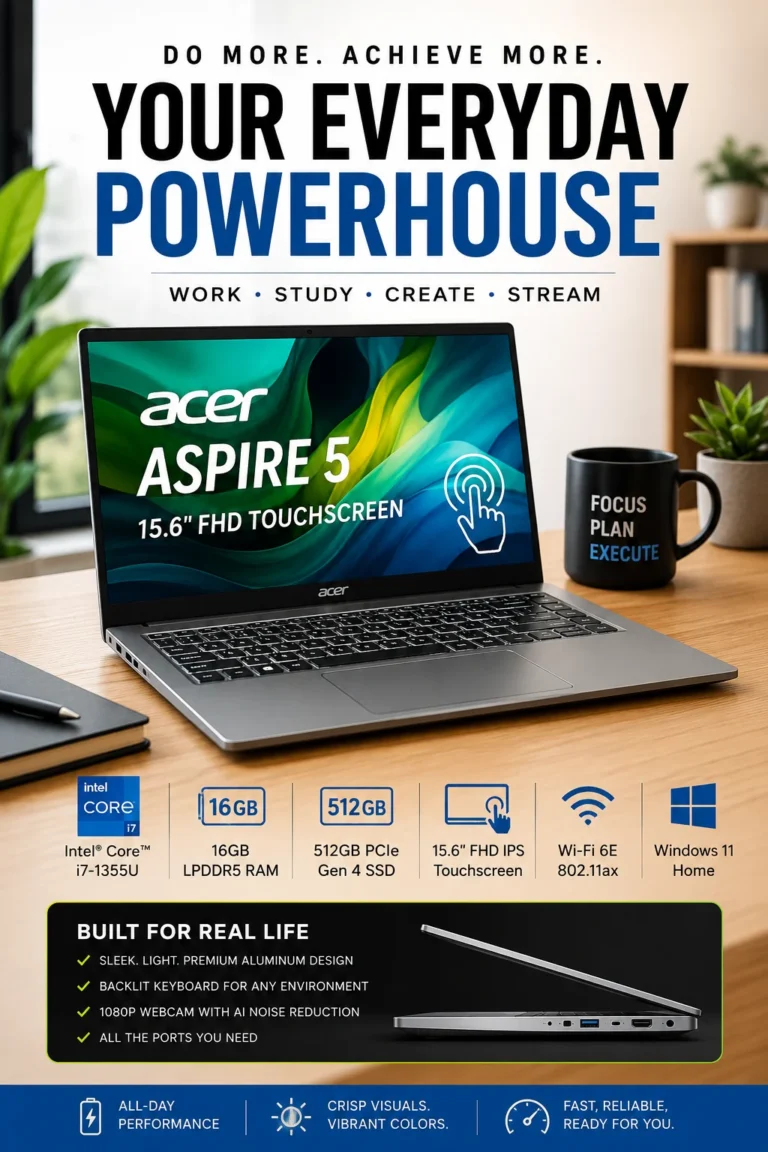
The Acer Aspire 5 is one of the strongest choices for students and everyday users looking for a capable laptop under $700 in 2026. It strikes a practical balance between performance, portability, display quality, storage, and everyday usability, making it well suited to schoolwork, office applications, web browsing, video calls, research, and general productivity. Rather than focusing on one standout feature, the Aspire 5 provides the well-rounded hardware and flexibility that many students and everyday users need from a budget-friendly laptop.

• Excellent choice for students, office users, remote workers, and everyday buyers who want dependable performance without moving into a higher-priced laptop category
• The Intel Core i7 processor provides responsive performance for productivity applications, web browsing, document creation, research, video conferencing, and everyday multitasking
• 16GB of memory provides enough capacity for multiple browser tabs, documents, communication apps, productivity software, and other everyday workloads running simultaneously
• The 15.6-inch Full HD IPS touchscreen provides a practical combination of screen space, sharpness, and touch functionality for studying, office work, media consumption, and everyday use
• The 512GB PCIe Gen 4 SSD provides fast system startup, responsive application loading, and useful storage capacity for documents, school projects, media, and everyday files
• Wi-Fi 6E provides modern wireless connectivity for compatible networks, making the laptop well suited to remote learning, video meetings, cloud applications, and everyday internet use
• The backlit keyboard improves usability in low-light environments and is particularly useful for students and professionals who frequently work in different locations
• Its relatively portable design makes it practical for students who need to move between classrooms, home, libraries, offices, or other workspaces

The Acer Aspire 5 earns our Best Student Laptop Under $700 award because it focuses on the combination of features that matter most for academic and everyday workloads. Its strong processor, 16GB of memory, fast SSD, touchscreen display, and practical design provide enough capability for research, writing, presentations, spreadsheets, online classes, video calls, and general multitasking without requiring a premium budget.

Compared with less expensive entry-level laptops, the Acer Aspire 5 offers a more capable hardware configuration and greater flexibility for multitasking and productivity. It is not the most powerful laptop in this guide—the Acer Nitro V 15 is a substantially better choice for gaming and graphics-intensive workloads—but for students and everyday users who prioritize versatility, portability, and practical performance, the Aspire 5 is one of the more balanced options under $700.

• Intel Core i7 processor• Responsive performance for everyday applications• Suitable for office and productivity workloads• Strong performance for web browsing and multitasking• Integrated graphics for everyday visual workloadsThe Intel Core i7 configuration gives the Acer Aspire 5 enough processing capability for the workloads most students and everyday users encounter. It is well suited to Microsoft Office, Google Workspace, web browsing, research, presentations, spreadsheets, video conferencing, streaming, and general multitasking.Users can comfortably switch between browser tabs, documents, communication applications, and productivity software without relying on the entry-level performance typically found in cheaper budget laptops.The integrated graphics are designed for everyday use rather than demanding gaming or professional graphics workloads. Buyers looking for dedicated graphics performance should consider the Acer Nitro V 15 instead.
• 16GB memory configuration• Comfortable capacity for multitasking• Suitable for multiple browser tabs• Handles productivity applications simultaneously• Better long-term flexibility than 8GB configurationsThe 16GB memory configuration is one of the Aspire 5's most useful advantages for students and productivity users. It provides enough capacity for browser tabs, documents, spreadsheets, video meetings, cloud applications, research tools, and communication software running at the same time.For students who frequently move between research, writing, presentations, online learning platforms, and browser-based applications, 16GB provides a more comfortable experience than many entry-level laptops equipped with only 8GB of memory.It also gives the system more breathing room as applications and browser workloads become more demanding over time.
• 15.6-inch display• Full HD resolution• IPS panel• Touchscreen functionality• Comfortable workspace for documents and productivity• Useful screen size for students and office usersThe 15.6-inch Full HD IPS touchscreen gives the Aspire 5 a practical combination of workspace, image clarity, and flexibility. The larger panel is useful for documents, spreadsheets, research, online classes, presentations, and multitasking between applications.The IPS panel also provides more consistent viewing angles than the lower-quality display technology found on some inexpensive budget laptops.Touch functionality adds another convenient way to interact with Windows, although users who primarily work with traditional keyboard-and-mouse input may not consider it essential.
• 512GB PCIe Gen 4 SSD• Fast system startup• Quick application launches• Responsive file access• Practical capacity for school and office files• Modern solid-state storage performanceThe 512GB PCIe Gen 4 SSD provides the fast storage performance expected from a modern laptop. Windows starts quickly, applications launch responsively, and everyday files can be accessed without the delays associated with older mechanical hard drives.For students, the capacity is practical for documents, presentations, PDFs, coursework, applications, photos, and other everyday files.Users who maintain large video libraries, extensive game collections, professional media projects, or unusually large datasets may eventually benefit from external or cloud storage, but 512GB is a sensible capacity for typical academic and productivity workloads.
• Practical 15.6-inch laptop design• Backlit keyboard• Designed for everyday mobility• Comfortable format for school and office use• Suitable for working in different environmentsThe Aspire 5 is designed around practicality rather than extreme portability. Its 15.6-inch format provides more workspace than compact 13- or 14-inch laptops while remaining suitable for carrying between home, school, university, or the office.The backlit keyboard is particularly useful for students and professionals who occasionally work in low-light environments. Combined with the larger display and conventional laptop layout, the design works well for extended writing, research, document creation, and productivity sessions.Buyers who prioritize minimum weight and maximum portability may prefer a smaller 14-inch laptop instead.
• Wi-Fi 6E wireless connectivity• Suitable for modern home and campus networks• Reliable connectivity for video meetings• Supports cloud-based productivity workflows• Useful for remote learning and everyday internet useWi-Fi 6E provides modern wireless connectivity when paired with a compatible network, making the Aspire 5 well suited to web browsing, cloud applications, online classes, video conferencing, streaming, and everyday productivity.For students and remote workers, reliable wireless connectivity is particularly important because much of today's work happens through cloud-based platforms rather than locally installed applications.The Aspire 5 therefore fits naturally into modern academic, home-office, and everyday computing environments.
Ideal for:• College and university students• High school students• Office and administrative users• Remote workers• Research and writing• Online classes and video meetings• Web browsing and everyday computing• Buyers who want a balanced laptop under $700The Acer Aspire 5 is our Best Student Laptop Under $700 because it combines capable processing performance, 16GB of memory, a 15.6-inch touchscreen, fast SSD storage, and practical everyday usability in a single affordable package.It is especially attractive to students who need one machine for research, writing, presentations, spreadsheets, online learning, entertainment, and general productivity.It is not the best choice for demanding gaming or graphics-intensive workloads. For those users, the Acer Nitro V 15 offers substantially stronger dedicated graphics performance. For buyers who prioritize premium construction and higher-end specifications, the Lenovo IdeaPad Slim 5 is a stronger alternative.
#2 Best Value Laptop Under $700 (2026 Editor's Choice)

HP Pavilion 15

Best Value Laptop for Work, Multitasking & Everyday Productivity
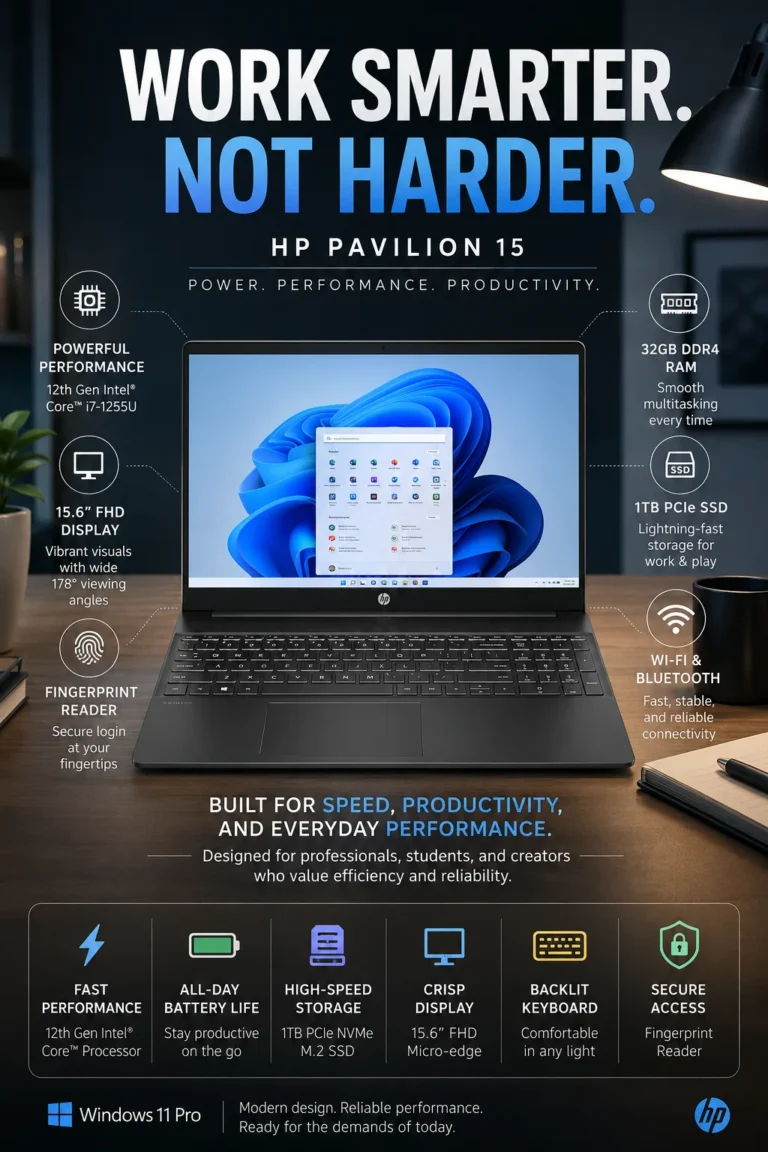
The HP Pavilion 15 is our Best Value Laptop Under $700 in 2026, offering an unusually strong combination of processing power, memory, storage capacity, and everyday usability for a budget-focused laptop. Its Intel Core i7 processor, 32GB of memory, and 1TB SSD make it particularly attractive to students, office users, remote workers, and multitaskers who want substantial hardware without moving into a higher-priced laptop category.

Intel Core i7 performance — provides responsive performance for office applications, web browsing, research, spreadsheets, video calls, and everyday multitasking
32GB of memory — gives demanding multitaskers substantial headroom for browser tabs, documents, productivity applications, communication tools, and background processes
1TB SSD storage — provides generous capacity for applications, documents, school projects, photos, videos, and other everyday files while maintaining fast system responsiveness
15.6-inch Full HD display — provides a practical workspace for productivity, studying, documents, spreadsheets, browsing, and entertainment
Backlit keyboard and fingerprint reader — adds useful convenience and easier authentication for users who work or study across different environments

Best for: students, office professionals, remote workers, heavy multitaskers, and value-focused buyers who prioritize hardware capacity over premium design or dedicated graphics

Result: The HP Pavilion 15 delivers a high-capacity productivity configuration with 32GB of memory and 1TB of SSD storage, giving users plenty of room for multitasking, applications, and files while keeping the overall system responsive for everyday workloads.

Compared with many budget laptops, the HP Pavilion 15 stands out primarily because of its combination of memory and storage. The 32GB RAM and 1TB SSD configuration gives it considerably more multitasking and storage headroom than typical entry-level systems, making it especially compelling for buyers who want to maximize practical hardware value.

The Pavilion 15 is not the best choice for every type of user. Buyers who prioritize dedicated gaming graphics should consider the Acer Nitro V 15, while those looking for a more premium overall experience may prefer the Lenovo IdeaPad Slim 5. For buyers whose priority is getting as much practical productivity hardware as possible for their budget, however, the Pavilion 15 is one of the strongest value choices in this guide.

• Intel Core i7 processor• Responsive everyday performance• Suitable for office applications and web-based workloads• Strong performance for multitasking• Designed for work, study, and everyday computingThe HP Pavilion 15 provides a strong processing foundation for users who need more than basic entry-level performance. Its Intel Core i7 processor is well suited to office applications, spreadsheets, document creation, research, web browsing, video conferencing, streaming, and general multitasking.For students and professionals who frequently move between multiple applications and browser tabs, the processor provides enough performance headroom for demanding everyday productivity without requiring a dedicated workstation.The Pavilion 15 is primarily designed for productivity rather than gaming. Buyers who need dedicated graphics for modern games or graphics-intensive workloads should consider the Acer Nitro V 15 instead.
• 32GB memory configuration• Excellent multitasking capacity• Suitable for large numbers of browser tabs• Comfortable for productivity applications• Strong long-term memory headroomThe 32GB memory configuration is one of the HP Pavilion 15's defining advantages. It provides substantial capacity for users who regularly keep many browser tabs, spreadsheets, documents, communication applications, and background processes open simultaneously.This amount of memory gives the system considerable headroom for demanding productivity workflows and helps reduce the need to constantly close applications during multitasking.For buyers planning to keep their laptop for several years, 32GB also provides more flexibility as applications, browser workloads, and operating systems become increasingly memory-intensive.
• 1TB SSD storage• Fast system startup• Quick application launches• Responsive file access• Generous capacity for everyday files• Suitable for large document and media collectionsThe 1TB SSD gives the Pavilion 15 substantially more storage capacity than many budget laptops equipped with smaller drives.Students can store coursework, presentations, PDFs, applications, photos, and videos without immediately needing external storage. Office users also have enough room for documents, spreadsheets, business files, and everyday media.Because the storage is solid-state, Windows and applications remain responsive, with faster startup and loading times than older mechanical hard drives.Users working with extensive video libraries, professional media projects, or very large datasets may still benefit from external or cloud storage, but 1TB is a generous capacity for typical productivity workloads.
• 15.6-inch display• Full HD resolution• Large workspace for productivity• Suitable for documents and spreadsheets• Comfortable for study and everyday useThe 15.6-inch Full HD display provides a practical workspace for students and professionals who spend significant time working with documents, spreadsheets, browser windows, presentations, and other productivity applications.The larger screen makes it easier to view documents and work across multiple windows without relying on an external monitor.It also works well for streaming and general entertainment when the laptop is not being used for work or study.For buyers who specifically want the largest display in this guide, the ASUS Vivobook 16 provides a slightly larger 16-inch workspace and is the stronger large-screen choice.
• Backlit keyboard• Integrated fingerprint reader• Convenient Windows authentication• Useful for low-light environments• Practical features for work and studyThe Pavilion 15 includes useful convenience features that improve its everyday usability. The backlit keyboard is particularly helpful when working in low-light environments, while the fingerprint reader provides a convenient way to authenticate without repeatedly entering a password.These features are not essential for basic computing, but they add practical value for students, remote workers, and professionals who use their laptop throughout the day and across different environments.
• Intel Core i7 processor• 32GB memory• 1TB SSD• Strong productivity-focused configuration• High capacity for multitasking and storageThe HP Pavilion 15 earns its Best Value Laptop Under $700 position primarily because of its hardware configuration.Instead of concentrating the budget on premium materials, dedicated graphics, or specialized features, this configuration puts substantial resources into the components that directly affect everyday productivity: processing performance, memory capacity, and storage.That makes the Pavilion 15 particularly attractive to buyers who would rather have more usable hardware than pay extra for features they may not need.
Ideal for:• Students• Office professionals• Remote workers• Heavy multitaskers• Business and productivity users• Buyers who need substantial storage• Users who keep many browser tabs and applications open• Value-focused laptop shoppersThe HP Pavilion 15 is our Best Value Laptop Under $700 because it delivers an unusually capable productivity configuration for a budget-oriented laptop.Its combination of an Intel Core i7 processor, 32GB of memory, and 1TB SSD makes it particularly compelling for users who prioritize multitasking, storage capacity, and practical performance.It is not the strongest choice for gaming or graphics-intensive workloads. The Acer Nitro V 15 is substantially better suited to those tasks because of its dedicated RTX 4050 GPU. Buyers who prioritize premium features and a more upscale overall experience should consider the Lenovo IdeaPad Slim 5.For users whose main goal is maximizing practical hardware value, however, the Pavilion 15 remains one of the most compelling choices in this guide.
#7 Best Large-Screen Laptop Under $700 (2026 Editor's Choice)

ASUS Vivobook 16

Best 16-Inch Laptop for Multitasking, Office Work & Productivity
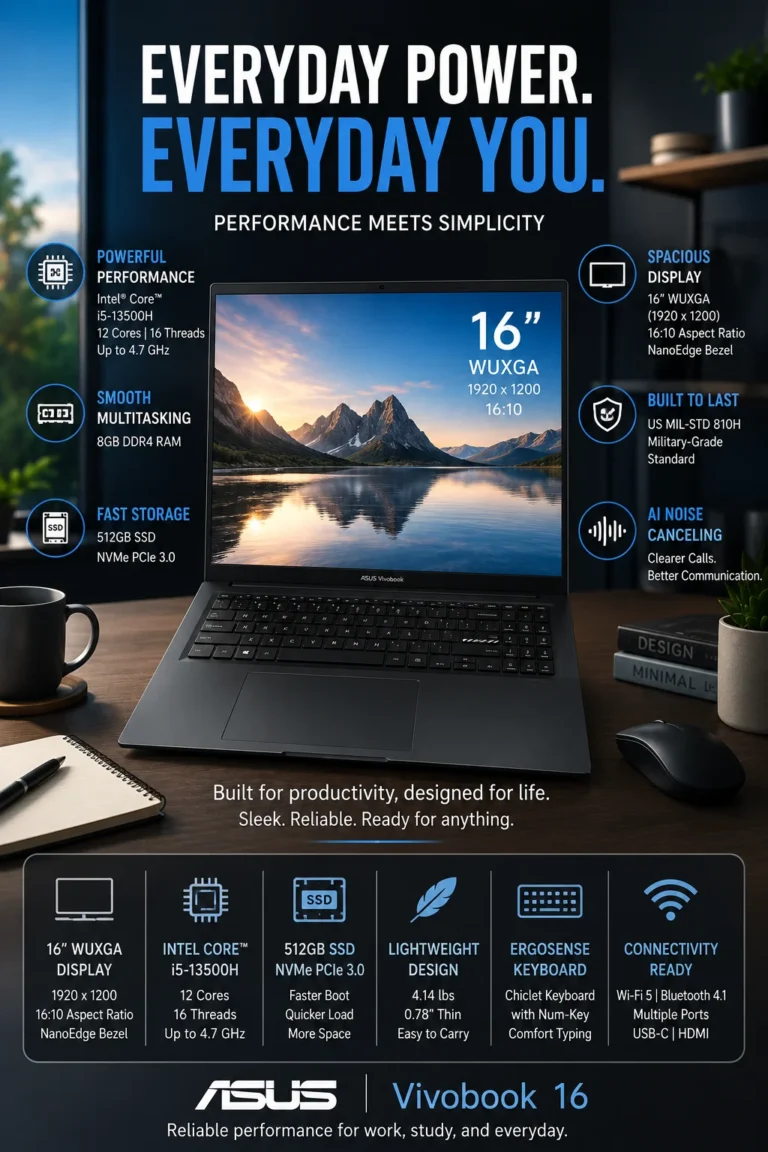
The ASUS Vivobook 16 is our Best Large-Screen Laptop Under $700 in 2026, making it a strong option for students, office professionals, remote workers, and multitaskers who value additional screen space. Its 16-inch 16:10 display provides more vertical workspace than traditional 16:9 laptops, while the Intel Core i5-13500H processor and 512GB SSD provide a capable foundation for productivity, research, documents, spreadsheets, and everyday computing.

16-inch WUXGA 16:10 display — provides additional vertical workspace for documents, spreadsheets, websites, and productivity applications
Intel Core i5-13500H processor — delivers strong performance for office applications, multitasking, web browsing, research, and everyday productivity
512GB SSD storage — provides fast startup and application loading with practical capacity for everyday files and software
Slim-bezel design — maximizes the usable display area while giving the laptop a modern, streamlined appearance
Productivity-focused design — particularly well suited to users who spend much of their day working with documents, spreadsheets, browser windows, and multiple applications

Best for: students, remote workers, office professionals, spreadsheet users, multitaskers, and anyone who prefers a larger workspace for productivity

Result: The ASUS Vivobook 16 provides a larger and more productive workspace than conventional 15.6-inch laptops while maintaining enough processing and storage performance for demanding everyday workloads.

Compared with standard 15.6-inch laptops, the ASUS Vivobook 16 provides additional screen area and a 16:10 aspect ratio that is particularly useful for documents, websites, spreadsheets, and vertically oriented content. The difference is most noticeable for users who spend several hours each day working with multiple windows or large amounts of information on screen.

The Vivobook 16 is not necessarily the best choice for every buyer. Users who prioritize dedicated gaming graphics should consider the Acer Nitro V 15, while buyers seeking a more compact and student-oriented design may prefer the Acer Aspire 5. For users whose priority is maximizing usable screen space for productivity, however, the Vivobook 16 fills a specific role in this lineup that smaller laptops cannot match as comfortably.

• 16-inch display• WUXGA resolution• 1920 × 1200 resolution• 16:10 aspect ratio• Additional vertical workspace• Well suited to documents and spreadsheetsThe 16-inch WUXGA display is the defining feature of the ASUS Vivobook 16. Its 16:10 aspect ratio provides additional vertical workspace compared with traditional 16:9 laptop displays, allowing users to see more of a document, webpage, spreadsheet, or application without scrolling as frequently.This additional workspace can make a meaningful difference for students, office professionals, and multitaskers who spend much of their day reading documents, working with spreadsheets, researching online, or managing multiple application windows.The display is therefore less about simply being larger and more about providing a more productive working area.
• Intel Core i5-13500H processor• H-series performance class• Strong performance for productivity• Suitable for multitasking• Designed for demanding everyday workloadsThe Intel Core i5-13500H provides the Vivobook 16 with a stronger performance foundation than many entry-level processors commonly found in budget laptops.It is well suited to office applications, spreadsheets, web browsing, research, presentations, video conferencing, content consumption, and multitasking across multiple applications.For users who frequently work with several browser tabs, documents, spreadsheets, and productivity applications simultaneously, the processor provides useful performance headroom.The integrated graphics are appropriate for everyday computing, but users looking for substantially stronger gaming and graphics performance should consider the dedicated RTX 4050-equipped Acer Nitro V 15.
• Slim-bezel display design• High screen-to-body utilization• Large 16-inch workspace• Modern visual design• Practical format for productivityThe Vivobook 16 uses a slim-bezel display design to maximize the usable screen area without making the overall laptop footprint unnecessarily large for a 16-inch model.The result is a modern-looking laptop that provides a substantial workspace for documents, spreadsheets, websites, and productivity applications.For users who prefer working directly from the laptop rather than connecting an external monitor, the combination of a large 16-inch panel and slim bezels makes the Vivobook 16 particularly practical.
• ASUS MIL-STD 810H testing• Designed for everyday handling• Suitable for commuting and travel• Practical construction for regular use• Built with everyday durability in mindASUS lists MIL-STD 810H testing among the Vivobook 16's durability credentials. This indicates that the device has been evaluated against specified durability-related conditions under the relevant testing methodology.It should not be interpreted as a guarantee that the laptop is indestructible or immune to damage. Instead, it provides additional context for buyers who regularly carry their laptop between home, school, work, or other locations.For everyday users, the main advantage is having a laptop designed with regular mobility and handling in mind while maintaining a large productivity-oriented display.
• 512GB SSD storage• Fast system startup• Quick application launches• Responsive file access• Suitable capacity for productivity workloads• Practical storage for school and office filesThe 512GB SSD provides a practical combination of speed and capacity for everyday computing.Windows, productivity applications, browser-based tools, documents, presentations, PDFs, school projects, and everyday media can be stored locally while maintaining responsive system performance.For students and office users, 512GB provides enough space for typical productivity workloads. Users who maintain extensive video libraries, large media projects, or sizeable game collections may eventually benefit from external or cloud storage.
• 16-inch productivity-focused display• 16:10 aspect ratio• Strong Intel Core i5 H-series processor• 512GB SSD• Slim-bezel design• Designed for multitasking and productivityThe ASUS Vivobook 16 earns our Best Large-Screen Laptop Under $700 award because it focuses on something many conventional budget laptops compromise on: usable workspace.The combination of a 16-inch 16:10 display and capable Intel Core i5-13500H processor makes it particularly appealing to users who spend significant amounts of time working with documents, spreadsheets, browser windows, research materials, and multiple applications.It is a specialized recommendation rather than the fastest or most versatile laptop in the lineup, but for buyers who value screen real estate, that specialization is precisely what makes it stand out.
Ideal for:• Students• Remote workers• Office professionals• Spreadsheet users• Researchers and writers• Multitaskers• Users who prefer larger displays• Buyers who want a 16-inch productivity laptopThe ASUS Vivobook 16 is best suited to users who value a larger working area more than extreme portability or dedicated graphics performance.Its 16-inch 16:10 display is particularly useful for productivity tasks where additional vertical space can reduce scrolling and make information easier to view.Users who prioritize gaming performance should choose the Acer Nitro V 15, while buyers who want a more balanced student-oriented laptop may prefer the Acer Aspire 5.For productivity users who simply want more room to work without moving into a premium large-screen laptop category, the Vivobook 16 is one of the strongest choices in this guide.
#3 Best Premium Laptop Under $700 (2026 Editor's Choice)

Lenovo IdeaPad Slim 5

Best Premium Laptop for Power Users, Creators & Multitasking
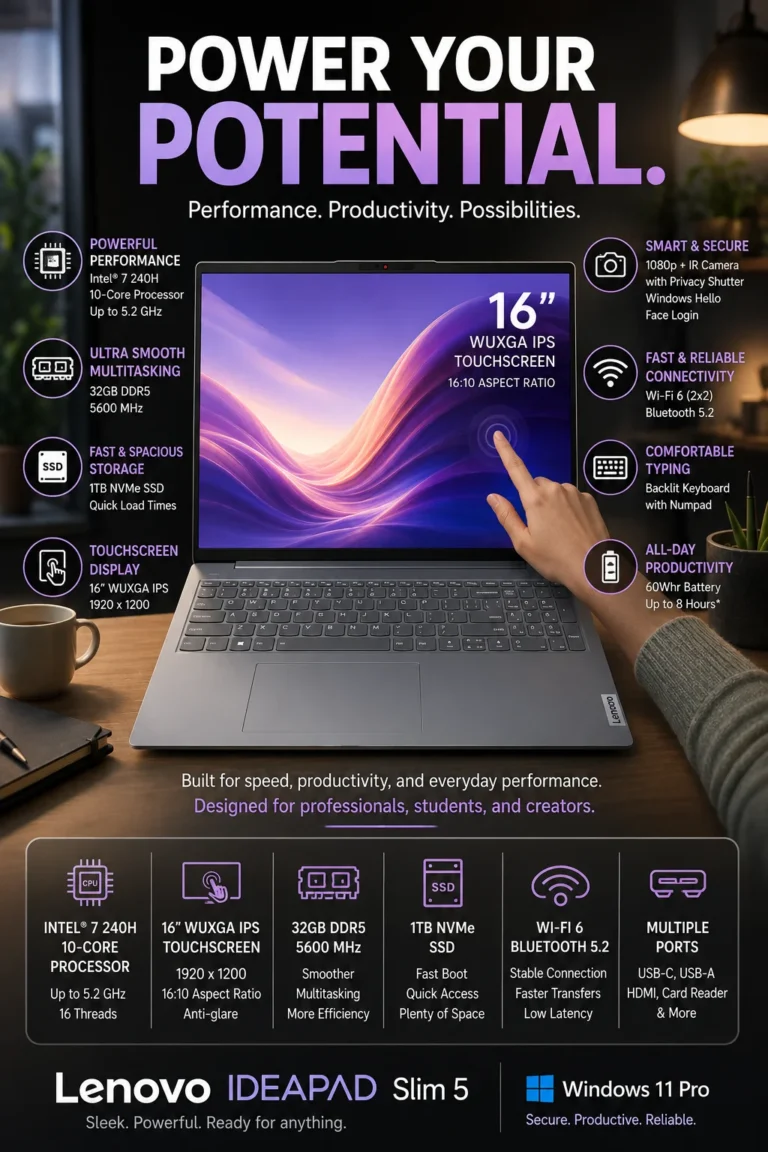
The Lenovo IdeaPad Slim 5 is our Best Premium Laptop Under $700 in 2026, combining a high-capacity hardware configuration with a larger touchscreen display and a more refined everyday experience. With 32GB of DDR5 memory, 1TB of SSD storage, and an Intel Core 7 processor, it is particularly well suited to power users, professionals, creators, and multitaskers who want more performance headroom without moving into a significantly higher price category.

32GB DDR5 memory — provides substantial multitasking capacity for demanding productivity workflows, numerous browser tabs, and multiple applications running simultaneously
1TB SSD storage — offers generous space for applications, documents, media, projects, and other files while maintaining fast system responsiveness
16-inch WUXGA touchscreen — provides a spacious 16:10 workspace with touch functionality for productivity, documents, presentations, and everyday interaction
Intel Core 7 processor — provides strong everyday performance for productivity, multitasking, office applications, research, and demanding general workloads
Premium-oriented design — combines a larger productivity display with a high-capacity hardware configuration designed for users who want more than a basic budget laptop

Best for: power users, professionals, creators, heavy multitaskers, and buyers who prioritize higher specifications and a more premium everyday experience

Result: The Lenovo IdeaPad Slim 5 provides substantial performance and storage headroom, making it particularly attractive to users who want a laptop they can continue using as their productivity demands increase.

Compared with many laptops in the same budget category, the IdeaPad Slim 5 stands out through its combination of 32GB DDR5 memory, 1TB SSD storage, and a 16-inch touchscreen. This configuration gives power users significantly more room for multitasking, applications, files, and demanding productivity workflows than a typical entry-level configuration.

The IdeaPad Slim 5 is not necessarily the best choice for every buyer. Users who prioritize dedicated gaming graphics should choose the Acer Nitro V 15, while buyers who mainly need straightforward student productivity may find the Acer Aspire 5 more practical. For users who want a higher-capacity configuration and a more premium feature set while remaining within the $700 category, however, the IdeaPad Slim 5 is one of the strongest options in this guide.

• 32GB DDR5 memory• Substantial multitasking capacity• Suitable for numerous browser tabs• Comfortable for demanding productivity applications• Strong memory headroom for long-term useThe 32GB DDR5 configuration is one of the Lenovo IdeaPad Slim 5's most important advantages. Many budget laptops are configured with considerably less memory, while this system provides substantial capacity for users who regularly work with multiple applications simultaneously.It is particularly useful for professionals, creators, researchers, and power users who may have browser tabs, documents, spreadsheets, communication platforms, editing applications, and other software running at the same time.The additional memory does not make every application faster by itself, but it gives the system considerably more room to handle demanding multitasking without quickly running into memory limitations.
• 1TB SSD storage• Fast system startup• Quick application launches• Responsive file access• Generous capacity for projects and media• Practical long-term storage configurationThe 1TB SSD provides both speed and substantial local storage capacity. Users can keep applications, documents, presentations, photos, videos, school projects, and professional files on the laptop without having to rely immediately on external storage.For power users and creators, the additional capacity is particularly useful because larger projects and application libraries can consume storage quickly.Users working with very large video libraries, professional media archives, or extensive datasets may still benefit from external or cloud storage, but 1TB provides a strong starting point for a laptop in this category.
• 16-inch display• WUXGA resolution• 1920 × 1200 resolution• 16:10 aspect ratio• Touchscreen functionality• Spacious workspace for productivityThe 16-inch WUXGA touchscreen provides the IdeaPad Slim 5 with a substantial productivity workspace. Its 16:10 aspect ratio offers additional vertical space compared with traditional 16:9 displays, which is useful for documents, spreadsheets, websites, and other vertically oriented content.Touch functionality adds another way to interact with compatible Windows applications and can be useful for presentations, navigation, and certain creative or productivity workflows.For users who spend much of the day working directly from the laptop screen, the combination of a large display and touchscreen functionality makes the IdeaPad Slim 5 feel more versatile than many conventional budget laptops.
• Intel Core 7 processor• Strong everyday processing performance• Suitable for multitasking• Designed for productivity workloads• Capable of handling demanding everyday applicationsThe Intel Core 7 processor provides the performance foundation expected from a premium-oriented configuration. It is well suited to office applications, research, web browsing, spreadsheets, presentations, video conferencing, content creation, and general multitasking.Combined with 32GB of memory, the processor gives the IdeaPad Slim 5 a configuration that is particularly well suited to users who regularly push beyond basic browsing and document work.The system is still primarily designed around integrated graphics performance. Buyers who need dedicated graphics for modern gaming or graphics-intensive workloads should consider the Acer Nitro V 15 instead.
• Slim productivity-focused design• Large touchscreen workspace• Premium-oriented feature set• Designed for work and everyday use• Suitable for professional and personal workloadsThe IdeaPad Slim 5 is positioned as the premium-oriented option in this lineup because it combines a high-capacity hardware configuration with a larger touchscreen display and a more refined everyday experience.Its appeal is not based on one individual specification. Instead, the combination of 32GB memory, 1TB storage, a large touchscreen, and Intel Core 7 processing creates a more capable overall package for users who want to do more than basic productivity.It is particularly attractive to buyers who value hardware capacity and versatility without moving into the much higher pricing associated with premium flagship laptops.
• 32GB DDR5 memory• 1TB SSD• Intel Core 7 processor• 16-inch touchscreen• Strong multitasking configuration• Designed for demanding everyday workloadsThe IdeaPad Slim 5 earns our Best Premium Laptop Under $700 award because of the balance between its high-capacity hardware and premium-oriented features.Rather than focusing exclusively on one category such as gaming performance or maximum screen size, this configuration gives power users a combination of processing performance, memory capacity, storage, and display flexibility that works across a broad range of demanding productivity tasks.The result is a laptop with substantial performance and storage headroom for users who expect their computing needs to grow over time.
Ideal for:• Power users• Professionals• Creators• Heavy multitaskers• Researchers• Students with demanding workloads• Users who need substantial memory and storage• Buyers seeking a more premium laptop experienceThe Lenovo IdeaPad Slim 5 is our Best Premium Laptop Under $700 because it provides a high-capacity configuration that goes beyond the basic requirements of everyday computing.It is particularly well suited to users who want substantial multitasking capability, generous storage, a large touchscreen workspace, and strong general processing performance in one machine.Gamers should consider the Acer Nitro V 15 for its dedicated RTX 4050 graphics, while buyers who prioritize maximum hardware value over premium features may prefer the HP Pavilion 15.For buyers who want a more complete and premium-oriented combination of specifications and usability, the IdeaPad Slim 5 is one of the strongest choices in this guide.
#5 Best Work Laptop Under $700 (2026 Editor's Choice)

Dell Inspiron 15

Best Laptop for Office Work, Productivity & Professional Use
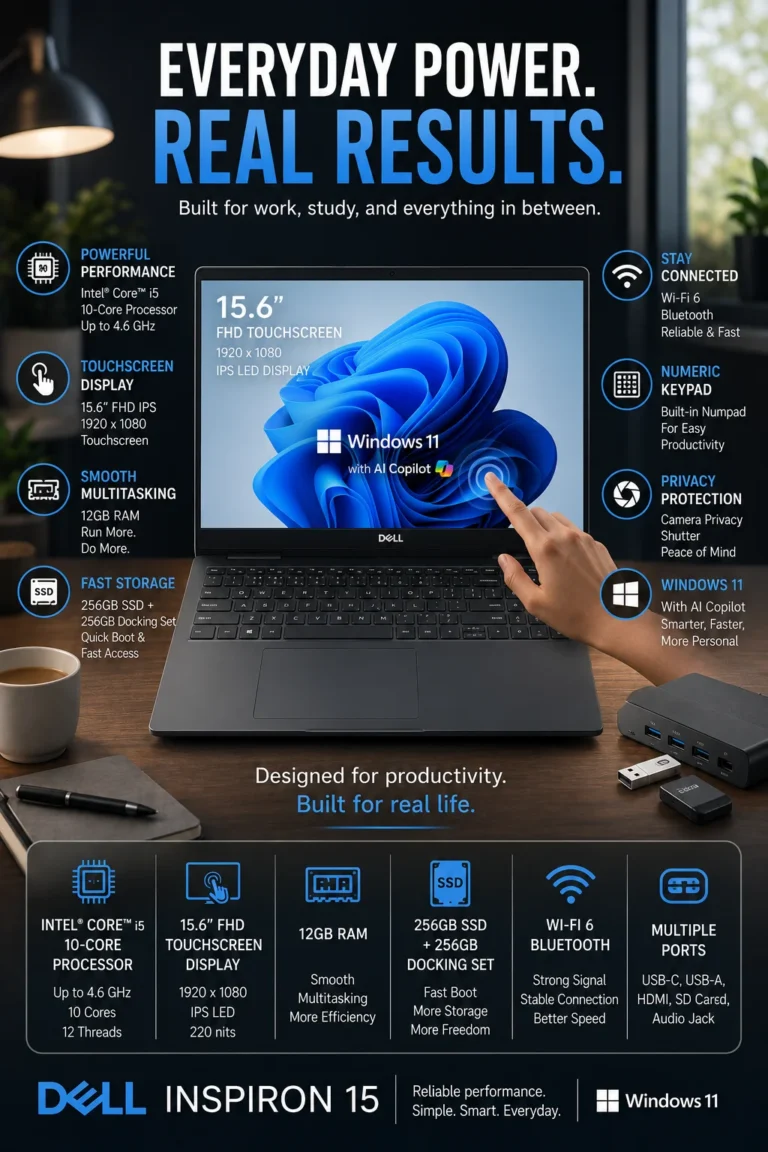
The Dell Inspiron 15 is our Best Laptop for Work Under $700 in 2026, offering a practical combination of everyday performance, a large touchscreen display, a full-size keyboard with numeric keypad, and the features that matter most for office productivity. It is particularly well suited to professionals, remote workers, small business users, and anyone who spends much of the day working with documents, spreadsheets, email, web applications, and video meetings.

13th Gen Intel Core i5 performance — provides responsive performance for Microsoft Office, web applications, spreadsheets, video conferencing, and everyday multitasking
15.6-inch Full HD touchscreen — provides a spacious workspace while adding convenient touch interaction for compatible applications and everyday navigation
Full-size keyboard with numeric keypad — particularly useful for spreadsheets, accounting, financial work, data entry, and users who frequently enter numbers
Productivity-focused configuration — designed around the practical requirements of office work, remote work, communication, and everyday professional computing
Modern Windows productivity environment — supports current productivity applications, cloud services, communication platforms, and everyday professional workflows

Best for: office professionals, remote workers, small business users, spreadsheet-heavy workflows, data entry, and buyers who prefer a larger work-oriented laptop

Result: The Dell Inspiron 15 provides a practical work-focused experience with enough performance for everyday professional workloads, plus a touchscreen and numeric keypad that are particularly useful in office environments.

Compared with more general-purpose budget laptops, the Dell Inspiron 15 has several features that make it especially practical for work. The 15.6-inch display provides comfortable workspace, while the numeric keypad can make a noticeable difference for spreadsheet-heavy tasks, accounting, finance, and data entry.

The Inspiron 15 is not intended to compete with dedicated business-class models such as premium ThinkPad or Latitude systems. Its strength is practicality: it gives professionals the larger screen, numeric keypad, touchscreen functionality, and everyday performance needed for common office workloads without requiring a business-laptop premium.

• 13th Gen Intel Core i5 processor• Responsive everyday performance• Suitable for Microsoft Office applications• Comfortable for web browsing and cloud applications• Designed for everyday multitaskingThe 13th Gen Intel Core i5 processor provides a solid performance foundation for the workloads most office and remote workers encounter every day.It is well suited to documents, spreadsheets, presentations, email, web applications, video conferencing, and general multitasking. Users can work across multiple browser tabs and productivity applications without needing the higher processing power of a gaming or workstation laptop.For typical professional workloads, the emphasis is on responsive everyday performance rather than specialized graphics or workstation-class processing.
• 15.6-inch display• Full HD resolution• Touchscreen functionality• Spacious workspace for office applications• Convenient touch interactionThe 15.6-inch Full HD touchscreen provides a practical workspace for documents, spreadsheets, presentations, web applications, and video meetings.Touch functionality adds another interaction method for compatible Windows applications and can be useful for navigation, presentations, quick selections, and certain productivity workflows.The larger 15.6-inch format also makes the Inspiron 15 more comfortable for users who spend extended periods working directly from the laptop compared with smaller ultraportable designs.
• Integrated numeric keypad• Full-size productivity-oriented keyboard• Useful for spreadsheet work• Convenient for accounting and finance• Practical for frequent numerical data entryThe integrated numeric keypad is one of the Dell Inspiron 15's most practical advantages for professional users.Anyone who regularly works with spreadsheets, accounting software, financial data, inventory systems, invoices, or numerical data entry can benefit from having a dedicated number pad instead of relying on the number row above the keyboard.This feature may appear minor to general users, but for professionals who enter numbers throughout the day, it can make everyday workflows more efficient and comfortable.
• Designed for everyday productivity• Suitable for remote and hybrid work• Comfortable for documents and spreadsheets• Works well with cloud-based applications• Suitable for video meetings and communication toolsThe Inspiron 15 is particularly well suited to modern hybrid workflows that combine local applications with cloud-based services.Professionals can use it for Microsoft Office applications, browser-based productivity platforms, email, online meetings, document management, and everyday communication.Its larger screen and full-size keyboard also make it a practical choice for users who primarily work from a desk and do not need the extreme portability of a smaller 13- or 14-inch laptop.
• Windows 11 operating system• Compatible with Microsoft Office• Supports modern web applications• Suitable for Microsoft Teams, Zoom, and Google Meet• Compatible with a broad range of productivity softwareWindows 11 provides the software environment required for modern office and remote-work workflows.The Inspiron 15 can be used with common productivity applications, cloud services, communication platforms, browsers, document-management tools, and other software used in professional environments.Features such as Microsoft Copilot may also be available depending on the Windows configuration and Microsoft account or service being used. However, Copilot should be considered an additional productivity feature rather than the primary reason to choose this laptop.
• 15.6-inch Full HD touchscreen• 13th Gen Intel Core i5 performance• Integrated numeric keypad• Productivity-focused design• Comfortable for office workloads• Practical for remote and hybrid workThe Dell Inspiron 15 earns our Best Laptop for Work Under $700 award because it focuses on practical features that directly benefit office users.Its combination of a large 15.6-inch display, touchscreen functionality, capable Intel Core i5 performance, and dedicated numeric keypad makes it particularly useful for professionals who spend much of their day working with spreadsheets, documents, email, presentations, and business applications.It is not a premium enterprise laptop, nor is it designed to replace a dedicated gaming machine. Its strength is providing a practical and familiar work environment at a more accessible price.
Ideal for:• Office professionals• Remote workers• Hybrid workers• Small business owners• Accounting and finance users• Spreadsheet-heavy workflows• Data-entry professionals• Students who prefer a larger work laptopThe Dell Inspiron 15 is our Best Laptop for Work Under $700 because its features align closely with everyday office productivity.The numeric keypad is particularly valuable for users who frequently enter numbers, while the 15.6-inch touchscreen provides a comfortable workspace for documents, spreadsheets, presentations, and web applications.Buyers seeking a more portable laptop may prefer the Acer Aspire 5, while users who need dedicated graphics should consider the Acer Nitro V 15.For buyers whose primary requirement is getting work done comfortably and efficiently, however, the Inspiron 15 is one of the most practical choices in this lineup.
#1 Best Gaming Laptop Under $700 (2026 Editor's Choice)

Acer Nitro V 15

Best Gaming Laptop for RTX 4050 Performance, High-Refresh Gaming & Creators
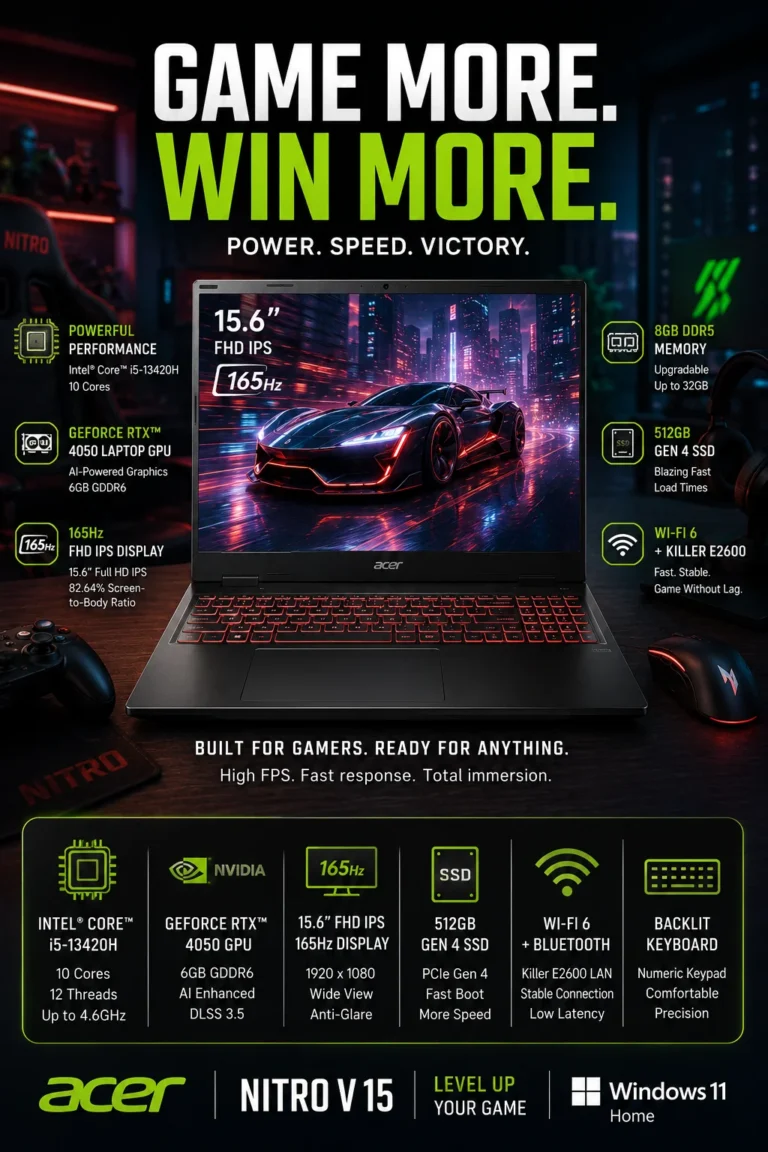
The Acer Nitro V 15 is our Best Gaming Laptop Under $700 in 2026 and the overall performance leader in this lineup. Its dedicated NVIDIA GeForce RTX 4050 GPU, high-refresh-rate display, and Intel H-series processor give it a fundamentally different performance profile from typical budget laptops that rely exclusively on integrated graphics. It is particularly well suited to gaming, creative applications, content creation, and demanding workloads where dedicated graphics performance matters.

NVIDIA GeForce RTX 4050 dedicated graphics — provides substantially stronger graphics performance than integrated GPU solutions for modern games and GPU-accelerated applications
Intel Core i5-13420H processor — delivers strong CPU performance for gaming, multitasking, productivity, and demanding everyday workloads
165Hz Full HD display — enables smoother motion and improved responsiveness in fast-paced games when the system can produce sufficiently high frame rates
Upgradeable DDR5 memory — provides additional upgrade flexibility for users who want more memory capacity as their workloads increase
Gaming-focused connectivity — includes high-speed connectivity options such as Thunderbolt 4 and wired Ethernet, depending on configuration

Best for: gamers, students who also want gaming performance, creators, streamers, and power users who need dedicated graphics under $700

Result: The Nitro V 15 delivers a major graphics-performance advantage over conventional budget laptops, making it capable of handling modern gaming and GPU-intensive workloads that integrated-graphics systems are not designed to handle as well.

Compared with the other laptops in this guide, the Acer Nitro V 15 stands apart primarily because of its dedicated RTX 4050 graphics. While laptops such as the Lenovo IdeaPad Slim 5 offer greater memory and storage capacity in some configurations, the Nitro V 15 is the stronger choice when gaming, 3D applications, GPU acceleration, or graphics-intensive workloads are the priority.

The trade-off is that gaming performance comes with a larger and more performance-oriented design than a typical productivity laptop. Buyers who prioritize portability, quiet everyday operation, or office-focused features may prefer the Acer Aspire 5 or Dell Inspiron 15. For users who want the highest level of graphics performance available in this lineup, however, the Nitro V 15 is the clear choice.

• NVIDIA GeForce RTX 4050 dedicated GPU• Dedicated graphics memory• RTX-enabled gaming features• DLSS support in compatible games• Stronger performance than integrated graphics• Suitable for gaming and GPU-accelerated applicationsThe dedicated NVIDIA GeForce RTX 4050 is the biggest reason the Acer Nitro V 15 stands apart from conventional budget laptops.Instead of relying on integrated graphics, the Nitro V has a dedicated GPU designed to handle substantially more demanding graphics workloads. This makes it a much stronger option for modern games, 3D applications, video editing, rendering, and other software that can take advantage of GPU acceleration.Performance will vary depending on the game, resolution, graphics settings, and power configuration, but the RTX 4050 provides a significantly stronger graphics foundation than the integrated GPUs found in most productivity-focused laptops under $700.
• 165Hz refresh rate• Full HD resolution• High-refresh-rate gaming experience• Smoother motion in supported games• Particularly useful for competitive gamingThe 165Hz display allows the screen to refresh substantially more frequently than a conventional 60Hz panel.When the GPU can produce sufficiently high frame rates, the higher refresh rate can make motion appear smoother and make fast camera movements easier to follow. This is particularly useful in competitive games where responsiveness and motion clarity are important.A 165Hz panel does not automatically increase game performance or guarantee higher FPS. The actual experience depends on the game's settings, the GPU workload, and the frame rate the system can produce.
• Intel Core i5-13420H processor• H-series mobile processor• Strong multi-core performance• Suitable for gaming workloads• Capable of demanding multitaskingThe Intel Core i5-13420H provides the CPU performance needed to complement the dedicated RTX graphics.Its H-series design is aimed at higher-performance laptops and makes the Nitro V 15 well suited to gaming, productivity, content creation, video editing, and demanding multitasking.For gaming, the combination of the processor and RTX 4050 helps provide a balanced platform where both CPU and GPU workloads can be handled more effectively than on typical entry-level productivity laptops.
• DDR5 memory• Upgradeable memory configuration• Additional capacity can be useful for demanding workloads• Useful for gaming and content creation• Better upgrade flexibility than fixed-memory systemsOne of the Nitro V 15's practical advantages is its upgrade potential.Depending on the exact configuration, the laptop provides accessible memory expansion options that allow users to increase RAM capacity rather than replacing the entire system when their workload requirements grow.This is particularly useful for users who eventually move into heavier multitasking, content creation, virtual machines, or other memory-intensive workloads.Upgrade compatibility and maximum supported memory can vary by exact Nitro V 15 configuration, so buyers should verify the specifications of the specific model before purchasing additional memory.
• Thunderbolt 4 on supported configuration• HDMI output• Gigabit Ethernet• Wi-Fi connectivity• USB connectivity for peripheralsThe Nitro V 15 provides the connectivity expected from a performance-oriented laptop, including wired Ethernet for stable gaming and networking, HDMI for external displays, and multiple USB connectivity options.Certain configurations also include Thunderbolt 4, providing high-speed connectivity for compatible peripherals, docks, displays, and storage devices.Because port selection can vary between Nitro V 15 configurations and regional models, buyers should confirm the exact specification of the model they are purchasing.
• Performance-focused chassis• Designed for higher sustained workloads• Dedicated graphics cooling requirements• Gaming-oriented thermal design• Built around higher-performance componentsThe Nitro V 15 is designed around components that generate substantially more performance and heat than a typical productivity laptop.Its performance-oriented chassis and cooling system are intended to support gaming and other demanding workloads more effectively than thin-and-light budget machines.As with most gaming laptops, performance can depend on the power profile, temperatures, workload, and whether the laptop is connected to AC power. Users should also expect more fan noise under demanding workloads than they would from a low-power productivity laptop.
• RTX 4050 dedicated graphics• Intel Core i5-13420H processor• 165Hz display• Upgradeable DDR5 memory• Gaming-focused performance• Strong graphics capability for the price categoryThe Acer Nitro V 15 earns our Best Overall Laptop Under $700 award because it provides the largest performance advantage in this lineup.Its dedicated RTX 4050 GPU fundamentally changes what the laptop can be used for. While the other models are primarily designed around productivity, office work, portability, or general everyday computing, the Nitro V can also handle modern gaming and substantially more demanding GPU-accelerated workloads.That versatility gives it the strongest overall performance profile in this particular price category, although buyers who prioritize portability, battery efficiency, or quiet office use may be better served by a productivity-focused laptop.
Ideal for:• PC gamers• Competitive gamers• Students who also want gaming capability• Content creators• Video editors• 3D and GPU-accelerated workloads• Power users• Buyers who prioritize performanceThe Acer Nitro V 15 is the strongest choice in this guide for buyers who need dedicated graphics performance.Its RTX 4050 GPU and 165Hz display make it particularly well suited to gaming, while the H-series Intel processor provides enough CPU performance for demanding productivity and creative workloads.Buyers whose priority is office productivity, portability, or long battery life may prefer the Acer Aspire 5, Dell Inspiron 15, or Lenovo IdeaPad Slim 5.For users who want one laptop capable of gaming as well as demanding everyday computing, however, the Nitro V 15 offers the most performance-oriented package in this lineup.
#6 Best MacBook Under $700 (2026 Editor's Choice)

Apple MacBook Air M1

Best MacBook for Students, Travelers & Everyday Productivity
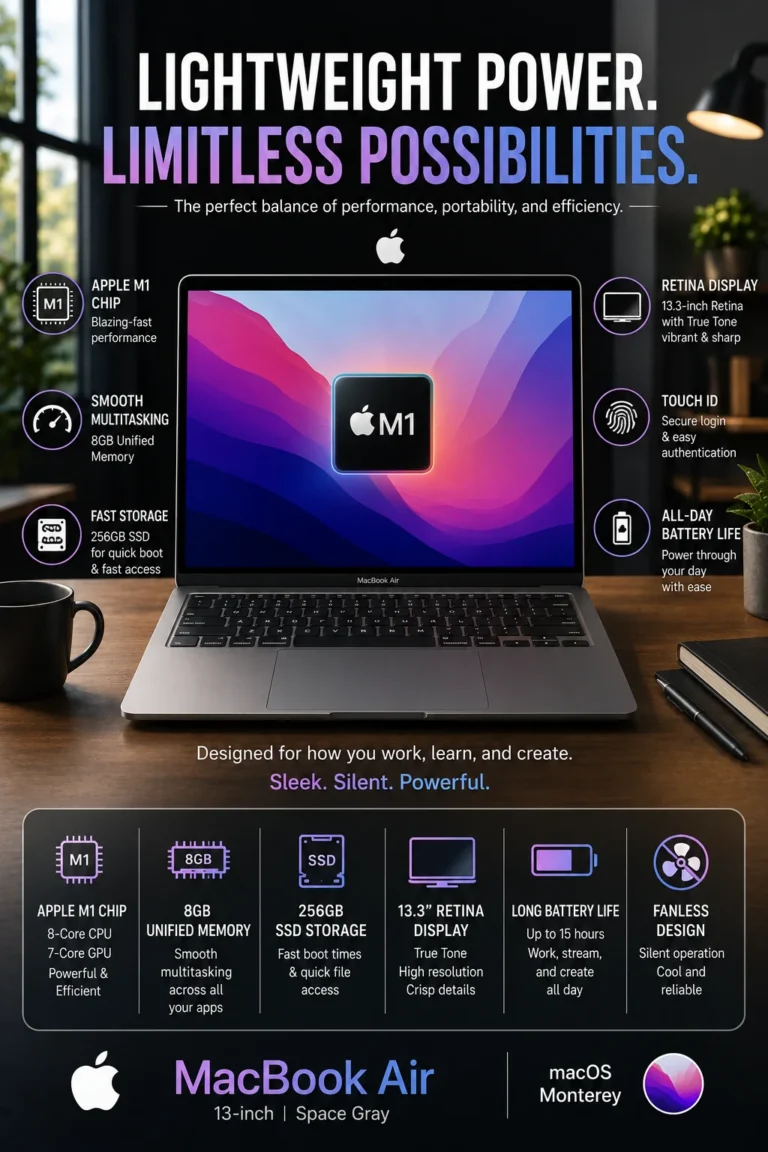
The Apple MacBook Air M1 remains a compelling choice for buyers looking for a premium ultraportable under $700 in 2026. Its Apple M1 chip delivers responsive everyday performance, while the fanless design operates silently during normal workloads. Combined with a high-quality Retina display, strong battery efficiency, compact construction, and macOS integration, the MacBook Air M1 is particularly appealing to students, writers, travelers, and Apple users who prioritize portability and a refined everyday experience.

Apple M1 performance — provides responsive performance for web browsing, documents, productivity applications, media consumption, and everyday multitasking
Excellent battery efficiency — the M1 platform is designed around low power consumption, making the MacBook Air well suited to mobile work and extended periods away from a charger
Fanless silent design — operates without a traditional cooling fan, allowing the laptop to remain virtually silent during normal productivity workloads
Retina display — provides sharp text, high pixel density, and strong image quality for documents, photos, video, and everyday macOS use
Apple ecosystem integration — works particularly well with compatible iPhone, iPad, AirPods, and other Apple devices through Apple's software ecosystem

Best for: students, writers, travelers, remote workers, Apple users, and buyers who prioritize portability, battery efficiency, silent operation, and display quality

Result: The MacBook Air M1 provides a quiet, lightweight, and efficient computing experience that remains highly competitive for everyday productivity despite being an older Apple Silicon generation.

Compared with similarly priced Windows laptops, the MacBook Air M1 stands out for its compact design, fanless operation, efficient Apple Silicon platform, and Retina display. However, buyers should also consider its limitations, including fewer physical ports, a more closed hardware ecosystem, and less flexibility for memory and storage upgrades than many Windows alternatives.

The MacBook Air M1 is not the strongest choice for buyers who need dedicated graphics, extensive port selection, or maximum hardware specifications per dollar. The Acer Nitro V 15 is substantially better suited to gaming and GPU-intensive workloads, while the Lenovo IdeaPad Slim 5 offers much greater memory and storage capacity in its high-capacity configuration. For users who value mobility, silent operation, battery efficiency, and macOS above raw specifications, however, the MacBook Air M1 remains a strong option under $700.

• Apple M1 chip• 8-core CPU architecture• Integrated GPU• Strong single-system responsiveness• Efficient performance for everyday workloadsThe Apple M1 remains capable of handling the everyday workloads most students, writers, professionals, and home users encounter.Web browsing, documents, email, video conferencing, media consumption, office applications, and general multitasking remain responsive on the M1 platform.Its biggest advantage is not raw performance compared with newer Apple Silicon generations, but the combination of capable processing performance and very efficient power consumption.For demanding professional video production, advanced 3D workloads, or applications that specifically benefit from newer Apple Silicon features, buyers should consider a more recent MacBook generation.
• Efficient Apple Silicon architecture• Low-power fanless design• Well suited to mobile productivity• Designed for extended use away from a desk• Convenient for students and travelersThe MacBook Air M1 is particularly well suited to users who frequently work away from a desk.Its efficient Apple Silicon platform allows the system to deliver strong everyday performance without requiring the power consumption associated with many higher-performance laptops.Actual battery life varies according to workload, display brightness, applications, wireless connectivity, battery health, and system configuration. Nevertheless, efficiency remains one of the MacBook Air M1's strongest advantages over many conventional budget laptops.For students, travelers, writers, and remote workers, that efficiency can reduce the need to remain close to a power outlet throughout the day.
• Fanless cooling system• Virtually silent operation• No traditional cooling fan• Excellent for quiet environments• Suitable for libraries, classrooms, meetings, and focused workThe MacBook Air M1 uses a fanless design, meaning there is no traditional cooling fan generating noise during normal operation.This makes the laptop particularly comfortable in quiet environments such as libraries, classrooms, meetings, offices, and shared workspaces.The trade-off is that the fanless design is intended around efficiency rather than sustained high-performance workloads. Users who regularly perform long, demanding CPU or GPU-intensive tasks may benefit from a MacBook with active cooling and a newer Apple Silicon chip.
• Retina display• High pixel density• Sharp text rendering• Wide-color support• Strong image quality for everyday useThe MacBook Air M1's Retina display remains one of its most appealing features.The high pixel density produces sharp text and detailed images, which is particularly noticeable when reading documents, browsing websites, editing photos, or working with text for extended periods.The display is one of the areas where the MacBook Air continues to feel more premium than many budget-oriented Windows laptops, although newer laptops can offer advantages such as higher refresh rates or OLED technology.
• macOS operating system• Integration with compatible Apple devices• iPhone and iPad connectivity features• AirPods integration• Convenient Apple device workflowsFor users already invested in Apple's ecosystem, the MacBook Air can provide a particularly cohesive experience.Compatible Apple devices can work together through features such as iCloud synchronization, AirDrop, Handoff, and other continuity features supported by the relevant hardware and software versions.This can make moving between an iPhone, iPad, and Mac more convenient, particularly for users who regularly share files, photos, links, documents, or other information between devices.The ecosystem advantage is therefore highly user-dependent: it is a meaningful benefit for Apple users but much less important for someone who primarily uses Windows or Android devices.
• Compact ultraportable design• Lightweight construction• Easy to carry between locations• Well suited to students and travelers• Designed for mobile productivityThe MacBook Air M1 is one of the most portability-focused laptops in this lineup.Its compact design makes it particularly convenient for students carrying a laptop between classes, professionals commuting between locations, and travelers who want a capable computer without carrying a heavier performance-oriented machine.This portability comes with trade-offs. The MacBook Air M1 offers fewer physical ports than many Windows laptops in this guide and does not provide the same hardware flexibility or upgrade options found on some competing systems.
• Apple M1 performance• Efficient battery-focused platform• Fanless silent operation• Retina display• Compact ultraportable design• Strong macOS ecosystem integrationThe Apple MacBook Air M1 earns our Best MacBook Under $700 designation because it still provides a polished combination of performance, efficiency, portability, display quality, and silent operation when available within this price range.Its value comes from the overall experience rather than from having the most memory, storage, ports, or graphics performance.It is therefore best viewed as a specialized recommendation within this guide rather than a direct replacement for the Windows laptops that offer more hardware capacity for the same money.
Ideal for:• Students• Writers and journalists• Remote workers• Travelers• Office and productivity users• Apple ecosystem users• Buyers who prioritize portability• Users who value silent operationThe MacBook Air M1 is particularly attractive to users who prioritize mobility and everyday usability over maximum specifications.Students and writers can benefit from its quiet operation and compact design, while travelers can take advantage of its efficient platform and lightweight form factor.However, buyers who prioritize gaming, upgradeability, extensive connectivity, or maximum hardware specifications per dollar should consider Windows alternatives such as the Acer Nitro V 15, Lenovo IdeaPad Slim 5, or HP Pavilion 15.For someone specifically looking for a MacBook under $700, however, the M1 remains a compelling option when the price and condition of the specific unit make sense.

Best Laptops Under $700 in 2026

Ranked by Performance, Productivity, Gaming Capability, Display Quality, Portability & Overall Value

Choosing the best laptop under $700 in 2026 requires more than comparing processor specifications. Buyers need to consider real-world performance, memory capacity, storage, display quality, portability, battery efficiency, upgradeability, and the type of work the laptop will actually perform.We evaluated these laptops according to different buying priorities, including everyday productivity, office work, multitasking, large-screen productivity, gaming, portability, and overall value. The goal is not to identify one laptop that is perfect for everyone, but to show which model makes the most sense for each type of buyer.

LaptopCPU & Key SpecsBest ForWhy It WinsEditor's VerdictBuy
Best Overall
Acer Aspire 5
Intel Core i7-1355U
16GB Memory
512GB PCIe SSD
15.6" Full HD IPS Touchscreen
Students
Office Professionals
Remote Workers
Everyday Users
The Acer Aspire 5 offers one of the most balanced combinations of performance, usability, display quality, portability, and price in this lineup. Its Core i7 processor, 16GB of memory, fast SSD storage, and touchscreen configuration make it versatile enough for school, office work, remote productivity, and everyday computing without pushing buyers toward a more expensive class of laptop.Best Laptop Under $700 for Most BuyersCheck Price
Best Value
HP Pavilion 15
Intel Core i7
32GB RAM
1TB SSD
15.6" Full HD Display
Value Buyers
Office Users
Multitaskers
Students
The HP Pavilion 15 stands out for delivering an unusually strong amount of memory and storage for its price. With 32GB of RAM and a 1TB SSD, it provides significantly more multitasking and storage headroom than many budget laptops, making it particularly attractive when maximizing hardware value is the priority.Best Value Laptop Under $500Check Price
Best Large Display
ASUS Vivobook 16
Intel Core i5-13500H
512GB SSD
16" WUXGA
16:10 Display
Office Users
Students
Multitaskers
Large-Screen Buyers
The ASUS Vivobook 16 provides a larger 16-inch 16:10 workspace that is particularly useful for spreadsheets, documents, research, multitasking, and productivity applications. Its H-series processor also provides stronger processing capability than many entry-level budget laptops.Best Large-Screen Laptop Under $700Check Price
Best Premium
Lenovo IdeaPad Slim 5
Intel Core 7
32GB DDR5
1TB SSD
16" WUXGA Touchscreen
Power Users
Professionals
Heavy Multitaskers
Premium-Value Buyers
The IdeaPad Slim 5 stands out with a high-capacity 32GB memory configuration, 1TB SSD storage, touchscreen functionality, and a modern productivity-focused design. It is particularly appealing to buyers who want substantially more hardware capacity without moving into a much higher price category.Best Premium-Spec Laptop Under $700Check Price
Best for Work
Dell Inspiron 15
13th Gen Intel Core i5
Touchscreen
Numeric Keypad
15.6" Full HD Display
Office Professionals
Remote Workers
Small Businesses
Data Entry Users
The Dell Inspiron 15 is particularly well suited to productivity-focused workflows where a larger display, touchscreen, numeric keypad, and dependable everyday performance are more important than gaming or premium entertainment features. The numeric keypad is especially useful for spreadsheets, accounting, finance, and frequent data entry.Best Work Laptop Under $700Check Price
Best Gaming
Acer Nitro V 15
Intel Core i5-13420H
NVIDIA GeForce RTX 4050
165Hz Display
Upgradeable DDR5 Memory
Gamers
Creators
Students
Performance Buyers
The Acer Nitro V 15 is the clear performance specialist in this lineup. Its dedicated RTX 4050 GPU places it in a completely different performance category from laptops relying on integrated graphics, making it the strongest choice here for gaming and GPU-accelerated workloads.Best Gaming Laptop Under $700Check Price
Best MacBook
Apple MacBook Air M1
Apple M1
Fanless Design
Retina Display
macOS
Students
Writers
Travelers
Apple Users
The MacBook Air M1 remains compelling when available under $700 because of its efficient Apple Silicon platform, fanless silent operation, compact design, Retina display, and strong integration with the Apple ecosystem. It is a specialized choice for buyers who value mobility and macOS rather than maximum hardware specifications per dollar.Best MacBook Under $700Check Price
Keep Exploring

Recommended Next Reads

Found a laptop under $700 that fits your budget? Explore our other expert laptop guides to compare higher price ranges, lower-cost options, and laptops designed for specific types of users and workloads.

Whether you need more performance, want to spend less, need a laptop for college or remote work, or want specialized gaming hardware, these guides can help you narrow down your options and make a more confident purchase decision.

01

EDITOR'S FINAL RECOMMENDATIONS

Our Final Laptop Recommendations Under $700 in 2026

After comparing these laptops across real-world performance, multitasking, display quality, portability, battery life, gaming capability, storage, upgradeability, and overall value, these are our final recommendations for buyers in 2026. Whether you are a student, professional, gamer, remote worker, or simply looking for the most laptop you can get for your money, each recommendation serves a different type of buyer.

BEST VALUE

HP Pavilion 15

The value champion of this lineup. With an Intel Core i7 processor, 32GB of RAM, and a 1TB SSD, the HP Pavilion 15 offers an unusually strong combination of memory, storage, and everyday performance for buyers focused on getting maximum hardware for their money.

  • ✓ 12th Gen Intel Core i7
  • ✓ 32GB RAM
  • ✓ 1TB SSD
  • ✓ Fingerprint Reader
Best value laptop for budget-conscious buyers
BEST PREMIUM

Lenovo IdeaPad Slim 5

The premium-value choice for buyers who want substantially more memory and storage without moving into a higher price category. Its 32GB DDR5 memory, 1TB SSD, large touchscreen, and Intel Core 7 platform make it particularly attractive for demanding multitasking and long-term productivity.

  • ✓ 32GB DDR5 Memory
  • ✓ 1TB NVMe SSD
  • ✓ 16-inch WUXGA Touchscreen
  • ✓ Windows 11 Pro
Best premium-spec laptop under $700
BEST FOR STUDENTS

Acer Aspire 5

A balanced choice for students and everyday users who need dependable performance without paying for unnecessary premium features. Its touchscreen, Intel Core i7 processor, practical design, and relatively portable form factor make it a versatile option for school, office work, and everyday productivity.

  • ✓ Intel Core i7-1355U
  • ✓ 16GB LPDDR5 Memory
  • ✓ 15.6-inch Full HD Touchscreen
  • ✓ Backlit Keyboard
Best laptop under $700 for students and everyday use
BEST FOR WORK

Dell Inspiron 15

The work-focused option for professionals who prioritize productivity and practical business features. Its touchscreen, numeric keypad, 13th Gen Intel Core i5 processor, and Windows 11 environment make it particularly useful for office applications, spreadsheets, remote work, and daily professional tasks.

  • ✓ 13th Gen Intel Core i5
  • ✓ 15.6-inch Full HD Touchscreen
  • ✓ Numeric Keypad
  • ✓ Windows 11 + AI Copilot
Best laptop under $700 for office and work
BEST MACBOOK

Apple MacBook Air M1

The best choice for buyers specifically looking for a Mac under $700. The M1 MacBook Air combines strong everyday performance, excellent battery efficiency, silent fanless operation, a premium Retina display, and seamless integration with the Apple ecosystem.

  • ✓ Apple M1 Chip
  • ✓ Fanless Silent Design
  • ✓ Retina Display
  • ✓ Exceptional Battery Life
Best MacBook under $700 for Apple users
BEST LARGE DISPLAY

ASUS Vivobook 16

The best choice for buyers who value screen size and productivity. Its 16-inch WUXGA display provides more usable workspace than traditional 15.6-inch laptops, while the H-series Intel processor delivers strong performance for multitasking, office work, study, and demanding everyday workloads.

  • ✓ Intel Core i5-13500H
  • ✓ 16-inch WUXGA Display
  • ✓ 16:10 Aspect Ratio
  • ✓ MIL-STD 810H Durability
Best large-screen laptop under $700
QUICK DECISION

Which laptop under $700 should you buy?

Best Overall

Acer Nitro V 15

Best Value

HP Pavilion 15

Best Premium

Lenovo IdeaPad Slim 5

Best for Students

Acer Aspire 5

Best for Work

Dell Inspiron 15

Best MacBook

MacBook Air M1

Best Large Display

ASUS Vivobook 16

Laptop prices, configurations, and availability can change frequently. Before purchasing, check Amazon for the latest price, available memory and storage configurations, warranty coverage, and current promotions.

EDITOR'S FINAL VERDICT

Final Verdict: Best Laptops Under $700 in 2026

After comparing the best laptops under $700 across performance, multitasking, gaming capability, display quality, battery life, portability, upgradeability, and long-term value, one conclusion stands out:The best laptop under $700 is not necessarily the one with the highest specifications. It is the laptop that gives you the right combination of performance, features, usability, and value for the way you actually plan to use it.

A $700 laptop can now handle much more than basic browsing and office work. Depending on the model, this price range can deliver powerful processors, 32GB of RAM, 1TB SSD storage, dedicated RTX graphics, high-refresh-rate displays, large productivity screens, or even access to Apple's ecosystem.

For most buyers in 2026, prioritize at least 16GB of RAM, fast SSD storage, a modern processor, a display that fits your workload, and enough performance headroom to remain useful for several years.
Best Overall Lenovo IdeaPad Slim 5
Best Gaming Acer Nitro V 15
Best Value HP Pavilion 15
Best MacBook MacBook Air M1
The simple answer:
  • Choose the Lenovo IdeaPad Slim 5 if you want the strongest combination of RAM, storage, display size, performance, and long-term productivity value.
  • Choose the HP Pavilion 15 if your priority is getting as much performance, memory, and storage as possible while keeping the purchase price low.
  • Choose the Acer Nitro V 15 if gaming or GPU performance matters. Its dedicated RTX 4050 graphics and 165Hz display put it in a completely different performance class from typical budget laptops.
  • Choose the ASUS Vivobook 16 if screen size and comfortable multitasking are more important to you than maximum portability.
  • Choose the Dell Inspiron 15 if your laptop will primarily be used for office work, spreadsheets, remote work, business applications, and productivity.
  • Choose the MacBook Air M1 if you specifically want macOS, excellent battery life, silent operation, and a lightweight premium laptop.

Top Laptop Recommendations Under $700 (2026)

BEST OVERALL

Lenovo IdeaPad Slim 5

Our Editor's Choice for buyers who want premium-level specifications without moving beyond the $700 price range. Its 32GB of DDR5 memory, 1TB SSD, 16-inch touchscreen, and strong Intel Core 7 platform make it exceptionally well suited for demanding multitasking and long-term productivity.

  • ✓ 32GB DDR5 Memory
  • ✓ 1TB NVMe SSD
  • ✓ 16-inch WUXGA Touchscreen
  • ✓ Windows 11 Pro
BEST GAMING LAPTOP

Acer Nitro V 15

The clear choice for buyers who want real gaming performance under $700. The dedicated RTX 4050 GPU, high-refresh-rate display, H-series Intel processor, and upgradeable DDR5 memory give it a major advantage over conventional budget laptops.

  • ✓ NVIDIA RTX 4050 Graphics
  • ✓ 165Hz Full HD Display
  • ✓ Intel Core i5-13420H
  • ✓ Upgradeable DDR5 Memory
BEST BUDGET VALUE

HP Pavilion 15

The strongest value-focused option for buyers who want maximum specifications for the money. Its combination of Intel Core i7 performance, 32GB RAM, and 1TB SSD storage makes it particularly attractive for students, office users, and heavy multitaskers on a budget.

  • ✓ Intel Core i7 Processor
  • ✓ 32GB RAM
  • ✓ 1TB SSD
  • ✓ Excellent Price-to-Performance
Choose the Lenovo IdeaPad Slim 5 if:
  • ✓ You want the best overall laptop under $700
  • ✓ You regularly multitask with many applications and browser tabs
  • ✓ You want 32GB RAM and 1TB storage
  • ✓ Long-term productivity and premium specifications matter
Choose the Acer Nitro V 15 if:
  • ✓ You want to play modern PC games
  • ✓ Dedicated graphics performance is important
  • ✓ You want a high-refresh-rate display
  • ✓ You also need a laptop capable of demanding creative workloads
Before Buying Any Laptop Under $700:
  • ✓ Prefer 16GB or more RAM for modern multitasking
  • ✓ Choose SSD storage rather than older storage technologies
  • ✓ Match the processor and GPU to your actual workload
  • ✓ Consider display size, battery life, portability, and upgradeability—not just specifications
Editor's Final Recommendation:

A laptop under $700 does not need to be a compromise. The strongest options in this price range now offer enough performance for serious productivity, while specialized models can also deliver gaming power, large displays, premium portability, or exceptional battery life.

Among the models evaluated in this guide, the Lenovo IdeaPad Slim 5 delivers the strongest overall combination of memory, storage, display size, performance, and long-term value, making it our Editor's Choice for the best laptop under $700 in 2026.

However, buyers should not automatically choose the overall winner. The Acer Nitro V 15 is the better choice for gaming, the HP Pavilion 15 offers exceptional value, the ASUS Vivobook 16 is better for large-screen productivity, the Dell Inspiron 15 is a strong work-focused option, and the MacBook Air M1 remains the obvious choice for buyers who specifically want macOS.

Editor's Choice See Today's Best Laptop Deals Under $700

Prices and configurations can change frequently. Compare the latest price, available memory and storage, warranty coverage, and current availability before choosing the laptop that best matches your needs.

Check Latest Deals

EDITOR'S FAQ

Frequently Asked Questions About the Best Laptops Under $700 in 2026

Choosing a laptop under $700 requires more than comparing processor names and RAM numbers. Buyers need to consider real-world performance, battery life, display quality, portability, storage, upgrade potential, gaming capability, and how the laptop will perform over several years.These frequently asked questions address the most important buying decisions when choosing a laptop under $700 in 2026, including the best overall option, gaming performance, student use, productivity, memory, storage, and long-term value.

The Lenovo IdeaPad Slim 5 is our top overall recommendation for most buyers looking for a laptop under $700 in 2026.

It offers one of the strongest combinations of everyday performance, memory, storage, display quality, portability, and long-term usability in this price range. It is particularly well suited to students, professionals, home users, and buyers who need a versatile laptop for everyday productivity.

  • Strong performance for everyday productivity and multitasking.
  • Generous memory and storage configuration.
  • Large display provides more workspace for documents and multitasking.
  • Good balance between performance, portability, and price.
  • Versatile enough for school, work, browsing, streaming, and everyday use.

If you do not need a dedicated gaming GPU and simply want the strongest all-around laptop under $700, the Lenovo IdeaPad Slim 5 is the safest starting point.

Check Price
The Acer Nitro V is the strongest gaming choice among the laptops featured in this guide.

Gaming laptops under $700 usually require significant compromises, but the Acer Nitro V stands out because it combines dedicated NVIDIA graphics with a high-refresh-rate display and a performance-oriented processor.

  • Dedicated NVIDIA RTX graphics.
  • High-refresh-rate gaming display.
  • Performance-focused processor designed for gaming workloads.
  • Better suited to modern games than integrated-graphics laptops.
  • Can also handle demanding productivity and creative workloads better than typical budget laptops.

If gaming is one of your primary reasons for buying a laptop, the Acer Nitro V makes more sense than choosing a conventional productivity laptop simply because it has more RAM or storage.

Check Gaming Deal
The Lenovo IdeaPad Slim 5 is one of the strongest overall choices for students who need a versatile laptop for school, research, writing, and multitasking.

Students typically need a laptop that can handle dozens of browser tabs, documents, presentations, video calls, research, streaming, and productivity applications without becoming frustratingly slow.

  • Strong everyday performance for academic workloads.
  • Generous memory helps with multitasking.
  • SSD storage provides fast startup and application loading.
  • Larger display provides useful workspace for research and documents.
  • Good balance between performance and long-term value.

Students who prioritize gaming should instead consider the Acer Nitro V, while students who strongly prefer macOS and portability may want to consider the MacBook Air M1.

Check Student Pick
The HP Pavilion 15 is our strongest value-oriented recommendation for buyers who want a strong hardware configuration without moving into a higher price category.

The best value is not necessarily the laptop with the lowest price. It is the model that gives you enough performance, memory, storage, and usability to remain comfortable for several years.

  • Strong processor performance for everyday workloads.
  • Generous RAM configuration.
  • Large SSD storage capacity.
  • Well suited to office work, school, browsing, and multitasking.
  • Strong price-to-performance balance.

For buyers focused primarily on getting the most useful hardware for their money, the HP Pavilion 15 deserves serious consideration.

Check Best Value
Yes. 16GB of RAM is the recommended starting point for a laptop under $700 if you want comfortable multitasking and better long-term usability.

Modern workloads can quickly consume available memory. Students and professionals may simultaneously use browser tabs, Microsoft Office, video calls, cloud applications, messaging platforms, and other productivity software.

  • 8GB → Acceptable for basic browsing, documents, streaming, and light workloads.
  • 16GB → Recommended for most users and everyday multitasking.
  • 32GB → Useful for heavier multitasking, demanding applications, content creation, and users who want additional headroom.

If two laptops are similarly priced, choosing the configuration with 16GB or more is generally the smarter long-term decision than prioritizing a small processor upgrade that produces little noticeable difference in everyday use.

512GB of SSD storage is a good target for most buyers in the under-$700 category.

Storage affects how comfortable a laptop remains over time. Modern applications, games, photos, videos, school files, and operating-system updates can consume space faster than many buyers expect.

  • 256GB → Acceptable for basic users who rely heavily on cloud storage.
  • 512GB → Recommended for most students, professionals, and everyday users.
  • 1TB → Better for gaming, large media libraries, creative work, and users who store substantial amounts of data locally.

An SSD is also essential for a responsive experience. Avoid choosing an older or slower storage configuration simply because the laptop has a more impressive processor name.

Yes. The MacBook Air M1 can still be an attractive option under $700 when you prioritize portability, battery efficiency, silent operation, and the macOS ecosystem.

The M1 platform remains capable of handling many everyday workloads, including web browsing, documents, research, streaming, video calls, writing, and general productivity.

  • Excellent portability.
  • Strong battery efficiency.
  • Silent fanless operation.
  • Well suited to everyday productivity.
  • Strong choice for buyers already invested in Apple's ecosystem.

However, buyers should carefully consider the available memory and storage configuration. A Windows laptop may provide significantly more RAM and storage at the same price, while the MacBook's strengths are primarily its efficiency, portability, software ecosystem, and overall user experience.

Check MacBook Price
A 16-inch laptop can provide a meaningful productivity advantage if you frequently work with multiple windows, spreadsheets, documents, or large applications.

A larger display gives you more usable workspace without requiring an external monitor. This can be particularly useful for students, professionals, spreadsheet-heavy workflows, and users who multitask throughout the day.

  • 16-inch → Better for multitasking, spreadsheets, documents, and larger workspaces.
  • 15-inch → Good balance between screen size and portability.
  • 14-inch or smaller → Better for users who prioritize mobility and frequent travel.

The ASUS Vivobook 16 is therefore an attractive choice for buyers who value screen space and comfortable multitasking more than maximum portability.

Check Vivobook 16 Price
Choose a gaming laptop only if you actually need dedicated graphics performance.

Gaming laptops such as the Acer Nitro V typically sacrifice some portability, battery efficiency, and simplicity in exchange for stronger graphics performance and better gaming capability.

  • Choose a regular laptop → If your priorities are school, office work, browsing, portability, battery life, and everyday productivity.
  • Choose a gaming laptop → If you regularly play modern games or need dedicated GPU performance.
  • Choose a larger productivity laptop → If spreadsheets, documents, research, and multitasking are your primary workloads.

Do not pay the weight, power consumption, and cooling-system premium of a gaming laptop if you rarely play games. For most productivity users, a conventional laptop can provide a better everyday experience.

View Gaming Option
If you are unsure, start with the Lenovo IdeaPad Slim 5 because it offers the strongest overall balance for most users.

The right choice ultimately depends on what matters most in your daily workflow. Use this quick decision guide:

  • Best Overall → Lenovo IdeaPad Slim 5
  • Best Budget Value → HP Pavilion 15
  • Best Large Display → ASUS Vivobook 16
  • Best Gaming → Acer Nitro V
  • Best Apple Option → MacBook Air M1

If your needs are mainly school, work, browsing, productivity, and general everyday use, the Lenovo IdeaPad Slim 5 is the safest overall recommendation. If gaming is your priority, choose the Acer Nitro V instead. If portability and macOS matter most, the MacBook Air M1 may be the better fit.

Check Best Overall Deal

LAPTOP BUYING GUIDE

Common Mistakes When Buying a Laptop Under $700 in 2026

Buying a laptop under $700 in 2026 is not simply about finding the highest processor specification or the largest amount of storage for the lowest price. At this price point, buyers need to balance performance, memory, display quality, battery life, portability, graphics capability, and long-term usability.The wrong configuration can quickly become frustrating if it does not match your actual workload. Avoid these common mistakes before choosing your next laptop.

Editor's Insight

The best laptop under $700 is rarely the model with the most impressive specification sheet. At this price level, smart buying means prioritizing the characteristics that will have the greatest impact on everyday use.For most buyers in 2026, 16GB of RAM, fast SSD storage, a modern processor, and a quality display should be considered the baseline for a comfortable long-term experience. Gaming buyers should prioritize dedicated graphics, while students and mobile users may benefit more from battery efficiency, portability, and overall balance.

Choosing a Laptop Based Only on the CPU Name

  • Processor branding does not tell the complete performance story.
  • Two laptops with similar CPU labels can have very different memory, storage, cooling, and display configurations.
  • A faster processor paired with only 8GB of RAM may provide a worse everyday experience than a more balanced system with 16GB.

Better decision: Evaluate the complete configuration: processor, RAM, SSD storage, display, battery life, graphics, and overall build quality.

Choosing Only 8GB of RAM in 2026

  • Modern browsers can consume substantial memory with multiple tabs open.
  • Office applications, video calls, streaming, and multitasking can quickly increase memory usage.
  • 8GB provides less headroom for future software and heavier workloads.

Better decision: Choose 16GB of RAM whenever possible. If your workload involves heavy multitasking, content creation, development, or demanding applications, 32GB can provide additional long-term headroom.

Ignoring Display Quality

  • A laptop display is something you may look at for several hours every day.
  • Low brightness and poor viewing angles can make extended sessions uncomfortable.
  • Limited screen space can make multitasking, spreadsheets, research, and productivity less efficient.

Better decision: Look for a quality IPS or comparable display with adequate brightness and resolution. Models such as the Lenovo IdeaPad Slim 5 and ASUS Vivobook 16 can be particularly attractive when screen quality and workspace matter.

Buying a Gaming Laptop When You Do Not Need Gaming Performance

  • Gaming laptops are often heavier than productivity-focused alternatives.
  • Dedicated graphics hardware can increase power consumption and heat.
  • You may spend part of your budget on GPU performance that provides little benefit for office, school, or browsing workloads.

Better decision: Choose a gaming laptop such as the Acer Nitro V only when gaming or GPU-intensive applications are an important part of your actual workload.

Ignoring Battery Life and Portability

  • A powerful laptop can become inconvenient if it is too heavy to carry every day.
  • Short battery life can limit productivity away from a power outlet.
  • Students and frequent travelers may value portability more than additional processing performance.

Better decision: Consider where you will use the laptop most often. Students, commuters, and mobile professionals should place greater emphasis on weight, battery efficiency, and portability.

Buying an Outdated Configuration Just Because It Is Cheap

  • Older processors can provide poor long-term value even when the initial price looks attractive.
  • Low RAM and small storage configurations can become limiting surprisingly quickly.
  • A heavily discounted laptop is not necessarily a good deal if the hardware is already outdated.

Better decision: Compare the complete hardware configuration and expected lifespan rather than focusing only on the sale price. A slightly more expensive modern laptop can provide substantially better long-term value.

Smart Buying Advice for Laptop Buyers Under $700

Choose the Lenovo IdeaPad Slim 5 if:

You want the strongest overall balance of performance, memory, storage, display quality, productivity capability, and long-term value. It is our safest recommendation for buyers who want one laptop that can handle a wide range of everyday workloads.

Choose the Acer Nitro V if:

Gaming is an important part of your workload and you need dedicated graphics performance. The Nitro V makes more sense than a conventional productivity laptop when gaming, higher refresh rates, and GPU performance are priorities.

Key takeaway: The best laptop under $700 is not necessarily the one with the fastest processor or the largest specification sheet. It is the laptop that provides the right balance of performance, memory, storage, display quality, battery life, portability, and value for your actual needs.

After evaluating the laptops featured in this guide, these are our top recommendations for buyers in 2026:

  • Best Overall: Lenovo IdeaPad Slim 5 — the strongest all-around combination of performance, productivity, display quality, and long-term value.
  • Best Budget Value: HP Pavilion 15 — an attractive choice for buyers who want strong everyday performance, generous memory and storage, and excellent price-to-performance value.
  • Best Large Display: ASUS Vivobook 16 — a strong option for users who value additional screen space for multitasking, productivity, and extended work sessions.
  • Best Gaming Laptop: Acer Nitro V — the standout choice for buyers who need dedicated NVIDIA RTX graphics and higher-refresh-rate gaming performance.
  • Best for Apple Users: MacBook Air M1 — still an attractive ultraportable option for users who prioritize battery efficiency, silent operation, portability, and the macOS ecosystem.

Need help choosing your laptop?

Not sure which option fits your workflow? Get a personalized recommendation based on your budget, performance needs, and usage.

Get personalized recommendation

⚡ Usually responds within 24 hours