
LAPTOP COMPARISONS & COMPONENTS HUB

Explore Our Best Laptop Comparisons

This RTX 5060 vs RTX 5070 Laptop: Which GPU Should You Buy in 2026? guide is part of our curated laptop comparison and component recommendations at ProTechGuide. Explore more expert comparisons and buying guides designed to help you evaluate gaming laptops, graphics performance, GPU tiers, value, and the hardware that matters most when choosing your next system.
2026 Laptop GPU Comparison • RTX 5060 vs RTX 5070 • Performance, TGP, Value & Gaming
Expert Reviewed • GPU Performance, CUDA Cores, 8GB GDDR7, TGP, Ray Tracing, DLSS 4, 1080p, 1600p & Long-Term Value

RTX 5060 vs RTX 5070 Laptop: Which GPU Should You Buy in 2026?

The difference between an RTX 5060 Laptop and an RTX 5070 Laptop is more nuanced than the GPU names suggest. The RTX 5070 offers a higher performance tier, but the real-world advantage depends heavily on the laptop's power limit, cooling system, processor, display resolution, and overall configuration.For gamers deciding between these two NVIDIA Blackwell GPUs, the key question is not simply which graphics card is faster. It is whether the additional performance of the RTX 5070 justifies the higher price for the games you play, the resolution you target, the level of ray tracing you use, and how long you plan to keep the laptop.

In this guide, we've compared the RTX 5060 Laptop GPU and RTX 5070 Laptop GPU from a practical buying perspective, focusing on the factors that actually influence laptop performance. We examine their architecture, CUDA core counts, 8GB GDDR7 memory, TGP ranges, ray-tracing capabilities, DLSS 4 support, 1080p and 1600p gaming potential, and the importance of choosing a well-powered laptop rather than relying on the GPU name alone.We've also selected eight RTX 5060 and RTX 5070 laptops representing different buying priorities, from value-focused systems to premium and highly portable machines. This makes it easier to see how the same GPU tier can behave differently depending on the laptop around it—and when stepping up from an RTX 5060 to an RTX 5070 actually makes sense.

Best RTX 5060 Overall
Best RTX 5070 Upgrade
Best RTX 5060 Value
Best RTX 5070 Value
Best Budget RTX 5060
Best Budget RTX 5070
Best Premium RTX 5070
Best Thin & Portable RTX 5070
Editor's Verdict:For most buyers, the RTX 5060 Laptop remains the more sensible choice when the goal is strong gaming performance without moving too far up the price curve. A well-configured RTX 5060 laptop can provide a compelling balance of performance, features, and value, particularly for 1080p gaming and mainstream high-refresh-rate displays.The RTX 5070 Laptop is the better choice when you want additional GPU headroom for higher resolutions, more demanding graphics settings, ray tracing, and longer-term gaming use. However, the upgrade is most compelling when the laptop also provides sufficient GPU power and effective cooling. A lower-powered RTX 5070 configuration is not automatically a better purchase than a well-designed, higher-powered RTX 5060 system.Among the RTX 5060 models in this guide, the Lenovo Legion 5i Gen 10 stands out as our Best RTX 5060 Overall, combining a high-performance processor, 32GB of memory, and a gaming-oriented platform designed to make effective use of its GPU. The ASUS TUF Gaming A16 is our Best RTX 5060 Value, while the Acer Nitro V 16S AI takes our Best Budget RTX 5060 position.For the RTX 5070 category, the Lenovo Legion Pro 5i Gen 10 is our Best Direct RTX 5070 Upgrade for buyers who want to move up from an RTX 5060-class system without changing the overall gaming-laptop formula. The ASUS TUF Gaming A16 provides strong value, while the ASUS ROG Zephyrus G16 targets buyers who want a more premium combination of OLED display quality, performance, and design. The Razer Blade 14 is our choice for users who prioritize a thinner, more portable RTX 5070 platform.The most important takeaway is simple: don't choose between RTX 5060 and RTX 5070 based on the GPU name alone. TGP, cooling, CPU performance, display resolution, memory, and the price difference between specific laptops can change which option delivers the better overall purchase.
Scroll Down to Compare RTX 5060 vs RTX 5070 Laptop Performance & Find the Right Upgrade for 2026
Best RTX 5060 Overall (2026)

Lenovo Legion 5i Gen 10 — RTX 5060

A High-Performance RTX 5060 Laptop for 1600p Gaming & Demanding Workloads
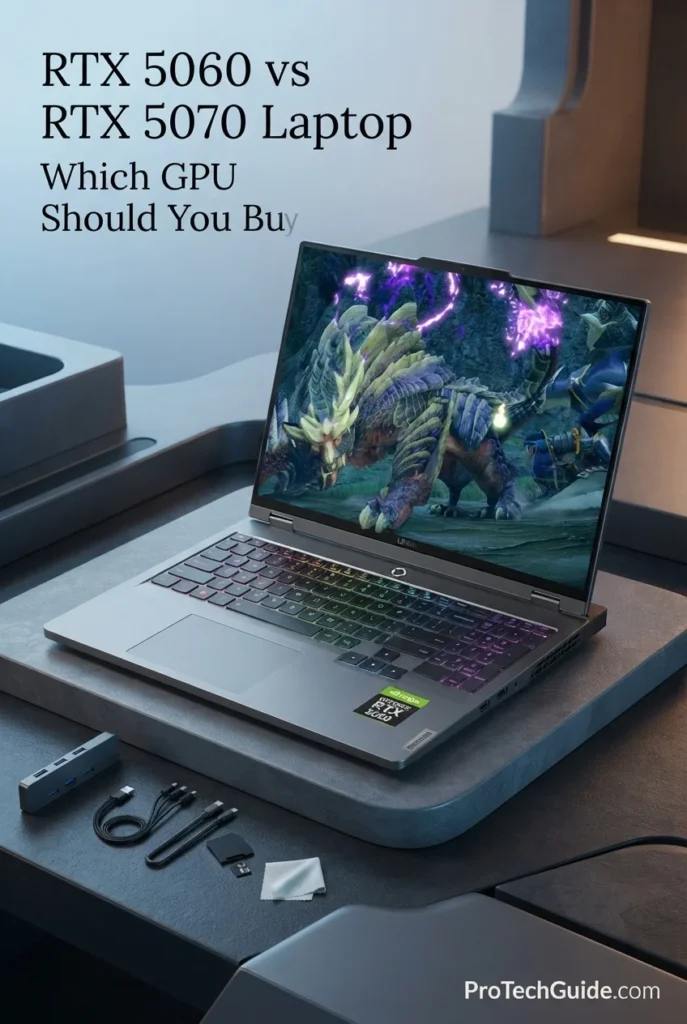
The Lenovo Legion 5i Gen 10 with the Intel Core Ultra 9 275HX, NVIDIA GeForce RTX 5060 8GB GDDR7, 32GB DDR5 memory, and 2TB PCIe SSD is our Best RTX 5060 Overall for 2026. Its combination of a high-end 24-core processor, dedicated Blackwell graphics, generous memory capacity, fast storage, and a 16-inch WQXGA 2560 × 1600 240Hz IPS display creates a particularly well-rounded platform for gamers who want strong RTX 5060 performance without stepping immediately into the RTX 5070 tier. The configuration also includes Windows 11 Pro, Wi-Fi 7, a 24-zone RGB keyboard, and a broad selection of connectivity options, making it suitable for both demanding gaming and intensive everyday computing.

• Ideal for gamers who want a high-performance RTX 5060 Laptop with enough CPU, memory, and storage headroom for demanding modern games and multitasking
• Particularly well suited to users targeting high-refresh-rate gaming on a 2560 × 1600 display and who value the additional responsiveness of a 240Hz panel
• A strong choice for buyers who want a powerful gaming platform with 32GB RAM, 2TB storage, Windows 11 Pro, and premium connectivity rather than a minimally configured RTX 5060 laptop
• The Intel Core Ultra 9 275HX provides a powerful 24-core CPU foundation for demanding games, multitasking, content creation, and CPU-intensive workloads that can extend beyond gaming
• The GeForce RTX 5060 with 8GB GDDR7 brings NVIDIA's Blackwell architecture, DLSS 4, and hardware-accelerated ray tracing to a mainstream high-performance laptop platform
• 32GB of DDR5 memory provides substantial multitasking headroom for modern games, browsers, productivity applications, development environments, and other demanding software
• The 2TB PCIe SSD provides generous local storage for a substantial game library, applications, projects, media, and large files while maintaining fast everyday access
• The 16-inch WQXGA 2560 × 1600 IPS display at 240Hz combines a higher-resolution 16:10 workspace with a very high refresh rate, making the system attractive for both immersive gaming and fast-paced titles
• Wi-Fi 7, HDMI 2.1, USB-C connectivity, RJ45 Ethernet, and a 24-zone RGB backlit keyboard give the Legion 5i a versatile feature set for desktop setups, external displays, peripherals, and gaming environments

The Lenovo Legion 5i Gen 10 earns our Best RTX 5060 Overall award because it avoids the compromises found in many entry-level RTX 5060 configurations. The combination of the Core Ultra 9 275HX, 32GB RAM, 2TB SSD, and 16-inch 240Hz WQXGA display creates a balanced high-performance system around the RTX 5060, giving buyers a substantial amount of hardware beyond the GPU itself.

Compared with the RTX 5070 laptops in this guide, the Legion 5i represents the more value-oriented side of the comparison while retaining a premium performance-oriented configuration. Its appeal is strongest when the price difference between a comparable RTX 5060 and RTX 5070 system is significant. Buyers should still evaluate the specific RTX 5070 alternative carefully, because GPU performance depends on the complete laptop design—including power limits, cooling, processor, and display—not simply the GPU name.

• Intel Core Ultra 9 275HX processor• 24 CPU cores• Up to 5GHz listed maximum CPU speed• NVIDIA GeForce RTX 5060 Laptop GPU• 8GB GDDR7 graphics memory• Dedicated NVIDIA graphics• NVIDIA Blackwell architecture• DLSS 4 support• Hardware-accelerated ray tracingThe Legion 5i combines a high-end Intel Core Ultra 9 275HX processor with the NVIDIA GeForce RTX 5060 Laptop GPU to create a performance-oriented platform for gaming and demanding computing. The 24-core processor provides substantial CPU headroom for modern games, multitasking, content creation, and applications that can benefit from strong multi-core performance, while the RTX 5060 adds dedicated graphics acceleration with 8GB of GDDR7 memory.
• NVIDIA GeForce RTX 5060 Laptop GPU• 8GB GDDR7 memory• Dedicated graphics processor• NVIDIA Blackwell architecture• DLSS 4• Ray tracing support• AI-accelerated graphics technologiesThe RTX 5060 Laptop GPU is the central focus of this configuration and places the Legion 5i firmly in the performance-focused RTX 5060 category. Its 8GB of GDDR7 memory provides the graphics memory specified for this configuration, while NVIDIA's Blackwell architecture brings support for modern ray tracing and DLSS 4 technologies.Actual gaming performance can vary between RTX 5060 laptops depending on factors such as GPU power limits, cooling, processor configuration, and the overall system design. For that reason, the Legion 5i should be evaluated as a complete laptop rather than by the RTX 5060 designation alone.
• 32GB DDR5 RAM• 5600MHz listed memory speed• High-capacity configuration• Strong multitasking capability• Suitable for demanding modern software• Substantial headroom beyond basic gaming needsThe installed 32GB of DDR5 memory gives this Legion 5i configuration considerably more multitasking headroom than entry-level gaming laptops. It provides room for demanding games alongside browsers, communication applications, productivity software, development tools, and other background workloads without making memory capacity an immediate limitation.
• 16-inch display• 2560 × 1600 resolution• WQXGA resolution• IPS panel• 240Hz refresh rate• 16:10 aspect ratio• High-refresh-rate gamingThe 16-inch WQXGA display is one of the Legion 5i's strongest complements to its RTX 5060 hardware. Its 2560 × 1600 resolution provides more vertical workspace than a conventional 16:9 1080p panel, while the 240Hz refresh rate is particularly attractive for fast-paced games and users who prioritize smooth motion and responsiveness.The higher 1600p resolution also places greater demands on the GPU than 1080p gaming, making the display an important part of the RTX 5060 versus RTX 5070 decision. Buyers should consider their preferred resolution and graphics settings rather than assuming that a higher refresh rate alone determines the ideal GPU.
• 2TB PCIe SSD• Large local storage capacity• Fast application access• Rapid game and file loading• Room for large game libraries• Suitable for projects and media filesThe 2TB PCIe SSD gives this configuration a substantial storage advantage over many laptops equipped with smaller 512GB or 1TB drives. It provides room for a larger game library, applications, projects, media, and other large files while maintaining the responsive storage behavior expected from a modern PCIe solid-state drive.
• Wi-Fi 7• Bluetooth 5.4• HDMI 2.1• USB-A connectivity• USB-C connectivity• DisplayPort support through USB-C• USB-C Power Delivery support• RJ45 Ethernet• Headphone/microphone combo jackThe Legion 5i provides a broad connectivity package for a modern gaming setup. Wi-Fi 7 and Bluetooth 5.4 handle current wireless connectivity, while HDMI 2.1, USB-C, USB-A, and RJ45 Ethernet support external displays, wired networking, gaming peripherals, storage devices, and other accessories.The inclusion of DisplayPort functionality through USB-C also gives the system additional flexibility for compatible external-display setups.
• 24-zone RGB backlit keyboard• Windows 11 Pro• Gray finish• 16-inch gaming-laptop design• 5.4 lb listed weight• 14.35 × 10.55 × 1.02-inch listed dimensionsThe Legion 5i combines a practical gaming-oriented design with features suited to both gaming and everyday productivity. Its 24-zone RGB backlit keyboard provides customizable illumination, while Windows 11 Pro gives the selected configuration a professional operating-system environment in addition to its gaming capabilities.The supplied product listing specifies a weight of approximately 5.4 pounds and dimensions of 14.35 × 10.55 × 1.02 inches. These figures apply to the listed configuration and should be distinguished from generic specifications that may appear elsewhere for the Legion family.
Ideal for:• RTX 5060 gaming• 1600p gaming• High-refresh-rate gaming• Competitive gaming• AAA gaming• Demanding multitasking• Content creation• Large game libraries• Users who want 32GB RAM• Users who want 2TB storage• Buyers prioritizing RTX 5060 valueThe Lenovo Legion 5i Gen 10 with RTX 5060 is an especially strong choice for buyers who want a complete high-performance configuration rather than simply the lowest-cost laptop carrying an RTX 5060. Its Core Ultra 9 275HX, 32GB DDR5 memory, 2TB PCIe SSD, and 16-inch 240Hz WQXGA display create a well-equipped platform around NVIDIA's RTX 5060 Laptop GPU.It is also an important reference point for this guide's central RTX 5060 versus RTX 5070 question: when a well-configured RTX 5060 laptop already provides strong CPU performance, ample memory, fast storage, and a high-refresh-rate display, the decision to move to an RTX 5070 should be based on the actual performance gain and price difference—not simply the higher GPU number.
Best Direct RTX 5070 Upgrade (2026)

Lenovo Legion Pro 5i Gen 10 — RTX 5070

The Strongest Direct Step Up from RTX 5060 for 1600p Gaming
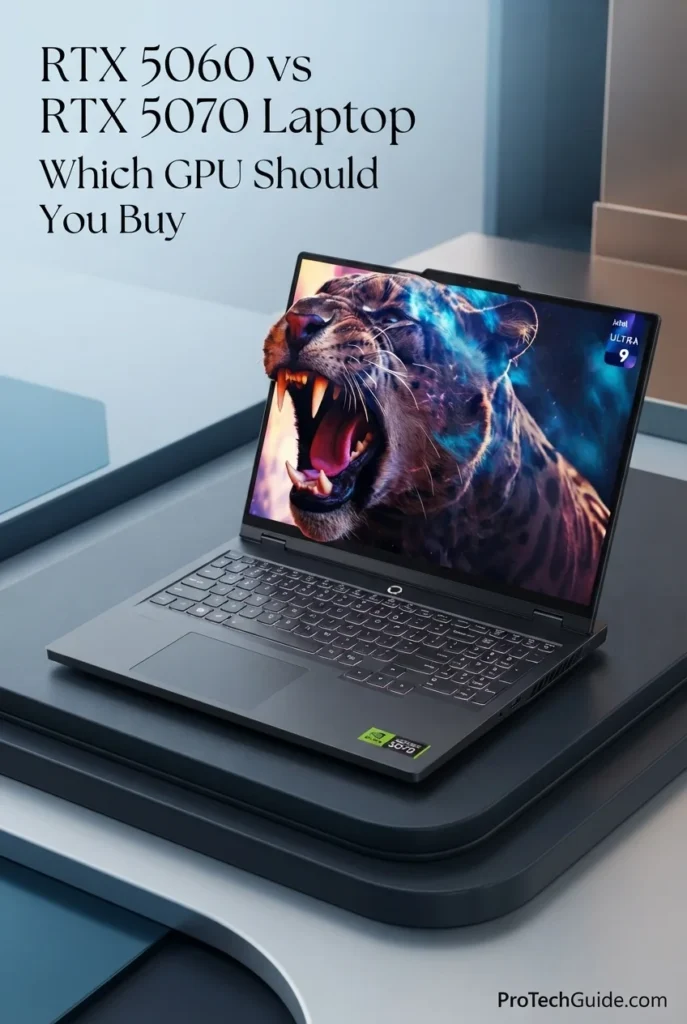
The Lenovo Legion Pro 5i Gen 10 with the Intel Core Ultra 9 275HX, NVIDIA GeForce RTX 5070, 32GB DDR5 memory, and 2TB SSD is our Best Direct RTX 5070 Upgrade for 2026. It is particularly compelling for buyers comparing an RTX 5060 laptop with a higher-tier system and looking for additional GPU headroom without moving into a completely different class of hardware. The combination of the RTX 5070, high-performance 24-core processor, 32GB of memory, 2TB of storage, and 16-inch 2560 × 1600 OLED display creates a premium gaming platform designed for demanding 1600p gaming, high graphics settings, ray tracing, and long-term performance.

• Ideal for gamers deciding whether the additional capability of an RTX 5070 Laptop justifies moving up from an RTX 5060 system
• Particularly well suited to users targeting 2560 × 1600 gaming who want more GPU headroom for demanding games, higher graphics settings, and ray-traced workloads
• A strong choice for performance-focused buyers who want 32GB RAM, 2TB storage, an OLED display, and a high-end Core Ultra 9 processor alongside the RTX 5070
• The Intel Core Ultra 9 275HX provides a powerful 24-core processing foundation for demanding gaming, multitasking, content creation, and CPU-intensive workloads
• The GeForce RTX 5070 with 8GB GDDR7 moves this configuration into a higher NVIDIA laptop GPU tier while retaining the Blackwell architecture, DLSS 4, and hardware-accelerated ray tracing capabilities of the current generation
• 32GB of DDR5 memory provides substantial headroom for modern games, demanding multitasking, content creation applications, browsers, and other memory-intensive workloads
• The 2TB SSD provides generous local capacity for large game libraries, applications, projects, media, and other demanding storage requirements
• The 16-inch 2560 × 1600 OLED display with a 165Hz refresh rate combines high-resolution gaming with the contrast, deep blacks, and vibrant presentation associated with OLED technology
• Wi-Fi 7, Thunderbolt 4, HDMI 2.1, USB-C, USB-A, and RJ45 Ethernet provide extensive connectivity for external displays, high-speed peripherals, wired networking, and desktop gaming setups

The Lenovo Legion Pro 5i Gen 10 earns our Best Direct RTX 5070 Upgrade award because it makes the move beyond RTX 5060 especially straightforward. Rather than pairing the higher-tier GPU with a modest supporting configuration, this system combines the RTX 5070 with the same class of Core Ultra 9 275HX processor, 32GB of memory, and generous 2TB storage that serious performance-focused buyers are likely to value. Its 1600p OLED display also provides an appropriate target for a more capable laptop GPU.

Compared directly with the Lenovo Legion 5i Gen 10 with RTX 5060 featured above, the Legion Pro 5i changes the central GPU tier while retaining a similarly performance-oriented platform. That makes it one of the clearest examples in this guide of what buyers should evaluate when considering the RTX 5060 versus RTX 5070 upgrade. The RTX 5070 is the more capable GPU, but its value ultimately depends on the price gap and the specific laptop's power delivery, cooling, and overall configuration rather than the GPU name alone.

• Intel Core Ultra 9 275HX processor• 24-core processor• Up to 5.4GHz listed maximum CPU speed• NVIDIA GeForce RTX 5070 Laptop GPU• 8GB GDDR7 graphics memory• Dedicated NVIDIA graphics• NVIDIA Blackwell architecture• DLSS 4• Multi Frame Generation• Super Resolution• Hardware-accelerated ray tracingThe Legion Pro 5i pairs the Intel Core Ultra 9 275HX with the NVIDIA GeForce RTX 5070 Laptop GPU, creating a high-performance platform designed for demanding gaming and multitasking. The 24-core processor provides substantial CPU headroom, while the RTX 5070 adds a higher level of dedicated graphics performance for modern games and demanding visual workloads.NVIDIA's Blackwell architecture also brings technologies such as DLSS 4, Multi Frame Generation, Super Resolution, and hardware-accelerated ray tracing to the system. Actual performance will depend on the complete laptop implementation, including power limits, cooling, and system configuration.
• NVIDIA GeForce RTX 5070 Laptop GPU• 8GB GDDR7 memory• Dedicated graphics processor• NVIDIA Blackwell architecture• DLSS 4• Multi Frame Generation• Ray tracing support• AI-accelerated graphics technologiesThe RTX 5070 Laptop GPU represents the higher-performance option in this guide's central RTX 5060 versus RTX 5070 comparison. It uses 8GB of GDDR7 memory, meaning buyers should not expect a VRAM-capacity advantage over the RTX 5060 simply from moving to the RTX 5070. The distinction is primarily the GPU's higher performance tier and underlying processing resources.For gaming at 2560 × 1600, the RTX 5070 can provide additional graphics headroom compared with an RTX 5060, particularly when higher settings, demanding titles, and ray tracing are part of the target workload. However, the actual difference between two laptops depends on their power and thermal implementation.
• 32GB DDR5 RAM• 5600MHz listed memory speed• 32GB installed configuration• Strong multitasking capability• Substantial memory headroom• Suitable for demanding modern applicationsThe installed 32GB of DDR5 memory gives this Legion Pro 5i configuration substantial headroom for modern gaming and demanding multitasking. Users can run games alongside browsers, communication applications, content creation software, utilities, and other background workloads without relying on a basic memory configuration.The 32GB capacity also helps position this configuration as a long-term performance-oriented purchase rather than an entry-level RTX 5070 implementation.
• 16-inch OLED display• 2560 × 1600 native resolution• WQXGA resolution• 165Hz refresh rate• Non-touch display• OLED technology• HDR 1000 True Black support• High-contrast presentationThe 16-inch 2560 × 1600 OLED display is a major part of this Legion Pro 5i's premium positioning. Its 16:10 resolution provides more vertical screen space than a conventional 16:9 panel, while OLED technology delivers deep blacks, strong contrast, and vibrant image quality.The 165Hz refresh rate also makes the panel well suited to high-refresh-rate gaming. More importantly for this comparison, 2560 × 1600 is a substantially more demanding rendering target than 1080p, making the RTX 5070's additional GPU headroom more relevant for buyers who want to play at the display's native resolution.
• 2TB SSD• Large storage capacity• Fast application access• Rapid game loading• Room for large game libraries• Suitable for projects and mediaThe selected configuration includes a 2TB SSD, providing considerably more local storage than many base gaming-laptop configurations. That capacity is particularly useful for modern game libraries, which can occupy substantial amounts of storage, as well as applications, projects, media, and other large files.
• Wi-Fi 7• Bluetooth 5.4• Thunderbolt 4 / USB4 40Gbps• USB-C 10Gbps• DisplayPort 2.1 through USB-C• HDMI 2.1• RJ45 Ethernet• USB-A connectivity• 3.5mm headphone/microphone combo jackThe Legion Pro 5i provides an extensive connectivity package for both gaming and desktop-style use. Wi-Fi 7 and Bluetooth 5.4 provide modern wireless connectivity, while Thunderbolt 4, USB-C, USB-A, HDMI 2.1, and RJ45 Ethernet support external displays, peripherals, high-speed accessories, wired networking, and storage devices.HDMI 2.1 supports high-resolution external-display configurations, while DisplayPort connectivity through USB-C adds further flexibility for compatible monitors and desktop setups.
• Turbo-charged fans• 3D copper heat pipes• Lenovo AI Engine+• Performance-mode switching• Smart FPS• Acoustic AI Sound Sync• Thermal management designed for high-performance operationThe Legion Pro 5i is designed around sustained high-performance operation, with turbo-charged fans and 3D copper heat pipes working as part of its thermal system. Lenovo AI Engine+ and Smart FPS are designed to help optimize system behavior for gaming, while performance modes can be switched using the keyboard.This matters directly to the RTX 5060 versus RTX 5070 comparison because a laptop GPU's real-world performance depends not only on its silicon but also on how effectively the system can supply power and manage heat during sustained workloads.
Ideal for:• RTX 5070 gaming• 1600p gaming• AAA gaming• Ray-traced gaming• High graphics settings• High-refresh-rate gaming• Demanding multitasking• Content creation• Large game libraries• Buyers upgrading from RTX 5060• Performance-focused long-term ownershipThe Lenovo Legion Pro 5i Gen 10 with RTX 5070 is an excellent fit for buyers who want a meaningful step above the RTX 5060 tier and are specifically targeting higher-resolution gaming. Its combination of RTX 5070 graphics, Core Ultra 9 275HX processing, 32GB RAM, 2TB storage, and a 16-inch 165Hz OLED display creates a complete high-performance package.For this guide's central buying decision, it represents one of the clearest RTX 5070 upgrade paths: a higher-tier GPU paired with a powerful supporting platform and a display resolution where additional graphics performance can be particularly valuable. The key consideration remains the price difference versus a comparable RTX 5060 laptop and whether the additional GPU headroom matches the buyer's gaming requirements.
Best RTX 5060 Value (2026)

ASUS TUF Gaming A16 — RTX 5060

A High-Value RTX 5060 Laptop for 1080p Gaming & Competitive Performance
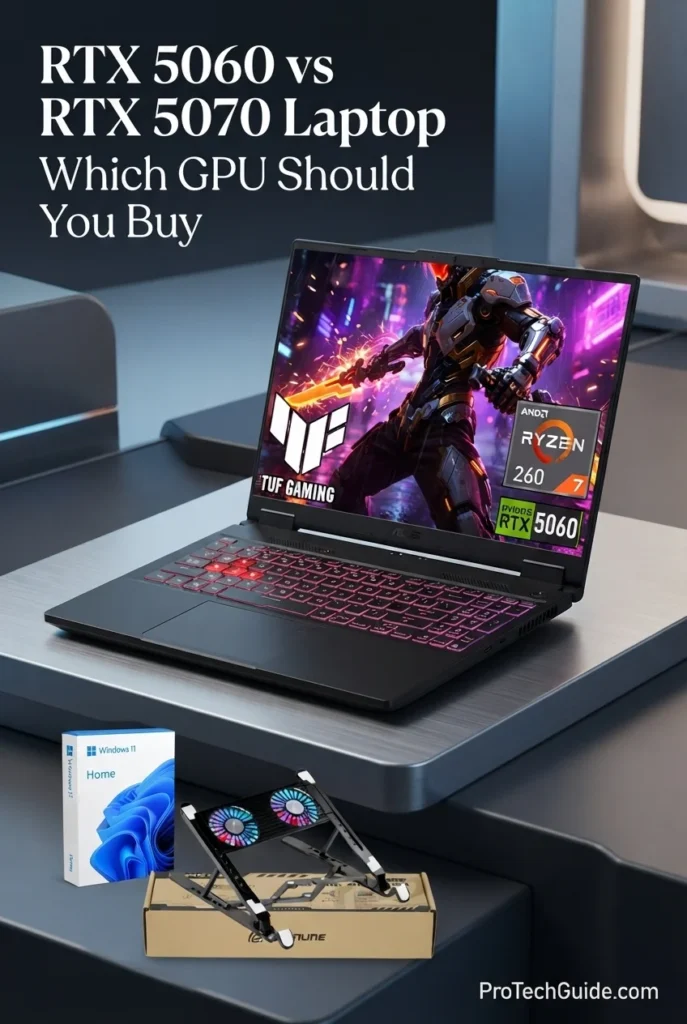
The ASUS TUF Gaming A16 with AMD Ryzen 7 260, NVIDIA GeForce RTX 5060, 64GB DDR5 memory, and a 2TB SSD is our Best RTX 5060 Value recommendation for 2026. Its combination of an RTX 5060 Laptop GPU with 8GB GDDR7, a 16-inch FHD+ 165Hz display, G-SYNC support, MUX Switch with NVIDIA Advanced Optimus, and substantial memory and storage makes it particularly compelling for buyers who want strong 1080p gaming performance without moving to a more expensive RTX 5070 system. The selected configuration also adds meaningful headroom for demanding multitasking, large game libraries, content creation, and everyday professional workloads, while ASUS's TUF cooling and MIL-STD-810H-tested design reinforce its role as a durable, performance-focused value option.

• Ideal for gamers who want the RTX 5060 platform, high-refresh-rate 1080p-class gaming, and strong overall hardware without paying a premium for an RTX 5070 laptop
• Excellent for competitive gaming, modern AAA titles, everyday productivity, and multitasking where the combination of RTX 5060 graphics, Ryzen 7 260 processing, and a 165Hz display provides a strong balance
• Particularly well suited to buyers who value substantial memory and storage capacity, with the selected bundle providing 64GB DDR5 and a 2TB SSD for large libraries and demanding multitasking
• The NVIDIA GeForce RTX 5060 Laptop GPU provides a modern Blackwell graphics platform with 8GB of GDDR7 memory for demanding gaming, ray tracing, and DLSS-supported workloads
• The AMD Ryzen 7 260 provides 8 cores and 16 threads with boost speeds up to 5.1GHz, giving the system a capable CPU foundation for gaming, multitasking, and everyday performance
• The 16-inch FHD+ 1920 × 1200 display runs at 165Hz and supports G-SYNC, making it particularly well matched to fast-paced gaming and competitive titles where smooth motion matters
• MUX Switch and NVIDIA Advanced Optimus provide greater flexibility in how the integrated and dedicated graphics are used, helping the laptop balance gaming performance and everyday efficiency
• The selected 64GB DDR5 and 2TB SSD configuration provides substantial capacity for large game libraries, multiple applications, creative projects, and heavy multitasking without relying immediately on upgrades
• ASUS TUF cooling uses 2nd Gen Arc Flow Fans, optimized heatsinks, and full-width exhaust ventilation, while the chassis is tested to MIL-STD-810H standards for a more durable everyday gaming platform

The ASUS TUF Gaming A16 earns our Best RTX 5060 Value award because it focuses on the part of the market where the RTX 5060 makes the most sense: strong mainstream gaming performance supported by a fast 165Hz display, G-SYNC, MUX/Advanced Optimus, capable Ryzen 7 processing, and an unusually generous 64GB/2TB configuration. It delivers a well-rounded gaming platform without requiring buyers to pay for the substantially higher tier of hardware associated with premium RTX 5070 systems.

Compared with the Lenovo Legion 5i Gen 10 with RTX 5060, the ASUS TUF Gaming A16 is particularly attractive when its value-oriented configuration and 64GB/2TB bundle are priced competitively. Compared with an RTX 5070 laptop, however, the RTX 5060 remains the more sensible choice when the goal is to control cost and primarily game at 1920 × 1200. Buyers targeting heavier 1600p gaming, more demanding ray tracing, or greater long-term GPU headroom should consider stepping up to RTX 5070 instead.

• AMD Ryzen 7 260 processor• 8 CPU cores• 16 CPU threads• Up to 5.1GHz boost clock• NVIDIA GeForce RTX 5060 Laptop GPU• 8GB GDDR7 graphics memory• NVIDIA Blackwell architecture• Strong platform for 1080p-class gamingThe combination of the Ryzen 7 260 and RTX 5060 gives the ASUS TUF Gaming A16 a balanced foundation for modern gaming and demanding everyday workloads. The Ryzen 7 260 provides 8 cores and 16 threads with boost speeds up to 5.1GHz, while the RTX 5060 brings NVIDIA's current Blackwell laptop GPU architecture and 8GB of GDDR7 memory. ASUS lists RTX 5060 configurations of the A16 with up to 115W of GPU power depending on the specific configuration, making power delivery an important part of evaluating performance between individual RTX 5060 laptops.
• NVIDIA GeForce RTX 5060 Laptop GPU• 8GB GDDR7• NVIDIA Blackwell architecture• Fourth-generation ray tracing cores• Fifth-generation Tensor Cores• DLSS 4 support• Dedicated graphics processing• Strong fit for 1080p gamingThe RTX 5060 is the defining component of this configuration and gives the TUF Gaming A16 access to NVIDIA's current Blackwell laptop GPU platform. Its 8GB of GDDR7 memory provides the graphics capacity specified for the RTX 5060 Laptop GPU, while fourth-generation RT cores, fifth-generation Tensor Cores, and DLSS 4 support provide access to modern ray-tracing and AI-assisted rendering technologies. For this comparison, it is important to remember that an RTX 5060 laptop's real-world performance depends not only on the GPU tier but also on its power configuration, cooling system, CPU, and display resolution.
• 16-inch display• 1920 × 1200 resolution• 16:10 aspect ratio• IPS-level panel• 165Hz refresh rate• 3ms response time• G-SYNC support• 100% sRGB coverageThe 16-inch FHD+ display is particularly well matched to the RTX 5060's position in the laptop GPU market. Its 1920 × 1200 resolution requires substantially less rendering power than a 2560 × 1600 panel, allowing the RTX 5060 to focus on high frame rates and responsive gameplay. The 165Hz refresh rate, 3ms response time, G-SYNC support, and 16:10 aspect ratio make this configuration especially compelling for competitive gaming and fast-paced titles.
• MUX Switch• NVIDIA Advanced Optimus• G-SYNC support• Dedicated GPU performance mode• Flexible graphics switching• Improved gaming-focused configuration• Better balance between performance and efficiencyThe TUF Gaming A16 includes a MUX Switch and NVIDIA Advanced Optimus on the relevant RTX 5060 configuration, giving users greater control over how the system handles integrated and dedicated graphics. This is particularly valuable in a gaming laptop because the display and graphics routing can influence both gaming performance and everyday efficiency. Combined with G-SYNC, the configuration is designed around responsive, high-refresh-rate gaming rather than simply relying on the RTX 5060 badge alone.
• 64GB DDR5 memory• 4,800MHz listed memory speed• 2TB SSD• PCIe storage interface• Large application capacity• Large game library capacity• Strong multitasking headroomThe selected commercial configuration includes 64GB of DDR5 memory and a 2TB SSD, giving this particular TUF Gaming A16 substantially more capacity than the base configurations commonly associated with the platform. The 64GB memory configuration provides considerable headroom for gaming alongside browsers, productivity applications, development tools, creative software, and other background workloads, while the 2TB SSD provides generous space for games, applications, projects, and large files.
• 2nd Gen Arc Flow Fans• Full-width exhaust vents• Optimized heatsinks• Integrated dust filter• Sustained cooling under load• MIL-STD-810H-tested durability• Designed for gaming and travelASUS equips the TUF Gaming A16 with a cooling system designed to support sustained performance during demanding workloads. The platform uses 2nd Gen Arc Flow Fans, optimized heatsinks, full-width exhaust vents, and an integrated dust filter. ASUS also states that the TUF Gaming A16 undergoes MIL-STD-810H durability testing, reinforcing its positioning as a gaming laptop designed to handle more demanding everyday use than a purely desktop-oriented system.
• USB4 connectivity• Thunderbolt 4 listed in the commercial configuration• USB 3.2 Gen 2 Type-C• USB 3.2 Gen 2 Type-A• HDMI 2.1• RJ-45 Ethernet• Wi-Fi connectivity• 1080p FHD IR camera with Windows HelloThe TUF Gaming A16 provides a strong selection of wired connectivity for a gaming-focused laptop, including USB-C connectivity, USB-A, HDMI 2.1, and RJ-45 Ethernet. The supplied configuration also lists Thunderbolt 4/USB4 connectivity, giving users additional flexibility for external displays, peripherals, storage, and other accessories. Wired Ethernet remains particularly useful for competitive gaming where a stable network connection is preferred.
Ideal for:• RTX 5060 buyers• 1080p and 1920 × 1200 gaming• Competitive gaming• High-refresh-rate gaming• Gamers who want strong value• Large game libraries• Heavy multitasking• Buyers wanting 64GB RAM and 2TB storage• Users who value G-SYNC and Advanced Optimus• Buyers who do not need an RTX 5070-class GPUThe ASUS TUF Gaming A16 with RTX 5060 is an excellent choice for buyers who want to maximize value rather than simply move to a higher GPU tier. Its 165Hz FHD+ display, G-SYNC, MUX Switch, Advanced Optimus, Ryzen 7 260 processor, RTX 5060 graphics, and selected 64GB/2TB configuration create a particularly balanced platform for high-refresh-rate gaming. For buyers primarily targeting 1920 × 1200 gaming, it can be a more rational purchase than spending substantially more on an RTX 5070 laptop.
Best RTX 5070 Value (2026)

ASUS TUF Gaming A16 — RTX 5070

A High-Value RTX 5070 Laptop for High-Refresh-Rate Gaming
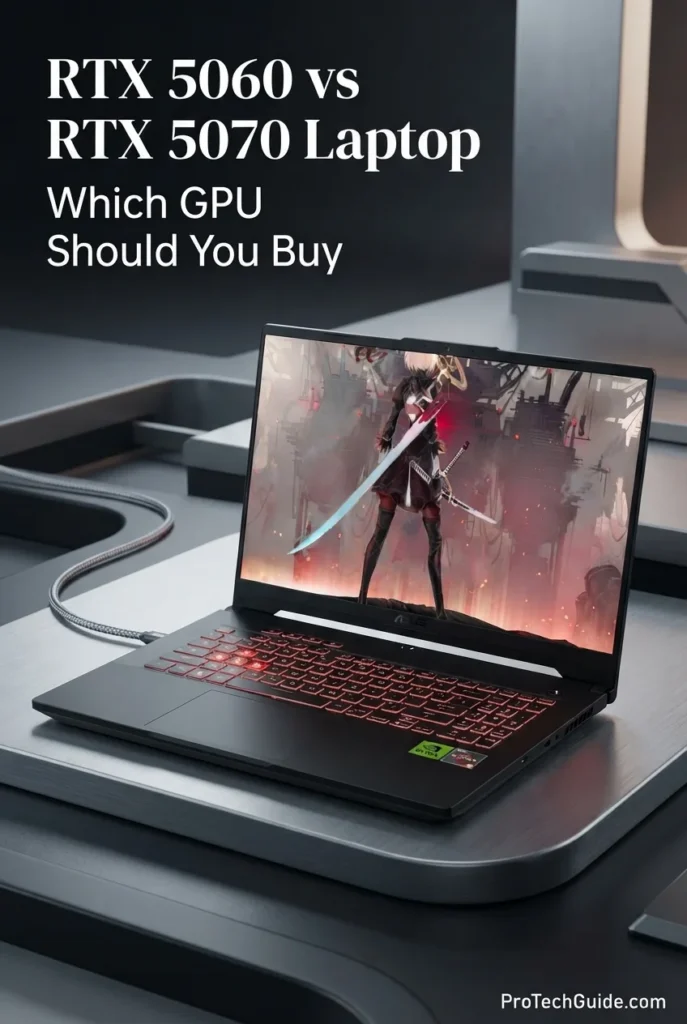
The ASUS TUF Gaming A16 with the AMD Ryzen 9 270, NVIDIA GeForce RTX 5070 Laptop GPU, 32GB DDR5 memory, and 1TB PCIe SSD is our Best RTX 5070 Value recommendation for 2026. Its 115W RTX 5070 implementation, 8GB of GDDR7, 16-inch FHD+ 165Hz G-SYNC display, MUX Switch with NVIDIA Advanced Optimus, and capable Ryzen 9 processor create a particularly strong combination for buyers who want RTX 5070-class performance without moving into the price and size of premium gaming laptops. The selected configuration also provides 32GB of DDR5 memory, Wi-Fi 6E, Thunderbolt 4, RGB backlighting, and a 90Wh battery, making it a well-rounded platform for gaming, content creation, engineering workloads, and demanding everyday use.

• Ideal for gamers who want an RTX 5070 laptop with a high-power 115W GPU implementation, high-refresh-rate gaming, and a strong overall value proposition
• Excellent for players targeting 1920 × 1200 gaming, competitive titles, ray tracing, DLSS 4, and demanding AAA games where the RTX 5070 provides more GPU headroom than an RTX 5060
• Particularly well suited to students, creators, engineers, and professionals who need a capable gaming system that can also handle demanding multitasking and GPU-accelerated workloads
• The NVIDIA GeForce RTX 5070 Laptop GPU delivers Blackwell architecture, 8GB of GDDR7 memory, fourth-generation ray tracing cores, fifth-generation Tensor Cores, and support for DLSS 4
• The 115W RTX 5070 configuration gives this A16 substantially more GPU power headroom than lower-powered implementations, making the specific TGP an important advantage in this comparison
• The AMD Ryzen 9 270 provides 8 cores and 16 threads with boost speeds up to 5.2GHz, creating a strong CPU foundation for gaming, video editing, engineering applications, and multitasking
• The 16-inch FHD+ 1920 × 1200 IPS-level display combines a 165Hz refresh rate, 3ms response time, 100% sRGB coverage, G-SYNC, and a 16:10 aspect ratio for responsive and visually consistent gaming
• MUX Switch and NVIDIA Advanced Optimus provide flexible graphics switching, allowing the system to prioritize dedicated-GPU performance when gaming or greater efficiency when mobility matters
• 32GB DDR5 memory, a 1TB PCIe SSD, Wi-Fi 6E, Thunderbolt 4, RGB keyboard, and a 90Wh battery create a well-rounded configuration beyond the GPU itself

The ASUS TUF Gaming A16 earns our Best RTX 5070 Value award because it focuses on what matters most when stepping up from RTX 5060: a properly powered RTX 5070, strong CPU support, a fast 165Hz G-SYNC display, MUX/Advanced Optimus, and enough memory and storage for demanding modern workloads. Its 115W GPU implementation is especially important because this comparison is not simply about the RTX 5070 badge; power delivery, cooling, and the surrounding system determine how effectively the GPU can perform.

Compared with the ASUS TUF Gaming A16 with RTX 5060, this configuration represents the more performance-focused choice for buyers willing to spend more for additional GPU headroom. Both systems use the same general A16 design philosophy and a 16-inch high-refresh-rate display, but the RTX 5070 configuration raises the graphics tier and uses a 115W implementation. Compared with premium RTX 5070 laptops such as the ASUS ROG Zephyrus G16, the TUF A16 gives up display resolution and premium positioning in exchange for a more value-oriented configuration, making it the stronger choice when gaming performance per dollar matters more than luxury features.

• AMD Ryzen 9 270 processor• 8 CPU cores• 16 CPU threads• Up to 5.2GHz boost clock• NVIDIA GeForce RTX 5070 Laptop GPU• 8GB GDDR7 graphics memory• 115W GPU configuration• NVIDIA Blackwell architectureThe Ryzen 9 270 and RTX 5070 combination gives this TUF Gaming A16 a strong performance foundation for modern gaming and demanding GPU-accelerated workloads. The Ryzen 9 270 provides 8 cores and 16 threads with boost speeds up to 5.2GHz, while the RTX 5070 Laptop GPU uses NVIDIA's Blackwell architecture and 8GB of GDDR7 memory. ASUS specifies a 115W RTX 5070 configuration for this A16 variant, which is particularly relevant when comparing it with other RTX 5070 laptops because power limits can materially influence real-world GPU performance.
• NVIDIA GeForce RTX 5070 Laptop GPU• 8GB GDDR7• NVIDIA Blackwell architecture• Fourth-generation ray tracing cores• Fifth-generation Tensor Cores• DLSS 4 support• 115W GPU configuration• Dedicated graphics processingThe RTX 5070 is the defining upgrade over the RTX 5060 in this configuration. It provides 4,608 CUDA cores, 8GB of GDDR7 memory, fourth-generation RT cores, fifth-generation Tensor Cores, and support for NVIDIA's DLSS 4 technologies. The ASUS configuration specifies 115W of GPU power, making it a particularly relevant example for this article's central argument: when comparing RTX 5060 and RTX 5070 laptops, the GPU tier should always be evaluated together with its power configuration and cooling system.
• 16-inch display• 1920 × 1200 resolution• 16:10 aspect ratio• IPS-level panel• 165Hz refresh rate• 3ms response time• G-SYNC support• 100% sRGB coverageThe 16-inch FHD+ display is deliberately well matched to the RTX 5070's performance potential for high-refresh-rate gaming. Its 1920 × 1200 resolution requires less GPU rendering power than a 2560 × 1600 panel, allowing the RTX 5070 to target high frame rates while still providing the additional performance headroom of the higher GPU tier. The 165Hz refresh rate, 3ms response time, G-SYNC support, and 100% sRGB coverage create a strong combination for both competitive gaming and general visual work.
• MUX Switch• NVIDIA Advanced Optimus• G-SYNC support• Dedicated GPU performance mode• Integrated and discrete graphics switching• Gaming-focused graphics control• Improved balance between performance and efficiencyThe MUX Switch allows the TUF Gaming A16 to prioritize the dedicated RTX 5070 when maximum gaming performance is required, while NVIDIA Advanced Optimus provides automatic graphics switching for a better balance between performance and efficiency. Combined with G-SYNC, this graphics architecture is particularly useful for a gaming laptop because it gives the RTX 5070 a direct role in driving the high-refresh-rate display when performance is the priority.
• 32GB DDR5 memory• Dual-channel capable configuration• 1TB PCIe SSD• Two M.2 storage slots• Substantial multitasking headroom• Large game and application capacity• Upgrade-friendly platformThe selected configuration includes 32GB of DDR5 memory and a 1TB PCIe SSD, providing a strong balance for modern gaming and demanding productivity. The 32GB memory capacity gives the system enough headroom for games, browsers, communication applications, creative software, and other background workloads, while the 1TB SSD provides useful space for games and applications. The A16 platform also provides two M.2 slots, giving users additional storage expansion flexibility.
• Upgraded thermal design• High-power RTX 5070 configuration• 115W GPU power• 90Wh battery• USB-C Power Delivery support• Designed for sustained gaming loads• Portable gaming form factorThe TUF Gaming A16 combines an upgraded thermal design with a 115W RTX 5070 implementation to support sustained gaming performance. ASUS also equips the platform with a 90Wh battery, giving the system substantial battery capacity for a performance-oriented gaming laptop. The balance between high GPU power, cooling, and battery capacity is important because the RTX 5070's performance is ultimately determined by the complete laptop implementation rather than the GPU name alone.
• Thunderbolt 4 USB-C• Wi-Fi 6E• Bluetooth connectivity• HDMI 2.1• USB-A connectivity• External display support• Wired and wireless networking• FHD IR webcamThe TUF Gaming A16 provides the connectivity expected from a modern gaming laptop, including Thunderbolt 4 USB-C, Wi-Fi 6E, HDMI 2.1, USB connectivity, and support for external displays and peripherals. The selected configuration also includes an FHD IR webcam, making it more practical for classes, meetings, streaming, and everyday communication in addition to gaming.
Ideal for:• RTX 5070 buyers• High-refresh-rate gaming• 1920 × 1200 gaming• Competitive gaming• Ray tracing workloads• DLSS 4-supported gaming• Video editing• Engineering and technical applications• Students and creators• Buyers seeking RTX 5070 valueThe ASUS TUF Gaming A16 with Ryzen 9 270, RTX 5070, 32GB DDR5, and 1TB SSD is an excellent choice for buyers who want to move beyond RTX 5060 without paying for a premium thin-and-light or flagship gaming machine. Its 115W RTX 5070, 165Hz G-SYNC display, MUX Switch, Advanced Optimus, and capable Ryzen 9 processor make it particularly well suited to high-refresh-rate gaming and demanding workloads where GPU performance matters. For this article's 5060-versus-5070 decision, it represents one of the clearest examples of when the higher GPU tier can make sense without immediately moving into the premium laptop segment.
Best Budget RTX 5060 (2026)

Acer Nitro V 16S AI — RTX 5060

A Budget-Friendly RTX 5060 Laptop for 180Hz Gaming
The Acer Nitro V 16S AI with AMD Ryzen 7 260, GeForce RTX 5060 Laptop GPU, 32GB DDR5 memory, and a 1TB PCIe Gen4 NVMe SSD is our Best Budget RTX 5060 for 2026. Its 16-inch WUXGA 180Hz IPS display, 8GB of GDDR7 graphics memory, Ryzen AI NPU, dual-fan cooling system, and practical gaming connectivity create a well-balanced platform for high-refresh-rate 1080p-class gaming, esports, everyday productivity, and entry-level content creation. The combination is particularly compelling for buyers who want the RTX 5060 feature set without moving into a larger premium gaming-laptop budget, although its RTX 5060 configuration is designed around a lower-power implementation than the highest-powered RTX 5060 laptops.

• Ideal for gamers who want RTX 5060 performance, DLSS 4, ray tracing, and a 180Hz display while keeping the overall system focused on value
• Excellent for competitive gaming, mainstream AAA gaming, streaming, everyday productivity, and creator workloads that benefit from NVIDIA GPU acceleration
• Particularly well suited to buyers who value 32GB of RAM and 1TB of Gen4 SSD storage out of the box and do not want to immediately upgrade the memory or primary storage
• The GeForce RTX 5060 Laptop GPU provides 8GB of GDDR7 memory, Blackwell architecture, fourth-generation ray tracing, and support for DLSS 4 technologies for modern gaming and accelerated creative workloads
• The AMD Ryzen 7 260 delivers 8 cores and 16 threads with boost speeds up to 5.1GHz, providing a strong CPU foundation for gaming, multitasking, streaming, and demanding everyday applications
• The 16-inch WUXGA 1920 × 1200 IPS display runs at 180Hz and uses a 16:10 aspect ratio, giving competitive games smoother motion while providing additional vertical workspace for productivity and multitasking
• 32GB of DDR5 memory provides substantial multitasking headroom for modern games, browsers, communication tools, creative applications, and background processes without immediately requiring a memory upgrade
• The 1TB PCIe Gen4 NVMe SSD provides responsive application launches, game loading, file access, and enough local capacity for a substantial gaming library and everyday projects
• Dual-fan Nitro cooling with quad-intake and quad-exhaust ventilation, NitroSense controls, four-zone RGB backlighting, Wi-Fi 6, HDMI 2.1, USB-C, USB-A connectivity, and Gigabit Ethernet give the system a practical gaming-focused feature set

The Acer Nitro V 16S AI earns our Best Budget RTX 5060 award because it delivers a strong combination of RTX 5060 graphics, 32GB DDR5 memory, 1TB Gen4 storage, and a 180Hz 16-inch display in a value-focused gaming platform. It is particularly attractive for buyers who prioritize a complete out-of-the-box configuration over premium materials or maximum RTX 5060 power. Its lower-power GPU implementation also reinforces an important point in this comparison: the RTX 5060 name alone does not determine laptop performance, so buyers should consider the GPU's power configuration alongside the rest of the system.

Compared with higher-powered RTX 5060 laptops such as the Lenovo Legion 5i Gen 10 and ASUS TUF Gaming A16, the Nitro V 16S AI is better positioned as a budget-conscious alternative rather than a maximum-performance RTX 5060 system. Its strongest advantages are the 32GB RAM, 1TB Gen4 SSD, 180Hz display, and practical gaming feature set. For shoppers deciding between an RTX 5060 and RTX 5070 laptop, it also represents the kind of configuration where price can matter more than simply choosing the higher GPU tier: if the system is substantially less expensive, the RTX 5060 can remain the more rational choice for 1080p-class gaming and high-refresh-rate esports.

• AMD Ryzen 7 260 processor• 8 CPU cores• 16 threads• Up to 5.1GHz boost frequency• NVIDIA GeForce RTX 5060 Laptop GPU• 8GB GDDR7 dedicated graphics memory• NVIDIA Blackwell architecture• DLSS 4 supportThe Ryzen 7 260 and RTX 5060 create a balanced performance platform for mainstream gaming, competitive titles, multitasking, streaming, and GPU-accelerated creative applications. The RTX 5060 Laptop GPU provides the Blackwell architecture, 8GB of GDDR7 memory, and modern NVIDIA features including DLSS 4 and hardware-accelerated ray tracing. Acer's configuration is designed around a maximum graphics power of up to 85W, making it important to distinguish this Nitro V 16S implementation from higher-powered RTX 5060 laptops when comparing real-world performance.
• GeForce RTX 5060 Laptop GPU• 8GB GDDR7 dedicated VRAM• 128-bit memory interface• 384GB/s memory bandwidth• NVIDIA Blackwell architecture• Fourth-generation ray tracing cores• Fifth-generation Tensor cores• DLSS 4• NVIDIA Studio supportThe RTX 5060 Laptop GPU gives the Nitro V 16S AI access to NVIDIA's current Blackwell laptop graphics platform. NVIDIA specifies 3,328 CUDA cores, 8GB of GDDR7 memory, a 128-bit memory interface, and 384GB/s of memory bandwidth for the RTX 5060 Laptop GPU. DLSS 4, ray tracing, and NVIDIA Studio support further extend its usefulness beyond conventional rasterized gaming, while the laptop's up-to-85W graphics power configuration should be considered when comparing it with more aggressively powered RTX 5060 systems.
• 16-inch display• 1920 × 1200 WUXGA resolution• IPS technology• 180Hz refresh rate• 16:10 aspect ratio• Anti-glare coating• Extra vertical workspaceThe 16-inch WUXGA display is designed around the needs of high-refresh-rate gaming rather than ultra-high-resolution presentation. Its 180Hz refresh rate is particularly useful for competitive games where fluid motion matters, while the 16:10 1920 × 1200 format provides more vertical workspace than a conventional 16:9 1920 × 1080 panel. The combination also keeps the GPU workload more manageable than a 1600p gaming display, which fits the RTX 5060's positioning in this system.
• 32GB DDR5 RAM• Dual-channel-ready memory configuration• Up to 64GB listed maximum memory capacity• 1TB PCIe Gen4 NVMe SSD• Secondary M.2 slot• Fast game loading• Responsive application launchesThe 32GB memory configuration is one of the Nitro V 16S AI's strongest value advantages. It provides substantial capacity for gaming, browsers, streaming software, communication applications, creative tools, and multitasking without making an immediate memory upgrade necessary. The 1TB PCIe Gen4 NVMe SSD provides responsive storage performance and enough capacity for a substantial selection of games, applications, and personal files, while the secondary M.2 slot provides an upgrade path for additional storage.
• Dual-fan cooling system• Quad-intake ventilation• Quad-exhaust ventilation• NitroSense performance controls• Gamer-focused thermal design• 4-zone RGB backlit keyboardThe Nitro V 16S AI uses a dual-fan cooling design combined with quad-intake and quad-exhaust ventilation to support sustained gaming workloads. Acer's NitroSense software provides a convenient way to control and monitor system performance, while the four-zone RGB keyboard adds practical gaming customization. Because sustained GPU performance depends on the complete thermal and power design, the Nitro cooling system is an important part of the laptop's RTX 5060 implementation rather than a secondary feature.
• Wi-Fi 6 / 802.11ax• Gigabit Ethernet• HDMI 2.1• USB-C connectivity• Multiple USB-A ports• Bluetooth• Headphone/microphone combination jackThe Nitro V 16S AI provides the connectivity expected from a modern gaming laptop, including Wi-Fi 6 for wireless networking, Gigabit Ethernet for wired gaming, HDMI 2.1 for external displays, USB-C, multiple USB-A ports, and a combined headphone/microphone connection. This makes it practical for users who connect gaming peripherals, external monitors, headsets, controllers, and other desktop accessories.
• AMD Ryzen AI NPU• Up to 16 TOPS NPU performance• AMD Ryzen 7 260• 8 CPU cores• 16 CPU threads• Windows 11 Home• AI-capable processor architectureThe Ryzen 7 260 includes an integrated Ryzen AI NPU rated at up to 16 TOPS, adding dedicated AI processing capability alongside the CPU and GPU. For everyday Windows workflows, the system combines this processor with Windows 11 Home and the RTX 5060's dedicated AI acceleration. The NPU should be viewed as a complementary AI-processing resource rather than a replacement for the substantially more powerful GPU acceleration available through the RTX 5060.
Ideal for:• Budget-conscious RTX 5060 buyers• 1080p-class gaming• Competitive gaming• 180Hz high-refresh-rate gaming• Mainstream AAA gaming• Streaming and multitasking• Entry-level content creation• Users who want 32GB RAM out of the box• Gamers who want 1TB of Gen4 SSD storage• Buyers prioritizing value over premium constructionThe Acer Nitro V 16S AI with Ryzen 7 260, RTX 5060, 32GB DDR5, 1TB PCIe Gen4 SSD, and 16-inch 180Hz WUXGA display is best suited to buyers who want a complete RTX 5060 gaming configuration without paying for a premium chassis or higher-end display. Its 180Hz panel and relatively moderate 1920 × 1200 resolution pair naturally with the RTX 5060, while the 32GB memory and 1TB storage provide a strong out-of-box configuration. For this comparison, its biggest lesson is equally important: a lower-priced RTX 5060 laptop can make more sense than an entry-level RTX 5070 when the target is high-refresh-rate 1080p-class gaming and the price difference is significant.
Best Budget RTX 5070 (2026)

Acer Nitro V 16 — RTX 5070

A Value-Focused RTX 5070 Laptop for High-Refresh-Rate Gaming
The Acer Nitro V 16 with the Intel Core 9 270H, GeForce RTX 5070 Laptop GPU, 32GB DDR5 memory, and 1TB PCIe Gen4 SSD is our Best Budget RTX 5070 for 2026. Its 16-inch WUXGA 180Hz IPS display, 8GB of GDDR7 graphics memory, 100% sRGB coverage, 400-nit brightness, Thunderbolt 4 connectivity, and gaming-focused design create a compelling platform for high-refresh-rate gaming and demanding everyday workloads. What makes this configuration particularly interesting in our RTX 5060 vs RTX 5070 comparison is its 75W RTX 5070 implementation: it delivers the benefits of the higher GPU tier while illustrating why the GPU model alone cannot predict laptop performance.

• Ideal for gamers who specifically want an RTX 5070 system at a more value-oriented price point and primarily target 1080p-class or WUXGA high-refresh-rate gaming
• Excellent for users who want 32GB of DDR5 memory, 1TB Gen4 storage, a 180Hz display, and modern connectivity without moving into a premium gaming-laptop class
• Particularly well suited to buyers who understand the importance of GPU power limits and prefer a complete RTX 5070 configuration over paying substantially more for a higher-powered RTX 5070 system
• The GeForce RTX 5070 Laptop GPU brings NVIDIA Blackwell architecture, 8GB of GDDR7 memory, fourth-generation ray tracing, fifth-generation Tensor cores, and DLSS 4 support to the Nitro V 16
• The Intel Core 9 270H combines 14 cores and 20 threads with boost speeds up to 5.8GHz, providing substantial CPU capability for gaming, multitasking, productivity, and demanding applications
• The 16-inch 1920 × 1200 IPS display runs at 180Hz and covers 100% of the sRGB color space, combining smooth motion with a practical resolution for the RTX 5070 configuration
• 32GB of DDR5-5600 memory provides strong multitasking capacity for gaming, streaming, browsers, productivity applications, and creative workloads without requiring an immediate memory upgrade
• The 1TB PCIe Gen4 SSD provides fast application launches, game loading, file access, and enough capacity for a substantial selection of games and everyday projects
• Thunderbolt 4, HDMI 2.1, Wi-Fi 6, Gigabit Ethernet, Bluetooth, a backlit full-size keyboard, and four-zone RGB lighting give the Nitro V 16 a practical and flexible gaming-oriented feature set

The Acer Nitro V 16 earns our Best Budget RTX 5070 award because it puts an RTX 5070, 32GB of DDR5 memory, 1TB of Gen4 storage, and a 180Hz 16-inch display into a value-focused gaming platform. Its greatest strength is not maximum RTX 5070 performance, but the ability to access the RTX 5070 feature set at a lower system tier. The 75W GPU configuration is an important part of that equation, making this laptop particularly compelling when its price is meaningfully below higher-powered RTX 5070 alternatives.

Compared with the ASUS TUF Gaming A16 — RTX 5070, which uses a 115W RTX 5070 configuration, the Nitro V 16 is positioned as the more budget-oriented option rather than the faster implementation of the GPU. The ASUS offers considerably more GPU power headroom, while the Acer combines its 75W RTX 5070 with 32GB of DDR5, 1TB Gen4 storage, and a 180Hz WUXGA display. For buyers comparing RTX 5060 and RTX 5070 laptops, this makes the Nitro V 16 an especially useful reminder that TGP can matter almost as much as the GPU name when evaluating laptop graphics performance.

• Intel Core 9 270H processor• 14 CPU cores• 6 Performance cores + 8 Efficient cores• 20 threads• Up to 5.8GHz Intel Turbo Boost• NVIDIA GeForce RTX 5070 Laptop GPU• 8GB GDDR7 dedicated graphics memoryThe Intel Core 9 270H and RTX 5070 provide a strong foundation for modern gaming, multitasking, streaming, and demanding productivity workloads. The 14-core processor provides substantial CPU headroom, while the RTX 5070 brings NVIDIA's Blackwell architecture and modern AI and ray-tracing capabilities. However, this specific Nitro V 16 configuration uses a 75W RTX 5070, so its performance should not be compared directly with higher-powered RTX 5070 laptops simply by looking at the GPU name.
• GeForce RTX 5070 Laptop GPU• 8GB GDDR7 dedicated VRAM• 128-bit memory interface• 384GB/s memory bandwidth• NVIDIA Blackwell architecture• Fourth-generation ray tracing cores• Fifth-generation Tensor cores• DLSS 4• 75W GPU power configurationThe RTX 5070 Laptop GPU gives the Nitro V 16 access to NVIDIA's Blackwell graphics architecture, 8GB of GDDR7 memory, fourth-generation ray tracing, fifth-generation Tensor cores, and DLSS 4. NVIDIA specifies 4,608 CUDA cores, an 8GB GDDR7 memory configuration, a 128-bit interface, and 384GB/s of memory bandwidth for the RTX 5070 Laptop GPU. Acer specifies a 75W implementation for this particular Nitro V 16 configuration, making power delivery an essential consideration when comparing it with other RTX 5070 laptops.
• 16-inch IPS display• 1920 × 1200 WUXGA resolution• 180Hz refresh rate• 16:10 aspect ratio• 100% sRGB color coverage• 400 nits brightness• Anti-glare surfaceThe 16-inch WUXGA display is a practical match for this laptop's RTX 5070 configuration. Its 1920 × 1200 resolution reduces the rendering burden compared with higher-resolution 1600p panels, while the 180Hz refresh rate is well suited to competitive and fast-paced gaming. The 100% sRGB coverage and 400-nit brightness also make the panel more versatile for everyday productivity and color-conscious content work than a basic gaming display.
• 32GB DDR5 memory• 5600MHz memory speed• 1TB PCIe Gen4 NVMe SSD• Fast game loading• Responsive application launches• Strong multitasking capacityThe 32GB DDR5-5600 configuration provides substantial memory capacity for modern gaming, streaming, browsers, productivity software, and creative applications. The 1TB PCIe Gen4 SSD provides fast storage performance for games, applications, projects, and personal files while giving the system a practical starting capacity for a gaming-focused setup.
• Acer Nitro V 16 gaming design• Full-size backlit keyboard• Numeric keypad• Four-zone RGB keyboard lighting• Performance-focused thermal design• Obsidian Black finish• 76Wh batteryThe Nitro V 16 combines a gaming-oriented chassis with practical controls designed for extended gaming sessions. Its full-size backlit keyboard includes a numeric keypad, while four-zone RGB lighting adds customization without moving the system into a premium enthusiast-class design. The 76Wh battery provides a substantial capacity for a gaming notebook, although battery endurance will vary significantly depending on workload, display refresh rate, GPU use, and power settings.
• Thunderbolt 4 / USB4 Type-C• DisplayPort over USB-C• 2 × USB 3.2 Gen 2 Type-A• 1 × USB 3.2 Gen 1 Type-A• HDMI 2.1• RJ-45 Gigabit Ethernet• Killer Wi-Fi 6• Bluetooth 5.3The Nitro V 16 provides a strong selection of connectivity for a value-oriented gaming laptop. Thunderbolt 4 enables high-speed peripheral and display connectivity, while HDMI 2.1 provides a dedicated route to compatible external displays. Wi-Fi 6 and Gigabit Ethernet support both wireless and wired networking, and the combination of USB-C and USB-A ports makes it straightforward to connect gaming mice, keyboards, external drives, controllers, headsets, and other accessories.
• Windows 11 Home• 720p HD webcam• Built-in microphone• Full-size backlit keyboard• Numeric keypad• Windows gaming ecosystemWindows 11 Home provides the standard Windows environment for PC gaming, productivity, creative applications, and broad software compatibility. The integrated 720p HD camera is suitable for video calls, online meetings, and casual streaming, while the full-size backlit keyboard with numeric keypad provides a practical input setup for both gaming and everyday work.
Ideal for:• Budget-conscious RTX 5070 buyers• High-refresh-rate gaming• 1080p and WUXGA gaming• Competitive gaming• Mainstream AAA gaming• Streaming and multitasking• Users who want 32GB RAM• Gamers who want 1TB Gen4 storage• External-display setups• Buyers comparing RTX 5060 vs RTX 5070 laptopsThe Acer Nitro V 16 with the Core 9 270H, RTX 5070, 32GB DDR5, 1TB Gen4 SSD, and 180Hz WUXGA display is best suited to buyers who want access to the RTX 5070 tier without paying for a premium gaming chassis. Its strongest value comes from the combination of the higher-tier GPU, generous memory, fast storage, high-refresh-rate display, and modern connectivity. However, its 75W RTX 5070 is the defining qualification: buyers focused on maximum GPU performance should consider a higher-powered RTX 5070 laptop, while buyers focused on value may find this configuration more attractive.
Best Premium RTX 5070 (2026)

ASUS ROG Zephyrus G16 — RTX 5070

A Premium RTX 5070 Laptop for 1600p Gaming, OLED Visuals & Portable Performance
The ASUS ROG Zephyrus G16 with the Intel Core Ultra 9 285H, GeForce RTX 5070 8GB GDDR7, 16GB DDR5, and 2TB SSD is our Best Premium RTX 5070 laptop for 2026. Its combination of high-end Blackwell graphics, a 16-inch 2560×1600 OLED display, 240Hz refresh rate, G-SYNC support, 100% DCI-P3 color coverage, premium connectivity, and an exceptionally thin chassis makes it a different kind of RTX 5070 machine. Rather than focusing only on maximum GPU wattage, the Zephyrus G16 is designed for buyers who want strong 1600p gaming performance together with a premium display, portable design, and serious creative-work capability.

• Ideal for gamers who want an RTX 5070 system capable of high-refresh-rate 1600p gaming without moving to a bulky traditional gaming laptop
• Excellent for creators, developers, photographers, video editors, and professionals who can benefit from a high-resolution OLED display with 100% DCI-P3 coverage
• Particularly well suited to users who prioritize premium design, portability, display quality, and versatile connectivity alongside RTX 5070 performance
• The Intel Core Ultra 9 285H paired with the RTX 5070 provides a high-end platform for modern gaming, content creation, 3D applications, GPU-accelerated workloads, and demanding multitasking
• The GeForce RTX 5070 provides 8GB of GDDR7 memory and Blackwell-generation features including DLSS 4, making the system well positioned for modern games that take advantage of NVIDIA's latest rendering technologies
• The 16-inch 2560×1600 OLED display combines a 240Hz refresh rate, G-SYNC support, and 100% DCI-P3 coverage, giving the Zephyrus G16 an unusually strong balance between gaming responsiveness and professional visual quality
• The selected 2TB SSD configuration provides substantial local storage for modern games, creative projects, applications, media libraries, and large working files without immediately requiring external storage
• Thunderbolt 4, USB-C with DisplayPort and power delivery, USB-A, HDMI 2.1, and an SD card reader make the G16 particularly versatile for external displays, peripherals, storage, cameras, and professional workflows
• Its thin premium chassis, 4.09-pound listed weight, backlit keyboard, Wi-Fi 7, FHD IR camera, Dolby Atmos audio, and 90Wh battery create a more refined portable experience than conventional performance-focused gaming laptops

The Zephyrus G16 earns our Best Premium RTX 5070 award because it approaches the RTX 5070 laptop category from a premium mobility perspective. Instead of competing solely on raw GPU power, it combines an RTX 5070 with a 16-inch 2560×1600 OLED 240Hz display, G-SYNC, 100% DCI-P3 coverage, powerful Intel Core Ultra 9 processing, extensive connectivity, and a remarkably thin design. It is particularly compelling for buyers who want one machine that can handle high-refresh-rate gaming while also functioning as a premium creative and professional laptop.

Compared with the ASUS TUF Gaming A16 with RTX 5070, the Zephyrus G16 is the more premium choice, emphasizing OLED image quality, portability, design, and professional connectivity rather than simply maximizing GPU power. The TUF A16 has a higher 115W RTX 5070 configuration, making it the more performance-focused value option, while the Zephyrus G16 offers a more refined overall package. Compared with the Acer Nitro V 16 RTX 5070, the Zephyrus sits clearly higher in the premium segment, with a substantially more advanced OLED display and a thinner, more portable chassis.

• Intel Core Ultra 9 285H processor• 16 CPU cores• 16 threads• Up to 5.4GHz boost frequency• NVIDIA GeForce RTX 5070 Laptop GPU• 8GB GDDR7 graphics memory• Blackwell GPU architecture• Intel AI Boost NPU up to 13 TOPSThe Intel Core Ultra 9 285H and GeForce RTX 5070 create a high-performance foundation for demanding gaming and creative workloads. The processor provides strong CPU resources for multitasking, content creation, development environments, and applications that depend heavily on processor performance, while the RTX 5070 handles modern GPU-intensive games and accelerated creative workloads. The combination is particularly well suited to users who want a premium performance laptop without moving to a much larger desktop-replacement chassis.
• NVIDIA GeForce RTX 5070 Laptop GPU• 8GB GDDR7 VRAM• Blackwell architecture• 4th-generation ray tracing cores• 5th-generation Tensor cores• DLSS 4 support• Ray tracing acceleration• High-performance GPU platform for modern gamingThe RTX 5070 is the central gaming component of the Zephyrus G16, providing 8GB of GDDR7 memory and NVIDIA's Blackwell-generation graphics technologies. DLSS 4 can help compatible games increase performance while maintaining image quality, while hardware-accelerated ray tracing enables more advanced lighting and reflection effects. The important distinction is that this is a premium RTX 5070 implementation designed around the complete Zephyrus package rather than maximum GPU wattage alone.
• 16-inch OLED display• 2560 × 1600 resolution• 16:10 aspect ratio• 240Hz refresh rate• 100% DCI-P3 color gamut• G-SYNC support• 500 nits brightness• Pantone Validated• 0.2ms response time on the ROG Nebula configurationThe 16-inch OLED display is one of the strongest reasons to choose the Zephyrus G16 over a conventional RTX 5070 gaming laptop. Its 2560×1600 resolution provides a sharper workspace than standard 1080p or 1200p gaming panels, while the 240Hz refresh rate is designed for exceptionally smooth motion. G-SYNC helps synchronize display refresh with GPU output, and the 100% DCI-P3 coverage makes the panel particularly attractive for gaming, photography, video work, and other color-sensitive applications.
• 16GB DDR5 memory• 2TB SSD configuration• Fast solid-state storage• Responsive application loading• Large game-library capacity• Suitable for creative projects and media files• Ample storage for modern gaming workloadsThe selected configuration combines 16GB of DDR5 memory with a 2TB SSD. The 16GB memory capacity is suitable for gaming, everyday productivity, development, and many creative workflows, while the 2TB SSD provides considerably more local storage than the 512GB or 1TB configurations commonly found in gaming laptops. For buyers who install large modern games or maintain substantial creative project libraries, the 2TB configuration is a meaningful advantage.
• Thunderbolt 4• USB-C 3.2 with DisplayPort and Power Delivery• 2× USB-A 3.2• HDMI 2.1 FRL• SD card reader• Wi-Fi 7• Bluetooth wireless connectivity• External display supportThe Zephyrus G16 provides an unusually strong connectivity package for a thin gaming laptop. Thunderbolt 4 and USB-C provide flexible connectivity for high-speed peripherals, displays, and docking solutions, while HDMI 2.1 expands external-display options. The integrated SD card reader is particularly useful for photographers and video creators, and Wi-Fi 7 provides a modern wireless platform for compatible networks.
• Ultra-portable gaming design• Approximately 4.09-pound listed weight• 0.59–0.65-inch chassis thickness range• 90Wh battery• Backlit 1-zone RGB keyboard• Premium Eclipse Gray finish• FHD IR camera• Windows Hello facial recognitionThe Zephyrus G16 is designed around portability in a way that distinguishes it from many high-performance gaming laptops. Its thin chassis and approximately 4.09-pound listed weight make it considerably easier to carry than traditional desktop-replacement systems. The 90Wh battery, IR camera, backlit keyboard, and premium construction further reinforce its role as a performance laptop intended to move between gaming, creative, and professional environments.
• Dolby Atmos audio• Four-speaker system• Dual-force woofers• Tweeters• Smart Amplifier technology• AI noise-canceling technology• FHD IR camera• SD card readerThe Zephyrus G16 extends beyond gaming with features aimed at creators and professionals. Its four-speaker audio system, Dolby Atmos support, Smart Amplifier technology, and AI noise-canceling features make it better suited to video calls, media consumption, content creation, and professional use than a purely gaming-focused machine. The integrated SD card reader also makes transferring photographs and video footage more convenient.
Ideal for:• Premium RTX 5070 gaming• 1600p gaming• High-refresh-rate gaming• Content creators• Video editors• Photographers• Developers• Professionals who need portability• Users who prioritize OLED display quality• Buyers seeking a premium gaming and creator laptopThe ASUS ROG Zephyrus G16 with the Intel Core Ultra 9 285H and RTX 5070 is best suited to buyers who want more than raw gaming performance. Its 2560×1600 OLED 240Hz display, G-SYNC support, premium connectivity, thin design, and portable form factor make it one of the most compelling RTX 5070 choices for users who move between gaming, creative work, and professional applications. It is especially attractive when display quality and portability matter almost as much as GPU performance.
Best Thin & Portable RTX 5070 (2026)

Razer Blade 14 — RTX 5070

A Premium RTX 5070 Laptop for Portable 1600p Gaming & OLED Performance
The Razer Blade 14 with the AMD Ryzen AI 9 365, GeForce RTX 5070, 32GB LPDDR5X memory, and 1TB SSD is our Best Thin & Portable RTX 5070 laptop for 2026. It combines serious Blackwell graphics performance with a compact 14-inch chassis, a 3K 2880×1800 OLED display, 120Hz refresh rate, 100% DCI-P3 color coverage, and a premium aluminum unibody design. Its RTX 5070 can operate at up to 100W plus 15W Dynamic Boost, giving this unusually compact system a much stronger performance profile than its size suggests. The result is a premium mobile gaming and creator platform for users who want RTX 5070 capability without carrying a conventional 16-inch gaming laptop.

• Ideal for gamers who travel frequently and want RTX 5070-class performance in a compact 14-inch gaming laptop
• Excellent for creators, developers, photographers, and professionals who value an OLED display, strong color coverage, and portable performance
• Particularly well suited to users who prioritize premium construction, thinness, low weight, and battery mobility without giving up dedicated NVIDIA graphics
• The AMD Ryzen AI 9 365 provides 10 CPU cores, 20 threads, and a 50 TOPS NPU, creating a strong platform for gaming, productivity, development, and AI-enabled applications
• The RTX 5070 provides 8GB of GDDR7 memory, Blackwell architecture, DLSS 4, advanced ray tracing, and up to 100W TGP plus 15W Dynamic Boost in this 2025 Blade 14 platform
• The 14-inch 2880×1800 OLED display combines a 120Hz refresh rate, 0.2ms response time, up to 100% DCI-P3 coverage, G-SYNC, and up to 400 nits brightness for a premium gaming and creative experience
• The selected 32GB LPDDR5X-8000 configuration provides substantial memory capacity for modern gaming, content creation, development environments, and demanding multitasking
• The 1TB PCIe 4.0 NVMe SSD provides fast application launches, game loading, file access, and responsive project workflows while leaving room for a substantial local software library
• The 72Wh battery, USB-C charging capability, Wi-Fi 7, HDMI 2.1, USB4 connectivity, microSD support, and thin aluminum chassis make the Blade 14 exceptionally versatile for mobile use

The Razer Blade 14 earns our Best Thin & Portable RTX 5070 award because it delivers a rare combination of dedicated RTX 5070 graphics, premium OLED quality, high-end AMD processing, and genuine ultraportable design. Its 14-inch form factor and approximately 1.63kg weight make it substantially easier to carry than larger RTX 5070 gaming systems, while the 100W GPU plus Dynamic Boost configuration gives it considerably more performance headroom than its slim profile might suggest. For buyers who value mobility as much as gaming capability, this is one of the most distinctive RTX 5070 laptops in 2026.

Compared with the ASUS ROG Zephyrus G16 RTX 5070, the Razer Blade 14 is smaller and lighter, making it the better choice for frequent travel, while the Zephyrus G16 provides a larger 16-inch 2560×1600 OLED 240Hz workspace. Compared with the ASUS TUF Gaming A16 RTX 5070, the Blade 14 prioritizes portability and premium construction, while the TUF A16's 115W RTX 5070 configuration is more aggressively focused on sustained GPU performance. This makes the Blade 14 a specialized recommendation for buyers who want RTX 5070 power in a genuinely mobile package rather than simply the highest performance per dollar.

• AMD Ryzen AI 9 365 processor• 10 CPU cores• 20 threads• Up to 5.0GHz boost frequency• AMD XDNA NPU• Up to 50 TOPS of AI processing• NVIDIA GeForce RTX 5070 Laptop GPU• 100W TGP + 15W Dynamic BoostThe Ryzen AI 9 365 and GeForce RTX 5070 create an unusually capable performance platform for a 14-inch laptop. The 10-core, 20-thread AMD processor provides strong resources for gaming, development, content creation, and multitasking, while the RTX 5070 supplies dedicated Blackwell graphics performance. The 100W GPU configuration with an additional 15W Dynamic Boost is particularly important because it gives the Blade 14 meaningful GPU power within its compact chassis.
• NVIDIA GeForce RTX 5070 Laptop GPU• 8GB GDDR7 VRAM• NVIDIA Blackwell architecture• 4th-generation ray tracing cores• 5th-generation Tensor cores• DLSS 4 support• NVIDIA Reflex 2 support• Advanced Optimus technologyThe RTX 5070 gives the Blade 14 the graphics capability expected from a high-end 2026 gaming laptop while retaining the system's compact form factor. Its 8GB GDDR7 memory supports modern gaming workloads, while Blackwell architecture, DLSS 4, advanced ray tracing, and NVIDIA Reflex technologies provide the feature set required by current and upcoming games. The 100W TGP plus 15W Dynamic Boost configuration also reinforces the Blade 14's position as a performance-oriented ultraportable rather than a low-power thin laptop.
• 14-inch OLED display• 2880 × 1800 resolution• 16:10 aspect ratio• 120Hz refresh rate• Up to 100% DCI-P3 color coverage• Up to 400 nits brightness• 0.2ms response time• NVIDIA G-SYNC• Calman Certified• HDR supportThe Blade 14's 3K OLED panel is one of its defining advantages. Its 2880×1800 resolution provides exceptional image sharpness on a compact 14-inch screen, while the 120Hz refresh rate keeps gaming and everyday motion smooth. The combination of OLED technology, up to 100% DCI-P3 coverage, 0.2ms response time, G-SYNC, and Calman certification also makes the display particularly attractive to creators and professionals who need strong color reproduction alongside gaming performance.
• 32GB LPDDR5X memory• 8000MHz memory speed• Soldered memory architecture• 1TB PCIe 4.0 NVMe SSD• Fast application loading• Responsive game loading• High-speed project and file accessThe selected configuration pairs 32GB of LPDDR5X-8000 memory with a 1TB PCIe 4.0 NVMe SSD. The high-speed memory provides substantial capacity for gaming, development, creative applications, and multitasking, while the fast SSD keeps applications, games, projects, and large files responsive. Because the memory is soldered, buyers should view the 32GB configuration as a long-term hardware choice rather than expecting conventional RAM upgrades later.
• Vapor chamber cooling• Redesigned thermal hood• Dual-fan cooling system• Ultra-thin cooling fins• Advanced thermal interface material• Compact high-performance cooling architectureThe Blade 14 uses a redesigned cooling system specifically engineered around its thin chassis. Razer combines a large vapor chamber with a thermal hood, dual fans, thin cooling fins, and an advanced thermal interface solution to provide additional thermal headroom for the CPU and GPU. This cooling architecture is essential to the Blade 14's design because maintaining high performance in such a compact chassis requires substantially more than simply installing powerful components.
• 2× USB4 Type-C ports• USB-C Power Delivery• HDMI 2.1• UHS-II microSD card reader• Wi-Fi 7• Bluetooth 5.4• External display supportThe Blade 14 provides a modern connectivity package designed for both mobile professionals and gamers. Two USB4 Type-C ports support high-speed peripherals and USB-C charging, while HDMI 2.1 provides a direct connection to compatible external displays. The UHS-II microSD card reader is particularly useful for photographers and video creators, while Wi-Fi 7 and Bluetooth 5.4 provide current-generation wireless connectivity.
• 72Wh battery• Approximately 1.63kg weight• Approximately 15.7mm minimum thickness• USB-C charging support• Up to 11 hours of claimed on-screen battery life• Compact 14-inch chassis• T6-grade aluminum constructionThe Blade 14 is specifically engineered around portability. At approximately 1.63kg and 15.7mm at its thinnest point, it is significantly easier to transport than most high-performance gaming laptops. Its 72Wh battery adds useful capacity for mobile productivity, while USB-C charging provides additional flexibility when traveling. Razer also claims up to 11 hours of on-screen time, although real-world battery life will vary substantially depending on brightness, applications, GPU usage, and power settings.
• CNC-milled aluminum unibody chassis• Anodized black finish• Per-key Razer Chroma RGB keyboard• Large glass touchpad• Six-speaker audio system• THX Spatial Audio• Premium compact designThe Blade 14 combines performance hardware with the premium construction expected from Razer's flagship laptop line. Its CNC-milled aluminum unibody chassis provides a rigid foundation while the anodized finish gives the system its distinctive understated appearance. A per-key Chroma RGB keyboard adds gaming personalization, while the six-speaker system and THX Spatial Audio provide a more immersive audio experience for games, movies, and creative work.
Ideal for:• Portable RTX 5070 gaming• 1440p and high-resolution gaming• Mobile content creators• Photographers• Video editors• Developers• Frequent travelers• Users who prioritize OLED displays• Premium ultraportable gaming• Buyers who want performance without a large gaming chassisThe Razer Blade 14 with the Ryzen AI 9 365, RTX 5070, 32GB LPDDR5X-8000, and 1TB SSD is an exceptional choice for buyers who want dedicated high-end graphics without sacrificing portability. Its 3K OLED display, compact 14-inch design, 72Wh battery, premium aluminum construction, and RTX 5070 make it one of the most distinctive mobile gaming laptops in this comparison. It is best suited to users who are willing to prioritize portability, premium design, and display quality alongside raw GPU performance.
At a Glance

RTX 5060 vs RTX 5070 Laptop: The Best Gaming Laptops Compared

Compared by GPU Tier, TGP, CPU Performance, Display Resolution, Memory, Storage, Gaming Focus & Overall Value

Choosing between an RTX 5060 and RTX 5070 laptop in 2026 is not simply a matter of picking the higher GPU number. Real-world laptop performance depends on how much power the GPU receives, the cooling system, the processor, memory configuration, display resolution, and the price of the complete machine. We evaluated these eight laptops specifically through the lens of the RTX 5060 vs RTX 5070 decision, highlighting where each configuration makes the most sense for 1080p, 1600p, high-refresh-rate gaming, ray tracing, portability, and long-term value.

LaptopGPU & Key SpecsBest ForWhy It WinsEditor's Verdict
Best RTX 5060 Overall Lenovo Legion 5i Gen 10 — RTX 5060 Check Price
RTX 5060 8GB GDDR7
Core Ultra 9 275HX
32GB DDR5
2TB PCIe SSD
16" WQXGA 240Hz
1600p Gaming
High-Refresh Gaming
Demanding Workloads
Best Overall RTX 5060
The Legion 5i gives the RTX 5060 a particularly strong platform with a high-end Core Ultra 9 275HX processor, 32GB of DDR5 memory, 2TB of storage, and a 2560x1600 240Hz display. It is the RTX 5060 configuration to choose when you want a balanced system rather than simply the lowest-cost laptop carrying the GPU.Best Overall RTX 5060 Laptop
Best RTX 5070 Upgrade Lenovo Legion Pro 5i Gen 10 — RTX 5070 Check Price
RTX 5070 8GB GDDR7
Core Ultra 9 275HX
32GB DDR5
2TB SSD
16" 2560x1600 OLED 165Hz
1600p Gaming
Ray Tracing
Premium Gaming
RTX 5060 Upgraders
The Legion Pro 5i is the most direct step up from the RTX 5060 Legion 5i in this comparison. It combines the RTX 5070 with the same high-end Core Ultra 9 275HX platform, 32GB of DDR5 memory, 2TB of storage, and a 2560x1600 OLED display, making it an especially compelling choice when the goal is to move up a GPU tier without compromising the rest of the system.Best Direct RTX 5060-to-5070 Upgrade
Best RTX 5060 Value ASUS TUF Gaming A16 — RTX 5060 Check Price
RTX 5060
Ryzen 7 260
64GB DDR5
2TB SSD
16" FHD+ 165Hz G-SYNC
1080p Gaming
Competitive Gaming
Value Buyers
High-Refresh Gaming
The TUF Gaming A16 focuses on practical gaming value, pairing the RTX 5060 with a Ryzen 7 260, 64GB of DDR5 memory, 2TB of SSD storage, and a 165Hz G-SYNC display. Its 1920x1200 resolution also keeps the RTX 5060 focused on a workload where this GPU tier makes considerable sense.Best Value RTX 5060 Gaming Laptop
Best RTX 5070 Value ASUS TUF Gaming A16 — RTX 5070 Check Price
RTX 5070 8GB GDDR7
115W TGP
Ryzen 9 270
32GB DDR5
16" FHD+ 165Hz G-SYNC
High-Refresh Gaming
Ray Tracing
1080p Gaming
Maximum RTX 5070 Value
The TUF A16 is one of the clearest examples of why laptop GPU power matters. Its RTX 5070 is specified at 115W, while the system pairs it with a Ryzen 9 270, 32GB of DDR5 memory, and a 165Hz G-SYNC display. For buyers prioritizing GPU performance and value over a premium chassis, this is one of the strongest RTX 5070 configurations in the lineup.Best Value RTX 5070 Laptop
Best Budget RTX 5060 Acer Nitro V 16S AI — RTX 5060 Check Price
RTX 5060 8GB GDDR7
Up to 85W in selected configuration
Ryzen 7 260
32GB DDR5
16" WUXGA 180Hz
Budget Gaming
1080p Gaming
High-Refresh Gaming
First Gaming Laptop
The Nitro V 16S AI delivers the RTX 5060 in a more budget-conscious platform while still providing 32GB of DDR5 memory, a 1TB Gen4 SSD, and a 180Hz WUXGA display. Its selected configuration is particularly attractive for buyers who want RTX 5060-class gaming without moving into the price and hardware level of premium gaming systems.Best Budget RTX 5060 Laptop
Best Budget RTX 5070 Acer Nitro V 16 — RTX 5070 Check Price
RTX 5070 8GB GDDR7
75W TGP
Core 9 270H
32GB DDR5-5600
16" WUXGA 180Hz
Budget RTX 5070
1080p Gaming
High-Refresh Gaming
GPU Upgrade Value
The Nitro V 16 brings the RTX 5070 into a more accessible gaming-laptop design, with 32GB of DDR5-5600 memory, a 1TB Gen4 SSD, and a 180Hz 1920x1200 display. Its 75W RTX 5070 also makes it an important comparison point: the GPU name is higher than the RTX 5060, but its lower power target shows why TGP must be considered when comparing laptop implementations.Best Budget RTX 5070 Laptop
Best Premium RTX 5070 ASUS ROG Zephyrus G16 — RTX 5070 Check Price
RTX 5070 8GB GDDR7
Core Ultra 9 285H
16GB DDR5
2TB SSD
16" 2560x1600 OLED 240Hz
Premium Gaming
1600p Gaming
OLED Gaming
Creators & Professionals
The ROG Zephyrus G16 approaches the RTX 5070 from a premium-system perspective, pairing the GPU with a 2560x1600 240Hz OLED display, Core Ultra 9 285H processor, 2TB SSD, and a thin premium chassis. It is the stronger choice for buyers who value display quality, portability, and overall refinement alongside RTX 5070 performance.Best Premium RTX 5070 Laptop
Best Thin & Portable Razer Blade 14 — RTX 5070 Check Price
RTX 5070 8GB GDDR7
100W TGP + 15W Dynamic Boost
Ryzen AI 9 365
32GB LPDDR5X-8000
14" 2880x1800 OLED 120Hz
Portable Gaming
1600p-Class Gaming
OLED Performance
Mobile Professionals
The Razer Blade 14 delivers RTX 5070 performance in one of the most compact systems in this comparison. Its Ryzen AI 9 365, 32GB LPDDR5X-8000 memory, 3K OLED display, and 1.63kg chassis create a distinctly portable premium package, while the exact GPU implementation is rated at 100W TGP with up to 15W Dynamic Boost.Best Thin & Portable RTX 5070 Laptop
Keep Exploring

Recommended Next Reads

Finished comparing the RTX 5060 and RTX 5070 Laptop GPUs? Continue exploring our GPU-focused and gaming-laptop buying guides to compare higher GPU tiers, evaluate gaming performance by budget, and understand which hardware makes the most sense for your next system.

The RTX 5060 vs RTX 5070 decision is only one part of choosing a gaming laptop. Once you understand the differences in GPU class, TGP, resolution, ray tracing, DLSS 4, and overall system performance, these related guides can help you compare higher-end laptop GPUs, explore gaming laptops at different price points, and choose a complete system that matches your performance goals.

01
Gaming Performance & Value

Best Gaming Laptops Under $1,500 in 2026

Compare gaming laptops built around different GPU tiers and find the strongest combination of graphics performance, display quality, CPU power, and value below $1,500.

Explore Gaming Laptops Under $1,500 →
Performance & Higher GPU Tiers

Best Gaming Laptops Under $2,000 in 2026

Explore higher-performance gaming laptops with stronger GPUs, faster displays, premium cooling systems, and hardware designed for demanding 1080p and 1600p gaming.

Explore Gaming Laptops Under $2,000 →
Premium Performance & Value

Best Laptops Under $2000 in 2026

Compare premium laptops across gaming, productivity, creative work, high-performance computing, OLED displays, and demanding professional workloads.

Explore Laptops Under $2,000 →
Budget Gaming

Best Gaming Laptops Under $1,000 in 2026

Find the strongest gaming laptops for 1080p performance and discover how far a carefully selected GPU and system configuration can take a tighter gaming budget.

Explore Gaming Laptops Under $1,000 →
GPU-Accelerated Creative Work

Best Laptops for Video Editing in 2026

Explore laptops for Premiere Pro, After Effects, 4K video workflows, rendering, motion graphics, and other creative workloads that can benefit from dedicated GPU performance.

Explore Video Editing Laptops →
3D & GPU-Intensive Workloads

Best Laptops for 3D Modeling in 2026

Compare laptops for Blender, 3ds Max, CAD, 3D visualization, rendering, and demanding workloads where GPU performance and thermal capacity matter.

Explore 3D Modeling Laptops →

EDITOR'S FINAL RECOMMENDATIONS

Our Final RTX 5060 vs RTX 5070 Laptop Recommendations for 2026

After comparing the RTX 5060 and RTX 5070 Laptop GPUs across GPU class, TGP, CUDA core count, 8GB GDDR7 memory, gaming resolution, ray tracing, DLSS 4, CPU performance, cooling, displays, memory, storage, portability, and overall value, these are our final recommendations for 2026. The RTX 5070 is the stronger GPU tier, but the best choice depends on how the laptop implements that GPU, how much power it receives, the resolution you intend to play at, and how much more you are paying for the upgrade.

BEST RTX 5060

Lenovo Legion 5i Gen 10 — RTX 5060

The best RTX 5060 choice for buyers who want a high-end laptop platform without stepping up to RTX 5070 pricing. Its Core Ultra 9 275HX processor, 32GB of DDR5 memory, 2TB SSD, and 16-inch 2560x1600 240Hz display give the RTX 5060 an unusually strong system around it. For buyers focused on value, this is the RTX 5060 configuration we would choose when the price gap to an RTX 5070 system is significant.

  • ✓ NVIDIA GeForce RTX 5060 8GB GDDR7
  • ✓ Intel Core Ultra 9 275HX
  • ✓ 32GB DDR5 Memory
  • ✓ 16-inch WQXGA 240Hz Display
Best RTX 5060 laptop for buyers who want a premium overall system
BEST RTX 5070 VALUE

ASUS TUF Gaming A16 — RTX 5070

The strongest value-oriented RTX 5070 recommendation in this comparison. The TUF Gaming A16 pairs an RTX 5070 rated at 115W with a Ryzen 9 270, 32GB of DDR5 memory, a 1TB SSD, and a 165Hz G-SYNC display. It is particularly compelling for buyers who care more about GPU performance and gaming value than premium materials or an OLED panel.

  • ✓ RTX 5070 8GB GDDR7 at 115W
  • ✓ AMD Ryzen 9 270
  • ✓ 32GB DDR5 Memory
  • ✓ 16-inch FHD+ 165Hz G-SYNC Display
Best RTX 5070 value when gaming performance matters most
BEST PREMIUM RTX 5070

ASUS ROG Zephyrus G16 — RTX 5070

The premium choice for buyers who want the RTX 5070 without sacrificing display quality, portability, or overall refinement. Its 16-inch 2560x1600 OLED panel runs at 240Hz with G-SYNC, while the Core Ultra 9 285H, 16GB of memory, 2TB SSD, Wi-Fi 7, and premium chassis create a more sophisticated package than a conventional value-focused gaming laptop.

  • ✓ NVIDIA GeForce RTX 5070 8GB GDDR7
  • ✓ Intel Core Ultra 9 285H
  • ✓ 2TB SSD Storage
  • ✓ 16-inch 2560x1600 OLED 240Hz Display
Best premium RTX 5070 laptop for OLED gaming and portability
BEST THIN & PORTABLE

Razer Blade 14 — RTX 5070

The best recommendation for buyers who want RTX 5070-class performance in a genuinely compact premium laptop. The Blade 14 combines the Ryzen AI 9 365, 32GB of LPDDR5X-8000 memory, a 1TB SSD, and a 14-inch 2880x1800 OLED display in a 1.63kg chassis. Its exact RTX 5070 implementation is rated at 100W TGP plus up to 15W Dynamic Boost, making it a compelling option for mobile gaming rather than simply chasing maximum GPU wattage.

  • ✓ NVIDIA GeForce RTX 5070 8GB GDDR7
  • ✓ 100W TGP + 15W Dynamic Boost
  • ✓ 32GB LPDDR5X-8000 Memory
  • ✓ 14-inch 2880x1800 OLED 120Hz Display
Best thin and portable RTX 5070 laptop for premium mobile gaming
BEST BUDGET RTX 5070

Acer Nitro V 16 — RTX 5070

The budget-oriented RTX 5070 recommendation for buyers who want access to the higher GPU tier without moving into premium gaming-laptop pricing. The system includes 32GB of DDR5-5600 memory, a 1TB Gen4 SSD, a 16-inch 180Hz WUXGA display, and a Core 9 270H processor. Its 75W RTX 5070 is also an important reminder that the RTX 5070 badge alone does not guarantee the same performance as a higher-powered implementation.

  • ✓ NVIDIA GeForce RTX 5070 8GB GDDR7
  • ✓ 75W RTX 5070 Implementation
  • ✓ Intel Core 9 270H
  • ✓ 32GB DDR5-5600 Memory
Best budget entry into RTX 5070 laptop performance
BEST RTX 5060 VALUE

ASUS TUF Gaming A16 — RTX 5060

The value recommendation for buyers who do not need the additional GPU tier of the RTX 5070. Its RTX 5060 is paired with a Ryzen 7 260, 64GB of DDR5 memory, 2TB of SSD storage, and a 16-inch FHD+ 165Hz G-SYNC display. For 1080p-class and high-refresh-rate gaming, this configuration makes a strong case for spending the savings on memory, storage, or other system features rather than paying for the RTX 5070.

  • ✓ NVIDIA GeForce RTX 5060
  • ✓ AMD Ryzen 7 260
  • ✓ 64GB DDR5 Memory
  • ✓ 16-inch FHD+ 165Hz G-SYNC Display
Best RTX 5060 value for high-refresh-rate 1080p gaming
BEST BUDGET RTX 5060

Acer Nitro V 16S AI — RTX 5060

The entry-level recommendation for buyers who want RTX 5060 performance while keeping the overall system focused on value. The selected configuration combines the RTX 5060 with a Ryzen 7 260, 32GB of DDR5 memory, a 1TB Gen4 SSD, and a 16-inch 180Hz WUXGA display. It is a sensible starting point for 1080p gaming when an RTX 5070 is difficult to justify financially.

  • ✓ NVIDIA GeForce RTX 5060 8GB GDDR7
  • ✓ AMD Ryzen 7 260
  • ✓ 32GB DDR5 Memory
  • ✓ 16-inch WUXGA 180Hz Display
Best budget RTX 5060 laptop for 1080p gaming
QUICK DECISION

Which RTX 5060 or RTX 5070 laptop should you buy?

Best Overall

Lenovo Legion Pro 5i Gen 10 — RTX 5070

Best RTX 5060

Lenovo Legion 5i Gen 10

Best RTX 5070 Value

ASUS TUF Gaming A16

Best Premium

ASUS ROG Zephyrus G16

Best Portable

Razer Blade 14

Best Budget RTX 5070

Acer Nitro V 16

Best RTX 5060 Value

ASUS TUF Gaming A16

Best Budget RTX 5060

Acer Nitro V 16S AI

Laptop prices, configurations, GPU power limits, and availability can change frequently. Before purchasing, check the current listing for the exact configuration, including GPU model, memory, storage, display, and any stated power specifications. Most importantly, compare the complete laptop rather than choosing solely by the RTX 5060 or RTX 5070 badge.

EDITOR'S FINAL VERDICT

Final Verdict: RTX 5060 vs RTX 5070 Laptop in 2026

After comparing the RTX 5060 and RTX 5070 Laptop GPUs across GPU architecture, CUDA core count, 8GB GDDR7 memory, TGP, ray tracing, DLSS 4, gaming resolution, CPU performance, cooling, displays, memory, storage, and overall laptop value, one conclusion stands out:The RTX 5070 Laptop is the stronger GPU and the better choice for buyers who want more performance headroom, higher-resolution gaming, stronger ray-tracing capability, and a longer runway for demanding titles. However, the RTX 5060 remains an excellent option when the price difference is substantial, particularly for 1080p and high-refresh-rate gaming. The smartest purchase is therefore not simply the laptop with the higher GPU number, but the configuration that delivers the right combination of GPU tier, power, cooling, display, and price.

Modern RTX 5060 and RTX 5070 laptops are both built around NVIDIA's Blackwell generation and support features such as DLSS 4 and advanced ray tracing. Both GPUs also come with 8GB of GDDR7 memory on a 128-bit interface, so the RTX 5070 does not provide a larger VRAM pool. Its advantage comes primarily from the higher GPU tier and its 4,608 CUDA cores versus 3,328 on the RTX 5060, while actual laptop performance depends heavily on the power limit and cooling implementation.

For most buyers, the RTX 5070 is the better long-term performance choice, but the RTX 5060 becomes the better value when an equivalent RTX 5070 laptop costs substantially more. Always compare the complete implementation: an RTX 5070 running at a lower power limit can behave very differently from a higher-powered RTX 5070, while a well-configured RTX 5060 can offer excellent 1080p performance at a lower overall system price.
Best RTX 5060 Laptop OverallLenovo Legion 5i Gen 10
Best RTX 5070 Laptop OverallLenovo Legion Pro 5i Gen 10
Best RTX 5070 ValueASUS TUF Gaming A16
Best Budget RTX 5060Acer Nitro V 16S AI
The simple answer:
  • Choose the RTX 5070 Laptop if you want the strongest performance between the two, plan to play demanding games at 1600p, use ray tracing frequently, or want more GPU headroom for the next several years.
  • Choose the RTX 5060 Laptop if your primary target is 1080p gaming, you use a high-refresh-rate 1080p-class display, or the RTX 5070 premium is large enough that the additional performance no longer represents good value.
  • Choose the ASUS TUF Gaming A16 with RTX 5070 if you want the strongest performance-focused value in this comparison. Its 115W RTX 5070 demonstrates why TGP should be considered alongside the GPU name.
  • Choose the Lenovo Legion 5i Gen 10 with RTX 5060 if you want a premium RTX 5060 system with a powerful Core Ultra 9 processor, 32GB of memory, 2TB storage, and a 240Hz 1600p display rather than spending more simply to obtain the next GPU tier.

Top RTX 5060 & RTX 5070 Laptop Recommendations (2026)

BEST OVERALL

Lenovo Legion Pro 5i Gen 10 — RTX 5070

Our Editor's Choice for buyers who want the strongest overall combination of RTX 5070 performance, high-end CPU capability, memory, storage, and 1600p gaming. Its Core Ultra 9 275HX, 32GB of DDR5 memory, 2TB SSD, and 16-inch 2560x1600 OLED display create a particularly complete high-performance platform around the RTX 5070.

  • ✓ NVIDIA GeForce RTX 5070 8GB GDDR7
  • ✓ Intel Core Ultra 9 275HX
  • ✓ 32GB DDR5 Memory
  • ✓ 16-inch 2560x1600 OLED 165Hz Display
BEST RTX 5060

Lenovo Legion 5i Gen 10 — RTX 5060

The strongest overall RTX 5060 platform in this comparison. It combines the RTX 5060 with a Core Ultra 9 275HX, 32GB of DDR5 memory, 2TB SSD storage, and a 16-inch 2560x1600 240Hz display. It is particularly attractive when the price difference versus an RTX 5070 laptop is large enough to make the higher GPU tier difficult to justify.

  • ✓ NVIDIA GeForce RTX 5060 8GB GDDR7
  • ✓ Intel Core Ultra 9 275HX
  • ✓ 32GB DDR5 Memory
  • ✓ 16-inch WQXGA 240Hz Display
BEST RTX 5070 VALUE

ASUS TUF Gaming A16 — RTX 5070

The best choice for buyers who want to prioritize RTX 5070 gaming performance and GPU power over premium materials. Its 115W RTX 5070, Ryzen 9 270, 32GB DDR5 memory, 1TB SSD, and 165Hz G-SYNC display make it one of the clearest examples in this comparison of how a higher-powered RTX 5070 can be more compelling than simply choosing a laptop based on the GPU badge.

  • ✓ RTX 5070 8GB GDDR7 at 115W
  • ✓ AMD Ryzen 9 270
  • ✓ 32GB DDR5 Memory
  • ✓ 16-inch FHD+ 165Hz G-SYNC Display
Choose RTX 5070 Laptop if:
  • ✓ You want the strongest GPU performance between the two options
  • ✓ You plan to play demanding games at 1440p or 1600p
  • ✓ Ray tracing performance and GPU headroom are important to you
  • ✓ You want a stronger long-term gaming platform and can justify the additional cost
  • ✓ You have found a high-powered RTX 5070 implementation with strong cooling
Choose RTX 5060 Laptop if:
  • ✓ Your primary target is 1080p gaming
  • ✓ You want strong gaming performance without paying a large RTX 5070 premium
  • ✓ The laptop has a strong CPU, sufficient cooling, and a well-matched display
  • ✓ You would rather spend the savings on more RAM, storage, or a better overall laptop configuration
Before Buying Either GPU:
  • ✓ Check the exact TGP or graphics power configuration rather than relying only on the RTX model number
  • ✓ Remember that both RTX 5060 and RTX 5070 Laptop GPUs have 8GB of GDDR7 memory
  • ✓ Compare the laptop's cooling system, CPU, display resolution, RAM, and storage alongside the GPU
  • ✓ Consider 1600p and 1440p gaming more carefully when choosing RTX 5070 because the additional GPU headroom becomes more valuable at higher resolutions
  • ✓ Do not pay a large premium for RTX 5070 if your actual workload is primarily 1080p gaming and the RTX 5060 configuration is substantially cheaper
Editor's Final Recommendation:

The RTX 5060 vs RTX 5070 decision is ultimately a question of performance headroom versus value. The RTX 5070 is unquestionably the stronger GPU tier, with more CUDA cores and greater potential for demanding gaming, ray tracing, and higher-resolution workloads. But the RTX 5060 is not an underpowered alternative: in the right laptop, it can deliver an excellent 1080p gaming experience while allowing buyers to spend less on the overall system.

Among the laptops evaluated in this guide, the Lenovo Legion Pro 5i Gen 10 with RTX 5070 is our Editor's Choice for the best overall RTX 5070 laptop because it combines the GPU with a Core Ultra 9 275HX, 32GB of memory, 2TB storage, and a 1600p OLED display. For buyers who want the best RTX 5070 performance-to-value balance, the ASUS TUF Gaming A16 with RTX 5070 is our preferred value alternative thanks to its 115W GPU implementation.

If the price gap is significant, however, the Lenovo Legion 5i Gen 10 with RTX 5060 becomes our preferred RTX 5060 choice. Its powerful CPU, 32GB of memory, 2TB SSD, and 240Hz 1600p display make it a far more complete system than a simple GPU comparison might suggest. In other words: buy the RTX 5070 when you need the additional GPU headroom, but buy the RTX 5060 when the price difference gives you substantially better overall value.

Editor's ChoiceCompare Today's Best RTX 5060 & RTX 5070 Laptop Deals

Compare current prices, exact GPU configurations, TGP or graphics power specifications, memory, storage, display resolution, cooling features, and availability before choosing your next gaming laptop. The best RTX 5060 or RTX 5070 laptop is the one that gives you the right balance of performance and value for your actual gaming needs.

Check Latest Deals

EDITOR'S FAQ

Frequently Asked Questions About RTX 5060 vs RTX 5070 Laptop GPUs in 2026

Choosing between an RTX 5060 and RTX 5070 laptop requires more than comparing the GPU names. Buyers need to consider CUDA core count, 8GB GDDR7 memory, TGP, cooling, CPU performance, display resolution, ray tracing, DLSS 4, gaming workloads, and the price difference between complete laptop configurations.These frequently asked questions address the most important RTX 5060 vs RTX 5070 buying decisions, including how much faster the RTX 5070 can be, whether its additional performance is worth the price, whether either GPU is suitable for 1600p gaming, how TGP changes real-world performance, and which GPU makes the most sense for long-term ownership.

Yes. The RTX 5070 Laptop is the stronger GPU, but whether it is the better purchase depends on the laptop's price, power configuration, and your gaming resolution.

NVIDIA positions the RTX 5070 Laptop above the RTX 5060 Laptop in the Blackwell lineup. The RTX 5070 has 4,608 CUDA cores compared with 3,328 on the RTX 5060, giving it substantially more shader resources for demanding gaming and GPU workloads.

  • RTX 5060 Laptop → 3,328 CUDA cores and 8GB GDDR7 memory.
  • RTX 5070 Laptop → 4,608 CUDA cores and 8GB GDDR7 memory.
  • Both → Blackwell architecture, DLSS 4, advanced ray tracing, and 8GB GDDR7 on a 128-bit memory interface.

The important distinction is that more CUDA cores do not automatically translate into a fixed percentage increase in real-world FPS. Laptop power limits, cooling, CPU performance, and the individual game all influence the final result.

The RTX 5070 Laptop has a higher performance ceiling than the RTX 5060, but there is no single universal percentage that accurately represents every laptop configuration.

The RTX 5070 has 4,608 CUDA cores compared with 3,328 on the RTX 5060, which is a significant increase in GPU resources. However, laptop GPUs operate within different power limits, and two laptops carrying the same RTX GPU can perform differently because of TGP, cooling, CPU configuration, and system design.

  • RTX 5060 → 3,328 CUDA cores.
  • RTX 5070 → 4,608 CUDA cores.
  • Both → 8GB GDDR7 and a 128-bit memory interface.
  • Real-world performance → Depends on GPU power, cooling, CPU, drivers, game settings, and resolution.

For this reason, we do not recommend treating the CUDA-core difference as a guaranteed FPS percentage. Instead, compare the complete laptop configuration and its GPU power implementation.

No. Both the RTX 5060 Laptop and RTX 5070 Laptop have 8GB of GDDR7 memory in NVIDIA's reference specifications.

This is an important distinction because moving from RTX 5060 to RTX 5070 does not give you a larger VRAM pool. The RTX 5070's advantage comes from its higher GPU tier and greater processing resources rather than additional memory capacity.

  • RTX 5060 Laptop → 8GB GDDR7.
  • RTX 5070 Laptop → 8GB GDDR7.
  • Memory interface → 128-bit on both reference configurations.
  • Memory bandwidth → 384 GB/s on both reference configurations.

If a retailer lists an RTX 5070 Laptop with a different VRAM specification, verify the exact GPU configuration before purchasing rather than assuming the listing is correct.

Yes. The RTX 5060 Laptop remains a strong choice for 1080p gaming in 2026, particularly when paired with a high-refresh-rate display and a well-designed cooling system.

The RTX 5060 sits in a particularly useful position for gamers who primarily target 1080p or 1200p-class resolutions. A good RTX 5060 laptop can deliver strong performance without requiring the higher price associated with an RTX 5070 system.

  • Excellent fit for 1080p and 1200p-class gaming.
  • Supports DLSS 4 and modern NVIDIA ray-tracing technologies.
  • 8GB of GDDR7 provides the same VRAM capacity as RTX 5070 Laptop.
  • Works particularly well with 144Hz, 165Hz, and similar high-refresh-rate displays when the game workload allows it.
  • Can represent better value when the RTX 5070 premium is substantial.

The Lenovo Legion 5i Gen 10 and ASUS TUF Gaming A16 RTX 5060 are strong examples in this guide of how a well-equipped RTX 5060 laptop can remain highly competitive for buyers who do not require the additional GPU headroom of the RTX 5070.

Check RTX 5060 Option
Yes. The RTX 5070 Laptop is the better choice of these two GPUs for 1440p and 1600p gaming because its higher GPU resources provide more performance headroom at higher resolutions.

Higher resolutions place greater demands on the GPU, making the additional resources of the RTX 5070 more valuable than they are at 1080p. This is one of the clearest situations where paying for the higher GPU tier can make sense.

  • 1080p → RTX 5060 can provide excellent value.
  • 1440p → RTX 5070 becomes increasingly attractive.
  • 1600p → RTX 5070 is the preferred choice when the laptop and display are designed around this resolution.
  • Ray tracing → The additional GPU resources of RTX 5070 provide more headroom for demanding settings.

The Lenovo Legion Pro 5i Gen 10 and ASUS ROG Zephyrus G16 illustrate this approach particularly well, pairing the RTX 5070 with high-resolution 2560x1600 displays.

Check RTX 5070 Option
Yes. TGP is one of the most important factors when comparing laptop GPUs because the same GPU name can be implemented at different power levels.

A laptop GPU does not operate like a desktop graphics card with one fixed power target. Laptop manufacturers design systems around different thermal and power limits, so the RTX 5070 in one laptop can have a different performance profile from the RTX 5070 in another.

  • ASUS TUF Gaming A16 RTX 5070 → 115W in the selected configuration.
  • Acer Nitro V 16 RTX 5070 → 75W in the selected configuration.
  • Razer Blade 14 RTX 5070 → 100W TGP plus up to 15W Dynamic Boost.
  • Acer Nitro V 16S AI RTX 5060 → up to 85W in the selected configuration.

This is why comparing only “RTX 5070 vs RTX 5060” can be misleading. Always check the exact laptop's power configuration, cooling system, and chassis design before assuming that every RTX 5070 laptop will perform identically.

The RTX 5070 is worth the extra money when you need additional GPU headroom, but it is not automatically worth a large premium for a buyer focused primarily on 1080p gaming.

The value of the upgrade depends on the difference between complete laptop configurations rather than the GPU price alone. If an RTX 5070 laptop costs only modestly more and also provides a stronger CPU, better cooling, more capable display, or other meaningful upgrades, the higher GPU tier becomes easier to justify.

  • Buy RTX 5070 → When you target 1440p or 1600p gaming.
  • Buy RTX 5070 → When ray tracing performance and additional GPU headroom matter.
  • Buy RTX 5060 → When you primarily play at 1080p.
  • Buy RTX 5060 → When the RTX 5070 premium is large and the rest of the laptop is not meaningfully better.

Our overall RTX 5070 recommendation is the Lenovo Legion Pro 5i Gen 10, while the ASUS TUF Gaming A16 RTX 5070 is our preferred value-oriented option. For RTX 5060 buyers, the Lenovo Legion 5i Gen 10 offers an unusually strong complete system.

The RTX 5070 Laptop is better for ray tracing because it provides substantially more GPU resources while retaining the same Blackwell-generation ray-tracing architecture.

Both GPUs support NVIDIA's fourth-generation RT cores and DLSS 4 technologies, but the RTX 5070's higher CUDA-core count gives it a stronger hardware foundation for demanding GPU workloads.

  • RTX 5060 → Blackwell architecture with fourth-generation RT cores.
  • RTX 5070 → Blackwell architecture with fourth-generation RT cores and more CUDA cores.
  • Both → DLSS 4 and NVIDIA's latest ray-tracing features.

If you frequently enable demanding ray-tracing settings and want more performance headroom, the RTX 5070 is the stronger choice. If ray tracing is secondary and you mainly target 1080p gaming, the RTX 5060 can still make excellent sense from a value perspective.

Yes. Both the RTX 5060 Laptop and RTX 5070 Laptop belong to NVIDIA's Blackwell generation and support DLSS 4 technologies.

DLSS can be particularly valuable on gaming laptops because it can improve performance while maintaining image quality, depending on the game and the specific DLSS features supported by that title.

  • RTX 5060 → Supports DLSS 4.
  • RTX 5070 → Supports DLSS 4.
  • Both → Benefit from Blackwell-generation Tensor and RT technologies.

DLSS 4 therefore should not be treated as a reason by itself to choose RTX 5070 over RTX 5060. The more important distinction is the additional GPU performance and headroom provided by the RTX 5070.

The RTX 5070 Laptop is the stronger long-term choice if you can comfortably afford it, because its additional GPU resources provide more performance headroom for future games and higher-resolution workloads.

Long-term value does not depend solely on the GPU model, however. A well-cooled RTX 5060 laptop with a strong CPU, sufficient memory, and a good display can remain a better purchase than an underpowered or poorly configured RTX 5070 system.

  • RTX 5070 → Better choice for buyers who want maximum GPU headroom from these two tiers.
  • RTX 5060 → Better value when the initial price difference is significant.
  • 32GB RAM → A strong target for a premium gaming laptop intended for long-term use.
  • Cooling → Important for sustaining performance during extended gaming sessions.

For buyers planning to keep their laptop for several years, we would generally favor RTX 5070 when the price premium is reasonable. But we would still prioritize a well-designed RTX 5060 system over a compromised RTX 5070 configuration.

This depends on the difference between the complete laptop configurations, but a well-powered RTX 5070 can be the better choice when the price difference is reasonable.

This is one of the most important purchasing decisions in the RTX 5060 vs RTX 5070 comparison. GPU tier should never be evaluated separately from the laptop around it.

  • Better RTX 5060 laptop → Prefer this when it has substantially better CPU performance, cooling, display, RAM, storage, or build quality and the RTX 5070 alternative is significantly more expensive.
  • Cheaper RTX 5070 laptop → Prefer this when it has a strong power configuration and the overall system does not involve major compromises.
  • Check TGP → A lower-powered RTX 5070 may not deliver the advantage you expect over a strong RTX 5060 implementation.

The ASUS TUF Gaming A16 RTX 5070 is a good example of the second approach, with a 115W GPU implementation. The Acer Nitro V 16 RTX 5070, at 75W, demonstrates why buyers should not assume that every RTX 5070 laptop offers the same performance profile.

For most buyers who want the strongest overall RTX 5070 platform, we recommend the Lenovo Legion Pro 5i Gen 10. For RTX 5060 buyers, the Lenovo Legion 5i Gen 10 is our preferred overall configuration.

The right choice ultimately depends on your budget, target resolution, and how much GPU performance you actually need.

  • Best Overall RTX 5070 → Lenovo Legion Pro 5i Gen 10.
  • Best RTX 5070 Value → ASUS TUF Gaming A16.
  • Best Premium RTX 5070 → ASUS ROG Zephyrus G16.
  • Best Thin & Portable RTX 5070 → Razer Blade 14.
  • Best Budget RTX 5070 → Acer Nitro V 16.
  • Best Overall RTX 5060 → Lenovo Legion 5i Gen 10.
  • Best RTX 5060 Value → ASUS TUF Gaming A16.
  • Best Budget RTX 5060 → Acer Nitro V 16S AI.

If you want the strongest GPU performance and plan to play demanding games at 1440p or 1600p, choose RTX 5070. If you primarily target 1080p and the RTX 5070 premium is substantial, RTX 5060 remains one of the smarter value choices in this generation.

Check Best Overall RTX 5070

RTX 5060 vs RTX 5070 BUYING GUIDE

Common Mistakes When Choosing an RTX 5060 or RTX 5070 Laptop in 2026

Choosing between an RTX 5060 and RTX 5070 laptop is not simply a matter of selecting the higher GPU number. Laptop graphics performance depends on the GPU tier, power configuration, cooling system, CPU, display resolution, memory, storage, and the price of the complete machine.The wrong decision can leave you paying a substantial premium for performance you rarely use, or choosing a lower-powered configuration that does not deliver the advantage you expected from its GPU class. Avoid these common mistakes before buying an RTX 5060 or RTX 5070 gaming laptop in 2026.

Editor's Insight

The most important lesson from this comparison is simple: an RTX 5070 laptop is not automatically better value than an RTX 5060 laptop. The RTX 5070 is the stronger GPU tier, but real-world laptop performance depends heavily on TGP, cooling, CPU performance, display resolution, and the price difference between complete systems.For most buyers, the RTX 5060 makes excellent sense for 1080p and 1200p-class gaming, while the RTX 5070 becomes more compelling for 1440p and 1600p gaming, demanding ray tracing, and buyers who want additional GPU headroom for the future.

Choosing Only by the RTX GPU Number

  • Seeing “RTX 5070” in a product title does not tell you how much power the laptop allows the GPU to use.
  • Two laptops with the same RTX 5070 can have meaningfully different performance because of power limits, cooling, and chassis design.
  • A well-configured RTX 5060 laptop can provide better overall value than a poorly balanced RTX 5070 system.

Better decision:Compare the complete laptop configuration. Look at the exact GPU, TGP or graphics power specification, cooling system, CPU, RAM, display, and price before deciding which GPU offers the better value.

Ignoring TGP When Comparing RTX 5060 and RTX 5070

  • Laptop GPUs operate within different power limits, so the same GPU name can represent different performance levels.
  • The RTX 5070 in the ASUS TUF Gaming A16 is rated at 115W in the selected configuration.
  • The Acer Nitro V 16 RTX 5070 uses a 75W implementation, showing why the RTX 5070 badge alone is not enough.

Better decision:Check the exact TGP or graphics power specification whenever it is available. In this comparison, the difference between the 115W ASUS TUF A16 and 75W Acer Nitro V 16 is a perfect example of why GPU power belongs in every laptop buying decision.

Assuming the RTX 5070 Has More VRAM

  • The RTX 5070 Laptop does not automatically provide more VRAM than the RTX 5060 Laptop.
  • Both NVIDIA reference configurations use 8GB of GDDR7 memory.
  • The RTX 5070's advantage comes primarily from its higher GPU resources rather than a larger VRAM pool.

Better decision:Treat both GPUs as 8GB GDDR7 laptop GPUs when comparing NVIDIA's reference specifications. If a retailer lists a different memory configuration, verify the exact GPU SKU before purchasing.

Paying Too Much for RTX 5070 at 1080p

  • The RTX 5070 is the stronger GPU, but not every gamer needs its additional performance headroom.
  • At 1080p, the RTX 5060 can already provide a strong gaming experience in a well-configured laptop.
  • A large RTX 5070 premium can sometimes be better spent on additional RAM, storage, display quality, or a stronger overall chassis.

Better decision:Choose RTX 5060 when 1080p or 1200p gaming is your primary target and the price difference is substantial. Move to RTX 5070 when you specifically need additional GPU headroom for higher resolutions, ray tracing, or longer-term gaming.

Ignoring Resolution When Choosing the GPU

  • GPU requirements increase as resolution rises, making the difference between RTX 5060 and RTX 5070 more meaningful at higher resolutions.
  • A 1080p gaming laptop places different demands on the GPU than a 2560x1600 OLED system.
  • Buying a powerful GPU for a lower-resolution display can reduce the value of the upgrade if the additional performance is rarely used.

Better decision:Match the GPU to the display. RTX 5060 is particularly attractive for 1080p and 1200p-class gaming, while RTX 5070 makes more sense when you want to drive 1440p or 1600p gaming with greater performance headroom.

Comparing CUDA Cores as if They Were FPS

  • The RTX 5070 has 4,608 CUDA cores compared with 3,328 on the RTX 5060.
  • That difference demonstrates the higher GPU tier but does not guarantee a fixed real-world FPS percentage.
  • Actual performance also depends on TGP, cooling, CPU performance, drivers, game engine, graphics settings, and resolution.

Better decision:Use CUDA core count to understand the architectural position of each GPU, but do not convert the specification directly into an assumed FPS advantage. Evaluate the entire laptop implementation instead.

Smart Buying Advice for RTX 5060 & RTX 5070 Gamers

Choose RTX 5060 if:

Your primary target is 1080p or 1200p gaming, you want strong value, and the RTX 5070 premium is substantial. The RTX 5060 is also a sensible choice when the laptop around it offers better cooling, CPU performance, memory, storage, or display quality for the same budget. The Lenovo Legion 5i Gen 10 and ASUS TUF Gaming A16 RTX 5060 are strong examples of well-equipped RTX 5060 systems.

Choose RTX 5070 if:

You want more GPU headroom for demanding games, 1440p or 1600p gaming, ray tracing, and longer-term use. The ASUS TUF Gaming A16 RTX 5070 is particularly compelling when performance value matters because its selected configuration uses a 115W RTX 5070, while the Lenovo Legion Pro 5i Gen 10 provides a more premium high-performance package.

Key takeaway:The best RTX 5060 or RTX 5070 laptop is not necessarily the one with the highest GPU number. It is the system that provides the right combination of GPU tier, power limit, cooling, CPU performance, display resolution, memory, storage, and price for the games and workloads you actually use.

After evaluating the laptops featured in this comparison, these are our Editor's top recommendations for 2026:

  • Best Overall RTX 5070 Laptop:Lenovo Legion Pro 5i Gen 10 — our strongest overall RTX 5070 recommendation because it combines the GPU with a Core Ultra 9 275HX, 32GB of DDR5 memory, 2TB SSD storage, and a 16-inch 2560x1600 OLED display.
  • Best RTX 5060 Laptop:Lenovo Legion 5i Gen 10 — the strongest overall RTX 5060 platform in this comparison, pairing the GPU with a Core Ultra 9 275HX, 32GB of memory, 2TB SSD storage, and a 240Hz 1600p display.
  • Best RTX 5070 Value:ASUS TUF Gaming A16 — an especially compelling performance-focused option with a 115W RTX 5070, Ryzen 9 270, 32GB DDR5 memory, 1TB SSD, and 165Hz G-SYNC display.
  • Best Budget RTX 5070:Acer Nitro V 16 — an accessible RTX 5070 option with 32GB DDR5, 1TB Gen4 storage, and a 180Hz WUXGA display, although its 75W RTX 5070 demonstrates why buyers must compare GPU power rather than the GPU name alone.
  • Best Premium RTX 5070:ASUS ROG Zephyrus G16 — the premium choice for buyers who want RTX 5070 performance combined with a 16-inch 2560x1600 OLED 240Hz display, premium design, and portability.
  • Best Thin & Portable RTX 5070:Razer Blade 14 — the choice for buyers who prioritize mobility, a 3K OLED display, 32GB LPDDR5X-8000 memory, and a compact premium chassis while retaining RTX 5070-class graphics performance.

Need help choosing your laptop?

Not sure which option fits your workflow? Get a personalized recommendation based on your budget, performance needs, and usage.

Get personalized recommendation

⚡ Usually responds within 24 hours