
Explore More Mechanical Keyboard Guides
Looking for more mechanical keyboard recommendations? Explore our complete Mechanical Keyboards Hub featuring expert buying guides, in-depth reviews, switch comparisons, gaming keyboard recommendations, productivity-focused setups, wireless options, ergonomic designs, and the latest keyboard accessories to help you build the perfect typing experience.
Best Tech Accessories for Productivity in 2026: 10 Essential Upgrades for a Better Workspace
The best productivity setup in 2026 is about more than having a powerful laptop or desktop. The right monitor, keyboard, mouse, headphones, docking station, webcam, and workspace accessories can make everyday work more comfortable, organized, and efficient. Whether you're working from home, studying, coding, creating content, managing a business, or spending long hours at a desk, the accessories you choose can have a major impact on your daily workflow.
In this guide, we've selected the best tech accessories for productivity based on real-world usability, comfort, ergonomics, workflow efficiency, connectivity, build quality, and long-term value. From high-resolution productivity monitors and ergonomic keyboards to precision mice, noise-canceling headphones, USB-C docks, webcams, and essential desk accessories, these recommendations are designed to help you build a more efficient workspace in 2026. Whether you're a professional, student, developer, remote worker, creator, or business user, these are the upgrades worth considering for a modern productivity setup.
Dell UltraSharp 27-inch 4K Monitor
Best 4K Monitor for Productivity, Professional Work & Modern Workspaces
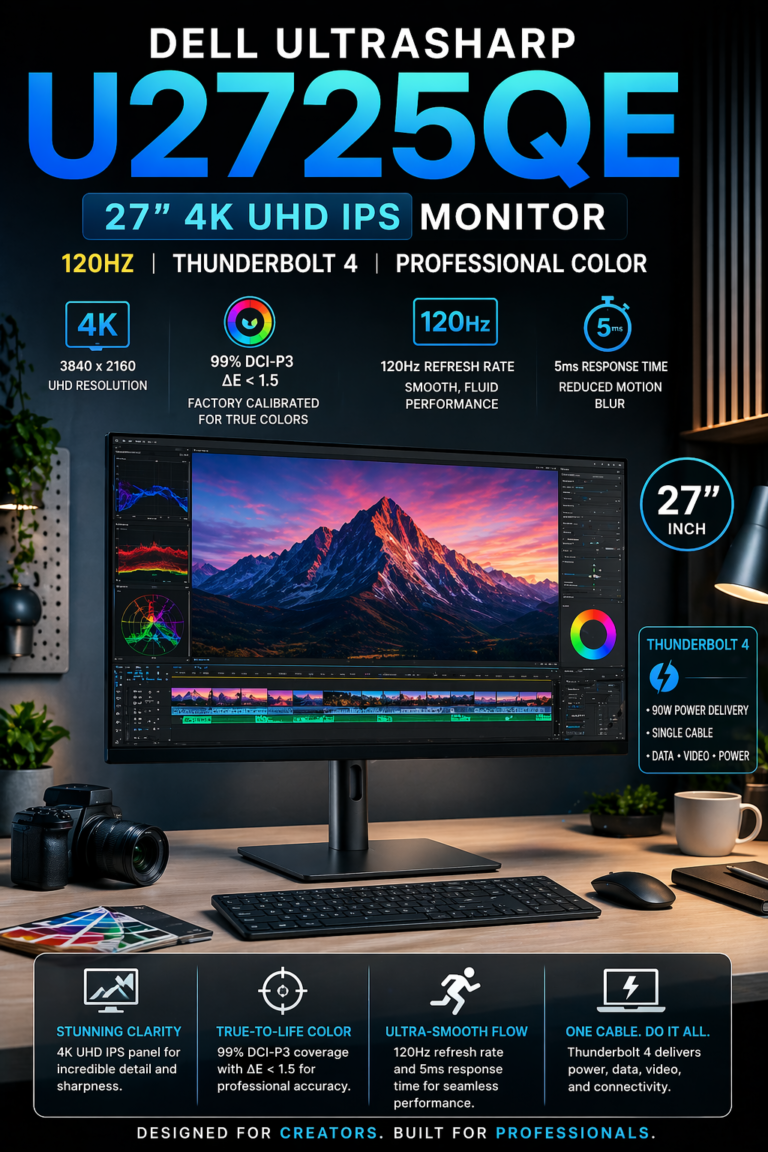
The Dell UltraSharp U2725QE is our top recommendation for the best productivity monitor in 2026. Its 27-inch 4K display, excellent text clarity, wide connectivity, ergonomic design, and professional color performance make it an outstanding choice for professionals who spend long hours working, designing, researching, coding, or managing multiple applications simultaneously.For users building a modern productivity workspace, the U2725QE provides the visual clarity and connectivity needed to replace a cluttered multi-device setup with a cleaner and more efficient workstation.
The Dell UltraSharp U2725QE earns our Best Overall Productivity Monitor recommendation because it combines exceptional 4K clarity, smooth performance, professional image quality, modern connectivity, and ergonomic flexibility in a single premium display. It is particularly well-suited to professionals who want a monitor that can remain at the center of their workspace for years.
Compared with standard 27-inch office monitors, the U2725QE provides a much more refined productivity experience through its high-resolution display, modern connectivity, color performance, and workstation-focused design. For professionals building a premium 2026 workspace, it is an excellent choice for improving multitasking, visual clarity, comfort, and overall workflow efficiency.
Key Features
Logitech MX Keys S
Best Wireless Keyboard for Productivity & Long Work Sessions
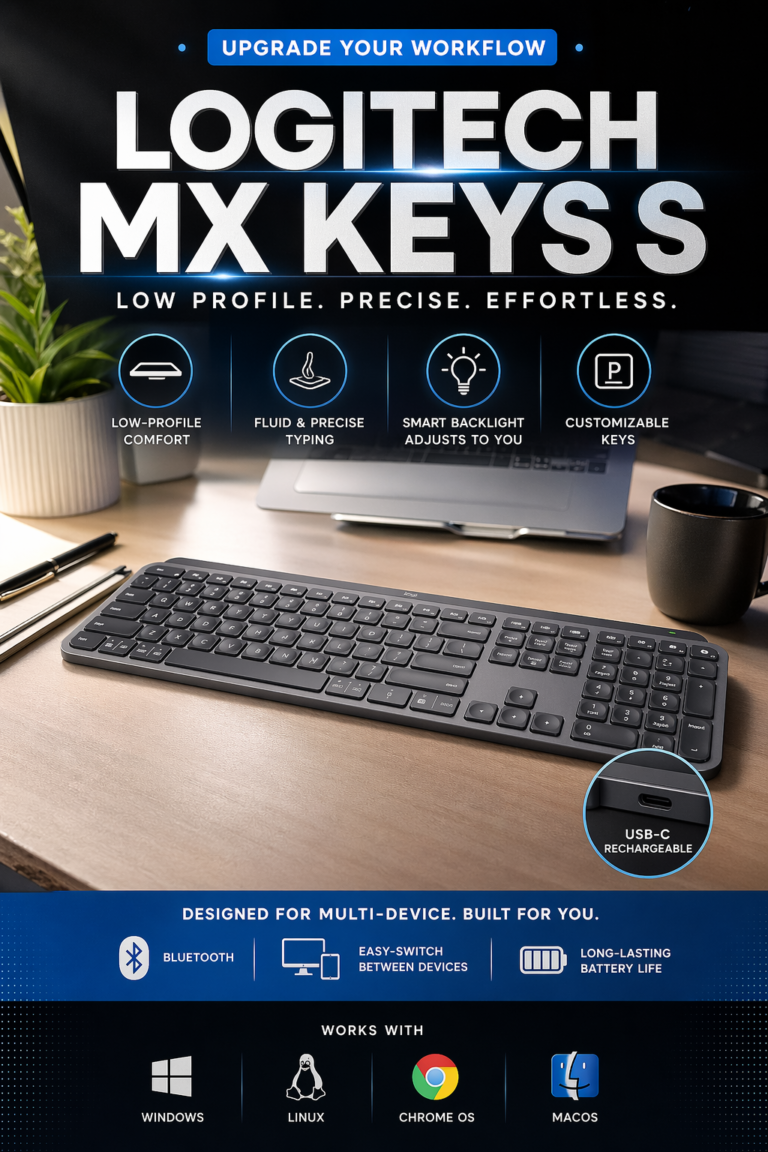
The Logitech MX Keys S is one of the best wireless keyboards for professionals who spend hours typing, coding, writing, and working across multiple devices. Its low-profile keys provide a precise and comfortable typing experience while the wireless design keeps the workspace clean and flexible. With multi-device support, smart backlighting, USB-C charging, and compatibility with major desktop operating systems, it is an excellent productivity keyboard for modern professional workflows.
The MX Keys S earns its place among the best productivity keyboards because it focuses on the part of a workstation users interact with constantly: typing. Its combination of comfortable low-profile keys, reliable wireless connectivity, adaptive backlighting, multi-device support, and long battery life makes it an excellent upgrade for professionals who want a cleaner and more efficient desk setup.
Compared with basic wireless keyboards, the MX Keys S provides a more refined typing experience and significantly better multi-device functionality. It is especially compelling for developers and professionals who regularly switch between a laptop, desktop computer, and secondary workstation throughout the day.
Key Features
Logitech MX Master 3S
Best Wireless Mouse for Productivity & Precision Workflow Control
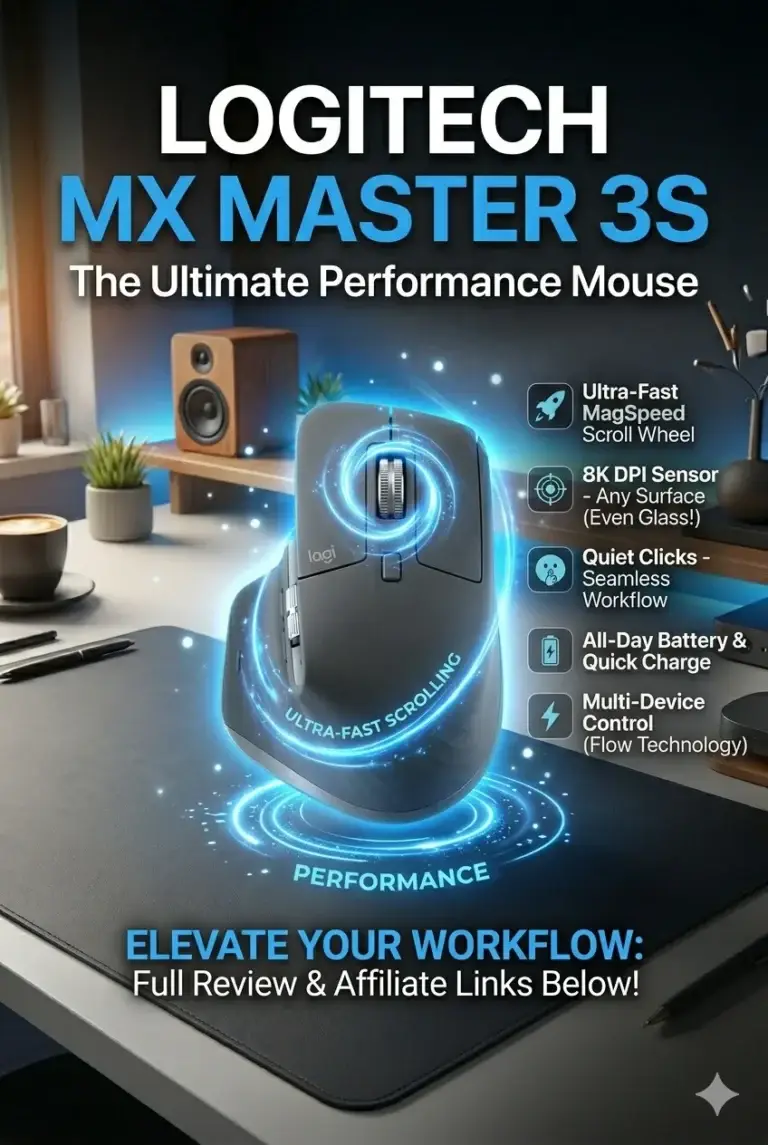
The Logitech MX Master 3S is one of the best productivity mice for professionals who need precision, comfort, and efficient control during long work sessions. With its high-precision 8000 DPI sensor, ergonomic design, silent clicks, and advanced scrolling system, it improves daily workflows for developers, designers, business professionals, and anyone who spends hours navigating digital environments.
The Logitech MX Master 3S earns its place as one of the best productivity mice because it focuses on the details that improve daily computer interaction. Its precision tracking, comfortable ergonomic design, silent operation, and customizable controls make it an excellent upgrade for professionals who want a faster and more comfortable workflow.
Compared with standard wireless mice, the MX Master 3S provides a significantly more refined experience for productivity-focused users. It is especially valuable for developers, designers, and professionals who manage multiple applications, large documents, creative tools, and complex digital workflows throughout the day.
Key Features
Sony WH-1000XM5
Best Premium Headphones for Focus, Productivity & Noise Cancellation
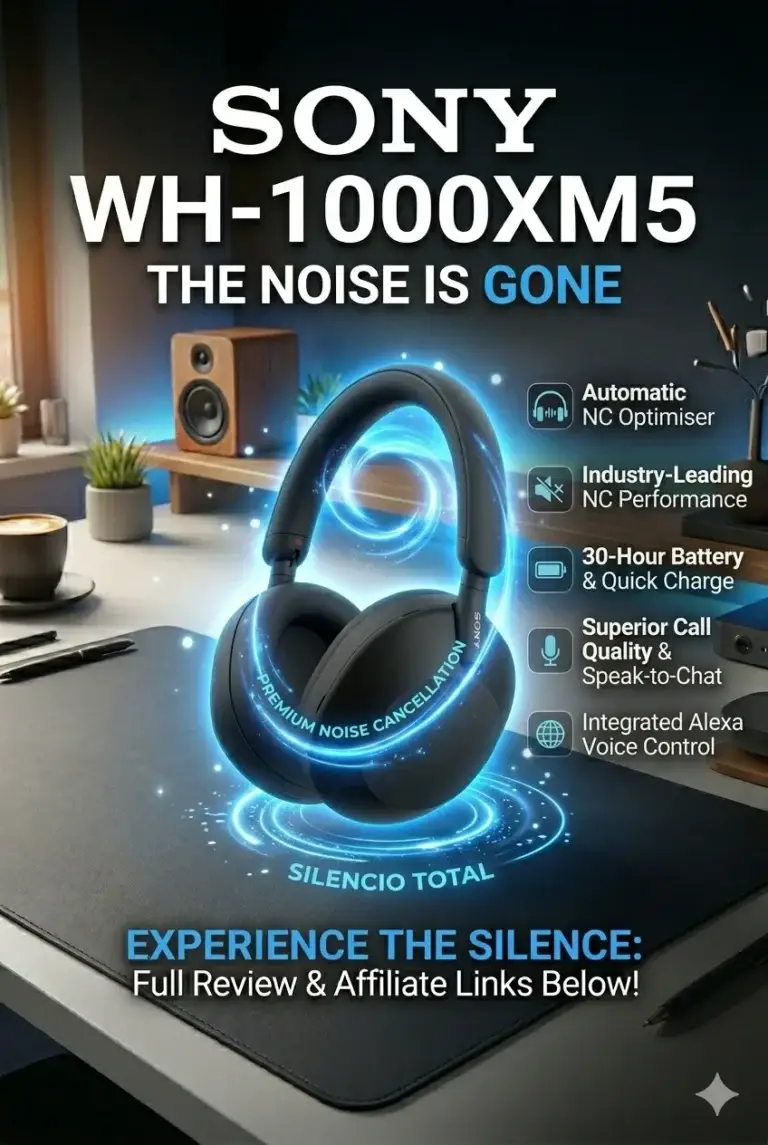
The Sony WH-1000XM5 is our top recommendation for professionals who want to create a distraction-free productivity environment in 2026. With industry-leading noise cancellation, premium sound quality, advanced microphones, and intelligent adaptive features, these headphones help remote workers, developers, students, and business professionals stay focused in busy environments. Whether you're working from home, coding in a shared office, traveling, attending virtual meetings, or concentrating on deep work sessions, the WH-1000XM5 delivers the silence and audio clarity needed for maximum productivity.
The Sony WH-1000XM5 earns our Best Productivity Headphones recommendation because it improves one of the most overlooked parts of modern work: focus. By reducing distractions, improving communication quality, and creating a more comfortable audio environment, these headphones can significantly enhance productivity for professionals working in any location.
Compared with other premium wireless headphones, the WH-1000XM5 stands out for its combination of exceptional noise cancellation, intelligent features, comfort, and professional usability. For remote workers, developers, and anyone who spends hours working with technology, it is one of the most valuable upgrades for creating a better productivity setup in 2026.
Key Features
Best Tech Accessories for Productivity (2026)
Ranked by Productivity Impact, Comfort, Workflow Efficiency & Professional Workspace Improvement
Choosing the right productivity accessories is not about adding more devices to your desk. The best accessories improve the way you work by reducing fatigue, increasing efficiency, improving focus, and creating a more comfortable professional workspace. We evaluated each product based on real-world productivity impact, ergonomics, connectivity, reliability, and how much it can improve daily workflows for professionals, remote workers, students, developers, and creators.
| Accessory | Key Features | Best For | Why It Wins | Editor's Verdict |
|---|---|---|---|---|
Best Productivity Upgrade
Dell UltraSharp U2725QE
Check Deal
| 27-inch 4K UHD Display IPS Black Panel 120Hz Refresh Rate Thunderbolt 4 Connectivity | Professional Workspaces Multitasking Remote Work Creative Professionals | Exceptional image clarity, large workspace, accurate colors, and advanced connectivity create a more efficient environment for multitasking and long productivity sessions. | Best Monitor for Productivity Setups |
Best Productivity Keyboard
Logitech MX Keys S
Check Deal
| Low-profile Keys Wireless Connectivity Multi-device Support Smart Backlighting | Developers Writers Office Professionals Remote Workers | Smooth and quiet typing experience, excellent comfort, and seamless device switching make it one of the best keyboards for daily professional workflows. | Best Keyboard for Long Work Sessions |
Best Productivity Mouse
Logitech MX Master 3S
Check Deal
| 8000 DPI Sensor MagSpeed Scroll Wheel Multi-device Control Ergonomic Design | Power Users Developers Designers Multitasking Professionals | Advanced precision, customizable controls, and ergonomic comfort improve navigation speed and reduce repetitive strain during long sessions. | Best Mouse for Workflow Efficiency |
Best Focus Upgrade
Sony WH-1000XM5
Check Deal
| Advanced Noise Cancellation Premium Audio Quality 30-Hour Battery Life Multi-device Bluetooth | Remote Work Travel Deep Focus Sessions Professionals | Creates a distraction-free environment by reducing background noise while improving meetings, concentration, and overall work comfort. | Best Headphones for Productivity & Focus |
Recommended Next Reads
Explore more expert productivity, workspace, and technology buying guides to build a smarter professional setup in 2026.
From premium monitors and docking stations to ergonomic office equipment and professional laptops, these guides will help you create a faster, more comfortable, and more efficient workspace for modern productivity.
Best Ergonomic Office Setup in 2026
Build the ultimate productivity workspace with ergonomic chairs, professional accessories, monitor setups, and equipment designed for long work sessions.
Explore ergonomic office setups →Best Portable Monitors in 2026
Discover USB-C portable monitors that improve productivity, multitasking, remote work, travel setups, and mobile workflows.
Explore portable monitors → ConnectivityBest Thunderbolt & USB-C Hubs in 2026
Find the best docking stations for MacBook and Windows laptops with multi-monitor support, charging, and professional connectivity.
Explore docking stations → Professional ProductivityBest Business Laptops in 2026
Compare premium laptops built for professionals with excellent battery life, security, portability, and long-term reliability.
Explore business laptops → Remote WorkBest Laptops for Remote Work in 2026
Discover lightweight laptops with excellent webcams, battery life, keyboards, and performance for hybrid professionals.
Explore remote work laptops → Display TechnologyBest 4K Monitors in 2026
Compare the best 4K monitors for productivity, gaming, OLED displays, creative work, and professional desk setups.
Explore 4K monitors →EDITOR'S FINAL RECOMMENDATIONS
After comparing displays, ergonomics, workflow efficiency, focus improvement, connectivity, and long-term productivity impact, these are the accessories we recommend for building a professional workspace in 2026.
Dell UltraSharp U2725QE
The most impactful upgrade for any productivity setup. Its 27-inch 4K display, professional color accuracy, Thunderbolt connectivity, and large workspace dramatically improve multitasking, focus, and daily workflow efficiency.
- ✓ 27-inch 4K UHD workspace
- ✓ Thunderbolt connectivity
- ✓ Premium color accuracy
- ✓ Better multitasking experience
Logitech MX Keys S
Designed for professionals who type every day. Its comfortable low-profile keys, quiet operation, and multi-device support improve writing, coding, and office productivity.
- ✓ Comfortable silent typing
- ✓ Multi-device switching
- ✓ Smart backlighting
- ✓ USB-C rechargeable battery
Logitech MX Master 3S
A premium productivity mouse built for professionals who need precision, speed, and comfort during long working sessions and complex multitasking workflows.
- ✓ 8000 DPI precision sensor
- ✓ MagSpeed scrolling
- ✓ Silent clicks
- ✓ Ergonomic professional design
Sony WH-1000XM5
Creates a distraction-free environment with industry-leading noise cancellation, premium audio quality, and all-day comfort for deep work sessions.
- ✓ Advanced noise cancellation
- ✓ 30-hour battery life
- ✓ Premium microphones
- ✓ Multi-device Bluetooth
EDITOR'S FINAL VERDICT
After analyzing the most important productivity accessories of 2026 — including monitors, keyboards, mice, and noise-canceling headphones — one thing becomes clear:The best productivity setup is not about buying the most expensive devices. It is about creating a balanced workspace where every tool improves speed, comfort, focus, and efficiency throughout your daily workflow.
Modern professionals, developers, students, and remote workers spend thousands of hours every year interacting with their workspace. The right accessories can reduce friction, improve multitasking, increase focus, and create a more comfortable environment for long productivity sessions.
A truly optimized productivity setup should combine a high-quality display, comfortable typing experience, precise navigation, and distraction-free audio to create a faster and more efficient workflow.- Choose the Dell UltraSharp U2725QE if you want the biggest productivity improvement, with more screen space, sharper visuals, better multitasking, and a professional workspace foundation.
- Choose the Logitech MX Keys S if you spend hours writing, coding, or working across multiple devices and want a smoother, quieter, and more comfortable typing experience.
- Choose the Logitech MX Master 3S if your workflow depends on speed, precision, multitasking, and reducing repetitive movements during long computer sessions.
- Choose the Sony WH-1000XM5 if your biggest productivity challenge is distraction and you need a focused environment for remote work, studying, calls, or deep work sessions.
Top Productivity Setup Recommendations (2026)
Dell UltraSharp U2725QE + MX Master 3S
The strongest productivity combination for professionals who want faster multitasking, improved navigation, and a premium workspace experience built for daily use.
- ✓ Large Professional Workspace
- ✓ Better Multitasking Efficiency
- ✓ Precision Workflow Control
- ✓ Long-Term Productivity Upgrade
Sony WH-1000XM5 + MX Keys S
Perfect for remote workers, developers, and students who need a quieter environment with comfortable typing and fewer distractions during long sessions.
- ✓ Premium Noise Cancellation
- ✓ Comfortable Long Typing Sessions
- ✓ Better Concentration
- ✓ Multi-Device Workflow
Logitech MX Keys S + MX Master 3S
The smartest upgrade for users who already have a good monitor but want better speed, comfort, and efficiency without replacing their entire setup.
- ✓ Faster Daily Workflow
- ✓ Reduced Hand Fatigue
- ✓ Multi-Device Support
- ✓ Professional Productivity Feel
- ✓ You work 6+ hours daily on a computer
- ✓ You need maximum efficiency and comfort
- ✓ You want a professional workspace
- ✓ You want upgrades that last years
- ✓ You multitask heavily
- ✓ You manage multiple applications
- ✓ You want the biggest workflow improvement first
- ✓ Speed and navigation matter most
- ✓ Focus on workflow improvements
- ✓ Avoid random upgrades
- ✓ Choose comfort over flashy features
- ✓ Build a balanced setup
A productivity setup should not be measured by how many devices you own, but by how much friction it removes from your daily work.
For most professionals, the biggest transformation comes from combining a high-quality monitor, ergonomic input devices, and focused audio. The Dell UltraSharp U2725QE creates the foundation, while the Logitech MX Master 3S, MX Keys S, and Sony WH-1000XM5 complete a premium productivity environment.
Compare current prices, availability, and deals before upgrading your workspace with accessories designed to improve focus, comfort, and everyday efficiency.
Check Latest DealsEDITOR'S FAQ
Choosing the best productivity accessories in 2026 is not only about buying expensive technology. The right combination of monitor, keyboard, mouse, and audio equipment can improve focus, reduce fatigue, increase workflow speed, and create a better daily working experience.Below are the most common questions professionals, developers, students, and remote workers ask when building a productivity-focused workspace.
Our recommended premium setup includes the Dell UltraSharp U2725QE, Logitech MX Keys S, Logitech MX Master 3S, and Sony WH-1000XM5 because each device improves a different part of the workflow.
A great productivity setup is not about owning more devices — it is about reducing friction and making everyday tasks faster and more comfortable.
A larger display improves multitasking, an ergonomic mouse reduces repetitive movements, a comfortable keyboard improves typing sessions, and noise cancellation helps maintain concentration.
The biggest improvements usually come from removing small daily frustrations that slow down your workflow.
A 4K monitor provides sharper text, more workspace, better multitasking, and improved visual clarity for coding, research, design, spreadsheets, and professional applications.
- Better multitasking with multiple windows.
- Sharper text and reduced visual fatigue.
- More workspace without constantly switching tabs.
Its low-profile keys, quiet typing experience, multi-device support, and comfortable design make it ideal for developers, writers, office professionals, and remote workers.
- Comfortable long typing sessions.
- Multi-device workflow support.
- Quiet professional workspace experience.
It improves workflow speed with precise tracking, fast scrolling, customizable buttons, and excellent ergonomics for users who work with multiple applications.
- 8000 DPI precision sensor.
- MagSpeed scrolling system.
- Multi-device switching.
- Reduced hand fatigue.
They are especially useful for remote workers, open offices, students, and professionals who need uninterrupted concentration.
- Reduce environmental distractions.
- Improve deep work sessions.
- Create a more controlled workspace.
- More workspace → Upgrade your monitor first.
- Better workflow speed → Upgrade your mouse.
- Long typing hours → Upgrade your keyboard.
- Too many distractions → Buy noise-canceling headphones.
For most professionals, the monitor creates the biggest overall productivity improvement because it changes how you interact with every application.
The smartest approach is upgrading the components that create the biggest daily improvement first.
- 1. Monitor
- 2. Mouse
- 3. Keyboard
- 4. Headphones
A balanced setup with fewer high-quality devices is usually better than buying many average accessories.
PRODUCTIVITY SETUP BUYING GUIDE
Building a productivity setup is not about buying the most expensive accessories. The biggest improvements come from choosing devices that work together to reduce friction, improve focus, and create a smoother daily workflow.Many users upgrade individual devices without considering how their monitor, keyboard, mouse, audio equipment, and workspace interact as a complete productivity system.Before investing in productivity technology, avoid these common mistakes and build a setup designed for speed, comfort, and long-term efficiency.
Most people focus on specifications instead of workflow improvement.A premium productivity setup is not defined by having the most expensive devices — it is defined by reducing distractions, improving comfort, increasing multitasking ability, and making everyday tasks faster.For most professionals in 2026, the best setup starts with a high-quality monitor, ergonomic input devices, reliable connectivity, and tools that support focused work sessions.
Buying Individual Devices Without a Complete System
- Choosing expensive accessories that do not improve the overall workflow.
- Ignoring how devices work together.
- Creating an unbalanced setup where one component becomes a limitation.
Better decision: Build a balanced productivity ecosystem where your monitor, keyboard, mouse, and audio tools complement each other.
Ignoring Monitor Quality and Workspace Size
- Small displays increase window switching.
- Poor resolution reduces clarity during long work sessions.
- Limited screen space slows multitasking.
Better decision: Prioritize a high-quality monitor because your display is the foundation of your daily productivity workflow.
Overspending on Specs Instead of Productivity Benefits
- Buying features that do not improve daily tasks.
- Choosing performance over comfort.
- Ignoring ergonomics and workflow efficiency.
Better decision: Invest in tools that save time every day instead of chasing specifications you rarely use.
Using Cheap Keyboard and Mouse Accessories
- Poor input devices increase fatigue.
- Slow navigation reduces efficiency.
- Typing comfort matters during long sessions.
Better decision: Choose ergonomic keyboards and precision mice designed for professional daily workflows.
Ignoring Noise and Focus Management
- Background noise reduces concentration.
- Remote work environments often create distractions.
- Deep work requires a controlled environment.
Better decision: Use quality noise-canceling headphones to create a focused workspace anywhere.
Buying Everything at Once Without Priorities
- Overspending without measurable improvements.
- Missing the upgrades that create the biggest impact.
- Building an expensive but inefficient setup.
Better decision: Upgrade strategically: Monitor → Mouse → Keyboard → Headphones.
💡 Smart Buying Advice for Productivity Users
You spend several hours daily working, studying, coding, researching, or managing multiple applications.
You want better comfort, less fatigue, and a smoother workflow during long productivity sessions.
Key takeaway: The best productivity setup is not the one with the most expensive technology. It is the system that removes friction from your workflow and helps you work faster, longer, and with better focus.
After evaluating productivity accessories in 2026, these are our Editor's recommended foundations:
- Best Productivity Foundation: Dell UltraSharp U2725QE — premium display quality, large workspace, and excellent multitasking experience.
- Best Typing Upgrade: Logitech MX Keys S — comfortable typing experience designed for daily productivity.
- Best Workflow Mouse: Logitech MX Master 3S — precision navigation and productivity-focused controls.
- Best Focus Upgrade: Sony WH-1000XM5 — noise cancellation for distraction-free work sessions.
Need help choosing your laptop?
Not sure which option fits your workflow? Get a personalized recommendation based on your budget, performance needs, and usage.
Get personalized recommendation⚡ Usually responds within 24 hours