
RELATED LAPTOP HUBS

Explore Related Laptop Collections

This guide is part of our curated laptop collections. Explore more expert recommendations, comparisons, and buying guides tailored to different needs such as budget-friendly options and business productivity laptops.
2026 Business Laptop Guide • Expert Picks for Productivity, Office Work, Travel & Professional Use
Expert Reviewed • Performance, Battery Life, Portability, Security, Displays & Business Value

Best Business Laptops Under $1000 in 2026: 10 Expert Picks for Work, Travel & Productivity

The best business laptop under $1000 in 2026 is not necessarily the most expensive or most powerful model. The right choice depends on how you work, how often you travel, the applications you use, and which features matter most for your daily productivity.From office applications and spreadsheets to remote work, business travel, multitasking, presentations, and professional communication, today's laptops offer enough performance and versatility to handle demanding workloads without requiring a premium business-class budget.

In this guide, we've selected the best business laptops under $1000 based on performance, battery life, build quality, keyboard comfort, portability, display quality, connectivity, security features, multitasking capability, and overall value. Whether you're a corporate professional, entrepreneur, remote worker, consultant, student, or frequent traveler, there is a model in this lineup designed for a specific type of business workflow.The Lenovo ThinkPad E14 Gen 6 stands out as the best overall choice for most professionals, while the Dell Latitude 3550 is better suited to enterprise-focused environments. Travelers can prioritize the lightweight ASUS Zenbook A14, spreadsheet-heavy users can benefit from the larger Lenovo ThinkBook 16 Gen 7, and Mac users can choose the Apple MacBook Air M4 for its combination of performance, battery life, and portability.

Best Overall
Best Enterprise Laptop
Best Battery Life
Best for Productivity
Best MacBook for Business
Best Lightweight Laptop
Best Budget Pick
Best 2-in-1 Laptop
Editor's Verdict:For most professionals, the Lenovo ThinkPad E14 Gen 6 is the strongest overall business laptop under $1000 in 2026. It combines dependable performance, a comfortable ThinkPad keyboard, business-oriented security features, durable construction, and strong long-term usability in a practical 14-inch design.If your priority is enterprise-focused productivity and connectivity, the Dell Latitude 3550 is a better fit for corporate environments. Frequent travelers should consider the ASUS Zenbook A14 or HP OmniBook 7 Aero for their lightweight designs and strong mobility credentials, while professionals who spend much of their day working with spreadsheets and multiple applications will benefit from the larger Lenovo ThinkBook 16 Gen 7.The Apple MacBook Air M4 is the standout choice for professionals who prefer macOS and want excellent battery life, portability, and a premium design. Meanwhile, the Acer Swift Go 14 offers a strong combination of display quality and modern AI features, the HP ProBook 450 G10 provides a practical 15.6-inch business workspace, and the Dell Inspiron 14 7440 adds useful 2-in-1 flexibility for presentations and hybrid work.For buyers focused primarily on value, the Acer Aspire 5 remains the most affordable option in this lineup while still providing enough performance for everyday office and productivity workloads.
Scroll Down to Compare the 10 Best Business Laptops Under $1000 in 2026
#1 Best Overall Business Laptop Under $1000 (2026 Editor's Choice)

Lenovo ThinkPad E14 Gen 6

Best Business Laptop for Work, Productivity & Travel
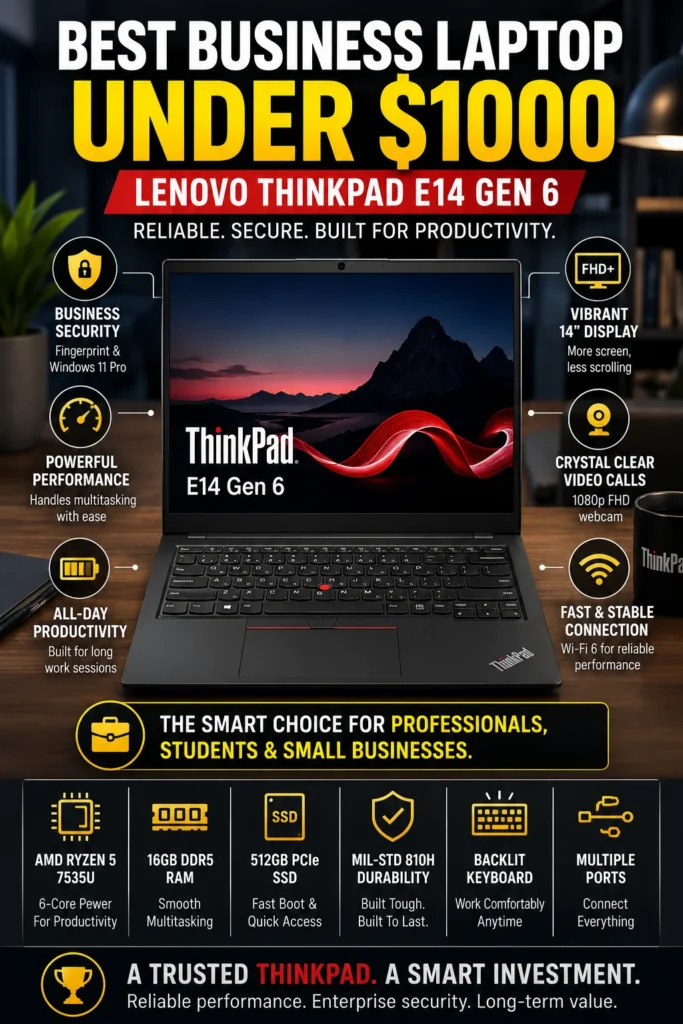
The Lenovo ThinkPad E14 Gen 6 is our top recommendation for the best business laptop under $1000 in 2026. It delivers an excellent balance of business reliability, productivity performance, portability, security features, keyboard quality, and long-term value. Whether you're managing spreadsheets, responding to emails, attending video meetings, working with cloud applications, traveling between offices, or handling everyday professional workloads, the ThinkPad E14 Gen 6 provides the dependable experience most business users need without moving into a higher-priced premium business laptop category.

• Excellent choice for business professionals, remote workers, consultants, entrepreneurs, students, and everyday office users who prioritize reliability and productivity
• The legendary ThinkPad keyboard provides comfortable, precise typing for long work sessions, document creation, email, spreadsheets, and professional communication
• Business-focused security features, including a fingerprint reader and Windows 11 Pro, provide additional protection and convenient authentication for professional use
• Durable MIL-STD 810H-tested construction gives the laptop a stronger foundation for frequent travel, commuting, and everyday business environments
• The AMD Ryzen 5 7535U processor provides responsive performance for office applications, web browsing, video conferencing, spreadsheets, and everyday multitasking
• 16GB of DDR5 memory provides enough capacity for multiple browser tabs, documents, spreadsheets, communication tools, and productivity applications running simultaneously
• The 512GB PCIe SSD delivers fast system startup, quick application launches, and responsive access to everyday business files and documents
• The 1080p webcam improves video quality for virtual meetings, while Wi-Fi 6 provides fast and reliable wireless connectivity for modern office and remote-work environments

The ThinkPad E14 Gen 6 earns our Best Overall Business Laptop Under $1000 award because it focuses on the features that matter most during a typical professional workday. Its comfortable keyboard, business-oriented design, strong everyday performance, useful security features, and durable construction make it particularly well suited to users who spend hours working with documents, spreadsheets, browsers, communication platforms, and cloud-based applications.

Compared with many consumer laptops in the same price range, the ThinkPad E14 Gen 6 places greater emphasis on business usability and long-term practicality. Its display is not as premium as some OLED-equipped competitors, but the overall package is exceptionally well balanced. For professionals who value reliability, typing comfort, security, durability, and productivity more than having the most visually impressive display, the ThinkPad E14 Gen 6 remains one of the smartest business laptop choices under $1000 in 2026.

• AMD Ryzen 5 7535U processor• 6 cores and 12 threads• Boost clock speeds up to 4.55 GHz• Integrated Radeon graphics• Responsive everyday performance• Strong efficiency for office workloadsThe Ryzen 5 7535U provides enough performance for the workloads most business users encounter every day, including Microsoft Office, spreadsheets, presentations, web applications, cloud services, video conferencing, and general multitasking.Professionals can comfortably switch between documents, browser tabs, spreadsheets, email, communication applications, and online services while maintaining a responsive experience. It is a practical performance level for business users who need reliability rather than workstation-class processing power.
• 16GB DDR5 memory• Smooth multitasking across productivity applications• Suitable for large spreadsheets and multiple browser tabs• Strong configuration for everyday professional workloads• Better long-term headroom than entry-level memory configurationsThe 16GB memory configuration is well suited to professionals who regularly work with multiple applications simultaneously. It provides enough capacity for spreadsheets, documents, browser tabs, video meetings, cloud applications, and communication tools without requiring users to constantly close applications.For business users planning to keep the laptop for several years, 16GB also provides a more comfortable long-term configuration than lower-memory entry-level systems.
• 14-inch WUXGA display• 1920 × 1200 resolution• 16:10 aspect ratio• Anti-glare surface• ThinkPad keyboard with excellent typing comfort• Designed for extended productivity sessionsThe 16:10 display provides additional vertical workspace compared with traditional 16:9 panels, making it useful for documents, spreadsheets, web pages, and business applications.The display is practical rather than premium, but the ThinkPad keyboard is one of the E14 Gen 6's biggest strengths. Its comfortable layout and precise key feel make the laptop particularly appealing to professionals who spend several hours each day writing emails, creating documents, entering data, or working with spreadsheets.
• 512GB PCIe SSD• Fast system startup• Quick application launches• Responsive file access• Suitable capacity for documents and business applications• Fast storage performance for everyday workloadsThe 512GB SSD provides a practical balance of capacity and speed for professional use. It offers enough space for business documents, presentations, spreadsheets, applications, PDFs, and everyday files while maintaining fast system responsiveness.Professionals who work with large video projects, extensive media libraries, virtual machines, or unusually large datasets may benefit from external or cloud storage, but 512GB is a sensible starting capacity for typical office and business workloads.
• Compact 14-inch business-oriented design• Approximately 3.2-pound starting weight depending on configuration• USB-C charging support• MIL-STD 810H-tested durability• Designed for commuting and professional travel• Practical balance between portability and durabilityThe ThinkPad E14 Gen 6 is designed for professionals who need a laptop that can move between home, office, meetings, and business travel without sacrificing usability.Its durable construction and relatively compact 14-inch format make it easier to carry than larger 15- or 16-inch business laptops, while the ThinkPad design philosophy prioritizes practical durability for everyday professional use.
• Windows 11 Pro• Integrated fingerprint reader• 1080p webcam• Dual microphone system• Wi-Fi 6 connectivity• USB-C and USB-A connectivity• HDMI output• RJ-45 Ethernet connectivityThe ThinkPad E14 Gen 6 provides the connectivity and security features that make it well suited to modern hybrid and office environments. The fingerprint reader allows convenient authentication, while Windows 11 Pro provides business-oriented features for professional users.The 1080p webcam and integrated microphones also make the laptop suitable for video meetings through platforms such as Microsoft Teams, Zoom, and Google Meet. Its combination of USB, HDMI, and Ethernet connectivity is particularly useful for professionals who connect to external monitors, wired networks, peripherals, and office equipment.
Ideal for:• Business professionals• Remote and hybrid workers• Entrepreneurs and consultants• Office employees• Small business owners• Students who want a business-focused laptop• Spreadsheet and productivity users• Professionals who prioritize typing comfortThe Lenovo ThinkPad E14 Gen 6 is our Best Overall Business Laptop Under $1000 because it delivers an unusually strong combination of productivity performance, keyboard quality, durability, security features, connectivity, and long-term practicality.It is particularly well suited to buyers who value dependable business functionality over premium entertainment features such as an OLED display or dedicated graphics.
#2 Best Business Laptop for Corporate Work (2026 Editor's Choice)

Dell Latitude 3550

Best Business Laptop for Corporate Work, Office Productivity & Enterprise Users
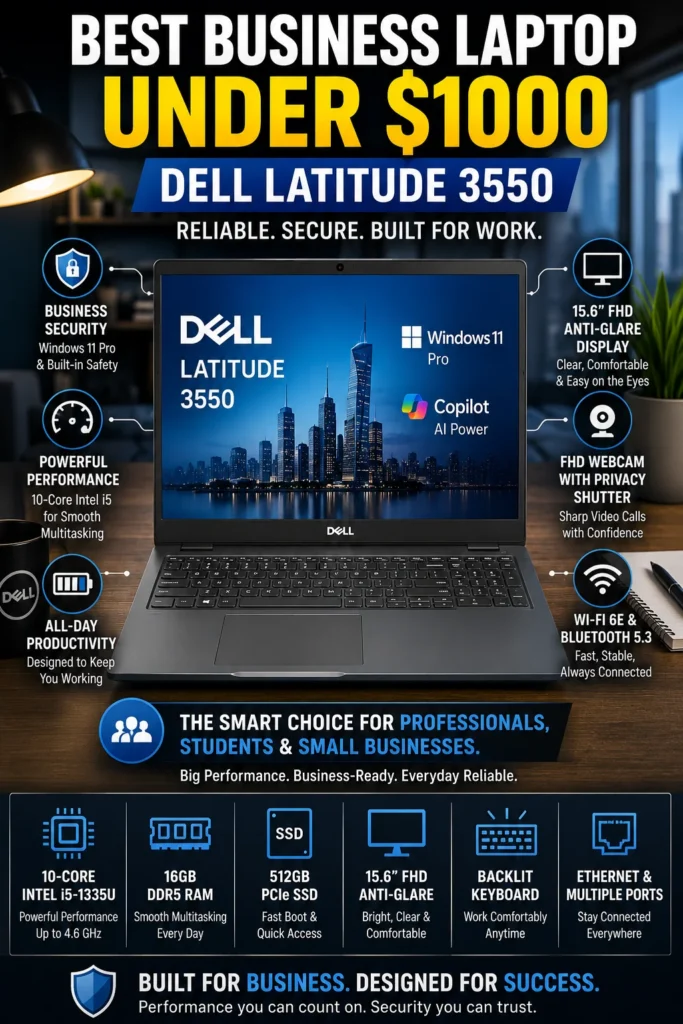
The Dell Latitude 3550 is our top recommendation for the best business laptop for corporate work under $1000 in 2026. It combines dependable everyday performance, business-focused features, extensive connectivity, a spacious 15.6-inch display, and a full-size keyboard with numeric keypad. For office professionals, corporate employees, accountants, managers, and users who regularly work with spreadsheets, documents, meetings, and business applications, the Latitude 3550 provides a practical productivity-focused platform designed around professional workflows.

• Excellent choice for corporate professionals, office employees, accountants, managers, small businesses, and users who prioritize workplace productivity
• The full-size keyboard with numeric keypad is particularly useful for spreadsheets, accounting, financial data entry, and document-heavy workflows
• Windows 11 Pro provides business-oriented features suitable for professional environments and organizational workflows
• Latitude business-class design emphasizes practical durability, connectivity, manageability, and everyday professional usability
• The Intel Core i5-1335U processor provides responsive performance for Microsoft Office, web applications, spreadsheets, video conferencing, and everyday business software
• 16GB of DDR5 memory provides comfortable multitasking capacity for browsers, documents, spreadsheets, communication applications, and cloud-based business tools
• The 512GB SSD provides fast system startup, quick application launches, and responsive access to business documents and professional software
• Ethernet, USB-C, USB-A, HDMI, and Wi-Fi 6E provide flexible connectivity for office networks, external displays, peripherals, and modern wireless environments
• The 15.6-inch display provides a larger workspace that is particularly useful for spreadsheets, dashboards, documents, and side-by-side application windows
• Copilot and modern Windows productivity features can assist with supported AI-enabled workflows while keeping the laptop integrated with the Windows business environment

The Latitude 3550 earns our Best Business Laptop for Corporate Work award because it prioritizes the features that matter in a traditional office environment. The larger 15.6-inch workspace, full-size keyboard, numeric keypad, extensive connectivity, and Windows 11 Pro make it particularly practical for professionals who spend much of their day working with spreadsheets, documents, email, business applications, and external displays.

Compared with the more compact Lenovo ThinkPad E14 Gen 6, the Latitude 3550 is less convenient for frequent travel because of its larger chassis. However, that additional size provides a more spacious working environment and a full-size keyboard that can be valuable for data entry and spreadsheet-heavy workflows. For professionals working primarily from an office or corporate environment, the Dell Latitude 3550 offers a strong combination of productivity, connectivity, and business-focused functionality under $1000.

• Intel Core i5-1335U processor• 10 cores and 12 threads• Boost clock speeds up to 4.6 GHz• Intel integrated graphics• Responsive everyday business performance• Efficient performance for office applicationsThe Intel Core i5-1335U provides a strong performance foundation for common corporate workloads, including Microsoft Office, spreadsheets, web applications, project management tools, video conferencing, and everyday multitasking.The Latitude 3550 is particularly well suited to professionals who regularly move between documents, email, browser tabs, spreadsheets, communication applications, and cloud-based business services throughout the workday.
• 16GB DDR5 memory• Smooth multitasking across business applications• Suitable for spreadsheets and large browser sessions• Comfortable capacity for office productivity• Stronger long-term headroom than entry-level configurationsThe 16GB configuration provides enough memory for professionals who regularly keep multiple applications open simultaneously. Users can work with spreadsheets, documents, browsers, email, video meetings, and collaboration tools without constantly managing available memory.For corporate and office environments, 16GB is a practical configuration that provides a good balance between current productivity requirements and longer-term usability.
• 15.6-inch Full HD display• 1920 × 1080 resolution• Anti-glare surface• Spacious workspace for office applications• Full-size keyboard• Integrated numeric keypadThe 15.6-inch display gives professionals more usable workspace for spreadsheets, documents, dashboards, and side-by-side application windows than smaller 13- or 14-inch laptops.The full-size keyboard with numeric keypad is another major advantage for accountants, analysts, administrative professionals, and anyone who frequently enters numerical data or works extensively with spreadsheets.The display is designed primarily for practical office productivity rather than premium visual quality, but its larger format makes it particularly useful in traditional business environments.
• Designed for everyday professional use• ExpressCharge support on compatible configurations• USB-C charging• Business-oriented chassis design• Suitable for office and hybrid workThe Latitude 3550 is better suited to office productivity than constant travel. Its larger 15.6-inch chassis provides a comfortable workspace, while its business-focused design makes it practical for professionals who move between meetings, workstations, conference rooms, and home offices.Battery endurance varies according to configuration, workload, display, and power settings, so professionals should consider their specific usage pattern rather than relying on a single battery-life estimate.
• 1080p webcam on supported configurations• Webcam privacy shutter on supported configurations• Integrated microphones• Wi-Fi 6E connectivity• Compatible with Microsoft Teams, Zoom, and Google MeetThe Latitude 3550 is well equipped for modern hybrid work. Its webcam and microphone system support everyday video meetings, while Wi-Fi 6E provides modern wireless connectivity where compatible networks are available.Professionals who regularly work remotely or participate in virtual meetings can use the Latitude 3550 as a practical workstation for communication, collaboration, and cloud-based business applications.
• USB-C connectivity• Multiple USB-A ports• HDMI output• RJ-45 Ethernet connectivity• Wi-Fi 6E wireless networking• Flexible peripheral connectivityThe Latitude 3550 offers the type of connectivity that is particularly valuable in an office environment. Ethernet provides a convenient option for wired corporate networks, while HDMI and USB ports make it easy to connect external displays, keyboards, mice, storage devices, and other workplace peripherals.This broad selection of ports reduces the need for adapters and makes the laptop easier to integrate into existing office workstations.
Ideal for:• Corporate professionals• Office employees• Accountants and finance users• Administrative professionals• Project managers• Small business owners• Remote and hybrid workers• Spreadsheet-heavy workflowsThe Dell Latitude 3550 is our Best Business Laptop for Corporate Work because it combines a spacious 15.6-inch workspace, full-size keyboard with numeric keypad, business-focused features, strong connectivity, and dependable everyday performance.It is particularly appealing to professionals who spend most of their working day at a desk and value productivity, connectivity, and practical business functionality over ultra-light portability.
#3 Best MacBook for Business Professionals (2026 Editor's Choice)

Apple MacBook Air M4 (13-inch)

Best MacBook for Business Professionals, Travel & Productivity
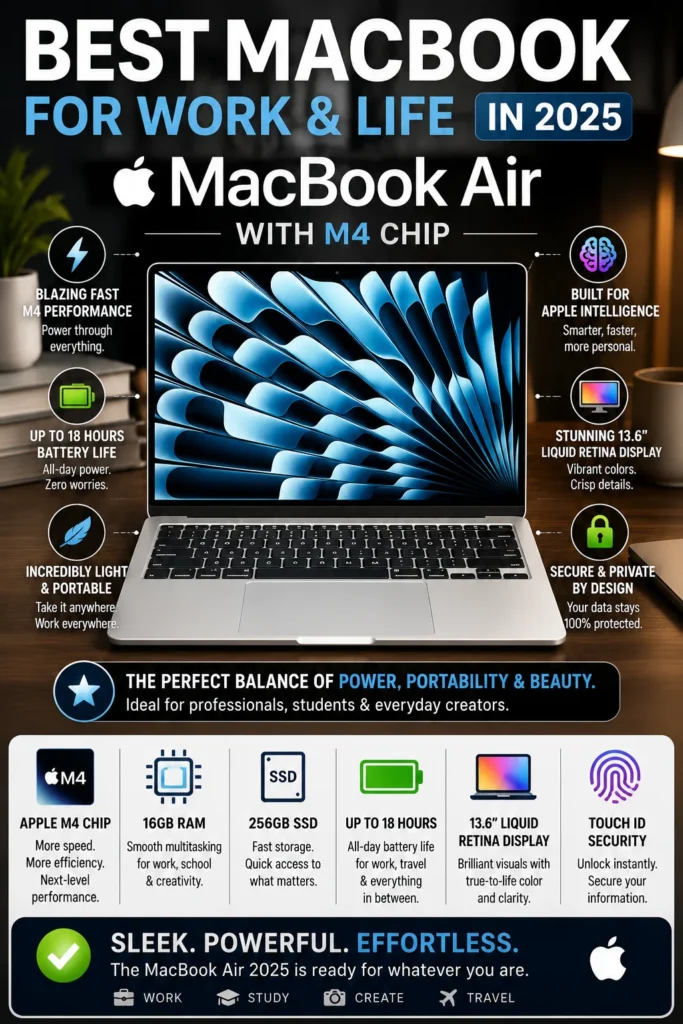
The Apple MacBook Air M4 is our top recommendation for the best MacBook for business professionals in 2026. It combines exceptional portability, efficient performance, long battery life, silent operation, premium build quality, and seamless integration with the Apple ecosystem. For consultants, entrepreneurs, remote professionals, executives, and frequent travelers who prefer macOS, the MacBook Air M4 provides an excellent balance of productivity and mobility without the added weight or complexity of a traditional business laptop.

• Excellent choice for entrepreneurs, consultants, executives, remote professionals, freelancers, and business users who prefer macOS
• Extremely thin and lightweight design makes it particularly convenient for frequent travel, commuting, meetings, and mobile work
• Silent fanless operation provides a distraction-free experience during meetings, writing, research, and everyday productivity
• Premium aluminum construction and Touch ID provide a polished professional experience with convenient device authentication
• The Apple M4 chip provides fast and efficient performance for office applications, web browsing, video conferencing, presentations, communication tools, and everyday multitasking
• 16GB of unified memory provides comfortable multitasking capacity for browsers, documents, spreadsheets, meetings, cloud applications, and professional software
• The 256GB SSD provides fast application launches, quick file access, and responsive everyday system performance
• Excellent battery efficiency allows professionals to work through extended meetings, travel days, presentations, and remote-work sessions with less dependence on a power outlet
• macOS provides a streamlined productivity environment with strong integration across compatible Apple devices through features such as iCloud, AirDrop, and Continuity
• Touch ID provides fast authentication while helping protect business documents, accounts, files, and other sensitive information

The MacBook Air M4 earns our Best MacBook for Business Professionals award because it excels in the areas that matter most to mobile professionals: portability, battery efficiency, silent operation, performance, and overall usability. Its compact design makes it easy to carry between offices, meetings, airports, hotels, and home offices, while the M4 chip provides enough performance for demanding everyday productivity without requiring an active cooling system.

Compared with traditional Windows business laptops such as the Lenovo ThinkPad E14 Gen 6 and Dell Latitude 3550, the MacBook Air M4 offers a different approach to professional computing. It sacrifices some business-specific features, ports, and Windows compatibility in exchange for a lighter design, longer battery efficiency, silent operation, and deep Apple ecosystem integration. For professionals who already rely on macOS and compatible business applications, it is one of the strongest premium productivity choices in this price range.

• Apple M4 chip• Strong single-core and multi-core performance• Integrated Apple GPU• Efficient unified architecture• Smooth everyday multitasking• Fanless operationThe Apple M4 provides more than enough performance for common professional workloads, including documents, spreadsheets, presentations, web applications, video conferencing, email, cloud services, and everyday productivity software.Professionals can comfortably move between browsers, documents, meetings, communication applications, and multiple productivity tools while maintaining a responsive and quiet working environment.
• 16GB unified memory• High-bandwidth Apple architecture• Smooth application switching• Comfortable multitasking capacity• Stronger long-term headroom than 8GB configurationsThe 16GB configuration provides a solid foundation for professionals who regularly work with multiple applications at the same time. It is well suited to browsers, spreadsheets, documents, video meetings, cloud applications, and communication tools.For professionals planning to keep the MacBook for several years, 16GB also provides more comfortable memory headroom for evolving software and increasingly demanding workflows.
• 13.6-inch Liquid Retina display• 2560 × 1664 resolution• Support for one billion colors• Sharp text rendering• Wide color support• High-quality visual experienceThe Liquid Retina display provides sharp text, accurate colors, and excellent image quality for documents, presentations, web applications, research, video meetings, and everyday professional work.The 13.6-inch format also maintains a strong balance between usable workspace and portability, making the MacBook Air particularly convenient for professionals who frequently move between meetings, offices, and remote work locations.
• Up to 18 hours of battery life depending on workload and configuration• Thin and lightweight design• Fanless operation• MagSafe charging• Easy to carry during business travel• Efficient Apple silicon architectureBattery efficiency is one of the MacBook Air M4's biggest advantages for mobile professionals. Its lightweight design makes it comfortable to carry throughout a workday, while its efficient architecture can support extended productivity sessions between charges.The fanless design also keeps the laptop quiet during meetings, writing, presentations, research, and everyday office work.
• macOS productivity environment• iPhone and iPad integration• AirDrop• iCloud synchronization• Continuity features• Touch ID authentication• Apple Intelligence features on supported configurationsProfessionals already using Apple devices can benefit from the integration between Mac, iPhone, and iPad. AirDrop makes transferring files convenient, while iCloud and Continuity features can help maintain a consistent workflow across compatible devices.Touch ID also provides fast authentication for the system and supported applications, while macOS includes built-in security and privacy features designed to protect user data.
• High-quality camera system• Three-microphone array• High-fidelity speakers• Wi-Fi connectivity• Bluetooth connectivity• MagSafe charging• USB-C connectivity for peripherals and displaysThe MacBook Air M4 provides a strong platform for remote work and virtual meetings. Its camera, microphone, and speaker system support everyday communication through platforms such as Zoom, Microsoft Teams, Google Meet, and FaceTime.USB-C connectivity also allows professionals to connect compatible peripherals and external displays when creating a larger desktop workspace.
Ideal for:• Business professionals• Entrepreneurs• Consultants• Executives• Remote workers• Freelancers• Frequent travelers• Apple ecosystem usersThe Apple MacBook Air M4 is our Best MacBook for Business Professionals because it combines excellent performance, long battery efficiency, silent operation, premium construction, and exceptional portability in a compact design.It is particularly well suited to professionals who prefer macOS and compatible business applications and who value mobility more than extensive legacy ports or Windows-specific software compatibility.
#4 Best Battery Life Business Laptop (2026 Editor's Choice)

ASUS Zenbook A14

Best Battery Life Business Laptop for Travel, AI Productivity & Remote Work
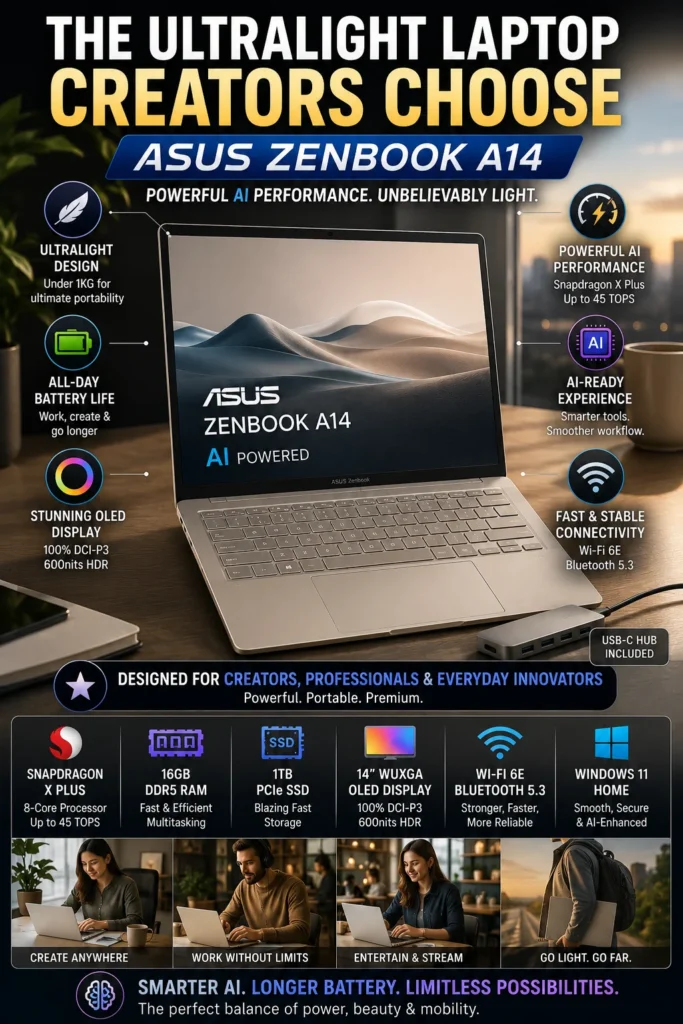
The ASUS Zenbook A14 is our top recommendation for the best battery life business laptop in 2026. Its combination of exceptional battery efficiency, an ultra-light 980g design, Snapdragon X performance, 16GB of memory, and Copilot+ PC capabilities makes it particularly well suited to professionals who spend much of their time traveling, commuting, working remotely, or moving between meetings throughout the day.

• Excellent choice for frequent travelers, consultants, remote professionals, digital nomads, and hybrid workers who prioritize mobility
• At approximately 980g, the Zenbook A14 is exceptionally lightweight and easy to carry between offices, meetings, airports, and remote work locations
• Copilot+ PC capabilities provide access to supported AI-powered Windows features designed to assist with modern productivity workflows
• Premium OLED display provides excellent contrast, vibrant colors, and sharp image quality for professional and personal use
• Snapdragon X processor delivers efficient performance for web applications, documents, presentations, video conferencing, communication tools, and everyday multitasking
• 16GB LPDDR5X memory provides comfortable capacity for multiple applications, browser tabs, cloud services, and productivity workflows
• The 512GB SSD provides fast system startup, quick application launches, and responsive access to professional files and software
• Battery endurance of up to 32 hours under specific testing conditions makes the Zenbook A14 particularly attractive for extended mobile work sessions
• The combination of low weight and efficient Snapdragon architecture reduces the burden of carrying a traditional business laptop during frequent travel

The Zenbook A14 earns our Best Battery Life Business Laptop award because it prioritizes mobility in a way few traditional Windows laptops can match. Its approximately 980g weight makes it exceptionally easy to carry, while the efficient Snapdragon X platform is designed to deliver strong battery efficiency for everyday professional workloads. For consultants, travelers, and remote workers, that combination can be more valuable than having a larger or heavier laptop with higher peak performance.

Compared with conventional Intel- and AMD-based Windows business laptops, the ASUS Zenbook A14 takes a more mobility-focused approach. Its ARM-based Snapdragon platform can deliver excellent efficiency and battery life, but professionals should verify compatibility with any specialized legacy Windows applications they depend on before purchasing. For users whose workflows are primarily browser-based, cloud-based, and built around modern productivity applications, the Zenbook A14 is one of the most compelling lightweight business laptops in this price range.

• Qualcomm Snapdragon X processor• Efficient ARM-based architecture• Integrated Qualcomm Adreno GPU• Dedicated NPU for supported AI workloads• 16GB LPDDR5X memory• 512GB SSD storageThe Snapdragon X platform is designed to balance everyday performance with exceptional power efficiency. It is well suited to browser-based work, documents, presentations, video conferencing, cloud applications, communication tools, and general productivity.For professionals whose workloads are primarily based around modern Windows applications and web services, the Zenbook A14 provides a responsive and efficient working experience while keeping power consumption low.
• Microsoft Copilot+ PC platform• Dedicated NPU for supported AI features• On-device AI processing for compatible workloads• Windows AI capabilities• Designed for modern productivity applicationsThe Zenbook A14 belongs to Microsoft's Copilot+ PC category, giving users access to supported Windows AI features that can assist with productivity, communication, content creation, and other compatible workflows.The dedicated NPU allows supported AI workloads to be handled more efficiently on the device. However, available AI features and application support can vary by Windows version, software, and region.
• 14-inch WUXGA OLED display• 1920 × 1200 resolution• OLED contrast and deep blacks• Rich color reproduction• 16:10 aspect ratio• Premium visual experienceThe OLED display gives the Zenbook A14 a more premium visual experience than many conventional business laptops. Its 16:10 aspect ratio also provides additional vertical workspace for documents, web pages, and productivity applications.The combination of OLED image quality and a compact 14-inch format makes the display suitable for professional presentations, content consumption, research, and everyday office work.
• Up to 32 hours under specific testing conditions• Approximately 980g starting weight• Highly efficient Snapdragon architecture• Compact 14-inch design• USB-C charging• Designed for frequent travelBattery efficiency is the Zenbook A14's defining advantage. Its lightweight design and efficient Snapdragon platform make it particularly attractive to professionals who spend long periods away from a desk or power outlet.At approximately 980g, the laptop is exceptionally easy to carry through airports, offices, meetings, hotels, and commuting environments. Actual battery life will vary depending on workload, display settings, applications, and configuration.
• Integrated webcam• Built-in microphone system• Wi-Fi 6E connectivity• Bluetooth connectivity• Compatible with Zoom, Microsoft Teams, and Google Meet• Suitable for hybrid work environmentsThe Zenbook A14 is well suited to professionals who work remotely or participate in frequent virtual meetings. Its wireless connectivity and integrated communication hardware support everyday collaboration without requiring a separate workstation.For mobile professionals, the combination of long battery efficiency and low weight is particularly useful when working from different locations throughout the day.
• USB-C connectivity• USB-A connectivity• HDMI output• Wi-Fi 6E• Bluetooth• Support for external peripherals and displaysThe Zenbook A14 provides the essential connectivity needed for mobile productivity while maintaining its lightweight design.Professionals can connect external displays, storage devices, keyboards, mice, and other peripherals when working from a desk, allowing the laptop to transition from an ultraportable travel computer into a more conventional workstation.
Ideal for:• Business travelers• Consultants• Remote professionals• Digital nomads• Entrepreneurs• Hybrid workers• Frequent commuters• Professionals who prioritize battery lifeThe ASUS Zenbook A14 is our Best Battery Life Business Laptop because it combines exceptional power efficiency with an approximately 980g design and a premium 14-inch OLED display.It is especially attractive to professionals who value mobility and battery endurance more than maximum application compatibility or workstation-level performance.
#5 Best 15-Inch Business Laptop (2026 Editor's Choice)

HP ProBook 450 G10

Best 15-Inch Business Laptop for Office Work, Multitasking & Productivity
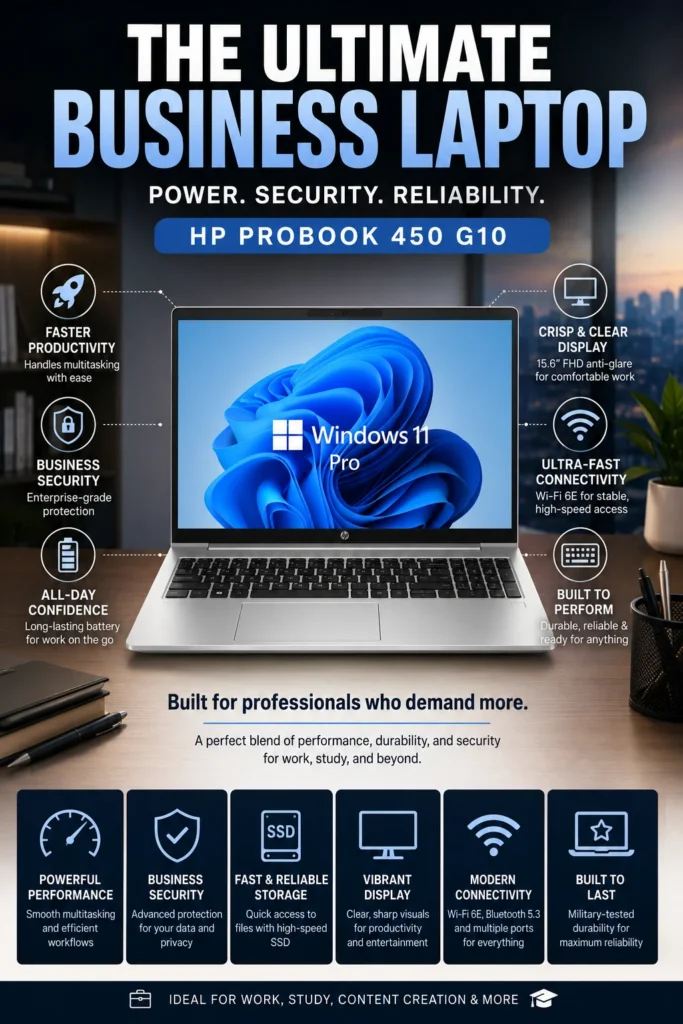
The HP ProBook 450 G10 is our top recommendation for the best 15-inch business laptop under $1000 in 2026. It combines a spacious 15.6-inch display, reliable Intel performance, business-oriented security features, extensive connectivity, and a comfortable productivity-focused design. For professionals who spend much of their day working with spreadsheets, documents, reports, email, and multiple applications, its larger screen provides a practical advantage over smaller 13- and 14-inch laptops.

• Excellent choice for office professionals, accountants, small business owners, administrative staff, and users who prefer a larger workspace
• The 15.6-inch display provides additional screen space for spreadsheets, documents, dashboards, browser windows, and multitasking
• Business-focused security and management features make the ProBook better suited to professional environments than many consumer laptops
• Extensive connectivity makes it practical for office desks, external displays, wired networking, and everyday peripherals
• Intel Core i5-1334U provides responsive performance for Microsoft Office, web applications, email, video conferencing, and everyday business workloads
• 16GB of memory provides comfortable multitasking capacity for spreadsheets, browser tabs, productivity applications, and communication tools
• 512GB PCIe SSD provides fast startup times, responsive application launches, and practical storage for professional files and software
• Wi-Fi 6E, USB-C, HDMI, Ethernet, and additional USB connectivity provide flexibility for modern office and workstation setups
• The full-size laptop format provides a comfortable working environment for professionals who spend long periods typing, reviewing documents, or working with spreadsheets

The HP ProBook 450 G10 earns our Best 15-Inch Business Laptop award because it focuses on practical productivity rather than unnecessary features. Its larger display, business-oriented design, extensive connectivity, and comfortable working format make it particularly useful for professionals who spend most of their day at a desk but still need a laptop they can move between offices, meetings, and home.

Compared with newer laptops using DDR5 memory and more recent processor platforms, the HP ProBook 450 G10 is not the most technologically advanced option in this lineup. Its advantage is practicality: the 15.6-inch display, business features, connectivity, and familiar Windows environment make it a strong choice for office productivity. If portability is the priority, a smaller model such as the ThinkPad E14 Gen 6 or Zenbook A14 makes more sense; for professionals who value screen space and workstation-style usability, the ProBook 450 G10 remains a compelling option under $1000.

• Intel Core i5-1334U processor• Up to 4.6 GHz turbo frequency• 16GB memory• 512GB PCIe NVMe SSD• Responsive performance for everyday multitaskingThe Core i5-1334U provides enough performance for the workloads most office professionals encounter every day, including Microsoft Office, web applications, email, spreadsheets, presentations, video conferencing, and cloud-based productivity tools.The combination of 16GB memory and a fast PCIe SSD also provides comfortable multitasking when working with multiple browser tabs, documents, applications, and communication tools simultaneously.
• Windows 11 Pro available on supported configurations• HP Wolf Security features on supported configurations• Business-oriented security and management capabilities• Designed for professional and small-business environments• Durable business-focused constructionThe ProBook 450 G10 is designed around the needs of professional users rather than the typical consumer laptop. Depending on configuration, HP's business security ecosystem can provide additional protection for devices, accounts, data, and everyday business workflows.Organizations should verify the exact security and management features included with the configuration they purchase.
• 15.6-inch Full HD display• Anti-glare finish• Large workspace for productivity• Full-size keyboard• Numeric keypad on supported configurationsThe larger 15.6-inch format is one of the ProBook 450 G10's biggest advantages. It provides more comfortable workspace for spreadsheets, accounting applications, reports, dashboards, and side-by-side windows than most compact 13- and 14-inch laptops.For professionals who spend several hours each day working at a desk, the additional screen area can make a noticeable difference to everyday productivity.
• Battery designed for everyday professional use• Fast charging support on supported configurations• Portable enough for office-to-home workflows• 15.6-inch chassis prioritizes workspace over minimum weightThe ProBook 450 G10 is best suited to professionals who want a larger working environment without giving up the ability to move between the office, home, meetings, and occasional travel.Its larger chassis is less portable than an ultraportable such as the ASUS Zenbook A14, but it provides a more traditional workstation-style experience for users who prioritize screen size and connectivity.
• Integrated webcam• Built-in microphone system• Wi-Fi 6E connectivity on supported configurations• Compatible with Zoom, Microsoft Teams, and Google Meet• Suitable for hybrid and remote workThe ProBook 450 G10 provides the essential hardware and connectivity needed for modern remote collaboration.Professionals can comfortably use video conferencing, email, cloud applications, and communication platforms throughout the workday while maintaining a practical business-oriented setup.
• USB-C connectivity with DisplayPort support• HDMI output• RJ-45 Ethernet• Multiple USB-A ports• Headphone connectivity• Support for external displays and peripheralsThe extensive port selection is particularly useful in office environments. Ethernet provides a reliable wired connection when available, while HDMI, USB-C, and USB-A ports make it easy to connect monitors, storage devices, keyboards, mice, and other workplace accessories.This reduces the need for adapters and makes the ProBook practical as both a mobile computer and a desk-based workstation.
Ideal for:• Office professionals• Accountants• Small business owners• Administrative staff• Managers• Remote workers• Students who prefer a larger display• Spreadsheet-heavy workflowsThe HP ProBook 450 G10 is our Best 15-Inch Business Laptop because it prioritizes practical productivity, screen space, connectivity, and professional usability.It is particularly well suited to users who spend most of their day working with documents, spreadsheets, email, reports, and business applications.
• Business-oriented ProBook platform• Upgrade and service options vary by configuration• Extensive connectivity for future peripherals• Durable design intended for everyday professional use• Windows compatibility for a wide range of business applicationsThe ProBook 450 G10 can be a sensible long-term business laptop for users who value practical design and compatibility over having the newest processor platform.Its main limitation is that some configurations use older DDR4 memory and a previous-generation Intel platform compared with newer business laptops. Buyers focused on maximum longevity should compare the exact configuration and price against newer alternatives before purchasing.
#6 Best Business Laptop for Productivity & Multitasking (2026 Editor's Choice)

Lenovo ThinkBook 16 Gen 7

Best Business Laptop for Productivity, Excel & Multitasking
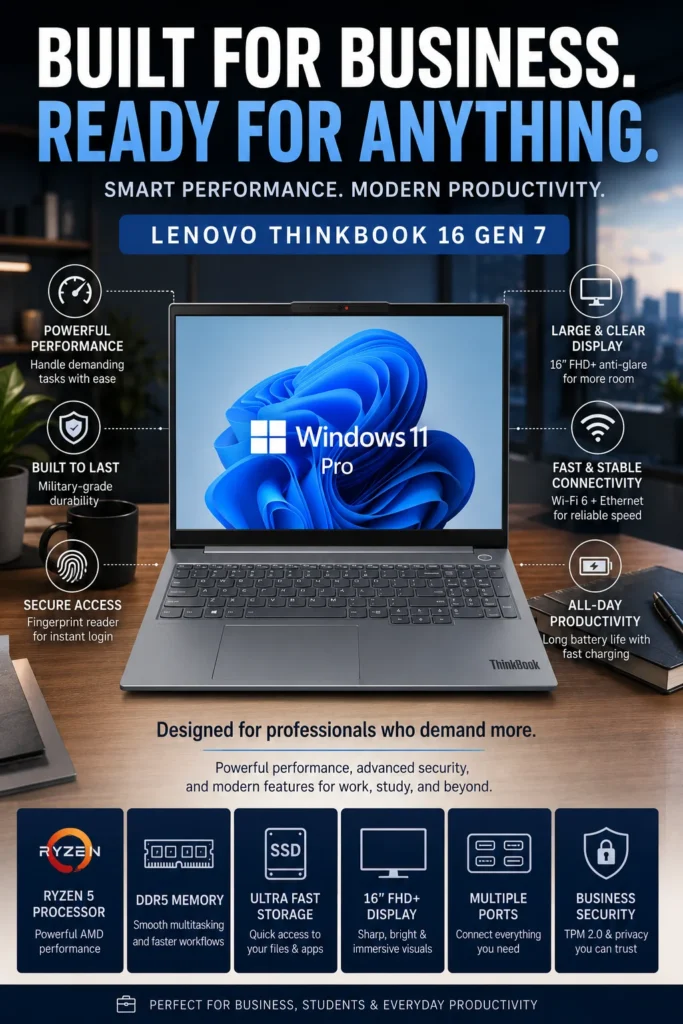
The Lenovo ThinkBook 16 Gen 7 is our top recommendation for the best business laptop for productivity and multitasking under $1000 in 2026. Its large 16-inch display, numeric keypad, Ryzen 5 processor, 16GB of DDR5 memory, and extensive connectivity make it particularly well suited to professionals who work extensively with spreadsheets, financial data, reports, presentations, and multiple applications at the same time.

• Excellent choice for Excel users, analysts, accountants, financial professionals, office workers, and anyone who benefits from a larger workspace
• The 16-inch display provides more usable screen area for spreadsheets, dashboards, documents, browser windows, and side-by-side applications
• Integrated numeric keypad makes data entry, financial calculations, accounting, and spreadsheet work more efficient
• Business-oriented design provides a practical balance between professional features, performance, connectivity, and value
• AMD Ryzen 5 7533HS processor provides strong performance for demanding productivity workloads and sustained multitasking
• 16GB DDR5 memory allows comfortable multitasking across large spreadsheets, browser tabs, documents, meetings, and productivity applications
• 512GB NVMe SSD provides fast system startup, responsive application launches, and quick access to professional files
• USB-C, HDMI, Ethernet, USB-A, and SD card connectivity provide flexibility for office peripherals, external displays, storage devices, and accessories
• Windows 11 Pro and integrated security features make the ThinkBook 16 Gen 7 suitable for professional and small-business environments

The ThinkBook 16 Gen 7 earns our Best Business Laptop for Productivity & Multitasking award because it prioritizes workspace and usability over ultra-portable design. The combination of a large 16-inch display and numeric keypad is particularly valuable for professionals who spend hours working with spreadsheets, financial data, reports, and multiple windows. For this type of workflow, the additional screen area can be more useful than the smaller footprint of a typical 14-inch laptop.

Compared with smaller business laptops such as the Lenovo ThinkPad E14 Gen 6, the ThinkBook 16 Gen 7 offers a significantly larger working area and a more comfortable environment for spreadsheet-heavy workflows, but it is less convenient to carry regularly. It is therefore best suited to professionals who prioritize productivity and screen space over maximum portability. For users who frequently travel, a lighter 14-inch or ultraportable model will be a better fit; for desk-based productivity, Excel, and multitasking, the ThinkBook 16 Gen 7 is one of the strongest options in this lineup.

• AMD Ryzen 5 7533HS processor• Strong multi-core performance• 16GB DDR5 memory• 512GB NVMe SSD• Radeon integrated graphics• Smooth everyday multitaskingThe Lenovo ThinkBook 16 Gen 7 provides strong performance for productivity-focused workloads including spreadsheets, presentations, business applications, web applications, document editing, video calls, and extensive browser multitasking.Professionals can comfortably work with Excel, Microsoft Office, cloud applications, research tools, communication platforms, and multiple browser tabs while maintaining a responsive workflow.
• 16GB DDR5 memory• Smooth application switching• Excellent for spreadsheets and business applications• Comfortable with multiple browser tabs• Suitable for demanding productivity workflows• Upgradeable memory supportThe 16GB configuration provides a strong balance between everyday performance and long-term usability. It allows professionals to work across spreadsheets, presentations, browsers, communication applications, and cloud services without constantly managing available memory.For productivity-heavy users, the ThinkBook 16 Gen 7 offers the multitasking headroom needed for modern professional workflows.
• 16-inch WUXGA IPS display• 1920 × 1200 resolution• 16:10 aspect ratio• Anti-glare surface• Comfortable workspace for multitasking• Full-size keyboard with numeric keypadThe larger 16-inch display provides considerably more workspace than traditional 14-inch business laptops. This makes it particularly useful for Excel spreadsheets, financial analysis, document editing, presentations, dashboards, and side-by-side application workflows.The 16:10 aspect ratio also provides additional vertical workspace, making long documents and spreadsheets more comfortable to navigate.
• 512GB NVMe SSD• Fast application launches• Quick file access• Responsive system performance• Suitable for business documents and projects• Convenient storage for professional workloadsThe 512GB SSD provides fast everyday performance while offering enough capacity for documents, presentations, spreadsheets, applications, project files, and other professional data.Users working with large media libraries or extensive local datasets can also take advantage of the laptop's connectivity options and external storage support.
• Large battery designed for extended work sessions• Fast charging support• Slim design for a 16-inch productivity laptop• Durable construction• Designed for office and hybrid workAlthough the ThinkBook 16 Gen 7 is larger than an ultraportable business laptop, its design balances screen space with reasonable mobility.It is particularly well suited to professionals who want a large productivity workspace while still occasionally moving between the office, home, meetings, and other work locations.
• Integrated webcam with privacy shutter• Lenovo Smart Meeting features• Noise-canceling audio capabilities• Wi-Fi connectivity for wireless productivity• Designed for Zoom, Microsoft Teams, and Google MeetThe ThinkBook 16 Gen 7 is well suited to hybrid professionals who regularly participate in virtual meetings, remote collaboration, and cloud-based workflows.Its privacy-focused webcam design also provides an additional layer of convenience for professionals who frequently work from home or shared environments.
• USB-C connectivity• HDMI output for external displays• RJ-45 Ethernet port• USB-A ports for peripherals• SD card reader• Support for external monitorsThe extensive port selection makes the ThinkBook 16 Gen 7 particularly useful as a desktop replacement or productivity workstation.Professionals can connect external displays, wired networking, storage devices, keyboards, mice, and other peripherals without relying heavily on adapters or docking accessories.
Ideal for:• Business professionals• Accountants• Financial analysts• Office employees• Managers• Students• Remote workers• Small business owners• Excel and spreadsheet-heavy workflows• Professionals who need a large productivity workspaceThe Lenovo ThinkBook 16 Gen 7 is one of the best business laptops under $1000 for users who prioritize screen space, multitasking performance, connectivity, and workflow efficiency.Its combination of a large 16-inch display, capable processor, 16GB memory, and extensive connectivity makes it especially attractive for professionals who spend most of their working day in productivity applications.
#7 Best Display Business Laptop (2026 Editor's Choice)

Acer Swift Go 14

Best Business Laptop for Display Quality, AI Features & Everyday Productivity
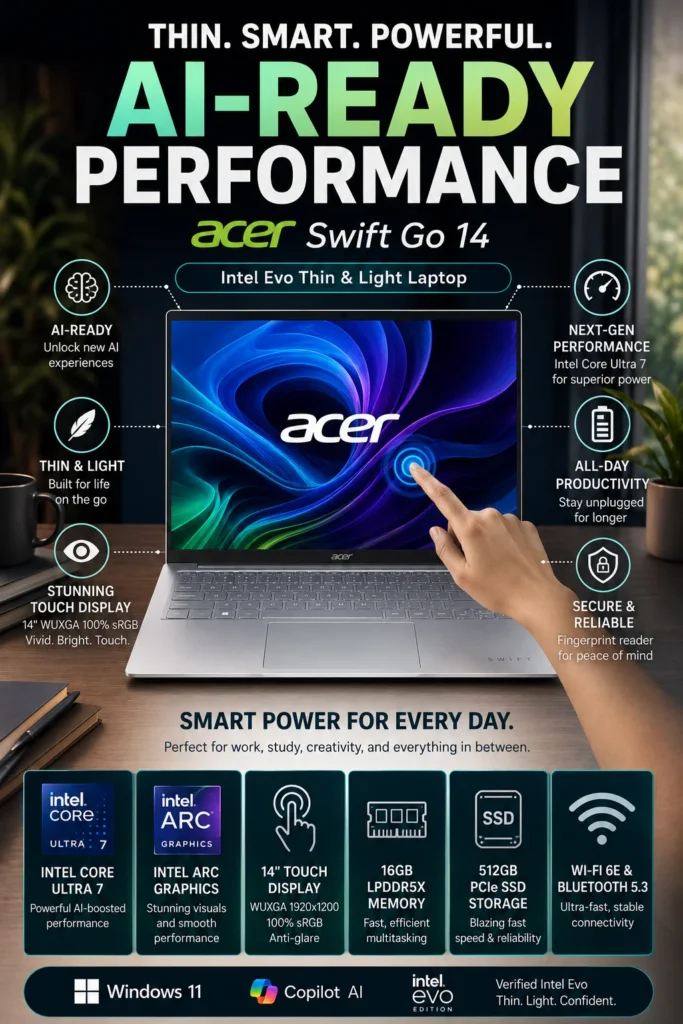
The Acer Swift Go 14 is our top recommendation for the best business laptop for display quality in 2026. It combines an excellent 14-inch display, strong Intel Core Ultra performance, AI capabilities, lightweight portability, and responsive multitasking in a compact design. Whether you're working with documents, spreadsheets, presentations, web applications, video meetings, or visual content, the Swift Go 14 provides a premium everyday experience for professionals, students, and hybrid workers.

• Excellent choice for professionals, students, hybrid workers, consultants, and users who prioritize display quality and portability
• Ideal for Microsoft Office, Google Workspace, web applications, presentations, video conferencing, research, and everyday productivity
• Particularly well suited to users who want a premium-looking ultraportable laptop with strong performance and modern AI capabilities
• The Intel Core Ultra 7 155H processor provides strong performance for multitasking, productivity applications, web browsing, video conferencing, and more demanding everyday workloads
• 16GB LPDDR5X memory provides smooth multitasking across browsers, documents, presentations, communication applications, and productivity software
• The high-quality 14-inch display provides excellent color reproduction, sharp visuals, and a more enjoyable experience for documents, presentations, media, and visual content
• The 512GB PCIe Gen 4 SSD delivers fast application launches, quick file access, and responsive system performance for professional workflows
• Intel AI Boost and Copilot-ready capabilities provide modern AI acceleration for supported productivity applications and workflows
• The lightweight design makes the Swift Go 14 easy to carry between offices, meetings, classrooms, home workspaces, and travel destinations
• Intel Evo platform features help provide a responsive and portable experience for professionals who frequently work away from a traditional desk
• Modern wireless connectivity and a versatile port selection make it practical for both mobile productivity and desk-based workstation setups

The Acer Swift Go 14 earns our Best Display Business Laptop award because it provides an excellent balance between visual quality, performance, AI capabilities, and portability. Its 14-inch format gives professionals enough screen space for everyday productivity while keeping the laptop compact enough for commuting and travel. For users who spend significant time reading documents, creating presentations, attending meetings, browsing the web, or consuming visual content, the display is one of its strongest advantages.

Compared with more traditional business laptops in the same price range, the Acer Swift Go 14 places greater emphasis on display quality, portability, and modern AI capabilities. The combination of an Intel Core Ultra processor, 16GB memory, fast SSD storage, and a premium display makes it a versatile option for professionals who want a more refined everyday computing experience without moving into a heavier workstation-class laptop.

• Intel Core Ultra 7 155H processor• 16 cores and 22 threads• Intel Arc integrated graphics• 16GB LPDDR5X memory• 512GB PCIe Gen 4 SSD• Smooth multitasking performanceThe Acer Swift Go 14 provides strong performance for modern productivity workloads including Microsoft Office, Google Workspace, web applications, presentations, video conferencing, research, and everyday multitasking.Professionals can comfortably work across multiple browser tabs, documents, spreadsheets, communication applications, and productivity tools while maintaining a responsive experience.
• Intel Core Ultra platform with integrated AI acceleration• Intel AI Boost NPU• Microsoft Copilot support• AI-assisted productivity capabilities• Intel Evo platform design standards• Responsive and efficient mobile performanceThe Swift Go 14 is designed for modern productivity workflows that increasingly incorporate AI-assisted applications. Its integrated NPU helps accelerate supported AI workloads while improving efficiency for compatible applications.Intel Evo platform features also emphasize responsiveness, portability, connectivity, and everyday usability, making the laptop particularly suitable for professionals who frequently work away from a traditional desk.
• 14-inch high-resolution display• WUXGA resolution• Touchscreen support• 100% sRGB color coverage• Up to 400 nits brightness• Sharp text and vibrant visualsThe display is one of the strongest reasons to choose the Acer Swift Go 14. Its high-quality panel provides an excellent experience for documents, presentations, web browsing, visual content, and everyday productivity.The 14-inch format provides a useful balance between workspace and portability, while touchscreen support adds flexibility when interacting with compatible applications and content.
• 512GB PCIe Gen 4 SSD• Fast application launches• Quick file access• Responsive system performance• Suitable for professional documents and projects• Convenient capacity for everyday productivityThe 512GB SSD provides fast storage performance for applications, documents, presentations, spreadsheets, project files, and other everyday professional data.Users working with larger media collections or extensive local projects can also take advantage of external storage through the laptop's modern connectivity options.
• Lightweight approximately 2.9-pound design• Thin and travel-friendly chassis• Efficient Intel Evo platform• USB-C charging support• Designed for mobile productivityThe Swift Go 14 is particularly well suited to professionals who regularly move between offices, meetings, home workspaces, classrooms, and travel destinations.Its lightweight design makes it easier to carry throughout the day while still providing the performance and display quality expected from a modern productivity laptop.
• Integrated webcam for virtual meetings• Modern wireless connectivity• Wi-Fi 6E support• Compatible with Zoom, Microsoft Teams, and Google Meet• AI capabilities for supported collaboration workflowsThe Swift Go 14 provides a practical setup for hybrid professionals and remote workers who regularly participate in virtual meetings and cloud-based collaboration.Its combination of wireless connectivity, webcam functionality, and AI-ready hardware makes it well suited to modern remote work environments.
• Thunderbolt 4 connectivity• USB-C ports for peripherals and displays• HDMI output• MicroSD card reader• Bluetooth connectivity• Support for external displaysThe Swift Go 14 provides a versatile selection of modern ports for both mobile and desk-based productivity.Professionals can connect external displays, storage devices, peripherals, and other accessories while maintaining a relatively clean workstation setup without relying heavily on adapters.
Ideal for:• Business professionals• Hybrid workers• Students• Consultants• Travelers• Presenters• Remote employees• Professionals who prioritize display quality• Productivity-focused usersThe Acer Swift Go 14 is one of the best business laptops under $1000 for users who prioritize display quality, AI capabilities, portability, and everyday productivity.Its combination of a high-quality display, Intel Core Ultra performance, 16GB memory, fast SSD storage, and lightweight design makes it a particularly versatile choice for mobile professionals.
#8 Best Lightweight Business Laptop (2026 Editor's Choice)

HP OmniBook 7 Aero

Best Lightweight Business Laptop for Travel, AI Productivity & Professionals
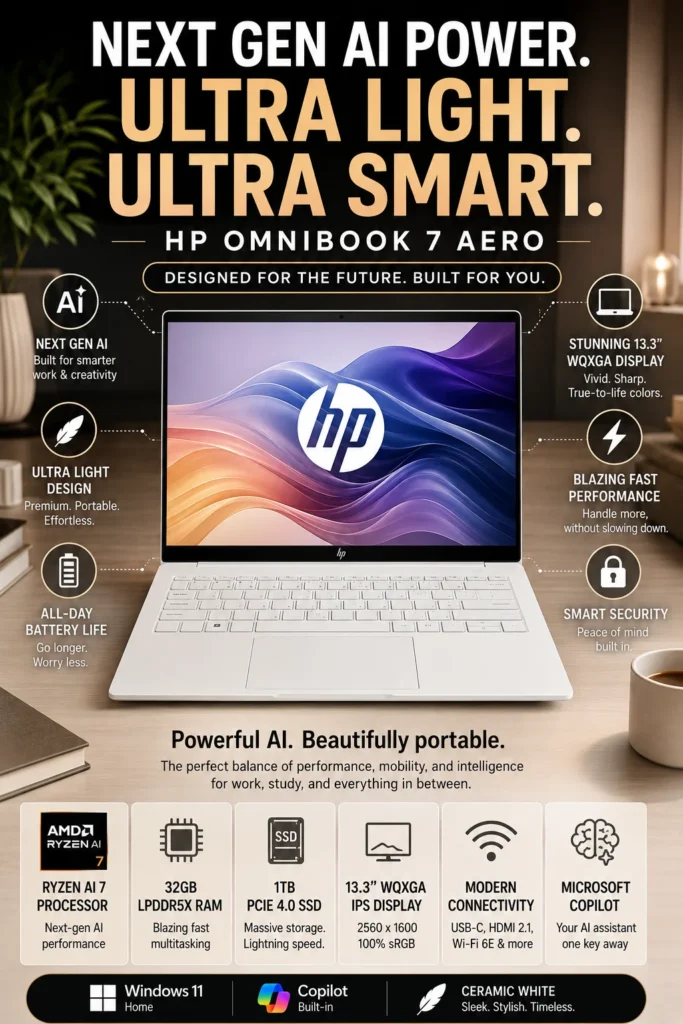
The HP OmniBook 7 Aero is our top recommendation for the best lightweight business laptop in 2026. It combines an exceptionally lightweight design, powerful AMD Ryzen AI performance, generous memory, fast SSD storage, and modern AI capabilities in a highly portable package. For professionals who frequently travel, work remotely, move between meetings, or simply want maximum portability without sacrificing productivity performance, the OmniBook 7 Aero is one of the most compelling options in its class.

• Excellent choice for business professionals, consultants, frequent travelers, remote workers, executives, and mobile productivity users
• Ideal for Microsoft Office, Google Workspace, web applications, video conferencing, presentations, research, communication tools, and demanding multitasking
• Particularly well suited to professionals who prioritize an extremely lightweight laptop without giving up generous memory and storage capacity
• The AMD Ryzen AI 7 processor provides strong everyday performance while adding dedicated AI acceleration for supported applications and modern productivity workflows
• 32GB LPDDR5X memory provides exceptional multitasking headroom for large numbers of browser tabs, documents, spreadsheets, applications, and professional workflows
• The 1TB PCIe Gen4 SSD provides fast application launches, quick file access, and substantial local storage for professional projects, documents, media, and applications
• The high-resolution 13.3-inch display provides sharp text and detailed visuals while maintaining the compact footprint expected from an ultraportable business laptop
• The exceptionally lightweight chassis makes the OmniBook 7 Aero comfortable to carry throughout the day and particularly convenient for frequent business travel
• Microsoft Copilot and Ryzen AI capabilities provide access to modern AI-assisted productivity features on supported workflows
• Modern wireless connectivity and USB-C connectivity support flexible workflows at home, in the office, and while traveling
• The combination of 32GB memory and 1TB storage provides significantly more long-term flexibility than many entry-level ultraportable configurations

The HP OmniBook 7 Aero earns our Best Lightweight Business Laptop award because it delivers an unusually strong combination of portability and hardware capability. At approximately 2.2 pounds, it is designed for professionals who spend much of their day moving between locations while still requiring enough memory and storage for demanding productivity workflows. The result is a laptop that feels exceptionally easy to carry without behaving like a low-power ultraportable.

Compared with many lightweight laptops in the same price range, the HP OmniBook 7 Aero stands out by combining an extremely portable design with 32GB of memory, 1TB of SSD storage, and AMD Ryzen AI capabilities. This makes it particularly attractive to professionals who want a laptop they can travel with every day while retaining enough performance and capacity for increasingly demanding business applications and AI-assisted workflows.

• AMD Ryzen AI 7 350 processor• 8 cores and 16 threads• Boost clock speeds up to 5.0 GHz• Integrated Radeon graphics• 32GB LPDDR5X memory• 1TB PCIe Gen4 NVMe SSDThe HP OmniBook 7 Aero provides strong performance for modern professional workloads including spreadsheets, presentations, web applications, video conferencing, cloud software, research, and demanding multitasking.The combination of a capable Ryzen AI processor and 32GB of memory provides substantial performance headroom for professionals who regularly work with many applications and browser tabs simultaneously.
• 32GB LPDDR5X memory• High-bandwidth memory architecture• Excellent multitasking headroom• Suitable for demanding productivity workflows• Comfortable with extensive browser multitasking• Better long-term flexibility than entry-level configurationsThe 32GB memory configuration is one of the OmniBook 7 Aero's strongest advantages. It provides significantly more headroom for professionals who routinely work with large numbers of browser tabs, spreadsheets, documents, communication applications, cloud platforms, and other productivity software.For users planning to keep their laptop for several years, the generous memory configuration also provides additional flexibility as applications and professional workflows become more demanding.
• 13.3-inch WQXGA IPS display• 2560 × 1600 resolution• 100% sRGB color coverage• Up to 400 nits brightness• Anti-glare surface• Sharp text and detailed visualsThe high-resolution display provides a sharp and comfortable workspace for documents, presentations, web browsing, research, and visual content.Its compact 13.3-inch format also contributes to the laptop's extremely portable design, making it a strong choice for professionals who want high pixel density without carrying a larger 14-inch or 16-inch machine.
• 1TB PCIe Gen4 NVMe SSD• Fast application launches• Quick file transfers and access• Responsive system performance• Generous capacity for professional files• Suitable for applications, projects, documents, and mediaThe 1TB SSD provides substantially more local storage than many entry-level ultraportable laptops.Professionals can store larger collections of documents, presentations, applications, project files, photos, and other work-related data without constantly relying on external storage.
• Approximately 2.2-pound lightweight design• Compact ultraportable chassis• Easy to carry throughout the day• Efficient AMD Ryzen AI platform• Designed for commuting and frequent travelPortability is one of the defining advantages of the HP OmniBook 7 Aero. Its extremely lightweight design makes it particularly comfortable for professionals who frequently travel between offices, meetings, airports, client locations, home workspaces, and other destinations.Despite its compact footprint, the laptop maintains a powerful hardware configuration suitable for serious productivity work.
• AMD Ryzen AI platform• Dedicated AI acceleration• Microsoft Copilot support• Designed for supported AI applications• On-device AI processing capabilitiesThe Ryzen AI platform gives the OmniBook 7 Aero dedicated hardware for supported AI workloads. This provides a foundation for modern productivity applications that increasingly incorporate AI-assisted features.Microsoft Copilot and other compatible AI tools can help users with tasks such as information processing, writing assistance, research, and everyday productivity workflows.
• USB-C connectivity with DisplayPort support• HDMI output for external displays• Multiple USB-A ports• Wireless connectivity for mobile productivity• Compatible with modern peripherals and docking solutionsThe OmniBook 7 Aero provides the connectivity needed to transition between mobile and desk-based workflows.Professionals can connect external displays, storage devices, keyboards, mice, and other peripherals when working from a permanent desk while keeping the laptop compact enough for travel.
Ideal for:• Business travelers• Consultants• Remote workers• Entrepreneurs• Executives• Hybrid employees• Students• Digital professionals• Frequent commuters• Productivity-focused usersThe HP OmniBook 7 Aero is one of the best business laptops under $1000 for users who prioritize extreme portability without sacrificing memory, storage, performance, or modern AI capabilities.Its combination of a lightweight chassis, 32GB memory, 1TB SSD, and Ryzen AI platform makes it particularly compelling for professionals who work from multiple locations.
#9 Best Budget Business Laptop (2026 Editor's Choice)

Acer Aspire 5

Best Budget Business Laptop for Everyday Work & Productivity
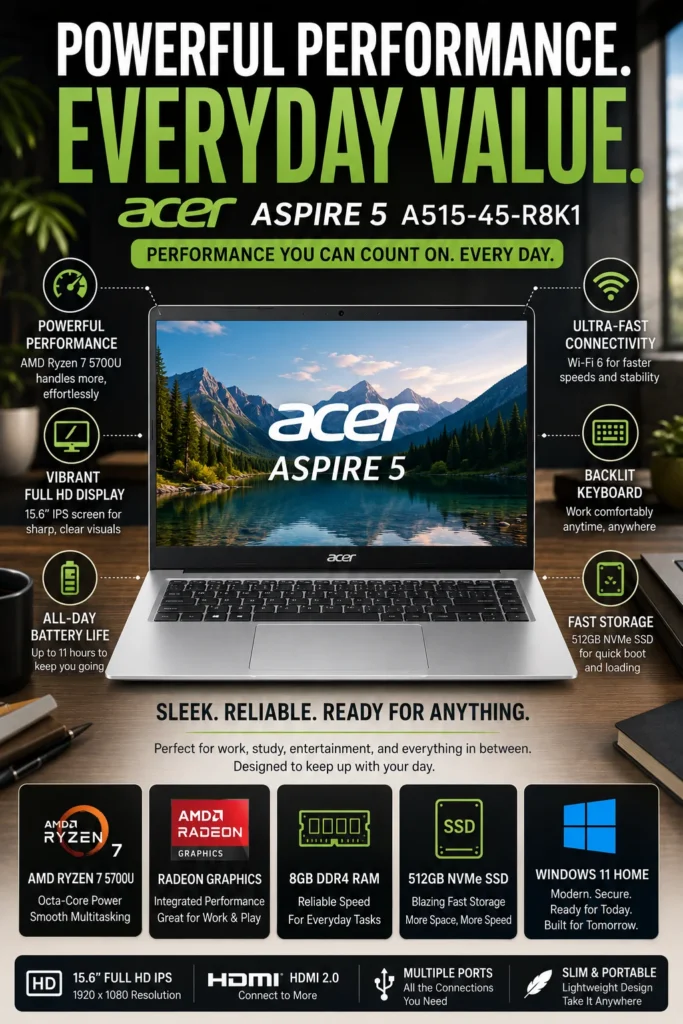
The Acer Aspire 5 is our top recommendation for the best budget business laptop in 2026. It delivers a strong combination of everyday performance, a spacious 15.6-inch display, practical connectivity, upgradeability, and overall value for users who want a capable work laptop without spending close to their full budget. Whether you're handling documents, spreadsheets, email, web applications, online meetings, or everyday business tasks, the Aspire 5 provides enough performance for a wide range of professional and academic workloads.

• Excellent choice for budget-conscious professionals, students, small business owners, remote workers, and everyday productivity users
• Ideal for Microsoft Office, Google Workspace, email, spreadsheets, web browsing, video conferencing, presentations, and general business applications
• Particularly well suited to buyers who prioritize value, screen size, upgradeability, and reliable everyday performance over premium materials or advanced features
• The AMD Ryzen 7 5700U processor provides reliable performance for everyday productivity, multitasking, web applications, office software, and general business workloads
• The 512GB NVMe SSD provides fast application launches, quick file access, and responsive everyday system performance
• The spacious 15.6-inch display provides a comfortable workspace for spreadsheets, documents, presentations, web browsing, and multitasking
• Upgradeable memory provides additional flexibility for users who want to improve the laptop's capabilities over time
• The full-size keyboard with backlighting provides a comfortable typing experience for extended work sessions and low-light environments
• The practical design makes the Aspire 5 suitable for home offices, classrooms, small businesses, and everyday commuting
• Strong everyday battery efficiency allows users to work, study, browse, and attend meetings without constantly remaining connected to a power outlet
• Its combination of useful hardware and accessible pricing makes it particularly attractive to buyers who want to maximize performance per dollar

The Acer Aspire 5 earns our Best Budget Business Laptop award because it focuses on the features that matter most to value-conscious buyers: dependable performance, useful screen space, practical expandability, and comfortable everyday usability. It may not offer the premium construction, enterprise features, or advanced display technology of more expensive business laptops, but it delivers a very capable productivity experience at a significantly more accessible price.

Compared with many entry-level laptops, the Acer Aspire 5 offers a more capable processor, faster SSD storage, a larger productivity-oriented display, and useful upgradeability. For users whose workloads consist primarily of documents, spreadsheets, email, web applications, video meetings, and everyday multitasking, it provides an excellent balance of affordability and performance. For most budget-conscious professionals and students, it is one of the smartest ways to get a capable business-oriented laptop without overspending.

• AMD Ryzen 7 5700U processor with 8 cores• Integrated Radeon graphics for everyday workloads• 512GB NVMe SSD• Smooth application performance• Reliable multitasking for office workloads• Upgradeable memory for future expansionThe Ryzen 7 5700U provides more than enough performance for everyday business and productivity tasks including Microsoft Office, Google Workspace, web applications, email, spreadsheets, presentations, video conferencing, and general multitasking.Users can comfortably work across multiple browser tabs, documents, spreadsheets, communication tools, and productivity applications without requiring the additional performance or cost of a premium business laptop.
• Microsoft Office support• Google Workspace compatibility• Excellent for spreadsheets and presentations• Web-based business applications• Email and communication platforms• Suitable for remote work and online learningThe Aspire 5 is designed for users whose daily workloads center around documents, spreadsheets, presentations, web research, email, cloud applications, and video meetings.For students, office employees, small business owners, and budget-conscious professionals, it provides a practical balance between everyday performance and affordability.
• 15.6-inch Full HD IPS display• 1920 × 1080 resolution• Wide viewing angles• Large workspace for multitasking• Comfortable for documents and spreadsheets• Backlit keyboard for low-light environmentsThe larger 15.6-inch display provides more workspace than typical 13- and 14-inch laptops, making it particularly useful for spreadsheets, documents, presentations, web applications, and side-by-side productivity.The backlit keyboard also improves usability when working in darker environments or during evening study and work sessions.
• 512GB NVMe SSD• Fast application launches• Quick file access• Responsive system performance• Suitable for documents and business files• Upgradeable memory optionsThe 512GB NVMe SSD provides fast everyday performance while offering enough capacity for documents, presentations, applications, coursework, and general business files.One of the Aspire 5's strongest advantages in this price category is its upgrade potential, allowing users to extend the useful life of the laptop as their storage or memory requirements increase.
• Up to 11 hours of battery life• Slim design for a 15.6-inch laptop• Suitable for commuting between locations• Balanced size and portability• Designed for everyday work and studyThe Aspire 5 provides a practical balance between screen size and portability. Although its 15.6-inch chassis is larger than an ultraportable laptop, it remains suitable for moving between home, office, school, and other everyday work environments.Its battery capacity also makes it suitable for extended work and study sessions away from a power outlet, depending on workload and configuration.
• USB-C connectivity• Multiple USB-A ports• HDMI output for external displays• Ethernet connectivity• Wi-Fi support for wireless networking• Compatible with Zoom, Microsoft Teams, and Google MeetThe Aspire 5 provides a practical selection of ports for connecting monitors, keyboards, mice, storage devices, and other peripherals without relying heavily on adapters.Its connectivity and webcam capabilities also make it suitable for remote work, online classes, virtual meetings, and hybrid productivity environments.
Ideal for:• Students and university users• Office employees• Small business owners• Remote workers• Administrative professionals• Budget-conscious buyers• Everyday productivity usersThe Acer Aspire 5 earns our Best Budget Business Laptop award because it focuses on the features that matter most for everyday productivity while keeping the overall cost accessible.It is particularly well suited to users who need a dependable laptop for documents, spreadsheets, web applications, communication, presentations, and general business tasks without paying for unnecessary premium features.
#10 Best 2-in-1 Business Laptop (2026 Editor's Choice)

Dell Inspiron 14 7440 2-in-1

Best Convertible Business Laptop for Productivity & Flexibility
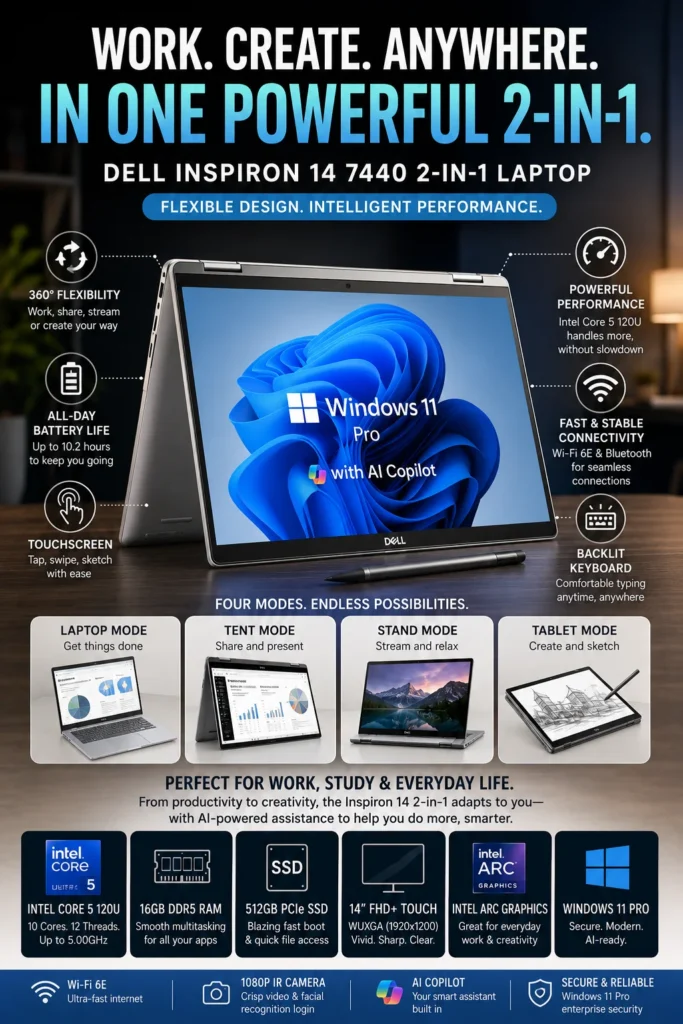
The Dell Inspiron 14 7440 2-in-1 is our top recommendation for the best 2-in-1 business laptop under $1000 in 2026. It combines the productivity of a traditional laptop with the flexibility of a convertible touchscreen design, making it an excellent choice for professionals who move between typing, presentations, meetings, note-taking, and collaborative work. Its versatile hinge, responsive performance, 16GB of memory, and fast SSD provide a well-rounded experience for modern business and productivity workloads.

• Ideal for professionals who want the flexibility of laptop, tent, stand, and tablet modes
• Excellent for presentations, meetings, note-taking, document editing, web applications, and everyday office productivity
• A strong choice for professionals, entrepreneurs, remote workers, students, consultants, and users who value touchscreen versatility
• The Intel Core 5 120U processor provides responsive performance for office applications, web browsing, communication tools, presentations, and everyday multitasking
• 16GB DDR5 memory provides smooth multitasking across browsers, documents, spreadsheets, video meetings, and productivity applications
• The 14-inch touchscreen display provides an intuitive way to interact with applications, annotate content, navigate presentations, and collaborate during meetings
• The 360-degree hinge allows the laptop to transition between traditional laptop, tent, stand, and tablet modes depending on the task
• The 512GB PCIe SSD provides fast application launches, quick file access, and responsive everyday system performance
• Windows 11 provides a familiar productivity environment with broad compatibility across business applications and professional software
• Modern wireless connectivity and versatile ports make it practical for both mobile work and desk-based productivity
• The convertible design provides greater flexibility than a traditional clamshell laptop for presentations, travel, collaboration, and content consumption

The Dell Inspiron 14 7440 2-in-1 earns our Best 2-in-1 Business Laptop award because it provides something a traditional business laptop cannot: genuine flexibility between different working modes. Professionals can use it as a conventional laptop for spreadsheets and documents, switch to tent mode for presentations, use stand mode for media and collaboration, or fold it into tablet mode for touchscreen interaction and note-taking.

Compared with a traditional clamshell business laptop, the Inspiron 14 7440 2-in-1 is particularly appealing to users who frequently present information, collaborate with others, travel between meetings, or prefer touchscreen interaction. Its combination of 16GB memory, fast SSD storage, responsive Intel performance, and a versatile convertible design makes it one of the most flexible options in this price category for professionals who want productivity without being limited to a single form factor.

• Intel Core 5 120U processor• Responsive everyday performance• 16GB DDR5 memory• 512GB PCIe SSD• Smooth multitasking• Suitable for modern productivity applicationsThe Intel Core 5 120U provides responsive performance for everyday business workloads including documents, spreadsheets, presentations, web applications, email, video meetings, and general multitasking.With 16GB of memory and a fast PCIe SSD, the Inspiron 14 7440 can comfortably handle multiple applications and browser tabs throughout the workday.
• 360-degree convertible hinge• Traditional laptop mode for productivity• Tent mode for presentations• Stand mode for collaboration and media• Tablet mode for touchscreen interactionThe convertible design is the Inspiron 14 7440's defining advantage. Users can switch between four different modes depending on the task, making the laptop particularly useful for presentations, meetings, collaboration, travel, and touchscreen workflows.Traditional laptop mode remains ideal for documents and spreadsheets, while tent, stand, and tablet modes provide additional flexibility when working with presentations, content, and touch-based applications.
• 14-inch WUXGA touchscreen display• 1920 × 1200 resolution• 16:10 aspect ratio• Touch interaction• Comfortable workspace for productivity• Backlit keyboardThe 14-inch touchscreen provides a practical balance between workspace and portability. The taller 16:10 aspect ratio provides additional vertical space for documents, web pages, and productivity applications.Touch support also makes interacting with presentations, applications, notes, and other compatible content more intuitive when using the laptop in tablet, tent, or stand modes.
• 512GB PCIe SSD• Fast application launches• Quick file access• Responsive system performance• Suitable for business documents and projects• Ample storage for everyday productivityThe 512GB PCIe SSD provides fast startup times, responsive application launches, and quick access to documents, presentations, spreadsheets, and other business files.For professionals who primarily work with cloud applications and standard productivity software, this capacity provides a practical balance between storage space and everyday performance.
• Up to 10 hours of battery life• Compact 14-inch form factor• Convertible design for flexible use• Suitable for commuting and travel• Designed for hybrid work environmentsThe compact 14-inch design makes the Inspiron 14 7440 easy to carry between the office, home, meetings, and other work locations.Its convertible form factor also reduces the need to carry a separate tablet for users who want touchscreen flexibility during presentations, travel, or collaborative work.
• 1080p webcam for virtual meetings• IR camera support on compatible configurations• Wi-Fi 6E wireless connectivity• USB-C connectivity• USB-A ports for peripherals• HDMI output for external displaysThe Inspiron 14 7440 provides the connectivity and communication features needed for modern hybrid work. Its webcam, wireless connectivity, USB ports, and external display support make it practical for both mobile work and desk-based productivity.Professionals can connect external monitors, peripherals, and other accessories when using the laptop as part of a larger workstation.
Ideal for:• Business professionals• Hybrid workers• Consultants• Entrepreneurs• Remote employees• Presenters• Students• Professionals who value touchscreen flexibilityThe Dell Inspiron 14 7440 2-in-1 earns our Best 2-in-1 Business Laptop award because it combines conventional laptop productivity with the flexibility of a convertible touchscreen design.It is particularly well suited to users who regularly move between typing, presentations, meetings, collaboration, and touch-based workflows.

Best Business Laptops Under $1000 (2026)

Ranked by Business Performance, Productivity, Battery Life, Security, Portability & Overall Value

Choosing the best business laptop under $1000 requires more than simply looking at processor specifications. Professionals need a reliable combination of performance, multitasking capability, security, battery life, display quality, connectivity, portability, and long-term value. We evaluated these laptops based on real-world productivity workloads including office applications, spreadsheets, research, video conferencing, remote work, business software, multitasking, and everyday professional use to help you choose the right business laptop in 2026.

LaptopCPU & Key SpecsBest ForWhy It WinsEditor's VerdictBuy
Best Overall
Lenovo ThinkPad E14 Gen 6
AMD Ryzen 5 7535U
16GB DDR5
512GB SSD
Windows 11 Pro
Business Professionals
Remote Workers
Students
The ThinkPad E14 Gen 6 delivers one of the strongest overall combinations of business-focused performance, durability, security, keyboard quality, and long-term usability in this price range. Its compact design also makes it practical for professionals who regularly move between home, office, and travel environments.Best Business Laptop for Most UsersCheck Price
Best Enterprise Pick
Dell Latitude 3550
Enterprise-Class Platform
16GB DDR5
Wi-Fi 6E
Ethernet Connectivity
Corporate Users
Office Professionals
IT Environments
The Dell Latitude 3550 is designed around business productivity, connectivity, and professional reliability. Its extensive wired and wireless connectivity makes it particularly useful for office environments, while its larger chassis provides practical space for ports and business-oriented features.Best Business Laptop for Enterprise ProductivityCheck Price
Best MacBook
Apple MacBook Air M4
Apple M4
16GB Unified Memory
256GB SSD
13.6" Liquid Retina
Apple Users
Entrepreneurs
Consultants
Frequent Travelers
The MacBook Air M4 combines excellent performance, outstanding battery efficiency, silent operation, premium construction, and exceptional portability. It is especially compelling for professionals already invested in the Apple ecosystem who do not depend on Windows-only software.Best MacBook for Business ProfessionalsCheck Price
Best Battery Life
ASUS Zenbook A14
Snapdragon X
16GB LPDDR5X
512GB SSD
Copilot+ PC
Business Travelers
Digital Nomads
Remote Professionals
The Zenbook A14 stands out for its exceptional battery efficiency and extremely lightweight design. It is an excellent choice for professionals who spend long periods away from power outlets and prioritize mobility without giving up a premium productivity experience.Best Business Laptop for Battery Life & MobilityCheck Price
Best 15-Inch Laptop
HP ProBook 450 G10
Intel Core i5-1334U
16GB Memory
512GB PCIe SSD
15.6" Full HD
Office Professionals
Accountants
Small Businesses
The ProBook 450 G10 provides a spacious 15.6-inch workspace, practical connectivity, business-focused security, and a comfortable productivity-oriented design. Its larger screen and numeric keypad are particularly useful for spreadsheets, accounting, reporting, and office applications.Best 15-Inch Business Laptop Under $1000Check Price
Best for Productivity
Lenovo ThinkBook 16 Gen 7
AMD Ryzen 5 7533HS
16GB DDR5
512GB NVMe SSD
16" WUXGA
Excel Users
Financial Analysts
Office Professionals
The ThinkBook 16 Gen 7 prioritizes productivity with a large 16-inch display, numeric keypad, strong multitasking performance, and extensive connectivity. It is especially well suited to professionals who regularly work with spreadsheets, reports, presentations, and multiple applications.Best Business Laptop for Excel & MultitaskingCheck Price
Best Display & AI
Acer Swift Go 14
Intel Core Ultra 7
16GB LPDDR5X
512GB PCIe Gen 4 SSD
14" Touch Display
Professionals
Students
Hybrid Workers
The Swift Go 14 combines a high-quality display, modern Intel Core Ultra performance, integrated AI acceleration, and excellent portability. It is a strong choice for users who want a more premium visual experience while also benefiting from newer AI-focused hardware.Best Business Laptop for Display Quality & AI FeaturesCheck Price
Best Lightweight Laptop
HP OmniBook 7 Aero
AMD Ryzen AI 7
32GB LPDDR5X
1TB PCIe Gen 4 SSD
13.3" WQXGA
Frequent Travelers
Consultants
Remote Professionals
The OmniBook 7 Aero combines an exceptionally lightweight design with 32GB of memory, 1TB of storage, and a modern Ryzen AI platform. It is particularly attractive to professionals who want premium specifications without carrying a heavier traditional business laptop.Best Lightweight Business Laptop for ProfessionalsCheck Price
Best Budget Pick
Acer Aspire 5
AMD Ryzen 7 5700U
512GB NVMe SSD
15.6" Full HD IPS
Upgradeable Memory
Students
Small Businesses
Budget Buyers
The Aspire 5 offers strong everyday productivity performance at an attractive price. Its large display, upgradeable memory, comfortable keyboard, and useful connectivity make it a practical option for users who primarily work with documents, spreadsheets, email, web applications, and video meetings.Best Budget Business Laptop Under $700Check Price
Best 2-in-1
Dell Inspiron 14 7440 2-in-1
Intel Core 5 120U
16GB DDR5
512GB PCIe SSD
14" WUXGA Touchscreen
Presenters
Hybrid Workers
Students
The Inspiron 14 7440 stands out with its flexible 360-degree hinge and touchscreen design, allowing users to switch between laptop, tent, stand, and tablet modes. It is especially useful for presentations, note-taking, collaboration, and professionals who value flexibility.Best Convertible Business Laptop for FlexibilityCheck Price
Keep Exploring

Recommended Next Reads

Still deciding which business laptop is right for you? Explore our expert buying guides for professionals, small business owners, remote workers, and budget-conscious buyers.

Whether you're choosing a laptop for a growing business, building a reliable remote-work setup, comparing different price ranges, or looking for the best productivity hardware, these guides can help you make a more confident purchase decision.

01

EDITOR'S FINAL RECOMMENDATIONS

Our Final Business Laptop Recommendations Under $1000 in 2026

After comparing business laptops across productivity performance, multitasking, battery life, portability, display quality, security features, connectivity, AI capabilities, and long-term value, these are our final recommendations for professionals in 2026. Whether you work in an office, run a small business, work remotely, travel frequently, or need a reliable productivity machine, there is an option here for your workflow and budget.

BEST ENTERPRISE

Dell Latitude 3550

A strong choice for professionals and organizations that prioritize business connectivity, enterprise-oriented features, reliable networking, and everyday office productivity. Its larger chassis provides useful ports and workspace for traditional business environments.

  • ✓ Enterprise-Oriented Features
  • ✓ 16GB DDR5 Memory
  • ✓ Wi-Fi 6E & Ethernet
  • ✓ Business Productivity Platform
Best business laptop for enterprise and office use
BEST MACBOOK

Apple MacBook Air M4

The best option for professionals who prefer macOS. The M4 chip delivers excellent everyday performance while the fanless design, long battery life, premium construction, and Apple ecosystem make it particularly attractive for mobile professionals and entrepreneurs.

  • ✓ Apple M4 Chip
  • ✓ 16GB Unified Memory
  • ✓ Up to 18 Hours Battery Life
  • ✓ Silent Fanless Design
Best MacBook for business professionals
BEST BATTERY LIFE

ASUS Zenbook A14

The standout choice for professionals who spend significant time away from a desk. Its extremely lightweight design and exceptional battery endurance make it particularly appealing for frequent travelers, consultants, remote professionals, and digital nomads.

  • ✓ Exceptional Battery Life
  • ✓ Ultra-Lightweight Design
  • ✓ Copilot+ PC
  • ✓ Travel-Friendly Form Factor
Best business laptop for battery life and travel
BEST FOR PRODUCTIVITY

Lenovo ThinkBook 16 Gen 7

The productivity specialist in this lineup. Its spacious 16-inch display, numeric keypad, strong Ryzen processor, 16GB DDR5 memory, and extensive connectivity make it especially useful for Excel, financial analysis, spreadsheets, reports, and heavy multitasking.

  • ✓ AMD Ryzen 5 7533HS
  • ✓ 16GB DDR5 Memory
  • ✓ 16-inch WUXGA Display
  • ✓ Numeric Keypad
Best business laptop for Excel and multitasking
BEST ULTRAPORTABLE

HP OmniBook 7 Aero

A premium ultraportable for professionals who value mobility without sacrificing memory or storage. With 32GB of LPDDR5X memory, a 1TB SSD, and Ryzen AI performance, it is particularly well suited for frequent travel and demanding multitasking on the move.

  • ✓ AMD Ryzen AI 7 350
  • ✓ 32GB LPDDR5X Memory
  • ✓ 1TB PCIe Gen4 SSD
  • ✓ Ultra-Light 2.2-Pound Design
Best lightweight business laptop for professionals
BEST BUDGET

Acer Aspire 5

The value-focused choice for buyers who need dependable everyday productivity without spending heavily. The Ryzen 7 processor, fast SSD storage, large display, and upgradeability make it a practical option for students, office workers, freelancers, and small businesses.

  • ✓ AMD Ryzen 7 5700U
  • ✓ 512GB NVMe SSD
  • ✓ 15.6-inch Full HD Display
  • ✓ Upgradeable Memory
Best value business laptop for budget buyers
QUICK DECISION

Which business laptop under $1000 should you buy?

Best Overall

ThinkPad E14 Gen 6

Best Enterprise

Dell Latitude 3550

Best MacBook

MacBook Air M4

Best Battery

ASUS Zenbook A14

Best Productivity

ThinkBook 16 Gen 7

Best Ultraportable

HP OmniBook 7 Aero

Best Budget

Acer Aspire 5

Business laptop prices, configurations, and availability can change frequently. Before purchasing, check Amazon for the latest price, available memory and storage configurations, warranty coverage, and current promotions.

EDITOR'S FINAL VERDICT

Final Verdict: Best Business Laptops Under $1000 in 2026

After comparing productivity performance, battery life, portability, keyboard quality, security features, connectivity, display quality, multitasking capability, and long-term value, one conclusion stands out:The best business laptop under $1000 is not necessarily the most powerful model. It is the laptop that provides the right balance of performance, reliability, comfort, security, portability, and value for the way you actually work.

Business professionals use their laptops for much more than basic office applications. Modern work can involve large spreadsheets, dozens of browser tabs, Microsoft Office, video meetings, cloud applications, presentations, remote work, accounting software, programming, research, and demanding multitasking throughout the day.

For most professionals, a strong business laptop should provide at least 16GB of memory, fast SSD storage, a comfortable keyboard, reliable connectivity, strong battery life, and enough performance to remain productive for several years.
Best Business Laptop Overall Lenovo ThinkPad E14 Gen 6
Best MacBook for Business Apple MacBook Air M4
Best Enterprise Laptop Dell Latitude 3550
Best Battery Life ASUS Zenbook A14
The simple answer:
  • Choose the Lenovo ThinkPad E14 Gen 6 if you want the best overall balance of business performance, durability, keyboard quality, security, and long-term value.
  • Choose the Apple MacBook Air M4 if you already use the Apple ecosystem and prioritize battery life, portability, silent operation, and efficient everyday performance.
  • Choose the Dell Latitude 3550 if you work in a corporate or enterprise environment where connectivity, Windows compatibility, security features, and business-focused hardware matter most.
  • Choose the ASUS Zenbook A14 if you travel frequently and want exceptional battery life combined with an extremely lightweight design.

Top Business Laptop Recommendations Under $1000 (2026)

BEST OVERALL

Lenovo ThinkPad E14 Gen 6

Our Editor's Choice for most professionals because it delivers an excellent combination of performance, durability, keyboard quality, business features, security, and value. It is the safest all-around recommendation for everyday professional productivity.

  • ✓ Ryzen 5 7535U Processor
  • ✓ 16GB DDR5 Memory
  • ✓ Windows 11 Pro
  • ✓ Business-Focused ThinkPad Design
BEST MACBOOK FOR BUSINESS

Apple MacBook Air M4

A premium choice for professionals who prefer macOS. The M4 chip, excellent battery efficiency, silent operation, and lightweight design make it particularly attractive for consultants, entrepreneurs, and professionals who work from multiple locations.

  • ✓ Apple M4 Chip
  • ✓ Outstanding Battery Life
  • ✓ Lightweight Design
  • ✓ Premium Build Quality
BEST ENTERPRISE CHOICE

Dell Latitude 3550

The strongest choice for traditional corporate and enterprise environments. Its business-focused design, connectivity options, Windows compatibility, and productivity features make it well suited for office employees, IT environments, and organizations that need dependable business hardware.

  • ✓ Enterprise-Oriented Design
  • ✓ 16GB DDR5 Memory
  • ✓ Ethernet Connectivity
  • ✓ Wi-Fi 6E
Choose the ThinkPad E14 Gen 6 if:
  • ✓ You want the best overall business laptop under $1000
  • ✓ You spend hours typing, multitasking, and attending meetings
  • ✓ Keyboard quality, durability, and security matter
  • ✓ You want a reliable laptop for several years of professional use
Choose the MacBook Air M4 if:
  • ✓ You already use the Apple ecosystem
  • ✓ Battery life and portability are top priorities
  • ✓ You travel frequently or work remotely
  • ✓ You want silent and highly efficient performance
Before Buying Any Business Laptop Under $1000:
  • ✓ Prefer 16GB memory for modern multitasking
  • ✓ Look for fast SSD storage and sufficient capacity
  • ✓ Prioritize keyboard comfort if you type for hours every day
  • ✓ Consider Windows 11 Pro and business security features for professional environments
Editor's Final Recommendation:

A business laptop is a tool you may use for thousands of hours over several years. Raw specifications matter, but keyboard comfort, reliability, battery life, connectivity, security, portability, and long-term value can have an even greater impact on your everyday productivity.

Among the models evaluated in this guide, the Lenovo ThinkPad E14 Gen 6 delivers the strongest overall combination of business performance, durability, keyboard quality, security features, and value, making it our Editor's Choice for the best business laptop under $1000 in 2026.

Editor's Choice See Today's Best Business Laptop Deals

Compare current prices, configurations, memory, storage, warranty coverage, and availability before choosing the business laptop that best matches your professional workflow.

Check Latest Deals

EDITOR'S FAQ

Frequently Asked Questions About the Best MacBooks for College Students in 2026

Choosing the best MacBook for college requires more than comparing processor specifications. Students need to consider performance, memory, storage, battery life, portability, display size, software compatibility, and how their workload may change throughout their degree.These frequently asked questions address the most important buying decisions, from choosing between the MacBook Air and MacBook Pro to determining how much RAM and storage a college student actually needs.

The Apple MacBook Air M4 is our top overall recommendation for most college students in 2026.

It provides an excellent balance of performance, portability, battery efficiency, silent operation, and long-term value. For most students, it has more than enough power for research, writing, presentations, browser multitasking, video calls, streaming, productivity applications, and everyday academic workloads.

  • Excellent performance for everyday college workloads.
  • Lightweight design makes it easy to carry around campus.
  • Excellent battery efficiency for long days away from an outlet.
  • 16GB unified memory provides better long-term multitasking capability.
  • Strong balance between performance, portability, and price.

Unless your major requires sustained professional workloads, the MacBook Air M4 is generally a more sensible choice than spending significantly more on a MacBook Pro.

Check Price
16GB of unified memory is the recommended starting point for most college students in 2026.

Modern college workloads often involve multiple browser tabs, Microsoft Office, Google Workspace, Zoom, research databases, messaging applications, cloud services, and other programs running simultaneously.

  • 8GB → Suitable for basic browsing, documents, streaming, and light academic work.
  • 16GB → Recommended for most students and everyday multitasking.
  • 24GB or more → Better for programming, engineering, creative applications, AI workloads, and heavier multitasking.

Because a MacBook may be used throughout several years of college, choosing 16GB or more is generally the safer long-term configuration.

The choice between the 13-inch and 15-inch MacBook Air depends primarily on whether portability or workspace matters more to you.
  • 13-inch MacBook Air → Best for students who frequently walk between classes, libraries, dorms, and study areas and want maximum portability.
  • 15-inch MacBook Air → Better for students who spend more time working at a desk and want additional screen space for multitasking.

The 13-inch model is easier to carry throughout the day, while the 15-inch model provides a more comfortable workspace for split-screen research, spreadsheets, presentations, coding, documents, and multiple applications.

For students who rarely use an external monitor, the 15-inch MacBook Air can provide a meaningful productivity advantage without requiring a MacBook Pro.

Compare MacBook Air Options
Yes. The MacBook Air M3 remains a capable college laptop when its price is significantly lower than newer models.

For students whose workloads focus on research, documents, presentations, browsing, streaming, video calls, and web-based applications, the M3 still provides more than enough everyday performance.

  • Strong everyday performance for academic workloads.
  • Lightweight and portable design.
  • Excellent power efficiency.
  • Lower potential purchase price than newer MacBook models.

The main reason to consider the M3 in 2026 is value. If the price difference between an M3 configuration and a newer MacBook is small, the newer model may make more sense for long-term ownership.

Students choosing an M3 should also prioritize adequate memory and storage rather than selecting the lowest configuration simply to reduce the initial purchase price.

Check Deal
A MacBook Pro is worth considering when your degree or projects require sustained professional-level performance, but it is unnecessary for most students.

Students studying computer science, software development, engineering, video production, 3D design, architecture, advanced creative disciplines, or other demanding fields may benefit from the additional performance, cooling, memory capacity, and professional features available in MacBook Pro models.

  • Professional software development.
  • Engineering and technical workloads.
  • Professional video editing.
  • 3D modeling and rendering.
  • Advanced creative applications.
  • Large development projects and heavy multitasking.

For general college workloads, the MacBook Air is usually the better value because it provides excellent performance while remaining lighter, quieter, and more affordable.

The key question is not whether the MacBook Pro is faster. It is whether your actual workload is demanding enough to justify paying for that additional performance.

View MacBook Pro Models
512GB of SSD storage is the safest recommendation for most college students in 2026.

Storage requirements depend heavily on your major, how much content you keep locally, and whether you rely on cloud storage or external drives.

  • 256GB → Acceptable for basic academic work when most files are stored in the cloud.
  • 512GB → Recommended for most college students.
  • 1TB → Better for programming, engineering, video editing, design, large projects, and students who store substantial amounts of content locally.

Students should remember that SSD storage cannot be upgraded later in the same way as storage on many traditional laptops. Choosing an appropriate capacity at purchase time is therefore important.

If you expect to keep your MacBook throughout your entire degree, 512GB provides a more comfortable long-term balance than the smallest available configuration.

The MacBook Air M4 is one of the strongest choices for students who prioritize battery efficiency, portability, and all-day usability.

Apple Silicon MacBooks are particularly well suited to college environments because they combine strong everyday performance with efficient power consumption.

  • MacBook Air M4 → Best overall combination of battery efficiency, portability, and performance.
  • MacBook Air M3 → Excellent efficiency and a potentially lower purchase price.
  • MacBook Pro → Better suited to students who need substantially more sustained performance while still wanting strong battery efficiency.

For students moving between classrooms, libraries, study areas, and home, battery efficiency can be more valuable than maximum processing power. A laptop that remains comfortable to carry and use throughout the day is often more practical than a heavier workstation-class machine.

Yes, but the ideal MacBook depends heavily on the student's specific coursework, development environment, and required software.

MacBooks are excellent for programming, web development, computer science coursework, software development, data analysis, and many technical workflows. However, some specialized engineering and academic applications are designed primarily for Windows.

  • Computer Science → MacBook Air or MacBook Pro depending on workload.
  • Programming → MacBook Air M4 is sufficient for many students.
  • Software Development → MacBook Pro becomes more attractive for heavier projects and sustained workloads.
  • Engineering → Check the compatibility of required CAD, simulation, and engineering applications before purchasing.

This is particularly important for students whose universities require specific Windows-only applications. Always check your program's software requirements before committing to macOS.

Yes. A properly configured MacBook can be an excellent long-term college computer.

The most important factor is choosing a configuration that will remain comfortable as your academic workload becomes more demanding.

  • 16GB or more of unified memory is preferable for long-term use.
  • 512GB SSD is a safer choice for students who store many files locally.
  • The MacBook Air is sufficient for most academic workloads.
  • A MacBook Pro makes more sense when your major requires sustained professional workloads.
  • Portability and battery efficiency become increasingly valuable during daily campus use.

Rather than buying the most powerful MacBook available, students should choose a configuration that provides enough performance and storage for their expected workload throughout their degree.

For most college students, the Apple MacBook Air M4 is the best overall choice in 2026.

The right model ultimately depends on your major, budget, workload, desired screen size, and how much portability you need.

  • Best Overall → Apple MacBook Air M4
  • Best Budget Choice → Apple MacBook Air M3
  • Best Large Display → Apple MacBook Air M4 15-inch
  • Best for Demanding Majors → MacBook Pro M4 Pro
  • Best for Extreme Professional Workloads → MacBook Pro M4 Max

If you want the safest recommendation for most students, the MacBook Air M4 offers the strongest combination of performance, battery life, portability, and long-term value.

Check Best Student Deal

BUSINESS LAPTOP BUYING GUIDE

Common Mistakes When Choosing a Business Laptop Under $1000 in 2026

Choosing a business laptop under $1000 is not simply about finding the fastest processor or the lowest price. Professionals need a reliable machine that can handle multitasking, meetings, productivity applications, communication tools, and daily work while remaining comfortable and dependable over several years.The wrong laptop can become a daily source of frustration through insufficient memory, poor battery life, an uncomfortable keyboard, weak connectivity, limited security features, or a display that is difficult to work on for extended periods. Avoid these common mistakes before making your purchase.

Editor's Insight

The best business laptop is rarely the one with the most impressive specification sheet. For professional users, keyboard quality, memory capacity, battery efficiency, security, connectivity, display quality, portability, and long-term reliability can have a greater impact on productivity than small differences in benchmark performance.For most professionals in 2026, we recommend at least 16GB of RAM, fast SSD storage, modern wireless connectivity, and a comfortable keyboard. Users who regularly work with large spreadsheets, demanding applications, virtual machines, AI tools, or heavy multitasking should consider 32GB when the budget allows.

Choosing Only 8GB of RAM

  • Modern browsers and productivity applications can consume substantial memory during everyday multitasking.
  • Professionals often run Microsoft Office, email, browser tabs, Teams, Zoom, cloud applications, and other tools simultaneously.
  • Insufficient RAM can force the system to rely more heavily on slower storage when multitasking.

Better decision: Choose at least 16GB of RAM for a modern business laptop. Consider 32GB if your workflow involves heavy multitasking, large datasets, virtual machines, AI applications, or professional development tools.

Ignoring Business Security Features

  • Business laptops can offer security and management features that are less common on entry-level consumer machines.
  • Fingerprint readers can make secure authentication faster and more convenient.
  • Windows 11 Pro can provide additional security, management, and business-oriented capabilities.

Better decision: Look for features such as TPM security, biometric authentication, Windows 11 Pro, and hardware designed with professional use in mind.

Buying a Laptop with Poor Battery Life

  • Frequent charging can interrupt meetings, travel, and productive work sessions.
  • Hybrid workers and professionals who move between offices need greater mobility.
  • Battery efficiency can be more valuable than a small performance advantage for many office workloads.

Better decision: Prioritize efficient processors and laptops with enough real-world battery capacity to support your typical workday, especially if you regularly work away from a desk.

Ignoring Keyboard Comfort and Build Quality

  • Professionals may spend several hours every day writing emails, documents, reports, spreadsheets, and messages.
  • A poor keyboard can make long work sessions uncomfortable.
  • Weak construction can become a reliability concern when a laptop is transported frequently.

Better decision: Prioritize a comfortable keyboard, accurate trackpad, solid chassis, and professional build quality. These characteristics can have a greater daily impact than small benchmark differences.

Buying More Performance Than Your Workflow Requires

  • Many office workloads do not benefit significantly from high-end processors or dedicated graphics.
  • Paying for unnecessary performance can increase cost, weight, heat, and power consumption.
  • A balanced laptop can provide a better overall professional experience than a specification-heavy machine.

Better decision: Match processor and graphics performance to your actual workload. Invest the remaining budget in RAM, storage, display quality, battery life, build quality, and business features.

Overlooking Display Quality and Workspace

  • Professionals can spend most of their working day looking at their laptop display.
  • Low brightness, poor viewing angles, or limited workspace can make long sessions less comfortable.
  • Large spreadsheets and multitasking workflows can benefit substantially from additional screen space.

Better decision: Choose a quality display with suitable brightness and resolution for your environment. If spreadsheets and multitasking dominate your workflow, consider a larger display or plan for an external monitor.

Smart Buying Advice for Business Professionals

Choose a ThinkPad-class business laptop if:

You prioritize keyboard quality, durability, reliability, security features, and long-term productivity. A Lenovo ThinkPad such as the E14 Gen 6 is particularly attractive when you want a balanced professional machine without moving into premium pricing.

Choose a MacBook if:

You already work within the Apple ecosystem and prioritize battery efficiency, portability, silent operation, premium construction, and macOS. The MacBook Air M4 is particularly compelling for professionals whose software requirements are compatible with macOS.

Key takeaway: The best business laptop under $1000 is not necessarily the fastest or most expensive machine. It is the laptop that provides the right balance of performance, memory, battery life, security, keyboard comfort, display quality, portability, and reliability for your actual workflow.

After evaluating the laptops featured in this guide, these are our Editor's top recommendations for business professionals in 2026:

  • Best Overall Business Laptop: Lenovo ThinkPad E14 Gen 6 — the strongest overall balance of business features, durability, keyboard quality, performance, security, and value for most professionals.
  • Best MacBook for Business: Apple MacBook Air M4 — excellent battery efficiency, portability, silent operation, premium construction, and strong everyday performance for professionals who use macOS.
  • Best Enterprise Business Laptop: Dell Latitude 3550 — a strong choice for office environments, corporate users, connectivity requirements, and professionals who prefer Windows-based business hardware.
  • Best Battery and Travel Choice: ASUS Zenbook A14 — an attractive option for professionals who prioritize low weight, portability, battery efficiency, and modern AI-oriented features.

Need help choosing your laptop?

Not sure which option fits your workflow? Get a personalized recommendation based on your budget, performance needs, and usage.

Get personalized recommendation

⚡ Usually responds within 24 hours